普通视图

发现新文章,点击刷新页面。
昨天 — 2026年9月15日IT News

AMD's Radeon RX 9070 GRE graphics card returns to its lowest-ever price of $499 — rare deal places this current-generation 12GB GPU below its MSRP launch price

2026年9月15日 17:50

It's back: one of the best deals on a brand-new, current-generation, mid-range graphics card that packs 12GB of VRAM. There is a little hoop to jump through via Newegg to receive the discount, but it's more than worth it to slash $70 off the card and bring the price back down to its all-time low. AMD's Gigabyte Gaming Radeon RX 9070 GRE GPU is available at Newegg for $499. All you need to do is click on the "Extra Discount Available" link and enter your email address to receive the promotional code. Once you do that, you bring the price of this graphics card all the way down from its $569.99 list price. It's a very grim time for shopping for PC component upgrades, so to see an actual deal on a GPU that takes it below its MSRP in today's inflated market is a rare sight indeed.

Check out this deal at Newegg

The RX 9070 GRE was initially made available to the Chinese GPU market and received a few changes from the original RX 9070 XT. The available VRAM was cut from 16GB to just 12GB of GDDR6, but it still sports bandwidth speeds of 18 Gbps on a 192-bit bus, producing 432 GB/s of memory bandwidth in gaming and applications. The Radeon RX 9070 GRE is still built on AMD’s RDNA 4 graphics architecture and uses the same Navi 48 GPU as the Radeon RX 9070 and RX 9070 XT. The RX 9070 GRE features a cut-down version of the Navi 48 chip with 48 compute units compared to the RX 9070's 56. Using just 220W total power draw, the RX 9070 GRE has an Identical power footprint to the standard Radeon RX 9070 GPU, making it quite power efficient and not needing a huge power supply to run.

Gaming Radeon RX 9070 GRE 12GB: was $569.99 now $499.99
A great graphics card for 1080p and 1440p gaming, the RX 9070 GRE sports 12GB of VRAM and boost clock speeds of 2920 MHz.

View Deal

We benchmarked the Radeon RX 9070 GRE in our extensive review, putting it through its paces in our suite of games. We found the card averages a cool 120 FPS at 1080p settings and 86.6 FPS at 1440p across our 11-game raster-only test suite. This is a good GPU choice for 1080p and 1440p gaming, with the RX 9070 GRE packing ample VRAM for high settings at 1080p, but pushing ultra settings at 1440p may use up the 12GB of VRAM. AMD's Radeon RX 9070 GRE sits just behind Nvidia's RTX 5070 in our results chart that you can view below.

Radeon RX 9070 GRE
Future
Radeon RX 9070 GRE
Future
Radeon RX 9070 GRE
Future

If you're actively looking for a new GPU in the current PC component market, you're more than aware of the considerable price hikes across the GPU lineups from both AMD and Nvidia. To see a graphics card on sale for under its launch MSRP is a very rare sight, and I personally did not expect to see this kind of deal again outside of a large sale event like Prime Day or Black Friday. So if you're looking for a competent card for 1080p and 1440p gaming, then jump on the Gigabyte Gaming RX 9070 GRE for just $499.99.

Nvidia's RTX 5090 vanishes from online retail in the US — third-party sellers now demand as much as $9,500 for Nvidia's fastest GPU

作者 Jake Roach
2026年9月15日 01:41

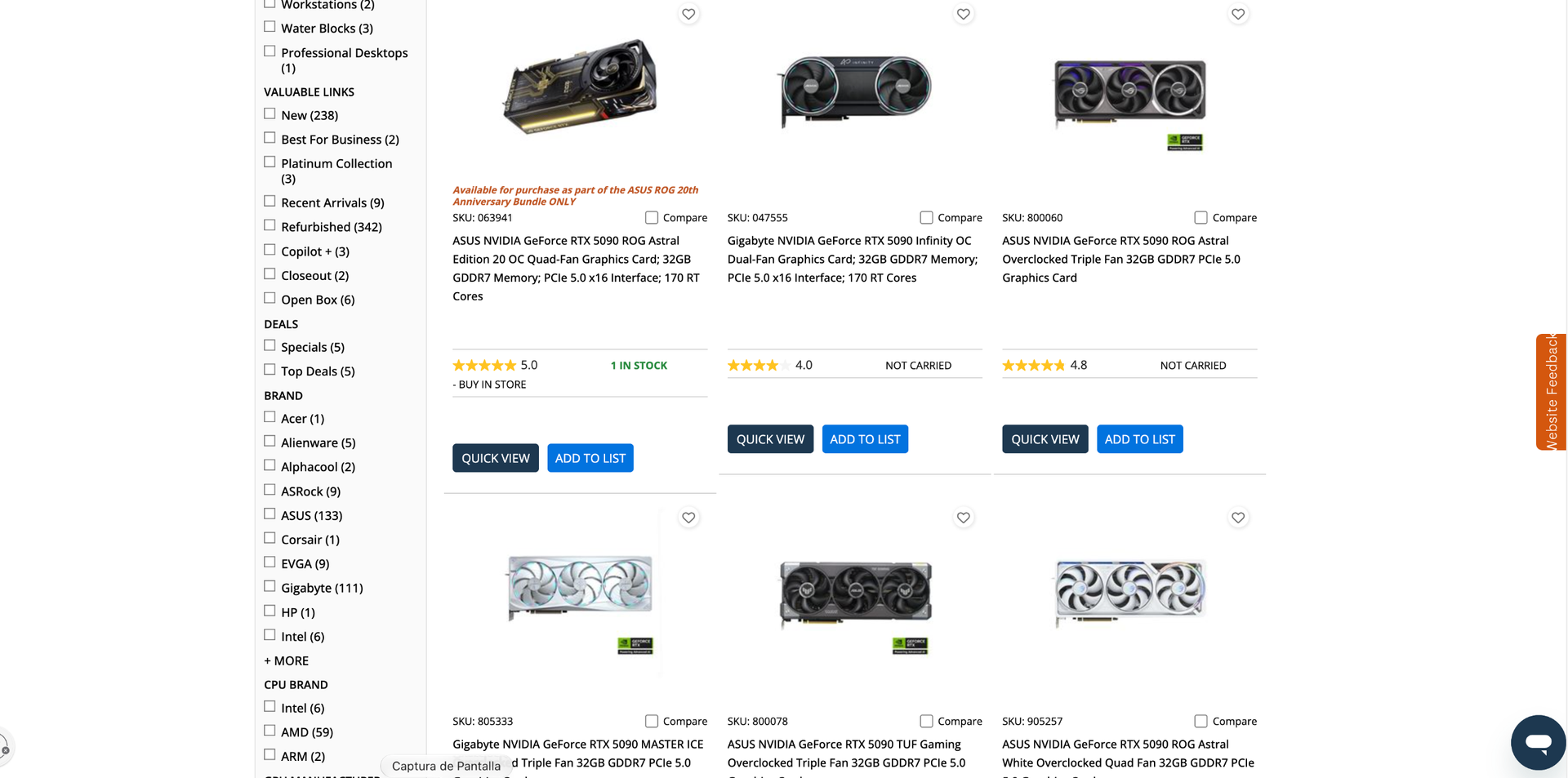
Nvidia's fastest gaming graphics card, the RTX 5090, has been on a tear of price increases over the past several weeks. However, over the past week, the available inventory has dwindled. Now, you can only find the RTX 5090 from third-party sellers at online retailers like Newegg and Amazon, commanding anywhere from $6,500 to $9,500 (or even higher) for Team Green's best GPU.

At Newegg, the cheapest RTX 5090 is the MSI Ventus 3X that's available from Slava Computers (a relatively new seller with 239 ratings and a 2.8 out of 5 rating at the time of writing) for $6,449. On Amazon, you can get the Asus TUF Gaming OC for $6,395 from Joes Tech Shop, a seller with an 81% positive rating. However, among the most recent reviews are a string of one-star reviews about orders never being fulfilled. The cost goes much higher, as well. The first result for "RTX 5090" on Newegg, for example, surfaces the MSI Ventus 3X OC for $8,699.

In June, the median price for an RTX 5090 was $4,299. At the beginning of September, we logged the lowest online price at $5,199 in our GPU price tracker. Now, in less than two weeks, the available stock has completely disappeared online, and the options available from third-party sellers have ballooned in price once again.

Naturally, we don't recommend buying from one of these third-party sellers. The RTX 5090 is selling at a vastly inflated price, but more importantly, we've seen no shortage of scams around high-ticket items like the RTX 5090. In January, 42 Amazon customers were duped into a scam involving a $999 RTX 5090, instead receiving a fanny pack in place of the GPU. Earlier this month, an online seller scammed two buyers with the RTX 5090, selling phantom graphics cards with the core and memory removed on the secondhand market for prices near MSRP.

The one exception to RTX 5090 inventory is Micro Center, which still has cards available around the average selling price. At a local Micro Center we checked, the cheapest in-stock option was $4,299. Micro Center has exclusively sold graphics cards in-person for several years, insulating it from online buyouts like what appears to be going on right now.

As usual, the reason why there's so much demand for the RTX 5090 is fairly obvious: AI. The RTX 5090 holds the GB202 GPU and 32GB of GDDR7 memory. For context, Nvidia's RTX Pro 5000 48GB comes with the same GPU with a third fewer shader units enabled, and lower memory bandwidth compared to the RTX 5090, and sells for between $7,000 and $9,000. In that context, the RTX 5090 starts to look attractive for building an AI server, even at $5,000 (or more) apiece.

At the same time, the RTX 5090 remains the fastest gaming graphics card on the market according to the testing in our GPU benchmark hierarchy. That's even more true now with Nvidia's launch of DLSS 5 Neural Rendering, which the RTX 5090 can fully capitalize on (though, thankfully, we've found playable performance on lower-end cards in our extensive DLSS 5 testing).

We've reached out to Nvidia for comment on whether it has any plans to stabilize inventory. We'll update this story when we hear back.

Gaming takes a backseat as Nvidia overhauls the RTX 5090 for maximum AI margins — RTX Pro 5500 delivers 2.6X VRAM at matching specs

作者 Zhiye Liu
2026年9月15日 01:39

The GeForce RTX 5090 is undeniably one of the best graphics cards money can buy. Banking on the fact that many already use it for AI, Nvidia has bolstered it with even more memory and launched it as the new RTX 5500 Pro Blackwell Workstation Edition. It offers comparable specifications to the GeForce RTX 5090 but distinguishes itself with 84GB of GDDR7 memory, 2.6X more than the Blackwell gaming flagship.

The RTX Pro 5500 features the GB202 silicon, the powerhouse die that powers other high-end mainstream and professional Blackwell graphics cards, including the GeForce RTX 5090, RTX Pro 6000, and RTX Pro 5000. In fact, the RTX Pro 5500 uses the same die as the GeForce RTX 5090, which means 170 Streaming Multiprocessors (SMs) are enabled out of a possible 192. As a result, the RTX Pro 5500 has 21,760 CUDA cores and offers performance comparable to the GeForce RTX 5090. The differentiator is the memory subsystem, where the RTX Pro 5500 excels.

Nvidia equipped the RTX Pro 5500 with 84GB of GDDR7 memory. This is the second time Nvidia has launched a graphics card with 84GB of memory, with the first being the China-exclusive RTX Pro 6000D. The RTX Pro 5500's memory capacity lets the Blackwell graphics card sit comfortably between the RTX Pro 5000 and the upgraded RTX Pro 6000, with 72GB and 96GB of GDDR7 memory, respectively.

Nvidia RTX Pro 5500 Workstation Edition Specifications

Graphics Card

RTX Pro 6000

RTX Pro 6000D

RTX Pro 5500

RTX 5090

RTX Pro 5000

Architecture

GB202

GB202

GB202

GB202

GB202

Process Technology

TSMC 4N

TSMC 4N

TSMC 4N

TSMC 4N

TSMC 4N

Transistors (Billion)

92.2

92.2

92.2

92.2

92.2

Die size (mm^2)

750

750

750

750

750

SMs

188

156

170

170

110

CUDA Cores

24,064

19,968

21,760

21,760

14,080

Tensor Cores

752

624

680

680

440

Ray Tracing Cores

188

156

176

176

110

Boost Clock (MHz)

2,617

2,430

?

2,407

2,617

VRAM Speed (Gbps)

28

25

25

28

28

VRAM (GB)

96

84

84

32

48 / 72

VRAM Bus Width

512

448

448

512

384

L2 Cache

128

128

96

96

96

Render Output Units

192

192

192

176

176

Texture Mapping Units

752

624

680

680

440

TFLOPS FP32 (Boost)

126.0

97.04

?

104.8

73.69

Bandwidth (GB/s)

1,792

1,400

1,398

1,790

1,344

TBP (watts)

600

600

600

575

300

Nvidia achieved the 84GB memory capacity by outfitting the RTX Pro 5500 with 28 GDDR7 memory chips in a clamshell configuration. Each side of the PCB houses 14 24Gb (3GB) GDDR7 memory modules. They run at 25 Gb/s across a 448-bit memory interface, delivering up to 1,400 GB/s of bandwidth, which aligns with Nvidia’s official specification of 1,398 GB/s. In other words, the RTX Pro 5500 shares the same memory subsystem as the RTX Pro 6000D.

Samsung, Micron, and SK hynix only produce standard 28 Gb/s memory packages. Therefore, Nvidia downclocks the RTX Pro 5500's GDDR7 chips for its own reasons, whether to meet thermal and power targets or avoid cannibalizing higher-tier SKUs. From a memory-bandwidth perspective, the RTX Pro 5500 is not particularly impressive. Its bandwidth is only 4% ahead of the RTX Pro 5000, and it lags 22% behind both the flagship RTX Pro 6000 and the GeForce RTX 5090, which fully leverage 28 Gb/s GDDR7 memory chips.

To sum it all up, if RTX Pro 6000D and GeForce RTX 5090 had a child, it would be the RTX Pro 5500. Nvidia's main motivation was to launch the RTX Pro 5500 to fill the large performance and pricing gap between the RTX Pro 6000 and RTX Pro 5000. Also, the chipmaker makes substantially more profit by putting recycled GB202 into an RTX Pro 5500 than into a GeForce RTX 5090. By giving the former more memory with similar core specifications as the latter, Nvidia seemingly hopes to win more customers over to the RTX Pro 5500.

We reached out to both Nvidia and PNY for official pricing on the RTX Pro 5500, but neither company has responded. For reference, the flagship RTX Pro 6000 retails for $15,599, while an RTX Pro 5000 72GB starts at $9,209. Given the RTX Pro 5500's role as a bridge between the two models, it is reasonable to expect its launch price to fall somewhere within this range.

Solo dev enables running CUDA on AMD hardware in Windows, getting multiple CUDA libraries running on a gaming Radeon RX 9060 XT GPU in Windows — CUDA-exclusive workloads on AMD hardware in Windows possible without virtualization or dual-booting

作者 Zak Killian
2026年9月14日 22:23

With the latest ROCm updates, AMD finally brought robust, official PyTorch and HIP SDK support to Windows for consumer GPUs, fully supporting the Radeon RX 7000 and the RX 9000 series. For native, supported frameworks, AMD on Windows is finally a viable reality, but what happens when you want to run a proprietary application, an older repository, or a specialized AI tool that absolutely refuses to support anything but NVIDIA's CUDA? That's where a new project, Speedstu's "CUDA-for-AMD-Windows," could save the day. It proves that running rigidly CUDA-exclusive workloads on AMD hardware in Windows is possible without virtualization or dual-booting.

To be clear, this project is not a brand-new runtime. Instead, it is a highly automated and reproducible PowerShell setup that bridges the gap between ZLUDA, the well-known, formerly AMD-funded translation layer, and AMD's native HIP/ROCm SDK for Windows. Through a series of clever scripts, the toolkit automatically detects the user's GPU architecture, grabs a specifically pinned version of ZLUDA (v6-preview.69), and, at least in theory, seamlessly maps it to the ROCm math libraries already present in Windows.

A screenshot of the CUDA for AMD Windows GitHub documentation.

Several important CUDA libraries link up, but the important cuDNN doesn't work yet. (Image credit: Speedstu/GitHub)

The result is that the developer successfully intercepted and mapped the CUDA driver API as well as the cuBLAS, cuSPARSE, and cuFFT libraries directly over to their AMD equivalents. As a proof-of-concept, the author even trained a 2.2-million-parameter PPO reinforcement-learning network end-to-end using unmodified CUDA libraries on an AMD Radeon RX 9060 XT, which happens to be the only officially supported GPU at this time.

Even with AMD's official ROCm support on Windows, the local developer community frequently runs into dependency hell when trying out experimental GitHub repos or specialized AI tools that hardcode CUDA as a requirement. For developers who want to experiment with these CUDA-only tools natively on their Windows daily driver machines without dealing with WSL2 passthrough issues or waiting for the original author to write a HIP port, this project offers a highly desirable translation pipeline. It acts as a sort of hacky adapter for software that stubbornly demands an NVIDIA card.

Benchmark testing included in the project's documentation offers some interesting findings. In a controlled A/B test running a 2.2M-parameter reinforcement learning workload on a Radeon RX 9060 XT, the "public upstream path," which relies purely on official ZLUDA releases and AMD's stock HIP SDK 6.4, achieved a median throughput of 13,278 steps per second (SPS). By contrast, an optional "recovered custom overlay" apparently built from salvaged legacy ZLUDA binaries ran slightly worse at 12,876 SPS, making it roughly 3% slower. While the clean official setup is faster, the author notes that "a later rewrite removed LibTorch/ZLUDA from PPO and achieved substantially higher throughput," indicating that there is still a performance hit for this stack of translators.

CUDA for AMD Windows Official benchmarks (BENCHMARKS.md)

Metric

Public upstream

Recovered custom

Custom delta

Overall SPS, median

13,278.46

12,875.80

-3.03%

Overall SPS, mean

13,172.49

12,649.83

-3.97%

Collection SPS, median

63,306.00

59,360.67

-6.23%

Consumption SPS, median

16,806.36

16,445.66

-2.15%

Inference time, median

0.5863 s

0.6293 s

+7.33%

PPO learn time, median

3.2076 s

3.2958 s

+2.75%

Now, before anyone declares the CUDA moat officially drained, it is crucial to set realistic expectations. First, this is a solo open-source project, not an enterprise-grade solution. The author is extremely transparent about its narrow scope, as crucial machine learning libraries like cuDNN, TensorRT, and NCCL do not resolve yet. This means compatibility is strictly workload-dependent; if your specific AI tool relies heavily on cuDNN, this setup will fail. Furthermore, it's worth pointing out that ZLUDA itself is currently being maintained as a "weekend hobby project" after losing its commercial backing a second time. Relying on this pipeline for production-level work remains a massive risk. This repository is a tinkerer's tool, not a corporate IT deployment strategy.

Despite these limitations, "CUDA-for-AMD-Windows" is pretty exciting, as it proves that the barrier to entry for running CUDA-exclusive software on AMD GPUs isn't an insurmountable hardware flaw, but a relatively tractable translation tooling problem. Because the project is entirely open-source, its potential extends far beyond this initial proof-of-concept. With community contributions, we could see expanded hardware detection and clever patches to get more stubborn CUDA libraries resolving properly.

Proven 8-pin PCIe plugs aren't immune to melting — Thermal Grizzly WireView adapter burns out on Radeon RX 7900 XTX

If you believe that the 8-pin PCIe power connector is entirely immune to the problems that have plagued the newer 16-pin connector, think again. A recent incident suggests that even the humble 8-pin is not entirely immune to failure. According to a Radeon RX 7900 XTX owner on Reddit, the 8-pin connectors on a Thermal Grizzly WireView monitoring device suffered overheating damage while connected to the graphics card.

The user said that they experienced frequent freezes and black screens before discovering the damage. The affected connectors were the 8-pin connectors on the GPU side of the monitoring device, with visible signs of burning and melted plastic. The user also confirmed that the connectors were fully inserted, although the exact cause of the failure is still unknown.

WireView is essentially an adapter that sits between a graphics card and the power cables, allowing users to monitor various values like power consumption, voltages, current in amperes, minimum and maximum power consumption, and more. Rather than connecting the PSU cables directly to the GPU, the power passes through the monitoring device, thus adding another set of connectors and electrical contacts to the power delivery path. A poor electrical connection, increased contact resistance, a damaged connector, or an issue with the adapter itself could have caused the overheating damage.

Thermal Grizzly previously pointed to improper seating, backplate interference, or incorrectly aligned or soldered contacts as possible causes of connector damage, although the company is yet to identify the cause of this particular incident. The company has reportedly contacted the affected user and asked them to get in touch with its support team so the company can investigate the damaged WireView adapter. The investigation could potentially help determine whether the failure originated from the adapter, the connectors, the GPU, or a combination of factors.

While we are on the subject of 8-pin power connectors, just days ago we saw a heavily modified RTX 5090 successfully running on traditional 8-pin connectors. The modders replaced the card's original 16-pin connectors with three 8-pin connectors soldered directly to the PCB, using heavy-gauge cables and modified sense pins. The card reportedly pulled as much as 900W and reached 3,400 MHz, demonstrating how capable 8-pin connectors can be when properly implemented. However, this was an extreme hardware modification, not a stock configuration.

昨天以前IT News

We tested unofficial DLSS Multi Frame Generation support on RTX 40-series GPUs — new mod brings RTX 50-series exclusive feature to older cards, and it really works

2026年9月12日 22:08

It’s been a heck of a time lately for PC gamers willing to get their hands dirty with mods. Hot on the heels of the discovery of the DLSS 5 DLL in a prerelease version of NBA 2K27, modder dashdogy found a way to bring Multi Frame Generation, one of the crown jewels of GeForce RTX 50-series graphics cards, to RTX 40-series (and earlier) products.

As already elevated graphics card prices seem set to continue rising, and hardware upgrades get further and further out of reach of the average PC gamer, more and more folks are going to want to hold on to the RTX 40-series hardware they have for as long as they can, especially if smoothness-boosting features like MFG are just a few clicks away on those older cards.

So we had to see MFG working on Ada for ourselves—assuming it works at all. We grabbed the mod files and got to playing with them in Cyberpunk 2077, since it’s likely in many TH readers’ Steam libraries already and has a healthy modding community. You can find the latest instructions for enabling MFG on Ada through dashdogy’s GitHub page.

Before spending a ton of time testing, we verified that the mod works at all. While spinning the camera at a high, constant speed, we could indeed see that increasing MFG multipliers beyond the officially supported 2X factor on Ada cards does greatly increase perceived smoothness or fluidity of motion in Cyberpunk 2077, as you would expect.

Another tell is that the same visual artifacts are visible in certain regions of the screen on both RTX 40-series and RTX 50-series graphics cards as you add more generated frames. MFG 4X and above, especially, tend to add some visual “junk” at the bottom of the frame that appears regardless of the game, and we could see that artifacting on Ada.

At least in Cyberpunk 2077, then, we’re confident that MFG is really doing its thing on RTX 40-series cards with this mod.

We also didn’t see any perceptible issues with frame pacing or frame delivery, although playing on a high-refresh-rate, G-Sync-Compatible monitor like our test bench’s ROG Strix XG27UCS smooths out all but the worst such issues. If you don’t have a high-resolution or high-refresh-rate monitor to begin with, the utility of MFG will be seriously limited for you anyway.

The latency question

So is this a free lunch? Is Nvidia soft-locking MFG to Blackwell purely for marketing reasons? That’s where performance testing comes in, since it has the potential to reveal whether there’s a catch in running MFG on Ada. The question is not so much whether MFG juices output frame rates, but whether it runs on Ada within acceptable latency thresholds.

As we’ve long emphasized, when you have essentially arbitrary control over output frame rates like MFG allows, input lag becomes the final barrier to a playable experience. So in the performance results that follow, we’ll certainly present output frame rates as you would expect. But you should view those in the context of your own monitor’s refresh rate. As long as the delivered frame rates we recorded exceed your display’s peak refresh rate, you have headroom to play with to keep your monitor at or near that number during gameplay.

The real issue, then, is whether both RTX 40-series and 50-series cards deliver an acceptable input latency under our test conditions. In our past testing, we’ve determined that a roughly 60ms average latency threshold, as indicated by Nvidia’s FrameView app, is the point at which player inputs and displayed frames start to become noticeably decoupled in AAA single-player experiences like Cyberpunk.

If you’re only slightly on the wrong side of this threshold, a game might still be playable, but if you totally blow past it, you’re likely to notice laggy inputs and increasingly distracting visual artifacts as the MFG model struggles to fill in the gaps between sparser and sparser input data.

Testing methods and notes

As one of the biggest technical showcases of the current PC gaming era, Cyberpunk 2077 lets us enable all the modern rendering features we’d want for Nvidia cards. It implements not only ray tracing and path tracing, but DLSS Super Resolution, Ray Reconstruction, and Multi Frame Generation. The number of AI-generated pixels per frame can be quite high in this title.

We enabled all those features to expose the full potential complexity of running all of their associated AI models in a modern rendering pipeline. If RTX 40-series cards are going to stumble for some reason with modded MFG enabled, we want to put as many obstacles in their way as possible.

And because benchmarking the performance of an unofficial mod is venturing into the Wild West anyway, we also added a DLSS 5 mod to the mix to see whether Blackwell GPUs have a distinct edge in the neural rendering future that the arrival of that feature promises to usher in. DLSS 5 is supposed to come to RTX 40-series cards later this year, so we think it’s good to understand where performance sits today, even if it’s subject to the same disclaimers as this MFG mod.

For reference, then, we tested Cyberpunk with maxed-out raster settings, path tracing, and MFG 4X at three resolutions: 1080p with DLSS Balanced, 2560x1440 with DLSS Performance, and 4K with DLSS Ultra Performance upscaling enabled.

We only tested cards ranging from the RTX 4090 down to the RTX 4070 for these experiments, both because of time and Cyberpunk’s VRAM requirements. We didn’t want to deal with potential performance pitfalls due to running out of VRAM, so the 12GB RTX 4070 is where we’re drawing the line for now.

Modded Cyberpunk 2077 1080p performance

MFG on Ada

(Image credit: Tom's Hardware)

At 1080p, Cyberpunk 2077 with MFG 4X scales fine on Ada, but it’s clearly scaling better on Blackwell. The RTX 4090 lands between the RTX 5070 Ti and RTX 5080. Introducing DLSS 5 to the mix doesn’t change any relative standings, although it does create some larger gaps between average frame rates and 1% lows than we might like on the RTX 4070 Ti Super, RTX 4070 Ti, RTX 4070 Super, and RTX 4070. The RTX 5070 has no such trouble.

MFG on Ada

(Image credit: Tom's Hardware)

But again, the real story is in our latency results. Here, we can see that every card we tested falls under our 60ms threshold with MFG 4X alone. But Blackwell hardware has a clear advantage in the standings, as even the RTX 5070 delivers a lower input latency than the RTX 4090 with our DLSS 5 mod off and a comparable input latency with it enabled. All the other Ada cards shake out as you would expect from there. But in absolute terms, even with DLSS 5 enabled, only the RTX 4070 Super and RTX 4070 are far beyond our acceptable latency thresholds.

Blackwell might have a latency edge with MFG enabled and a smoothness edge with a modded version of DLSS 5 on top, but at least with the RTX 4070 on up, there’s certainly enough headroom to use the feature on Ada.

And as we went to press, a version of the RTX 40-series MFG mod came out that removes the need for ReShade. That more streamlined approach might cut down latency, but we couldn’t test it because it currently crashes Cyberpunk 2077. Again, this is the Wild West, not a validated, bulletproof solution from Nvidia like you get with RTX 50-series products.

Modded Cyberpunk 2077 2560x1440 performance

MFG on Ada

(Image credit: Tom's Hardware)

At 2560x1440, generational performance standings and scaling between cards remains much the same as we saw at 1080p. The RTX 4090 still falls short of the RTX 5080, and the RTX 4080 duo falls behind the RTX 5070 Ti.

We also still see the wide gap between average frame rates and 1% lows rear its head on more Ada cards with our DLSS 5 mod enabled, though to be fair, these lows are still being smoothed over by MFG to the point that you’re unlikely to notice them with a high-refresh-rate, variable-refresh-rate monitor like we’re using.

MFG on Ada

(Image credit: Tom's Hardware)

On the latency side, all of the Ada cards except the RTX 4070 still run our modded MFG 4X with acceptable input latency. But enable the DLSS 5 mod we’re using, and input latency climbs past 60ms for all Ada cards except the RTX 4090. The RTX 4080 Super and RTX 4080 still provide acceptable performance under this full load, as they’re only slightly over our latency threshold. But for any less powerful RTX 40-series cards, you’d need to start choosing between DLSS 5 and other eye candy, like lighter RT settings instead of path tracing or no RT or PT at all.

Modded Cyberpunk 2077 4K performance

MFG on Ada

(Image credit: Tom's Hardware)

Our modded performance results at 4K with DLSS Ultra Performance demonstrate why it’s so important to discuss MFG-boosted frame rates in the context of input latency. If you’re not mentally dividing by four, everything on our output frame rate might look playable.

At this high output resolution, the RTX 4090 finally takes the lead over the RTX 5080, both with plain MFG 4X and with our DLSS 5 mod on top. The 16GB of VRAM of the RTX 4070 Ti Super would seem to be giving it an edge over the RTX 4070 Ti and RTX 5070, and the RTX 4080 duo would seem to beat out the RTX 5070 Ti.

MFG on Ada

(Image credit: Tom's Hardware)

Our latency chart for MFG 4X shows a weird, but entirely reproducible result: input latencies at 4K with DLSS Ultra Performance are actually much lower than they are at 2560x1440 for most Ada cards, despite the fact that both of these output resolution targets share the same input resolution.

We’re not sure why Ada cards run into such a latency hump with this MFG mod at 2560x1440 with DLSS Performance, but we double-checked our results, and this behavior is reproducible. Blackwell cards experience the more linear rise in input latency as output resolutions rise that you would expect.

Again, this is the Wild West of modded performance, and we have nobody to blame but ourselves here, but it’s an unfortunate result given the prevalence of 2560x1440 monitors. Perhaps the maintainers of this mod can track down the root cause and fix it, but nothing is guaranteed.

In any event, input latency with MFG 4X alone at 4K with DLSS Ultra Performance isn’t an issue for any card here. You might be pushing your luck with the RTX 4070, but both Blackwell and Ada cards are delivering on the promise of MFG here: smoother output with responsive input.

Add DLSS 5 to the latency picture, though, and as we’ve come to expect, you really want an RTX 5090, RTX 4090, or RTX 5080 for acceptable responsiveness. And you’re pushing it with the RTX 5080. No other cards in this bunch need apply.

Bottom line

Our experience with the purportedly Blackwell-exclusive Multi Frame Generation on RTX 40-series cards through modding suggests that there isn’t any glaring reason why Nvidia couldn’t enable the feature for Ada Lovelace cards, and that’s kind of wild given how heavily it was touted as a Blackwell-exclusive feature back when those cards launched.

At least as long as Nvidia doesn’t find a persistent way to lock it out, our experience is that MFG generally just works on Ada. Even if input latencies aren’t quite as low on those older cards as they are on comparable Blackwell hardware, all else equal, they’re still perfectly acceptable, even under the combined load of path tracing, DLSS Super Resolution, DLSS Ray Reconstruction, and MFG 4X in Cyberpunk 2077.

We only had time to test cards ranging down to the RTX 4070 for this quick look, but for folks looking to extend the useful life of their Ada hardware, the availability of MFG could certainly stretch those cards’ lifespans.

But our experience also shows that MFG on Ada isn’t perfect. It’s still a mod in active development, and the unusual and reproducible input latency behavior we charted at 1440p on RTX 40-series cards is the sort of unexpected pitfall you might expect from an unofficial implementation of the feature. Cross your fingers that it’s an issue that can be fixed by the community.

The fact that MFG works as well as it does on Ada, even in this modded form, also makes us wonder whether Nvidia might just enable official support for it at some point, given the apparently bleak prospects for gaming graphics card pricing and future hardware generations as the AI boom shows no signs of abating. And such a move would provide much broader and more immediate performance relief for gamers than re-introducing ancient silicon like the RTX 3060.

Given that Nvidia is already working on bringing DLSS 5 to RTX 40-series GPUs, maybe this mod will convince it to throw in official MFG support, too. Fingers crossed.

Lucky PC scavenger discovers 12 RTX 3070 GPUs from the crypto mining era — cards survived years of basement storage with only minor signs of wear

A Reddit user has stumbled upon a GPU jackpot by claiming two old cryptocurrency mining rigs with 12 Zotac-branded Nvidia RTX 3070 graphics cards. The machines were reportedly used during the COVID-era mining boom and had been sitting unused in a basement, probably since the day Ethereum mining became unprofitable. The discovery was shared on the r/PCMasterRace subreddit, and judging by the photos, all of the parts look surprisingly undamaged despite the long period in a basement.

Apart from the graphics cards, the setup also features an MSI MPG Z390 Gaming Plus motherboard, a 1000W Gold-rated Rosewill power supply, two 4GB sticks of DDR4 RAM, and a pair of 120GB solid-state drives. Upon closer inspection of the GPUs, the Reddit user noticed minor silicone bleeding across most of the cards, which is a common occurrence caused by thermal pads breaking down and releasing oil over time. Commenters pointed out that while the cards might require a clean-up with isopropyl alcohol, as well as new thermal pads and thermal paste, the hardware is very likely salvageable.

Found used mining rigs with 12 x RTX 3070
 from r/pcmasterrace

Launched in 2020 as an upper mid-range graphics card, the RTX 3070 is based on Nvidia’s Ampere architecture with 5,888 CUDA cores and 8GB of GDDR6 memory. It was designed to deliver strong 1440p gaming performance and became one of the more popular GPUs of its generation. The card also arrived during the cryptocurrency mining boom, where its combination of performance and power efficiency made it attractive to miners.

GPUs used for mining aren't necessarily a bad proposition for gaming. Mining rigs were often configured to run GPUs at reduced core voltages and power levels to lower temperatures as well as electricity costs. This also helped in reducing stress on the silicon itself when compared to standard gaming.

For now, the Reddit user does not plan to keep all 12 graphics cards for themselves. Their first step is to test the RTX 3070s individually to find out how many are still in working condition. If most of the cards pass testing without issues, the user says they plan to sell 10 or 11 of the GPUs and keep at least one for themselves. With each RTX 3070 carrying 8GB of VRAM, the haul represents 96GB of VRAM in total, which in today's economy is a valuable amount of graphics memory, particularly due to the soaring prices of newer GPUs.

China-modified Nvidia RTX 5090 with massive 96GB of memory appears on Alibaba for less than $4,000 — 3x more VRAM at 65% the cost of the original

作者 Zhiye Liu
2026年9月12日 00:32

The GeForce RTX 5090 is already at the pinnacle of the best graphics cards. However, Shenzhen Suqiao Intelligent Technology Co., Ltd., a Chinese OEM/ODM, has reportedly made it even more powerful by outfitting the Blackwell flagship with 96GB of memory, 3X more than the original. The company is already selling these modified GeForce RTX 5090 96GB on Alibaba for $3888, 35% less than the vanilla GeForce RTX 5090 in the U.S.

You can say whatever you want about China, but you cannot deny that factories there have produced some of the most interesting modified graphics cards, including the GeForce RTX 5080 32GB, the GeForce RTX 4090 48GB, and the GeForce RTX 3090 48GB. While some of these projects are fueled by pure curiosity, most of them are a result of the recent AI boom that has stimulated Chinese factories to think outside the box and give existing and even past graphics cards a memory upgrade so consumers can repurpose them for AI workloads. While we have seen a fair share of absurd rumors, such as the GeForce RTX 5090 128GB, the conjuration of the GeForce RTX 5090 96GB seems more plausible from a technical standpoint, and there is precedent for a Blackwell-based graphics card with 96GB of memory.

Before diving into the GeForce RTX 5090 96GB, it is worth noting that the Alibaba listing is from Suqiao, a Chinese manufacturer with over 10 years of experience making graphics cards, motherboards, and servers. So it is not a random Chinese chop shop but rather an established OEM/ODM, which lends some credence to the existence of the GeForce RTX 5090 96GB. Needless to say, the Alibaba listing is full of questionable specifications, such as GDDR6X memory or memory speeds of 14 Gbps.

The RTX Pro 6000 Blackwell, which has 96GB of GDDR7 memory, uses the same GB202 silicon as the GeForce RTX 5090, but with more enabled Streaming Multiprocessors (SMs). Therefore, a 96GB configuration is possible on GB202; however, the GeForce RTX 5090 96GB likely uses a custom PCB, allowing the manufacturer to install the memory chips in clamshell mode, which doubles the total memory on the PCB. The vendor could either procure the GB202 silicon individually or extract it from mainstream GeForce RTX 5090 graphics cards and reball it onto the custom PCB.

Even in clamshell mode, with memory pads on both sides of the PCB, there are only 32 of them. The RTX Pro 6000 Blackwell has 32 GDDR7 chips, each 24Gb (3GB) in capacity. The problem we have with the GeForce RTX 5090 96GB that raises a red flag about its authenticity is the mention of GDDR6X. Micron only produced GDDR6X memory chips in 16 Gb (2GB), so the maximum capacity would be 48GB in clamshell mode. Plus, GDDR6X operates between 19 Gbps and 24 Gbps, much higher than the listed 14 Gbps, which corresponds to standard GDDR6.

Modified firmware and software-level hacks are necessary to run Nvidia graphics cards with modified memory capacity. For instance, the GeForce RTX 4090 48GB was possible because modders modified Nvidia's firmware to get these graphics cards running. However, rumors on the street suggest that a leaked firmware for the GeForce RTX 5090 has been available for a few months, which could explain why we are starting to see these GeForce RTX 5090 96GB graphics cards surface.

Suqiao listed the GeForce RTX 5090 96GB for $3,888, significantly lower than other Alibaba merchants who have it closer to $5,900. For reference, custom GeForce RTX 5090 graphics cards start at $6,000 in the U.S. market. After the latest price hikes, Nvidia is selling the RTX Pro 6000 Blackwell for $16,000, although it can go up to $17,999, depending on which variant you pick up. If the GeForce RTX 5090 96GB is real, even at $6,000, it would be a steal for anyone running AI models.

Desktop graphics card shipments hit four-year high of 12.5 million despite increasing prices — Nvidia takes 90% share as gamers rush to beat looming price spikes

2026年9月11日 19:00

Discrete graphics card shipments for desktop PCs in Q2 2026 totaled 12.5 million units, the highest number since Q1 2022 despite record-high prices and cratering shipments of desktop CPUs, according to findings from Jon Peddie Research. The result highlights a broader trend that shows that unit sales of standalone GPUs for gaming have so far remained immune to rising prices, perhaps because gamers are expecting even higher prices in the coming quarters.

The industry shipped 12.5 million standalone graphics cards for desktop PCs in the second quarter of 2026, up around 5.9% sequentially and 7.8% year-over-year. 12.5 million add-in boards (AIBs) is the highest number of graphics cards sold in one quarter since the first quarter of 2022, when the industry shipped 13.38 million AIBs.

It is particularly noteworthy that 2026 is shaping up to be better for unit sales of desktop graphics boards than 2025 despite raising prices. For the first half of 2026, 24.3 million desktop AIBs were shipped, up significantly from 20.8 million graphics cards supplied in the first half of 2026. JPR analysts also note that only around 14 million desktop PCs were sold during the quarter, which — given an unusually high 89% attach rate — largely means that the majority of AIBs shipped during the quarter were aimed at gamers buying in retail and not at PC makers.

"Defying common wisdom, high-end AIB sales spiked as prices increased," said Jon Peddie, president of JPR. "Our theory is consumers rushed to buy AIBs before the prices went any higher, as the war in Iran is driving prices up in all segments."

Jon Peddie Research

(Image credit: Data by Jon Peddie Research, compiled by Tom's Hardware)

Having shipped about 11.25 million discrete GPUs for desktop computers in Q2 2026, Nvidia remained the undisputed leader of the market with around 90% market share. AMD controlled roughly 8% of the market, shipping about one million discrete desktop GPUs, while Intel's share increased to 2% on shipments of several hundred thousand units. Meanwhile, Jon Peddie Research notes that market share changes were negligible during the quarter: AMD’s overall AIB market share decreased by -0.16% from the previous quarter, Intel's market share increased by 0.3%, and Nvidia's market share decreased by -0.1%.

Jon Peddie Research

(Image credit: Data by Jon Peddie Research, compiled by Tom's Hardware)

For Nvidia, the quarter was particularly good as it sold the highest quantity of discrete GPUs for desktop PCs in a single quarter since Q3 2017, when it sold approximately 11.72 million units. By contrast, sales of AMD's standalone graphics cards have been floating below or around one million units per quarter for nearly four years now, with only three quarters being exceptions (Q3 2023, Q4 2023, Q4 2024). Still, one million is higher than the around 700 thousand discrete desktop GPUs the company sold in Q2 2025.

Jon Peddie Research

(Image credit: Data by Jon Peddie Research, compiled by Tom's Hardware)

In total, Nvidia shipped approximately 17.365 million discrete graphics processors in the second quarter: roughly 11.25 million units went to desktops, and around 6.115 million units were installed into notebook and compact PCs. Since both AMD and Intel have quietly quit the market for standalone GPUs for mobile PCs, their shipments to this market segment were essentially zero.

Jon Peddie Research
Data by Jon Peddie Research, compiled by Tom's Hardware
Jon Peddie Research
Data by Jon Peddie Research, compiled by Tom's Hardware

Modded RTX 5090 ditches 16-pin power for triple 8-pin connectors — draws up to 900W and hits 3,400 MHz

Modders at the YouTube channel TecLab have created what is being called the world’s first RTX 5090 powered by traditional 8-pin PCIe connectors. Not only were the modders able to successfully power up the graphics card, but they also proved that the older connector is still quite capable of handling the extreme power demands of a modern high-end GPU.

The card chosen for the experiment was a Galax GeForce RTX 5090D HOF OC LAB XOC, which is a top-of-the-line model that features a beefy cooler as well as dual 16-pin power connectors. The modders essentially dismantled the entire graphics card along with the dual 16-pin power connectors, stripping it down to just the bare PCB. Next, three 8-pin power connectors were installed at the rear, with each connector soldered directly to the power regulators on the PCB using heavy-gauge cables. Additionally, the sense pins had to be rewired to ensure that the card could reach its maximum power load without any restrictions. To keep the temperatures in check, they used a liquid cooling system with a GPU block.

An 8-pin PCIe power connector is officially rated for 150W, although its actual maximum capacity is much higher. During the one-hour livestream, the modders tested the GPU by gradually increasing the power draw, starting at 400W and going all the way up to 900W using three 8-pin power cables. At its peak, the modified RTX 5090 pulled more than 120A, with clock speeds reaching as high as 3,400 MHz. Notably, the mod was limited to only the hardware level, with no software or BIOS tweaks performed.

To further test the capability of the 8-pin connectors, the modders tested the modified RTX 5090 with just two cables. The overall power draw dropped to 66A, while clock speeds remained at a respectable 3,200 MHz. Going a step further, the card was tested with just one cable, which surprisingly only dropped the figures down to 65A and 3,100 MHz.

Despite the PCI-SIG (PCI Special Interest Group) revising the 16-pin power connector (12V-2x6) to improve reliability, reports of melting GPU connectors continue to haunt gamers. The issue is particularly more common among high-performance models, though not limited to Nvidia RTX 50 and RTX 40 series, as certain AMD Radeon graphics with the 16-pin connector are also at risk. TecLab's experiment shows that GPU manufacturers may want to reconsider the tried-and-tested 8-pin connector and explore whether it could still be a viable option in high-end graphics cards.

Nvidia's unreleased RTX 3070 Ti 16GB comes to life thanks to a modder's crazy GDDR6 swap — Frankenstein card combines RTX 3070 PCB and new VRAM with RTX 3070 Ti GPU

A few years ago, Nvidia was expected to release the RTX 3070 Ti with as much as 16GB of VRAM instead of the 8GB we actually ended up getting. Only database listings ultimately indicated its existence until a physical prototype showed up, but we never really got to see it working. Fast forward to today, however, and Brazilian YouTuber fmklab, aka Fabian, has recreated the card on his own. Using an RTX 3070 PCB with a transplanted 3070 Ti core and GDDR6 chips from Samsung, fmklab broughall those parts together to achieve a 16GB memory pool.

The card was stripped down to its PCB, and the RTX 3070 GPU was removed and replaced with a 3070 Ti chip. The reason for the swap is that the RTX 3070 uses GDDR6 instead of the GDDR6X the retail version of the RTX 3070 Ti is equipped with, which presented an interesting challenge.

A VRAM-modded RTX 3070 Ti with 16GB of GDDR6 memory

(Image credit: Fabian - @fmklab on YouTube)

Fabian could've put all 16GB of GDDR6X memory on a 3070 Ti card, but it would've been far too expensive, so he swapped the Samsung-made HC14 (8Gb) GDDR6 chips that were already on the board with HC16 (16Gb) chips. That changed the VRAM capacity from 8GB to 16GB, but when the card booted, GPU-Z only recognized 8GB. The PCB's memory straps needed to be reconfigured in order for it to use the entire memory pool.

A VRAM-modded RTX 3070 Ti with 16GB of GDDR6 memory

(Image credit: Fabian - @fmklab on YouTube)

Using the Nvidia BIOS Reader tool, Fabian figured out exactly what straps to adjust and went ahead with the soldering process. Afterward, MATS properly recognized the full 16GB VRAM capacity with no errors. GPU-Z also showed the RTX 3070 Ti equipped with 16GB of GDDR6 memory, similar to the prototype that popped up years ago. But verifying that the card recognized the additional VRAM was just the first step.

To actually test his creation's performance, Fabian ran a local LLM on the GPU to see if it would allocate more than 8GB and found that it used nearly the entire 16GB pool. Call of Duty: Warzone ate more than 13GB of VRAM while paired with a Ryzen 7 9800X3D, exhibiting no signs of instability.

Fabian even linked a Unigine Superposition benchmark in the video's description as proof of the card's existence, where he scored 5,367 points, which is actually lower than most real 3070 Ti runs. That's probably because of the decreased memory bandwidth of GDDR6 versus that chip's stock GDDR6X, which is the biggest tradeoff for the higher capacity.

A VRAM-modded RTX 3070 Ti with 16GB of GDDR6 memory

(Image credit: Fabian - @fmklab on YouTube)

Overall, this was a successful experiment and possibly the only working 3070 Ti 16GB in the world, but there comes a point of diminishing returns. A 3070 Ti is still a powerful card, but it gets smoked by current-gen Blackwell options even with less memory. It would be much more reasonable to buy, say, an RTX 5060 Ti 16GB if you actually need better performance with some future proofing today, not to mention the superior efficiency, feature set, and after-sales support you'd get from a new Blackwell card.

All-in-one 'DLSS Unlocked' mod brings DLSS 5 and multi-frame gen to RTX 20, 30, and 40 series — hybrid tool taps AMD FSR 3.1 to boost frame rates up to 6X

There are now several mods enabling DLSS 5 on older Nvidia GPUs, along with even AMD's RDNA 4 cards. Similarly, Nvidia's multi-frame gen has also been ported to prior generations. It can get a bit confusing to keep track of all these developments, and that's where "DLSS Unlocked" comes in. It's a new mod from ShyVox that combines OptiScaler_DLSSNR with DLSS Enabler to bring DLSS 5 and DLSS MFG to all RTX GPUs: Turning, Ampere, and Ada.

NVIDIA says your GPU is too old to run DLSS 5?Today, I prove that's not exactly the truth.DLSS Unlocked is my mod based on DLSS Enabler and OptiScaler_DLSSNR that allows every RTX GPU (20, 30 and 40 series) to combine DLSS 5 with MFG technology.https://t.co/WYbLVUJnBvSeptember 4, 2026

DLSS Unlocked serves as a sort of all-in-one package for owners of RTX 20-, RTX 30-, and RTX 40-series looking to enjoy the latest Nvidia goodies on both Windows and Linux. It takes two separate mods developed by other community members and organizes them into one seamless, unified release. You download the executable from GitHub or Nexus Mods and just select the root directory of the game you want to try it on.

As for the requirements, the game must use the DirectX 12 API and already support both DLSS upscaling and frame generation natively. You need to provide your own patched DLSS 5 DLL as well, for legal reasons. The two mods comprising DLSS Unlocked also have their own peculiarities. OptiScaler_DLSSNR is simple; it just uses OptiScaler to add neural rendering on top, but DLSS Enabler works in a more complicated manner.

On RTX 20- and RTX 30-series GPUs, you'll be using AMD's FSR 3.1 to interpolate all of the frames instead of using Nvidia's pipeline. On RTX 40-series, the second frame is generated through DLSS-G (regular frame-gen), but the rest of the frames are handled by FSR 3.1 to get you up to 6X MFG. That handoff is itself possible thanks to another mod called DLSSG to FSR3. See how this web of tweaks can get a bit confusing?

The main features of the DLSS Unlocked mod

(Image credit: Future)

You also need to keep in mind that this is a different approach compared to DLSS 5 Swapper, which enables DLSS 5 inside any game through ReShade (using RenoDX). For DLSS Unlocked, the game must already support DLSS 2/3 upscaling for it to be patched into DLSS 5 and unlock MFG. That's how OptiScaler_DLSSNR works, which DLSS Unlocked relies on.

None of these mods should be used with multiplayer games because the anti-cheat software can detect them as threats and potentially ban you. Ultimately, when you have DLSS Unlocked installed, a DLSS-compatible game should now have DLSS 5 neural rendering while having its frames interpolated up to 4x. You definitely need that, considering DLSS 5 comes with a massive compute cost that can purportedly even melt RTX 5090s.

German scammer dupes two different buyers into spending thousands on hollow RTX 5090 GPUs — stripped-out cards netted fraudster $5,000 despite being worthless

作者 Zhiye Liu
2026年9月8日 18:30

Nvidia's GeForce RTX 50-series (codenamed Blackwell) graphics cards continue to rank among the best graphics cards available today. As a result, these highly sought-after Blackwell graphics cards have become prime targets for criminals seeking to scam unsuspecting buyers. Although scams involving hollow graphics cards are not new, their growing frequency and spread are cause for concern. The latest reports from Germany have revealed at least two buyers who fell prey to the same scam, reportedly from the same seller.

Hollow or phantom graphics cards may not be colloquial terms you hear every day. They basically refer to graphics cards that lack the silicon and memory chips. Criminals remove these components and sell non-functional graphics cards to their prey. Logically, you have no way of knowing these components are not present until you disassemble the graphics card, something that the average consumer does not do. Swindlers have run similar scams with fake memory modules without integrated circuits, or SSDs with microSD cards inside.

The first report, as recounted by respected hardware enthusiast Roman “der8auer” Hartung, uncovers a poor victim who bought a second-hand Palit GeForce RTX 5090 GameRock OC for around $2,090 (1,800 euros). The seller’s asking price was suspicious since a brand-new one starts at around $5,805 (4,999 euros) in Germany. Even for a used one, the dramatic price difference indicates a potential scam.

Many of these scams happen through online transactions. So the buyer went so far as to meet the seller in person, hoping a face-to-face interaction would ensure the graphics card was legit. It did not make a difference, though, because the buyer did not have a system to test the graphics card on the spot. In the end, it was a matter of taking the seller's word for it, and that turned out horribly.

A second report has emerged from a member of the Hardwareluxx forums, who reportedly fell victim to the same deceptive seller. Tragically, this individual ended up paying close to $2,613 (2,250 euros) for the phantom graphics card.

In both cases, the scammer put on a friendly facade and provided what seemed like legitimate paperwork to bolster the buyers' trust. For the first victim, the seller shared an invoice showing the purchase of two graphics cards, claiming to sell one because they no longer needed it. Similarly, in the second case, the scammer furnished an invoice to convince the buyer of the transaction’s legitimacy.

The use of realistic invoices is a growing trend among fraudsters. The first buyer uncovered that the serial number printed on the graphics card itself did not match the serial number listed on the packaging. The second buyer discovered that the serial numbers on the invoice and the packaging matched, but the seller deliberately scratched off the serial number on the graphics card.

The AI gold rush will not be over anytime soon, so we do not expect graphics card pricing to improve. This gives scammers more motivation to prey on buyers' desire for a graphics card and lure them in with prices that seem too good to be true. The two incidents serve as a cautionary tale for anyone trying to procure a graphics card, especially from second-hand sources.

One-slot, low-profile Nvidia RTX 3060 12 GB with two monitor outputs breaks cover at Newegg for $496 — bus-powered model looking for a use case in local LLM work

Not that long ago, we reported that Nvidia was dusting off the blueprints for the RTX 3060, in its 12 GB form. At the time, we'd spotted it in stores for about $339.99, but just like with ever-climbing memory, hard drive, and SSD prices, two months passed is an eternity. The same cards are now selling for $489 new, and one particular specimen is the SRhonyra RTX 3060 12 GB Low Profile card, for $495.59.

This card and its price may raise more than a few eyebrows, but there are reasons why it exists. First off, it's a one-slot model, making it easy to put many of them to work in the same machine with relatively little concern for airflow. They have no power inputs and rely on 70 W delivered by the PCIe slot alone, eschewing the need for a high-end PSU and lots of cables. Third, the low-profile form factor makes it possible to place them in potent puny personal computers.

Attentive readers might surmise that one (or more) of these would be good candidates for an entry-level local LLM rig. That's precisely how SRhonyra is pitching the card, calling it "capable of local AI" and "running 7B [to] 13B LLMs." A standard-dimensioned, fully powered RTX 3060 is capable of drawing a maximum of 175 W, so it's fair to assume the performance of the diminutive variant will sit below that of its full-sized brethren, given it ought to only draw 70 W of juice from the PCIe slot.

Even then, it's likely that people interested in these cards are looking to use them either as secondary GPUs, or use more than one in the same box to be able to virtually pool their VRAM and use larger models than you'd otherwise be able to. The low power draw also means they're a simple, thoughtless drop-in to an existing system, whereas larger, more power-hungry cards require careful consideration with physical spacing (or lack thereof), power supply sizing, and ever-annoying cables.

Astonishing mod runs DLSS 5 on a second GPU to boost neural-rendered FPS up to 127% — game renders on one card, neural post-processing runs on the other, much like dedicated PhysX GPUs

Nvidia's DLSS 5 Neural Rendering technology has taken the PC gaming world by storm since its recent leak and then official rollout in recent days. In what might be one of the most impressive technical applications and mods of the feature yet, one developer has showcased DLSS 5 running on a second GPU to share the processing load, rendering the game on the first GPU before applying Neural rendering at the end of the frame, thus boosting the performance of neural-rendered frames.

Marcelo Guibout shared the demonstration online, with videos showing the process running on a cinematic video from The Blood of Dawnwalker, as well as Cyberpunk 2077. Guibout was quick to clarify that the videos are technical showcases, not benchmarks. However, they did share some performance figures. More exciting still, you can download the project from GitHub and try it for yourself. However, the technique does require a second display and doubles the display latency.

The above demonstration features a Ryzen 7 7800X3D, 32GB DDR5 setup with two Nvidia RTX 5060 Ti 16GB GPUs, with both cards using PCIe 5.0 x8, and a display attached to each card. The ReShade add-on, dubbed MGPU Bridge, reads each finished frame before applying Nvidia's Neural rendering. "Neural rendering happens at the end of the frame: it takes a finished frame and hands a finished frame back," they explain. "That is what makes it possible to pick it up and run it somewhere else. The add-on creates its own D3D12 device on your second GPU, sends each finished frame across to it, runs DLSS-NR there, and displays the result on that card's own monitor — so nothing has to come back. The render GPU does no neural work at all and runs cooler for the same reason."

In the TBOD demo at 1080p, they shared the following performance numbers:

DLSS mode

DLSS 5 off

DLSS 5 on the render card

DLSS 5 on the second card

DLAA

67-70

44

67-70

Quality

98-99

54-55

91

Performance

127-131

59

106-107

Ultra Performance

172

69-71

157

Guibout clarified that DLSS super-resolution is running in every column of the test, with the rows showing each mode tested. The game rendered at the same internal resolution in all three columns, with the first column giving figures with DLSS 5's neural rendering switched off, representing the ceiling for performance. As you can see, running DLSS 5 on the second card in this dual-GPU setup drastically increases performance in every mode.

"The frame rates are not the finding. The slope is: what you gain by going from DLAA down to Ultra Performance, and how much of that available gain each arm keeps," Guibout explains. "Neural post-processing saturates whatever device it runs on, and it always runs at output resolution. Its cost barely falls as you drop the DLSS mode, while the render work collapses. On the render card it therefore eats a larger and larger share of every frame, and upscaling stops paying for itself: you keep about a third of what the machine actually had to give. Move it to the second card and you keep 86% of it."

Other benefits include temperature reductions on the rendering card, with the first GPU running 21 degrees cooler without the neural load.

Guibout is cautious to note this isn't a return to Nvidia's SLI technology, which would split the workload of frame rendering between two GPUs. They also noted plainly this is not Nvidia's vision for DLSS 5 and lacks the native integration of official DLSS 5 support.

You can see the original demo for TBOD below:

As commenters online have noted, the method seems more akin to using Nvidia's dedicated PhysX cards, with plenty of potential for gamers who have the capacity to run a dual GPU setup. The second demo features a Ryzen 5 5600 on a DDR4 system, so top-of-the-line hardware isn't required to make it happen.

Enthusiast says DLSS 5 pushed RTX 5090 past 600W and melted the 16-pin connector — Nvidia's neural rendering tech adds up to 50% more power draw in testing

The RTX 5090 is no stranger to controversy thanks to the incendiary nature of its 16-pin connector. When you add something as taxing as DLSS 5, which comes with a heavy increase in power draw, to an already dangerous mix, you're just cooking up a recipe for disaster. And it seems like this recipe has likely claimed its first victim. HardOCP forum member Erek claimed their RTX 5090 fell prey to the woes of the 16-pin connector yesterday, as it melted while testing DLSS 5 in NBA 2K27.

The irony is not lost on us that NBA 2K27 is the only game that officially supports DLSS 5 right now — everything else is modded — yet it still reportedly killed the user's MSI RTX 5090 Gaming Trio OC, which carries a 575W TDP. However, during testing, erek reported his GPU going past 600W, with GPU-Z showing it hovering above 610W consistently, not just as a spike. Before this, the card only consumed around 450W while gaming, implying that DLSS 5 added more than 150W to the power draw.

A post-DLSS 5 RTX 5090 suffering from a genetic disease known as its 16-pin connector melting

(Image credit: erek on HardOCP Forums)

While the 16-pin connector is capable of carrying up to 600W of power, the PCIe x16 slot the card is plugged into also provides 75W on its own. So, the connector wasn't necessarily drawing over 600W alone. Tragedy struck right after as Erek's RTX 5090 started exhibiting signs of instability and eventually stopped working entirely. The owner smelled something burning and, sure enough, found the 16-pin connector pulling an age-old classic: melting.

The plastic on the connector had melted enough to bond with the cable, making it very difficult to separate the two. Once they did come undone, the damage was clearly visible, with at least five pins on the 16-pin cable scorched; one pin's housing had completely melted away. This was a yellow-tipped cable, too, meant to ensure it was plugged all the way in. Despite the fact that we only got a blurry picture of the connector on the GPU, the little yellow dot of melted plastic almost comically stands out amidst a sea of black and grey.

A post-DLSS 5 RTX 5090 suffering from a genetic disease known as its 16-pin connector melting
erek on HardOCP Forums
A post-DLSS 5 RTX 5090 suffering from a genetic disease known as its 16-pin connector melting
erek on HardOCP Forums

We can't confirm whether DLSS 5 was actually responsible for burning Erek's card. After all, an RTX 5090 meeting its maker is a monthly tradition at this point, and the cause is usually tied to a loose fit between the connector and the cable. However, our own testing does align with how the enthusiast came up with their DLSS 5 hypothesis. We saw the MSI Lightning Z variant of the 5090, which has 2x 16-pin connectors and a 1,000W XOC BIOS, pull 800W in Control with DLSS 5 enabled. Without DLSS 5, the same GPU pulled just 691W.

That wasn't even the most egregious difference; in Hogwarts Legacy, we went from 480W without DLSS 5 to a whopping 720W with it enabled. That's a 50% increase in power draw for just one feature. The same game made the Founder's Edition of the 5090 pull 417W without the neural rendering tech involved, and 547W with it toggled on. So even in the standard version of the GPU with a single 16-pin connector, there's a 31% jump in power consumption because of DLSS 5.

Hogwarts Legacy DLSS 5 power

(Image credit: Future)

Considering Erek's 5090 model lands somewhere between those two, and given his own testing showing a severe power budget imbalance, it's not unreasonable to assume DLSS 5 was the culprit. Had the user's GPU been acting weird before they tried the new feature, we might be having a different conversation. But it's clear that Nvidia has a lot of work to do before DLSS 5 makes its way onto the RTX 40-series down the line. Performance improvements aside, the safety concerns stemming from poor efficiency also need to be addressed.

Single-slot low-profile 75W RTX 3060 with no power connectors disappoints in tests — GPU runs entirely off the PCIe slot, but offers severely crippled performance and frightening thermals

Nvidia launched the GeForce RTX 3060 (12GB) in early 2021 as an affordable mainstream gaming GPU with a 170W TDP, before re-releasing two months ago to offer relief during the ongoing component crisis. Throughout this time, not one person thought that the 3060 consumed too much power... except someone in China who decided to make a 75W version of the card. This blower-style variant has no 6- or 8-pin power connectors and runs entirely off the PCIe slot it'll be connected to, resulting in some expectedly underwhelming performance.

you may wonder why someone would need to set the power limit lower than what nvidia allows. someone in china makes a cableless 3060 that requires no external power connection. an 3060 runs at 170w stock, but it can go as low as 100w.a bilibili channel (WestmereX丶冷月) recently… https://t.co/Hn9PPrRHRY pic.twitter.com/pRuuRthwNcSeptember 4, 2026

The RTX 3060 takes very well to undervolting and, therefore, can already be taken all the way down to just 100W at the cost of modestly reduced performance. A single PCIe x16 slot can provide up to 75W of power, so forcing a 3060 down to that number requires a shunt mod. This practice is usually associated with unlocking power limits on a GPU to chase overclocking feats where you decrease resistance, but in this case, you'd be increasing it.

This is a single-slot, low-profile card with a blower-style cooler about the size of a modern smartphone. You get just 1x HDMI and 1x DisplayPort in terms of connectivity. There is no fin stack present either, the PCB lacks a backplate, and the shroud is a thin metal sheet responsible for all the heat dissipation with a rudimentary heatsink in the middle.

A teardown of the GPU on BiliBili shows it's under-equipped from the inside, too. The memory chips have no thermal pads or paste on them. Instead, the metal shroud just touches the core directly to keep the entire thing cool. Remember that there's just one fan at the far end to blow hot air; there is no intake or proper airflow with positive pressure. So far, everything about this card, except its compact size, is looking subpar.

A 75W RTX 3060 with no power connectors

(Image credit: WestmereX on BiliBili)

Once we get to testing, any skepticism is validated as the 75W RTX 3060 GPU is barely able to edge past 900 MHz, despite being rated for 1,770 MHz boost clocks. This results in a Time Spy score of just 4,821 points whereas a regular RTX 3060 easily scores upwards of 9,000 points in the same benchmark. Even older budget GPUs like AMD's iconic RX 580 and Nvidia's equally-popular GTX 1060 score more.

A 75W RTX 3060 with no power connectors

(Image credit: WestmereX on BiliBili)

During the Time Spy run, the GPU hotspot also went past 90 degrees Celsius, proving that the cooler is barely performing if it's struggling to tame even a 75W card. Clearly, this GPU was suffering from severe thermal throttling on top of already having its power budget more than halved. One could make an argument that it's still an Ampere GPU, so it could make sense in low-power, compact systems. But there are now mini PCs with similarly performing or far more potent integrated graphics in 2026.

Nvidia returns to selling Founder's Edition RTX 50-series GPUs at MSRP in person at PAX West — Verified Priority Access has RTX 5090, RTX 5080, and RTX 5070 at list price

作者 Jake Roach
2026年9月5日 23:04

PAX West is underway at the Seattle Convention Center in Seattle, Washington, and Nvidia is offering a selection of its Founder's Edition GPUs at MSRP. Nvidia has RTX 5070, RTX 5080, and RTX 5090 models available while supplies last, along with packs of GeForce Trading Cards Series 1. Jacob Freeman, GeForce Evangelist at Nvidia, shared the announcement on X, telling interested gamers to "come find me" if they want a GPU.

Nvidia's Verified Priority Access (VPA) is a lottery program for Founder's Edition cards that the company launched in 2022 for RTX 40-series GPUs. It returned in 2025 for RTX 50-series GPUs, and although you can still sign up for the program online, Nvidia has seemingly shifted to offering MSRP GPUs during live events. Last month, the company did something similar at QuakeCon in Austin, Texas.

Over the past month, we've seen a sharp rise in the price of Nvidia's highest-end graphics cards in our GPU price tracker, with the $1,999 RTX 5090 now regularly listed for above $5,000. The RTX 5090 has been a particular flashpoint due to its plentiful 32GB of GDDR7 memory, making it ideal not only for flagship gaming performance but also (relatively) low-cost local AI inference.

Hello PAX West! VPA IRL is here! Come find me if your looking for a GeForce RTX 5090, 5080 or 5070 AT MSRP! While they last 😁 pic.twitter.com/PLsUhFWxZMSeptember 4, 2026

Earlier this month, however, we saw increases as large as 39% in median list price for RTX 50-series GPUs, following a series of reports about regional price increases outside of the U.S. The increases hit the middle of Nvidia's Blackwell stack the hardest, with the RTX 5060 Ti 16GB jumping by 29% and RTX 5070 jumping by 36%.

The RTX 5090 has continued to rise in price, even after the hike we saw early last month. At the time, the median price was $4,699.99, but now, you'll spend at least $5,000 on a GPU online. Deals, if you can call them that, are available on the RTX 5090 if you have a Micro Center nearby, with models going down as low as $4,200.

This week, Nvidia launched DLSS 5 for RTX 50-series GPUs in NBA 2K27, following a leaked DLL that allowed modders to get Neural Rendering operational in just about any game. Within days, the community got DLSS 5 operational on RTX 40-series GPUs, as well as older RTX 30-series GPUs, though performance was unplayable on the latter. Nvidia says it plans to bring DLSS 5 support to RTX 40-series GPUs at a later date.

Although Nvidia doesn't have a booth at PAX West 2026, many of its partners do, including Starforge Systems, Razer, and Lenovo. Freeman says he'll be posting updates on X on where and when attendees can find him.

Modder gets Nvidia's DLSS 5 working on AMD's RDNA 4 GPUs — RX 9070 XT only manages 30 FPS at 1080p right now, but 5070 Ti-level performance is the eventual goal

DLSS 5 officially debuted inside NBA 2K27 yesterday with more games to follow down the line, along with RTX 40-series support planned for the future. However, if you don't own a GPU from either of those families, the modding community has once again stepped up to offer a workaround. Developer danielblnc has figured out a way to make DLSS 5 work on AMD's RDNA 4 GPUs (RX 9000 series). As long as you're playing a DirectX 12 game with FSR support, "DLSS-NR-on-AMD" can inject DLSS 5 inside it.

The project is closed-source, so we don't know exactly how it works but we can make a few educated guesses. The mod is likely using a dynamic wrapper to intercept NGX API calls and fool the DLSS 5 DLL into loading on an AMD GPU. Once loaded, it extracts the AI model and Tensor data inside that DLL and converts those calculations into math AMD's matrix accelerators can understand via the HIP RT backend (rather than translating CUDA).

It then hooks into the game's FSR pipeline to run that frame data through the neural model and produce the same quality results you would get on an actual RTX 50-series GPU, just without any of the Tensor cores. DLSS-NR-on-AMD doesn't work on any game requiring anti-cheat. Even in single-player titles the performance is not great, especially since the RX 9070 XT is the top-end RDNA 4 GPU available.

Initially, Cyberpunk 2077 was running at 28 FPS at 1080p on the 9070 XT with DLSS 5 on, but a patch has been released that improves the frame rate by 12% to a stable 30 FPS. Another update has added a 2% boost but that's likely negligible. Performance reports from users online are a bit less optimistic. The ultimate goal is to get performance similar to an RTX 5070 Ti, which is not far-fetched since both GPUs are matched in raster and very close in ray tracing.

Cyberpunk 2077 running with DLSS 5 on an AMD RX 9070 XT

Performance drops from 80+ FPS natively to just 11-12 FPS with DLSS 5 on (Image credit: Ancient Gameplays on YouTube)

If you want to try it yourself, just head on over to the GitHub page and grab the latest release (it's an executable). Inside, you won't find the DLSS 5 DLL; you have to provide a "legally-obtained" copy yourself, as the repo points out. Currently, only NBA 2K27 natively supports DLSS 5 and that's where the DLL was originally leaked from. Anyways, once you have it, move the DLL and the executable inside the game's bin folder. Follow the on-screen instructions to finish installation.

Open the game, select FSR 3 or 4 from the in-game graphics settings, and press the End key to bring up the custom menu. This menu allows you to adjust individual parameters like structure and tone, similar to how the ReShade mod works in other games. You see the changes in real-time and it looks just as "good" as the non-intercepted DLSS 5. Don't expect any miracles because DLSS 5 is already very compute heavy and you're adding extra overhead by running it on non-compatible hardware.

Sure, both the RTX 50-series and the RX 9000 series support FP8 formats but DLSS 5 is meant to run on Tensor cores; not AMD's dual-issue AI accelerators. However, since the RTX 40-series also has Tensor cores and native FP8 support, Nvidia has confirmed that DLSS 5 will eventually make its way onto last-gen silicon as well. As for DLSS-NR-on-AMD, users have been able to get it running on RX 7000 series, but performance is once again abysmal because of the lack of FP8 support.

The GitHub repo does mention RDNA 3 support being explored but there are no plans for it at the moment. There is a lot of work to be done just to get the RX 9070 XT performance on the level of the 5070 Ti first. Ultimately, the ambition of the modding community never fails to impress because this is the slowest DLSS 5 on RDNA 4 will ever be. Nvidia's efforts to optimize DLSS 5 on its own hardware will, inadvertently, improve this mod as well as time goes on.

DLSS 5 officially launches inside NBA 2K27, limited to RTX 50-series GPUs for now — Nvidia promises to bring neutral rendering tech to RTX 40-series soon

After a heavily scrutinized announcement earlier this year and a very revealing past few days, DLSS 5 has finally, officially launched inside NBA 2K27. A sports game is a bit of an unusual choice to showcase what is seemingly the next big leap in real-time rendering, but it's the only game DLSS 5 works with for now. Fortunately, you don't need an RTX 50-series GPU to enjoy it, as Nvidia has confirmed that the tech is coming to previous-gen RTX 40-series hardware as well, though we don't know exactly when.

Nvidia has worked closely with developer Visual Concepts to leverage DLSS 5 as an aid rather than the foundation of NBA 2K27. The game still uses scanned 3D models of all the players to form the base geometry. Then, DLSS 5 combines training data and engine data to infer things like lighting and shadows, upgrading the scene to look more photorealistic. Such engine-level implementation allows devs to fine-tune the end result as per their creative intent instead of just applying a global AI filter over everything.

DLSS 5 in NBA 2K27

(Image credit: Nvidia / Take-Two Interactive)

DLSS 5 will come to other titles soon, but for now it's limited to NBA 2K27, and even then, it's extremely taxing. Nvidia's own marketing shows DLSS 5 netting 370 FPS at 4K with an RTX 5090, compared to 240 FPS with DLSS turned off. What it doesn't highlight as clearly is that the 370 FPS number comes from 6x MFG — five fake frames being interpolated for every real frame. That means the game is actually running at ~61 FPS; turning on DLSS 5 tanked performance by four times compared to native. Not to mention, it's being upscaled from 1080p to 4K, too.

If you don't happen to own the latest-and-greatest in Blackwell silicon, and you also don't want to pay for the Ultimate tier of GeForce Now (RTX 5080), there's still some good news for you. After initially locking DLSS 5 to only the RTX 50-series, Nvidia has confirmed it'll bring the 3D-guided neural rendering tech to RTX 40-series GPUs soon. "Once RTX 50 Series performance is more fully tuned, we plan to work on expanding official support to the GeForce RTX 40 Series," said Ben Berraondo, head of PR at the company.

Hey @firstadopter, Our current focus is on optimizing performance for the GeForce RTX 50 Series with model updates expected later this fall. Once RTX 50 Series performance is more fully tuned, we plan to work on expanding official support to the GeForce RTX 40 Series.September 4, 2026

It's likely that modders opening the floodgates for patched DLLs convinced, or perhaps forced, Nvidia to reconsider its initial stance. It's no secret that DLSS 5 has a merciless compute cost, so making it work on older Ada GPUs would only result in negative PR for an already divisive product. But once modders showed it's possible — not just on the 40-series, but also on the 30- and even 20-series — the ball was in Nvidia's court and, to its credit, the game hasn't stopped. It'll be interesting to see the performance, considering the RTX 40-series only has up to 2x MFG.

For now, the focus is entirely on optimizing DLSS 5 for RTX 50-series, and that improvement will, in turn, help the future release on RTX 40-series, too. As more and more games implement the tech, the dataset behind it will mature, and DLSS 5 might one day grow to distinguish itself from AI slop for its critics. At the moment, don't expect granular control like we've seen through ReShade, as that's entirely a community effort. DLSS 5 will simply be an on/off toggle in most titles since the devs would've already tweaked the individual parameters themselves.

❌
❌