The military is looking at leveraging commercial 5G communications to enhance battlefield sensing. We have two examples of the reuse of existing communications infrastructure for drone detection. In Latvia, NATO recently tested an AI-agent-assisted counter-drone engagement system that made use of existing 5G masts. Meanwhile, in the U.S., AT&T and Ericsson demoed “drone detection using advanced network sensing over a 5G network” near a large sporting venue.
Drones and drone-defense capabilities are clearly vital in current armed conflicts and are beginning to be taken very seriously worldwide. We’ve seen rapid developments in this theater, particularly in Russia, Ukraine, and also in the Middle East this year. If the military could leverage the extensive cellular networks across most nations for drone sensing, it sounds like a clear win. However, we’d worry about 5G masts becoming an even more attractive target.
In Latvia, NATO ran a Digital Backbone Experimentation exercise, known as DiBaX 2026. Between October 19 and 30, the organization investigated whether 5G towers could passively detect and track flying objects, specifically drones. If the trials were successful, it could mean existing large-scale telecommunications networks would gain another purpose – enhancing national security. Moreover, it would help NATO gain resilience to disruption, thanks to multiple networks, satellites, etc.
The NATO-tested solution is said to have been designed by AI agents. “We have connected systems that were never designed to communicate with each other, using artificial intelligence to overcome interoperability barriers,” said Admiral Pierre Vandier, NATO’s Supreme Allied Commander Transformation. “It’s the first time that we have, for example, a Maven system that is speaking to a national system, and that has been fixed in hours with Agentic AI.”
Three methods of utilizing commercial 5G were tested in the Baltic country, which conducted the exercises alongside the United States, Canada, Germany, Finland, Lithuania, and other allies. Some tests admittedly failed, but when things don’t work as expected, you can learn some important lessons.
In the U.S., AT&T and Ericsson demonstrated drone detection over 5G outside of AT&T Stadium, in Arlington, Texas. Apparently, this is an early taster of 6G technology, which officially includes both comms and sensing. According to the official PR, this system was capable of detecting and locating multiple drones, then tracking their movement. The drones flew at altitudes between 300 and 400 feet within the coverage area.
It seems like the sporting venue was chosen for the demo, as such places can be targeted by terrorists and the like. A potential advantage of this sensing tech is that it can “support new levels of low altitude threat detection and tracking around major venues, public spaces and other complex environments.”
With the above two experiments delivering promising results, 5G (and 6G) drone sensing networks piggybacking on commercial masts looks like something that will be genuinely useful for defense, with little extra investment required.
TP-Link has been trying everything in its power to gain conditional approval from the Federal Communications Commission (FCC). According to a new Bloomberg report, the FCC is citing discrepancies in power levels in TP-Link routers as the latest roadblock on its path to selling new Wi-Fi 8 products stateside.
In letters dated October 15, 2026, the FCC Office of Engineering and Technology made some damning claims about TP-Link's reporting practices. Specifically, the FCC alleged that TP-Link "included false or incorrect information in its applications” related to equipment authorizations for four individual router models (including high-end Archer models).
For a company that truly needs to dot every "i" and cross every "t" when it comes to a Trump administration that is increasingly skeptical of TP-Link's past ties and motives, any perceived missteps are even more magnified. However, in addition to the alleged wonky product information provided to the FCC, perhaps more troubling is that three of the four routers under scrutiny also had higher-than-allowed power usage levels.
In addition to power limits, the FCC's testing regimen for routers includes evaluations of electromagnetic compatibility (EMC), radio frequency (RF) emissions, and national security compliance. The latter has been a big sticking point with the FCC and the U.S. Department of Defense given the proliferation of TP-Link networking gear in civilian and governmental capacities.
We reached out to TP-Link about the FCC’s findings and were provided with the following statement:
"Routine spot checks have been a standard FCC practice across the consumer electronics industry for many years, and individual product test results can occasionally vary.
TP-Link Systems fully supports the FCC’s Office of Engineering and Technology and its role of ensuring that all manufacturers adhere to prescribed specifications for their certified products. We remain fully committed to working collaboratively with the FCC to resolve any technical questions that arise — and if necessary, address any confirmed technical issues as swiftly as possible."
It will likely take a lot more convincing to appease the FCC, which has so far given TP-Link the cold shoulder. And it’s not just the FCC; members of Congress and multiple state attorneys general have filed their grievances with TP-Link over alleged consumer privacy violations and Chinese ties.
For its part, TP-Link has made some significant moves to get in the good graces of the U.S. government, even while competitors like Amazon, Asus, and Netgear have sailed through compliance checks to gain conditional approval to sell wireless products in the U.S. Besides moving its U.S. headquarters to California, the company earlier this month announced a $1 billion joint venture with Key Tronic to manufacture Wi-Fi 8 routers in the U.S.
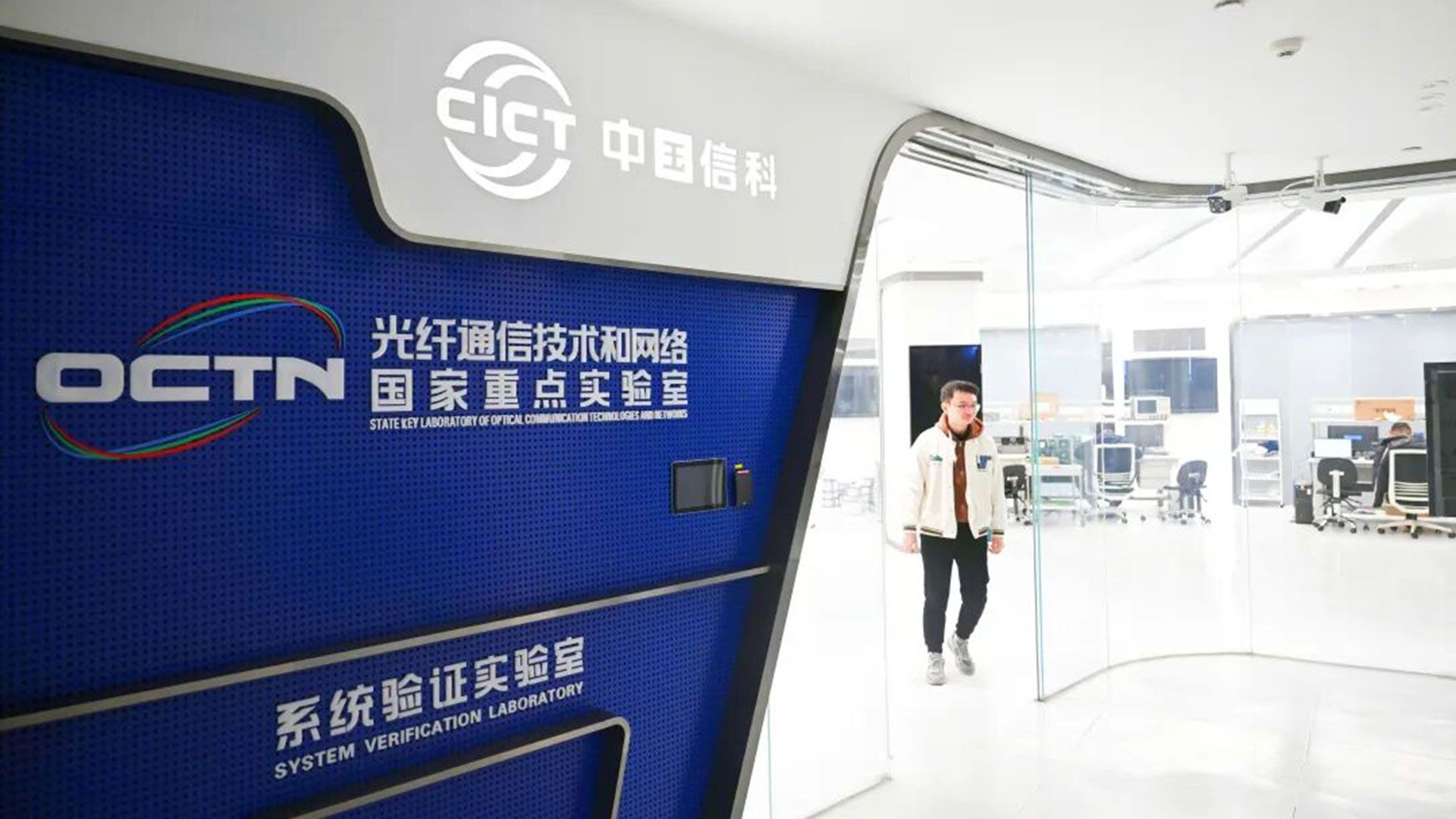
A Chinese team has claimed a new world record for real-time transfer speeds across 24-core optical fiber cable. The collaboration between the National Key Laboratory of Optical Communication Technology, and Network of China Information and Communication Technologies Group, Pengcheng Laboratory, and Fiberhome Fujikura Fiber Optic Technology Co., Ltd. hit speeds fast enough to download “more than 20,000 4K movies” in one second, reports the Chinese government website for Hubei Province.
We note that this new 3.2 Pb/s real-time optical transfer speed world record comfortably eclipses the 2.5 Pb/s record set by the same teams earlier this year. The improvement represents an almost 30% performance uplift within a year.
According to the source, these speeds could mean, if and when they are successfully rolled out, “3.2 million households simultaneously enjoying gigabit broadband.” Or you could say this speed is roughly 3.2 million times faster than a typical one-gigabit internet connection. Both are probably more useful and practical comparisons than knowing that one person would be able to download 20,000 4K movies in a single second.
In technical terms the 3.2 Pb/s test proved the success of the spatial division multiplexing and S+C+L multi-band transmission technology used by the team. Major hurdles faced by the researchers included crosstalk interference, and handling the varying spec requirements of the S+C+L transmission bands.
The new 3.2 Pb/s transmission record was achieved using commercially compliant hardware architectures in real-time. Thus, the headlining result could be practical and deployable in the real world in the not-too-distant future, with enough will and effort.
Contrast that to pure academic lab optical fiber transmission milestones which have reached transfer speeds (across similar 24-core telecommunications fiber) of up to 5.29 Pb/s. However, these incredibly impressive lab results often lean on advanced or experimental signal processing and laboratory equipment.
TP-Link is fully determined to get in the good graces of the U.S. government to break free from a total ban on newly developed routers manufactured outside of the country. Although TP-Link is incorporated in the U.S. with a headquarters in Irvine, California, the company has been under pressure from the full weight of the U.S. government because of its historical Chinese roots. However, in an effort to appeal to the Trump administration’s zeal for creating jobs and touting American manufacturing, TP-Link this week announced that it has signed a letter of intent to assemble routers in the U.S. through a crucial partnership with Key Tronic.
How did we get here?
The ongoing saga started back in late 2024, when the House Select Committee on the Chinese Communist Party requested that the Department of Commerce investigate TP-Link. At the time, the committee warned that “TP-Link products are also found on U.S. military bases, with the Army and Air Force Exchange and the Navy Exchange selling these devices to members of the military and their families,” and claimed TP-Link routers were sending user data back to China.
The select committee implored the Department of Commerce to use its broad powers to investigate TP-Link and take any necessary action to mitigate threats to national security. The campaign against TP-Link ramped up in mid-2025, with 17 members of Congress petitioning the Commerce Department to ban the sale of the company’s hardware in the U.S. due to alleged deep ties to the CCP. In late 2025, 23 U.S. House members and Senators again asked the Commerce Department to investigate TP-Link’s actions, including adding the company to the Covered List, investigating any threats to national security, and informing the public about potential risks associated with using the company’s devices.
The situation reached a boiling point in March 2026, when TP-Link and other router manufacturers were added to the Federal Communications Commission (FCC) Covered List, forbidding the sale of foreign-made routers in the U.S. that hadn’t already been approved. At the time, the FCC noted, “Recently, malicious state and non-state sponsored cyber attackers have increasingly leveraged the vulnerabilities in small and home office routers produced abroad to carry out direct attacks against American civilians in their homes. From disrupting network connectivity to enabling local networking espionage and intellectual property theft, foreign-produced routers present unacceptable risks to Americans.”
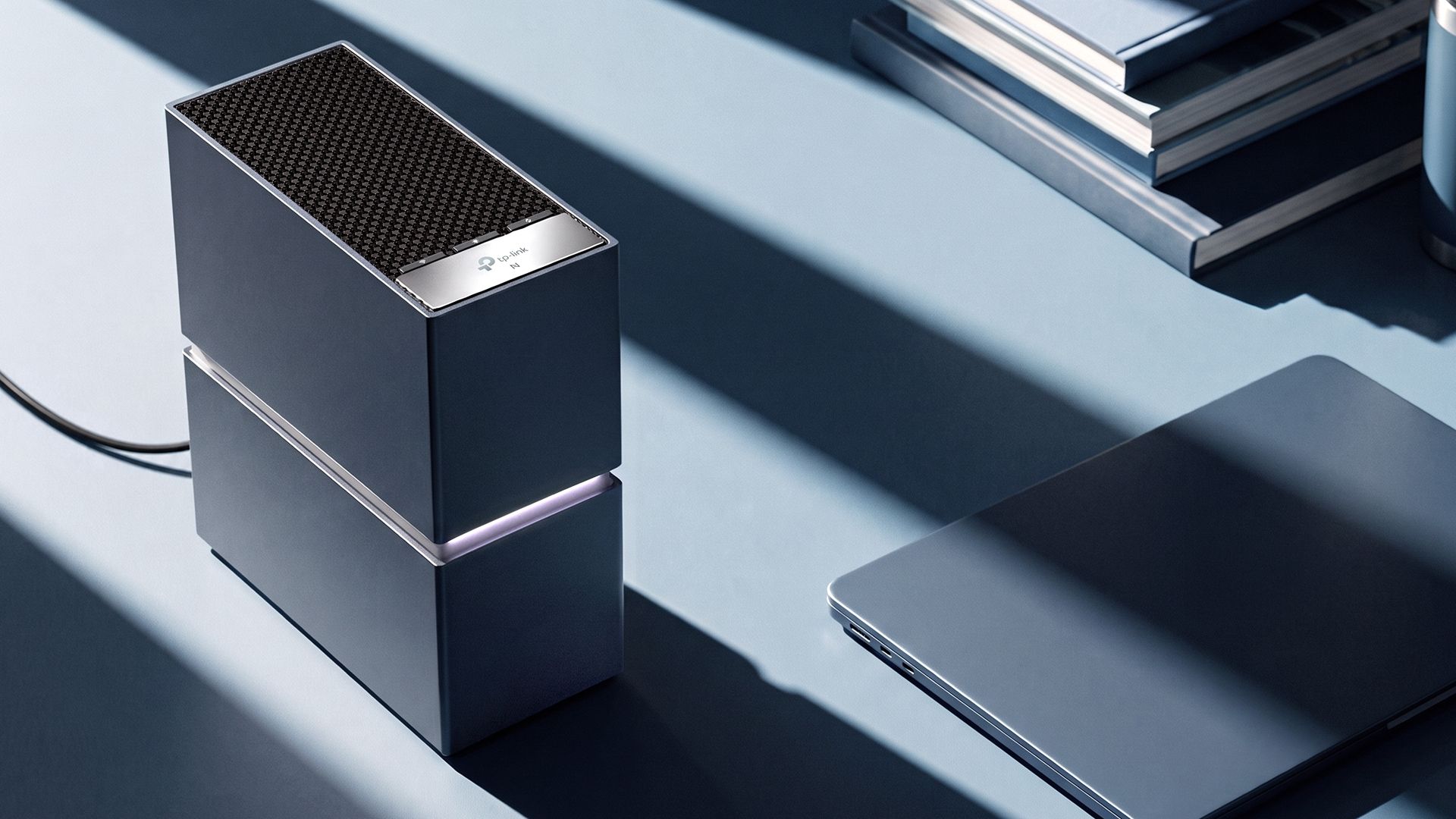
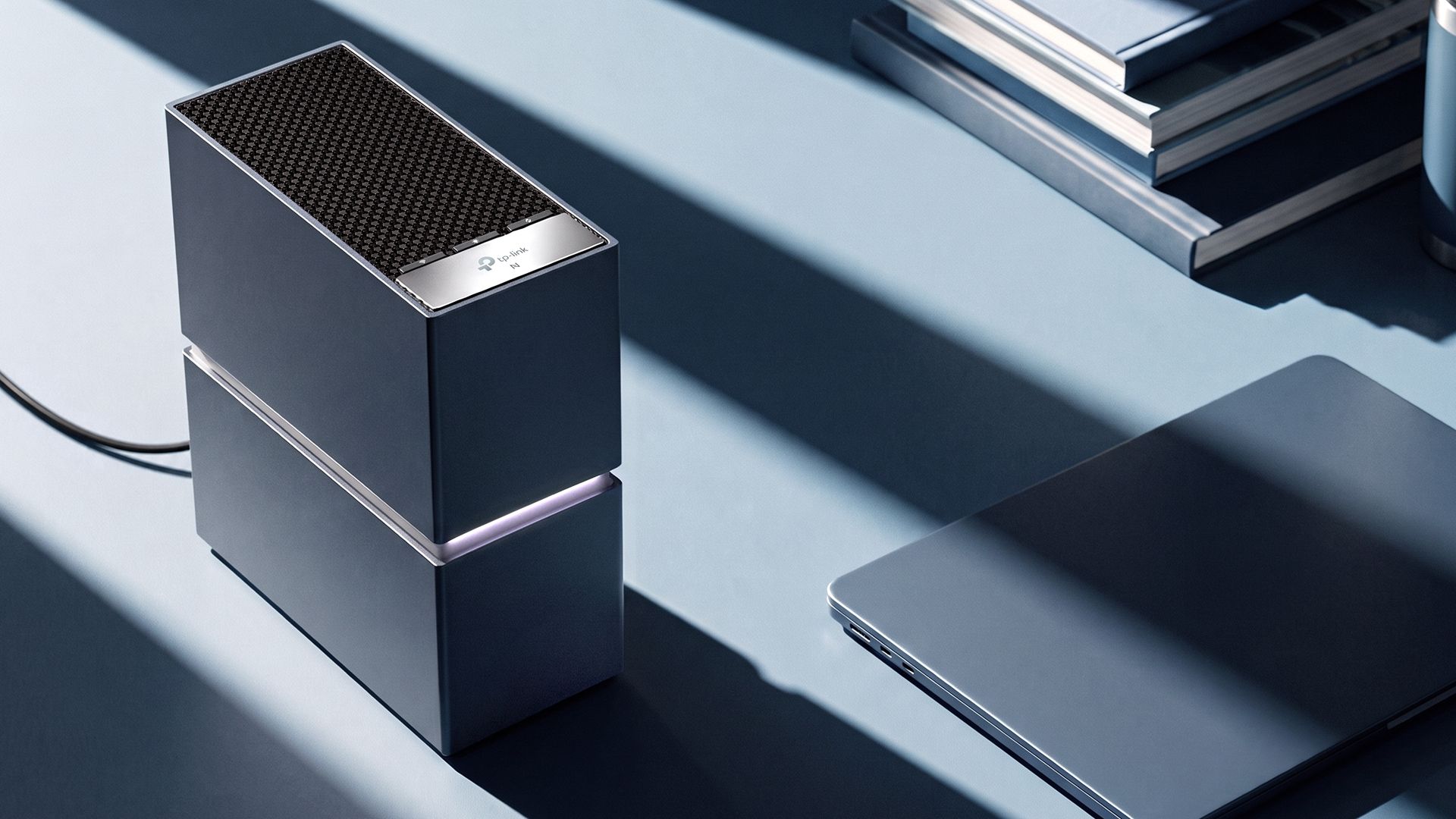
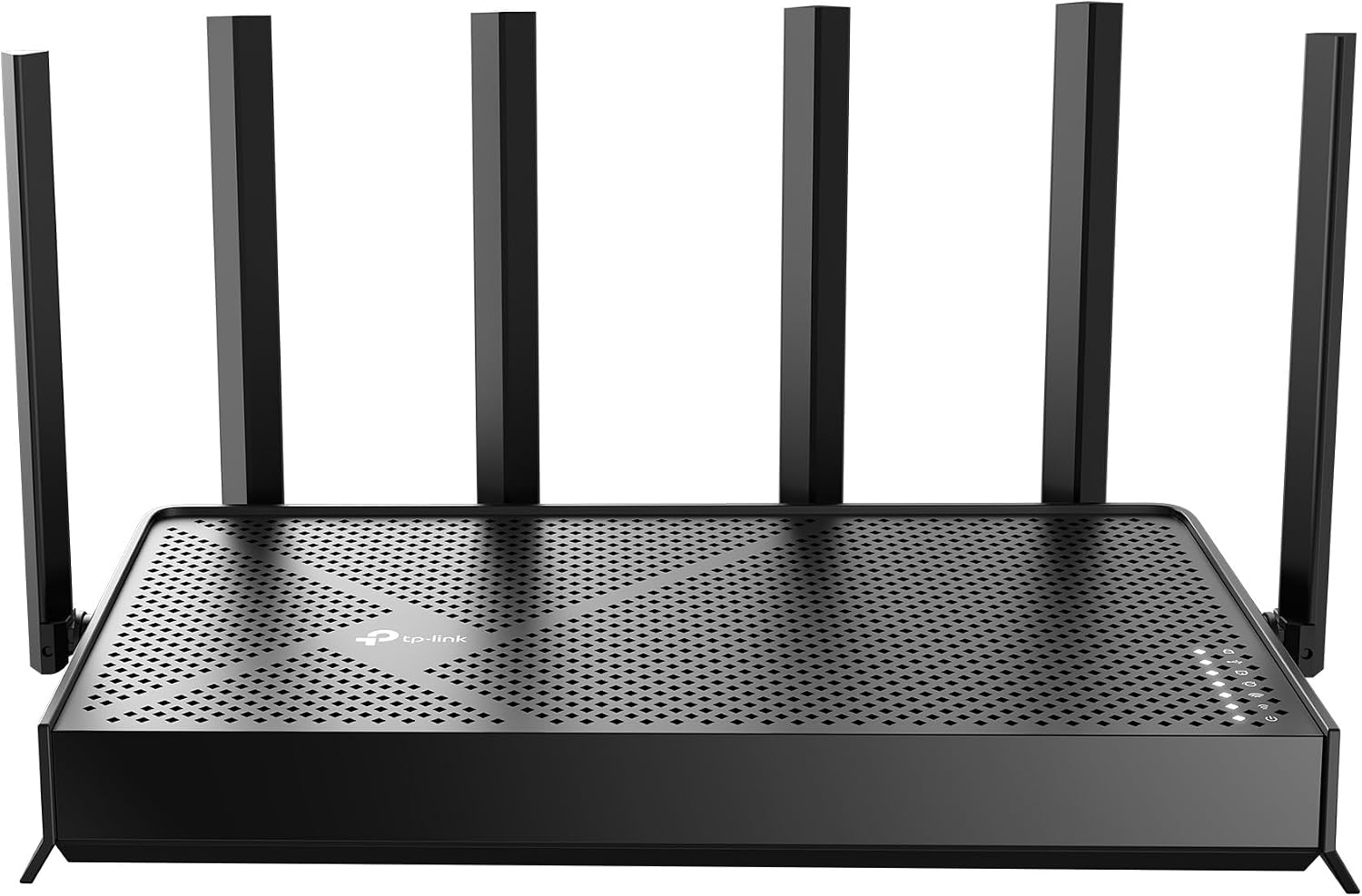
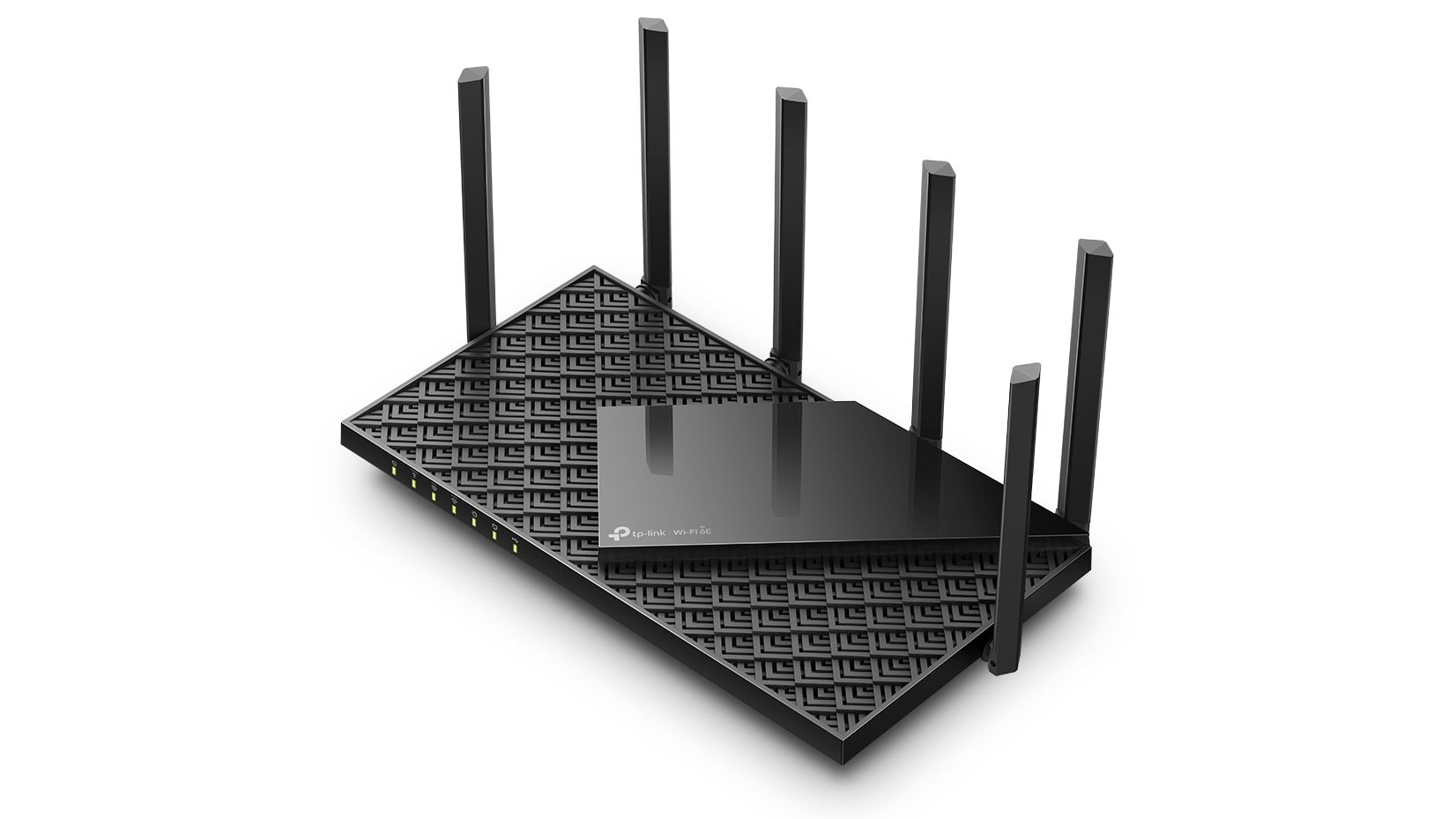
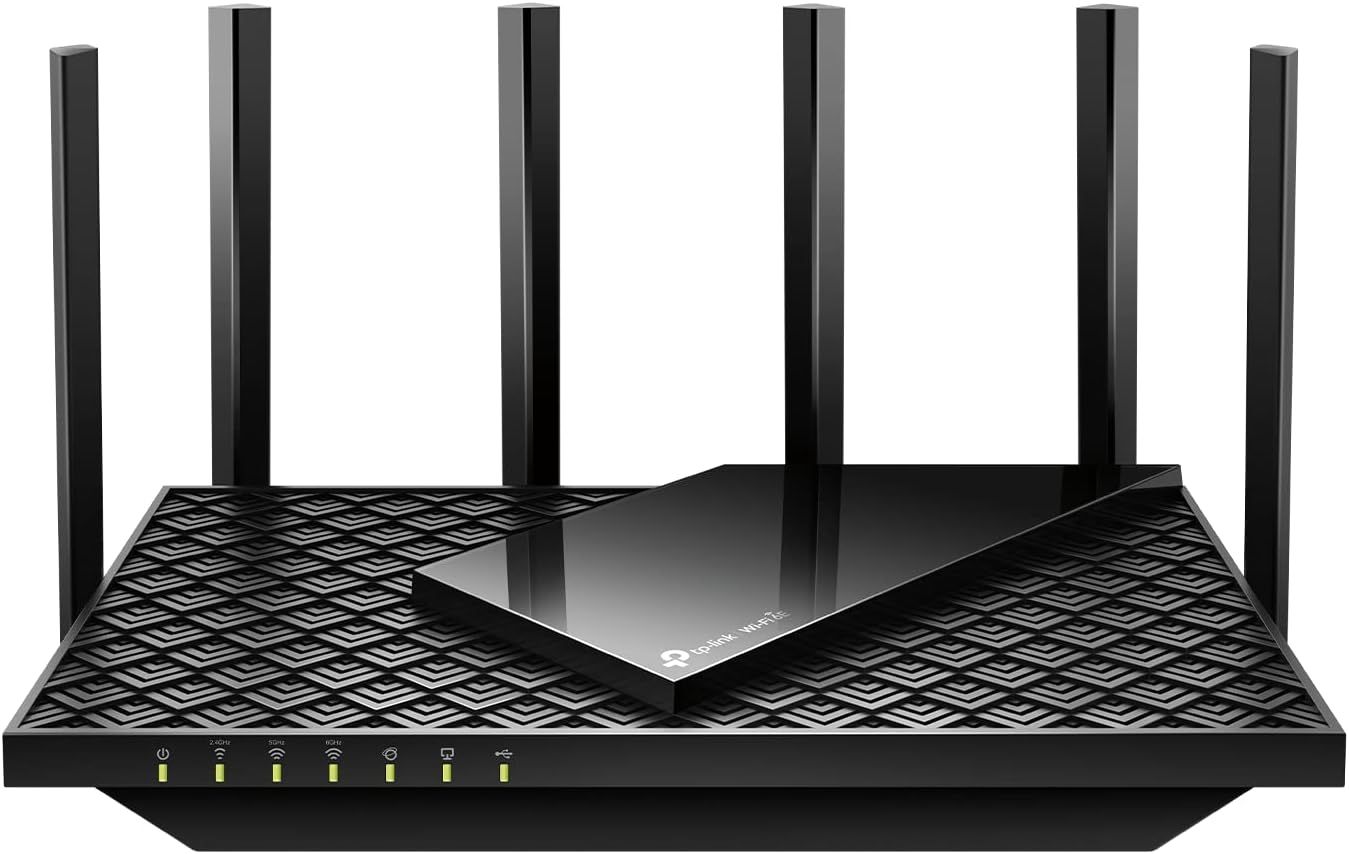
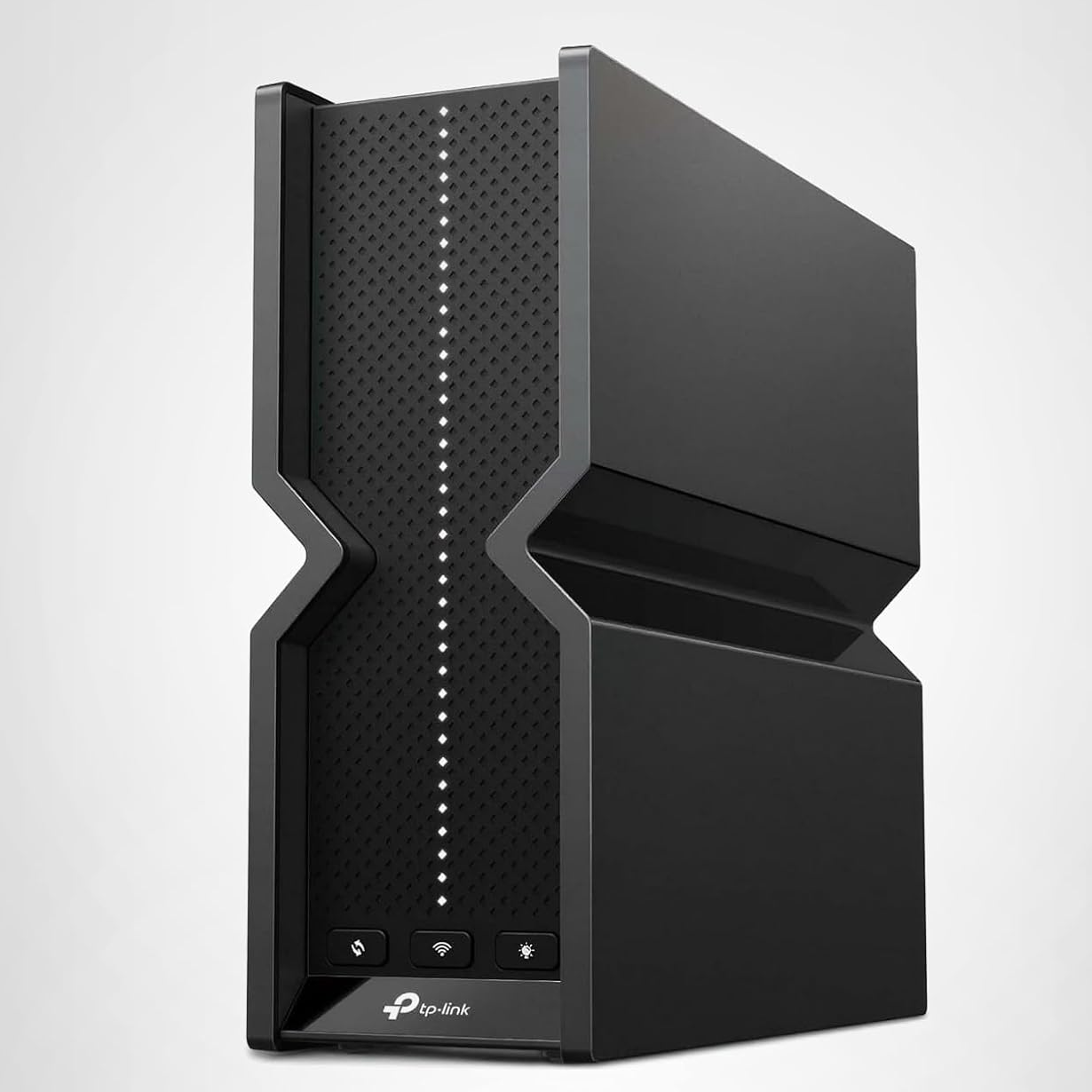
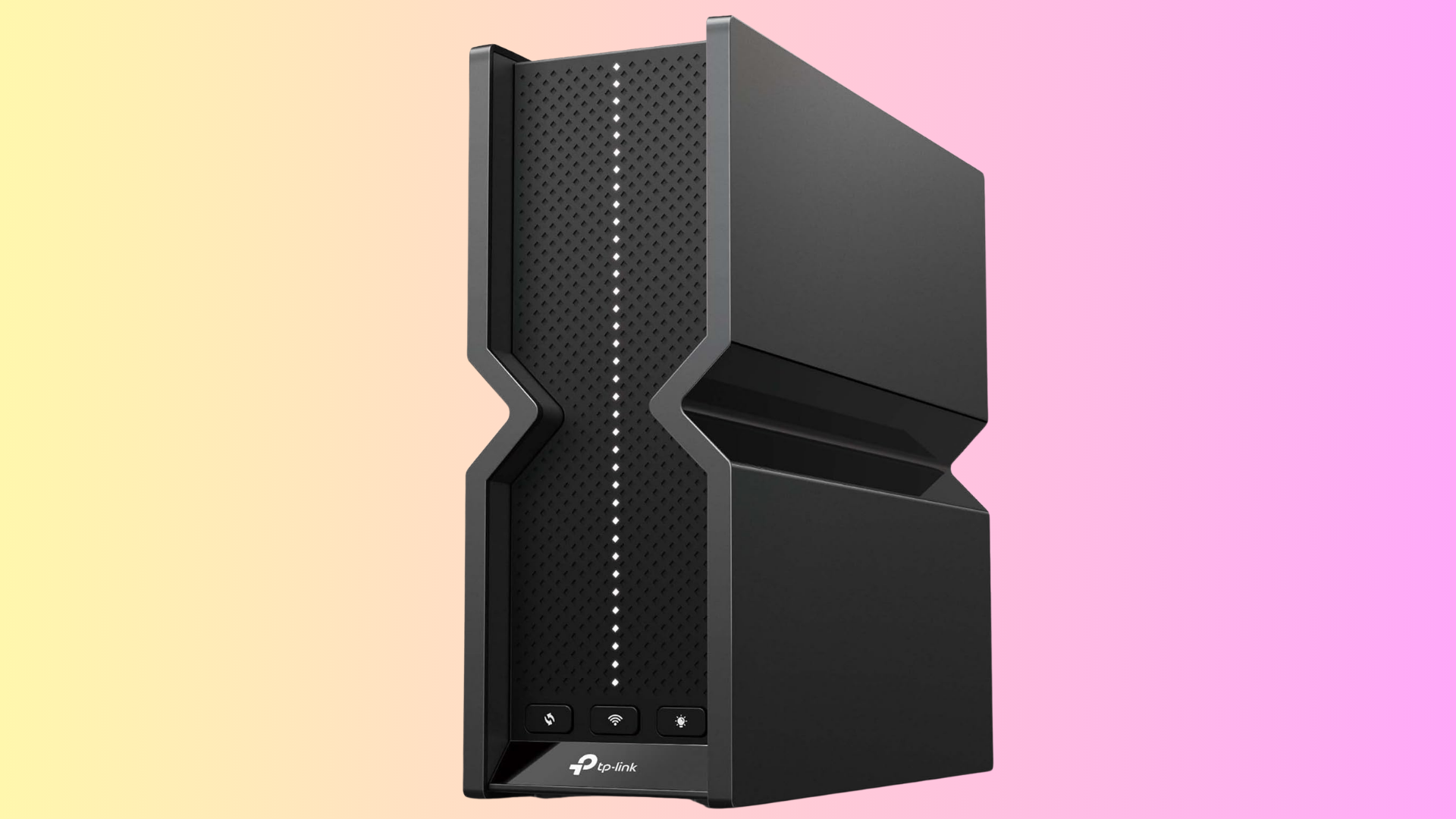
TP-Link Archer 8 Ultra (Image credit: TP-Link)
Since that time, several things have changed, with none of them being positive developments for TP-Link. Over the past six months, Amazon, Asus, and Netgear have all gained conditional approvals from the FCC to sell new wireless products in the U.S., while TP-Link has been stonewalled (conditional approvals are valid for 18 months from the date of issuance). Considering that TP-Link has been the world’s largest provider of Wi-Fi routers and associated devices for over a decade, losing access to the U.S. market for its new line of Wi-Fi 8 devices is a significant blow. This was readily apparent in late September when TP-Link opened preorders for its Archer 8 Ultra Wi-Fi 8 router. The company announced that the router would be available in the United Kingdom, Germany, and Australia. However, the U.S. was conspicuously absent from that list because of the ongoing ban.
Adding insult to injury, earlier this month, multiple states (including Florida, Montana, Iowa, and Nebraska) sued TP-Link Systems, alleging that the company has made false and misleading claims about the security capabilities of its products and continued ties to China.
“TP-Link’s conduct has placed Montana consumers at risk of harm by making their home and small-office networks vulnerable to exploitation and intrusion by foreign actors with a proven track record of nefarious conduct. That risk is ongoing: many consumers keep their routers for years, and many of the compromised TP-Link models in Montana homes do not support automatic firmware updates and no longer receive security support at all,” stated Montana Attorney General Austin Knudsen.
Knudsen further claimed that while TP-Link touts that it employs 300 people in the U.S., the bulk of its workforce (numbering over 11,000 employees) conducts development and manufacturing operations in China. “Further, TP-Link claims to manufacture its U.S.-market products in Vietnam, but less than one percent of the components by value are sourced in Vietnam, and the rest are imported from or through China,” Knudsen added.
“Iowans’ sensitive data and our national security is at risk because of TP-Link and their connection to the communist Chinese government,” stated Iowa Attorney General Bird. “TP-Link tells Iowans its routers are safe, our personal data is secure, and that they have no ties to China. They are not telling the truth. It’s time to hold China and China-backed companies accountable.”
TP-Link barks back
Up until this point, TP-Link has vehemently denied any ties to the Chinese government and has refuted similar allegations from one of its primary competitors, Netgear. However, on October 13, the company issued its sharpest rebuttal yet in a letter to the FCC. TP-Link touted its “America-first” strategy and chastised the state lawsuits brought earlier this month.
“A group of 21 state-level officials recently raised a scattershot barrage of baseless and previously debunked allegations relating to TP-Link’s confidential, non-public application,” TP-Link exclaimed. Rather than seeking to advance legitimate public policy objectives, the letter appears aimed primarily at encouraging federal officials to apply a heightened standard to TP-Link’s pending application that would be unattainable to TP-Link or any other router manufacturer in the world.”
TP-Link stated that its innovation in the router space earned its position as the market leader in the U.S., and that the constant barrage of legal fights and war of words is undermining fair competition and is an actual threat to national security and critical infrastructure given the broad proliferation of its products.
To that end, TP-Link reiterated that it has officially filed for conditional approval from the FCC, so that it can specifically sell two next-generation Wi-Fi 8 routers in the U.S. The company noted, “As the United States positions itself as a leader in wireless technology, a Conditional Approval would guarantee American consumers access to the same cutting-edge wireless equipment that will soon be available in other parts of the world."
TP-Link proposes $1 billion investment in the U.S.
With its back against the ropes, TP-Link is appealing to the U.S. government in the best way it knows how: with money and jobs. If there’s anything that the U.S. government likes, it’s investment in manufacturing on its own soil and high-paying jobs to bolster local economies. To help push the U.S. government along in approving a conditional approval to sell Wi-Fi 8 hardware, TP-Link has signed a letter of intent with Key Tronic to manufacture routers in the U.S. instead of importing them from Vietnam. More specifically, the routers would be assembled in Corinth, Mississippi.
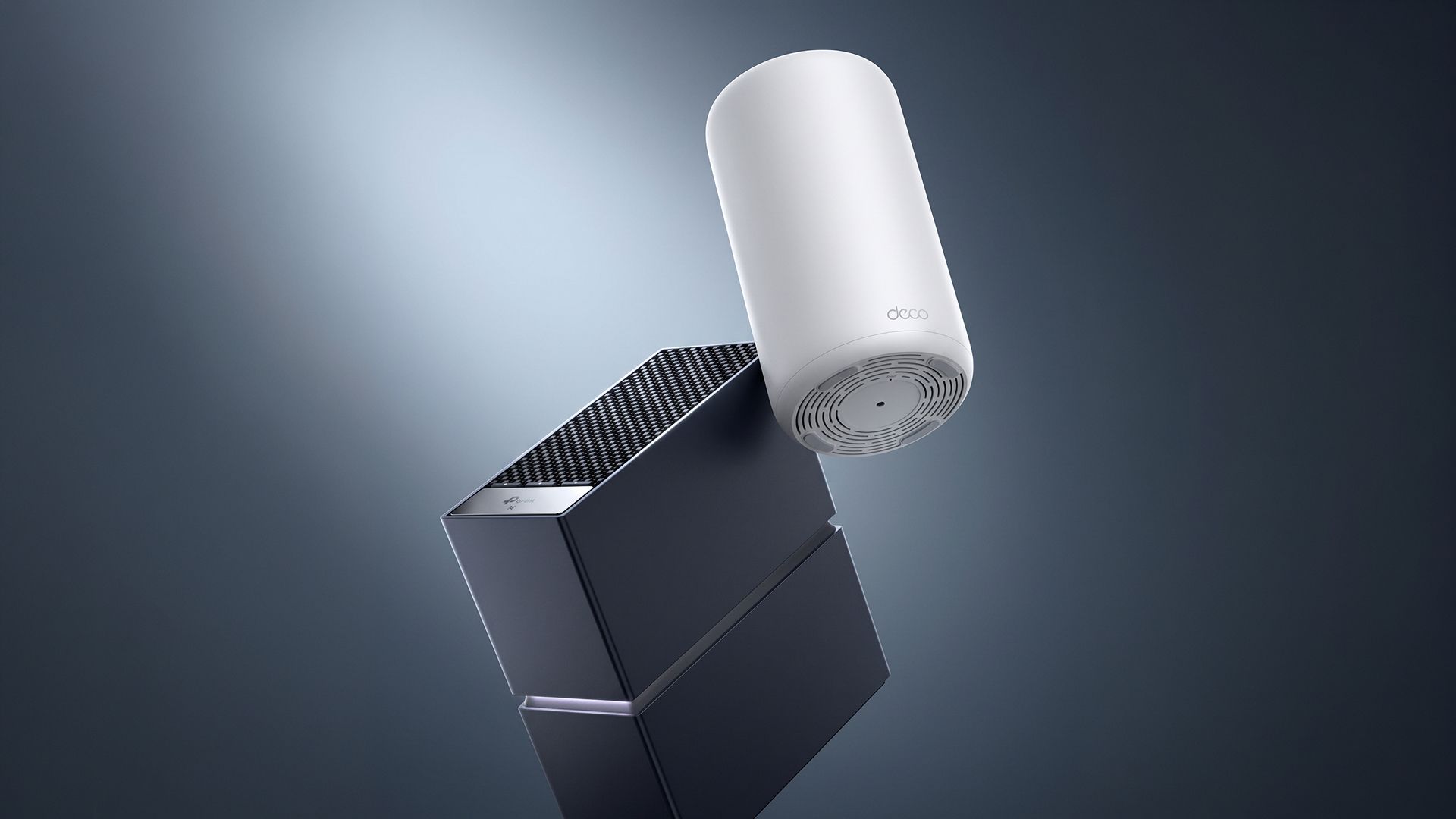
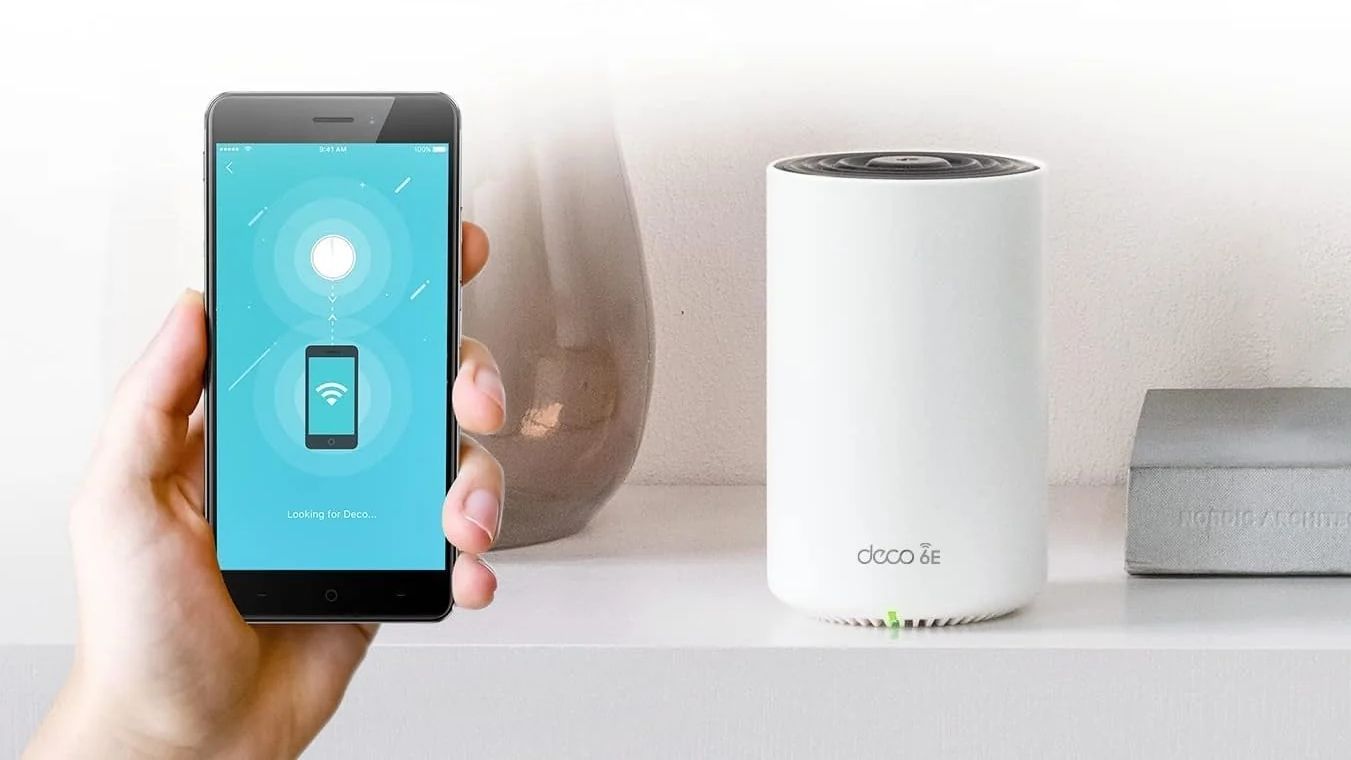
TP Link Deco 8 Ultra (Image credit: TP-Link)
“This LOI with Key Tronic demonstrates our firm commitment to expanding domestic advanced manufacturing, and establishing America as our base for delivering secure, reliable connectivity solutions to households and businesses around the world,” said TP-Link Systems Inc. CEO Jeffrey Chao. “By choosing to assemble cutting-edge products here at home, we are thrilled to support U.S. high-tech job growth and empower a new generation of American innovation and innovators.”
TP-Link hopes that the investment will cut through most of the red tape that is currently preventing it from selling its latest products stateside. However, it remains to be seen if these latest sweeteners will be enough to sway President Trump and the agencies under his purview. As the company notes, it was the first to deliver Wi-Fi 7 routers in the U.S., and it wants to continue that leadership position by offering the first Wi-Fi 8 routers. The hardware is ready to go, as evidenced by the opening of preorders; it’s just currently being held up by roadblocks at the federal level, along with added pressure from state governments.
Until that time, Wi-Fi 8 products like the Archer 8 Ultra and Deco 8 Ultra will remain off-limits to Americans, which have given TP-Link a reported 65 percent share of the U.S. consumer router market.
There's no point upgrading your internet connection if you've got a bad Wi-Fi router slowing you down. If the ISP-provided router isn't up to the task, and you're ready to banish the lag, you'll want to pick up this TP-Link router, on sale for a limited time only. The TP-Link Archer BE9700, also known as the BE600, is down to $189.98 right now, giving you a 24% saving on its list price.
With the BE9700, you're getting a tri-band Wi-Fi 7 router with six external antennas, enough to give you coverage for up to 2,600 sq. ft. with up to 120 different devices connecting to it. TP-Link reckons you can expect to see speeds of up to 5,765 Mbps on the fastest 6 GHz band, with 2,882 Mbps at 5 GHz, and 1,032 Mbps at 2.4 GHz. MLO, or Multi-Link Operation, support means you're able to connect using these different bands at the same time, giving you even faster speeds and better protection against congestion.
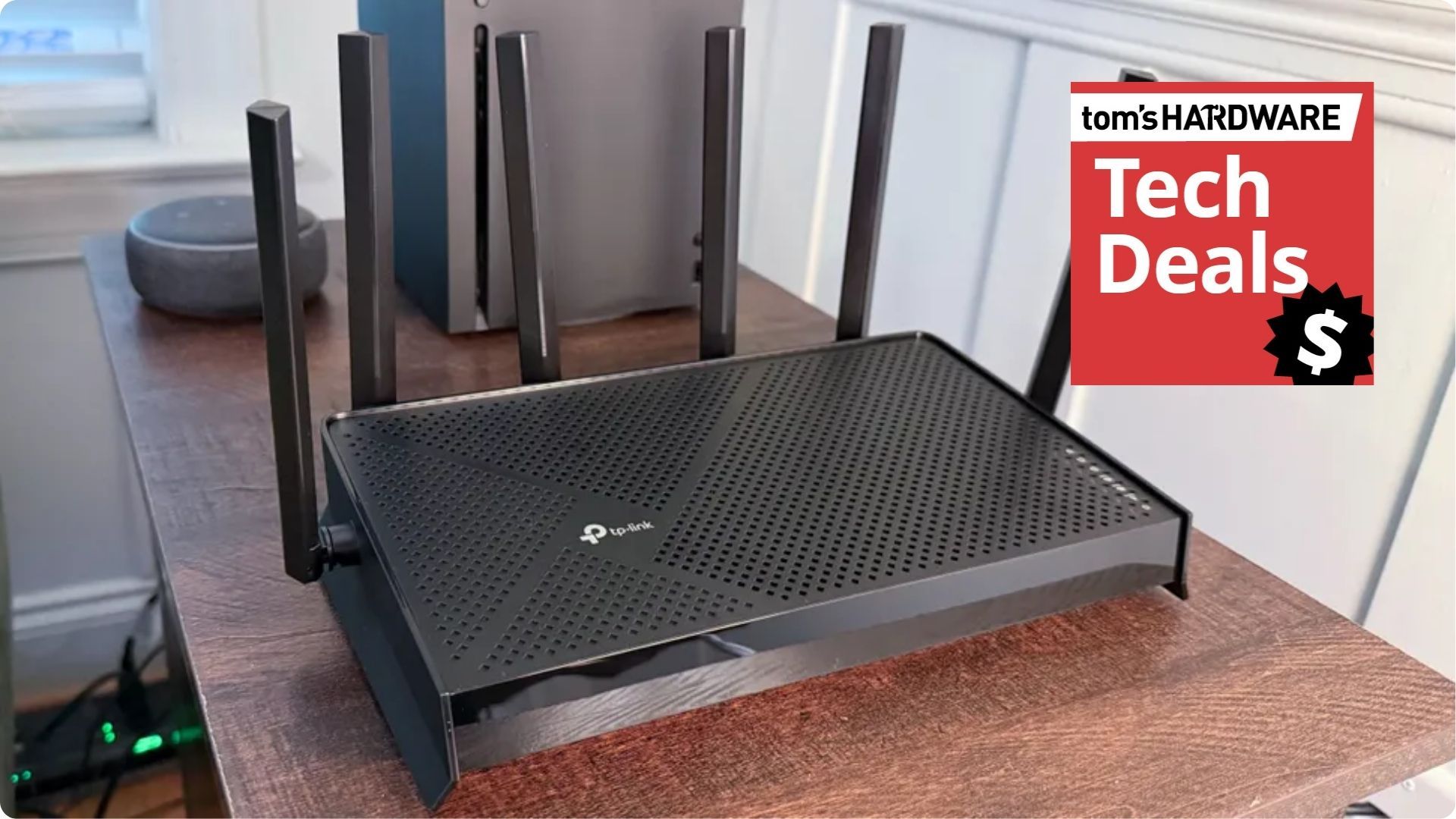
The TP-Link Archer BE9700 router has six antennas and adds Wi-Fi 7 support for your network, with one 10Gb WAN port and four additional 2.5 Gb Ethernet ports for high speed wired connectivity.View Deal
Our TP-Link BE9700 review shows this is a serious option for your network. This is a good value router with solid Wi-Fi 7 support, with speeds that make it a competitive option, especially at this price point. Our review shows that it comes with class-leading 6 GHz performance, with decent enough speeds at 5 GHz and 2.4 GHz. It's the top choice in our best Wi-Fi router shortlist, too.
While Wi-Fi 7 support is the big deal here, the wired connections aren't bad, either. You get a 10Gb WAN port to hook this router up to your super-fast modem, giving you max speeds. You also get four 2.5Gb Ethernet ports for your home devices, including your PC, laptop, NAS drives, game consoles, and more.
Aside from the speeds, you get a USB 3.0 port on the side, which you could use to hook up a printer or external hard drive as a basic NAS. EasyMesh support, meanwhile, means you can use this as a wireless node in a mesh network. It also has Quality of Service controls to help you prioritize traffic for your core devices, such as your gaming PC, so you don't lose out when you're gaming.
The $189.98 sale price for this TP-Link Archer BE9700 router is a good one, even if it has yo-yo'd in price over recent months. That said, this is a solid discount off the $249.99 list price that it was at a few weeks ago, and one that'll give you an ultra-fast upgrade to your local network.
The Wi-Fi 8 (802.111bn) specification hasn't even been ratified by the IEEE yet, but that isn’t stopping manufacturers from getting an early jump on supported hardware. Late last month, TP-Link announced that it was taking preorders for its first Wi-Fi 8 consumer router, and we’re now learning that GFiber will soon offer its own branded Wi-Fi 8 Premium Gateway for its 20 Gig customers.
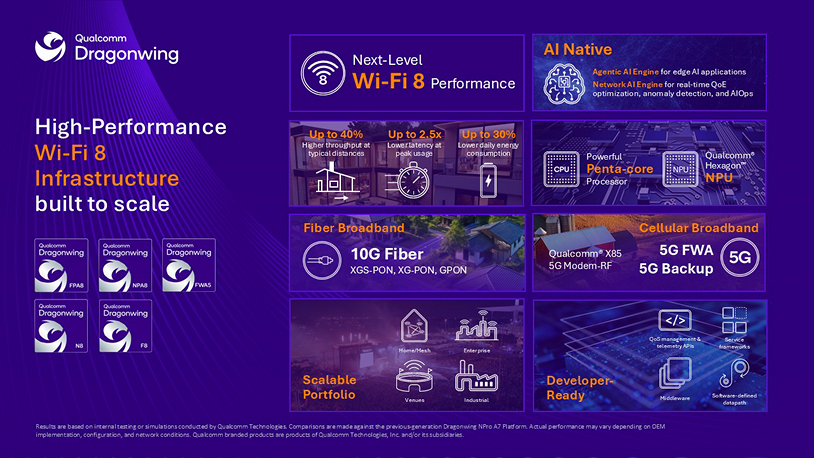
Qualcomm, GFiber, and Gemtek made the announcement earlier this week, explaining that the gFiber Wi-Fi 8 Premium Gateway will leverage the Qualcomm Dragonwing NPro A8 Elite Platform. Qualcomm is already a known quantity in the wireless business, supplying chipsets that power Wi-Fi for devices ranging from smartphones to laptops to wireless routers and accompanying client adapters. The Dragonwing NPro A8 Elite Platform combines a penta-core CPU and an NPU to extract the most performance for connected devices.
And given the artificial intelligence age that we now live in, we’d be remiss if we didn’t mention that the platform is “bringing together premium Wi-Fi 8 connectivity, high-performance networking, and native edge AI in a single architecture," according to Gautam Sheoran, SVP and GM for Connectivity, Broadband, and Networking at Qualcomm. “Combined with an open agentic AI framework, the platform provides a flexible foundation to deploy, customize, and scale agentic AI directly on the gateway."
(Image credit: Qualcomm)
While Qualcomm provides the chipset onboard, Gemtek will actually manufacture the gateway. According to GFiber, customers currently subscribed to the 25G-PON-based 20 Gig service will be the first to gain access to the gateway. Those customers are currently using an Actiontec Wi-Fi 7 gateway, but will be upgraded to a Wi-Fi 8 Premium Gateway once the certification process is completed. Given that the 20 Gig service is priced at $250 per month and only available in select U.S. markets, we hope that those upgrades are provided free of charge when the rollouts start in 2027.
Although there were no images provided of the new Wi-Fi 8 Premium Gateway, it’s said to feature a “new aesthetic design” that will encourage customers to place it front and center in the home, where signal propagation is best, instead of tucked away, out of sight, in a closet or in a far-off corner.
While many Americans have access to 1 Gig, 2 Gig, and (to a lesser extent) 8 Gig fiber service, 20 Gig connections remain a rarity. But that isn’t stopping providers like gFiber from pushing forward. The company notes that its 50 Gig service, which is based on 50G-PON technology, begins residential trials during the spring of next year and will be fully supported by the Wi-Fi 8 Premium Gateway.
A Keurig smart coffee maker owned by a self-described IT pro’s parents sent 1TB over their Wi-Fi in 10 days, saturating an access point on its own, user @NomadsGalaxy said in an X post. Nomad added that most of the traffic “didn’t escape my network” but it’s unclear what data it was trying to send, even though there was a temptation “to scan it’s [sic] packets with Wireshark and other tools.”
Hey uh, @Keurig - what the hell is a COFFEE MACHINE uploading, let me double check...ONE FUCKING TERABYTE OF DATA IN 10 DAYS!?!?Immediately unplugging that. Getting my parents a new coffee machine. https://t.co/tTHMYC7hNDOctober 6, 2026
Nomad, a Technical Field & Community Specialist at 3D printer maker Prusa with more than 10 years of IT experience, tagged @Keurig and uploaded a UniFi screenshot, asking what the coffee machine could possibly be uploading. The issue was detected after his parents asked why their network was so slow. He said that he would be unplugging his dad’s machine and getting his parents a new one.
The screenshot names the device starting as “Keurig” on his “Appliance network” with traffic indicated at 9.94GB down and 1,008.45GB up, over the connection of 10 days, 9 hours. It was apparently disconnected the evening of Oct. 5, and he later suspected it was a bug. The amount of data indicated by the screenshot’s numbers suggests an average upstream of about 9 Mbps, which could swamp an access point. This comes out to about 97GB a day, about 27 times the amount of the LG washer’s 3.6GB a day reported in 2024.
The model in question, as linked in a reply, is the K-Supreme SMART with BrewID, according to its product page and Use and Care Guide. This guide details app control for remote brew, remote on and off, and scheduled brews. It also covers Alexa and Google Home voice control. BrewID recognizes Keurig-made pods over Wi-Fi, perhaps fueling his speculation that “it’s just DRM waiting to be enabled,” and applies the roaster’s recommended settings. On this model, it works over 2.4GHz Wi-Fi, presumably for range and compatibility, which does limit its maximum bandwidth.
Later in the X thread, Nomad acknowledged that the UniFi had not reported an actual 1TB upload, so he concluded it was mostly local junk data. The coffee maker was already on a separate IoT network with his parents’ smart devices, but not much was blocked. Rebooting the device and placing it in a segregated VLAN solved the issue, at least temporarily. He did not make any attempts at packet capture, opting to keep it safely offline rather than running captures. He recommended that Keurig fix the potential flaw in the device’s network stack to prevent such issues in the future.
According to the pykeurig GitHub project, which allows Home Assistant integration, information sent to the cloud includes power state, brew state, pod recognition result, and the software version. Keurig’s own open-source notice lists Microsoft’s Azure RTOS, an off-the-shelf operating system and networking stack for IoT. The type of data sent is small, so 1TB does read as a malfunction, but the proprietary firmware isn’t public.
The X screenshot also shows the radio’s MAC address with the block registered to Jabil on Feb. 18, 2021. Jabil’s site lists Wi-Fi and Bluetooth expertise, RF and antenna design, IoT embedded modules, and connected appliances among its capabilities. Keurig has previously listed Nypro, a Jabil subsidiary, as a partner. This does not confirm the origin of the hardware or how the firmware works.
SMART brewers keep 14 days of brew history and sync it once connected, with brews of Keurig-made pods earning points, according to the Keurig Perks FAQ. The Boston Globe reported in 2022 that Keurig shared brewing data with the brands that sell K-Cups, with plans for more personalized marketing.
The event comes at a time when users and privacy advocates are already upset with clandestine data gathering by IoT devices, with LG being a particular focal point in recent years. Last month, Gamers Nexus and security researchers used packet captures and firmware analysis on certain LG TVs.
LG told Tom’s Hardware its TVs don’t record conversations unless voice features are turned on, though in standby they listen for a wake word if that feature is enabled. It confirmed the local network scans, adding, “This is a standard function commonly provided by smart TVs and smart home devices.” In that case, actual traffic was captured, and that was part of an intended feature rather than an apparent malfunction.
Currently, no comment from Keurig stands on record for the incident. While the brewer does work without Wi-Fi, many of its marketed features rely on internet access, making the potential flaw a real issue for owners. Nomad and his family are likely revisiting their own smart-device rules. He has said other units could be affected, so more users may encounter the same behavior. That may spur Keurig into offering an official statement or a fix. Either way, the event is a reminder that IoT devices and their manufacturers need to take extra care.
Amazon Prime Big Deals Day 2026 is here, and we're already seeing some tasty deals on Wi-Fi routers. If you're in the market for a Wi-Fi 6E or Wi-Fi 7 router, we've scoped out deals on standalone and mesh systems that could give your home (or office) network a much-needed performance boost.
If you have a smaller home that doesn't need the aid of wireless satellites to improve coverage, consider the TP-Link Archer AXE75 Wi-Fi 6E router. While it isn't one of TP-Link's newest Wi-Fi 7 offerings, it still offers a lot of bang for the buck. The Archer AXE75 has a retail price of $119.99, but a $30 instant discount reduces the cost to just $89.99 for Prime subscribers.
That price gets you Gigabit WAN, four Gigabit LAN ports, and even a USB 3.0 port for adding storage to your network. The Gigabit WAN port should be more than adequate if your ISP delivers 1 Gbps or slower speeds. If you're rocking a 2 Gbps or higher internet plan, you might want to invest in a router with at least a 2.5 GbE WAN to fully utilize your plan. Another thing to keep in mind is that if you plan to expand your network in the future, the Archer AXE75 supports TP-Link's OneMesh standard, enabling you to combine multiple compatible routers into a mesh network.
Regarding performance, the Archer AXE75 operates at speeds of up to 574 Mbps on the 2.4 GHz band and up to 2,402 Mbps on the 5 GHz and 6 GHz bands.
The TP-Link Archer AXE75 combines excellent performance and value in a Wi-Fi 6E router. You get four GbE ports, a USB 3.0 port for external storage, and OneMesh compliance for less than $90.View Deal
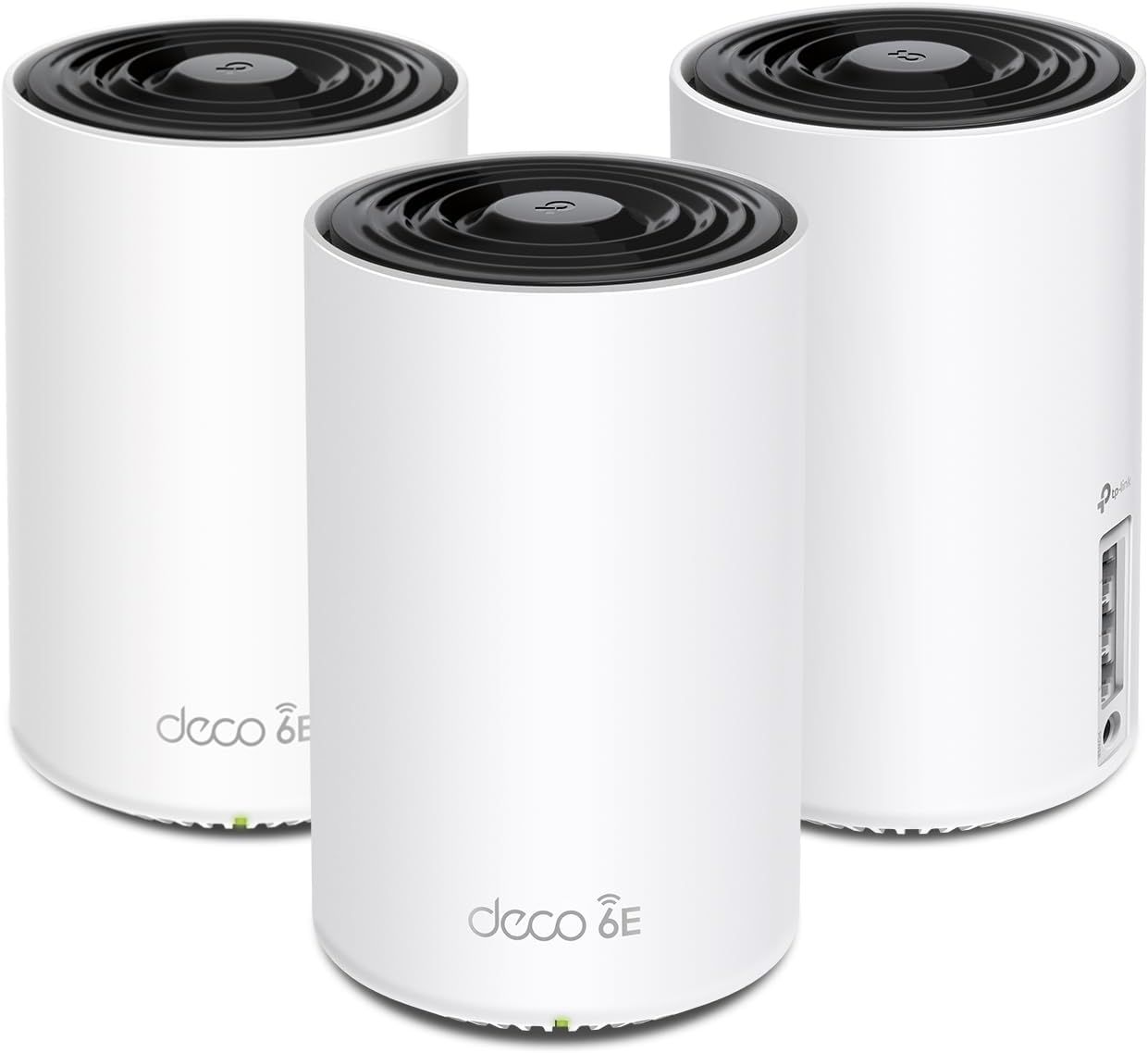
If you need the added coverage of a mesh system, the TP-Link Deco XE75 also uses the Wi-Fi 6E standard. But while the Archer AXE75 covers just 2,000 square feet, the Deco XE75, a three-node system, covers up to 7,200 square feet (over three times the coverage).
Each satellite has three Gigabit Ethernet ports, which are excellent for connecting your wired-only network devices. However, there's another added benefit: the Deco XE75 supports wired backhaul, which can improve overall network performance compared to using the default wireless backhaul between satellites.
(Image credit: TP-Link)
When it comes to overall performance, expect a similar experience to the Archer AXE75, as it also offers a maximum of 574 Mbps over the 2.4 GHz band, 2,402 Mbps over the 5 GHz band, and 2,402 Mbps over the 6 GHz band.
The Deco XE75 is typically available for $249.99, but is currently on sale for $229.99. But that's not all; there's also an instant coupon that knocks another $30 off the price of the 3-pack, bringing the price down to $199.99.
Deco XE75: was $249.99 now $199.99 TP-Link is offering a complete three-node Wi-Fi 6E mesh router that covers up to 7,200 square feet. Each node has three GbE ports supporting wired backhaul.View Deal
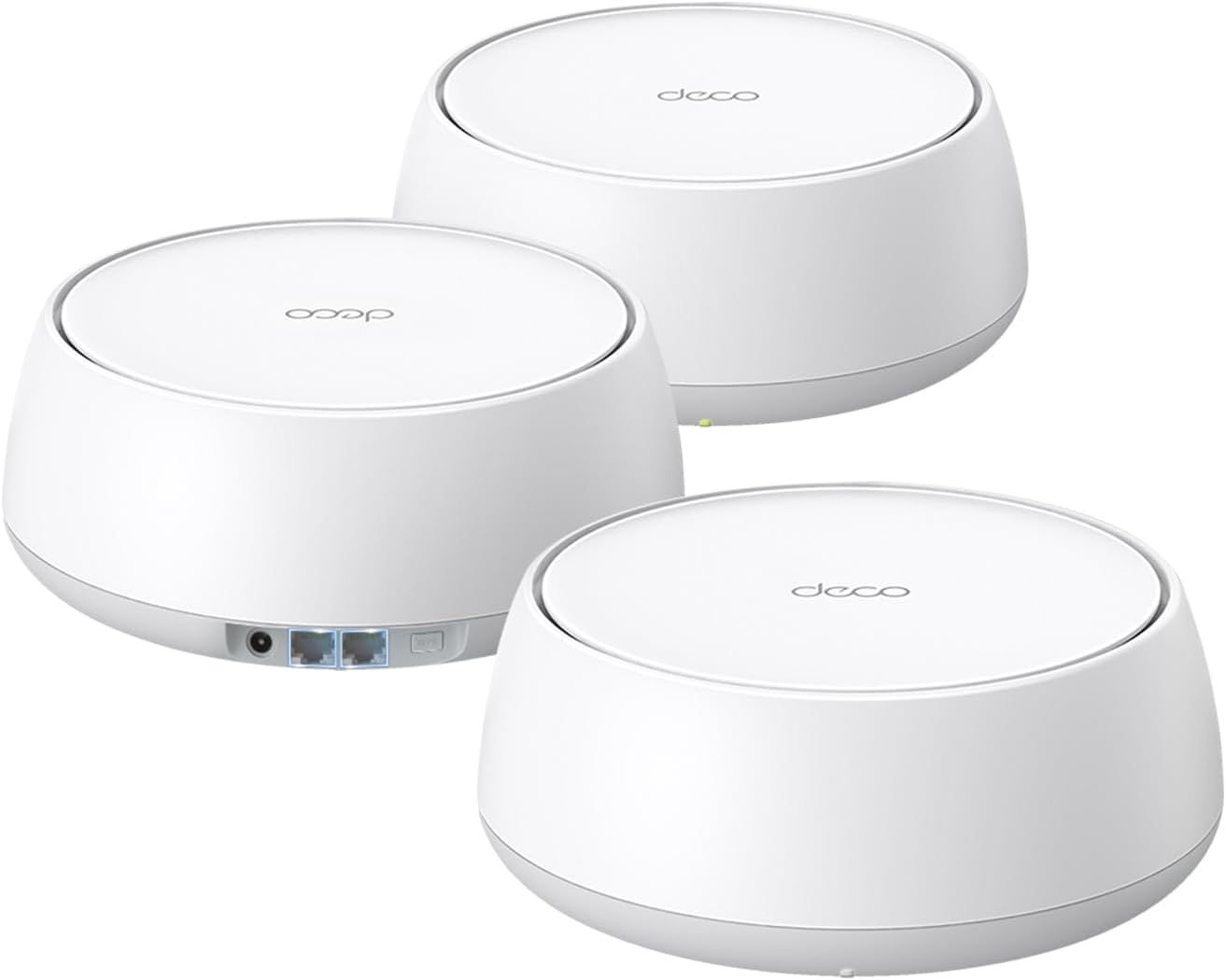
Finally, the TP-Link Prime Big Deals Day trifecta is completed with the Deco BE5000. This is an entry-level Wi-Fi 7 mesh router. Because of this alignment, the Deco BE5000 isn't a full-featured tri-band offering; instead, it's a dual-band Wi-Fi 7 solution. Although you miss out on the higher-performance 6 GHz band, you do gain support for Multi-Link Operation (MLO), a key pillar of Wi-Fi 7 (although MLO is one of Wi-Fi 7's most misunderstood features).
(Image credit: TP-Link)
Each node features two 2.5 GbE ports, and you also get wired backhaul support. Maximum throughput reaches 688 Mbps for the 2.4 GHz band, while the 5 GHz band achieves 2,882 Mbps.
The Deco BE5000 retails for $299.99 but is currently priced at $198.19, which is a healthy $100 discount.
Archer AXE75
Deco XE75
Deco BE5000
Wi-Fi Standard
Wi-Fi 6E
Wi-Fi 6E
Wi-Fi 7
Wireless Bands
2.4 GHz, 5 GHz, 6 GHz
2.4 GHz, 5 GHz, 6 GHz
2.4 GHz, 5 GHz
Maximum Throughput (Combined)
5,400 Mbps
5,400 Mbps
5,000 Mbps
LAN Ports
1x GbE WAN, 4x GbE LAN
3 x GbE LAN/WAN per node
2x 2.5 GbE WAN/LAN per node
USB Ports
1x USB 3.0
None
None
Coverage
2,000 square feet
7,200 square feet
6,600 square feet
The TP-Link Deco BE5000 is a dual-band Wi-Fi 7 router that features three nodes and covers up to 6,600 square feet. Each node features 2.5 GbE ports and supports wired backhaul.View Deal
There's one other deal perk possible with these router deals if you have an Amazon Prime Rewards VISA credit card. Amazon is offering up to 25% cash back on the purchase of each of these routers when you use the card.
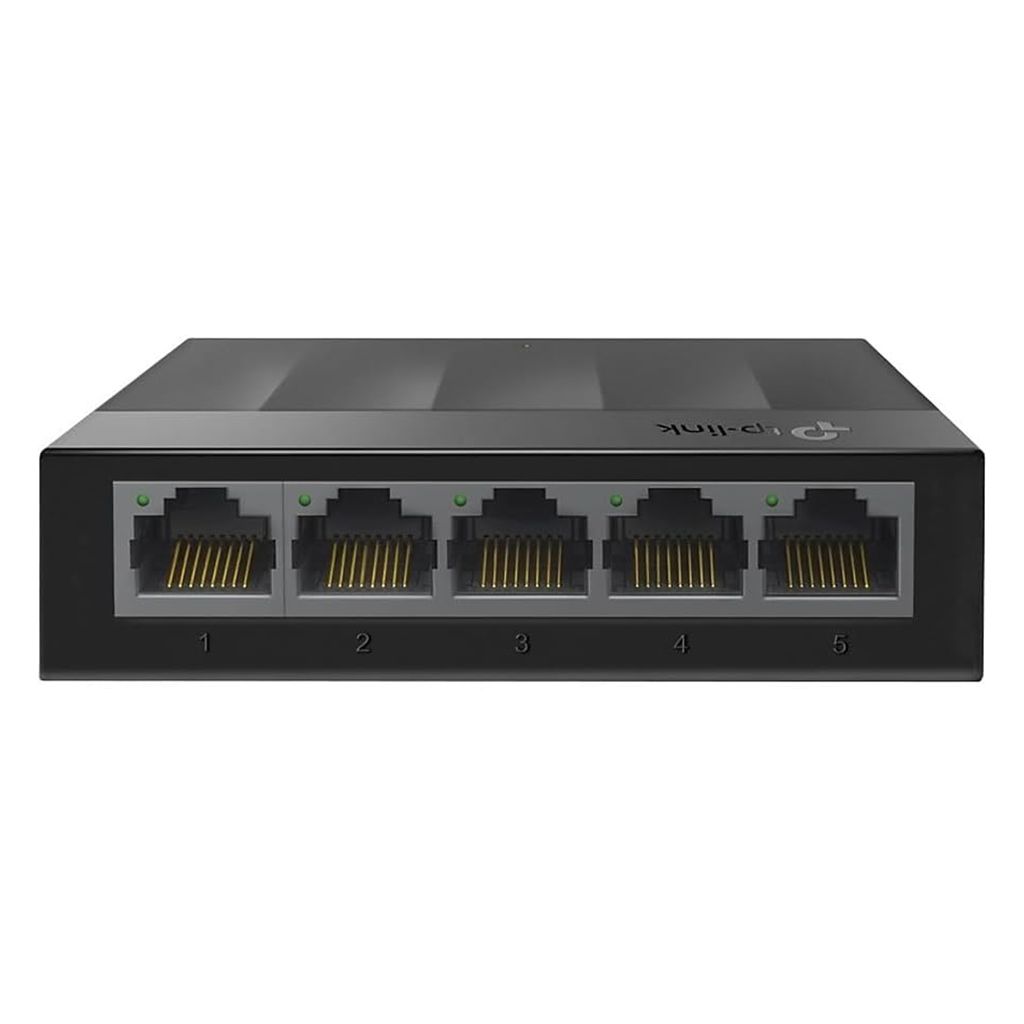
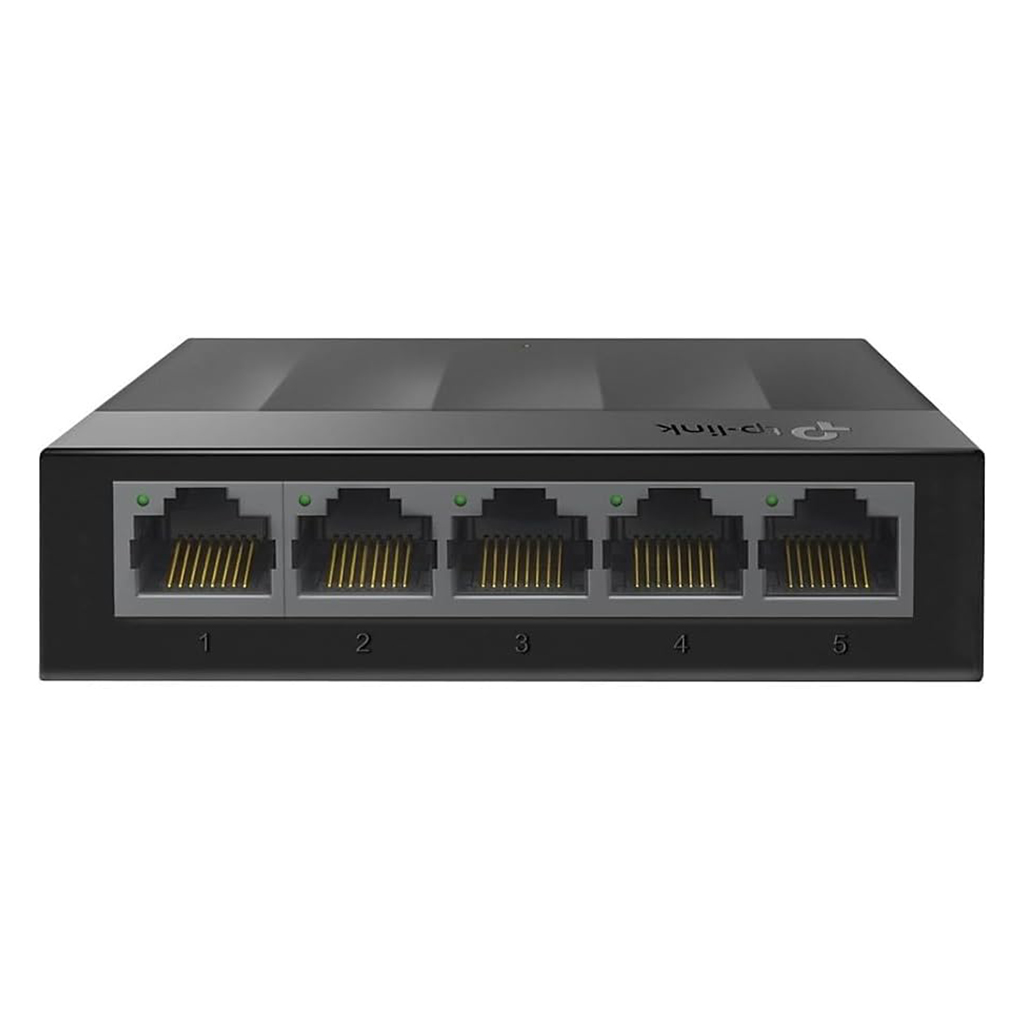
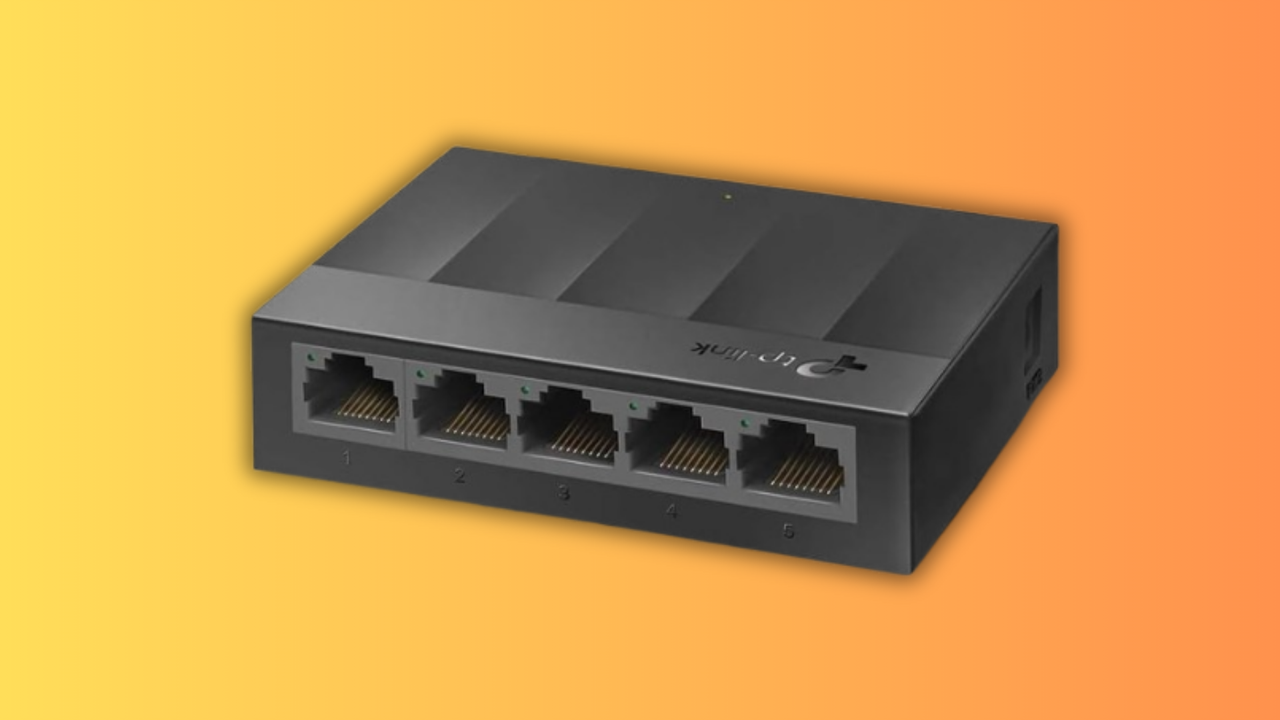
Wi-Fi is great until you hit lag, network congestion, or interference. If you need to expand your network, you'll want a network switch with gigabit speeds. Luckily, Amazon's big sale means you can pick up this TP-Link Lightwave 5-port unmanaged Ethernet switch for just $7.99 right now, bringing it back down to its lowest-ever price.
With the LS1005G, you're getting five extra Ethernet ports for your network, although you'll need to use one to connect it to your existing router. There isn't a better option than an Ethernet cable for maxing out the bandwidth on your internet connection, especially if you prefer to stream or play games online.
Gigabit speeds shouldn't seem that exciting these days, but plenty of people are rocking old network hardware that isn't this fast. You don't need to worry about Wi-Fi lag or interference here, as you'll get a solid, dedicated wired connection instead. There's no need to think about a setup process either, as the LS1005G is completely unmanaged. You just need to plug it in, hooking your router up to the switch's WAN port. The other four ports will then work straight away.
Back to a record low price
The TP-Link Litewave 5-Port Gigabit Ethernet Switch LS1005G provides four additional Ethernet ports, delivering reliable, high-speed wired internet for your gaming PC, NAS, console, TV, and other connected devices.View Deal
As it's unmanaged, you do lose some of the customization features that you'd gain with a more expensive managed switch. That isn't really a downside here. This switch is less than $8. For that price, you're still getting a network upgrade that'll let you connect almost any Ethernet-capable device. Gaming PCs, laptops, printers, NAS drives, consoles, TVs, and even another router or Wi-Fi extender will work with this switch. It's just going to work. It doesn't deliver power, though, so you can't use it to deliver power to PoE devices like cameras.
This TP-Link switch isn't big, so it won't take up much space. It's just 2.8 x 3.5 x 0.9 inches, so it'll fit near your existing router or around your home or office, as long as the cabling is long enough. No fans are required to keep it cool, either. That means it'll run silently without disrupting you.
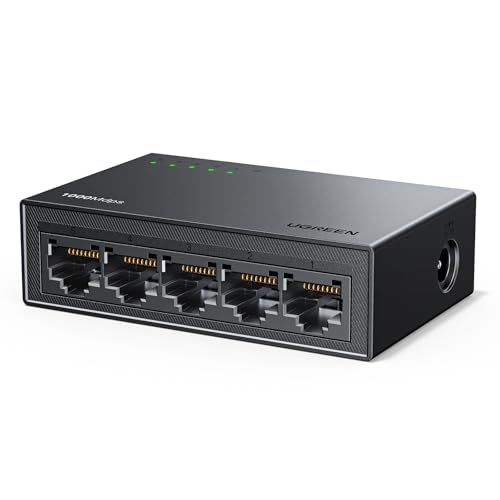
I'd almost say it's impossible to beat the $7.99 sale price for this TP-Link Litewave LS1005G 5-port switch, but believe it or not, Ugreen has matched it. Both deals are running for a limited time only, but if the TP-Link runs out, you can pick up this Ugreen 5-port switch for the same $7.99 sale price. You'll get the same level of functionality, although TP-Link's brand is generally better known. Either way, for less than $8, this Ugreen model will be a good alternative if the TP-Link switch sells out.
There really isn't a better way to expand your wired network than with a network switch like this. For $7.99, both the TP-Link LS1005G and the Ugreen 35492US models will serve you well, delivering gigabit speeds across your LAN without worrying about Wi-Fi lag. It's a good, affordable option but, with Amazon's deal set to end tonight, you've got to be quick if you want to grab one (or two, or three) of these brilliantly-priced switches.
Florida Attorney General James Uthmeier just announced that the state is suing TP-Link, claiming that the company has been “lying about the safety of its routers and its ties to the CCP.” Uthmeier posted a minute-and-a-half video clip on X, saying that TP-Link’s claims of having safe routers aren’t true.
Today, we sued TP-Link for lying about the safety of its routers and its ties to the CCP.TP-Link sold Floridians the digital front door to their home network while misrepresenting how secure it was, how separated the company was from China, and what could happen to their data. https://t.co/Hg3czpNvEVOctober 6, 2026
“Chinese state-sponsored hackers exploited TP-Link routers sitting in American living rooms. Many of those models cannot even update themselves automatically, and TP-Link has stopped supporting them,” the Florida AG said on the social media platform. “They also told Floridians they have split from China and that they build U.S. products in Vietnam, but that is fiction. Research and manufacturing remain rooted in China, less than 1% of the parts in that Vietnam plant actually come from Vietnam. TP-Link now claims to have separated from a company with Chinese ties — a company the Pentagon has designated as an arm of the Chinese military.”
The federal government first investigated the company back in 2024, with the Department of Commerce, Department of Defense, and Department of Justice opening inquiries into the company, with the DOJ looking at whether the company has engaged in unfair trade practices and poses a threat to national security. The company has tried to fight these allegations, especially as it points out that TP-Link in the U.S. has already separated from its Chinese parent company in 2024, and that it has been making its routers in Vietnam since 2018.
Unlike Huawei, TP-Link has been able to avoid a full ban in the United States. However, it’s currently facing a major challenge as the FCC has banned the import of new consumer routers. This ban would affect all router manufacturers, including American brands such as Cisco and Netgear, but they were able to go around this by applying for a conditional approval. TP-Link itself applied for this exemption, too, but it’s unclear if it has received one so far. But even if TP-Link hasn’t secured a conditional approval yet, it could continue selling its already existing router models in the U.S.
Florida isn’t the only state to file a case against TP-Link because of its alleged connections to Beijing and the safety of its routers. Iowa, Nebraska, and Montana have also sued the company for exactly the same reasons, and their attorneys general say that they’re doing it to protect their citizens from the Chinese Communist Party.
Why suffer lag or buffering on your home network when there's a budget-friendly TP-Link router on sale at a record-low price? Ahead of the official Big Deal Days launch, Amazon has slashed this TP-Link Archer BE3600 wireless router to $79.98. That's a 33% discount on its list price and the lowest it's ever been seen on Amazon to date.
You won't be surprised to find that this is one of the best Wi-Fi routers you can pick up on a budget, but that's before this discount. You'll see in our TP-Link Archer BE3600 review why this is such a good deal, as this router adds Wi-Fi 7 support to your network cheaply and easily, albeit with a few caveats. Those aside, you're still getting strong performance for 2.4 and 5 GHz with this router.
All in all, this is a no-nonsense router with a pretty basic design. You're getting a flat, rectangular box with four antennas for good wireless coverage. There's one 2.5 Gbps WAN port for your internet connection, another 2.5 Gbps for your LAN, and another three ports rated at 1 Gbps. There's also a single USB 3.0 port, which'll be useful if you want to hook up a printer or USB external hard drive to your network as a basic NAS drive. You'll find TP-Link's initial setup and configuration easy, too, using the router's web portal.
There's one trade-off you'll need to consider. This router doesn't support the full Wi-Fi 7 specification as it doesn't include the 6 GHz band. That's a shame, but you'll find that performance at 2.4 GHz, still the dominant Wi-Fi band and one you'll need for all your legacy devices, is still excellent with this BE3600 router at close range. You'd easily pay more for a router that had these specs elsewhere.
It's the price that sells this router, and why you'll want to consider it for your network. This would make for a brilliant upgrade over an ISP-issued router, or to use as a secondary repeater around your home. The $79.98 sale price for this TP-Link Archer BE3600 (also known as the BE230) is the best it's ever been, so if you want to grab it, now's your chance, as we'd expect prices to go back up once Amazon's sale event ends later this week.
Good Wi-Fi is essential around the home, but there's no guarantee that your ISP-provided router is getting its signal where you need it to go. If you're sick of lag, Wi-Fi dropping out, and slow speeds, you'll want to consider this limited-time deal on a TP-Link router. You can pick up the TP-Link Archer BE550 for $169.99 right now, saving you 32% off its list price.
This is a tri-band Wi-Fi 7 router with no less than six antennas to deliver maximum coverage across a typical household in the U.S. This gives you a combined maximum theoretical speed of 9.3 Gbps, split across the 6 GHz band for Wi-Fi 7, along with 5 and 2.4 GHz. If you're using a recent-enough device, Multi-Link Operation (or MLO) means you're able to use different bands, like 5 GHz and 6 GHz, simultaneously for faster speeds and greater reliability.
The TP-Link Archer BE550 router packs six antennas, unlocking Wi-Fi 7 support for your network, with five 2.5 Gb Ethernet ports to help you future-proof your home network.View Deal
While a lot of modern routers skimp out on high-speed Ethernet ports, you're getting a full set of 2.5 Gb Ethernet connectors here with the BE550, which is also known as the BE9300. One is for WAN, so your internet connection, along with four for other local devices you'll want to hook up, like your gaming PC. Even if your PC is a little older and doesn't feature a 2.5 Gb Ethernet port, it'll be able to hit the maximum speeds for that port with these connections.
You've got everything else you'd expect from a modern Wi-Fi 7 router here, too. It has a USB port for sharing an external hard drive on your local network, for instance. It also includes support for a mesh-style network, along with per-device Quality of Service controls, meaning you can set up priority for traffic on certain devices on a congested network. For instance, if you've got one PC downloading while you're trying to play games, you can prioritize one over the other with QoS. It also supports tagged VLANs, meaning you can configure your network with separated virtual networks for different devices to keep them isolated.
The $169.99 sale price for this TP-Link Archer BE550 is a good one for a router that can add Wi-Fi 7 support, along with a whole host of other features, to your local network. If you're struggling to get a signal and want an upgrade, this router is a good option, but with this limited-time deal set to run out in only a few hours, you don't have long to grab it at this price.
Today is a big day for TP-Link, as the company revealed that it has opened preorders for its first Wi-Fi 8 hardware. The previously announced Archer 8 Ultra router makes the company’s first entry into what will become a fully stocked portfolio covering Wi-Fi 8 standalone and mesh routers, access points, and client adapters. Interestingly, TP-Link makes it clear that preorders kicked off today in the United Kingdom, Germany, Australia, and other global markets.
Given that the United States is a key consumer market for TP-Link, the fact that the country is left off the preorder list is telling, but not exactly a surprise to anyone who has been following the wireless industry over the past six months. TP-Link has sat on the sidelines as competitors including Netgear, Asus, and Amazon gained Conditional Approvals from the Federal Communications Commission (FCC) to sell their hardware in the U.S. Without the Conditional Approval, companies are effectively banned from selling new wireless hardware in the country that wasn't already approved by the FCC.
So, while earlier Wi-Fi 7 gear from TP-Link that received FCC certification can still be sold, any new Wi-Fi 7 or Wi-Fi 8 products are effectively blocked from the market. The company has made several critical moves to position itself as a U.S. company, including incorporating TP-Link Systems in California, but those moves have been challenged in legal filings.
At this point, there haven’t been any clear signs that the U.S. government will lift its freeze on TP-Link hardware, so until that time comes, the Archer 8 Ultra will remain unavailable stateside. And it’s a shame, because the Archer 8 Ultra, which utilizes a Broadcom Wi-Fi 8 chipset, will deliver up to 33 percent more real-world throughput compared to TP-Link’s Wi-Fi 7 hardware, and 24 percent more consistent throughput when operating in high-interference conditions.
The Archer 8 Ultra will feature two auto-sensing 10 Gbps WAN/LAN ports and four 2.5 Gbps LAN ports. TP-Link says that the router covers up to 3,600 square feet and will support up to 200 devices.
"Wi-Fi 8 sets a new foundation, and we’ve built beyond it,” said Jim Poder, Senior Vice President of R&D at TP-Link. “Archer 8 Ultra combines our Wi-Fi 8 StabilityEngine with intelligent antenna technology and AI-powered optimization to deliver what matters most: a smarter, more reliable network that’s easier to use.”
TP-Link’s Wi-Fi 8 family will expand in Q1 2027 with a Deco 8 Ultra mesh router, and a Roam 8 travel router in Q2 2027. Throughout the year, further additions will come in the form of new PCIe/USB wireless adapters, access points, and range extenders.
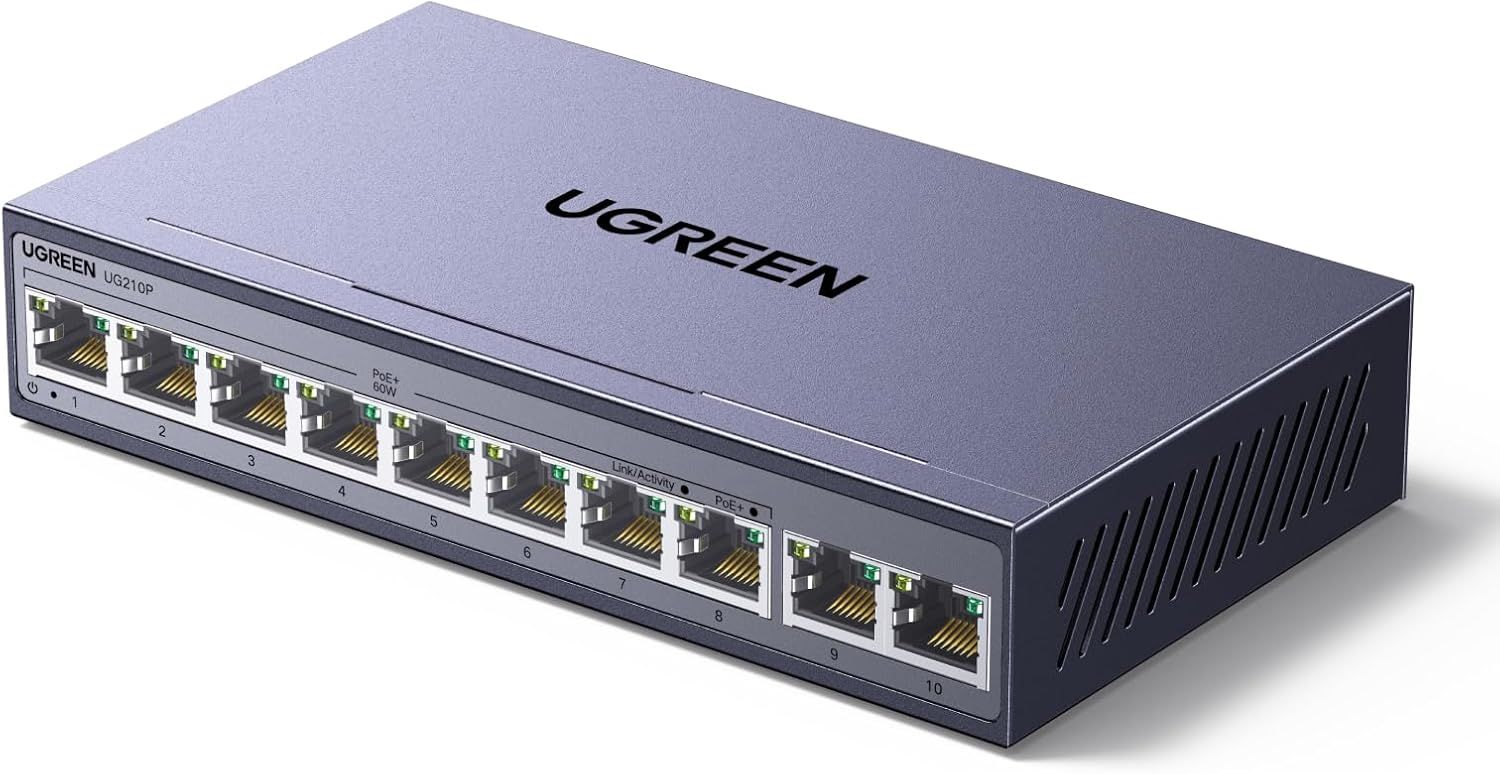
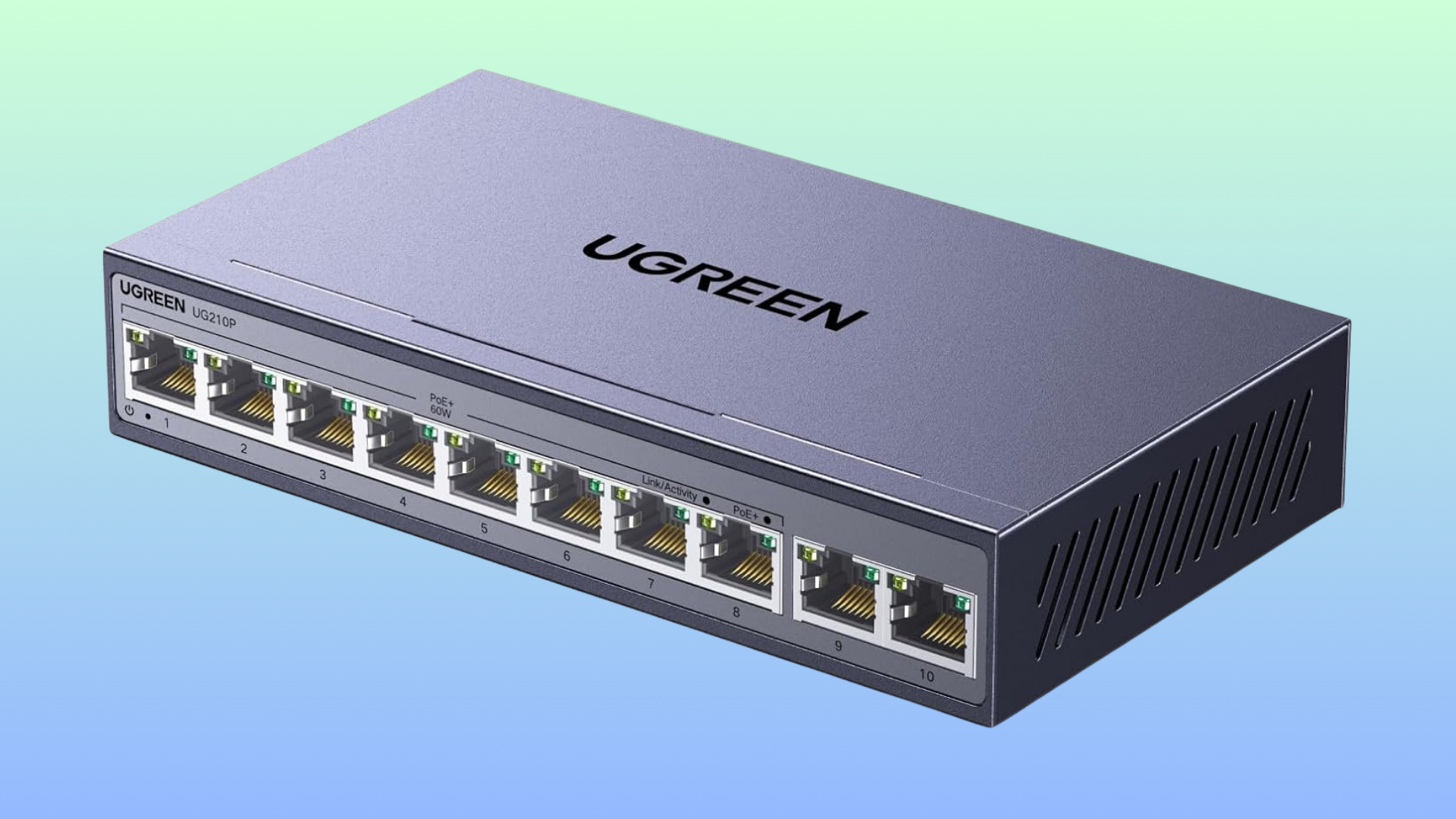
If you want to expand your home network with cameras, WiFi extenders, and other smart home tech, you'll want to invest in a good power-over-Ethernet switch. At the minute, a Ugreen 10-port PoE+ switch is on sale for just $37.79 on Amazon. That's a new record low for this model, and it unlocks eight extra PoE+ ports (and 10 in total) for your network, at a price that's much more affordable than many of its rivals.
Ugreen is a brand that you'll see a lot on Amazon, from network gear like this to wall chargers and peripherals. It's budget-focused, with reasonable prices that hide some pretty well-designed hardware. Here, you're getting a 10-port switch that supports the PoE+ standard (IEEE 802.3at), which means it can deliver up to 30W of power for devices on each individual port.
In practice, that means you can hook up newer and much faster devices to this switch, with power and data both being delivered over a single Ethernet cable. The switch supports 60W in total using a cascade system. If the power draw hits 60W, it'll shut down ports to prevent overload, starting from port 8 to port 1, so you can prioritize the ports you want and need the most. The switch will automatically detect PoE devices, so it won't short out a normal device like your PC or laptop by accident. Extended power delivery mode means that you can connect devices as far as 820 feet away, too.
10-port PoE+ Gigabit Ethernet Switch: was $49.99 now $37.79 The Ugreen 10-port PoE+ network switch offers Gigabit speeds and 30W per-port of power over each Ethernet cable across eight different ports, with two ports used as uplink ports for data connection to your main network.View Deal
If you're building a smart home network with plenty of devices to power, a switch like this will prove useful. This particular Ugreen switch is unmanaged, so there isn't a huge setup process to work through, and it should work immediately when you plug it into your existing hardware. That does mean it'll lack some of the extra customization that a more expensive managed switch could offer, but for most users, the ease of use will be the bigger draw anyway.
Almost any Ethernet-ready device will work with this switch, even if they aren't able to take advantage of its power delivery. Laptops, PCs, NAS drives, printers, TVs, game consoles, IP cameras, and more will work with this switch.
You're also getting the bonus of speed here. This Ugreen switch delivers gigabit speeds across your network, so you can leave WiFi latency and lag issues far behind when you're playing games or streaming Netflix shows. Ethernet connections using this switch will help you max out the bandwidth from your ISP. You've also got two uplink ports which you can hook up to your existing network for the best bandwidth.
The $37.79 sale price for this 10-port Ugreen switch is a great one, but it's only around for a limited-time only. If you want to pick up this fanless, lightning-protected, compact Gigabit PoE+ switch, you'll need to get your order in before the deal runs out.
On this day in 1980, version 1.0 of the Ethernet specification was published by Digital Equipment Corporation (DEC), Intel, and Xerox. This ‘DIX’ standard was established at a time still nearly three years before the modern internet existed. Nevertheless, Ethernet would become the default technology for connecting computers to each other in local networks – and all around the world. However, we must point out that Ethernet had existed in experimental form at Xerox PARC in the 1970s.
Before Ethernet, computer manufacturers were wary of building LAN connectivity into their computers. It seemed wasteful to integrate one type of network adapter that wouldn’t always work with other networked computers and equipment an organization might use. To foster the adoption of Ethernet industrywide, DIX allowed any vendor to use the specification in their own hardware implementations.
Ethernet has been adjusted, refined, and improved over time to remain competitive and relevant. In 1980, it arrived using coaxial cable wiring and with a top speed of 10 Mbps. Five years later, it would move to adapters with BNC connectors. The first RJ45 implementation, a connector that still identifies Ethernet ports to this day, was in 1990 alongside the introduction of 10BASE-T twisted-pair cabling (but still at 10 Mbps).
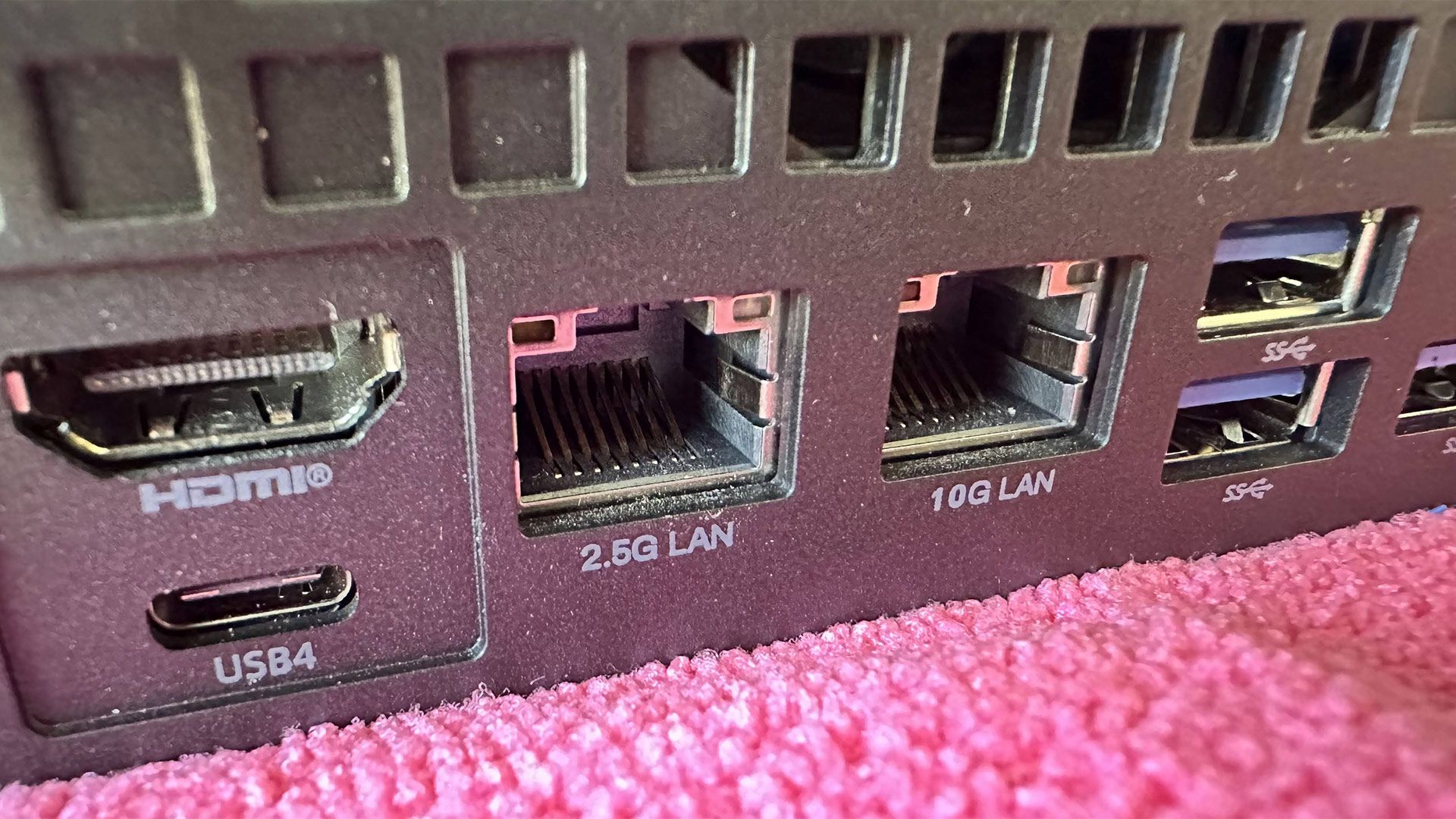
Data speeds ramped up tenfold, hitting 100 Mbps in 1995, and it would be just four more years until the next tenfold boost with the debut of Gigabit (1 Gbps) Ethernet. If you buy a PC nowadays, you will commonly see Ethernet ports labeled 2.5G and/or 10G. To make use of the latter, Cat6a or better cabling is typically recommended for reliable links. However, data centers run equipment connected via 800 Gbps+ Ethernet protocol connections over advanced fiber optics.
Despite the rise and generational advances delivered by Wi-Fi 7, wired Ethernet is still preferred for speed, low latency, and stability. These are very desirable qualities for enthusiasts, home labbers, and gamers alike. Thus, even on small form factor PCs and laptops with the latest Wi-Fi but no RJ45 networking port, some might choose to connect a USB Type-C to RJ45 Ethernet dongle when they are at the home/office with wired networking available.
Meta has announced plans to build and install a new subsea cable that will connect France and the United States at a breakneck 1 Pbps (1 petabit per second or 1,000 terabits per second). It will become the most advanced subsea cable at its length and blow Meta's own 0.5 Pbps Anjana cable system out of the water. Figuratively, of course.
Anjana runs from Spain to the US for a total distance of 4,425 miles at a relatively leisurely 480 Tbps thanks to its 24 fiber pairs. But Petal ratchets things up a notch, using 48 fiber pairs and a two-core fiber-based solution (with 24 pairs each) to achieve 1 Pbps across transatlantic distances.
Meta claims that the new cable will have enough network capacity to allow 75% of the planet's population to stream music at the same time — so long as they stick to 160 kbps MP3s or lower, that is. No lossless streaming for you.
Either way, you'll have to wait a while for your theoretical music fix. Meta says that Petal is expected to enter service in 2029. It'll be built in partnership with NEC and Sumitomo Electric Industries, with support for the French landing from Orange.
Today we’re announcing Petal: the world’s first petabit-class transoceanic subsea cable and the first to deploy multi-core fiber at scale.Spanning 7,000 km (4,000+ mi) between France and the United States, Petal will deliver 1 Petabit per second (1 Pbps / 1,000 Tbps), doubling… pic.twitter.com/fLSWGkHDzSSeptember 21, 2026
Subsea cables might not be at the top of many internet users' minds, but they're vital to the way our connected world functions today — and they've often been the subject of sabotage plots as a result. As the number of connected devices continues to grow, these cables become all the more important. And they need to be fast and reliable.
Meta says that its decision to use a two-core fiber design for Petal brought complications along with its huge performance. Minimizing crosstalk is key, as is ensuring low attenuation throughout the length of the cable.
The fix for the attenuation involves using ultra-pure synthetic silica during the manufacture of the preform, while crosstalk is minimized by "carefully controlling for high refractive indexes in the cores against lower indexes within the surrounding medium and counter-propagating the optical signals."
Meta says that a subsea cable of this length typically needs around 100 repeaters to get the signal from one end to the other without degradation. Petal uses single-body 96-amp repeaters, each with single-core fiber amplification and a Fan-In/Fan-Out (FIFO) interface to convert two-core fiber into two single-core fibers inside the repeater before converting it back to two-core fiber following amplification. The theory is that this approach will allow Petal to retain the efficiency and reliability afforded by single-core amplification.
As for why Meta feels the need to build such a cable, it points to its desire to bring "greater capacity, stronger resiliency, and future-proof infrastructure to Europe as demand for communications and reliable connectivity continues to increase." We hope that dual-core fiber isn't twice as tasty to the average shark.
2026 has been a trying year for router manufacturers, as the Federal Communications Commission (FCC) has subjected leading companies to strict oversight and outright bans. As an olive branch of sorts, the FCC has handed out "conditional approvals" to be included on the Covered List to companies that have jumped through all the necessary hoops to satisfy the commission's concerns. Asus is the latest company to secure that approval, which was confirmed in an FCC notice issued this week.
According to the FCC, the following Asus networking products have been granted conditional approval:
RT Series
ROG GT Series
OG Strix GS Series
TUF Gaming Series
ExpertWiFi Series
ZenWiFi Mesh Series
5G MiFi Series
Wireless repeaters
Wireless access points
In other words, Asus' entire wireless networking portfolio is cleared for sale in the U.S., with the conditional approval granted until March 6, 2028 (18 months from the date of issuance). The FCC explains, "We find that each of the Conditional Approvals constitutes 'a specific determination' by [Department of War] that such devices do not pose risks to U.S. national security."
This latest move by the FCC is a welcome sigh of relief for Asus, a Taiwanese company with an extensive networking portfolio and some of the best Wi-Fi routers. More importantly, Asus is ready to unleash a whole new generation of Wi-Fi 8 products over the next year. Wi-Fi 8 promises significant reliability and quality-of-life improvements across a wide range of wireless devices, so having a front-row seat to the transition from Wi-Fi 7 to Wi-Fi 8 is pivotal for Asus.
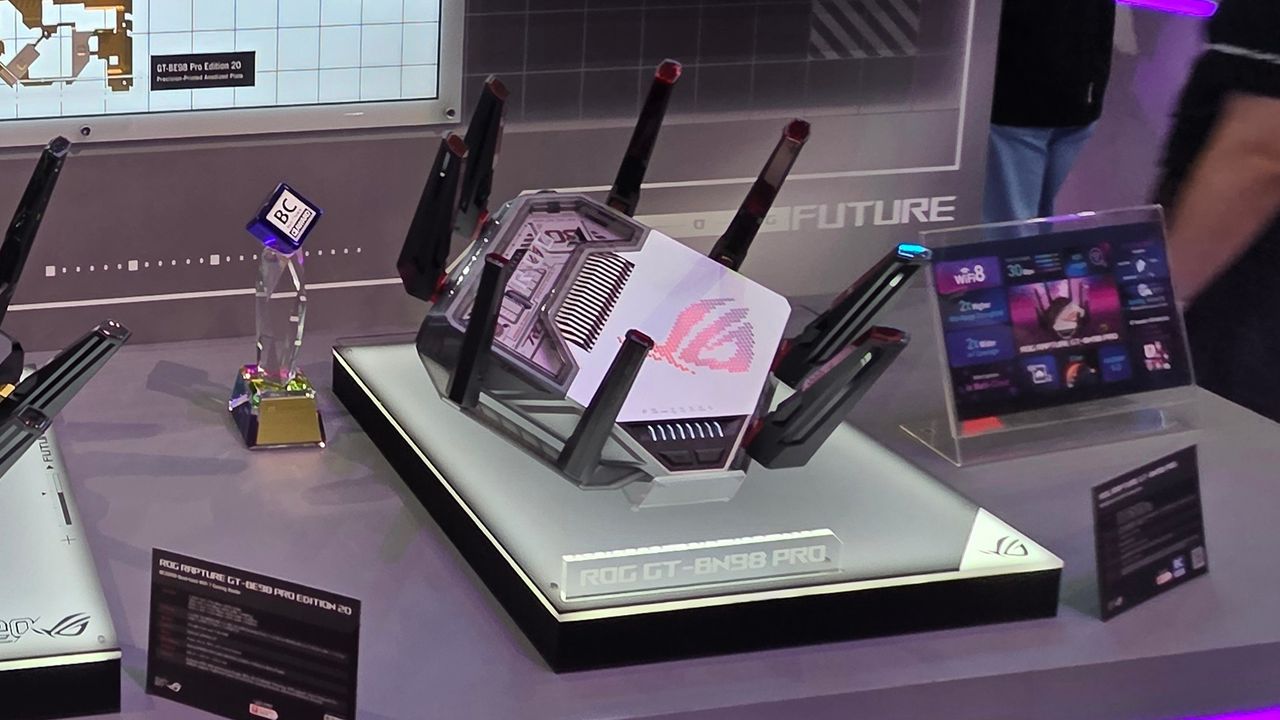
We've already seen a concept ROG NeoCore Wi-Fi 8 router from Asus at CES this year, and the company announced its first consumer Wi-Fi 8 router, the ROG Rapture GT-BN98 Pro, in June. The ROG Rapture GT-BN98 Pro is promising a 2x uplift in real-world throughput compared to its current-generation Wi-Fi 7 products.
Asus joins Netgear and Amazon Eero/Leo on the conditional approval list. The largest player in the U.S. wireless router market is TP-Link, and it still hasn't gained FCC approval. The U.S. government has been reluctant to give its blessing, and a war of words has been brewing over alleged Chinese ties despite TP-Link Systems Inc. being headquartered in California. As a result, the company has not confirmed a release date for its newly announced Wi-Fi 8 "Ultra" routers in the U.S.
A bad network connection at home or in your office doesn't have to be permanent, because you can grab a wired upgrade for less than $10 right now. This gigabit TP-Link switch is down to $9.98, but only for a limited time.
This TP-Link switch does often vary in price, according to Camelcamelcamel's data, but under $10 is a good deal price for this model. A network switch like this will unlock extra Ethernet ports on your wired network and will plug straight into your existing router. There isn't a better alternative to a wired LAN connection for maxing out the bandwidth on your internet connection, especially if you want to play games or stream 4K video.
Speed is the ultimate value of this TP-Link Litewave 5-Port LS1005G switch, too. You're getting gigabit Ethernet speeds, meaning you don't have to worry about lag or slowdowns if your internet connection is fast enough. This is an unmanaged switch, so there's no need for you to configure it or navigate a difficult setup process. Just switch it on, plug it in using your router or modem's WAN port, and you'll be able to use the four remaining ports.
The TP-Link Litewave 5-Port Gigabit Ethernet Switch LS1005G provides four additional Ethernet ports, delivering reliable, high-speed wired internet for your gaming PC, NAS, console, TV, and other connected devices.View Deal
Measuring just 2.8 x 3.5 x 0.9 inches in size, you won't need a lot of space for this TP-Link switch, and you should be able to place it in a convenient location near your router or around your home with a long enough cable. It's silent, with no fans, so it won't interrupt you while you're gaming or streaming, either.
You won't find a better plug-and-play solution for a beginner than an unmanaged wired network switch like this one. The downside is that it won't offer the same level of customization, with managed switches offering more features and configuration settings at a higher price. This TP-Link Litewave LS1005G is going to be fine for most users, though, and it'll work with almost any Ethernet-capable device you own without any issue, including PCs, laptops, NAS drives, games consoles, IP cameras, and even another router or Wi-Fi extender.
Rather than deal with a slow, laggy connection, paying $9.98 for this TP-Link Litewave 5-port LS1005G switch can be a quick and immediate upgrade to your wired network. The limited-time deal won't last for long, so if you want to grab it for under $10, you'll need to be quick.
BT, the UK’s largest telecommunications provider, is slowly upgrading its entire network to fiber, with the company looking to move residential endpoints away from copper, and it seems that it will make a killing when it recycles its old cables. According to The Guardian, the company has signed a deal with EMR, one of the largest cable recycling companies in the country, for the recovery of around 200,000 tons of copper over a span of four years. Although the total value of the deal is unclear, the latter has also already paid more than USD 134 million (GBP 99 million) to the telecoms company for a few thousand tons of copper. Aside from the deal with EMR, BT and its subsidiary, Openreach, could also sell the recovered copper directly on the spot market.
More than 22,000 metric tons have already been recovered from the system since BT started its network upgrade, with the metal costing around USD 8,500 per metric ton on the market. If the company sold all that material in the open market, it would have made revenue of USD 187 million. However, the massive AI-driven demand for copper has pushed prices to a record high of more than USD 14,000 per metric ton. The upgrade work is expected to continue well into the 2030s, with Openreach estimating that it could still recover up to 200,000 metric tons of material. That means the company could make an estimated USD 2.7 to 2.8 billion just from the sale of these old network cables.
The AI boom is pushing up demand for several industries — from high-tech products like memory and storage chips and jet engines to “exotic” materials such as rare earth elements and glass cloth fibers. Most people will not equate copper to AI data centers, especially as the PCBs used in their servers often contain so little of the metal, relatively speaking. AI data centers are also switching to optical interconnects and silicon photonics, meaning the internal networks of these data centers will increasingly rely on fiber optics.
However, data centers are forecast to use 194 gigawatts of power by 2035, and all this power can only be transferred via metal cables. While you can also use aluminum wires to transmit power, copper is often the preferred choice for its stability, better electrical conductivity, increased durability, and superior thermal performance. So, as AI hyperscalers expand their operations and build more data centers, the demand for copper wires will also increase accordingly. Utility providers will also need to purchase more cables as they upgrade the grid to deliver the electricity needed by the AI infrastructure.
The AI-powered boom for copper material is a win-win situation for BT, Openreach, and their subscribers. The people will now get end-to-end fiber connections in their homes, hopefully giving them better speed and reliability, while the providers are basically getting a discount on the upgrades that they’re making on their networks.
Earlier this year, TP-Link announced its intentions to launch the first members of its Wi-Fi 8 (802.11bn) networking family. At the time, the company revealed that it would first launch a standalone Archer 8 consumer router this fall, followed by a Deco 8 mesh router. And right on cue, TP-Link stated today that the Archer 8 Ultra BN19000 tri-band router will launch on September 30.
TP-Link is going light on the details at this time, but this is what we know so far. The Archer 8 Ultra BN19000 will come equipped with 18 internal antennas and deliver up to 19 Gbps aggregate wireless speeds. In addition, it will have 10 Gbps wired connectivity, though we don’t know whether that includes WAN and LAN ports or just the latter.
For users who require broader coverage in larger homes or offices, the Deco 8 Ultra BN22000 tri-band mesh router offers aggregate speeds of up to 22 Gbps and includes 10 Gbps wired connectivity. TP-Link typically sells its mesh systems in two- or three-pack configurations, and the Deco 8 Ultra BN22000 3-pack covers up to 9,800 square feet. Unfortunately, the Wi-Fi 8 mesh system won’t be available until Q1 2027, according to TP-Link.
TP-Link plans to expand its Wi-Fi 8 portfolio by Q2 2027 with a new Roam 8 travel router, along with range extenders and PCIe/USB client adapters. Although we don’t know which specific chipsets will power Archer 8 Ultra, Deco 8 Ultra, and other unannounced Wi-Fi 8 devices, the company says its products will use hardware from Broadcom, MediaTek, and Qualcomm.
Wi-Fi 8 is shaping up to be more of a quality-of-life improvement over Wi-Fi 7 than a substantial theoretical speed improvement. Put simply, Wi-Fi 8 hardware devices should be able to come closer to fulfilling the real-world performance metrics that Wi-Fi 7 devices originally promised.
To this end, TP-Link says that its so-called StabilityEngine leverages core Wi-Fi technologies including Enhanced Long Range (ELR) and Distributed Resource Units (DRU). These features together help improve wireless connectivity, primarily for low-power IoT devices that are typically positioned at the edge of your home’s wireless coverage. There are also additional technologies at play, such as Unequal Modulation (UEQM) and Modulation and Coding Schemes (MCS), to ensure uninterrupted wireless traffic in high-interference situations.
A new design language is also being ushered in with the Archer 8 and Deco 8 products, which was teased during TP-Link’s May 2026 announcement. “We stopped building a piece of networking equipment and started designing for the home,” explained TP-Link industrial design chief Gary Chang. “When a router’s design becomes something people want to display, it ends up exactly where it performs best.”
What remains unclear is how or when these new Wi-Fi 8 products will launch in the U.S. As of today, TP-Link has yet to obtain FCC approval to release all-new products in the country. Unlike competitors Amazon and Netgear, which received conditional approval from the FCC Covered List, the U.S. government is still playing hardball with TP-Link. For its part, TP-Link only says that preorders for the Archer 8 Ultra will open in “select regions” on September 30.
 登录
登录