❌

普通视图

发现新文章,点击刷新页面。
昨天 — 2026年11月1日首页

Developer builds a complete Intel 486 PC emulator in a browser

作者 Mark Tyson
2026年10月31日 20:40

Developer Jan de Jager has created a full Intel 486 PC system in a browser. On the e486-web GitHub page, de Jager boasts that the emulator is coded in 100% pure JavaScript. The project’s fuller title is the Retro486 Modular Browser PC. Claude gets a development credit, so we guess you could say e486-web was (partially) vibe-coded.

The live demo you can boot with a single click is impressive, with tabs to interact with and configure your browser-based, dependency-free Intel 80486DX2-66 PC in a browser. The first tab is dubbed the CRT monitor, and this is where you will spend the most time using the command line, apps, and games. However, it is also very appealing to be able to adjust your PC configuration in the tabs for Motherboard & Slots, Storage Bay, Custom Card Studio, and System & Diagnostics.
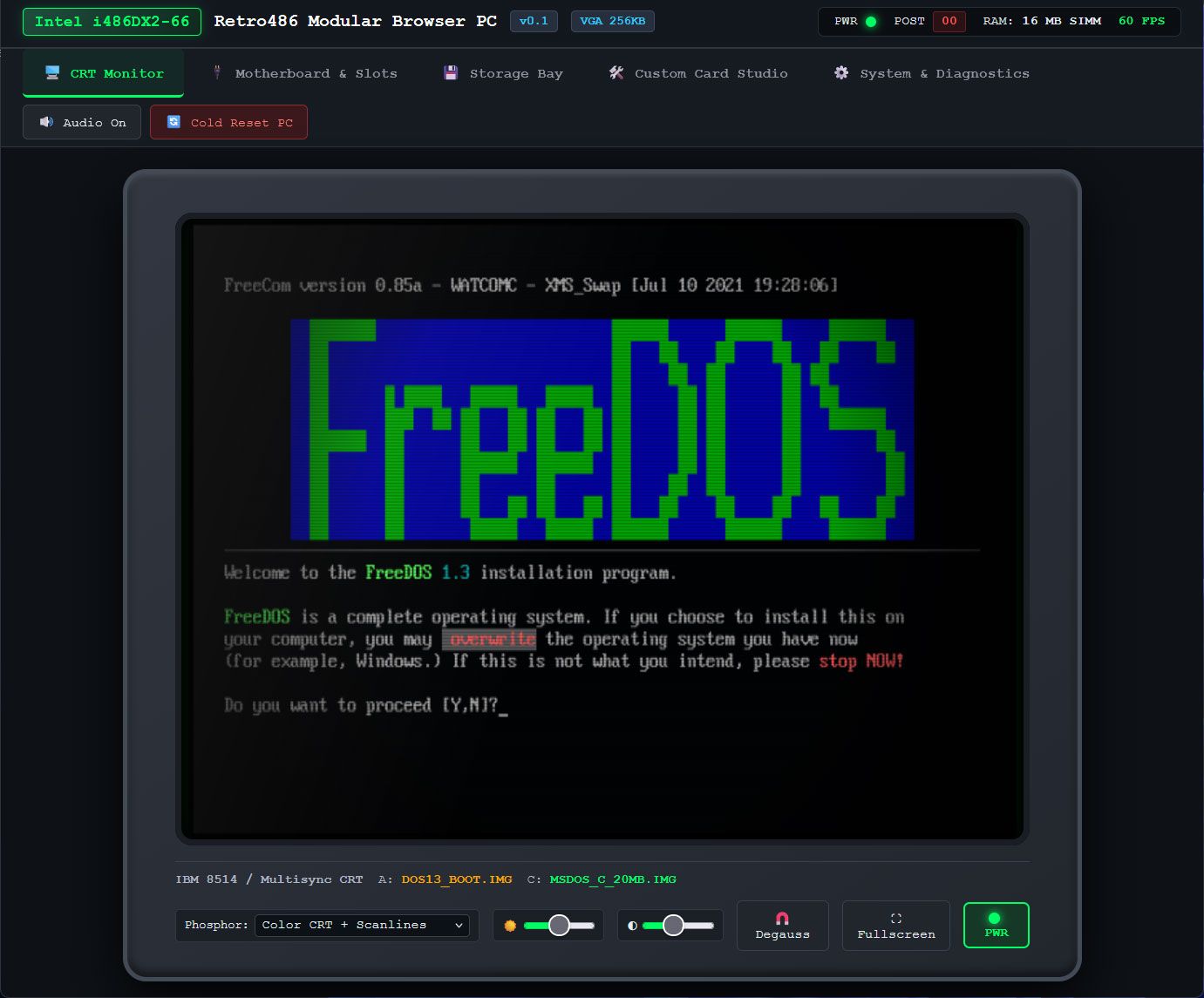
Retro486 Modular Browser PC

(Image credit: Jan de Jager)

I couldn’t resist taking the e486-web for a spin using the live demo. The CRT monitor screen is totally charming, with various display options including color and scanlines, and tributes to classic CRTs with green phosphor, amber, or paperwhite displays. This is the screen where you will also type DOS commands and interact with whatever you get to run.

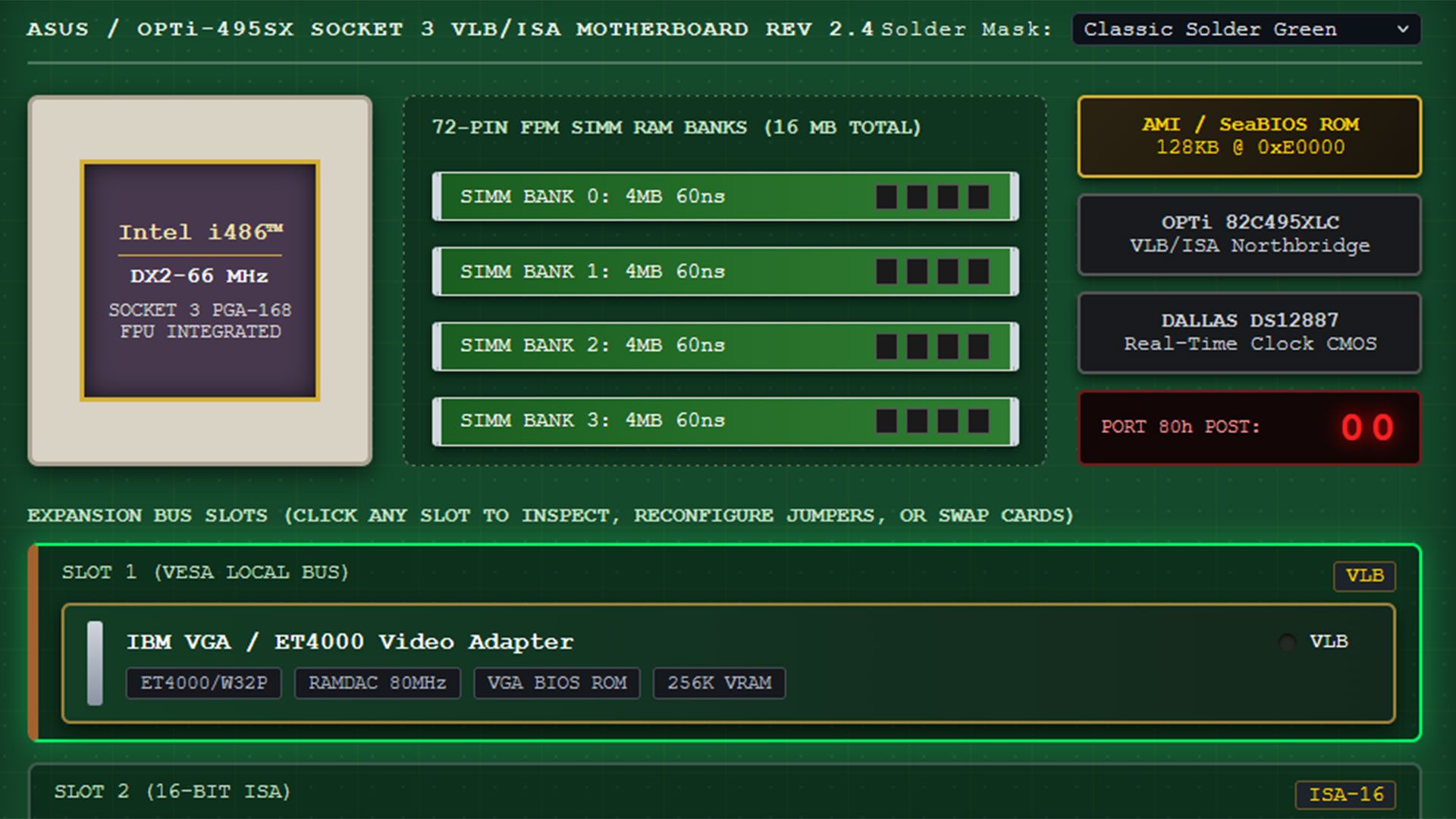
The next tab in this comprehensive 486 PC system emulator lets you pick a motherboard design and, probably more importantly, add and remove expansion cards. The default system comes with a VLB graphics card, Sound Blaster 16 ISA card, a multi-I/O controller, network card, and more. All the cards seem to be configurable. A Custom Card Studio tab lets you create and test more cards, and it looks quite advanced.

I spent quite a lot of time in the Storage Bay tab, switching through the OS and software disks inside the “1-Click bundled & Cached Disks” collection. FreeDOS started fine, but I got some errors when I wanted to test some of the games in the library, which includes Doom, Wolfenstein 3D, and more. Though tempted to find and install Syndicate on the hard disk that the emulator can create and configure, I didn't get around to it yet. However, the Bullfrog classic is one of the first games I played on an actual 486DX2 system in the 1990s, and I also played it on Amiga. This browser-based emulator features browser persistence, so e486-web settings can be maintained between sessions, and it automatically caches ROMs, floppy images, and custom uploaded .img/.iso files for your convenience.
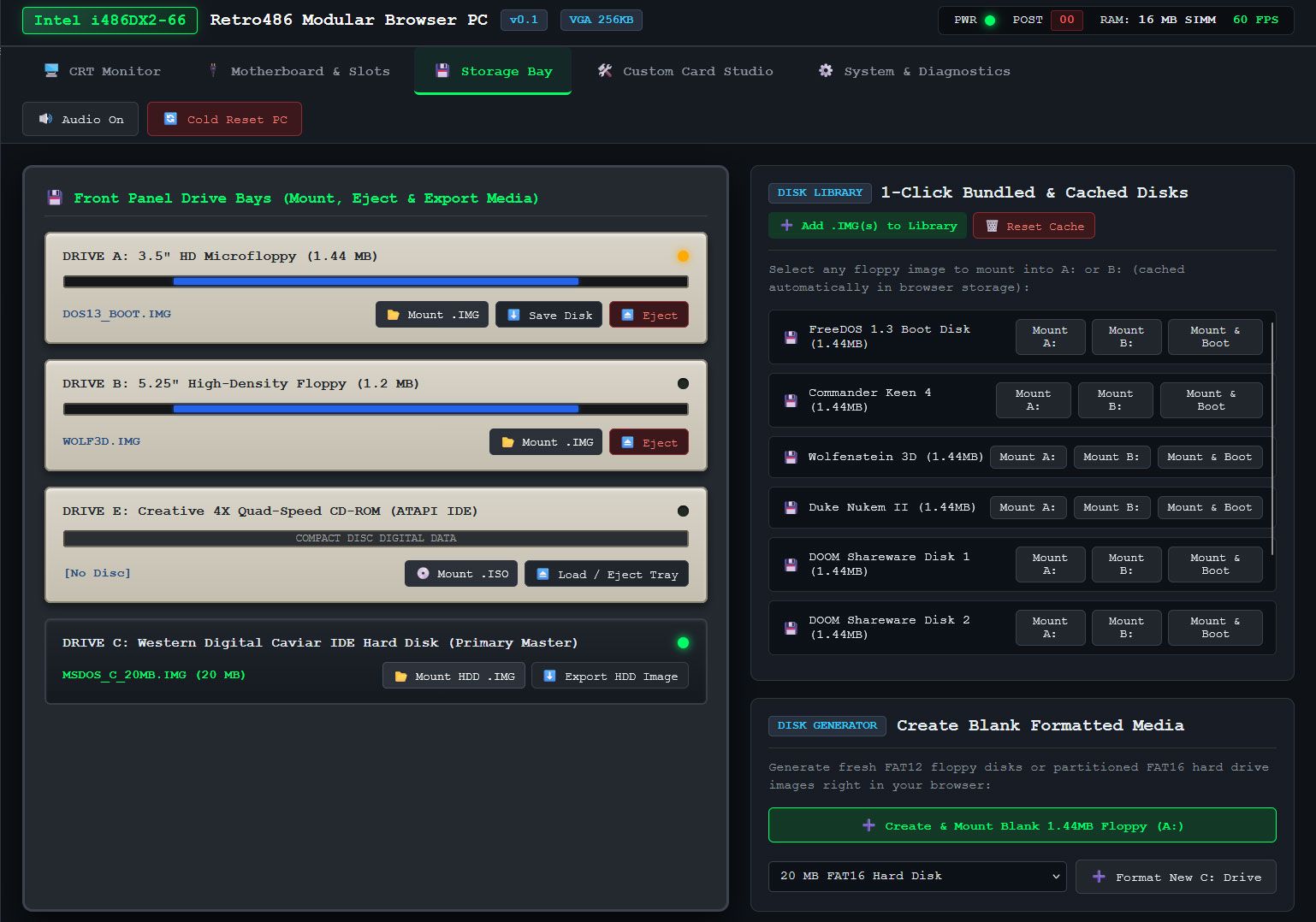
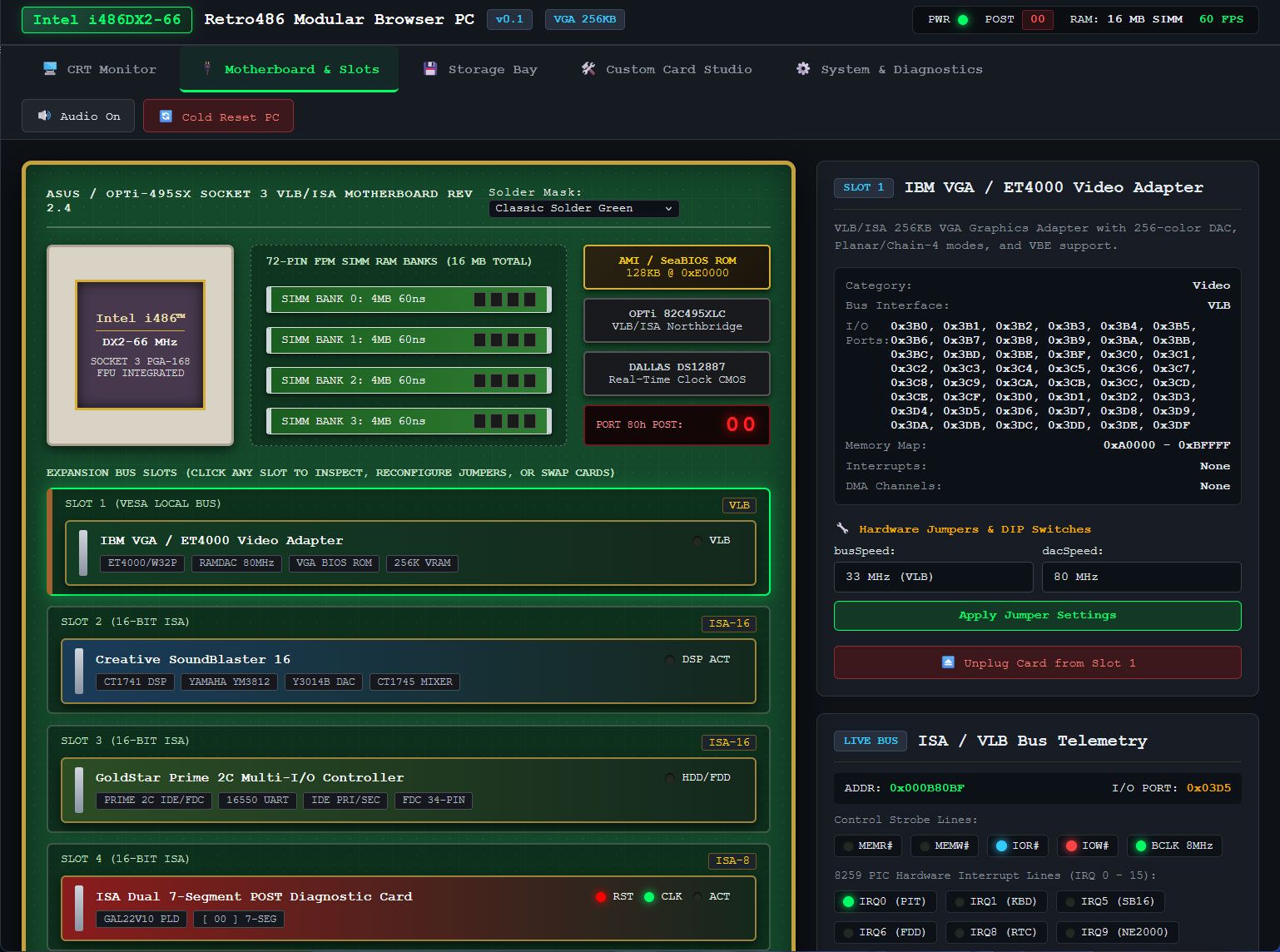
Retro486 Modular Browser PC
Jan de Jager
Retro486 Modular Browser PC
Jan de Jager

Another tab in this extensive system emulator is called System & Diagnostics. Here you can switch the CPU to a different model, view the CPU registers, and nose around in RAM, VRAM, storage, BIOS, boot sectors, and so on.

Currently e486-web is in version 0.1, and the GitHub shows that most files were uploaded/updated about a week ago. Some files are just two days old, though, so hopefully wrinkles are busily being ironed out by de Jager and Claude. The presentation of this no-downloads live emulator, and the conveniently tabbed interface and configuration options, show lots of promise.
昨天以前首页

Modder turns NES into a Windows-like desktop with original hardware

2026年10月26日 19:20

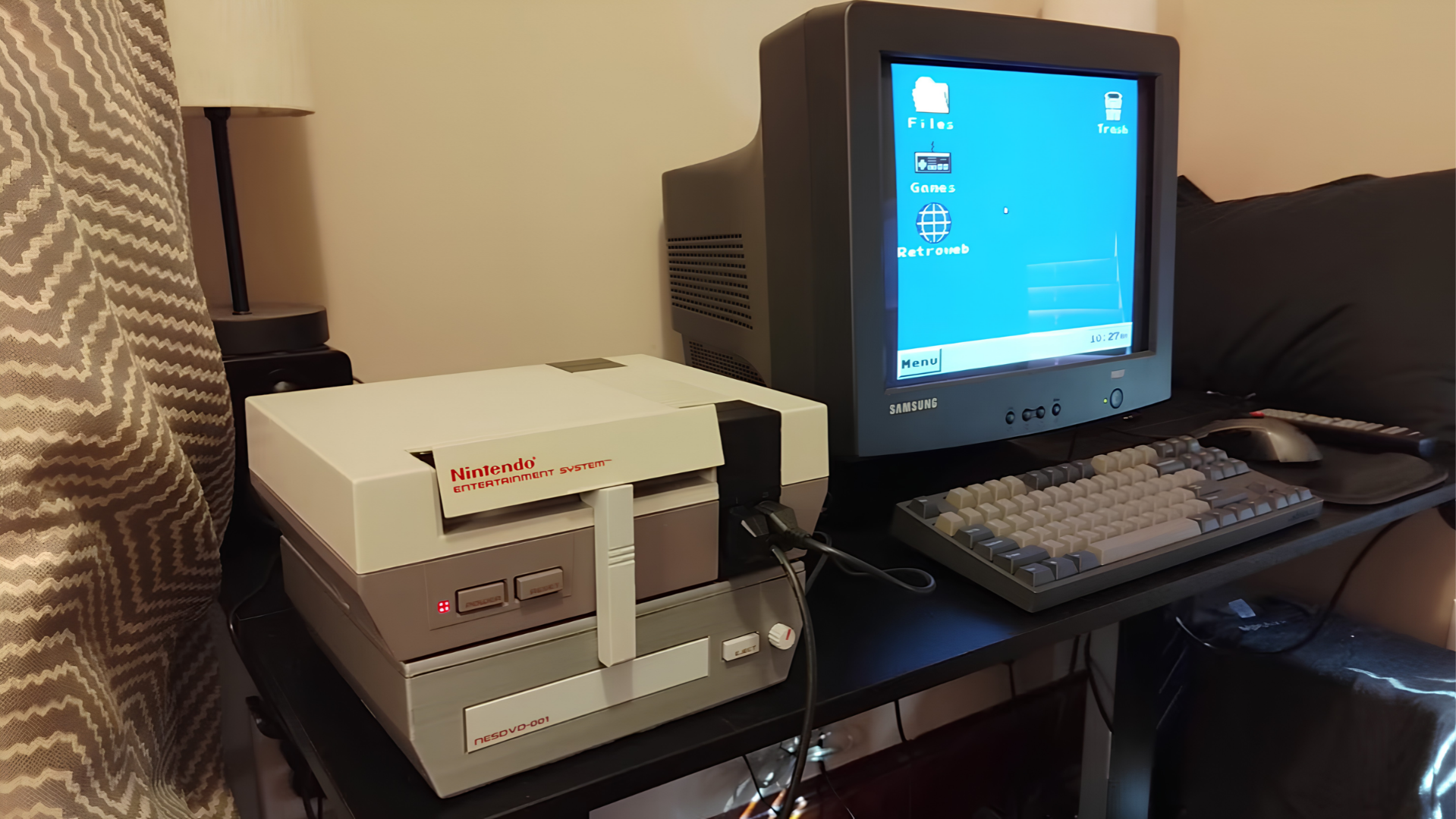
YouTube retro gaming experiment channel Throaty Mumbo created a Windows-like desktop environment on the NES. The project took advantage of the EverDrive N8 Pro, an FPGA-powered NES cartridge that handles the heavy x86 emulation. Throaty Mumbo has made the NESPC project available on GitHub and included firmware for an RP2350 he used to make a USB interface for keyboard, mouse, and MIDI functionality.

Throaty Mumbo started out with ROMs he found on the internet, trying out a Chinese Windows 98 ROM that didn’t really do much. It had Paint, Windows Explorer, and plenty of things that looked like Windows 98 programs, but none of them were actually functional; only images of what the programs approximately look like. He also tried out a ROM of Linux, a project named NES86 by decrazyo, but it was incredibly slow and unusable, leading him to create his own ROM.

Since the NES’ 6502 8-bit microprocessor was too slow to emulate x86, Throaty Mumbo used the EverDrive N8 Pro, which has a much more powerful ARM-based Cyclone IV FPGA. It simply goes into the cartridge slot and takes advantage of the NES’ cartridge-side processing, basically making it act similarly to an external graphics card by outsourcing tasks to another processing unit. To run x86, Throaty Mumbo used Next186, an open-source FPGA soft processor core that can make the FPGA execute Intel 80186-compatible instructions as if it were an x86 CPU.

Throaty Mumbo first showed his NESPC project with a command-line interface, demonstrating how fast you can navigate the environment and run command-line programs like tty-tetris, which didn’t work well at such a low resolution, but he did show a command-line train animation running quite smoothly. He finally showed that he built a whole desktop environment that looked like a very stripped-down version of the Windows 98 ROM earlier. His UI, however, was more functional, serving as a menu replacement for the EverDrive N8 Pro menu ROM, even having a fully playable Minesweeper in the Start menu. The UI also had program icons that served as ways to start game ROMs and access files inside the EverDrive N8 Pro cartridge’s storage.

Throaty Mumbo wasn’t satisfied, however, as moving a mouse cursor and typing with an NES controller isn’t the best desktop experience, so he tried adapting a Family BASIC keyboard for the Famicom to it using the NES expansion slot and a breakout board to connect jumper wires to specific pins. It didn’t work very well, with each keystroke outputting multiple letters and symbols; the bulk on the bottom also didn’t allow the NES to sit flat on the desk.

Throaty Mumbo then thought of using an RP2350 microcontroller with custom firmware so he could connect a USB device into the NES controller ports. This worked much better, even allowing smooth mouse inputs, but it only had one USB port, so it could only take either a keyboard or a mouse. His solution to this was to use a keyboard with a USB hub built into it, which worked great. Throaty Mumbo further experimented with this USB input as a MIDI device, plugging in a USB piano keyboard and playing with a very basic digital audio workstation (DAW), even playing some Mario soundtracks from NSF (Nintendo Sound Format) files.
To get even more of a retro PC experience, he added his previous 3D-printed NES CD drive project, the NESCD, which plugs into a port on the EverDrive N8 Pro cartridge and the expansion slot, allowing him to play music in the background while playing an NES game at the same time without losing any performance. He then upgraded the NESCD with a Seeed Studio XIAO ESP32 to add WiFi capability, allowing for 4 MB/s download and 90 KB/s upload speeds. Since the internet capabilities are very limited, the NES uses Throaty Mumbo’s laptop as a proxy to fetch the NES’ requests from the internet and simplify them to be more easily displayed on the limited resolution. However, Throaty Mumbo also added an option to connect directly to the internet, which would be a miserable experience.
YouTuber escapes the modern AI tech market by recreating his 1996 PC

These days, it's exceedingly difficult not to be jaded and weary about the tech market. Memory, graphics cards, and now storage are becoming impossible to obtain; there's basically no new consumer hardware being released; and there's AI everywhere. Technology YouTuber TrashBench (TB), too, is tired and was harkening back to the halcyon days when everything was fresh and straightforward — so he went back in time with a retro build.

More specifically, he recreated a facsimile of the first machine his parents bought him in 1996 when he was a wee lad, to play The Need for Speed: Special Edition — a PC-improved version of the first ever game in the series. According to the man, it was thanks to this machine that he fell in love with computers in general.

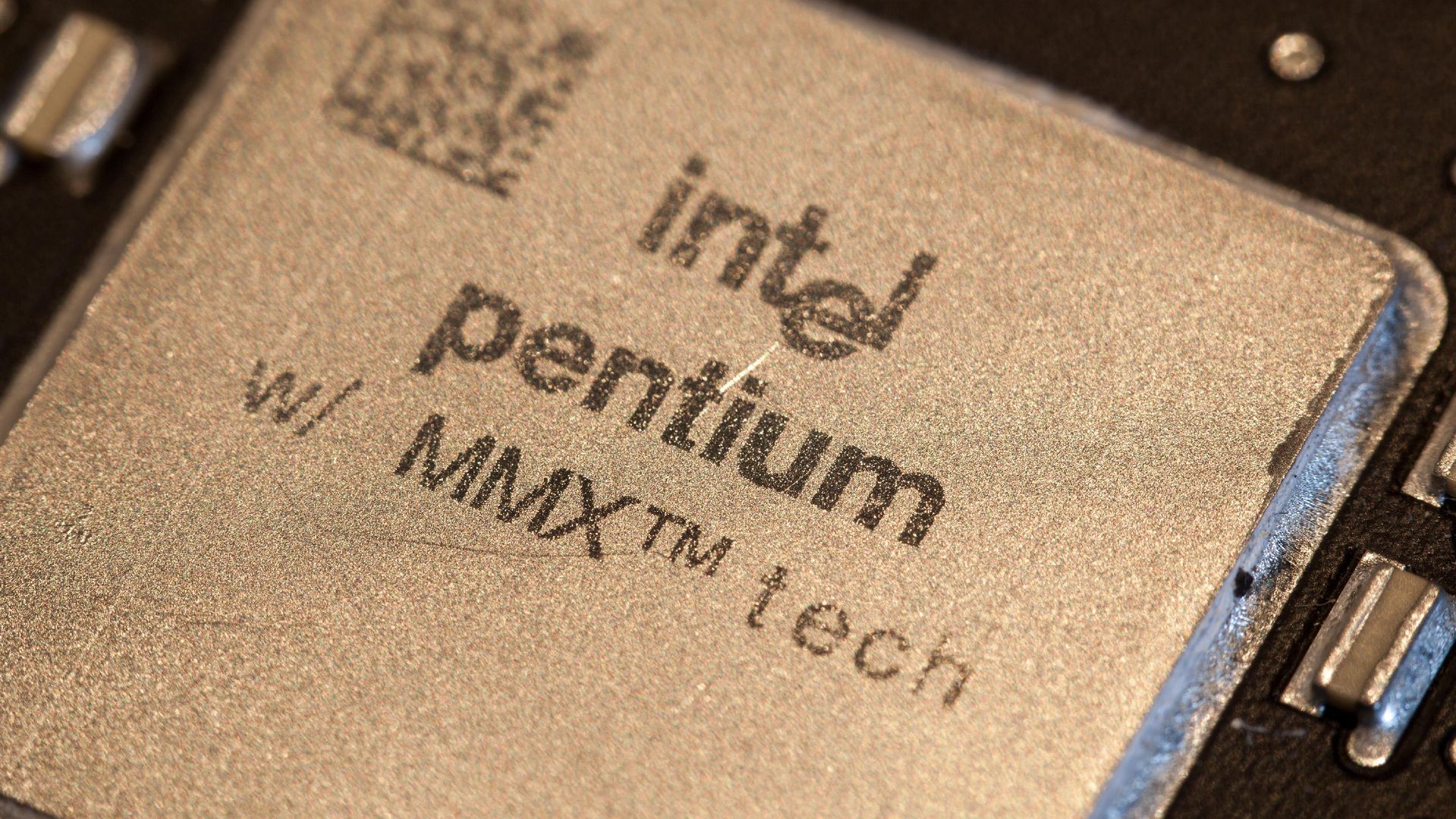
TB kicked things off with an Intel Pentium MMX 200 MHz CPU sitting atop an Epox Pronix EP-P55-BT motherboard, boasting what was at the time a new, fresh, convenient ZIF (Zero Insertion Force) socket. This motherboard popped up during the RAM transition from SIMM to DIMM, which is why you'll see two slots of each on the top. 32 MB of RAM went right in, a generous amount for the year.

Funnily enough, the CPU barely needed cooling, which is why a simple 40-mm fan suffices, although anyone who's lived through this era will tell you that those were guaranteed to start whining after just a few months of heavy usage. There is no case cooling, as it's just not needed.

However, he did need to correctly set the motherboard's jumpers, as such luxuries like automatically detecting CPU speed and voltage were just becoming normal. Yes, this meant that you could burn out a CPU if you played the jumper game wrong.

For graphics card duty, he enlisted an S3 Trio32 card, which was pretty, ahem, modest even in the era, and had no 3D rendering capabilities whatsoever. In this era, the now-ubiquitous 3D accelerator cards were just coming into fashion, and he eventually replaced the S3 with a Matrox Mystique 3D, another offering of dubious quality. Yet those were happy days, as any form of 3D acceleration was far better than none.

Storage comes by way of a Western Digital Caviar 22100 hard drive with a whopping two gigabytes of storage and the uncanny ability to emulate the dulcet tones of a jackhammer. TB eventually swapped it later for a roomier 80 GB unit. Again, due to the idiosyncrasies and constant transitions of the era — hardware doubled in speed and capacity nearly every year — he had to set a jumper to clip it to the likely amounts of either 8.4 GB or 33.4 GB, as the addressing space of BIOSes and disk controllers of the time were limited.

The build wraps up with an OG Sound Blaster 16 sound card and a CD-ROM drive. After test-driving the machine with Need for Speed, he moved on to Microsoft Flight Simulator 98, which necessitated a joystick. Naturally, he got the much-beloved Quickshot QS-123, a staple in many home PCs, and one that needed replacement in about six months, as its build quality matched its price.

Rare archival footage tours the CompUSA NYC store in November 2000

作者 Mark Tyson
2026年10月24日 17:40

A video purported to be “authentic, original 360p footage captured inside a CompUSA retail store in New York City” has been shared on YouTube, allowing retro computing fans to step back in time to November 2000. This was the Windows Me, Pentium III, and Athlon era, dominated by computers constructed using a lot of translucent plastics and beige boxes already a distant memory. However, computer stores like this bulged with displays and fast-selling stock before internet shopping would start to eat many of these businesses away.

The video reveals a nostalgic CompUSA, greeted by a wall of CRT monitors. The store looks crowded and almost chaotic with peripherals, PCs, and devices - and boxes filling a lot of space in the aisles.

The first item is a noteworthy trio of laptops. It looks like three stylish Sony VAIO machines in a line. In the center of this display is probably the most interesting device from the time, which we believe to be a Sony VAIO C1 Series ‘PictureBook’ PCG-C1VN subnotebook. Searches indicate this device was powered by the Transmeta Crusoe TM5600 processor running at 600 MHz, supported by 128MB of SDRAM, and a 12GB HDD. The tiny form factor, weighing in at around 2.2 pounds (1kg), was built around an 8.9-inch TFT display of 1024 x 480 pixels. It also had a dGPU, an ATI Rage Mobility with 8MB dedicated VRAM.

Above this trio of laptops, there's a spec card for one of the larger laptops available in store. Squinting at the 360p video, it appears the unnamed portable has an Intel Pentium III 700 MHz CPU, S3 graphics, 128GB of RAM, and a 20GB HDD.

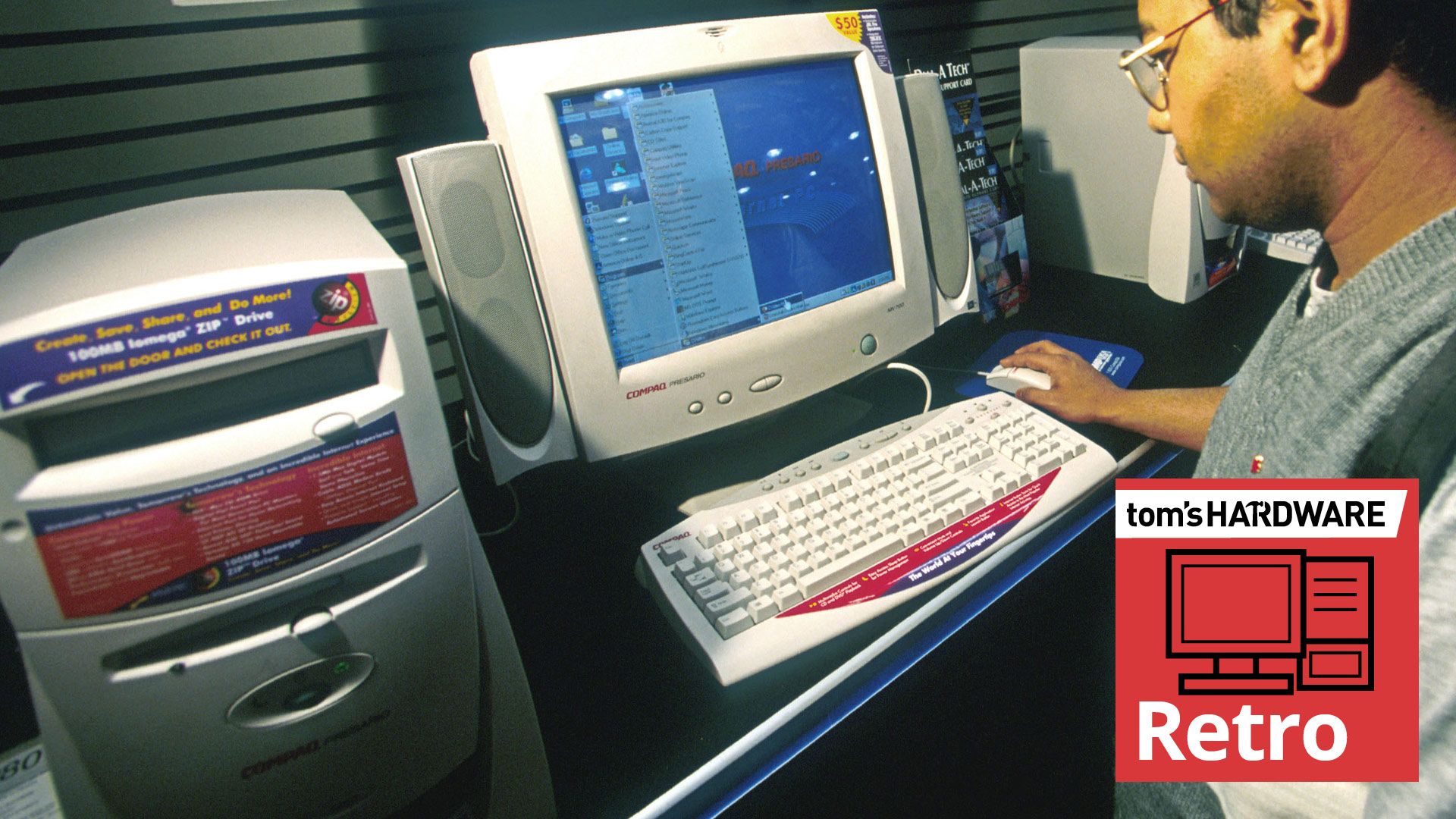
Next up, the video shows some New Yorkers (or tourists) browsing desktop machines including Compaq Presario PCs, with characteristic translucent accent faceplates – clearly inspired by the iMac. Again, we would expect these came with Celeron/Pentium III processors, or AMD Athlon/Duron chips from that era. Graphics cards in these would typically be Nvidia RIVA TNT2 or GeForce2 MX cards.

Later on, the video shows a significant amount of store space stacked with boxes for perhaps 100 Compaq Presario desktops. On one box you can see the model number ‘5WV294.’ According to our searches, that model would come with an AMD Athlon 1.0 GHz, 128MB RAM, 30-40GB HDD, an optical drive, and Nvidia GeForce2 MX or S3 Savage4 / ProSavage 3D graphics.

The video also shows Apple Mac desktops powered up next to matching monitors. Even with Apple’s serious professional desktops, by 2000 the beige era was long gone. A spec card shows that one of the Apple desktops on display is the Power Macintosh G4 Dual 500. Yes, it had twin 500 MHz G4 processors, as well as 256MB memory, a 40GB HDD, a DVD RAM drive, and a 16MB video card, costing an eye-watering $3,500. We previously mentioned the ‘iMac era’ and indeed, an in-store wall of perhaps 50 boxed iMac computers is shown later in the video.

A 21-inch ViewSonic A110 monitor displaying a demo reel with Apple monitors and Apple Macs is also featured. It is a high-end model, priced at $750. Printers appear in the video too, with various HP models boxed up. The video also shows a shelf of unboxed printers and MFPs on display, and you can see someone pondering over one. Mice, mouse mats, and a Windows Me ‘Take Me Home’ promotional in-store display also catch the cameraman’s eye.

The video ends with a scene at the checkout, and folks buying sundries and peripherals. The last customer appears to be inquiring about a mail-in rebate for an HP printer. Some things never change.

CompUSA collapsed due to competition from big box stores, the ascent of online retailers, and various managerial missteps. The store brand saw mass closures and liquidation in 2007/8, with a handful of stores kept alive by Systemax/TigerDirect. The CompUSA retail identity was finally retired in 2012.

Retro Atari VCS platform will end with the closure of its software store in February 2027

作者 Mark Tyson
2026年10月22日 19:45

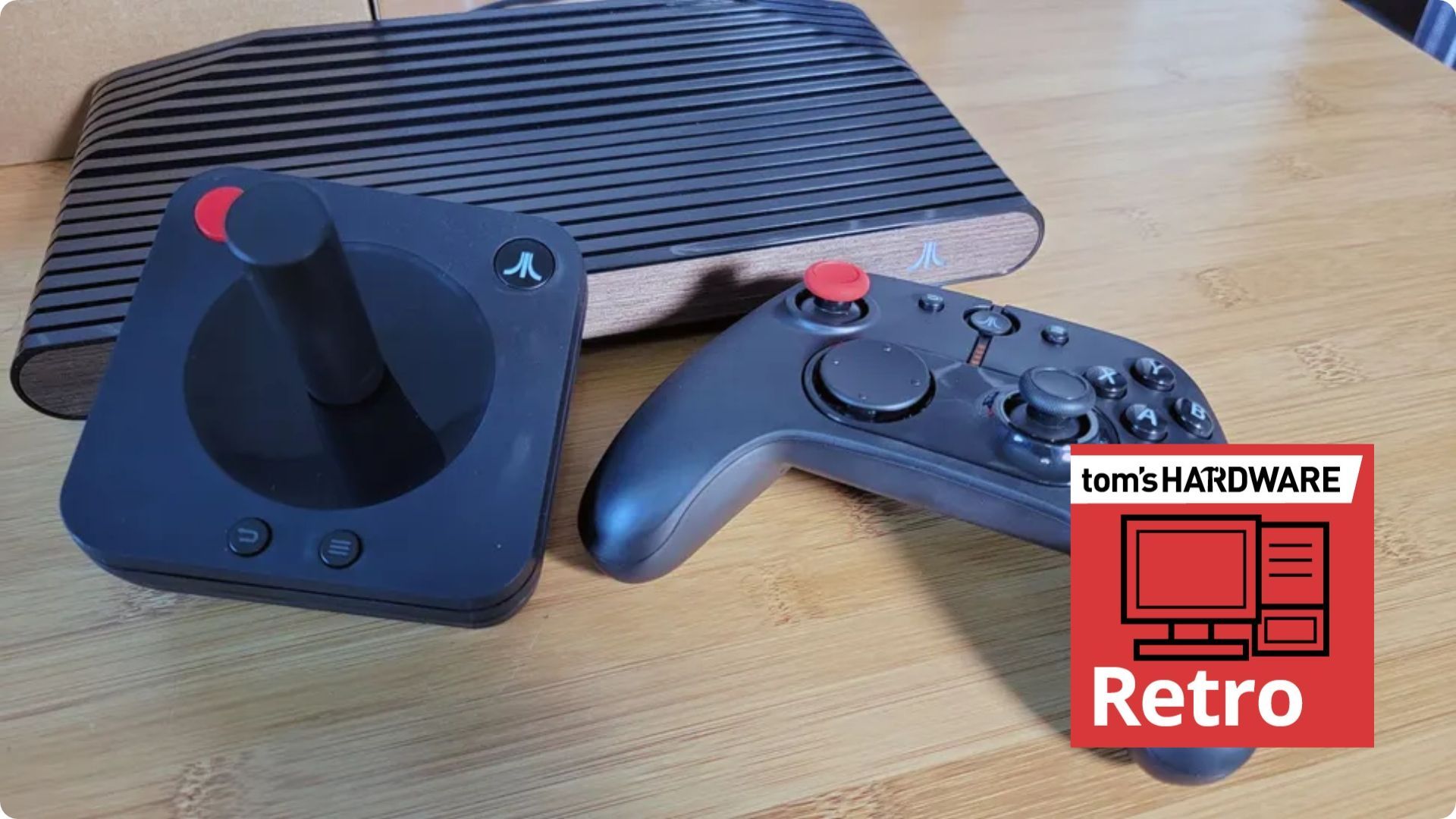
After years of delays, Atari released its reimagined hybrid VCS console-PC in mid-2021. Now the modern Linux-based AMD APU-powered device is being officially retired with the firm’s decision to shut down the Atari VCS software store early next year (scroll to the end of the page to see the October 21-dated announcement). It isn’t all bad news; the machine already had a PC mode users could take advantage of. But after the store closes, Atari says it will “make an OS update available that allows you to migrate all functionality to your local machine, removing any dependencies on Atari infrastructure for authentication and software.” All players will also get access to an Atari Homebrew App to let users build and add new games independently.

Atari announcement screenshot

(Image credit: Future)

Via the above link and the lengthier statement by the moderator of the Atari Club Discord channel, you can see a few important dates broadcast to those who still cherish their VCS machines. You will still be able to add software to your library via the official store until January 31, 2027. The store will finally be closed on February 1, 2027. Then “After the store closes, our plan is to make an OS update available that allows you to migrate all functionality to your local machine, removing any dependencies on Atari infrastructure for authentication and software,” wrote an Atari Club mod. “Once that transition is complete, we will end support for the platform.”

Importantly, the Atari Home Brew app is being pushed to all players during the above transition period. This will allow anyone to add games to their console and devs to continue to build apps for the VCS and share with the community. If this affects you, it looks like it will be worthwhile joining the Discord community for walkthroughs of OS migration and using the Homebrew app, and more.

Atari VCS
Future
Atari VCS
Tom's Hardware
Atari VCS
Tom's Hardware
Atari VCS
Tom's Hardware
Atari VCS
Tom's Hardware

What was the Atari VCS (2021)?

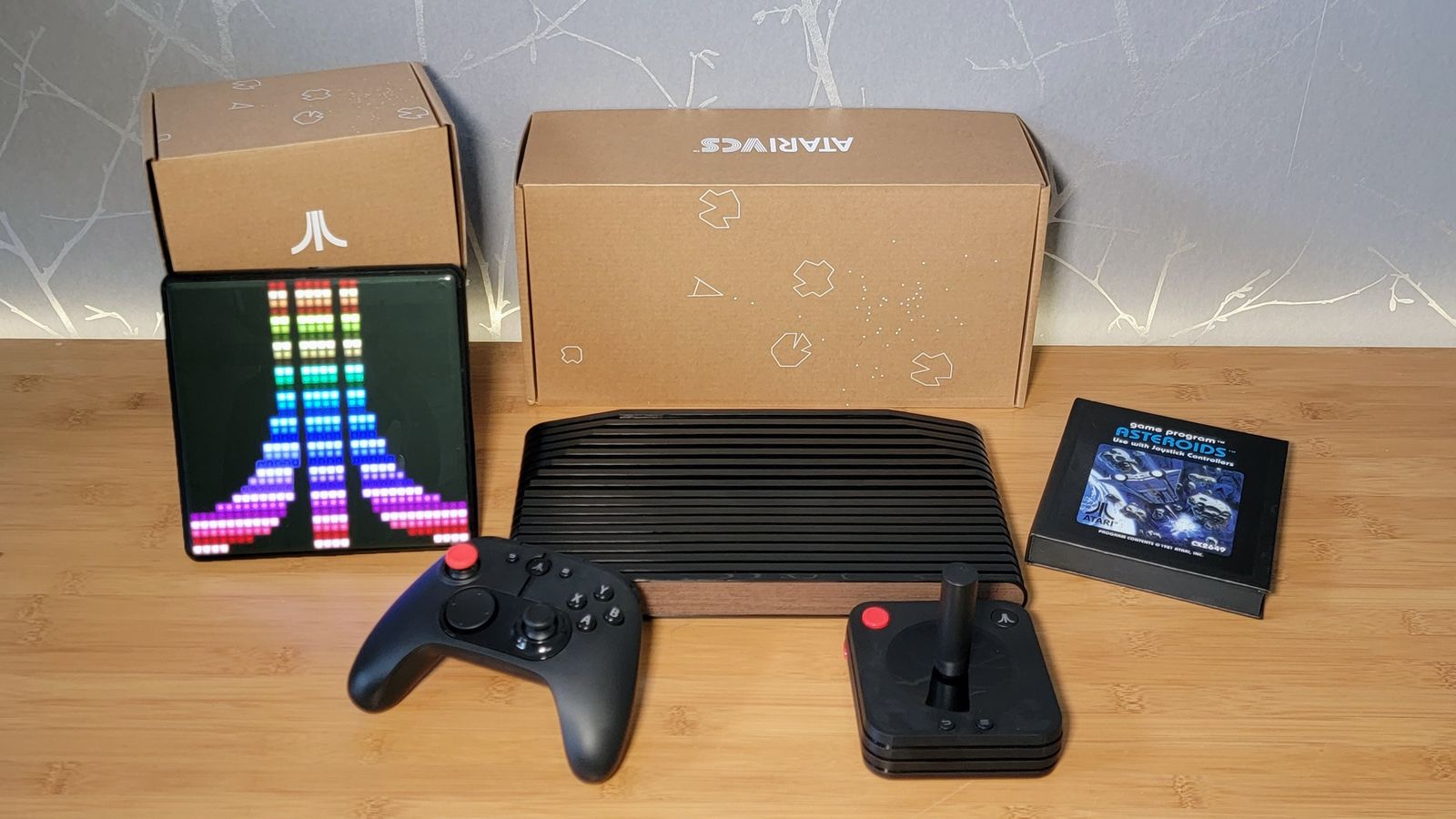
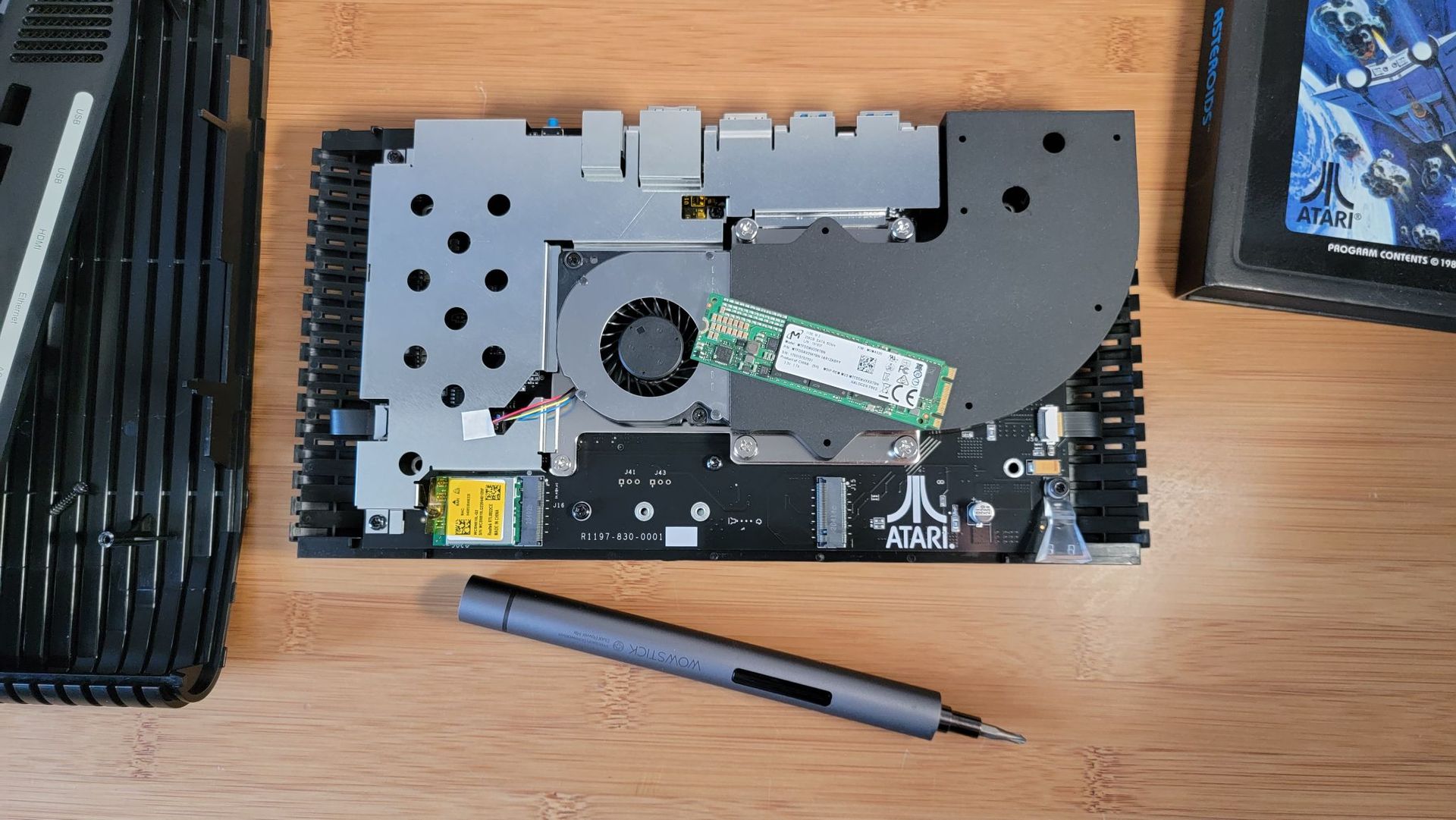
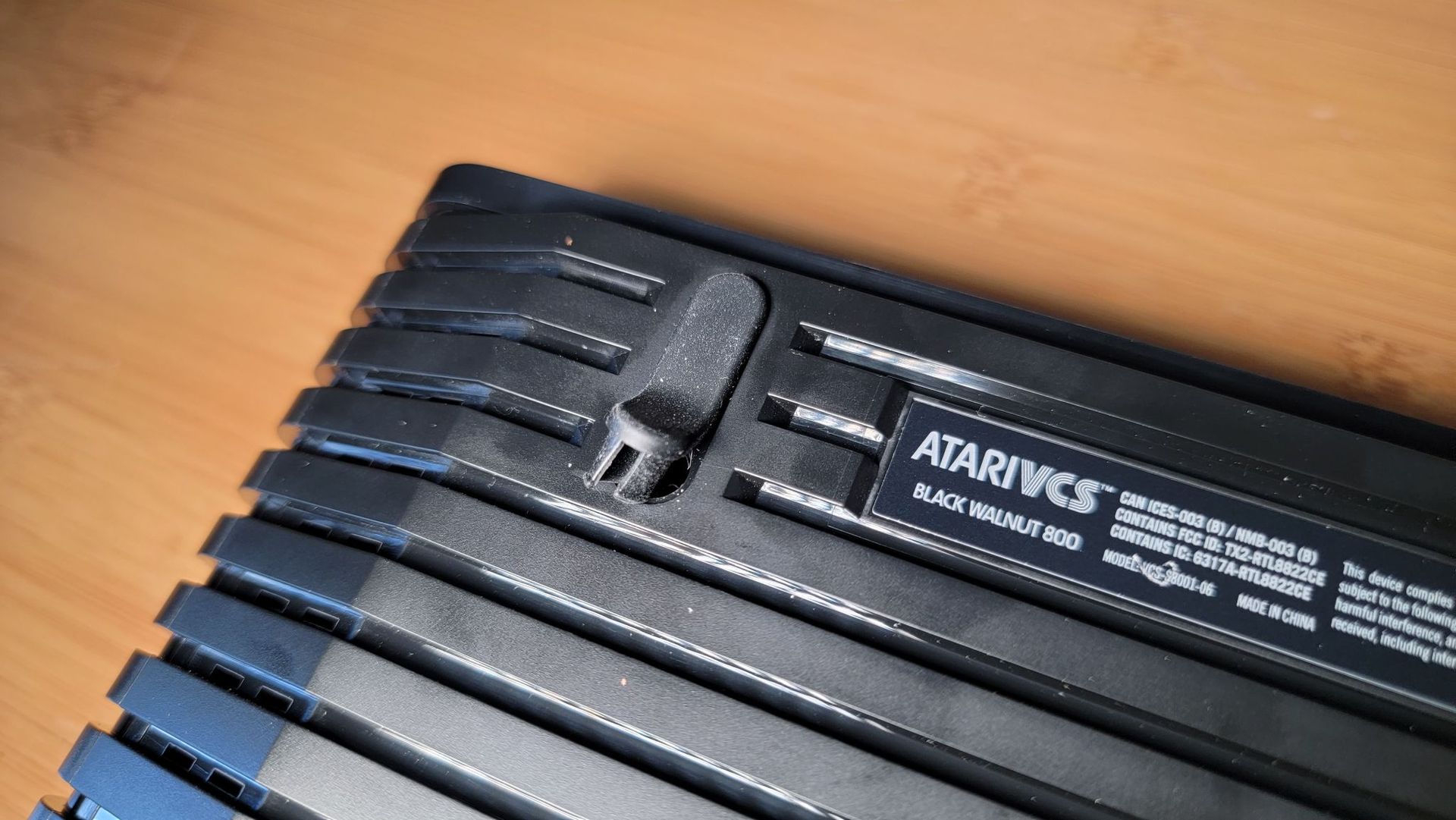
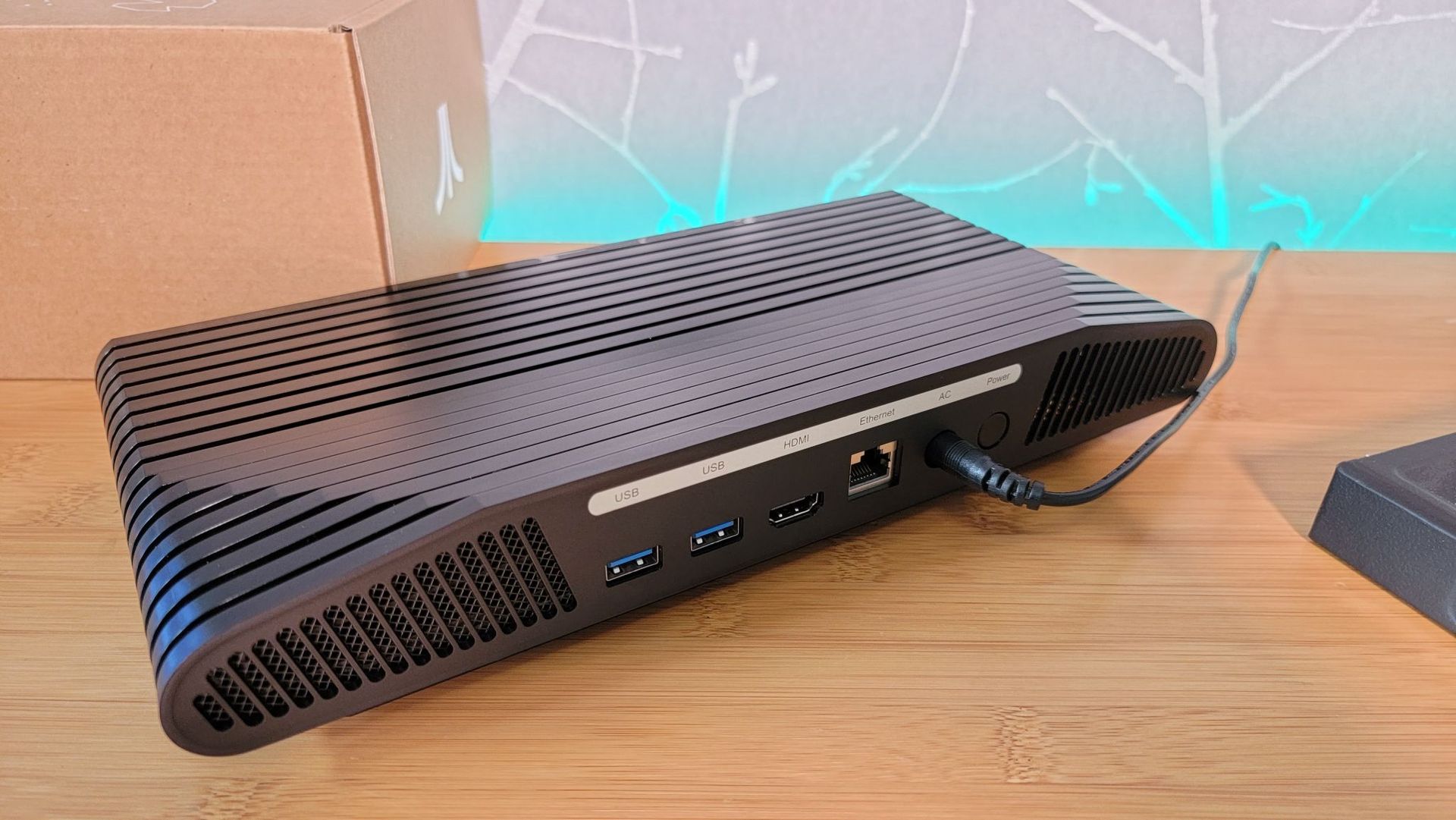
The modern VCS shared the same chassis styling as the venerable Atari 2600 (the 1977 console was originally called the Atari Video Computer System, hence VCS). However, under the hood it was a far different beast. It came packing an AMD Ryzen Embedded R1606 APU with 2C/4T CPU and Vega 3 iGPU, 8GB of DDR4 RAM, and 32GB of eMMC storage. However, both RAM and storage were upgradable. The DDR4 could be upgraded using a SODIMM, and there was an M.2 (SATA) SSD slot. Completing the hardware spec, there was also Wi-Fi 802.11 b/g/n 2.4/5GHz, Bluetooth 4.0, HDMI 2.0, Gigabit Ethernet, and 4x USB 3.1 (2x front, 2x rear).

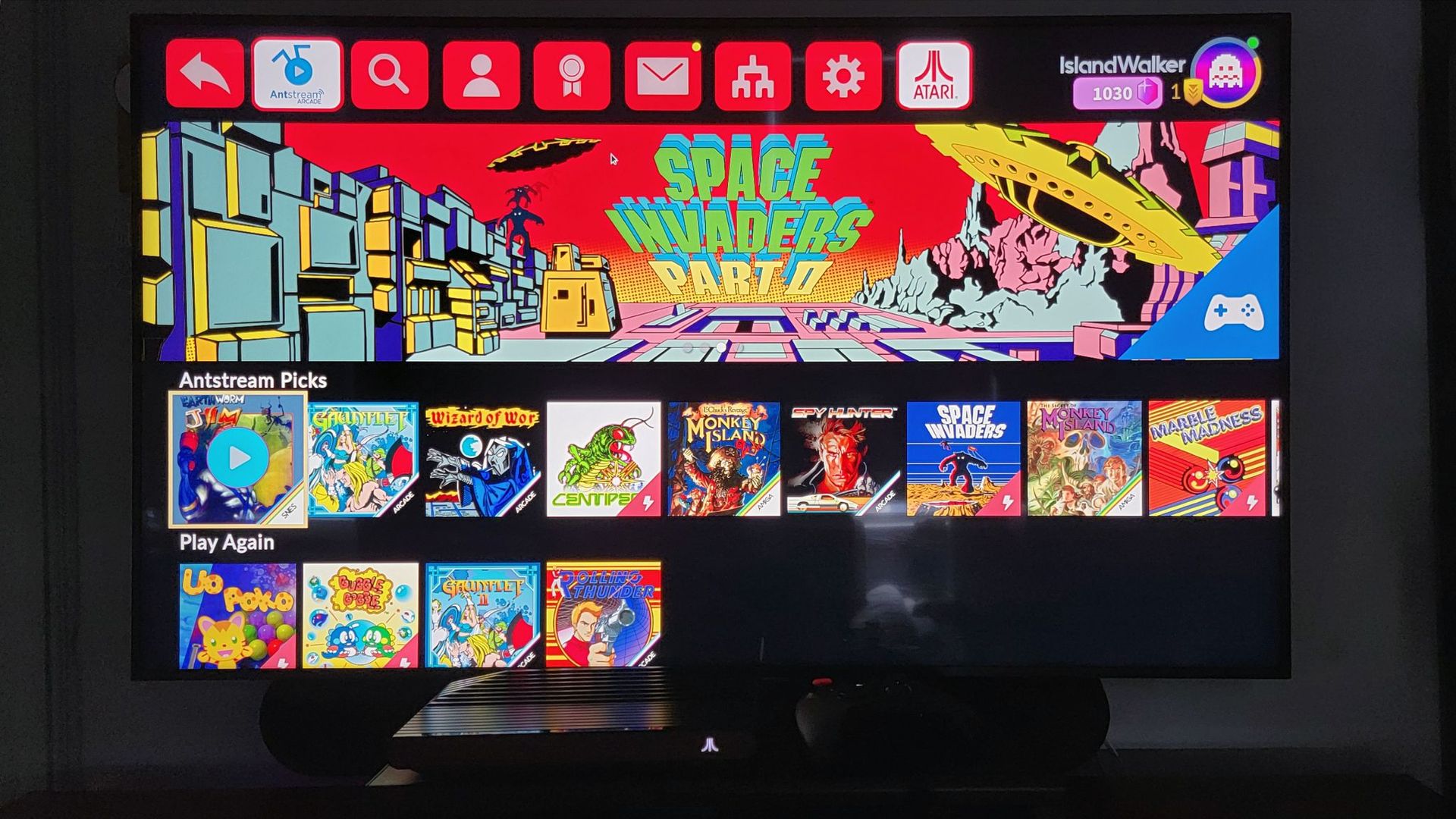
Even when it was launched, it was possible to run a mainstream OS like Linux, Windows, or Chrome OS on the VCS 2021. But Atari sold the machine with the Atari Custom Linux OS (Debian-based). This enabled a custom UI featuring 100 classic games, its retro-inspired store, and the ability to install popular streaming apps, like Netflix, Disney+, and HBO Max, among other things.

We reviewed the Atari VCS in July 2021, after it had become available to folks who weren’t crowdfunding backers. However, our editor’s nostalgia-tinted glasses were soon shattered by the price ($399), necessity for a keyboard and mouse for streaming apps, poor responsiveness, and its clunky PC mode. An unforgivably noisy fan didn’t help, either. The conclusion at the time was most would be better served by buying a budget mini PC or Raspberry Pi and making their own retro system with a joystick/controller of their choice. Even in 2026, with the component price crunch, there are still mini PC systems with far more grunt and RAM/storage pre-installed than the VCS, for under $400.

Game decompilation hub freezes leaderboard after AI turns progress into a hollow numbers game amid explosion of 'AI slop'

作者 Shane Downing
2026年10月17日 19:30

The decomp.dev community that tracks and centralizes game decompilation progress is shutting down its public index and leaderboard, claiming in a site update that the acceleration of AI has damaged the decompilation community. The creator, who goes by @encounter, points to abuses related to AI usage, such as AI helping forks “finish” others’ projects and a general attitude of rushing to complete PC ports, often with little regard to quality. Simply banning AI-assisted projects is a difficult task, as not all of them have the same standards, and @encounter feels it shouldn’t be the role of one hobbyist to decide what does and doesn’t stay on the leaderboard.

The decision was made because AI greatly speeds up decompilation “in a significant way,” especially with human guidance, but misuse of the technology has broken the community aspect. AI has made the progress percentages on decomp.dev easier to push up. As a result, the site’s index and leaderboard are now “causing more harm than good,” as the competitive spirit has been corrupted. The scene has become “a hollow numbers game” where people throw AI usage at things “to make number go up.”

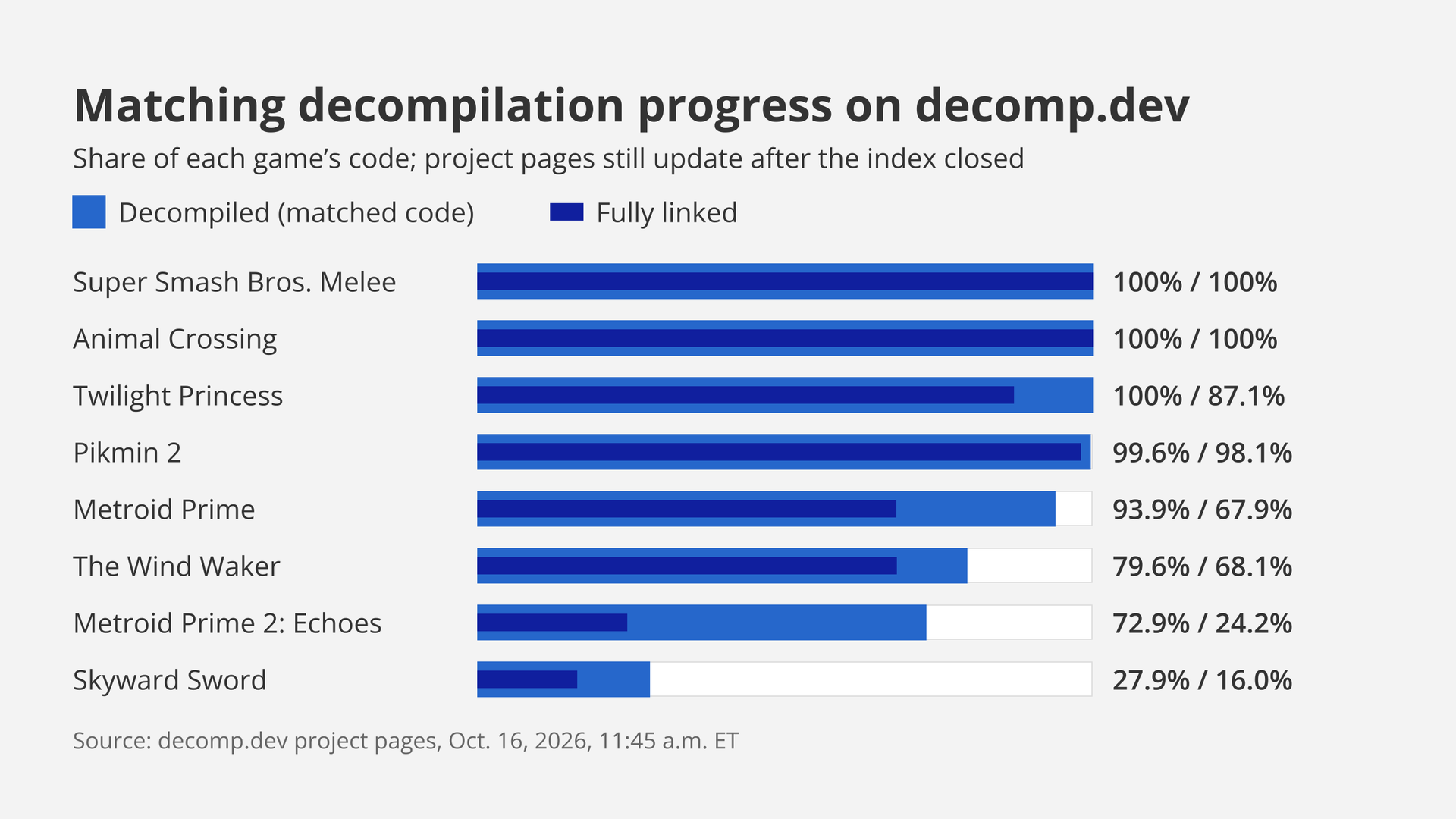
Bar chart of matching decompilation progress on decomp.dev on Oct. 16, 2026: Super Smash Bros. Melee and Animal Crossing at 100% decompiled and fully linked, down to Skyward Sword at 27.9% and 16.0%.

(Image credit: Future)

The site was created in 2024 “as a way to centralize matching decompilation progress” and to grow a community around it. Each project page shows game progress with its history. The goal of matching decompilation is to have hand-written source code that could compile back to the same machine code as the original game. The site’s creator is a GitHub maintainer of decomp-toolkit, a GameCube and Wii decompilation toolkit, and objdiff, a local diffing tool for decompilation projects.

Matching decompilation used to be a “brutally difficult, time consuming [sic] task,” taking years for many games. Better tools and community knowledge sped up the progress. AI worked its way in through the years, but results were generally mixed. Things changed earlier this year with Claude Opus 4.6 and GPT-5.4, which seemed to know the community’s tools without being told; encounter writes that it was “clear that the models were being trained on matching decompilation.” However, the models’ results still needed “a significant amount of human cleanup,” and the cost per task was “prohibitively expensive relative to the results.”

More recent models, with OpenAI’s GPT-6 Astra specifically named, are much better at handling complex directions and at writing natural code and are “exceptionally good permuters.” The models can stay on task longer, finish tasks more quickly, and in general operate more cheaply. However, applying the models without guidance means that the code can compile to the same machine code but wouldn’t pass as the original developers’ work. Humans learning to apply the technology better is a pattern in this space, as Maurice Heumann’s Modern Warfare 2 decompilation project showed; in that case, Heumann’s agents tried to cheat the byte-for-byte check itself, but then Heumann adapted.

The projects, which are open source and welcome contributors, have been tainted by “bad actors” who abuse that openness. Some original projects avoid AI for legal or ethical reasons, and AI forks may put “little to no effort” into contributing back. Because AI has improved, anyone with an AI subscription can now create ports that work “at a basic level,” using tools “written by talented humans.” This allows opportunists to race out half-working decompilation ports. Ports can be fun, but decompilation is “primarily for research,” and the creator calls out YouTubers, dubbed “Sloptubers,” and subreddits like r/decomps for falsely synonymizing “decomp” and “PC port.”

The site was originally built “to gamify decompilation,” a fun way to stay motivated back when “every fraction of a percent took real human effort.” While the widening of the community has had positive aspects, it has also brought “slop,” which is admittedly “hard to define, and even harder to moderate,” so an outright ban on AI-assisted projects isn’t practical. Judging and policing “hundreds of projects” is too difficult a task. AI-generated code has made headlines in other open source areas, such as with Linux.

Existing projects, some of which have achieved 100% decompilation progress, such as Super Smash Bros. Melee and Animal Crossing, will keep on reporting, and their pages and history will remain. However, no new projects may join, and nobody may rebuild the site from its code. There is no successor named, and no shutdown date. Decompiling goes on, and AI is making it even faster, but the percentage scoreboard is gone.

Modder finishes nine-year Xbox 360 voltage glitch mod with a $4 microcontroller, cracks the console open

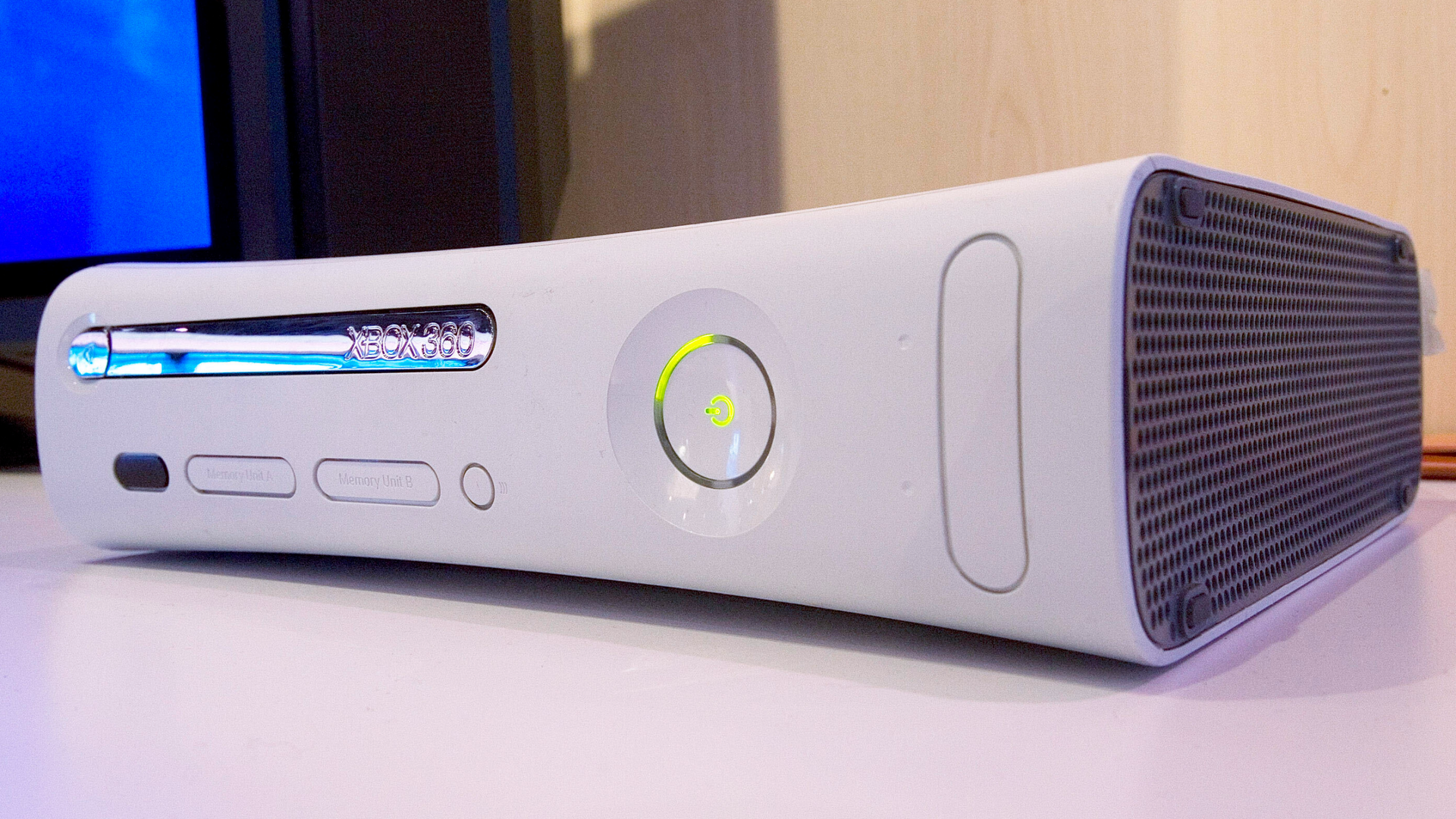
The Xbox 360 has been cracked open multiple times over the years, and almost every time Microsoft's updates plugged whichever hole let hackers through. The first method was modded DVD firmware in 2006, a hypervisor hack followed in 2007, and a wiring hack exposing JTAG debugging ports was revealed in 2009. The longest-lasting physical hack was 2011's CPU force-reset exploit. That maneuver needed specialized hardware along with a voltage-glitching chip, but an enterprising techie showed how it can be performed nowadays with the assistance of a Raspberry Pi Pico, costing all of $4 (or about 5€ / £5). The crack marks the culmination of a nine-year effort by the modder.

To get the elephant out of the room, yes, just last week the PeerPressure Xbox 360 persistent soft-mod was released. But we're here to talk signals and wires. The aforementioned reset exploit involves sending a teeny weeny tiny signal directly into the CPU's reset pin. You'd think this would do what it says on the label, but what happens instead is that the CPU executes the current instruction incorrectly.

Naturally, someone figured out how to leverage that to run any code on the CPU, thus completely bypassing Microsoft's impressive and frankly rather effective layers of cryptography within the console. Sending said signal for an effective hack, though, requires spectacularly precise timing with a resolution down to nanoseconds, and glitch-chips may even require several attempts to get a successful "latch."

Joshua Kennedy, a Scottish hacker, bought a Matrix Coolrunner Rev D modchip board back in 2017 to hack his console this way, but it required soldering wires, NAND, and programmers, and patience. He once tried rolling his own programmers using an old PC's parallel port (a common substitute), but never got the project off the ground and shelved the idea.

Fast-forward to 2026, and a new tool presented itself: the highly successful Raspberry Pi Pico, a highly capable microcontroller-on-a-stick, whose price starts at all of $4. Armed with this, he started the procedure. He connected the Pi Pico to the NAND interface header on the console to be able to dump the console's NAND flash firmware — a task easily accomplished with just some wiring and the PicoFlasher utility. Although the post doesn't mention it, Kennedy likely took the NAND data, patched it with XeLL, and reuploaded it.

He moved on to download Octal450's Timing Files, a set of mini-programs triggering the glitch chip at the best possible timing to try and reset the CPU. These are necessary because the window of opportunity is different across every hardware revision of the Xbox 360. Enlisting the Pi Pico once again, he uploaded the timing files to the Matrix Coolrunner, and presumably ran the rest of the hack process. And thus the task was complete, and "a project that defeated [Kennedy] in 2017 was made trivial in 2026 by a £5 microcontroller."

Programmer ports Super Mario 64 to Microsoft’s Zune HD media player

作者 Shane Downing
2026年10月11日 20:30

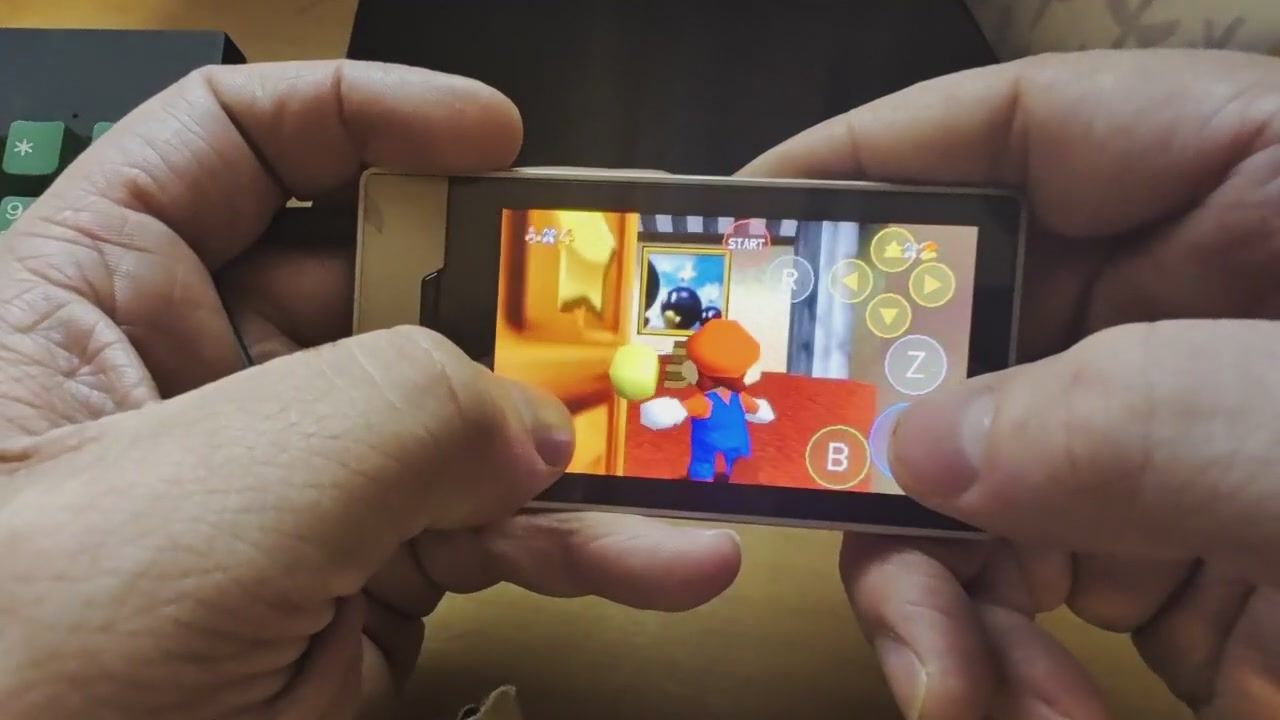
The Nintendo 64 game Super Mario 64 has come to the Microsoft Zune HD, Hackaday reports, through a project that runs natively on the device’s hardware through the unofficial OpenZDK kit, per the repo’s README. A touchscreen controller overlay is drawn over the game’s video, and the game “plays (mostly) at full speed with sound, touch controls and saves,” from the rsheldiii repo, although no ROM is included and one dumped from your own cartridge is required. The Zune HD, a 2009-era media player that rivaled Apple’s iPod, has Nvidia Tegra hardware inside, and the project is built on sm64ex, a fork of the unofficial, decompiled Super Mario 64 PC port.

The Zune HD, part of our 2009 gift guide, was marketed as having a “3.3-inch glass screen” using OLED and touchscreen technology, from Microsoft’s media alert at the time, with Tegra providing the “multimedia muscle,” according to an Nvidia release. The unit was originally priced between $219.99 and $289.99, depending on capacity, and uses the Nvidia Tegra APX 2600 chip. The operating system is Windows CE-based, with third-party games going through Microsoft’s XNA. The Zune was short-lived, with Microsoft halting production in 2011, but an exploit led to OpenZDK coming out that allowed for homebrew.

The implementation depends on native ARM code on top of the Zune HD’s OS, using OpenZDK. The device’s firmware is not modified, but the port, according to the developer, should only be used “at your own risk,” a standard disclaimer. It leverages an OpenGL ES 2 renderer derived from Fast3D with prebuilt shader variants, using Nvidia’s cgc and shaderfix tools, because the Zune’s graphics driver can’t compile OpenGL Shading Language (GLSL) shaders. Blending is compiled into the fragment shaders as well, since the GPU lacks fixed-function blending hardware. These workarounds are what make the project interesting.

The game’s logic runs at 30 ticks a second, but some lag is present when the Zune is unable to keep up. There is also no official FPS number. The game renders at 480x272 in landscape, with the device rotated to match. The audio synthesis runs on its own thread at a higher priority than the game, so it is not impacted by a slower frame rate. The touch control overlay provides a facsimile analog stick as well as the A, B, Z, R, four C, and Start buttons, with customizability for button style and opacity.

The project itself relies on a Super Mario 64 decompilation effort completed by fans in 2019, with a C source that rebuilds a matching ROM. The decompilation doesn’t include all of the game’s assets, and extraction requires a copy of the game. The ROM is read on the PC during the build, and the finished game can later be moved over to the device through USB. The build runs on Docker in Linux, so no Windows PC is required. The repo has no releases, and the port, which applies 14 patches to a pinned version of sm64ex, has only been tested on firmware 4.5.

The full PC port arrived in May 2020, of which sm64ex is a fork with extra features, such as mouse look and a cheats menu. Nintendo’s legal representatives responded quickly, targeting “sites hosting the compiled version of the Mario 64 PC port” and at least one gameplay video, Video Games Chronicle reported. However, a number of ports have found their way out for the 3DS, Wii U, PS2, PlayStation and PS Vita, Dreamcast, Nintendo DS and DSi, the web, and now the Zune HD.

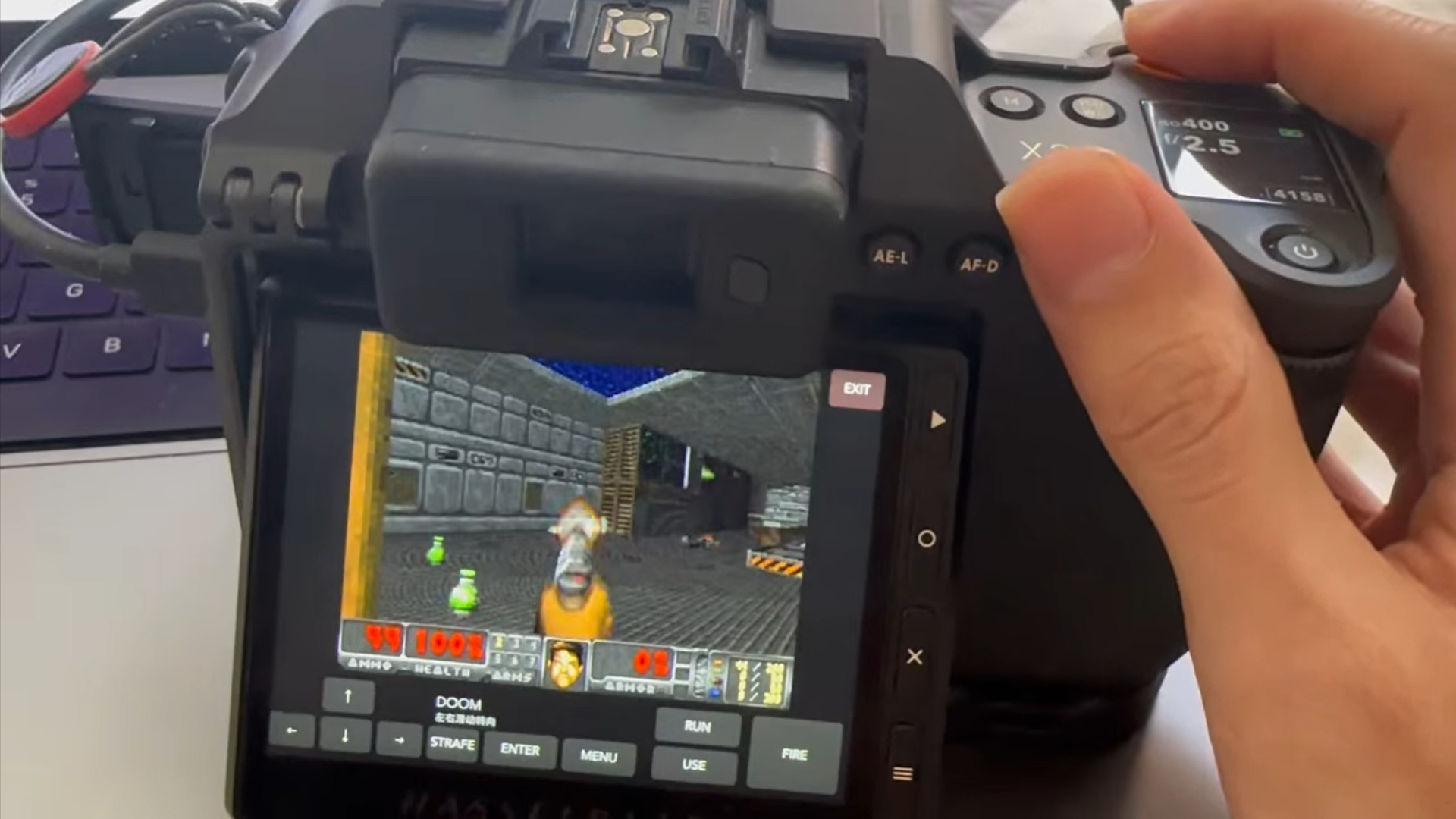
The project shows what could have been on the Zune HD had Microsoft been less restrictive with development. Ports are nothing new, but the number has been increasing lately, potentially due to the wider availability of powerful AI tools; the repo’s first commit ends “Co-Authored-By: Claude Opus 5.5,” so AI was used at least in part. An example of something different is a decent Doom port to an $8,000 Hasselblad X2D camera, born from firmware research, showing there are multiple pathways to the same goal.

The Atari 800XL returns with a 'faithful' but modern Retro Games Ltd redesign

作者 Mark Tyson
2026年10月9日 00:37

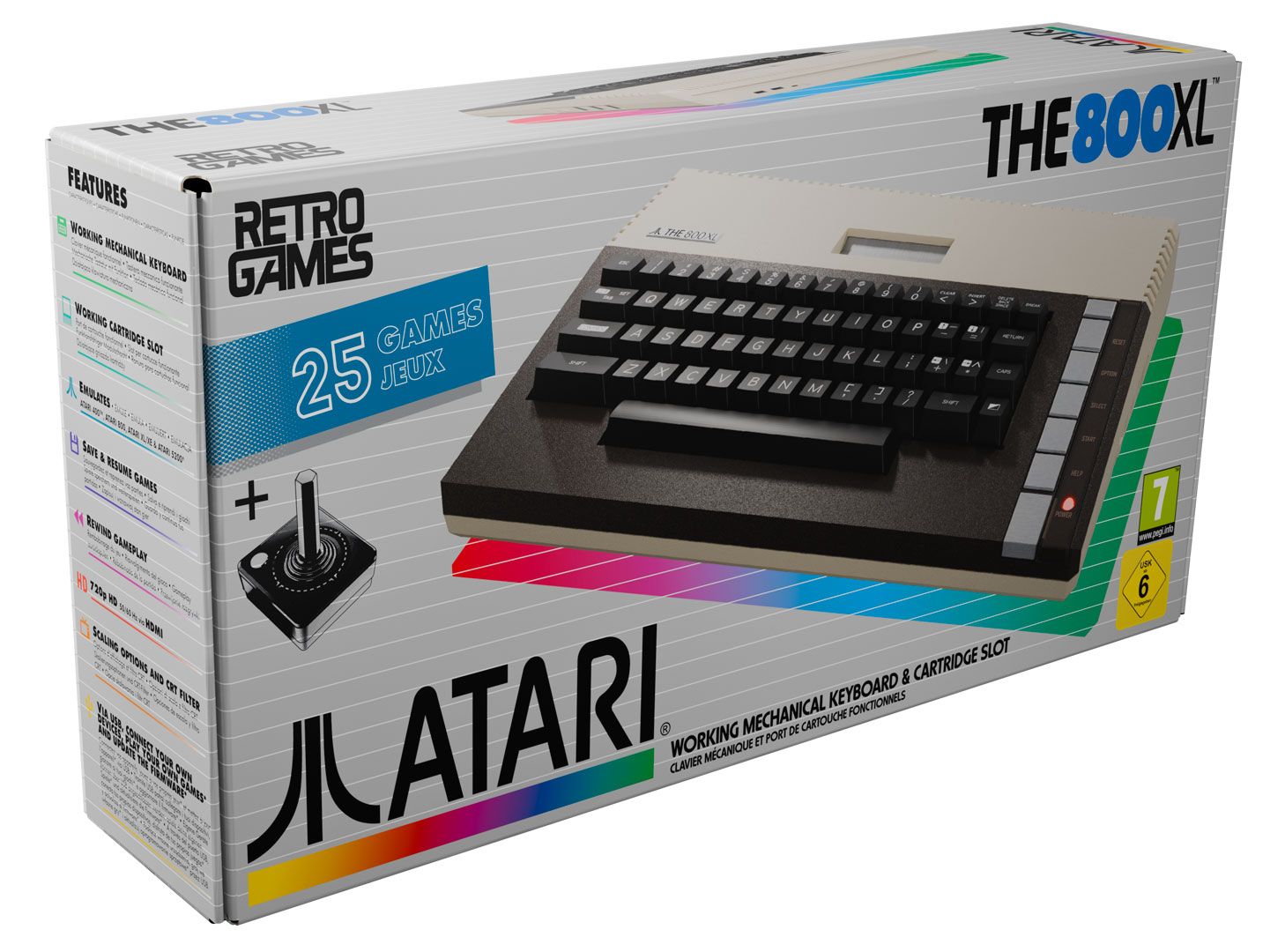
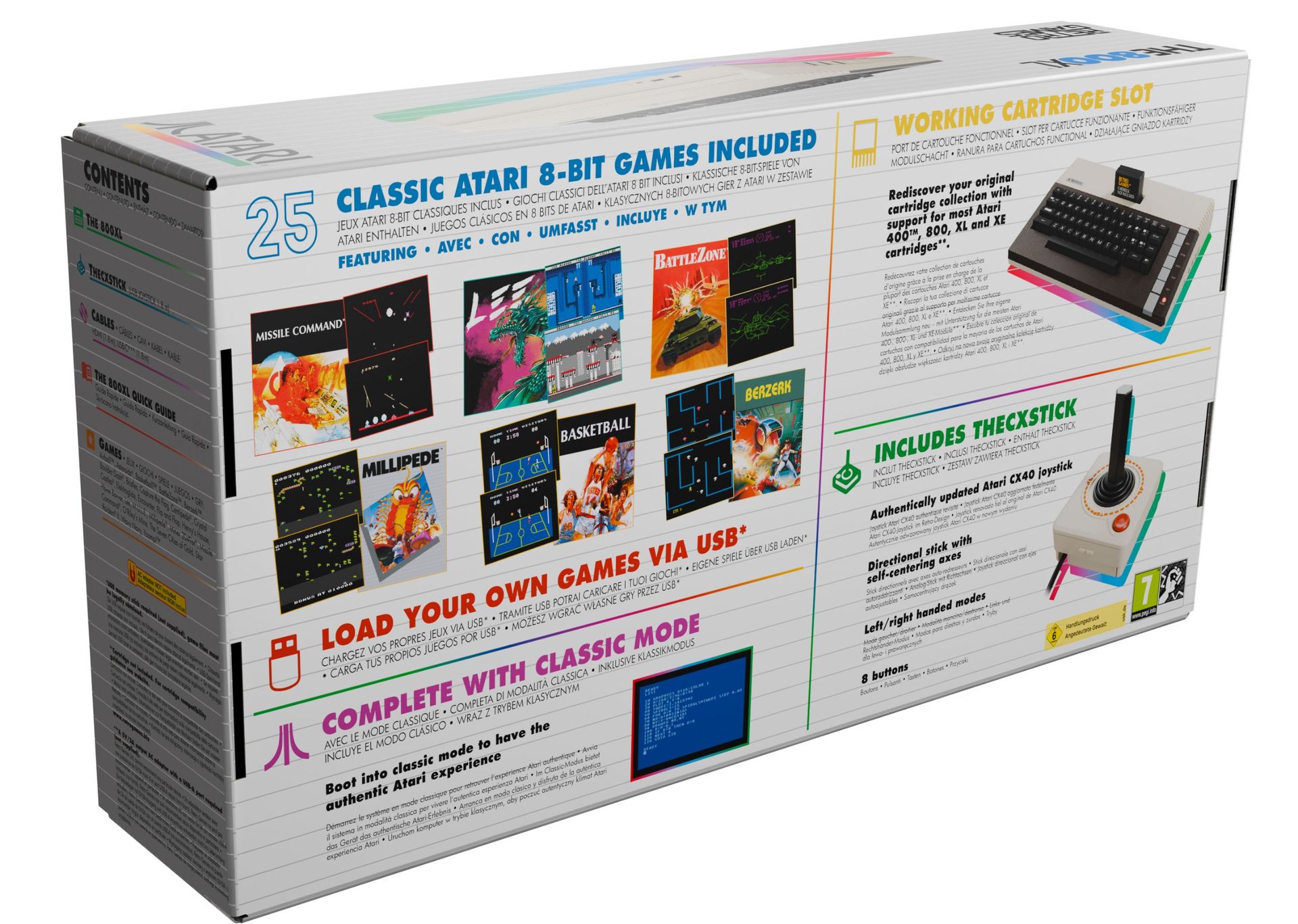
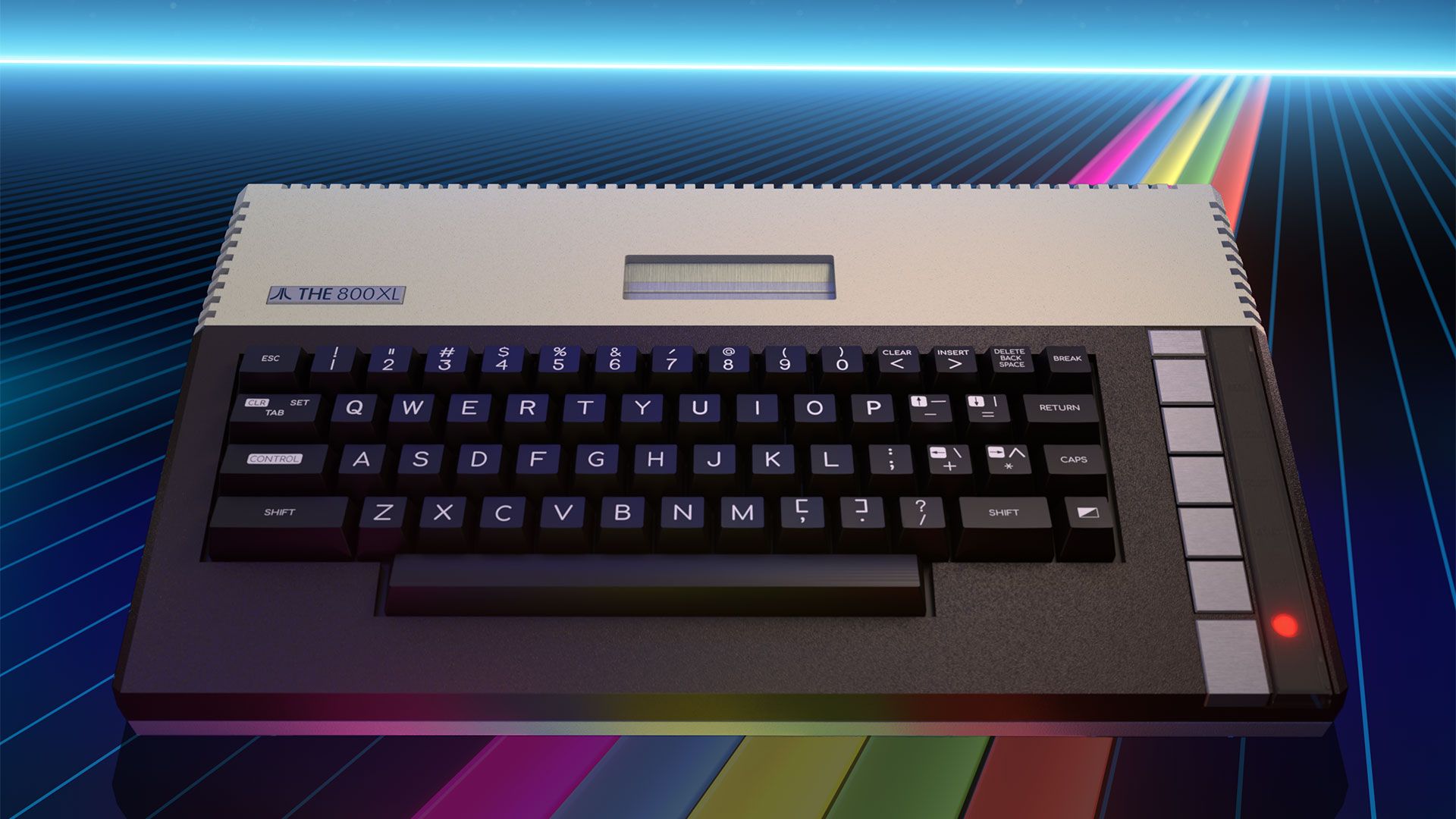
Pre-orders for the Atari-licensed THE 800XL began today. This is a modernized yet claimed-to-be-faithful recreation of the classic 8-bit home computer, popular in the early 1980s. While it comes with era-appropriate features like built-in Atari BASIC and a working cartridge slot, this remake should be elevated by its mechanical keyboard, 25 built-in games, save states, quartet of USB ports (controllers, storage, power), and HDMI connectivity. Sadly, Atari / Plaion / Retro Games Ltd has stuck with the glaringly unergonomic CX40 joystick design for the bundled THECXSTICK, guaranteed to leave a lasting impression on your palm's tendons. THE 800XL’s pre-order price is a rather steep $219, and it isn’t going to ship until April 23, 2027.

“What I love most about THE 800XL is that it captures an entire way of experiencing technology,” said Namer Merli, the Senior Product Marketing Manager at Plaion. “Real keys, real cartridges, a proper joystick, BASIC programming, games, secrets and discovery.” Indeed, it does these things, with enough modern niceties (USB, HDMI, built-in game, etc.) to make it both accessible to newbies and appealing to Atari 8-bit computer veterans still maintaining ancient hardware.

Overall, the design appears to maintain the look and feel of the original, though we’d need to test it to confirm feelings about the build. Purchasers will also likely appreciate the immediate power-up-and-play capabilities of this recreation. There’s an instant software library, built in, and among the games I can see is Star Raiders II - the Atari 8-bit computer ‘killer app’ sequel. Of course you get versions of some Atari arcade/console classics too, like Asteroids, Centipede, Battlezone, and Missile Command. As well as the 25 instantly accessible games, there are two more - Castle Crisis and Super Breakout – that are only unlocked when you plug in an analog controller (not included).

Built-in games

Airball, Asteroids, Basketball, BattleZone, Berzerk, Boulder Dash, Bristles, Capture the Flag, Centipede, Crystal Castles, Elektraglide, Encounter, Flip and Flop, Henry’s House, Hover Bovver, Lee, M.U.L.E., Millipede, Miner 2049er, Missile Command, O’Riley’s Mine, The Seven Cities of Gold, Star Raiders II, Wavy Navy and Yoomp!

With its cartridge port, obviously the new 800XL can use a range of cartridges that also worked with the original. Specifically, the product page mentions that “most Atari 400, 800, XL, and XE cartridges” are supported by the new system.

The original Atari 800XL was powered by the MOS Technology 6502B processor, supported by Atari's custom ANTIC, GTIA, and POKEY chips, which handled graphics, sound, and input duties to raise the audio-visual abilities of this machine up a peg or two. This predecessor to the Atari ST 16-bit home computer shipped with 64KB of RAM. We don’t have any technical details about the hardware/software in THE 800XL.

Specifications:

  • Faithful design features a working cartridge slot and full-size mechanical keyboard.
  • 25 built-in games, including Centipede, Missile Command, M.U.L.E., and Battlezone.
  • The cartridge slot supports most Atari 400, 800, XL, and XE cartridges.
  • Also features support for software created for 8-bit computers and the Atari 5200 console.
  • Load your own games and software from USB flash drives with cartridge, disk and cassette image support.
  • 4 save slots per game.
  • Rewind feature allows you to skip back up to 40 seconds.
  • Built-in Atari BASIC.
  • HDMI output with PAL (50Hz) and NTSC (60Hz) support, authentic 4:3 and pixel-perfect display modes, plus optional CRT filters.
  • Choice of 12 display frames.
  • Includes updated THECXSTICK, a modern recreation of the joystick with eight buttons.
  • Connect additional controllers and USB storage devices via four USB-A ports.
Atari THE 800XL
Atari
Atari THE 800XL
Atari

The original Atari 800XL launched in November 1993 at $299 in the U.S. and £249 in the UK, so enthusiasts could get them under the TV for Christmas. The revamped model is available for pre-order now for USD $219.99, GBP £199.99, EUR €219.99, and AUD $349.99.

Researcher ports Doom to $8,000 Hasselblad X2D

An independent camera researcher experimenting with the firmware for expensive camera brands like Hasselblad and Ricoh just built software that lets photographers play Doom directly on the X2D. This feature is part of the Hasselblad-X-System-CIM-Firmware-Research-Feature-Extensions repository on GitHub, which also experiments with capabilities that factory units don’t come with. The creator, Radium Wang, says that this only contains source code, offline tools, tests, and sanitized research findings, and it seems that it’s not meant to “level up” the expensive camera.

Doom running on a Hasselblad X2D.
 from r/hasselblad

This isn’t the first time that someone installed Doom on a camera, as we saw another GitHub programmer do the same on the other end of the price spectrum a couple of months ago. That project brought the game to an entry-level DSLR from 2010 with an 18-megapixel sensor. This makes that camera the polar opposite of the Hasselblad X2D series, which costs thousands of dollars and is designed for professional photographers with its 100-megapixel resolution. Both projects highlight just how powerful embedded systems have become, to the point where even digital cameras can now run a complete game.

When id Software launched the game in 1993, its minimum system requirements were an Intel 386 processor, 4 MB RAM, and a VGA graphics card. These requirements often meant a desktop PC that looked like this Retro95 beige PC from Maingear, with its massive footprint and accompanying 13-inch CRT monitor. However, technological advances have made it so that even the most unlikely gadgets are now capable of running the landmark FPS title. In fact, “Can it run Doom?” has now become a meme and a running joke among tech enthusiasts, with programmers taking up the challenge of porting the game to the weirdest of devices. Some of the weirder examples that we’ve seen recently include an electric cooking pot, an orbiting satellite from the European Space Agency, and even an Apple Lightning-to-HDMI dongle.

Playing Doom on a tiny 3.6-inch touchscreen isn’t exactly fun, especially as the medium-format camera form factor does not lend well to gaming. However, gaming on cameras isn’t actually the point of this and other similar projects; instead, it’s the achievement of making something run somewhere unexpected. Now, if you happen to have an extra Hasselblad lying around in your house and don’t mind experimenting on your expensive equipment, you can take part in the joke by downloading this repo and following Wang’s instructions to reproduce the “research.”

Madlad applies DLSS 5 to the original Duke Nukem and Pong

Nvidia's highly advanced DLSS 5 photographic realism injector has been discussed to death and back. The internet has largely made peace with what the technology is and what it isn't, but that's not stopping anyone from adding DLSS 5 in places where it definitely wasn't meant to go: old DOS games like the original 1991 Duke Nukem, and even the 1972 Pong.

Valery Kryzhanovsky is the man who embarked on a mission to use the tech with old games, and the results are visible on his YouTube channel. His testing comprises most every type of game ranging from 2D platformers and RPGs, up to contemporary titles like The Witcher 3 and Marvel's Spider-.Man. If you want to try your hand at the same activity, he provides a blog post with instructions and some downloadables.

As you can see in the video below, Duke Nukem's gameplay actually looks interesting in parts, despite the amusing intro sections with race-changed characters. In the actual platforming, rectangular visual elements get embossed, adding a sense of depth, and the filter does a decent job of detecting objects like the player, enemies, and bullets, and not messing too much with inner portions of said sprites. Predictably, if the filter is applied too strongly, the results quickly start looking like an acid trip.

To inject the filter into 2D titles, Kryzhanovsky ran them in DOSBox, then used the popular ReShade filter to add DLSS 5 on top. The UI for configuring the parameters comes by way of RenoDX.

In a second blog post detailing what's happening and how, Kryzhanovsky explains that since DLSS 5 was never meant to be used on 2D static images or dumped into unsuspecting 3D titles — thus without motion vectors, object selection, and associated sundries that would inform it — it's important to choose at which rendering level it's injected: the render stage, after upscaling, or final output.

The injection point is as important as choosing the strength of the filter, which of the three color presets to use, or the number of passes. The techie notes that, for example, injecting DLSS 5 at the render stage in a 3D game changes actual face geometry, as he came to find when trying out RBDOOM-3-BFG.

Kryzhanovsky concludes that force-injected DLSS 5 works best with still images, a fact illustrated by the surprisingly consistent results he got with Heroes of Might and Magic. He believes the technology is promising but quite undercooked, and the lack of a temporal element (it only analyzes the one current frame) is currently one of its key drawbacks.

Doom and Super Mario Bros converted into a VHS tape FMV game

作者 Mark Tyson
2026年10月6日 18:00

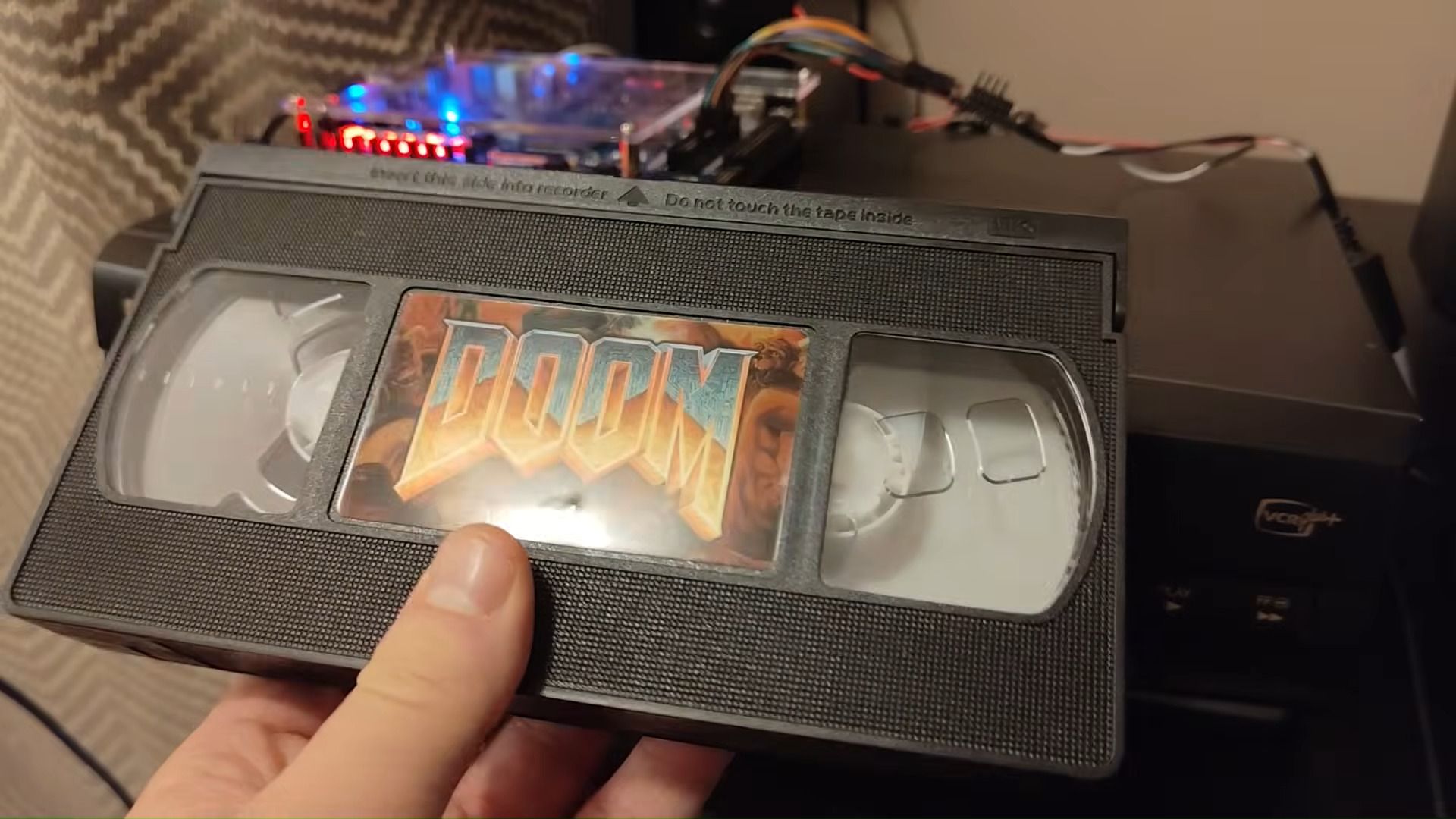
A TechTuber, disappointed with a 1980s VHS tape-based gaming video console, decided to brew up a superior system backed by modern tech such as a DE1-SoC FPGA board and a Raspberry Pi RP2350 MCU. The video below documents Throaty Mumbo’s frustrations with the old ActionMax (1987) VHS-connected system and his progress in building a modern VHS-based FMV-enhanced gaming system that plays versions of Super Mario Bros. and Doom.

NSFW alert. Video includes frequent swearing.

Mumbo, a self-described “weird and impractical tech” lover, begins the video by tinkering with an ancient VHS-based entertainment system which, after much effort in setting up, is ultimately disappointing. The interactivity on offer using the ActionMax and its peripherals is so limited and imprecise that it is a clear dud, and though it sounds fun, it truly lacks novelty in 2026. However, the ActionMax wrangling time wasn’t wasted, as it inspired Mumbo to remake a VHS-video gaming system augmented by some of the widely accessible modern maker tech that is available nowadays.

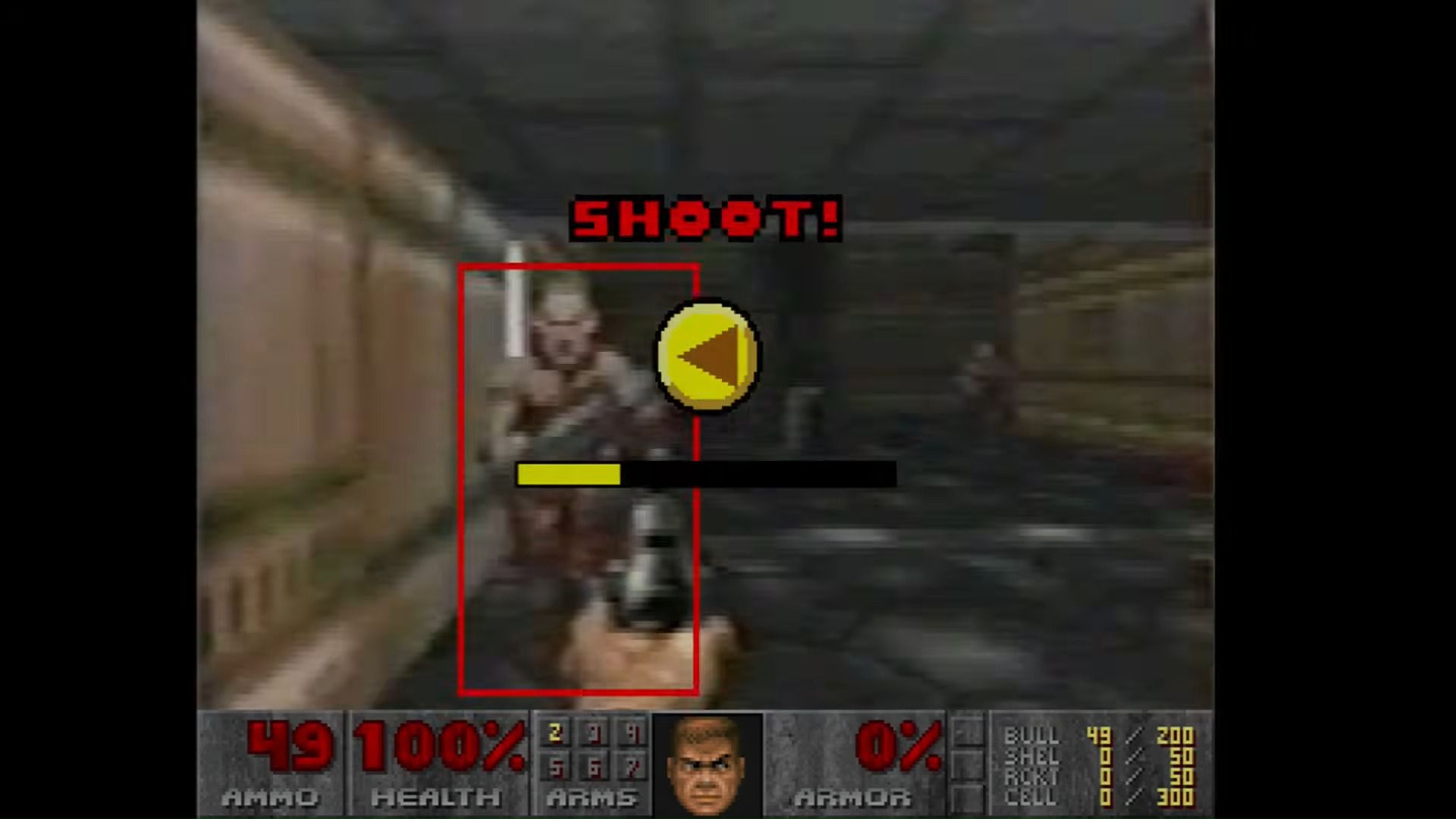
On the journey, we learn how the old ActionMax worked and how an FPGA-powered SBC improves the VHS 'gaming' experience. At its heart, as demonstrated in the Doom version on the system, the FPGA powers overlay graphics and switches to one of eight simultaneous video streams being played by the VHS deck. In every new scene, your timely interaction selects another of the eight streams. Meanwhile, a counter tallies your timely pressing of the correct button on the controller and keeps score. This on-rails game is nothing like the original Doom in terms of gameplay but feels close in the audio/visual department.

An FPGA-driven FMV-interactive version of Doom

Press controller left to shoot before the timer bar hits zero. (Image credit: Throaty Mumbo)

The version of Super Mario Bros. offers a different take on FMV in games. Here, the SBC plays a faithful-looking version of the Nintendo classic, but the game backdrop is replaced by some snazzy VHS-taped imagery. I think a similar technique was sometimes used in early CD-ROM games to raise their visual appeal above the standard computer or console version of the game upon which they were based.

Mumbo was last seen on Tom’s Hardware running Sega games off vinyl records. This was a pretty straightforward adaptation of how software used to be loaded from a cassette on a wide range of retro computers.

PS3 emulator devs warn of fake Blu-ray drives on Newegg and AliExpress

作者 Mark Tyson
2026年10月1日 20:30

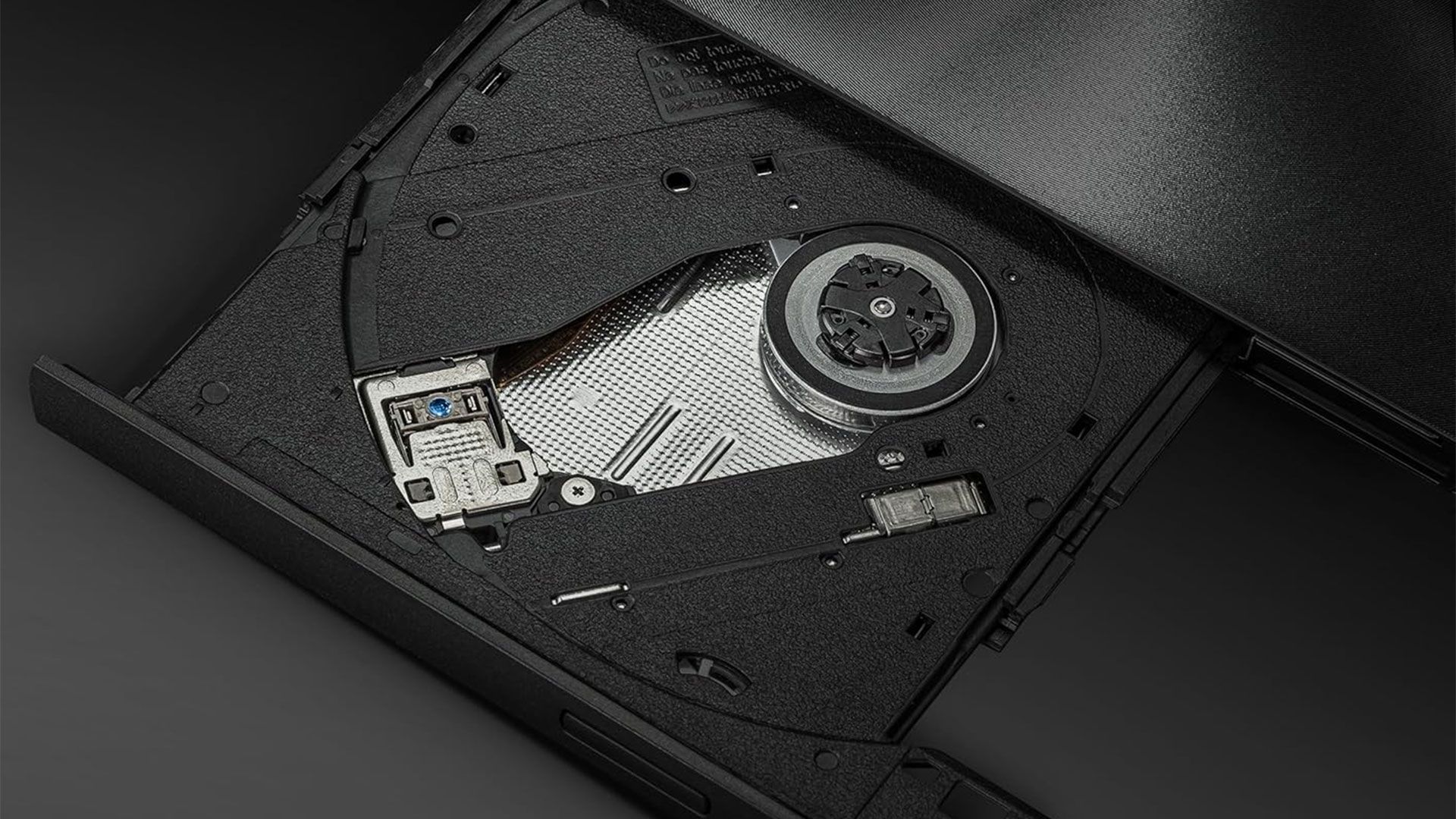
The developers of the Sony PlayStation 3 emulator RPCS3 have warned their social media followers about “a recent influx of fake Blu-ray drives.” According to the emulator devs, scammers are putting inferior optical disc mechanisms in higher-end Blu-ray drives for extra profit. Such skuillduggery could directly affect potential RPCS3 users, looking to ensure any Blu-ray drive they buy is compatible with the emulator.

⚠️ BEWARE OF FAKE BLU-RAY DRIVES! ⚠️There has been a recent influx of fake Blu-ray drives. These fakes use older drives that cannot read PS3 discs, with enclosures and packaging for higher-end models, plus spoofed firmware.Learn how to spot fakes:https://t.co/IoIlSPWRc1September 30, 2026

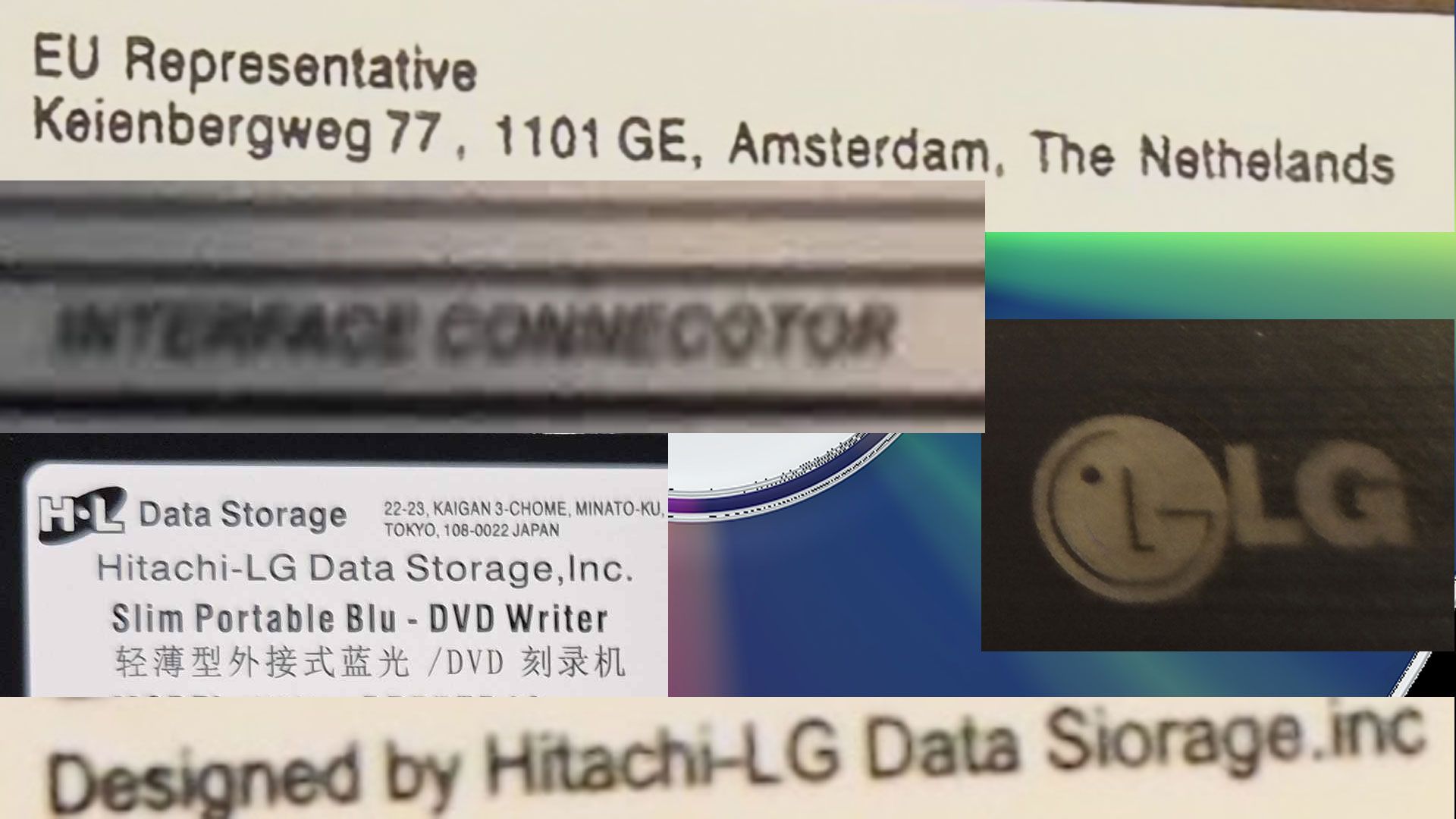
“BEWARE OF FAKE BLU-RAY DRIVES!” warn the RPCS3 devs. “There has been a recent influx of fake Blu-ray drives. These fakes use older drives that cannot read PS3 discs, with enclosures and packaging for higher-end models, plus spoofed firmware.” The team also helpfully links to a wiki with images and details to help you know if you acquired a “fake drive.”

Telltale signs that you have a fake Blu-ray can include misspelled words on the drive label, misaligned logos, incorrect manufacturing dates, and the covering of certain PCB markings. We guess that another symptom that RPCS3 users might notice is that their supposedly compatible Blu-ray drive won’t work properly with the emulator.

Blu-ray fake gallery

Example details seen on fake drive hardware. Spot the mistakes. (Image credit: wiki redump info)

Blu-ray drought

In 2026, after 20 years of commercial availability, the hardware options for living room Blu-ray players and PC drives are narrowing due to the withdrawal of several big brands from these markets. Media makers are dwindling, too. Meanwhile, interest in the highest-capacity consumer optical standard for media playback and backups is rising. The price of HDDs and SSDs in 2026 has also resulted in increased numbers of computer enthusiasts looking at Blu-ray storage.

So, what should those on the lookout for a Blu-ray drive do? According to the RPCS3 experts the best way to keep out of the reach of scammers is to only order from stores with good buyer protection. The above-linked Wiki warns specifically against buying your next Blu-ray drive from Newegg or AliExpress marketplaces. Unfortunately, we’ve now got another piece of tech to add to the beware-of-scams list.

Demon's Souls reaches 40-50 FPS on private PS5 emulator with accurate graphics

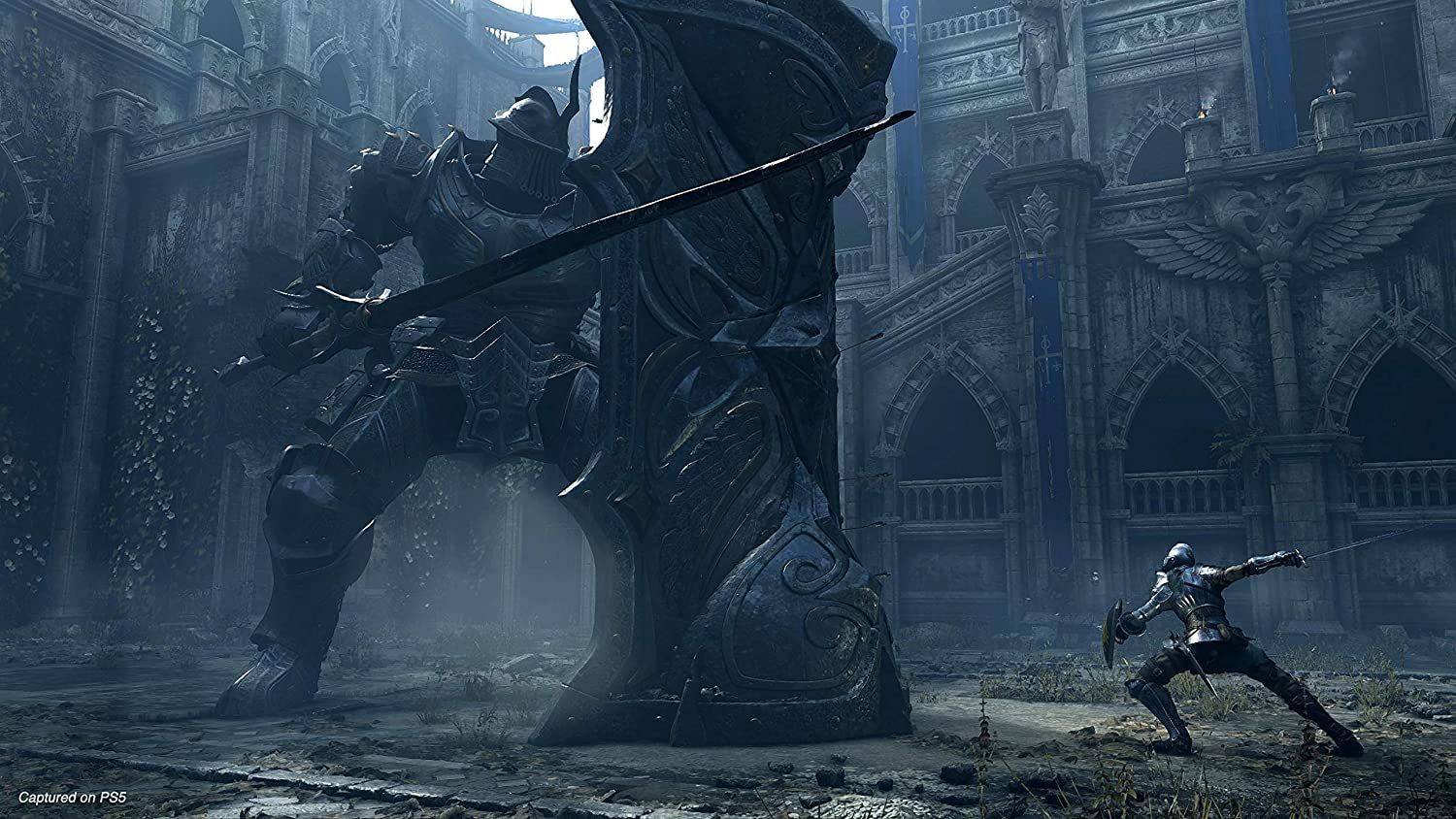
Few projects in the software world have experienced such rapid evolution as PlayStation 5 emulation. A few hours ago, a video popped up of Demon's Souls Remake running at 40-50 FPS, seemingly with accurate graphics. Coincidentally or not, only scant months after Sony ditched physical releases of games — an announcement that landed as well as the Hindenburg — progress on KyTyPS5, SharpEmu, and AnyPS5 has gone into overdrive.

The video above is short and only shows a few sections of the game, but it's an impressive watch. Even acknowledging that the hardware specs displayed comprise an RTX 5090 and a Core i9-14900K, having a game working this well, at least graphically, only a month after "barely works" was a landmark is nothing short of staggering.

To wit, KyTyPS5 was running Demon's Souls Remake with 1-2 FPS on actual gameplay three weeks ago, and struggling to reach 30 FPS a fortnight past. The same emulator has been shown partially running GTA V before at 40-60 FPS, but that's an older title that presumably isn't as demanding as Demon's Souls.

The fact that the PlayStation 5's architecture is so similar to a standard PC apart from unified memory is a big reason why progress has been so speedy. As it stands, the major roadblocks aren't emulating a CPU or a GPU, but rather writing compatibility layers for the console's operating system and drivers, including but not limited to converting native graphics shaders to Vulkan's SPIR-V language.

Given the demo video's lack of stuttering, it's a reasonable assumption that the captured video was done after an initial run to avoid shader recompilation hitches. This particular aspect of emulation has always been a constant thorn in developers' side, as it's exceedingly difficult to predict which shaders a game will need before they're actually used.

The current best approach is to asynchronously compile and collect shaders from gamers' playthroughs and build a community database for preloading. This concept was popularized by RPCS3 around 2018, with a small team and limited to no budget.

Although Nvidia and AMD drivers have cached shaders in limited fashion for a long while, RPCS3's effort appeared seven years before Nvidia and Microsoft, with their gigantic piles of money, bothered to try and fix this issue properly with their Auto Shader Compilation and Advanced Shader Delivery, respectively.

Minecraft Legacy gets rewritten in C++ for PS2 and Wii ports — code is tuned so it works well even on the PS2’s meager 32MB of RAM

作者 Mark Tyson
2026年9月15日 18:30

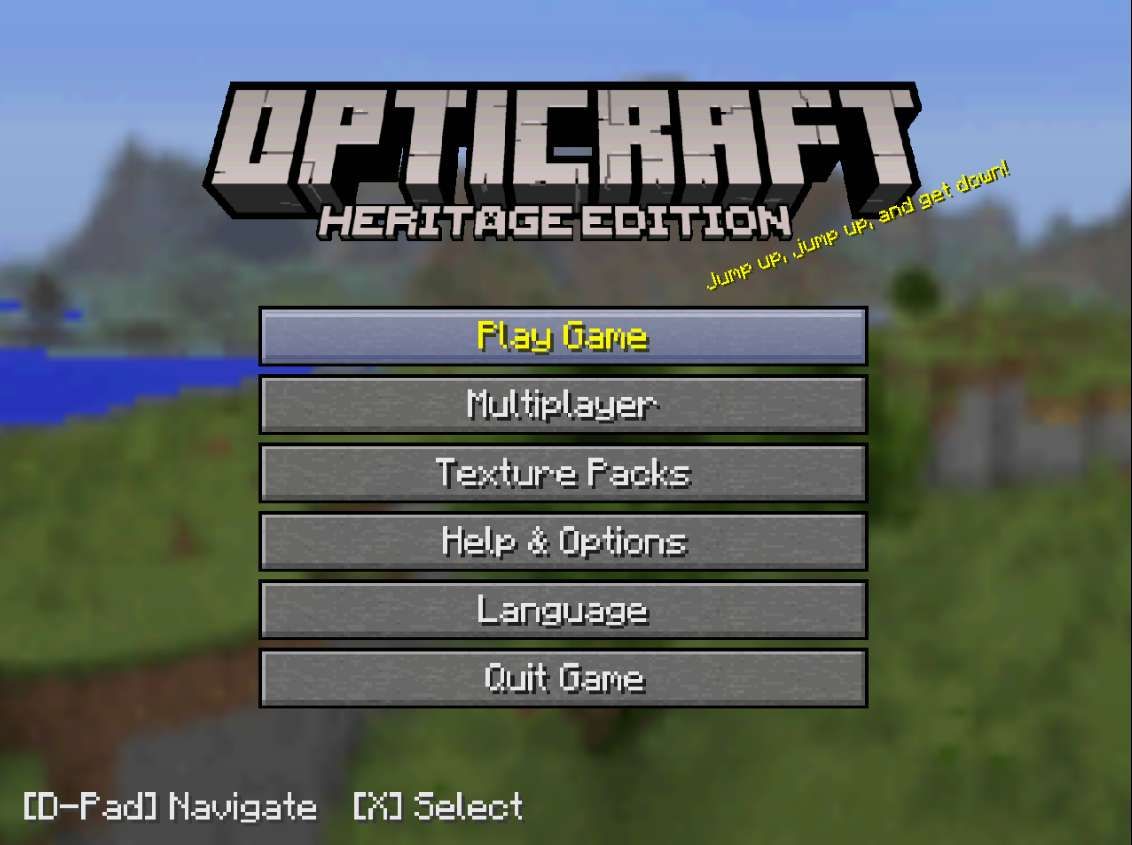
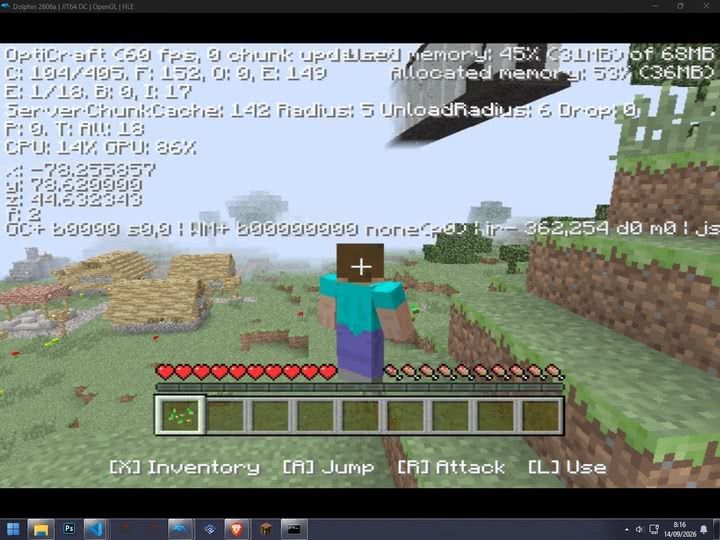
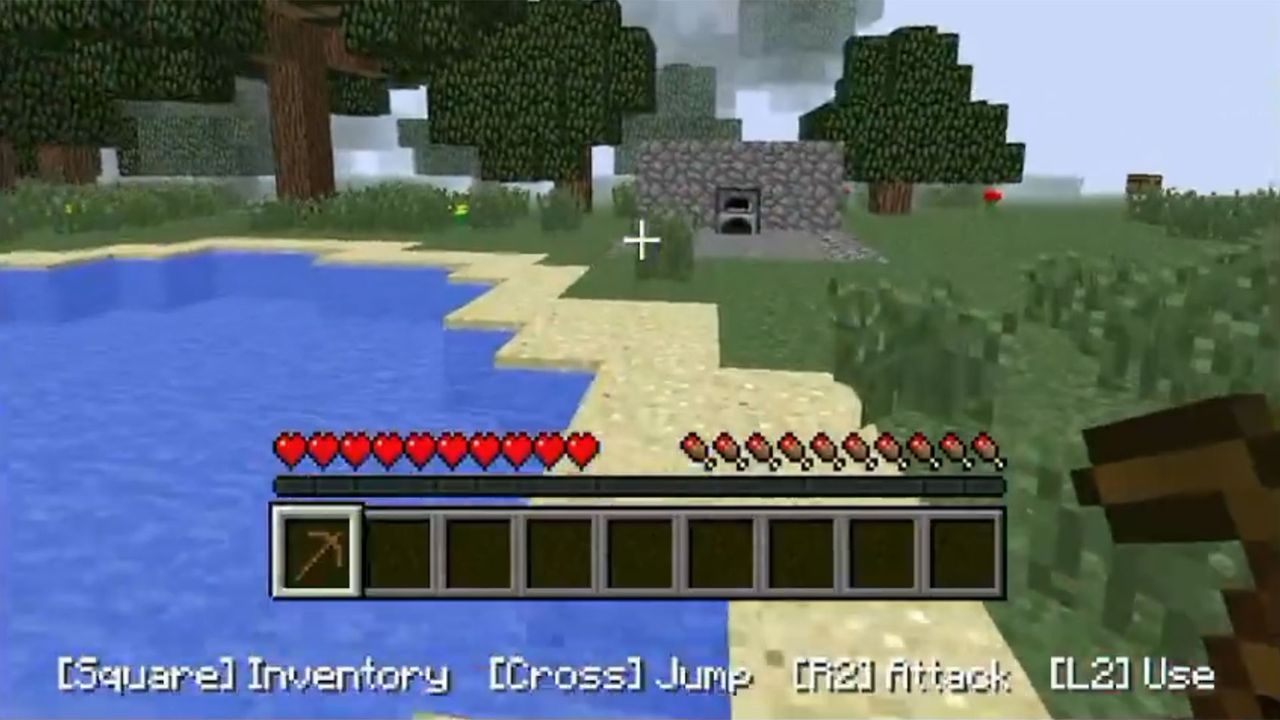
Games optimization specialist OptiProjects (AKA OptiJeugos) has released a new port of Minecraft Legacy for the Sony PlayStation 2 and Nintendo Wii consoles. The project is based on the Minecraft Java 1.2.5 source code, rewritten in C++, and using a recreated legacy console interface (machine translation). Even on the quarter-century-old PS2 with its cramped 32MB of RAM, the OptiCraft Heritage Edition runs at 15-30 fps. Check out the video demo embedded below.

TERMINADO!!! FINALMENTE NUEVO PORT DE ""MINECRAFT LEGACY"" a PS2 y WII!!Es un PORT de JAVA 1.2.5 a C++ con la interfaz de Legacy recreada, corriendo nativamente en la PS2 y Wii.Probado en hardware real! La wii soporta online con servidores de JAVA en esa version! https://t.co/x3pQw8XvBJ pic.twitter.com/nZNc0QehGySeptember 14, 2026

Minecraft is one of the best-selling games of all time, with sales above $400 million according to an Entertainment Weekly report earlier this year. Meanwhile, the PS2 is the best-selling home console in history, with 160 million units shifted worldwide. When Minecraft first launched, the PS2 had already been kicking around for close to a decade and was rapidly reaching retirement age. Thus the Minecraft PS2 game release was never a thing (it did launch on PS3 in 2013-14). Similarly, the Wii got overlooked by Minecraft's publishers, with the Wii U only getting the game in late 2014.

Windows PC (Java Edition 1.2.5)

PS2 (OptiCraft Heritage)

Wii (OptiCraft Heritage)

Engine / Language

Java

C++ (native port)

C++ (native port)

Hardware / RAM

Min. ~2GB recommended for era

32MB system RAM

~88MB available RAM

Chunks / draw distance

Scalable, (usually 8–16+ chunks)

2 chunks

4 chunks

Performance

Often 60+ FPS on period PCs

15–30 FPS

15–60 FPS

Controls

Keyboard + mouse

DualShock 2

Wii Remote / Classic Controller

Interface

Original 1.2.5 UI

Recreated Legacy interface

Recreated Legacy interface

Ponder over the features and performance comparison table we have nailed together, above. You can see how tightly the PS2 version is constrained by its hardware limitations. In comparison the Wii version is significantly more comfortable. Moreover, the Wii version has experimental online gaming functionality.

Minecraft Legacy for the Sony PlayStation 2 and Nintendo Wii
OptiProjects
Minecraft Legacy for the Sony PlayStation 2 and Nintendo Wii
OptiProjects

If you are interested in enjoying some retro Minecrafting on your old PS2 or Wii, or emulators for either system head on over to the official OptiProjects page linked top for your downloads. Those aiming to play on original hardware will need to be able to load .ELF files from USB (on PS2), or access the game via SD card and the Homebrew Channel (on Wii). To my knowledge that means your PS2 or Wii must be soft or hard modded to play homebrew code.

Need for Speed Underground 2 now runs directly on Nintendo Switch — other Classic Windows titles playable thanks to custom firmware boot

作者 Mark Tyson
2026年9月14日 21:36

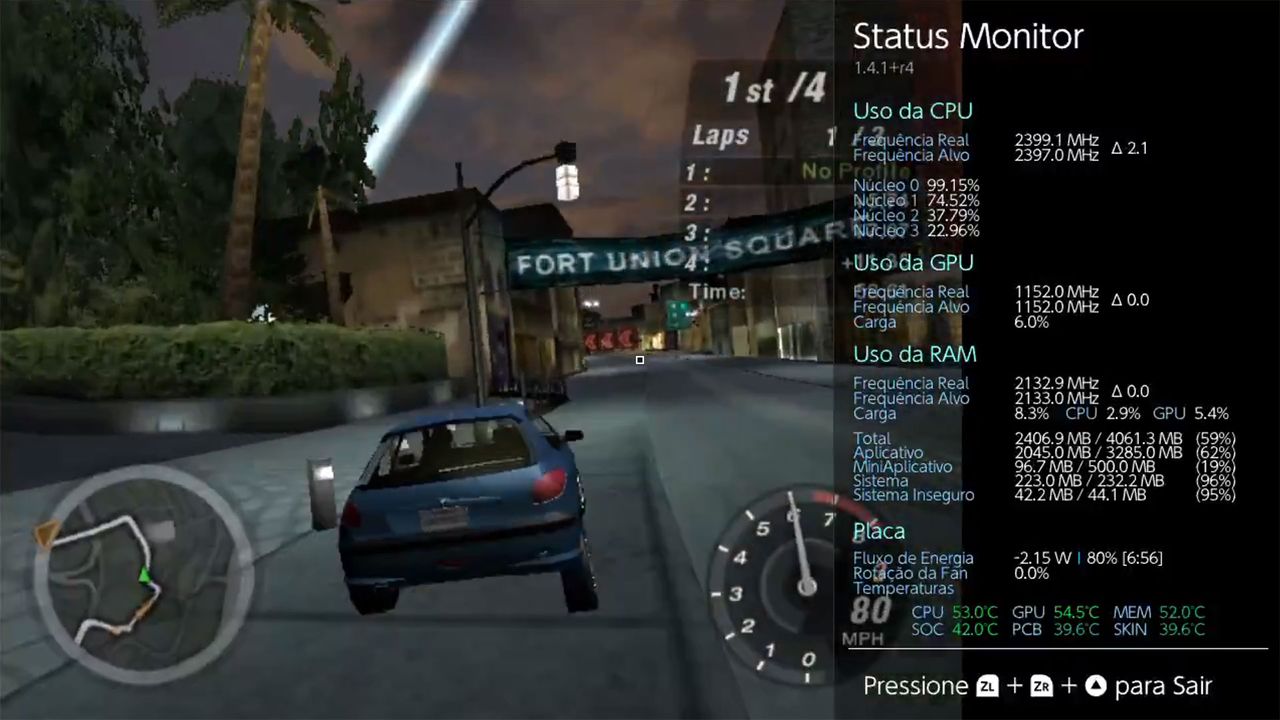
Retro gaming fans who own Nintendo Switch consoles now have several classic Windows titles they can now enjoy. A video shared on Twitter/X shows the well-loved Need for Speed Underground 2 running pretty smoothly on Nintendo’s hybrid device. Meanwhile, a forum about Wine-NX says that Quake III and OpenTTD are also playable, with WarCraft III nearly ready, too. It's early days for this 'experimental' software, but things look very promising.

Windows x86 games are now running directly on Nintendo Switch homebrewNeed for Speed Underground 2 on capture 😀 pic.twitter.com/SD0sugV4DsSeptember 13, 2026

In the embedded video you can see NFSU2 runs rather well on Nintendo’s hardware. Older PC games are perhaps a good fit for what many consider to be the rather anemic specs of the Switch. A status panel shows CPU and GPU usage. According to the forum post “Races run at roughly 20–45 fps at default detail with the CPU overclocked.”

Other games that Wine-NX can handle well at this time include OpenTTD (Transport Tycoon Deluxe), which runs at up to 60 fps. Quake III Arena is also capable of running at around 37 fps at 1,280 x 720 pixels, according to the source. The last PC game mentioned as being compatible, almost, is WarCraft III, and specifically this work in progress has working “menus, campaigns, and now cutscenes.”

The Wine-NX forum page linked to helpfully explains what exactly this is, and how it works. In brief, Wine-NX is a port of Wine 11 to the Switch’s native Horizon OS. It comes as a homebrew package in the NRO format Horizon expects games to be in, but that allows it to run Windows programs and games with Box64's ARM64 dynarec translating the x86 code. Graphics are handled through Mesa 20.1's nouveau driver. It supports audio and touchscreen, and the Switch controllers can also handle mouse / keyboard duties – as well as doubling as an Xbox 360 controller.

You can’t use any Nintendo Switch to load Wine-NX and Windows PC games. You’ll need to have a console that can boost custom firmware, and run homebrew NROs. That means an older unpatched Switch or one with a hardware mod.

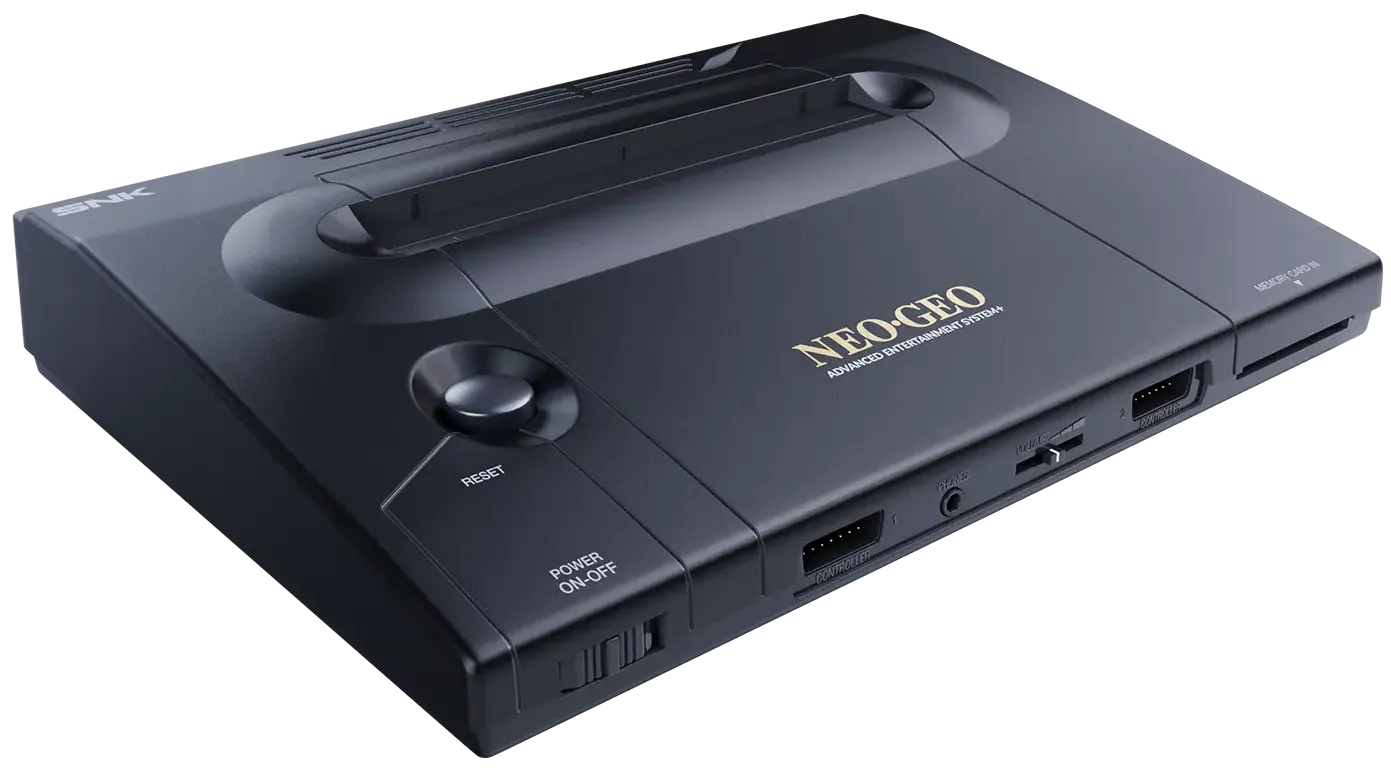
Hardware-accurate NeoGeo AES+ delayed to late 2027 due to memory shortage — decision driven by surging demand and AI-driven RAM crunch

Plaion's release of the NeoGeo AES+, a contemporary, hardware-level 1:1 replica of SNK's evergreen NeoGeo console, is being delayed by 10 months, with a new September 16, 2027 release date. Predictably, Plaion says the main reason is the AI-driven RAM shortage, though it remarks that demand is higher than expected.

Unlike nearly every other modern console re-release, the AES+ is intended to be an exact, 100% compatible replica of the original, by way of physical hardware rather than emulation software. Plaion says it's using dedicated ASIC chips and presumably contemporary clones of processors like the Motorola 68000 and Zilog Z80A.

The team counts long-time MiSTER core developer Jotego among its staff, lending serious pedigree to the project and assuaging concerns about whether the AES+ will perform just like the original. They're even going as far as using 5 V power delivery to be directly compatible with the original cartridges.

NeoGeo AES

(Image credit: Plaion / SNK)

It's expected that every game cartridge from the original NeoGeo AES (Advanced Entertainment System) home console will work on the AES+, and there are modern third-party adapters for using original arcade cartridges. Plaion is re-releasing ten iconic games in cartridge form, including Metal Slug, Garou: Mark of the Wolves, Pulstar, and King of Fighters 2002.

The NeoGeo was the greatest 2D arcade/home system that ever existed (according to me), with production lasting for 14 years from 1990 to 2004. It had a number of "firsts," being the first system that used the same exact hardware for the home version as it did inside an arcade cabinet, with nothing but the form factor, the name (AES vs. MVS), and a defeatable lockout mechanism as a distinction. Arcade operators loved the then-new swappable cartridge system, and there were variants that could hold four games that were switchable on the fly.

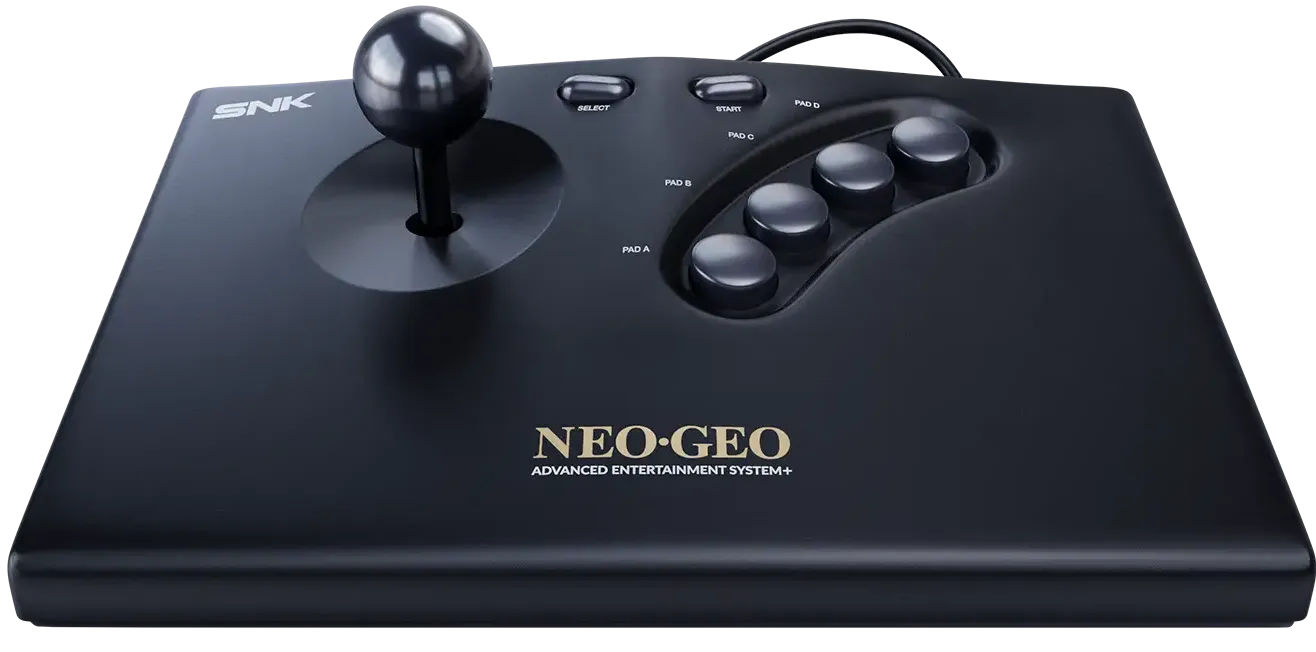
The AES also marked the appearance of memory cards for save games, and that came with a serious arcade joystick, unlike its competitors' gamepads. Every home console release at the time promised "arcade-quality games in your home," but only the Neo Geo actually delivered.

NeoGeo joystick

(Image credit: Plaion / SNK)

Of course, all this goodness had a small problem: the AES cost $399.99, or $1,028 in today's dollars — for just the base system with the one joystick and no games. The Gold package with two sticks, one game, and a memory card would set buyers back a cool $649.99, or $1,671 today.

The technical reasons for the NeoGeo's longevity are quite straightforward: it was ridiculously overpowered from the start. Its architecture covered almost every possible use case and lent itself well to most every type of 2D game. The NeoGeo packed a total of seven processors and co-processors, and a GPU with a 24-bit bus, capable of 3840 simultaneous colors across 380 sprites. The graphics chip also had hardware scaling and used an unconventional but effective vertical-strip sprite mechanism, unlike tile maps of the era.

The expandable storage also played a big part in longevity, with late-day cartridges storing as much as 716 Mb, or 89.5 MB. The only notable omission is the lack of a direct-to-screen drawing mechanism (aka framebuffer), precluding Doom ports — but as always, people are finding a way regardless.

If you're looking to order a NeoGeo AES+, the base model with the console and one stick will set you back $249.99 (or 199.99€), an affordable amount considering a decent joystick can cost $75-100 on its own. The Anniversary Edition comes in a white finish, with Metal Slug, a wireless joystick, and a memory card, for $349.99 (or 299.99€). Finally, the Ultimate Edition comes with all ten re-released games, two joysticks (one wired, one wireless), and a gamepad, for $999.99 (or 899.99€).

Super Smash Bros Melee gets fully decompiled after over six years of effort — ambitious and technically impressive project delivers GameCube classic as C code

作者 Mark Tyson
2026年9月8日 20:57

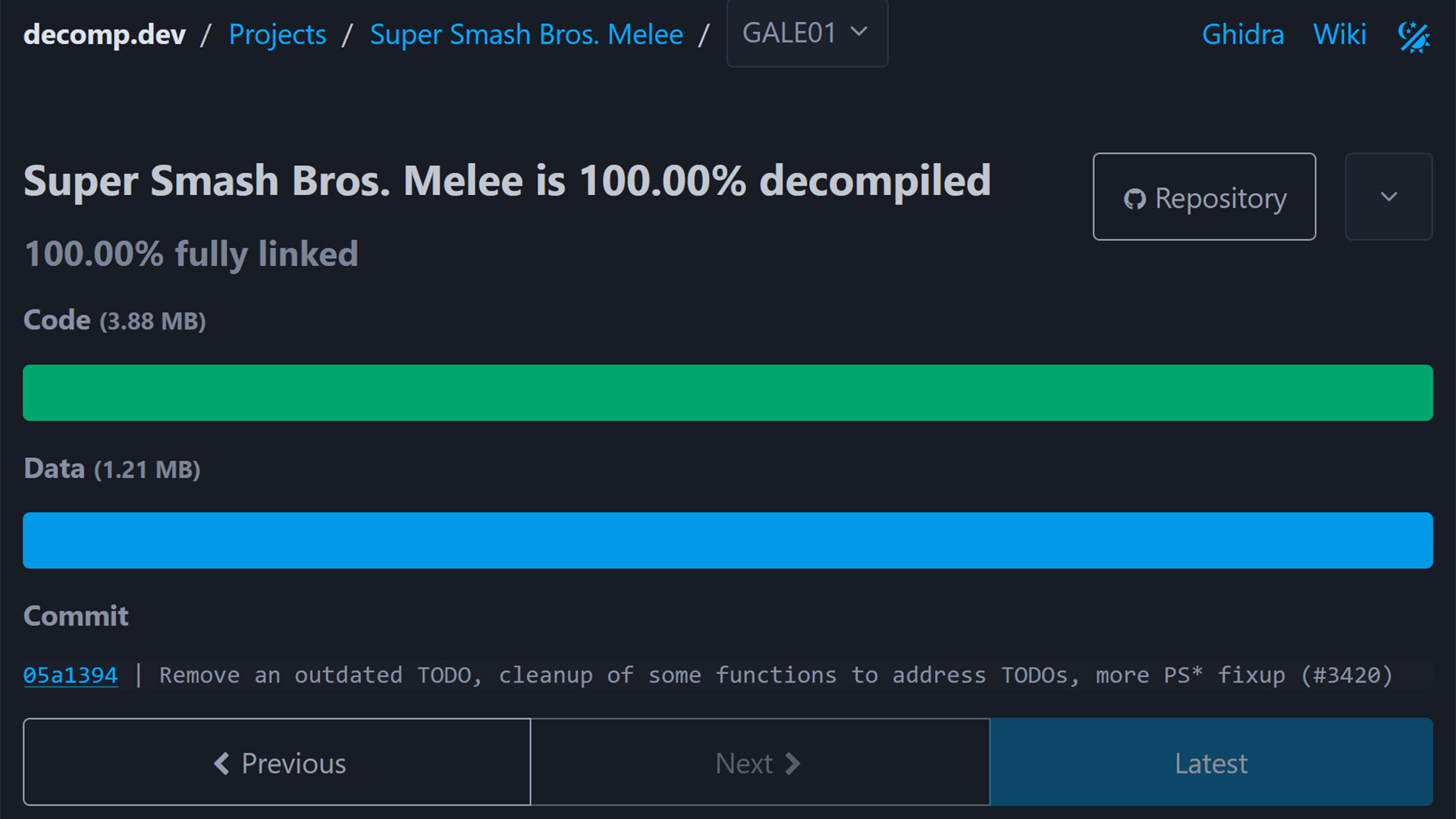
A Super Smash Bros Melee decompilation project hit its key long-standing goal a few hours ago. Nintendo’s legendary platform fighting game, which launched on the GameCube in 2001, has now been 100% decompiled by a team of developers. This is a complex game to convert to C code, but the project code can now be compiled into a binary byte‑for‑byte identical to Nintendo’s original main.dol. The effort has taken the team six years or more to get to this stage, with OpenAI's Astra part of the effort to get it over the line. Gamers may already be excitedly anticipating Super Smash Bros Melee ports and modding tools, but these too will take time and effort.

Super Smash Bros. Melee has been 100% decompiled!
 from r/SSBM

Decompilation projects seem like the latest trend to grasp the retro gaming and development communities, but some, like this, have been in progress for a very long time. Enthusiasts are spurred on by old console hardware becoming scarce, expensive, or uneconomical to repair. Thus, they want to preserve the original game code in a manner that can be ported to modern supported systems. Demanding 100% accuracy with a complex game like this was ambitious, but now that milestone has been reached.

Super Smash Bros Melee decomp

(Image credit: decomp tracker)

Preservation isn’t the only goal, or result of projects like this. Seasoned developers will now be able to pore over the game’s C code and gain insights into Melee’s engine, physics, game mechanics, and more. Armed with this knowledge, we should eventually see the modding potential of this game blossom. This has happened in the wake of previous successful decompilation projects.

If you drop in on the doldecomp/melee GitHub page, linked above, you can check over the code for yourself. There are instructions for compiling this Super Smash Bros Melee C code on various platforms, including Windows. However, please remember these aren’t ports; you will just be recreating the v1.02 US release main.dol file from the GameCube, which weighs in at 3.88MB. You'll also need the original assets (textures, audio, etc.) from the GameCube disc that you own, in order to run the game.

Some highlight that the project was finalized with thanks in part to the latest AI tech, including GPT-6 Astra. Similar tech might also be used to rapidly develop the ports and mods that the crowds are looking forward to.

Vintage Emulator Studio recreates 44 legendary synths down to the chip level — free MAME-powered component-level emulation should offer exceedingly accurate sound

Musicians and synth-heads in the audience, rejoice. A new vintage synthesizer plugin has arrived that has the potential to blow many commercial offerings out of the water — and it's completely free, to boot. Audio software maker Autodafe has released the Vintage Emulator Studio (VES), a fresh new plugin that integrates a fair number of the open-source MAME emulator's synthesizer cores in one neat package.

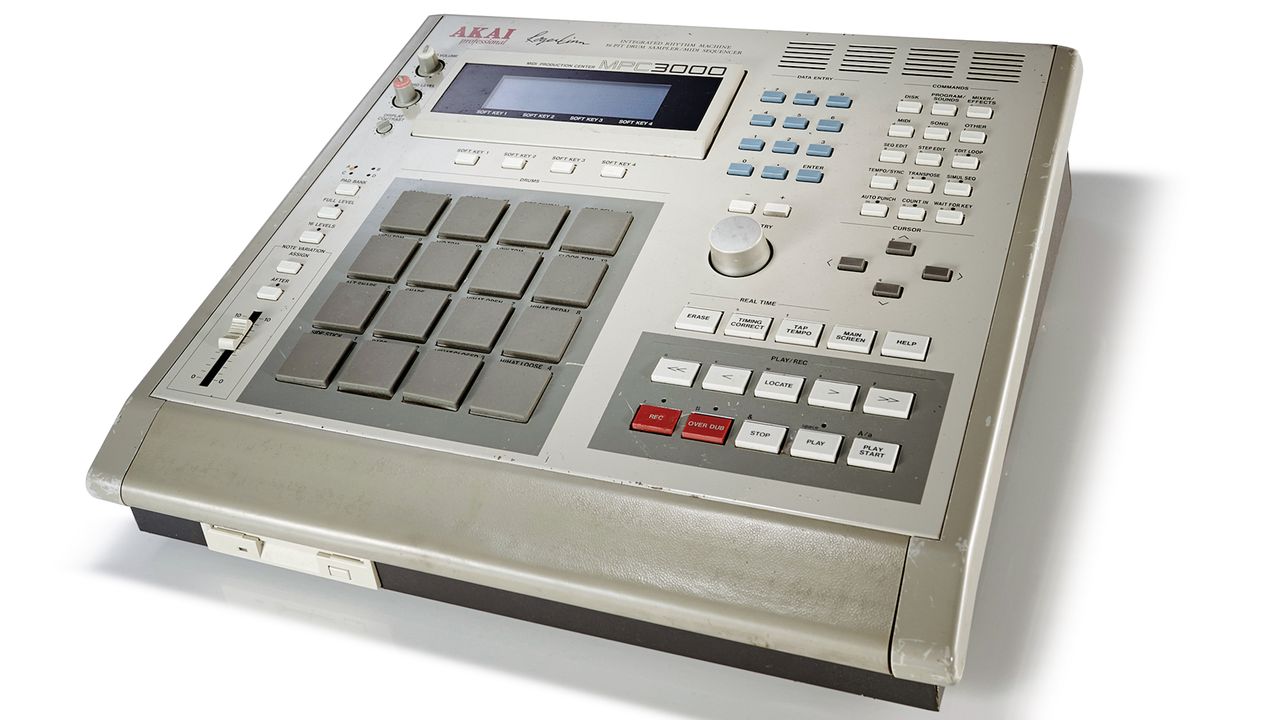
The entire list of emulated synths is below, but it includes iconic entries like the Akai MPC3000, LinnDrum, Oberheim DMX, and Roland TR-707 — used by names like Dr. Dre, New Order, The Police, INXS, and Prince, among many other high-level acts. There are a total of 44 machines, all with component-level emulation.

What makes VES different from most other synth plugins is that instead of presenting a facsimile of the final output or a hybrid mix of component- and output-stage emulation, it employs — by way of MAME — full component-level emulation. Each processor, tone generator, envelope generator, filter chip, and converter should be faithfully reproduced, potentially resulting in a "perfect" emulation of the gear in question, more or less depending on the status of each driver core.

Notably, on machines whose MAME emulation is farther along, analog and/or digital output stages are faithfully recreated, meaning you won't need additional low-pass filters or any other trickery to make the synth sound like the actual hardware. Additionally, the skeuomorphic, HiDPI-ready UI replicates the units' control panels, dials, buttons, and LCD displays, making them easy to interact with if you're familiar with the real hardware — and probably a nightmare if you're not, as "ease of use" wasn't high on the list of priorities back then. Floppy disk, CD-ROM, and peripheral emulation ought to be included too.

If by now you're thinking this is all too good to be true, there are indeed a couple or three catches. First and foremost, as with any emulator, you'll need to provide your own ROM/firmware, and depending on the synthesizer, any associated sample packs. Although obtaining those is not too difficult, having a copy of that data is a legal gray area if you don't own the original hardware. Although we haven't tested it ourselves, the CPU usage of the plug-in ought to be somewhat high, considering all the work it's doing simulating every single component.

Additionally, while MAME's emulation cores aim for full component-level emulation, not every synth driver has had the same amount of work put into it. For example, the Akai MPC-3000 driver is nearly complete, while the Prophet-5's has only been introduced to MAME fairly recently — so your mileage may vary. We'd expect this VST to be updated somewhat frequently as work on its MAME core moves forward.

For the sake of argument, though, if only a handful of synths are fully emulated, that's still an impressive showing out of a list of 44, given that in theory you'll get output that tracks exceedingly close to that of the original hardware, all from one plugin. You can download the Vintage Emulator Studio right here, in VST3 or AU format, for every major OS: Windows, macOS Intel/M-series, and Linux. It's also available as a handy standalone application.

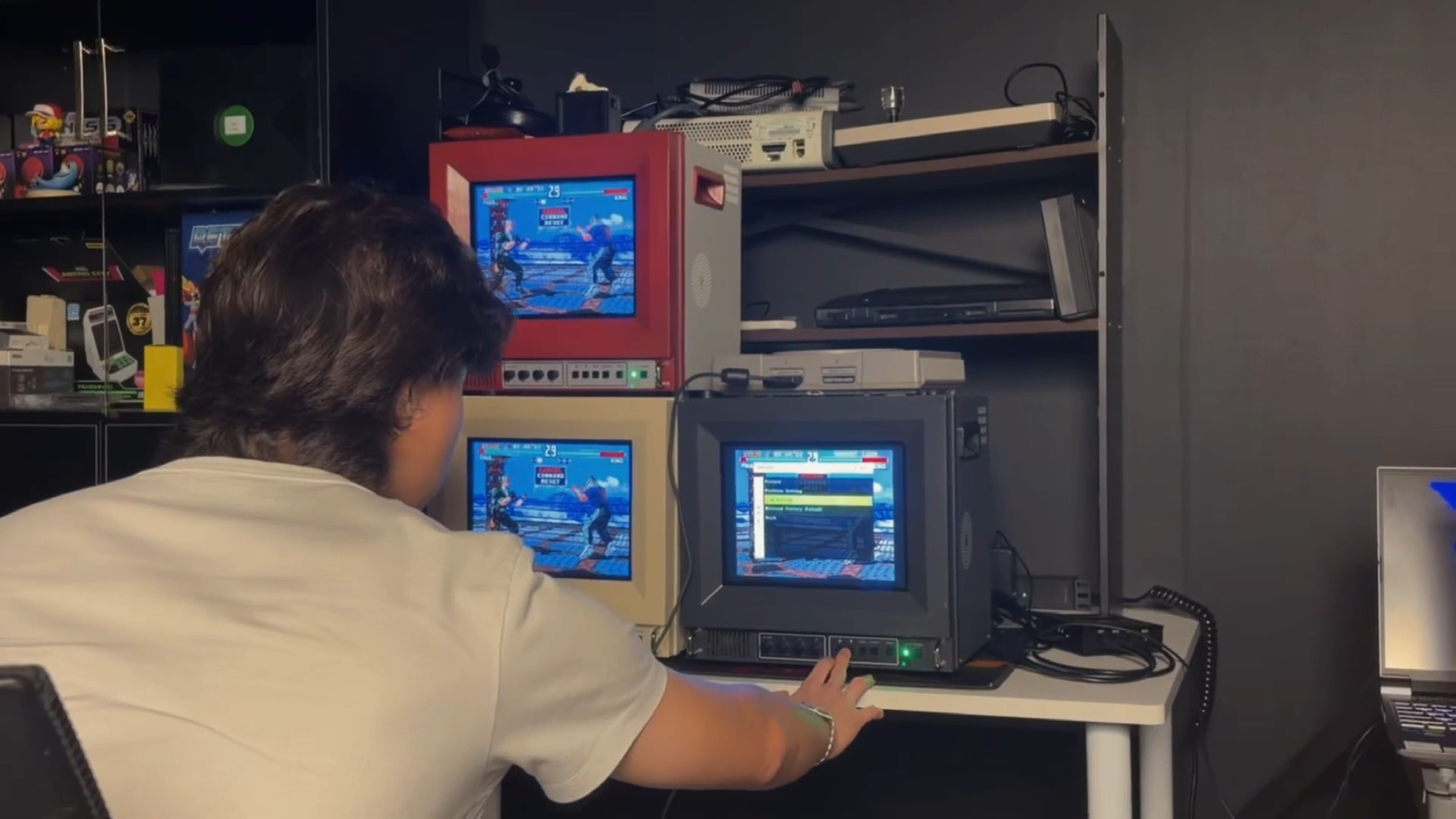
This 10-inch 4:3 television hides your retro consoles in a secret rear compartment — Unico's Traveller ULW10 trades composite video for RGB SCART and HDMI

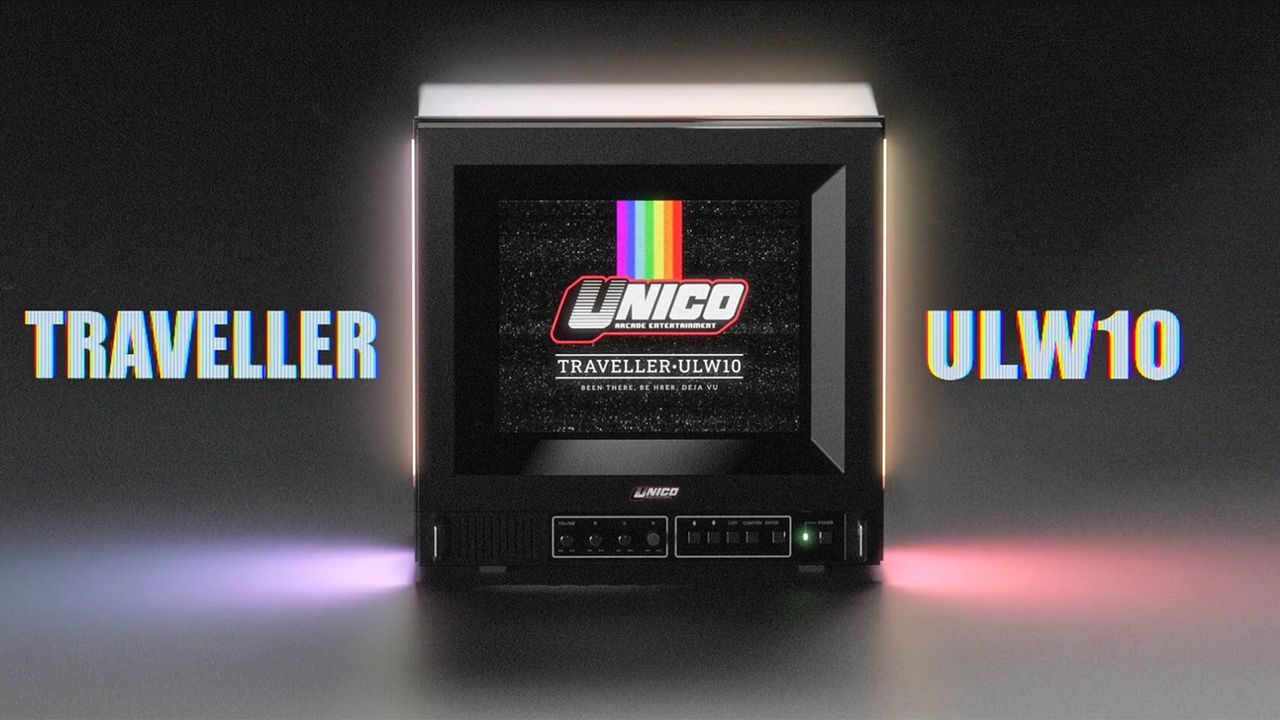
Getting a retro game console to look right on a modern TV can be a challenge, as legacy video signals need to be scaled or de-interlaced, while latency and aspect-ratio issues can further make retro games look or feel different from the original experience. In an attempt to recreate the nostalgic experience, retro gaming hardware manufacturer Unico has introduced the Traveller ULW10, a CRT-inspired 10-inch TV.

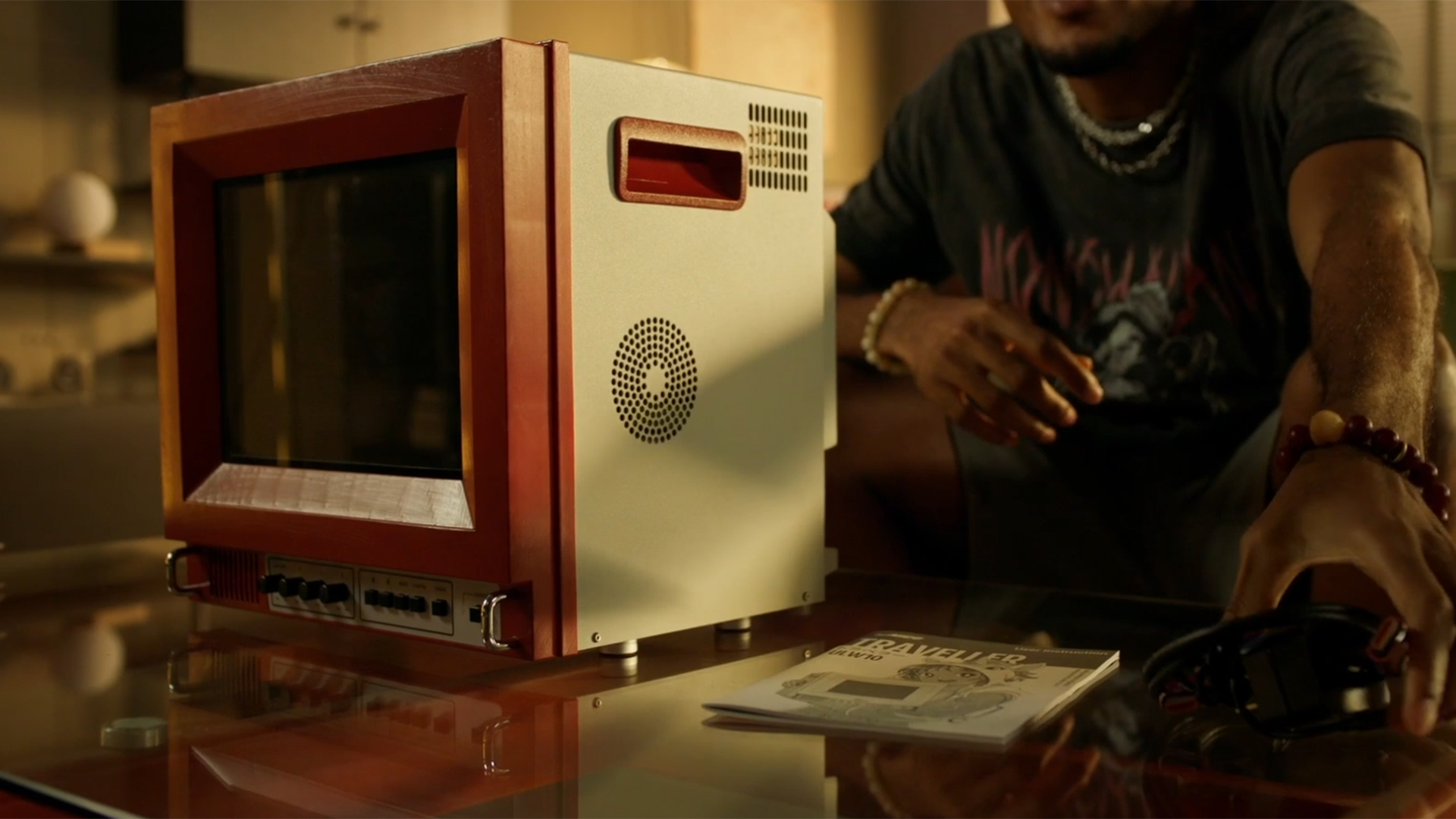
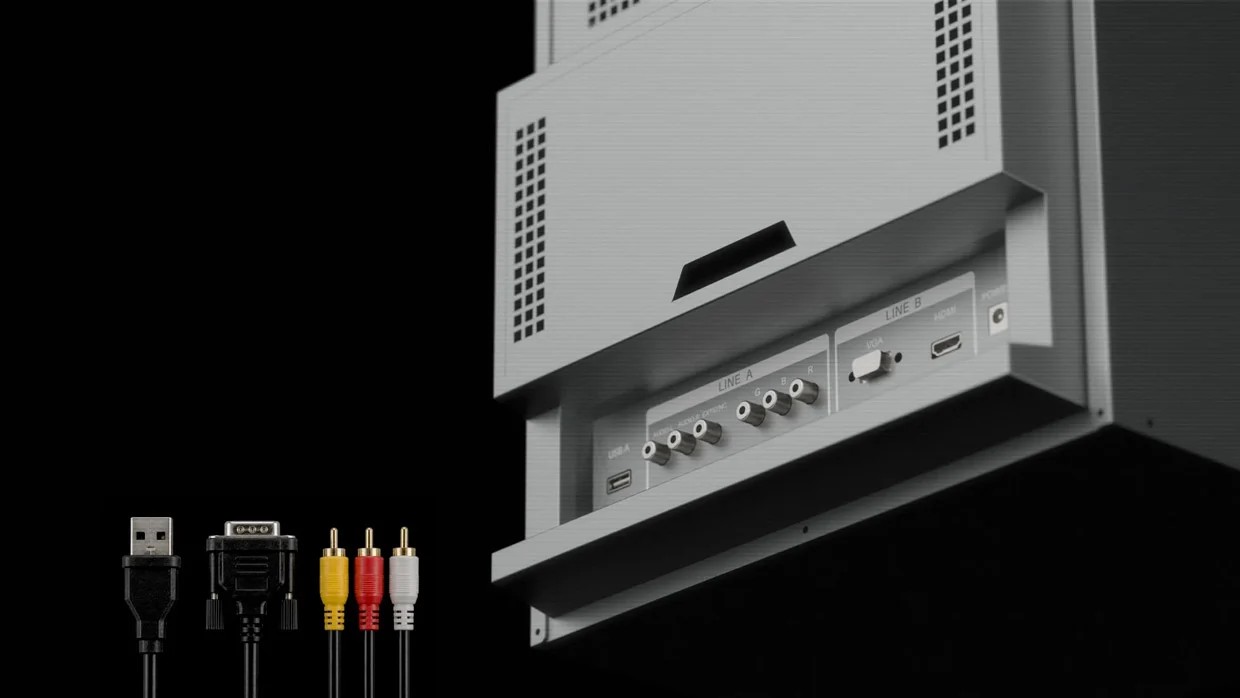
According to the company, the ULW10 is a PVM (Professional Video Monitor) with a vibrant 4:3 panel that “combines the character of a classic display format with the reliability of modern technology.” In terms of connectivity, the monitor comes with RGB, VGA, and HDMI video inputs, offering support for a wide variety of consoles. There is also a USB Type-A port, while the rear compartment provides storage for compatible consoles that can be tucked behind the display. It also includes knobs and physical buttons for various settings, similar to those found on old-school televisions.

The Unico Traveller ULW10 retro gaming monitor
Unico
The Unico Traveller ULW10 retro gaming monitor
Unico
The Unico Traveller ULW10 retro gaming monitor
Unico

Unfortunately, the ULW10 does not include a composite video input, and Unico says the decision ultimately came down to the limited space inside its compact chassis. With room needed for the signal board and other components, the company had to choose which video inputs to include. HDMI and VGA were retained for modern devices, PCs, and video converters, while RGB SCART was selected as the analog option because it offered the best balance between compatibility and image quality. It is also worth mentioning that the ULW10 is not a CRT monitor, but it can simulate the CRT or pixel-art style of old games.

The monitor will be offered in three color options: red and white, cream white, and studio gray. The casing includes built-in carrying handles as well as speaker vents, although the monitor itself does not include any speakers. The Traveller ULW10 will be available via Kickstarter, and while pricing information has not yet been confirmed, you can reserve a ‘Founder Spot’ for $5 and receive $30 back when you back the monitor on Kickstarter.

❌
❌