❌

普通视图

发现新文章,点击刷新页面。
昨天以前Tomshardware

Denmark’s bid to ditch Microsoft Office for open-source alternative Collabora collapses in under six months

2026年10月26日 17:30

Denmark’s Ministry of Digitization, which has since been merged with other ministries and is now called the Ministry for Research, Education, and Digitization, has reportedly ended its experiment to replace Microsoft Office with an open-source alternative. According to Danish publication Computerworld [machine translated], the pilot project was launched in 2025 and involved 38 employees, all of whom would start using the British open-source Collabora office suite instead of Word, PowerPoint, and Excel.

The experiment was initiated by the then Digitization Minister Caroline Stage, who wanted to reduce the country’s dependence on American technology. Denmark isn’t alone in moving away from U.S. software, with France and the Netherlands both taking steps to replace Microsoft Windows. However, it seemed that the experiment fizzled out less than six months after it started. It had reportedly ended by the time the Danish government called for an early election in February 2026, with some employees complaining about issues with style, paragraph formatting, blank pages, and challenges with tracking changes.

But even though it’s been months since the experiment reportedly ended, Prof. Mikkel Flyberbom of the Copenhagen Business School complains that the project hasn’t been properly evaluated. “It’s a good idea to test alternatives in a pilot project,” the professor said in an email. “However, I wish that the ministry would take the opportunity to learn from the pilot project and share those experiences with other parts of the public sector.”

The Microsoft Office alternative had to work with the then Ministry of Digitization’s central case management system called F2, but it’s unclear why it only chose Collabora for the project. While Collabora is based on LibreOffice, which is one of the most popular and mature open-source alternatives to Microsoft’s office suite, there are also several other alternatives it could have tested, like OnlyOffice, OpenOffice, and Calligra. There have also been recent attempts to use AI to create open-source versions of subscription-based software like Microsoft 365 and the Adobe Creative Suite, but governments would likely want to choose a reliable and stable build instead of these experimental AI-built apps.

It’s still a mystery why the Danish government chose to work with only open-source Microsoft Office alternatives in its testing. It probably would’ve been better if different teams used three alternatives and then the project proponents conducted a review after the testing period to determine the best solution. Nevertheless, the question is moot with the apparent failure of the open-source experiment.
Creator of free Adobe clones unveils open-source Microsoft Office Excel, PowerPoint, and Word replications

2026年10月11日 18:50

Brandon Thomas, developer of ArtCraft, a suite of open-source creative tools meant to replicate Adobe applications for free, has now announced apps to replace Microsoft Office tools such as Excel, PowerPoint, and Word, respectively, named GridCraft, DeckCraft, and WordCraft, that are created with Claude. Thomas has shared his new clones to ArtCraft GitHub, making them free for all to download.

After our previous story covering ArtCraft, we have since discovered that u/ai_art_is_art is Brandon Thomas, a highly talented software engineer with 15 years of experience under his belt. After his ArtCraft project became popular, many criticisms followed about vibecoded software and AI slop, to which Brandon responded on his X account, saying that he does know how to code.

One of the biggest pain points for these software programs is OS compatibility, while Adobe runs on MacOS and Windows, Linux requires additional compatibility layers and Windows emulation to work. One of ArtCraft’s biggest selling points is being able to run all the software across all three platforms while still giving an identical user experience regardless of OS — this is also part of the parity that ArtCraft wants to achieve. While Google provides these tools for free with Google Sheets, Docs, and Slides available on all platforms through a browser, the online-only model takes away the ownership aspect of the software, fearing that one day the tools would suddenly require a subscription and users would not have any say in it.

My guy, I can codeIn college I was building laser games on skyscrapers and cloning the luciferase-luciferin system into plants via agrobacterium-mediated transfectionAI models enable me to work as an entire company. I'm doing 4x better than Google's revenue per employee https://t.co/sGCkdy92QMOctober 9, 2026

Microsoft sits among the most criticized companies for its business practices, similar to Adobe. What was once a one-time purchase now comes as a subscription package with various tools that many don’t need; many even have overlapping features and uses, essentially wasting some of the subscription value. It seems that Brandon Thomas is not only creating open-source alternatives, but is also creating a targeted protest against these practices.

ArtCraft’s Discord community is also growing very quickly, with constant recommendations of other software they would like to see, with CADcraft being commonly discussed among 3D printing and engineering enthusiasts who don’t like Autodesk, similar to Microsoft and Adobe. As many free alternatives as there were before the rampant vibecoding, it seems that this growing collection of tools is not only functional, but a message to the large companies as well. Most of these apps are still far from what they intend to replace, however, so we'll have to see how deep this message cuts.

x64 port of Microsoft Word for Windows 1.1a arrives — you can now run this seminal 1990 word processor natively in Windows 11

2026年8月9日 21:40

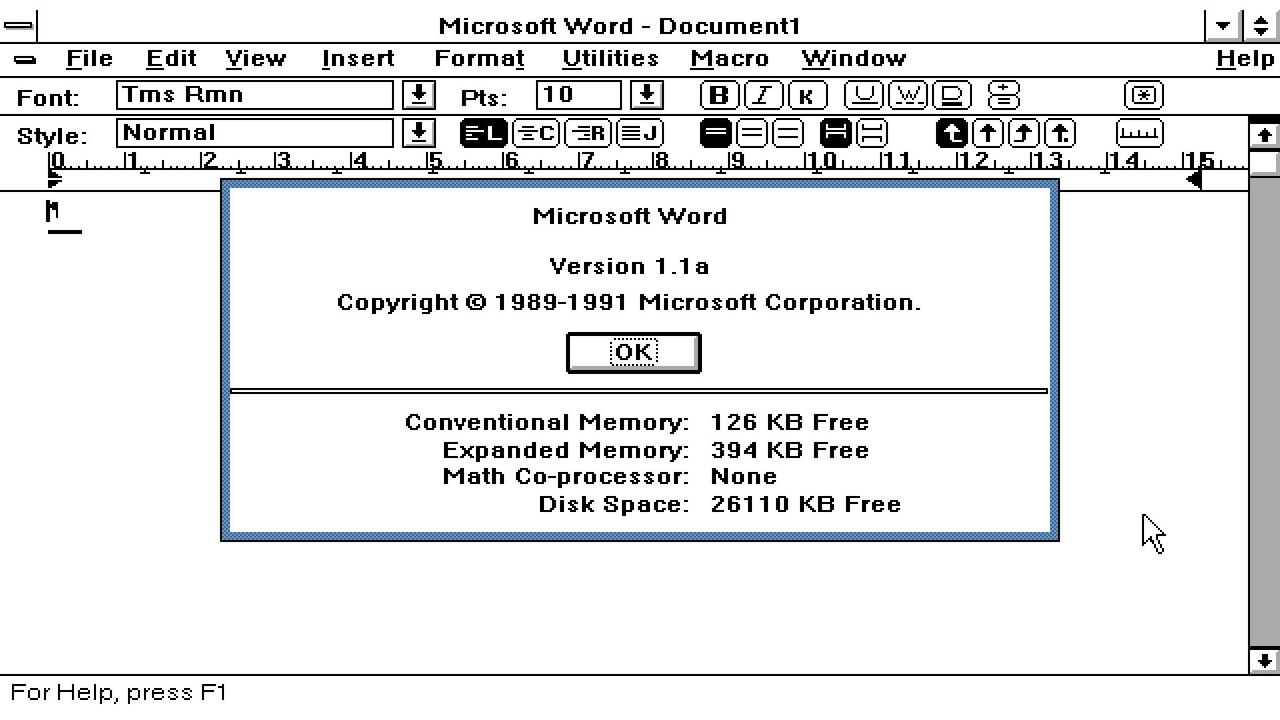
A developer has ported Microsoft Word for Windows 1.1a to x64 so it can now run natively on Windows 11 PC systems. JMarshall23 on GitHub stresses that this is a fully working native Windows x64 port using “original Word source and resources together with modern replacements for the 16-bit assembly, segmented-memory, and Win16 platform boundaries.” It also includes some extra features for “research purposes.” Microsoft Word for Windows 1.1a was originally released over a quarter of a century ago.

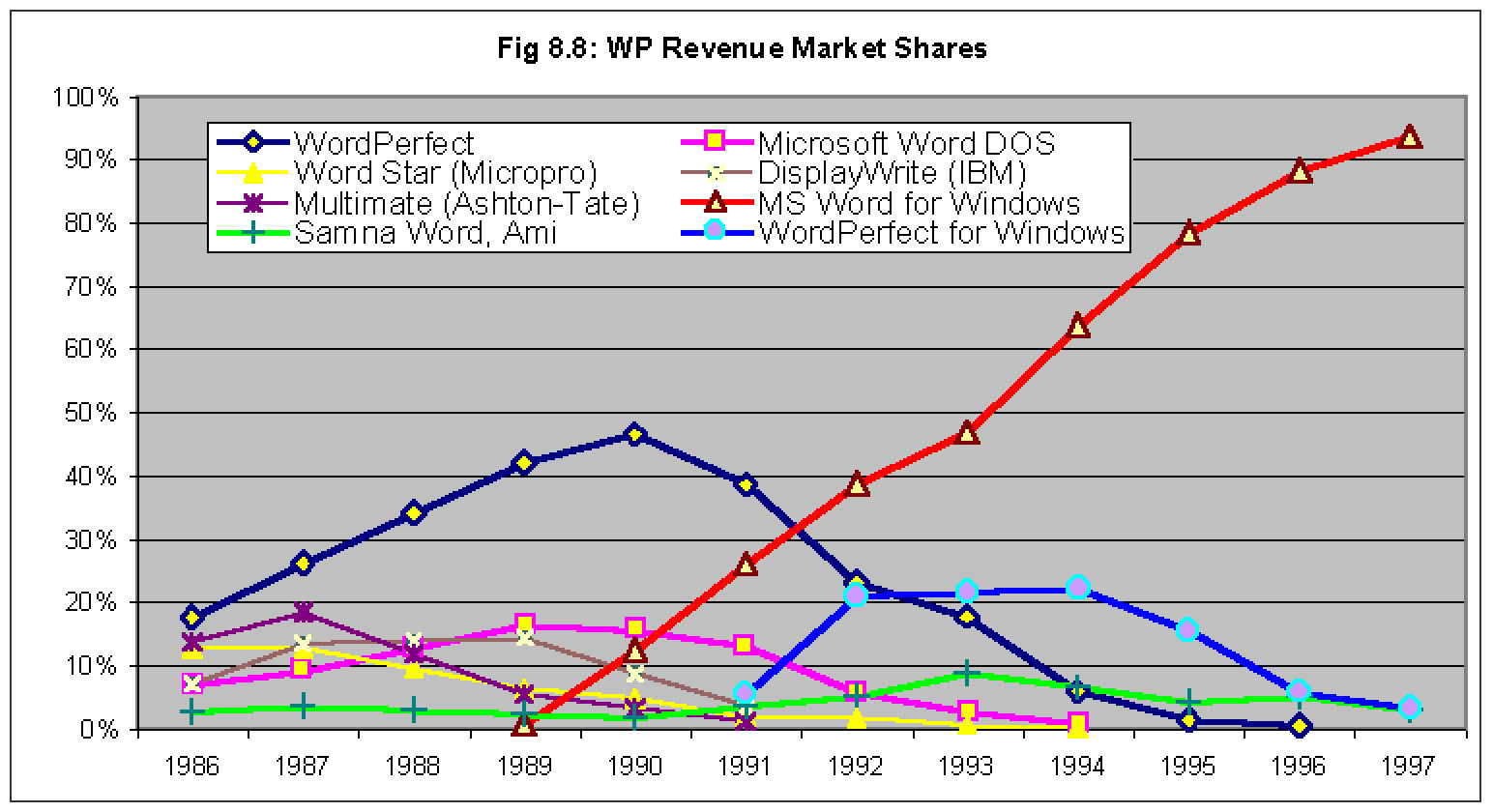
This release of Word marked a milestone in the word processing market, as it pioneered genuinely useful feature additions like WYSIWYG editing, graphics, and table insertion on Windows. It would spearhead the momentum in shifting users from DOS productivity monsters like WordPerfect to complete dominance in Windows-land. Word for Windows 1.1a added all its frills while remaining very efficient, running on systems with CPUs that ran in single-figure MHz speeds, and with as little as 1MB of RAM.

Microsoft Word for Windows 1.1a

WinWord won (Image credit: The Computer History Museum (CHM). )

Another notable feature of this version of Word for Windows is that Microsoft permitted its source code to be released in full. You can still grab that code via the Computer History Museum (CHM). There you will find a 7MB bundle of C source, x86 assembly, build tools, and documentation. These 1,021 files in 33 folders are what JMarshall23 started with.

GitHub doesn’t have Windows x64 binaries ready for the casually curious on the lookout for a free, lightweight word processor to download and use. Instead, you’ll need access to Visual Studio 2022 with Desktop development with C++, a Windows 10 or Windows 11 SDK installed through Visual Studio, CMake 3.25 or newer, and PowerShell, notes Marshall. Then simply follow the GitHub instructions to build and run Word1.

It will be interesting to see if more comes from this x64 port, but Microsoft’s Word for Windows 1.1a code release carries a license that “permits only non-commercial use and does not give you the right to license it to third parties by posting copies elsewhere on the web,” says the CHM.

❌
❌