Whether you're one of the many people who rushed on the M4 Mac Mini this year or grabbed the M6 or M5 Pro Mac Mini that released last month, you're bound to eventually want to consider more storage, more ports, or both.
You can't upgrade the storage (it's soldered on the M6, and on M4 you need specialty NAND that will void the warranty and isn't easy to come by), so using external storage is all there is. And while the Mac Mini is fairly generous with five USB-C ports, there are no legacy USB-A ports or an SD Card slot like on the Mac Studio.
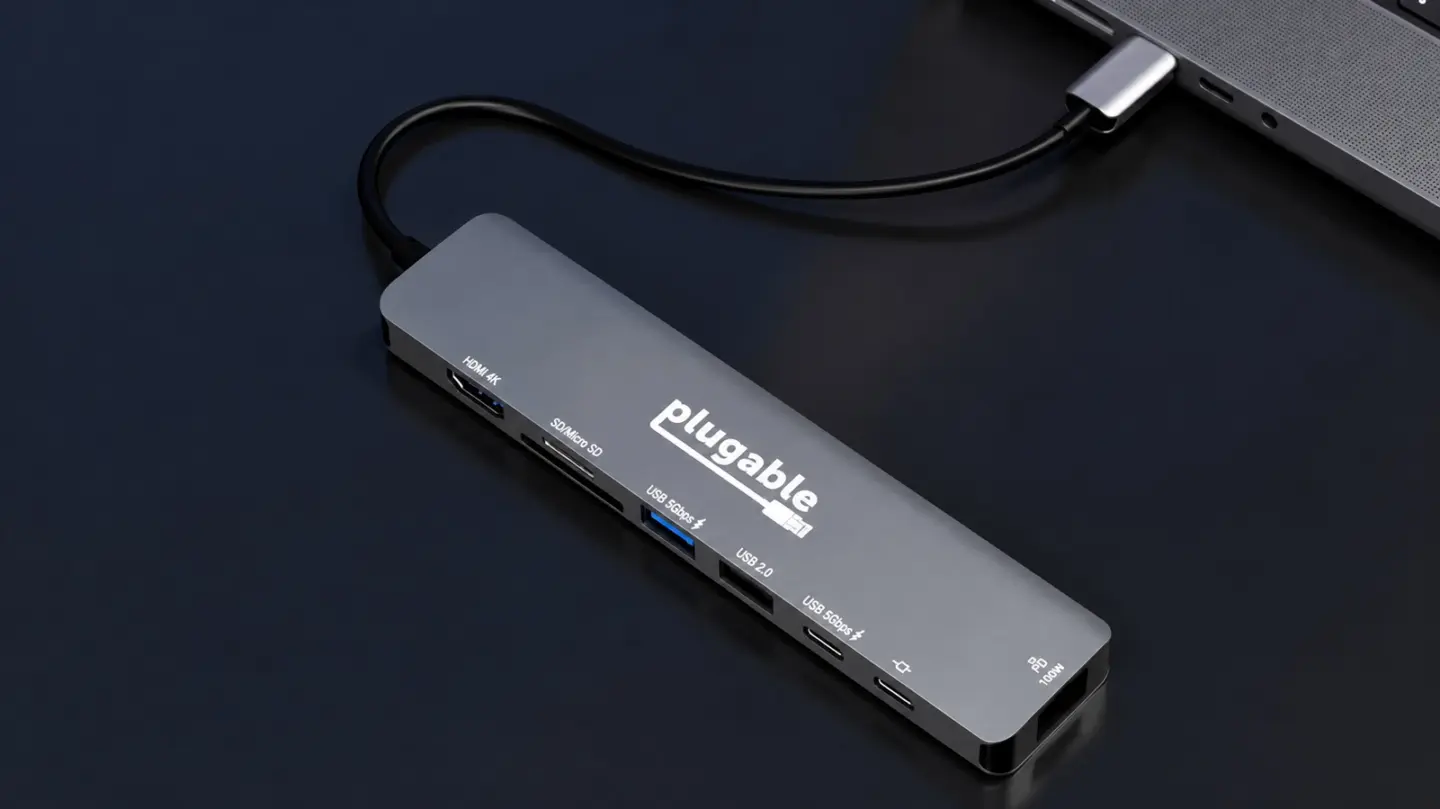
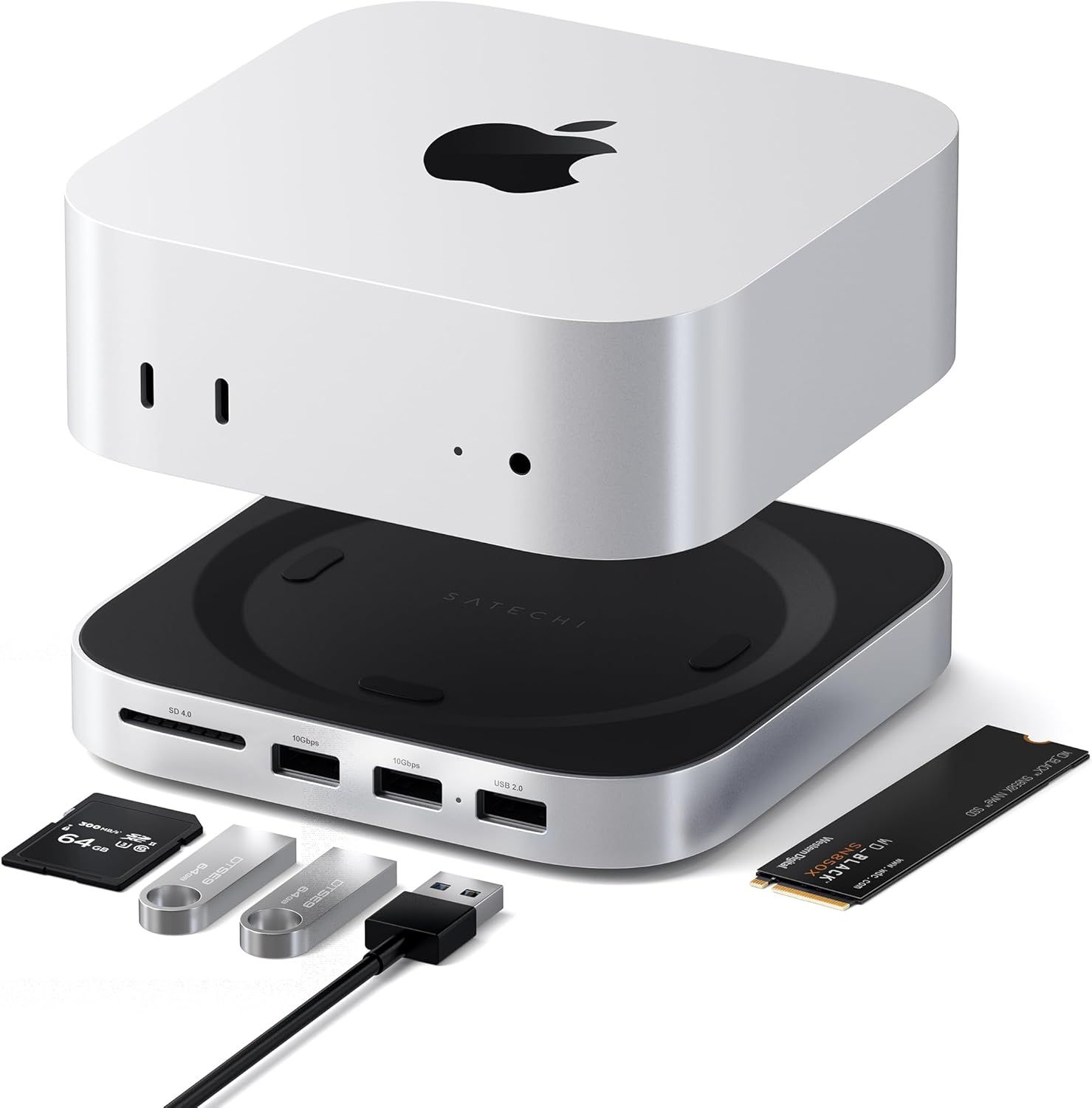
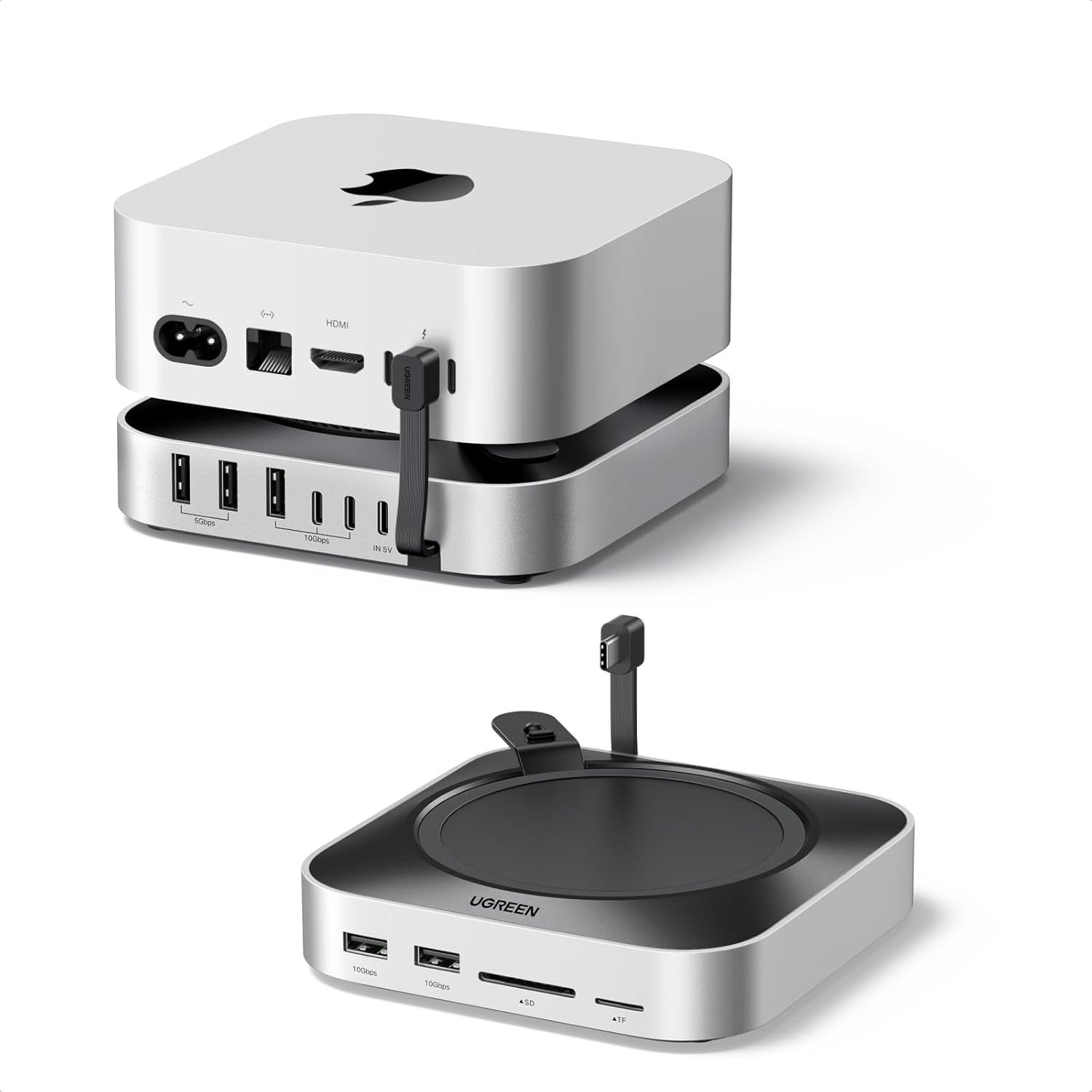
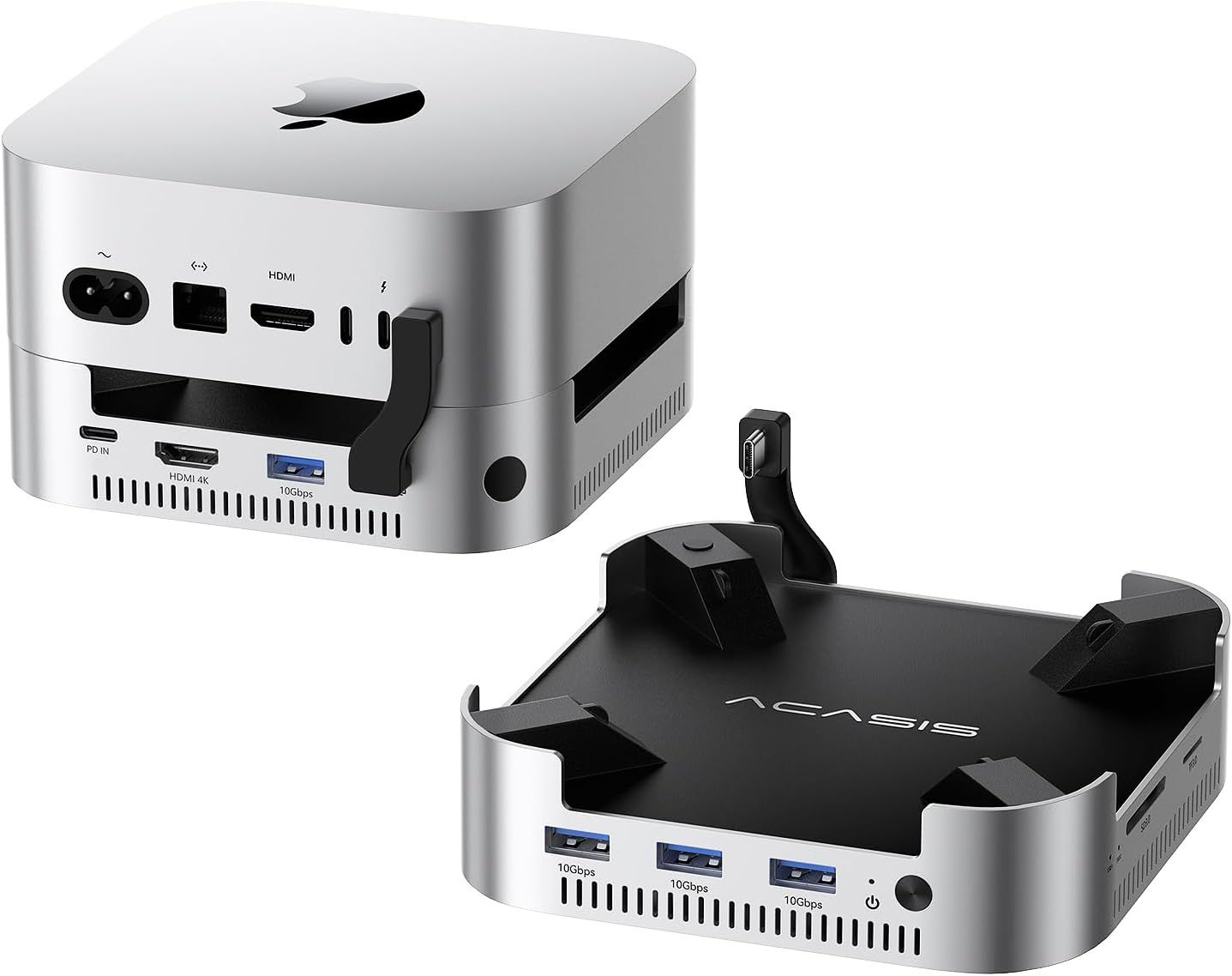
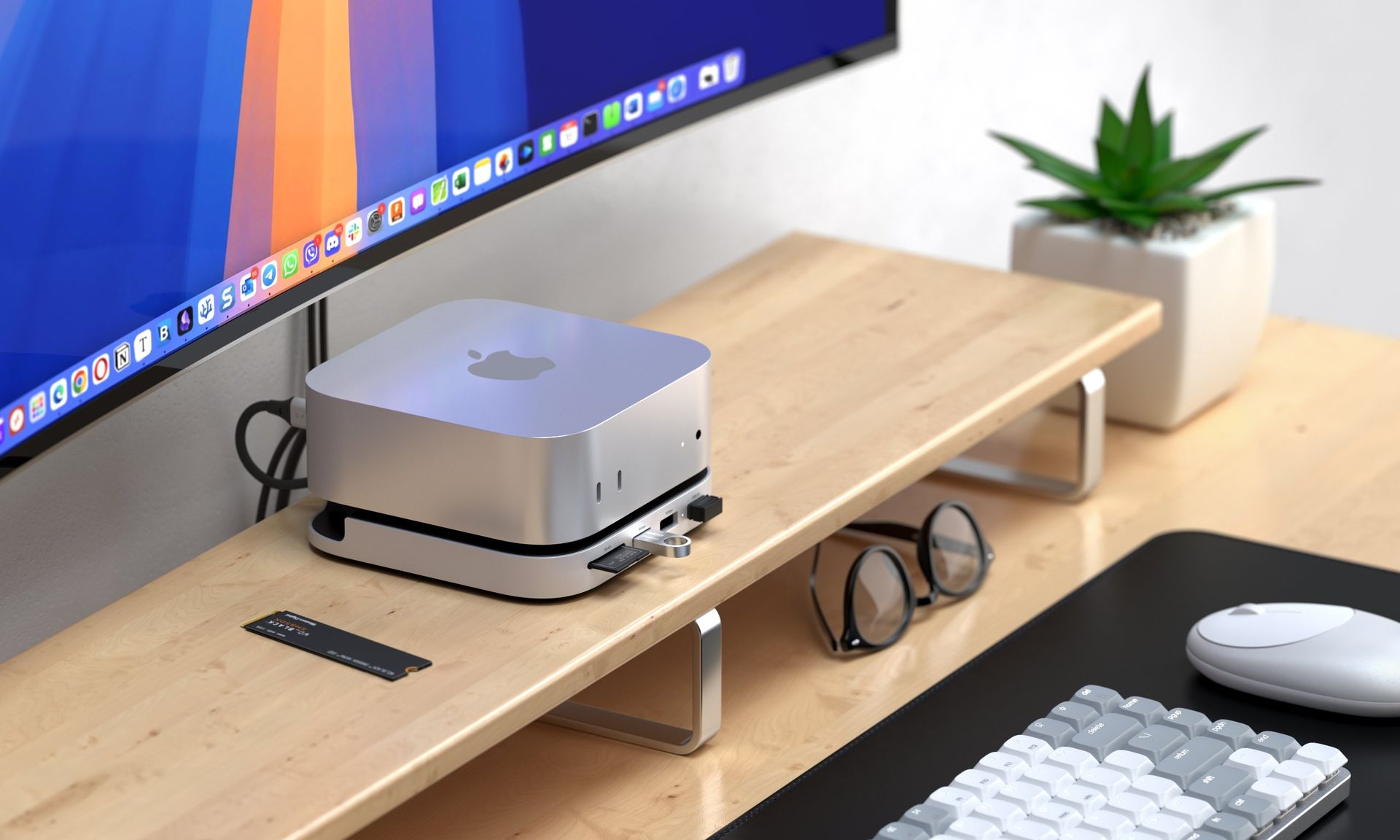
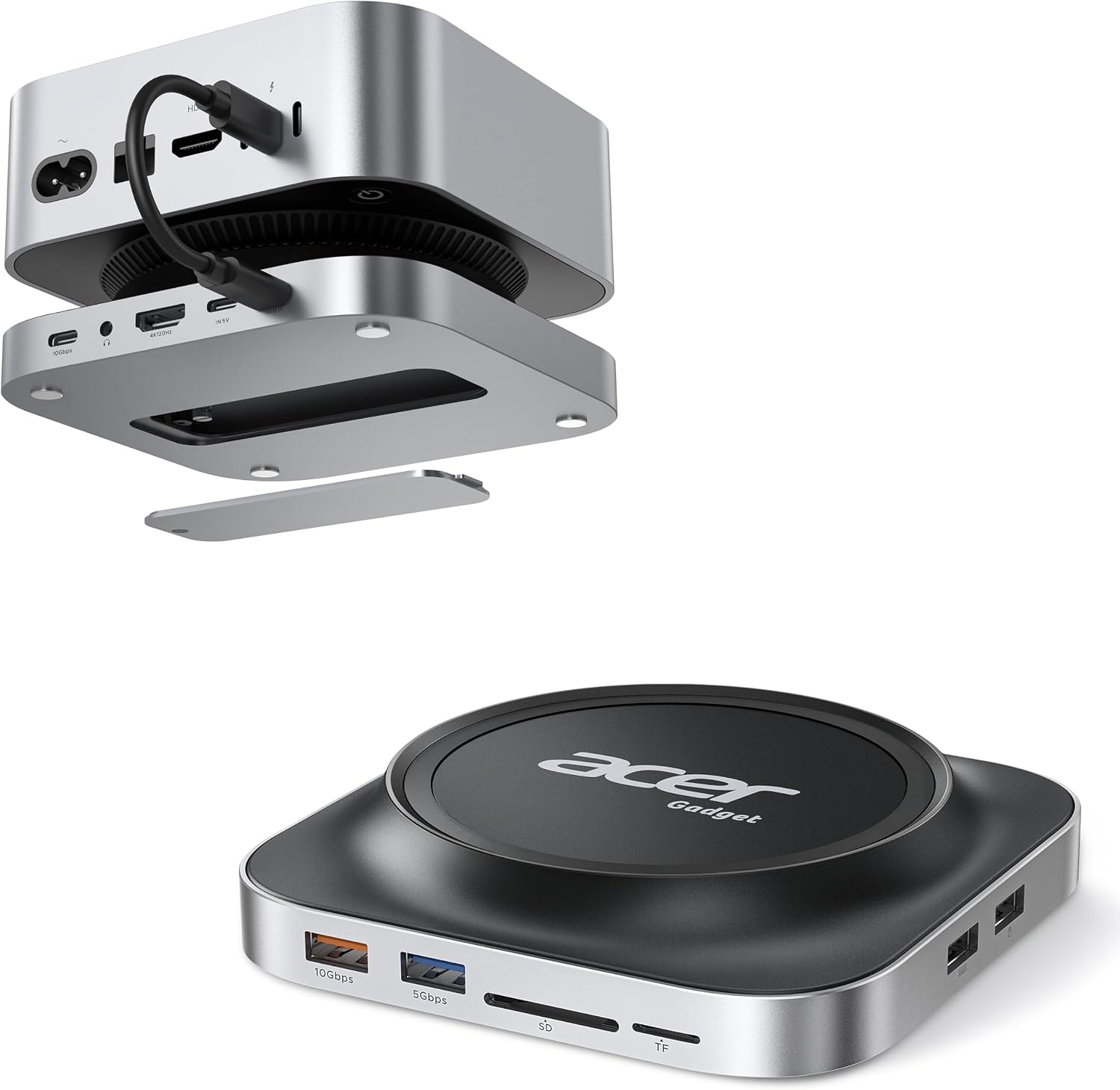
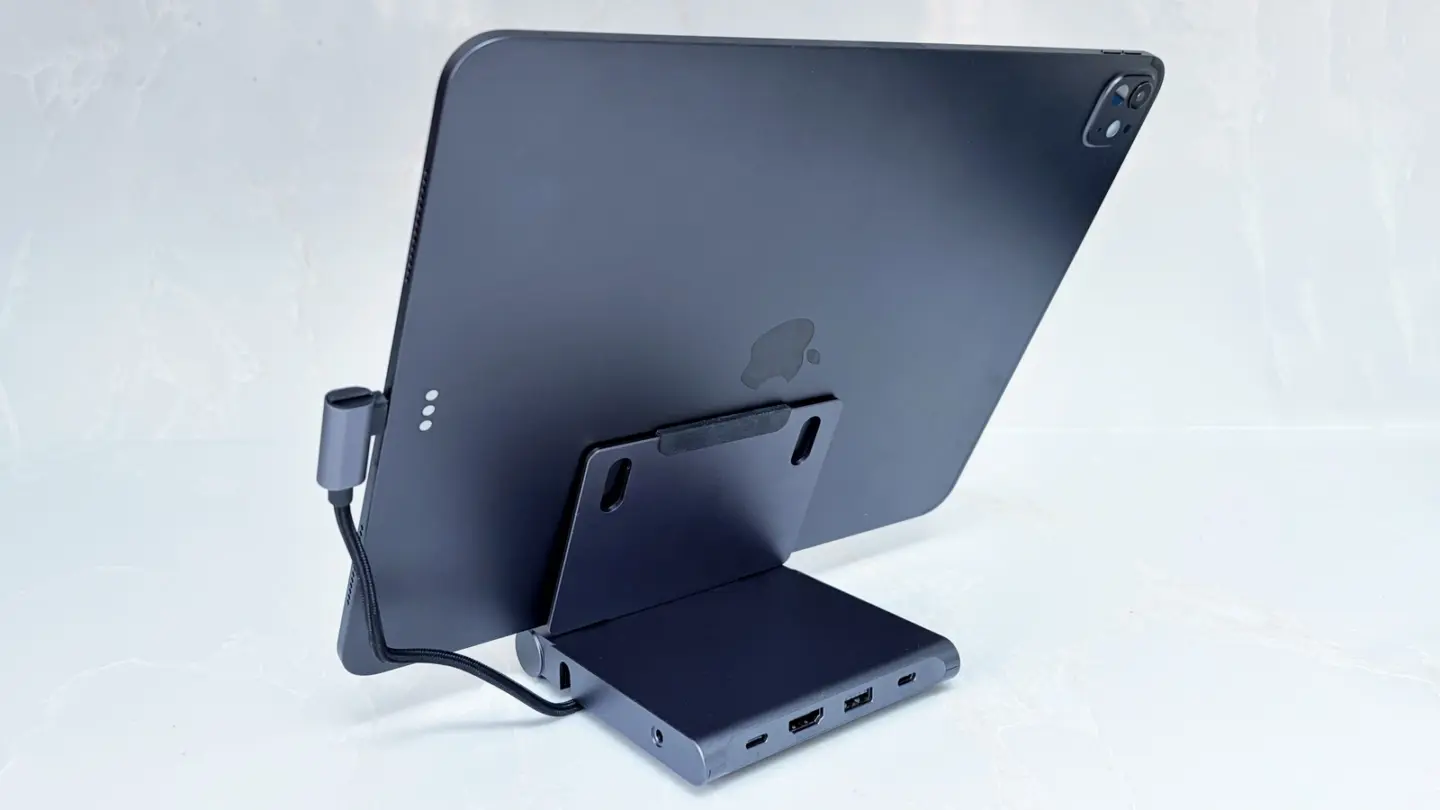
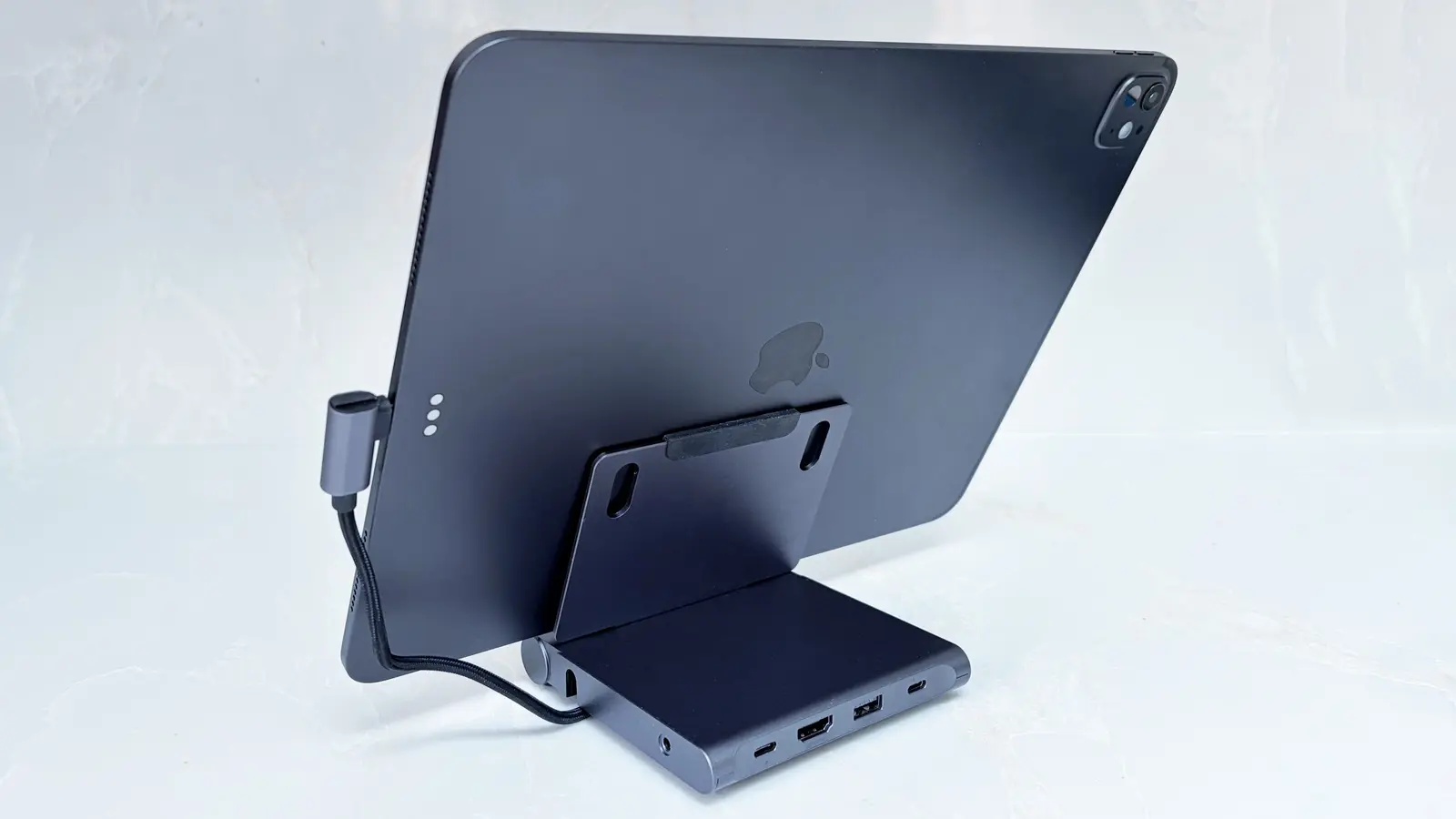
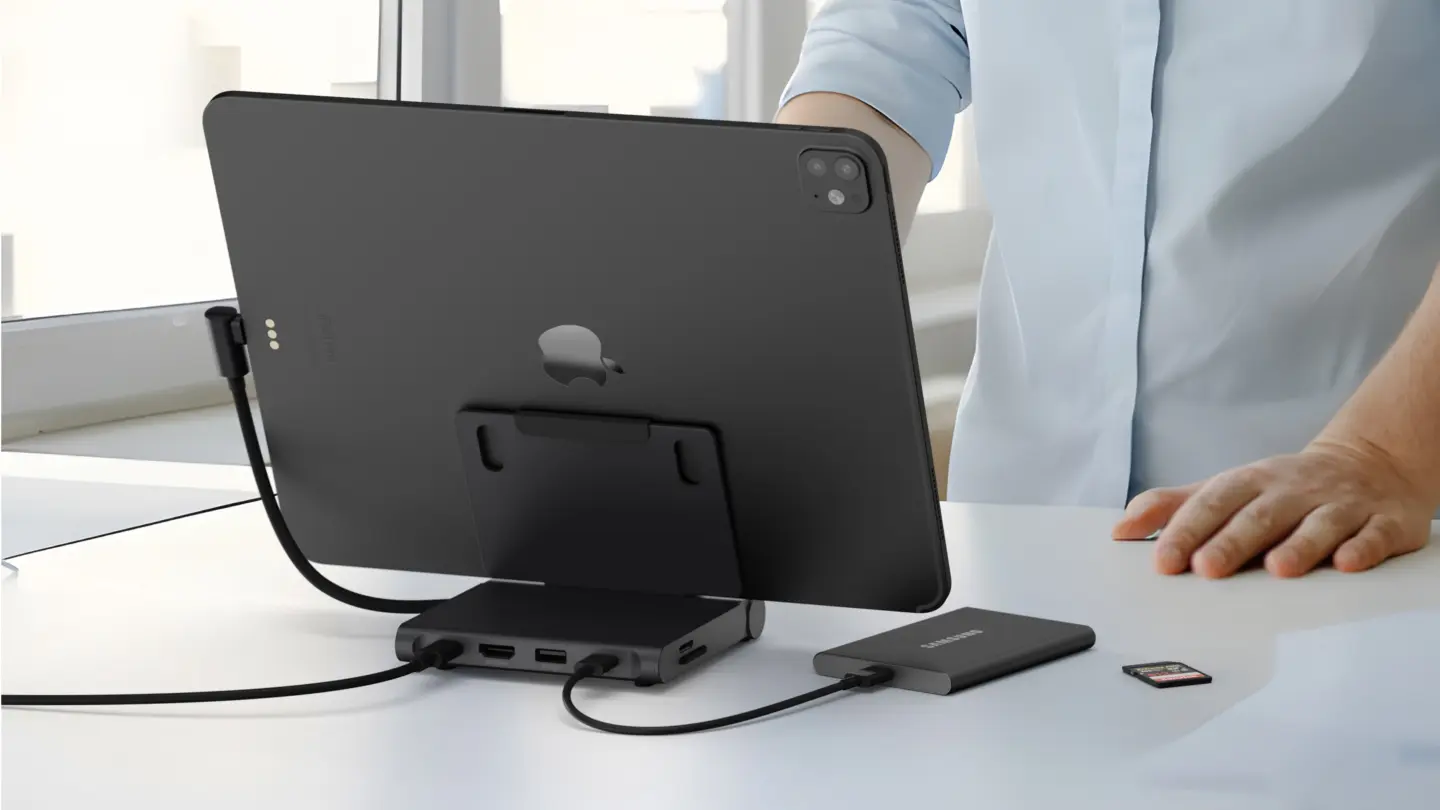
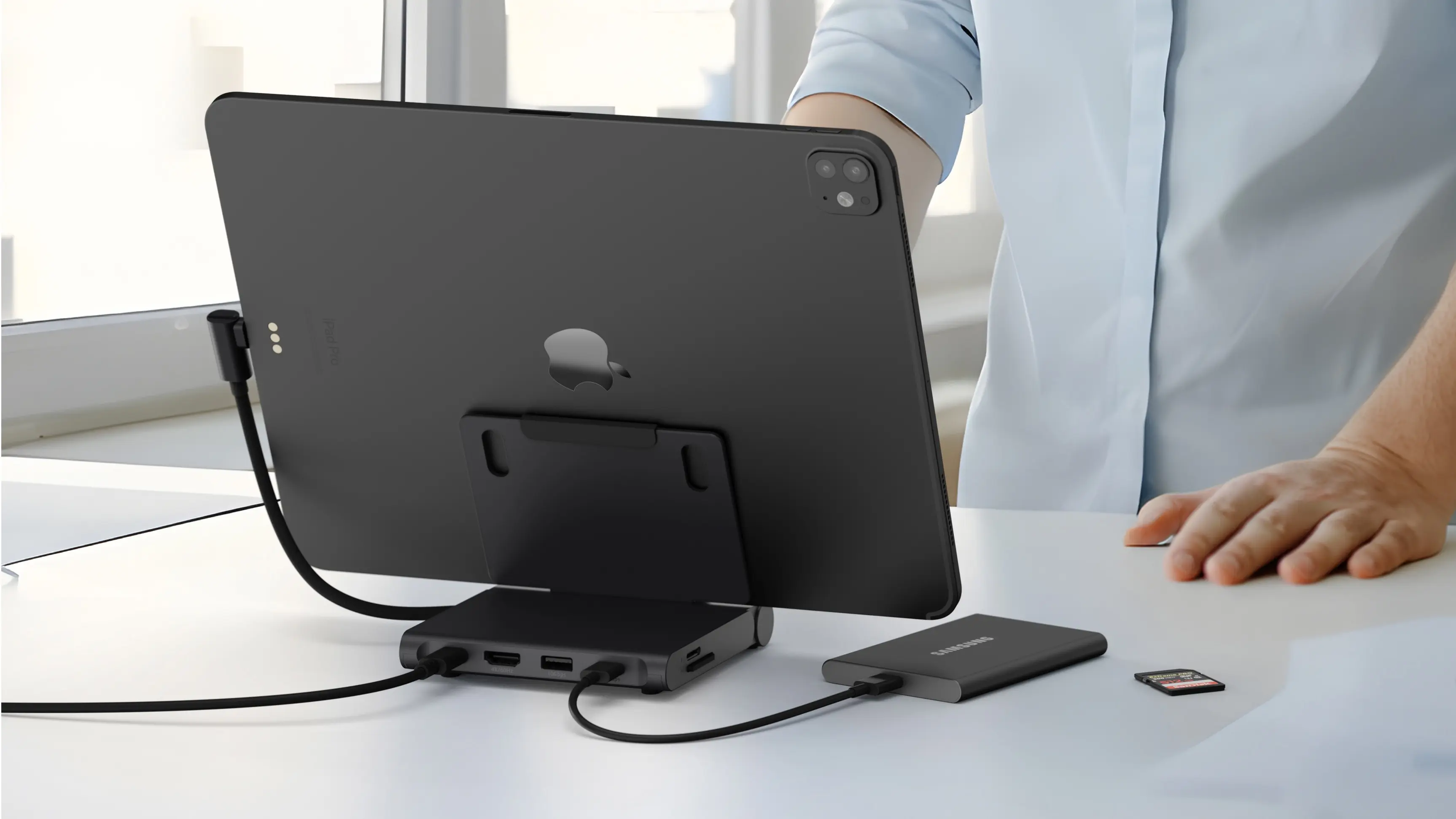
For Prime Day, there are a handful of docks specifically designed for Apple's Mac Mini that will give you more ports, including options with SSD slots to allow for more storage in a compact footprint. Keep in mind these won't work in older Mac Minis, which had a different chassis.
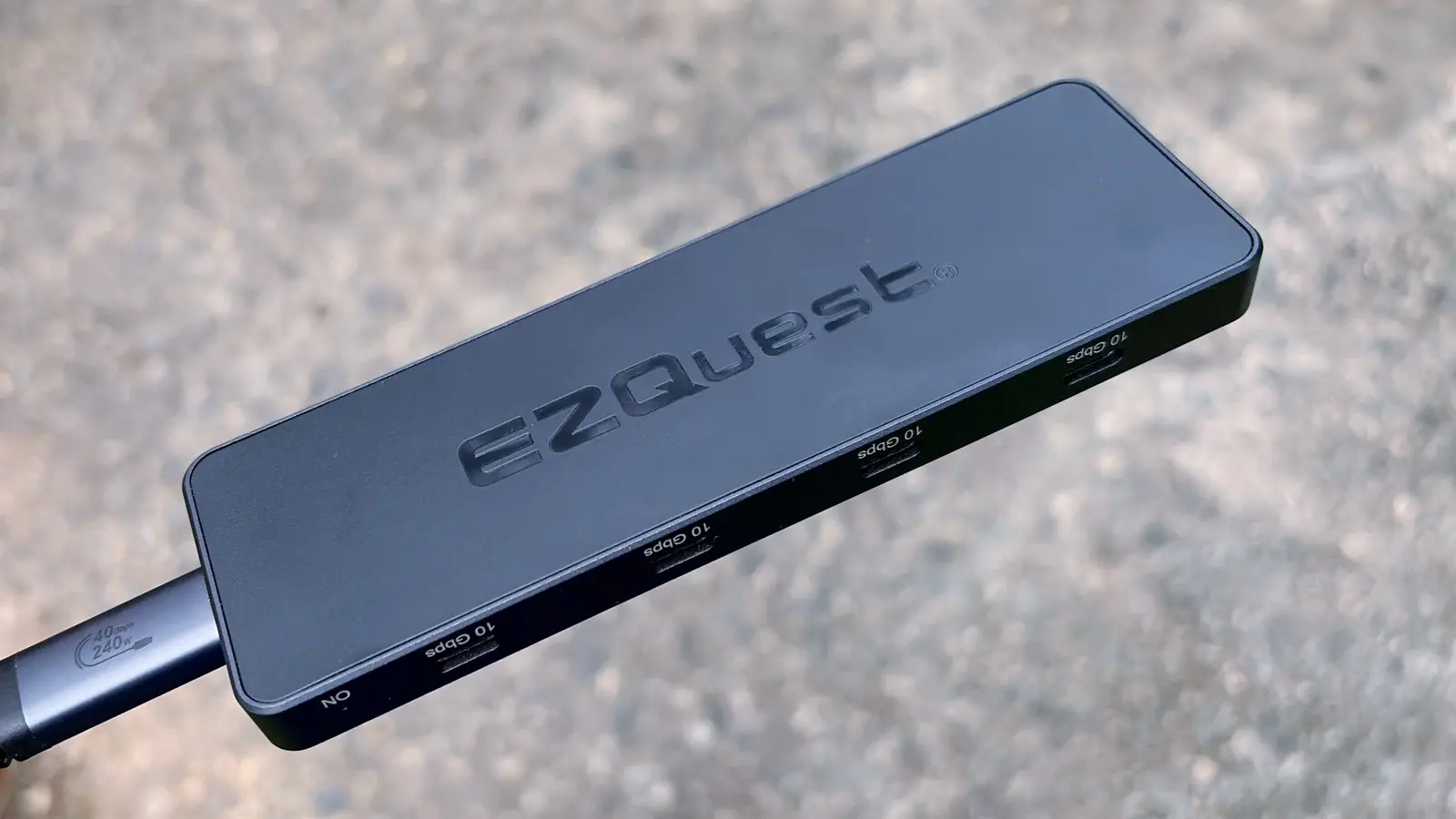
Mac Mini Dock & Hub with 2-Bay NVMe SSD Enclosure for M6/M4/M4 Pro: was $99.99 now $84.99 Acasis's dock has ports on three sides, but what's most interesting about it is that it has support for 2 NVMe SSDs for up to 16TB of internal storage. They won't be at their fastest over the 40GBps cable, but should be fine for making backups and other scheduled tasks. This dock also includes a 65W power brick.View Deal
In general, some Mac users love these docks, while others have suggested that placing them underneath a Mini can block the Wi-Fi signal. That's something to consider if you're not plugging into Ethernet.
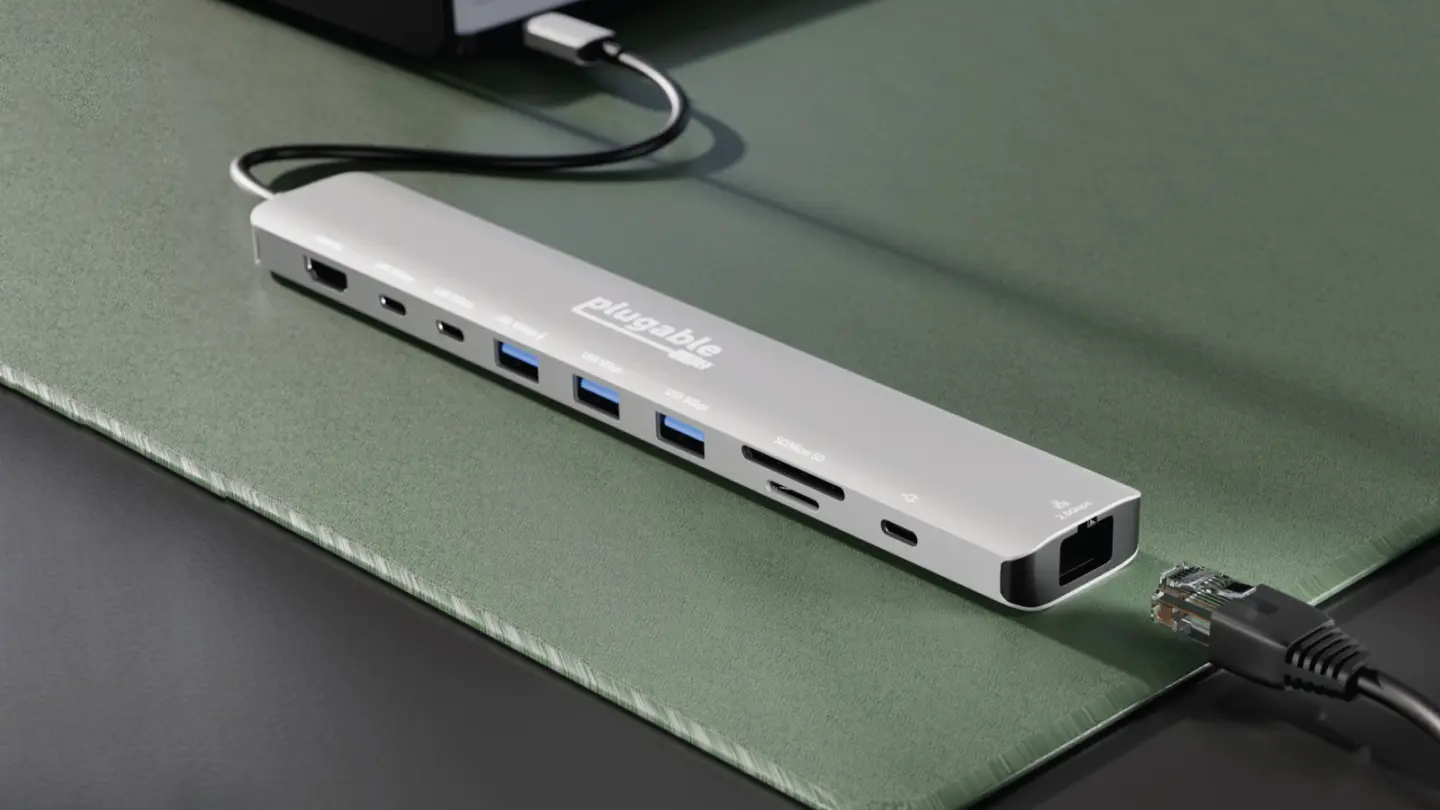
While there are lots of specialized docks for the Mac Mini, you don't need that. If you're willing to use any standard, rectangular USB-C or Thunderbolt dock, which can offer the same advantages, just not in a bespoke shape.
The Thunderbolt 5 market is starting to heat up, as we’re seeing more players enter the increasingly crowded field. We’ve previously looked at docks in the sub-$400 price category, and premium offerings crossing the $600 barrier.
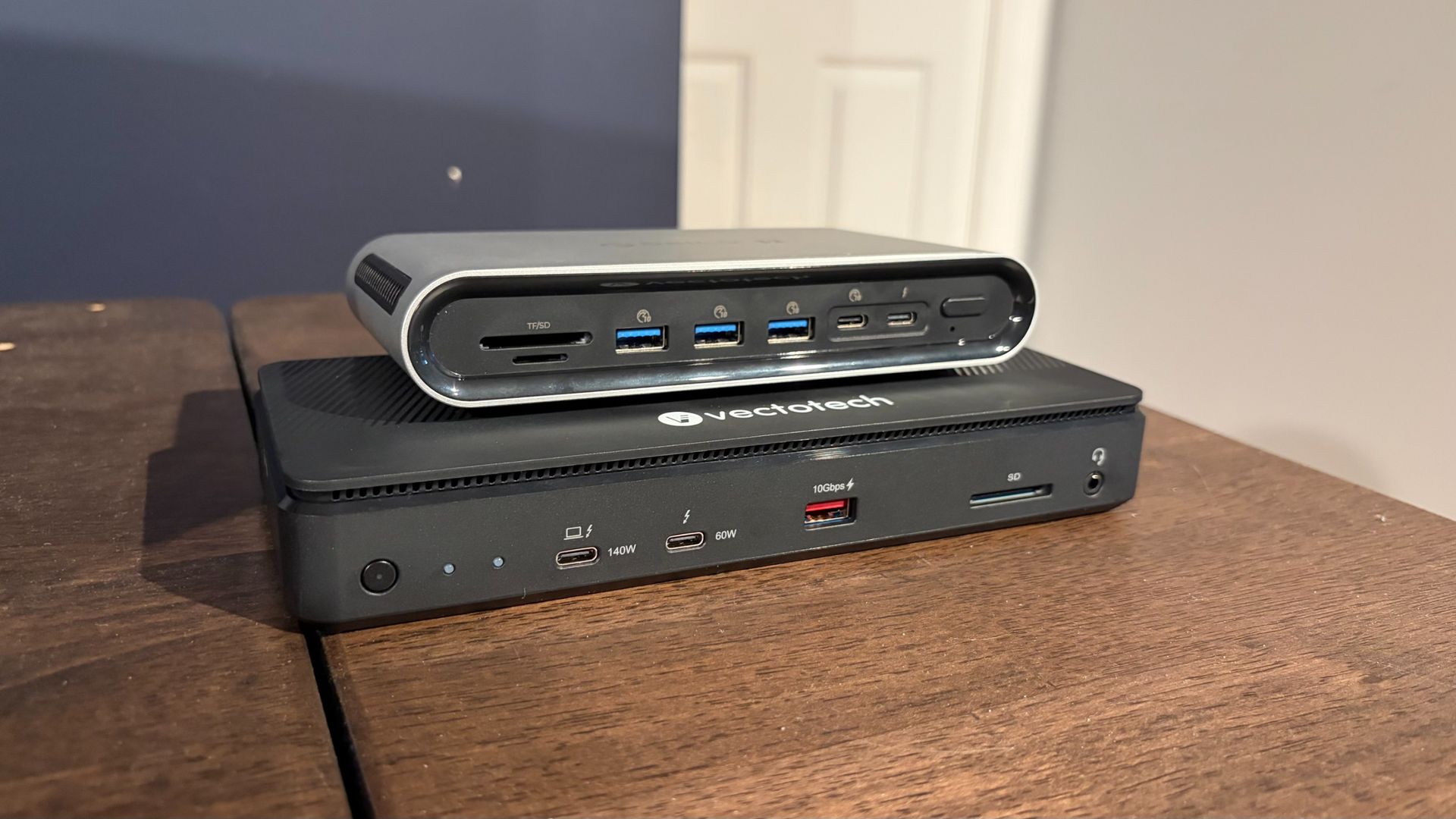
Today, we’re focusing on two new entries in the sub-$400 category: the VectoTech V-Core and the Orico TB5, priced at $349 and $399, respectively. Both offer a wealth of USB and Thunderbolt ports, 2.5 GbE Ethernet, and internal M.2 slots. While their specs look similar on paper, at the end of our testing, there was a clear winner.
VectoTech V-Core
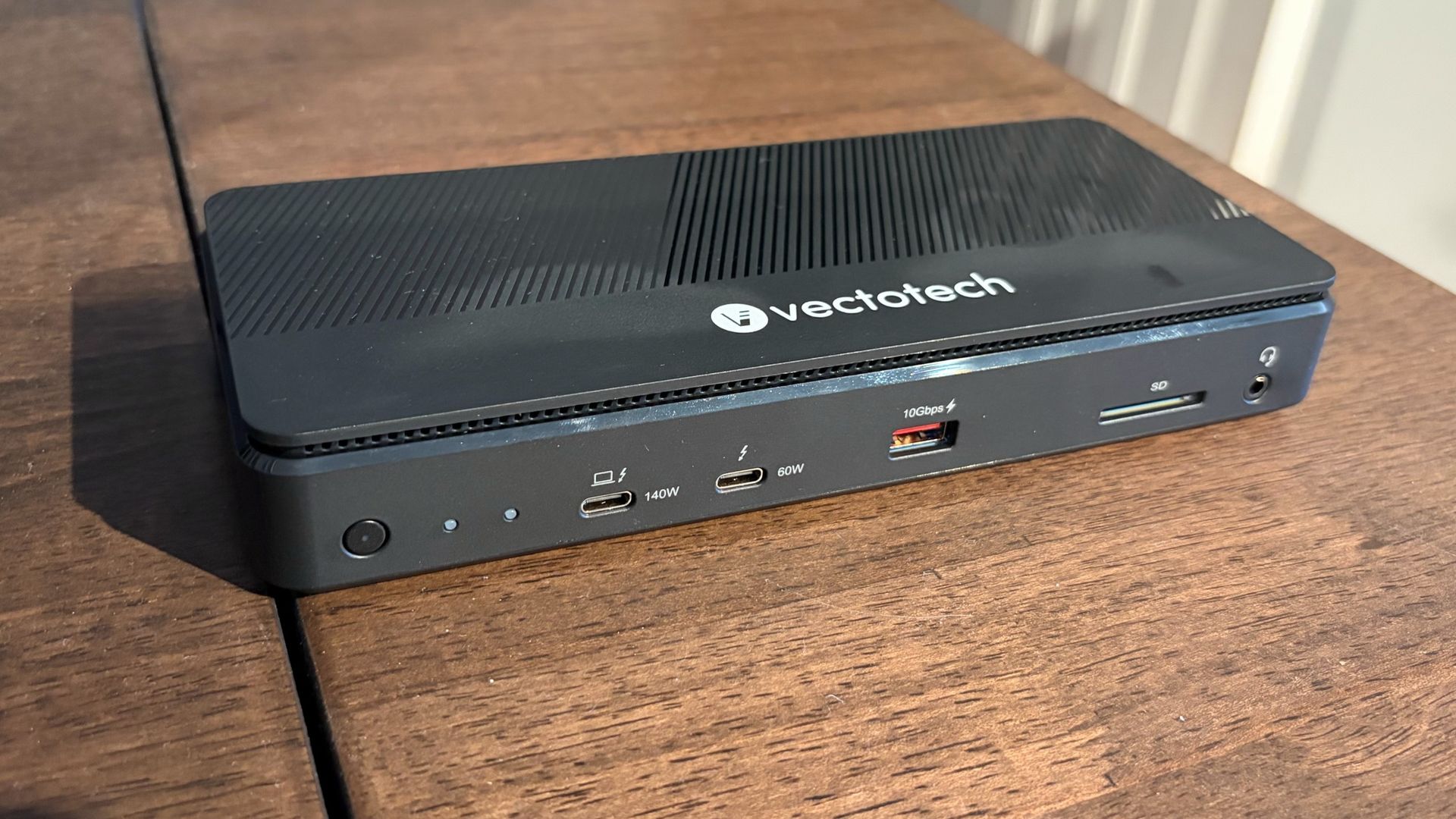
Design of the VectoTech V-Core Thunderbolt 5 Dock
The V-Core has what I’d call a traditional, candybar form factor. It’s meant to sit flat on your desk, unlike chunkier docks that can also operate vertically. At first glance, I thought the V-Core was made of lightweight aluminum. However, it wasn’t until I started fumbling around, trying to figure out how to access the internal M.2 SSD slot, that I discovered the unfortunate truth: the V-Core is constructed almost entirely of plastic. That includes the lower and top chassis, and much of the internal structure.
Tom's HardwareTom's Hardware
It’s a stark departure from every other Thunderbolt dock that I’ve tested, which are made from aluminum to help dissipate heat – which can be intense when a dock is under load. In addition, the top cover wiggled around when snapped into place (it uses a friction fit to attach to the main chassis).
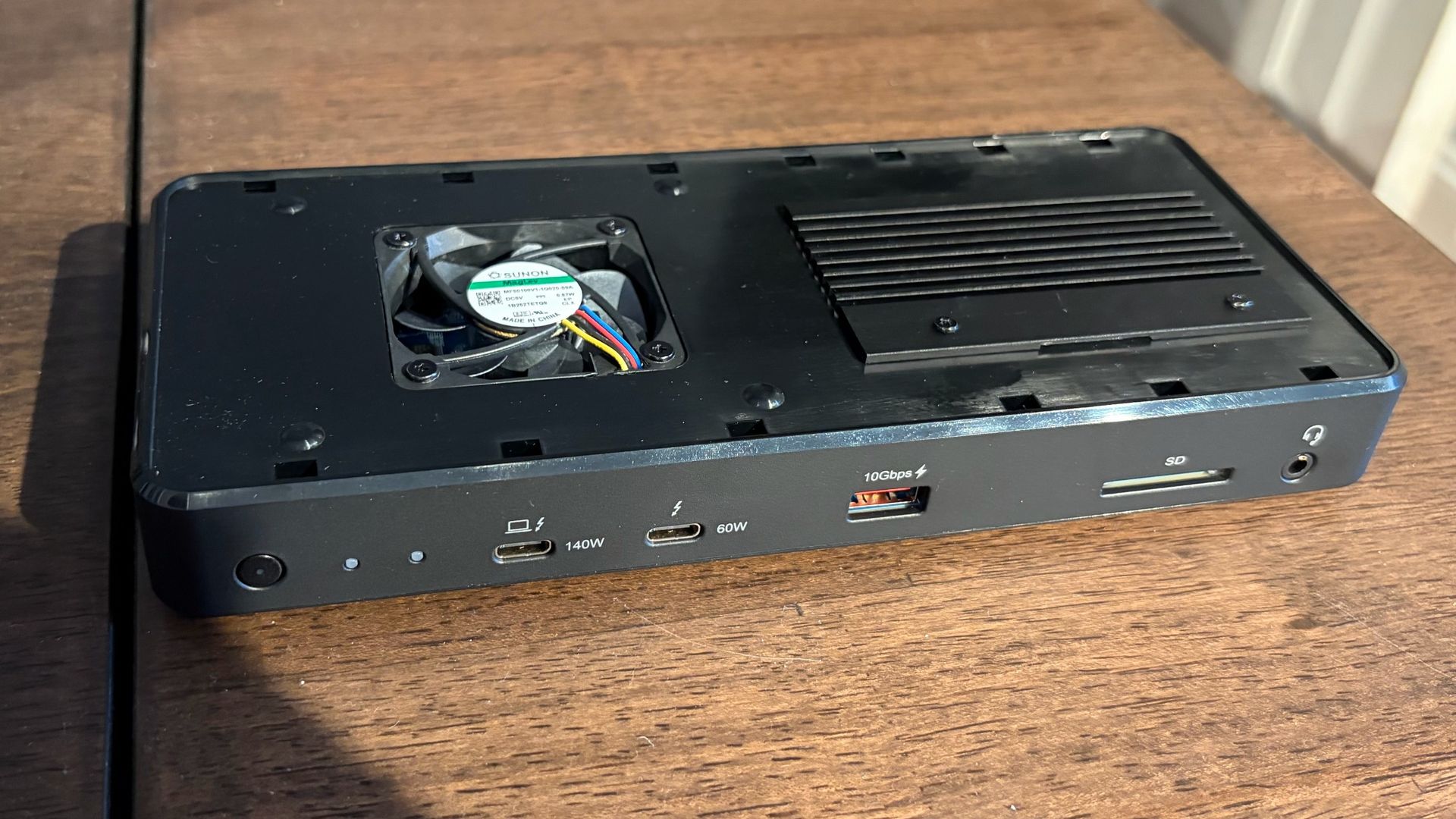
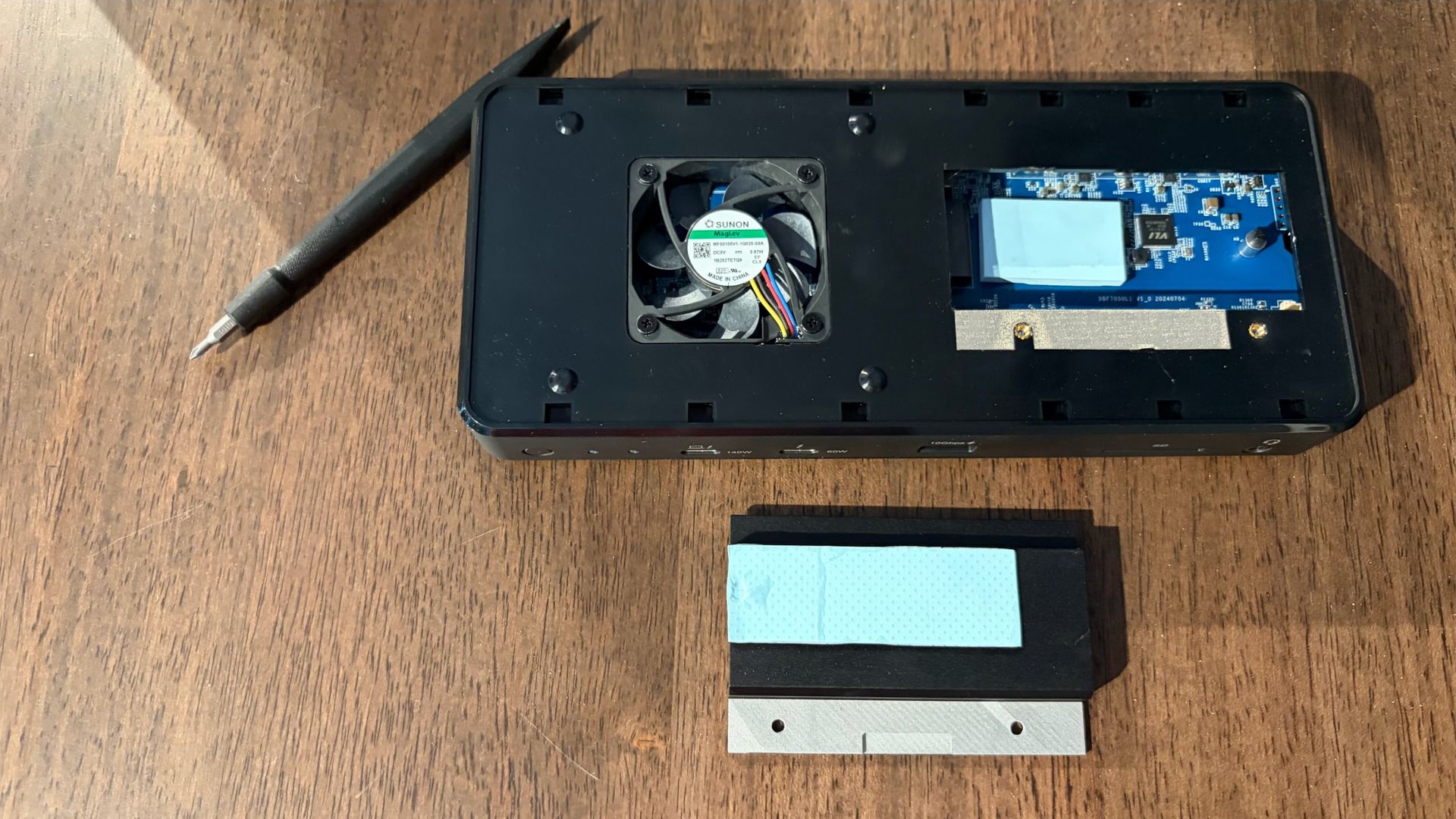
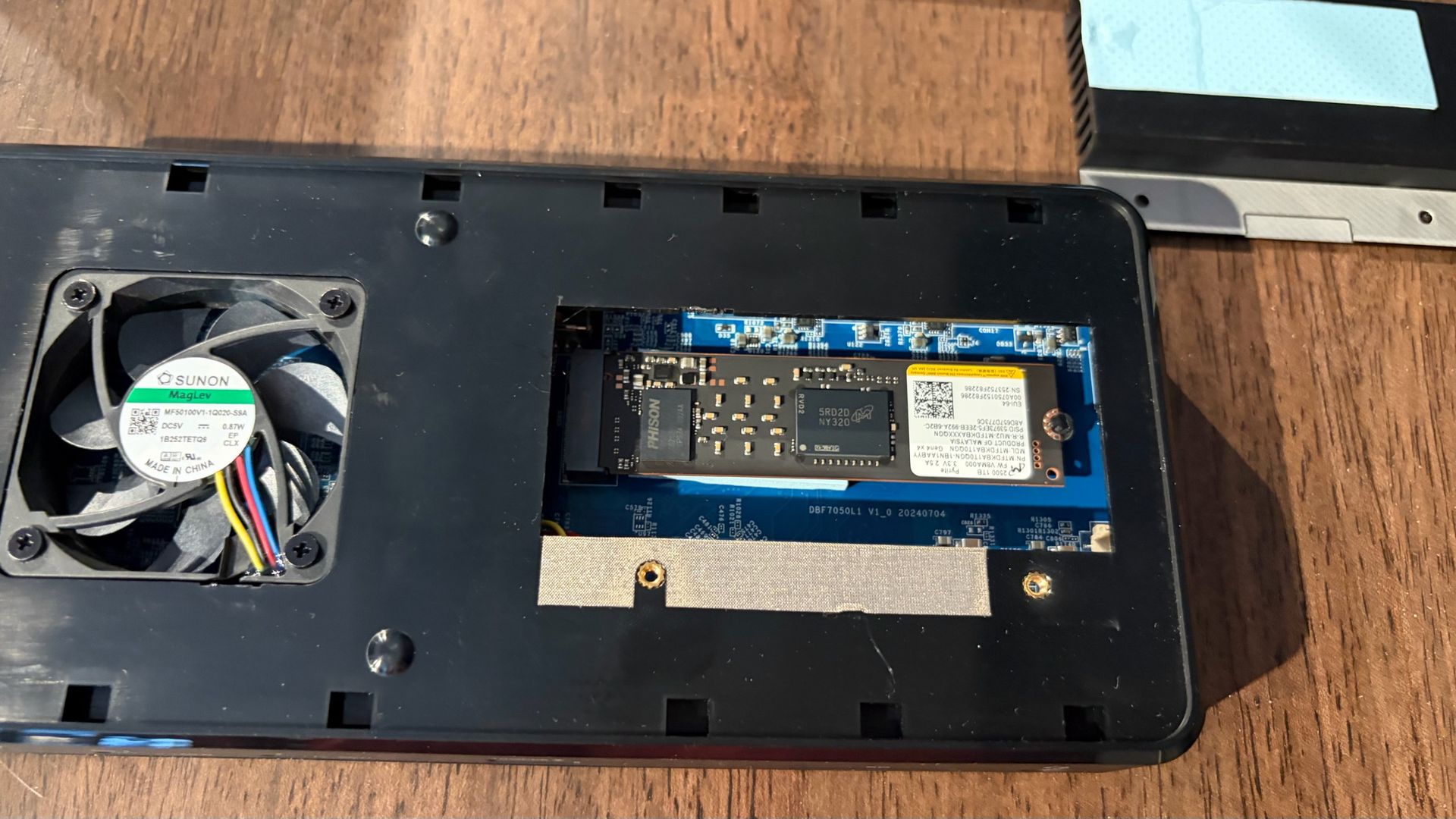
With the top cover removed, you can see an internal cooling fan, which is essential for cooling Thunderbolt 5 docks with internal SSD bays, and a large black aluminum heatsink held in place with two screws. After removing the screws, the heatsink lifts off, revealing an M.2 slot that supports up to an 8TB 2280 SSD. Here’s another nitpick: Instead of using a screw to secure the SSD, VectoTech uses a tiny, spinning plastic retaining clip.
This is a feature that’s handy to have on motherboards when you’re often reaching inside a case, sometimes while the case is vertical. But it makes less sense in a small dock – especially when this particular latch is smaller than we’ve seen on other M.2 mounts. It didn’t inspire much confidence that it would hold the SSD in place, at least not compared to traditional screws. That said, VectoTech offers thermal pads that cover both the top and bottom of your SSD.
Tom's HardwareTom's HardwareTom's Hardware
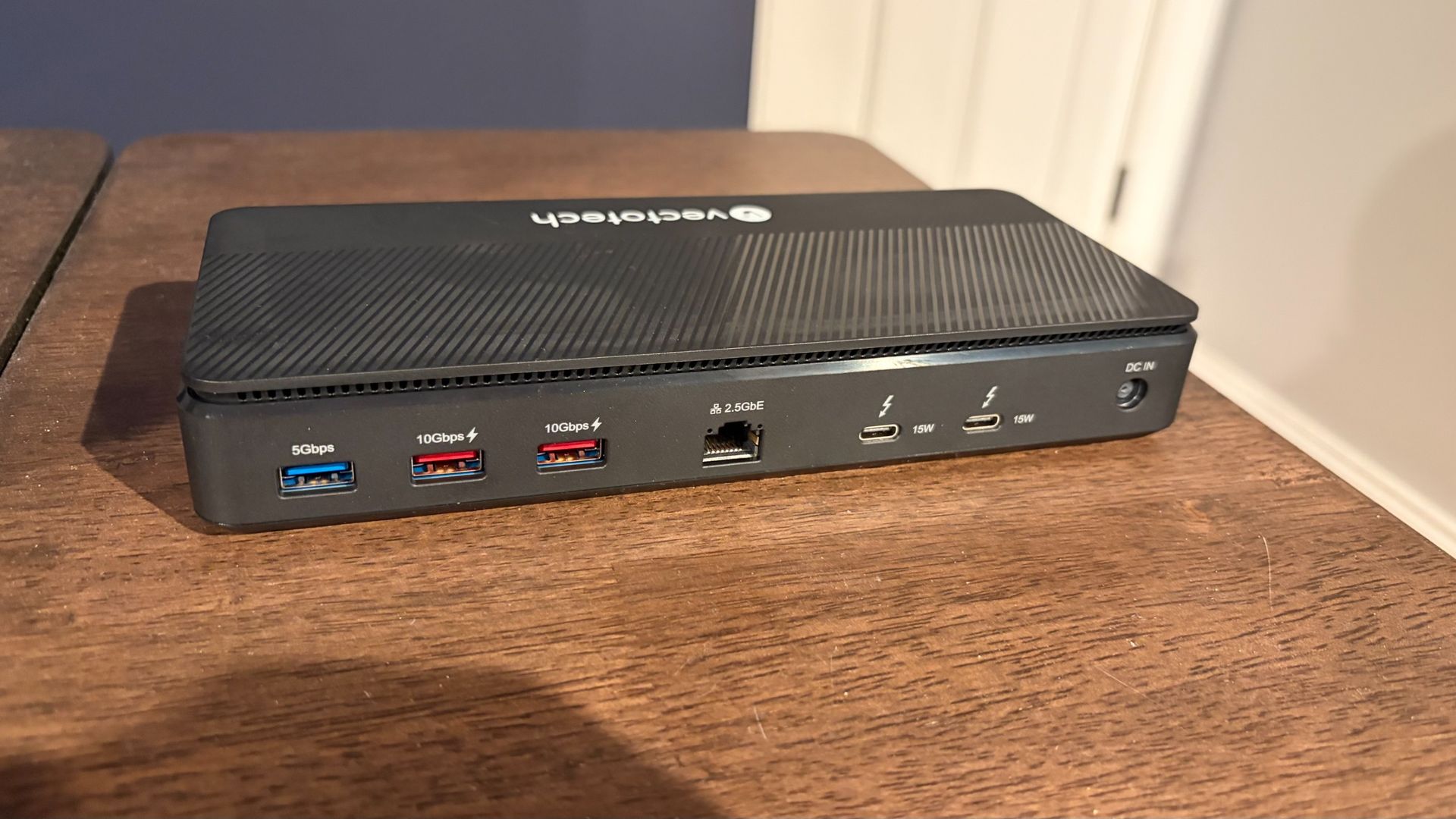
When it comes to ports, the VectoTech V-Core left me scratching my head a bit: There are no native HDMI or DisplayPort ports on the dock. Most Thunderbolt docks include at least one of the two common video ports, so it was disappointing to see this omission here. It’s not the end of the world, however; you can always use an HDMI-to-USB-C or DisplayPort-to-USB-C adapter with the dock (at an additional out-of-pocket cost).
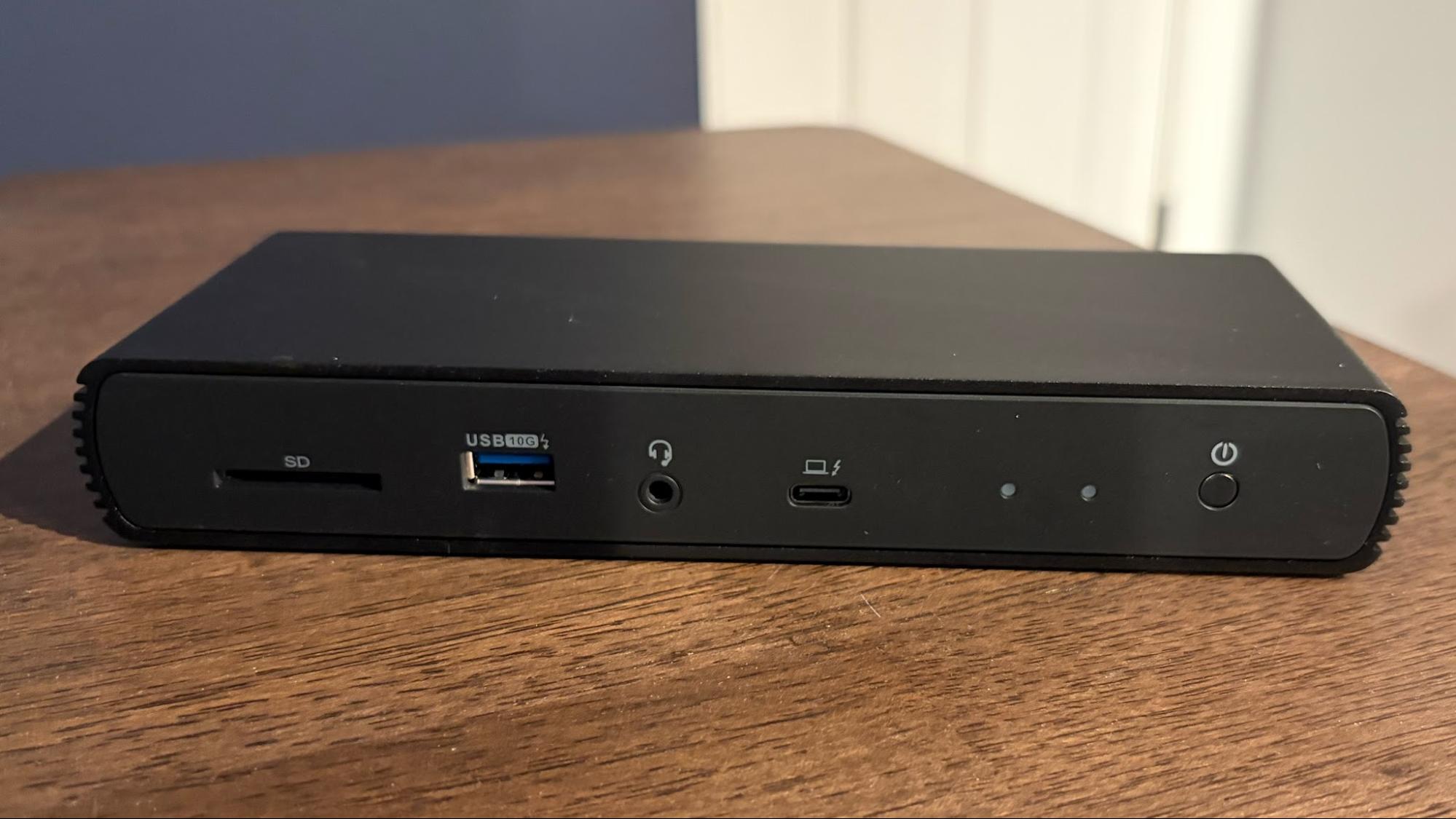
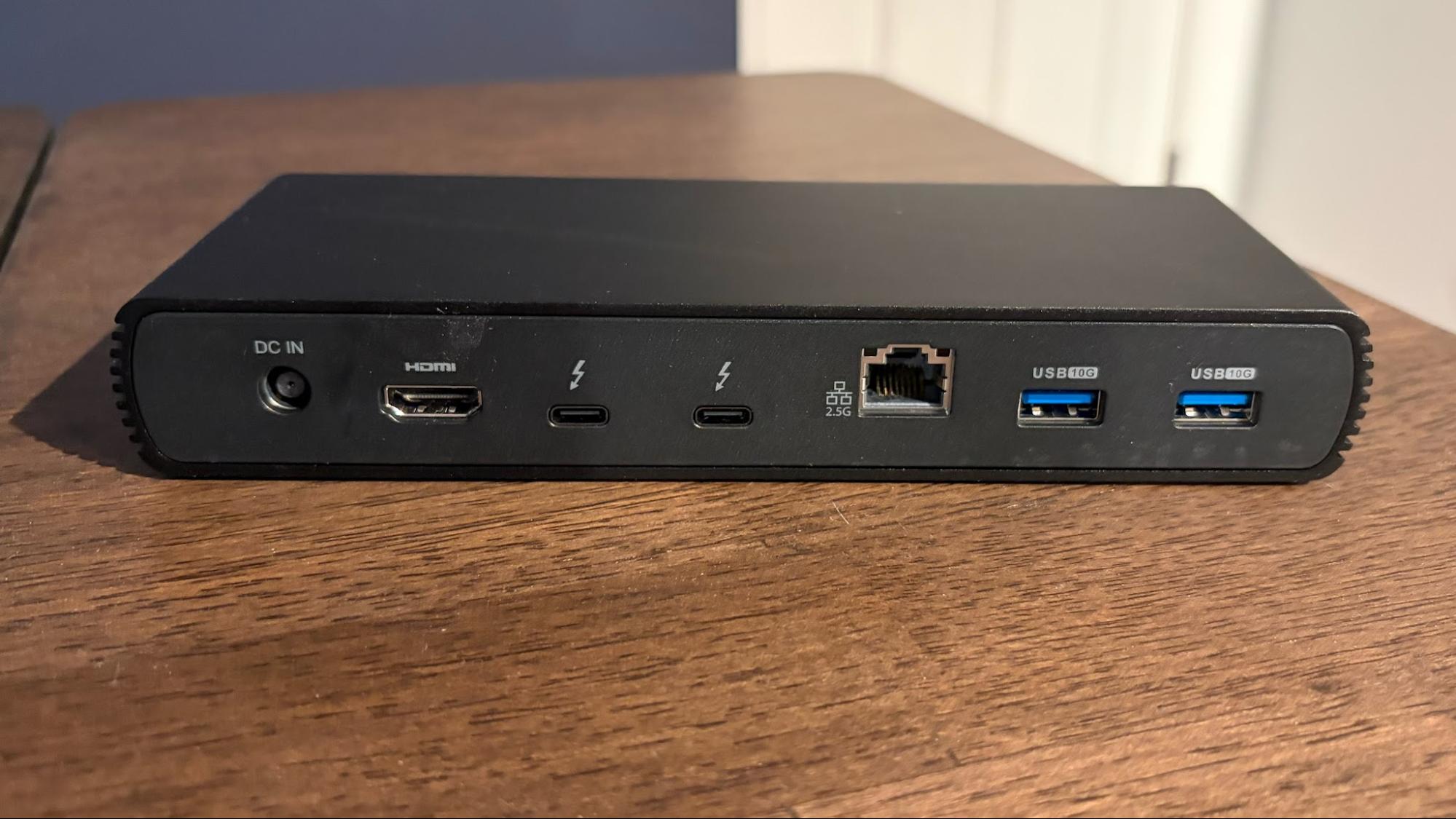
Instead, you’ll find two Thunderbolt 5 ports on the front (one upstream, one downstream), a USB-A port, an SD 4.0 reader (no microSD), and a 3.5 mm headphone jack. Moving to the back, there are three additional USB-A ports, two downstream Thunderbolt 5 ports, and a 2.5 GbE port.
Orico TB5
Design of the Orico TB5 Thunderbolt 5 Desktop Workstation
Unlike the V-Core, the Orico TB5 has a chassis primarily constructed of a single piece of thick aluminum. The outer chassis has an oblong shape, with ventilation cutouts on the right and left sides.
Tom's HardwareTom's Hardware
The front and rear fascias are plastic, and where you’ll find the assortment of ports.
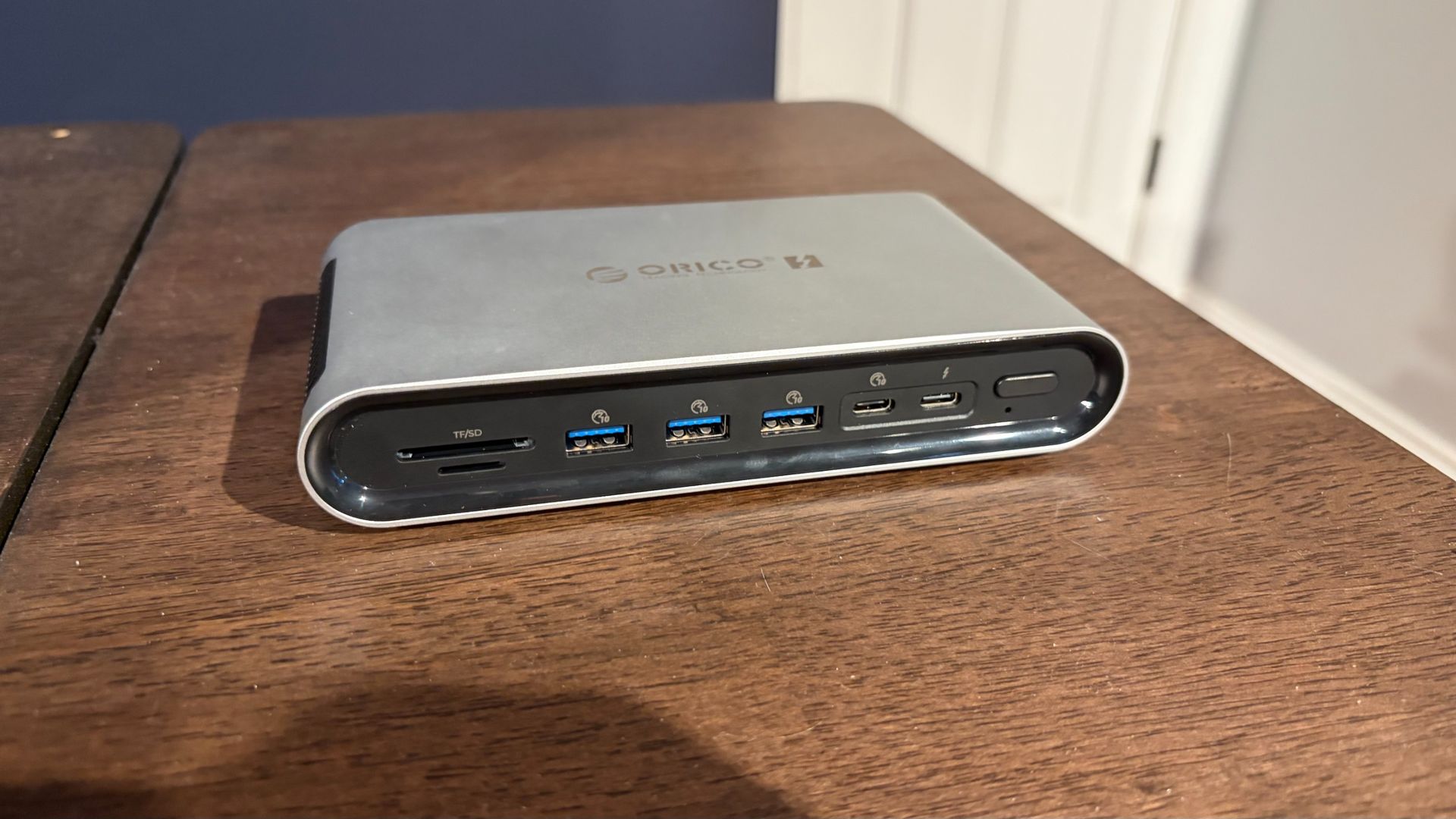
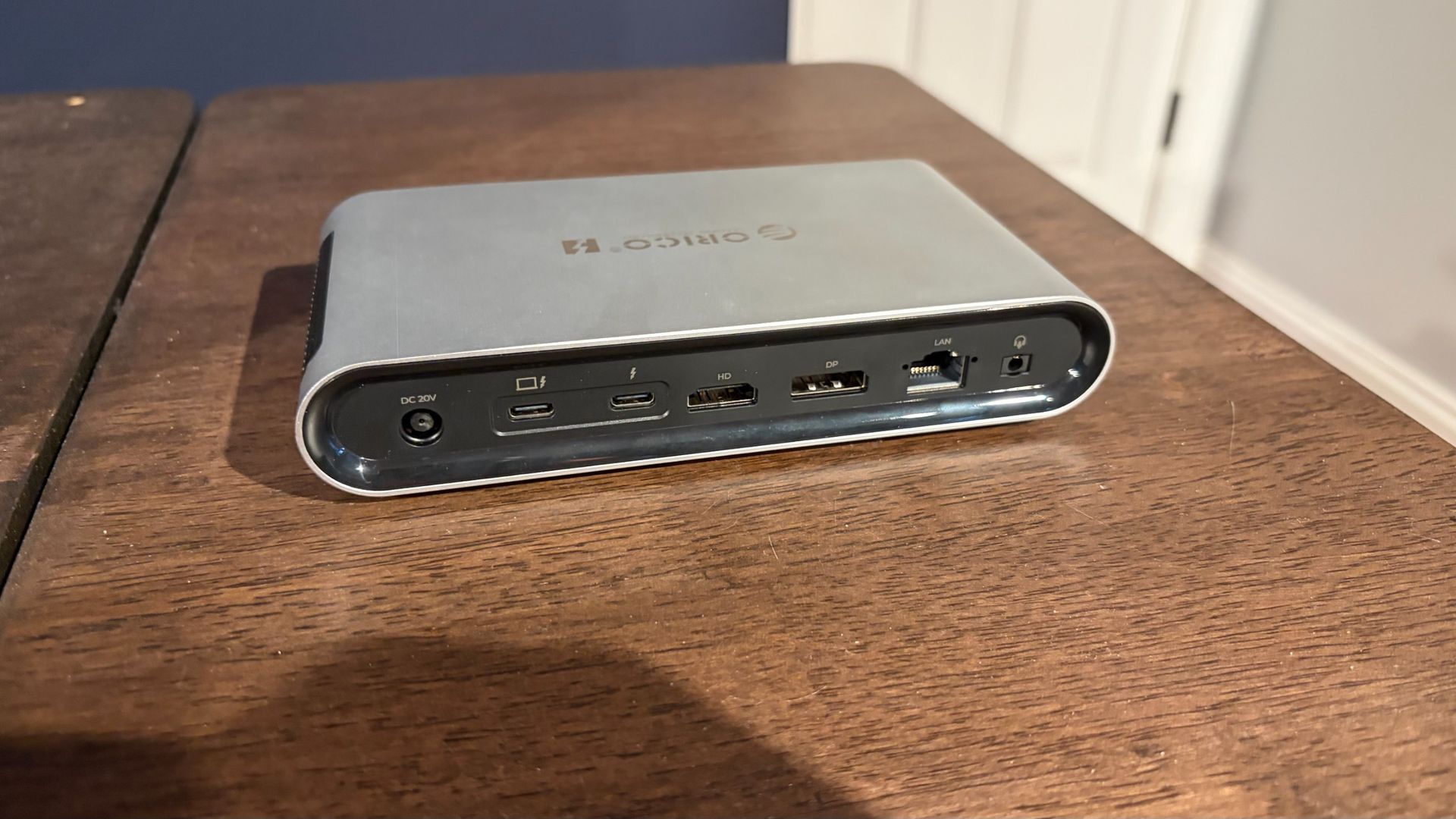
Up front, you’ll find an SD 4.0 slot, a microSD 4.0 slot, three USB-A ports (10 Gbps), one USB-C port (also 10 Gbps), and one Thunderbolt 5 downstream port. On the back, there’s one Thunderbolt 5 upstream port, one Thunderbolt 5 downstream port, one USB-C port, one DisplayPort, one HDMI port, a 2.5 GbE port, and a 3.5mm audio combo jack.
Tom's HardwareTom's Hardware
I was somewhat surprised to see both HDMI and DisplayPort in this relatively compact Thunderbolt 5 dock, but they are welcome additions here. It’s hard to be disappointed with Orico’s choice of ports on the TB5, as there’s a nice balance of USB-A, USB-C, and video outputs.
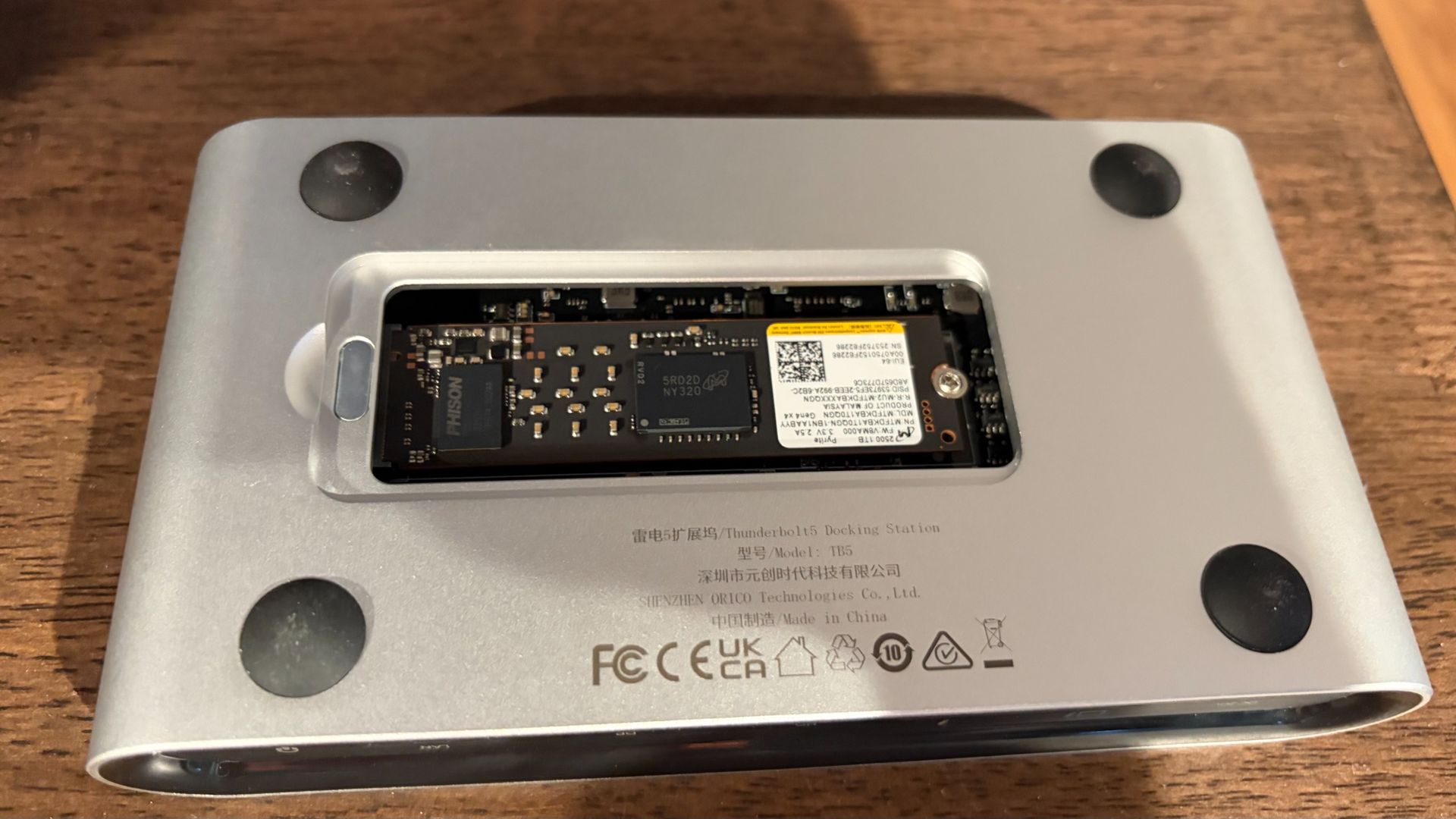
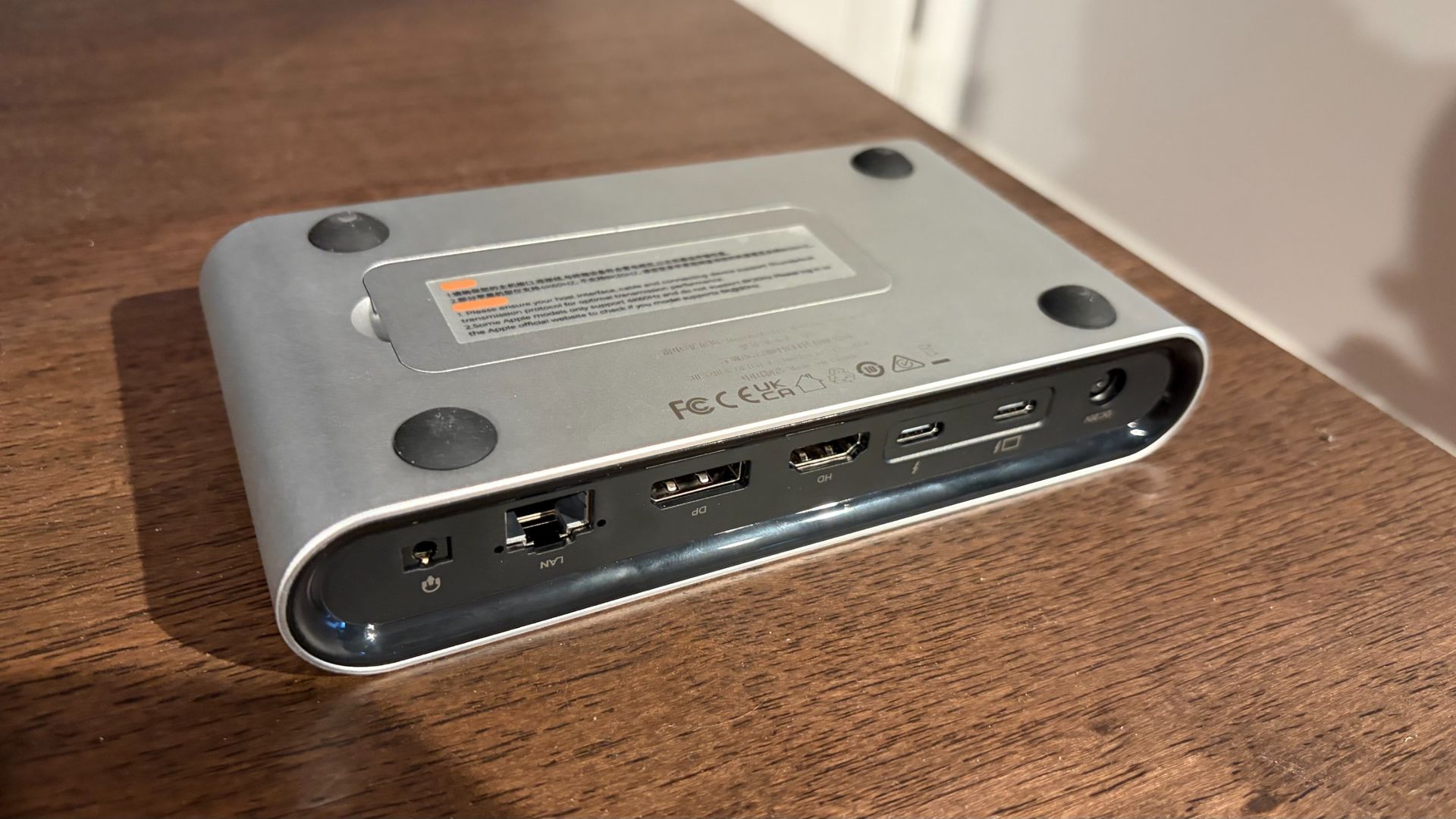
But my absolute favorite design feature of the TB5 is on its underside. Most Thunderbolt docks that feature an internal SSD slot require you to remove a screw to access the M.2 slot. However, the TB5 uses a magnetic cover that is easily removed with a fingernail, yet strong enough to remain attached when moving the dock around. It’s a small touch, but appreciated when swapping SSDs. The M.2 slot can accommodate 2280 form-factor SSDs.
Testing
Testing the VectoTech V-Core and Orico TB5 Thunderbolt 5 Docks
The lack of native DisplayPort and HDMI ports didn’t hamper my testing with the V-Core. My primary desktop rig uses a 49-inch WQHD monitor with native USB-C support, and it connected to the V-Core without issue at its native 240 Hz refresh rate with a Windows 11 PC and a Mac running macOS 27. I also tested the same monitor using the HDMI-to-USB-C and DisplayPort-to-USB-C adapters that I have on hand. Again, I had no issues with this setup.
The dock itself did get very hot; just as hot as the many aluminum-shelled Thunderbolt 5 docks I’ve tested. Although I didn’t experience any slowdowns or errors after extended use, I do wonder about heat soak with the plastic enclosure over time. The internal fan definitely helps, but it’s a concern that lingers at the back of my mind.
I tested the Orico TB5 across USB-C, DisplayPort, and HDMI connections without any performance issues or hiccups. Like the V-Core, the TB5 also includes an internal cooling fan.
Everything that I threw at both docks worked without issue. I hooked up USB mice and keyboards, my iPhone Air, a 1TB USB-C thumb drive, an Orico Thunderbolt 5 SSD dock, multiple portable USB-C monitors, and a DJI Mini 5 Pro drone. I also tested the 2.5 GbE LAN on both docks on my TP-Link Deco BE63 home network.
(Image credit: Tom's Hardware)
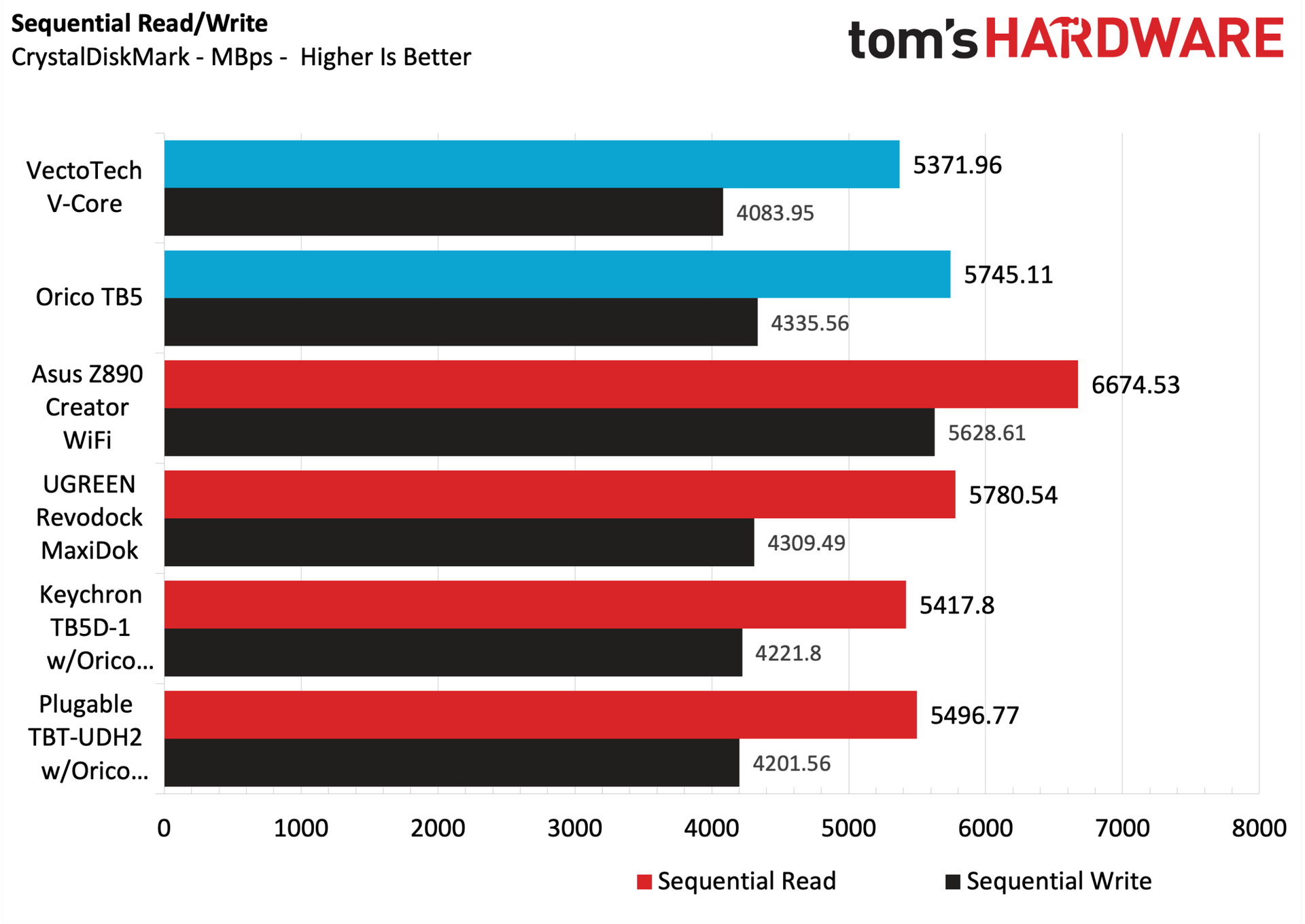
Among recent Thunderbolt 5 docks we've tested, the V-Core was at the back of the pack in both sequential read and write speeds (5,371.96 MBps and 4,083.95 MBps, respectively). Orico’s TB5, on the other hand, landed in second place, behind the UGREEN Revodock MaxiDok in sequential reads (5,745.11 MBps), and led the pack in sequential writes (4,335.56 MBps).
When testing the 2.5 GbE LAN on both docks, both maxed out at around 2,300 Mbps using iPerf3, which is right in line with what we would expect after taking into account TCP/IP packet overhead.
Bottom Line
Bottom Line
The VectoTech V-Core and the Orico TB5 are similarly priced and feature a similar form factor, but Orico’s TB5 is by far the superior entry here. For starters, it just feels like a more premium product, with its aluminum enclosure versus the V-Core's plastic. And accessing the internal M.2 slot on the TB5 is much easier, requiring a simple tug on the magnetic access door, versus prying off the plastic cover on the V-Core, removing two screws, and then prying off the internal heatsink.
In other ways that matter to most people, the TB5 includes native DisplayPort and HDMI connections for your monitors. The V-Core is USB only (necessitating a USB-C adapter for most monitors). And finally, while the V-Core was at the back of the pack in storage performance compared to its peers, the TB5 trended near the front.
Right now, the VectoTech V-Core is priced at $349 on Amazon, versus $399 for the Orico TB5. A $50 premium is certainly enough to consider going with the cheaper option. But more and better ports, faster throughput, and a better, more premium design make the Orico worth paying extra for.
The portability of a laptop is nice, but it’s not without drawbacks. I often find myself wanting more from their generally tiny screens and more connectivity than my laptop offers, especially for heavy multitasking. Even writing a simple deals post like this requires multiple windows to be open, and my 14-inch 2560x1440 work laptop doesn't offer enough screen real estate to work efficiently. An extra monitor or two is great for viewing multiple things (for me, browser tabs) at once without using ‘Alt+Tab’ to move around between active applications on your desktop. This $99.99 docking station costs only $24.29 with Woot using promo code WOOTDOCK ($29.99 without); it’s a whopping $77 (76%) off and is the best deal you’ll find on a name-brand 7-in-1 docking station this side of a Prime Day.
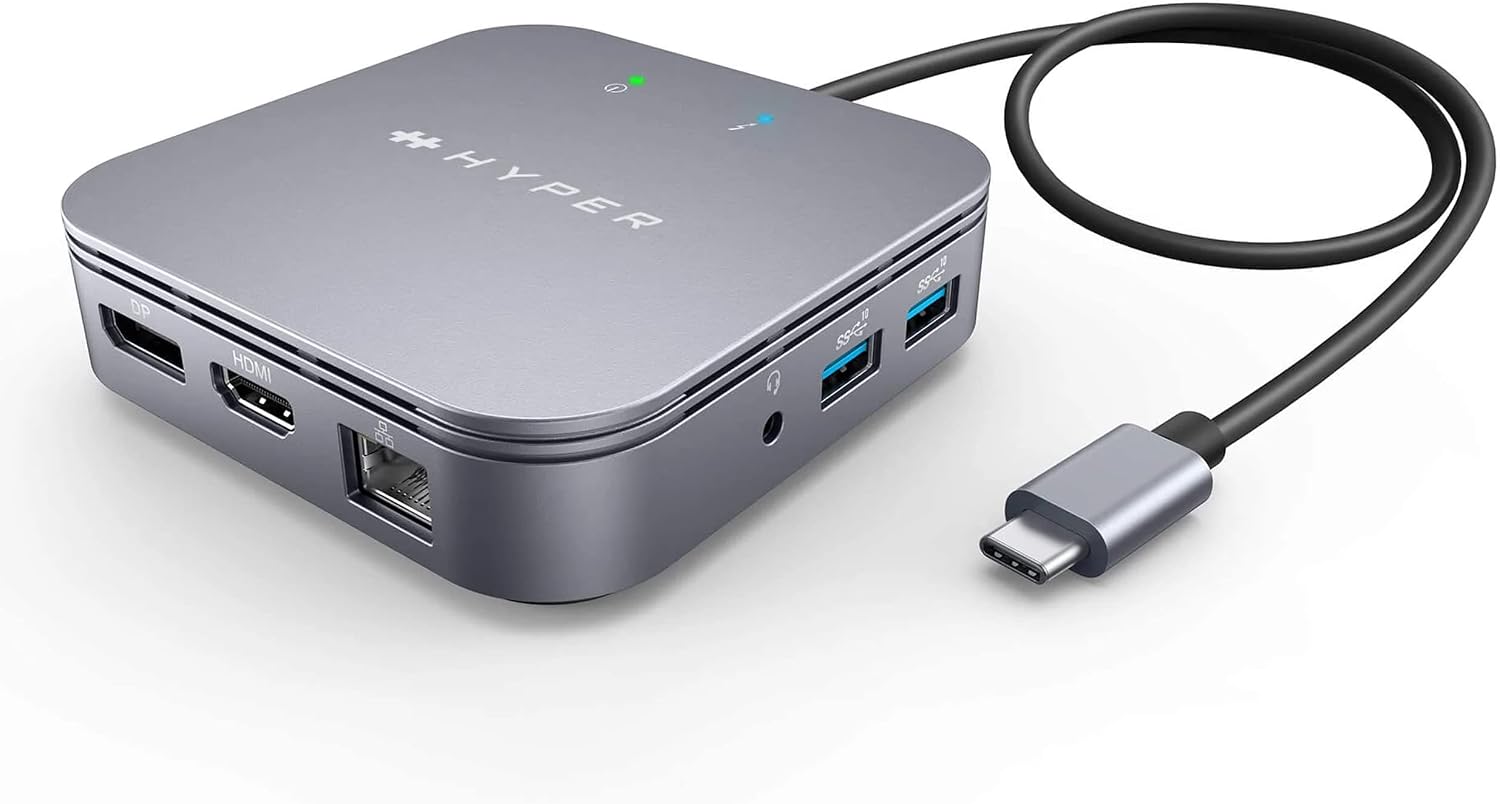
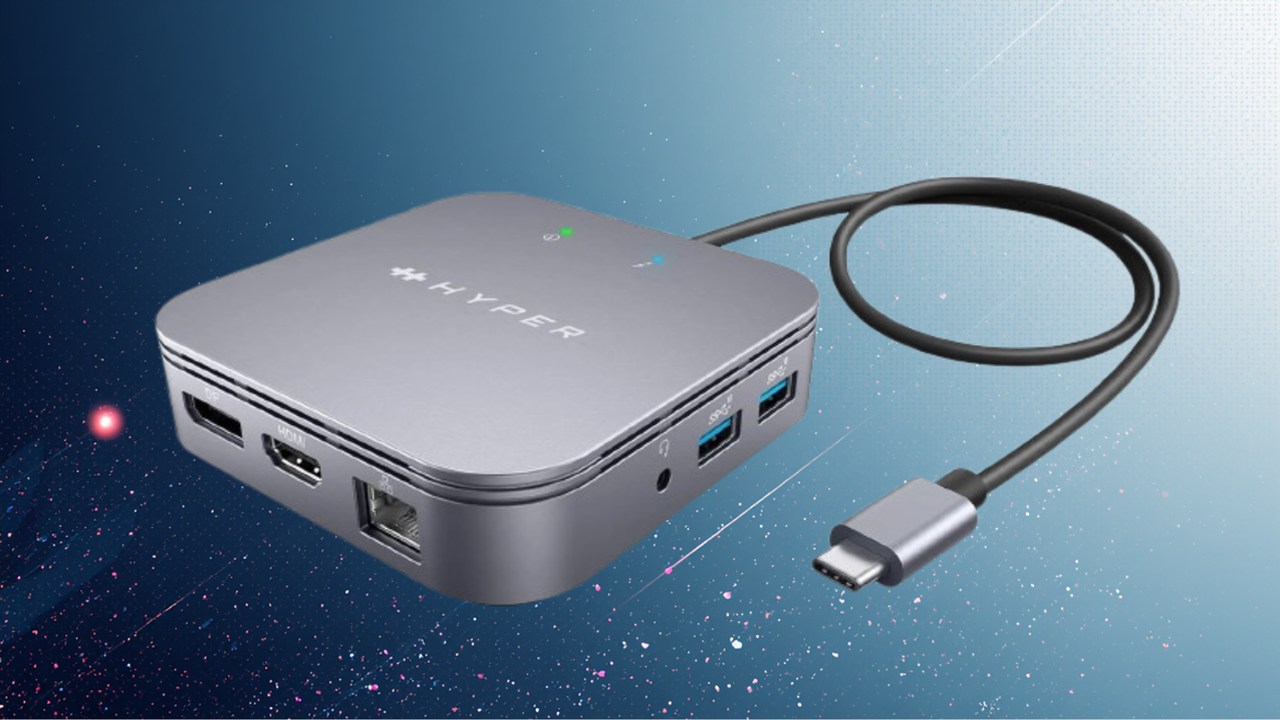
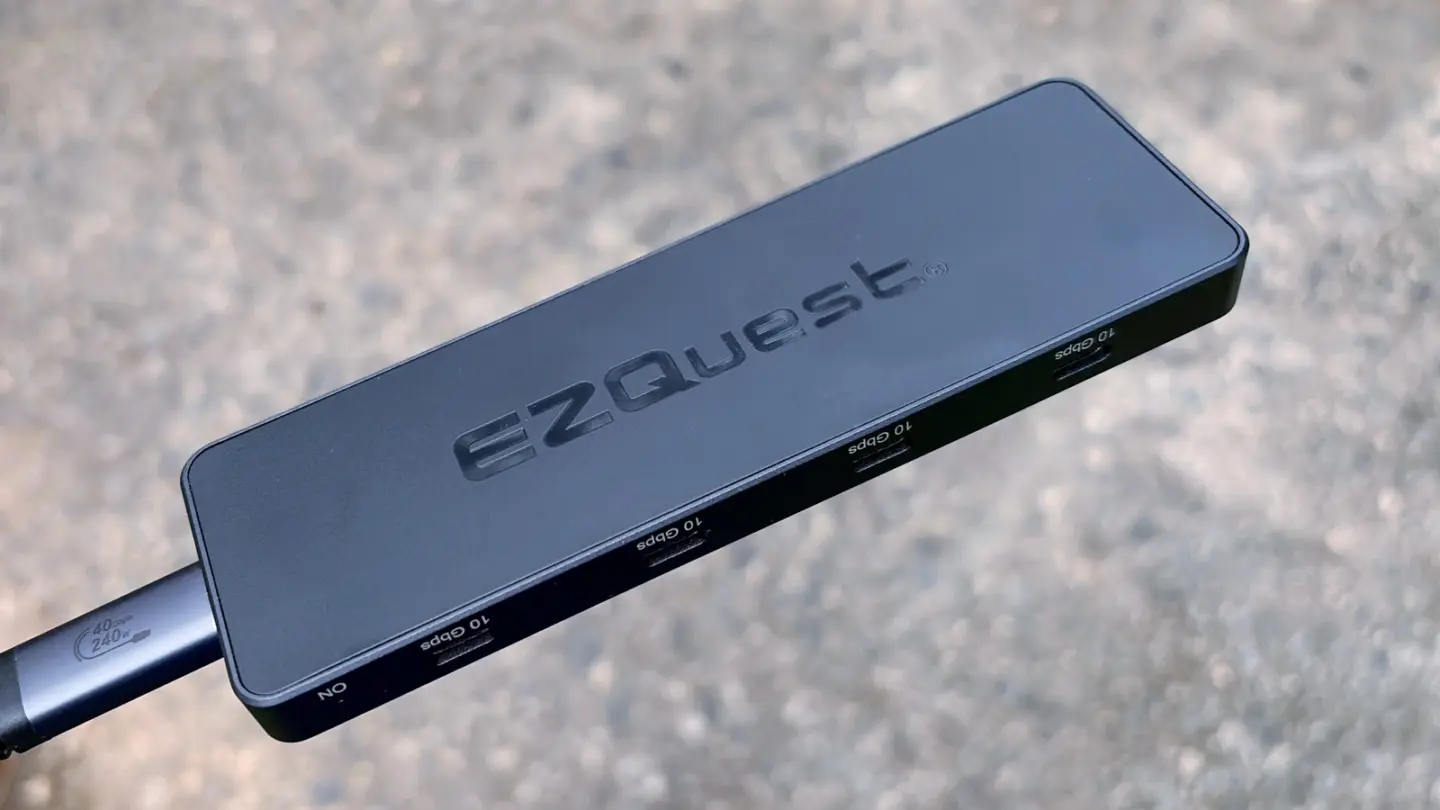
Starting with video output, this tiny little device offers a single HDMI 2.0 output good for 4K60Hz, along with a DisplayPort 1.4 port for up to 8K30Hz output. In other words, you can run two 4K60Hz monitors or a single 8K30Hz display, either dramatically increasing your screen real estate from a single, generally small, native laptop monitor. In addition to video output, it supports up to 60W USB-C PD, so you can also quickly charge your host device when connected to an external charger.
It’s not all about the video with docking stations, though. You get additional connectivity, including two USB 3.2 Gen 2 (10 Gbps) Type-A ports and a 3.5mm audio combo jack. It also offers a 1 GbE port so you can connect your laptop to a wired local network or the internet for faster speeds, lower latency, a more stable connection, and increased security over Wi-Fi. The HyperDrive dock connects to your MacBook Pro/Air, iPad Pro/Air, Windows, or ChromeOS device via a Thunderbolt 4 (40 Gbps) connection for ultra-fast data and file transfers.
With a price of $24.29 after using the promo code WOOTDOCK at checkout, you’re not going to find another name-brand dock at a better price. In fact, you’d be hard-pressed to find any Thunderbolt 4 dock at this price that offers the port count and high-res video support. Deals at Woot.com don’t last long, so if you’re even thinking about buying a dock for your laptop, jump on this deal now before it disappears.
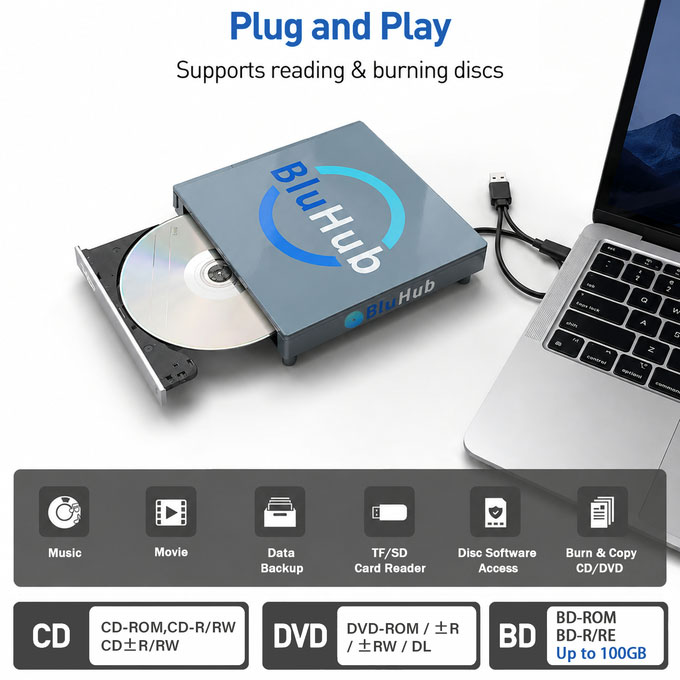
A Blu-ray drive has got tech fans excited over on Kickstarter. This project has hit 160x the initial (but low) funding goal just halfway through the campaign. The device that has caught plenty of eyeballs and pledges is the BluHub: 9-in-1 Blu-ray Hub for Memories, Ports & Storage, to give it its full, overly long title. We’ll just call it the BluHub from now. Why is it so popular? We think the combination of a USB-attached Blu-ray read/write drive (also DVD and CD compatible, of course) plus extensive docking abilities looks quite attractive. Its ‘super early bird’ price of $59 is not frightening either. But the cherry on top here may be the BluHub’s unique ‘grand piano styling.’
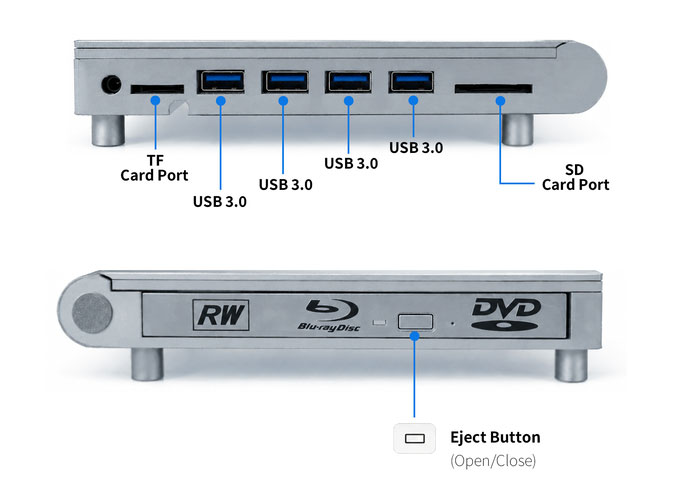
As a 9-in-1 device, there are a lot of specs to work through. So we’ve made a table to set out the capabilities of the BluHub as clearly and succinctly as possible.
BluHub specifications
Optical Drive
Blu‑ray / DVD / CD read & write, 6x Blu‑ray burning speed
Disc Handling
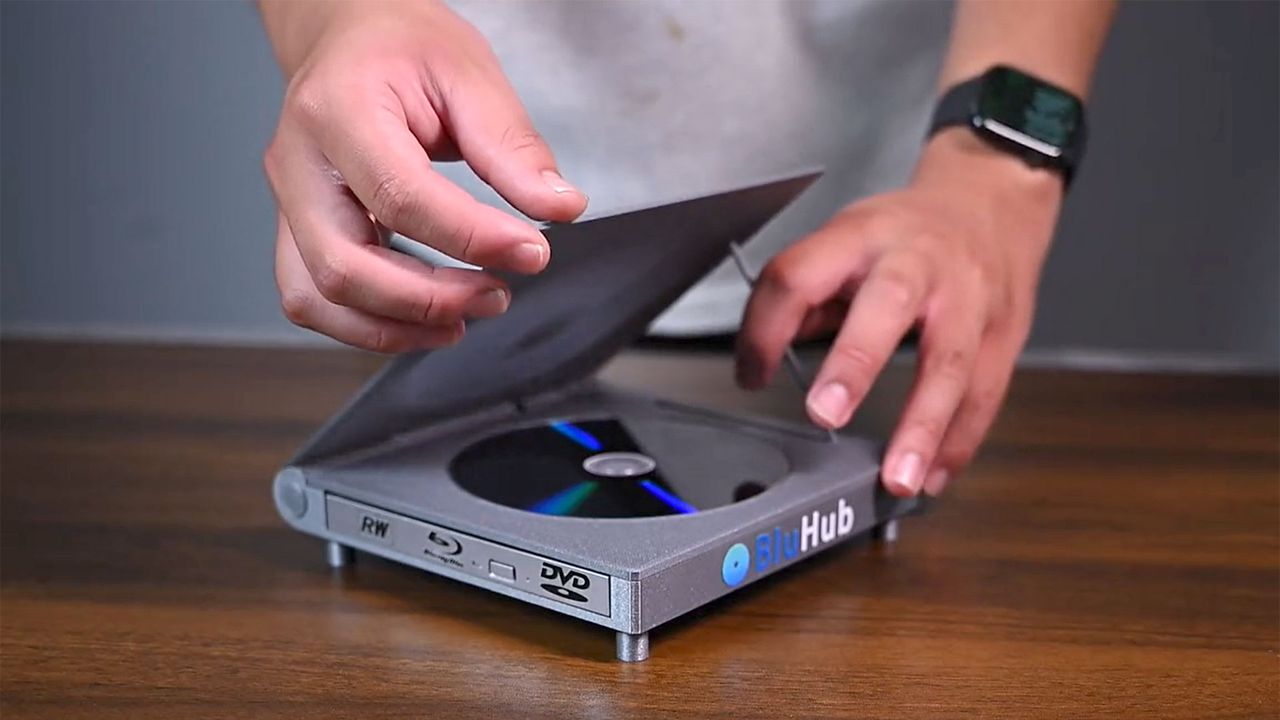
Standard disc tray plus ‘piano‑lid’ spare disc holder
USB Ports
4× USB‑A (USB 3.0)
Card Readers
SD and microSD slots, read speeds 160 MB/s+
Host Connectivity
Dual connectors: USB‑A and USB‑C
Data Rate (Host Link)
USB 3.2 Gen 2, up to 10 Gbps
Power
USB bus‑powered (no external PSU required)
Compatibility
Windows, macOS, Linux, Chrome OS, and mobile OTG
Chassis Material
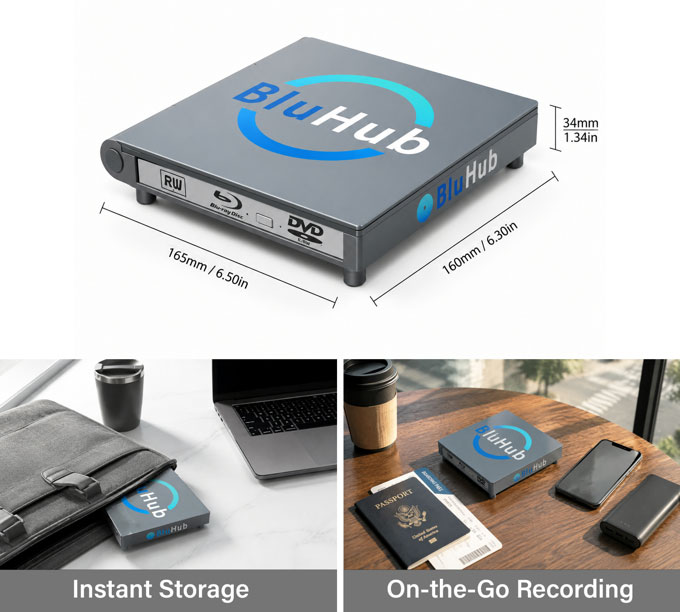
Aluminum
Dimensions
165 x 160 x 34mm (6.5 x 6.3 x 1.34-inches)
Weight
409g (14.4oz)
When I first saw this device, I naturally thought the optic disc exposed when the 'piano lid' was propped open was the one accessed by the computer. That rekindled my memories of owning an original PlayStation back in the day. However, that top tray is just a spare disc holder. The actual disc you will be reading / writing is inserted via a tray that pops out of the side, like from a slimline laptop drive of old. The device maker describes this as a “one in use, one on display dual-disc experience.” Might we suggest you keep a high-brow movie classic in the top display holder, like Jeanne Dielman, 23 quai du Commerce, 1080 Bruxelles (1975), while in the drive you can secret away your guilty pleasure of the day, something like Con Air (1997).
From the look of it and the specs, the BluHub seems like a reasonable choice for a flexible hub that can handle most of the optical discs you have in your collection. Of course, we’d recommend waiting for a review to make sure capability and quality promises live up to expectations. However, the crunch is that this drive is being offered to Kickstarter backers from $59. Very sensible folks who wait for retail availability and expert reviews are warned that it will subsequently cost from $129. The first batches of drives are expected to ship to backers starting November 2026, if all goes to plan. U.S. shipping for one drive is $6 or $7 to ROW.
Our customary crowdfunder disclaimer applies. Remember that crowdfunding a project is not a guarantee of receiving a finished product. Backing a crowdfunded project is akin to an investment; you believe in the project and want it to succeed. You are not purchasing a retail product.
BluHubBluHubBluHubBluHub
Some reckon it is a good time to grab a Blu-ray drive such as this, with industry big hitters like Sony and LG showing signs of pulling back from this market. Media makers are also thinning out. There are plenty of alternatives to this BluHub already on the market though. For lesser-known Chinese Blu-ray read/write drives, a price of around $70 seems to be the going rate on Amazon.com. A drive from a well-known brand like Asus or LG will cost much more. The cheapest portable Asus Blu-ray rewriter we saw today is being sold for $159.
Thunderbolt docks are an easy way to expand the number of available external ports for a laptop and have become quite popular in recent years. They are particularly beneficial with the best ultrabooks, which can sometimes be equipped with as few as just two Thunderbolt ports and no additional external ports for connectivity.
We’ve previously taken a look at some popular Thunderbolt 5 docks, with some costing as much as $650. This time around, we’re looking at some more affordable solutions, with all three of these units carrying a street price of less than $400. The UGREEN Revodok Maxidok has a street price of $389.99 after coupon, while the Plugable TBT-UDH2 and Keychron TB5D-1 are both available for around $350.
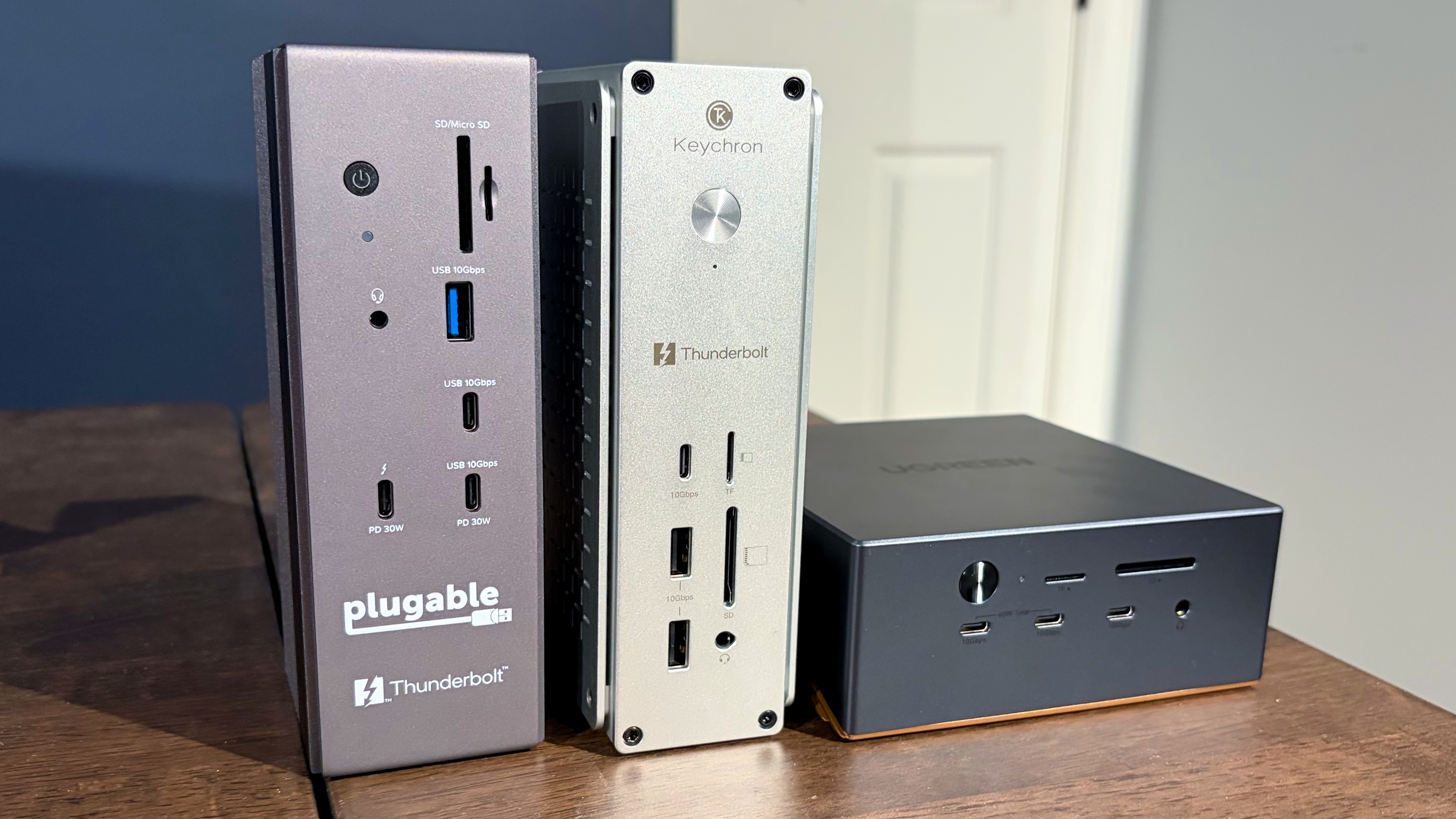
The Plugable TBT-UDH2 is a relatively compact Thunderbolt 5 dock that feels absolutely solid with its weighty aluminum chassis. The BT-UDH2 is designed to stand vertically (confirmed by the rubber feet at the base of the unit). However, there’s no reason why you wouldn’t be able to lay the unit on its side if you wanted to.
(Image credit: Tom's Hardware)
As for actual ports, the TBT-UDH2 has two USB-C ports up front (one of which supports 30W PD), a single USB-A port, microSD and SD card slots, a 3.5 mm headphone jack, and a single downstream Thunderbolt 5 port (30W PD).
Moving to the rear of the unit, there are two more USB-A ports, three additional USB-C ports, two HDMI 2.1 ports, a 2.5 GbE port, and a Thunderbolt 5 upstream port for your laptop. And here lies my main complaint with the TBT-UDH2: it only has one downstream Thunderbolt 5 port, and it’s on the front. I would have liked to have seen at least two, with one on the front and one on the back. At this price point, having just one downstream Thunderbolt 5 port seems like a big miss.
The Keychron TB5D-1 is the other $350 Thunderbolt 5 dock assembled here today. It is similar in size to the Plugable dock, but is finished in natural aluminum. Keychron includes rubber feet on the bottom and one side of the dock, encouraging you to operate in either a vertical or horizontal orientation.
(Image credit: Tom's Hardware)
You’ll find two USB-A and one USB-C port on the front, along with microSD/SD slots and a 3.5 mm headphone jack. Moving to the back, you’ll find two additional USB-A ports, two HDMI 2.1 ports, two downstream Thunderbolt 5 ports, and a Thunderbolt 5 upstream port for the host PC. For networking, there’s also a 2.5 GbE port.
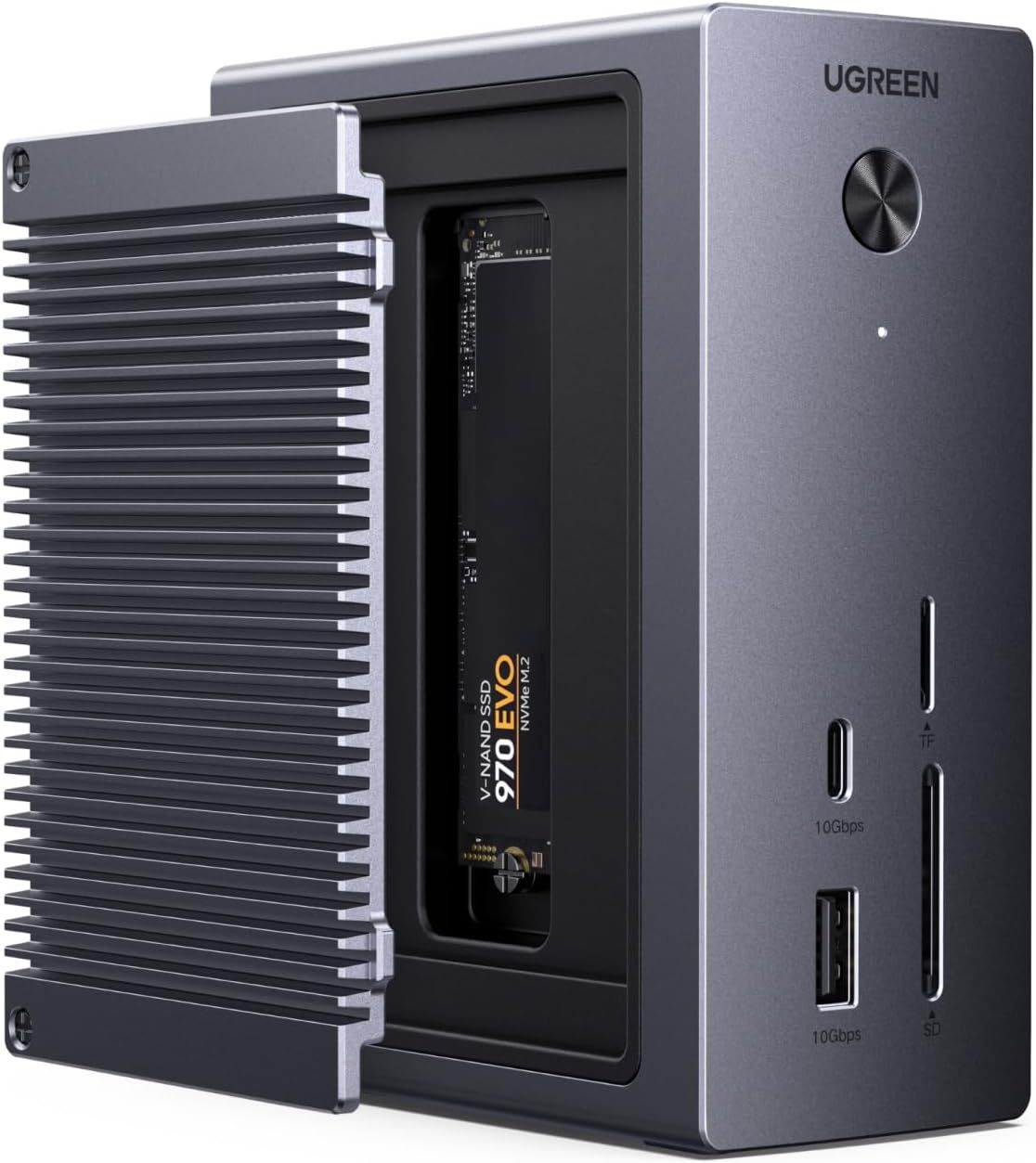
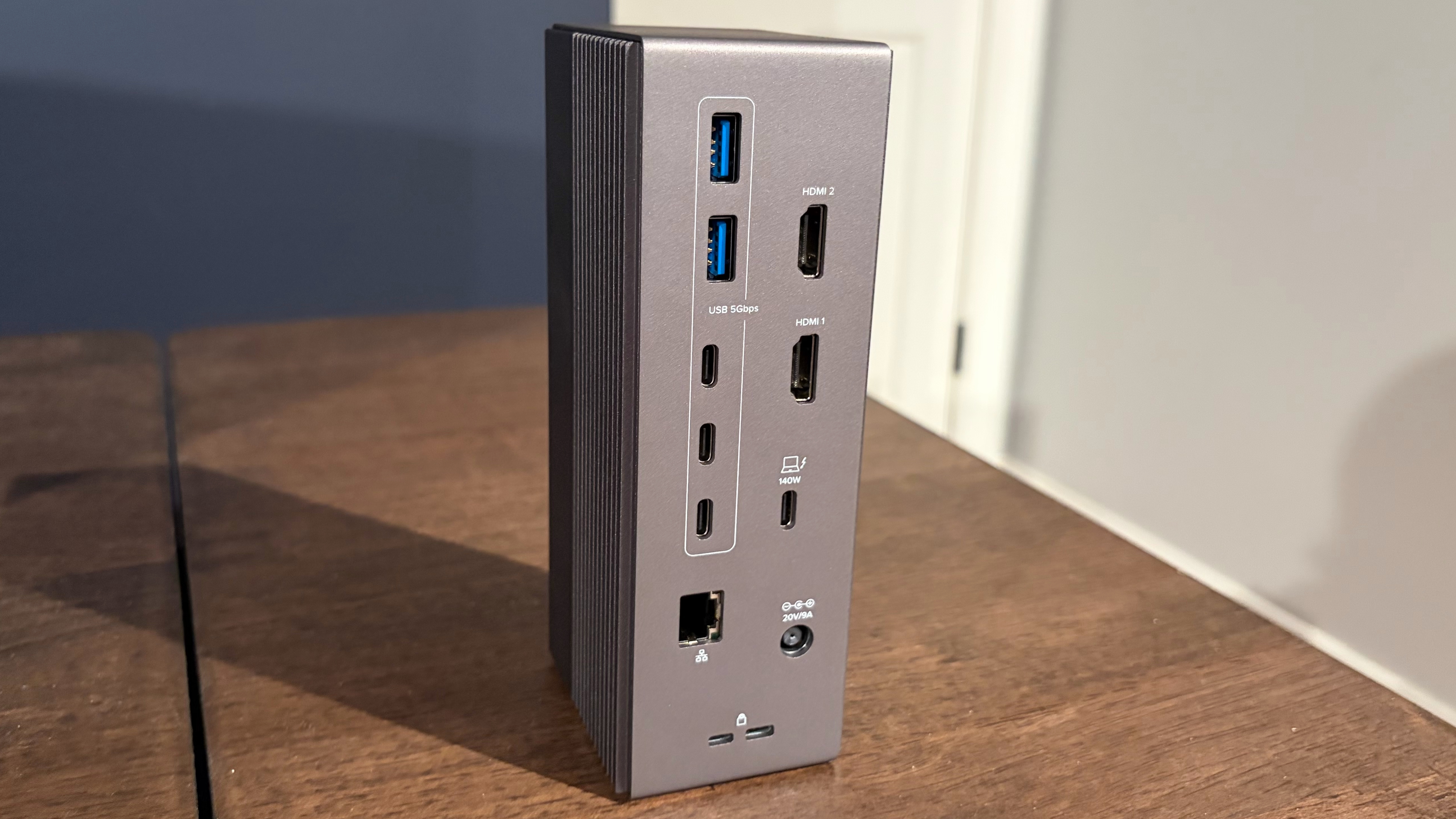
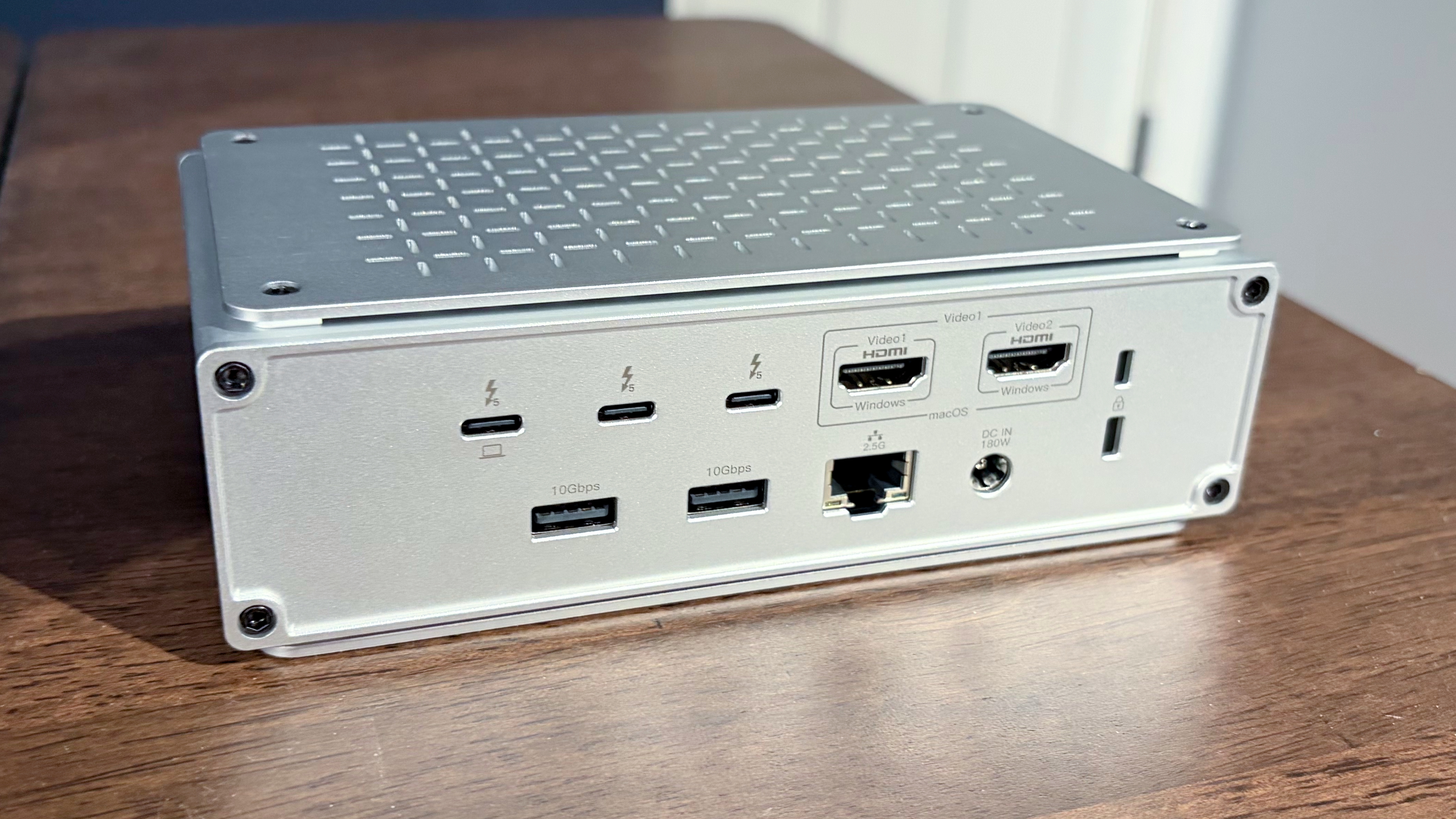
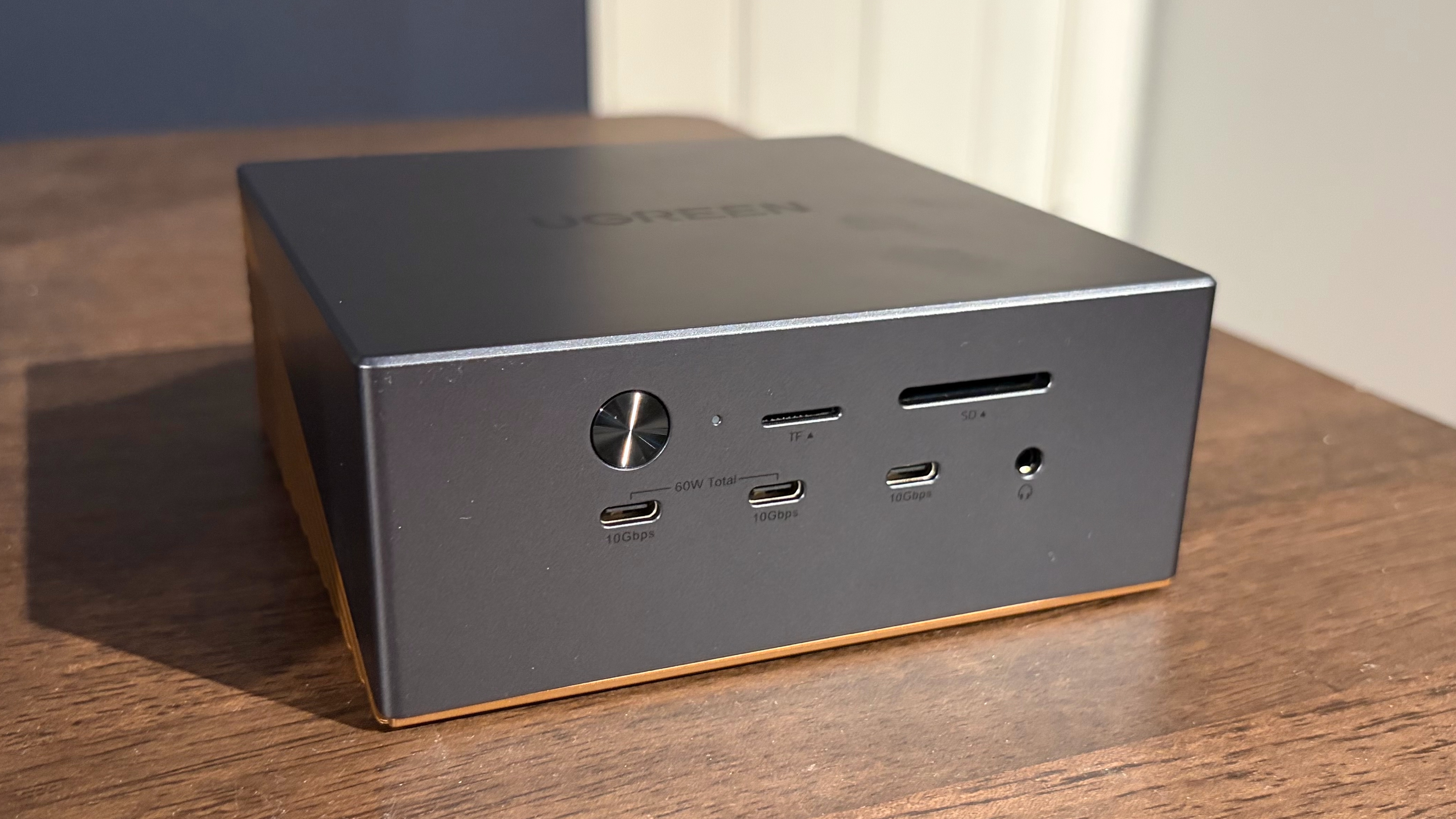
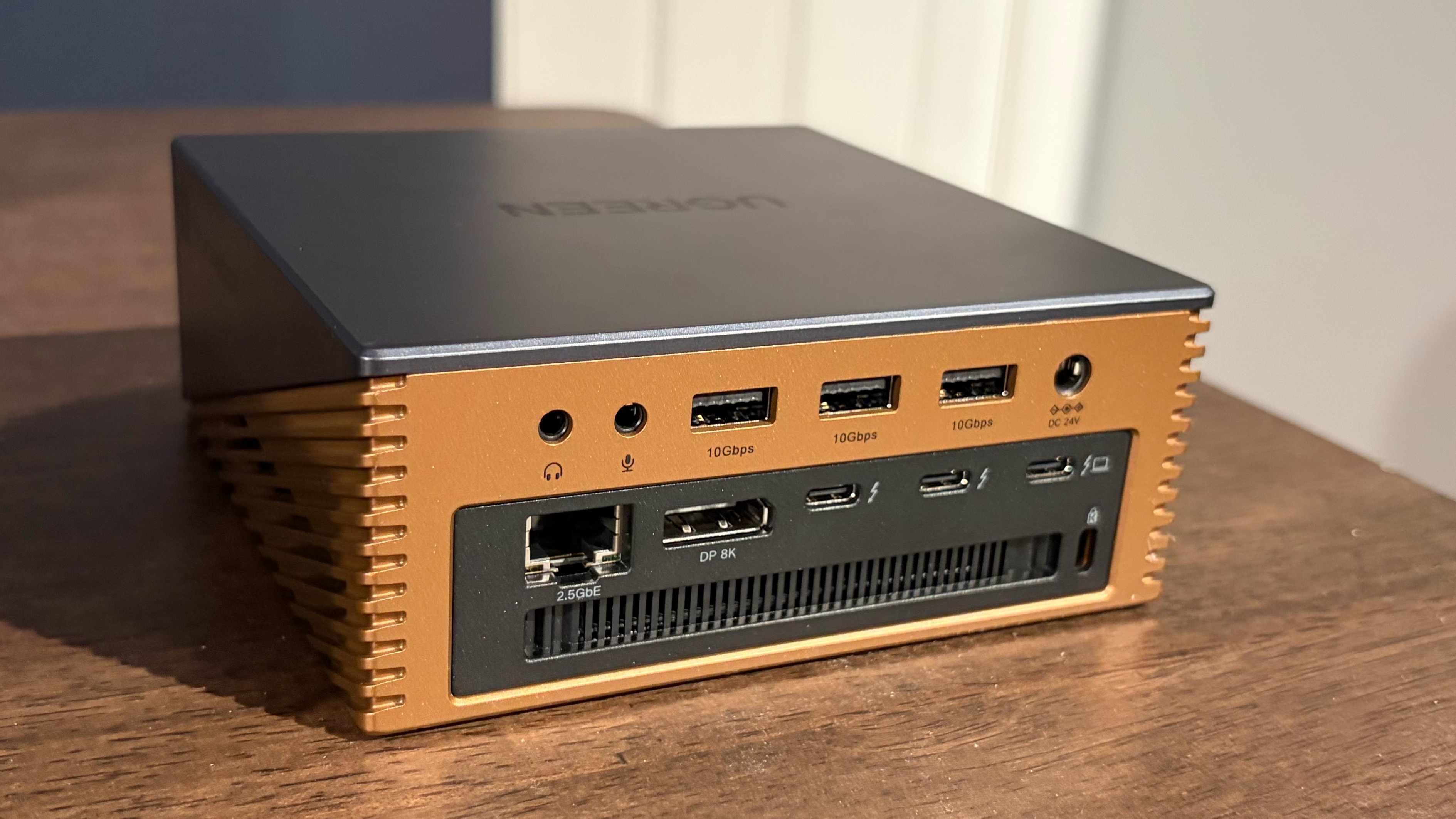
The UGREEN Revodok Maxidok is the most expensive Thunderbolt 5 dock here, with a street price of around $390. However, you do get some added functionality for the $40 price difference. At first glance, the Revodok Maxidok looks like a Mini PC with its square-ish form factor. The aluminum body is finished in a combination of dark grey (upper half) and copper (bottom half).
(Image credit: Tom's Hardware)
Unlike the other two docks, the Revodok Maxidok has an internal cooling fan mounted inside to help keep the electronics cool (Thunderbolt docks are notorious for their heat output). During normal operation, I couldn’t hear the fan running. I could only just barely hear it if I stuck my ear to the side of the docking station (which is, of course, not a typical usage scenario).
The front of the docking station houses microSD/SD slots, three USB-C ports (two of which support a total of 60W PD), and a 3.5 mm headphone jack. On the back, you'll find three USB-A ports, two more 3.5 mm audio ports, a DisplayPort 2.1 connector, two Thunderbolt 5 downstream ports, and one Thunderbolt 5 upstream port.
(Image credit: Tom's Hardware)
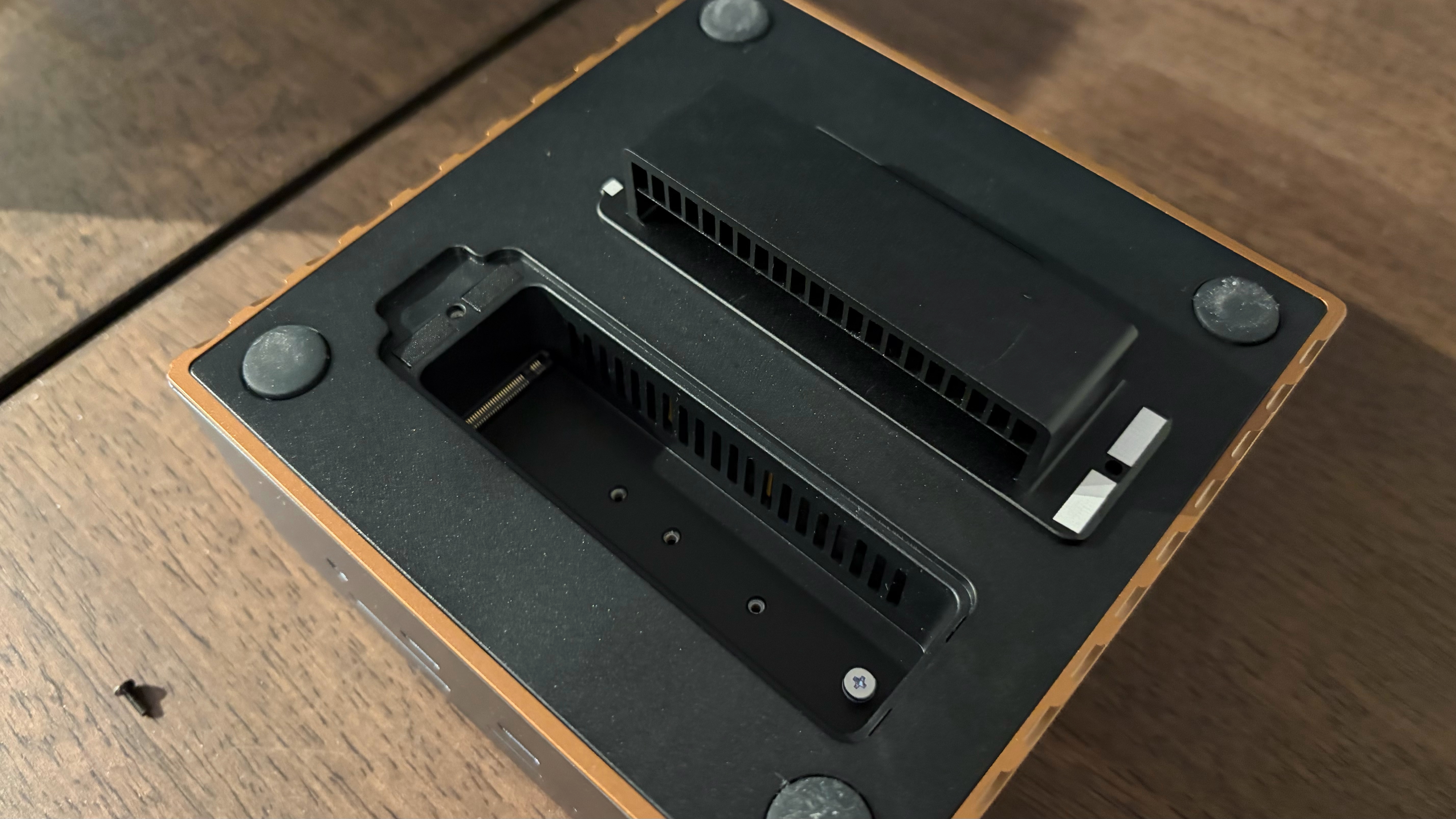
The Revodok Maxidok also has one hidden feature. If you flip the dock over, it has a cover that's held in with one screw. Remove the screw, and you'll find an M.2 slot for adding an internal SSD (up to 8TB in capacity).
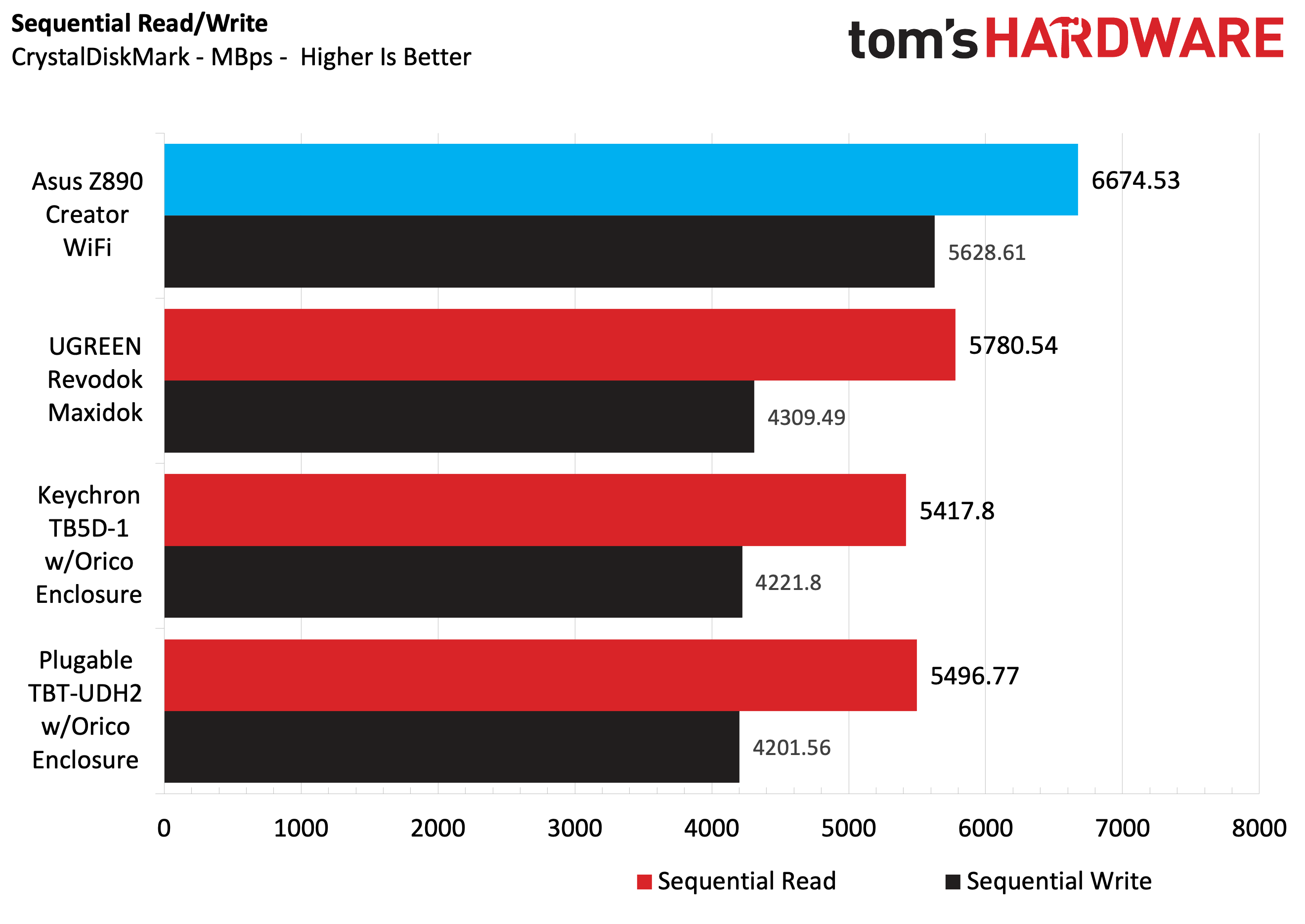
We tested SSD performance of the three docks using a 1TB Micron 2500 Series PCIe 4.0 SSD (MTFDKBA1T0QGN-1BN1AABYY). The SSD is rated for sequential read speeds up to 7,100 MBps and sequential writes up to 5,800 MBps.
For baseline performance numbers, I tested the Micron 2500 using the onboard PCIe 5.0 M.2 slot on an Asus Z890 Creator WiFi motherboard. For testing with the Keychron TB5D-1 and the Plugable TBT-UDH2, I used an Orico Thunderbolt80G enclosure with the Micron 2500 – it supports up to M.2 (PCIe Gen4x4) SSDs. The enclosure was plugged into one of the Z890 Creator WiFi’s two Thunderbolt 5 ports. For the UGREEN Revodok Maxidok, I used the native M.2 PCIe 4.0 slot with the Micron 2400.
(Image credit: Tom's Hardware)
Using the Micron 2500 SSD and Asus Z890 Creator WiFi motherboard as a baseline, we saw 6,674.53 MBps reads and 5,628.61 MBps writes. Of the three docks we tested with the Micron 2500, the Revodok Maxidok was the fastest with its native M.2 PCIe 4.0 slot. It achieved 5,780.54 MBps reads, roughly 300 MBps ahead of the other two.
The Keychron TB5D-1 and the Plugable TBT-UDH2 put up nearly identical numbers using the Orico Thunderbolt80G enclosure, with around 5,400 MBps reads and 4,200 MBps writes.
All three docks had no trouble maxing out the 2.5 GbE port using iPerf3, and I didn't run into any compatibility problems running my 49-inch 240 Hz DQHD monitor using the docks via HDMI or DisplayPort connections.
While all of the docks were warm to the touch, the Revodok Maxidok was noticeably cooler thanks to its internal cooling fan.
Bottom Line
Of the three docks that we tested, the one that I felt was the most versatile and worthy of a place on my desk is the UGREEN Revodok Maxidok. It’s the only one of the docks with a native DisplayPort 2.1 connector and the only one with an internal M.2 SSD slot. In addition, it offered ever so slightly faster storage performance than using an SSD with a Thunderbolt 5 enclosure. And with a street price of $390, you’re only paying a $40 premium over the other two docks.
(Image credit: Tom's Hardware)
If you prefer having two additional HDMI 2.1 ports at your disposal, the Keychron TB5D-1 is a good option as well. All of the Keychron’s USB-A and USB-C ports are 10 Gbps, while the Plugable TBT-UDH2 gives you a mix of 10 Gbps and 5 Gbps USB ports. In addition, the Keychron dock features two downstream Thunderbolt 5 ports, while the Plugable only has one.
Additional Thunderbolt 5 Docks to Consider
Although we plan to keep this guide updated as we test additional Thunderbolt 5 docks, here are some additional units to consider:
We've extensively benchmarked the best Thunderbolt and USB-C docks in 2026 and have compiled a list of the best models on the market here. There used to be a time when laptops would come with a bevy of ports to satisfy most of your connectivity needs. While some larger, desktop-replacement laptops still have a relatively large number of ports, ultrabooks have mostly reduced the number of ports to the bare minimum to save space and reduce weight.
While these efforts result in laptops that are thin and light, if you want to connect a wide variety of devices, including external monitors, you’ll need a dongle or a dock. While dongles are fine for connecting a single peripheral, docks are handy for connecting a variety of devices while simultaneously charging your laptop.
The two most common connectivity options for modern docks are USB-C and Thunderbolt. Nearly every laptop on the market has at least one USB-C port available, which opens up a wealth of possibilities for connecting everything from an external monitor to an external hard drive to webcams to gaming mice. Thunderbolt ports are less common, particularly the latest Thunderbolt 5 standard, but these docks give you the option for even more ports and faster maximum transfer speeds while supporting higher-resolution monitors.
With this in mind, we’re going to take a look at some of the best Thunderbolt and USB-C docks available today.
Prime Day Exceptional USB-C Dock Deal
The Acer Gadget Mac mini M4 Dock adds a plethora of additional ports to your Mac Mini, including multiple USB-C and USB-A ports, SD, microSD, and an HDMI port. It even includes an internal M.2 for accommodating up to an 8TB SSD.View Deal
Here is a standout deal from the Prime Day event, which is currently taking place. Our list of best overall picks continues below.
1. Amazon Basics Thunderbolt 4 Pro Docking Station
Best Value Thunderbolt 4 Dock
If you don't need the speed of Thunderbolt 5 (or simply don't have a Thunderbolt 5-equipped system), the Amazon Basics Thunderbolt 4 Pro is a well-thought-out dock with a good selection of Thunderbolt and USB ports, plus a 2.5 GbE port for wired connectivity.
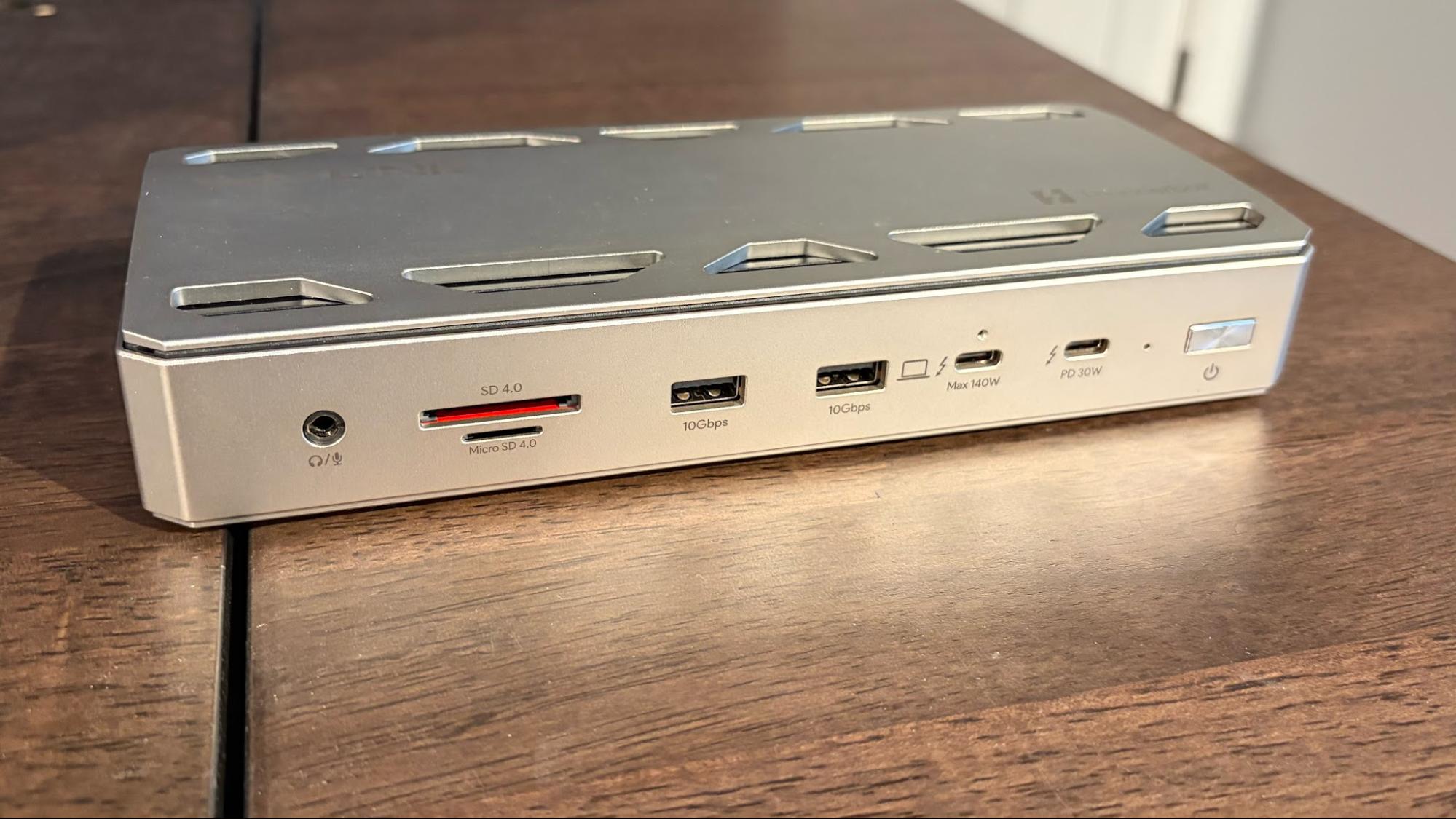
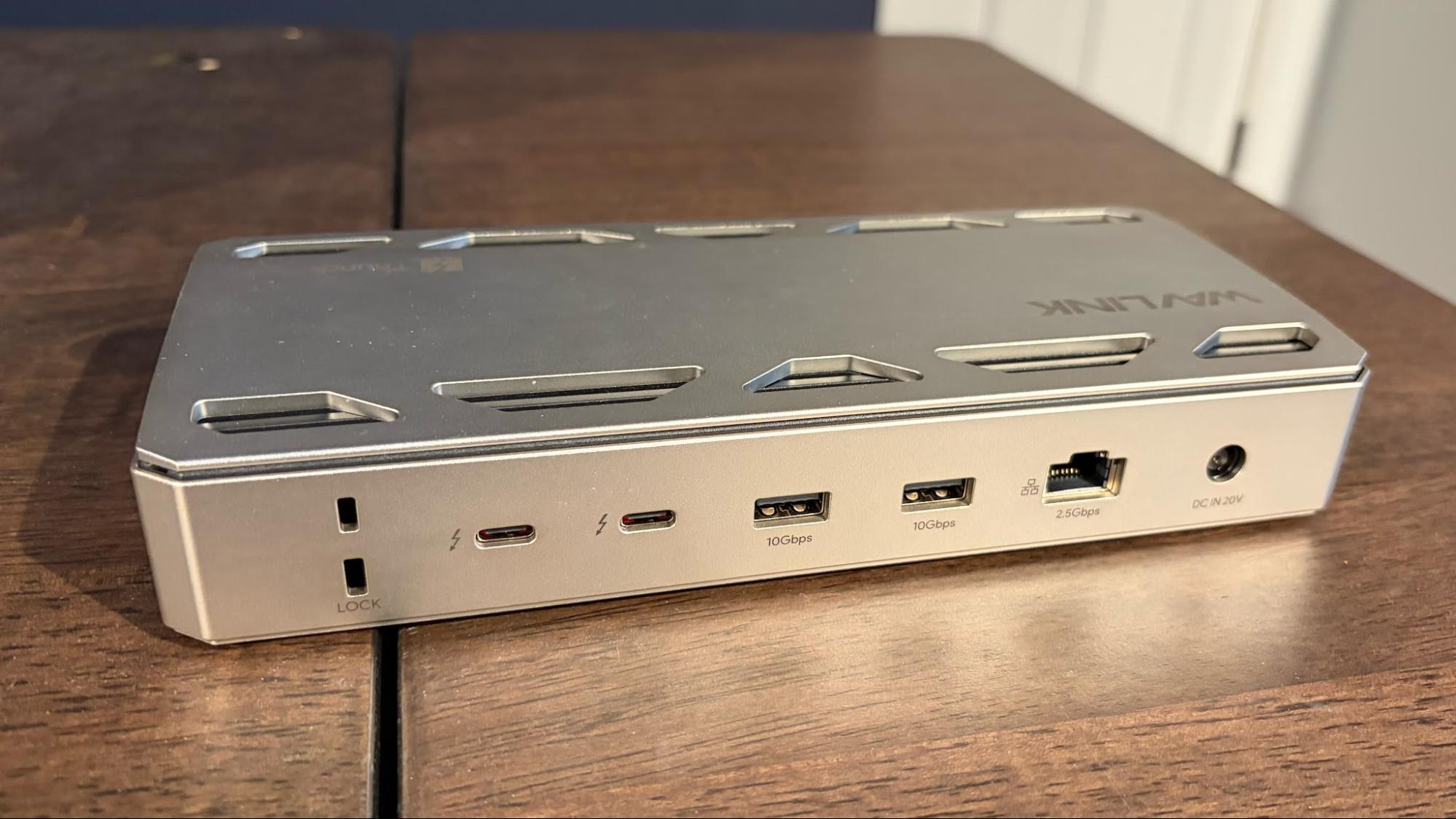
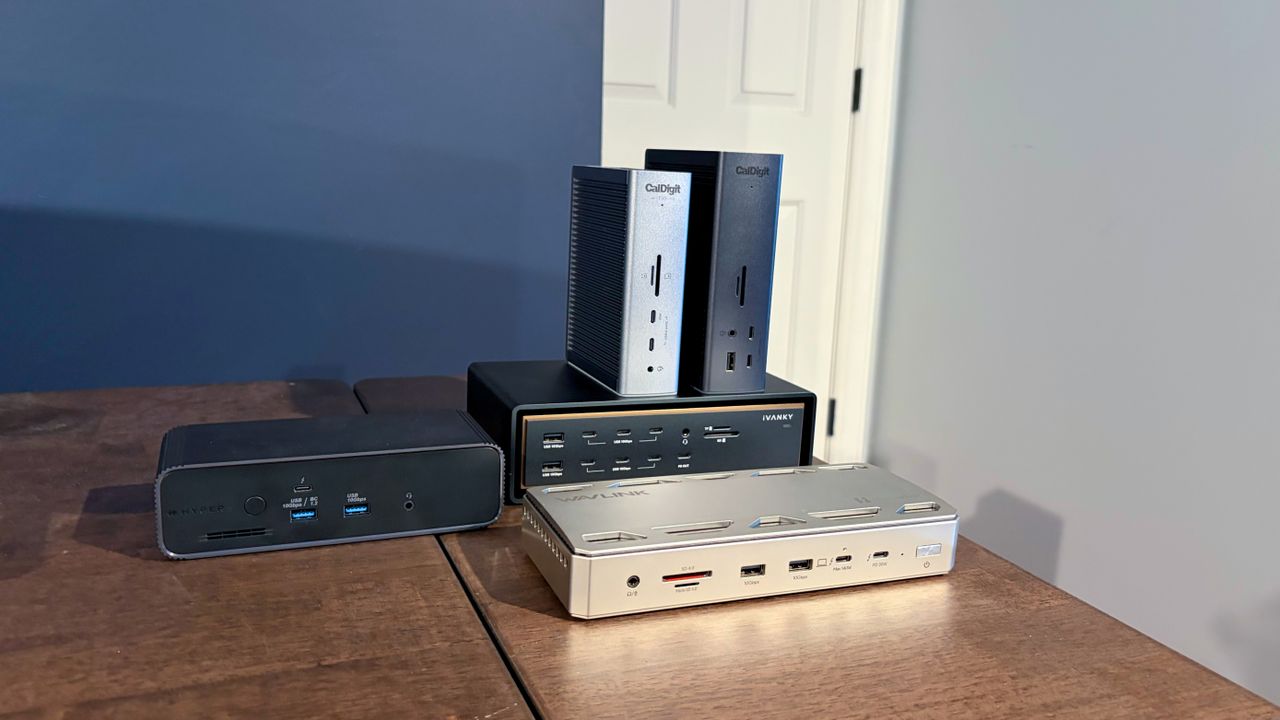
The WAVLINK WL-UTD58-M is a well-rounded Thunderbolt 5 dock offering Thunderbolt, USB-C, and USB-A ports along with 2.5 GbE. In addition, it includes an internal M.2 slot for adding a PCIe 4.0 SSD.
Best Premium Thunderbolt 5 Dock for Windows Laptops
The CalDigit TS5 Plus is a premium Thunderbolt 5 dock that would work well with PCs or Macs. It offers a total of 20 ports, including DisplayPort 2.1 and a 10 GbE port.
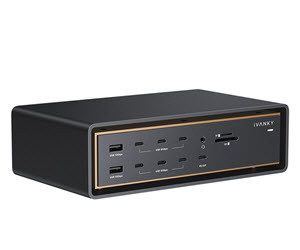
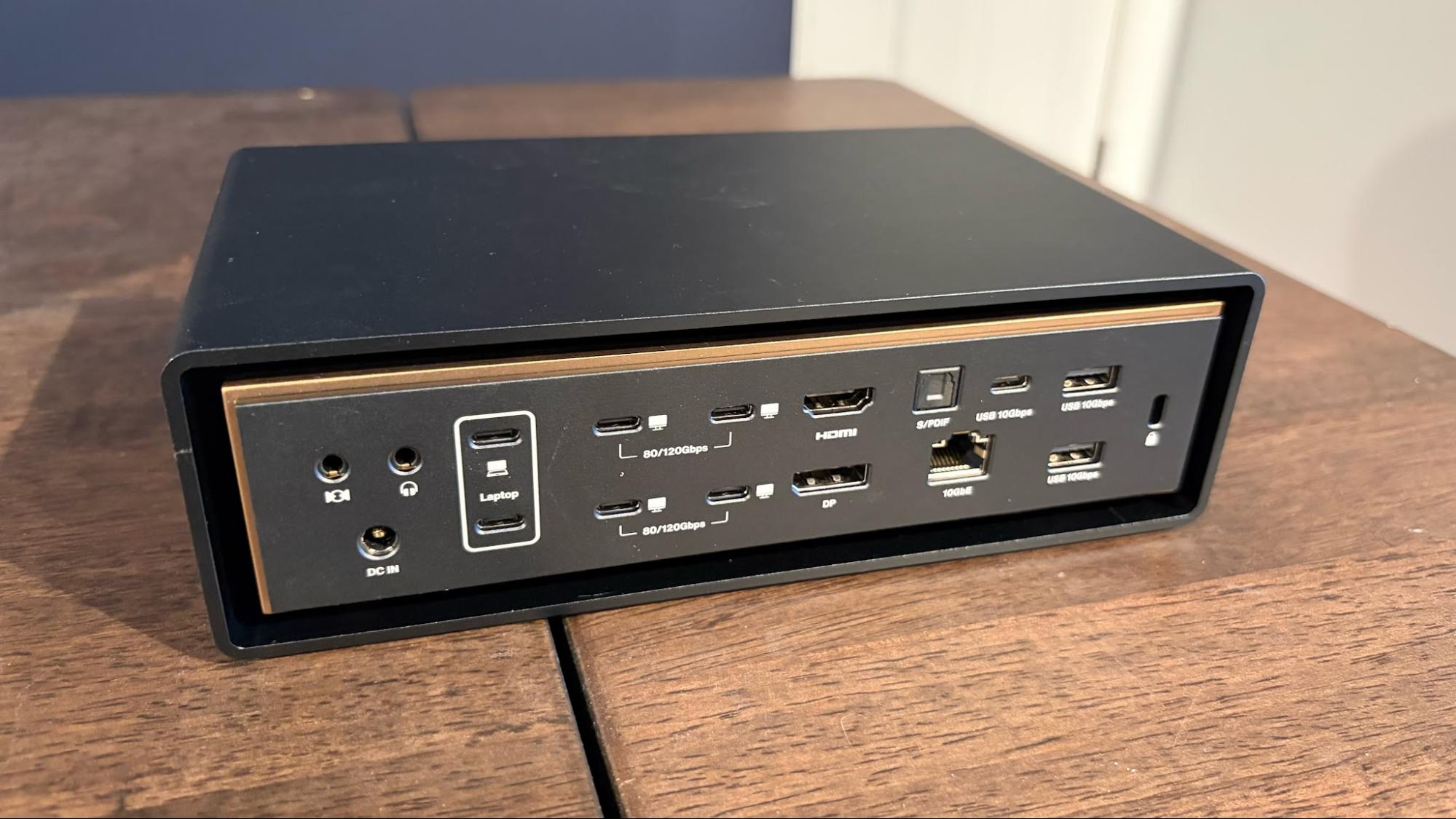
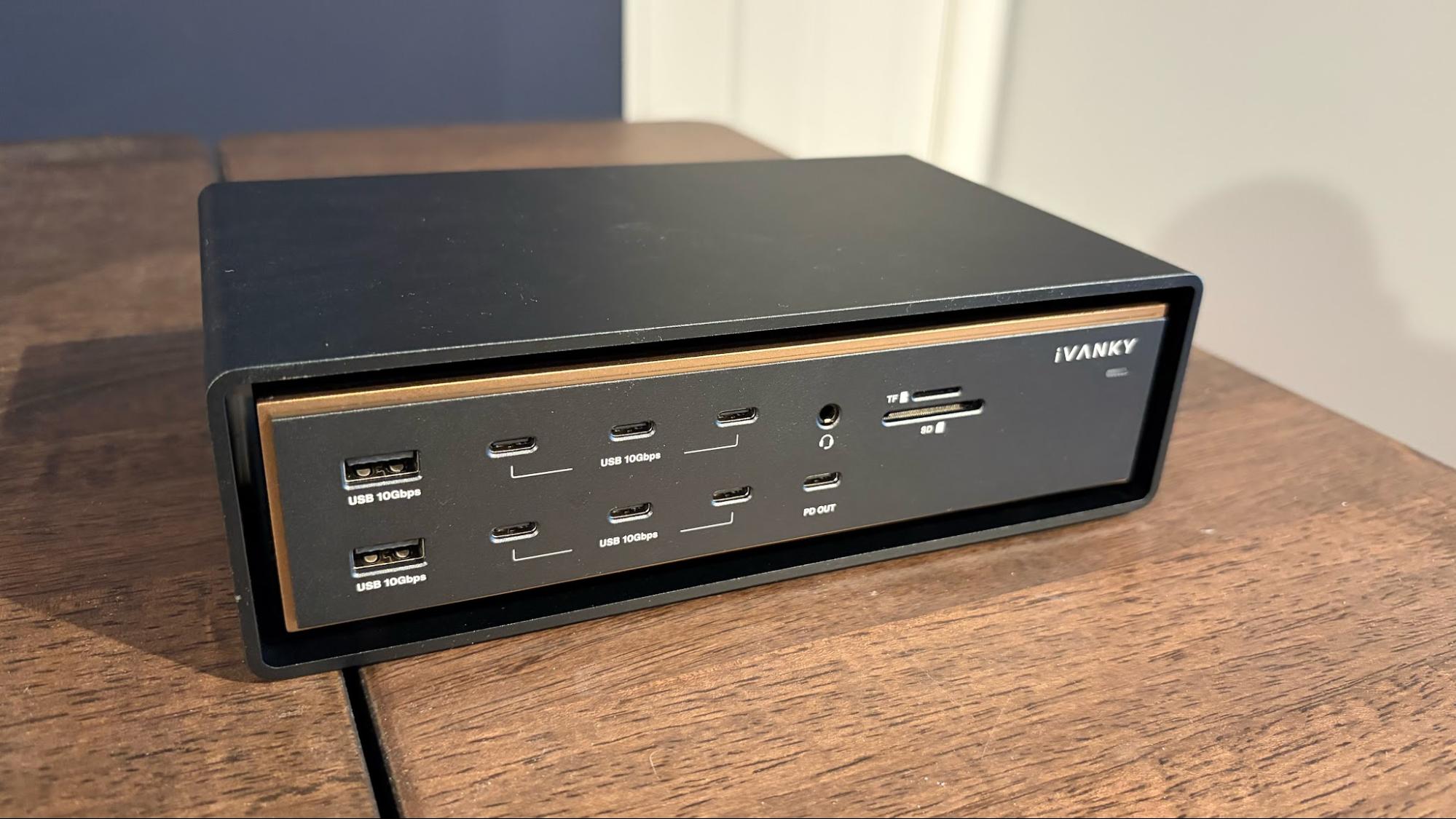
The Ivanky FusionDock Ultra is a prime example of why "excess is best," offering a staggering 26 ports. You'll find four downstream Thunderbolt 5 ports, seven USB-C ports, HDMI 2.1 and DisplayPort 2.1 connections, and a 10 GbE port.
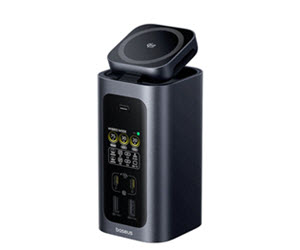
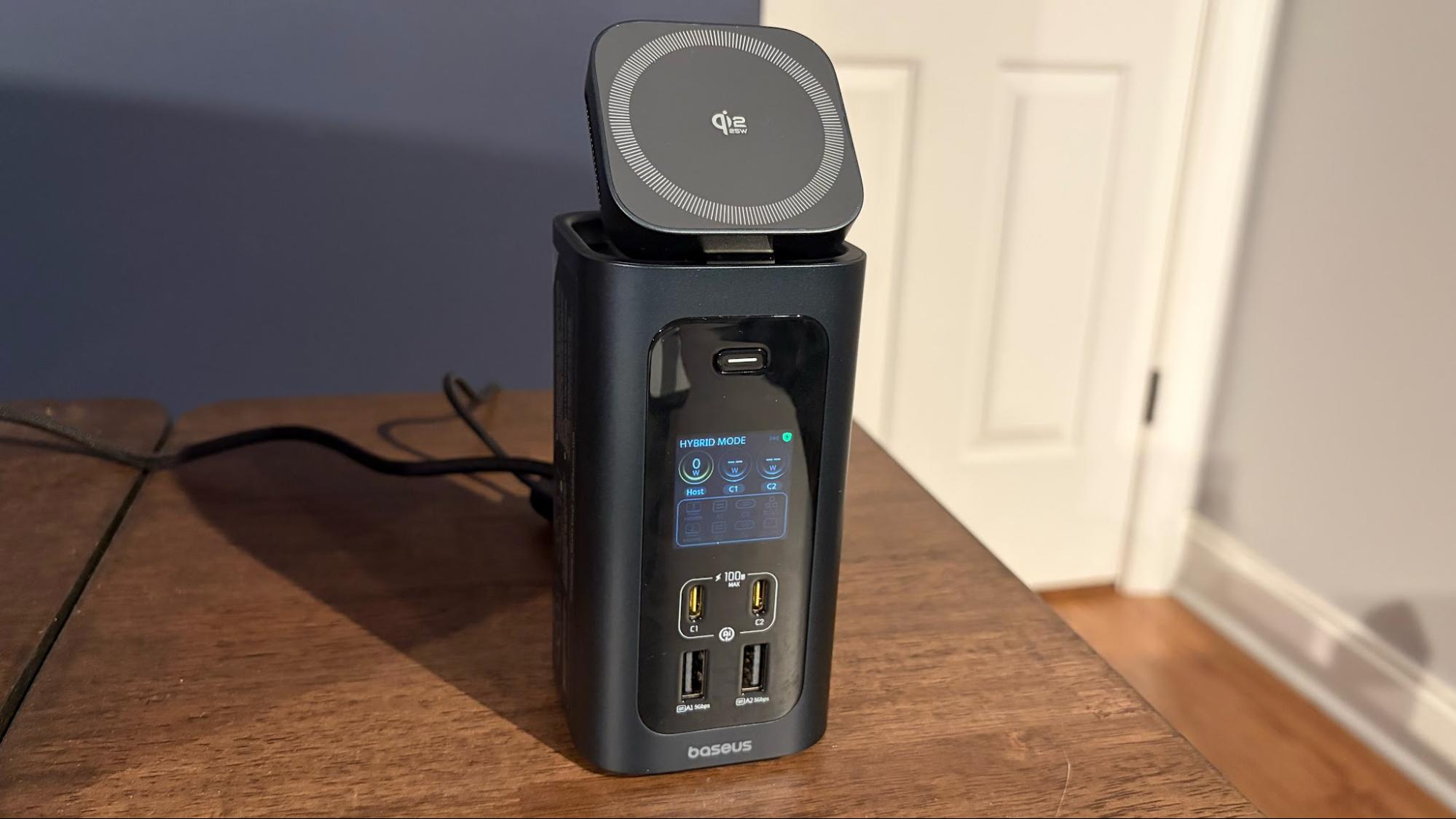
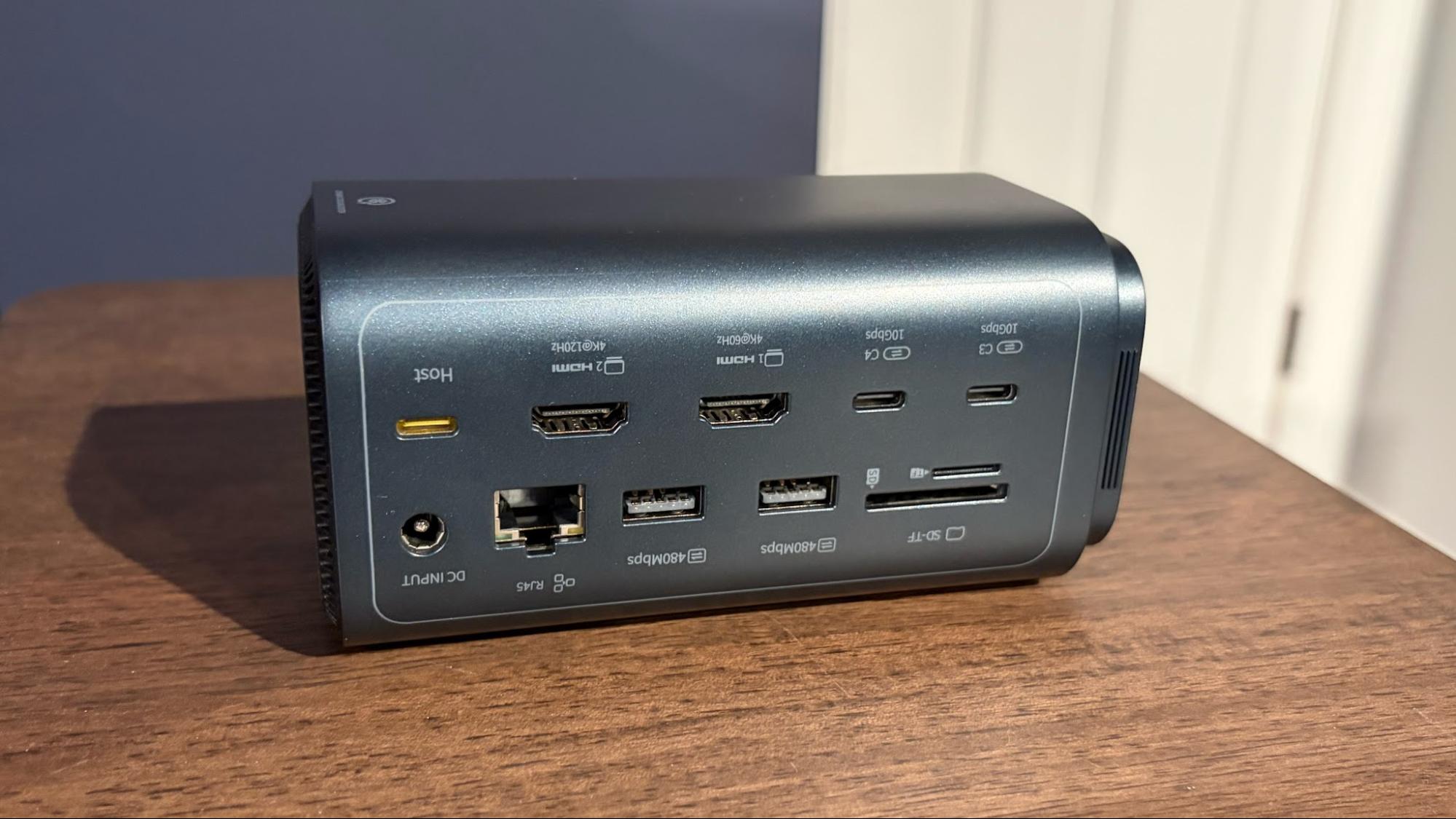
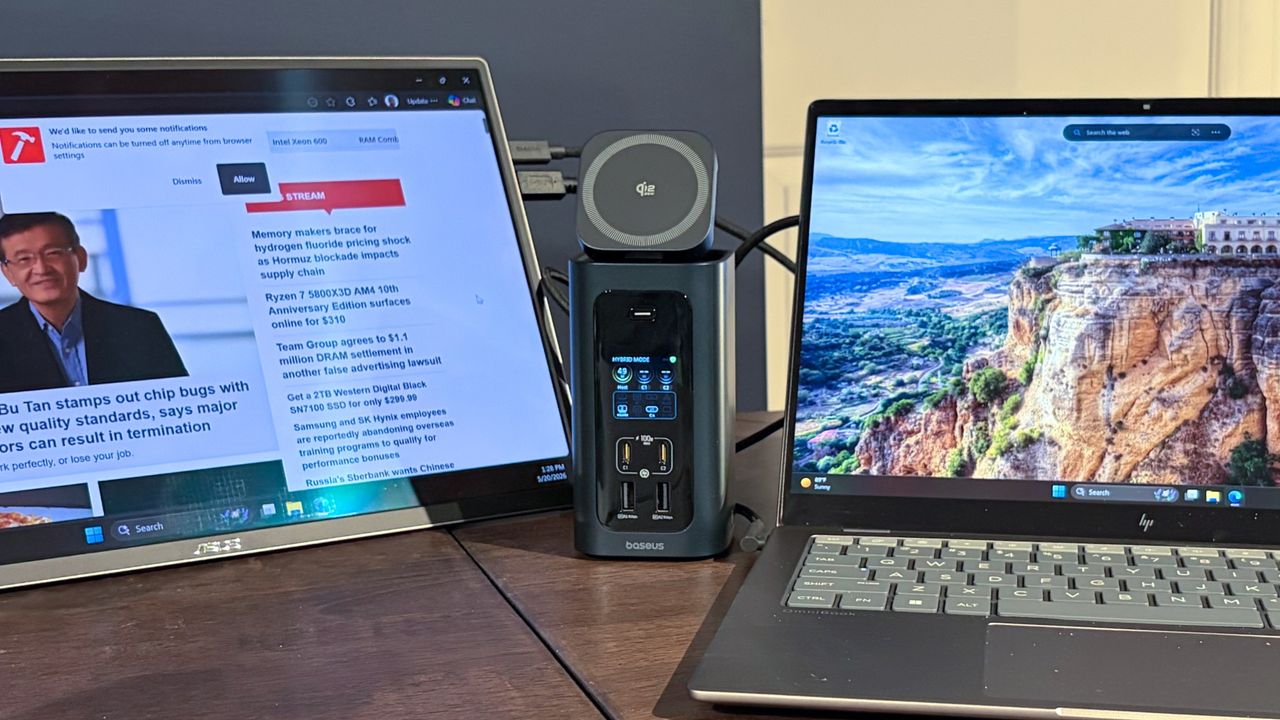
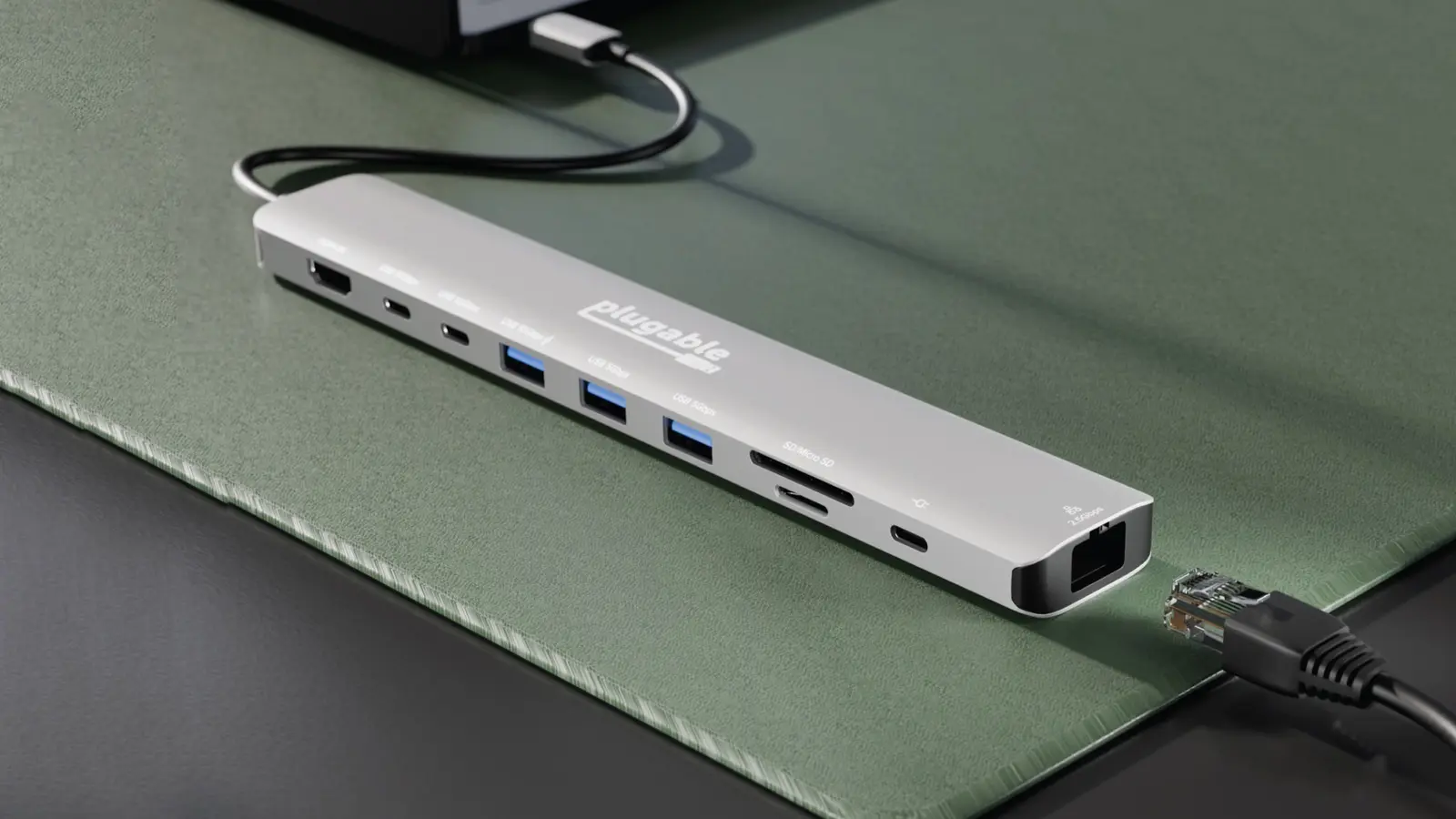
The Baseus Spacemate RD1 Pro is a full-featured USB-C dock with 15 ports. You'll find a selection of USB-C and USB-A ports along with a GbE network connection. It even has an integrated display for real-time port monitoring and a built-in Qi2.2 charger for your smartphone.
The Amazon Basics Thunderbolt 4 Pro Dock is a relatively compact dock measuring just 7.86 x 2.95 x 1.23 inches. It features a jet black finish with cooling fins along its flanks to help dissipate heat. As you can see from its name, this is a Thunderbolt 4 dock, so it doesn't offer the higher throughput speeds and loftier Power Delivery figures available to Thunderbolt 5 docks. However, you do get up to 40 Gbps bidirectional data transfer speeds and up to 96-watt charging for your laptop.
The dock supports up to two 4K monitors at 60 Hz, and even includes a 2.5 GbE Ethernet port and an SD slot for offloading images from your digital camera or drone.
With a street price of around $200, the Thunderbolt 4 Pro Dock is a good all-around solution if you need a dock that won't break the bank.
Best Value Thunderbolt 5 Dock
Tom's HardwareTom's Hardware
2. WAVLINK WL-UTD58-M
Best Value Thunderbolt 5 Dock
Upstream: 1x Thunderbolt 5 upstream (80 Gbps bi-directional) | Downstream: 3x Thunderbolt 5 downstream (80 Gbps bi-directional) | Ports: 4x USB-A 3.2 Gen 2, 1x audio combo jack 1x microSD UHS-II slot 1x SD UHS-II slot 1x 2.5 GbE (RJ45) port | Dimensions: 8.6 x 3.8 x 1.38 inches
+ Includes internal M.2 PCIe slot for an SSD
Three downstream TB5 ports
5 GbE port would have been nice at this price point
Thunderbolt upstream port to host is on front of unit
The WAVLINK WL-UTD58-M is a well-rounded Thunderbolt 5 dock supporting bidirectional data speeds of up to 80 Gbps (120 Gbps one way) via its three downstream ports. The dock measures 8.6 x 3.8 x 1.38 inches and includes four USB-A ports for legacy peripherals. Your media needs are also met with microSD and SD slots, while a 2.5 GbE port handles your wired networking. It can also support up to three 4K monitors at a 144 Hz refresh rate.
One of the standout features of the WL-UTD58-M is the M.2 slot on the bottom of the dock, which allows you to add a PCIe 4.0 SSD.
The WL-UTD58-M has an MSRP of $399, making it price-competitive in the Thunderbolt 5 Dock market.
Best Premium Thunderbolt 5 Dock for Windows Laptops
Tom's HardwareTom's Hardware
3. CalDigit TS5 Plus
Best Premium Thunderbolt 5 Dock for Windows Laptops
Upstream: 1x Thunderbolt 5 upstream (80 Gbps bi-directional) | Downstream: 3x Thunderbolt 5 downstream (80 Gbps bi-directional) | Ports: 3x USB-C 3.2 Gen 2 1x USB-A 3.2 Gen 2 1x USB-A 2.0 1x DisplayPort 2.1 1x 10 GbE (RJ45) port 1x microSD UHS-II slot 1x SD UHS-II slot 1x audio-in 1x audio-out 1x audio combo jack 1x 240W power port | Dimensions: 5.03 x 1.85 x 6.1 inches
Plenty of TB5 and USB-C ports
Includes 10 GbE port
Native DisplayPort 2.1 connectivity
Pricey
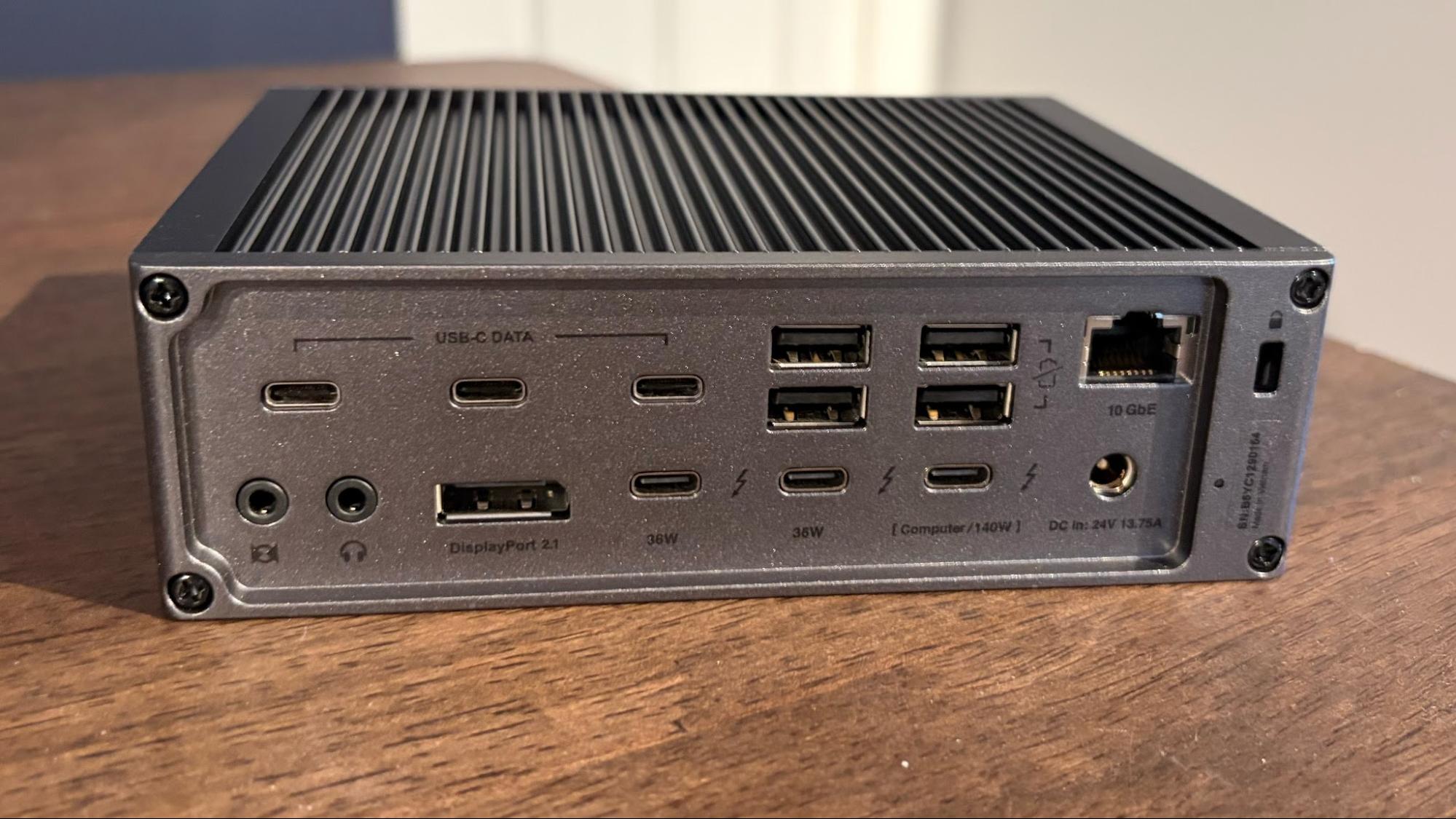
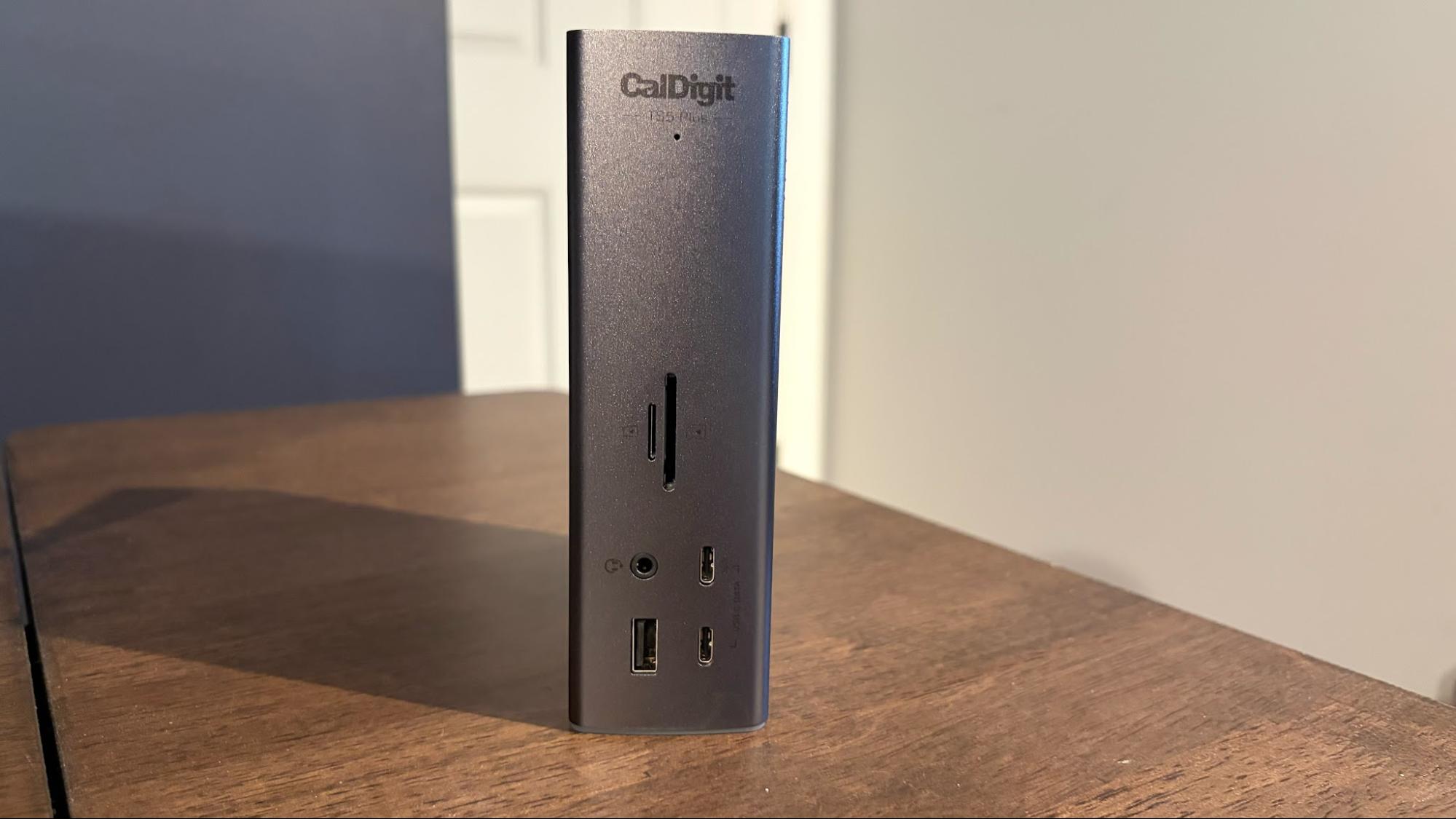
The CalDigit TS5 Plus puts most other Thunderbolt docks to shame with its sheer number of ports (20 in total). The TS5 Plus looks unassuming from the front, offering microSD and SD slots, a single USB-A port, two USB-C ports, and a 3.5mm combo jack. However, the floodgates open at the back, where you'll find a wealth of USB-C, Thunderbolt, and USB-A ports.
CalDigit even offers up a DisplayPort 2.1 port for your monitor, and a 10 GbE port for wired networking. About the only thing missing here is an internal M.2 SSD slot like some other Thunderbolt 5 docks. The TS5 Plus supports up to two 8K60 monitors or three 4K144 monitors.
The TS5 Plus is a premium dock, and it definitely comes with premium pricing with an MSRP of $499.
Best Premium Thunderbolt 5 Dock for Macs
Tom's HardwareTom's Hardware
4. Ivanky FusionDock Ultra
Best Premium Thunderbolt 5 Dock for Macs
Upstream: 2x Thunderbolt 5 upstream (80 Gbps bi-directional) | Downstream: 4x Thunderbolt 5 downstream (80 Gbps bi-directional) | Ports: 7x USB-C 3.2 Gen 2 1x USB-C 3.2 Gen 2 (45W PD) 4x USB-A 3.2 Gen 2 1x DisplayPort 2.1 1x HDMI 2.1 1x 10 GbE (RJ45) port 1x audio-in 1x audio-out 1x audio combo jack 1x S/PDIF 1x microSD UHS-II slot 1x SD UHS-II slot 1x 240W power port | Dimensions: 8.3 x 4.9 x 2.4 inches
4 downstream TB5 ports and a staggering 7 USB-C ports
10 GbE networking
DisplayPort 2.1 and HDMI 2.1 ports
Wallet-busting price tag
If you have a high-end Mac or MacBook, look no further than the Ivanky FusionDock Ultra. This is the ultimate Thunderbolt 5 dock available, and it only supports Apple Silicon Macs.
It offers a staggering 26 ports, including seven USB-C and two USB-A on the front panel (along with a microSD and SD slot). The back panel is awash in ports, including four Thunderbolt 5 ports, DisplayPort 2.1, HDMI 2.1, S/PDIF, and even a 10 GbE port. You won’t be left wanting, as every possible data and video option is covered here.
The FusionDock Ultra has two Thunderbolt 5 chips onboard, so it requires two Thunderbolt ports on your Mac. While that might seem a bit odd, giving up those two ports opens you to the most feature-packed Thunderbolt 5 dock on the market, while also delivering 140 watts through Power Delivery. With the proper hardware, the FusionDock Ultra can support up to four 6K60 monitors simultaneously.
All of this port goodness comes at a cost; however, the FusionDock Ultra has a street price of a staggering $649.
The Baseus RD1 Pro is a 15-in-1 unit with dual HDMI ports that support up to 4K resolution at 60 Hz. It also supports Power Delivery to a laptop, along with Gigabit Ethernet, an SD card slot, and a gaggle of USB-A and USB-C ports.
Perhaps its most interesting addition is a Qi2.2 wireless charging dock (25 watts) mounted to the top of the unit. The dock can lie flat or pivot forward, giving you a better view of your smartphone when it's docked.
The RD1 Pro even has a display on the front that shows the status and power level of the USB ports, which is a nice touch. The dock has an MSRP of $199.99.
Best Thunderbolt and USB-C Docks for Laptops Shopping Tips
Thunderbolt or USB-C?
A lot of this will come down to the type of ports available on your laptop. If you have a free Thunderbolt port, a Thunderbolt 4 or Thunderbolt 5 dock will give you a wider array of port options and higher maximum transfer speeds.
If you don’t have a Thunderbolt port, your only option is a USB-C dock. However, if you have a Thunderbolt port and want to go with a more economical option, you can still use a USB-C dock. The reverse is not true, however, as a Thunderbolt dock won’t work via a standard USB-C port.
Should you go with an internal M.2 slot?
For those who’d like to add fast SSD storage to your system, a Thunderbolt 5 dock with an internal M.2 slot is a viable option. If you already have an old M.2 SSD lying around, you can simply pop it into an internal bay and be up and running in minutes. Not only is the SSD tucked away, out of sight, but you also don’t have to take up a USB-C or Thunderbolt port with an external adapter or dedicated portable SSD.
Wired networking speeds
Many people who purchase a Thunderbolt/USB-C dock for a laptop do so for desktop use, i.e., turning their laptop into a productivity powerhouse with an external monitor. With this in mind, it’s nice to have a wired Ethernet connection for faster, more consistent performance. Thunderbolt 4 docks usually max out at 2.5 Gbps, while Thunderbolt 5 docks max out at 10 Gbps. Most USB-C docks are limited to 1 GbE speeds.
Windows vs Mac support
Be careful and READ the specs BEFORE committing to a Thunderbolt dock. Not all docks are created equal, and external monitor support will vary depending on what hardware and operating system you’re using. For example, the Ivanky FusionDock Ultra only works on Macs, and further restrictions limit it to only Apple Silicon Macs.
Monitor support can be especially tricky. For example, the CalDigit TS5 Plus supports triple monitors on M5 Max and M5 Pro Macs, but not on M4 Pro/M4 Max or older Macs. On the other hand, Windows PCs have no trouble supporting three external monitors over Thunderbolt 5. Only an M5 Max Mac can support four external monitors simultaneously.
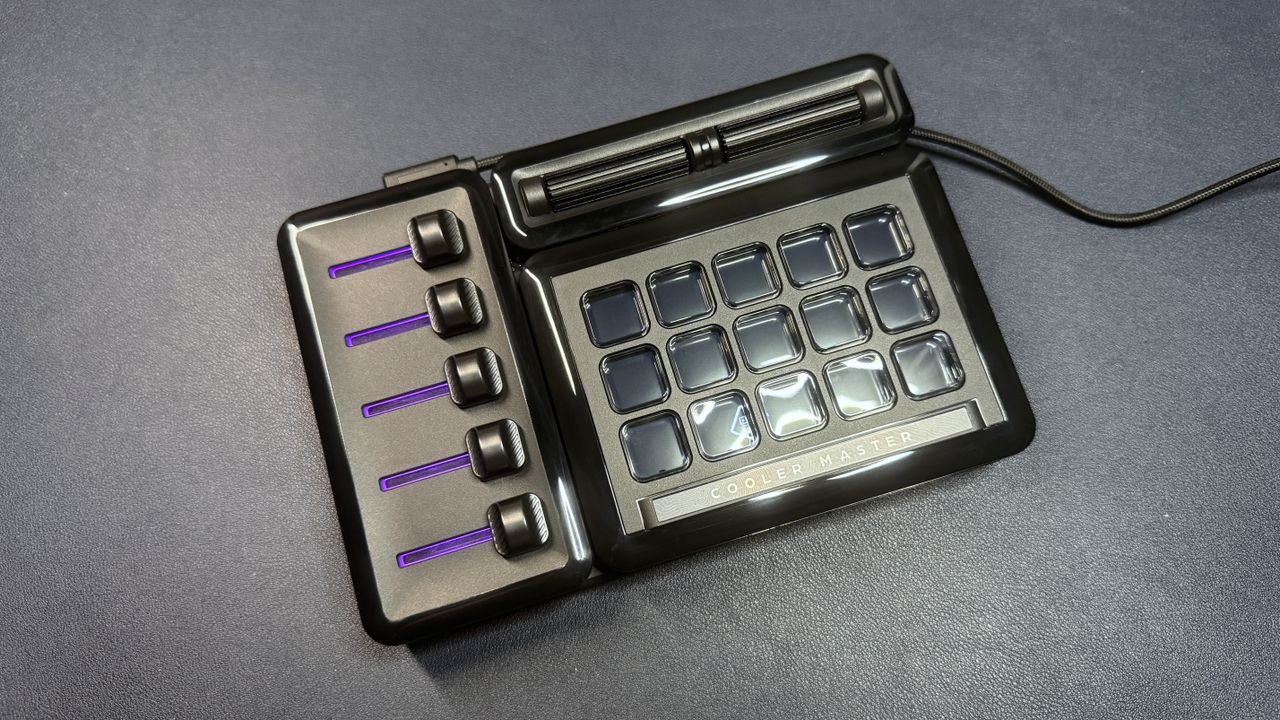
Cooler Master's MasterHUB is a modular customizable macropad that's perhaps a little too ambitious. Its modularity is nicely implemented, but it's limited by its software and lack of plugins.
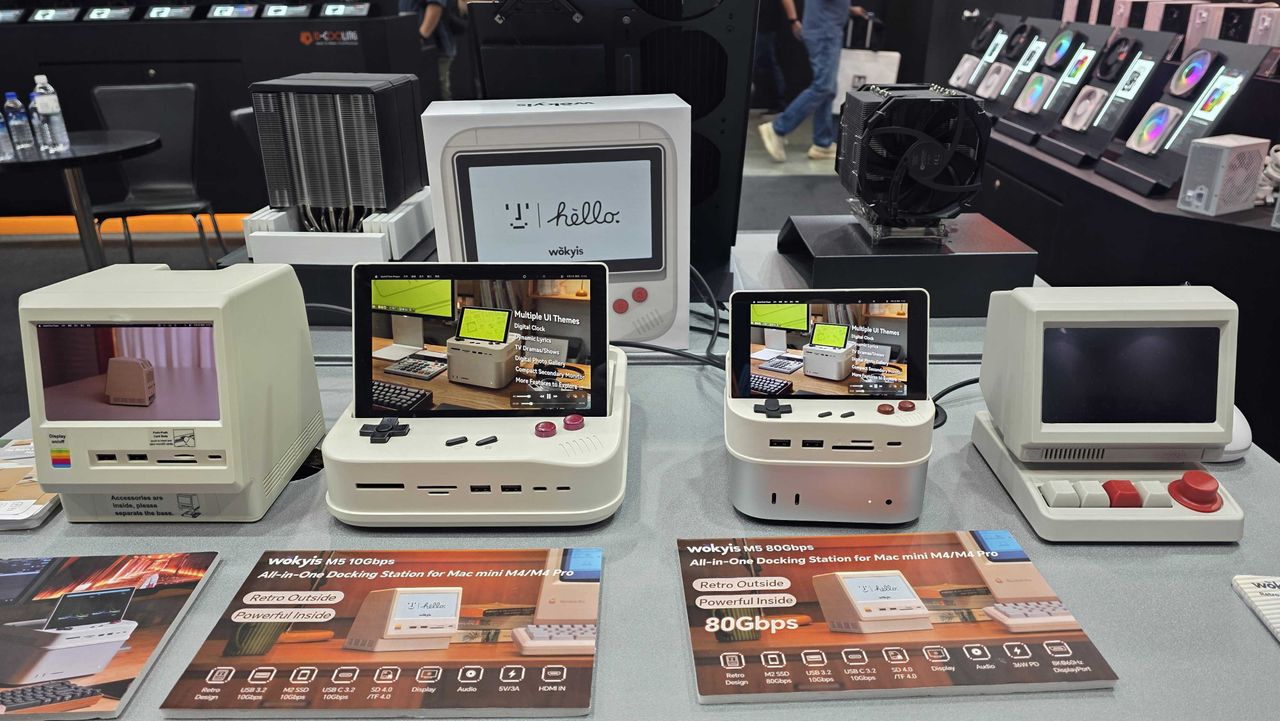
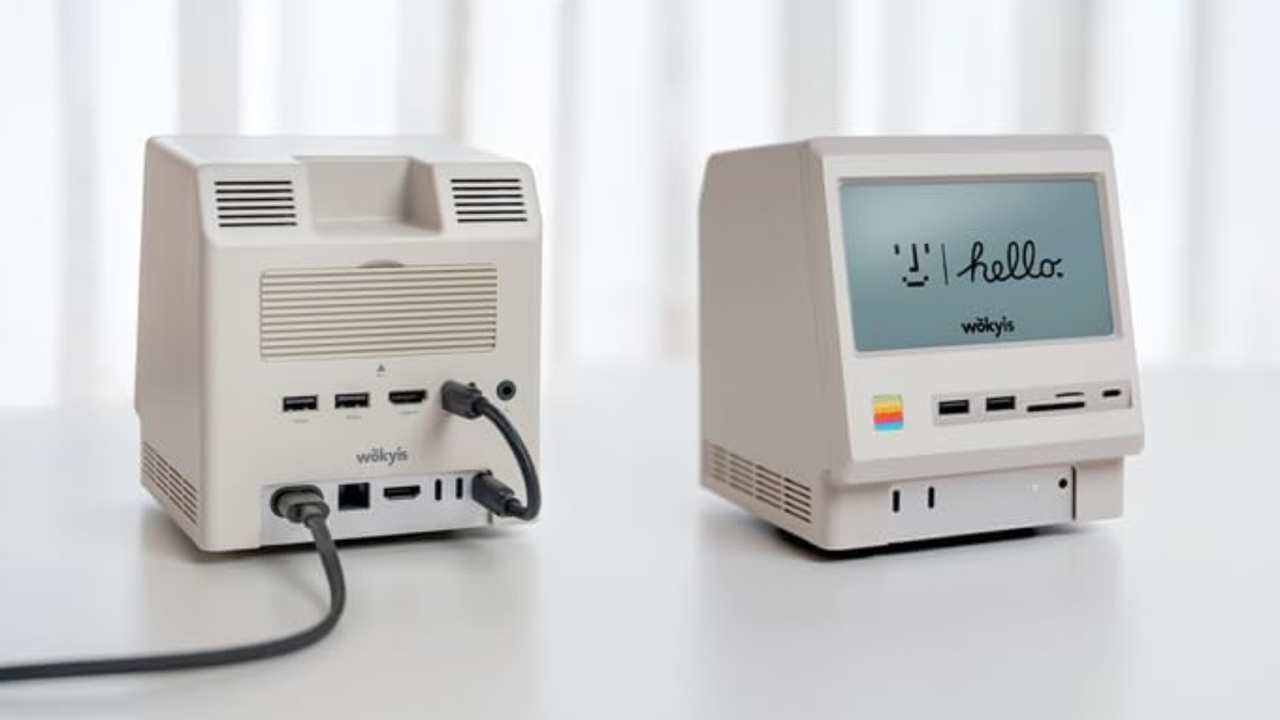
Wokyis is already selling its M5 dock that turns your Mac Mini into a mini Macintosh. But it plans to add G7 NES-themed docks, as well, with up to 80Gbps of throughput and larger 7-inch screens.
The Wokyis M5 Retro Dock Station will add USB ports, memory card readers, and an external SSD enclosure to your Mac mini while giving you a small '80s Macintosh on your desk.
 登录
登录