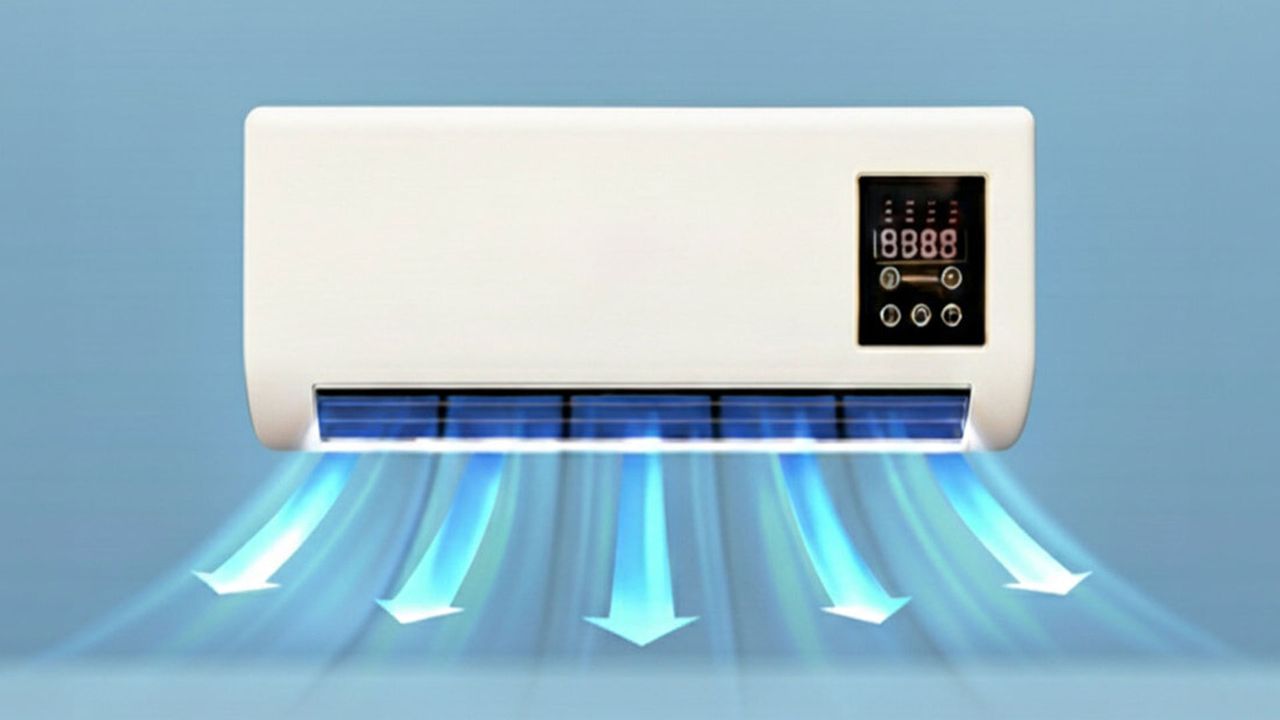
Germany's leading consumer testing organization, Stiftung Warentest, has warned people to avoid fake air conditioners from Epicooler. Golem.de reports that this direct-from-China brand also ships to the U.S., and its so-called air conditioner contains “a simple PC fan combined with a small heating element” [machine translation]. We don’t know the PC fan brand. In tests, the Epicooler didn’t reduce the temperature of the room when set in its ‘Cold Wind’ mode.
Europe has been literally burning this summer, so countless folks have become interested in acquiring an air conditioner, perhaps for the first time. Epicooler reportedly aggressively markets its air conditioners with “AI-generated videos on social media, YouTube, and in online magazines,” notes the source. Moreover, its devices look very much like traditional air conditioners but sell for a fraction of the price. Many people therefore have taken a chance on this ‘bargain’ only to find out they have actually overpaid for a box containing a PC fan alongside a heating coil.
We guess the Epicooler price is just low enough to attract some chancy purchases. The source says this fake aircon is sold for €163, which is about $188. These devices are always shipped from China, it is noted, even when local warehouse stock is advertised. It is thought that this is a method that helps Epicooler swerve national regulators such as the FTC, as well as sidestep local consumer protection laws regarding product description accuracy, refunds, etc. This kind of operation is also easy to ‘dissolve’ and reappear under other brand names once the ‘game is up.’
A very popular purchase this summer (Image credit: Epicooler)
There have been previous cries of fake, concerning Epicooler products. Its products have been panned on various consumer review sites, criticized on social media, and more. But it is good to get these ‘air conditioners’ fully exposed by a leading consumer testing organization in Europe.
Stiftung Warentest seemed to be suspicious of the Epicooler as soon as it was received. The device weighed less than 3 kg (6.6 pounds), whereas a genuine internal unit might weigh 13 kg (28.7 pounds) and require a 38 kg (83.8 pound) outside unit. A sticker on this device also spoke the truth, reading ‘Wall Mounted Heater.’ So there was no compressor/condenser/expansion/evaporation process going on here to genuinely cool the space where it was installed. It was just a “standard PC fan and a small heating element.” The consumer site also commented that when using the heating element “the device quickly became so hot that we decided to switch it off again.”
The Epicooler is very cheap for an AC unit, which can often cost 10x more. But they’ll work. However, it is expensive for a fan, with the best consumer-reviewed fans (accurately advertised) available for half as much money as an Epicooler, noted Stiftung Warentest.
Please be careful with your cash, and keep in mind the maxim “if something seems too good to be true, it probably is.”
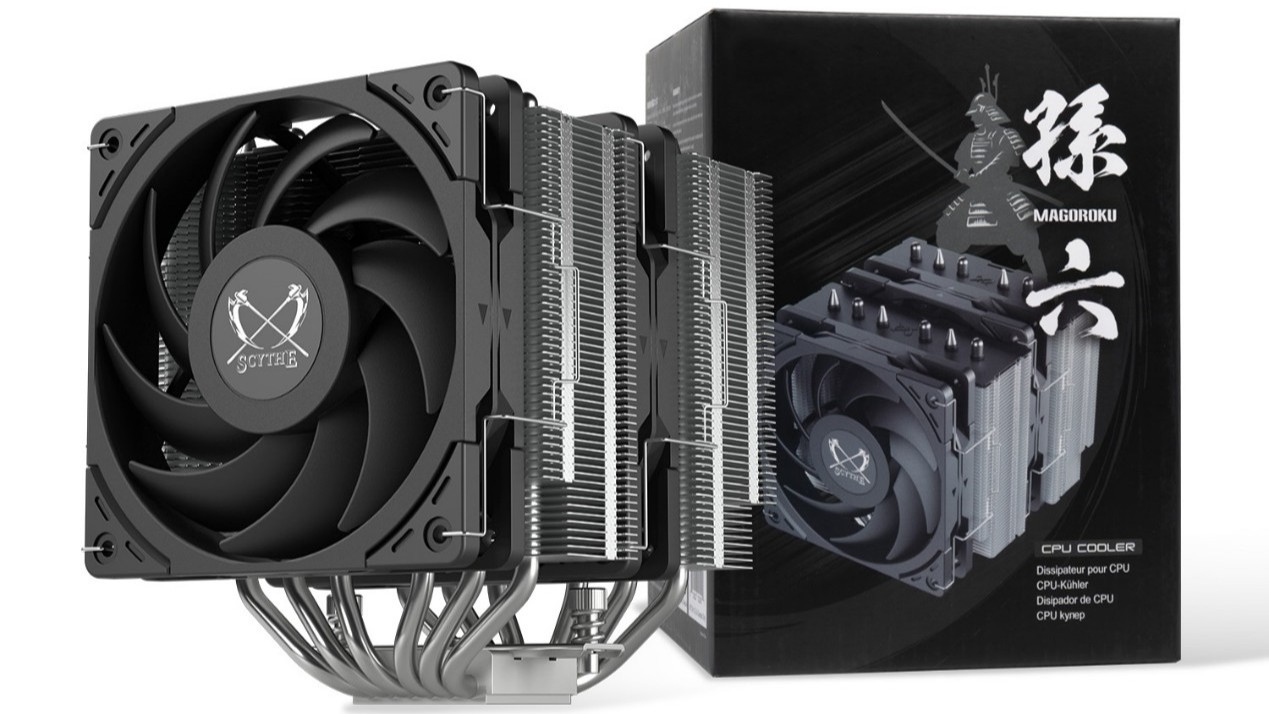
Unlike some of its cooler competitors, Chiba Japan-based Scythe is a fabless company that partners with factories in China and Taiwan for manufacturing of its air coolers, fans, and other PC hardware. The company has been delivering cooling products aimed largely at quiet performance for more than 20 years. We’ve enjoyed testing its previous products, like the fan-favorite FUMA 3 air cooler. Today we’re looking at Scythe’s latest offering, the Magoroku – a dual tower heatsink paired with two of Scythe’s Wonder Tornado 120 fans.
(Image credit: Scythe)
Let's take a look at the specifications and features of this CPU cooler. Then we’ll go over thermal and noise benchmarks to see if the Magoroku deserves to make our list of the best CPU coolers.
Cooler specifications
Cooler
Scythe Magoroku
Colors
Black
MSRP
$42.99
Lighting
None
Warranty
One year
Socket Compatibility
AMD AM5/AM4
Intel 1700/1851/1200/115x
Dimensions w/ fan
134 (W) x 142.5 (D) x 155mm (H)
Maximum TDP with AMD’s Ryzen 9 9950X3D (Our Testing)
Full speed fans: >236W
Noise-normalized: >228W average
Features of the Scythe Magoroku air cooler
▶️ Dual tower heatsinks, six copper heatpipes
(Image credit: Tom's Hardware)
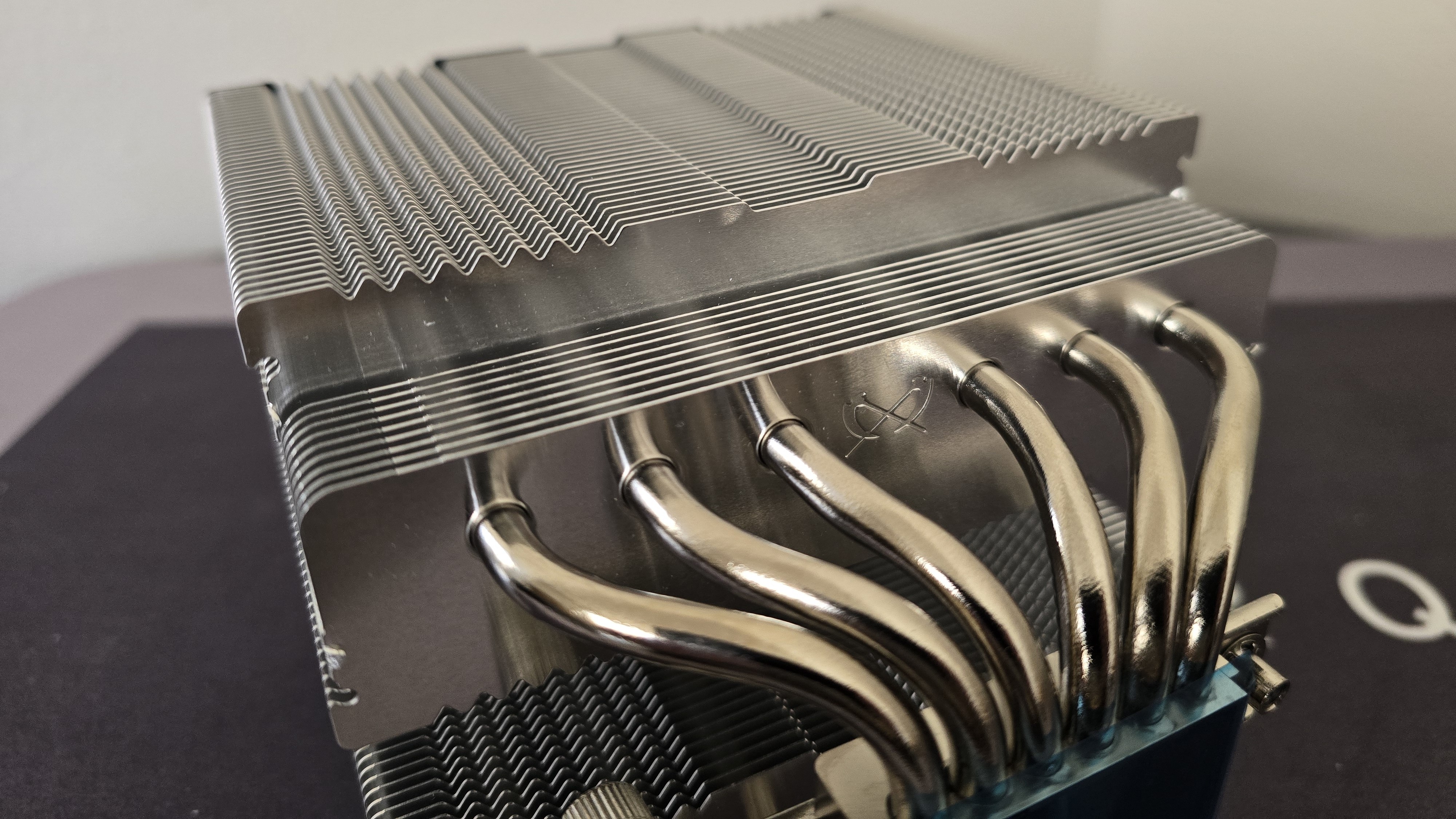
This air cooler features a dual-tower design, with six copper heatpipes to move heat from the CPU block into the metal fins above.
▶️ RAM Clearance
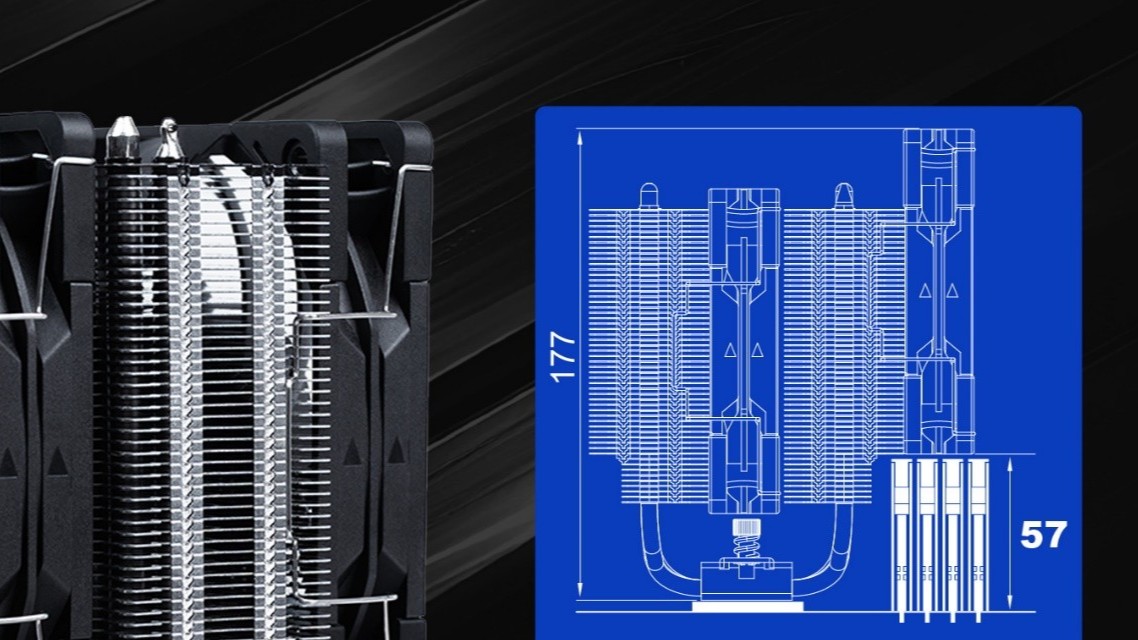
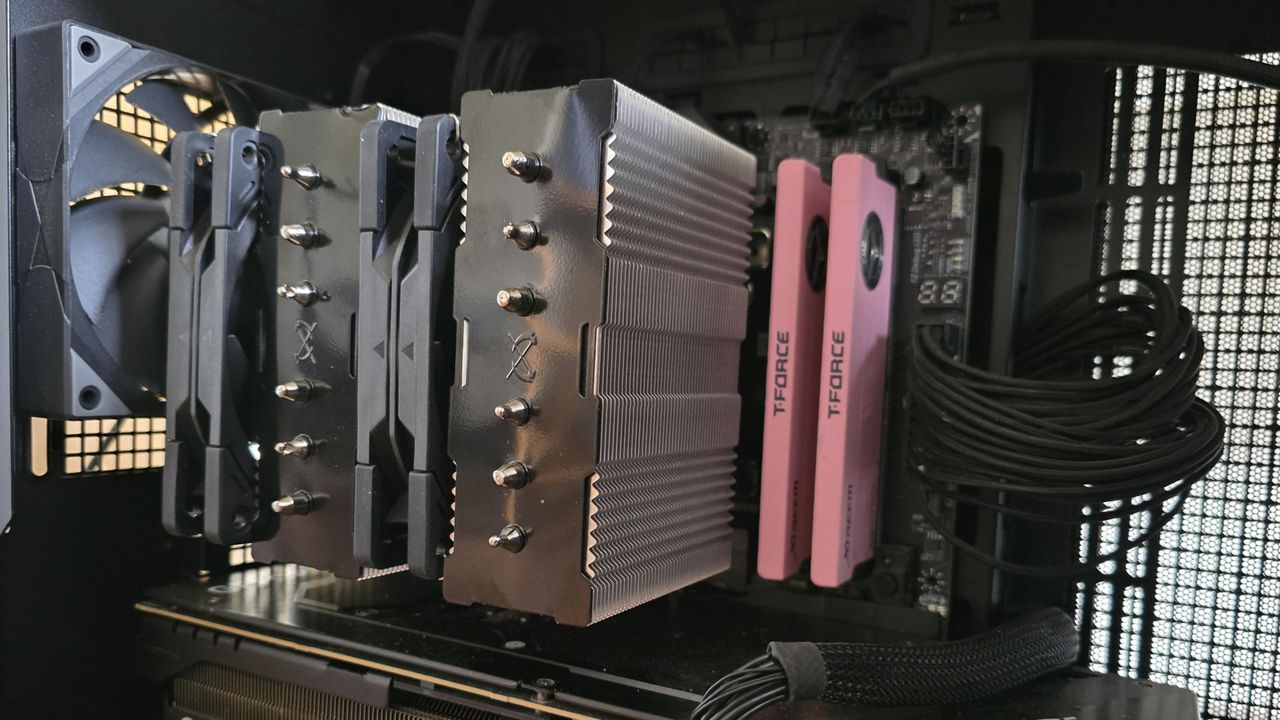
RAM compatibility with this cooler depends on how you look at it. Officially, Scythe mentions support for RAM up to 57mm tall. However, using the fan with tall RAM in this configuration does result in some performance loss.
(Image credit: Scythe)
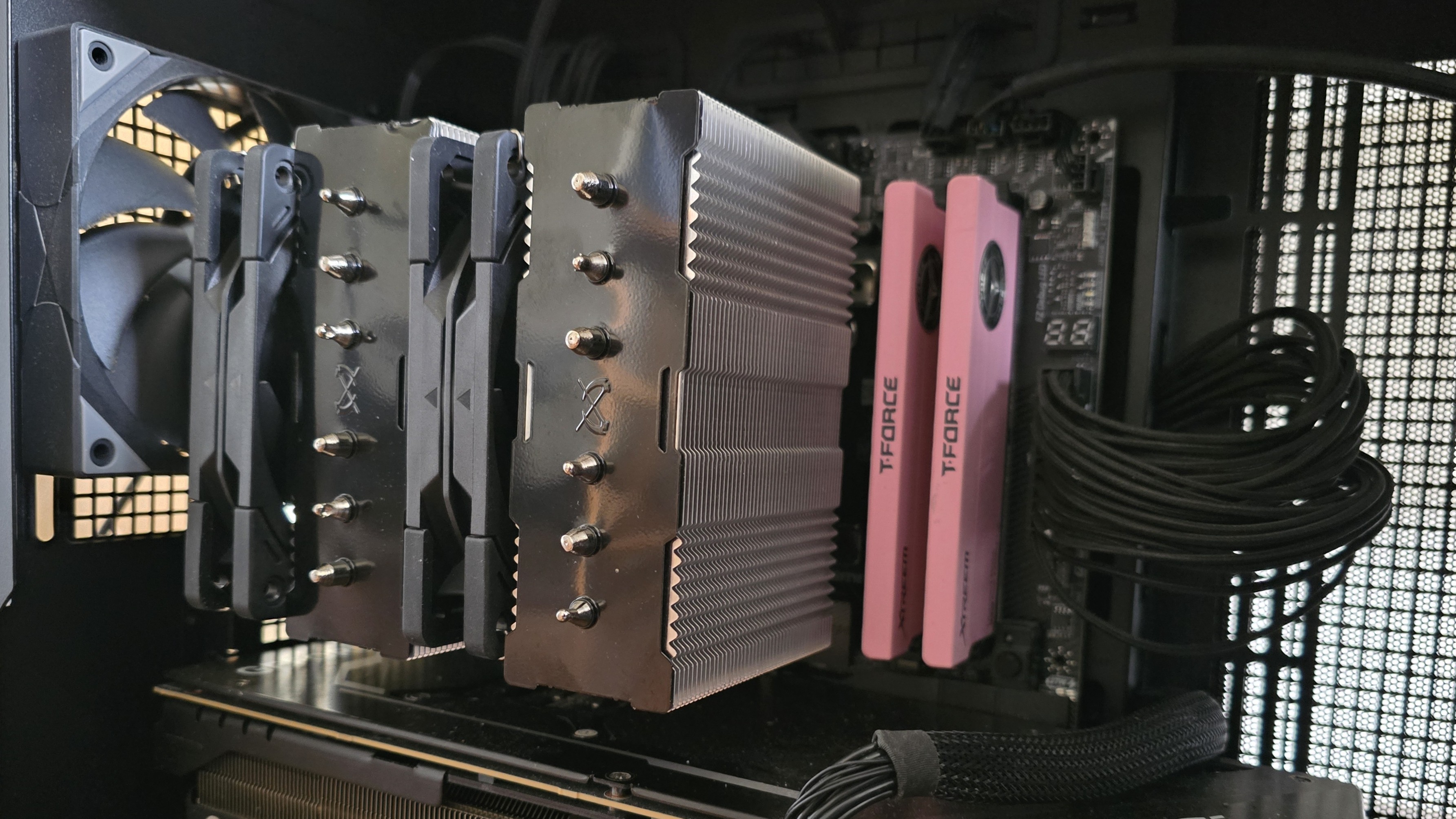
We instead recommend moving the front fan to the back of the unit, above your motherboard’s VRM heatsinks, for best thermal performance. This configuration also has the side effect of complete RAM compatibility, as nothing interferes with or overhangs the DIMM slots.
(Image credit: Tom's Hardware)
▶️ 120mm Wonder Tornado fans
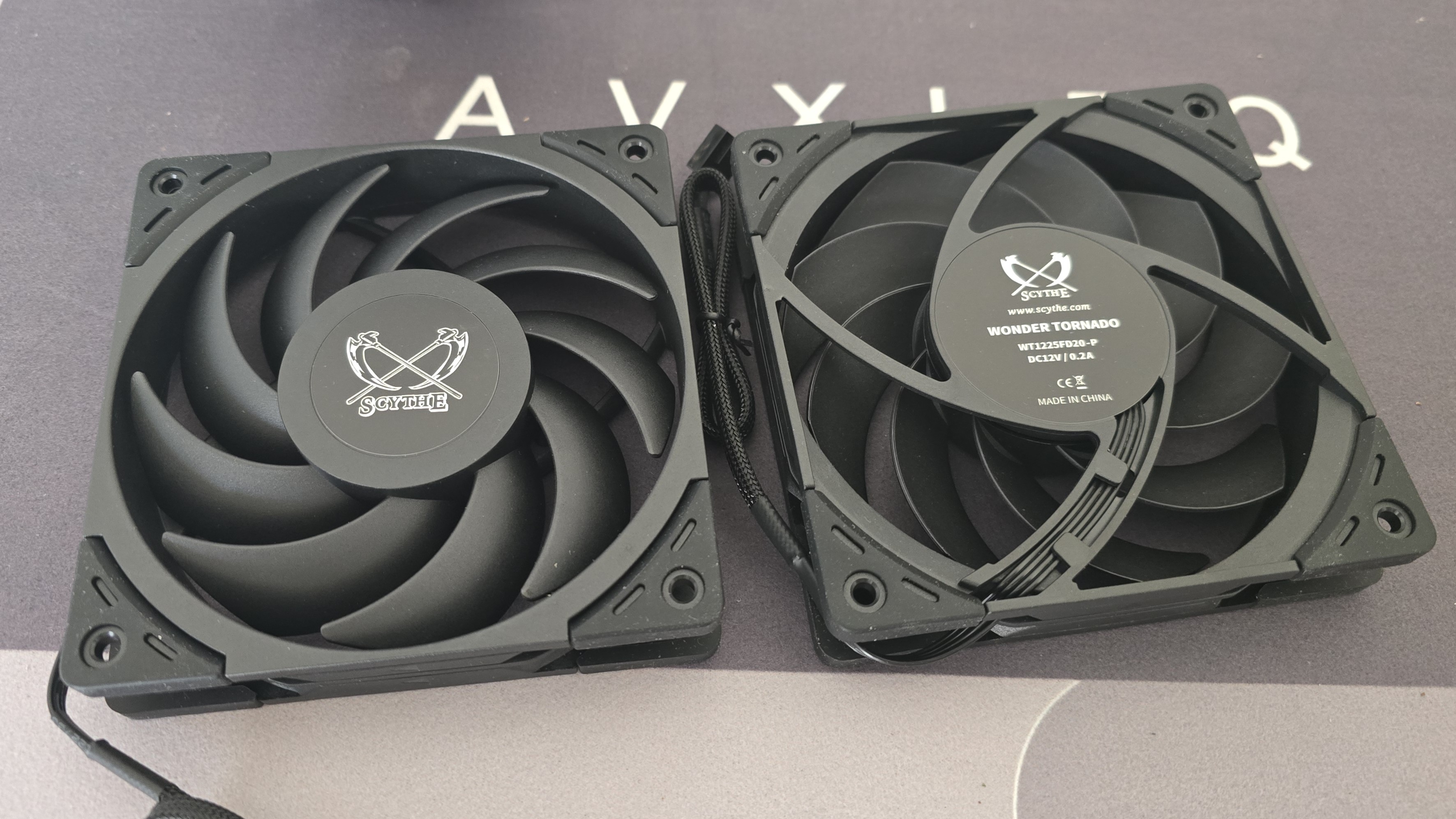
There's more to a cooler than just the heatsink. The included fans have a direct impact on aesthetics, noise levels, and overall thermal performance. Scythe includes two of its Wonder Tornado 120 fans with the Magoroku air cooler.
(Image credit: Tom's Hardware)
Fan Speed
300-2000 RPM
Dimensions
120 x 120 x 26 mm
Airflow
60.29 CFM
Air Pressure
2.45 MMH20
▶️ Packaging
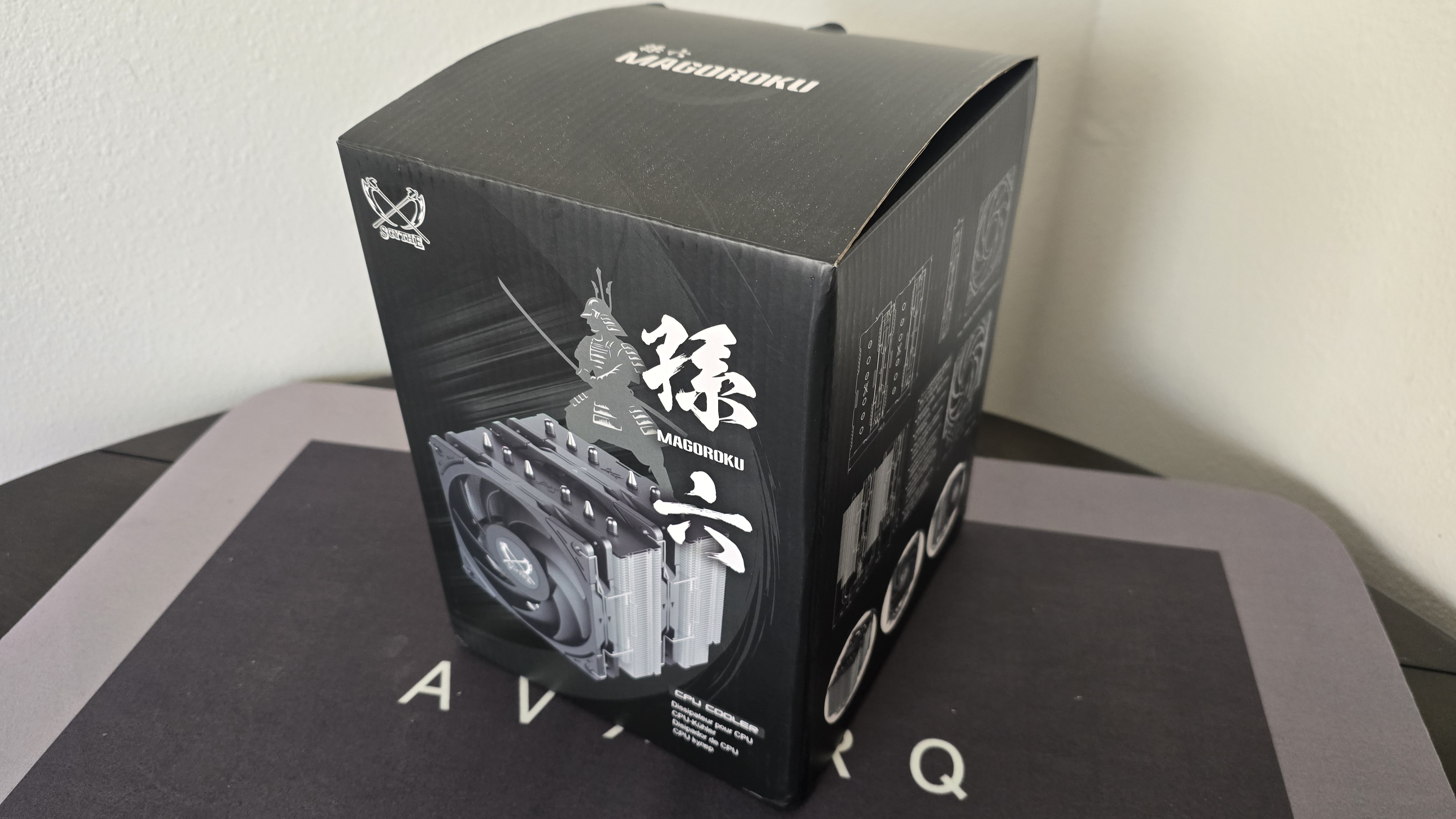
The outer packaging highlights the design of the product in a flashy but subtle way, incorporating a black background with grey and white highlights.
(Image credit: Tom's Hardware)
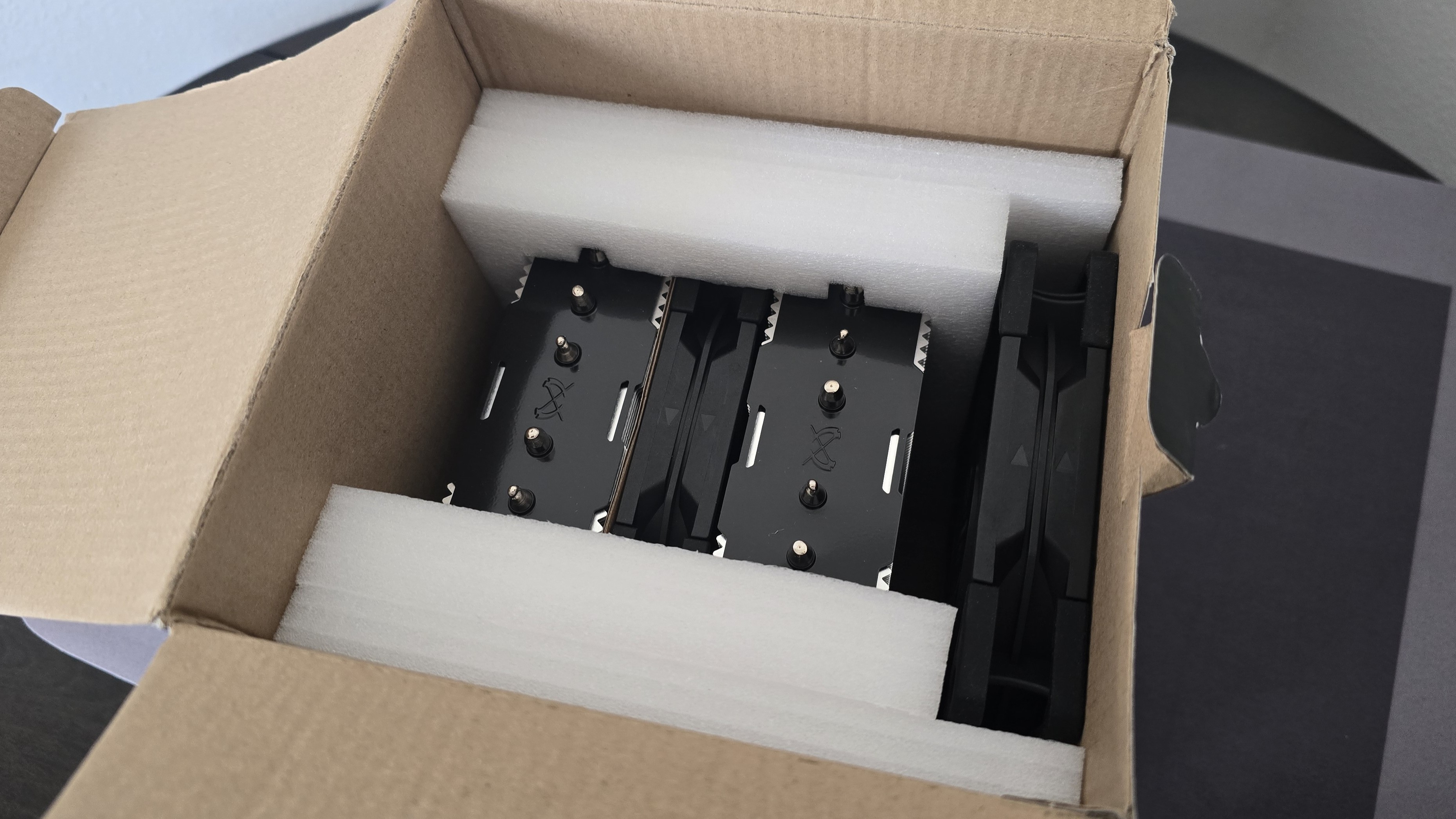
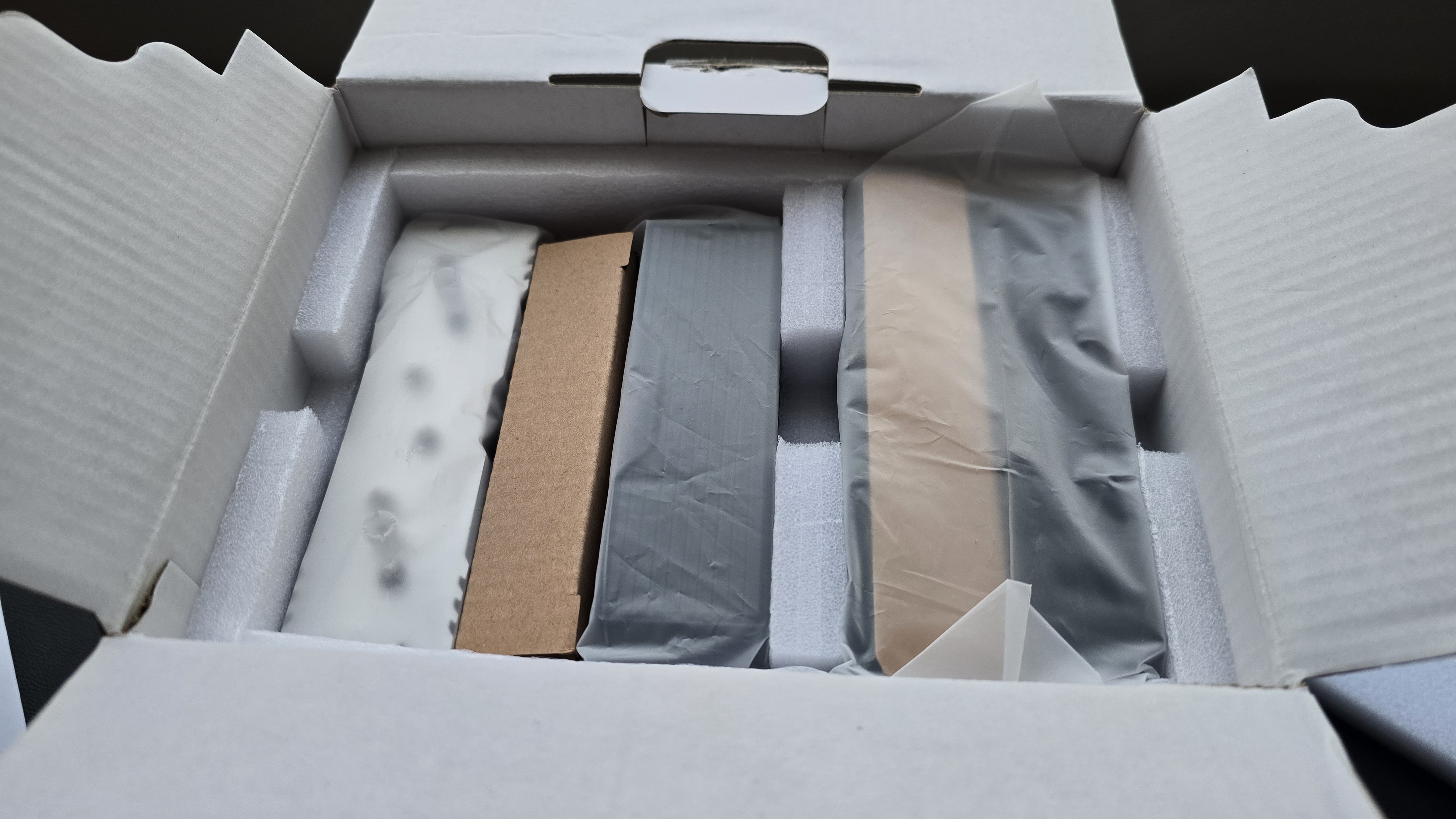
The CPU cooler and fans are protected by molded foam and cardboard inserts.
(Image credit: Tom's Hardware)
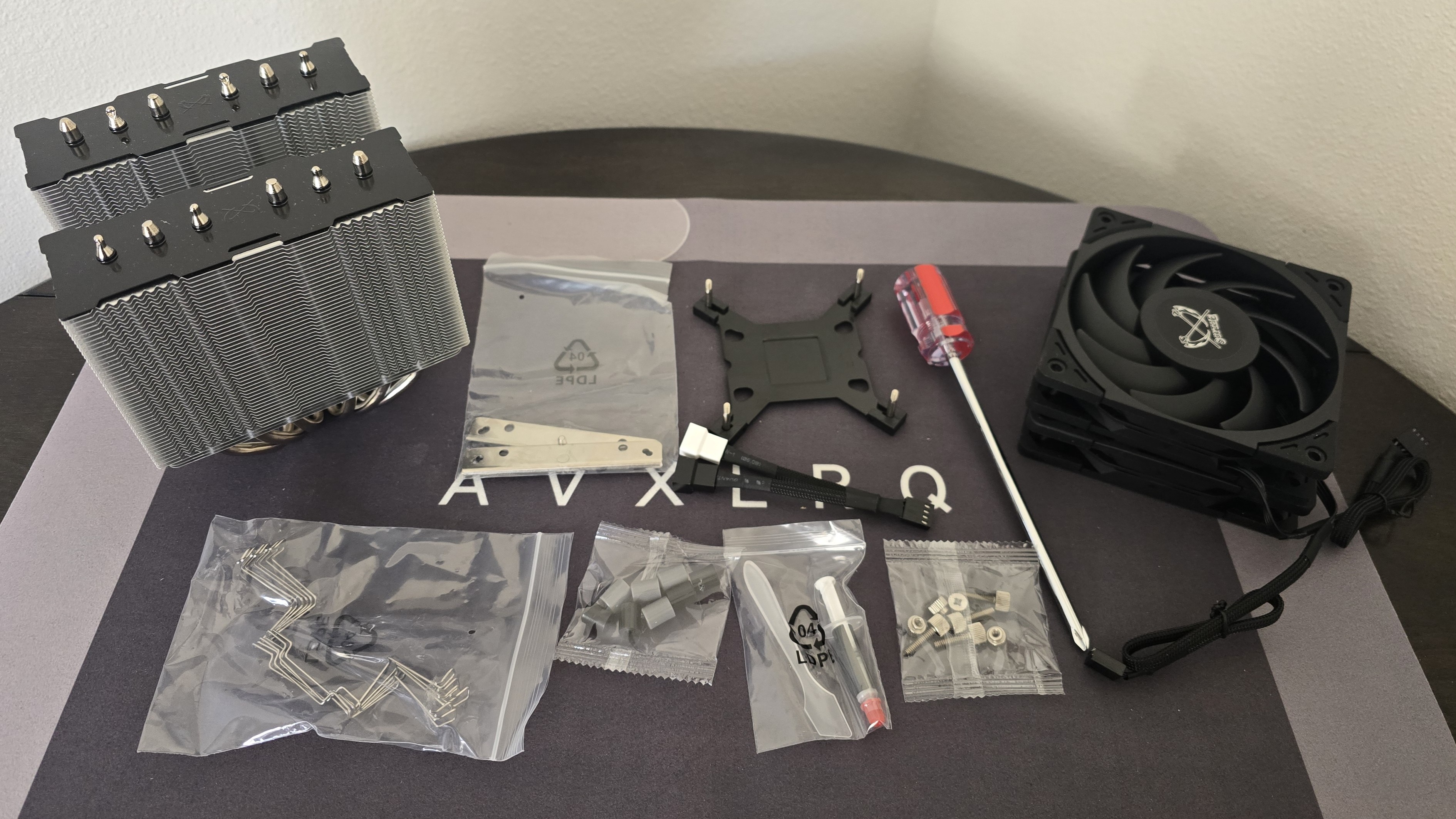
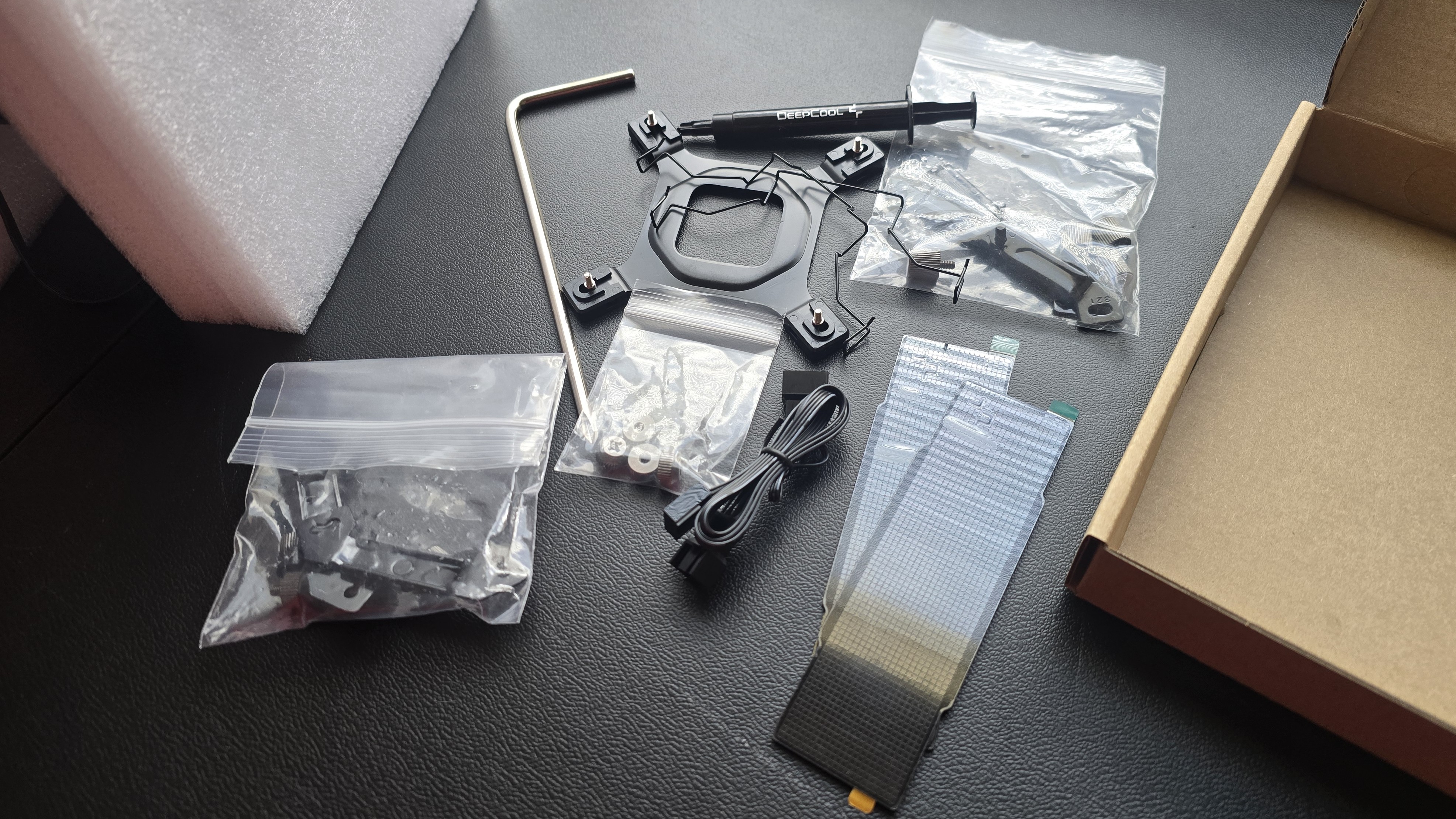
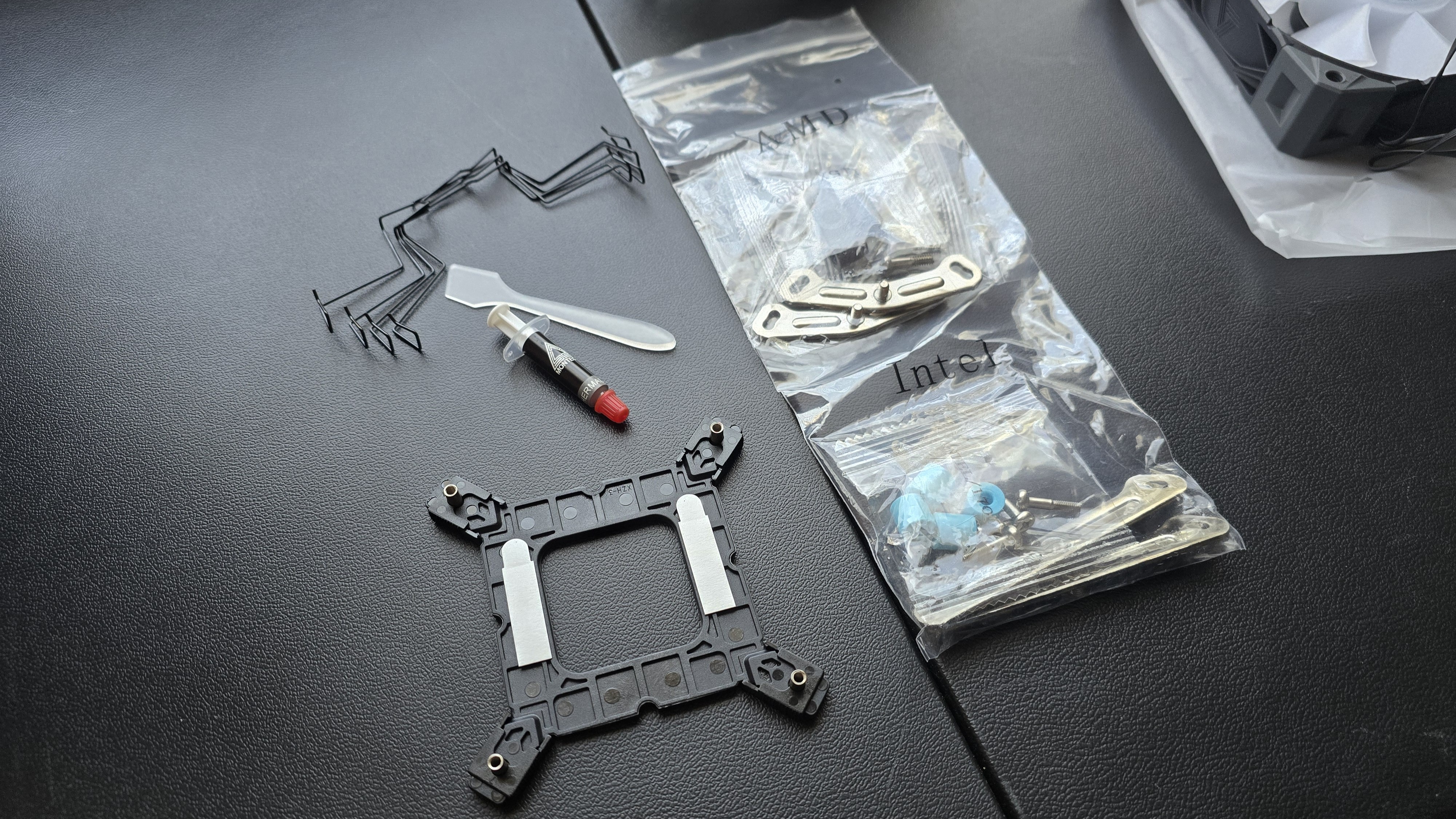
Included with the package are:
● Mounting hardware for AMD and Intel platforms
● Three sets of fan clips
● A small tube of thermal paste
● Two 120mm Wonder Tornado fans
● Screwdriver
(Image credit: Tom's Hardware)
AM5 Installation
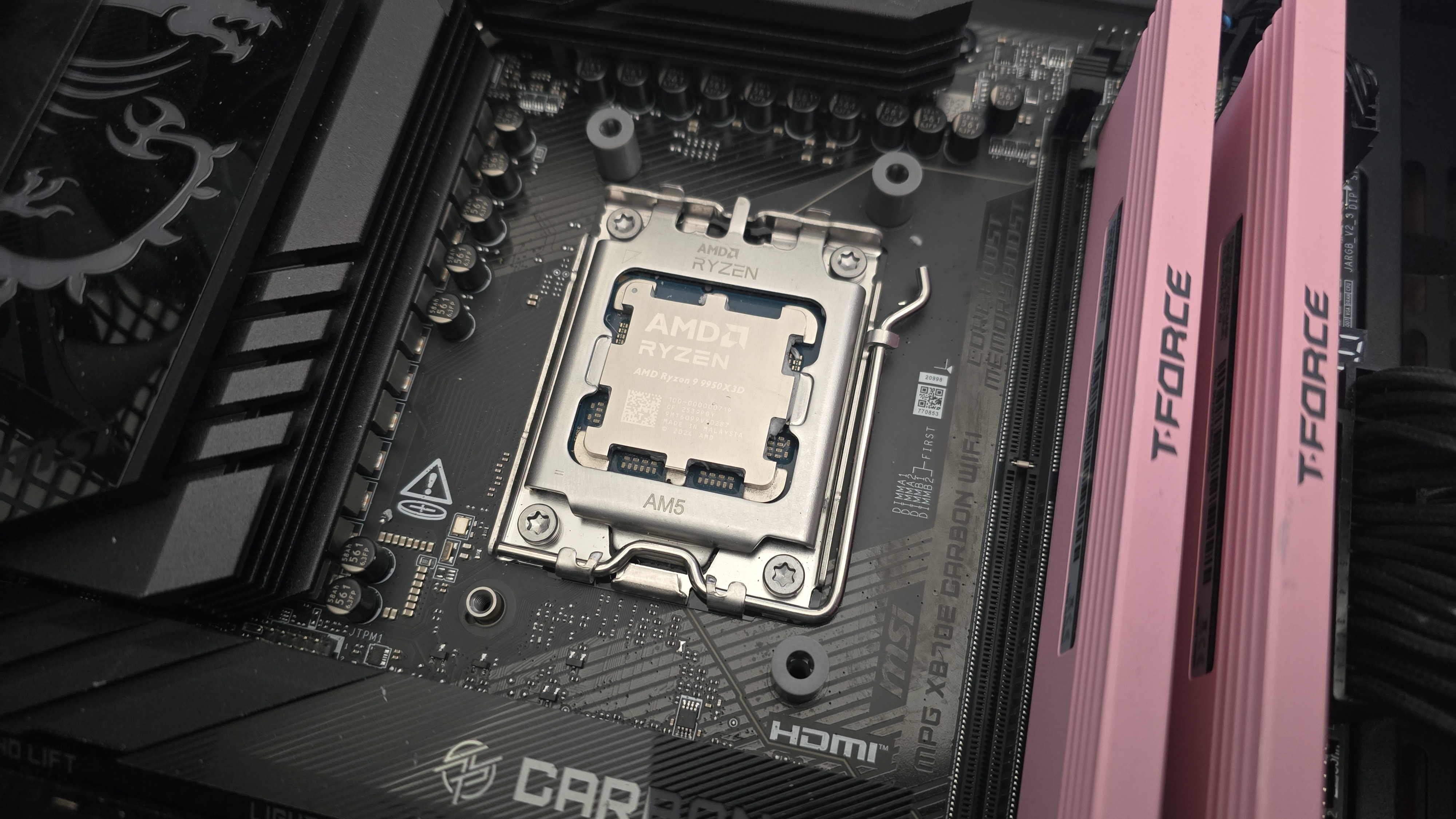
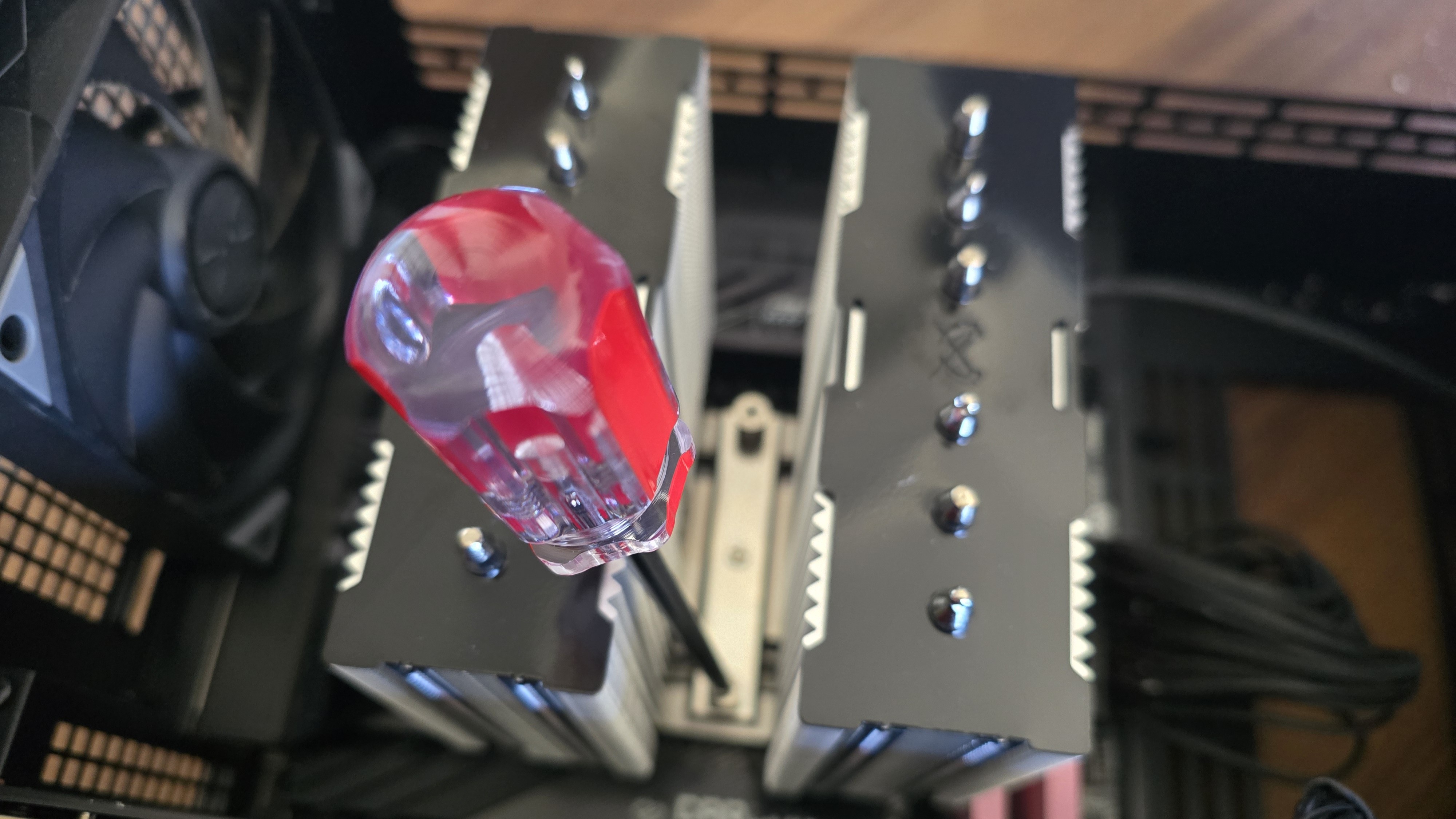
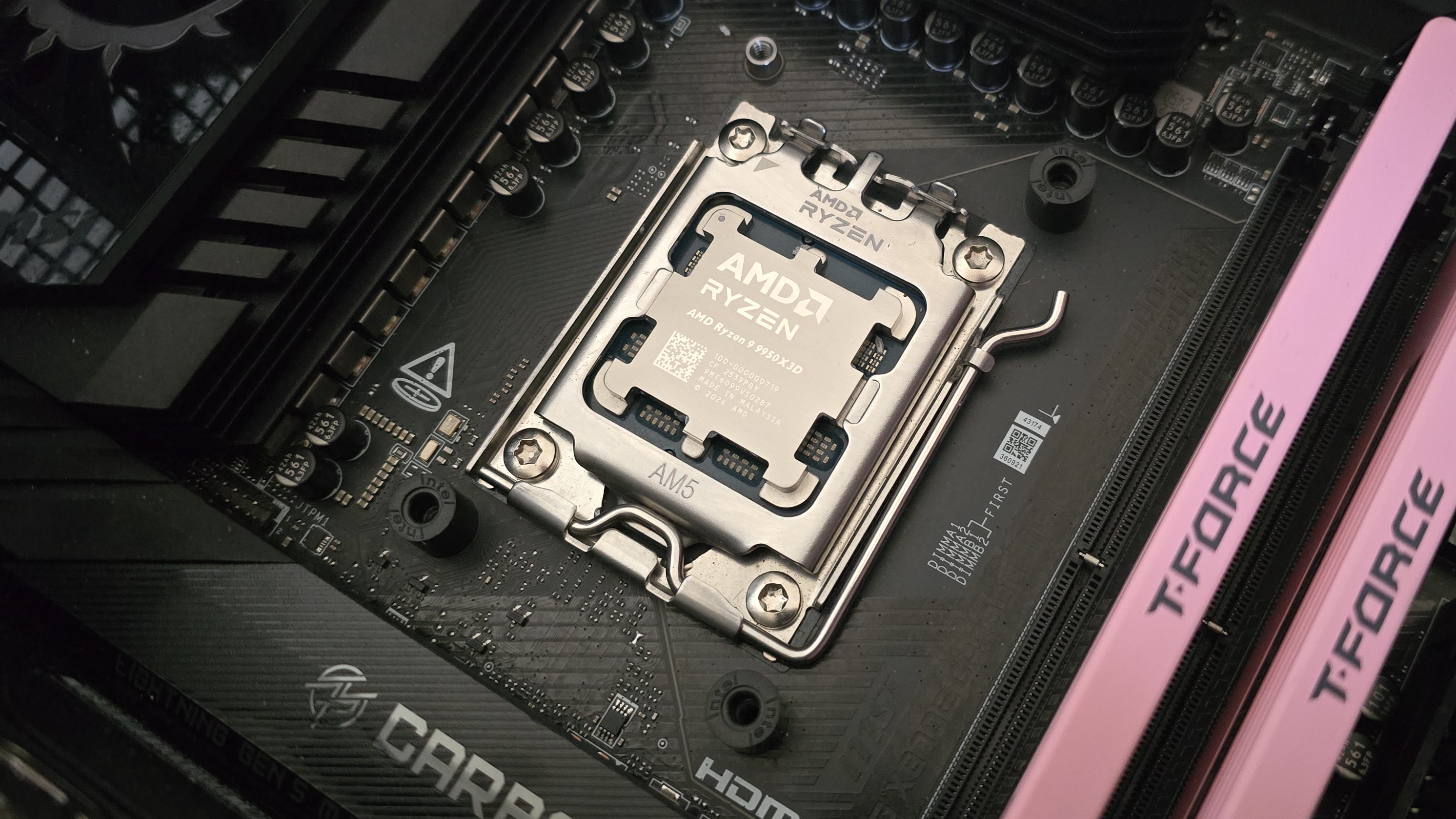
To begin putting things together, you’ll need to first remove the default AM4/5 retention mechanism. Next, place the studs over the exposed holes.
(Image credit: Tom's Hardware)
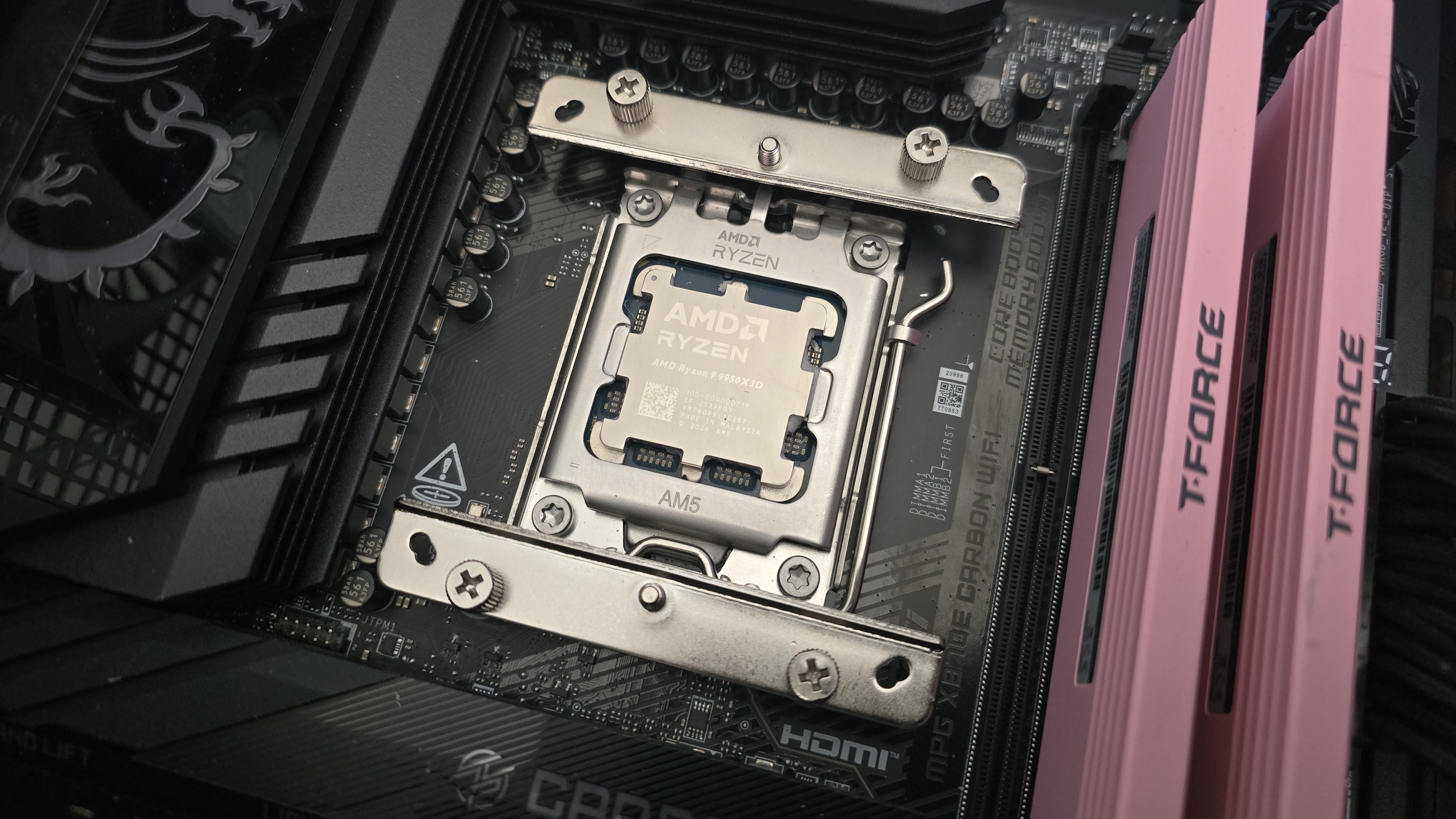
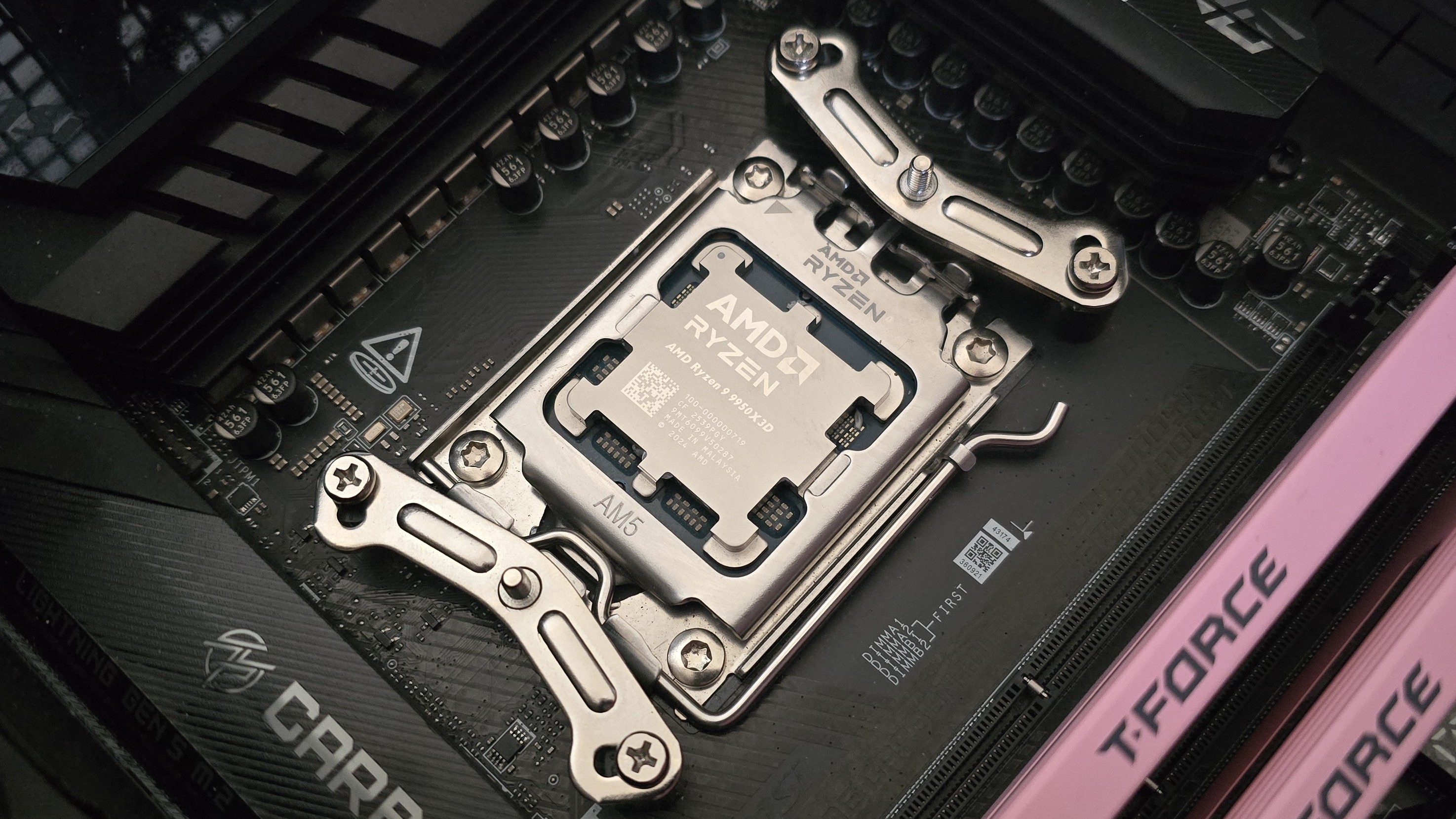
Afterwards, take the mounting bars and secure them with the included screws and screwdriver.
(Image credit: Tom's Hardware)
It’s time to apply the thermal compound. If you’re not sure how to do that, we have a handy thermal paste application guide that covers the best methods you can use.
After thermal paste is applied, take the CPU block and press it against the mounting bars, using the built-in screws and screwdriver to secure it in place.
(Image credit: Tom's Hardware)
Finally, you’ll want to attach both fans using the clips included with the cooler and connect them to the motherboard’s PWM header. If you have tall system RAM, I advise moving the front fan and placing it in the rear for best thermal performance.
(Image credit: Tom's Hardware)
Real-world testing configuration on AMD’s AM5 platform
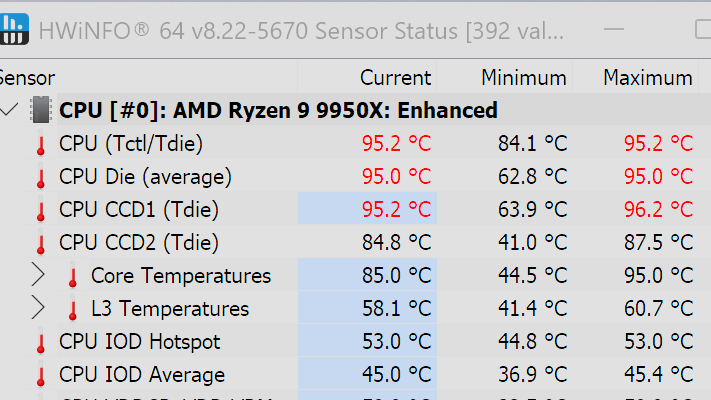
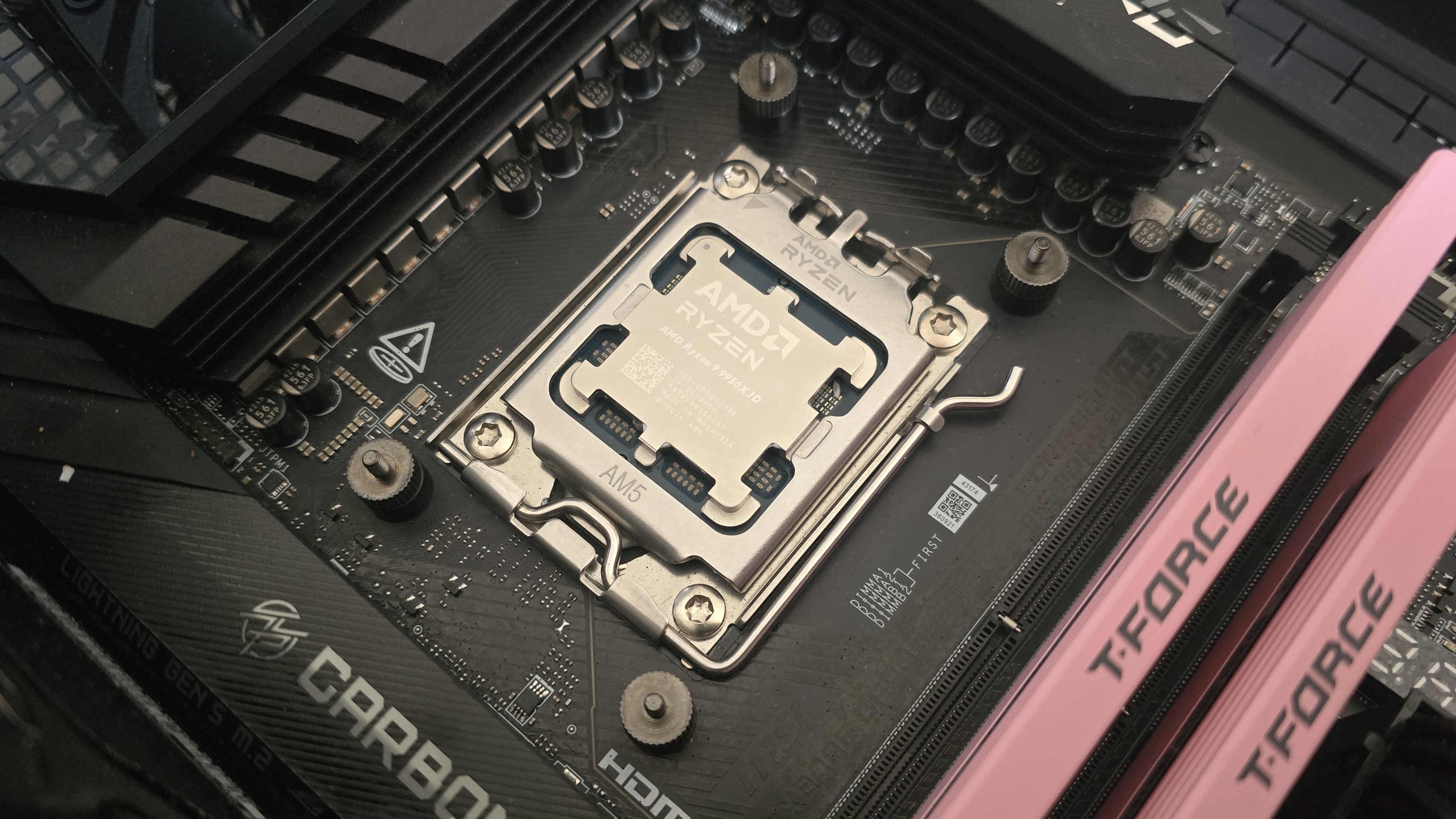
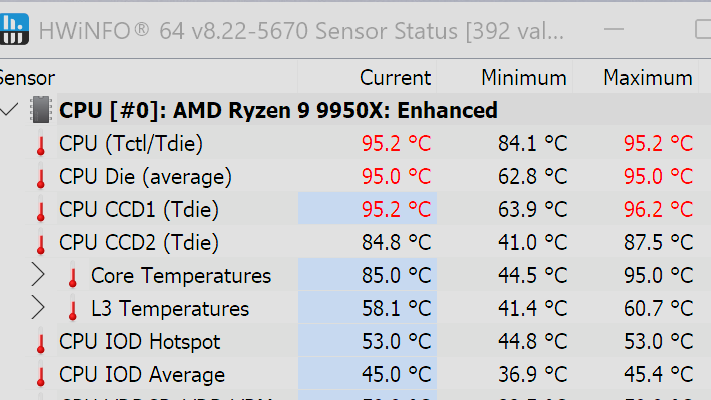
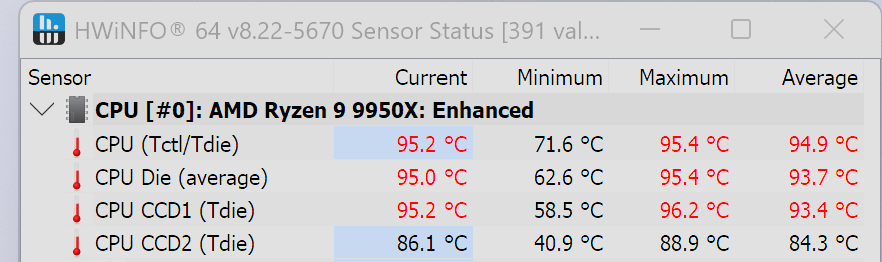
We’ve tested coolers with both the Ryzen 9950X3D and its non-V-Cache sibling, the 9950X. There are some differences in how the 9950X and 9950X3D CPUs are impacted by thermal events. While the heat output of the CCDs of AMD’s 9950X3D is relatively balanced, the 9950X I used has one CCD that runs much hotter than the other, with a difference of over 10 degrees Celsius in some scenarios, shown below.
(Image credit: Tom's Hardware)
We’ve since returned to using a 9950X3D for cooler testing, as it has a more balanced heat profile, and is almost certainly a more widely adopted CPU. The benchmark results shared in these reviews may differ from others because I emphasize results that are comparable to real-world use. This means I generally test CPU coolers inside of a closed desktop case, which increases cooling difficulty compared to other testing methods.
Many reviewers test coolers on open test benches, which have a combination of lesser airflow needs and lowered ambient temperatures. This results in making weak coolers appear stronger than they really are. Some publications have also used generic thermal plates to test cooling solutions. I reject both of these methods because they don’t accurately reflect real-world cooler conditions.
CPU
AMD Ryzen 9 9950X3D
GPU
MSI Ventus 3X RTX 4070Ti Super
RAM
TeamGroup Diamond Rose T-Force Xtreem DDR5-7200
Motherboard
MSI X870E Carbon Wifi
Case
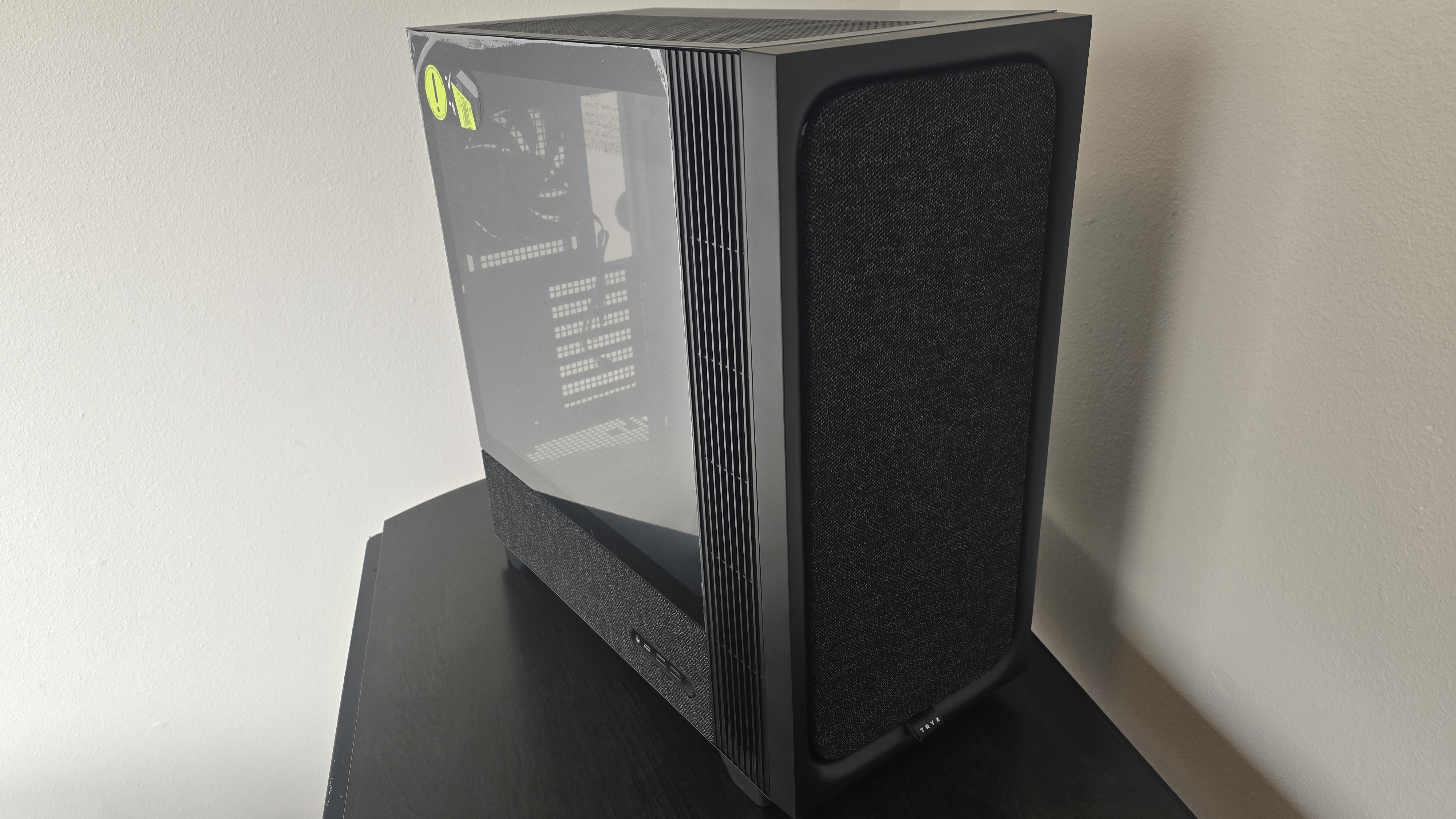
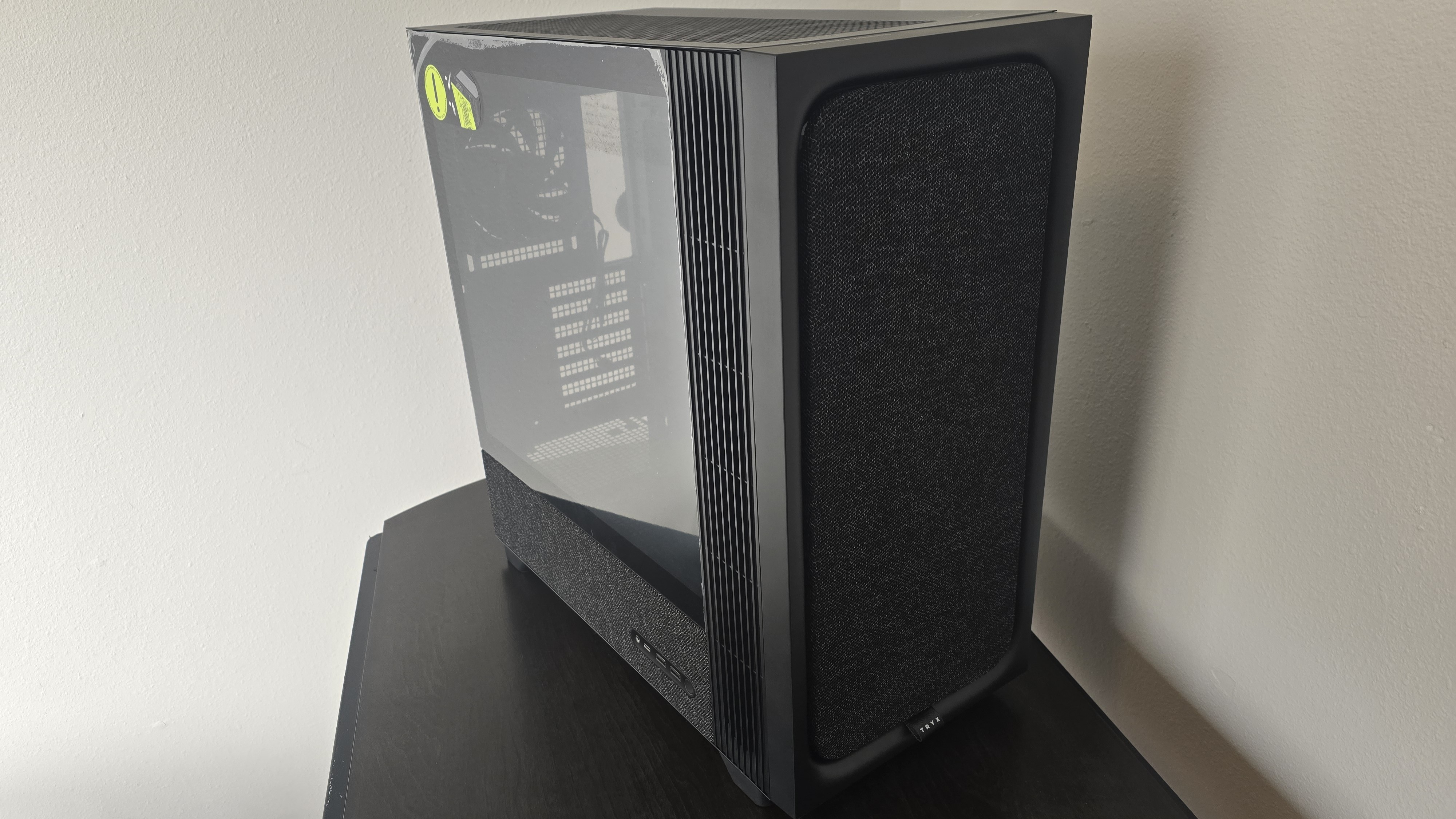
Tryx FLOVA F50
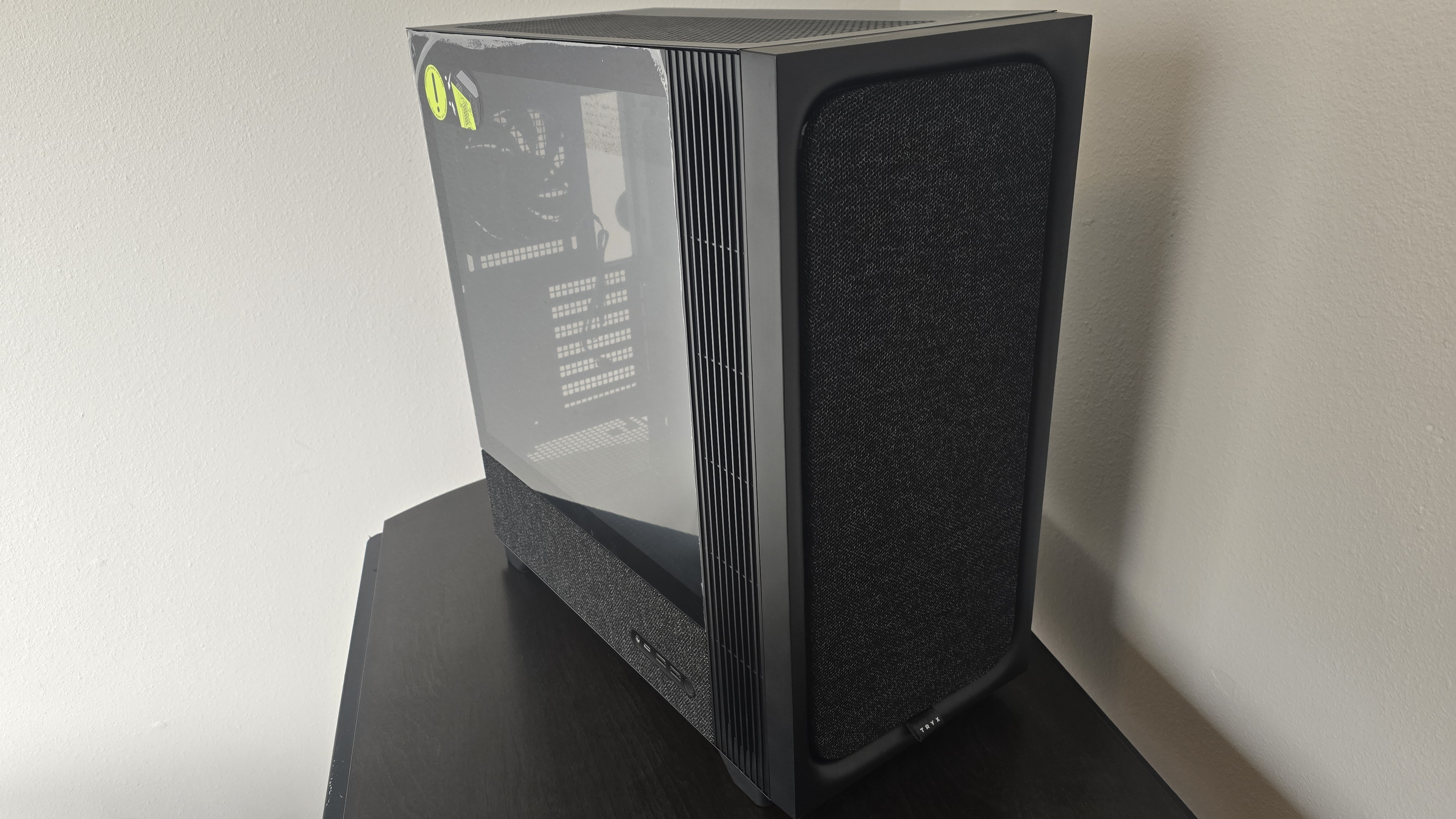
Our latest testing setup uses the FLOVA F50 computer case from Tryx.
(Image credit: Tom's Hardware)
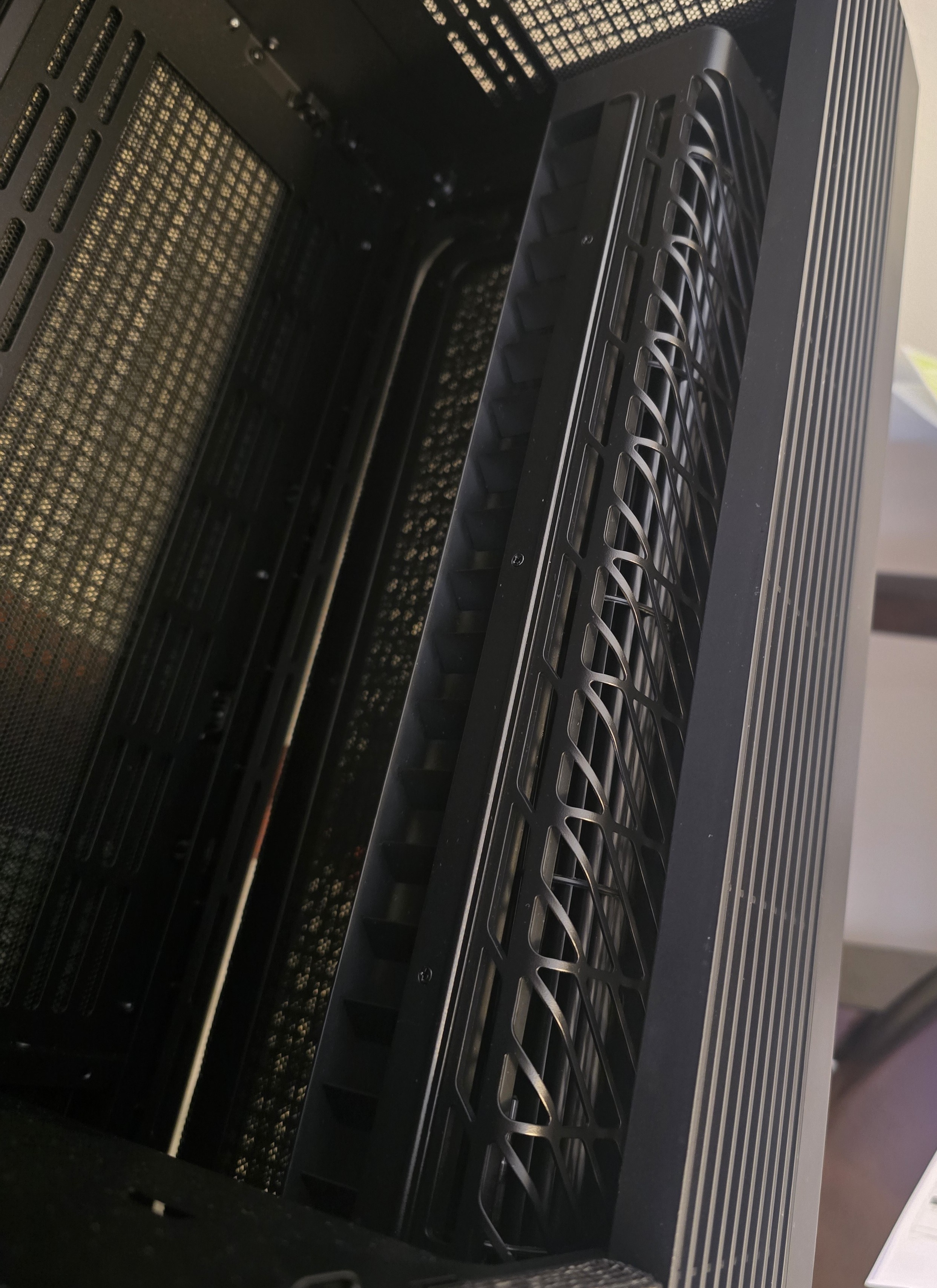
This case features a unique “crossflow” fan that pulls air from the side, which the company claims is more effective than traditional intake fans. For air cooling tests, we’ve added a single Noctua NF-A12 G2 intake fan.
We’re going to start this review’s benchmark section by focusing on a traditional maximum performance test, with the CPU cooler’s fans allowed to reach their fastest speeds, for the best cooling possible.
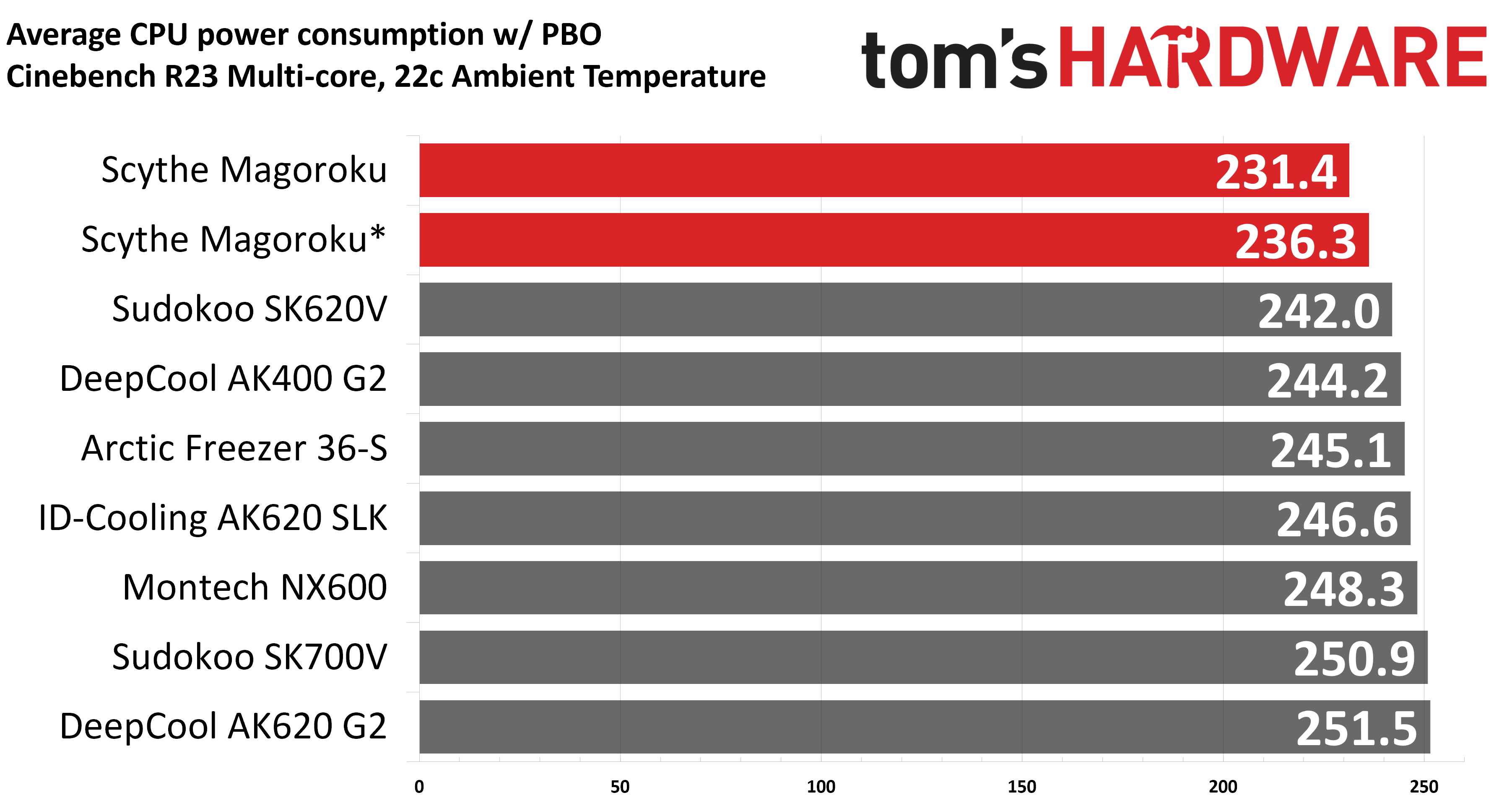
Turning on PBO allows AMD’s Ryzen 9 9950X3D to stretch its legs to an extent and consume over 260W. Enabling PBO enables high power consumption and heat output, when using MSI’s X870E Carbon Wifi motherboard the CPU will reach its TJ Max (peak temperature) of 95 degrees C (203 F) and thermally throttle to some extent with most coolers. When this throttling occurs, I’ve measured the average power consumption to determine performance.
(Image credit: Tom's Hardware)
You’ll notice there are two results for Scythe’s Magoroku here. The first result is with an intake fan above our test rig’s TeamGroup DDR5 (as Scythe suggests); the second result is with that fan placed on the back above the motherboard’s VRM modules. As you can see, it’s better to move the front fan to the back if your system incorporates tall RAM modules. That said, neither result is particularly impressive. These are the worst results we’ve seen on our latest test bench.
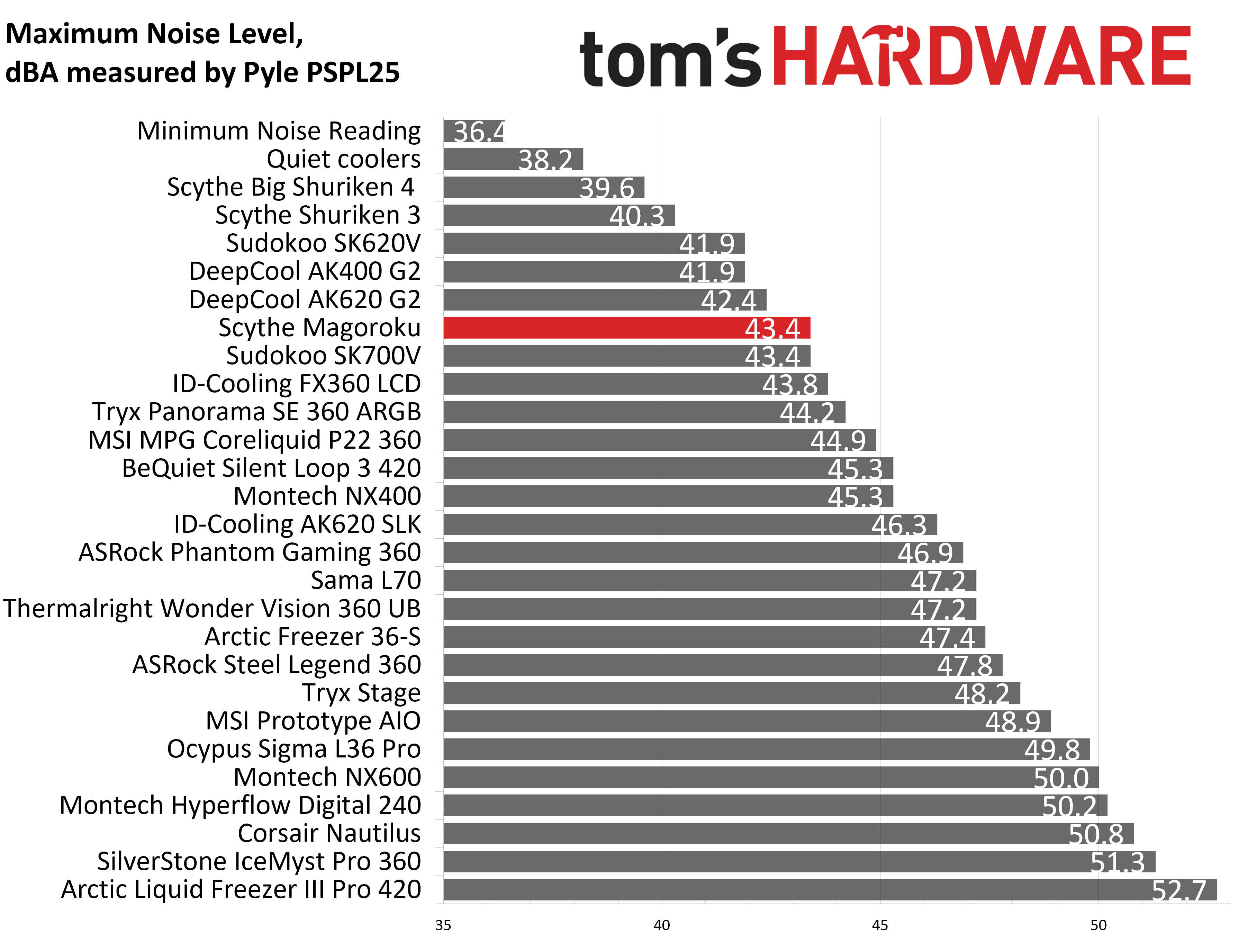
Some coolers perform well in maximum strength tests, but run loudly at full speeds. Noisy fans in this scenario aren’t necessarily a bad thing; some prefer to hear them as a way to be aware when the CPU is getting hot. Scythe’s Magoroku has a maximum volume level of 43.4 dBA, which is on the quieter end of the fan noise spectrum.
(Image credit: Tom's Hardware)
200W thermal benchmarks
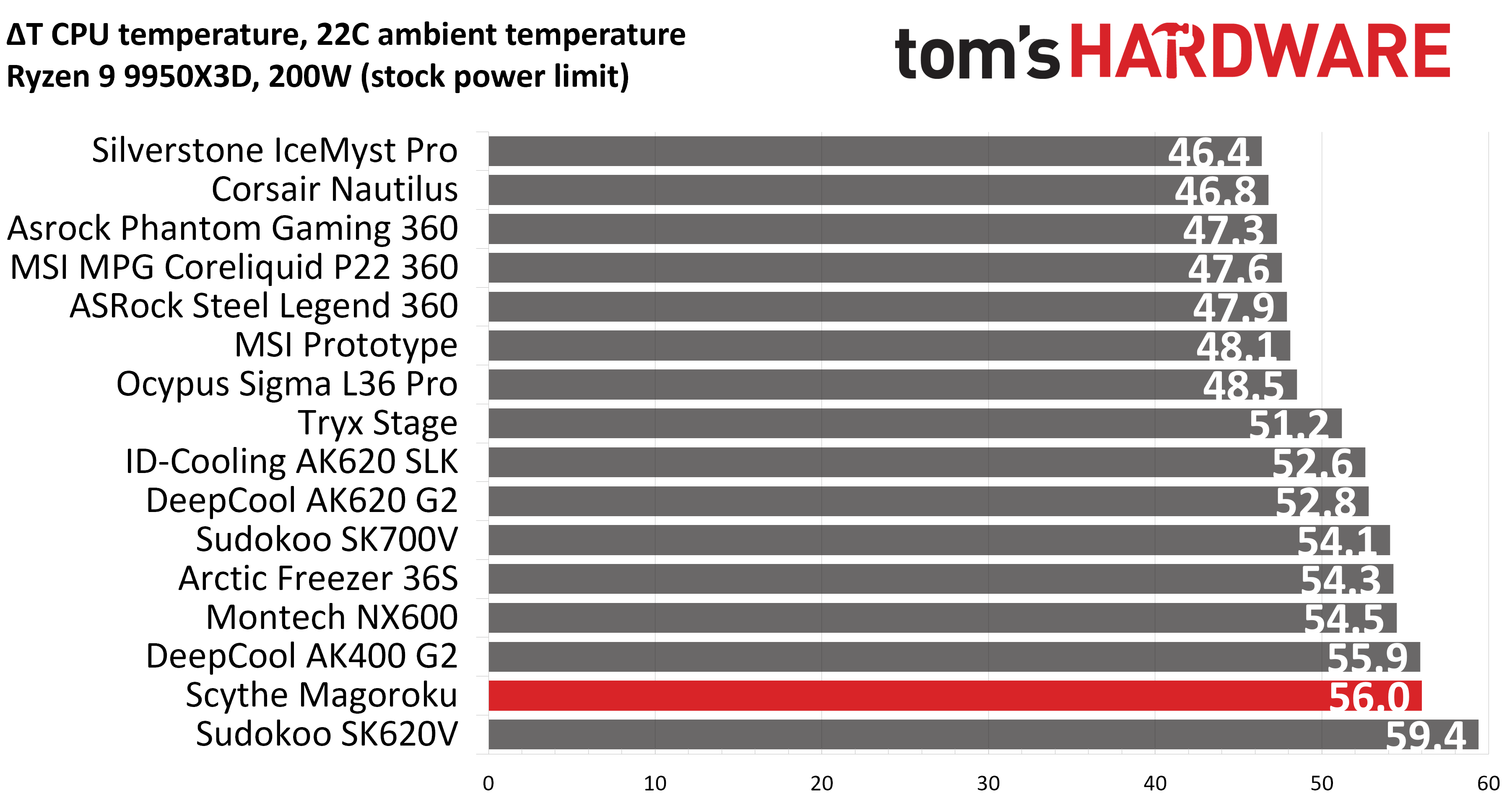
For the next thermal test, I leave the motherboard settings at their defaults, which results in a power limit of 200W when running Cinebench R23. The results here are slightly better than the last test, but not by much. The Scythe was the second-warmest cooler we’ve seen on this test bench.
(Image credit: Tom's Hardware)
150W + GPU thermal results
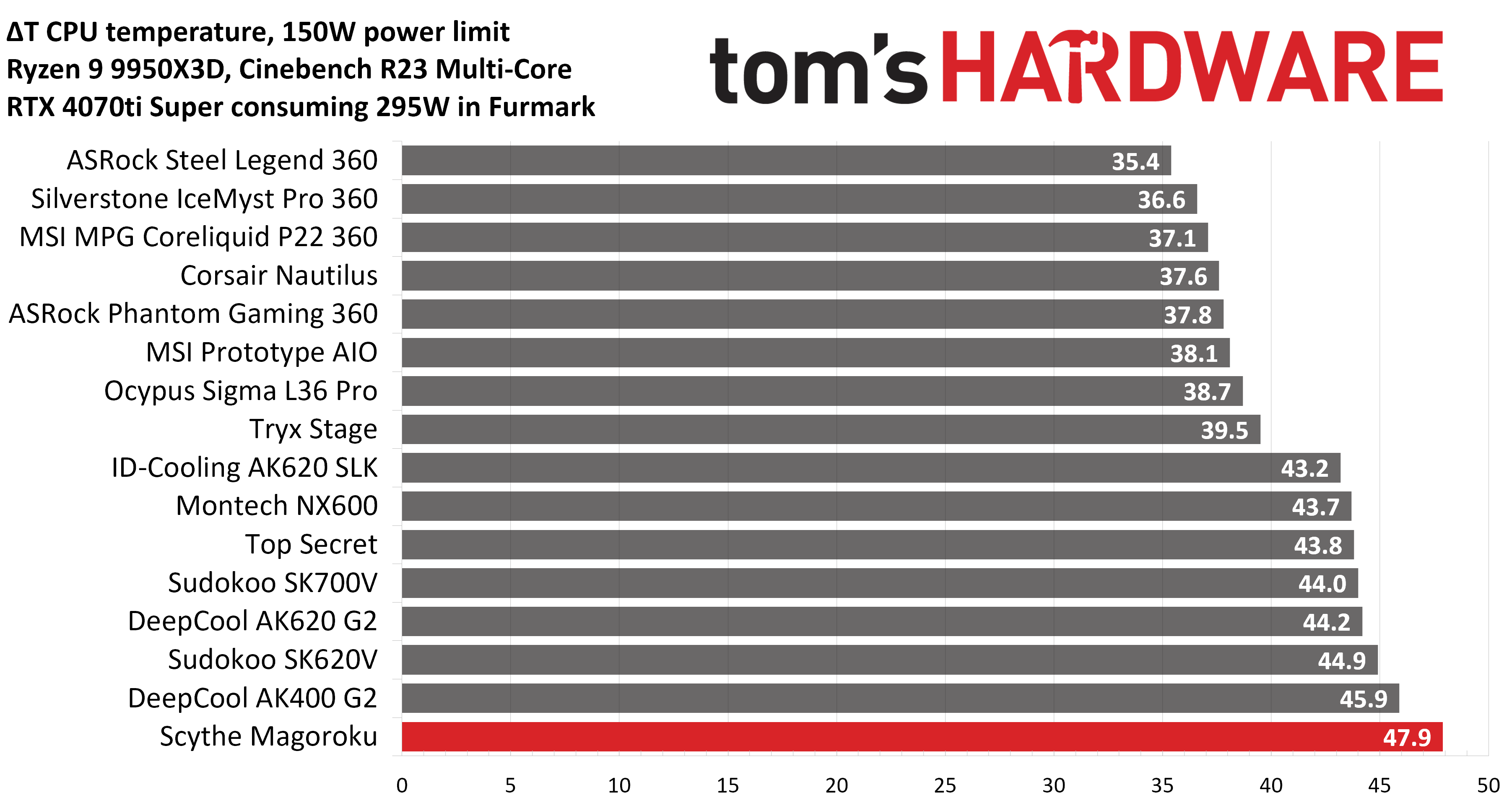
Our next test runs Cinebench on the CPU with a 150W power limit, while also running Furmark on MSI’s RTX 4070 Ti Super Ventus 3x OC. This causes the GPU to consume ~295W of power. This test is designed to emulate the thermals of games, which primarily stress the CPU and GPU.
(Image credit: Tom's Hardware)
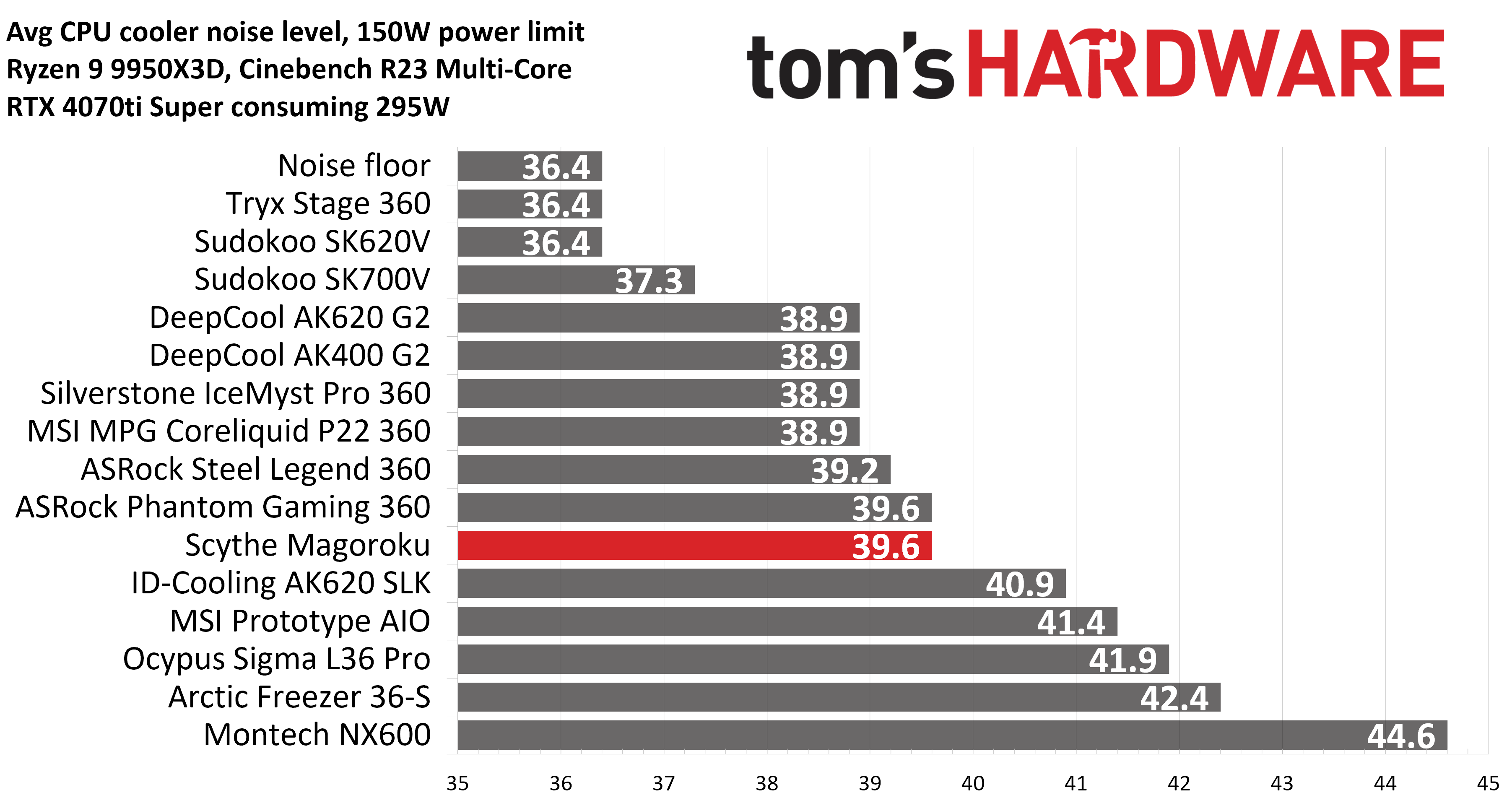
We’ve got another fairly disappointing result here, with a CPU temperature of 69.9C (47.9C over ambient) – the thermal performance is again in last place. Noise levels in our 150W CPU thermal test were acceptable, though, reaching 39.6 dBA.
(Image credit: Tom's Hardware)
It’s worth pointing out that some games are more intensive than this test above. While playing Assassin’s Creed: Odyssey, I regularly noticed temperatures reaching near TJ Max. This is a bit concerning.
Noise-normalized testing
Most testing is performed with the cooler tied to the default fan curve of our MSI X870E Carbon motherboard, but some of y’all prefer to see tests when the noise levels of coolers are equalized. This is especially important to those of you who prefer silent computers. This next test has the CPU cooler noise-normalized to 38.9 dBA, with PBO enabled for the Ryzen 9 9950X3D CPU.
This test is especially difficult because, in addition to the reduced noise from the CPU cooler, our current test bench’s system fans are configured to run extremely silently, below the floor of the noise meter I use to measure dBA.
(Image credit: Tom's Hardware)
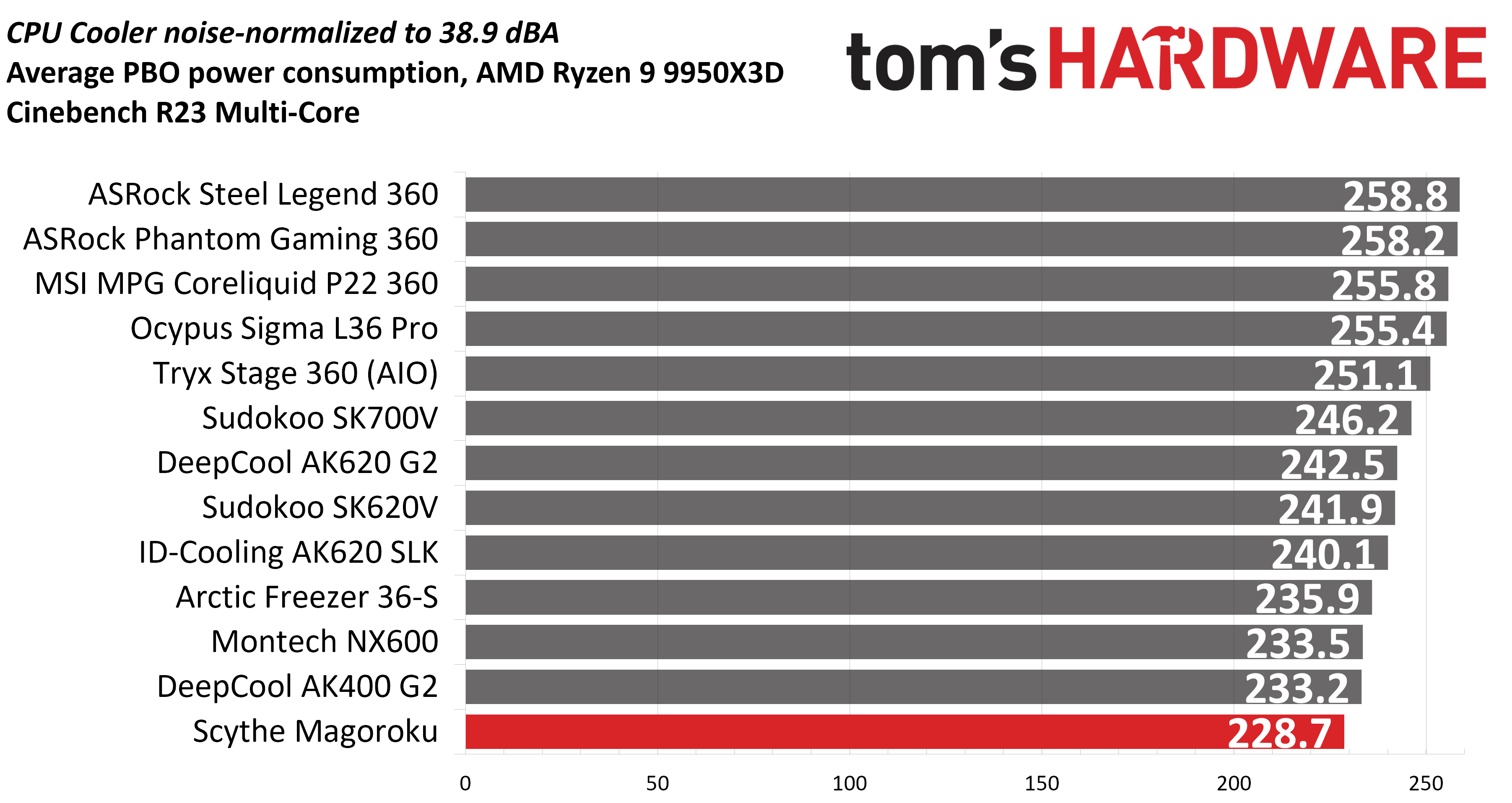
Most coolers, particularly air coolers, can’t keep the CPU from reaching its peak temperature (TJ Max) in this stress test. We’ll look at this in terms of power consumption, which averaged 228.7 watts. I wish I could say more positive things about this cooler’s thermal performance, but it just doesn’t seem to perform very well with an AMD Ryzen 9950X3D CPU.
Karhu DDR5 RAM thermals testing
Your CPU cooler does not operate in isolation. It has an impact on not just your CPU’s temperatures, but also the other components in your build, like your RAM and GPU. To that end, I’ve run the Karhu RAM stress test. This places a load of ~153W on the CPU and ensures system RAM (DDR5 in my case) is fully stable. In this type of scenario, most AIOs tend to produce worse results than air coolers.
(Image credit: Tom's Hardware)
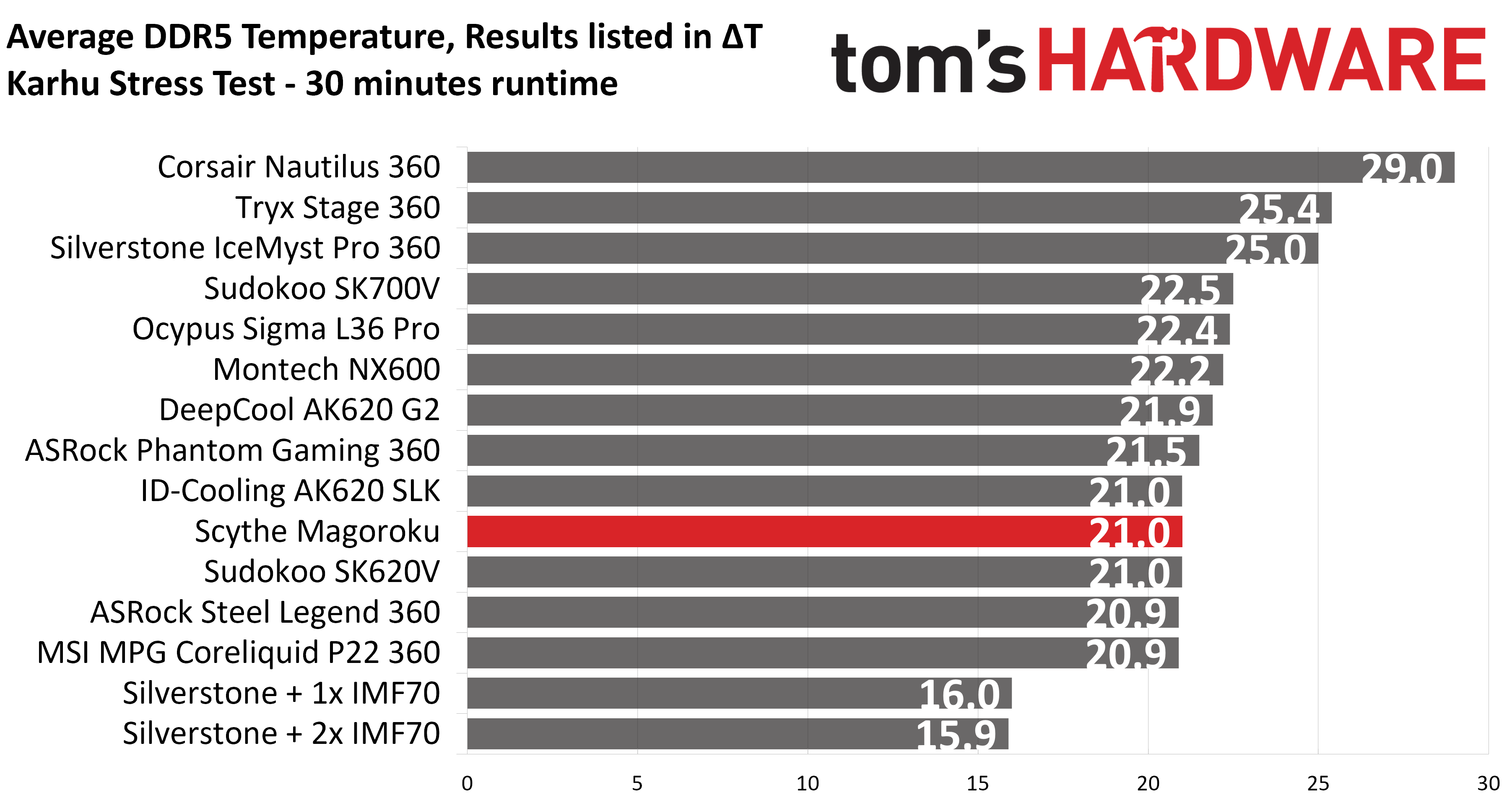
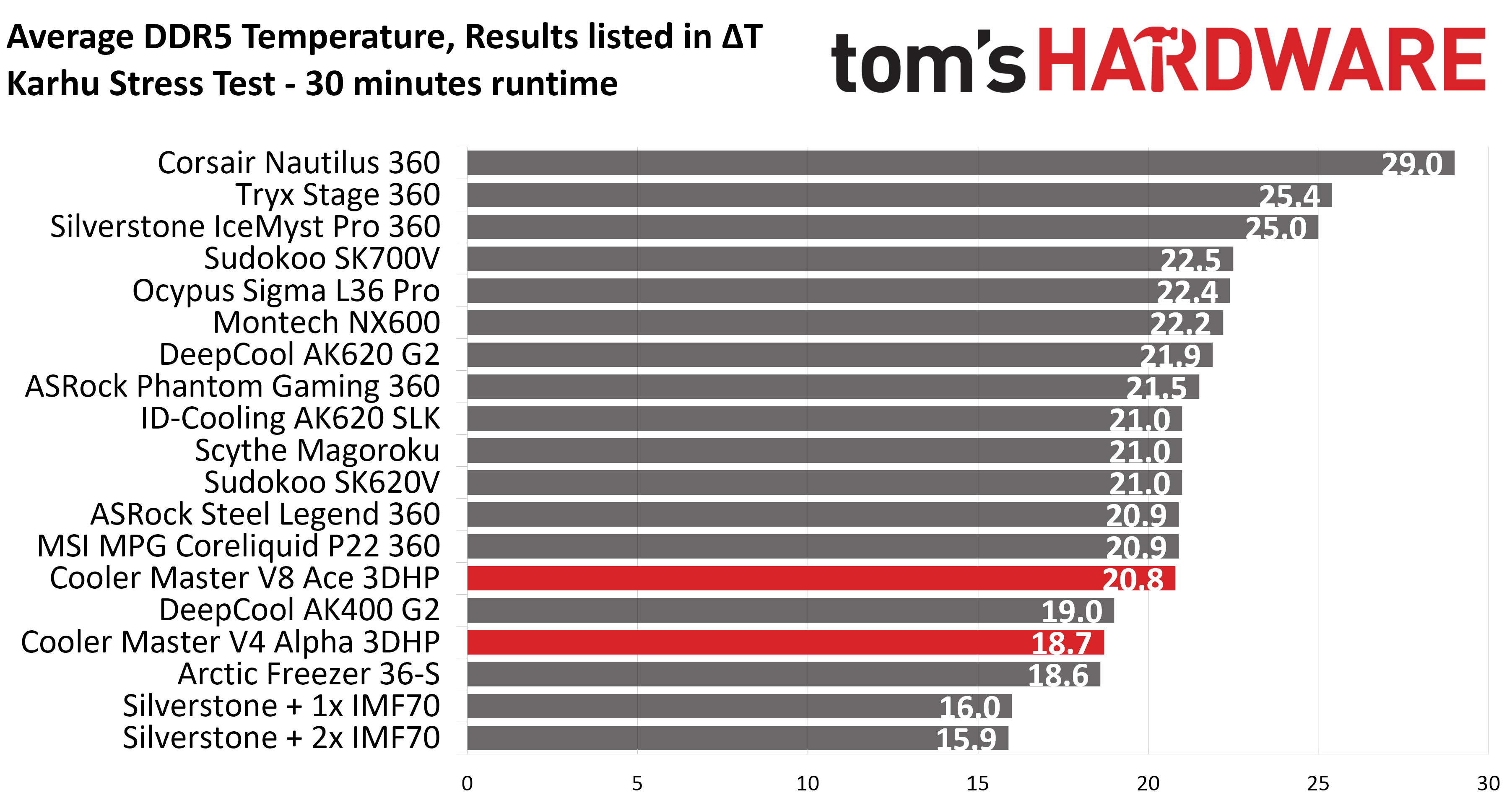
While the rest of our test results weren’t very impressive, Scythe’s Magoroku performed well when it came to keeping system DDR5 temperatures under control, measuring at an average of 43C (21C over ambient), tied for our second-place result in this benchmark if you don’t count Silverstone’s AIO with extra VRM fans.
Conclusion
Scythe’s Magoroku is a nice-looking cooler with moderately low noise levels. But most of our thermal results were underwhelming with our AMD Ryzen 9 9950X3D test bench. The exception to this was DDR5 RAM temperatures, which were impressive. If you’re looking for a low-noise air cooler that effectively cools your system memory, you might be happy with this product.
Perhaps this cooler performs better on Intel systems, but for AMD users, I’d instead recommend Thermalright’s Royal Pretor 130 at this price point.
DeepCool has been delivering innovative, interesting, and often budget-conscious PC cases and cooling products for more than a decade. Its current lineup includes air and AIO coolers, computer cases, keyboards, power supplies, and other accessories.
We were impressed by the company’s AK620 and Assassin VC Elite air coolers in the past. In 2024, the Beijing-based company was banned from selling products in the U.S., but has continued to produce and improve its cooling products for markets elsewhere. US consumers also have the option of importing the cooler, if you don’t mind paying for extra shipping costs.
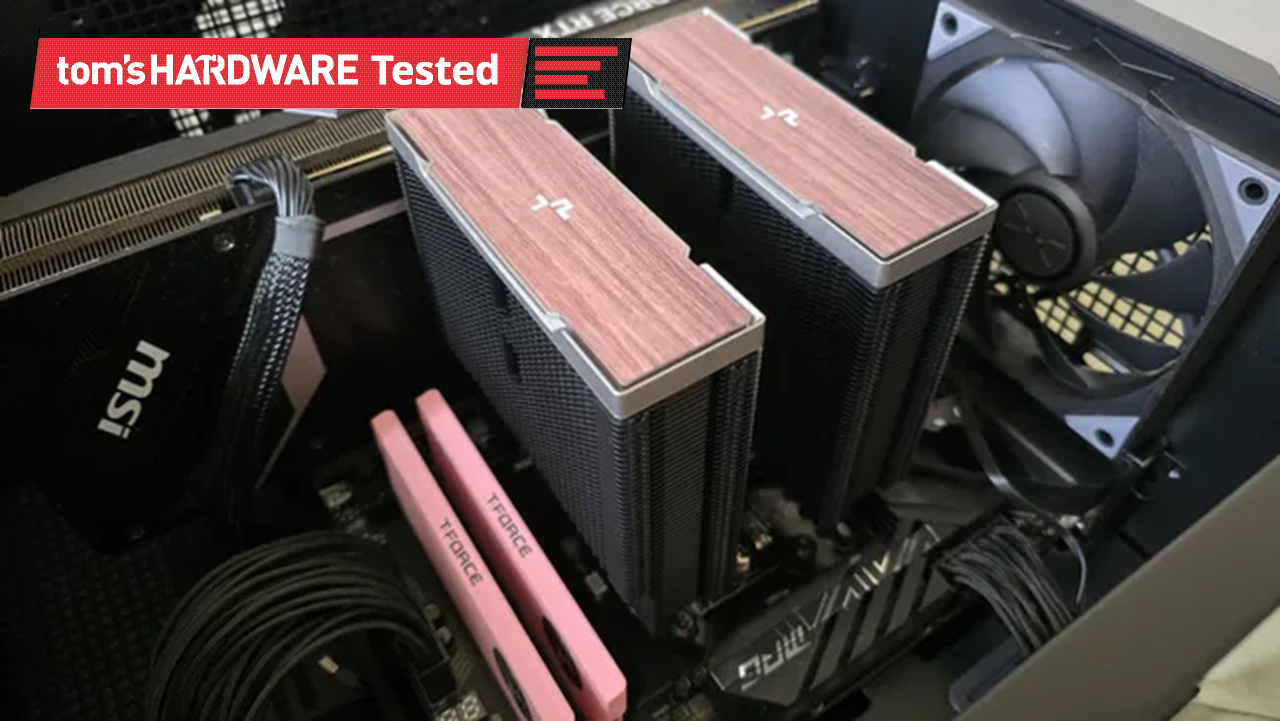
Here, we’re looking at DeepCool’s second-generation AK series coolers, the AK400 G2 and AK620 G2. These are available in two styles: one with woodgrain top covers, the other featuring a digital display.
(Image credit: Tom's Hardware)
Let's take a look at the specifications and features of the coolers, then we’ll go over thermal and noise benchmarks and decide if DeepCool’s AK G2 series coolers deserve to make our list of the best CPU coolers.
DeepCool AK620 G2/AK400 G2 specifications
Cooler
DeepCool AK620 G2/AK400 G2
Colors
Black or white, with woodgrain or digital display options
MSRP
N/A
Lighting
None
Warranty
3 years
Socket Compatibility
AMD AM5/AM4 Intel 1700/1851/1200/115x
Heatsink dimensions
AK620 G2: 125 (L) x 115 (W) x 159mm (H)
AK400 G2: 130 (L) x 92 (W) x 151 (H)
Maximum TDP (Our Testing)
>251W with AMD’s Ryzen 9 9950X3D for the AK620 G2, >244W for the AK400 G2
Features of DeepCool’s AK G2 Air coolers
▶️ Heatpipes and heatsink
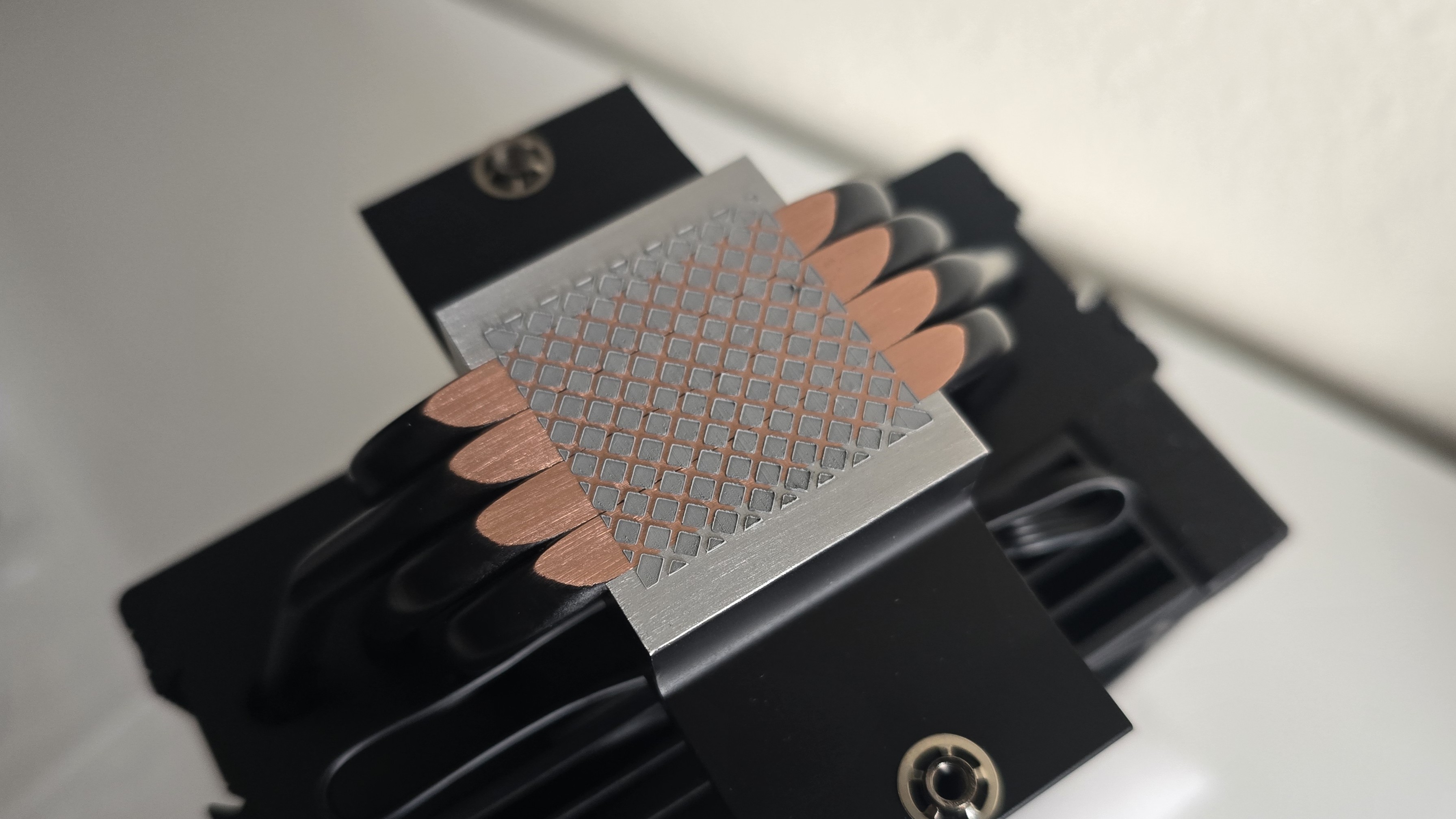
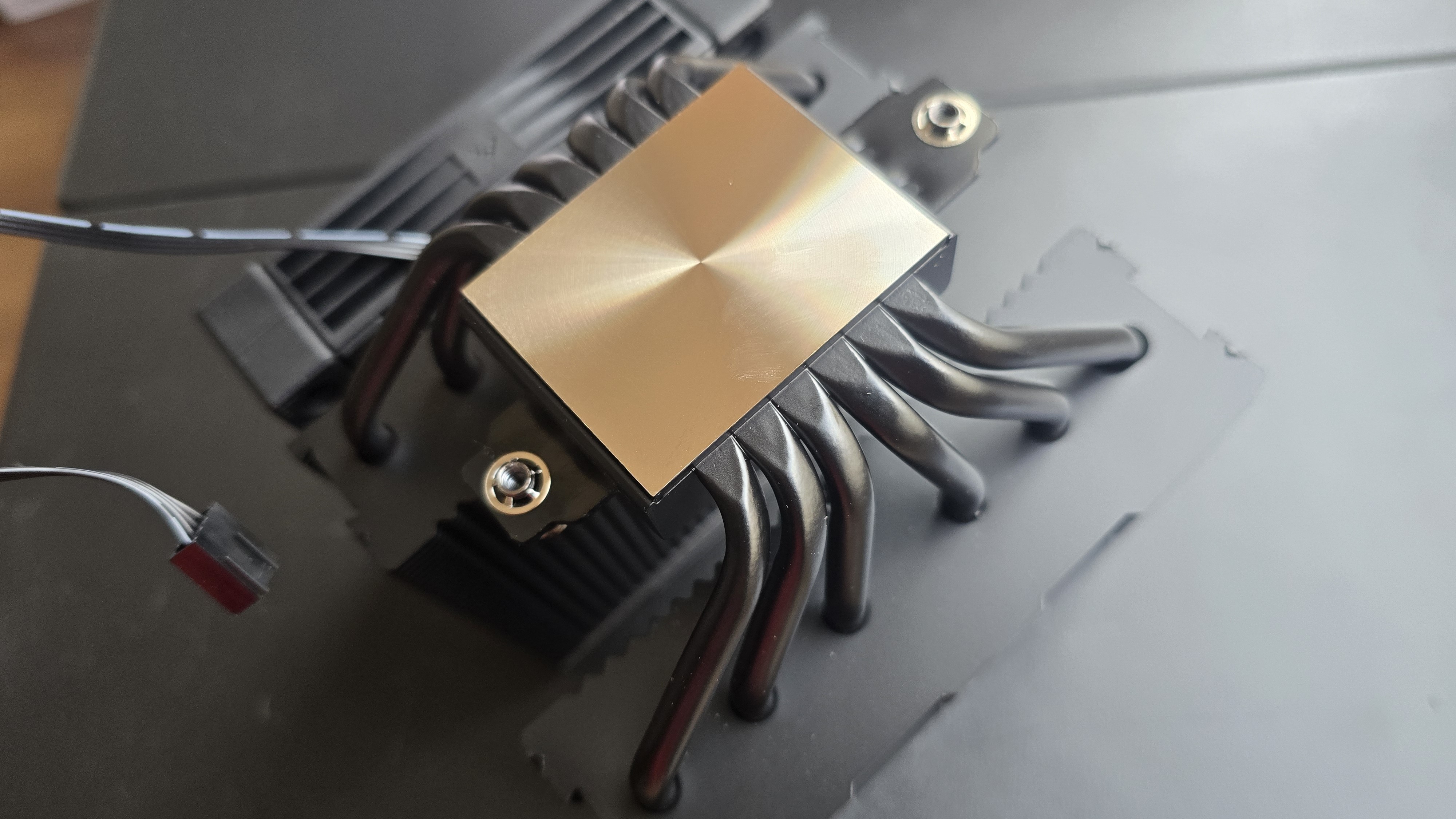
With the single-tower AK400 G2, four slightly staggered direct-touch copper heatpipes are embedded in the base to transfer heat from the CPU into the heatsink and its fins.
(Image credit: Tom's Hardware)
The larger, dual-tower AK620 G2 features six evenly spaced copper heatpipes.
(Image credit: Tom's Hardware)
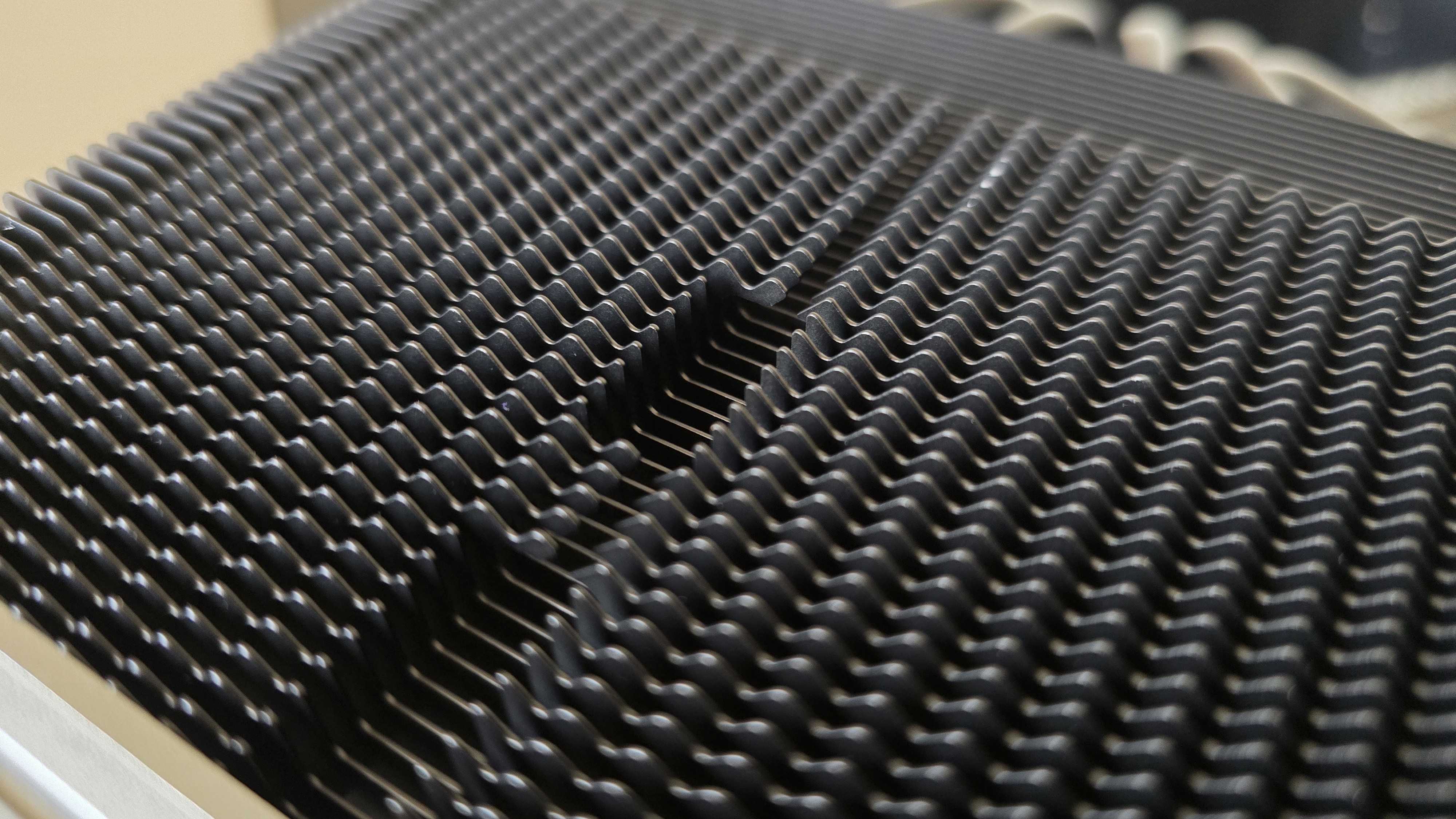
The heatsink fin designs are similar in both models. The front ends feature a jigsaw-type design, shown below.
(Image credit: Tom's Hardware)
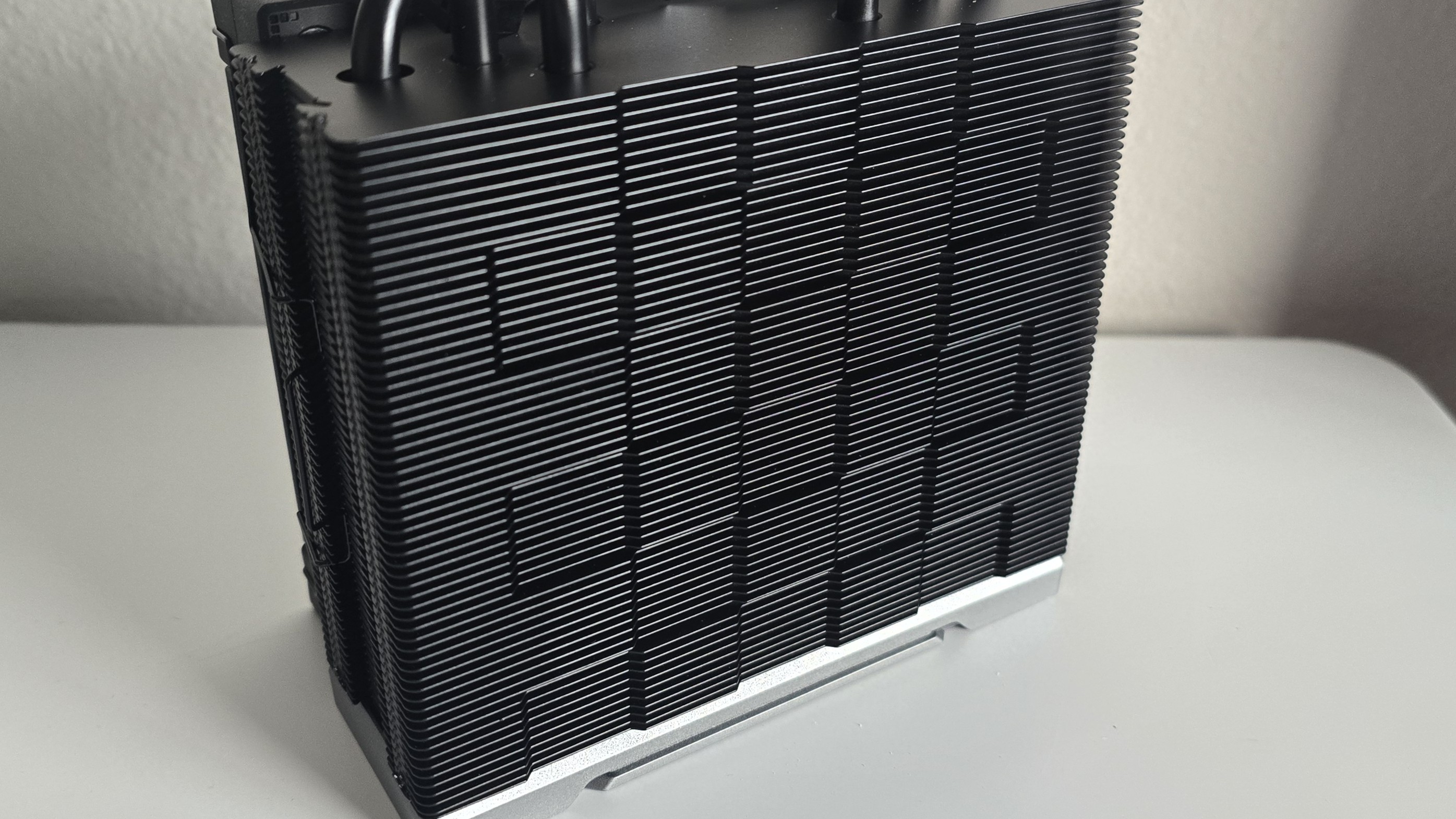
The exhaust side features the checkerboard matrix style DeepCool’s air coolers are known for, a design choice which the company says improves static pressure.
(Image credit: Tom's Hardware)
▶️ High-performance 120 mm fans
(Image credit: Tom's Hardware)
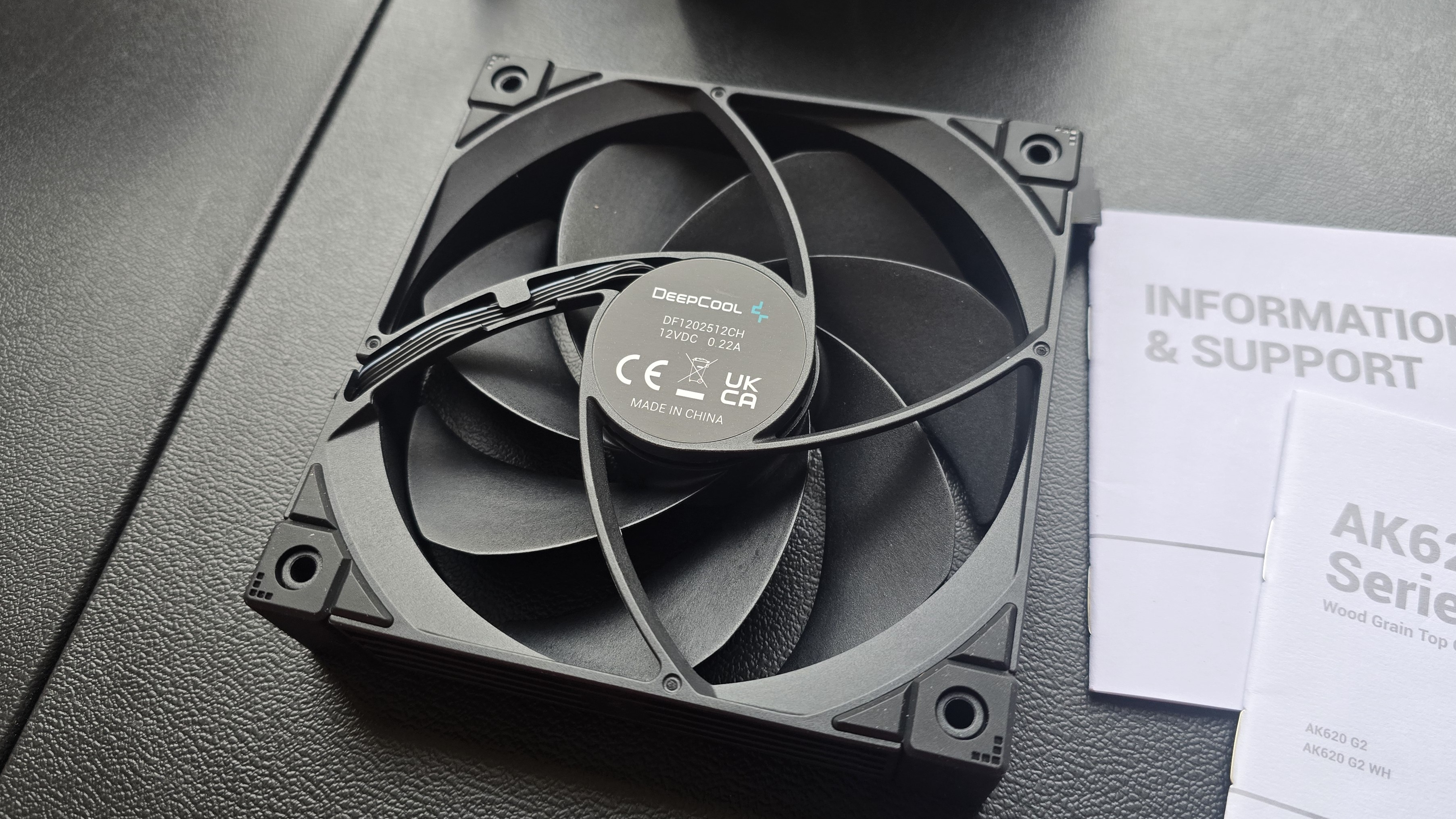
There’s more to a cooler than just the heatsink. The included fans directly impact noise levels and cooling performance. The fans included on both AK400 and AK620 G2 models are essentially the same – but the AK400’s single fan runs up to 10% faster than the two fans included with the AK620 G2.
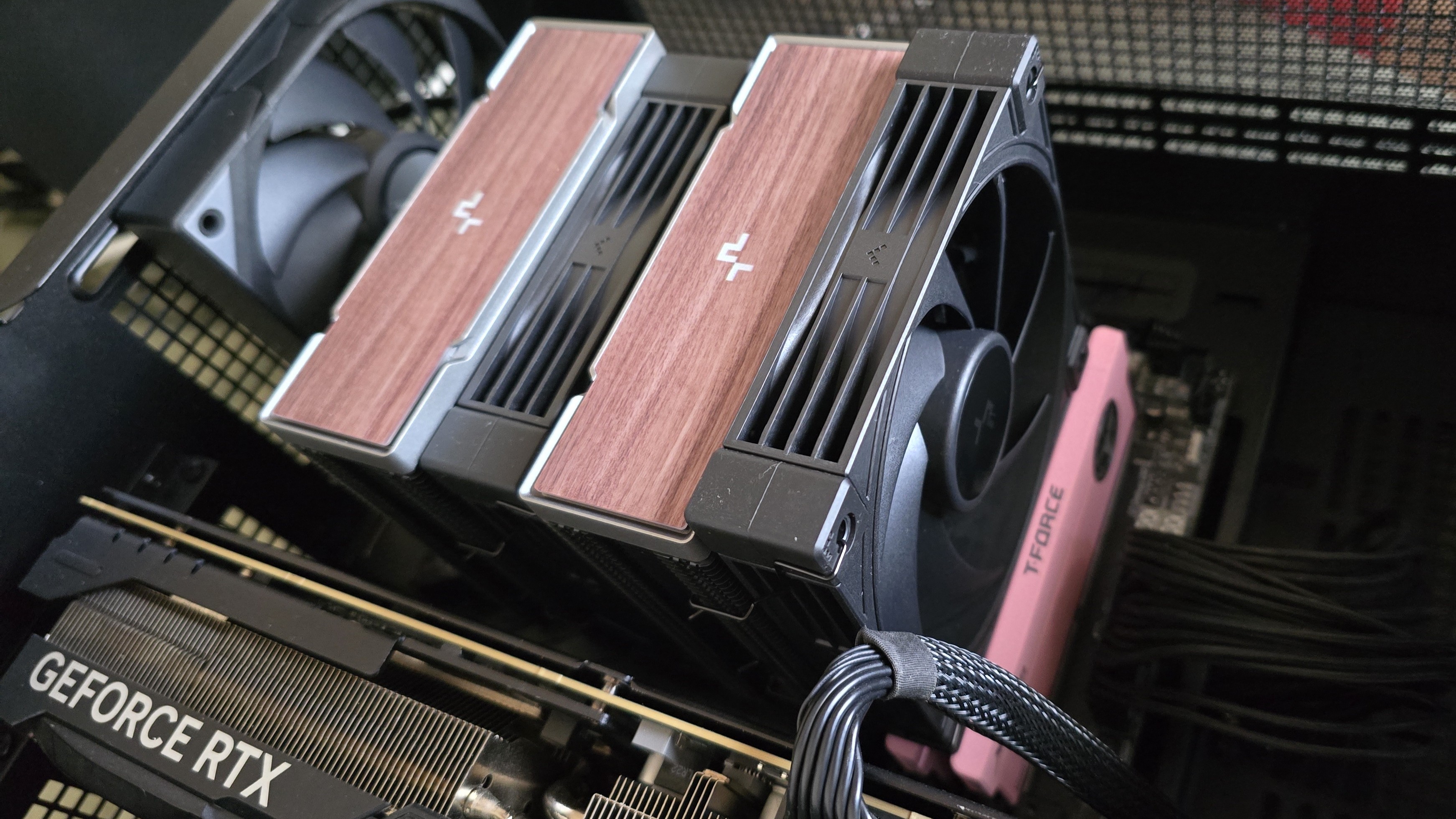
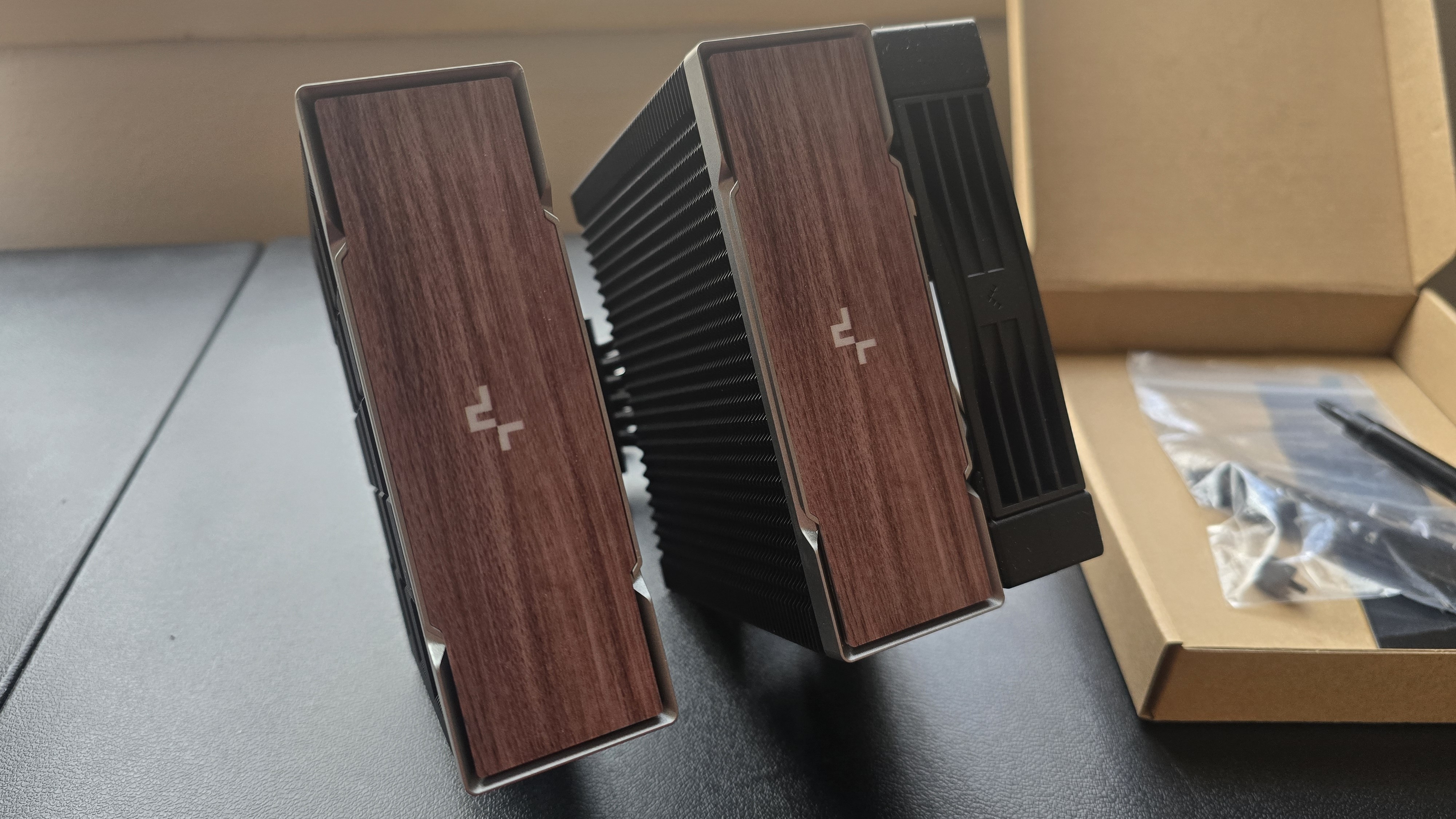
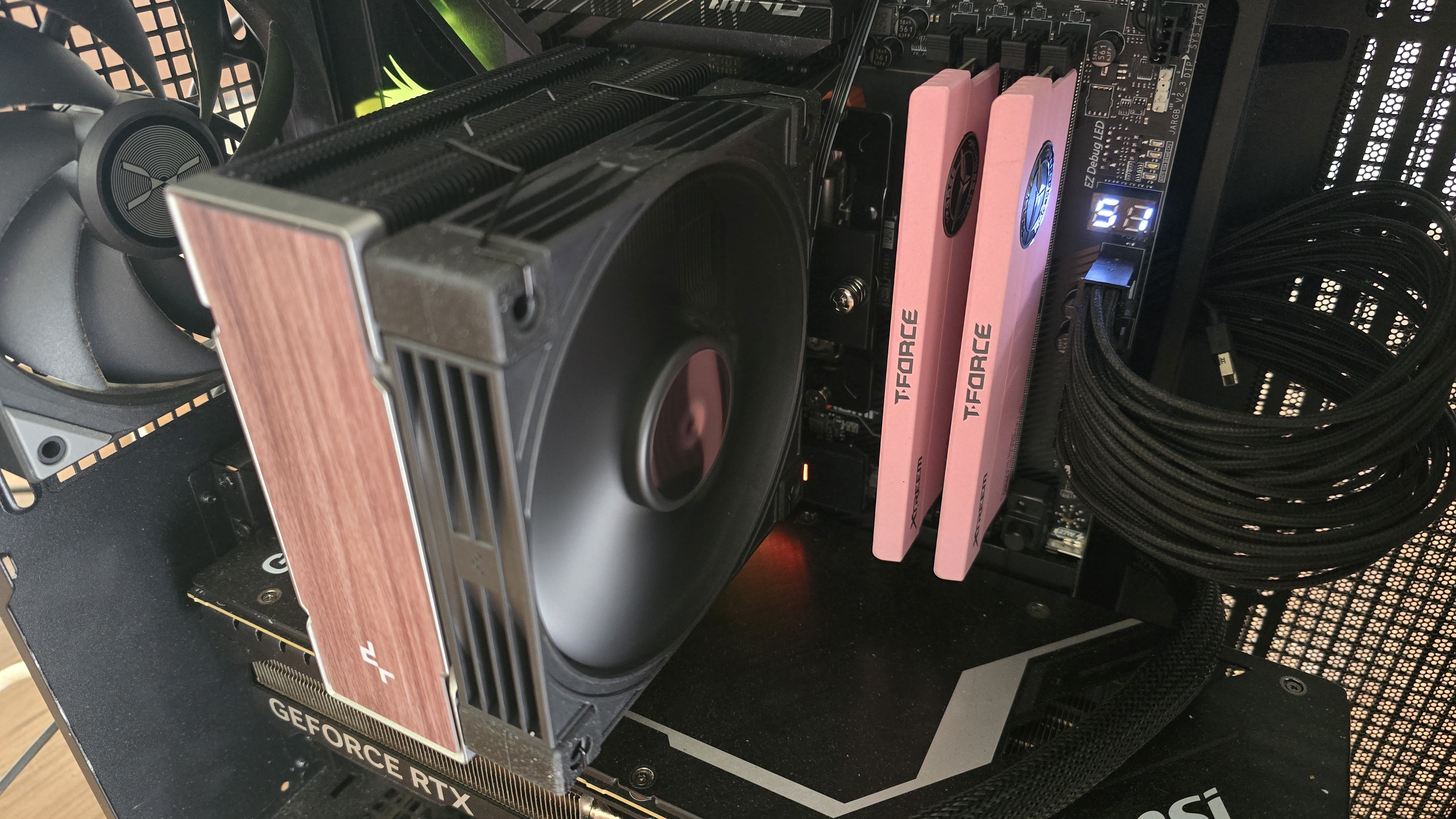
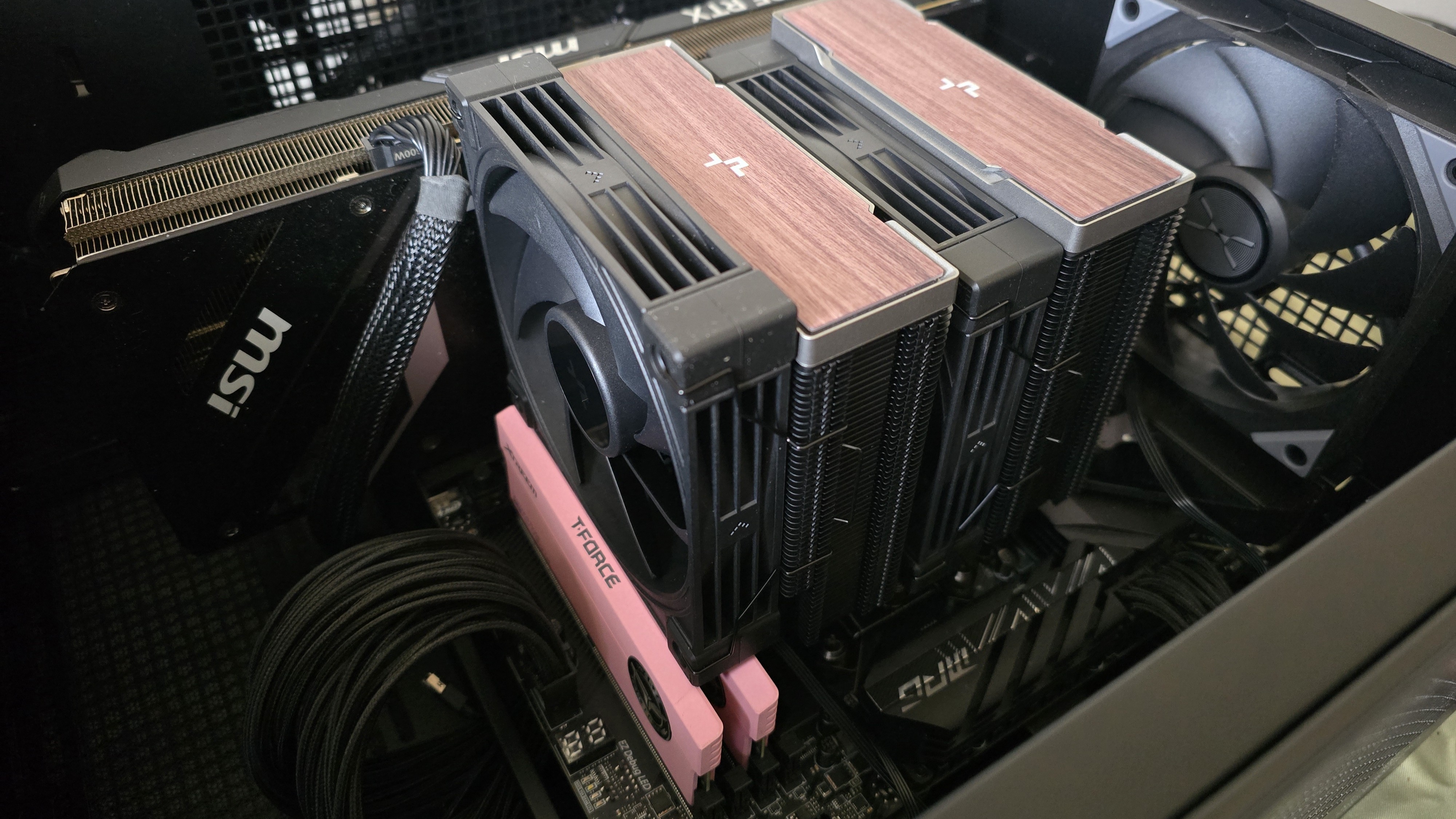
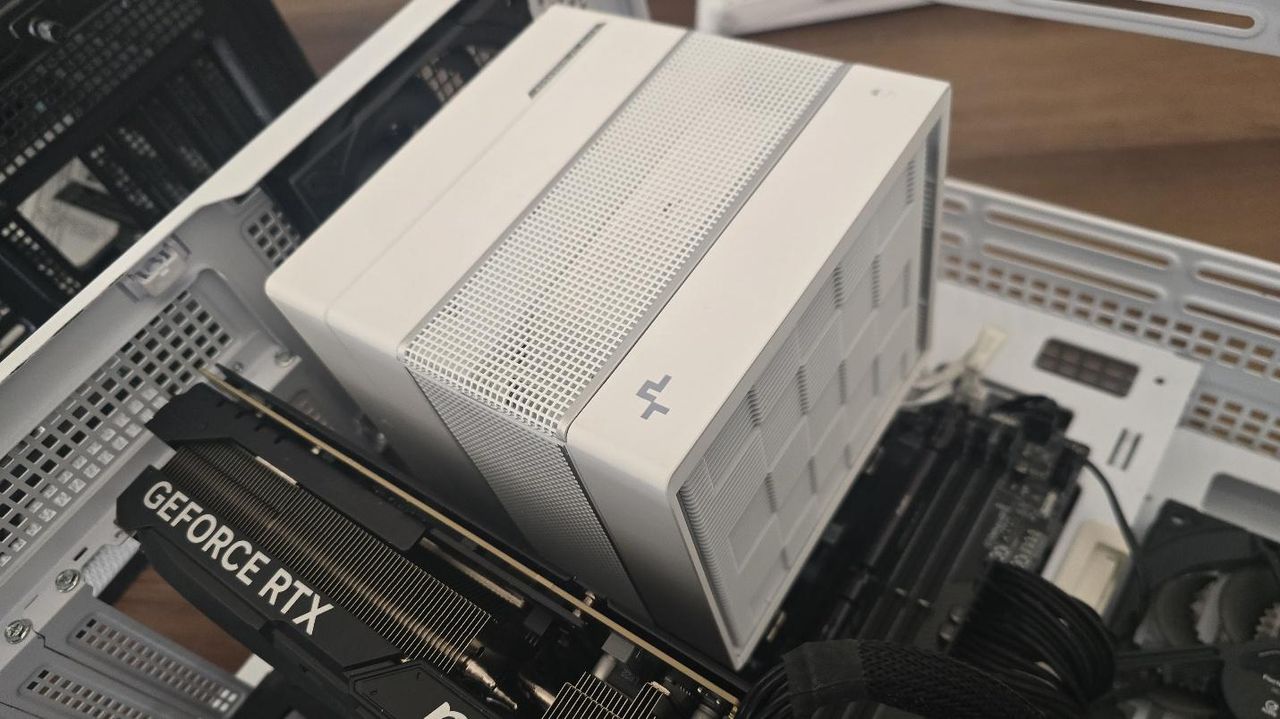
Both the AK400 and AK620 are available in black or white, but there are two sub-choices for the aesthetic. The versions we’ve tested for this review feature woodgrain, a motif that’s been increasing in popularity in DIY PCs since the release of Fractal’s North computer case.
(Image credit: Tom's Hardware)
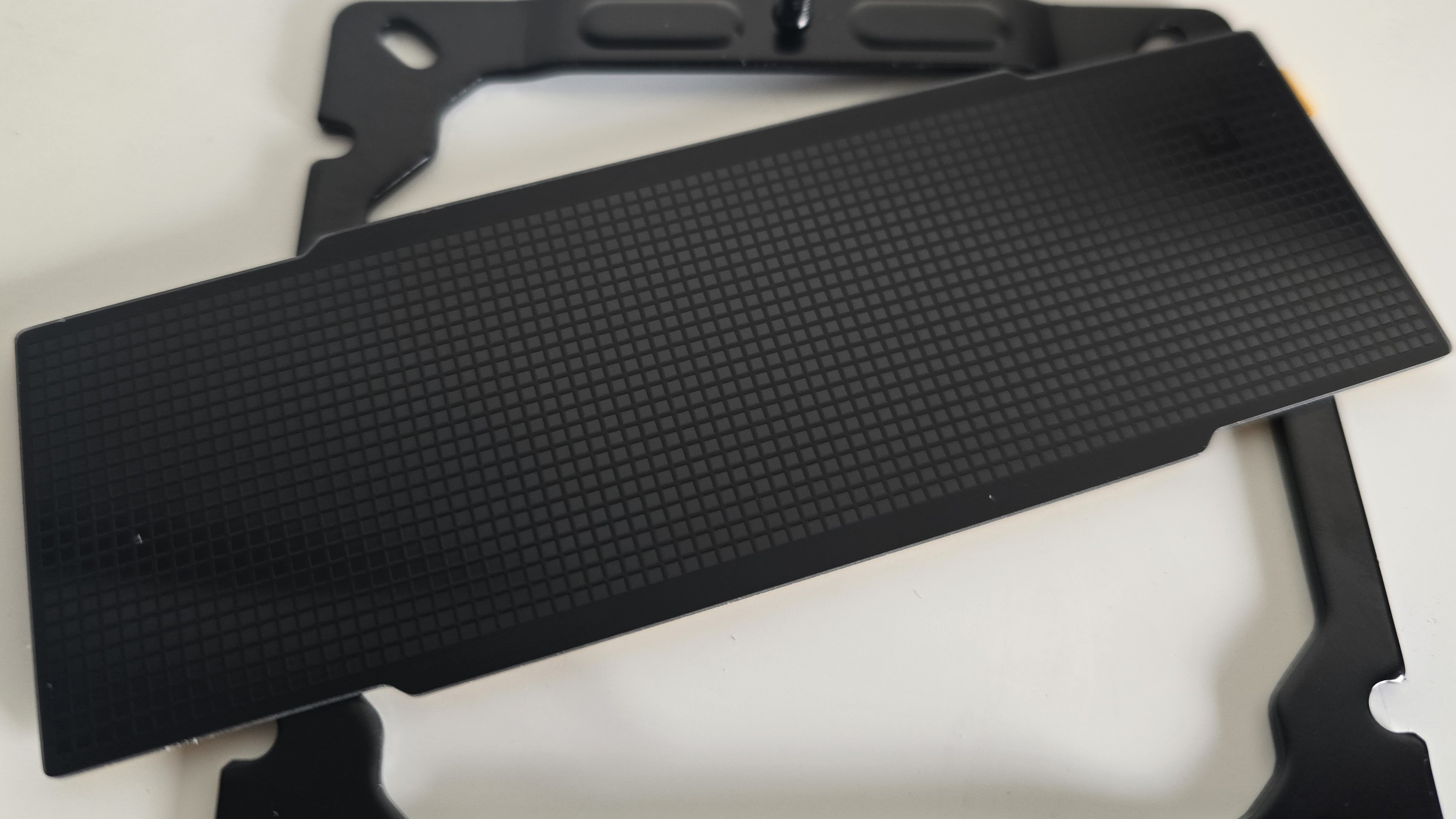
If you don’t like woodgrain, DeepCool also includes a checkerboard black cover that you can use in place of the woodgrain covers.
(Image credit: Tom's Hardware)
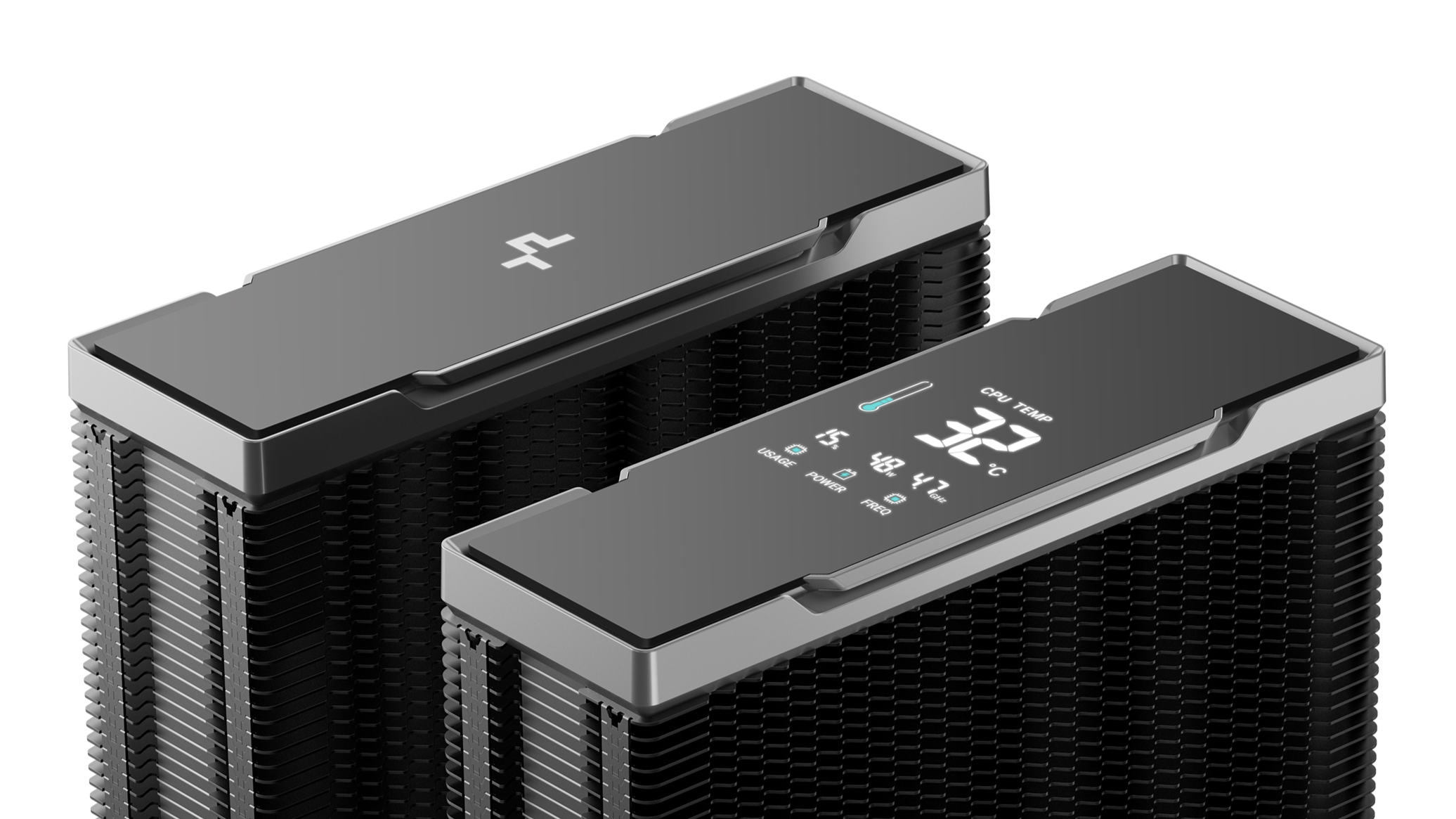
There’s also the Nyx version of the AK620 G2 available, which features a digital display showing CPU performance metrics – temperature, frequency, power consumption, and overall CPU usage.
(Image credit: DeepCool)
▶️ RAM Clearance
The AK400 G2's design is such that it doesn’t overhang or interfere with the DIMM slots, ensuring that all sizes of RAM, no matter how tall, are compatible.
(Image credit: Tom's Hardware)
Standard-height DDR5 sticks 40mm tall fit well under the larger AK620 G2, but taller sticks won’t fit perfectly underneath. Our current CPU cooler test bench incorporates TeamGroup’s Sakura Rose T-Force Xtreem DDR5-7200 sticks, which are 48.8mm (1.92 inches) tall.
(Image credit: Tom's Hardware)
If you also use taller RAM DIMMs, you’ll have to raise the intake fan’s placement by a few millimeters for things to fit properly, as we did (see image, above). This might result in slightly lower cooling performance in certain scenarios. But even so, the AK620 G2 performed excellently, as you’ll see in the benchmarks section.
▶️ Packaging
(Image credit: Tom's Hardware)
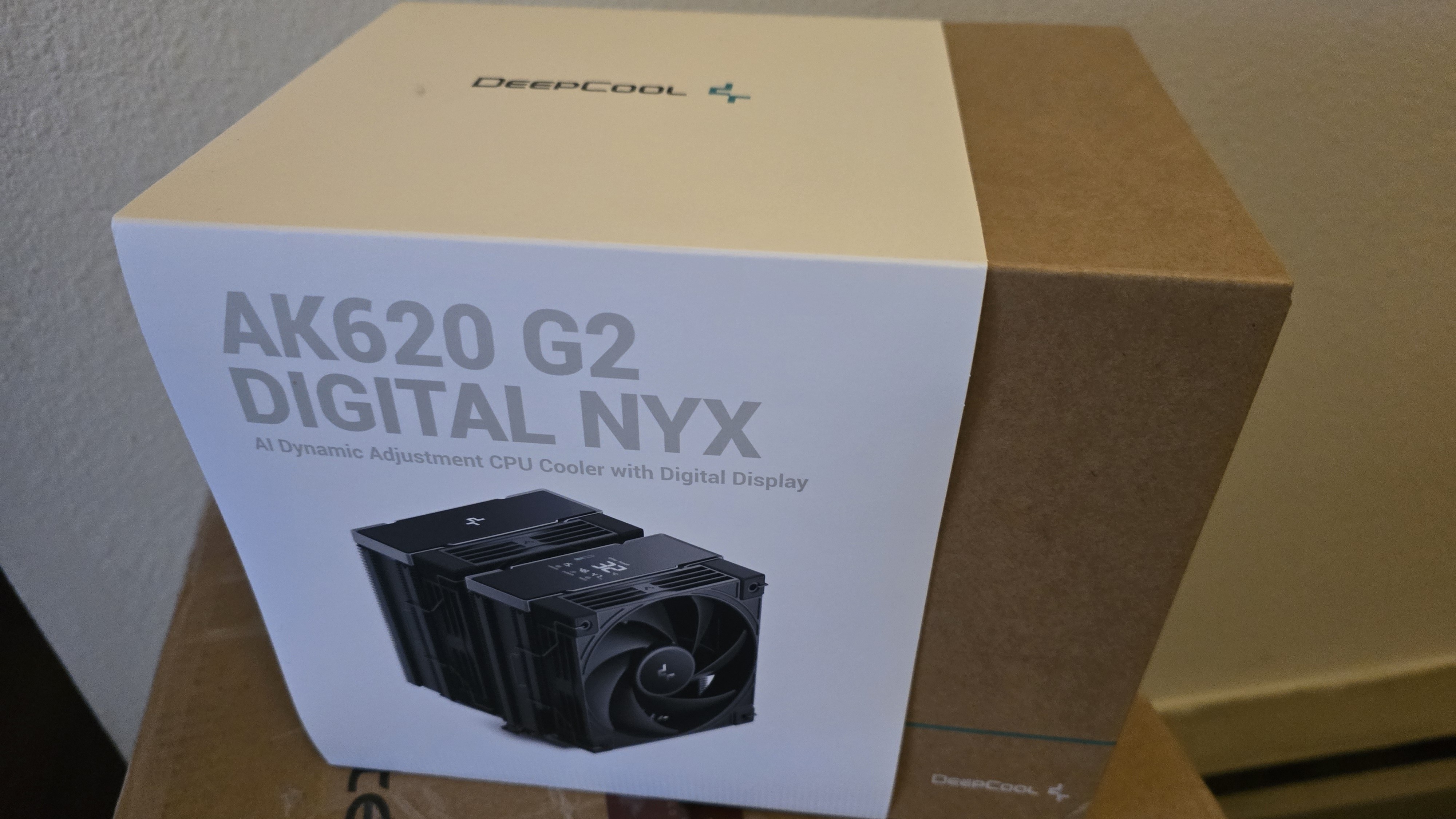
The outer packaging is typical of DeepCool products: a basic brown box with a blue line and DeepCool’s logo, covered by a wraparound showing a picture of the cooler.
(Image credit: Tom's Hardware)
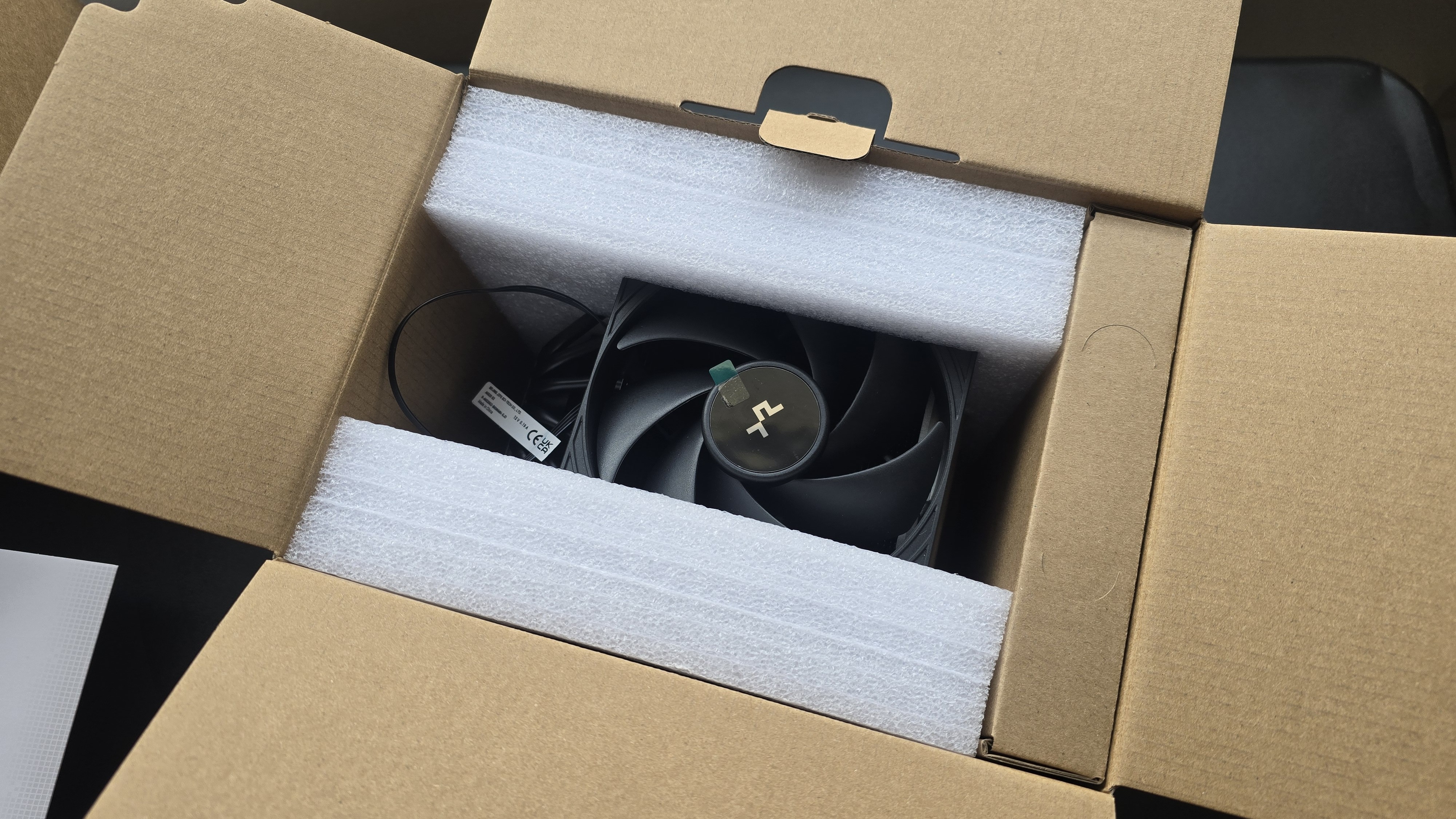
The heatsink and fans are protected by molded foam, and the accessories are contained in a small cardboard box. Included with the package are:
Mounting hardware for AMD and Intel platforms
Alternative top covers
Screwdriver (AK620 G2 only)
The AK620 G2 includes a tube of thermal paste; the AK400 G2 includes pre-installed thermal paste
Single-tower (AK400 G2) or dual-tower (AK620 G2) heatsink
120 mm fans and fan clips
Installation manual
(Image credit: Tom's Hardware)
▶️ AK620 G2 AM5 Installation
You’ll need to first remove the default AM4/5 retention mechanism and then place the mounting studs around the exposed screw holes.
(Image credit: Tom's Hardware)
The next step is to place the mounting bars on top of the studs, securing them with the included screws, and then apply the included thermal paste. If you’re not sure how to do that, we have a handy thermal paste application guide that covers the different methods you can use. Afterwards, place the heatsink tower against the CPU and mounting bars, and use a screwdriver to secure it.
(Image credit: Tom's Hardware)
Once the heatsink is secured, attach the 120 mm fans to the heatsinks. Lastly, connect the PWM cables of the fans to the corresponding headers of your motherboard.
We’ve tested coolers with both the Ryzen 9950X3D and its non-V-Cache sibling, the 9950X. There are some differences in how the 9950X and 9950X3D CPUs are impacted by thermal events. While the heat output of the CCDs of AMD’s 9950X3D is relatively balanced, the 9950X has one CCD that runs much hotter than the other, with a difference of over 10 degrees Celsius in some scenarios, shown below.
(Image credit: Tom's Hardware)
The benchmark results shared in these reviews may differ from others because I emphasize results that are comparable to real-world use. This means I generally test CPU coolers inside of a closed desktop case, which increases cooling difficulty compared to other testing methods.
Many reviewers test coolers on an open test bench, which has lesser airflow needs and lowered ambient temperatures. This results in weak coolers appearing stronger than they really are. Some have also used generic thermal plates to test cooling solutions. I feel that these methods don’t accurately reflect real-world cooler conditions.
CPU
AMD Ryzen 9 9950X3D
GPU
MSI Ventus 3X RTX 4070Ti Super
RAM
TeamGroup Diamond Rose T-Force Xtreem DDR5-7200
Motherboard
MSI X870E Carbon Wifi
Case
Tryx Flova F50
Our latest testing setup uses the Flova F50 computer case from Tryx.
(Image credit: Tom's Hardware)
This case features a unique “crossflow” fan that pulls air from the side, which the company claims is more effective than traditional intake fans. For air cooling tests, we’ve added a single Noctua NF-A12 G2 intake fan.
(Image credit: Tom's Hardware)
PBO Performance and maximum noise levels
We’re going to start by focusing on a traditional maximum performance test, with the CPU cooler’s fans allowed to reach their fastest speeds, for the best cooling possible.
Turning on PBO allows AMD’s Ryzen 9 9950X3D to stretch its legs to an extent, and all air coolers I have tested with PBO enabled using MSI’s X870E Carbon Wifi motherboard reach the maximum CPU temperature of 95 degrees Celsius (203 degrees Fahrenheit) and thermally throttle to some extent.
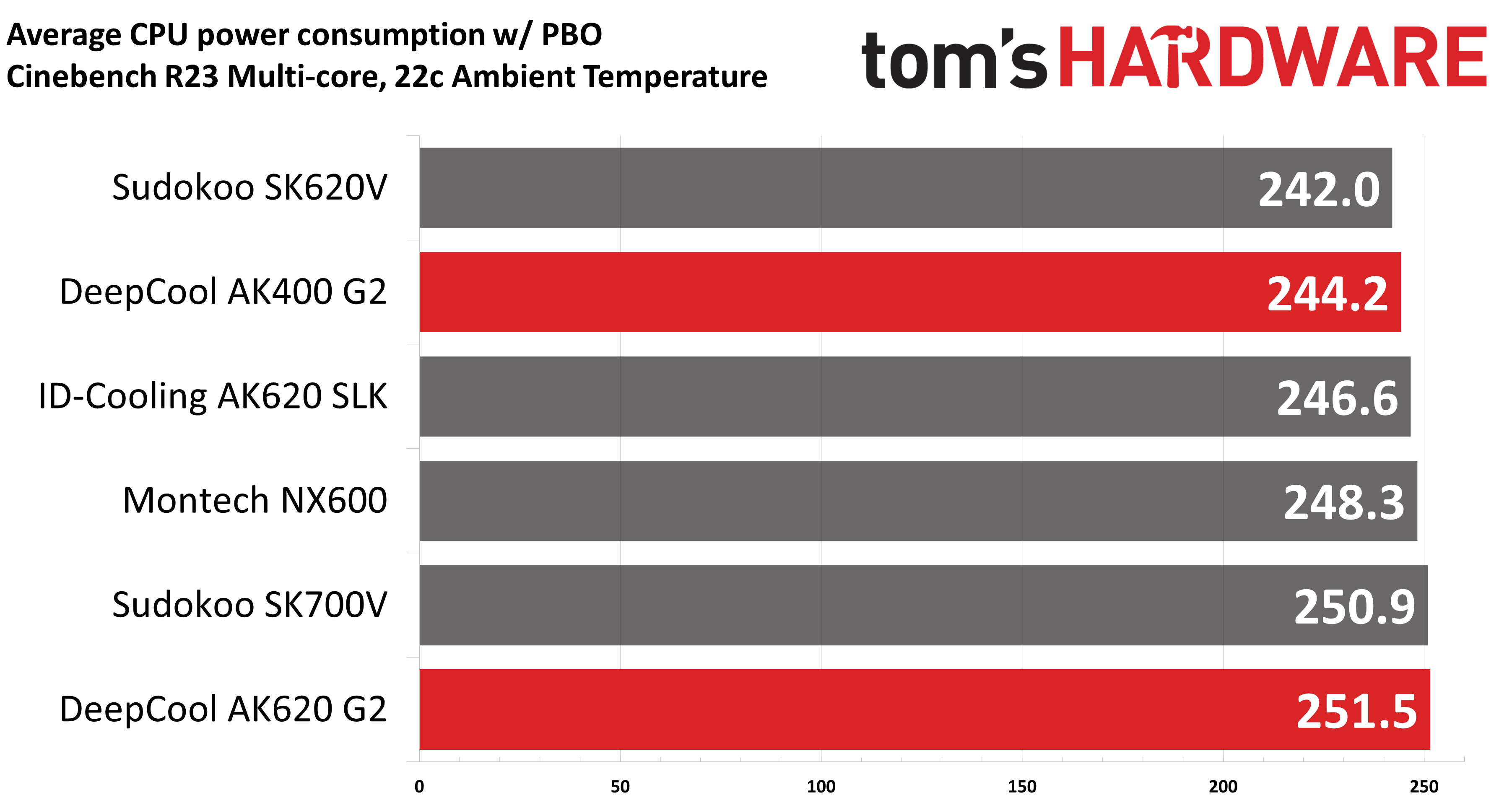
(Image credit: Tom's Hardware)
Results from the liquid coolers we’ve recently tested aren’t shown above because they are able to keep AMD’s Ryzen 9 9950X3D under TJ Max, and as such, power consumption figures aren’t quite comparable.
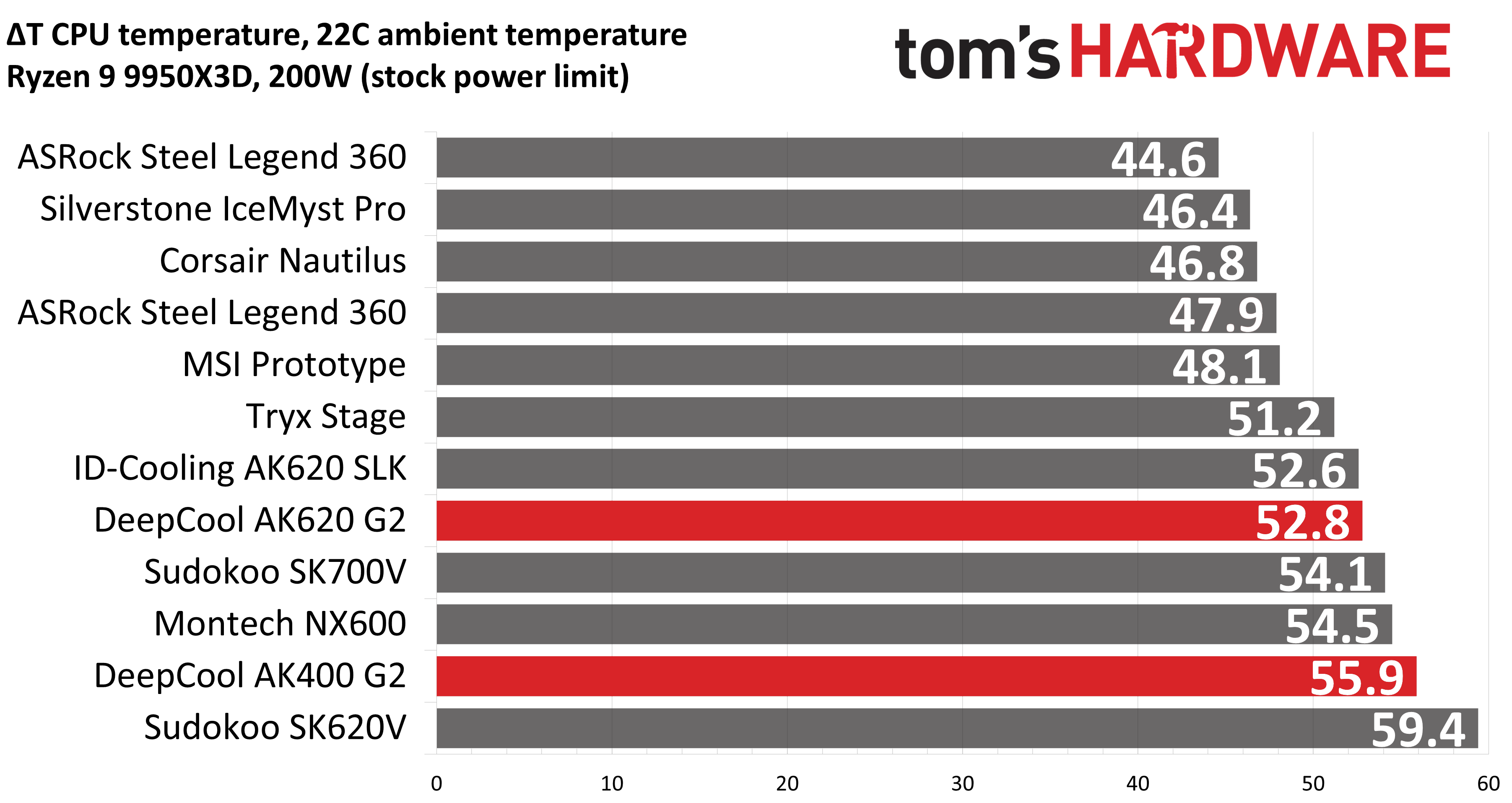
The performance of DeepCool’s AK620 G2 is simply excellent, outperforming every air cooler we’ve tested on our current test bench. Its little sibling, the AK400 G2, also does fairly well for a single-tower air cooler, slightly outperforming Sudokoo’s SK620V and only trailing ID-Cooling’s AK620 SLK by 2.4W!
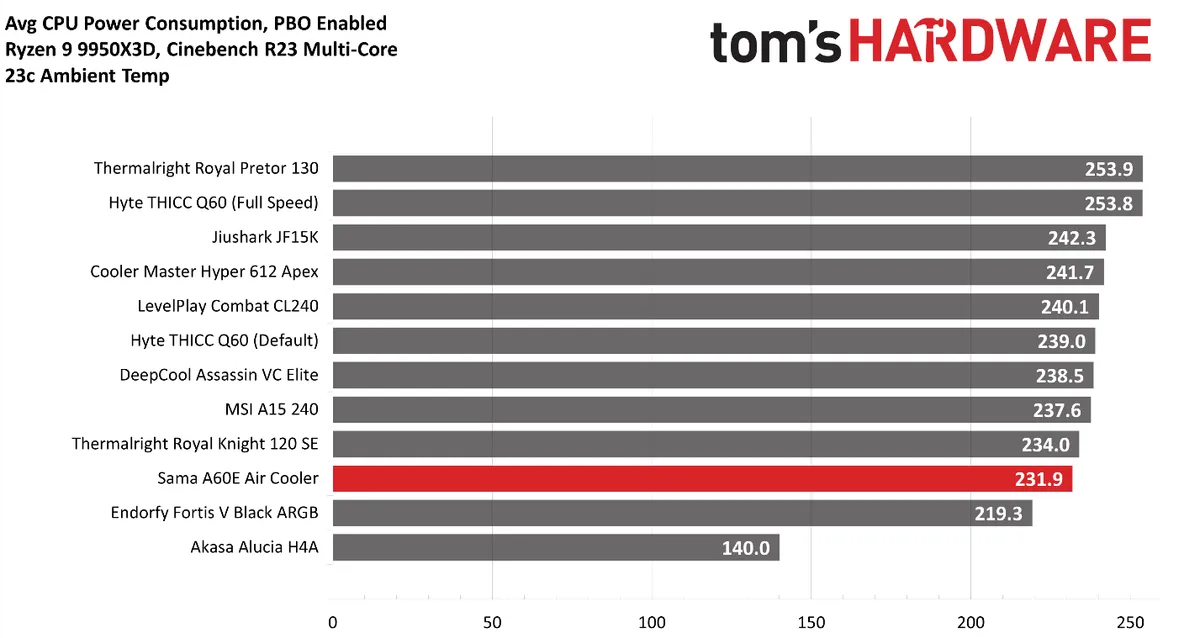
To give a wider variety of comparison examples, I’ve included a chart of the same tests from our last AMD Ryzen 9 9950X3D cooling test bench. But keep in mind these results aren’t 100% comparable, due to a different case and fans being used; the ambient temperature is also slightly higher with the results below.
Our newest test bench used for this and other recent reviews incorporates a Tryx crossblade intake fan as well as a single Noctua NF-A12 G2 intake fan, which results in better air cooling performance.
(Image credit: Tom's Hardware)
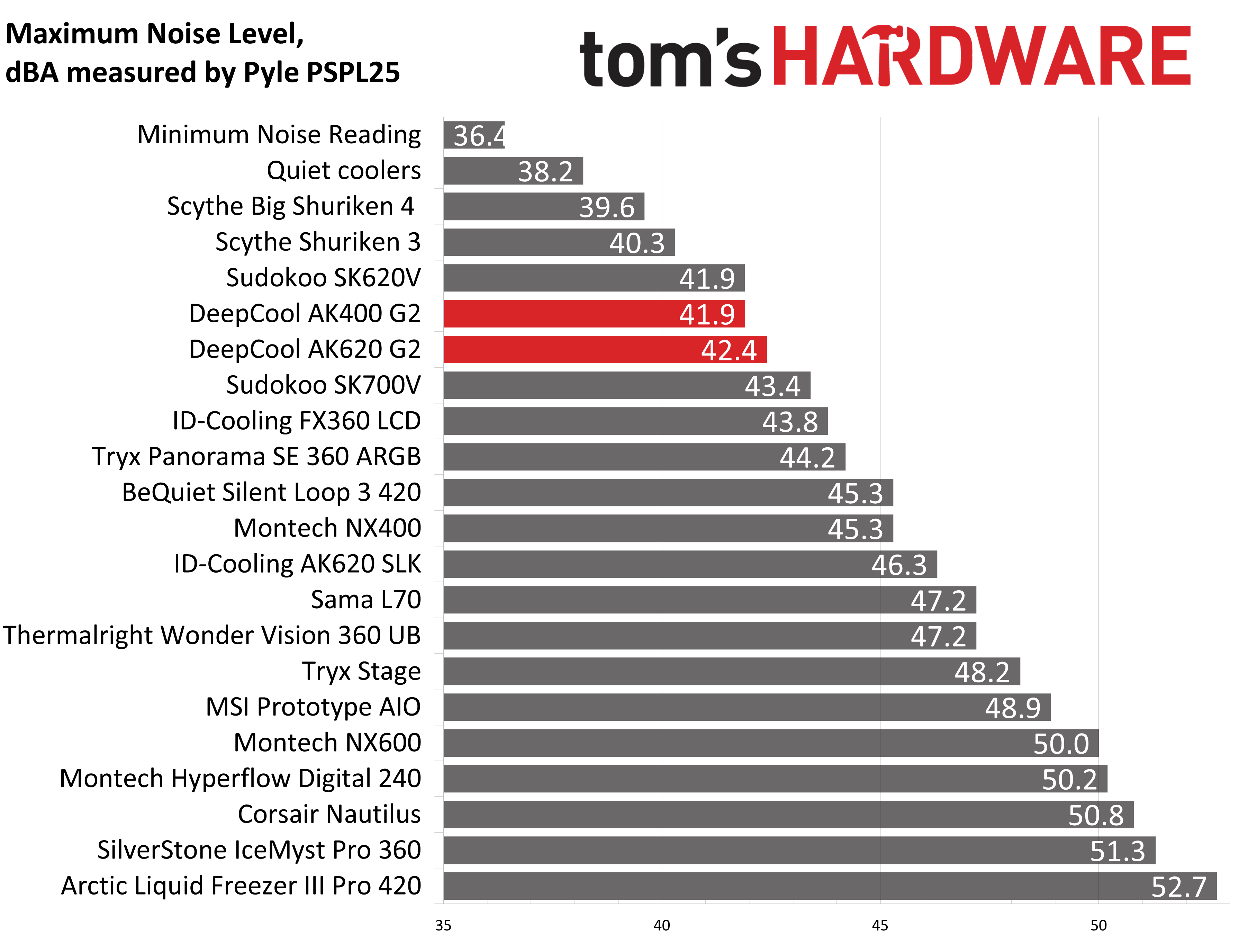
Some coolers perform well in maximum strength tests, but require running loudly to maintain said performance, but that’s not the case with DeepCool’s AK G2 air coolers. With measurements of 42.4 and 41.9 dBA respectively, their maximum noise levels put them among the quietest coolers featured in our charts.
(Image credit: Tom's Hardware)
200W thermal benchmarks
For the next thermal test, I leave the motherboard settings at their defaults, which results in a power limit of 200W when running Cinebench R23.
(Image credit: Tom's Hardware)
With this thermal test, DeepCool’s AK620 G2 slips to the second best result we got from any air cooler. The single tower version, the AK400 G2, still performs well in comparison to dual-tower products, besting Sudokoo’s SK620V and just a bit behind Montech’s NX600 with its powerful E28 fans.
150W + GPU thermal results, noise levels
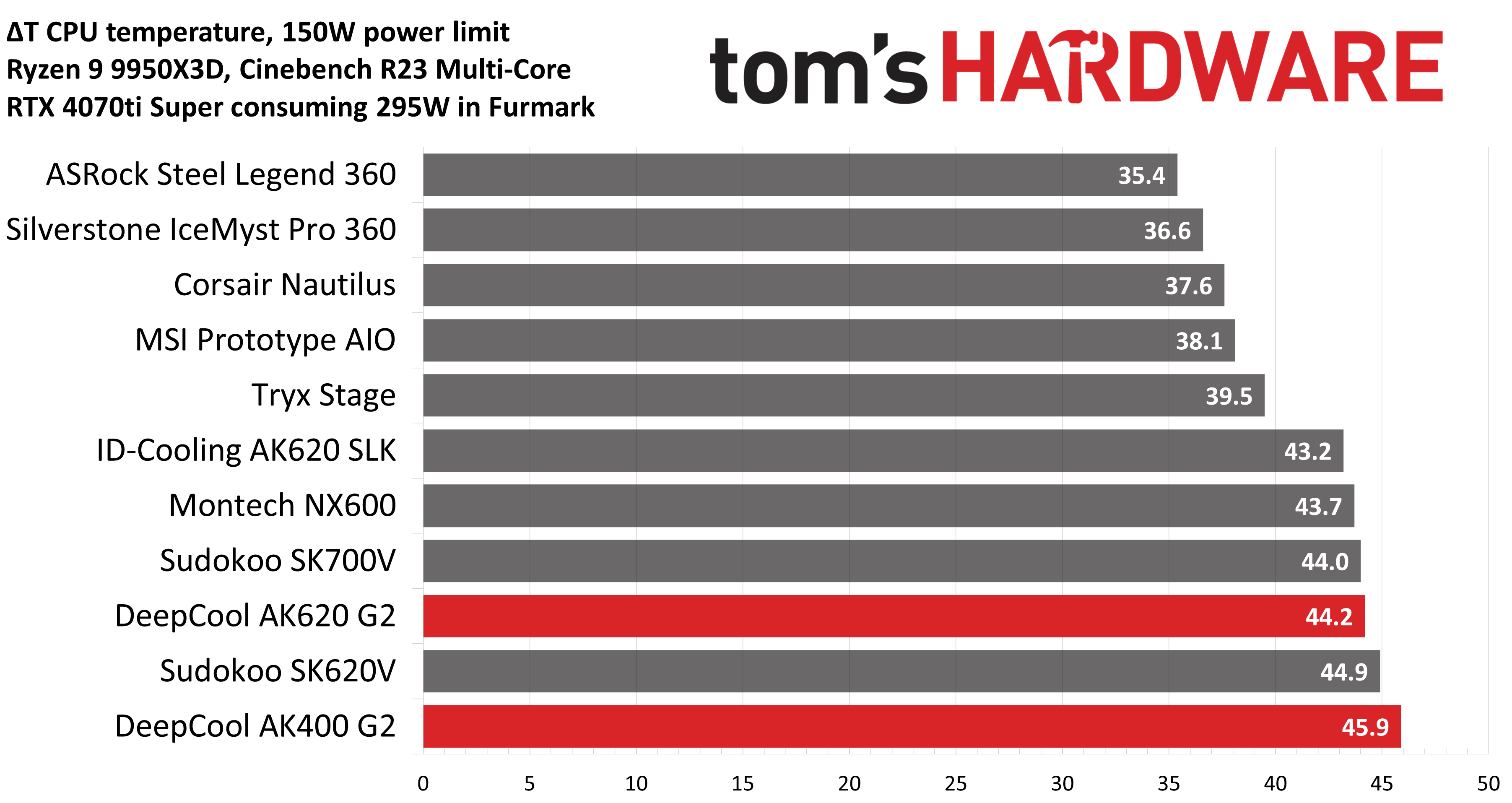
Our next test runs Cinebench on the CPU with a 150W power limit, while also running Furmark on MSI’s RTX 4070 Ti Super Ventus 3x OC. This causes the GPU to consume ~295W of power. This test is designed to emulate the thermals of games, which primarily stress the CPU and GPU.
(Image credit: Tom's Hardware)
At first glance, you might think the results above – when tied to the default fan curve of MSI’s X870E Carbon motherboard – are a little underwhelming compared to the competing coolers shown in the chart.
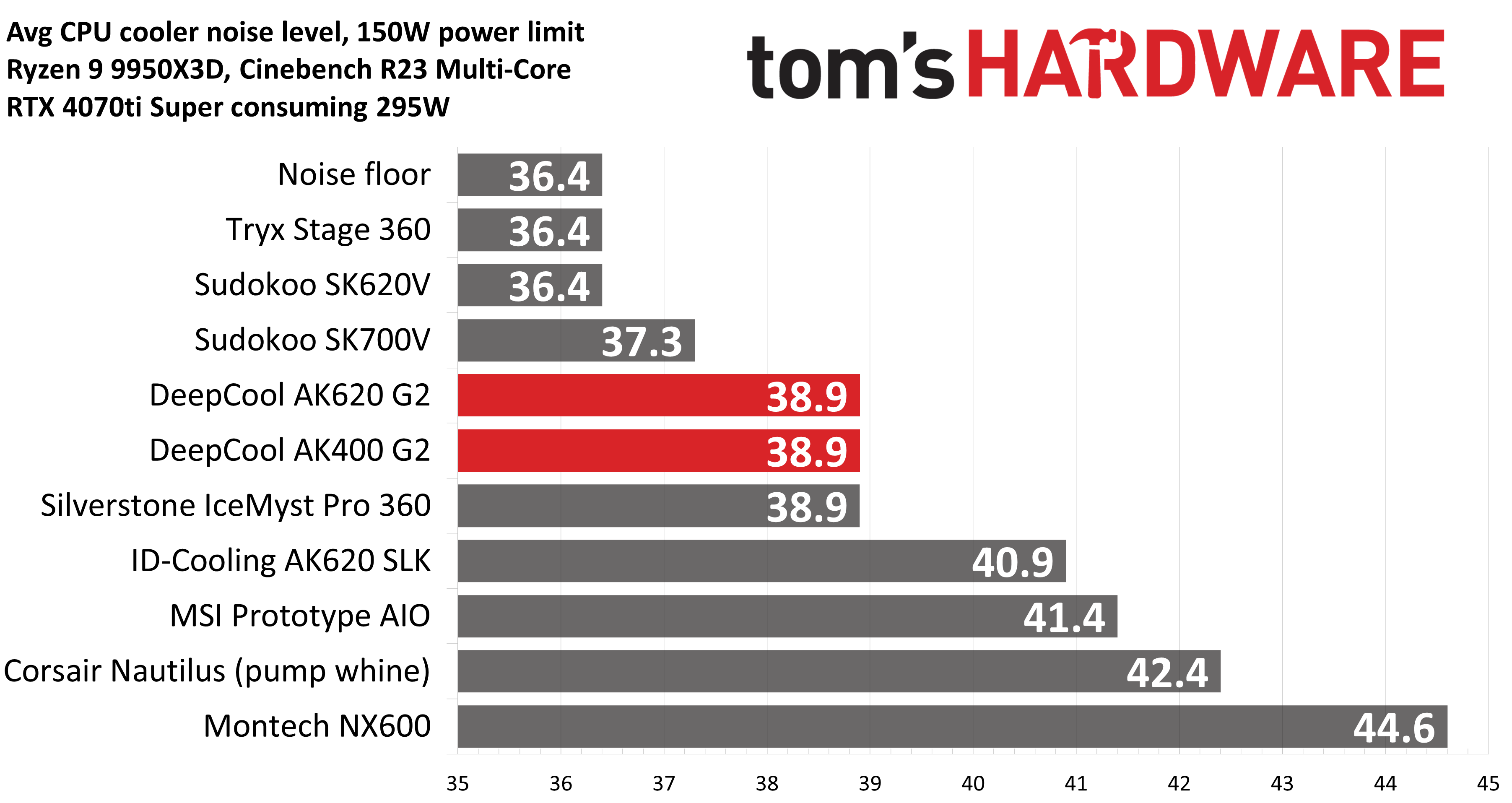
But thermals are only part of the story. Noise levels, especially when you’re gaming, are far more important here. With a noise level of only 38.9 dBA measured, the loudness of these coolers won’t be an issue while you’re gaming. Your GPU fans and / or your case will likely be making more noise in most setups.
(Image credit: Tom's Hardware)
Noise-normalized testing
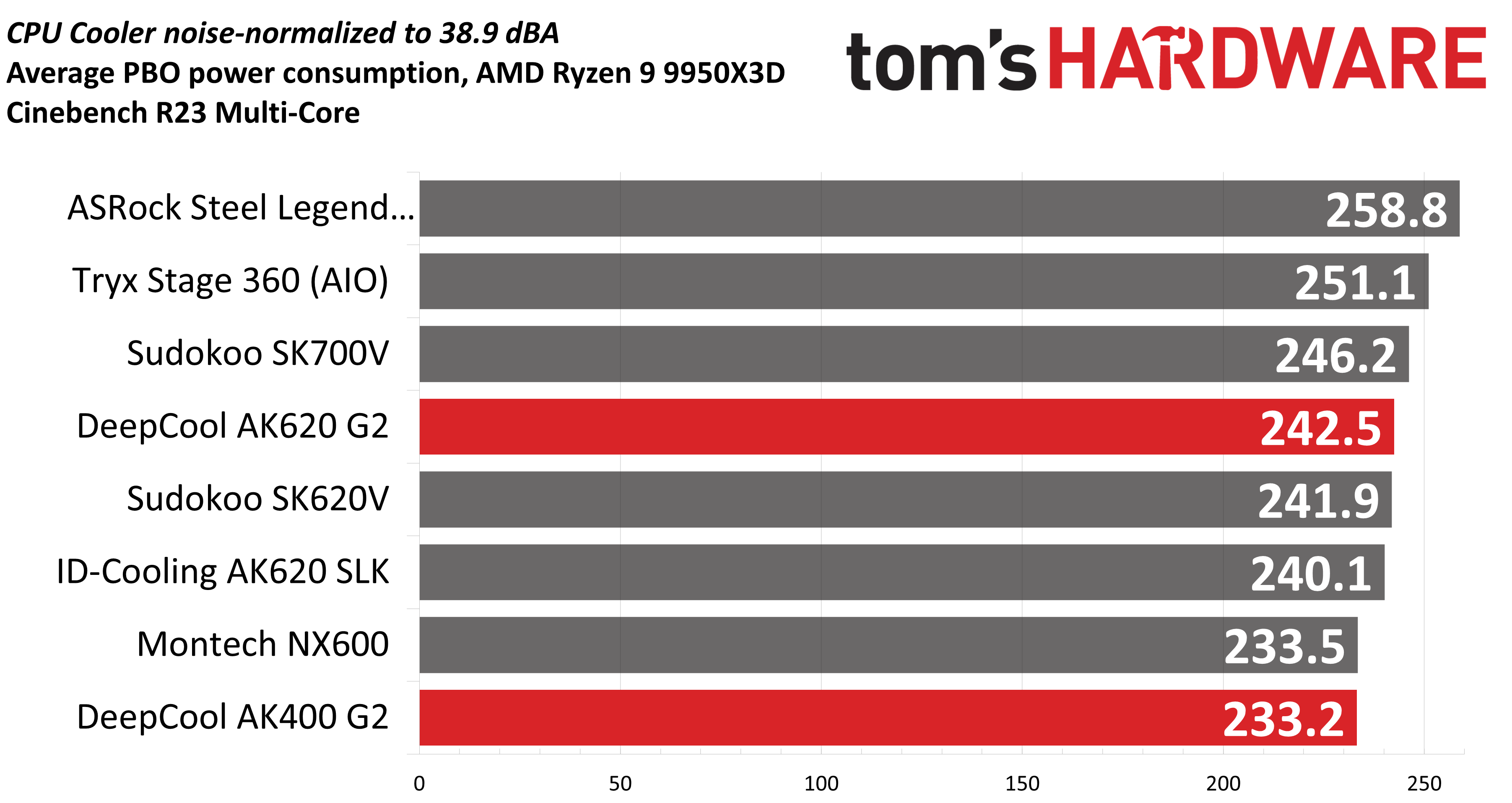
Most testing is performed with the cooler tied to the default fan curve of our MSI X870E Carbon motherboard, but many prefer tests with the noise levels of coolers equalized. This is especially important to those of you who prefer silent computers. This next benchmark has the CPU cooler noise-normalized to 38.9 dBA, with PBO enabled for the Ryzen 9 9950X3D CPU.
(Image credit: Tom's Hardware)
The results here are pretty good. With an average of 242.5W cooled during the course of testing, DeepCool’s AK620 G2 shows the second-best performance of the air coolers in this chart. The single-tower AK400 G2 is our bottom result, but even so, its performance is basically on par with Montech’s NX600. That’s fairly impressive for a single-tower air cooler.
Karhu DDR5 RAM thermals testing!
Your CPU cooler does not operate in isolation. It has an impact on not just your CPU’s temperatures, but also the other components in your build, like your RAM and GPU. To that end, I’ve run the Karhu RAM stress test. This places a load of ~153W on the CPU and ensures system RAM (DDR5 in my case) is fully stable. In this type of scenario, most AIOs tend to produce worse results than air coolers.
(Image credit: Tom's Hardware)
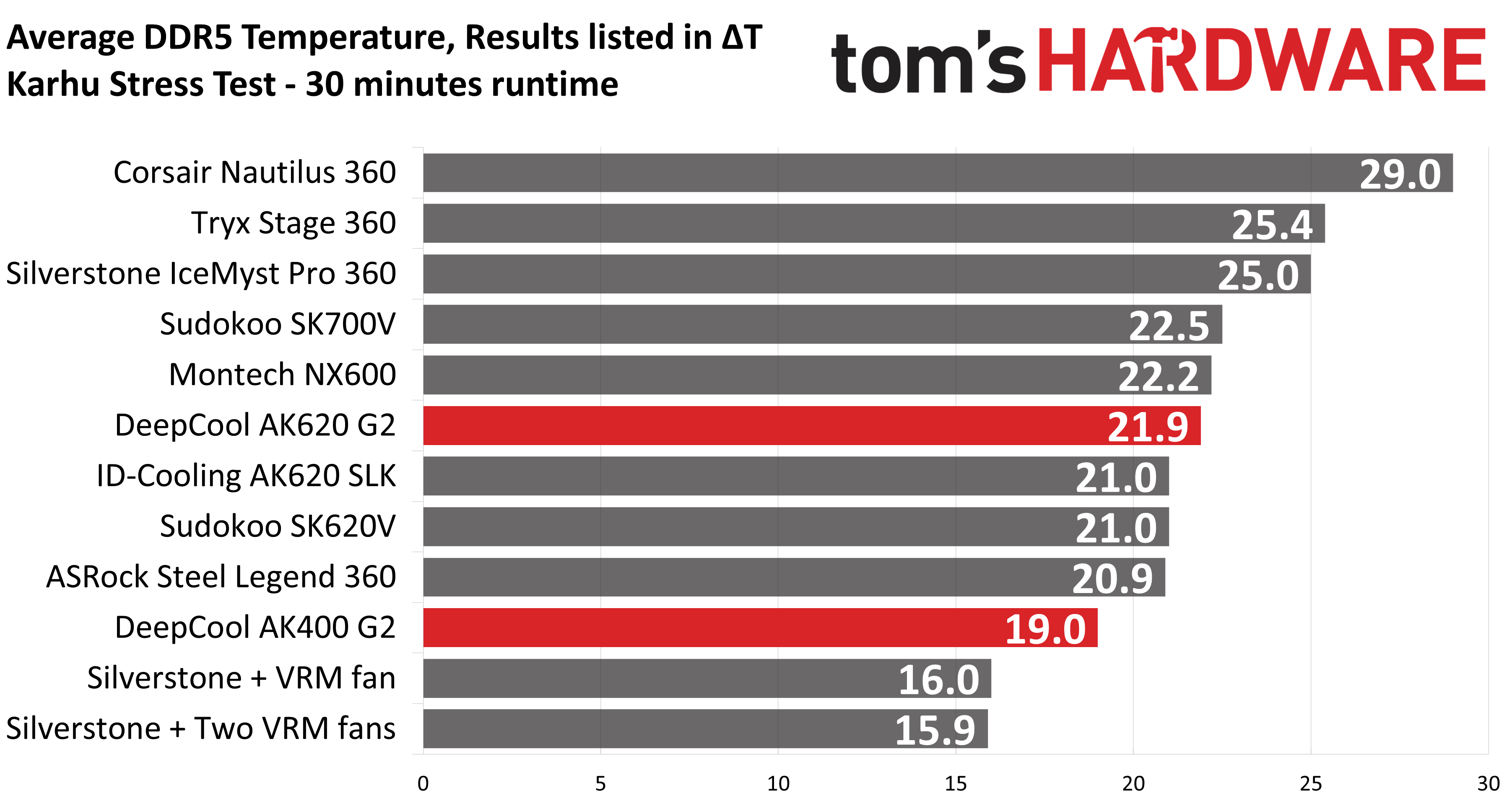
The DDR5 temperature recordings from this test seem to be within expectations compared to other dual-tower air coolers. Temperatures with DeepCool’s AK620 G2 were an average of 21.9C above ambient. Curiously, DeepCool’s single tower AK400 G2 showed the best RAM temperatures in this scenario of any air cooler.
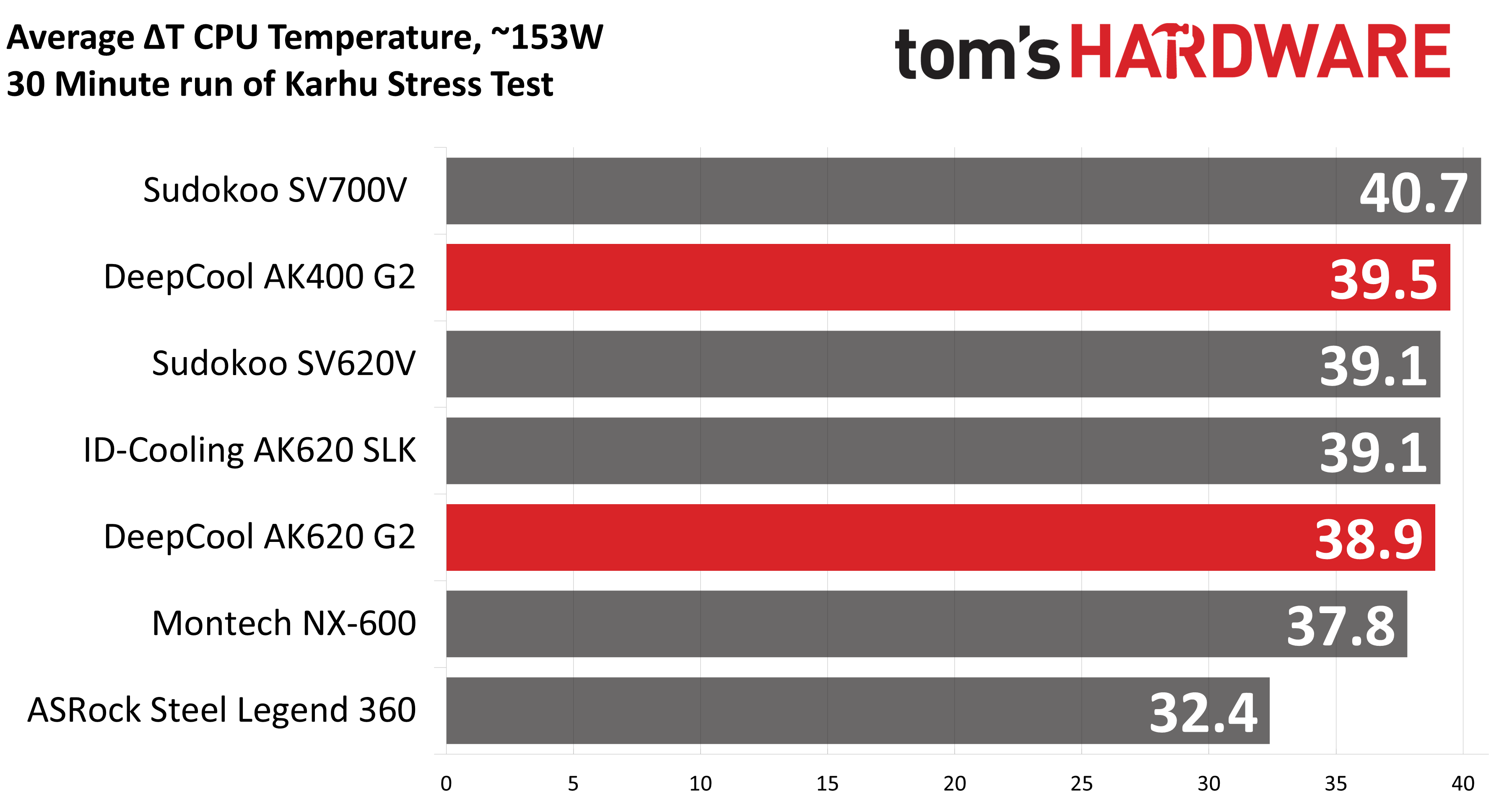
The thermals of the CPU in this test were about as expected, with the AK620 G2 showing some of the best temperatures and the AK400 G2 running warmer than most of the dual-tower coolers here, but notably still outperforming Sudokoo’s SK700V.
(Image credit: Tom's Hardware)
Conclusion
(Image credit: Tom's Hardware)
DeepCool continues to impress with its second-generation AK air coolers, the AK620 G2 and AK400 G2, delivering strong thermal performance and low noise levels. Our only major complaint is that these coolers aren’t easily available for purchase in the USA. If you’d rather not go through the hassle of importing, our recommendation would be Thermalright’s Royal Pretor 130, which offers similarly strong thermal performance and low noise levels, at a more affordable price of $50 USD.
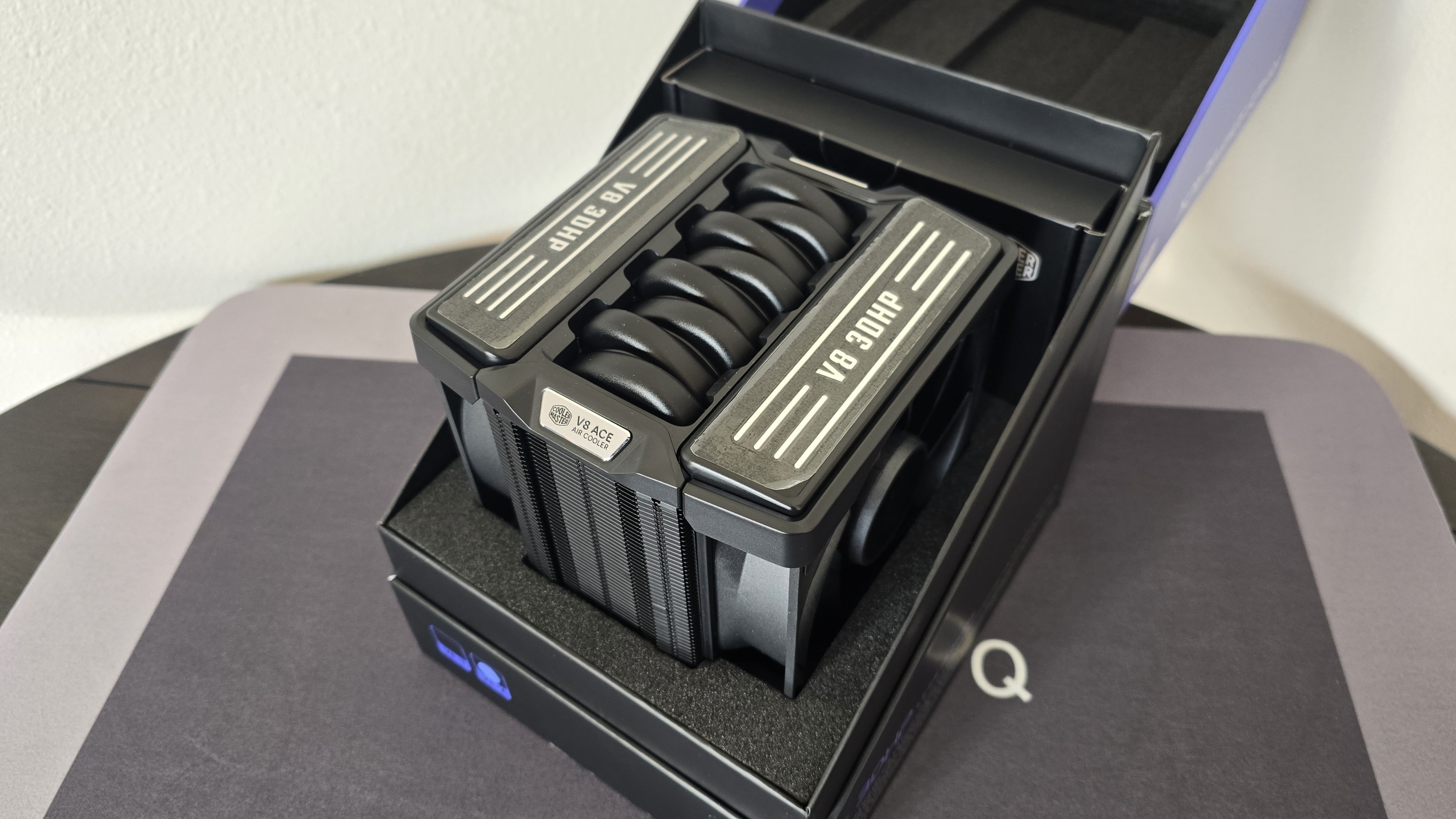
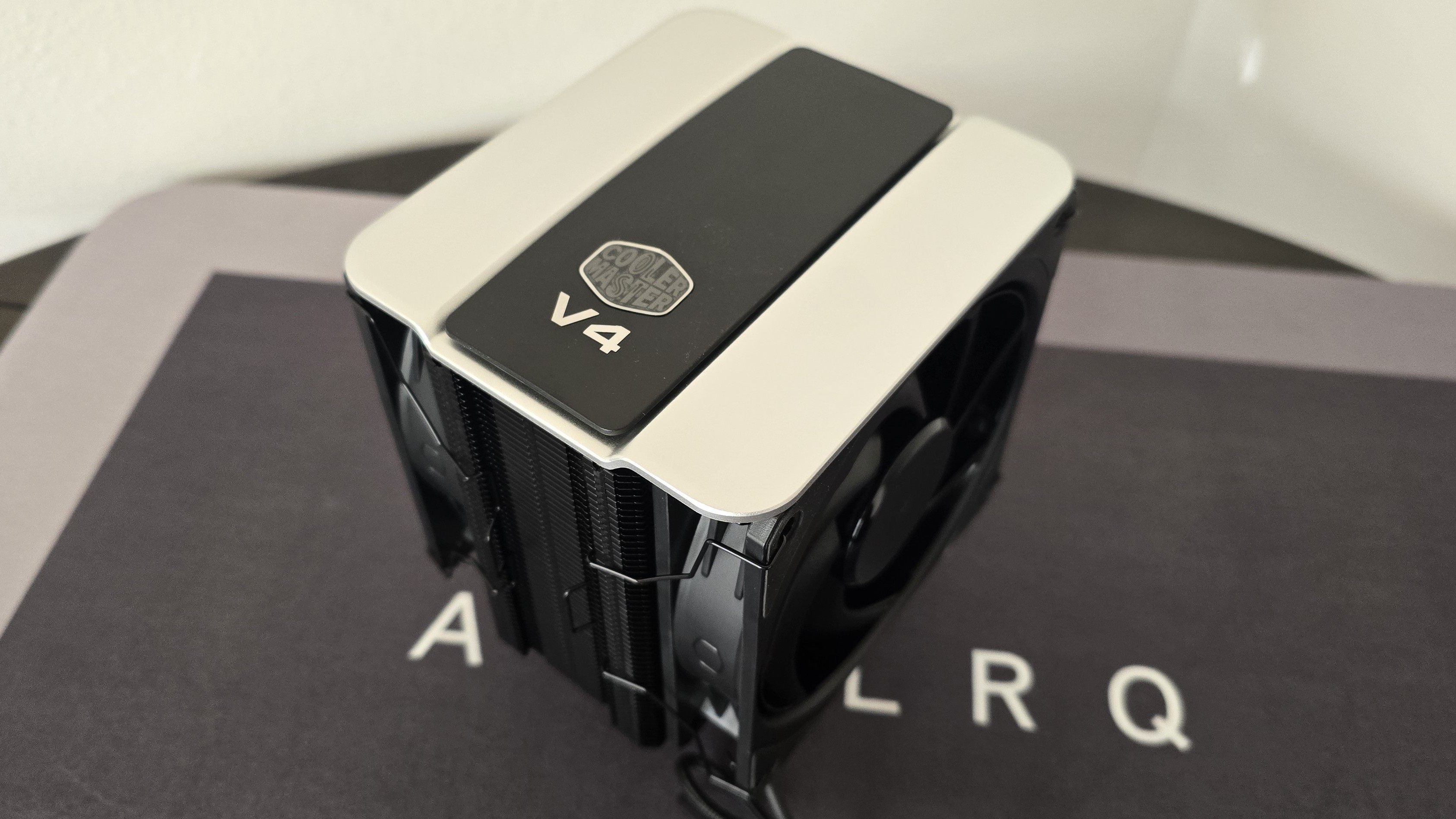
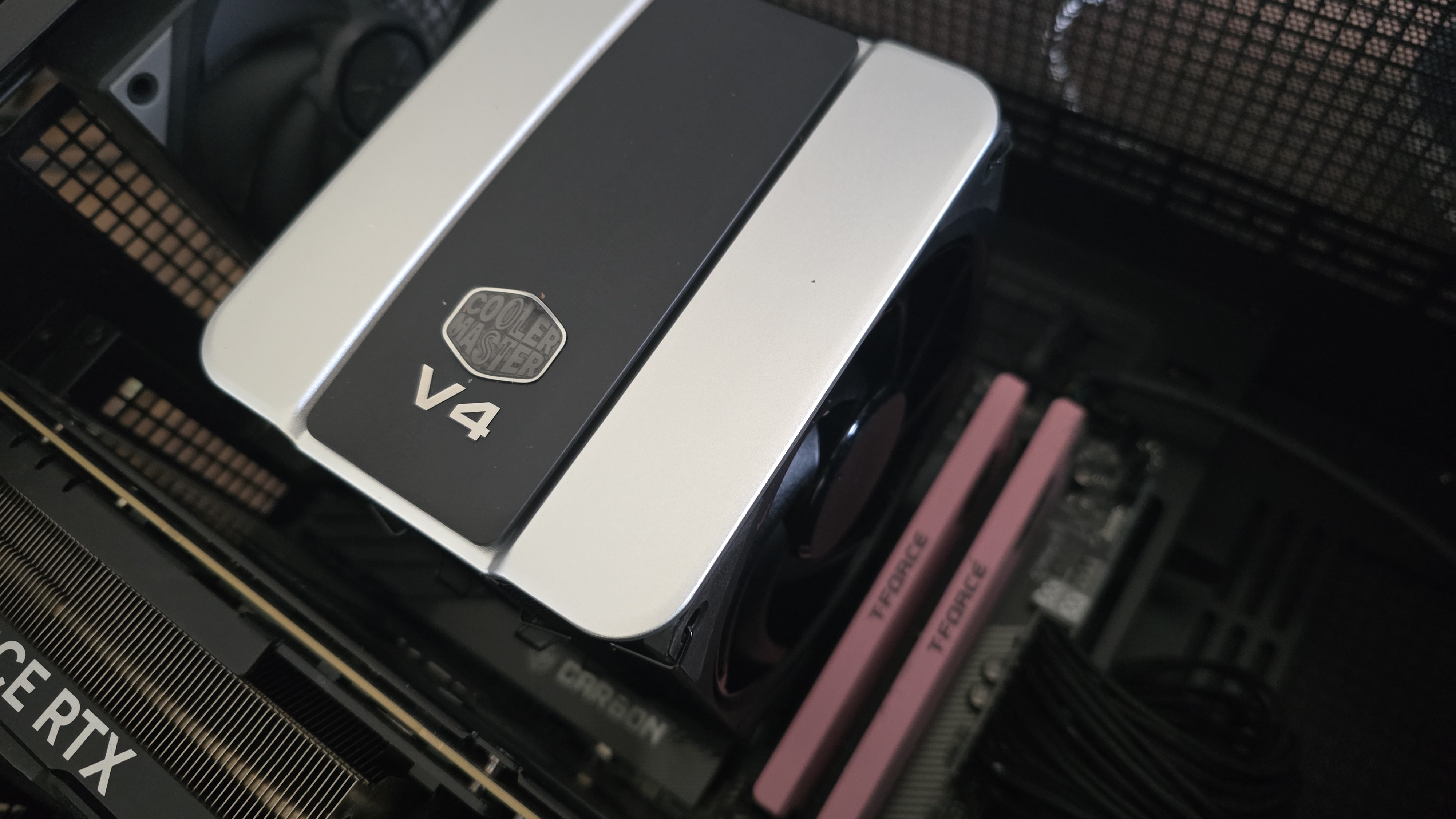
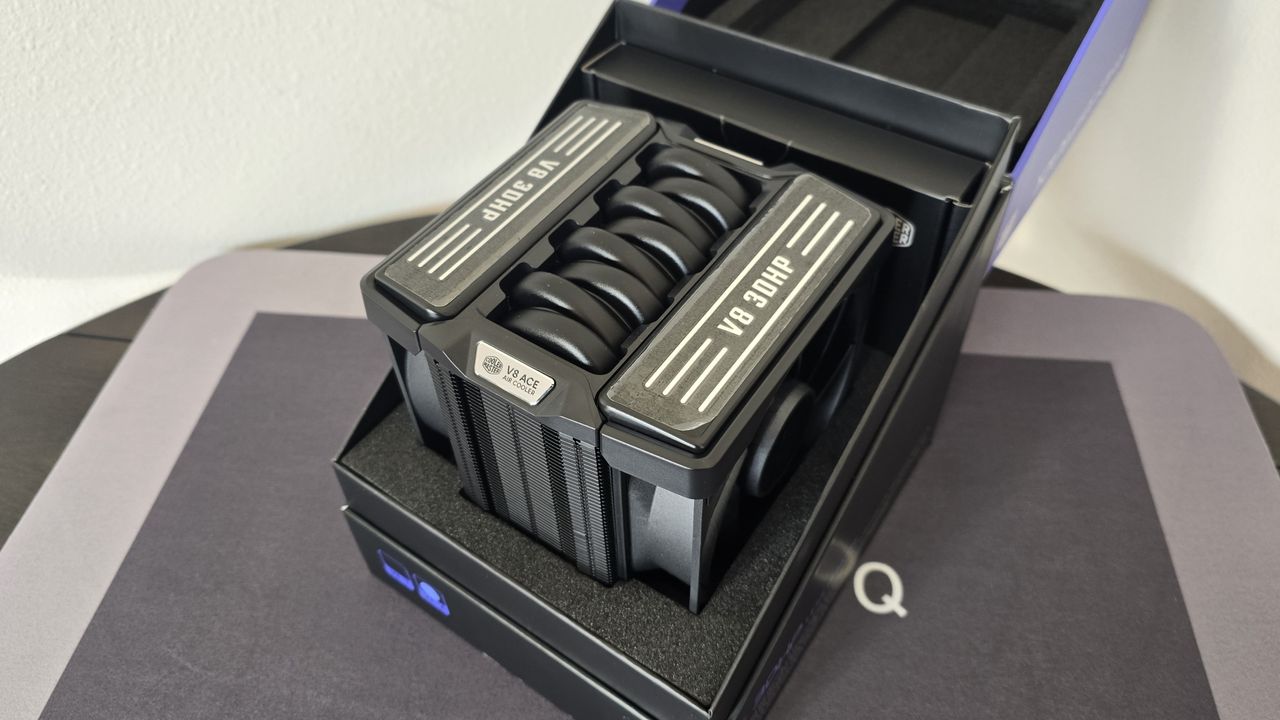
What makes Cooler Master’s new V4 Alpha and V8 Ace 3DHP air coolers stand out against their competitors? Well, it’s in the name of the product – the company’s new 3DHP (3D heatpipe) technology represents a serious advancement in cooling.
(Image credit: Cooler Master)
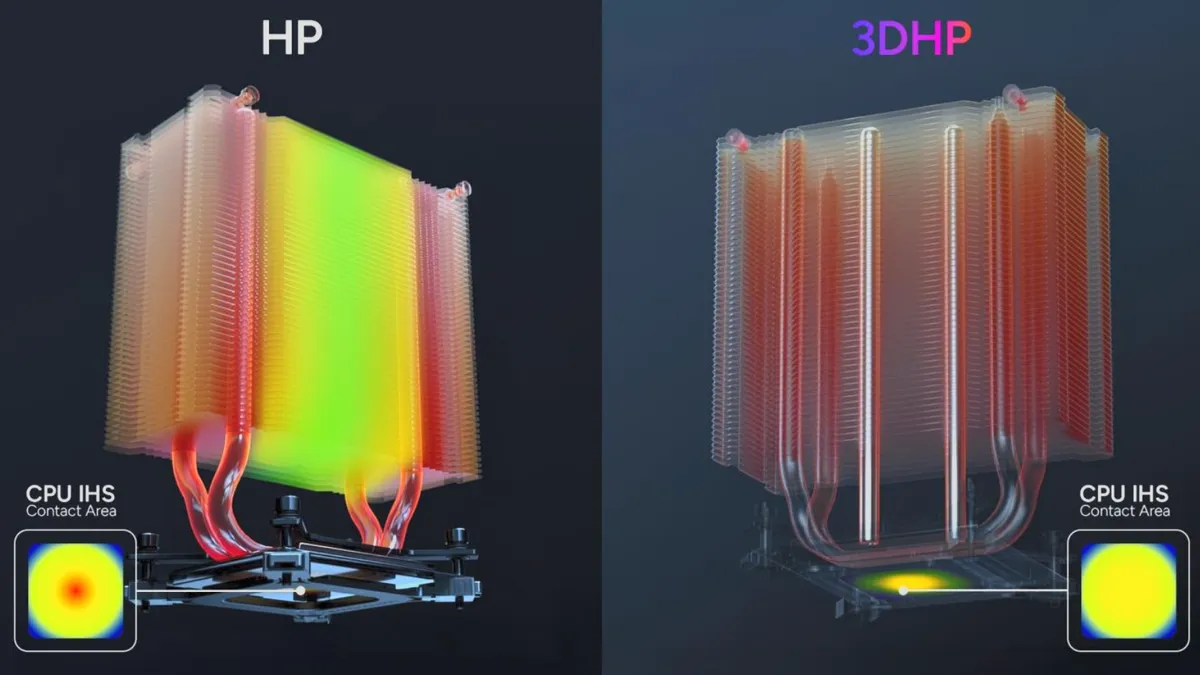
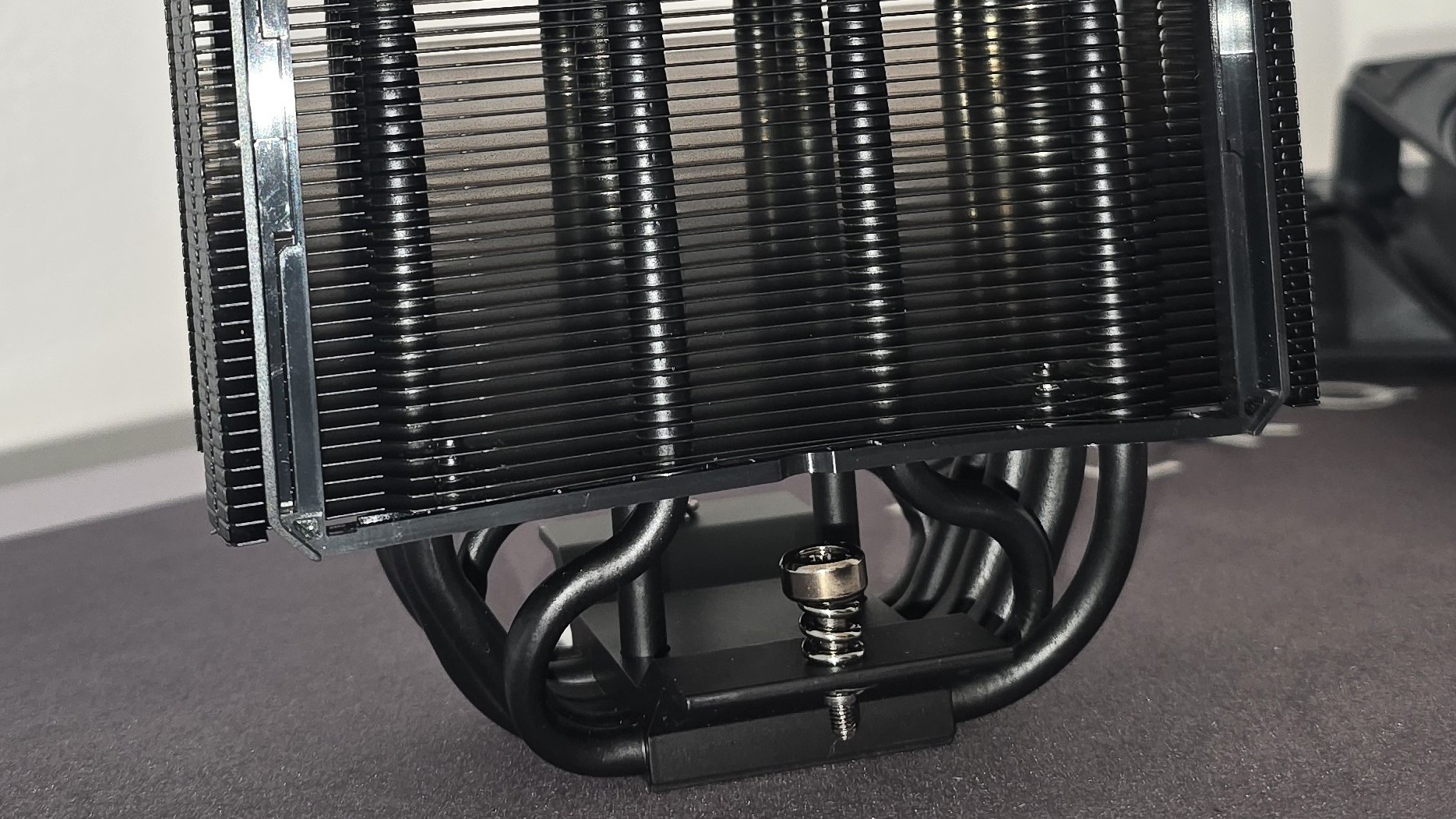
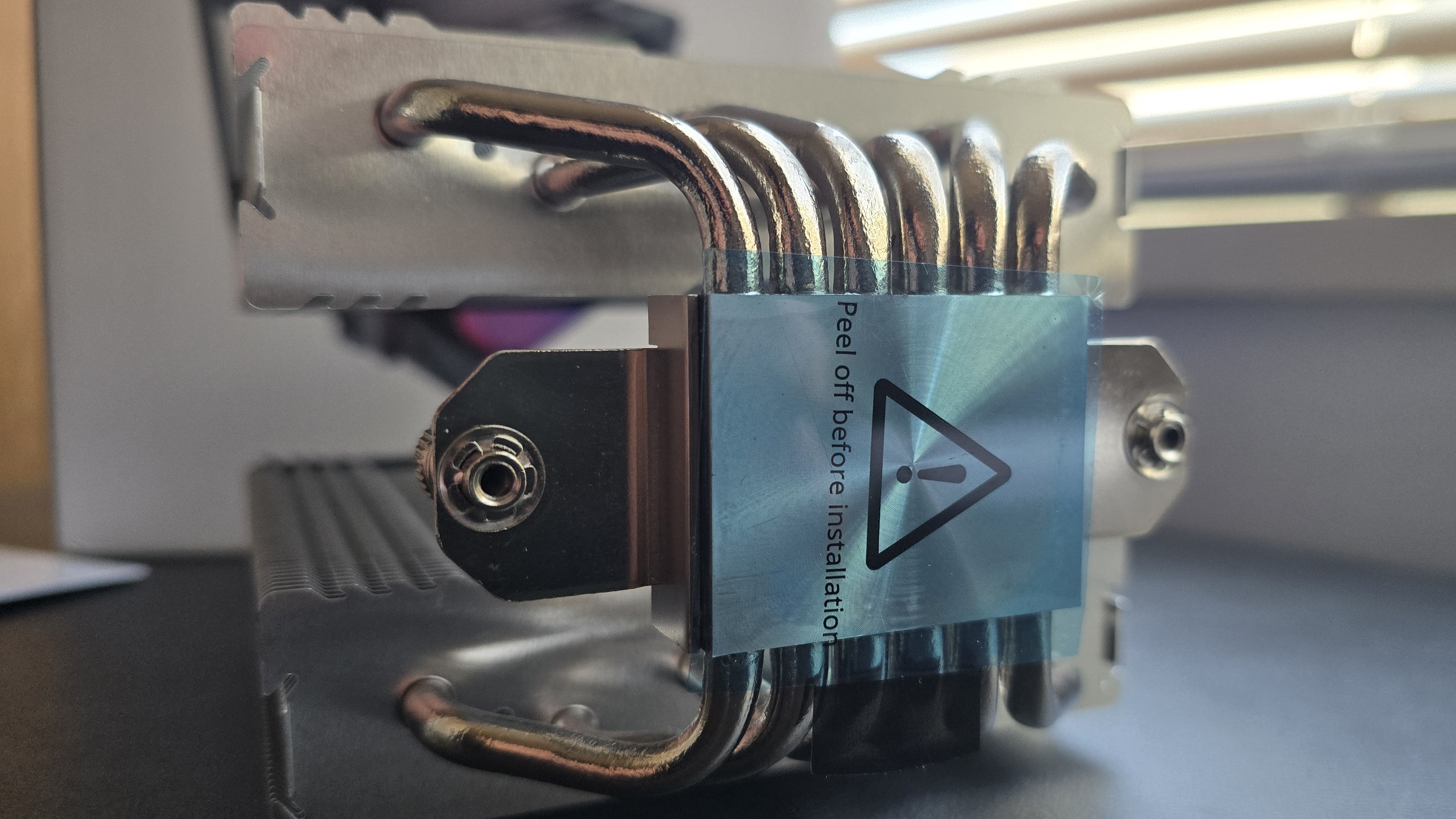
Traditional copper heatpipes are typically formed in a “U” shape, and work well enough in most scenarios. But Cooler Master’s 3DHP heatpipes look more like a trident, with three ends instead of two. There’s more to the tech, which we will cover in more detail below.
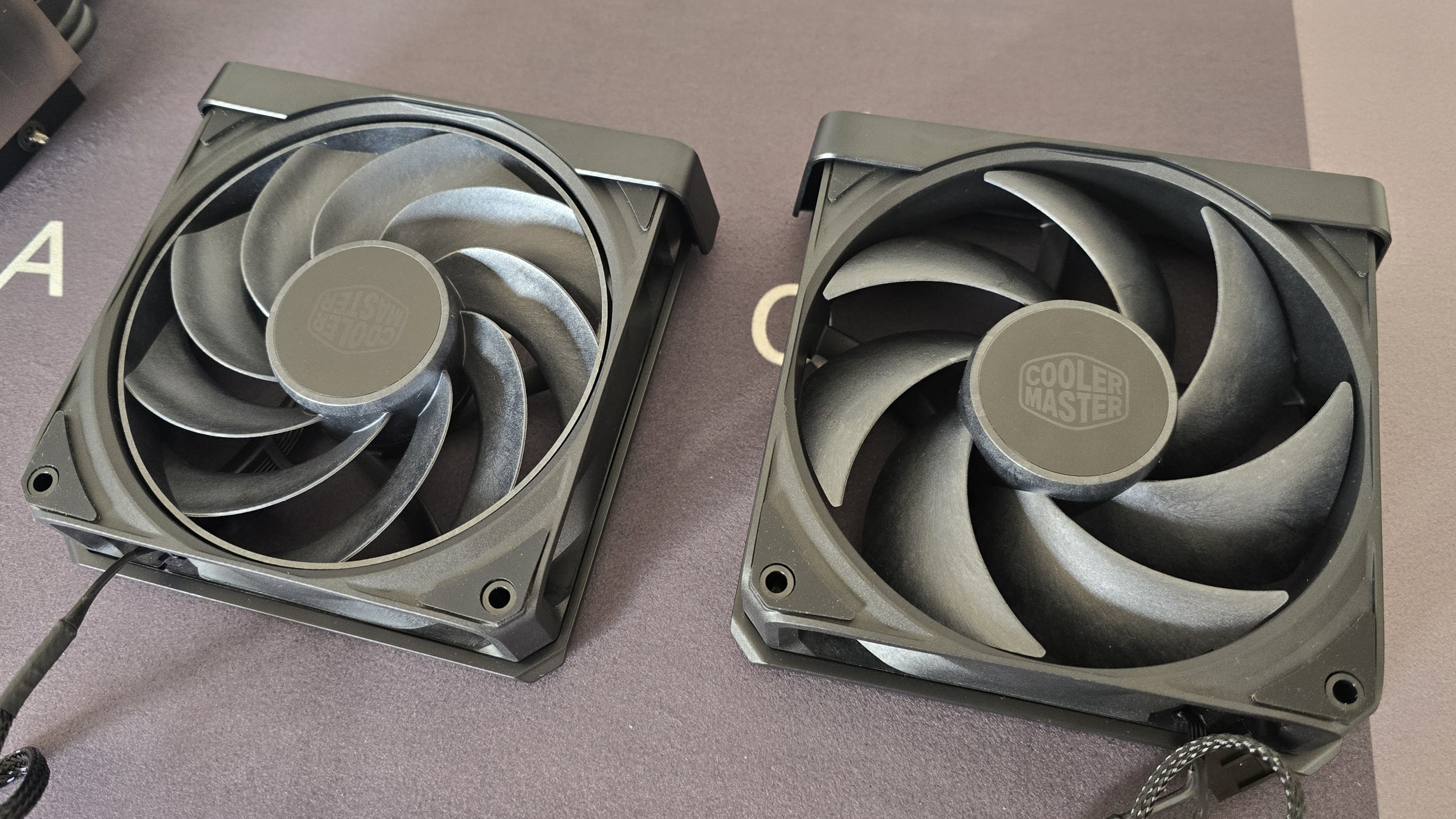
Additionally, the V8 Ace 3DHP features two of the strongest fans we’ve ever tested from a Cooler Master product, with liquid crystal polymer blades and backed by a six-year warranty.
Let's take a look at the specifications and features of these coolers. Then we’ll go over thermal and noise benchmarks to decide if the V4 Alpha and V8 Ace 3DHP air coolers are good enough to make our list of the best CPU coolers we’ve tested.
138.95 (W) x 136.47 (D) x 167.3mm (H)/ 133 (W) x 114 (D) x 161mm (H)
Maximum TDP with AMD’s Ryzen 9 9950X3D (Our Testing)
Full speed fans: >249W/237W
Noise-normalized: >245W/237W
Features of Cooler Master’s V4 Alpha and V8 Ace
▶️ Innovative 3DHP Heatpipes
(Image credit: Cooler Master)
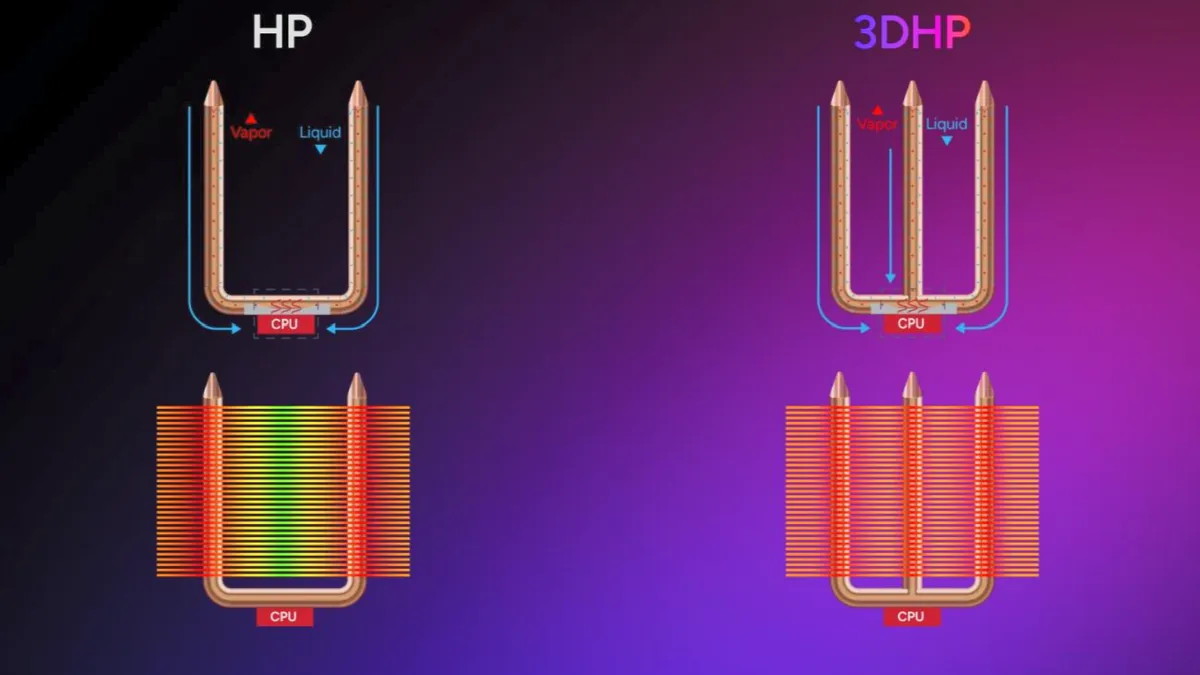
Both the V4 Alpha and V8 Ace are powered by Cooler Master’s innovative 3DHP heatpipe technology. To simplify things somewhat, while most heatpipes are “U” shaped, with one prong of each heatpipe on the left and right sides of a heatsink, 3D heatpipes add a prong in the middle to give it more of a trident shape, enhancing the efficiency of thermal transfer.
Traditional heatpipe setups don’t usually fully saturate the fins of a heatsink, only providing 70% fin utilization, according to Cooler Master. This makes sense, as you’ll often see that temperatures continue to rise in extended-length cooler testing as the fins become more fully saturated. Cooler Master claims that with its 3D heatpipes, fin utilization is increased to 95% or more. We’ll see how that plays out in our benchmark testing shortly.
(Image credit: Tom's Hardware)
▶️ RAM Clearance
RAM compatibility is excellent with both of these coolers. The V4 Alpha doesn’t overhang or interfere with RAM DIMMs at all, allowing for compatibility with all sizes of DDR4 or DDR5 DIMMs.
(Image credit: Tom's Hardware)
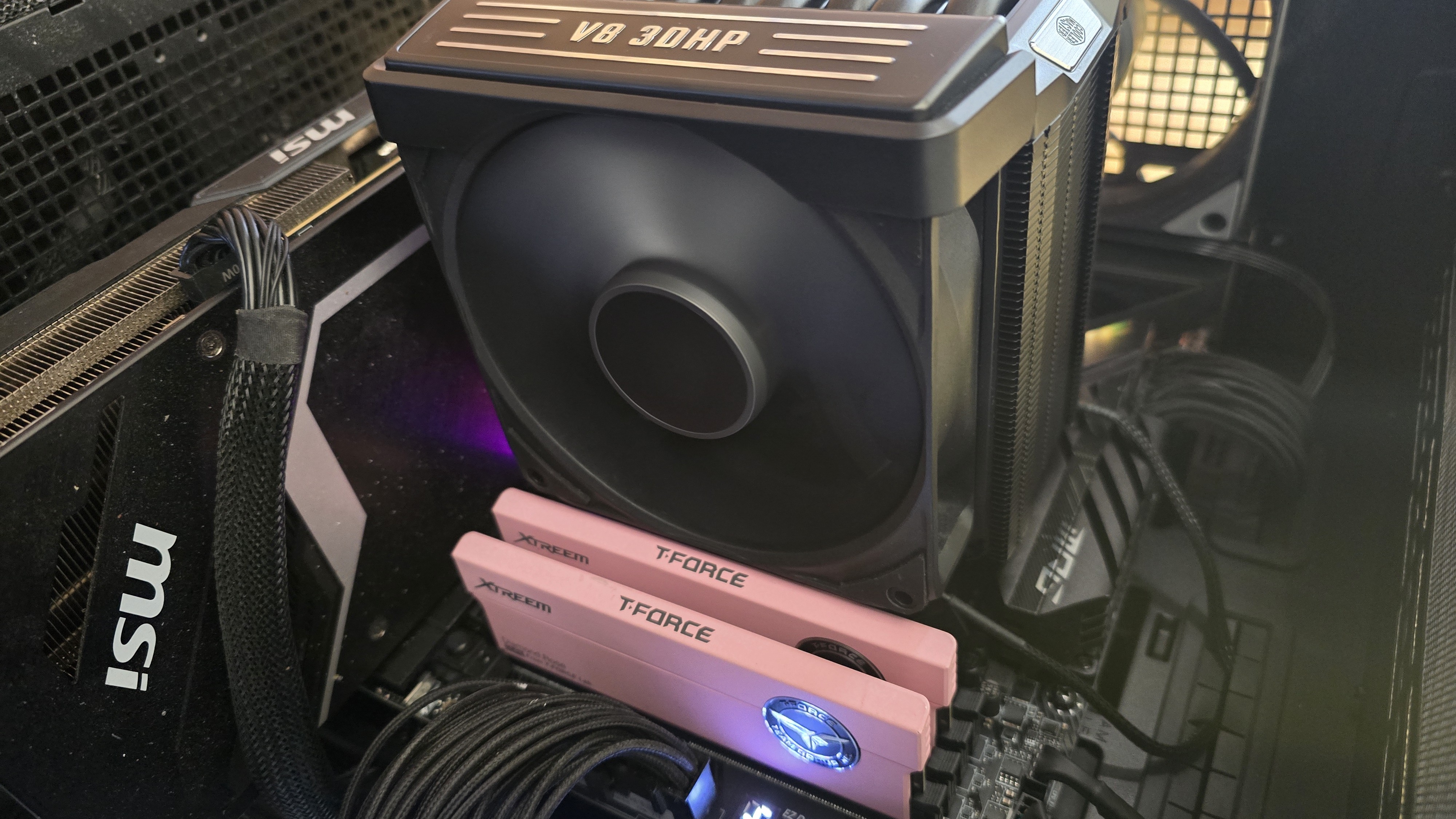
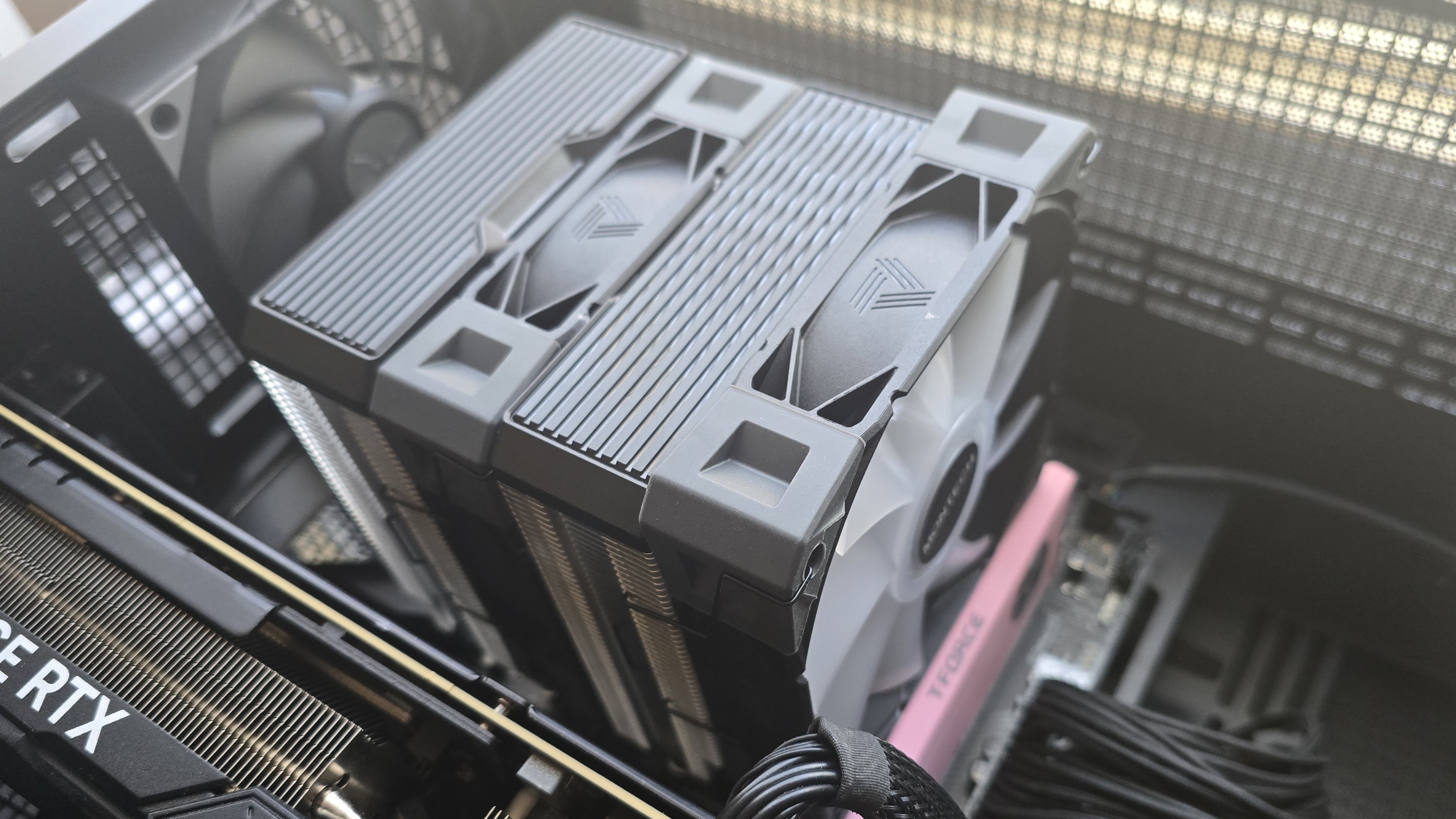
The V8 also has wide RAM compatibility. Its intake fan does overhang the DIMM slots, but if your RAM is particularly tall – like our T-Force Xtreem DDR5-7200 featured below – the sliding rail system allows you to easily adjust fan position, so things fit properly. We had to raise the fan by a few millimeters for proper clearance, but I think the sticks I’m using are about the tallest on the market, at 48.8mm height. Officially, RAM up to 45mm in height is supported.
(Image credit: Tom's Hardware)
▶️ 30mm thick Liquid Crystal Polymer fans
(Image credit: Tom's Hardware)
There’s more to a cooler than just the heatsink. The included fans have a direct impact on aesthetics, noise levels, and overall thermal performance. The fans on the V8 Ace 3DHP are made for longevity, built with liquid crystal polymer (LCP) blades and loop dynamic fan bearings.
They come pre-installed with a sliding rail system, allowing for simple installation and height adjustment.
Fan Speed
0–2500 RPM ±10%
Dimensions
120 x 120 x 30 mm
Airflow
89.6 CFM (front fan), 61.0 CFM (rear fan)
Air Pressure
3.85 MMH20 (front fan), 2.00 MMH20 (rear fan)
▶️ Aesthetics
(Image credit: Tom's Hardware)
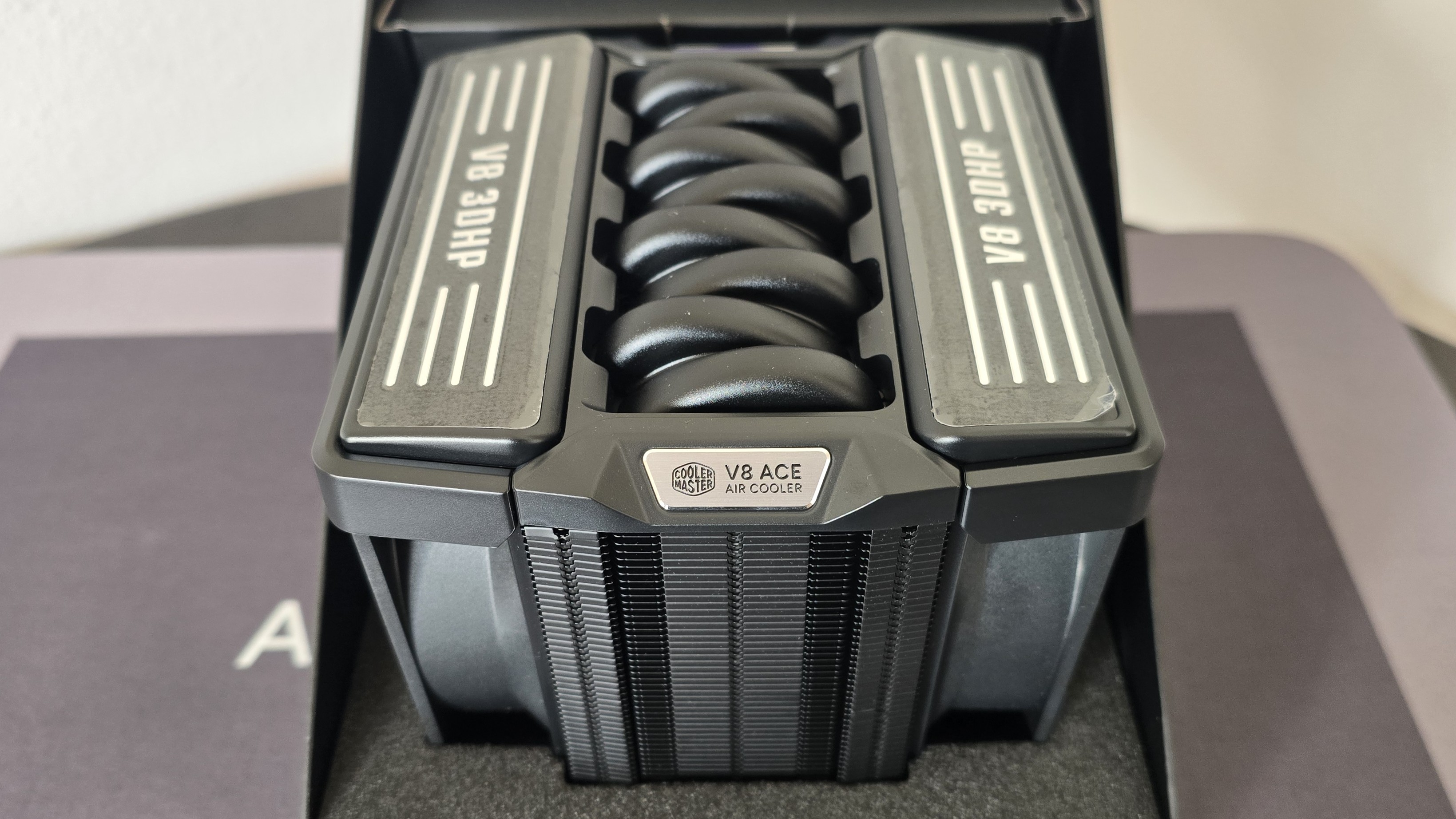
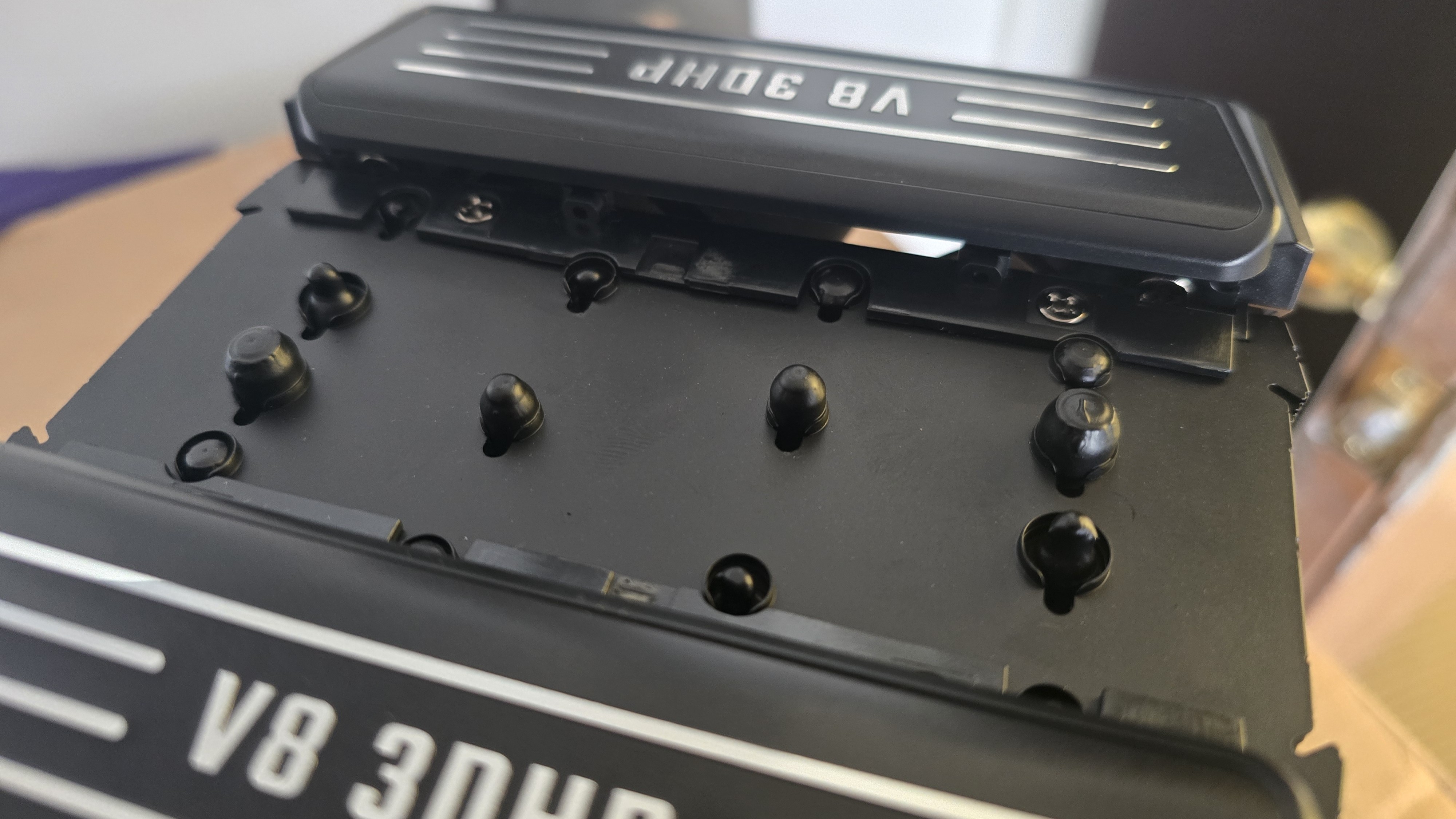
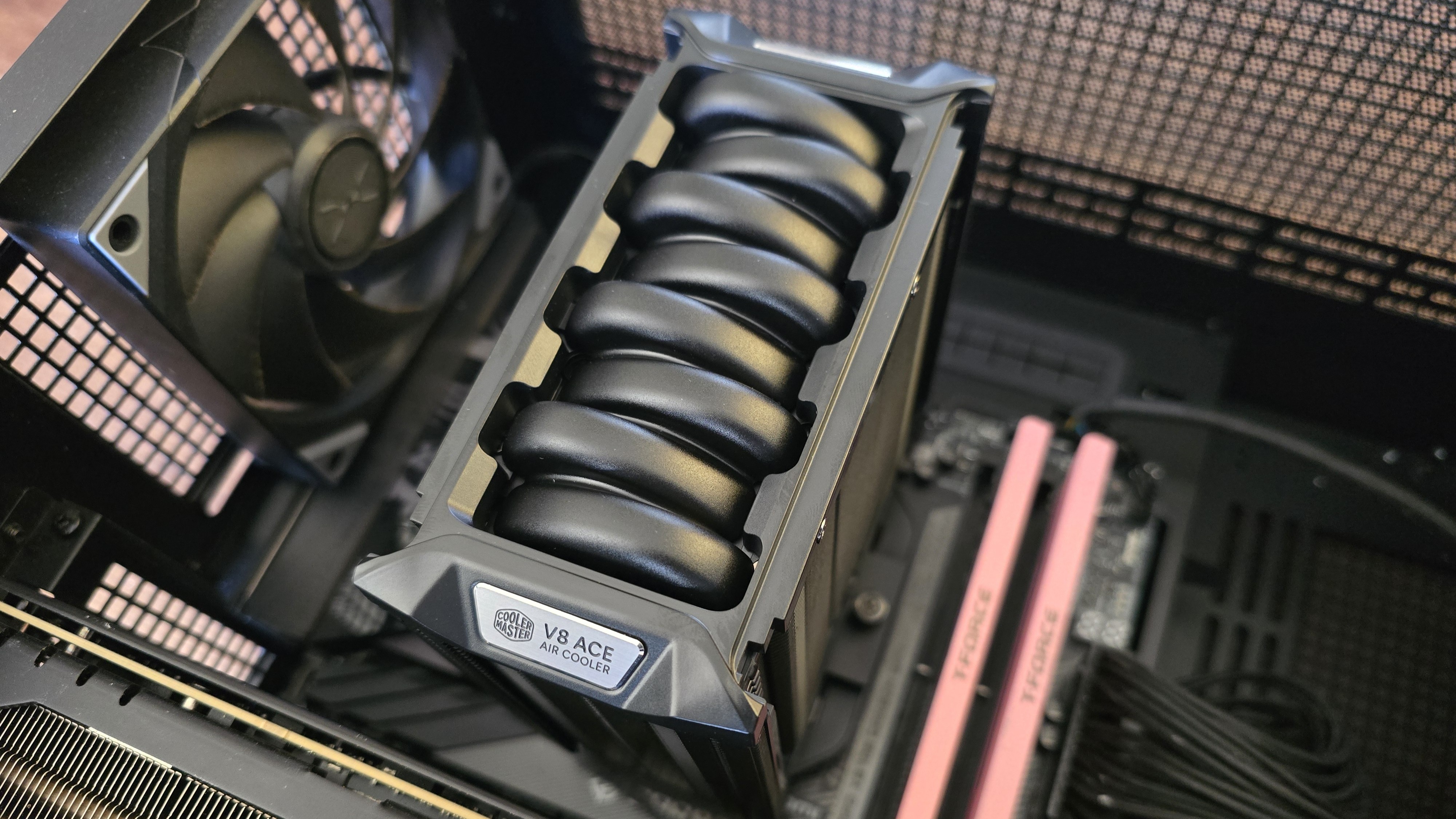
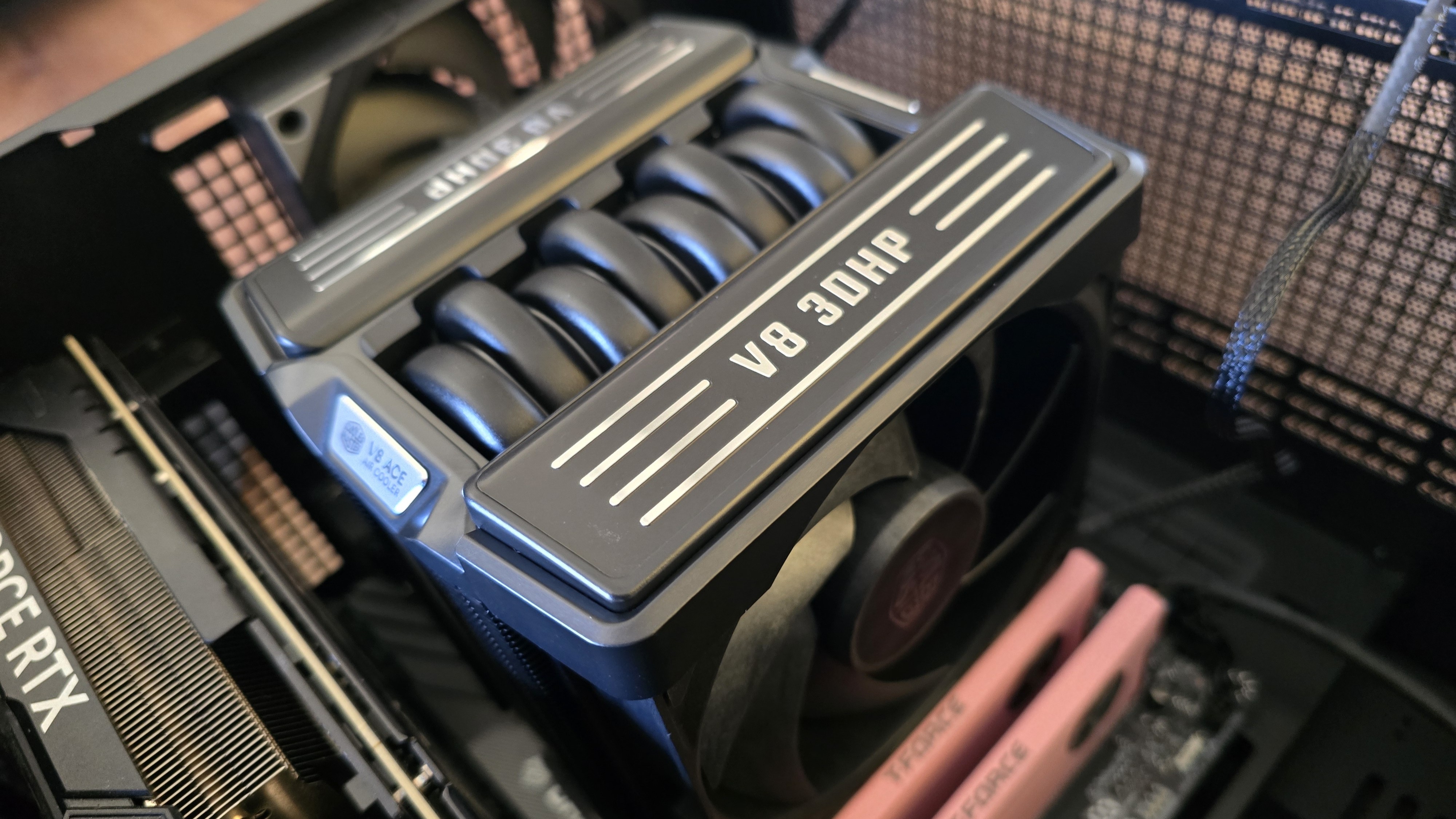
You might notice the top of the V8 Ace 3DHP looks like it has eight gigantic heatpipes – but note they’re not actually real heatpipes. Does that mean it’s only decorative, and serves no real purpose? I wouldn’t say that. The “fake” heatpipes here seem to be made from metal and are cold to the touch, indicating that they do have the ability to absorb heat.
I decided to take the cooler apart for a better look at this piece, and it appears the primary function is actually to prevent air leakage. If you look closely at the picture below, you’ll see the fans are slightly taller than the heatsink. If that’s not a concern for you and you prefer an “old-fashioned” look that shows the ends of the copper heatpipes, the cooler works just fine without the top, though you’ll lose a small amount of thermal efficiency.
(Image credit: Tom's Hardware)
▶️ Packaging
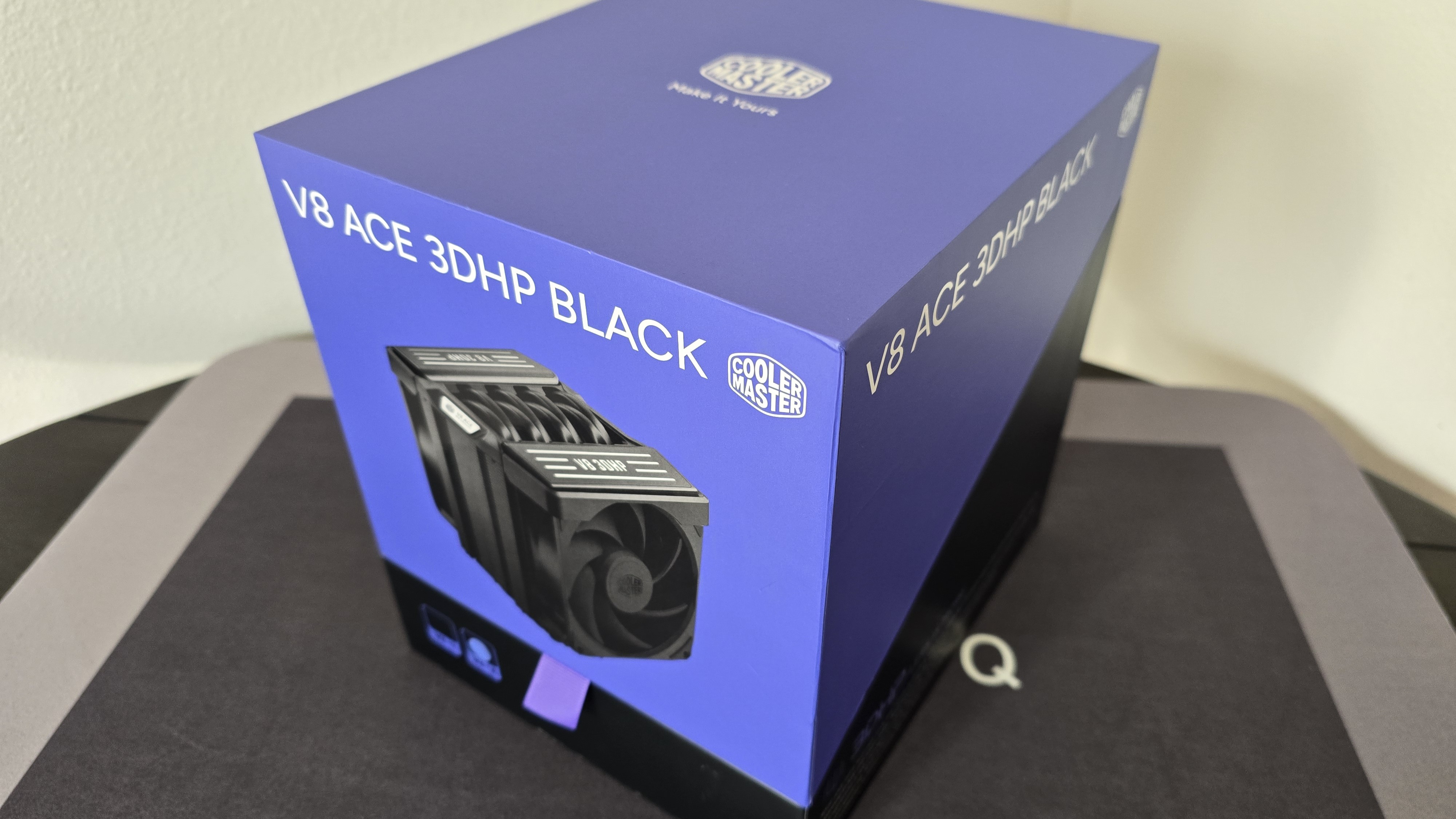
The outer packaging highlights the design of the product in a colorful but subtle way, incorporating a purple background on the top and black on the bottom.
(Image credit: Tom's Hardware)
Pulling on the purple tab in the front reveals the fanciest inner packaging I’ve ever seen for an air cooler, seemingly designed for store displays.
(Image credit: Tom's Hardware)
Intel and AMD-specific models
Cooler Master sells versions of these coolers labeled specifically for Intel or AMD CPUs. We tested the AMD model with our 9950X3D. Both versions do come with mounting hardware for platforms from both companies, so you could install, say, an Intel-specific version of this cooler on an AM4 or AM5 CPU / motherboard.
But a Cooler Master rep told us that the AMD version has a flatter IHS, while the Intel version is more convex, to make the best contact with CPUs from each platform. The V8 Ace reportedly also has different internal liquid volumes to best target heat on each platform. We're told both versions target the same performance metrics, but you should use the correct cooler for your platform for the best results – as we did when running our benchmarks, shown below.
Included with the package are:
Mounting hardware for AMD and Intel platforms
120mm fans
Cryofuze thermal paste
Installation manual
▶️ V8 Ace 3DHP AM5 Installation
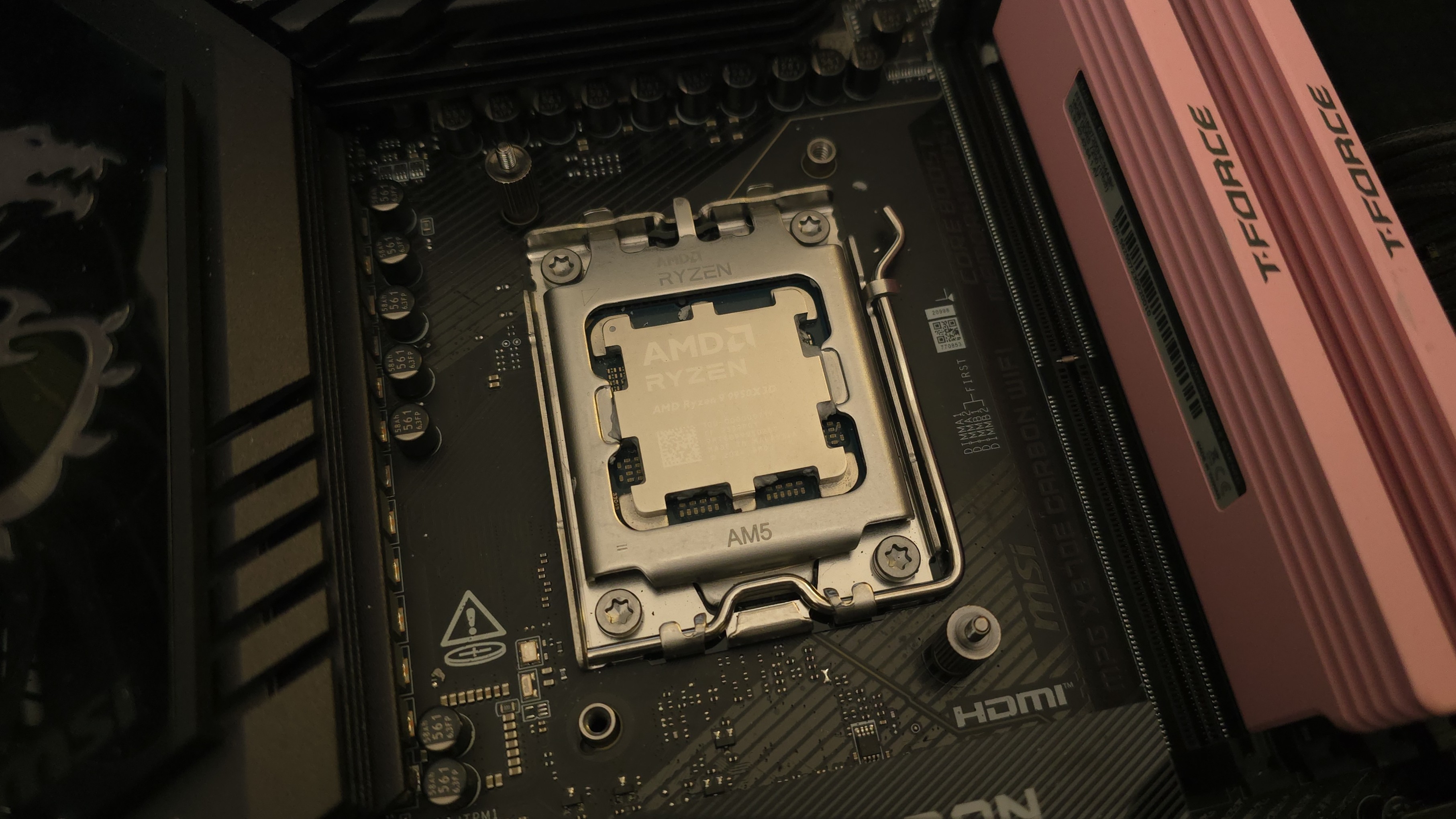
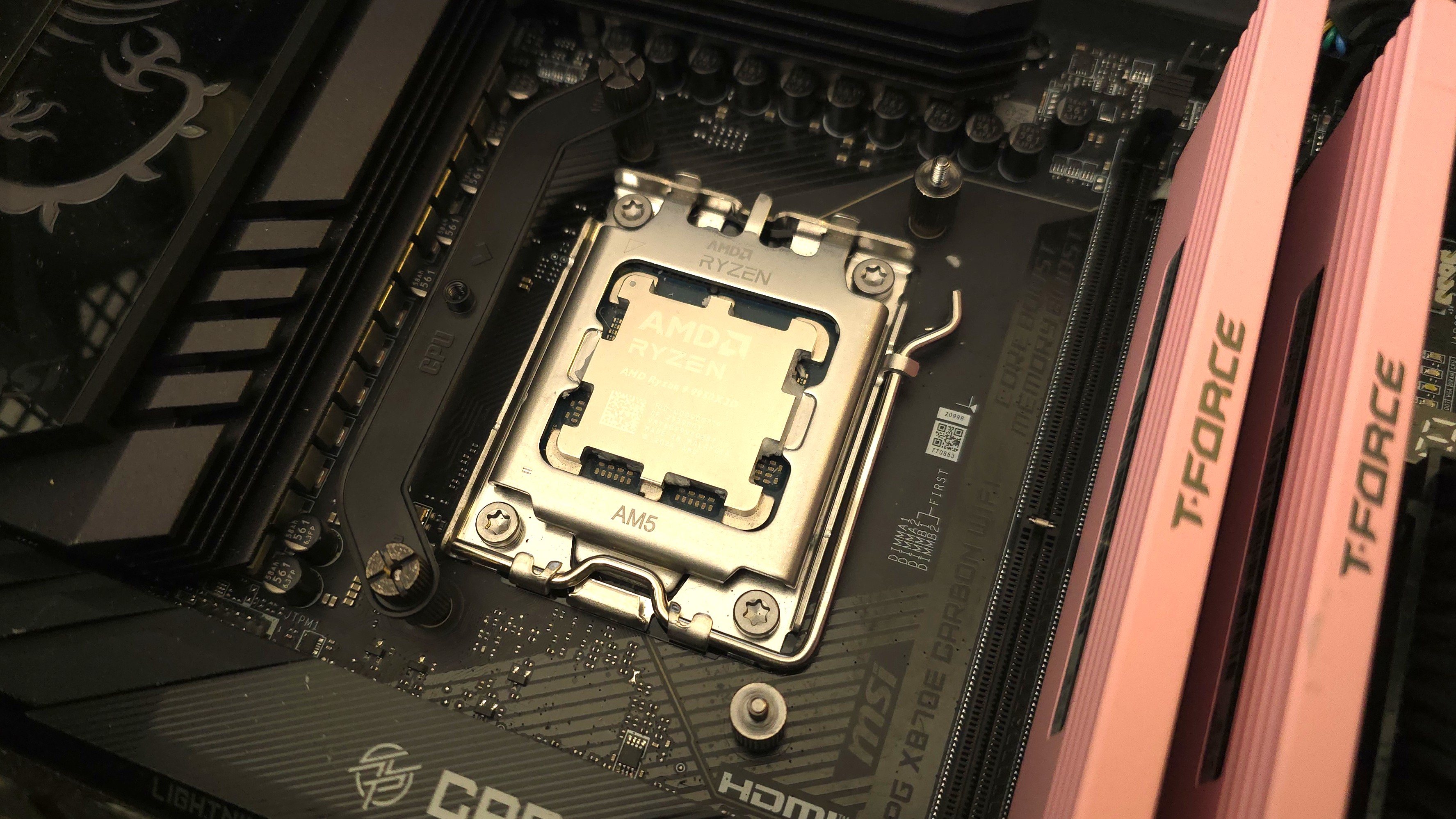
To begin putting things together, you’ll first need to remove the default AM4/5 retention bracket. Next, place the studs over the exposed holes.
(Image credit: Tom's Hardware)
Afterwards, take the mounting bars and secure them with the included screws.
(Image credit: Tom's Hardware)
It’s time to apply the thermal compound. If you’re not sure how to do that, we have a handy thermal paste application guide that covers the different methods you can use.
After thermal paste is applied, take the CPU block and press it against the mounting bars, using the built-in screws to secure it in place.
(Image credit: Tom's Hardware)
Finally, you’ll want to attach both fans by sliding them into the rail system built into the cooler, then connect their cables to the motherboard’s PWM header.
We’ve tested coolers with both the Ryzen 9950X3D and its non-V-Cache sibling, the 9950X in the past year. There are some differences in how the 9950X and 9950X3D CPUs are impacted by thermal events. While the heat output of the CCDs of AMD’s 9950X3D is relatively balanced, the 9950X I used has one CCD that runs much hotter than the other, with a difference of over 10 degrees Celsius in some scenarios, shown below.
For now we’ve returned to using a 9950X3D for cooler testing, as it has a more balanced heat profile, and is almost certainly a more widely adopted CPU. The benchmark results shared in these reviews may differ from others because I emphasize results that are comparable to real-world use. This means I generally test CPU coolers inside of a closed desktop case, which increases cooling difficulty compared to other testing methods.
Many reviewers test coolers on open test benches, which have a combination of lesser airflow needs and lowered ambient temperatures. This results in making weak coolers appear stronger than they really are. Some publications have also used generic thermal plates to test cooling solutions. I reject both of these methods because they don’t accurately reflect real-world cooler conditions.
CPU
AMD Ryzen 9 9950X3D
GPU
MSI Ventus 3X RTX 4070Ti Super
RAM
TeamGroup Diamond Rose T-Force Xtreem DDR5-7200
Motherboard
MSI X870E Carbon Wifi
Case
Tryx FLOVA F50
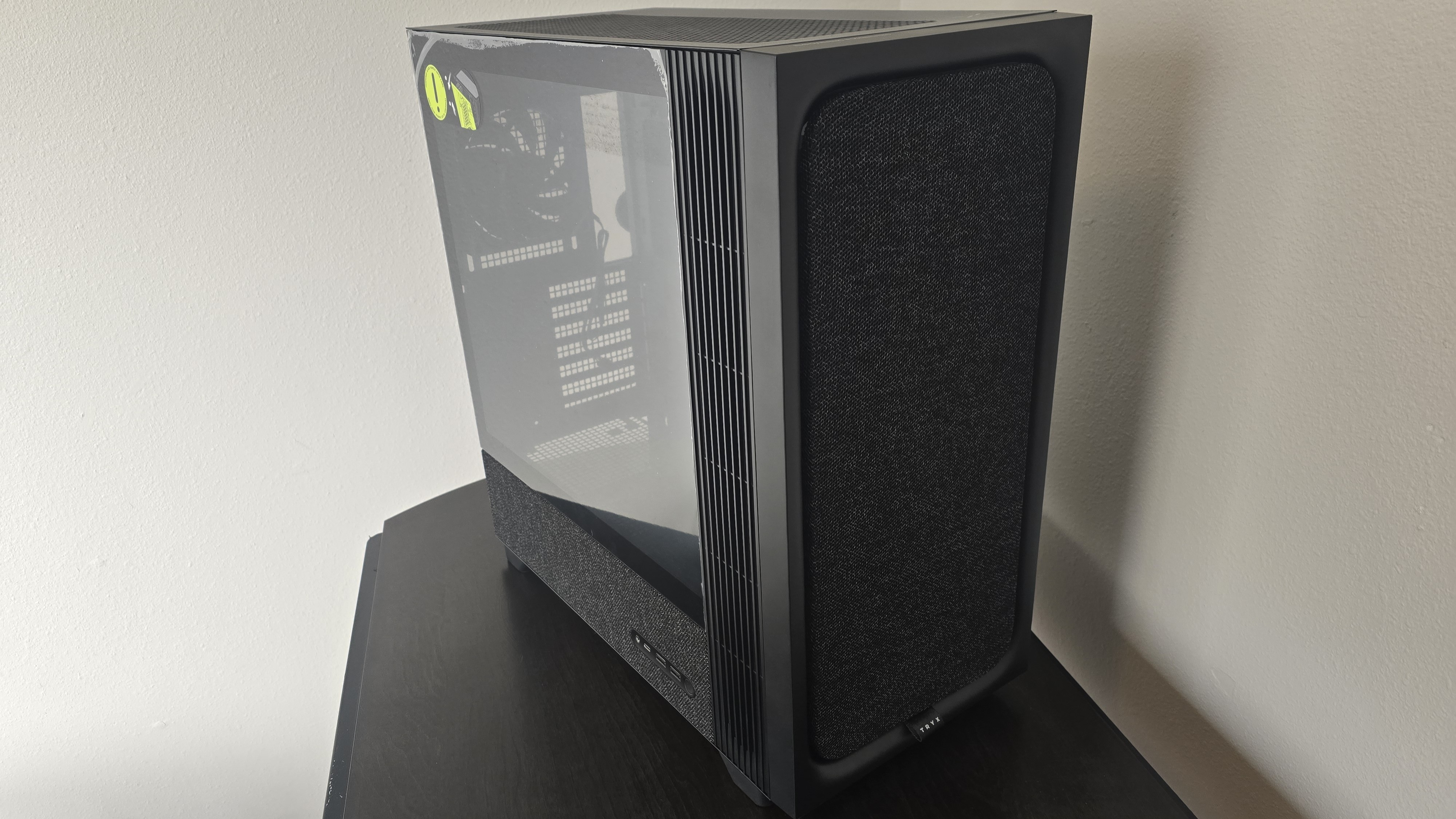
Our latest testing setup uses the FLOVA F50 computer case from Tryx.
(Image credit: Tom's Hardware)
This case features a unique “crossflow” fan that pulls air from the side, which the company claims is more effective than traditional intake fans. For air cooling tests, we’ve added a single Noctua NF-A12 G2 intake fan.
PBO Performance and maximum noise levels
We’re going to start by focusing on a traditional maximum performance test, with the CPU cooler’s fans allowed to reach their fastest speeds, for the best cooling possible.
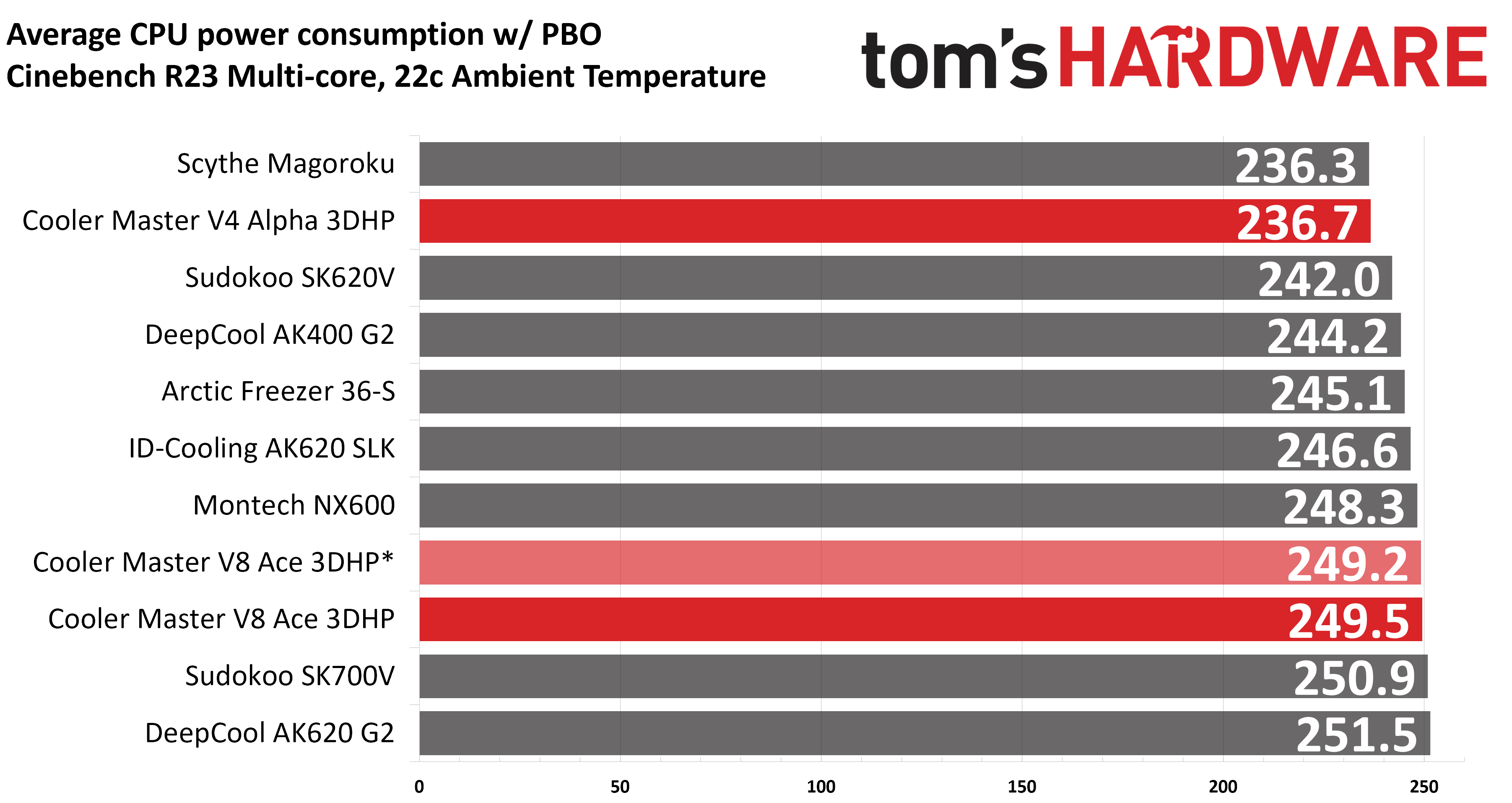
Turning on PBO allows AMD’s Ryzen 9 9950X3D to stretch its legs to an extent and consume over 260W. Enabling PBO enables high power consumption and heat output, when using MSI’s X870E Carbon Wifi motherboard the CPU will reach its TJ Max (peak temperature) of 95 degrees Celsius (203 Fahrenheit) and thermally throttle to some extent with most coolers. When this throttling occurs, I’ve measured the average power consumption to determine performance.
(Image credit: Tom's Hardware)
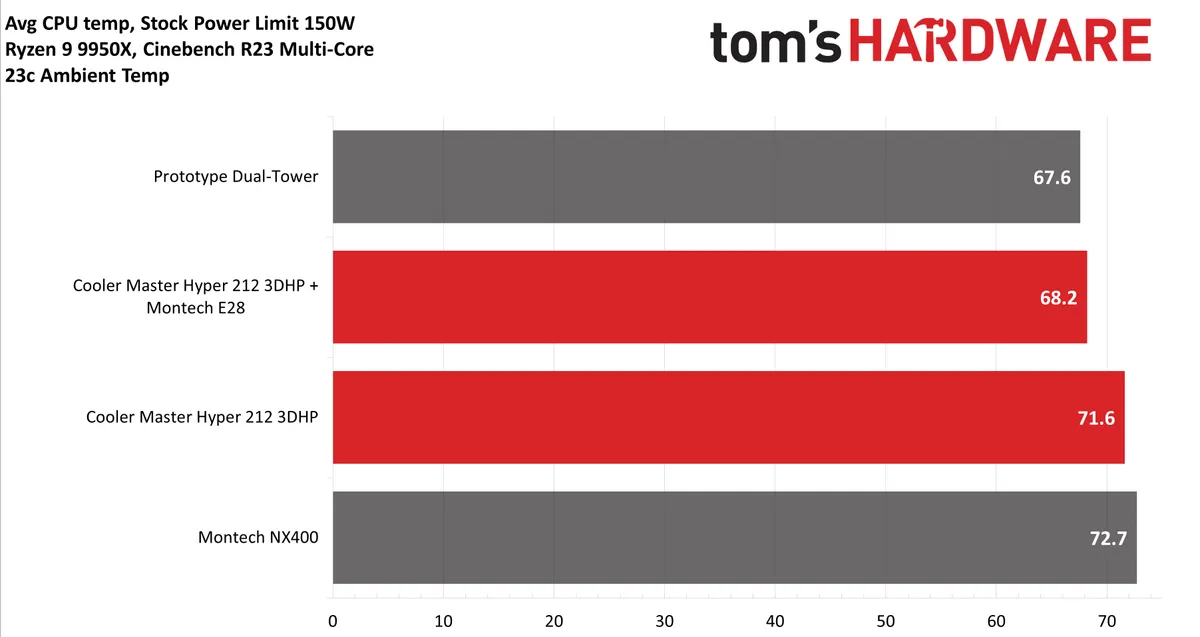
You’ll notice there are two results for Cooler Master’s V8 Ace 3DHP, one marked with an asterisk. I wanted to include a test to see if there’s any point to using stronger or more powerful fans. When we tested the first iteration of Cooler Master’s 3DHP technology in the Hyper 212 3DHP, replacing the default fans with Montech’s flagship E28 fans resulted in ~5% better thermal performance.
Fortunately, the fans included with the V8 are strong enough to extract the maximum thermal potential of the 3DHP technology – the results are basically on par with the best coolers on the market.
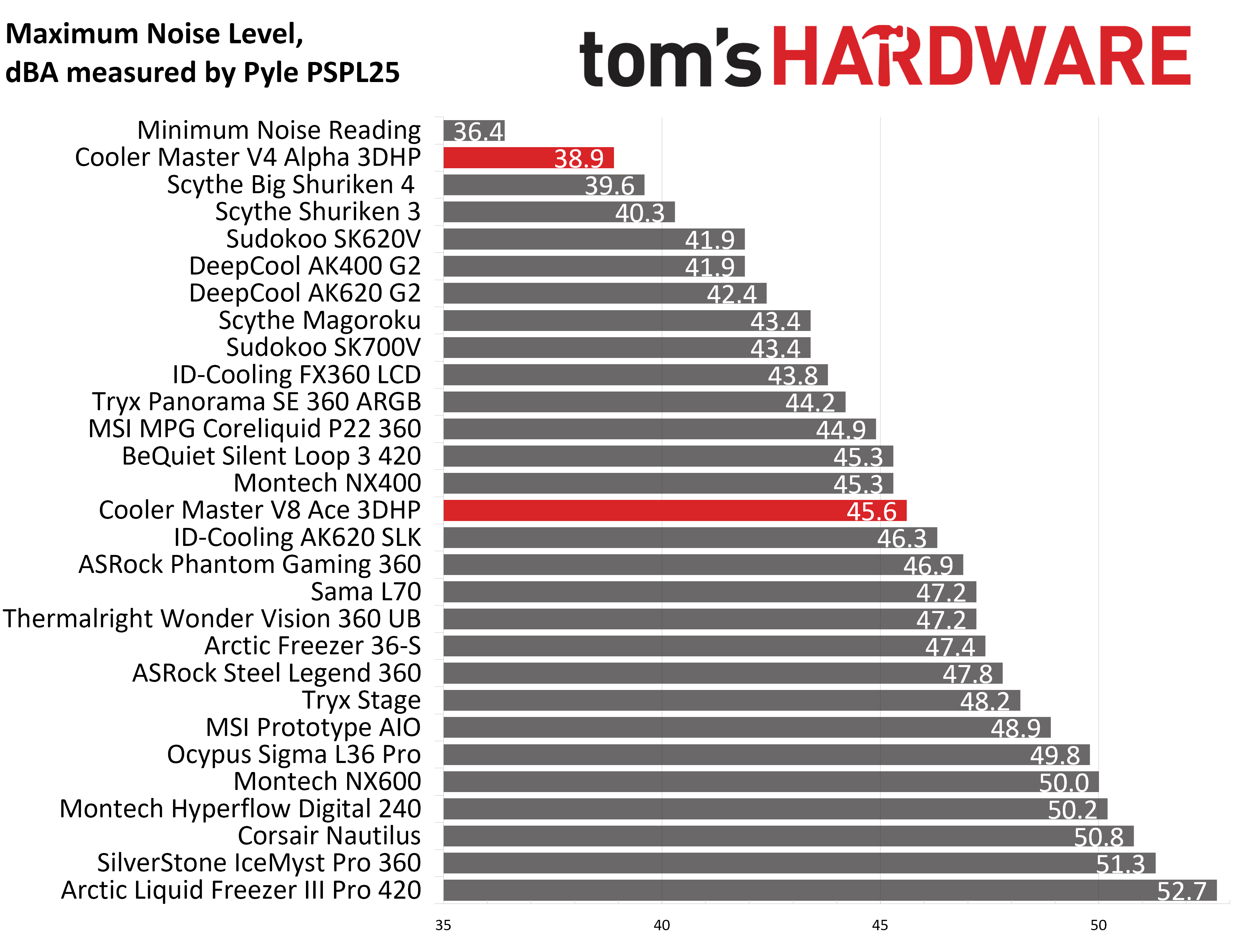
The included fans are also a bit different than your average 120x25mm PC fan, measuring 30mm thick. At 45.6 dBA, their maximum noise level is audible, but those who prefer silence will be satisfied with our noise-normalized results.
The V4 Alpha’s thermal performance might not seem impressive at first glance, until you consider its noise level. Measuring at a maximum of 38.9 dBA, it is the quietest cooler we’ve tested in over a year.
(Image credit: Tom's Hardware)
200W thermal benchmarks
For the next thermal test, I leave the motherboard settings at their defaults, which results in a power limit of 200W when running Cinebench R23.
(Image credit: Tom's Hardware)
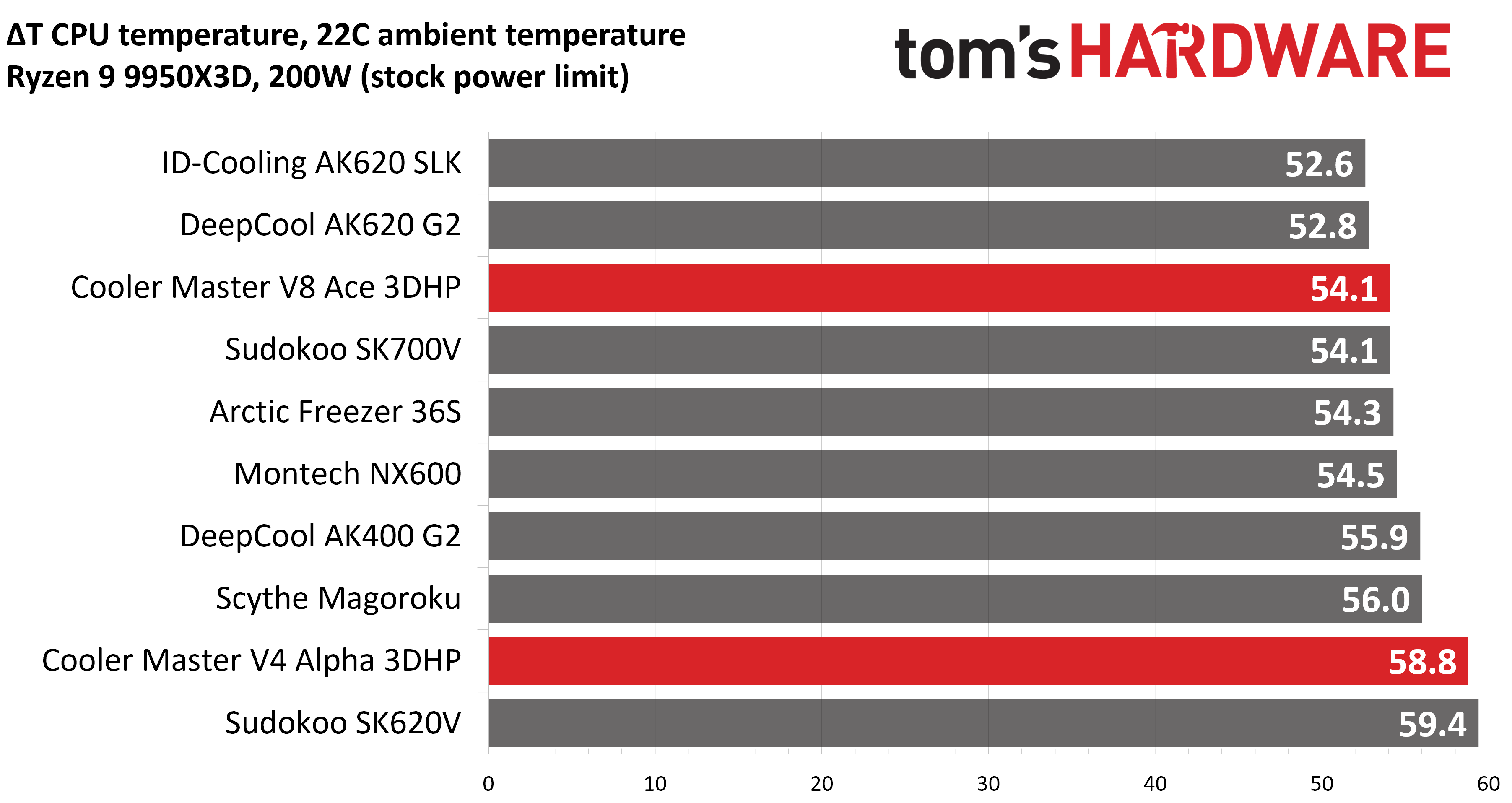
Thermal results in this scenario were similar to our first test, with Cooler Master’s V8 Ace taking second place. The V4 Alpha’s results were on the low end of our charts, but that’s more or less to be expected with its quiet, low-power fans.
150W + GPU thermal results
Our next test runs Cinebench on the CPU with a 150W power limit, while also running Furmark on MSI’s RTX 4070 Ti Super Ventus 3x OC. This causes the GPU to consume ~295W of power. This test is designed to emulate the thermals of games, which primarily stress the CPU and GPU.
(Image credit: Tom's Hardware)
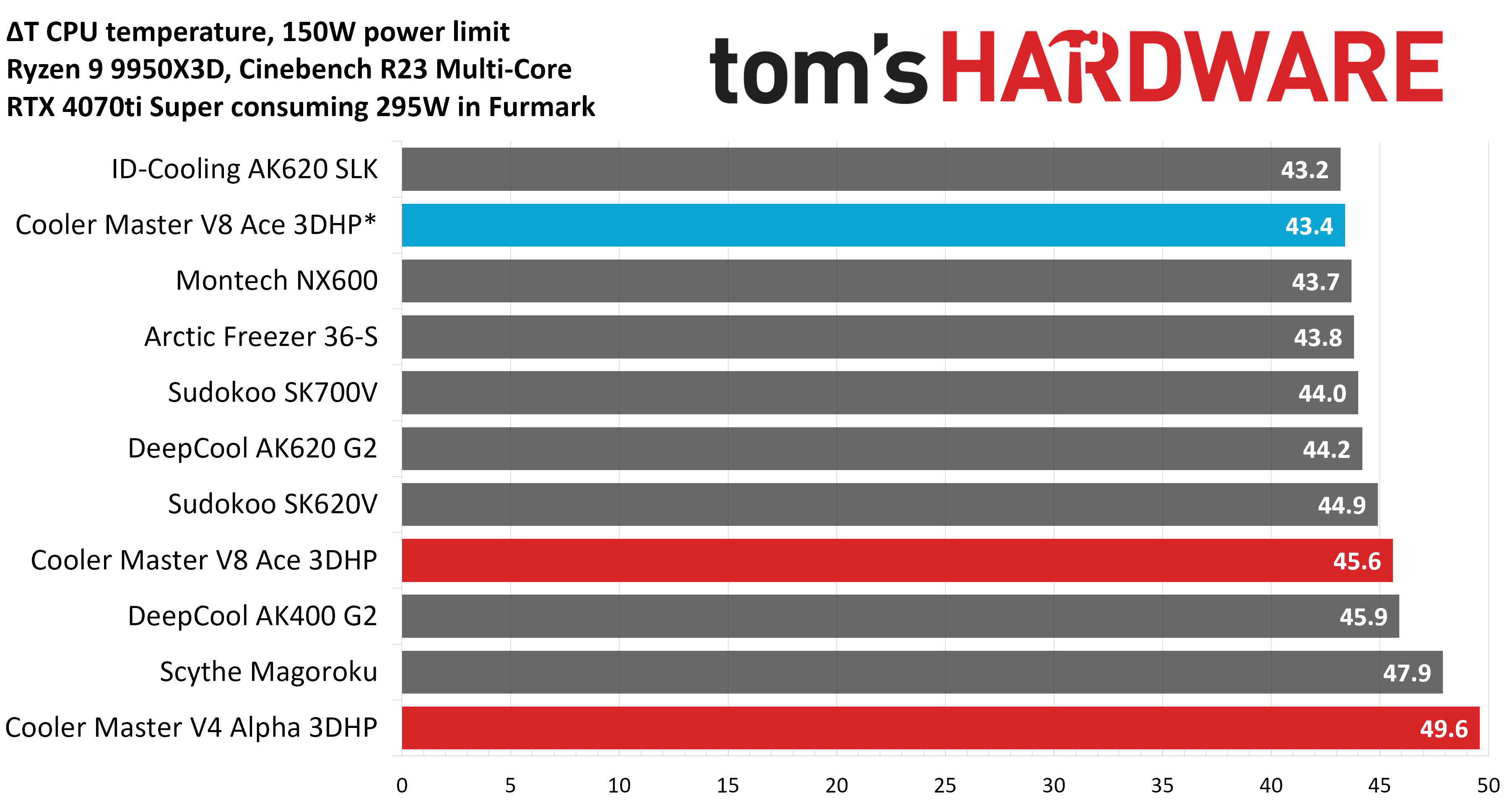
You’ll see there are two results for Cooler Master’s V8 Ace: the result in blue was obtained after pairing the heatsink with Montech’s flagship E28 fans, which are extremely strong. The result in red was testing performed with the default fans included.
This test highlights the one “weakness” of Cooler Master’s 3DHP lineup – the reduced fin area results in worse thermal results when the internal temperature of the computer case is higher, such as you’d see in warmer environments or when your GPU is being fully utilized (like in gaming.)
Noise-normalized testing
Most testing is performed with the cooler tied to the default fan curve of our MSI X870E Carbon motherboard, but some of y’all prefer to see tests when the noise levels of coolers are equalized. This is especially important to those of you who prefer silent computers. This next test has the CPU cooler noise-normalized to 38.9 dBA, with PBO enabled for the Ryzen 9 9950X3D CPU.
This test is especially difficult because in addition to the reduced noise from the CPU cooler, our current test bench’s system fans are configured to run extremely silently, below the floor of the noise meter I use to measure dBA.
(Image credit: Tom's Hardware)
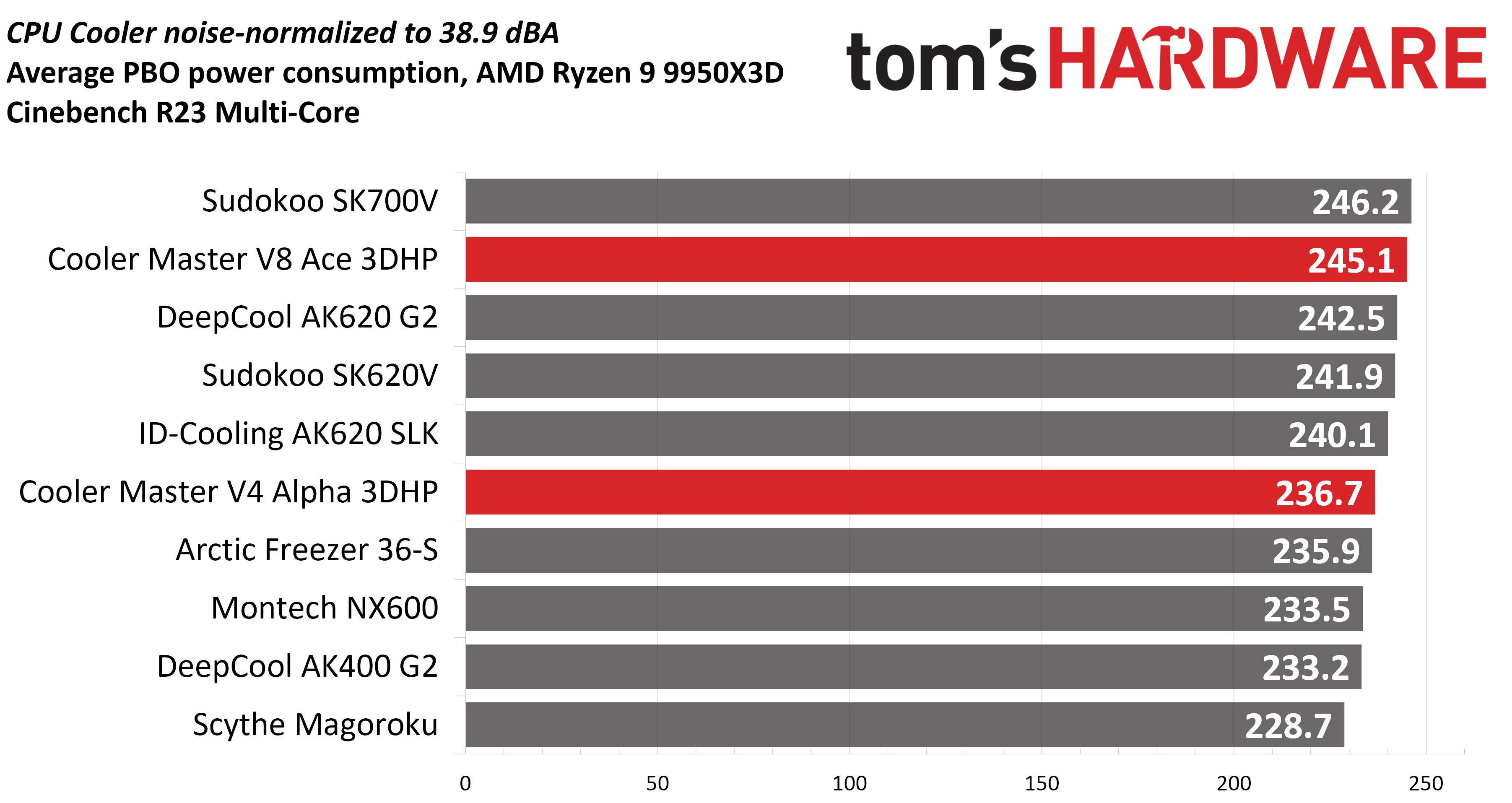
Most coolers can’t keep the CPU from reaching its peak temperature (TJ Max) in this stress test. Cooler Master’s V8 Ace did especially well here, with the second-best result we’ve ever recorded. The V4 Alpha’s results aren’t as impressive at first glance, until you remember that it is powered by only two heatpipes – it outperforms other coolers with four to six heatpipes!
Karhu DDR5 RAM thermals testing!
Your CPU cooler does not operate in isolation. It has an impact on not just your CPU’s temperatures, but also the other components in your build, like your RAM and GPU. To that end, I’ve run the Karhu RAM stress test. This places a load of ~153W on the CPU and ensures system RAM (DDR5 in my case) is fully stable. In this type of scenario, most AIOs tend to produce worse results than air coolers.
(Image credit: Tom's Hardware)
Both of Cooler Master’s 3DHP coolers performed exceptionally well in this RAM thermal test. The V8 Ace outperformed all competing dual-tower air coolers, and the V4 Alpha tied with Arctic’s Freezer 36-S for the best results we’ve seen that don’t include a dedicated RAM fan!
Conclusion
(Image credit: Tom's Hardware)
Cooler Master’s V8 Ace is an engineering masterpiece, using two 3D heatpipes and four standard copper heatpipes, combined with a single-tower heatsink to deliver thermal performance that beats most dual-tower heatsinks with eight heatpipes. Installation is simple, and noise levels are reasonable.
There’s not much more you could want in a cooler – except for a lower price. But as with all new cutting-edge technology, there’s an early adopter tax with a price tag of $119.99 for the V8 Ace. If you’re looking for a similarly powerful cooler with a lower price tag, I’d recommend Thermalright’s Royal Pretor 130. Alternatively, if you want a less-powerful, more-affordable option that incorporates Cooler Master’s three-pronged heatpipe tech, the Hyper 212 3DHP also impressed us in testing, and costs around $25. And of course there's the middle-ground V4 Alpha, which we also tested here and found to be one of the quietest air coolers you can buy. That model has a list price of $49, but was selling for $44 at Amazon when this was published.
I look forward to testing future products as Cooler Master continues to refine and improve its 3DHP manufacturing processes. I can imagine a future iteration of this technology will empower an air cooler stronger than anything previously possible.
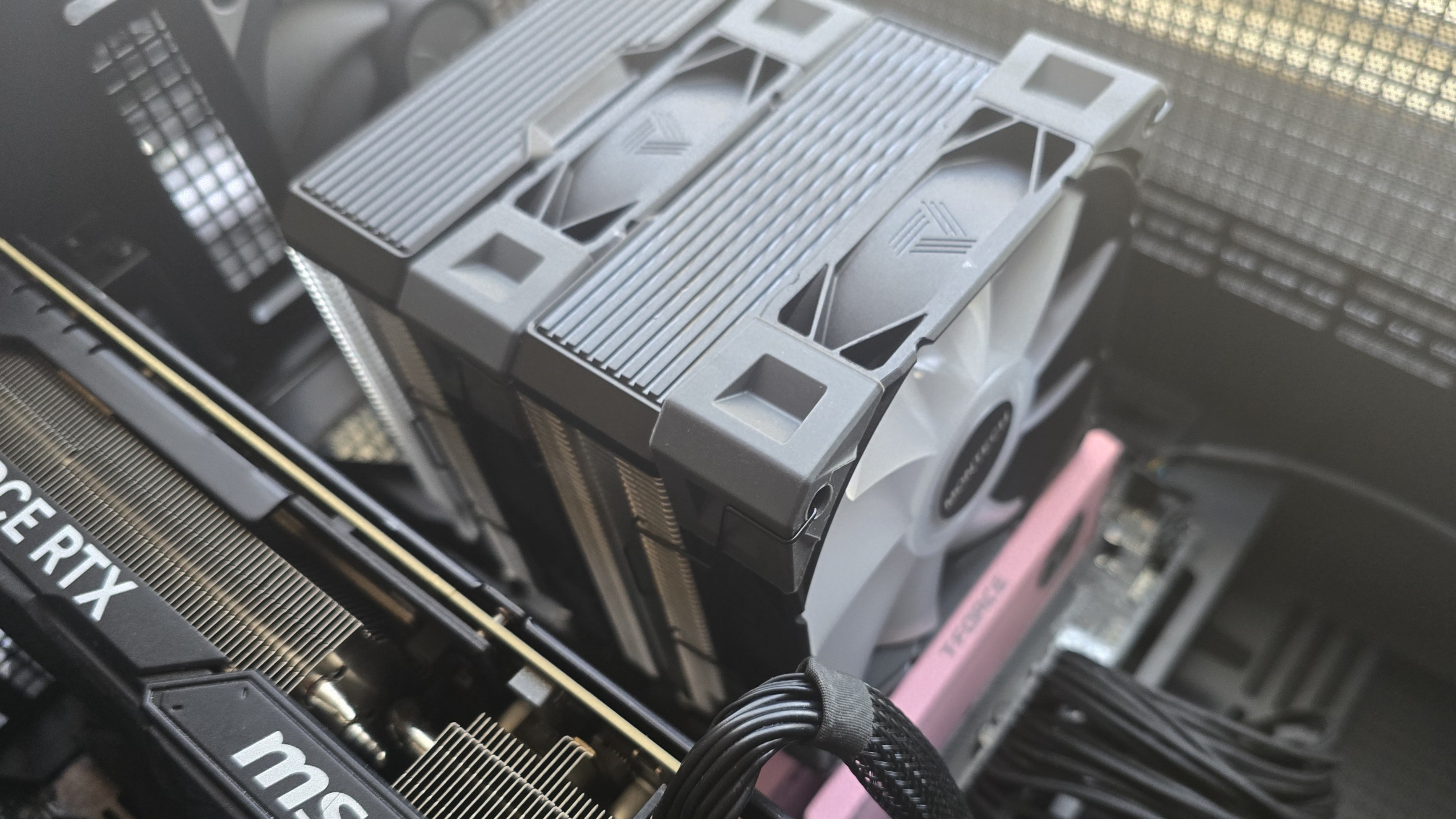
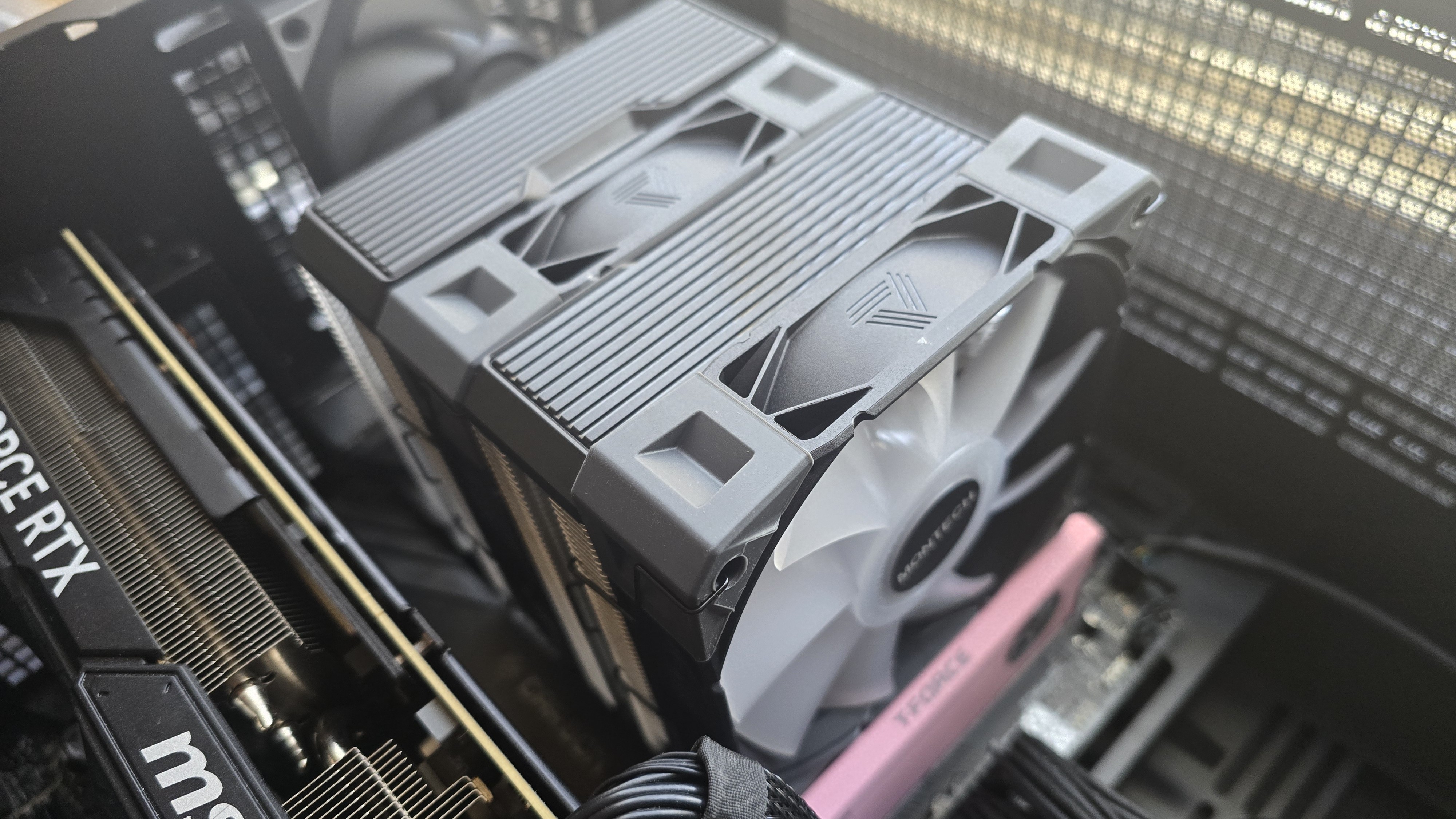
The latest CPU cooler air cooler from Taiwanese manufacturer Montech PC is the NX600, a budget air cooler that incorporates six copper heatpipes to transfer heat from the CPU to the fin plates.
What sets the NX600 apart from the competition is the inclusion of two high-performance, thick E28 fans. And the price is right, at less than $30, which makes the purchase arguably worth it even if you’re only interested in the fans (and not the heatsink).
(Image credit: Tom's Hardware)
Let's take a look at the specifications and features of the cooler, then we’ll go over thermal and noise benchmarks so you can decide if the NX-600 deserves to make our list of the best CPU coolers.
Cooler specifications
Cooler
Montech NX600
Colors
Silver/Black, White
MSRP
$29.90 for standard model
$34.90 for ARGB models
Lighting
Non-ARGB and ARGB versions are available
Warranty
1 year
Socket Compatibility
AMD AM5, Intel 1700/1851/1200/115x
Heatsink dimensions
160 (L) x 132.5 (W) x 120mm (H)
Maximum TDP (Our Testing)
>248W with AMD’s Ryzen 9 9950X3D
Features of Montech’s NX600 air cooler
● Dual-tower heatsink with six heatpipes
(Image credit: Tom's Hardware)
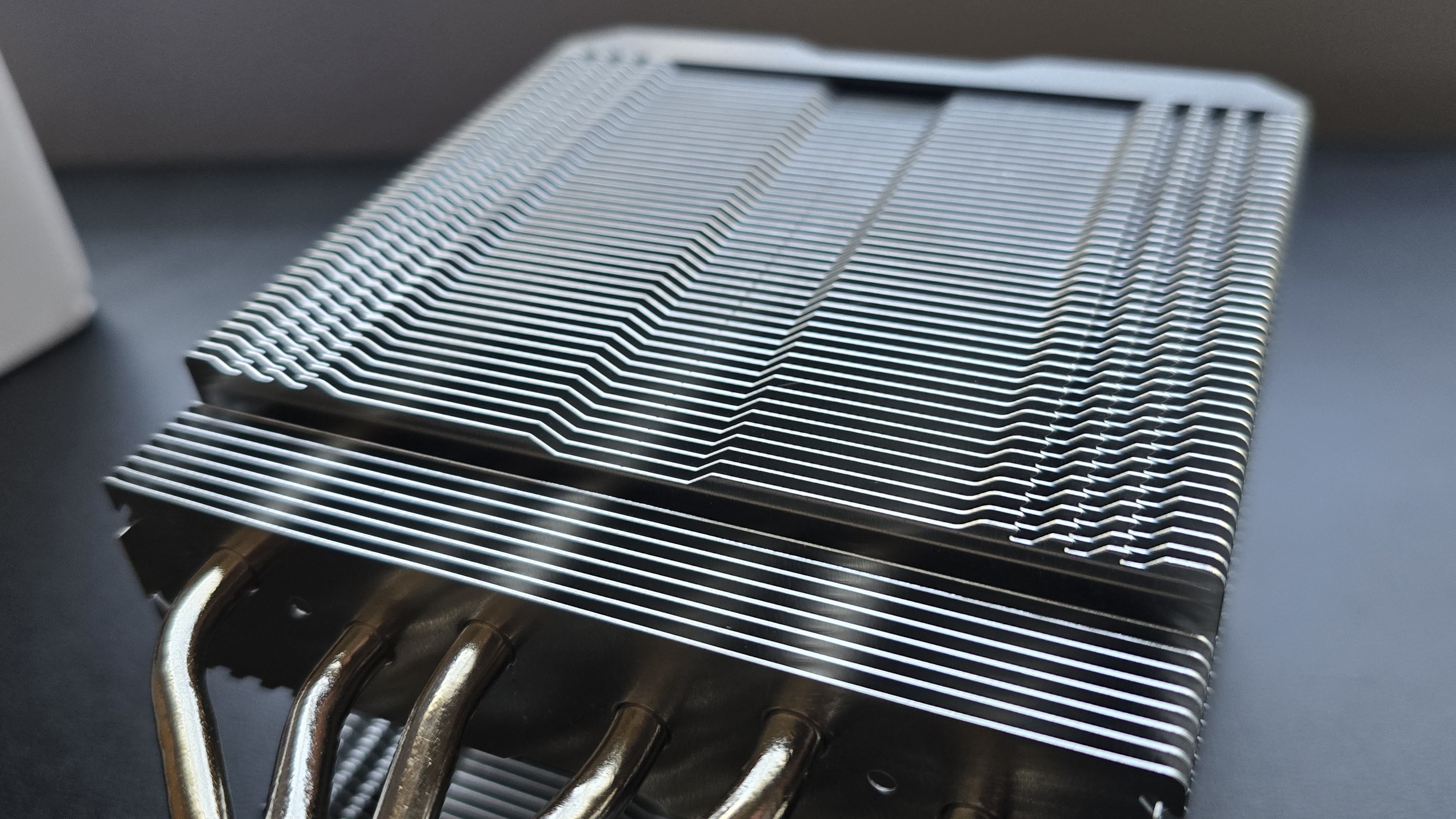
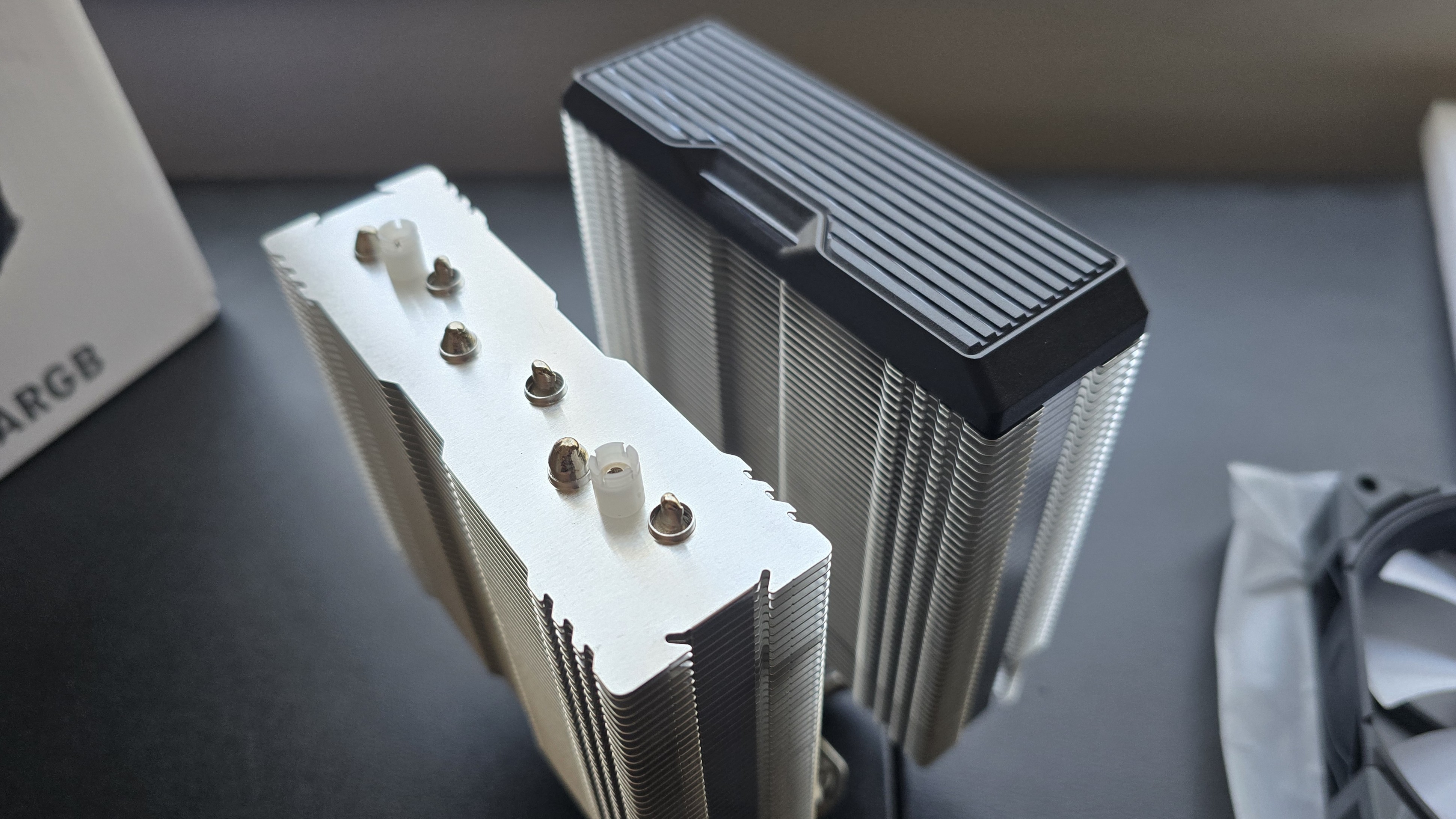
Six copper heatpipes transfer heat from the CPU contact plate to the fins of the heatsink. The heatsink features serrated edges – an engineering choice which generally results in lower noise from turbulence as air enters and exits the fin stack. There are interlocking “zipper” tabs on the sides of the fins, which improve structural rigidity and prevent the plates from squishing together to ensure proper airflow.
(Image credit: Tom's Hardware)
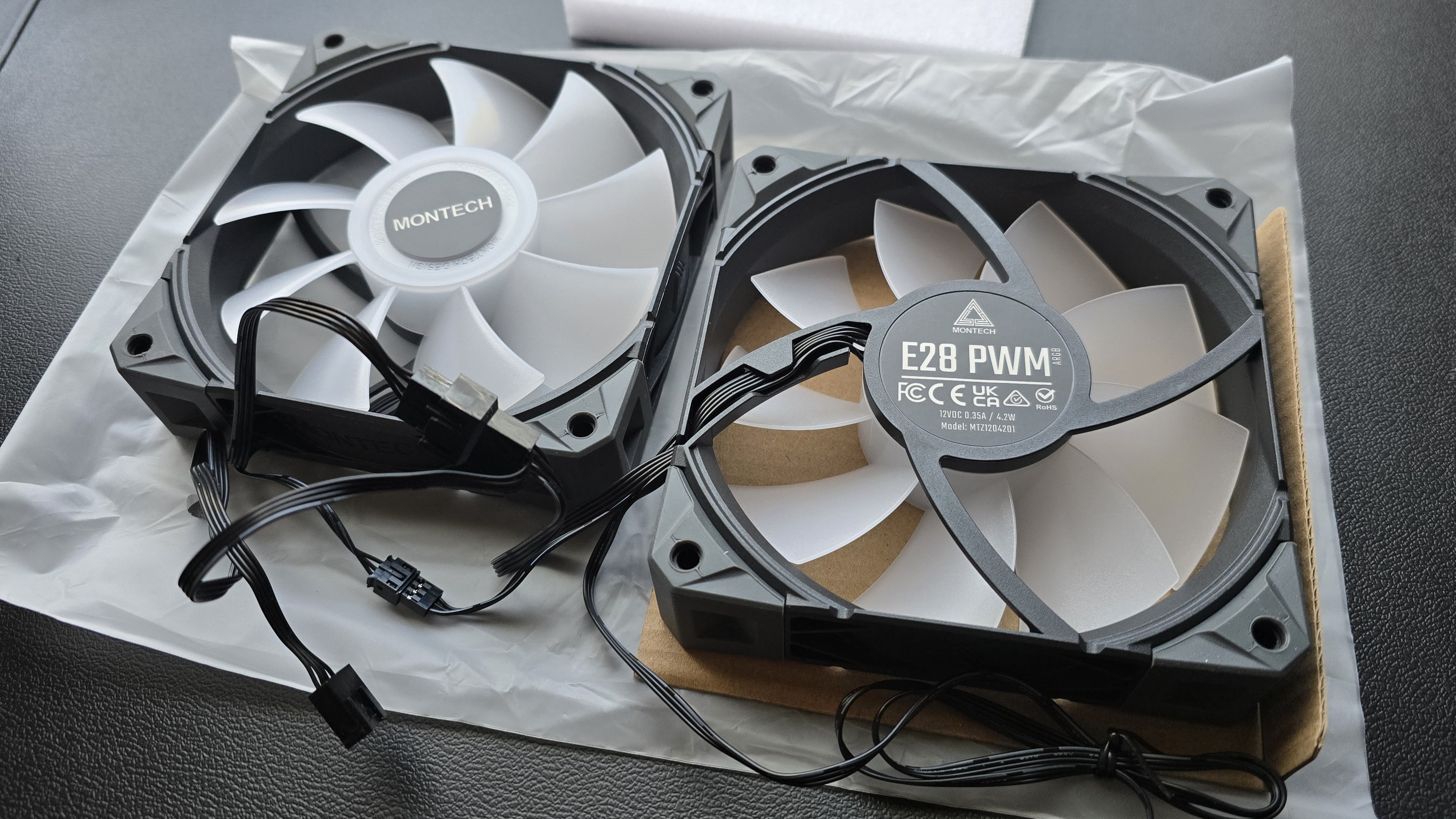
● Dual 120mm E28 performance fans
(Image credit: Tom's Hardware)
There’s more to a cooler than just the heatsink. The included fans directly impact on noise levels and cooling performance. The E28 fans are especially powerful, as we discovered in our review of Cooler Master’s Hyper 212 3DHP – dropping temperatures by over 3 degrees C compared to the default fan included with the 3DHP air cooler!
(Image credit: Tom's Hardware)
● Color scheme options
(Image credit: Tom's Hardware)
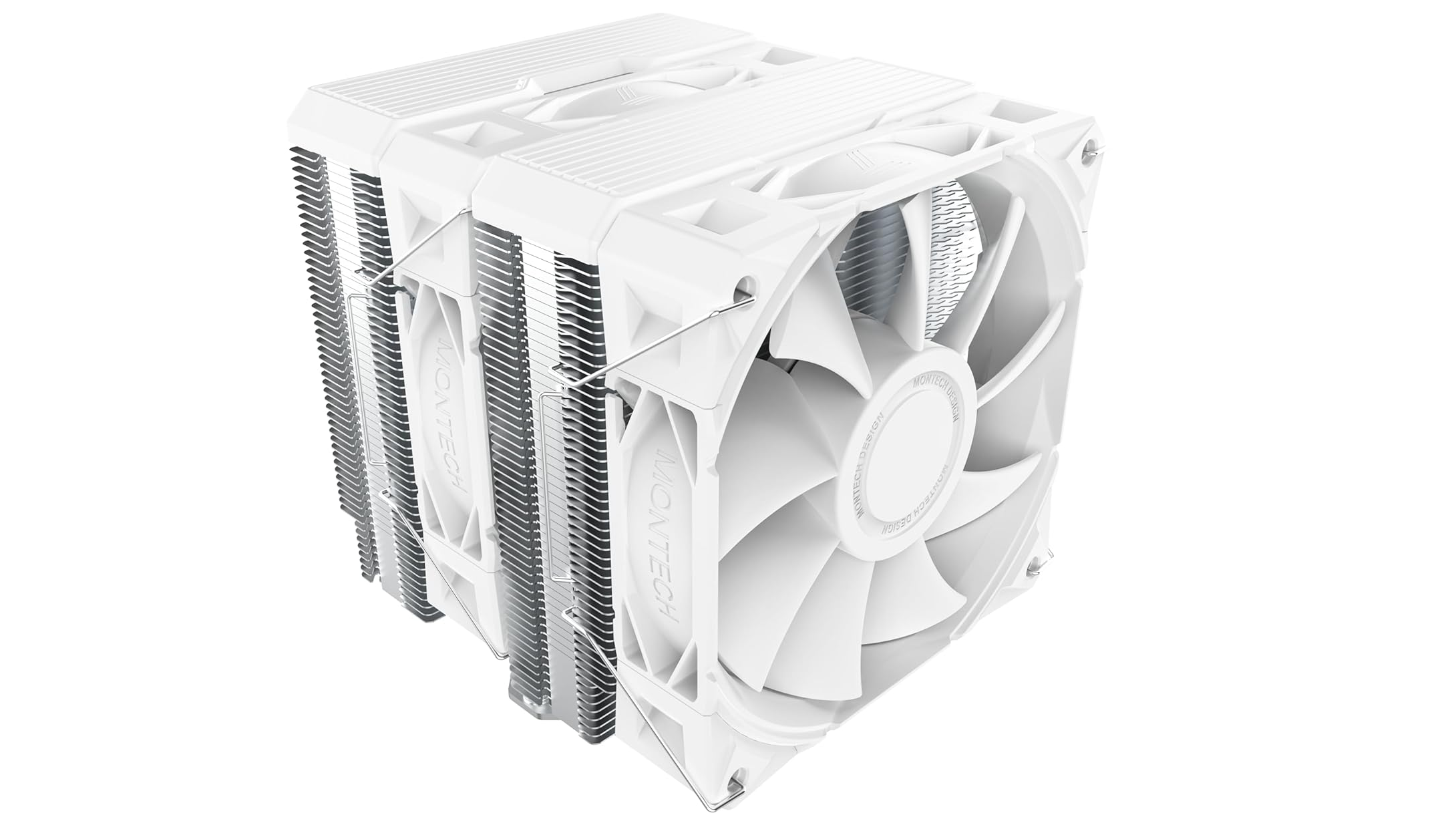
The color scheme of the NX600 model included in this review is black, grey, and silver, which might appeal to users who prefer old-school designs. There’s also a white option, shown below. ARGB and non-ARGB fan options are available with both heatsink designs, for about $5 more.
(Image credit: Monotech)
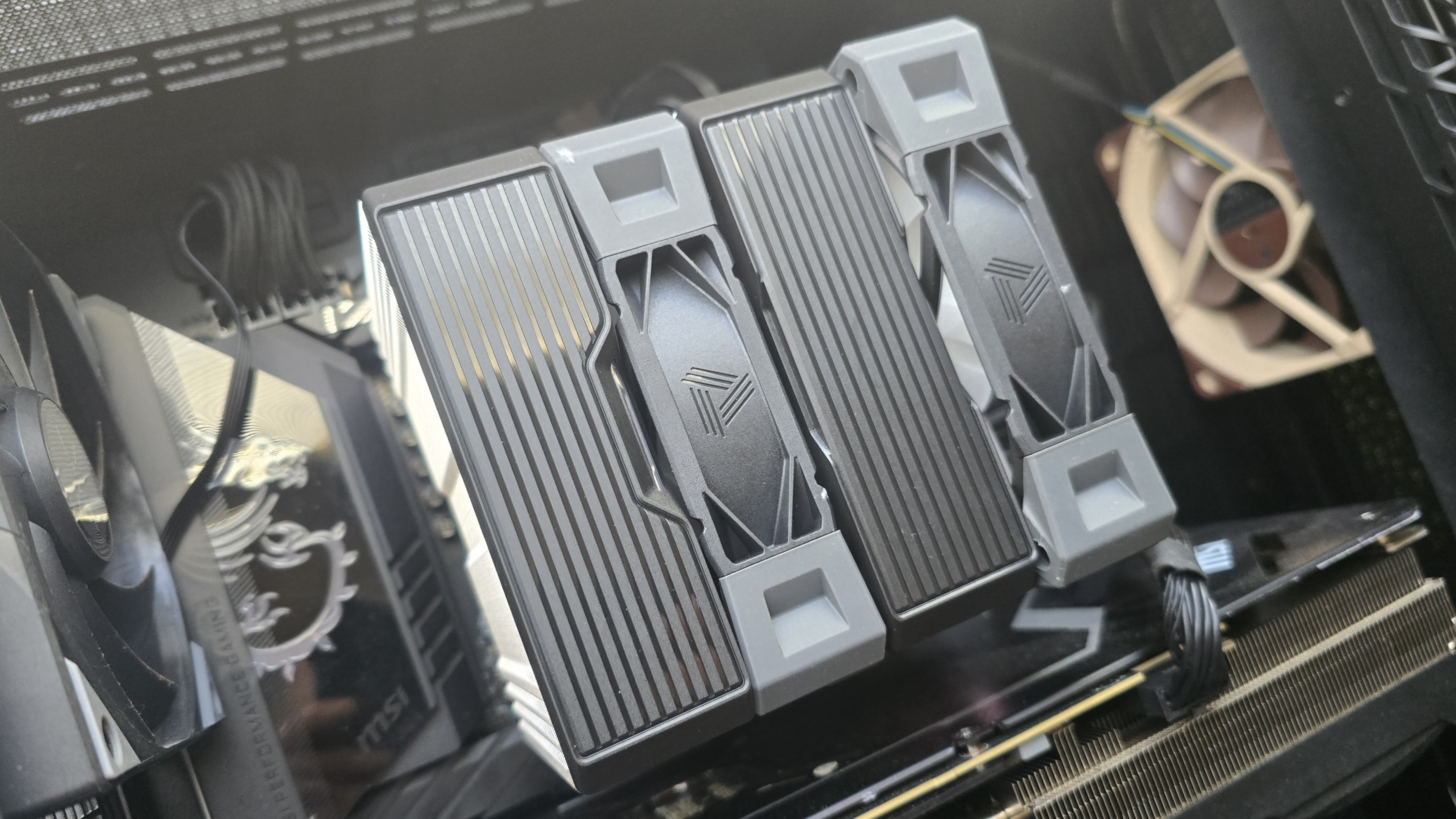
The top covers of the heatsink are mainly decorative, and can be removed if you so desire – as shown in the picture below.
(Image credit: Tom's Hardware)
● RAM Clearance
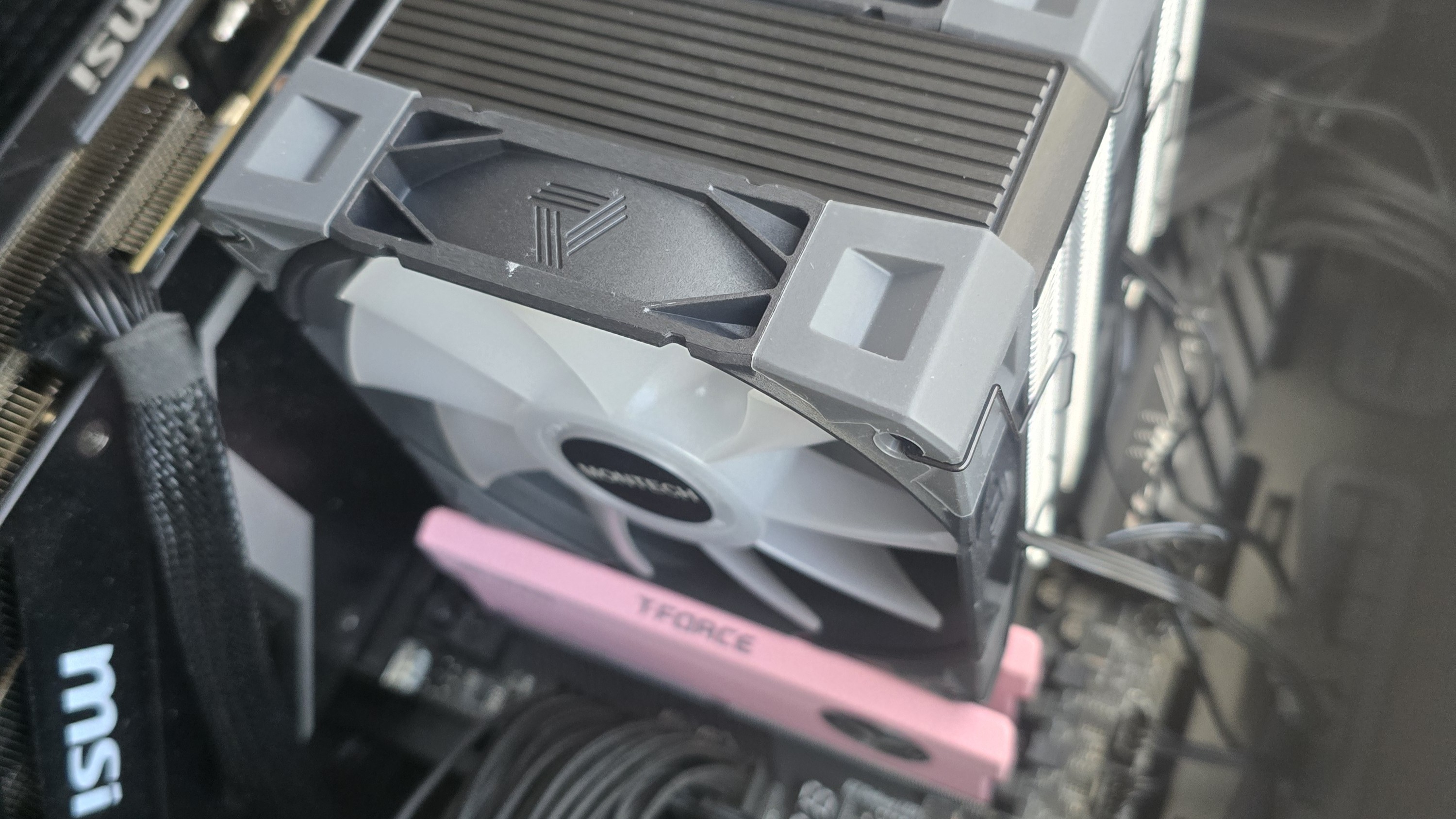
Standard-height DDR5 sticks 40mm tall fit well under the NX600 with the E28 fans installed, but taller sticks won’t fit perfectly underneath. Our current CPU cooler test bench incorporates TeamGroup’s Sakura Rose T-Force Xtreem DDR5-7200 sticks, 48.8mm (1.92 inches) tall.
Tom's HardwareTom's Hardware
If you also use taller RAM DIMMs, you’ll have to raise the intake fan’s placement by a few millimeters for things to fit properly. This might result in slightly lower cooling performance in certain scenarios, particularly those where the fans’ speeds are limited to ensure lower noise levels.
● Packaging
(Image credit: Tom's Hardware)
The heatsink towers are protected by soft coverings and foam inserts, with the fans and accessories packaged in cardboard. Included in the package are the dual-tower heatsink, two high-performance E28 fans, mounting hardware for Intel and AMD platforms, fan clips, and a small tube of thermal paste.
(Image credit: Tom's Hardware)
● AM5 Installation
You’ll need to first remove the default AM4/5 retention mechanism and then place the mounting studs around the exposed screw holes.
(Image credit: Tom's Hardware)
The next step is to place the mounting bars on top of the studs, securing them with the included screws.
(Image credit: Tom's Hardware)
Then, apply Montech’s thermal paste. If you’re not sure how to do that, we have a hadny thermal paste application guide that covers the different methods you can use. Afterwards, place the heatsink tower against the CPU and mounting bars, and use a screwdriver to secure it.
(Image credit: Tom's Hardware)
Once the heatsink is secured, attach the high-performance E28 fans to the cooling tower with the included clips. Lastly, connect the PWM and (optional) ARGB cables of the fans to the corresponding headers of your motherboard.
We’ve tested coolers with both the Ryzen 9950X3D and its non-V-Cache sibling, the 9950X. There are some differences in how the 9950X and 9950X3D CPUs are impacted by thermal events. While the heat output of the CCDs of AMD’s 9950X3D is relatively balanced, the 9950X I used has one CCD that runs much hotter than the other, with a difference of over 10 degrees Celsius in some scenarios, shown below.
(Image credit: Tom's Hardware)
We’ve since returned to using a 9950X3D for cooler testing, as it has a more balanced heat profile, and is almost certainly a more widely adopted CPU.
The benchmark results shared in these reviews may differ from others because I emphasize results that are comparable to real-world use. This means I generally test CPU coolers inside of a closed desktop case, which increases cooling difficulty compared to other testing methods.
Many reviewers test coolers on an open test benches, which have a combination of lesser airflow needs and lowered ambient temperatures. This results in making weak coolers appear stronger than they really are. Some publications have also used generic thermal plates to test cooling solutions. I reject both of these methods because they don’t accurately reflect real-world cooler conditions.
CPU
AMD Ryzen 9 9950X3D
GPU
MSI Ventus 3X RTX 4070Ti Super
RAM
TeamGroup Diamond Rose T-Force Xtreem DDR5-7200
Motherboard
MSI X870E Carbon Wifi
Case
Tryx FLOVA F50
Our latest testing setup uses the FLOVA F50 computer case from Tryx.
(Image credit: Tom's Hardware)
This case features a unique “crossflow” fan that pulls air from the side, which the company claims is more effective than traditional intake fans. For air cooling tests, we’ve added a single Noctua NF-A12 G2 intake fan.
(Image credit: Tom's Hardware)
PBO Performance and maximum noise levels
We’re going to start this review’s benchmark section by focusing on a traditional maximum performance test, with the CPU cooler’s fans allowed to reach their fastest speeds, for the best cooling possible.
Turning on PBO allows AMD’s Ryzen 9 9950X3D to stretch its legs to an extent, and all air coolers I have tested with PBO enabled using MSI’s X870E Carbon Wifi motherboard reach the maximum CPU temperature of 95 degrees C (203 F) and thermally throttle to some extent.
(Image credit: Tom's Hardware)
Results from the liquid coolers we’ve recently tested aren’t shown above because they are able to keep AMD’s Ryzen 9 9950X3D under TJ Max – and as such, power consumption figures aren’t quite comparable.
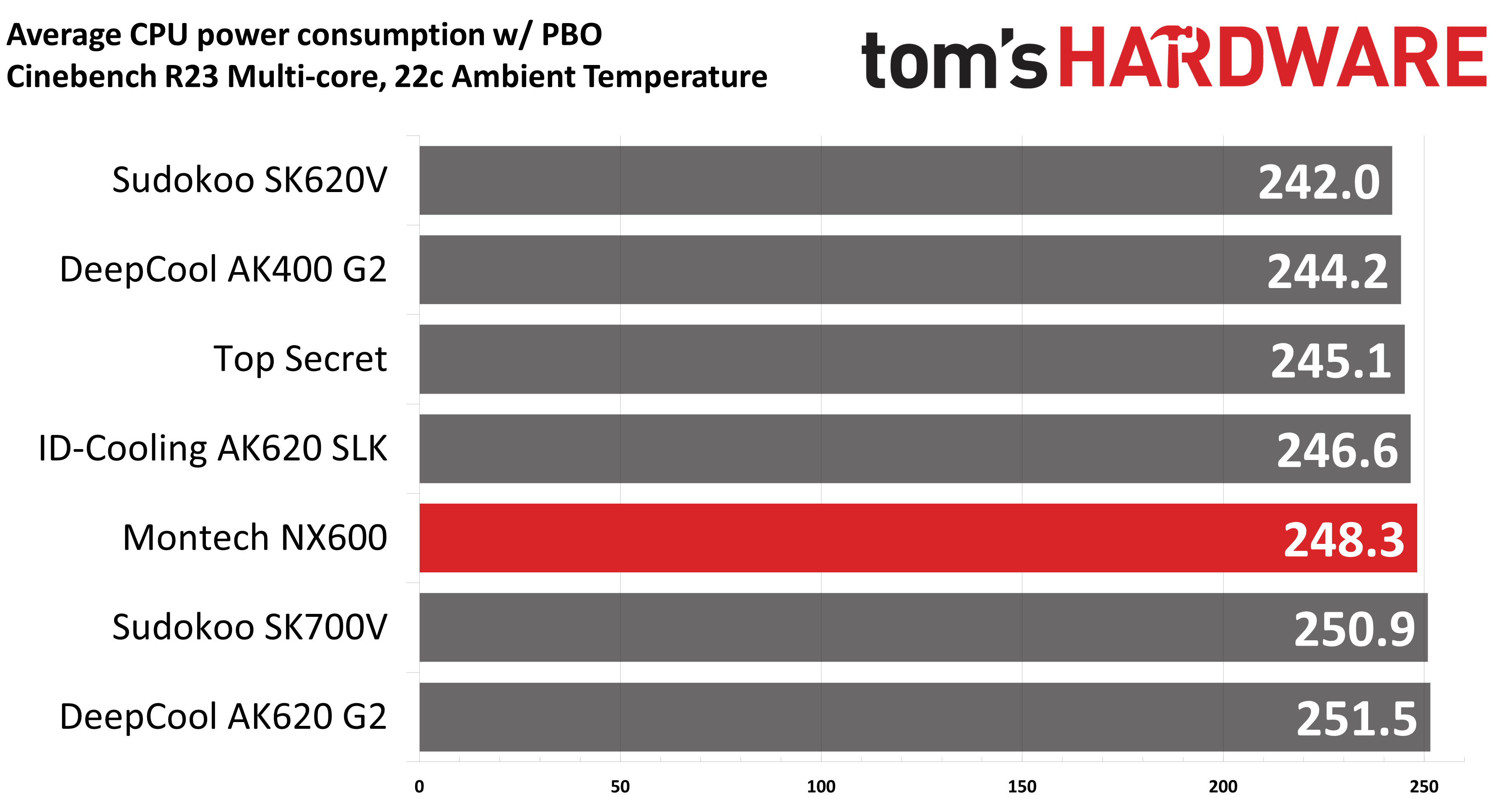
Montech’s NX600 does fairly well in this test. While it is technically beaten by Sudokoo’s SK700V & DeepCool’s AK620 G2, it only falls behind by a few watts. This means benchmarks will basically be the same, as any scaling gained from raising power consumption to 251W (compared to 248W) would be so small as to be irrelevant.
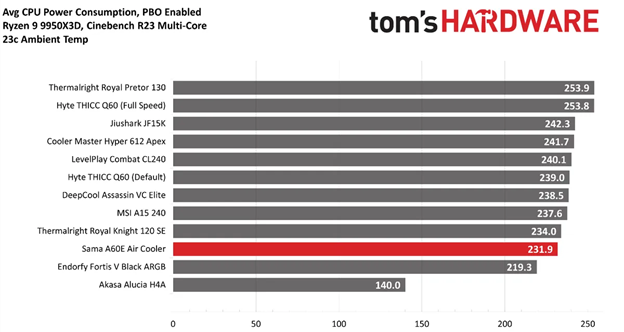
To give a wider variety of comparison examples, I’ve included a chart of the same tests from our last AMD Ryzen 9 9950X3D cooling test bench. But keep in mind these results aren’t 100% comparable, due to a different case and fans being used. Our newest test bench used for this and other recent reviews incorporates a Tryx crossblade intake fan as well as a single Noctua NF-A12 G2 intake fan, which results in better air cooling performance.
(Image credit: Tom's Hardware)
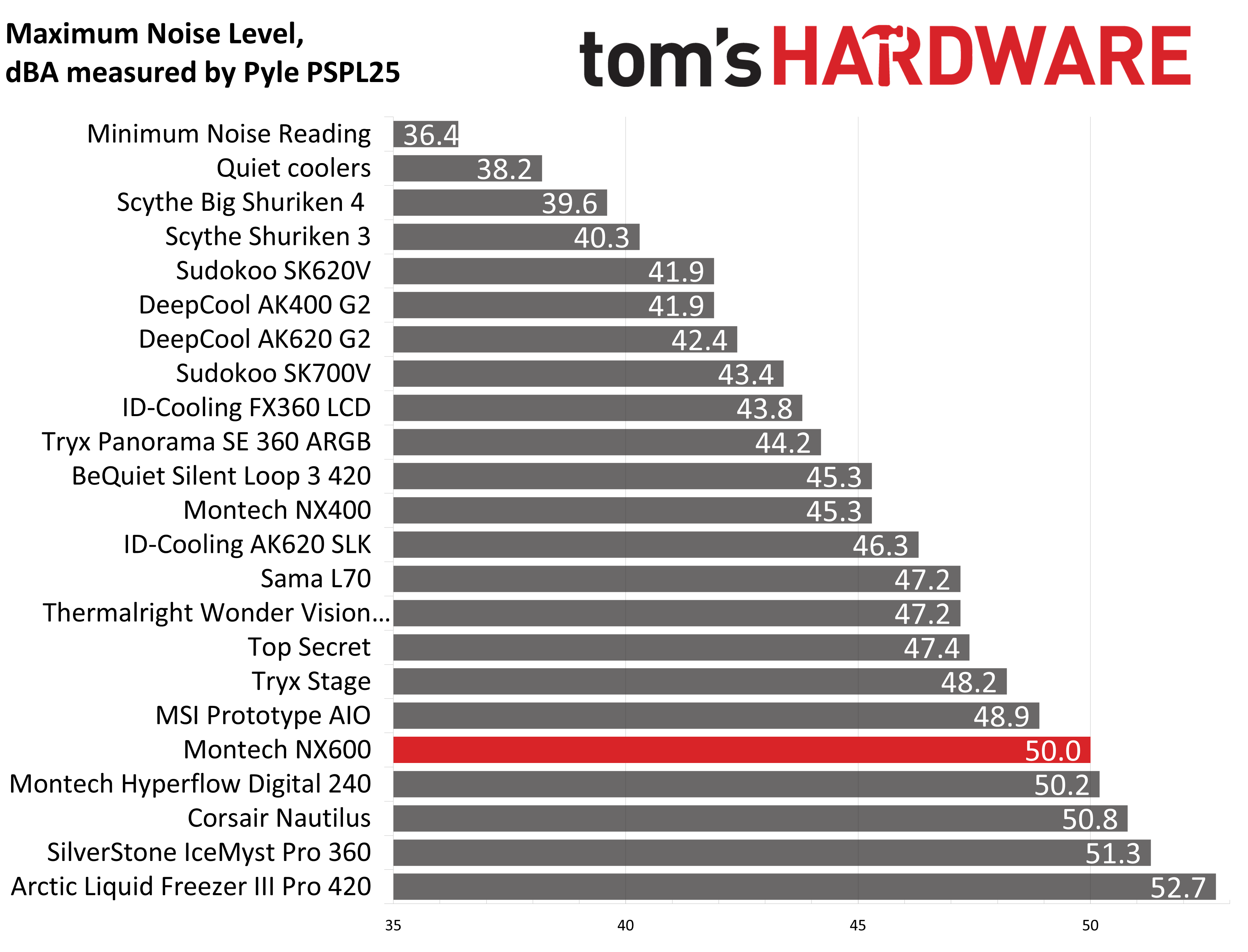
Montech’s NX600 performs well, but a large part of that comes from the inclusion of its flagship E28 fans, which are a bit overpowered compared to the included dual-tower heatsink. As such, at full fan speeds, this cooler does not run at all quietly – with a measurement of 50dBA, it is the loudest air cooler I’ve ever tested.
(Image credit: Tom's Hardware)
200W thermal benchmarks
For the next thermal test, I leave the motherboard settings at their defaults, which results in a power limit of 200W when running Cinebench R23.
(Image credit: Tom's Hardware)
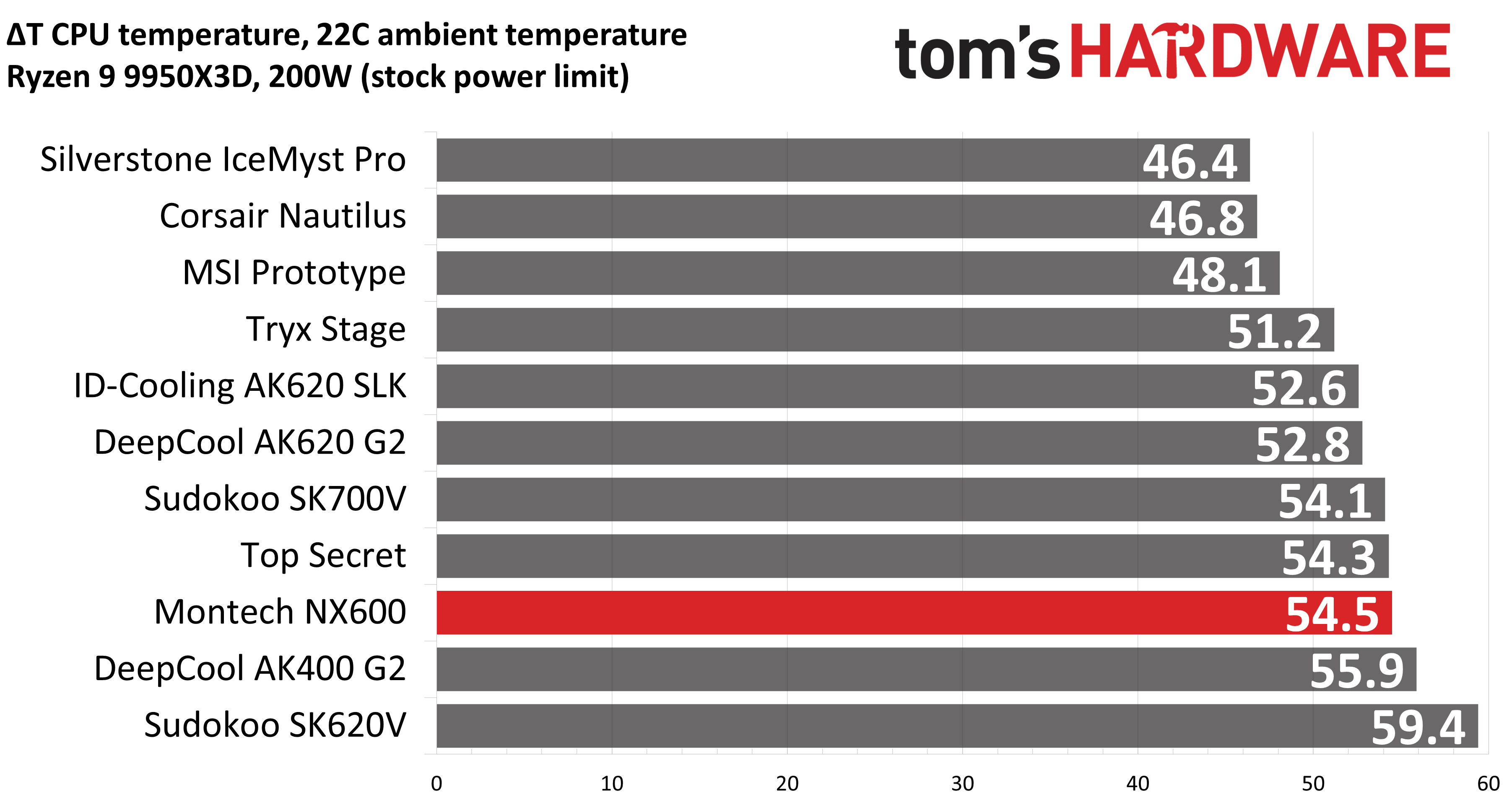
The result here was curious, as with a “stock” power profile, its thermal performance was not as strong as our previous test.
150W + GPU thermal results, noise levels
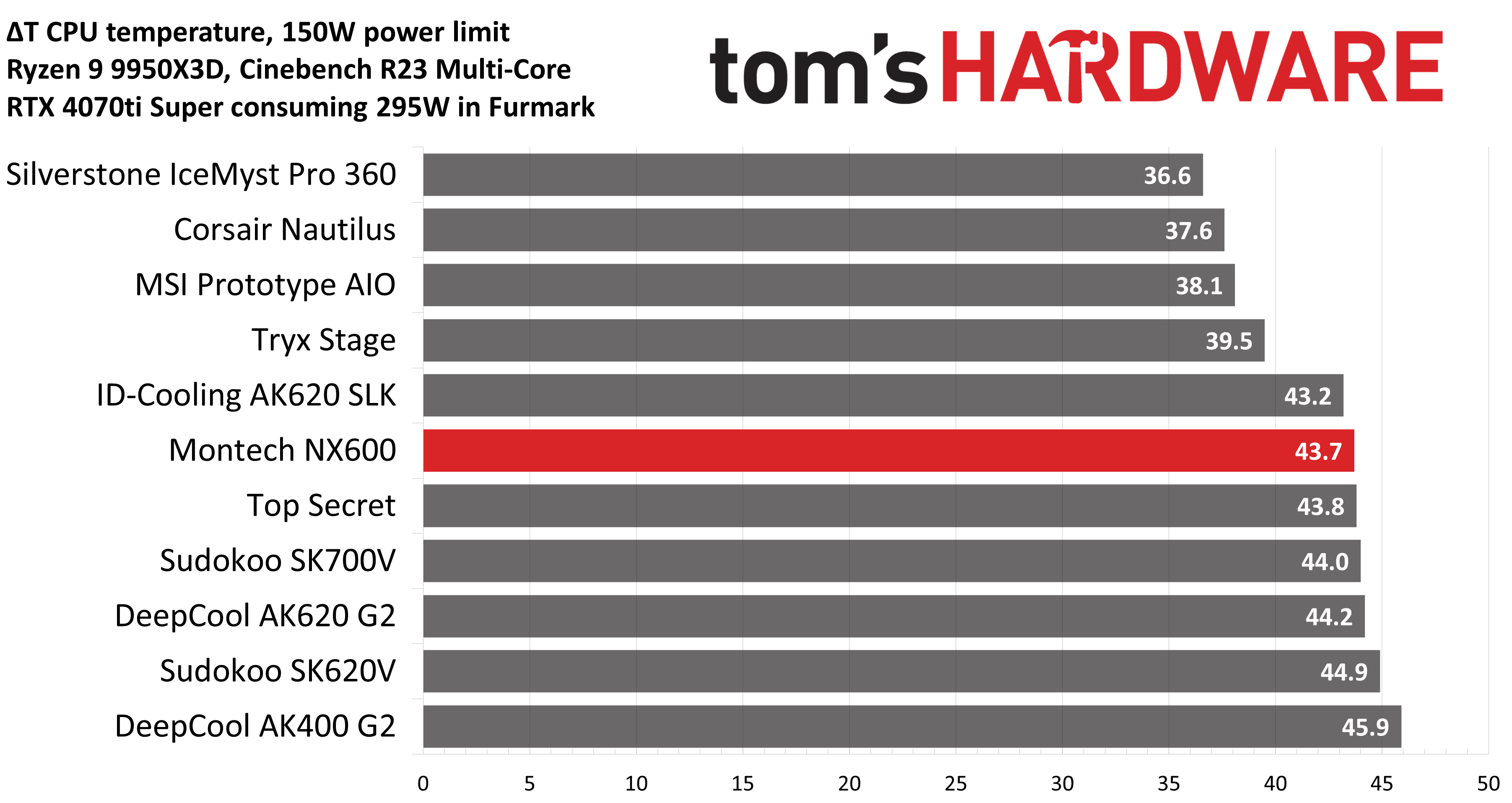
Our next test runs Cinebench on the CPU with a 150W power limit, while also running Furmark on MSI’s RTX 4070 Ti Super Ventus 3x OC. This causes the GPU to consume ~295W of power. This test is designed to emulate the thermals of games, which primarily stress the CPU and GPU.
(Image credit: Tom's Hardware)
Montech’s NX600 did particularly well with this combined CPU and GPU thermal test; the included E28 fans seemed especially effective in helping to push the GPU’s heat outside of the case.
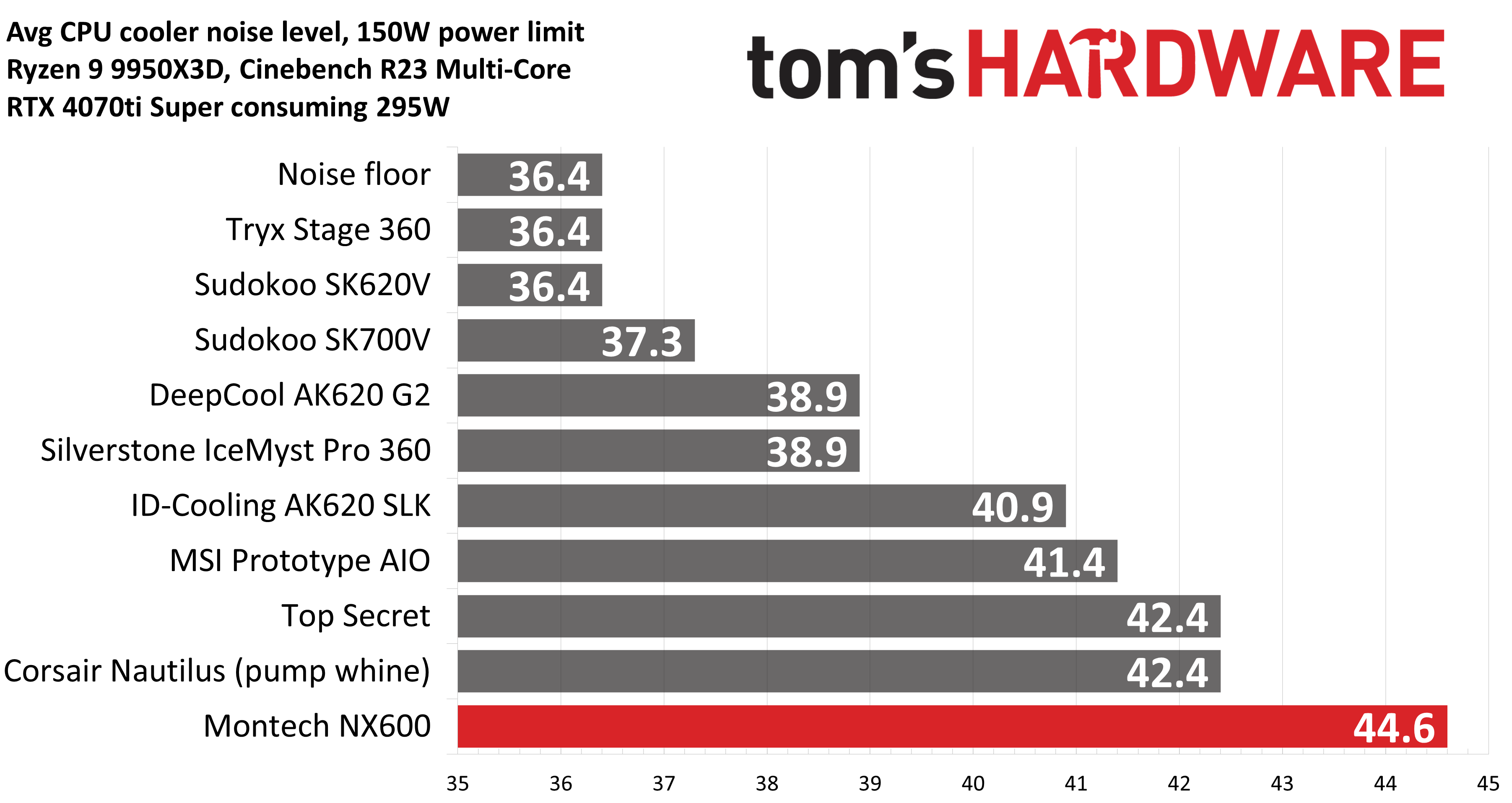
(Image credit: Tom's Hardware)
But again, the cooling potential provided by the E28 fans comes at the cost of noise – with the NX600 averaging 44.6 dBA. Between our current (shown above) and former (shown below) testing setup, this result is the third-loudest we’ve seen from any air cooler on this test.
(Image credit: Tom's Hardware)
Noise-normalized testing
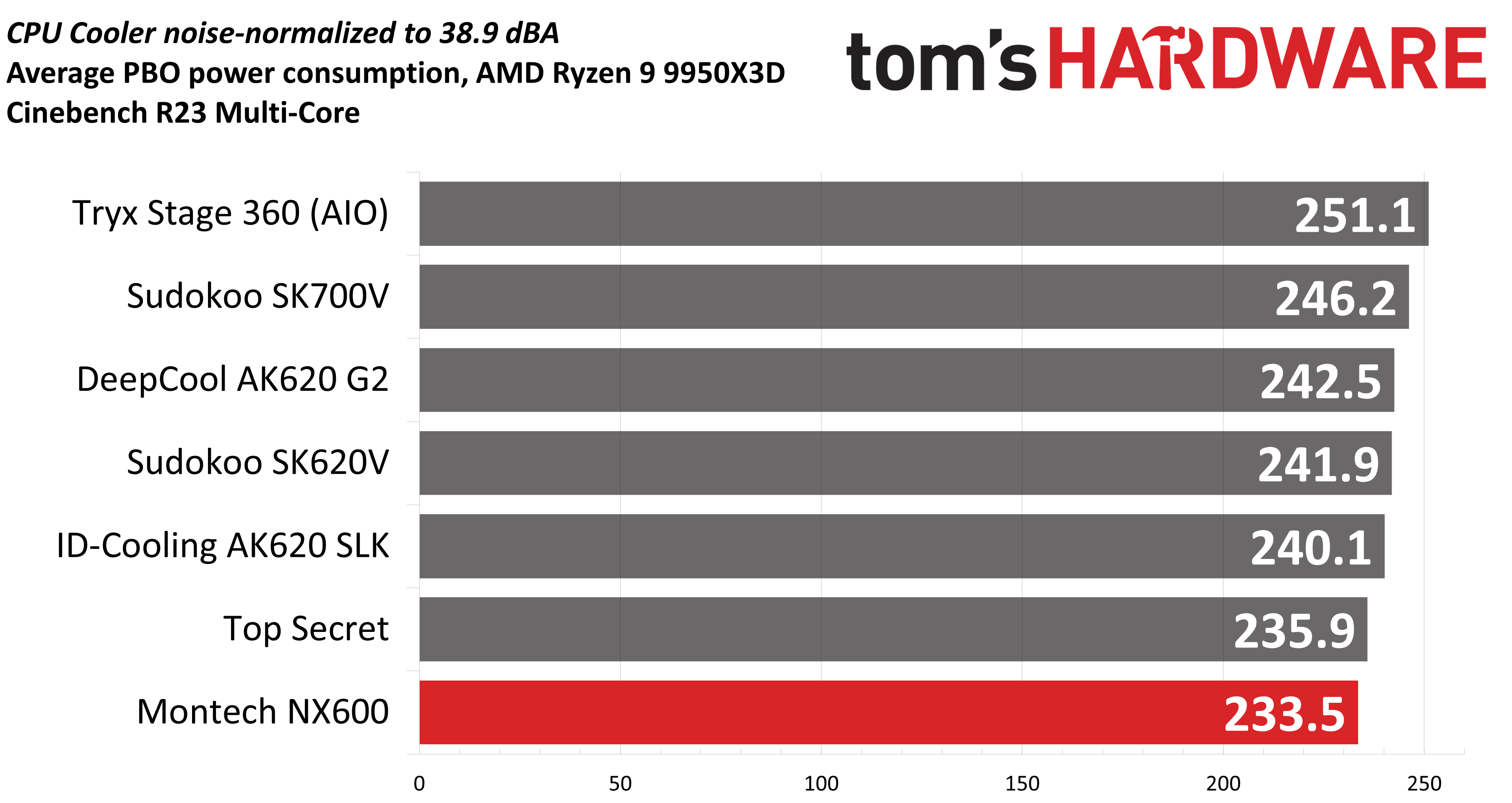
Most testing is performed with the cooler tied to the default fan curve of our MSI X870E Carbon motherboard, but some of y’all prefer to see tests when the noise levels of coolers are equalized. This is especially important to those of you who prefer silent computers. This next test has the CPU cooler noise-normalized to 38.9 dBA, with PBO enabled for the Ryzen 9 9950X3D CPU.
(Image credit: Tom's Hardware)
The results here were not impressive for the Montech. Perhaps the thermal transfer from the NX600’s CPU coldplate and copper heatpipes is not ideal, as performance should be better with these flagship E28 fans.
Another factor to consider when evaluating this benchmark is that my test bench utilizes DDR5 DIMMs that are 49mm tall – which requires lifting the front intake fan a few millimeters to fit. The particularly poor noise-normalized performance may be the result of reduced performance when the fans are set to lower noise levels and rotation speeds.
Karhu DDR5 RAM thermals testing!
Your CPU cooler does not operate in isolation. It has an impact on not just your CPU’s temperatures, but also the other components in your build, like your RAM and GPU. To that end, I’ve run the Karhu RAM stress test. This places a load of ~153W on the CPU and ensures system RAM (DDR5 in my case) is fully stable. In this type of scenario, most AIOs tend to produce worse results than air coolers.
(Image credit: Tom's Hardware)
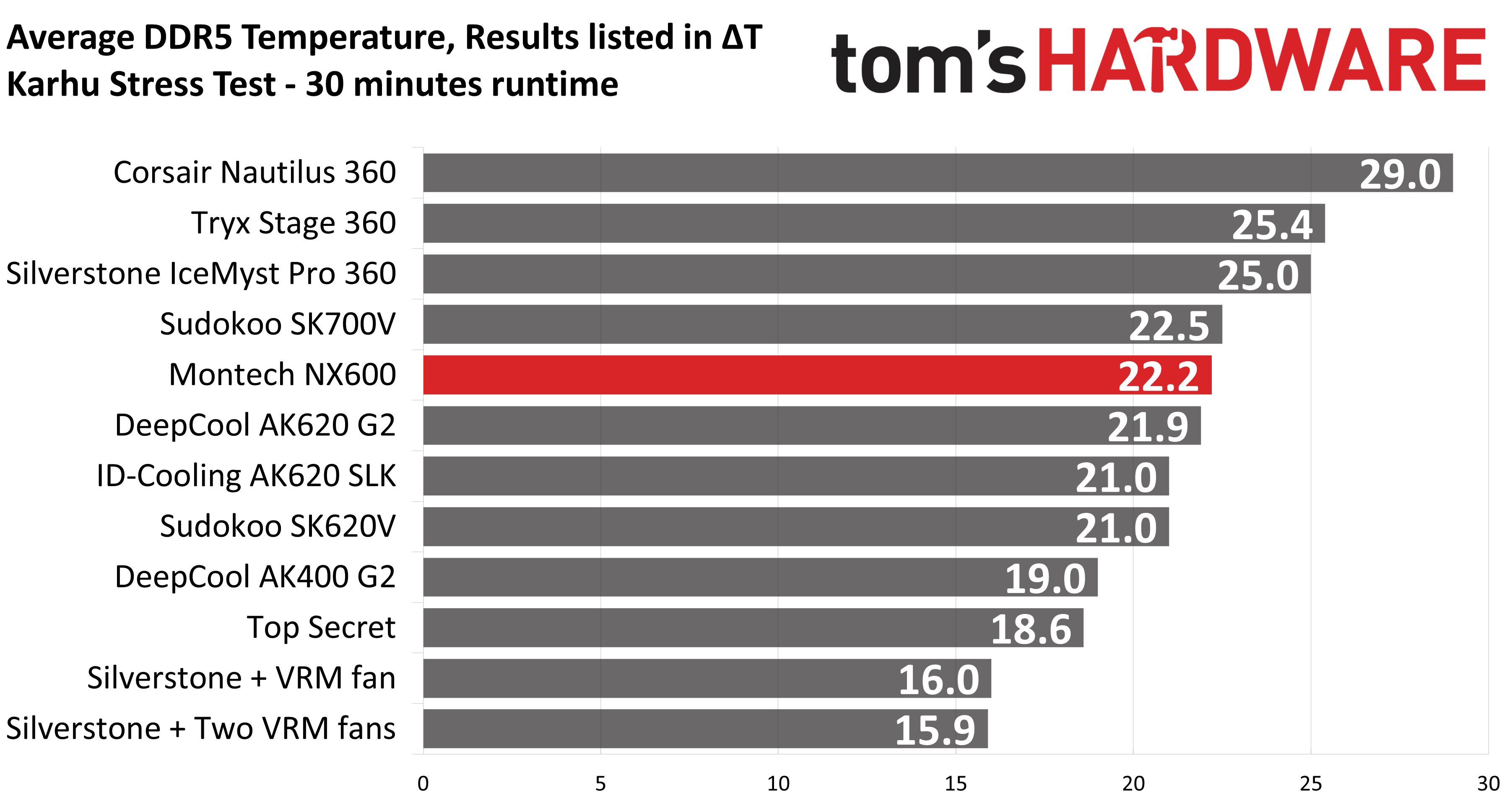
The DDR5 temperature recordings from this test seem to be within expectations compared to other dual-tower air coolers, with Montech’s NX600 performing only 1.2 degrees C behind the best dual-tower air cooler in our setup.
Conclusion
(Image credit: Tom's Hardware)
Montech’s NX600 generally performs well, and has a very reasonable price of only $29.90, which makes purchasing this cooler worth it even if you’re “only” interested in the fans.
On the flipside, the included E28 fans seem overpowered compared to the heatsink, resulting in high noise levels during moderate to intensive workloads. If you’re looking for a quietly running system, you should consider alternatives like SAMA’s E360 air cooler instead.
We tested Sudokoo’s unique SK-series air coolers on the Ryzen 9 9950X3D. Read the full review to see how they deliver big performance without annoying noise levels.
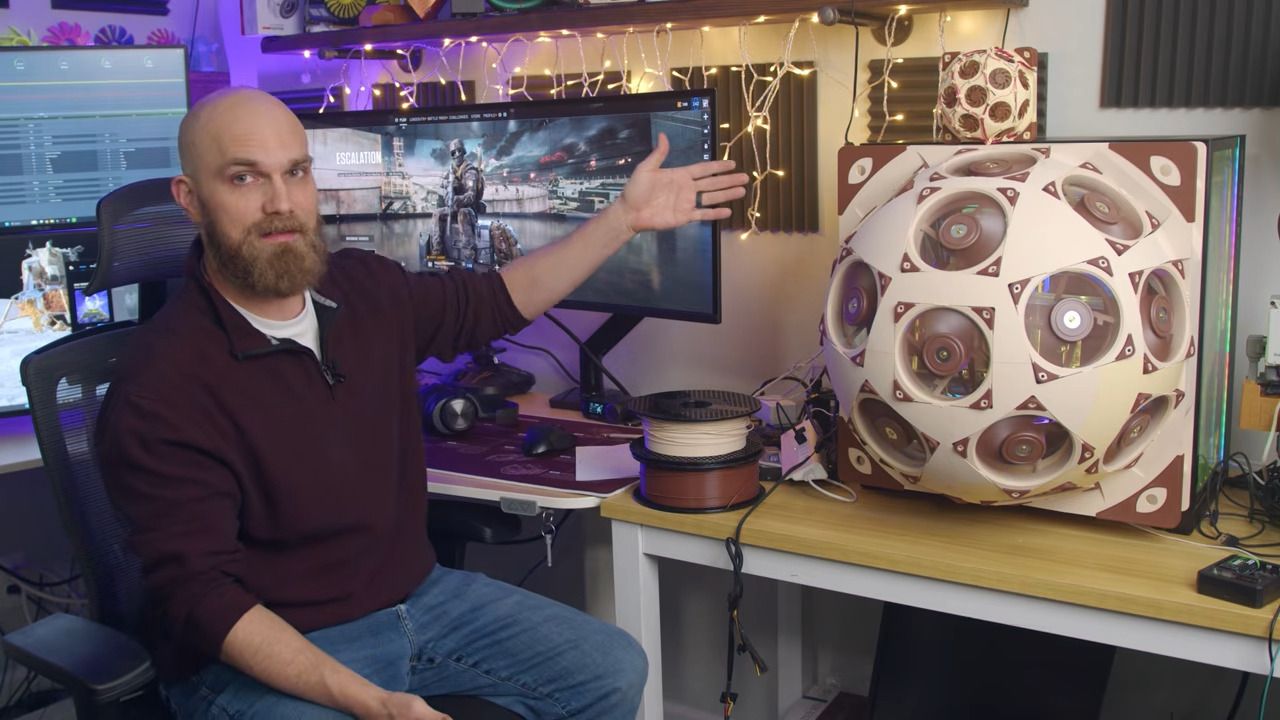
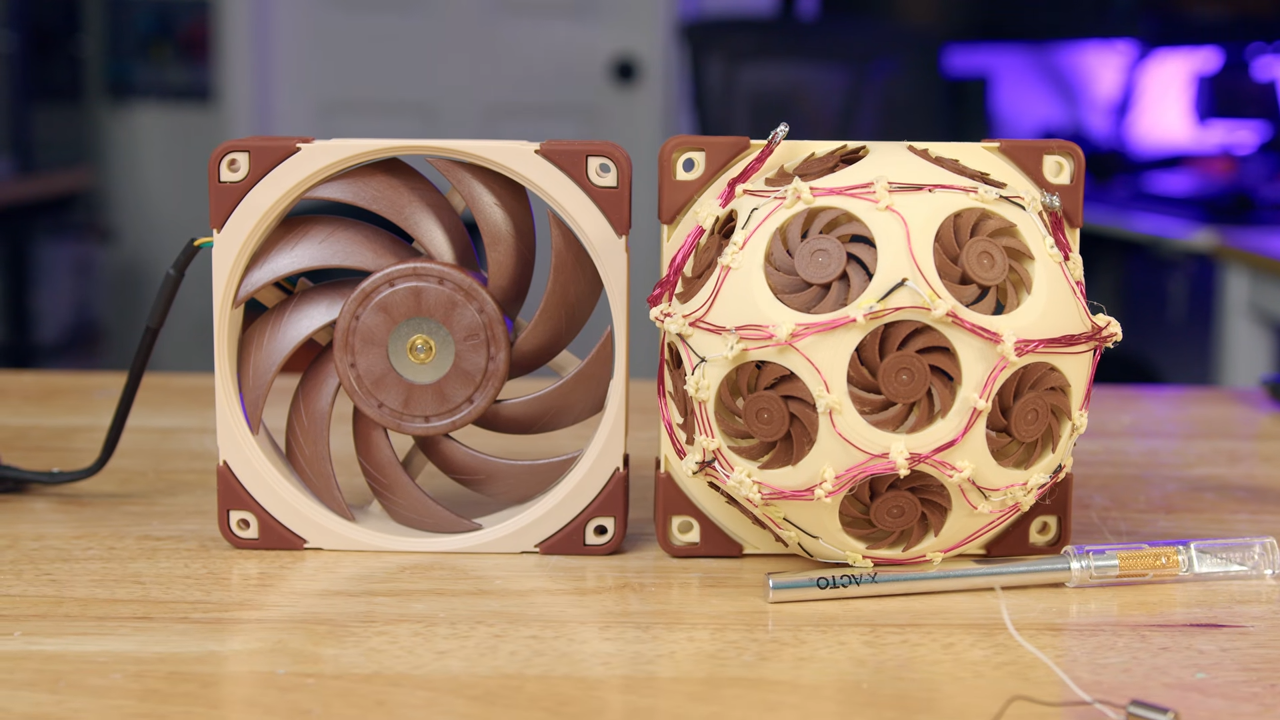
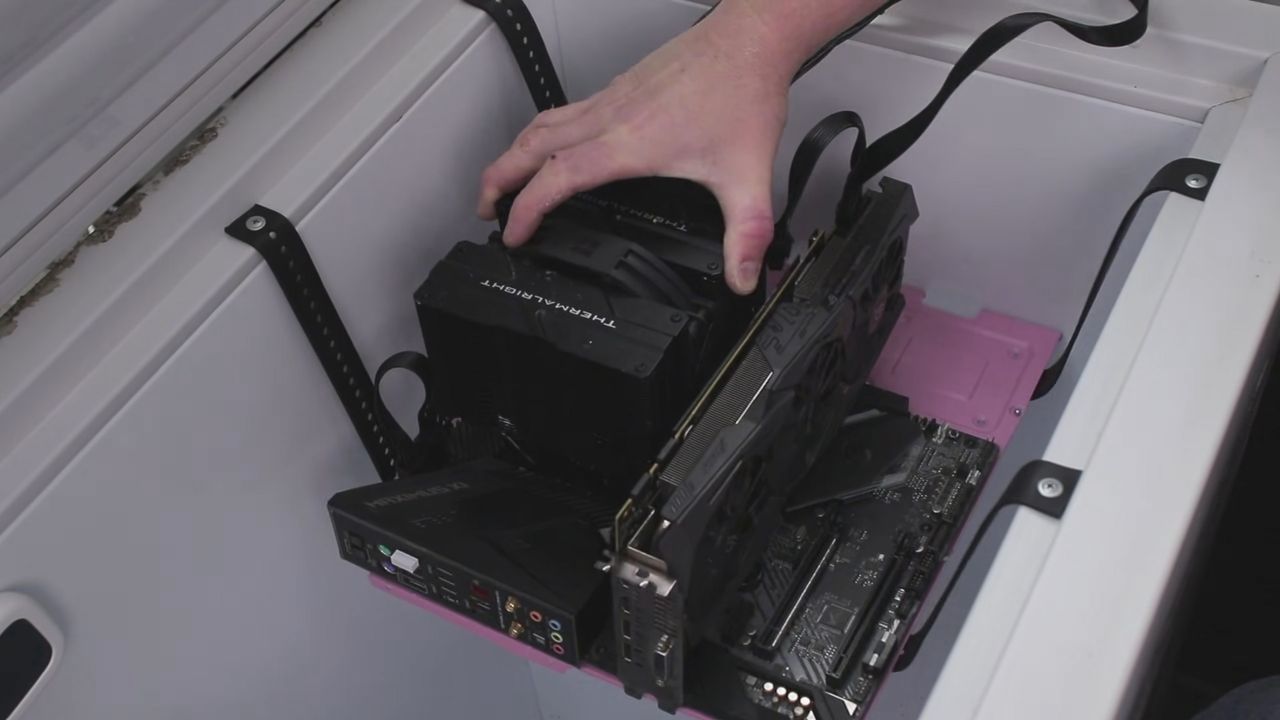
Have you ever wanted to use a fan that's more than three times as loud as the other option while providing the same performance? If you answered in resounding joy, then this project is exactly what you've been looking for. A YouTuber 3D-printed a fan that's actually made up of 15 tiny fans, fit inside the frame of a regular 120mm fan modelled after the Noctua NF-A12x25.
Trashbench succeeded where others failed, thanks in large part to the size of his freezer, which helped prevent large temperature swings that cause condensation.
Cooler Master’s 3DHP heatpipes promise to be the biggest evolution for cooling in years. Do they deliver? We tested the Hyper 212 3DHP with AMD’s Ryzen 9 9950X to determine if Cooler Master’s heatpipes live up to the hype.
Cooler Master is updating its iconic lineup of Hyper 212 coolers with its proprietary 3D Heatpipe tech. Hyper 212 3DHP, therefore, has two trident-like heatpipes running through its finstack that dissipate heat more evenly while costing the same. They will come in two flavors: Black and ARGB, and will be backed with 5-year warranties.
Sama steps into the air-cooling game with the A60E, an effective low-noise dual-tower air cooler. We’ve tested it with Intel’s i7-14700K and AMD Ryzen 9 9950X3D.
Banned from sale in the US, DeepCool’s Assassin VC Elite features an upgraded vapor chamber coldplate. We tested it with AMD’s Ryzen 9 9950X3D and Intel’s Core i7-14700K CPUs.
 登录
登录