Heads up, gamers on the go everywhere. The ever-beloved Nintendo Switch 2 portable console is on sale right this second at Woot. Much like with anything in computing, the console got a $50 price hike to $499 only a couple of months ago, but it's now on offer for $469.99 while stocks last or the month is out. We're going to let you guess which of those conditions is likely to be met first, and we'd strongly advise you to hurry if you're interested.
Just like the first iteration, the Switch 2 can be used as a handheld, tablet, or connected to a TV or monitor with a dock. It improves on the original model in nearly every aspect, but chiefly in raw performance, as its SoC got a mighty boost. Whereas the first version made do with four Arm Cortex A57 cores, the newer model employs a CPU with eight cores of Cortex A78C silicon, clocked at up to 1,101 MHz.
The Switch 2 is backward-compatible with the vast majority of Switch 1 games, meaning you don't have to throw away your existing games, plus you can scour the used market for affordable earlier titles.
The Nintendo Switch 2 improves upon its predecessor in every way, offering far better performance, a much larger and brighter display with HDR, and additional niceties.View Deal
Most importantly, the GPU moved to an Nvidia Ampere-based design with 1,536 CUDA cores, capable of doing up to 3 TFLOPS in docked mode. Memory bandwidth is 4x that of the previous model. All this results in a massive performance uplift, enabling ray-traced games, 4K gameplay, and variable refresh rates up to 120 Hz — complete with DLSS upscaling.
As if all that wasn't enough, the display is much larger and now has no bezel, measuring 7.9" across, with HDR support. Additional bonuses include Wi-Fi 6 support, a built-in Ethernet port on the dock, 3D audio, and a built-in microphone. If you were on the fence about getting into portable gaming or upgrading from the Switch 1, this deal may just force your hand.
We’re back with another drive from Biwin, which has been putting out some good SSDs with minor exceptions. This one uses hardware we’ve wanted to test in retail for quite some time: the SMI SM2504XT SSD controller, which is hard to find. The PCIe 5.0 DRAM-less range is relatively popular because it offers the performance without the power and heat of higher-end options, at a lower price point. The tech’s newer than what PCIe 4.0 drives offer, so you get a better all-around experience if you’re willing to take the plunge. The M560 slots in here perfectly as a real alternative to all the drives in this class with Phison hardware.
Biwin M560 Specifications
Product
1TB
2TB
Pricing
$189.99
$364.99
Form Factor
M.2 2280 (Single-sided)
M.2 2280 (Single-sided)
Interface / Protocol
PCIe 5.0 x4 / NVMe 2.0
PCIe 5.0 x4 / NVMe 2.0
Controller
SMI SM2504XT
SMI SM2504XT
DRAM
DRAM-less / HMB
DRAM-less / HMB
Memory
218-layer BiCS8 TLC (Kioxia)
218-layer BiCS8 TLC (Kioxia)
Sequential Read
11,000 MB/s
11,000 MB/s
Sequential Write
9,700 MB/s
10,000 MB/s
Random Read
1,400K
1,700K
Random Write
1,600K
1,700K
Security
N/A
N/A
Endurance (TBW)
750TB
1,500TB
Part Number
BM560NN01TB-RGX
BM560NN02TB-RGX
Height
2.45 mm
2.45 mm
Warranty
5-Year
5-Year
The Biwin M560 is available only in 1TB and 2TB capacities. Is that a disappointment? It’s normal to expect at least 4TB SKUs these days, but 8TB is certainly a bridge too far for a four-channel controller. Yes, we have some 8TB DRAM-less drives floating around, but for the most part you can’t find those units. 4TB is more common and highly desired — this is what makes the Lexar NM790 so legendary — but it actually is a decent amount of flash for this type of controller. With the ideal amount of flash for this controller being four dies per channel, or 16 total, 2TB really is the sweet spot. So we’re fine with that for this drive, even if it is higher-end.
Right now the drive can be found for $189.99 and $364.99 for the two SKUs, which is not unreasonably priced for the hardware. At 2TB, it is right in line with the Crucial P510, for example. It’s also below the top drives with DRAM, like the Samsung 9100 Pro, by enough that it makes sense. You can get PCIe 5.0 DRAM SSDs at around this price or cheaper, but you’re giving up some things to do so, which we’ll get into later.
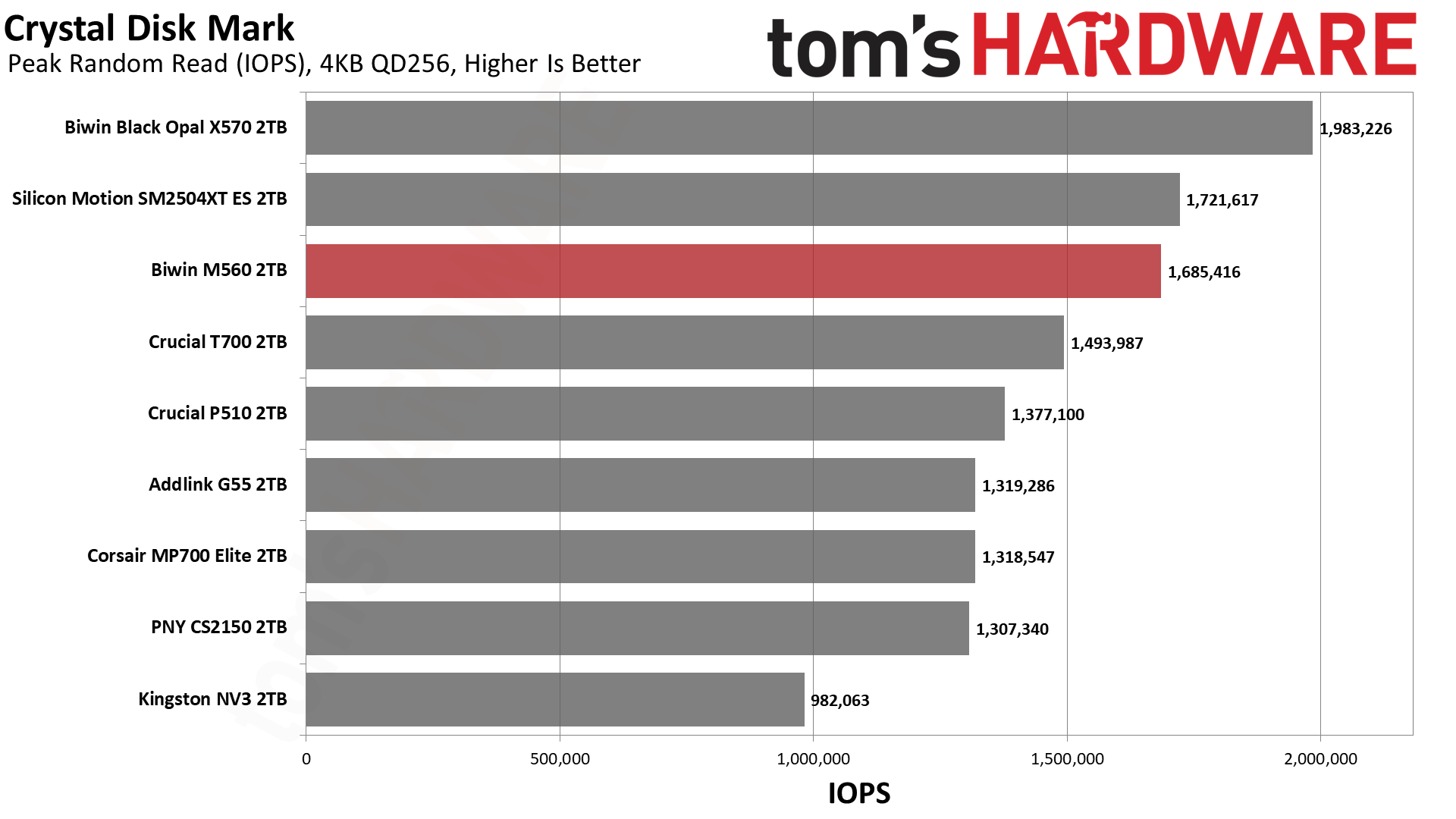
The drive is rated for up to 11,000 / 10,000 MB/s for sequential reads and writes and up to a whopping 1,700K / 1,700K random read and write IOPS. 1.7 million IOPS! That’s astounding, and even exceeds the 1.3+ million, on paper, from direct competitor Phison E31T-based drives, like the Corsair MP700 Elite. This thing is a beast for a DRAM-less drive.
Biwin doesn’t skimp on the warranty, either. It’s the typical five-year affair for duration, but you’re covered for up to 750TB of writes for every TB of space. This is 25% more than is typical, if you care about that sort of thing. We consider it a bonus.
Biwin M560 Software and Accessories
Hitting the download tab for the M560’s site shows three downloads available: the Biwin Data Recovery Tool for macOS, one for Windows, and Biwin Intelligence. The first two are pretty self-explanatory, but we will give kudos to Biwin for having the macOS option. For the last, it is the company’s SSD toolbox, which is an all-in-one software solution dashboard you can use to check your drive’s health, update firmware, and so forth. Biwin lists the supported functions on its page. The toolbox only supports Windows at this time.
Biwin M560: A Closer Look
Tom's HardwareTom's Hardware
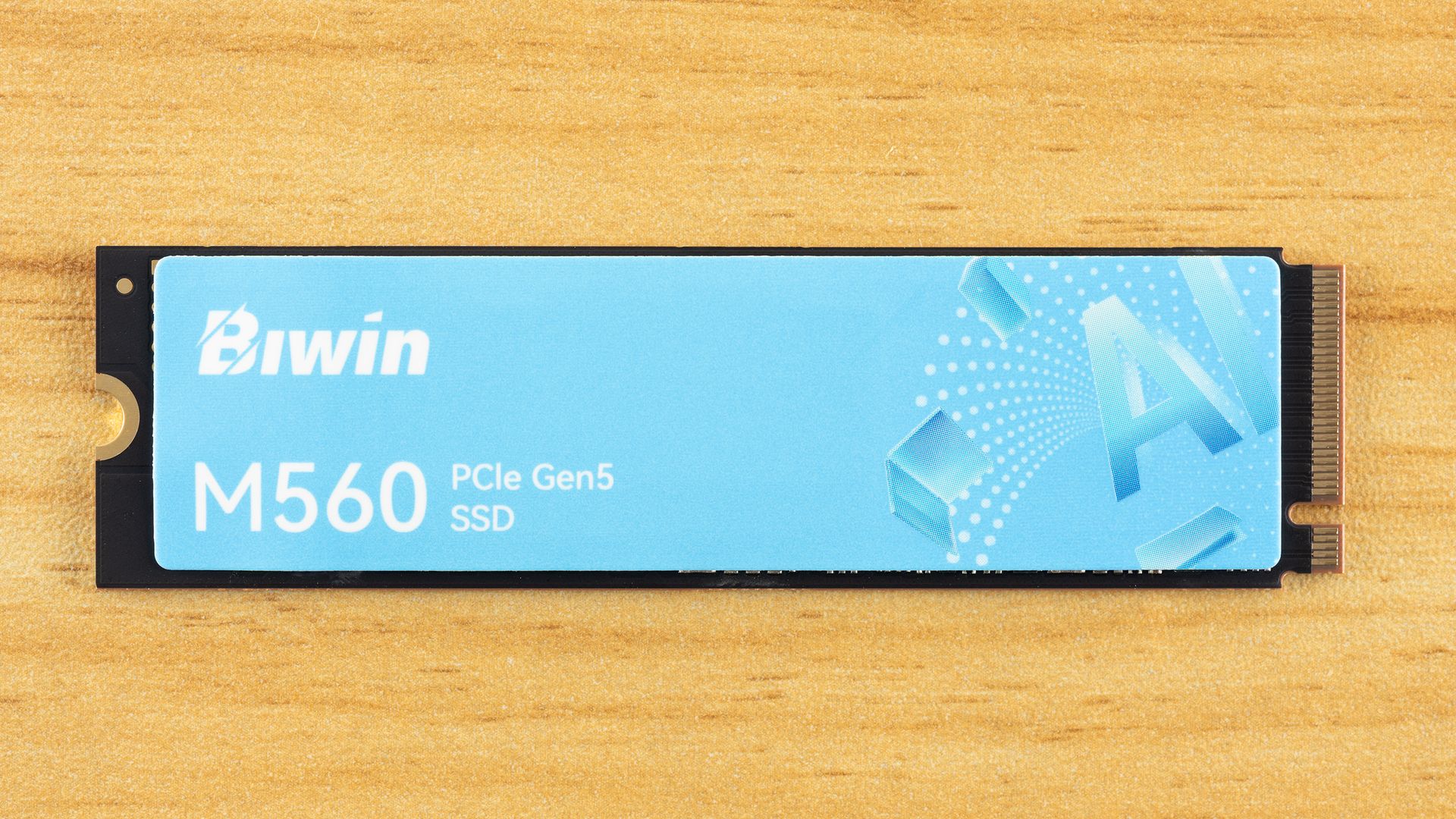
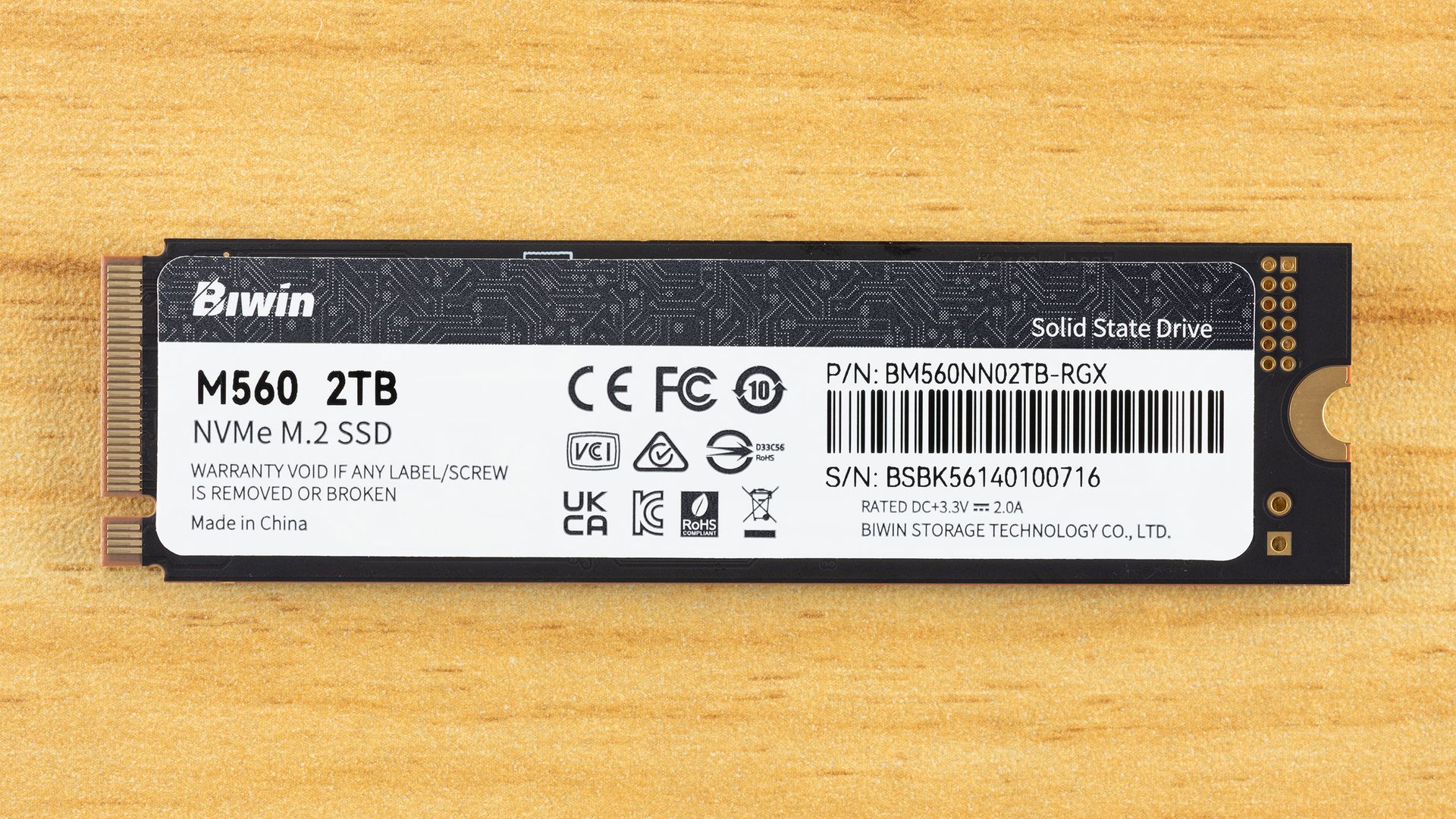
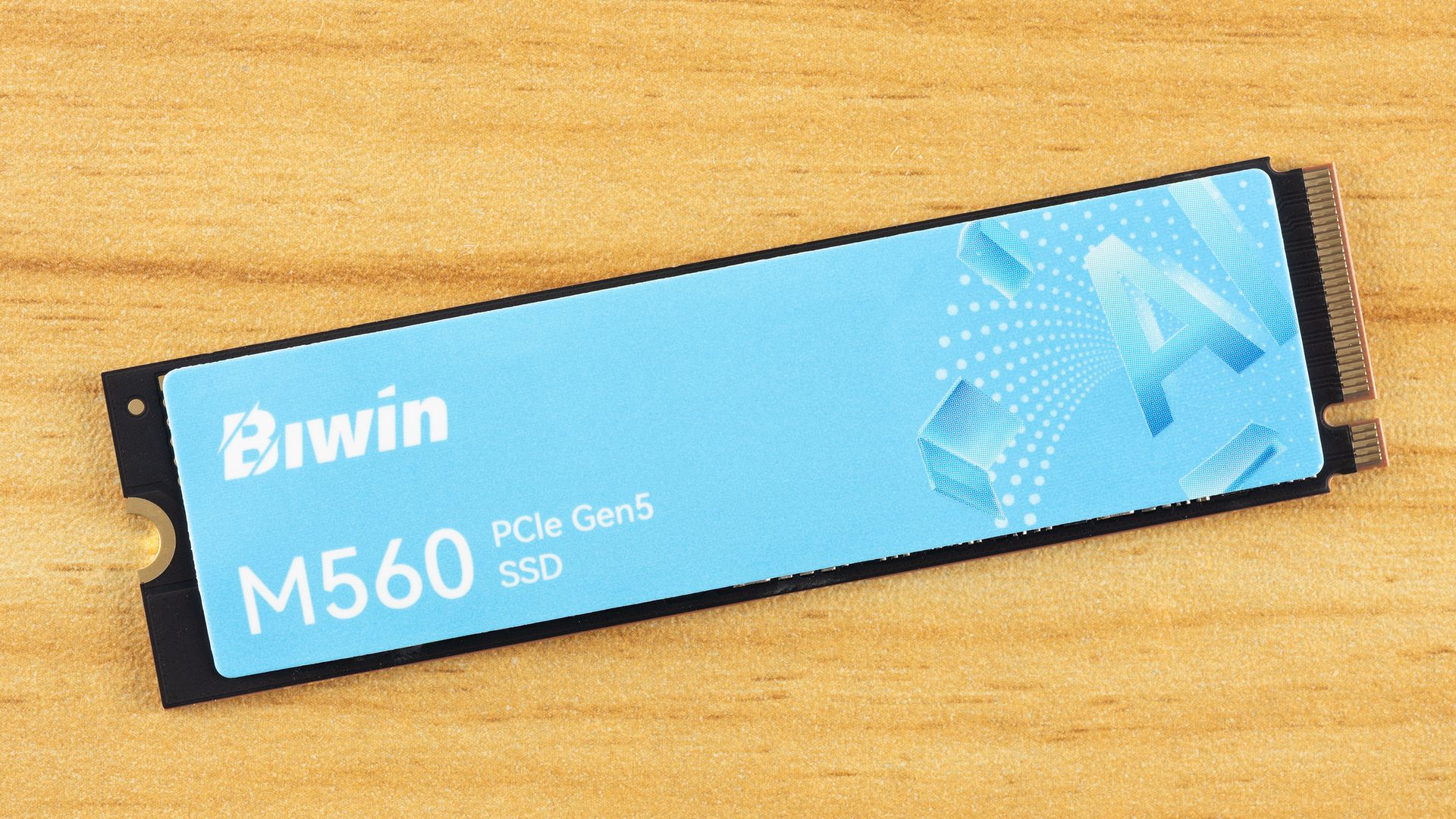
The Biwin M560 is, as expected, a single-sided drive, which we prefer. Less that can go wrong, fits into more machines, and can be easier to cool. The top label is heat-spreading. The back label has drive information, including the 3.3 V / 2.0 A rating, which puts the drive power draw below about 7W. According to the S.M.A.R.T. report, the maximum power draw is 8W.
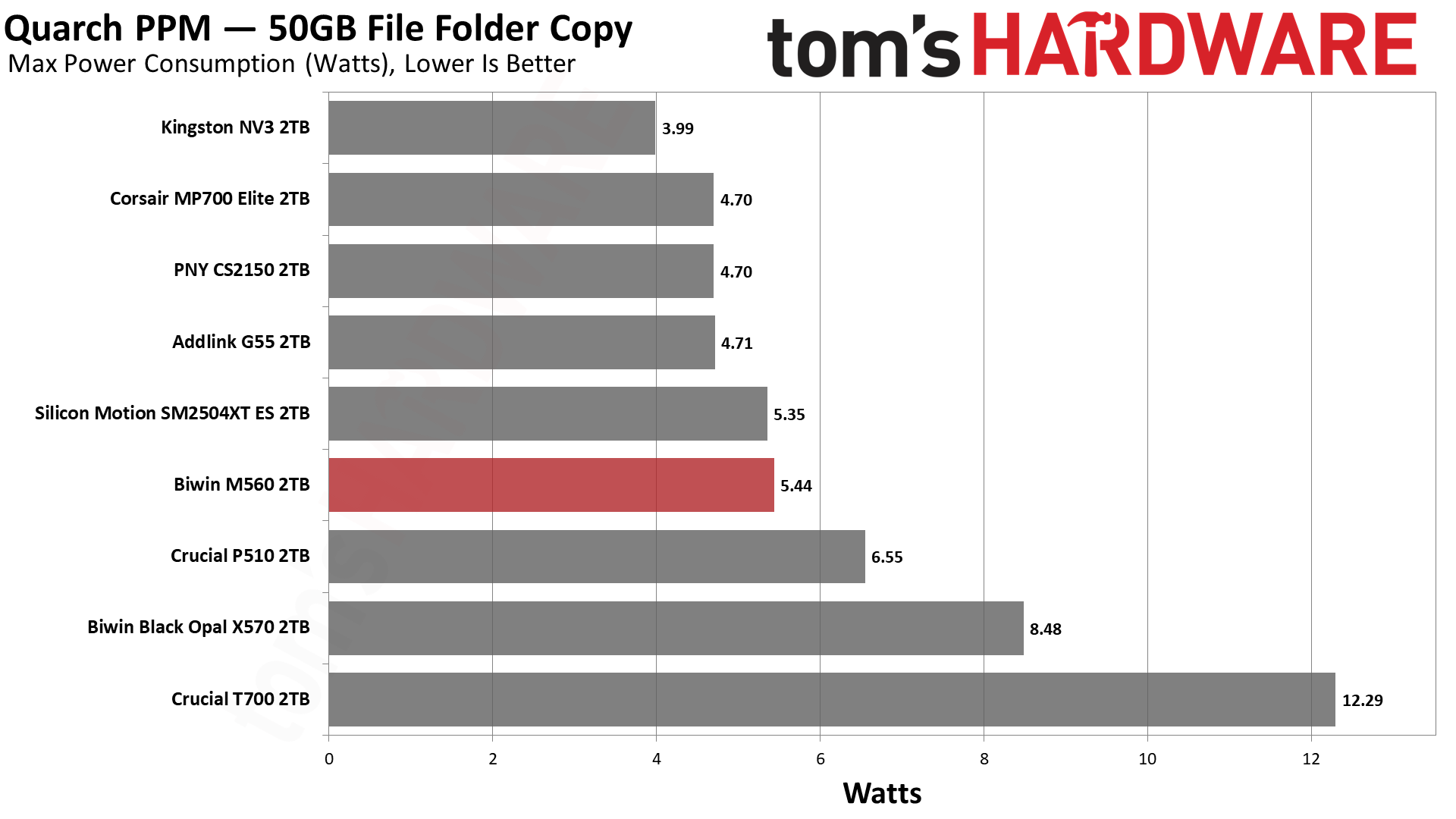
These numbers might be concerning, especially as good DRAM-less SSDs tend to be at around 6.5W or less. Well, as it turns out, the drive is much more comfortable at 4W, with a maximum significantly below 6.5W and an average of one-half that, as you can explore in more detail with our power testing. Even very efficient PCIe 5.0 drives tend to step up over the last generation, making heat something to watch in some cases. Not in this one — we think this will be great in laptops, and exceptionally cool in PCIe 4.0 ones.
Tom's HardwareTom's HardwareTom's Hardware
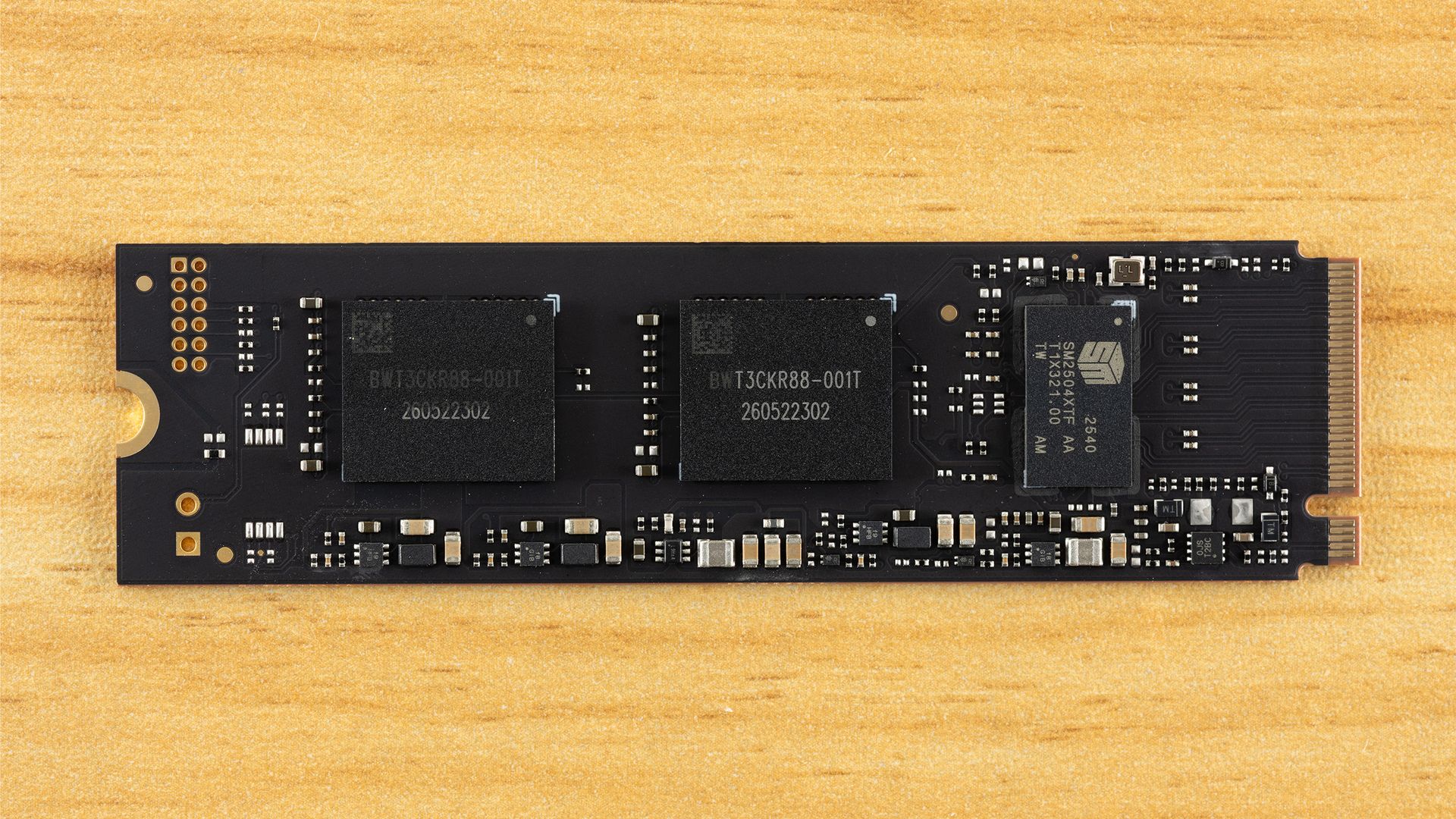
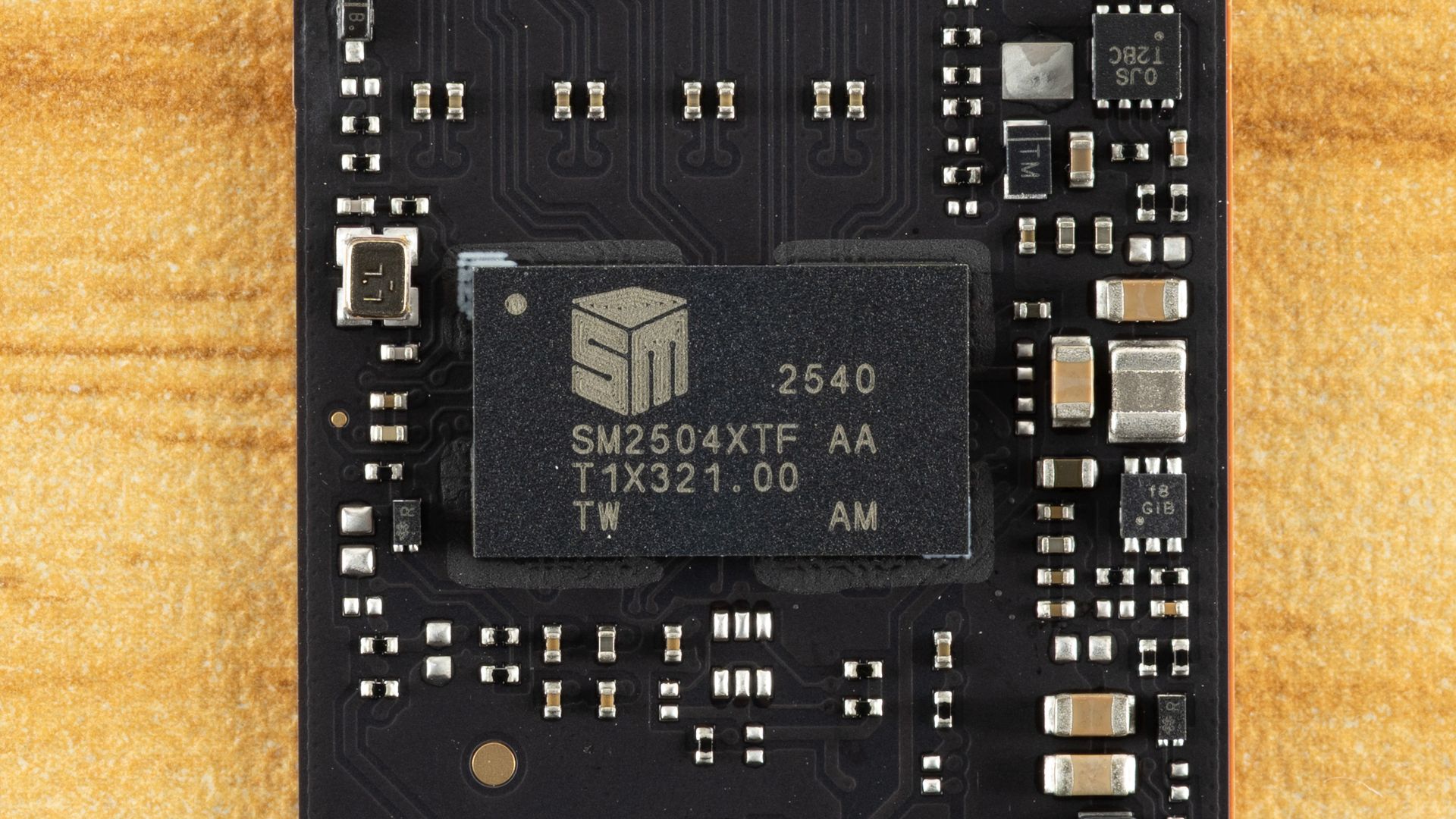
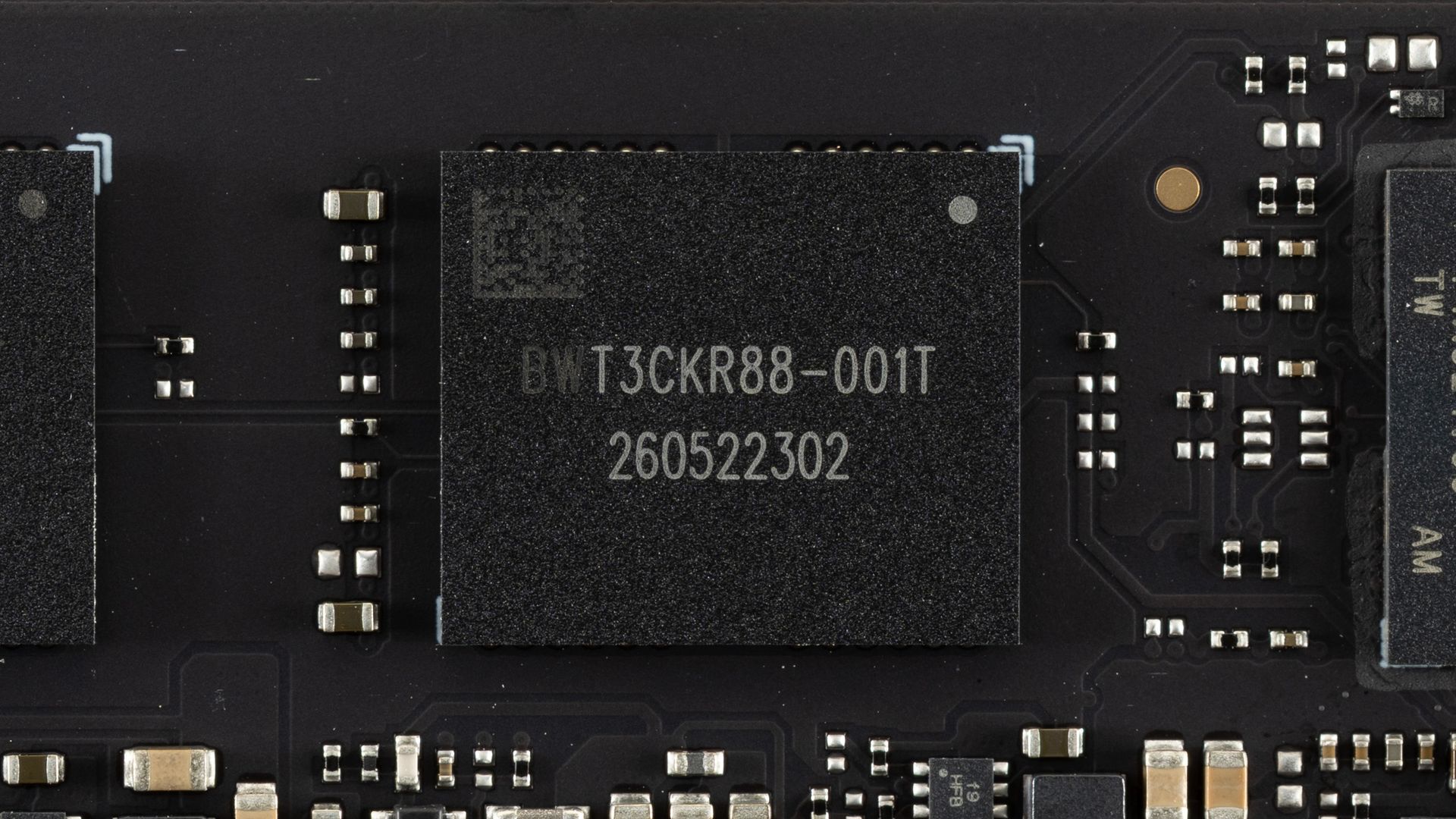
The components don’t even take up half of the PCB space! Impressive engineering, and the extra spacing between components can help spread heat. Here we have one controller, the SMI SM2504XT, which we previously covered in an ES preview, and two NAND flash packages. The controller performed exceptionally in our preview testing and is more than a match for the best controllers out there, whether Phison’s competing E31T or even many drives with DRAM such as those based on the E26. The flash, in this case, is Kioxia’s 218-layer BiCS8 TLC, which is also exceptional. This flash has excellent latency and is also power-efficient. This combination is a match made in heaven, and it’s a shame we don’t see the SM2504XT more often.
We considered pitting the Biwin M560 against some truly high-end drives, but truth be told, we don’t think that’s a valid comparison. If you’re someone who wants DRAM and maximum bandwidth — that means eight flash channels — then this drive is not going to cut it, even if it performs like it does. On the other hand, you may legitimately want a drive in this range that isn’t going to burn your house down. That’s closer to what we’re looking at here. We did throw in the PCIe 4.0 Kingston NV3 for good measure, since it’s using SMI’s comparable controller of that generation, but we suspect that if you’re looking at PCIe 5.0 drives, you are not going to settle for anything less.
To that end, we have direct competitors with Phison’s E31T controller: the Addlink G55, the PNY CS2150, the Corsair MP700 Elite, and the Crucial P510, the last of which has Micron rather than Kioxia flash. We’ve thrown in the SM2504XT ES to show any differences against the more mature M560. We also have a higher-end DRAM-less drive in the Biwin Black Opal X570, which has eight channels. We also have the Crucial T700, which doesn’t break the DRAM and bandwidth rule because, for one, it’s using the older Phison E26 controller and, for two, it’s not the full 14 GB/s variant. There are 10 GB/s drives using that controller, but we think the 12 GB/s T700 is the most appropriate comparison.
Trace Testing — 3DMark Storage Benchmark
Built for gamers, 3DMark’s Storage Benchmark focuses on real-world gaming performance. Each round in this benchmark stresses storage based on gaming activities including loading games, saving progress, installing game files, and recording gameplay video streams. Future gaming benchmarks will be DirectStorage-inclusive and an evaluation for future-proofing is included where applicable.
Tom's HardwareTom's HardwareTom's Hardware
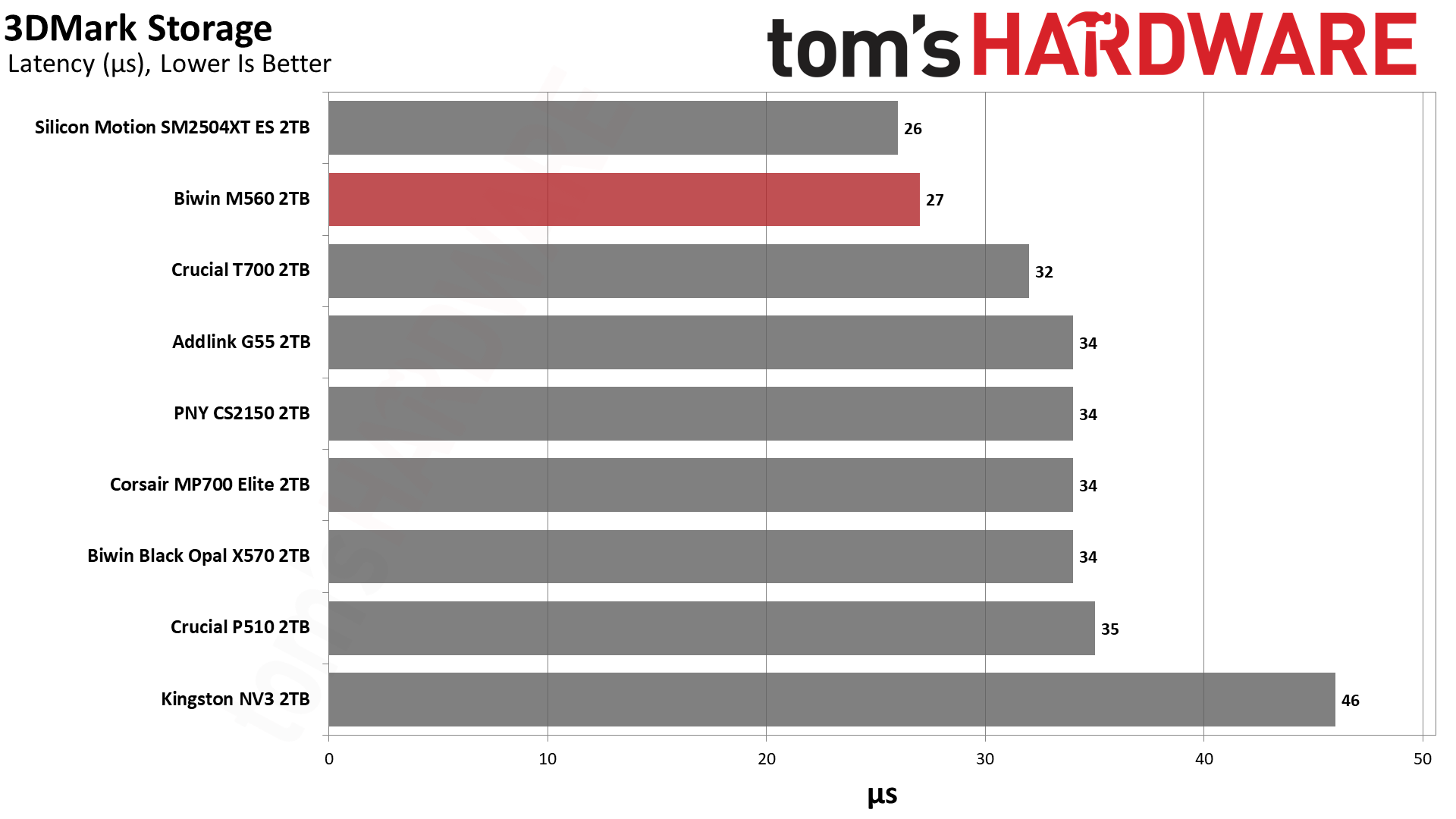
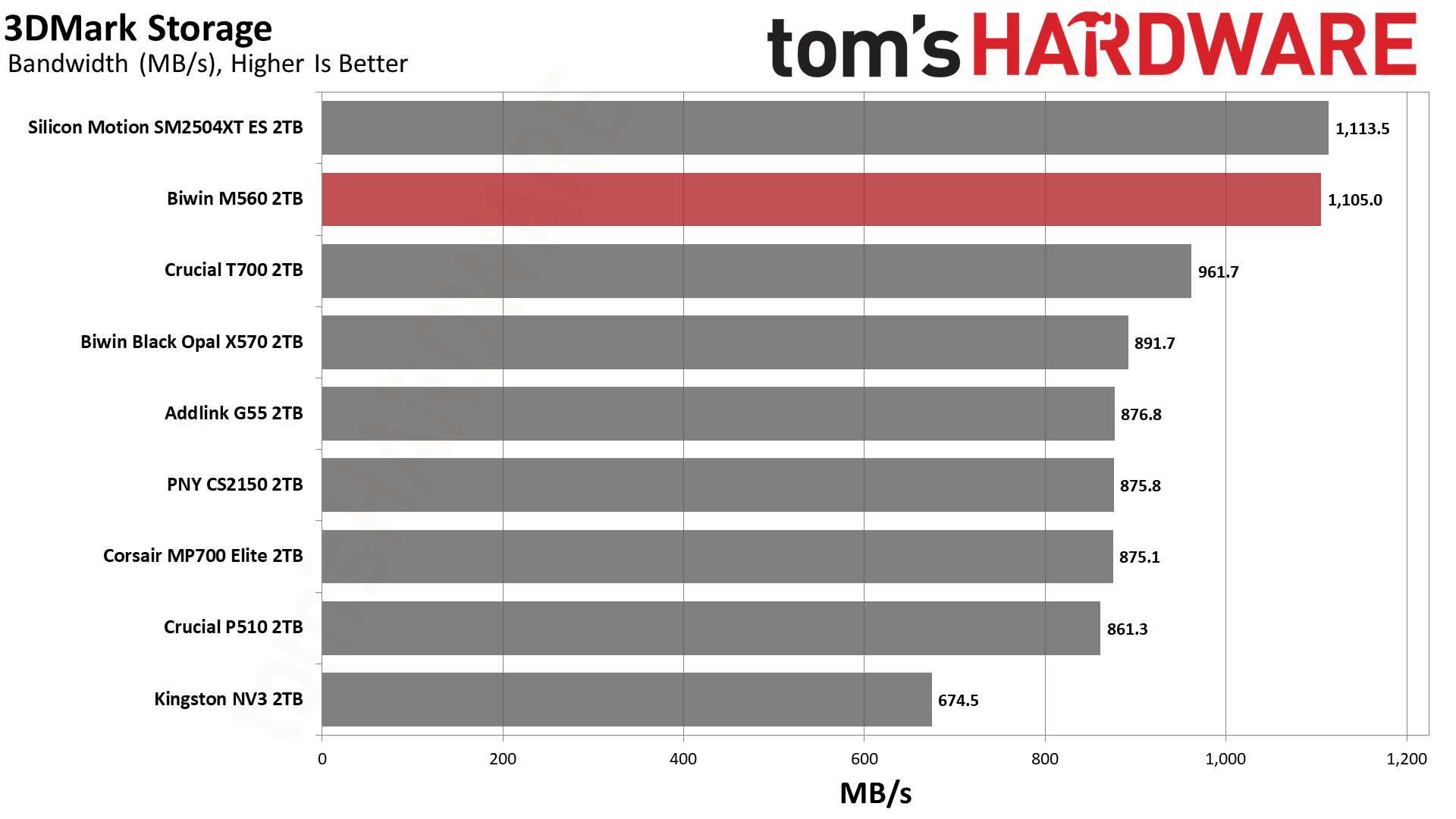
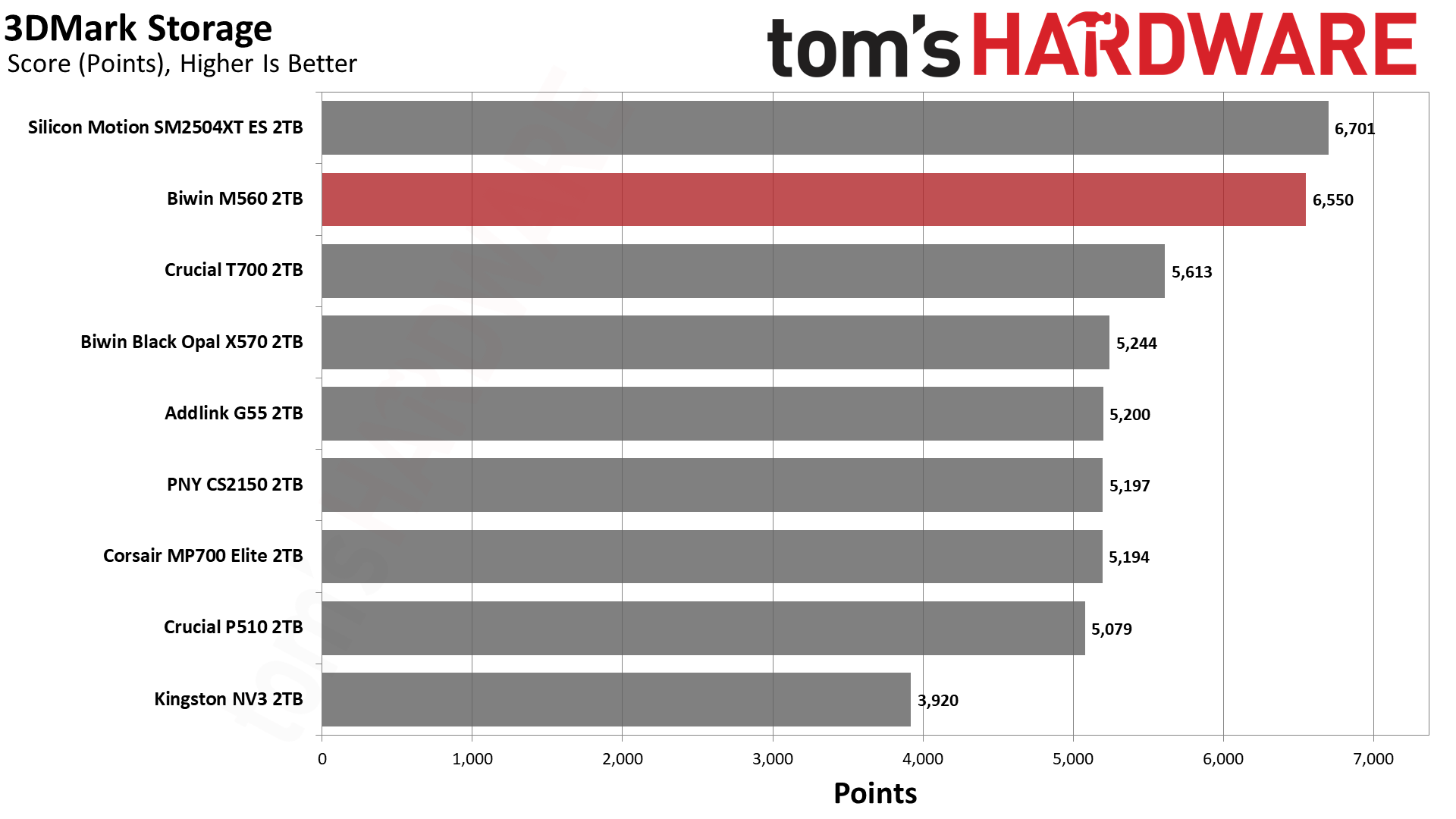
You love to see it: the M560 blows the doors off this benchmark. It comes second only to the ES but, for all intents and purposes, it’s well above any of the competition. This flash is exceptional, but clearly the controller makes the difference here. There are faster high-end drives like the WD Black SN8100, but that uses BiCS8 TLC and an SMI controller, too. This is an SM2508 “Mini-Me,” which is perfect if you want a fast drive without the baggage of a top-end drive.
Trace Testing — PCMark 10 Storage Benchmark
PCMark 10 is an industry standard trace-based benchmark that uses a wide-ranging set of real-world traces from popular applications and everyday tasks to measure the performance of storage devices. The results are particularly useful when analyzing drives for their use as primary/boot storage devices and in work environments.
Tom's HardwareTom's HardwareTom's Hardware
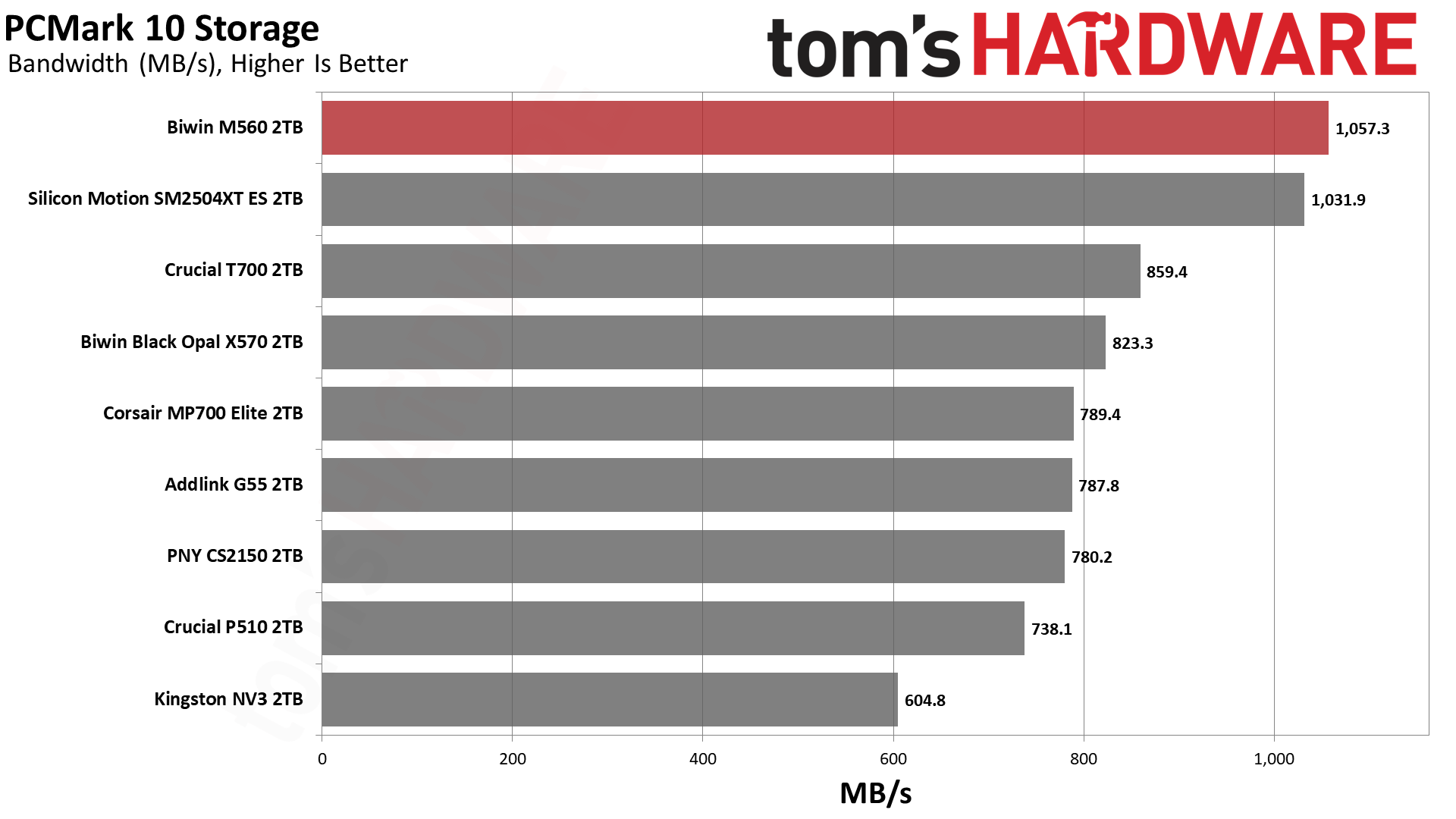
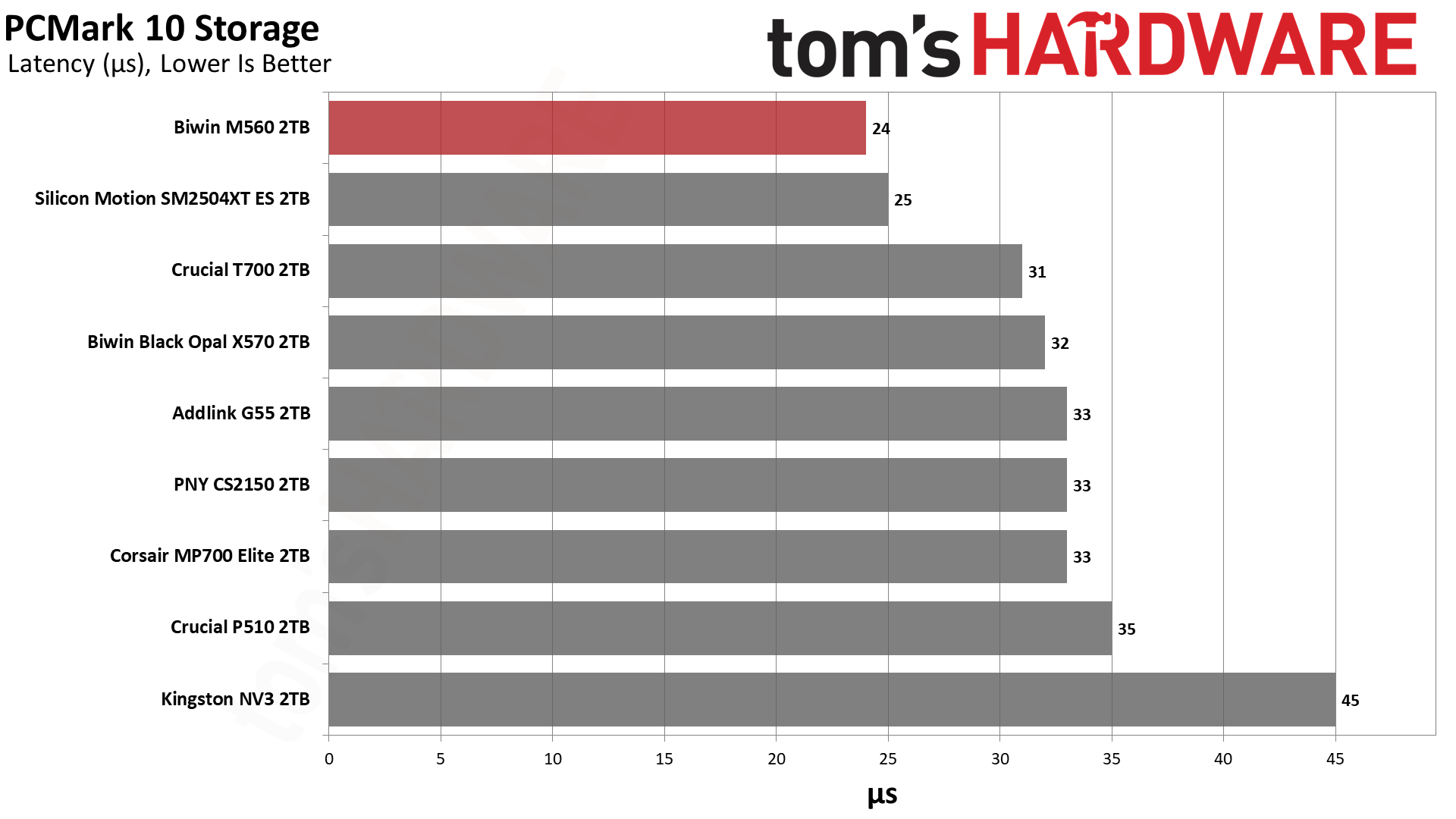
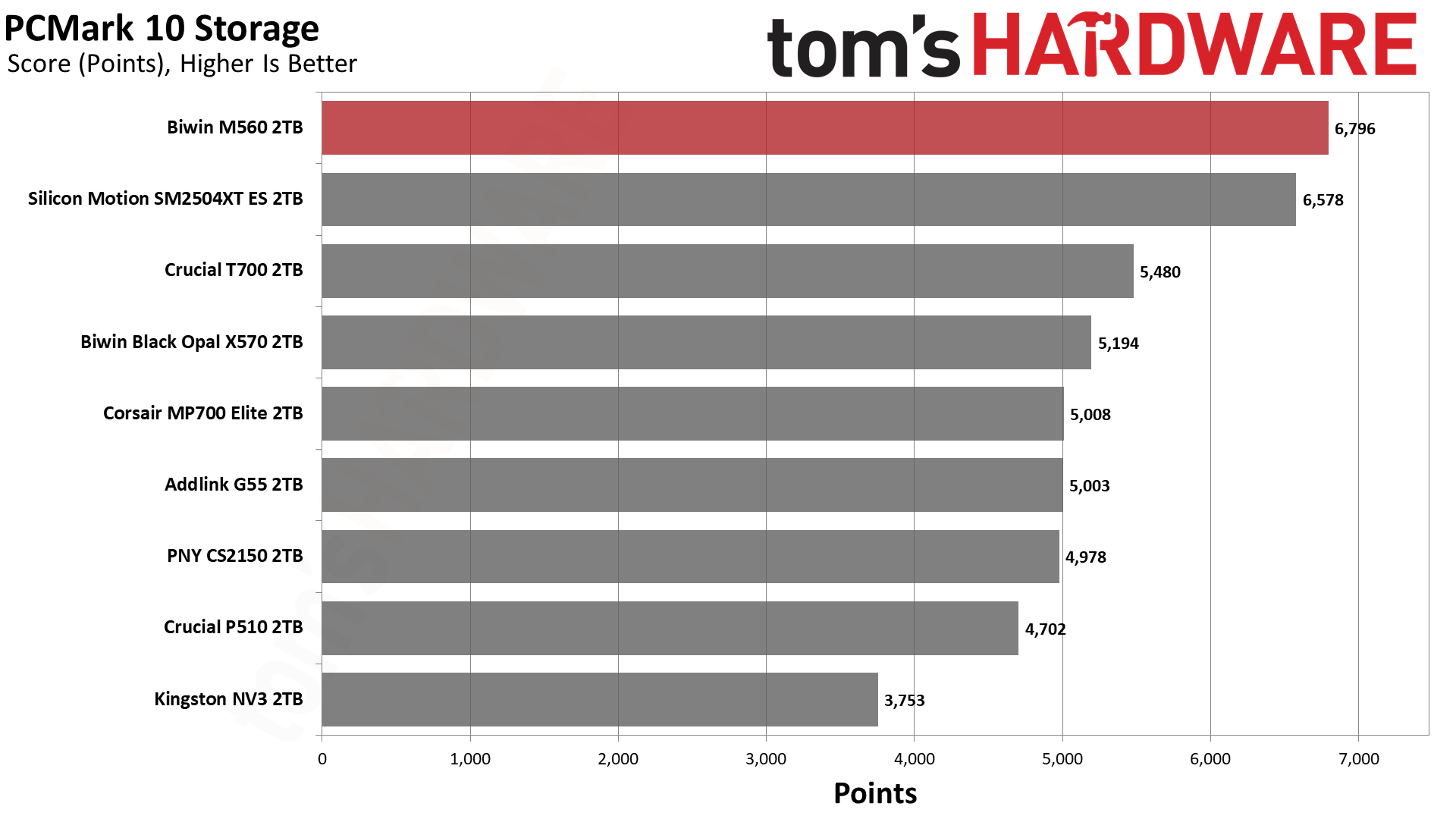
The M560 and SM2504XT ES switched places this time, with the Biwin drive ending up in first place. It’s well ahead of the other drives, with almost half the latency of the NV3. This is an extremely responsive SSD that’s not too far off from the very best, finishing in the top ten of all drives we’ve ever tested.
Console Testing — PlayStation 5 Transfers
The PlayStation 5 is capable of taking one additional PCIe 4.0 or faster SSD for extra game storage. While any 4.0 drive will technically work, Sony recommends drives that can deliver at least 5,500 MB/s of sequential read bandwidth for optimal performance. Based on our extensive testing, PCIe 5.0 SSDs don’t bring much to the table and generally shouldn’t be used in the PS5, especially as they may require additional cooling. Check our Best PS5 SSDs article for more information.
Our testing utilizes the PS5’s internal storage test and manual read/write tests with over 192GB of data both from and to the internal storage. Throttling is prevented where possible to see how each drive operates under ideal conditions. While game load times should not deviate much from drive to drive, our results can indicate which drives may be more responsive in long-term use.
Tom's HardwareTom's HardwareTom's Hardware
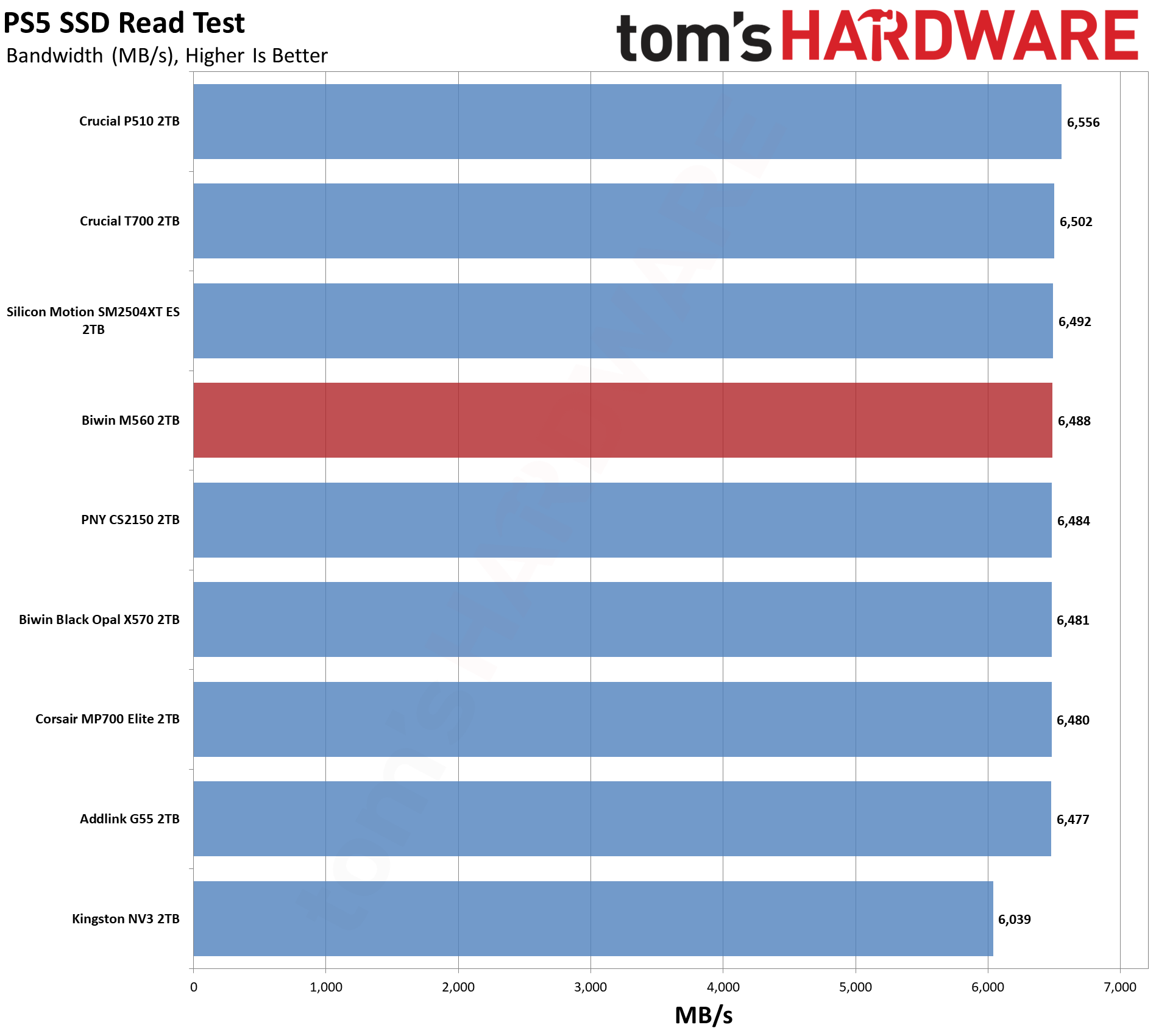
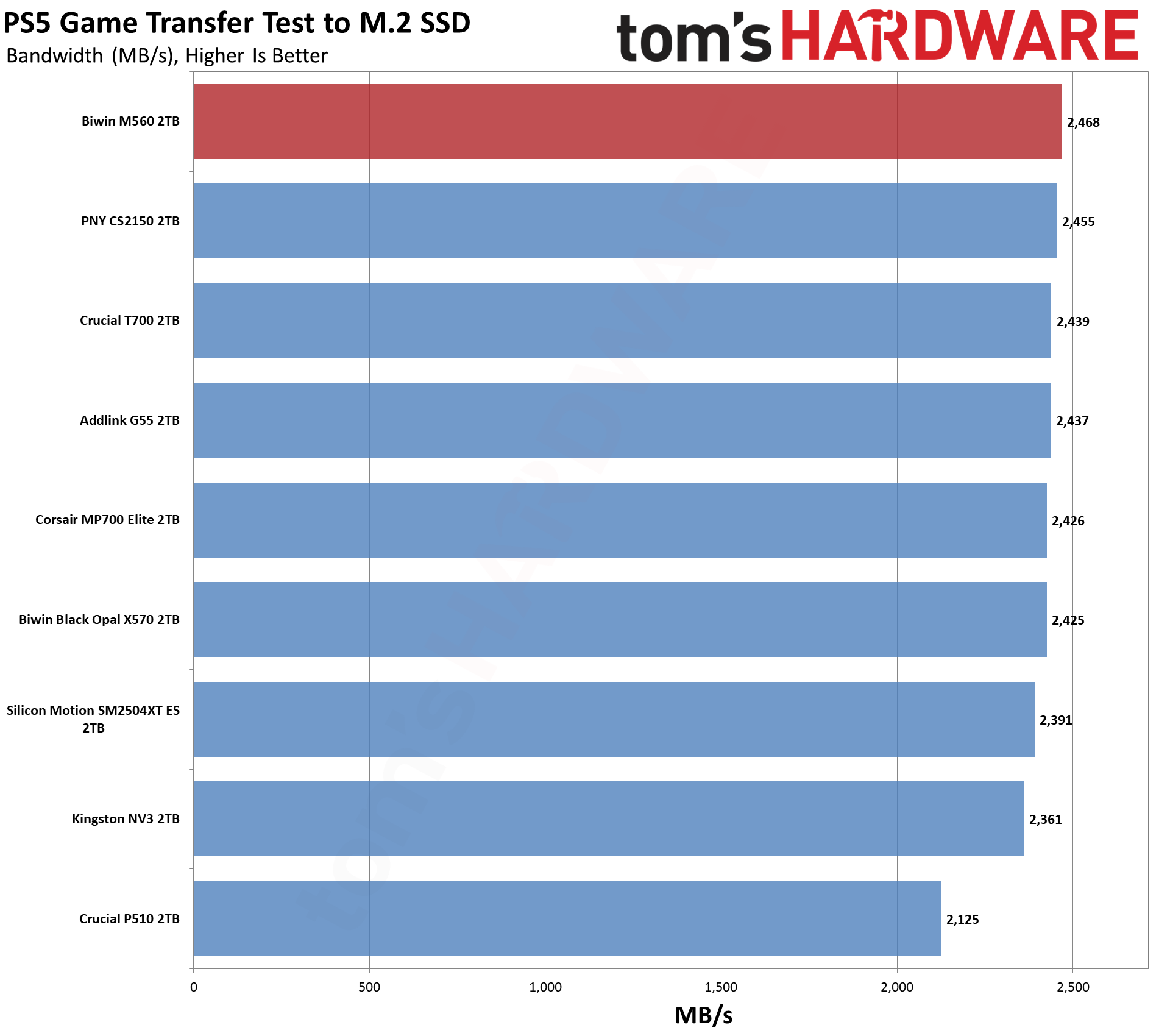
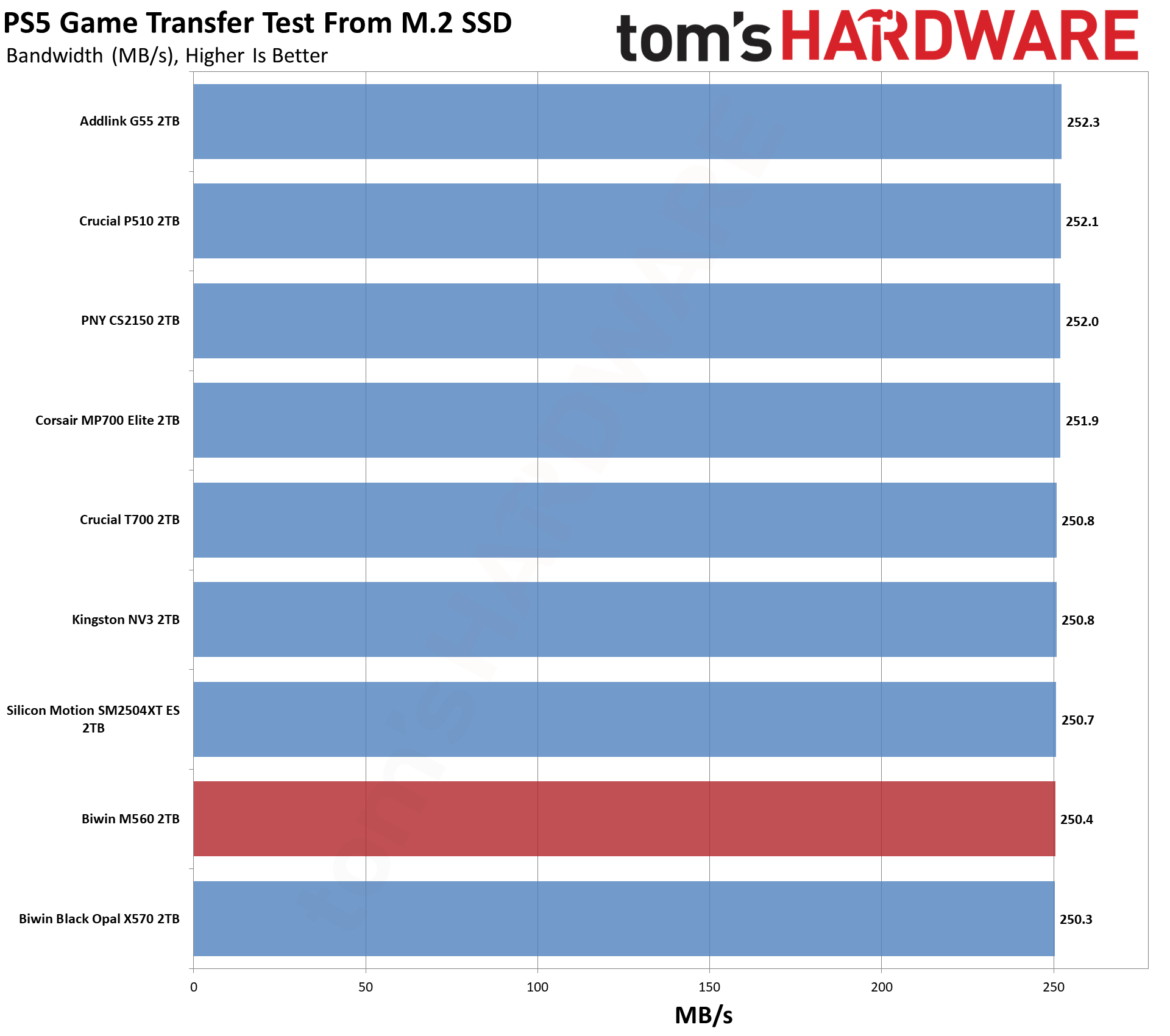
The PS5, why not? The M560 has good results here, as expected, even if it is overkill. We can still recommend it, as it’s going to run very cool at PCIe 4.0 speeds. We think you’re usually better off with a 4TB PCIe 4.0 drive like the Addlink A93, pound for pound, but this one would work.
Transfer Rates — DiskBench
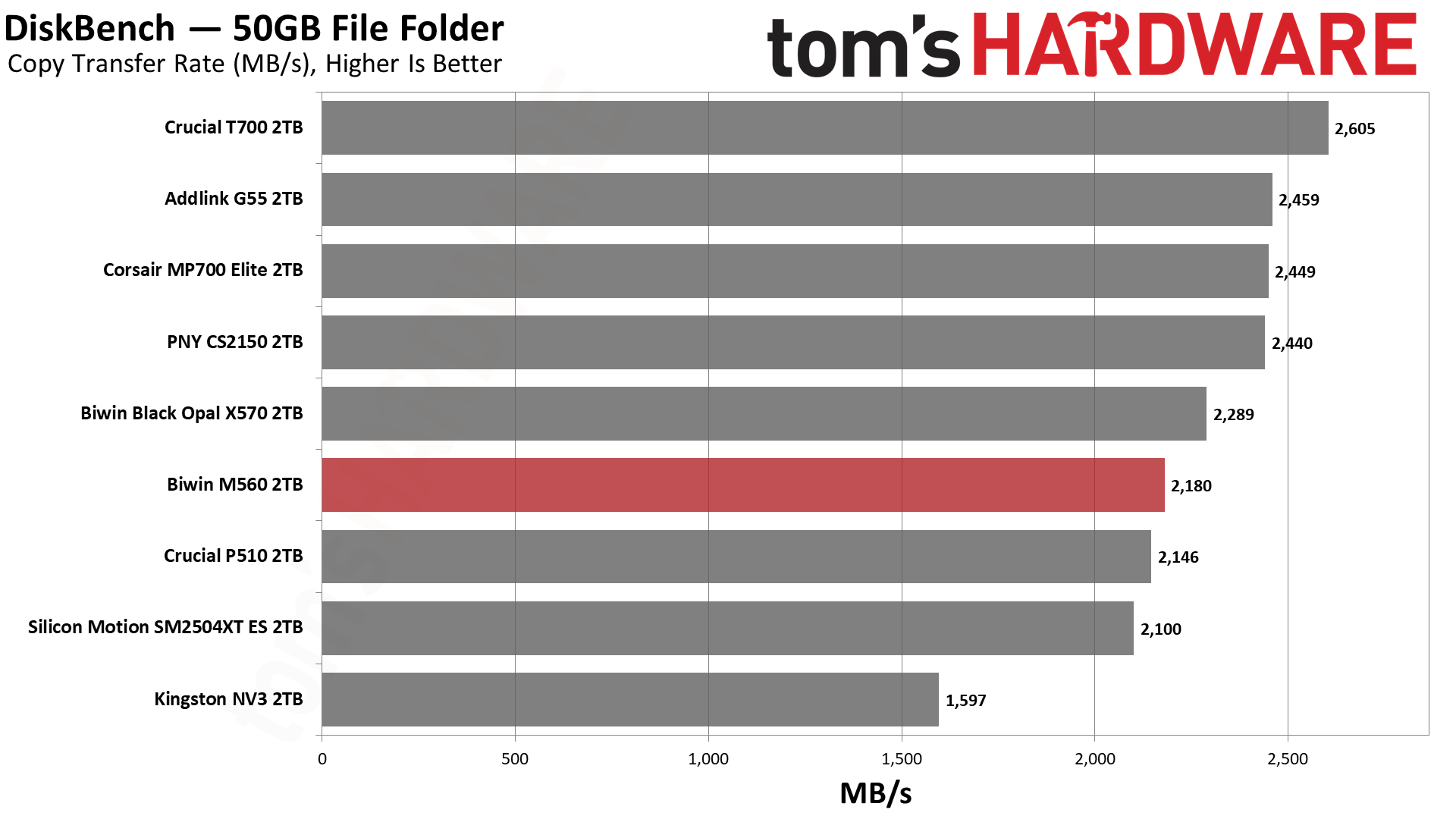
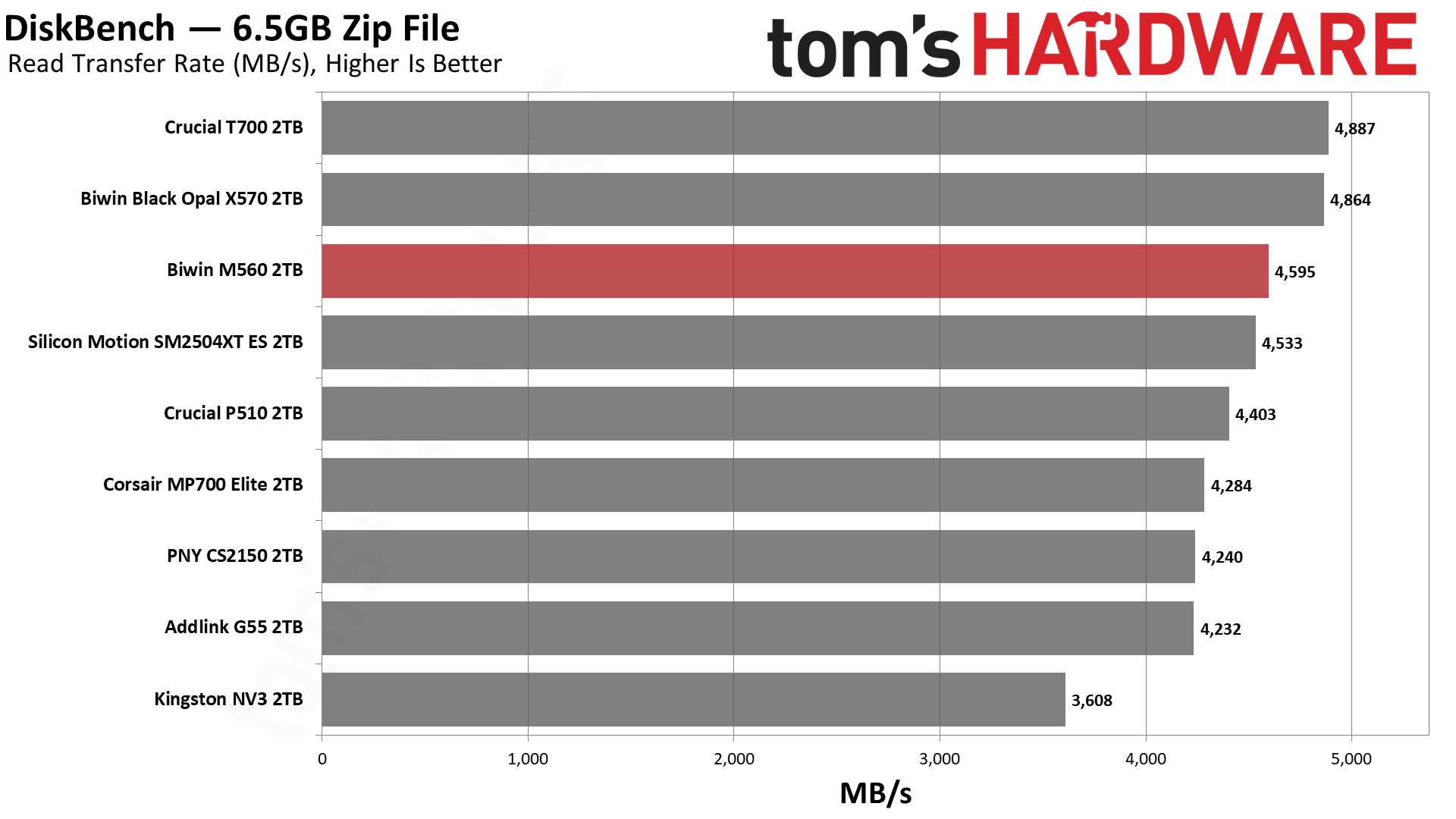
We use the DiskBench storage benchmarking tool to test file transfer performance with a custom 50GB dataset. We write 31,227 files of various types, such as pictures, PDFs, and videos to the test drive, then make a copy of that data to a new folder, and follow up with a reading test of a newly written 6.5GB zip file. This is a real-world type workload that fits into the cache of most drives.
Tom's HardwareTom's HardwareTom's Hardware
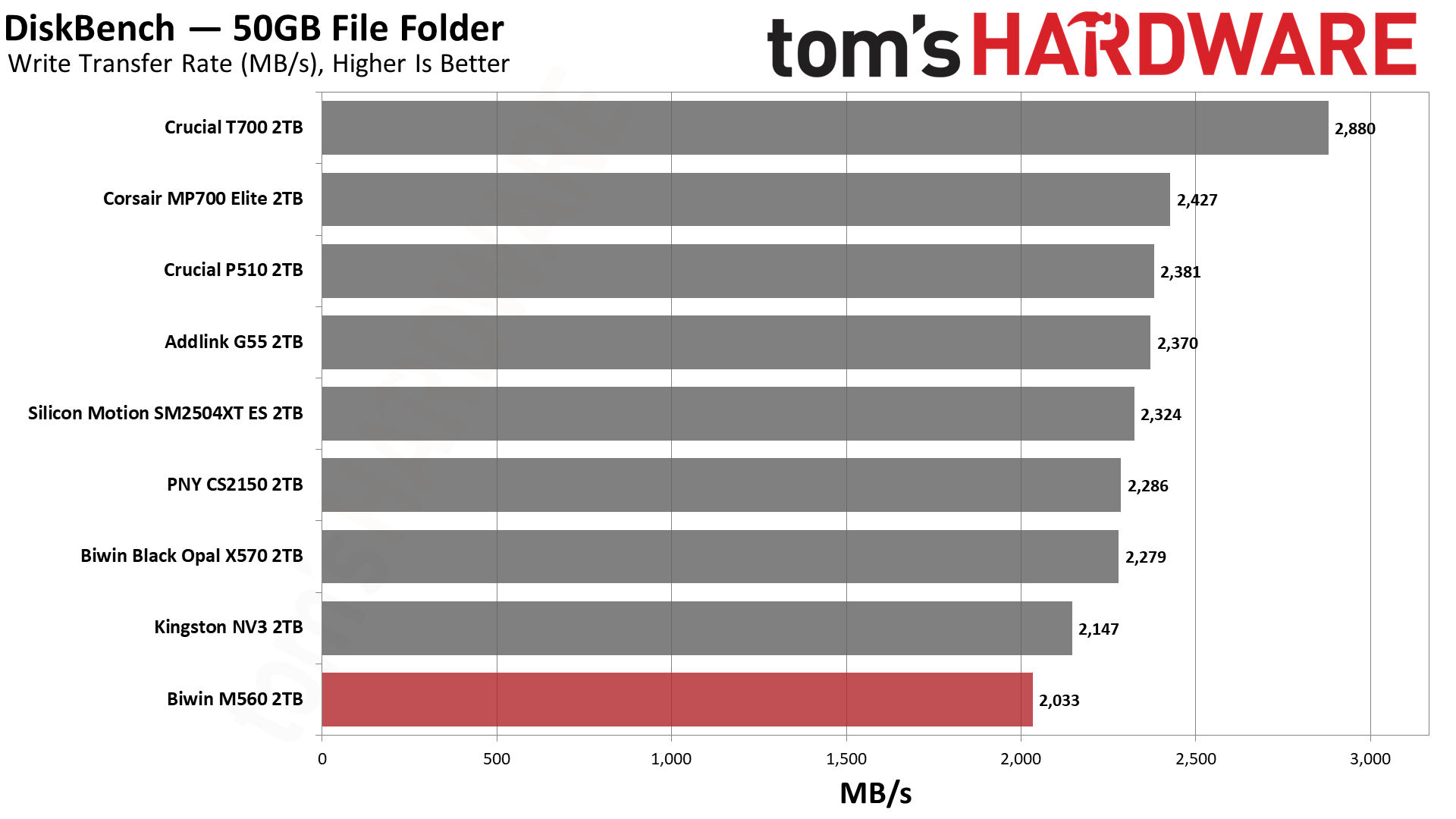
This is the one less impressive test for the drive, and it’s not unexpected, as the SM2504XT also fared somewhat poorly here. The M560 beats it at copying and reading, but not at writing. For copying, it also gets ahead of the P510, which, in our opinion, isn’t bad. Phison’s controller with BiCS8, with the CS2150, MP700 Elite, and G55, is just faster. We can’t chalk this up to a bandwidth difference or a latency difference, so our best guess is that the SMI controller is just not as well-optimized here.
Synthetic Testing — ATTO / CrystalDiskMark
ATTO and CrystalDiskMark (CDM) are free and easy-to-use storage benchmarking tools that SSD vendors commonly use to assign performance specifications to their products. Both of these tools give us insight into how each device handles different file sizes and at different queue depths for both sequential and random workloads.
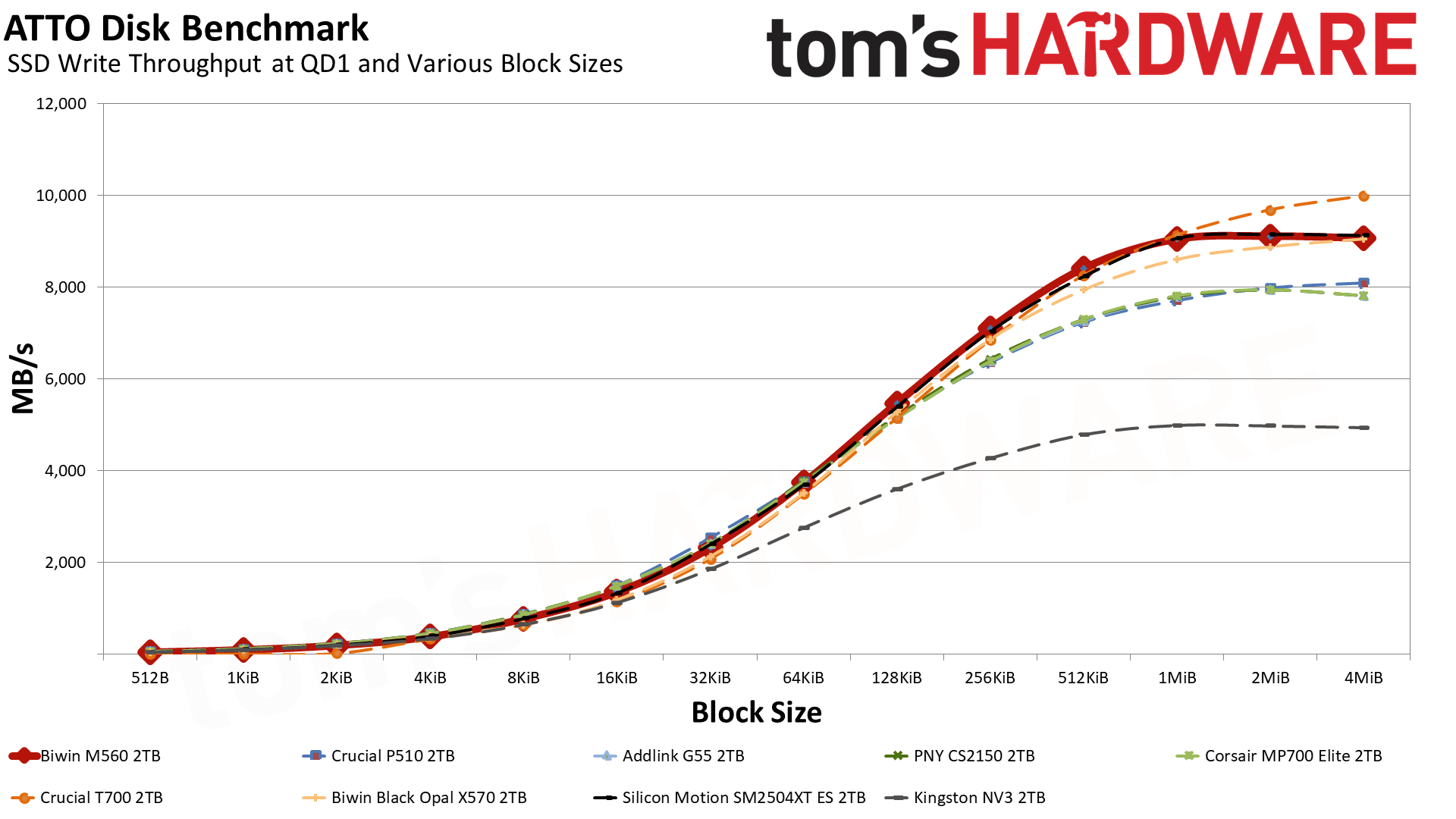
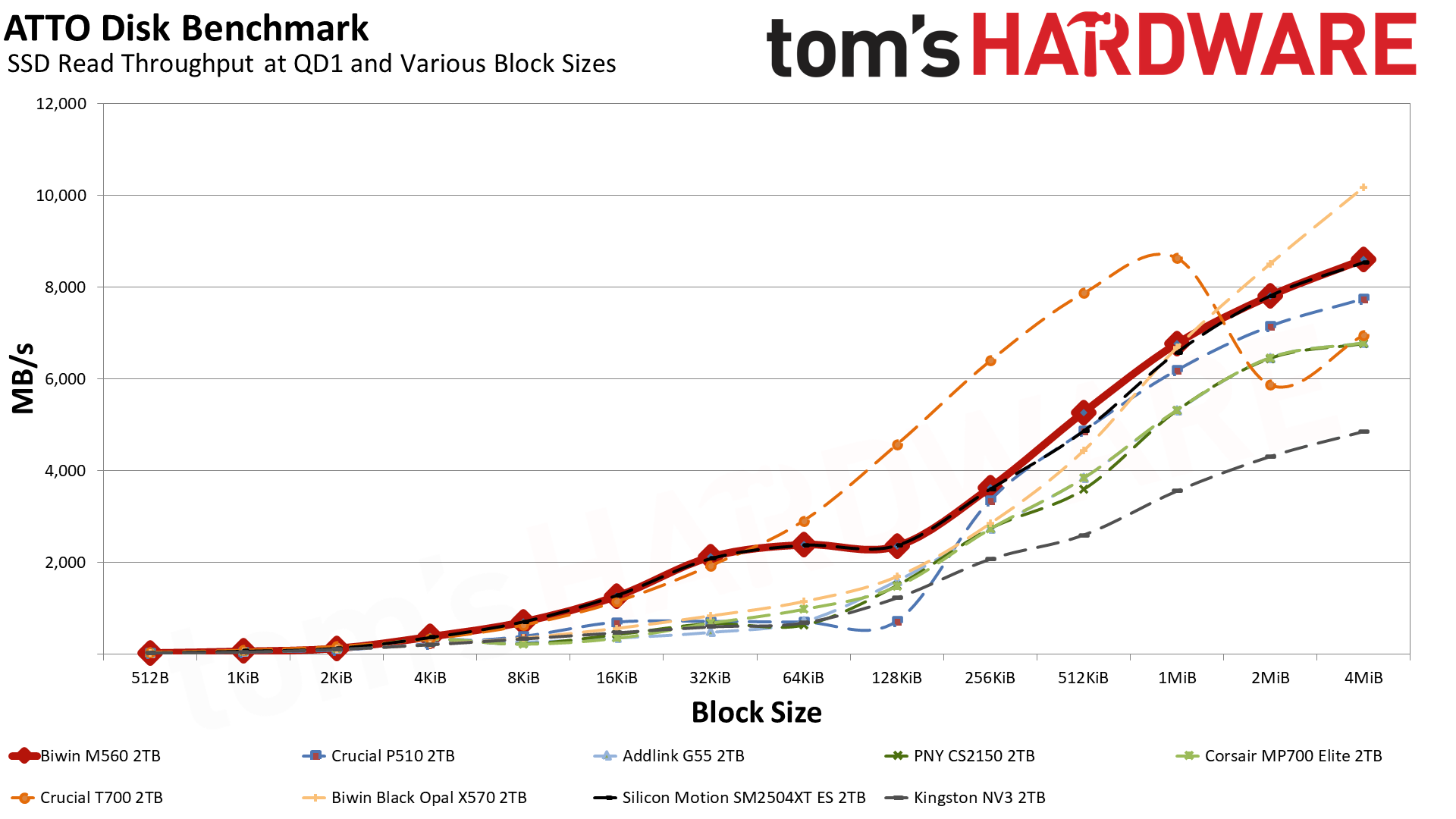
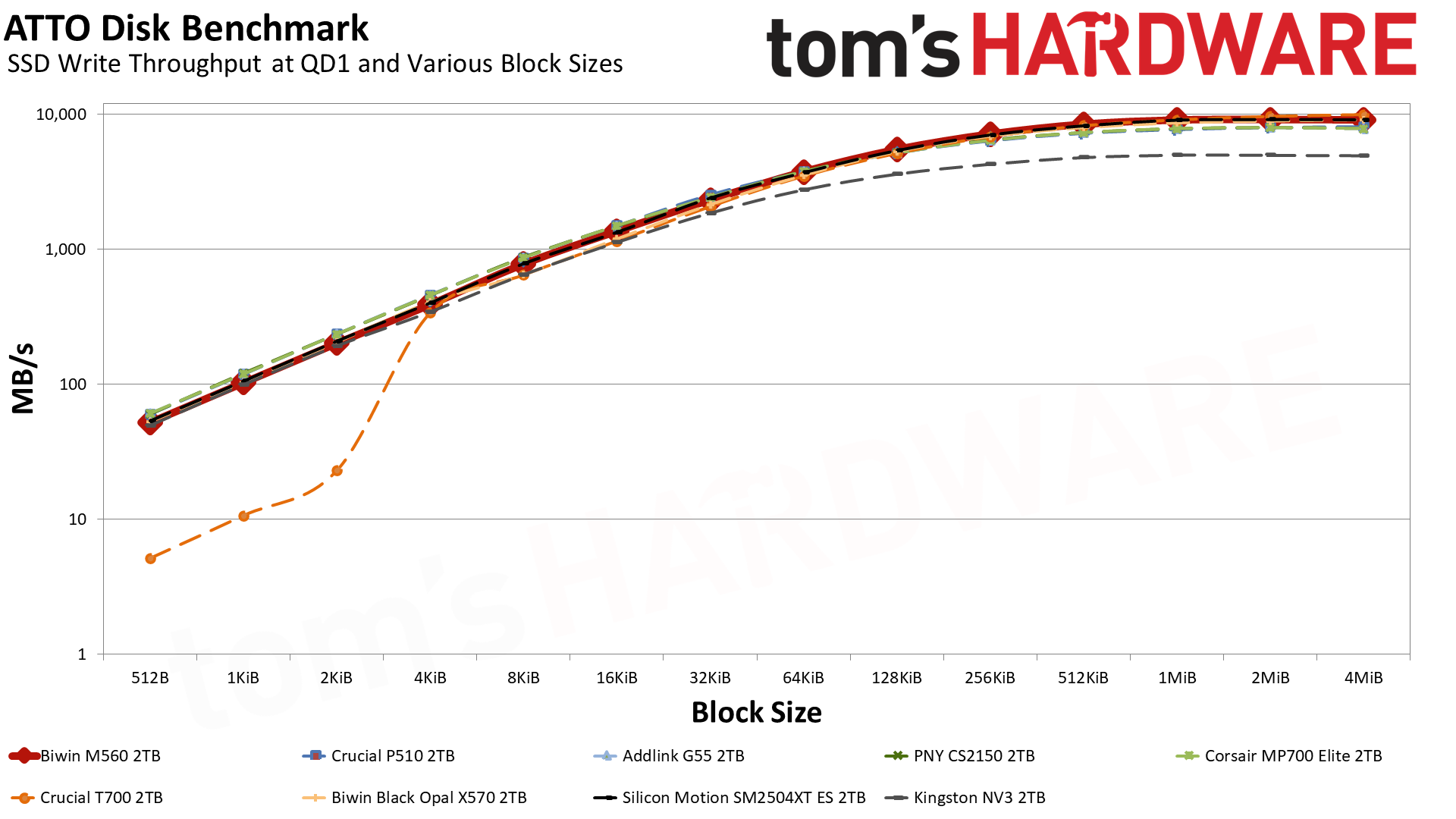
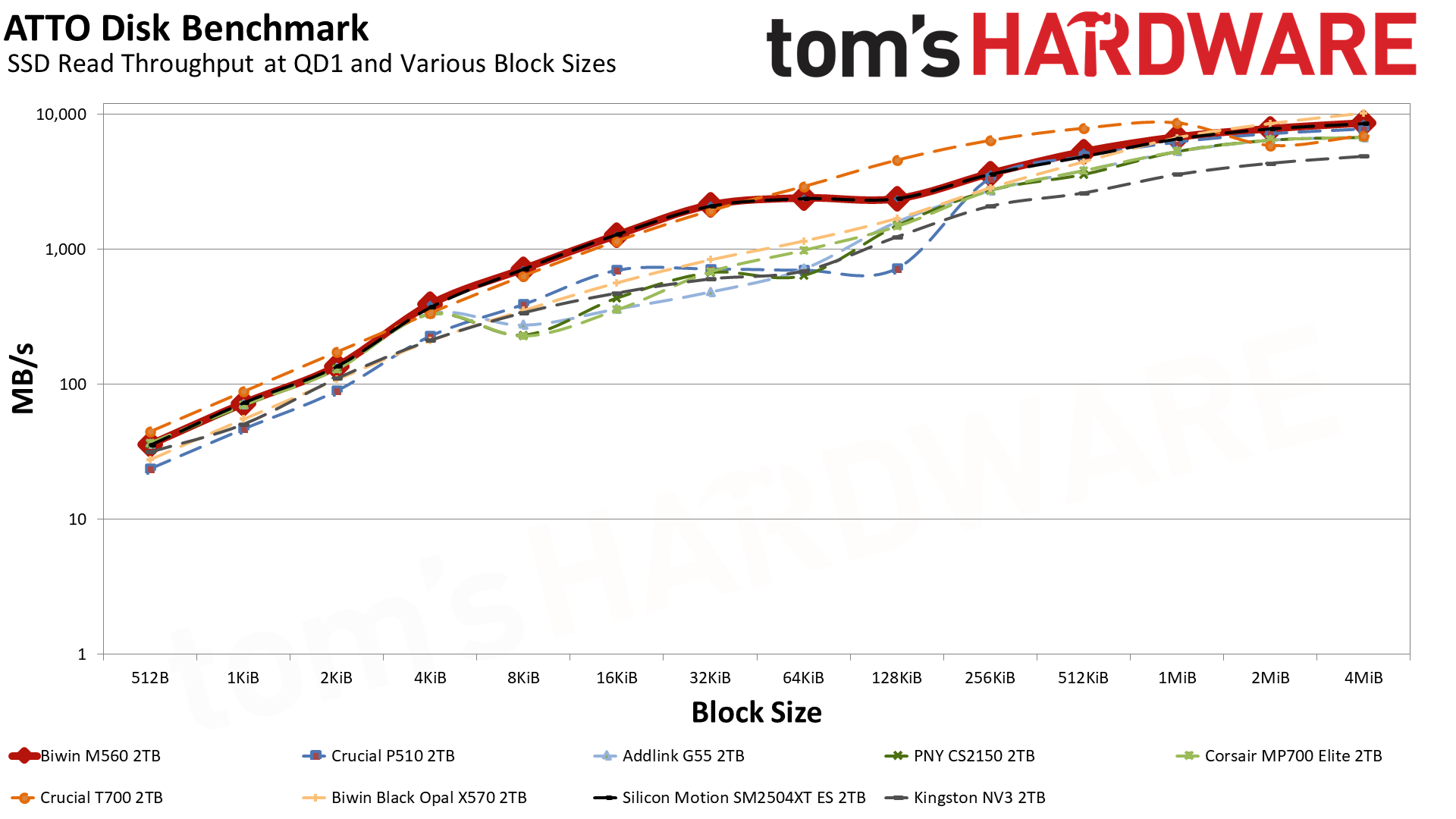
Let’s start with ATTO. For writes, the M560’s curve is quite nice, and it only loses to the T700 — which has double the flash channels, DRAM, and a higher bandwidth ceiling — at the largest block sizes. It even mostly outdoes the eight-channel X570 that’s rated for 10 GB/s with sequential writes. Reads are more of a mixed bag, but in general it’s better than any other drive except for the T700, which it defeats at 2 MiB and up, and the X570, which beats it in that same range. Effectively, this makes the M560 a monster drive for its class any way you slice it.
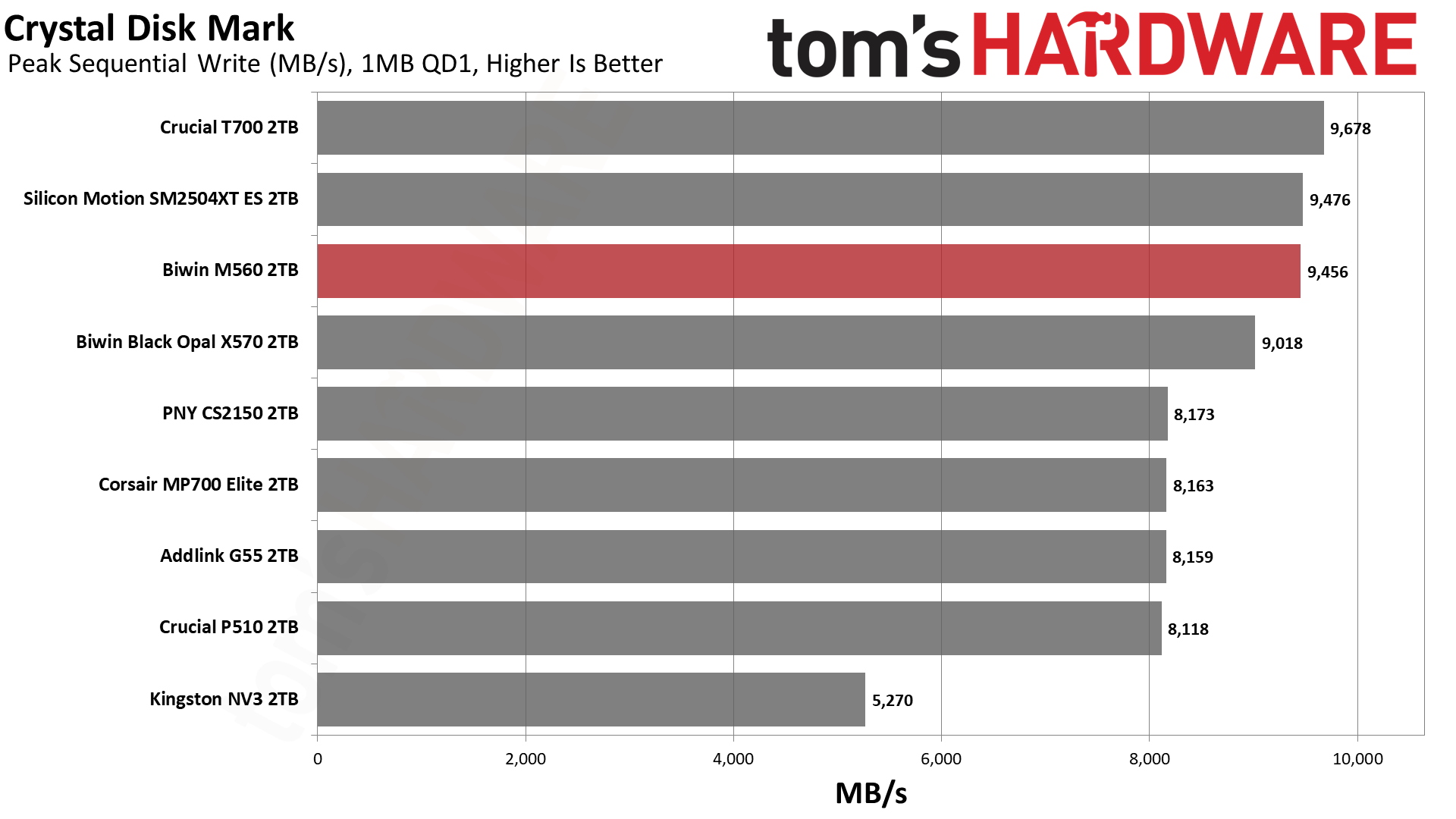
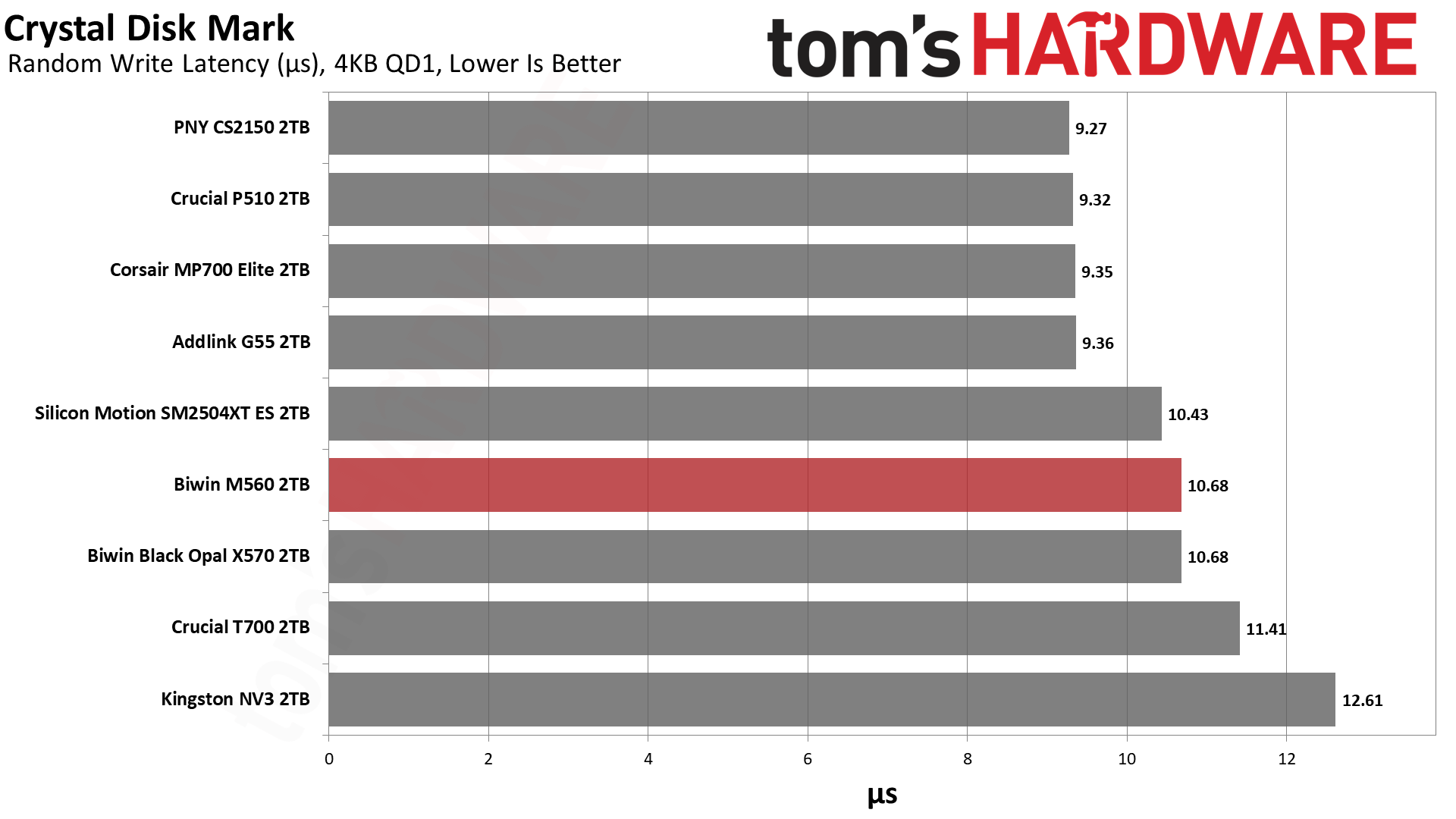
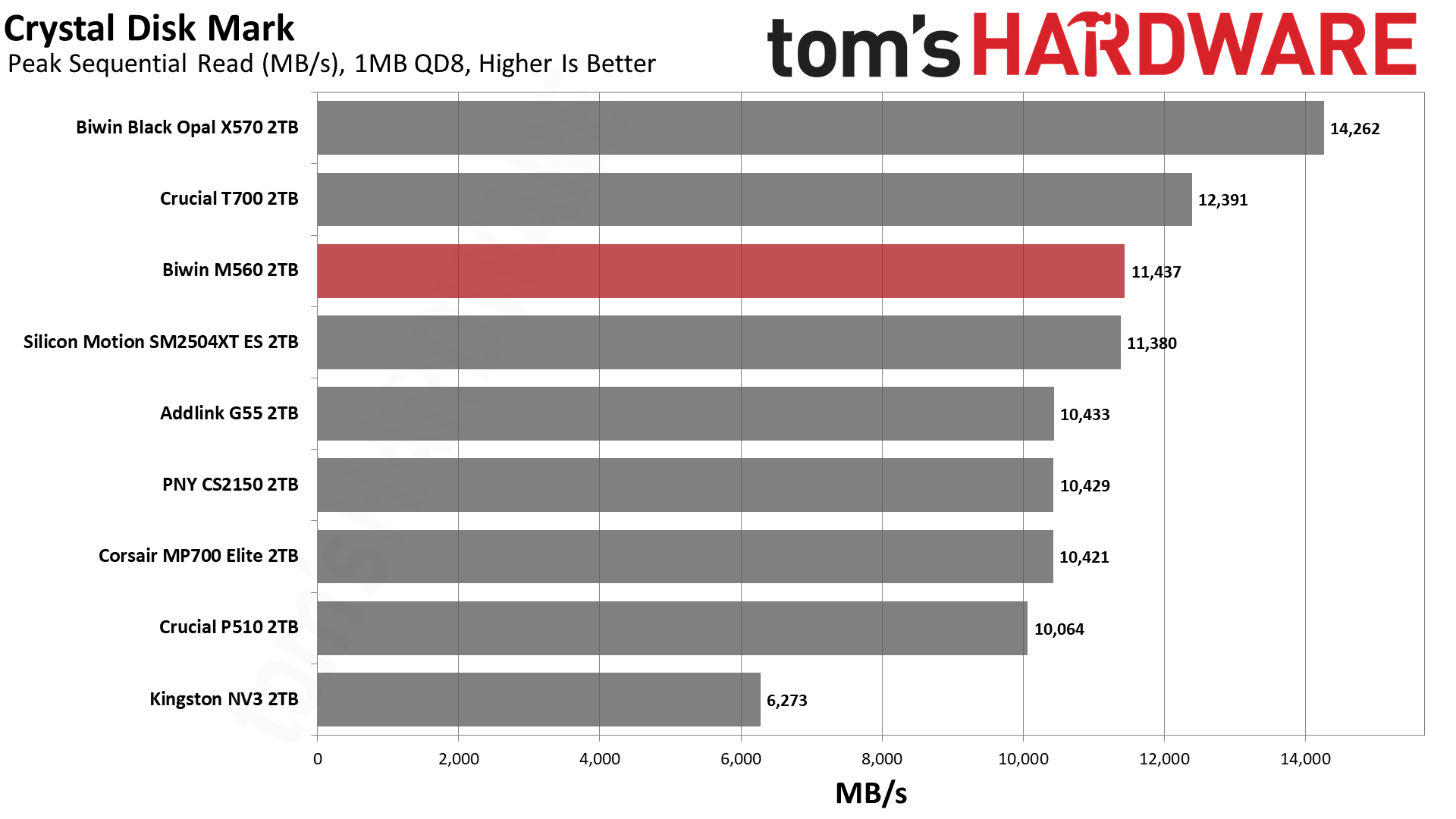
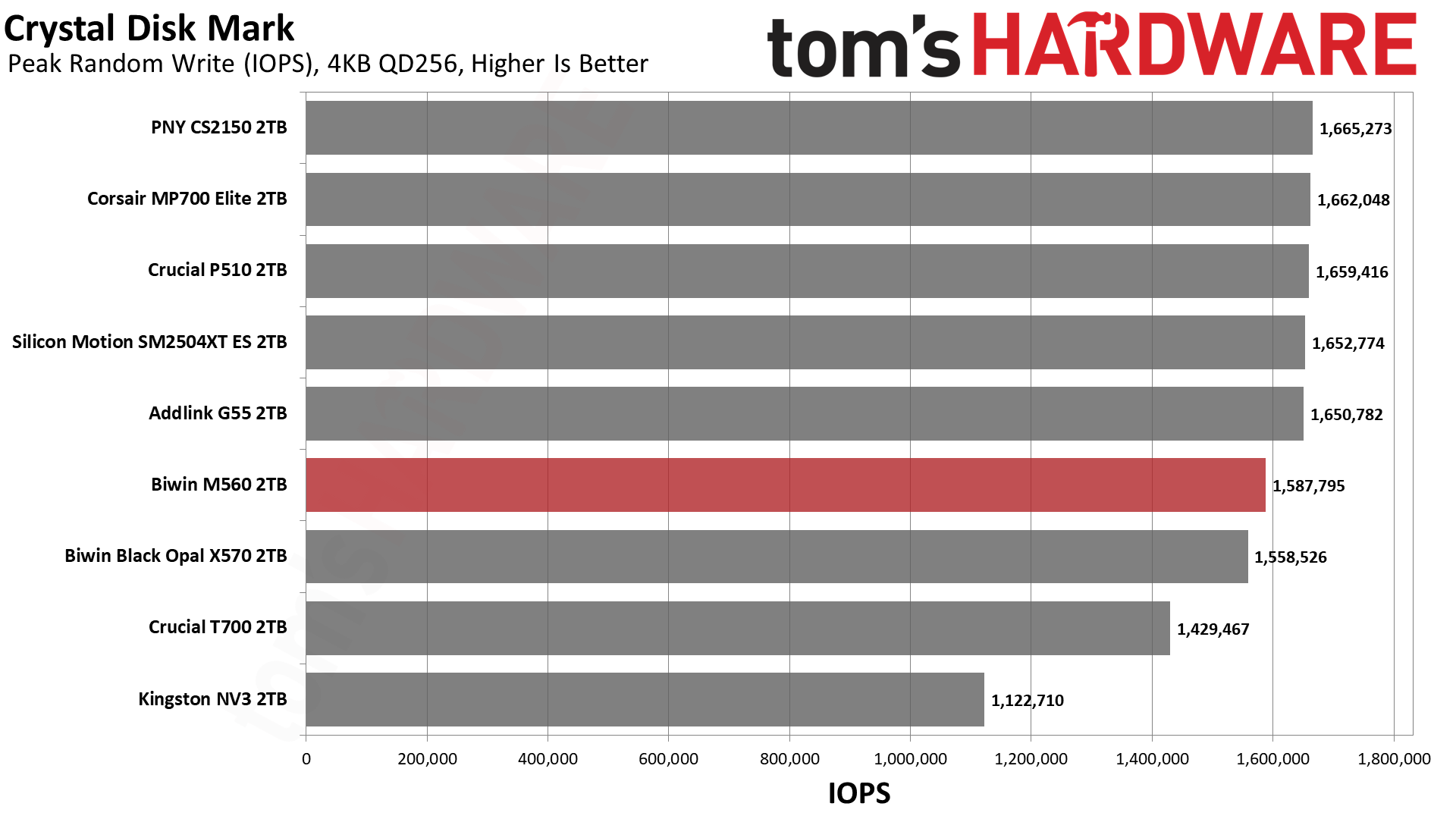
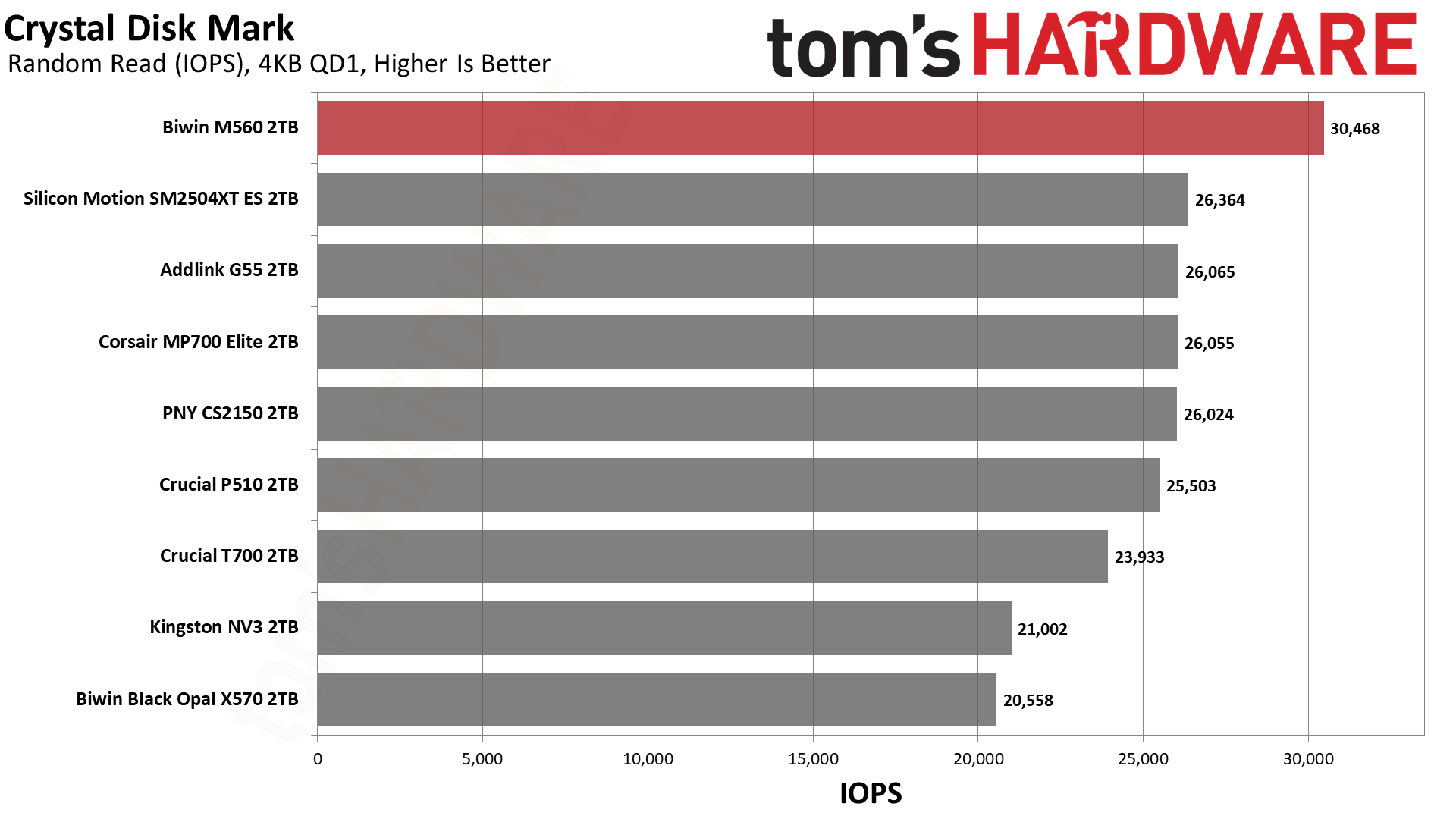
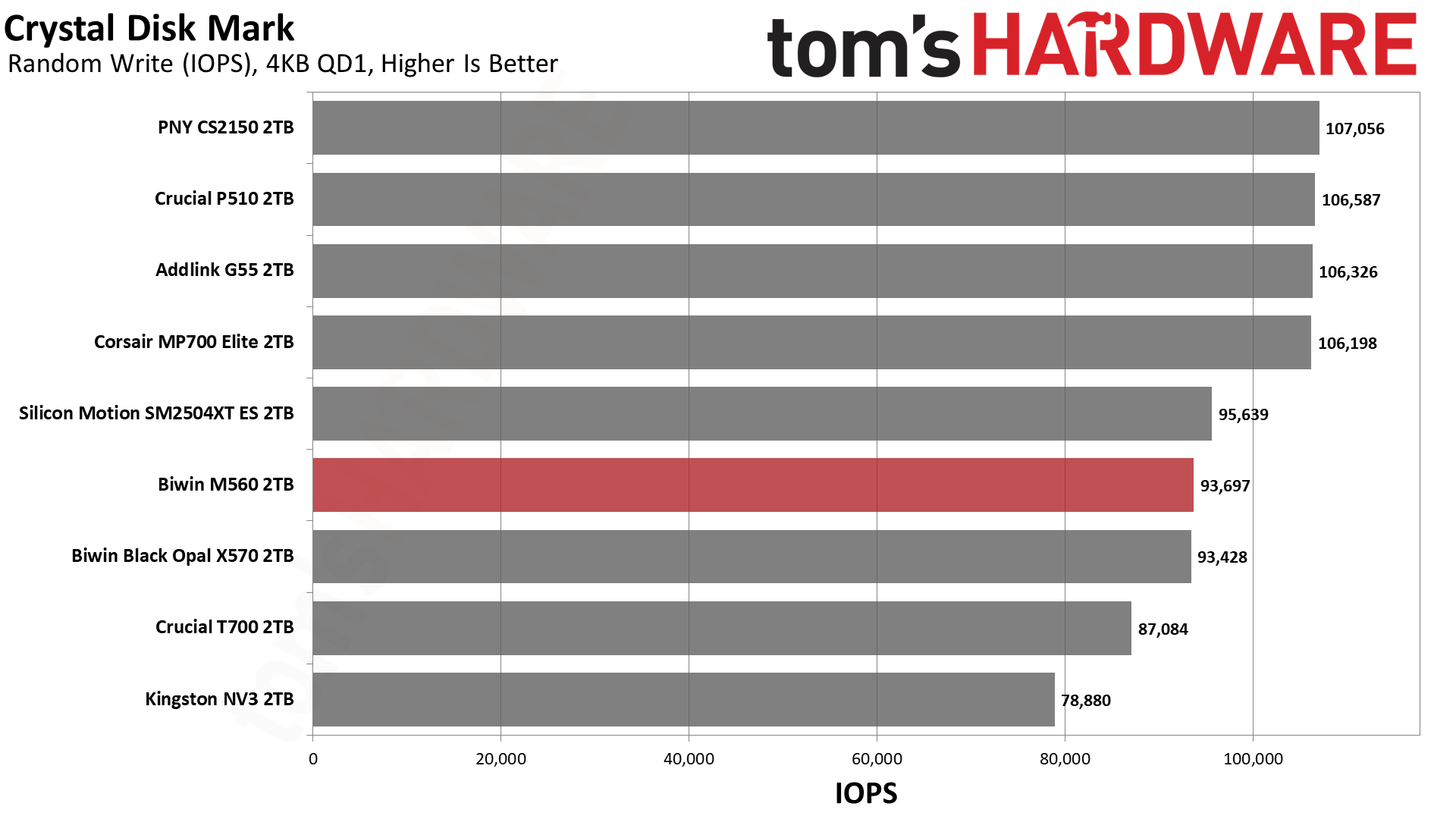
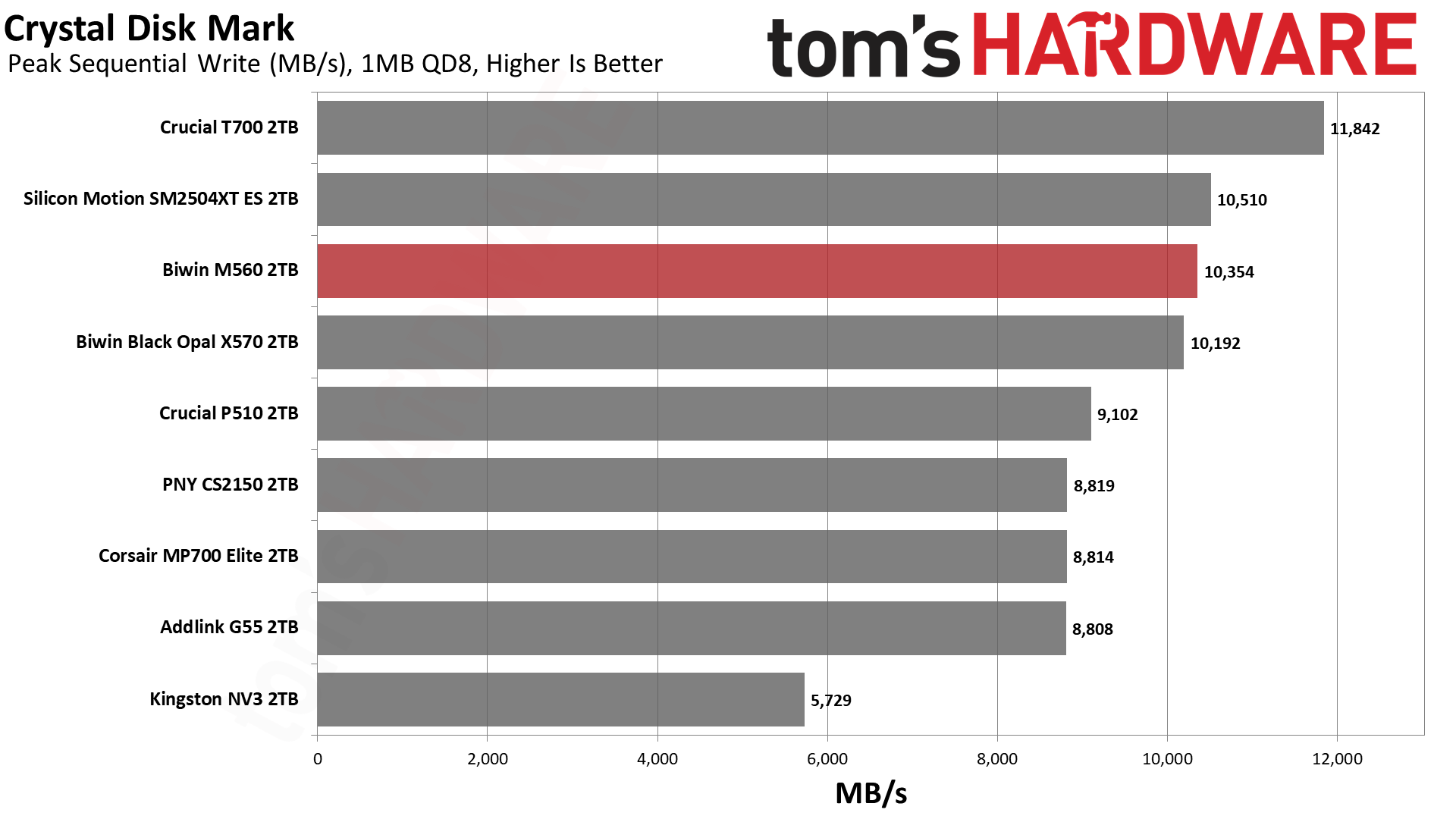
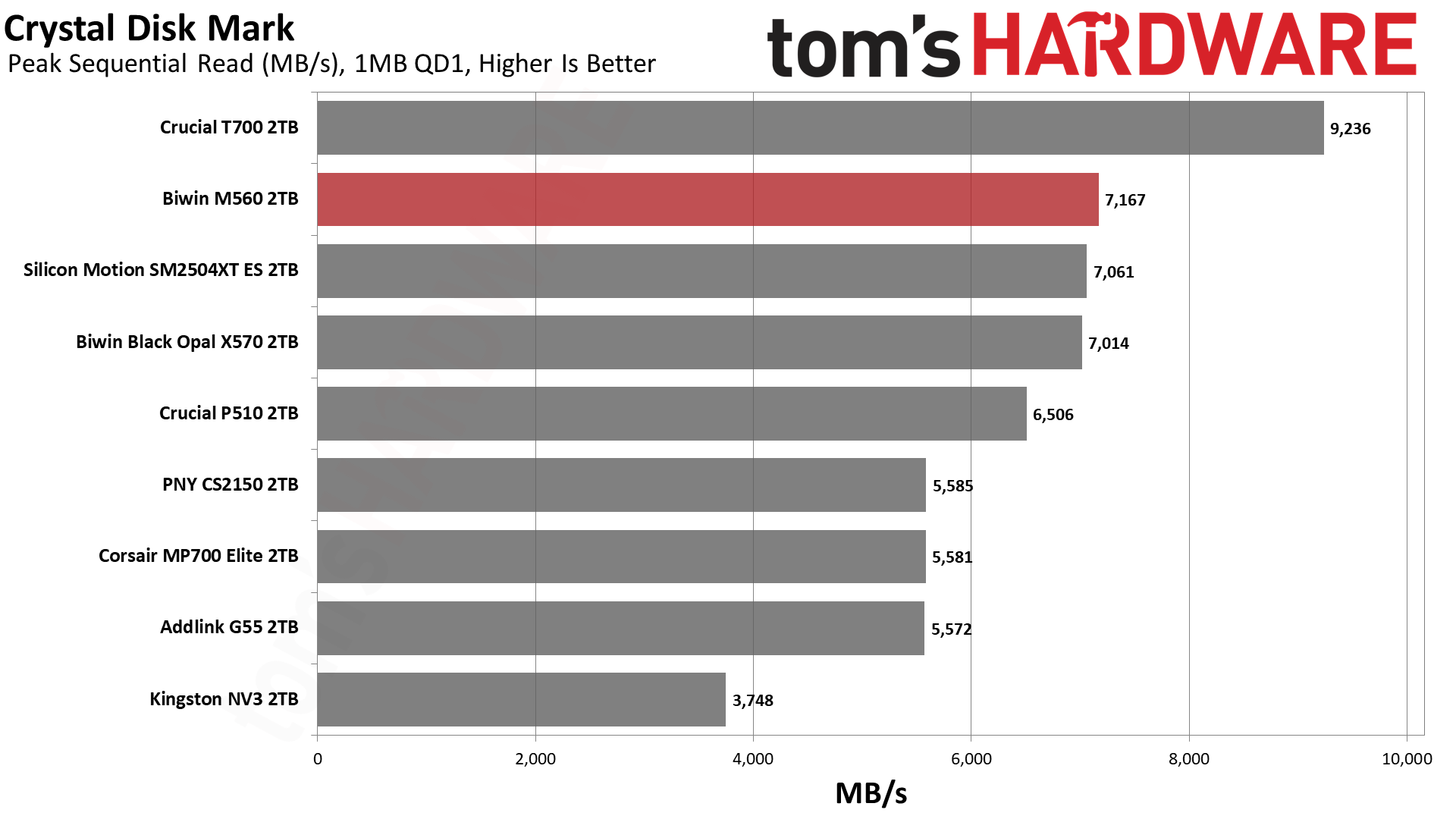
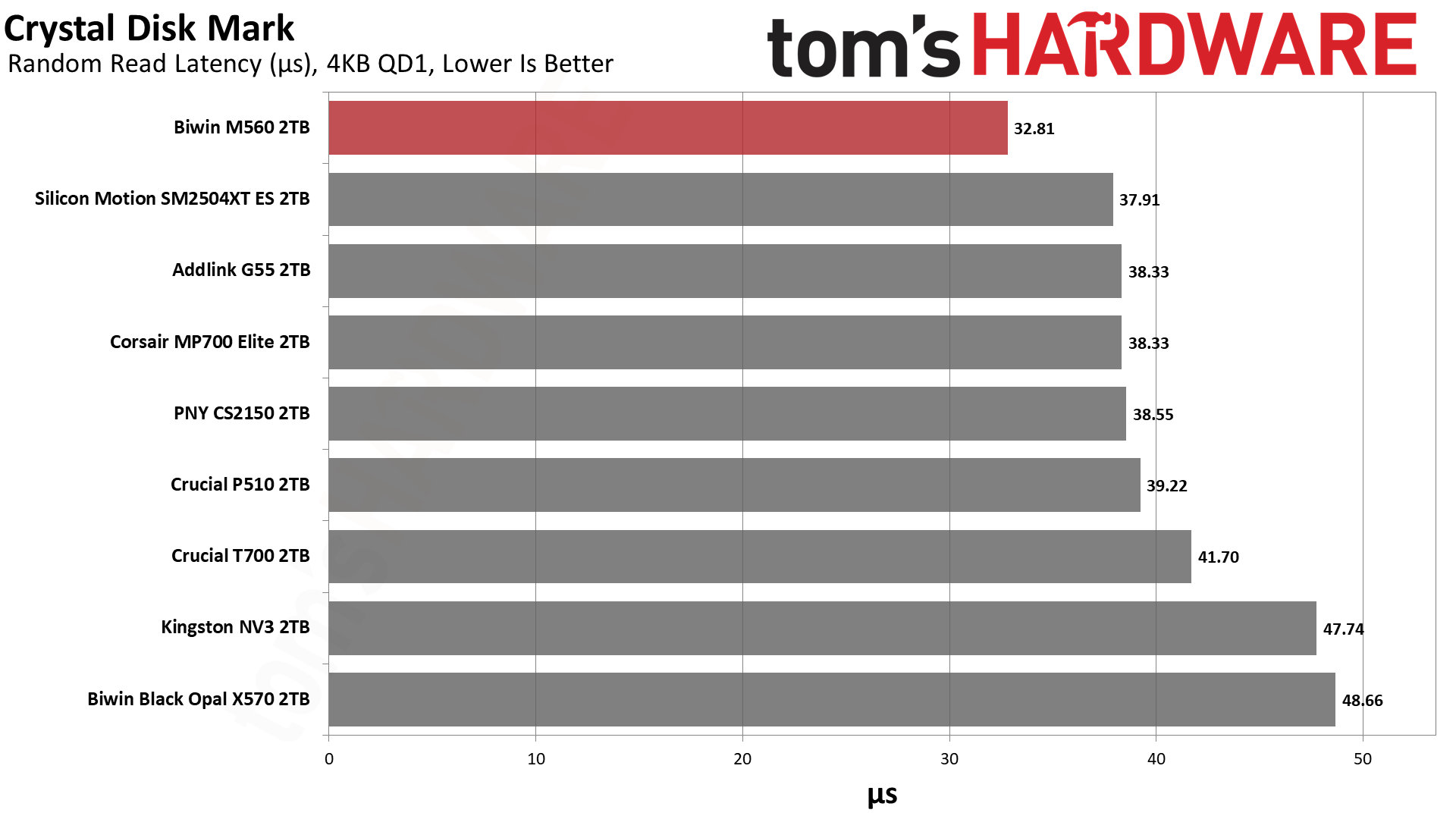
If we turn our attention towards CDM, we see that it dominates with sequential performance against not only the other retail drives in its class but the X570 as well, except at QD8 for reads. This is a powerhouse for what it is. If we look at 4KB performance, we see two different things, with one that weighs more than the other. The first is 4KB QD1 random write latency, which isn’t bad but not up to the level of what we’ve seen with this flash. The maximum IOPS at QD256 also lags. For reads, though, the M560 comes into its own: ahead of the E31T drives at high QD for 4KB random reads but, more importantly, top in QD1 latency against all drives here.
That result, more than any other, should compel you to consider this drive. It’s exceptionally responsive for what matters in daily use. It’s not quite as fast as WD and Sandisk’s drives with Sandisk BiCS8 flash, but it’s very close. Phison’s E31T just doesn’t come close.
Sustained Write Performance and Cache Recovery
Official write specifications are only part of the performance picture. Most SSDs implement a write cache, which is a fast area of pseudo-SLC (single-bit) programmed flash that absorbs incoming data. Sustained write speeds can suffer tremendously once the workload spills outside of the cache and into the "native" TLC (three-bit) or QLC (four-bit) flash. Performance can suffer even more if the drive is forced to fold, the process of migrating data out of the cache in order to free up space for further incoming data.
We use Iometer to hammer the SSD with sequential writes for 15 minutes to measure both the size of the write cache and performance after the cache is saturated. We also monitor cache recovery via multiple idle rounds. This process shows the performance of the drive in various states including the steady state write performance.
Tom's HardwareTom's HardwareTom's Hardware
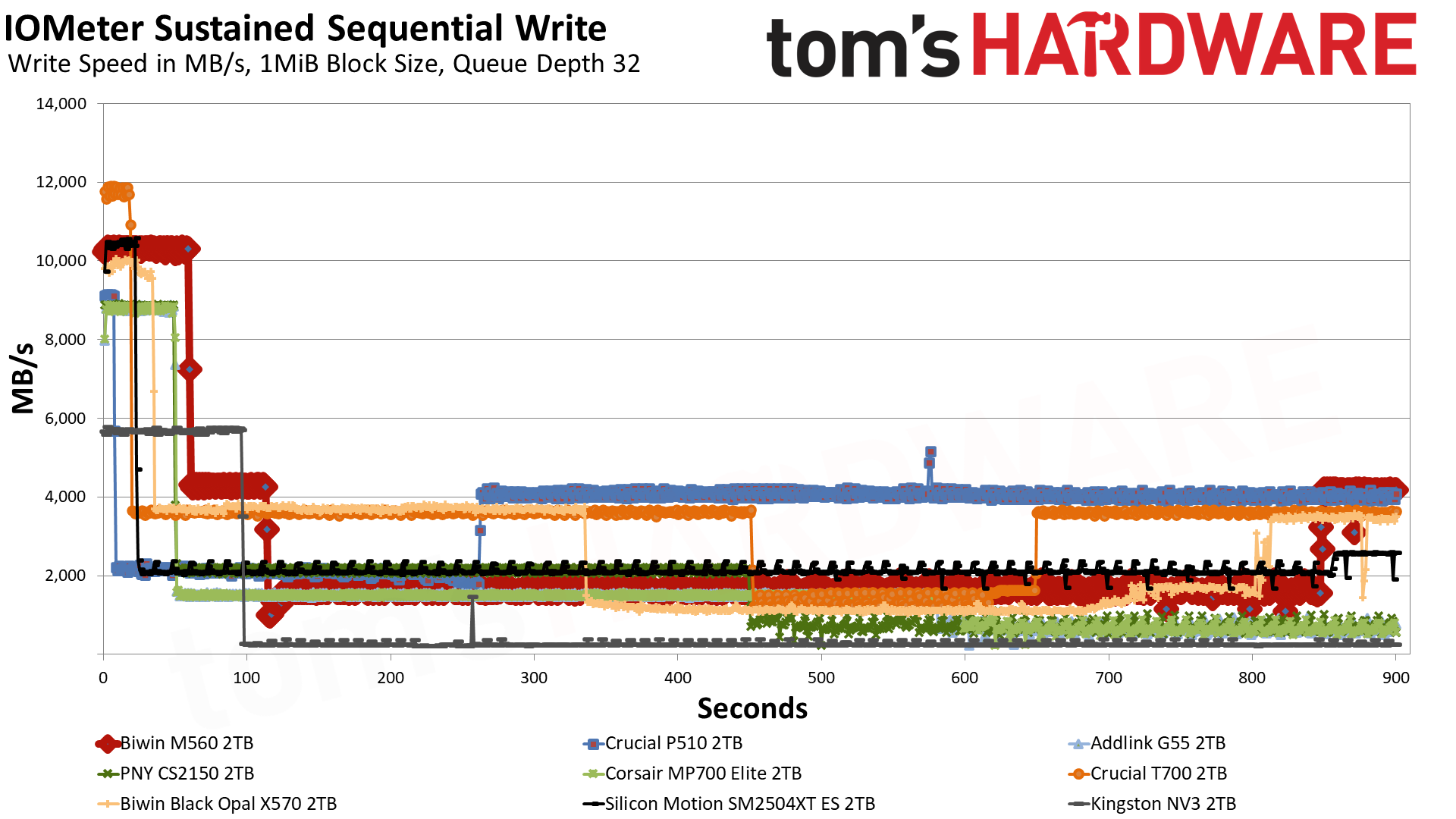
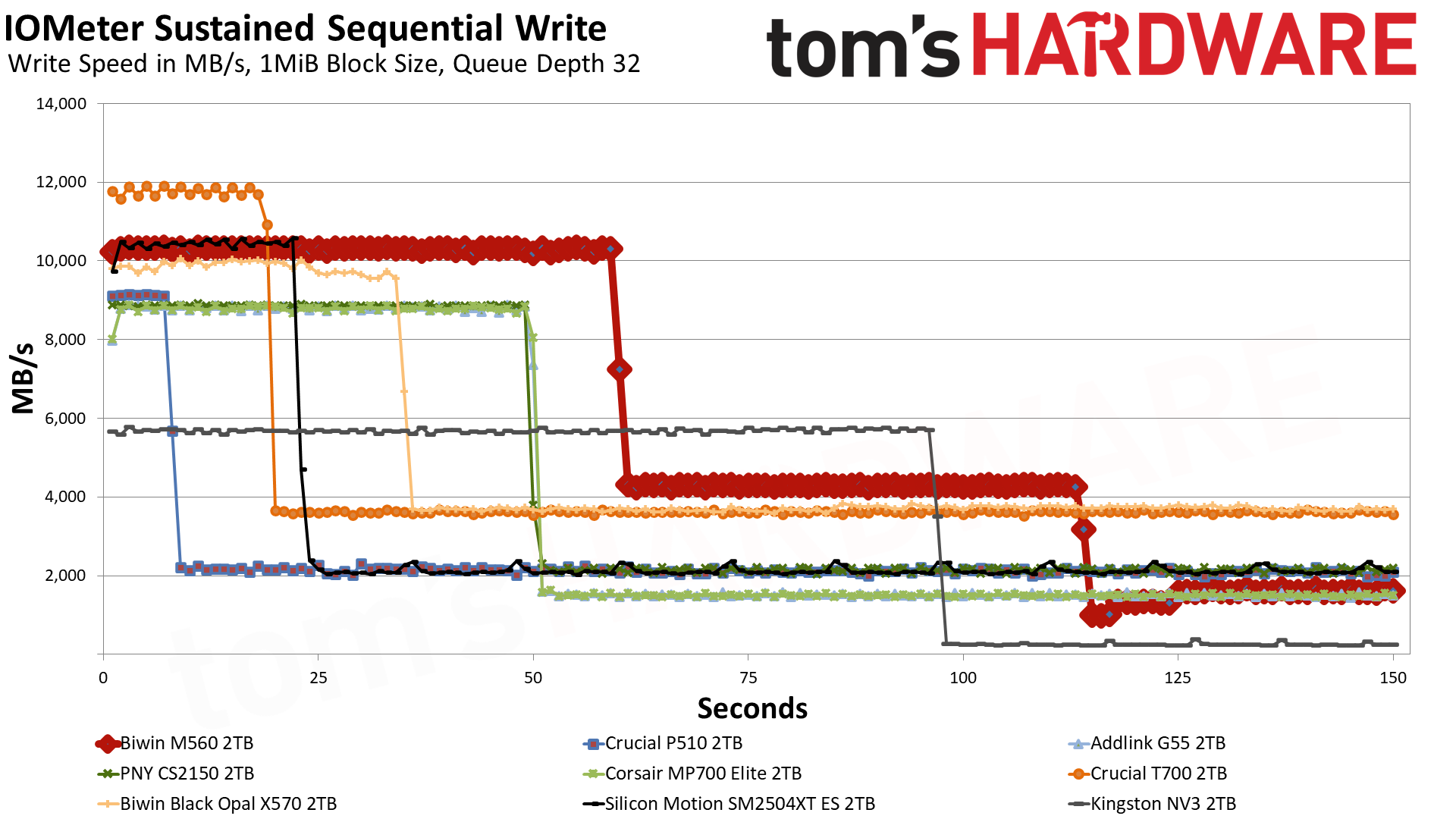
The M560 has three distinct write states: the pSLC cache, direct to TLC flash, and a folding mode where it has to wait for data to be moved over from the pSLC to the TLC. In the first mode, it writes at an average of over 10.3 GB/s for over 59 seconds with a cache of around 611 GB. This is plenty fast for a drive of this type, and the cache is a good size. That figure is from an empty drive, and as with any dynamic cache, it will shrink as the drive fills. It is possible to dedicate more of the TLC flash to this mode, but that has drawbacks. A larger cache usually means the drive will be slower and less consistent with writes when the cache is exhausted.
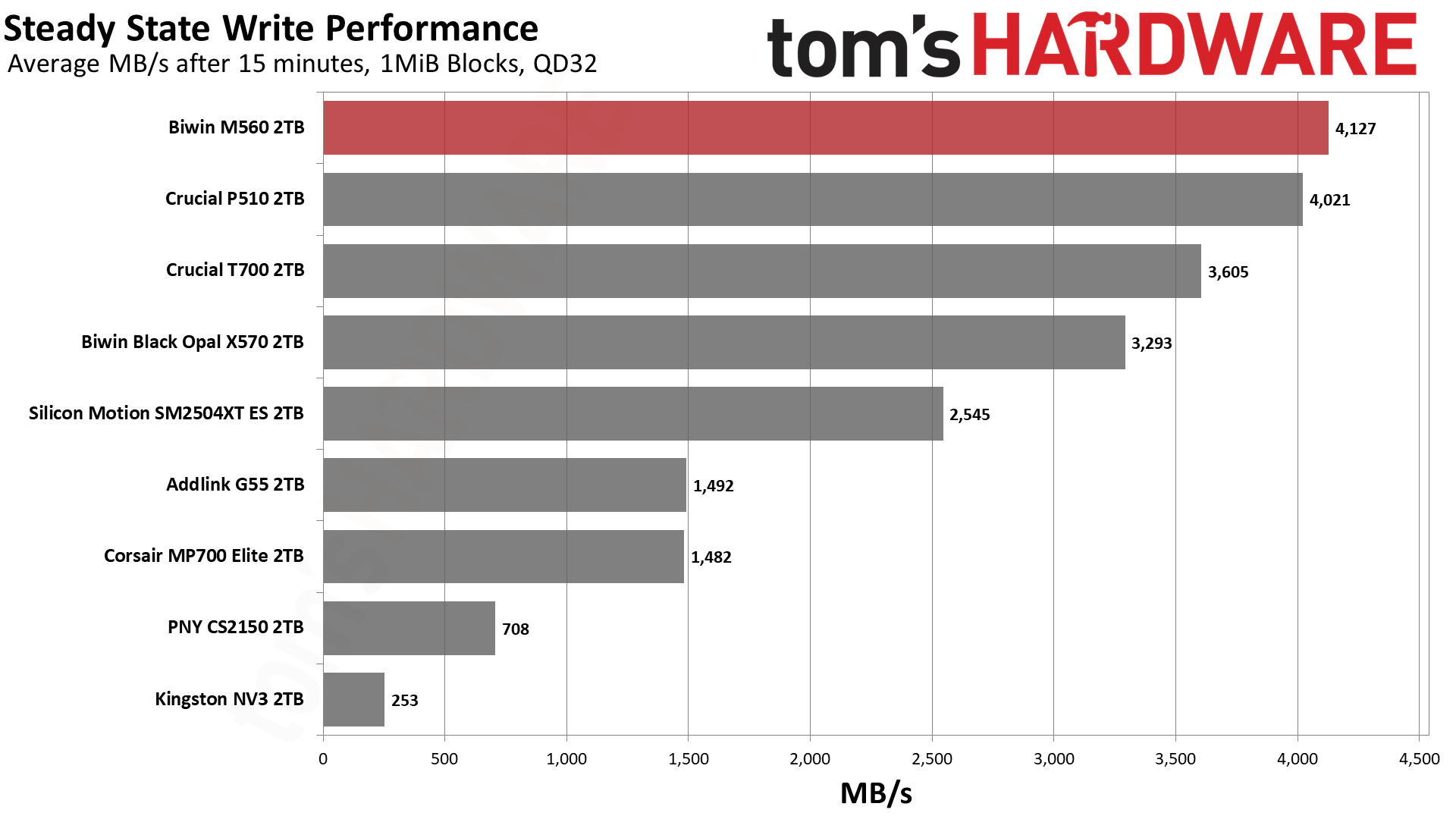
In the middle native write mode, the drive writes at over 4.1 GB/s, which is also what our steady-state result shows: that chart averages the last 30 seconds of the run, and by then the drive had written about 2TB and was back to writing at its native speed. This is in part misleading and in part not. It’s not misleading because, in fact, the flash can maintain this native speed under the right circumstances. It is misleading that you’d end up with this at the end of your writes because the drive will outrun the cache, and there will not be enough space left to handle the incoming writes. This forces the drive to “fold” data from the cache to the native TLC, which interferes with the direct write process, increasing latency and lowering the write speed. The resulting speed is usually less than half the native and, in this case, is somewhere above 1.6 GB/s, which is by no means terrible when some QLC-based drives end up at 10% of that. Note, however, that the ES we tested with the same hardware has a more consistent 2.1 GB/s write speed line, and this is due to it having a much smaller cache.
While the large cache here means that this drive really isn’t ideal for sustained write workloads, the fact it can get over 4 GB/s with its flash is pretty incredible. This would have been above and beyond just about every PCIe 4.0 drive in existence, and with just half the channels. This is a very fast drive and, frankly, feels like a high-end drive if you can get past the fact it “only” hits a bit above 10 GB/s. In practice, for longer writes that still fit in its roughly 600 GB cache, it’s going to feel like one of the fastest drives out there. It’s just that some drives, like the P510, would be more suitable for write workloads where you want a smaller cache. Alternative cache configurations for this same hardware would also be better for that, but we have few to compare at the moment.
Power Consumption and Temperature
We use the Quarch HD Programmable Power Module to gain a deeper understanding of power characteristics. Idle power consumption is an important aspect to consider, especially if you're looking for a laptop upgrade, as even the best ultrabooks can have mediocre stock storage in terms of capacity and performance. Desktops are often more performance-oriented with less support for power-saving features, so we show the worst-case for idle.
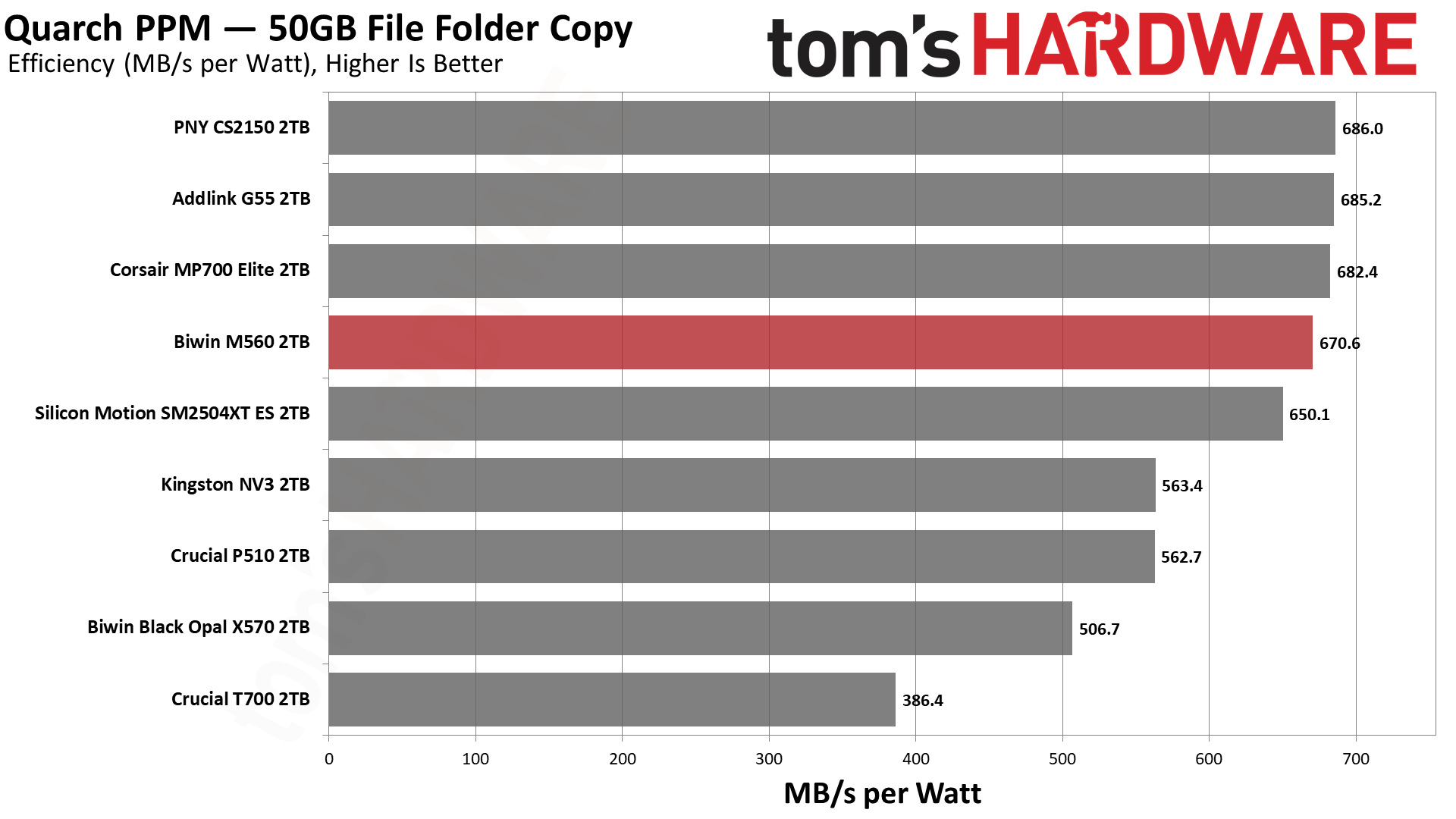
Some SSDs can consume watts of power at idle while better-suited ones sip just milliwatts. Average workload power consumption and max consumption are two other aspects of power consumption, but performance-per-watt, or efficiency, is more important. A drive might consume more power during any given workload, but accomplishing a task faster allows the drive to drop into an idle state more quickly, ultimately saving energy.
For temperature recording, we currently poll the drive’s primary composite sensor during testing with a ~22°C ambient. Our testing is rigorous enough to heat the drive to a realistic ceiling temperature, but real-world temperatures will vary due to the environment and workload factors.
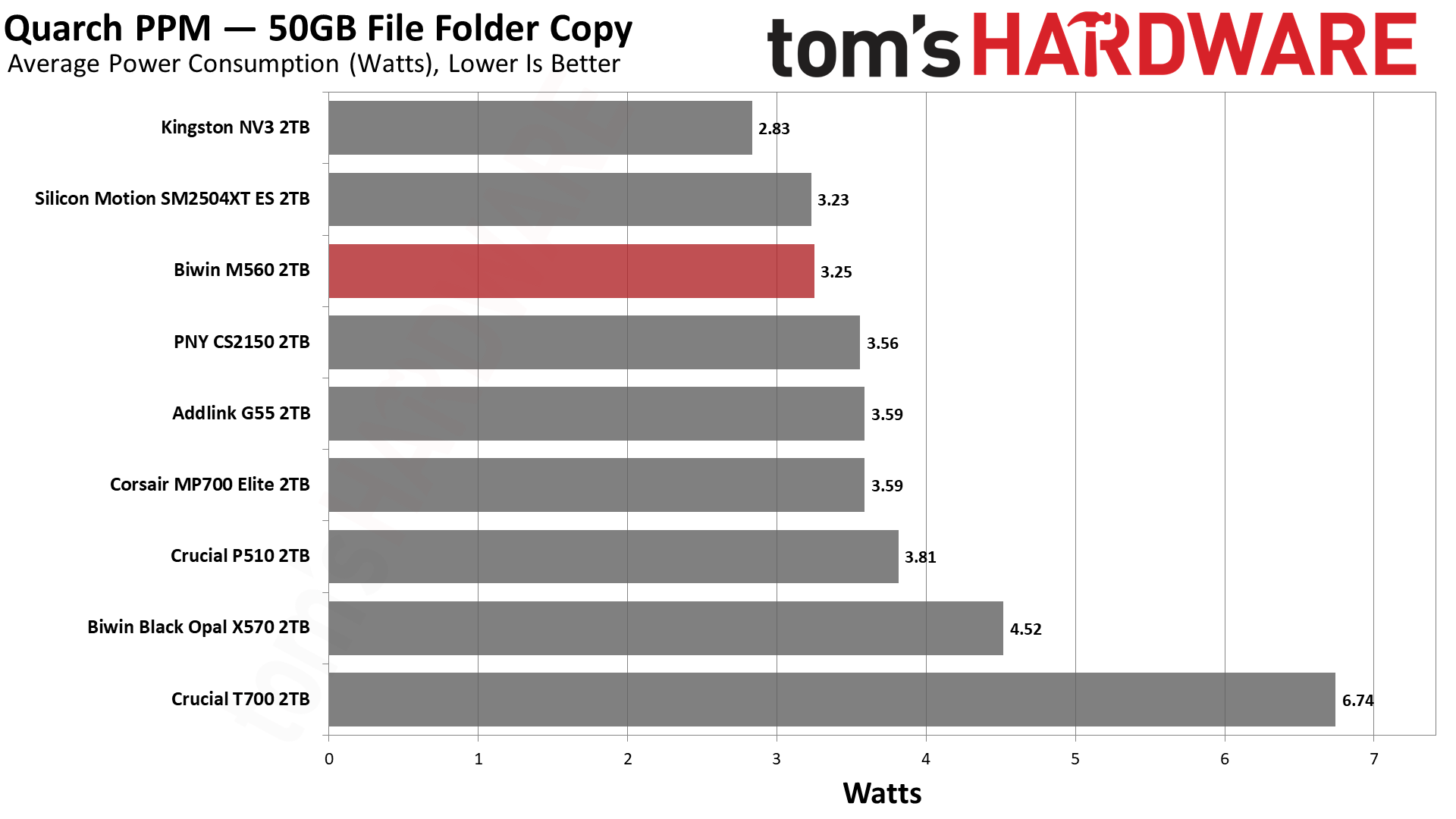
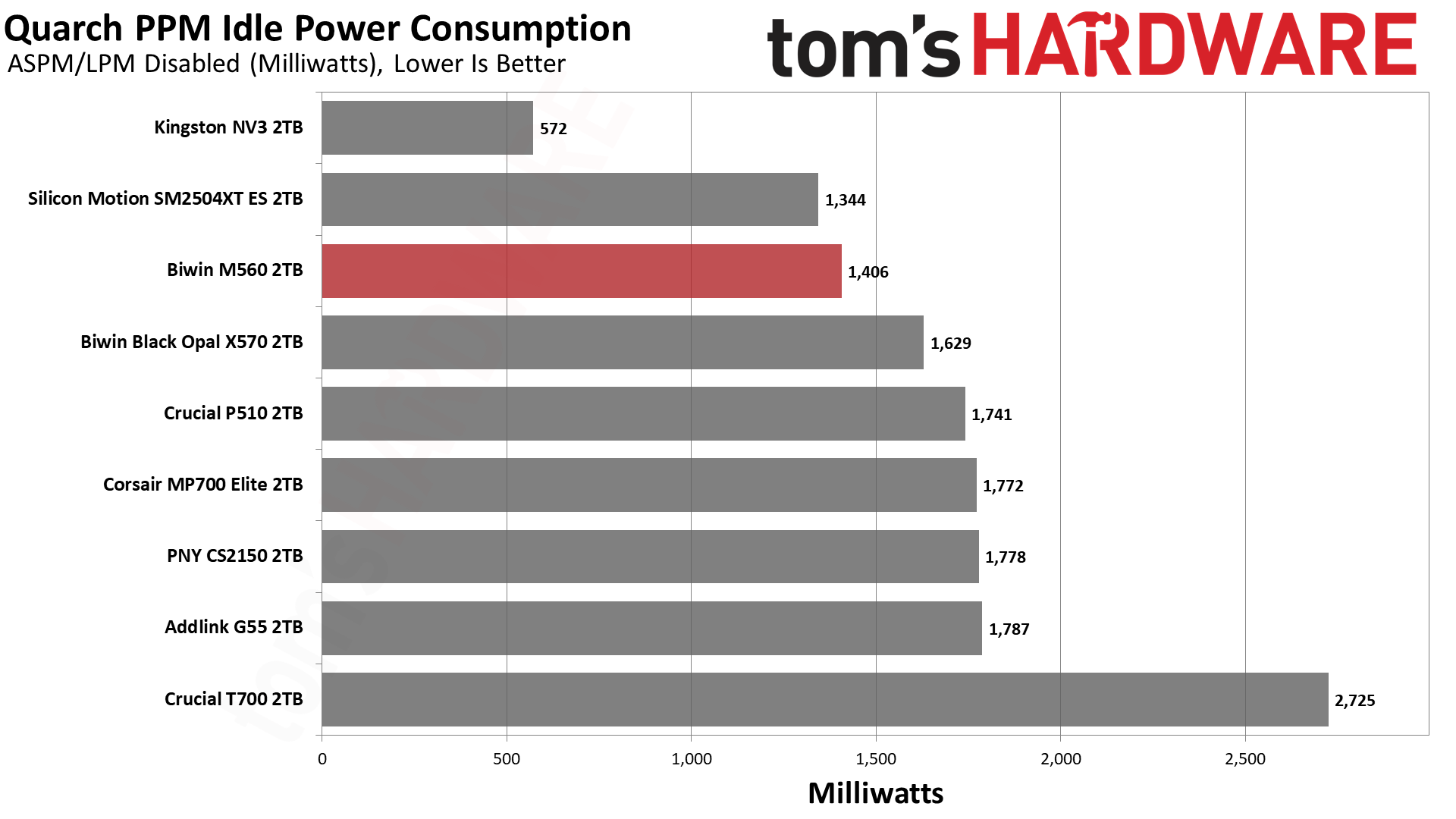
Given what we know from our ES preview, it comes as no surprise that the M560 is efficient. Very efficient. It’s a little shy of the numbers the Phison E31T drives with BiCS8 can put up, but it’s close enough to be negligible. It can pull more watts at peak, but the number is still manageable, and the average power draw is also superior. In fact, the idle power consumption is also relatively good, better than the Phison drives. Ideally, your system will be able to save power, but in the case where you favor responsiveness, the M560 does pull slightly fewer watts. Our take is that, on the whole, this drive delivers pretty excellent power numbers.
The drive ran relatively cool, too. The two sensors hit maximums of 61 and 76 degrees Celsius, respectively. This puts the latter about 10 degrees below throttling, which is closer than we like but is also plenty respectable for a fast, PCIe 5.0 SSD without a heatsink. We test during heavy writing, and the drive has a chonky cache, so we’d expect normal use to run somewhat cooler on average. Sensors aren’t always accurate, and we suspect the hotter one is showing the controller’s temperature, in which case this would probably be okay in most laptops. Would a heatsink help? Sure, but it shouldn’t be a requirement with how few watts this drive draws on average.
We use an Alder Lake platform with most background applications such as indexing, Windows updates, and antivirus disabled in the OS to reduce run-to-run variability. Each SSD is prefilled to 50% capacity and tested as a secondary device. Unless noted, we use active cooling for all SSDs.
Biwin M560 Bottom Line
The Biwin M560 is one of the best all-around drives we’ve ever tested and, for its intended role, is probably the best retail option available. That “role” would be acting as a fast, capable, and efficient all-around boot or primary drive that also has to do other things, like handle gaming and work. Its 1TB and 2TB SKU range underlines this; it’s not a budget drive, and it’s not a storage drive. Not everybody needs or wants a monster 14+ GB/s drive with DRAM, but you might still want to take advantage of newer hardware. This hardware is faster, yes, particularly with insanely low 4KB read latency, but is also very power-efficient. It’s a good option even for PCIe 4.0 laptops, with the future-proofing an added bonus.
(Image credit: Tom's Hardware)
We have few complaints about the drive as a whole, except maybe that a 4TB option would have been nice, but we can live without it. From the performance side, things look very good, but we would be remiss if we didn’t point out that Biwin went with a large cache here. That has its plusses and its minuses. For the expected role, it was probably the right call. The drive also faltered a bit in DiskBench, but this only underlines our point about where it belongs: with lower performance there, the drive makes less sense as a second or third drive. Make no mistake, the M560 is quite capable of being your main drive as a very acceptable alternative to a more expensive Black SN8100 or equivalent.
As it is, we can highly recommend this drive. It’s one of the most responsive drives we’ve ever used and really feels “next gen,” whatever that might mean for an SSD. You should still go with a 4TB PCIe 4.0 DRAM-less option, like the A93 or NM790, if you want fast storage. Or a 2TB Black SN8100 if you want the very fastest main drive. Or something cheap for a secondary or games drive. If you want DRAM and can handle the heat, there are options there, too.
If, on the other hand, you want a dynamite drive that delivers a solid experience, something that won’t hold your desktop or laptop back, then the Biwin M560 would be at the top of our list.
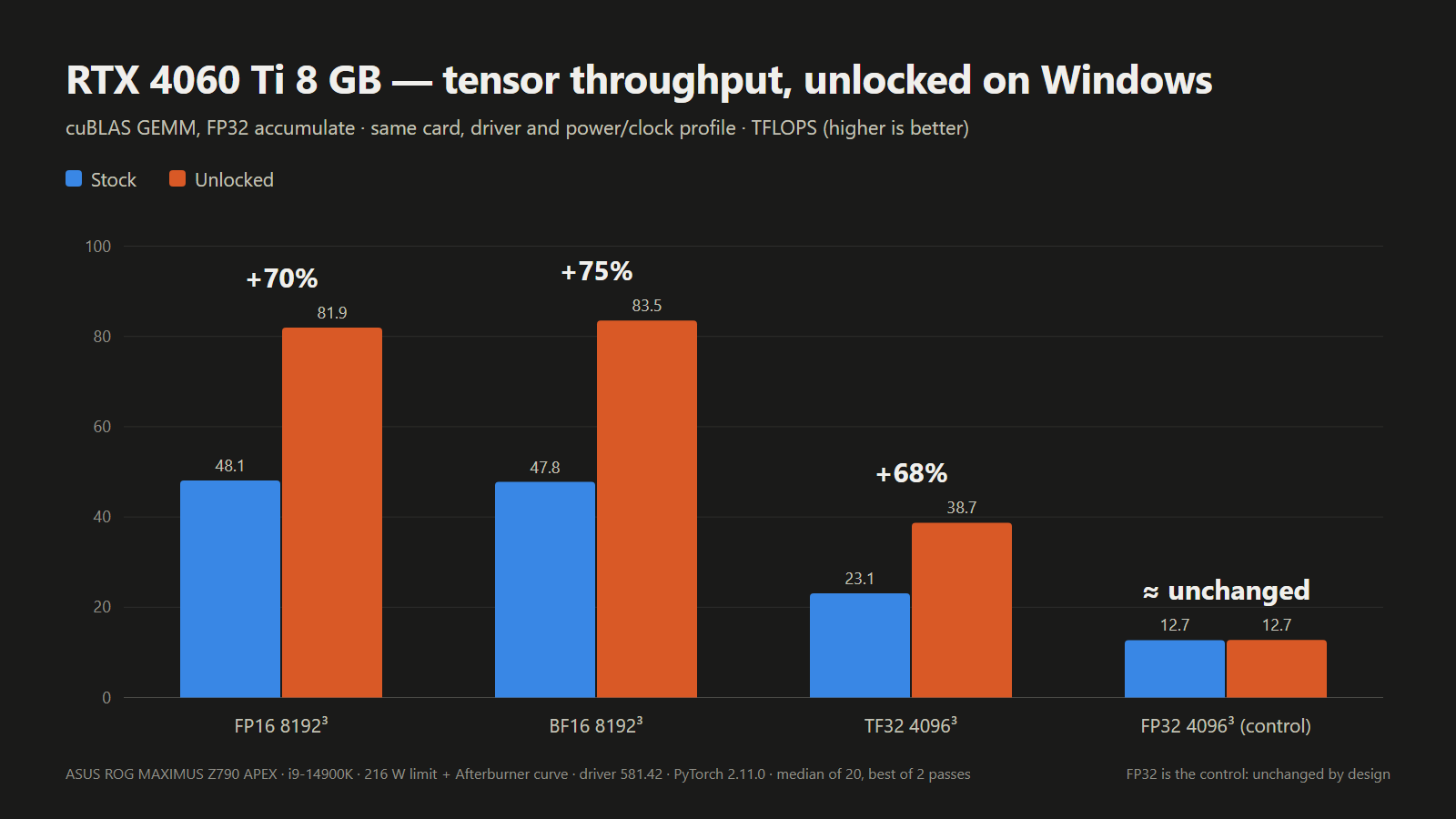
A new open-source UEFI tool boots from USB and unlocks significant extra tensor performance on RTX 20, 30, and 40-series desktop and laptop GPUs, making the half-speed AI throttle hack a whole lot easier to try on Windows. No VBIOS flash or patched driver needed: the tool runs from a FAT32 stick before the Nvidia driver loads at every boot, and then voila, the developer’s own laptop RTX 4060 hit 65% higher FP16 math.
The “UEFI pre-driver NVIDIA GPU unlocker,” or nv-uefi-unlocker project, removes Nvidia’s tensor limiter using the community V67 payload with read-back verification. This tricks Nvidia’s signed Booter firmware into opening the write lock on two speed-selector registers, allowing the tensor units to run at full rate. The unlock can now run entirely from a bootable USB drive, on Windows as well as Linux, whereas previously it worked primarily through manually installed Linux modules, with Windows support only experimental. The read-back verification part makes things safer, which was a concern with the experimental builds.
The release ships only scripts and self-built binaries, without any Nvidia firmware in the download. Instead, one of the scripts grabs Nvidia’s public 610.43.03 driver packages, verifies them, then rebuilds the firmware files locally. The project credits Zagitta’s gpu-unlock as its porting source and builds on several other community projects, including the RTX 40 fork gpu-unlock-ada and an earlier Windows EFI tool. Having one tool for the many GeForce owners on Windows should significantly open up the hack to a wider audience. Previously, it was scarier-looking, and project progression is rapid these days with AI tools.
The steps right now involve downloading the release, running that script, and then copying the rebuilt files and a BOOTX64.EFI for booting to a FAT32-formatted USB stick. The unlocker can then be run from a one-time boot menu by using the spacebar within 30 seconds for confirmation. Once complete, things are handed off to the respective OS loader.
The unlocker runs in a firmware stage before the OS loads Nvidia’s GPU driver, which means there’s no need to flash the card’s video BIOS or to modify the driver; as the FAQ puts it, the unlock doesn’t “persist through power loss.” The trade-off is running it again on every boot. The system must be booted in UEFI mode with Secure Boot either off or set to trust a self-signed EFI. For a game’s anti-cheat that requires Secure Boot, the tool “CANNOT bypass this requirement,” a developer team member relayed on Reddit. RTX 20 owners have to run a bundled script once to switch the Windows Nvidia driver into GSP firmware mode, before restarting.
Laptop GPUs were already supported by earlier projects, but here one of the developer’s own test cards is a laptop GPU, and laptop results are logged card by card. For laptops, the discrete Nvidia GPU must be powered at entry, which means dGPU-only, or MUX, mode is recommended. On Linux distributions such as Ubuntu, runtime power management can power down the GPU when idle and silently erase the unlock. The English FAQ covers workarounds for this, with instructions and guidelines for other situations.
Compatibility otherwise includes RTX 20-series support listed as “fully compatible; some models have known issues,” while RTX 30-series cards are “fully compatible,” and the tool is “fully compatible on laptops and desktops” using RTX 40-series cards. The GTX 16 is “theoretically compatible” with verification pending, but other cards, including pre-Turing, the GA100, and RTX 50-series cards, are unsupported. The project routes support by chip family, so a card being covered doesn’t mean that specific card has been tested. Cards verified by the tool’s own Windows results are listed in the table below.
Which GeForce cards nv-uefi-unlocker has run on
Generation
Confirmed working on Windows
Known problems or untested
RTX 20 (Turing)
RTX 2070, RTX 2060 Super
RTX 2080, 2080 Ti and 2080 Super fail at boot or handoff; GTX 16 untested; needs GSP firmware mode and a restart first
RTX 3050 untested; persistence on Thunderbolt eGPUs not guaranteed
RTX 40 (Ada Lovelace)
RTX 4090, 4080, 4070 Ti Super, 4070 Super, 4070, 4060 Ti 8GB and 16GB, 4060 Laptop, 4050 Laptop
RTX 4070 Laptop untested
RTX 50 (Blackwell)
None
Not supported
Results compare each card before and after the unlock on the same test, but the tests differ from row to row, so they shouldn’t be compared across cards.
Reported Windows results with nv-uefi-unlocker
Card
Test (FP32 accumulate)
Stock (TFLOPS)
Unlocked (TFLOPS)
Gain
Who measured
RTX 2070
FP16 matrix multiply
36
60–63
+67–75%
Developer
RTX 3060 12GB
FP16 matrix multiply, 4096
25.37
45.79
1.80x
Owner report
RTX 3070 Laptop
FP16 matrix multiply, 8192
35.43
56.04
1.58x
Owner report
RTX 4060 Laptop
FP16 matrix multiply
29.89
49.33
1.65x
Developer
RTX 4080
BF16 matrix multiply, 4096
100.37
192.18
1.91x
Owner report
RTX 4090
FP16 matrix multiply, 4096
118.42
171.52
1.45x (power-limited)
Owner report
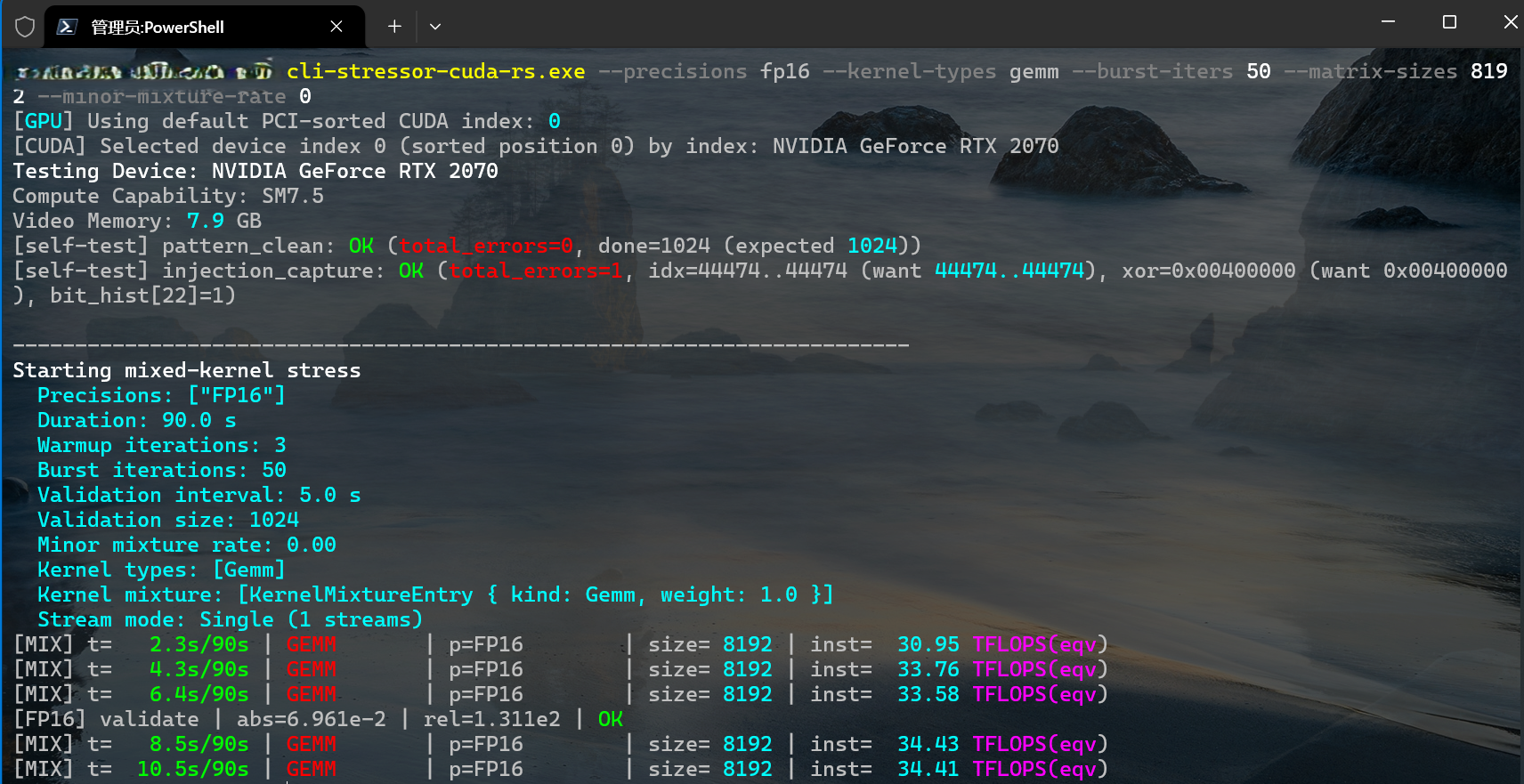
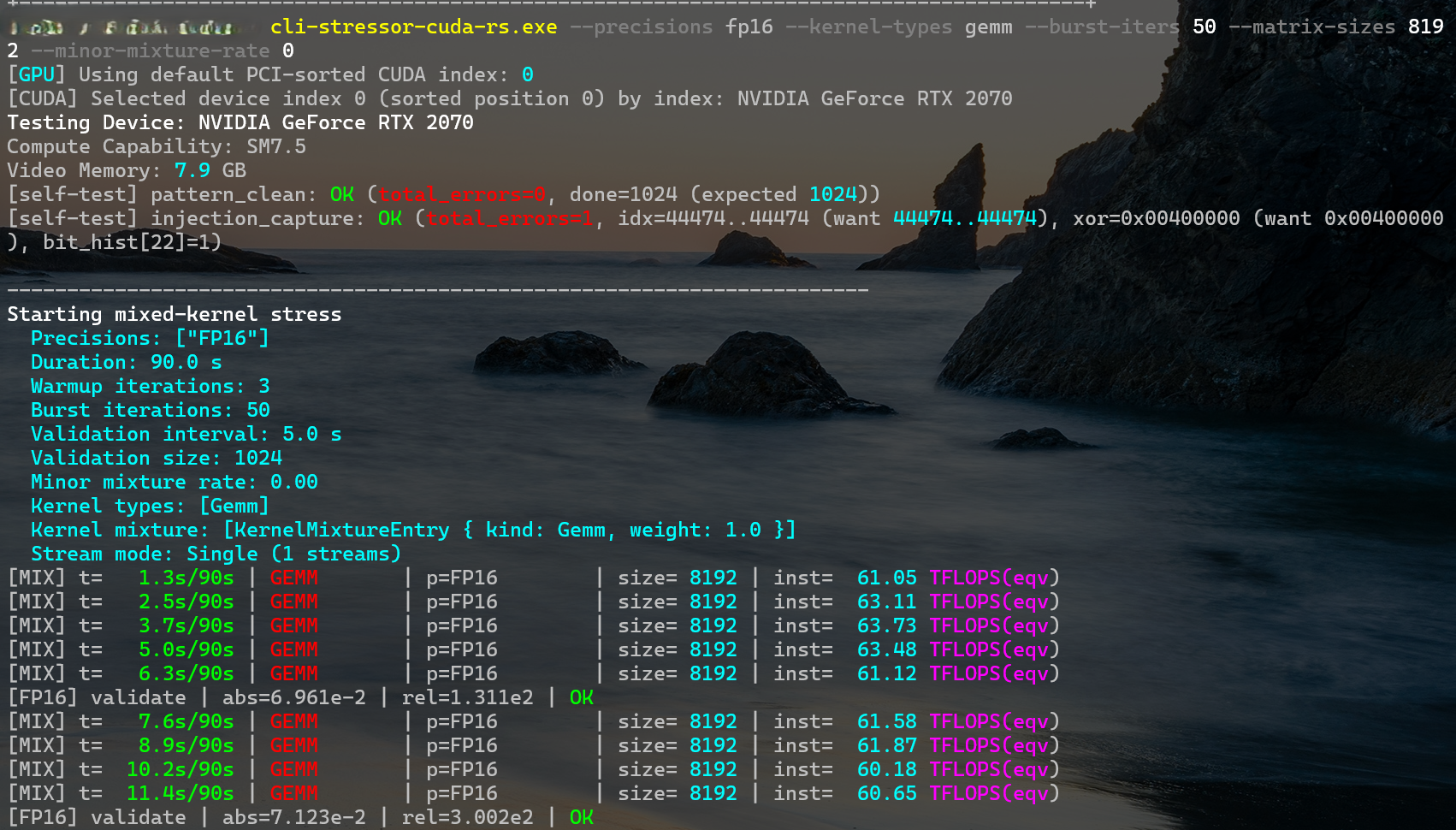
The developer’s own desktop RTX 2070 went from about 34 TFLOPS in FP16 matrix multiply at 8192 to around 62 TFLOPS in the screenshots below.
physicsdolphin/GitHubphysicsdolphin/GitHub
Some caveats still exist, and Zagitta, whose gpu-unlock kicked off the GeForce unlocks, now says in its FAQ that “I don’t run windows and don’t plan to maintain it,” pointing Windows users to a separate port and warning to be careful with unofficial Windows installers. Results from the unlock are also contingent on power and thermal limits. The new project says it can be combined with the nvoc power-limit unlock, but warns this “can exceed factory power and thermal envelopes.” A per-card ROM hash check, which the project’s own safety rules require, isn’t built yet, and the unlock’s persistence on Thunderbolt eGPUs “is not guaranteed.”
Other cards, including the RTX 2080 and the RTX 2080 Ti, are under review. No dates are promised. The pro-card tensor feature can now be unlocked for many, though, and as simply as using a USB boot drive, which will get even easier with a boot-from-disk toggle the team says is in the works. RTX 50-series owners have to wait, for now, as the team is still trying to crack those cards, which have “a lot more security” than it anticipated.
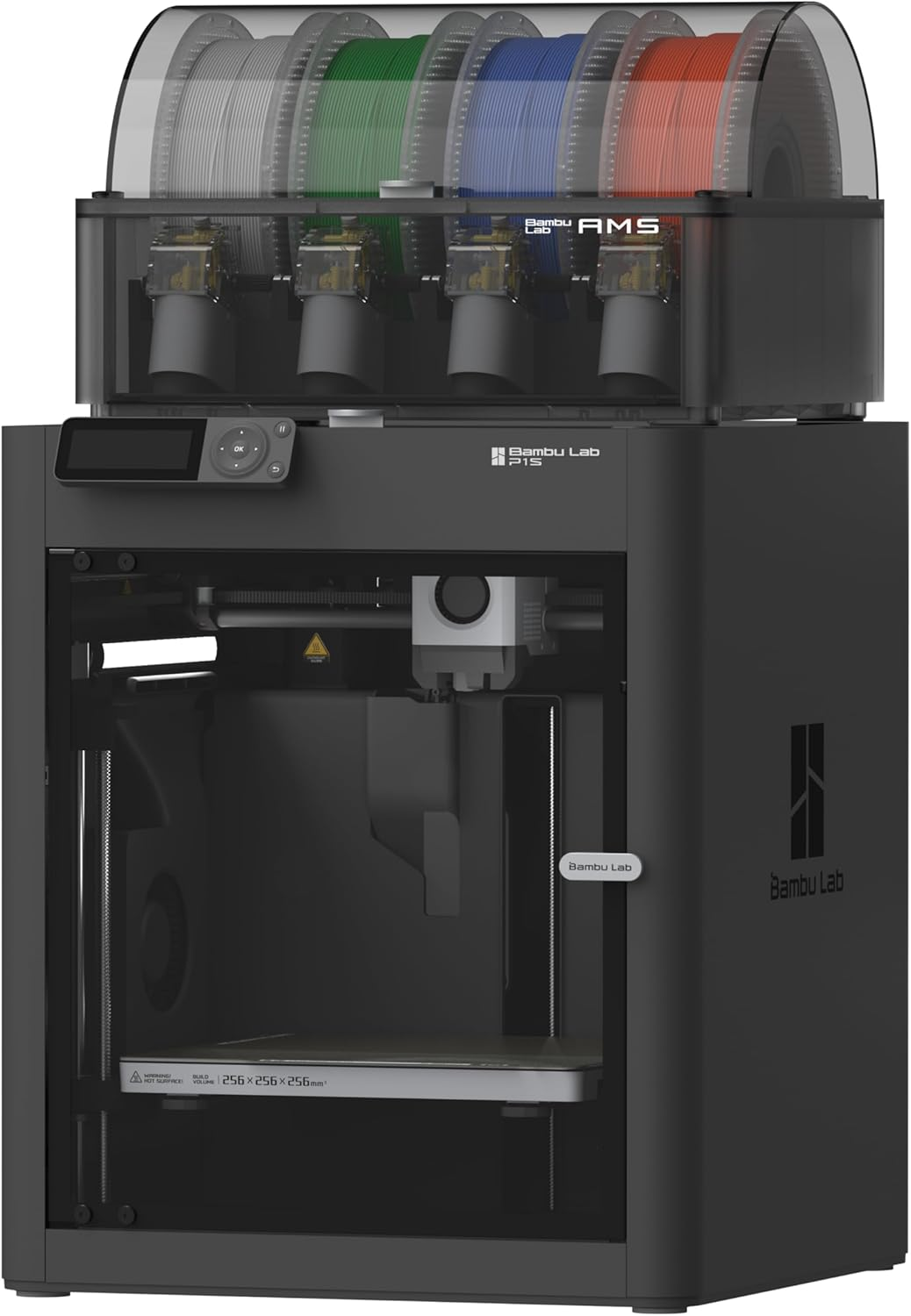
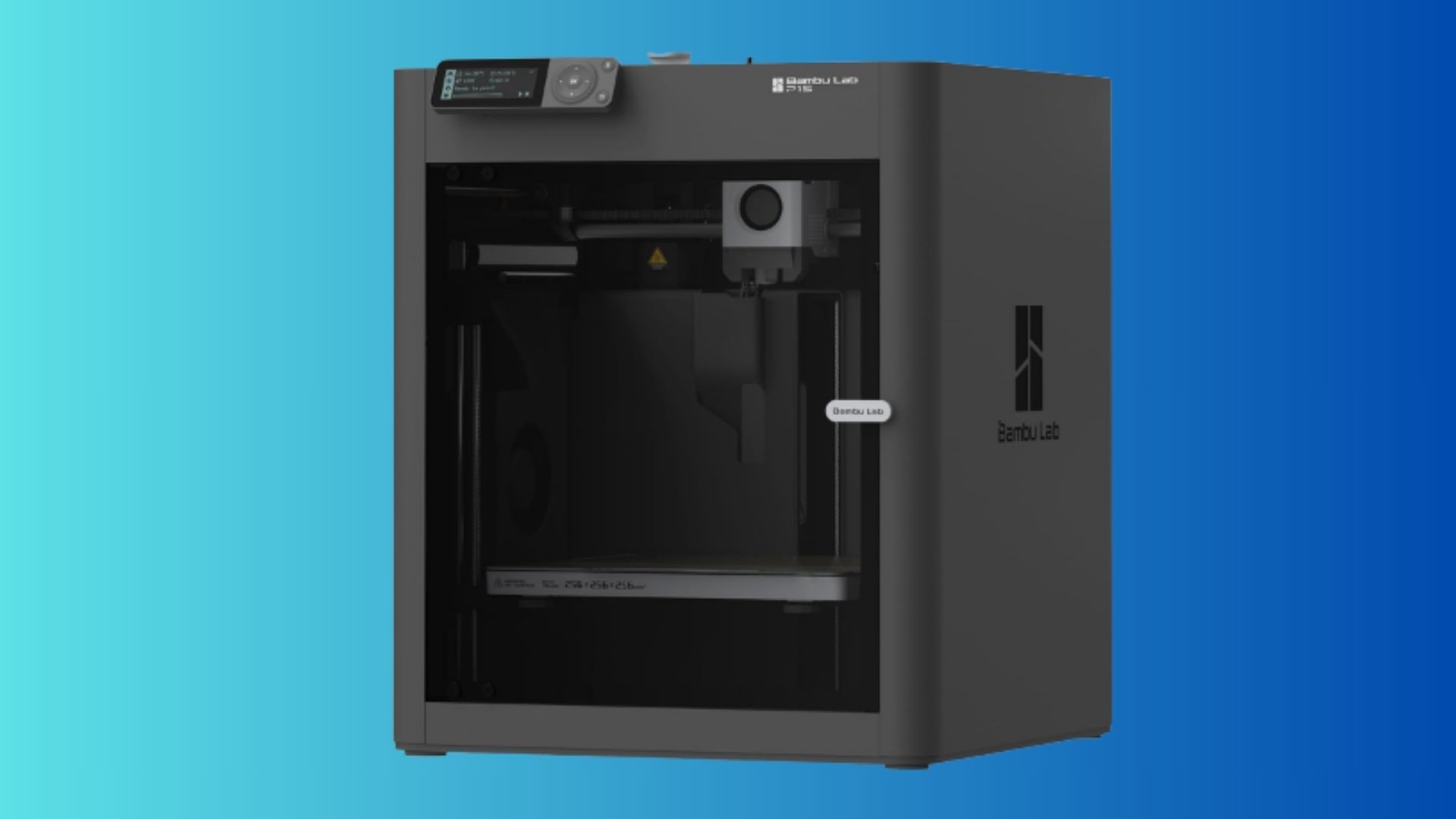
If you have been considering getting into 3D printing, now might just be a good time to take the plunge. The Editor's Choice Award-winning Bambu Lab P1S, bundled with the AMS color printing module, is currently on sale and is available at Best Buy for just $479.99. That's $70 off its listed price of $549.99, making this a solid deal for beginners looking to get a capable 3D printer with multicolor printing support right out of the box.
The Bambu Lab P1S is a high-speed 3D printer, while the bundled Automatic Material System (AMS) takes things a step further by enabling multi-material and multicolor printing. It comes with several useful features, including automatic bed leveling, a range of presets within the slicer software, and impressive print speeds, with acceleration reaching up to 20,000 mm/s². It also offers a generous build volume of 256 x 256 x 256 mm. According to Bambu Lab, the plug-and-play setup can be unboxed, configured, and ready to produce its first print in just 15 minutes.
P1S with AMS Combo: was $549.99 now $479.99 The Bambu Lab P1S is an enclosed 3D printer, making it ideal for high-temperature filament printing. Fast prints are standard thanks to the speedy 20000 mm/s² acceleration limit. In this combo deal, the P1S comes with the AMS color printing unit that can produce 4-color prints. Multiple AMS units can be joined to produce up to 16-color prints.View Deal
The printer's enclosed steel and glass construction helps maintain consistent internal temperatures, which is particularly important when working with warp-prone materials such as ABS, ASA, polycarbonate (PC), and polyamides (PA), including nylon. It also supports more commonly used filaments like PLA, PETG, and flexible TPU. To make printing with these materials more suitable for indoor environments, the enclosure also features a built-in air filtration system with an activated carbon filter designed to absorb fumes and reduce unpleasant odors during operation.
In our extensive testing of the Bambu Lab P1S, we came away thoroughly impressed and awarded it our Editor's Choice recognition. Other notable features include a proprietary 0.4mm nozzle paired with a direct-drive extruder, wireless connectivity via Wi-Fi and Bluetooth, a microSD card slot for loading prints locally, and a built-in LED screen for navigating menus and adjusting settings.
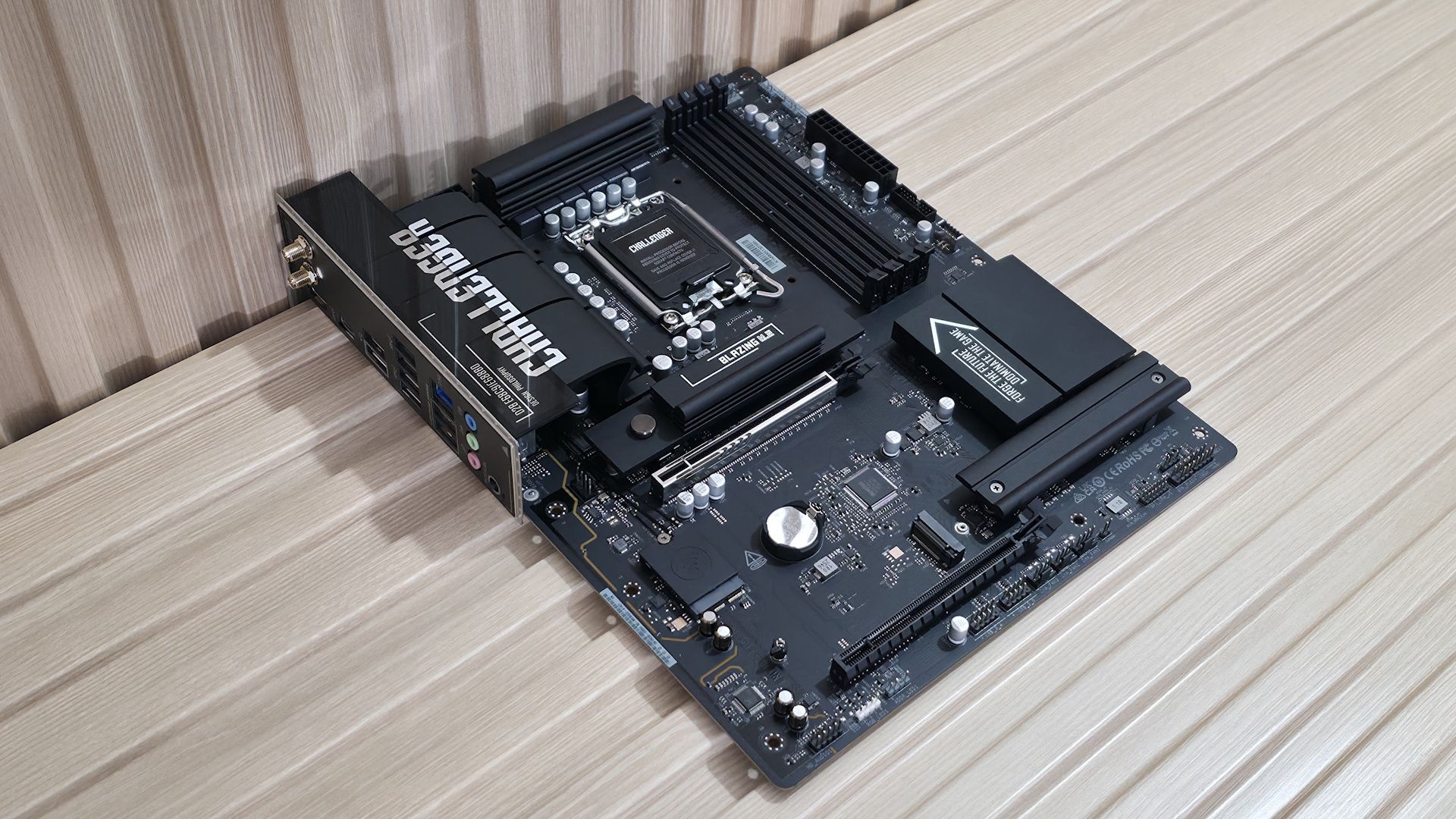
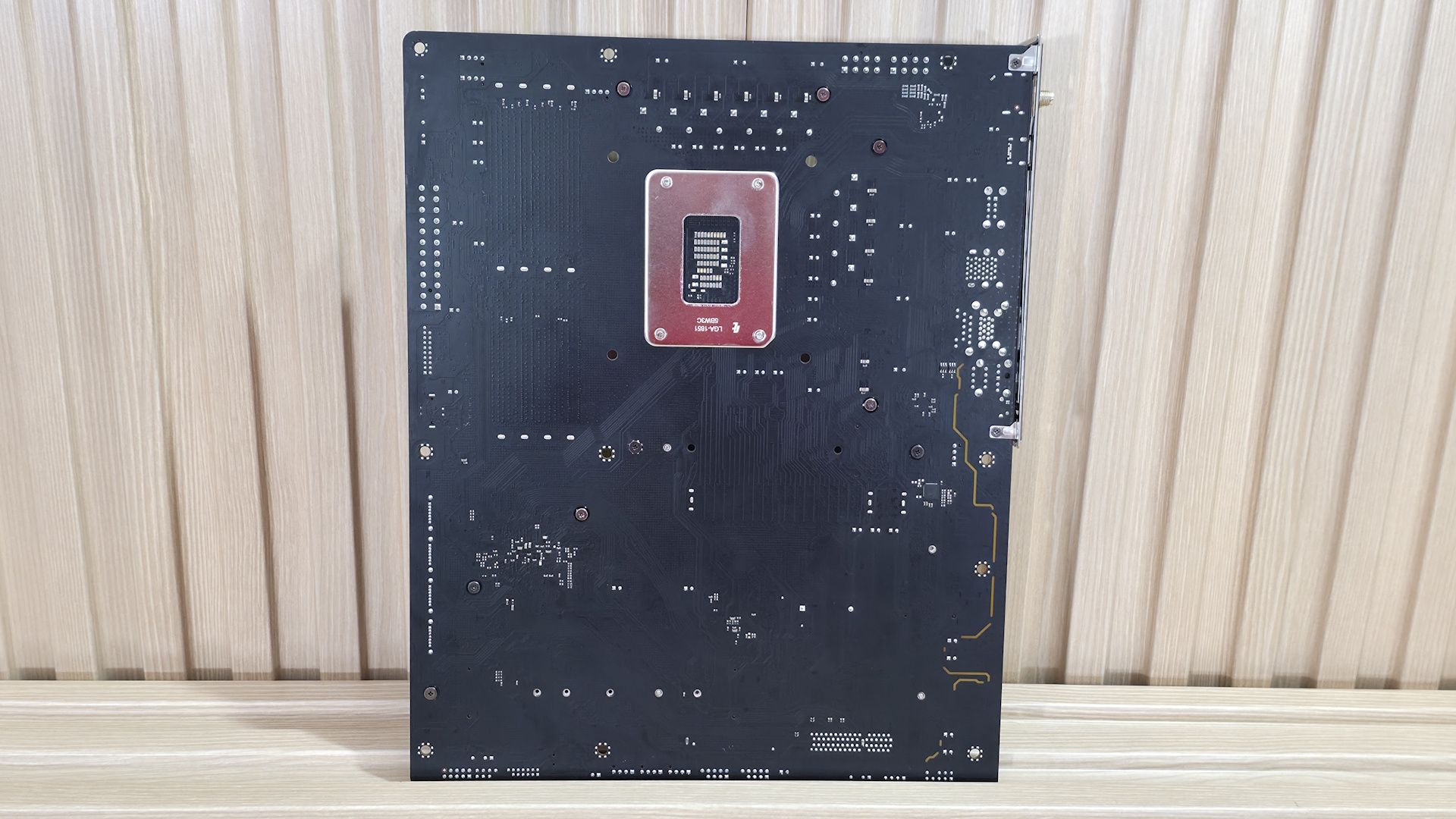
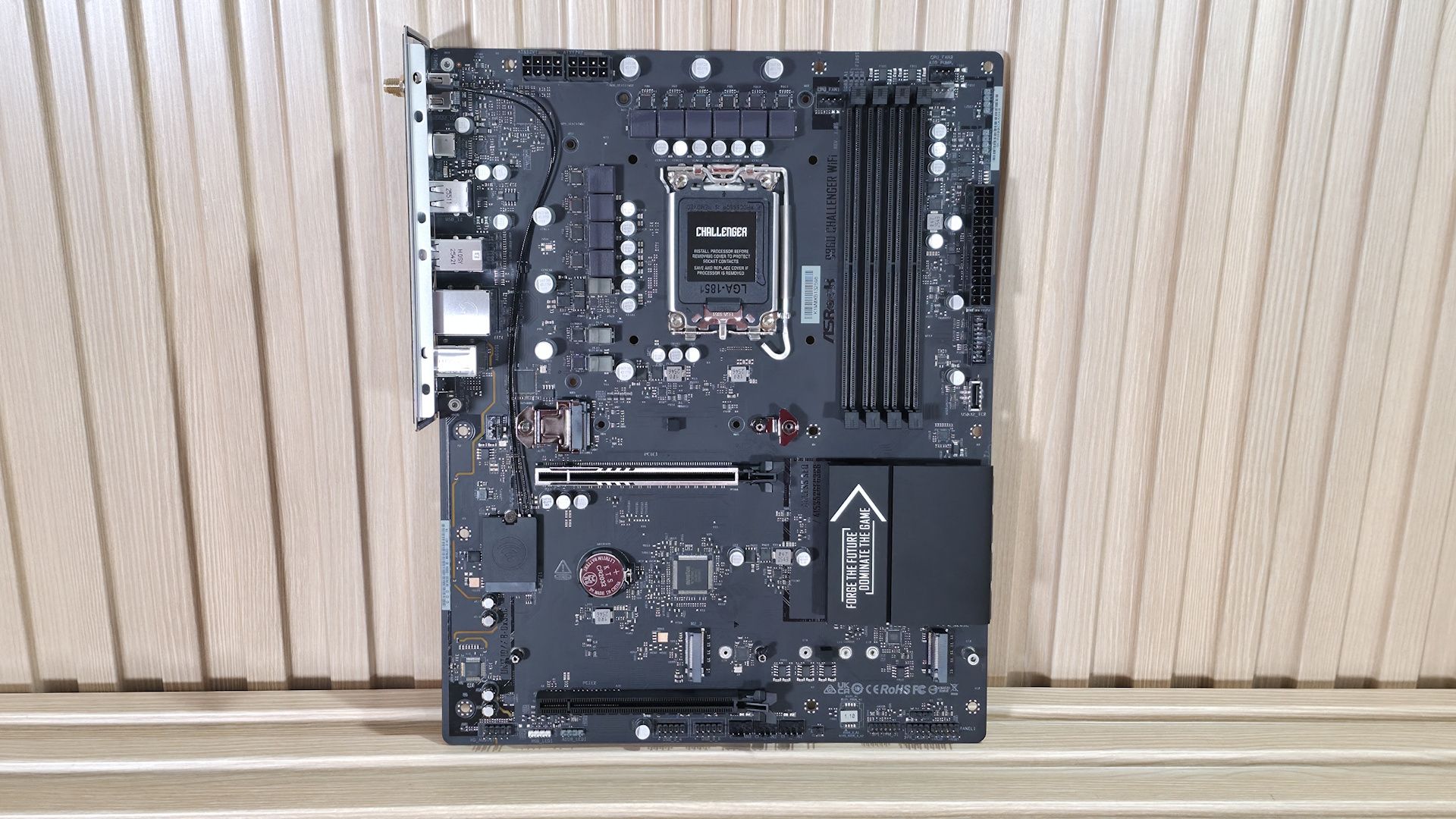
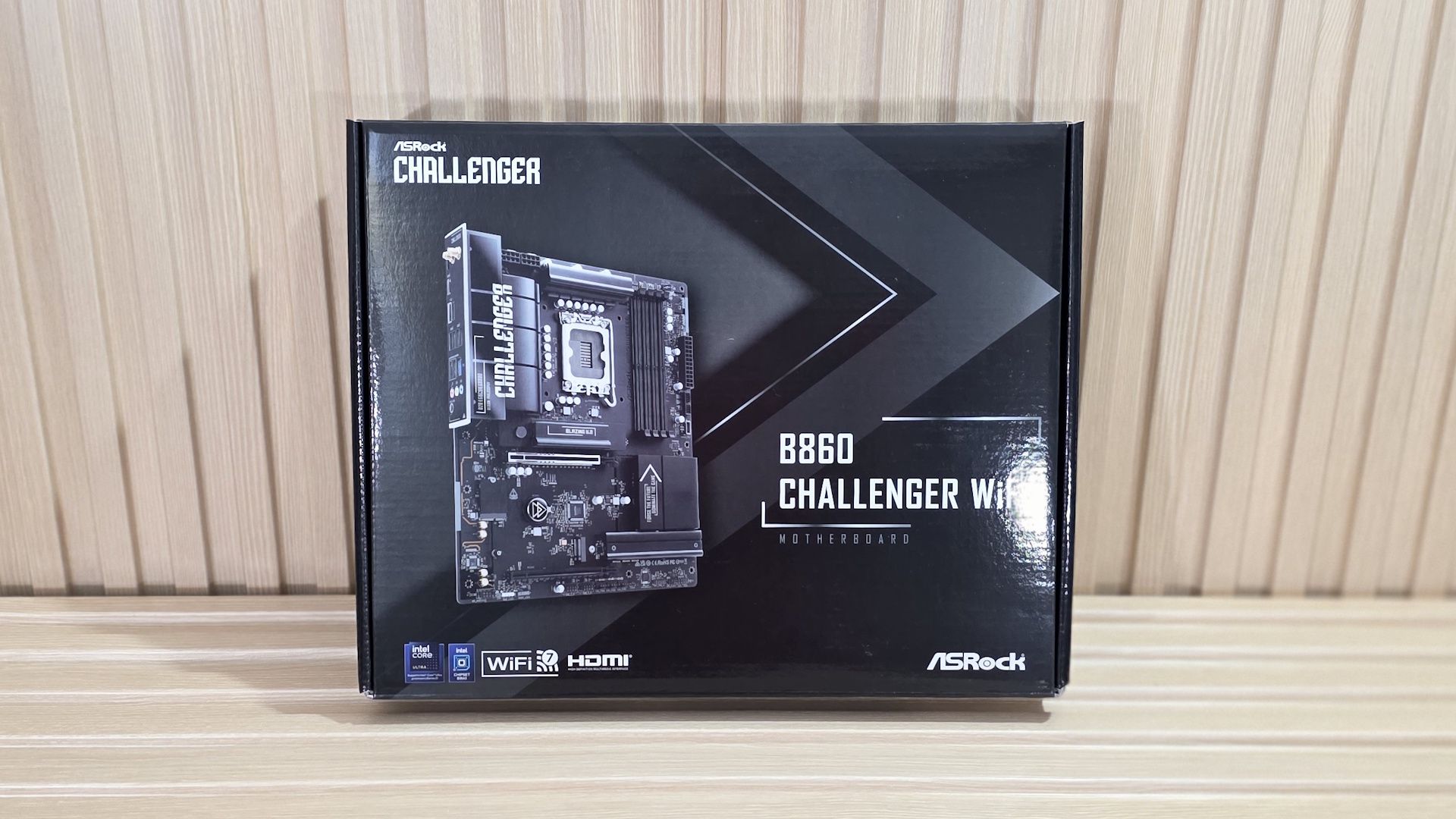
Based on the mainstream B860 chipset, the ASRock B860 Challenger Wifi sits on the budget side of Intel's motherboard lineup, and costs a reasonable $149.99. You get a full-sized motherboard with full support for Intel’s Core Ultra and Core Ultra Series 2 (Arrow Lake and Arrow Lake refresh) processors. Still, some sacrifices in specs and features are inevitable at this price point.
The all-black B860 Challenger (there is a white version, too) includes all the basics. You get eight rear USB ports, three M.2 sockets (one PCIe 5.0), four SATA ports, 2.5 GbE, Wi-Fi 7, and a basic audio solution. It falls a bit short on USB speed (5 Gbps max.), power delivery isn’t strong (though it handled our 270K Plus without issue at stock), and ASRock’s BIOS is fully functional but dated compared to the competition. It has everything that most will need from a motherboard, but it’s not the fastest or the best at anything, which you should generally expect from a low-priced mainstream chipset.
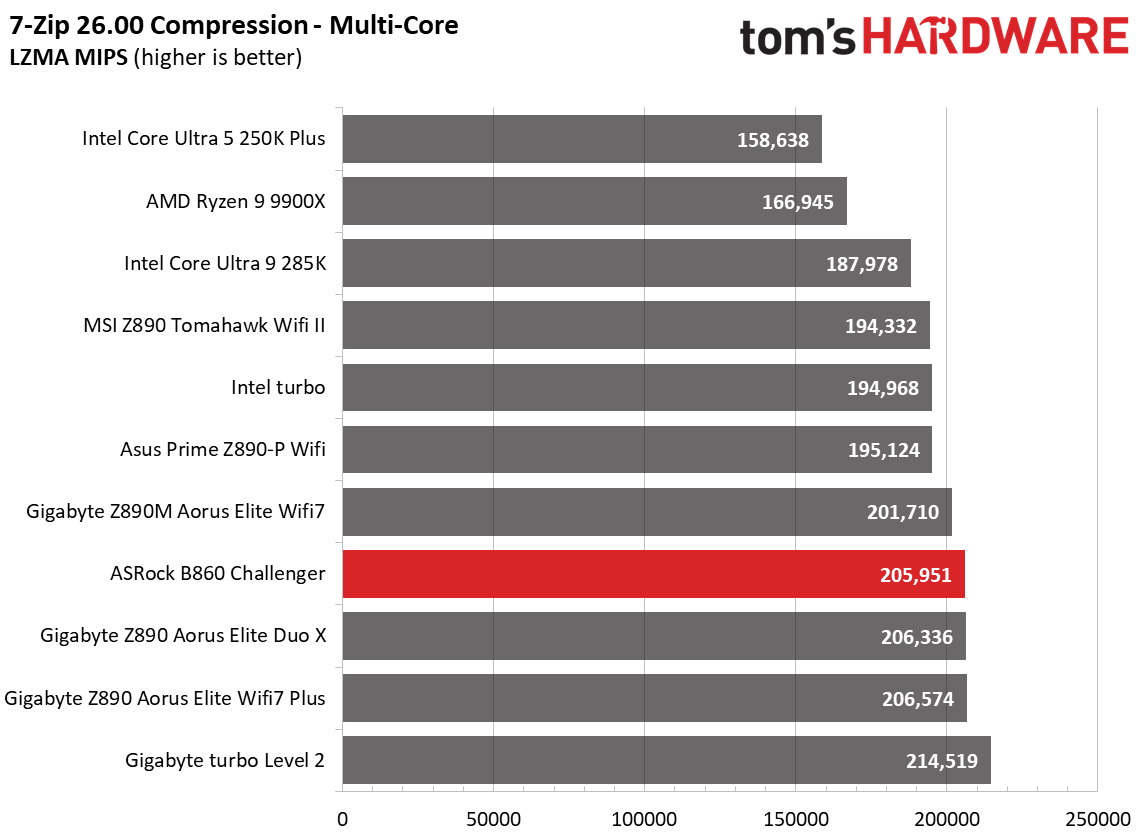
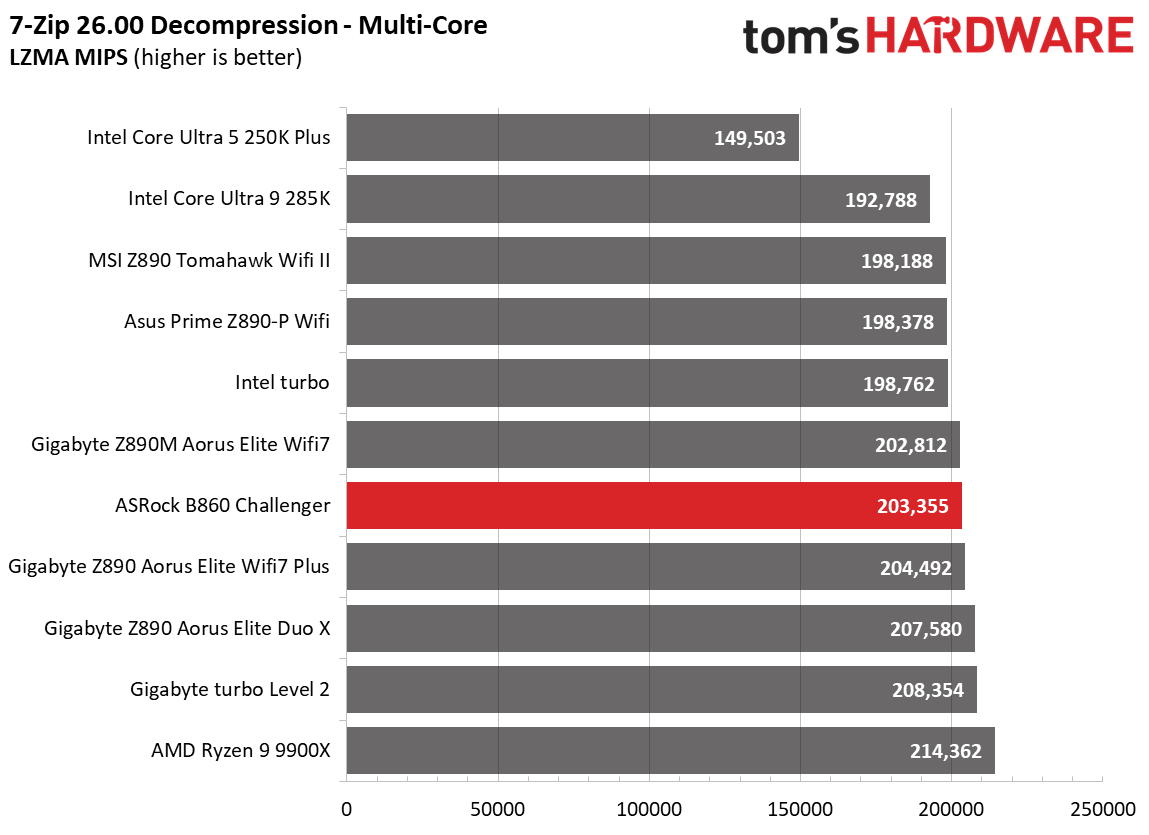
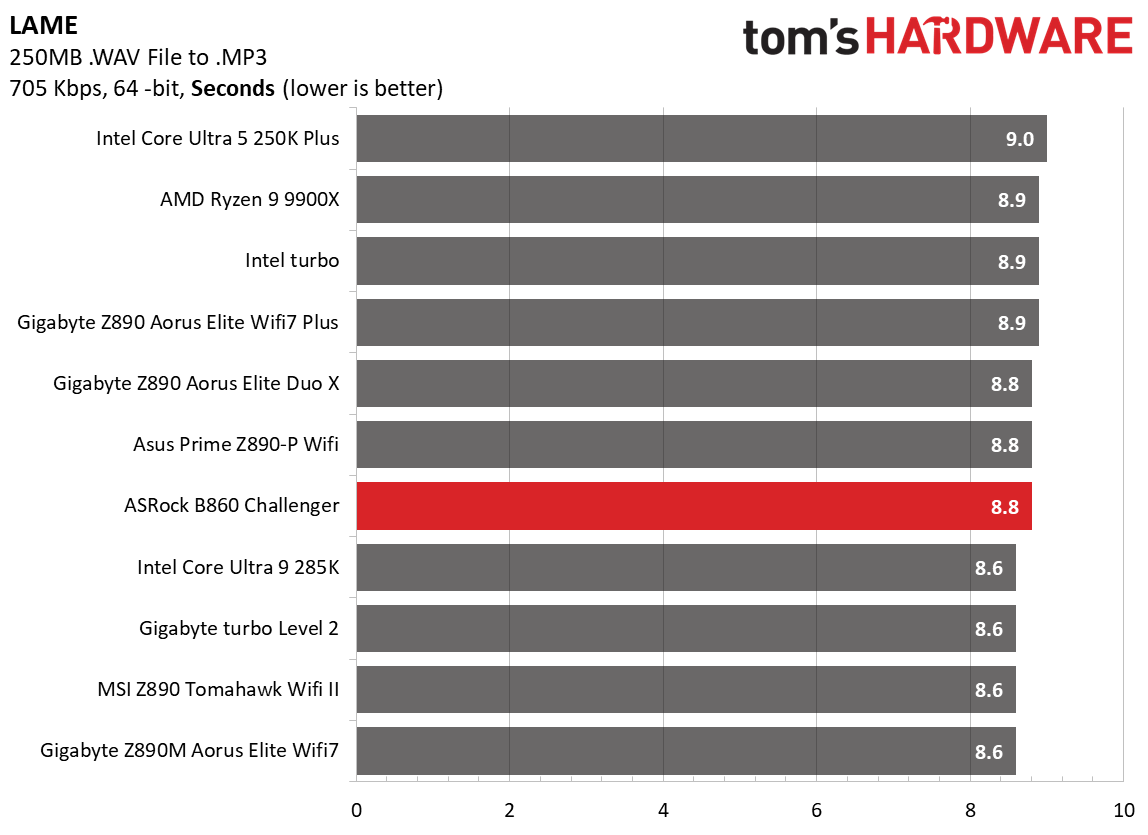
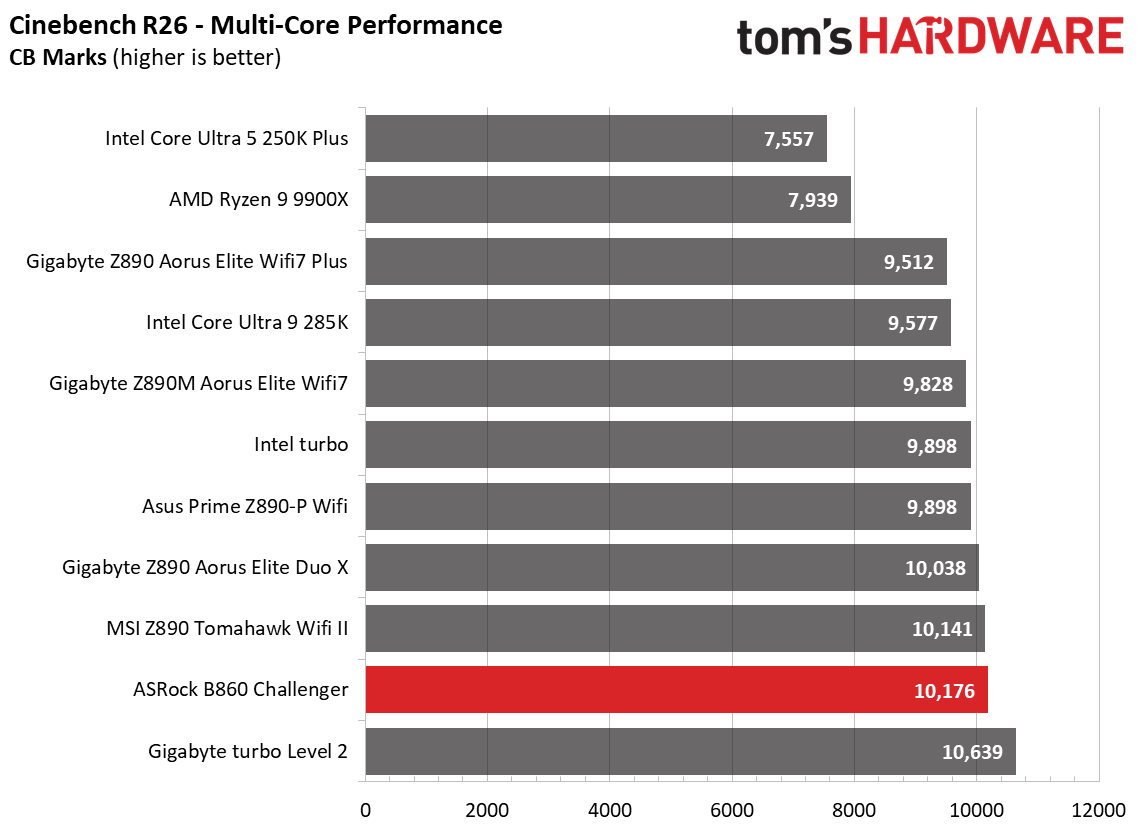
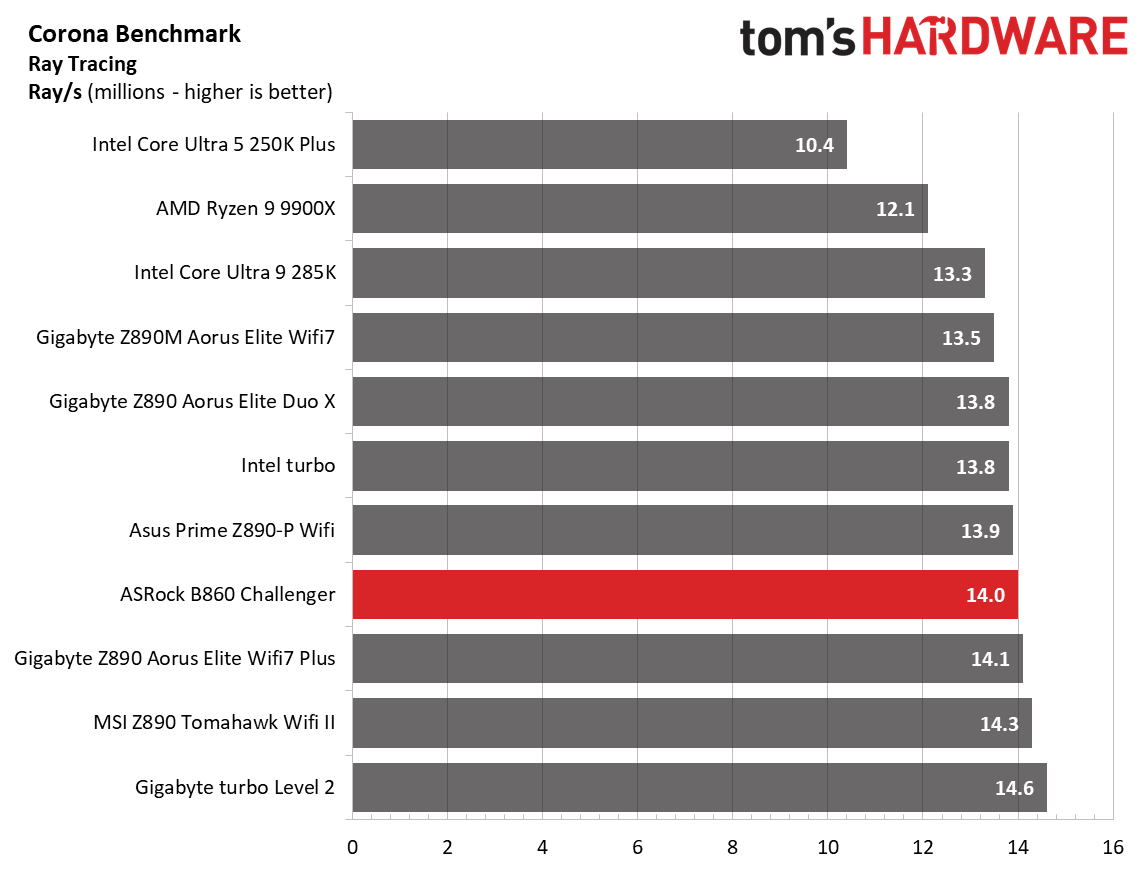
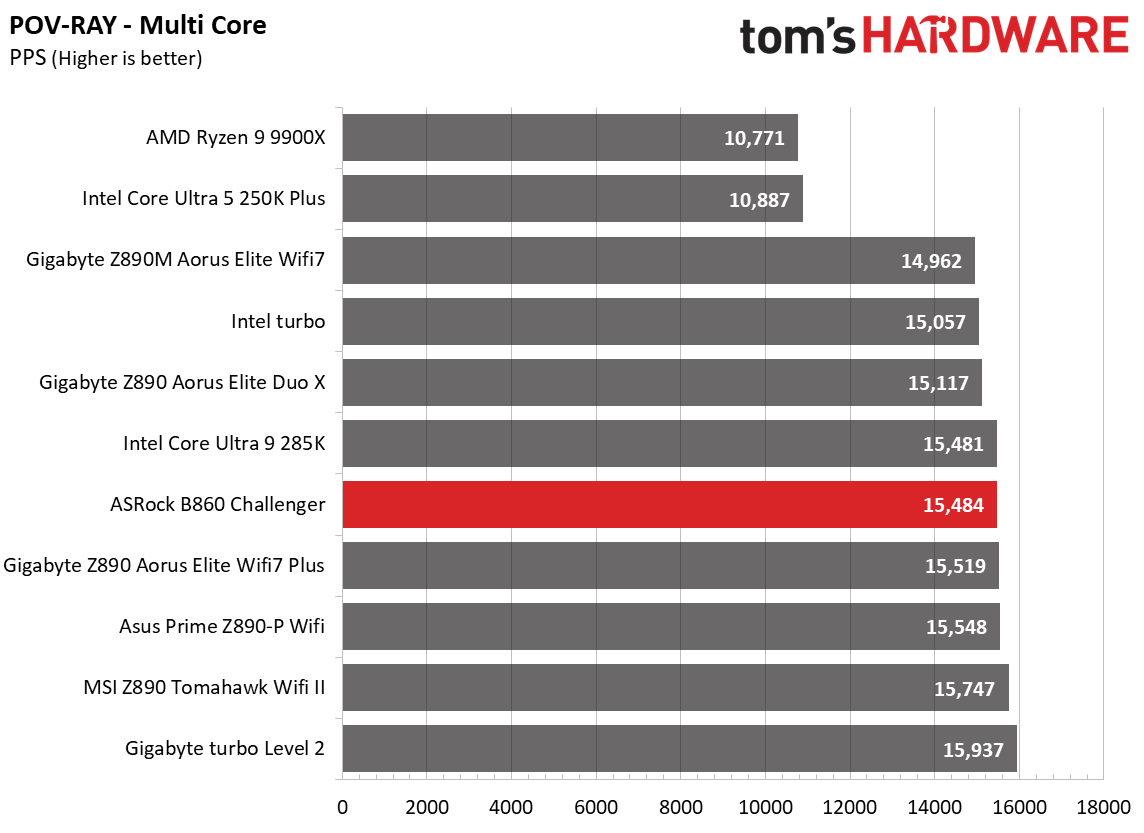
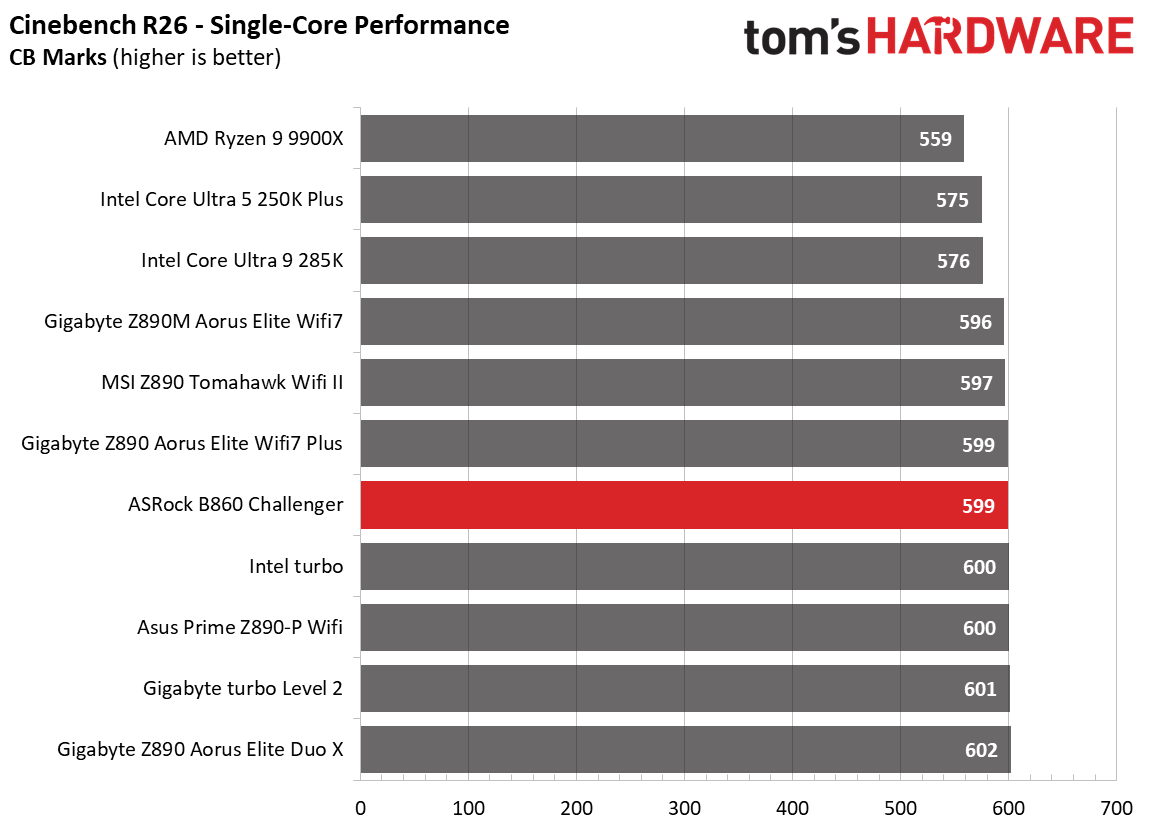
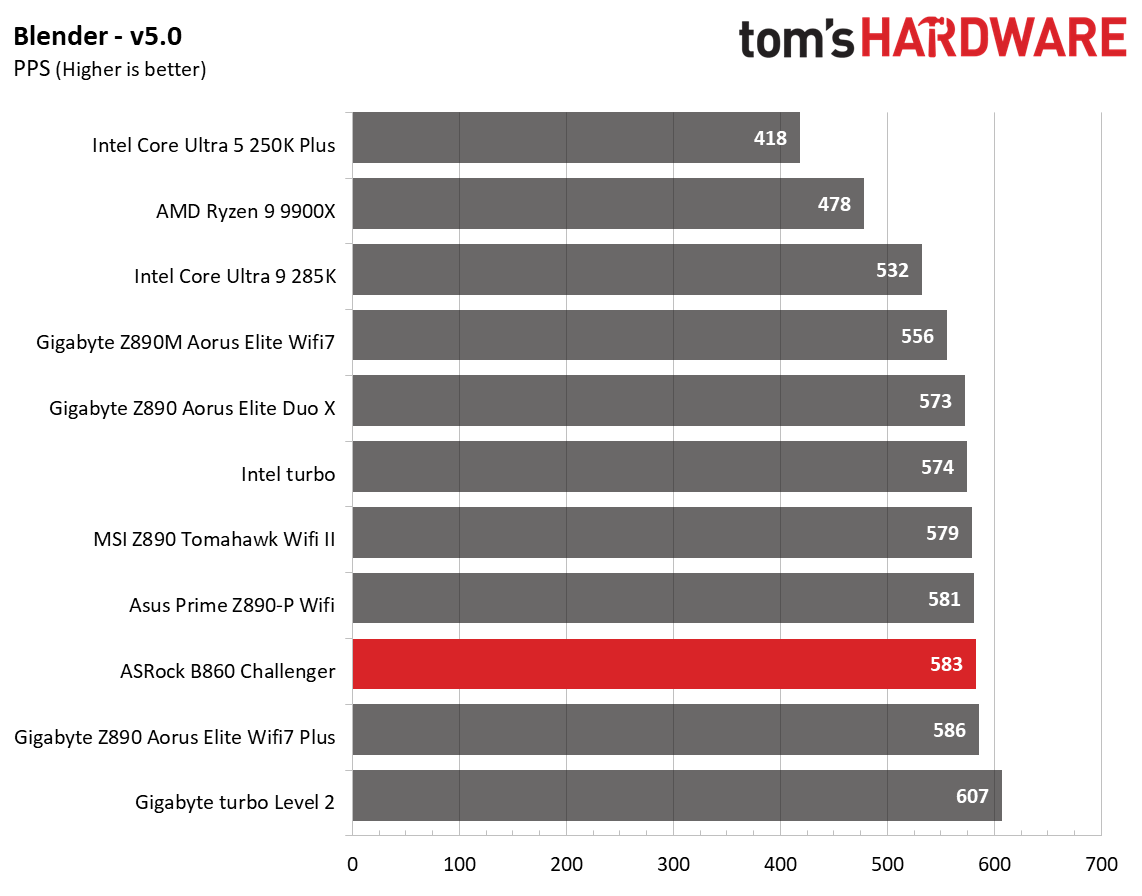
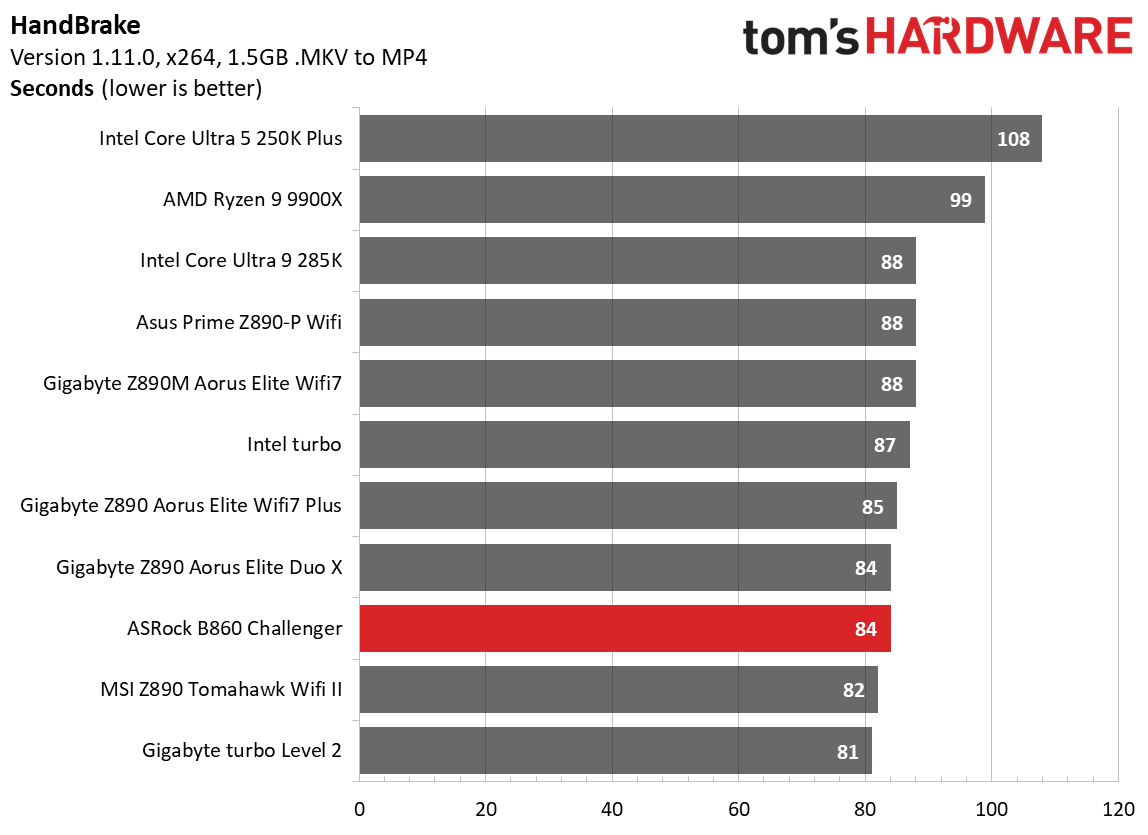
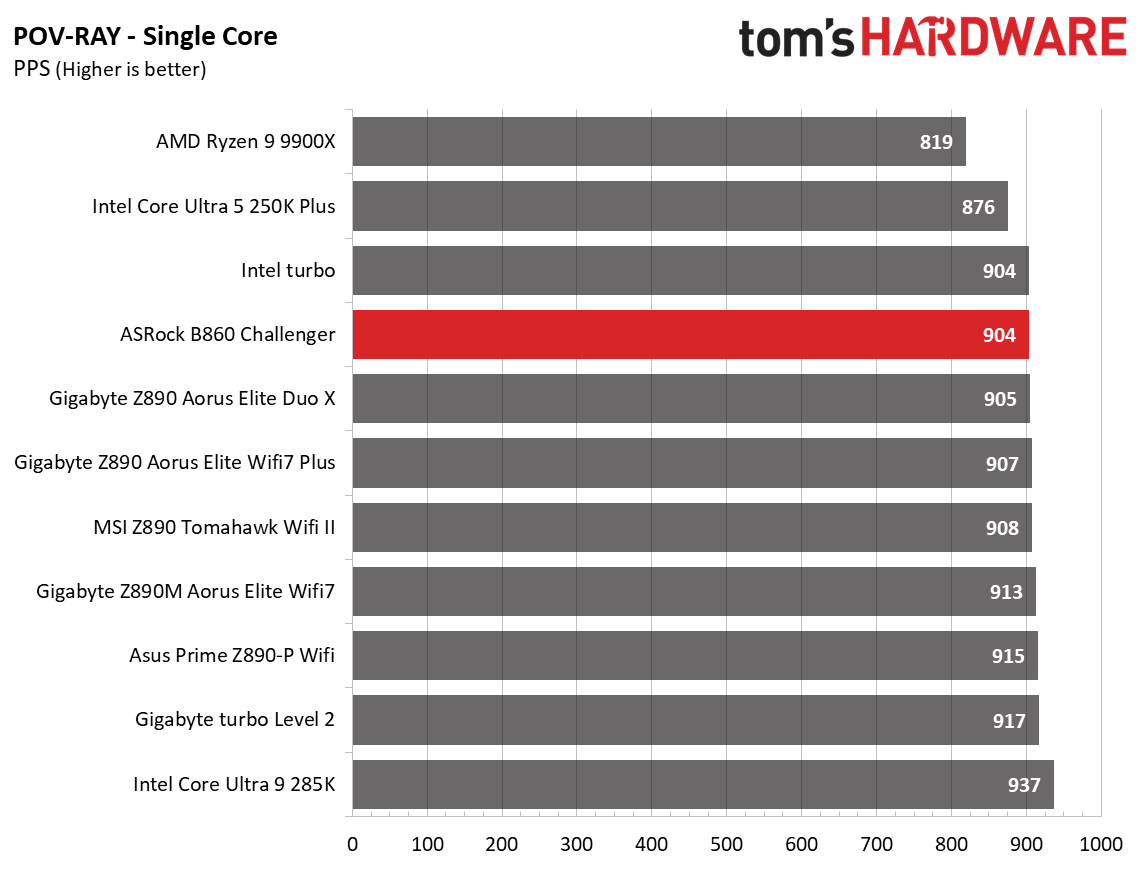
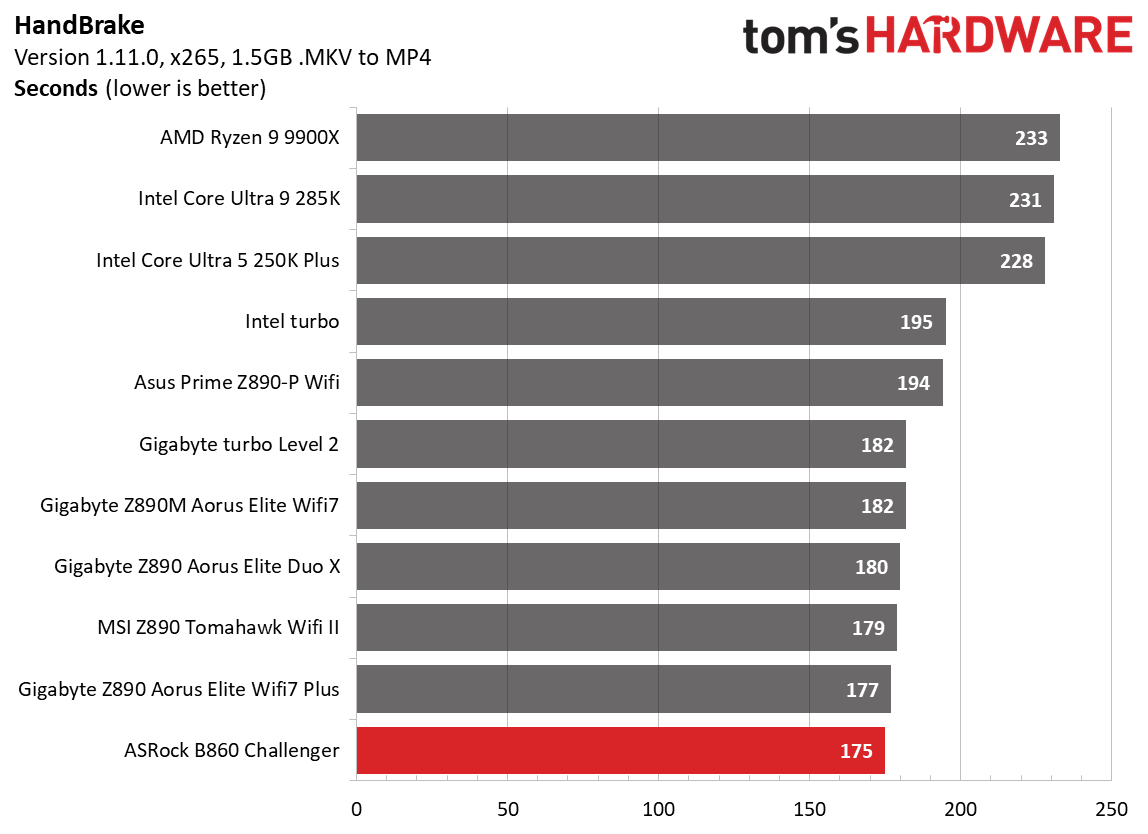
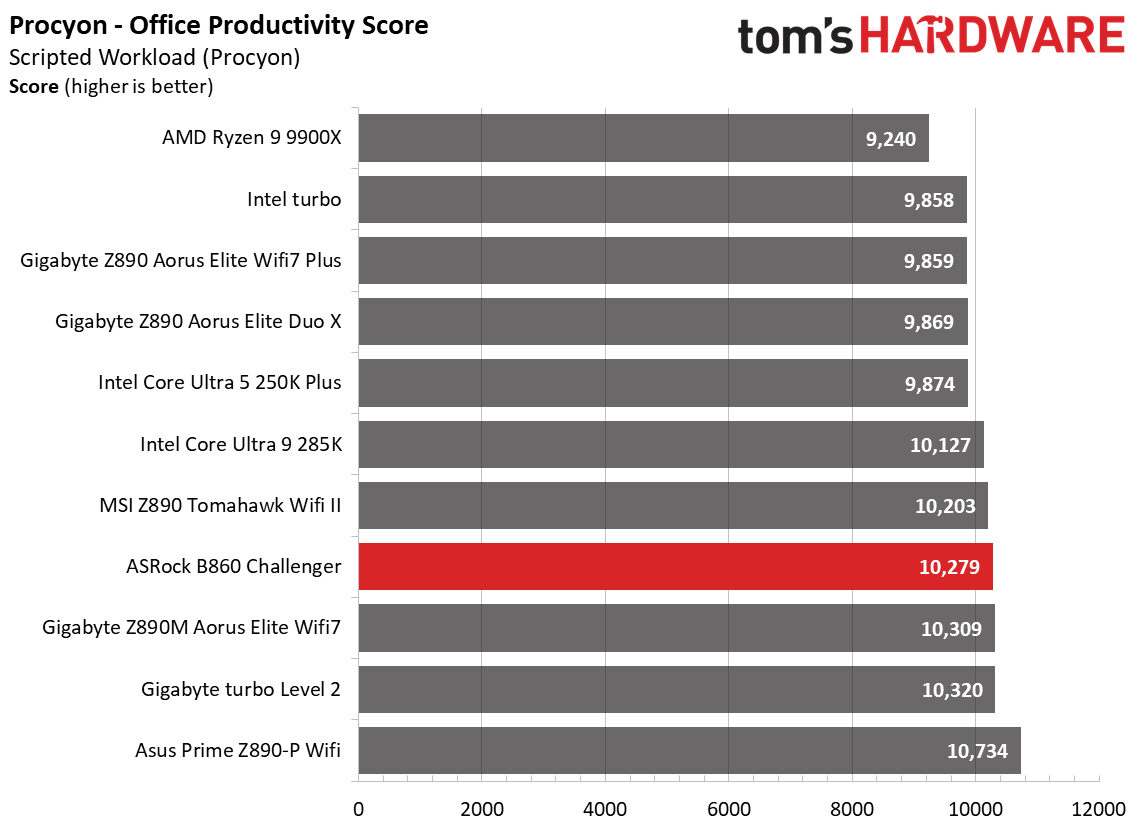
Performance on this board was actually quite good in our testing. I have to admit, that surprised me a little given the VRM configuration. I expected it to throttle on some longer-running multi-threaded benchmarks. But the B860 Challenger proved me wrong and was average to above average across most of our tests. Whether gaming, doing office work, or juggling creative workflows, the Challenger handled our Intel Core Ultra 270K Plus without issue, though the VRMs ran hotter than on other tested boards. I would suggest using a chassis with good airflow with this board, especially if you plan to run a high-end processor and long-running, heavily multi-threaded applications.
Below, we’ll examine the B860 Challenger's tested performance and other features to see if it earns a spot on our list of the best motherboards. But before we share test results and discuss details, here are the specifications from the ASRock website:
Specifications of the ASRock B860 Challenger Wifi
Socket
LGA 1851
Chipset
B860
Form Factor
ATX
Voltage Regulator
14 Phase (10x 50A Dr.MOS MOSFETs for Vcore)
Video Ports
(1) HDMI (v2.1)
USB Ports
(1) USB 3.2 Gen 1 (5 Gbps) Type-C (6) USB 3.2 Gen 1 (5 Gbps)
ASRock includes a few accessories to help get you up and running. You get two SATA cables, an M.2 screw and mount, Wi-Fi antennas, stickers, and a quick installation guide. The collection is sparse, but typical for a low-cost mainstream-class motherboard.
Design and Features of the B860 Challenger Wifi
FutureFutureFutureFutureFutureFutureFuture
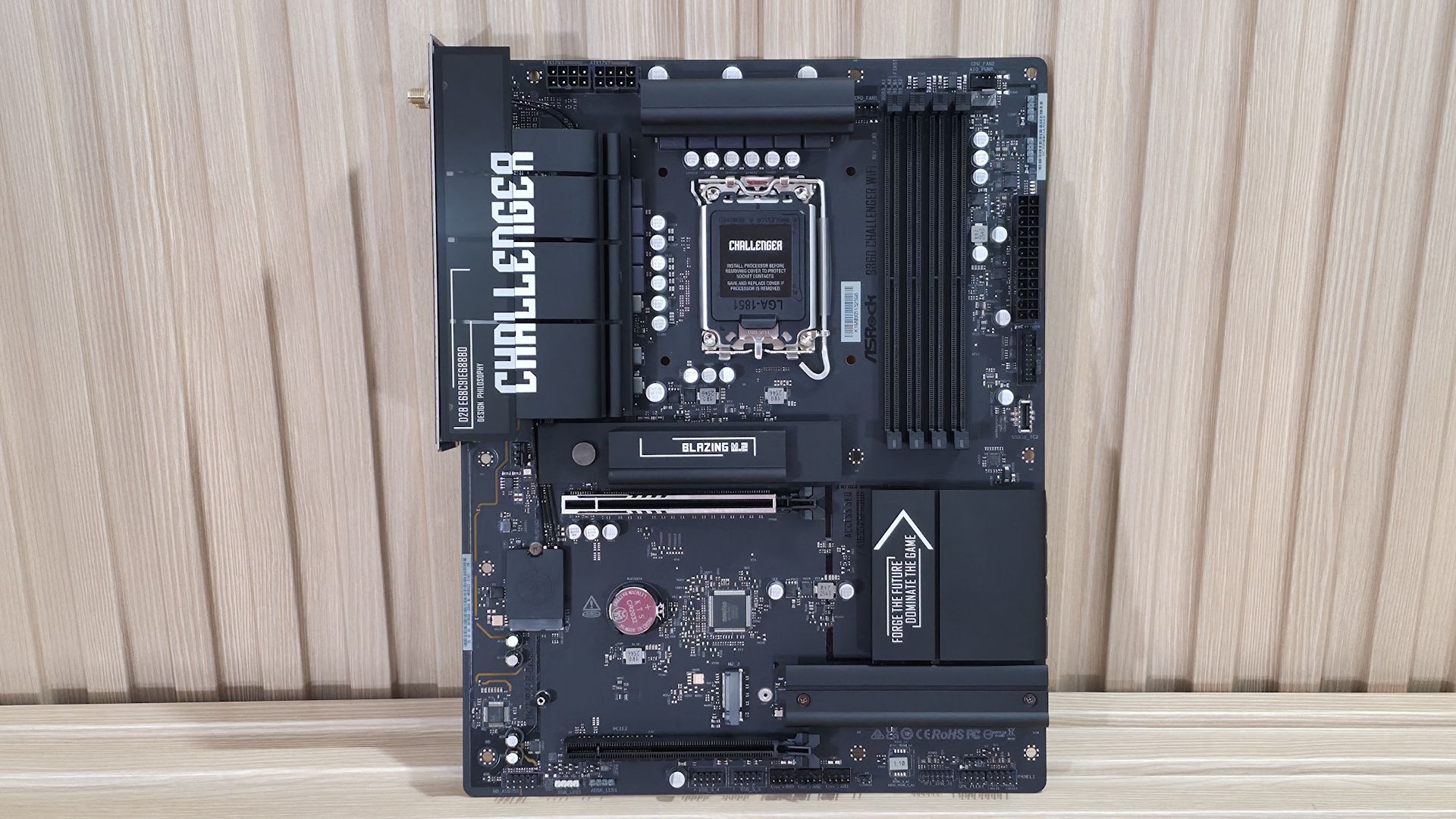
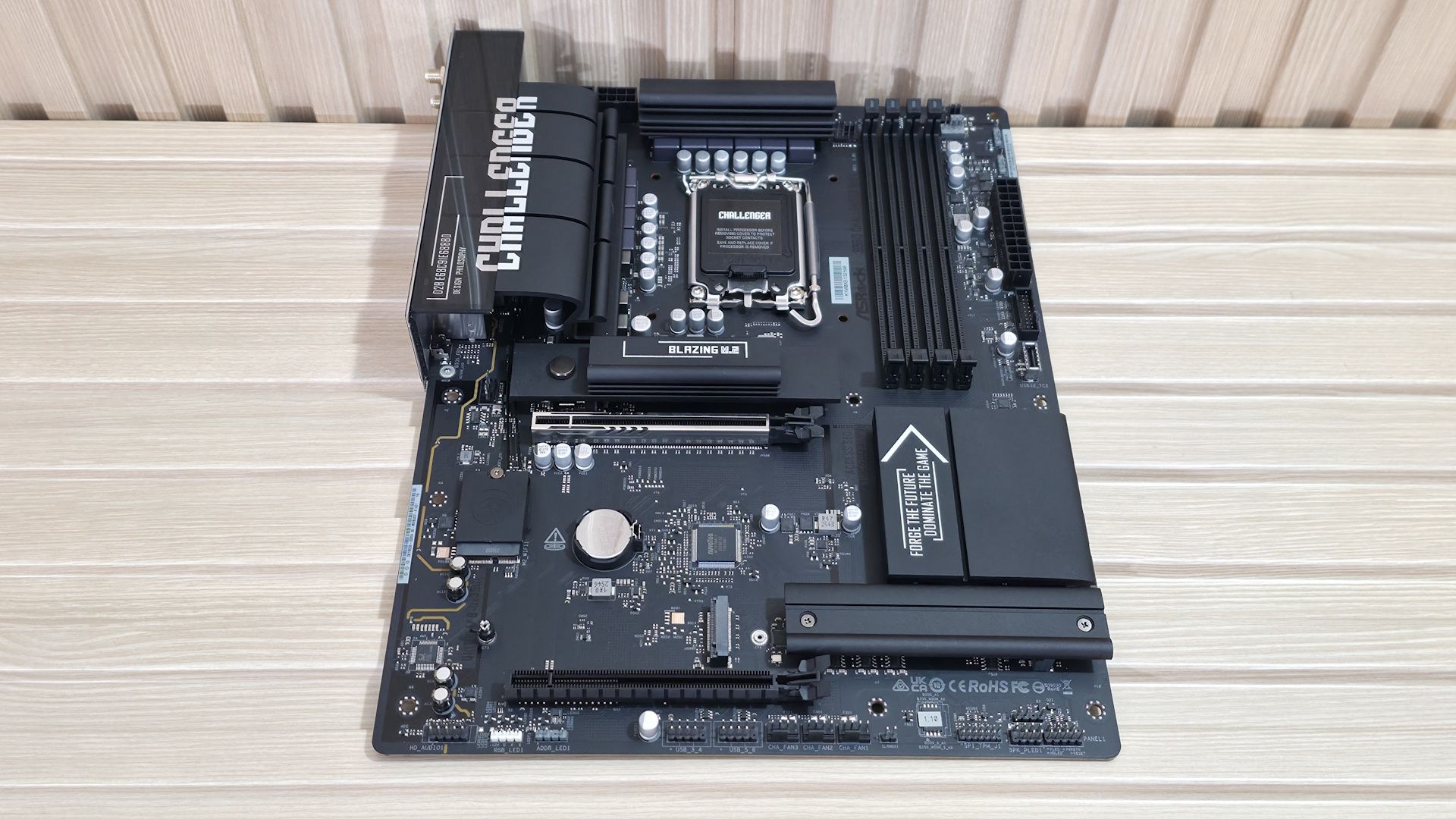
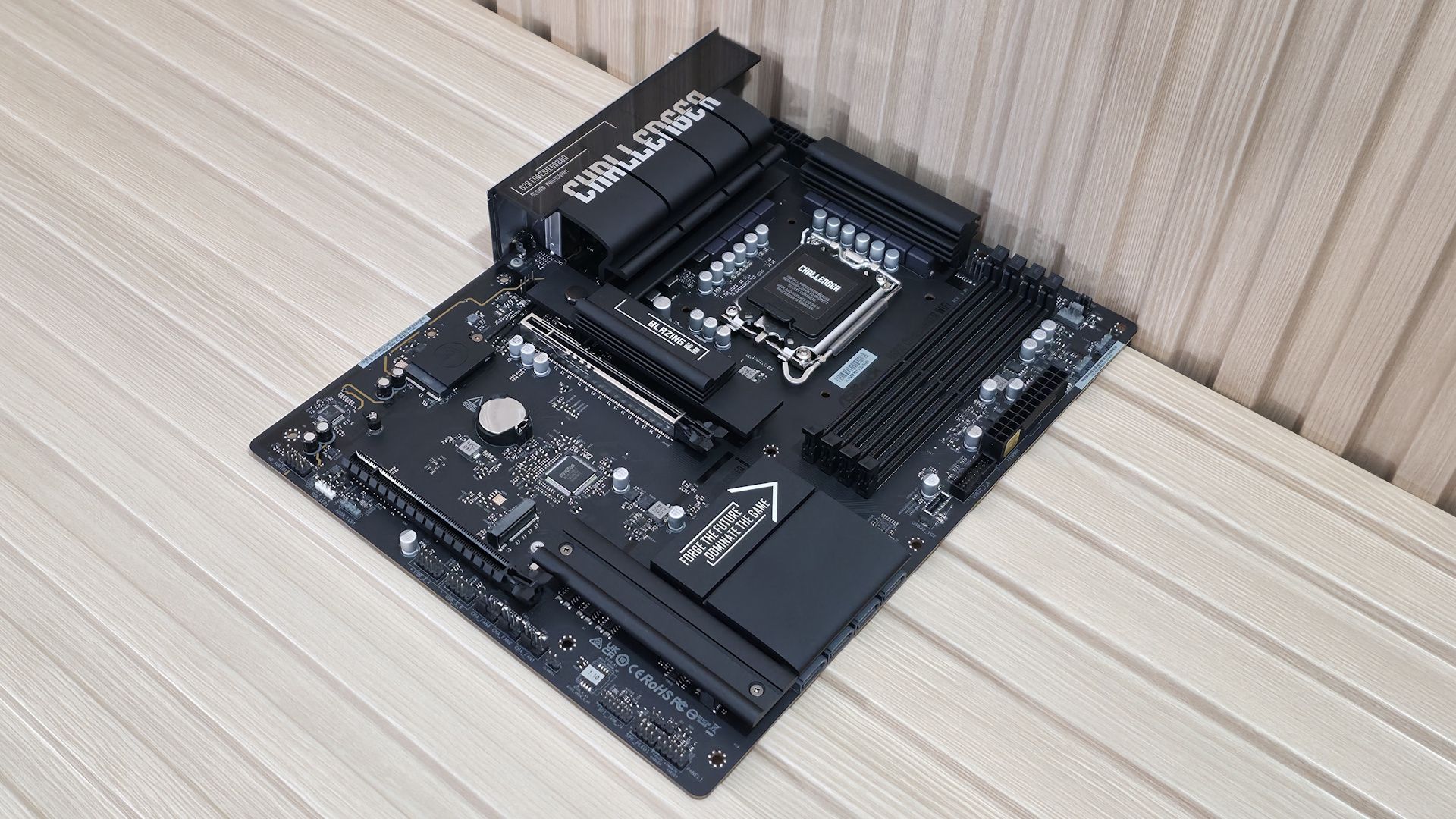
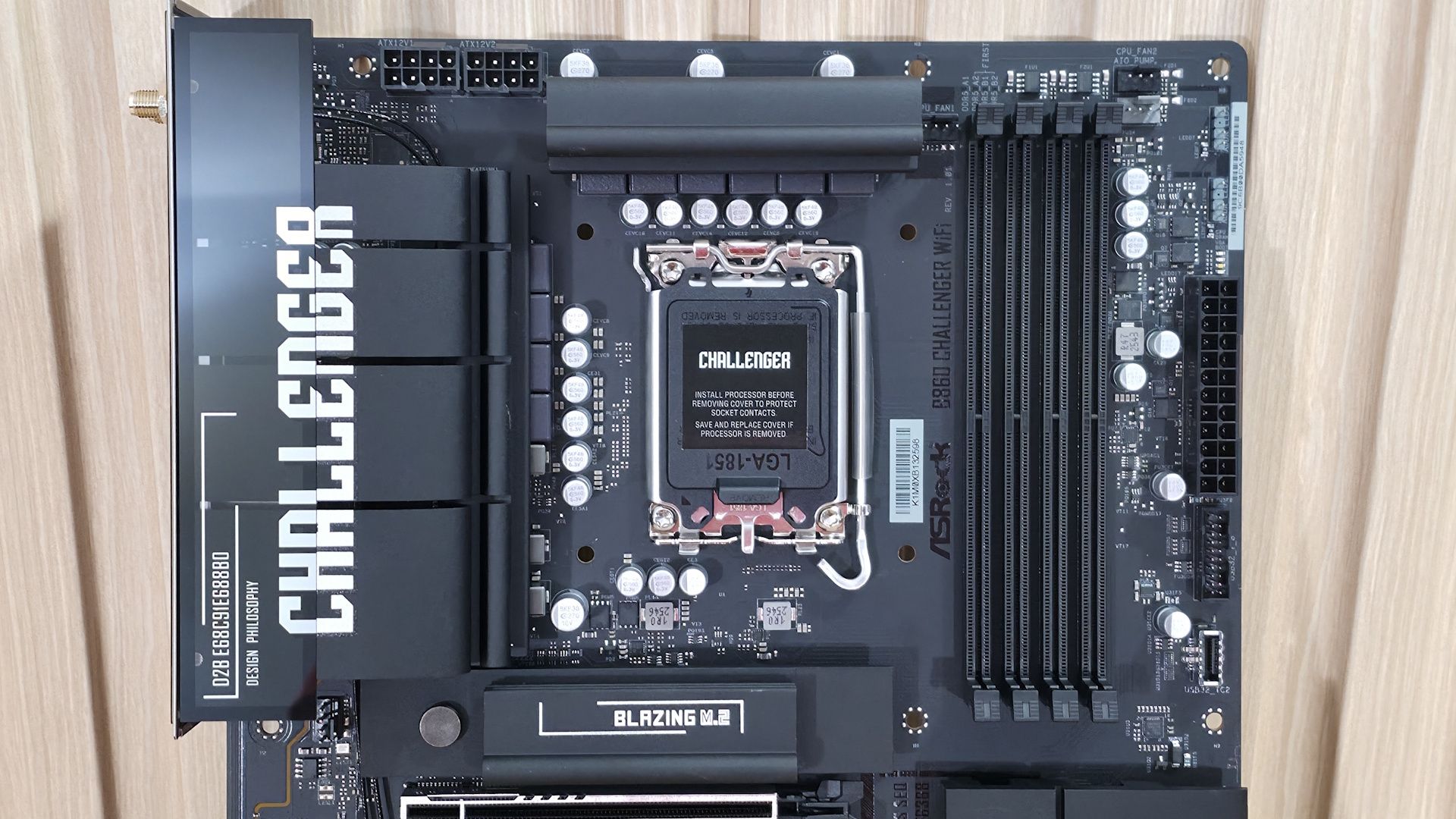
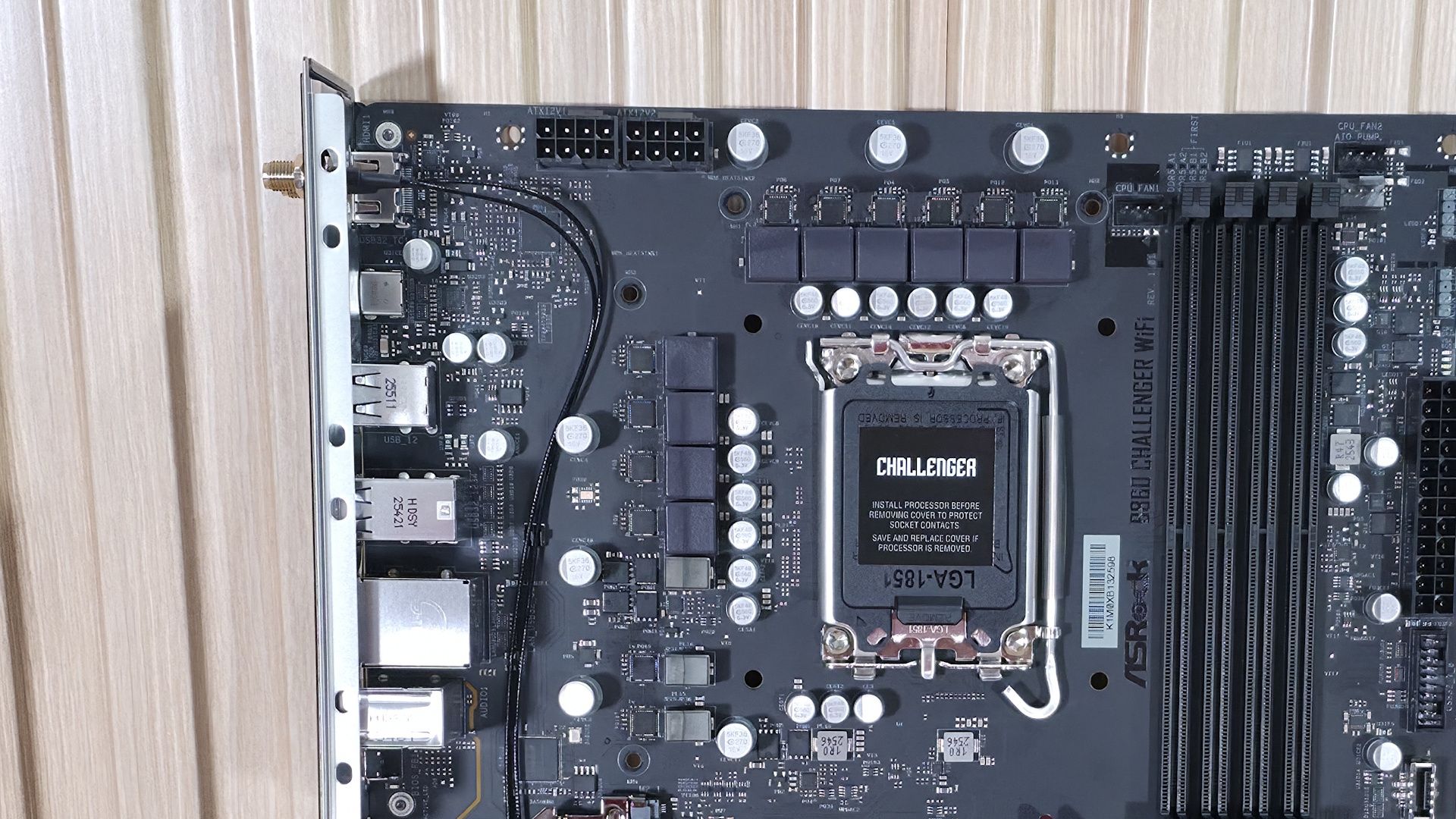
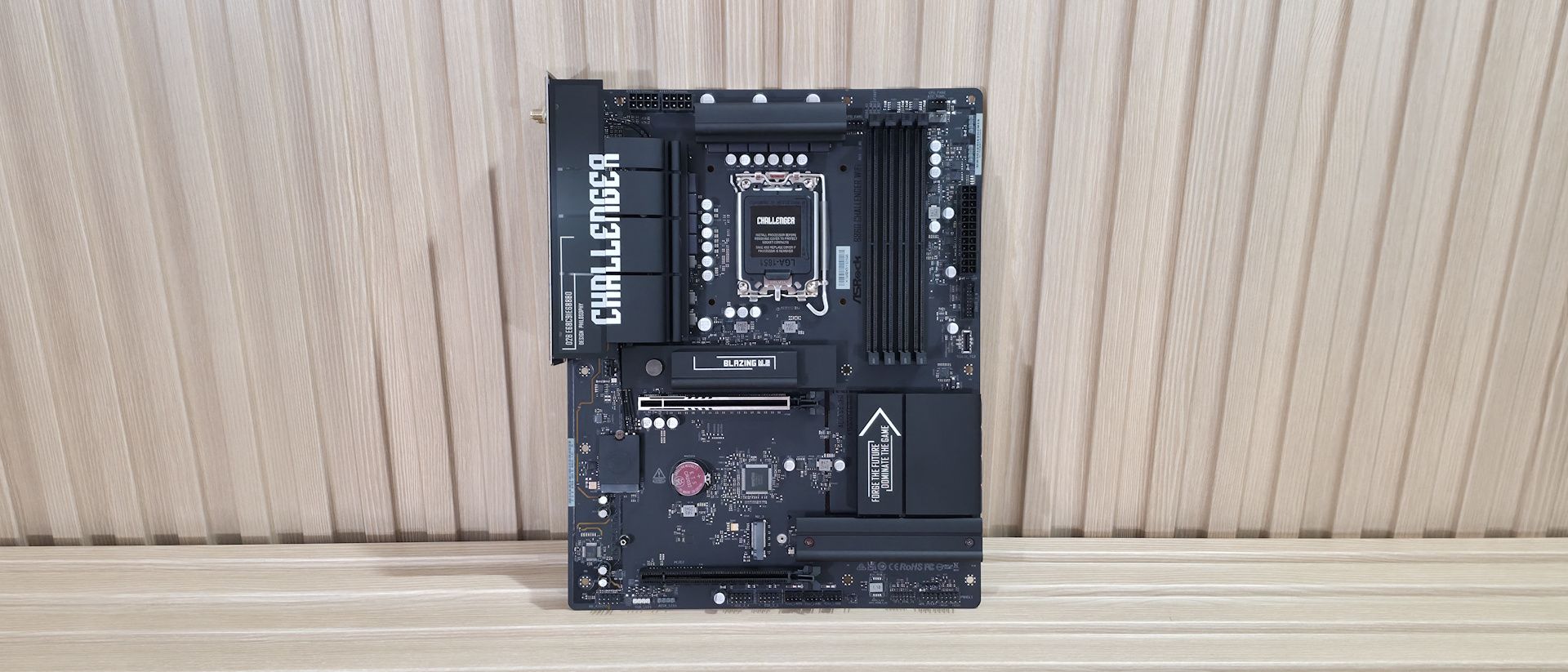
The B860 Challenger sits on a matte-black PCB with black connectors and heatsinks. Only the Challenger branding on a couple of heatsinks and the capacitors dot the board, breaking up the stealthy appearance. It lacks a ‘full coverage’ heatsink on the bottom, partly due to the M. 2's physical orientation, but two of the three M.2 sockets do have heatsinks. You won’t find any integrated RGB, but the board has multiple headers to add your own.
Overall, this is a plain-looking board with a lot of exposed PCB, but that's typical for this chipset and price. Still, it will blend well into any dark build theme.
(Image credit: Future)
In the top-left area of the board, we see the standard dual 8-pin EPS connectors to power the processor. Below that is the large VRM heatsink that extends to the rear IO area and covers some unsightly motherboard components. On top, we can see the silver Challenger branding. A second VRM heatsink covers the top portion of the power delivery. Both appeared to make good contact with the MOSFETs and inductors/chokes below.
Moving right, past the socket, the next feature is the four DRAM slots, each with locking mechanisms on both sides. ASRock lists support for up to DDR5-8666, which is plenty fast for the platform, especially given today’s ridiculous memory prices.
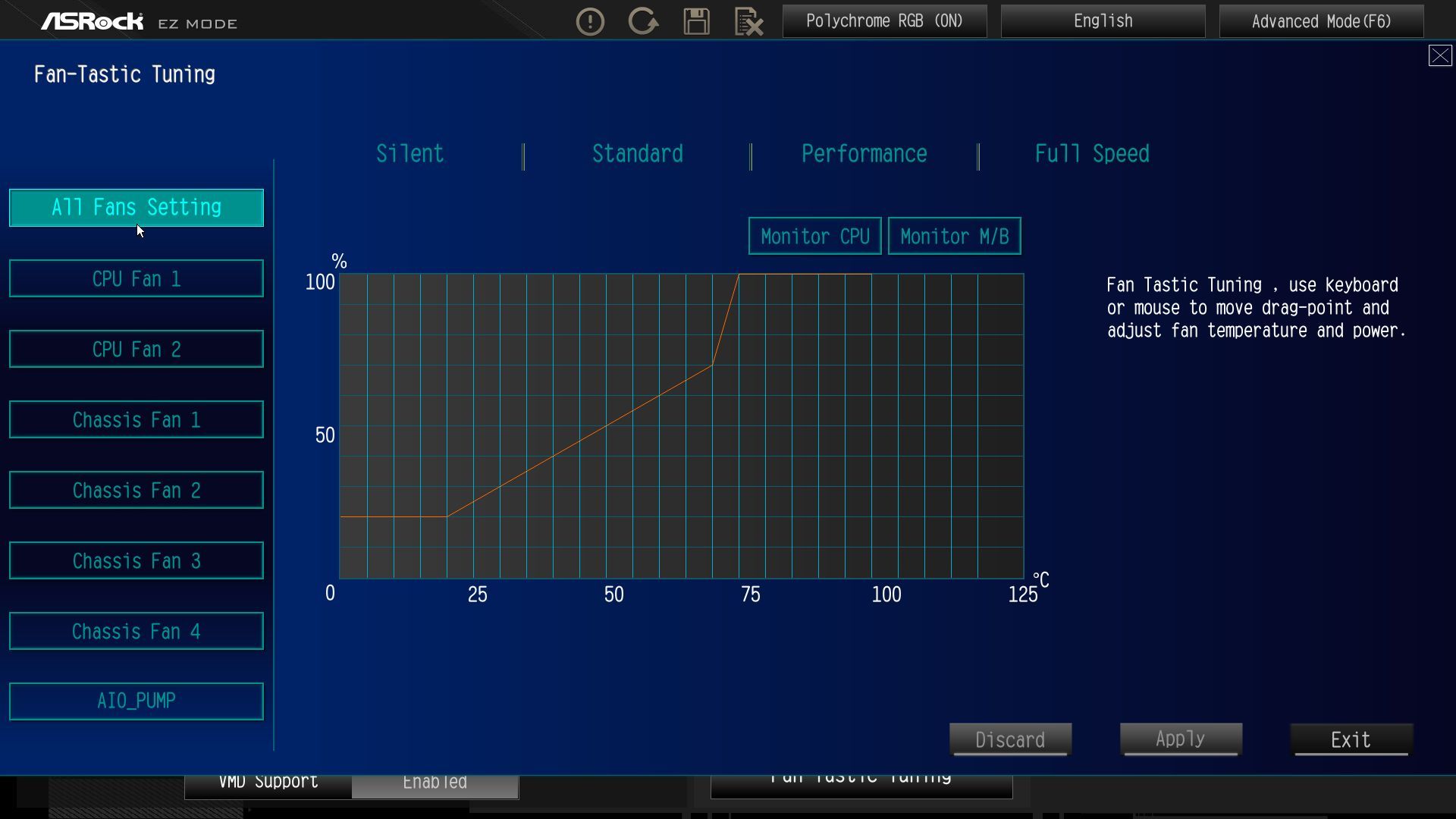
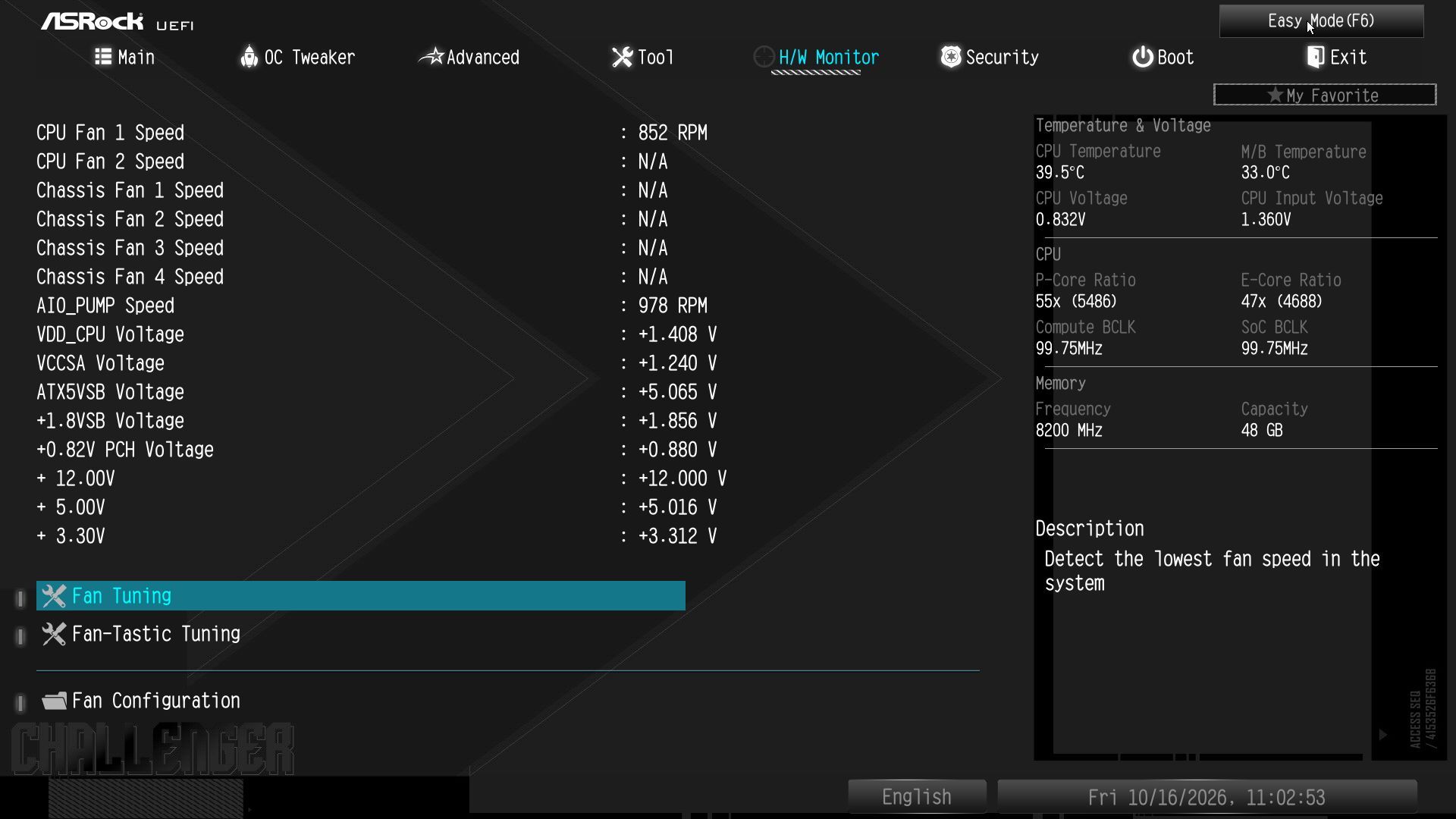
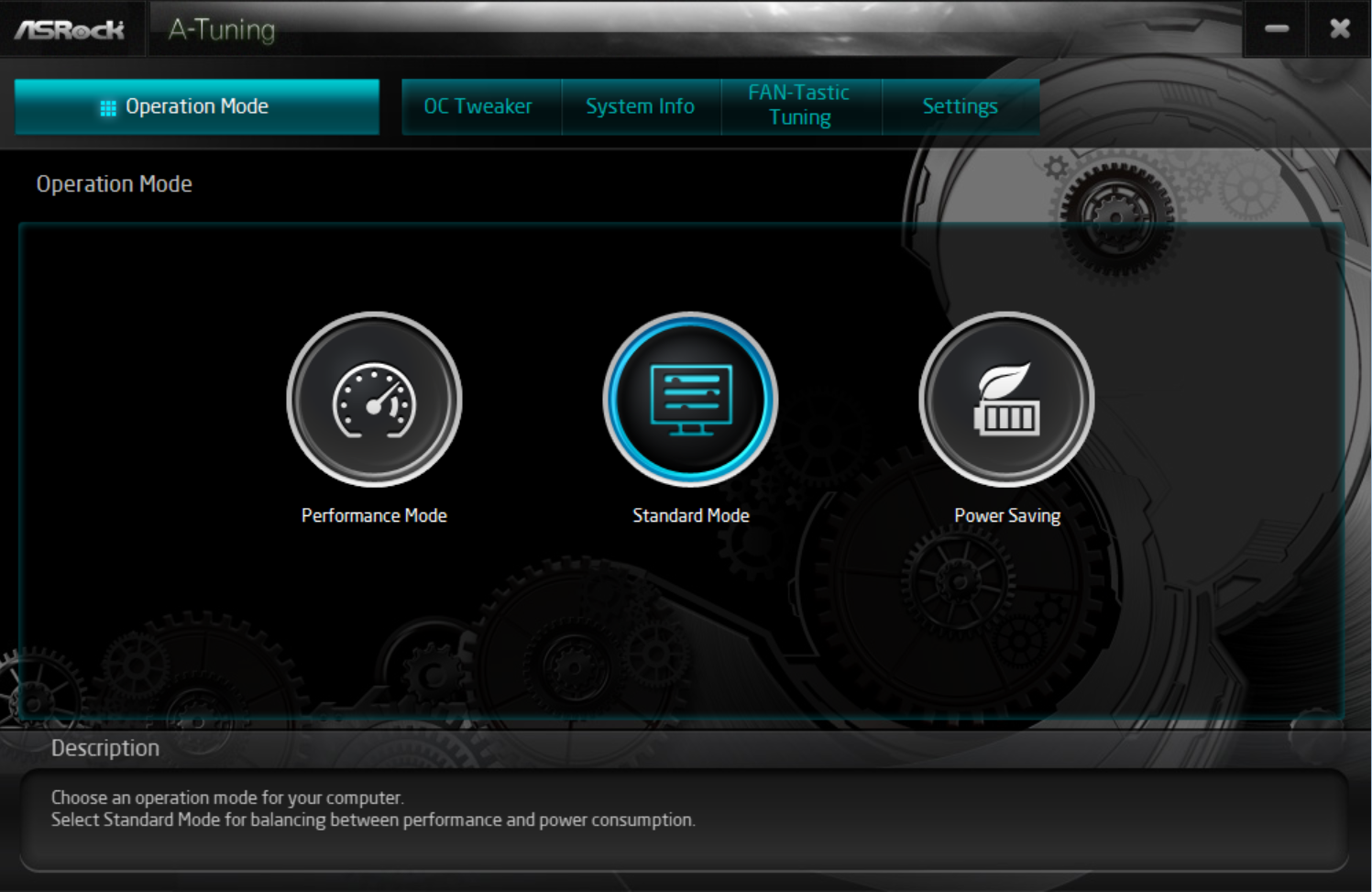
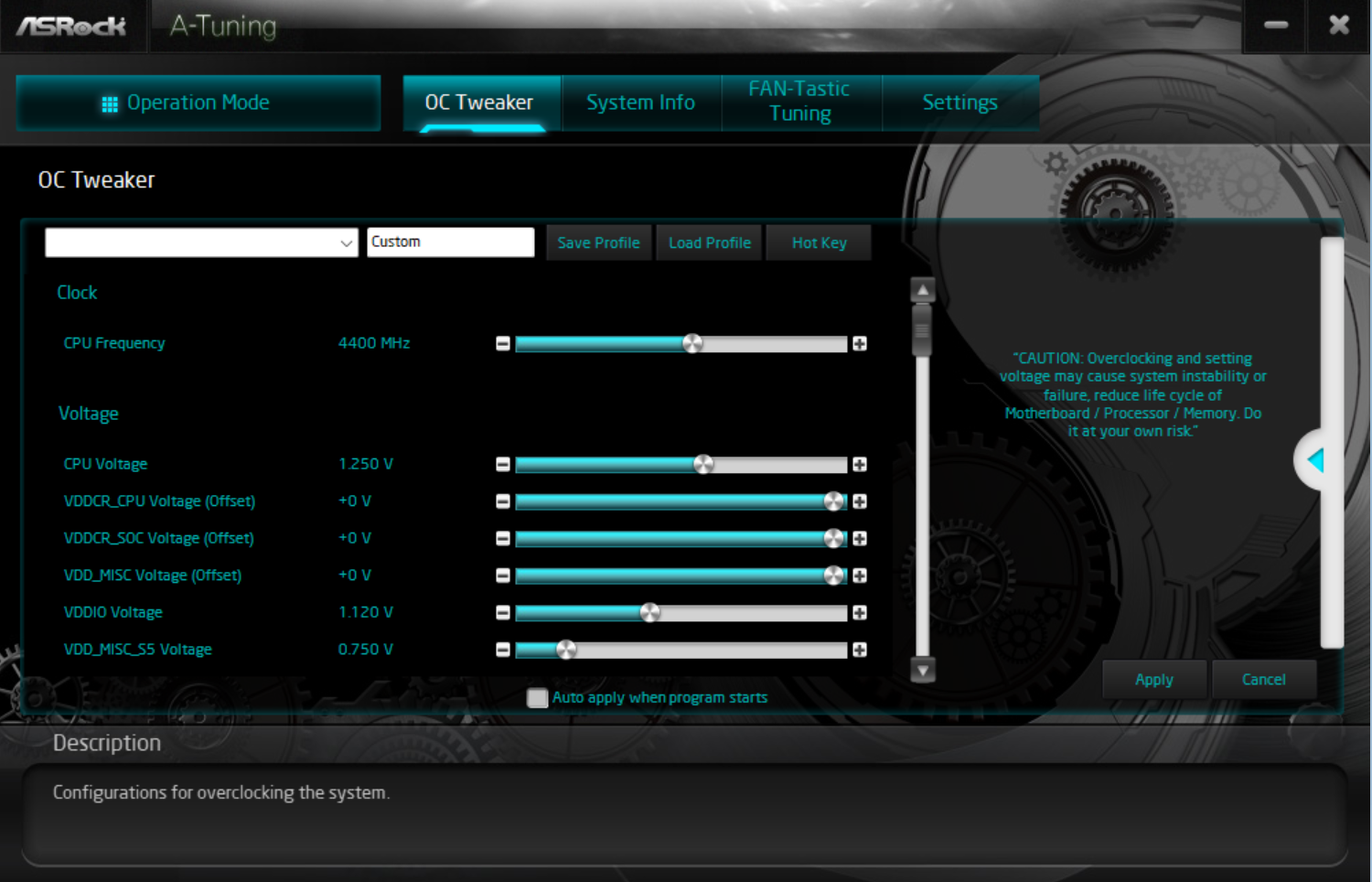
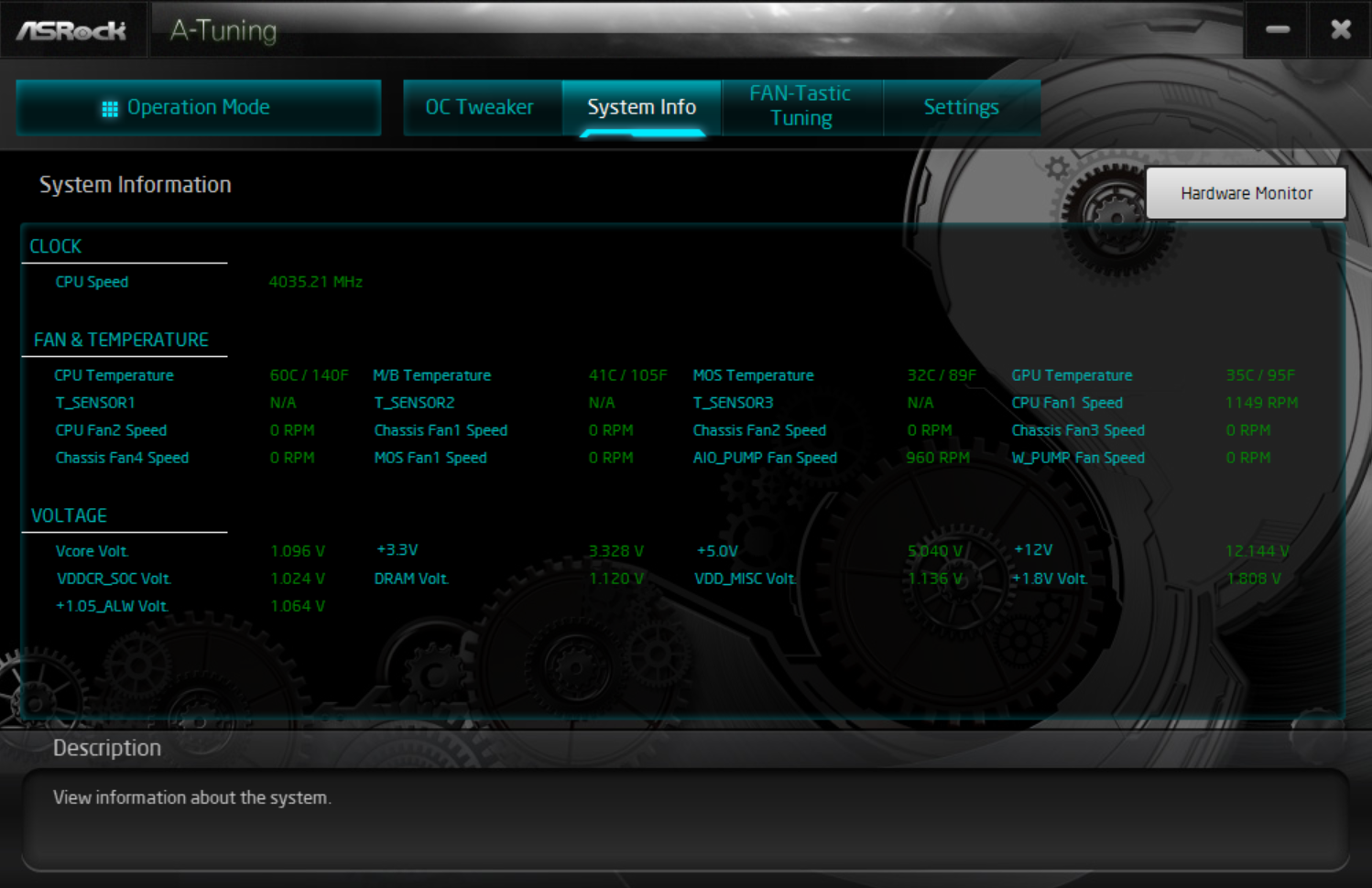
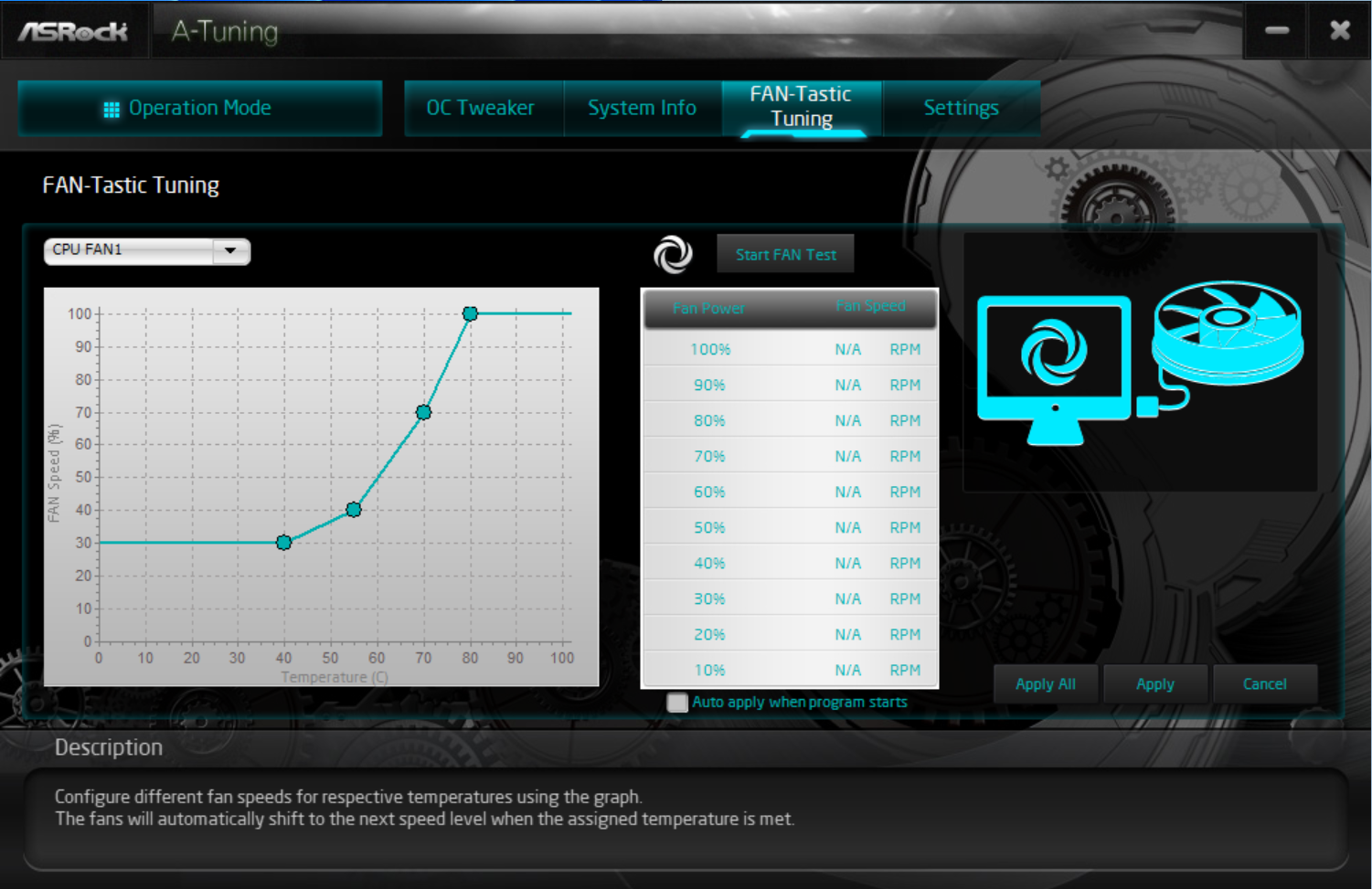
Tucked between the heatsink and the DRAM slots on the left, along with two others on the right side of the slots, are the first (of seven) 4-pin fan headers. Per usual, each header supports PWM and DC-controlled devices. The CPU_FAN1 connector supports up to 1A/12W, while the remainder support up to 3A/36W. In other words, you won’t have any issues powering your system fans from the board. Just be sure not to overload them. You can control the headers via the BIOS or the A-Tuning app with FAN-Tastic tuning.
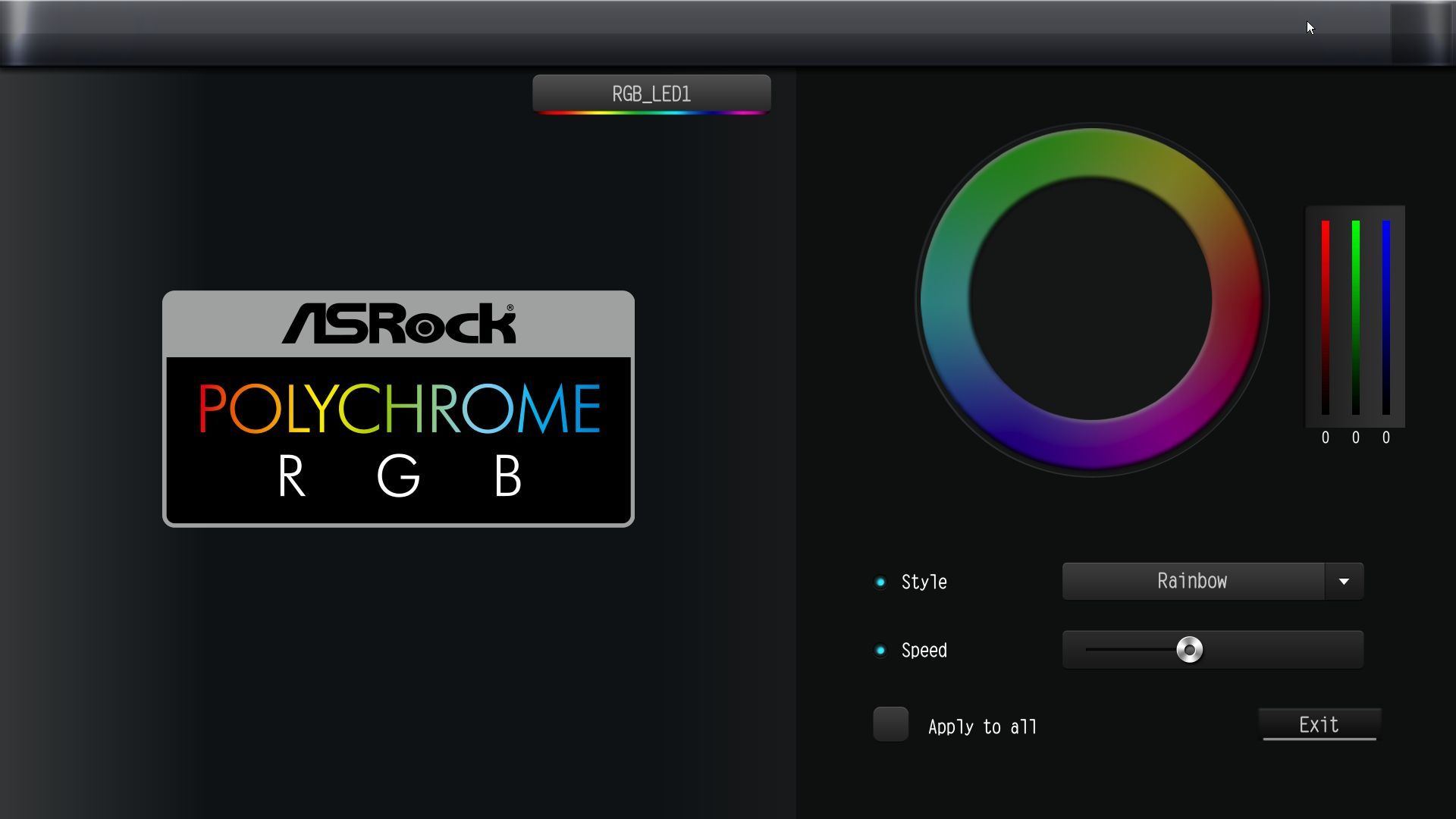
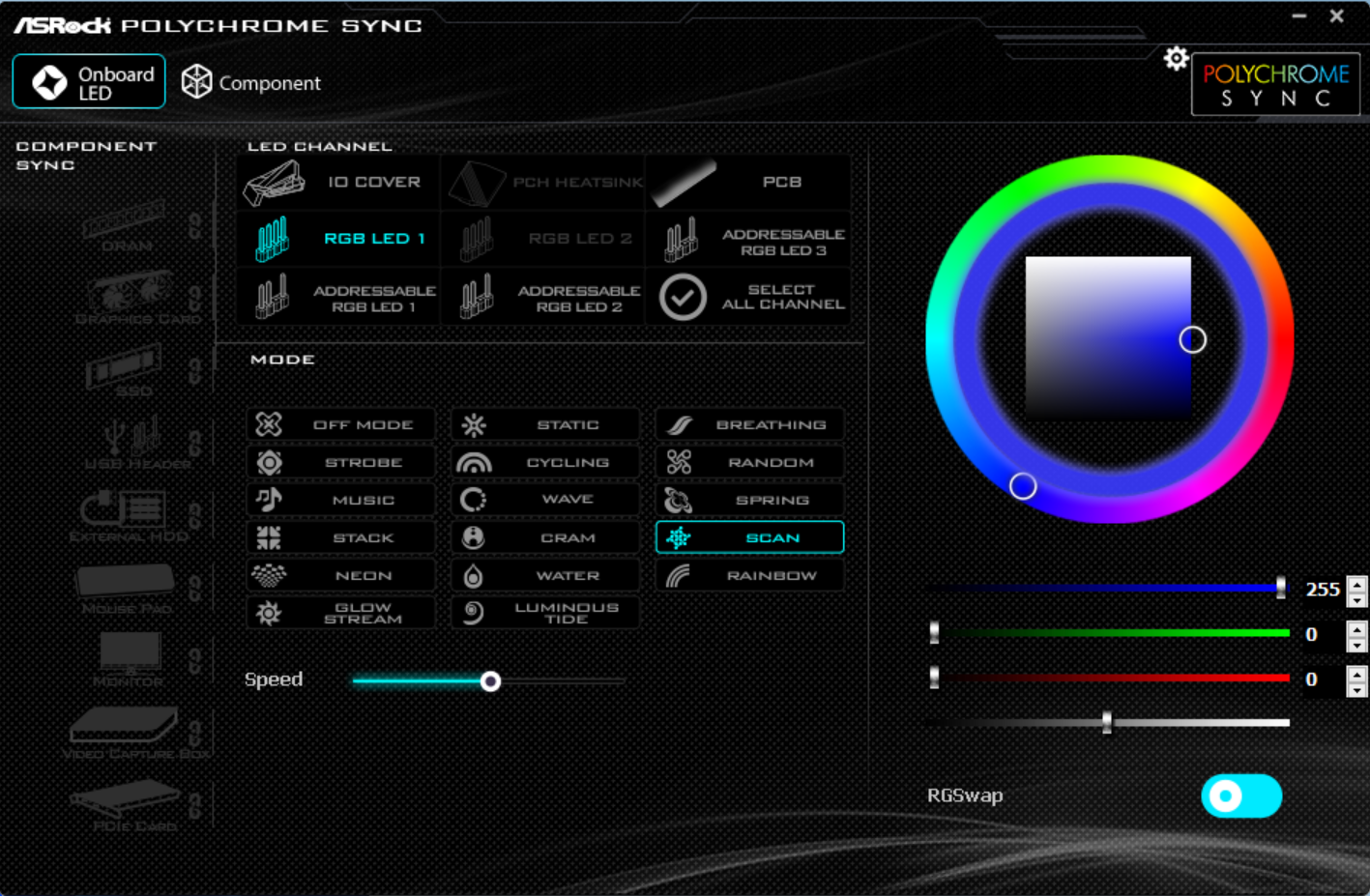
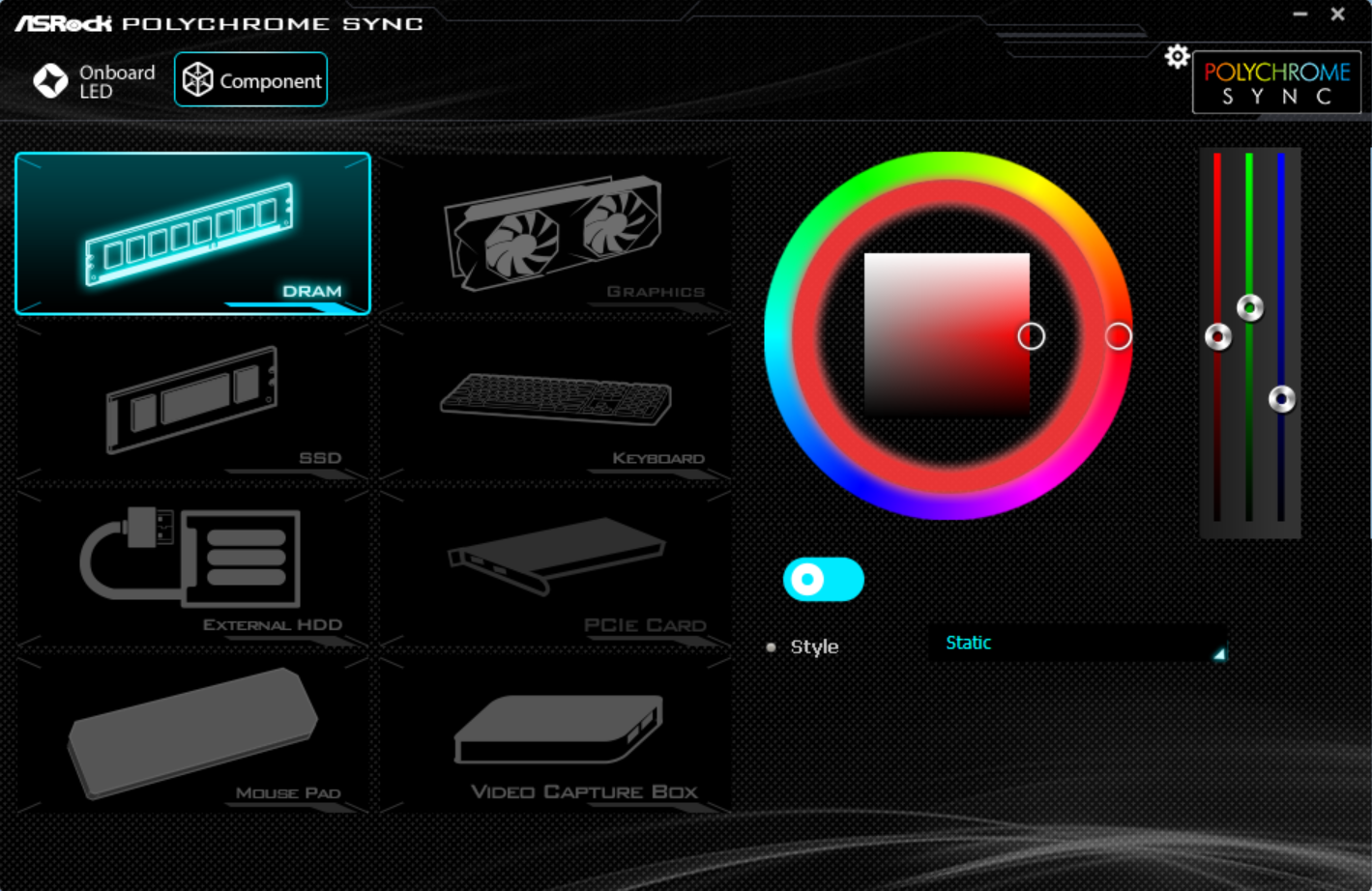
Rounding the corner and moving down the right edge, you'll find the first two 3-pin ARGB headers. Along the bottom edge are additional headers: a third ARGB header and a single 4-pin RGB header. The Polychrome Sync application in the BIOS or as a standalone app controls the attached devices. Next are the 24-pin ATX connector to power the board, a front-panel 19-pin USB 3.2 Gen1 (5 Gbps) header, and a front-panel USB 3.2 Gen1 (5 Gbps) Type-C header. Surprisingly, 5 Gbps is the fastest you’ll get out of any USB port on this board. For 2026, that’s disappointing, even in a budget-class mainstream board.
(Image credit: Future)
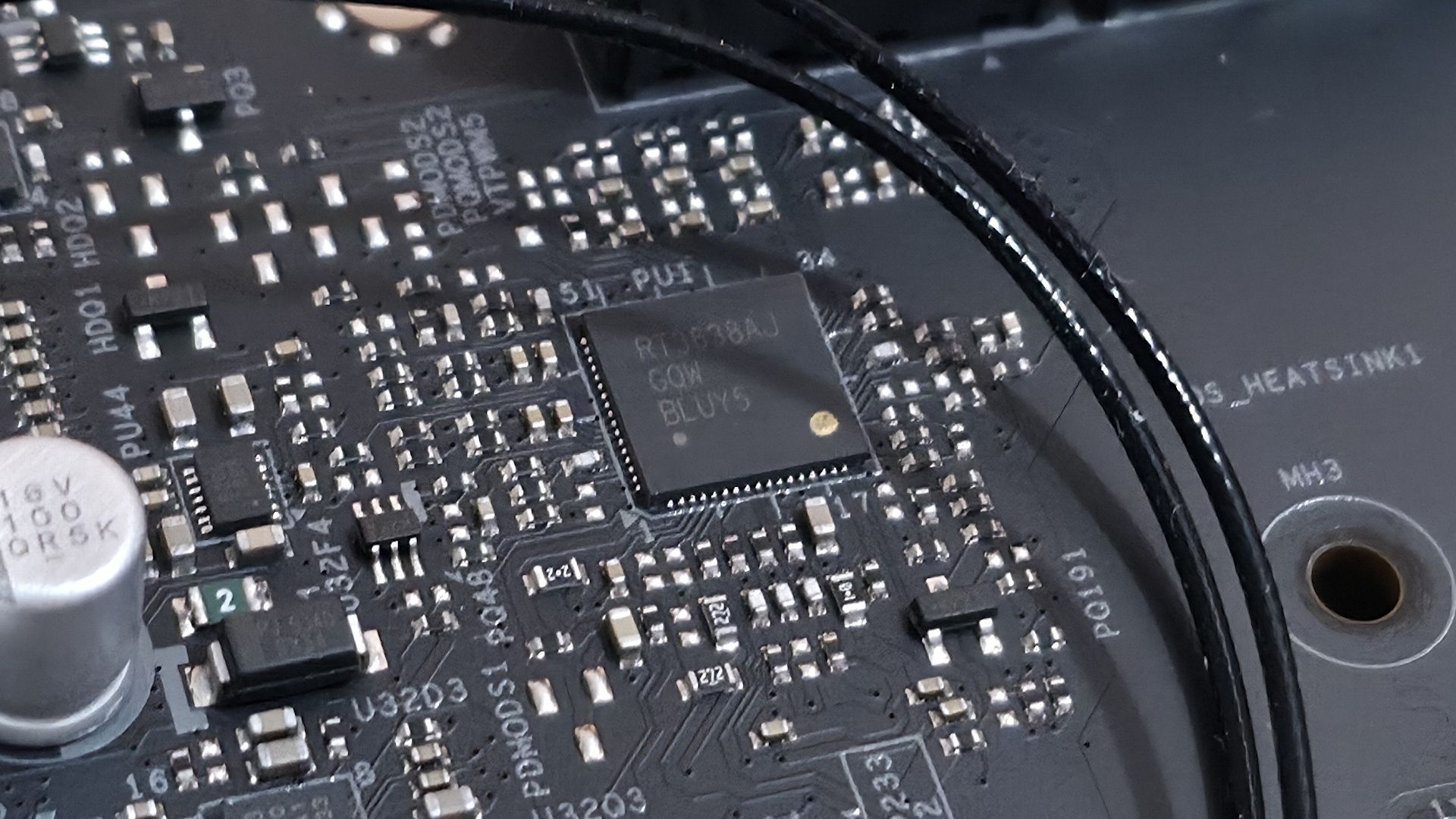
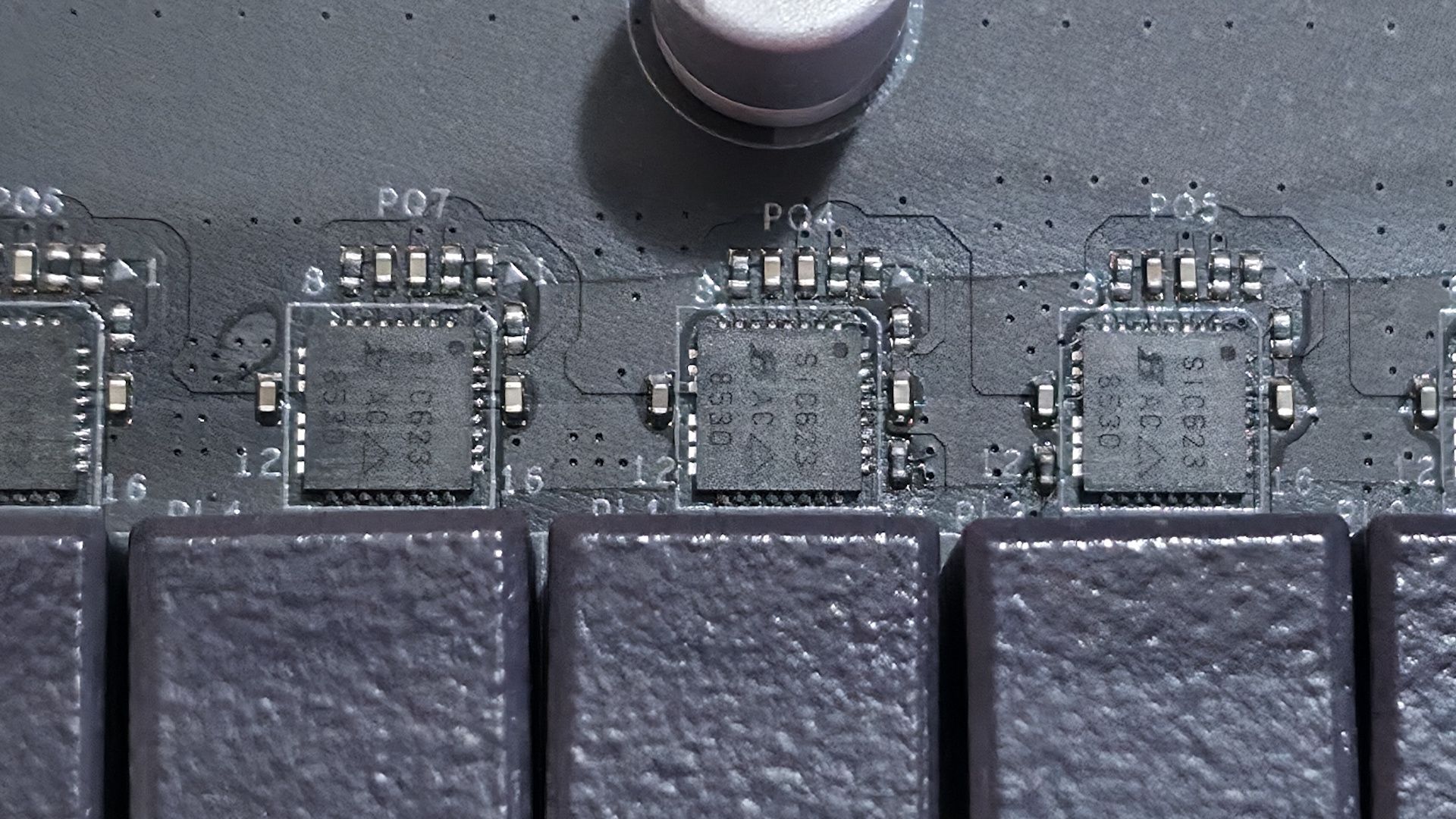
Power delivery on the B860 Challenger is paltry, but not by phase count; it’s 14 phases total, 10 dedicated to Vcore — but by the weak MOSFETs. Power heads from the EPS connectors to a Richtek RT3638AJ 3-rail, 8-phase PWM controller (meaning the Vcore runs ‘teamed,’ common in today’s systems). From there, power goes to 10 50A Vishay SiC632 Dr.MOS power stages. The 500A available isn’t a lot, but it handled our Core Ultra 270K Plus without throttling. That said, the VRMs ran hot during our 30-minute stress test, so make sure you have good airflow to keep temperatures down.
(Image credit: Future)
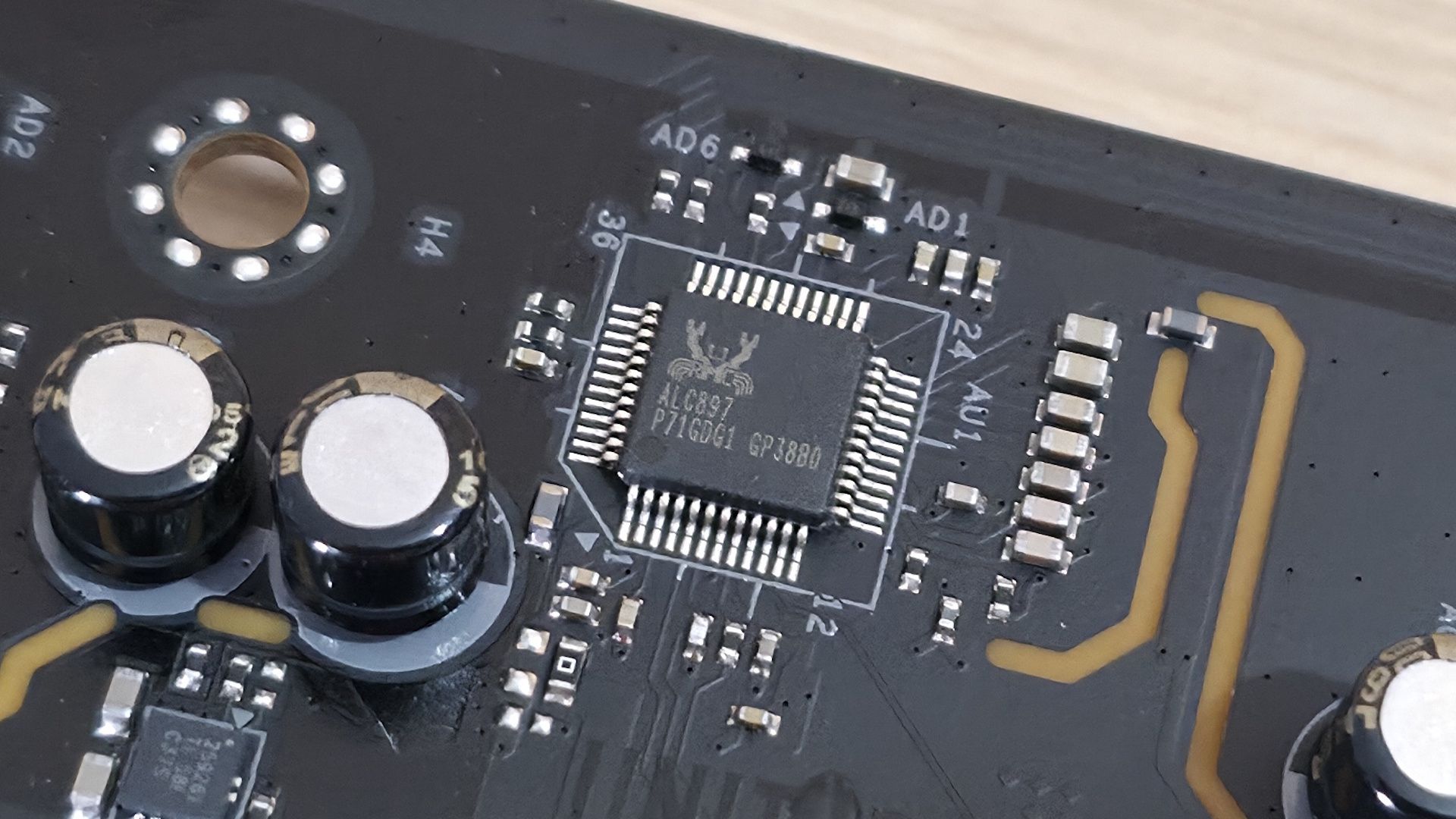
On the bottom half, starting on the left edge, is the audio solution: the basic Realtek ALC897 and a couple of dedicated audio capacitors. This isn’t the best audio section around, but par for this class of board. Still, most users will be satisfied with this implementation.
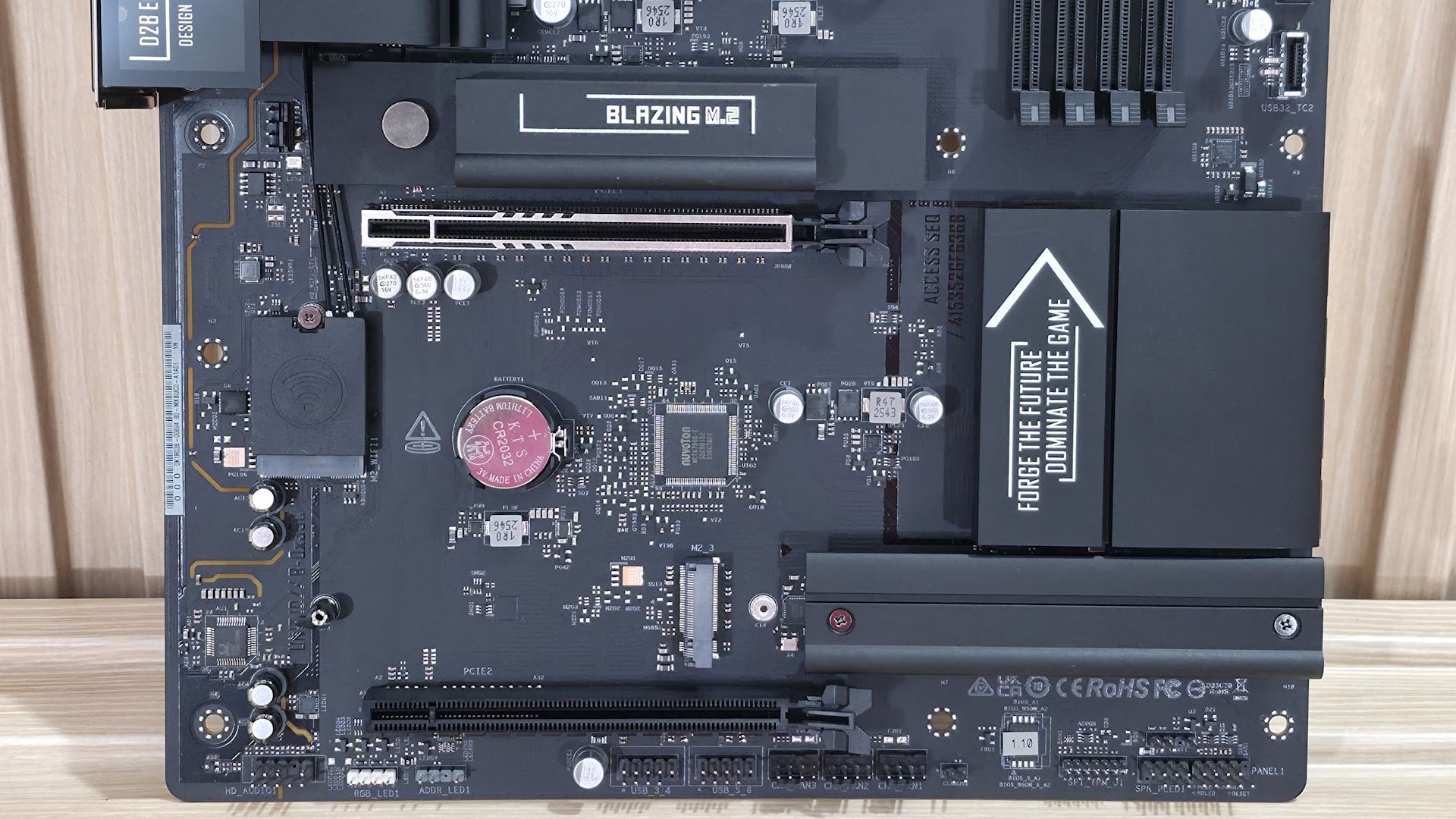
Two full-length PCIe slots sit in the middle of the board and couldn’t be spaced further apart. The top slot is reinforced, connects through the CPU, and is your primary slot for graphics running PCIe 5.0 x16 speeds (it does not bifurcate). The bottom slot connects through the chipset and runs up to PCIe 4.0 x4. The large gap between them lets you fit any video card, while still leaving that bottom slot open for expansion.
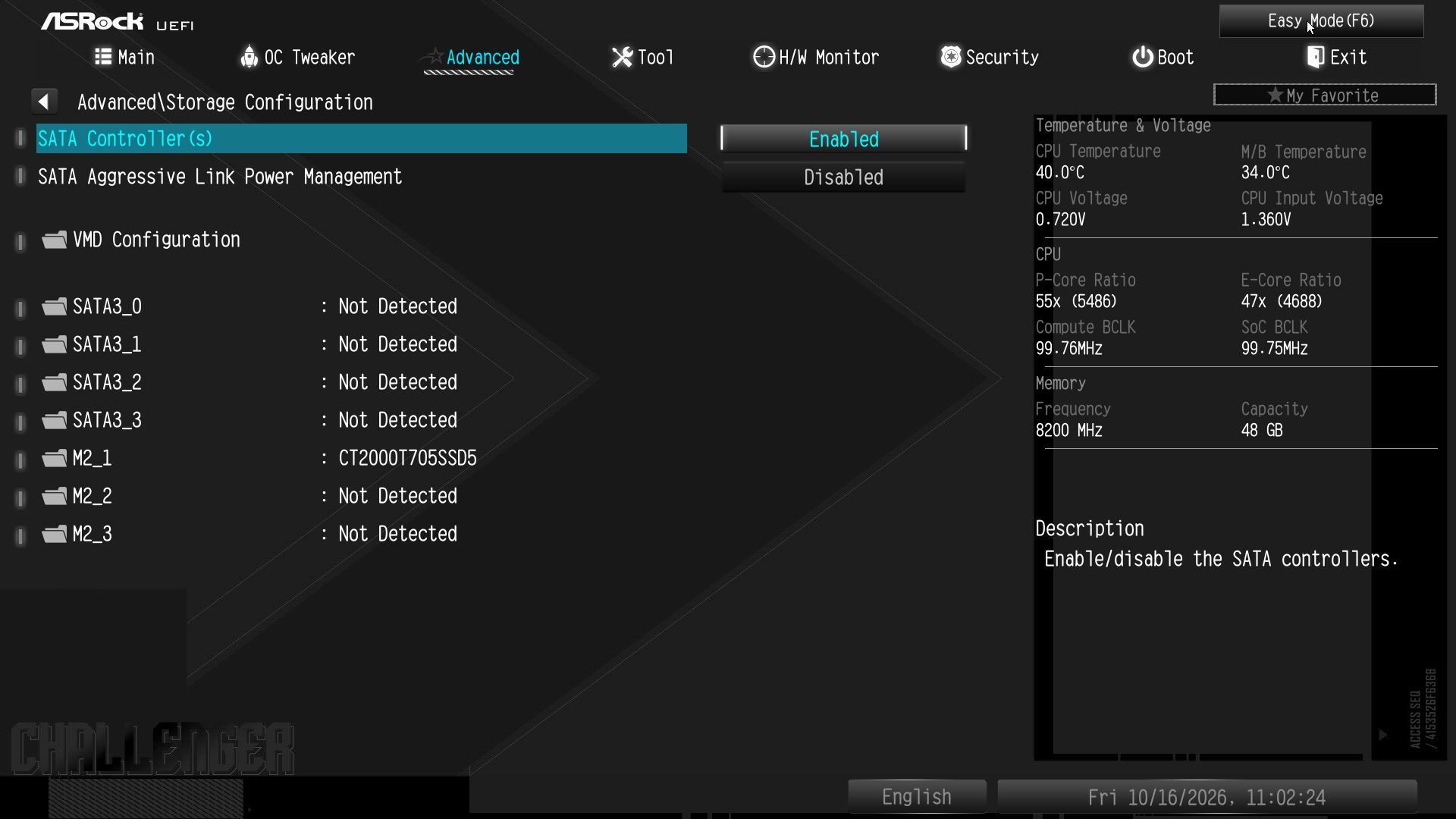
Mixed in and around the PCIe slots are three M.2 sockets. The first, above the primary PCIe slot, uses a larger heatsink with a quick-release mechanism that makes installing and removing the device easy. Under the heatsink is a CPU-connected M.2, M2_1, that runs at PCIe 5.0 x4 (128 Gbps) and supports devices up to 80mm. The other two M.2 sockets run at PCIe 4.0 x4 (64 Gbps), with one, M2_2, under a simple (not EZ DIY) heatsink and the other, M2_3, with no heatsink.
If you want to use RAID on the M.2 drives, you’ll have to look elsewhere, as the B860 Challenger doesn't list support for that here. Note that the primary M.2 socket made good contact with the M.2 drive. Moving right, past the chipset heatsink to the edge of the board, we reach the four SATA ports. These you can use RAID with (RAID0/1/5/10) for that extra speed or redundancy.
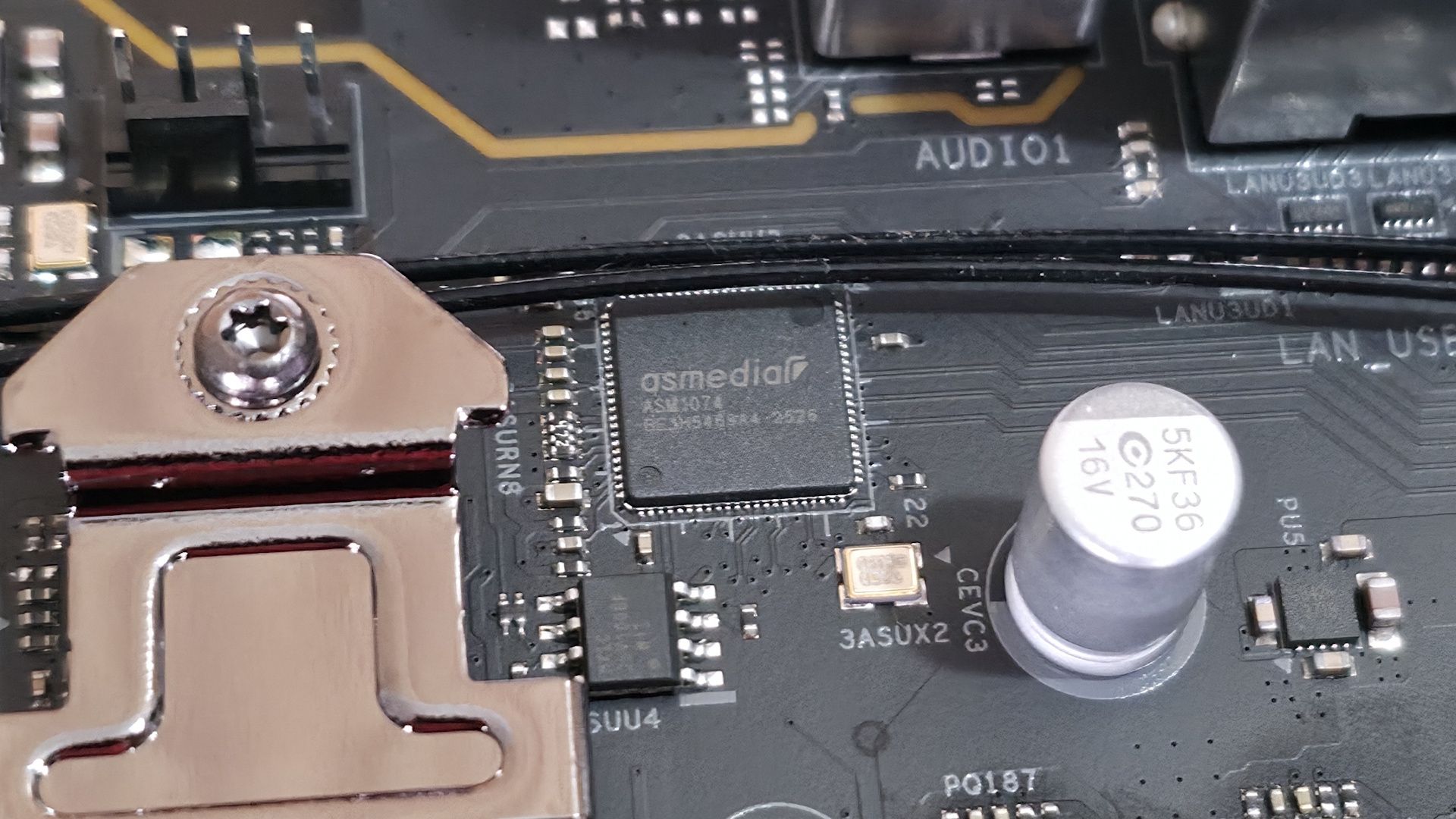
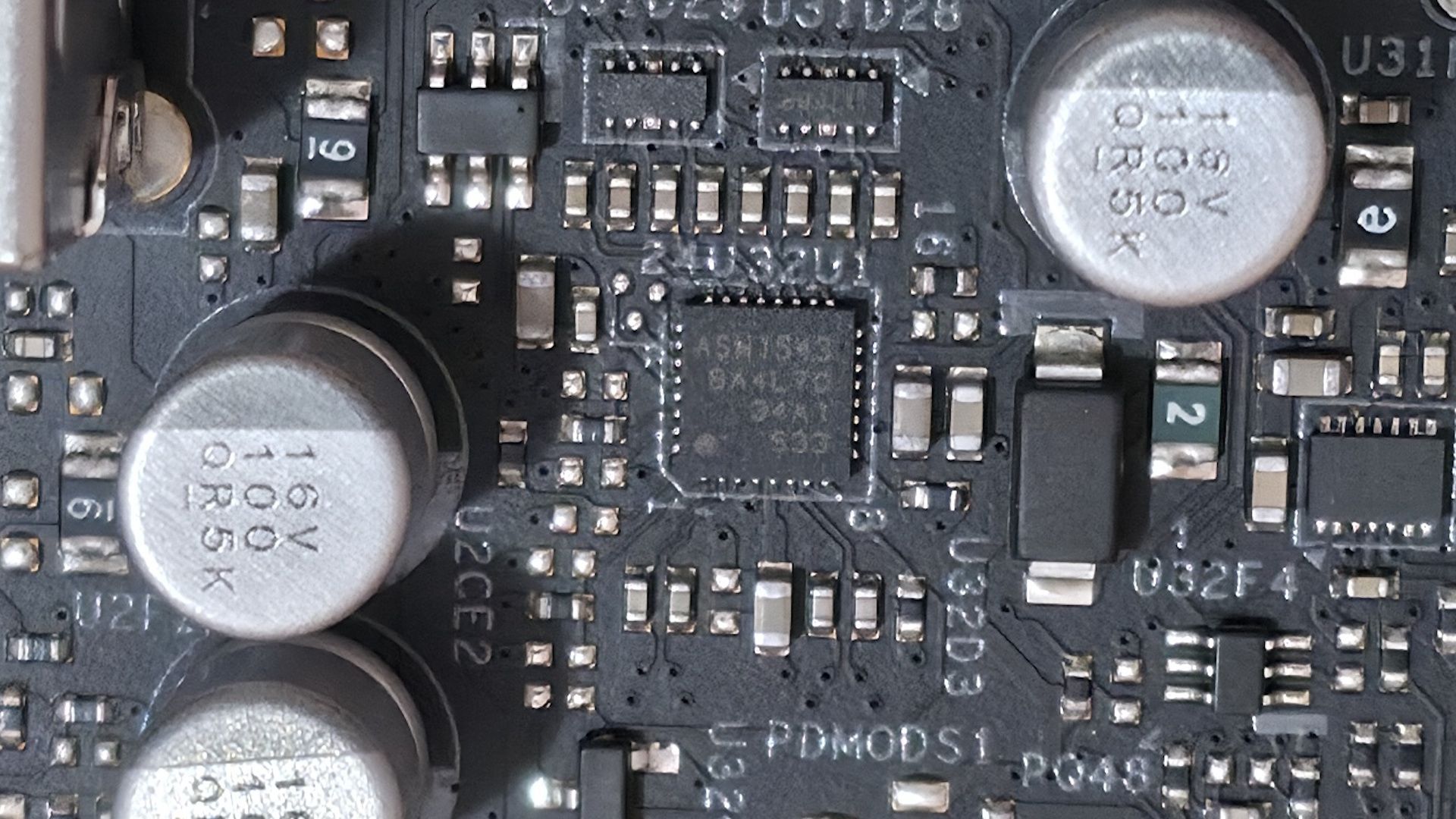
Finally, we snapped a few images of the board’s active ICs. This ASRock board uses a combination of Richtek (PWM controller), ASMedia (USB), Realtek (audio and networking), and Vishay (MOSFETs).
FutureFutureFutureFutureFuture
At the bottom are several headers, including front-panel audio and USB ports. A complete list of connectivity is listed below, from left to right:
Front panel audio
4-pin RGB
3-pin ARGB
(2) USB 2.0 headers
(3) 4-pin fan headers
2-pin Clear CMOS jumper
SPI TPM header
Power LED and Speaker
Front panel
(Image credit: Future)
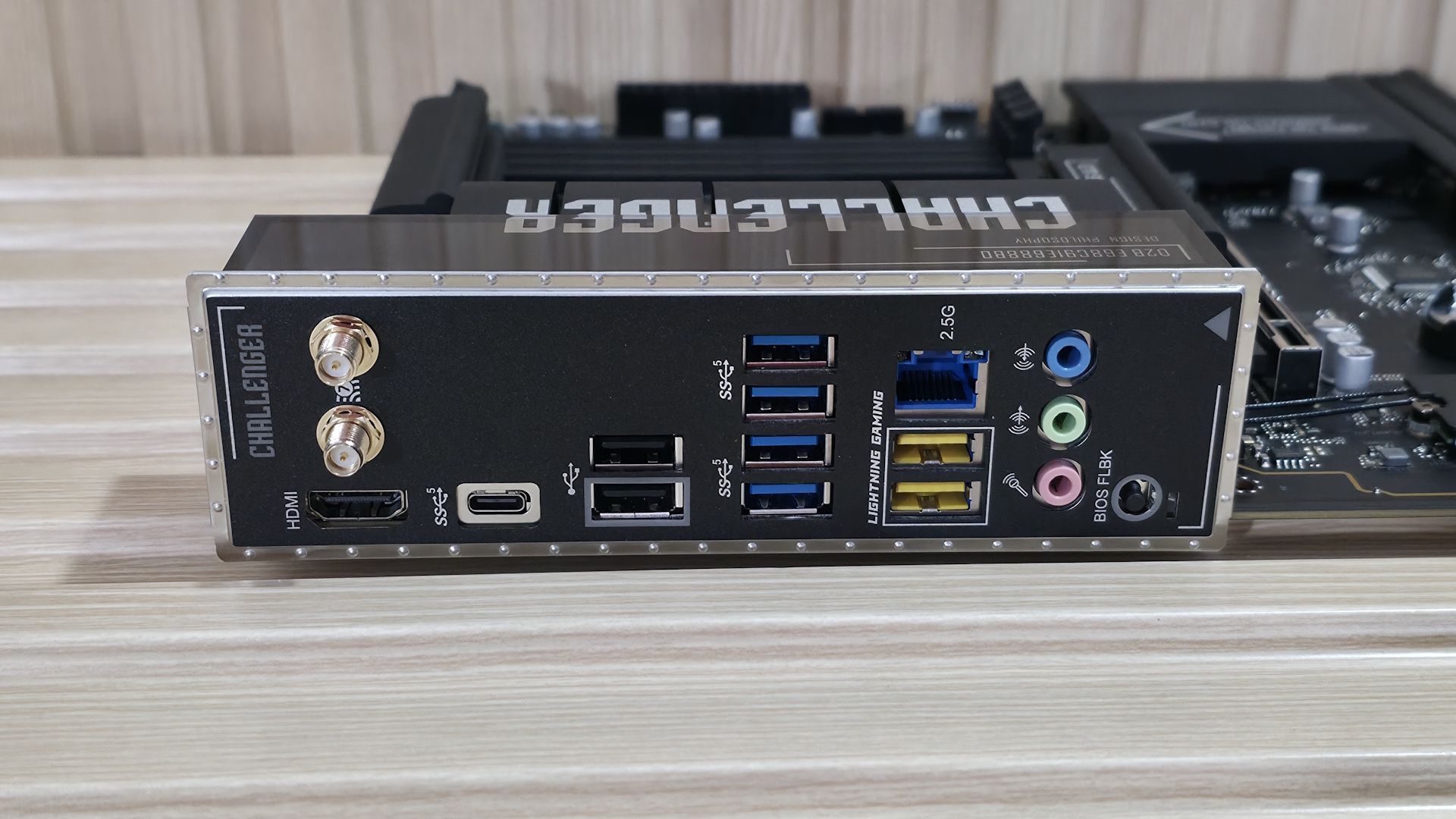
Flipping the board around to the rear I/O, we can see enough ports for most users. Starting on the left, we see the HDMI (v2.1) output for integrated graphics, with the Wi-Fi 7 (the ‘slower’ 160 Hz) antenna screw-in connections above it. Moving right, we spy the only USB Type-C port on the rear IO, and it’s a slow 5 Gbps port. In fact, 5 Gbps is the fastest USB you’ll see on this board, which will disappoint anyone looking for speedy USB.
Next are two USB 2.0 ports (black), six more 5 Gbps ports (blue and yellow: the latter are the Lightning USB ports for reduced latency). Above the yellow Lightning Gaming ports is the Realtek-based 2.5 GbE. Next are the audio inputs/outputs, with three 3.5mm jacks (input/output/microphone). The B860 Challenger lacks SPDIF optical output, which could affect users who want to send the audio signal to an AV/R or other external output.
If you’re an esports gamer where every millisecond counts, the Lightning Gaming ports could come in handy. Otherwise, the feature adds little value for the average user.
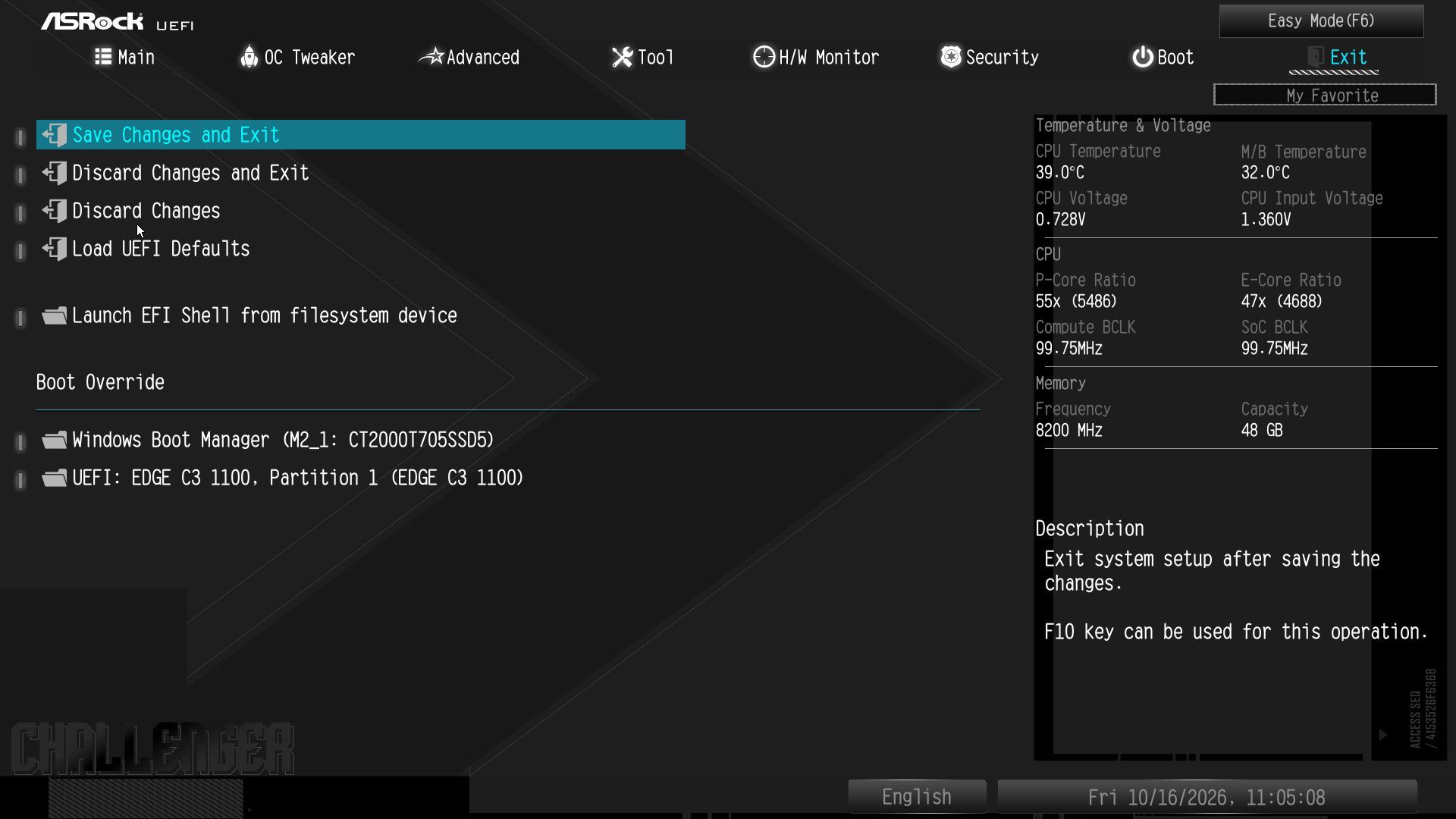
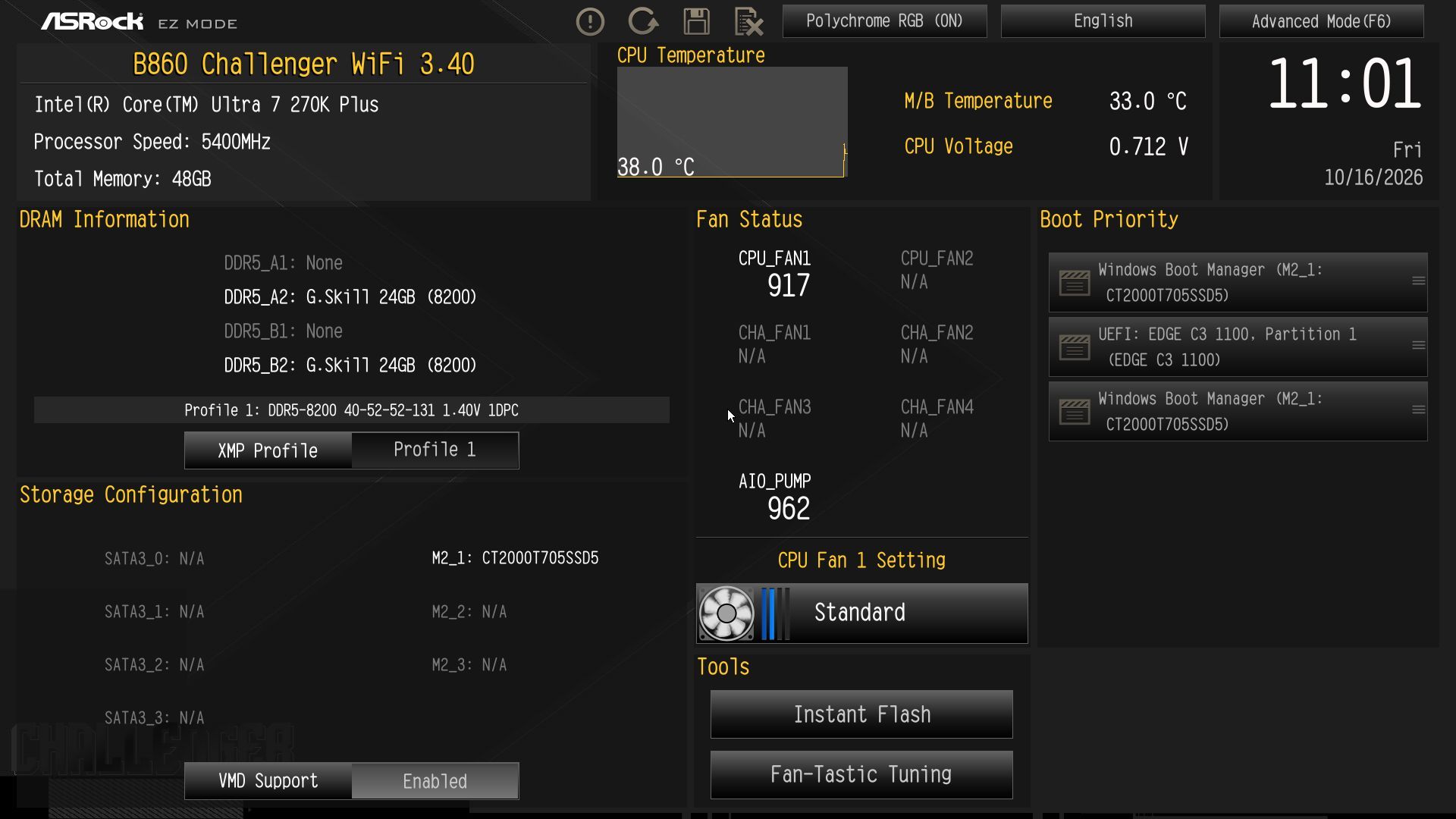
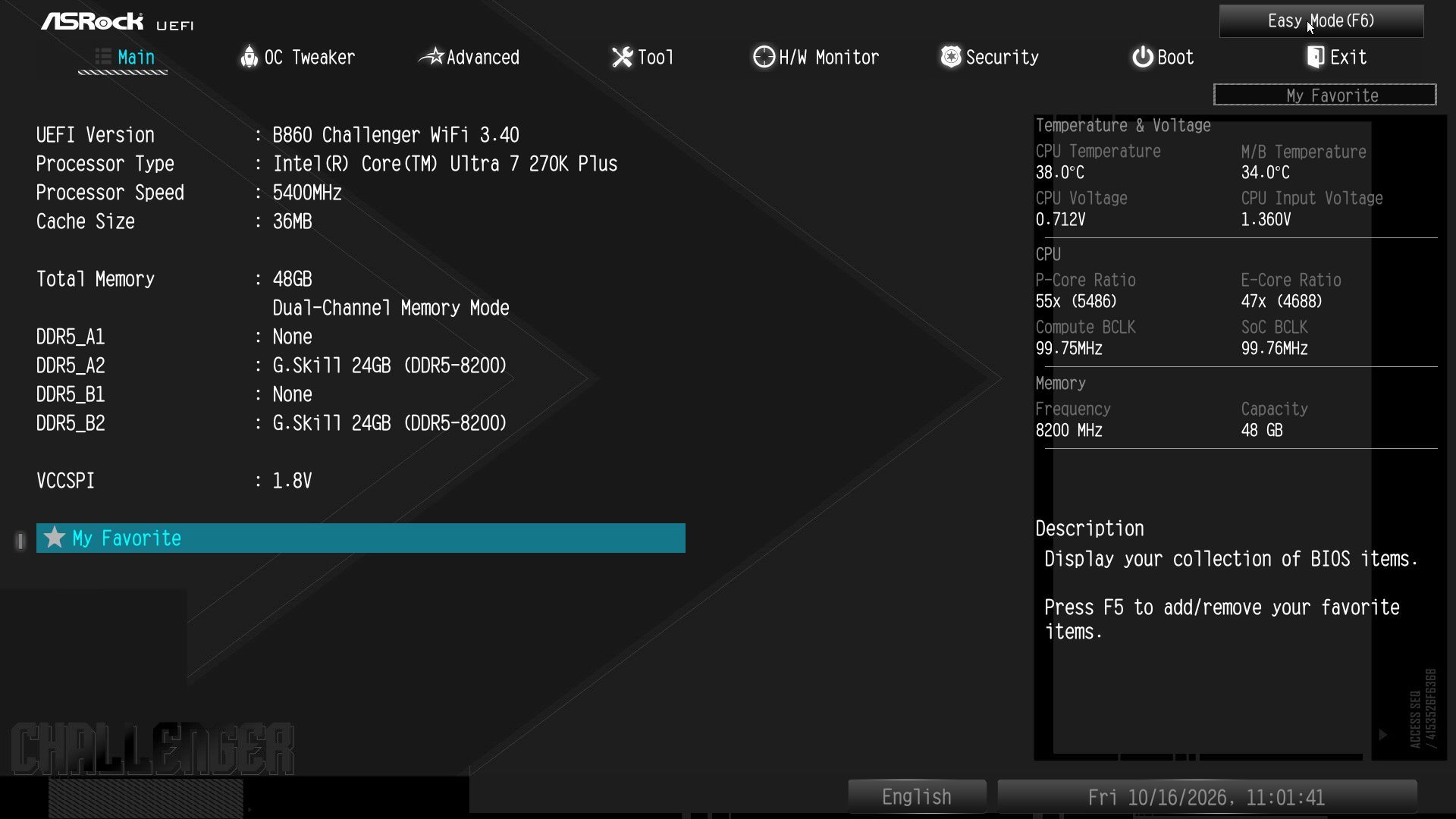
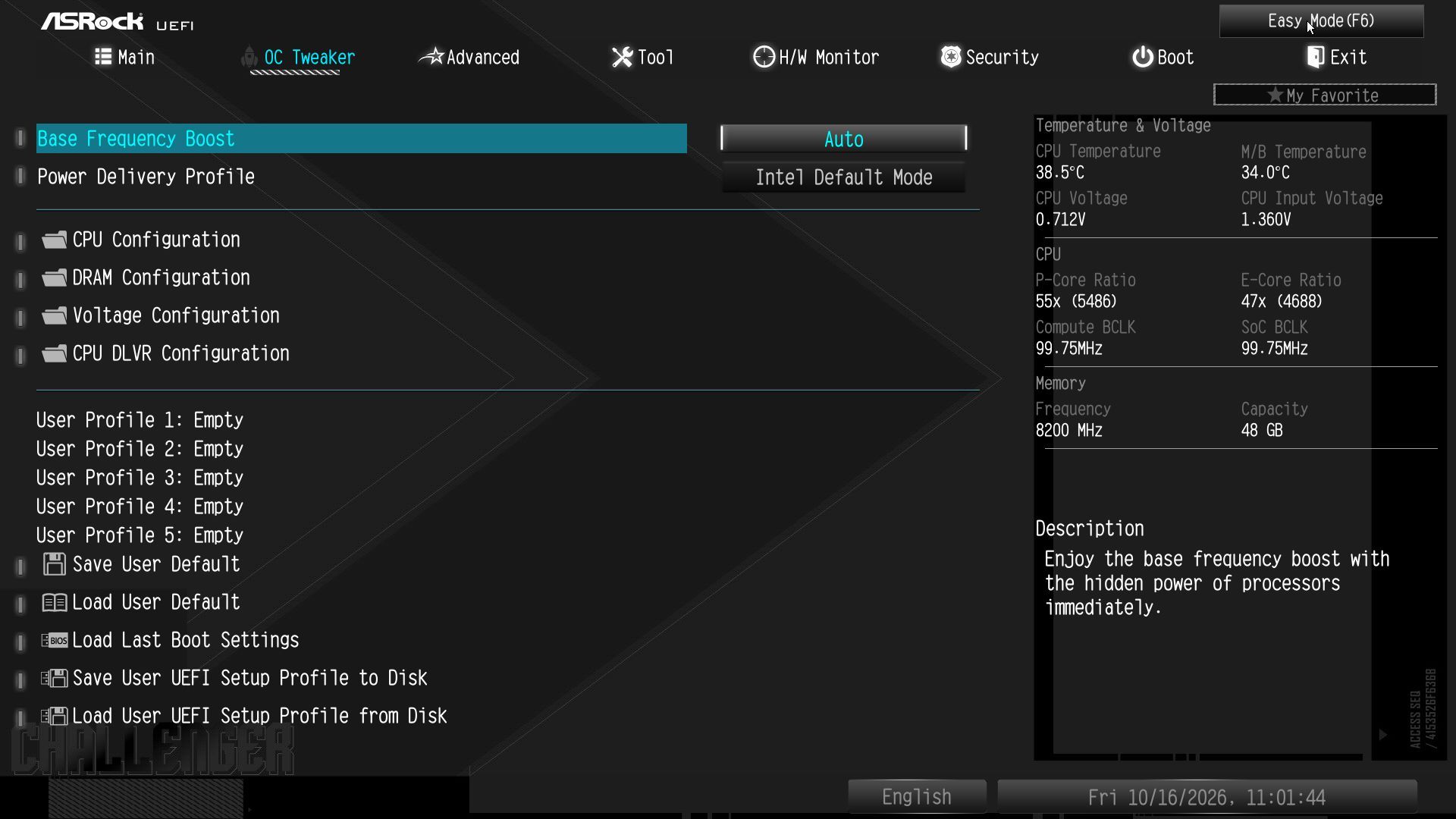
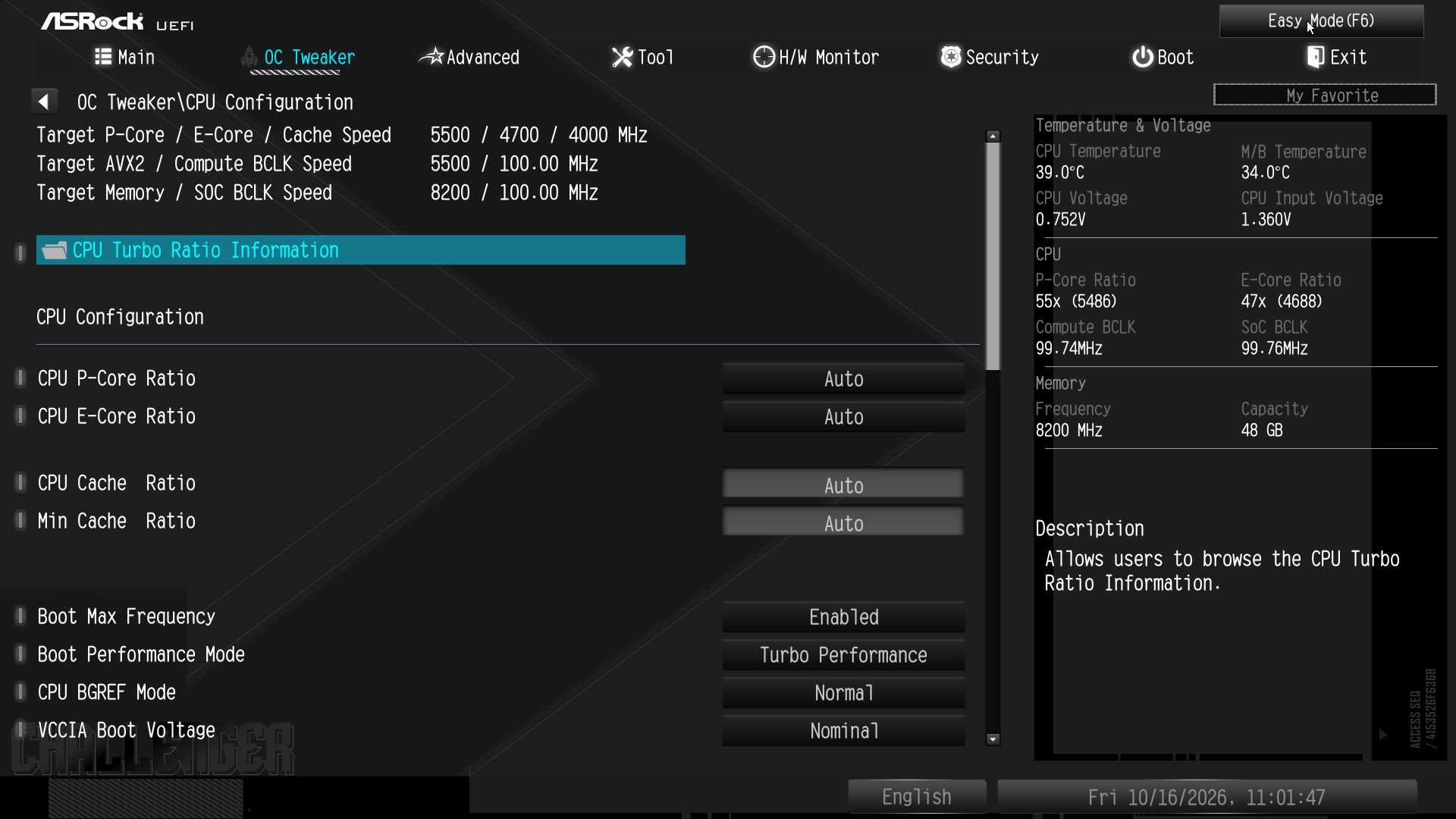
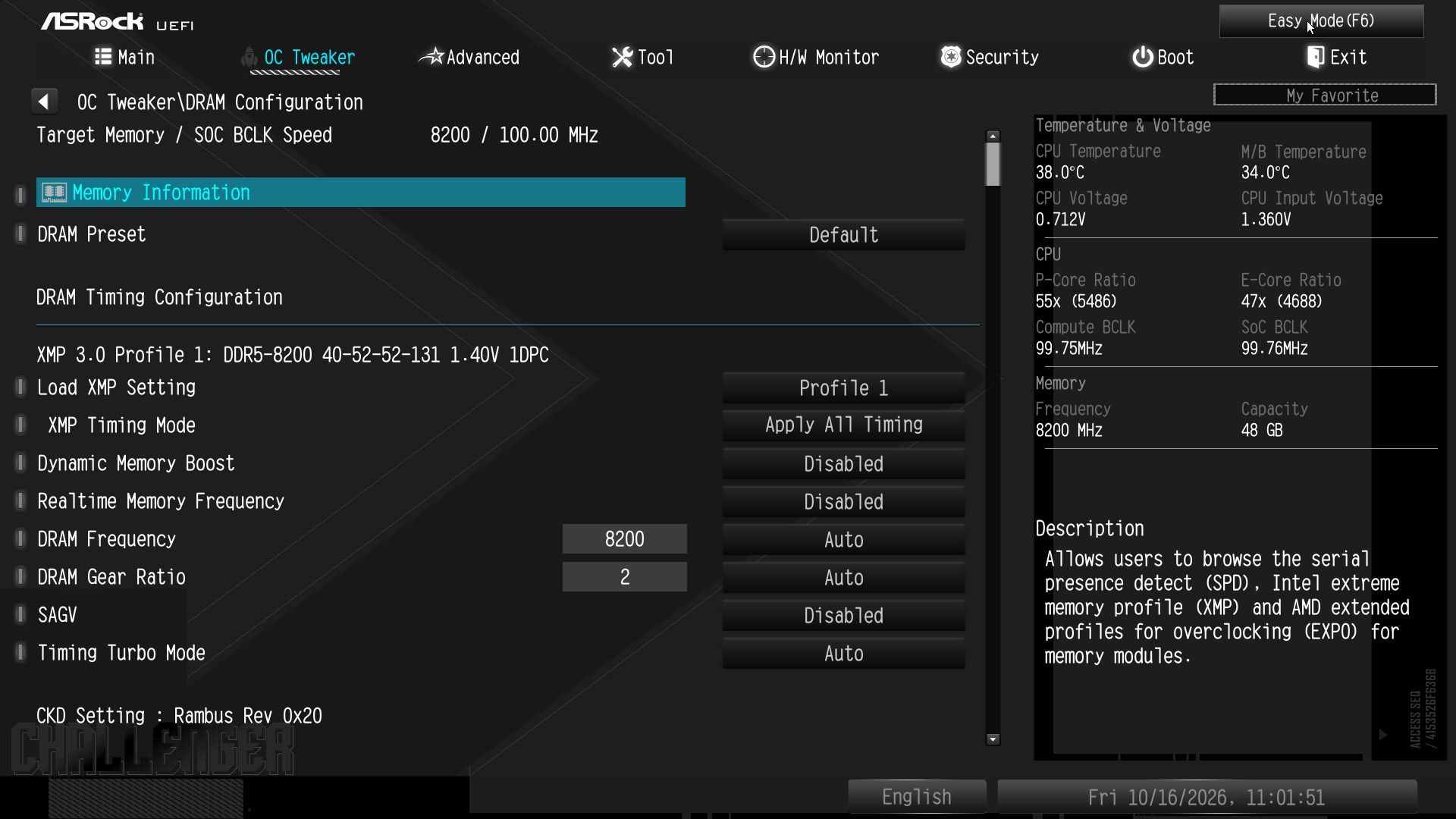
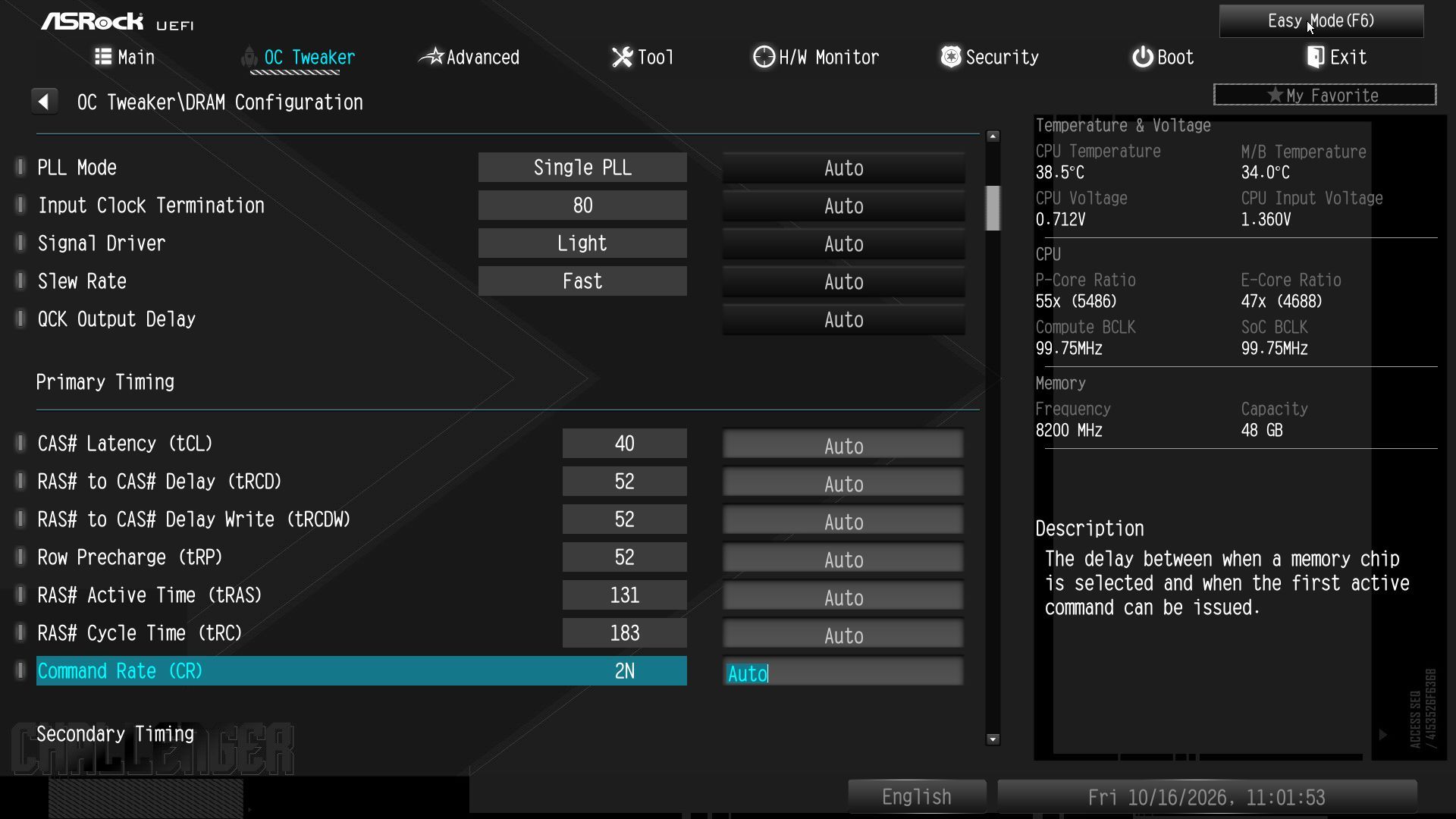
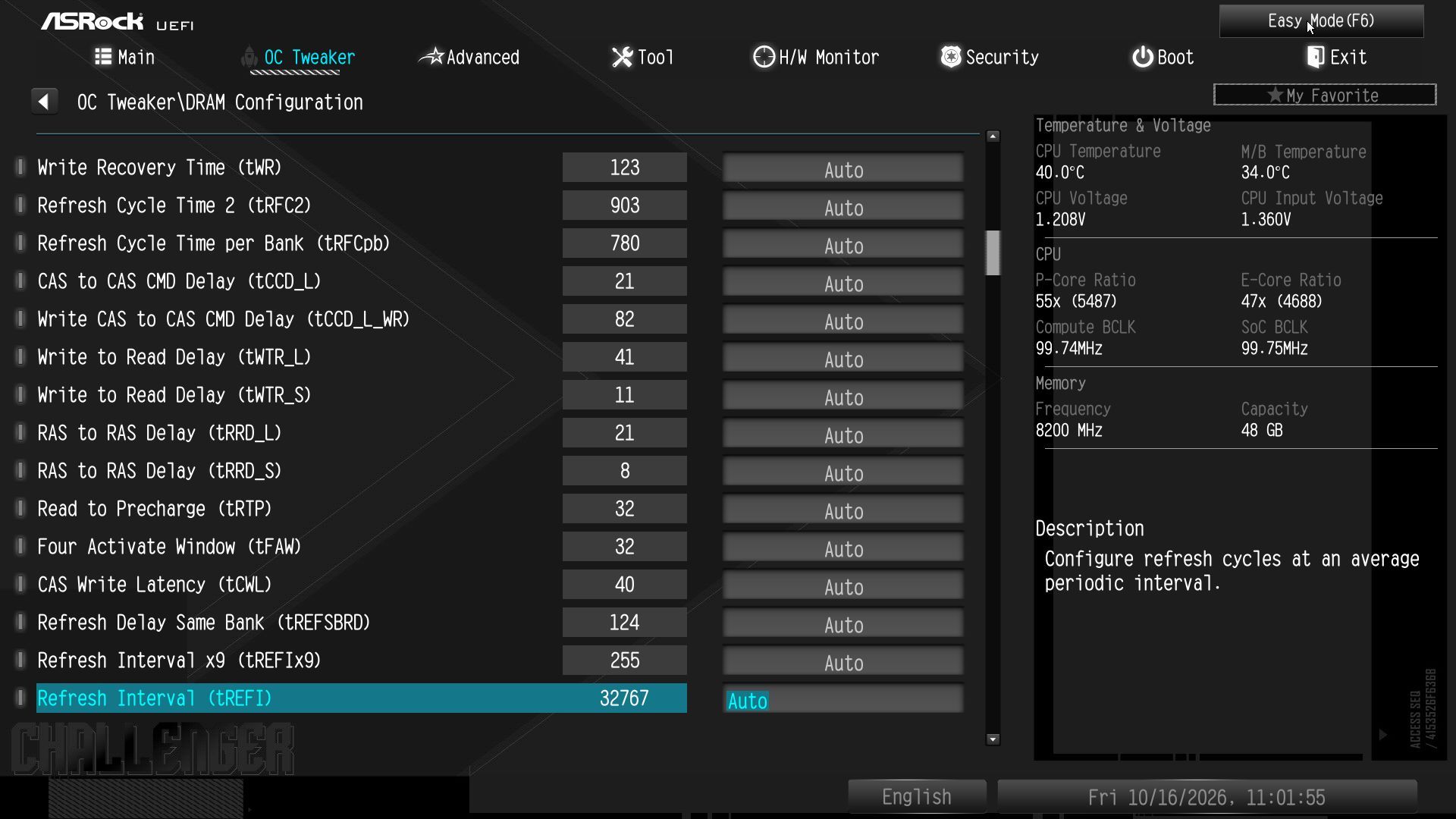
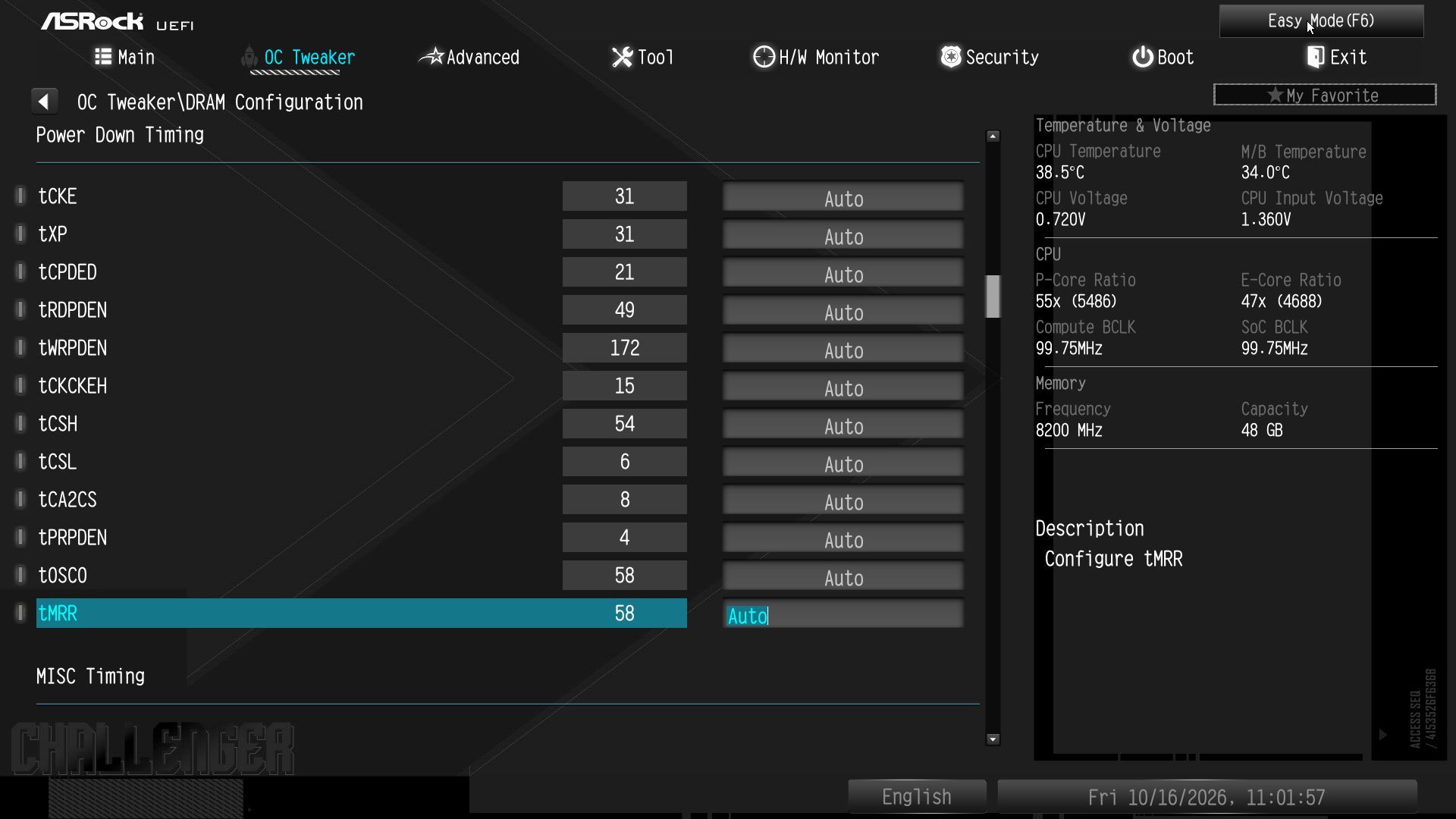
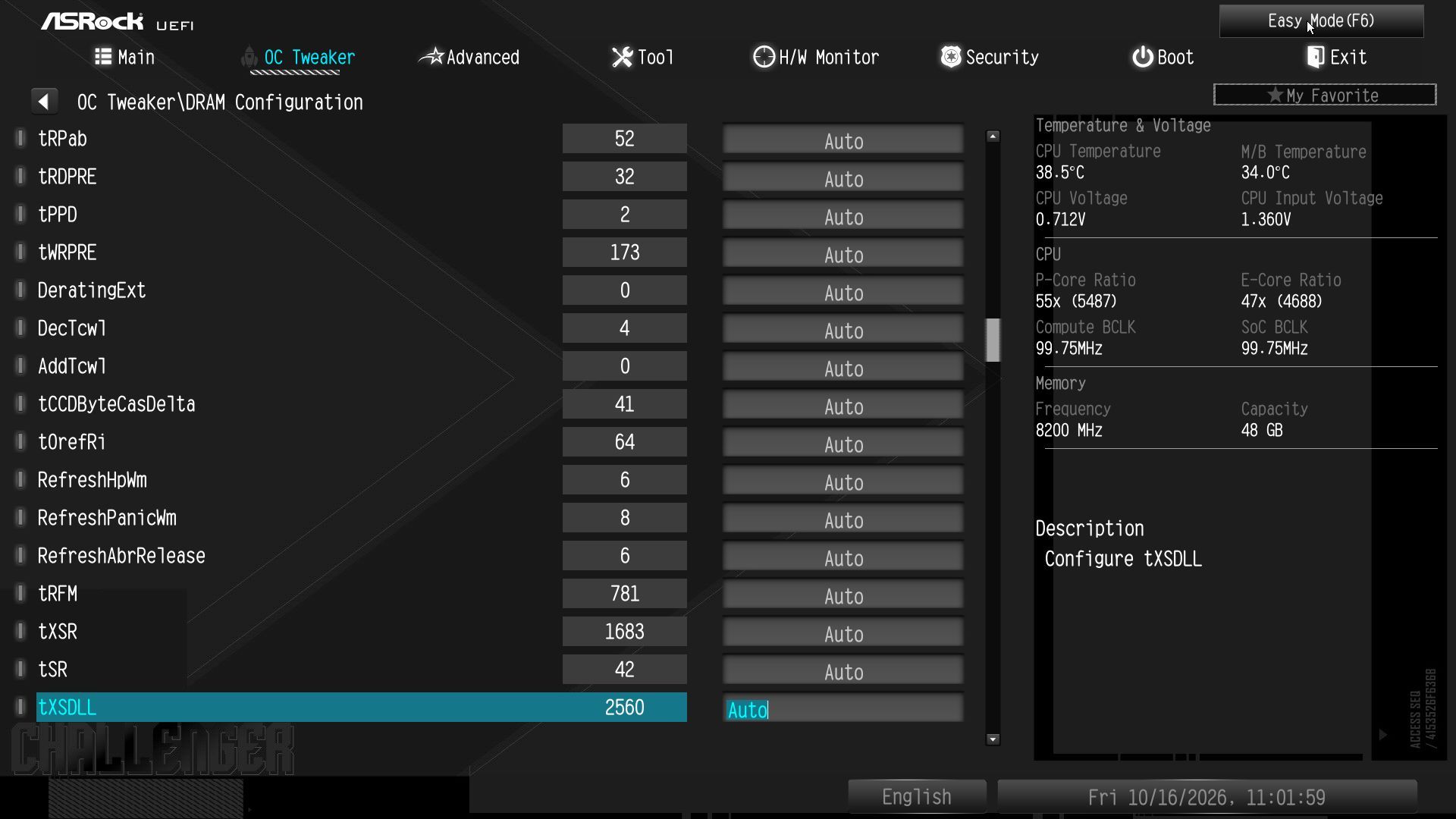
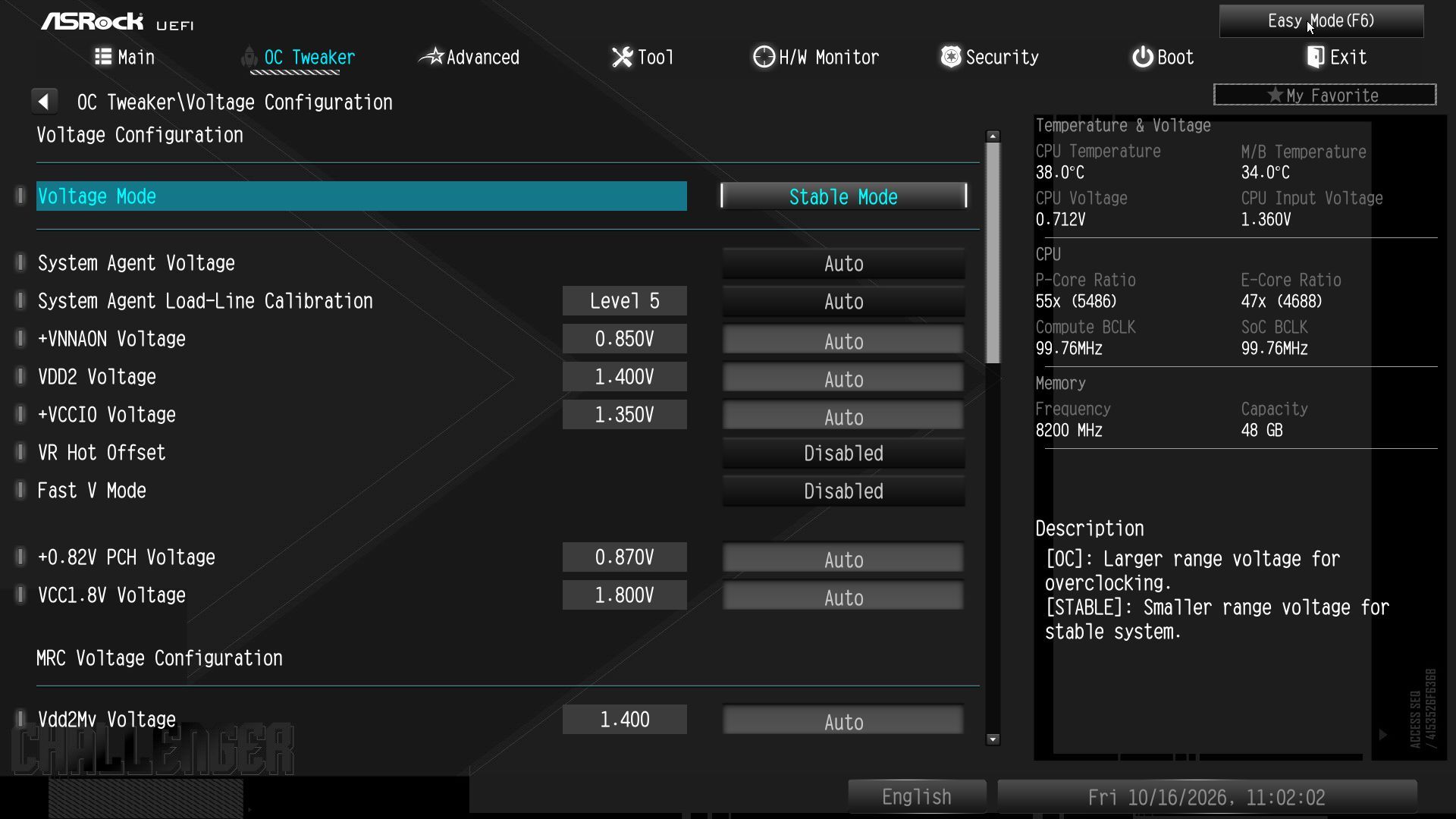
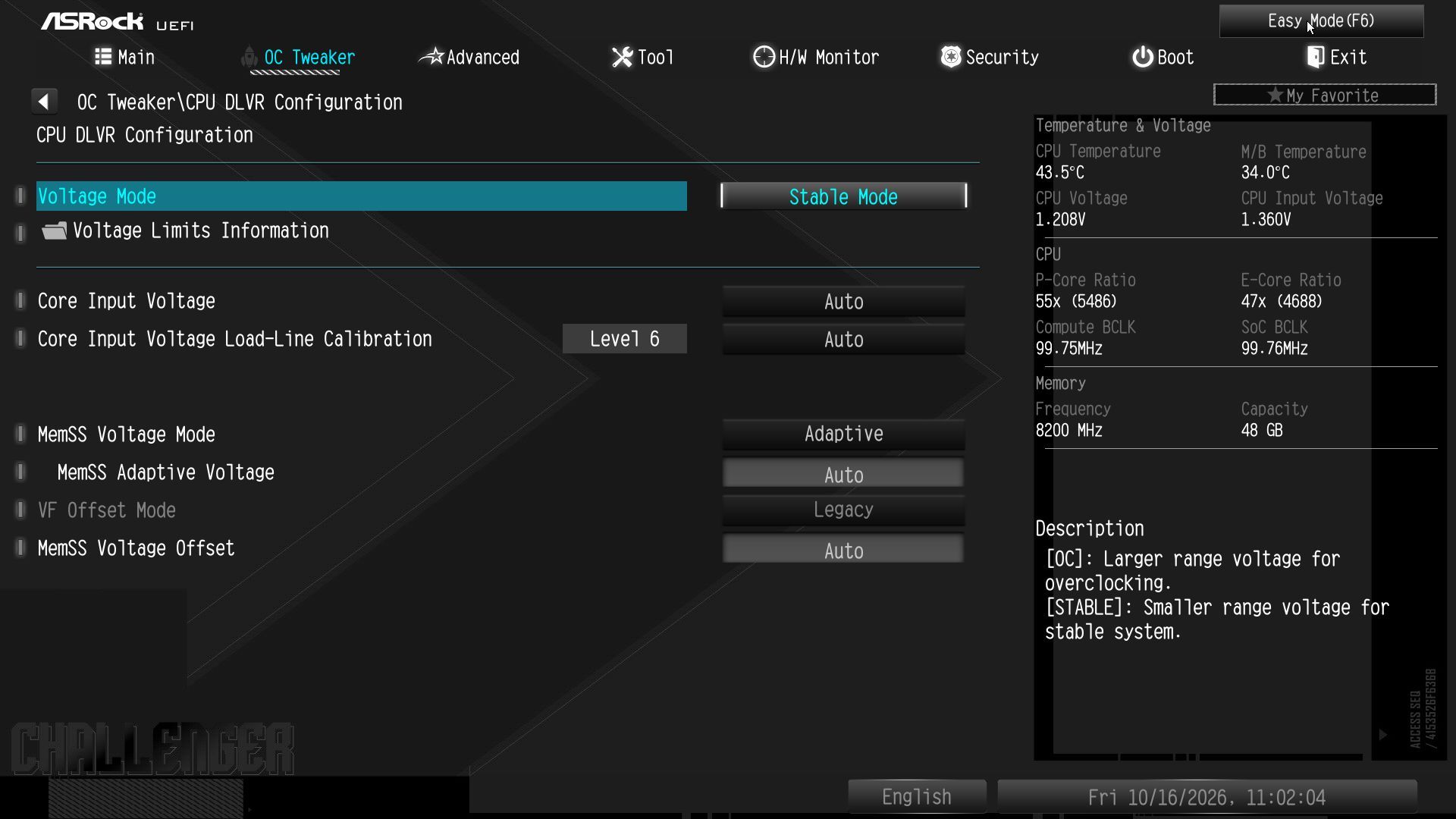
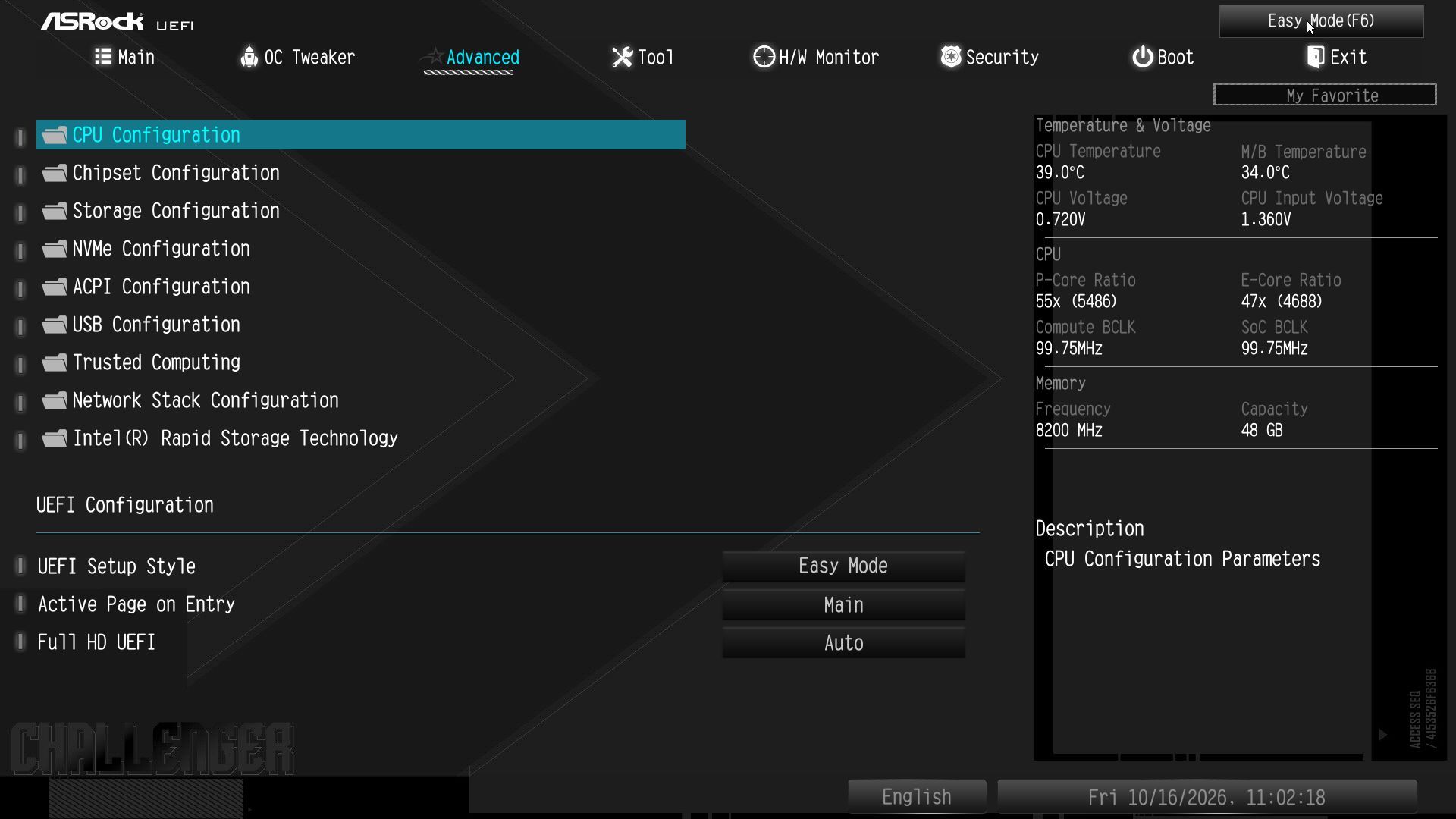
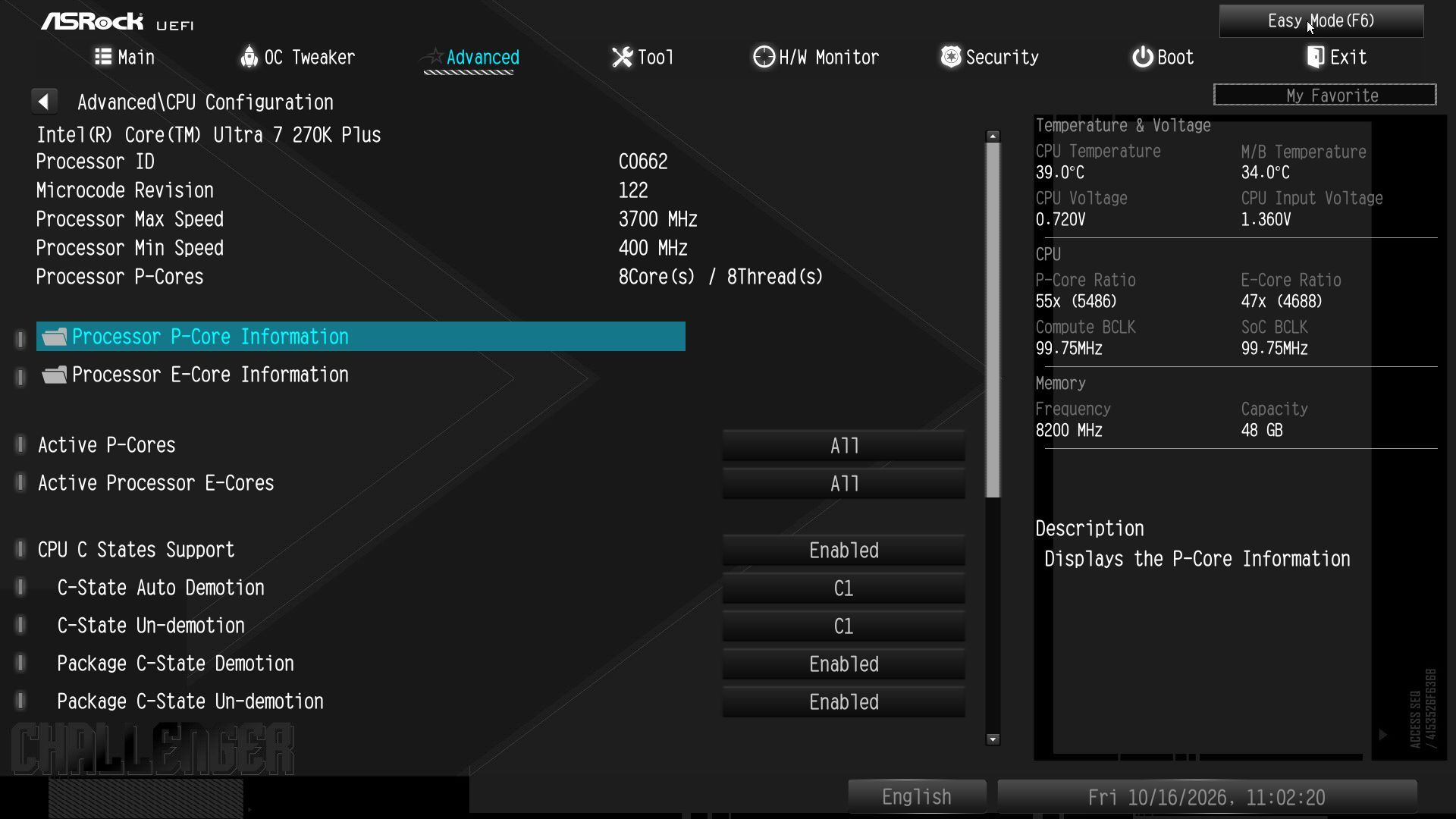
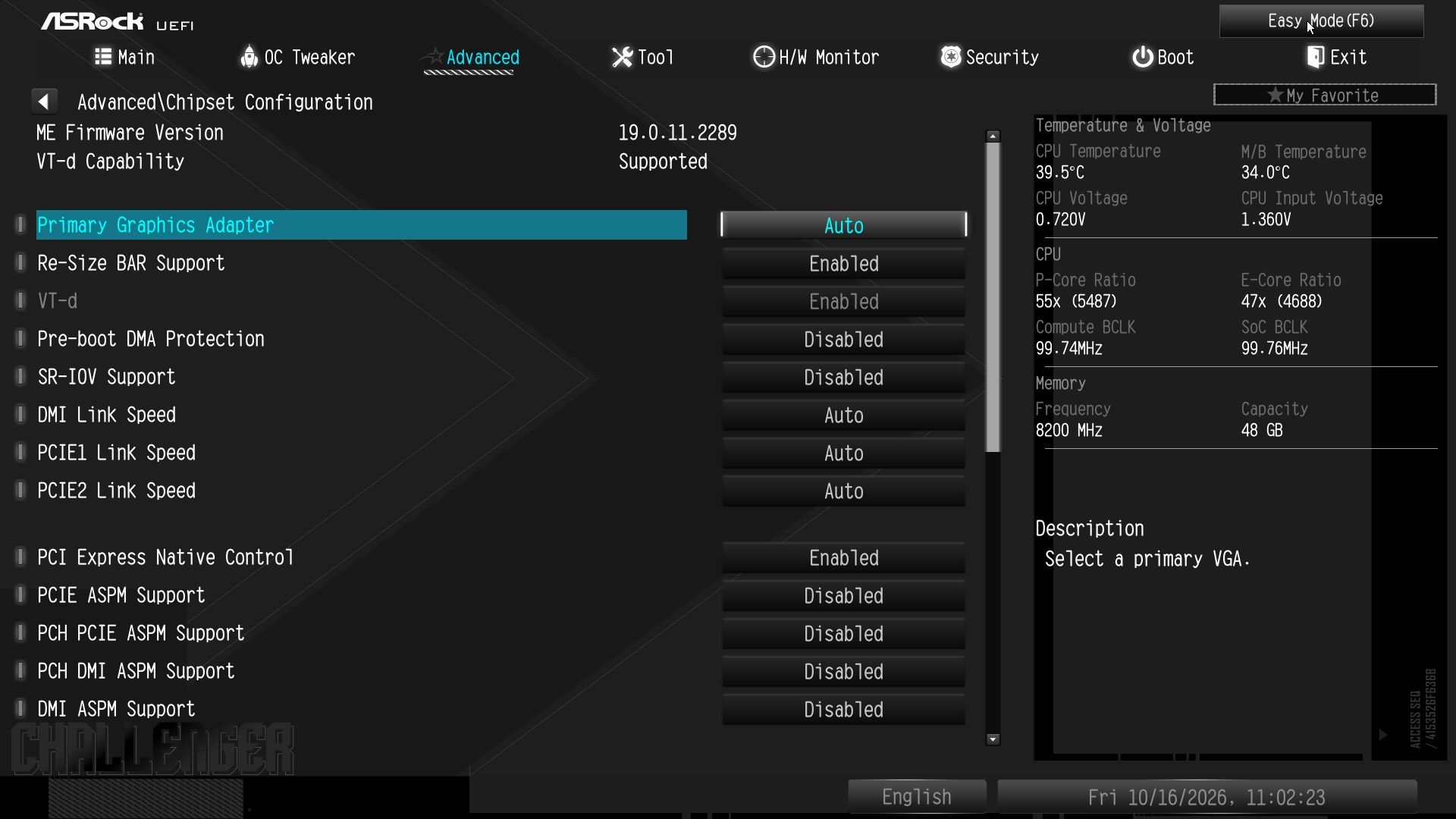
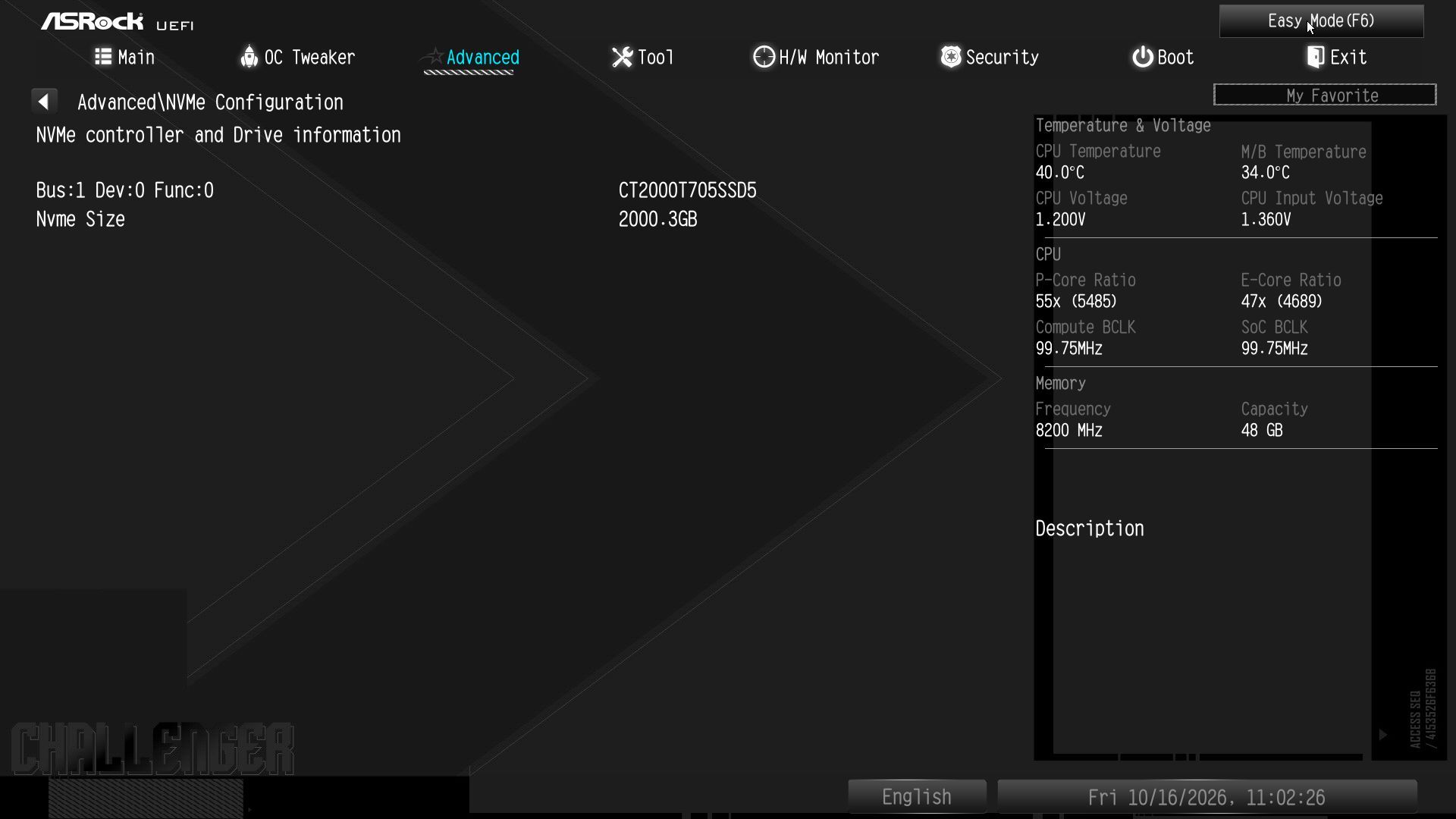
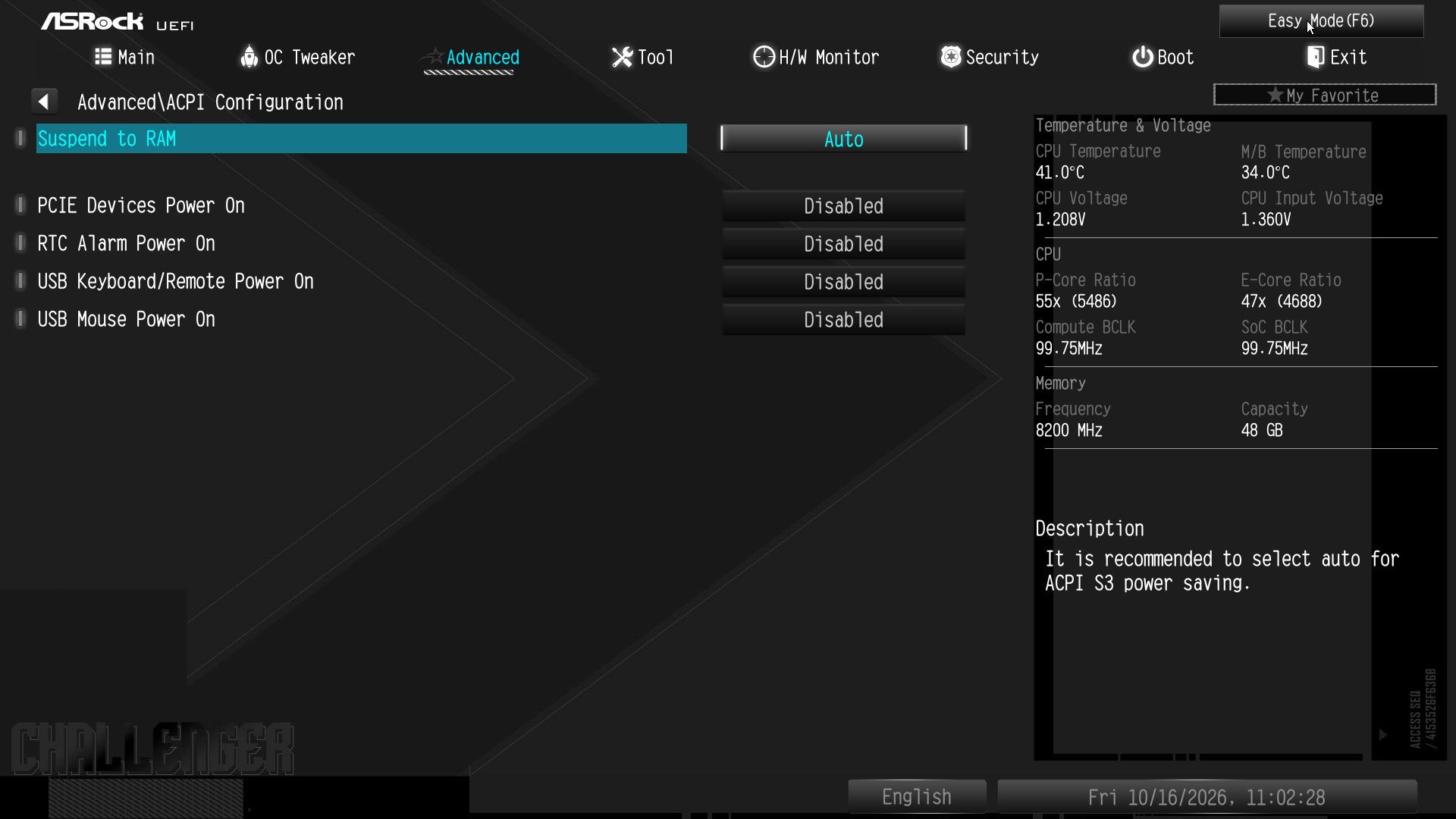
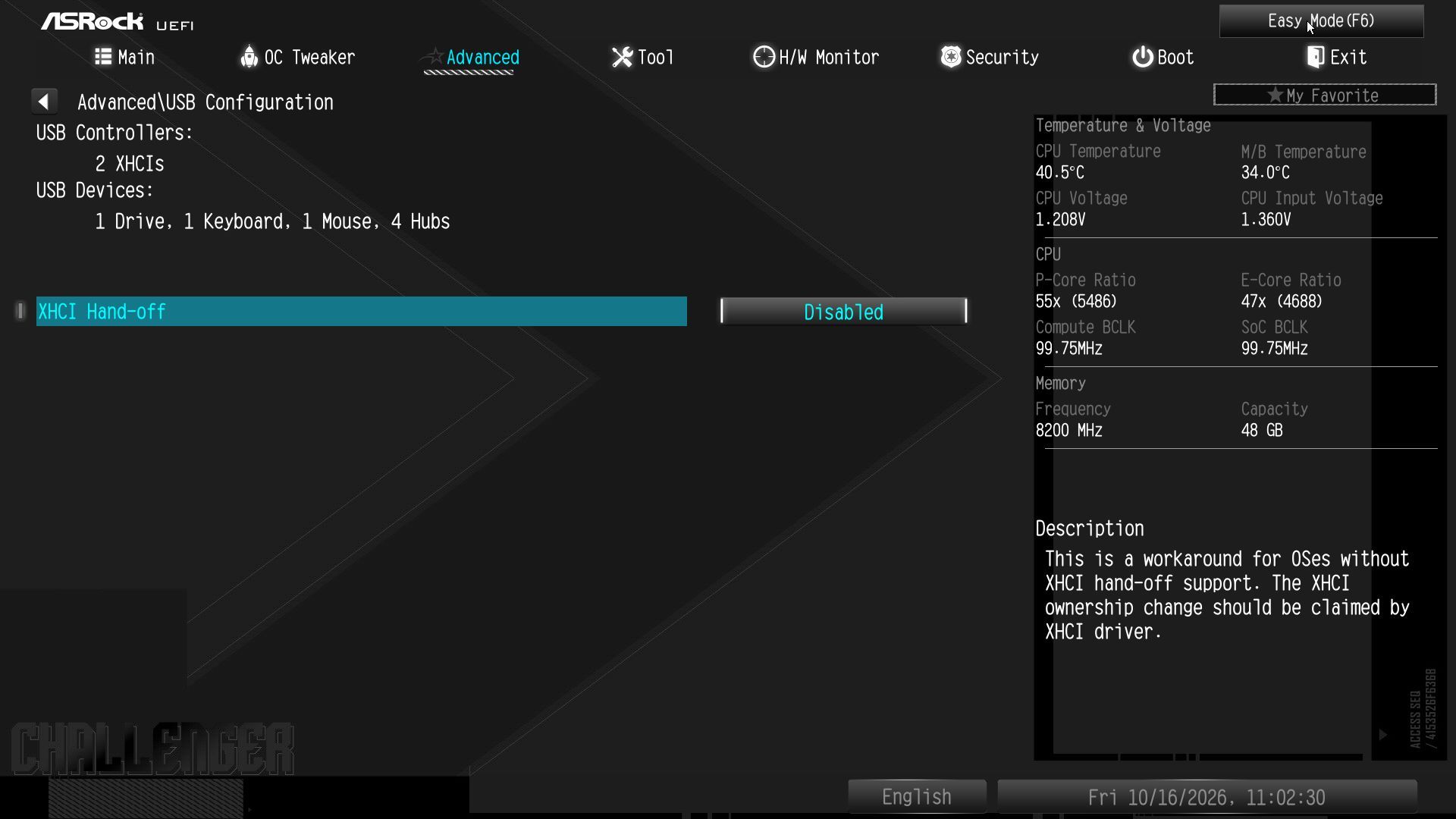
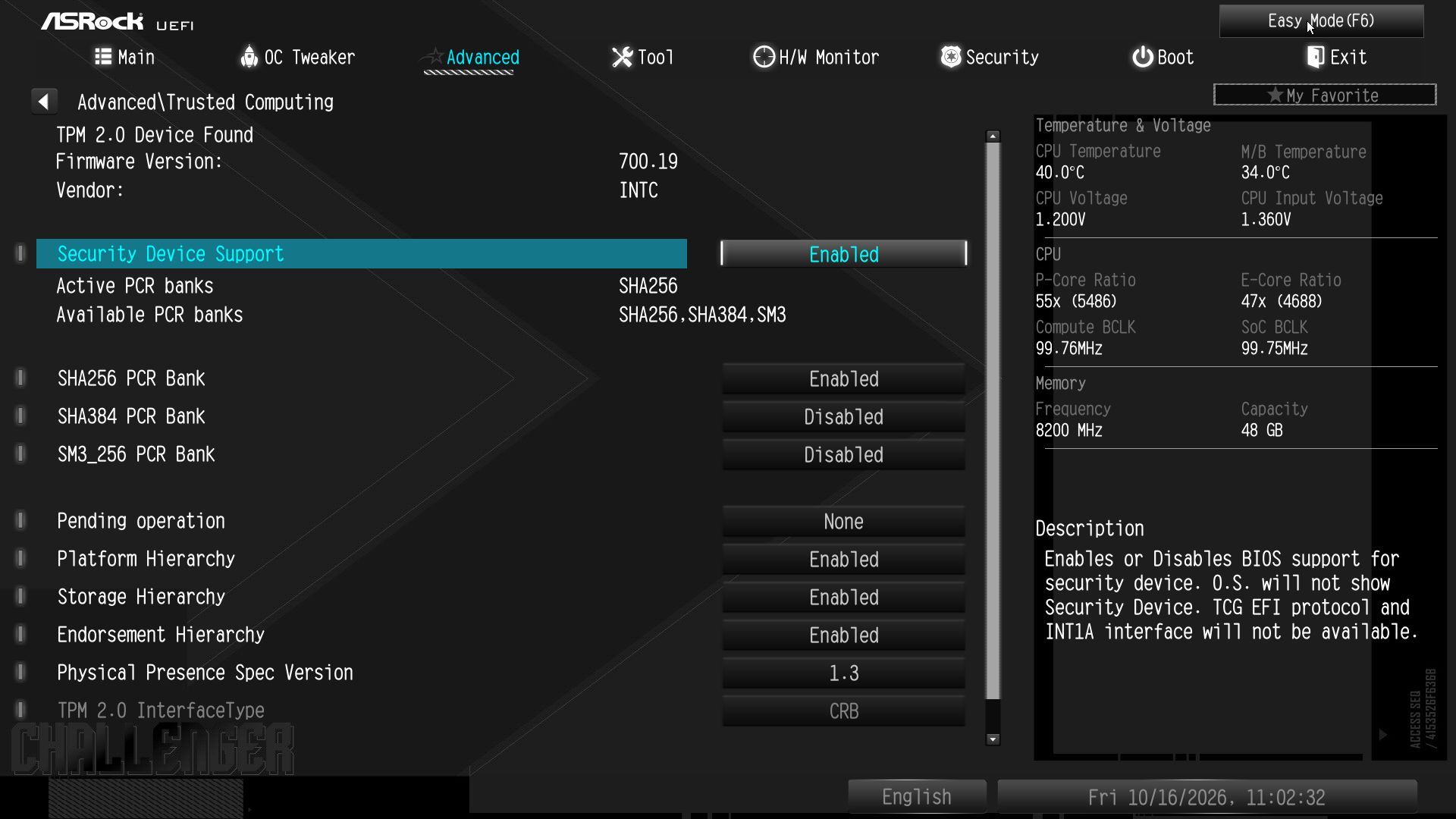
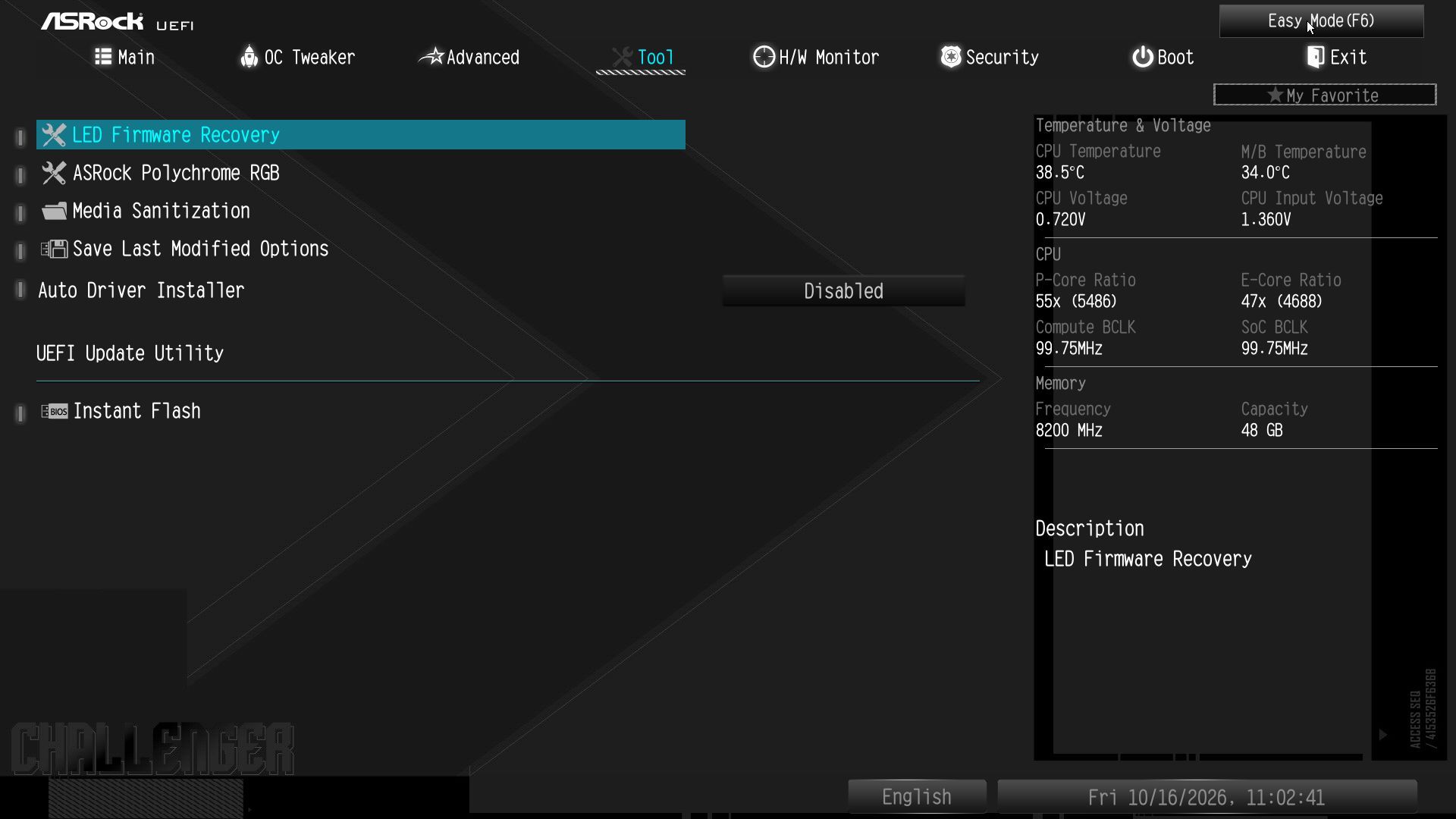
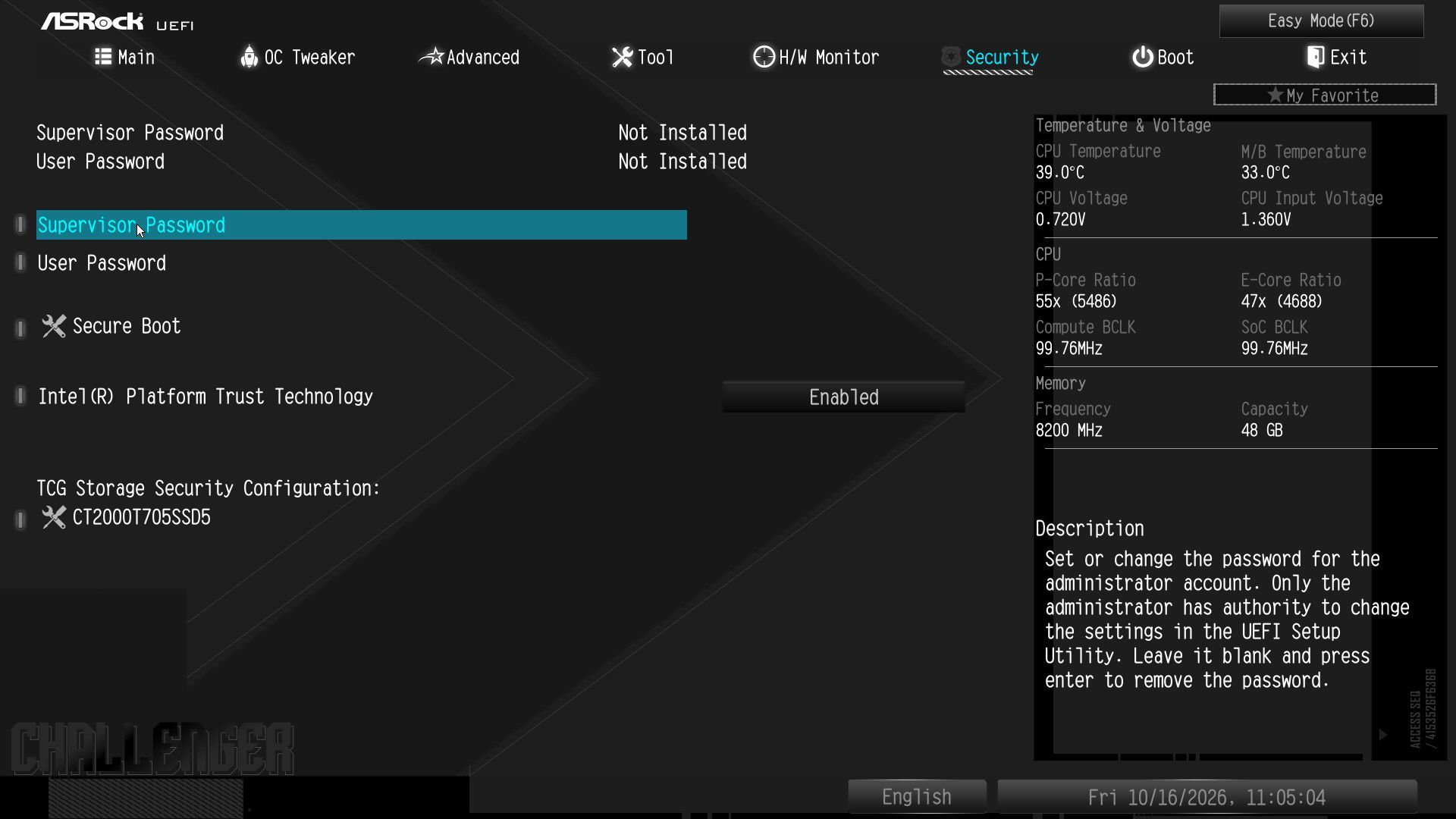
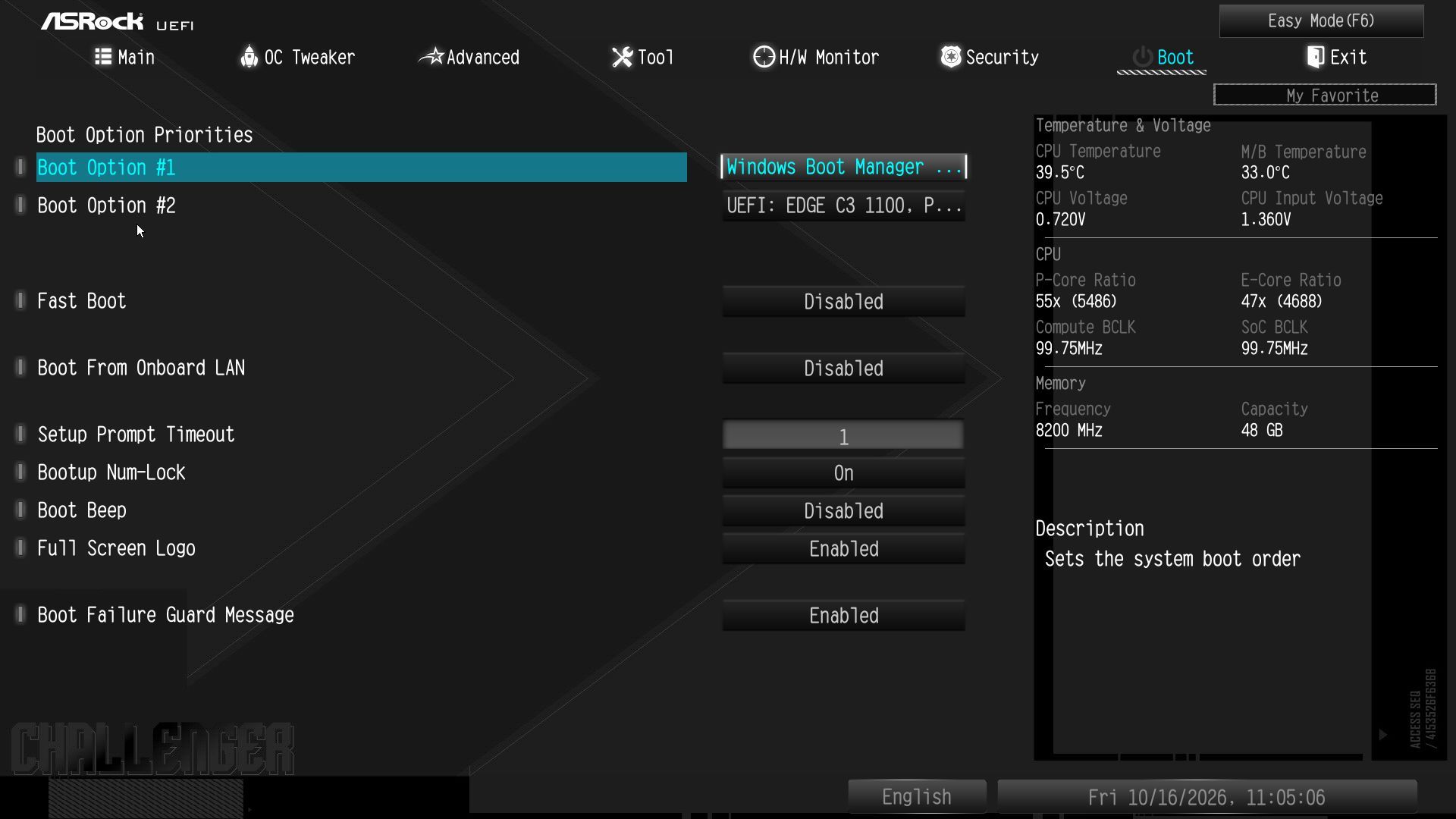
Like other ASRock boards, the B860 Challenger starts in the informative Easy Mode, but it also lets you adjust several options (XMP, profiles, boot order, access to Fan-Tastic Tuning, etc.). The Challenger uses a black background and white text with light blue highlights. The high contrast also makes it easy to read. The standard BIOS displays headings across the top, with subheadings and details below.
You can tweak anything here, as ASRock includes every option you can think of. Overclocking is straightforward, with most options readily available. The layout is logical, and the mouse movement is smooth. We have no significant complaints about the ASRock firmware, but it could use a facelift to keep up with recent updates from Asus, Gigabyte, and MSI.
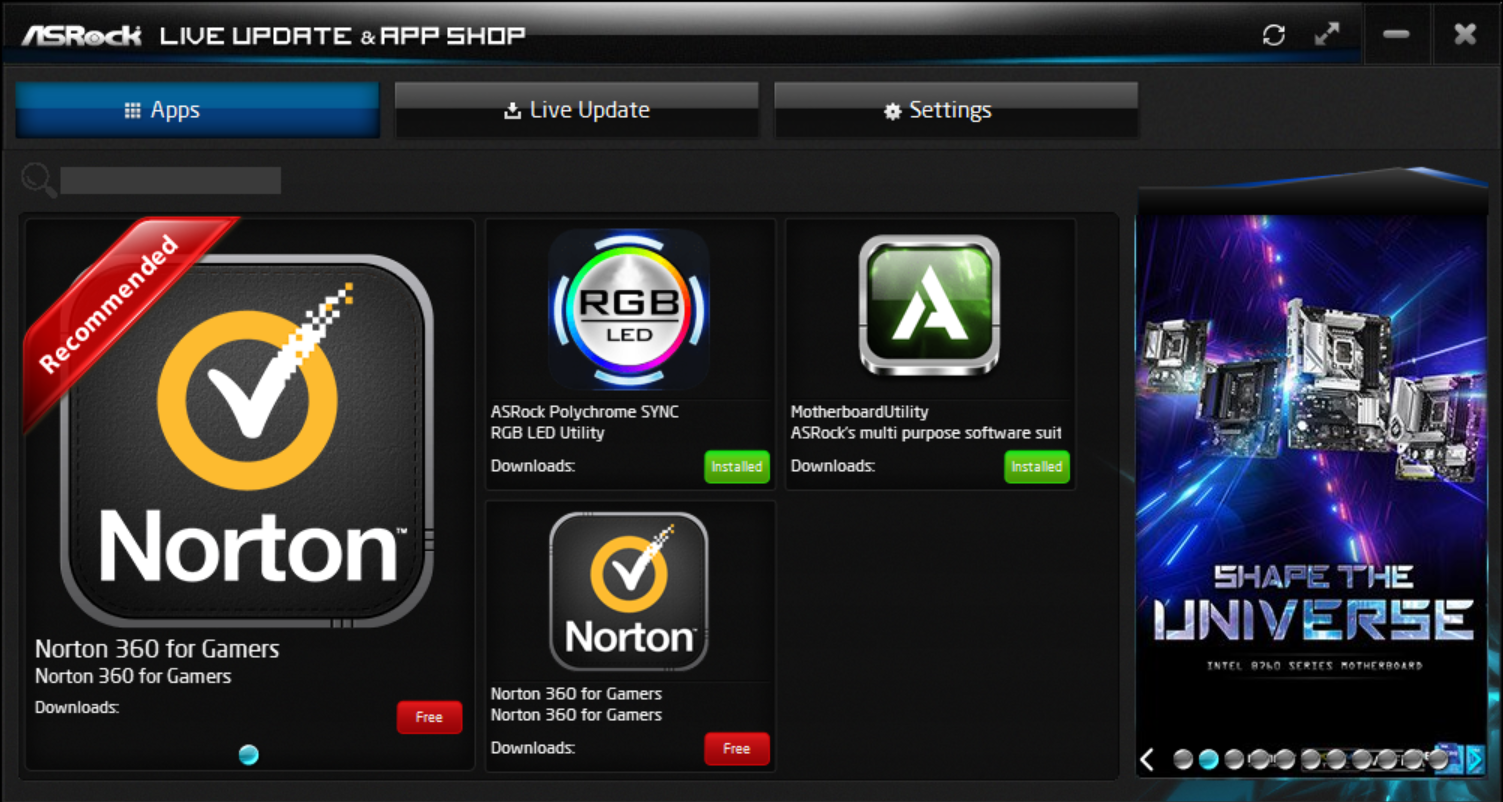
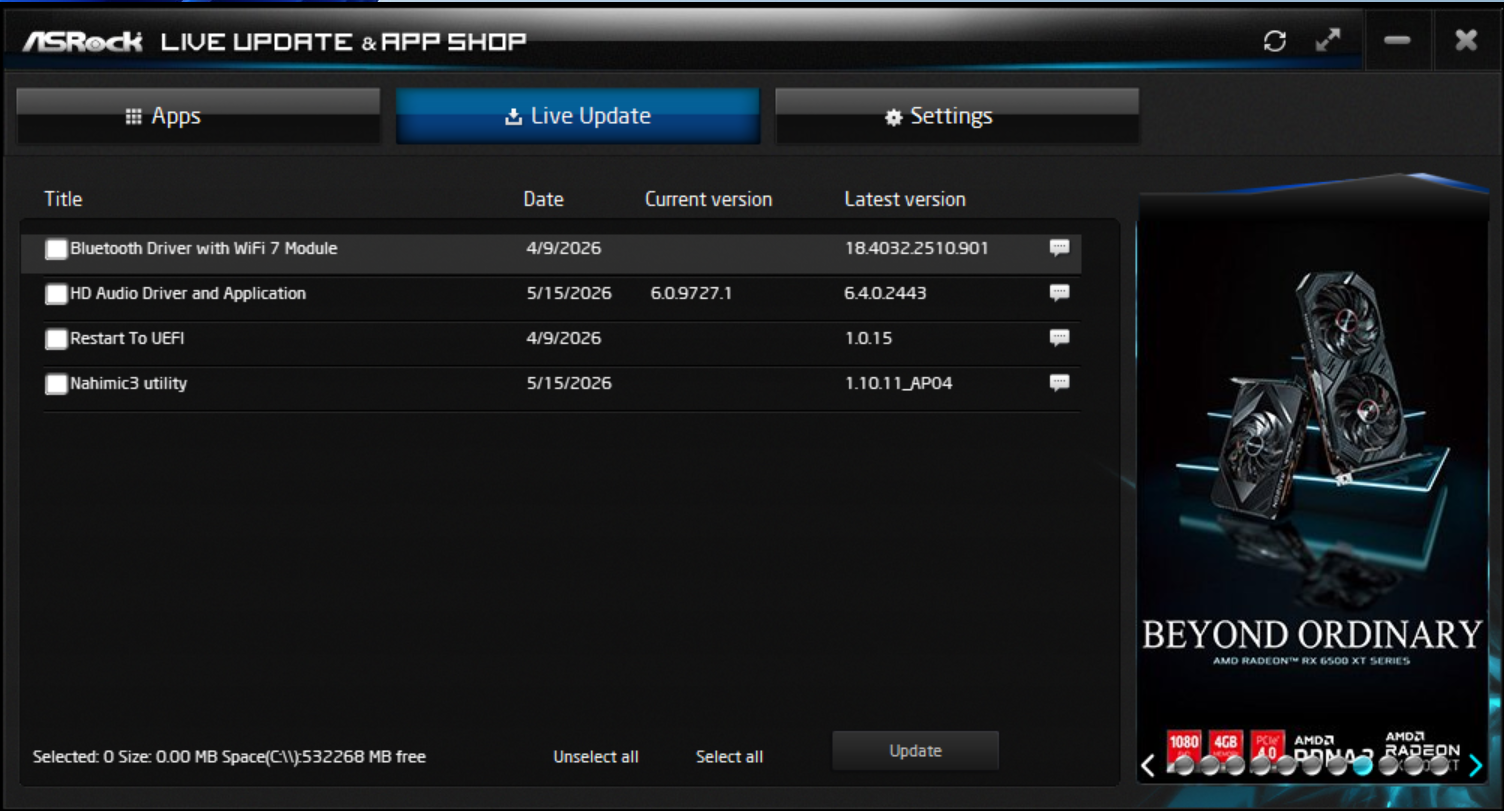
ASRock offers several different software options. These include the App Shop, which lets users install drivers and software; the Nahimic 3 audio control panel; the A-Tuning application that lets you overclock and control fans; the Polychrome RGB software; and more. It also includes a Blazing OC Tuner, Motherboard Utility, and a convenient pop-up to install drivers on first boot. ASRock’s software gives users everything they need to manage and tweak their systems.
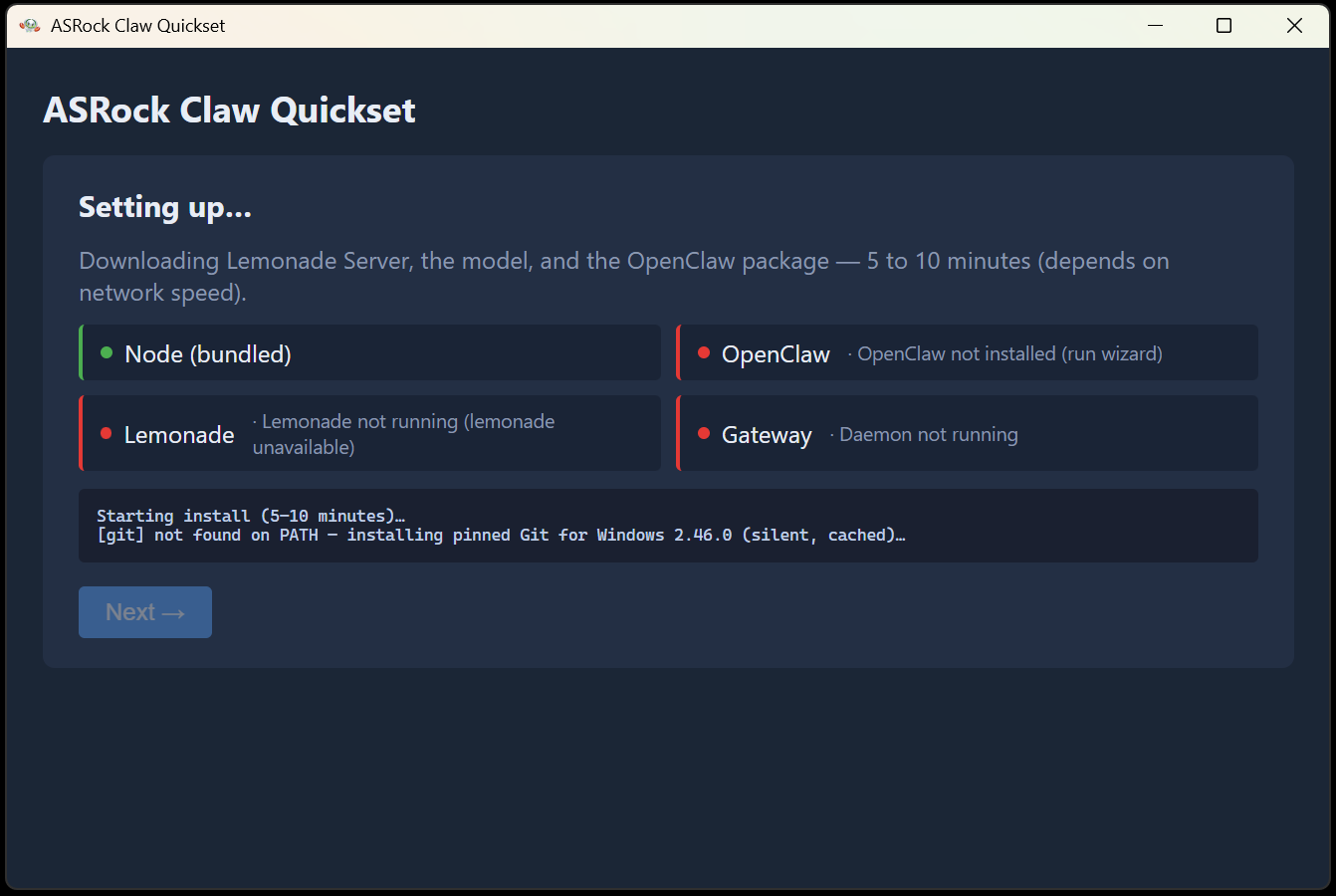
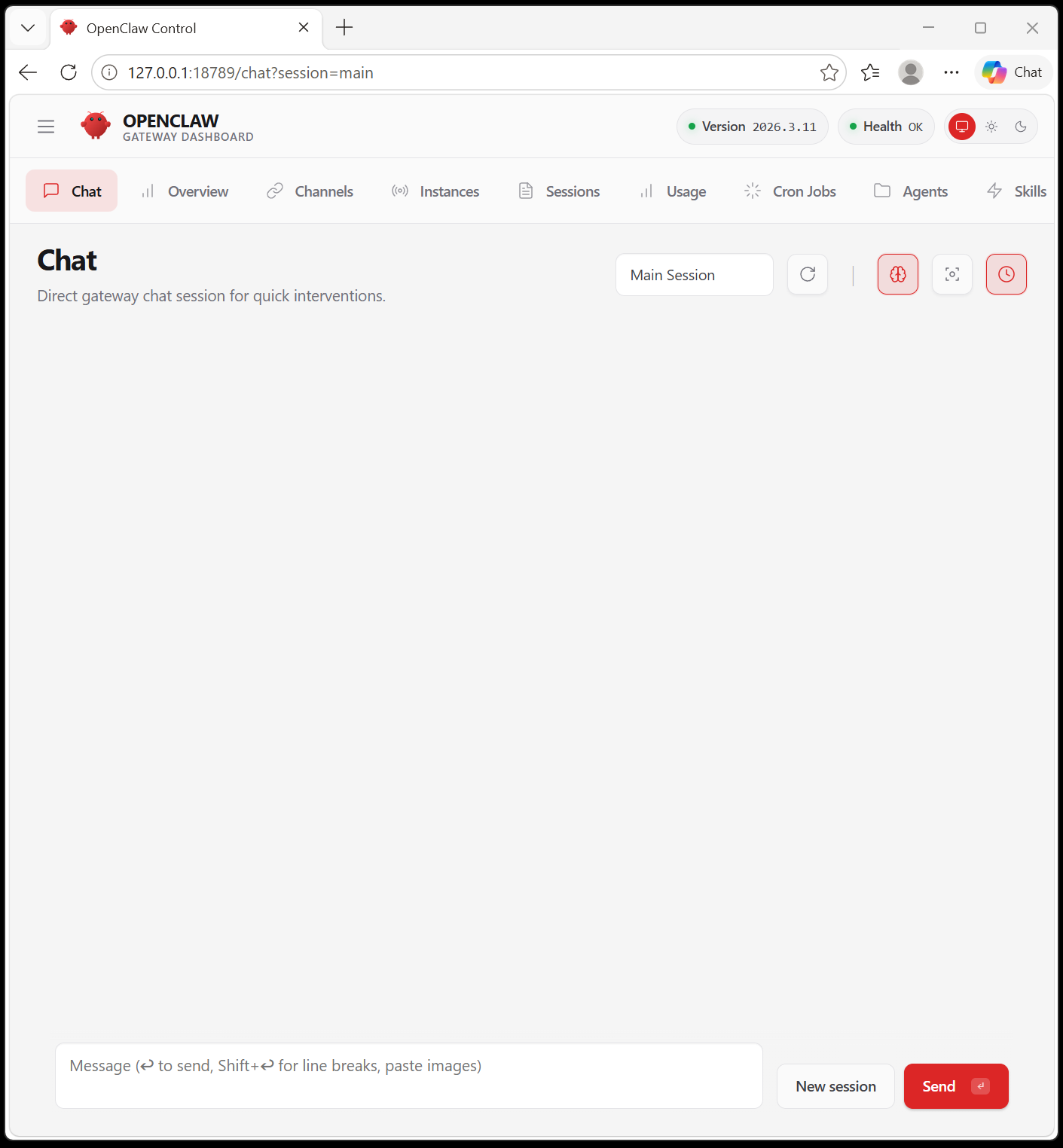
For those who want to run local AI models, ASRock’s Claw Quickset software automates installation, configuration, and environment setup so you can start using AI with minimal technical knowledge. On this 270K Plus system, it takes around 5-10 minutes to install the software and get running (most of the time is spent downloading data). Once installed, you’re presented with a browser-like window where you can chat, build your agent, and more.
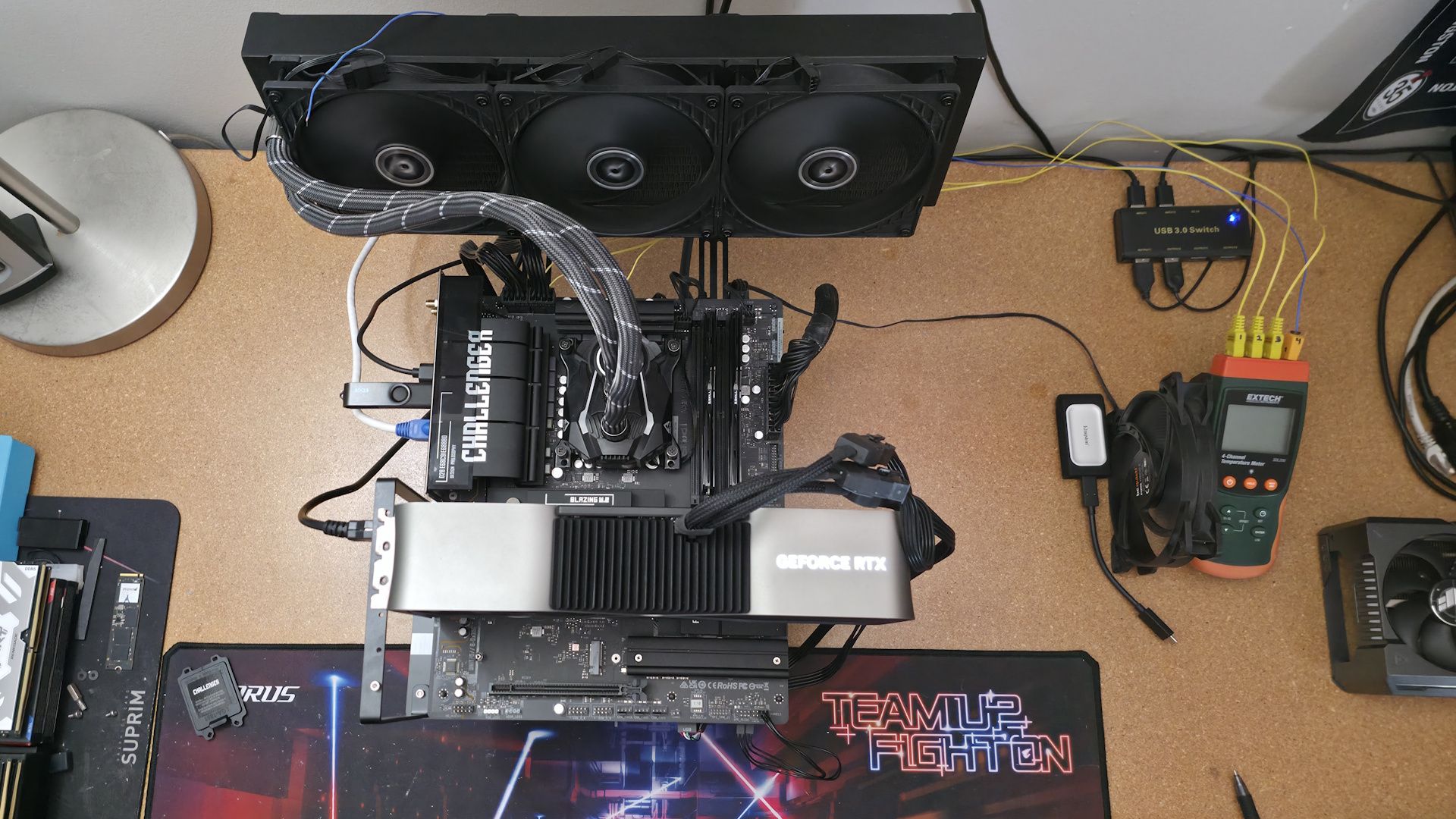
We’ve updated our test system to Windows 11 (25H2) 64-bit OS with all updates applied as of late April 2026. On the hardware front, we’ve updated the RAM kits to ones appropriate for the platform. Peripherals, including cooling, storage, power supply, and graphics cards, remain unchanged. We also use the latest publicly available BIOS unless otherwise noted. The hardware we used is as follows:
Our standard benchmarks and power tests are performed using the CPU’s stock frequencies (including any default boost/turbo) with all power-saving features at default. We set optimized defaults in the BIOS, then enable the XMP profile to set the memory. If the BIOS enables boosts by default, it runs like that. We set the Windows power scheme to Balanced (default) for this baseline testing, so the PC idles appropriately.
Synthetic Benchmarks and Real World Applications
Synthetics offer a valuable way to evaluate a board's performance, since identical settings should yield similar results. Turbo boost wattage and advanced memory timings are areas where motherboard manufacturers can still optimize for stability or performance, though, and these settings can impact specific testing scenarios. We’ve also combined our previous ‘timed’ benchmark applications into this section..
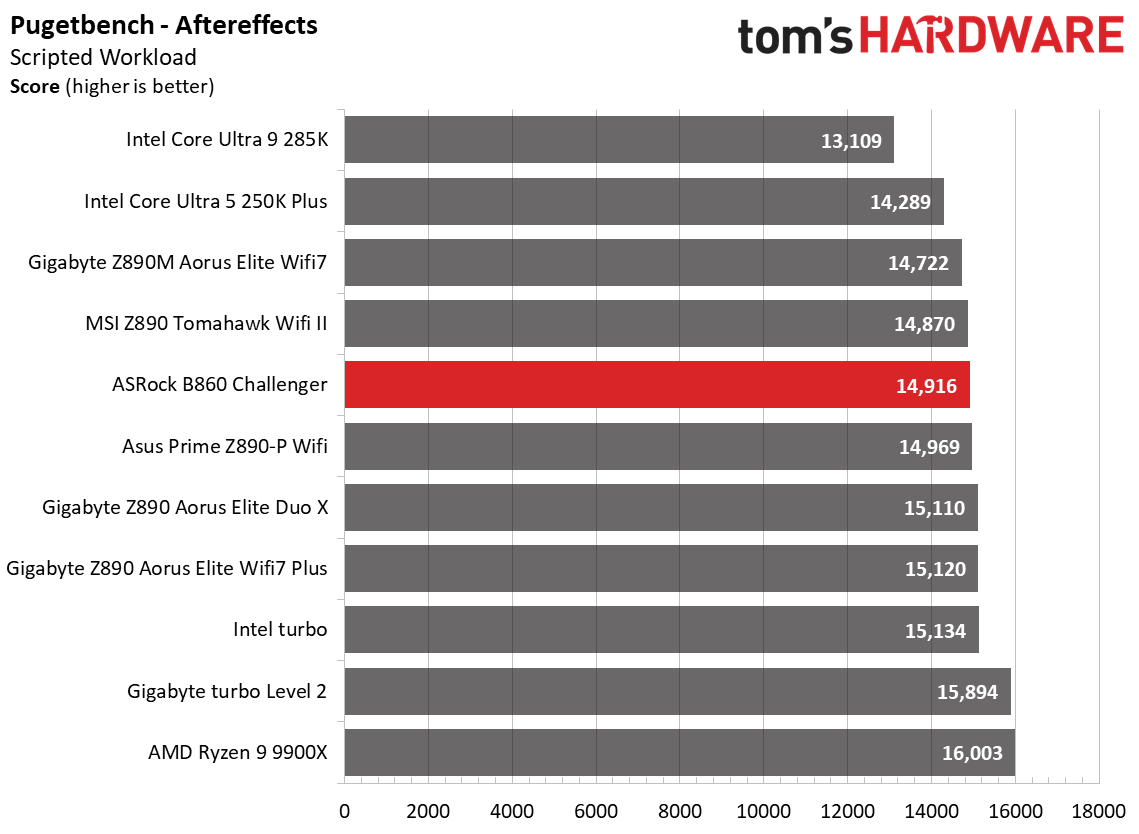
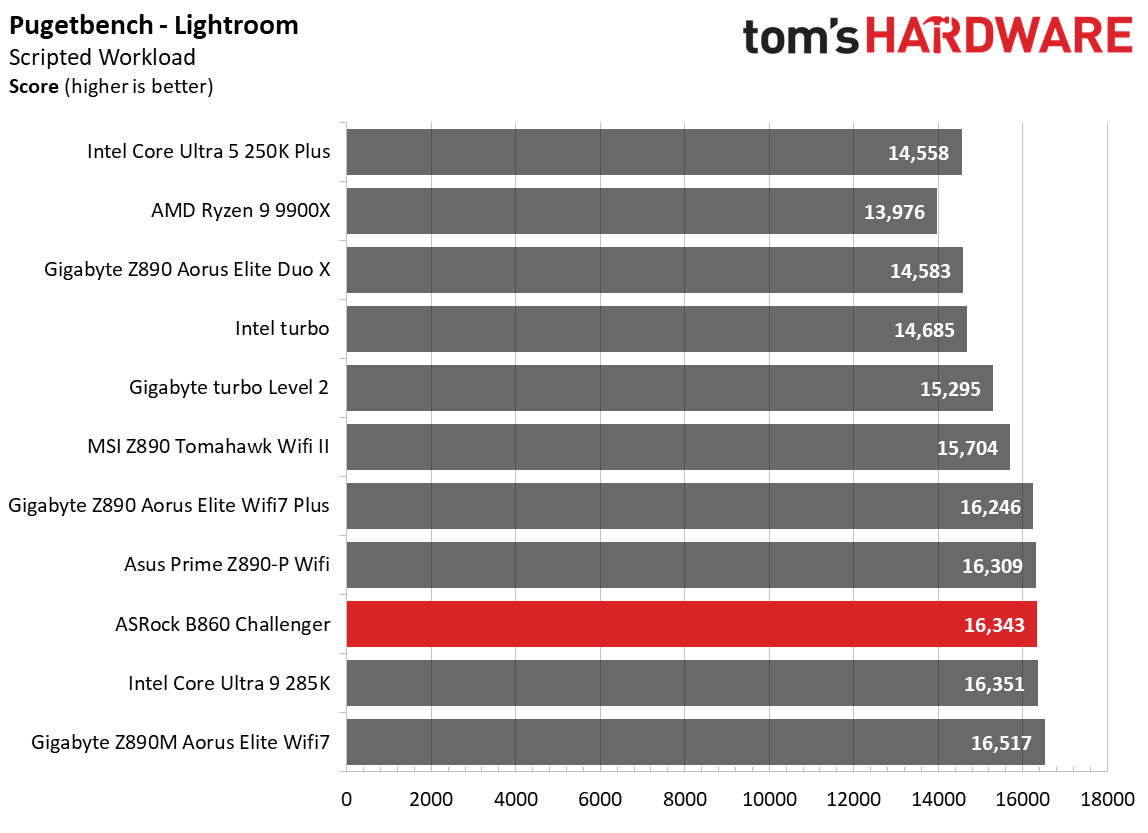
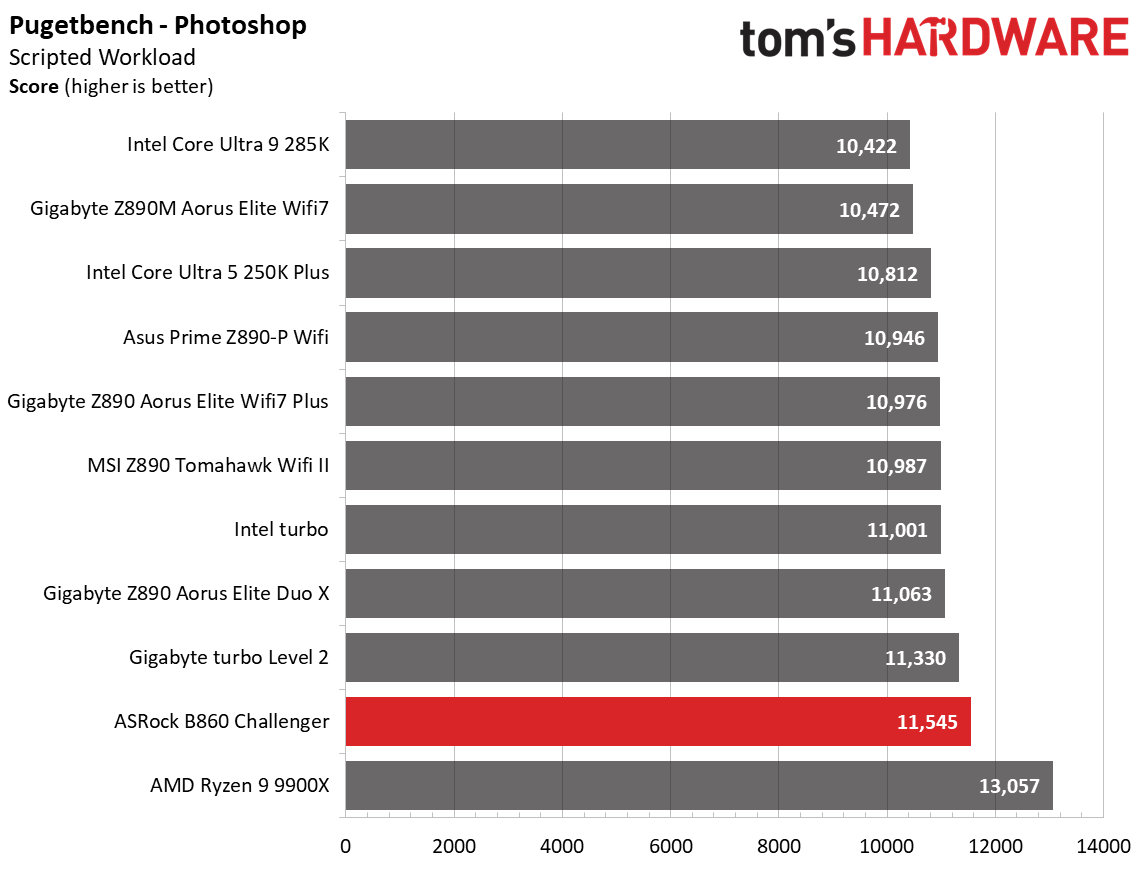
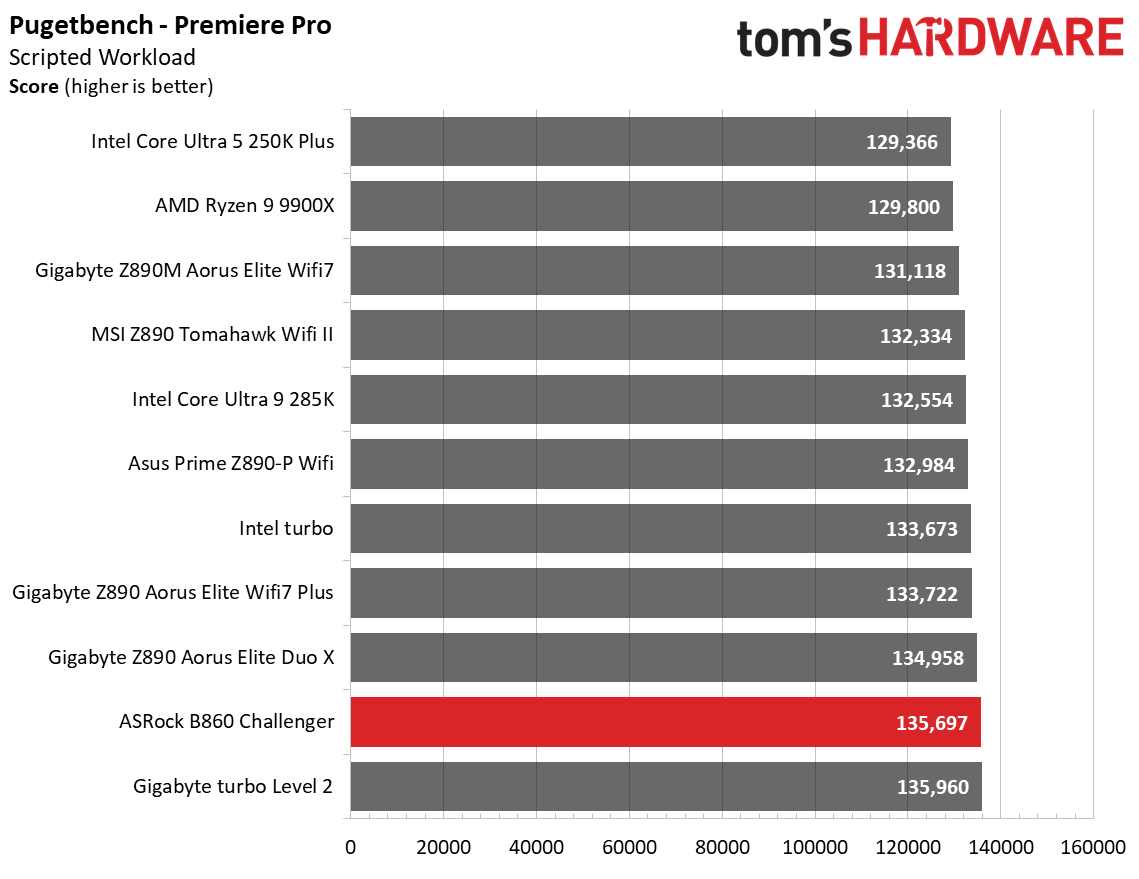
Starting with our synthetic benchmarks, the B860 Challenger was average to above average in our tightly packed tests, doing well across a wide variety of work. So far so good with this budget board!
3D Games and 3DMark
FutureFutureFutureFutureFuture
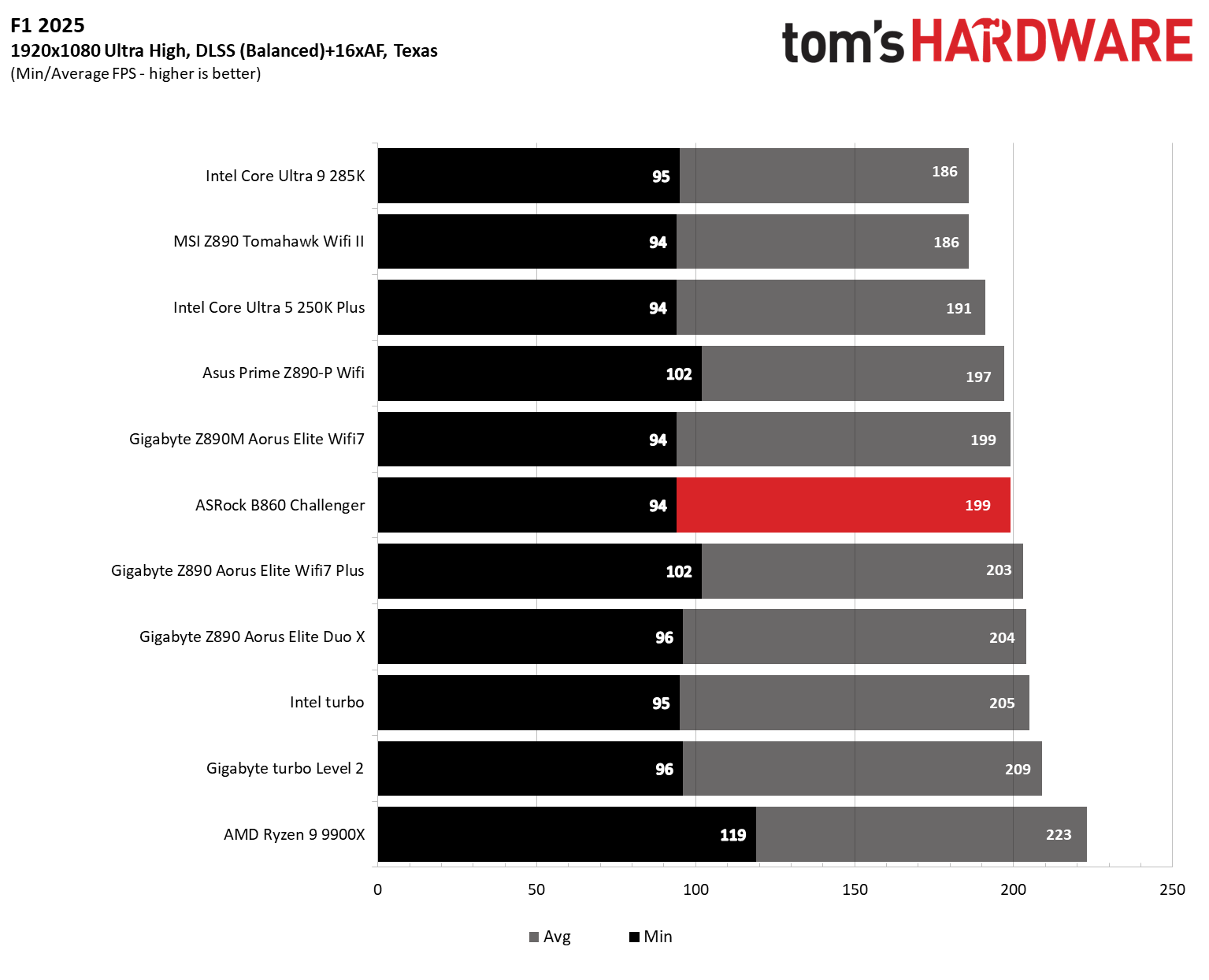
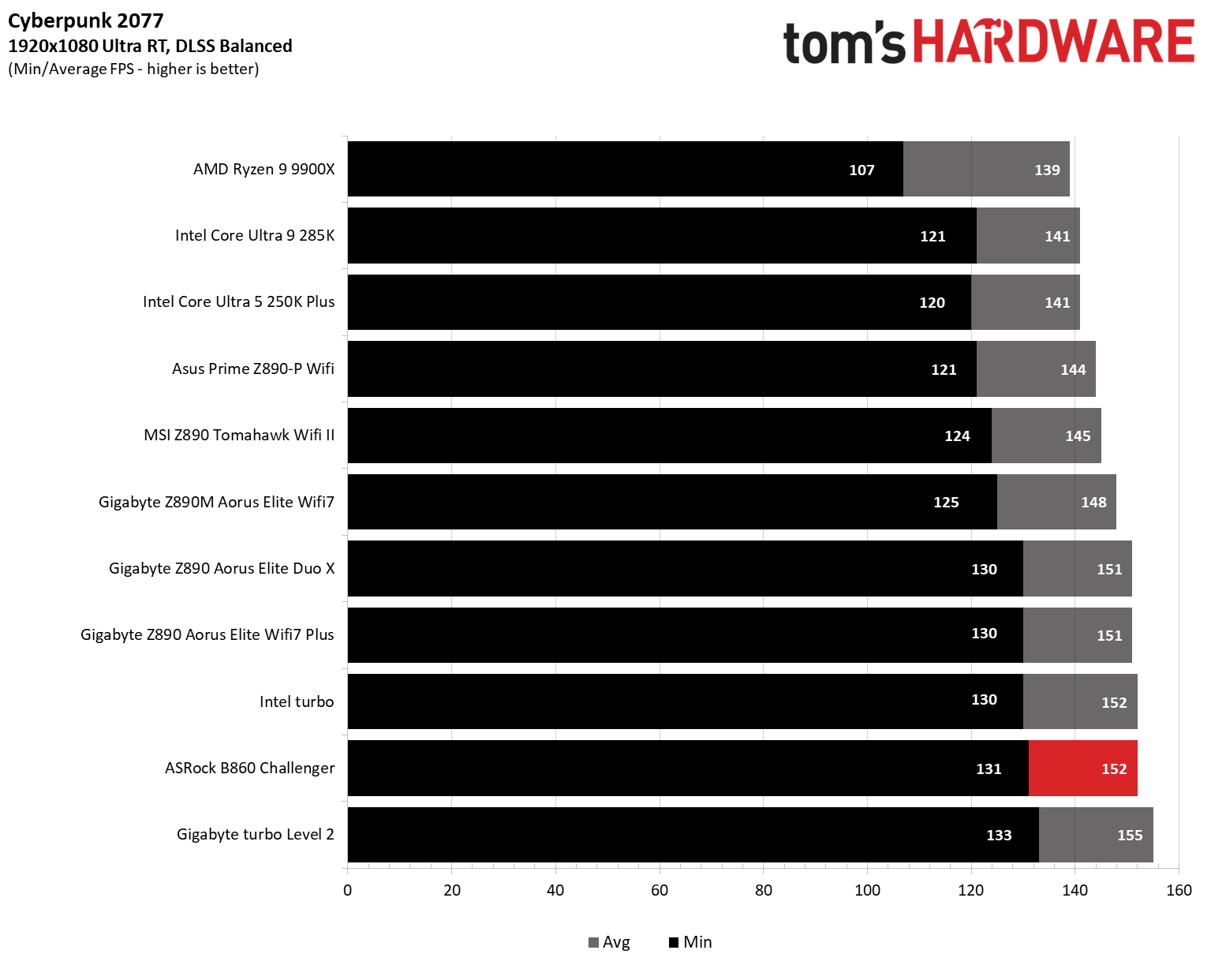
Starting with the launch of the Arrow Lake refresh chips, we’ve updated our game tests. We’re keeping the F1 racing game but have upgraded to F1 25. We’ll also continue with the ever-popular, aesthetically pleasing Cyberpunk 2077. We run both games at 1920x1080 resolution using the Ultra preset (details listed in the table above). Both games are set to use DLSS.
These settings aim to determine whether performance differs at the most commonly used (and CPU/system-bound) resolution, with settings most people use or strive for (Ultra). We expect the difference between boards in these tests to be minor, with most falling within the margin of error. We’ve also added a minimum FPS metric, which can affect your gameplay and immersion.
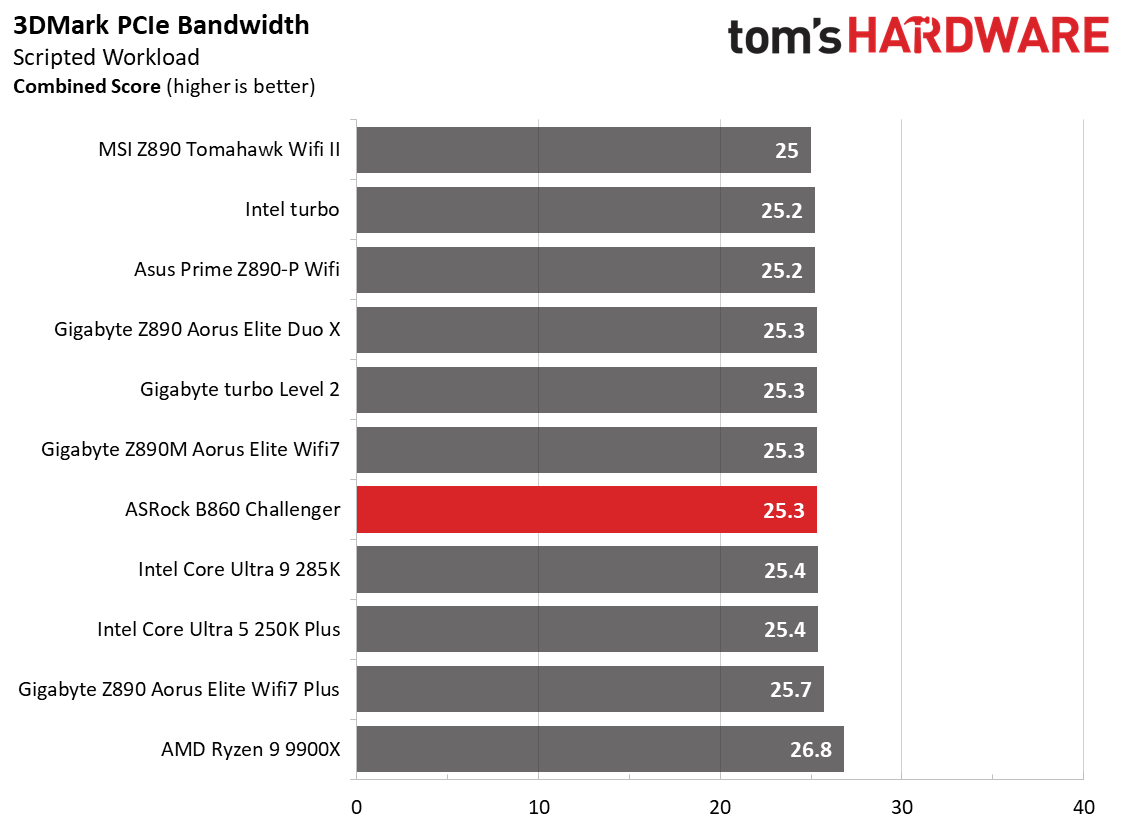
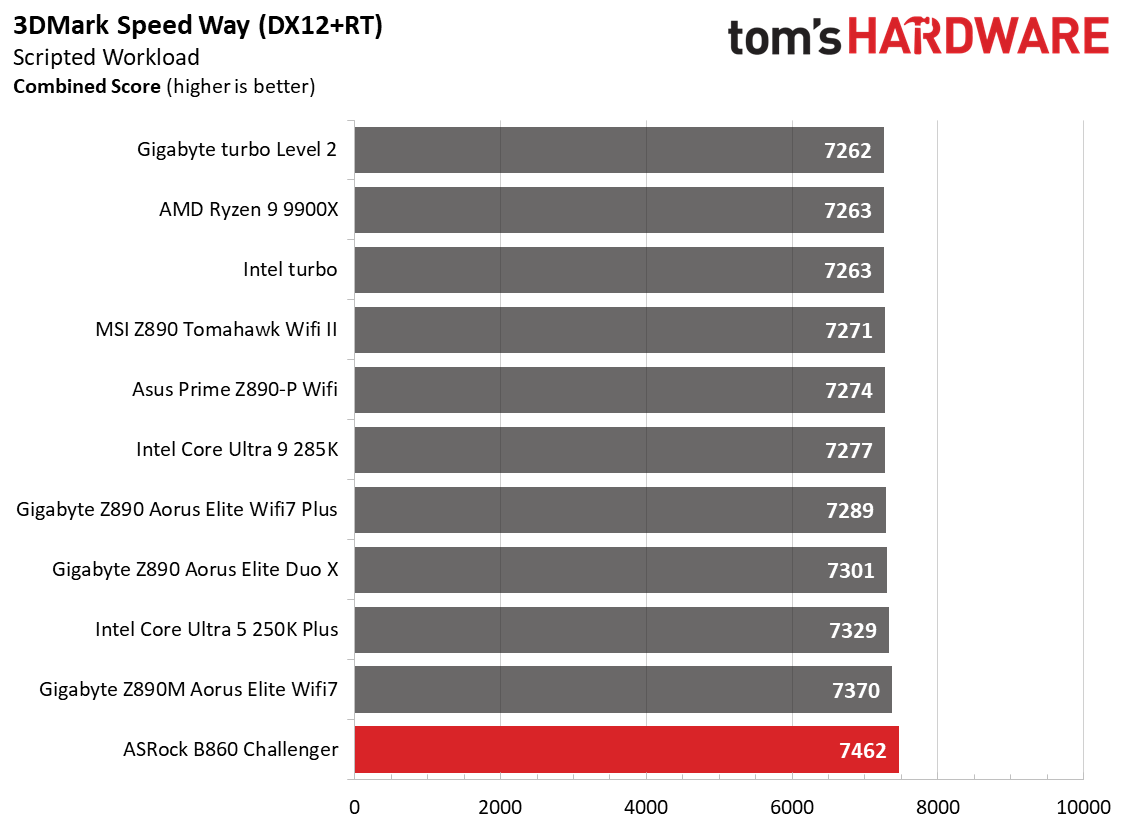
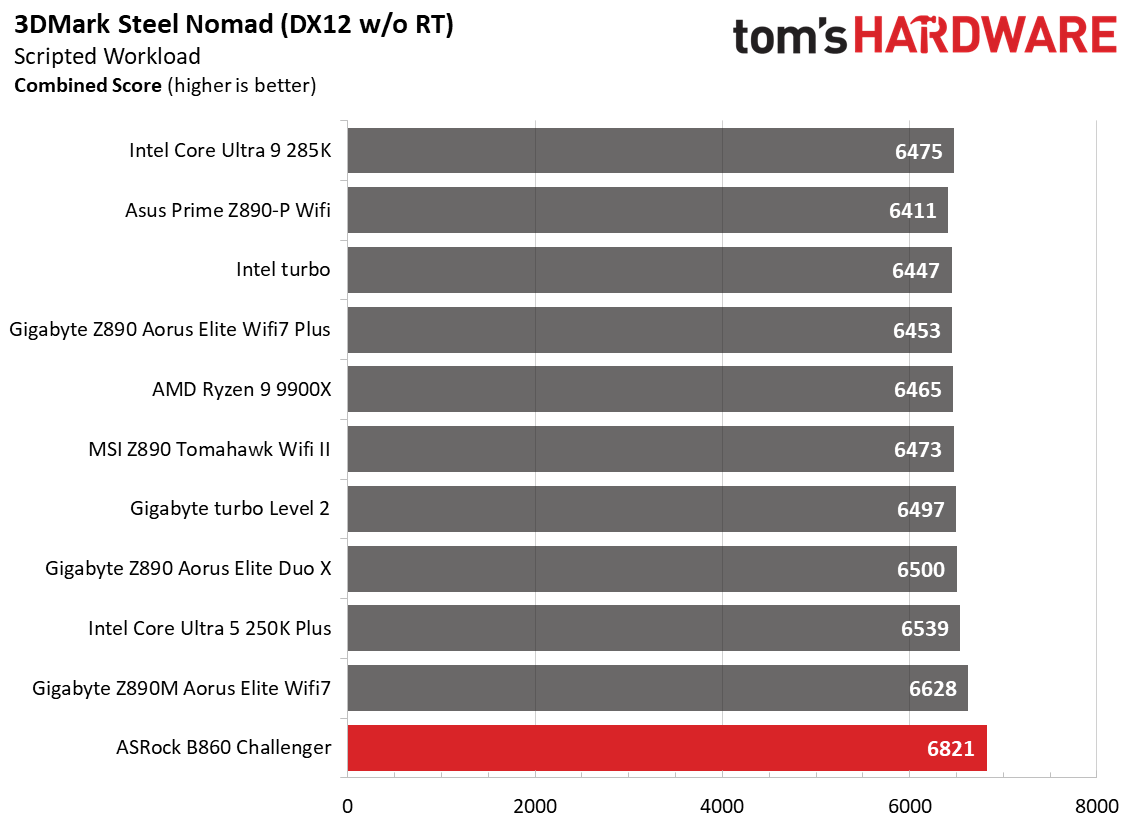
The B860 Challenger did well in the synthetic 3DMark benchmarks (leading the pack, in fact), and was average in our games. In short, there’s nothing to worry about regarding performance on this board, whether for work or play.
Overclocking
Over the past few CPU generations, overclocking headroom has been shrinking on both sides of the fence, while out-of-the-box performance has increased. For overclockers, that means less fun. For the average consumer, you’re getting the most out of the processor without manual tweaking. Today’s motherboards are more robust than ever, and most support power-hungry flagship-class processors, so we know the hardware can handle them.
You can extract even more performance from these processors by manually adjusting settings or using the fancy AI overclocking that board partners have been touting. Results will vary and depend on the CPU's cooling and quality. In other words, your mileage may vary. With that in mind, we’re not overclocking the CPU for these review articles. However, we'll test our different memory kits to ensure they meet the specifications.
FutureFuture
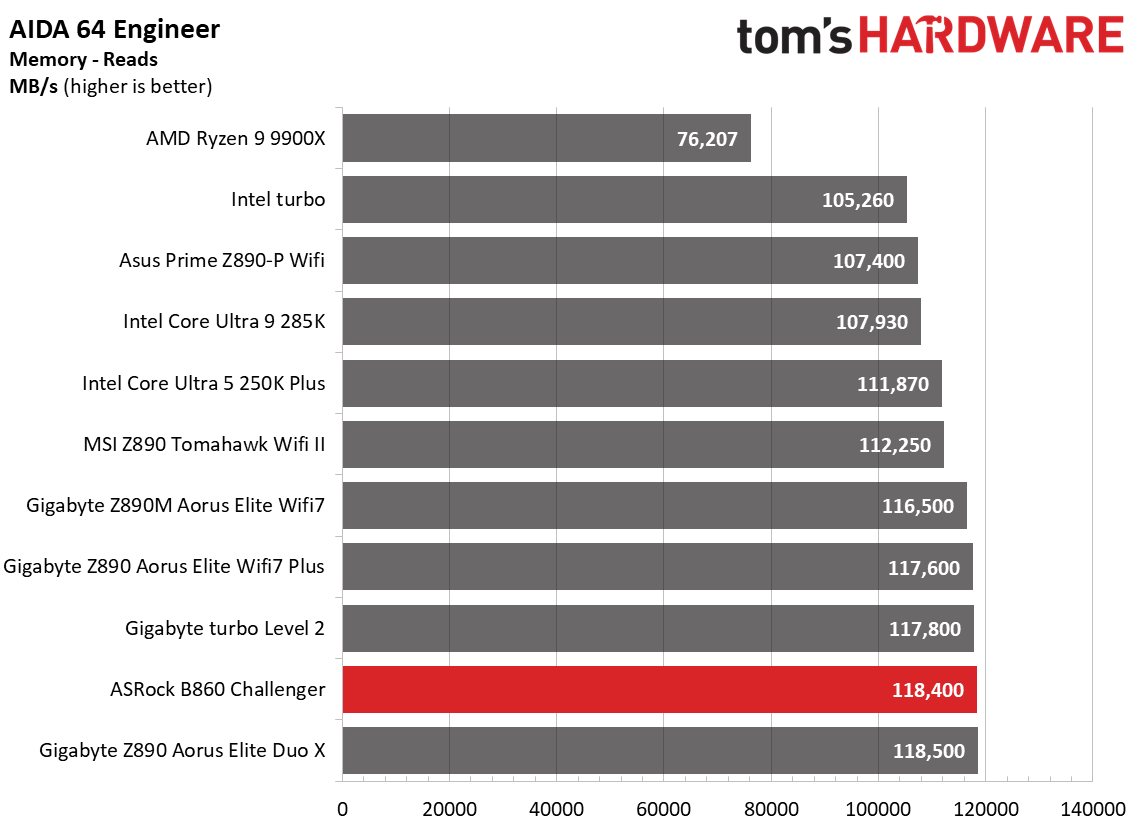
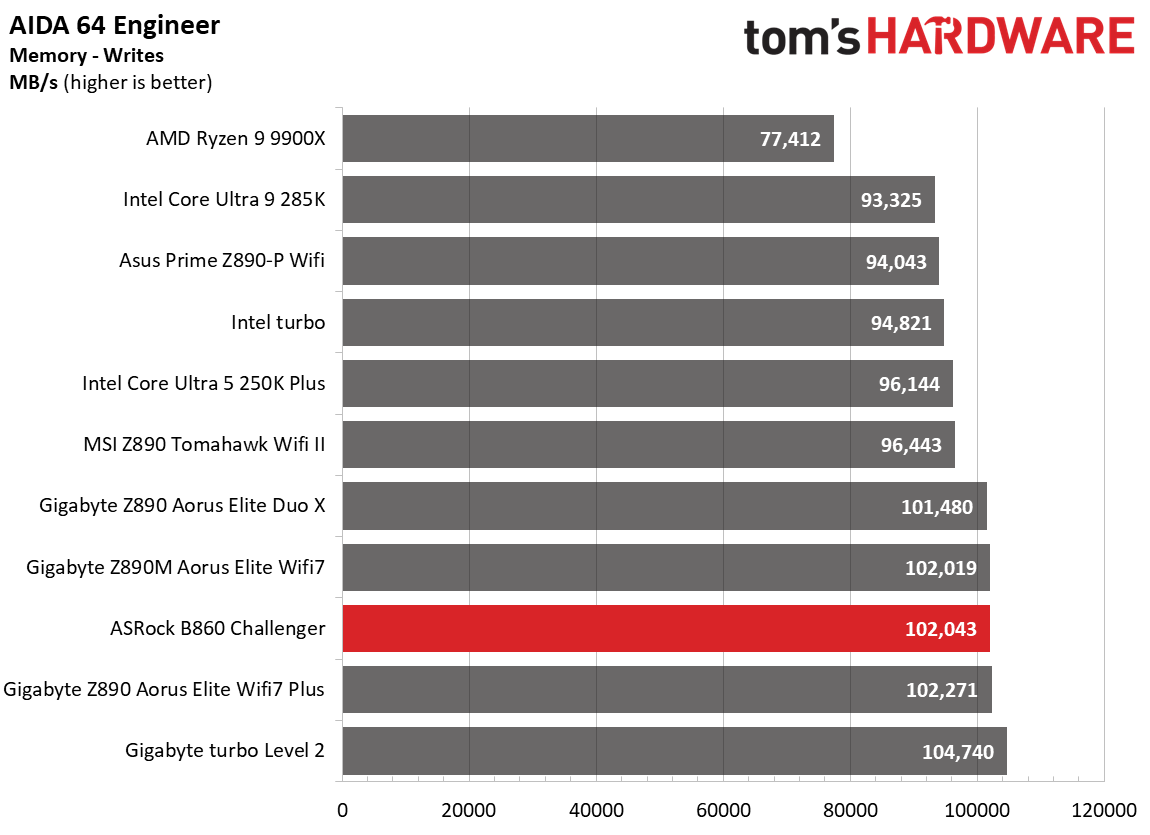
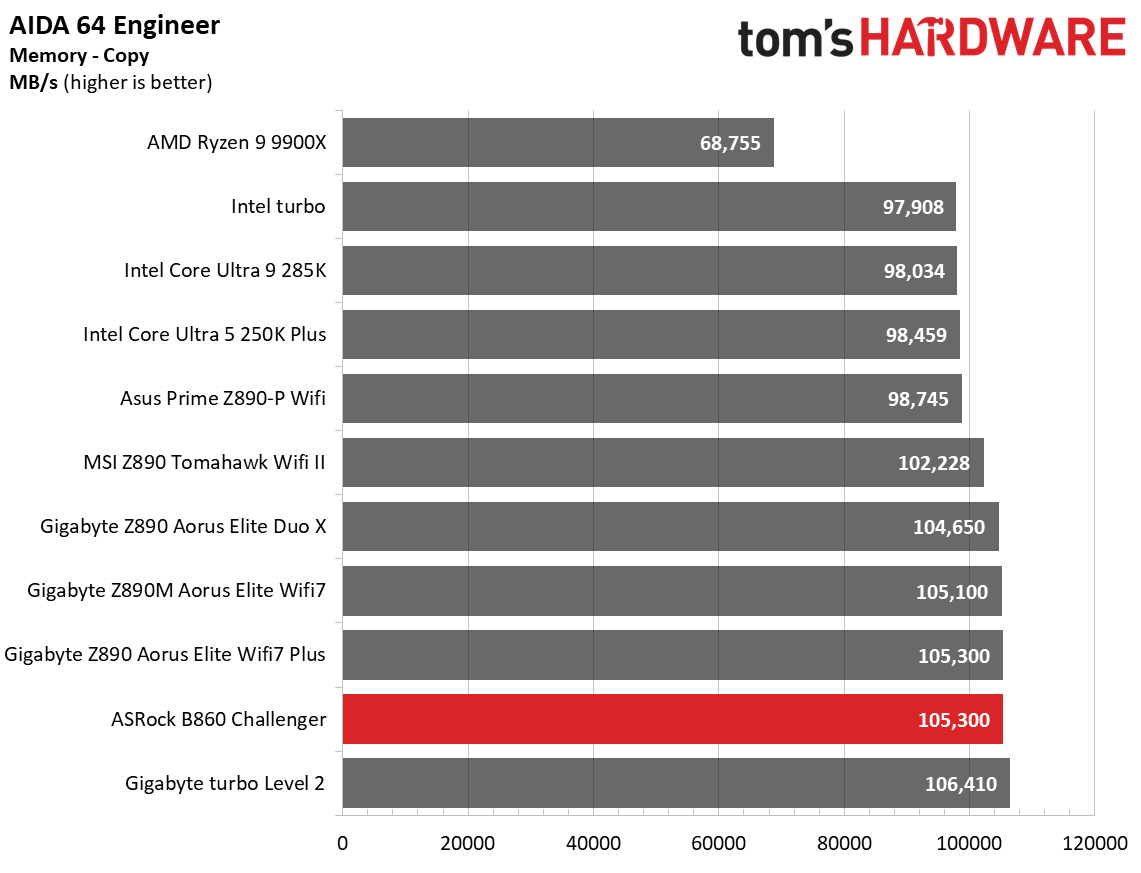
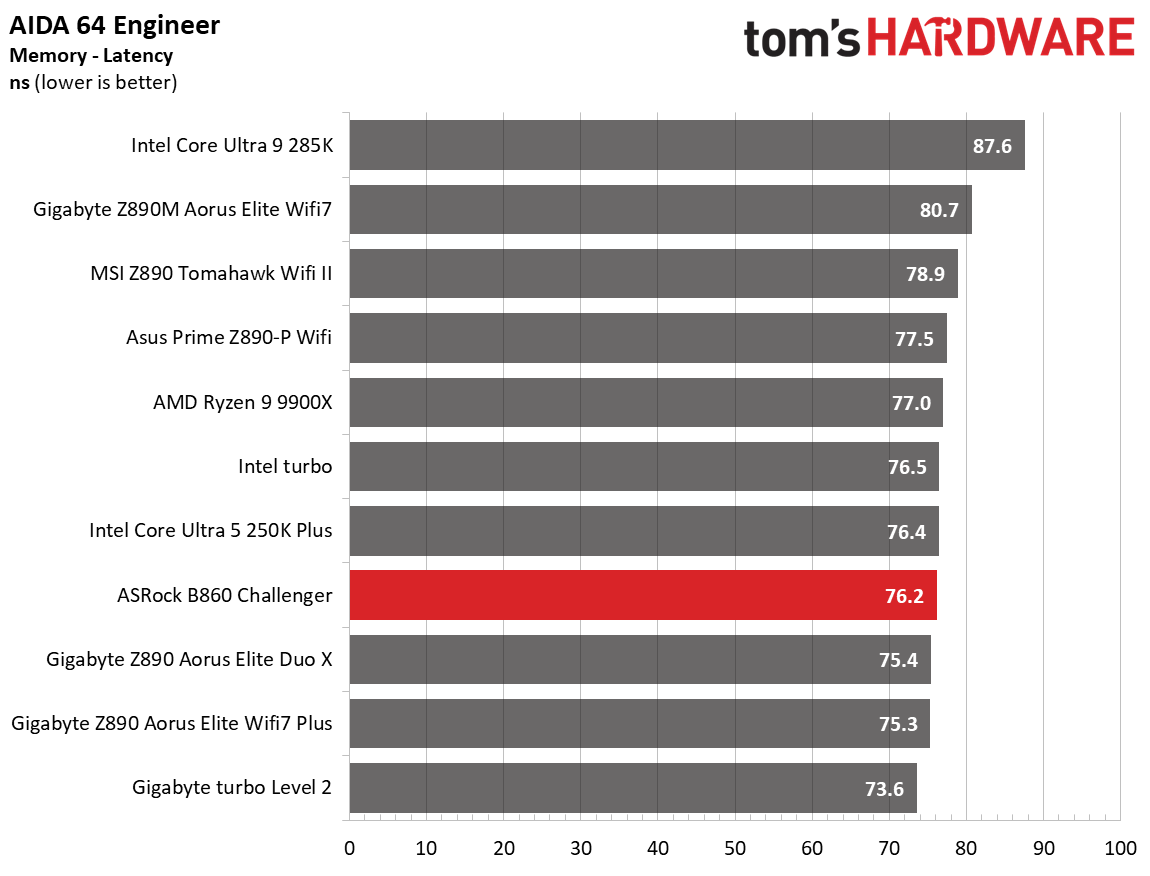
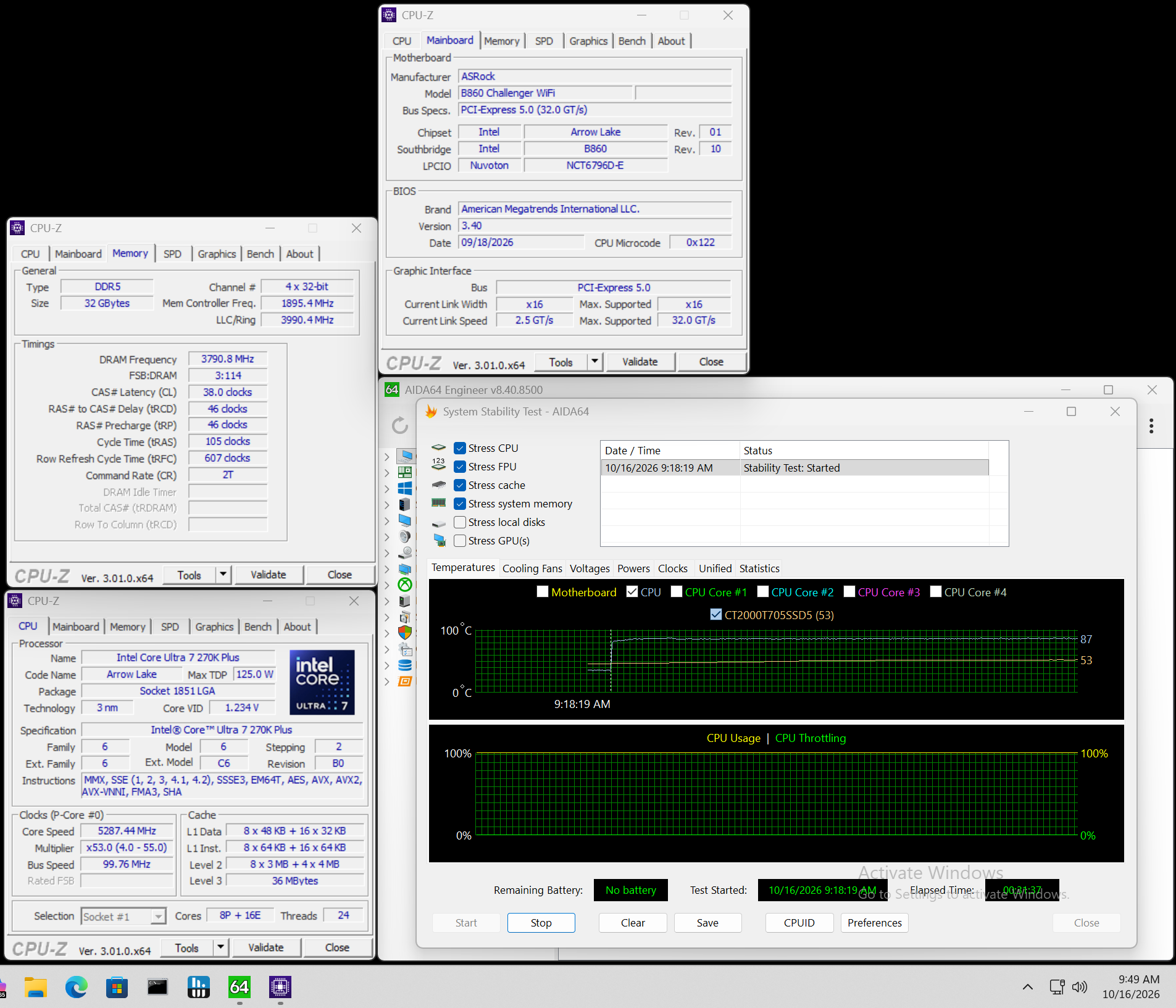
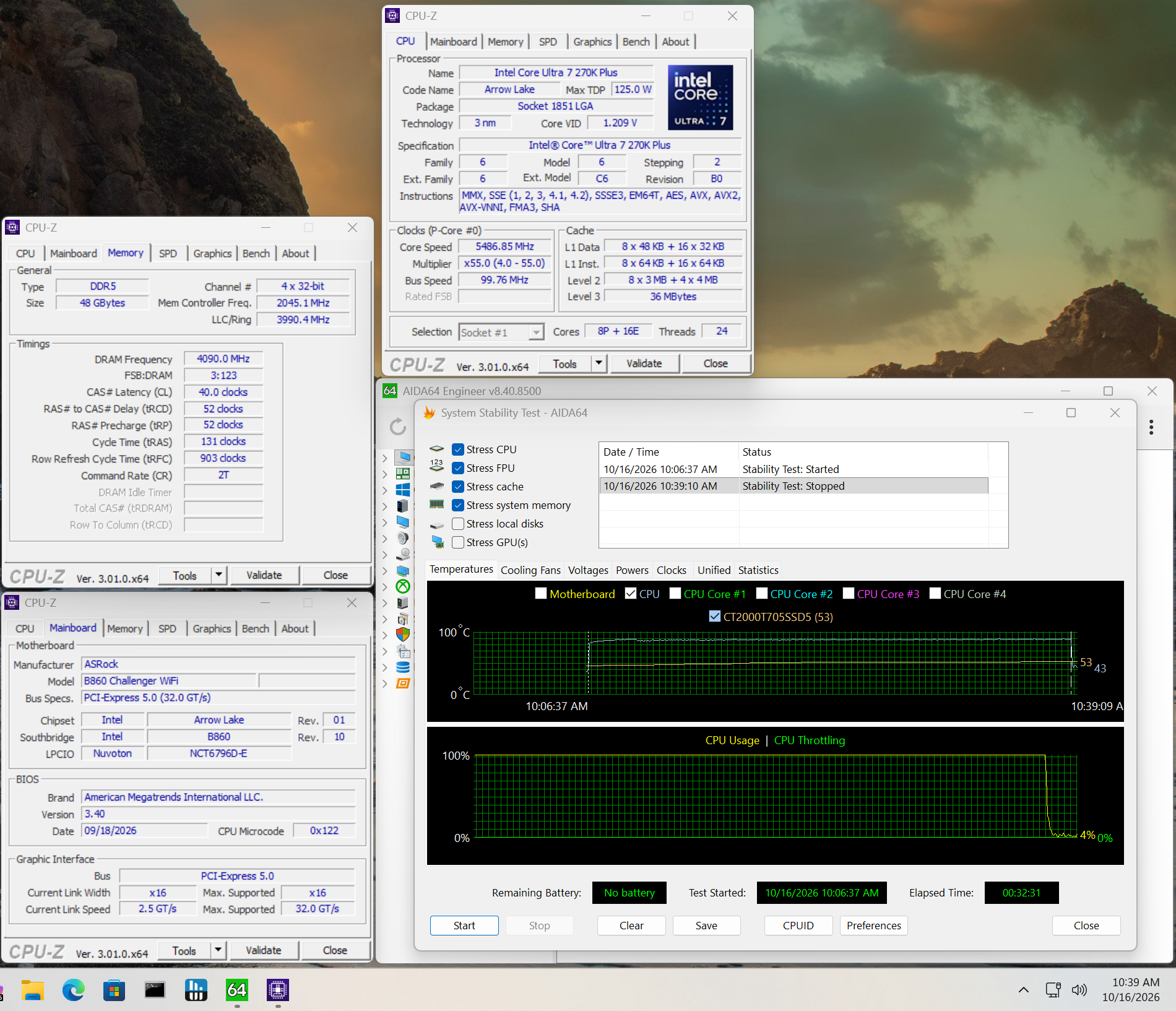
For memory testing, we skipped our fastest kit (DDR5-8800) because it exceeded the board's rating. The second G.Skill kit at DDR5-8200 worked flawlessly, as expected, since it's on the board's QVL list. The Challenger doesn’t have the highest rated memory speeds, but it’s easily capable of working in (and past) the sweet spot. Just don’t expect to break records with this budget board.
Power Consumption / VRM Temperatures
(Image credit: Future)
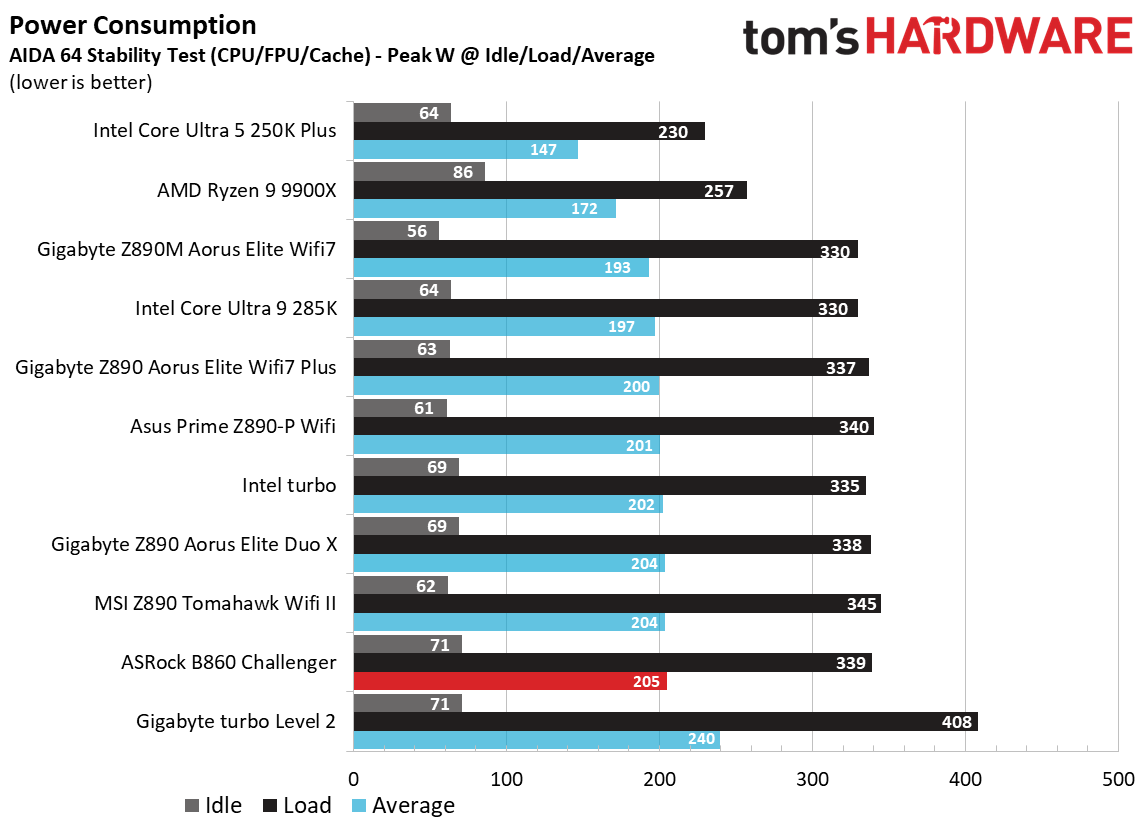
We used AIDA64’s System Stability Test with Stress CPU, FPU, cache, and Memory enabled for power testing, using the processor's peak power consumption value. We measured wall wattage with a Kill-A-Watt meter, which captures the entire PC (excluding the monitor). The only variable that changes is the motherboard; all other parts remain the same. We now use only the stock power-use/VRM temperature charts, as this section aims to ensure the power delivery can handle flagship-class processors.
Stress testing on this board with our flagship-class 270K Plus and the Kingston DDR5-7600 kit at stock yielded a peak of 339W at the wall, and lands on the higher side of average. Idle power use was high, settling around 71W. On average, it uses slightly more power than the boards tested so far, but isn’t out of line, and you wouldn’t notice it on your electric bill.
FutureFuture
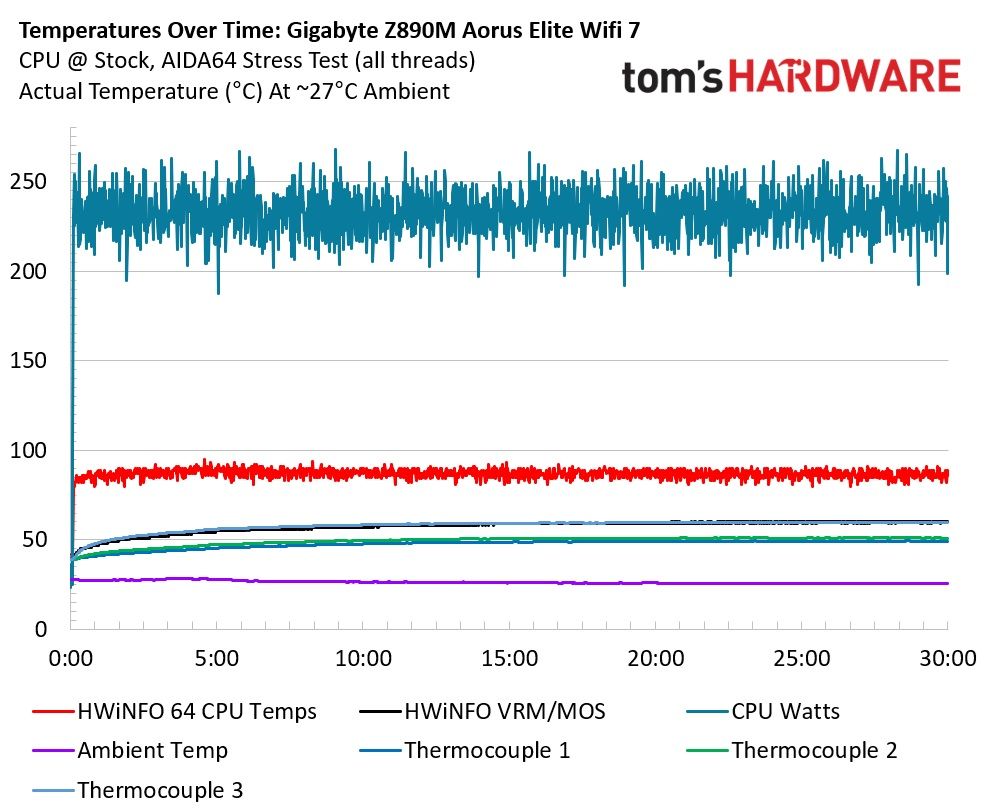
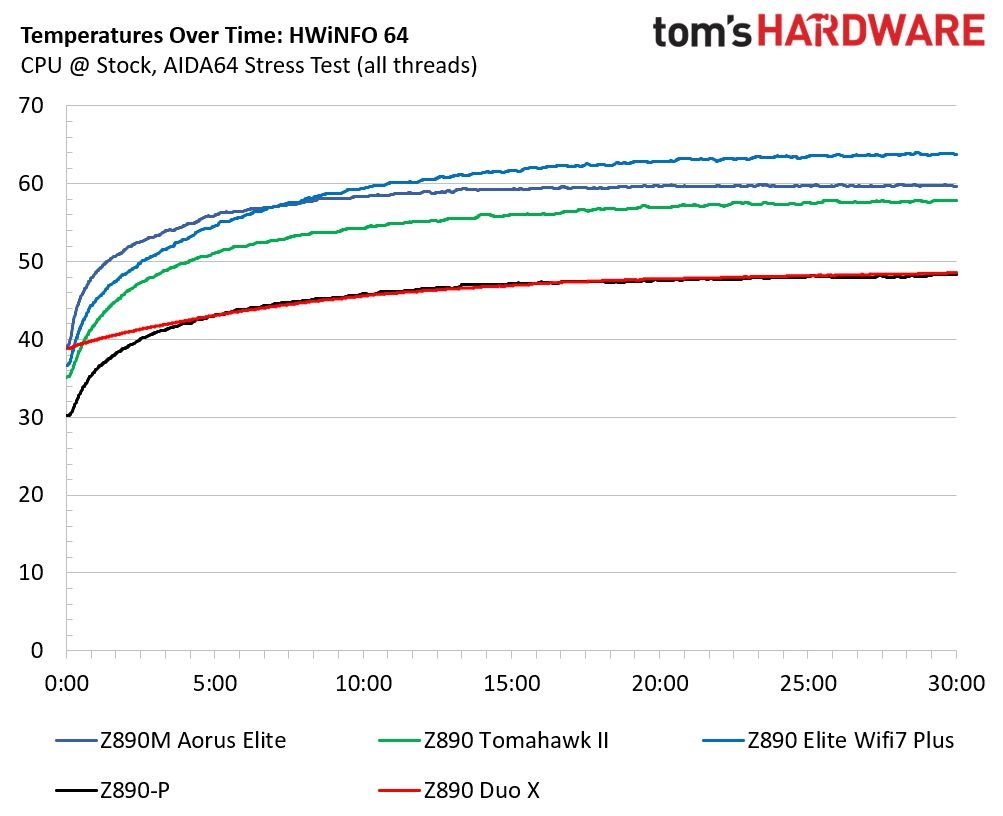
VRM temperatures were fine during our testing, peaking at nearly 57 degrees Celsius on our sensor (this board does not have an integrated VRM/MOS temperature sensor). While temperatures are warm under ~230W loads, the 50A MOSFETs and heatsink kept things within spec. I wouldn’t push this board's power delivery too hard, but it handled our 270K Plus without issue.
Bottom Line
ASRock’s B860 Challenger ($149.99) is an interesting board for the price. It can handle the basics and most of what more expensive boards can without issue, but it has shortcomings. Selling a mainstream-class motherboard, even at the cheap end of the spectrum, without at least one 10 Gbps USB port feels like an oversight in 2026. Sure, you can add an expansion card for faster speeds, but other boards around this price point include at least one 10Gbps port, freeing up the slot for other, more advanced, expansion needs. Still, you get three M.2 sockets, one PCIe 5.0 slot, average networking, and an all-black look that skips integrated RGB and blends into any dark-themed build.
As for the competition, there aren't many boards near the $150 price point that are readily available. Gigabyte’s B860 Gaming X Wifi 6E ($159.99) is a different option with similar features (though slower, yet still fast enough, Wi-Fi 6E) and at least one 10 Gbps USB port. That said, the contrasting heatsink color on the black PCB doesn’t sell me. Asus’ TUF Gaming B860-Plus Wifi ($199.99) is another strong contender, but costs 33% more. For that money, you get faster USB ports (including 20 Gbps Type-C), more robust power delivery, and several AI and DIY features. MSI’s B860 Gaming Plus Wifi ($209.99) is the most expensive of the bunch and offers the best connectivity, including Thunderbolt 4 (40 Gbps) Type-C, four PCIe slots, and faster 5 GbE and 320Hz Wi-Fi. Whether that’s worth a $60 premium depends on whether you can use the faster options.
Overall, we do like the ASRock B860 Challenger. At $150, it is one of the lowest-priced B860 ATX boards you can find. But that low price comes with drawbacks, which is why it doesn't make our best motherboards list like its big brother, the X870E Challenger, did. Still, it’s a capable board and a worthwhile base for building your Intel-based system. If you need faster USB ports or AI features that make life easier, other options exist, but you’ll have to pony up more cash.
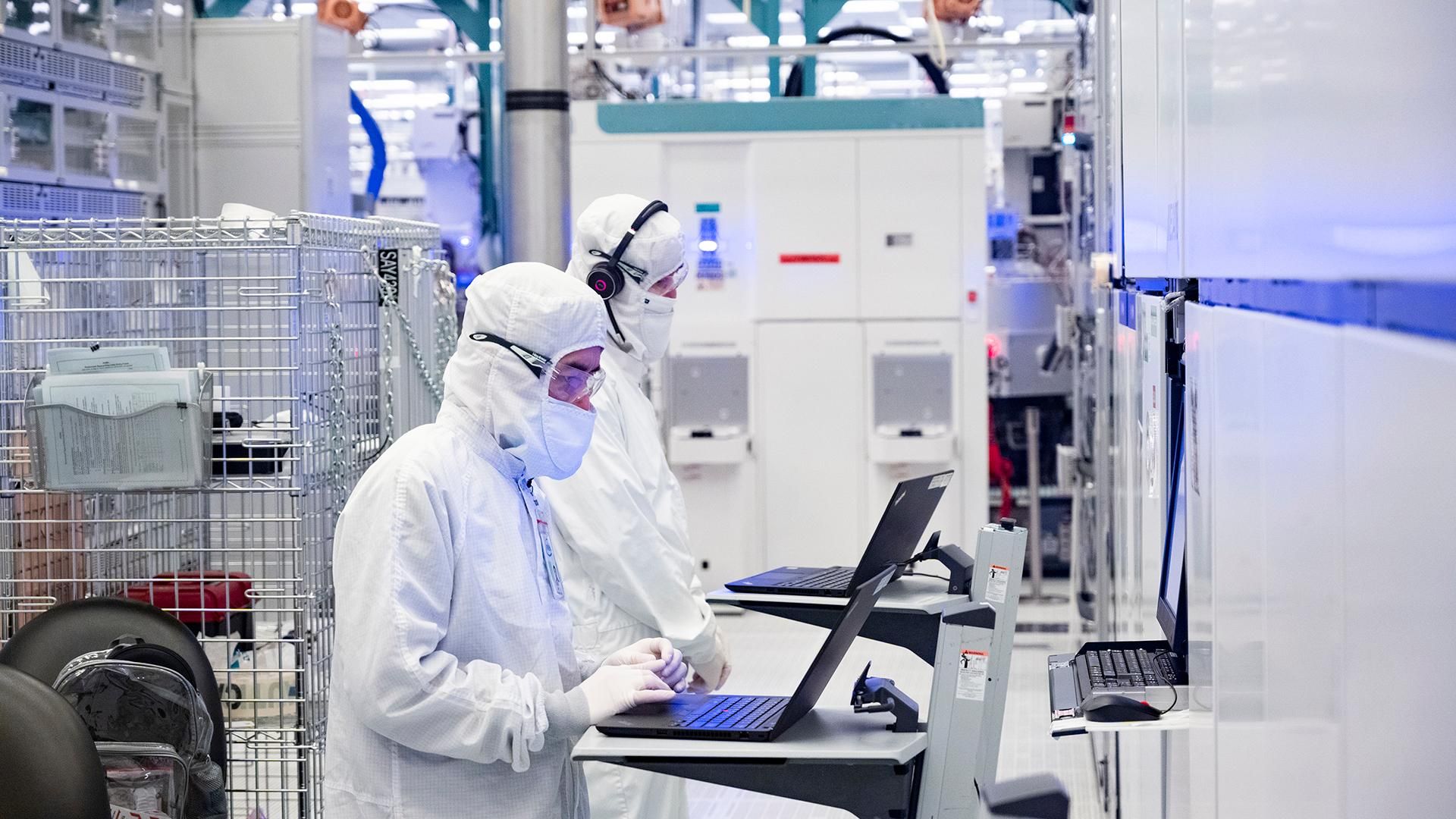
Although the consumer PC market is shrinking and will continue to shrink in the coming quarters, Intel is confident that the overwhelming demand from the AI industry for everything that can compute or store data will offset declines in the client space. To that end, the company is reallocating some of its capacity from client to data center CPUs, expanding its Fab 24 in Ireland to make more Xeons, has begun equipment installation into Fab 62 in Arizona ahead of schedule and vows to make 18A chips there, and is expanding its advanced packaging capacity in New Mexico and Malaysia.
"The industry continues to navigate one of the most significant supply shortages in history, driven by the unprecedented demand for Super Intelligence," said Lip-Bu Tan, chief executive of Intel, during the company's earnings call. "Against this backdrop, I am pleased by the progress we made growing our server supply in Q3. I am mindful about the ongoing challenges we face in the future quarters to keep pace with server demand."
More Intel 3-based Xeons
Intel's manufacturing expansion comes as demand for server processors continues to exceed supply despite substantial production increases over the next several quarters. The company's Data Center and AI (DCAI) business generated $7.3 billion in revenue in the third quarter of 2026, up 17% sequentially and nearly 80% year-over-year. Intel expects demand for data center CPUs to remain strong in 2027 – 2028 as AI infrastructure operators deploy more CPU-intensive agentic and inference workloads.
To meet demand for Xeon CPUs in the coming years, one of Intel's immediate priorities is to increase output of Xeon 6 'Granite Rapids' processors, which are made using its Intel 3 process technology. The company recently began expanding production capacity at its Fab 24 manufacturing complex near Leixlip, Ireland, but this capacity will only come online by the end of 2027, unless the move can be accelerated.
To further increase its Intel 3 capacity, Intel plans to convert some manufacturing resources at its Oregon facilities from Intel 18A to Intel 3. These resources were originally intended to manufacture Panther Lake client processors, but weaker PC demand has allowed Intel to prioritize higher-demand data center products. The company expects the additional Intel 3 capacity in Oregon to enter production in the second half of 2027.
"What we are taking offline to put Intel 3 into Oregon is 18A wafers, which we are generally going to build Panther Lake products," said Dave Zinsner, chief financial officer of Intel. "We see the opportunity with some of that capacity freed up to go produce more data center wafers."
Granite Rapids has already become Intel's fastest ramping server processor family, but demand continues to exceed available supply, according to the company's management. Intel is also improving manufacturing yields and reducing production cycle times to extract more usable processors from its existing capacity. According to the company, Intel 3 manufacturing costs have declined by approximately 15% since the first quarter of 2026.
Prepping for Diamond Rapids, Nova Lake
Intel is also accelerating the expansion of its leading-edge manufacturing operations in Arizona. The company is ramping Intel 18A production at Fab 52 and is accelerating equipment installation into the adjacent Fab 62, which is set to become the company's second high-volume manufacturing facility for 18A, 18A-P, and derivative process technologies.
These investments will support future Intel 18A/18A-P-based products, including server CPUs, although the company has not disclosed the precise allocation of manufacturing capacity between client and data center products at the facility. While the latter is natural, Intel said during the conference call that it expects to win some market share in the client space with its Core Ultra 400-series 'Nova Lake' CPUs, which will require the company to produce these parts in high volumes.
To support its capacity expansion, Intel aggressively procured new tools in the third quarter.
Not only wafers
While expanding production of Intel 3 and Intel 18A/18A-P wafers is a must to increase output of data center CPUs, producing more wafers will not necessarily solve Intel's supply problems. The company also faces shortages of advanced organic substrates required to package its multi-chiplet processors (or rather system-in-packages, or SiPs?) that rely on EMIB and/or Foveros 3D packaging technologies. Intel has been working with substrate suppliers to expand their production capacity and expects approximately 40% additional substrate capacity to become available in the second half of 2027.
"We are not only constrained on the wafer side, we are also constrained on the substrate side," Zinsner said. "So, it is important we get the substrate piece of this ramped up to be able to meet the demand."
In addition, Intel is expanding its advanced packaging operations in New Mexico and Malaysia to support growing demand from internal product groups and external customers. The company already uses its EMIB technology to connect multiple compute dies in Granite Rapids processors, while its newer Clearwater Forest Xeons combine EMIB with Foveros Direct 3D and hybrid bonding to stack Intel 18A compute dies on Intel 3 base dies. Additional packaging capacity will be essential as Intel increases production of these processors and introduces more complex multi-die products as well as assembles advanced system-in-packages using EMIB, EMIB-T, Foveros 3D, and other technologies for external clients.
"On Advanced Packaging, we are pleased by the progress we are making with EMIB and EMIB-T for our internal products," Tan said. "Both continue to see significant external customer traction as well. We continue to improve on execution, working with our supply chain to secure the capacity to meet the needs of our Advanced Packaging customers. We are also seeing robust progress in the readiness of Hybrid Bonding Interconnect (HBI), which is an enabler of 3D chip stacking for our upcoming server products."
Capital needed
Intel's expansions will require substantial capital. Intel expects its capital expenditure (CapEx) budget to reach approximately $20 billion in 2026 and increase significantly in 2027 (though it did not reveal any firm numbers). The company said firm purchase orders to semiconductor equipment suppliers increased by nearly 40% sequentially as it secured tools for its manufacturing expansion. Intel is also evaluating opportunities to accelerate construction of its semiconductor manufacturing complex in Ohio, where the first major structural truss was recently installed.
"We have made good progress securing the equipment required to support our growth plans with firm purchase orders to equipment suppliers increasing nearly 40% sequentially," Zinsner said. "We are also accelerating clean room build-outs, including Fab 62 in Arizona and exploring opportunities to accelerate in Ohio.
Yet Intel's capacity expansion will take time to produce results. New equipment must be installed and qualified, additional wafers must pass through lengthy manufacturing cycles, and substrate suppliers must increase their output (which will likely require them to procure new tools and install them) before Intel can ship more finished processors. Consequently, the company expects supply constraints to remain particularly severe during the first half of 2027, even as the client PC market is set to continue contracting.
Nevertheless, Intel expects its data center business to continue growing and believes that additional manufacturing capacity, higher yields, and improved substrate availability will enable it to capitalize on demand for AI infrastructure in the second half of 2027 and beyond.
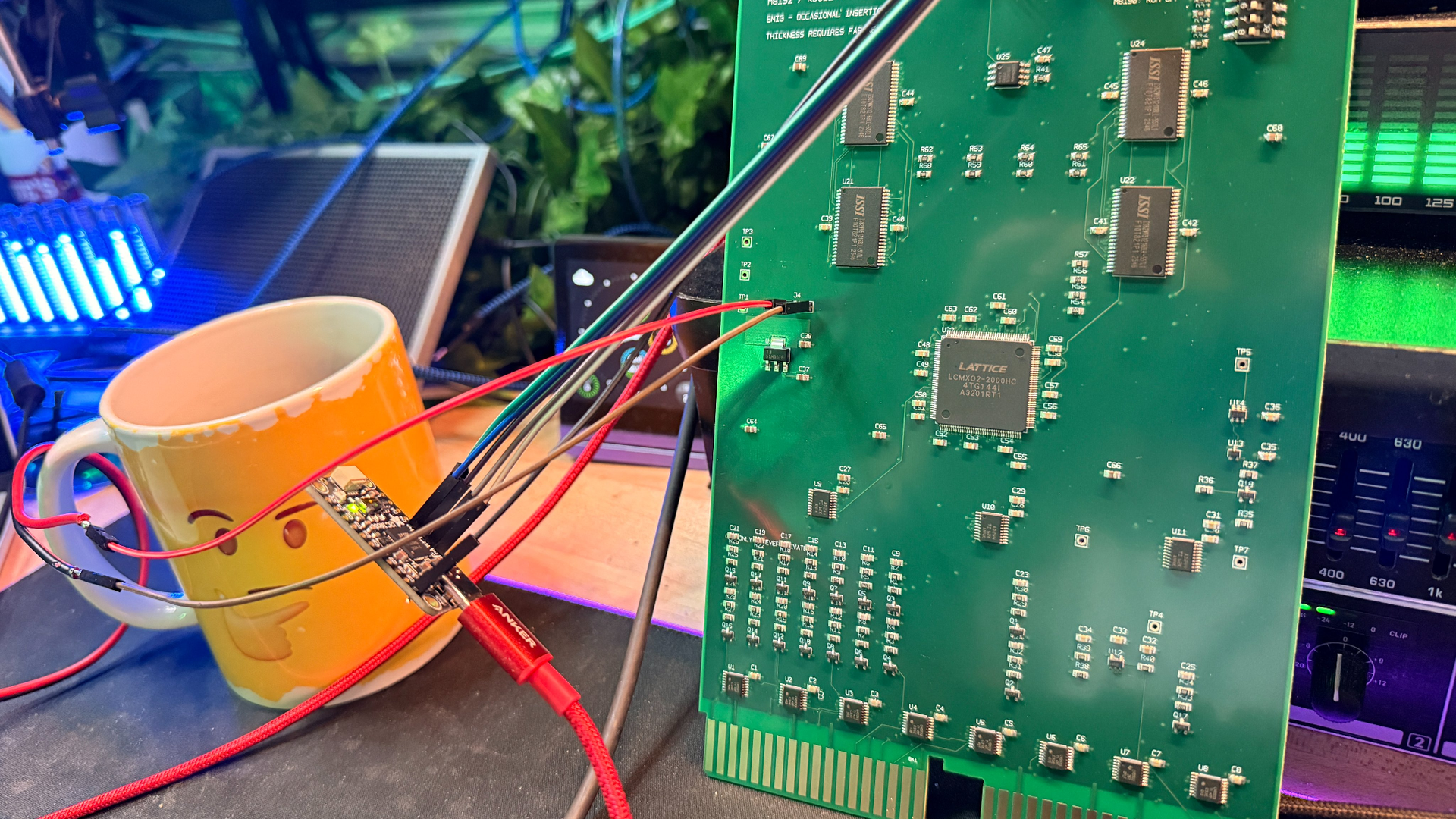
Dave Plummer, former Microsoft engineer and wizard of Task Manager, Windows Pinball, and now TMOG, has an interesting project in his hands once again. After seeing exactly how many zeros were in the price tag for a megabyte of memory for his vintage PDP-11, he decided to take matters into his own hands and conjure up a new RAM board.
The PDP-11 is from 1970, and later models could fit in as much as four megabytes of memory. Plummer enlisted the help of ChatGPT and the EasyEDA online circuit simulator, though he notes that he hadn't done complicated projects like this before. As several PDP-11 models used Q-Bus boards for main system components, he designed this RAM as a standalone card, then tested it on a backplane alongside another board containing the system's M8190 CPU.
Atop it, he placed a Lattice MachXO2 FPGA serving as a memory controller (model 2000HC, if you're wondering), connected to four ISSI 1 MB memory chips. After adding a U2S I/O chip, a bank of DIP switches, comm ports, and sprinkling a handful of capacitors, he had a complete circuit. The M8190 board design has a 22-bit bus and reserves the top 256 KB for I/O and ROM.
However, it wasn't a first-time-lucky project. Plummer encountered a few abortive starts, as he'd never flash-programmed an FPGA chip before. He fixed that after a few attempts, but then he fell into what appears to be a classic PDP-11 trap.
The machine's memory bus design means it can only access entire words (two bytes) at once, and treats the lowest bit in a memory address as a "lane" selector that picks between the low or high byte in the word.
When reading, the CPU will pick out the right byte itself, but Plummer's "memory controller" still needs to return two. Similarly, on writes, the bit selector must be read and then the proper byte selected so that only that will be updated, as the bus lines will still carry an entire word that could otherwise write invalid data.
Plummer seemingly wasn't aware of this before, and one commenter joked that he'd "built 4MB of memory that turned out to be 2MB", to which he replied that the memory "only returns every second word," matching the aforementioned design pattern. Although there are no further updates, since more commenters pointed this out, we assume that he implemented an easy fix in his FPGA code.
One person suggested that he sidestep the entire problem and implement his memory in software via a Raspberry Pi instead, wired directly to the PDP bus. Plummer replied that he'd basically done that already last week with a modern QBone DEC interface board, which in turn contains a Beaglebone Black atop it (similar to a Raspberry Pi).
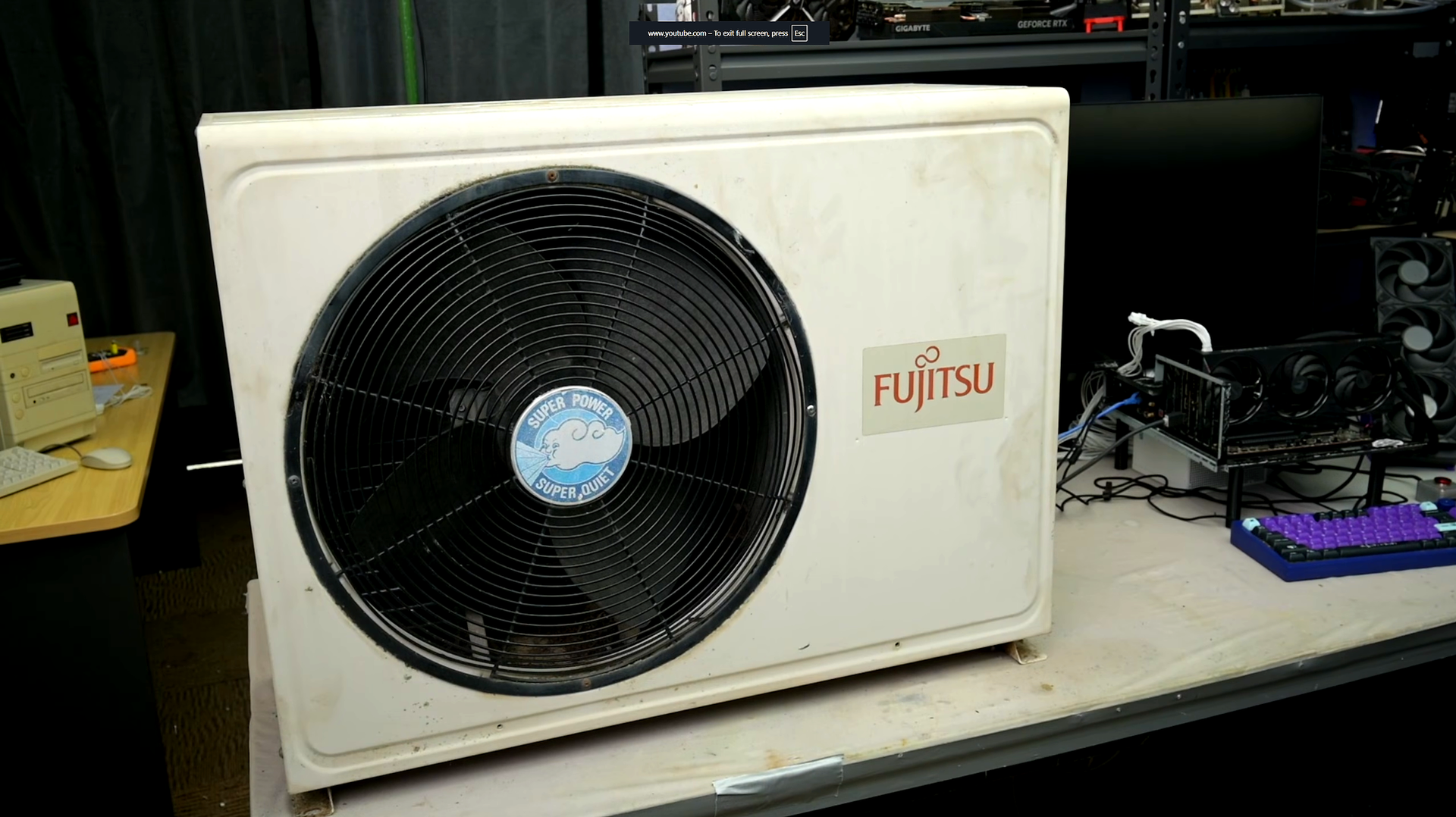
Just like we suspected, our fellow Australian hardware examiner TrashBench is up to shenanigans again. Not too long ago, after putting a graphics card in the "wrong" place for much better cooling results, he's ... thinking bigger, let's put it that way. He took an old 4-kW outdoor radiator-fan unit from a split air-conditioning setup (sans gas) and hooked it up to a water-cooling loop to assess its performance.
He kicked off the video with his best impression of Crocodile Dundee, and set out to rearrange the unit for the task at hand, as he only needed the actual radiator, fan, and pump. Most of the fiddly guts were taken out, and casters were added for convenience. TrashBench then added a bog-standard reservoir to the main enclosure.
Moving on to the PC side, he converted a T-joint into a Y-joint with judicious application of heat and force, and, being the ever-clever craftsman, designed 3D-printed mounting brackets for the various cold plates. It was around this time that it was made certain he'd be successful, as at 02:49 you can see that his knuckles paid the requisite blood toll to the machine god.
After firing up the entire system, he set to benchmarking, enlisting both a modern RTX 5060 and a hotter, earlier RTX 3080 for the process. The 5060 is a very power-efficient GPU, and its temperature with the standard cooler was a tame 52ºC. However, the mighty power of four kilowatts' worth of cooling brought that down to just 33ºC, around the temperature of lukewarm water, and a 16ºC drop altogether.
With such a wide thermal range to work with, he set out to overclock the living daylights out of the GPU, moving the boost clock needle from 2902 MHz up to 3300 MHz. Despite the 14% clock-speed improvement, average FPS saw a mere 3% uplift, clearly highlighting how perfectly Nvidia has the power/performance curve dialed in since the RTX 2000 series.
He then moved on to the RTX 3080, a beastly, much more power-hungry card that could provide a worthy challenger for the Fujitsu radiator. It was promptly defeated, and its temperature went from 65ºC down to just 28ºC, or in other words, not much above ambient. Overclocking this card, however, also yielded a mere 3% fps, barely worth the man's time.
The final challenge was seeing how well the teeny weeny Fujitsu could handle a combined GPU and CPU load. The processor on hand was probably the worst possible consumer chip to try and keep cool, the lightning-fast and flame-hot Intel Core i9 14900K.
TrashBench hooked it up and saw CPU temperatures drop 18ºC down to 76ºC, a strong achievement for this silicon outside of rooms with liquid nitrogen buckets. As for the graphics card, its heat sensor simply didn't move at all, suggesting that the radiator had far greater headroom than TrashBench had hardware.
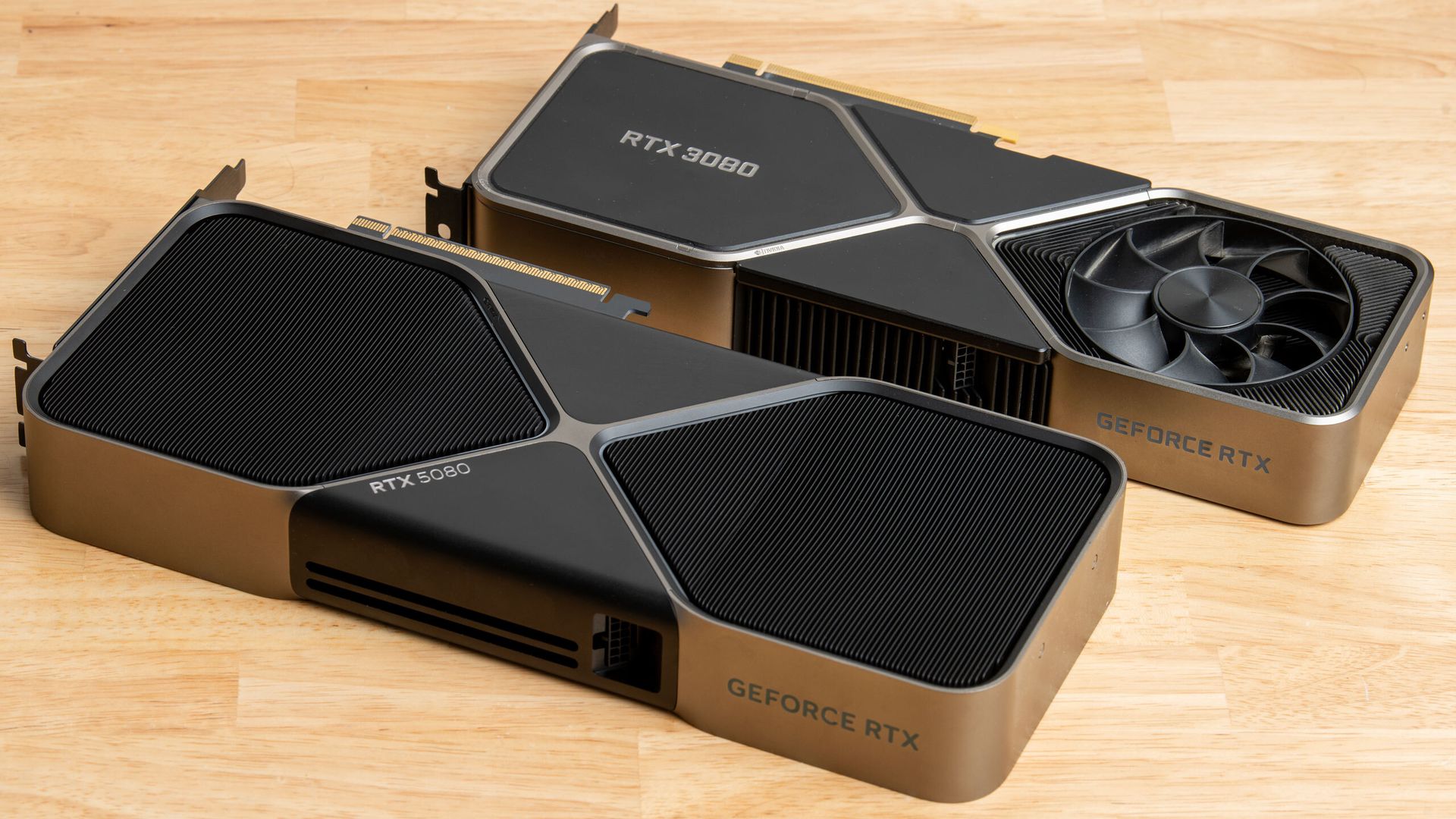
First, it was theGeForce RTX 5090, and now theGeForce RTX 5080 – two of thebest graphics cards have gone dark. After the Blackwell flagship left Nvidia's marketplace, the GeForce RTX 5080 followed suit. Prices for the sub-flagship have exploded to more than 2.2X its original $999 MSRP, and the Blackwell-powered graphics card is slowly going out of stock at various U.S. retailers.
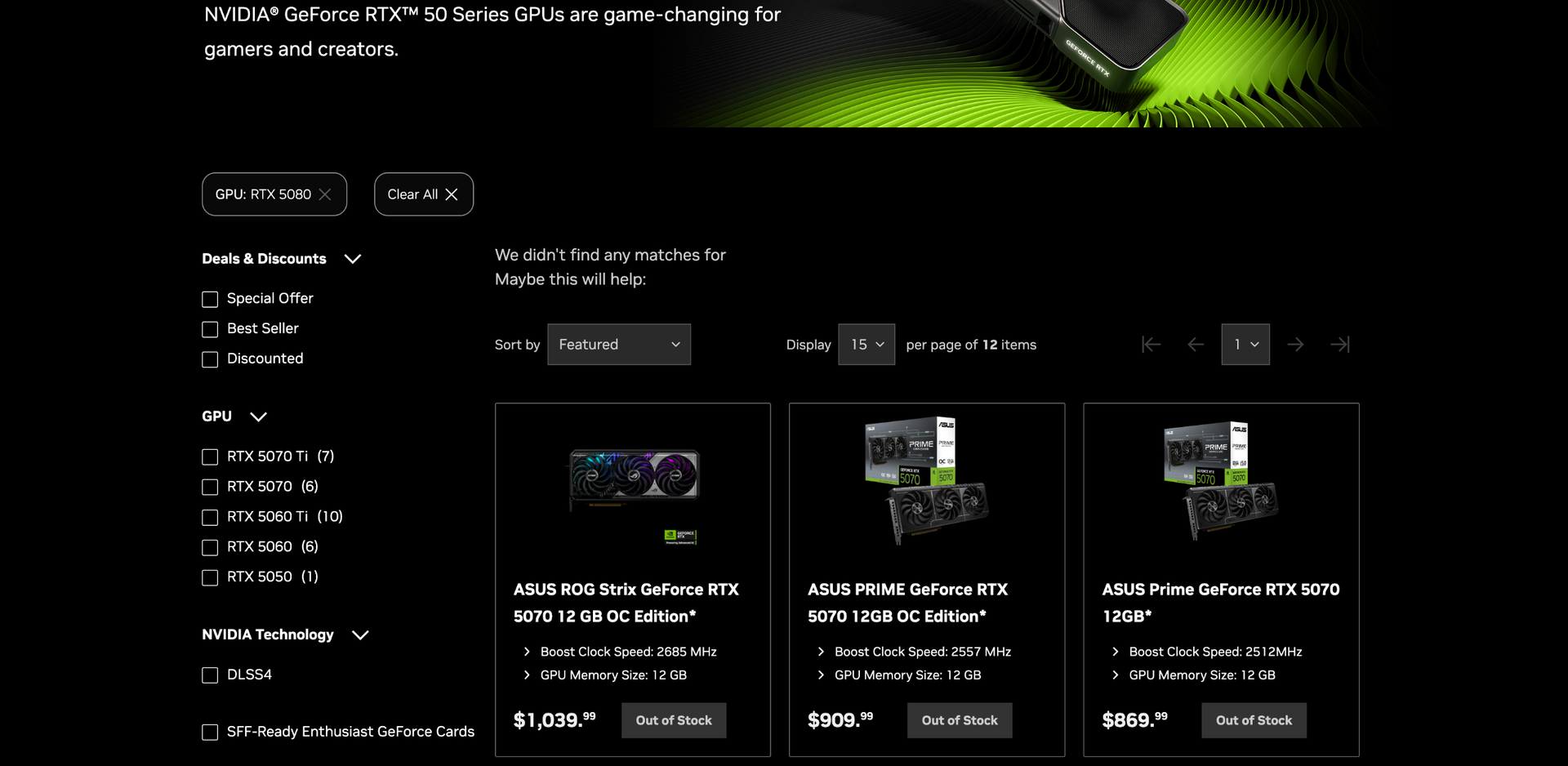
As with the recentdisappearance of the GeForce RTX 5090 on Nvidia’s marketplace, the listings and filters for the GeForce RTX 5080 have also disappeared. While its absence does not necessarily mean Nvidia has discontinued the graphics card, it does raise questions about its status and future availability. This move is especially fishy because other Blackwell SKUs, such as theGeForce RTX 5070 Ti andGeForce RTX 5070, remain listed on the marketplace, albeit marked as “Out of Stock.”
The continued presence of the GeForce RTX 5070 Ti and GeForce RTX 5070 suggests that Nvidia wants to keep the products visible even when they are not immediately available so that consumers can anticipate restocks. The complete removal of the GeForce RTX 5090 and GeForce RTX 5080 breaks that pattern. It fuels rumors that Nvidia has allegedly stoppedproduction of the GeForce RTX 5090 and possibly the GeForce RTX 5080 too, in favor of a rumored GeForce RTX 5080 24GB.
(Image credit: Nvidia)
Rumors claim Nvidia allegedly stopped producing the GeForce RTX 5090 to repurpose the valuable GB202 silicon into the chipmaker’s RTX Pro Blackwell lineup, which fetches higher margins. This has a lot of credence, since many agree that Nvidia stopped being a gaming hardware vendor long ago and has transformed into an AI provider.
Rather than simply discontinuing the GeForce RTX 5090, Nvidia purportedly intends to introduce the GeForce RTX 5080 24GB as the new flagship gaming graphics card. The thing is, a 24GB variant of the GeForce RTX 5080 would solve one of the biggest consumer gripes with the graphics card: the lack of memory. While a GeForce RTX 5080 24GB would offer the same memory as the GeForce RTX 5090, it simply isn't a direct drop-in replacement. The former has 2X fewer CUDA cores, a substantial performance gap that even a 50% memory increase can't make up for.
How much money are you willing to spend during the Black Friday sales?
The GeForce RTX 5080 launched in January of last year with an MSRP of $999. Demand quickly outpaced supply, and with the rapid price hikes due to the memory shortage, the market price has more than doubled its original MSRP. As of this moment, the most affordable GeForce RTX 5080 in stock, the PNY GeForce RTX 5080 ARGB Epic-X RGB OC, retails for $2,199.99, which is 2.2X over the original launch price.
While some stock remains, it’s selling out fast, and the remaining units will only get more expensive as availability dwindles. At this rate, the GeForce RTX 5080 is unlikely to be available by Black Friday. If you are set on a GeForce RTX 5080, you may have little choice but to act quickly and buy at today's elevated prices.
If the GeForce RTX 5080 24GB is indeed legitimate, the graphics card will almost certainly debut at a substantial premium over the original GeForce RTX 5080. Although Nvidia maintains that the RTX 5090 is still alive, the reality suggests otherwise. We have contacted the company for comment regarding the GeForce RTX 5080’s status.
Intel's shares plunged 30% on Friday, wiping out nearly $150 billion in market capitalization in a single day, the largest single-day loss in the company's history. The decline followed a disappointing financial outlook, largely driven by an anticipated drop of more than 20% in sales at Intel's client computing group (CCPG), the company's main cash cow. The declines quickly spread across the semiconductor industry. Although losses elsewhere were nowhere near as severe as Intel's, approximately $1 trillion in semiconductor market capitalization was wiped out on Friday, according to intraday estimates by Benzinga.
Fire sale
The PHLX Semiconductor Sector Index (SOX), which tracks the stock performance of 30 major semiconductor companies, is one of the key indicators of the industry's financial health. On Friday, the index plunged 9.14%, or 1,052.82 points, to 10,465.38 points as of 2:31 PM ET, as Intel's disappointing outlook triggered a massive selloff across the semiconductor industry.
Intel was by far the biggest loser, as other chip-related stocks, while Arm (-12.68%), AMD (-12.48%), Qualcomm (-12.14%), Applied Materials (-8.73%), ASML (-8.13%), Lam Research (-8%), Micron (-7.28%), and Broadcom (-7.1%) suffered considerably less. Then again, while Nvidia lost 5.66% of its market cap, this translates to around $270 billion, which is a massive amount of money. Paradoxically, Nvidia lost more market capitalization in absolute dollar terms than Intel.
In an unexpected turn of events, the downturn extended to server manufacturers and cloud giants too, as Dell (-12.67%), HPE (-8.10%), Supermicro (-6.96%), and Oracle (-6.88%) lost nearly 7% to 13% of their value.Reuters noted that investors increasingly question the scale of capital investments required to expand AI infrastructure as well as the sustainability of that spending.
Gloomy outlook
Intel’s client computing and physical AI group (CCPG) generated $8.1 billion in revenue during Q3 2026, down 5% year-over-year and 9% sequentially. Weaker demand and increased competition reduced client processor shipments by 14% year-over-year, which was partially offset by a 9% increase in average selling prices. CCPG accounted for nearly half of Intel's revenue of around $16.5 billion and the company's main source of cash. As strong demand for server processors only partially offsets declining client sales, Intel guided its Q4 revenue to be between $15 billion and $16 billion.
Intel expects the client market to deteriorate further in Q4 2026 and into 2027 as elevated memory prices and shortages of other components impact PC prices and demand. In general, Intel expects the client PC market to decline 10% in 2027 compared to 2026, which will inevitably have an effect on CCPG performance. While Intel expects its data center business to continue growing in 2027, industry-wide supply constraints will limit its ability to fully capitalize on demand.
2026 has been a mixed bag for Intel so far. On the one hand, the company achieved its highest market capitalization ever — $673.43 billion in mid-June — on growing sales of data center CPUs, strong sales of client products, and a return to profitability (if the $12.5 billion non-cash accounting charge associated with shares issued to the U.S. government is excluded). On the other hand, the company's capitalization has dropped by nearly 50% to $338.91 billion since mid-June (with $148.68 billion in just one day), as investors began to realize that the performance of Intel's CCPG heavily depends on memory prices, as customers and businesses tend not to like overpriced systems. Yet on the other hand, now that Intel sells fewer client processors, it can sell more expensive data center CPUs.
What about Apple?
Surprisingly, Apple (-1.66%), which only sells client products, was nearly unaffected by the performance of Intel's client computing group, as investors probably believe that the world's largest supplier of consumer electronics is more immune to memory prices than Intel. Ironically, if we count the A-series SoCs used in iPhones (which tend to outperform mainstream laptop CPUs), Apple sells substantially more processors than Intel, making Apple by far the world's largest supplier of microprocessors. Despite this, Apple's shares were largely unaffected by the semiconductor selloff.
There are several reasons for this distinction. Firstly, Apple's business model is fundamentally different. Intel sells processors to PC manufacturers, whereas Apple designs its own processors and sells them as part of finished products. Consequently, Apple captures revenue from the entire device rather than just the processor. Secondly, the two companies face different demand dynamics. Intel depends heavily on the PC market, while Apple's iPhone business follows the smartphone replacement cycle. Rising memory prices could affect both, but not necessarily to the same extent and at the same time.
There is an additional irony: Apple is also a major customer of TSMC, so its processor supply chain overlaps with those of AMD, Intel, and other semiconductor companies whose shares declined sharply.
While we should not directly compare Apple and Intel, the comparison illustrates that investors were not necessarily abandoning companies that design or use semiconductors, but were rather concerned about the profitability and growth prospects of these high-tech companies. And if we take a look at the situation from this point of view, the whole thing will start looking completely different.
The UK’s Investigatory Powers Commissioner’s Office (IPCO) has flagged “a very significant number” of General Communications Headquarters (GCHQ) storage drives that have been missing for years and have yet to be found. According to The Register, the lost storage media have been known to GCHQ officials for years now, but they’re still unsure about the scope of the problem.
"I remain concerned that GCHQ has not yet established a sufficiently clear understanding of the scale, location, and recoverability of lost removable media that may contain IPA-related data, notwithstanding that the underlying issues were first drawn to my attention several years ago. While I recognize the technical and practical challenges involved, the passage of time without a comprehensive account heightens the importance of sustained senior focus and assured remediation. Given the potential sensitivity of the material involved, I will continue to monitor progress closely,” investigatory powers commissioner Lord Brian Leveson wrote in the report.
GCHQ acknowledged to The Register that the tracking system for its removable media had been insufficient, but it has since taken steps to prevent it happening in the future. "We recognize the importance of security of removable media in our systems and have a range of measures to mitigate the risks posed by these items. The findings in the report have been addressed comprehensively, and all necessary steps to correct this issue have been taken," a GCHQ spokesperson told the publication. It has also launched a program to help locate as many of the lost storage media as possible and will have an automated asset-tracking system up and running before 2027.
The GCHQ is the UK’s equivalent to the National Security Agency (NSA), making it the country’s primary signals intelligence and cybersecurity agency. Its primary mission is governed by the Investigatory Powers Act (IPA), which was passed in 2016 and lays out the legal framework for government surveillance, data collection, and intercepting communications. While neither agency has exactly confirmed what data the missing drives contained, it could potentially have information about GCHQ operations, administration, and other crucial data.
While the UK’s premier signals intelligence and cybersecurity agency losing thousands of removable drives may sound alarming, it’s not alone in running into blunders like this. The publication reported that Britain’s Ministry of Defence has lost 87 classified USB drives from 2003 to 2008, and that the UK police have also dealt with officers losing their assigned tech gadgets. Other governments have also made considerable tech missteps — for example, the South Korean government lost 858TB of data after a catastrophic fire destroyed a data center, and it discovered that it had no backups. Indonesia discovered the same issue when it was hit with a ransomware attack, with one government official calling the lack of backups “stupid.”
After Intel let loose its Panther Lake chips earlier in this year, followed by Wildcat Lake in April, the firm has been pretty quiet about upcoming consumer CPUs. Known leaker Jaykihn just let a tiny cat out of the bag, though: the base specs for Moon Lake. The diminutive chip is expected to have four low-power-efficiency (LP-E) cores, and zero performance cores. These are rumors, so have your salt shaker at hand.
Given the all-efficiency layout, it's a fair guess that the cores will be Darkmont LP-E silicon. The leaker additionally notes that the chip layout is likely to be the same as Wildcat Lake, with the efficiency cores in their own island. According to Jaykihn's table, the expected TDPs range from 6 W to 15 W, within the ballpark of phone and tablet SoCs on the low side.
WCL vs WCL-R vs MNL (Moon Lake) on BGA1516 https://t.co/nFlBxHqWPOOctober 28, 2026
The specs seem to imply that Moon Lake is the successor for the Intel N-series chips present in a great deal of ultra-budget offerings. The set of specs suggests the chip will find a home in laptops and mini-PCs in the $300 to $500 range, though those amounts are naturally variable depending on how much RAM and storage the AI world will continue to slurp. Furthermore, the new silicon is only slated to arrive in 2028, and supplies of NAND and DDR may well shift further until then.
There's no word on clock speeds, though. As a reference point, the N150 had a 3.6 GHz turbo. This year's 18A Panther and Wildcat chips broadly have clock speeds matching whichever silicon they've replaced. They do seem to be both faster and more power-efficient.
Some of the newer models pack extra cores, but Moon Lake keeps the same 4-LPE count and 6 W TDP as matching N-series designs. In turn, we speculate that while some performance gains are expected thanks to the new architecture's higher IPC, machines with Moon Lake inside will likely offer markedly improved battery life compared to their predecessors.
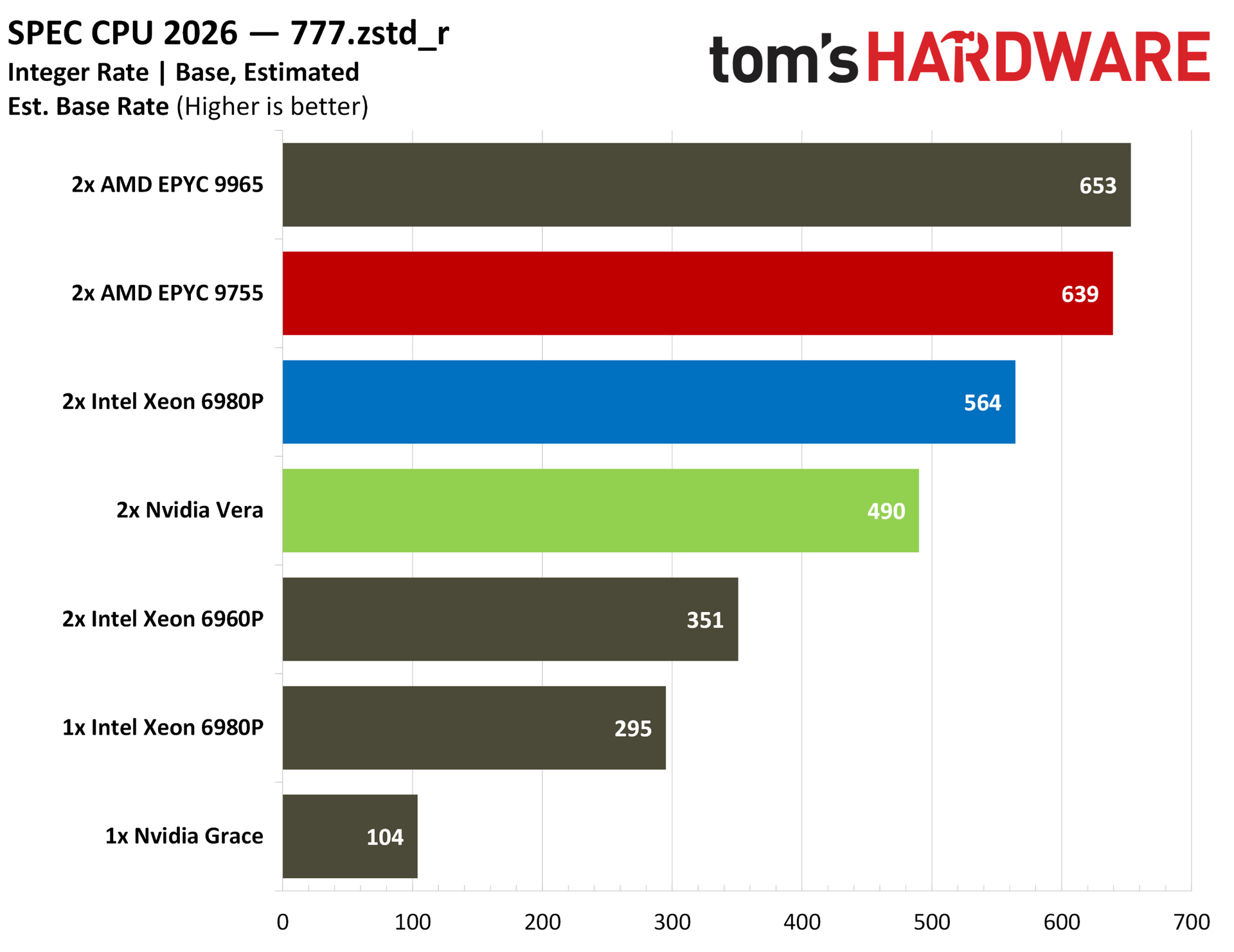
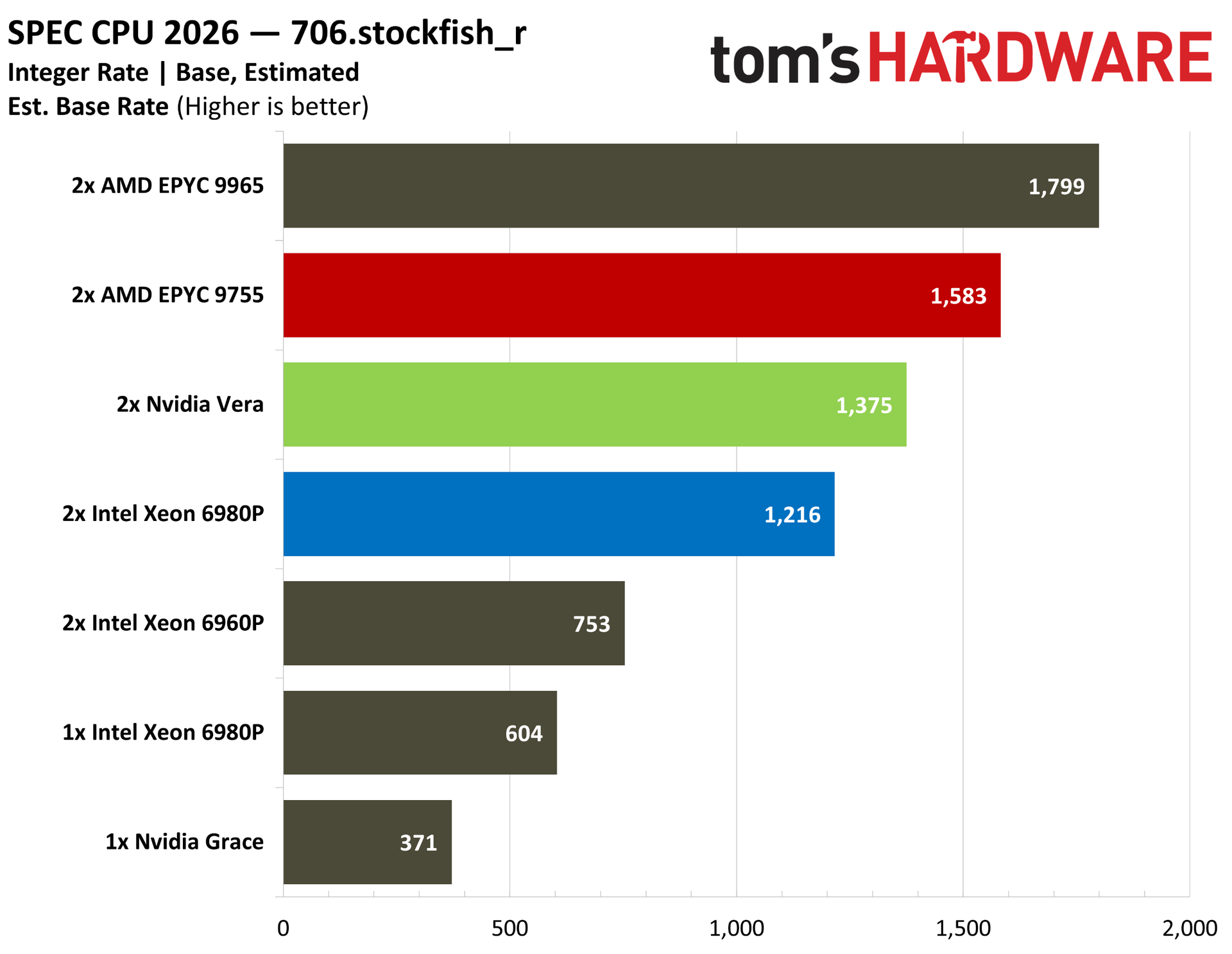
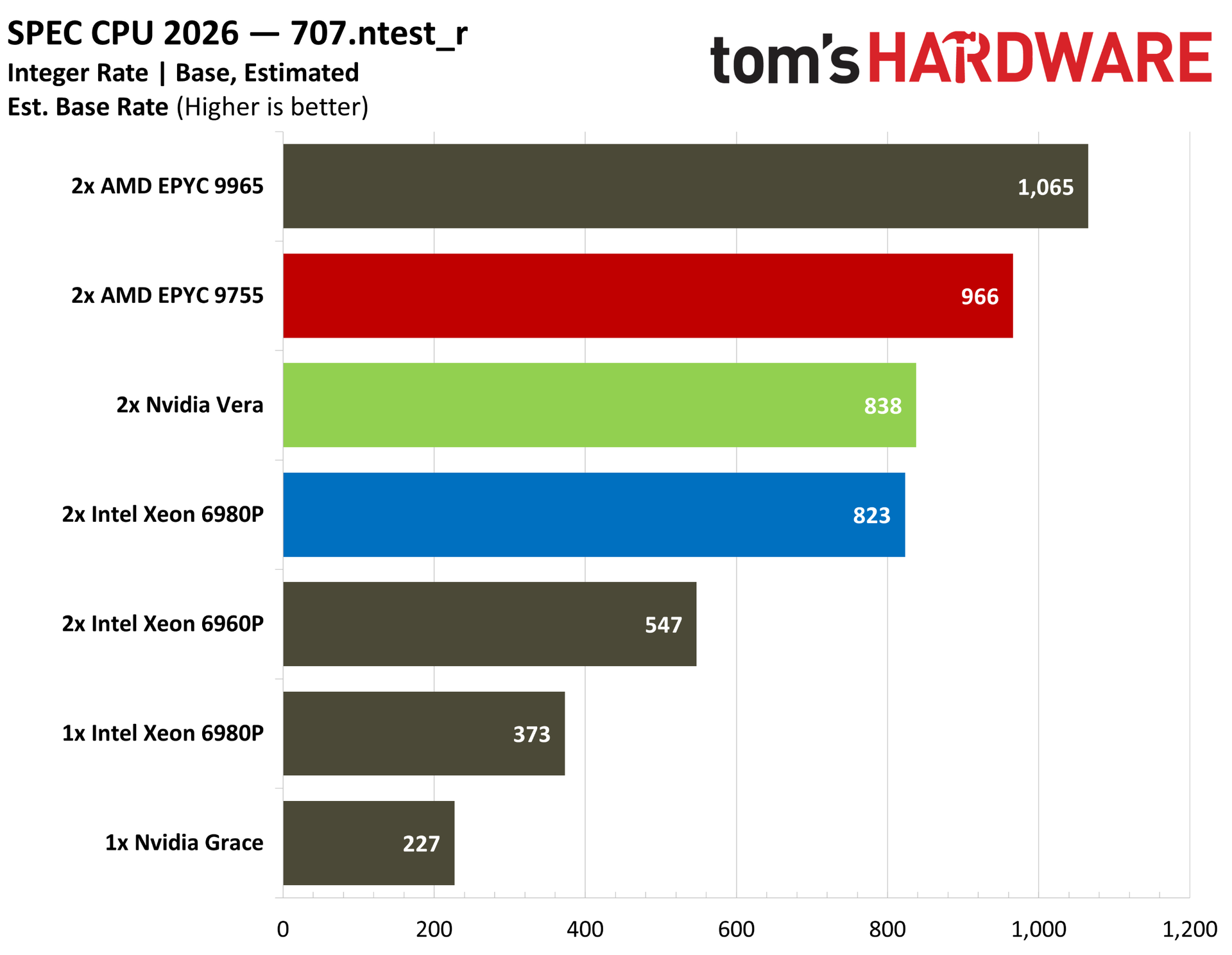
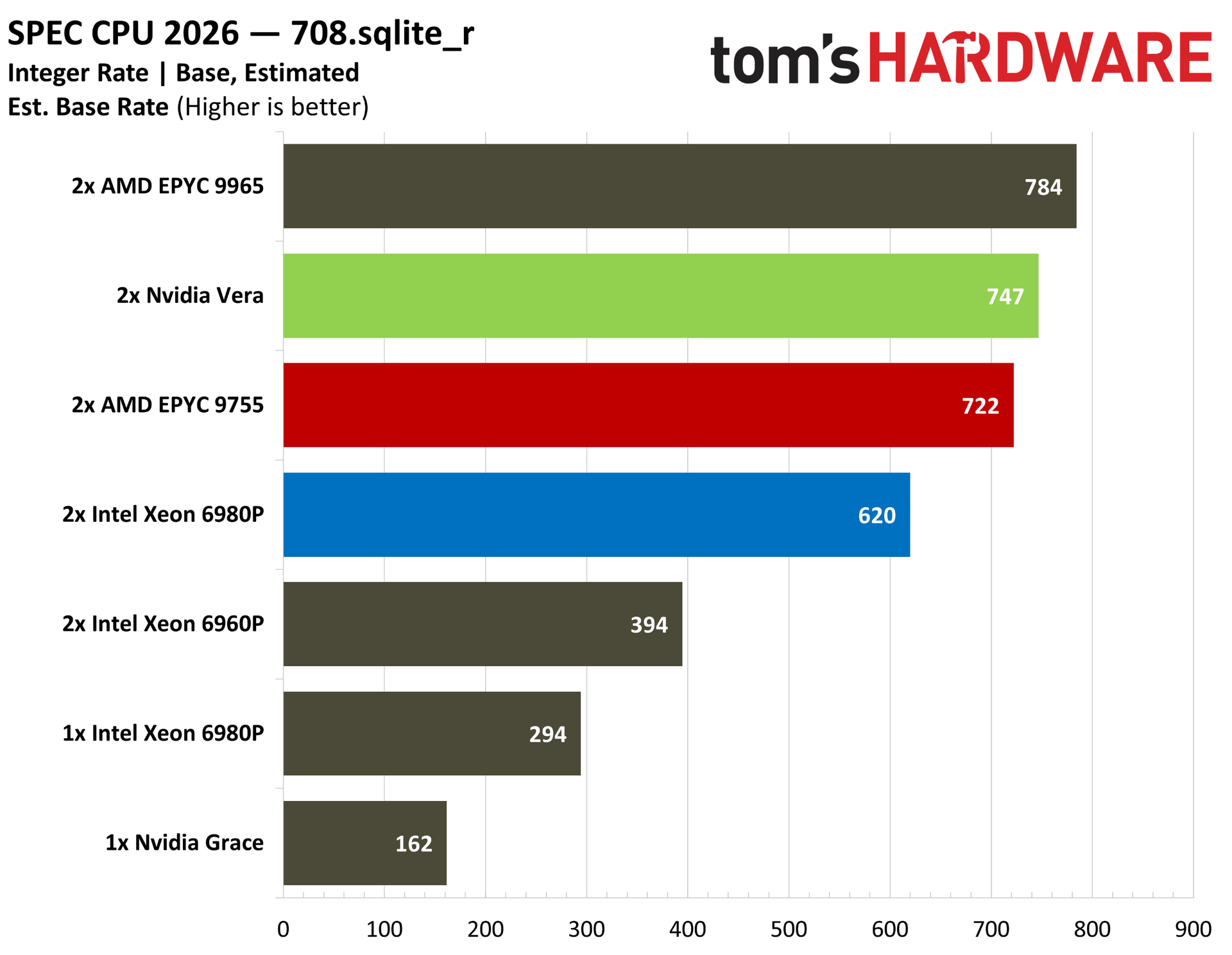
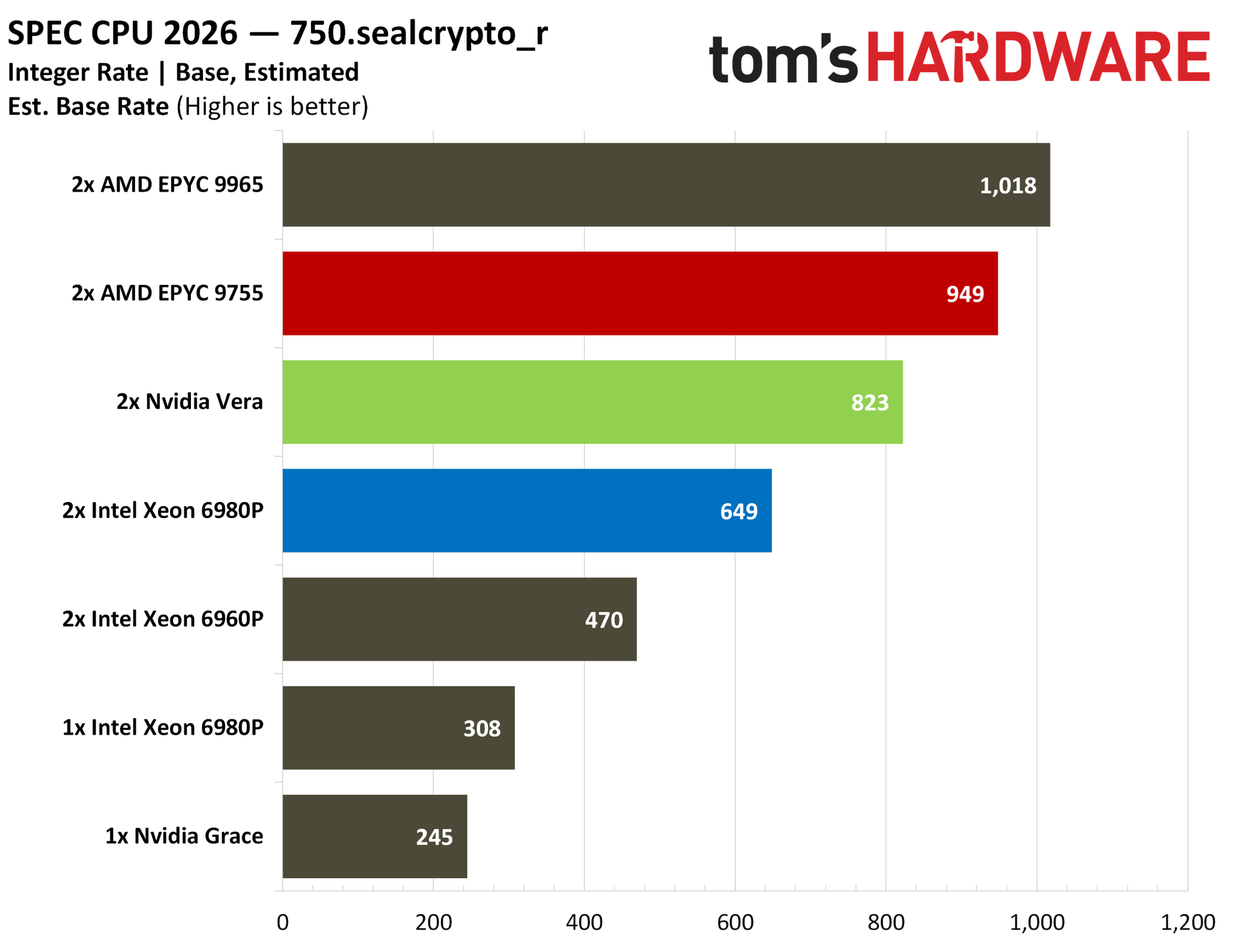
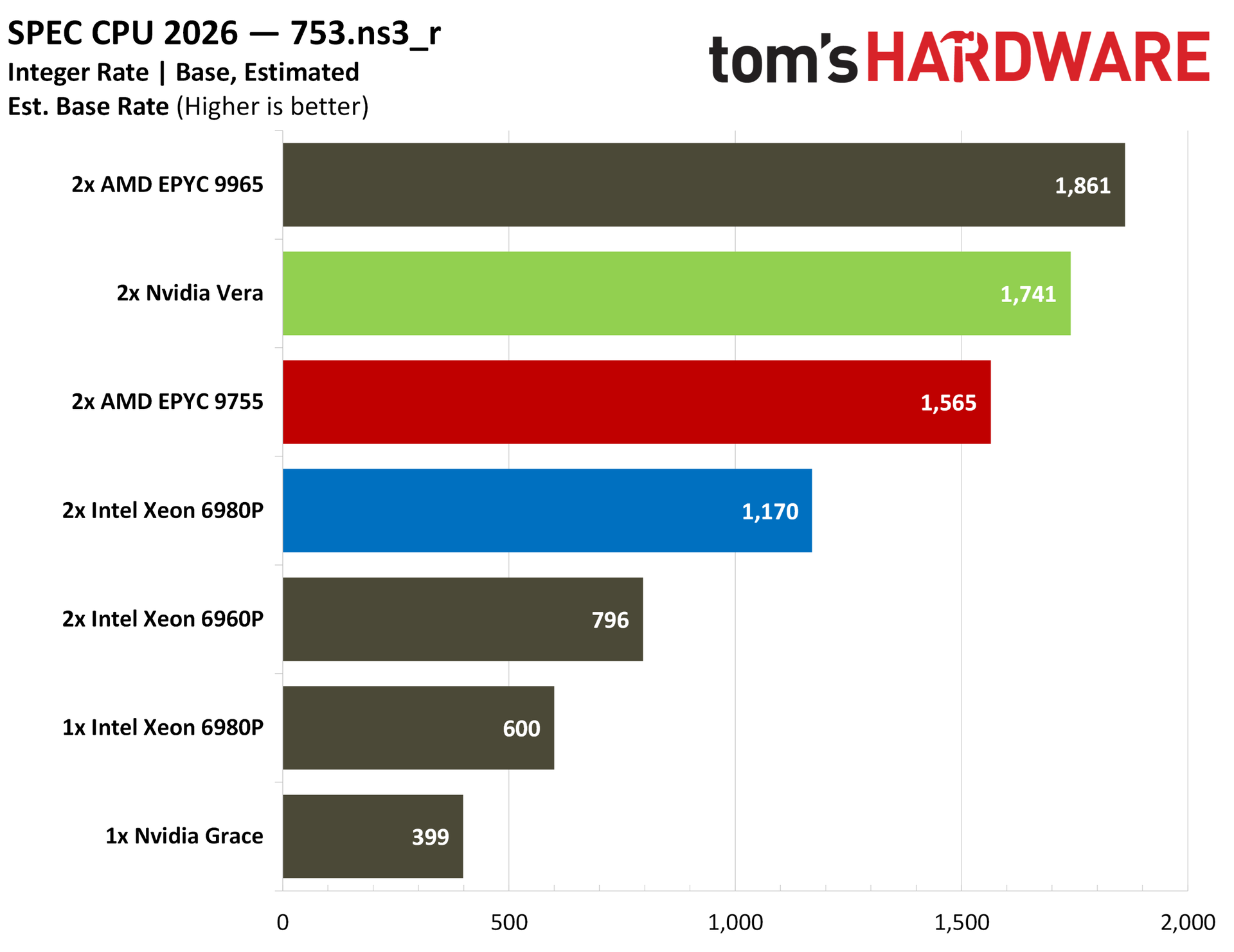
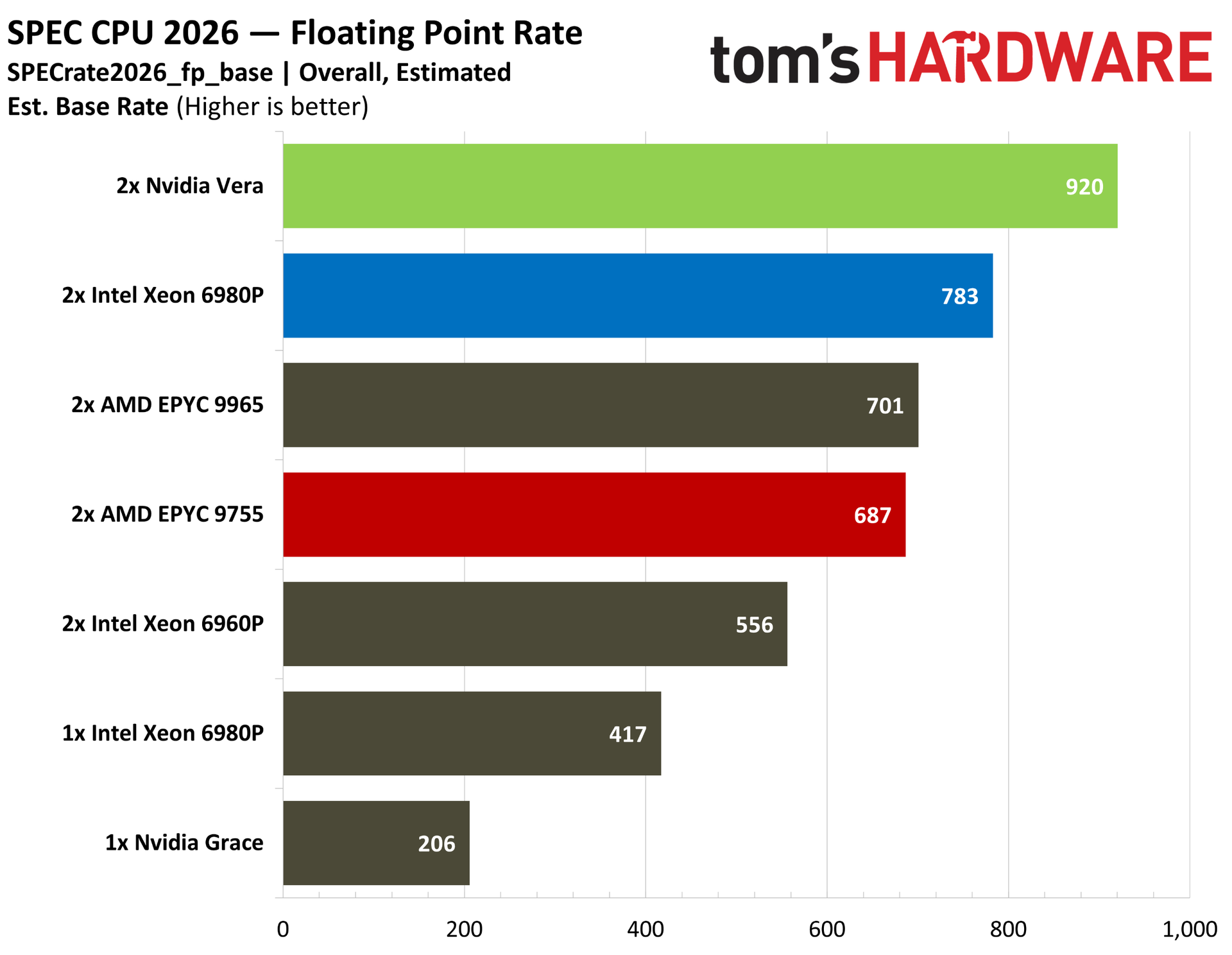
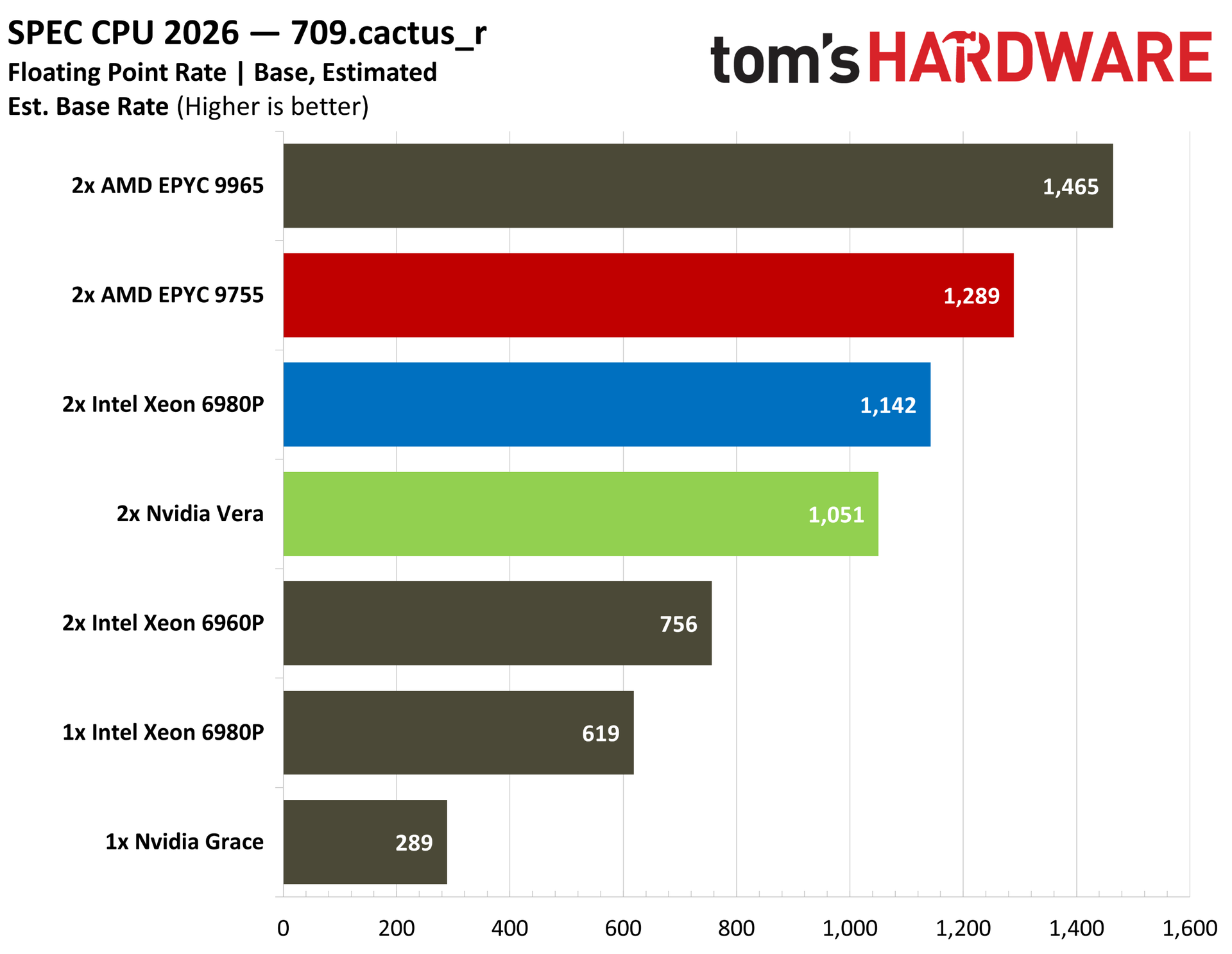
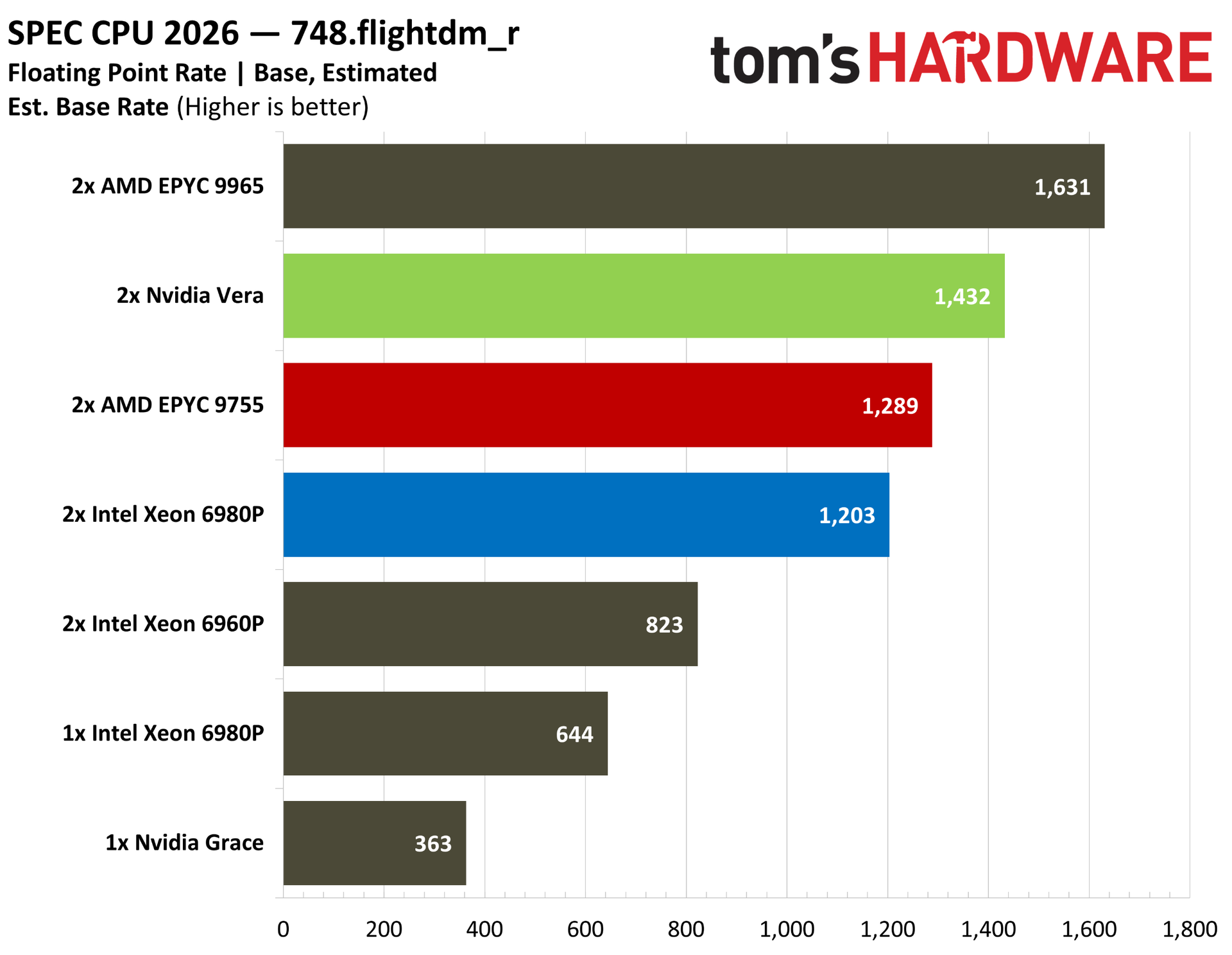
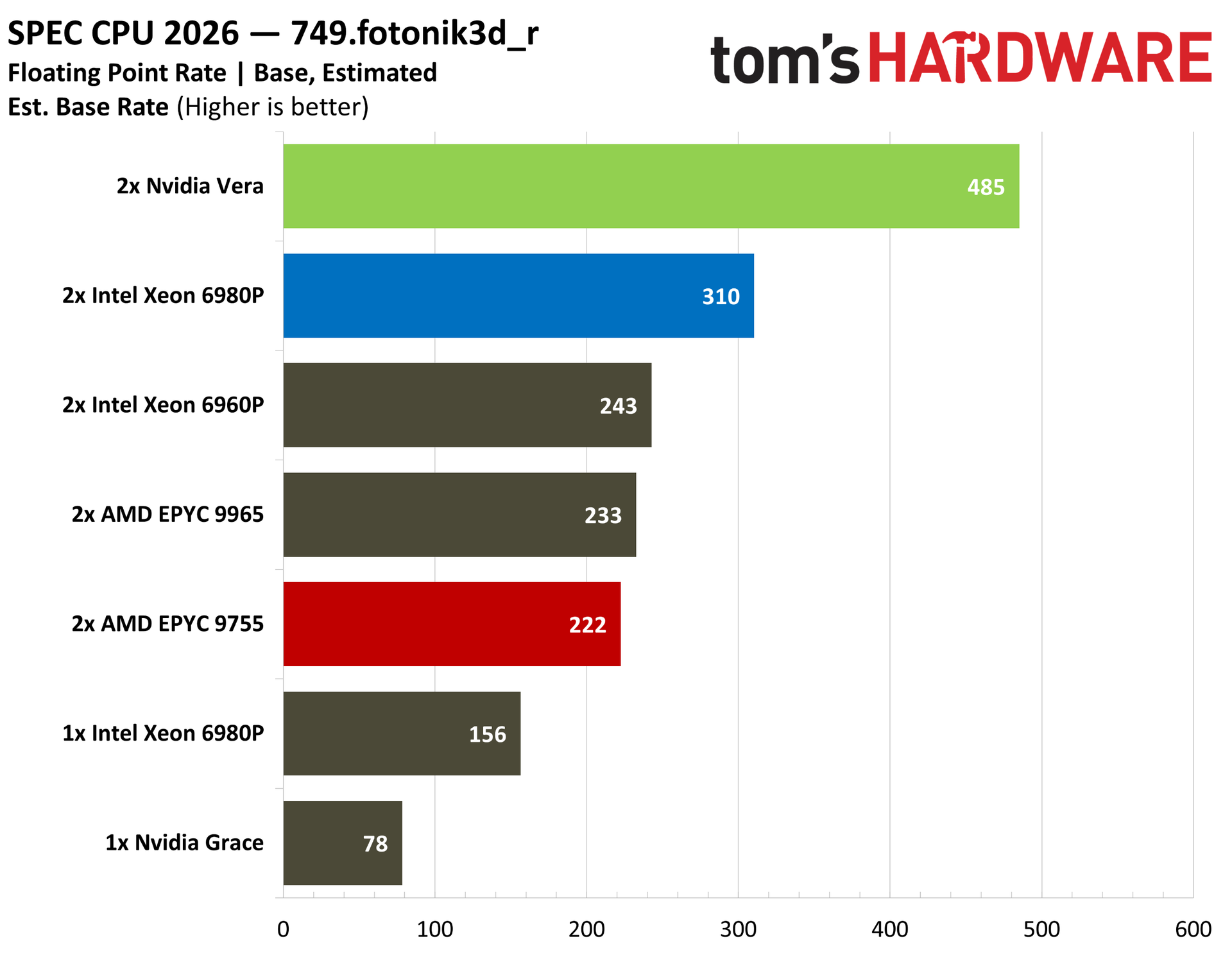
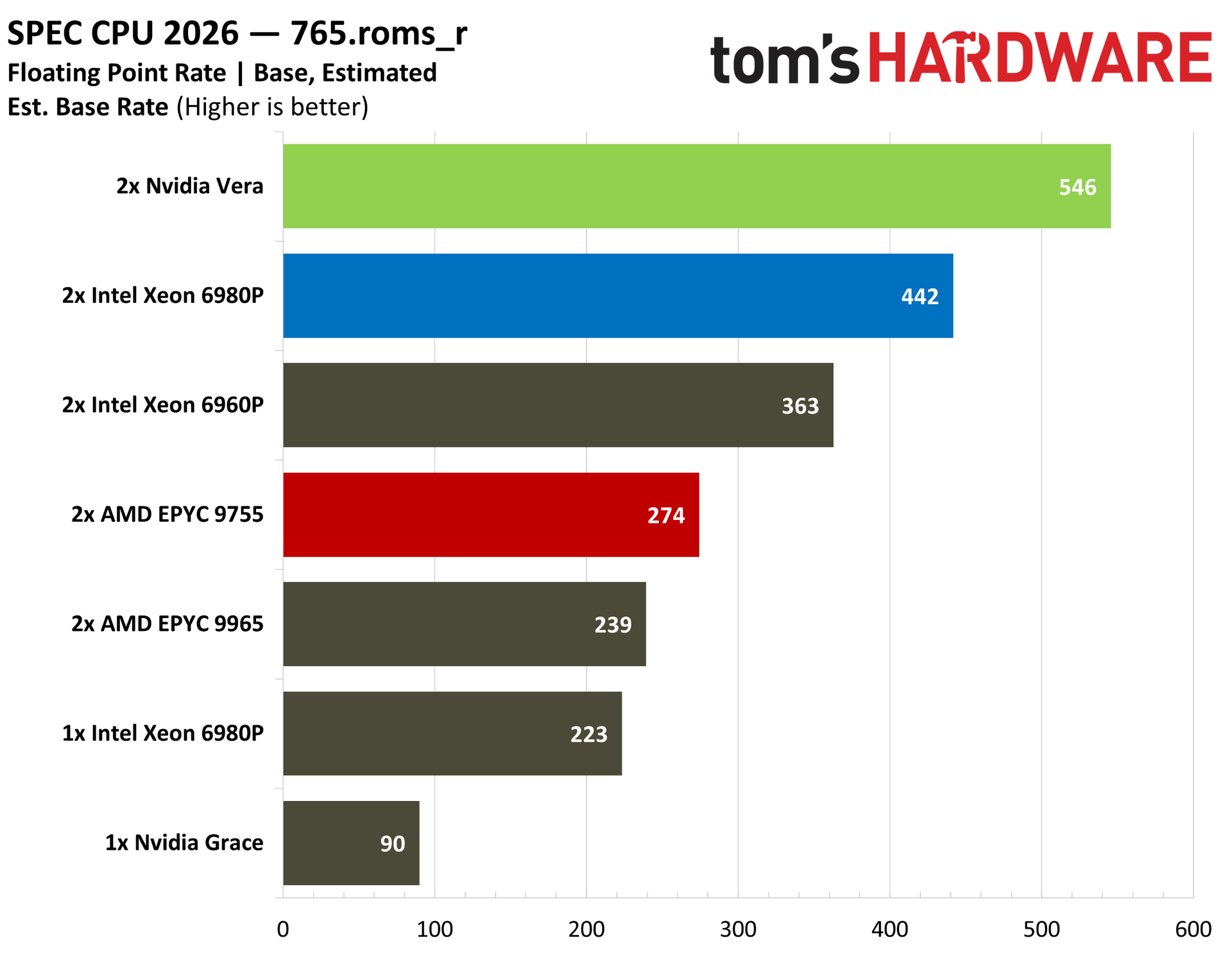
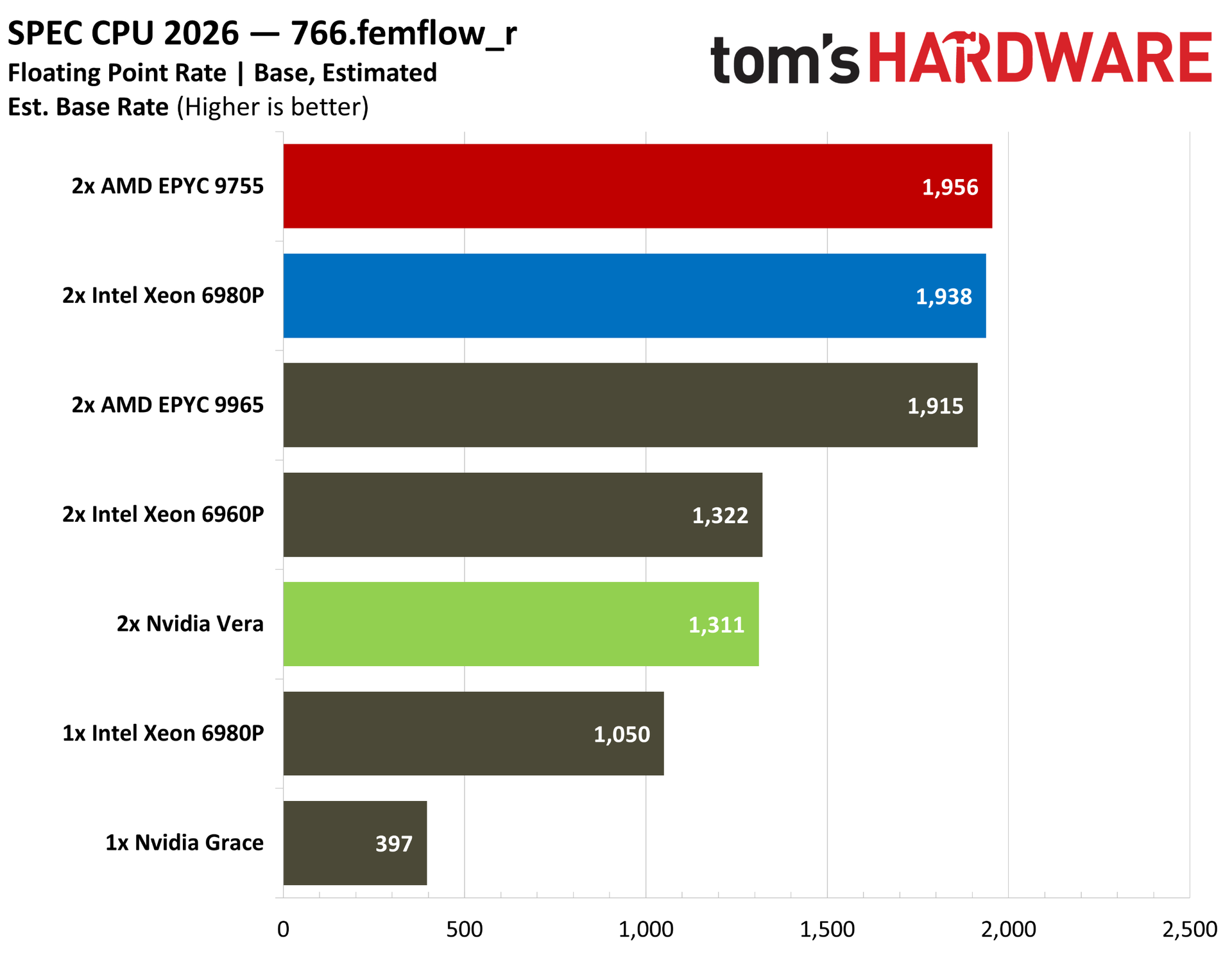
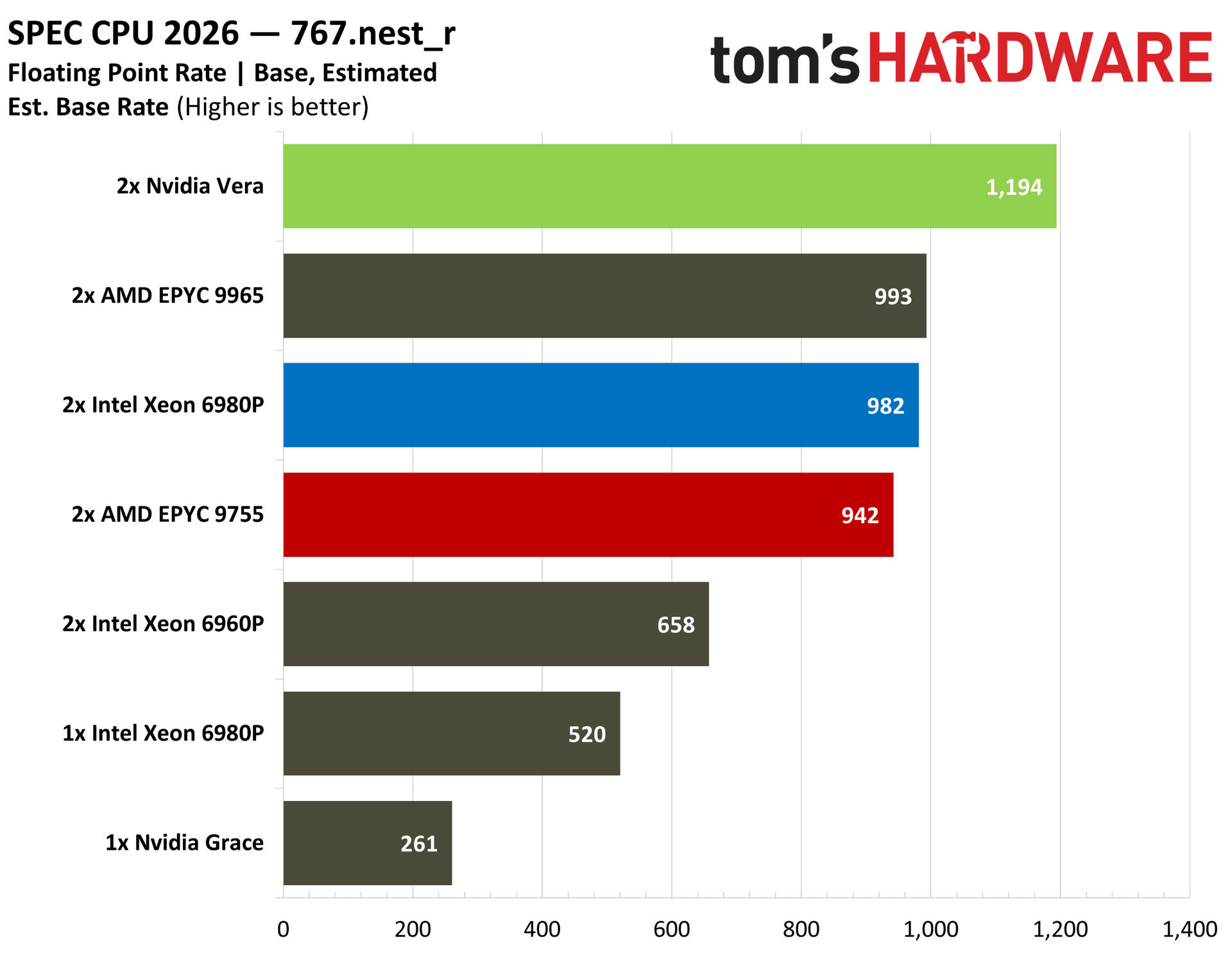
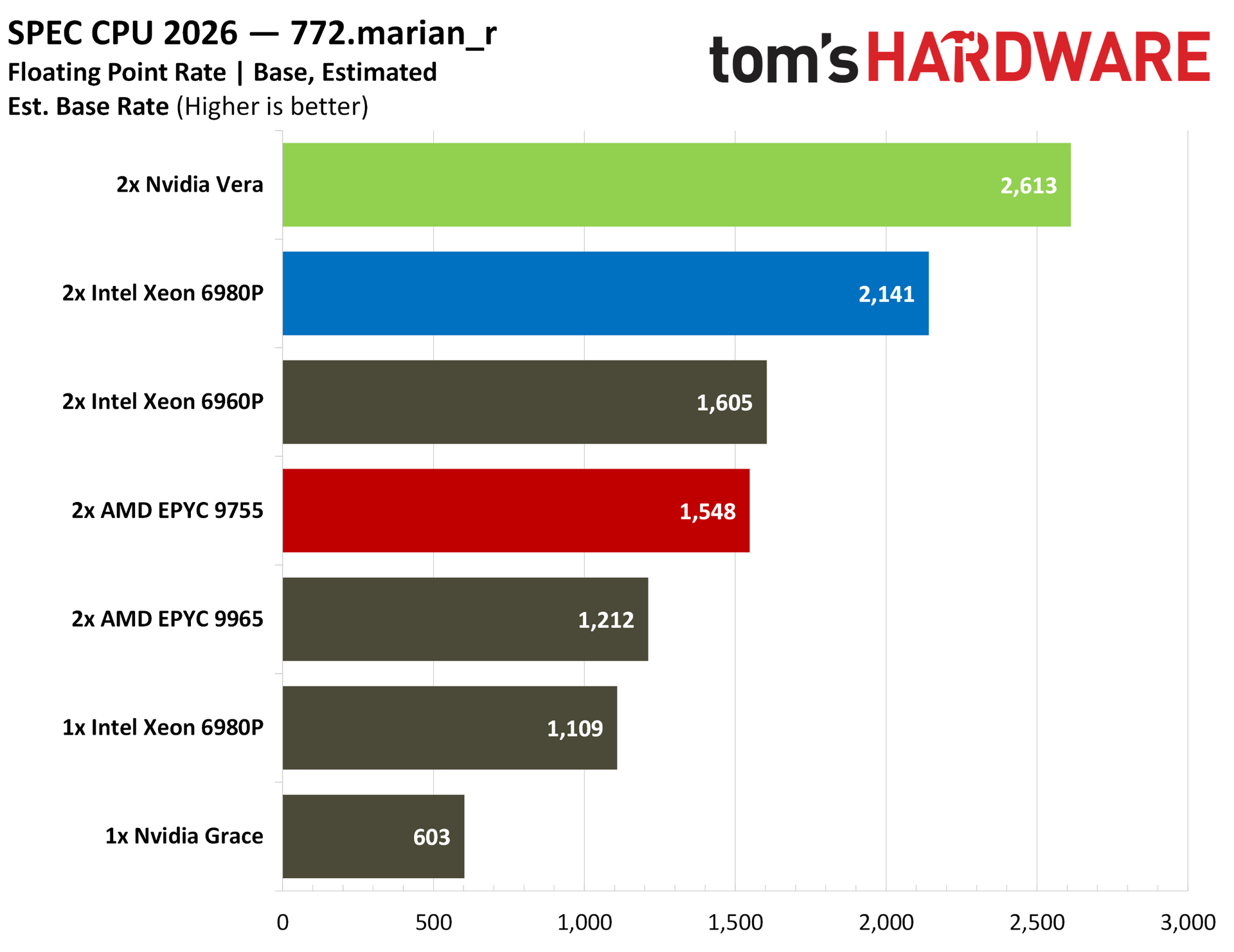
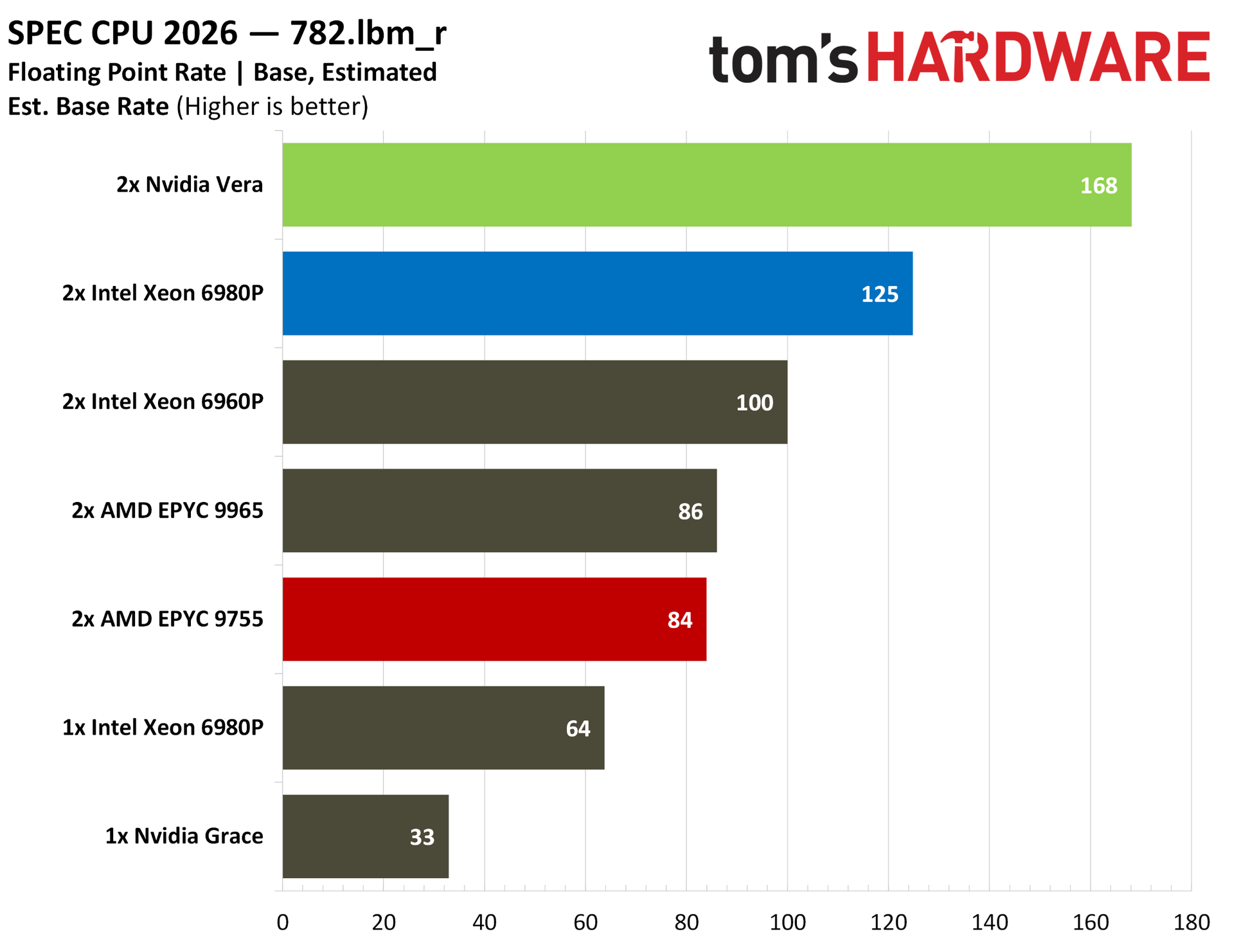
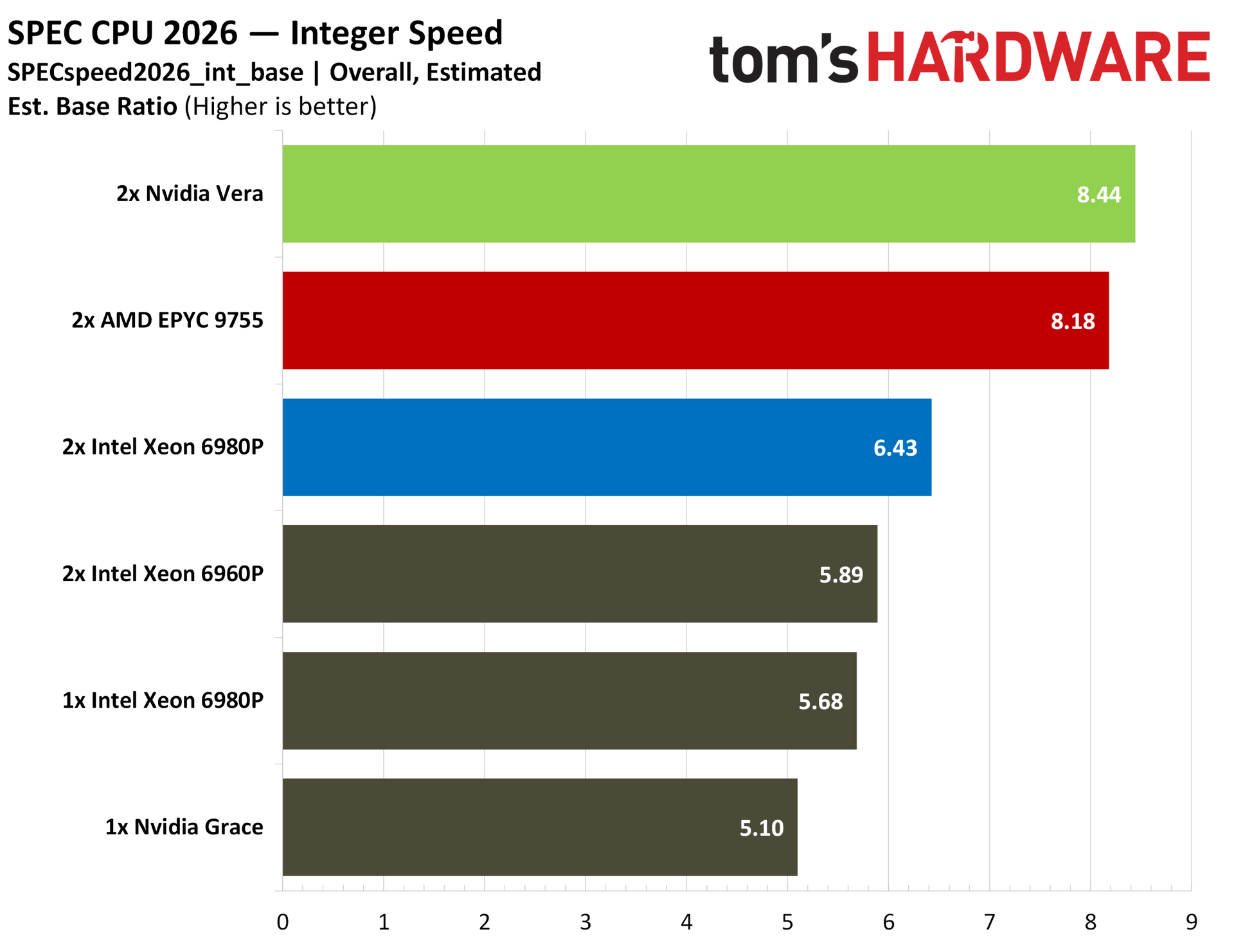
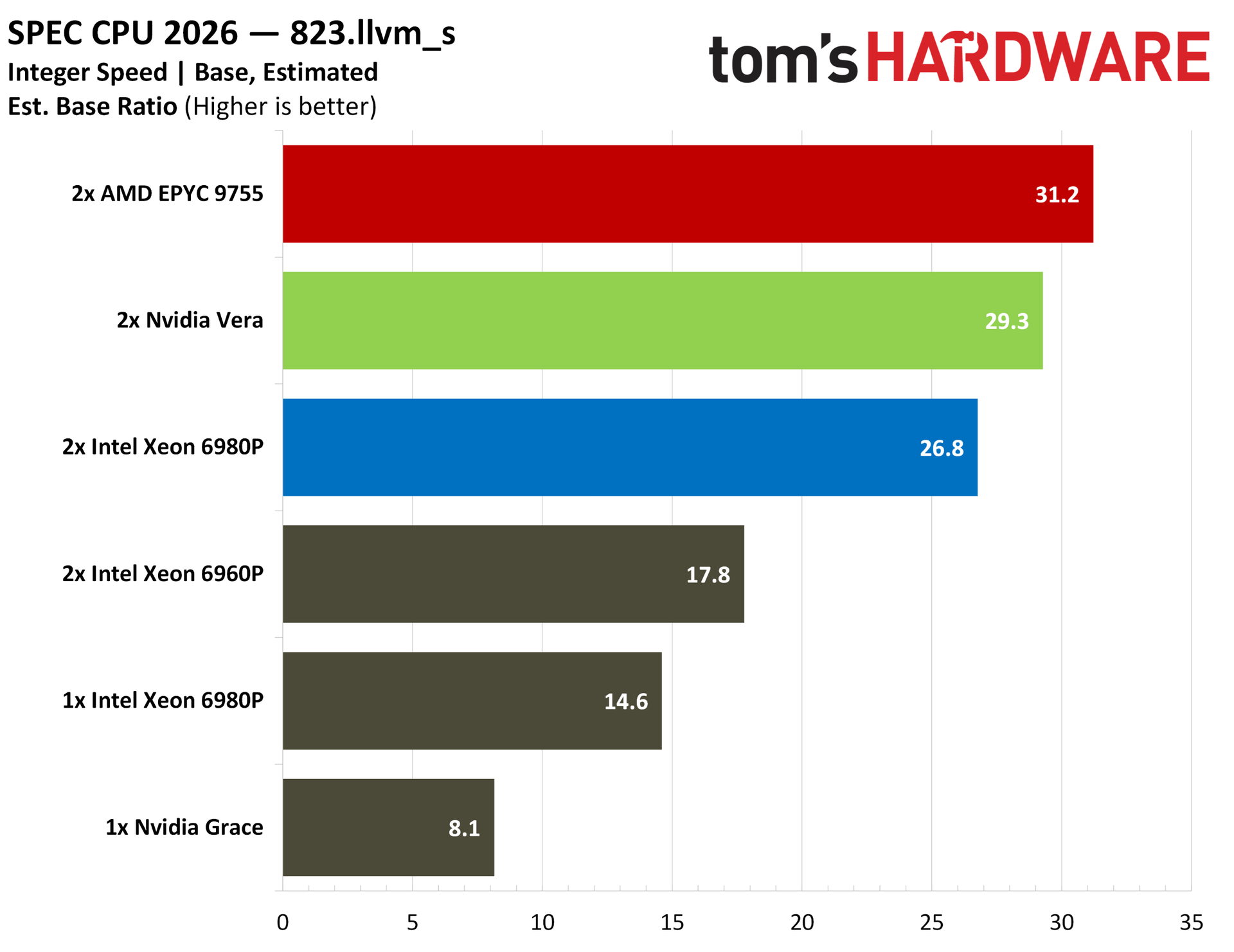
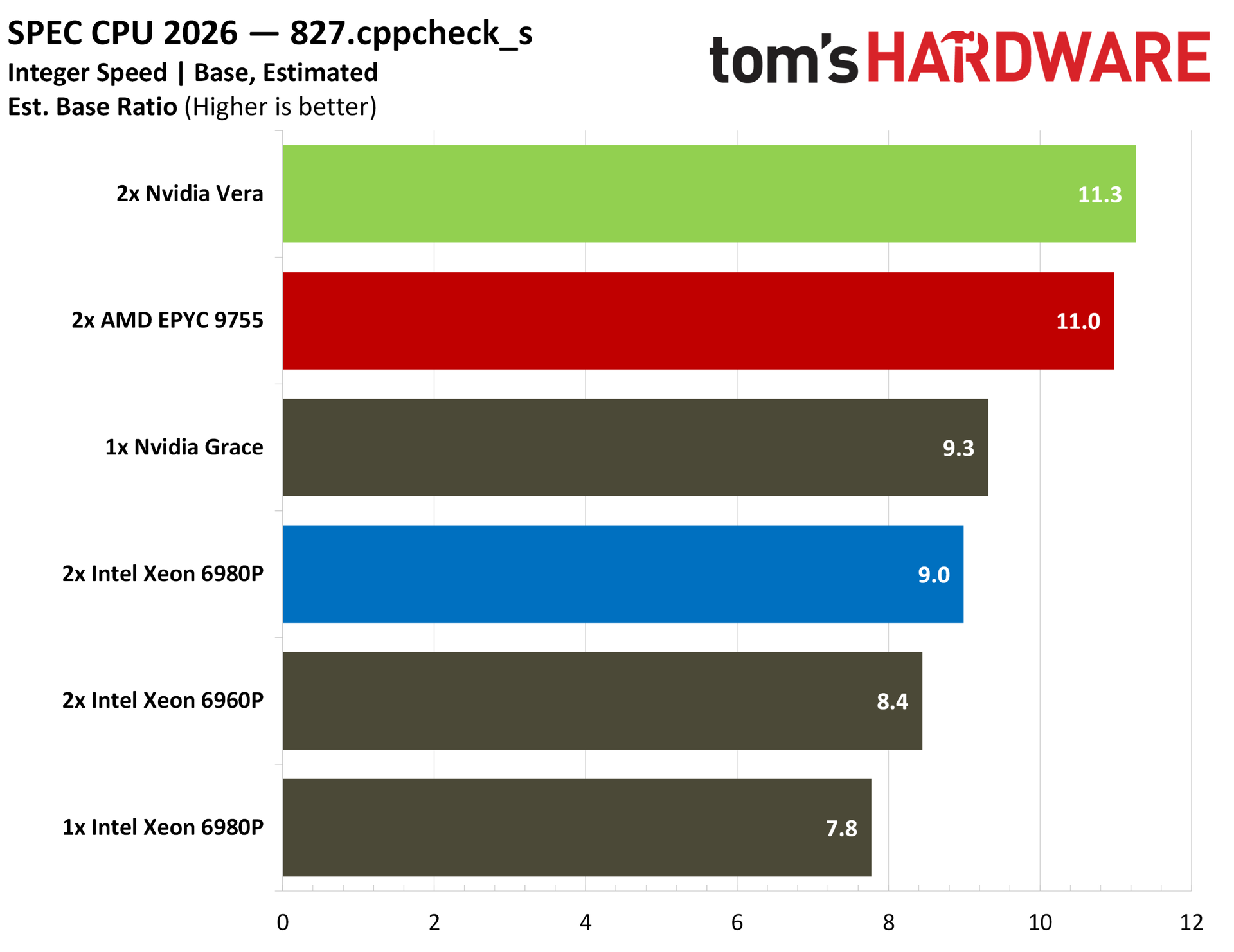
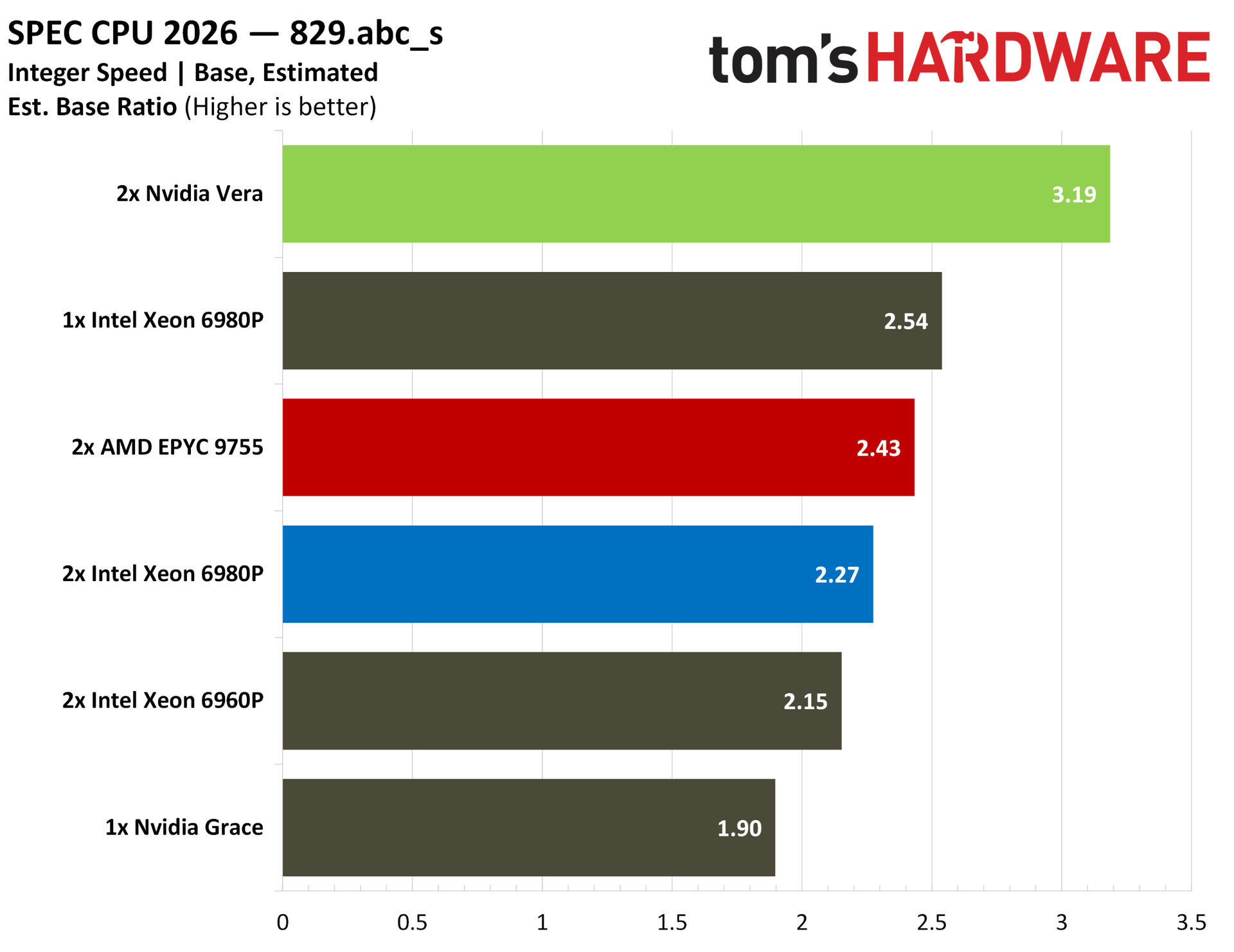
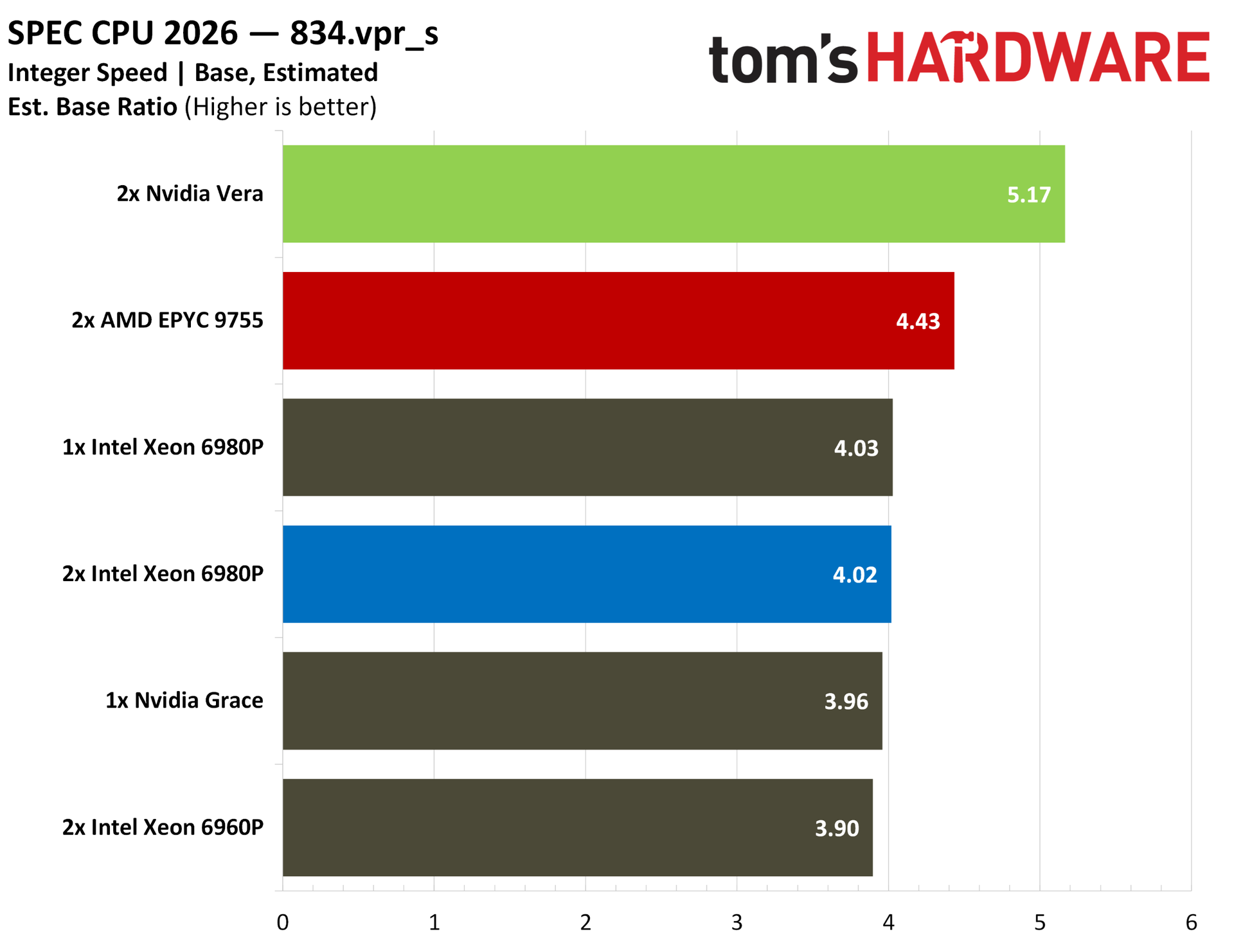
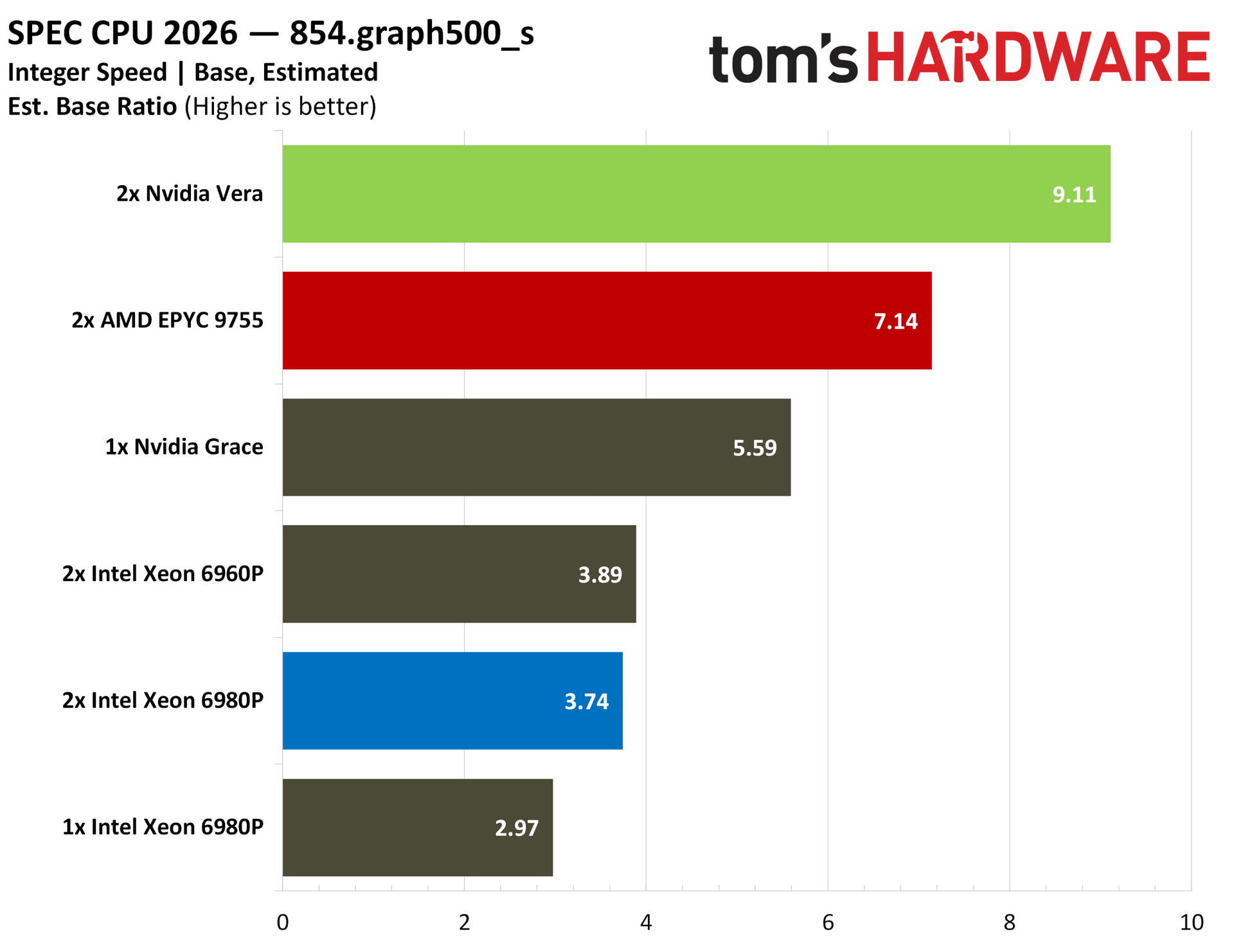
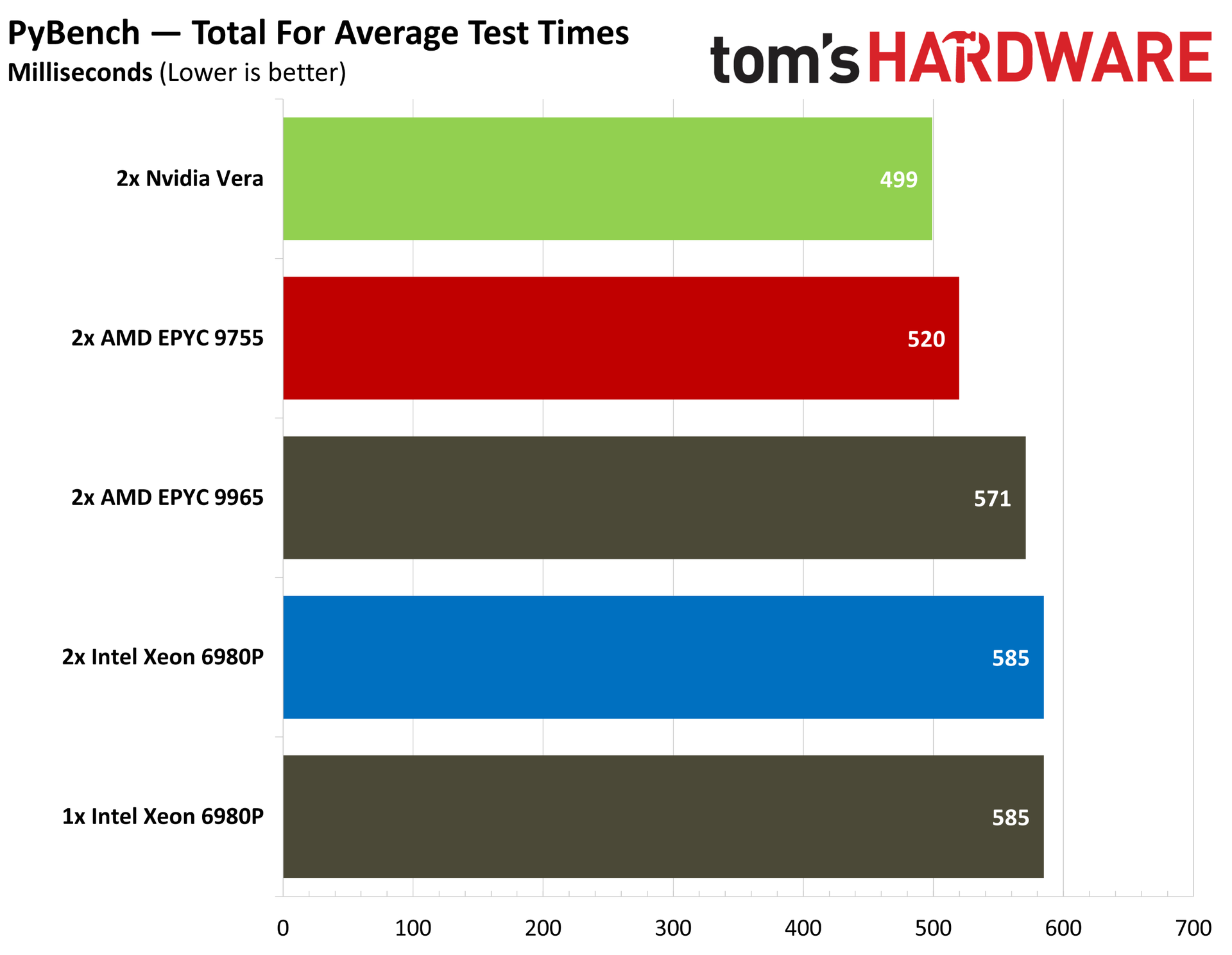
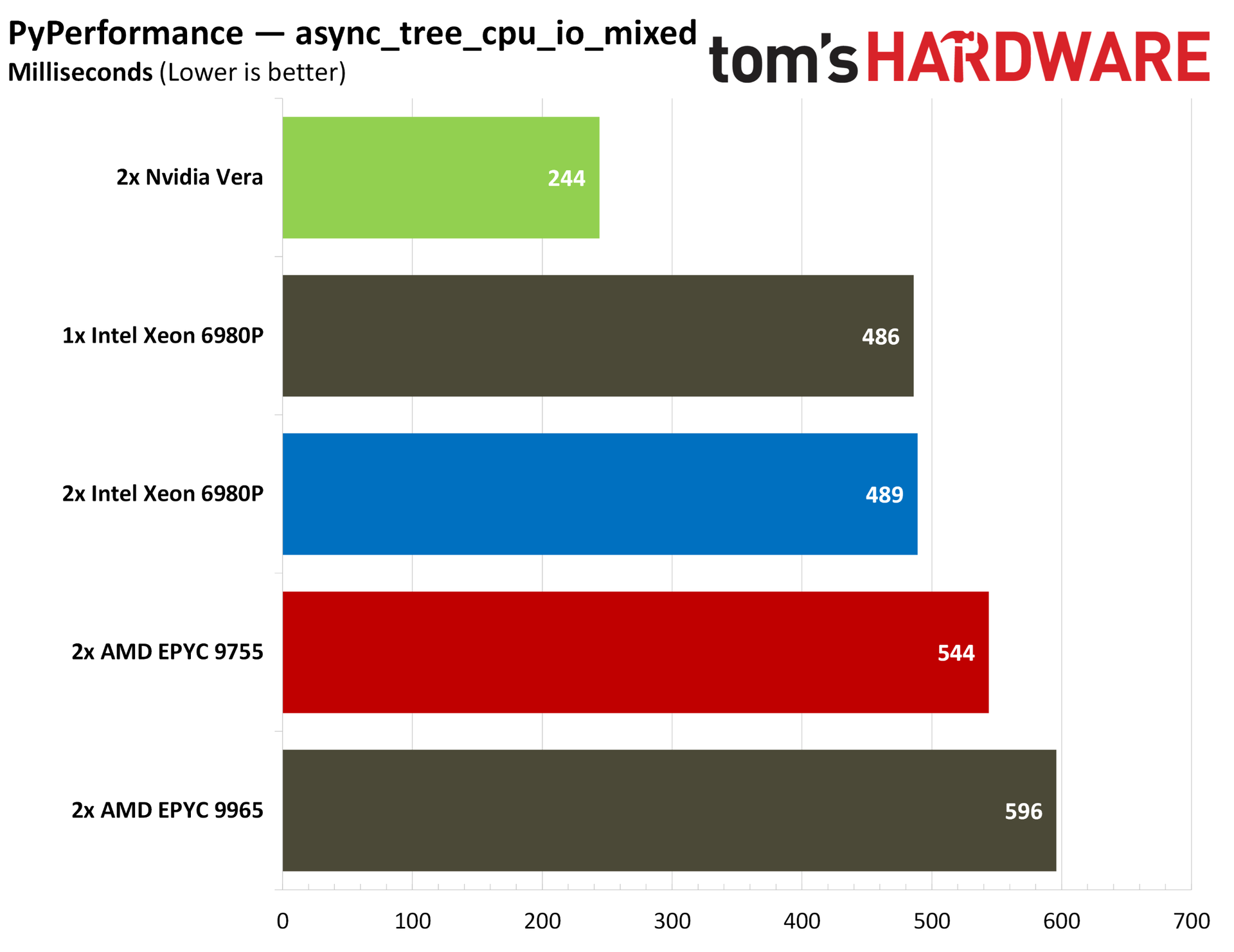
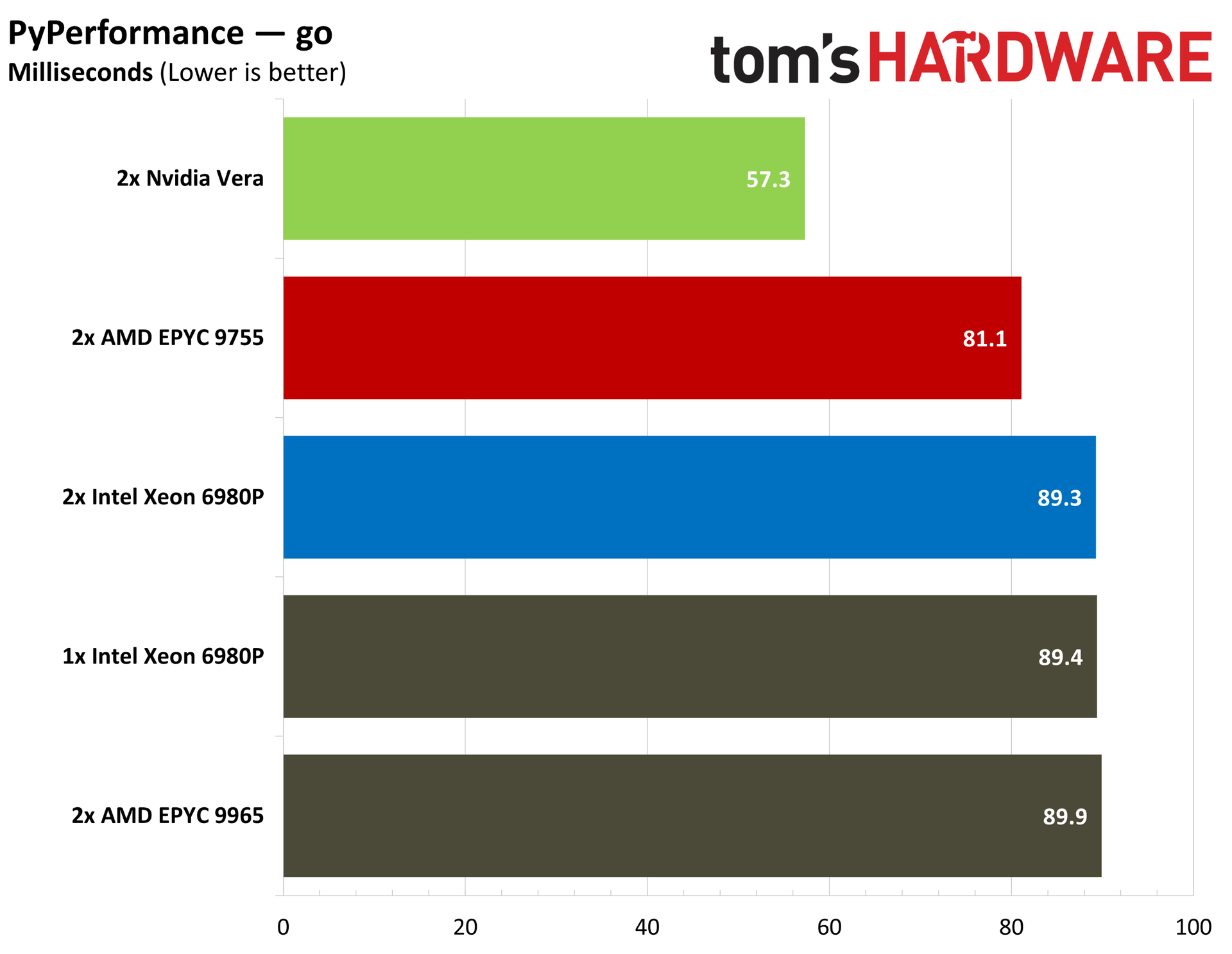
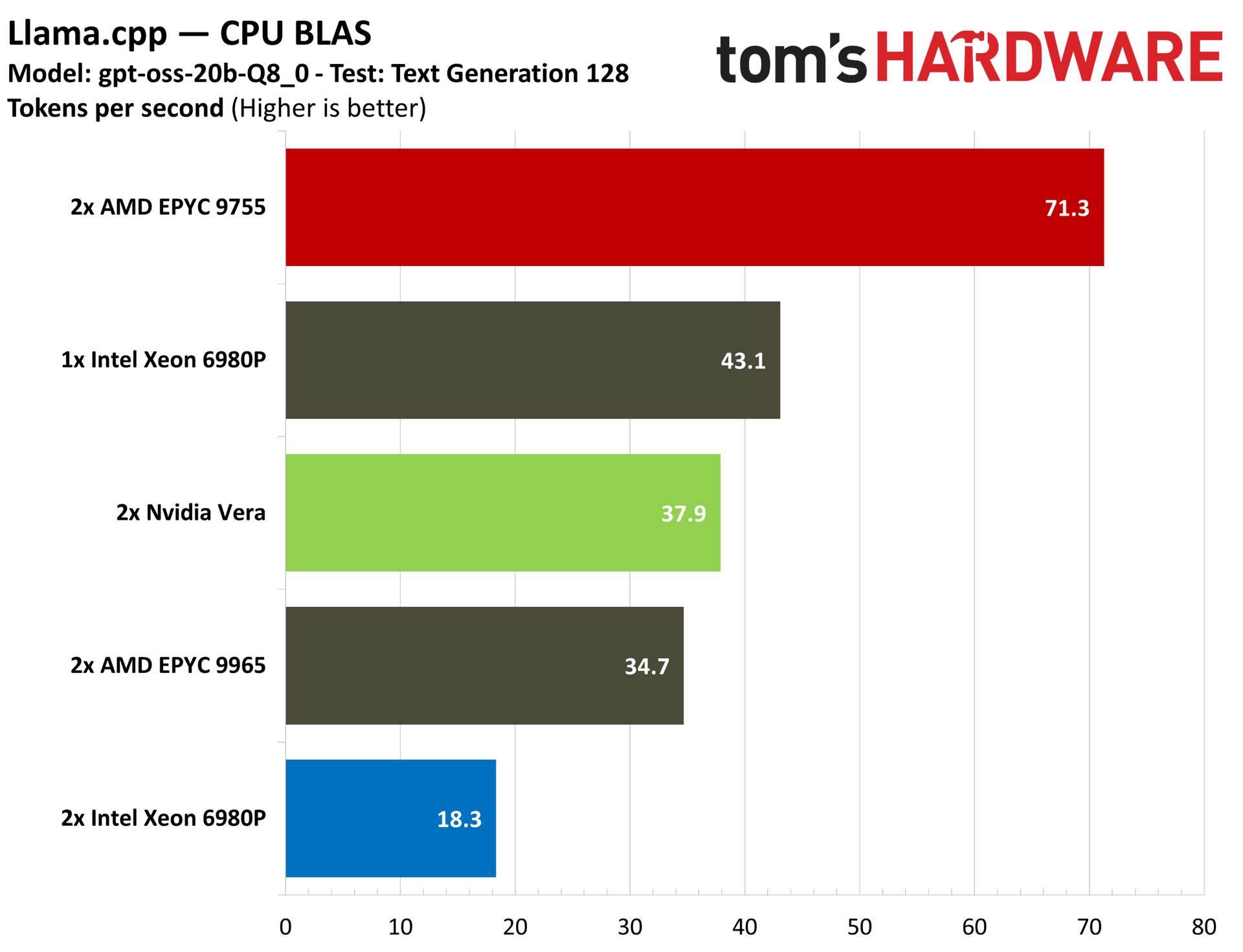
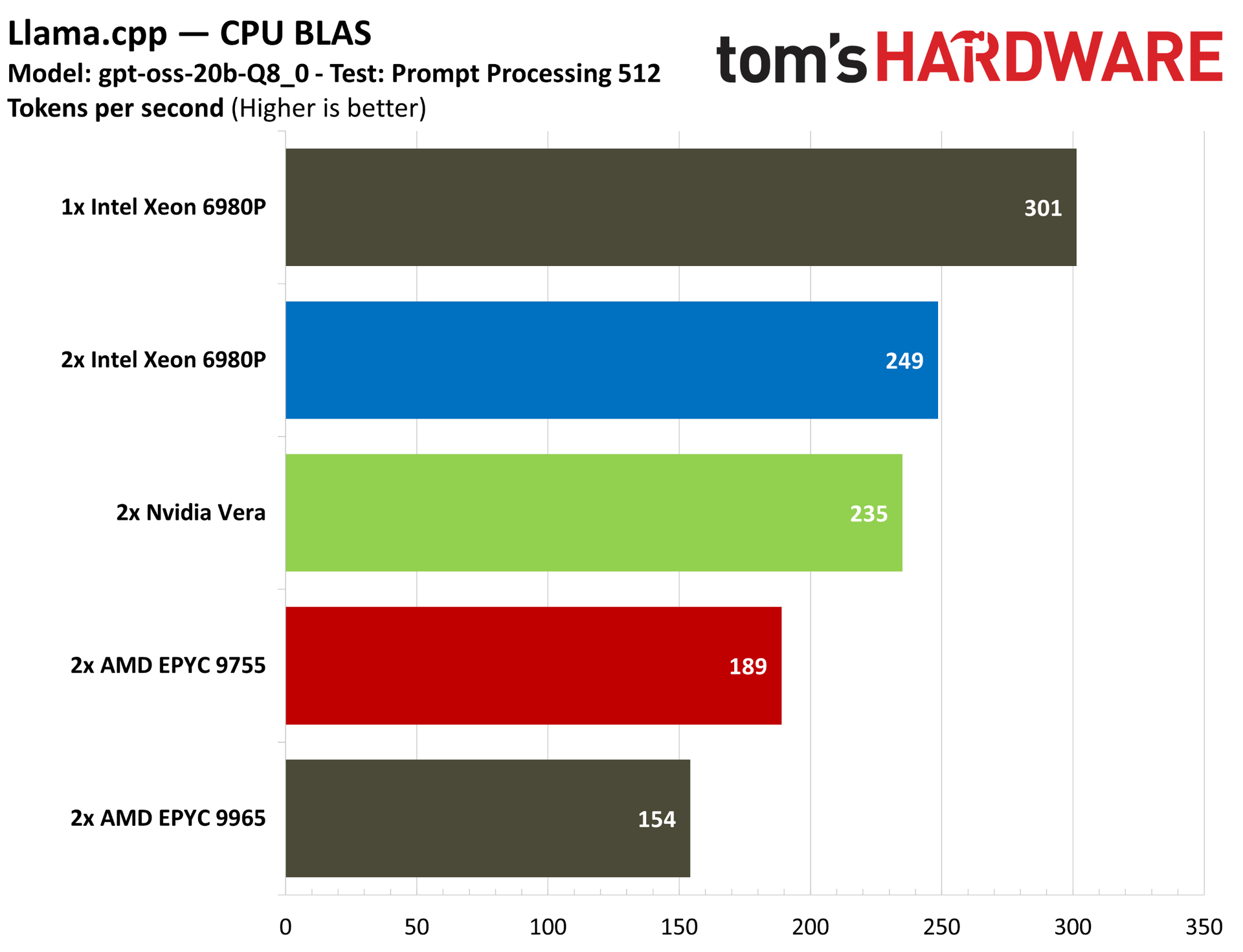
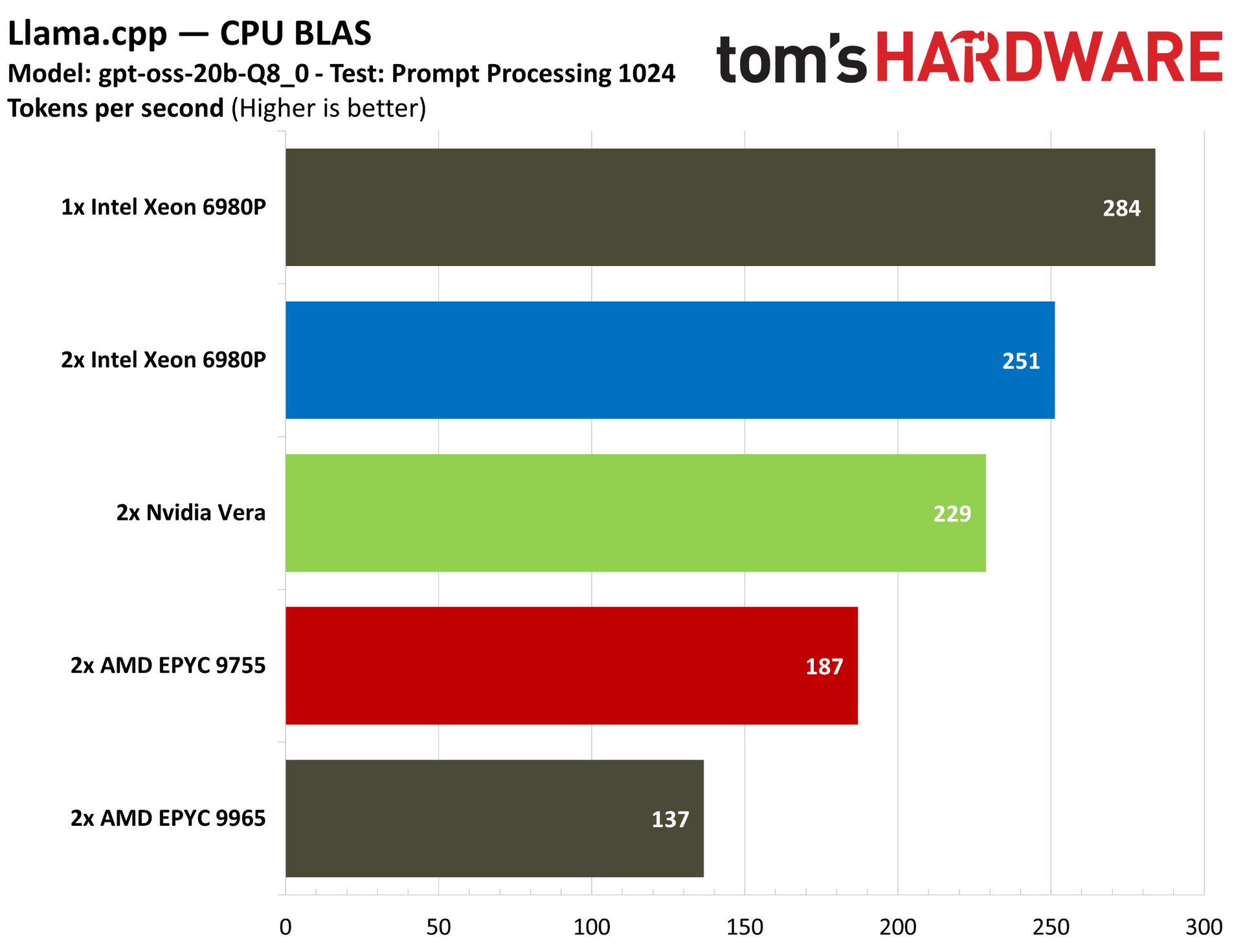
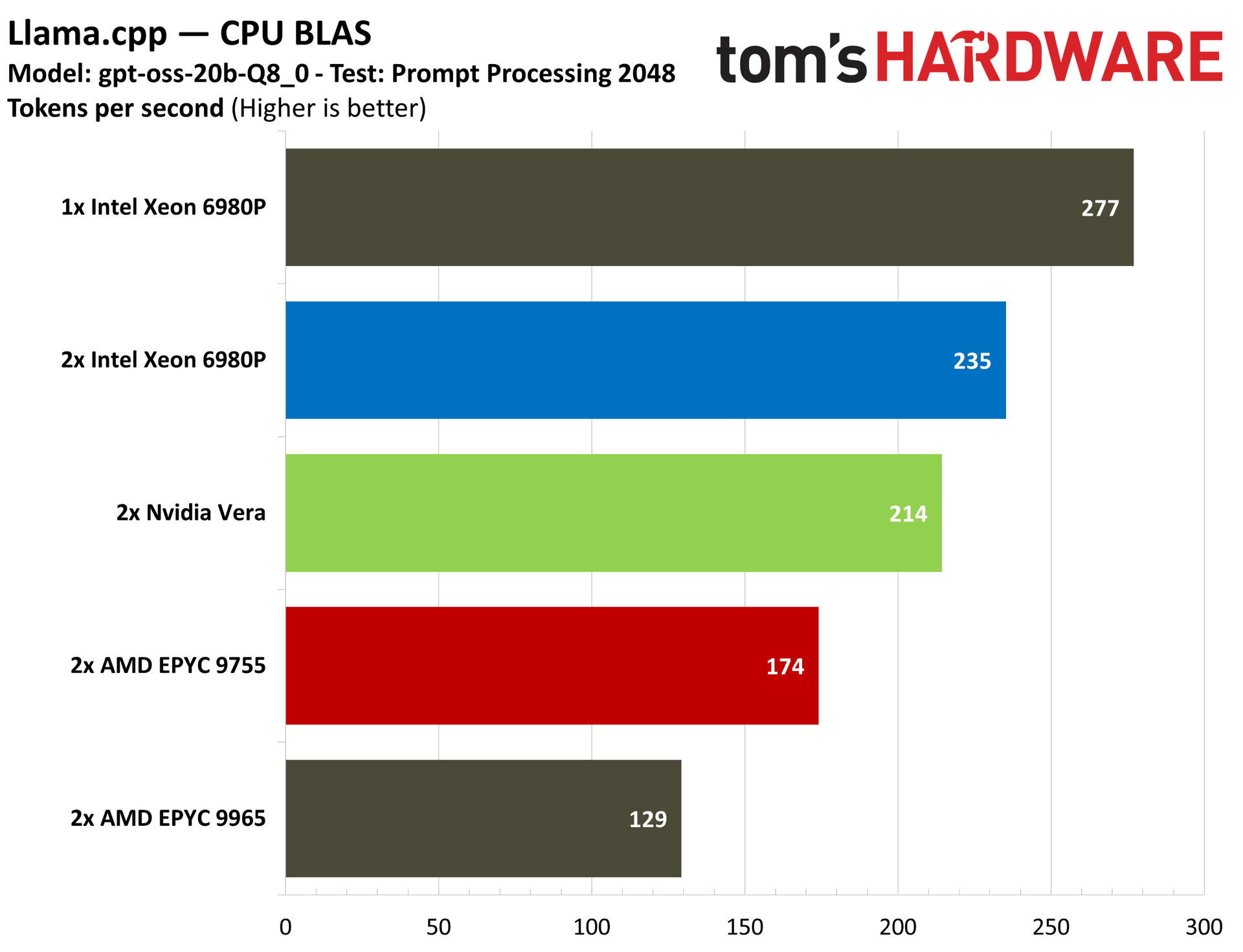
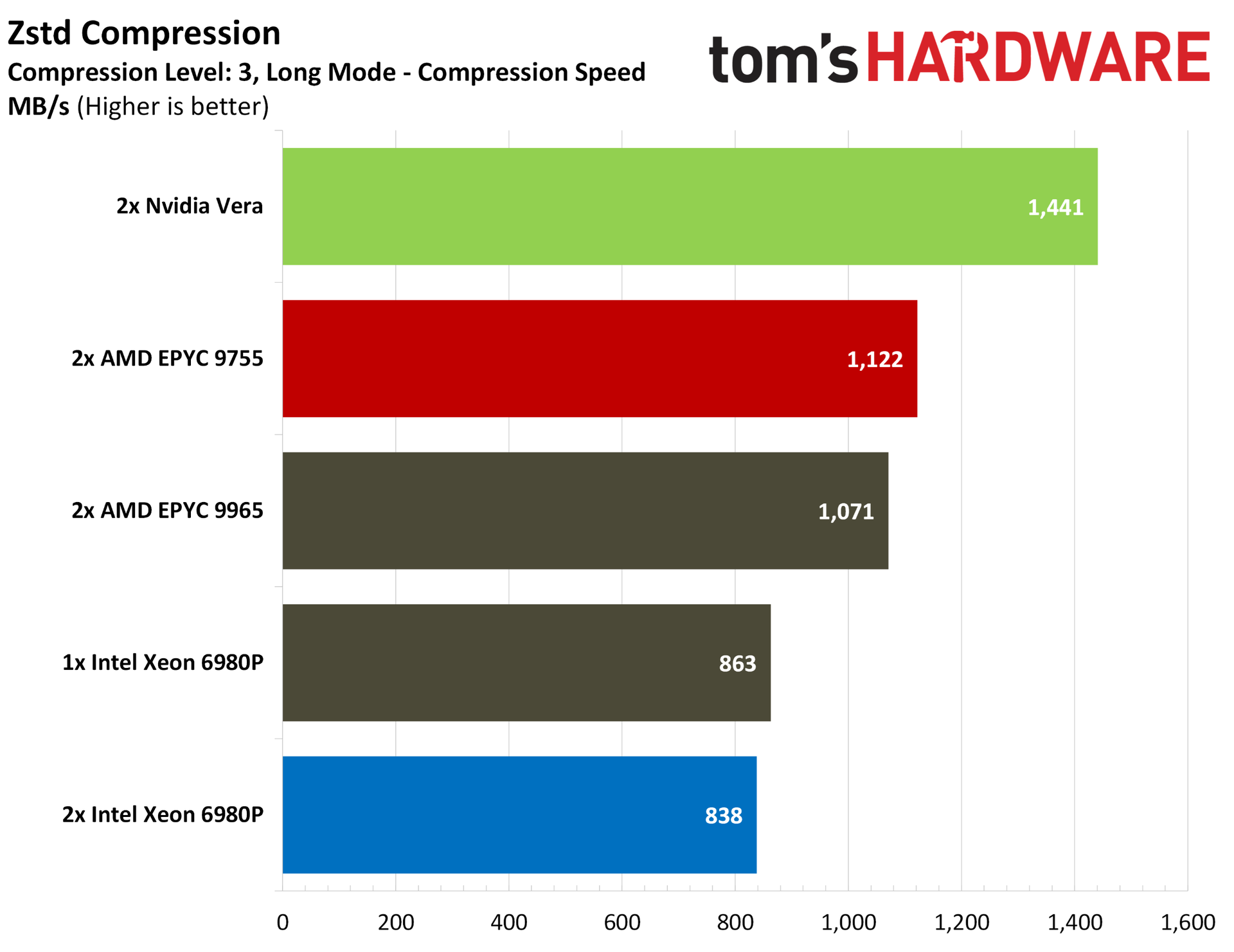
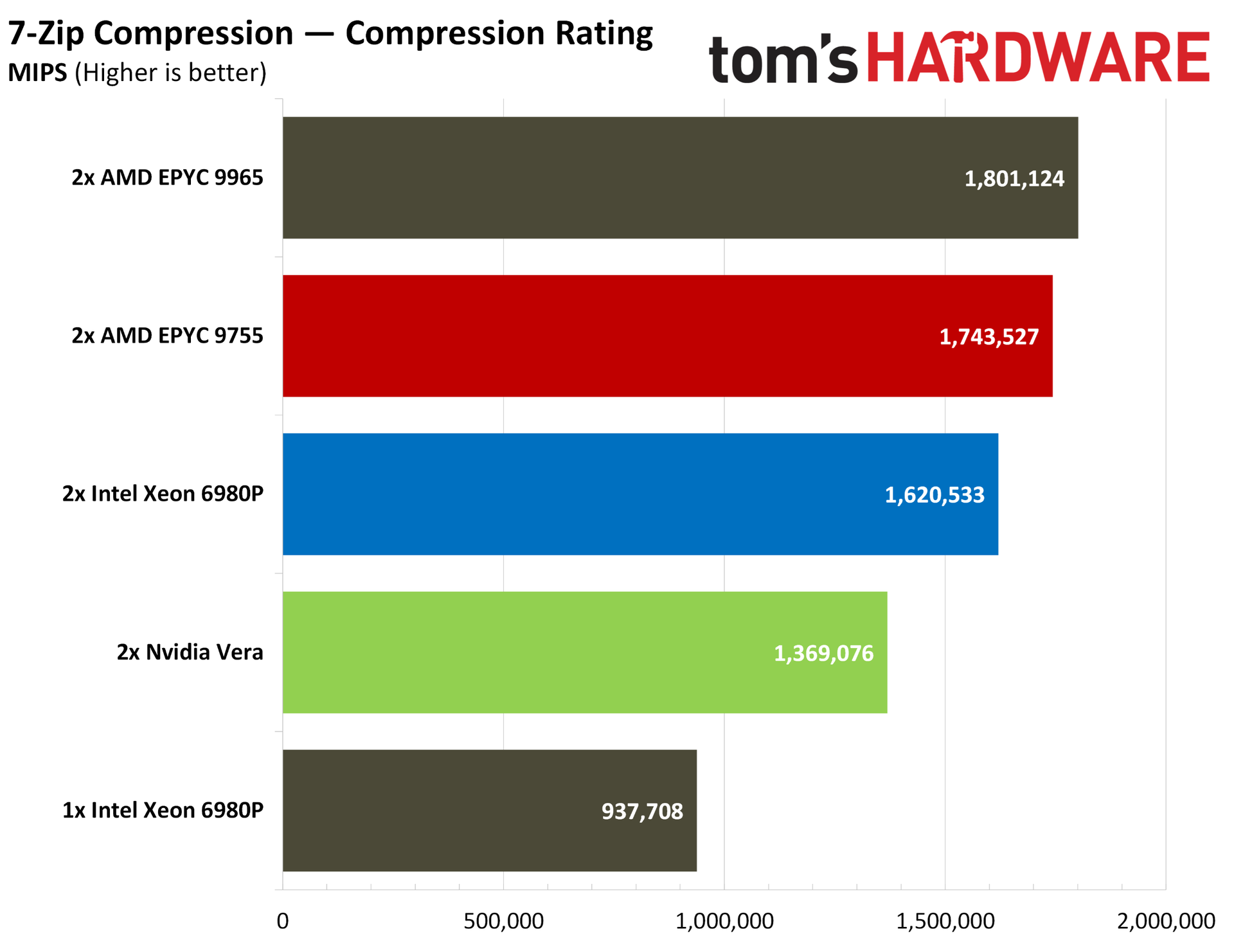
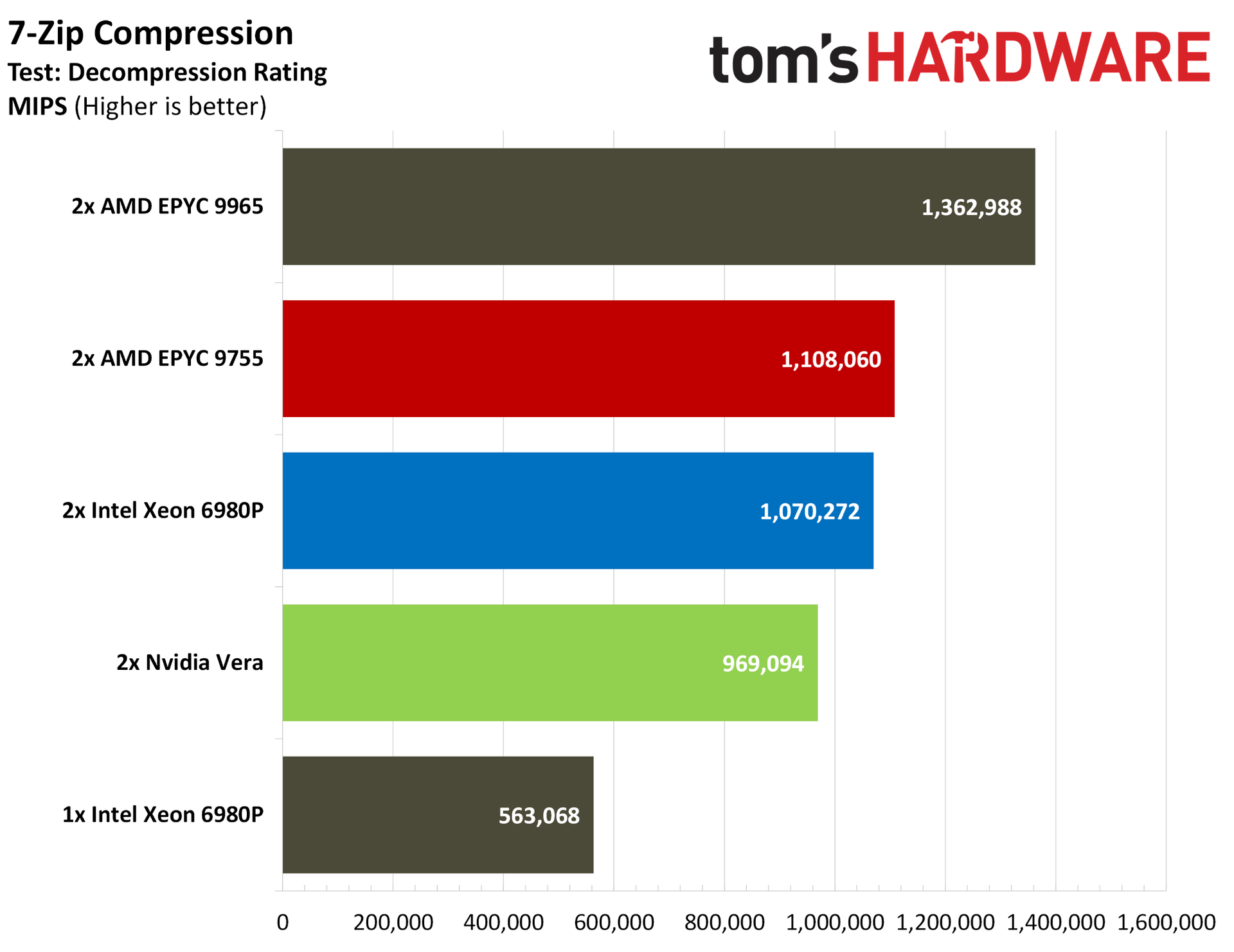
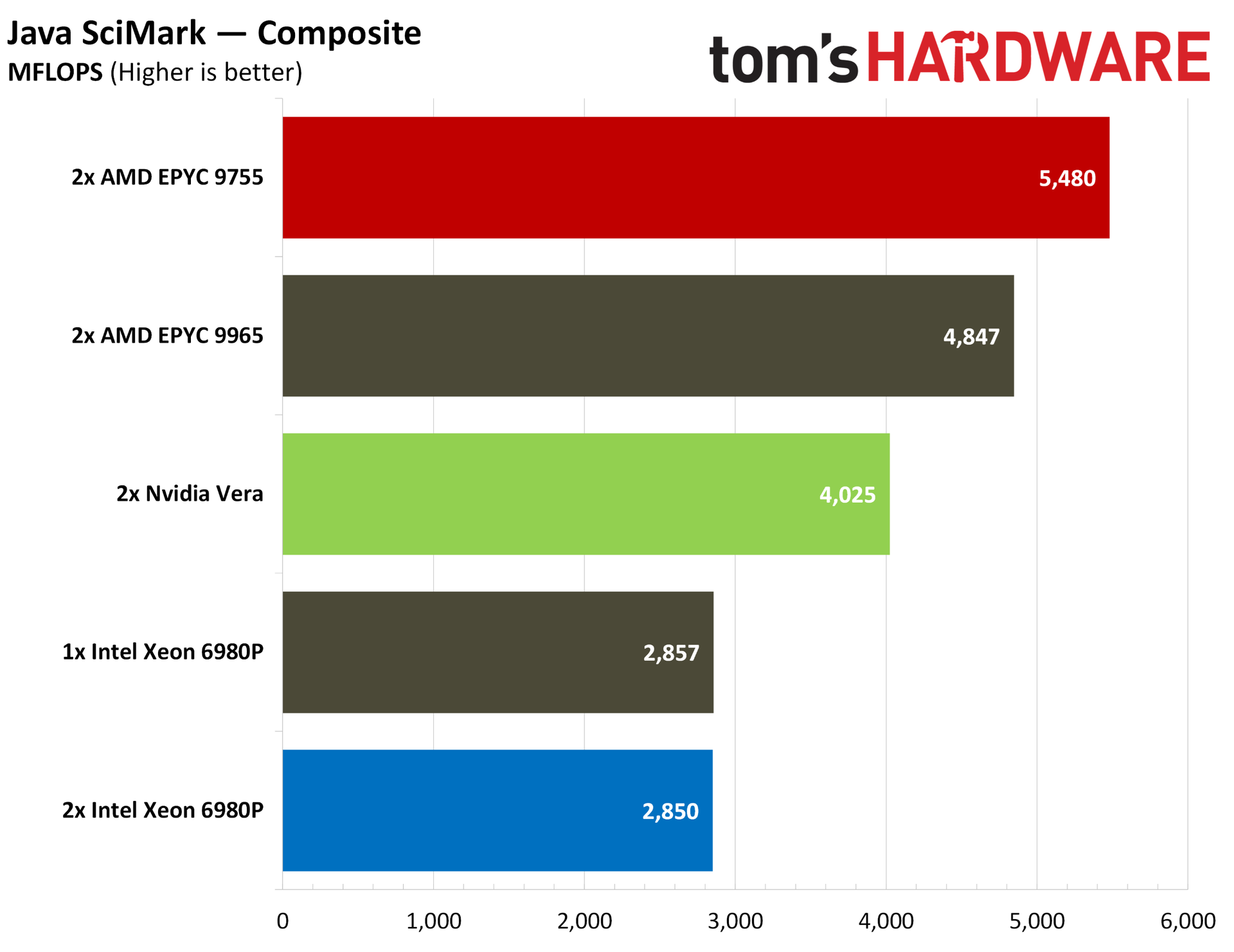
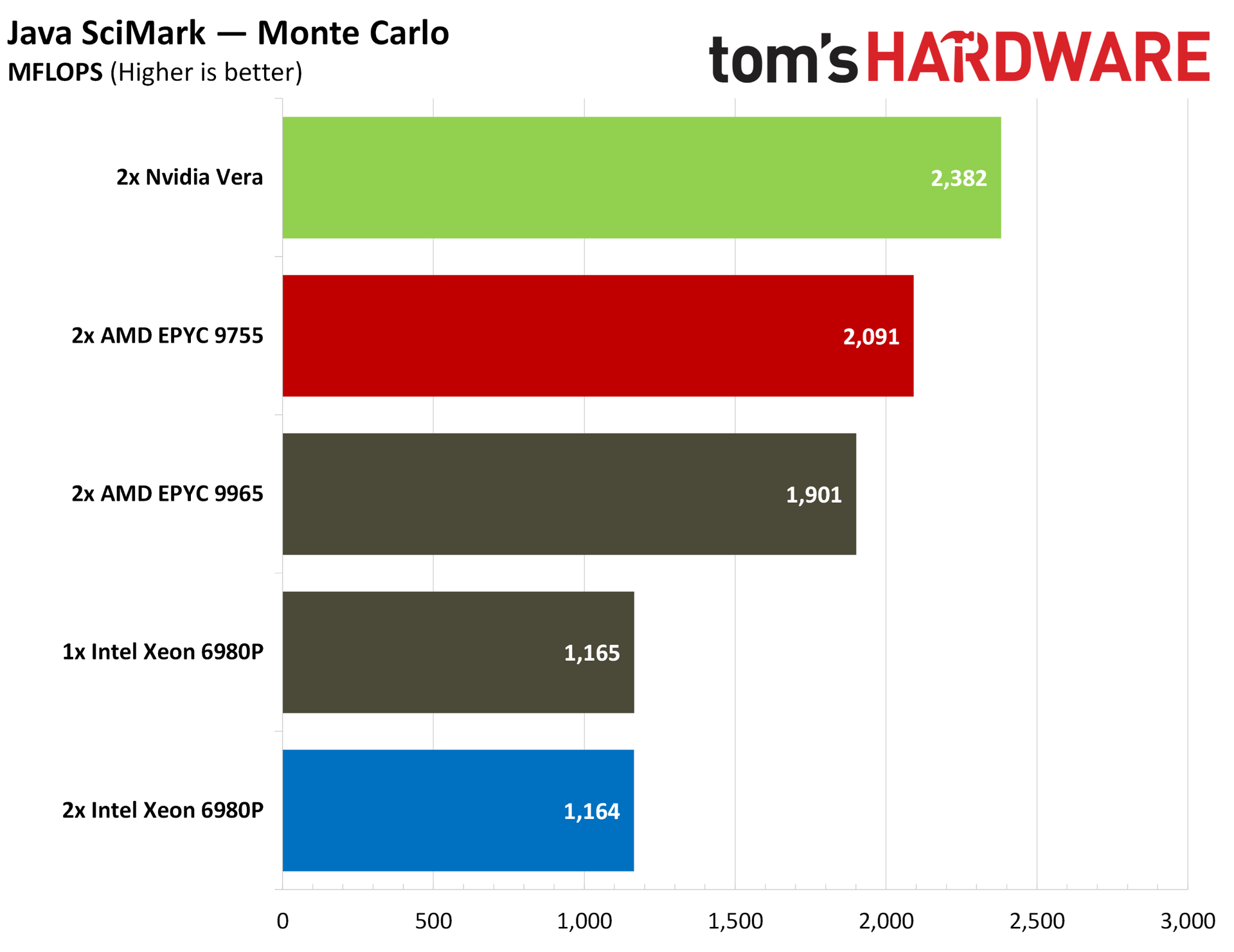
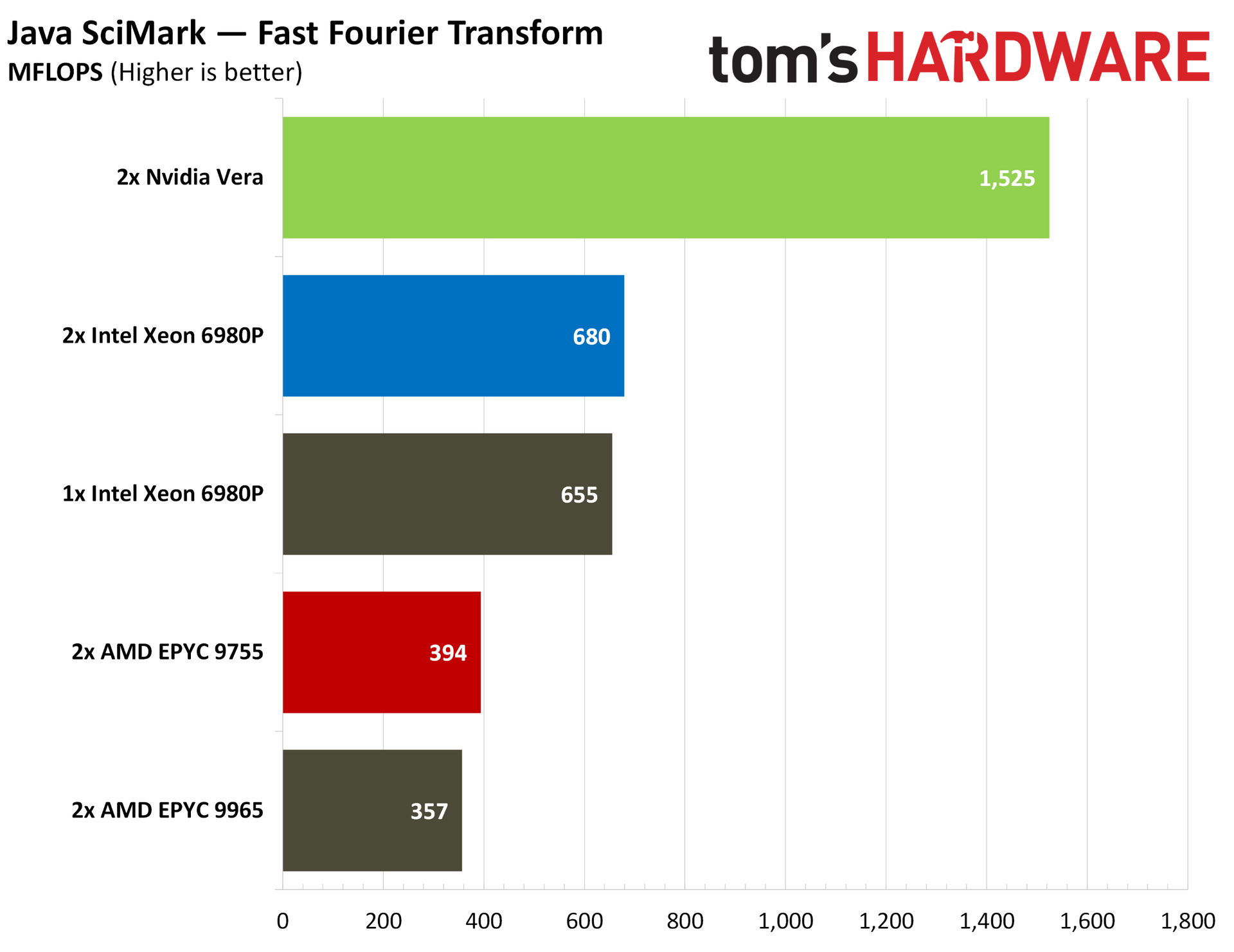
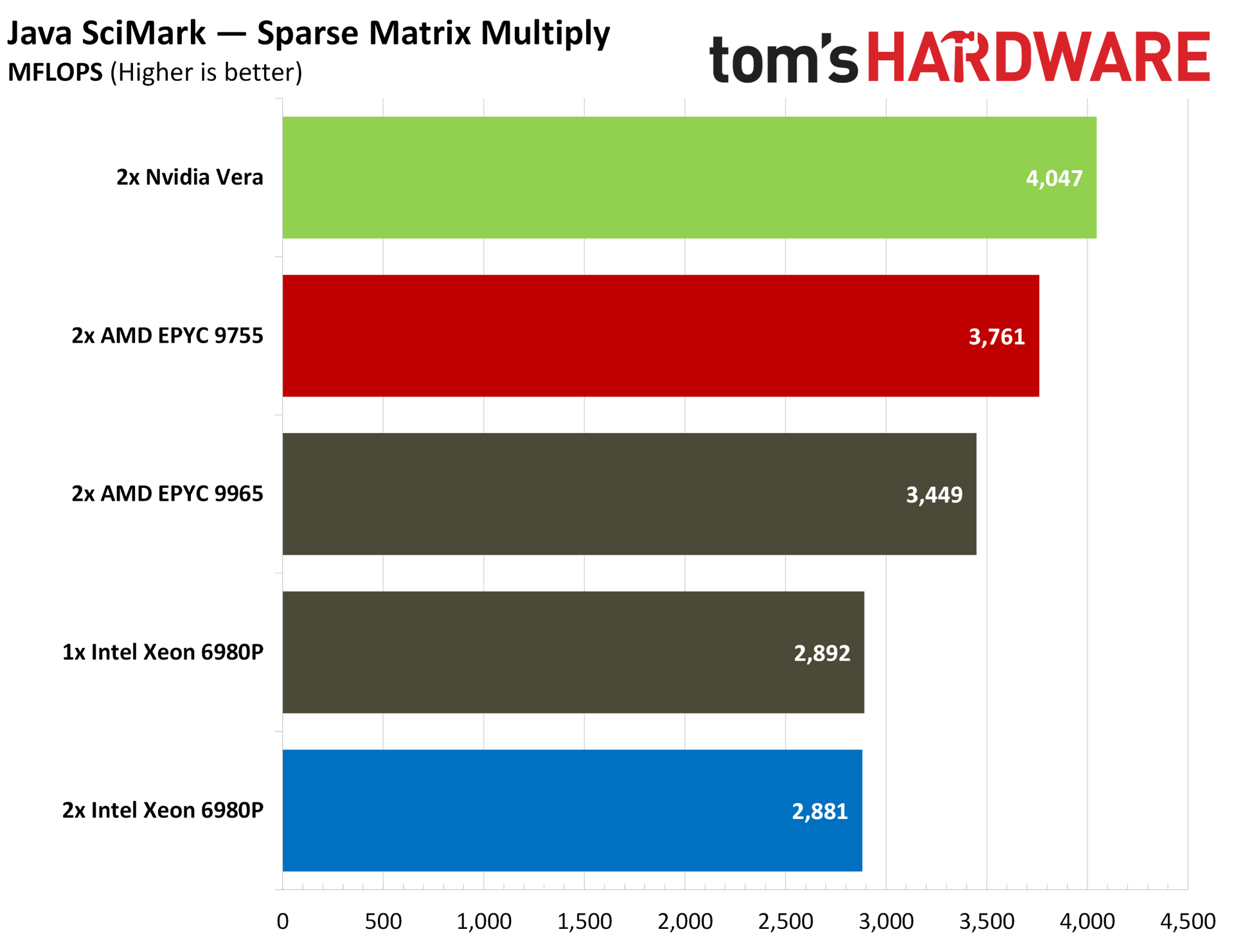
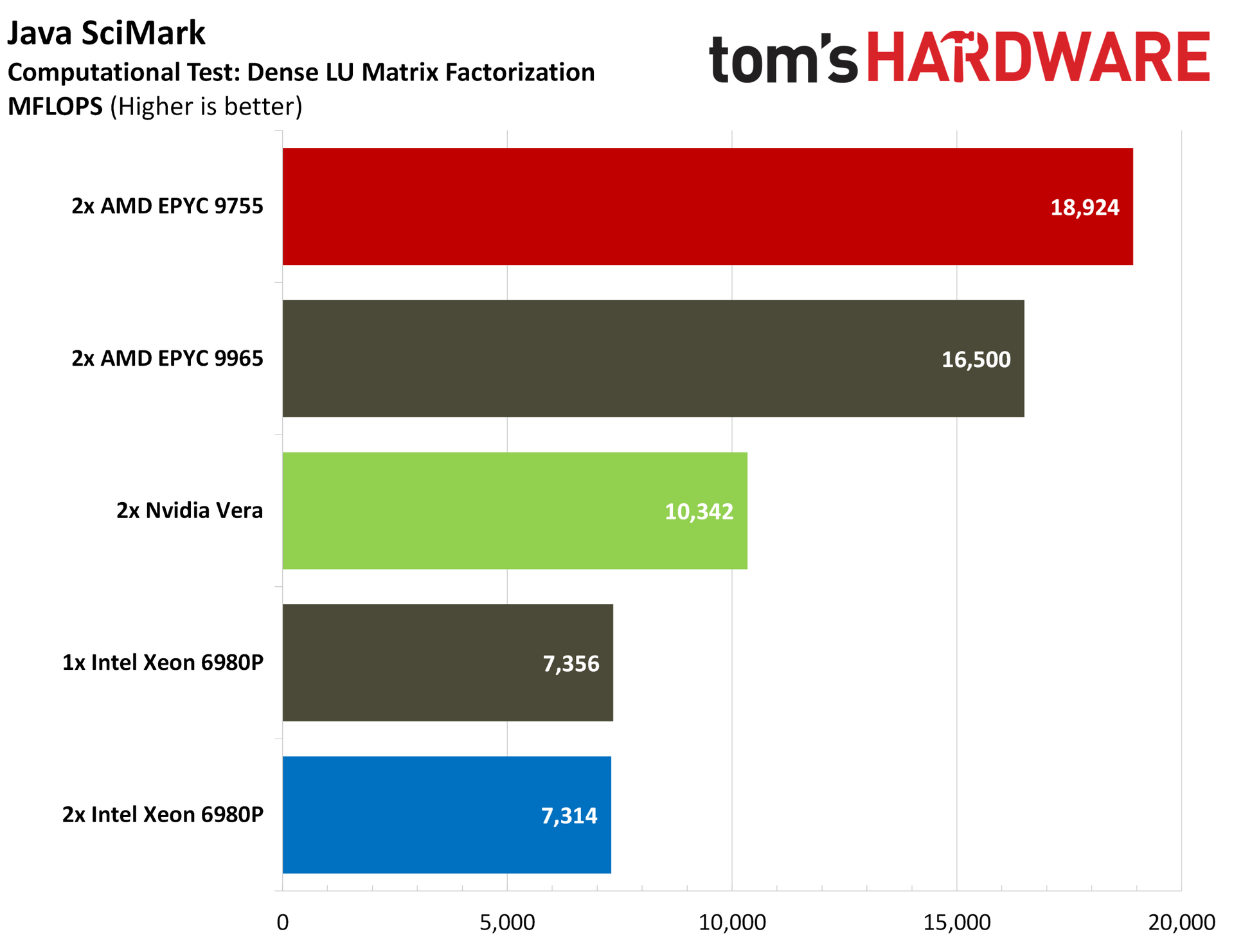
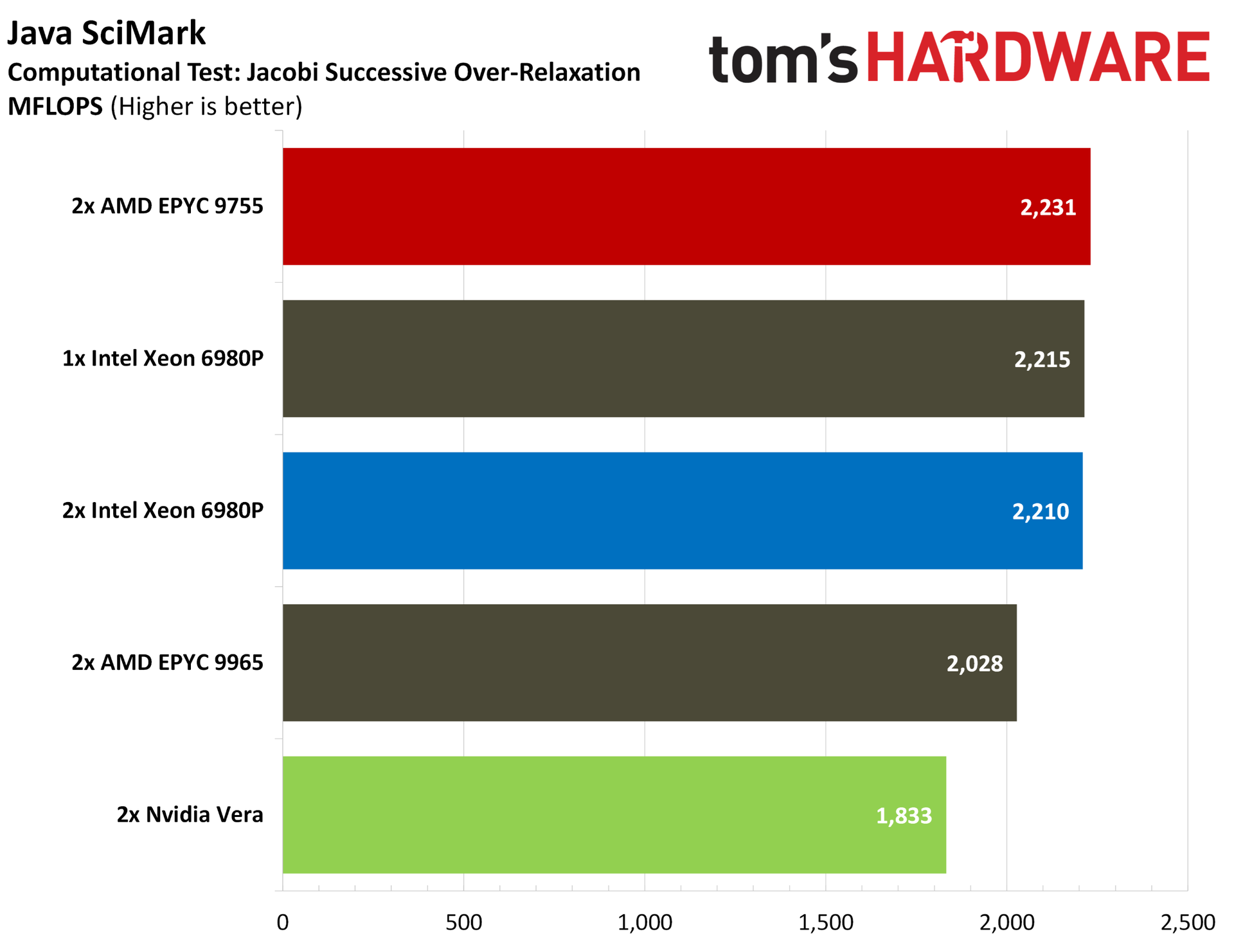
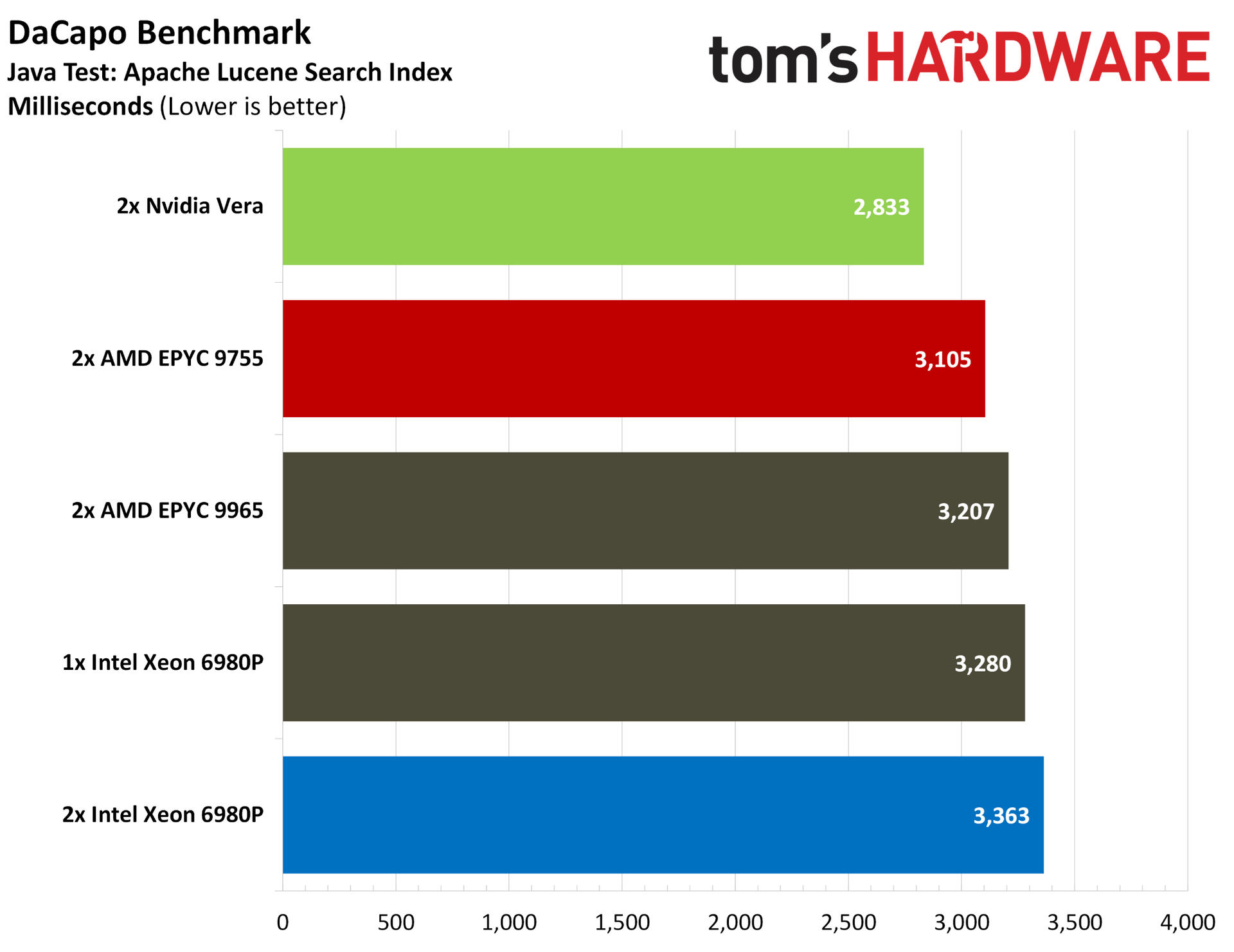
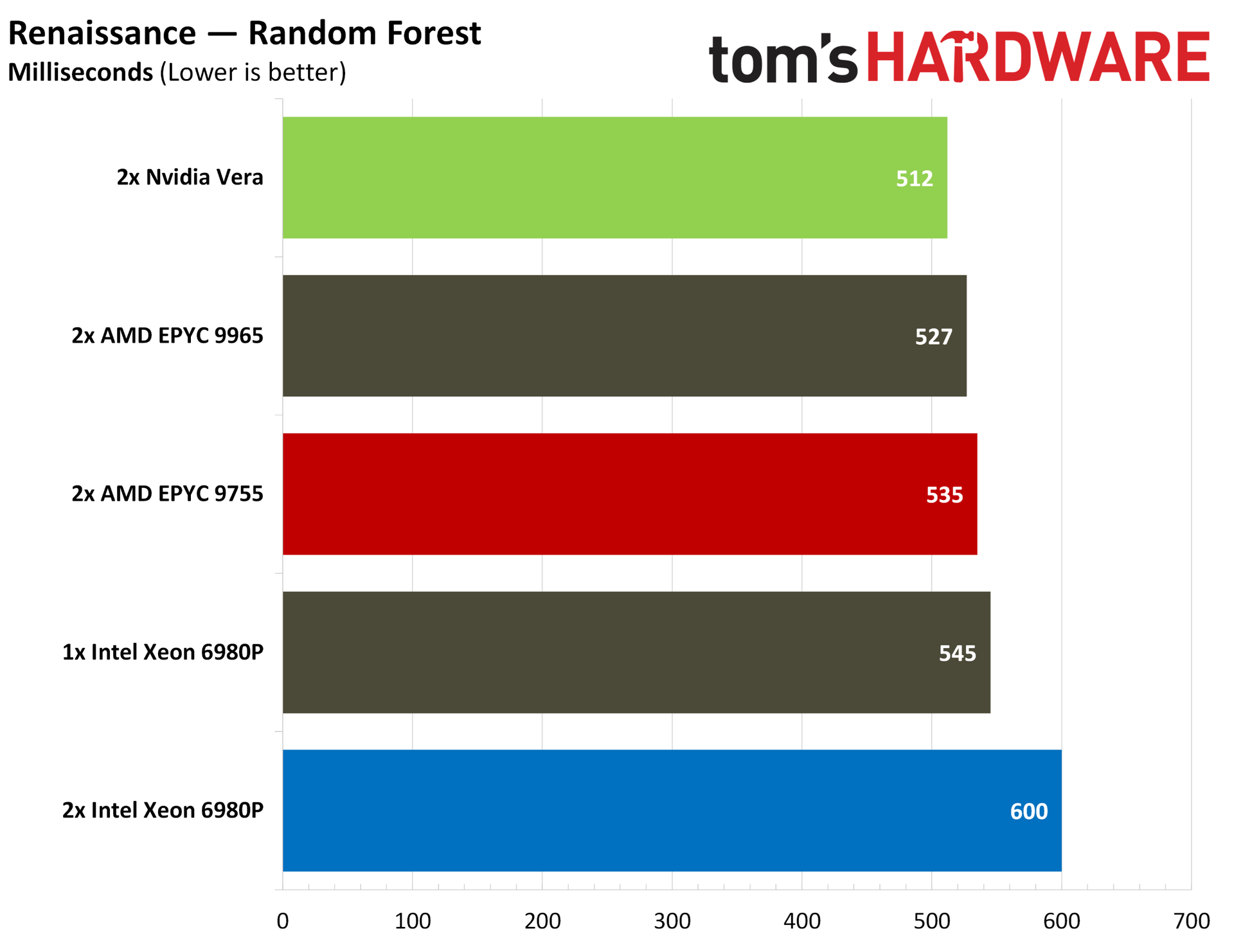
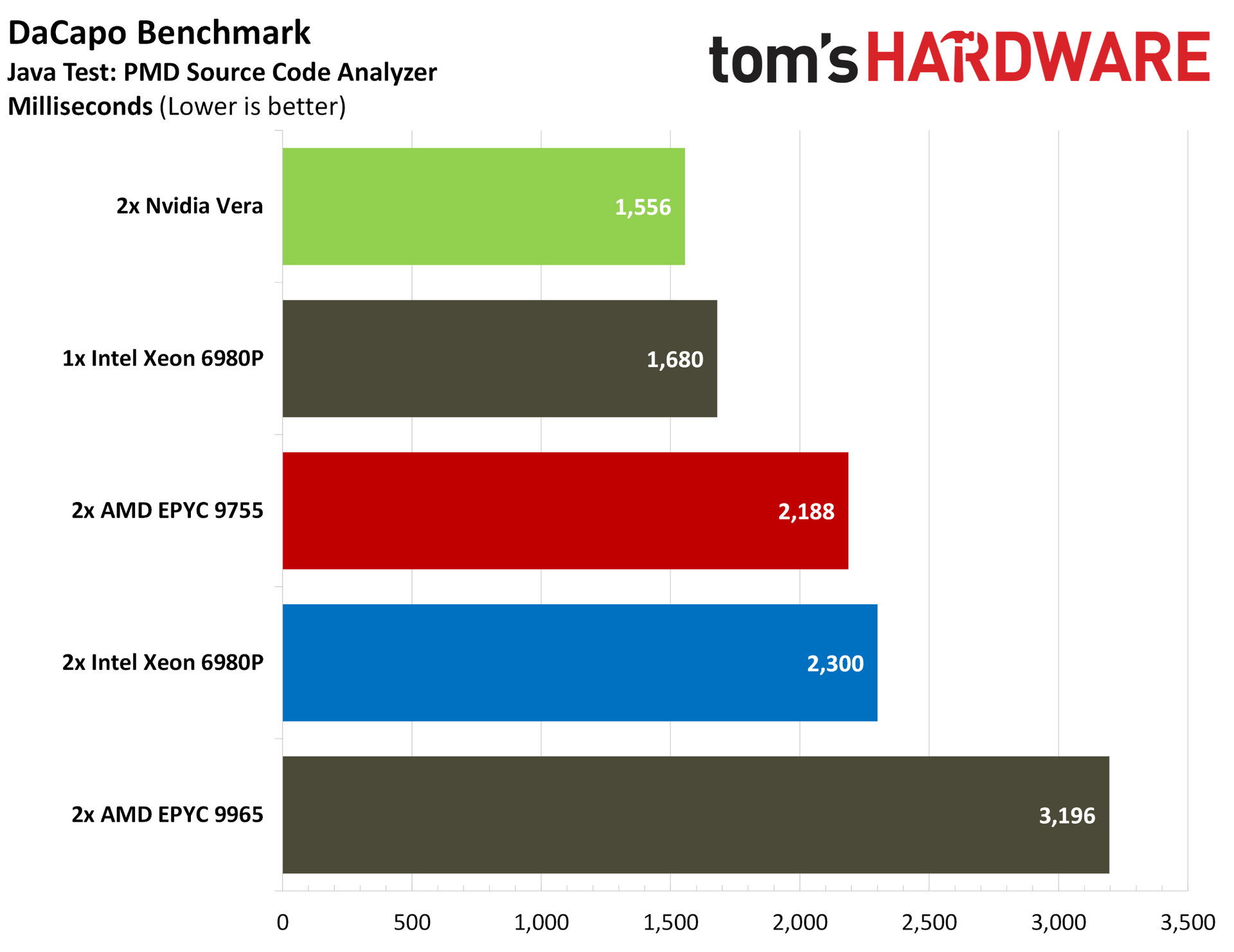
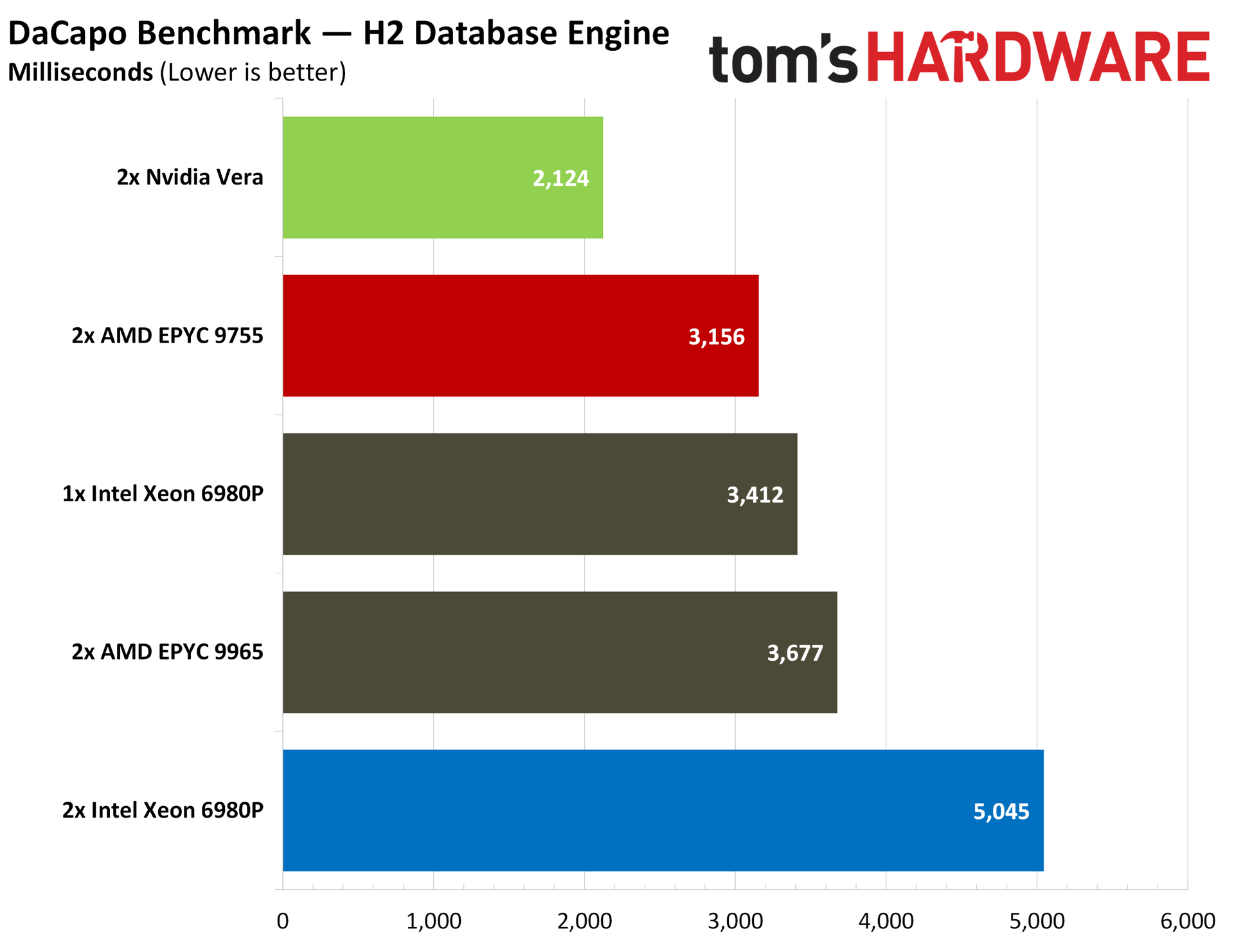
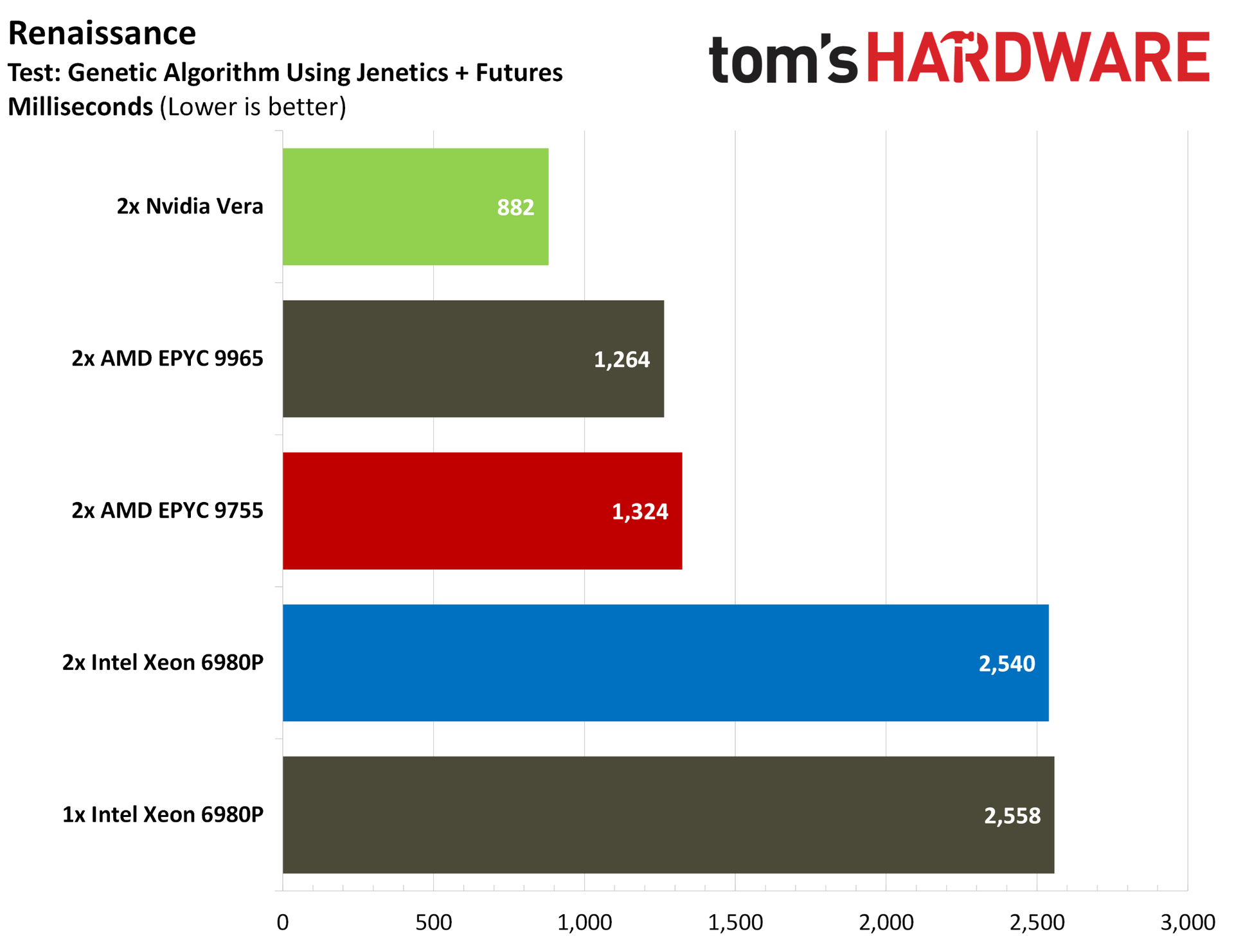
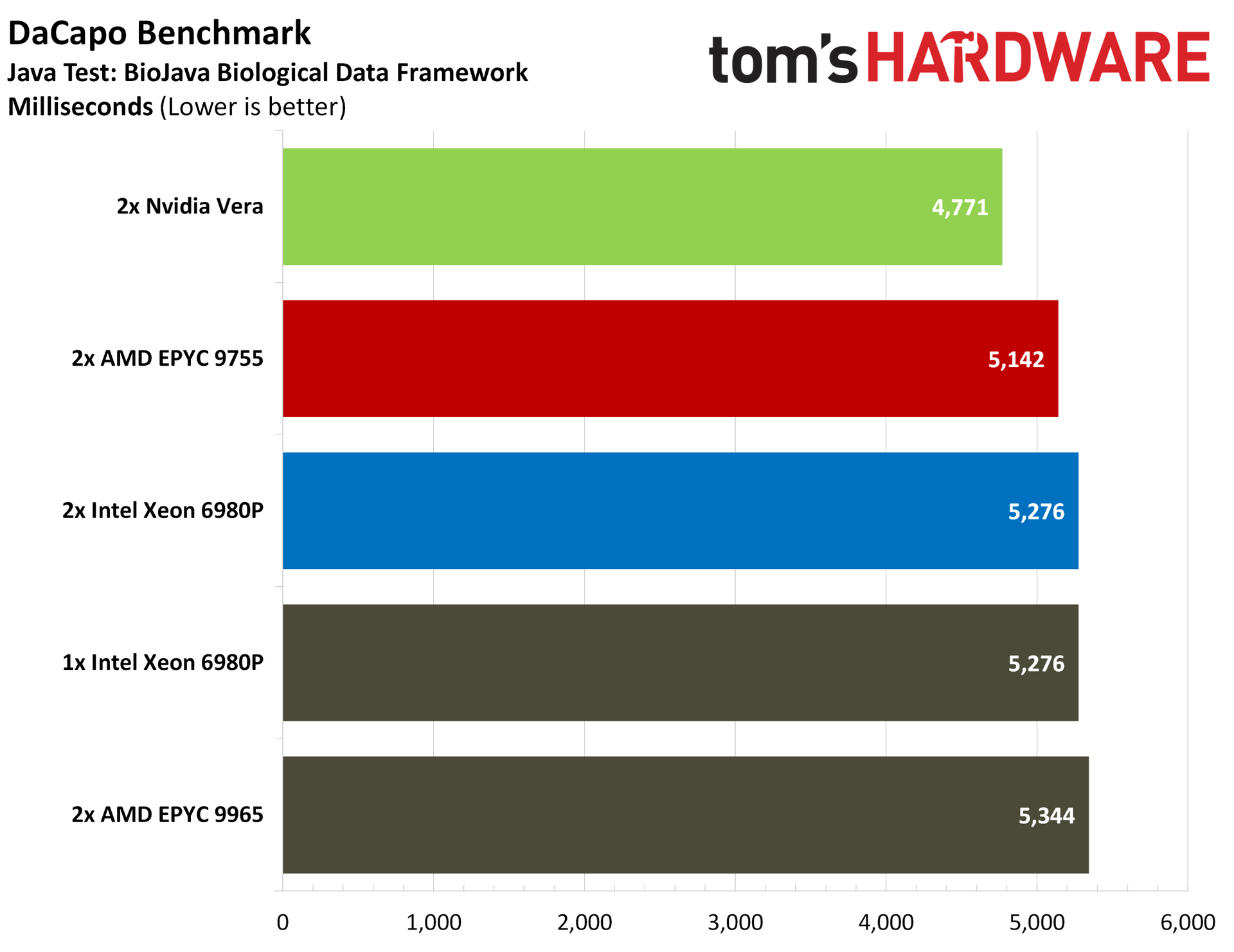
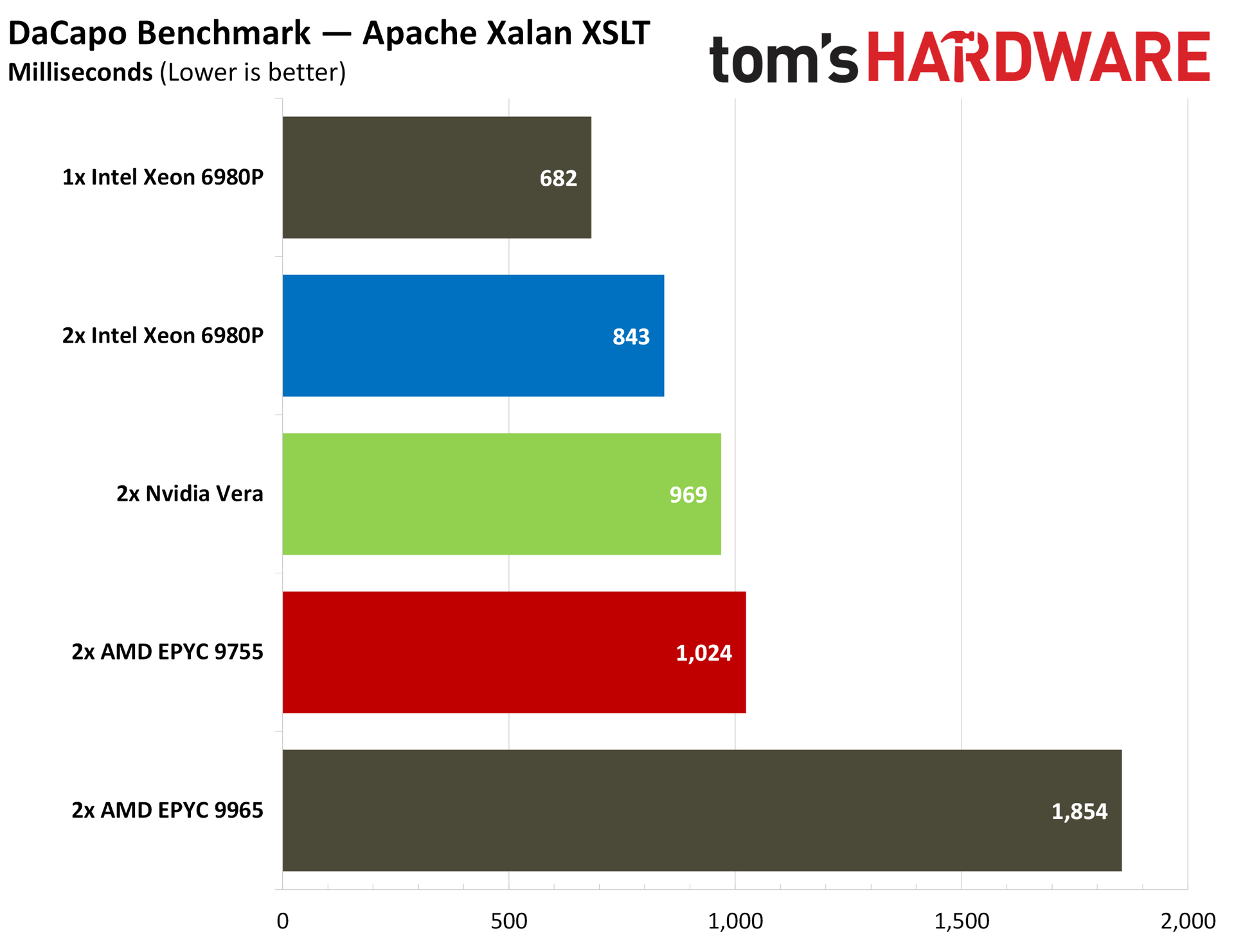
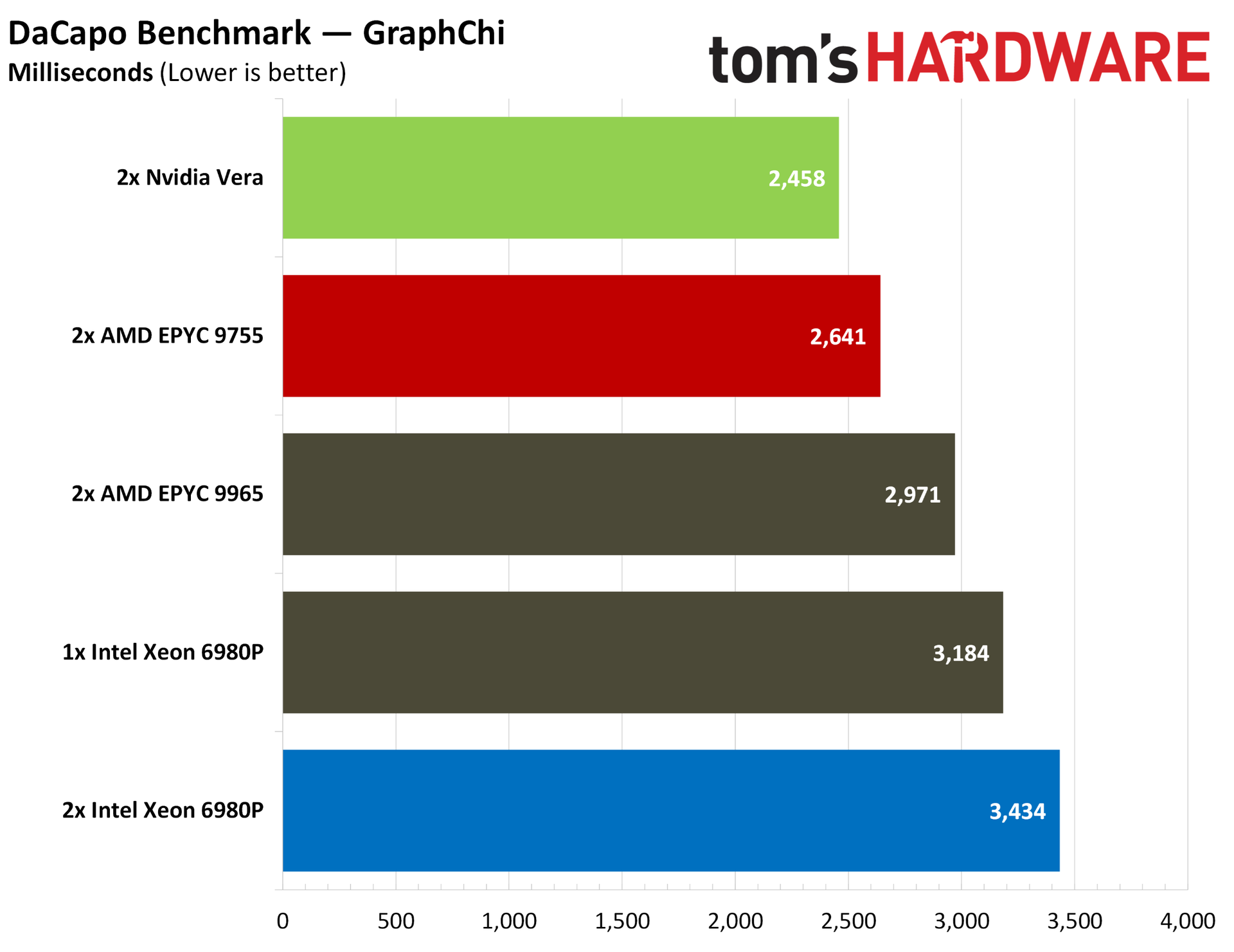
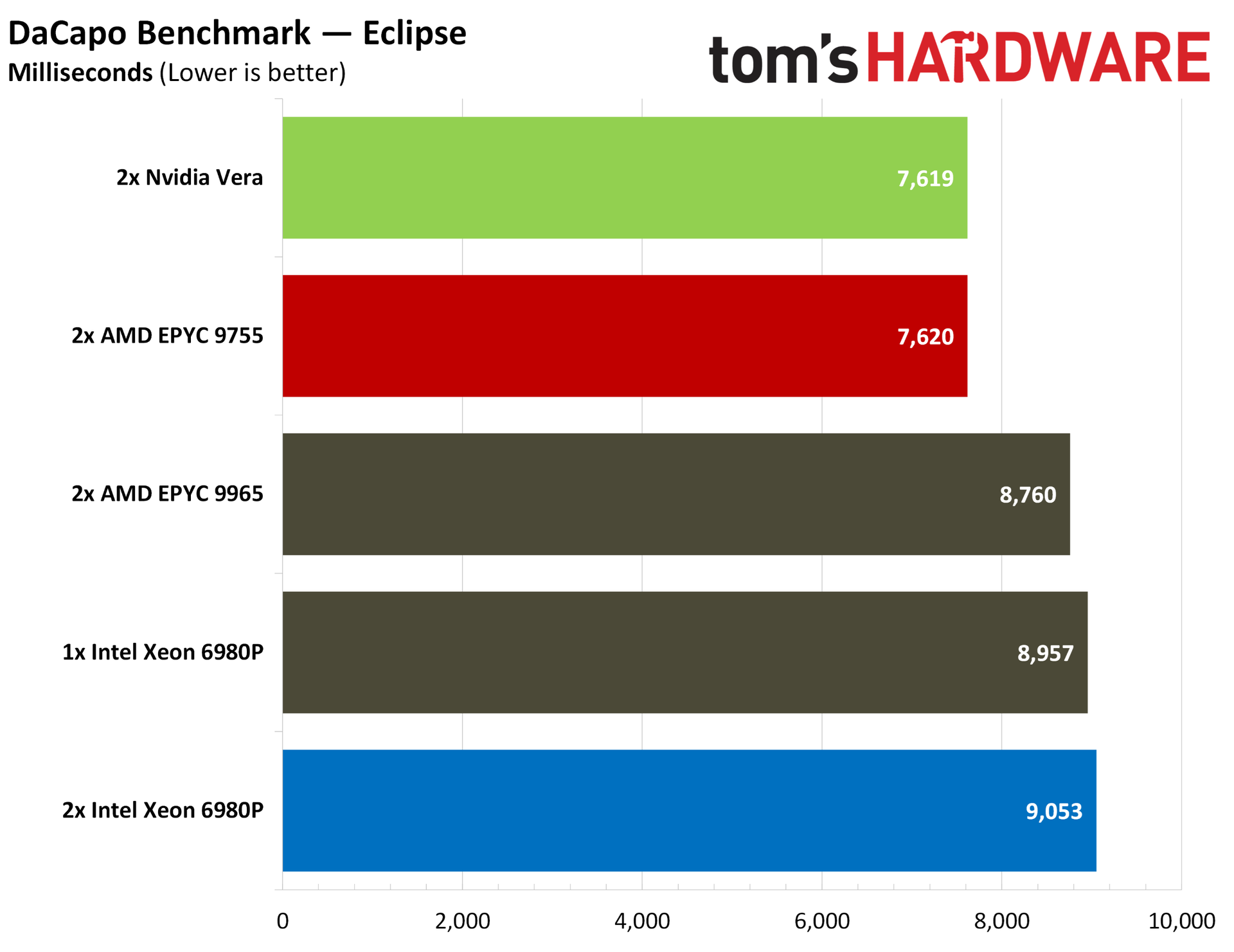
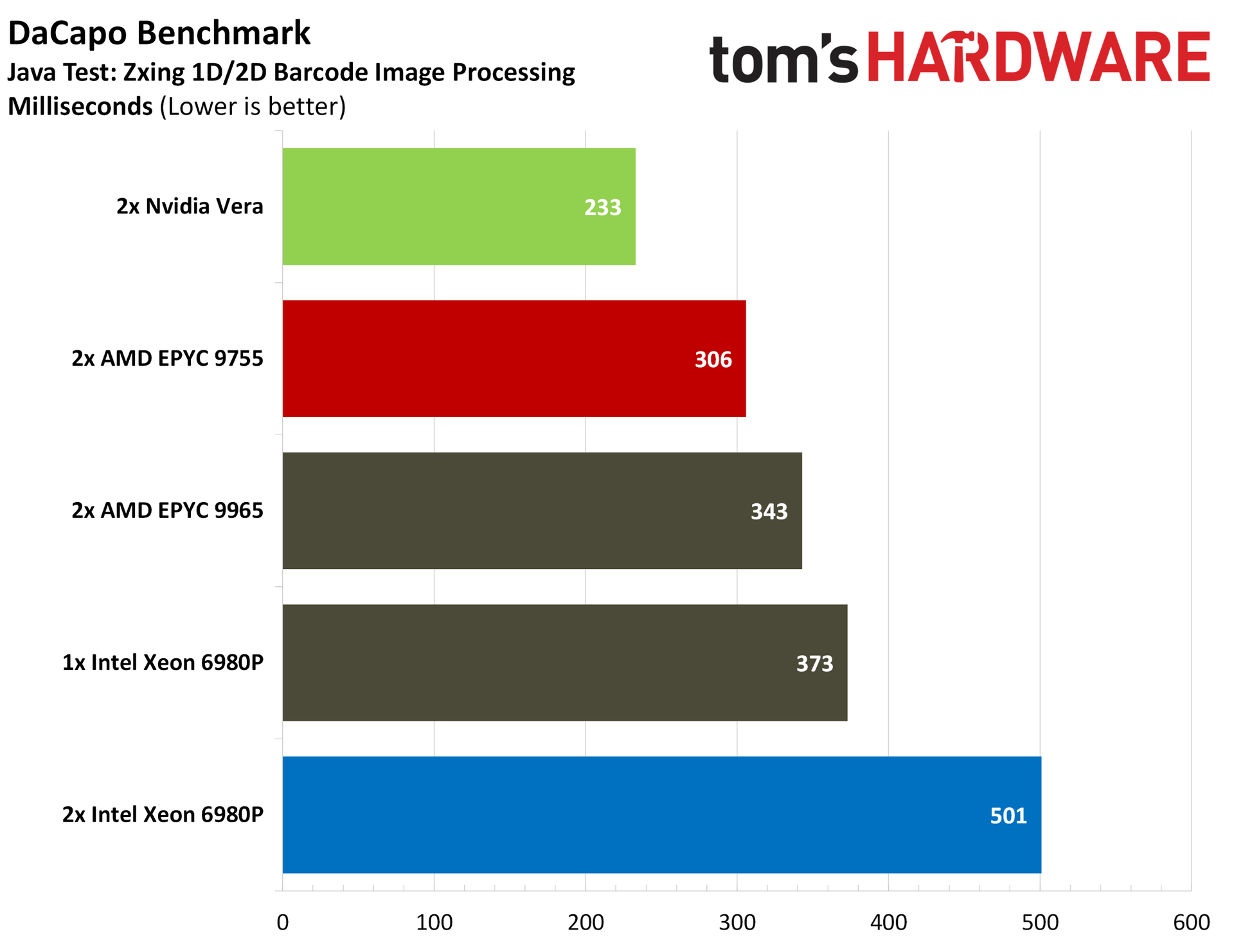
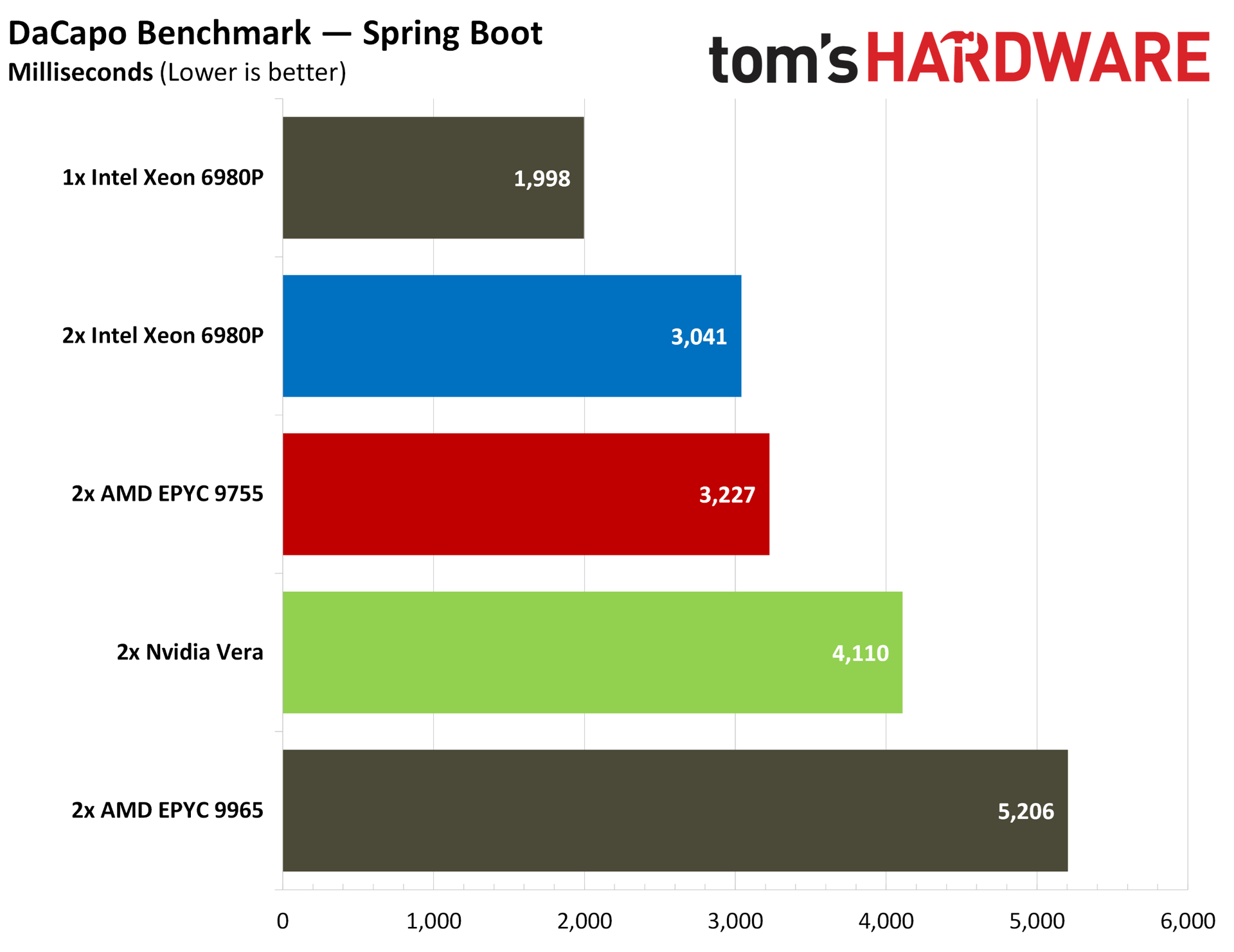
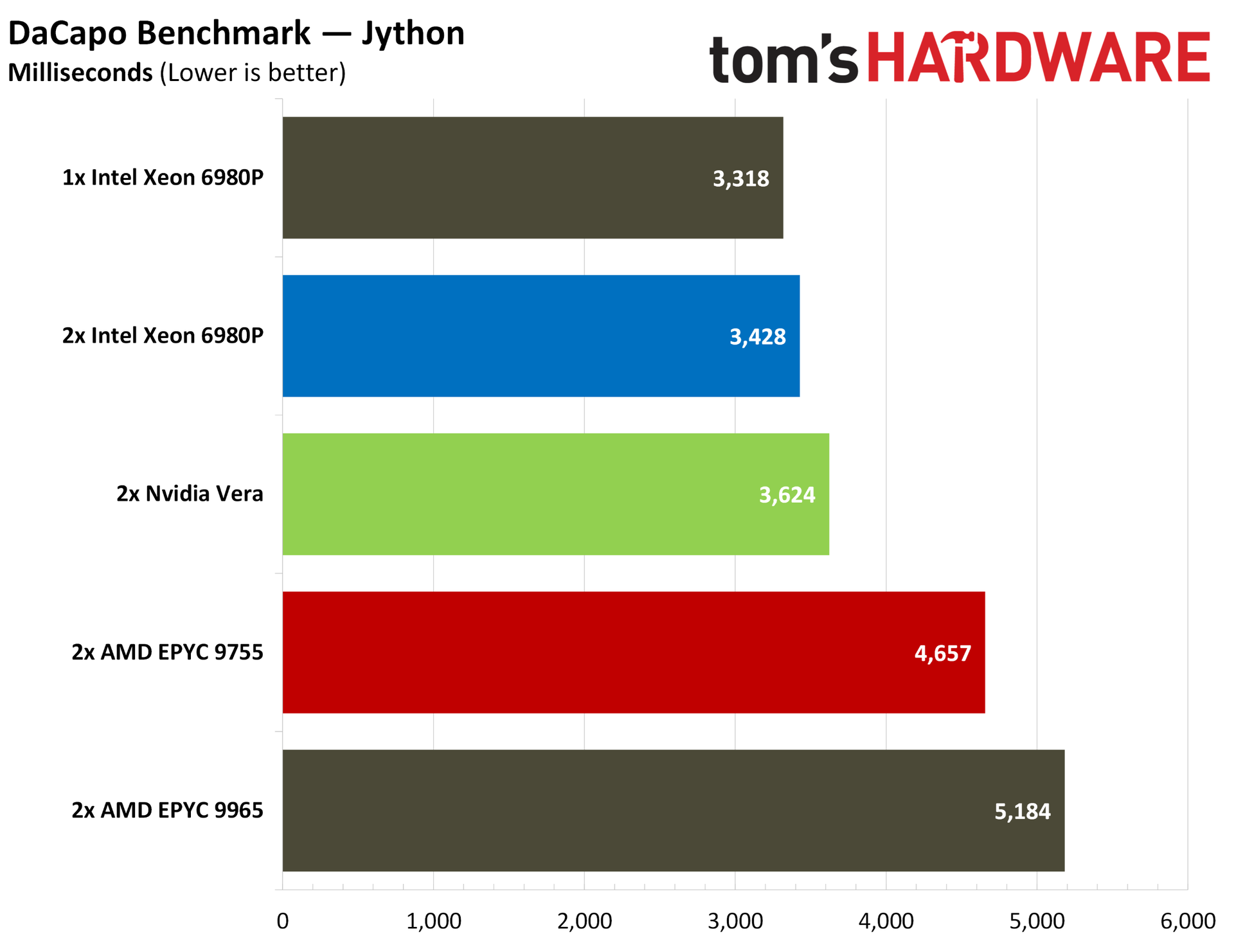
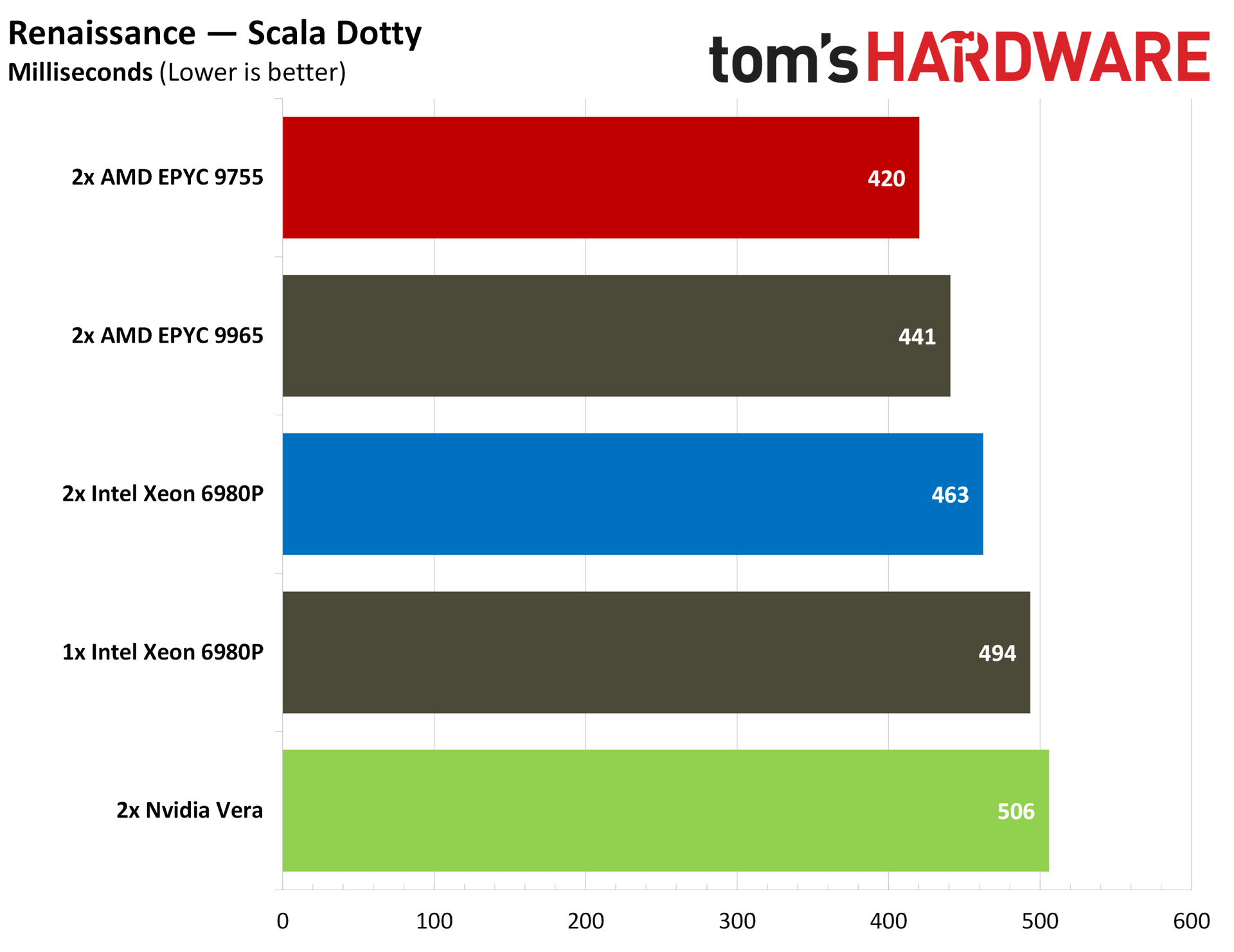
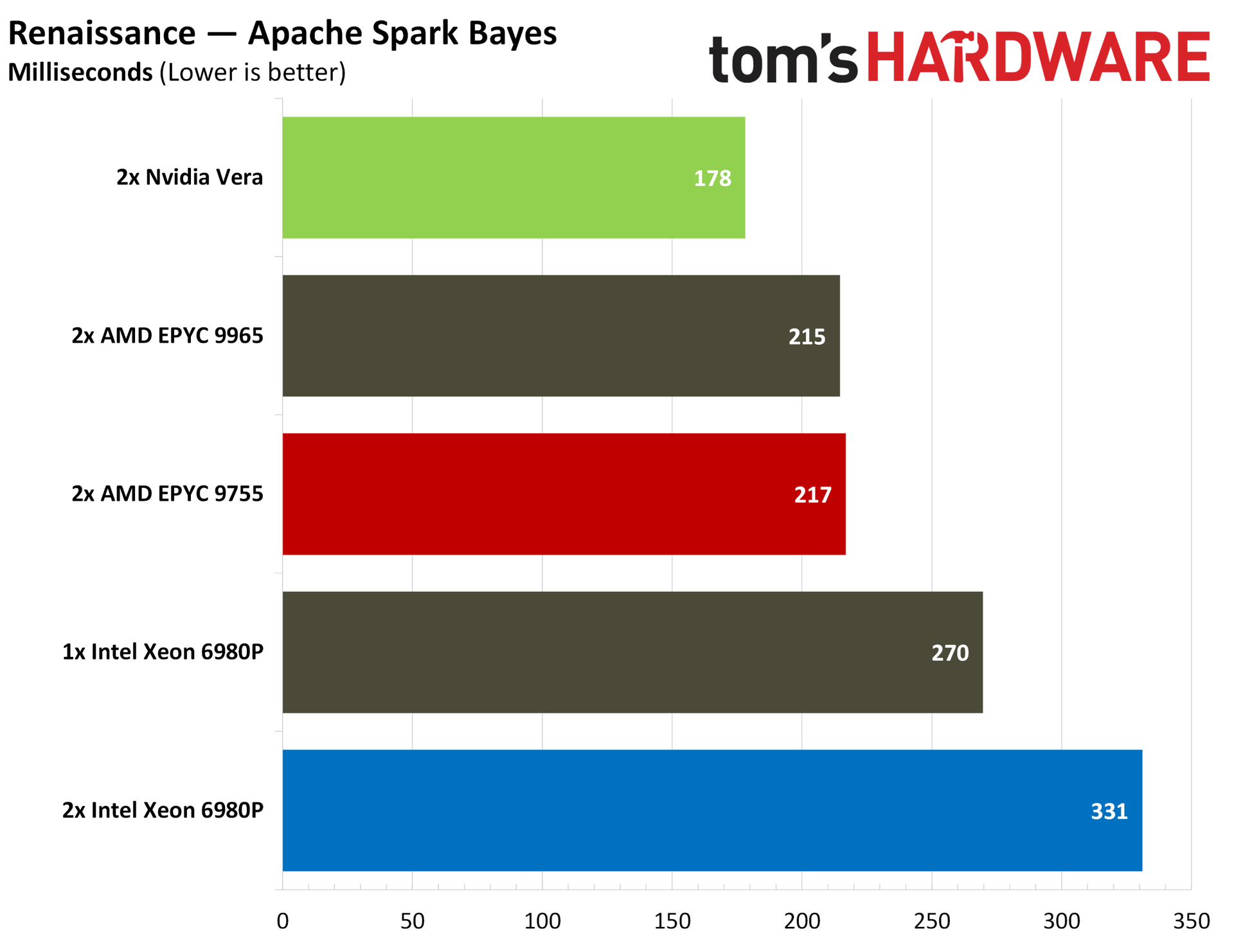
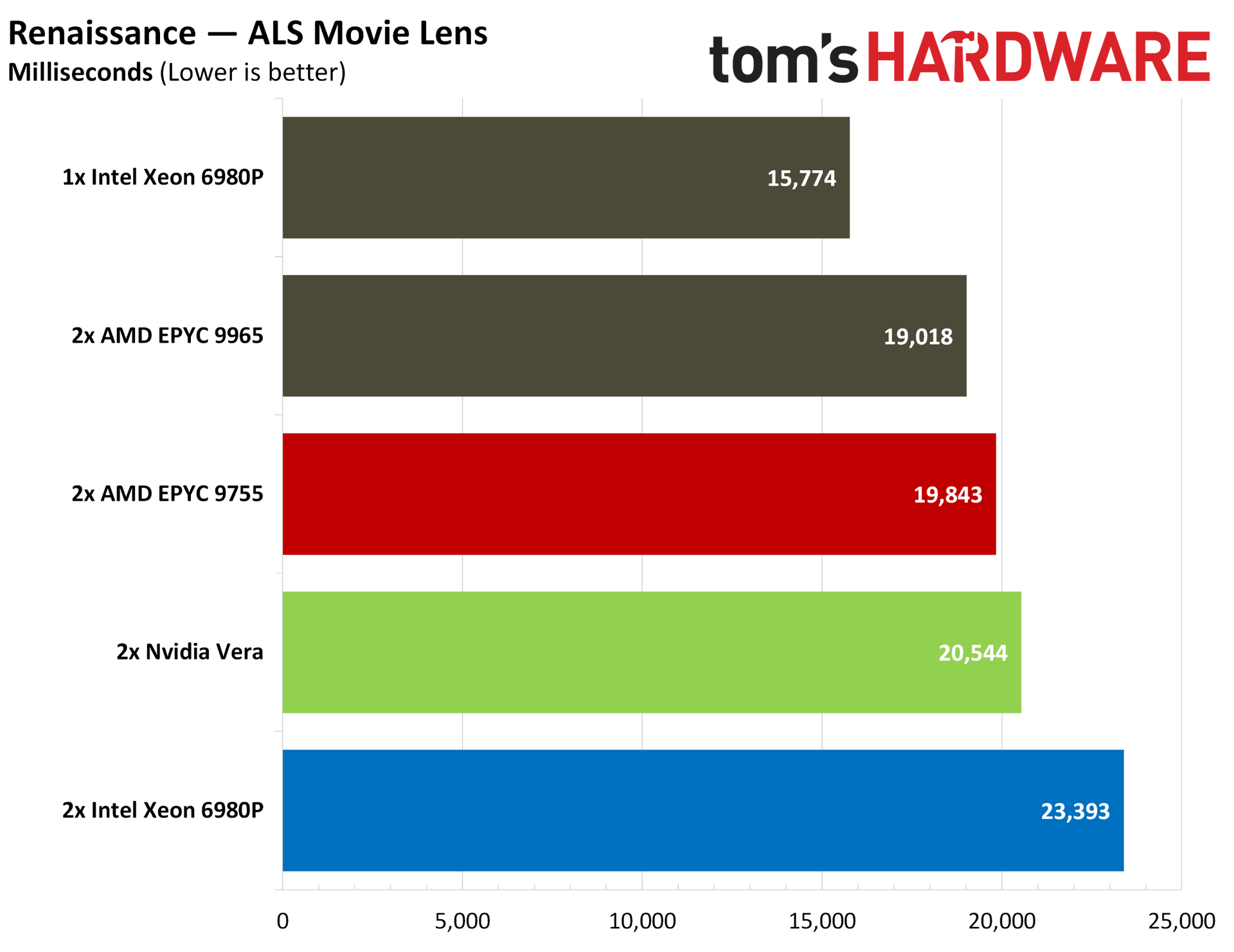
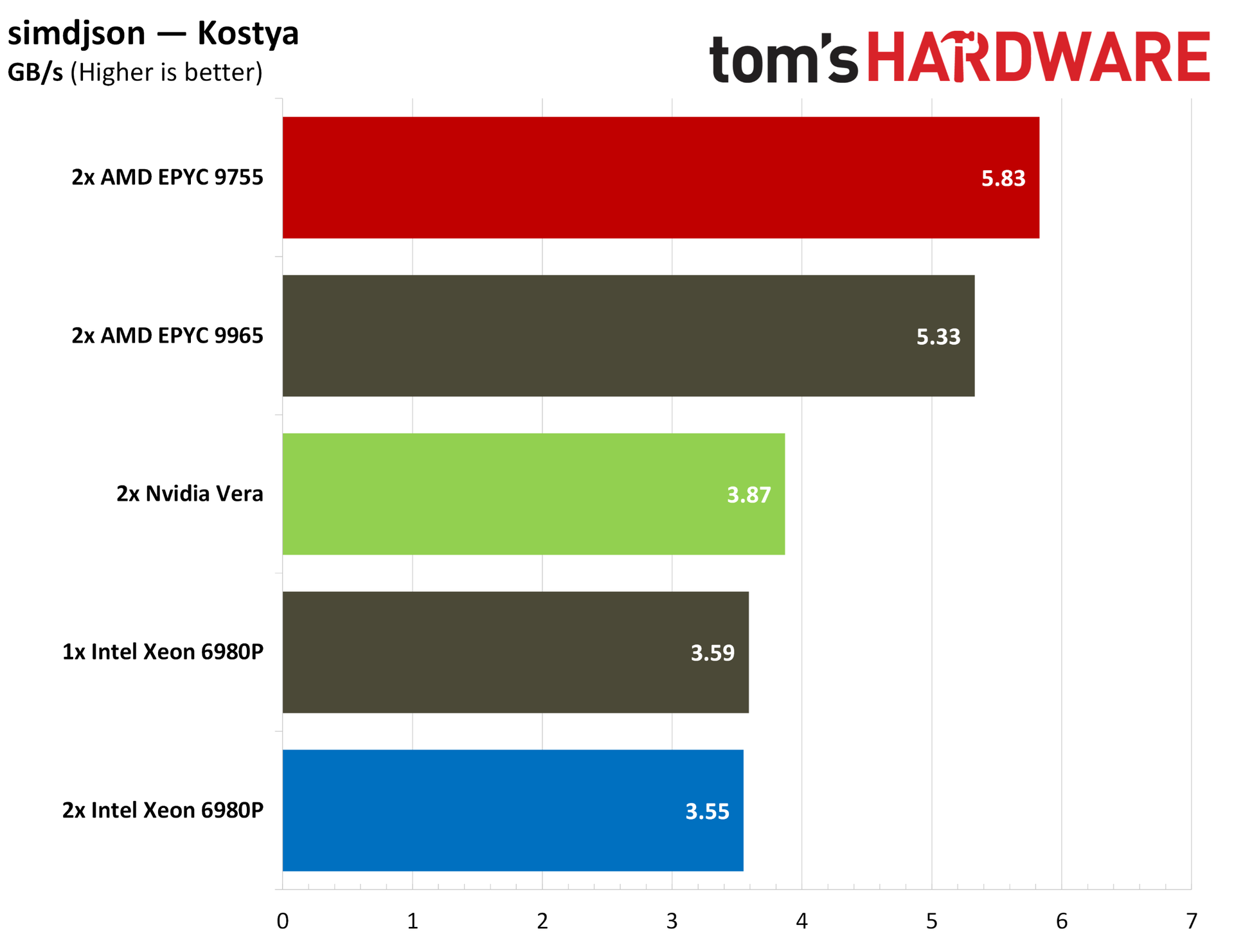
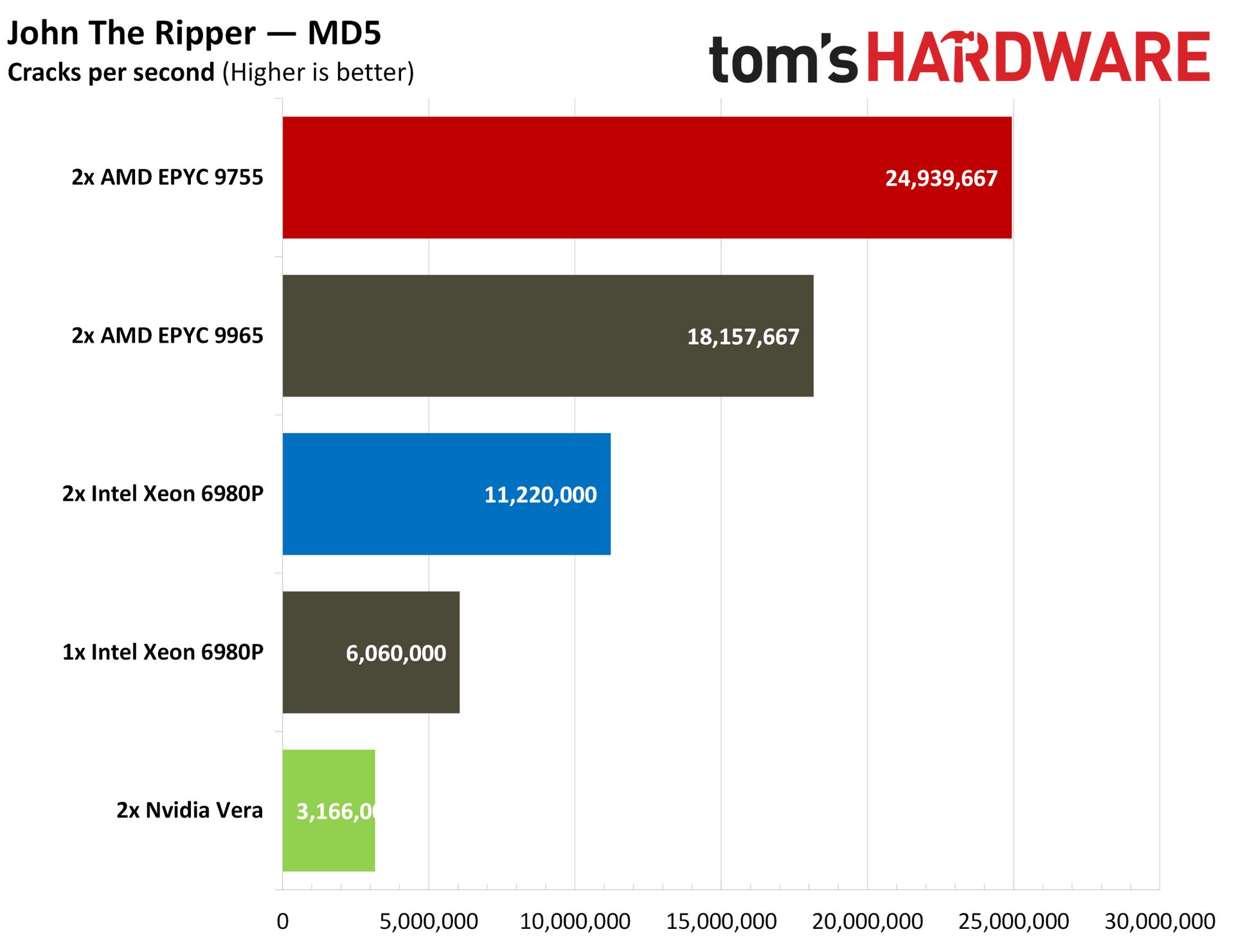
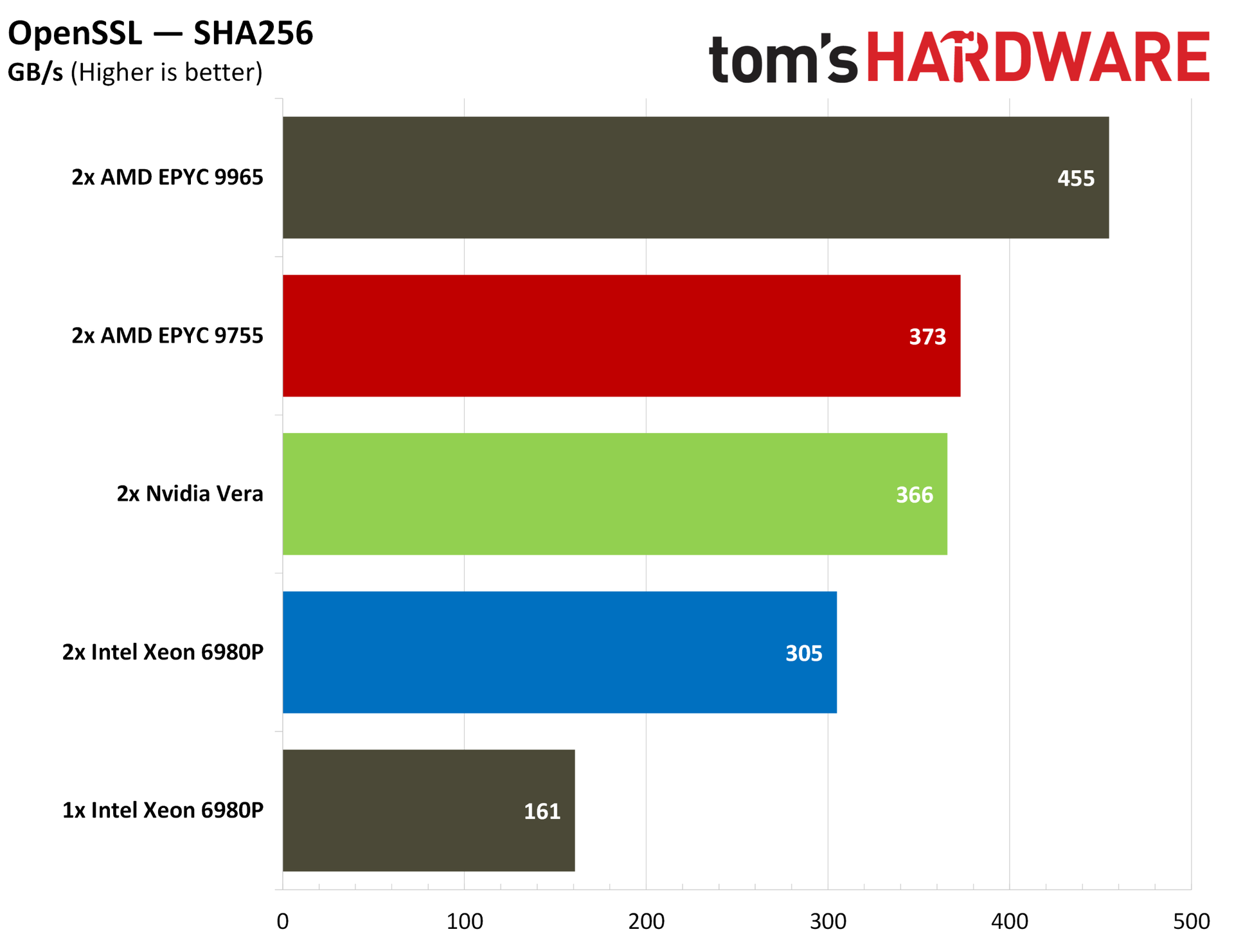
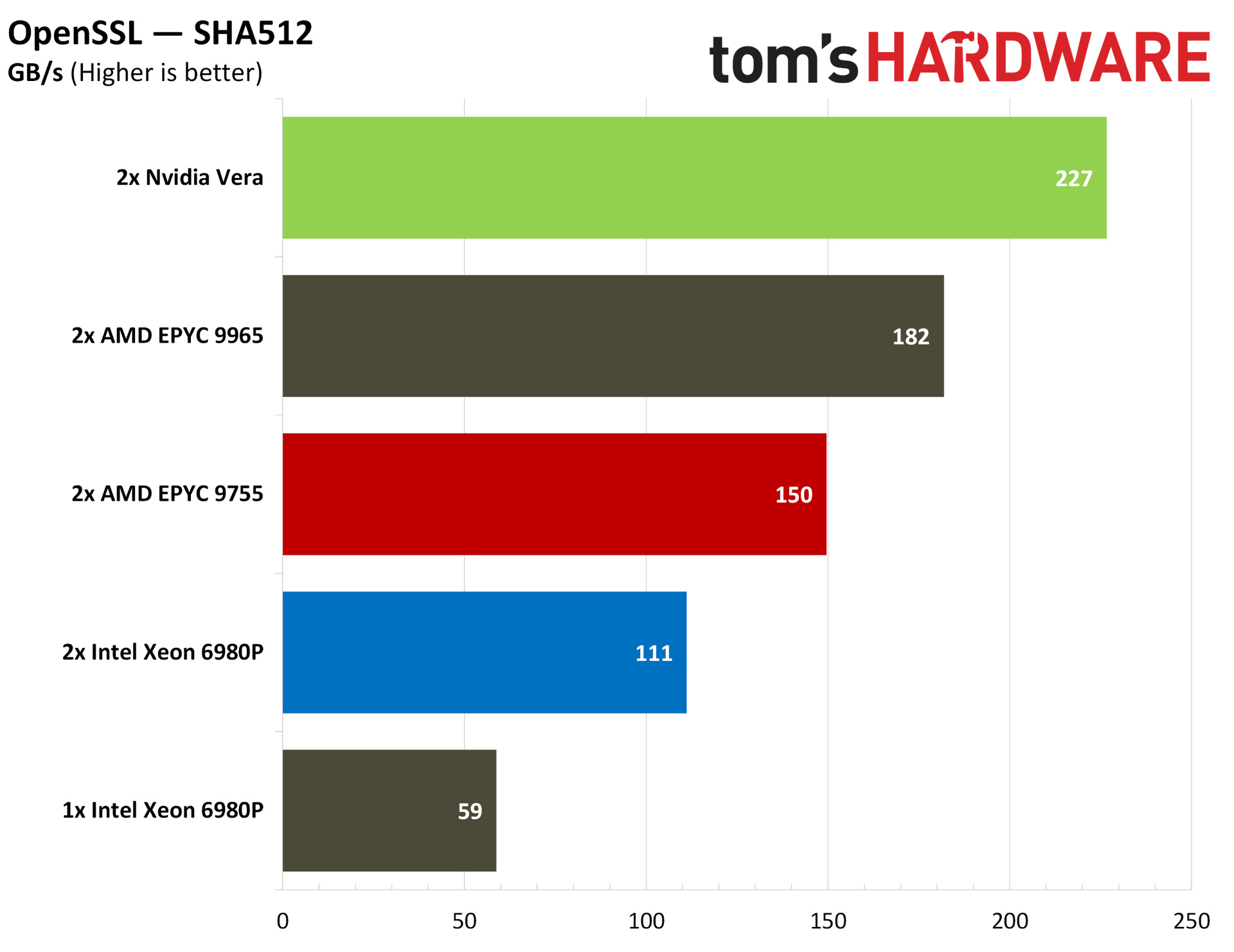
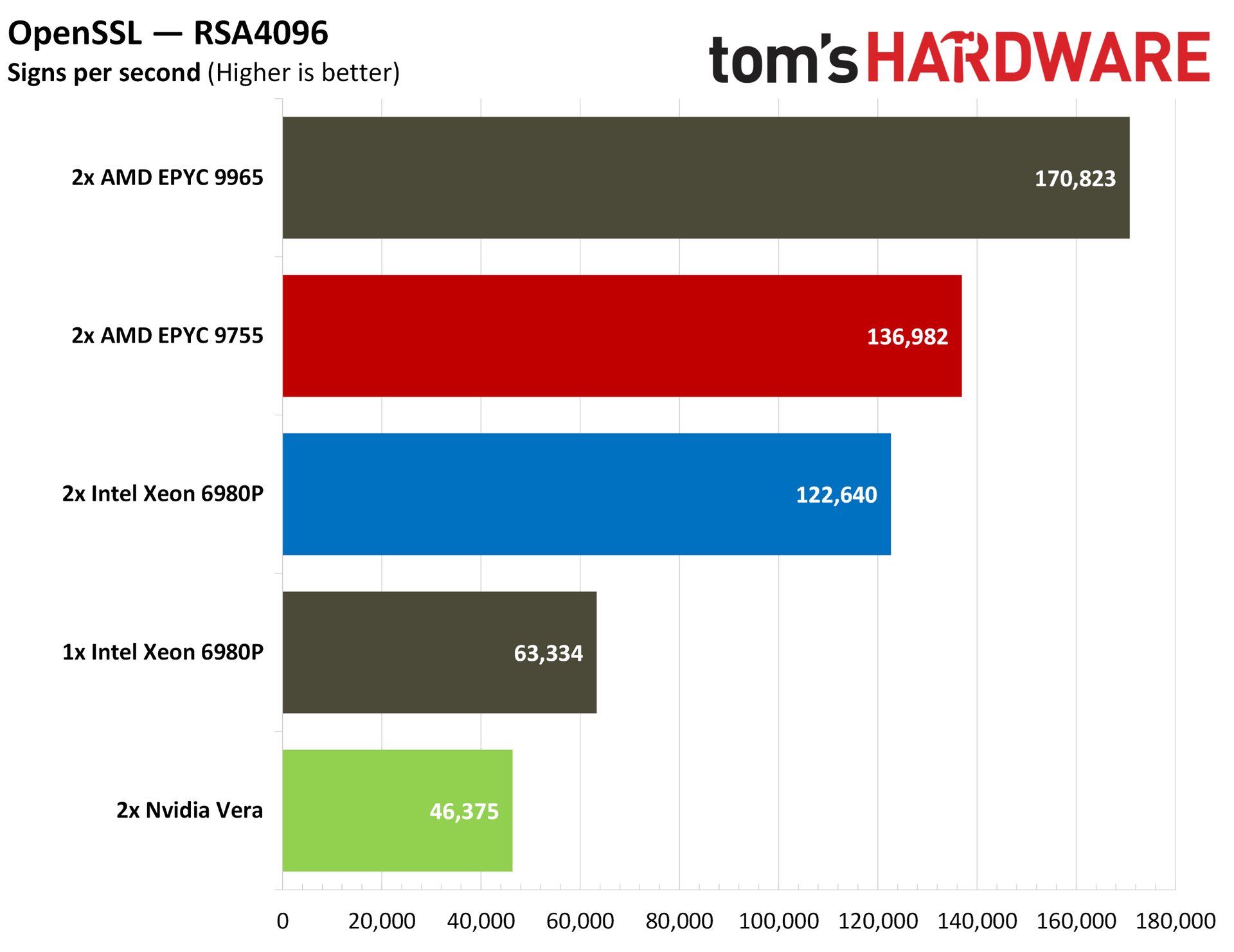
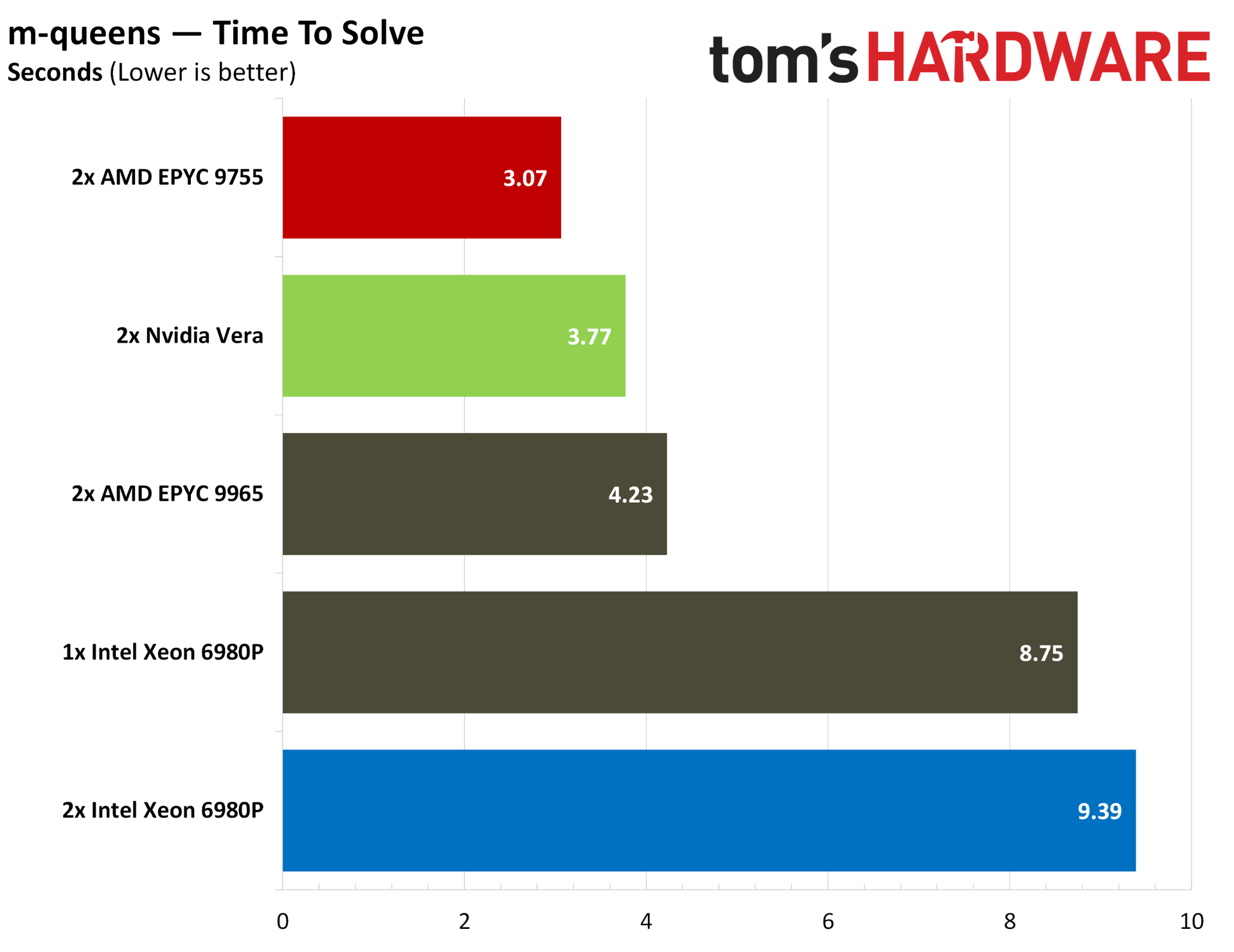
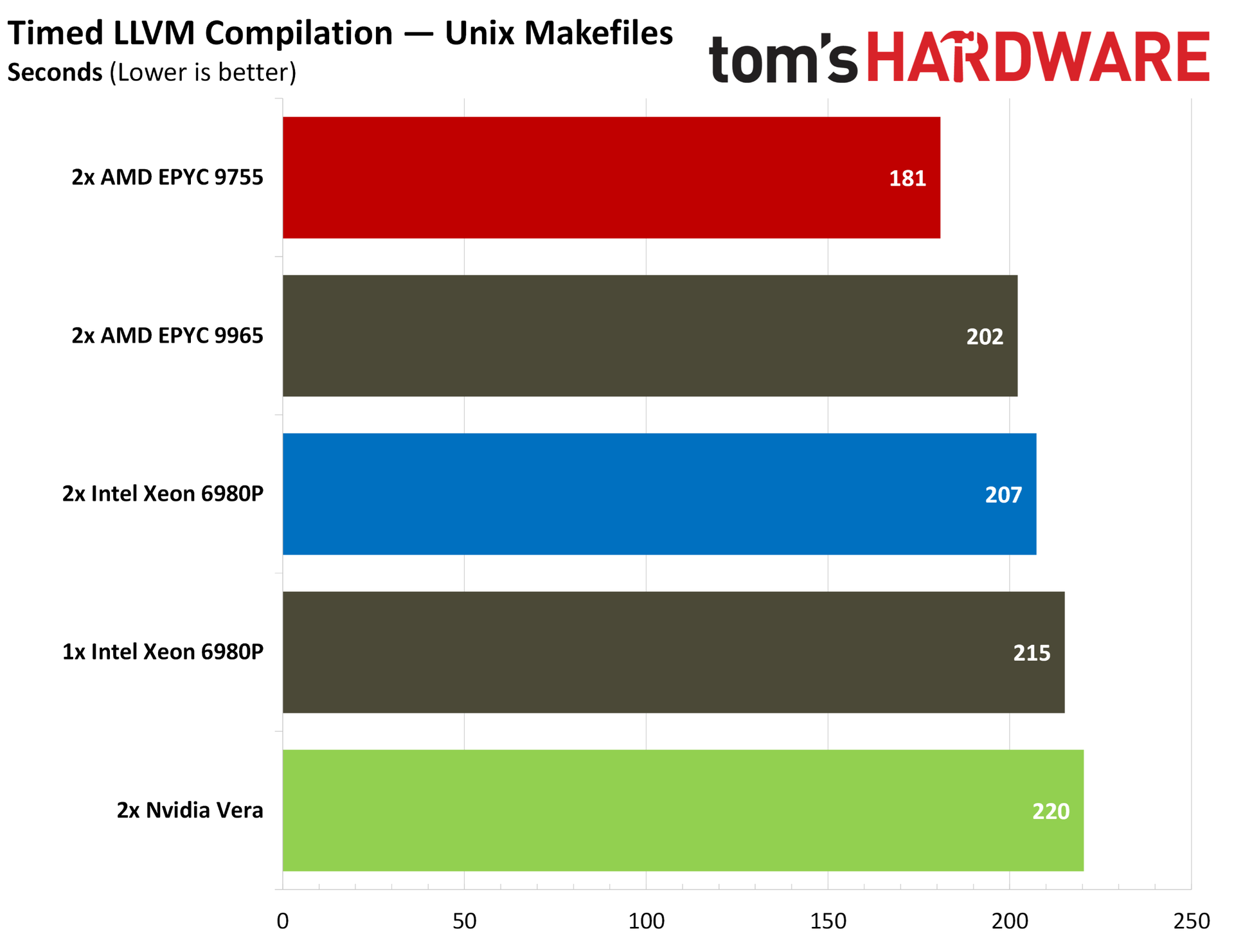
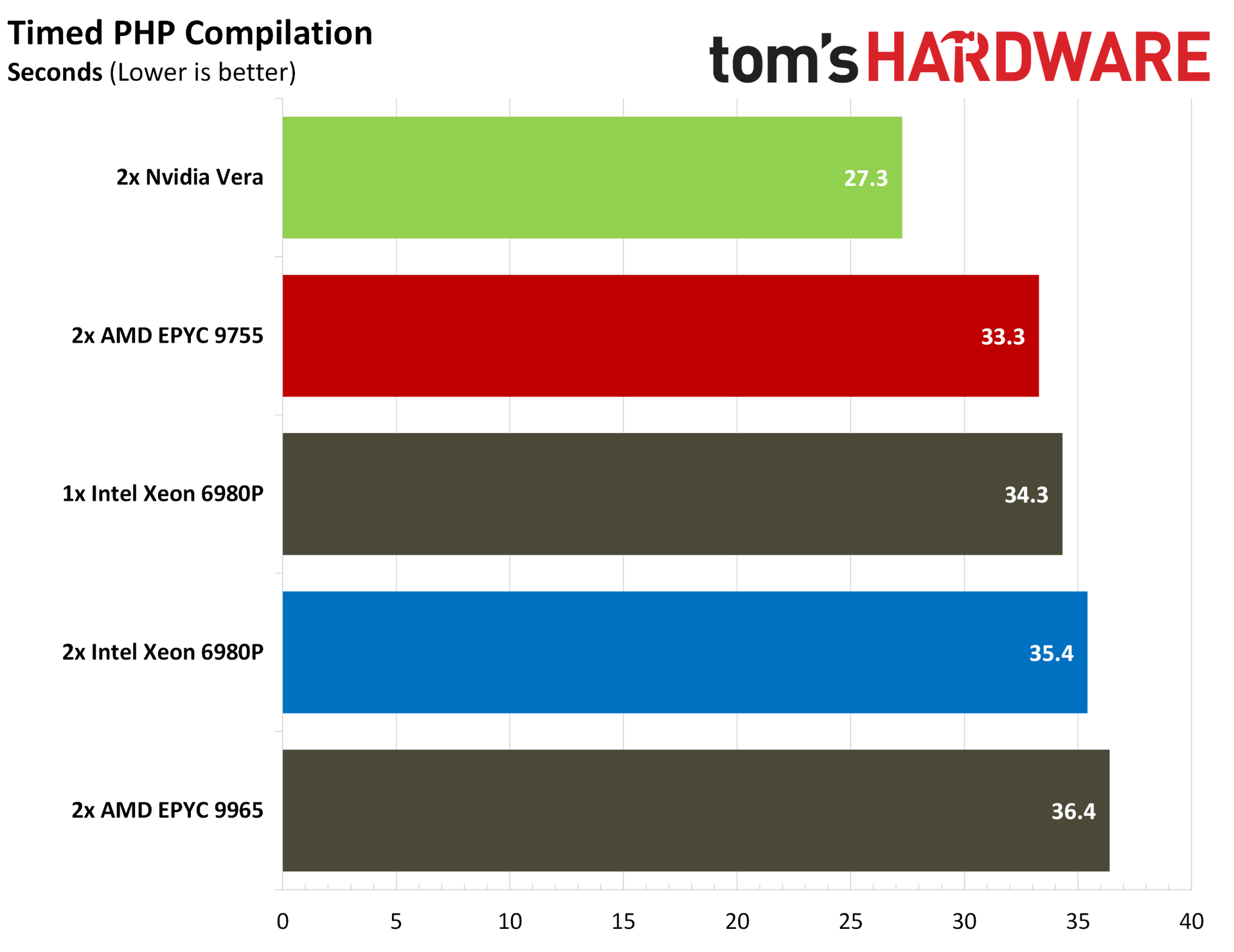
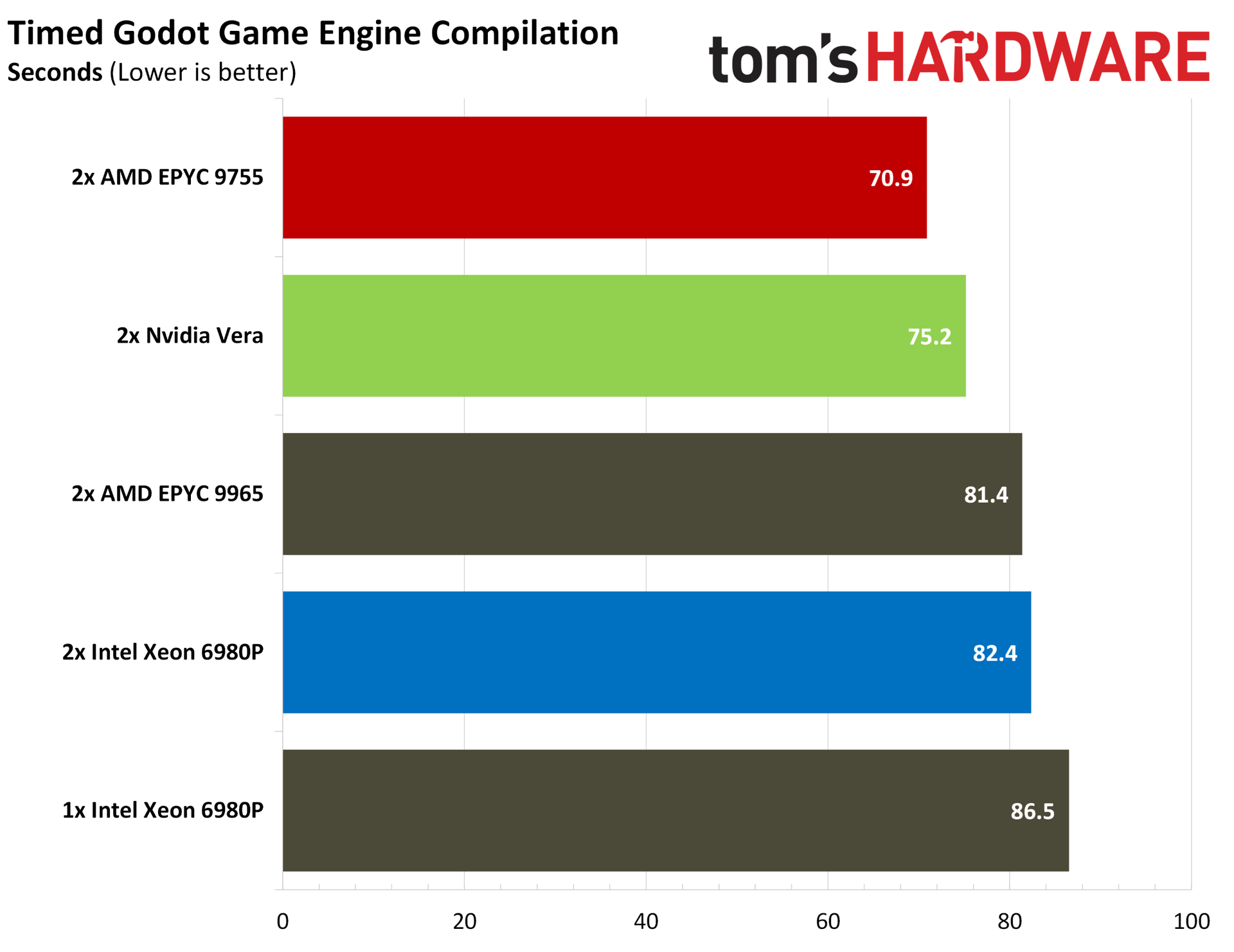
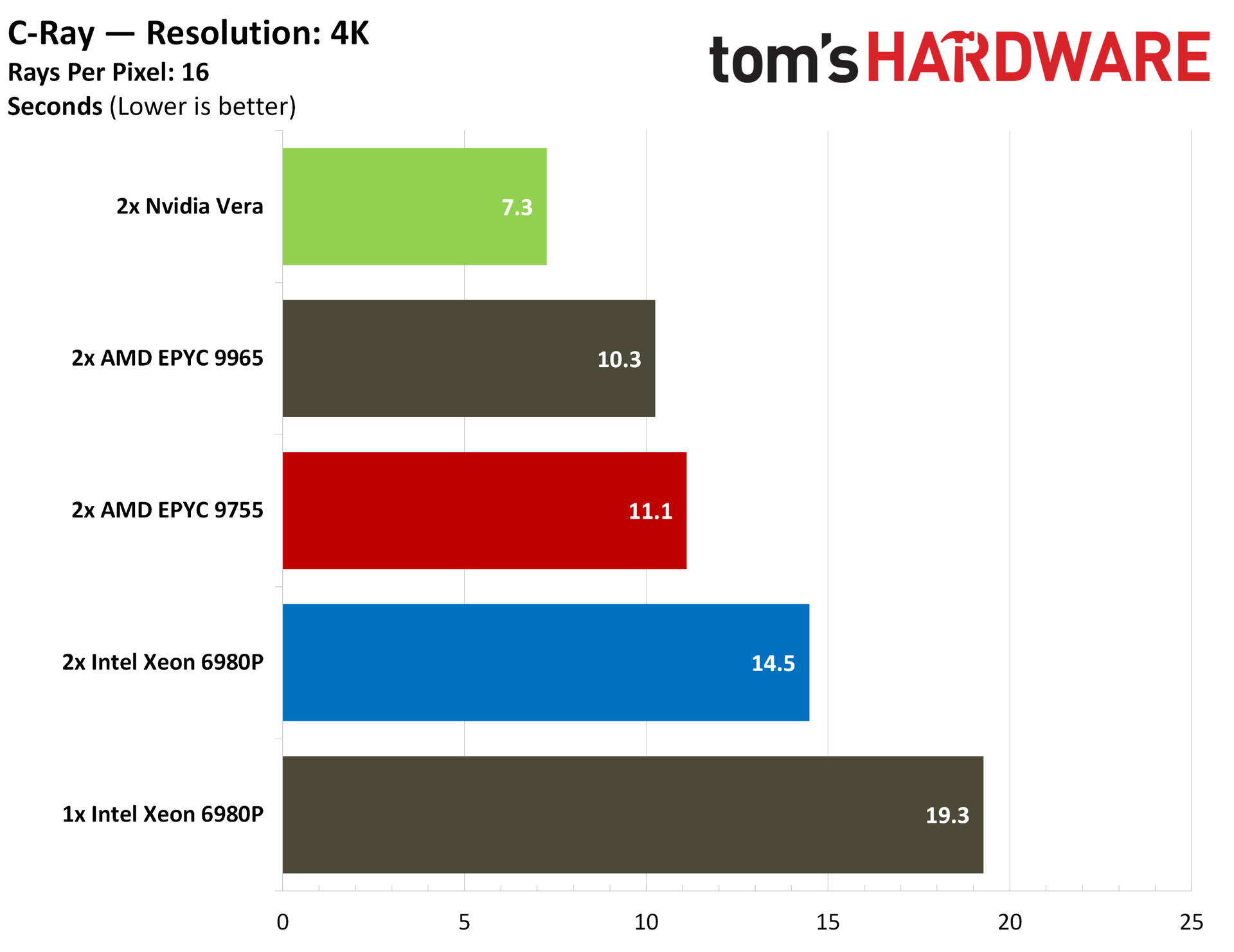
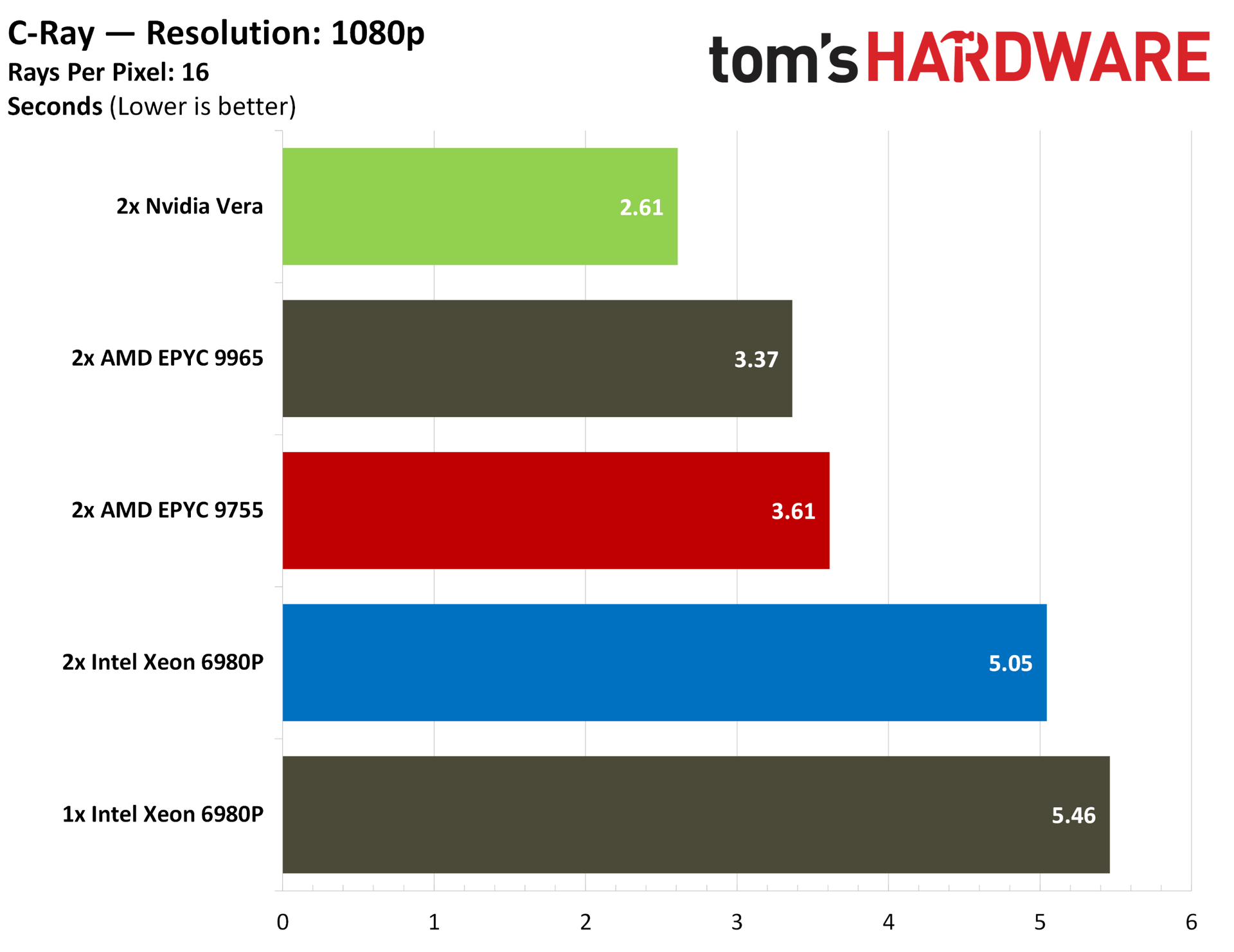
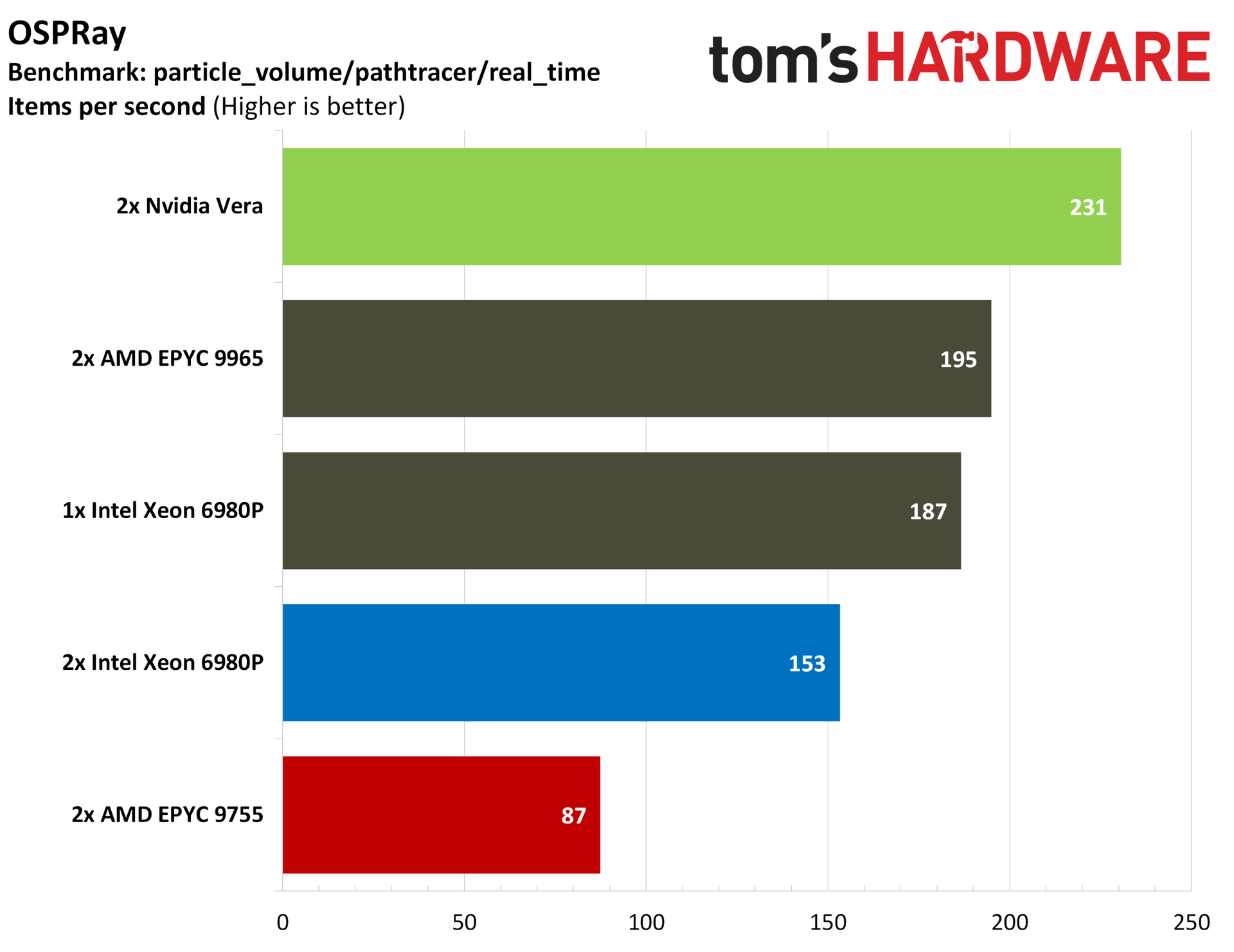
Nvidia’s Vera CPU is an important next step in the company’s years-long spearheading of AI infrastructure buildout. It’s arriving just as the shift to agentic AI workflows has created unprecedented demand for data center CPUs, and it’s designed specifically for this moment, at least according to Nvidia’s marketing bullet points. Although the idea that anyone developed a CPU for a shift in demand that arose just six months ago is reaching, as our benchmarks below show, Nvidia’s claims about Vera aren’t full of hot air.
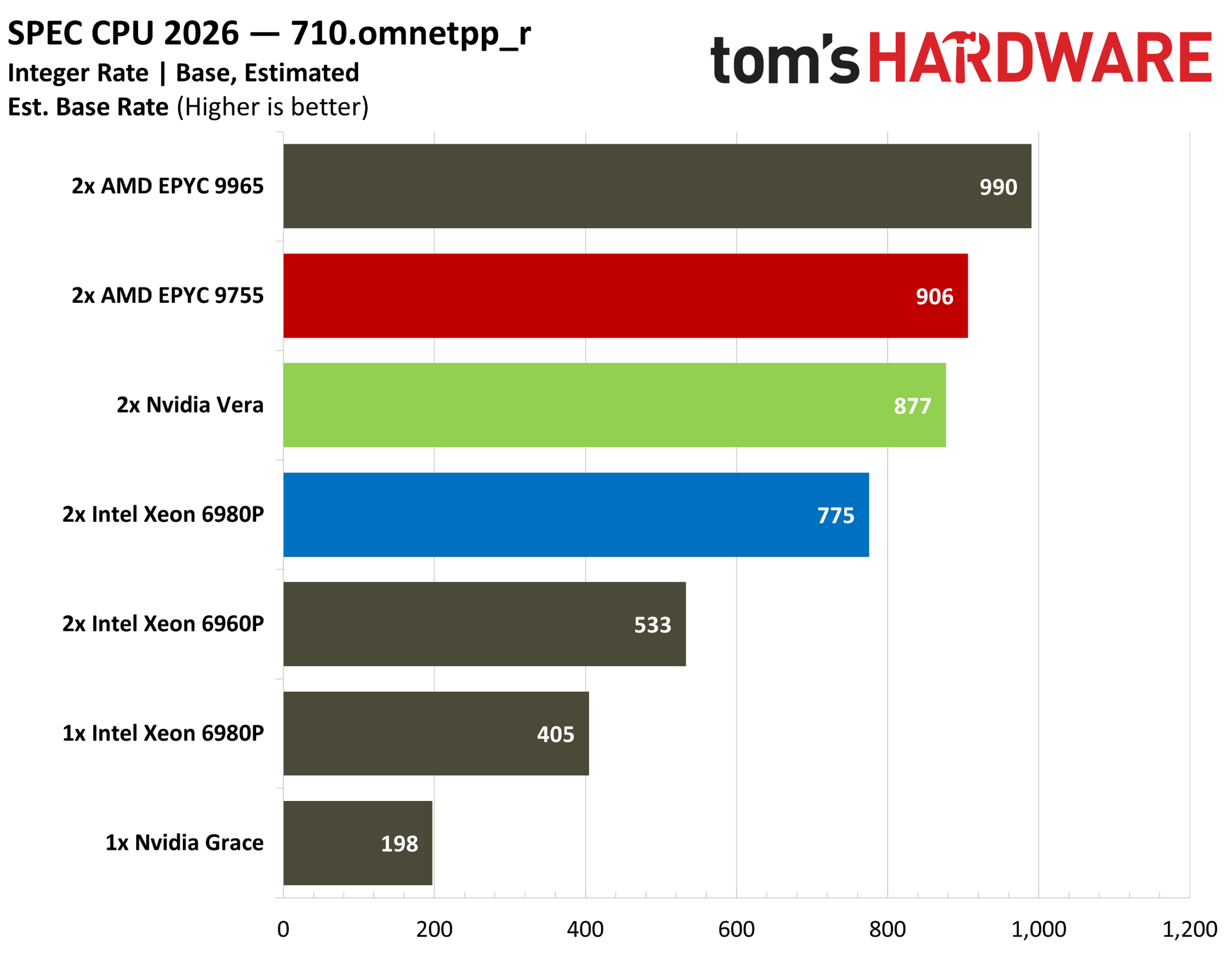
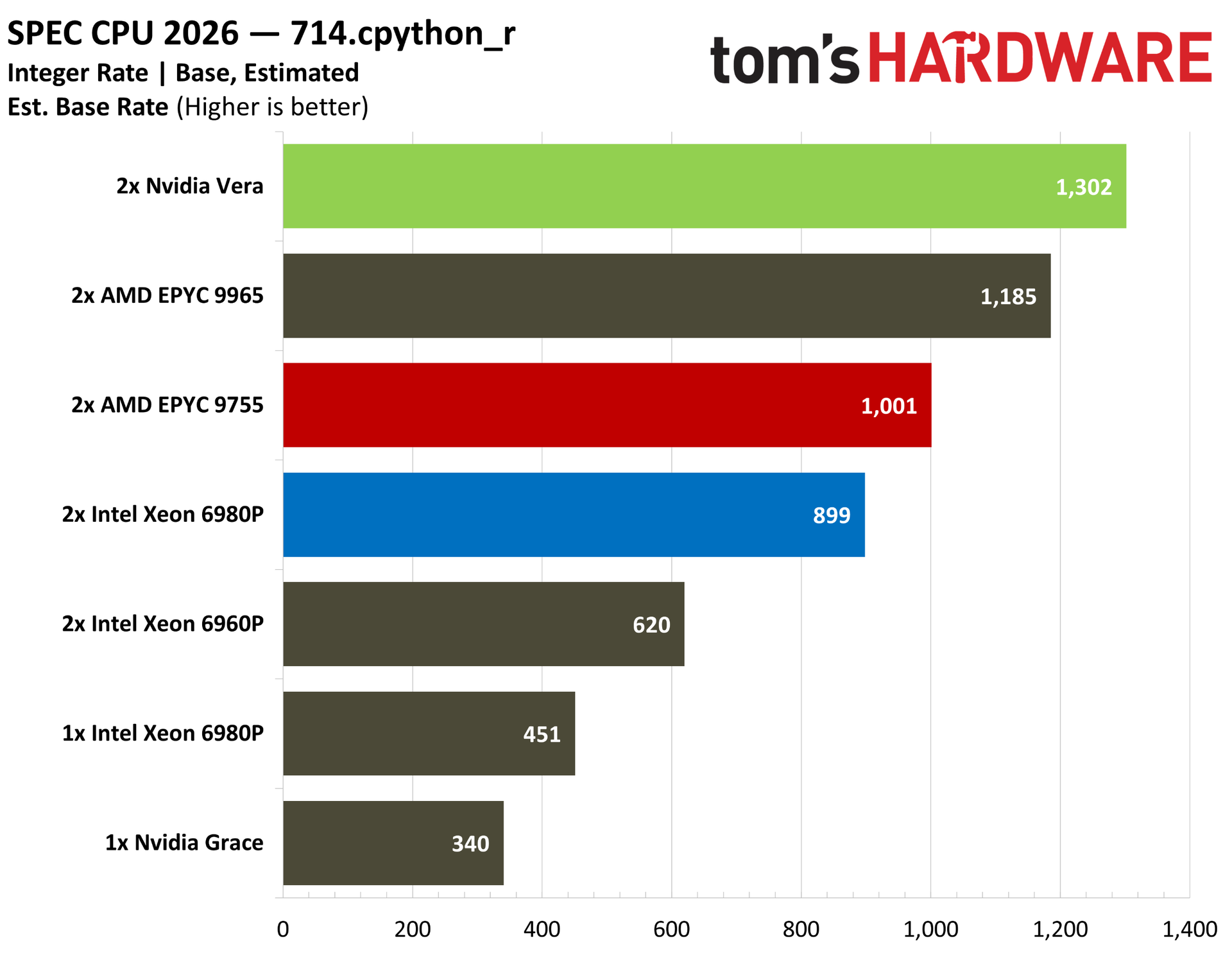
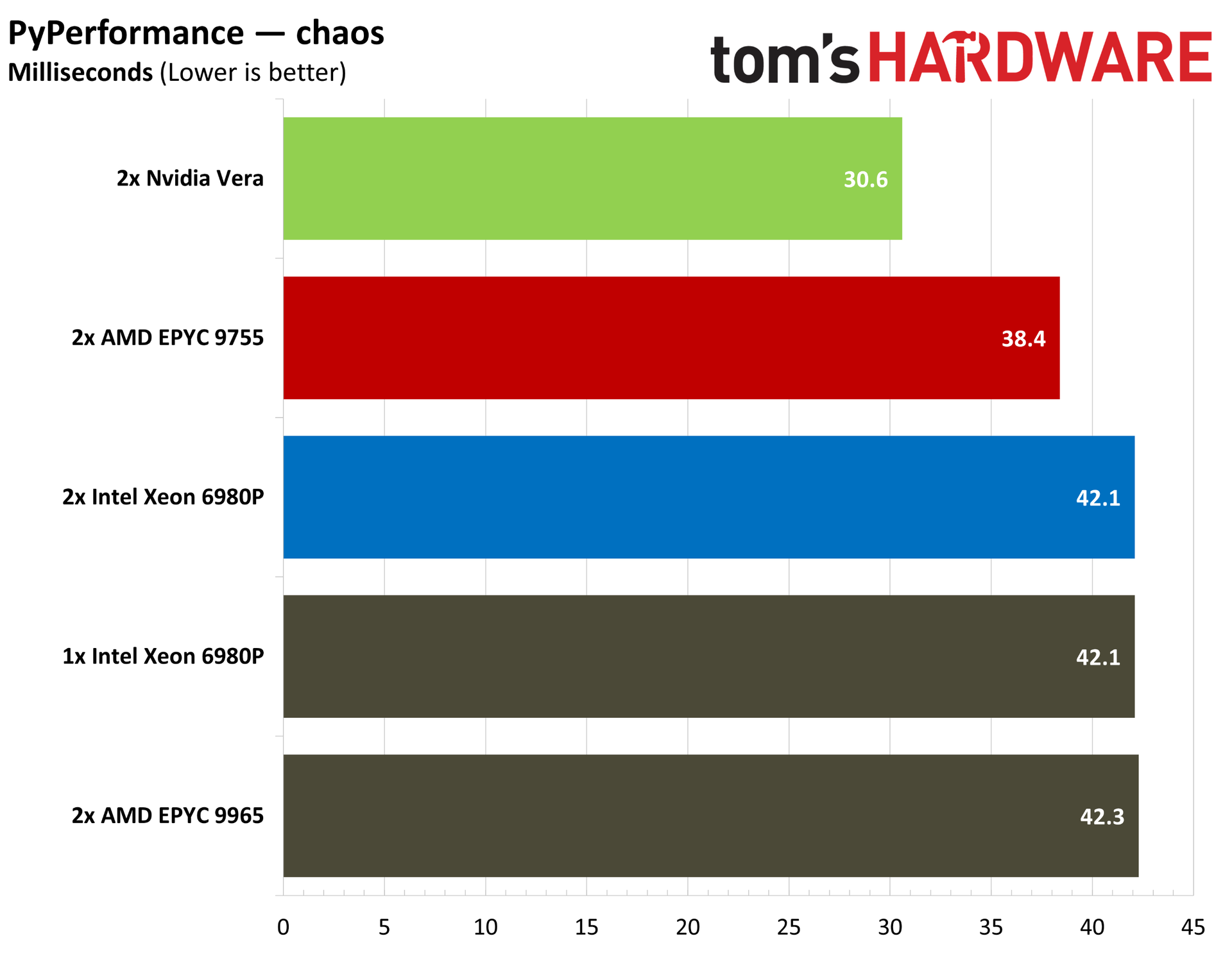
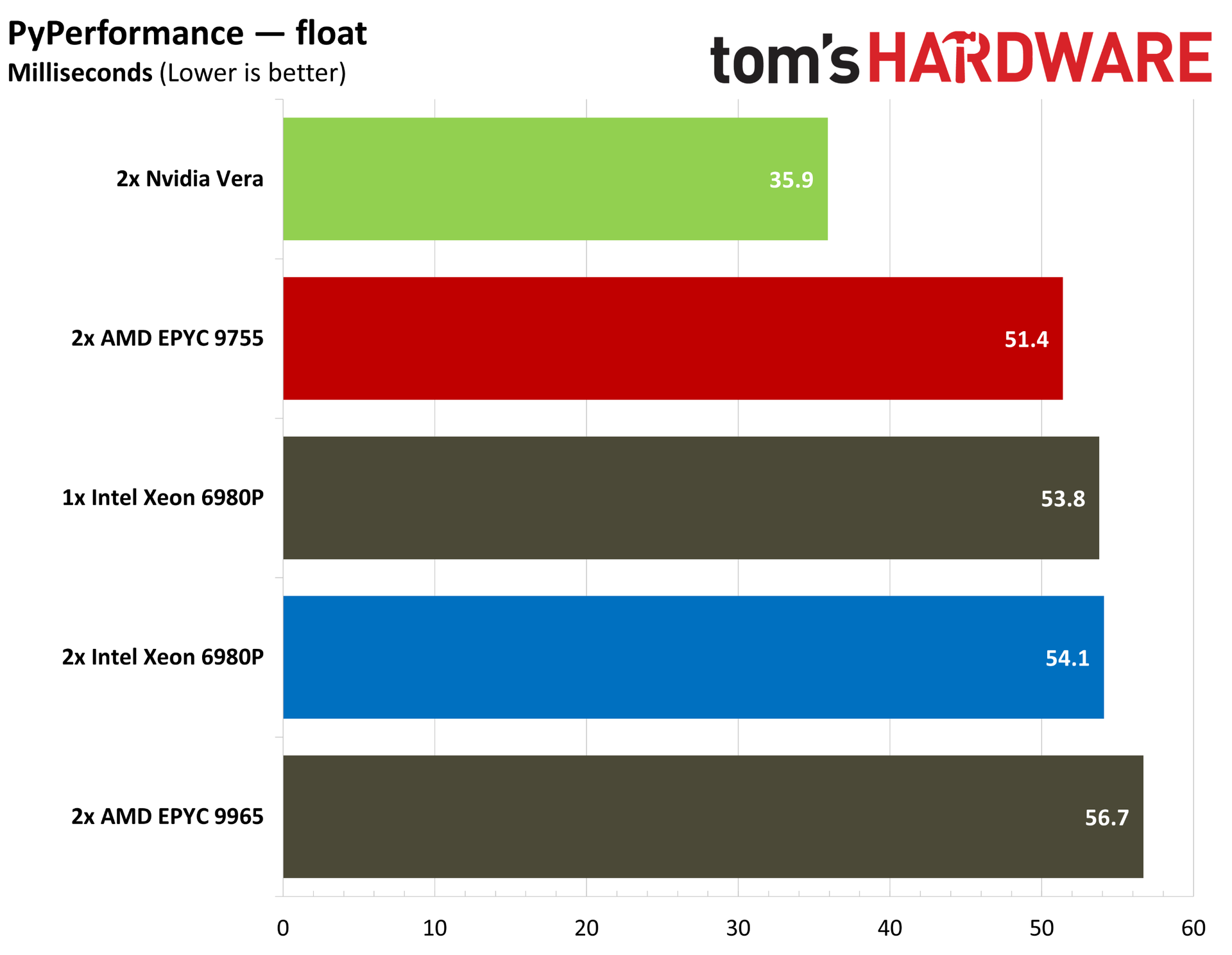
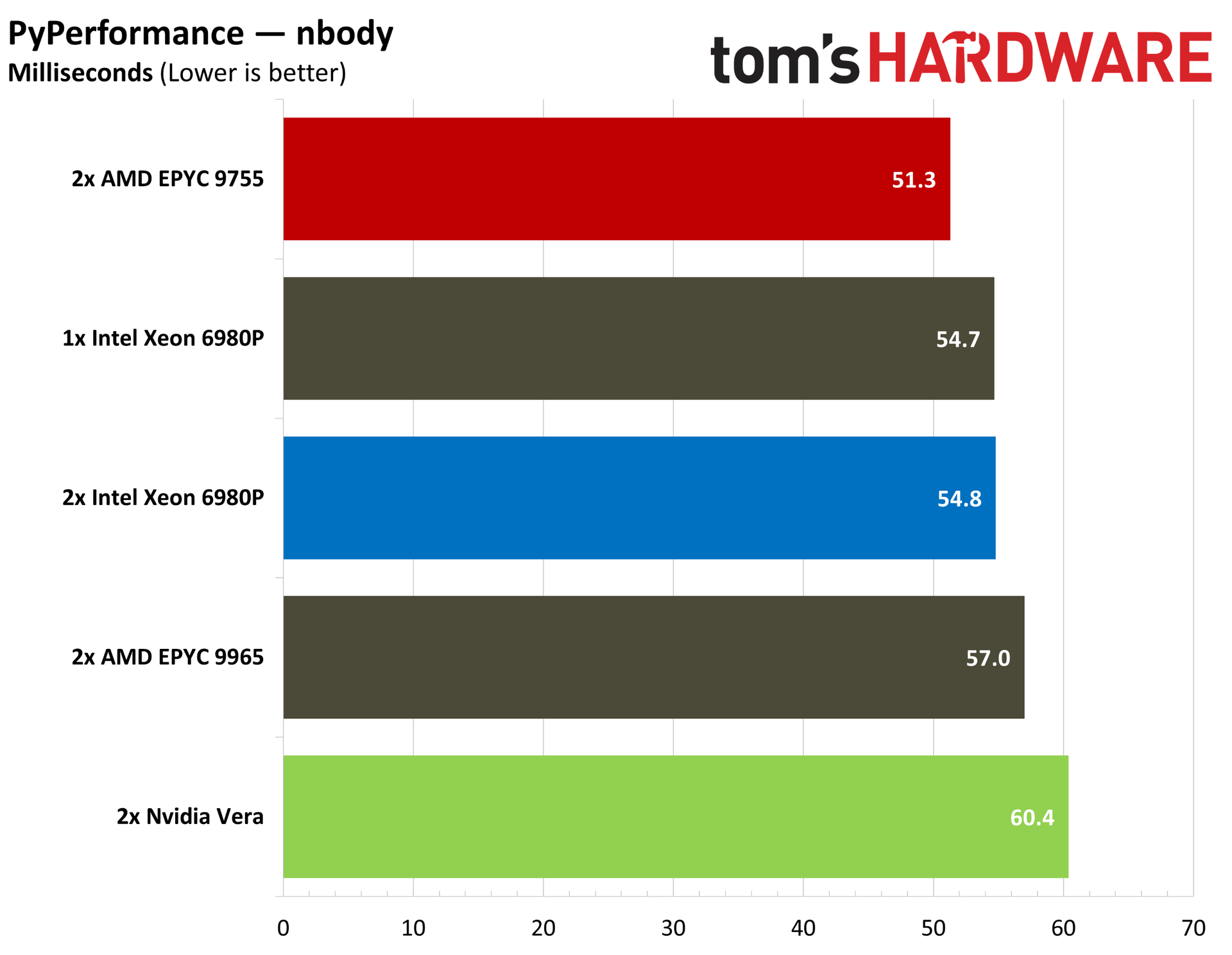
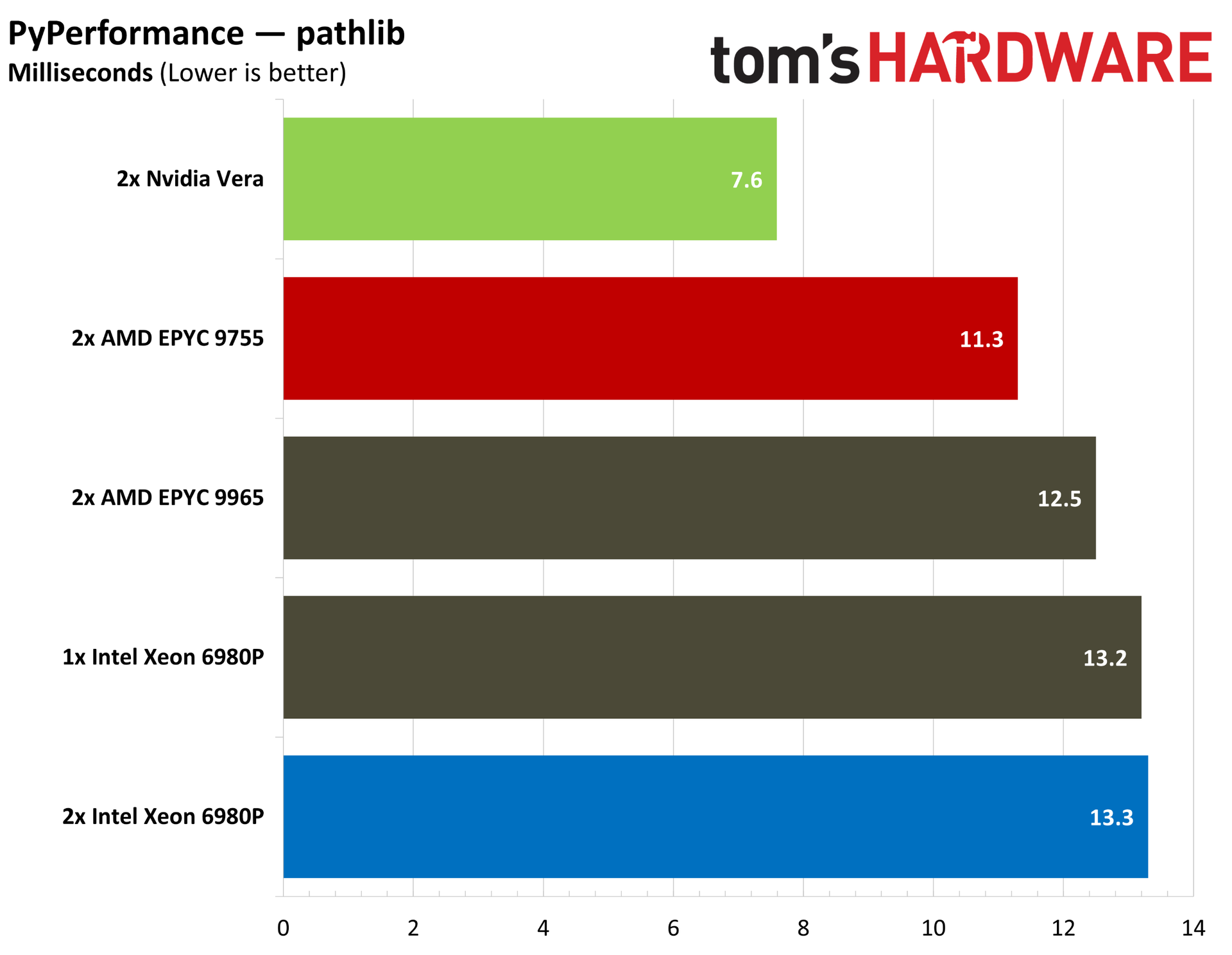
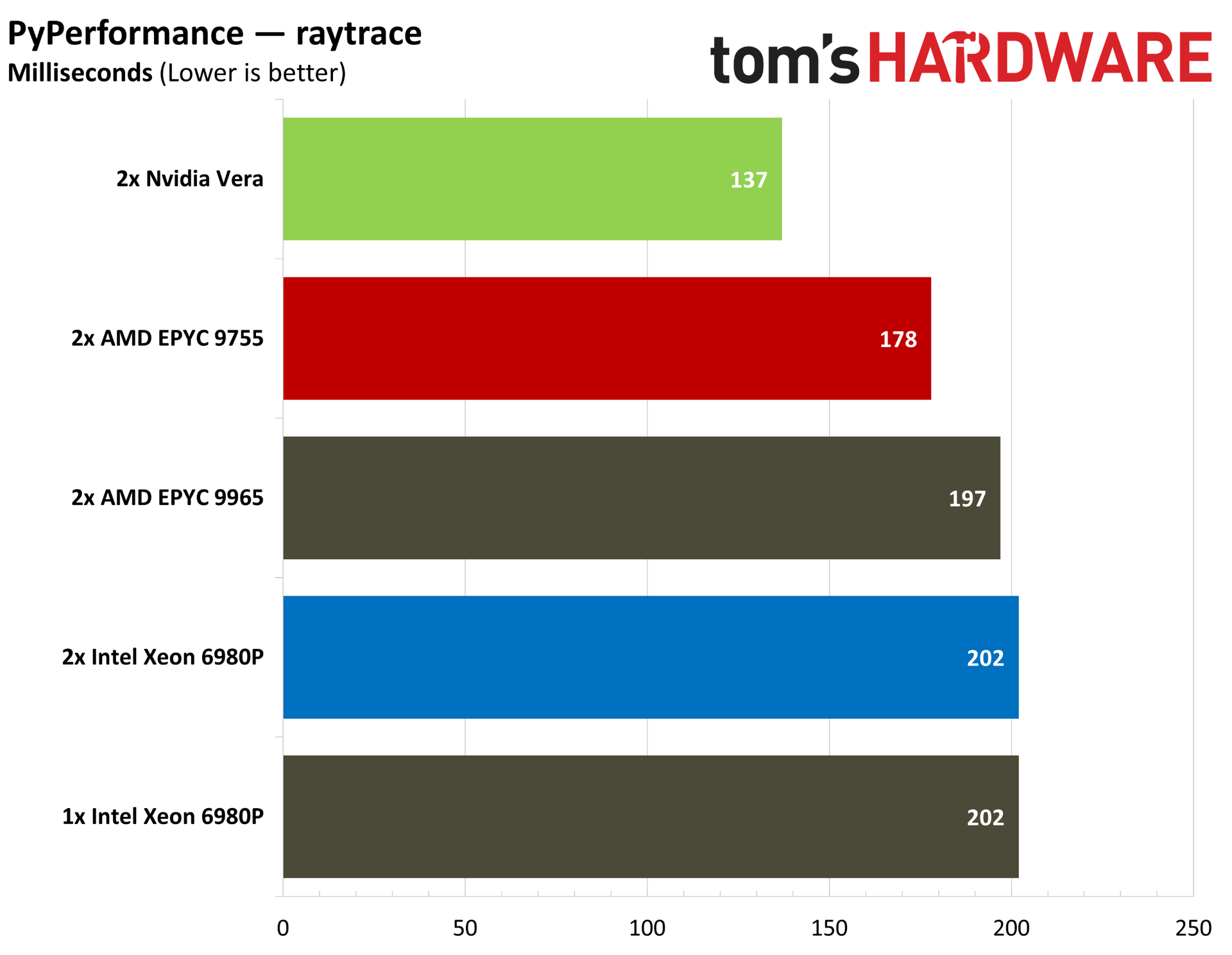
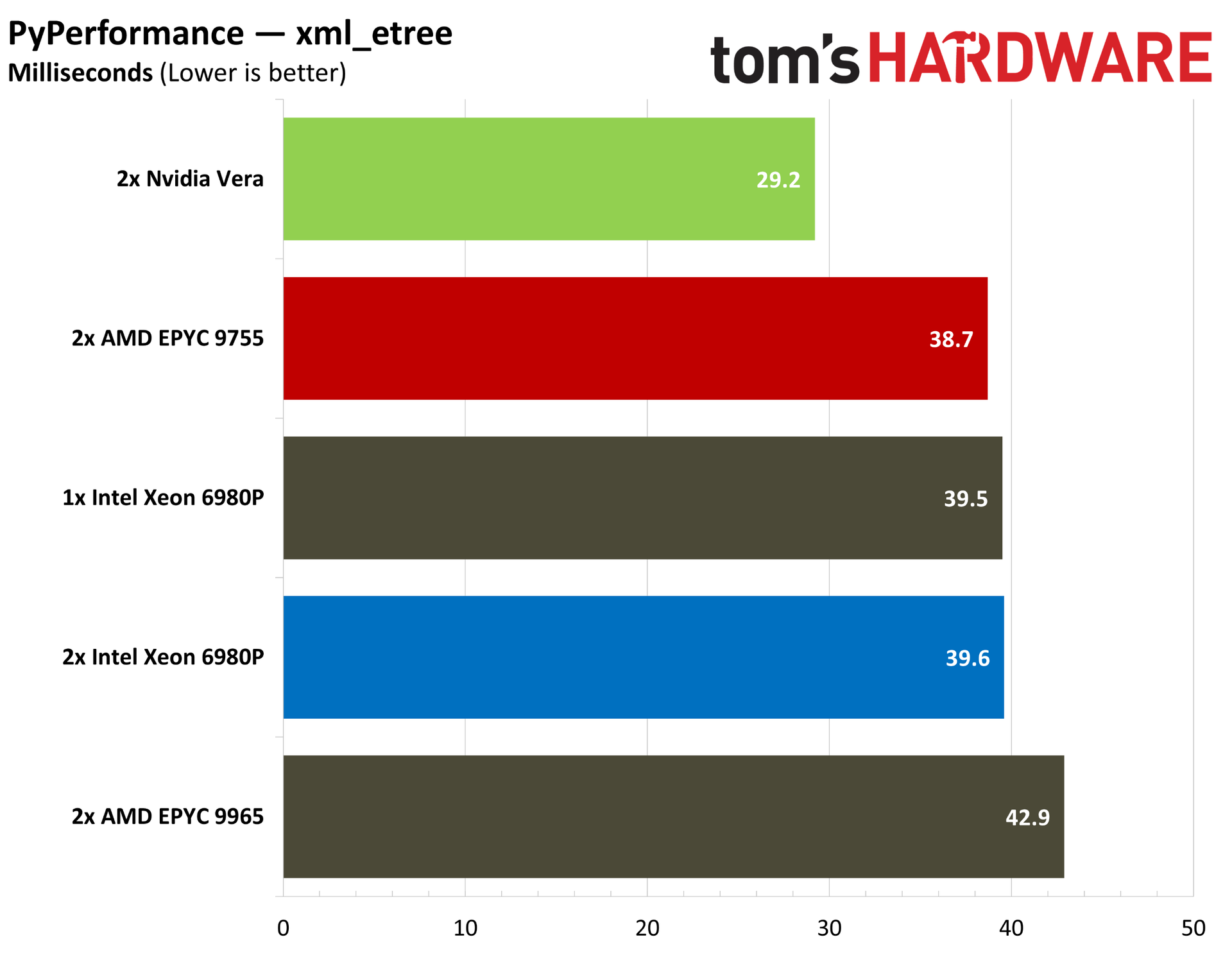
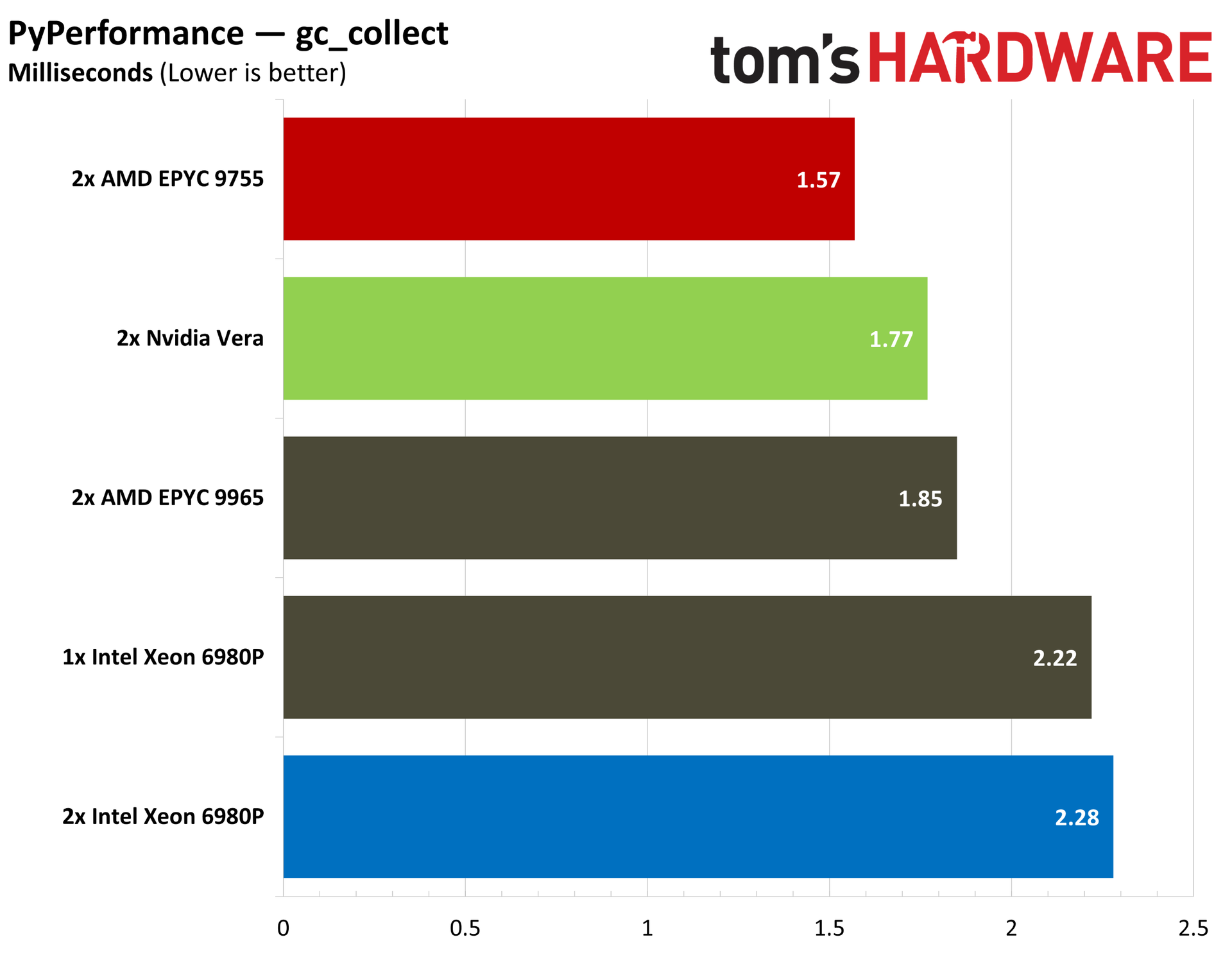
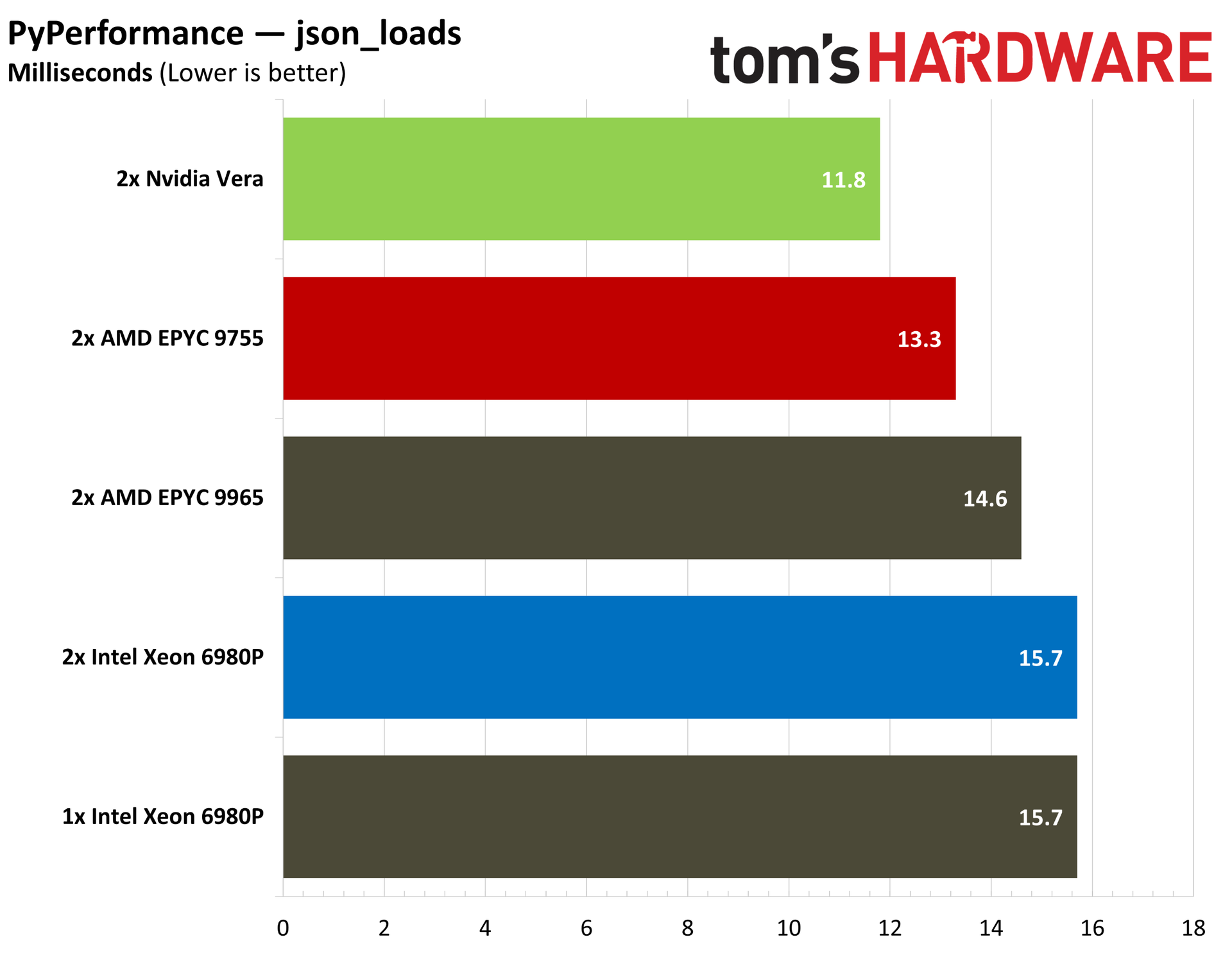
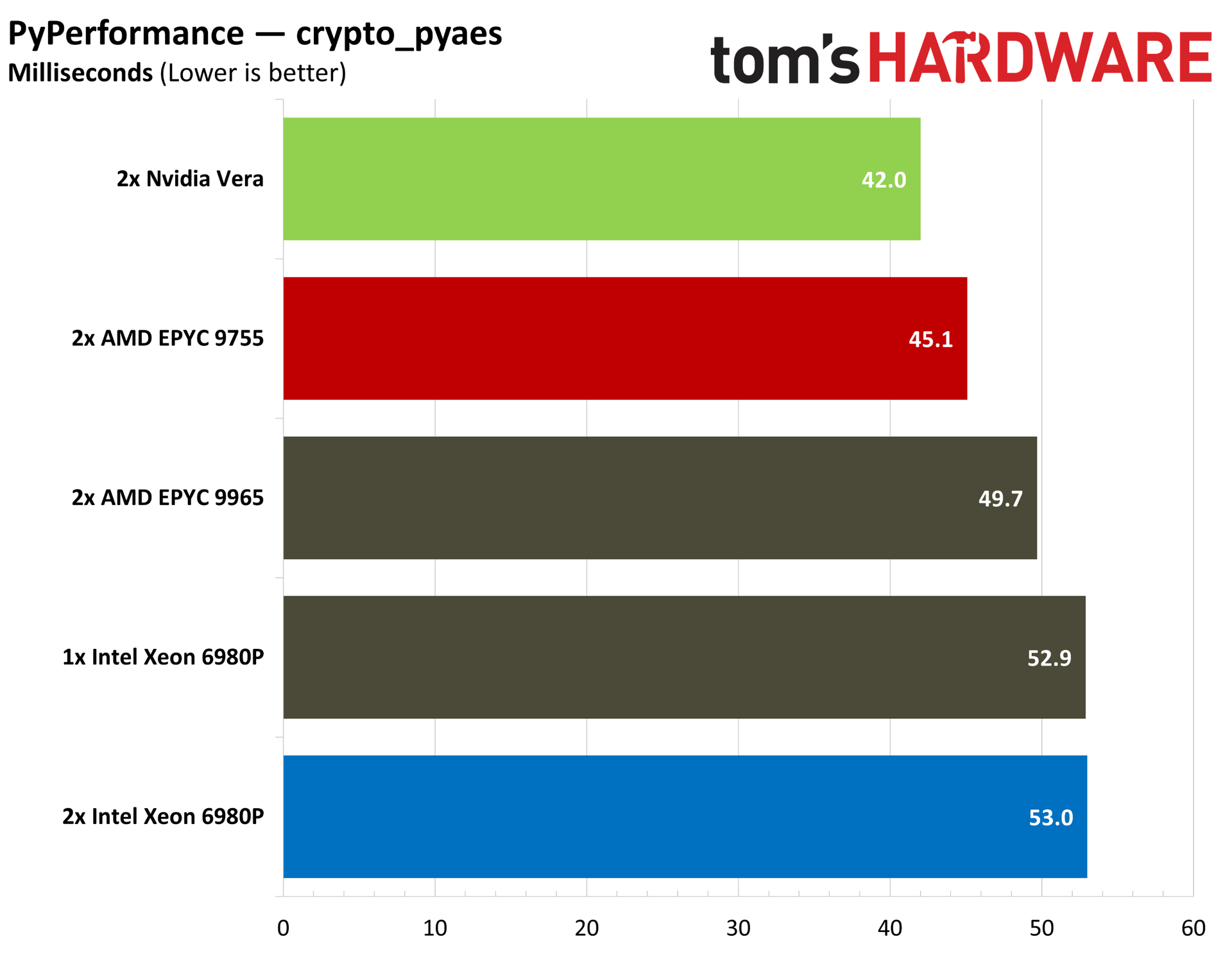
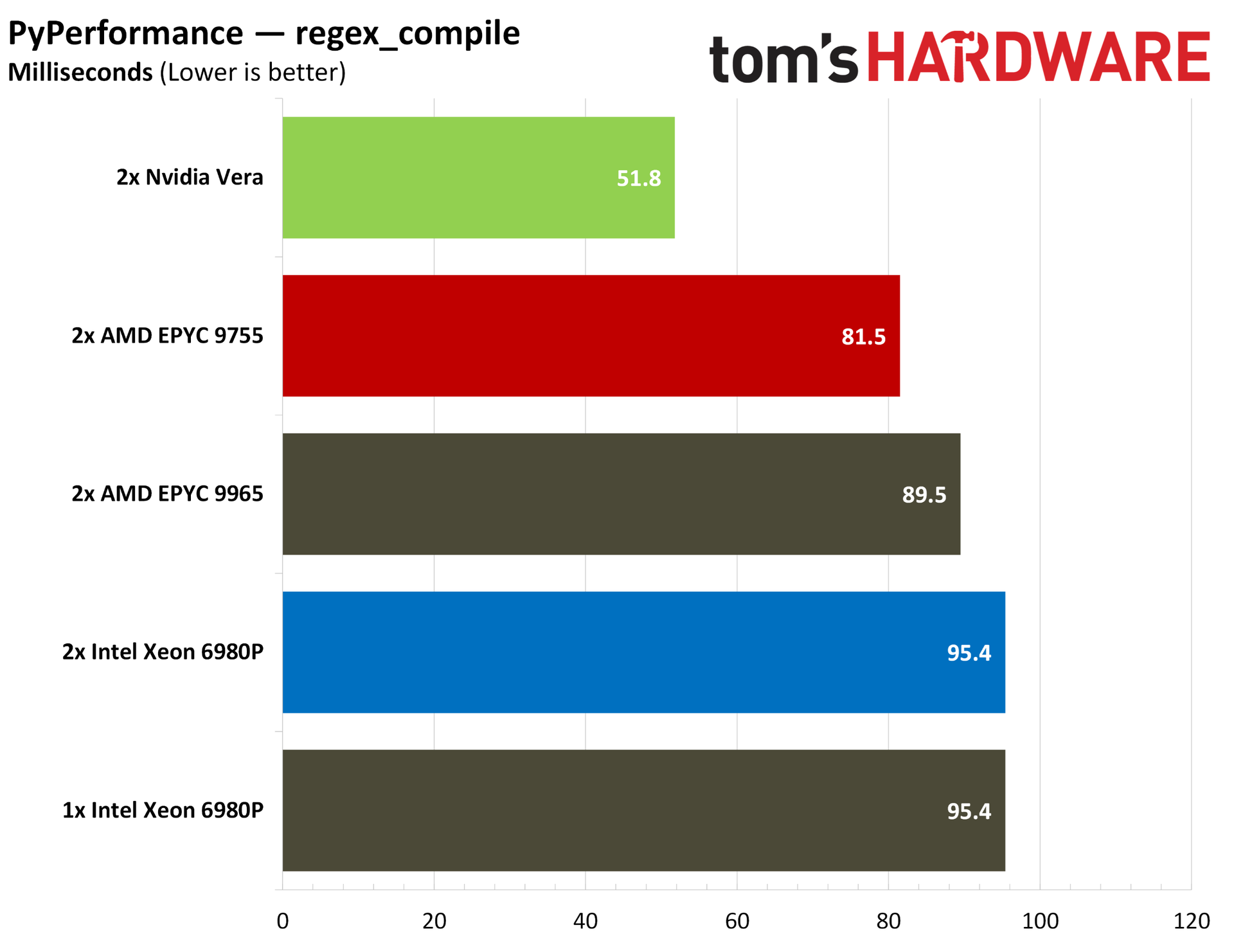
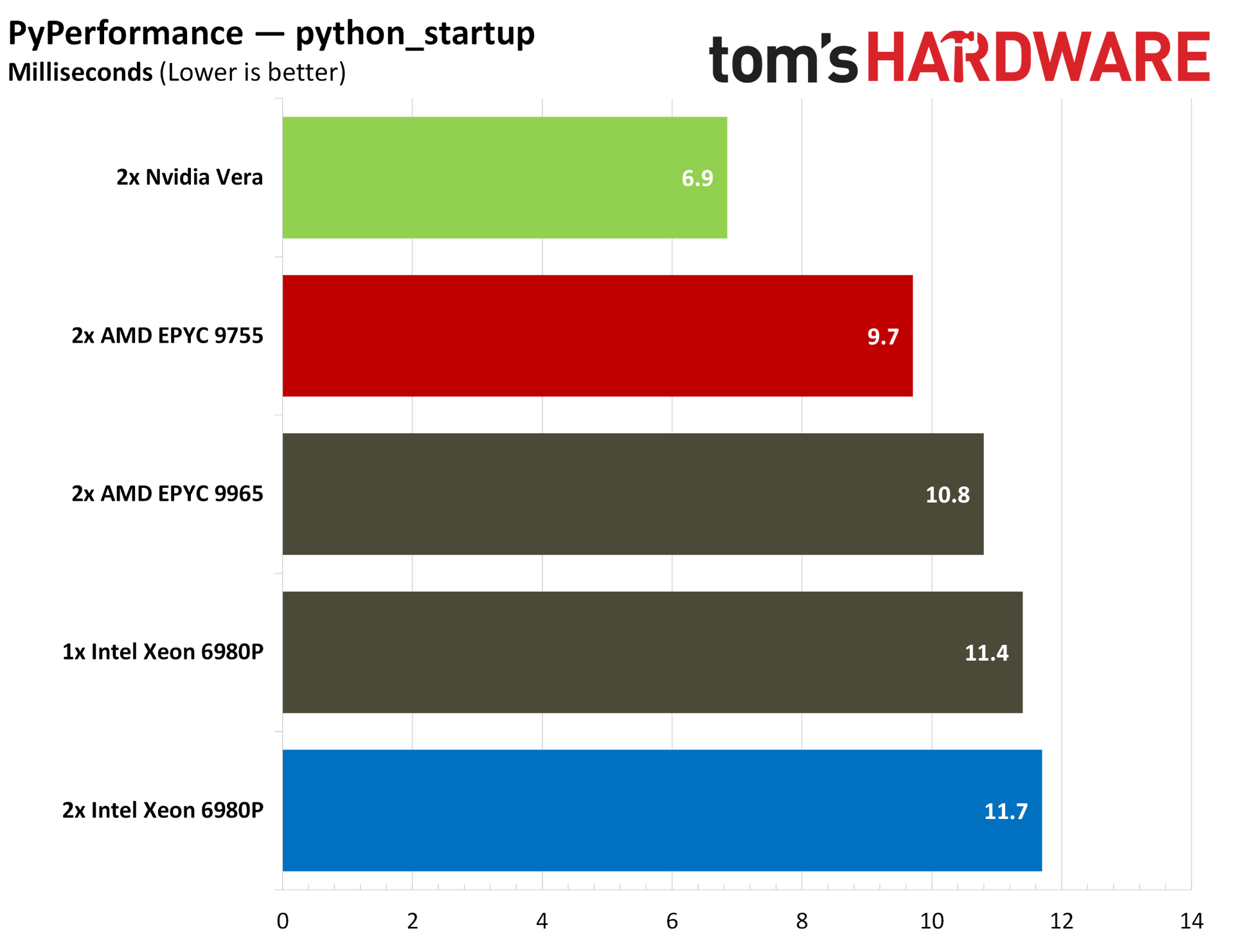
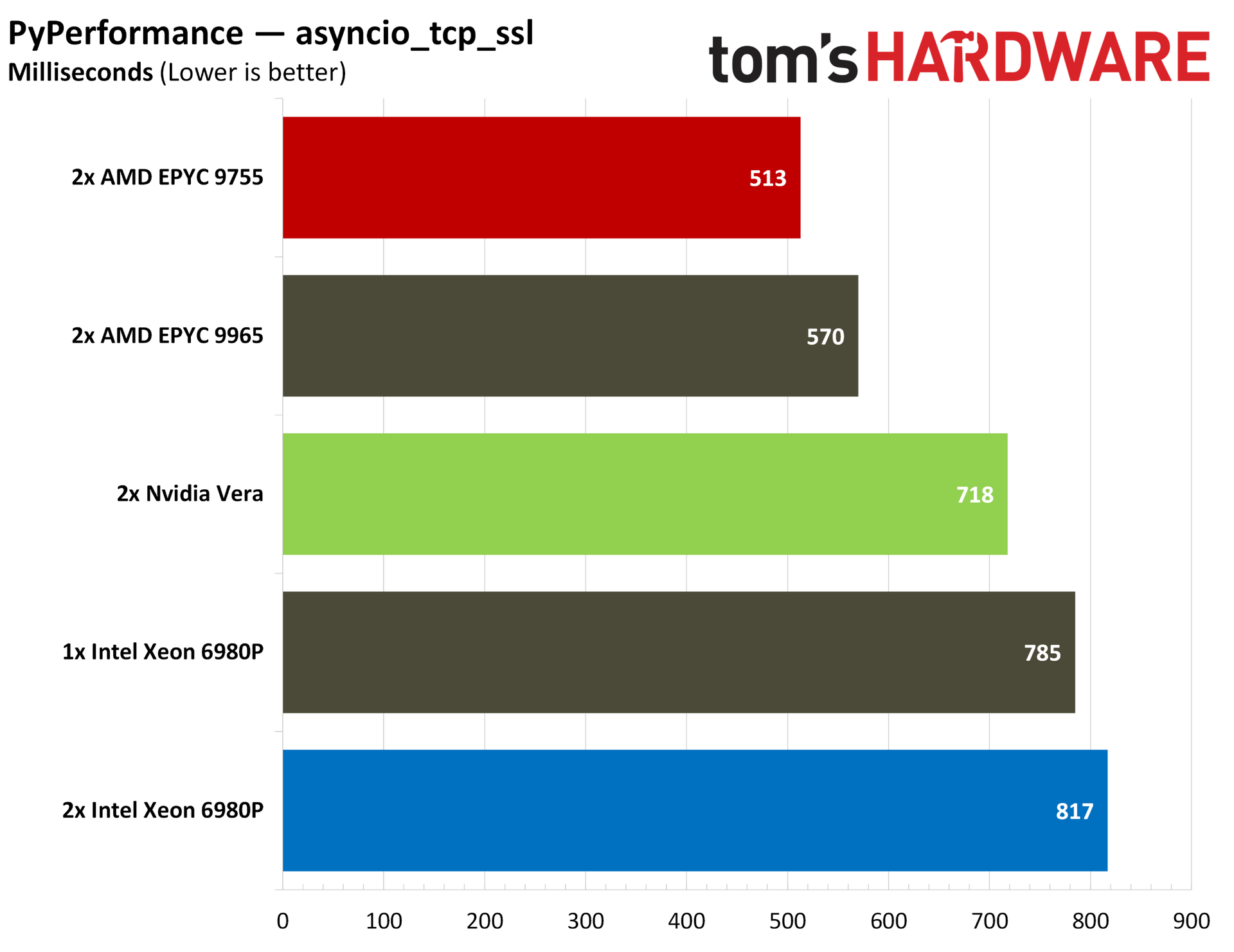
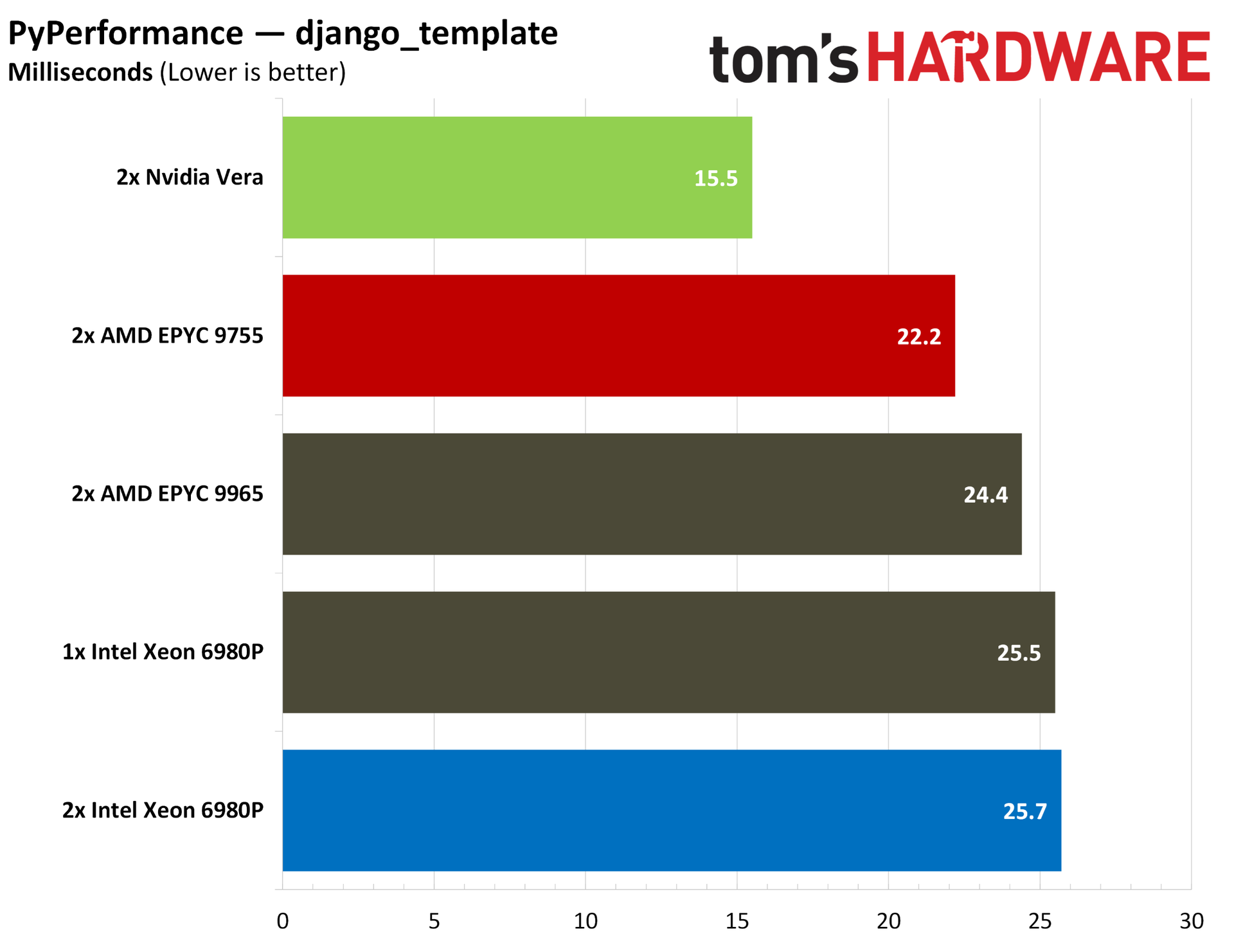
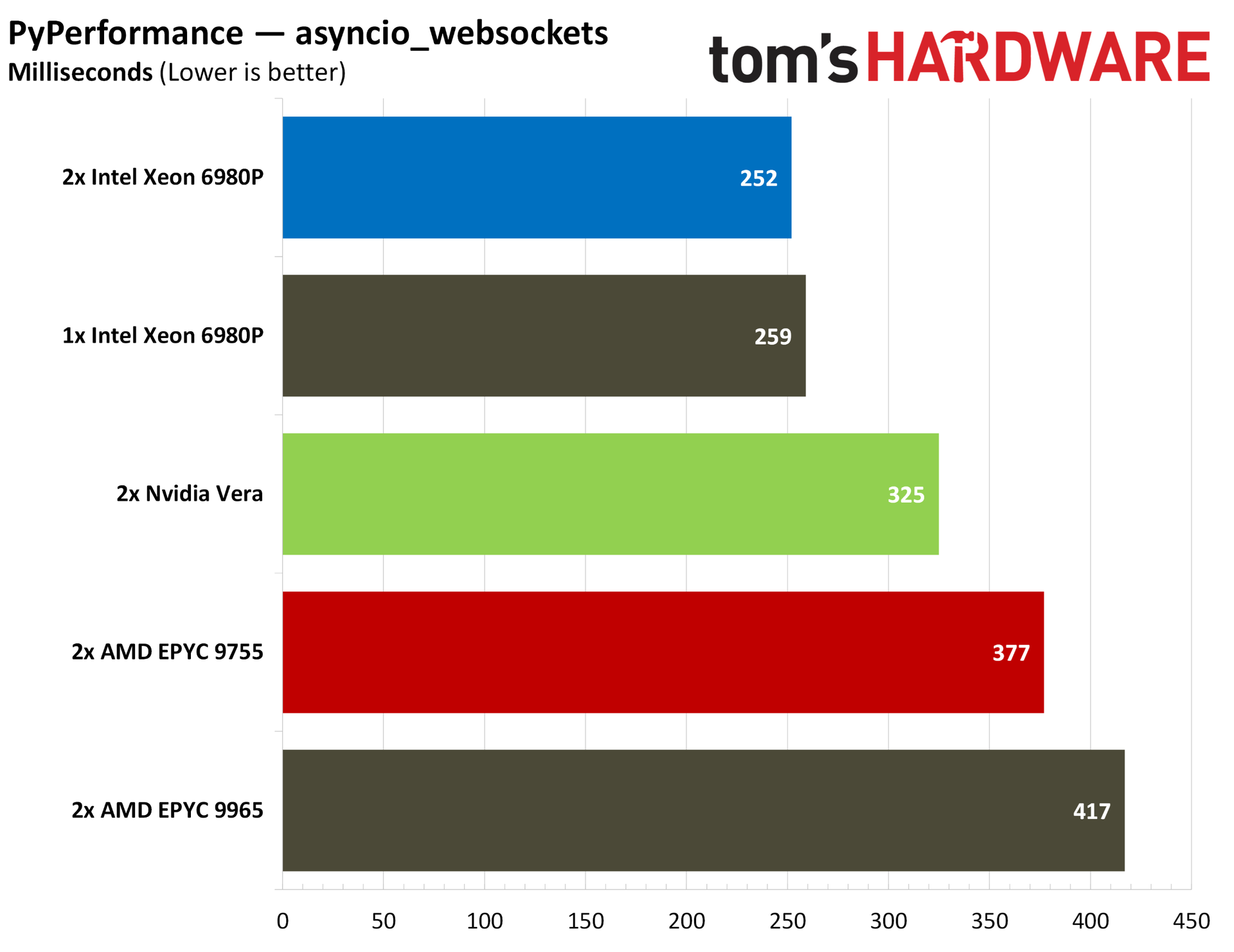
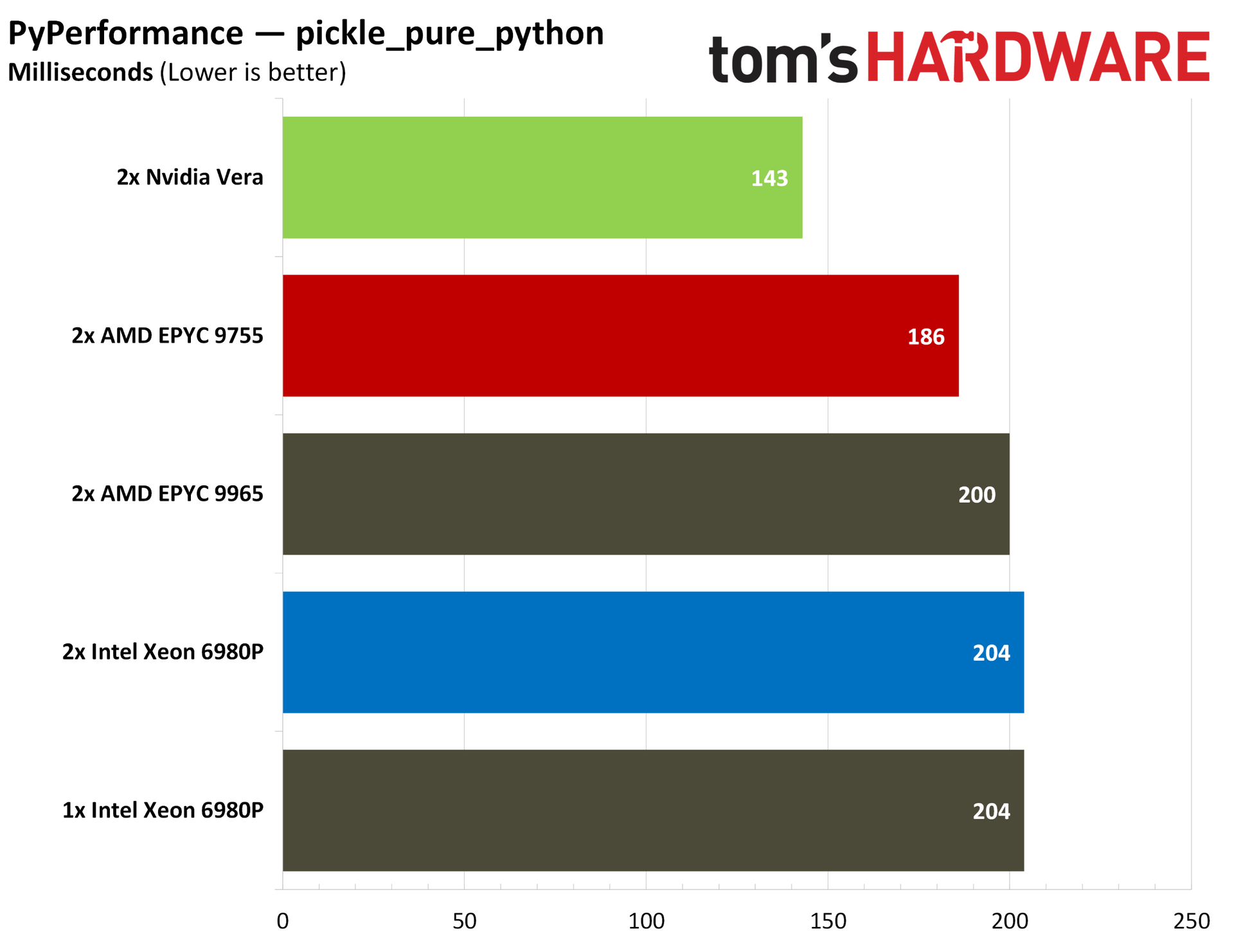
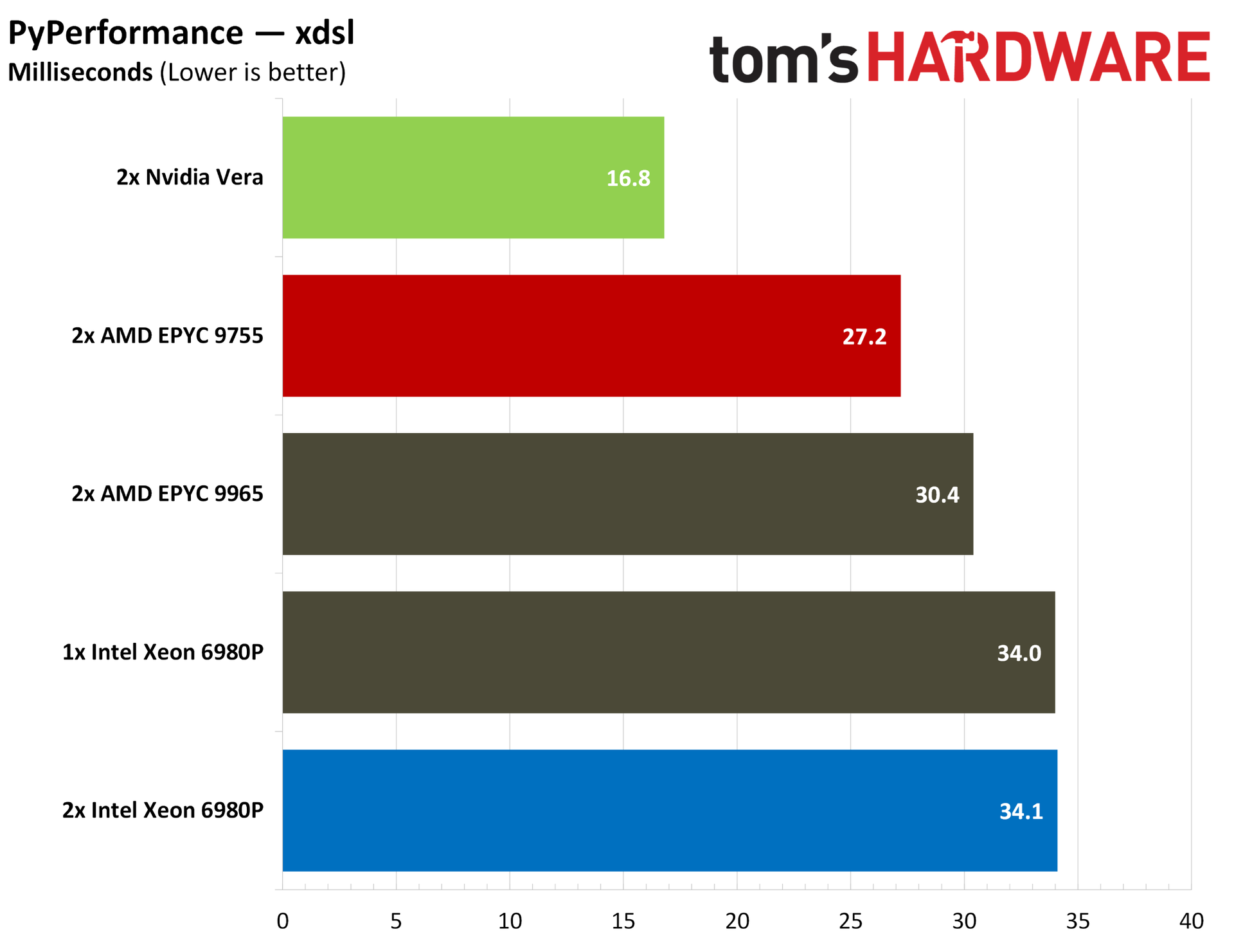
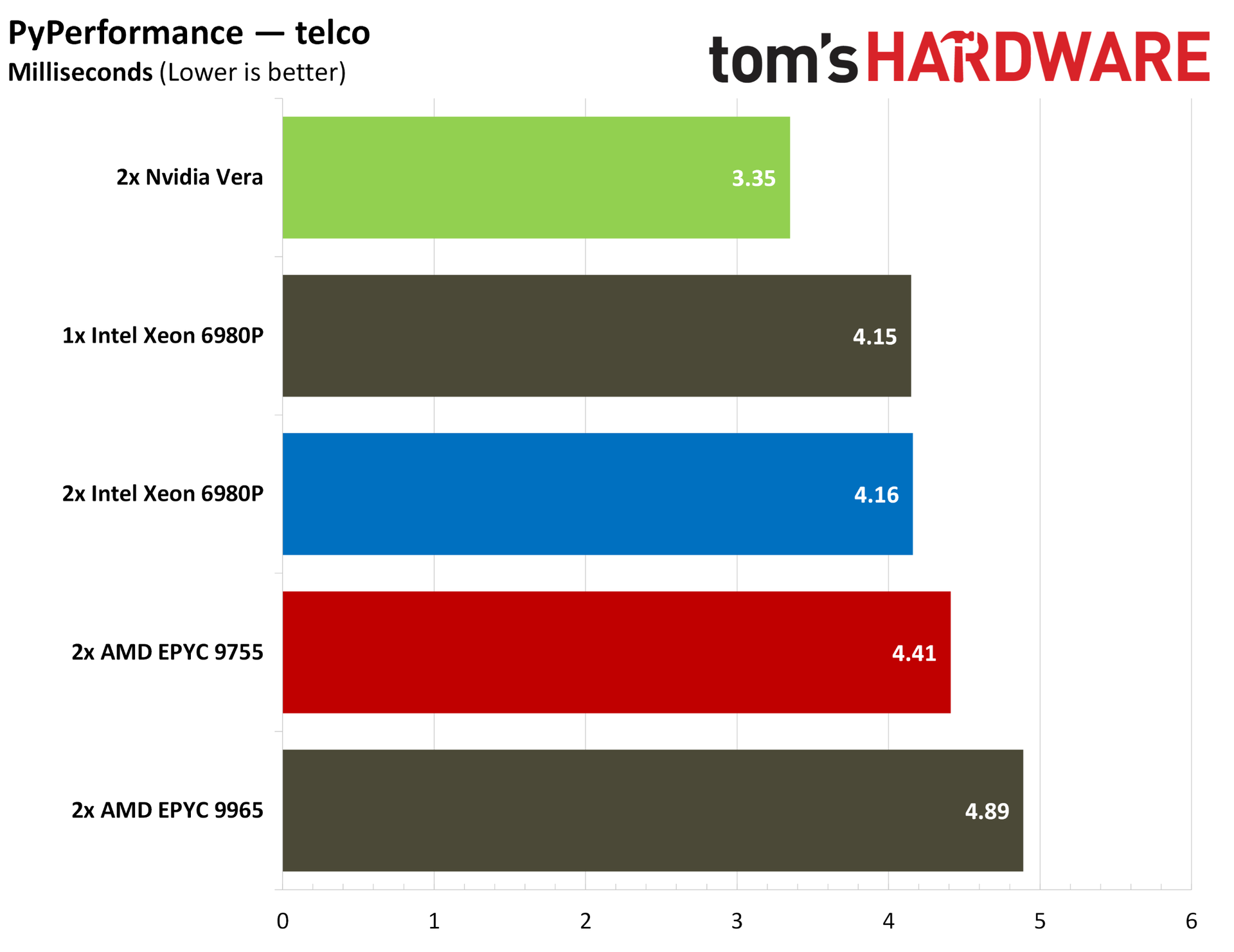
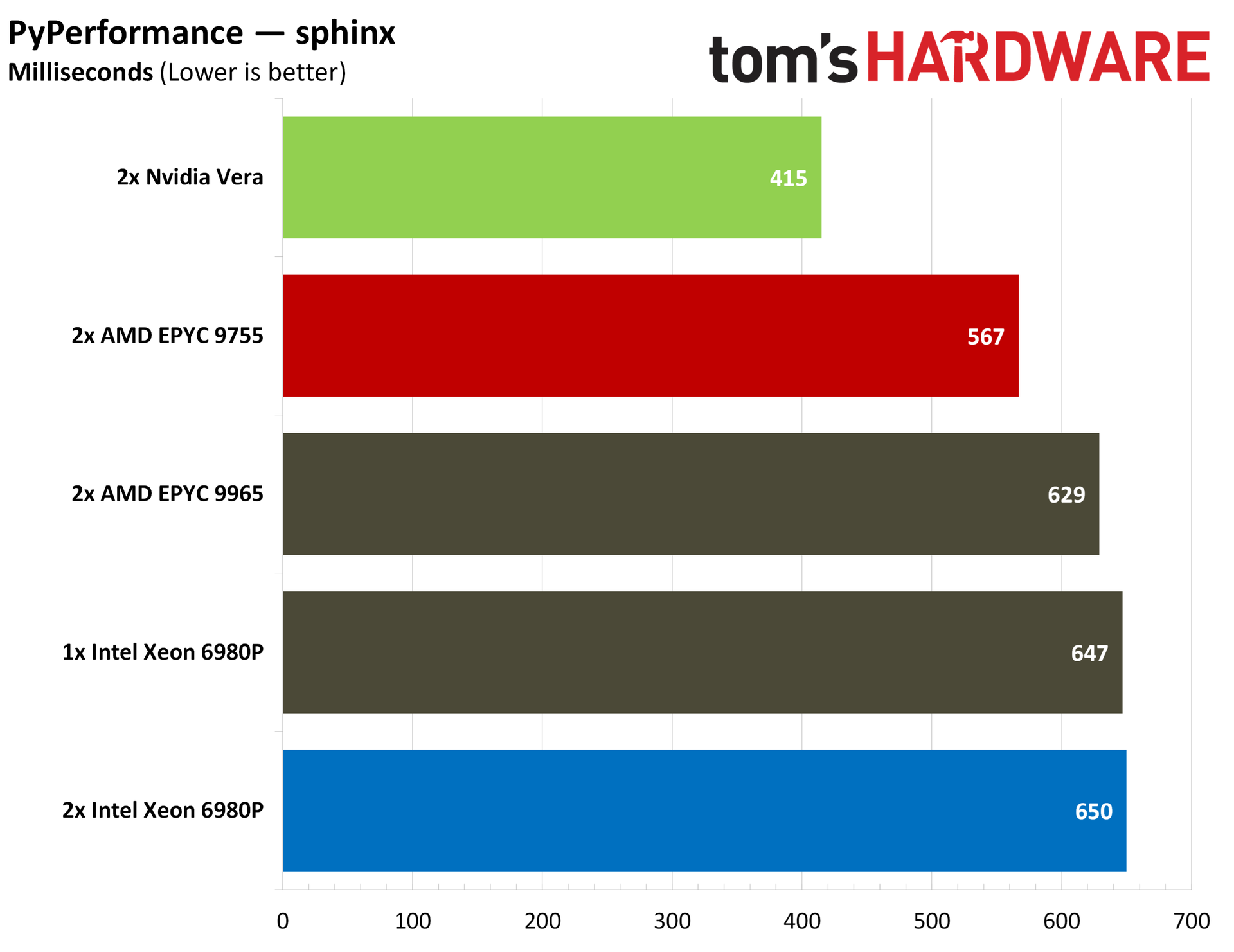
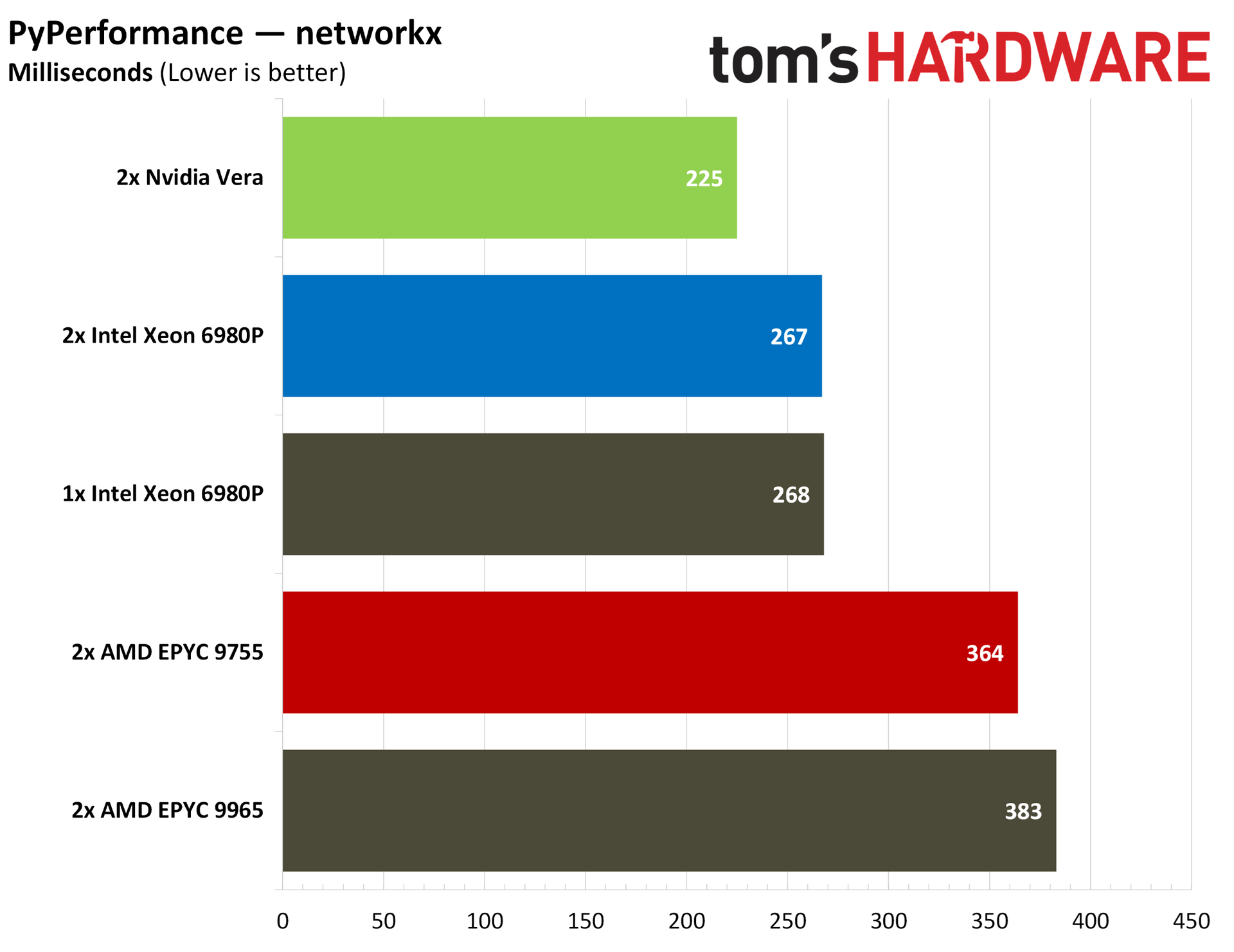
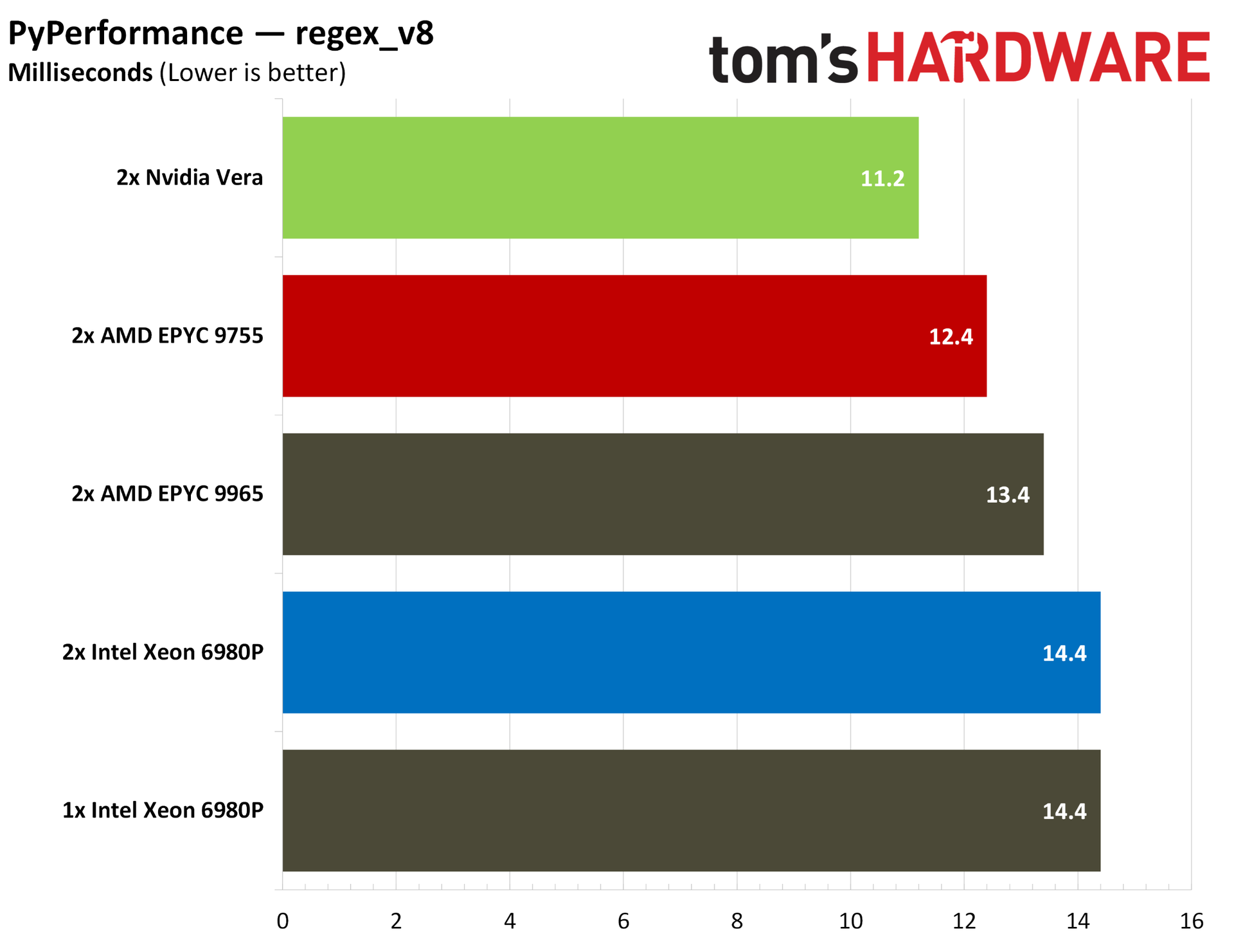
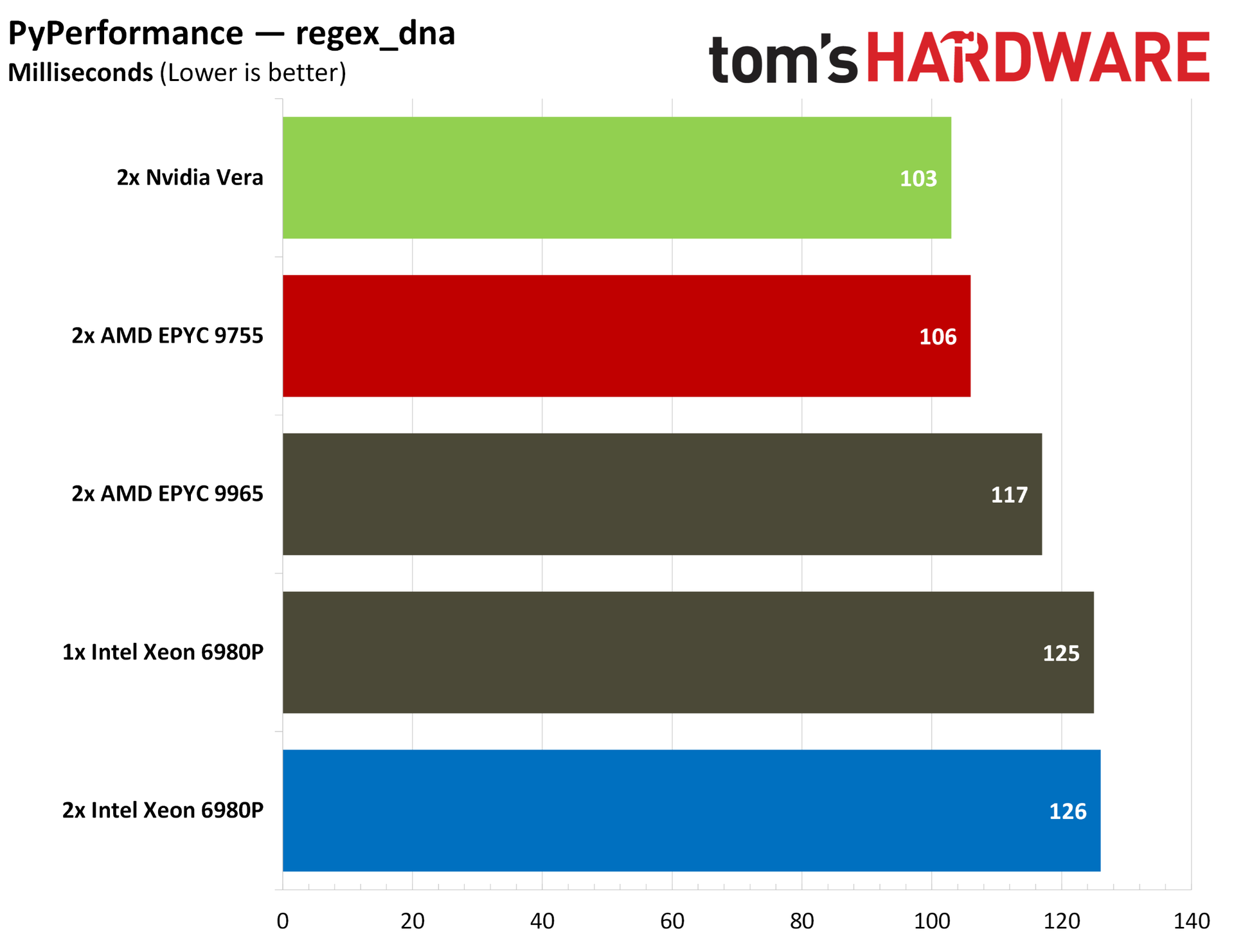
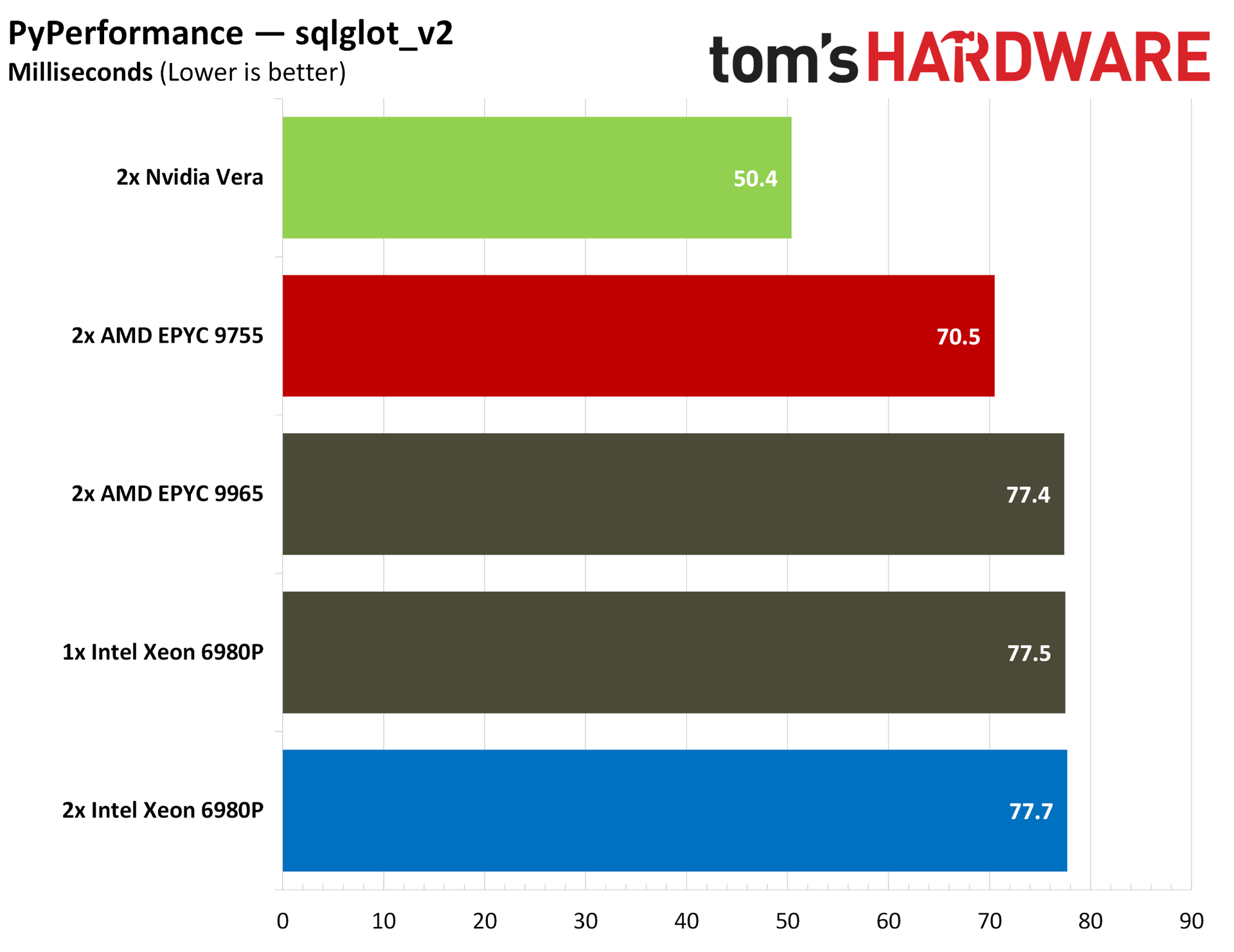
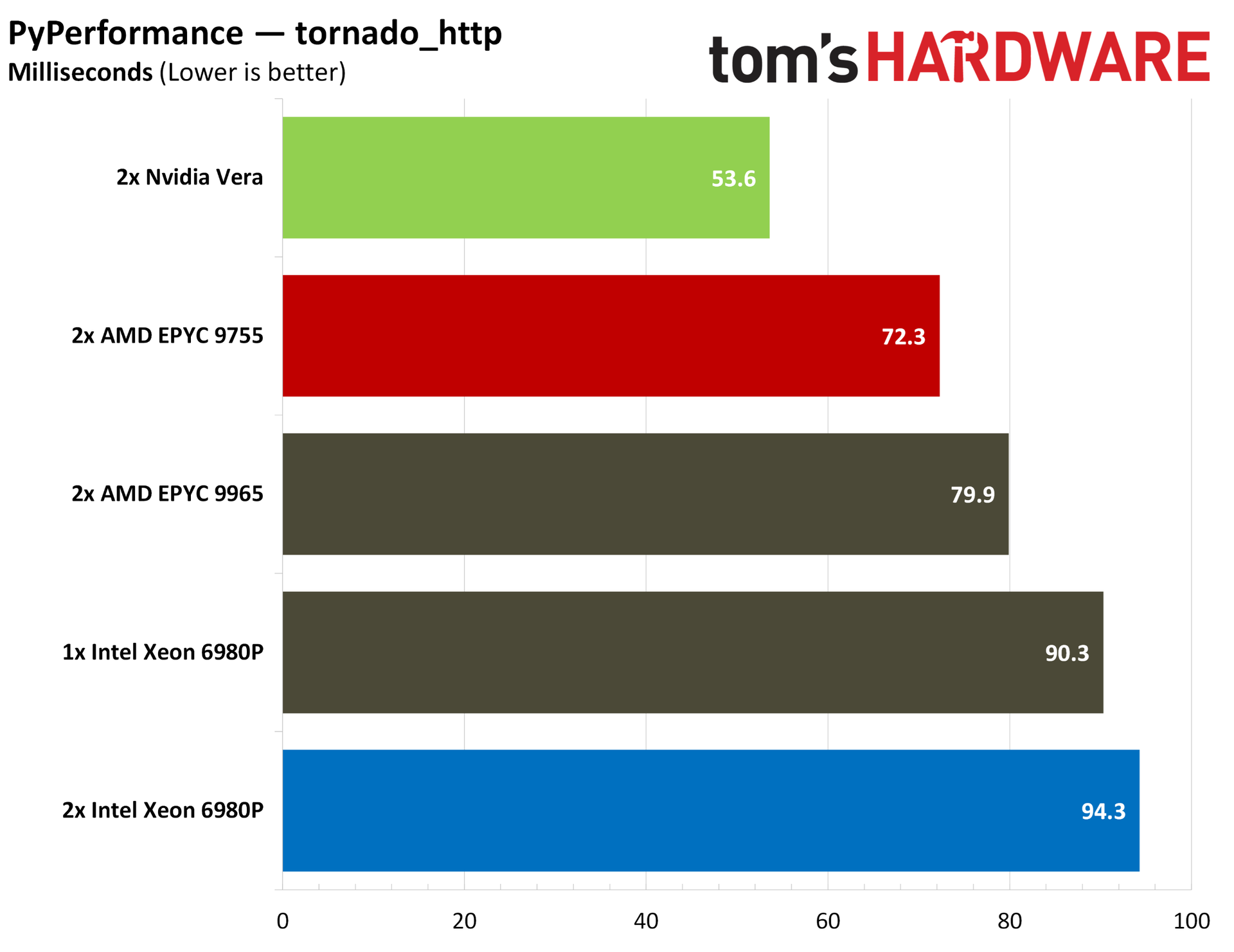
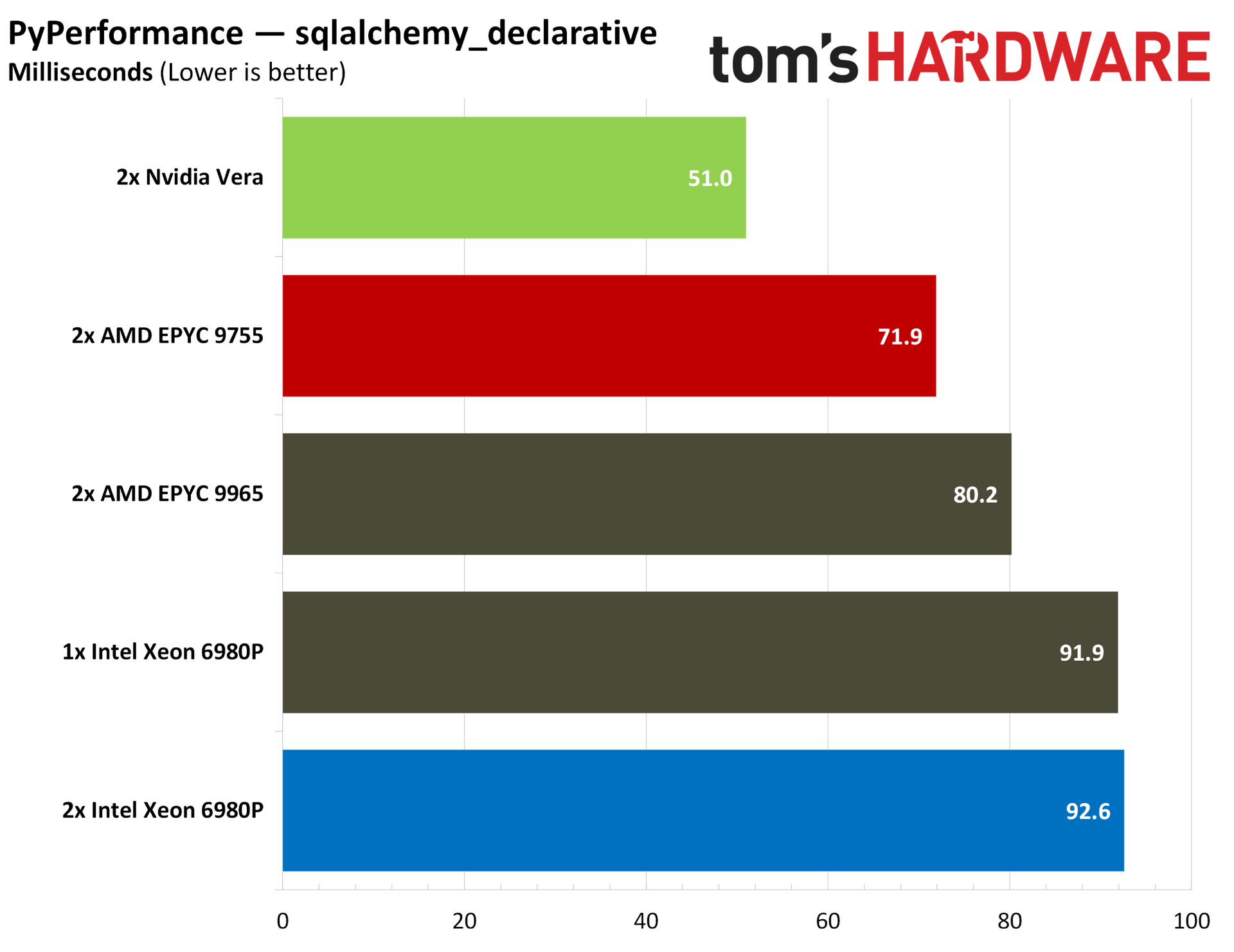
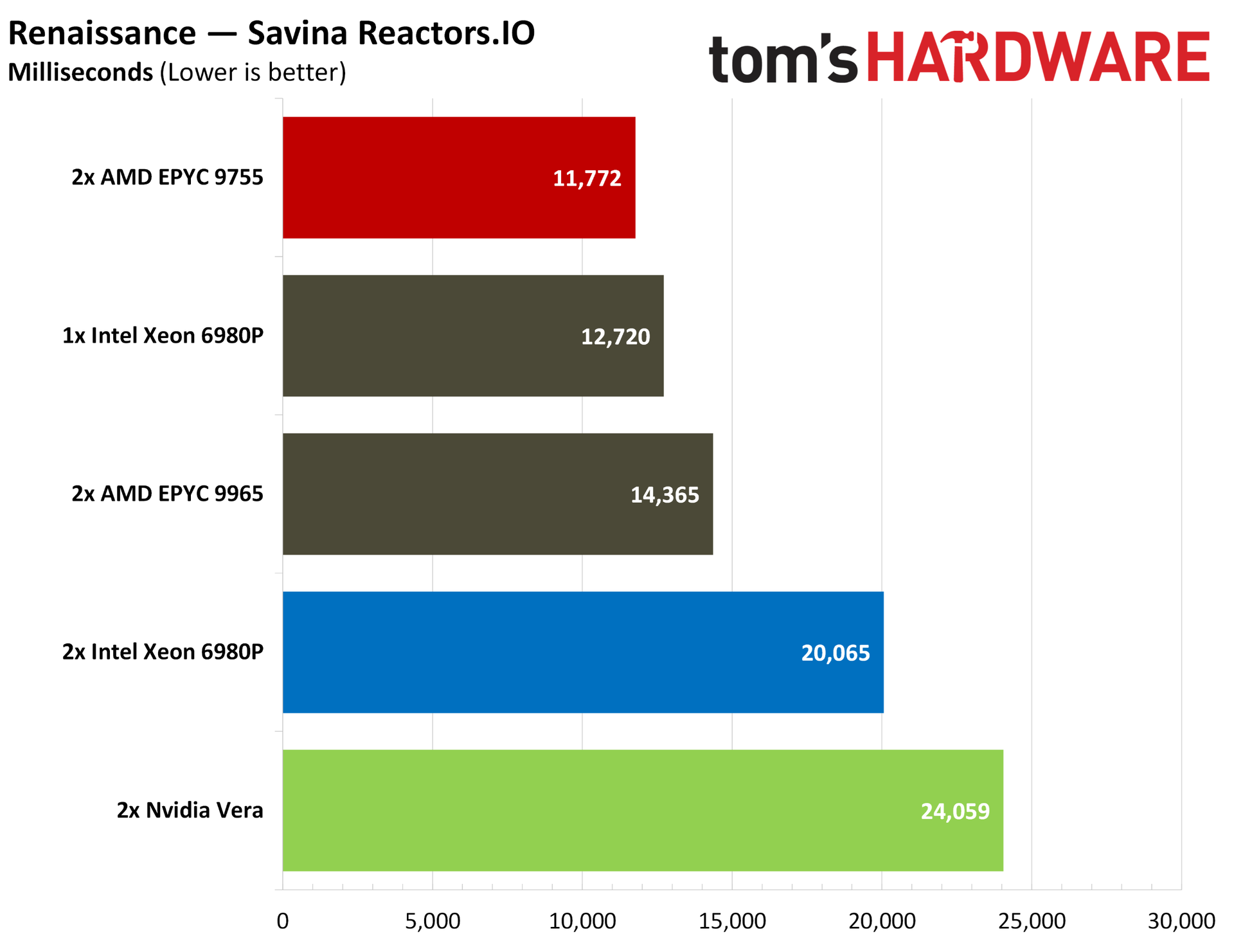
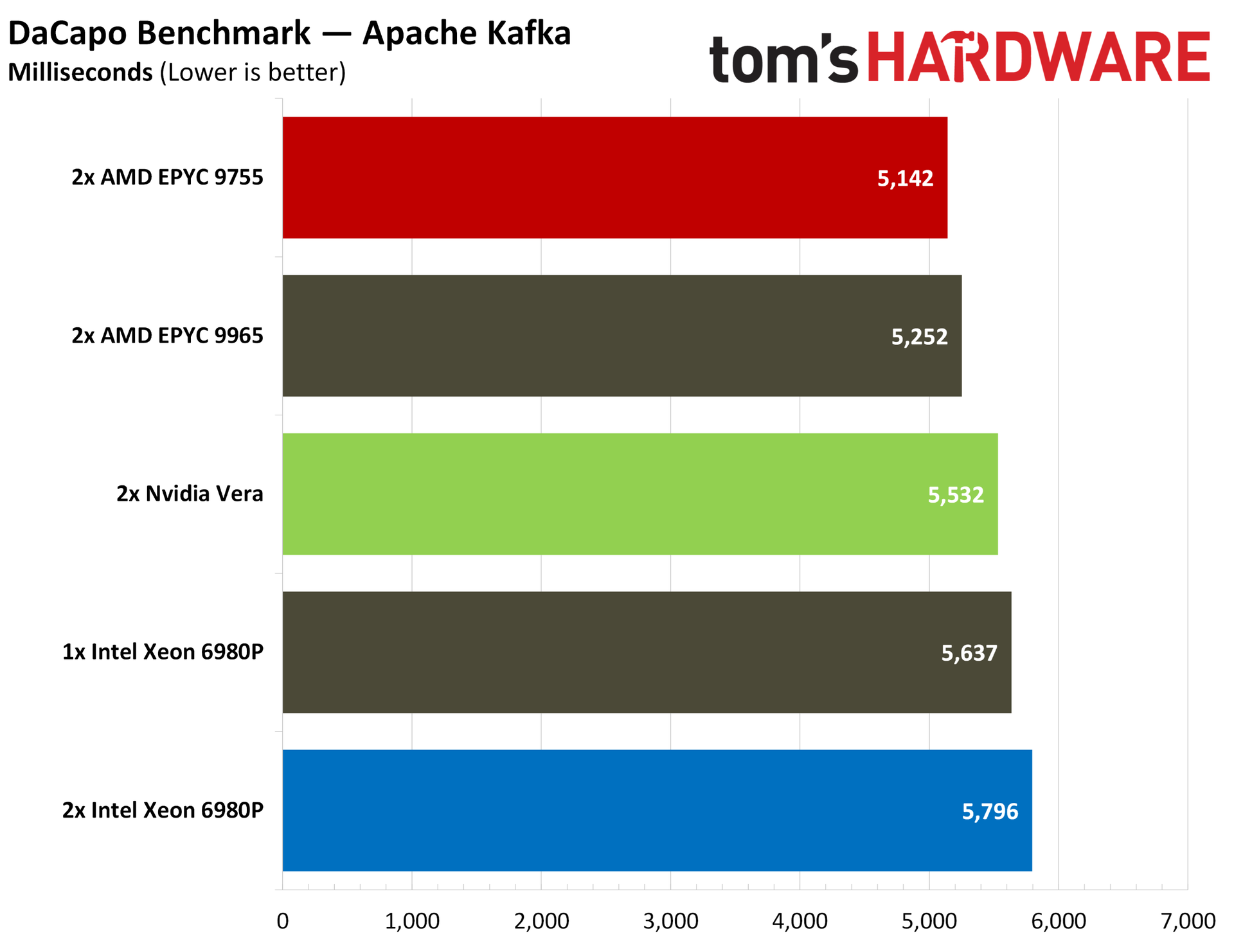
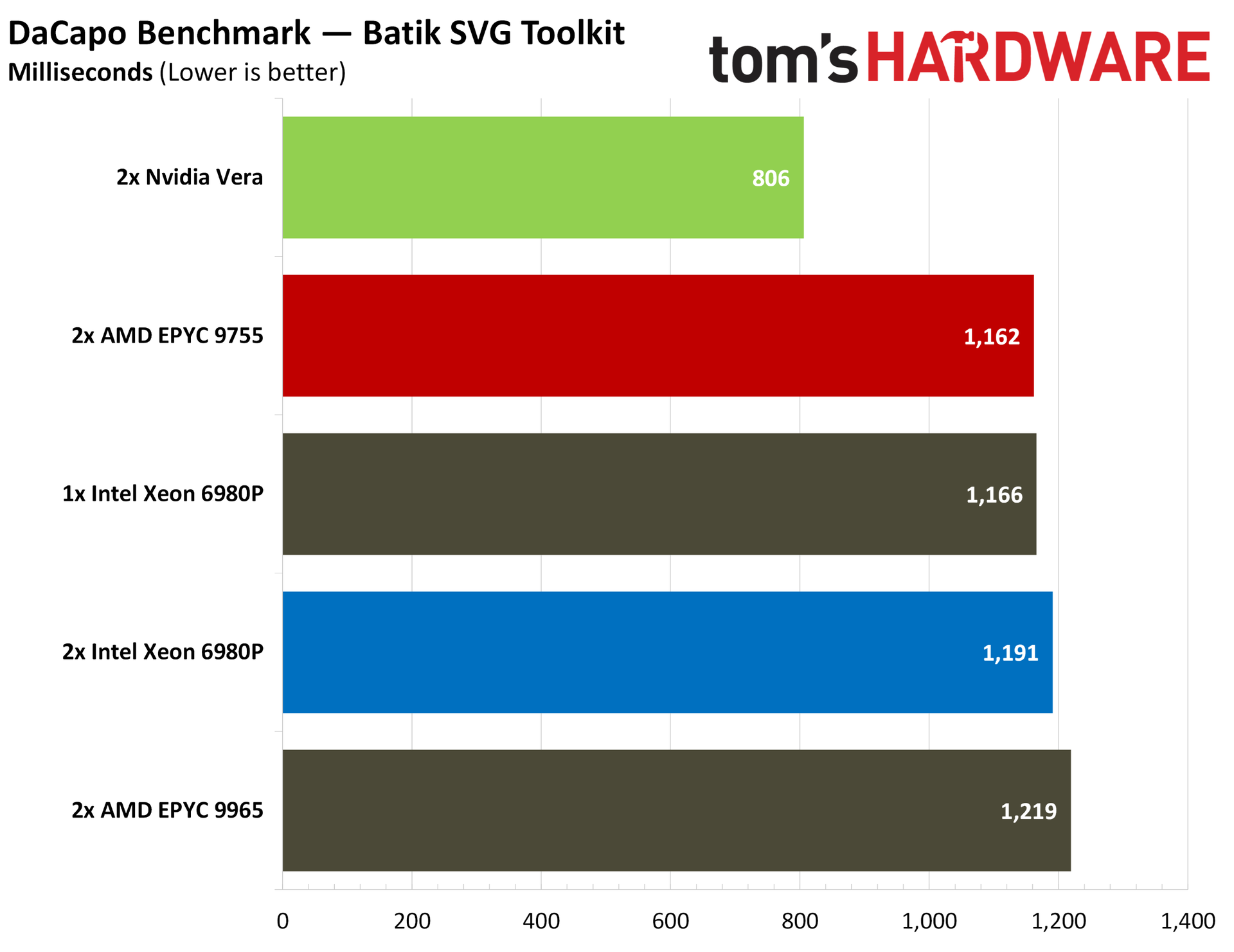
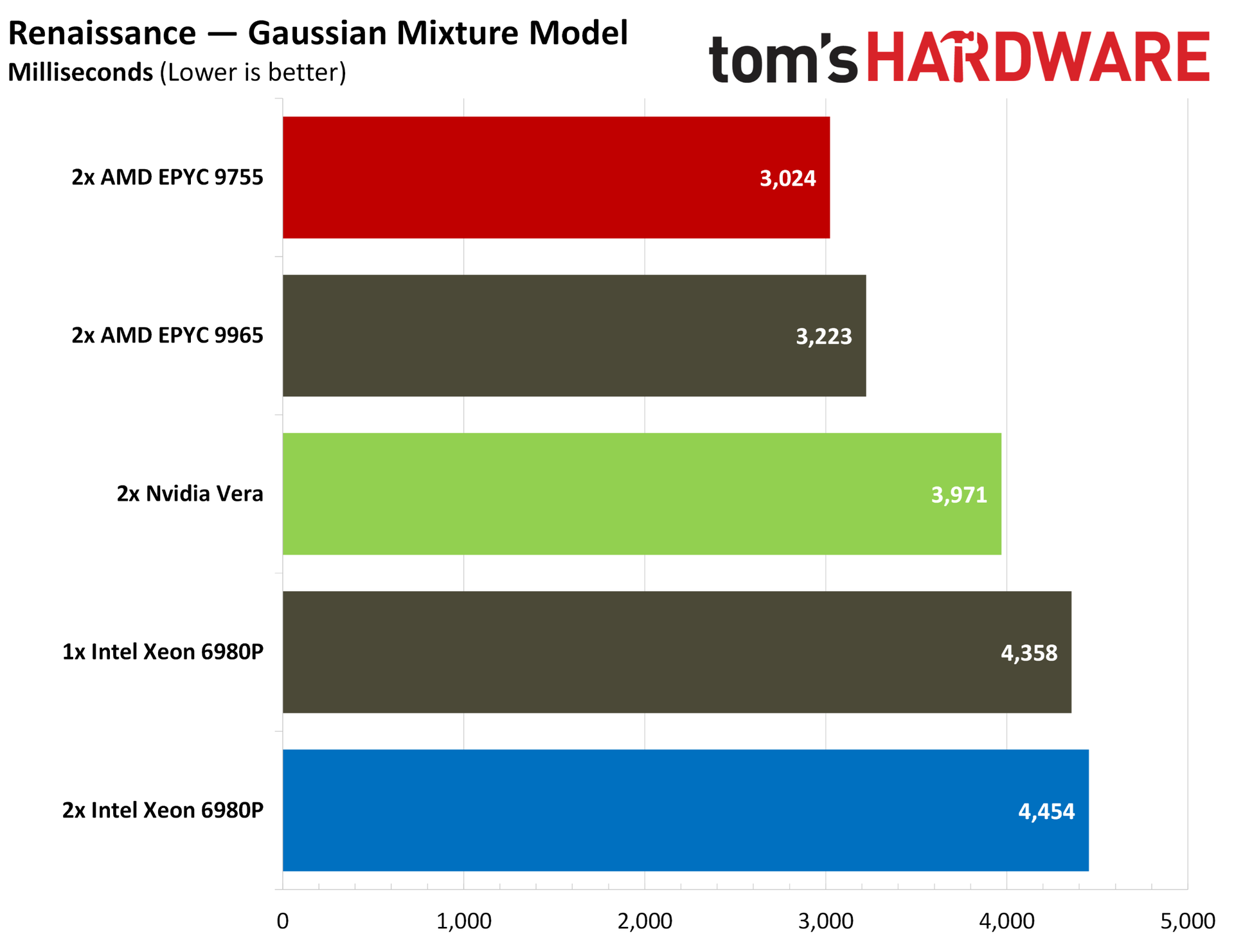
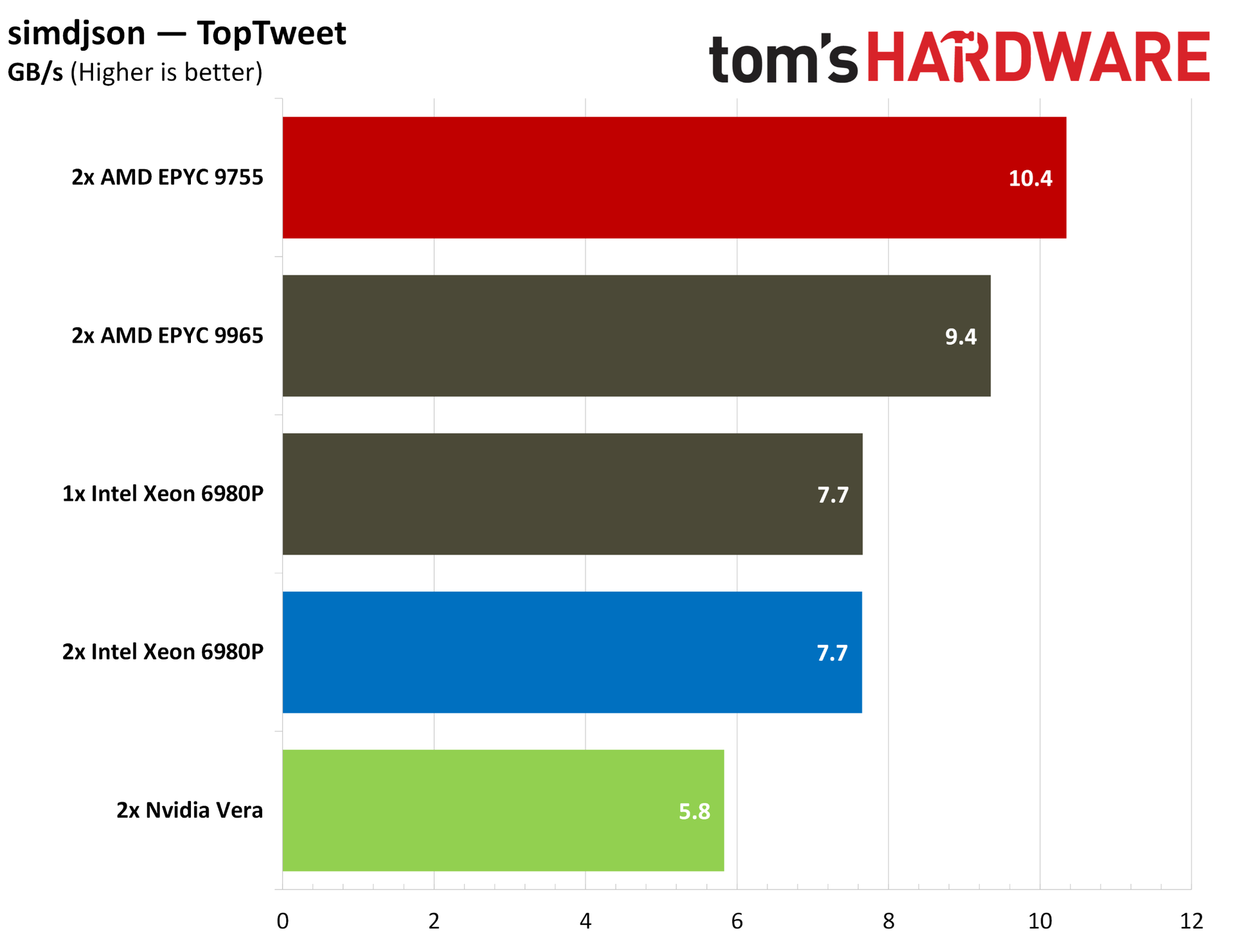
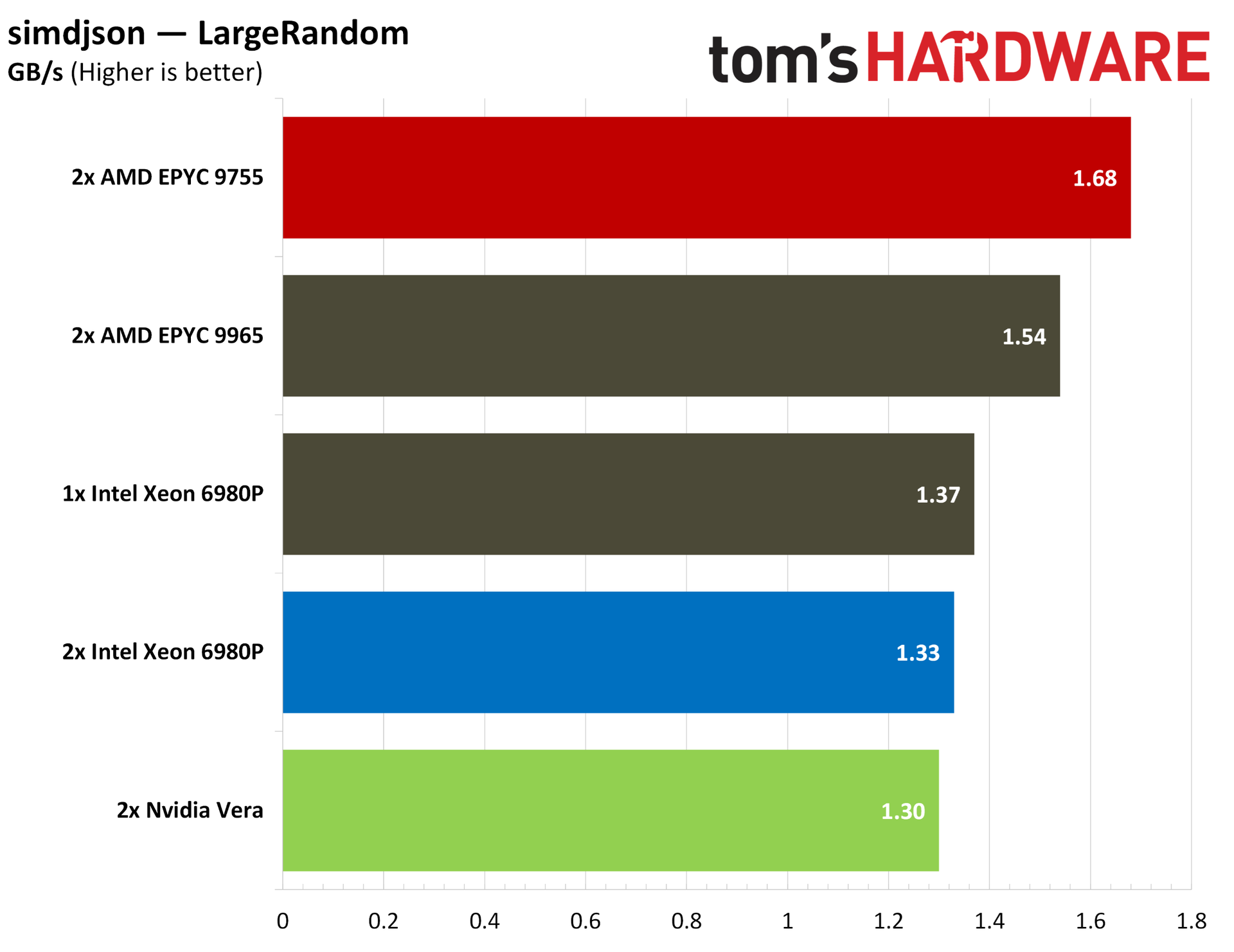
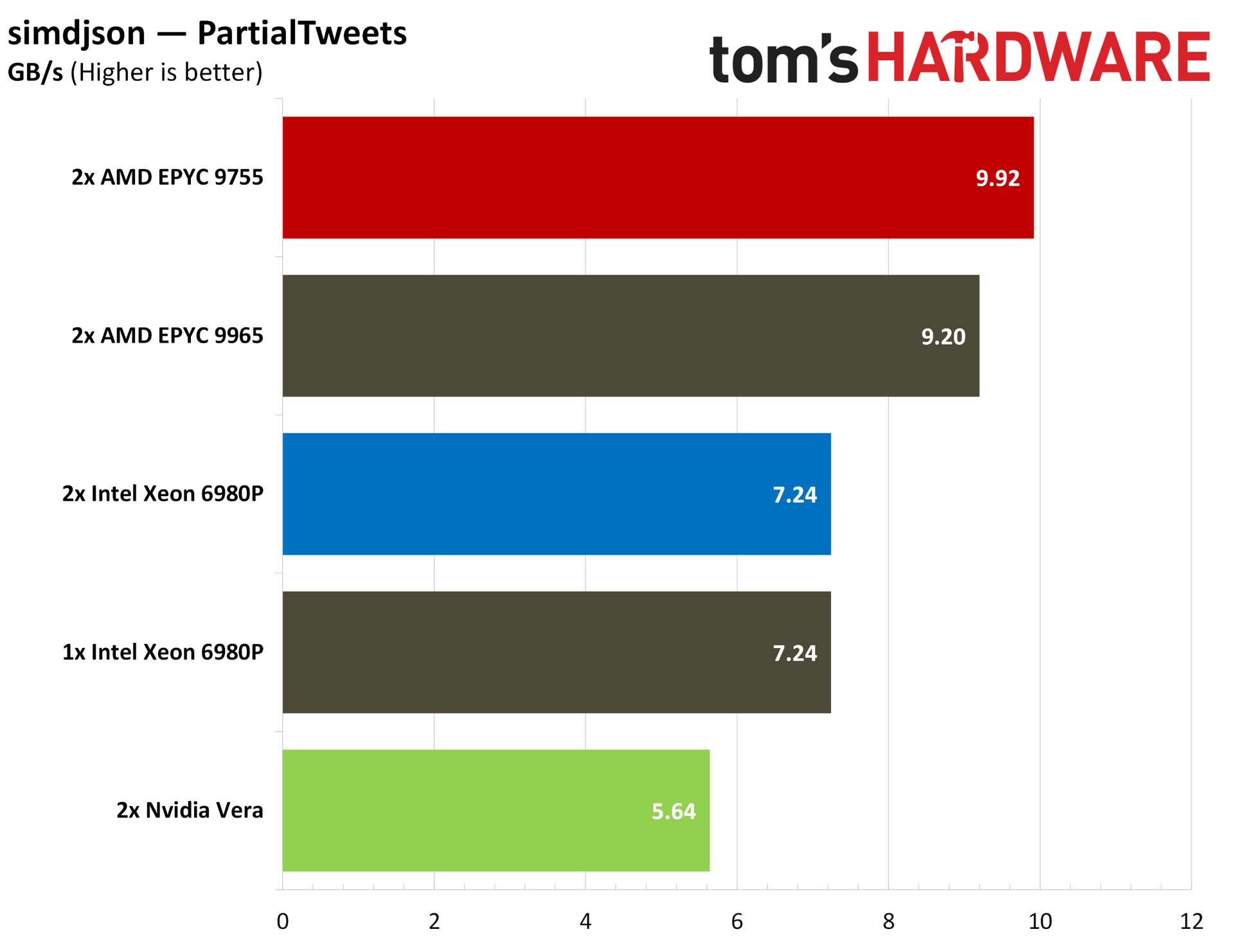
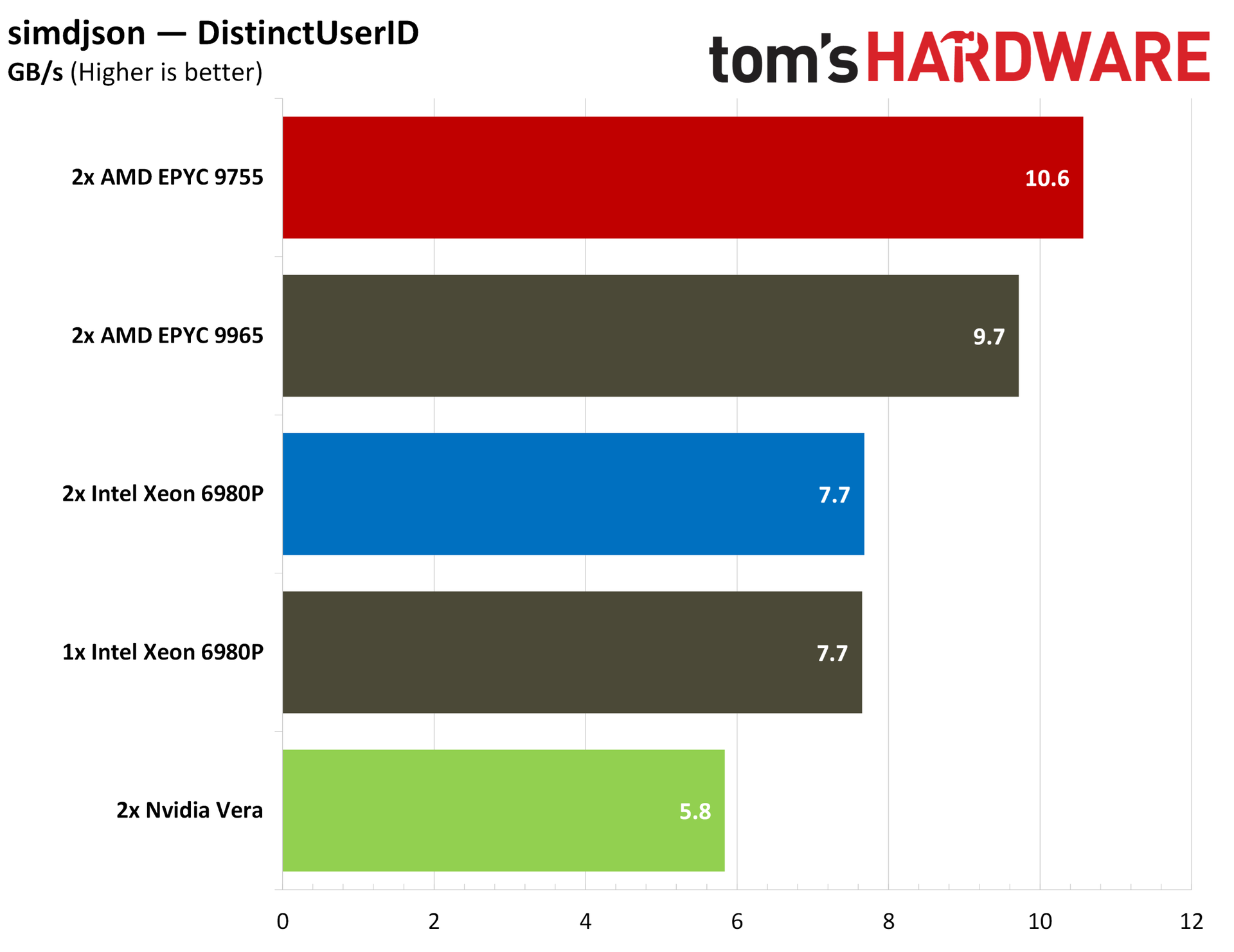
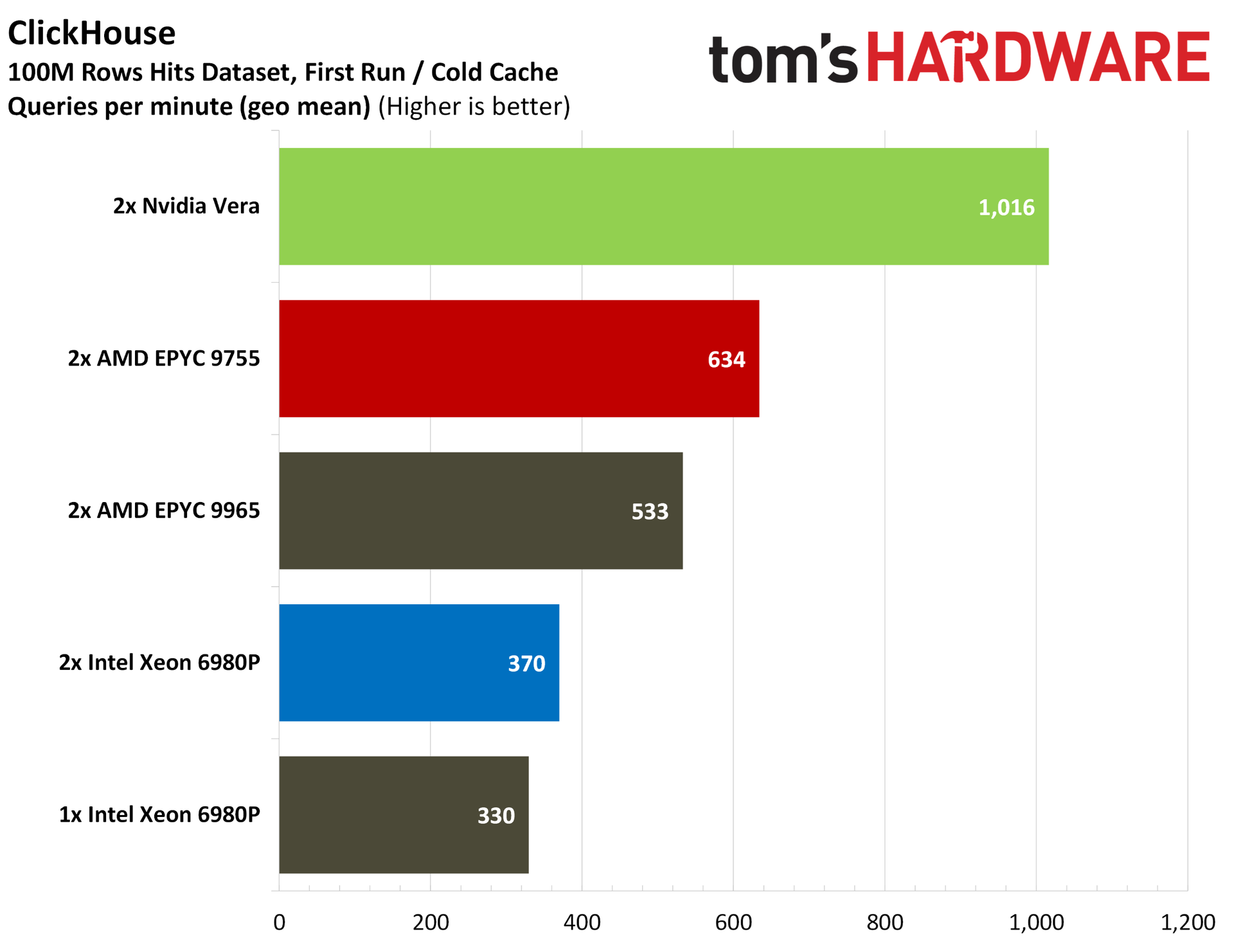
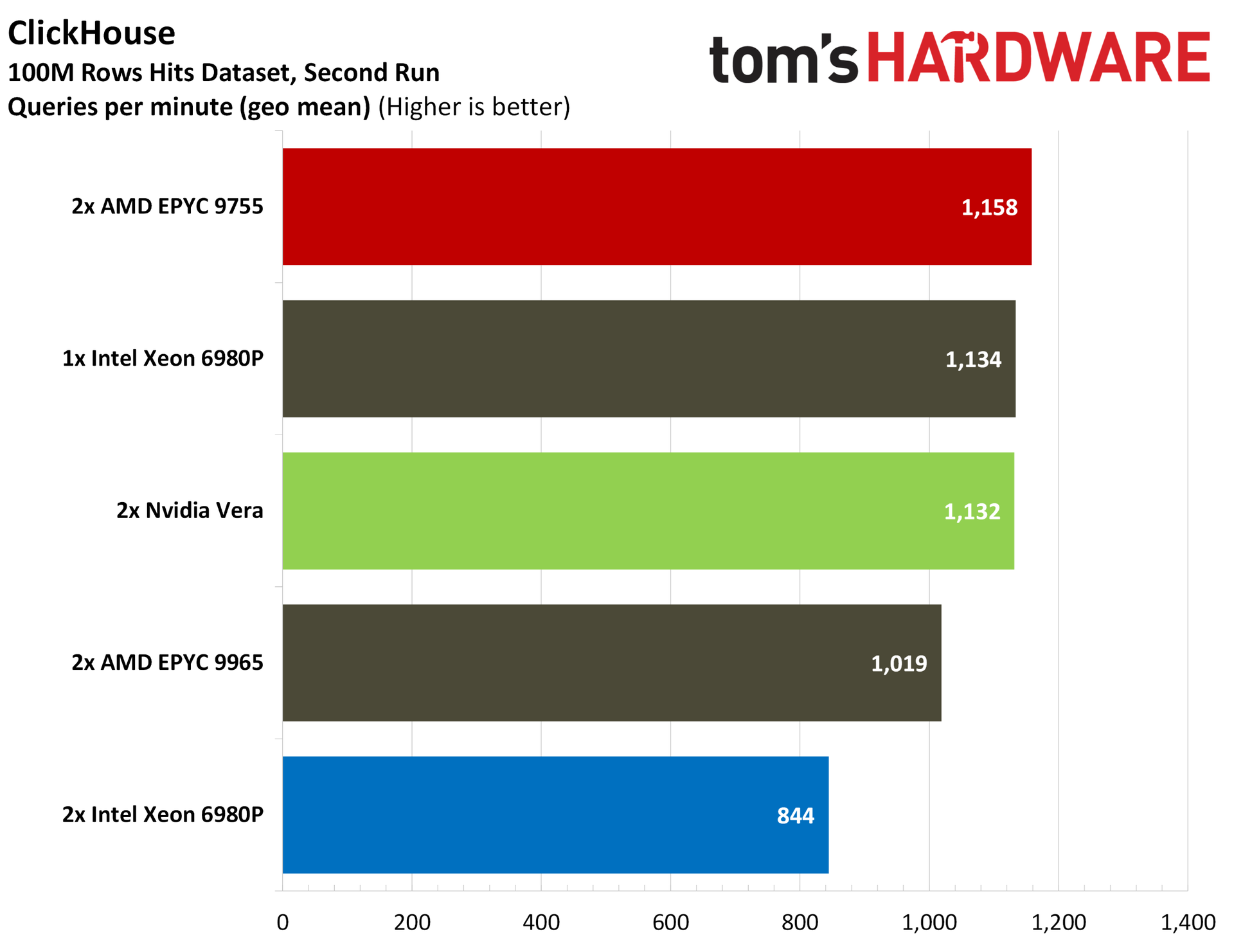
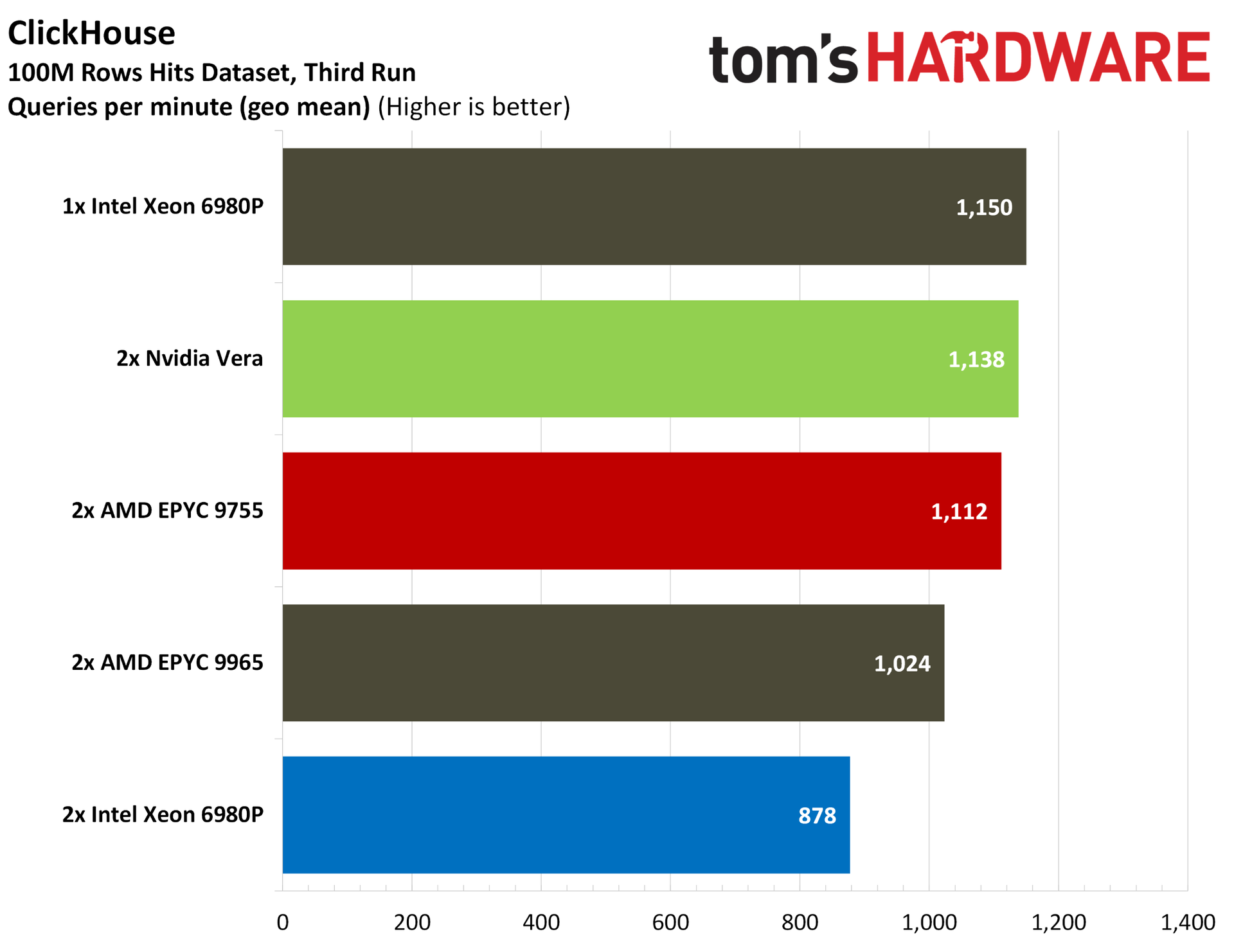
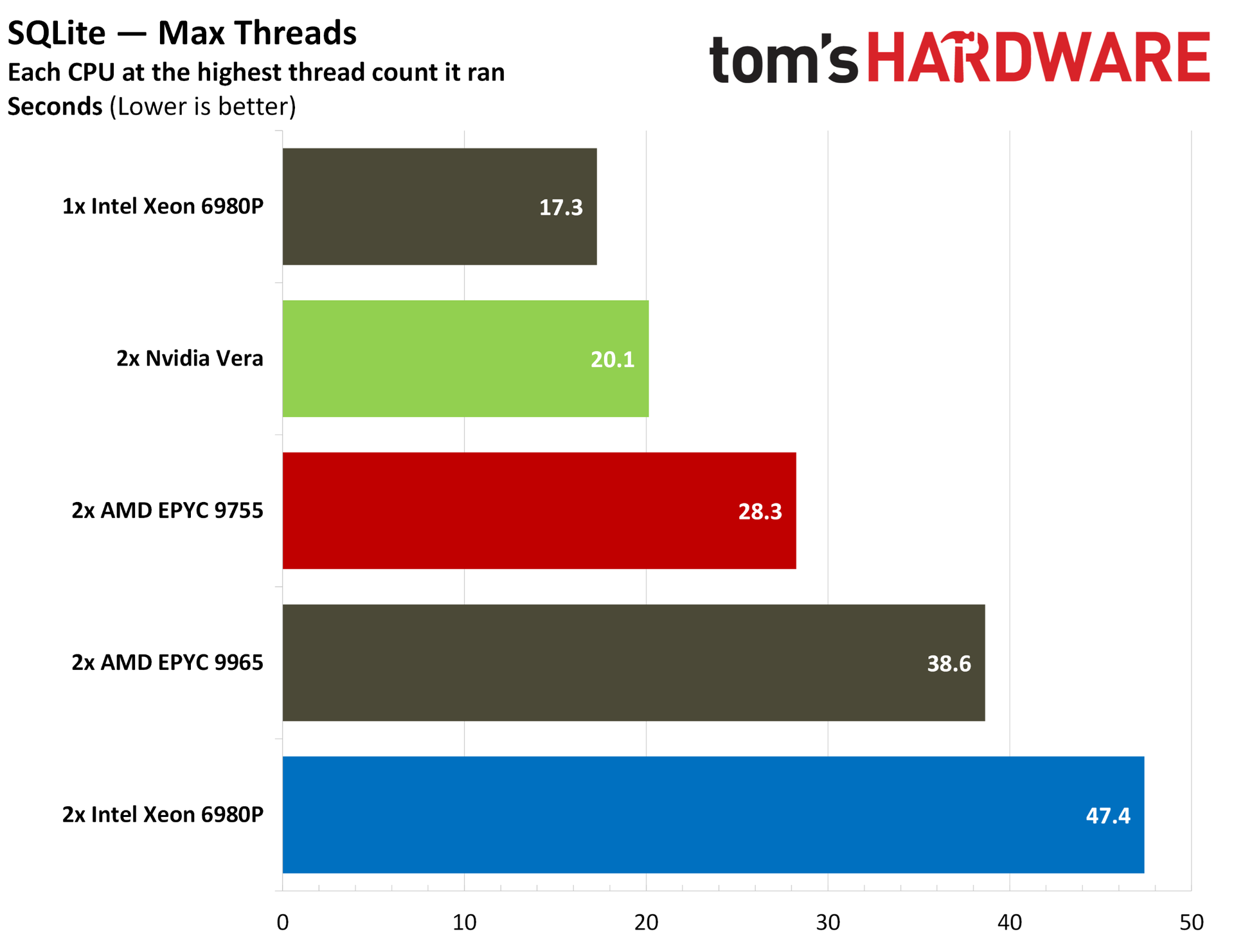
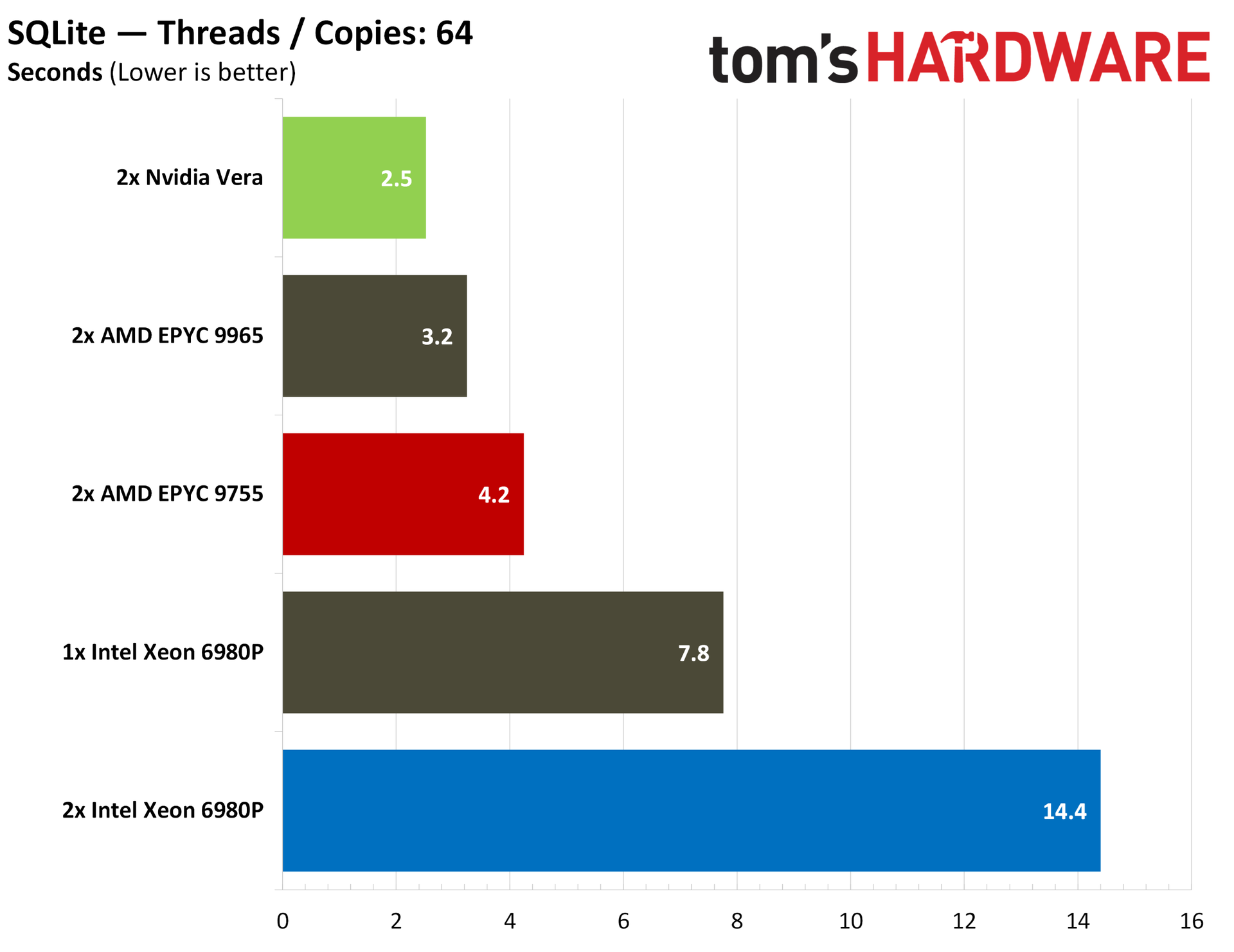
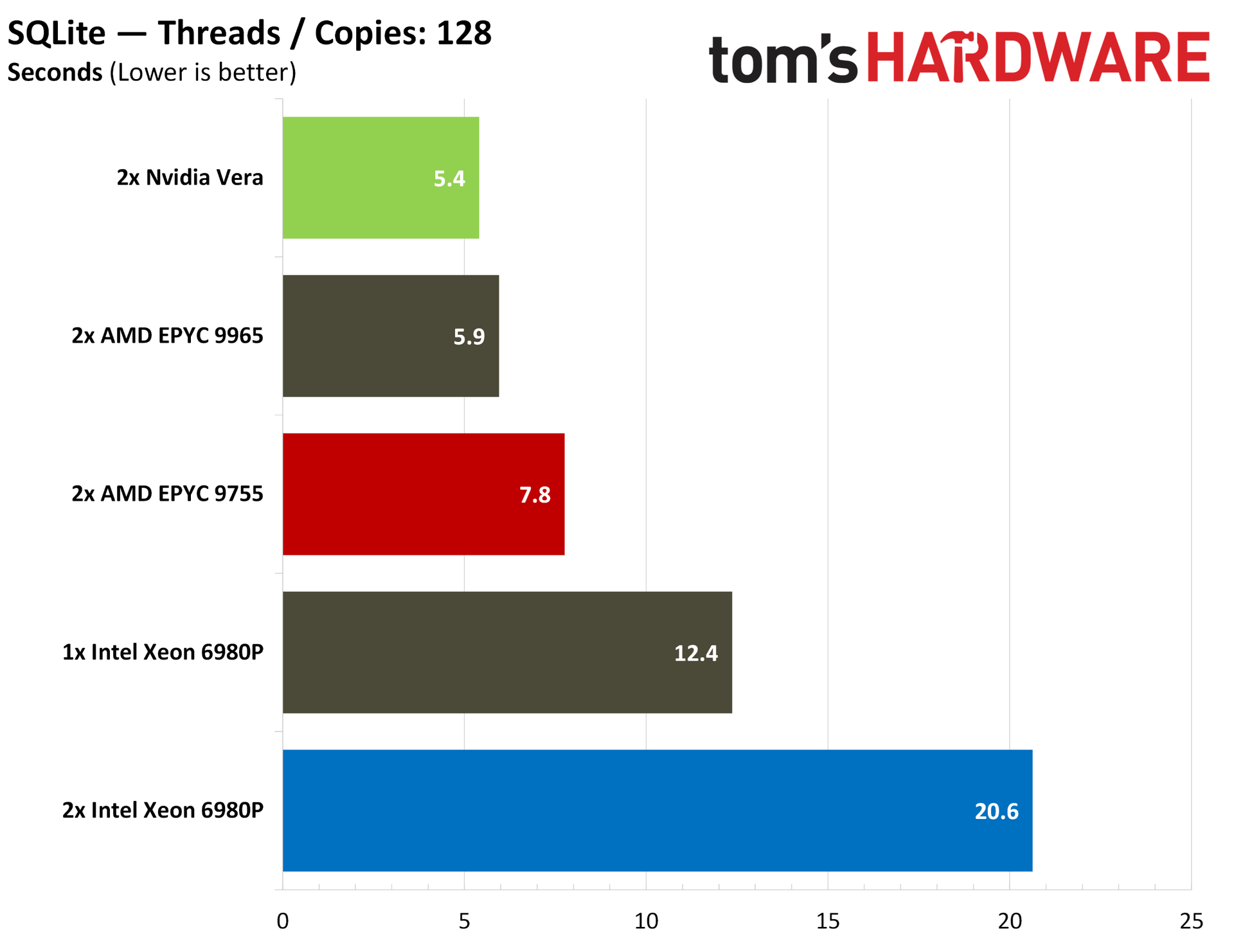
Based on the workloads we have now — there aren’t standardized end-to-end agentic benchmarks focused on the CPU right now — Vera has strong indicators about its usefulness in agentic workflows. It offers chart-topping performance in Python, for instance, which makes up much of the backbone of the AI software ecosystem.
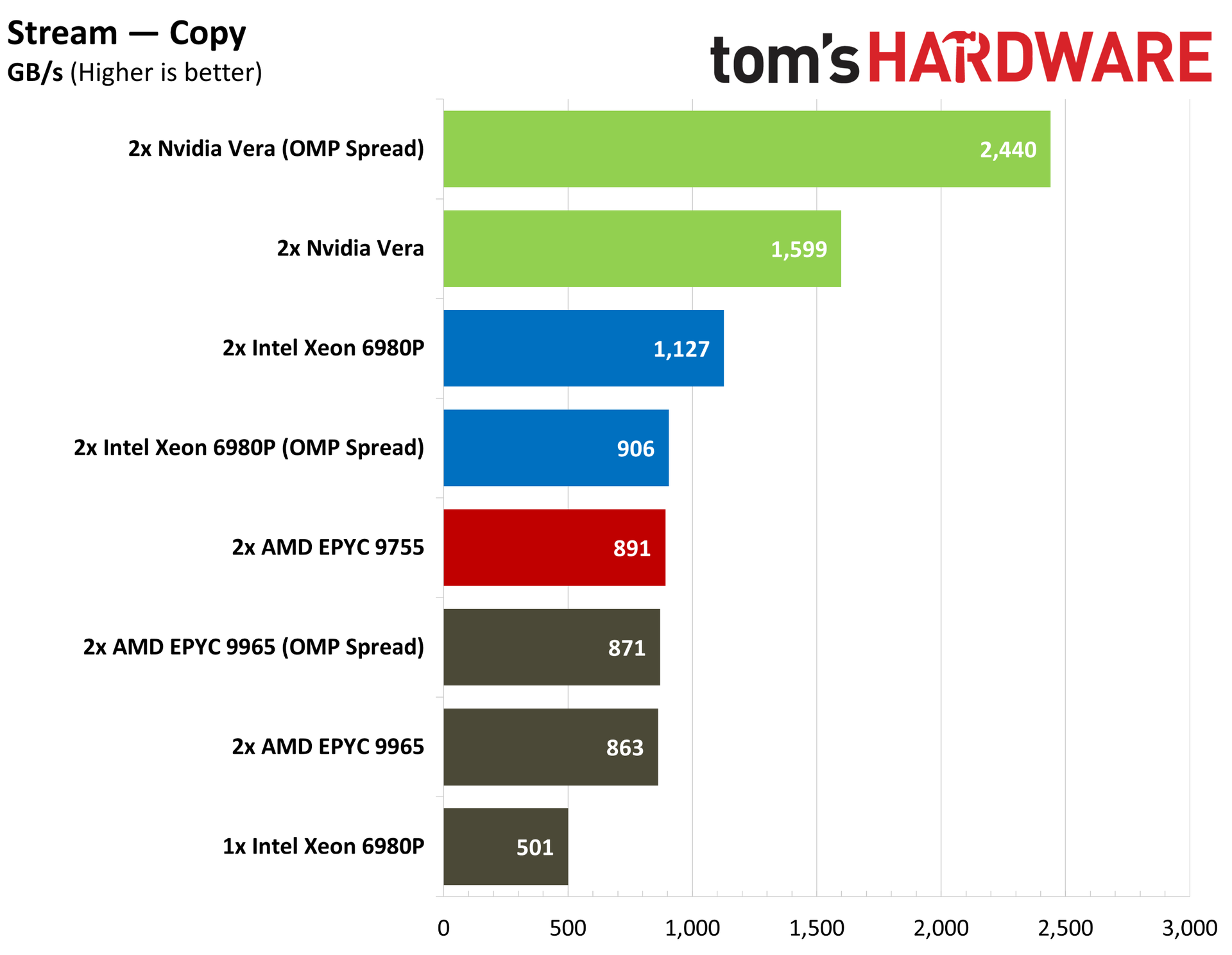
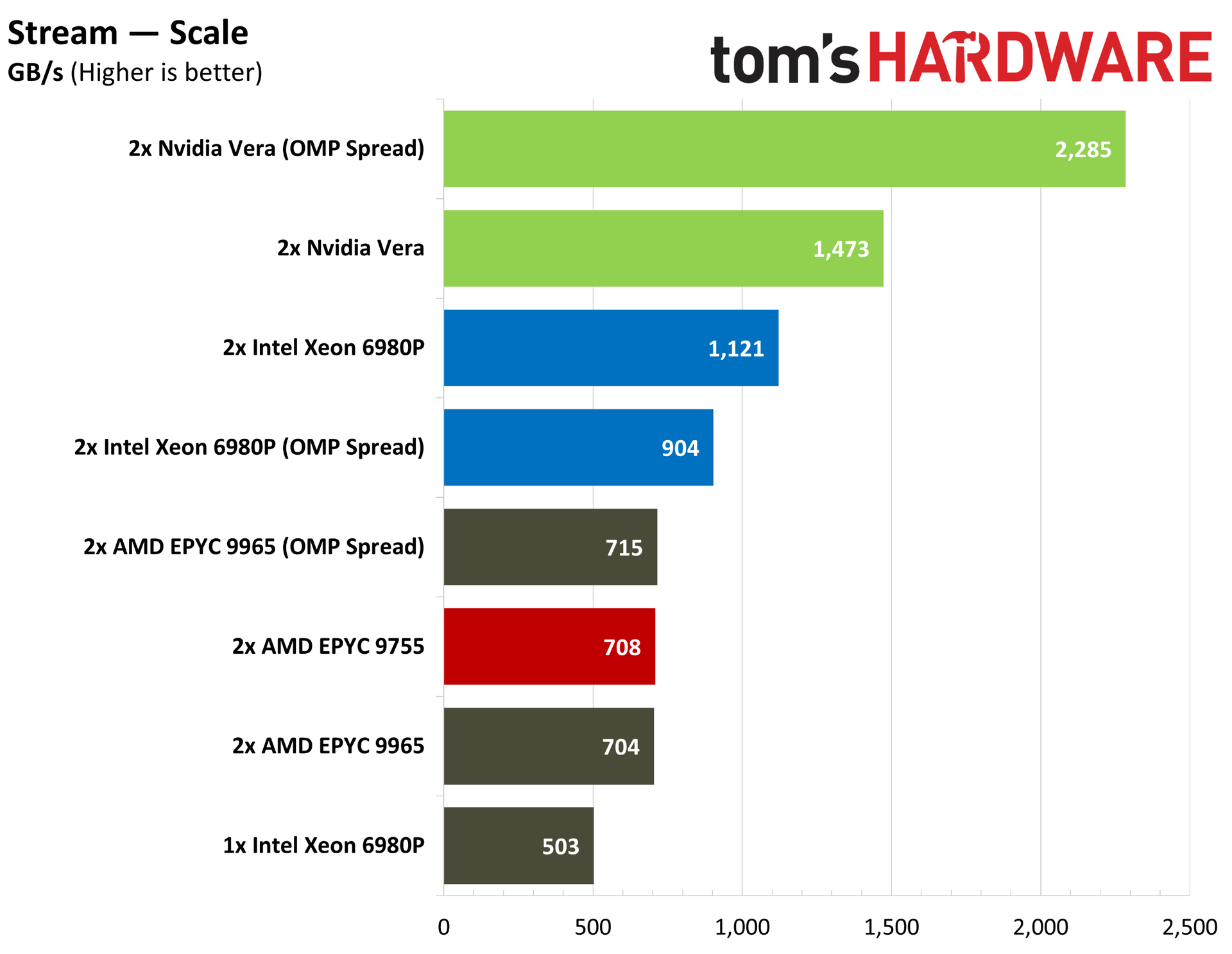
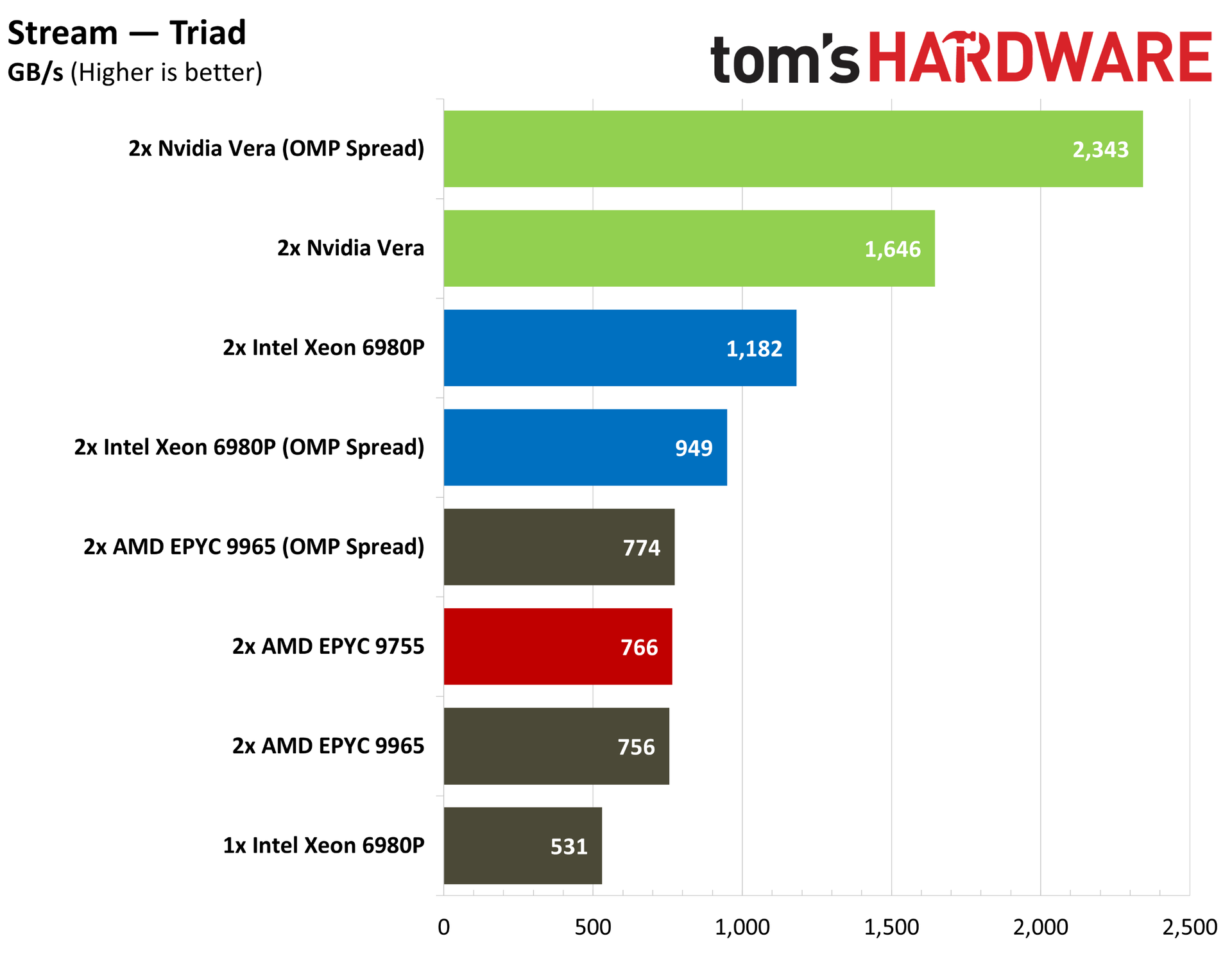
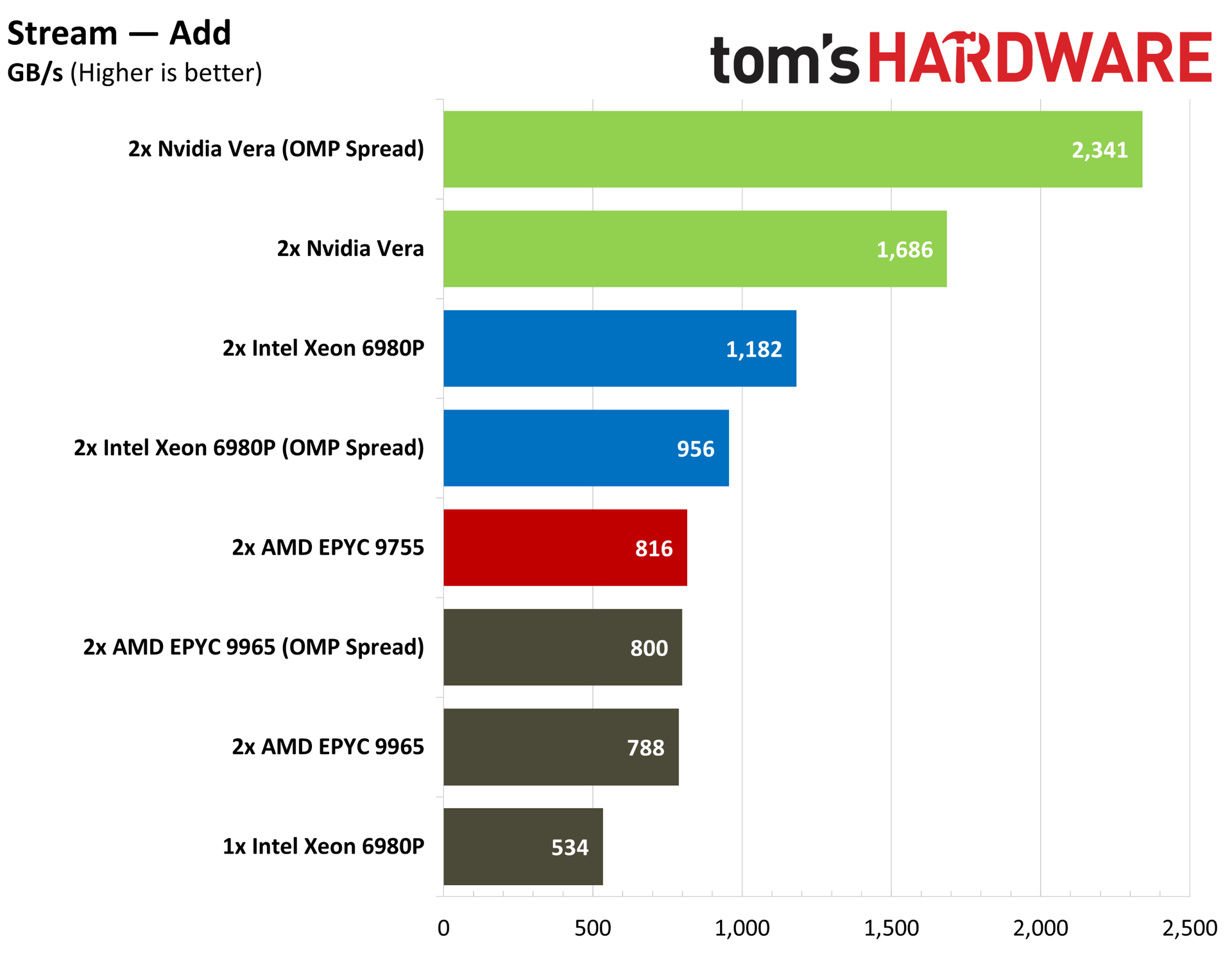
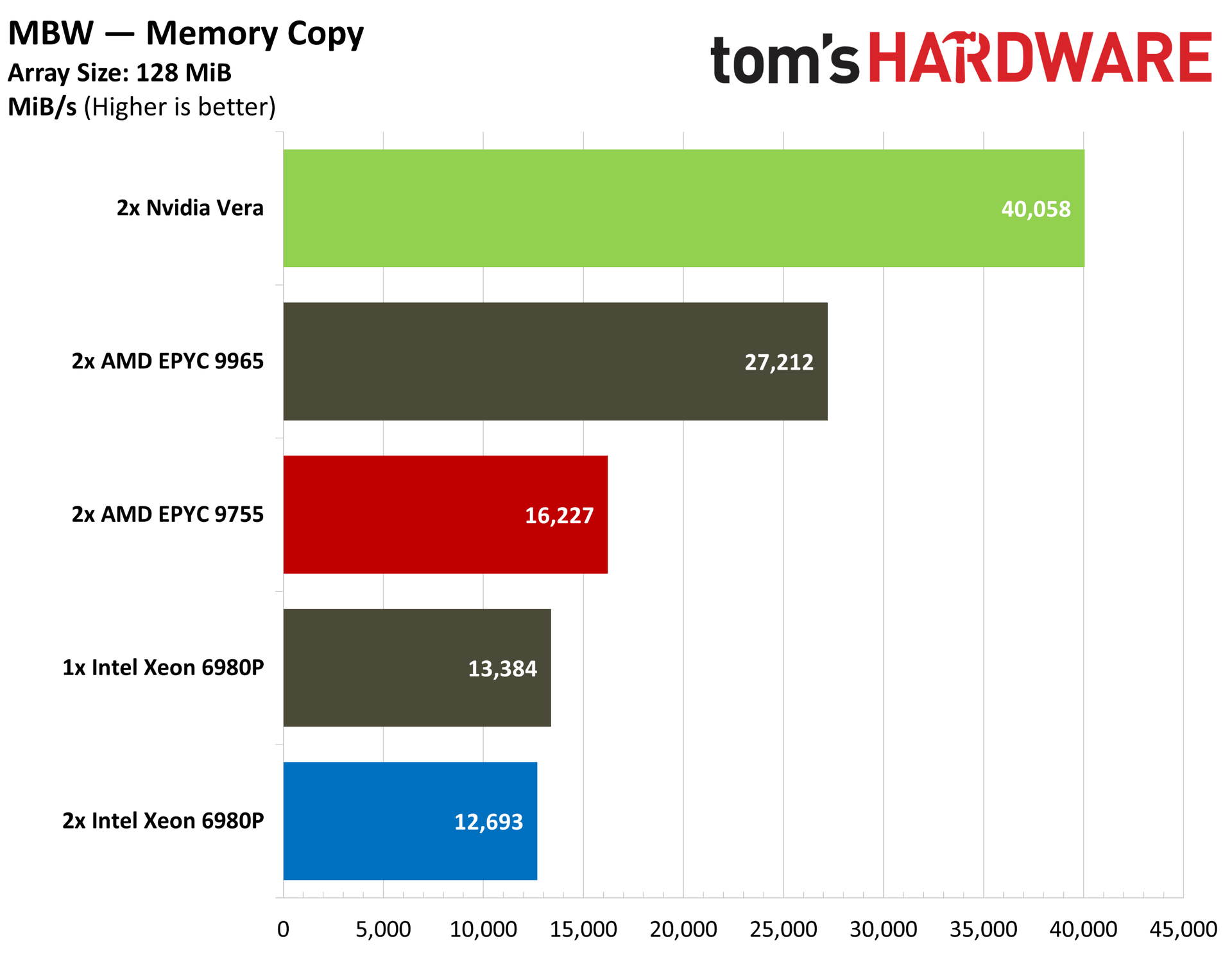
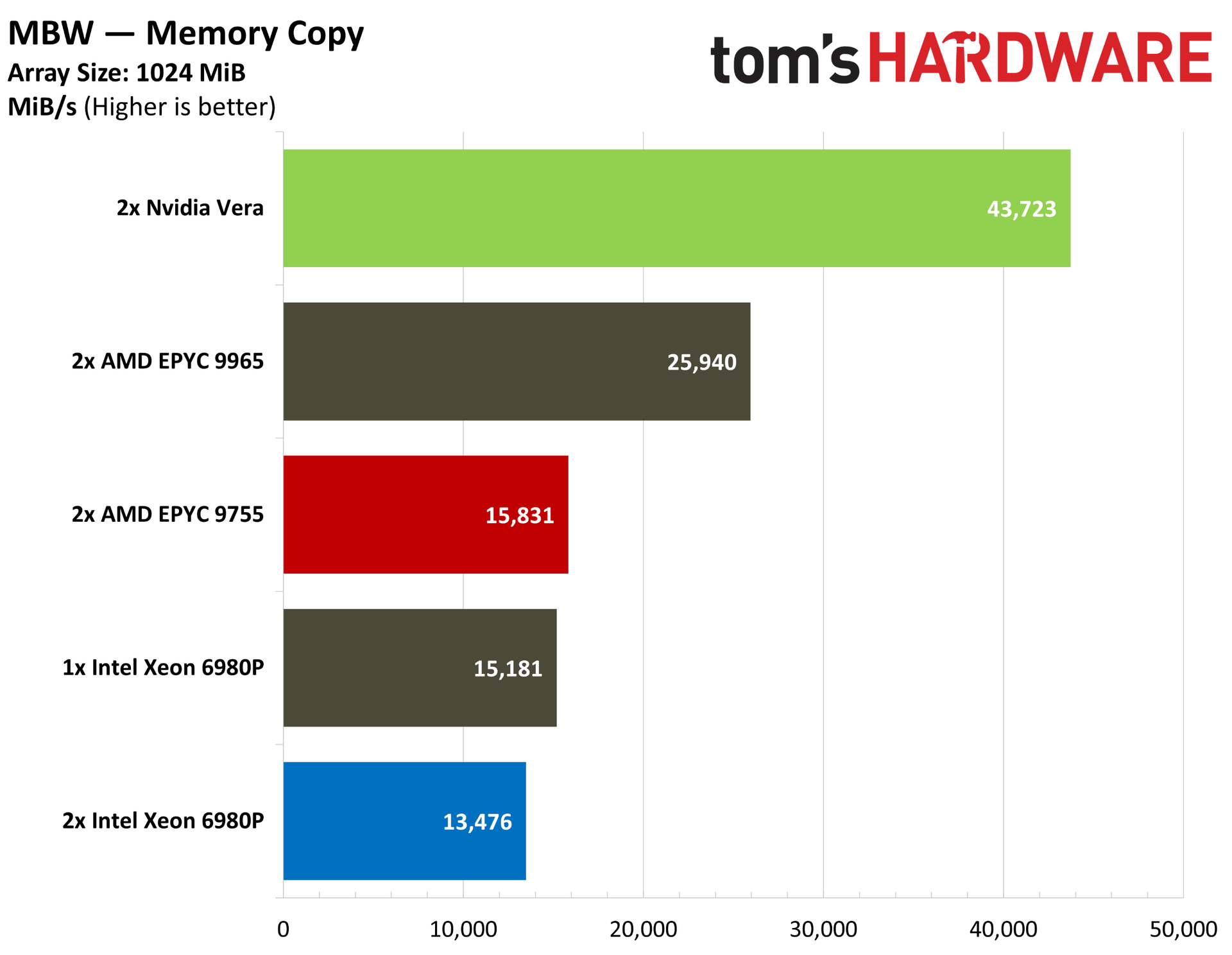
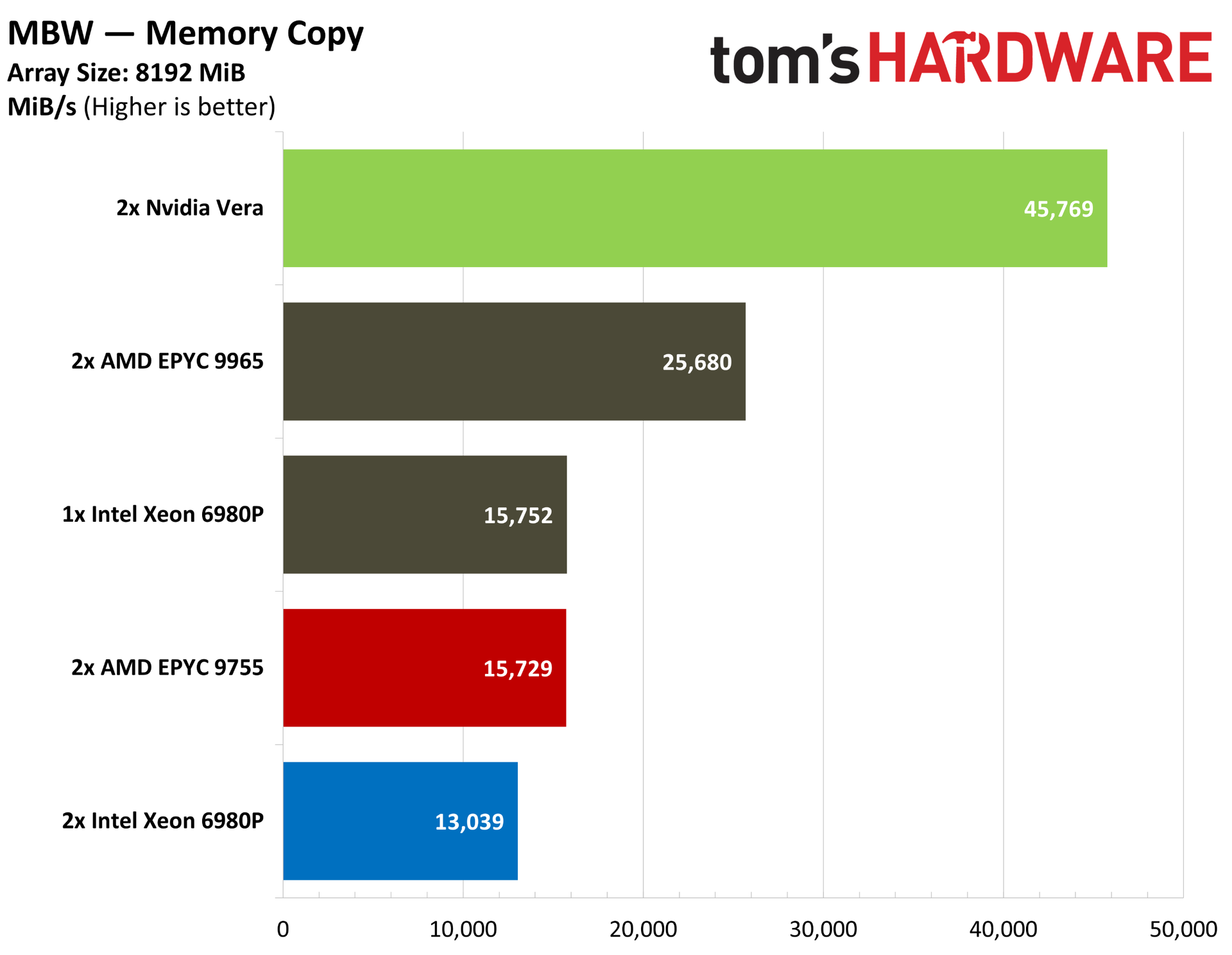
It also shows commanding memory bandwidth, both at the socket level and system level, with the high-speed C2C interconnect between Vera chips. In contentious agentic environments where agents may be querying large databases, that bandwidth is critical.
Specialization is one thing, but Vera is arriving in a hotly contested server market with custom Arm chips penetrating the data center and the old guard of x86 chips from AMD and Intel, which not only have a foundation in the data center, but also an extensive list of clients that work with their systems. Regardless of how Vera performs, that’s no small undertaking.
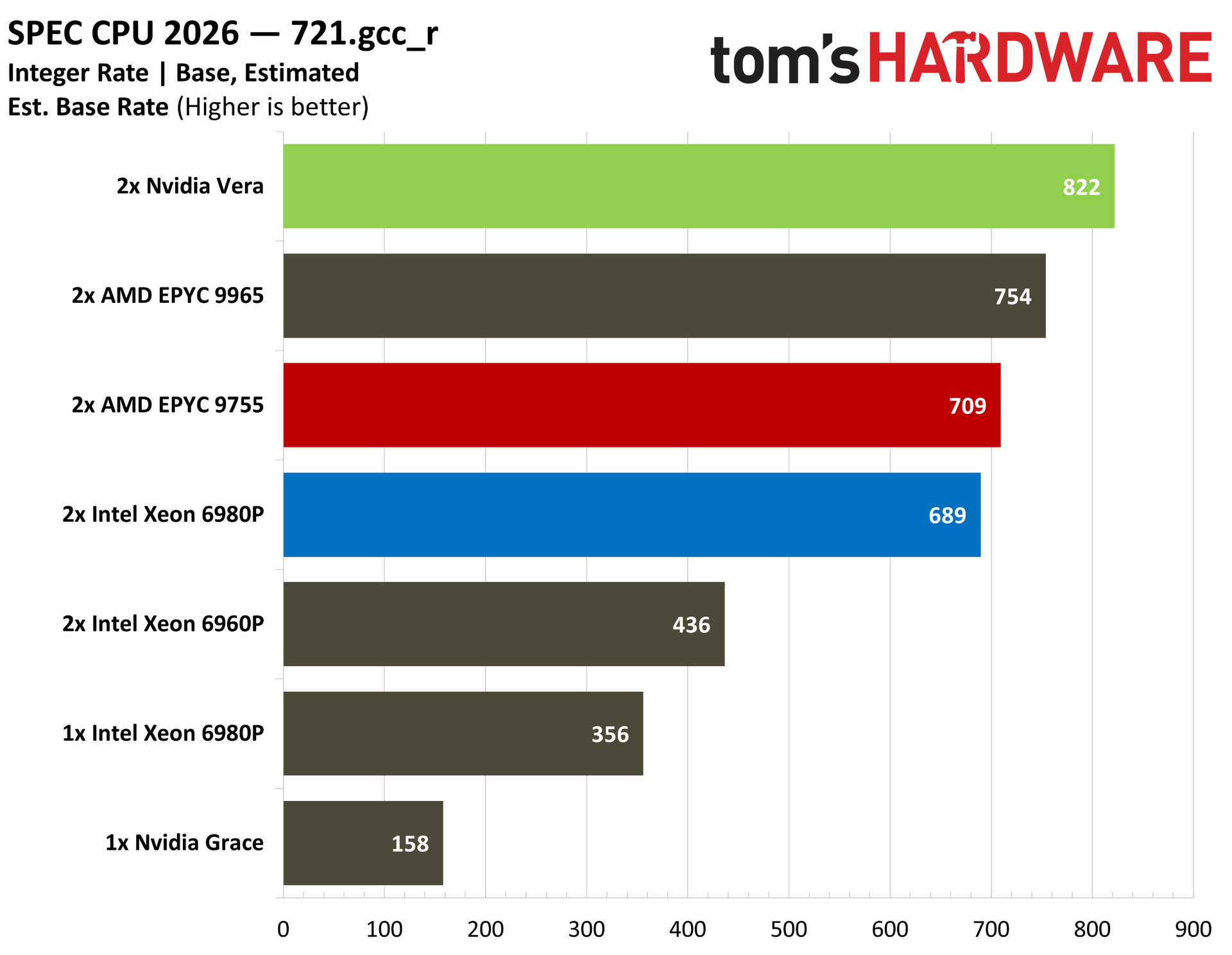
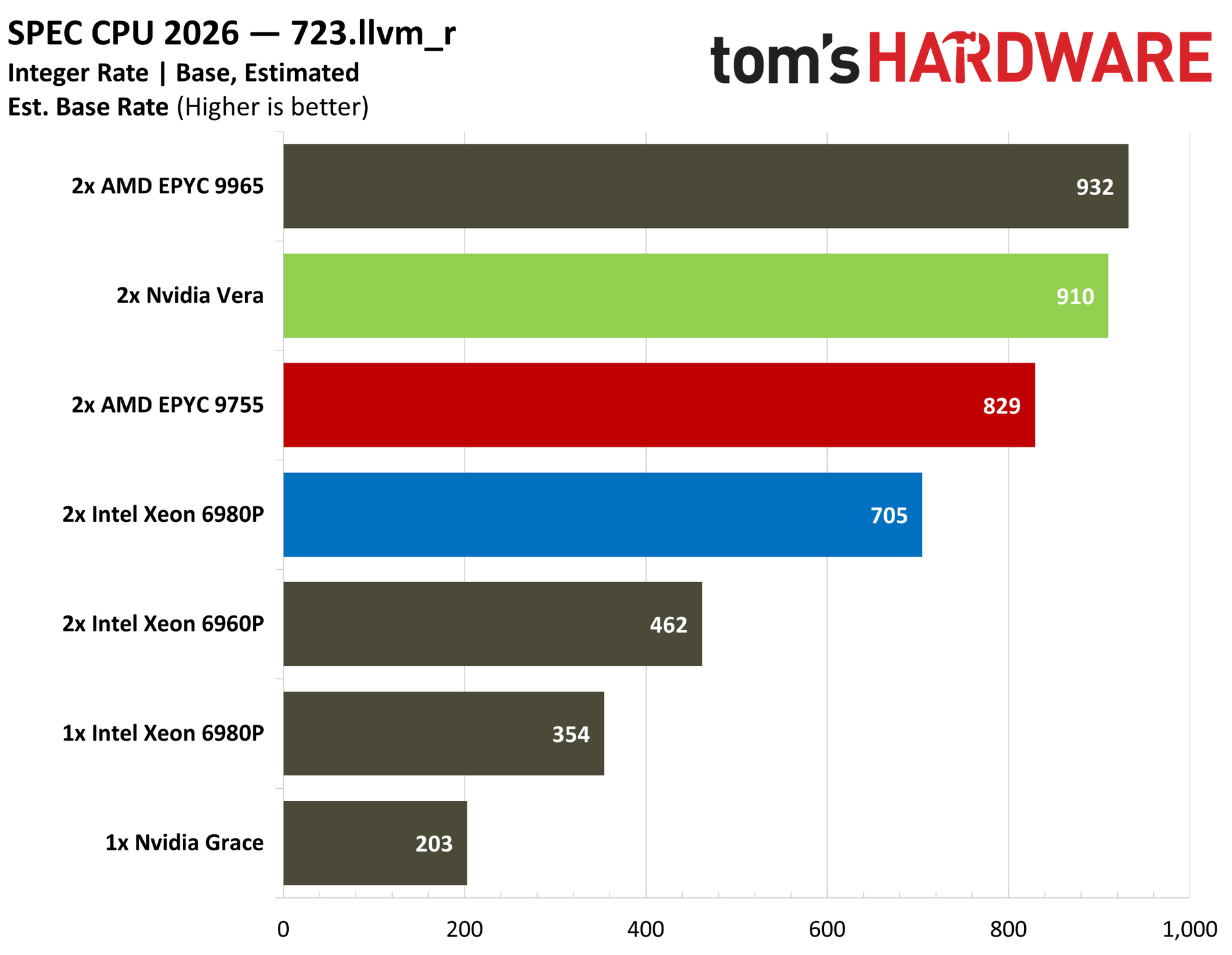
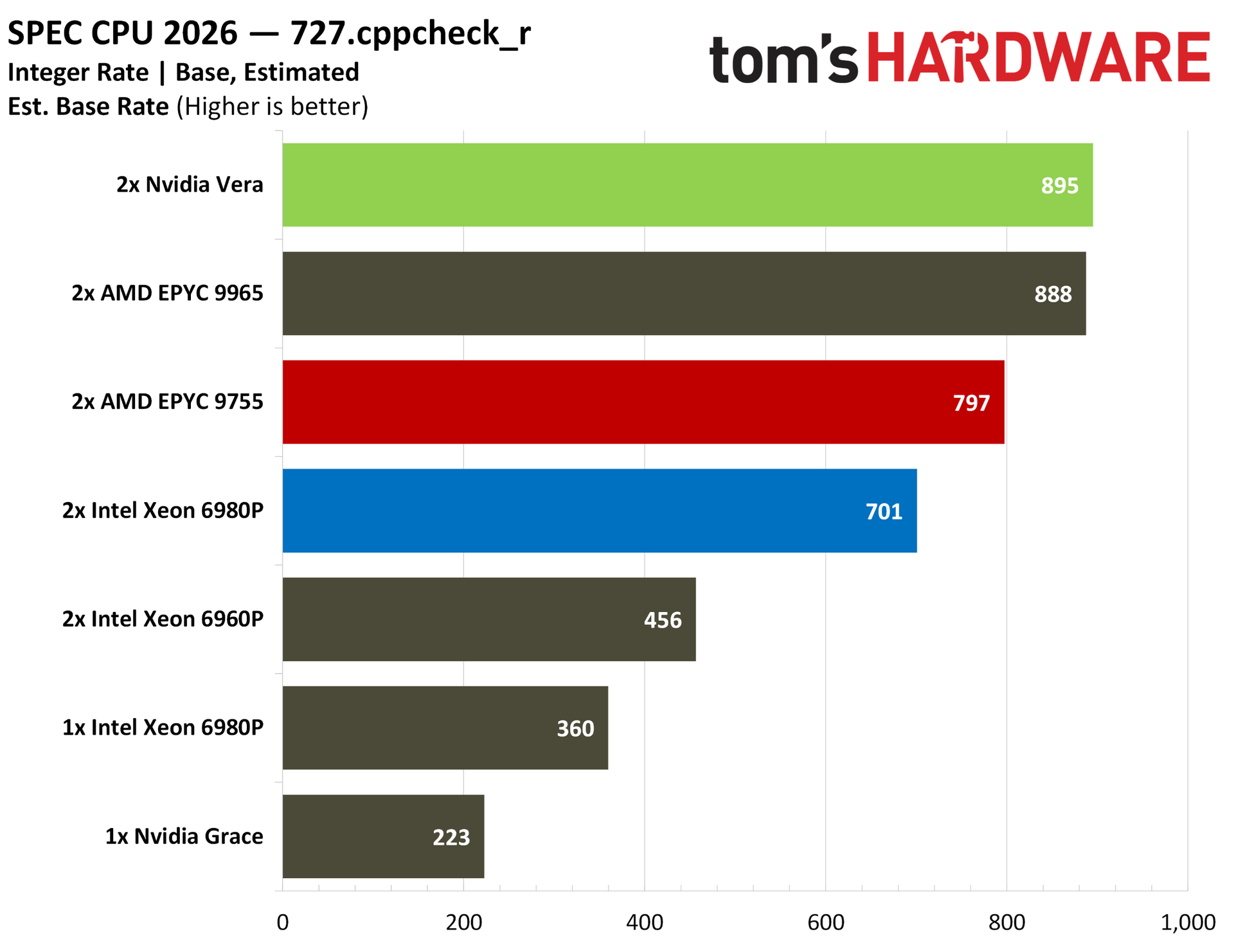
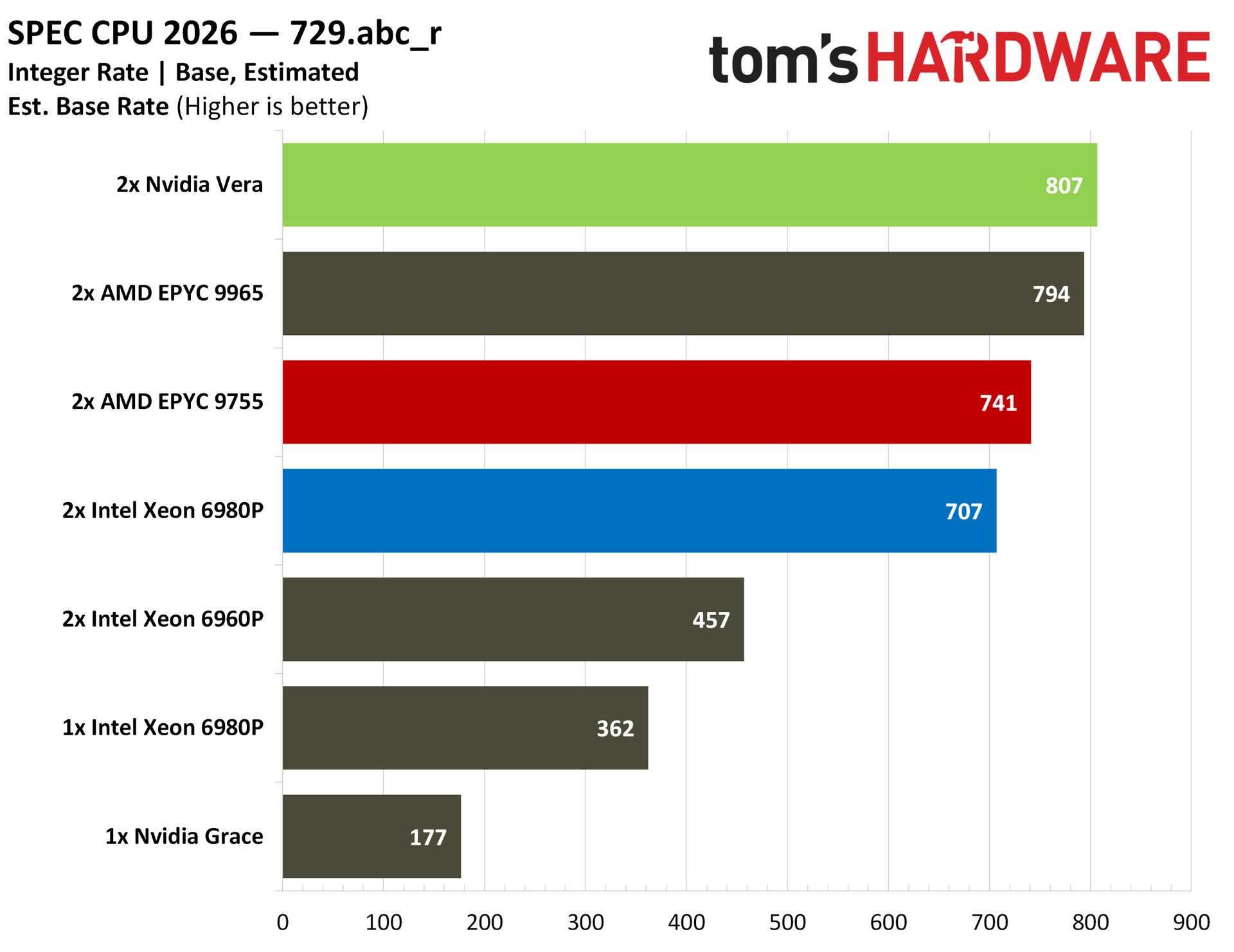
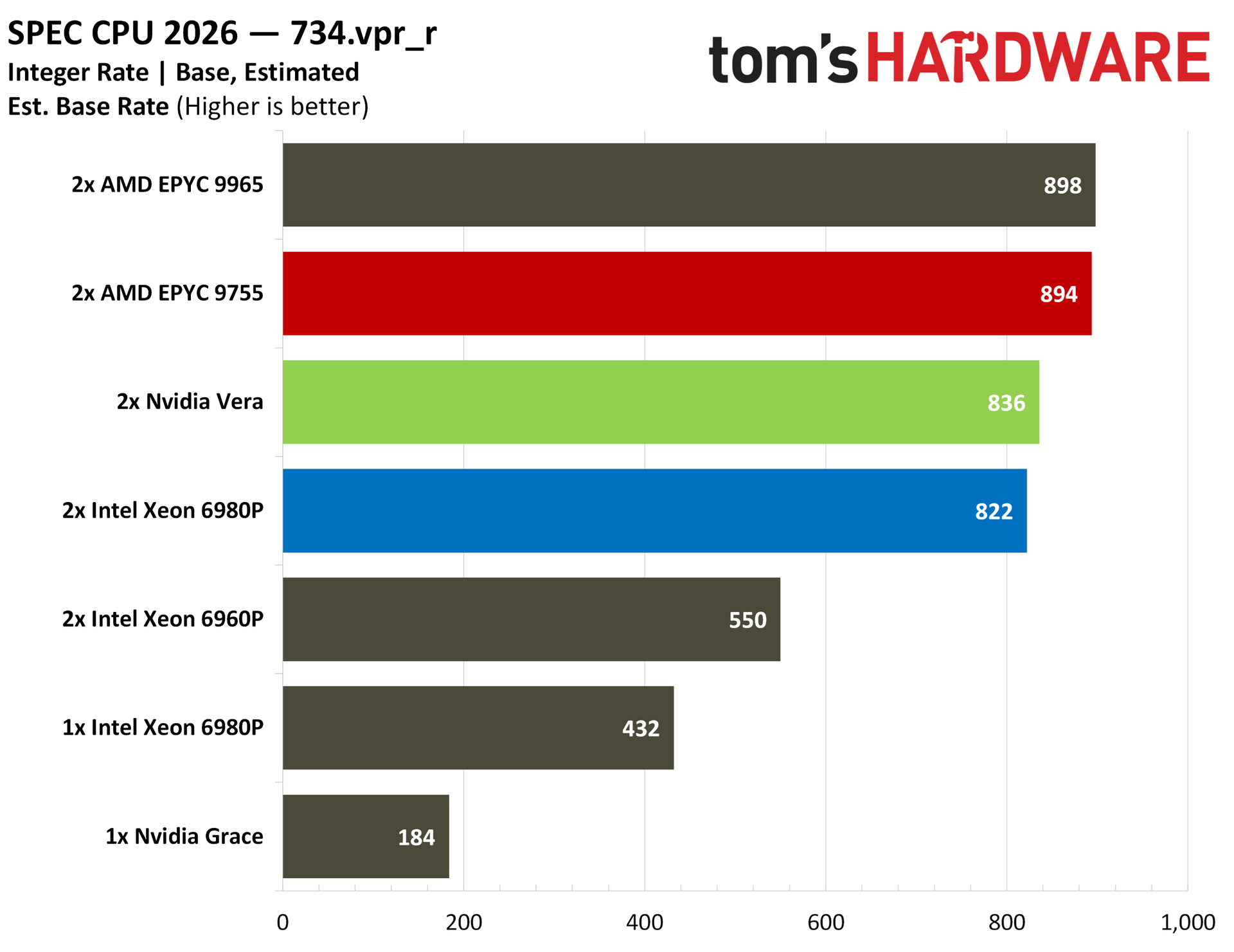
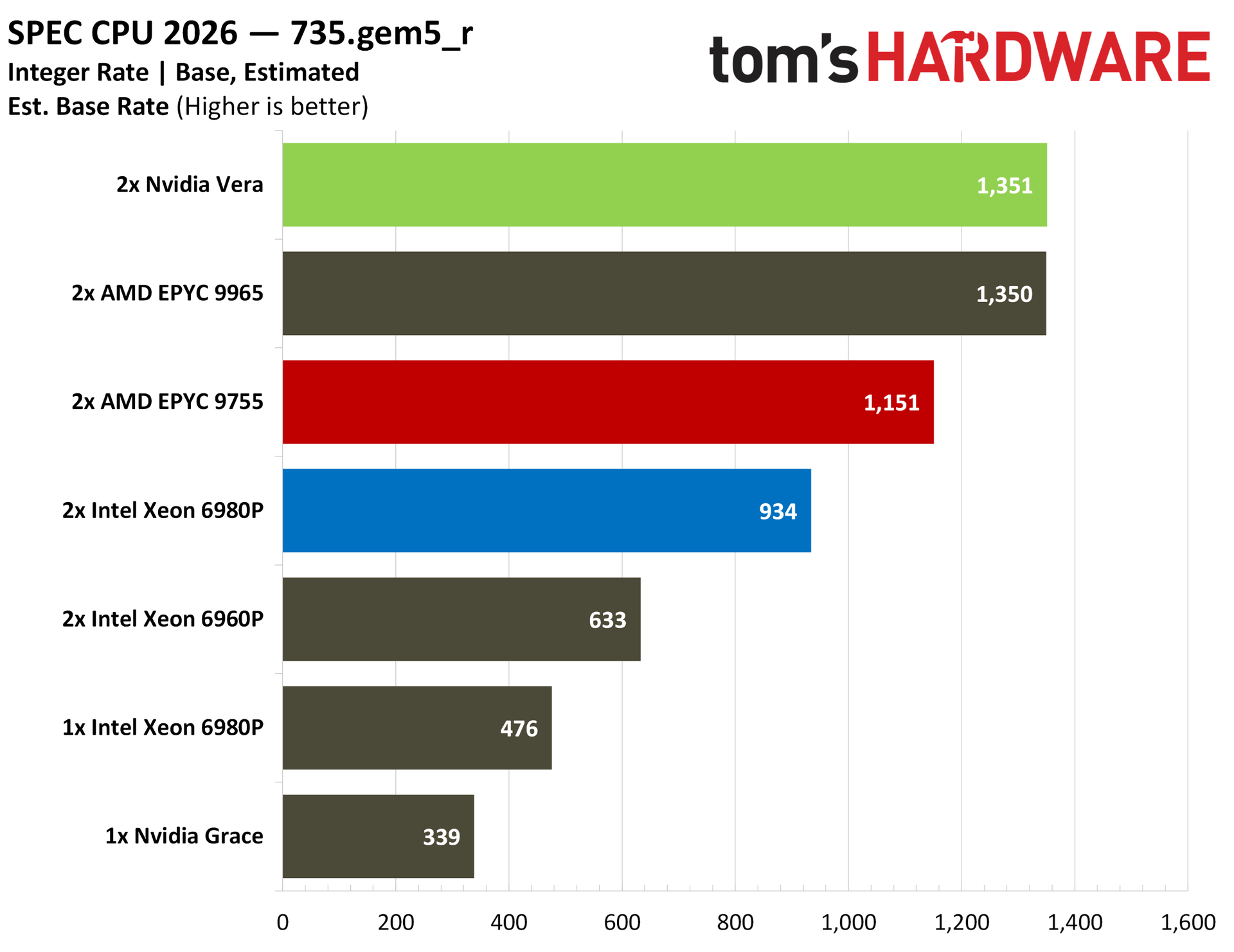
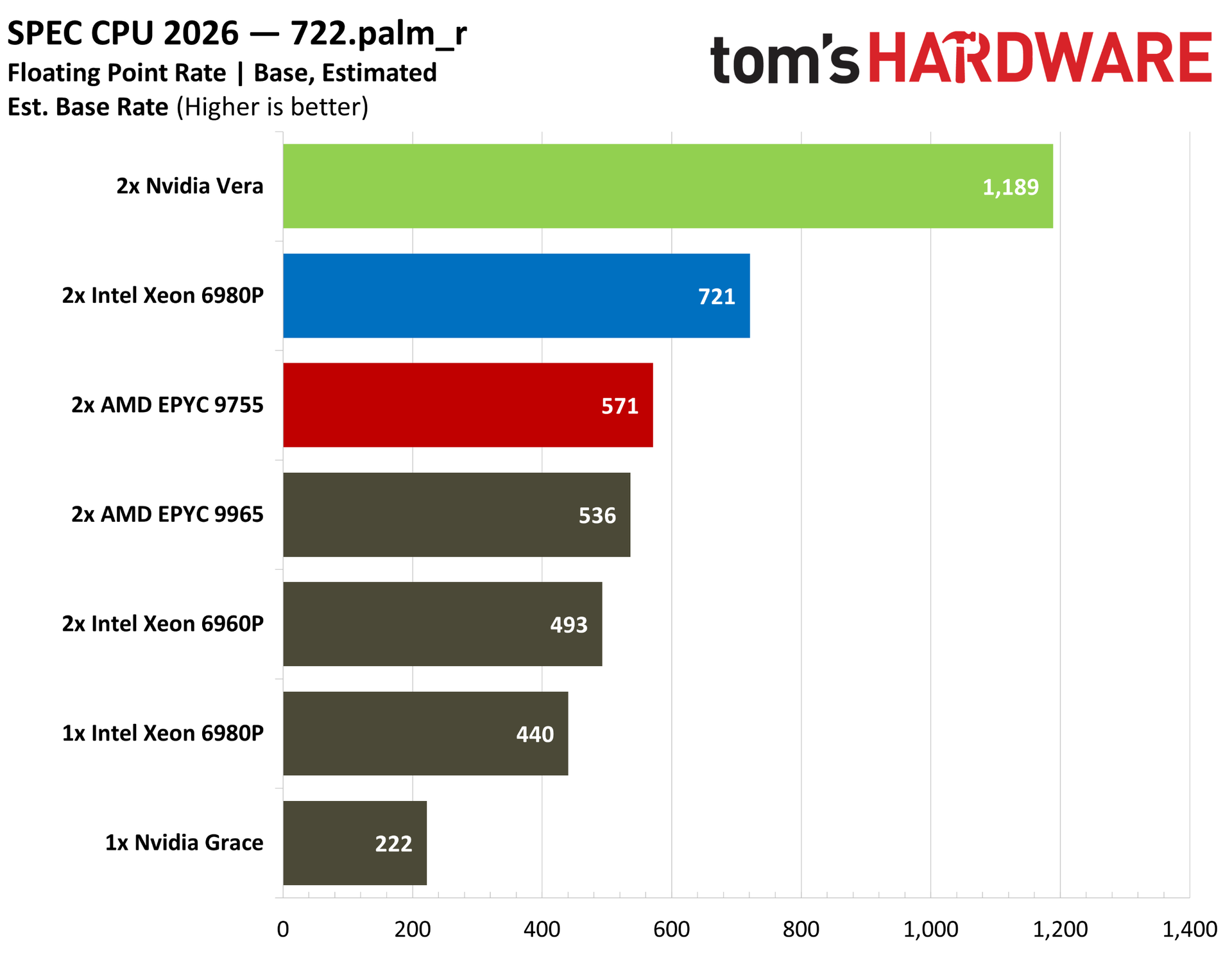
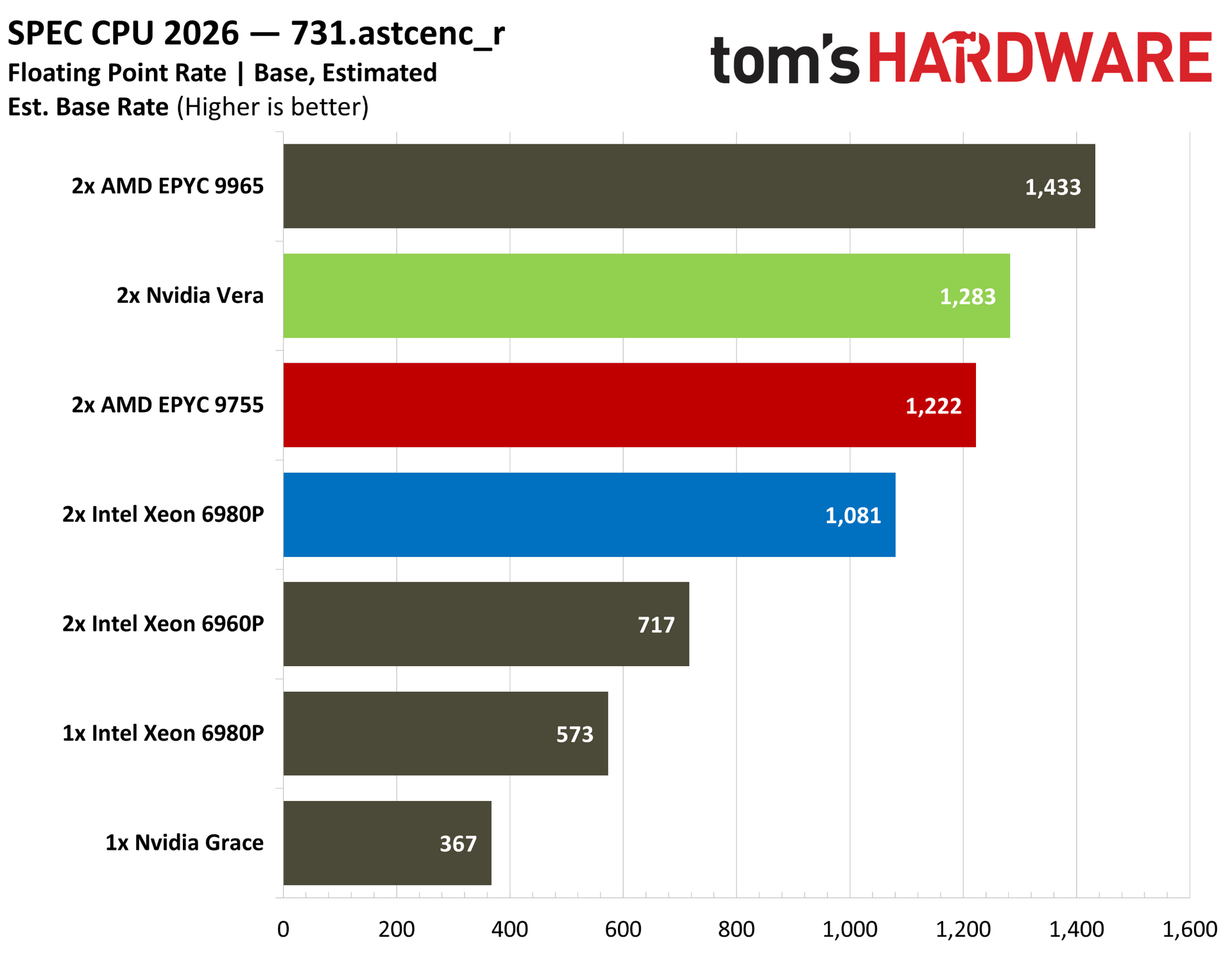
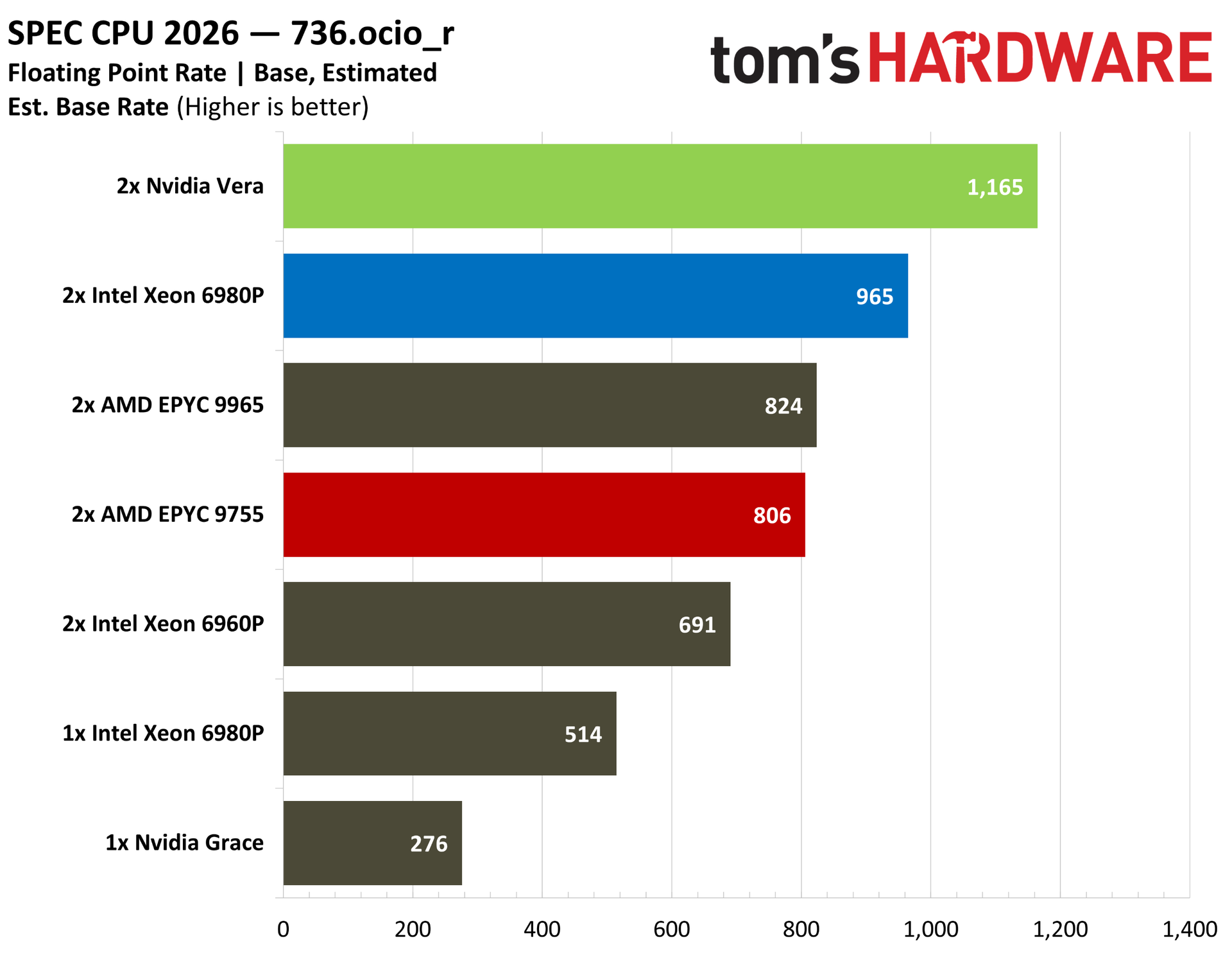
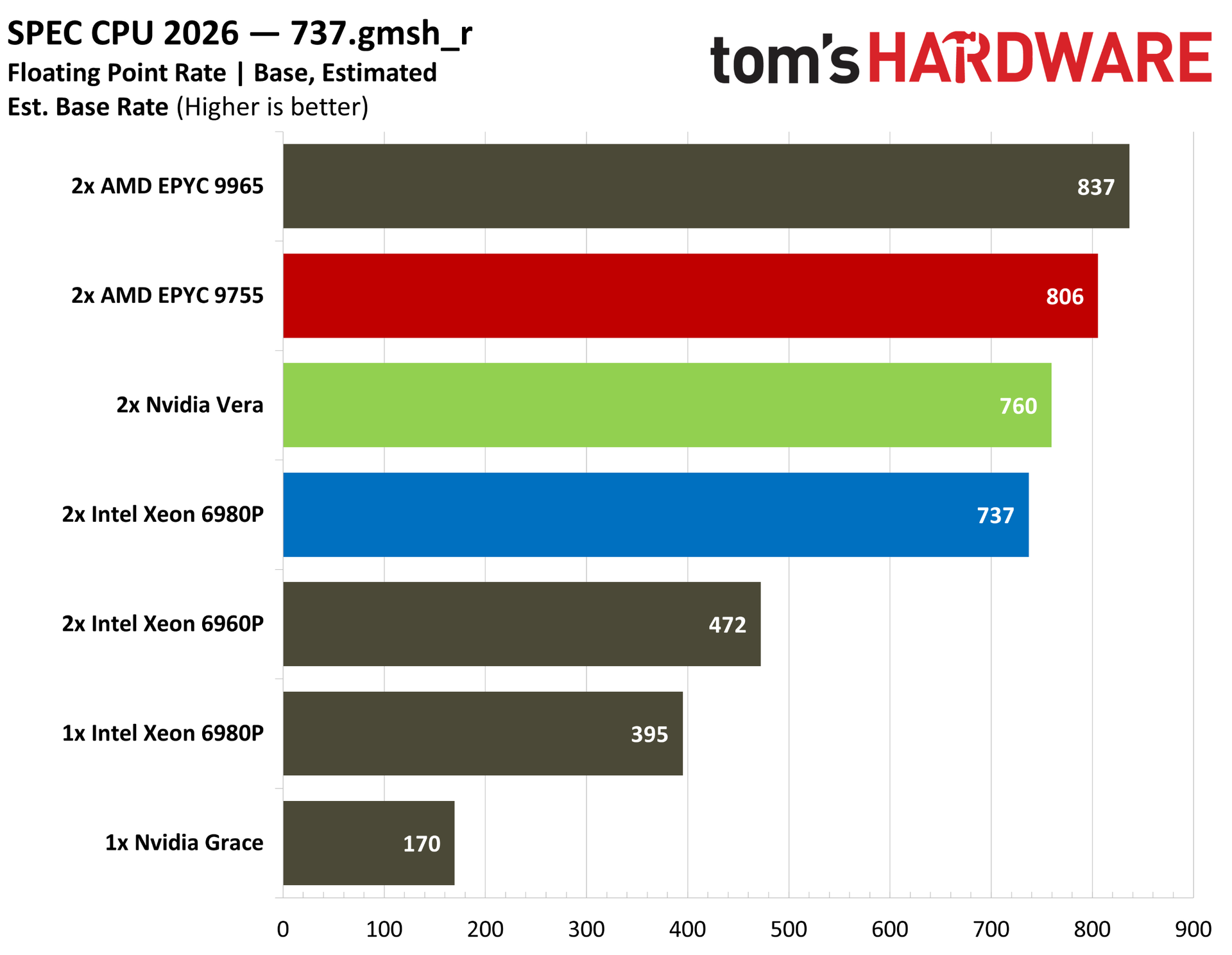
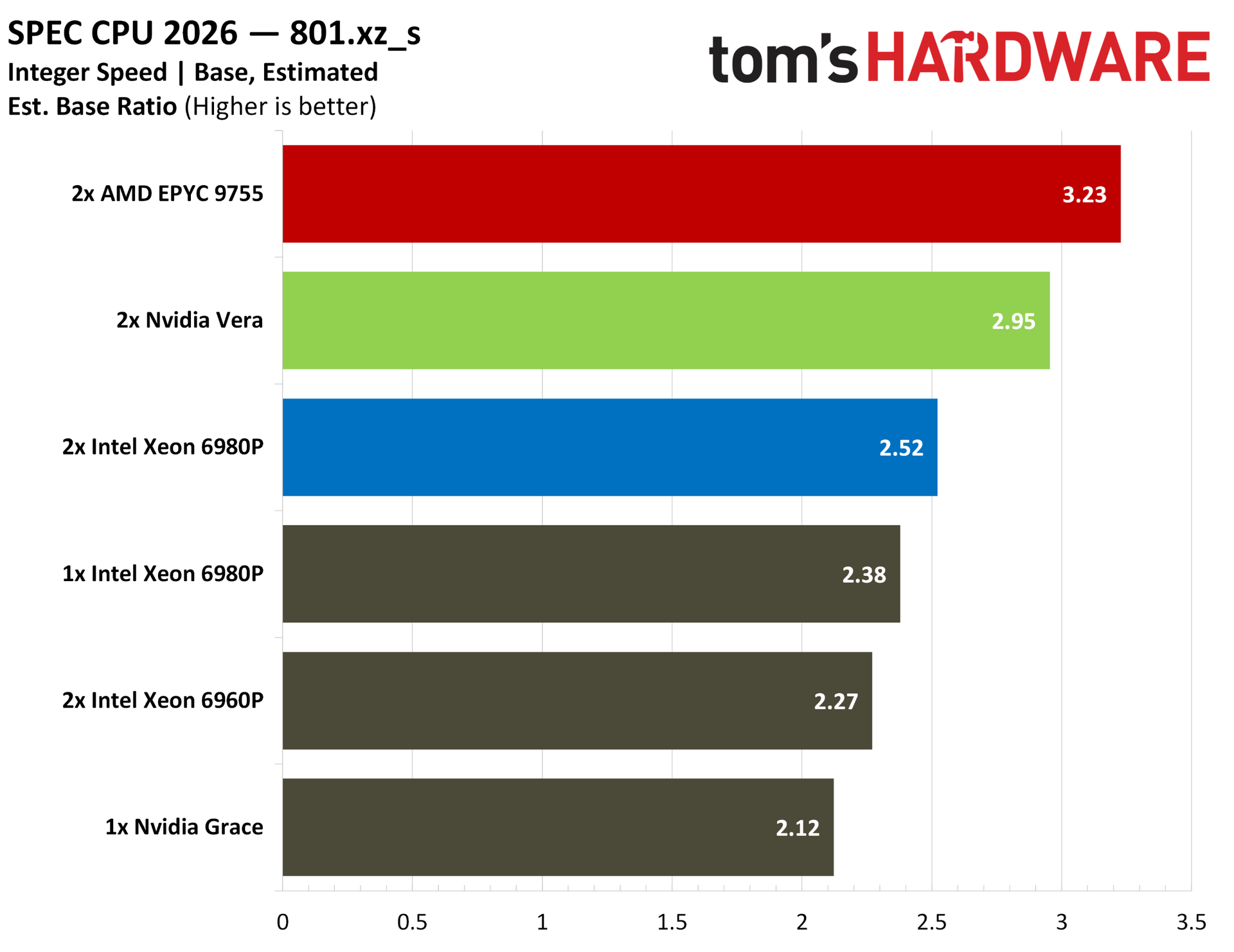
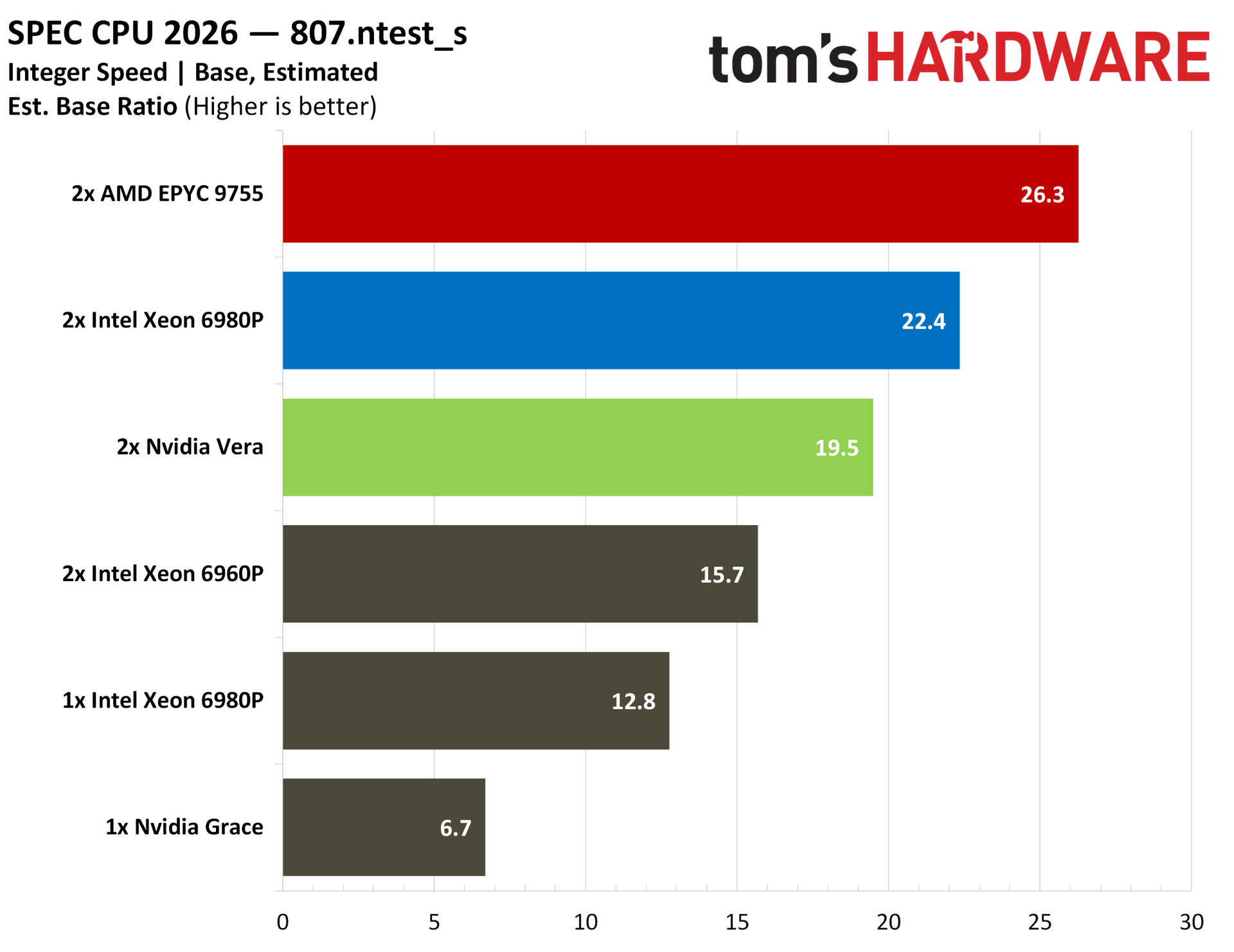
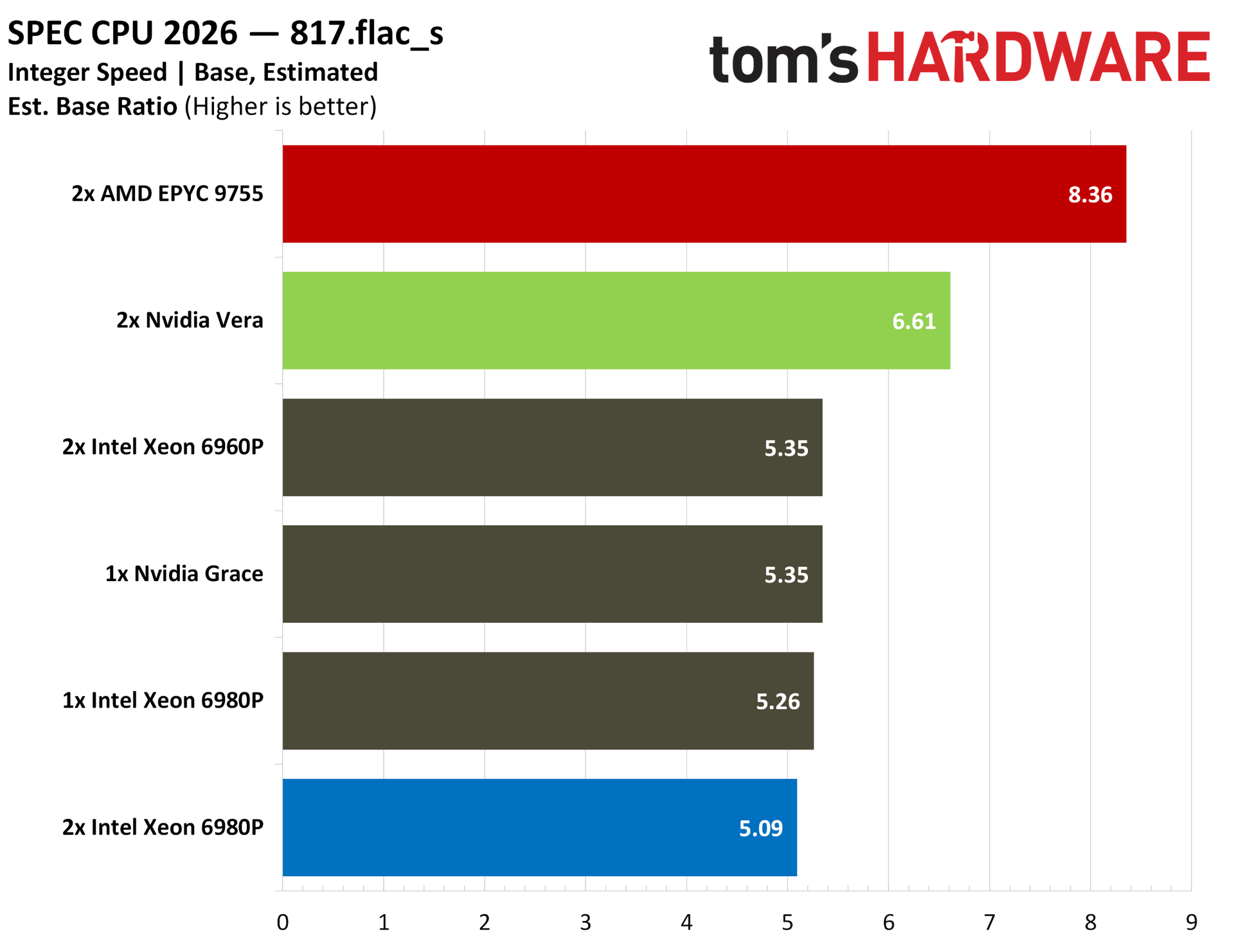
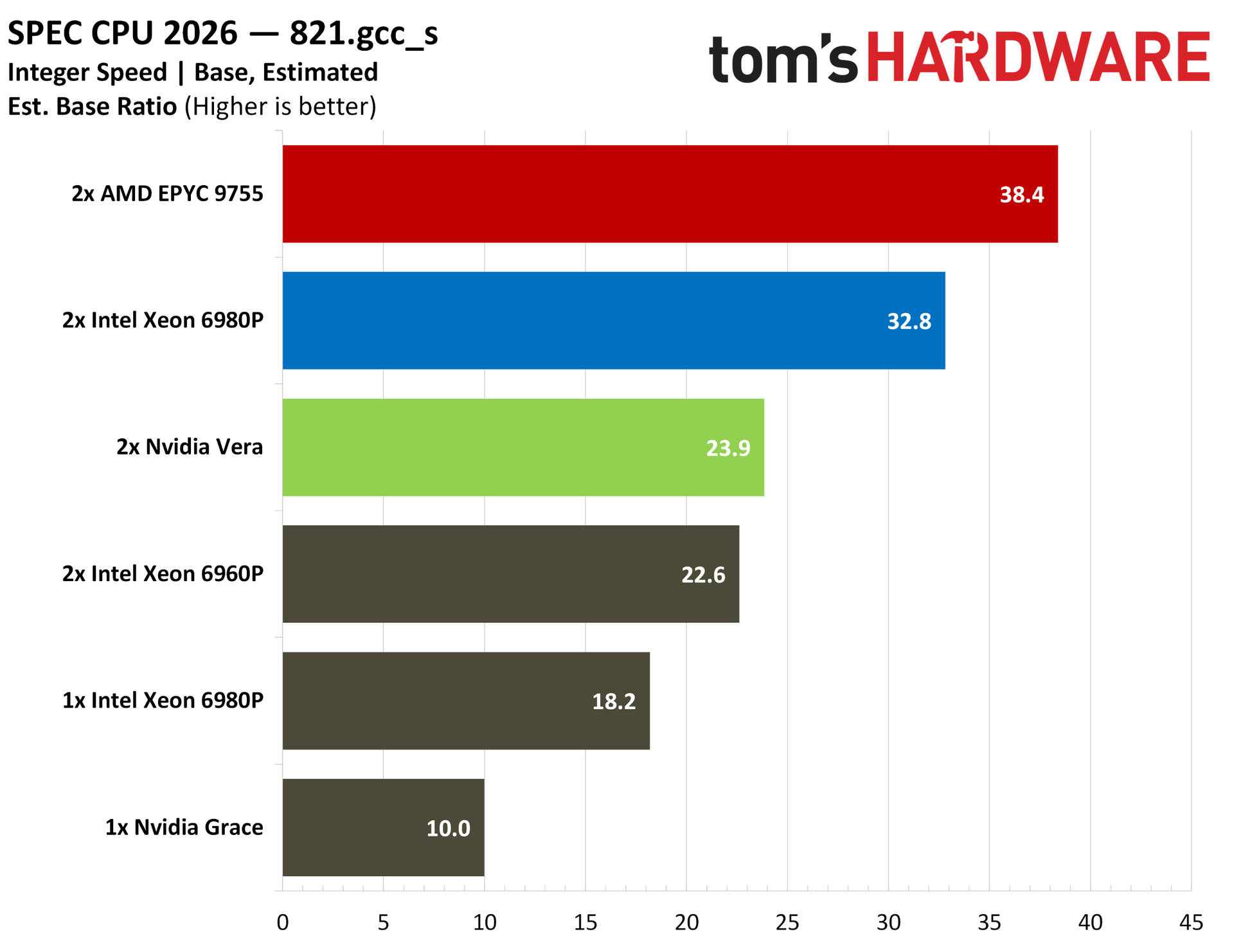
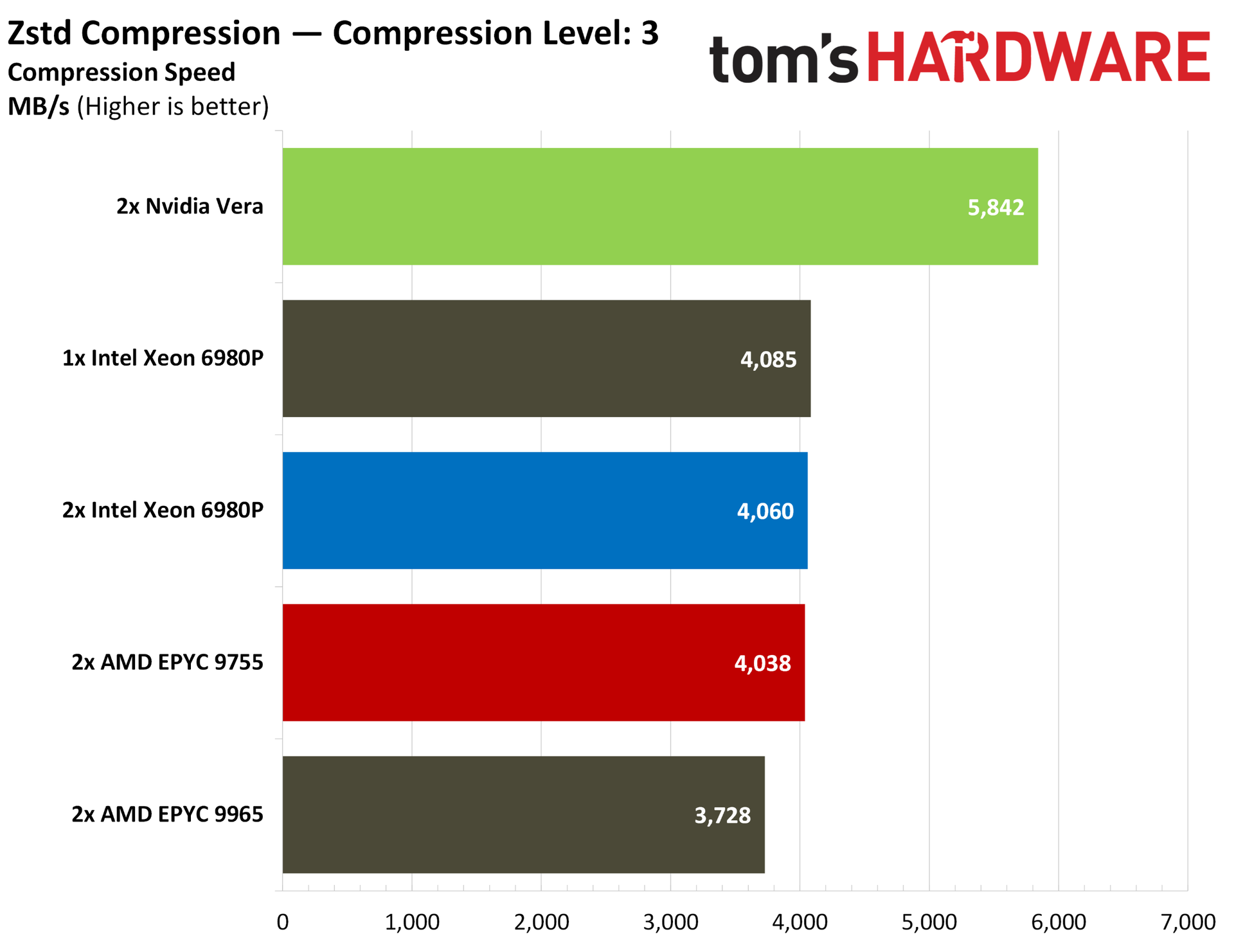
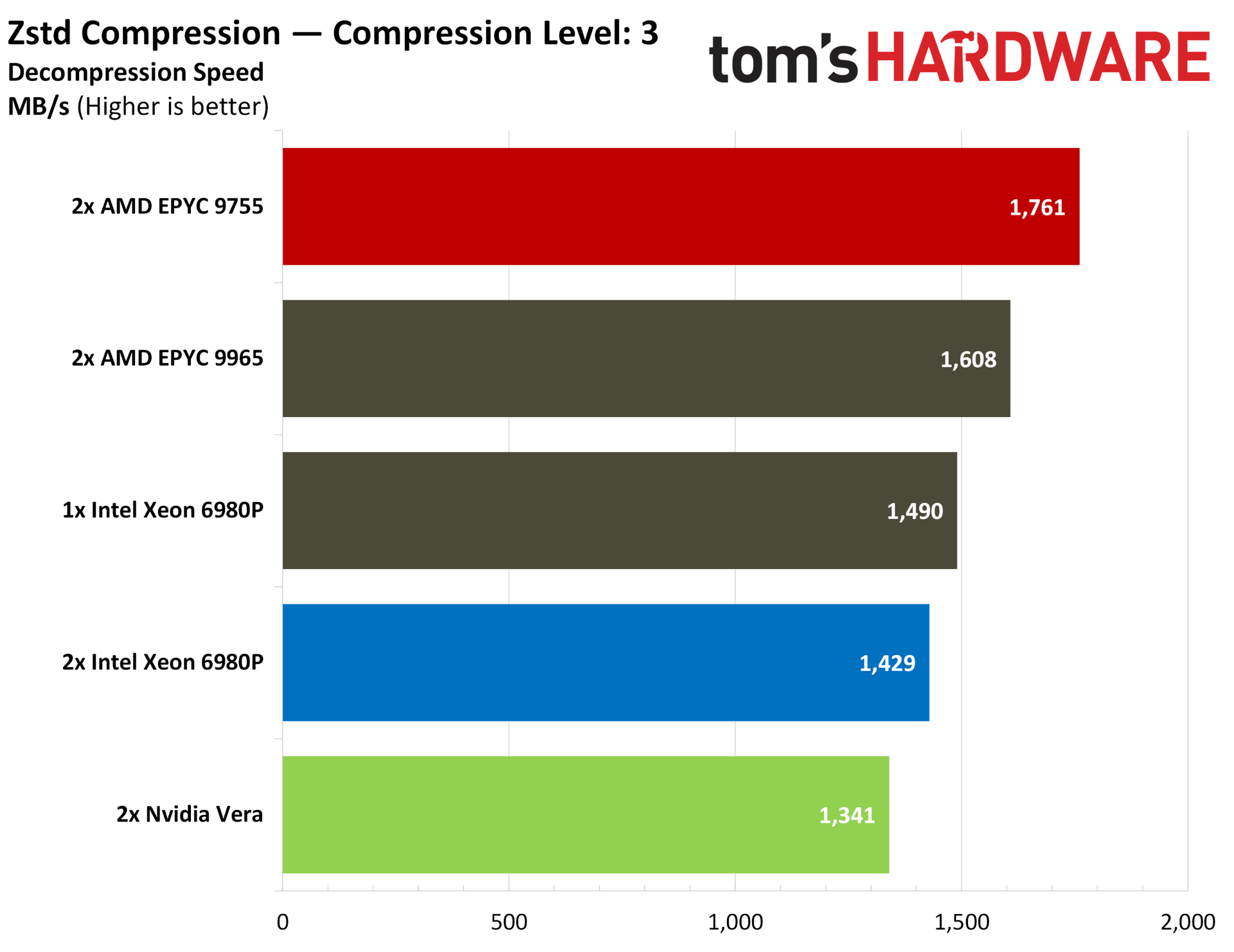
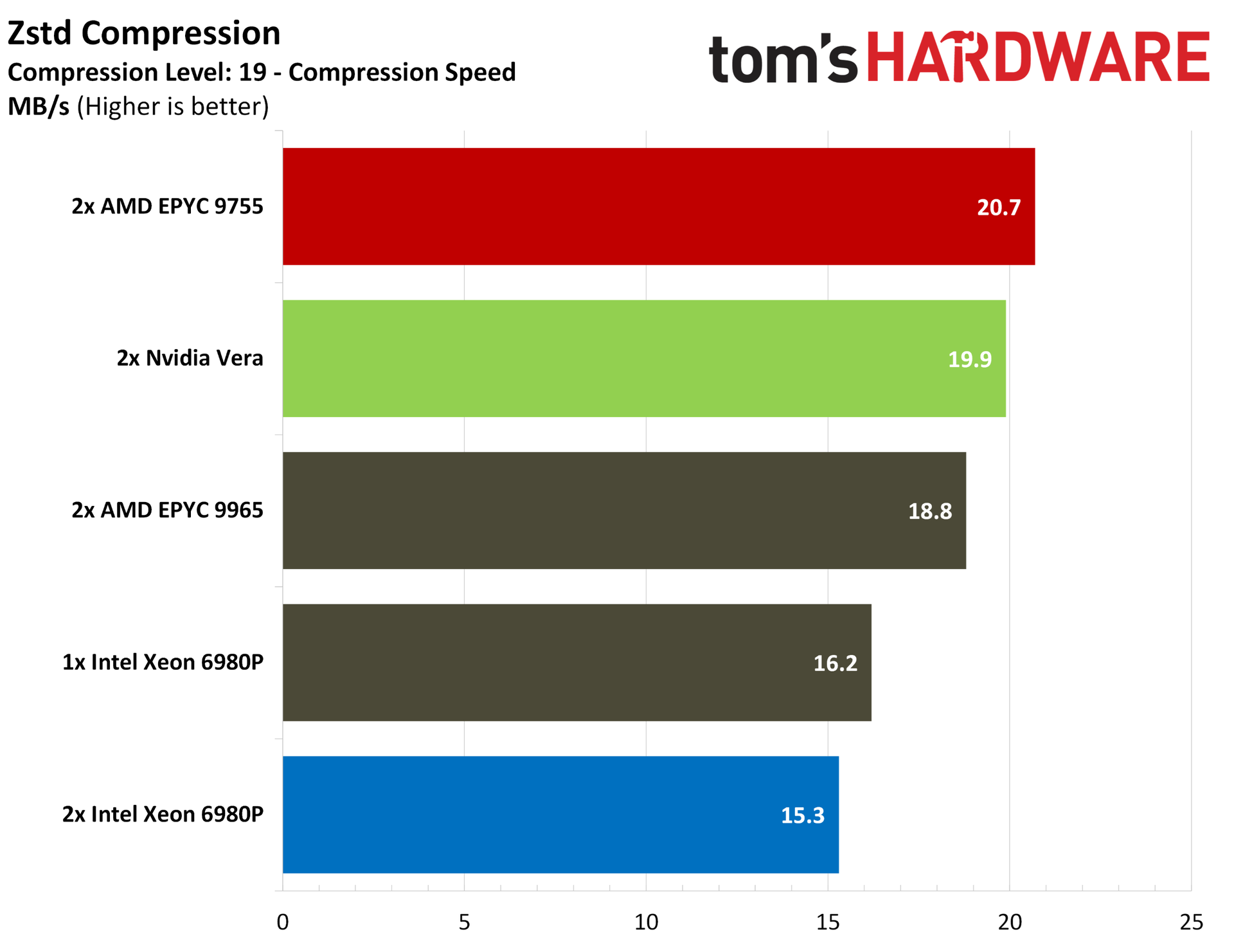
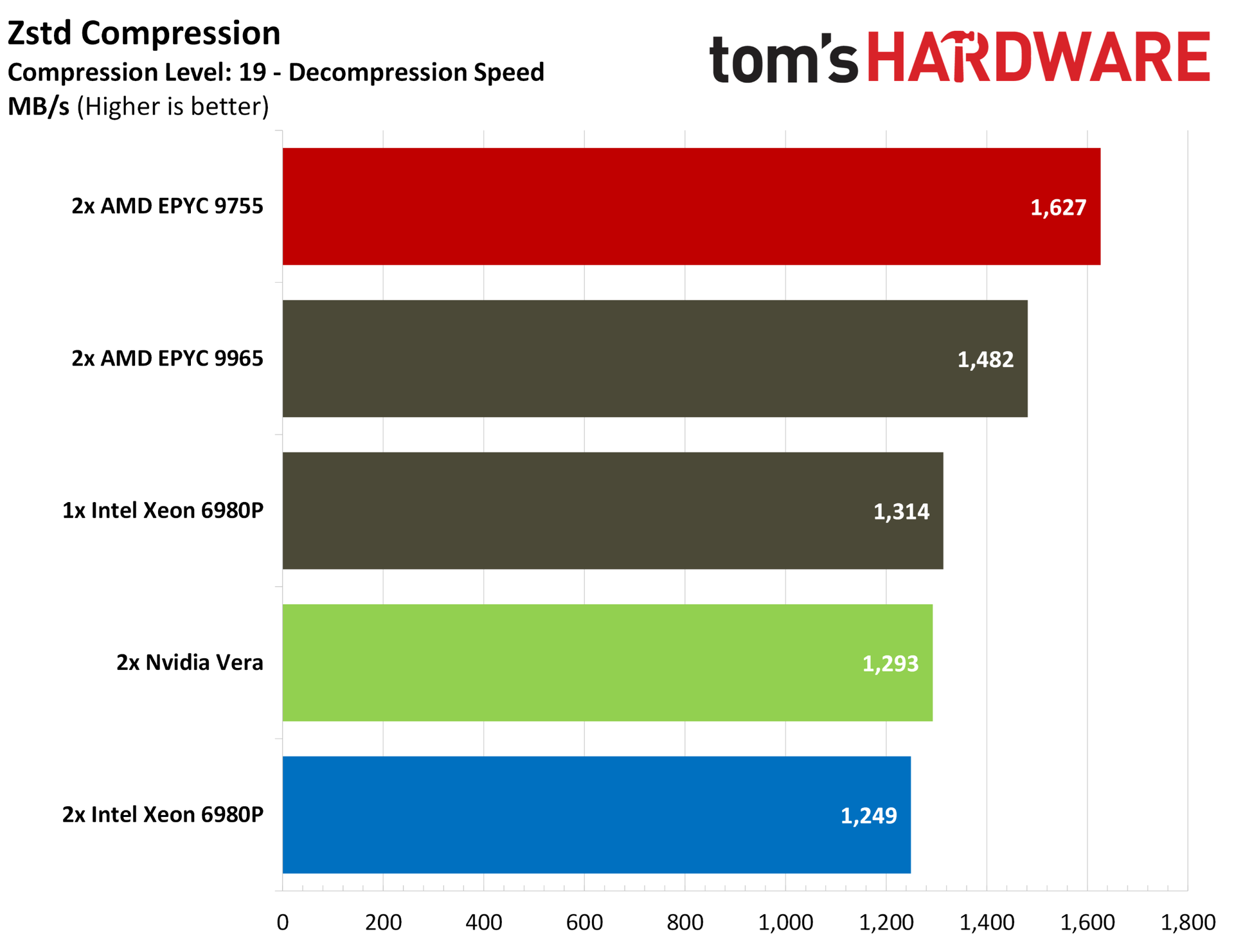
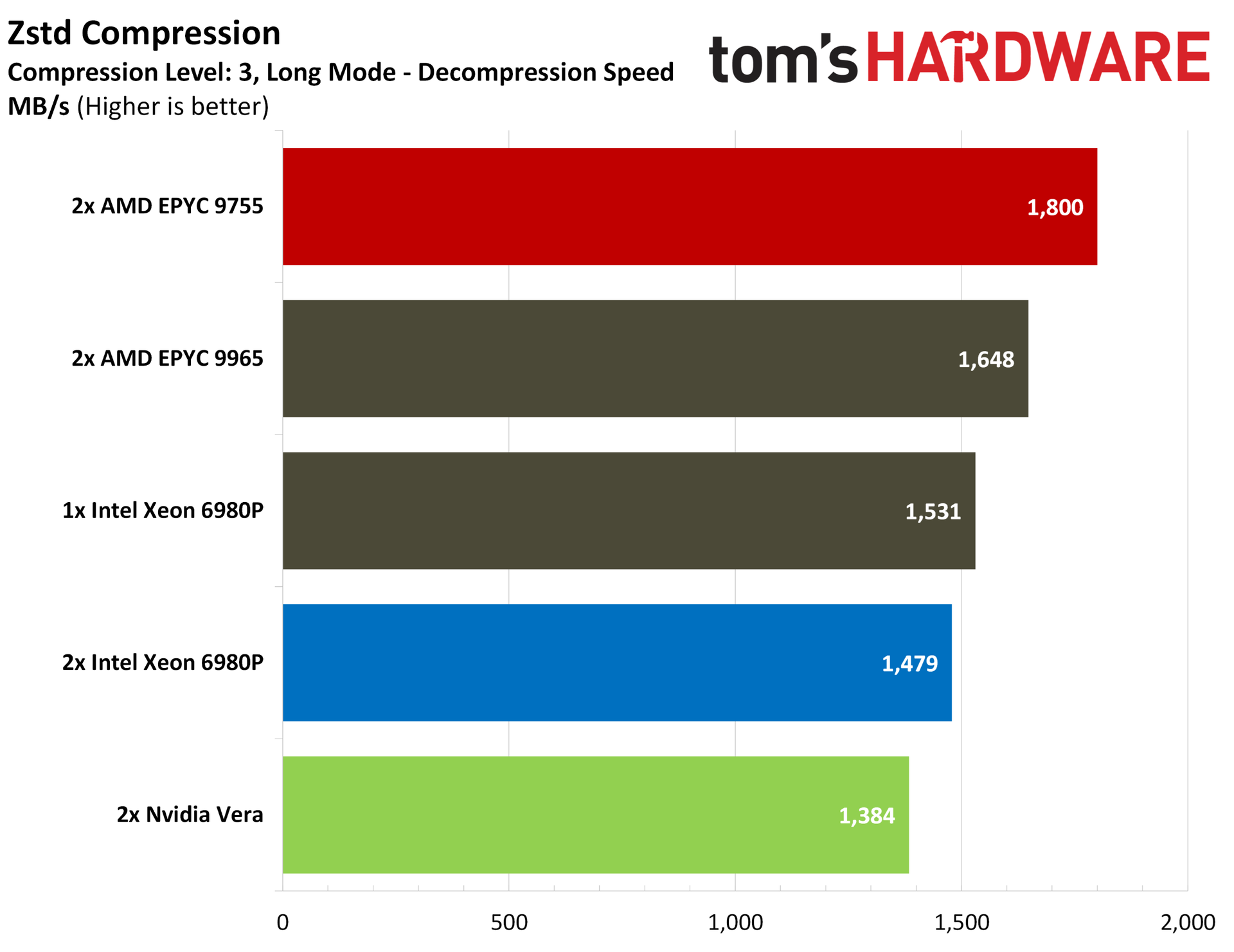
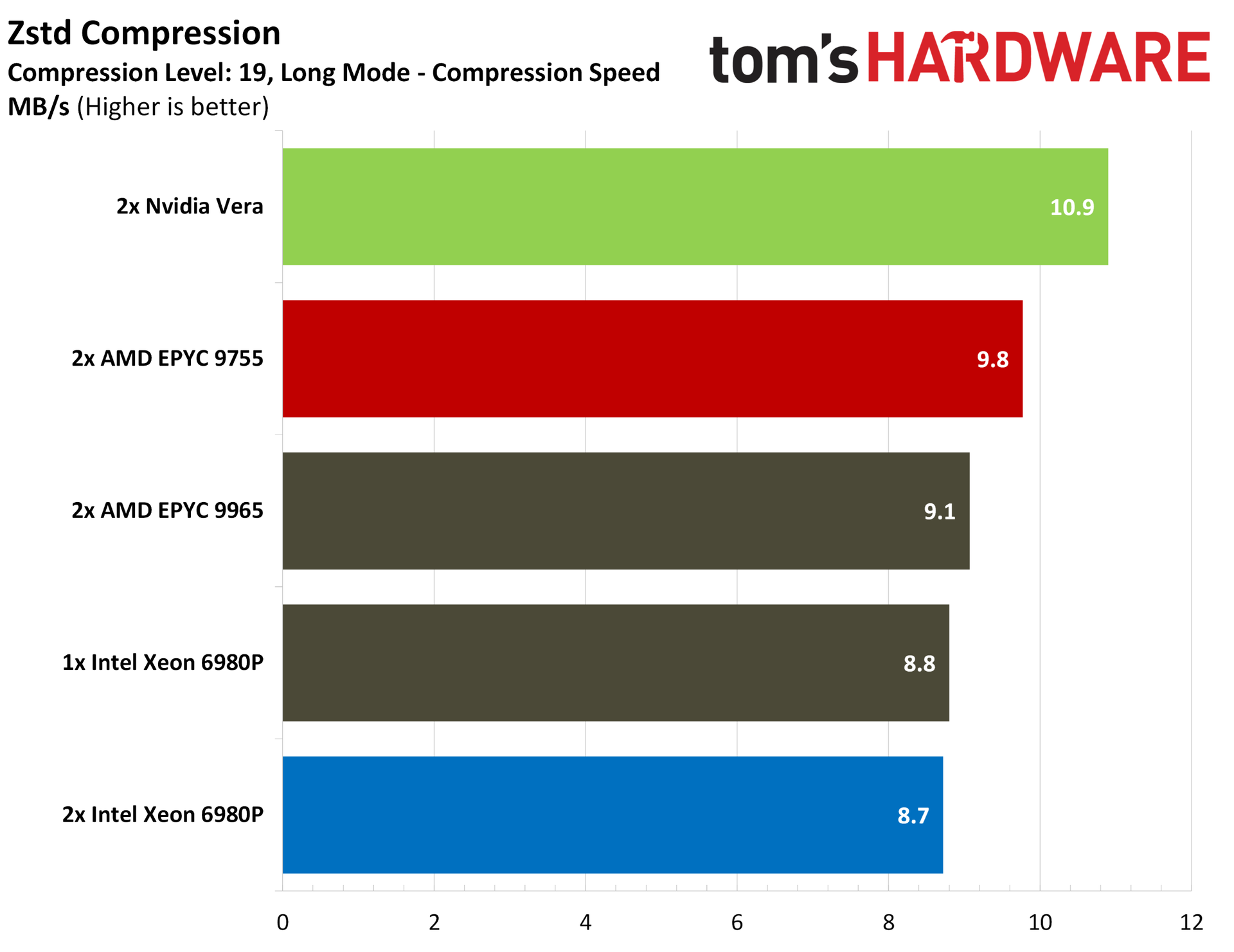
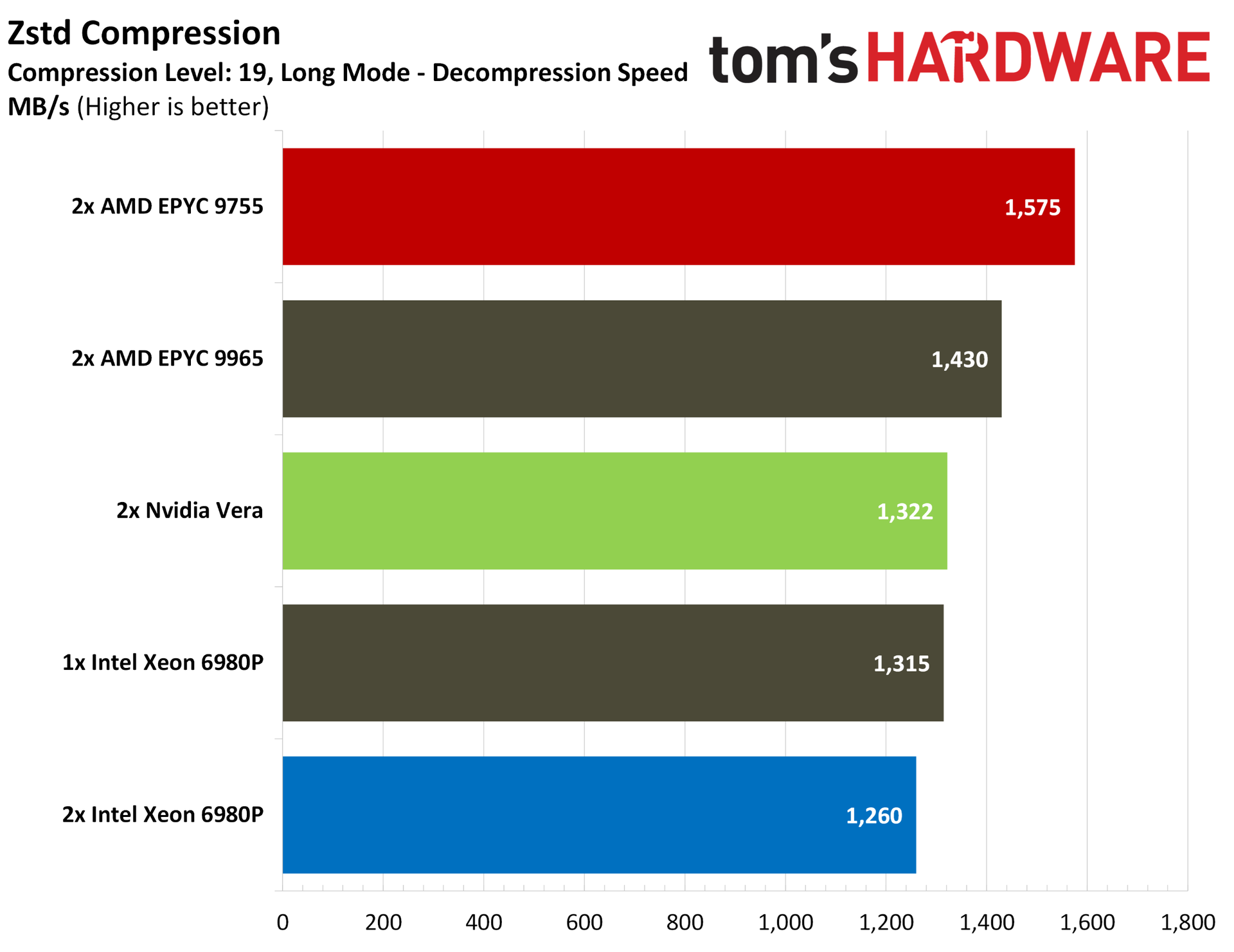
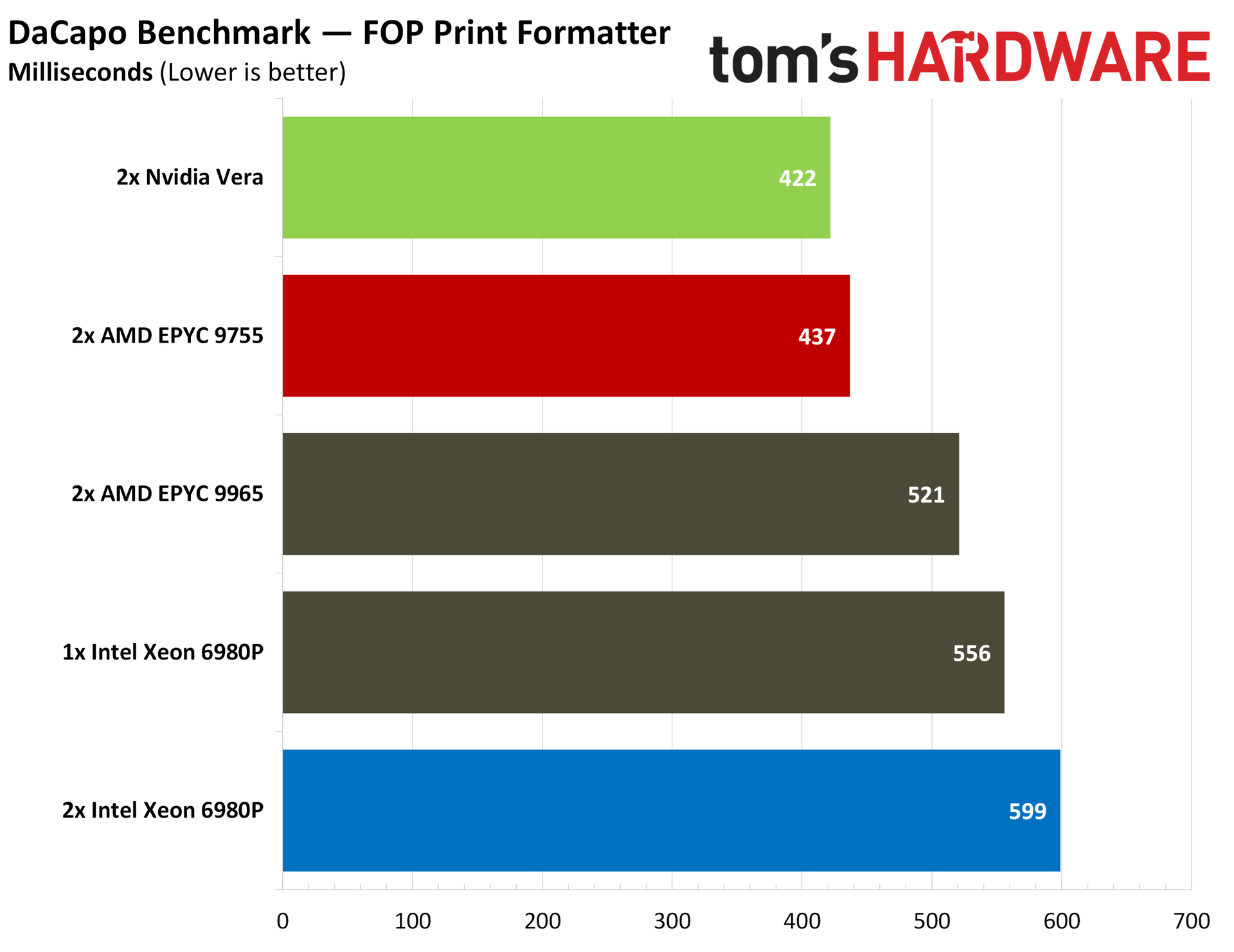
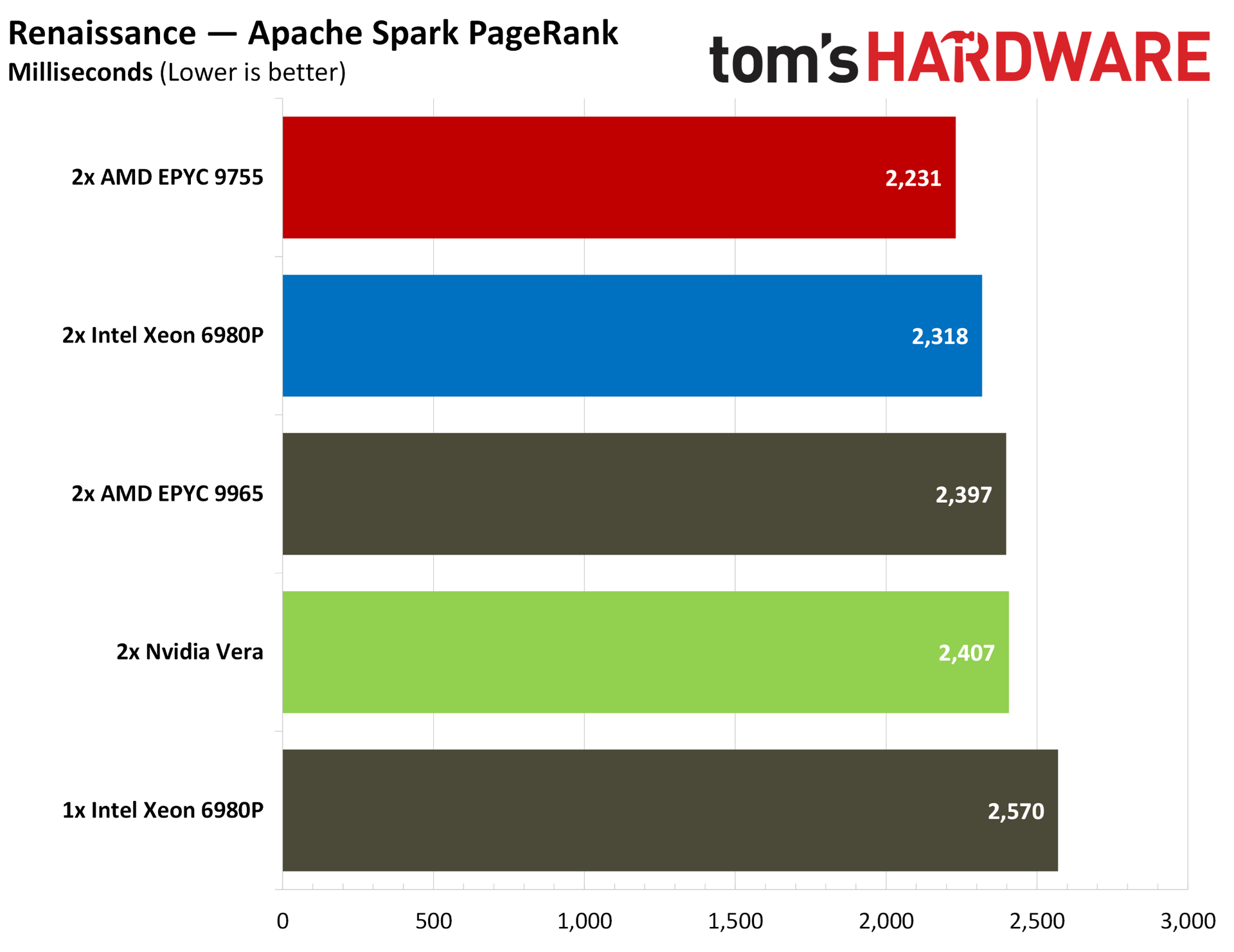
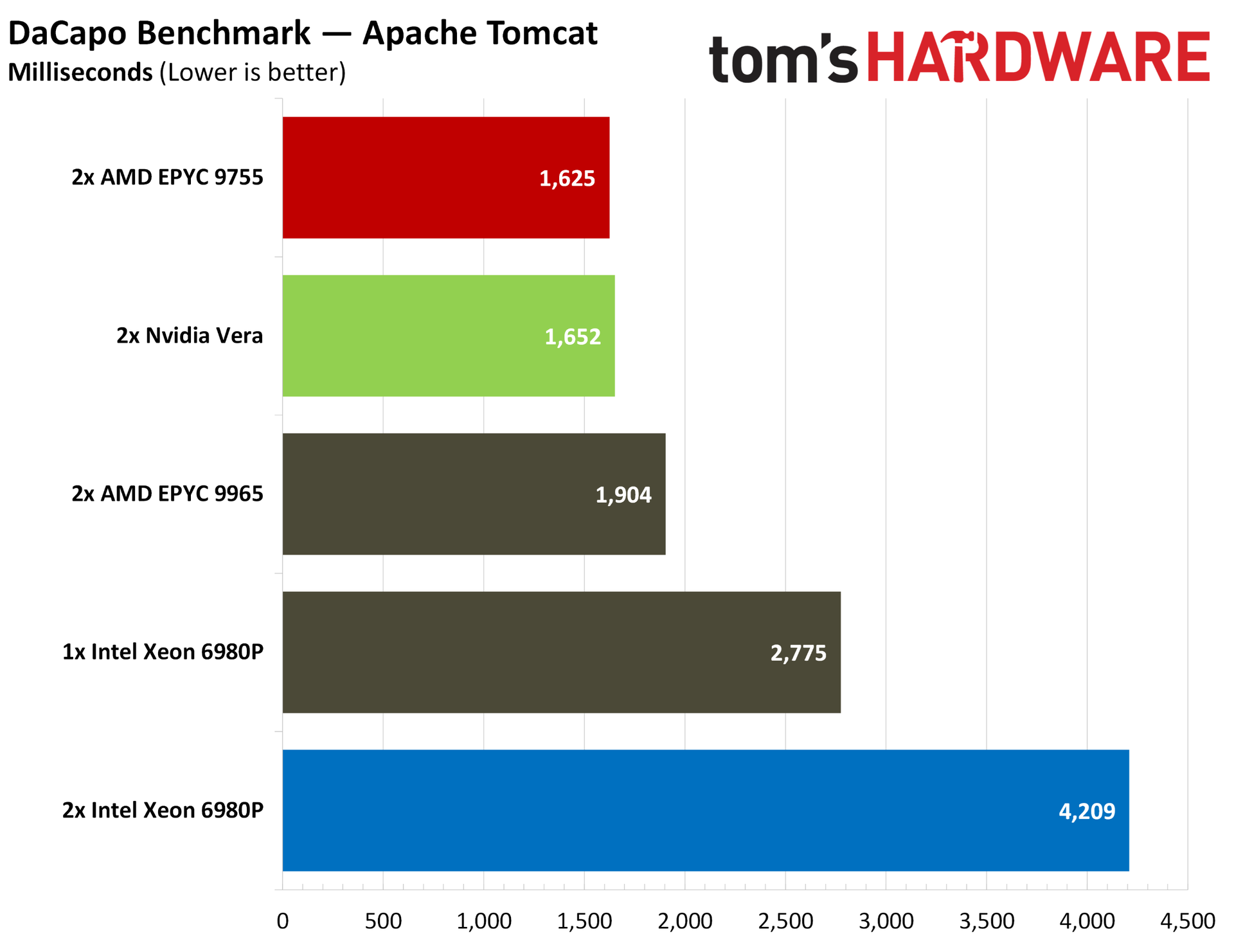
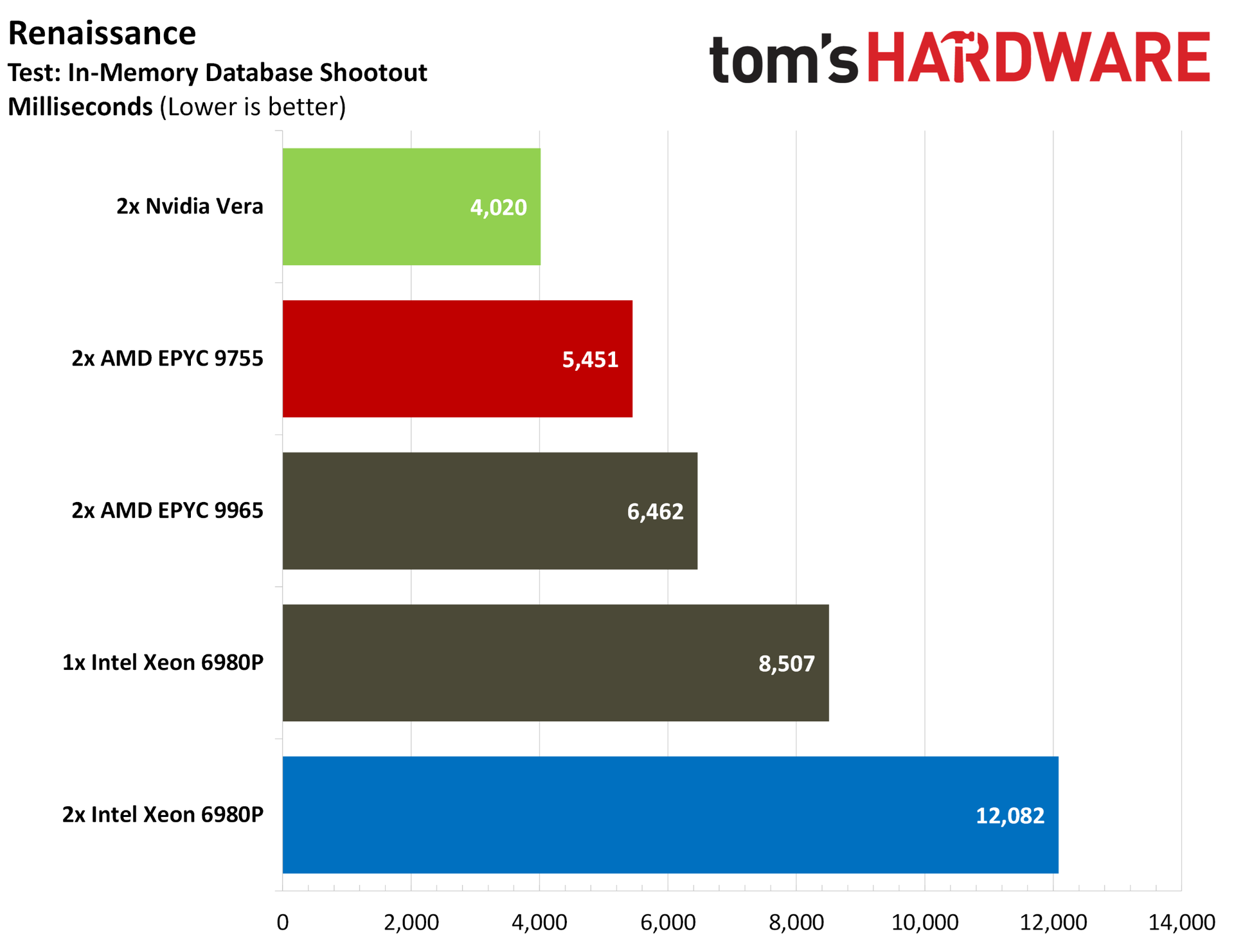
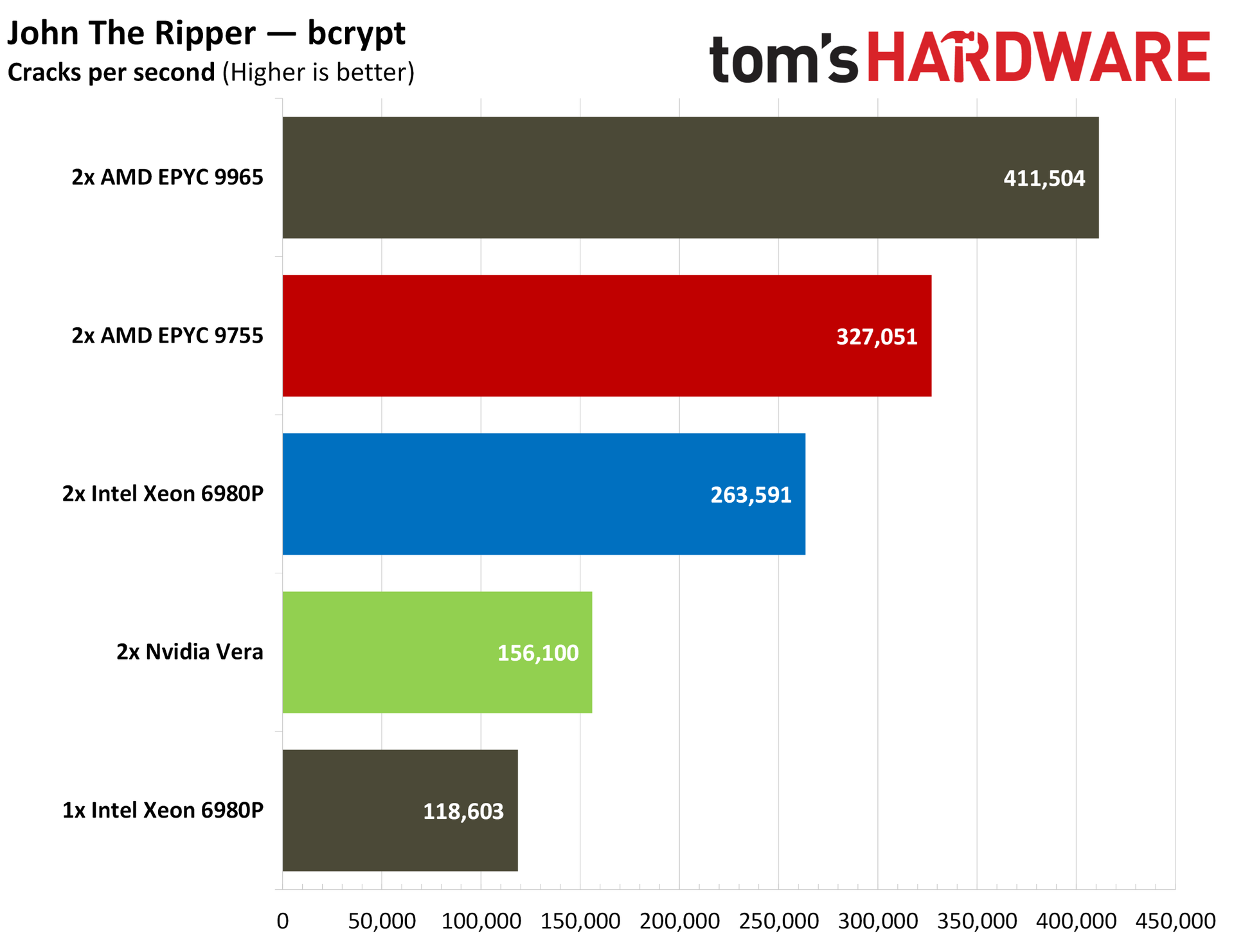
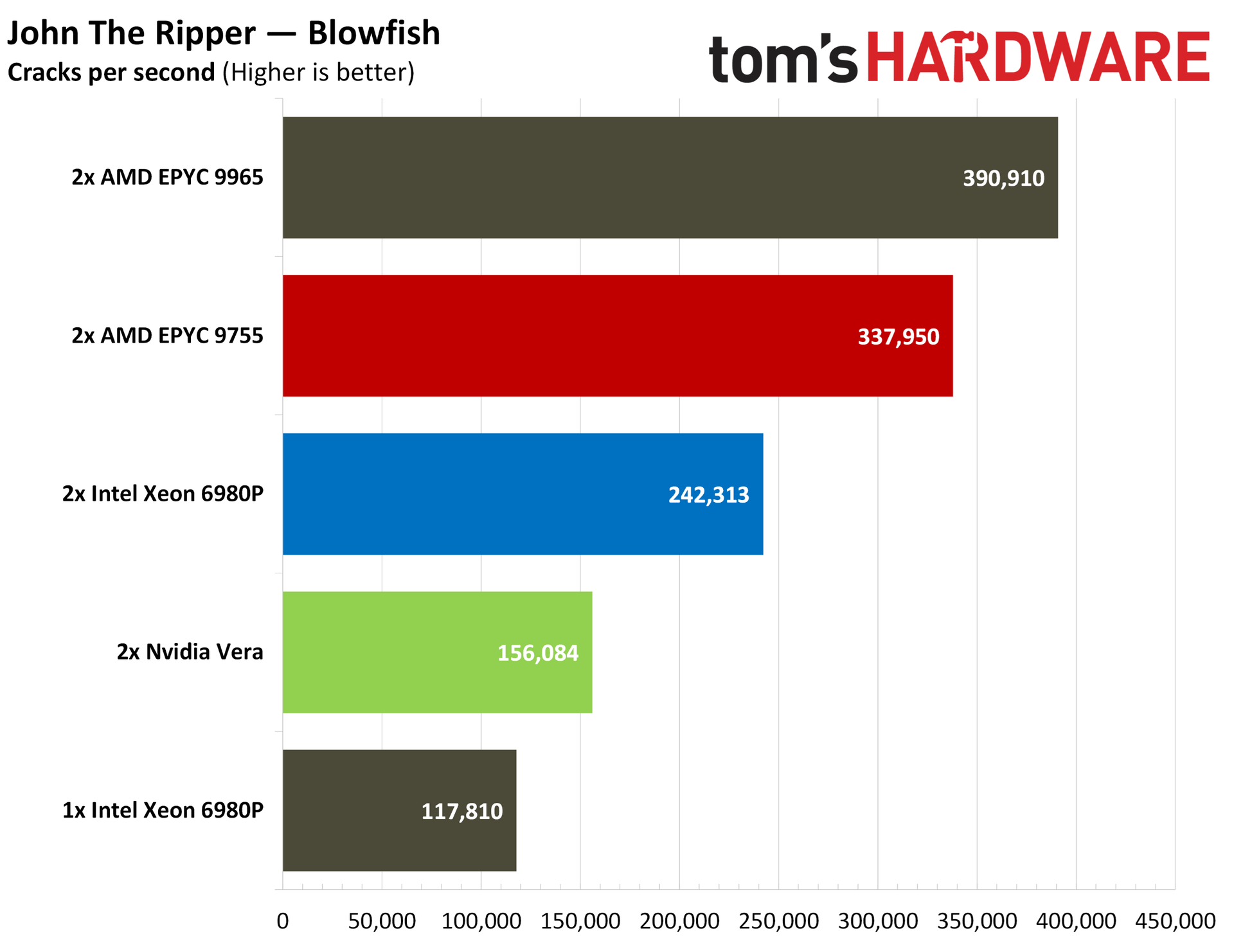
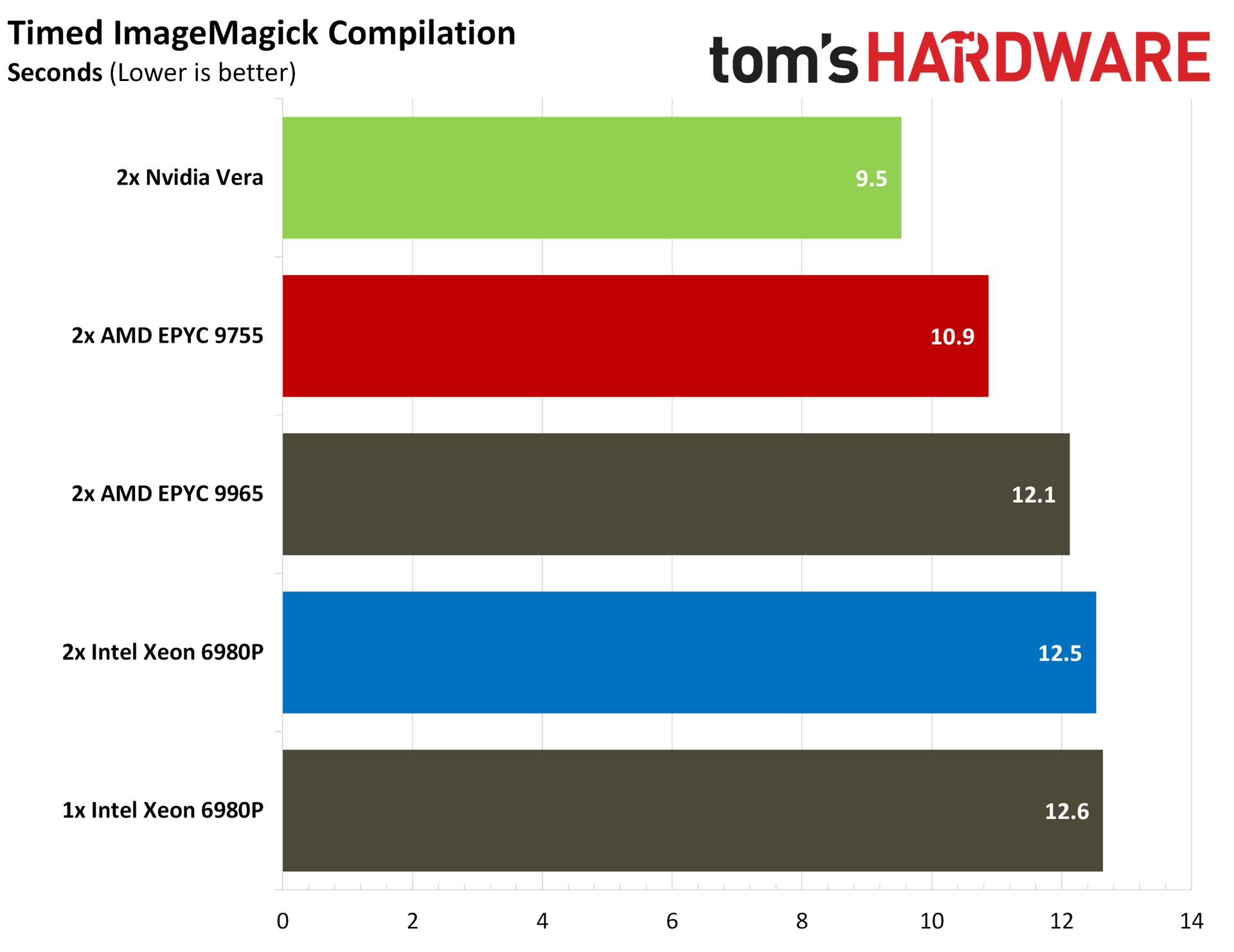
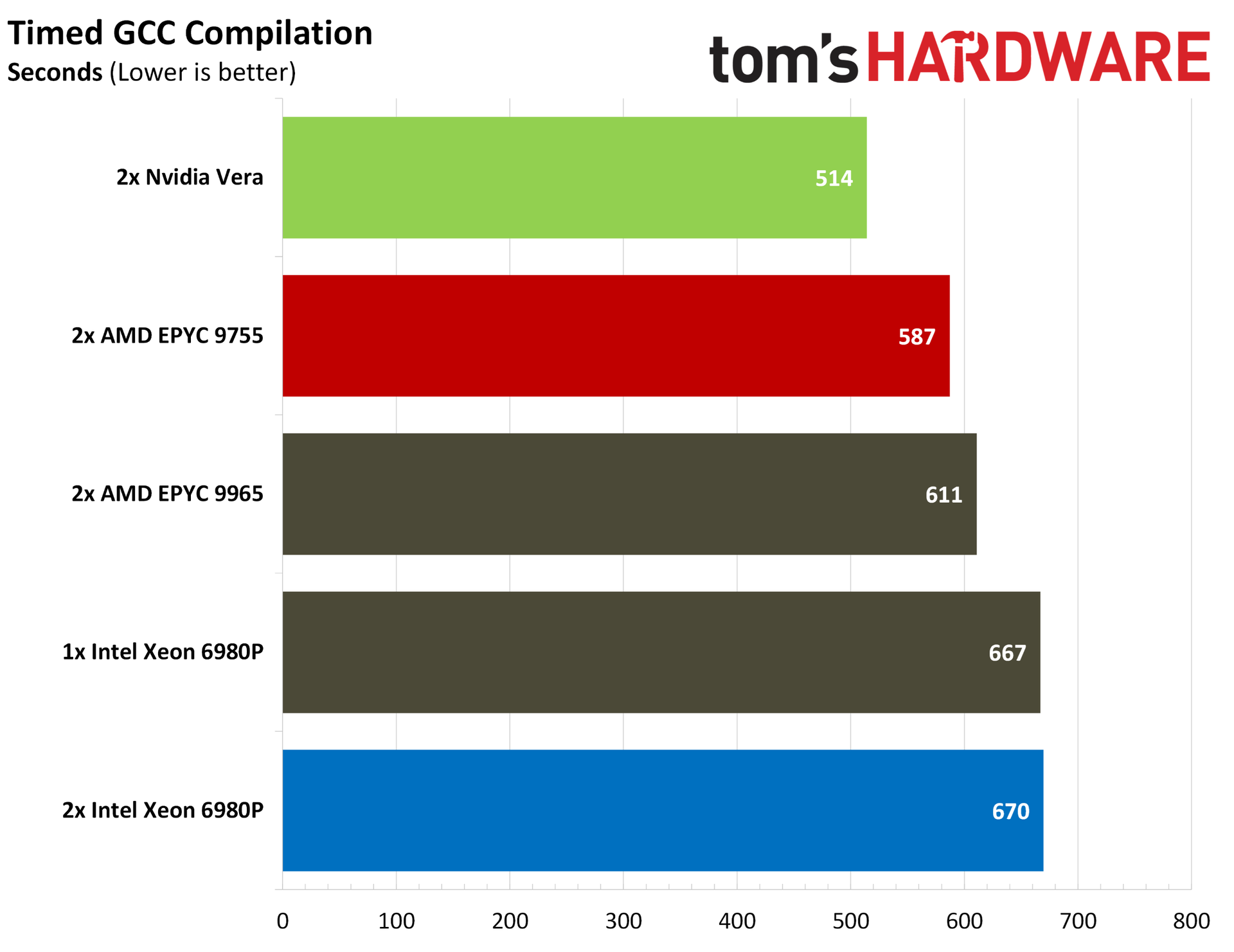
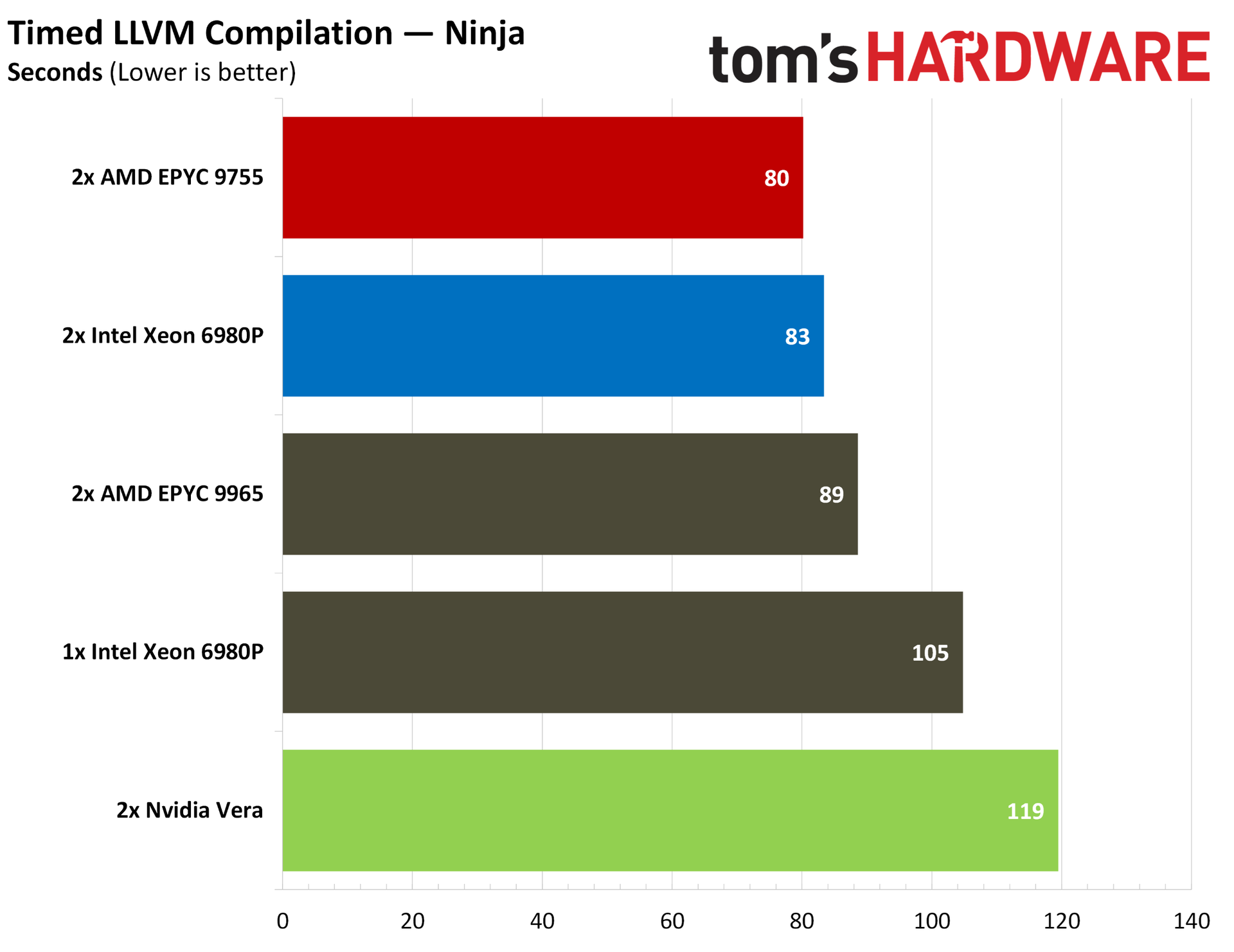
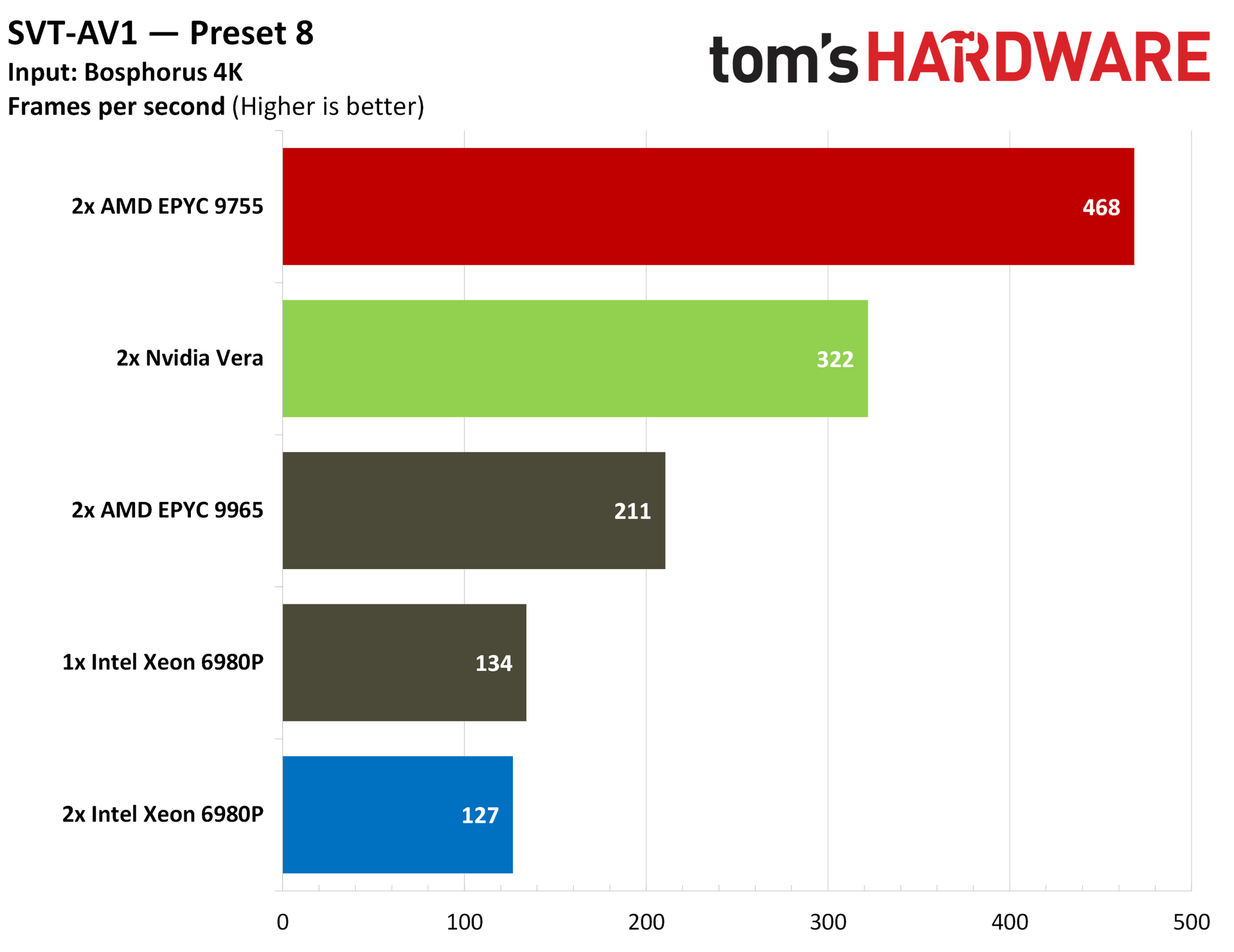
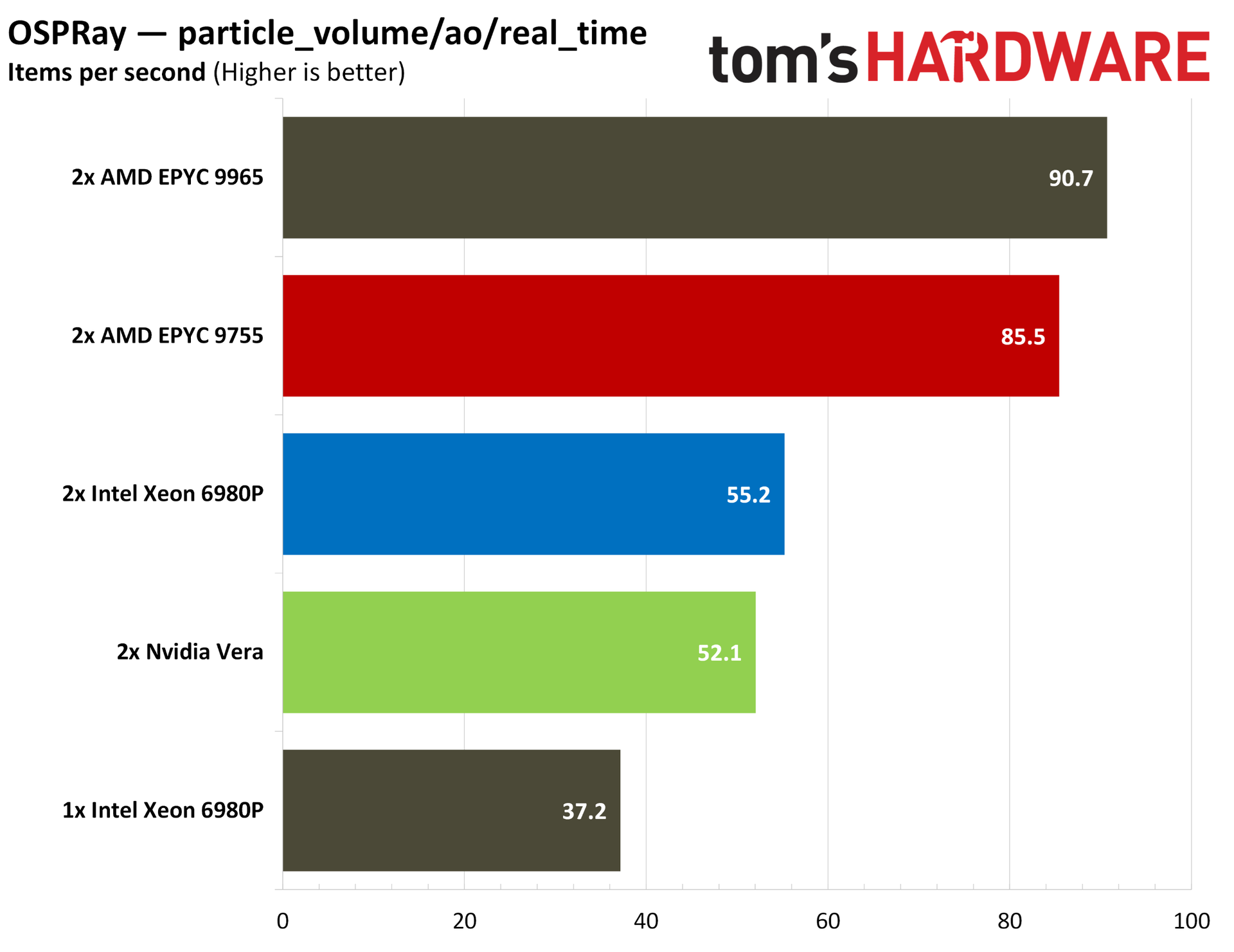
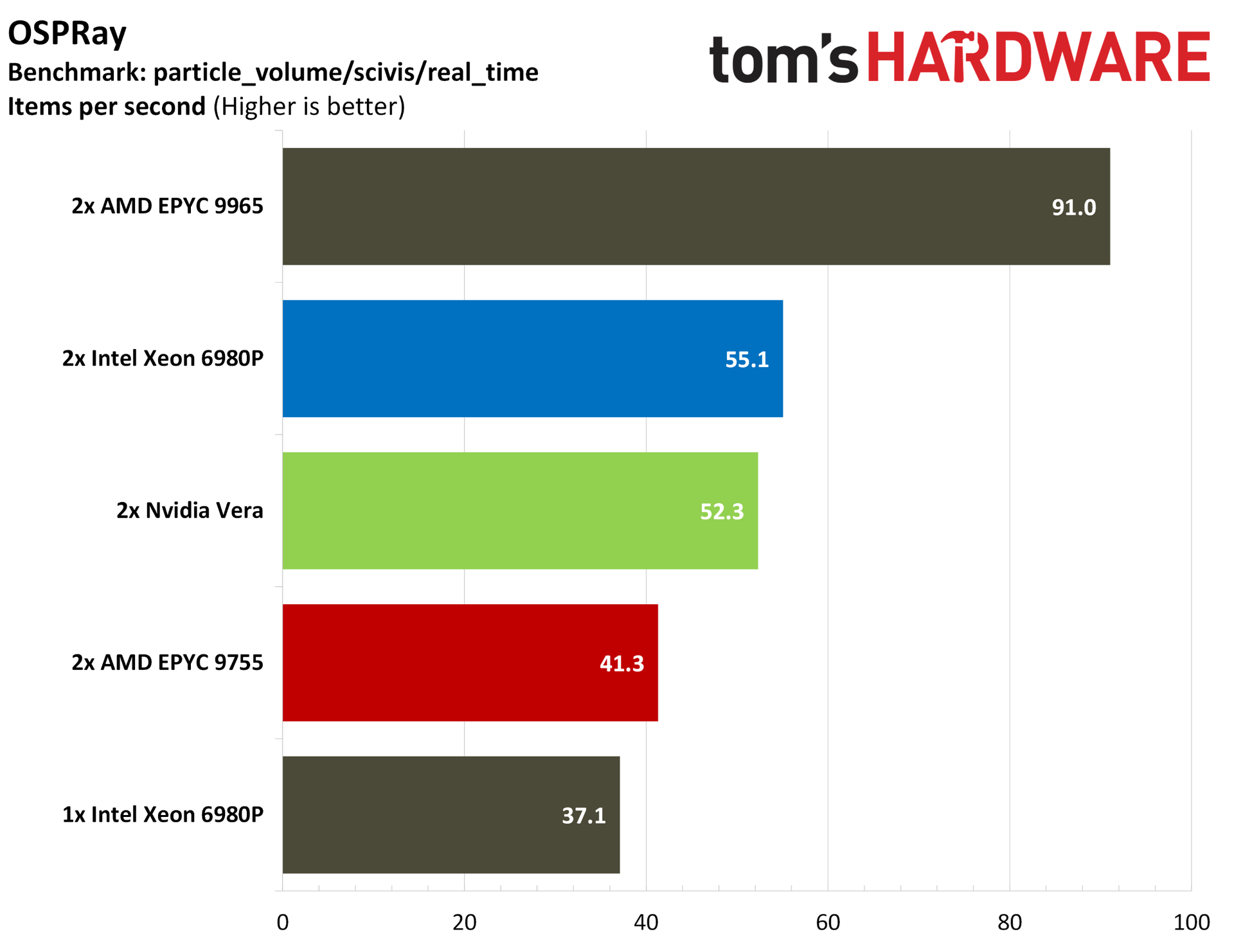
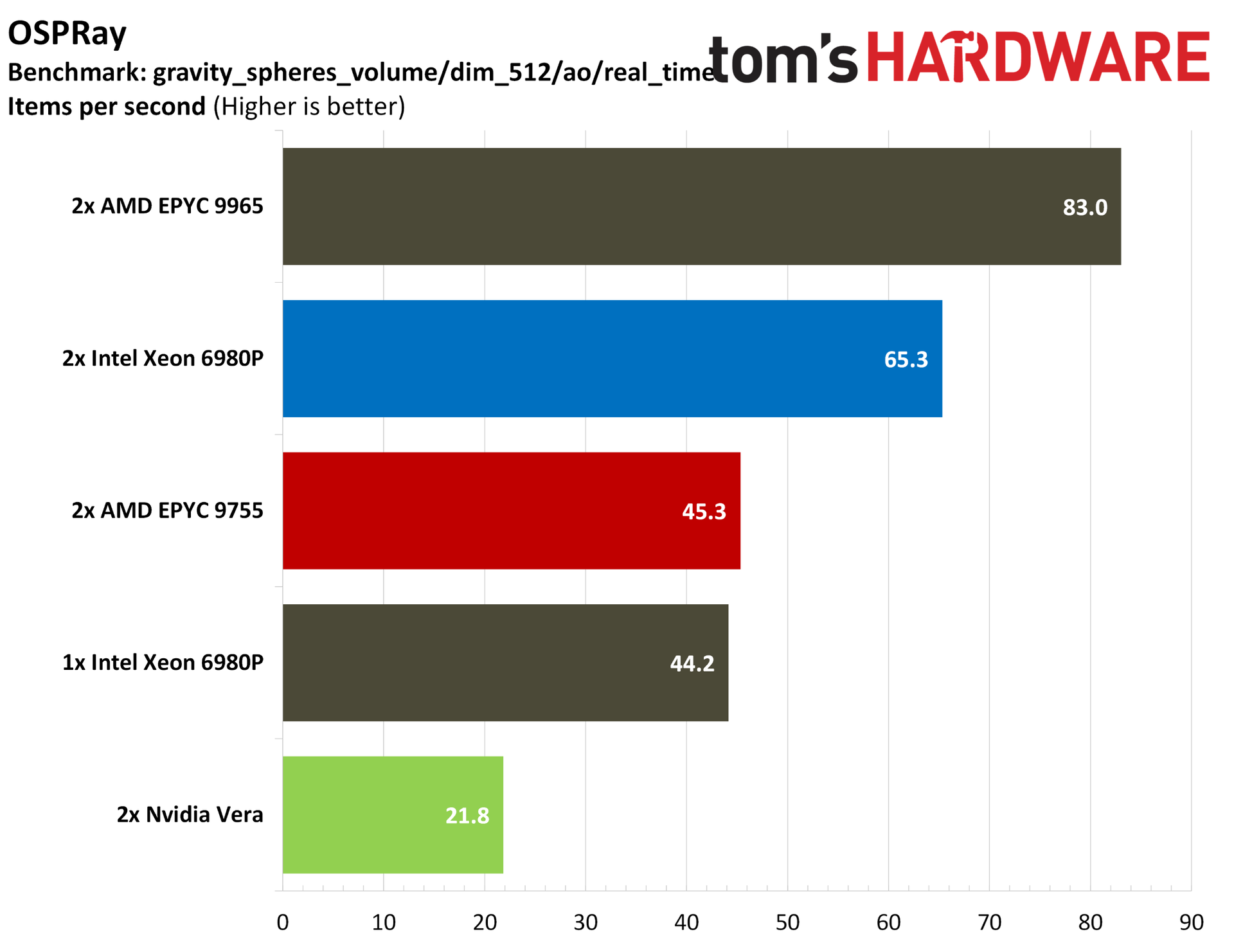
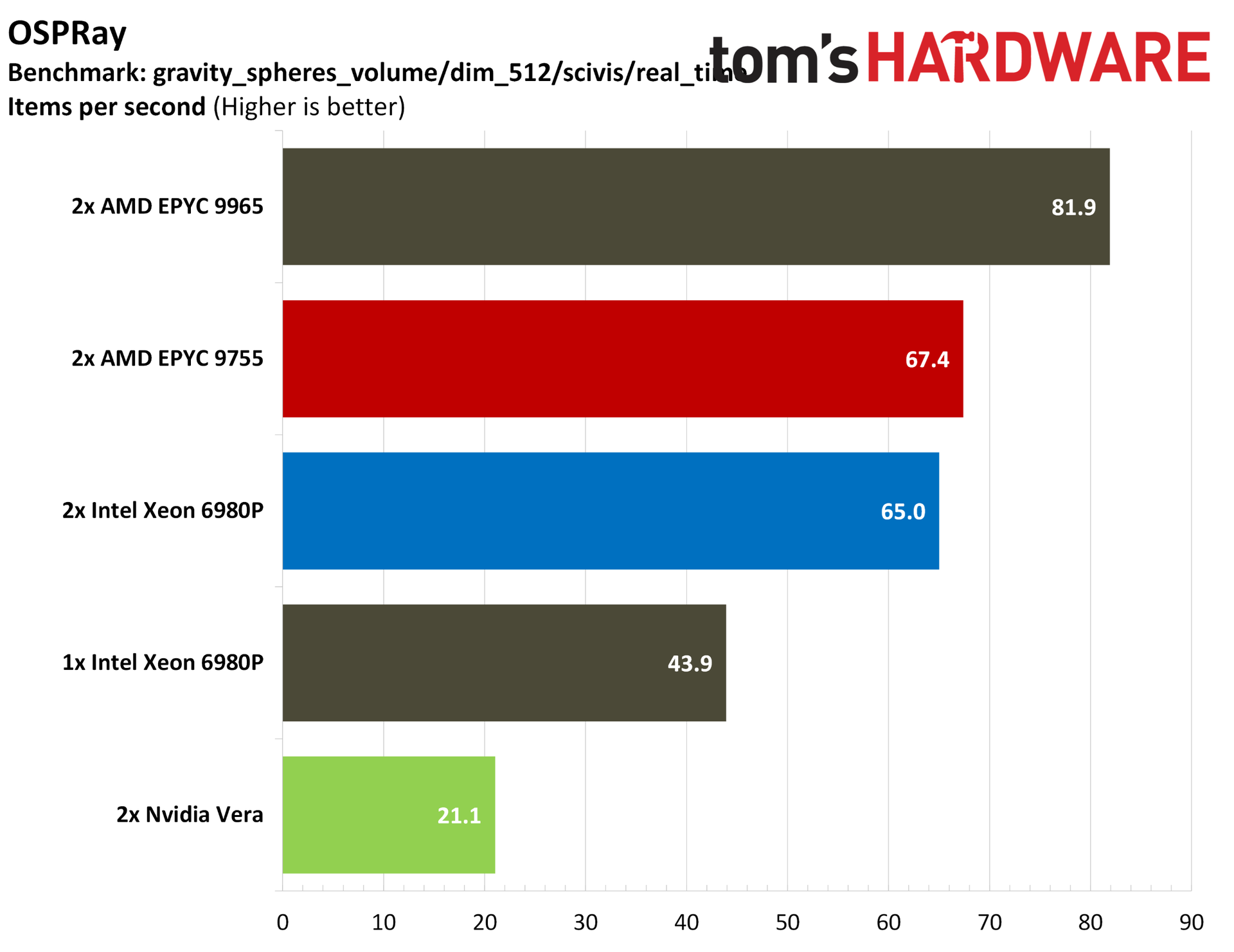
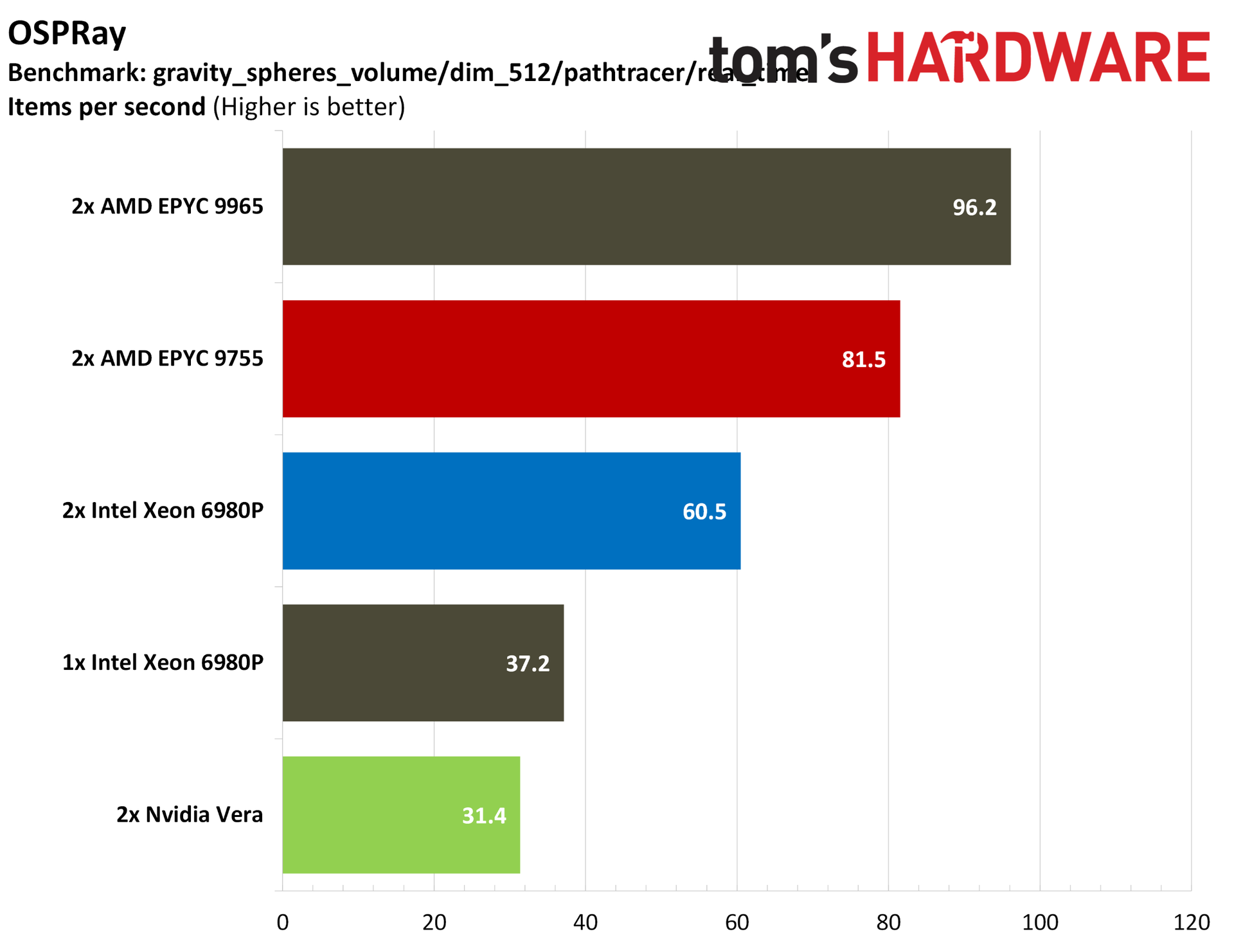
What’s surprising about Vera isn’t that it performs well in these agentic-adjacent workloads, but that it offers competent performance in general-purpose server workloads as well, often managing to match or beat the comparable AMD Turin and Intel Granite Rapids-AP chips. The scales are more balanced when looking at frontend workloads, with the core density available on x86 CPUs often the winner, but Vera trades that density for strong performance in backend, data-rich operations.
Nvidia Vera specifications
Cores / Threads
88 / 176
L2 cache
2 MB per core
L3 cache
164 MB per CPU
Memory
Up to 1.5 TB SOCAMM2 LPPDDR5X
Memory speed
Up to 9600 MT/s
Memory bandwidth
Up to 1.2 TB/s (aggregate), 14 GB/s (per core)
PCIe
88 PCIe 6.4 lanes (CPU only), 96 PCIe 6.4 lanes (Vera Rubin), bifurcation down to x2, CXL 3.1
Configurable TDP
250W - 450W
It’s an impressive showing for Nvidia's first custom core, called Olympus, and a stark improvement in nearly all aspects over Grace, which used an off-the-shelf Arm core design. The 88-core CPU is built on the Armv9.2-A architecture, including two threads per core through Nvidia’s “spatial multithreading.”
The chip is characterized by a 10-wide decode, similar to Arm’s AGI, as well as Nvidia’s second-gen Scalable Coherency Fabric (SCF). You can read more about the SCF and the Olympus core in our Vera deep dive, but SCF is critical to Vera’s performance. It’s a mesh that distributes L3 across the die, offering up to 3.4 TB/s of bandwidth across the die.
Vera has high memory bandwidth as well, leveraging replaceable SOCAMM2 LPDDR5X at 9600 MT/s, offering up to 1.2 TB/s of total memory bandwidth or around 14 GB/s per core, more than double that of AMD’s dense Turin designs.
We’ve heard a lot about the speeds and feeds of Vera, however. It’s time to understand its role in the modern AI data center, as well as see how it performs in our benchmarks against the x86 competition before AMD’s Venice and Intel’s Diamond Rapids start rolling out.
Test platforms
Test Platform
Memory
Tested Processors
2P Nvidia MGX Vera reference platform
16 x 96 GB (1.5 TB) Samsung LPDDR5-9600 ECC SOCAMM2
Nvidia Vera
2P Supermicro SYS-222HA
24 x 64GB (1.5 TB) Micron DDR5-8800 ECC MRDIMM
Intel Xeon 6980P
2P AMD Volcano reference platform
24 x 64 GB (1.5 TB) SK hynix DDR5-6000 ECC RDIMM
AMD EPYC 9965, EPYC 9755
Understanding the CPU's role in agentic AI
Depending on where you’re at in the fast-moving world of agentic AI, you probably have a different definition of what exactly an agentic CPU is. Given the rise in prominence of agentic CPUs, the understanding of what makes a CPU tick for this type of workload has been largely defined by two companies: AMD and Nvidia. Although the points they’ve driven about concurrency and the varied work of agents are correct, it’s useful to derive a definition from how we’re seeing agentic platforms deployed right now.
Let’s back up from there and look at real agentic workflows in action to better understand where CPUs fit into this chain. As we’ve seen with Meta Muse and OpenAI Dots, there’s a class of persistent agent that gives you a slice of compute in the cloud. These CPU-only racks communicate with inference servers to actually run the models, but their workload is defined by concurrency. It’s not about the performance of an individual sandbox but instead how each sandbox performs when the chip is fully loaded.
Concurrency provides important context to some of the workloads companies like Nvidia and AMD have described. Some tool calls are more demanding, like code compilation and large database queries, but reading/writing files, running code tests, and going online in a headless browser is not demanding CPU work in isolation. When the chip is handling potentially thousands of these tool calls, however, slight advantages start to pile up. And, the CPU topology plays a bigger role in how performance is sustained as agent sessions increase.
That’s one major tenet of an agentic CPU, one that can maintain performance with high concurrency. The other is variability, which touches on the CPU, but also the larger infrastructure available. Mark Lohmeyer, VP/GM of AI and computing infrastructure at Google Cloud, described an example to Tom’s Hardware about planning a vacation with an agent. Using AI to plan a vacation is just about as trite as examples get, but Lohmeyer sheds some light on the unique challenge of agentic workloads from the hyperscaler perspective.
In the example, Lohmeyer described planning a vacation over the course of a month, where he would suddenly prompt the agent to do a bunch of work, but may not return to prompt again for another week. “The actual use of the underlying compute, it's happening in basically bursts, right? There's like a burst of use at the start, maybe for an hour, and then it goes away, and then a couple days later, [it] bursts again for some other purpose and goes away,” Lohmeyer said. “They're very long-running workloads, effectively long-running, but often idle, basically.”
Agentic calls for a lot of power on demand, as the right alignment of this bursty work on a server with hardware contention can bring everyone’s sessions to a crawl. This factors into the type of work the CPU is doing, as well, which can include heavy code compilation, graph traversal, and large database queries. Scale that up across several agents, all with their own independent loops that don’t neatly align with each other, and the CPU problem for agentic AI becomes clear.
(Image credit: The University of Texas at Austin)
In the August 2026 study, Architectural Implications of Agentic AI Workflows, from researchers at The University of Texas at Austin and Microsoft Azure, the paper describes three tasks of the CPU in an agentic flow. In addition to a scheduler for GPU inference, which is how CPUs function in one-shot-style LLM queries, CPUs also serve as orchestrators for maintaining agent states and communication, and as runners that call tools and execute agent logic (often in Python).
(Image credit: The University of Texas at Austin)
The paper also shows this contention that can happen when multiple agents are running at once, passing requests to the GPU, receiving responses, acting, and then passing requests back. We’re looking at a cross-section of four agents over less than half a minute, and you can already see how small CPU-based tasks can align, as well as create hangs between GPU time.
Nvidia has been clear that Vera is an agentic CPU, though defining the performance of an agentic loop is still a work in progress. “The industry built a pretty good way to benchmark traditional workloads,” Lohmeyer said. “I think this is happening now for GPUs and TPUs for inference, for example. I think we're going to need the same type of industry-level benchmarks for agentic workloads that are probably still emerging.”
Standardized benchmarks that look at the full agentic loop aren’t available yet. We have our own internal tests that we’re running and hope to have data for soon, and we’ve seen some vendor-level benchmarking from companies like Modal, but the broader industry hasn’t come forth with a set of benchmarks for the end-to-end agentic loop along the lines of a SPEC or TPC yet.
Although those tests aren’t available yet, we can still look at CPU performance through the lens of an agentic workflow, prioritizing aspects of performance that are important for agentic loops. We can also look at common workflows for agents, including code compilation for coding agents and database performance for retrieval agents. We can look at things like JSON parsing through the simdjson library, evaluating how these CPUs parse the large JSON files agents use to communicate. And we can look at the foundation of much of the AI ecosystem with Python performance.
That’s the focus of our benchmarking here, to establish where Vera stands among the x86 competition from AMD and Intel in well-known benchmarks. Hopefully we’ll have the opportunity for further testing in the near future to evaluate full agentic loops once that testing procedure is finalized.
Although we’re evaluating performance through an agentic lens here, Nvidia did not limit what tests we could run nor place any stipulations on our coverage. We’re thankful to Nvidia for providing us with remote access to a dual-socket Vera system for the purposes of testing, but beyond configuration checks to ensure the platform was operating as expected, we were left to run the tests we wanted to run. That includes several tests that are applicable to agentic workflows, but also tests from our general server CPU benchmarking suite, including Java, cryptography, compression, and rendering performance.
A gentle reminder for readers
Servers are not client PCs. You have much smarter operators with deeper access to the hardware, and often a software stack that’s unique to the specific workload at minimum, and highly tweaked and optimized for that workload at a maximum. With client CPUs, we can say that an AMD X3D chip is the best for gaming, or that Intel’s latest flagship offers the highest single-threaded performance. Servers depend much more on use cases.
In a typical review, we’d say that X is better than Y for Z purpose, and back that up with data. Here, that commentary is more muted. The reality is that hyperscalers maintain large fleets with a variety of hardware that can fit any purpose, and enterprises need to choose the hardware best suited not only for their operations, but also for TCO and a list of at least a dozen other variables that are specific to that business.
Nvidia Vera SPEC CPU 2026 estimates
So far, the primary benchmark we’ve had for Vera is SPEC CPU 2026 intrate, so we ran the full SPEC CPU 2026 suite to check Nvidia’s performance claims, as well as look at floating point performance. For anyone who hasn’t read SPEC CPU benchmarks before, there are a few disclaimers before heading into the results.
All of the runs here are estimates, and that’s due to how SPEC reporting works. There are strict reporting rules, and we’re not reporting these results to SPEC directly. The charts say “estimated,” but the numbers aren’t a guess. We ran SPEC CPU 2026 following the standard testing procedure, using the same compiler and flags for each CPU.
For the compiler, we used GCC 15.2 with a few common flags, including link-time optimization and march/mcpu to expose the correct instruction support to the compiler. We also used the general-purpose jemalloc memory allocator across all of the tests we ran.
(Image credit: Tom's Hardware)
Starting with the overall intrate, this is a series of applications primarily dealing with integer operations instead of floats, and the SOP is to run a copy of the application on each thread available. The test looks at what a CPU is capable of with many applications running at once, measuring throughput.
Nvidia’s numbers aren’t dissimilar from our own. In the company’s white paper, it showed Vera ahead of the EPYC 9755 by 3%, and with our tests, Vera is ahead by 1.5%. Keep in mind the considerably higher 512-thread count of the 9755 system here against the 352-thread Vera system. Vera absolutely runs away with performance when breaking down the score per-core.
Despite the core density of Intel’s 512-thread Xeon 6980P in a two-socket configuration, it’s not in the conversation here. Retesting with oneAPI represented an impressive 10% increase in performance with Intel-optimized binaries, but even against optimized code, Vera is 8.6% ahead with generic GCC.
There are some tests where Vera steals the show in the above album, as well as some where it falls behind, reflective of the testing we have later in this article. You can see that GCC compiler performance and Python performance are particularly strong points, with Nvidia even beating out AMD’s top-of-stack EPYC 9965.
Elsewhere, there are some weaknesses. SEAL crypto provides a look at the weaker cryptography performance of Vera, which is reflected in our other testing. Zstd compression also shows Vera trailing AMD and Intel, which makes sense. In our separate Zstd testing, Vera offered impressive compression performance with Zstd but fell behind on decompression.
We were curious about float performance on Vera given that Nvidia led with the standard intrate suite in its initial benchmarks. Vera tops the charts here on the back of some particularly strong showings in some of the tests. Our estimated PALM numbers, for instance, show off Vera’s second-generation Scalable Coherency Fabric (SCF), while ROMS pushes on memory bandwidth. This strong memory performance shows up in Marian and LBM, as well. There are a couple of misses, notably FemFlow and CACTUS, but the overall performance picture is clear.
The throughput benchmarks are what matter here for chips in this class, but we also ran SPEC CPU 2026’s intspeed suite for some estimated results, scaling up to use every thread available. No one is realistically running a single application on servers utilizing every thread available like this, but the numbers are there to browse if you’re interested.
Nvidia Vera Python and AI benchmarks
If there’s any direct benchmark for agentic AI right now, it’s Python performance. There isn’t one universal language for AI agents, but Python (and, to a lesser extent, TypeScript) make up the foundational agentic frameworks like LangGraph, CrewAI, and AutoGen. A strong agentic CPU right now is defined in part by strong Python performance, and Vera has exactly that.
(Image credit: Tom's Hardware)
Starting with a broad overview, you can see the total average test times for PyBench above, with Vera leading the pack. It’s 4% ahead of the EPYC 9755, which itself leads Intel’s Xeons and the larger 9965. Python is largely single-threaded, especially for these basic, built-in functions, so we see the 9755 pair leading the 9965 pair throughout all of our Python benchmarks.
PyPerformance provides a much more granular look at Python performance, evaluating start-up times for the Python interpreter, regular expressions, and even full Python applications. The story doesn’t change, however. Outside of a couple of misses in web server-focused tests, Vera tops the charts across the board.
The AI ecosystem right now is largely built on Python, so strong performance here is a good early indicator of strong AI performance in the data center. Of course, this space is rapidly evolving, and other languages are working their way into the ecosystem. For this moment, however, Python is critical, and it’s an aspect of performance Vera nails.
We also ran Llama.cpp with a CPU BLAS backend, checking text generation and prompt processing (at different token lengths) on the CPU using gpt-oss-20b-q8. For prompt processing, much of the process is handled on the GPU, so this pure-CPU benchmark isn’t totally representative of a real deployment. However, the CPU still plays a role here, particularly in tokenization.
Unsurprisingly, we can see the single 6980P topping the charts in prompt processing, with a 2P Xeon 6980P coming up in second place, likely on the back of Intel’s AI-specific ISA extensions. We expect AMD to further extend support for these instructions in Zen 6, which should level the playing field.
Nvidia has touted the memory bandwidth of Vera as one of the chip’s strongest points, and the industry-standard STREAM memory bandwidth benchmark backs up those claims. Vera comes with a memory bus width more than twice as large as Grace, plus a large jump up to LPDDR5X-9600. It’s capable of up to 1.2 TB/s of memory bandwidth through the LPDDR5X interface, and up to 1.8 TB/s of bandwidth between Vera sockets.
AMD’s support for DDR5-6000 is relatively slow, and although Intel offers more bandwidth with MRDIMMs reaching up to 8,800 MT/s, Vera is in a league of its own here. That’s true without optimization, as well. After my initial STREAM pass, Nvidia suggested passing the OpenMP “spread” policy, which distributes processes as far away from each other as possible to reduce cache/memory contention.
With AMD and Intel, we see a slight regression with this setting, but it offers Vera a massive jump in memory bandwidth. Undoubtedly, the scales will start to level off as AMD and Intel roll out their next-gen Venice and Diamond Rapids parts, both of which tout much higher memory bandwidth than their predecessors.
Flipping over to the simple MBW bandwidth benchmark, we can see similarly strong performance from Vera, regardless of copy size.
The classic CacheBench benchmark flips the script, with Vera trailing the pack in the combined read / modify / write test. This weaker cache performance here is largely overshadowed by the memory bandwidth. The performance level is slightly below Nvidia’s contemporaries, but not by enough to make a significant difference.
Vera loses some points in compression workloads, which we see echoed in our SPEC runs in dedicated benchmarks. Using Zstd, Vera offers chart-topping compression performance at the default level 3 compression, as well as the maximum level 19 compression, across both standard and Long Mode runs. However, in decompression, the Turin chips take over, with Vera sitting alongside or below a dual 6980P configuration.
7-Zip traditionally favors Zen, so it’s no surprise to see both Turin configurations at the top of the charts. Vera loses out to the dual 6980P system in both compression and decompression performance via 7-Zip.
Nvidia Vera Java, database, and crypto benchmarks
Python is the language of choice for the AI ecosystem right now, but JavaScript/TypeScript are a close second. We ran three standard Java suites to evaluate performance: Java SciMark, DaCapo, and Renaissance.
Java SciMark is the best place to start. AMD wins out with the Zen 5-based 9755 in the composite score, but Vera maintains surprisingly strong positions in straight scientific operations, including FFTs, sparse matrix multiplies, and a Monte Carlo simulation. It falls behind in dense LU matrix factorization and Jacobi SOR.
DaCapo and Renaissance are both Java suites with a wide variety of real Java workloads, focused on native performance in DaCapo and VMs in Renaissance.
Database performance for Vera is strong across our ClickHouse and SQLite benchmarks. In max-thread SQLite, Vera is only beaten by a single-socket 6980P server, and it jumps into the lead in our like-for-like 64-thread and 128-thread tests. ClickHouse provides some interesting data that goes beyond a steady-state SQL database.
On the second and third runs of ClickHouse, Vera is competitive with a dual EPYC 9755 server, but from a cold cache, Vera is much faster, racking up an advantage of nearly 40% in the first run.
For bringing that data in, we measured JSON parsing speed with simdjson, which, as the name suggests, relies heavily on modern SIMD instructions. Turin has a natural lead here with its native AVX-512 execution.
In cryptography workloads, Vera falls behind the pack significantly in the John The Ripper password cracker, while trailing the massive core arrays of its competition in OpenSSL.
HPC is usually the domain of dense CPUs, but Vera performs well in a variety of HPC tasks that we tested. In Discrete Fourier Transforms (DFT) using FFTE, Vera tops the charts, as it does in Octave and CloverLeaf. Although not strictly HPC, Vera falls in the middle of the pack in intensive mathematical operations like m-queens, and it trails chips with massive core arrays in the heavily threaded Primesieve.
Code compilation is a more contentious workload, with Vera trading blows against AMD and Intel depending on the workload. Starting with the compilers themselves, Vera takes a strong lead in a timed GCC compilation, beating out a dual 9755 system by 12%. It falls into last place in our LLVM compilation tests, however, both using standard Makefiles and Ninja. These tests measure the time it takes to compile the compiler itself, not the time it takes to compile an application with it.
Elsewhere, Vera shows up strongly in ImageMagick and PHP compiles while losing out slightly to the dual 9755s in Godot. Compiler performance is important to agentic AI given the prominence of coding agents, which often need to build software from source as part of an agentic coding workflow.
Nvidia Vera encoding and rendering benchmarks
Encoding and rendering workloads aren’t the focus of Vera, but we ran our standard list of benchmarks, which includes some rendering and encoding tests. Vera has strong performance here in some applications, though it certainly takes a backseat to the headline Python and memory performance shared earlier in this article.
The fight is between AMD and Nvidia here, with the 9755 and its full Zen 5 cores topping the charts in our AV1 encoding tests. With x265, Vera comes out on top, though by a margin lower than the 25%+ we can see the 9755s hold with AV1.
We normally run Blender, though there isn’t an official Arm Linux version available, so we skipped the test here. Instead, we have the cross-platform C-Ray and POV-Ray. Vera manages to outclass even the 768 threads available on a 2P EPYC 9965 server, both at 1080p and 4K. Vera also leads in POV-Ray, though on a technicality. Every server we tested was tightly coupled short of the 2P 6980P server.
For a more granular look, we have OSPRay, where Vera tops the charts in real-time path tracing, though falls short of the AMD and Intel flagships in real-time scientific visualization. The “dim_512” subset is worth drawing attention to. Strong AVX-512 performance allows AMD to offer three or even four times the performance of Vera in this workload.
Nvidia makes a delayed debut
Although Vera isn’t Nvidia’s first data center CPU, it’s the first one that the company is aggressively pursuing with the same fervor that it carries with its accelerators. It’s an impressive chip, often punching far above its weight class, especially in those workloads that can show off its unique capabilities and topology.
Still, it’s a single 88-core chip arriving in a market characterized by granular SKU lists to meet a wide range of specific workloads. Vera won’t be the right choice for all of them, which is something that Nvidia itself has already stated. “The world is not going to be served by one SKU of CPU. And that's not our intention,” said Nvidia’s Ian Buck when Vera was revealed in March.
That’s not the intention with Vera, but the performance against contemporary x86 CPUs shows that Nvidia’s new push into standalone data center CPUs has legs, more so than the various building-block-style Arm chips we’ve seen from hyperscalers, certainly. If nothing else, Vera demands some attention from AMD and Intel.
The x86 crew is responding shortly, with Zen 6 queued up to roll out through the end of the year and Intel’s Diamond Rapids targeting a 2027 release. As you can imagine, we'll be putting those chips through their paces as well.
The explosion at Intel's Fab 28 near Kiryat Gat, Israel, that happened earlier this month forced Intel to shut down the whole facility for two weeks, and now the company expects that it will cost it approximately $600 million in lost revenue over two quarters. The disruption is expected to affect server processors manufactured using Intel's 10nm-class process technologies and will reduce the company's shipments in both the fourth quarter of 2026 and the first quarter of 2027.
"In Israel, we have been shut down for about two weeks," said Dave Zinsner, chief financial officer of Intel, during the company's earnings call. "We feel like we are going to be starting up production here by the end of this week."
The explosion occurred in mid-October, killed two, seriously injured one, and caused an extended shutdown of Fab 28, one of Intel's key manufacturing facilities for chips produced using its 10nm-class and Intel 7 process technologies (Intel 7 was formerly called 10nm Enhanced SuperFin). Intel expects the incident to reduce its Q4 2026 revenue by approximately $300 million, and a similar impact is anticipated in Q1 2027. The company also expects the accident to reduce its fourth-quarter non-GAAP gross margin by approximately 2%.
Intel has not identified the affected Xeon processor families, disclosed the number of wafers damaged, or specified when Fab 28 will return to full production capacity after it restarts this Friday.
Although Intel's latest Xeon 6 processors use compute dies produced on Intel 3 fabrication technology, they still use I/O dies fabricated on Intel 7 (aka 10nm ESF) fabrication process. Furthermore, Intel continues to sell previous-generation Xeon 5 Emerald Rapids (and even Xeon 4 'Sapphire Rapids', though it stopped accepting orders on these CPUs in late September) that are made on Intel 7 manufacturing technology.
While Intel has plenty of 10nm-capable fabs — including Fab 12, Fab 22, Fab 32, Fab 42 in Arizona as well as Fab 28 in Israel — the disruption comes as Intel struggles to satisfy strong demand for server processors, so Intel cannot completely offset the lack of output at one facility by adjusting manufacturing at the others (i.e., it has done everything it could by now). For sure, Intel will not repurpose product lines it uses to make I/O dies for Xeon 6 to make previous-generation CPUs. In addition, other fabs may lack product-specific manufacturing qualifications, or the time and costs required to transfer production between facilities are too high, keeping in mind that Fab 28 is about to restart.
In addition to lost production time, Intel faces potential losses from wafers that were undergoing fabrication when the accident occurred. The company is assessing work-in-progress inventory to determine which wafers can be recovered and which must be discarded and written off. Zinsner expects most wafer write-offs to occur in Q4 2026, which explains why the gross-margin impact will be concentrated in that quarter despite the disruption to shipments extending into early 2027.
"Please note almost all of the $300 impact from Fab 28 is related to 10nm server products," Zinsner said.
Although Intel stresses that the shutdown primarily affects its 10nm-class server processors, the company has not disclosed whether the incident will also disrupt shipments of client processors manufactured using its Intel 7 (10nm ESF) process technology. Intel uses this node to manufacture a wide range of client CPUs, including its 12th, 13th, and 14th Generation Core processors, such as Raptor Lake. However, it is unclear whether Fab 28 manufactures any of these products and, if so, whether Intel can compensate for the loss of production by increasing output at its other Intel 7-capable facilities. Consequently, the shutdown could potentially affect the availability of some consumer processors as well.
Intel's next-gen Nova Lake desktop processors will be the first client product to use Intel's enhanced 18A-P node, CEO Lip-Bu Tan confirmed in the company's Q3 2026 earnings call. The chief executive also said that the company intends to share more about Nova Lake at CES in January. The company's chief financial officer shared that Intel intends to take Panther Lake capacity offline to build more Granite Rapids data center CPUs.
"Nova Lake, our first Intel 18A-P client product, is tracking ahead of schedule, with design wins expecting to be twice those of Panther Lake at launch," Tan said in his prepared remarks. "We look forward to sharing more at CES in January."
There has been a lot of speculation about what node Intel's Nova Lake CPUs will use, with the rumor mill ping-ponging between Intel 18A and TSMC's N2P. Current speculation says the chip will use 18A-P for the SoC tile while using TSMC's N2P for the compute tile. It seems unlikely that Intel would use its most advanced node for an SoC tile, though it's possible.
Compared to 18A, which is available in Panther Lake and Wildcat Lake products currently, 18A-P comes with a 9% improvement in speed at iso-power, or an 18% reduction in power at iso-speed. Intel has described 18A-P as a drop-in replacement for 18A, allowing designs built for 18A to instead leverage 18A-P without any extra engineering work.
For 18A products, Intel says its new Wildcat Lake products that have shown up in devices like the Framework Laptop 12 are increasingly popular. "Demand for our Wildcat Lake is outstripping supply," said Tan. Intel says that 18A products now make up a third of client CPU revenue, up from less than 5% in Q1.
It makes sense that those products would be popular given the current environment. Tan said that Intel's OEM partners are "aggressively managing inventory to match softer sell-through," which means buying less to match the demand in the market. Intel's David Zinsner said the company expects the company's client business to decline by "more than 20%" in the next quarter."
Zinsner warned of a further contraction in the PC market, describing a sustained decline in the size of the market over the next year, at least. "We expect the 2026 PC unit [Total Addressable Market] to decline approximately 12%, with second half units down more than 20%. We do not expect a sustained recovery until memory availability improves and pricing begins to normalize," Zinsner said. "For 2027, we're planning a PC unit TAM to decline roughly 10%."
Taking the comments together, Intel is saying that it expects the market itself to shrink significantly over the next year due to memory prices. It's not a situation of demand outstripping supply, at least not directly like the case of a component shortage. Rather, it's a pullback from direct customers, OEMs, and IT departments from spending, which is more significant.
Although Intel says the client PC market is shrinking, the company says that its long-term outlook remains positive. "We think next year, and in future years, we're a market-share-gain type of environment... we do think the PC is going to through a renaissance despite [memory shortage]," said Zinsner.
Despite the optimism, Zinsner said that Intel is taking some of its client capacity offline to build more data center products. In response to a question about reallocating wafers from client products, here's what the executive said: "Answer: Yes... What we're taking offline to put Intel 3 into Oregon is 18A wafers, which were generally going to build Panther Lake products, so we see the opportunity with some of that capacity freed up to go produce more data center wafers."
The AI industry continues to gobble up manufacturing resources that were once dedicated to serving PC, smart device, and gadget makers. We’ve seen huge demand/supply driven price rises in RAM, GPUs, SSDs, and more through 2026. Now that most basic and unglamorous electronics necessity, the PCB, looks set to join them. A news report published by Nikkei Asia quotes several leading PC and PCB industry managers, making it clear we are going to see PCB (and PCB subcomponent) shortages and price rises in the coming months.
An unnamed exec from an American PC maker spoke to Nikkei about the dire shortage of PCBs. “Even though PC shipments could decline again next year, we are still struggling to secure enough PCB supplies to meet our needs,” said the manager, who asked to remain anonymous. They were talking about securing enough supplies to make plans for products in the coming year. Several commenters pointed to AI computing demand eating up production capacity.
The outlet also talked to business people further up the supply chain – the makers of PCBs and the makers of the components/materials needed to actually make PCBs. Traditional PCB demand is becoming underserved as AI products demand and pay more. One PCB maker talking to Nikkei said that a significant number of products have lead times that have doubled. Specifically, some PCB orders will take as long as 30 months to fulfill. Another PCB supply firm explained to Nikkei that a new order today would not be fulfilled until late in 2028.
Though PCB makers are planning to invest and expand, they also need to secure multiple upstream materials. These can include copper clad laminates (CCLs) and the specialized fiberglass used for PCB construction.
One Taiwanese PC maker noted that costs for CCLs have surged at least 12 times since July. Moreover, one of the world’s leading suppliers of CCLs has told the Nikkei that it has an order book that is currently filling up to 2030. This situation appears to have occurred despite its plans to triple capacity by 2028.
In closely related developments, Nikkei observed that Nvidia recently announced partnerships with several major chip substrate makers. Chip substrates are essentially the tiny and intricate PCBs that CPUs and GPUs are mounted on. Japan's Ibiden, South Korea's Samsung Electro-Mechanics, and Unimicron of Taiwan all have new agreements with the Green team. Unimicron is looking at expanding capacity by 2.5x over the next three years.
PCBs have been viewed as an unglamorous lower-tech part of the supply chain, partly due to the small numbers on the BoM. That may change. Companies are now racing to ramp up production of advanced PCBs and chip substrates to meet demand, and boost income.
Finally, the source report also notes that it is increasingly difficult to get the engineering staff required at new production facilities. Salaries have already risen 20% to 30% across the PCB industry to keep skilled employees.
The Nvidia GeForce RTX 5080, Nvidia's second-fastest GPU from its current generation, now costs as much as the RTX 5090 did, on paper, when it launched. Prices have reached $2,000 and higher, with most of the available stock online limited to third-party sellers. If you can find it in stock, it may end up costing you two to three times as much as it did when it launched.
Stock for the RTX 5080 is otherwise limited everywhere, with just one or two available for local pickup (in Best Buy's case), and limited options for delivery. You can also find similar in-store-only pricing at Micro Center, depending on location, which has a Gigabyte card for $1,979.99.
Reputable seller or not, this price scale means you're paying significantly more than the $999 launch price for this GPU. As our GPU price tracking shows, though, this isn't an isolated case. RTX 5080 prices have, like the rest of the RTX 50-series, risen steadily since it launched. However, this is the first time that its price floor has been around the RTX 5090's launch price. That PNY RTX 5080, for instance, was being sold for around $1,500 on average back in August.
It's a bitter pill for gamers, though, that the RTX 5080 has now reached and breached the RTX 5090's launch pricing. That GPU has an MSRP of $1,999, although it'll now cost you thousands more. Prices for the RTX 5090 hit as high as $9,500 last month, but the situation is even worse today. What little stock that remains on sale online can be found for as high as $12,000.
The RTX 5080 uses Nvidia's GB203 GPU and comes with 10,752 CUDA cores, along with 16GB of GDDR7 VRAM. Unfortunately, it, like the rest of the consumer gaming GPU market, is being affected by AI. Demand for high-end GPUs hasn't stopped, but Nvidia's attention has shifted to the enterprise market. So, too, has the focus of memory manufacturers, meaning DRAM allocations and production lines that would otherwise produce memory chips for graphics cards have instead gone to feeding the demand for high-margin HBM for AI data centers.
Newegg is offering a stellar deal on this 3-item AM5-based combo. For only $1,069 ($234 off) you get a quality Gigabyte X870E Aorus Elite Wi-Fi 7 motherboard, one of the fastest gaming chips around with the Ryzen 7 9800X3D, and the piece de resistance, 32GB of G.Skill Trident Z5 NeoX DDR5-6000 CL36 RAM. With the massive $234 discount, the RAM comes down to $336, a great price for the sad times we’re in.
The first (and arguably the best) part of this combo is the high-end Trident Z5 NeoX RGB kit in black. You get 32GB (2x16GB) DDR5-6000 CL36 (36-36-76) timings, which lands right in AMD’s sweet spot for the platform. The matte-black heat spreaders give way to the frosted G.Skill Trident Z RGB feature that runs across the top of each stick. Not only are these priced right in the combo at $336 with the RAM discount, but they also look awesome and pair perfectly with the X870E Aorus Elite Wi-Fi 7 motherboard.
Next is one of the most popular and fastest current-generation gaming CPUs: the Ryzen 7 9800X3D. This 8-core/16-thread Zen5-based processor has a 4.6 GHz base clock and a 5.2 GHz max boost, plenty fast for any task. The X3D variant's 96MB of L3 cache helps with gaming (among other things), making it one of the fastest gaming CPUs available. It is also a well-rounded performer that excels in games and suits most applications. This combo also includes a free MSI MAG Coreliquid A13 240mm AIO (a $72 value), which easily wrangles the 120W processor.
The Gigabyte X870E Aorus Elite Wi-Fi 7 is a well-rounded mid-range motherboard with 12 rear I/O USB ports, including two USB4 (40 Gbps) Type-C ports. It features a capable VRM to power any processor, four M.2 sockets (3x PCIe 5.0 x4), a PCIe 5.0 slot, fast networking with 2.5GbE and Wi-Fi 7, a last-gen flagship-class audio solution, and several “EZ” features like EZ-Latch Plus and EZ-Latch Click to make building easier. It also supports up to 256GB of DDR5 RAM at speeds up to DDR5-8200, which is fast for the platform, as the sweet spot is around 6000-6400 MT/s. The all-black board also looks great in any dark build theme and even adds RGB bling to light up your chassis.
If you’re looking to update your PC or simply build new, this is one of the better 3-item AM5-based combo deals that’s currently active on Newegg. For just $1,069 (a $234 savings), you get quality hardware, including 32GB of G.Skill DDR5 RAM at a reasonable-for-the-time price, plus a free MSI AIO. This deal only runs until 10/31, so get it while it lasts.
Fractal arguably kicked off the wood accent PC trend with the North line, and the company says its new Summit case is built for “...expressive, high-performance systems combining distinctive Scandinavian design and advanced cooling potential.” The chassis sports FSC-certified wood (timber verified to come from responsibly managed, socially beneficial, and economically viable forests) for details like the front surround and solid wood feet. There’s no doubt it’s a good-looking case, but if you want to show off the wood, you’ll want to stick to the Chalk White or Black versions, as it blends in with the Blackout SKU we tested.
Corsair’s latest case, the Warthog, is a military-inspired chassis that resembles a fuel canister (jerry can) you’d see on military vehicles. Based loosely on the Vengeance C70 case from 2012, which looked more like an ammunition container, the new Warthog evolved into a much better-looking, more functional chassis for today’s hardware in either of the two colorways.
The Warthog does resemble its predecessor, and Corsair borrowed some features from the C70 while updating the design with “...even more rugged exterior, significantly more expansion options, and an emphasis on excellent airflow throughout the chassis,” and the company largely succeeded.
The Warthog updates include the InfiniRail Fan Mounting System for flexible fan mounting, a pegboard motherboard tray for custom cable management, room for today’s massive video cards (plus built-in GPU support), and three mounting locations for 360mm radiators and 13 120mm fans. It even has bump guards on the front I/O for that all-in military aesthetic. The fighter jet-style front IO includes USB ports, one fast USB 3.2 Gen2x2 (20 Gbps) Type-C port, plus an on/off button for a unique integrated light on the back of the case that illuminates the rear IO area and down.
If you’re into the military look, the Corsair Warthog ($179) and Warthog RS ($199 with fans) absolutely nails it, with plenty of other features that make it a compelling mid-tower chassis. We'll cover more details inside and outside the chassis, showcasing the features and any issues we encounter during the build. We'll also run the case through thermal and noise testing to show how it performs compared to others and whether it could make our best PC cases list. Below are the case's specifications from Corsair.
Corsair Warthog Product Specifications
Type
Mid-Tower
Dimensions (H x L x W)
21.4 x 21 x 11.1-inches (546 x 534 x 284mm)
Motherboard Support
Mini-ITX, Micro ATX, ATX, E-ATX
Back-connect Motherboard Support
Yes
Color
Olive Drab Black
Storage Support
(1) 3.5-inch (2) 2.5-inch
PCIe Expansion Slots
7
Fan Support
Top - 3x120/2x140mm Front - 3x120/2x140/2x200mm Bottom - 3x120mm Side: 3x120/2x140mm Rear - 1x120/140mm
Pre-installed fans
(3) RS Series (120mm rear, 2x200mm front)
Radiator Support
Front - 360/280/240mm Top - 360/280/240mm Side - 360/280/240mm Rear - 140/120mm
CPU Cooler Clearance
190mm
GPU Clearance
393mm (w/ front fans) 405mm (w/o front fans)
Vertical GPU Support
Yes (requires riser card)
PSU Length
200mm
Dust Filters
Front, Bottom, and Side
Other features
3x pre-installed fans, integrated GPU support, Infinrail system, light on rear I/O, Military theme
MSRP
$179.99 (w/o fans) $199.99 (w/pre-installed fans)
Warranty
2 Years
Features of the Warthog
▶️ External Features
Externally, the Warthog doesn’t look like many other cases. Sure, it has the general shape of a classic mid-tower, but the front and windowed panel break up the monotony we’re used to, with bars resembling a fuel tank breaking up the window pane and front of the chassis. The front and side panels also use Corsair’s steel 3D-Y perforations (also found on the 4000) for increased airflow, and they look different from most other cases. It also has a military-inspired front I/O, sturdy built-in steel handles, and the familiar army olive drab color (it also comes in black). It just screams military industrial design.
FutureFutureFutureFutureFutureFuture
Looking more closely at the front of the case, we get a better view of the door that covers the front panel fans. We get a close-up of the contrasting black 3D-Y perforations, which not only look better than the typical circular holes, but are said (by Corsair) to allow 12% better airflow. Next to the red handle, Corsair stamps the model WX-01 in white on a thin crossmember in the upper-right corner (it’s WX-02 for the black SKU). Pull the red tab on the left, and it opens via two hinges on the right, revealing the magnetically attached dust filter.
At the bottom of the front panel is the fighter-jet-inspired I/O panel, complete with bump guards and a flip-up cover over the reset button. On flight control panels, the guards prevent accidental activation of critical or dangerous switches. A flip-up toggle would be cool here, too. Port-wise, it has everything you could want. On the left is a 3.5mm audio jack for headphones and a microphone. Next to it is the recessed power light that glows red when powered on. Next to it is the USB 3.2 (20 Gbps) Type-C port. Between the bump guards are a square power button, the cool flip-up reset button, and the light button. All buttons feel solid under my fingers and not wobbly or cheap. On the right are two USB 3.2 (5 Gbps) Type-A ports. What’s here is typical fare, but it looks a lot cooler than most front IOs.
The tempered-glass side panel doesn’t offer a full view inside. Instead, diagonal, crossmember-like ribs break it into one main viewable area, with two smaller triangles at the ends. On military vehicles, this reinforces the weaker glass while still allowing visibility. On the Warthog, it just adds to the rugged look, and maybe lets you get away with a little less time managing cables — I kid, clean up those cables! The panel is secured to the frame with two tabs at the bottom and four ball-and-socket joints at the top, two on each side. Pull toward you at the top to release, then pull up to remove. Simple, and it felt secure.
The other side panel is solid, except for side venting. The venting matches the front and top panels with the 3D-Y pattern, but here it’s olive drab instead of the black we see everywhere else. Inside is another magnetically attached dust filter. The ‘service panel’ (stenciled in the upper-right corner) is secured the same way as the front, using tabs on the bottom and ball-and-socket joints on top.
FutureFutureFutureFuture
At the top of the case, there’s not much to see—just more 3D-Y perforations for airflow. Many cases let you easily remove the top for easier access to the Infinirail fan/radiator mounts, and the Warthog does too. Loosen the thumbscrews on the back, remove both side panels, and pull the nylon strap.
Flipping the case around, we see the power supply sits at the bottom, and Corsair includes two captive screws for tooless mounting. Above it, seven vertical expansion slots offer plenty of room for large graphics cards and other expansion. The Warthog also supports vertical GPUs up to three slots wide, but you need a riser card accessory. Above that is space for up to a 140mm fan (120mm RS fan included for RS model), and to the left is the IO area. Corsair installed a small light above that shines down on the rear of the case, illuminating the rear IO area and back of the case, which is certainly useful when plugging in cables.
On the bottom of the case, there isn’t too much going. The Warthog does have a removable dust filter that slides out from the windowed side of the chassis. I prefer this location because, if the filter pulls out from the rear, you'll likely need to move your heavy case to get it out.
▶️ Internal Features
Inside the case, we see a single-chamber design with visual separation only between the power supply area at the bottom and the rest of the case. You won’t find a fancy air guide to feed the video card, but we do spy the small (but effective) adjustable GPU support strut. Beyond that, there’s nothing special at first glance.
The motherboard tray has plenty of cutouts for wiring, but there isn’t much space to route connectors through. Sometimes you need to flex the frame a bit to get larger ones through, like the ATX connector. That’s not ideal, but it isn’t a big deal, even with a motherboard already mounted. The good news is there are no rubber grommets to pull through the holes. While we’re here, we also get a better look at the pegboard feature, which lets you custom-manage cables on the back side. For those planning to build a PC with rear-connect motherboards, the Warthog supports all of them (Asus BTF, Gigabyte Stealth, MSI Project Zero).
FutureFutureFutureFutureFuture
Looking at the front of the case from the inside, we see the massive pre-installed 200mm RS fans that come with the “RS” version of the chassis. Corsair says the magnetic half-dome-bearing fans spin up to 1,000 RPM and move up to 135 CFM of air at a low 36.5 dBA. They are quiet and move a fair amount of air. The front area supports up to 3x120mm fans or radiators.
Looking up at the ceiling from below, you'll see Corsair’s Infinirail system (also on the front, but hidden by the fans), which lets you slide and position fans and radiators where you need them. Although the case fits up to 3x120mm radiators here, they will protrude into the case and can cover the top of your motherboard in many cases. Be sure to mount your motherboard and connect the EPS plugs before you install a top radiator.
At the bottom rear, you can see the power supply area, along with space to route cables for any headers along the bottom of the motherboard. The bottom chamber is also vented into the rest of the chassis. It won’t radiate much heat, since the power supply draws filtered, cool air from below.
FutureFutureFuture
Opening up the other side of the chassis gives a better look at the side fan/rad mounts and the default cable-routing options. There is 50mm between the motherboard tray and the outside panel, which is plenty of room to route cables, even with reckless abandon. The pegboard motherboard tray, part of Corsair’s RapidRoute 2.0 cable management system, gives you plenty of freedom to move the cable-ratcheting strap mounts.
From the back, we can see the motherboard tray mounting for your SSD and HDDs. Corsair uses a combo drive plate connected via a thumbscrew. You can install two 2.5-inch drives and one 3.5-inch drive on the combo plate, which should be enough for most users in 2026. Note that to access the back of your motherboard (to mount a cooler, for example), you need to remove this combo plate.
Overall, I do like the look of this rugged, military-themed case, particularly in the olive drab colorway. The fighter jet-inspired front IO panel and jerry can-like look stand out among the played-out designs we’re used to, without looking like a failed attempt at abstract art. Inside, there’s plenty of room for components, even multiple radiators. That said, it is polarizing. Either you like the look, or you don’t. There isn’t much in between.
Our thermal tests are presented to give you more information about the product’s performance, but aren’t intended as the sole basis for judging the chassis. You should also consider a case's style, price, features, and noise levels, and we all have different preferences. What I might like in a case, you might not, and that’s OK. Our goal with these reviews is to give everyone, regardless of their preferences, enough information to decide whether a case is right for them.
To get heat into the system, we stress the CPU with Cinebench R26 (multi-threaded test) and the video card with FurMark 2 (1080p). We run the CPU and GPU tests concurrently for 30 minutes, allowing the air-cooled system to reach saturation and stabilize. We then let the system idle for 15 minutes, adjust the fans to 100%, and test again.
Noise-normalized (42dBA) Maximum thermal Performance
This set of tests is designed for those who love quiet PCs, with both system fans and the CPU fan noise normalized to 42 dBA. Consider this a measure of the case’s thermal efficiency when noise levels are set to run quietly. It is audible, but just (at least for my old ears).
FutureFutureFuture
Noise-normalized performance landed on the better side of our results so far, with the CPU averaging 89 degrees Celsius in our testing. The video card temperatures were the worst we’ve seen so far, by a couple of degrees, which is surprising considering the air flow out of the box. The open-air front doesn’t block much sound, so we had to run our fans a bit slower than in other cases. Obviously, the case would perform better with the full complement of fans, or at least some exhaust on top, but I'm confident it can handle high-end hardware and keep it cool while staying relatively quiet.
Maximum thermal performance - fans at full speed
Our noise-normalized results are for those who prefer silence, but what if you don’t mind extra noise and just want maximum performance, or you have to run things at high settings to keep high-powered devices cool? This testing is for you. Obviously, when you add fans or an AIO up top, things will change a bit, but this gives you a great idea of ‘out-of-the-box’ performance, noise be damned.
FutureFutureFuture
After turning the fans up to 100%, temperatures dropped five degrees Celsius on the CPU and a very good 12 degrees on the video card. Again, once you populate the top of the chassis with fans or an AIO to get more airflow, results will improve even more. But the GPU cooled down considerably here, and the processor temperatures were more in line with the rest.
Maximum Noise Levels
We measure noise levels with a sound meter one meter away from the computer case, with the pre-installed fans running at maximum RPM. If a case does not have enough included fans for airflow (intake and exhaust) as configured, we add a Cooler Master M120 ARGB, since we expect most users will add at least one more fan in situations like these.
(Image credit: Future)
The loudest this case gets in our configuration was only 51 dBA, nine dBA above our baseline threshold, a middling result among our current data points, and matching the Corsair 3200D and Fractal Summit. The huge RS200 fans produced no harsh tones or vibrations and stayed quiet across the RPM range. The RS120 rear fan was the loudest of the included fans, but that’s expected compared to larger, slower-running devices anyway.
In short, we don’t see anything wrong with stuffing this case full of high-end hardware and pushing it. It may not be the quietest case around, but it has plenty of airflow potential, along with flexibility and room for almost any hardware.
Conclusion
Corsair’s Warthog case is one of the more unique-looking mid-tower chassis we’ve seen, while still fitting the general shape of a tower-style case. The military aesthetic really stands out in the olive drab sample we tested, but the black is a bit more subtle. The fighter-jet front IO panel, with bump guards and a flip-up reset button, is a nifty addition that really sells the military theme. The Warthog starts at $179, and the RS version with three included fans is $199; it’s not cheap. But if you like the rugged military look, it’s worth the price.
As for thermal and acoustic performance, it’s not the coolest-running or quietest with the open-style front, but the case moves a fair amount of air with the included 200mm RS series fans populating the front of the chassis. As always, we recommend filling more available fan slots to increase airflow and cooling potential. Even with the pre-installed fans cranked, the noise wasn’t unbearable. Noise-normalized performance wasn’t the best, especially for the video card, but it won't hinder high-power systems that need lots of airflow to stay cool.
Overall, the Corsair Warthog is a bold and well-built case. Its rugged military look and fighter-jet-style IO make it stand out in a sea of boring cases, while offering plenty of room for fans and radiators. The Infinirail system and pegboard motherboard tray make installing fans and routing cables a lot easier. Just be aware that you can’t mount radiators in the front and side at the same time, and any radiator mounted in the side location will cover some of the front 200mm fans. Still, if the military aesthetic speaks to you, the Warthog is easy to recommend.
Spotting any kind of discount on storage as of late has been a bit of a monumental task, as the prices of HDDs and SSDs have only been going one way, and that's up. Seagate's 16TB Expansion Desktop External HDD is reduced to $399.99 at Newegg, a reduction of $150 from its $549.99 list price and $50 cheaper than its Prime Day price. Not only is that a bit of relief during turbulent storage times, but the price on this HDD is actually better than we saw during Prime Day earlier this month.
The Seagate Expansion Desktop 16TB HDD is an all-in-one HDD and enclosure that offers a highly versatile plug-and-play solution for storing or backing up your precious data. Seagate ships the drive formatted to ExFAT, so it'll work with virtually any platform out of the box. Of course, you can reformat the drive to any other file system that suits your use case. This external drive has also been a popular choice for those looking to shuck the Hard Disk out of the enclosure and grab a cheaper HDD for use in a NAS or PC.
The Seagate enclosure has its own power supply, which you'll need to connect to a nearby mains socket, while using a USB 3.0 cable to connect the drive to your PC or laptop for easy drag-and-drop file transfers. Should anything happen to your drive causing it to fail, each purchase comes with Seagate's Rescue Data Recovery service included, just in case you need help to recover your data.
Shucking this drive comes with risks. There's no way to guarantee what version of Seagate HDD is inside; it might be an EXOS, or it might not. But what is guaranteed is that once you open the enclosure and start pulling drives out, your warranty becomes invalid.
If you're looking for 16TB of storage at prices cheaper than the last Prime Day, then today's Newegg deal on this Seagate Expansion Desktop HDD is one of the best storage deals currently on offer.
 登录
登录