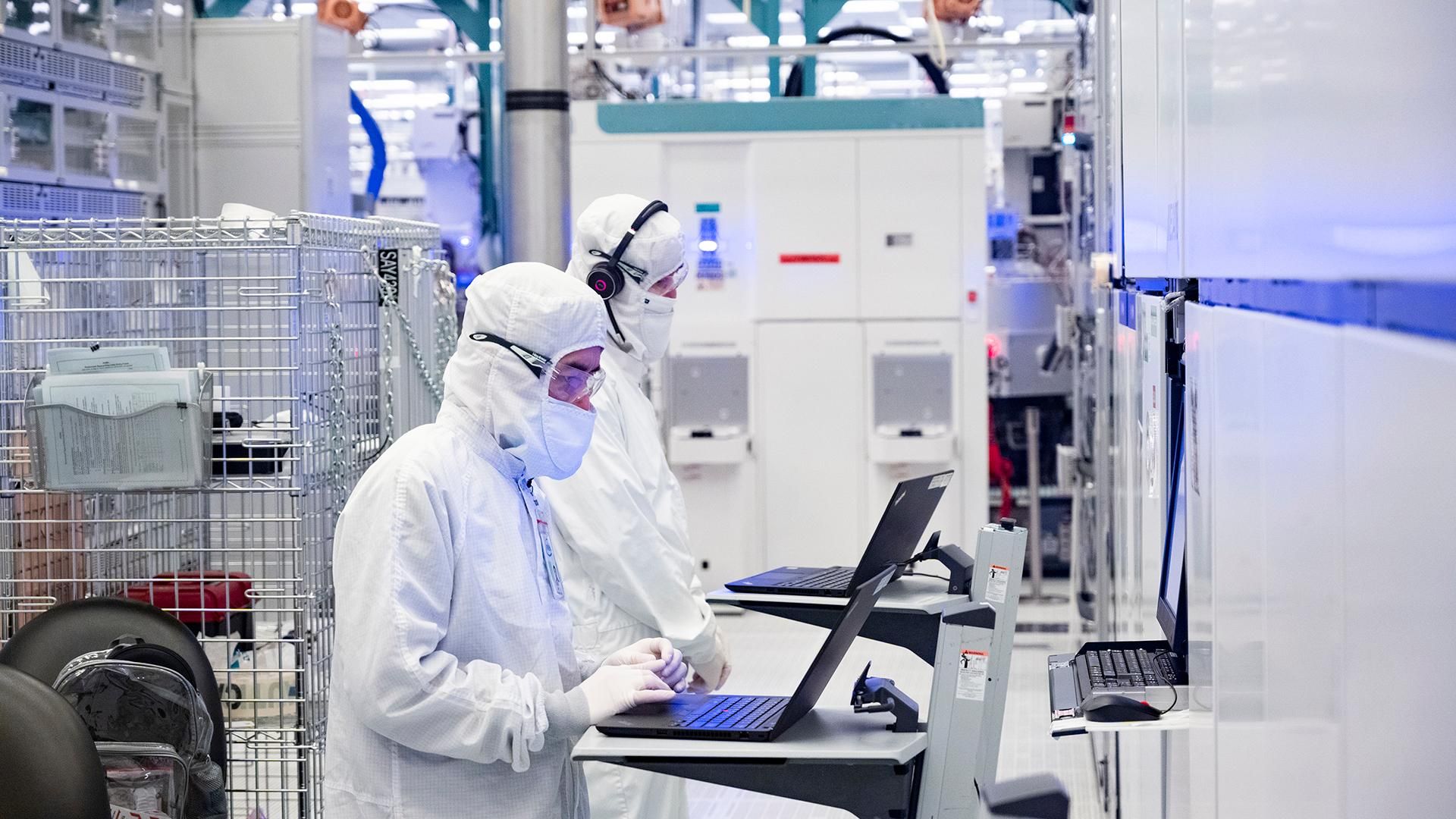
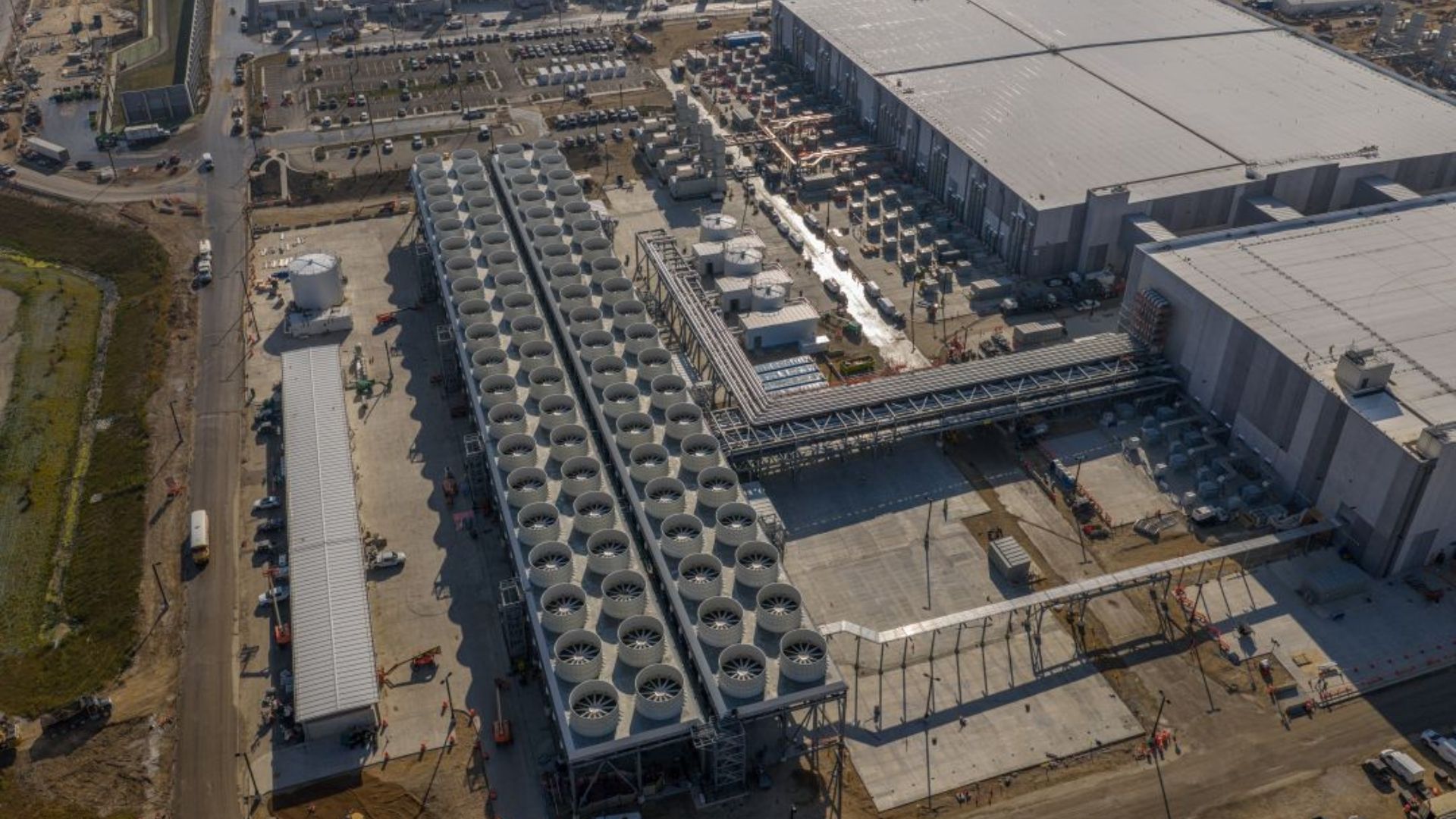
Although the consumer PC market is shrinking and will continue to shrink in the coming quarters, Intel is confident that the overwhelming demand from the AI industry for everything that can compute or store data will offset declines in the client space. To that end, the company is reallocating some of its capacity from client to data center CPUs, expanding its Fab 24 in Ireland to make more Xeons, has begun equipment installation into Fab 62 in Arizona ahead of schedule and vows to make 18A chips there, and is expanding its advanced packaging capacity in New Mexico and Malaysia.
"The industry continues to navigate one of the most significant supply shortages in history, driven by the unprecedented demand for Super Intelligence," said Lip-Bu Tan, chief executive of Intel, during the company's earnings call. "Against this backdrop, I am pleased by the progress we made growing our server supply in Q3. I am mindful about the ongoing challenges we face in the future quarters to keep pace with server demand."
More Intel 3-based Xeons
Intel's manufacturing expansion comes as demand for server processors continues to exceed supply despite substantial production increases over the next several quarters. The company's Data Center and AI (DCAI) business generated $7.3 billion in revenue in the third quarter of 2026, up 17% sequentially and nearly 80% year-over-year. Intel expects demand for data center CPUs to remain strong in 2027 – 2028 as AI infrastructure operators deploy more CPU-intensive agentic and inference workloads.
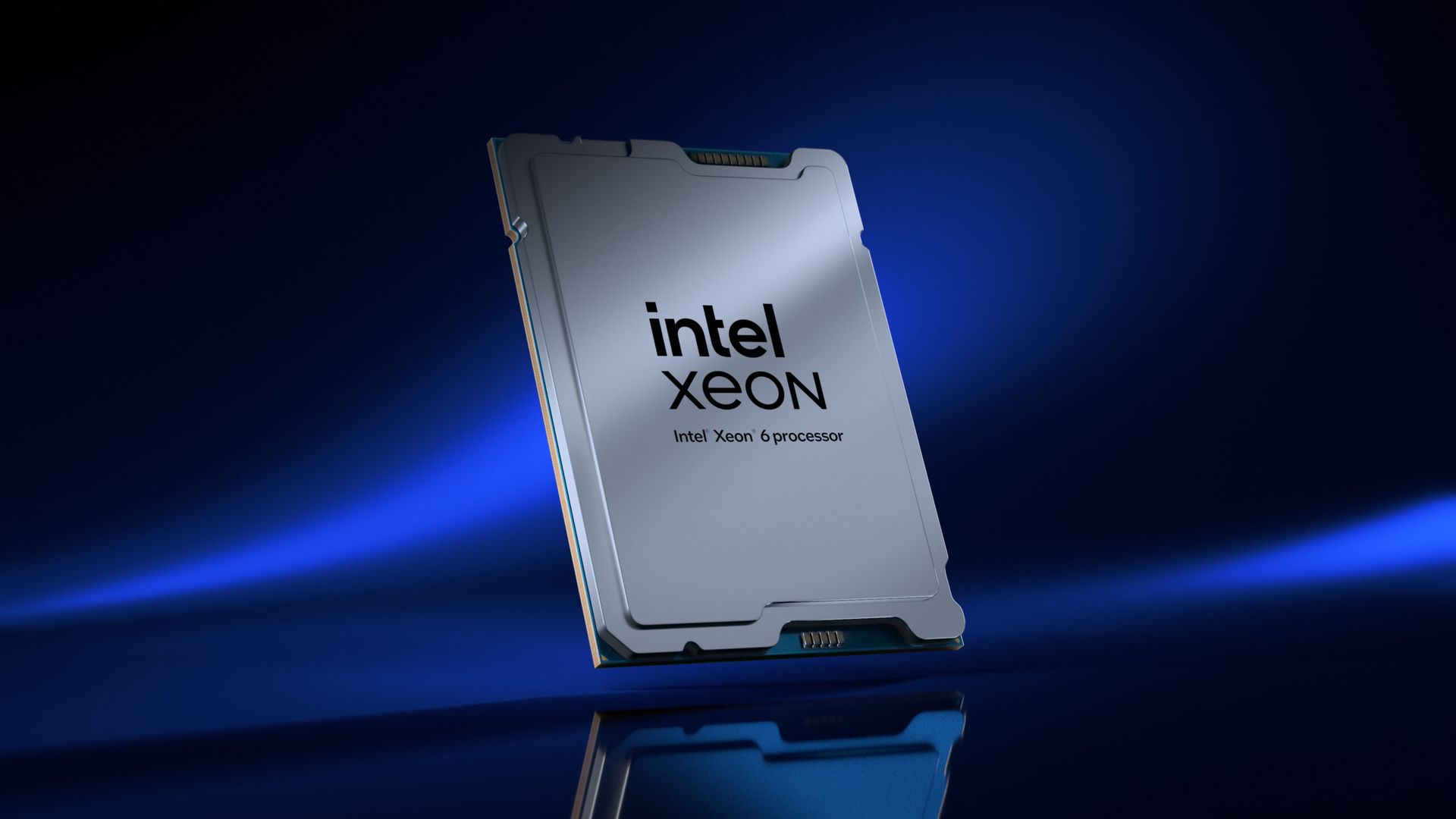
To meet demand for Xeon CPUs in the coming years, one of Intel's immediate priorities is to increase output of Xeon 6 'Granite Rapids' processors, which are made using its Intel 3 process technology. The company recently began expanding production capacity at its Fab 24 manufacturing complex near Leixlip, Ireland, but this capacity will only come online by the end of 2027, unless the move can be accelerated.
To further increase its Intel 3 capacity, Intel plans to convert some manufacturing resources at its Oregon facilities from Intel 18A to Intel 3. These resources were originally intended to manufacture Panther Lake client processors, but weaker PC demand has allowed Intel to prioritize higher-demand data center products. The company expects the additional Intel 3 capacity in Oregon to enter production in the second half of 2027.
"What we are taking offline to put Intel 3 into Oregon is 18A wafers, which we are generally going to build Panther Lake products," said Dave Zinsner, chief financial officer of Intel. "We see the opportunity with some of that capacity freed up to go produce more data center wafers."
Granite Rapids has already become Intel's fastest ramping server processor family, but demand continues to exceed available supply, according to the company's management. Intel is also improving manufacturing yields and reducing production cycle times to extract more usable processors from its existing capacity. According to the company, Intel 3 manufacturing costs have declined by approximately 15% since the first quarter of 2026.
Prepping for Diamond Rapids, Nova Lake
Intel is also accelerating the expansion of its leading-edge manufacturing operations in Arizona. The company is ramping Intel 18A production at Fab 52 and is accelerating equipment installation into the adjacent Fab 62, which is set to become the company's second high-volume manufacturing facility for 18A, 18A-P, and derivative process technologies.
These investments will support future Intel 18A/18A-P-based products, including server CPUs, although the company has not disclosed the precise allocation of manufacturing capacity between client and data center products at the facility. While the latter is natural, Intel said during the conference call that it expects to win some market share in the client space with its Core Ultra 400-series 'Nova Lake' CPUs, which will require the company to produce these parts in high volumes.
To support its capacity expansion, Intel aggressively procured new tools in the third quarter.
Not only wafers
While expanding production of Intel 3 and Intel 18A/18A-P wafers is a must to increase output of data center CPUs, producing more wafers will not necessarily solve Intel's supply problems. The company also faces shortages of advanced organic substrates required to package its multi-chiplet processors (or rather system-in-packages, or SiPs?) that rely on EMIB and/or Foveros 3D packaging technologies. Intel has been working with substrate suppliers to expand their production capacity and expects approximately 40% additional substrate capacity to become available in the second half of 2027.
"We are not only constrained on the wafer side, we are also constrained on the substrate side," Zinsner said. "So, it is important we get the substrate piece of this ramped up to be able to meet the demand."
In addition, Intel is expanding its advanced packaging operations in New Mexico and Malaysia to support growing demand from internal product groups and external customers. The company already uses its EMIB technology to connect multiple compute dies in Granite Rapids processors, while its newer Clearwater Forest Xeons combine EMIB with Foveros Direct 3D and hybrid bonding to stack Intel 18A compute dies on Intel 3 base dies. Additional packaging capacity will be essential as Intel increases production of these processors and introduces more complex multi-die products as well as assembles advanced system-in-packages using EMIB, EMIB-T, Foveros 3D, and other technologies for external clients.
"On Advanced Packaging, we are pleased by the progress we are making with EMIB and EMIB-T for our internal products," Tan said. "Both continue to see significant external customer traction as well. We continue to improve on execution, working with our supply chain to secure the capacity to meet the needs of our Advanced Packaging customers. We are also seeing robust progress in the readiness of Hybrid Bonding Interconnect (HBI), which is an enabler of 3D chip stacking for our upcoming server products."
Capital needed
Intel's expansions will require substantial capital. Intel expects its capital expenditure (CapEx) budget to reach approximately $20 billion in 2026 and increase significantly in 2027 (though it did not reveal any firm numbers). The company said firm purchase orders to semiconductor equipment suppliers increased by nearly 40% sequentially as it secured tools for its manufacturing expansion. Intel is also evaluating opportunities to accelerate construction of its semiconductor manufacturing complex in Ohio, where the first major structural truss was recently installed.
"We have made good progress securing the equipment required to support our growth plans with firm purchase orders to equipment suppliers increasing nearly 40% sequentially," Zinsner said. "We are also accelerating clean room build-outs, including Fab 62 in Arizona and exploring opportunities to accelerate in Ohio.
Yet Intel's capacity expansion will take time to produce results. New equipment must be installed and qualified, additional wafers must pass through lengthy manufacturing cycles, and substrate suppliers must increase their output (which will likely require them to procure new tools and install them) before Intel can ship more finished processors. Consequently, the company expects supply constraints to remain particularly severe during the first half of 2027, even as the client PC market is set to continue contracting.
Nevertheless, Intel expects its data center business to continue growing and believes that additional manufacturing capacity, higher yields, and improved substrate availability will enable it to capitalize on demand for AI infrastructure in the second half of 2027 and beyond.
Intel's shares plunged 30% on Friday, wiping out nearly $150 billion in market capitalization in a single day, the largest single-day loss in the company's history. The decline followed a disappointing financial outlook, largely driven by an anticipated drop of more than 20% in sales at Intel's client computing group (CCPG), the company's main cash cow. The declines quickly spread across the semiconductor industry. Although losses elsewhere were nowhere near as severe as Intel's, approximately $1 trillion in semiconductor market capitalization was wiped out on Friday, according to intraday estimates by Benzinga.
Fire sale
The PHLX Semiconductor Sector Index (SOX), which tracks the stock performance of 30 major semiconductor companies, is one of the key indicators of the industry's financial health. On Friday, the index plunged 9.14%, or 1,052.82 points, to 10,465.38 points as of 2:31 PM ET, as Intel's disappointing outlook triggered a massive selloff across the semiconductor industry.
Intel was by far the biggest loser, as other chip-related stocks, while Arm (-12.68%), AMD (-12.48%), Qualcomm (-12.14%), Applied Materials (-8.73%), ASML (-8.13%), Lam Research (-8%), Micron (-7.28%), and Broadcom (-7.1%) suffered considerably less. Then again, while Nvidia lost 5.66% of its market cap, this translates to around $270 billion, which is a massive amount of money. Paradoxically, Nvidia lost more market capitalization in absolute dollar terms than Intel.
In an unexpected turn of events, the downturn extended to server manufacturers and cloud giants too, as Dell (-12.67%), HPE (-8.10%), Supermicro (-6.96%), and Oracle (-6.88%) lost nearly 7% to 13% of their value.Reuters noted that investors increasingly question the scale of capital investments required to expand AI infrastructure as well as the sustainability of that spending.
Gloomy outlook
Intel’s client computing and physical AI group (CCPG) generated $8.1 billion in revenue during Q3 2026, down 5% year-over-year and 9% sequentially. Weaker demand and increased competition reduced client processor shipments by 14% year-over-year, which was partially offset by a 9% increase in average selling prices. CCPG accounted for nearly half of Intel's revenue of around $16.5 billion and the company's main source of cash. As strong demand for server processors only partially offsets declining client sales, Intel guided its Q4 revenue to be between $15 billion and $16 billion.
Intel expects the client market to deteriorate further in Q4 2026 and into 2027 as elevated memory prices and shortages of other components impact PC prices and demand. In general, Intel expects the client PC market to decline 10% in 2027 compared to 2026, which will inevitably have an effect on CCPG performance. While Intel expects its data center business to continue growing in 2027, industry-wide supply constraints will limit its ability to fully capitalize on demand.
2026 has been a mixed bag for Intel so far. On the one hand, the company achieved its highest market capitalization ever — $673.43 billion in mid-June — on growing sales of data center CPUs, strong sales of client products, and a return to profitability (if the $12.5 billion non-cash accounting charge associated with shares issued to the U.S. government is excluded). On the other hand, the company's capitalization has dropped by nearly 50% to $338.91 billion since mid-June (with $148.68 billion in just one day), as investors began to realize that the performance of Intel's CCPG heavily depends on memory prices, as customers and businesses tend not to like overpriced systems. Yet on the other hand, now that Intel sells fewer client processors, it can sell more expensive data center CPUs.
What about Apple?
Surprisingly, Apple (-1.66%), which only sells client products, was nearly unaffected by the performance of Intel's client computing group, as investors probably believe that the world's largest supplier of consumer electronics is more immune to memory prices than Intel. Ironically, if we count the A-series SoCs used in iPhones (which tend to outperform mainstream laptop CPUs), Apple sells substantially more processors than Intel, making Apple by far the world's largest supplier of microprocessors. Despite this, Apple's shares were largely unaffected by the semiconductor selloff.
There are several reasons for this distinction. Firstly, Apple's business model is fundamentally different. Intel sells processors to PC manufacturers, whereas Apple designs its own processors and sells them as part of finished products. Consequently, Apple captures revenue from the entire device rather than just the processor. Secondly, the two companies face different demand dynamics. Intel depends heavily on the PC market, while Apple's iPhone business follows the smartphone replacement cycle. Rising memory prices could affect both, but not necessarily to the same extent and at the same time.
There is an additional irony: Apple is also a major customer of TSMC, so its processor supply chain overlaps with those of AMD, Intel, and other semiconductor companies whose shares declined sharply.
While we should not directly compare Apple and Intel, the comparison illustrates that investors were not necessarily abandoning companies that design or use semiconductors, but were rather concerned about the profitability and growth prospects of these high-tech companies. And if we take a look at the situation from this point of view, the whole thing will start looking completely different.
After Intel let loose its Panther Lake chips earlier in this year, followed by Wildcat Lake in April, the firm has been pretty quiet about upcoming consumer CPUs. Known leaker Jaykihn just let a tiny cat out of the bag, though: the base specs for Moon Lake. The diminutive chip is expected to have four low-power-efficiency (LP-E) cores, and zero performance cores. These are rumors, so have your salt shaker at hand.
Given the all-efficiency layout, it's a fair guess that the cores will be Darkmont LP-E silicon. The leaker additionally notes that the chip layout is likely to be the same as Wildcat Lake, with the efficiency cores in their own island. According to Jaykihn's table, the expected TDPs range from 6 W to 15 W, within the ballpark of phone and tablet SoCs on the low side.
WCL vs WCL-R vs MNL (Moon Lake) on BGA1516 https://t.co/nFlBxHqWPOOctober 28, 2026
The specs seem to imply that Moon Lake is the successor for the Intel N-series chips present in a great deal of ultra-budget offerings. The set of specs suggests the chip will find a home in laptops and mini-PCs in the $300 to $500 range, though those amounts are naturally variable depending on how much RAM and storage the AI world will continue to slurp. Furthermore, the new silicon is only slated to arrive in 2028, and supplies of NAND and DDR may well shift further until then.
There's no word on clock speeds, though. As a reference point, the N150 had a 3.6 GHz turbo. This year's 18A Panther and Wildcat chips broadly have clock speeds matching whichever silicon they've replaced. They do seem to be both faster and more power-efficient.
Some of the newer models pack extra cores, but Moon Lake keeps the same 4-LPE count and 6 W TDP as matching N-series designs. In turn, we speculate that while some performance gains are expected thanks to the new architecture's higher IPC, machines with Moon Lake inside will likely offer markedly improved battery life compared to their predecessors.
Nvidia’s Vera CPU is an important next step in the company’s years-long spearheading of AI infrastructure buildout. It’s arriving just as the shift to agentic AI workflows has created unprecedented demand for data center CPUs, and it’s designed specifically for this moment, at least according to Nvidia’s marketing bullet points. Although the idea that anyone developed a CPU for a shift in demand that arose just six months ago is reaching, as our benchmarks below show, Nvidia’s claims about Vera aren’t full of hot air.
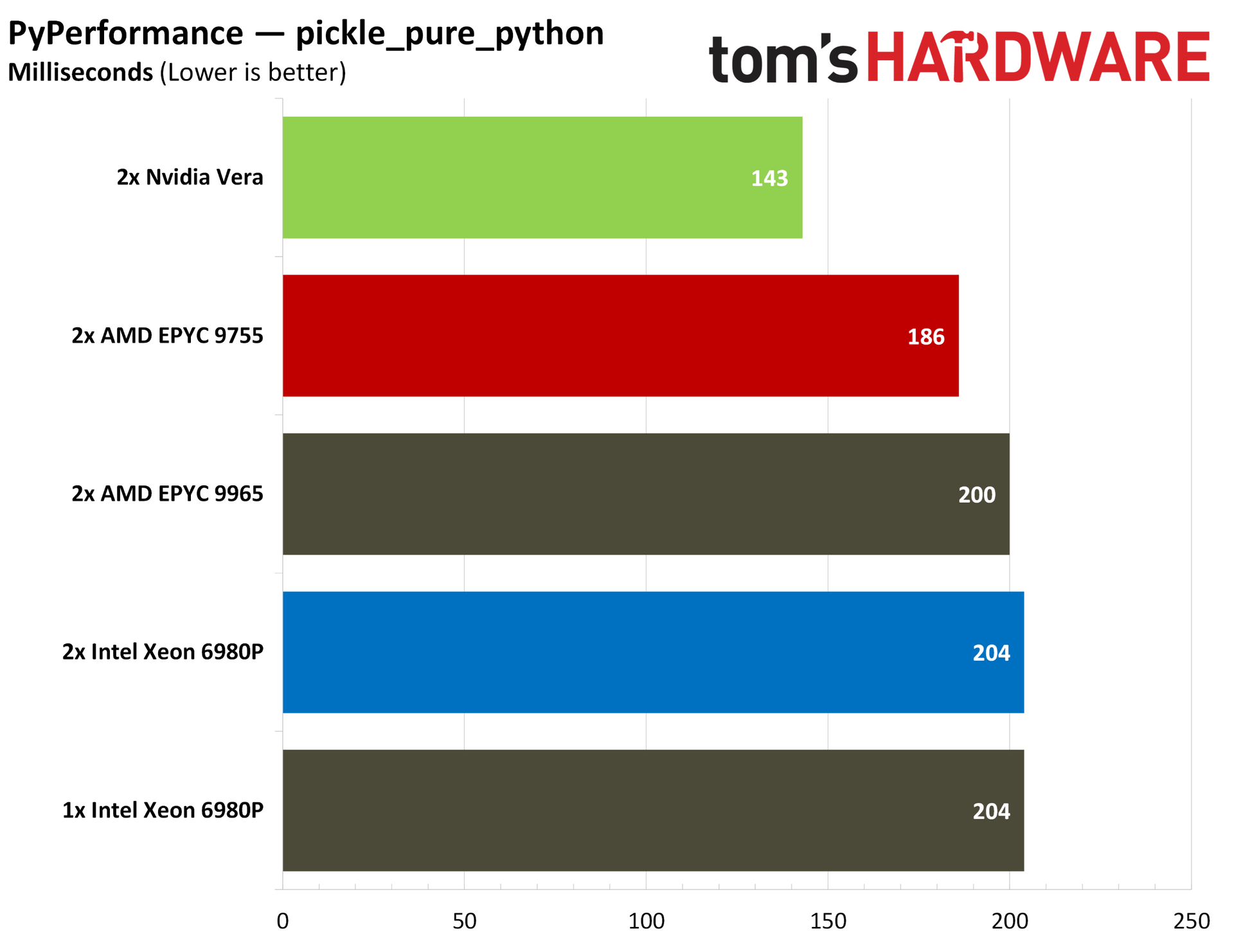
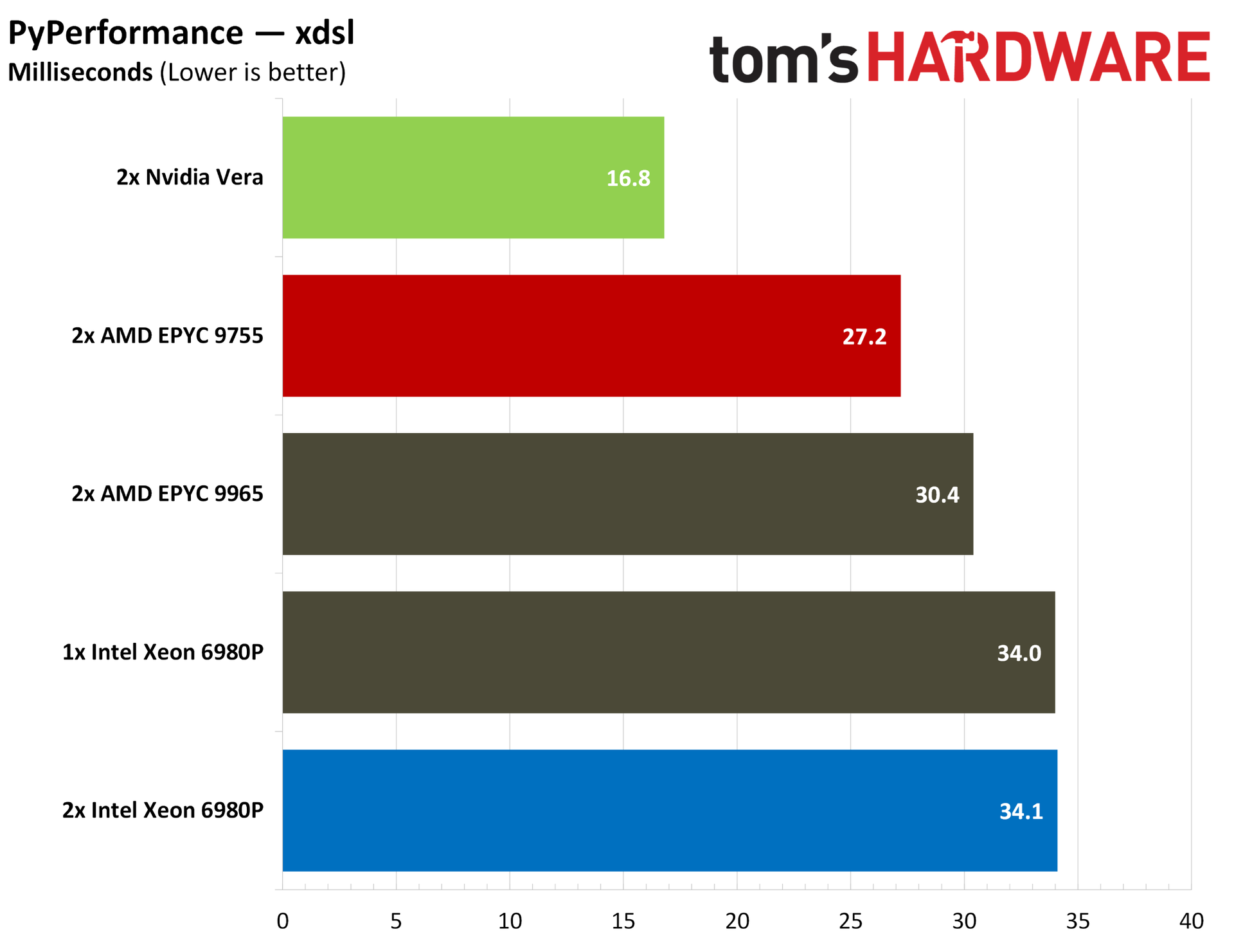
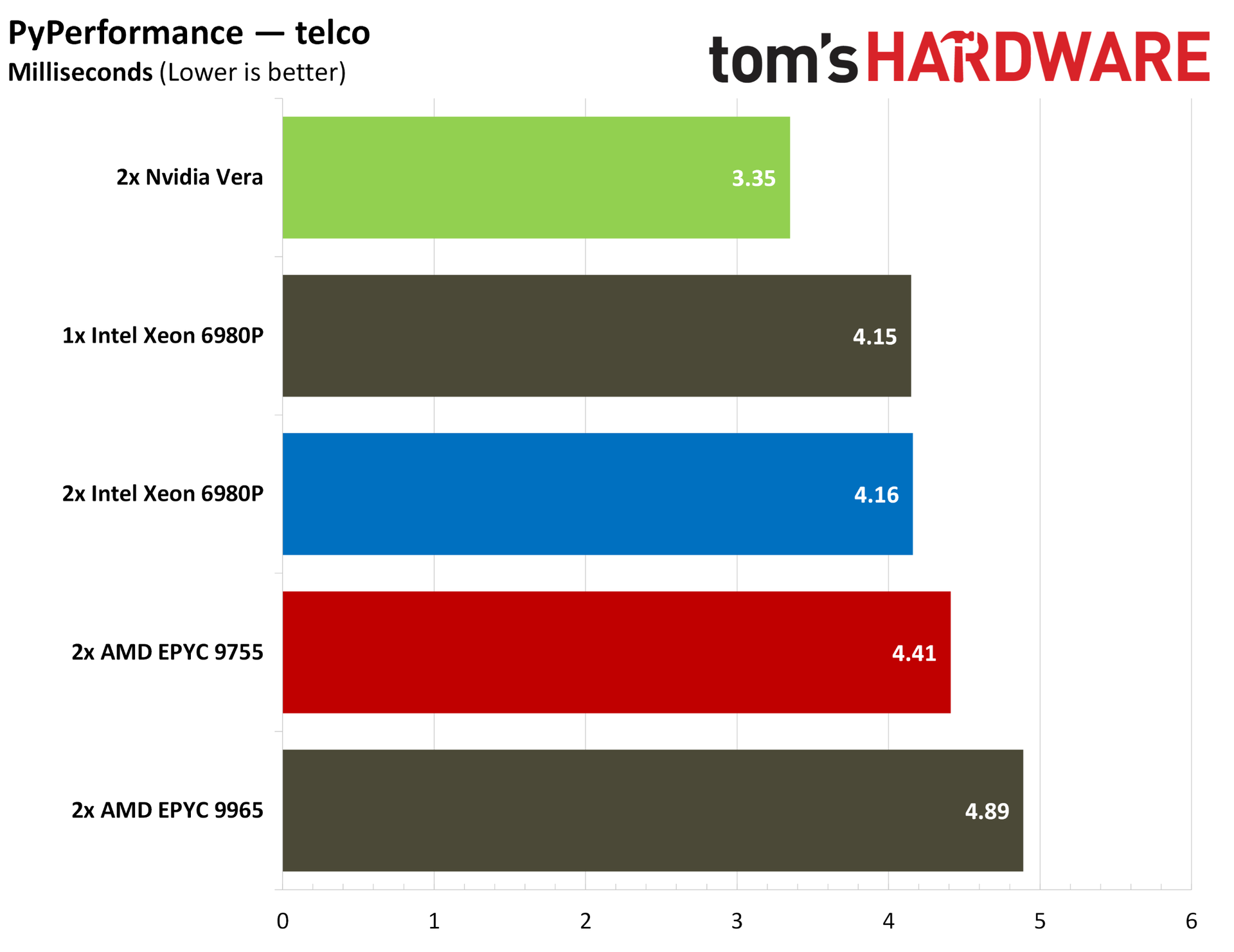
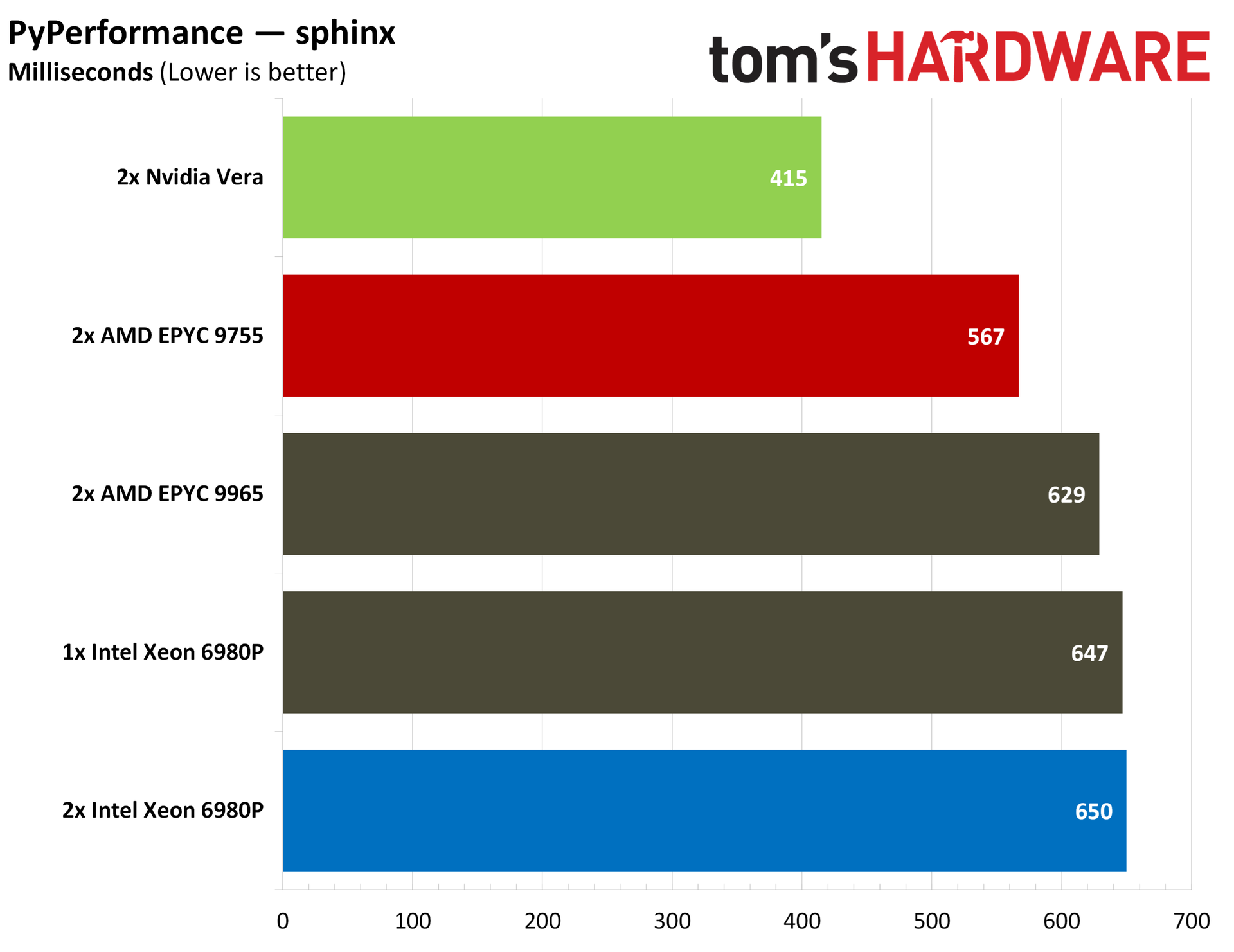
Based on the workloads we have now — there aren’t standardized end-to-end agentic benchmarks focused on the CPU right now — Vera has strong indicators about its usefulness in agentic workflows. It offers chart-topping performance in Python, for instance, which makes up much of the backbone of the AI software ecosystem.
It also shows commanding memory bandwidth, both at the socket level and system level, with the high-speed C2C interconnect between Vera chips. In contentious agentic environments where agents may be querying large databases, that bandwidth is critical.
Specialization is one thing, but Vera is arriving in a hotly contested server market with custom Arm chips penetrating the data center and the old guard of x86 chips from AMD and Intel, which not only have a foundation in the data center, but also an extensive list of clients that work with their systems. Regardless of how Vera performs, that’s no small undertaking.
What’s surprising about Vera isn’t that it performs well in these agentic-adjacent workloads, but that it offers competent performance in general-purpose server workloads as well, often managing to match or beat the comparable AMD Turin and Intel Granite Rapids-AP chips. The scales are more balanced when looking at frontend workloads, with the core density available on x86 CPUs often the winner, but Vera trades that density for strong performance in backend, data-rich operations.
Nvidia Vera specifications
Cores / Threads
88 / 176
L2 cache
2 MB per core
L3 cache
164 MB per CPU
Memory
Up to 1.5 TB SOCAMM2 LPPDDR5X
Memory speed
Up to 9600 MT/s
Memory bandwidth
Up to 1.2 TB/s (aggregate), 14 GB/s (per core)
PCIe
88 PCIe 6.4 lanes (CPU only), 96 PCIe 6.4 lanes (Vera Rubin), bifurcation down to x2, CXL 3.1
Configurable TDP
250W - 450W
It’s an impressive showing for Nvidia's first custom core, called Olympus, and a stark improvement in nearly all aspects over Grace, which used an off-the-shelf Arm core design. The 88-core CPU is built on the Armv9.2-A architecture, including two threads per core through Nvidia’s “spatial multithreading.”
The chip is characterized by a 10-wide decode, similar to Arm’s AGI, as well as Nvidia’s second-gen Scalable Coherency Fabric (SCF). You can read more about the SCF and the Olympus core in our Vera deep dive, but SCF is critical to Vera’s performance. It’s a mesh that distributes L3 across the die, offering up to 3.4 TB/s of bandwidth across the die.
Vera has high memory bandwidth as well, leveraging replaceable SOCAMM2 LPDDR5X at 9600 MT/s, offering up to 1.2 TB/s of total memory bandwidth or around 14 GB/s per core, more than double that of AMD’s dense Turin designs.
We’ve heard a lot about the speeds and feeds of Vera, however. It’s time to understand its role in the modern AI data center, as well as see how it performs in our benchmarks against the x86 competition before AMD’s Venice and Intel’s Diamond Rapids start rolling out.
Test platforms
Test Platform
Memory
Tested Processors
2P Nvidia MGX Vera reference platform
16 x 96 GB (1.5 TB) Samsung LPDDR5-9600 ECC SOCAMM2
Nvidia Vera
2P Supermicro SYS-222HA
24 x 64GB (1.5 TB) Micron DDR5-8800 ECC MRDIMM
Intel Xeon 6980P
2P AMD Volcano reference platform
24 x 64 GB (1.5 TB) SK hynix DDR5-6000 ECC RDIMM
AMD EPYC 9965, EPYC 9755
Understanding the CPU's role in agentic AI
Depending on where you’re at in the fast-moving world of agentic AI, you probably have a different definition of what exactly an agentic CPU is. Given the rise in prominence of agentic CPUs, the understanding of what makes a CPU tick for this type of workload has been largely defined by two companies: AMD and Nvidia. Although the points they’ve driven about concurrency and the varied work of agents are correct, it’s useful to derive a definition from how we’re seeing agentic platforms deployed right now.
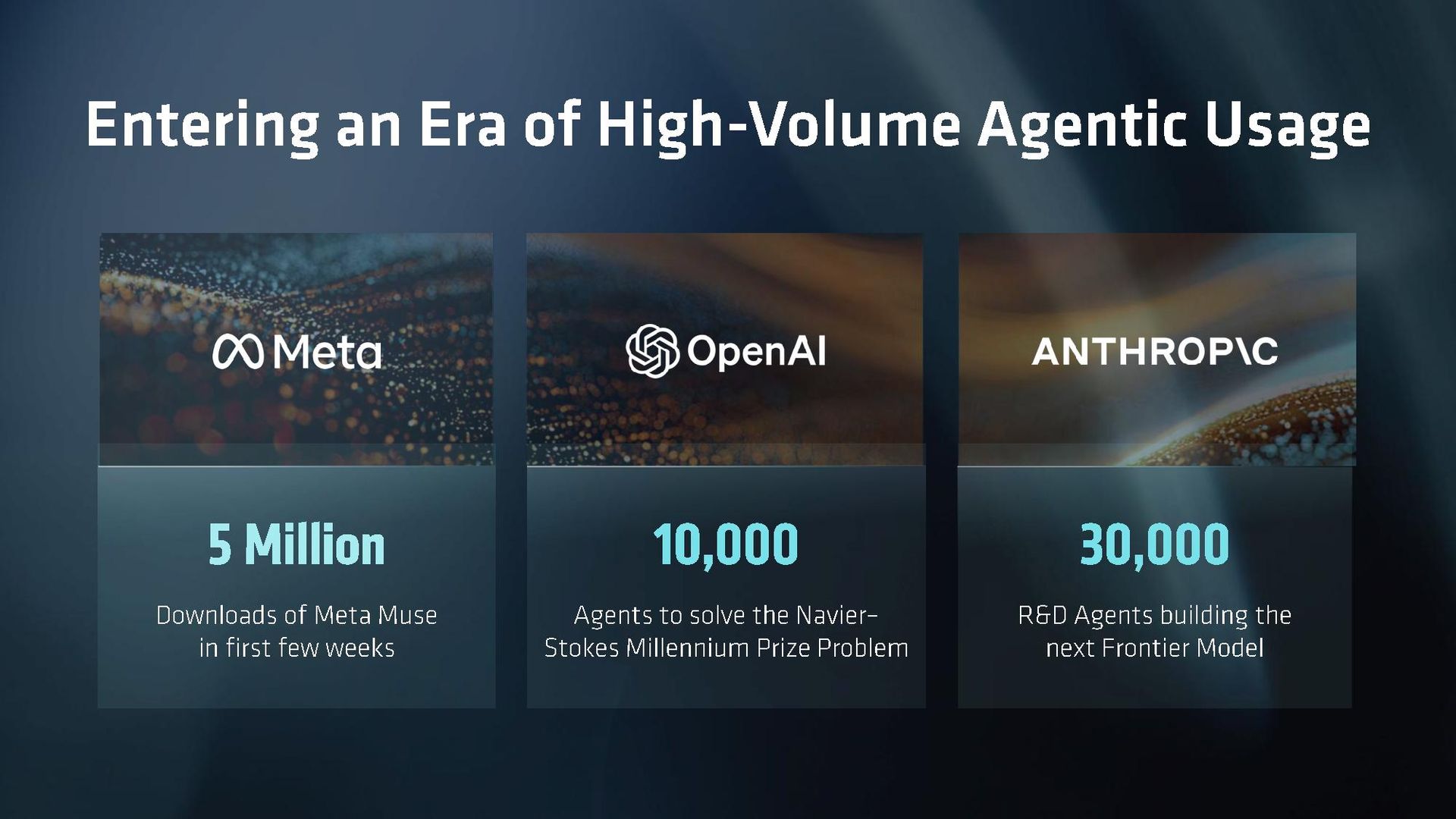
Let’s back up from there and look at real agentic workflows in action to better understand where CPUs fit into this chain. As we’ve seen with Meta Muse and OpenAI Dots, there’s a class of persistent agent that gives you a slice of compute in the cloud. These CPU-only racks communicate with inference servers to actually run the models, but their workload is defined by concurrency. It’s not about the performance of an individual sandbox but instead how each sandbox performs when the chip is fully loaded.
Concurrency provides important context to some of the workloads companies like Nvidia and AMD have described. Some tool calls are more demanding, like code compilation and large database queries, but reading/writing files, running code tests, and going online in a headless browser is not demanding CPU work in isolation. When the chip is handling potentially thousands of these tool calls, however, slight advantages start to pile up. And, the CPU topology plays a bigger role in how performance is sustained as agent sessions increase.
That’s one major tenet of an agentic CPU, one that can maintain performance with high concurrency. The other is variability, which touches on the CPU, but also the larger infrastructure available. Mark Lohmeyer, VP/GM of AI and computing infrastructure at Google Cloud, described an example to Tom’s Hardware about planning a vacation with an agent. Using AI to plan a vacation is just about as trite as examples get, but Lohmeyer sheds some light on the unique challenge of agentic workloads from the hyperscaler perspective.
In the example, Lohmeyer described planning a vacation over the course of a month, where he would suddenly prompt the agent to do a bunch of work, but may not return to prompt again for another week. “The actual use of the underlying compute, it's happening in basically bursts, right? There's like a burst of use at the start, maybe for an hour, and then it goes away, and then a couple days later, [it] bursts again for some other purpose and goes away,” Lohmeyer said. “They're very long-running workloads, effectively long-running, but often idle, basically.”
Agentic calls for a lot of power on demand, as the right alignment of this bursty work on a server with hardware contention can bring everyone’s sessions to a crawl. This factors into the type of work the CPU is doing, as well, which can include heavy code compilation, graph traversal, and large database queries. Scale that up across several agents, all with their own independent loops that don’t neatly align with each other, and the CPU problem for agentic AI becomes clear.
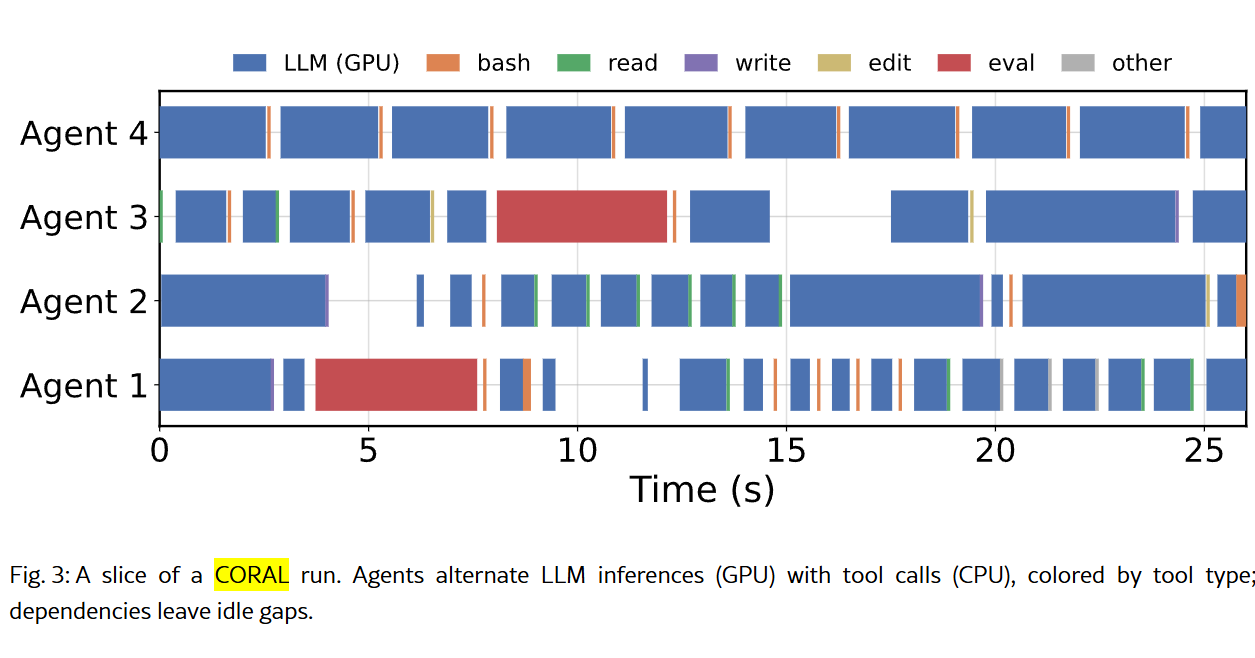
(Image credit: The University of Texas at Austin)
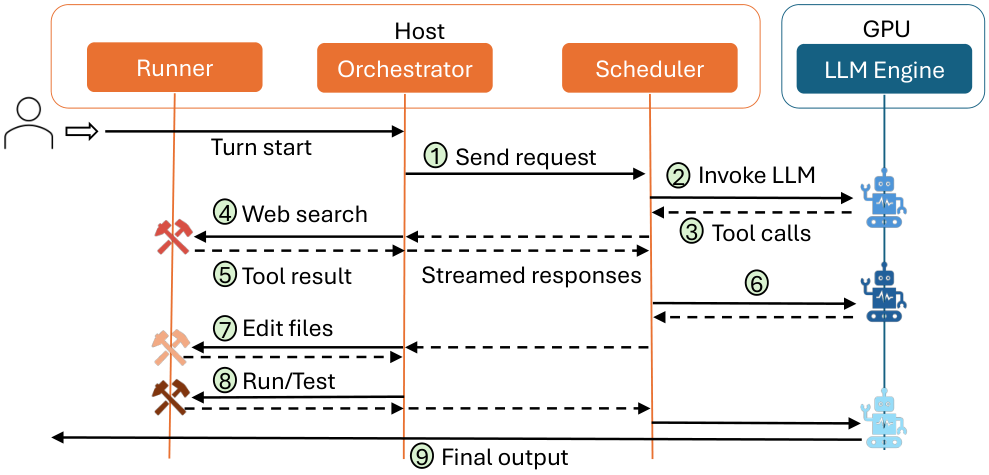
In the August 2026 study, Architectural Implications of Agentic AI Workflows, from researchers at The University of Texas at Austin and Microsoft Azure, the paper describes three tasks of the CPU in an agentic flow. In addition to a scheduler for GPU inference, which is how CPUs function in one-shot-style LLM queries, CPUs also serve as orchestrators for maintaining agent states and communication, and as runners that call tools and execute agent logic (often in Python).
(Image credit: The University of Texas at Austin)
The paper also shows this contention that can happen when multiple agents are running at once, passing requests to the GPU, receiving responses, acting, and then passing requests back. We’re looking at a cross-section of four agents over less than half a minute, and you can already see how small CPU-based tasks can align, as well as create hangs between GPU time.
Nvidia has been clear that Vera is an agentic CPU, though defining the performance of an agentic loop is still a work in progress. “The industry built a pretty good way to benchmark traditional workloads,” Lohmeyer said. “I think this is happening now for GPUs and TPUs for inference, for example. I think we're going to need the same type of industry-level benchmarks for agentic workloads that are probably still emerging.”
Standardized benchmarks that look at the full agentic loop aren’t available yet. We have our own internal tests that we’re running and hope to have data for soon, and we’ve seen some vendor-level benchmarking from companies like Modal, but the broader industry hasn’t come forth with a set of benchmarks for the end-to-end agentic loop along the lines of a SPEC or TPC yet.
Although those tests aren’t available yet, we can still look at CPU performance through the lens of an agentic workflow, prioritizing aspects of performance that are important for agentic loops. We can also look at common workflows for agents, including code compilation for coding agents and database performance for retrieval agents. We can look at things like JSON parsing through the simdjson library, evaluating how these CPUs parse the large JSON files agents use to communicate. And we can look at the foundation of much of the AI ecosystem with Python performance.
That’s the focus of our benchmarking here, to establish where Vera stands among the x86 competition from AMD and Intel in well-known benchmarks. Hopefully we’ll have the opportunity for further testing in the near future to evaluate full agentic loops once that testing procedure is finalized.
Although we’re evaluating performance through an agentic lens here, Nvidia did not limit what tests we could run nor place any stipulations on our coverage. We’re thankful to Nvidia for providing us with remote access to a dual-socket Vera system for the purposes of testing, but beyond configuration checks to ensure the platform was operating as expected, we were left to run the tests we wanted to run. That includes several tests that are applicable to agentic workflows, but also tests from our general server CPU benchmarking suite, including Java, cryptography, compression, and rendering performance.
A gentle reminder for readers
Servers are not client PCs. You have much smarter operators with deeper access to the hardware, and often a software stack that’s unique to the specific workload at minimum, and highly tweaked and optimized for that workload at a maximum. With client CPUs, we can say that an AMD X3D chip is the best for gaming, or that Intel’s latest flagship offers the highest single-threaded performance. Servers depend much more on use cases.
In a typical review, we’d say that X is better than Y for Z purpose, and back that up with data. Here, that commentary is more muted. The reality is that hyperscalers maintain large fleets with a variety of hardware that can fit any purpose, and enterprises need to choose the hardware best suited not only for their operations, but also for TCO and a list of at least a dozen other variables that are specific to that business.
Nvidia Vera SPEC CPU 2026 estimates
So far, the primary benchmark we’ve had for Vera is SPEC CPU 2026 intrate, so we ran the full SPEC CPU 2026 suite to check Nvidia’s performance claims, as well as look at floating point performance. For anyone who hasn’t read SPEC CPU benchmarks before, there are a few disclaimers before heading into the results.
All of the runs here are estimates, and that’s due to how SPEC reporting works. There are strict reporting rules, and we’re not reporting these results to SPEC directly. The charts say “estimated,” but the numbers aren’t a guess. We ran SPEC CPU 2026 following the standard testing procedure, using the same compiler and flags for each CPU.
For the compiler, we used GCC 15.2 with a few common flags, including link-time optimization and march/mcpu to expose the correct instruction support to the compiler. We also used the general-purpose jemalloc memory allocator across all of the tests we ran.
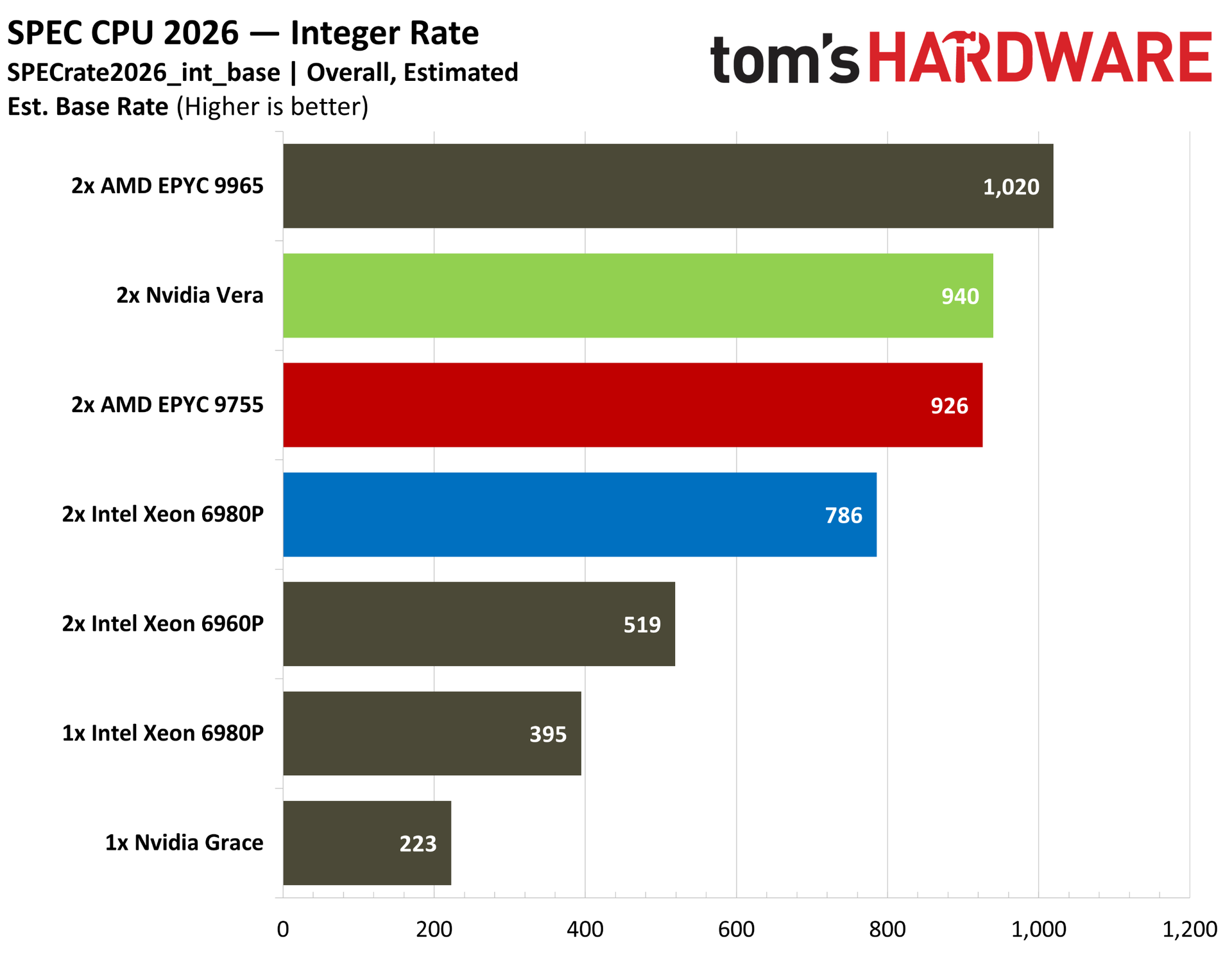
(Image credit: Tom's Hardware)
Starting with the overall intrate, this is a series of applications primarily dealing with integer operations instead of floats, and the SOP is to run a copy of the application on each thread available. The test looks at what a CPU is capable of with many applications running at once, measuring throughput.
Nvidia’s numbers aren’t dissimilar from our own. In the company’s white paper, it showed Vera ahead of the EPYC 9755 by 3%, and with our tests, Vera is ahead by 1.5%. Keep in mind the considerably higher 512-thread count of the 9755 system here against the 352-thread Vera system. Vera absolutely runs away with performance when breaking down the score per-core.
Despite the core density of Intel’s 512-thread Xeon 6980P in a two-socket configuration, it’s not in the conversation here. Retesting with oneAPI represented an impressive 10% increase in performance with Intel-optimized binaries, but even against optimized code, Vera is 8.6% ahead with generic GCC.
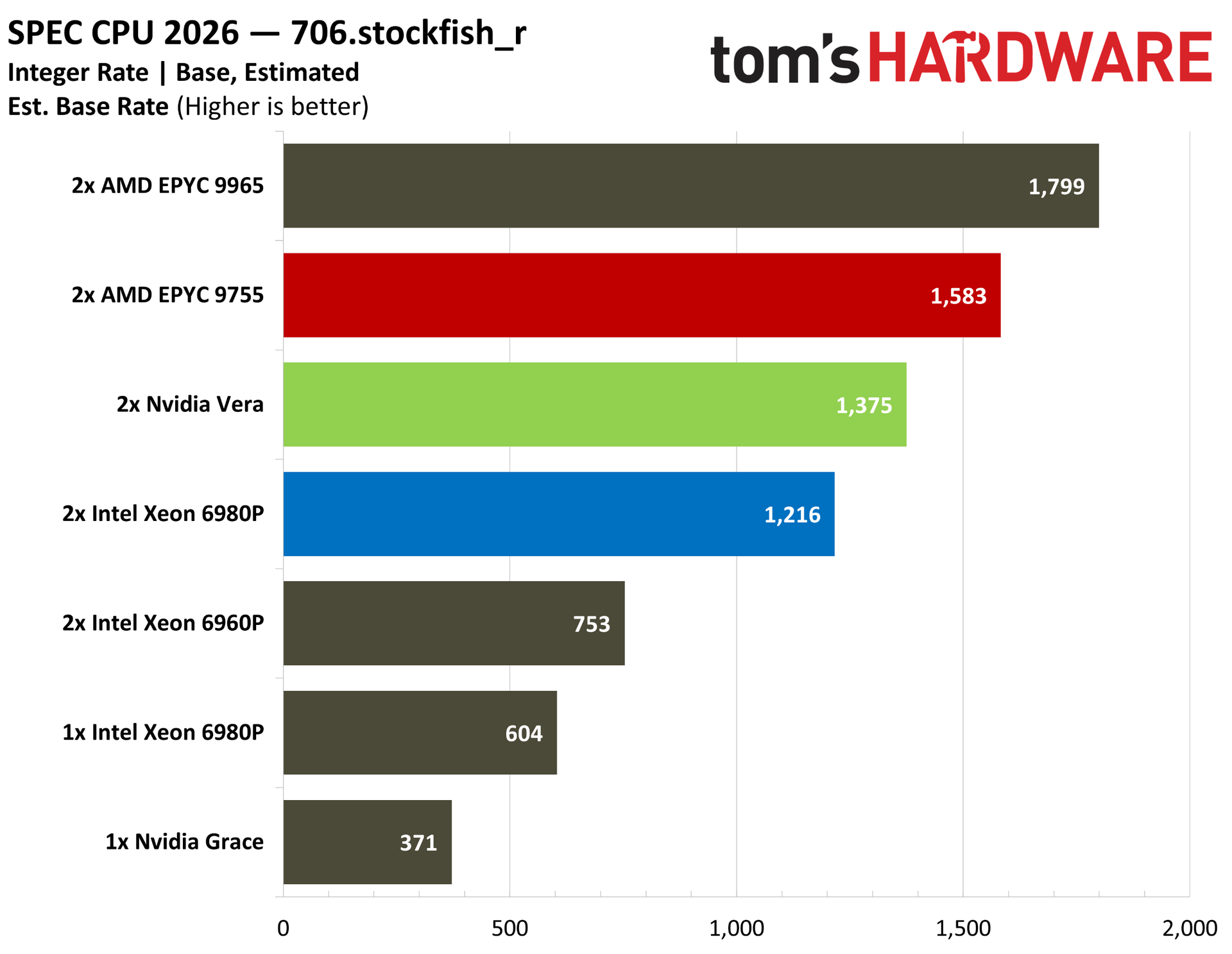
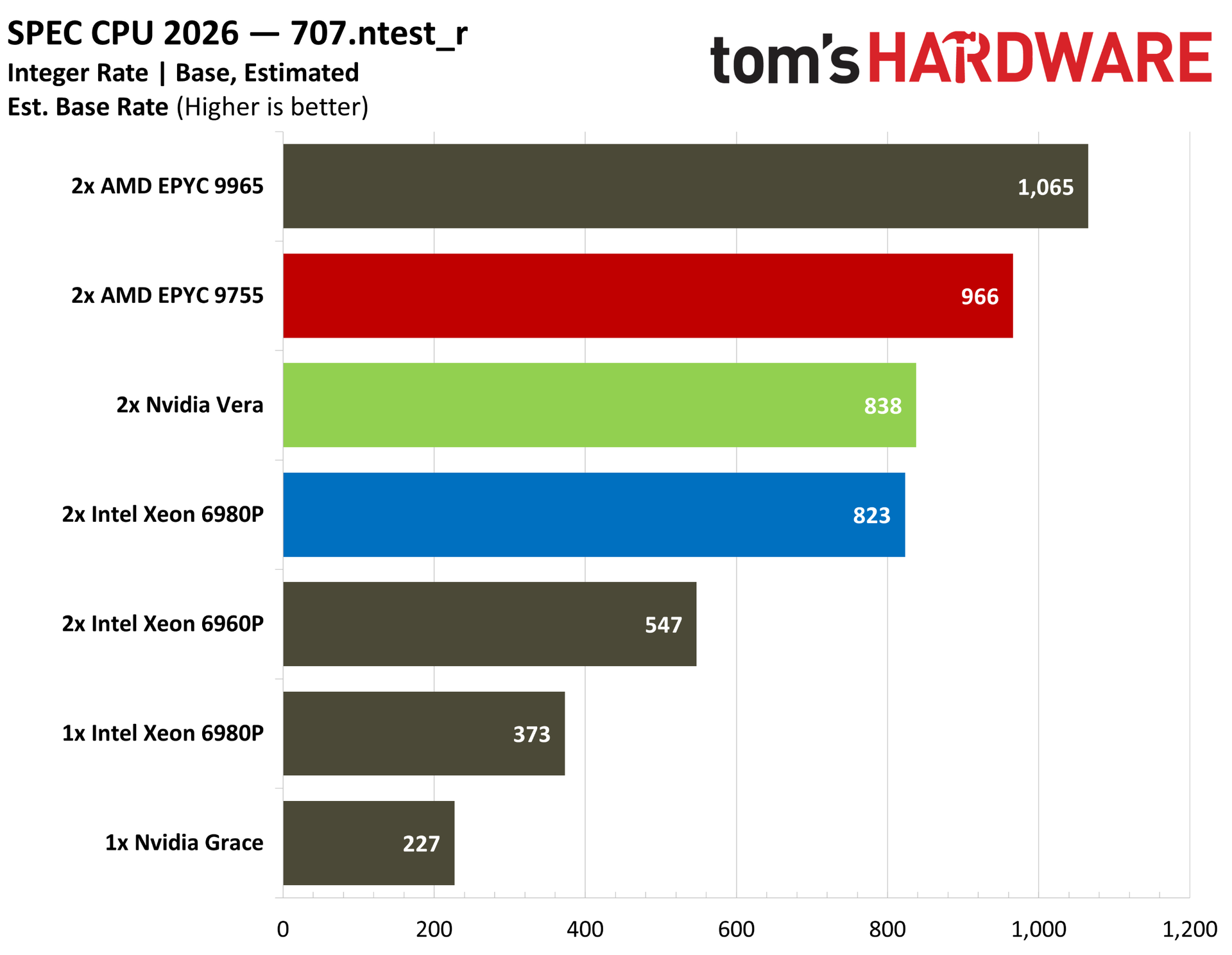
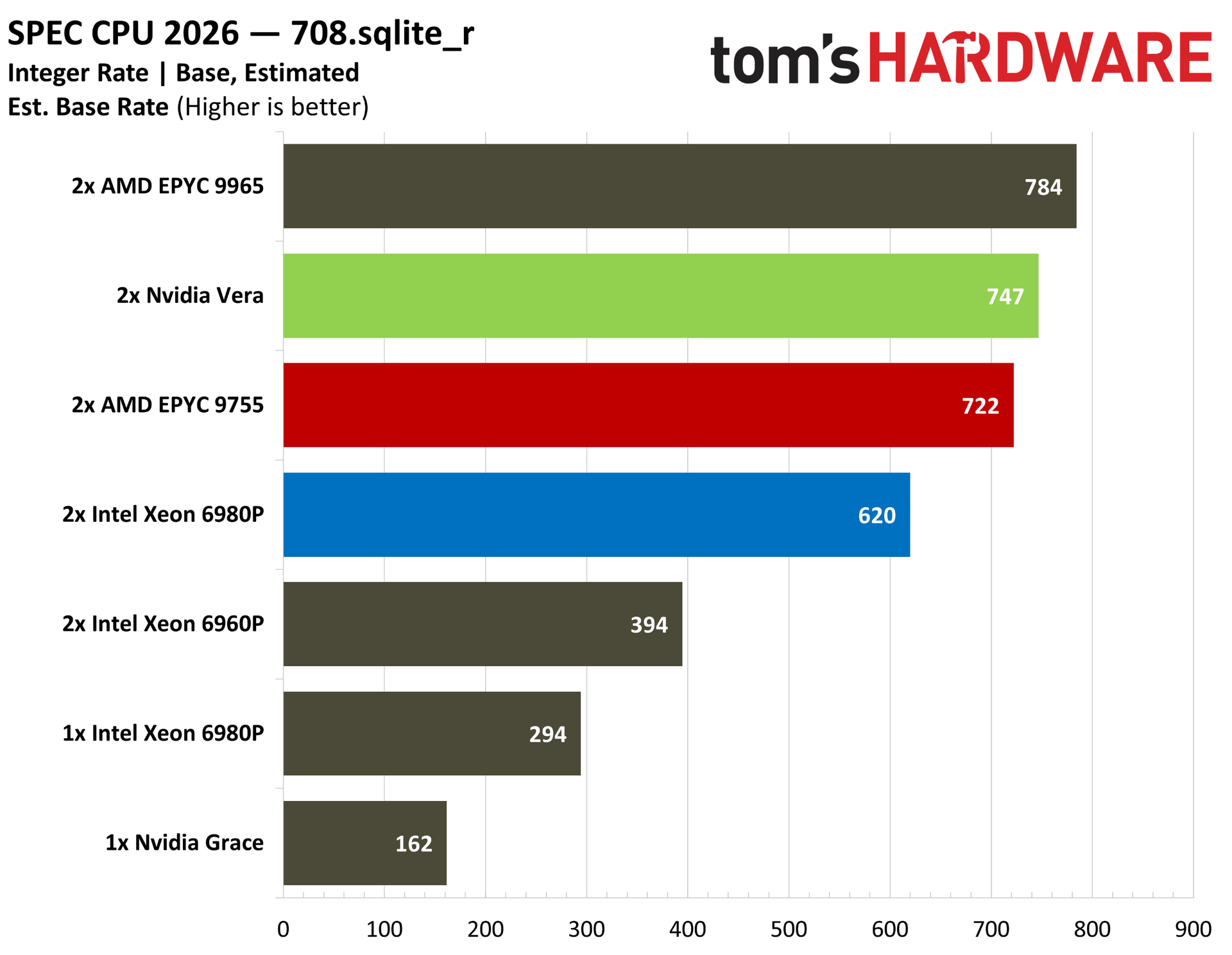
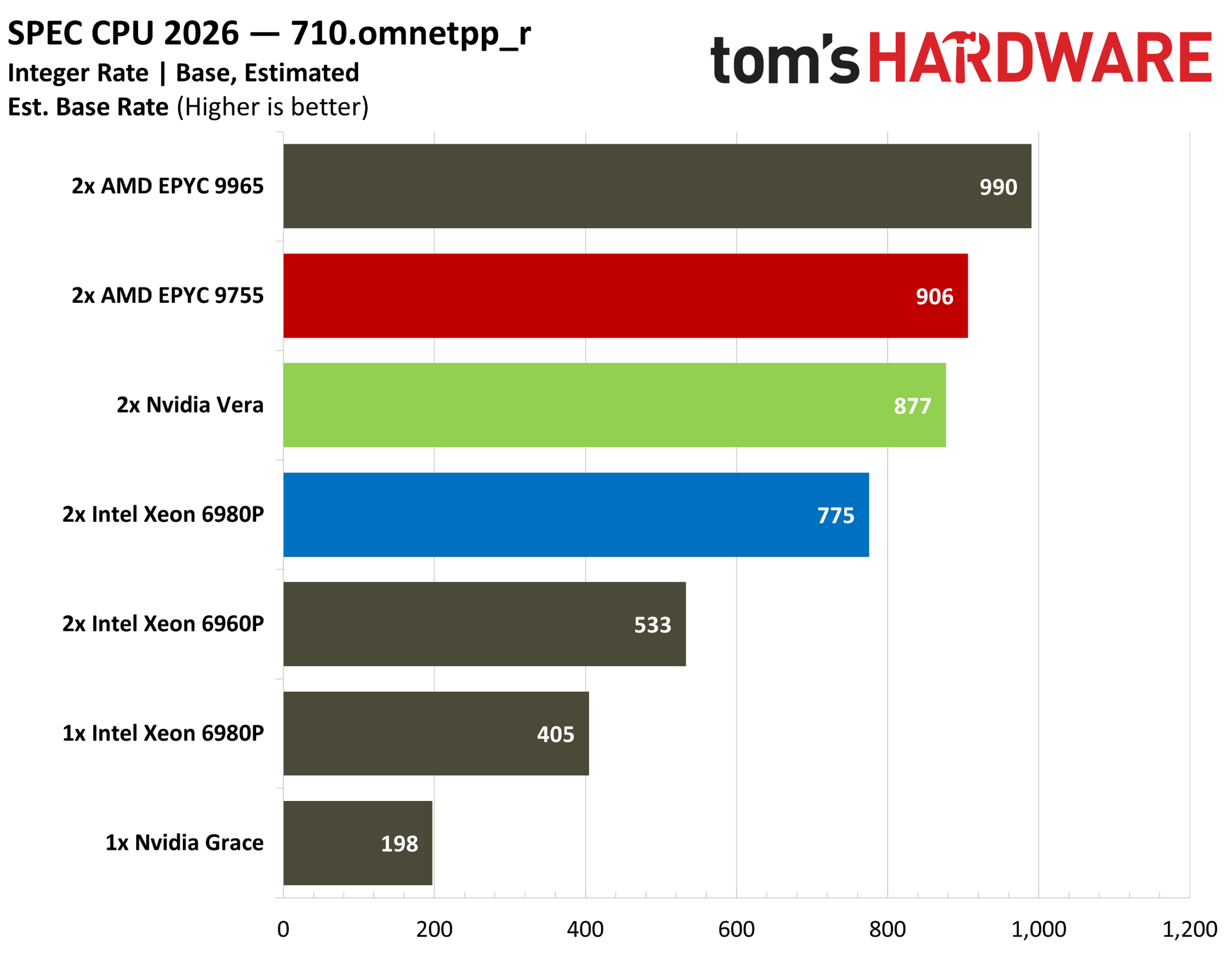
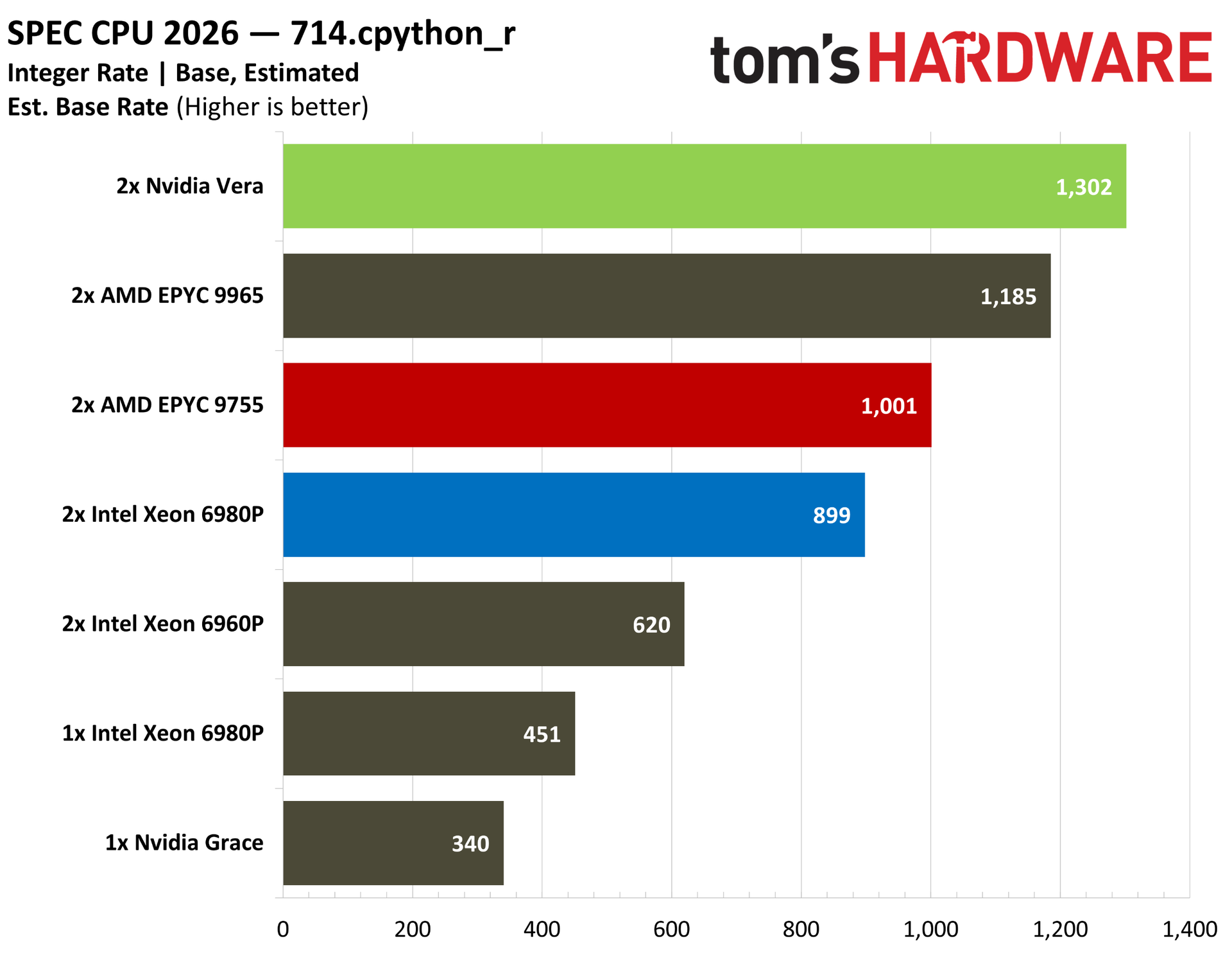
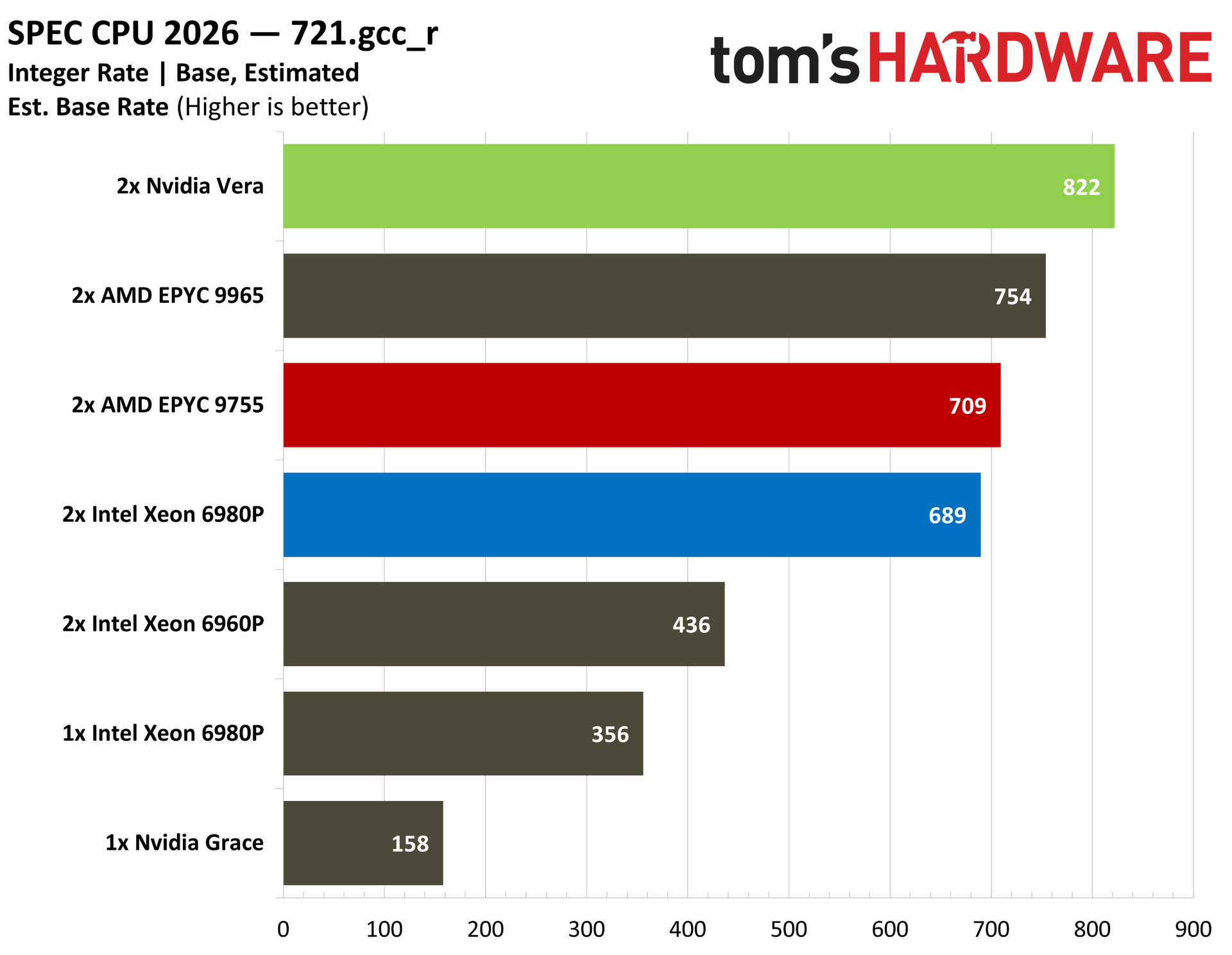
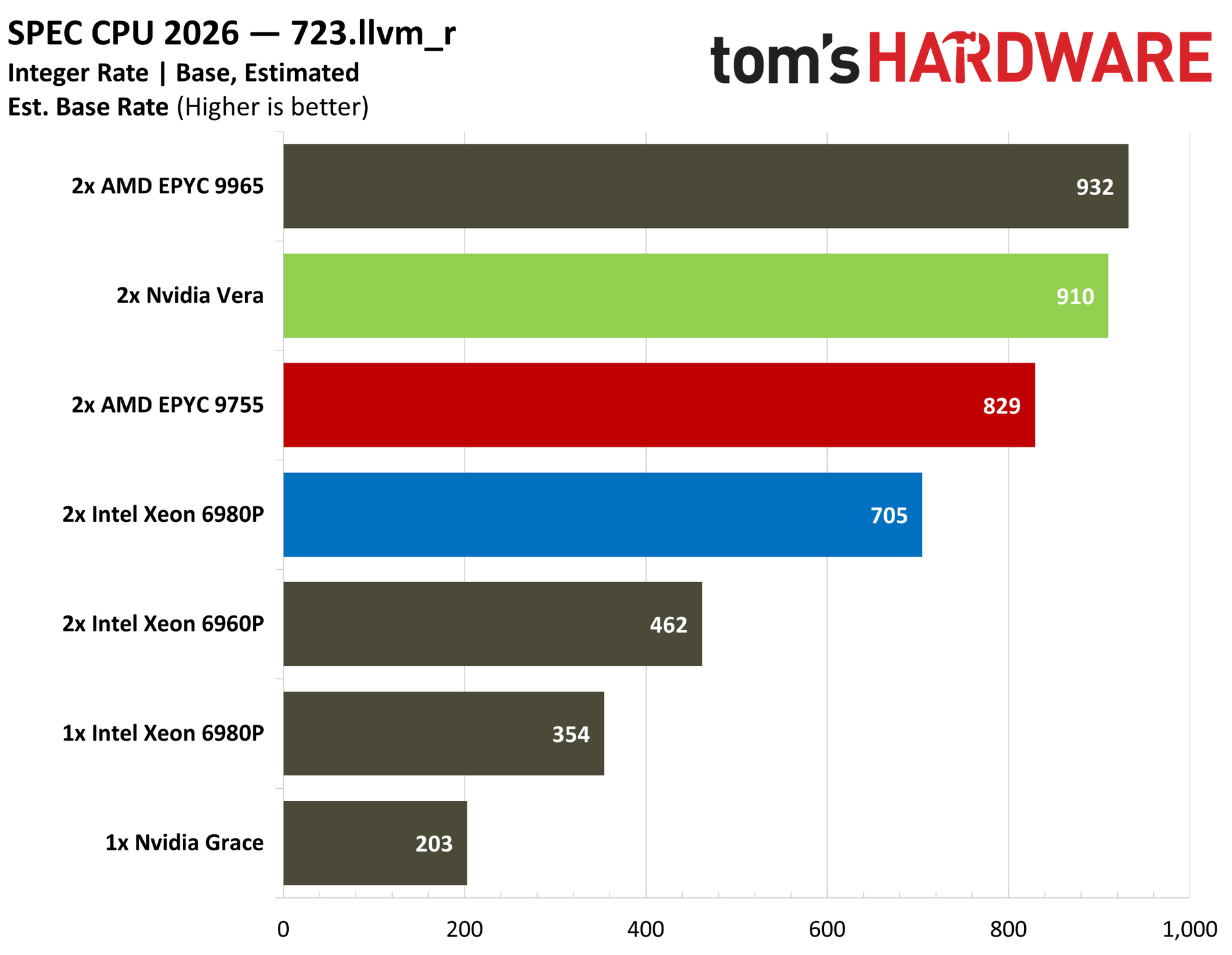
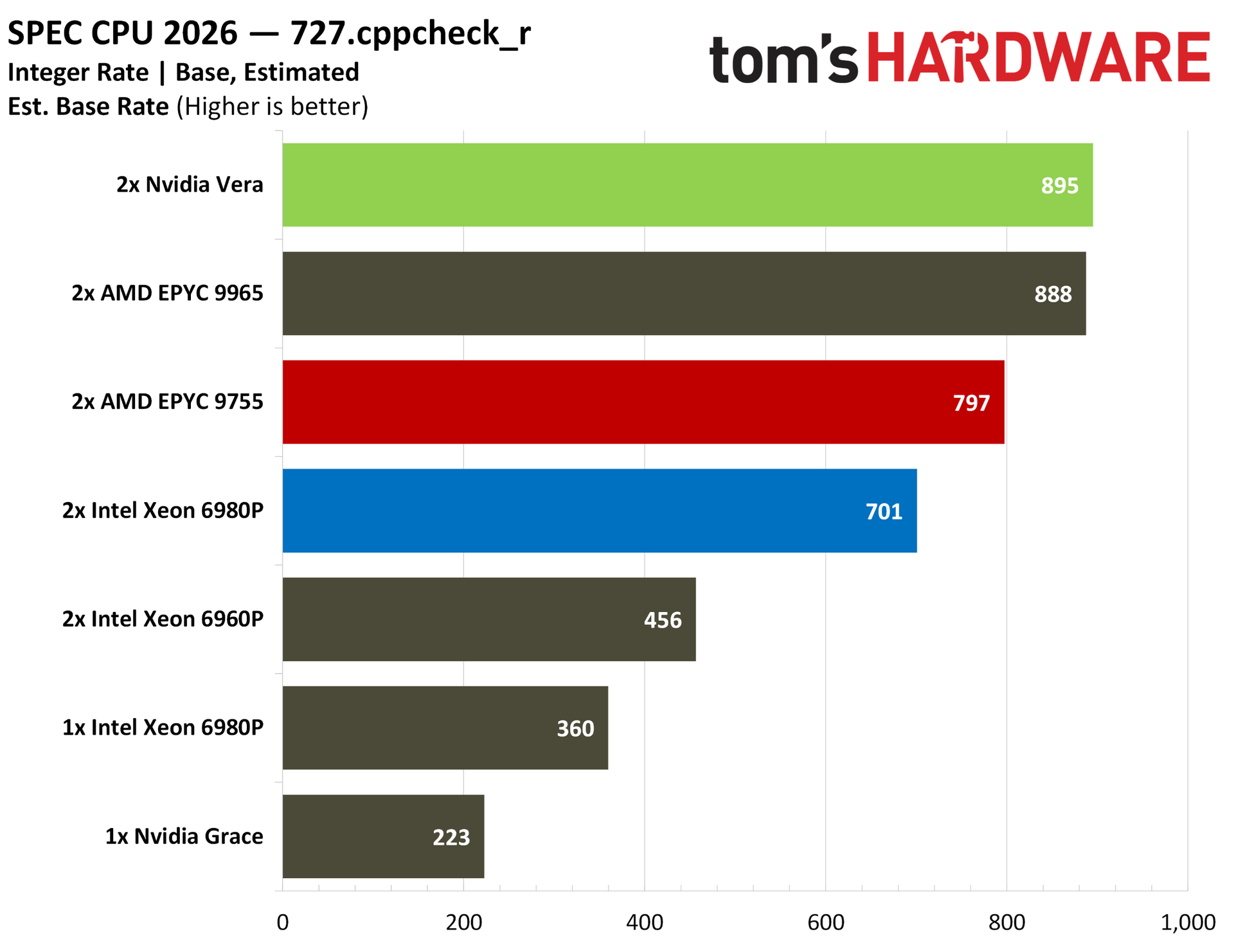
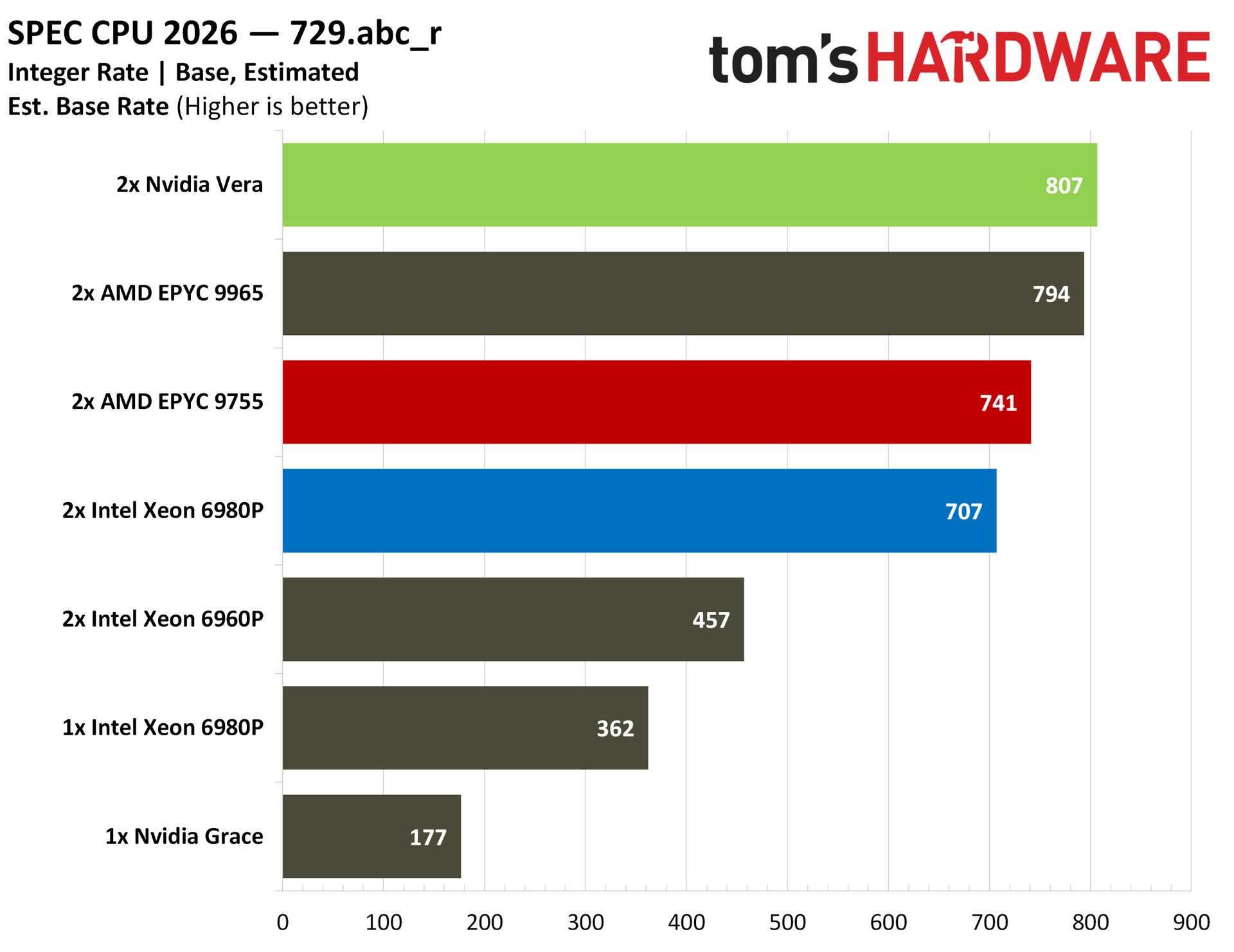
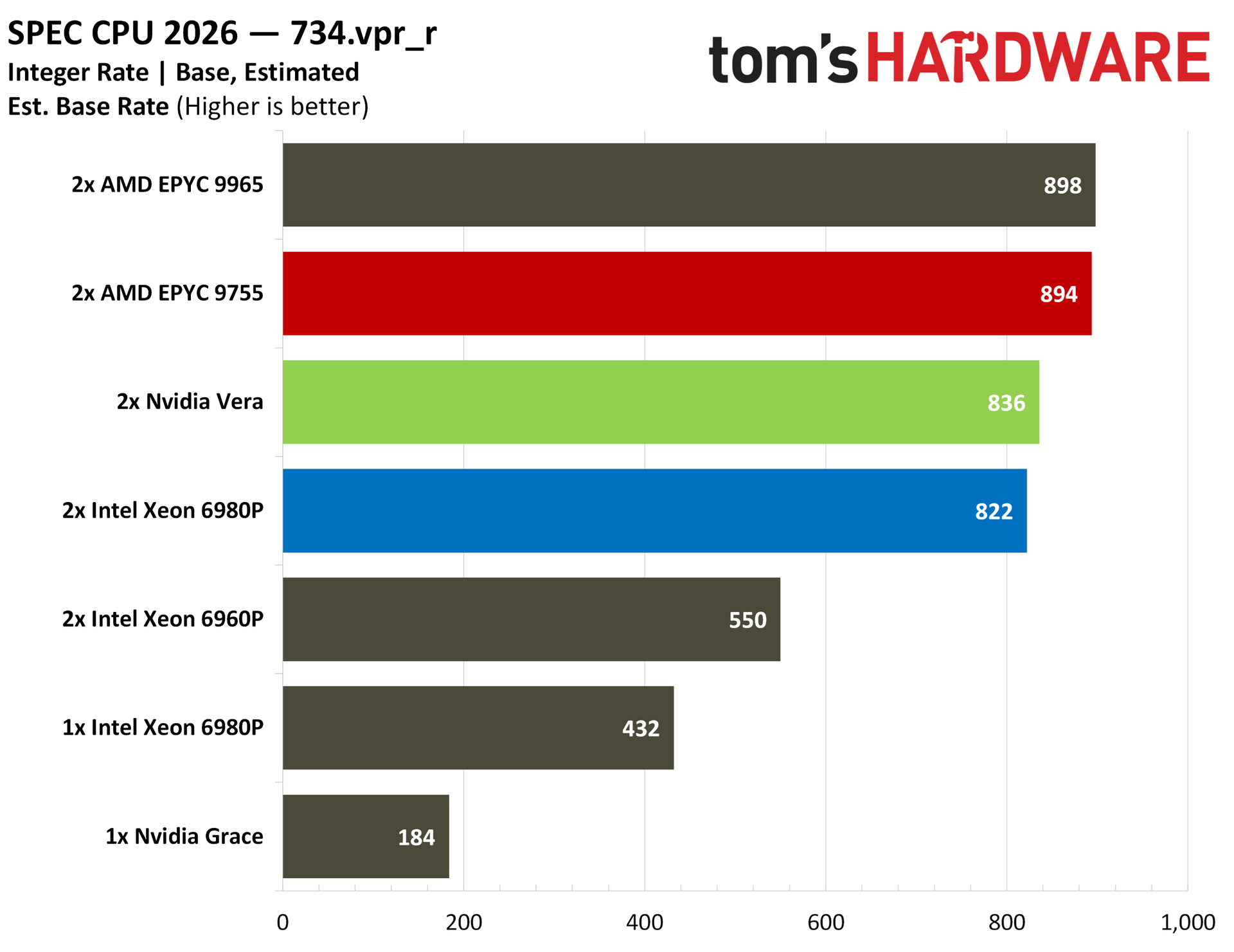
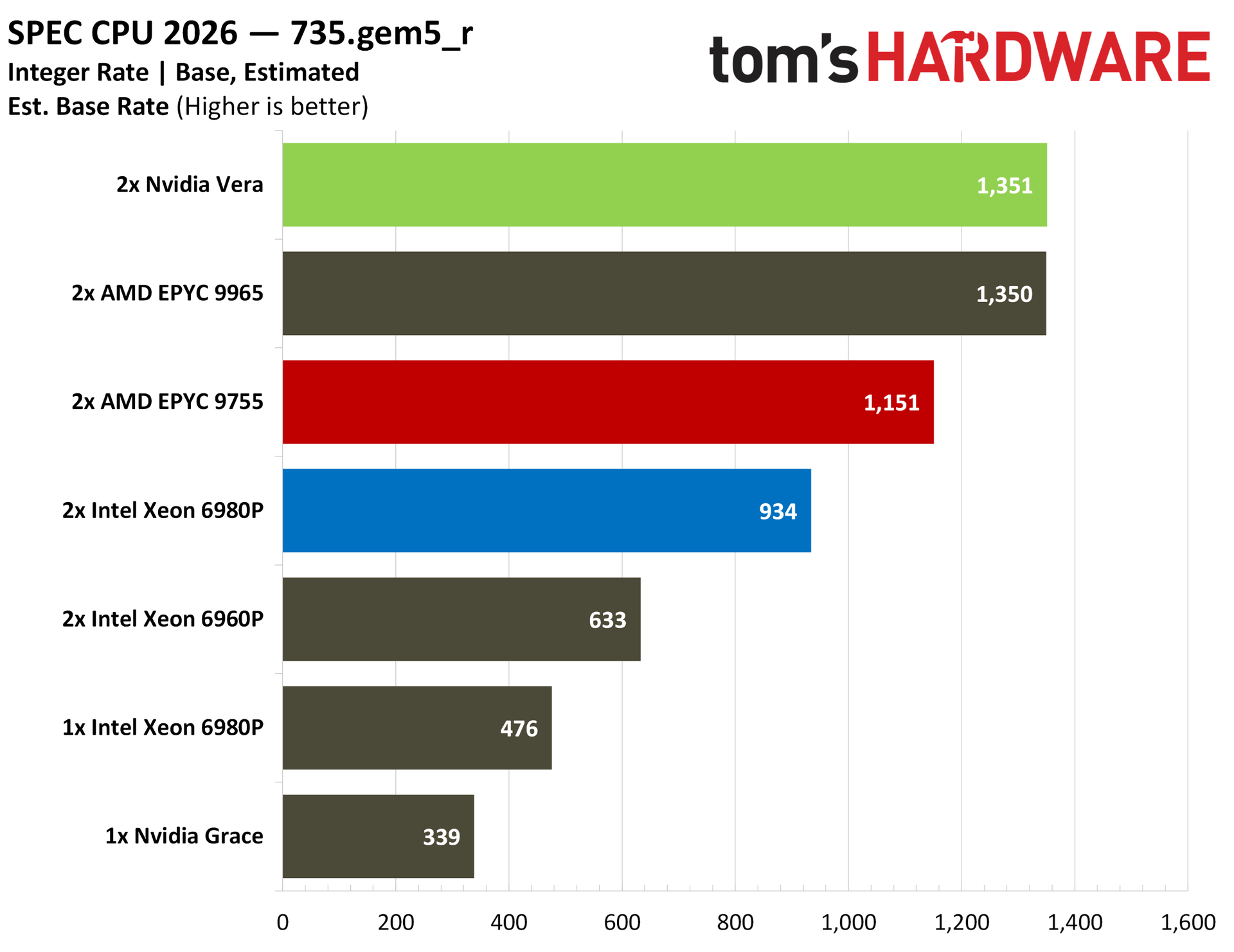
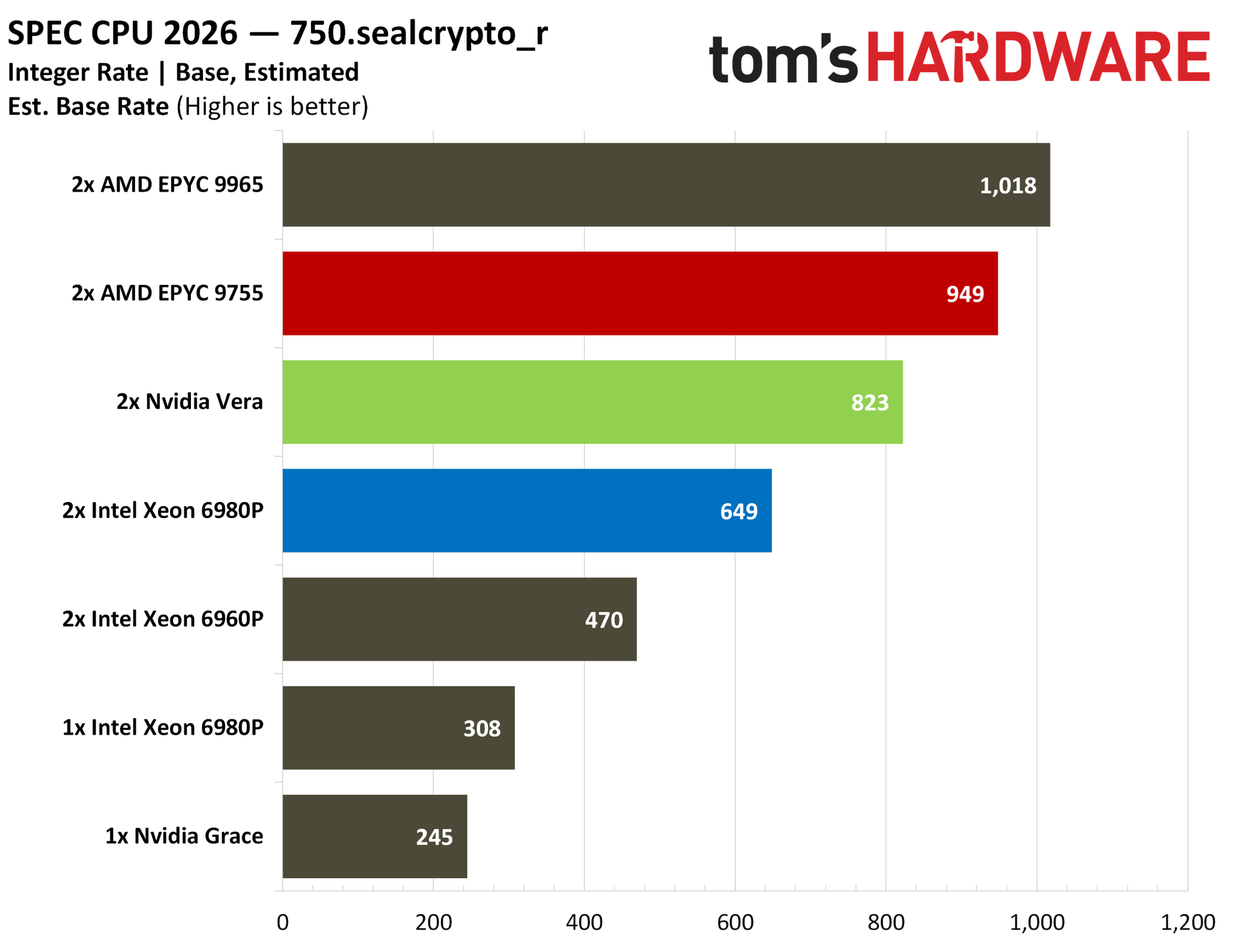
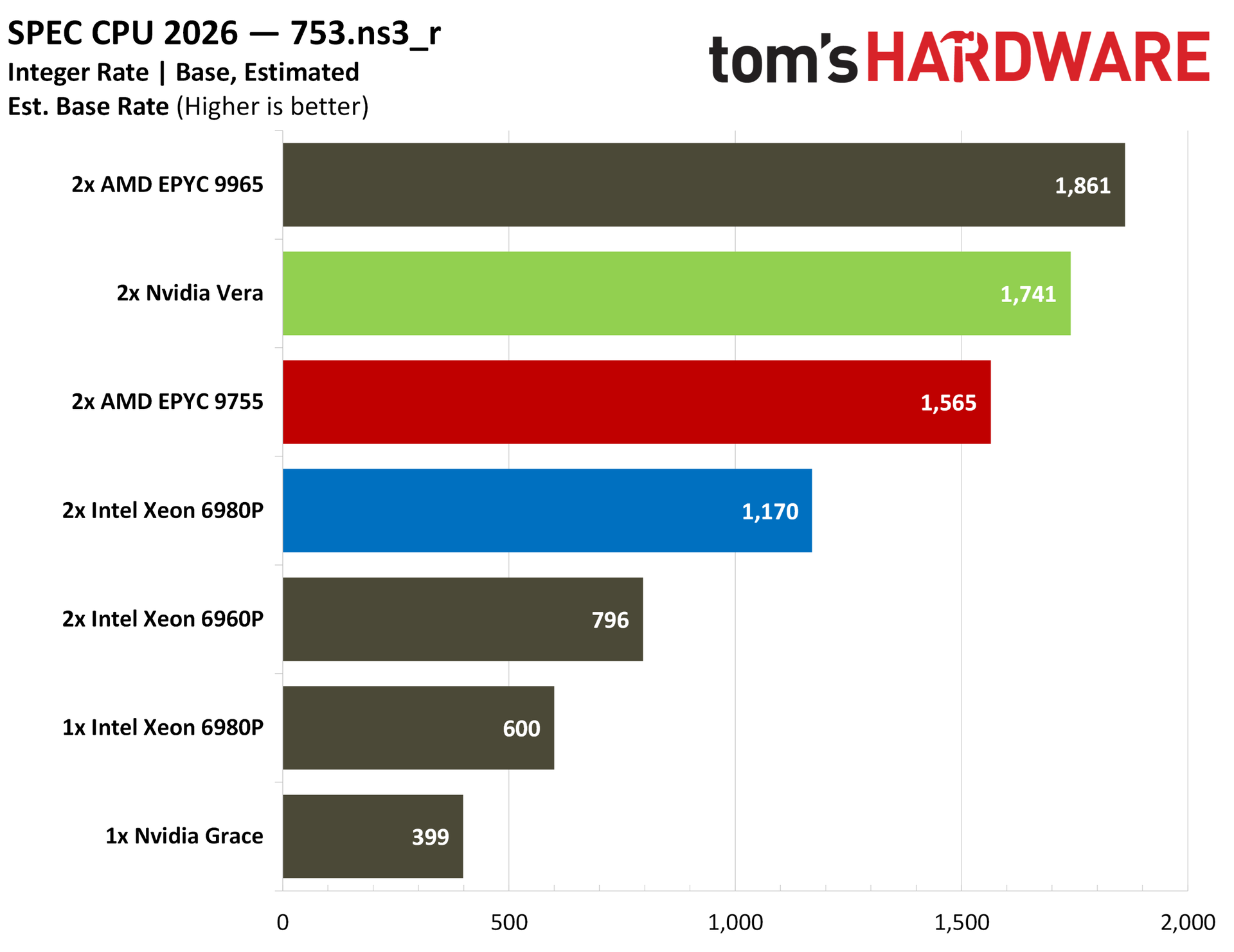
There are some tests where Vera steals the show in the above album, as well as some where it falls behind, reflective of the testing we have later in this article. You can see that GCC compiler performance and Python performance are particularly strong points, with Nvidia even beating out AMD’s top-of-stack EPYC 9965.
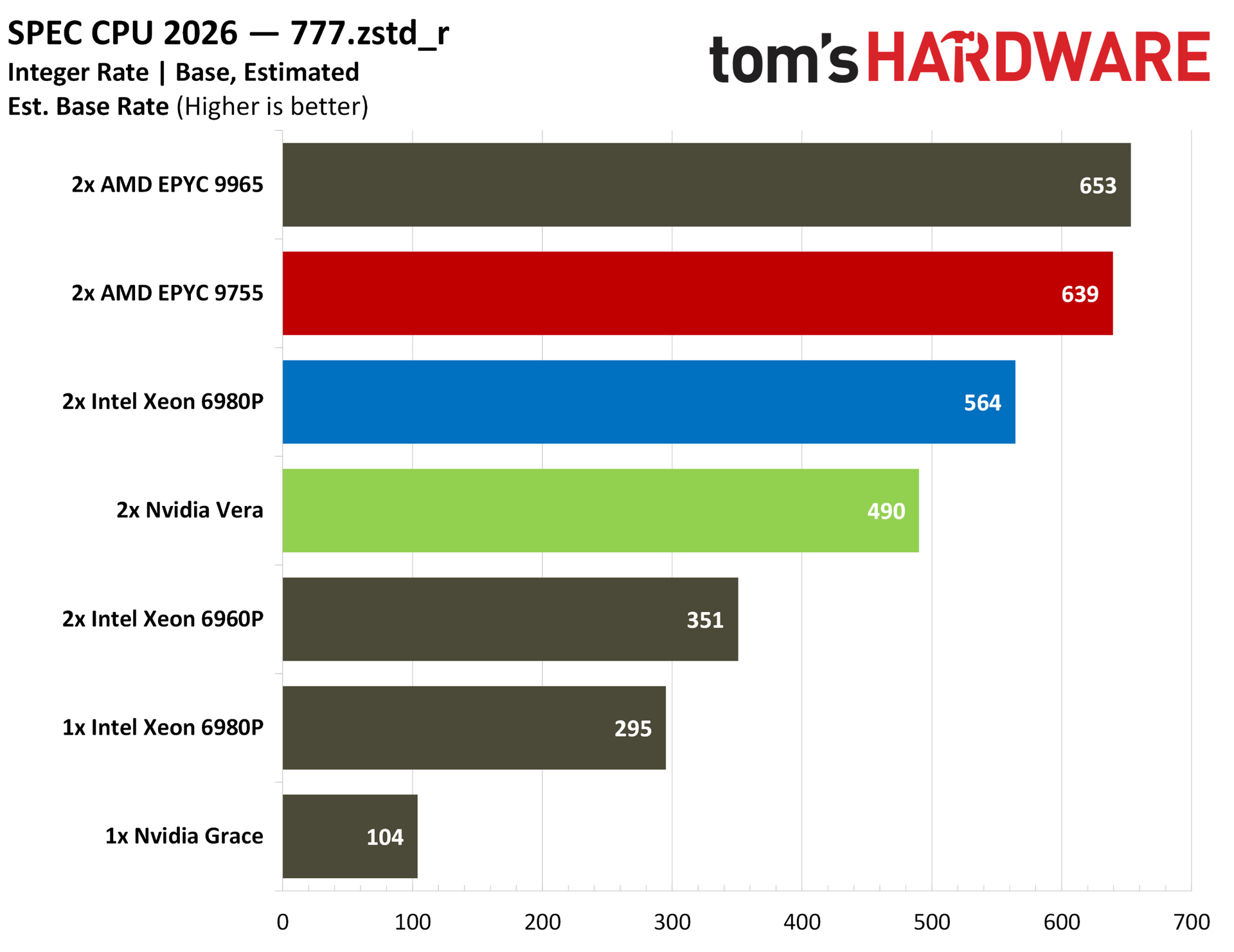
Elsewhere, there are some weaknesses. SEAL crypto provides a look at the weaker cryptography performance of Vera, which is reflected in our other testing. Zstd compression also shows Vera trailing AMD and Intel, which makes sense. In our separate Zstd testing, Vera offered impressive compression performance with Zstd but fell behind on decompression.
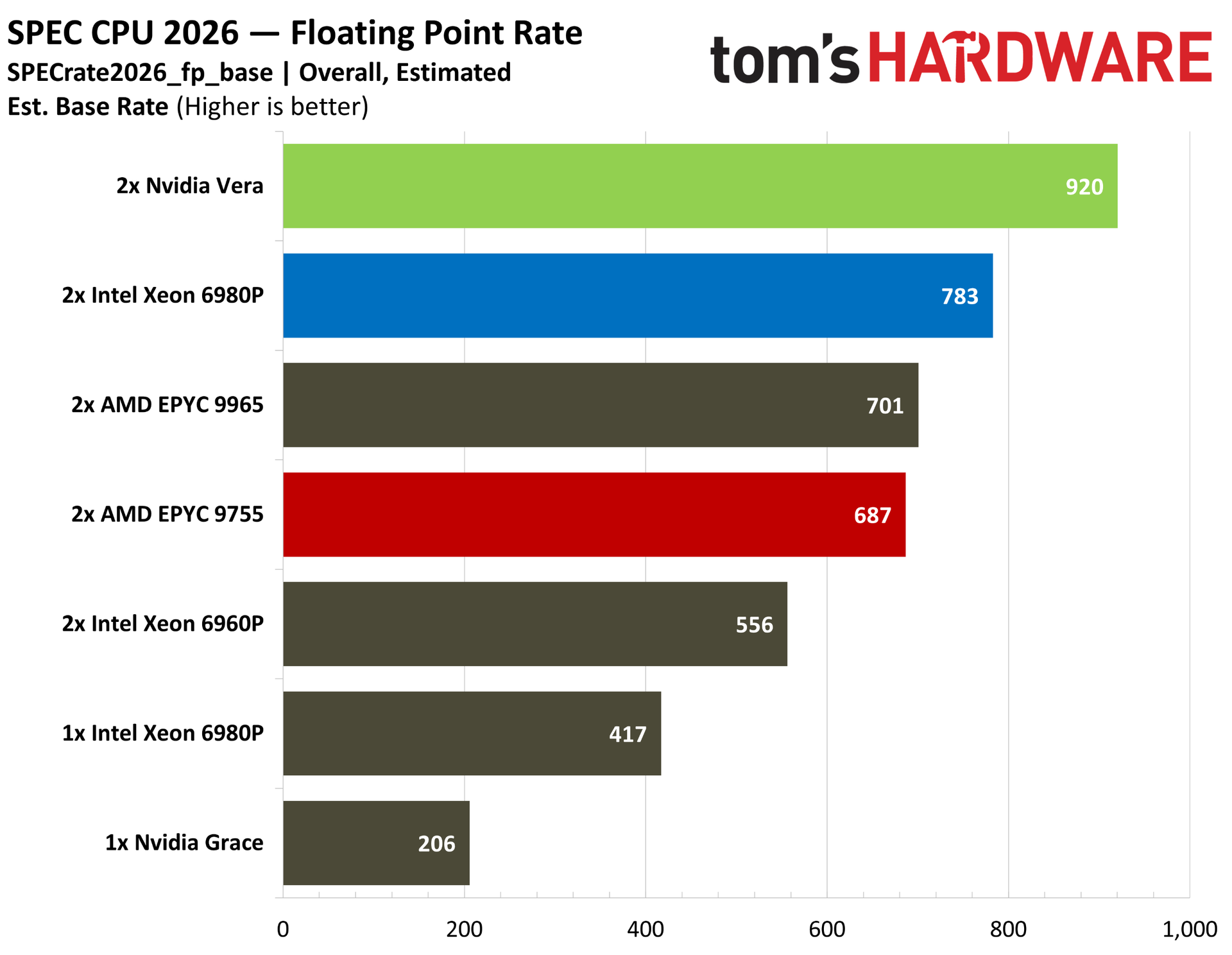
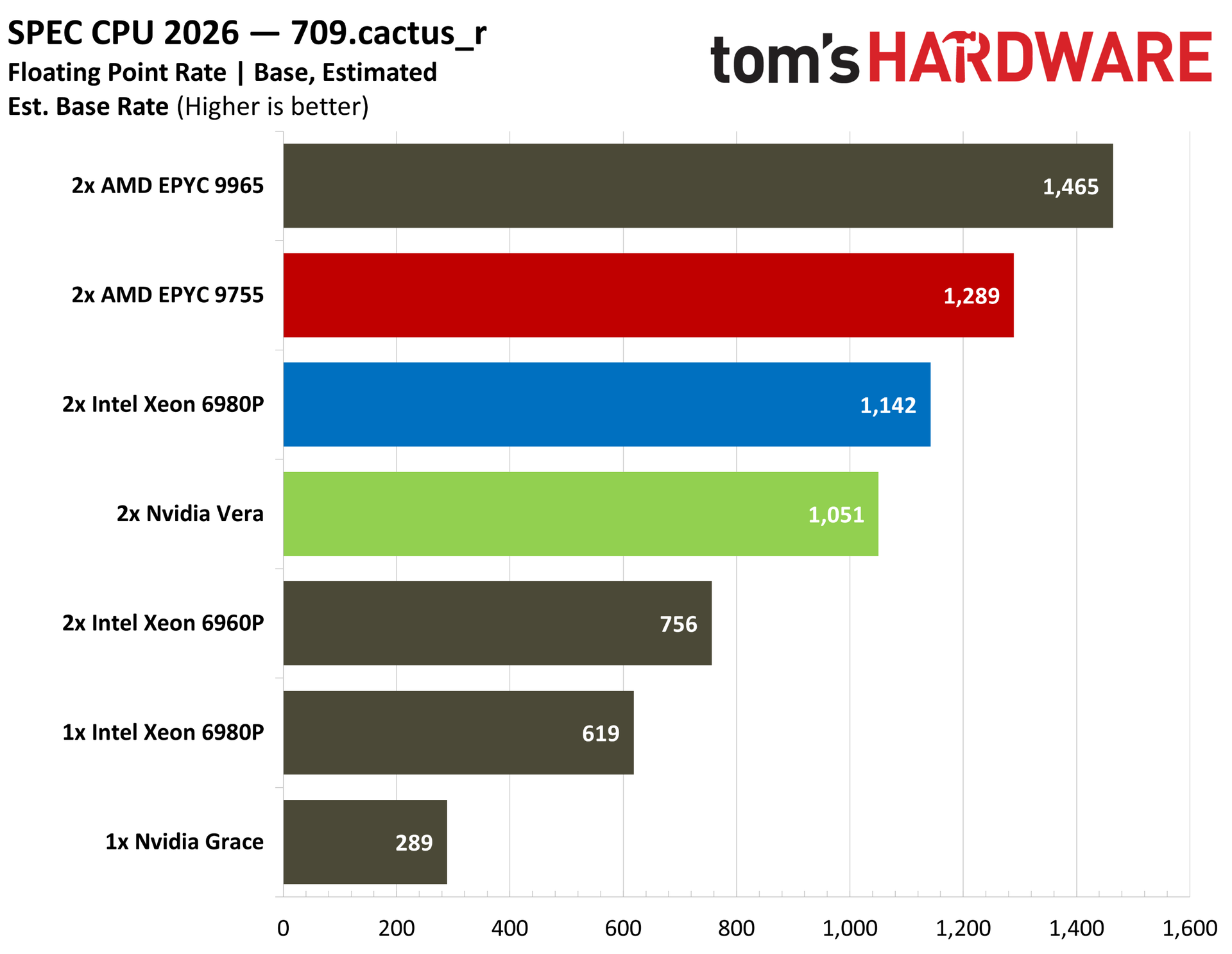
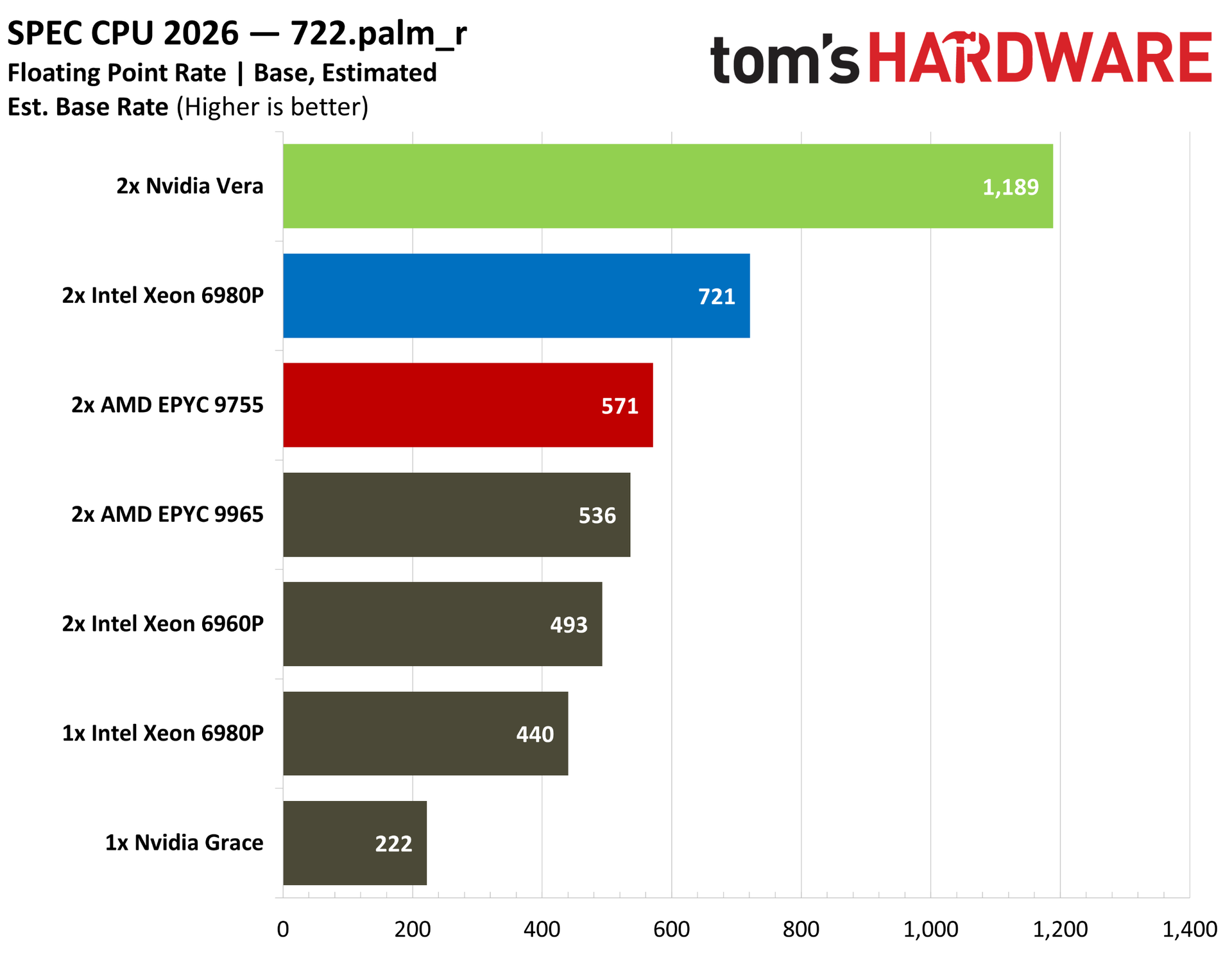
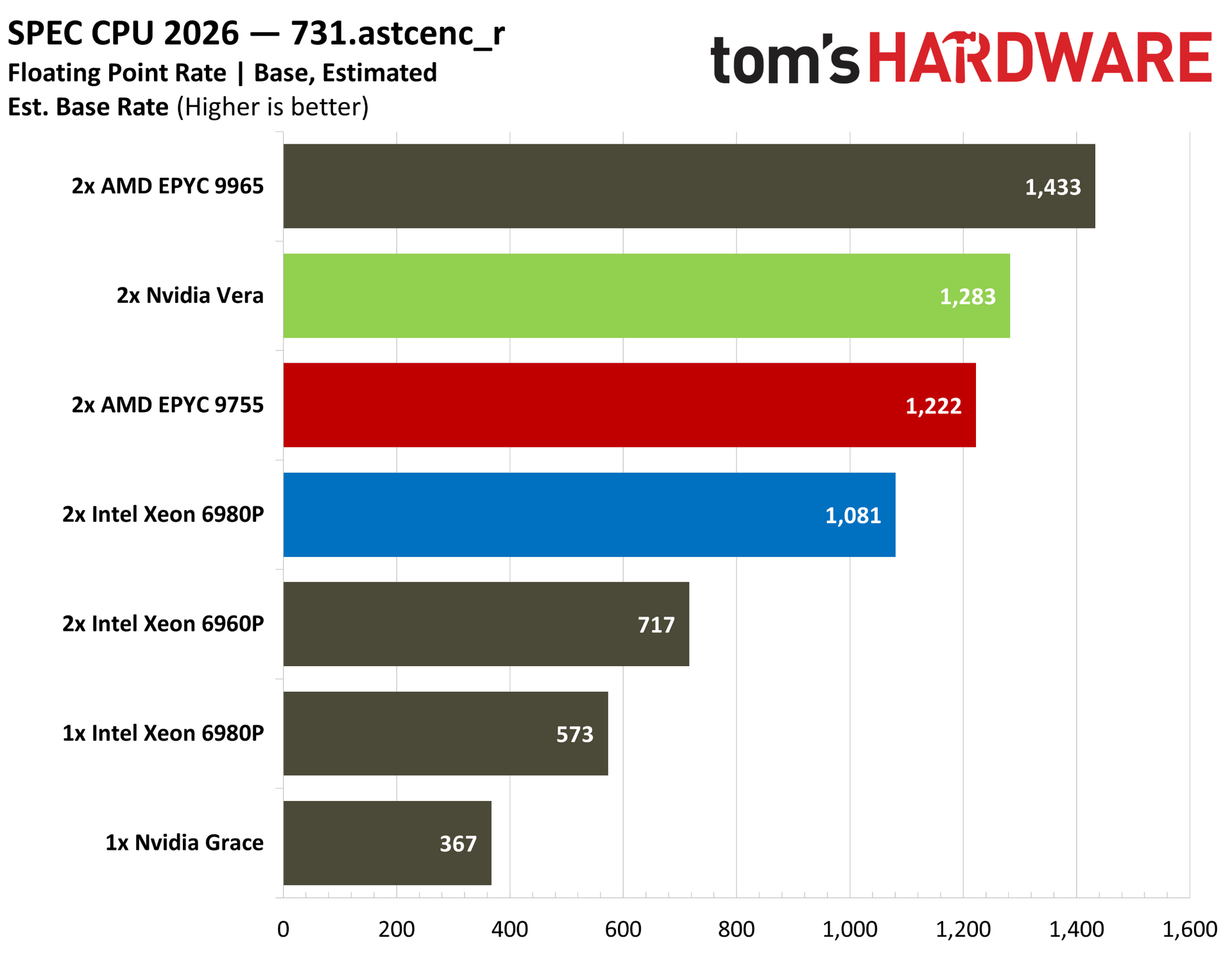
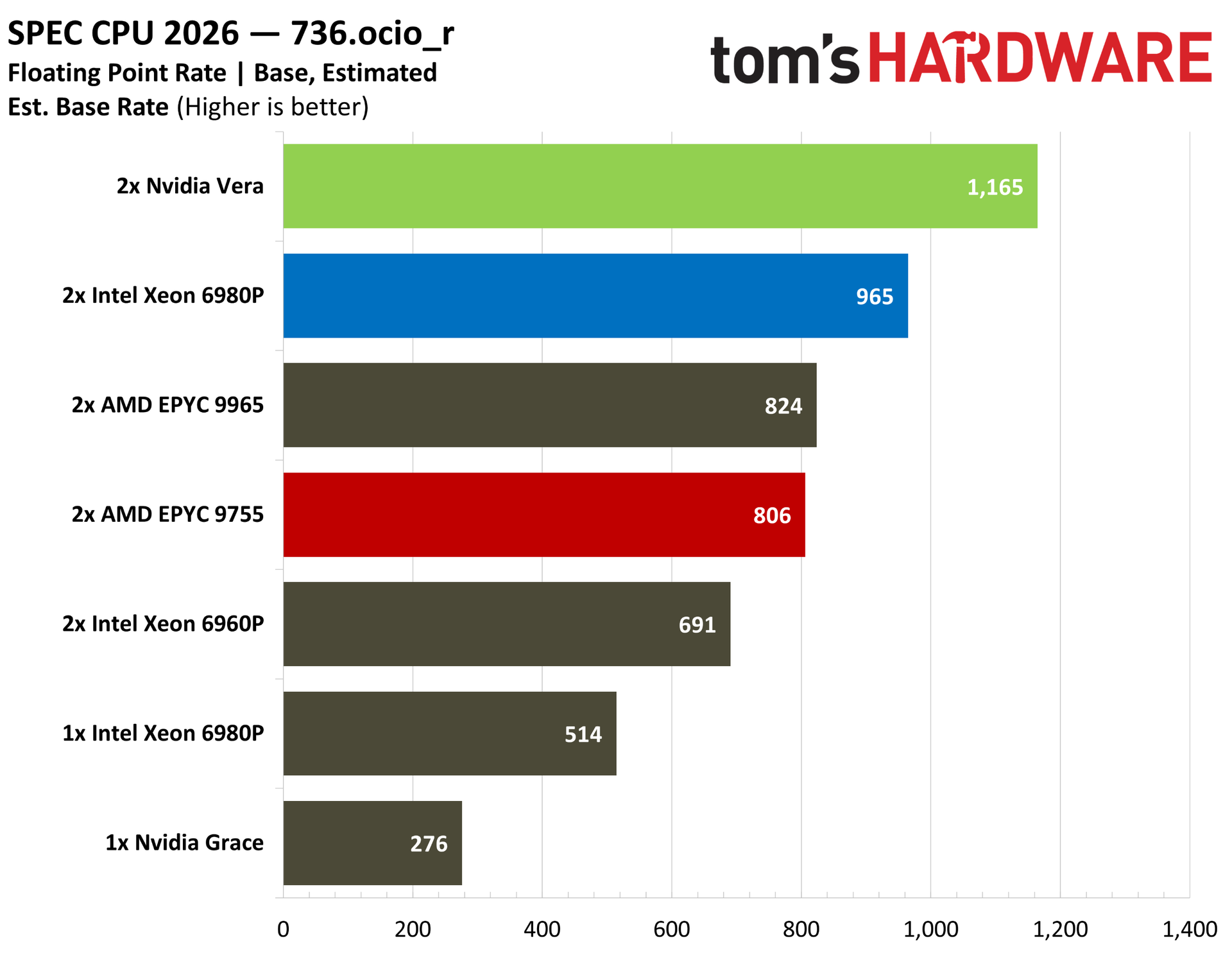
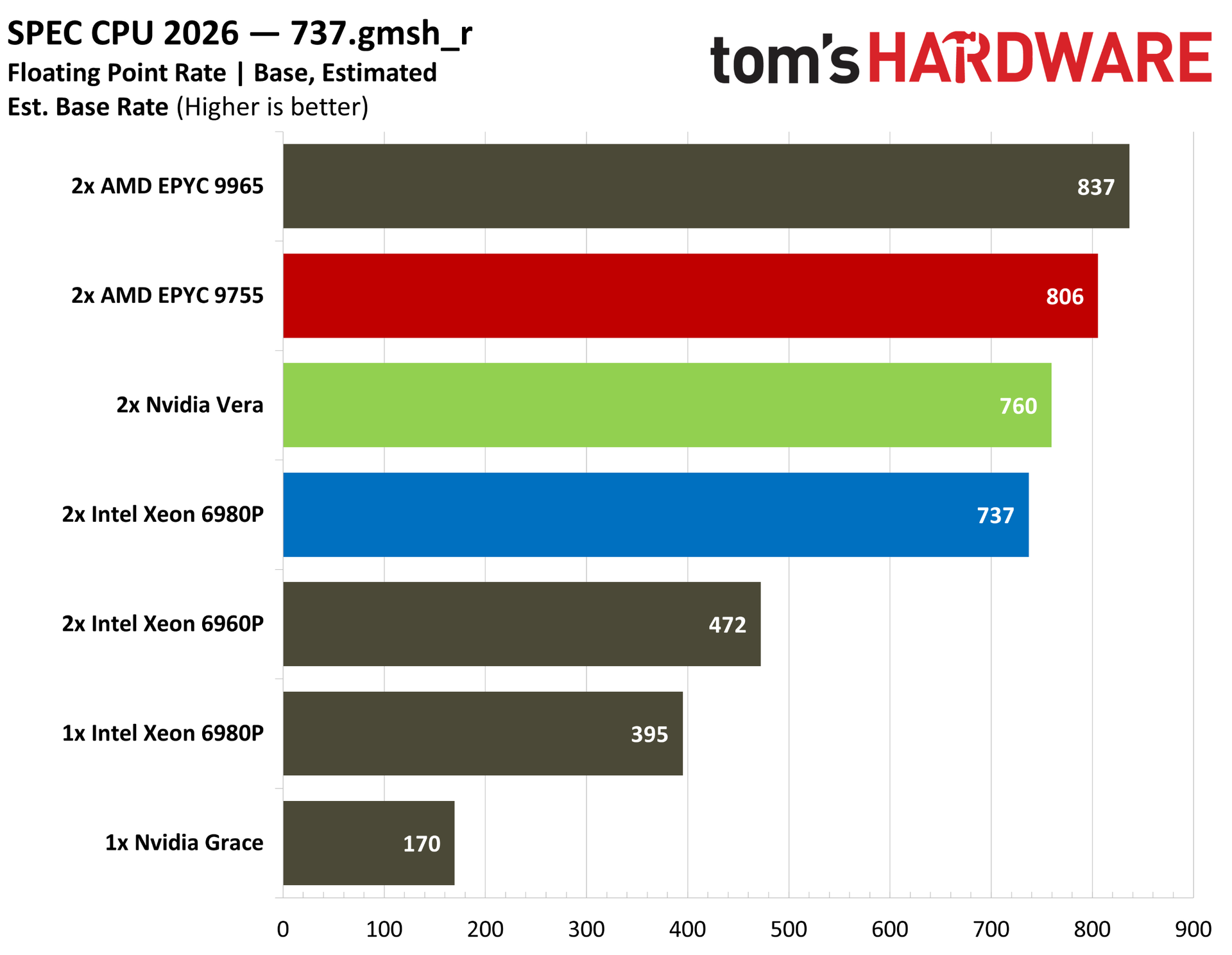
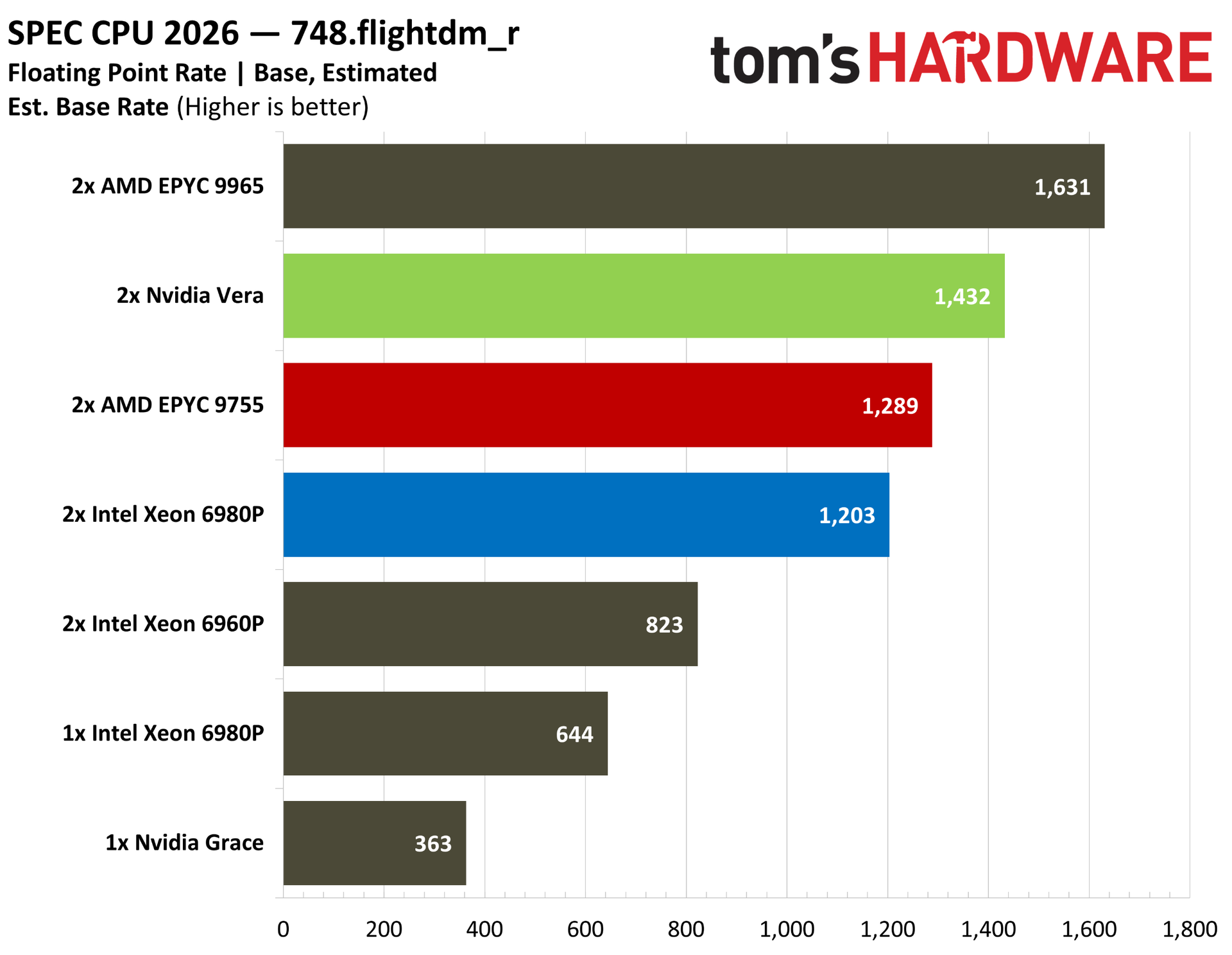
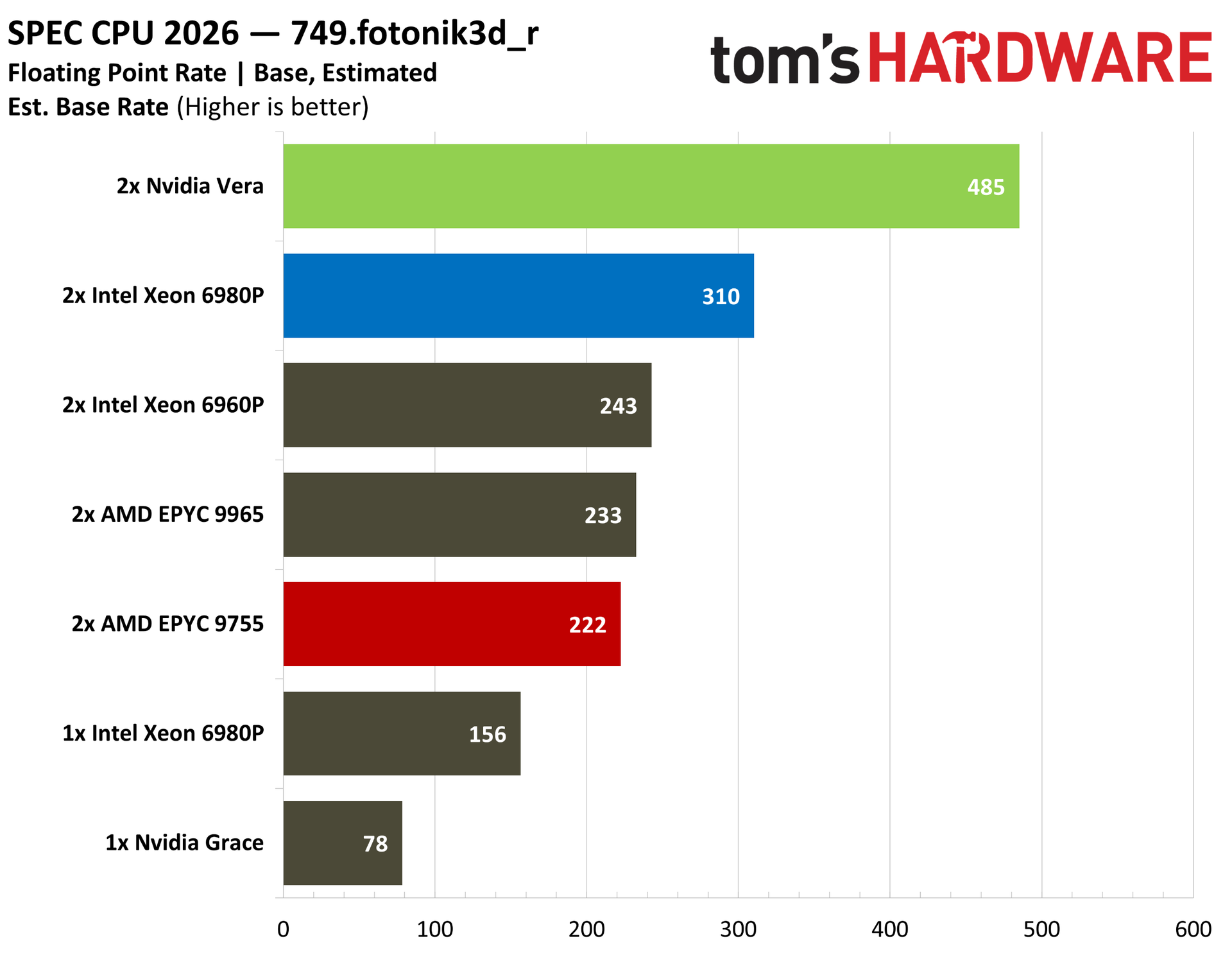
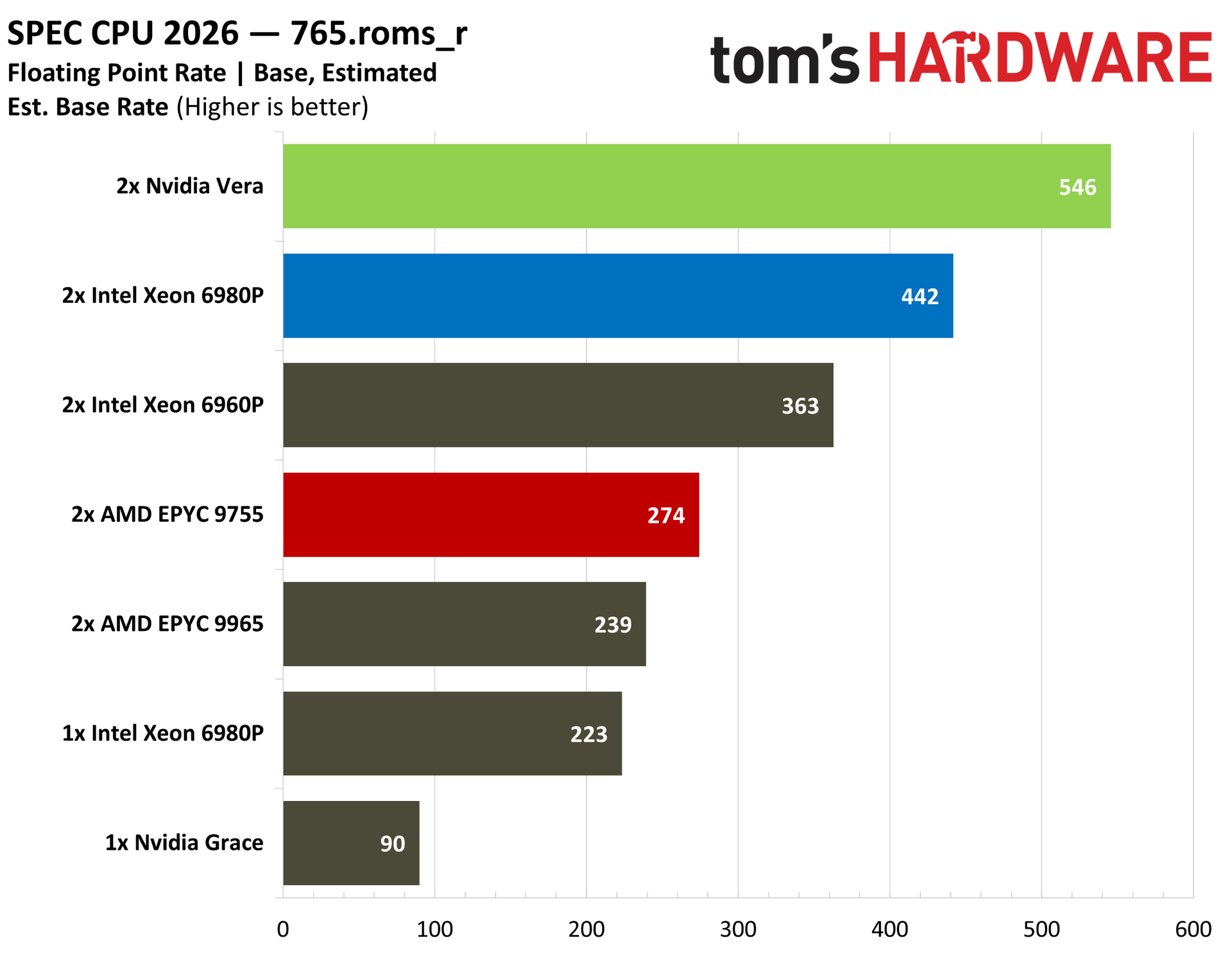
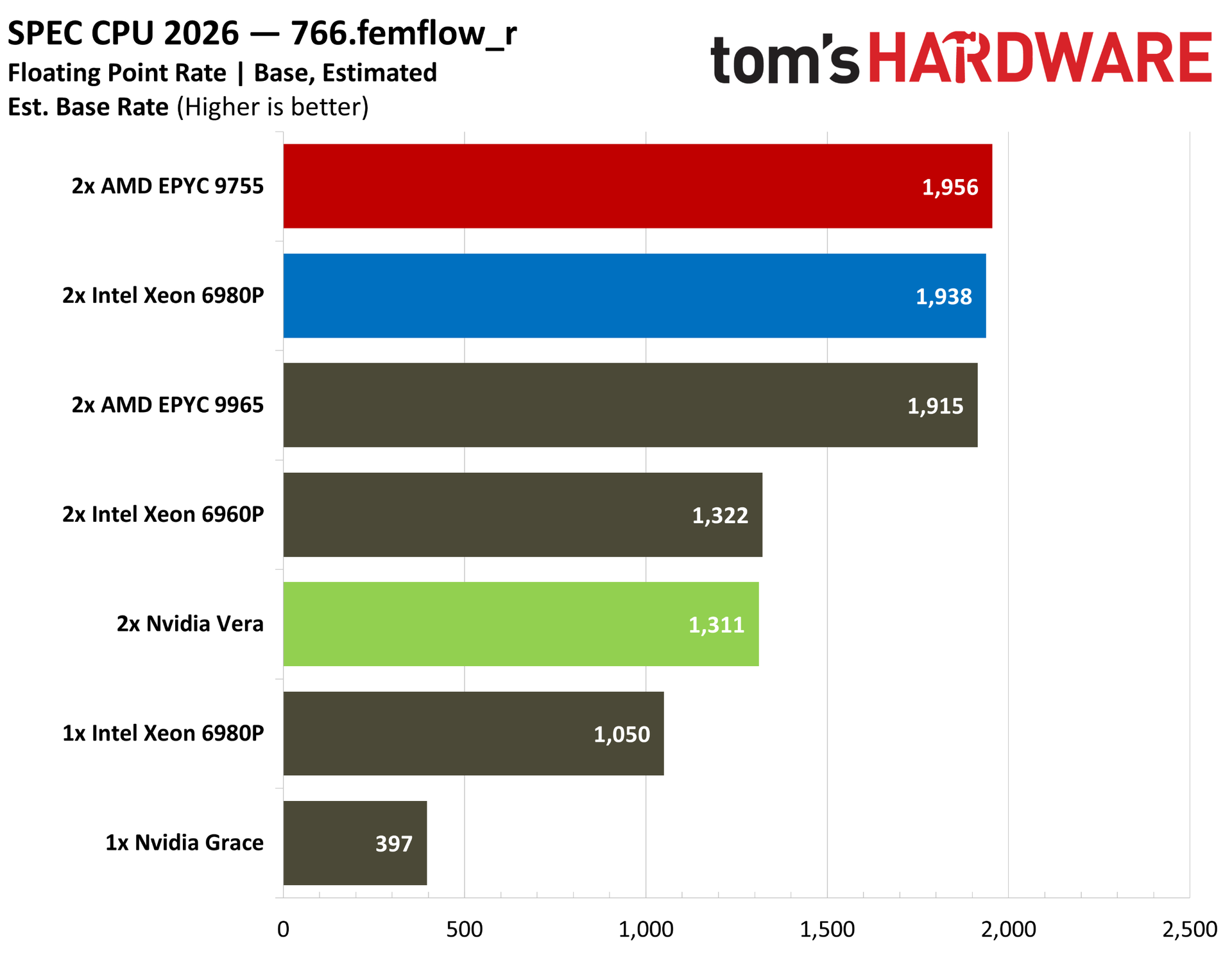
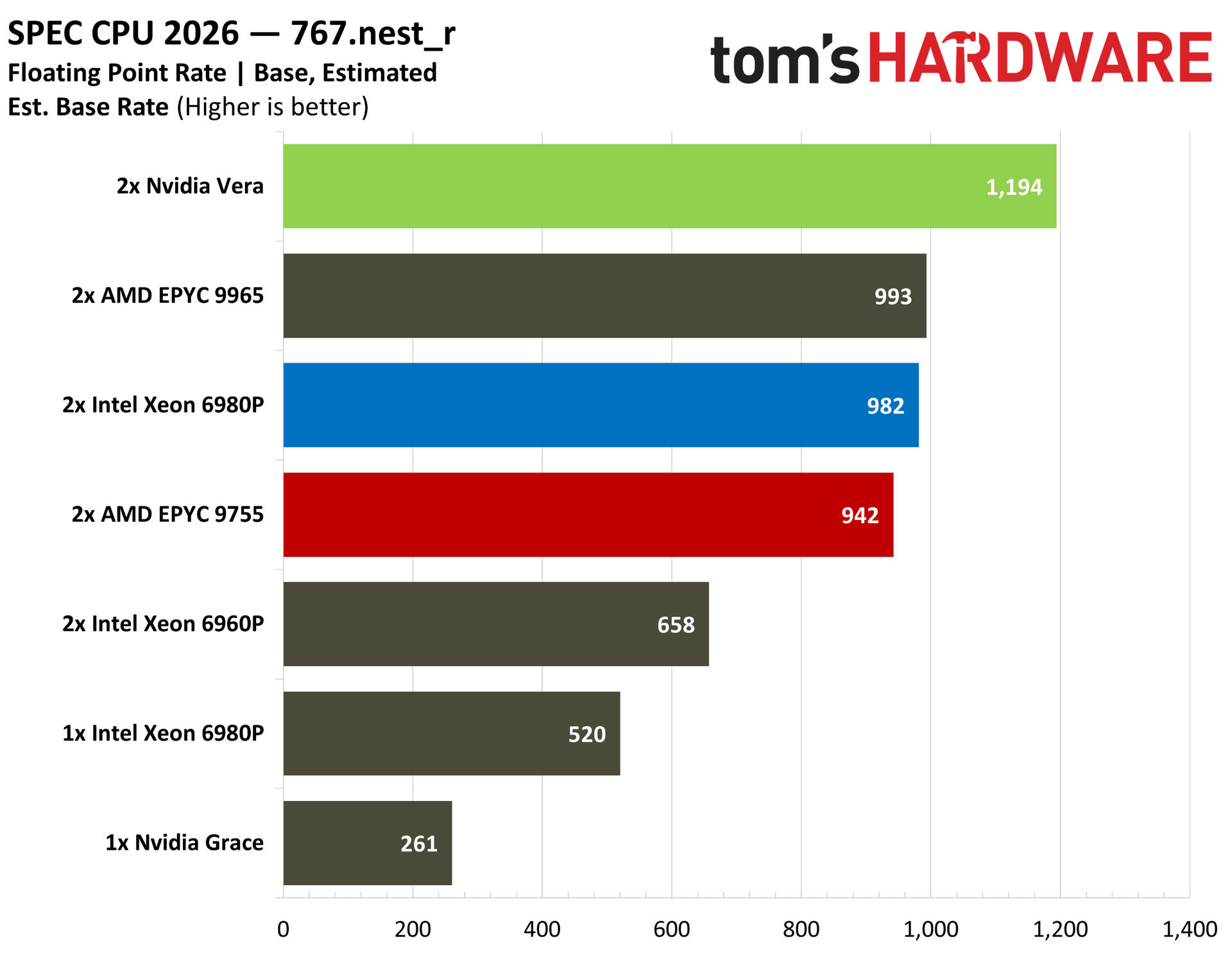
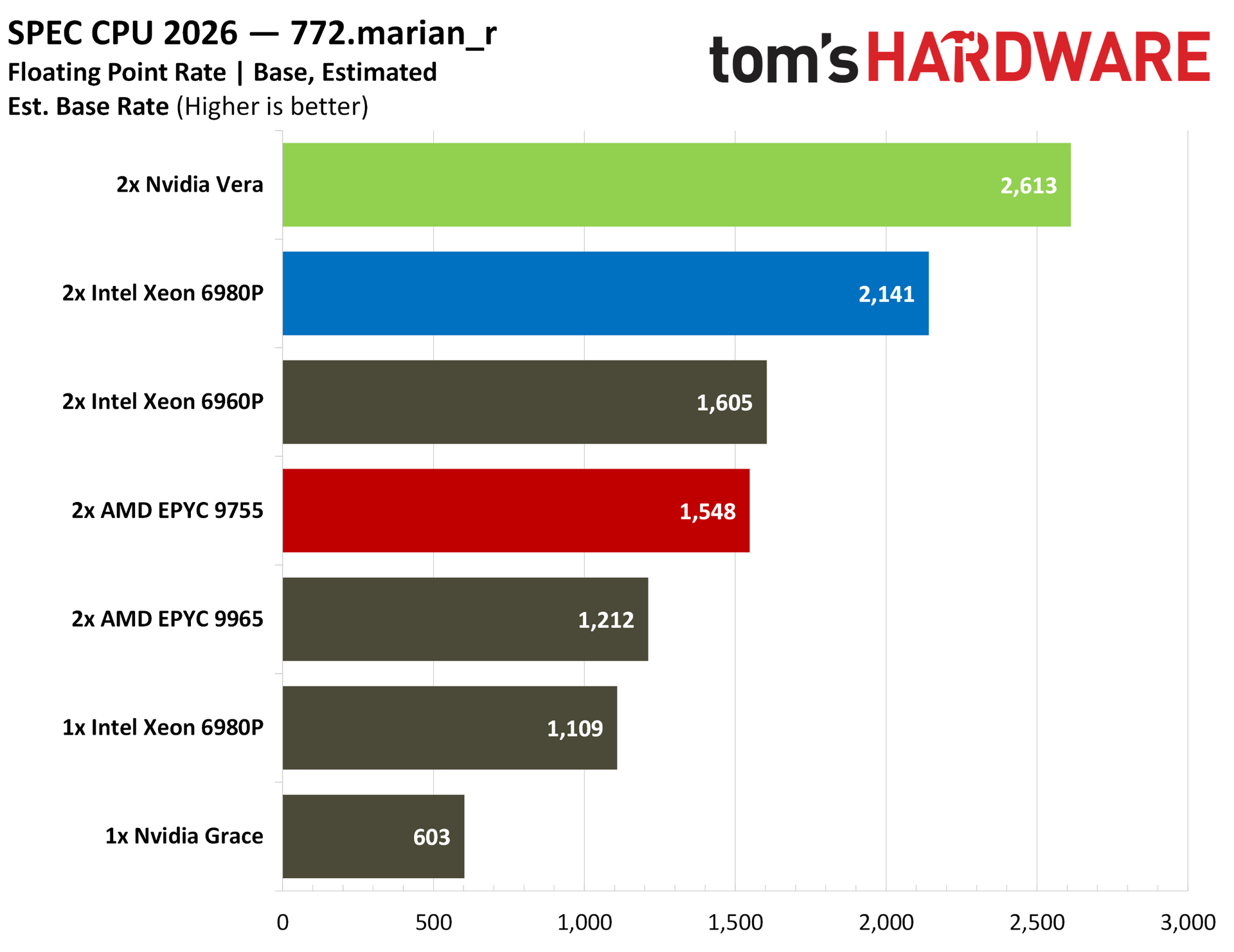
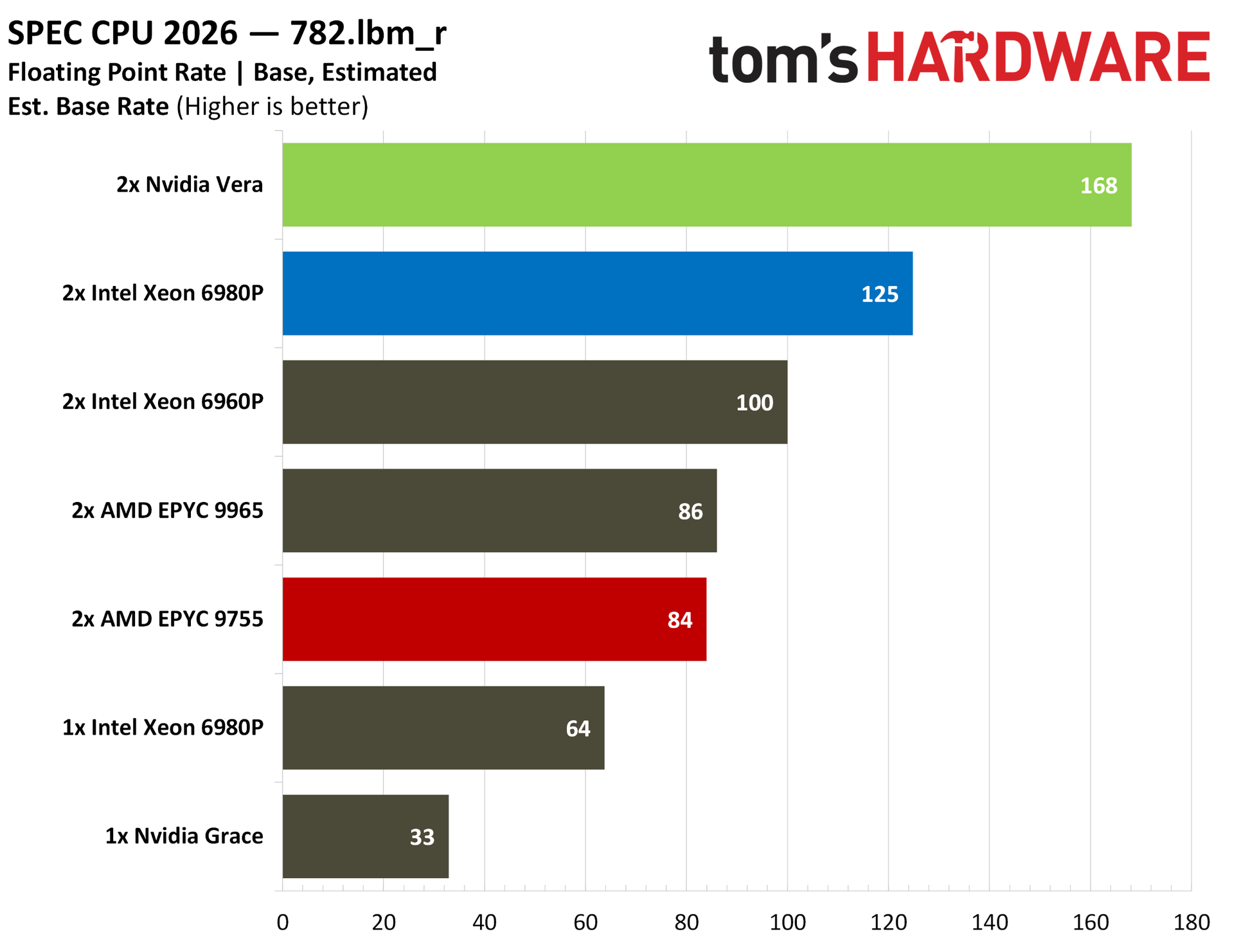
We were curious about float performance on Vera given that Nvidia led with the standard intrate suite in its initial benchmarks. Vera tops the charts here on the back of some particularly strong showings in some of the tests. Our estimated PALM numbers, for instance, show off Vera’s second-generation Scalable Coherency Fabric (SCF), while ROMS pushes on memory bandwidth. This strong memory performance shows up in Marian and LBM, as well. There are a couple of misses, notably FemFlow and CACTUS, but the overall performance picture is clear.
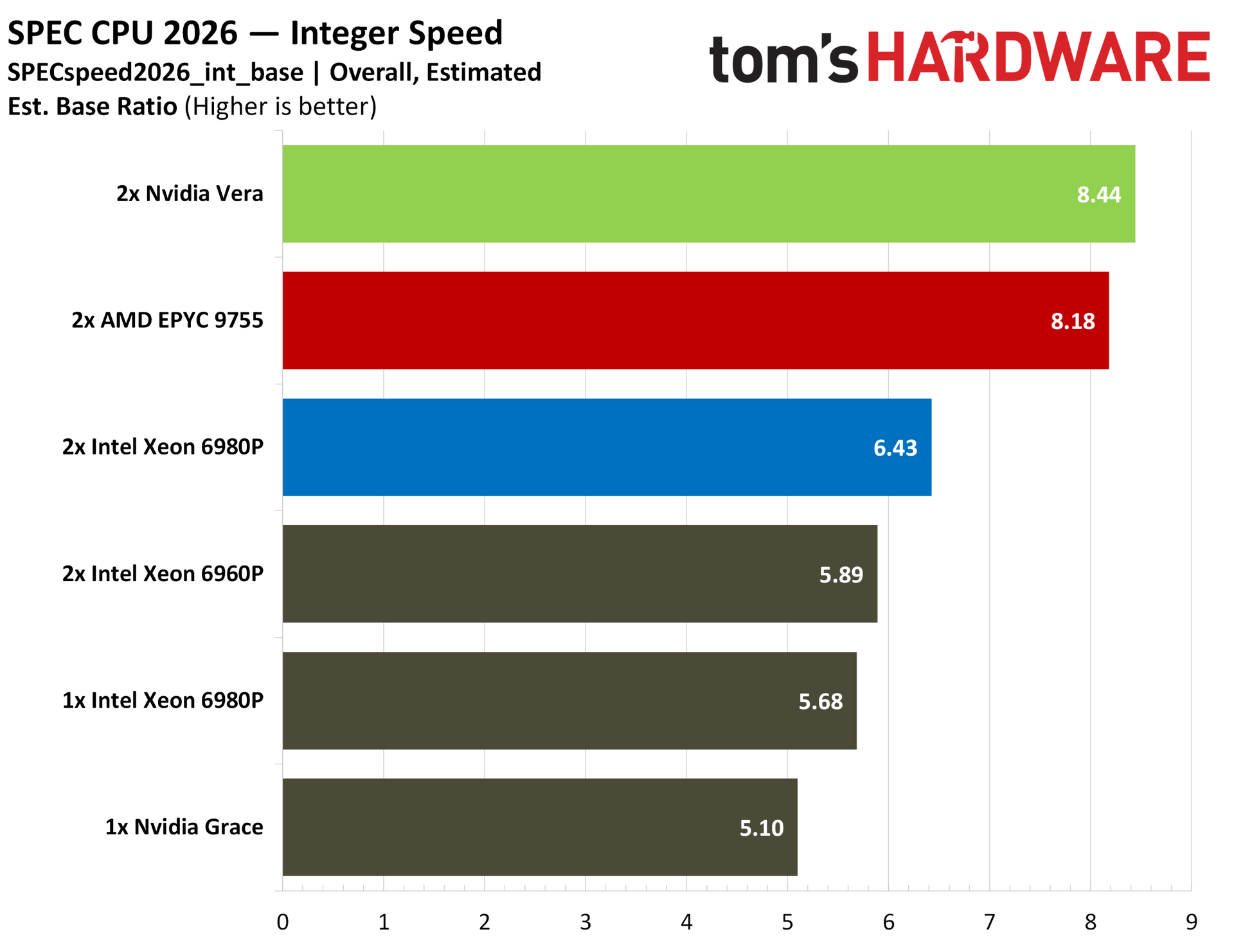
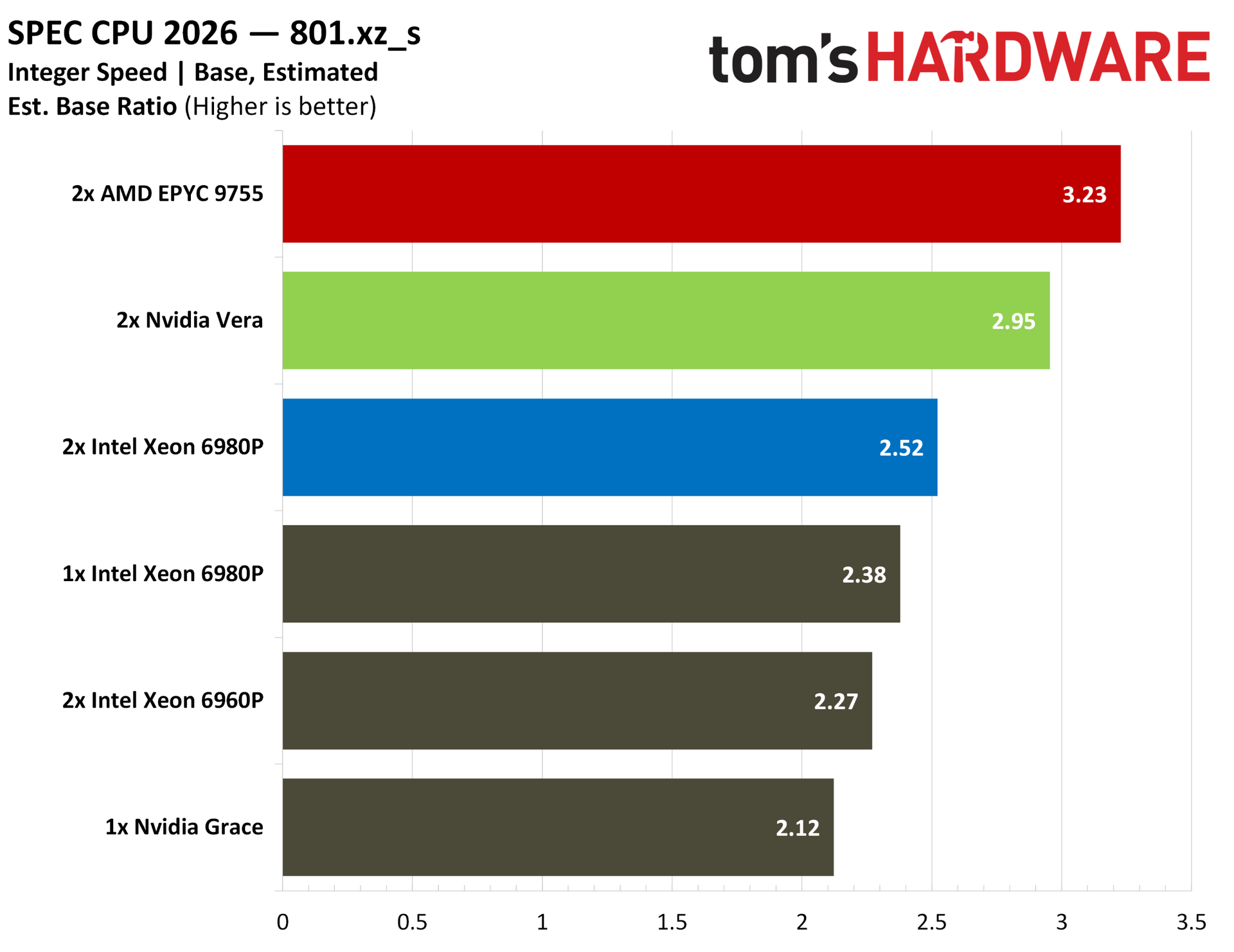
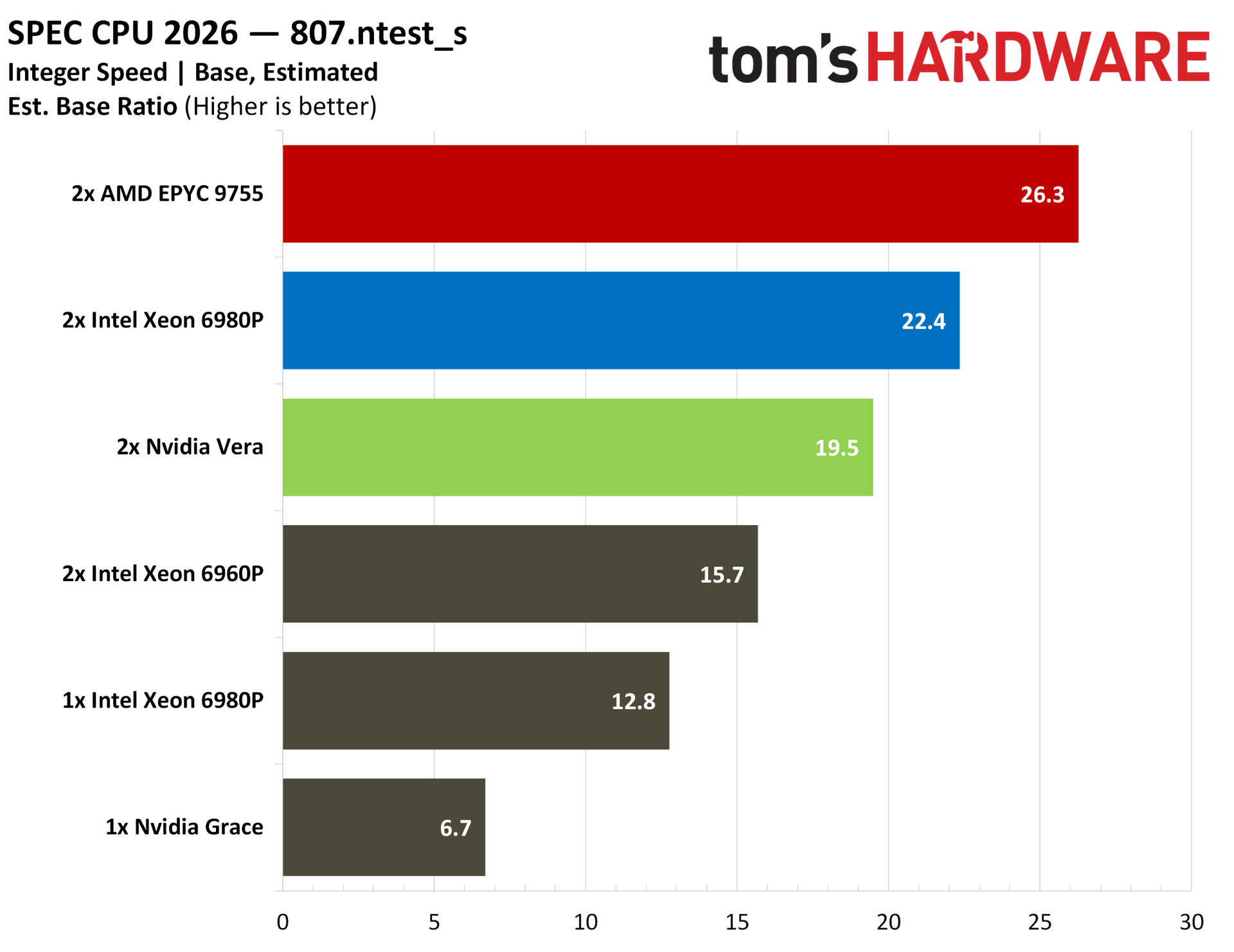
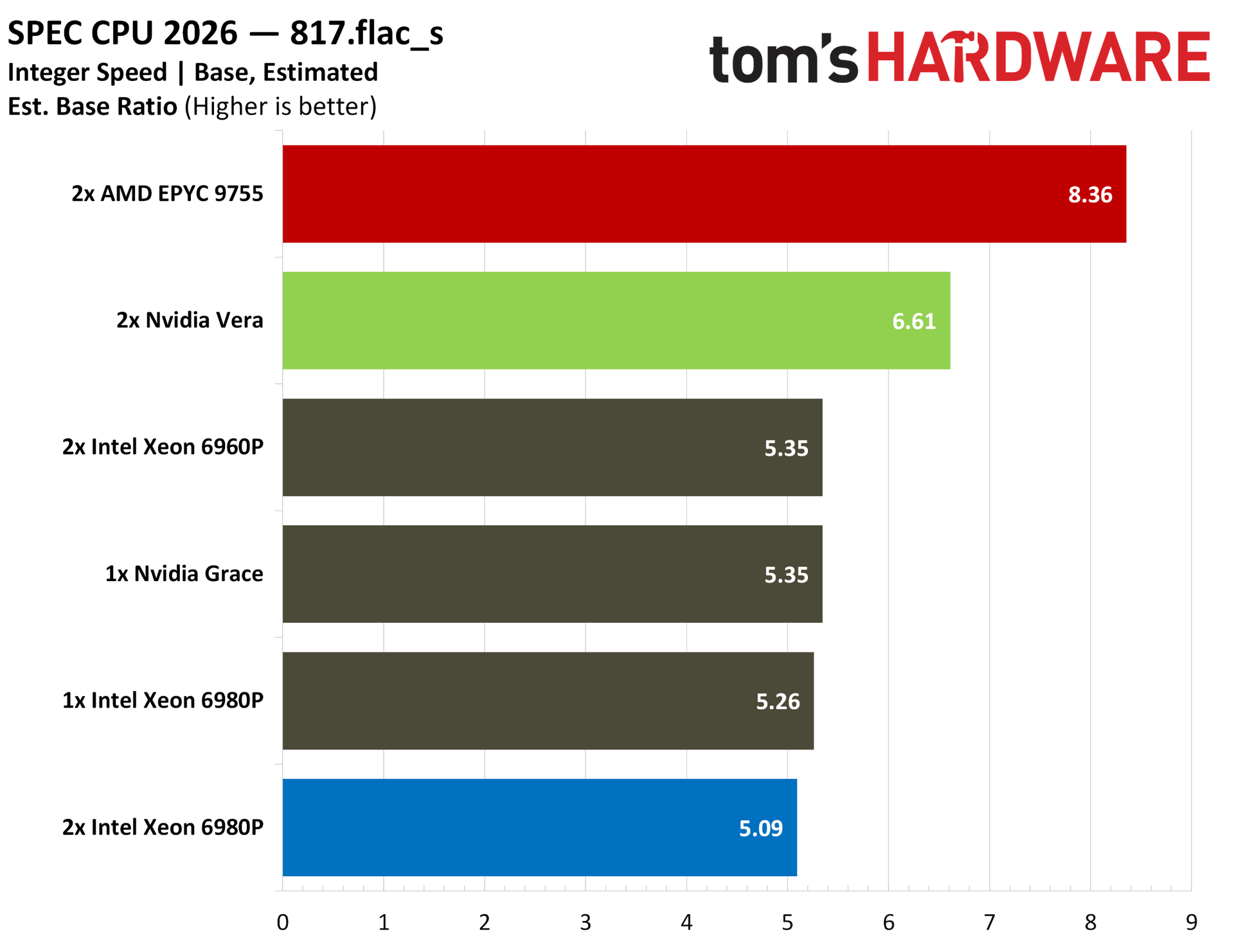
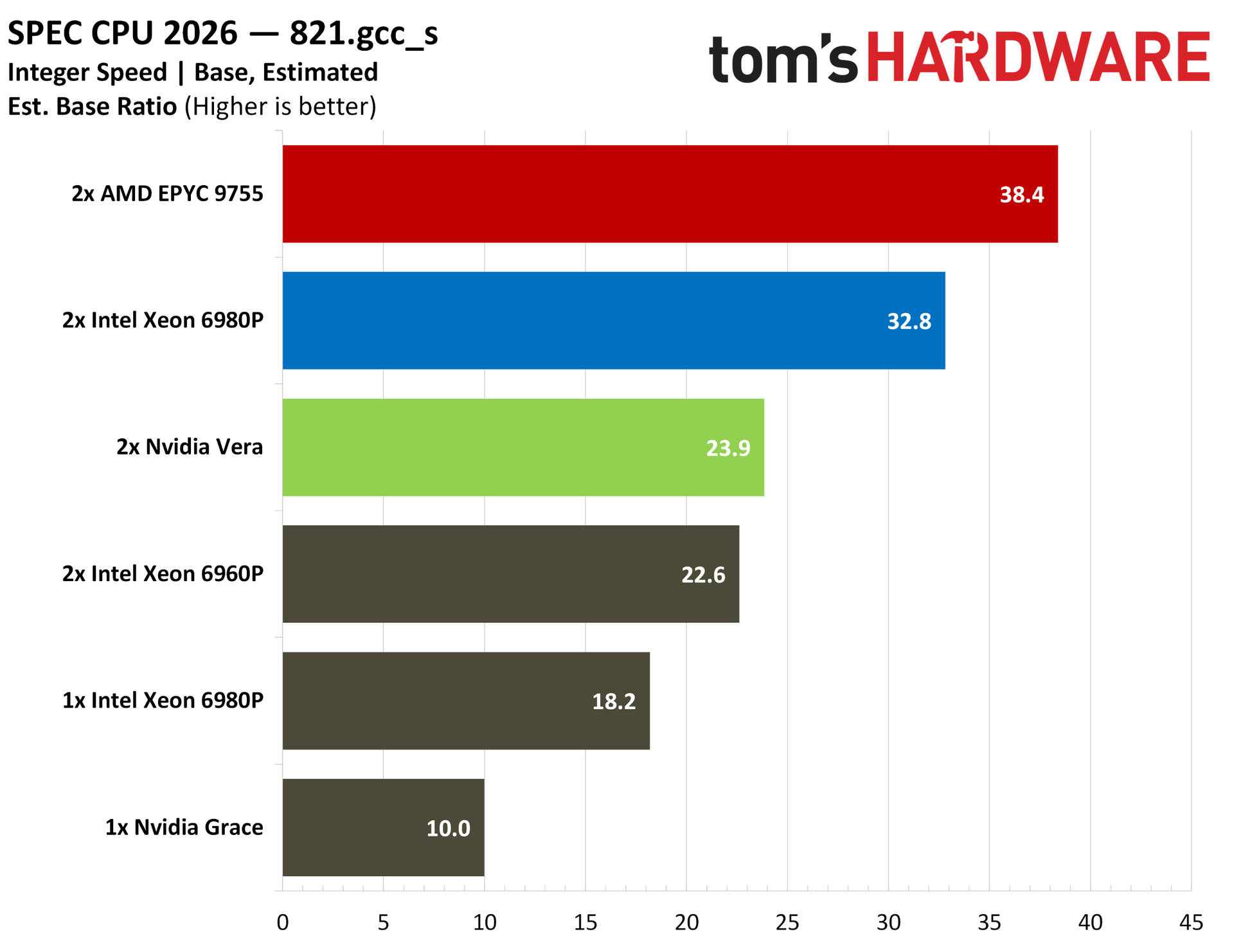
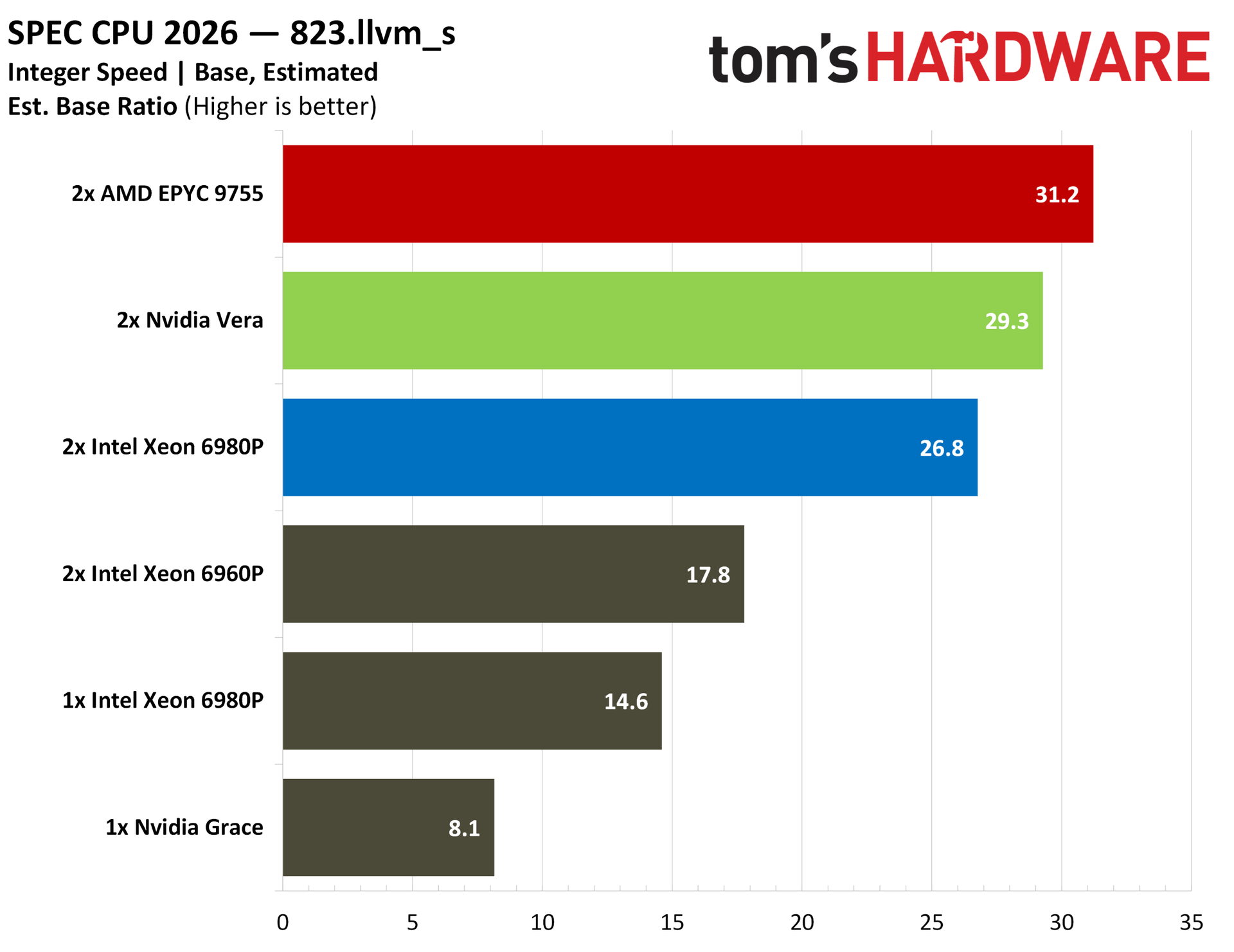
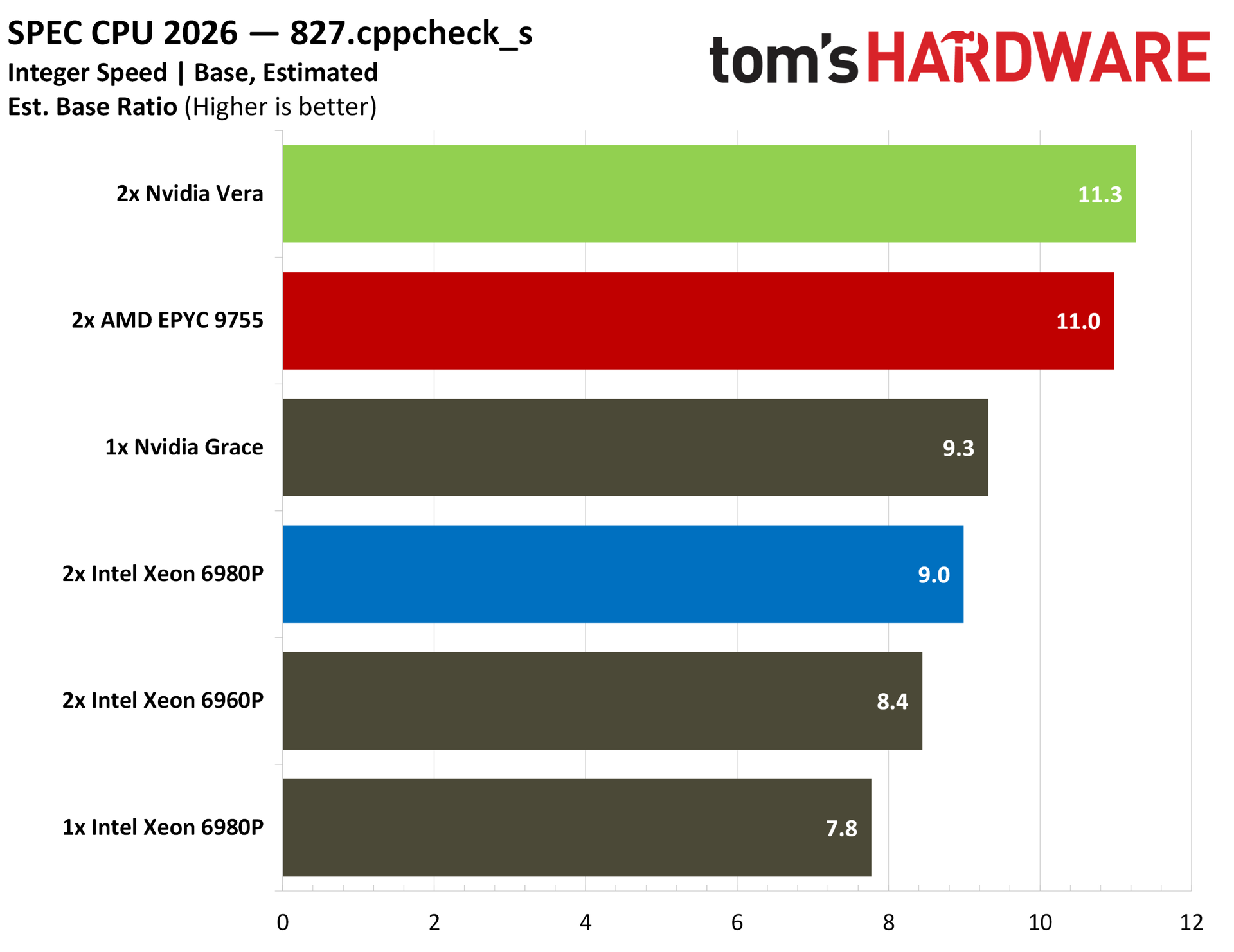
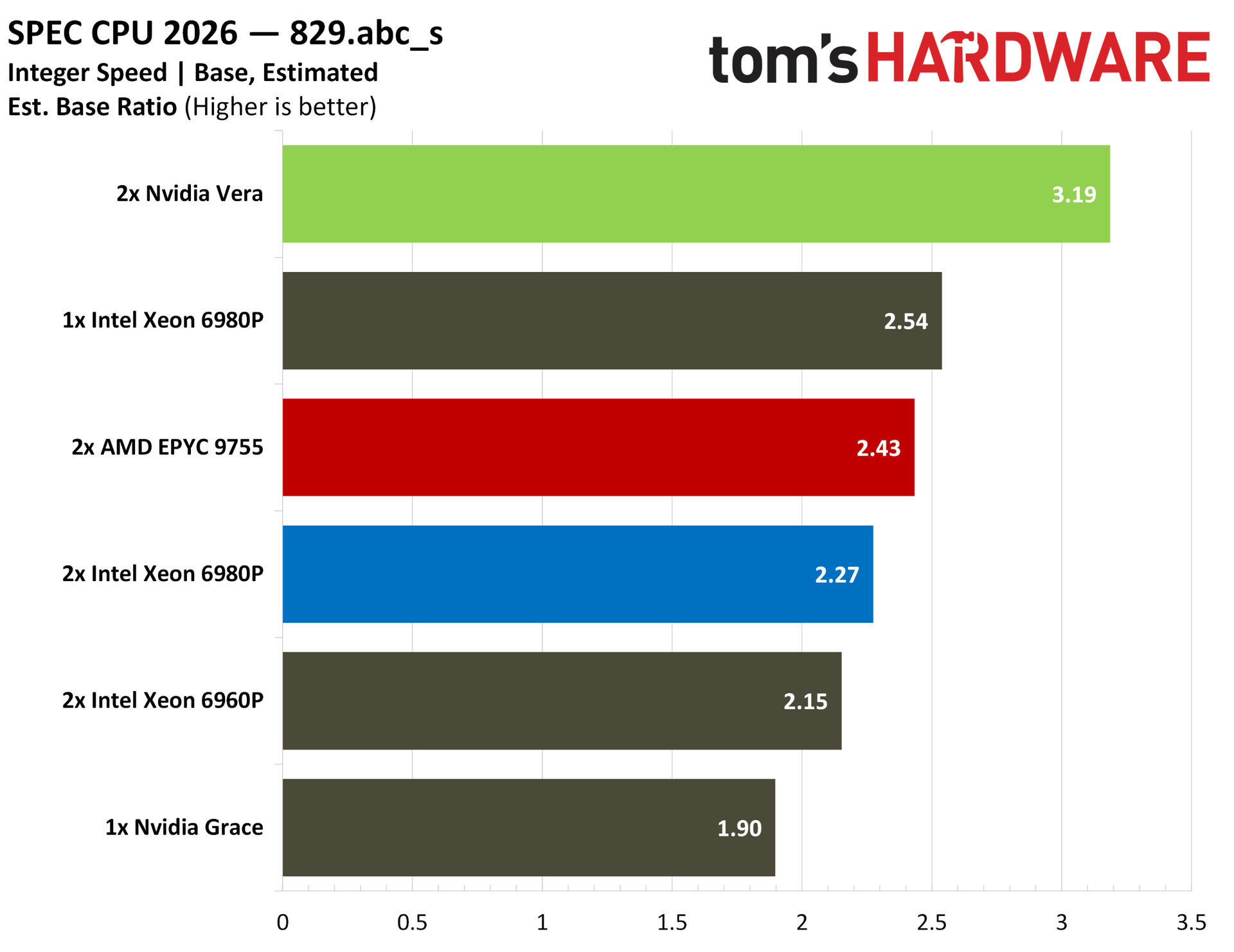
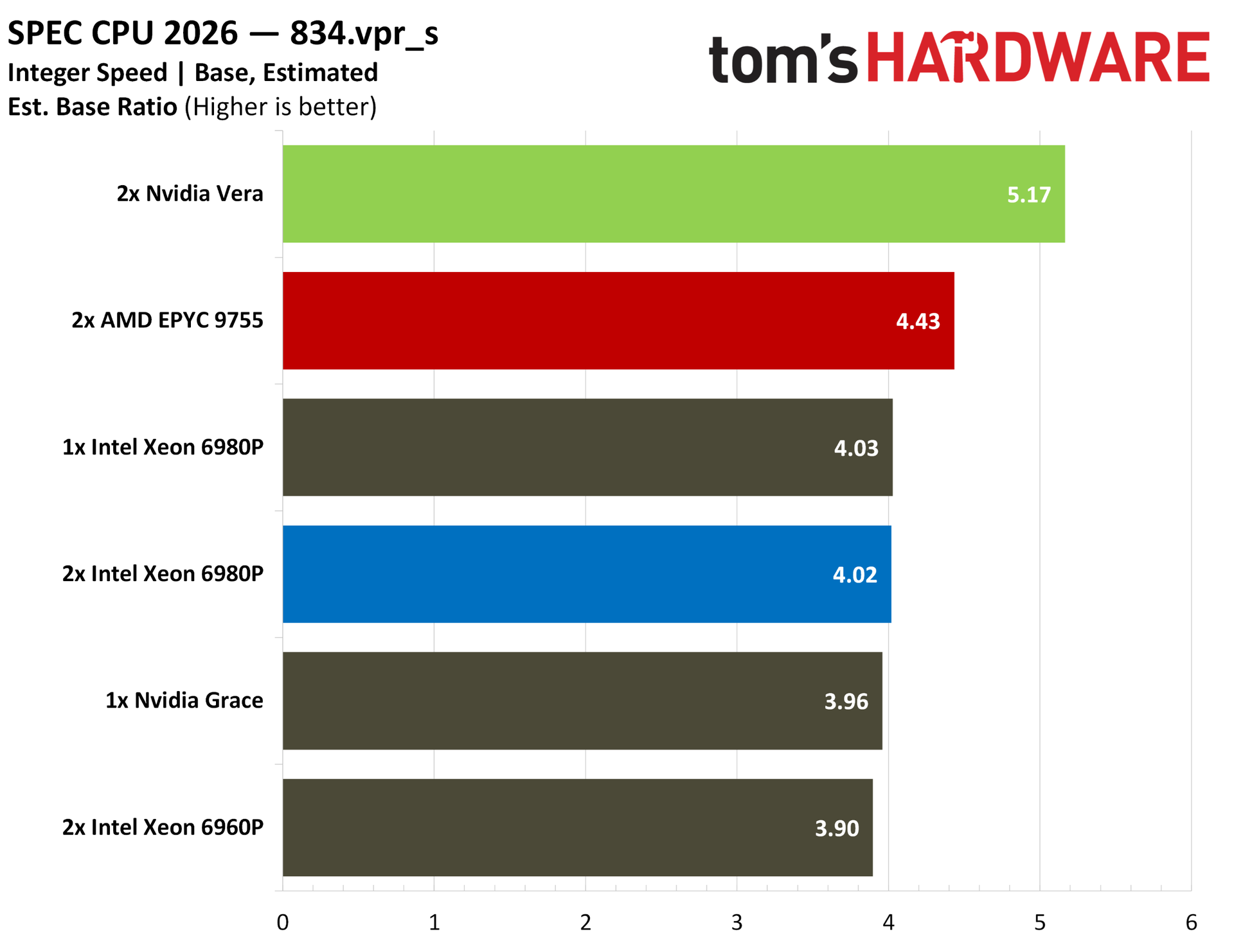
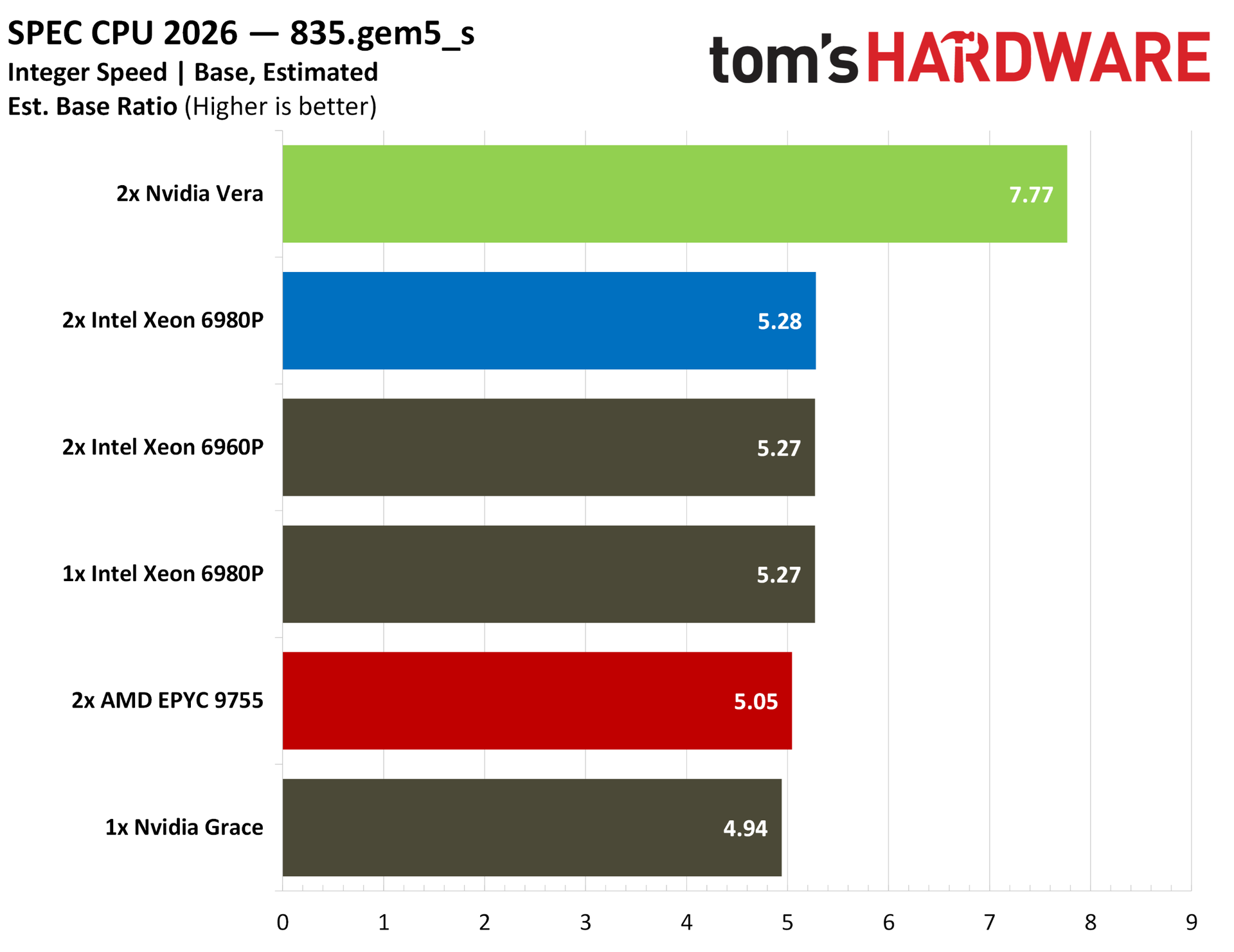
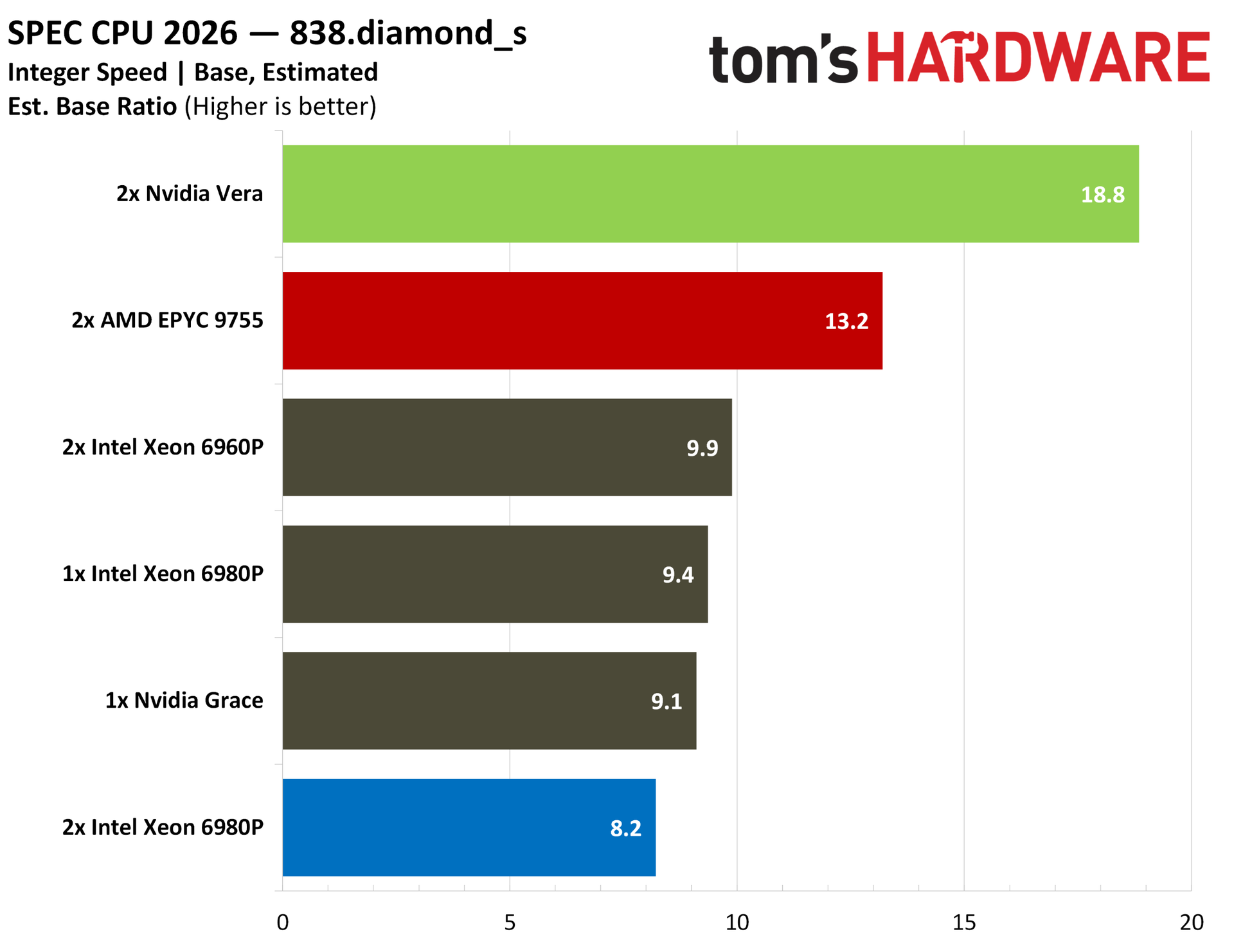
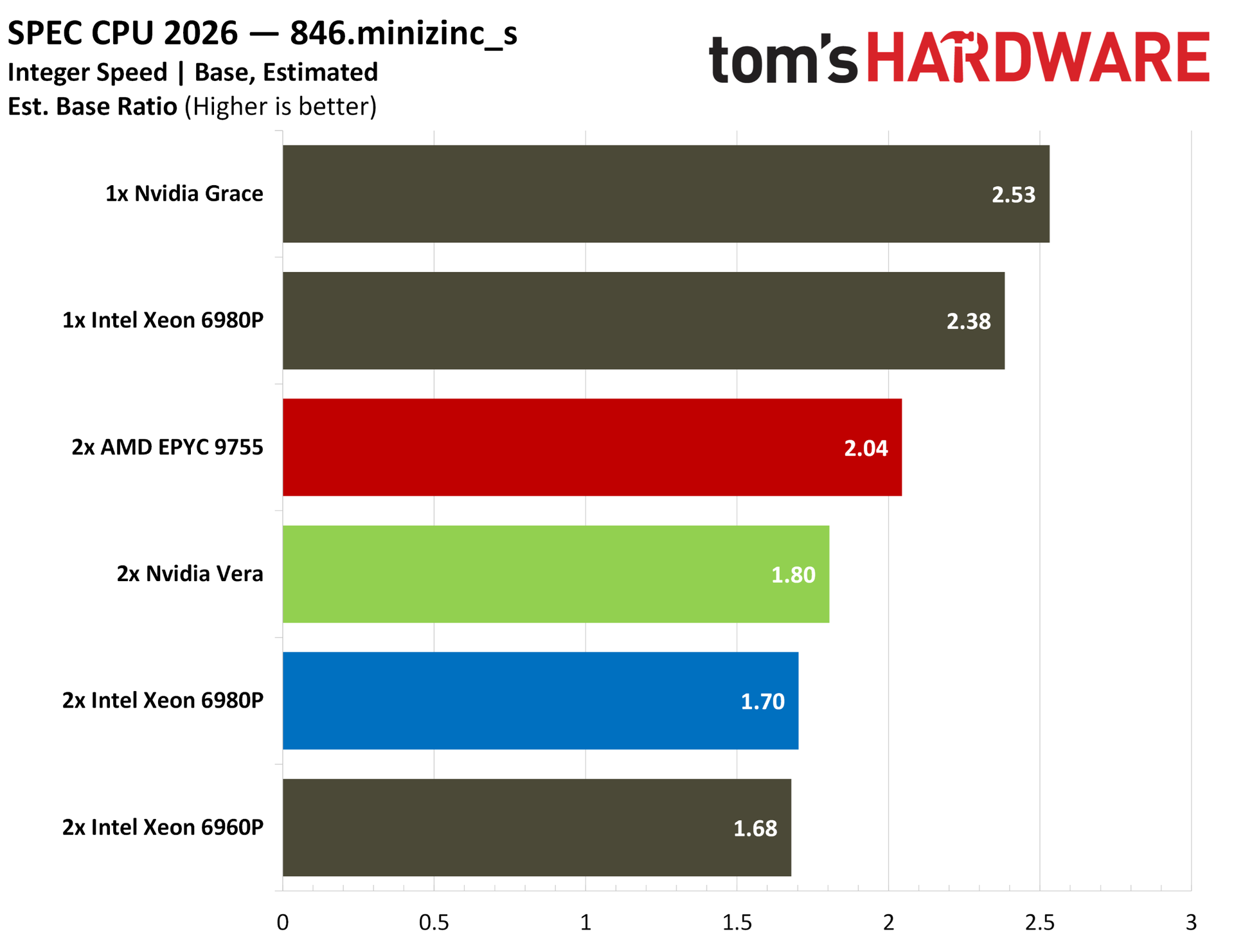
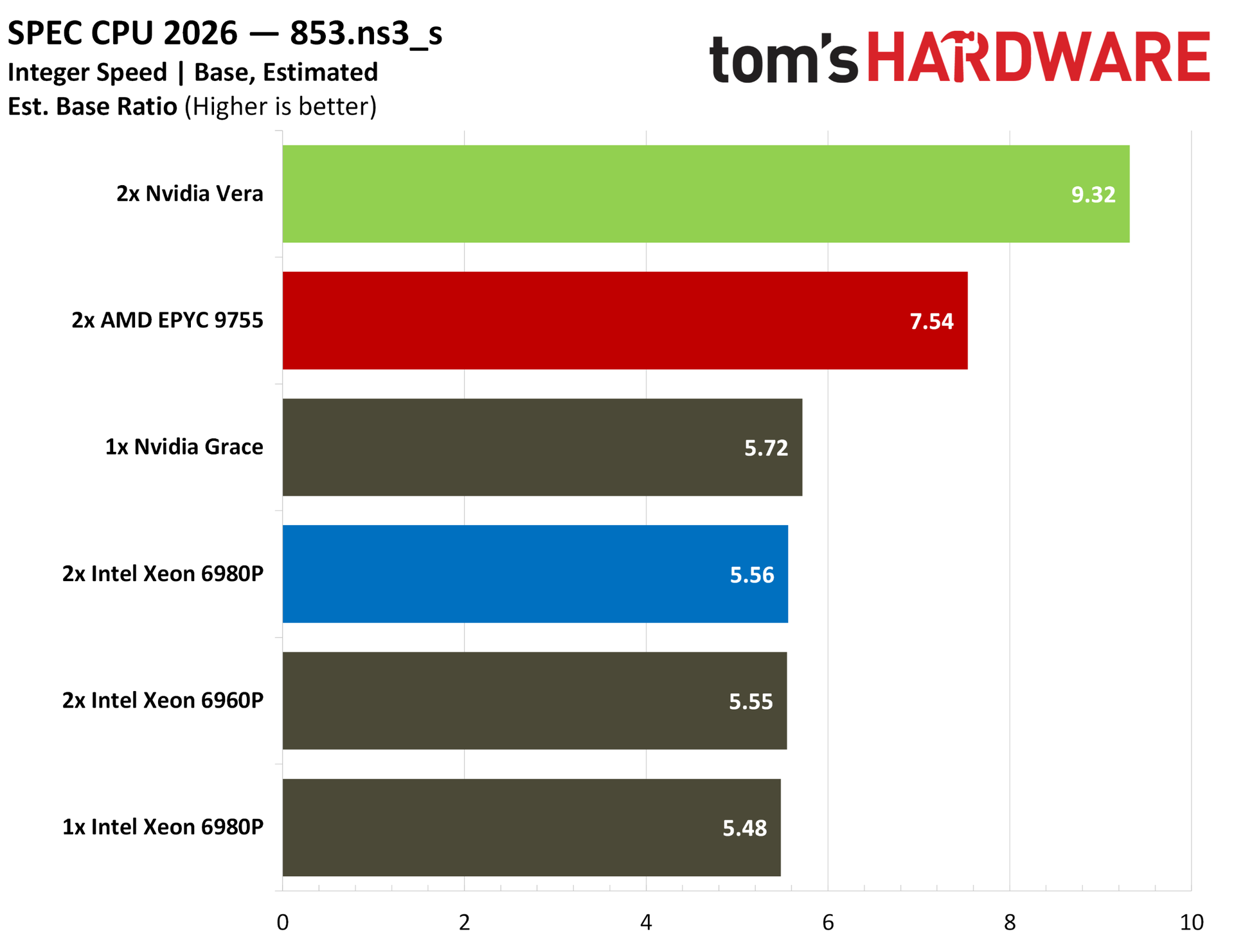
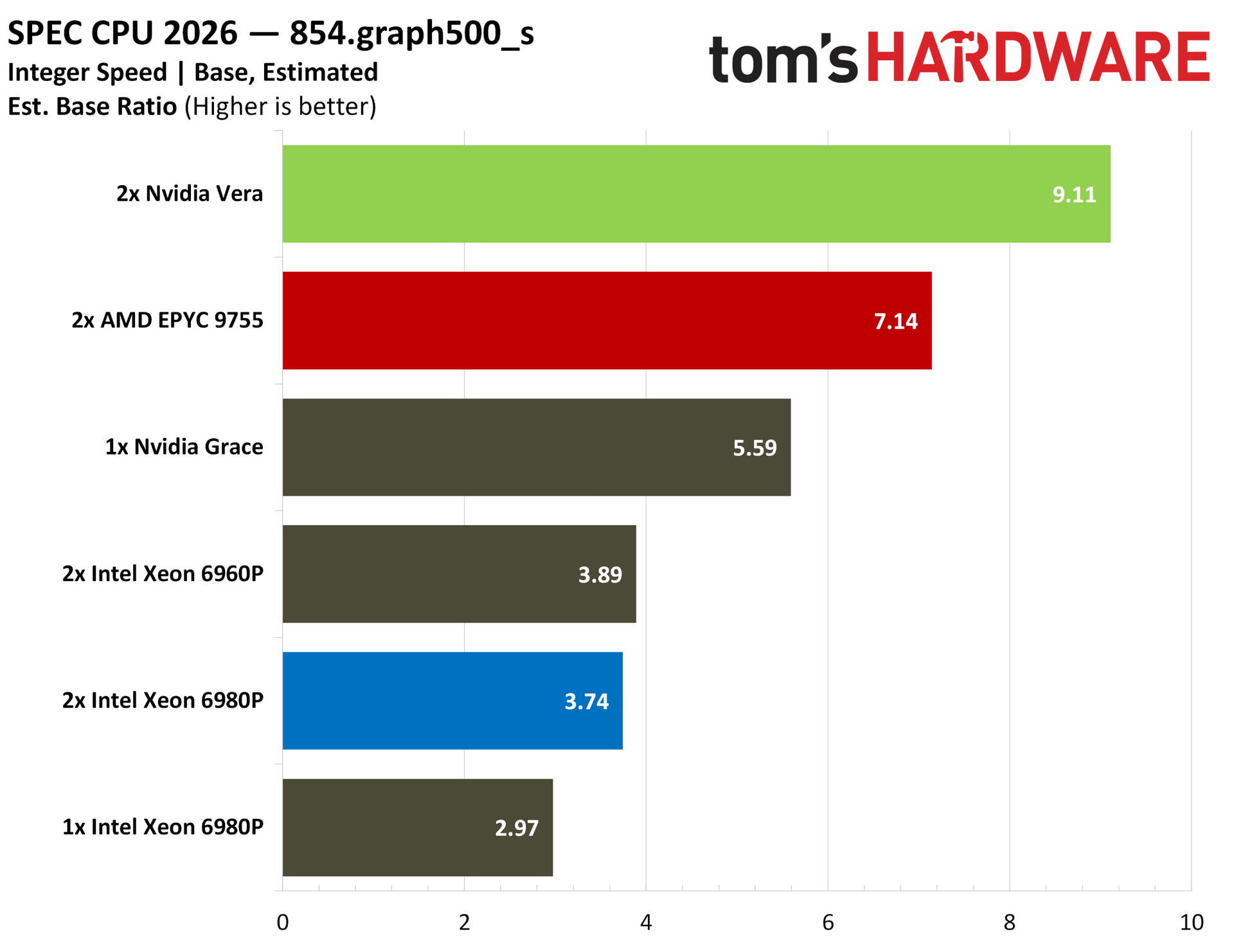
The throughput benchmarks are what matter here for chips in this class, but we also ran SPEC CPU 2026’s intspeed suite for some estimated results, scaling up to use every thread available. No one is realistically running a single application on servers utilizing every thread available like this, but the numbers are there to browse if you’re interested.
Nvidia Vera Python and AI benchmarks
If there’s any direct benchmark for agentic AI right now, it’s Python performance. There isn’t one universal language for AI agents, but Python (and, to a lesser extent, TypeScript) make up the foundational agentic frameworks like LangGraph, CrewAI, and AutoGen. A strong agentic CPU right now is defined in part by strong Python performance, and Vera has exactly that.
(Image credit: Tom's Hardware)
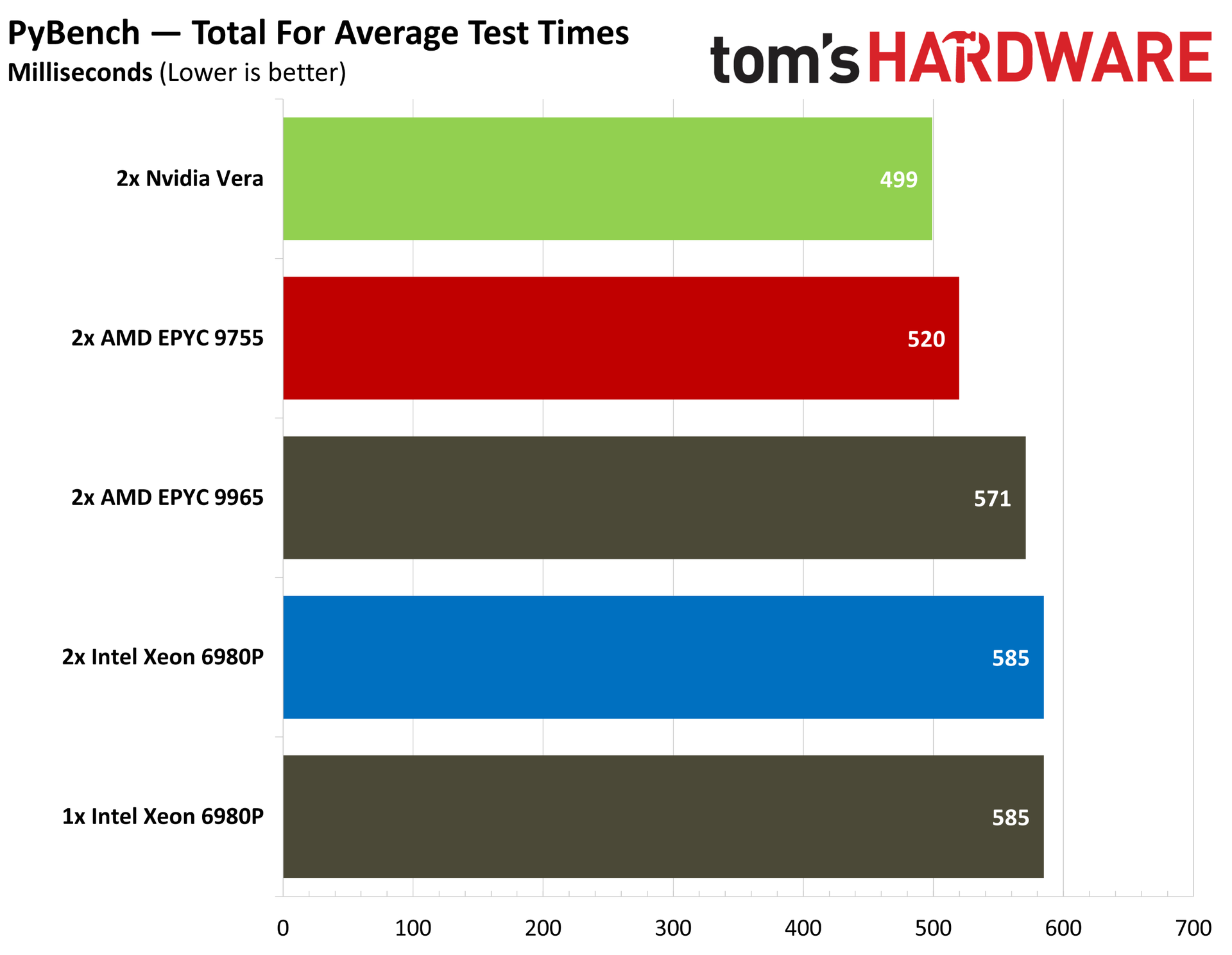
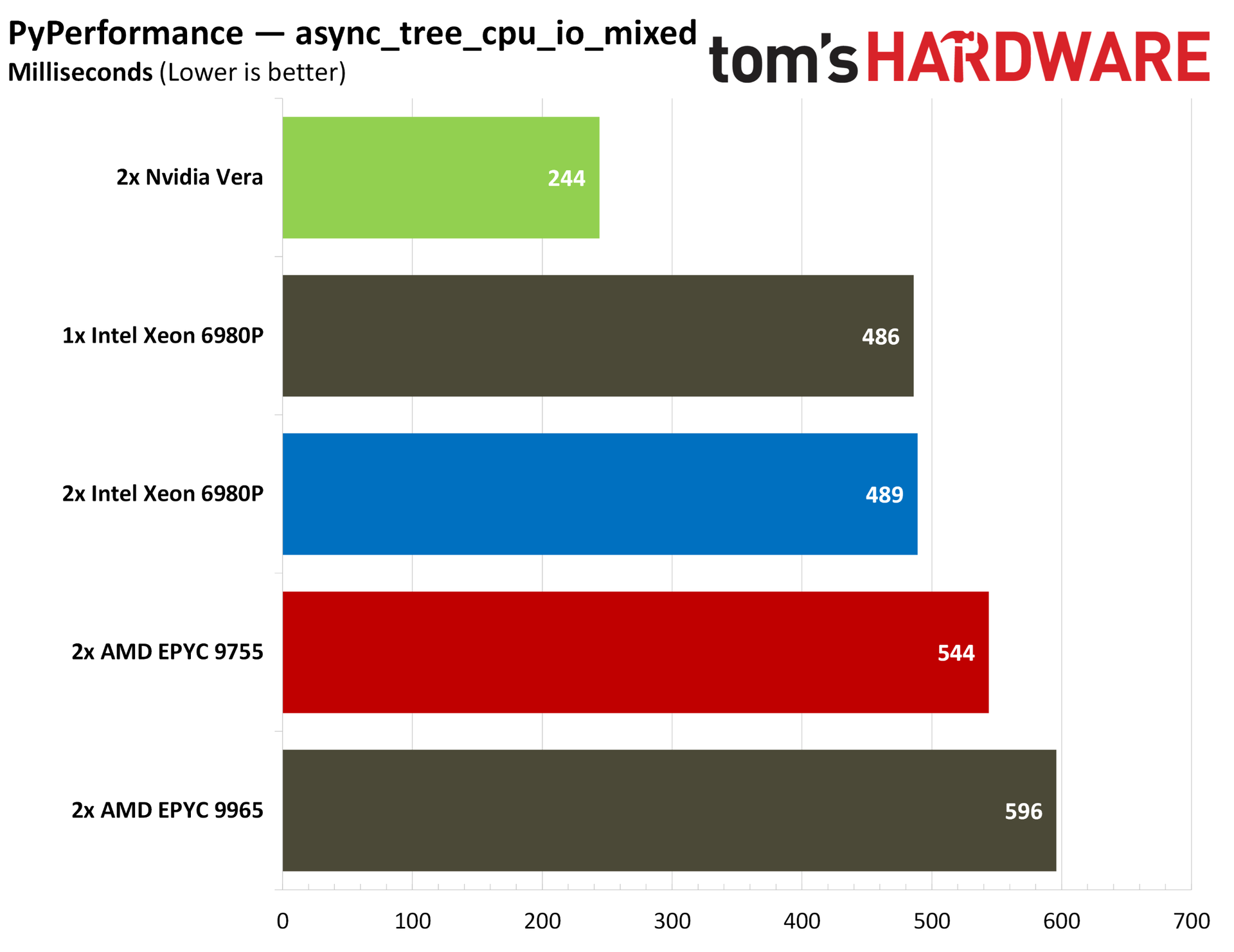
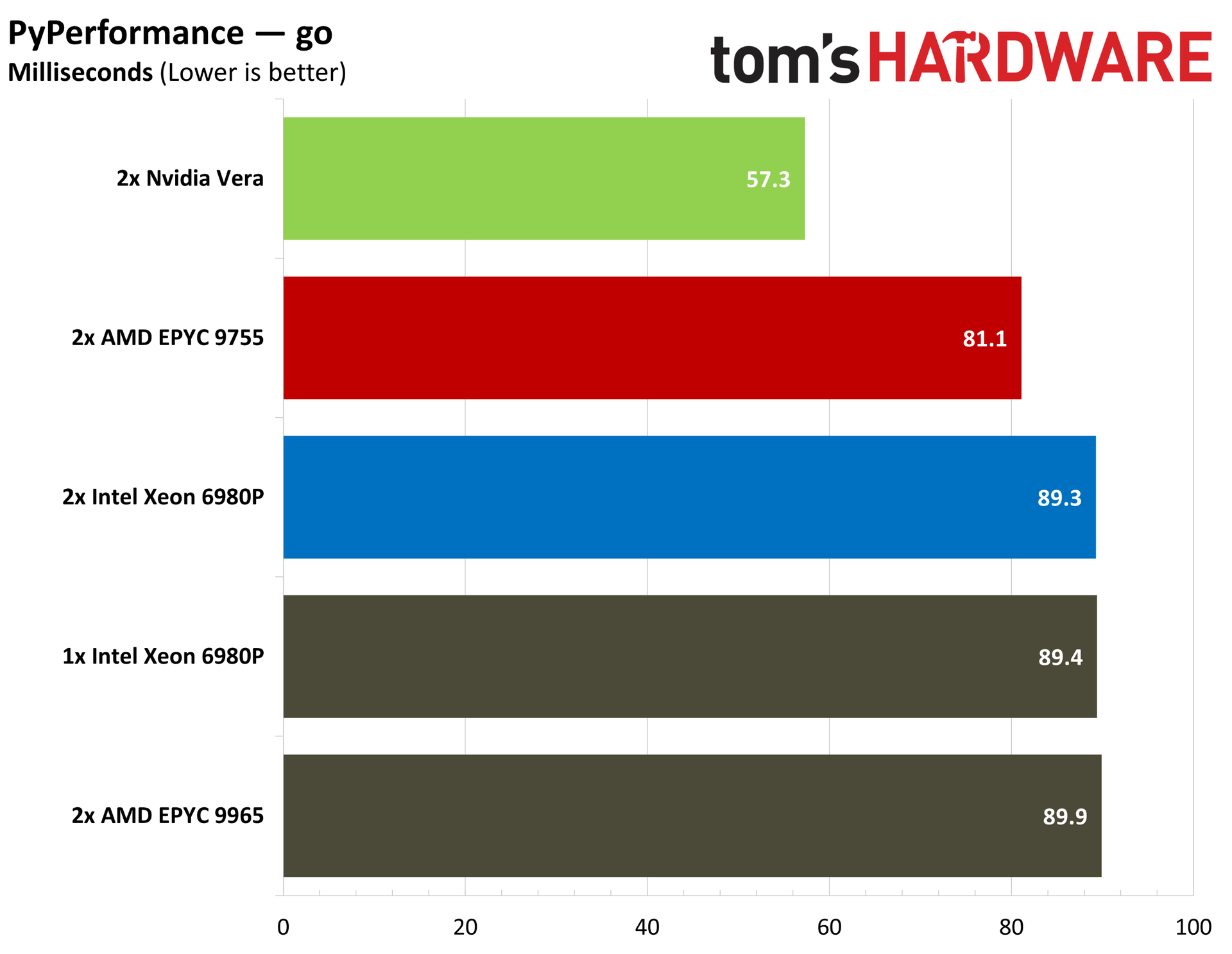
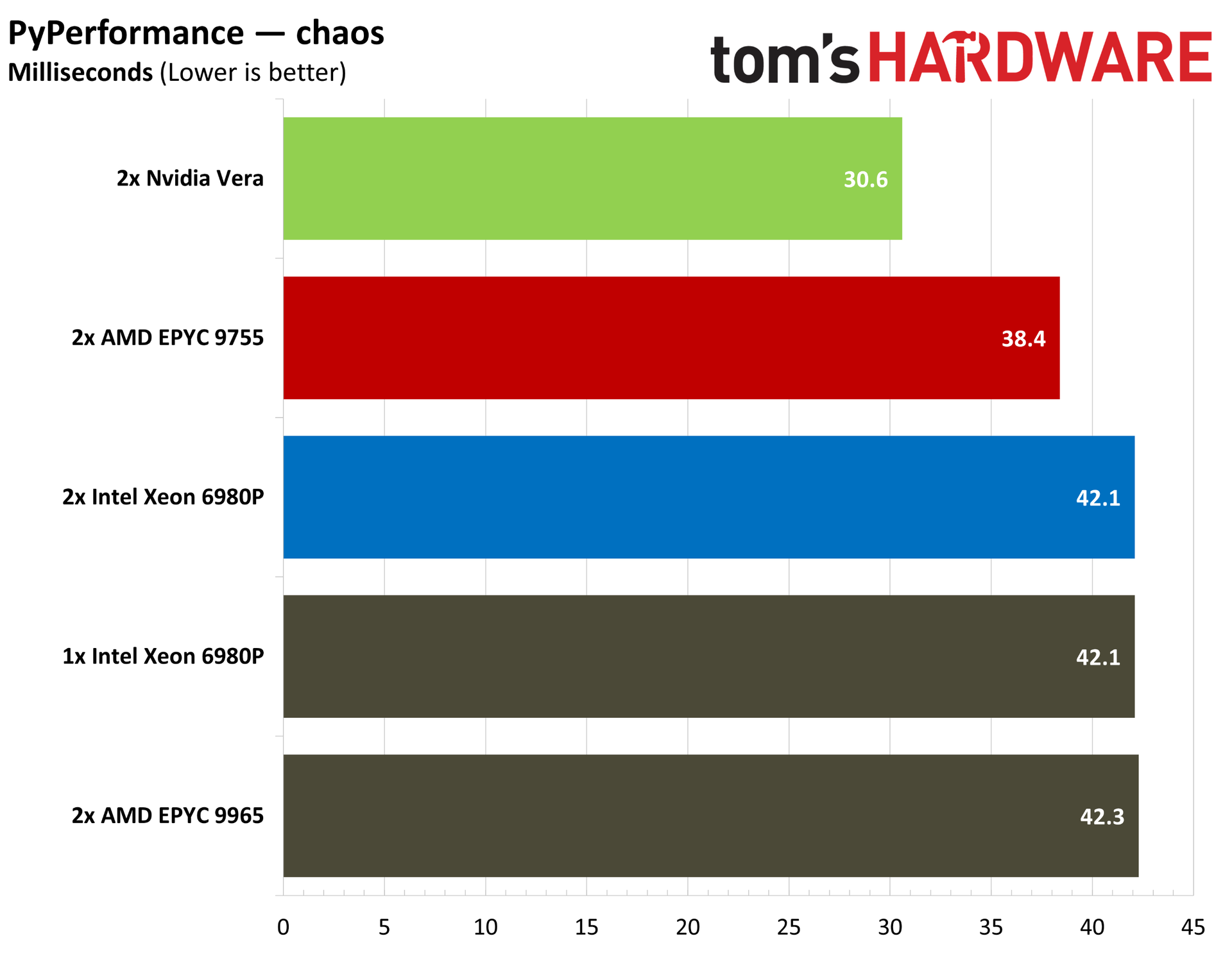
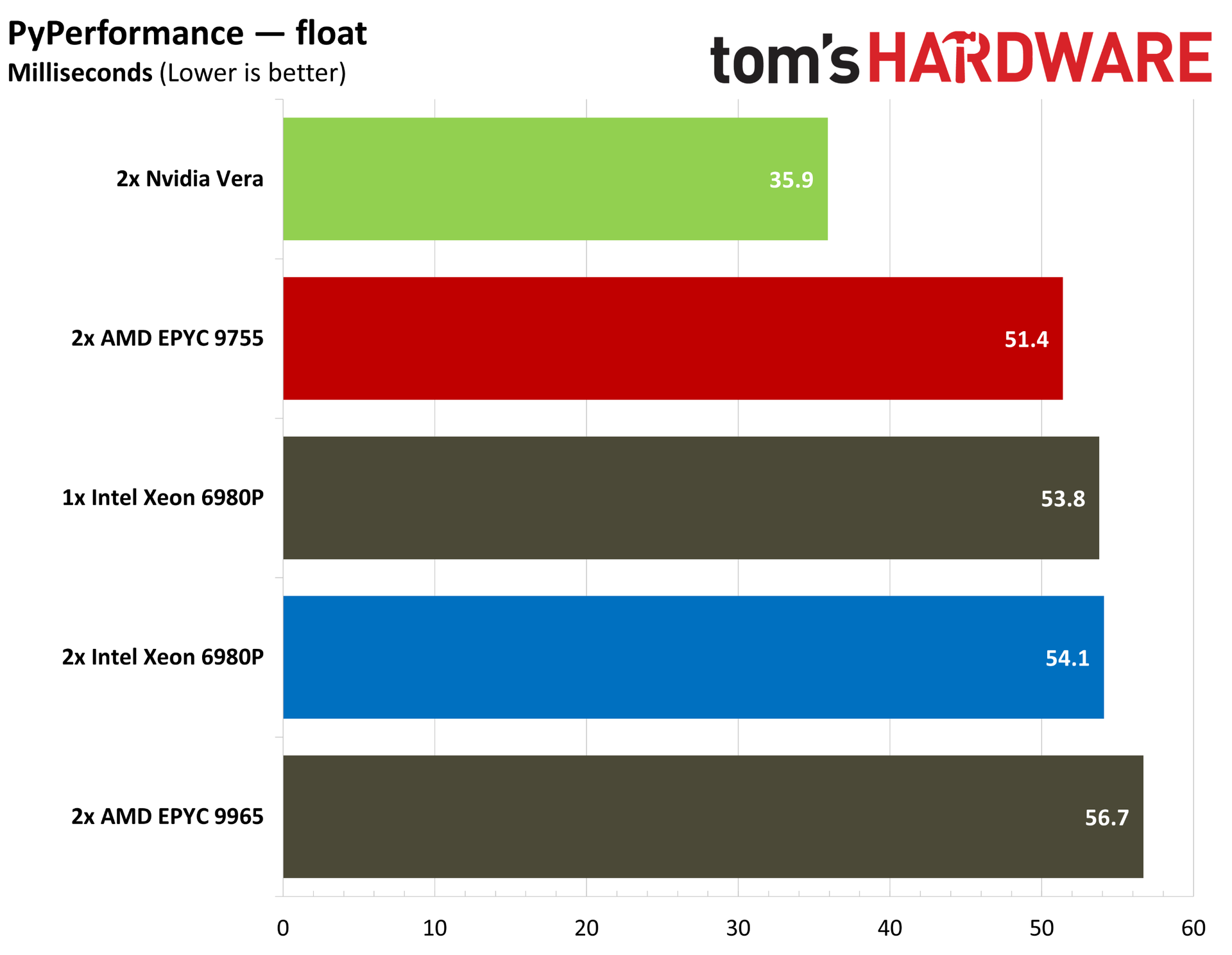
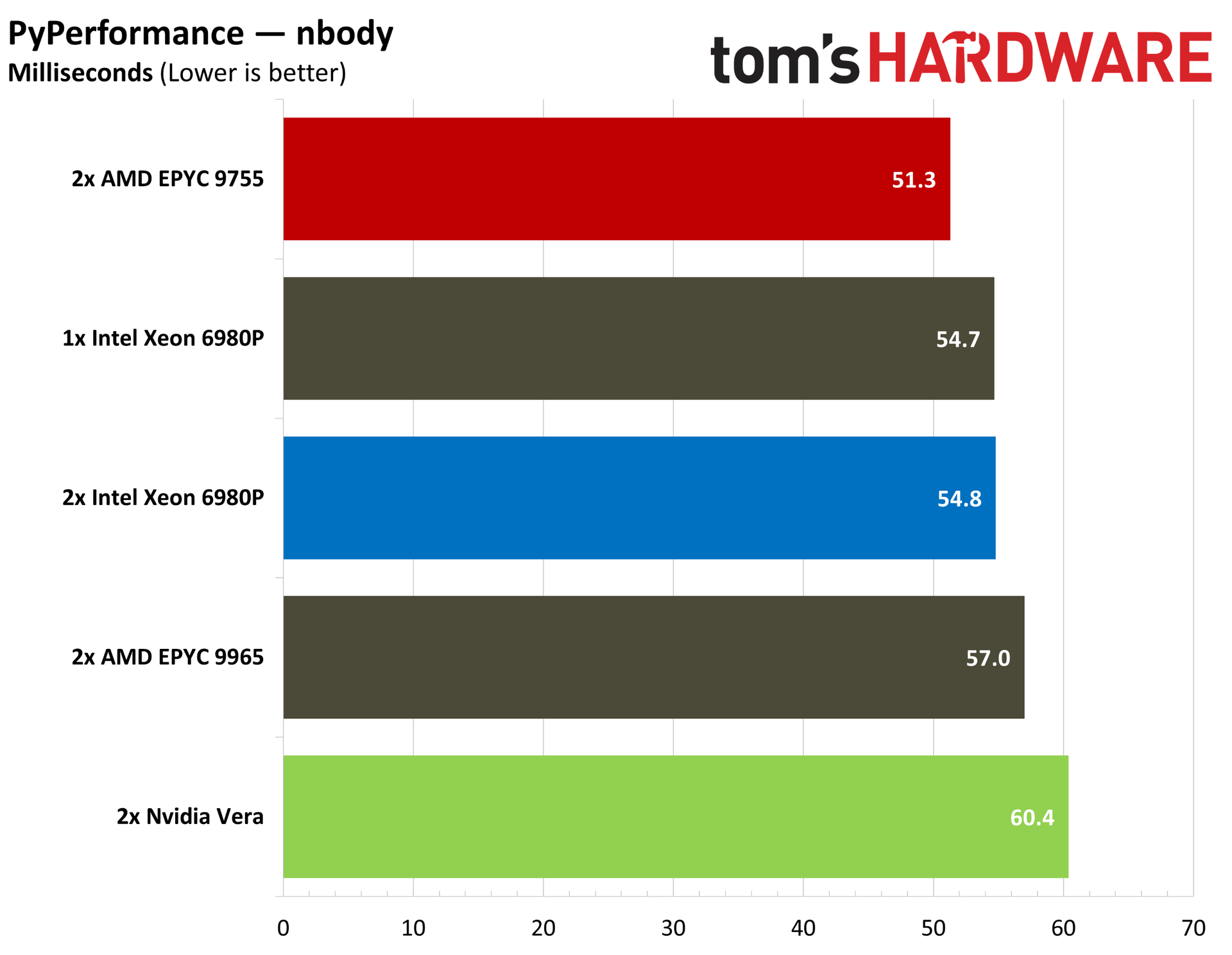
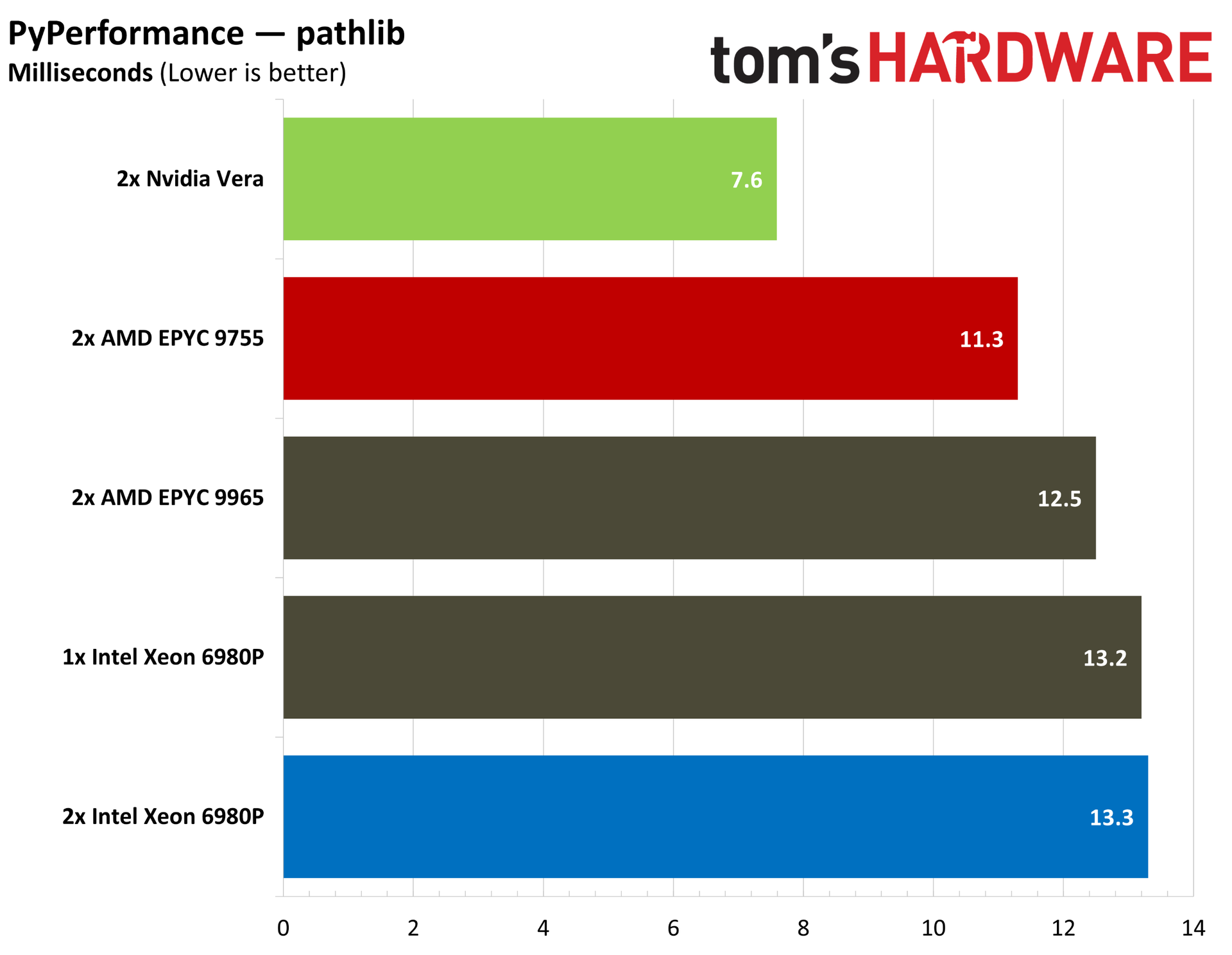
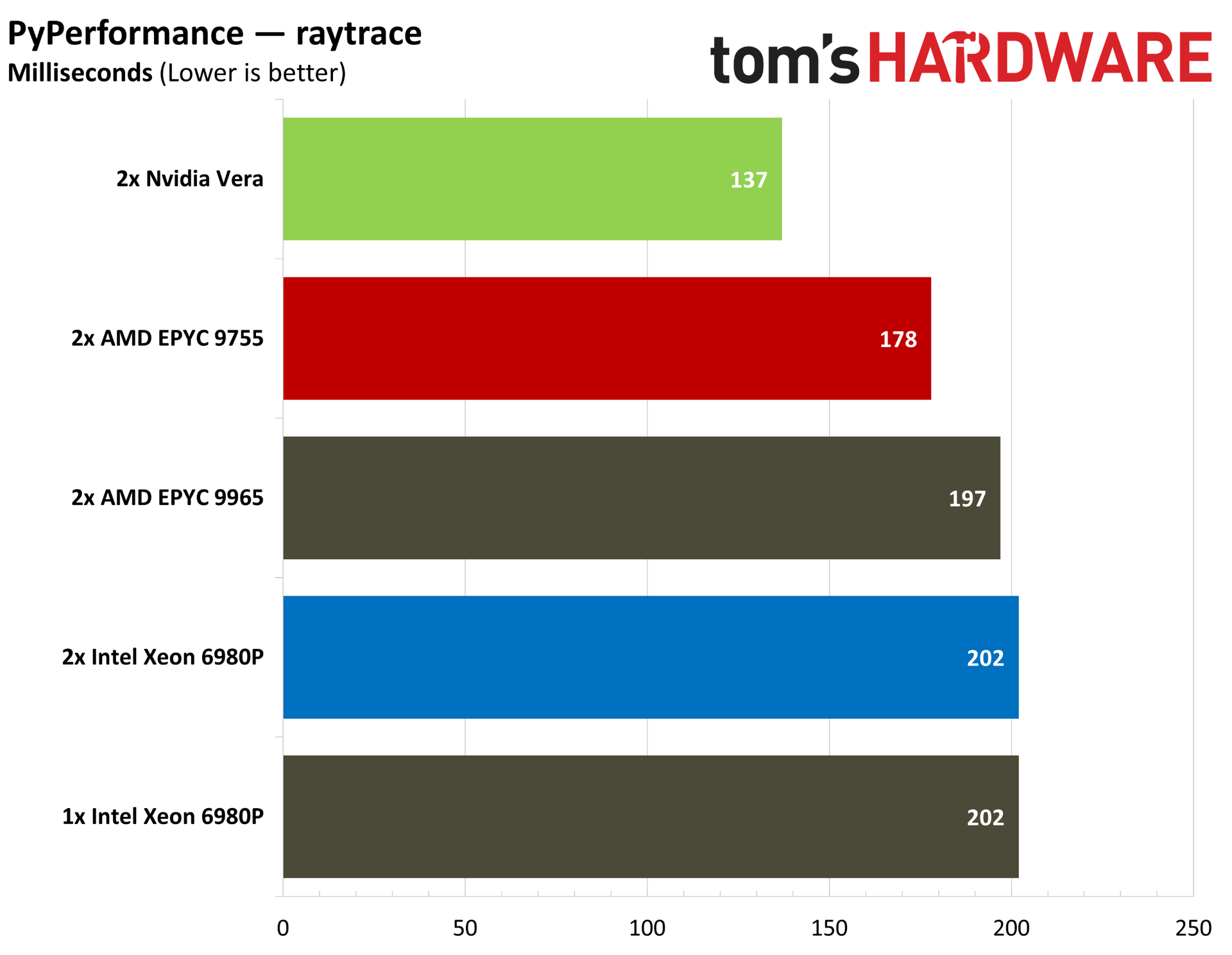
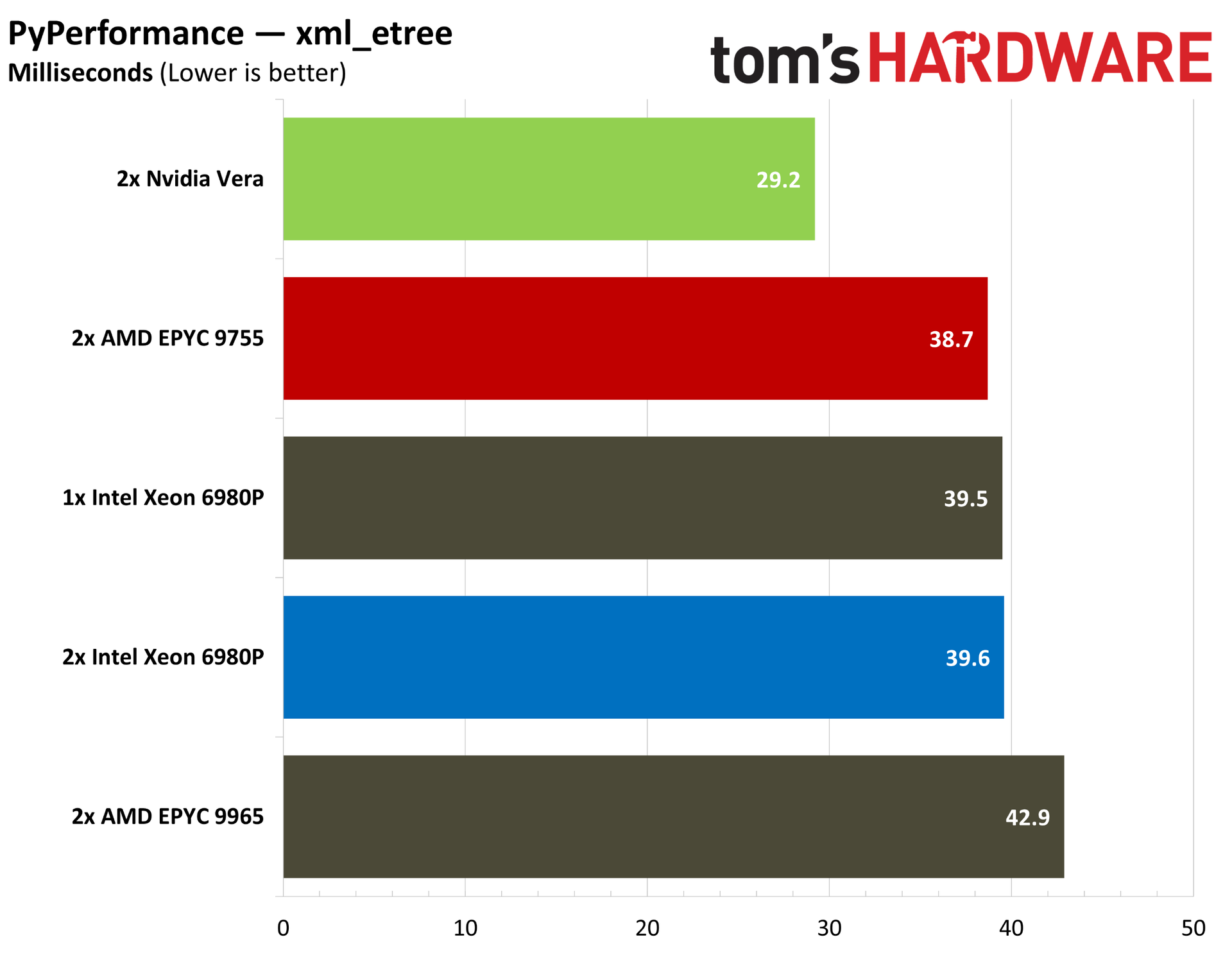
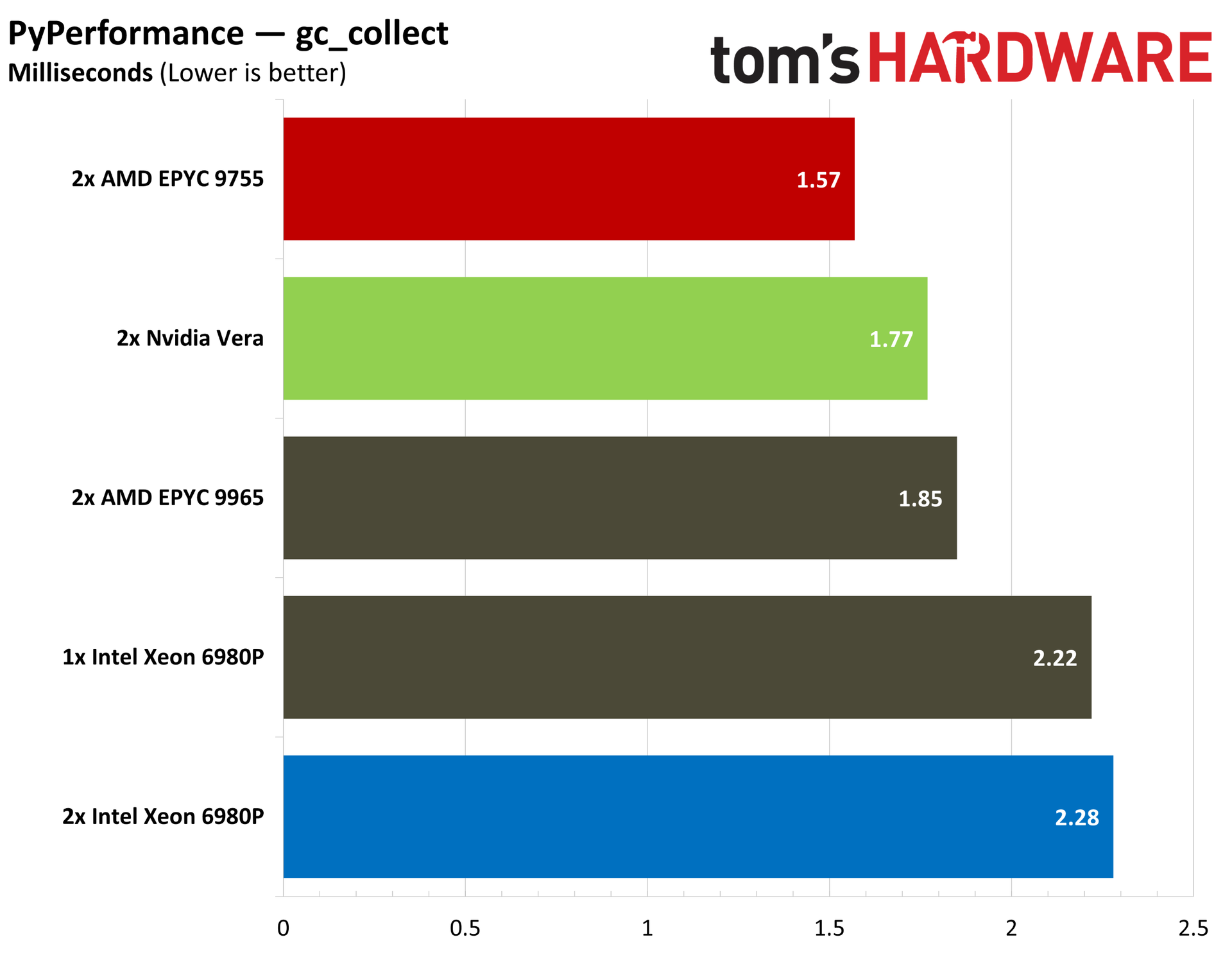
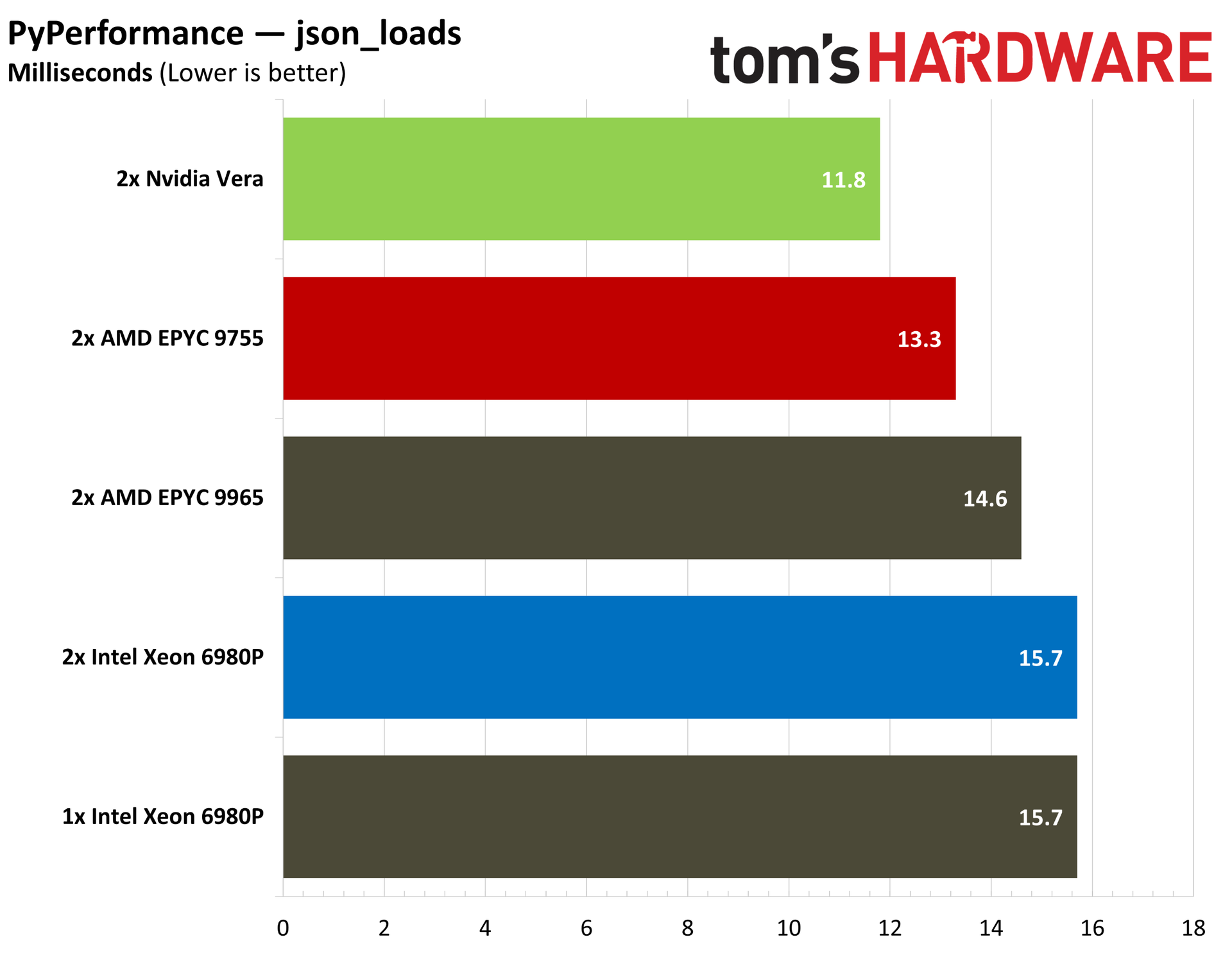
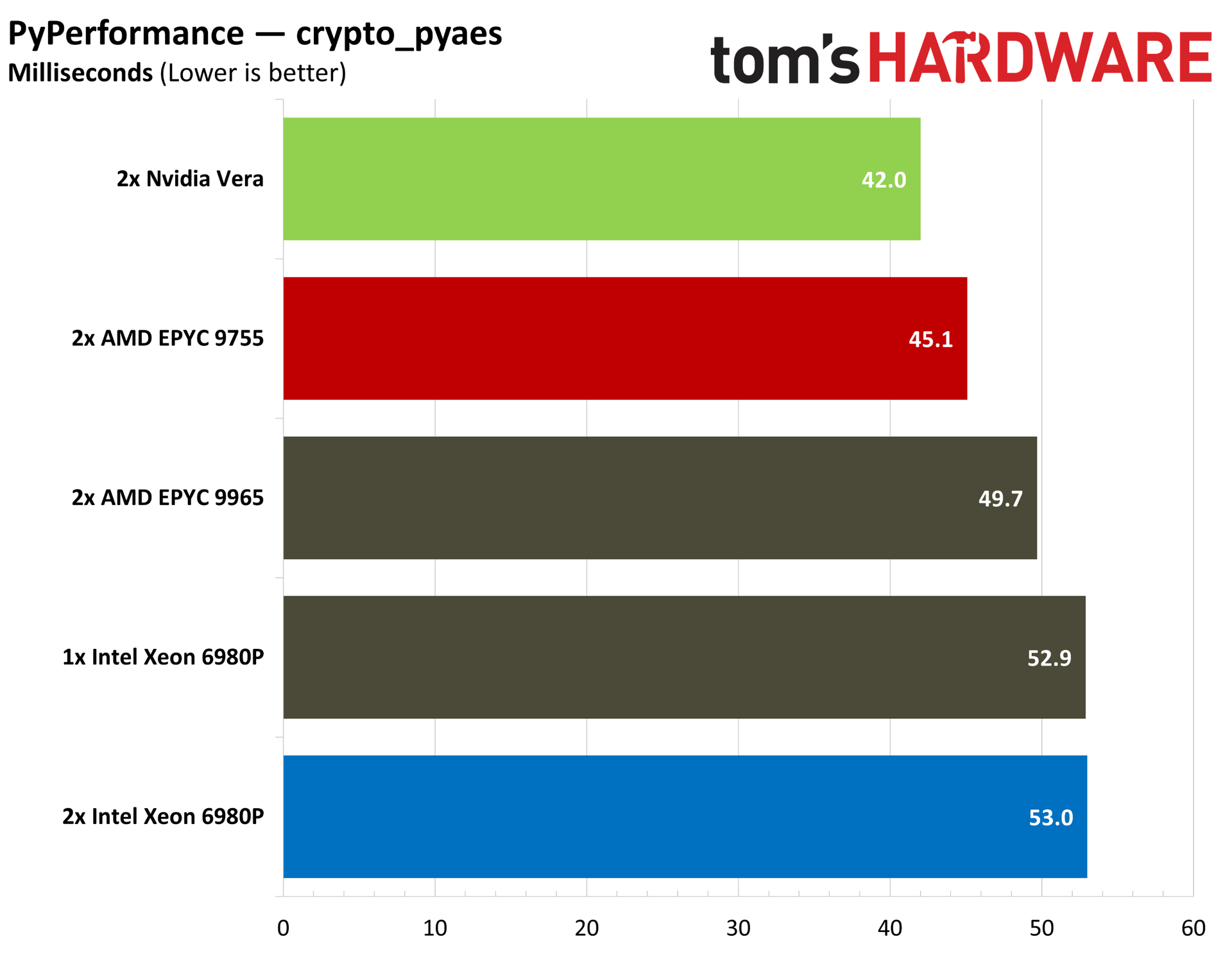
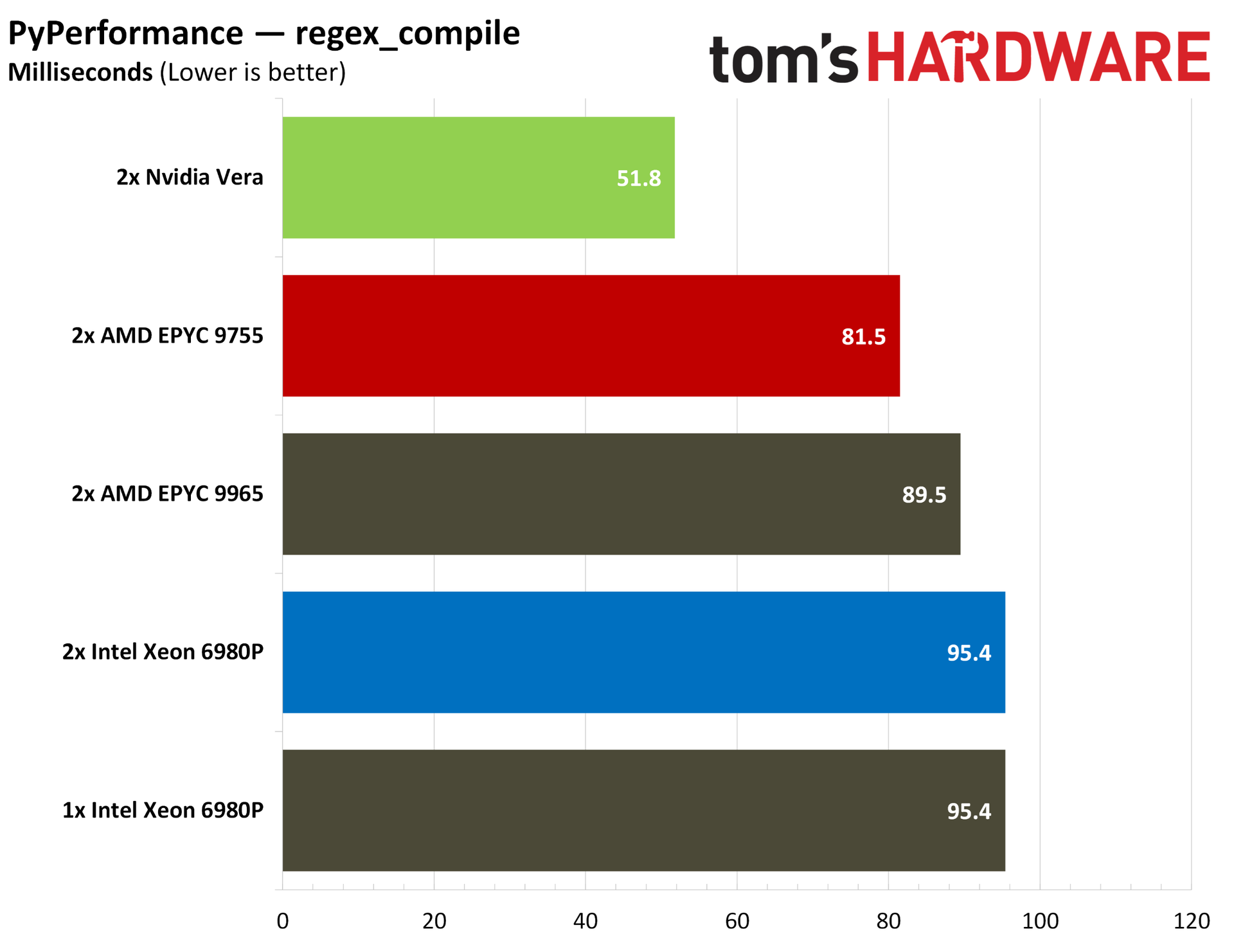
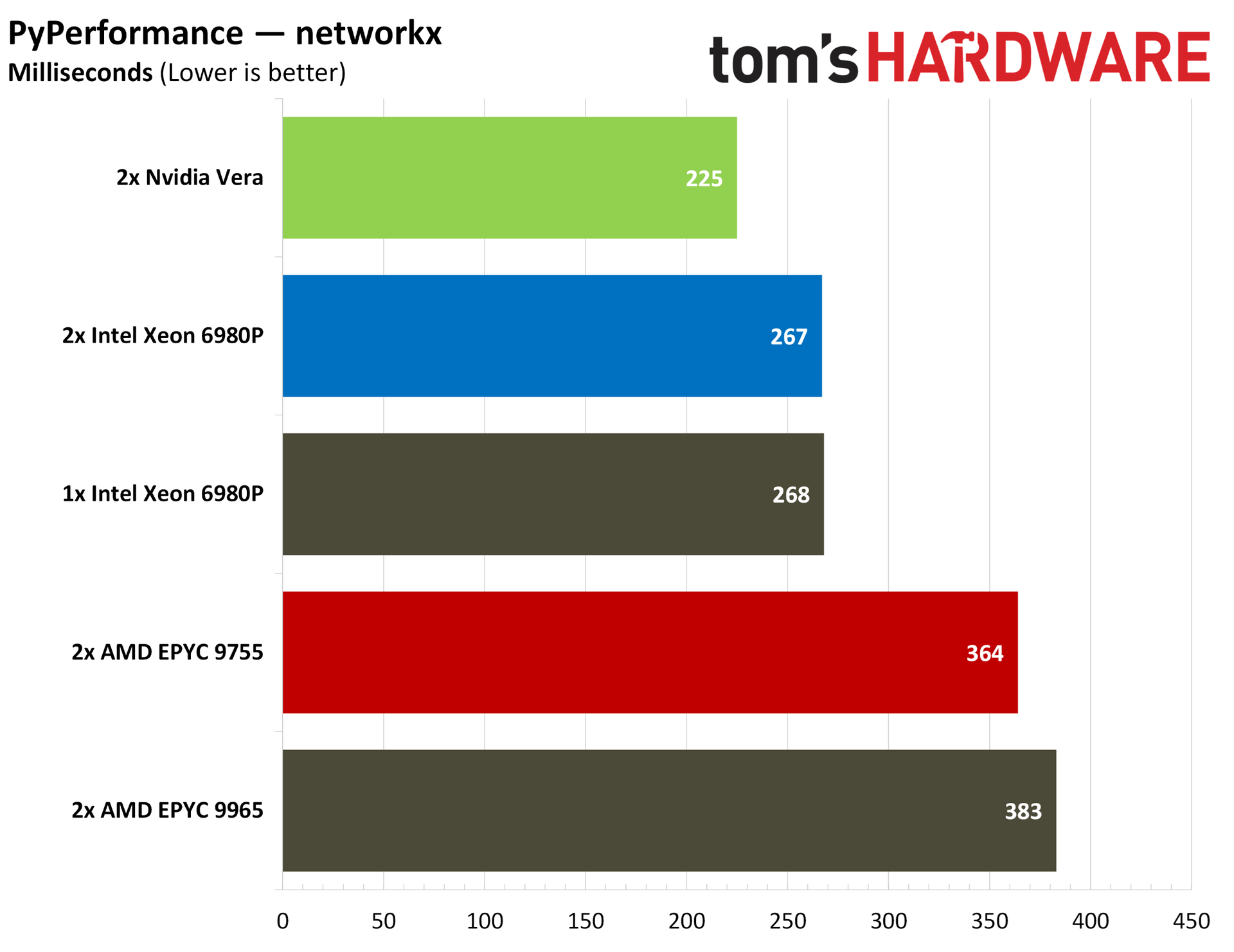
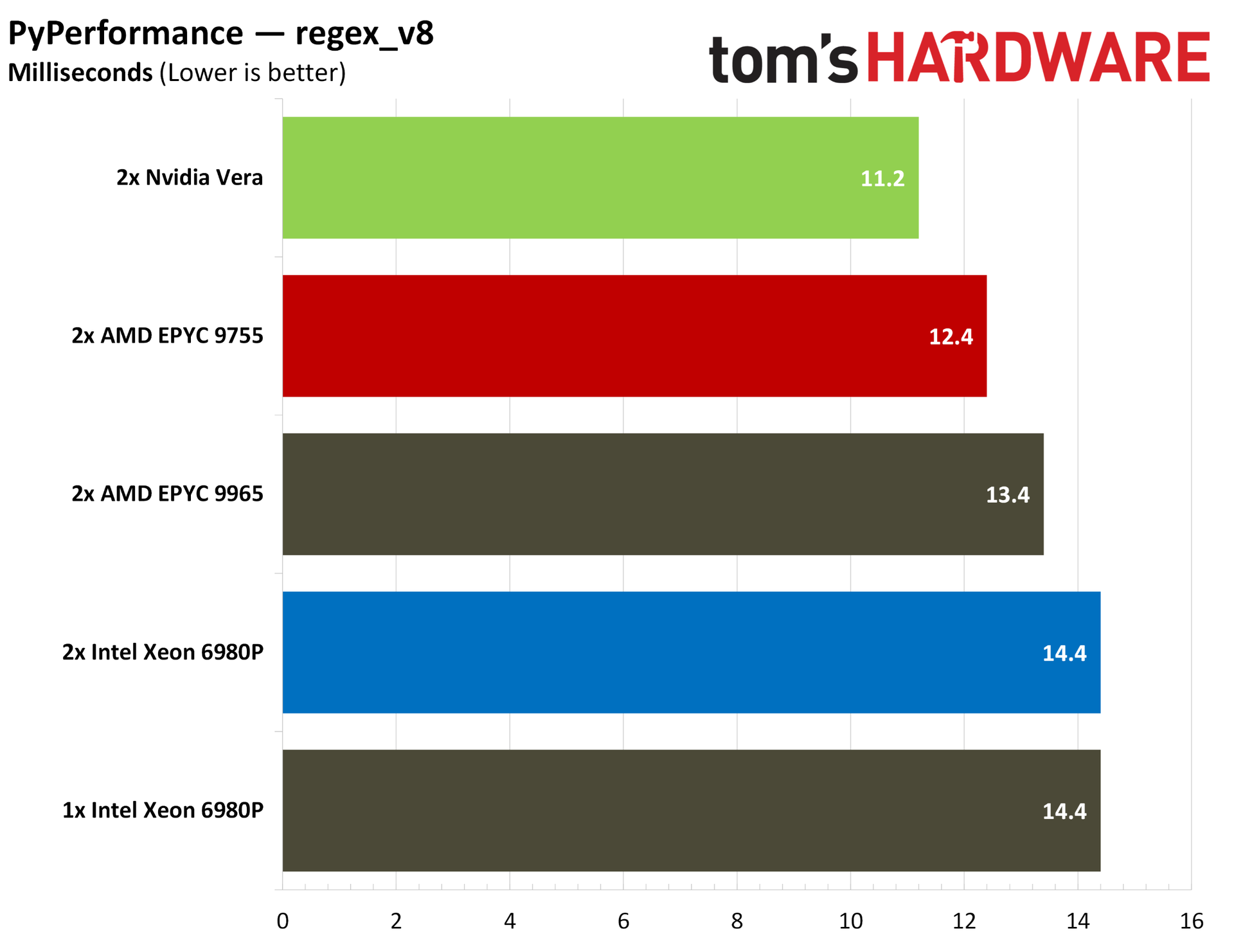
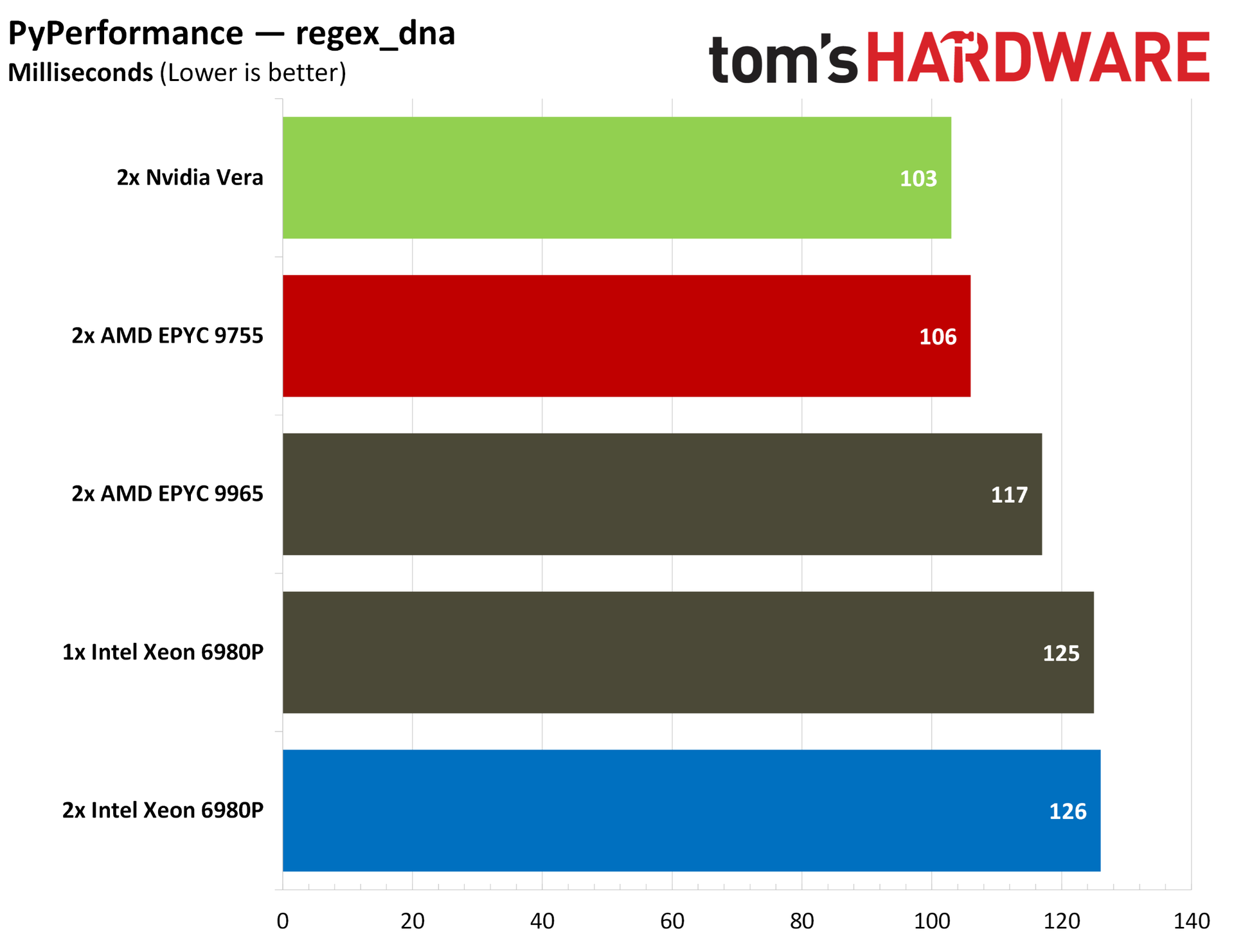
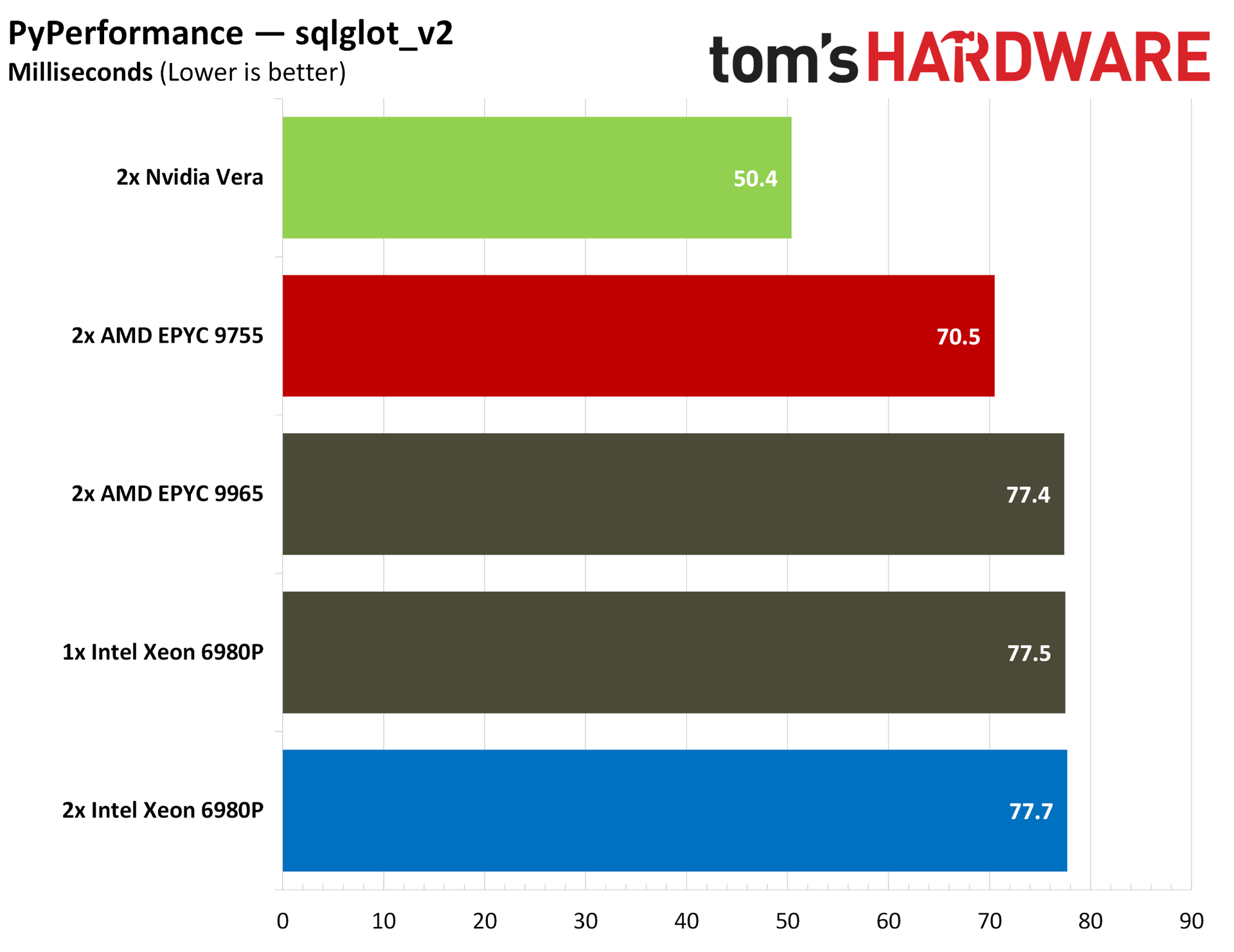
Starting with a broad overview, you can see the total average test times for PyBench above, with Vera leading the pack. It’s 4% ahead of the EPYC 9755, which itself leads Intel’s Xeons and the larger 9965. Python is largely single-threaded, especially for these basic, built-in functions, so we see the 9755 pair leading the 9965 pair throughout all of our Python benchmarks.
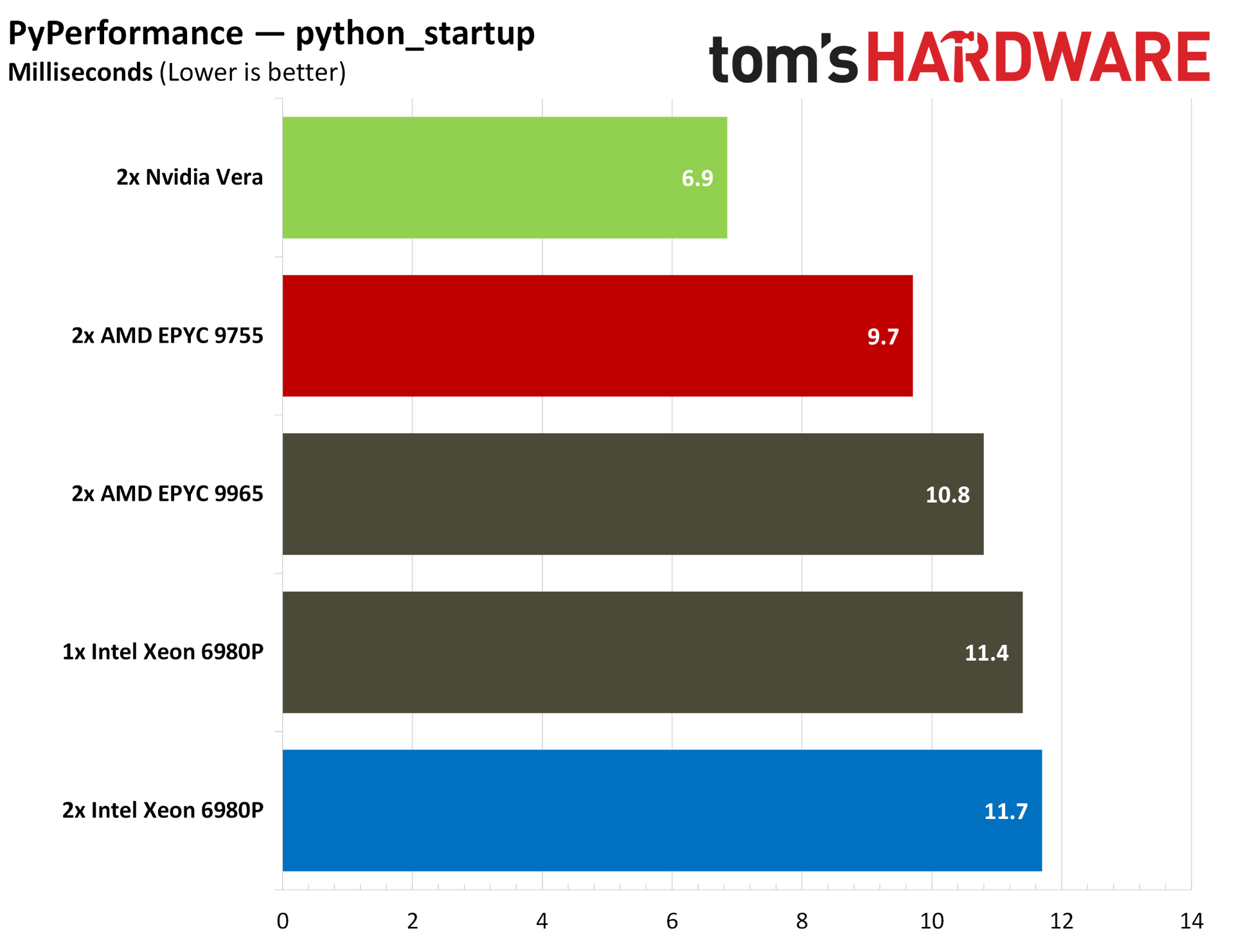
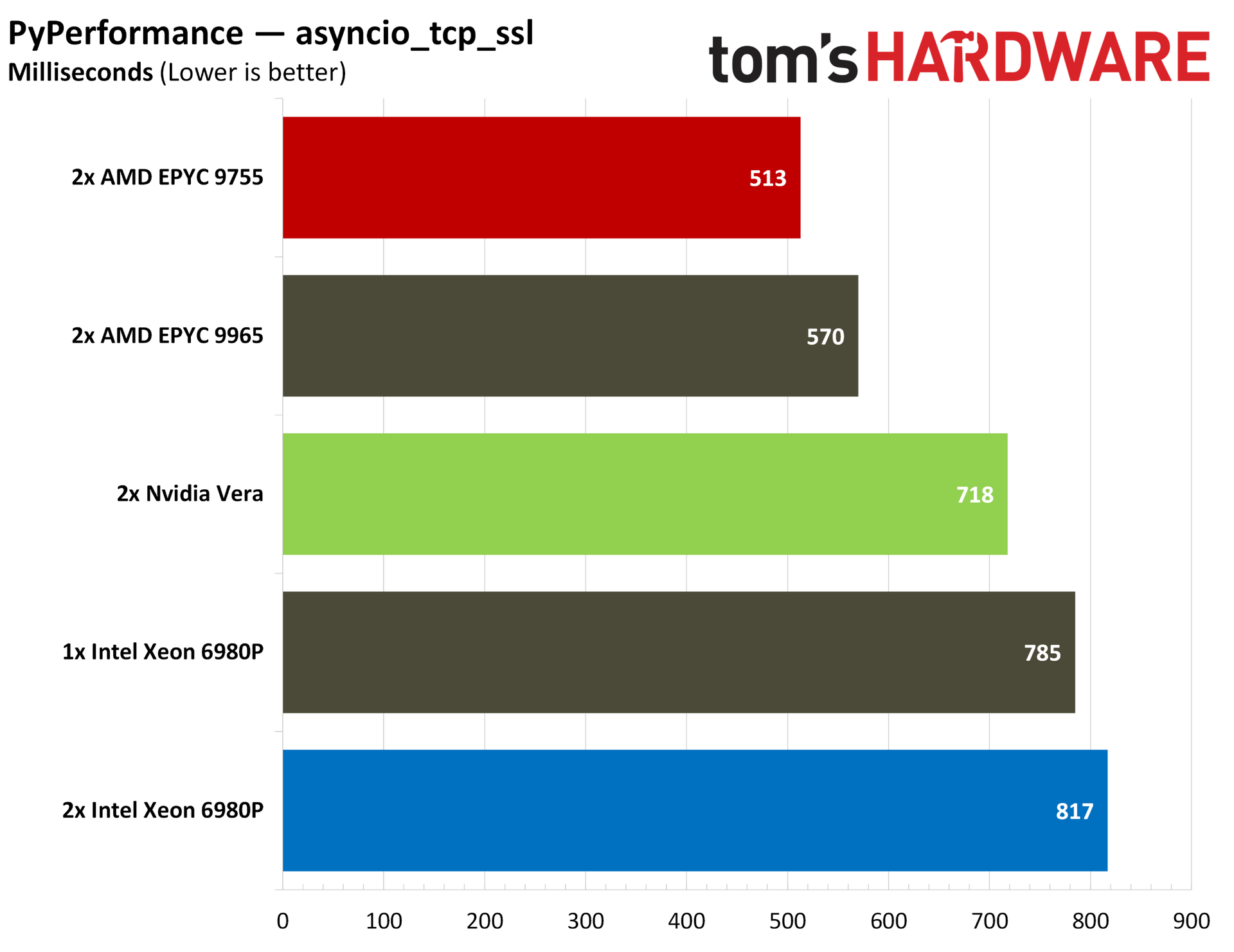
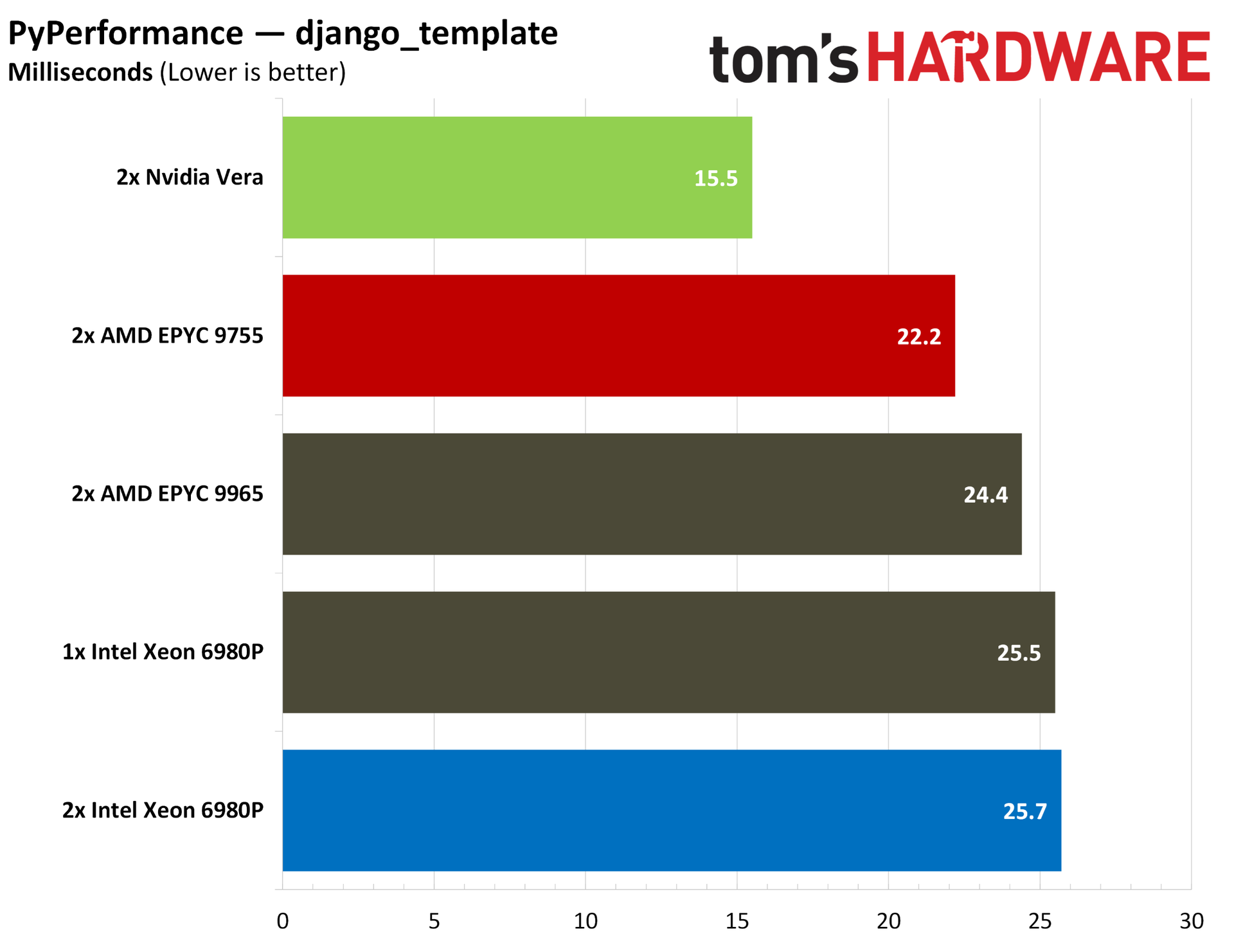
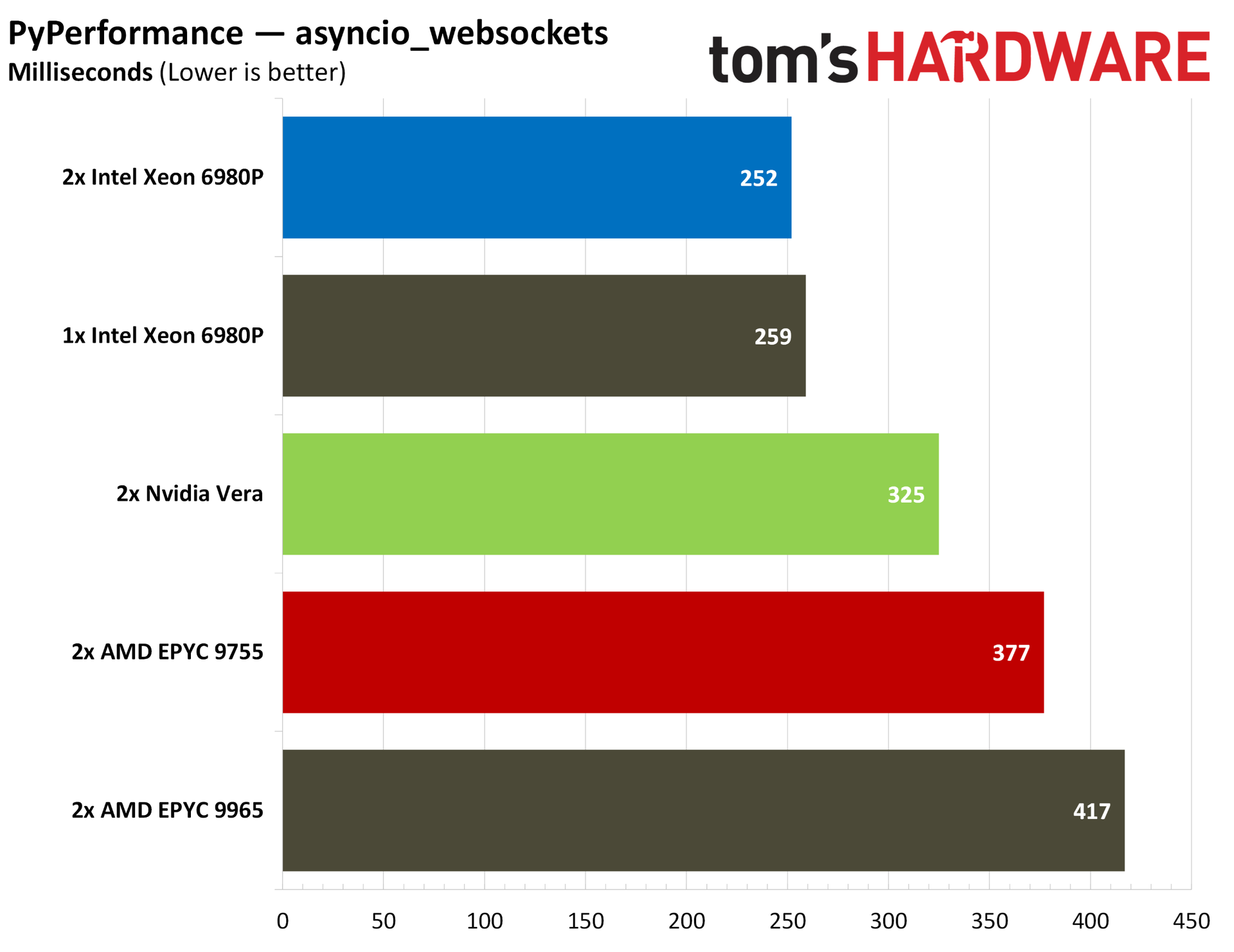
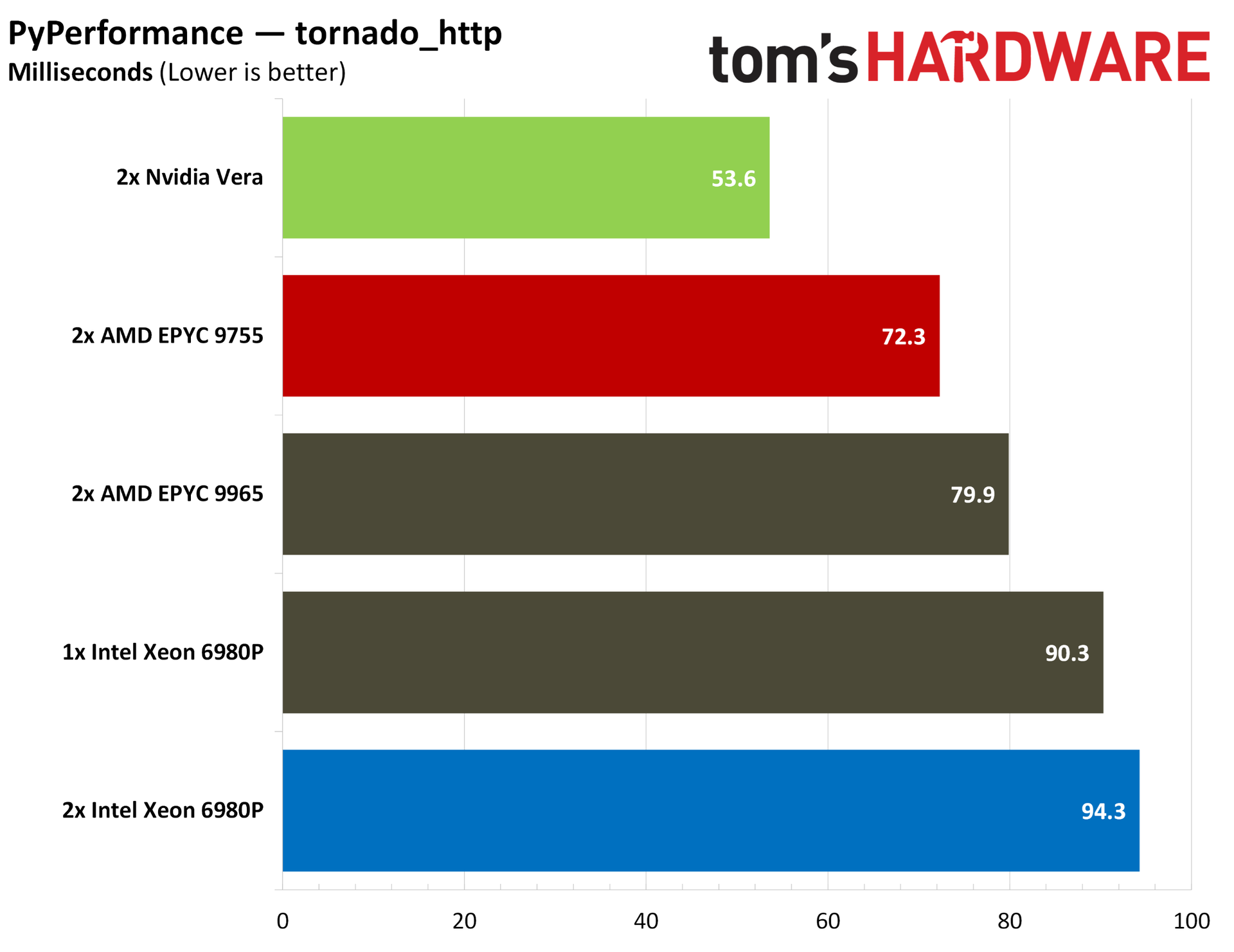
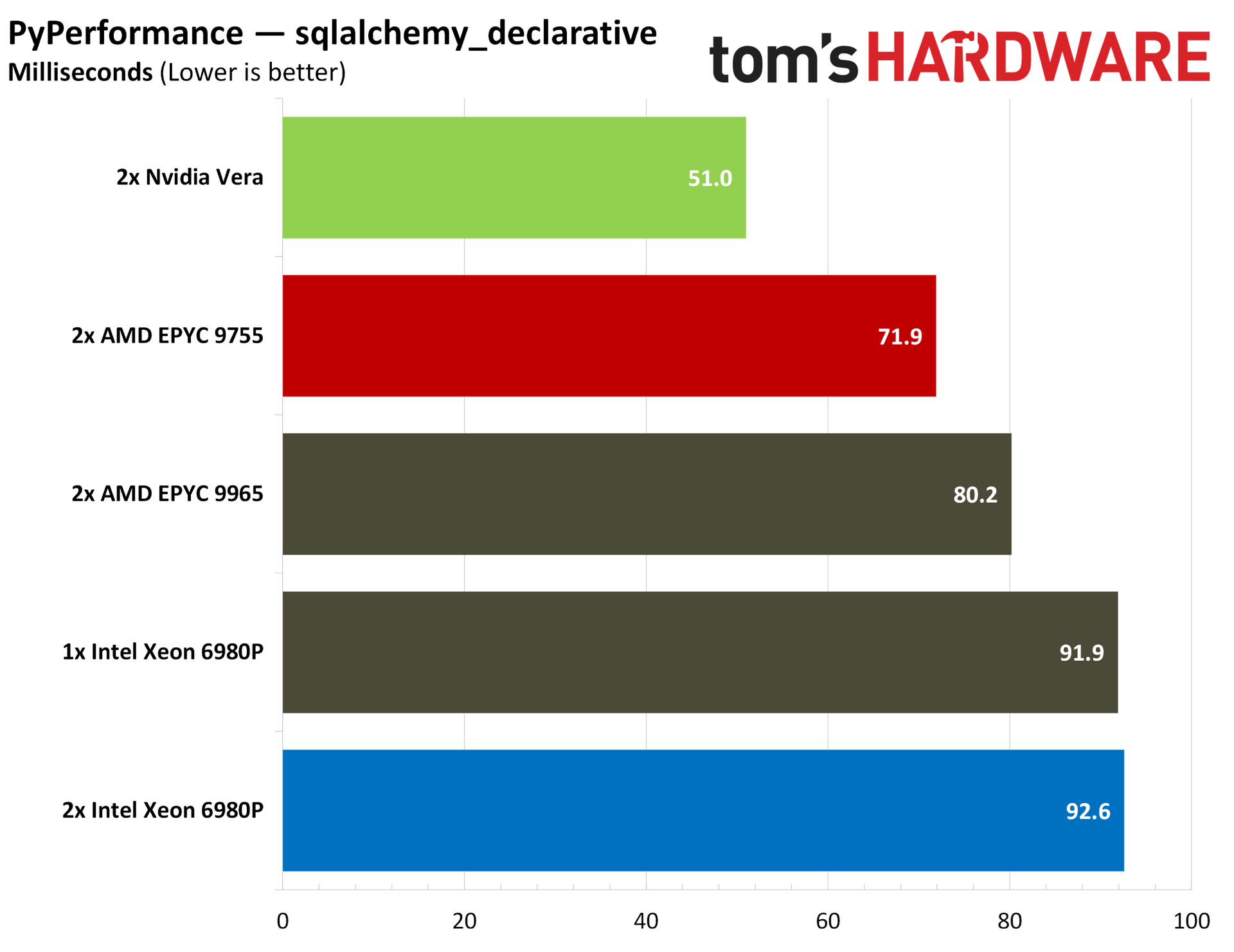
PyPerformance provides a much more granular look at Python performance, evaluating start-up times for the Python interpreter, regular expressions, and even full Python applications. The story doesn’t change, however. Outside of a couple of misses in web server-focused tests, Vera tops the charts across the board.
The AI ecosystem right now is largely built on Python, so strong performance here is a good early indicator of strong AI performance in the data center. Of course, this space is rapidly evolving, and other languages are working their way into the ecosystem. For this moment, however, Python is critical, and it’s an aspect of performance Vera nails.
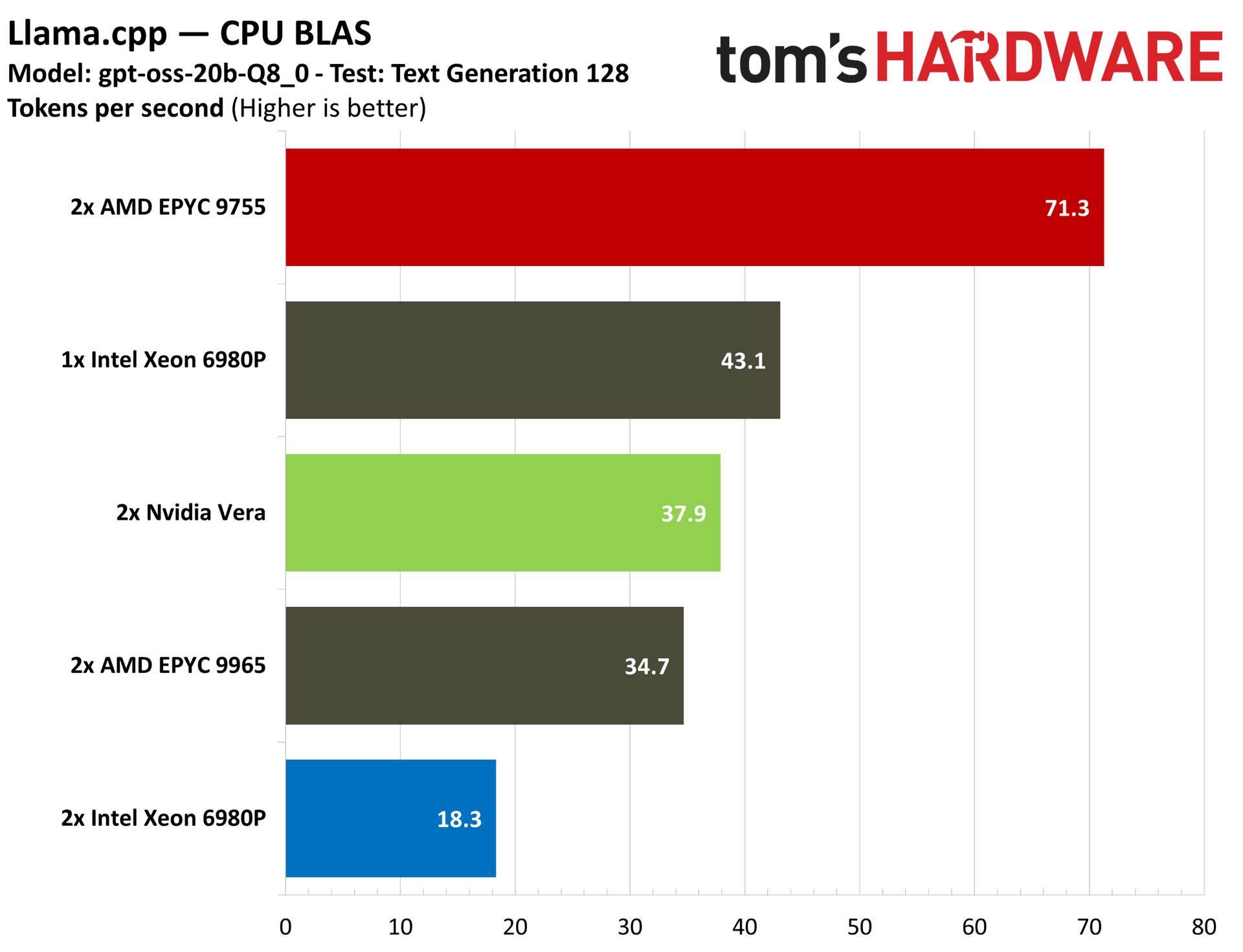
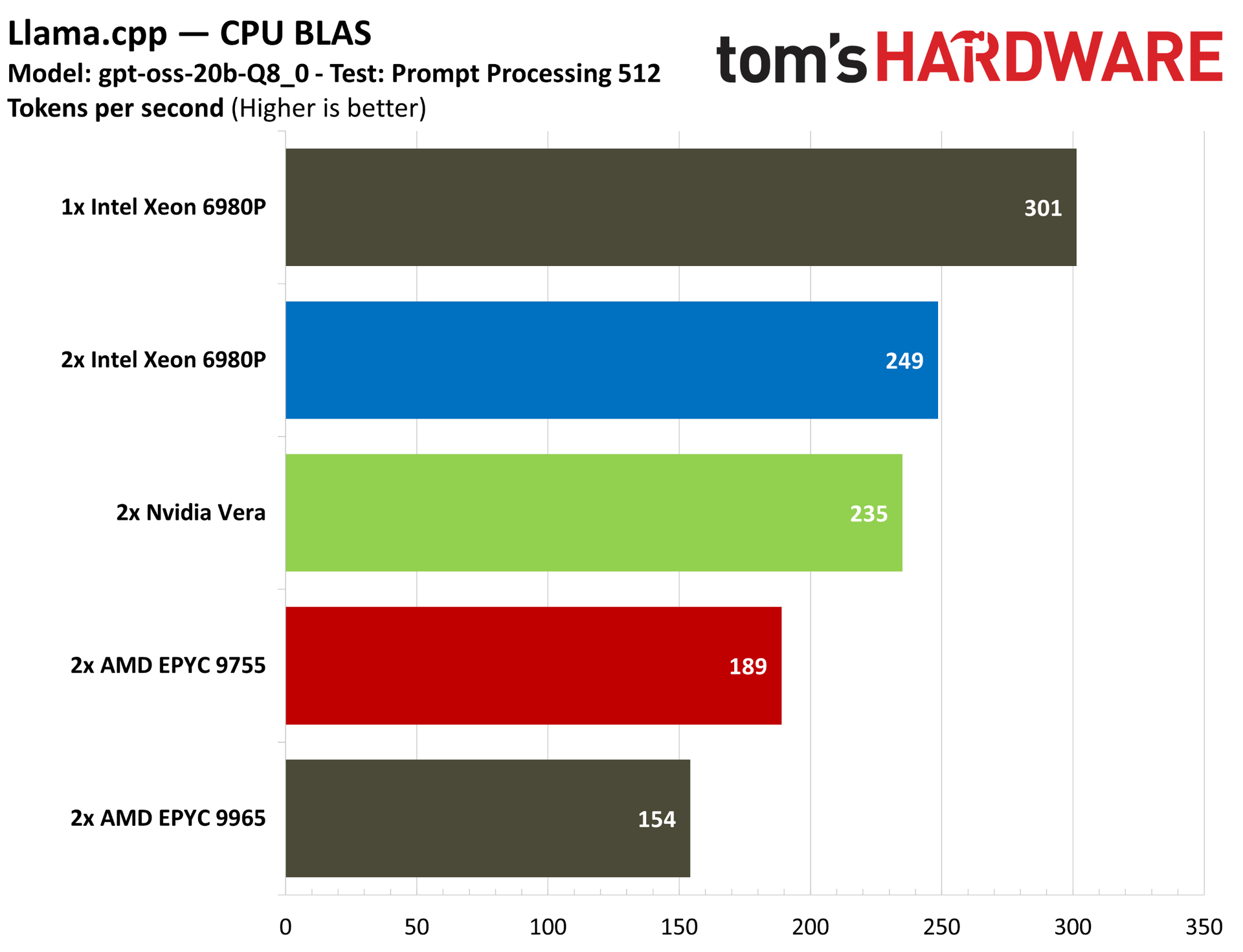
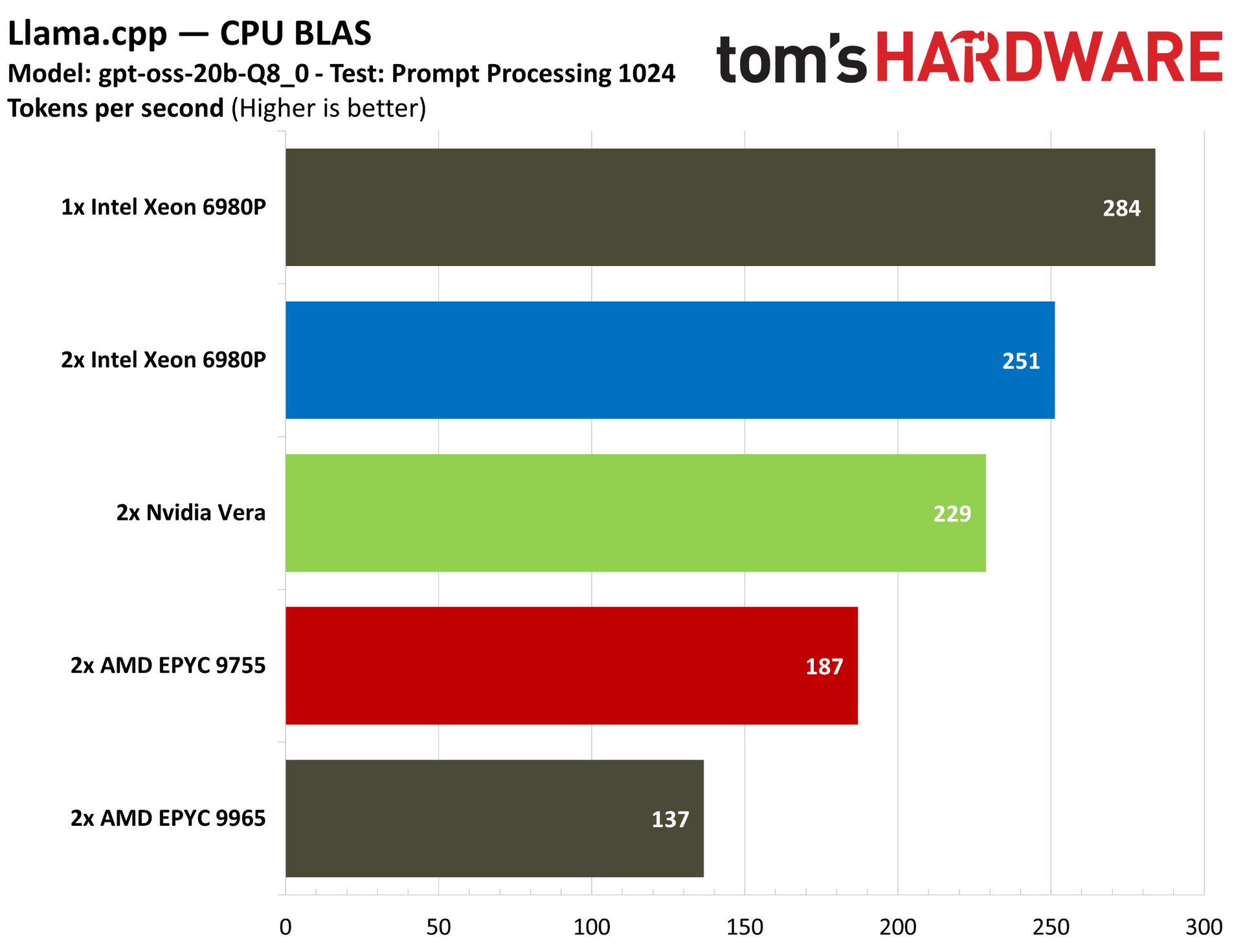
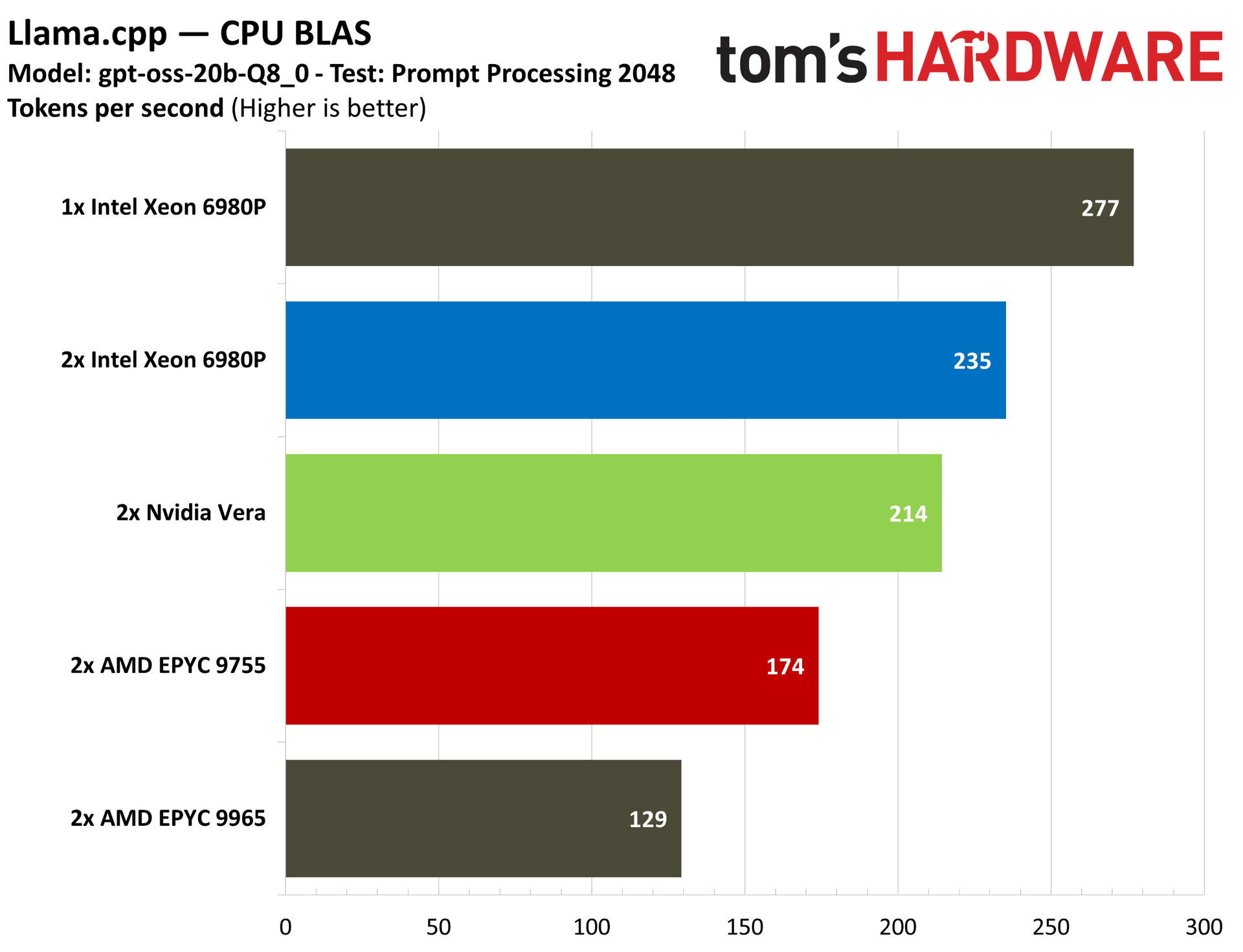
We also ran Llama.cpp with a CPU BLAS backend, checking text generation and prompt processing (at different token lengths) on the CPU using gpt-oss-20b-q8. For prompt processing, much of the process is handled on the GPU, so this pure-CPU benchmark isn’t totally representative of a real deployment. However, the CPU still plays a role here, particularly in tokenization.
Unsurprisingly, we can see the single 6980P topping the charts in prompt processing, with a 2P Xeon 6980P coming up in second place, likely on the back of Intel’s AI-specific ISA extensions. We expect AMD to further extend support for these instructions in Zen 6, which should level the playing field.
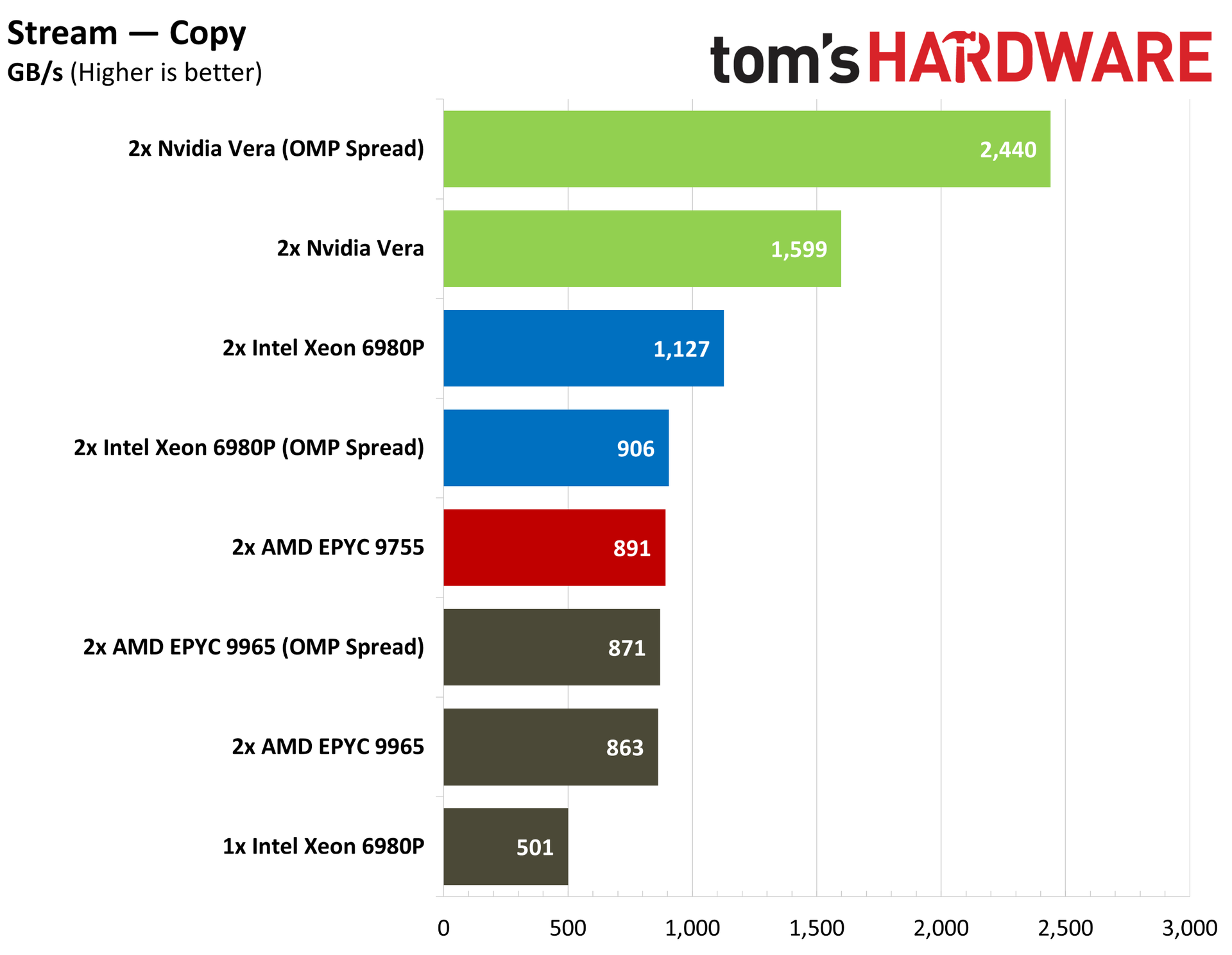
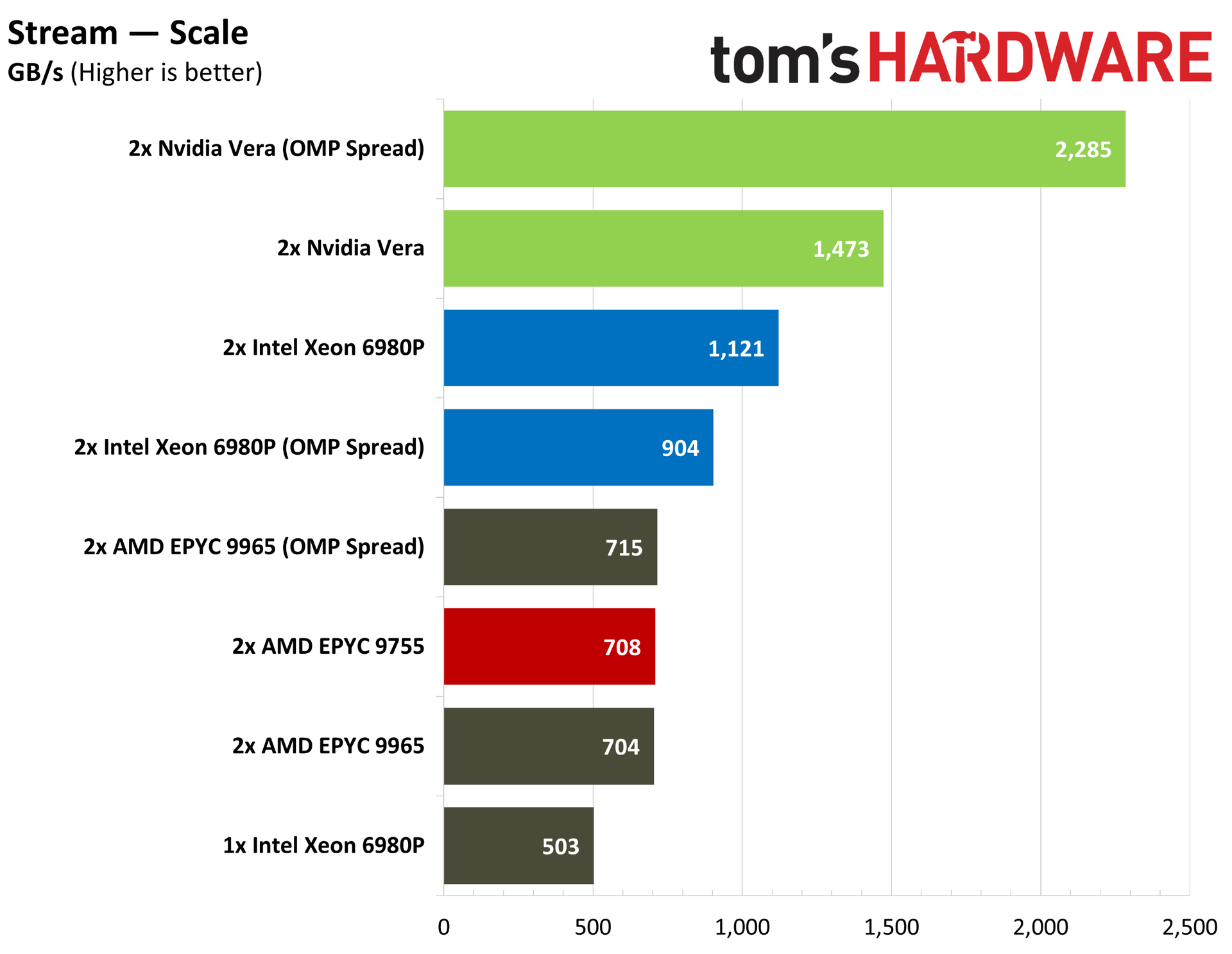
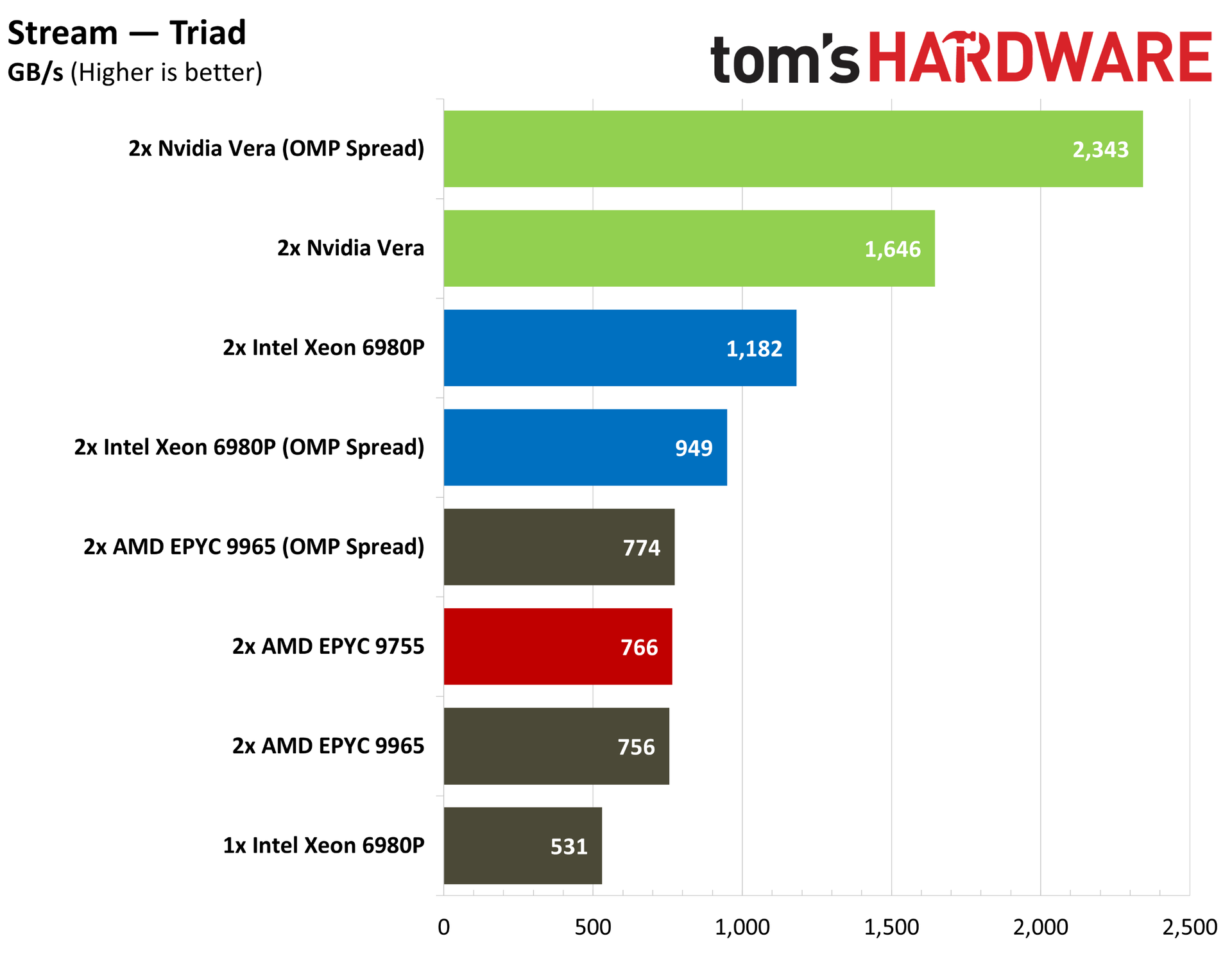
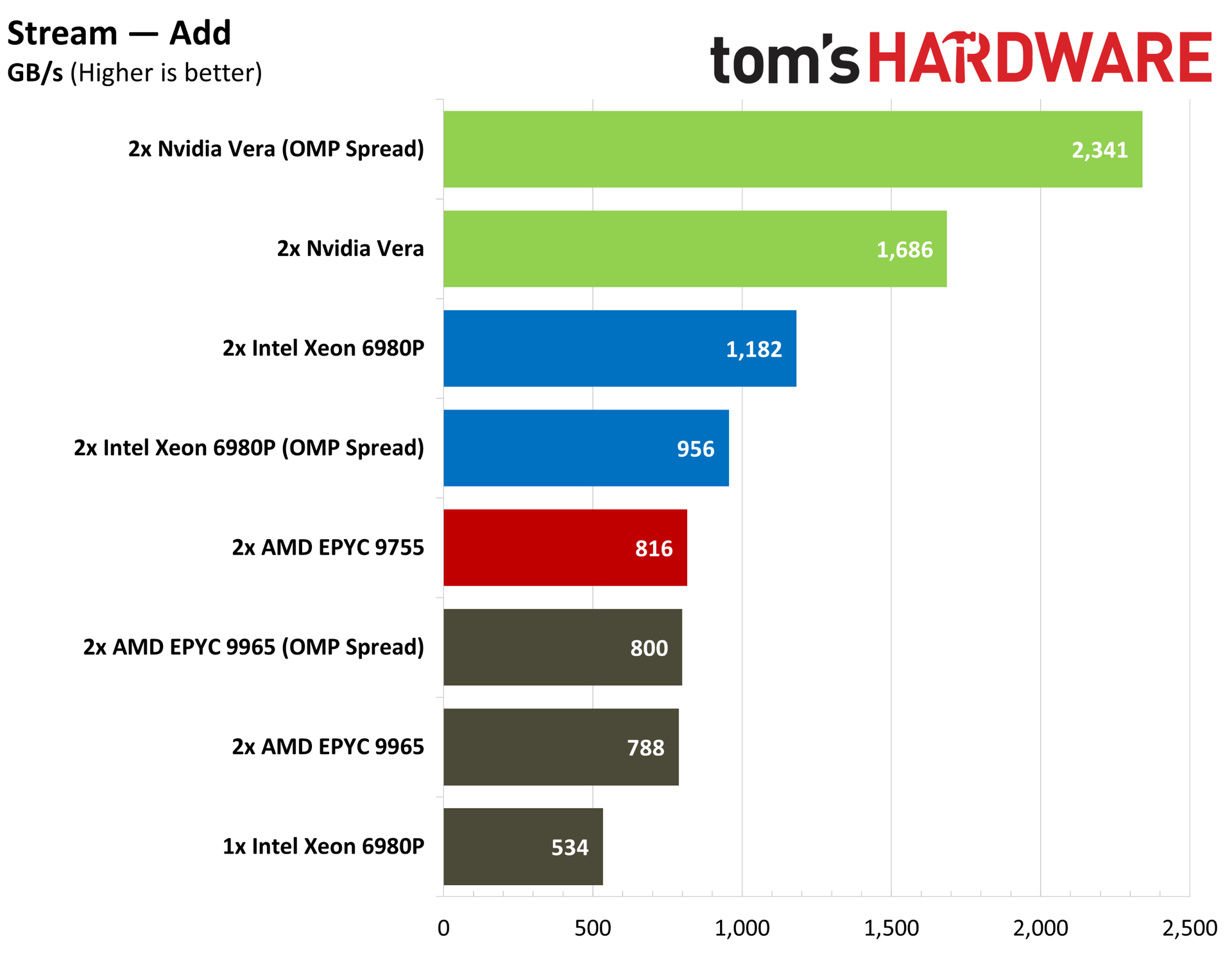
Nvidia has touted the memory bandwidth of Vera as one of the chip’s strongest points, and the industry-standard STREAM memory bandwidth benchmark backs up those claims. Vera comes with a memory bus width more than twice as large as Grace, plus a large jump up to LPDDR5X-9600. It’s capable of up to 1.2 TB/s of memory bandwidth through the LPDDR5X interface, and up to 1.8 TB/s of bandwidth between Vera sockets.
AMD’s support for DDR5-6000 is relatively slow, and although Intel offers more bandwidth with MRDIMMs reaching up to 8,800 MT/s, Vera is in a league of its own here. That’s true without optimization, as well. After my initial STREAM pass, Nvidia suggested passing the OpenMP “spread” policy, which distributes processes as far away from each other as possible to reduce cache/memory contention.
With AMD and Intel, we see a slight regression with this setting, but it offers Vera a massive jump in memory bandwidth. Undoubtedly, the scales will start to level off as AMD and Intel roll out their next-gen Venice and Diamond Rapids parts, both of which tout much higher memory bandwidth than their predecessors.
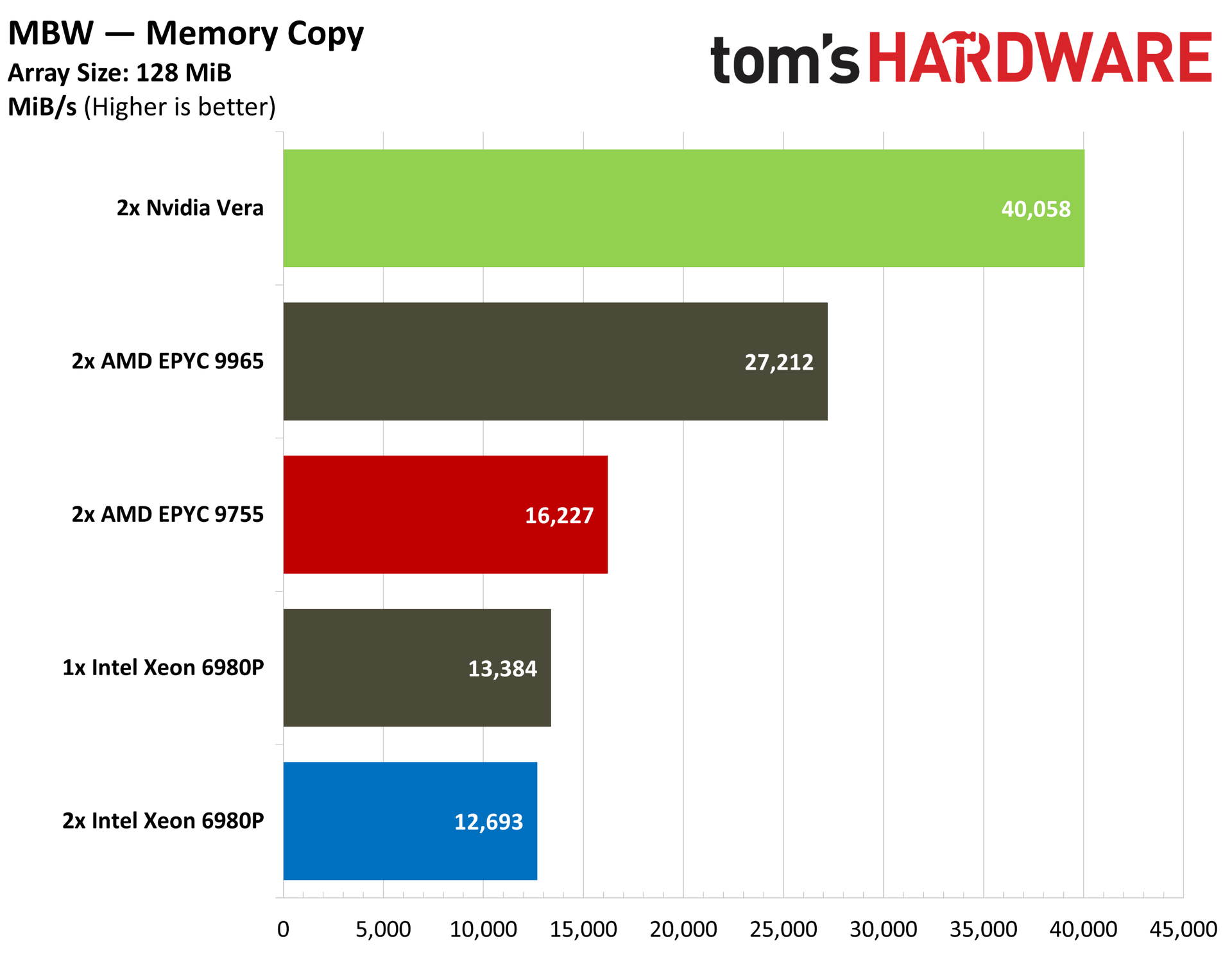
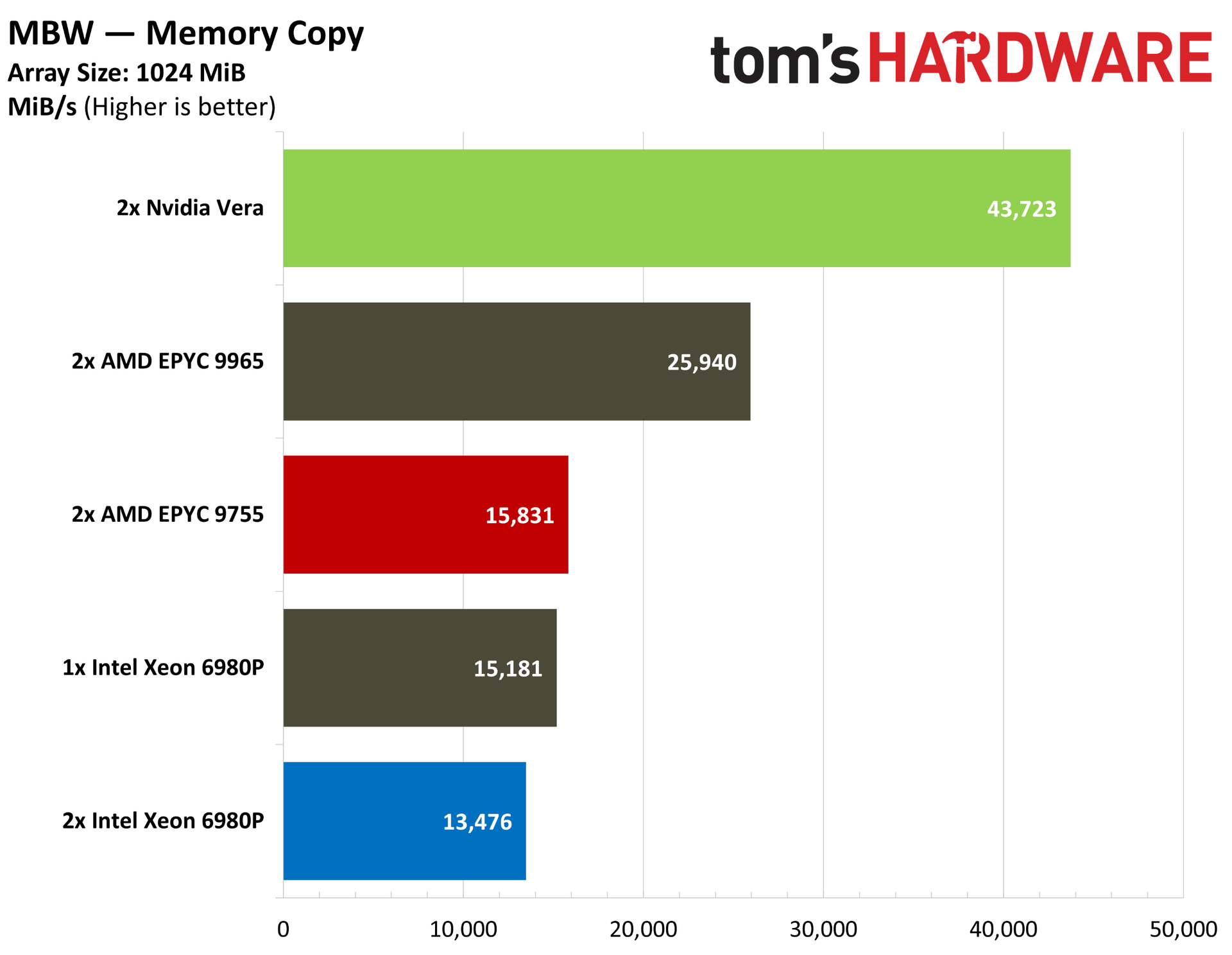
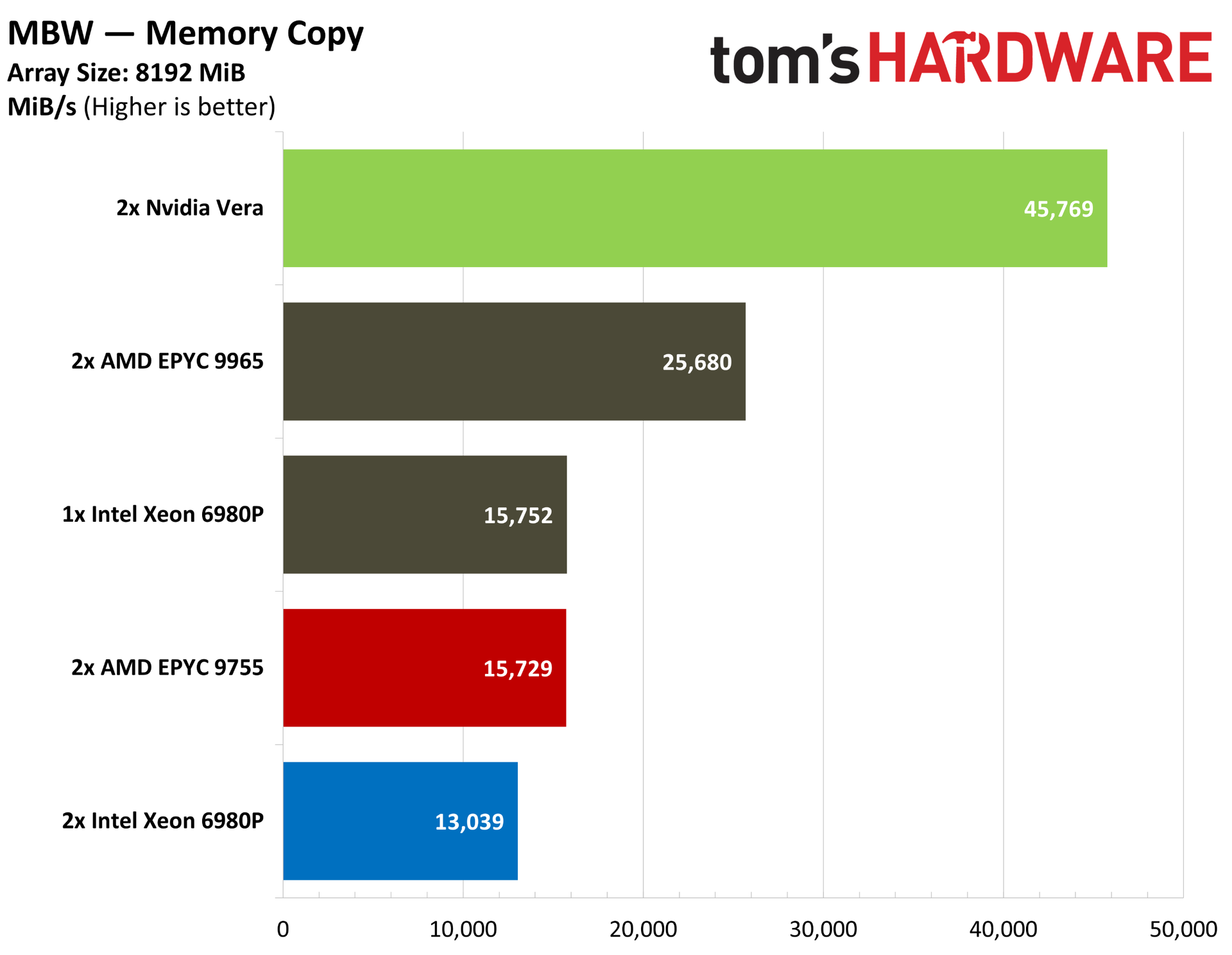
Flipping over to the simple MBW bandwidth benchmark, we can see similarly strong performance from Vera, regardless of copy size.
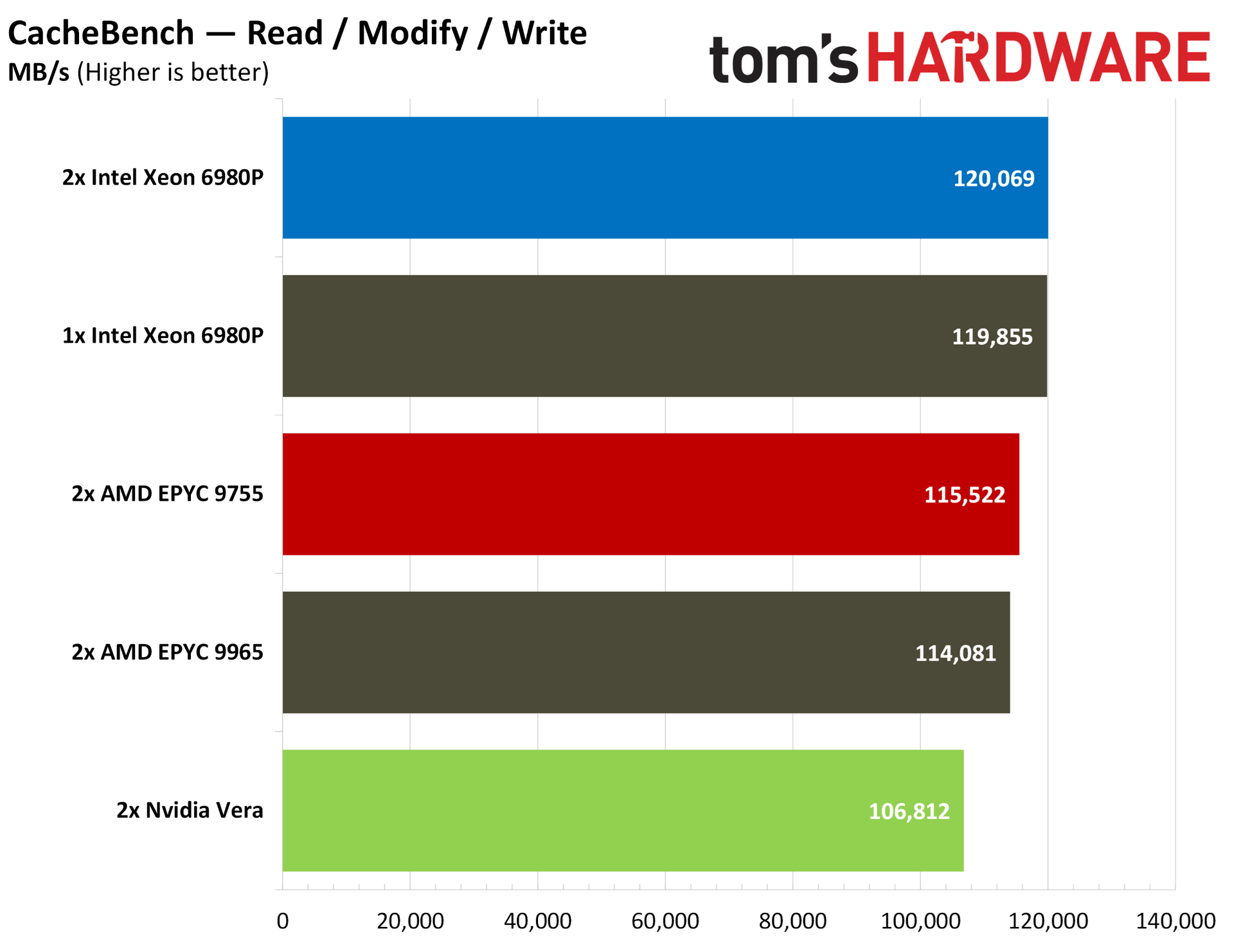
The classic CacheBench benchmark flips the script, with Vera trailing the pack in the combined read / modify / write test. This weaker cache performance here is largely overshadowed by the memory bandwidth. The performance level is slightly below Nvidia’s contemporaries, but not by enough to make a significant difference.
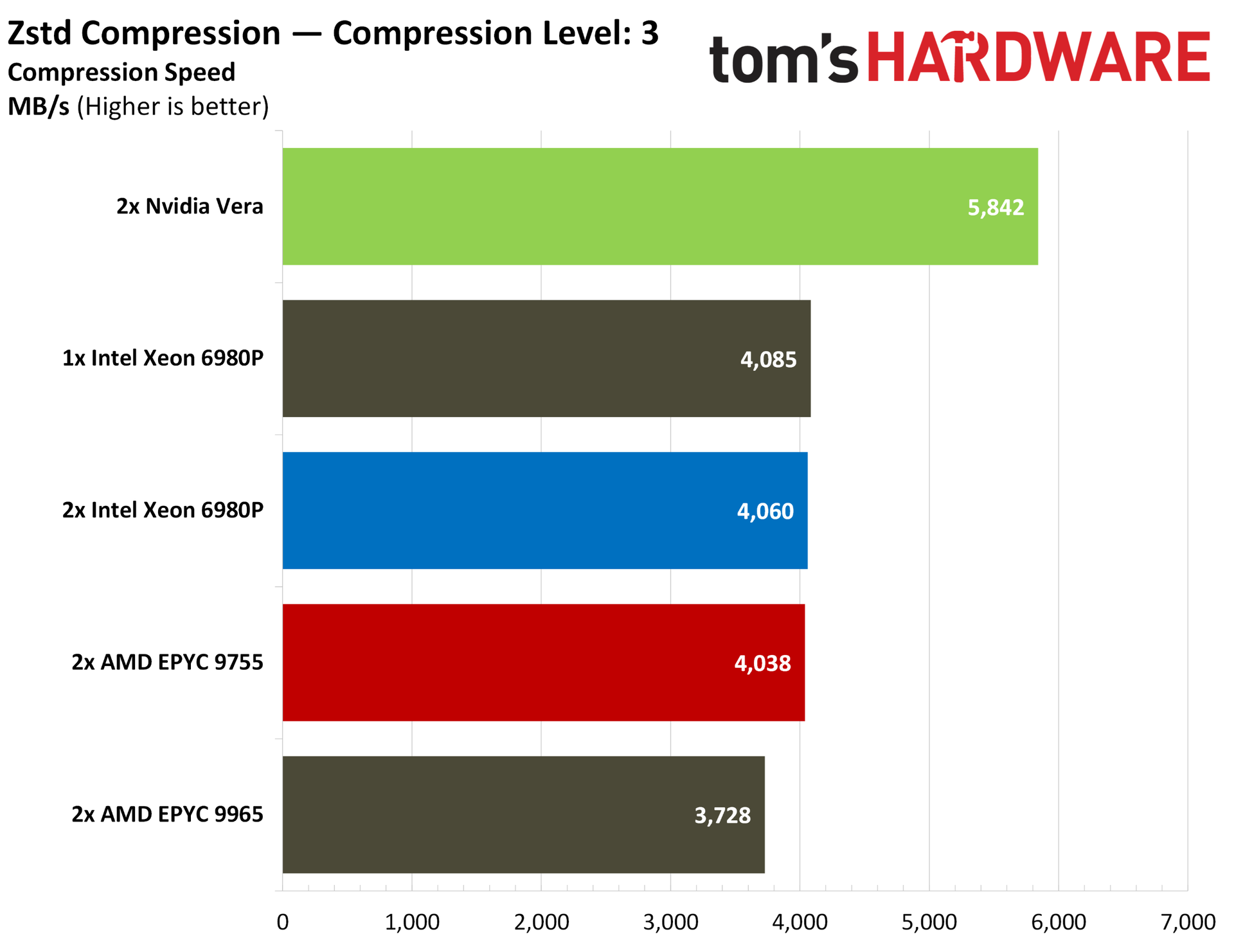
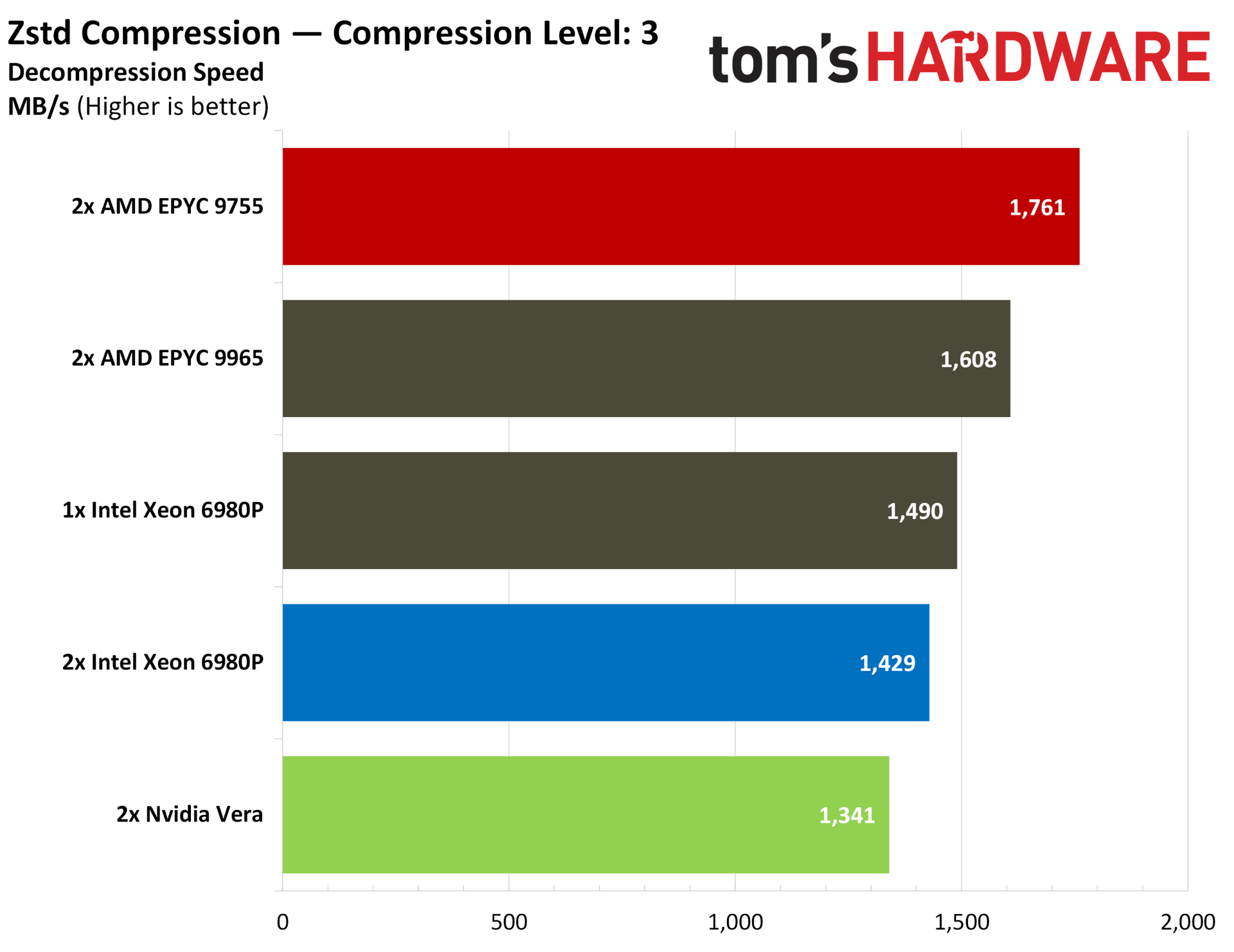
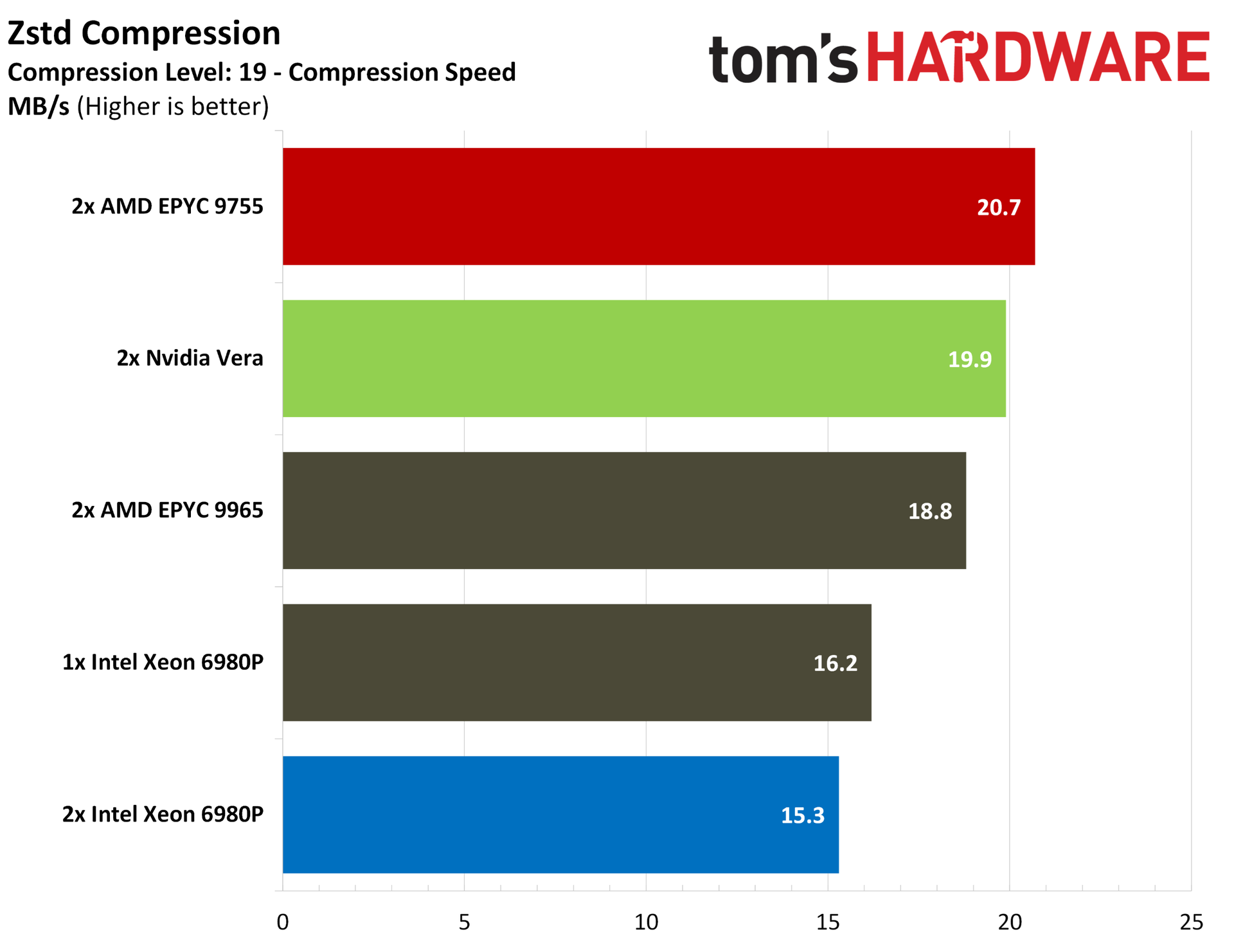
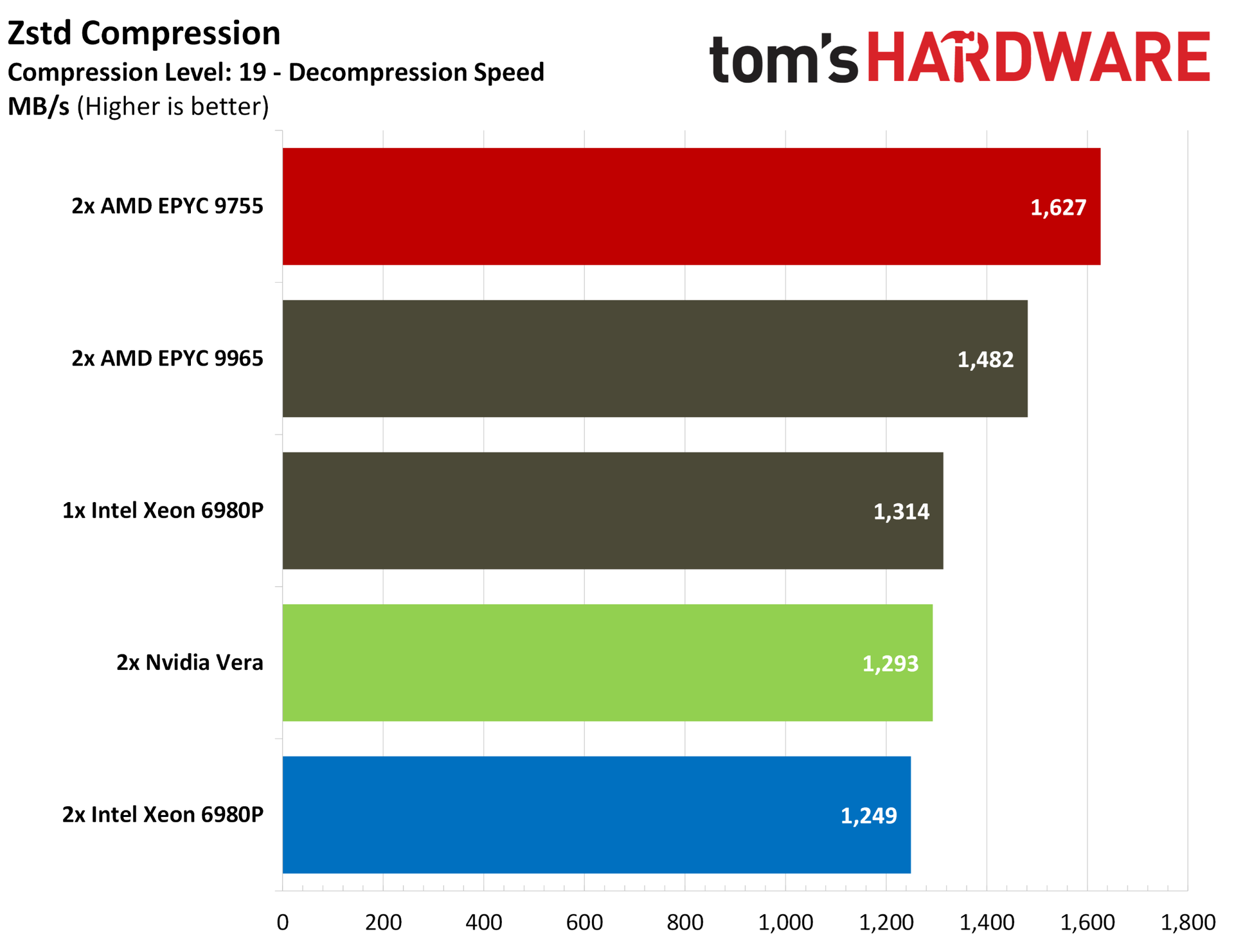
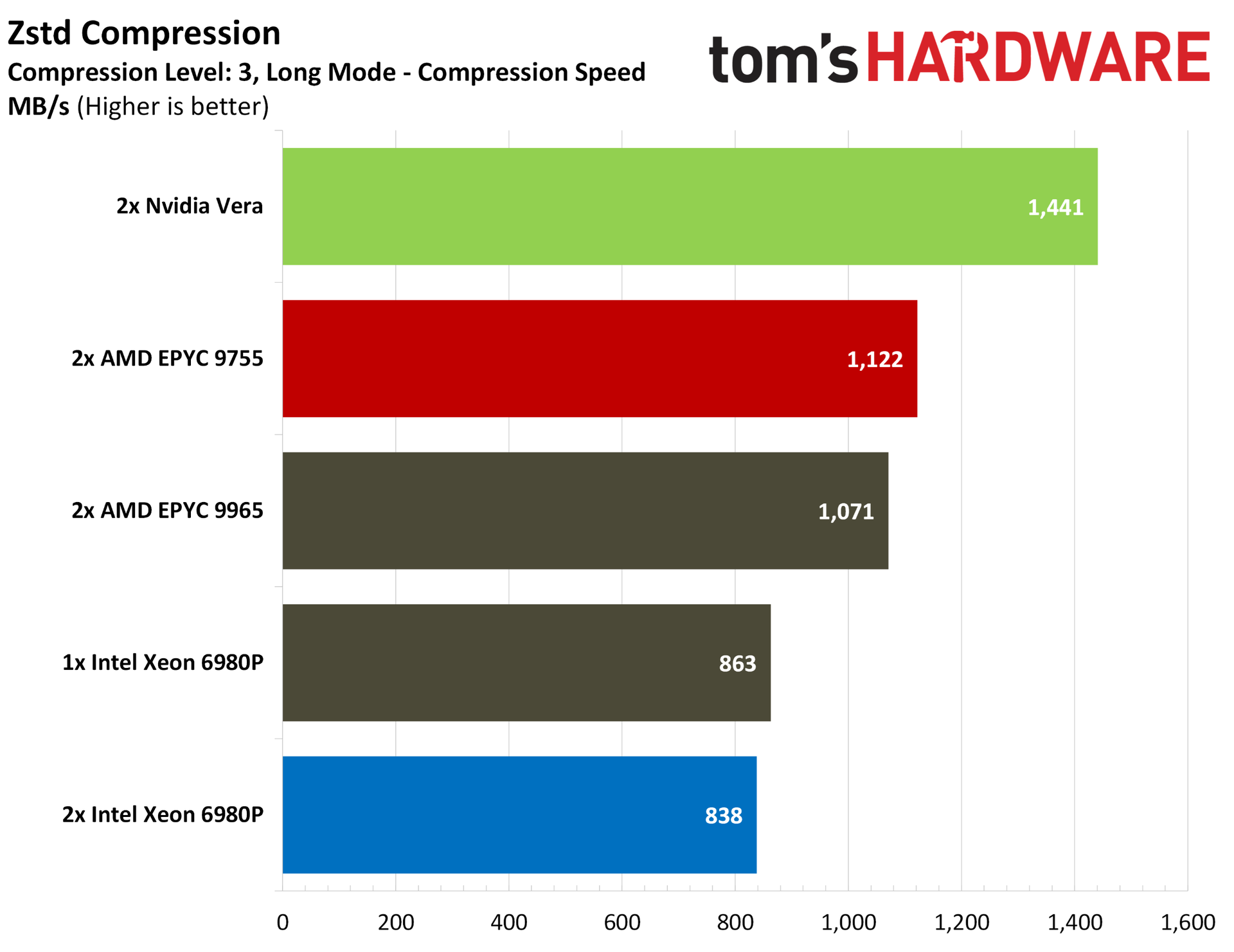
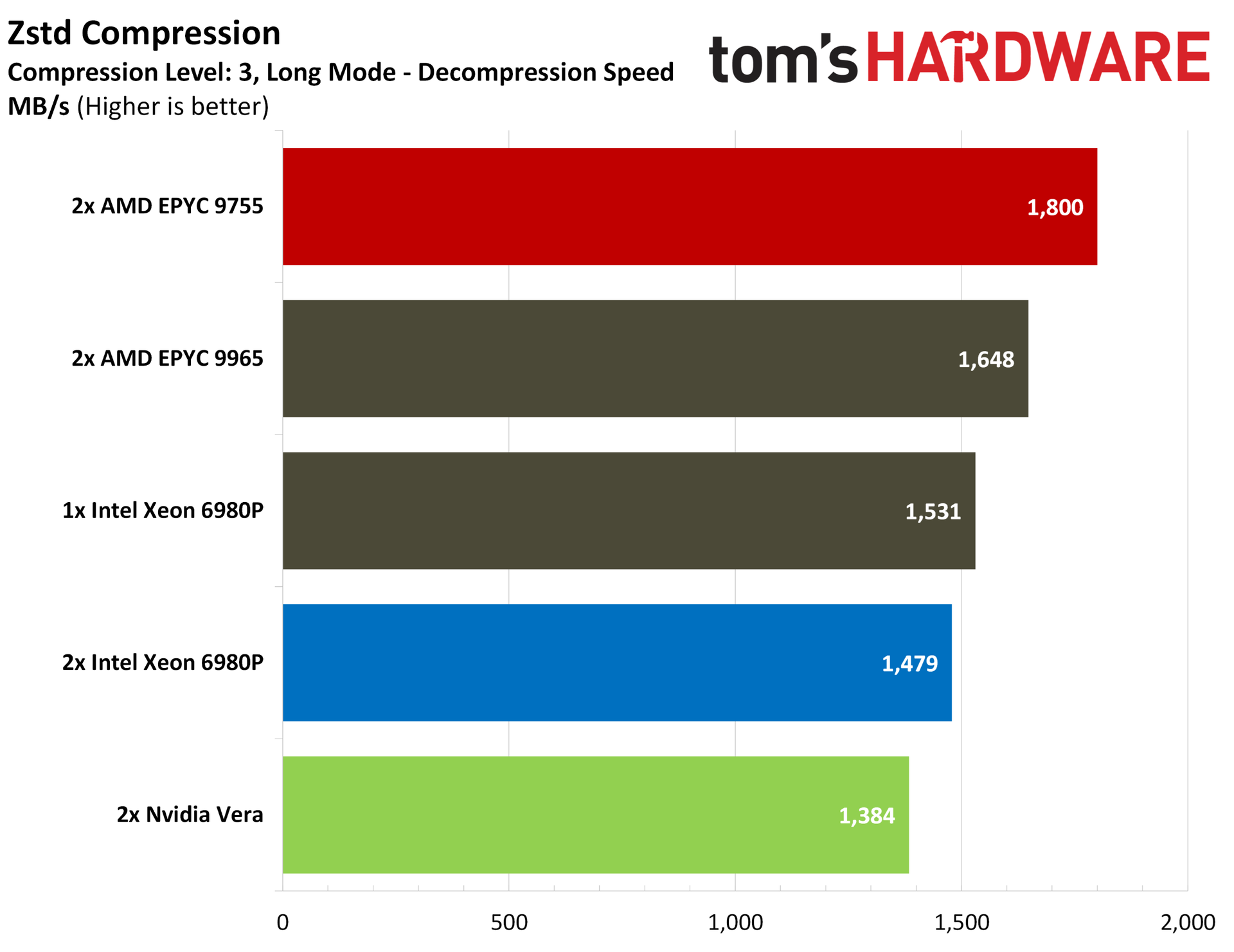
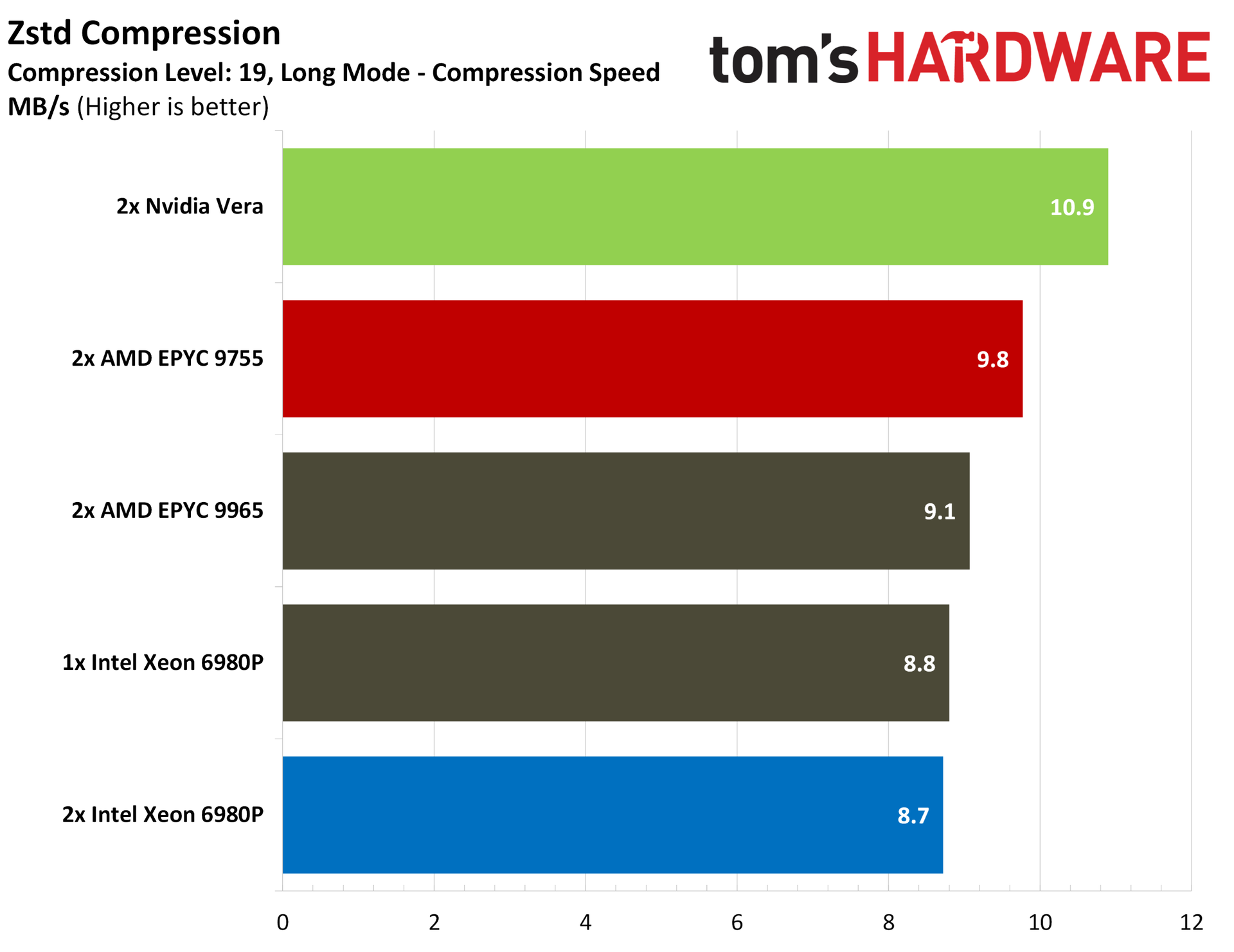
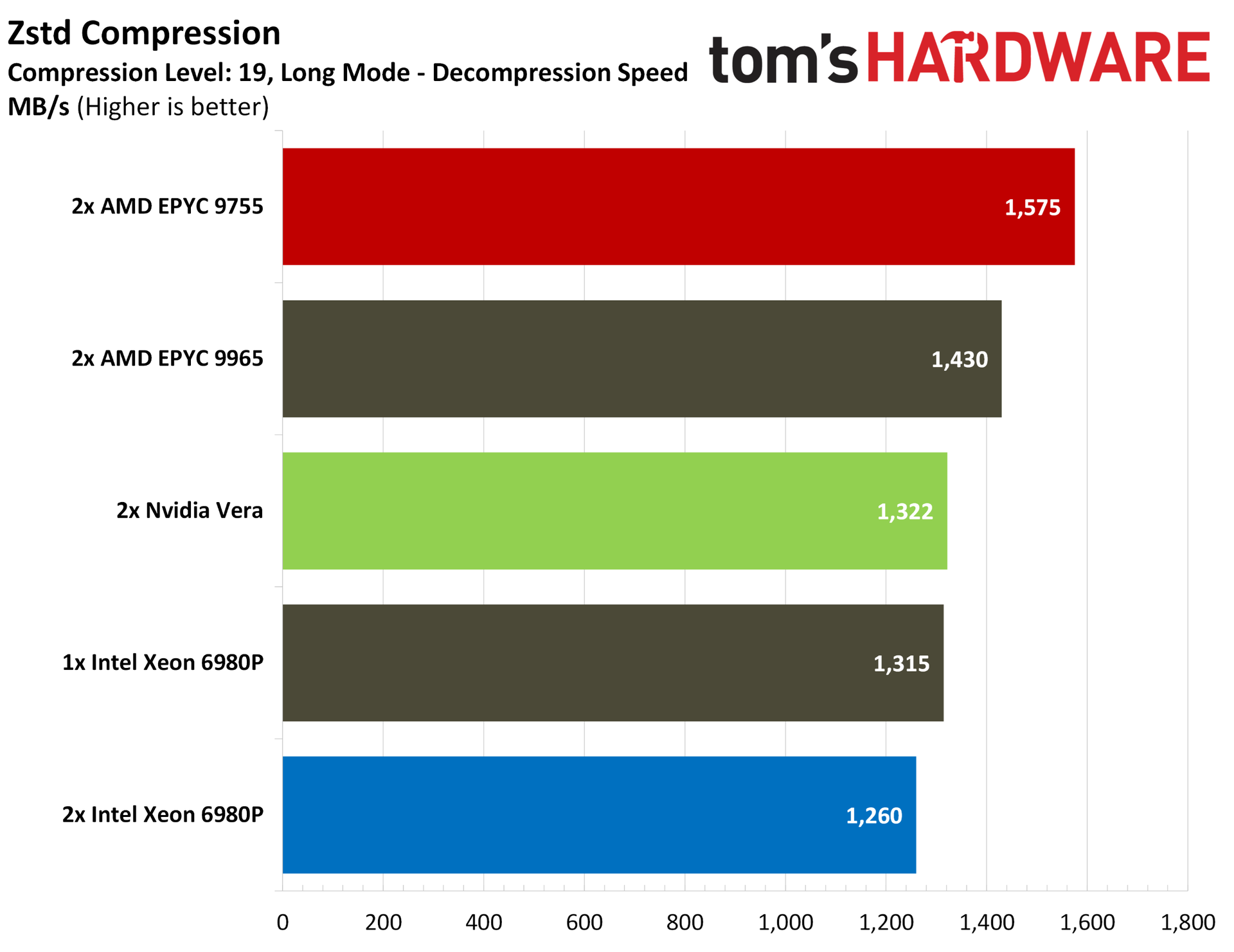
Vera loses some points in compression workloads, which we see echoed in our SPEC runs in dedicated benchmarks. Using Zstd, Vera offers chart-topping compression performance at the default level 3 compression, as well as the maximum level 19 compression, across both standard and Long Mode runs. However, in decompression, the Turin chips take over, with Vera sitting alongside or below a dual 6980P configuration.
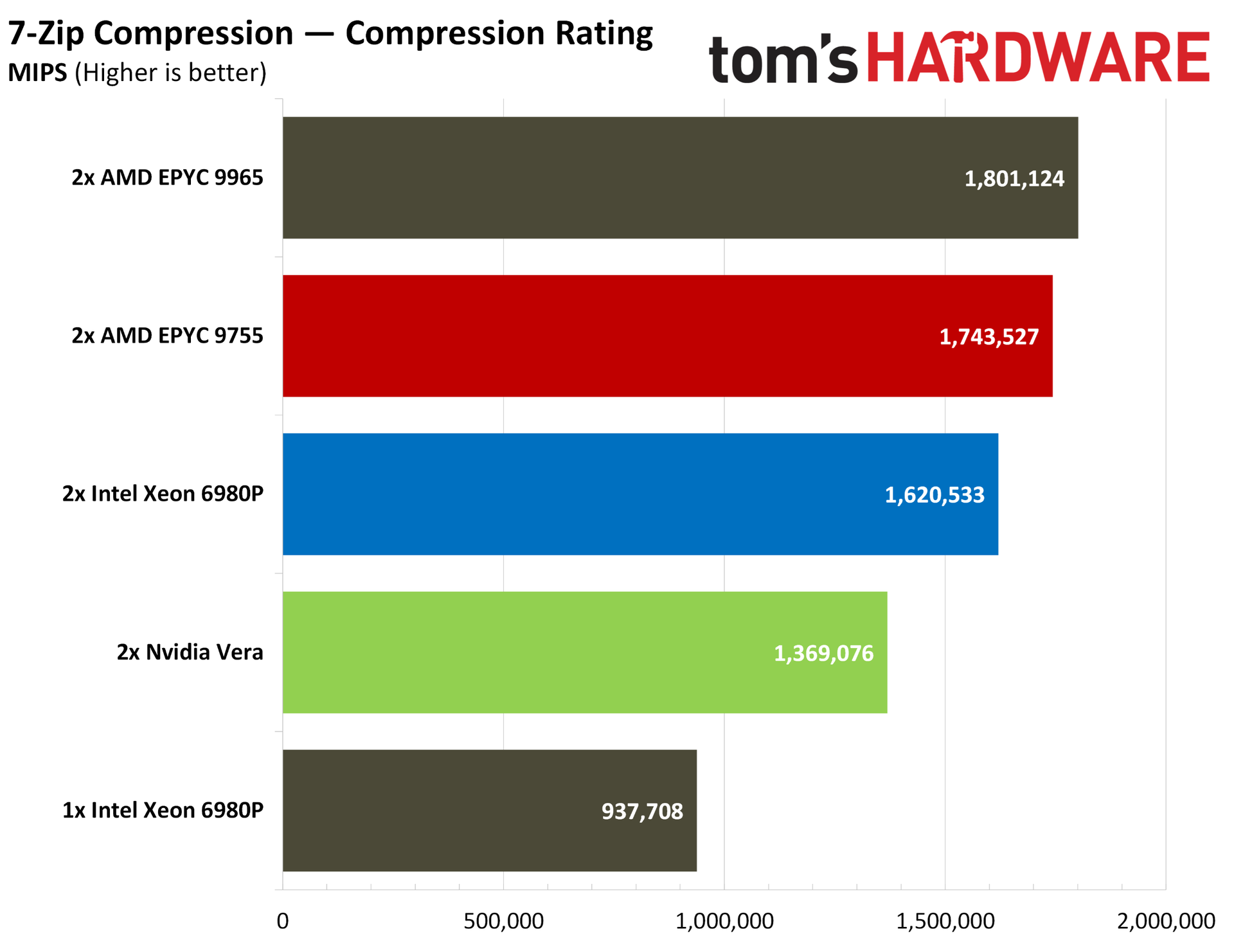
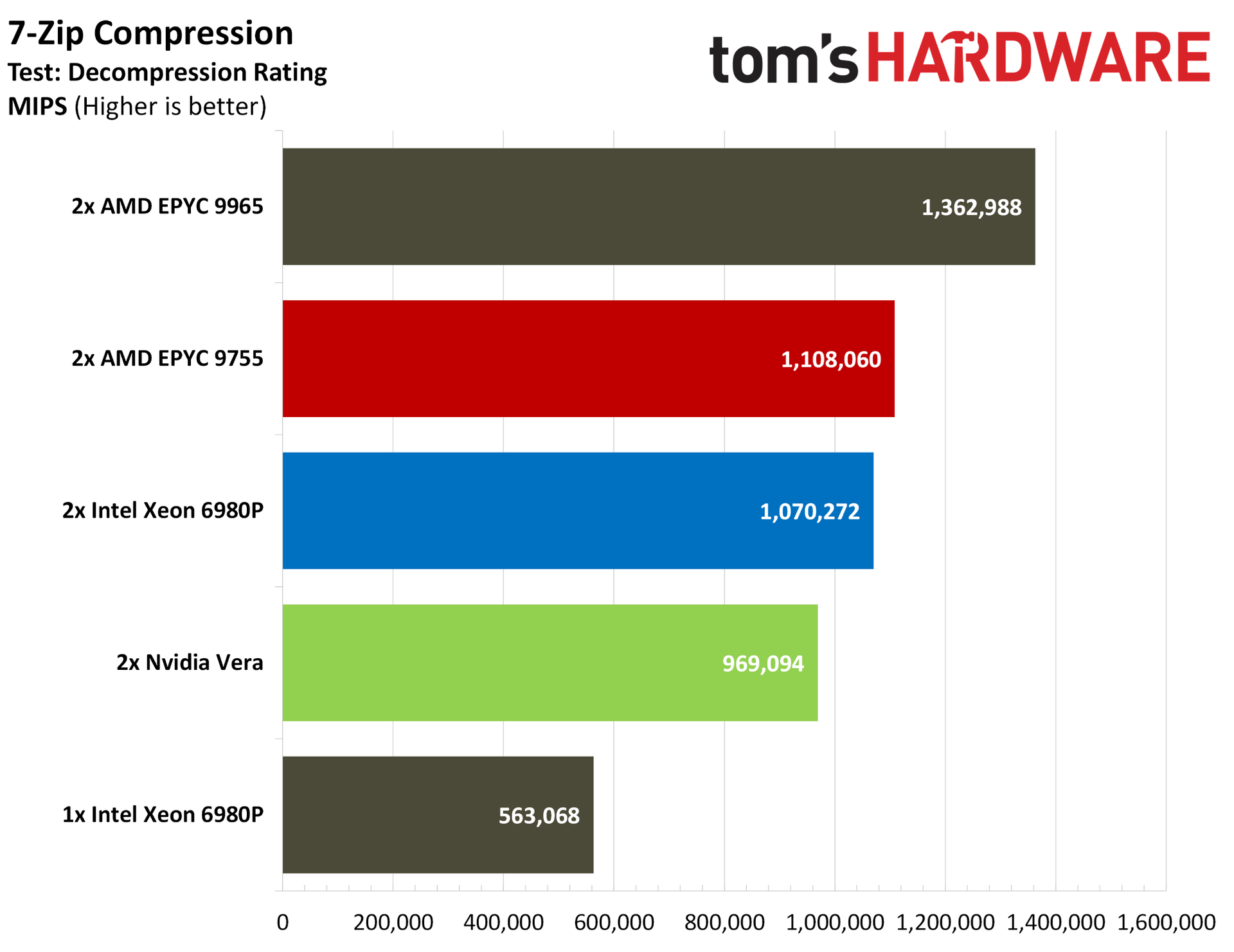
7-Zip traditionally favors Zen, so it’s no surprise to see both Turin configurations at the top of the charts. Vera loses out to the dual 6980P system in both compression and decompression performance via 7-Zip.
Nvidia Vera Java, database, and crypto benchmarks
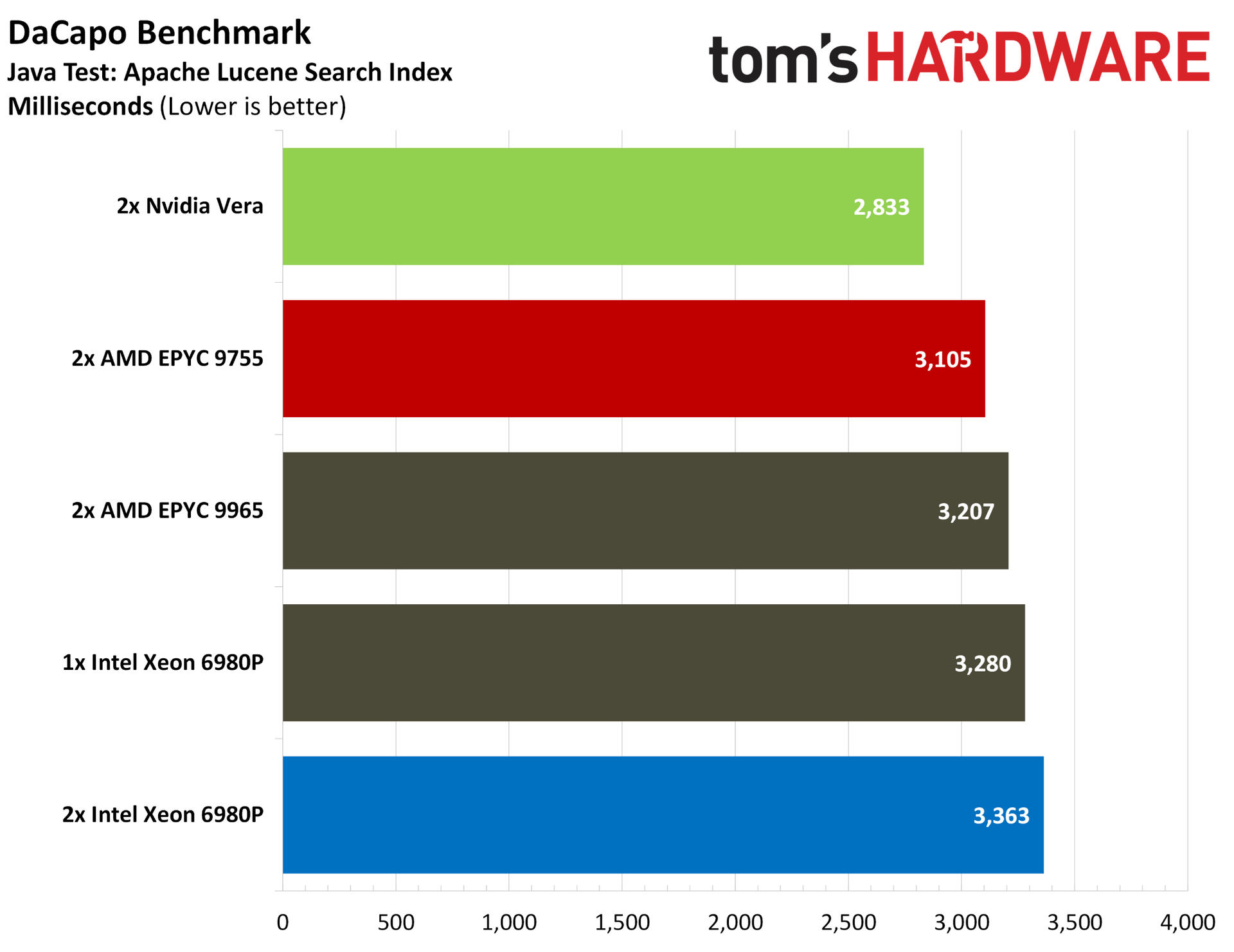
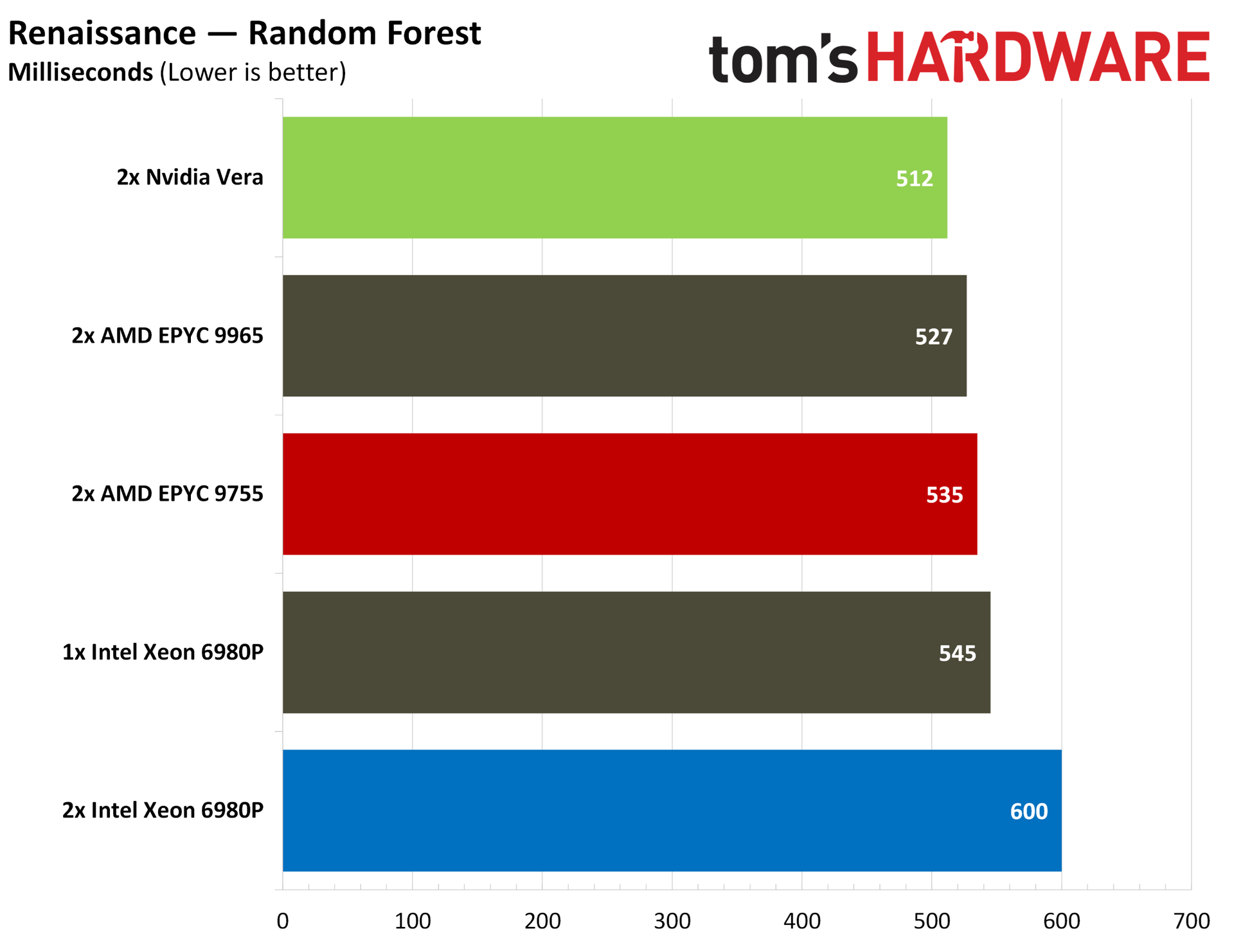
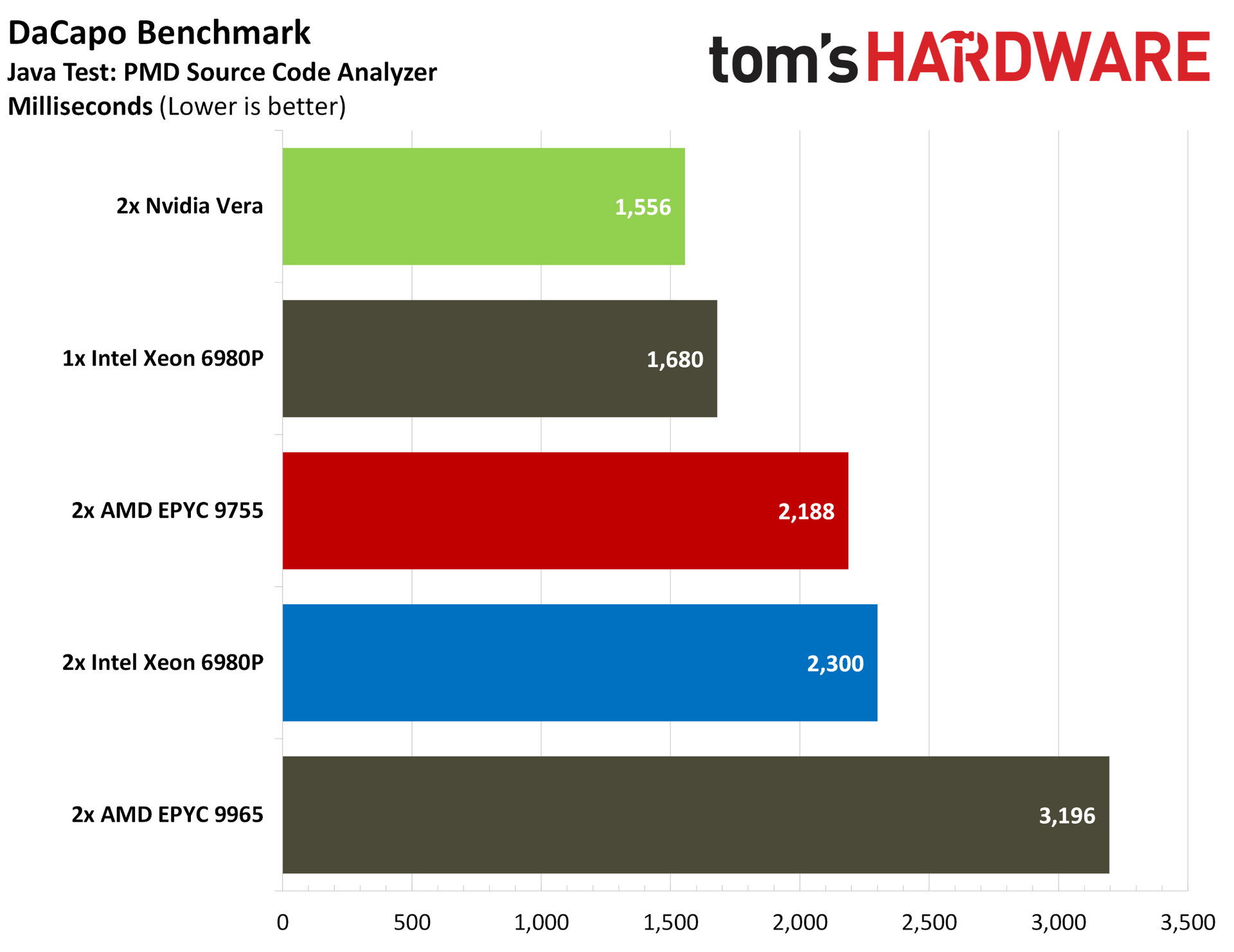
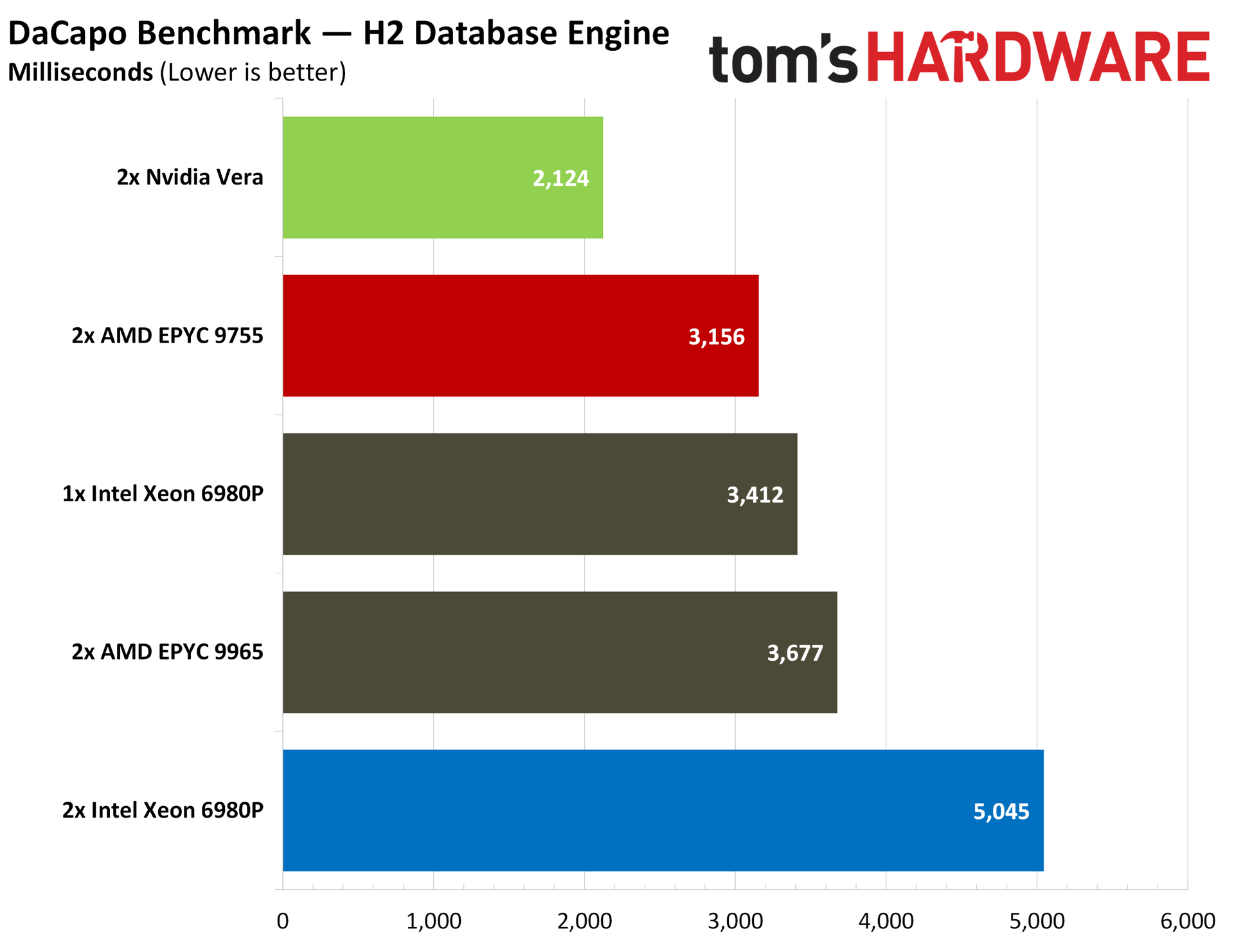
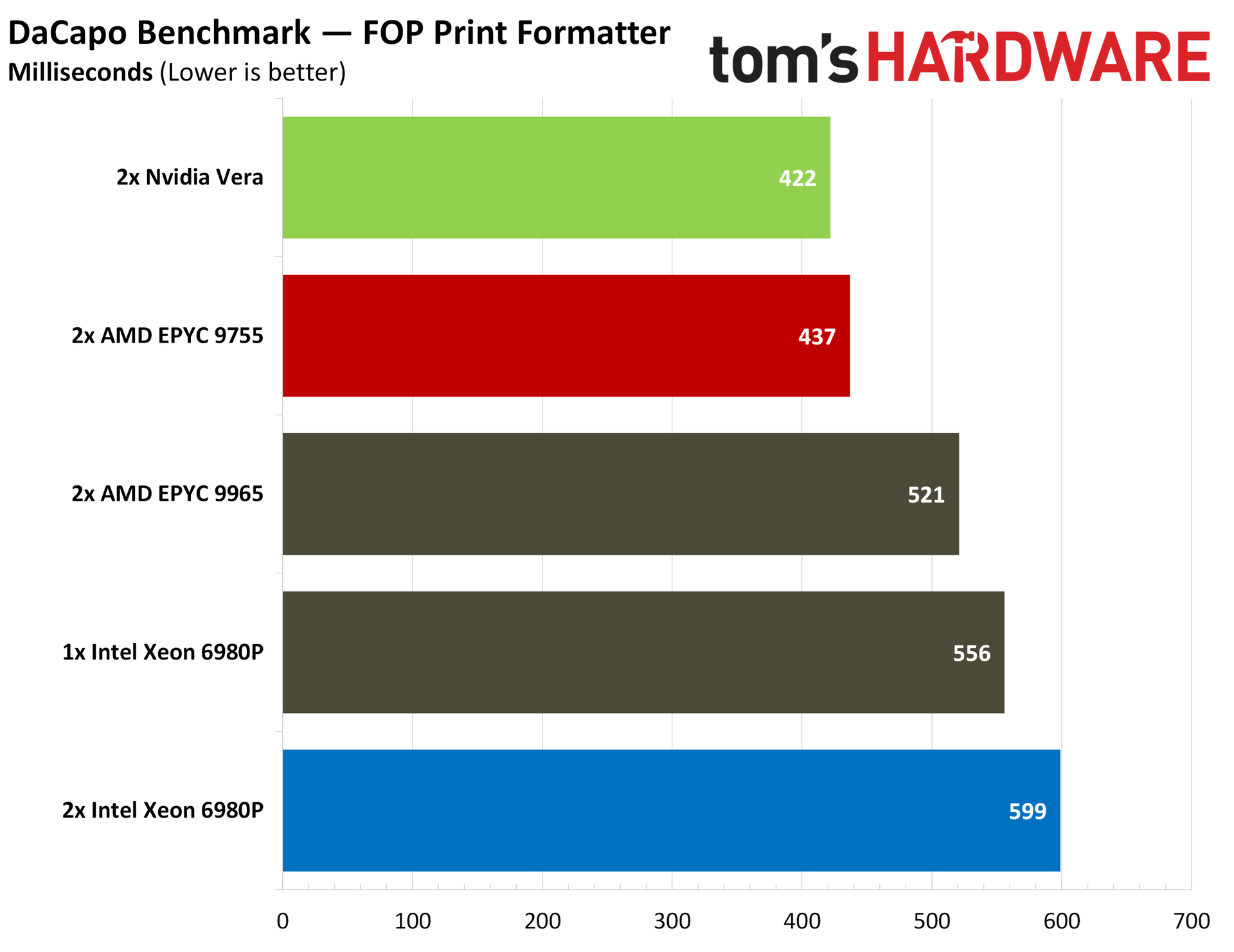
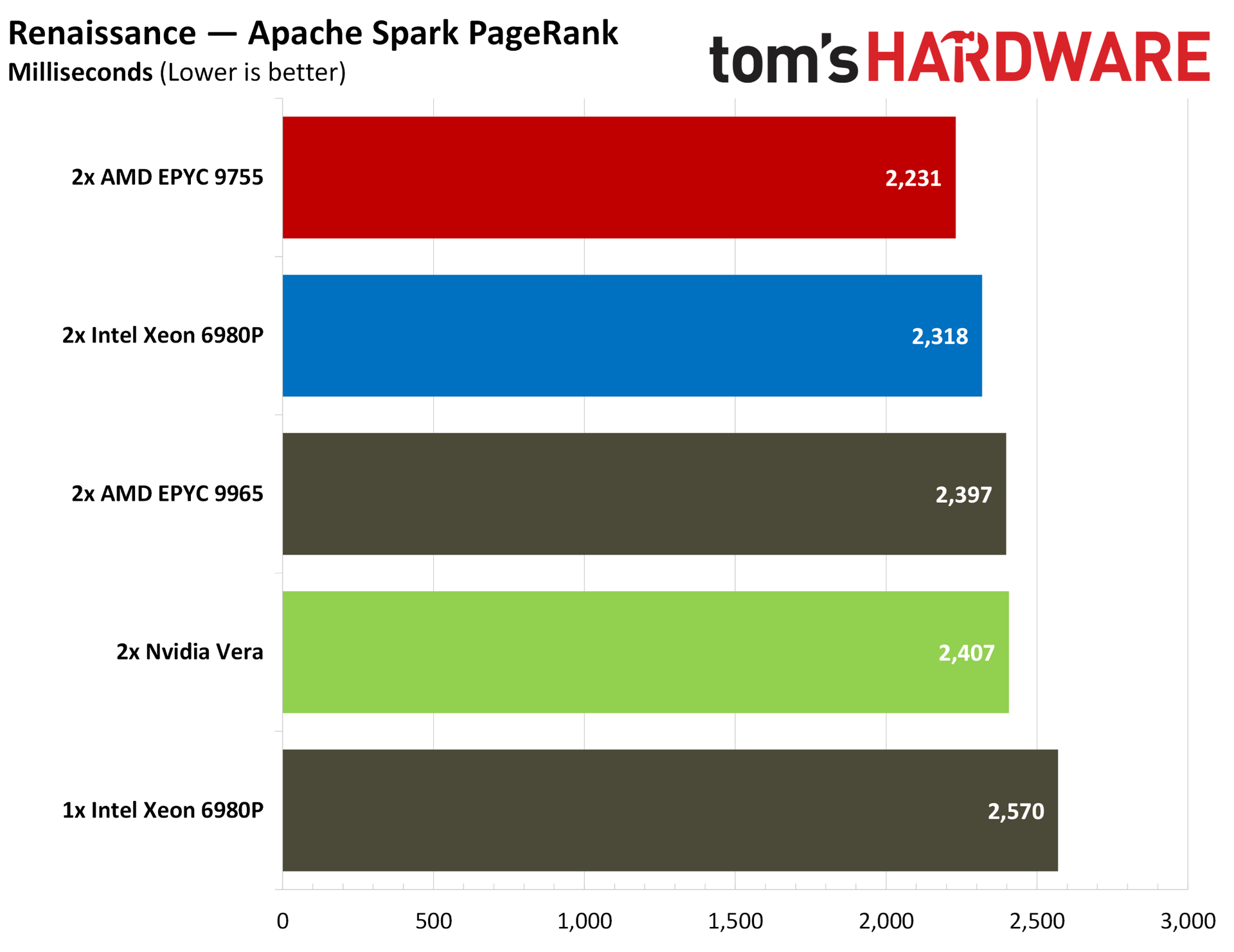
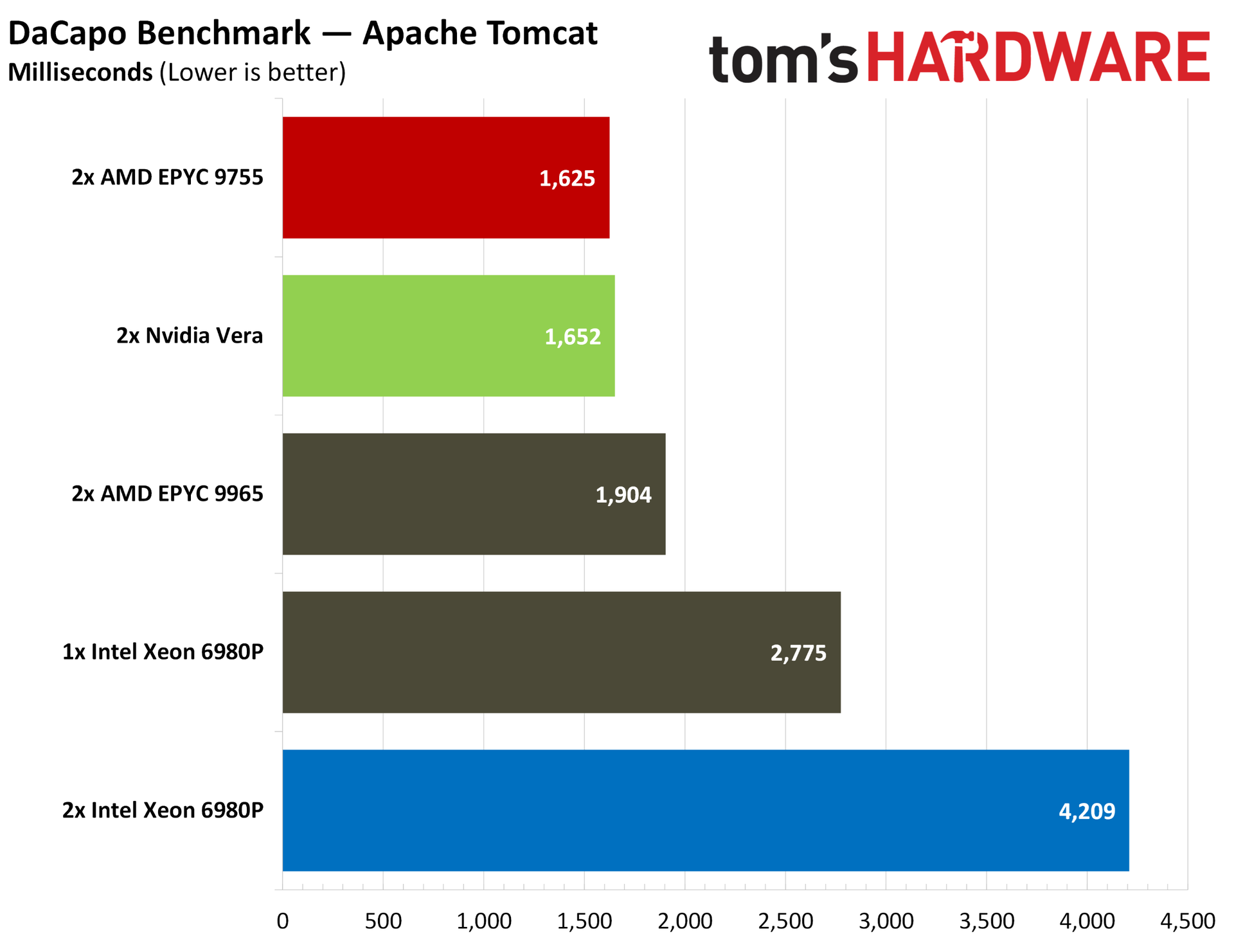
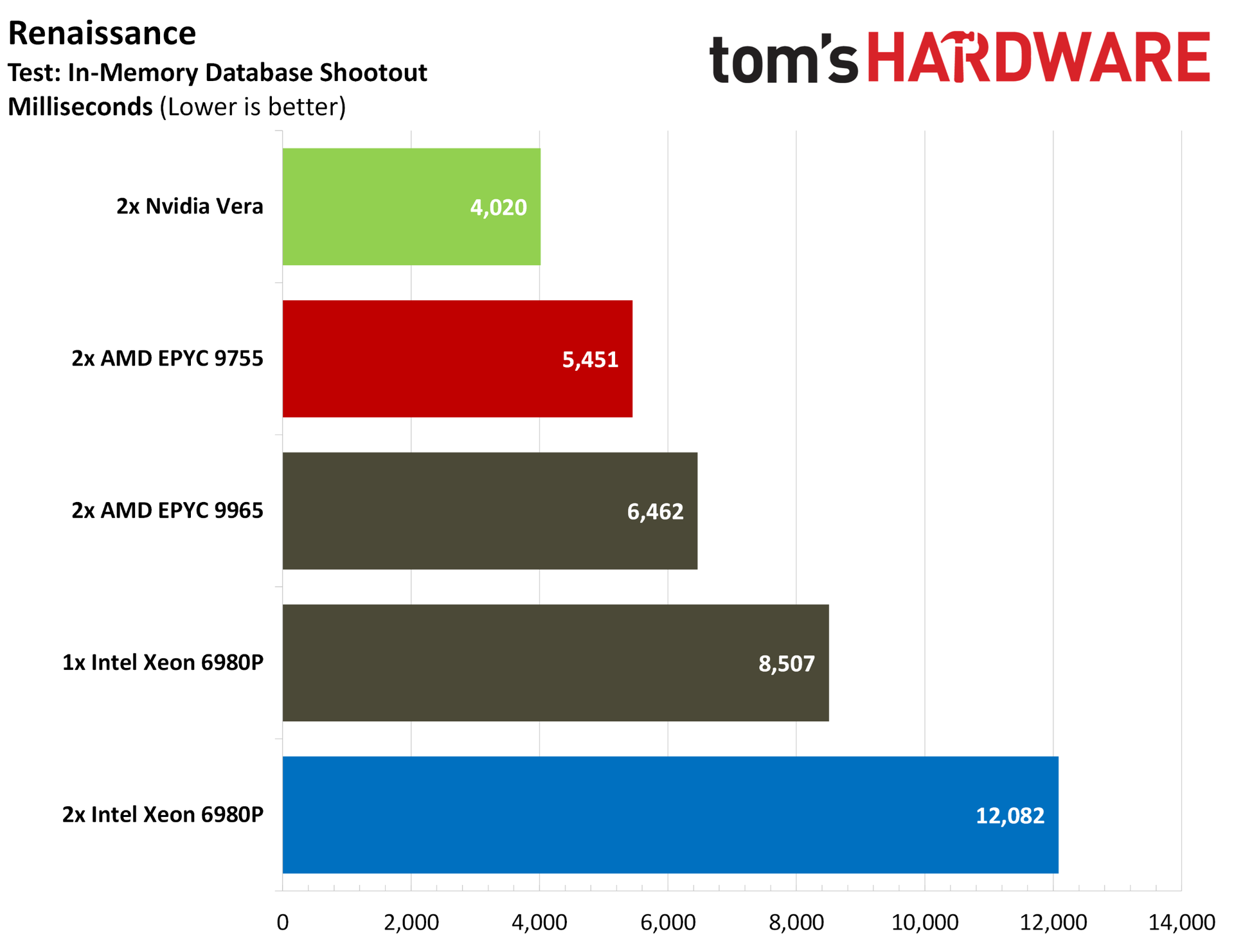
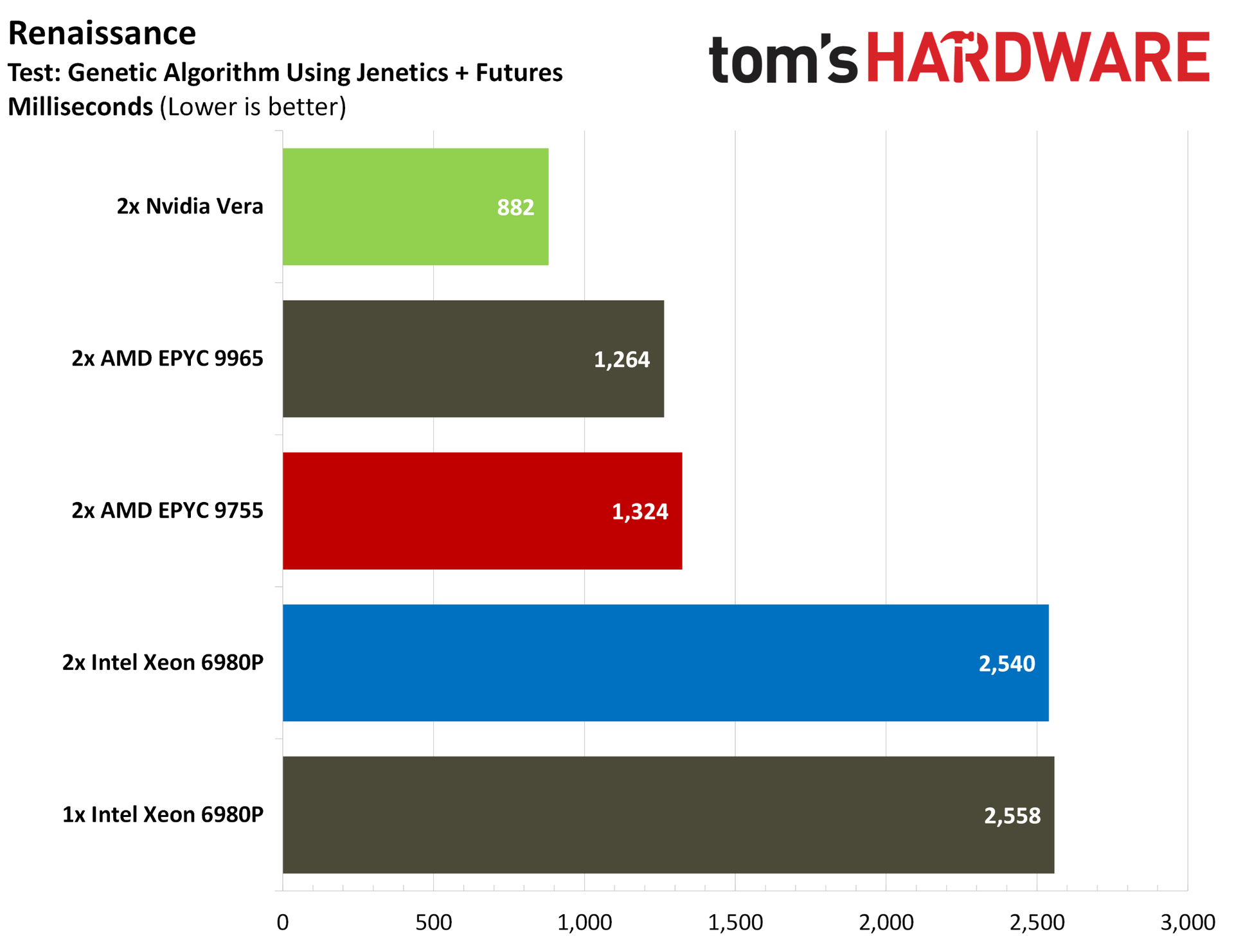
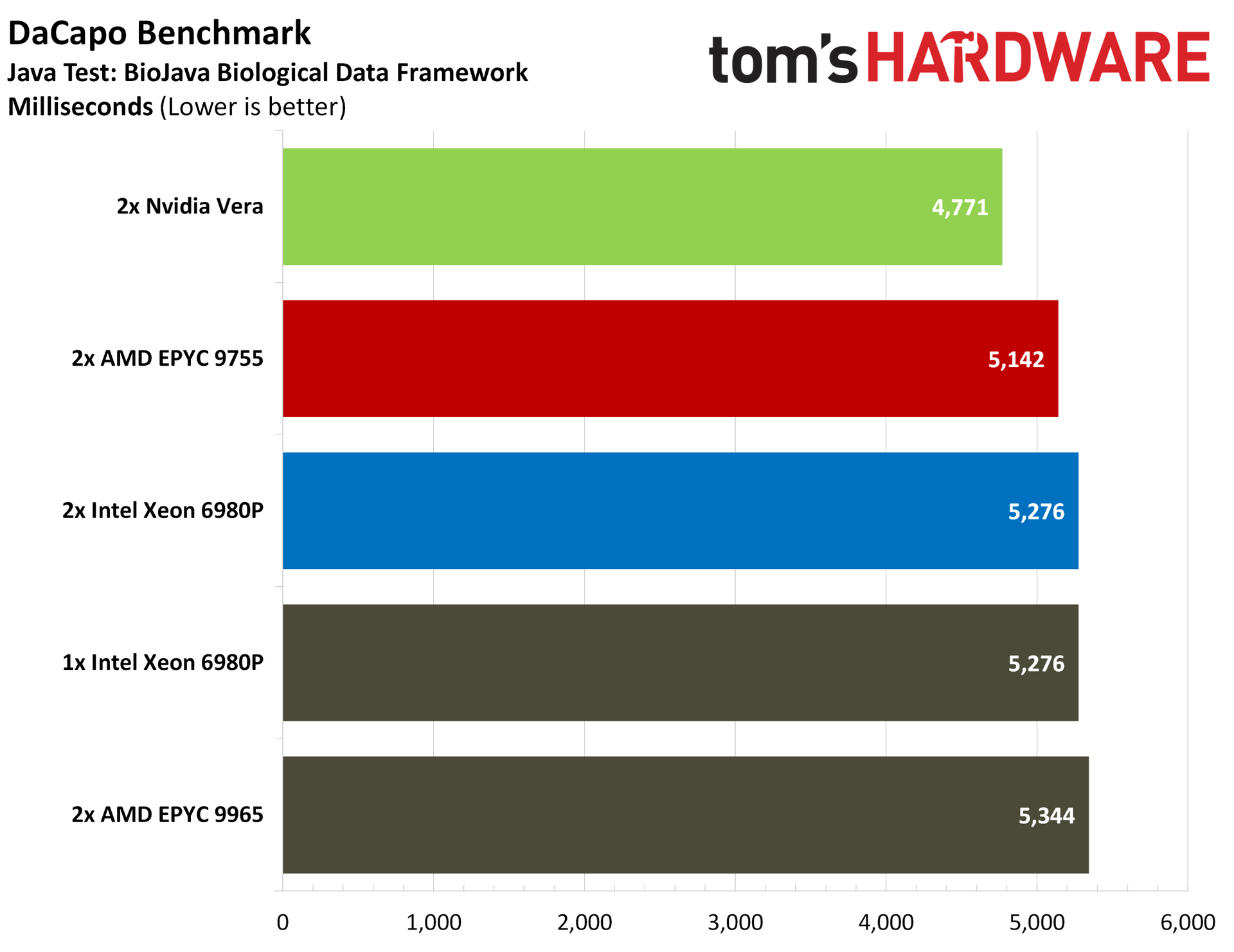
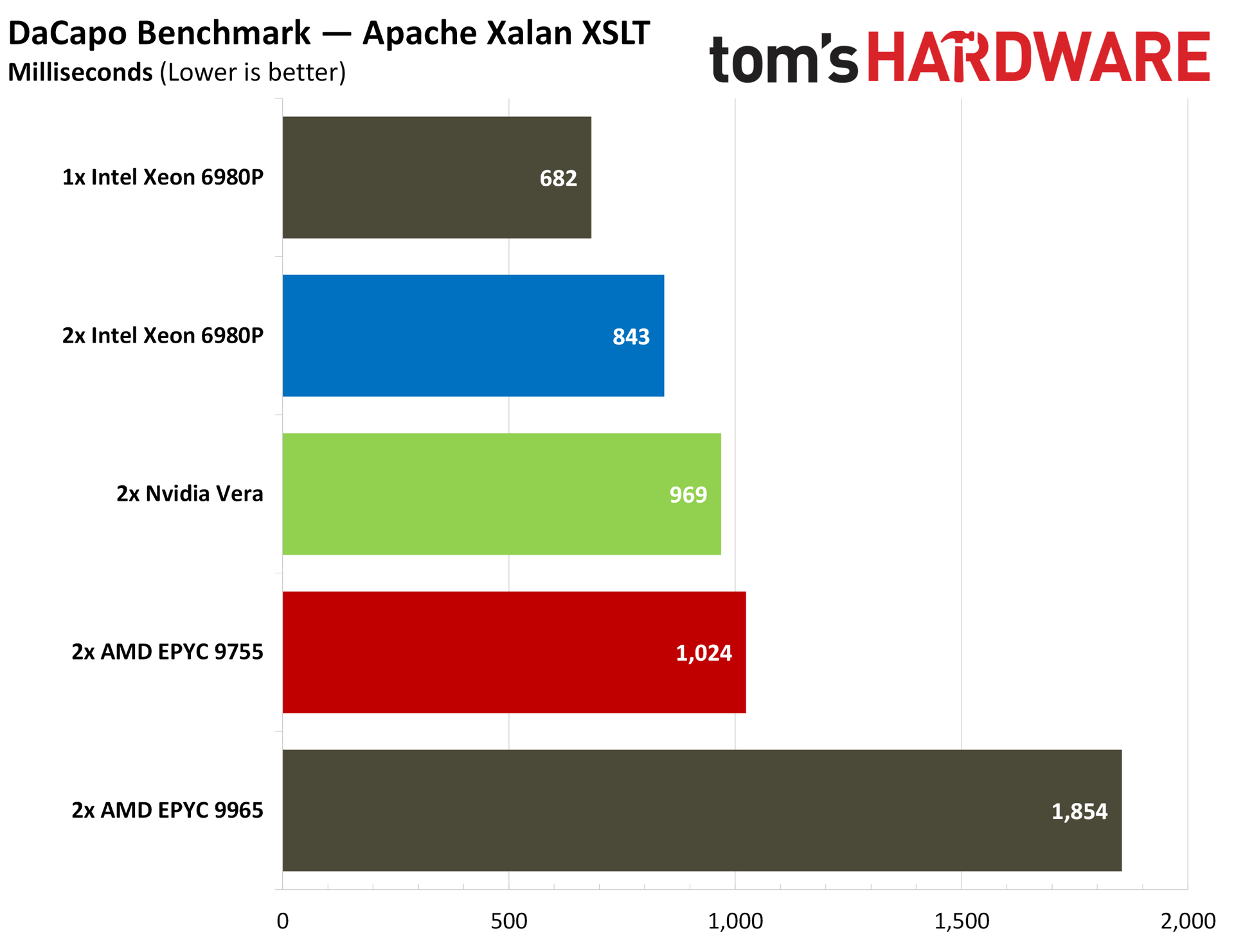
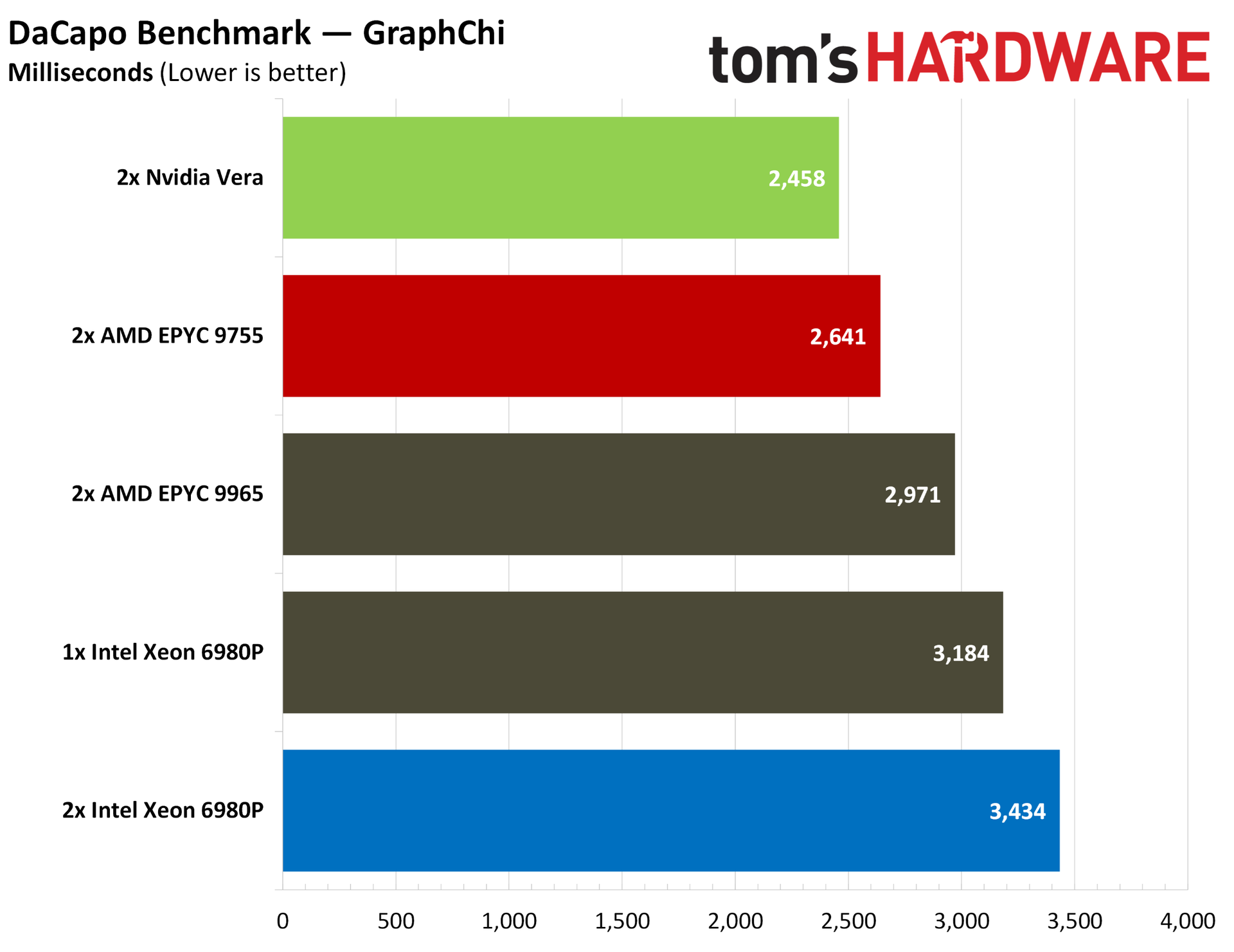
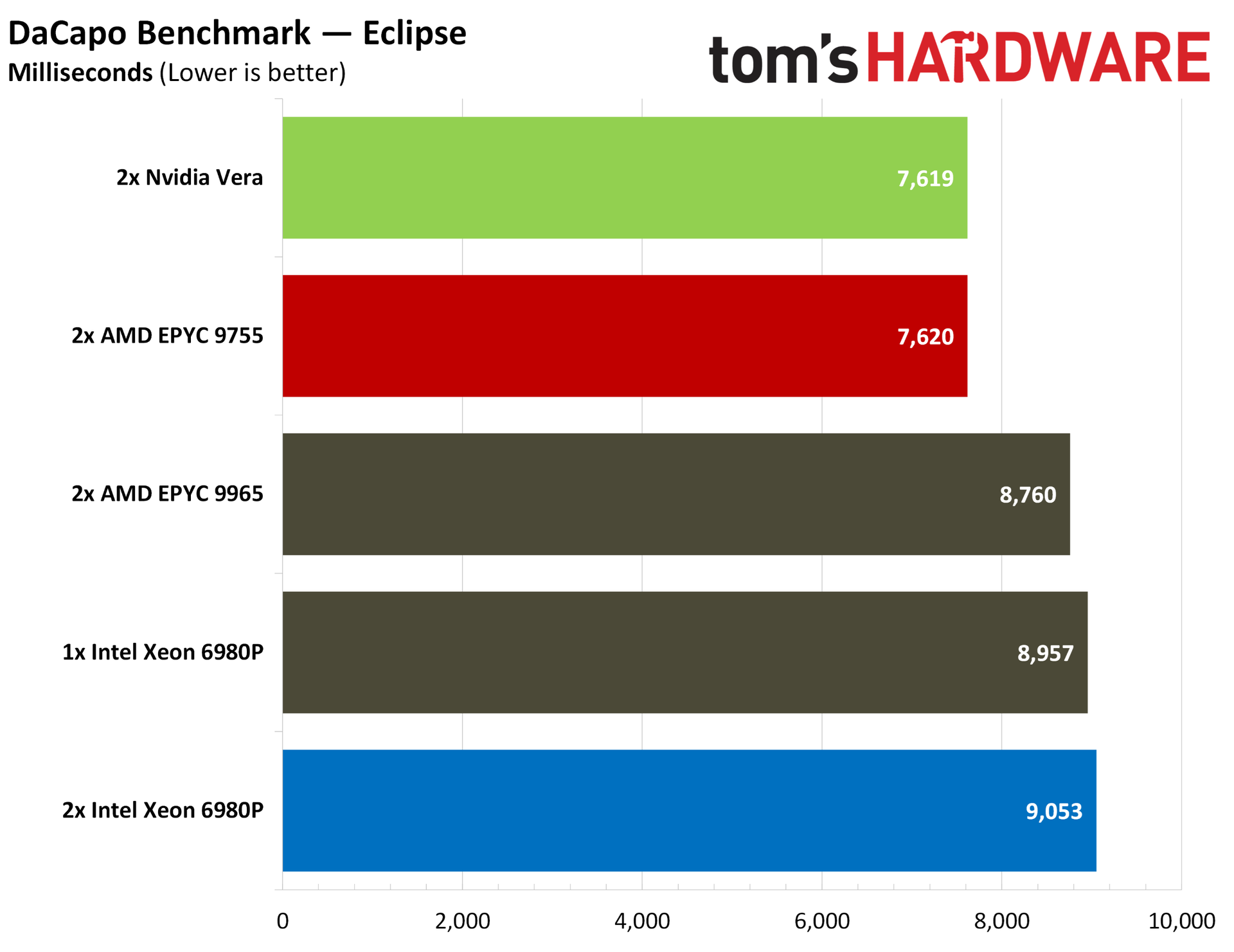
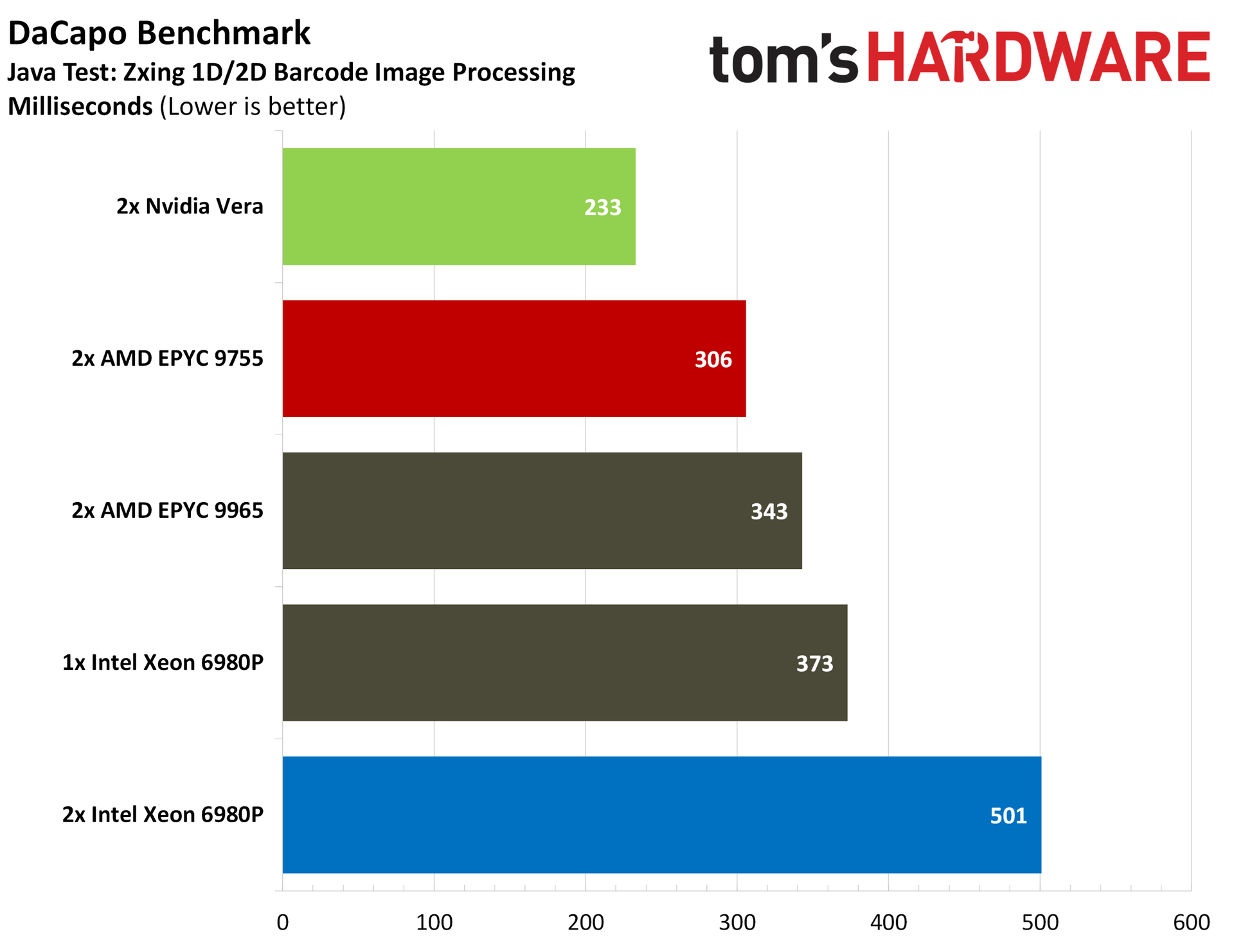
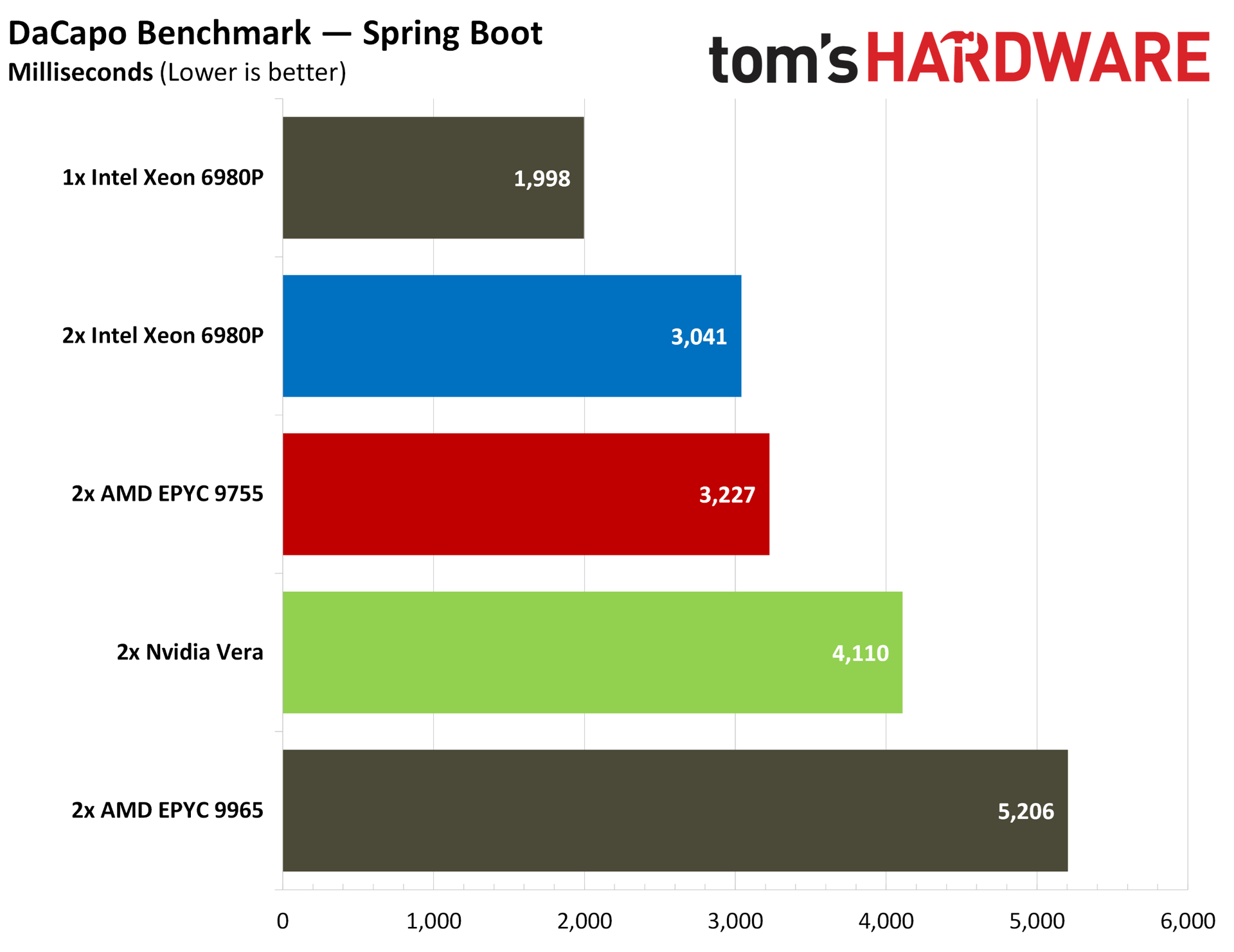
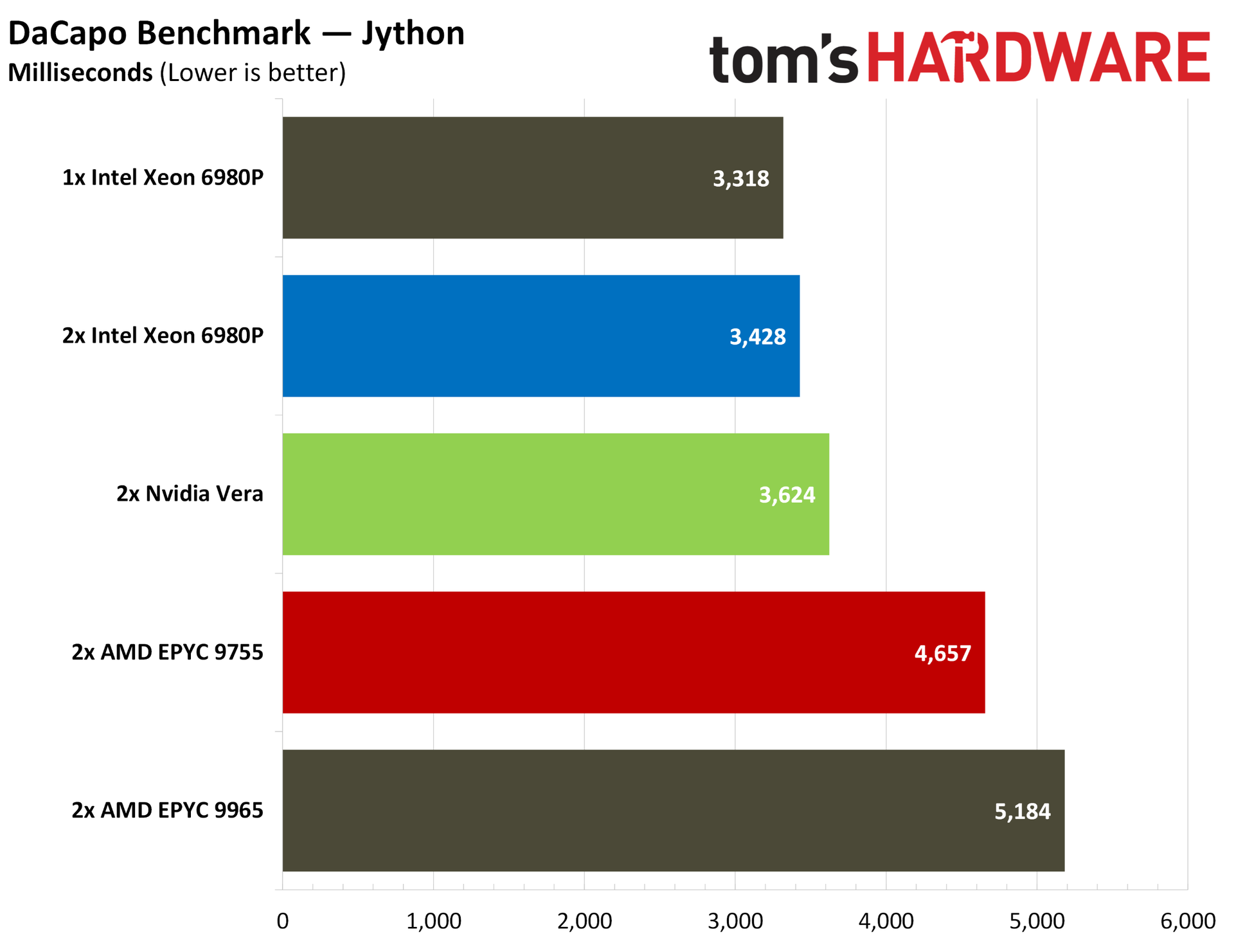
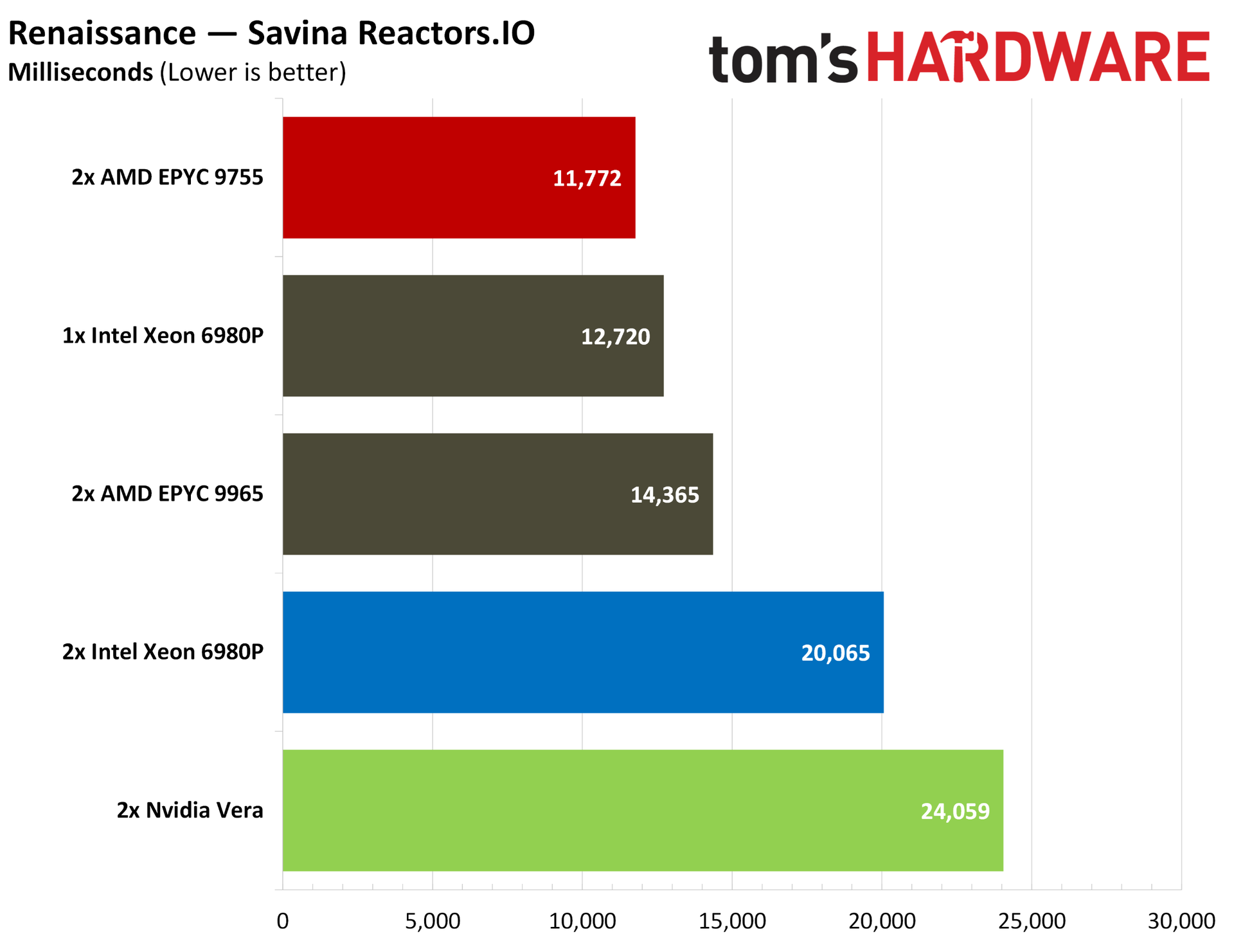
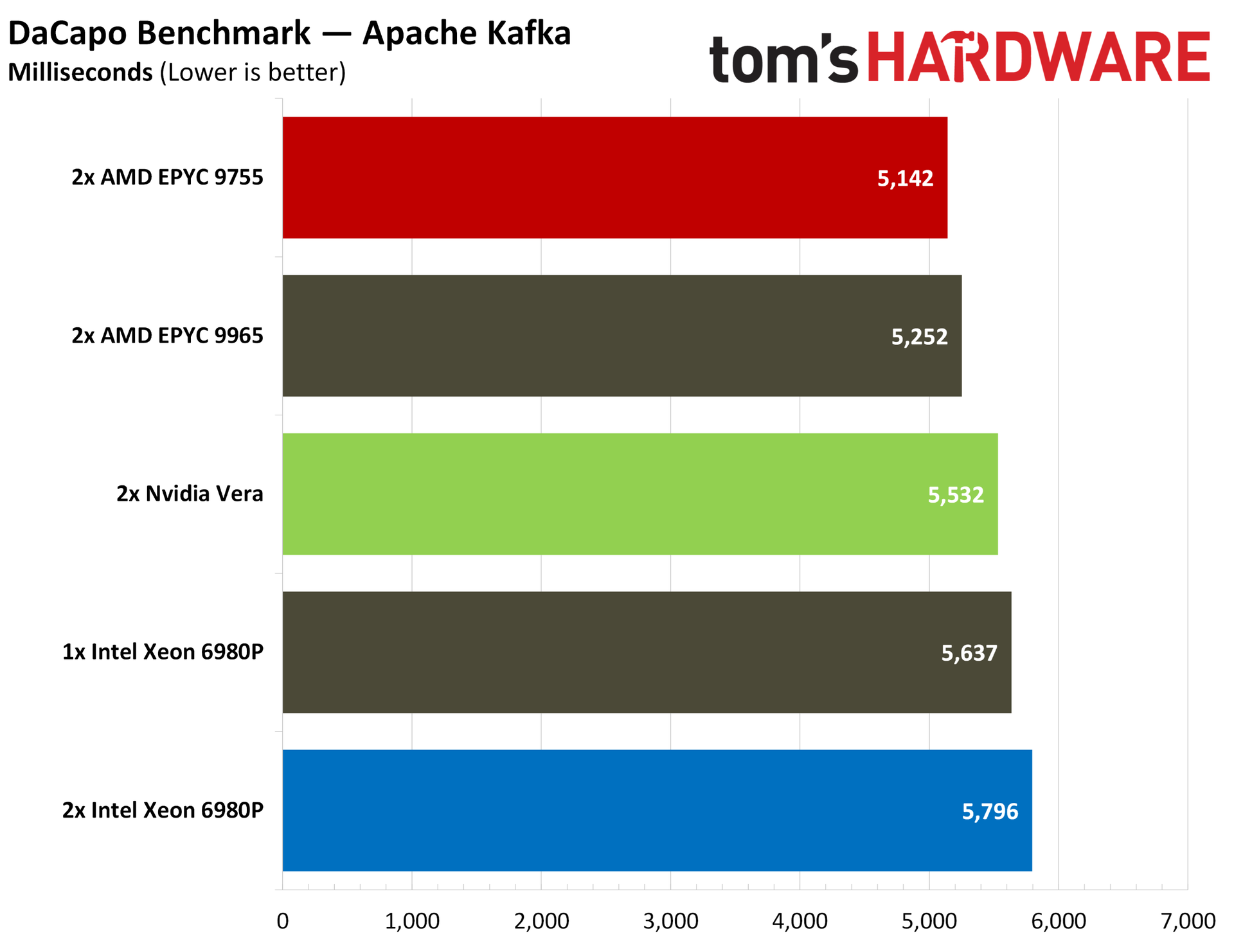
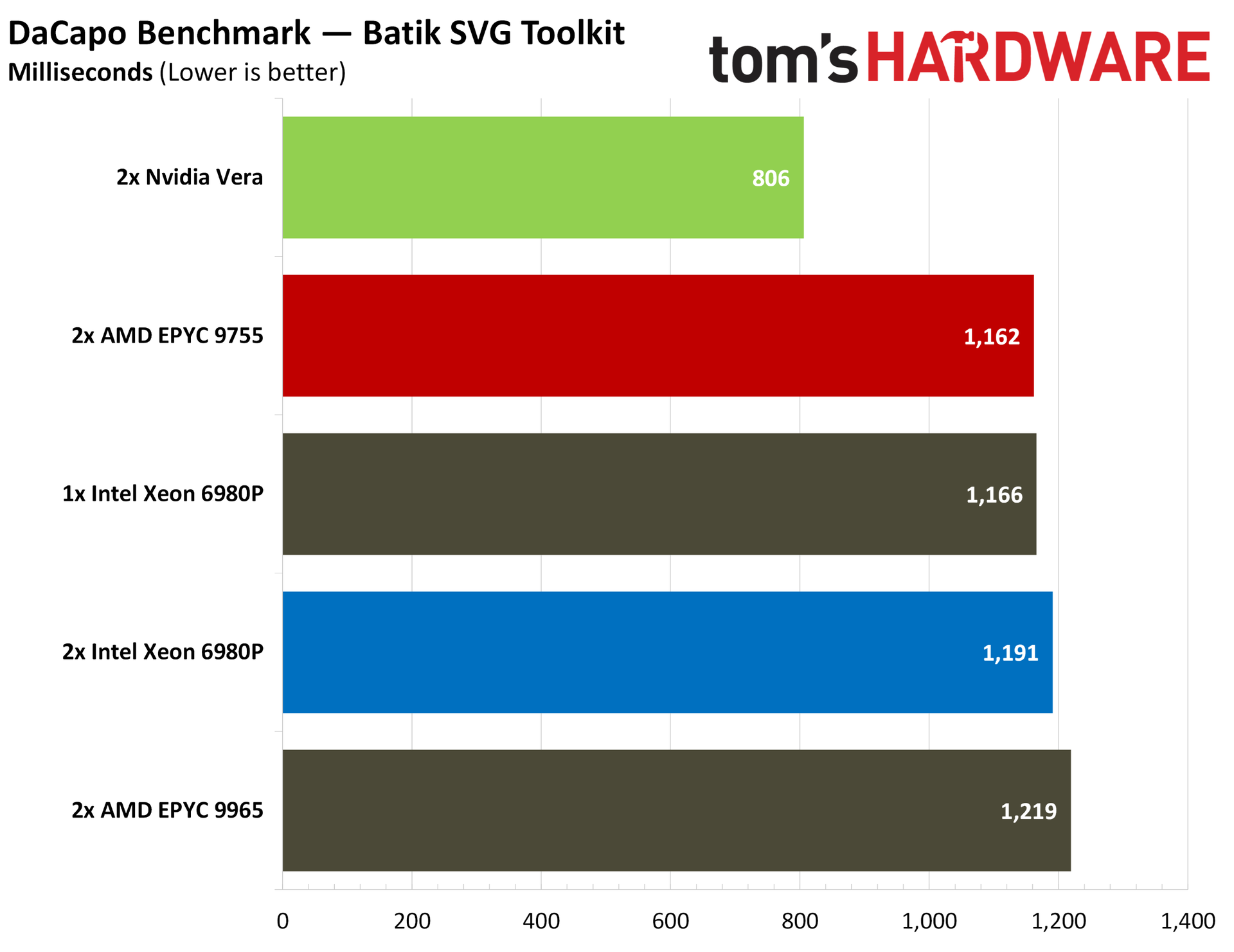
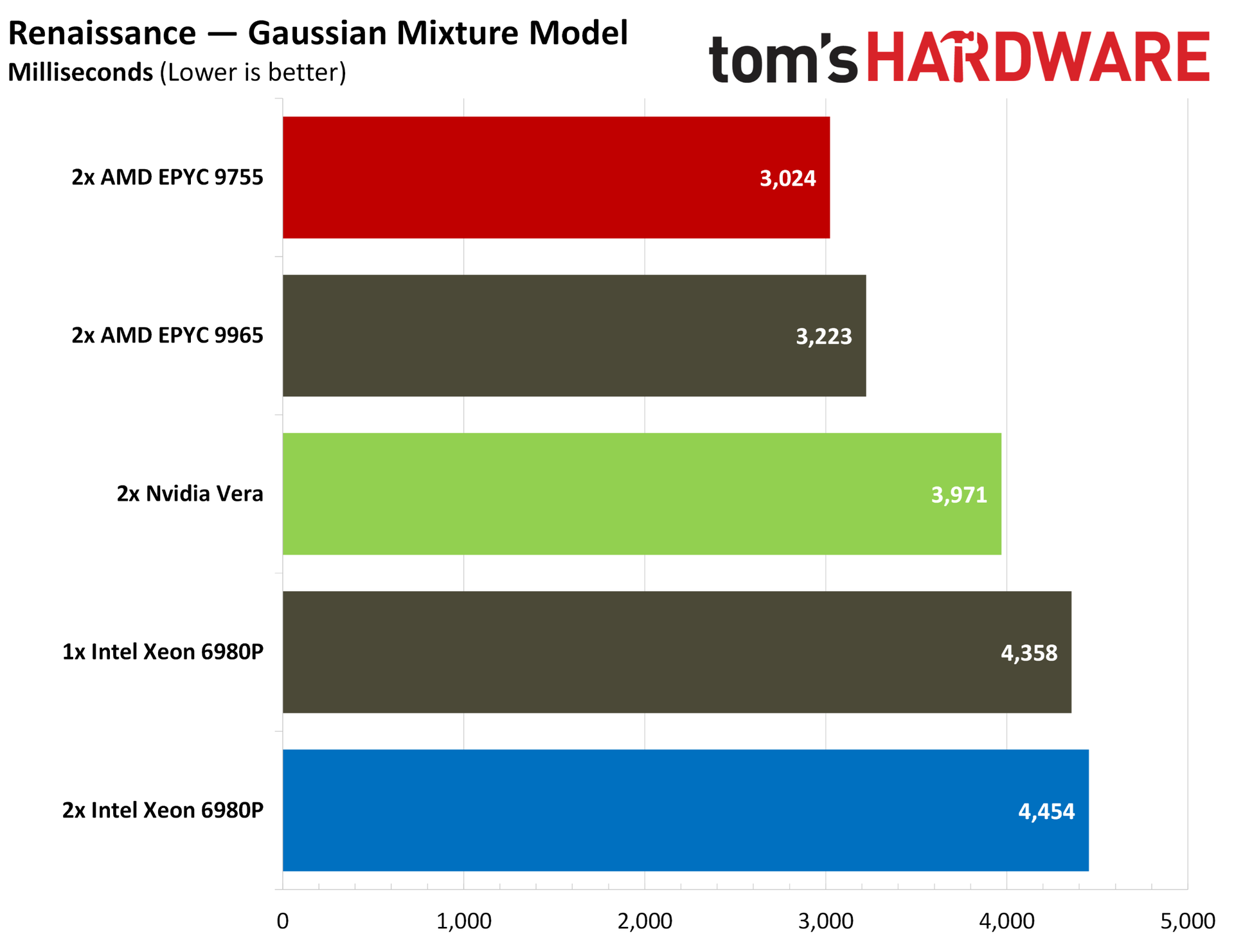
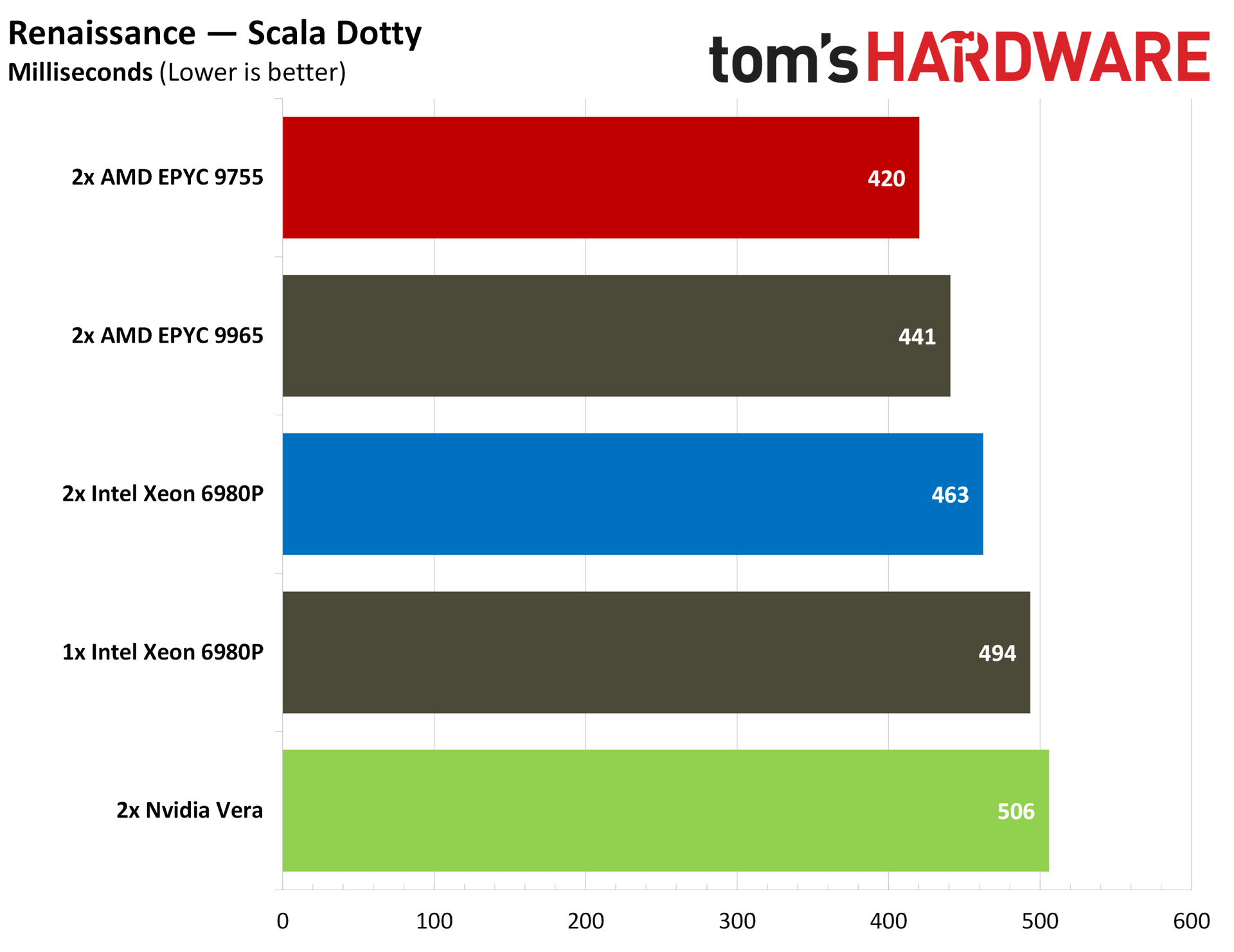
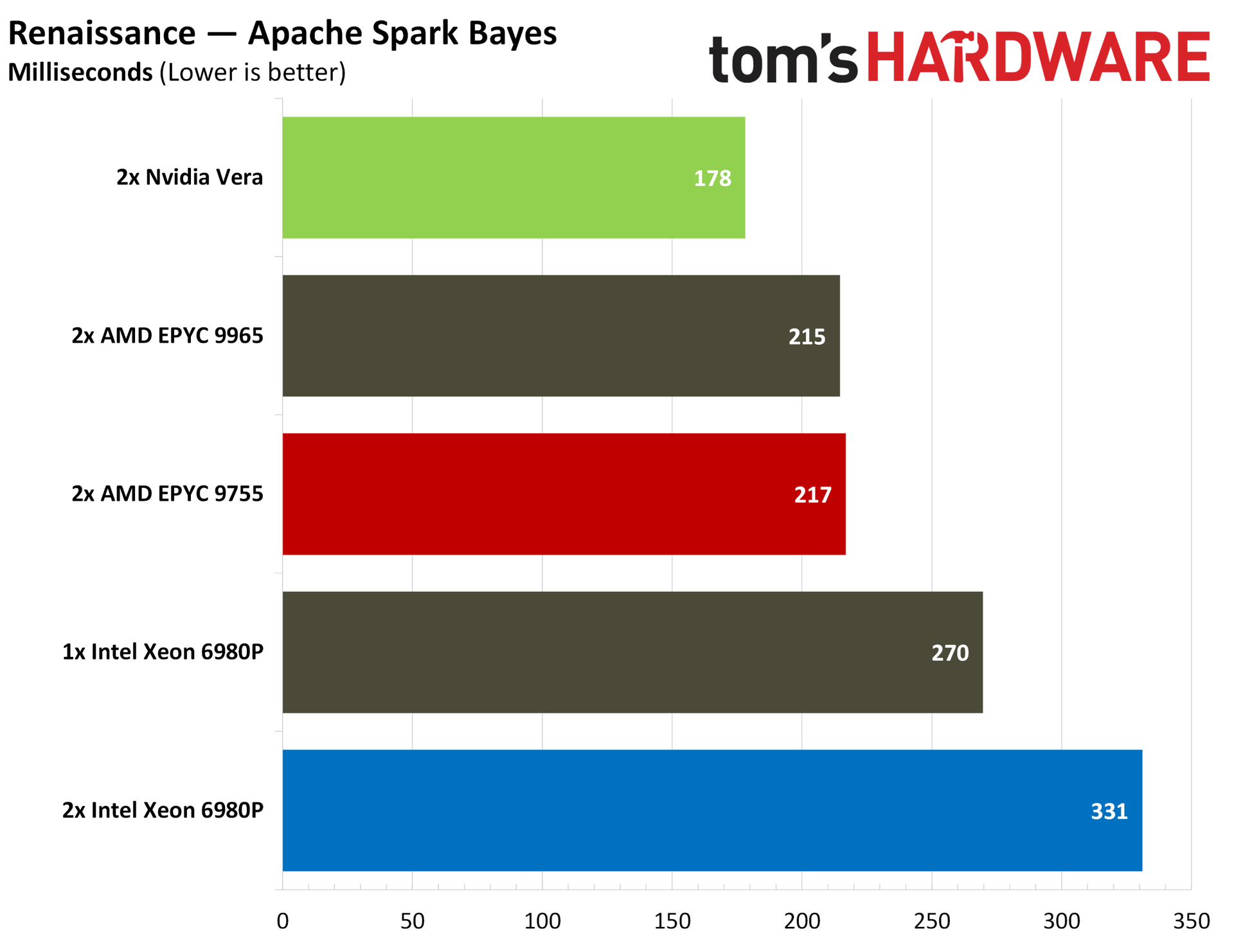
Python is the language of choice for the AI ecosystem right now, but JavaScript/TypeScript are a close second. We ran three standard Java suites to evaluate performance: Java SciMark, DaCapo, and Renaissance.
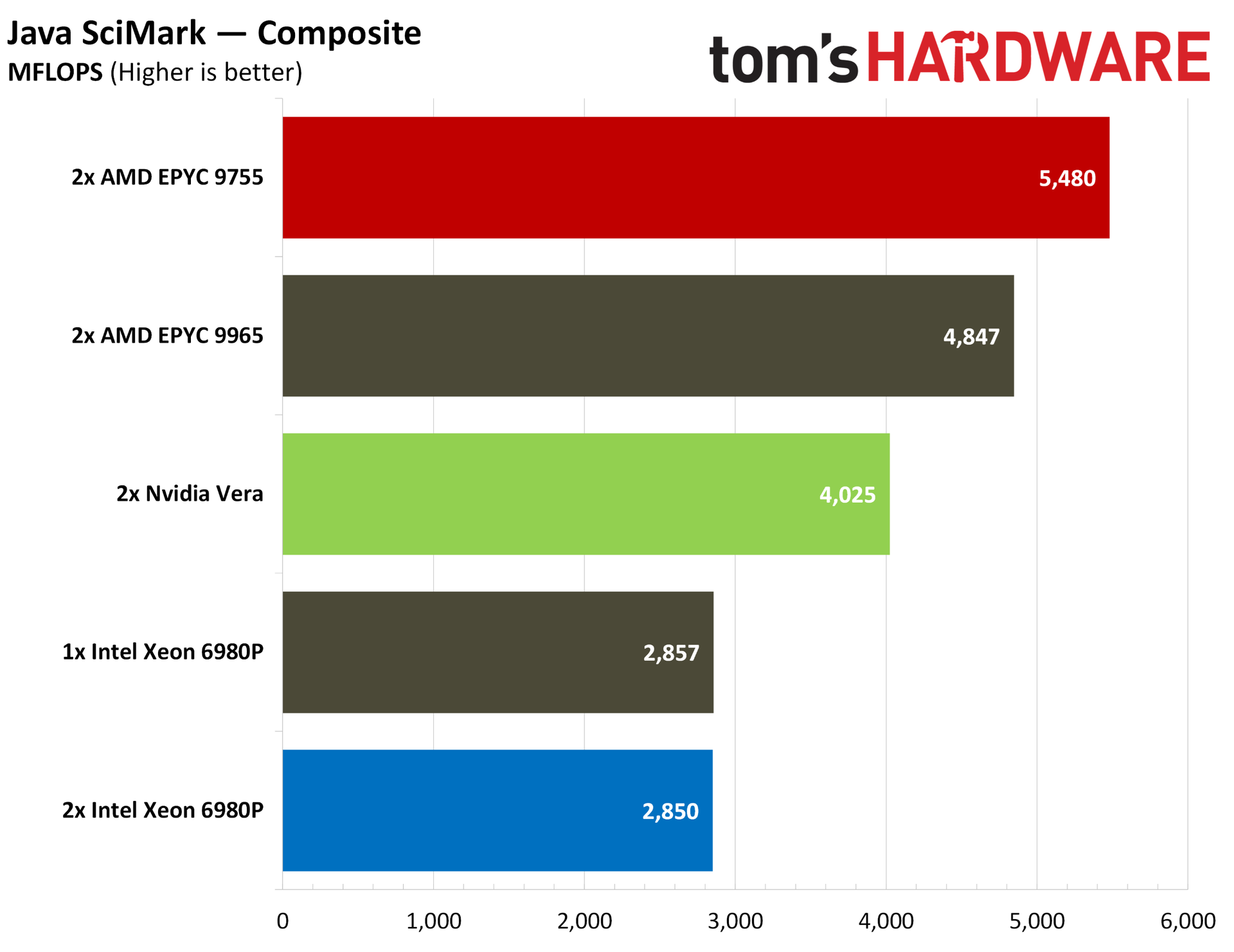
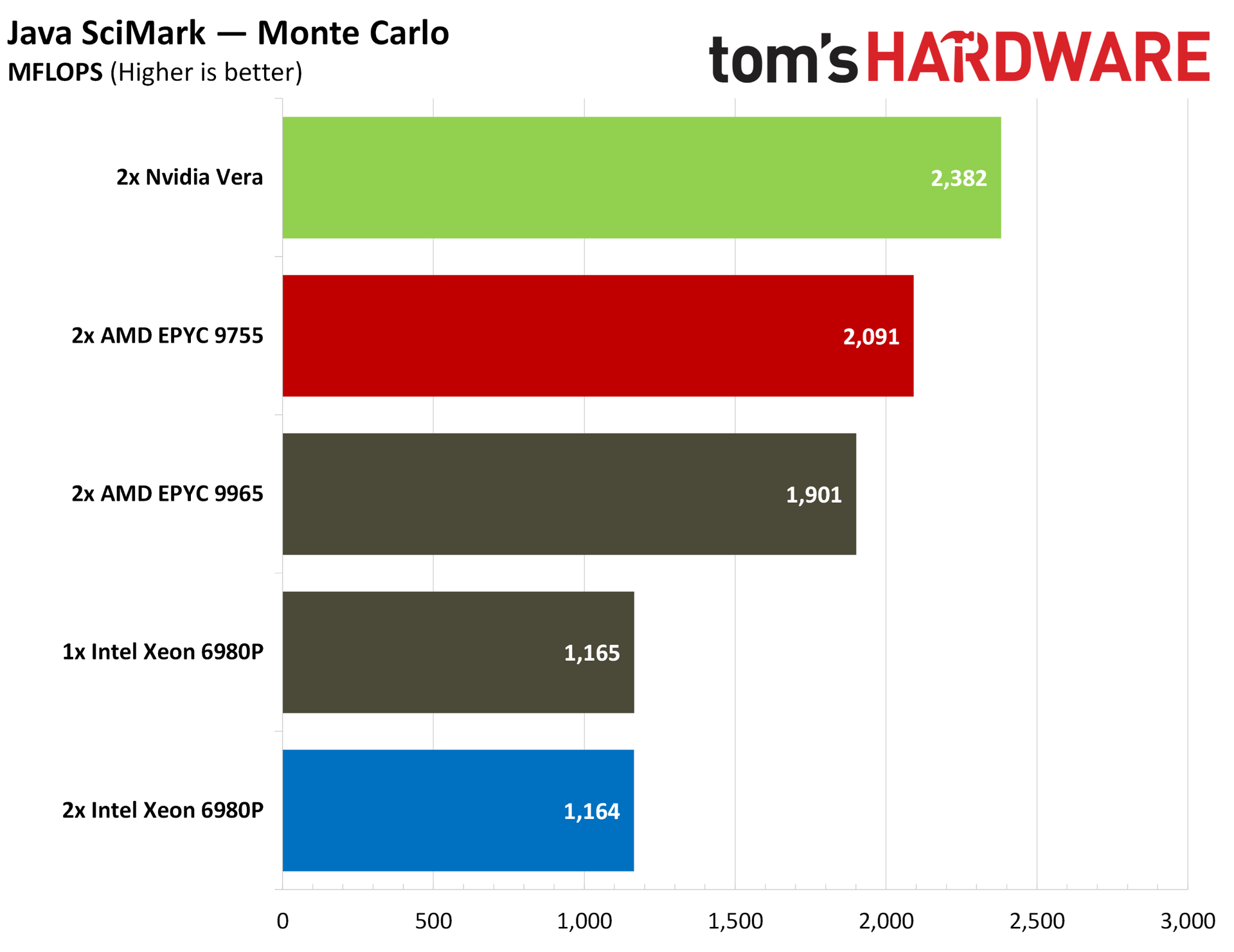
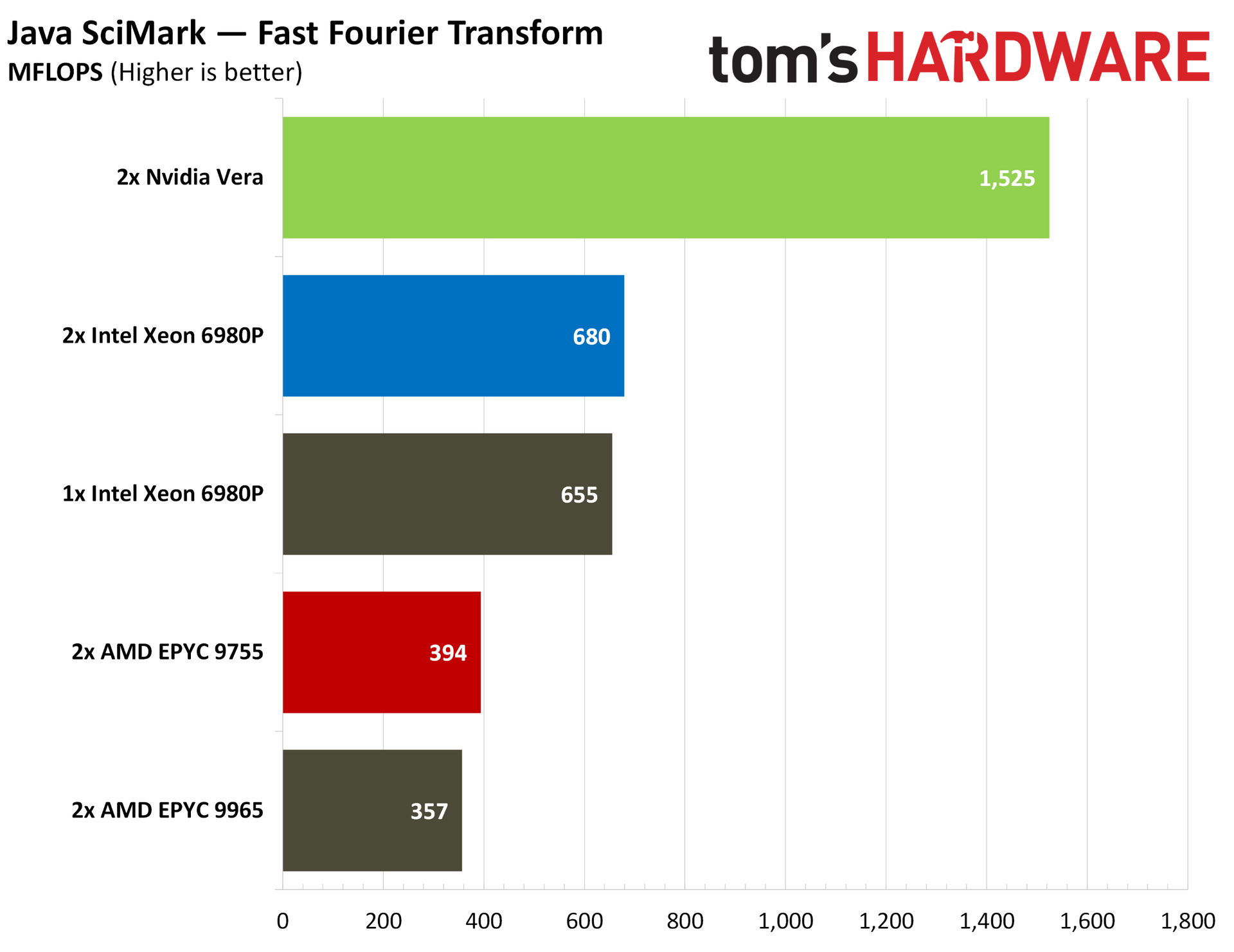
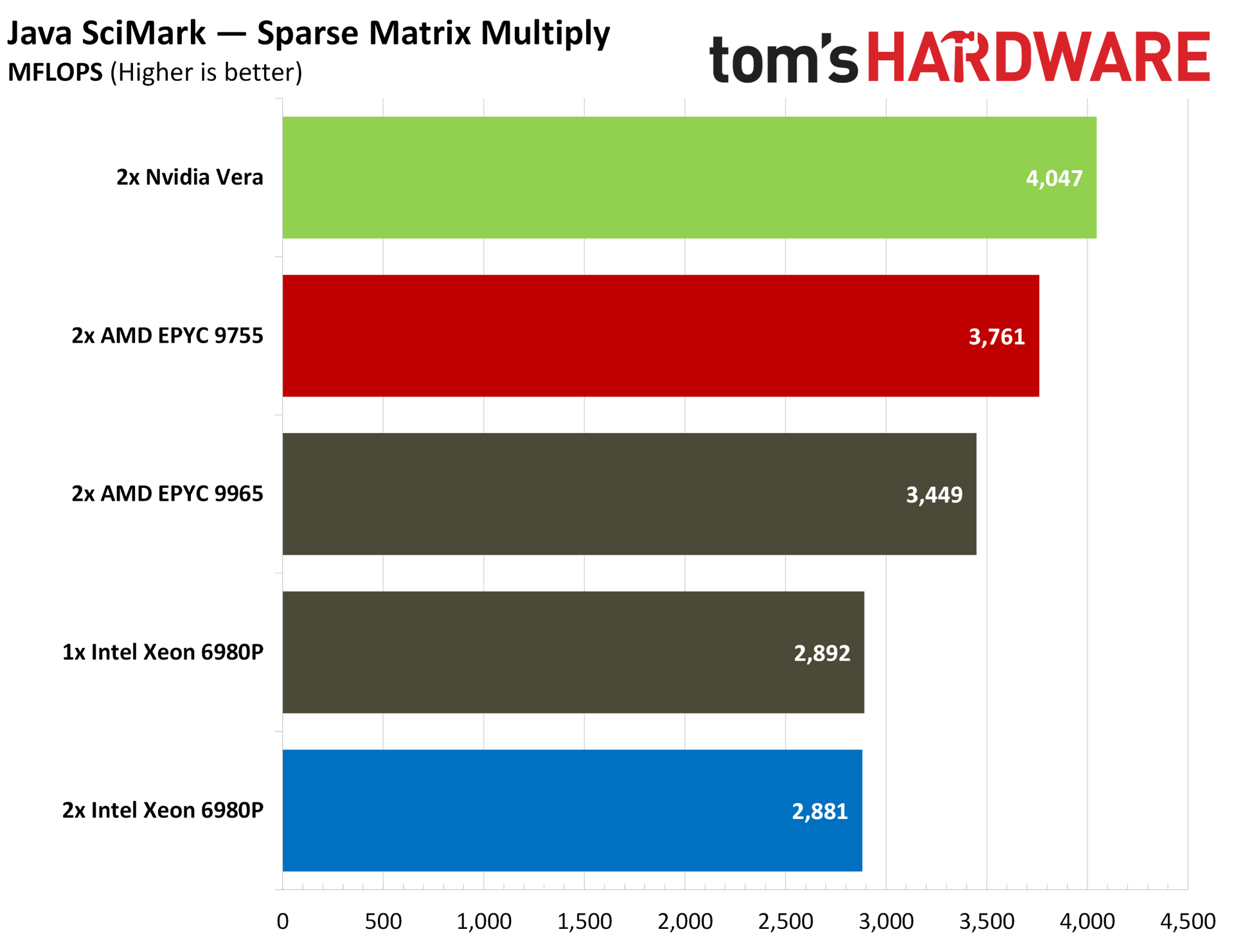
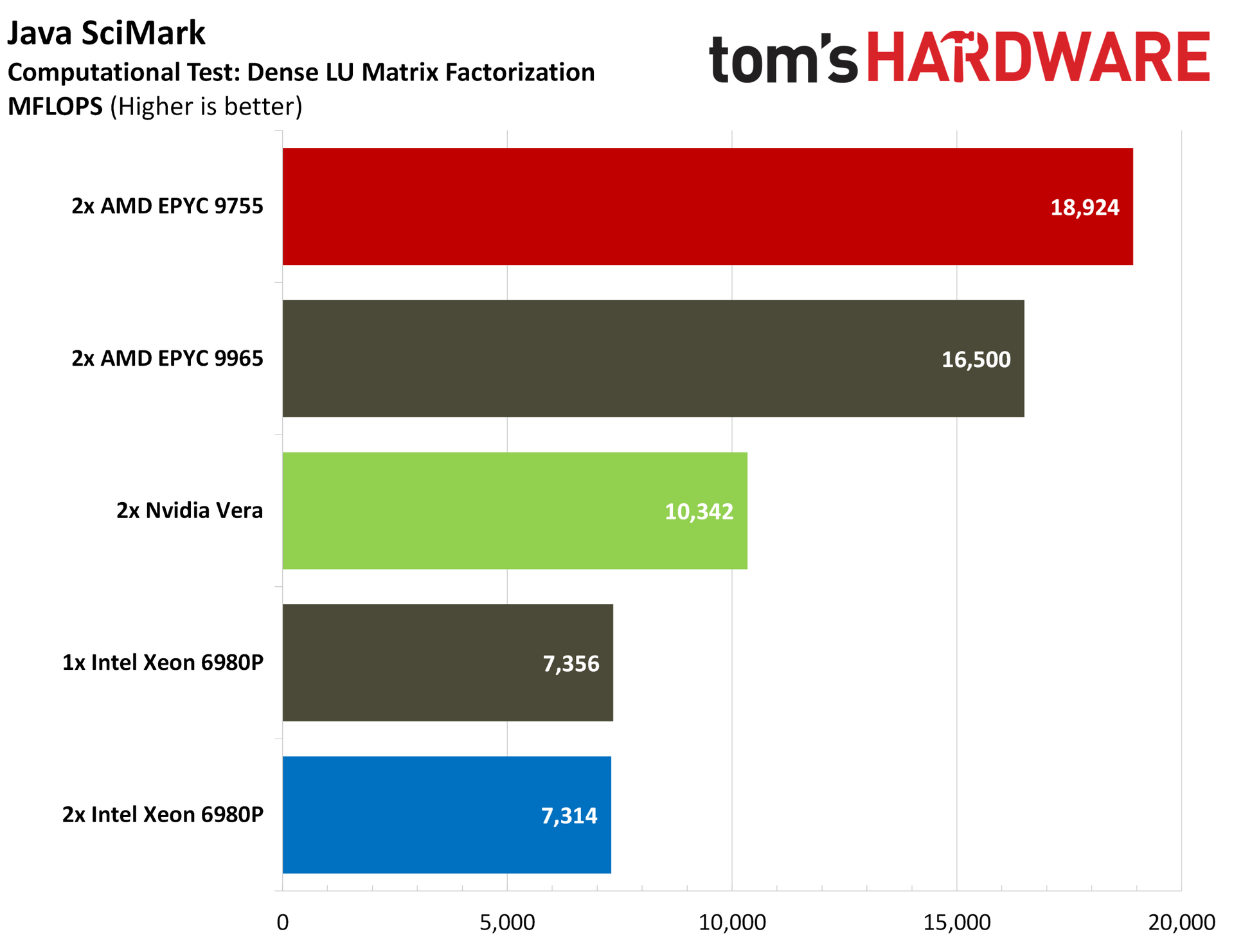
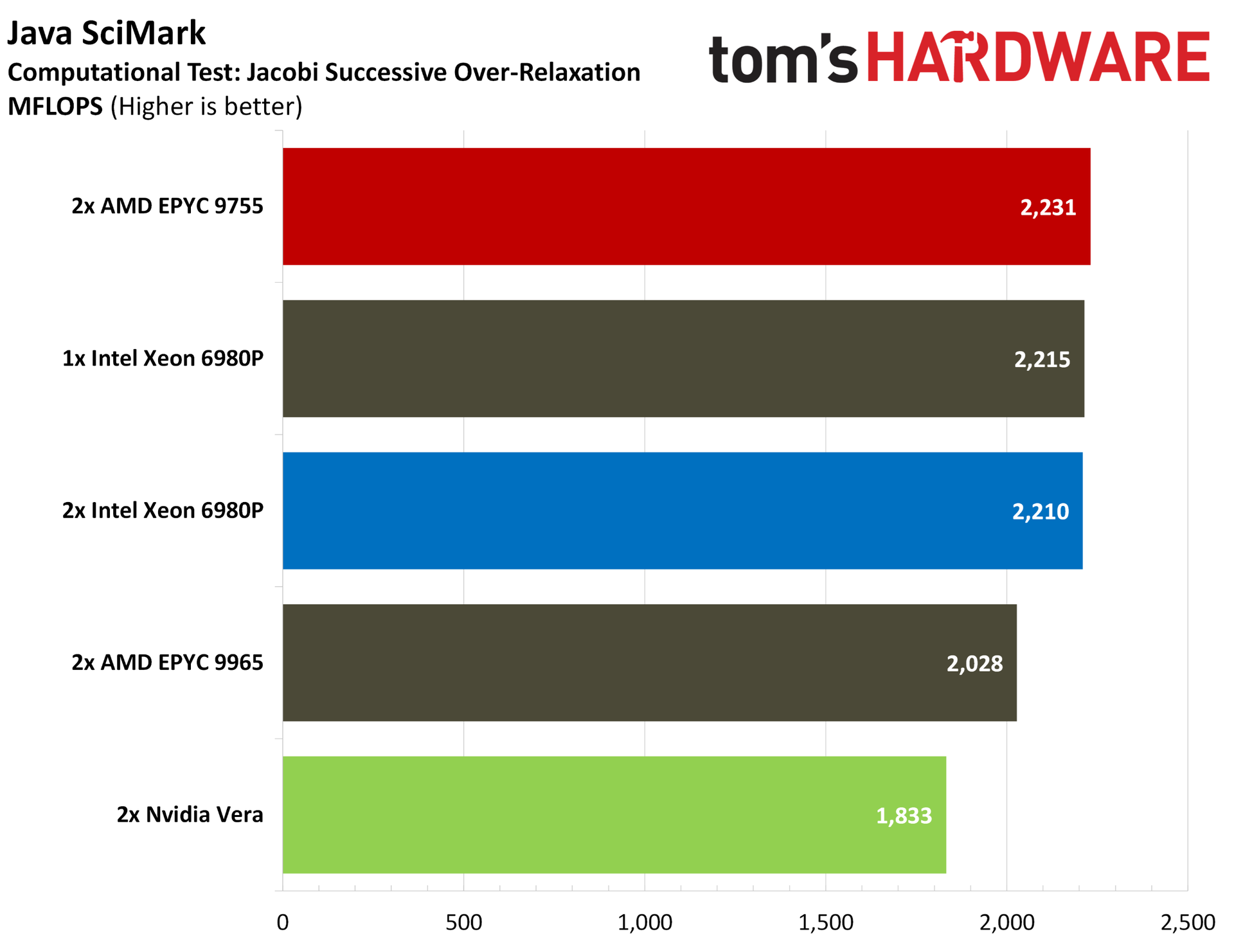
Java SciMark is the best place to start. AMD wins out with the Zen 5-based 9755 in the composite score, but Vera maintains surprisingly strong positions in straight scientific operations, including FFTs, sparse matrix multiplies, and a Monte Carlo simulation. It falls behind in dense LU matrix factorization and Jacobi SOR.
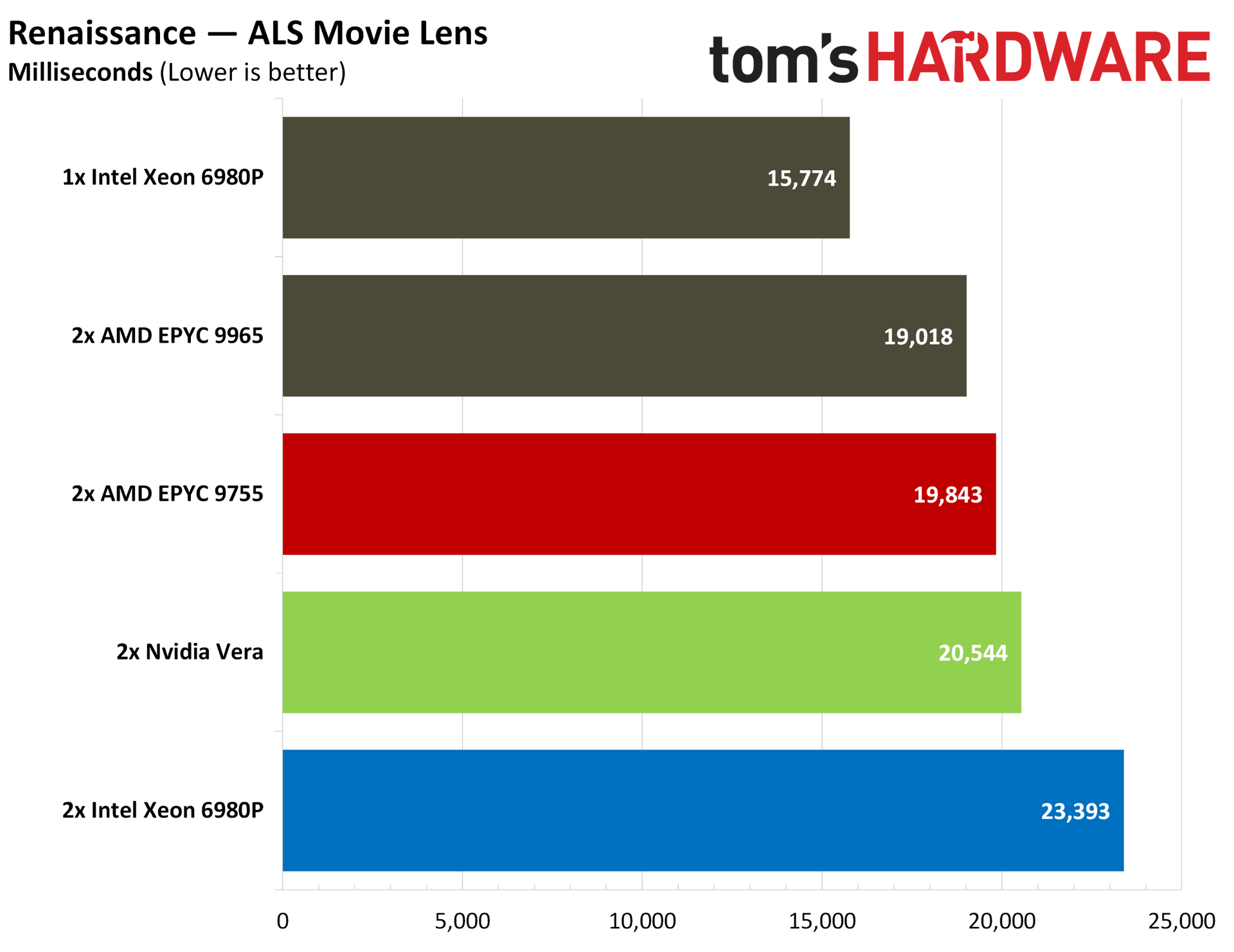
DaCapo and Renaissance are both Java suites with a wide variety of real Java workloads, focused on native performance in DaCapo and VMs in Renaissance.
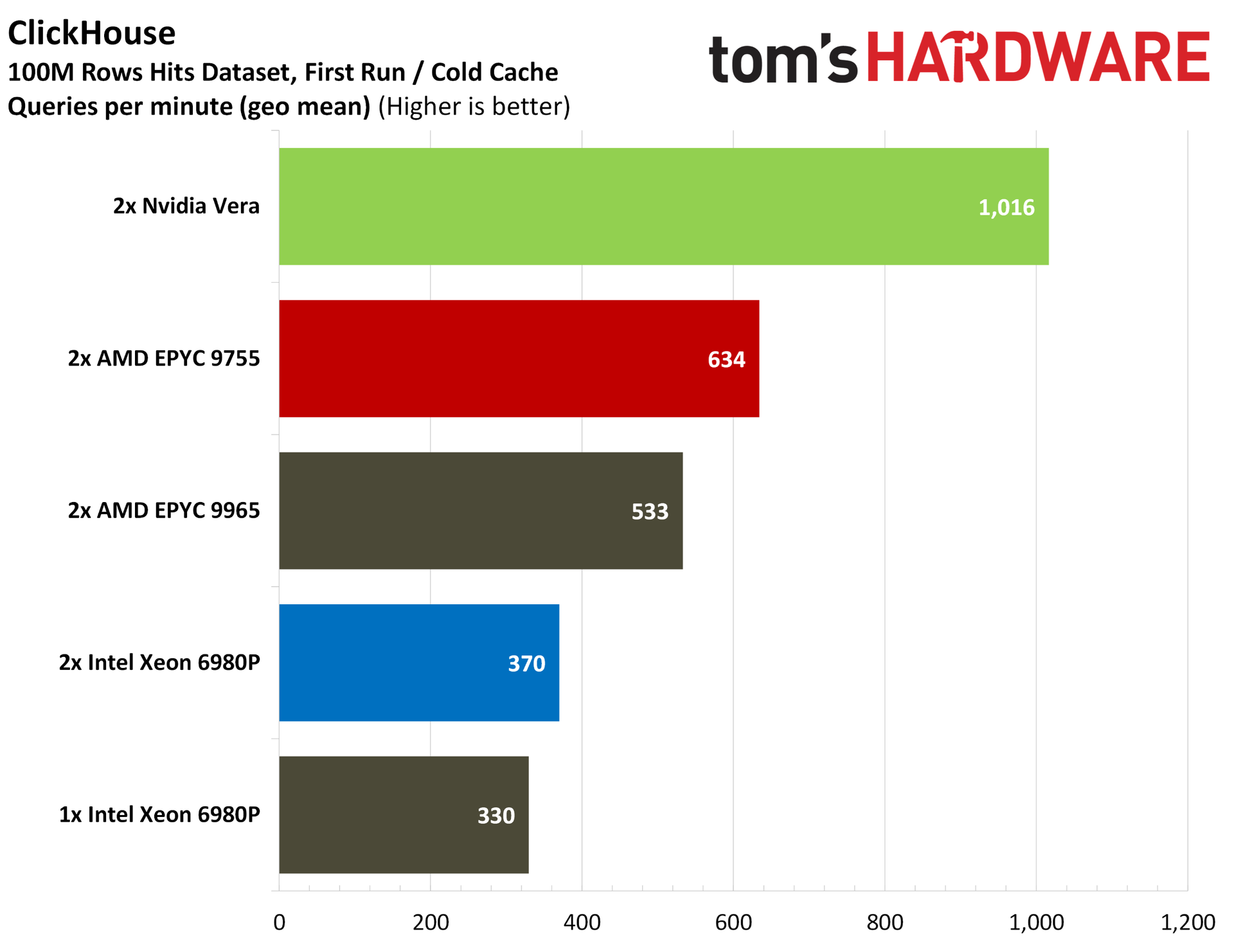
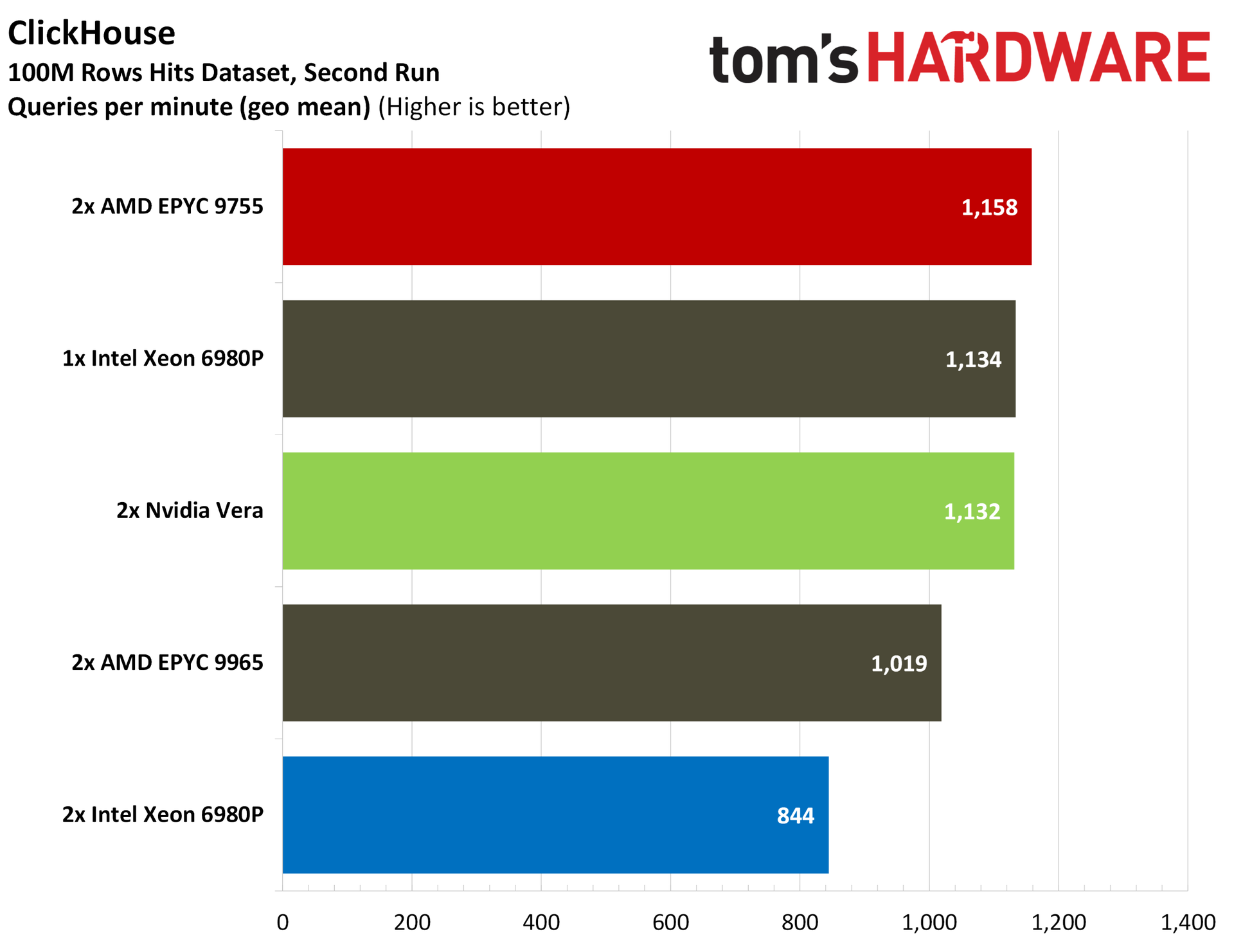
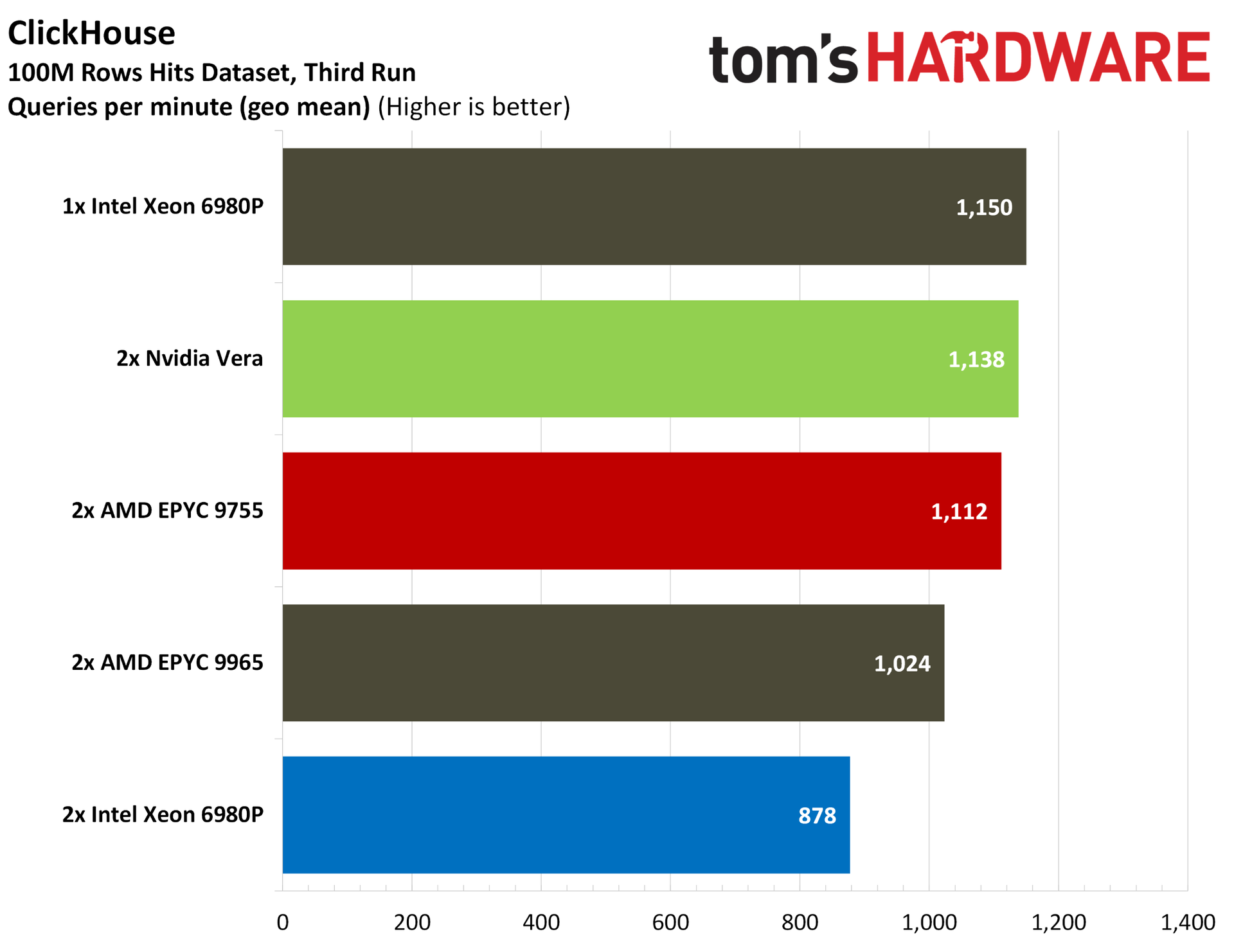
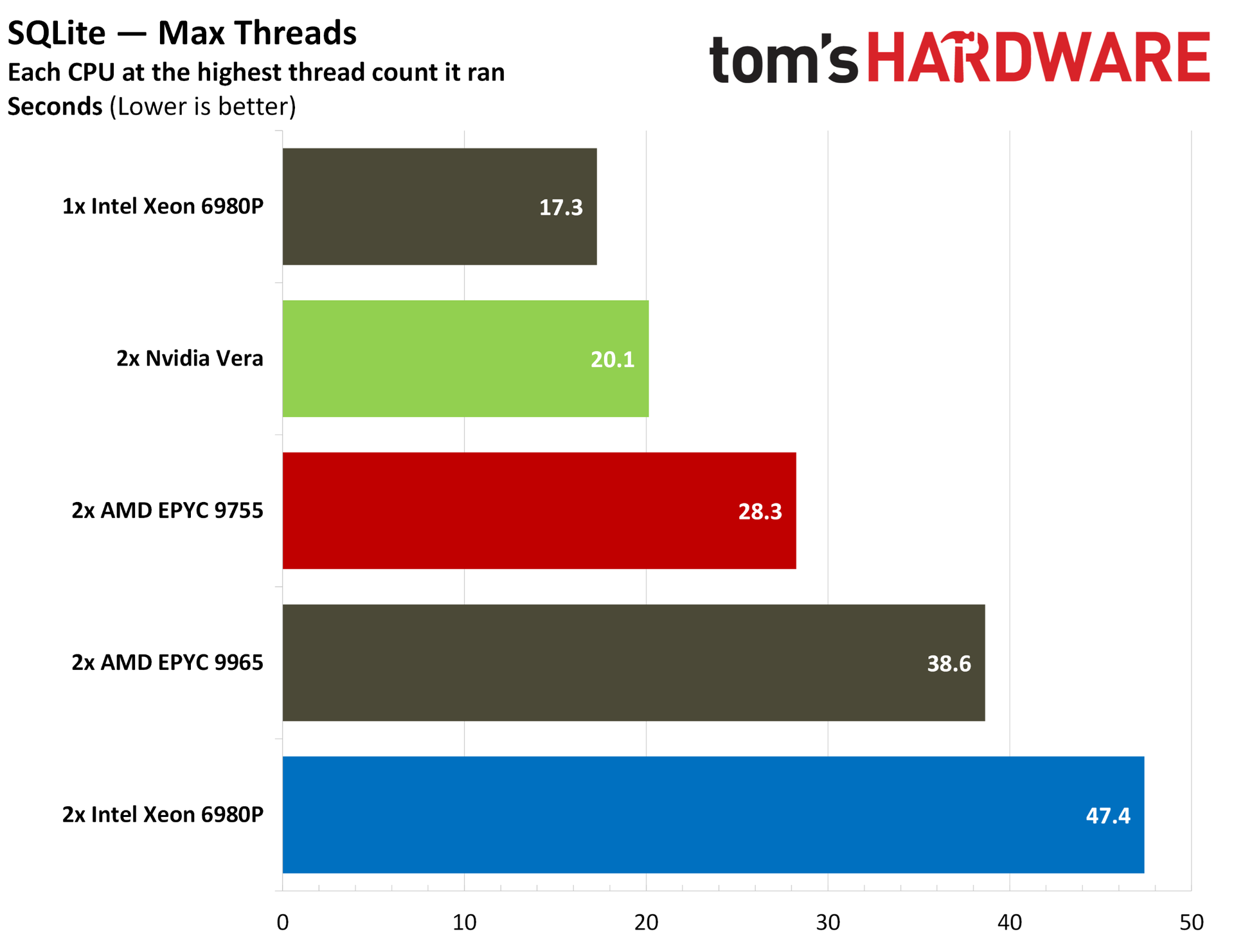
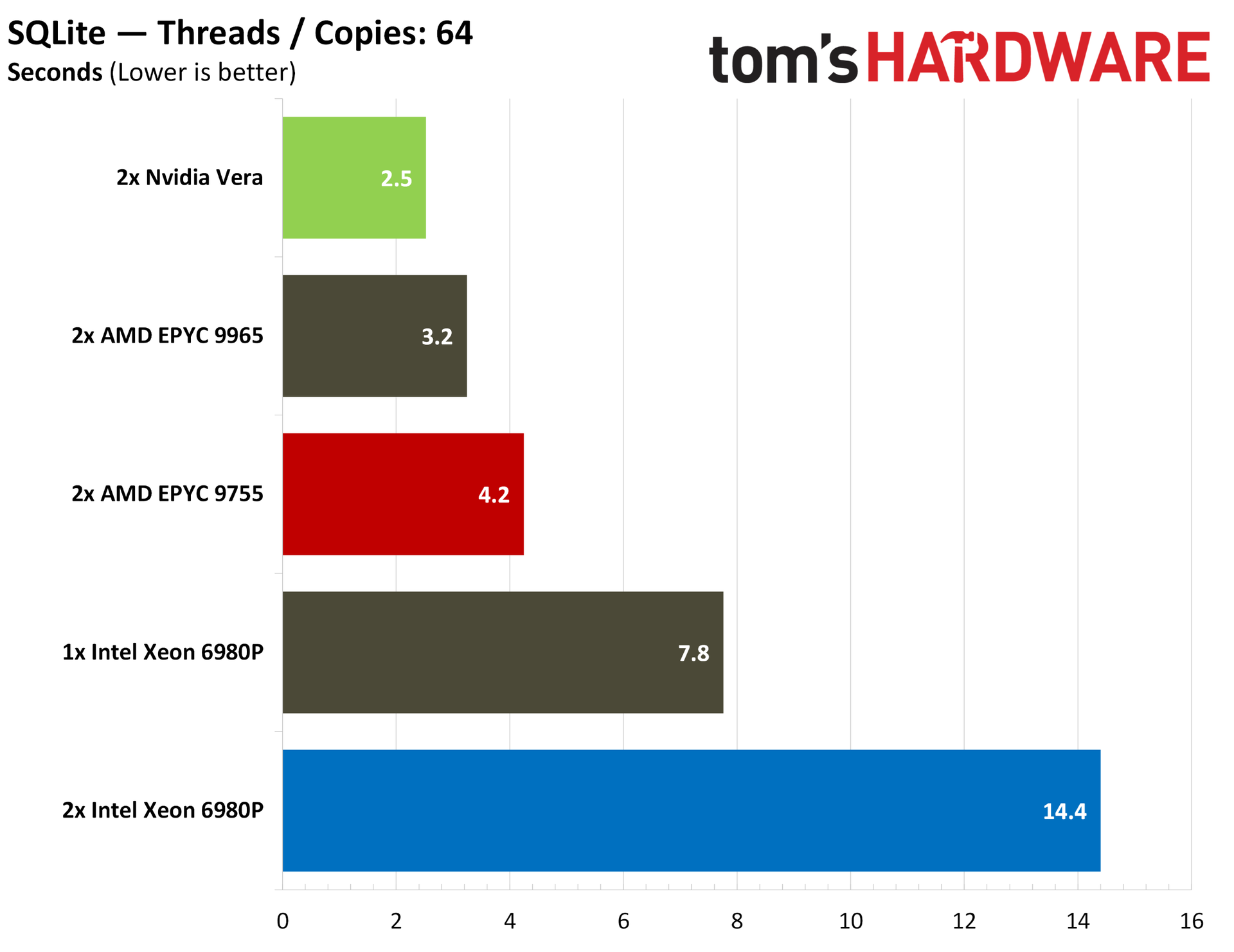
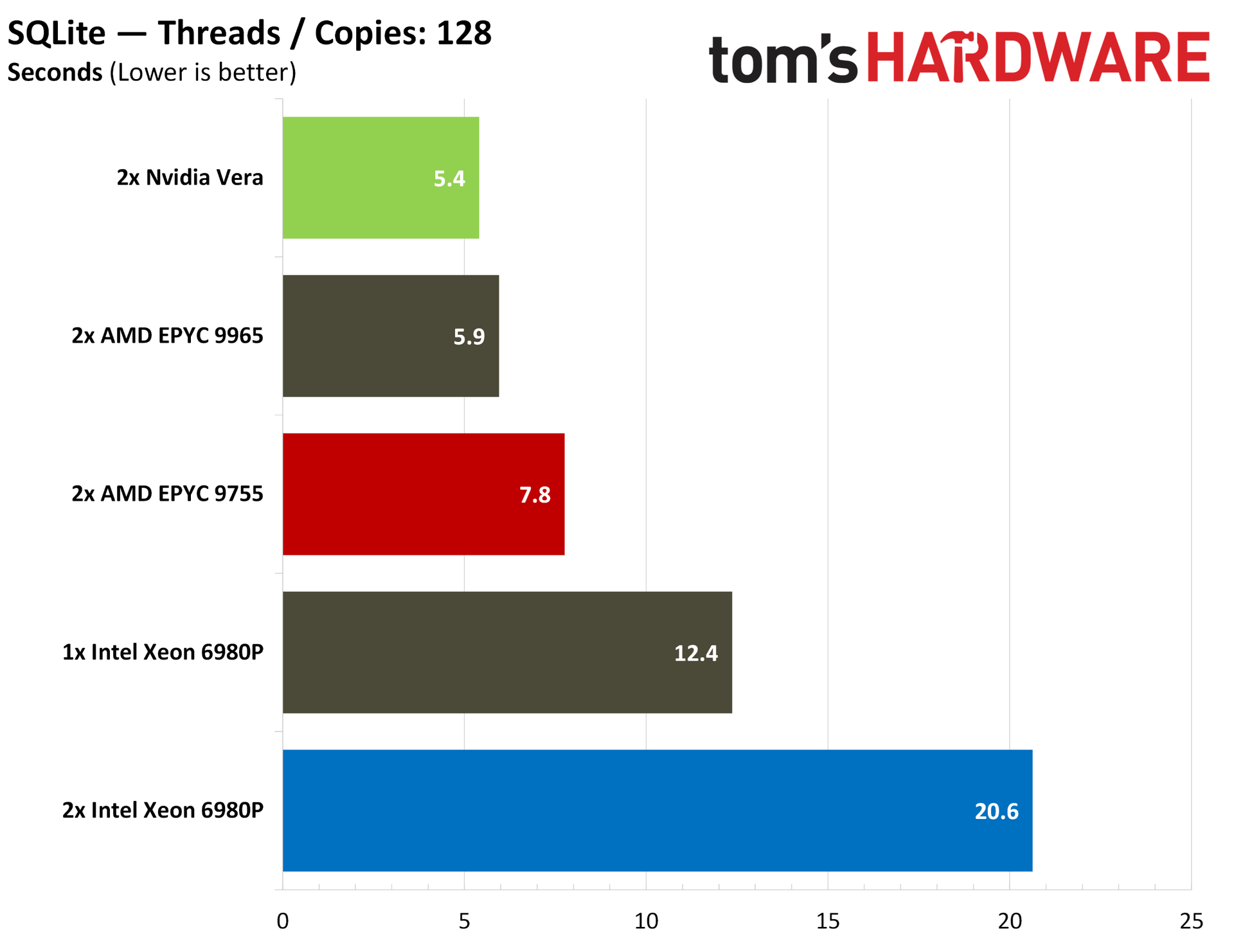
Database performance for Vera is strong across our ClickHouse and SQLite benchmarks. In max-thread SQLite, Vera is only beaten by a single-socket 6980P server, and it jumps into the lead in our like-for-like 64-thread and 128-thread tests. ClickHouse provides some interesting data that goes beyond a steady-state SQL database.
On the second and third runs of ClickHouse, Vera is competitive with a dual EPYC 9755 server, but from a cold cache, Vera is much faster, racking up an advantage of nearly 40% in the first run.
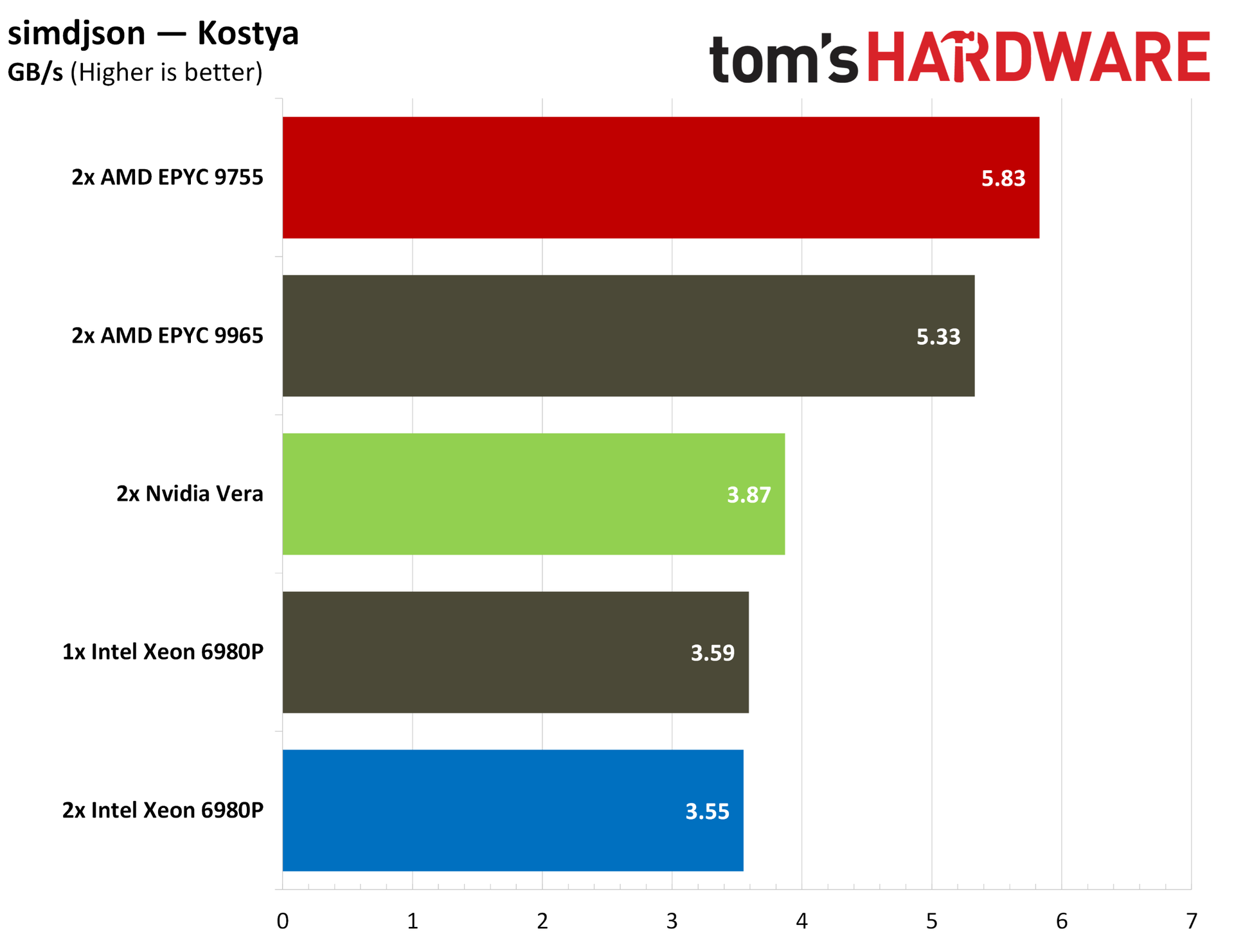
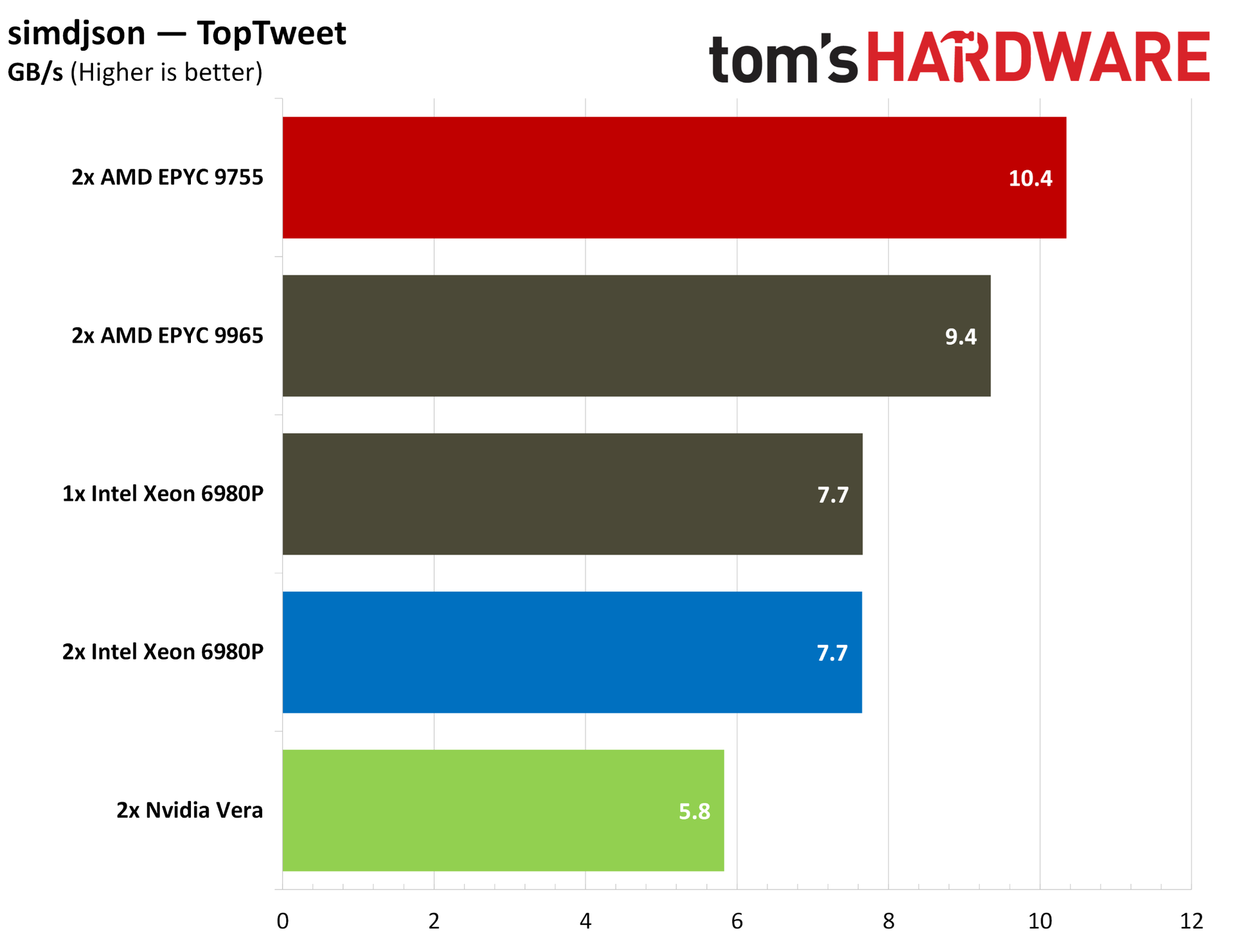
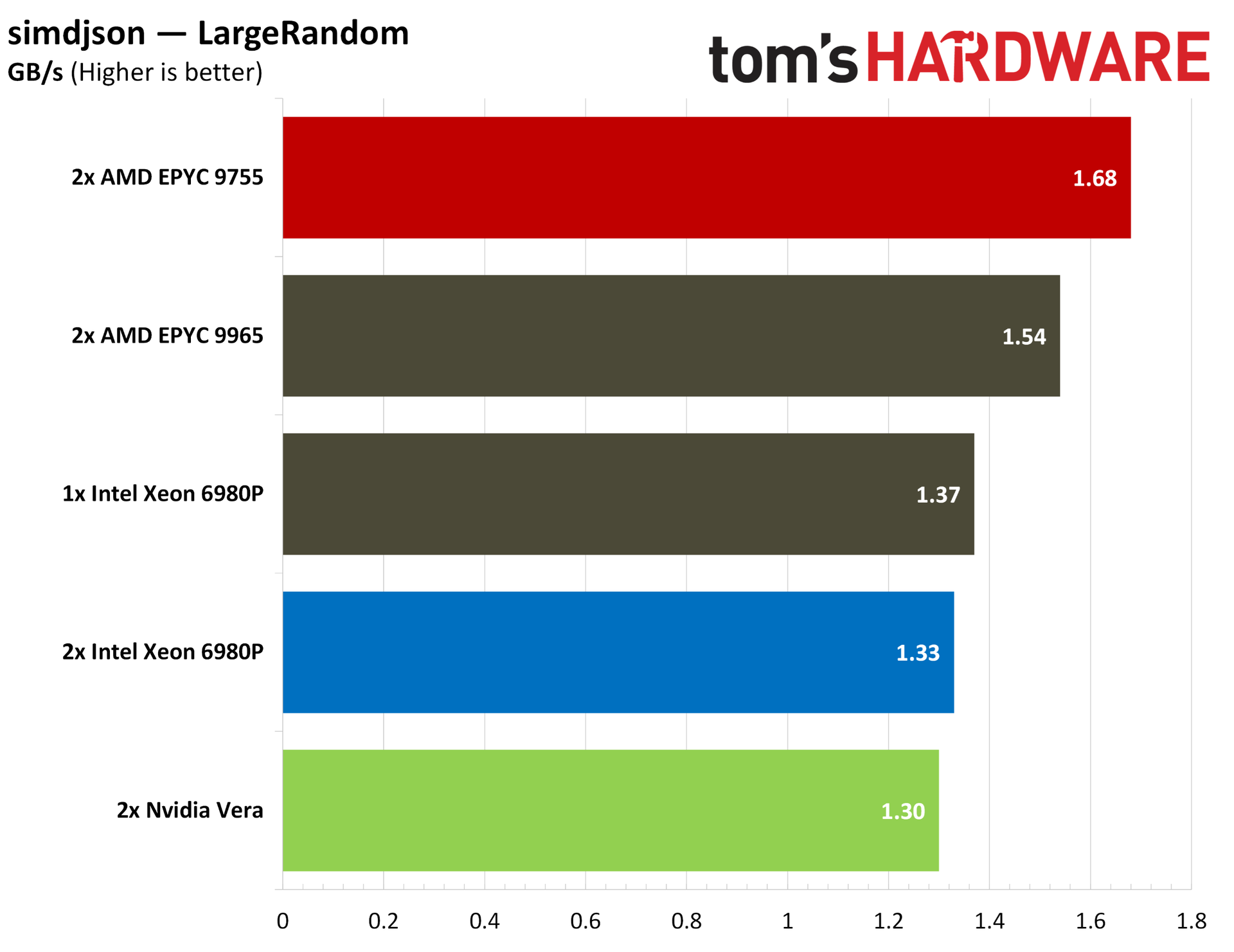
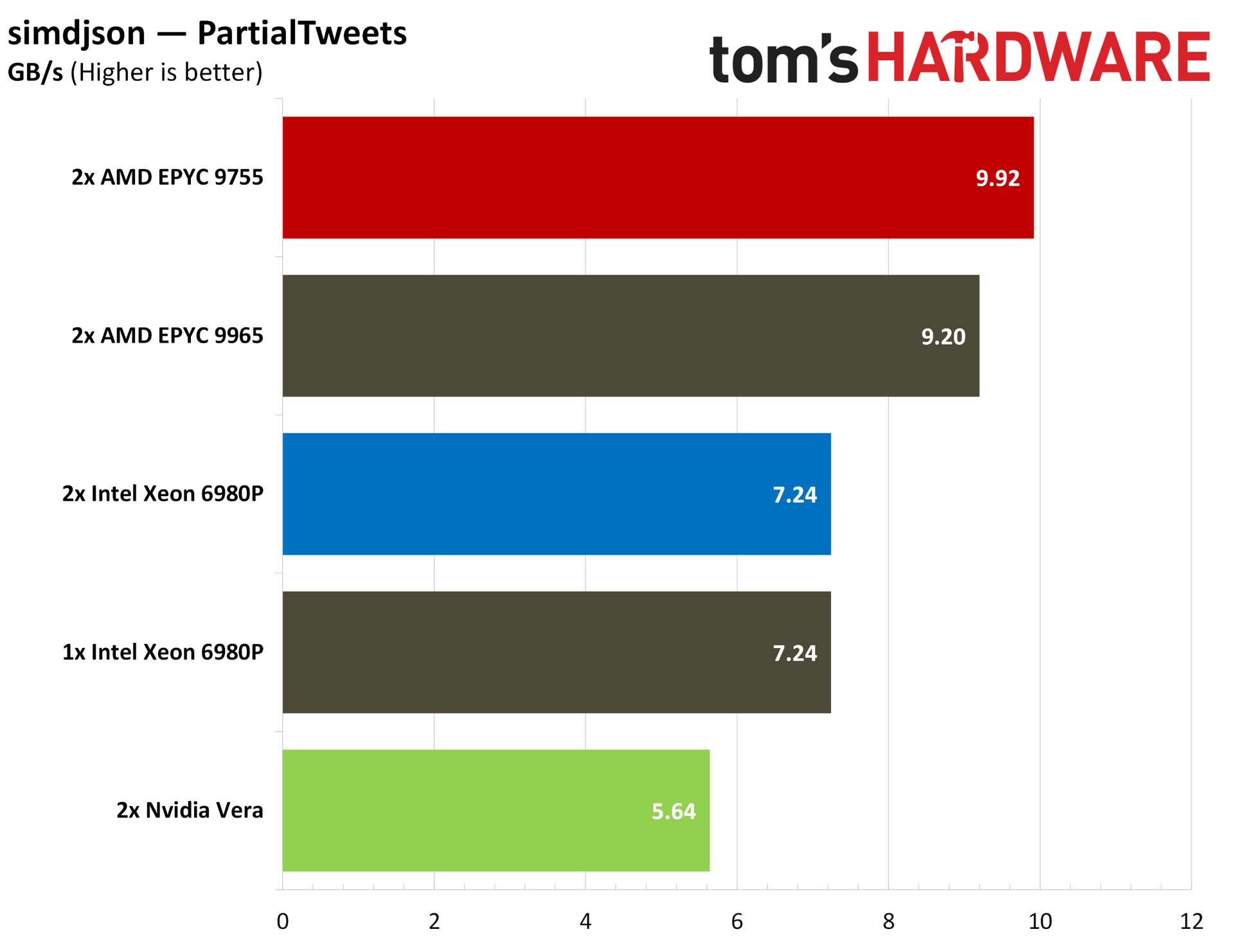
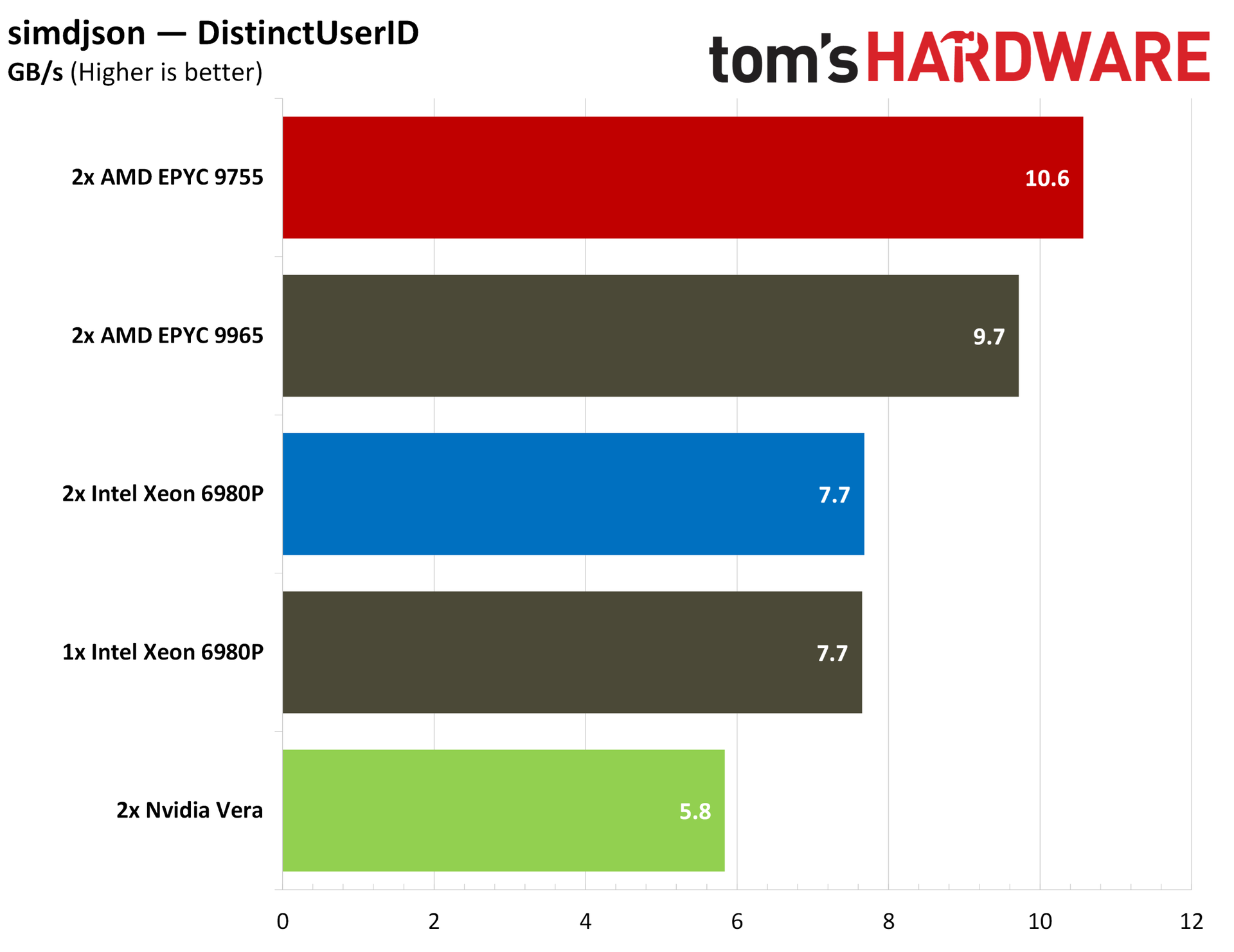
For bringing that data in, we measured JSON parsing speed with simdjson, which, as the name suggests, relies heavily on modern SIMD instructions. Turin has a natural lead here with its native AVX-512 execution.
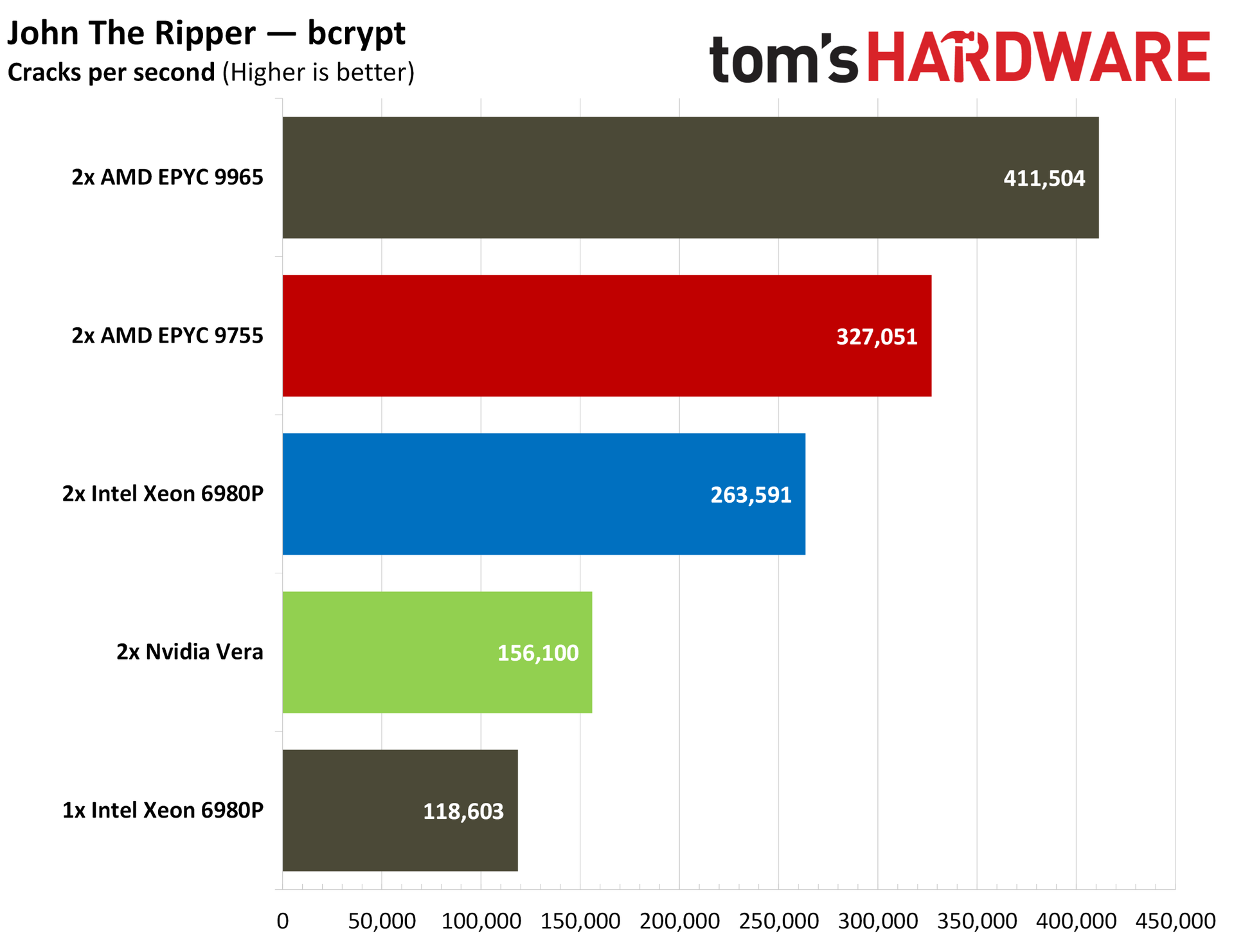
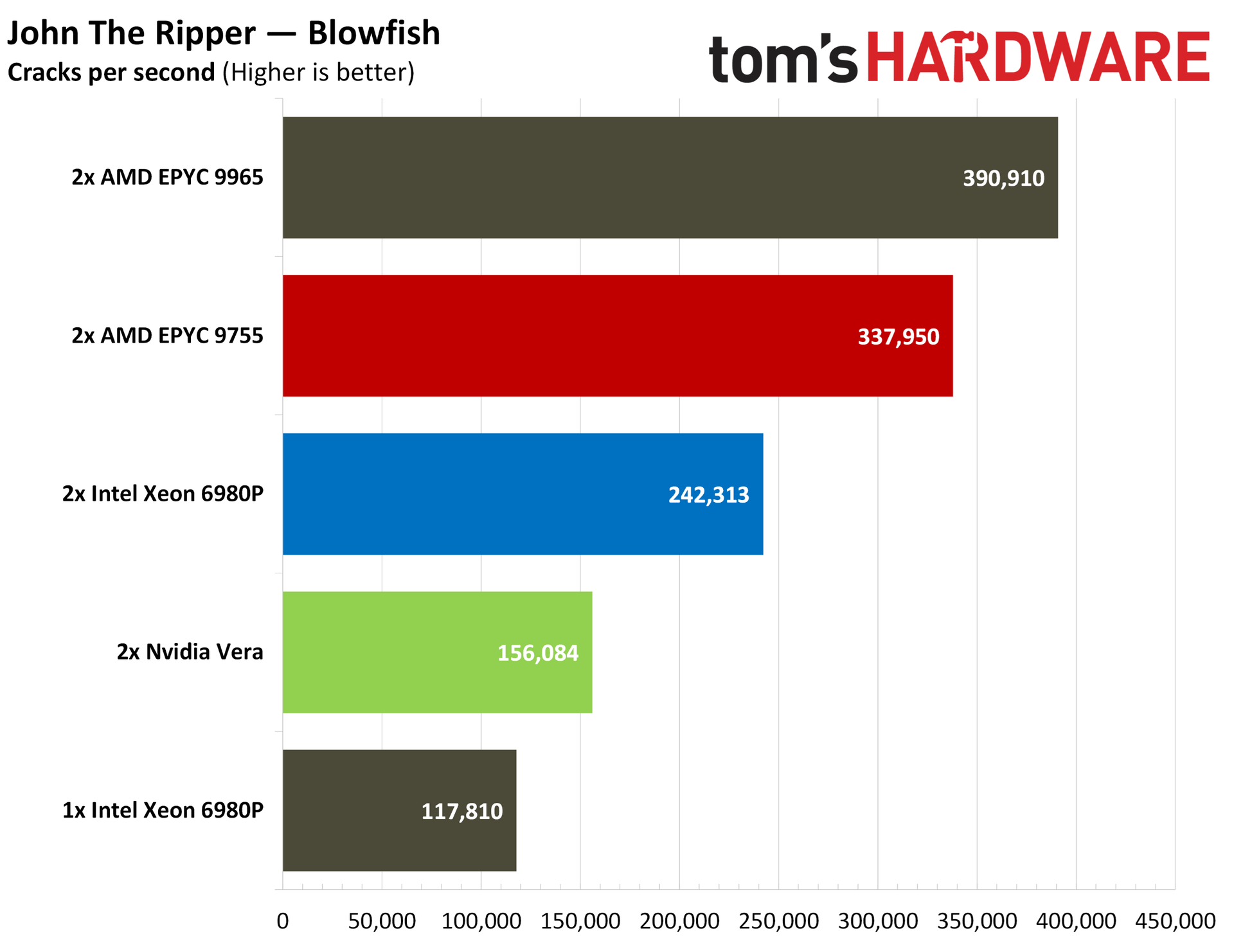
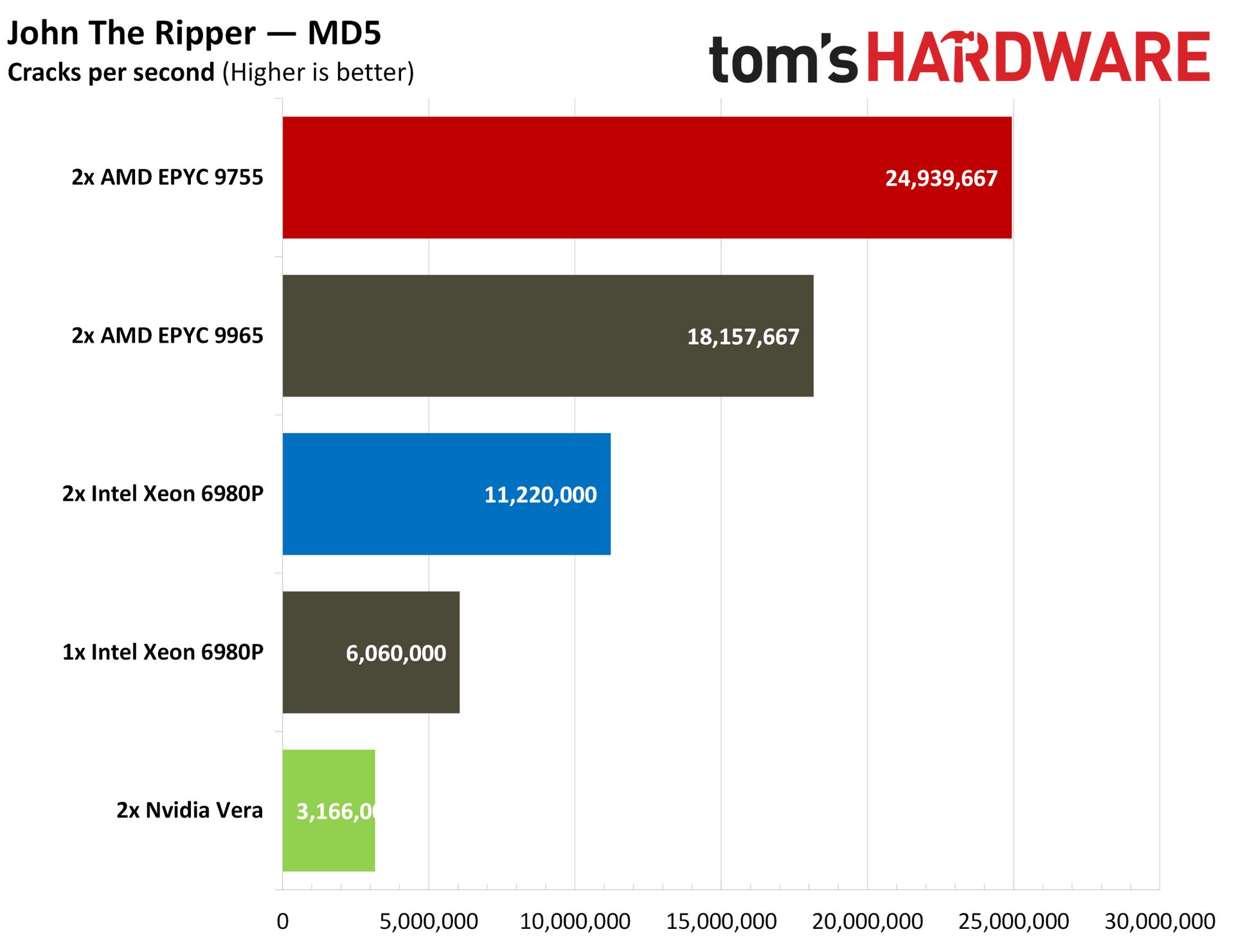
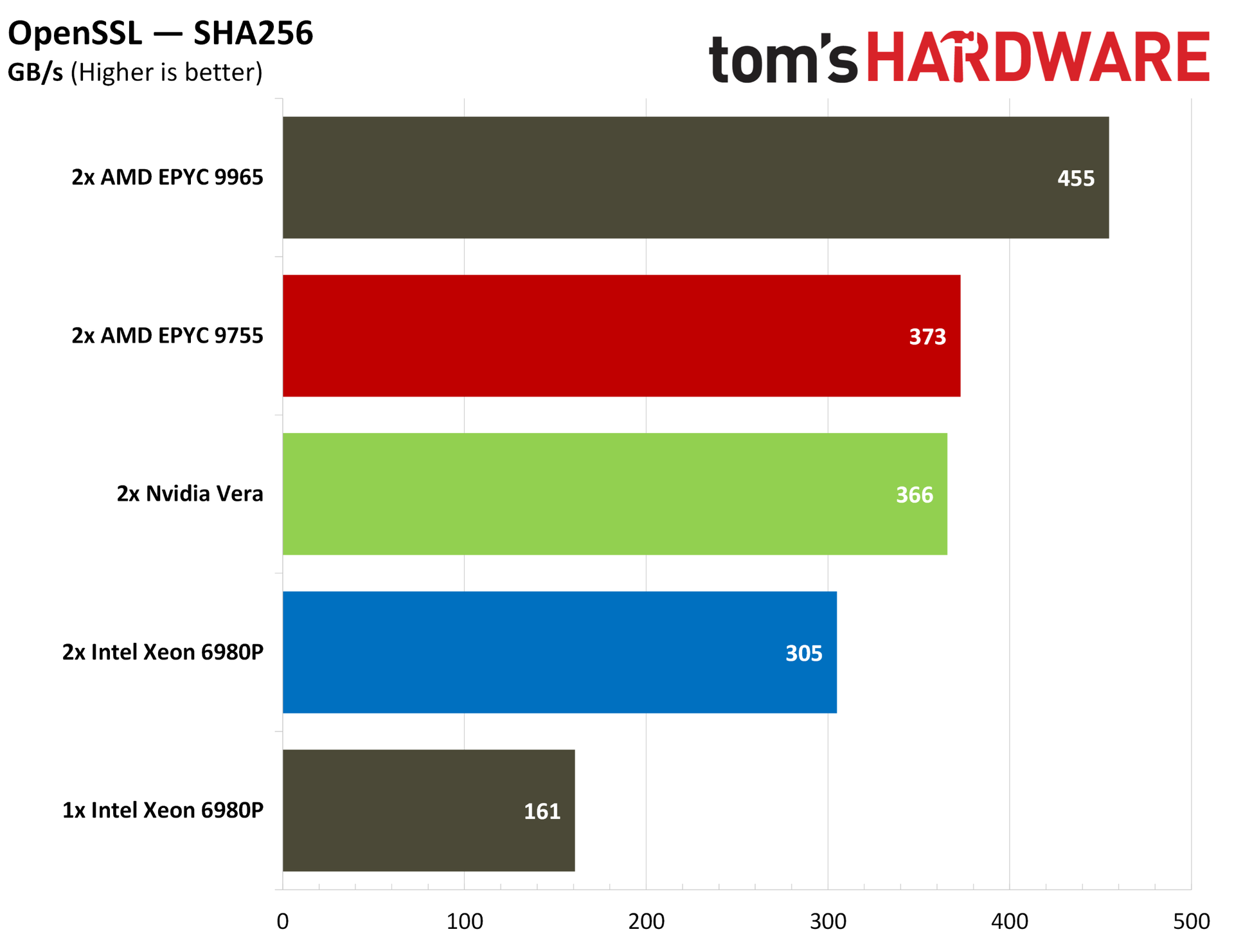
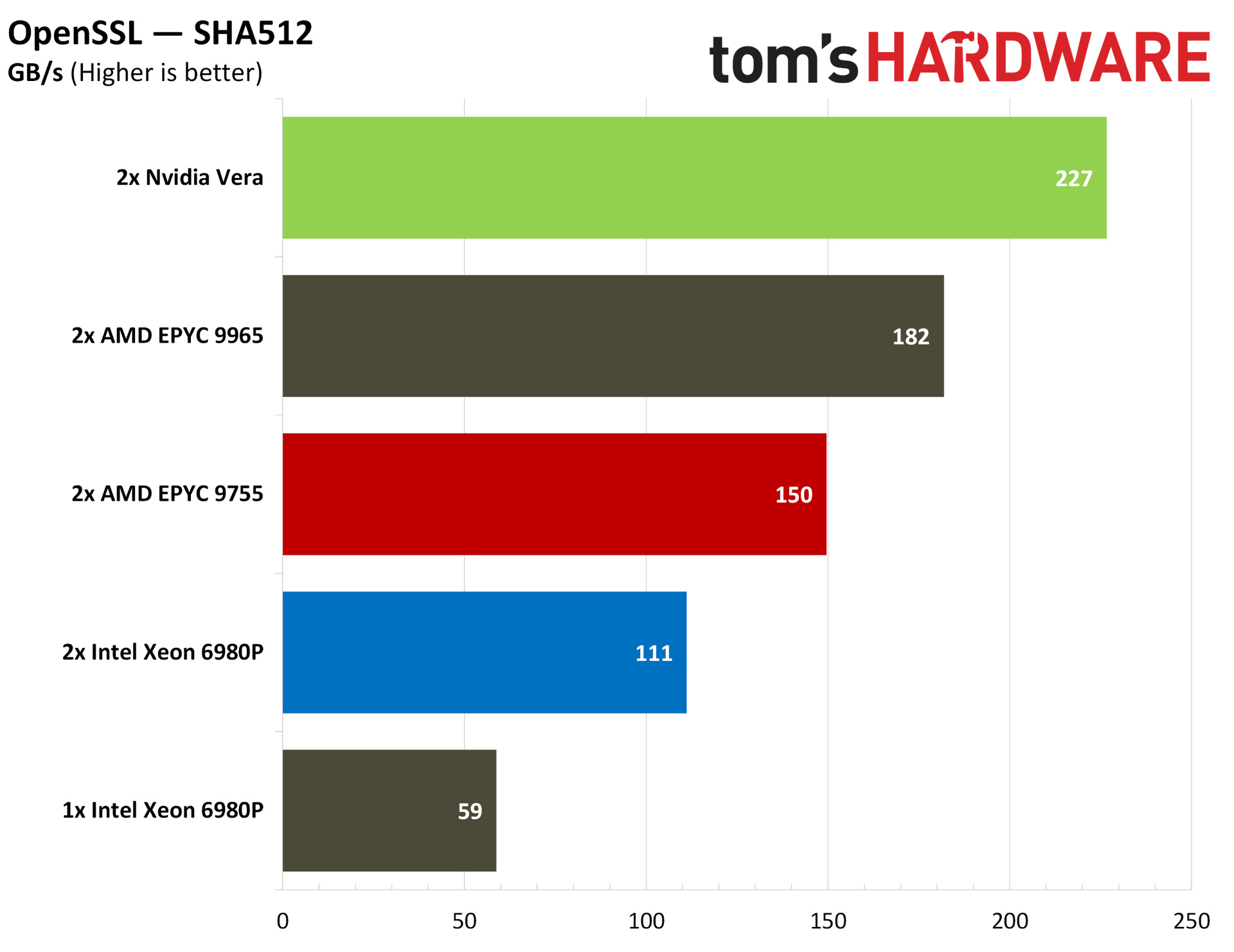
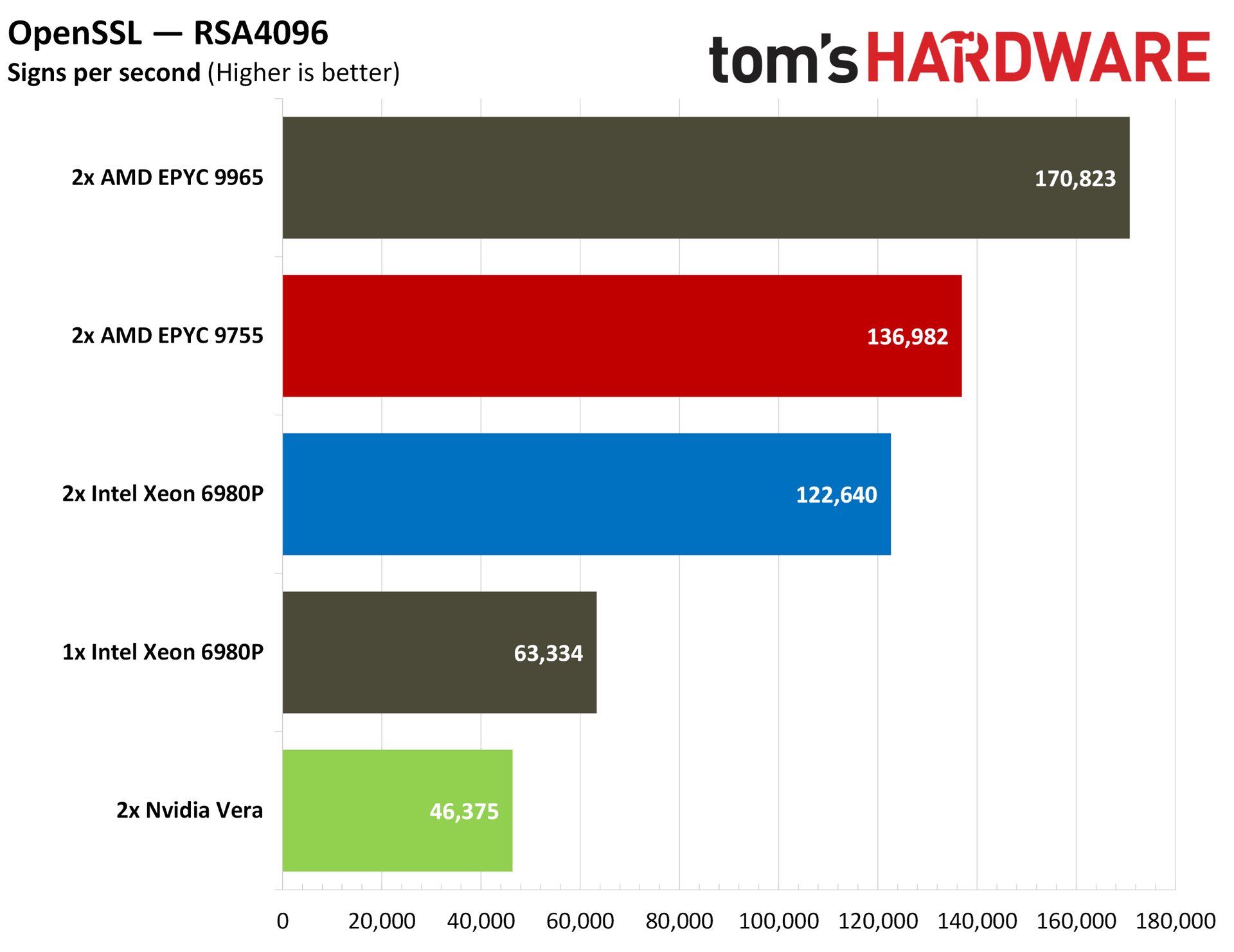
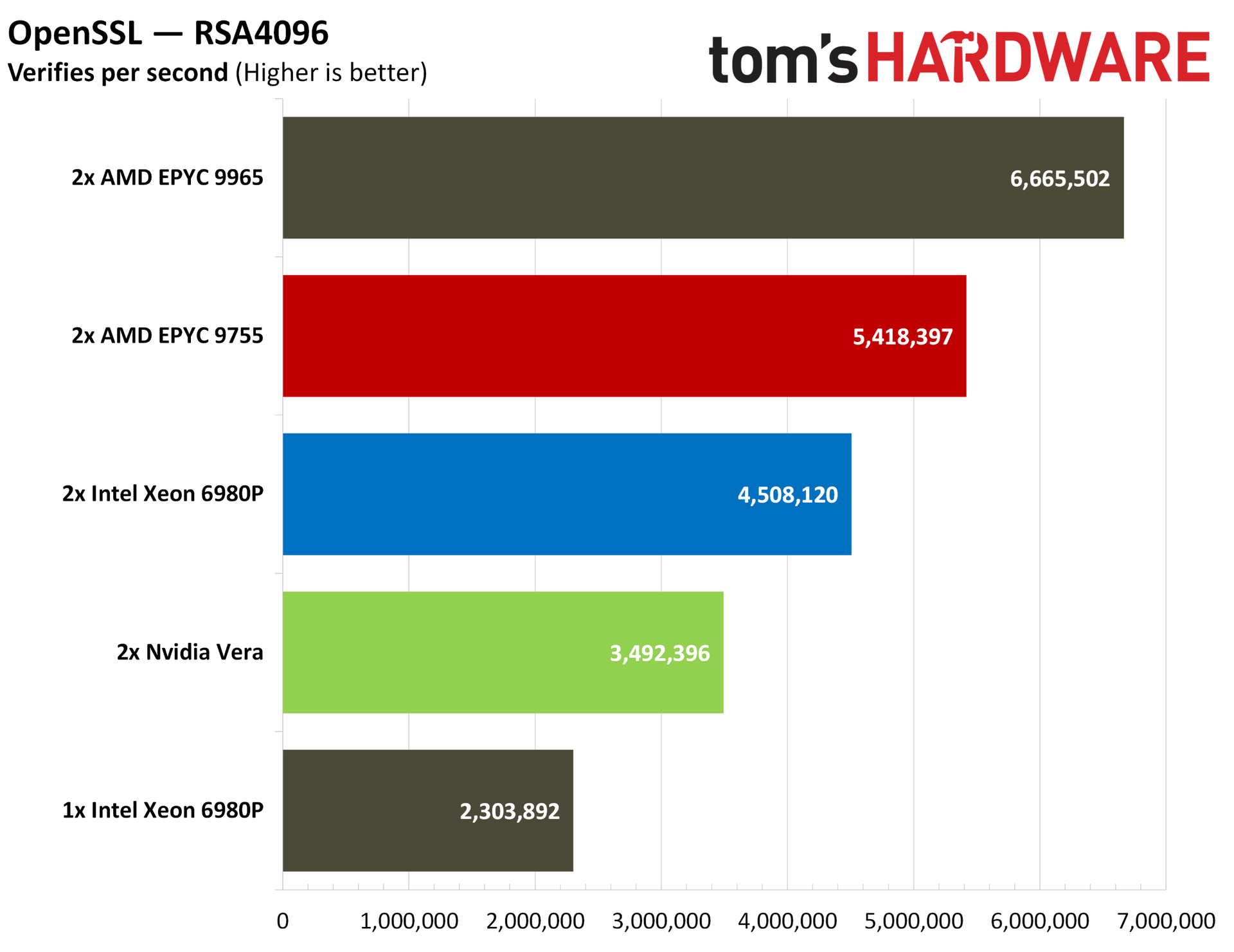
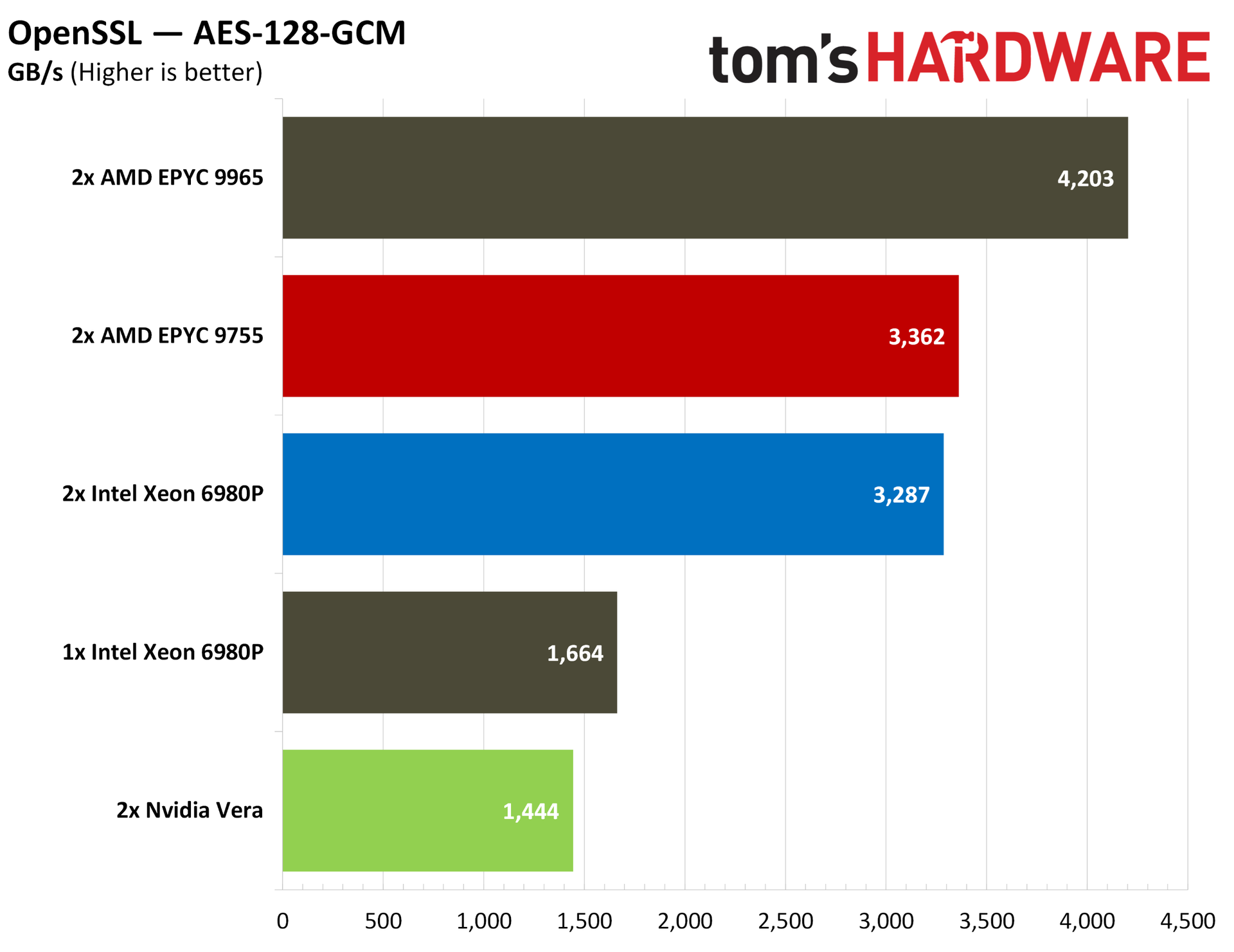
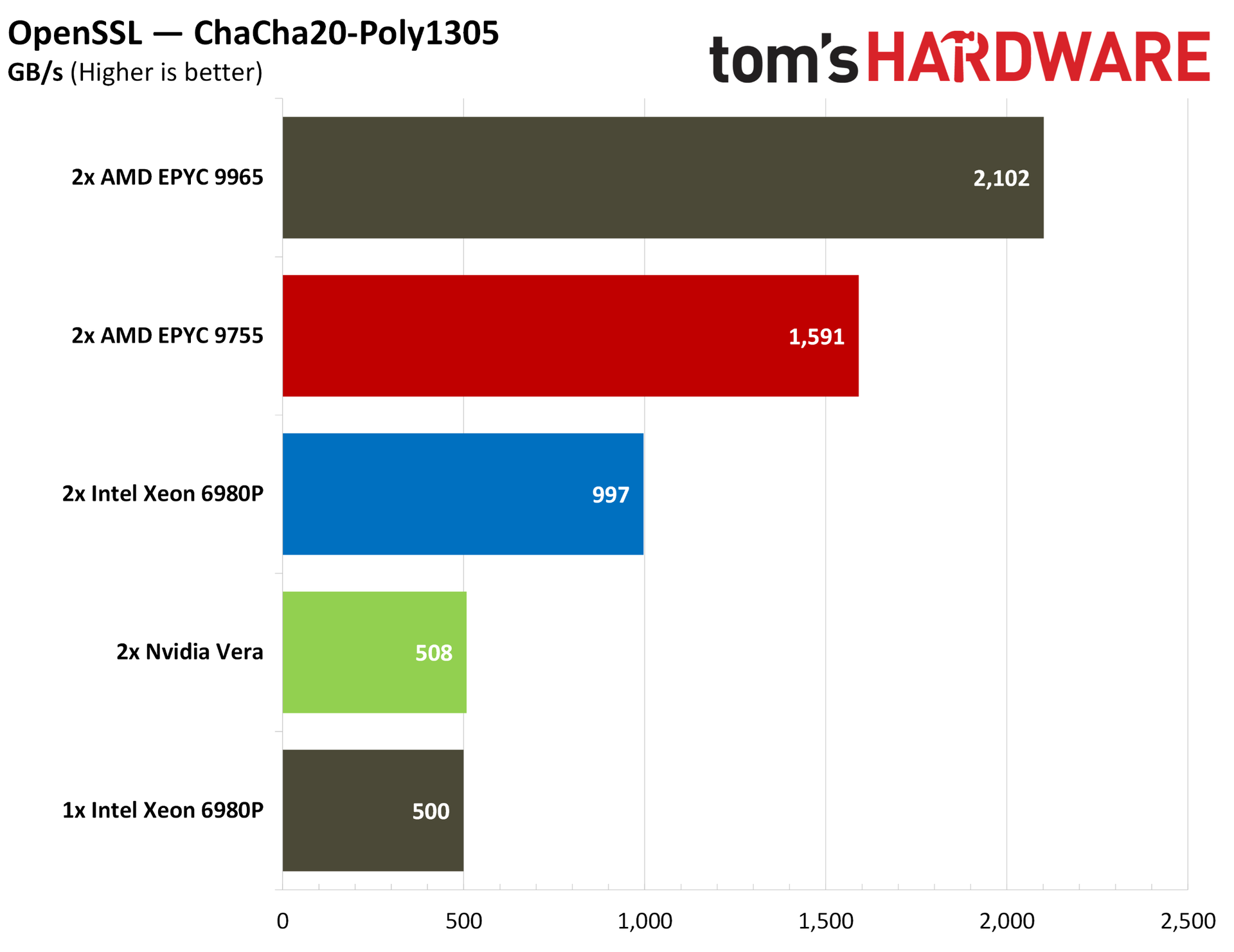
In cryptography workloads, Vera falls behind the pack significantly in the John The Ripper password cracker, while trailing the massive core arrays of its competition in OpenSSL.
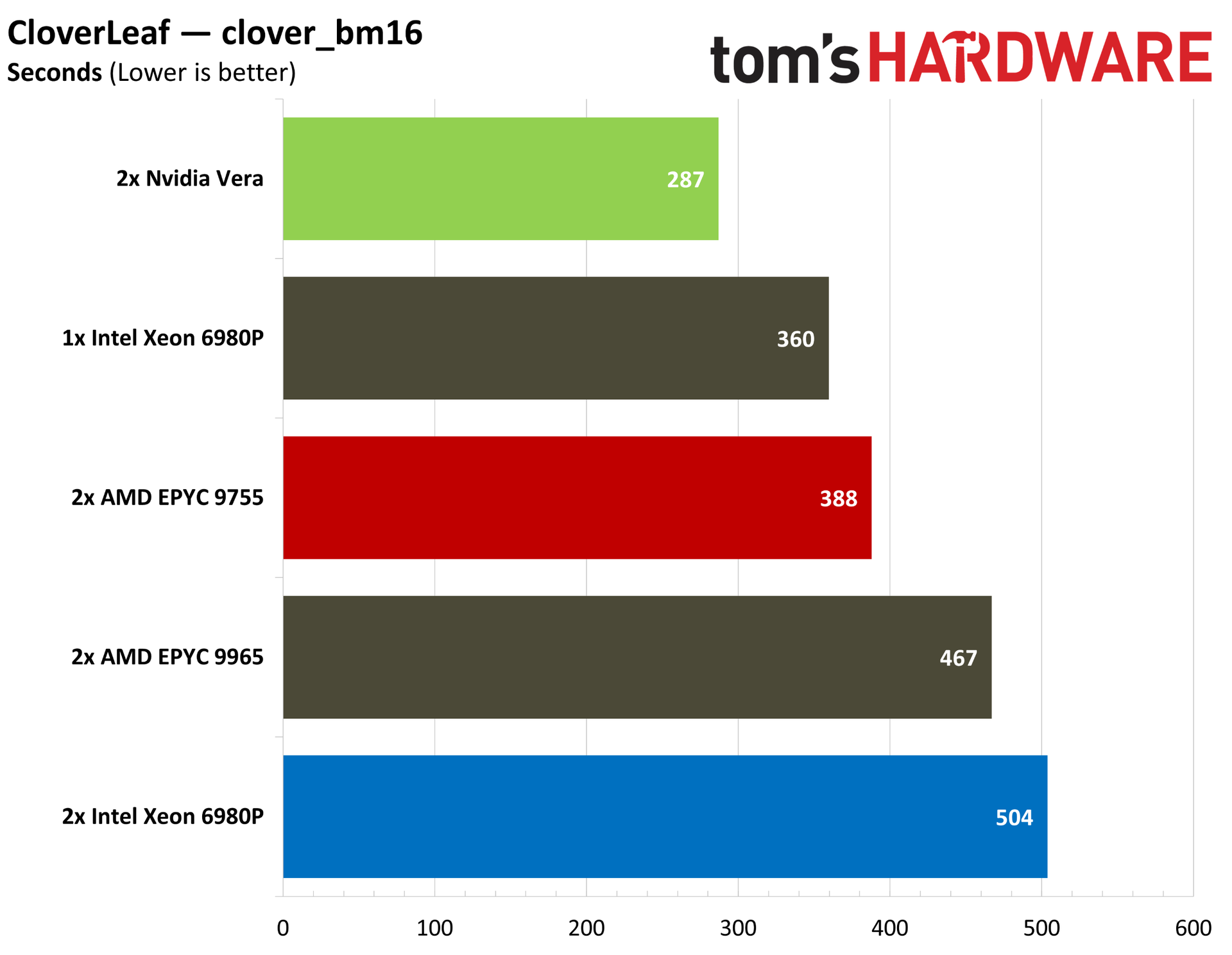
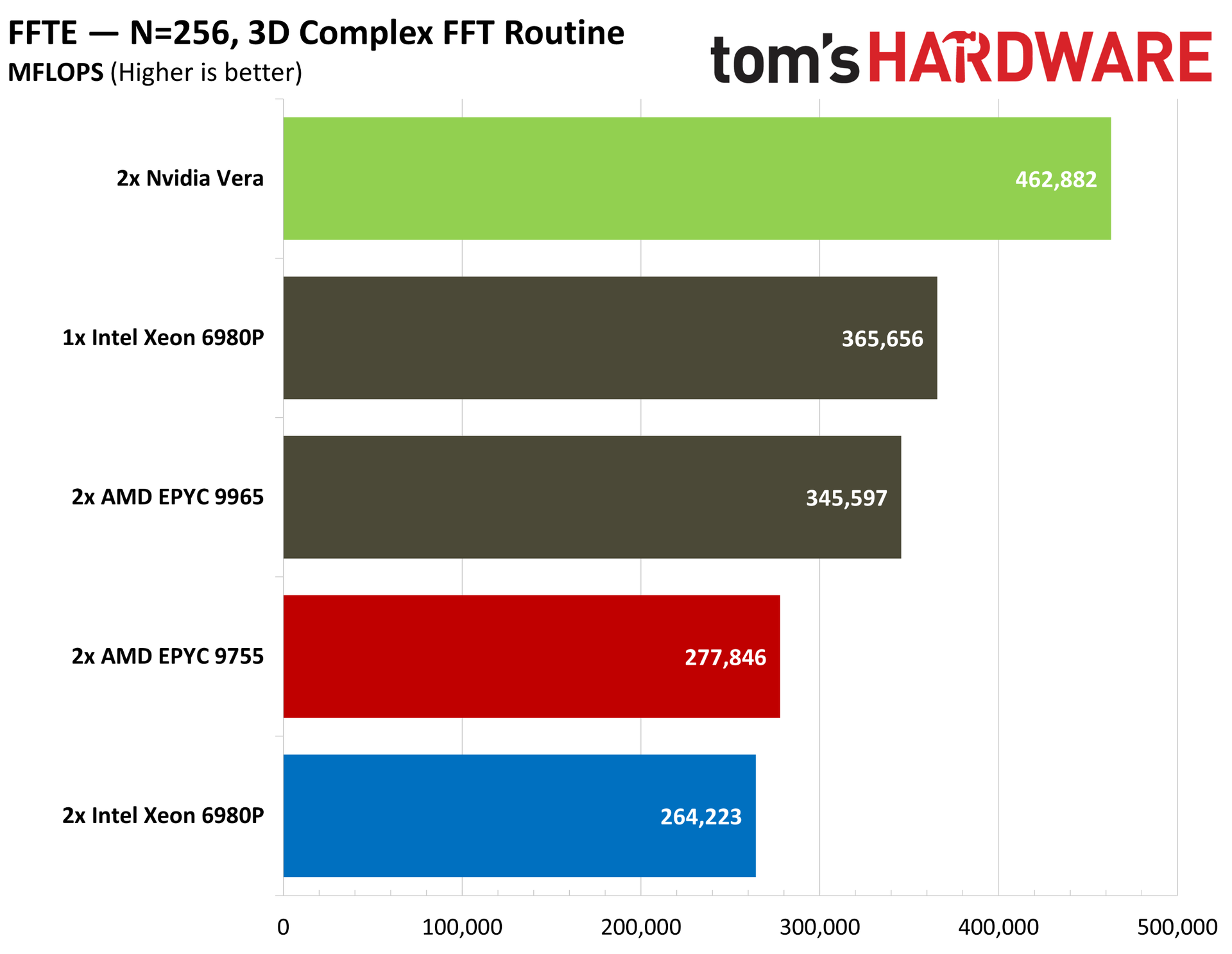
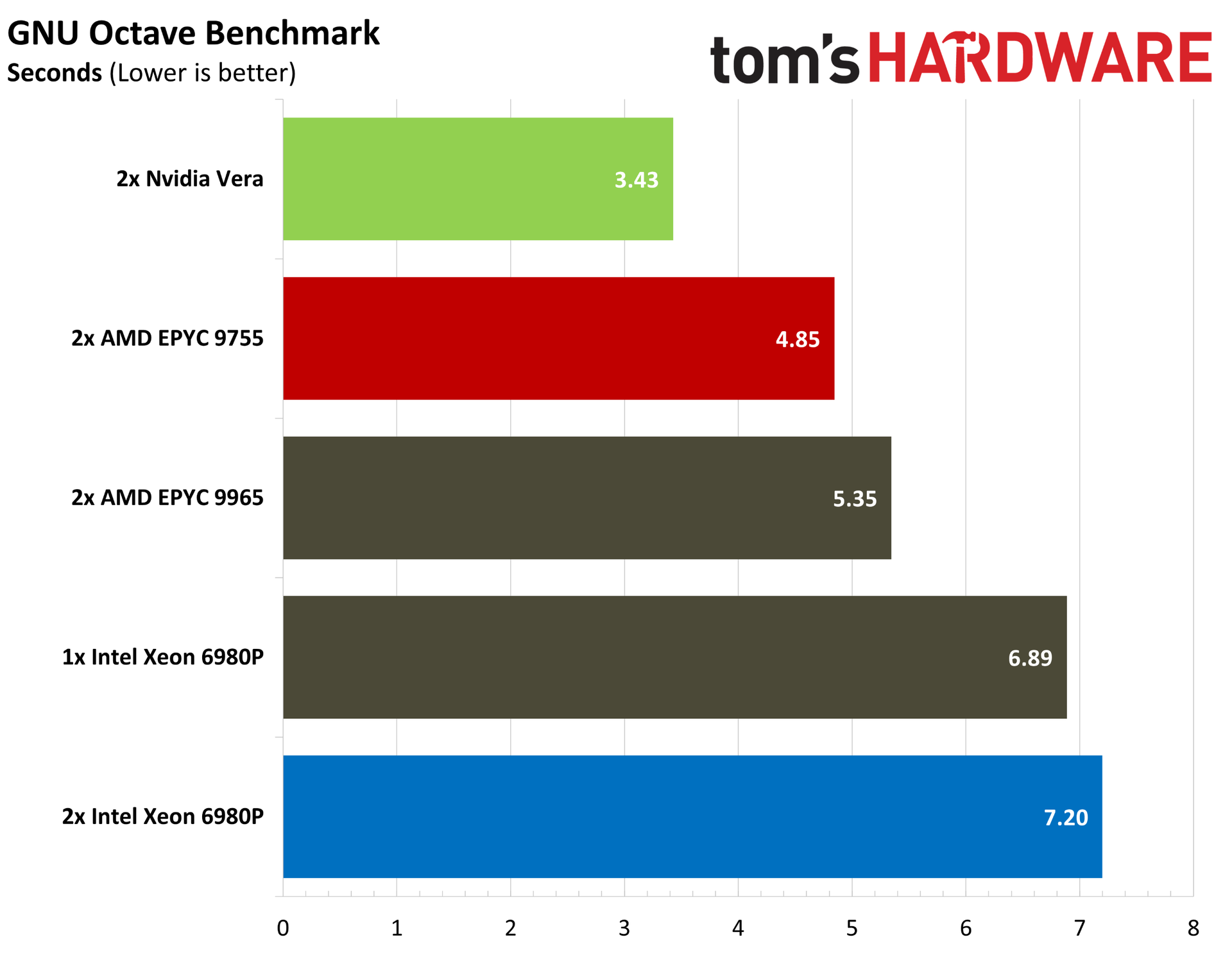
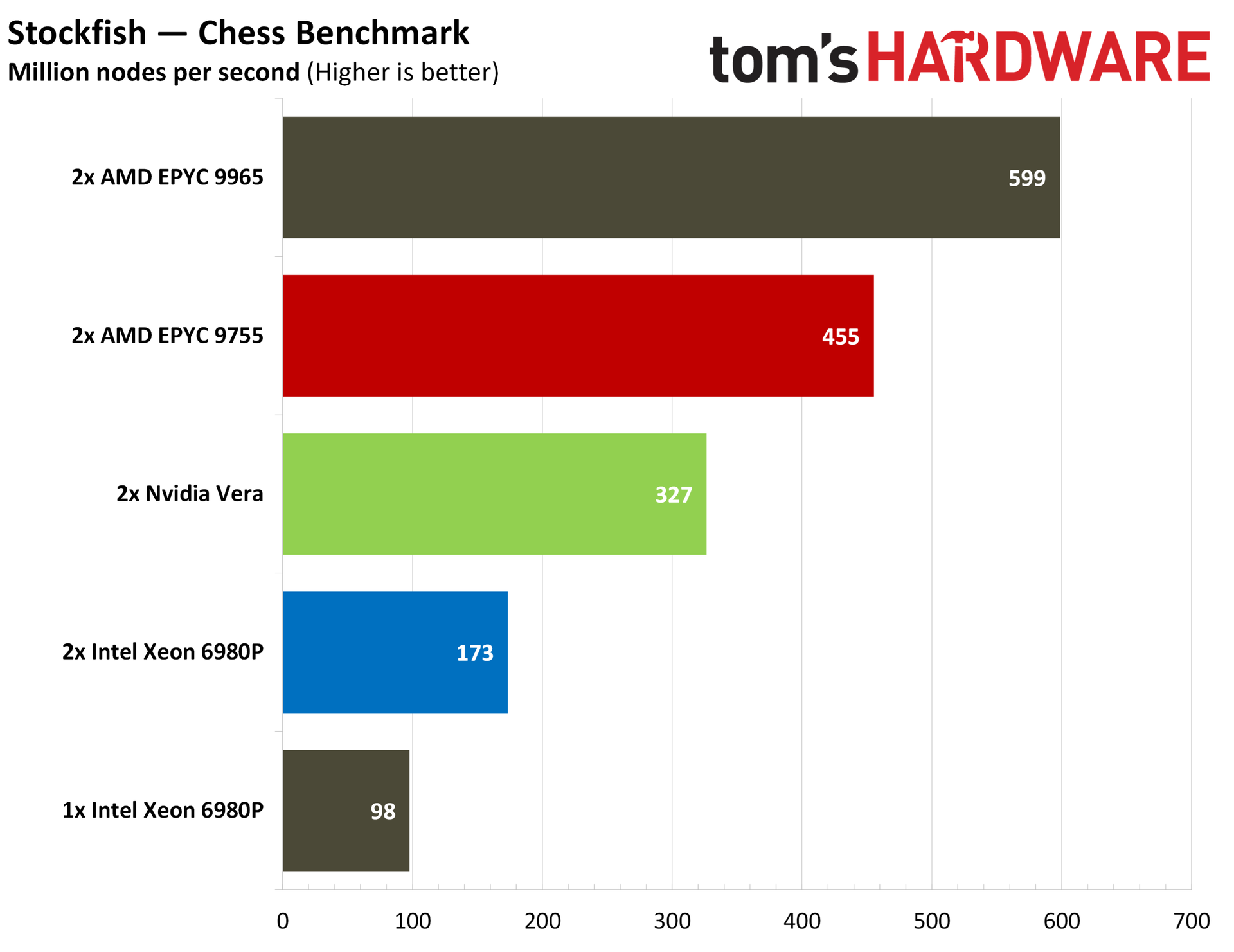
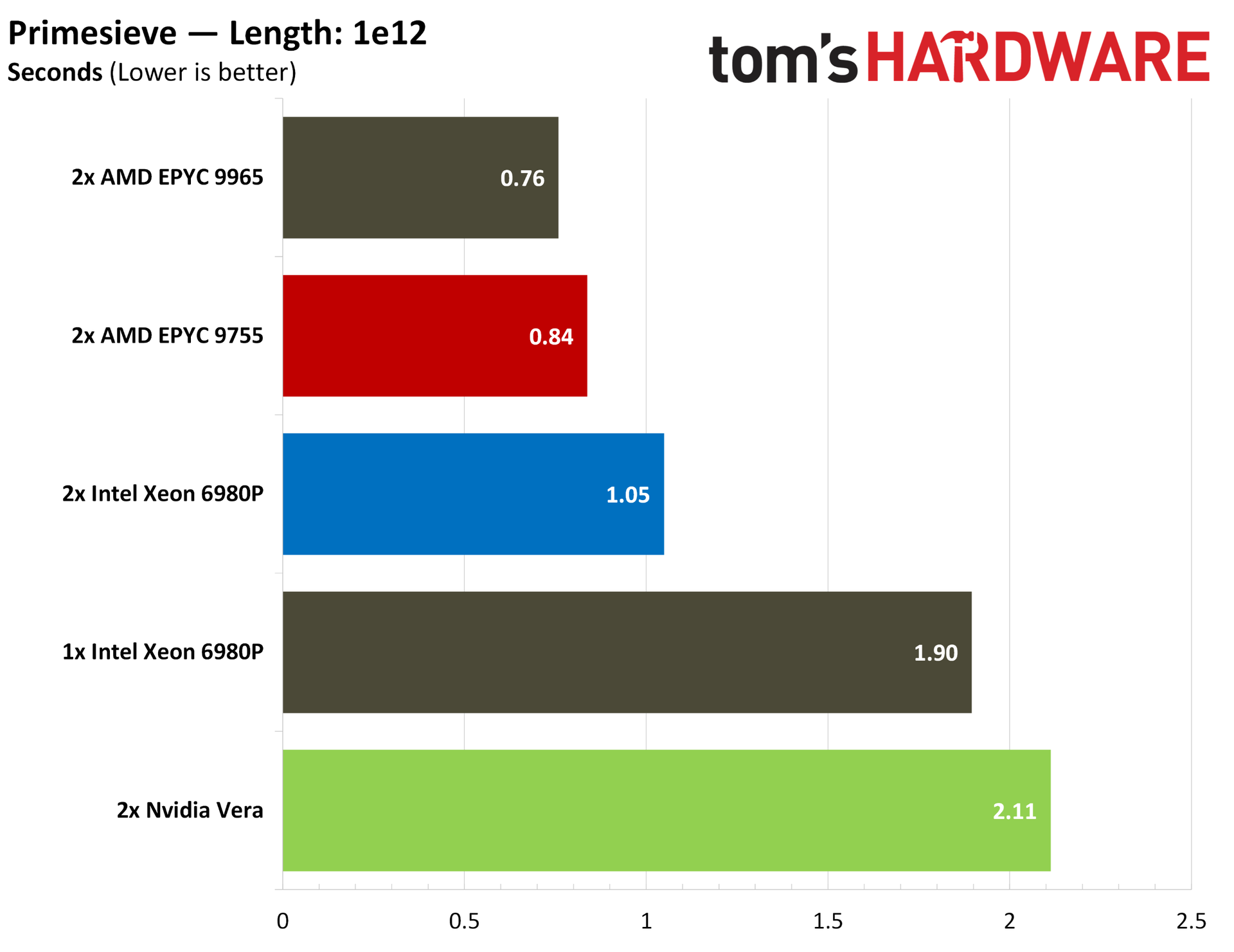
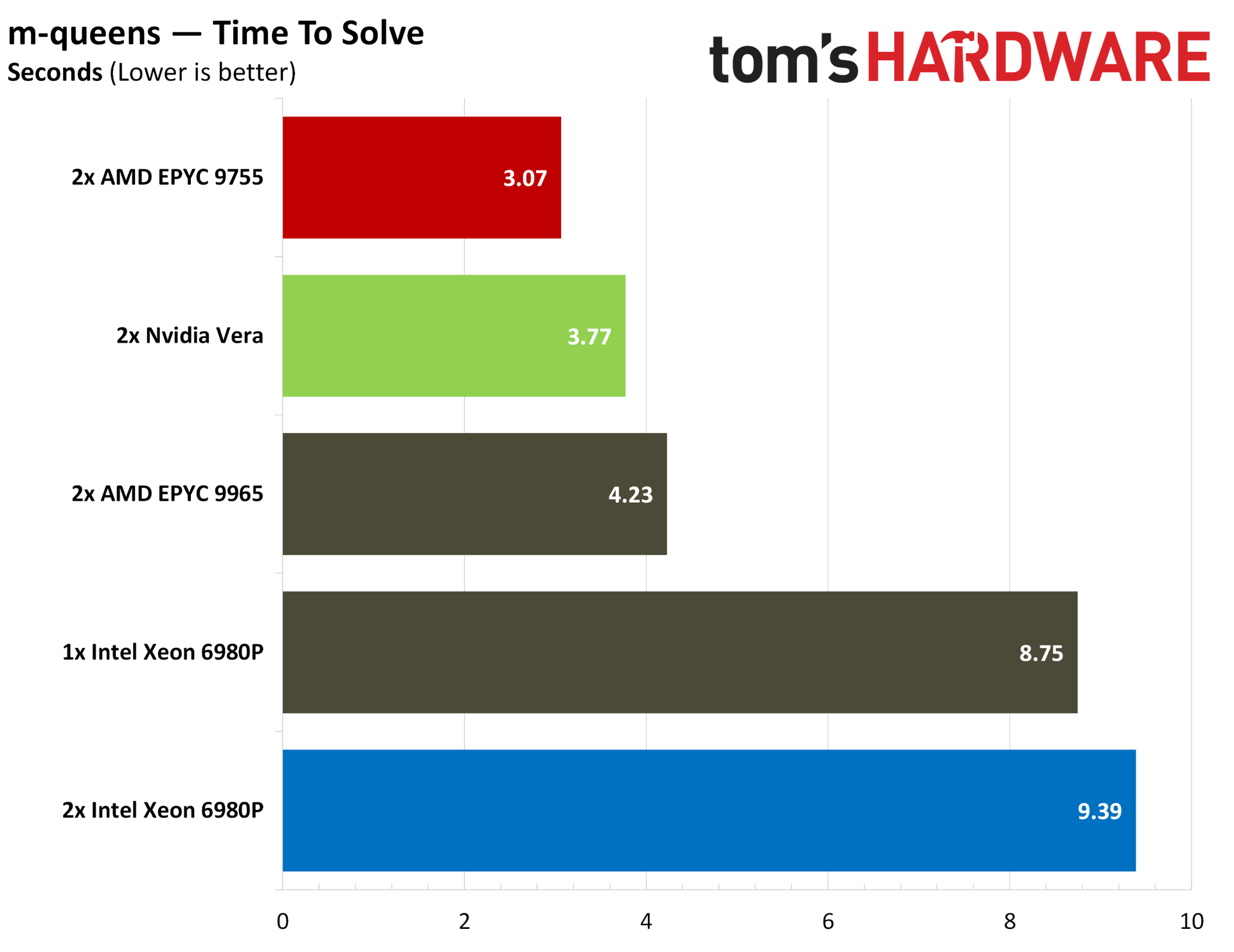
HPC is usually the domain of dense CPUs, but Vera performs well in a variety of HPC tasks that we tested. In Discrete Fourier Transforms (DFT) using FFTE, Vera tops the charts, as it does in Octave and CloverLeaf. Although not strictly HPC, Vera falls in the middle of the pack in intensive mathematical operations like m-queens, and it trails chips with massive core arrays in the heavily threaded Primesieve.
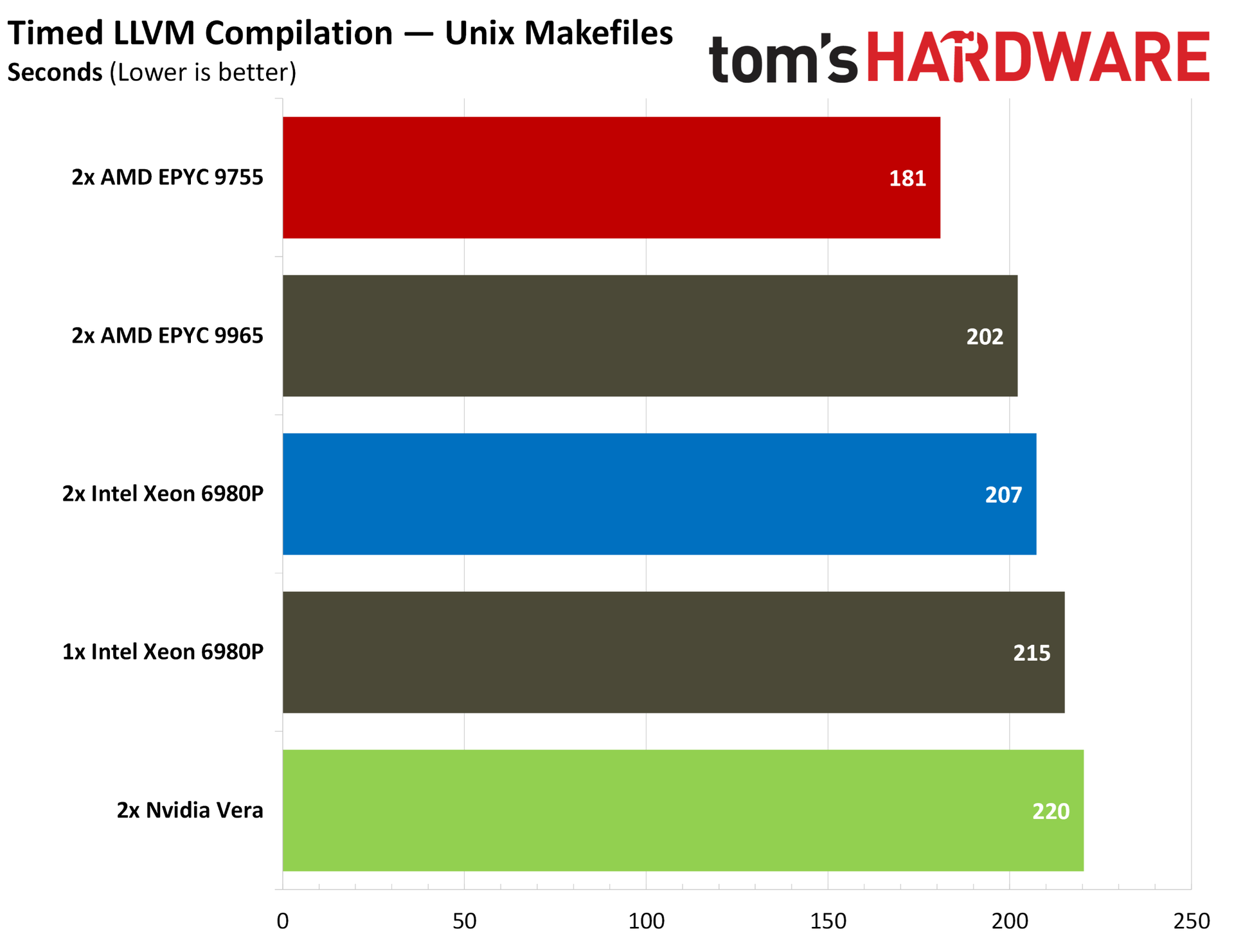
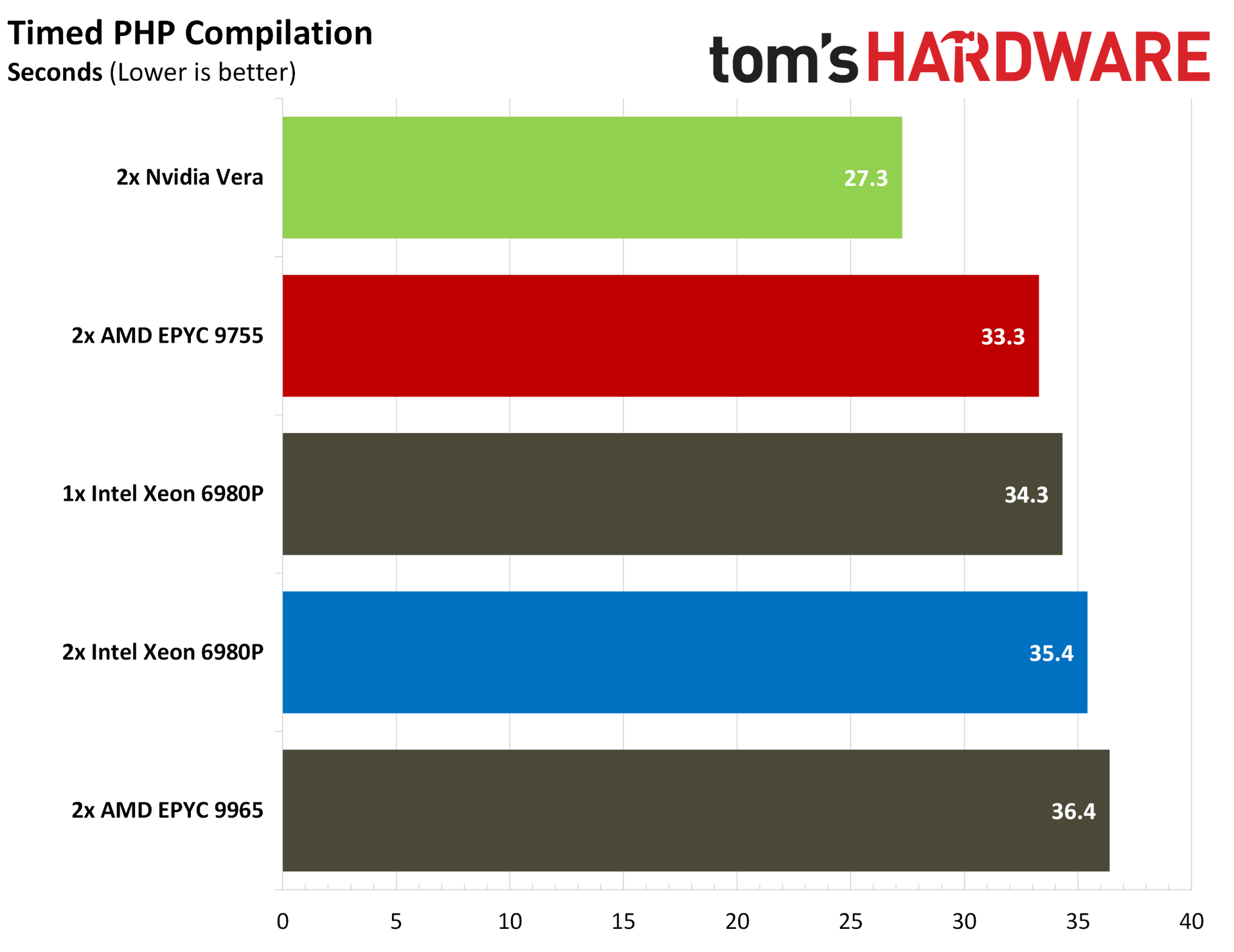
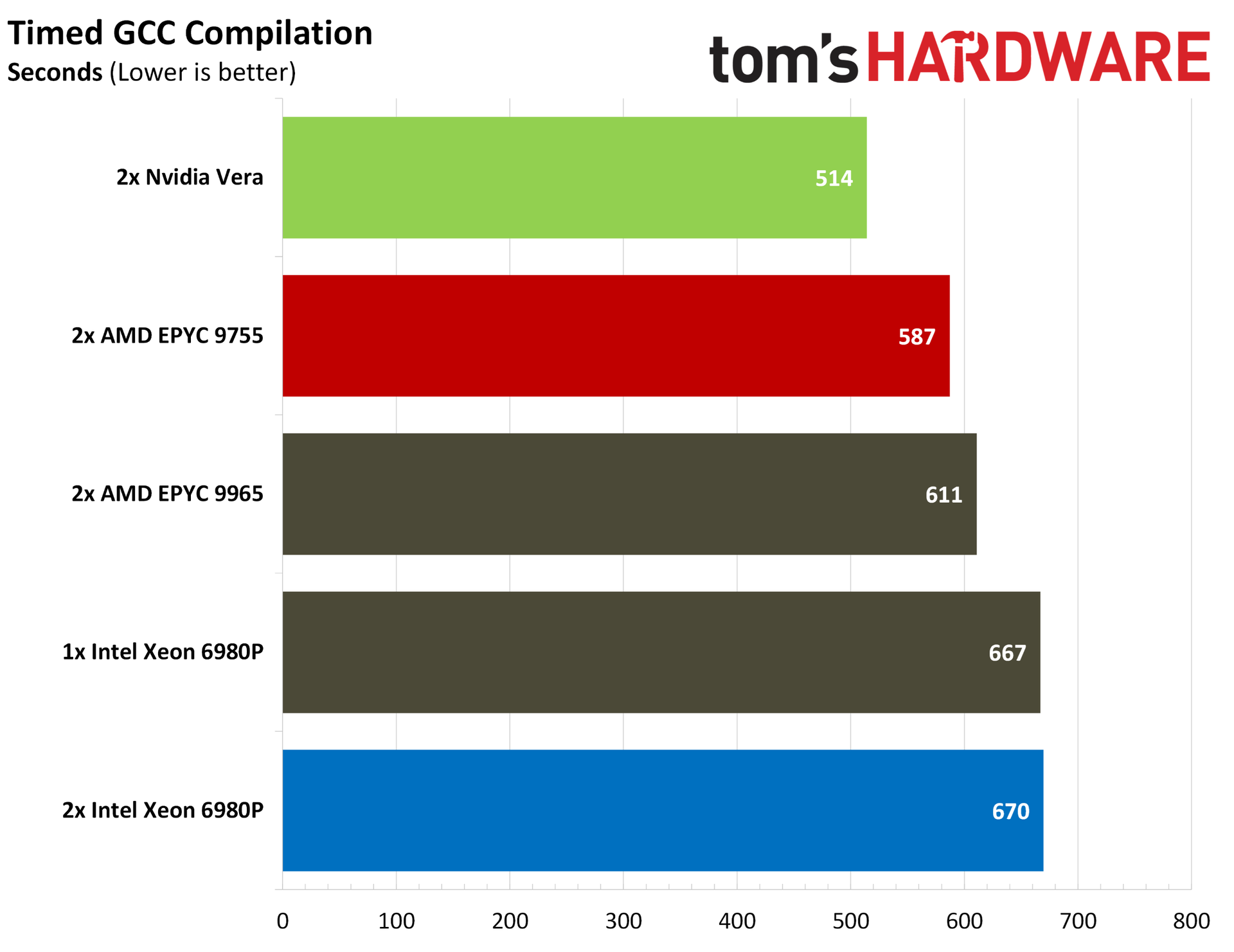
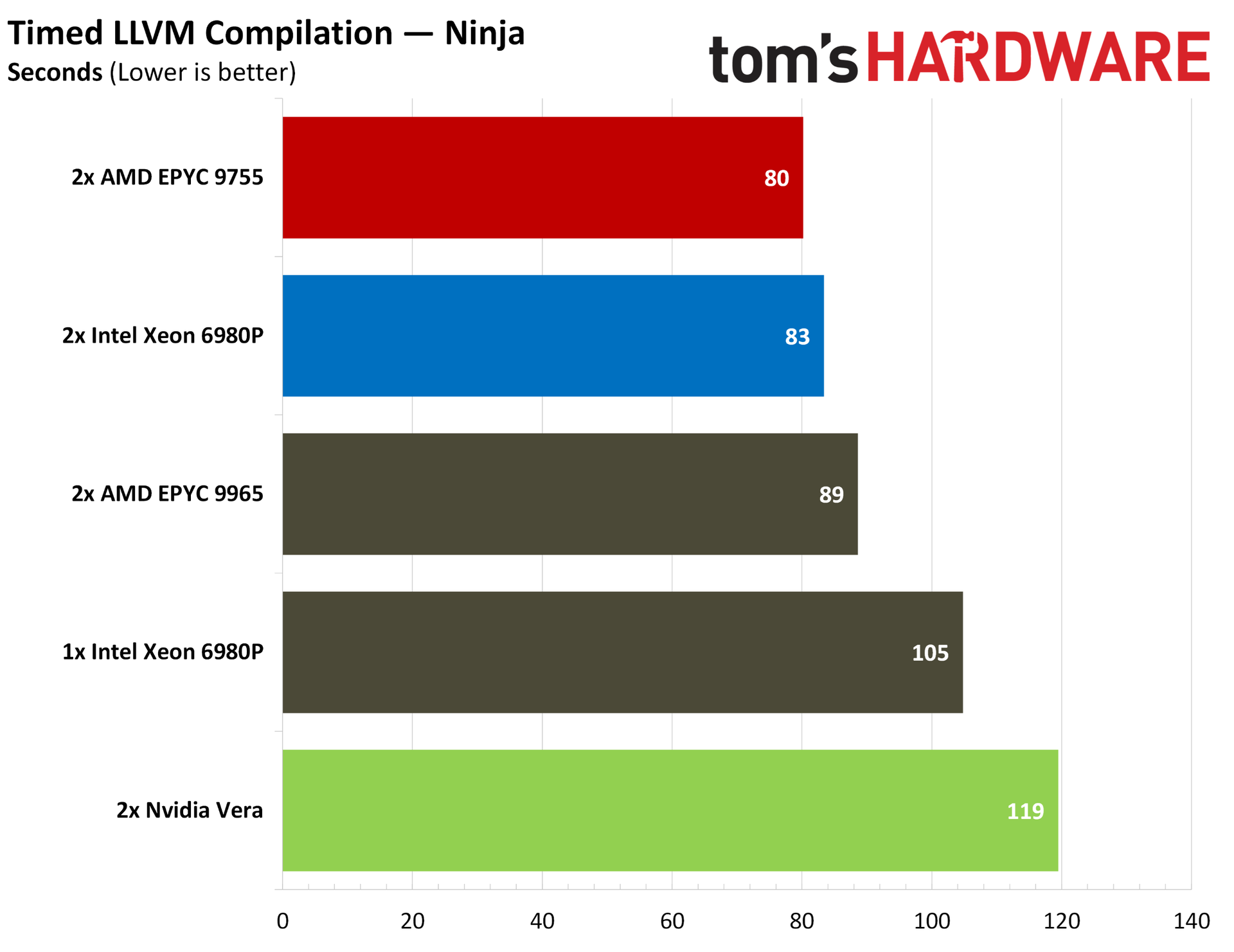
Code compilation is a more contentious workload, with Vera trading blows against AMD and Intel depending on the workload. Starting with the compilers themselves, Vera takes a strong lead in a timed GCC compilation, beating out a dual 9755 system by 12%. It falls into last place in our LLVM compilation tests, however, both using standard Makefiles and Ninja. These tests measure the time it takes to compile the compiler itself, not the time it takes to compile an application with it.
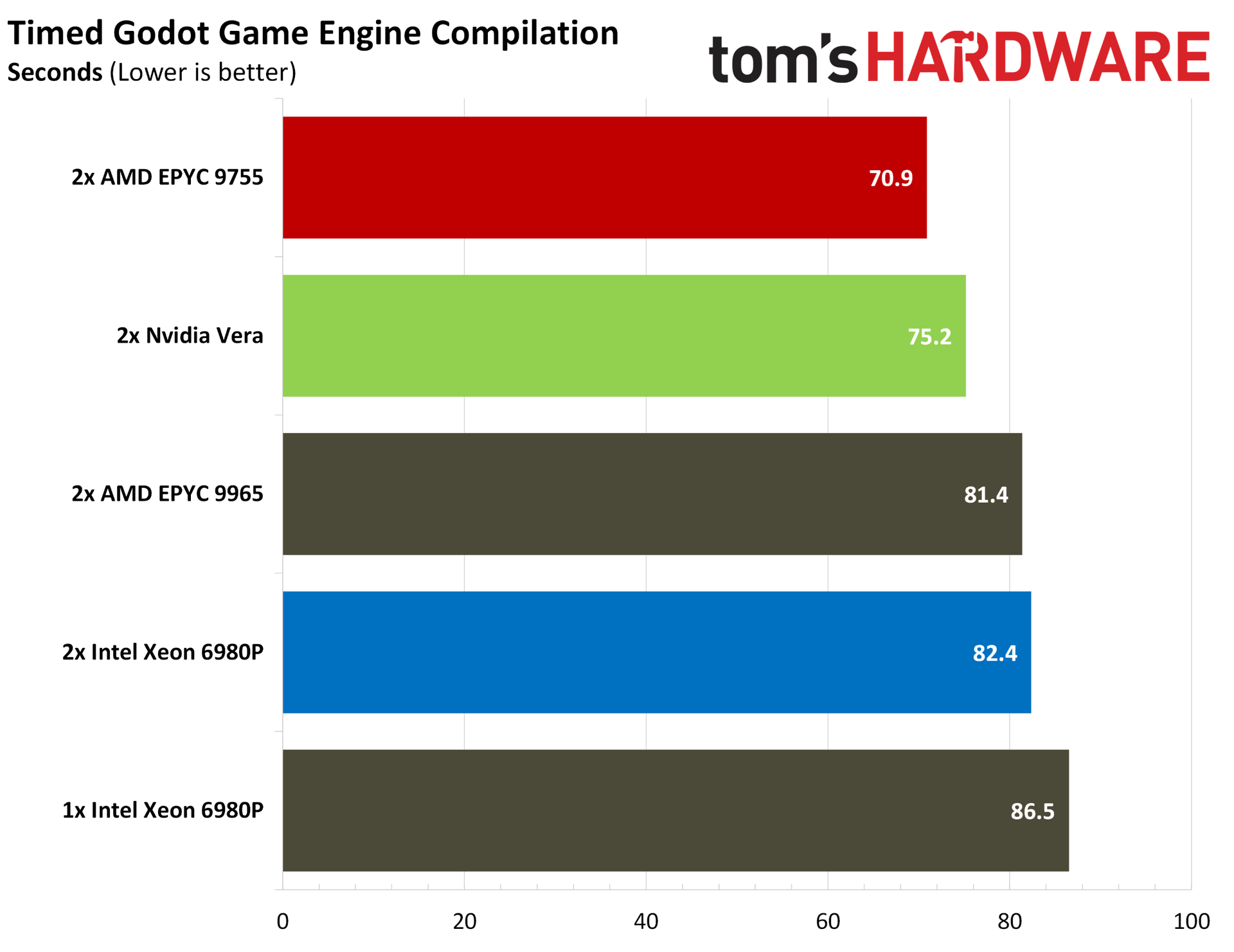
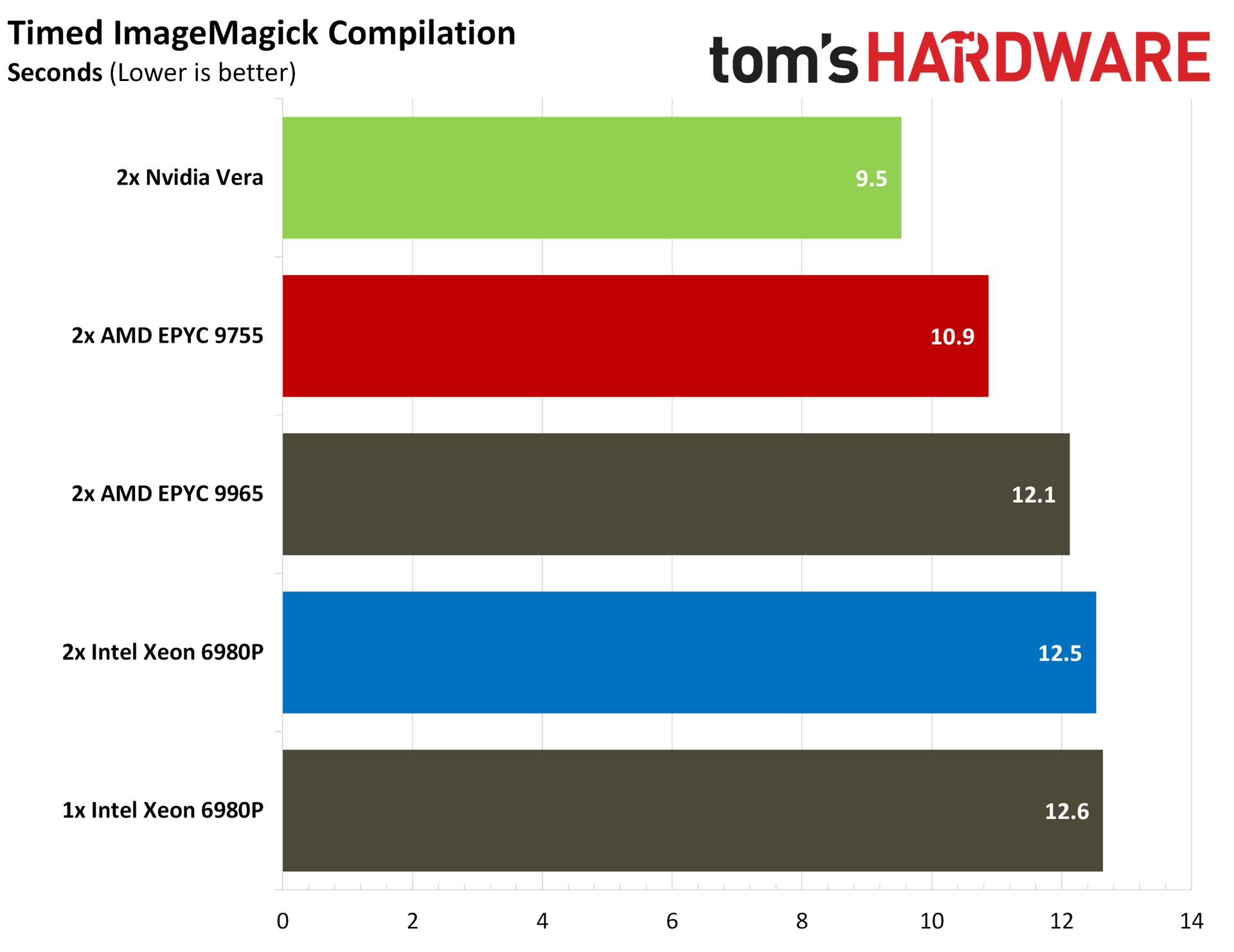
Elsewhere, Vera shows up strongly in ImageMagick and PHP compiles while losing out slightly to the dual 9755s in Godot. Compiler performance is important to agentic AI given the prominence of coding agents, which often need to build software from source as part of an agentic coding workflow.
Nvidia Vera encoding and rendering benchmarks
Encoding and rendering workloads aren’t the focus of Vera, but we ran our standard list of benchmarks, which includes some rendering and encoding tests. Vera has strong performance here in some applications, though it certainly takes a backseat to the headline Python and memory performance shared earlier in this article.
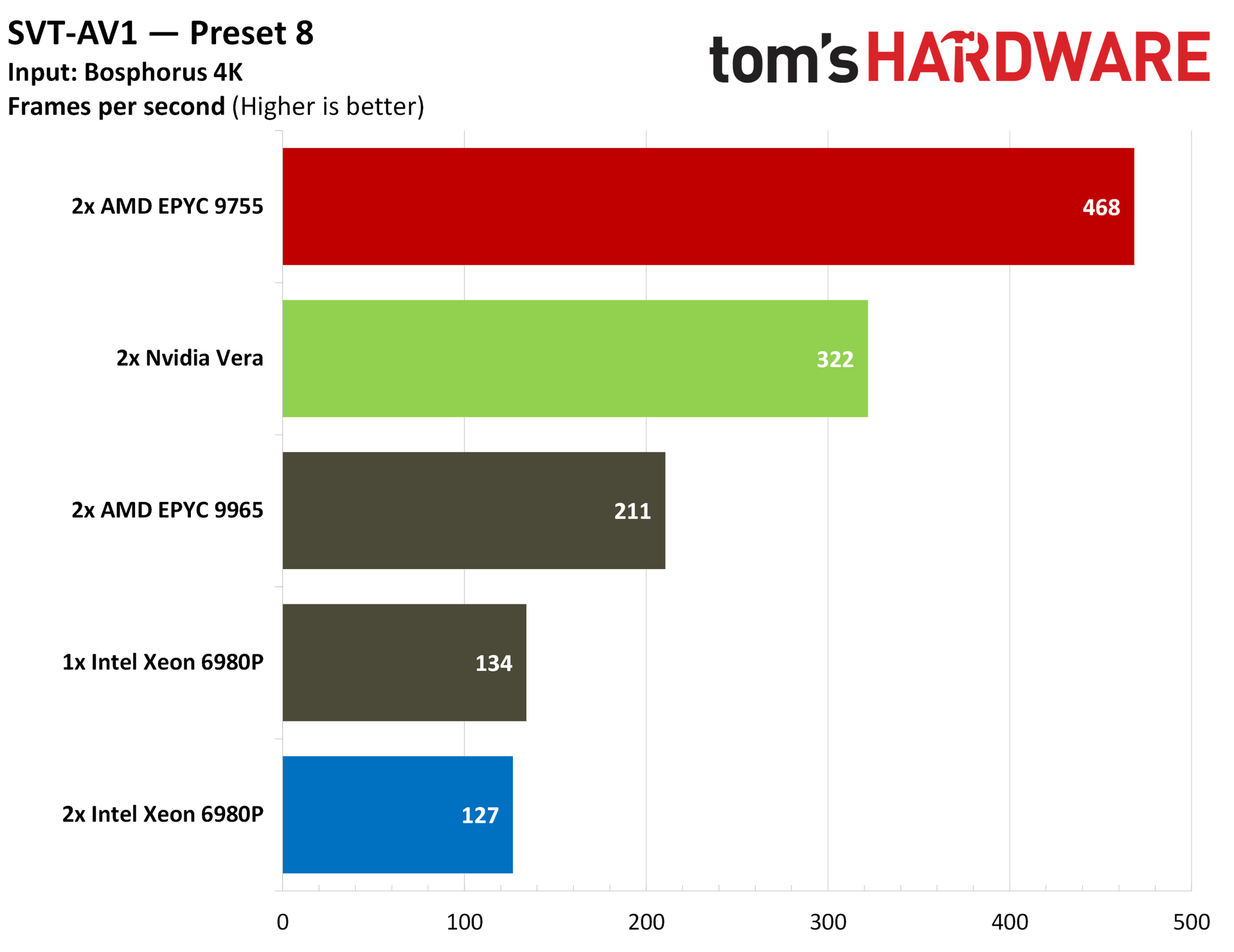
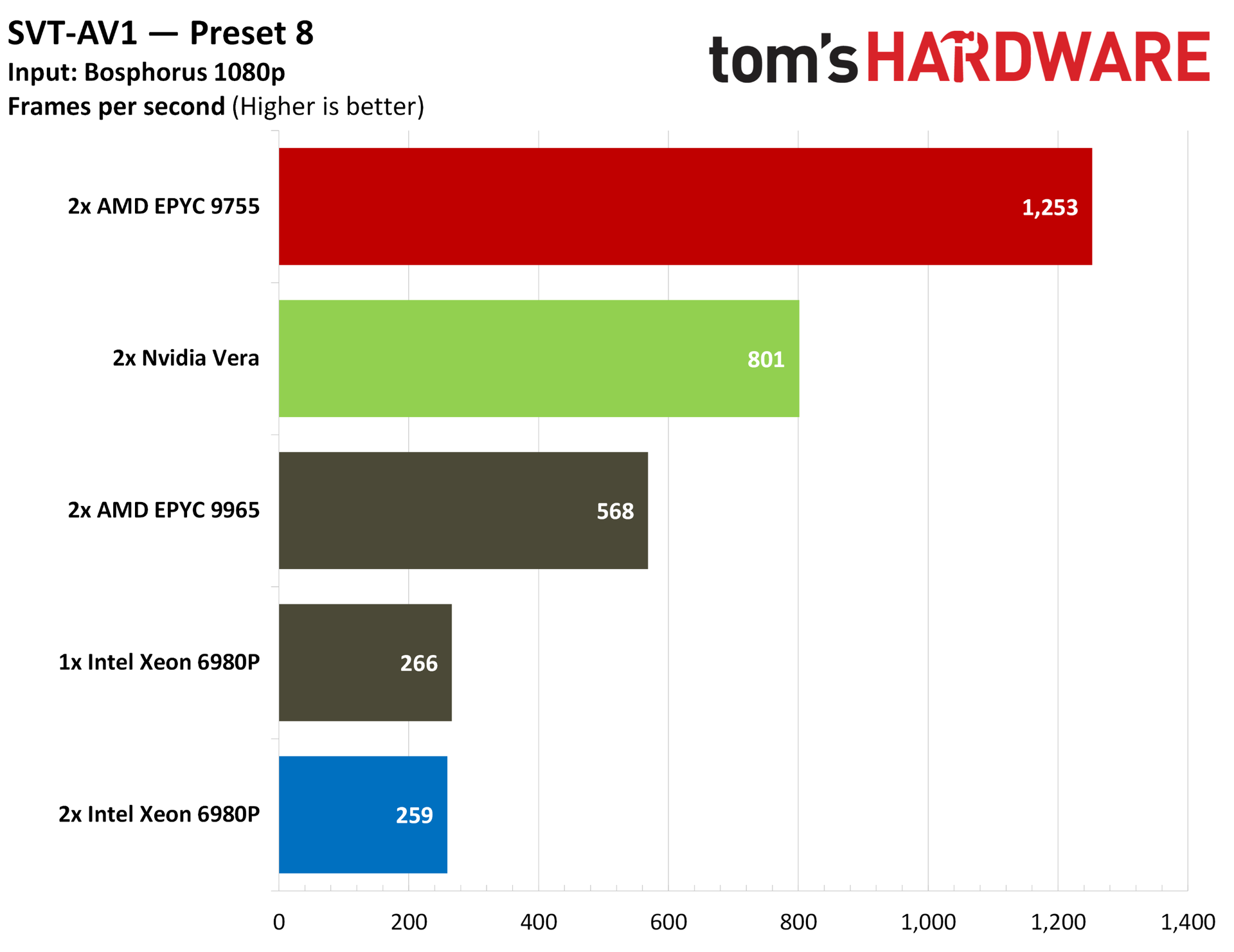
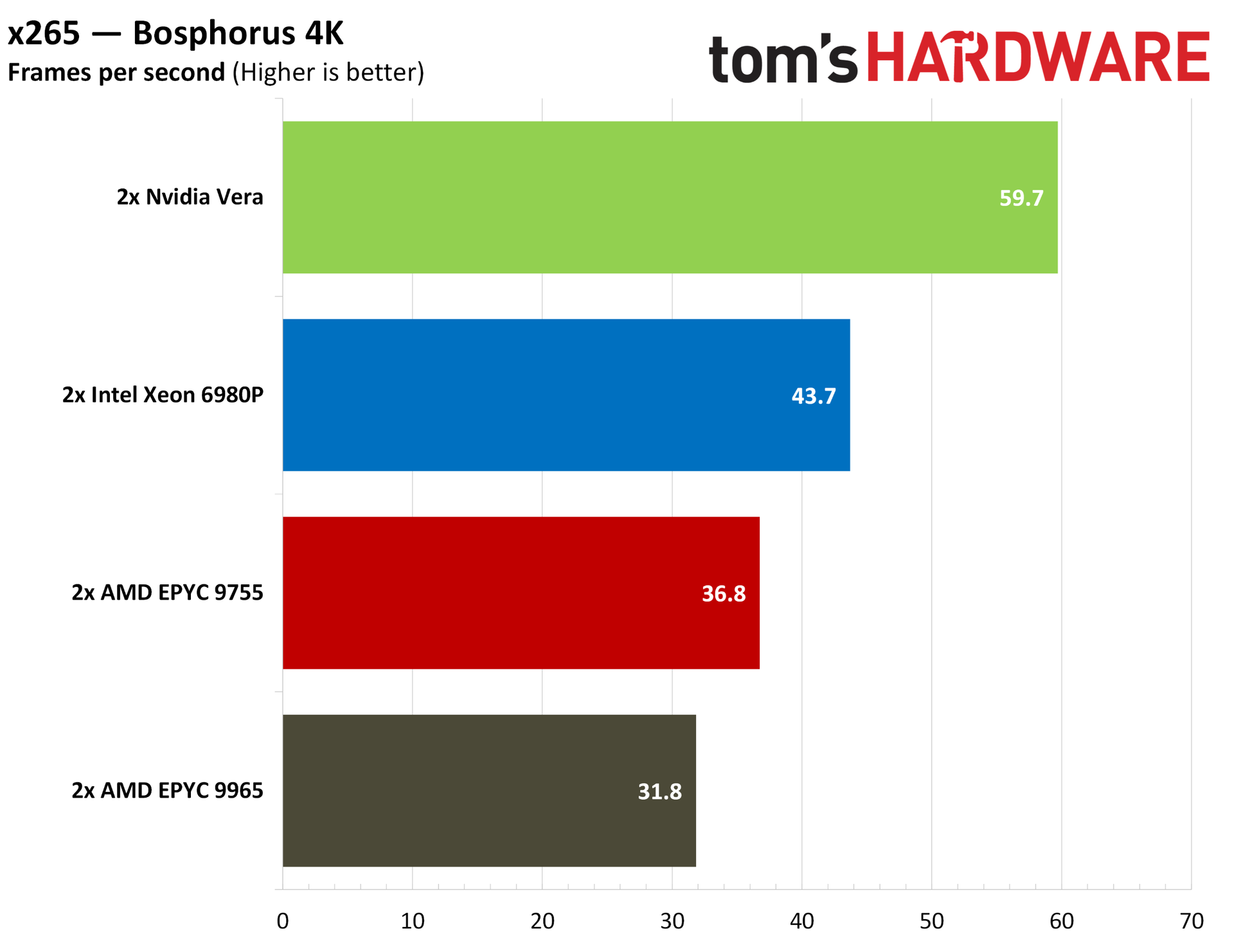
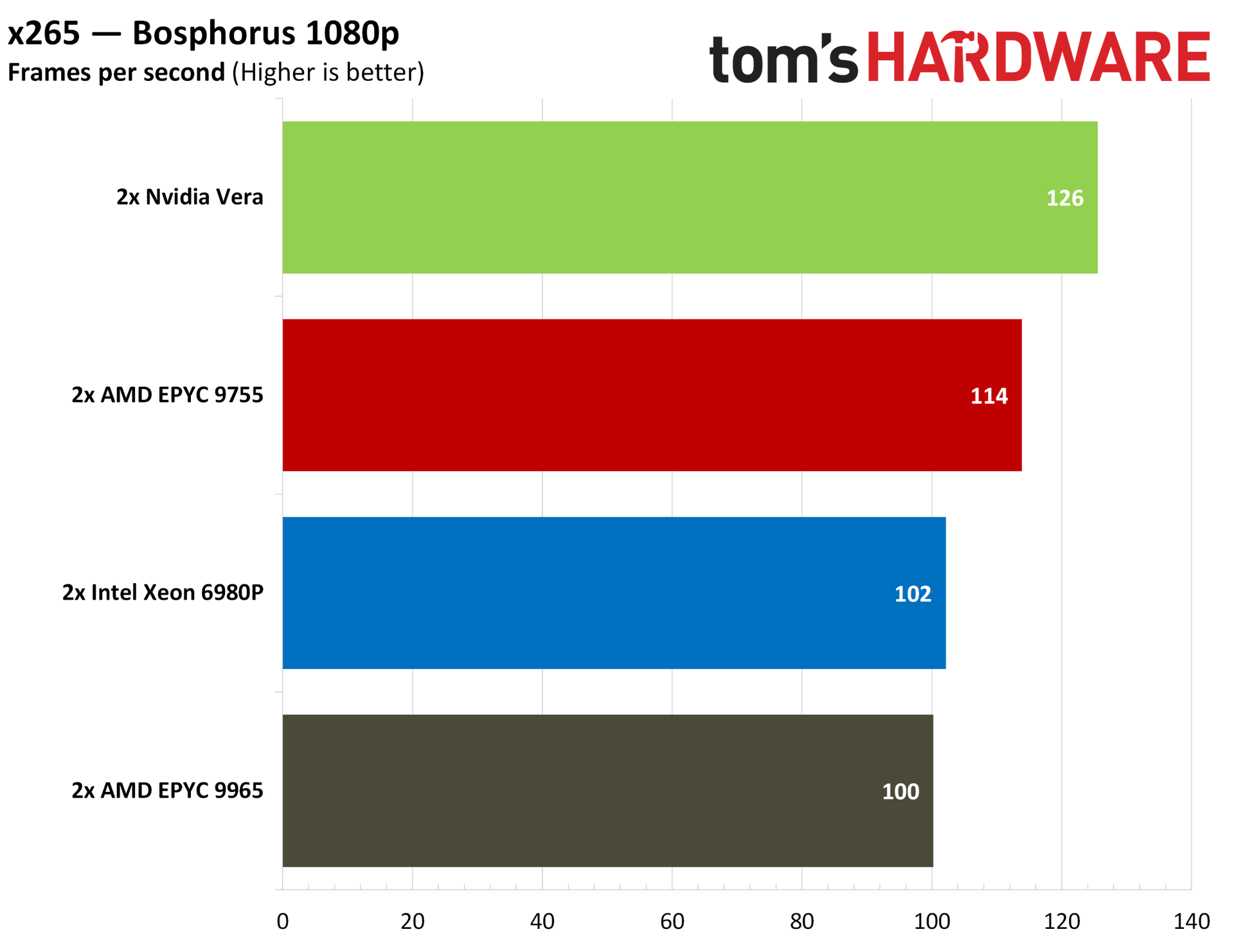
The fight is between AMD and Nvidia here, with the 9755 and its full Zen 5 cores topping the charts in our AV1 encoding tests. With x265, Vera comes out on top, though by a margin lower than the 25%+ we can see the 9755s hold with AV1.
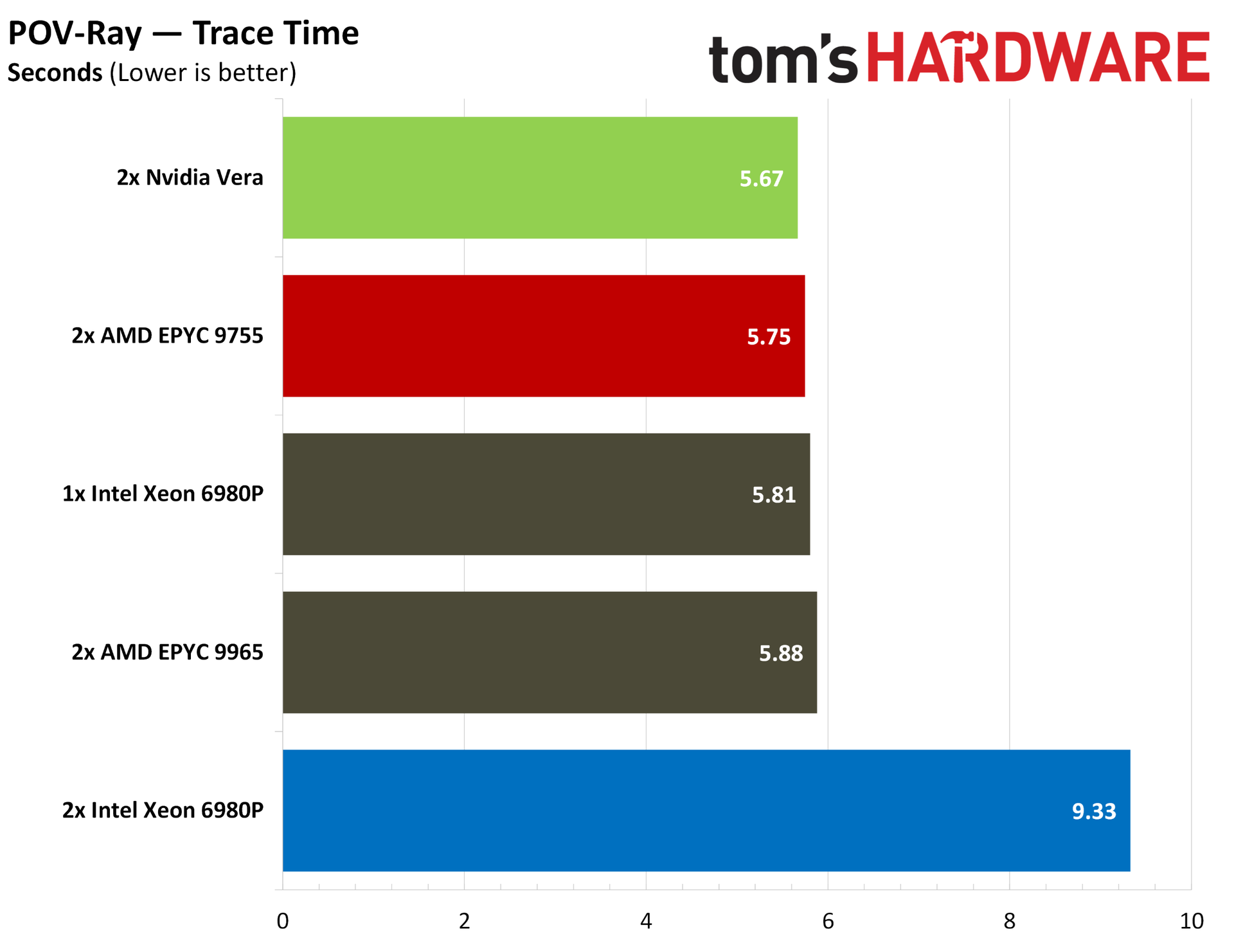
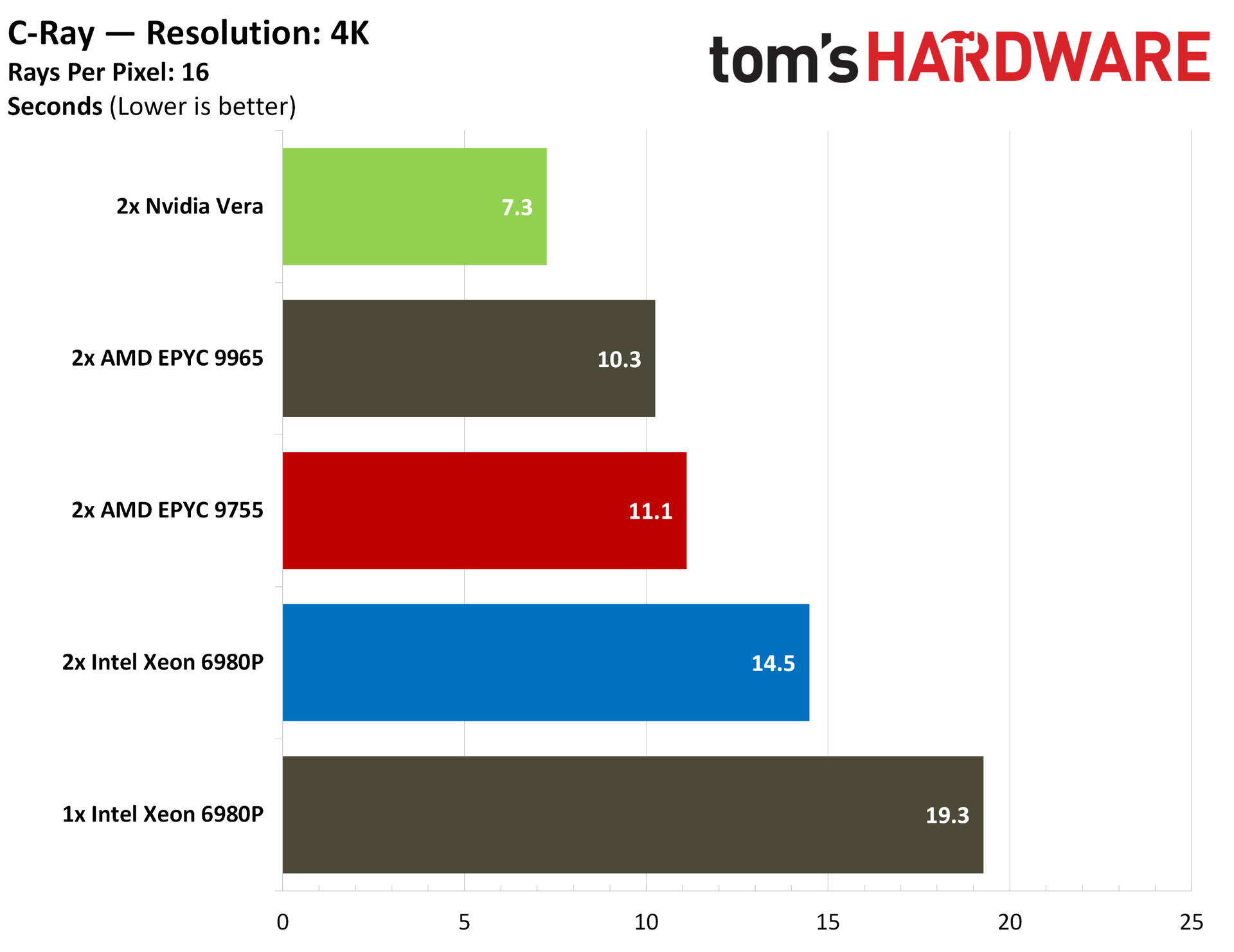
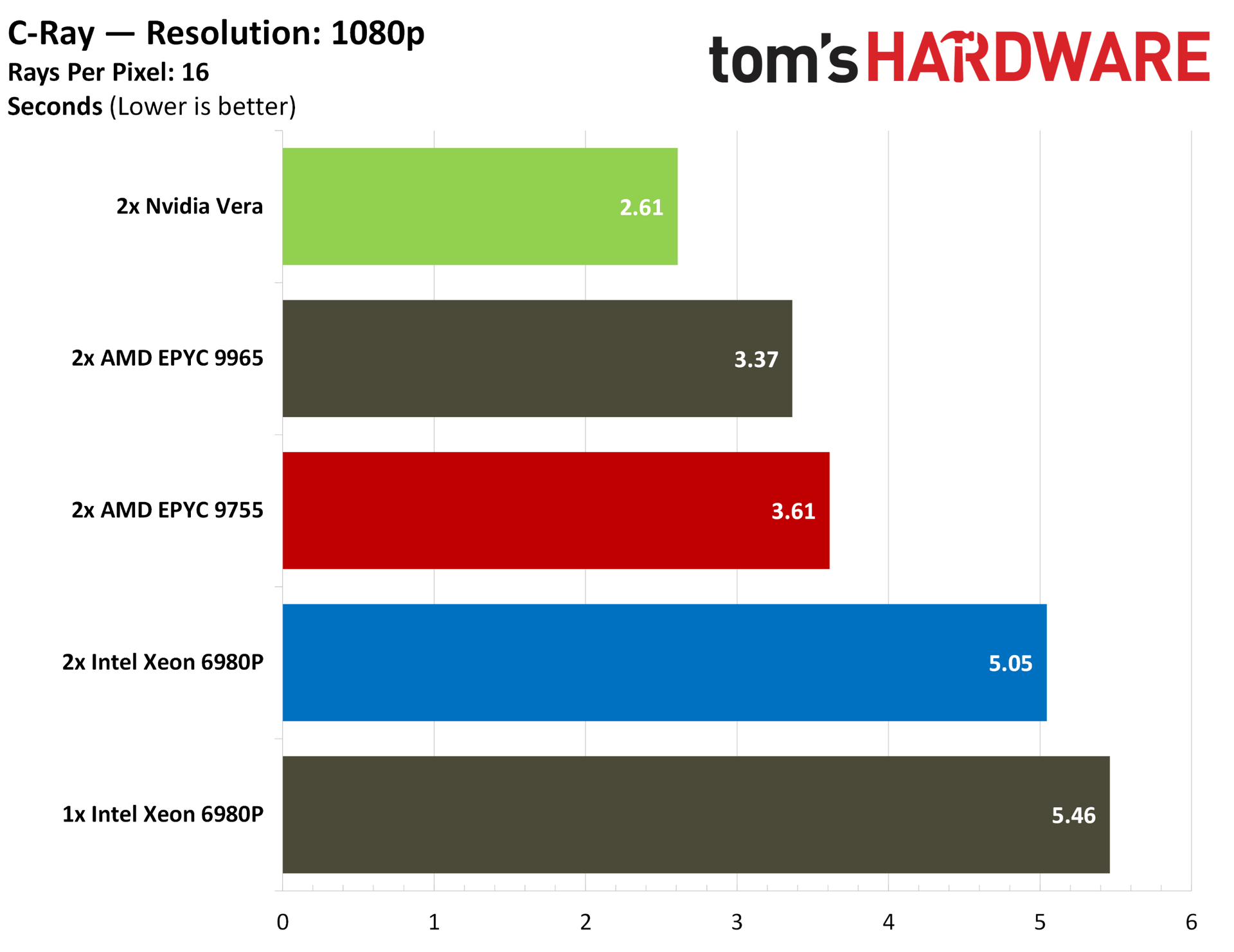
We normally run Blender, though there isn’t an official Arm Linux version available, so we skipped the test here. Instead, we have the cross-platform C-Ray and POV-Ray. Vera manages to outclass even the 768 threads available on a 2P EPYC 9965 server, both at 1080p and 4K. Vera also leads in POV-Ray, though on a technicality. Every server we tested was tightly coupled short of the 2P 6980P server.
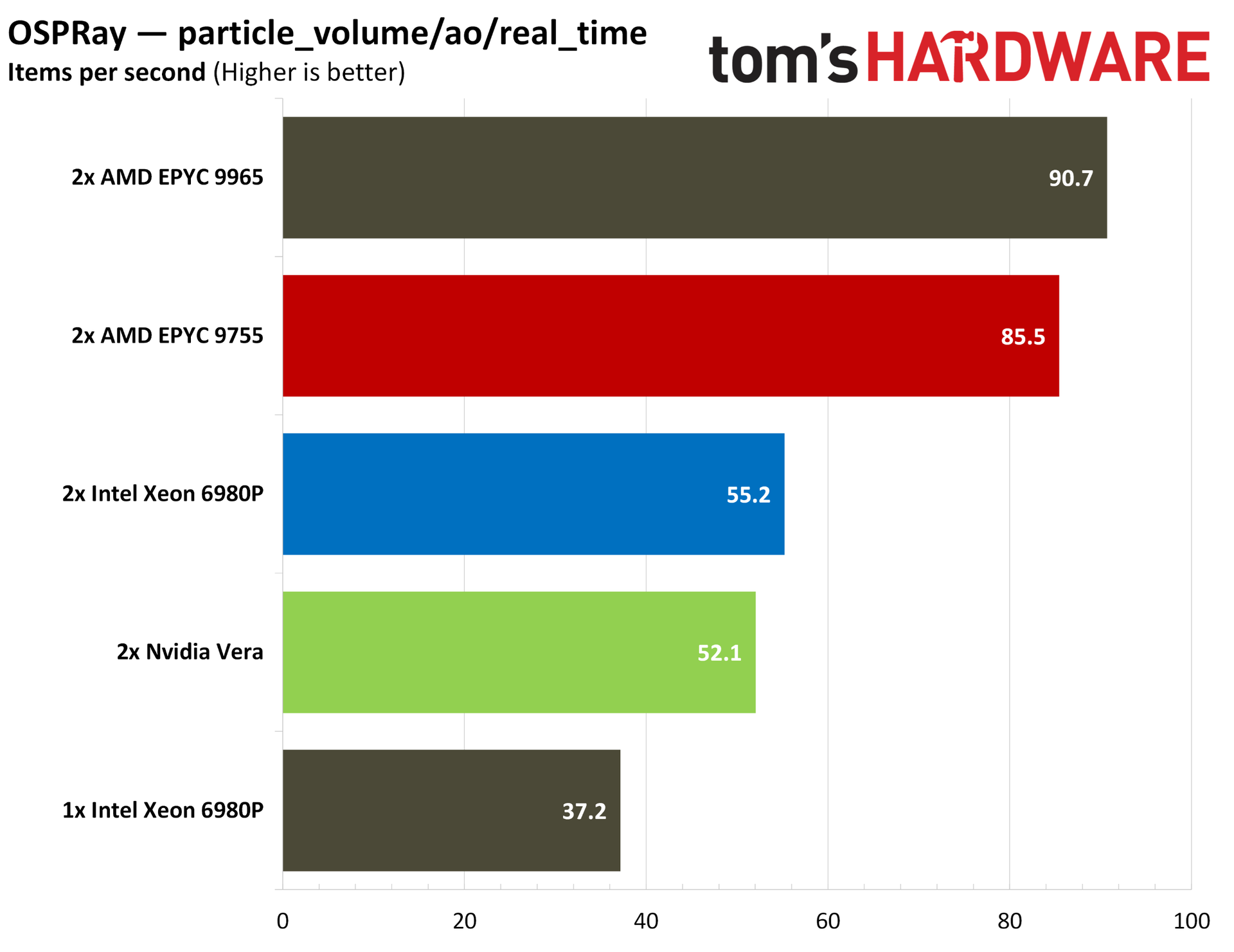
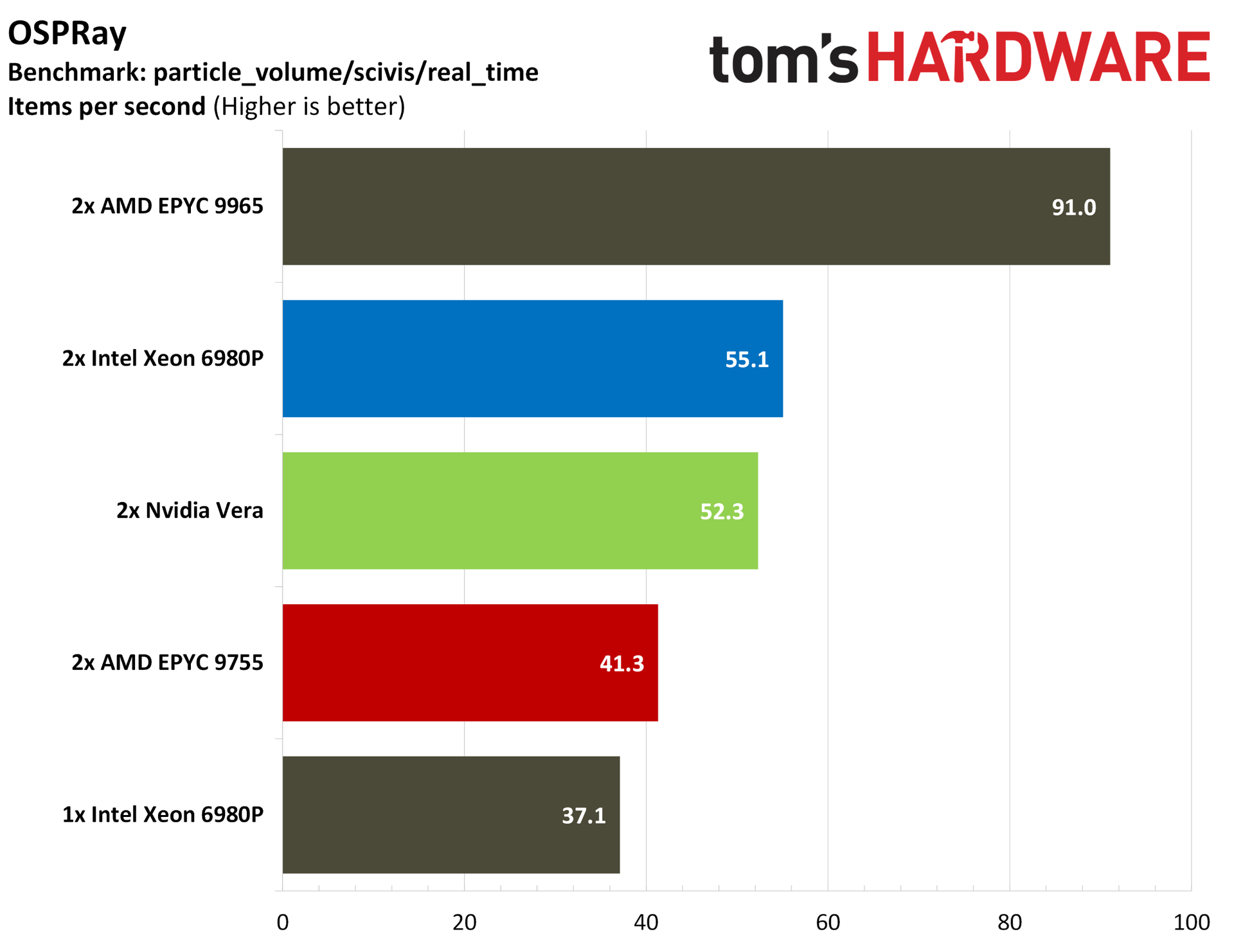
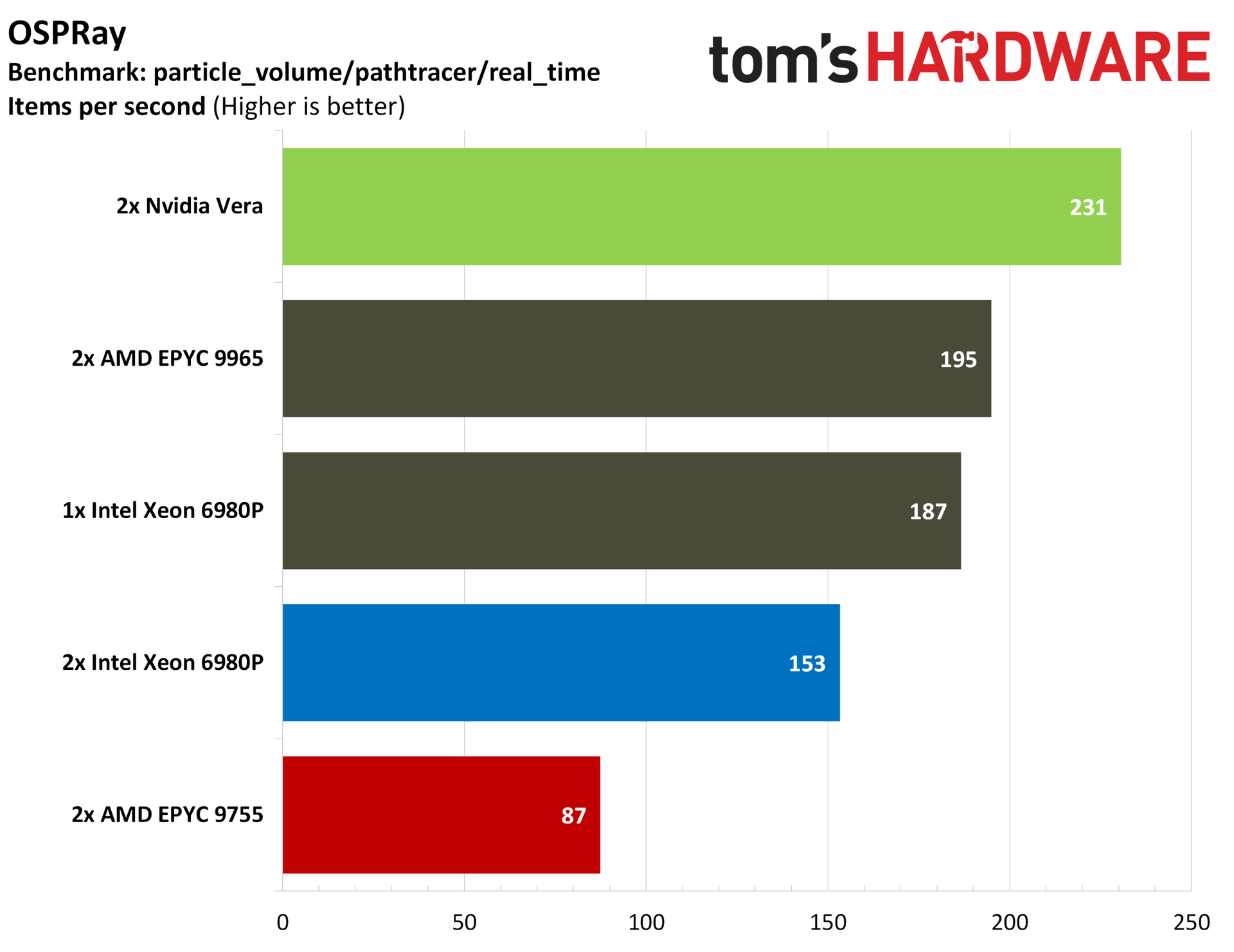
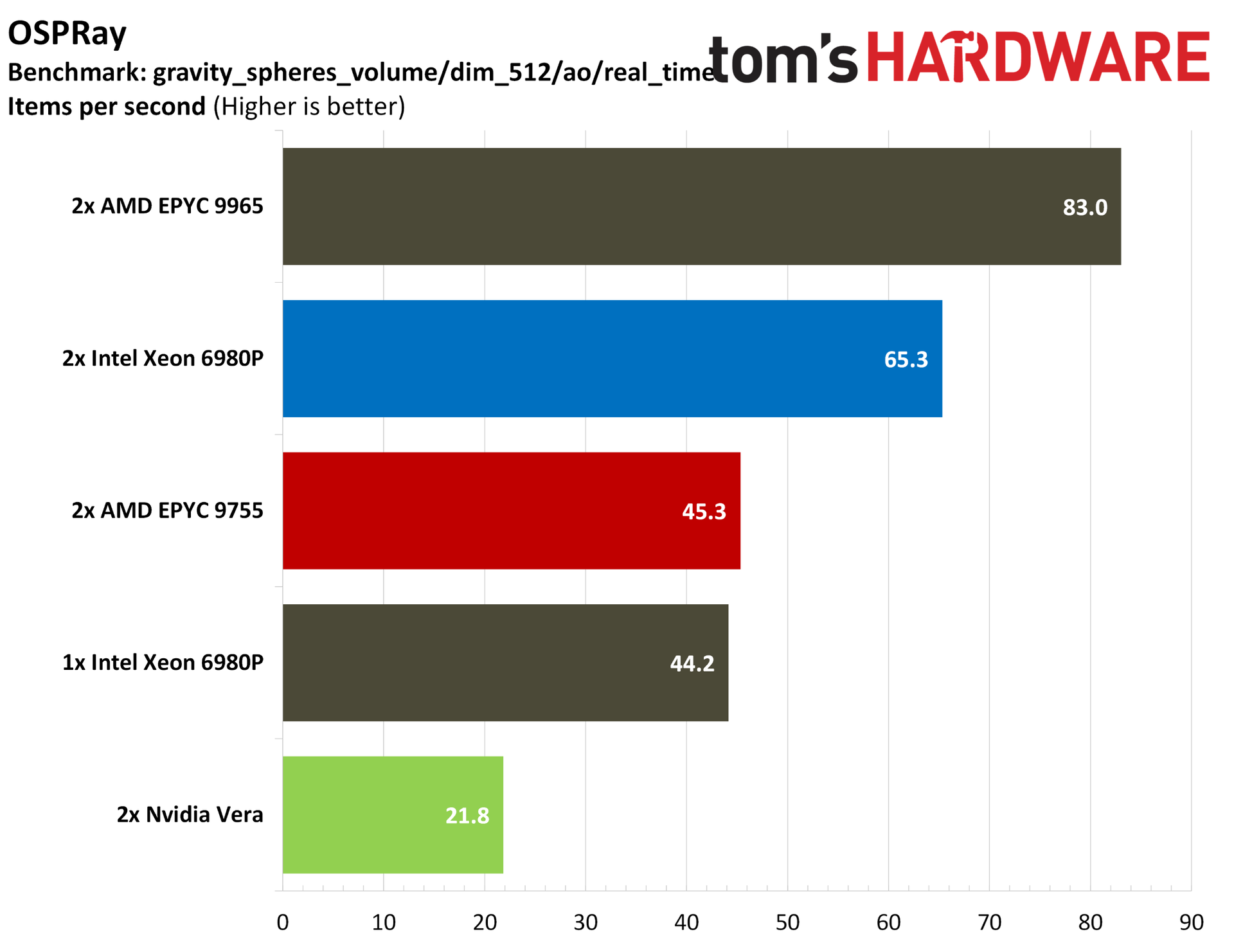
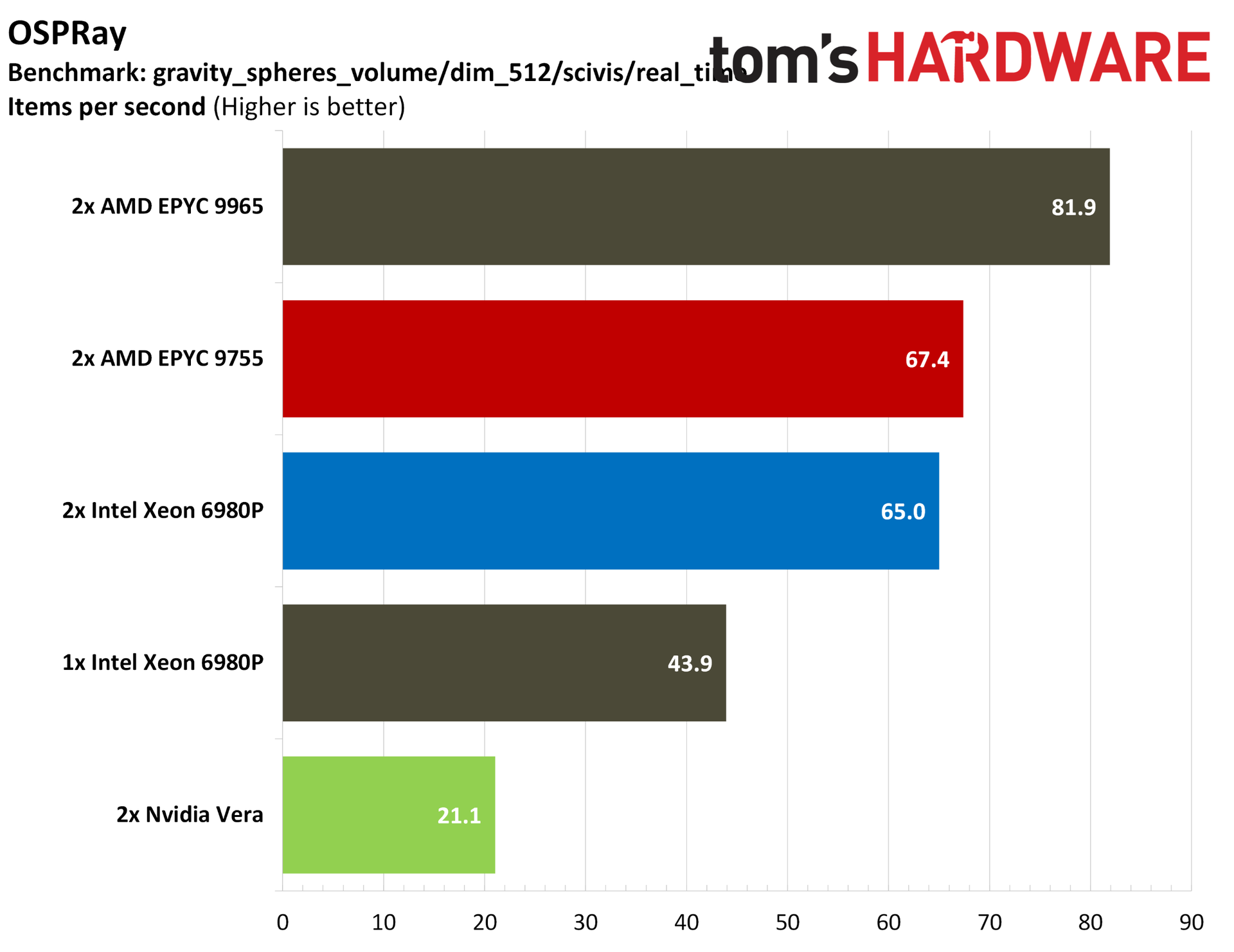
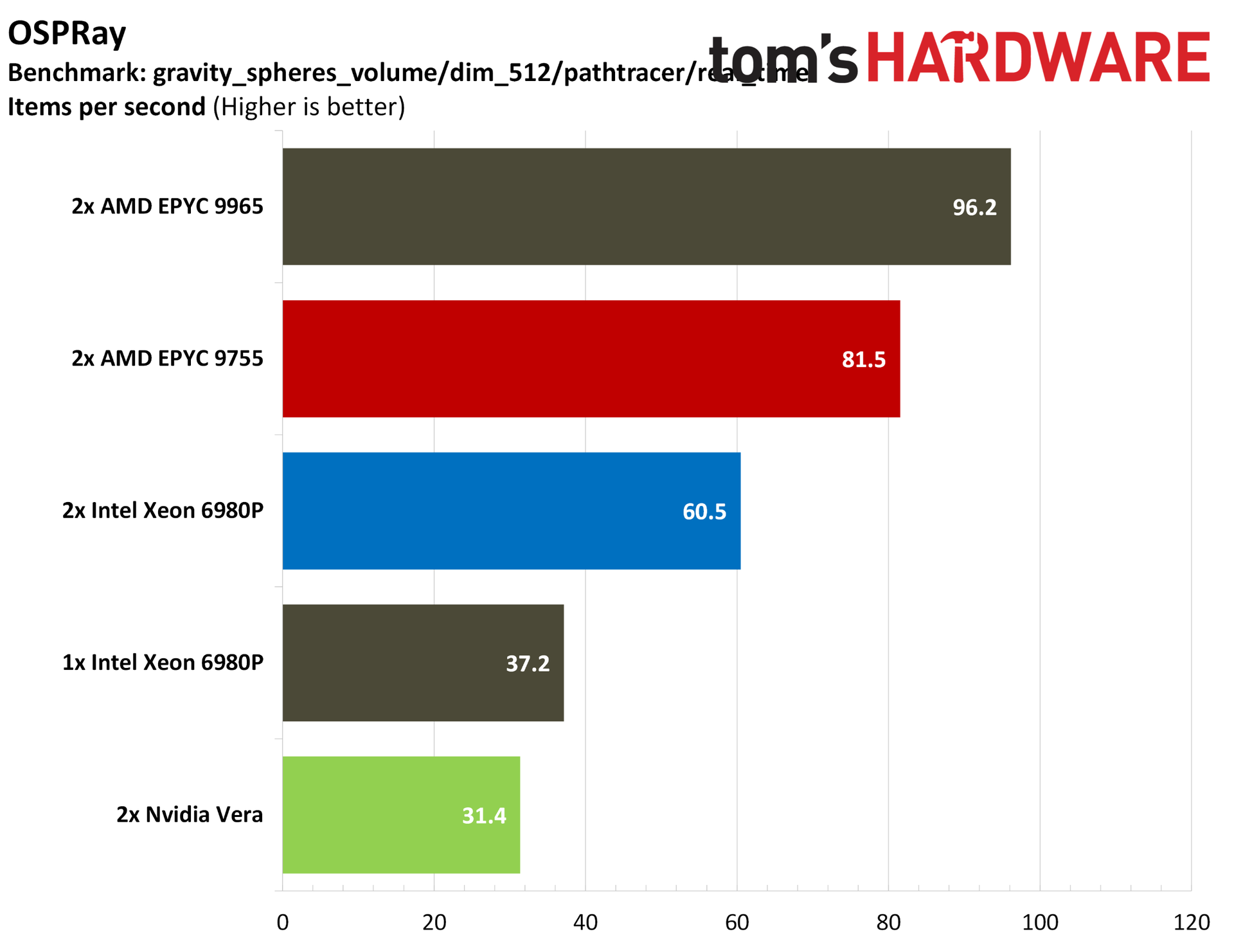
For a more granular look, we have OSPRay, where Vera tops the charts in real-time path tracing, though falls short of the AMD and Intel flagships in real-time scientific visualization. The “dim_512” subset is worth drawing attention to. Strong AVX-512 performance allows AMD to offer three or even four times the performance of Vera in this workload.
Nvidia makes a delayed debut
Although Vera isn’t Nvidia’s first data center CPU, it’s the first one that the company is aggressively pursuing with the same fervor that it carries with its accelerators. It’s an impressive chip, often punching far above its weight class, especially in those workloads that can show off its unique capabilities and topology.
Still, it’s a single 88-core chip arriving in a market characterized by granular SKU lists to meet a wide range of specific workloads. Vera won’t be the right choice for all of them, which is something that Nvidia itself has already stated. “The world is not going to be served by one SKU of CPU. And that's not our intention,” said Nvidia’s Ian Buck when Vera was revealed in March.
That’s not the intention with Vera, but the performance against contemporary x86 CPUs shows that Nvidia’s new push into standalone data center CPUs has legs, more so than the various building-block-style Arm chips we’ve seen from hyperscalers, certainly. If nothing else, Vera demands some attention from AMD and Intel.
The x86 crew is responding shortly, with Zen 6 queued up to roll out through the end of the year and Intel’s Diamond Rapids targeting a 2027 release. As you can imagine, we'll be putting those chips through their paces as well.
The explosion at Intel's Fab 28 near Kiryat Gat, Israel, that happened earlier this month forced Intel to shut down the whole facility for two weeks, and now the company expects that it will cost it approximately $600 million in lost revenue over two quarters. The disruption is expected to affect server processors manufactured using Intel's 10nm-class process technologies and will reduce the company's shipments in both the fourth quarter of 2026 and the first quarter of 2027.
"In Israel, we have been shut down for about two weeks," said Dave Zinsner, chief financial officer of Intel, during the company's earnings call. "We feel like we are going to be starting up production here by the end of this week."
The explosion occurred in mid-October, killed two, seriously injured one, and caused an extended shutdown of Fab 28, one of Intel's key manufacturing facilities for chips produced using its 10nm-class and Intel 7 process technologies (Intel 7 was formerly called 10nm Enhanced SuperFin). Intel expects the incident to reduce its Q4 2026 revenue by approximately $300 million, and a similar impact is anticipated in Q1 2027. The company also expects the accident to reduce its fourth-quarter non-GAAP gross margin by approximately 2%.
Intel has not identified the affected Xeon processor families, disclosed the number of wafers damaged, or specified when Fab 28 will return to full production capacity after it restarts this Friday.
Although Intel's latest Xeon 6 processors use compute dies produced on Intel 3 fabrication technology, they still use I/O dies fabricated on Intel 7 (aka 10nm ESF) fabrication process. Furthermore, Intel continues to sell previous-generation Xeon 5 Emerald Rapids (and even Xeon 4 'Sapphire Rapids', though it stopped accepting orders on these CPUs in late September) that are made on Intel 7 manufacturing technology.
While Intel has plenty of 10nm-capable fabs — including Fab 12, Fab 22, Fab 32, Fab 42 in Arizona as well as Fab 28 in Israel — the disruption comes as Intel struggles to satisfy strong demand for server processors, so Intel cannot completely offset the lack of output at one facility by adjusting manufacturing at the others (i.e., it has done everything it could by now). For sure, Intel will not repurpose product lines it uses to make I/O dies for Xeon 6 to make previous-generation CPUs. In addition, other fabs may lack product-specific manufacturing qualifications, or the time and costs required to transfer production between facilities are too high, keeping in mind that Fab 28 is about to restart.
In addition to lost production time, Intel faces potential losses from wafers that were undergoing fabrication when the accident occurred. The company is assessing work-in-progress inventory to determine which wafers can be recovered and which must be discarded and written off. Zinsner expects most wafer write-offs to occur in Q4 2026, which explains why the gross-margin impact will be concentrated in that quarter despite the disruption to shipments extending into early 2027.
"Please note almost all of the $300 impact from Fab 28 is related to 10nm server products," Zinsner said.
Although Intel stresses that the shutdown primarily affects its 10nm-class server processors, the company has not disclosed whether the incident will also disrupt shipments of client processors manufactured using its Intel 7 (10nm ESF) process technology. Intel uses this node to manufacture a wide range of client CPUs, including its 12th, 13th, and 14th Generation Core processors, such as Raptor Lake. However, it is unclear whether Fab 28 manufactures any of these products and, if so, whether Intel can compensate for the loss of production by increasing output at its other Intel 7-capable facilities. Consequently, the shutdown could potentially affect the availability of some consumer processors as well.
Intel's next-gen Nova Lake desktop processors will be the first client product to use Intel's enhanced 18A-P node, CEO Lip-Bu Tan confirmed in the company's Q3 2026 earnings call. The chief executive also said that the company intends to share more about Nova Lake at CES in January. The company's chief financial officer shared that Intel intends to take Panther Lake capacity offline to build more Granite Rapids data center CPUs.
"Nova Lake, our first Intel 18A-P client product, is tracking ahead of schedule, with design wins expecting to be twice those of Panther Lake at launch," Tan said in his prepared remarks. "We look forward to sharing more at CES in January."
There has been a lot of speculation about what node Intel's Nova Lake CPUs will use, with the rumor mill ping-ponging between Intel 18A and TSMC's N2P. Current speculation says the chip will use 18A-P for the SoC tile while using TSMC's N2P for the compute tile. It seems unlikely that Intel would use its most advanced node for an SoC tile, though it's possible.
Compared to 18A, which is available in Panther Lake and Wildcat Lake products currently, 18A-P comes with a 9% improvement in speed at iso-power, or an 18% reduction in power at iso-speed. Intel has described 18A-P as a drop-in replacement for 18A, allowing designs built for 18A to instead leverage 18A-P without any extra engineering work.
For 18A products, Intel says its new Wildcat Lake products that have shown up in devices like the Framework Laptop 12 are increasingly popular. "Demand for our Wildcat Lake is outstripping supply," said Tan. Intel says that 18A products now make up a third of client CPU revenue, up from less than 5% in Q1.
It makes sense that those products would be popular given the current environment. Tan said that Intel's OEM partners are "aggressively managing inventory to match softer sell-through," which means buying less to match the demand in the market. Intel's David Zinsner said the company expects the company's client business to decline by "more than 20%" in the next quarter."
Zinsner warned of a further contraction in the PC market, describing a sustained decline in the size of the market over the next year, at least. "We expect the 2026 PC unit [Total Addressable Market] to decline approximately 12%, with second half units down more than 20%. We do not expect a sustained recovery until memory availability improves and pricing begins to normalize," Zinsner said. "For 2027, we're planning a PC unit TAM to decline roughly 10%."
Taking the comments together, Intel is saying that it expects the market itself to shrink significantly over the next year due to memory prices. It's not a situation of demand outstripping supply, at least not directly like the case of a component shortage. Rather, it's a pullback from direct customers, OEMs, and IT departments from spending, which is more significant.
Although Intel says the client PC market is shrinking, the company says that its long-term outlook remains positive. "We think next year, and in future years, we're a market-share-gain type of environment... we do think the PC is going to through a renaissance despite [memory shortage]," said Zinsner.
Despite the optimism, Zinsner said that Intel is taking some of its client capacity offline to build more data center products. In response to a question about reallocating wafers from client products, here's what the executive said: "Answer: Yes... What we're taking offline to put Intel 3 into Oregon is 18A wafers, which were generally going to build Panther Lake products, so we see the opportunity with some of that capacity freed up to go produce more data center wafers."
Intel has published an internal test driver with the "RPL-NEXT" label, presumably in reference to Raptor Lake Next CPUs that Tom's Hardware first reported on in June. On the same day as the driver was uncovered, shipping manifests from Vietnam were published by Club386, showing exports of CPUs labeled "Raptor Lake Next" dating back to August, complete with cache and clock speed information.
The driver was first spotted by @momomo_us on X, and we were able to find it by searching the name in Intel's software database. The file is locked (hence the padlock icon), and clicking on it will redirect you to an Intel login page. Given that and the "testbuild" label, it looks like this is an internal driver test that wasn't meant to be published.
Judging by the existing conventions, the driver package is for the Smart Sound Technology (SST), a audio digital signal processor integrated into the silicon since the Alder Lake days. Audio codecs like those of Realtek use SST for offloading duties like noise reduction, echo cancellation, low-power audio playback, and wake-on-voice without adding to the CPU load, and saving precious watts in the process.
For broader context, Raptor Lake Next is Intel's refresh of the Raptor family of CPUs, meant to plug into existing LGA-1700 motherboards. Given the currently insane DDR5 memory prices, gamers ought to be happy on two fronts: getting newer chips for their existing motherboards, and the ability to use more affordable DDR4 instead, an ability all but confirmed by Gigabyte's recent BIOS updates.
According to Club386's shipping manifests, there are so far four chip models en route from Intel's Vietnam facilities. Their specs suggest that they're replacements for extant Core i5 and Core i7 models, as a previous leak indicates that Intel doesn't yet have any plans for replacements for its Core i9-14900K chip.
As such, the listed models should top out with the 99DLMV part number, with 16 cores in an 8P + 8E arrangement, a meaty 3.5 GHz base block, and 30 MB of cache (presumably L3). This is the only model with a 125W TDP, and its base clock is higher than that of the Core i9-14900K, so it should be a speedy enough affair despite not having the high core counts of the halo models. Chances are it'll be a nice gaming CPU with pretty high turbo clocks, but only reviews will confirm that.
Interestingly, the 99DLMT has 20 cores (8P + 12E), but its much lower 65W TDP and 2.1 GHz base clock, which indicate that this model might be an efficiency-oriented productivity chip. In the table below, we added our guesses as to which models match existing chips.
Part number
Cores / Threads
TDP
Base clock
Cache
Approximate matches
99DLMV
8P + 8E (24)
125 W
3.5 GHz
30 MB
i7-14700 / i7-13700
99DLMT
8P + 12E (28)
65 W
2.1 GHz
33 MB
i5-14600K / 13700K
99DLMW
6P + 4E (16)
65 W
2.6 GHz
24 MB
i5-14400 / i5-13500
99DLMX
n/a
65 W
2.6 GHz
24 MB
As above
There's no word about pricing, but we'd expect the new chips to ring in at roughly the prices of the existing models. As points of reference, the Core i7-14700 is currently $366, or $330 for the "F" variant without integrated graphics. At the lower end of the above table, the Core i5-14400 is sitting at $208, or only $161 without an IGP.
AMD's Zen 6 processors are out! Well, the EPYC 9006 family of server CPUs is out, anyway. These aren't chips that mere mortals like you and I can reasonably acquire, so there aren't really many third-party benchmarks out there yet, but somebody ran GeekBench 7 on one, and you know what that means: time for some wild speculation, such as the supposed 15% single-threaded IPC increase you might have seen reported this week. However, it isn't quite that clear yet. Well-known enthusiast and occasional leaker HXL (@9550pro) spotted the EPYC 9996 result, and now Russian enthusiast "three twenty six" (@326powah) has done a direct comparison with his Ryzen 7 9700X at the same clock.
Let's lay out the details: the AMD EPYC 9996 is an absolutely gargantuan server processor with 256 "Zen 6c" cores spread across eight "Monarch" CCDs with 32 cores apiece. Each CCD has 128MB of L3 cache, which is reportedly split into two 64MB domains for each 16-core CCX. This gives us 4 megabytes of L3 cache per CPU core, which happens to be the exact ratio that AMD has maintained since Zen 2. Meanwhile, 326's Ryzen 7 9700X is a desktop CPU with eight Zen 5 CPU cores and 32MB of L3 cache, giving it the same cache-per-core ratio yet an overall smaller local cache for the CPU cores, to say nothing of the 1GB of L3 cache on the full EPYC 9996.
Yes, 1GB of L3 cache. That enormous CPU is also served by a 1024-bit memory bus, likely running at 12,800 MT/s, giving it a colossal 1.64 TB/second of memory bandwidth. However, the specific benchmarks we're comparing here are single-threaded benchmarks, and as a result, they aren't likely to be bottlenecked by memory bandwidth on either machine; even 326's relatively pedestrian DDR5 memory at 6000 MT/s CL34 is more than sufficient for a single-threaded, lightly vectorized workload like Geekbench 7. Matching the CPU core clock rates at 4.1 GHz actually gives us a pretty decent core-to-core comparison of performance, even if all factors are not equal.
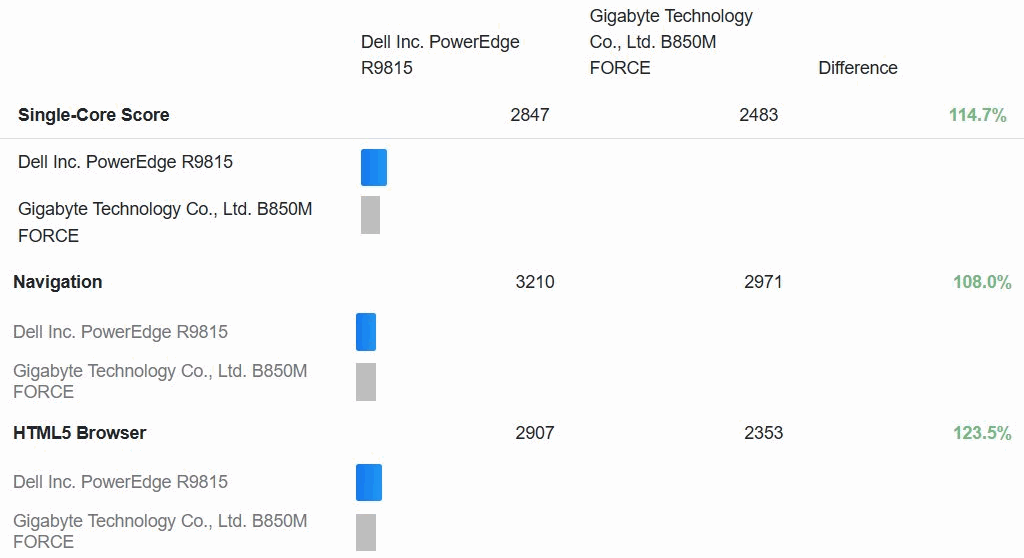
Comparing the Linux results, the gain over the desktop chip varies quite a bit depending on the specific test, but there are no regressions. (Image credit: @326powah on X)
So how does it come out? Frankly, it's a massacre. That's true whether we look at the Windows 11 results he posted first or the CachyOS Linux results that he posted later, although the Zen 5 part doesn't get embarrassed quite as badly in Linux. The Dell PowerEdge R9815 server hosting the big EPYC part scored 2847 in the single-threaded test; 326's Ryzen desktop scores 2483 in Linux and 2318 in Windows.
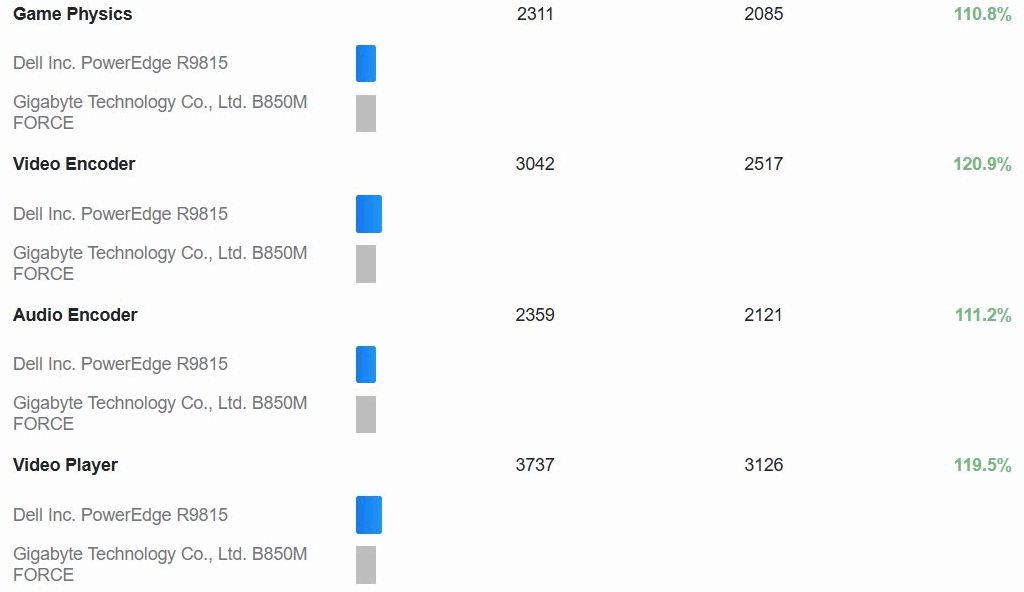
Looking at the Gala-to-Honeycrisp Linux results, the biggest performance gulf is some 24% in the HTML5 Browser test, which is normally quite sensitive to memory latency. That could easily be caused by the massive L3 cache of the EPYC CPU. Other tests aren't so easily dismissed by configuration mismatches, though. The 19% gain in asset compression, the 21% gain in video encoding, and the 17% gain in photo editing all point to real architectural differences between Zen 5 and Zen 6 that seem quite promising for its desktop debut next year.
What's fascinating is that these results won't have been affected much by the considerable SIMD horsepower of the Zen 6 CPU core, as Geekbench—at least historically speaking—makes relatively light use of CPU SIMD, and in fact, this specific test is marked as "AVX2," meaning it definitely isn't using the muscular AVX-512 units present in either CPU. In fact, most of these tests are actually measuring CPU integer arithmetic and memory subsystem performance more than raw CPU number-crunching power, so Zen 6 coming out so far ahead here is really interesting.
Media processing seems to be especially strong on Zen 6. (Image credit: @326powah on X)
Obviously, you shouldn't take this as gospel that "Zen 6 has 15% higher IPC than Zen 5," though that's arguably a plausible conclusion; there are just too many confounding factors to say that so far. Indeed, another one of those factors is that this isn't the Zen 6 CPU core that we'll be getting in desktop CPUs. The EPYC 9996 is a high-density part that uses Zen 6c, the specialized dense core design meant for increased area efficiency at the cost of its ability to scale to high clocks. After all, 4.1 GHz isn't exactly a high clock rate these days, and particularly not for chips manufactured on a bleeding-edge 2nm-class manufacturing process.
That's the part that should get you excited. Zen 5 had a very modest IPC uplift over Zen 4 (including even some regressions), and combined with a similarly modest clock rate gain, it wasn't a very exciting release for most desktop users. Zen 6 seemingly may have a significant IPC advantage as well as, if rumors hold, a fairly extreme clock jump over the current-generation parts. If that holds, this may be another leap like from Core 2 to Core i7, and these parts are confirmed to be coming to an AM5 socket near you. We'll be waiting with bated breath for the launch early next year. Hopefully there's RAM to buy by that point.
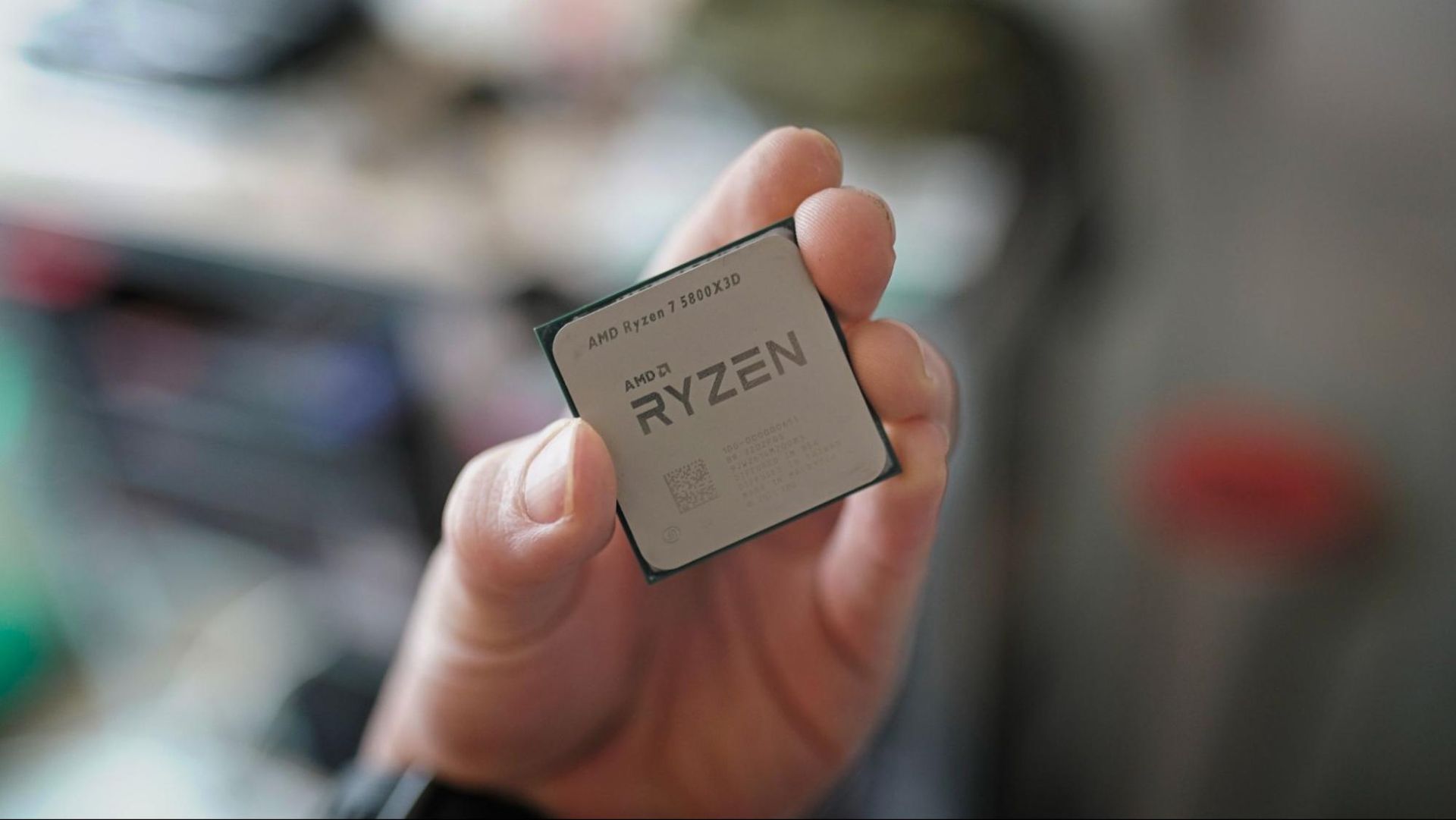
AMD Director of Client Product Management Travis Kirsch sat down with a Japanese publication to share the backstory of the AMD Ryzen 7 5800X3D and its relaunch this year. Kirsch told MyNavi Tech+ [machine translated] that AMD CEO Lisa Su was one of the proponents of bringing back the groundbreaking X3D processor that first debuted in April 2022.
While some may think this was a simple relaunch of a four-year-old processor, the company had to do extensive re-engineering and update its manufacturing process with TSMC just to bring it back. The decision to relaunch it was well-timed, too.
While the world is suffering from extremely high DDR5 memory prices when it finally arrived in the middle of 2026, Kirsch said that “this was planned before changes in the memory market occurred, not as a countermeasure to DDR5 shortages,” and that it was “the final gift to local users who have used our AM4 for nearly a decade, offering systems that use DDR4 the last change to upgrade their PCs.”
Beyond the Ryzen 7 5800X3D, the Japanese publication also touched on AMD’s value offerings, or lack thereof. Four Ryzen 3 processors are available new today—one for AM5 and three for AM4—which raises the question of whether AMD is abandoning the entry-level market.
Kirsch said that while the company aims to offer a product for every price point, AMD is mostly focused on the premium, high-performance gaming market — we see this in the October Steam Survey results, with AMD closing in on Intel at 48.4% CPU share. As for the affordable CPU market, he said it’s no longer as big as it used to be, as laptops have taken over this segment.
Of course, any discussion with a tech executive these days would almost always touch on the memory chip shortage. “…there are things we can control and things we cannot. Market price trends are the result of everyone moving (and there’s nothing we can do about it),” Kirsch said.
“We are simply focused on providing consumers with choices in any situation. This is to ensure that consumers have the opportunity to purchase the best AMD PCs, regardless of the price.”
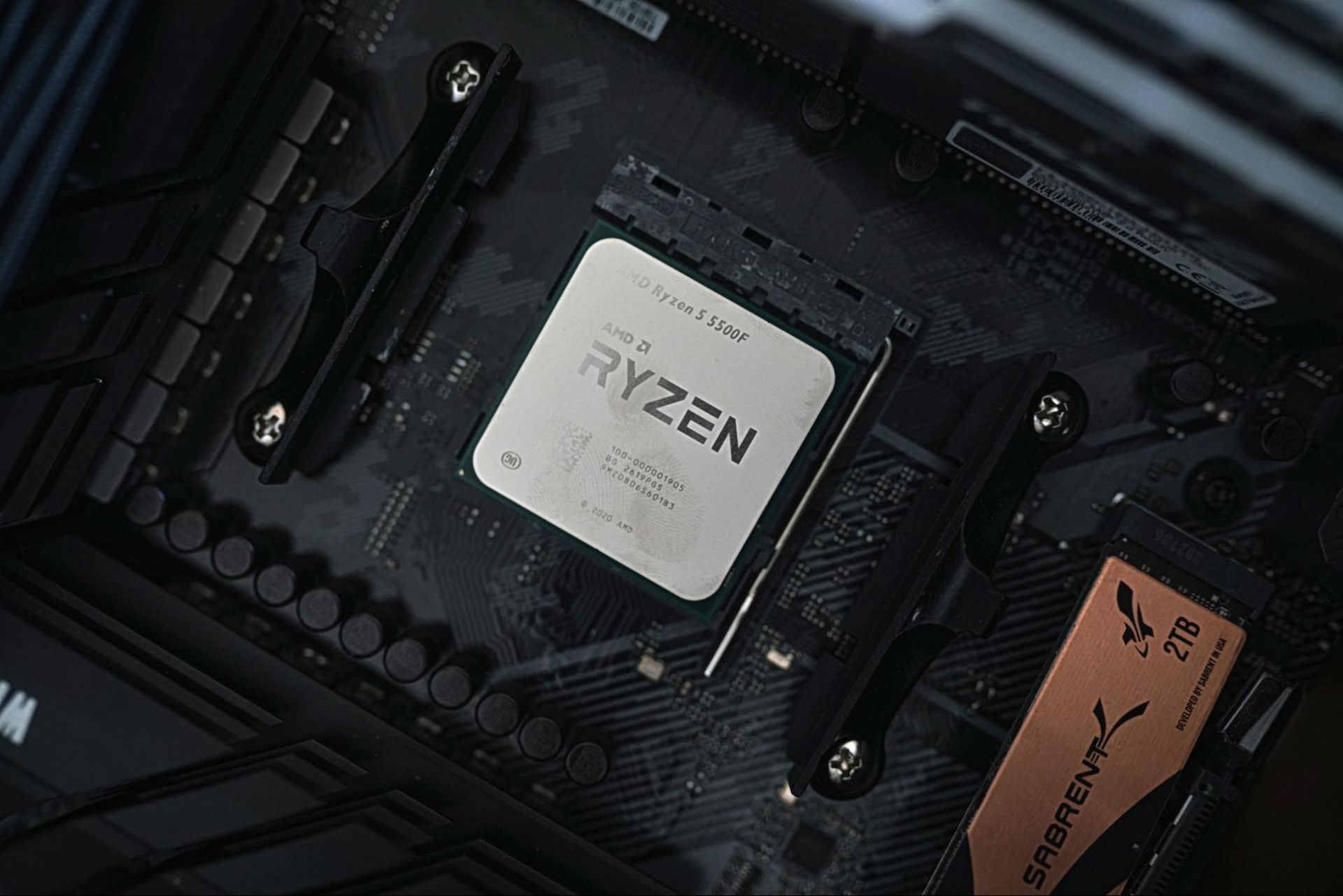
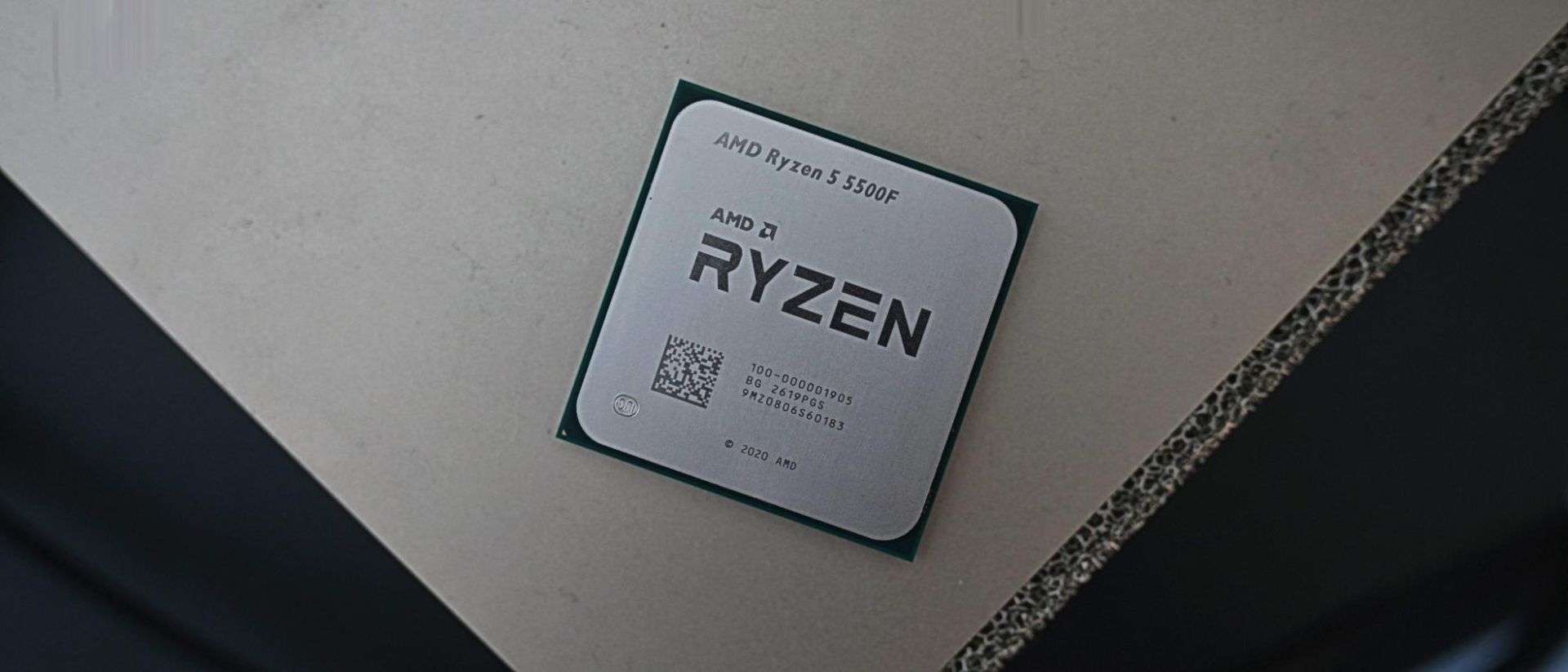
We often criticise companies for misleading marketing, which typically falls in the direction of deceitful overpromising. With the Ryzen 5 5500F, we have the opposite problem. Its name and branding undersell what AMD is offering here. It’s a marked improvement over the base Ryzen 5 5500, giving AMD better standing among the best budget CPUs.
The 5500F is a Zen 3 CPU from the Vermeer family of chips, packing six cores, 12 threads, and a boost clock of 4.4 GHz. It’s modest by the standards of the best CPUs for gaming, but it also comes in at a suggested retail price of just $100. Those prices have drifted up toward $120, though hopefully they’ll settle down around list price before long.
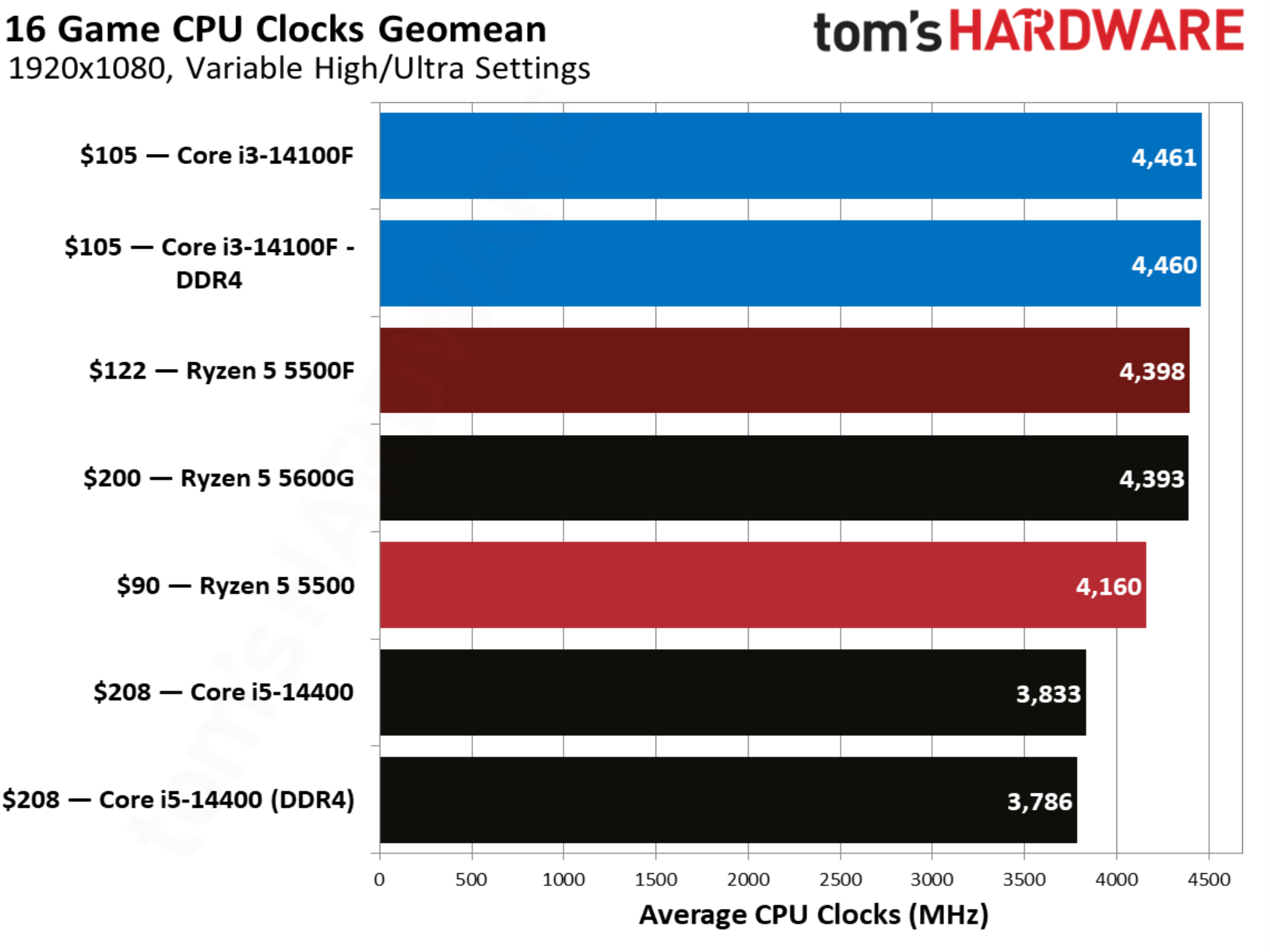
Along with a 200 MHz jump in boost clock speeds over the 5500, the 5500F critically comes with access to PCIe 4.0. The original 5500 came from the Cezanne family of APUs, which all use monolithic dies and are limited to PCIe 3.0. Although the 5500F lives in the Vermeer family alongside the main Zen 3 stack, it’s still limited to the 16 MB of L3 cache that characterizes Cezanne (Vermeer chips have access to 32 MB of L3 otherwise).
The chip squarely targets Intel’s Core i3-14100F, a quad-core CPU available for around $100 that offers 11% better gaming performance at 1080p on average compared to the base 5500. The new 5500F tightens that gap to just 2.9%, and it manages to outclass Intel in multithreaded performance while offering a 10% average jump over the base 5500.
AMD Ryzen 5 5500F specifications and pricing
AMD gave the Ryzen 5 5500F a bad name. The “F” suffix across both AMD and Intel is typically used to note chips that lack integrated graphics. And indeed, the Ryzen 5 5500F does lack integrated graphics. But so does the Ryzen 5 5500. In reality, the Ryzen 5 5500F isn’t a re-released CPU with the iGPU sliced off, as F-series processors usually are, but rather an updated Ryzen 5 5500 that comes with better specs and, in turn, better performance.
If there’s any chip that falls in the bucket of a re-released CPU with the iGPU cut off, it’s the original Ryzen 5 5500, not this new F-suffix variant. The Ryzen 5 5500 comes from the Cezanne family of Zen 3 CPUs. These chips use the Zen 3 microarchitecture, but they have only 16MB of L3 cache and are limited to PCIe 3.0. Out of the full Cezanne family, the Ryzen 5 5500 is the only chip that isn’t either an APU like the Ryzen 5 5600G, or a laptop chip.
The newer Ryzen 5 5500F is from the Vermeer family, the same as other Zen 3-based desktop CPUs like the Ryzen 5 5600X. That brings with it an update to PCIe 4.0, which is a huge boon for GPU and storage performance, as well as a bump from a maximum boost of 4.2 GHz on the 5500 to 4.4 GHz on the 5500F.
Although the Ryzen 5 5500F falls in the Vermeer family, it still carries some Cezanne DNA. It’s the only Vermeer chip to have 16 MB of shared L3; all other Vermeer chips have 32 MB of L3, at least, with X3D options scaling higher. Both families retain the same L1/L2 setup, naturally, as they share the Zen 3 microarchitecture.
Otherwise, the Ryzen 5 5500F retains the 65W TDP, and 88W platform maximum, and it comes bundled with AMD’s Wraith Stealth cooler. The Wraith Stealth cooler is plenty to keep the Ryzen 5 5500F cool under load, saving you some money on an aftermarket CPU cooler.
The Ryzen 5 5500F is AMD’s best budget gaming CPU right now, at least assuming you don’t already have a kit of DDR5 laying around. That was also true of the 5500, though begrudgingly. Deals on CPUs like the Ryzen 5 7600X are common, but the exorbitant cost of a kit of DDR5 right now nullifies any real savings there. Although the 5500F is still second chair to Intel’s Core i3-14100F, the battle between the two is much closer now. Plus, the 5500F has access to PCIe 4.0, solving a big sticking point with the original 5500 and its PCIe 3.0 limit.
With the Core i5-14400 and Core i3-14100 in the charts below, we tested both with DDR4 and DDR5. As we saw in our Raptor Lake Refresh DDR4 comparison recently, the newer memory standard brings about a 15% improvement in average gaming performance at 1080p. The DDR5 numbers are mainly here for context. The true battle is between DDR4 platforms, given the high cost of DDR5.
We followed the same testing procedure for this review as we do with any other. We have full platform details at the end of this review. For gaming, we used the RTX 5090 FE and tested at 1080p with a mixture of High and Ultra settings. Undoubtedly, some of our readers will have feedback about the decision to use such a high-performance GPU with such inexpensive CPUs, but this is our standard process for all CPU testing, and the choice to use the RTX 5090 is less impactful than you might think.
As you can see from our $100 CPU shootout, where we tested the 5500 and 14100F with an RTX 5090 and with an RTX 4060, average scaling was largely the same between the two GPUs, with only the baseline performance moving down on the RTX 4060. You’re going to remain CPU-bound with these chips and just about any modern gaming graphics card. Using the RTX 5090 allows us to take these results and compare them all the way up the stack rather than throw them in the bin.
(Image credit: Tom's Hardware)
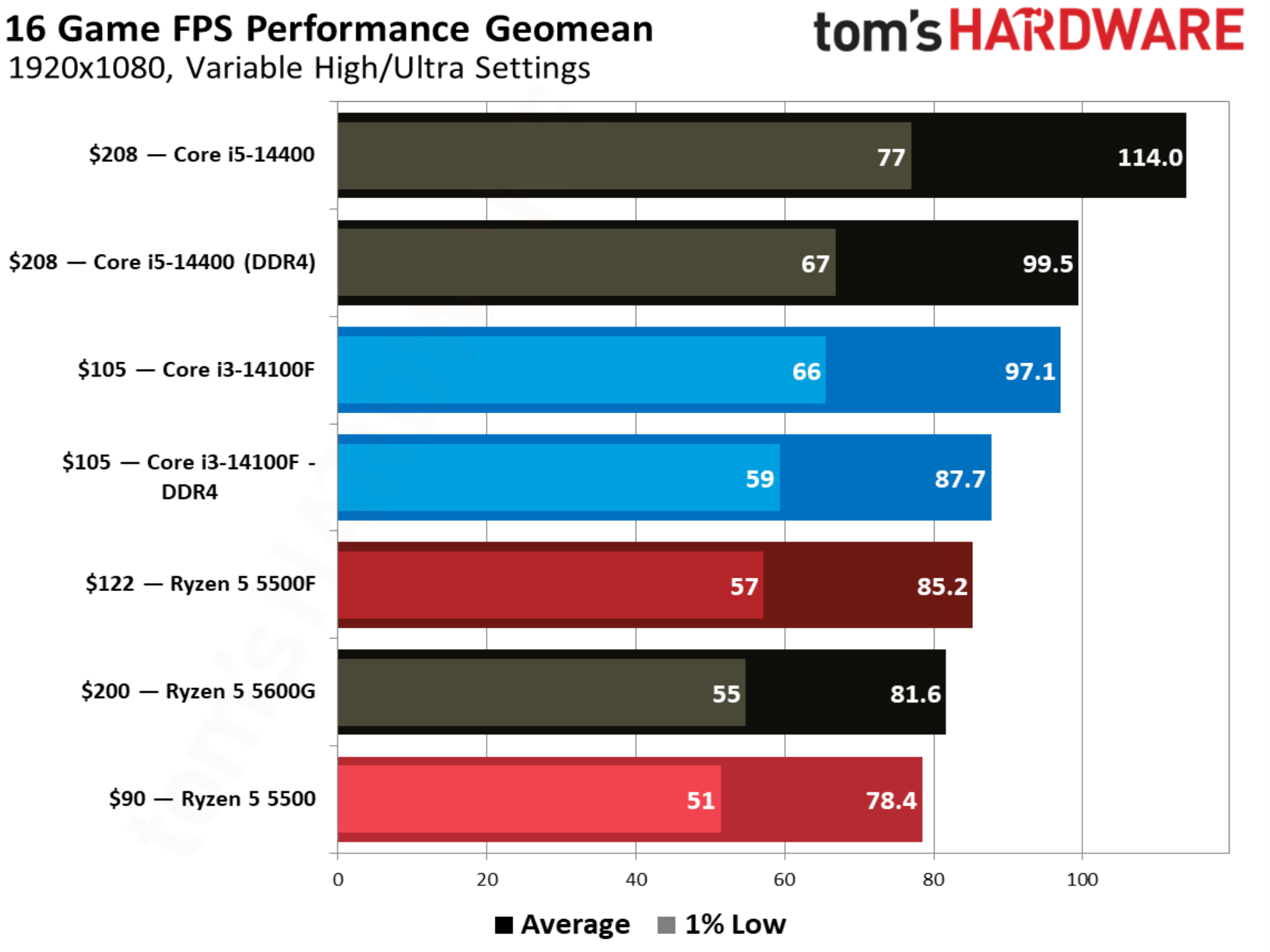
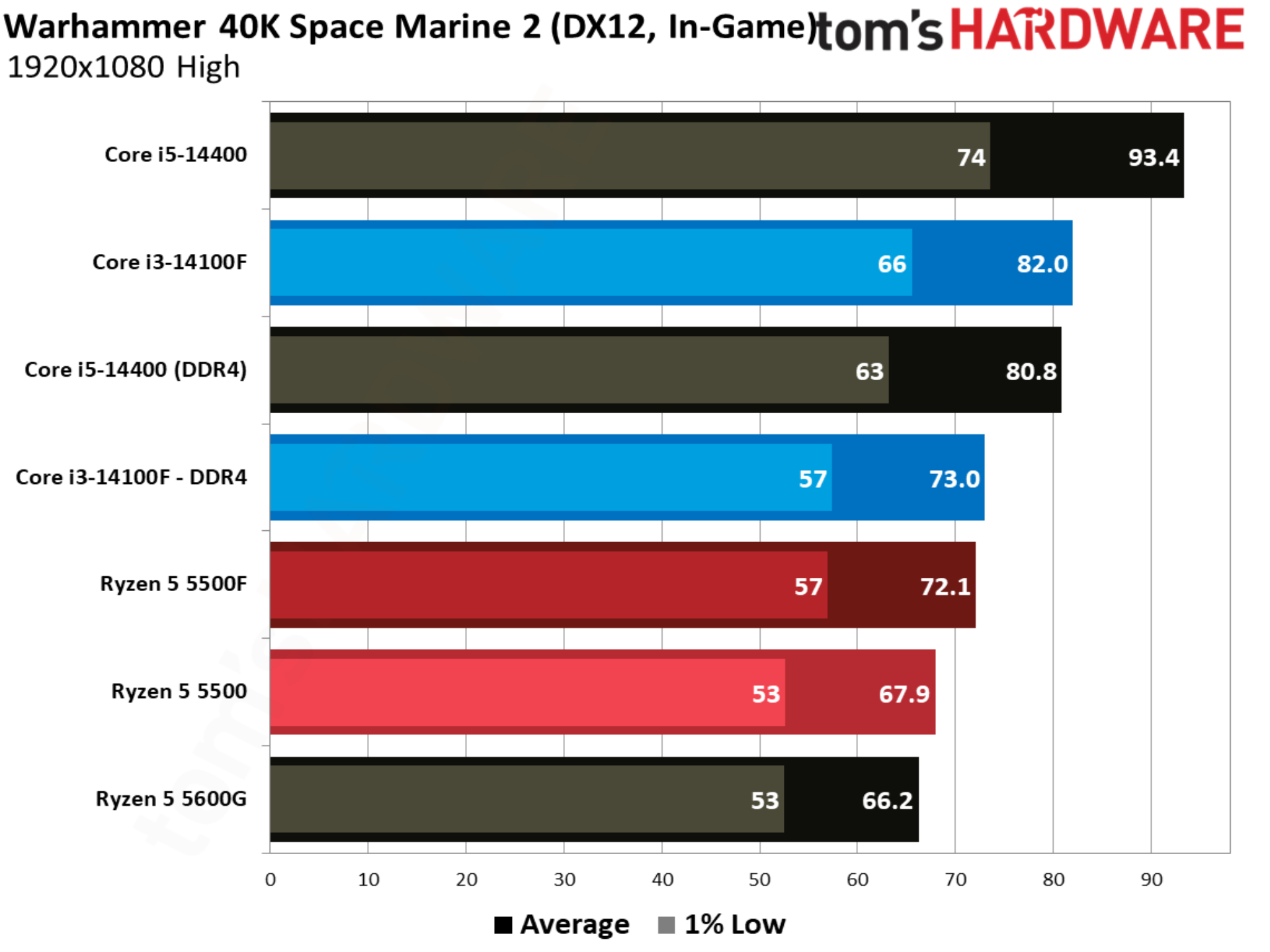
With an extra boost in clock speed and access to PCIe 4.0, the Ryzen 5 5500F comes out 8.6% ahead of the 5500 in our 16-game geomean at 1080p. It’s now just 2.8% behind the Core i3-14100F, though. As we’ll see throughout some of the individual game tests, the four-core setup of the Core i3-14100F is a real limitation. 1% low performance jumped 11.7% from the 5500 to 5500F, as well, resulting in smoother performance.
The Ryzen 5 5500 occupies the bottom of our chart, and that’s mainly due to availability. There aren’t a ton of CPUs available around $100, unless you’re interested in spending $98 on a brand new FX-8300 (don’t). It’s a battle between the Core i3-14100F and Ryzen 5 5500F at this price. In order to step up to that next tier of performance, you need to spend around $150, which is a hotly contested area between DDR4 options like the Core i5-14400F (we only had the more expensive, non-F version on hand) and Ryzen 5 5600, and DDR5 options like the Ryzen 5 7600X.
AMD has brought 3D V-Cache down the Zen 3 product stack, all the way down to the Ryzen 5 5500X3D, though you’ll spend about twice as much on that CPU as the Ryzen 5 5500F or Core i3-14100F.
Still, both of these chips play a great role in a new budget gaming build right now if you have future upgrade aspirations. Compared to the Ryzen 7 5800X3D and Core i7-14700K — our recommendations for gaming on these platforms — you can save around $200 up front and put it toward a nicer graphics card. Intel’s platform has the additional flexibility of a future DDR5 upgrade with a new motherboard, as well.
Between the Core i3-14100F and Ryzen 5 5500F, Intel still holds a small edge in performance. Given how CPU-bound we are, that edge isn’t big enough to sway a buying decision, but the price is. The Ryzen 5 5500F has a recommended price of $100, but we haven’t seen it sold for less than $120. Neither the slightly higher price nor slight performance disadvantage are enough to sway things on their own, but together, they hurt the Ryzen 5 5500F’s place in the $100 CPU bracket.
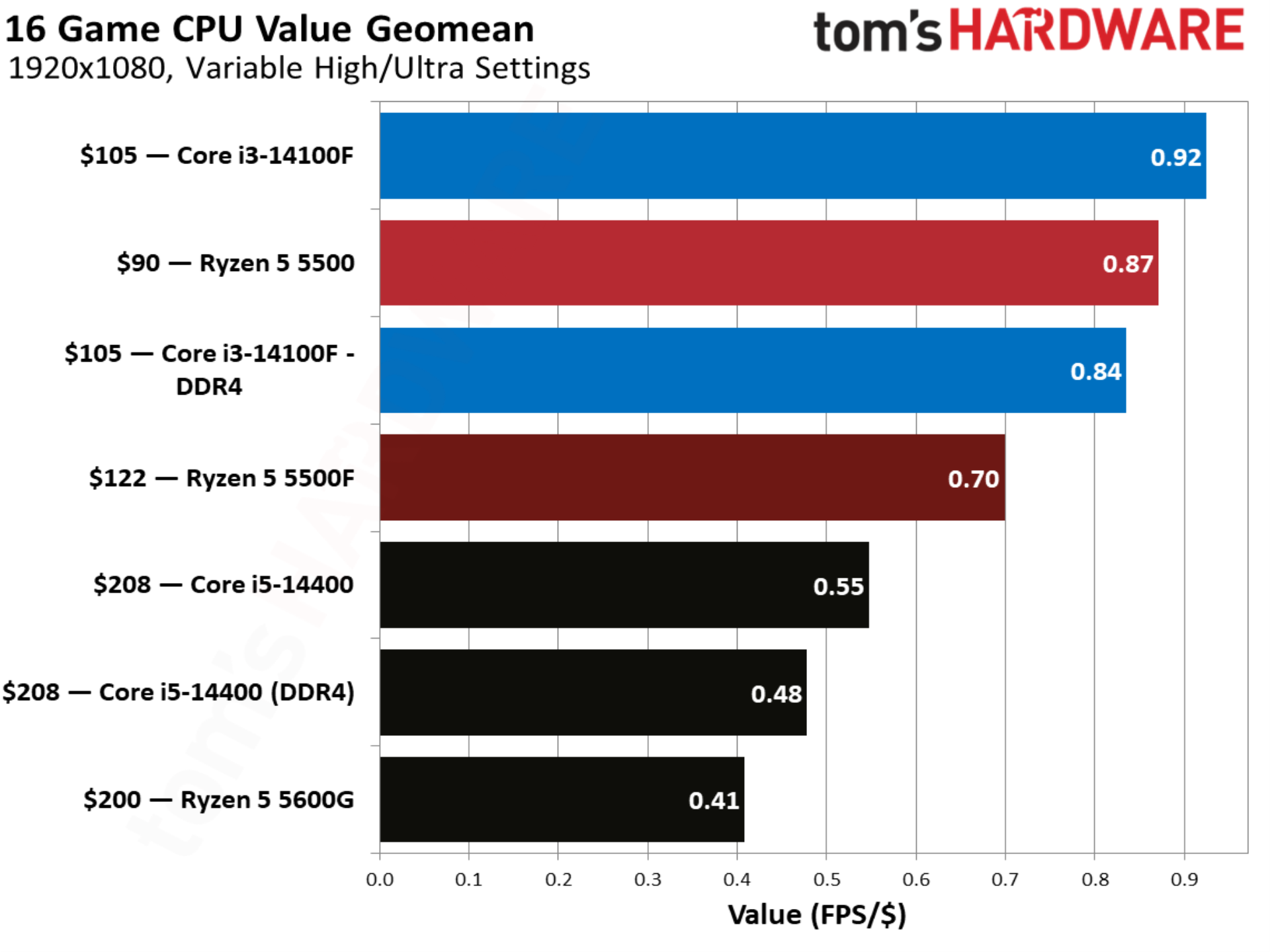
That comes through clearly in our value geomean, where the Ryzen 5 5500 actually provides a better value than the new 5500F, due to the fact that it’s held onto its $90 price. The Core i5-14400 looks unsurprisingly bad here due to its $208 price tag. The Core i5-14400F is available closer to around $150 though, and it should provide identical performance with a discrete GPU.
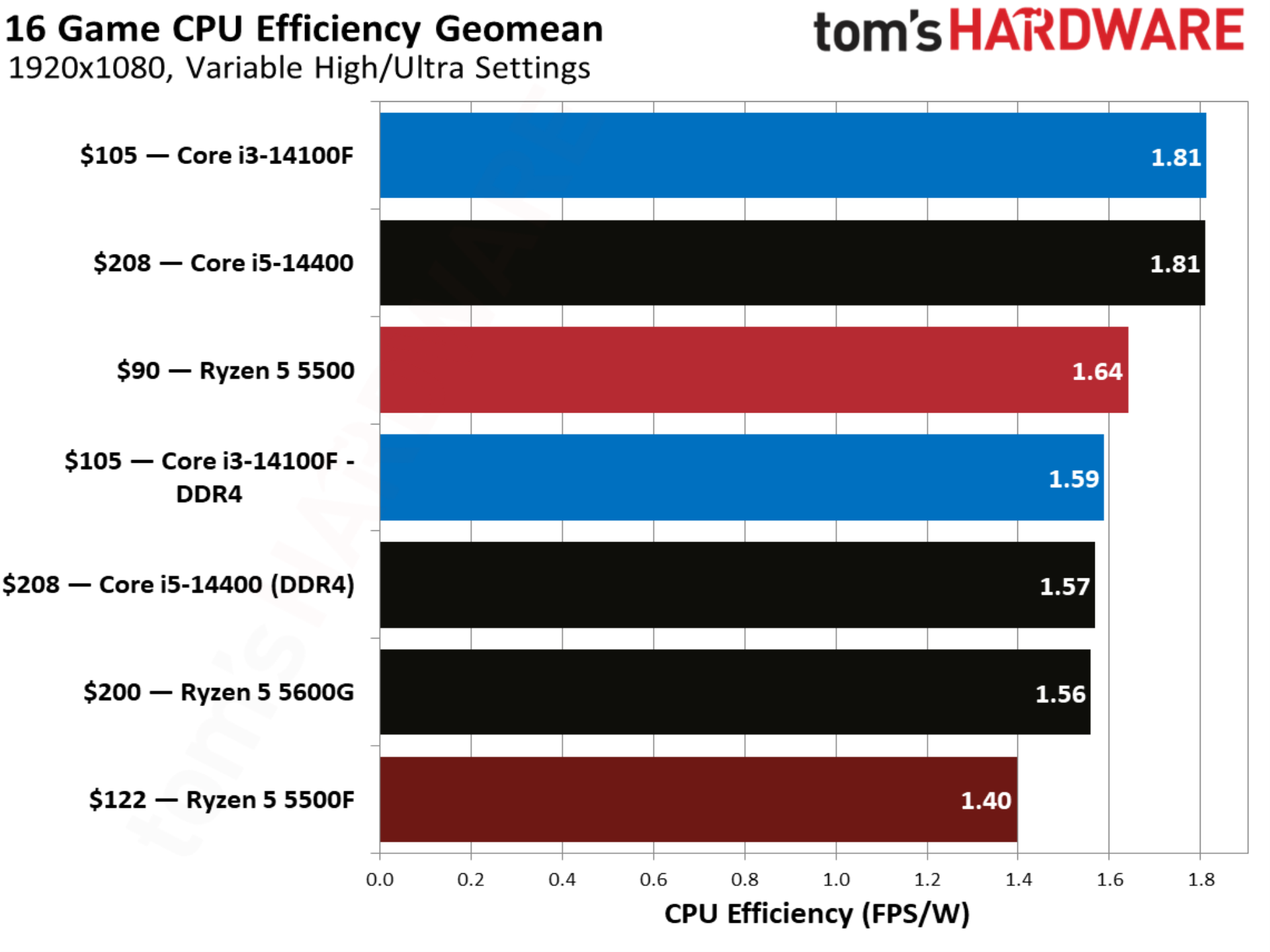
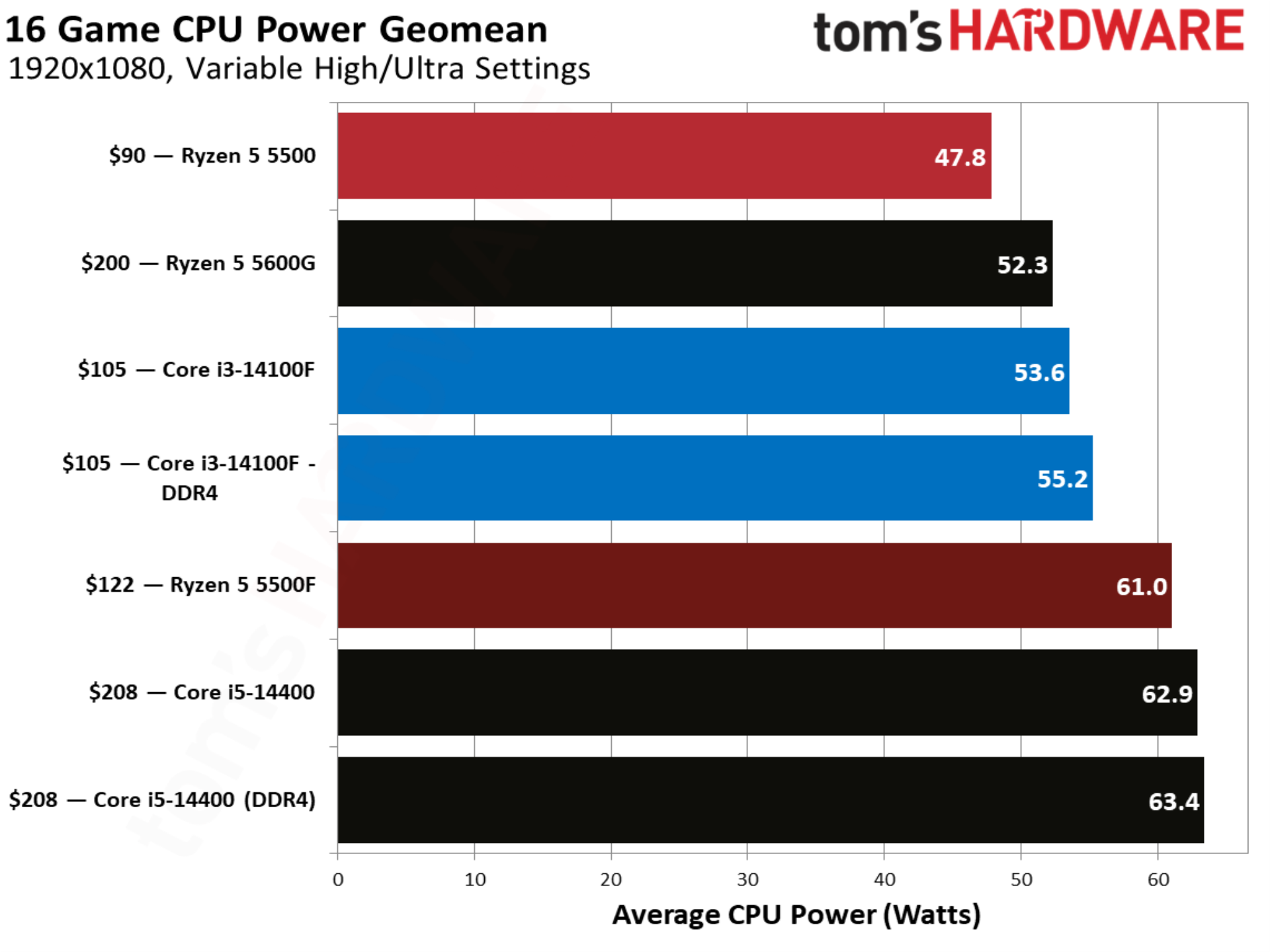
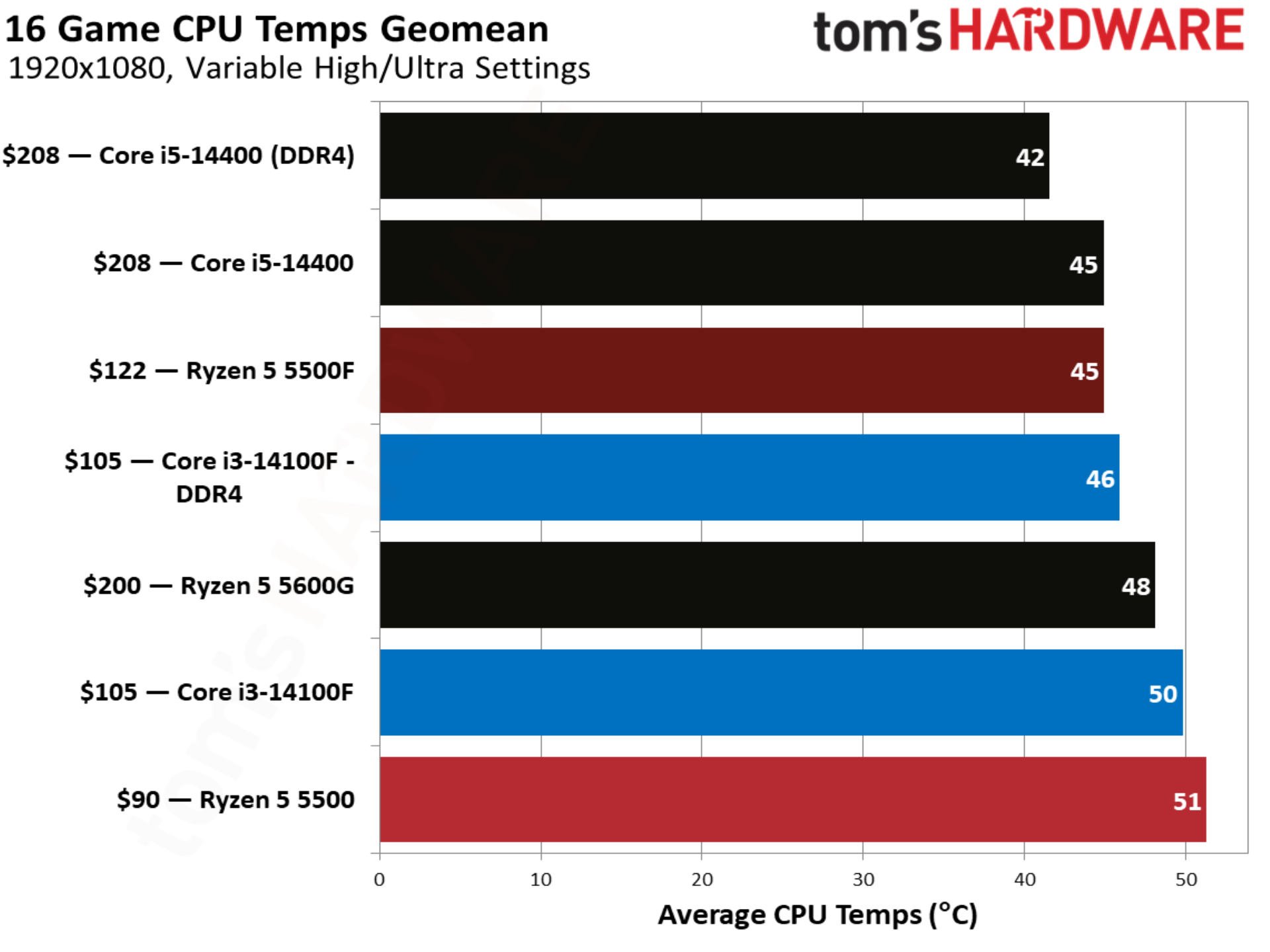
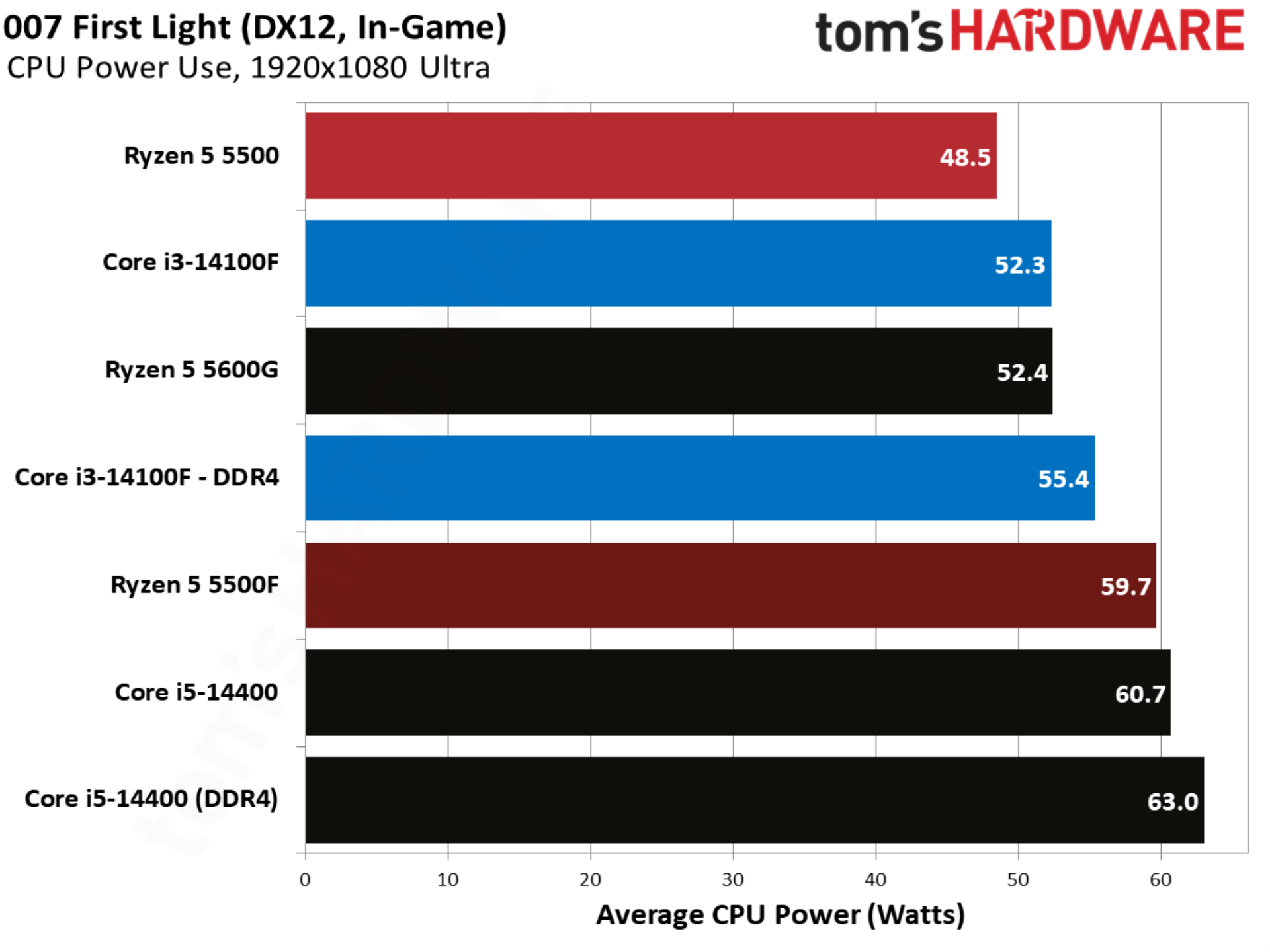
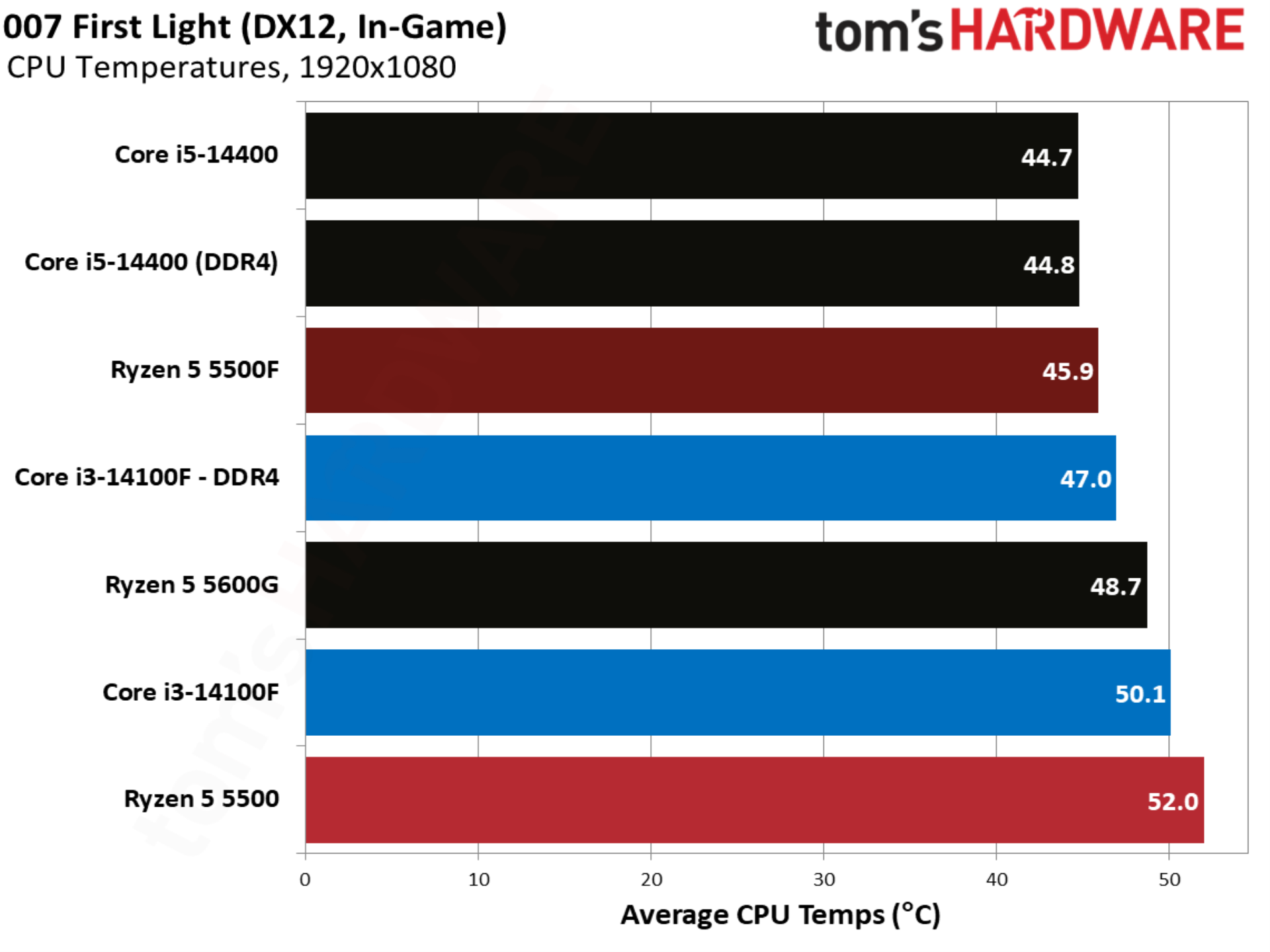
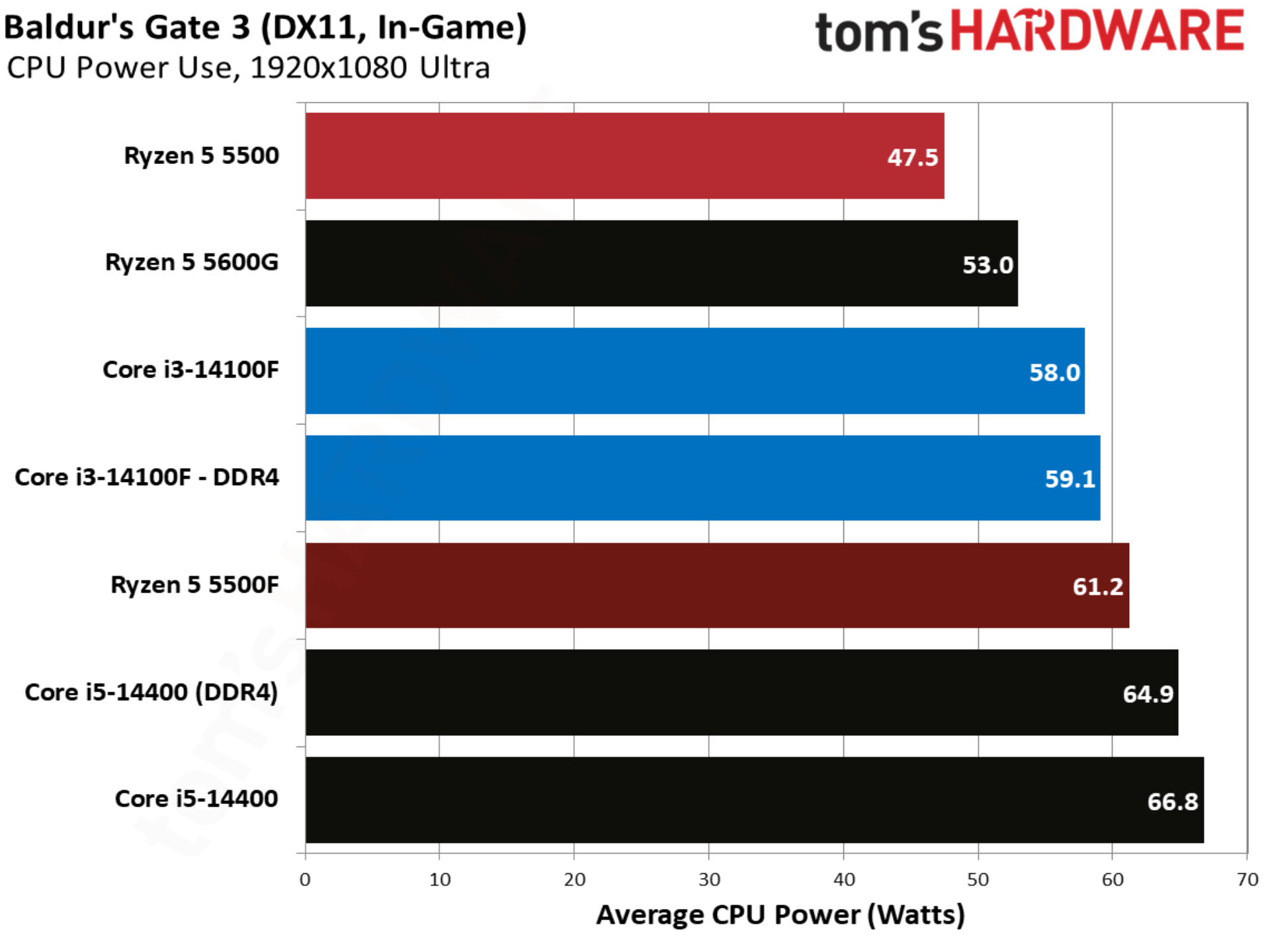
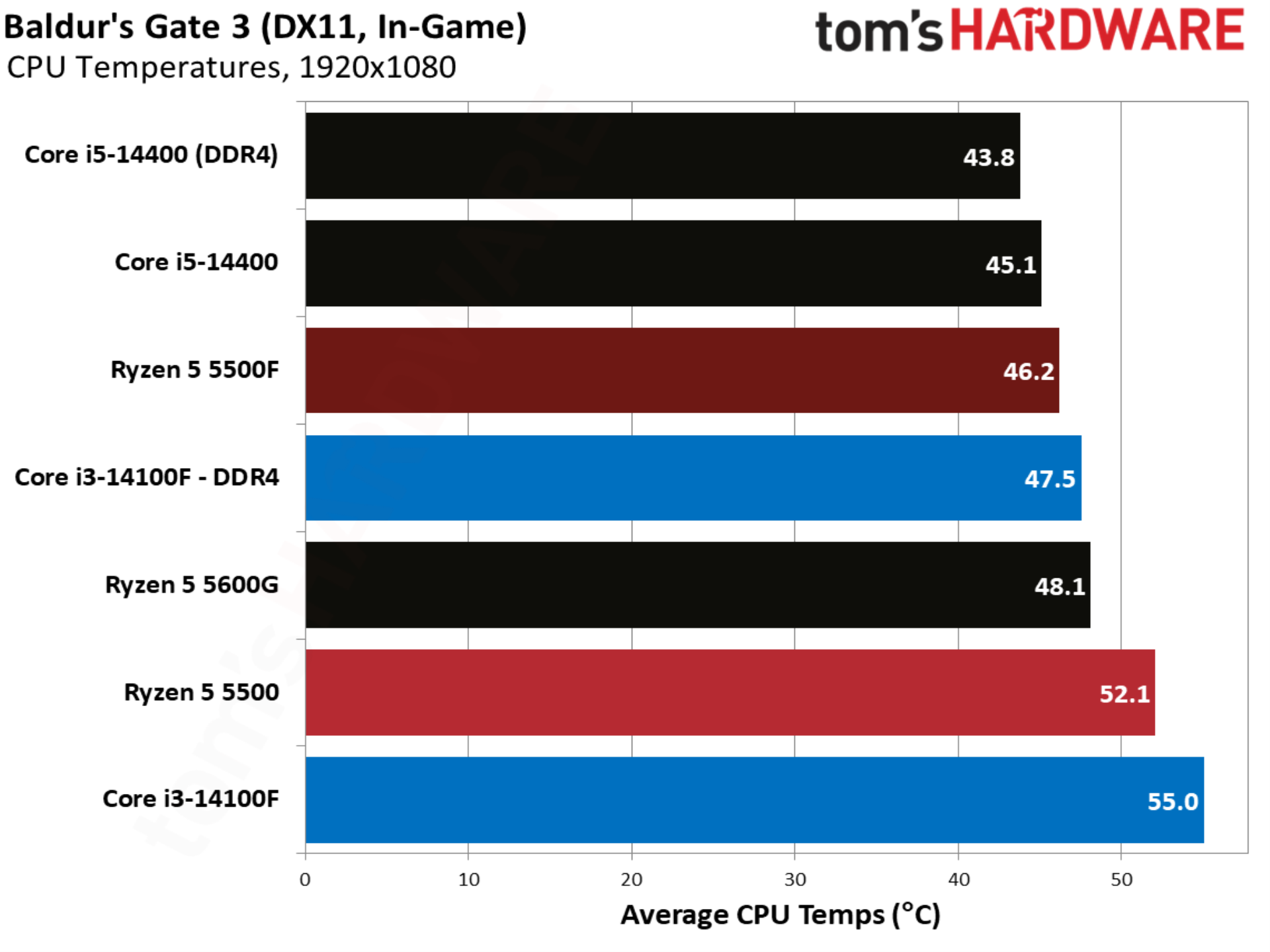
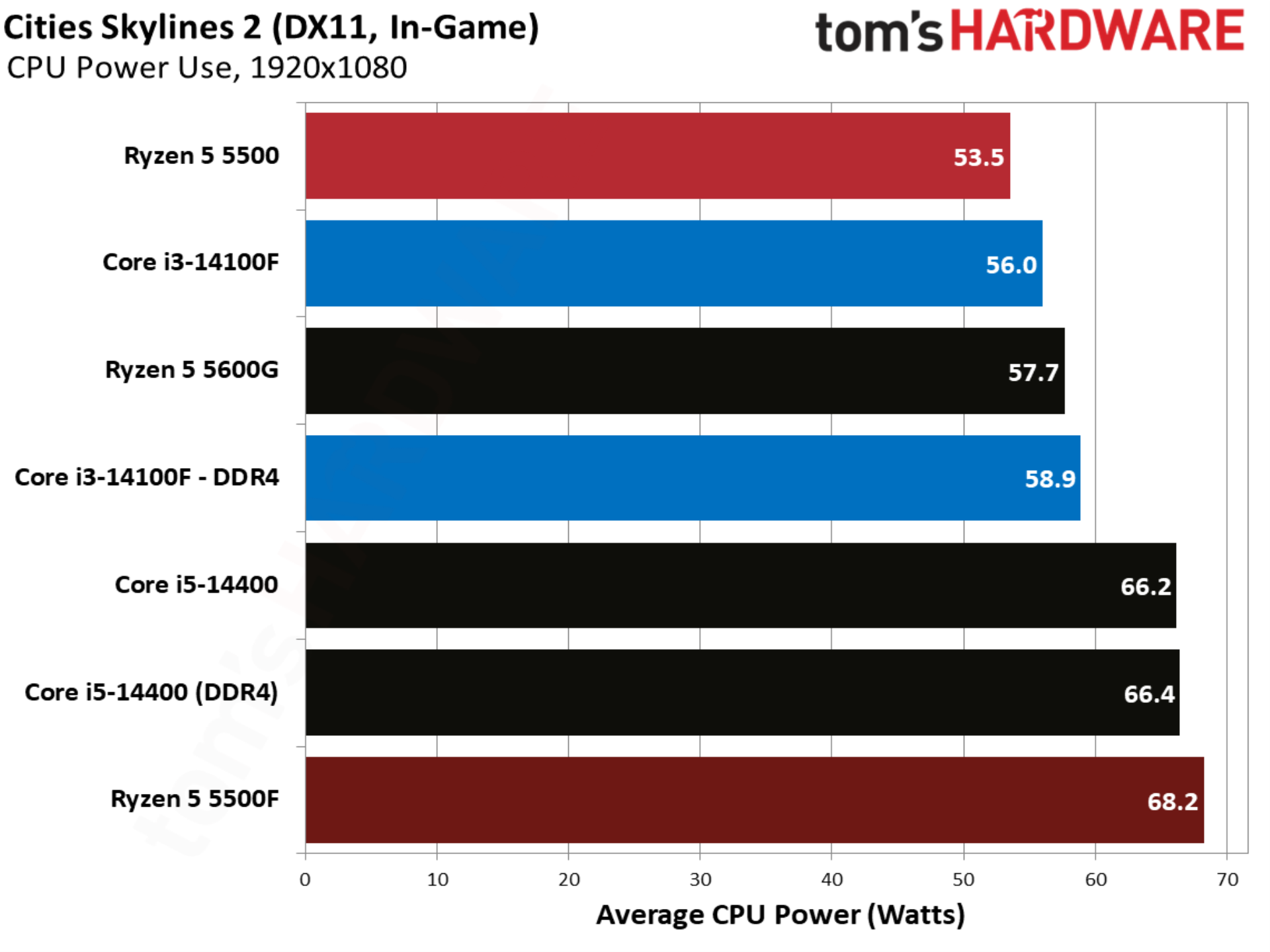
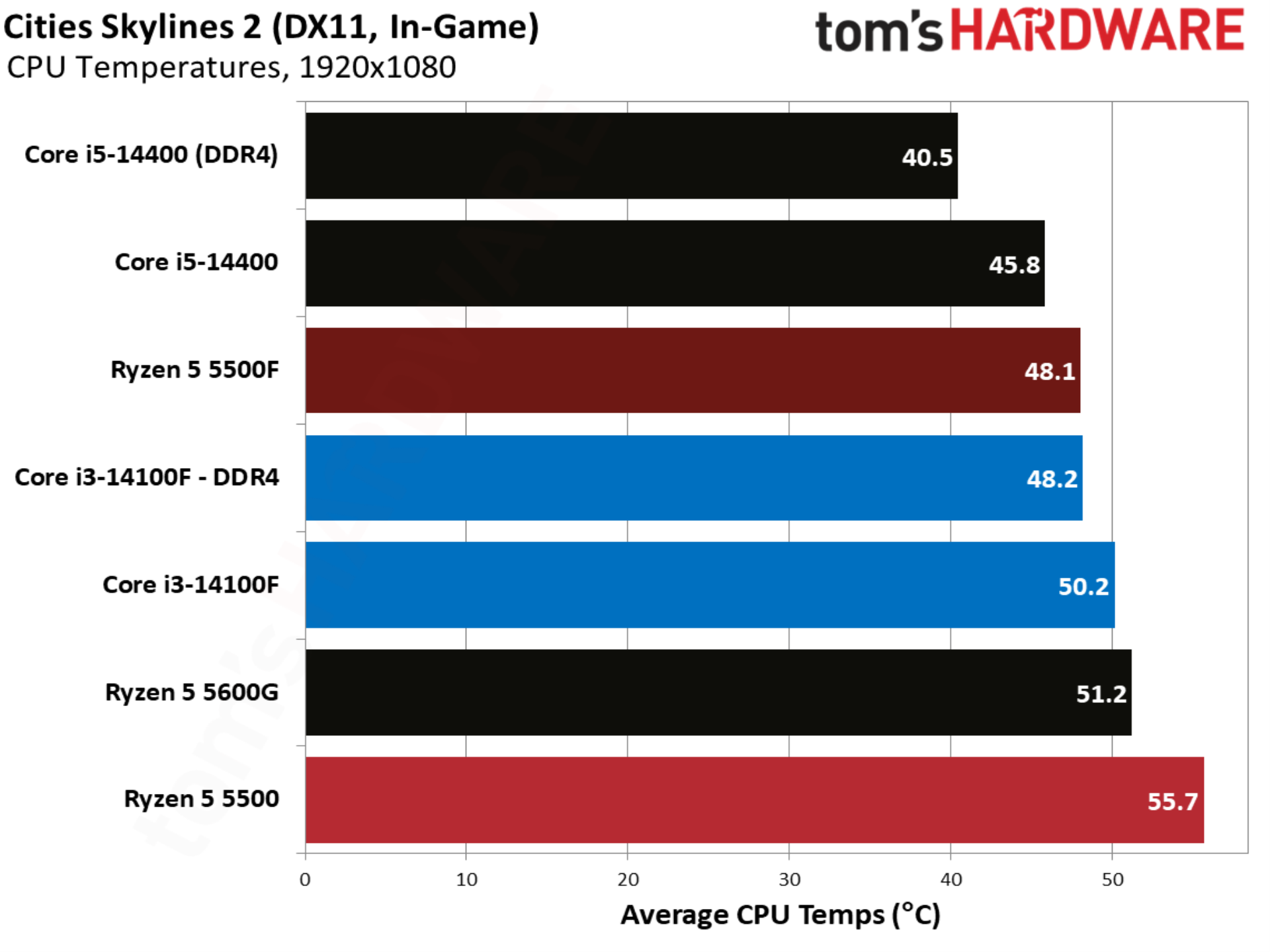
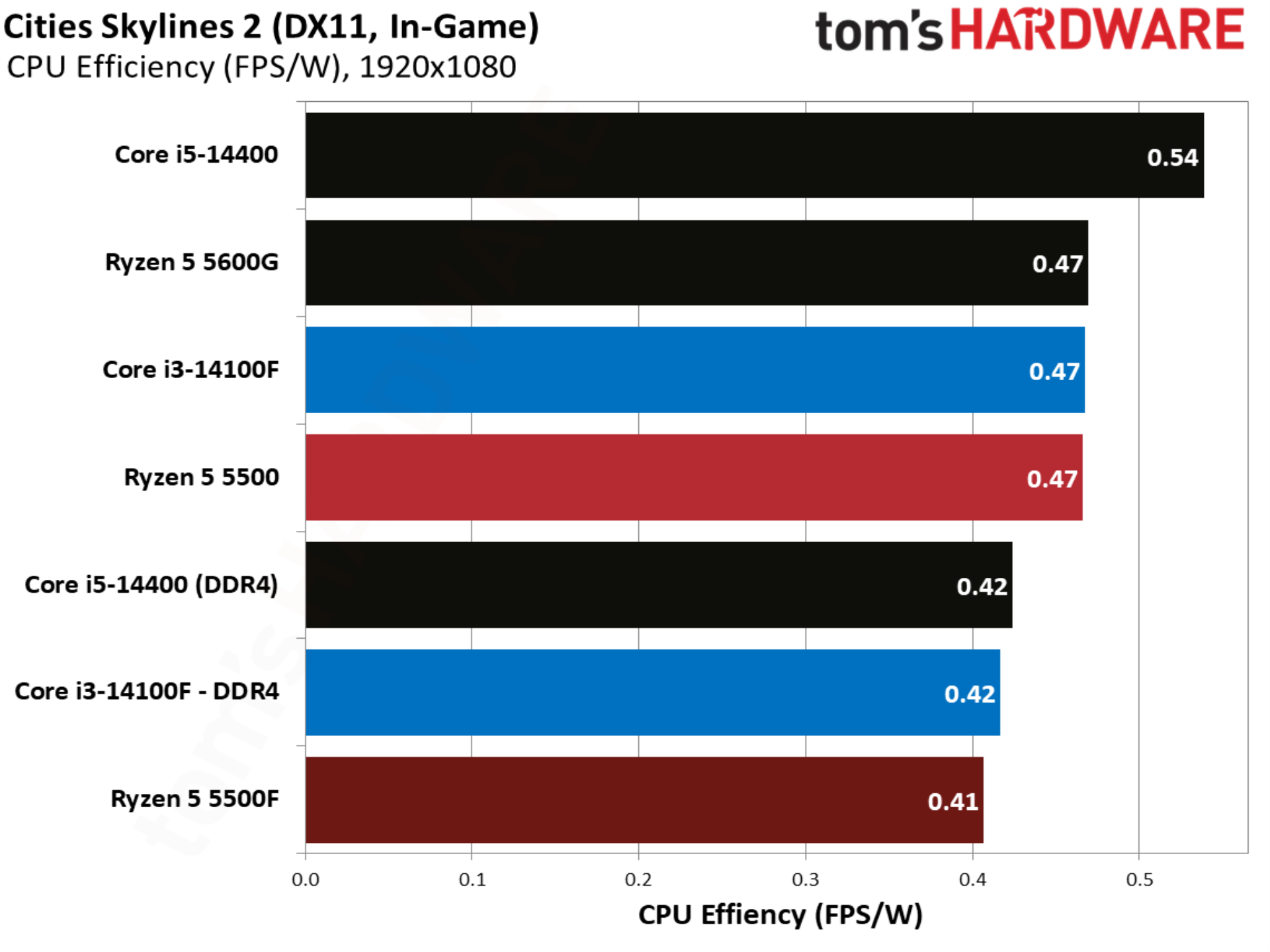
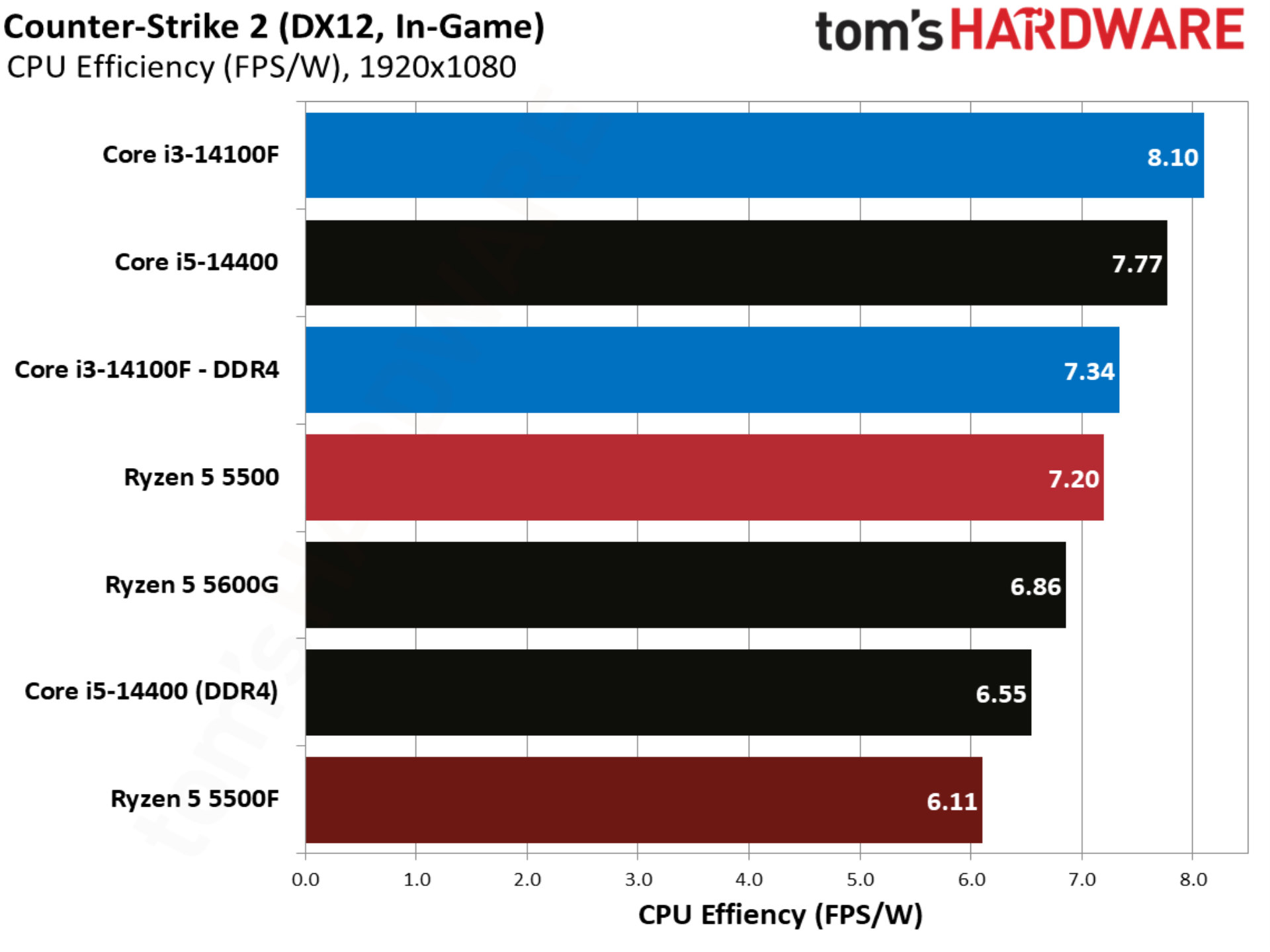
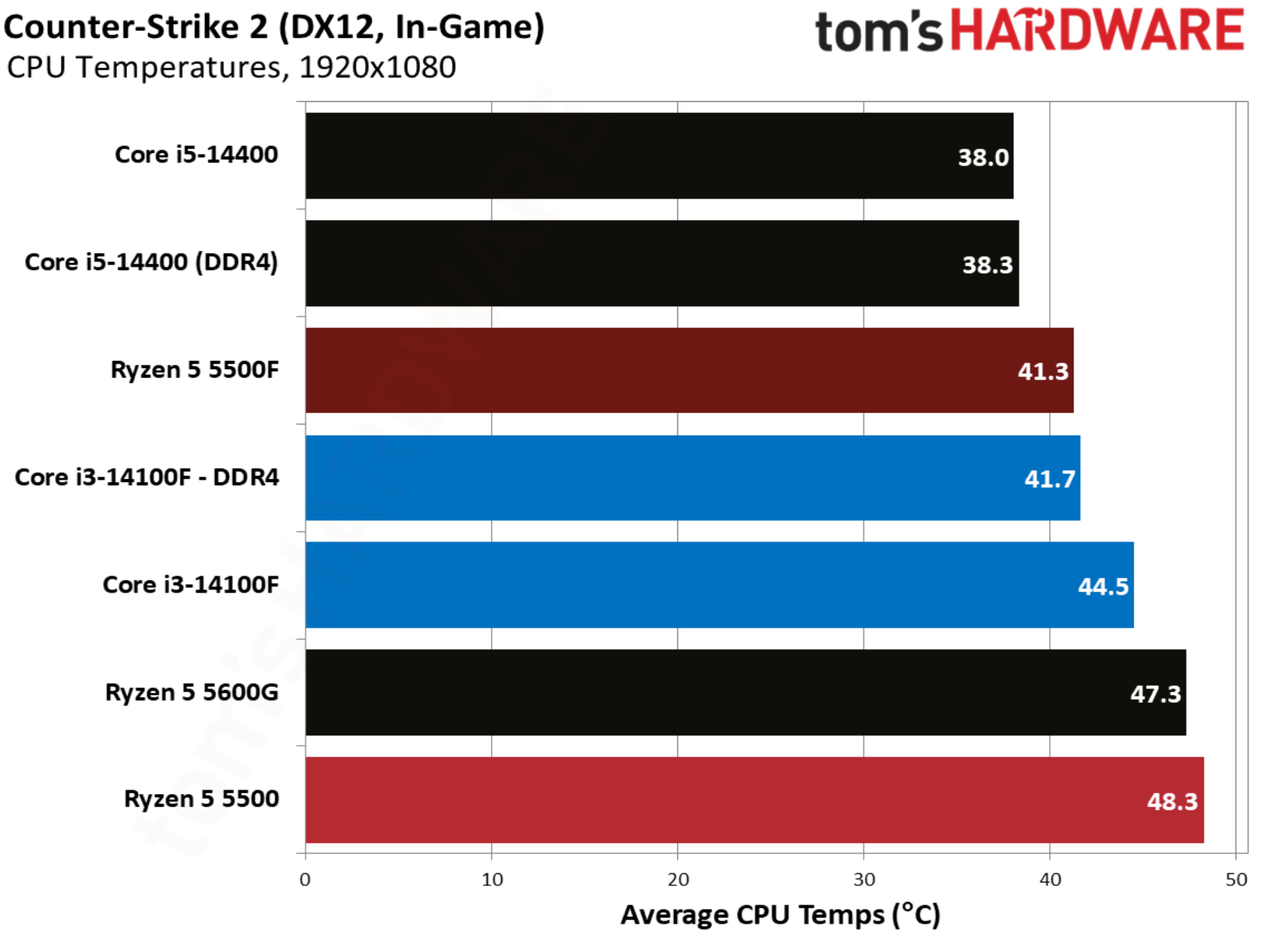
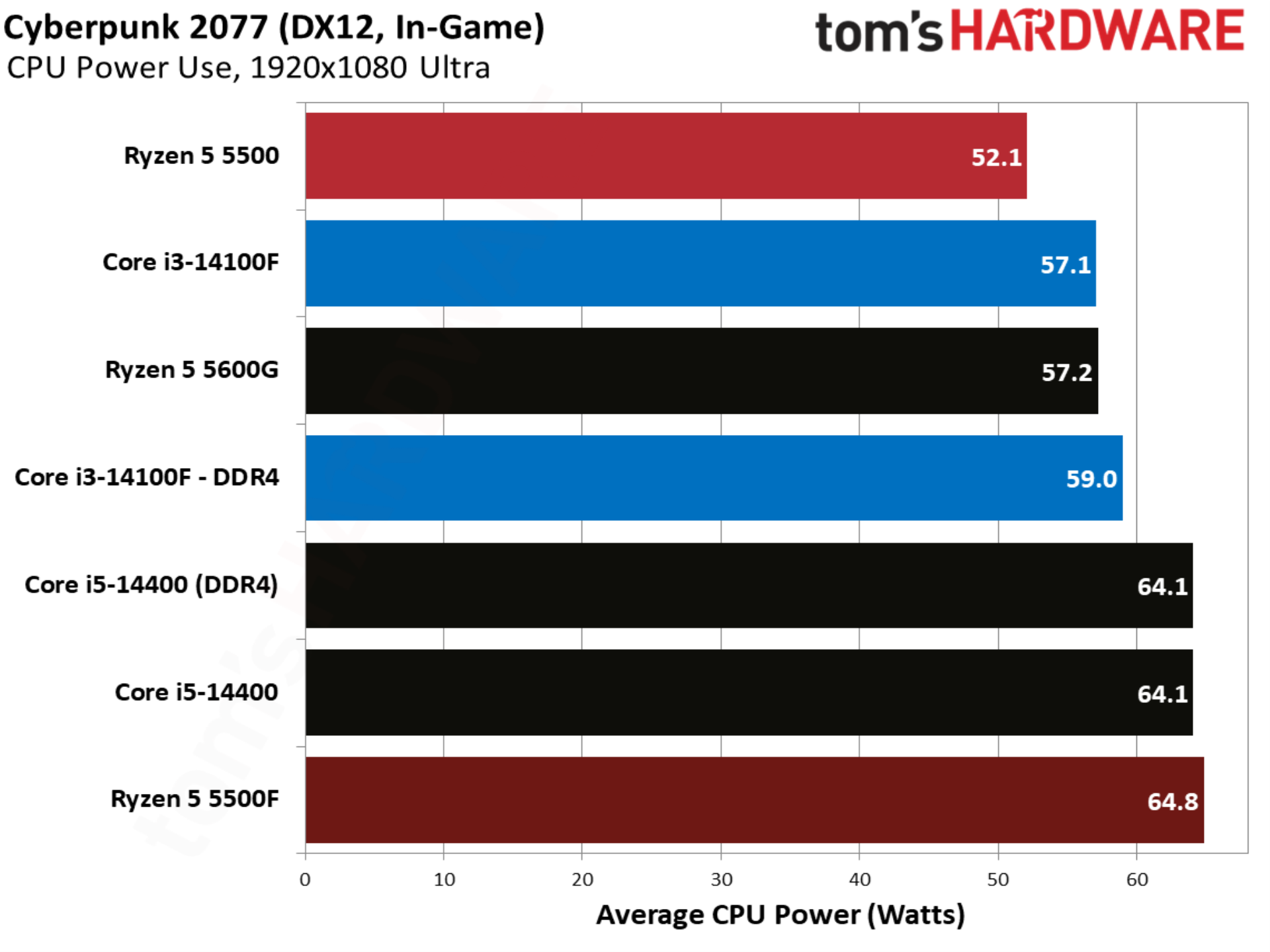
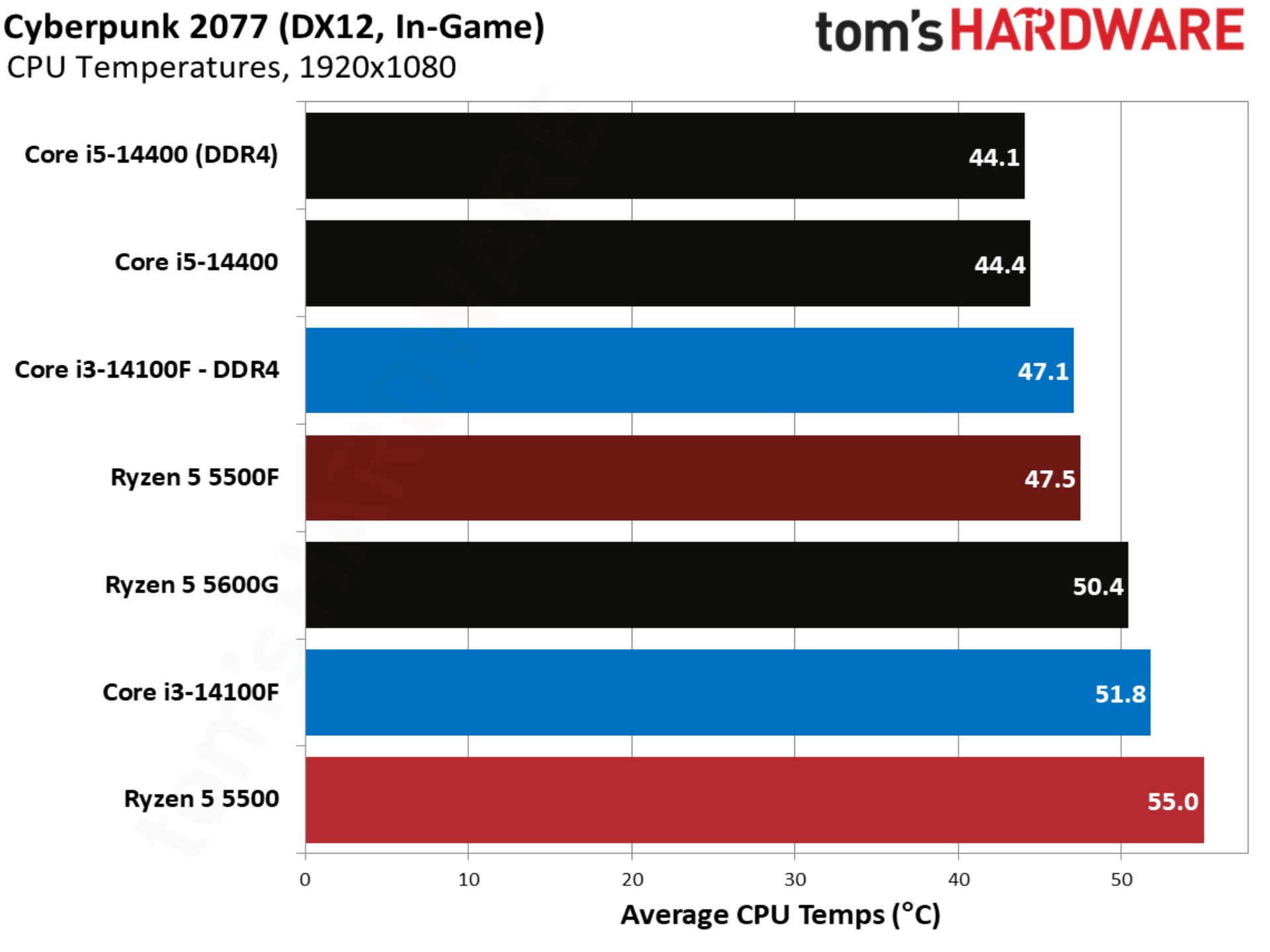
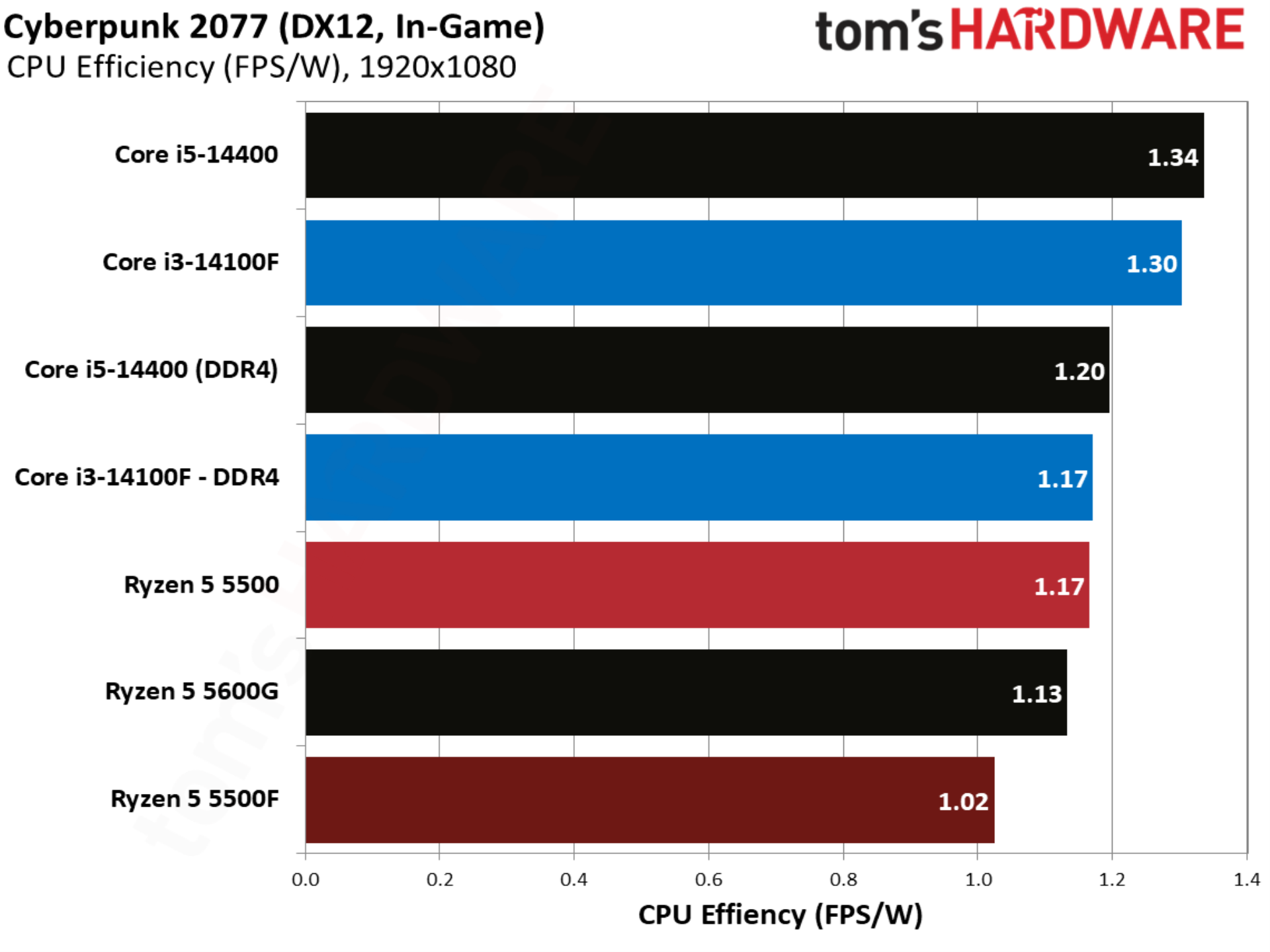
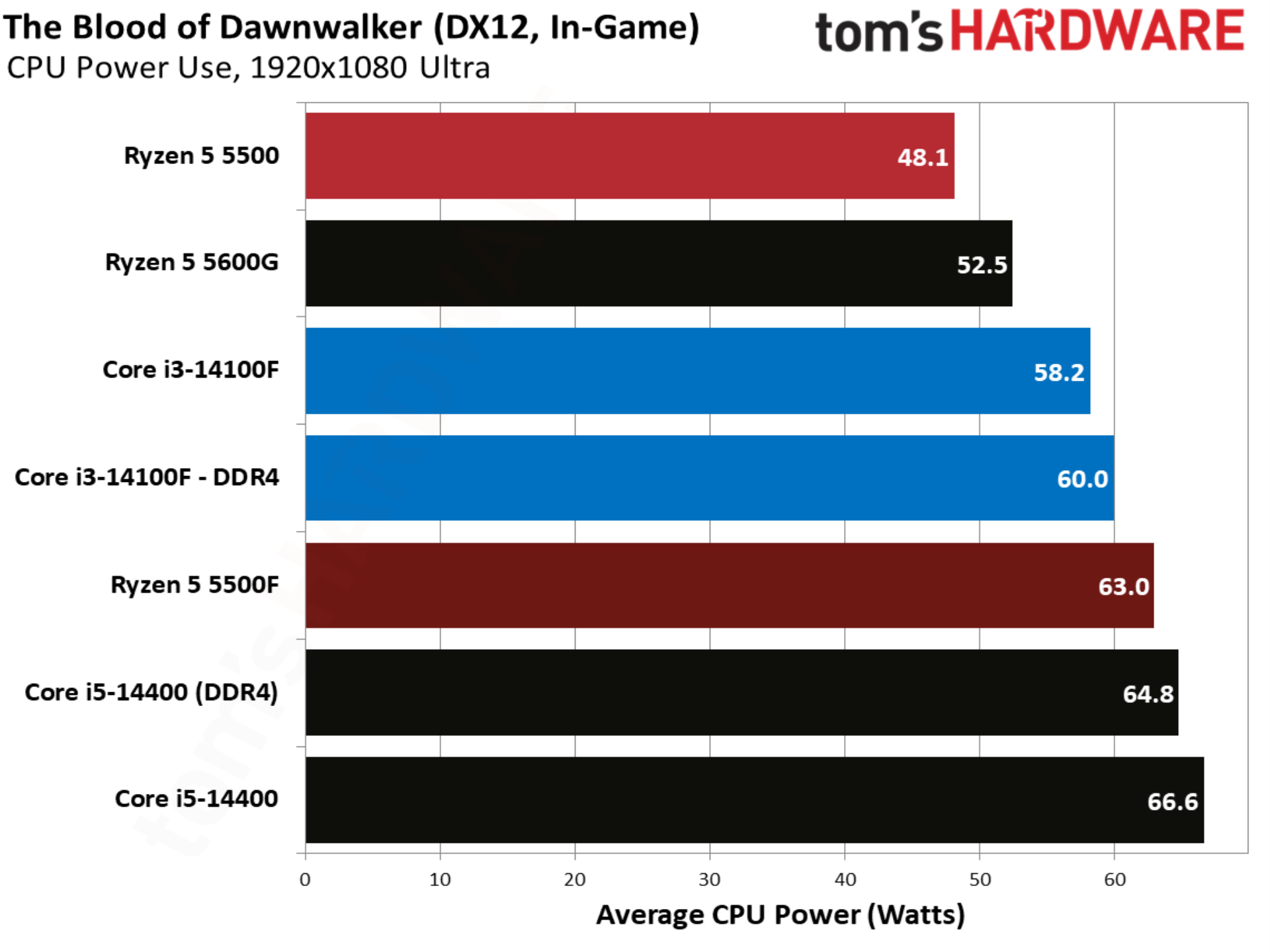
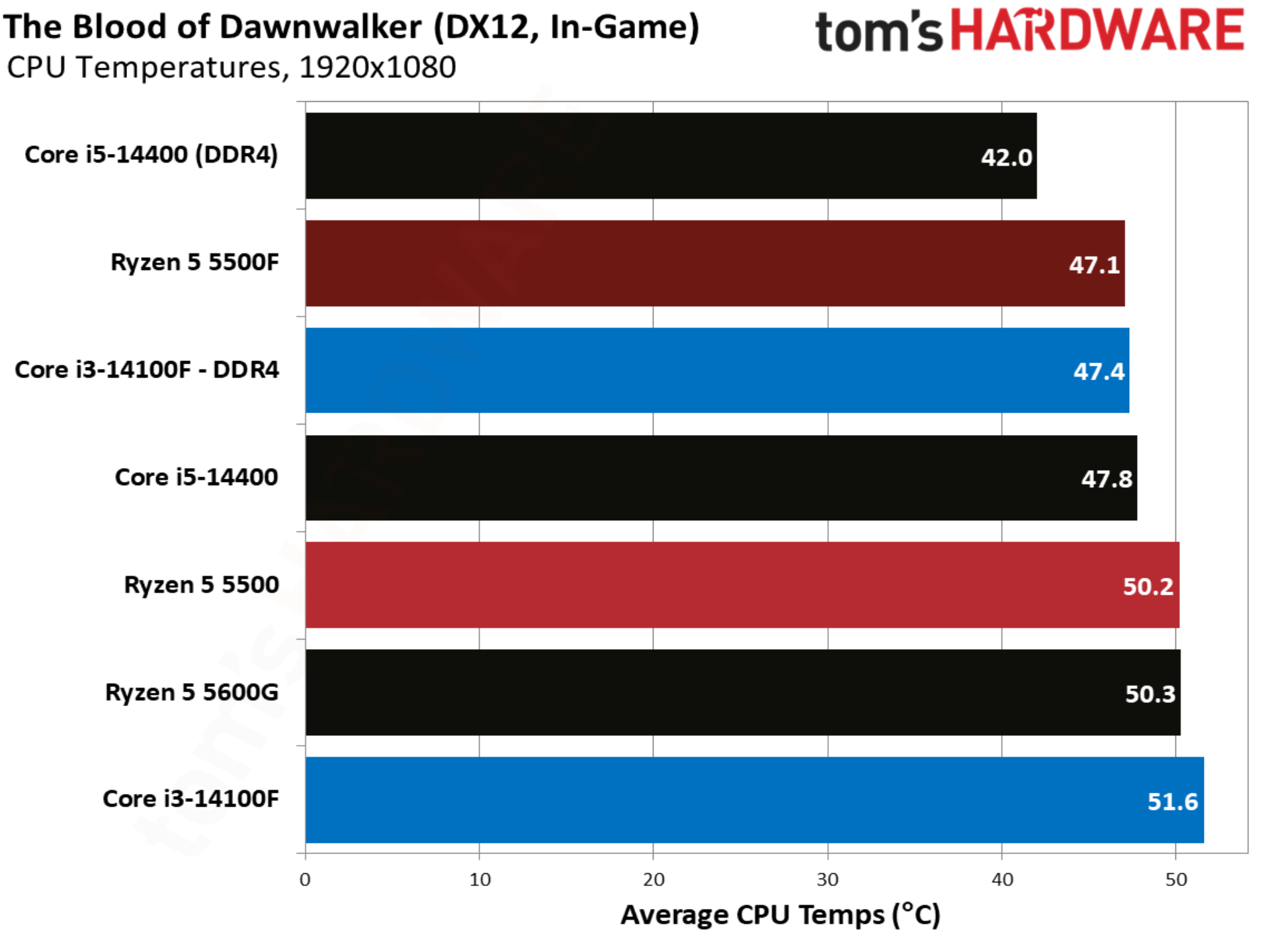
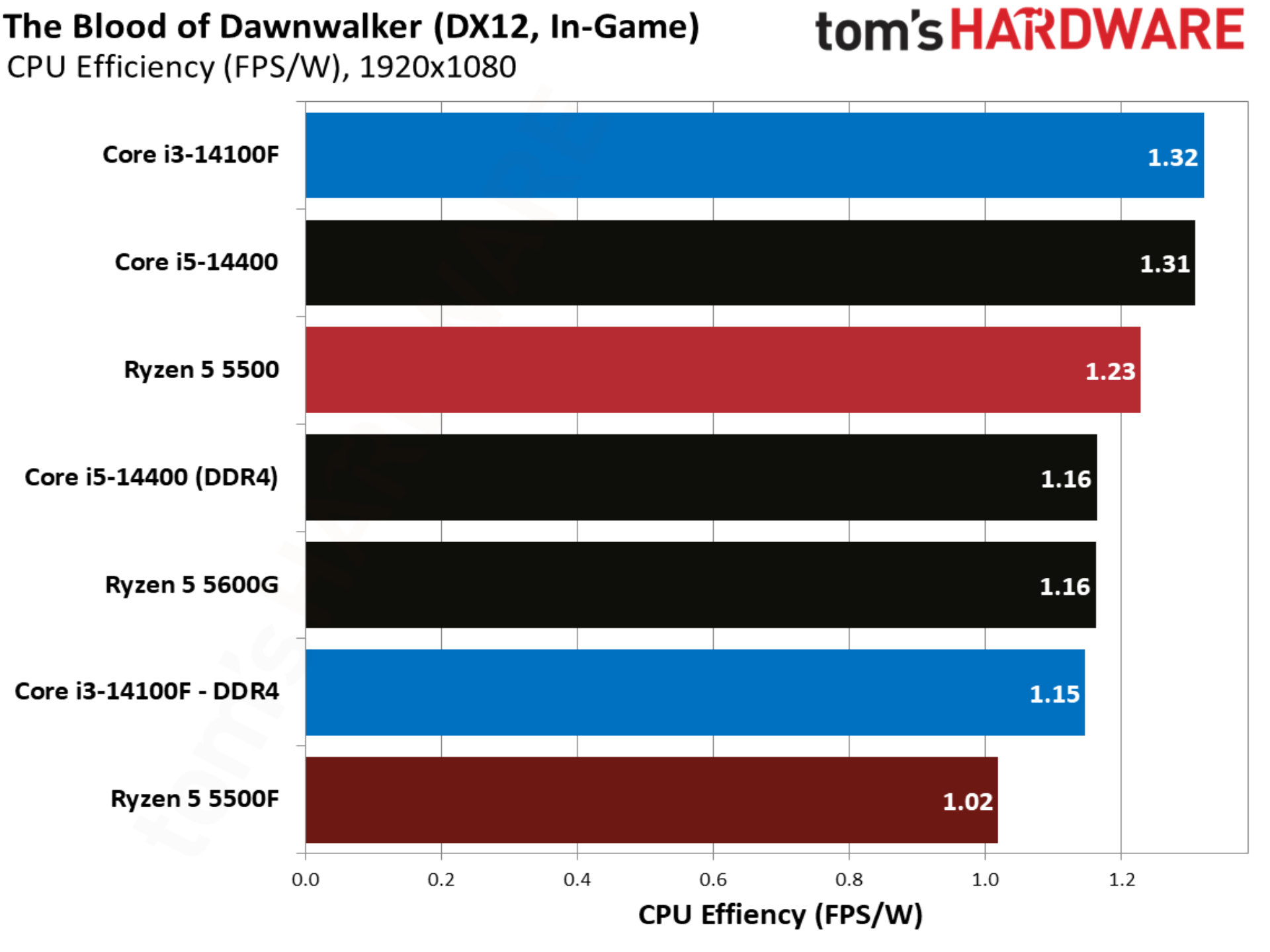
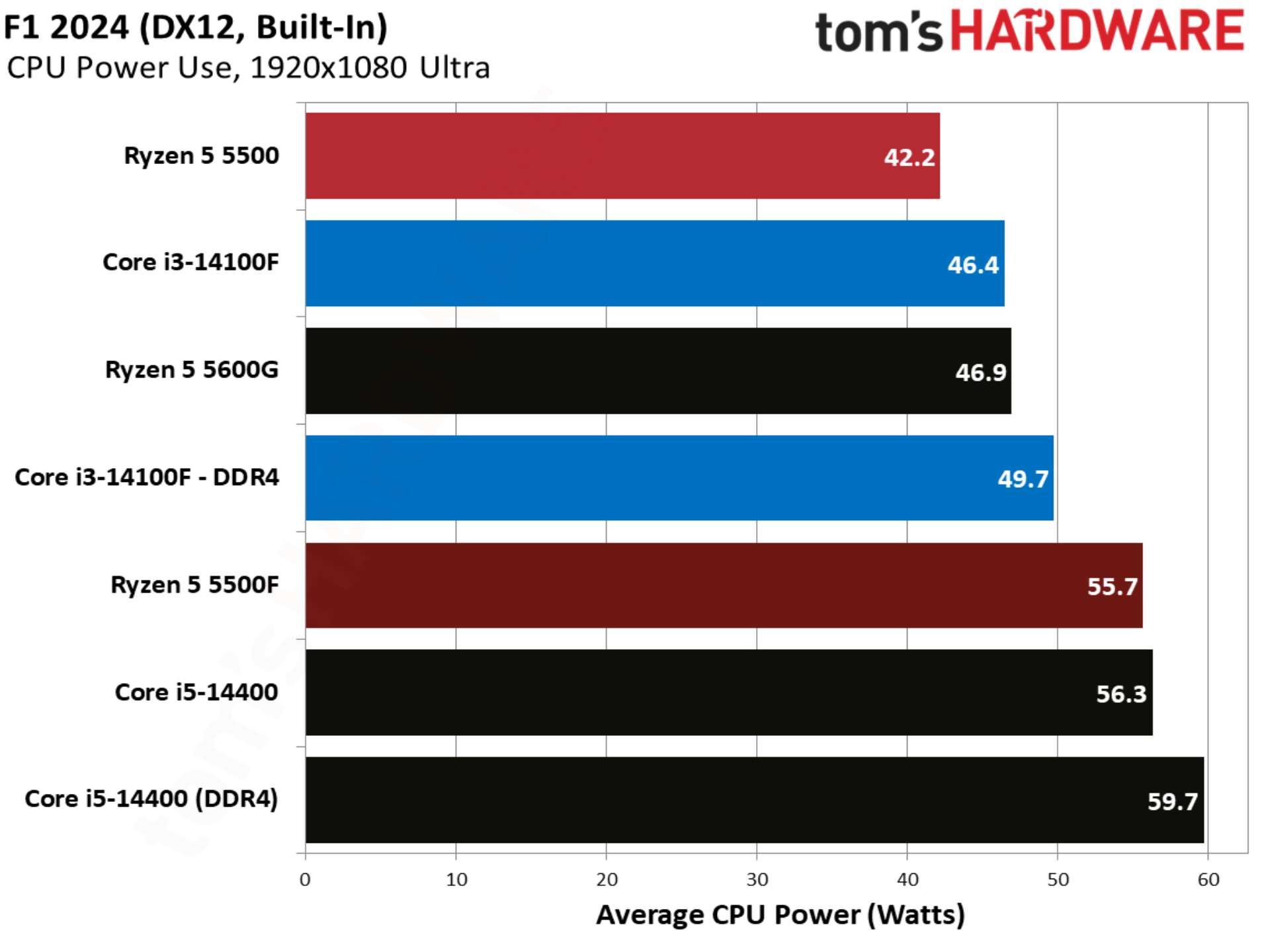
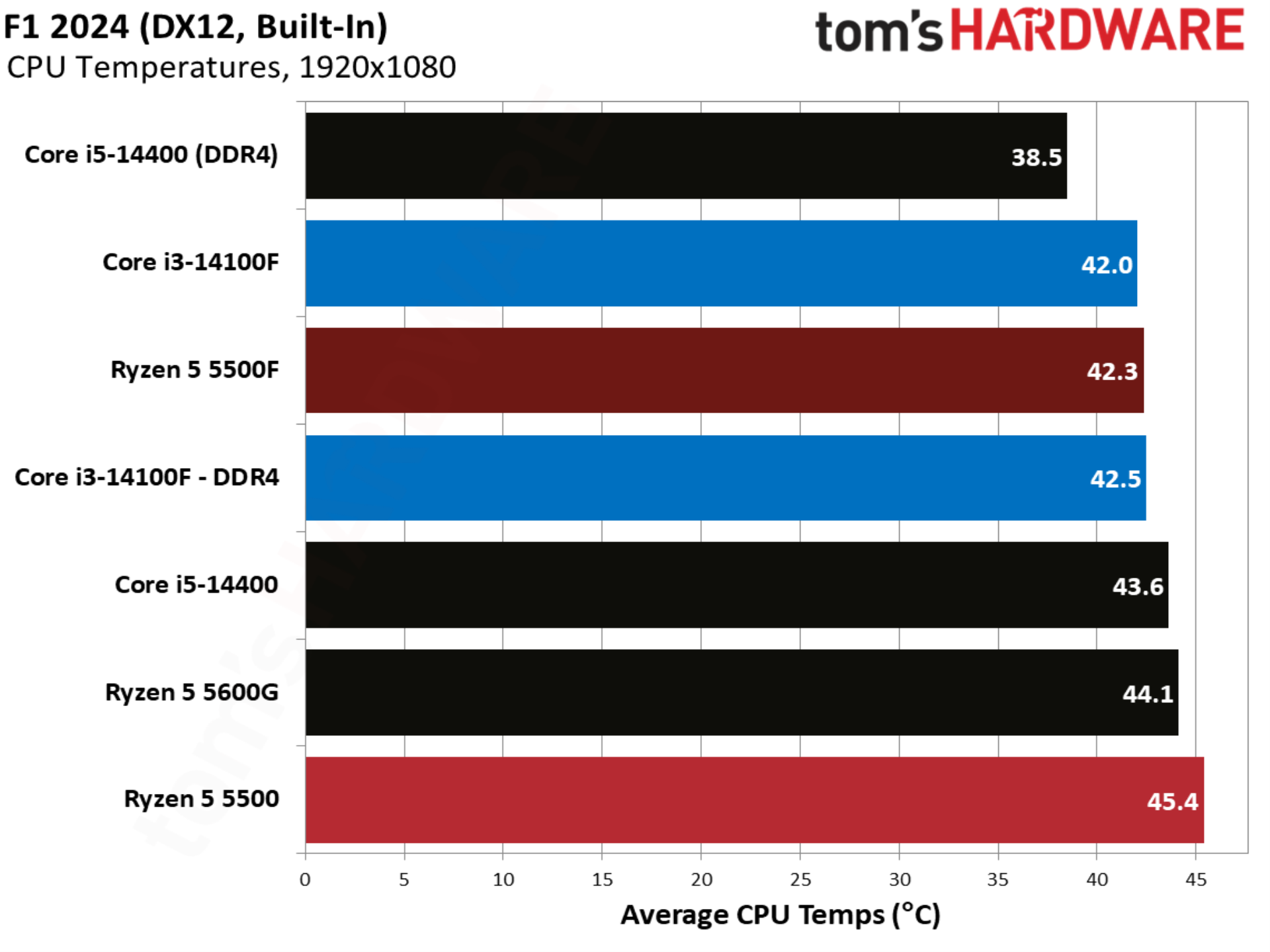
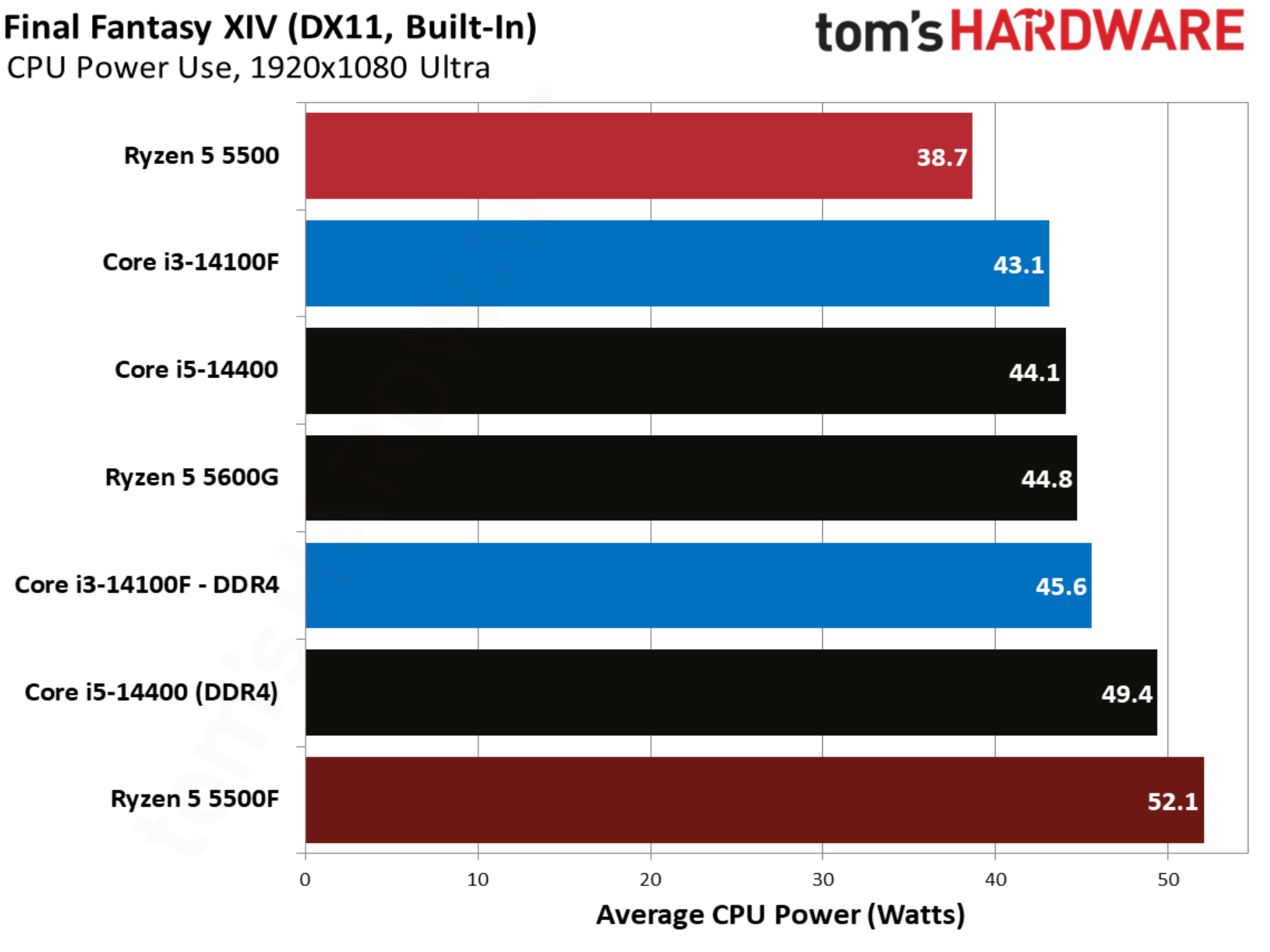
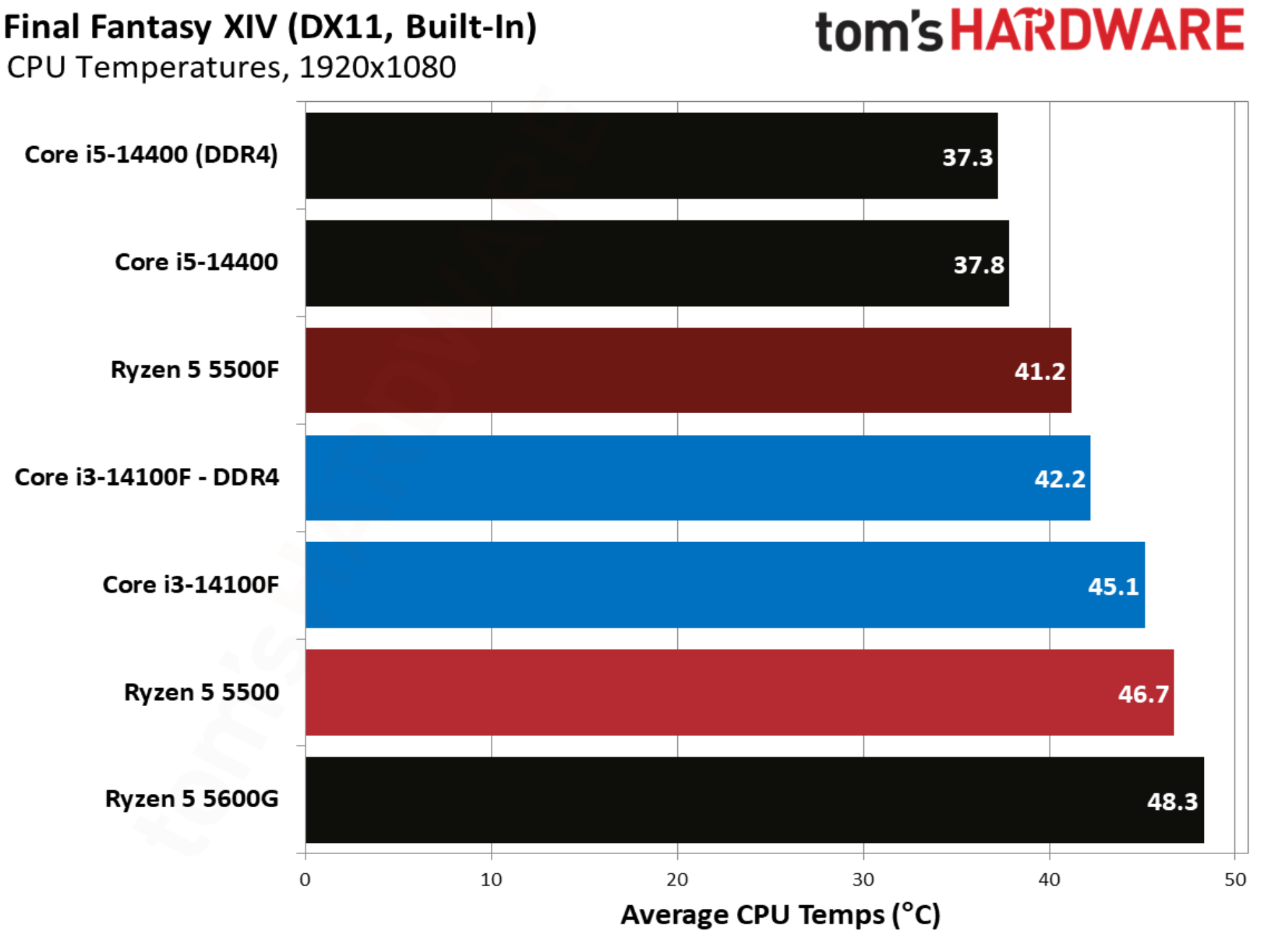
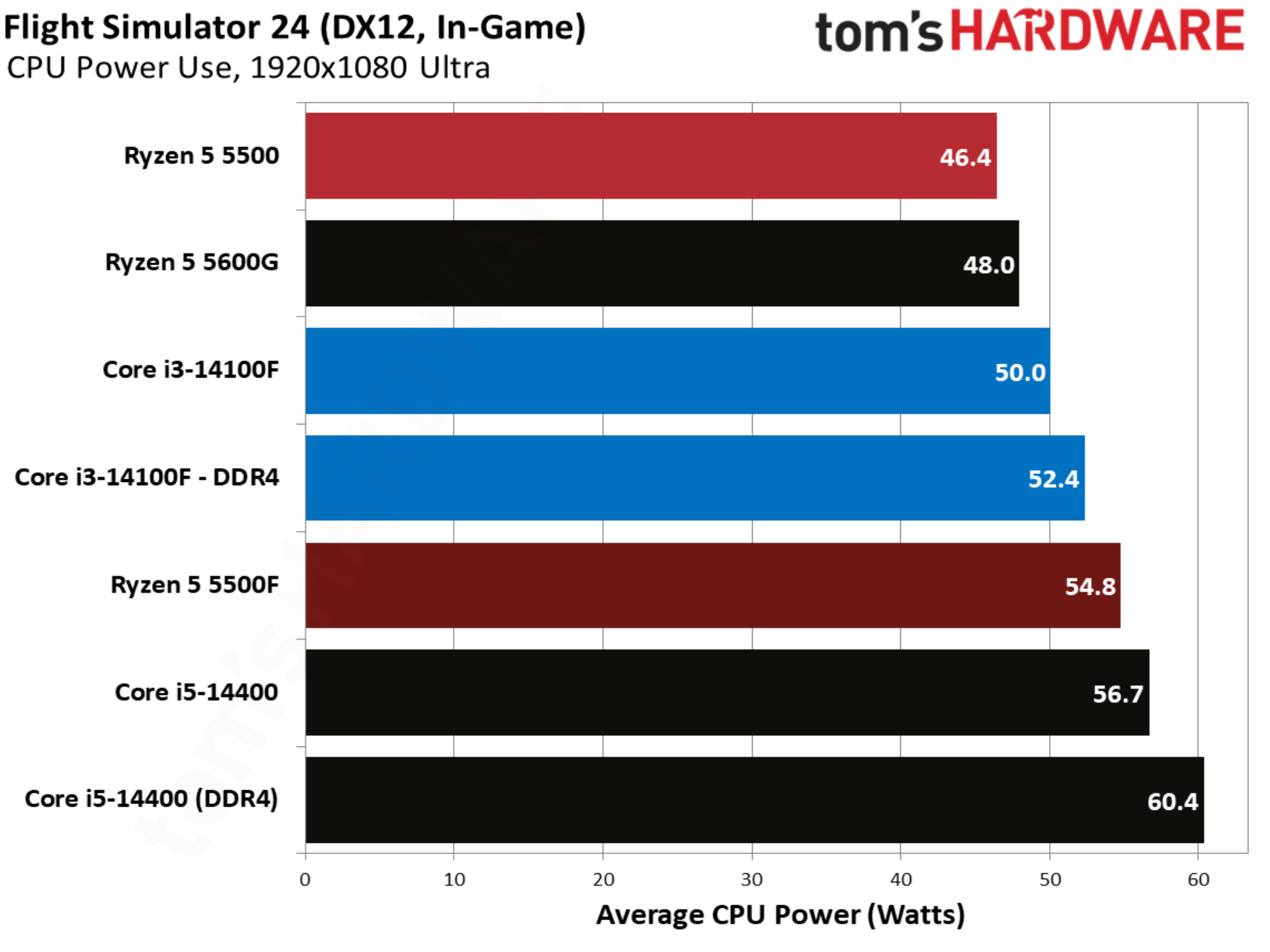
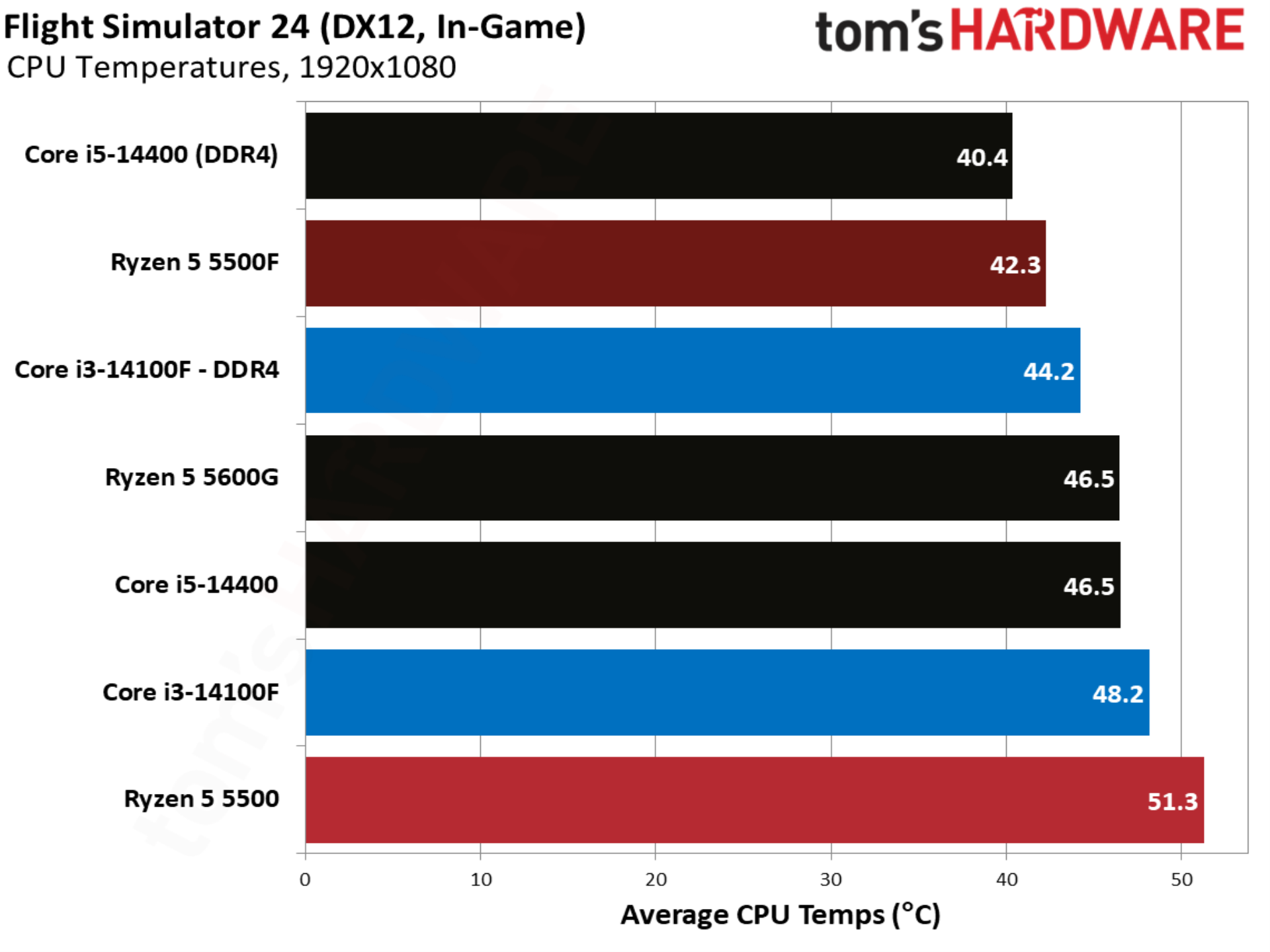
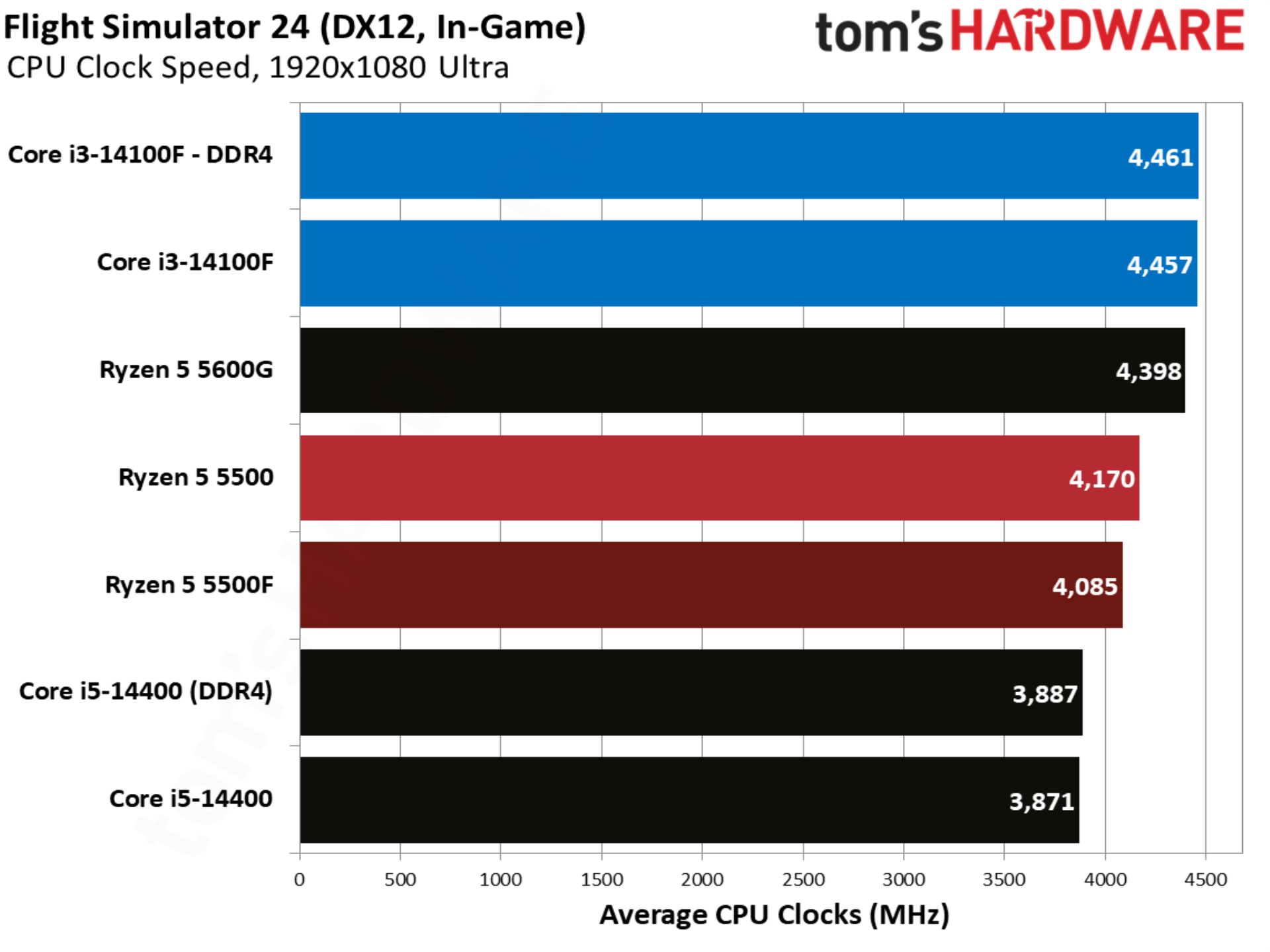
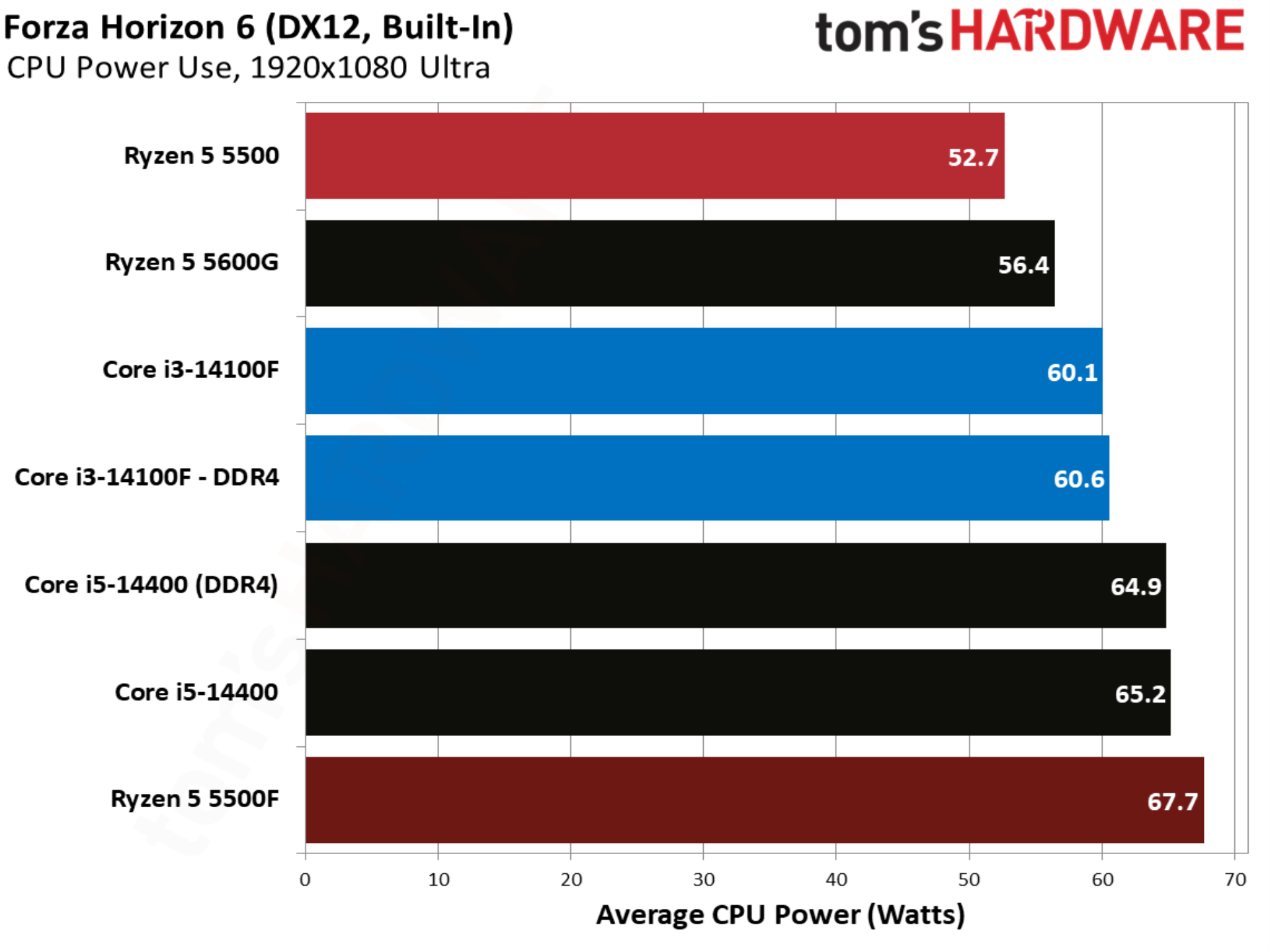
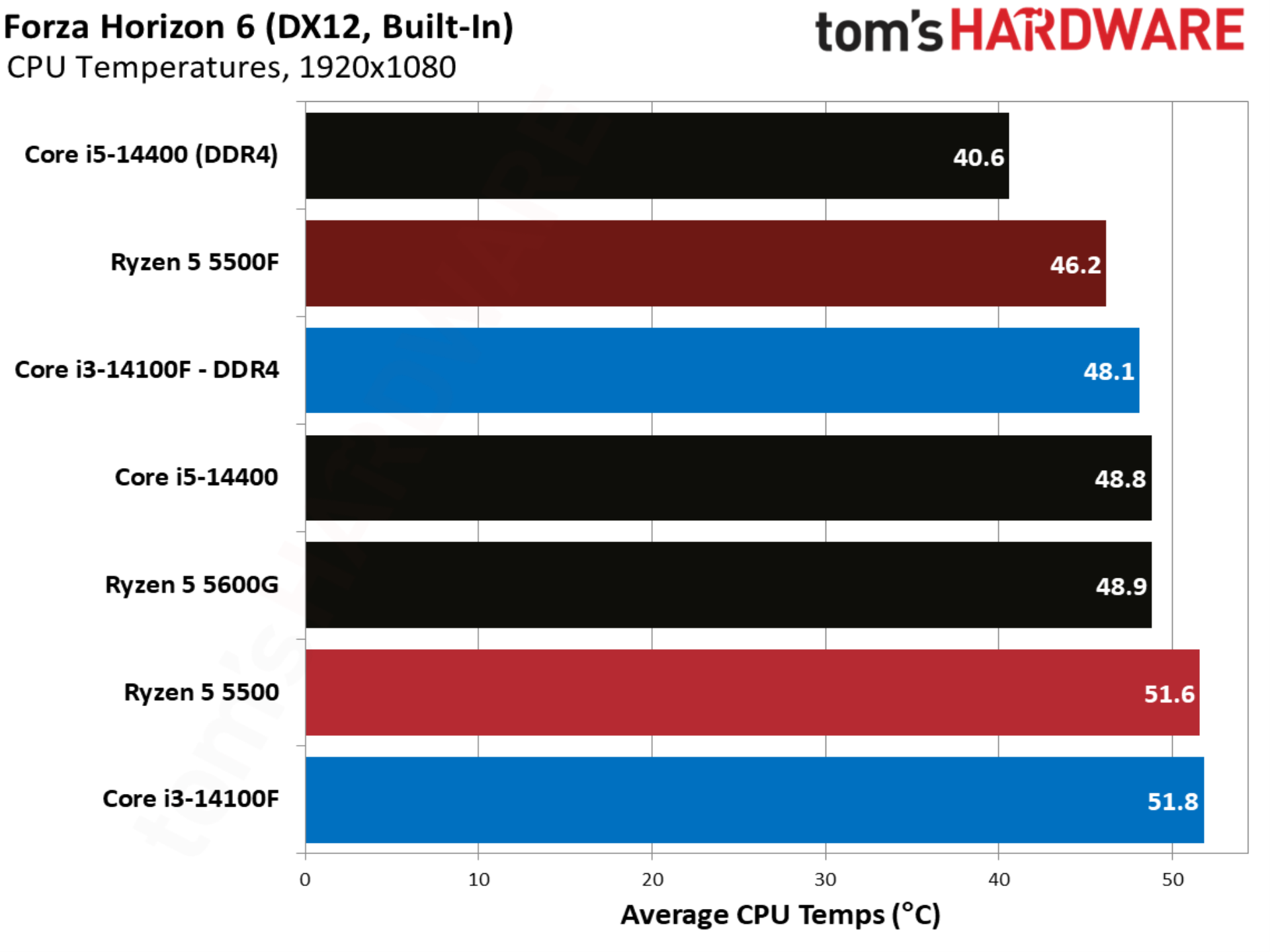
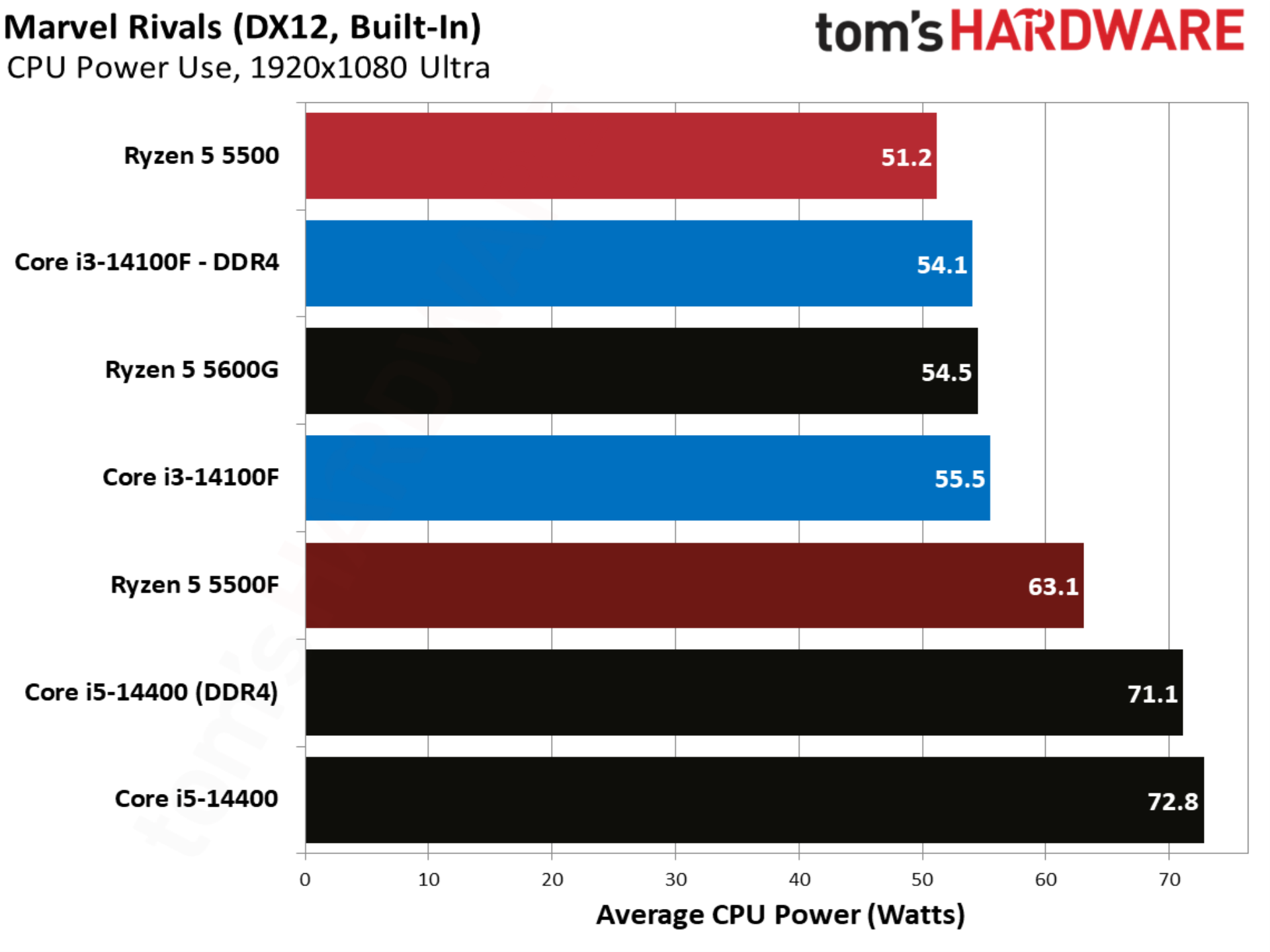
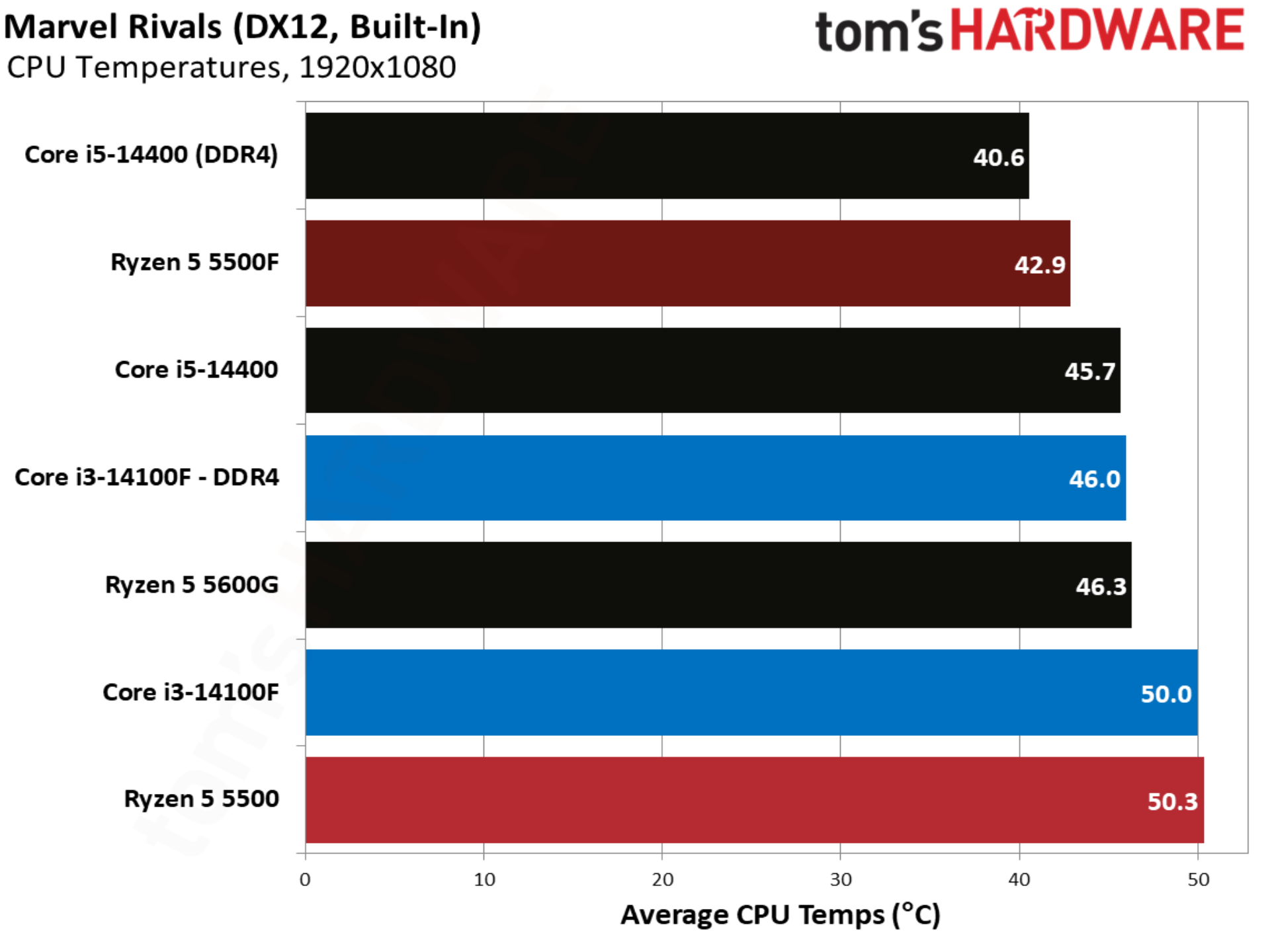
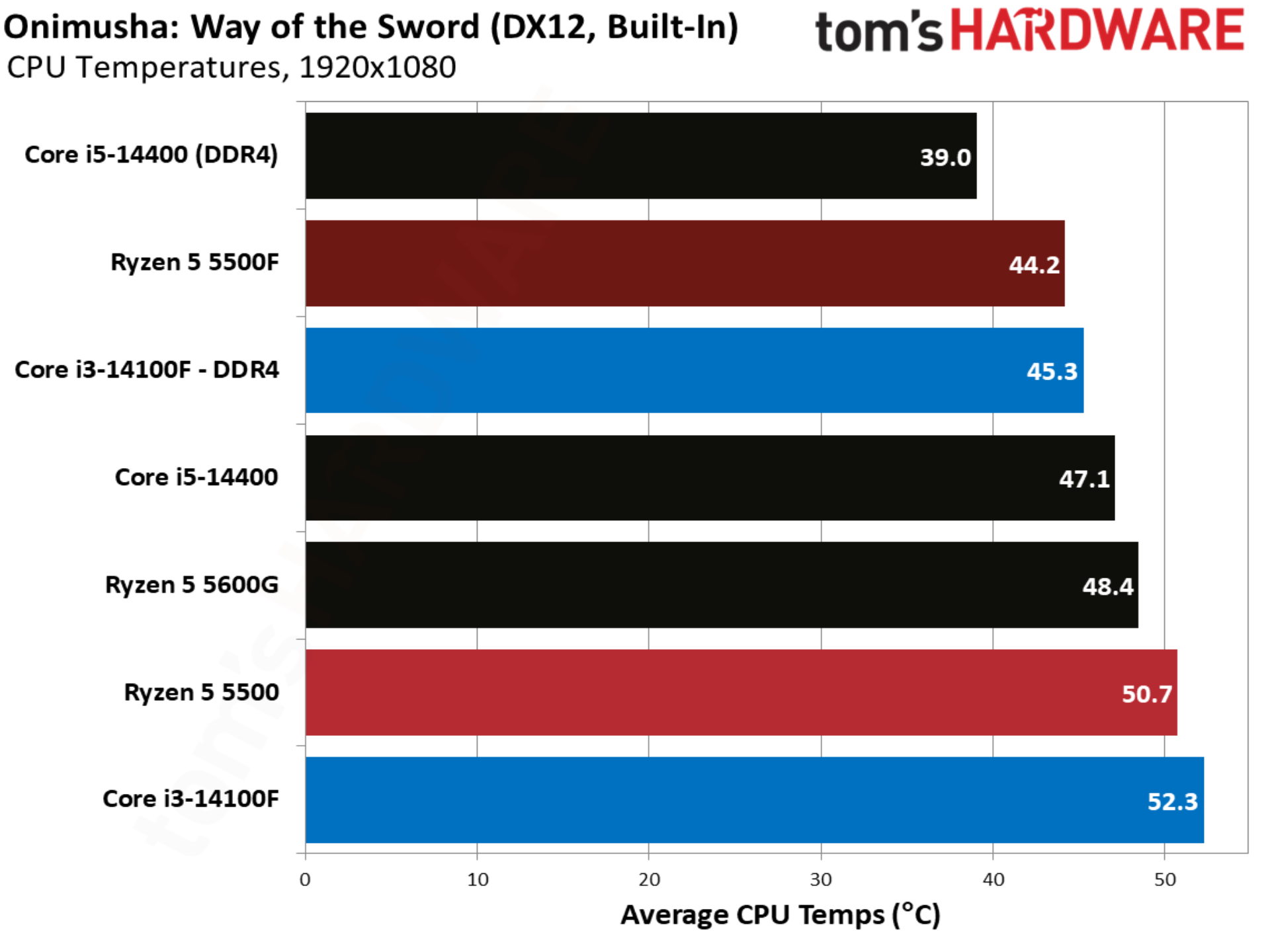
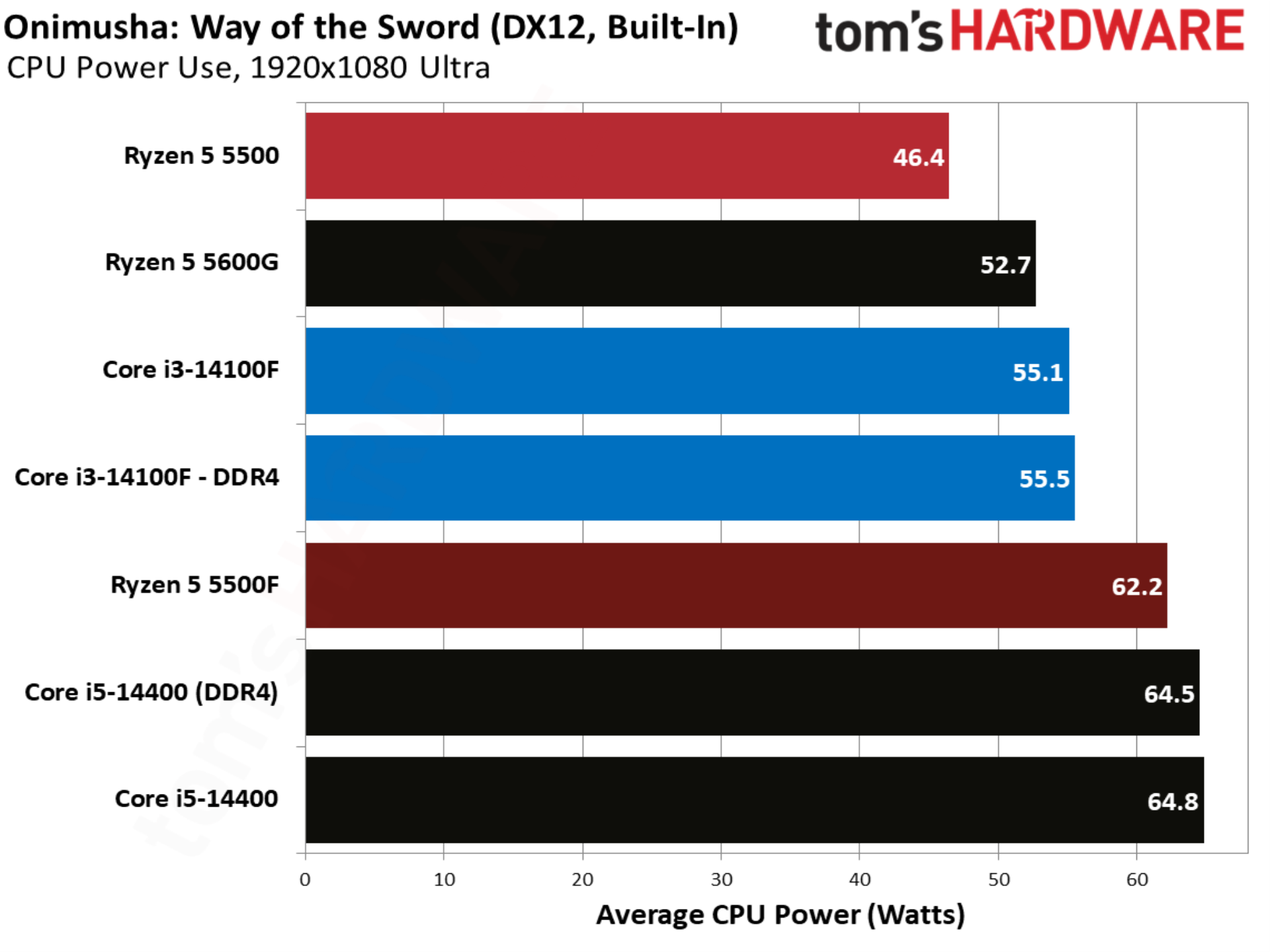
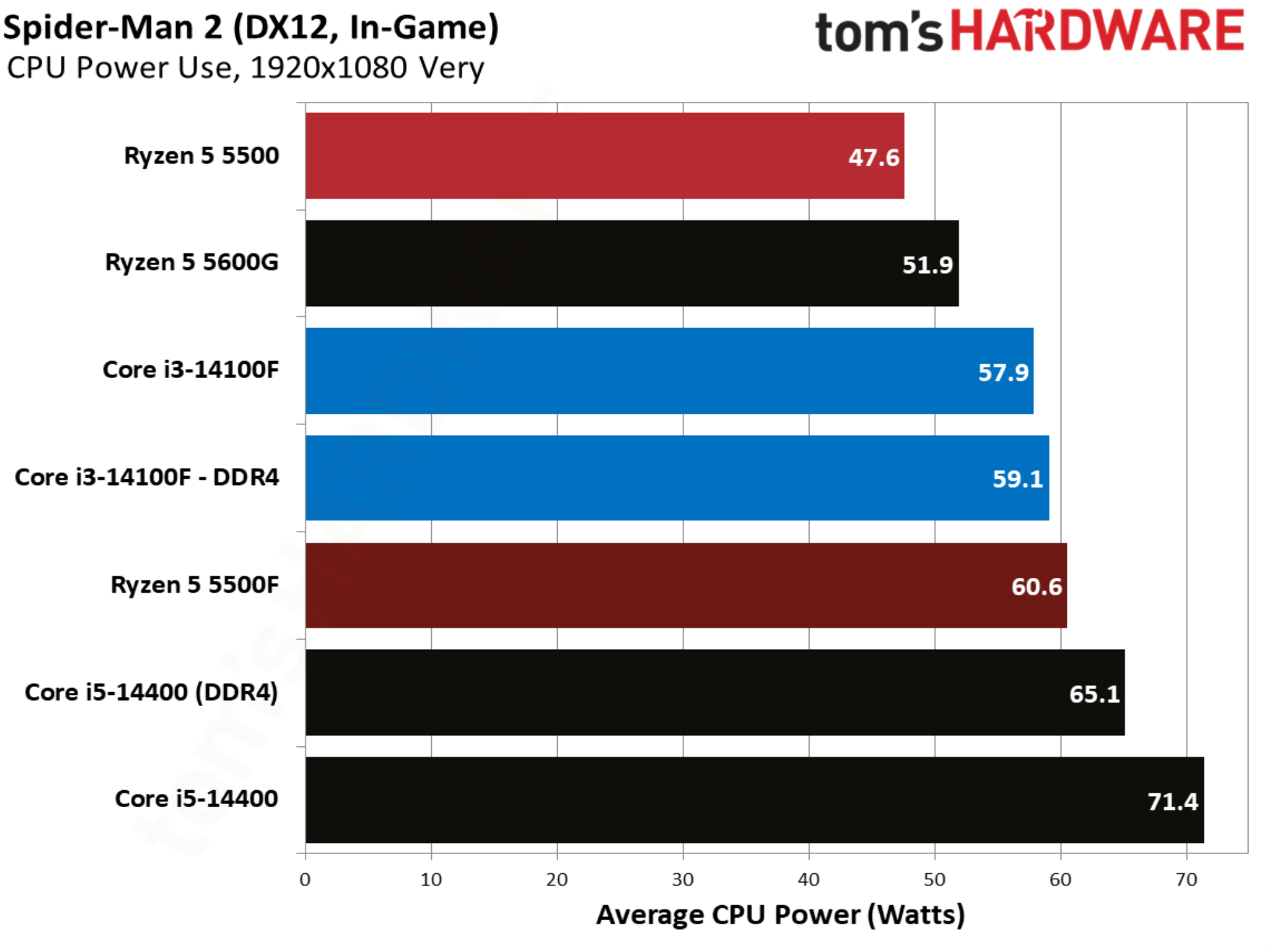
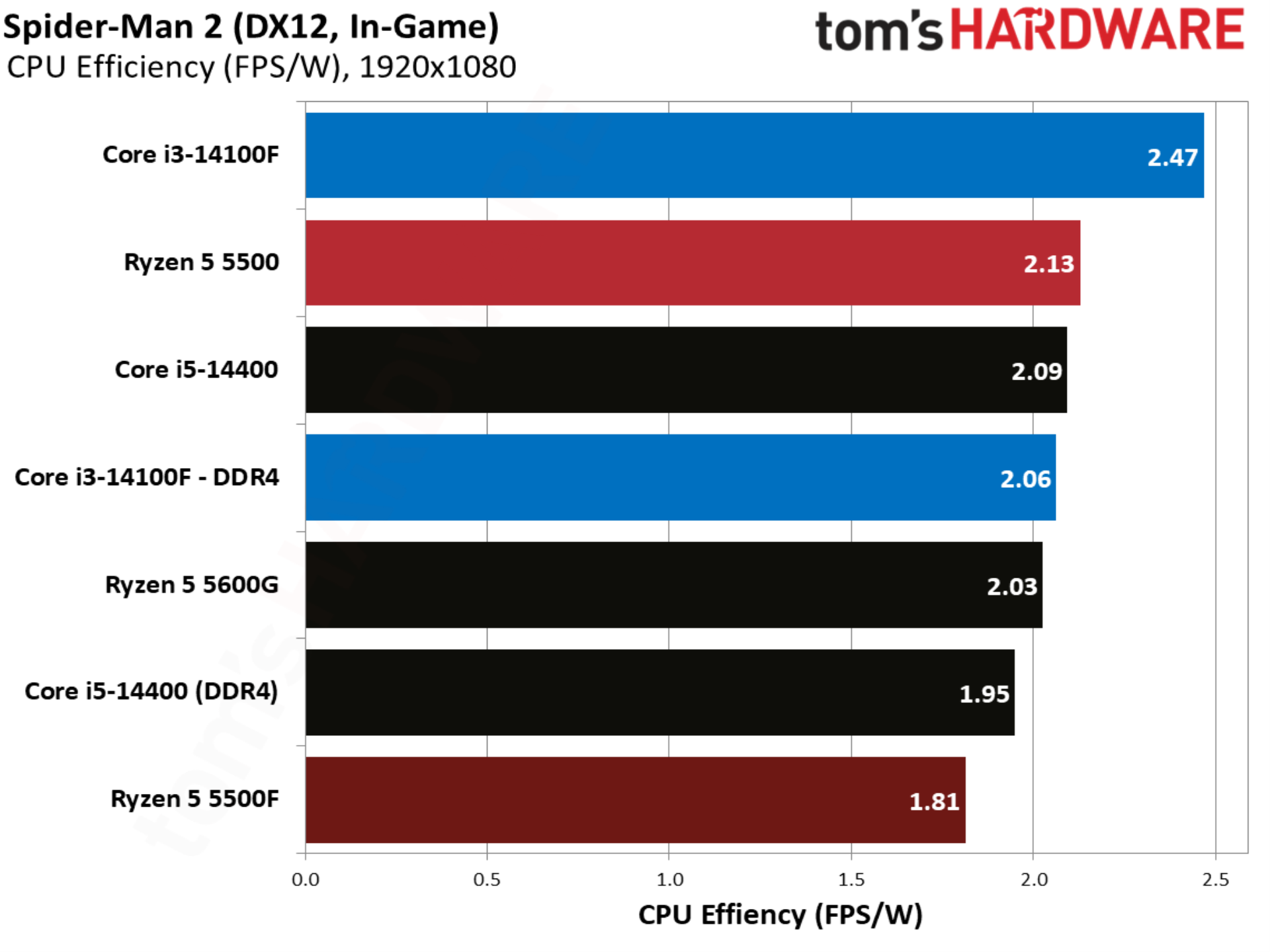
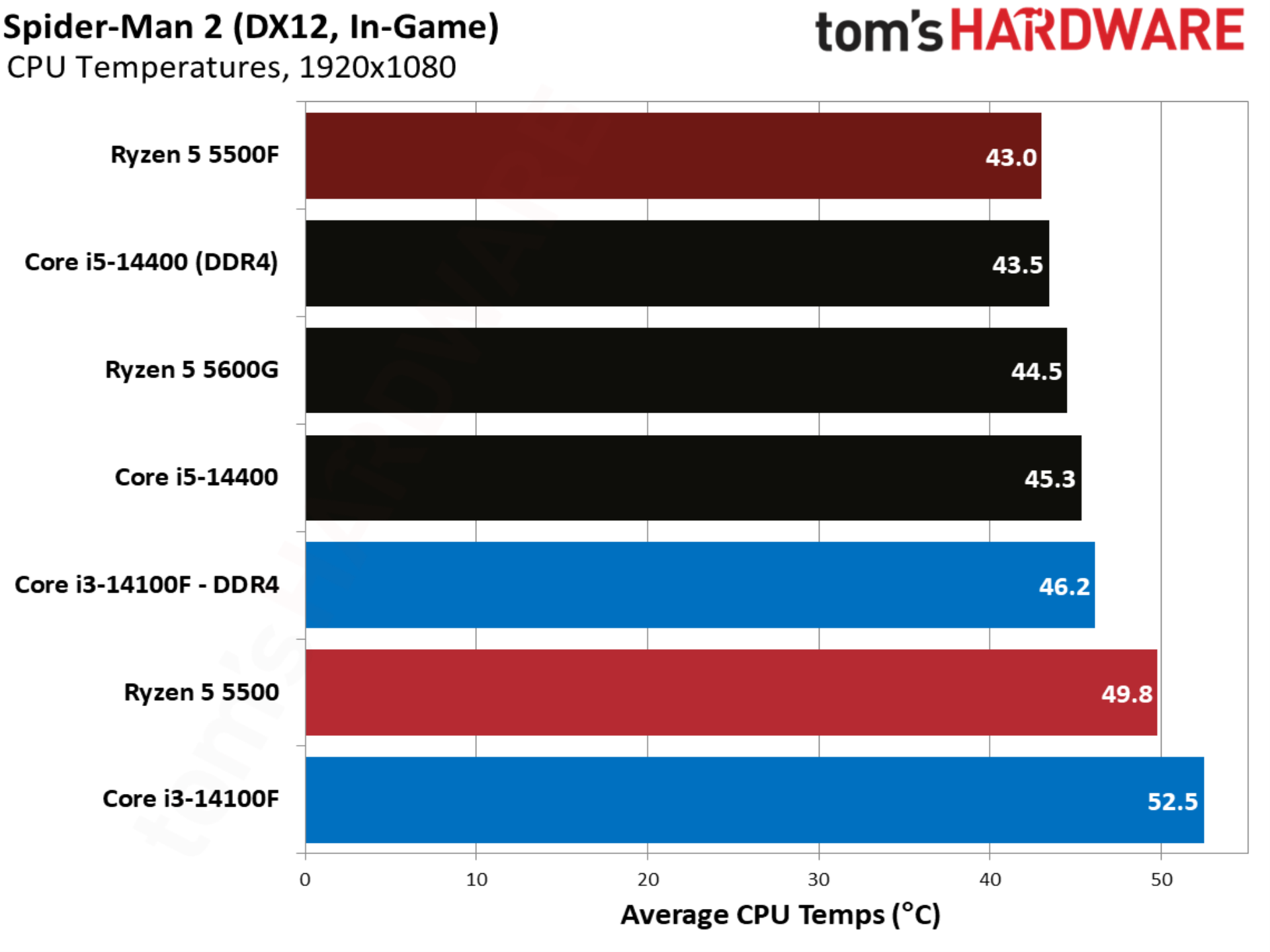
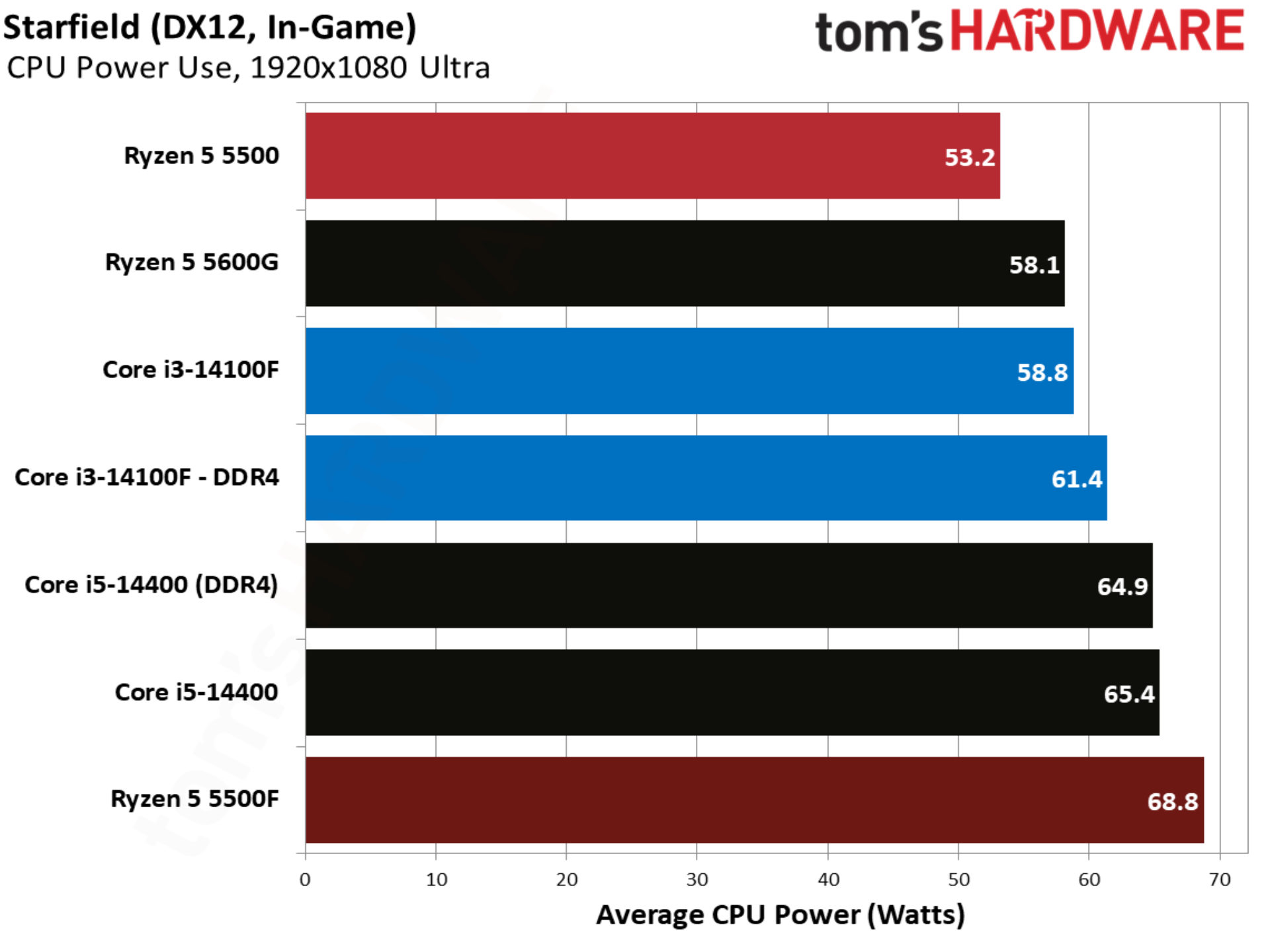
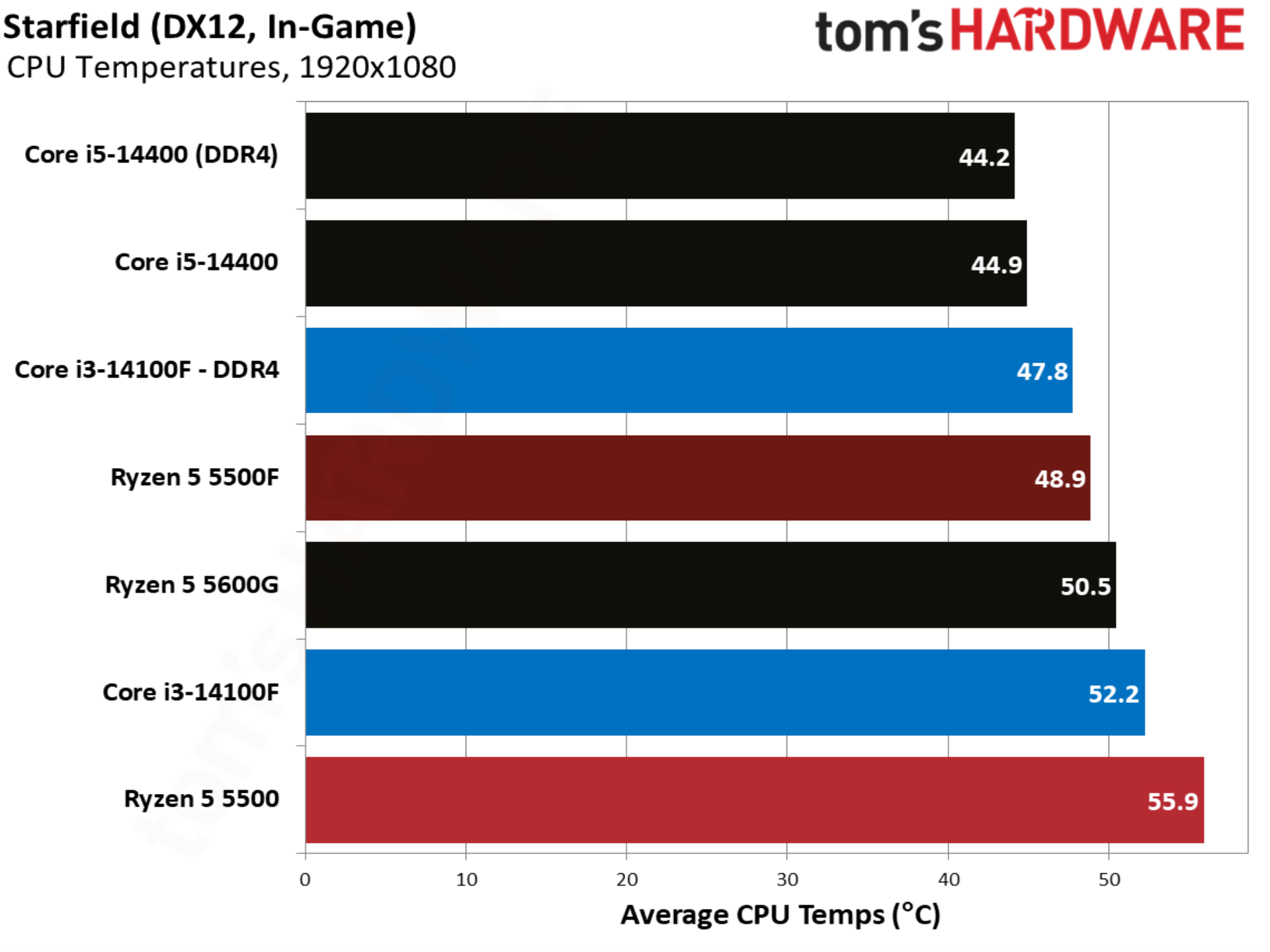
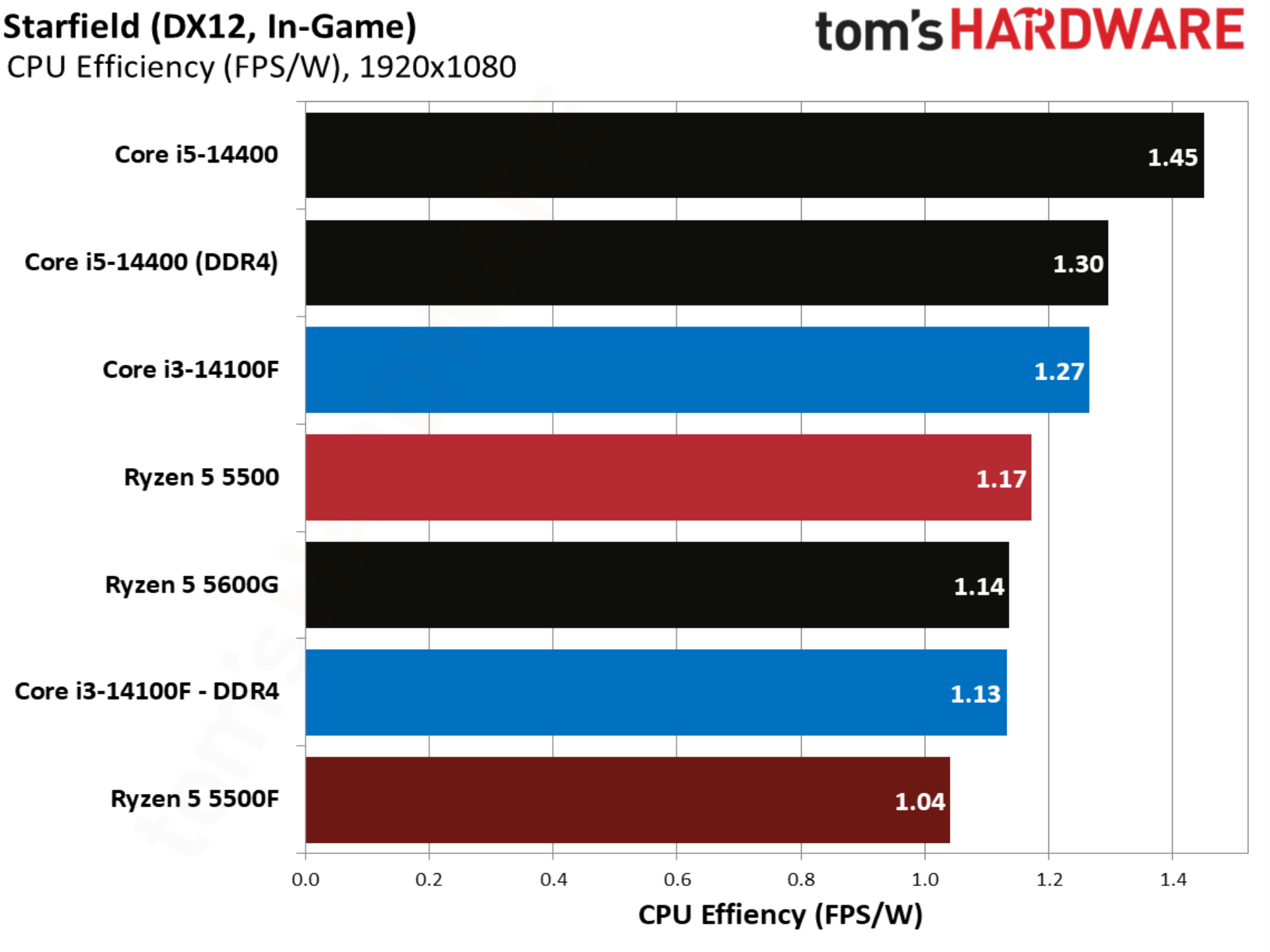
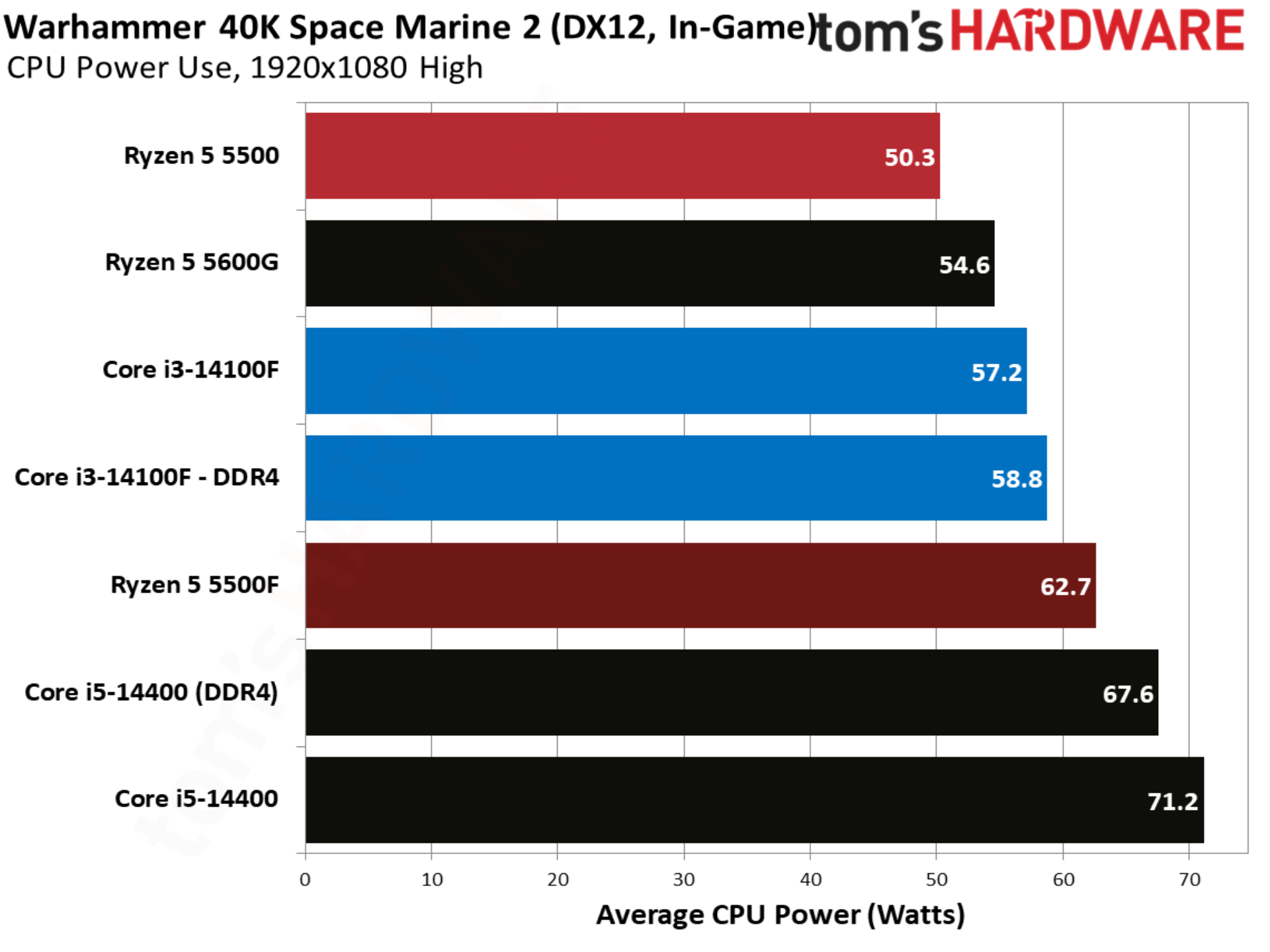
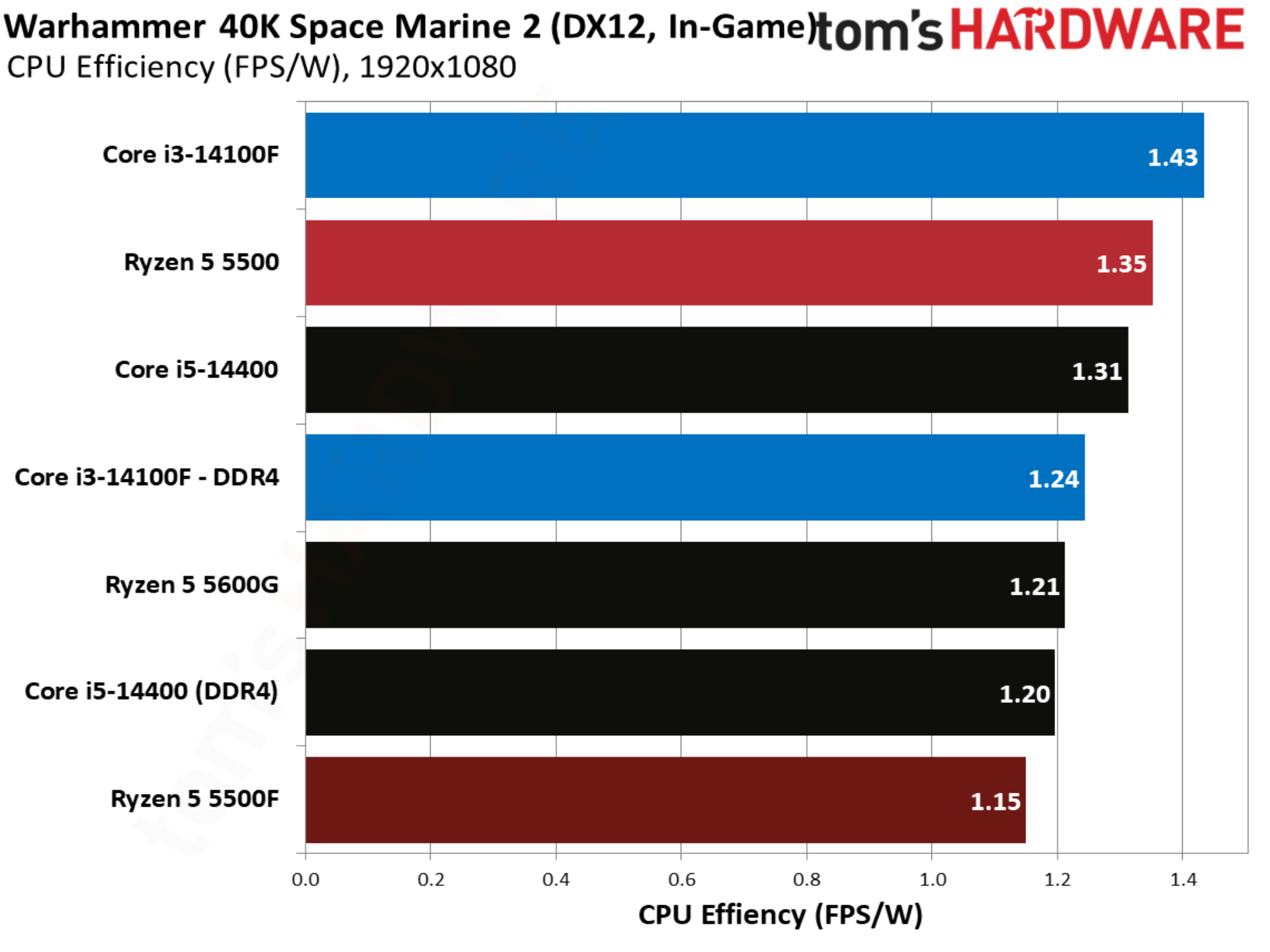
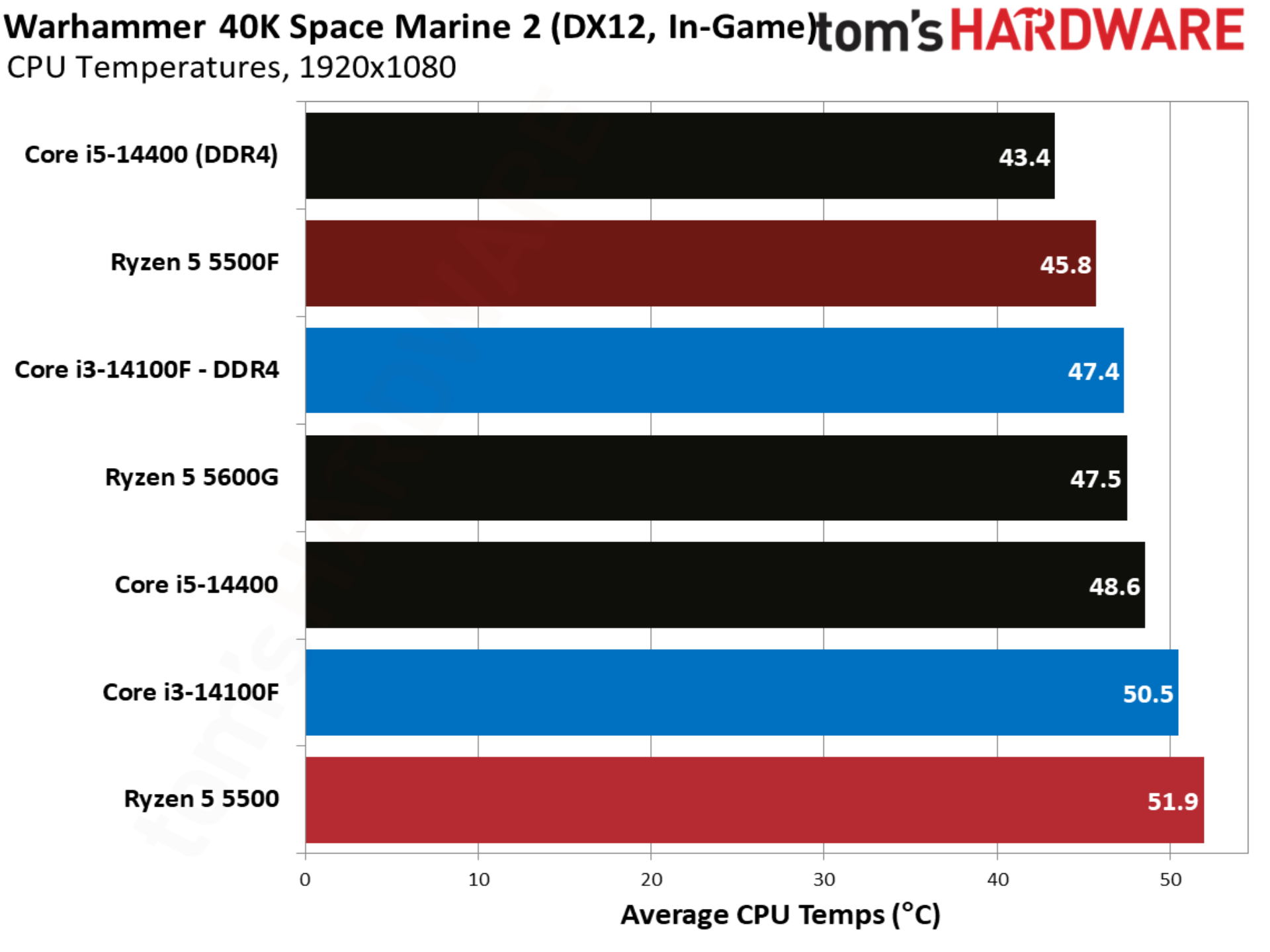
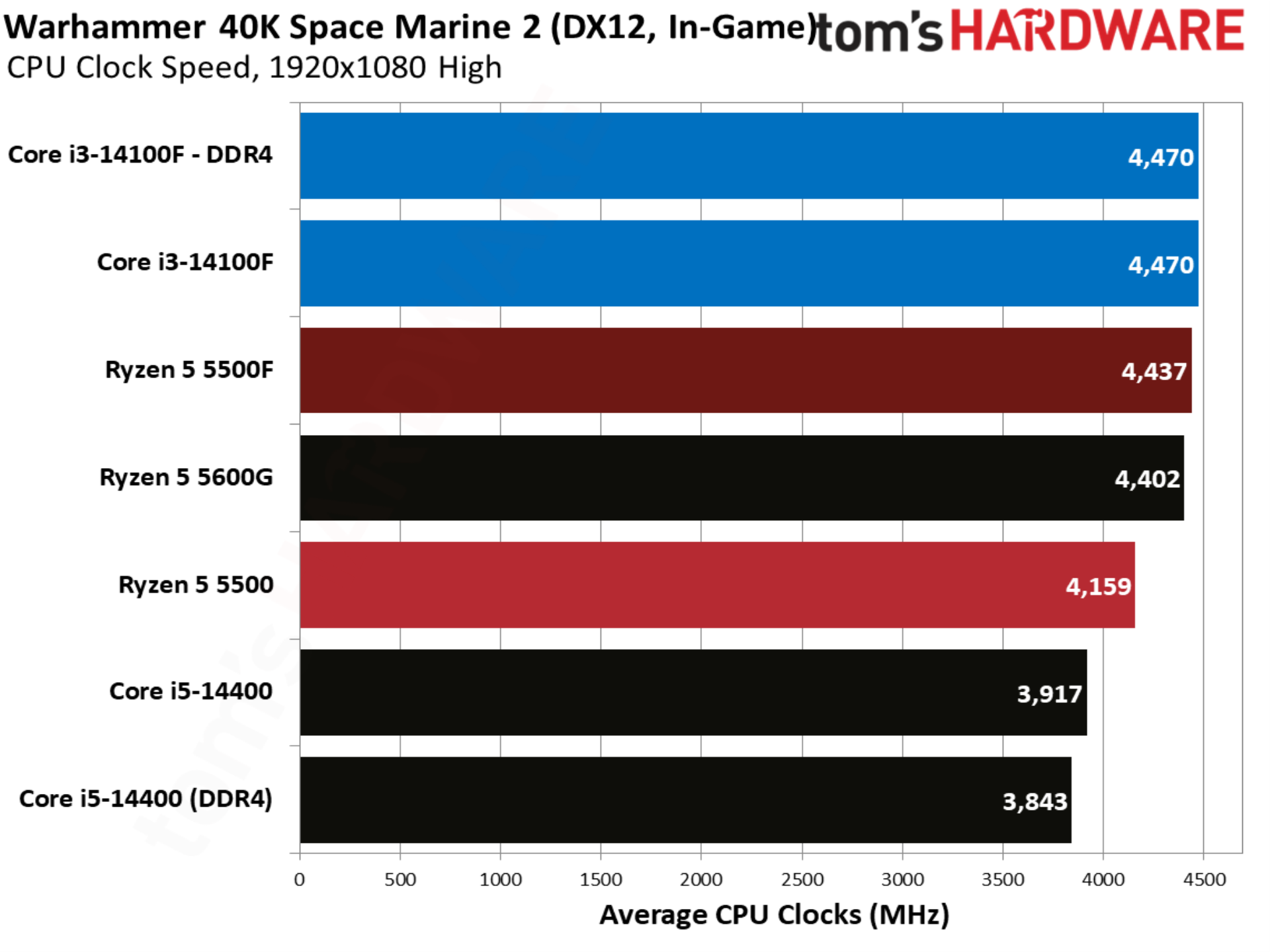
With temperature and power, you can see the Ryzen 5 5500F takes better advantage of the 65W thermal design than the original 5500, climbing up to a 61W average in our test suite. Higher power draw is actually better in this case. We’re dealing with relatively low-power desktop chips, so if peak performance is the goal, we want every watt the thermal design can handle being used.
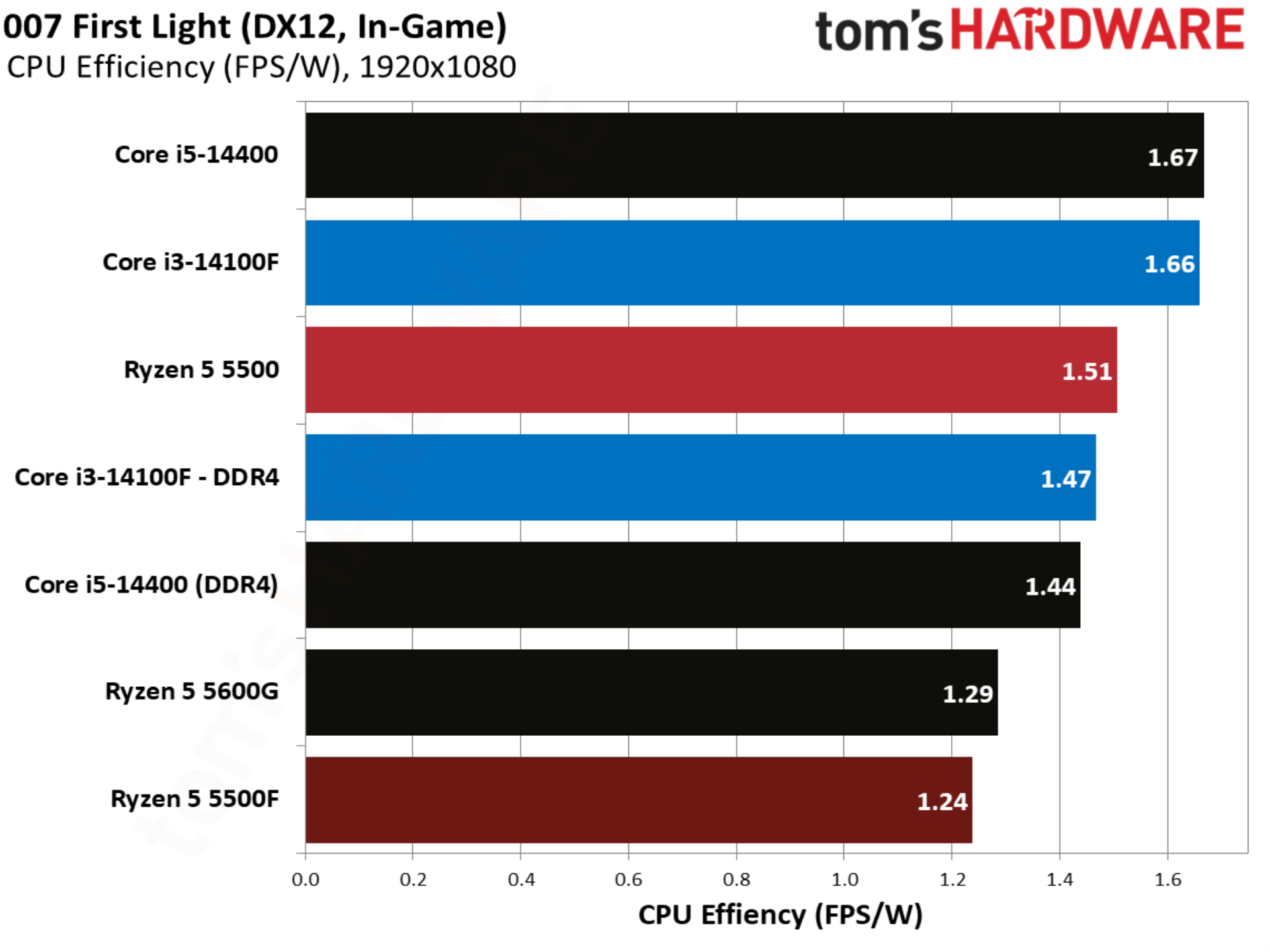
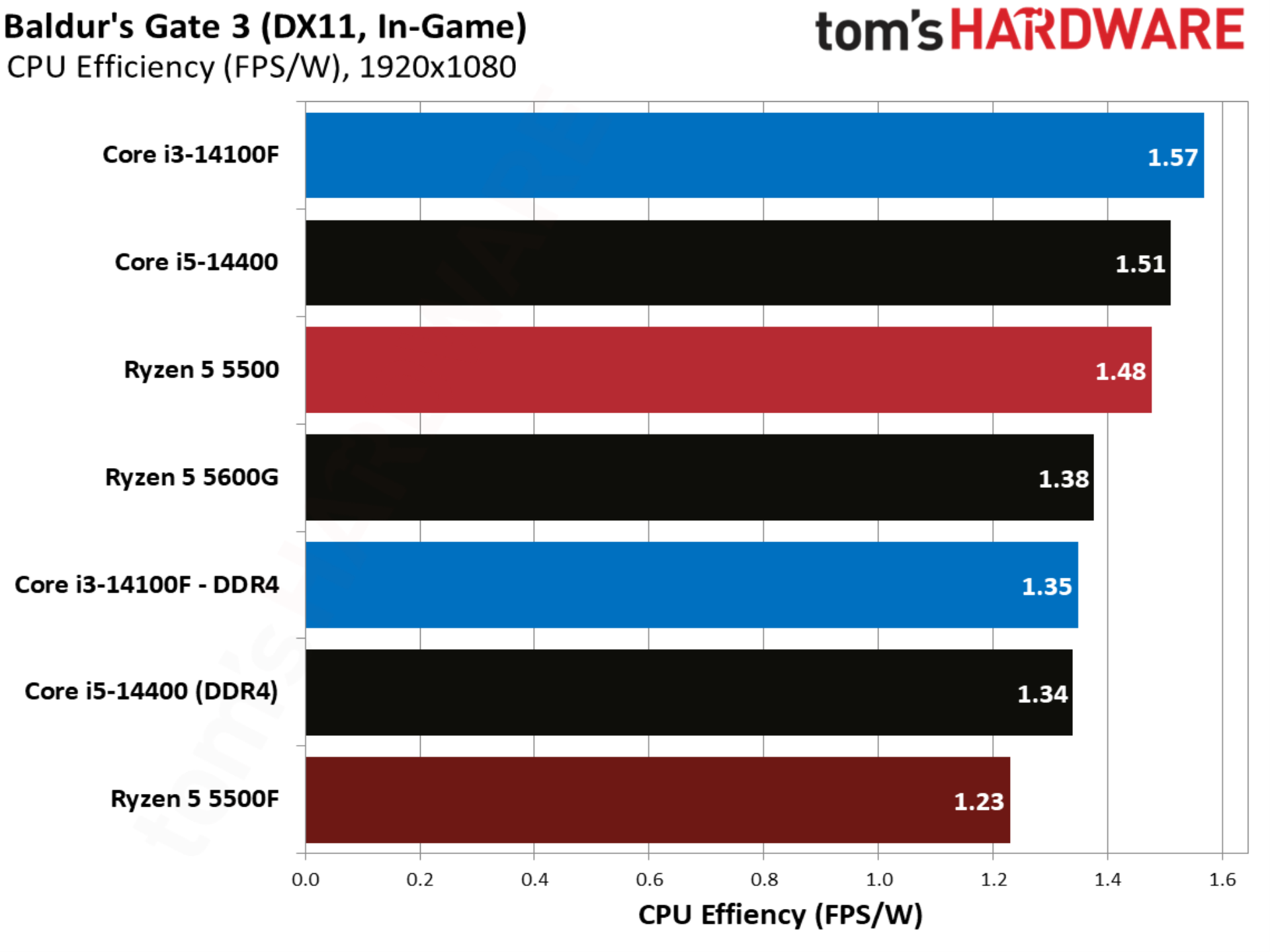
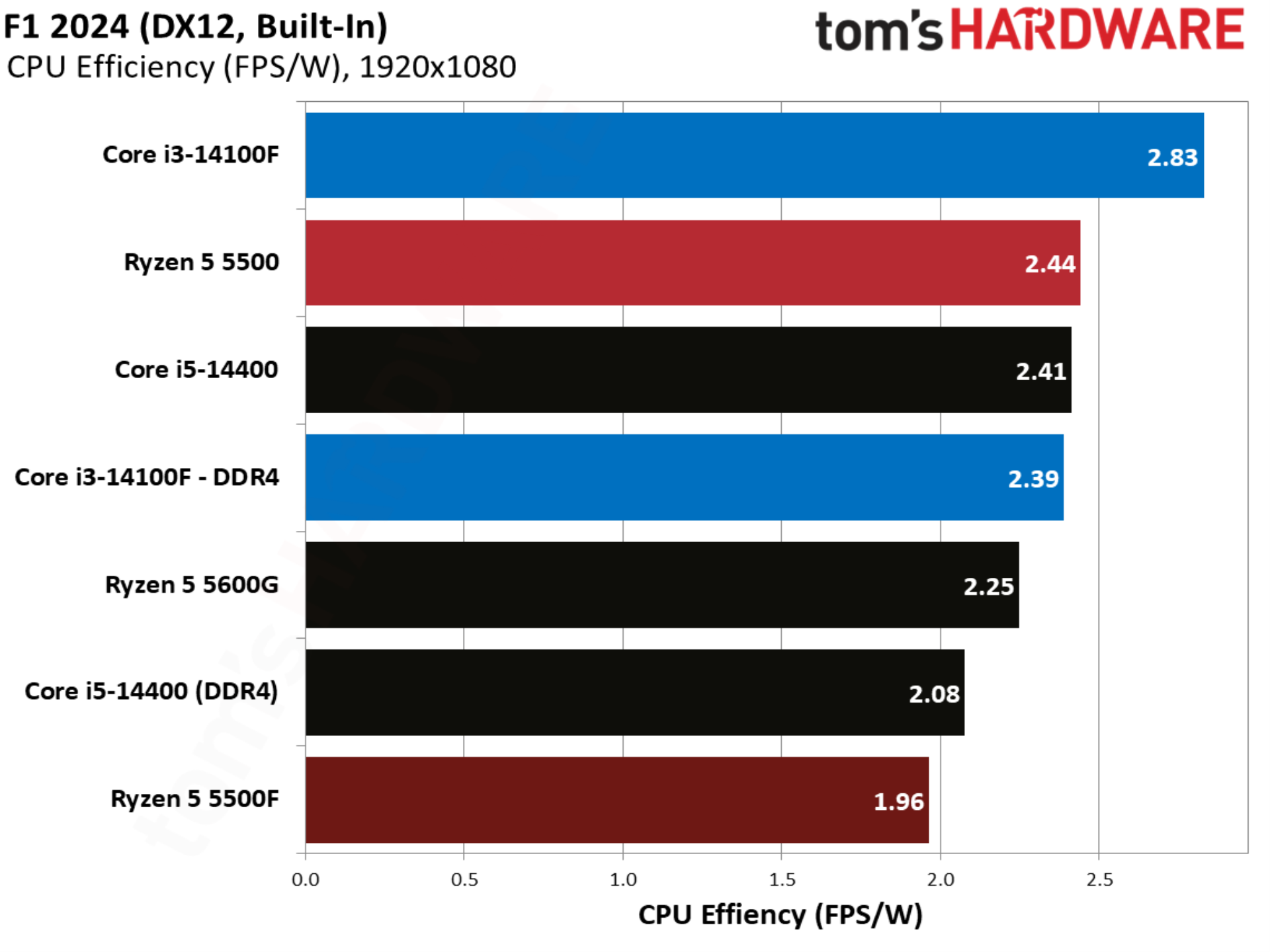
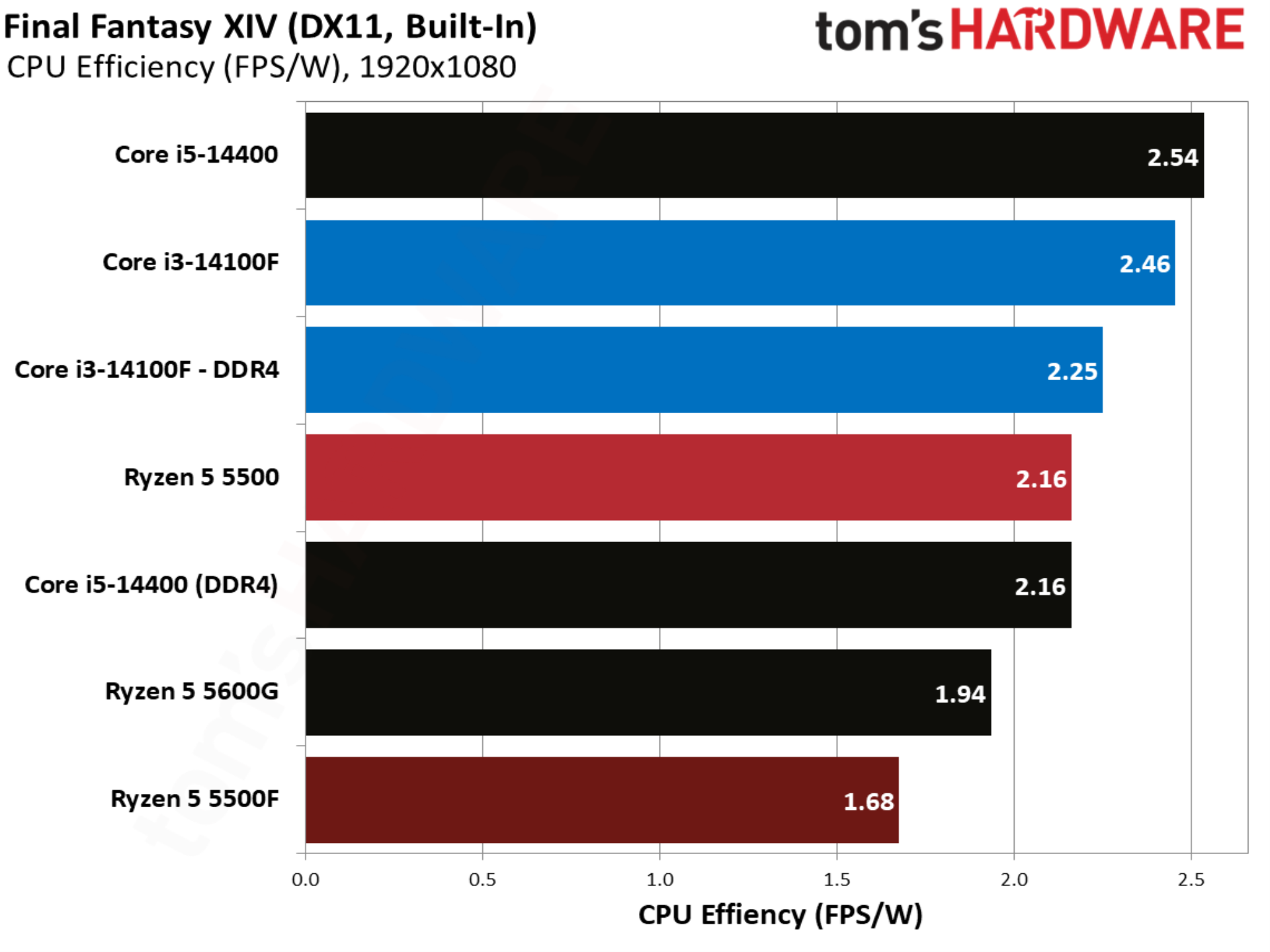
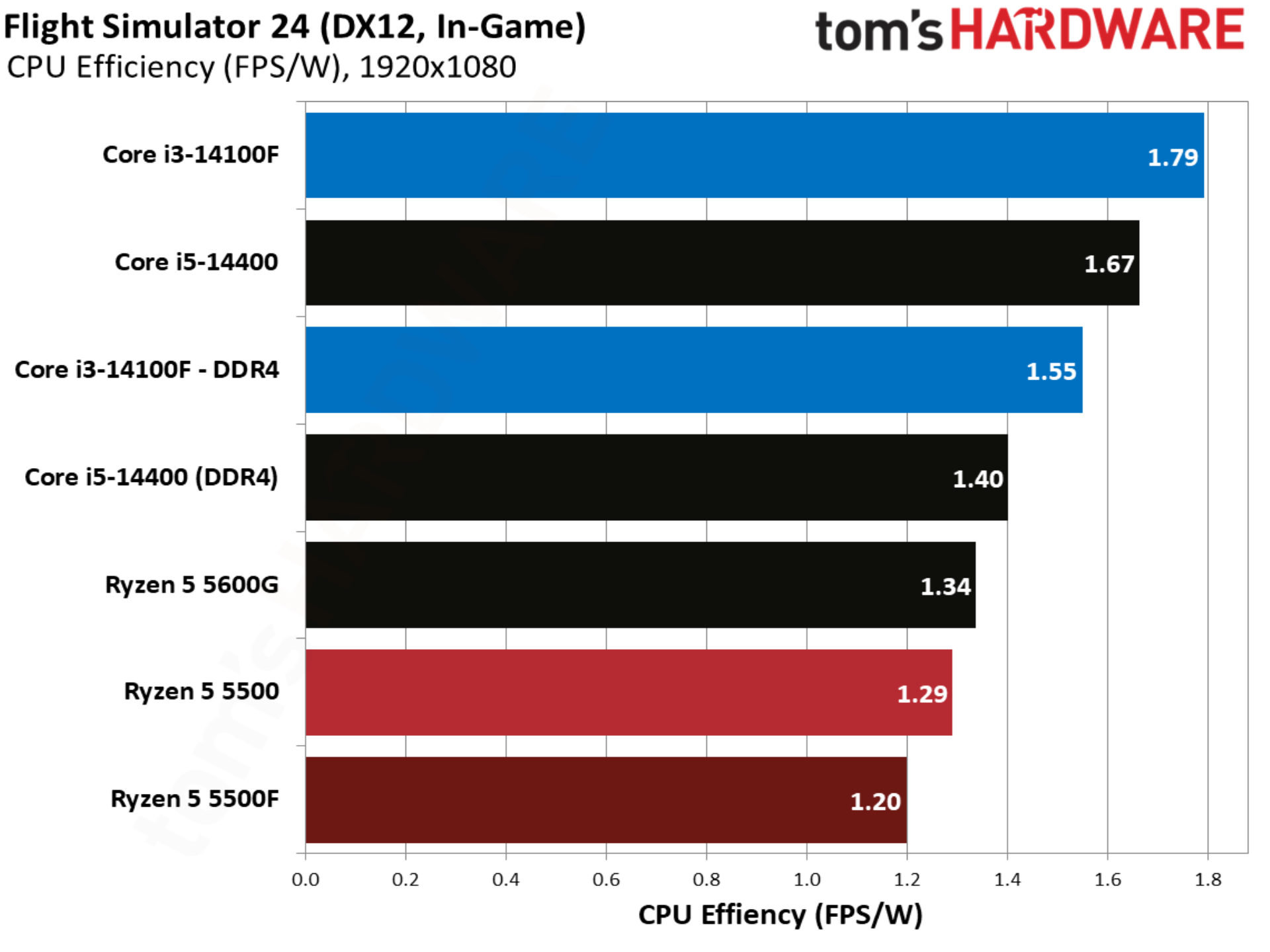
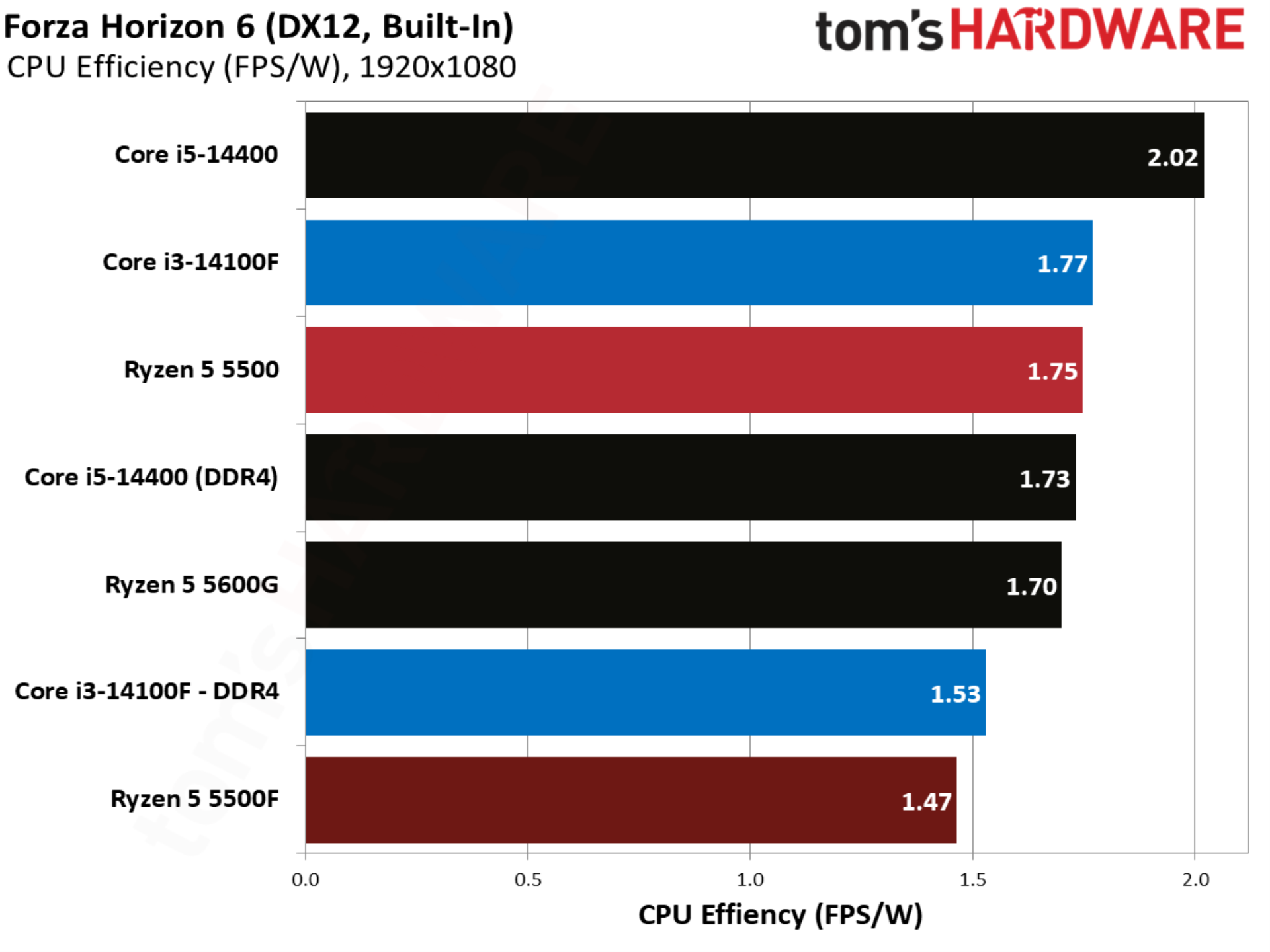
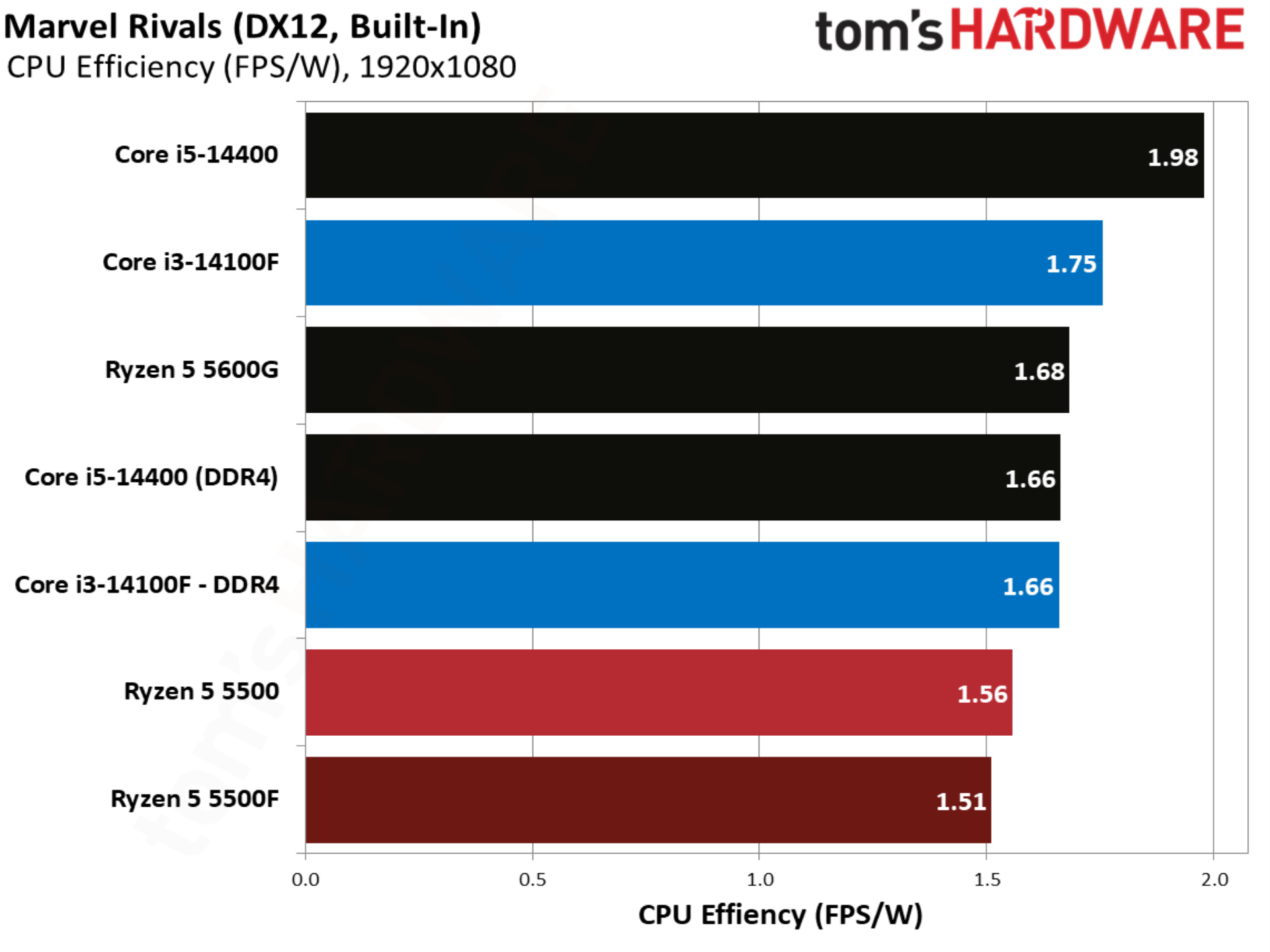
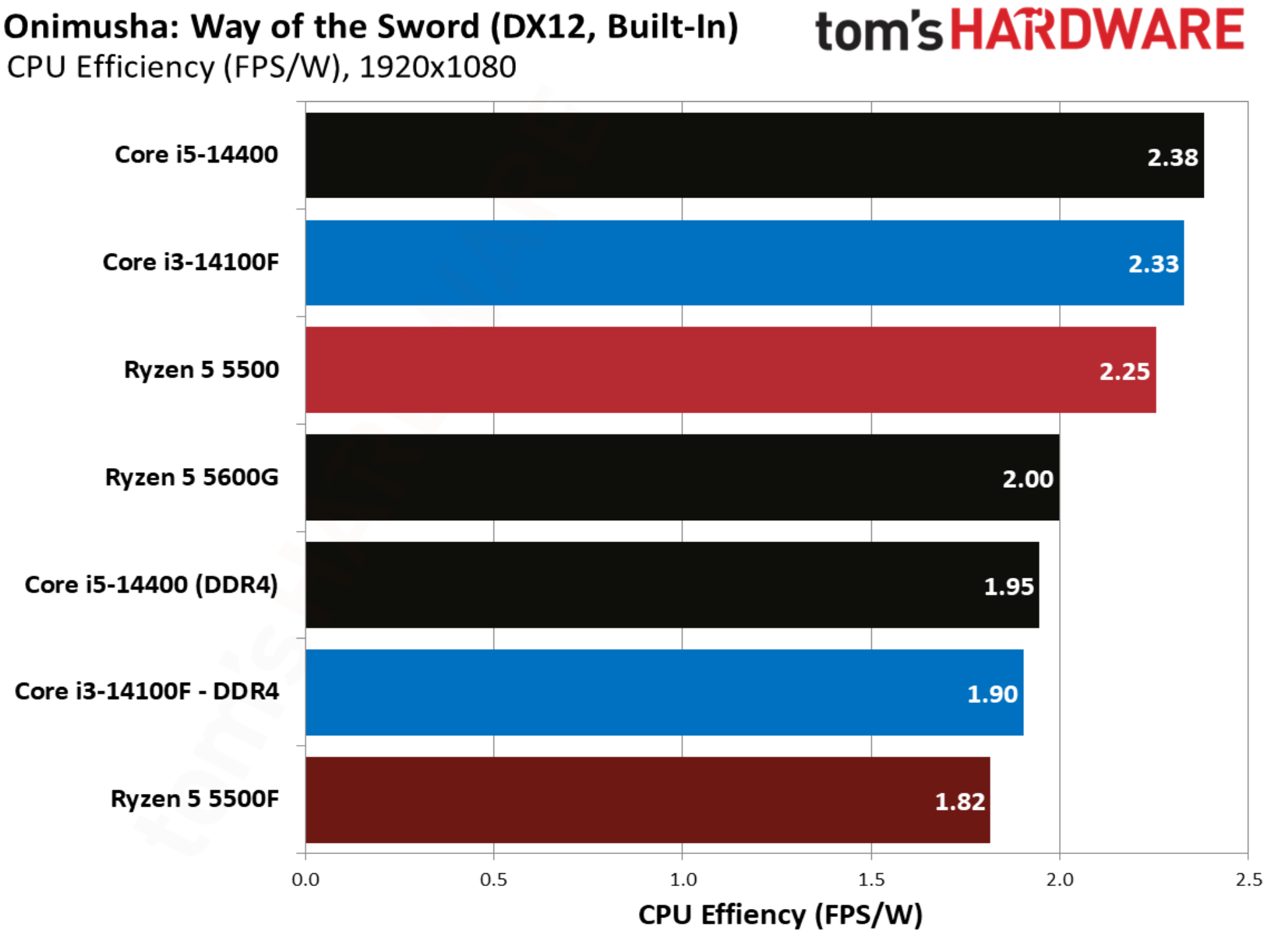
Given that the 5500F ramps up power, it’s less efficient as a result. Perhaps efficiency is important if you plan on using one of these CPUs around the clock in areas with high electricity prices, but in the context of gaming, the power difference isn’t big. It’s less than what a phone consumes with fast charging.
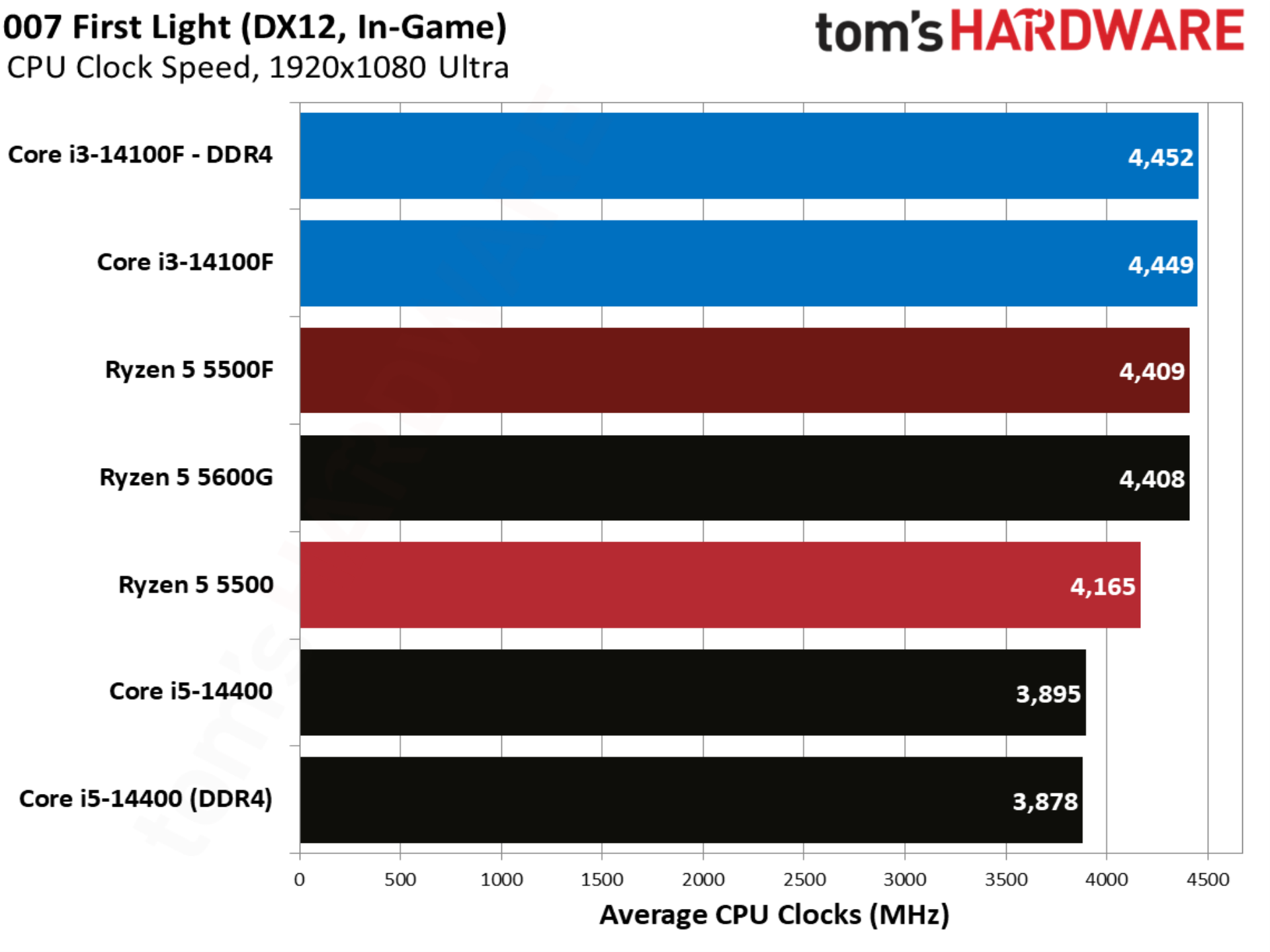
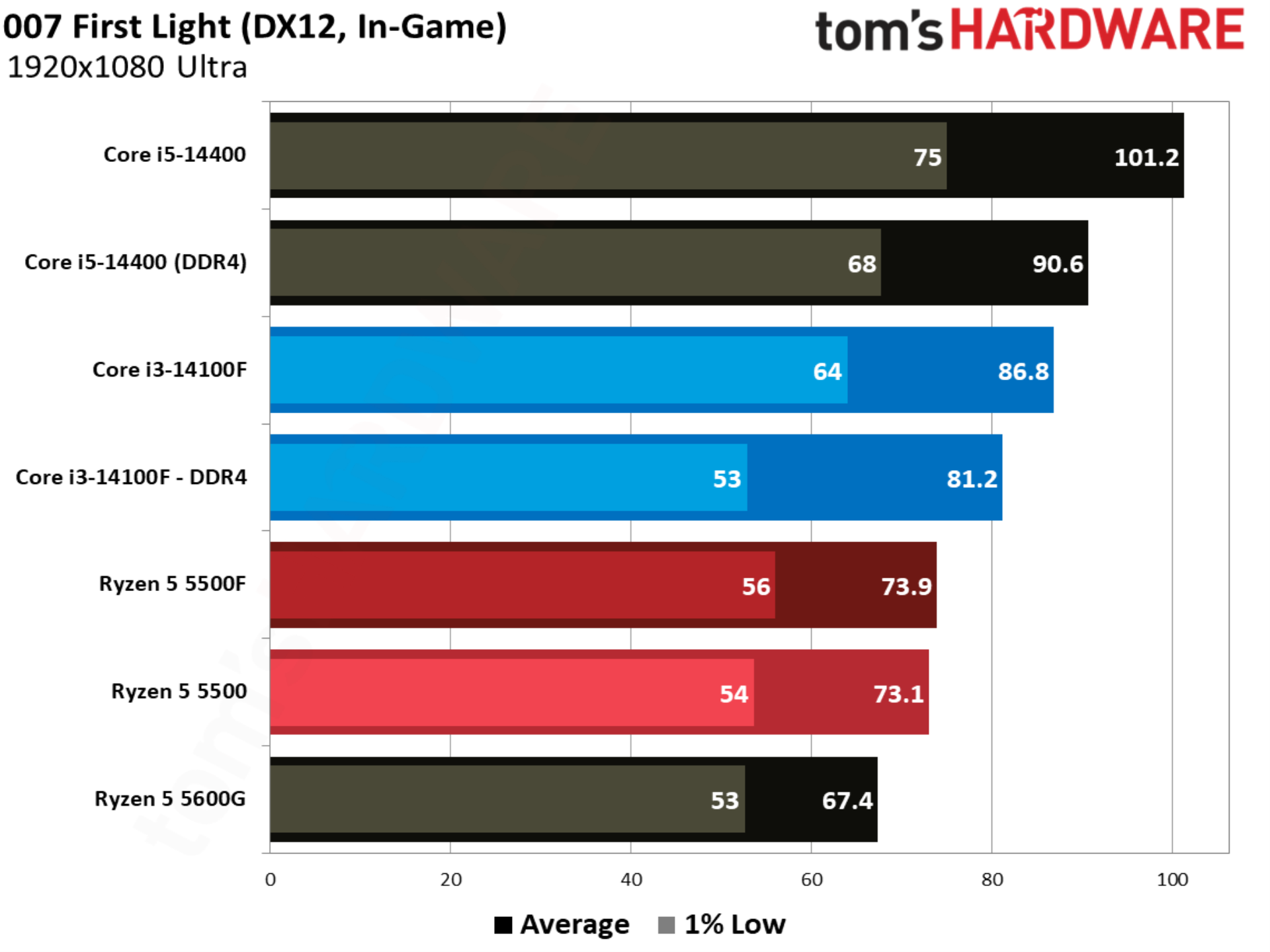
007 First Light kicks off our individual game tests, and it happens to be one of the stranger results in our test pool. There was virtually no movement between the Ryzen 5 5500 and Ryzen 5 5500F, despite a jump in power with the 5500F. This is clearly an outlier in our suite, which will become clear as we go through the other games.
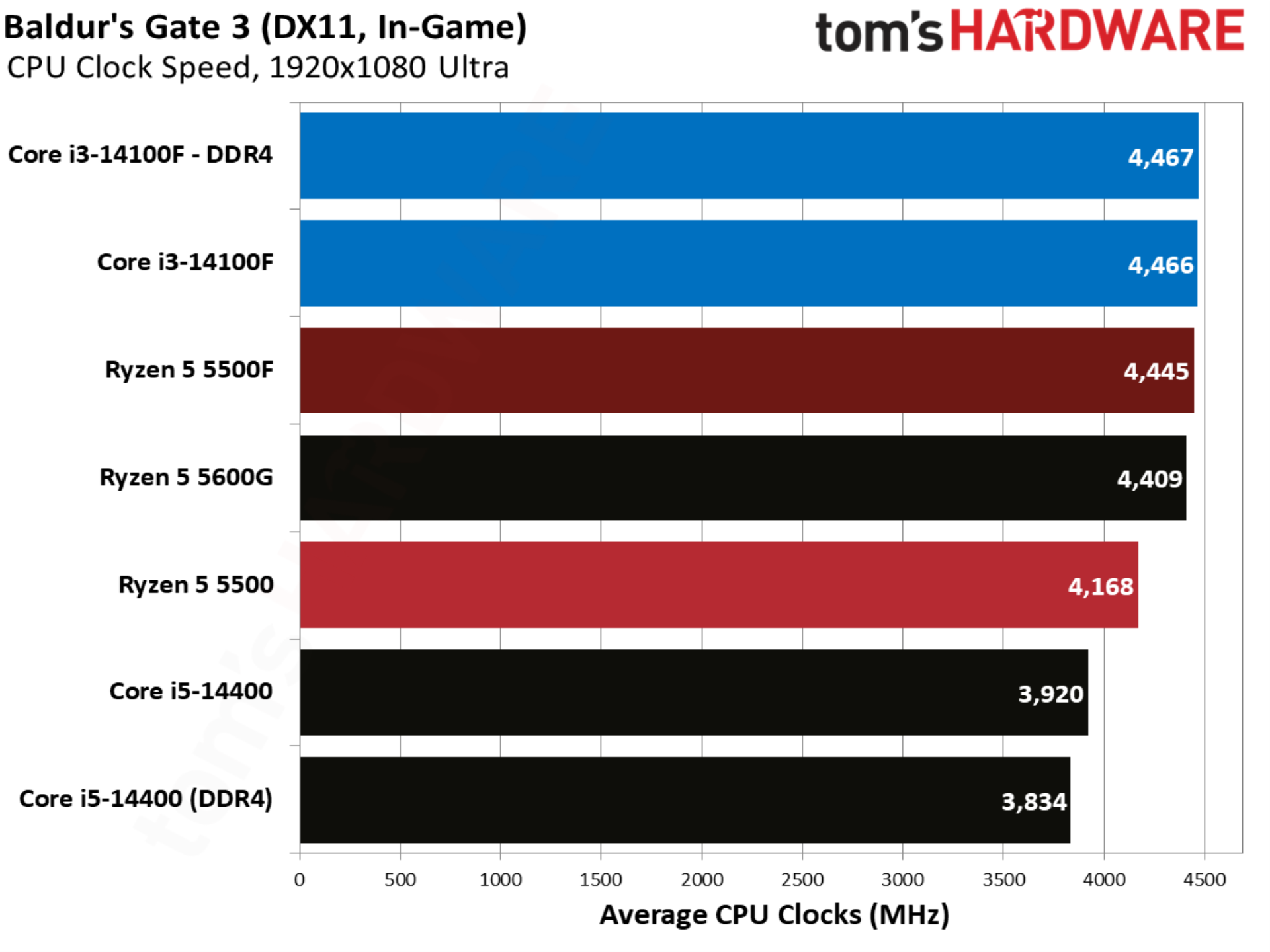
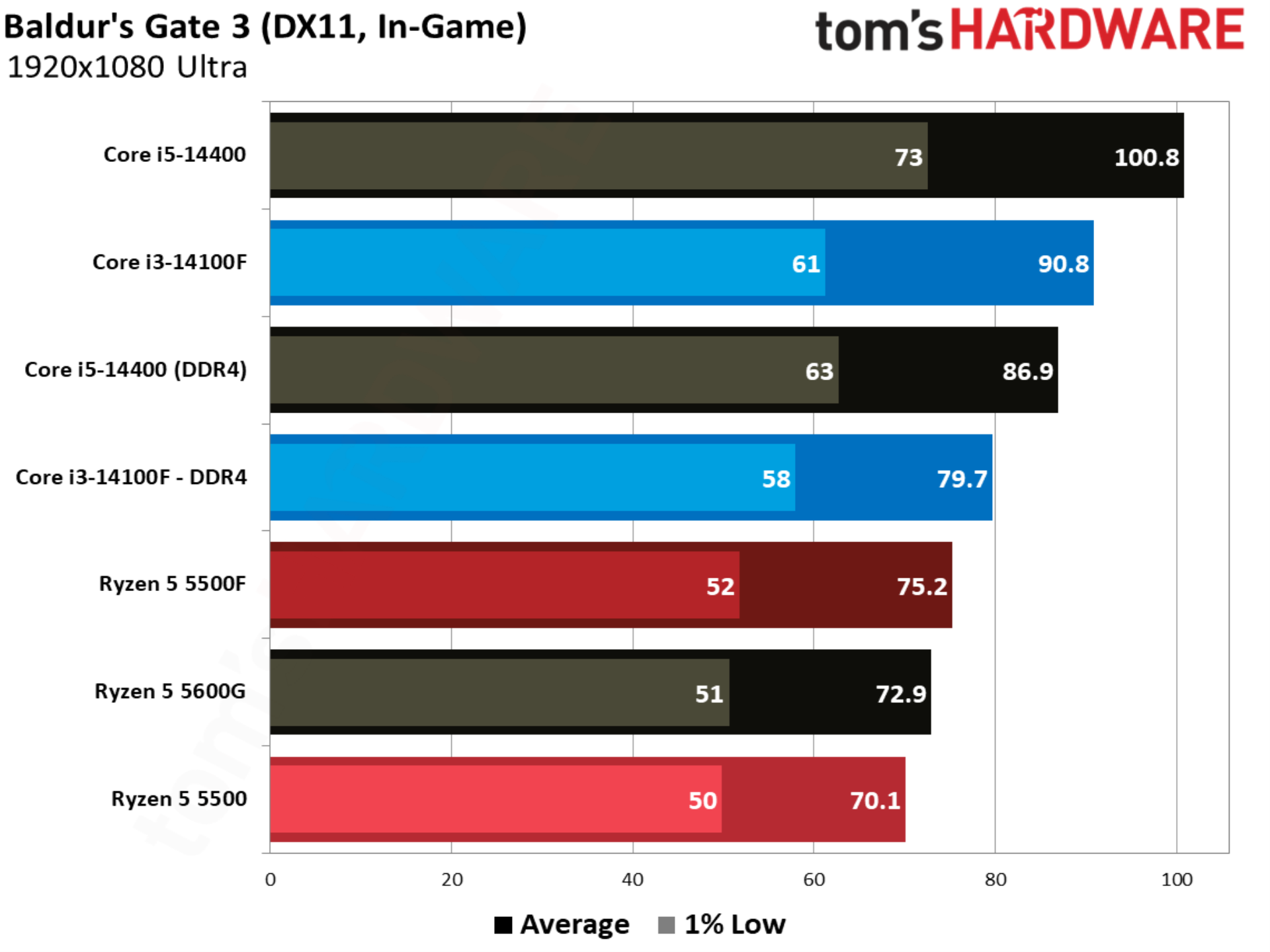
Baldur’s Gate 3 aligns more closely with our geomean, with the 5500F outpacing the 5500 by 7.2%. Intel still leads, however, with the Core i3-14100F beating out the 5500F by 5.9% and 5500 by 13.6%.
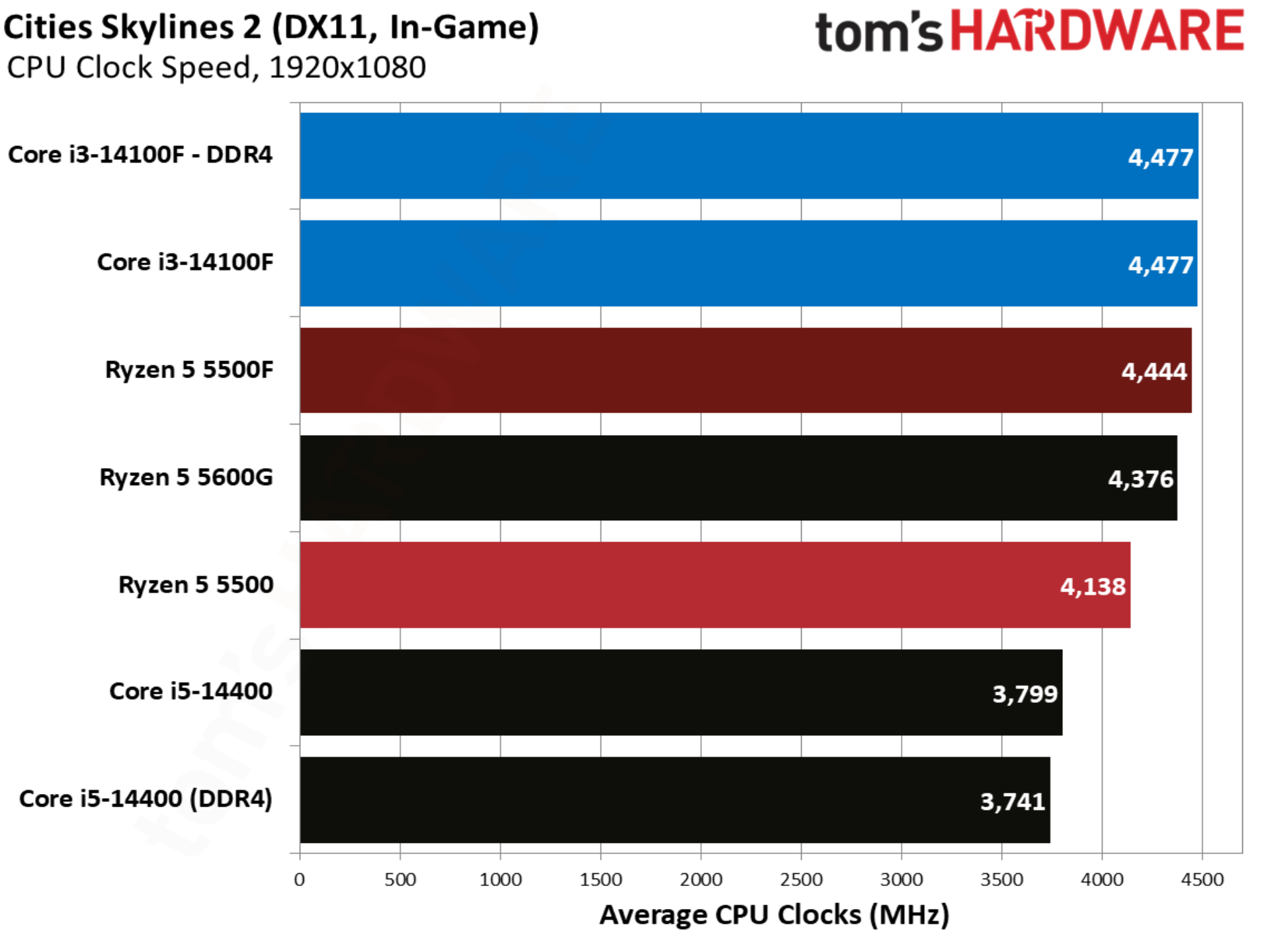
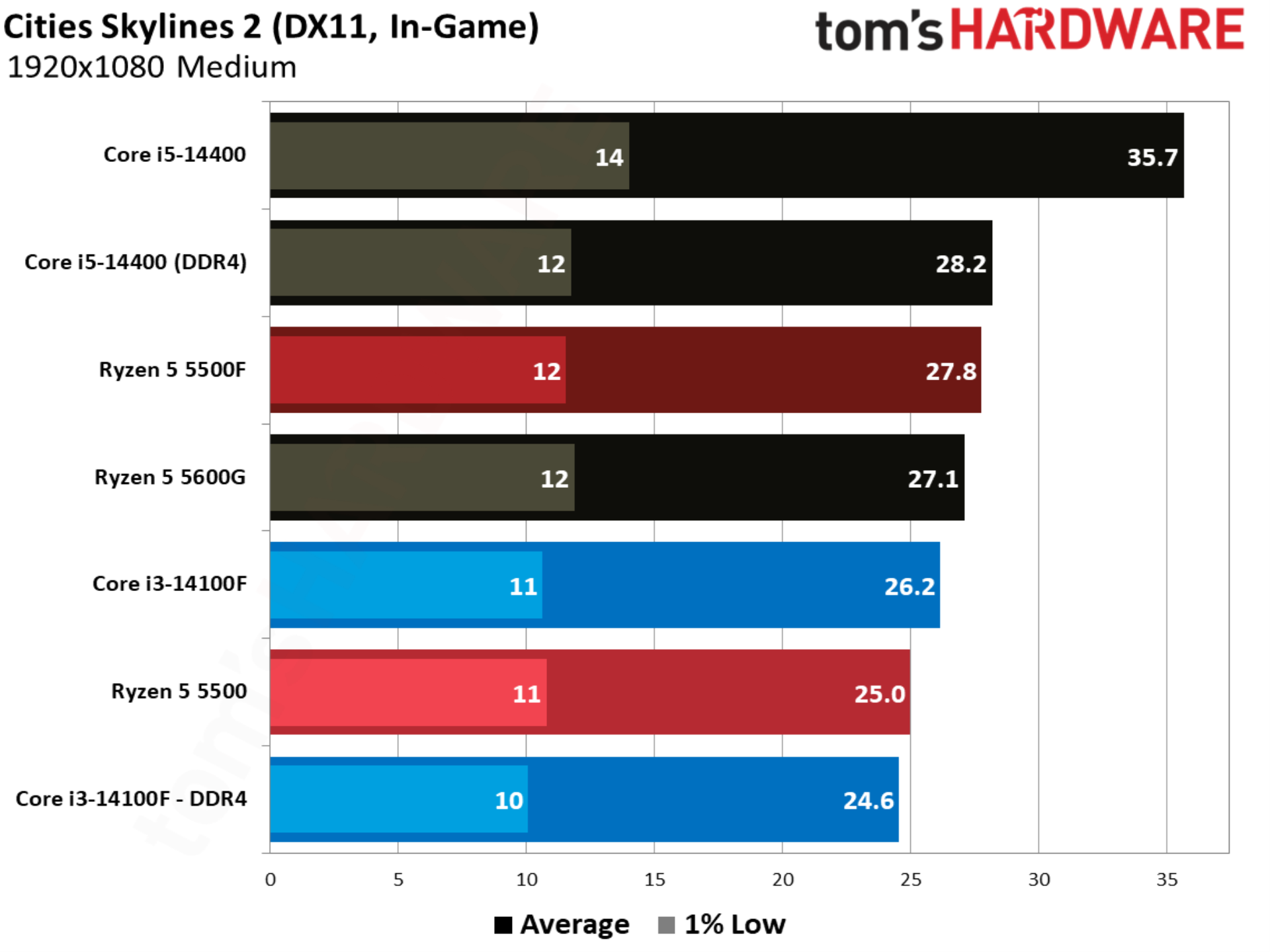
Cities Skylines 2 showcases an aspect of gaming performance that’s often overlooked, which is raw CPU compute. Here, we have a fully built city with a population of over one million people, stressing core count, clock speed, and memory capabilities. Although we only have a handful of chips here, the Core i5-14400 with DDR5 provides some important context for how this benchmark stresses different aspects of the system.
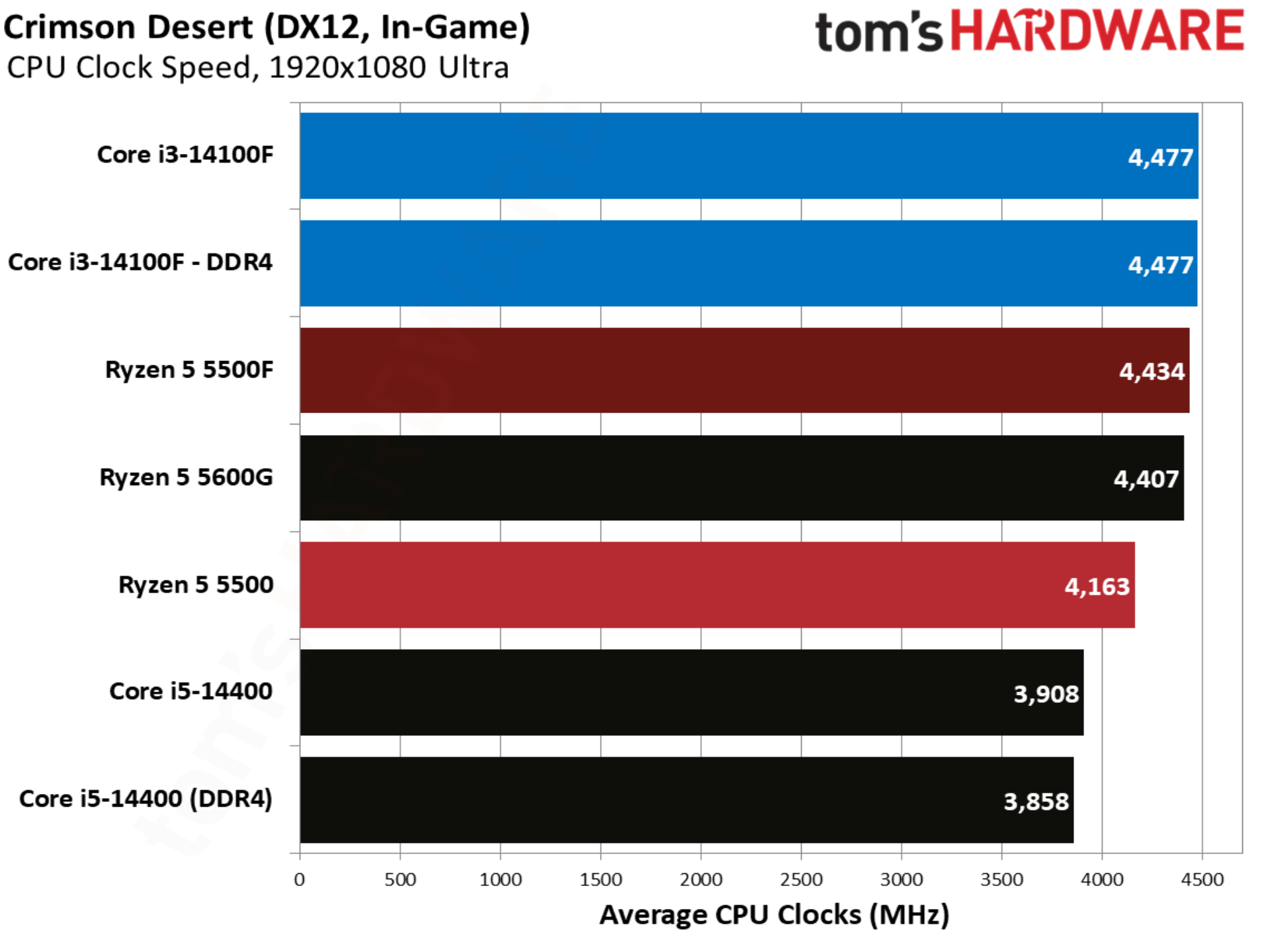
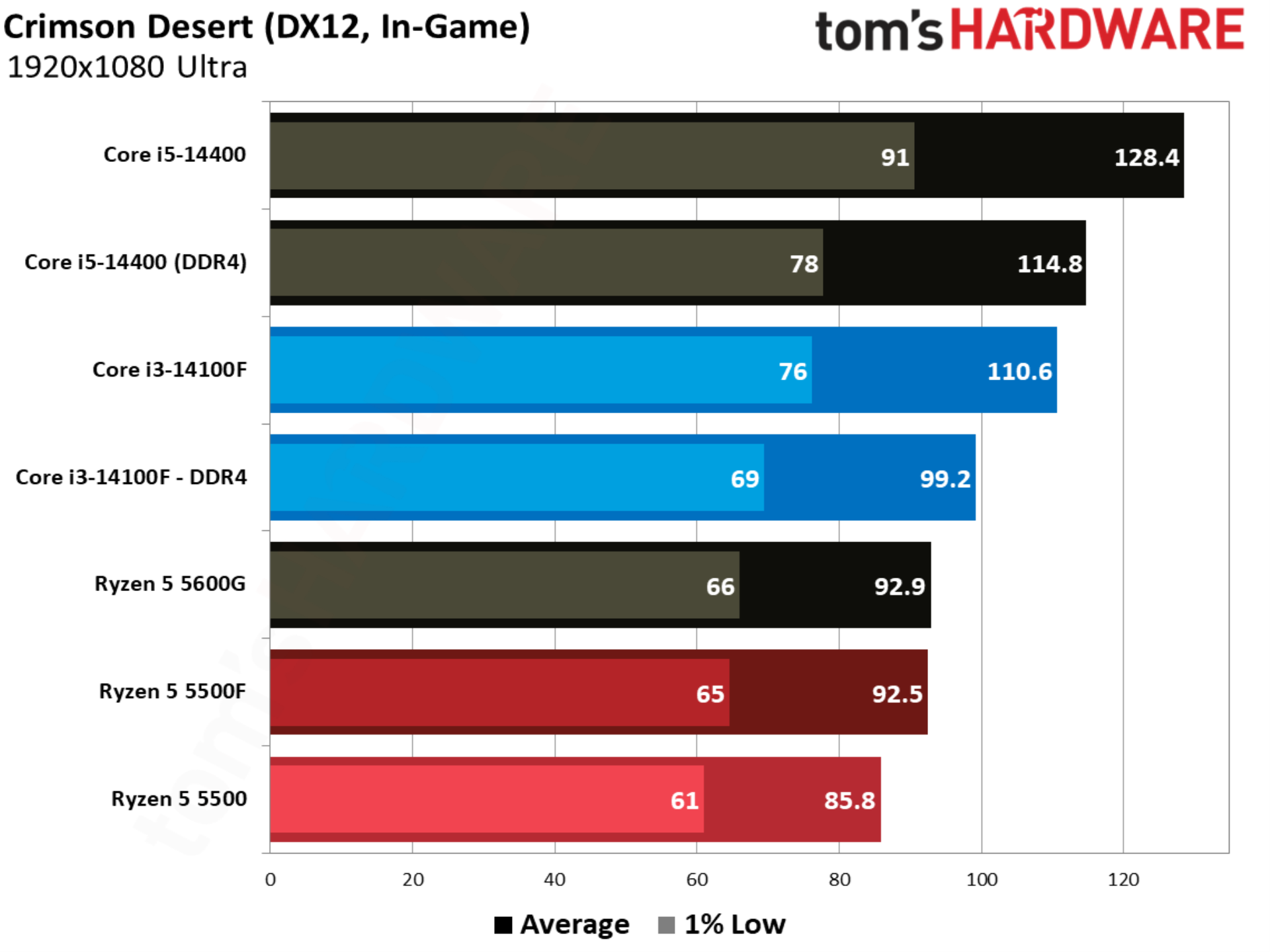
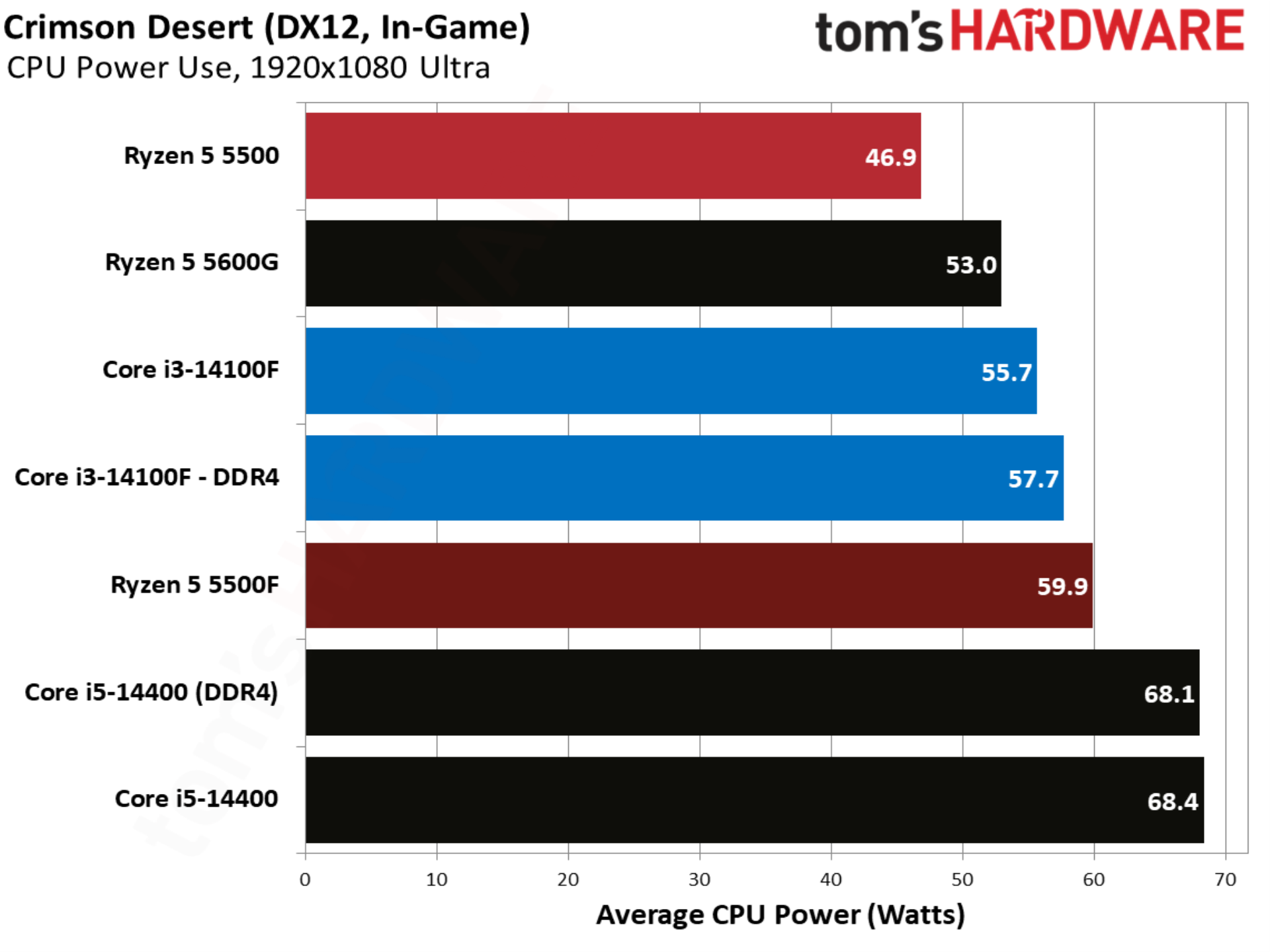
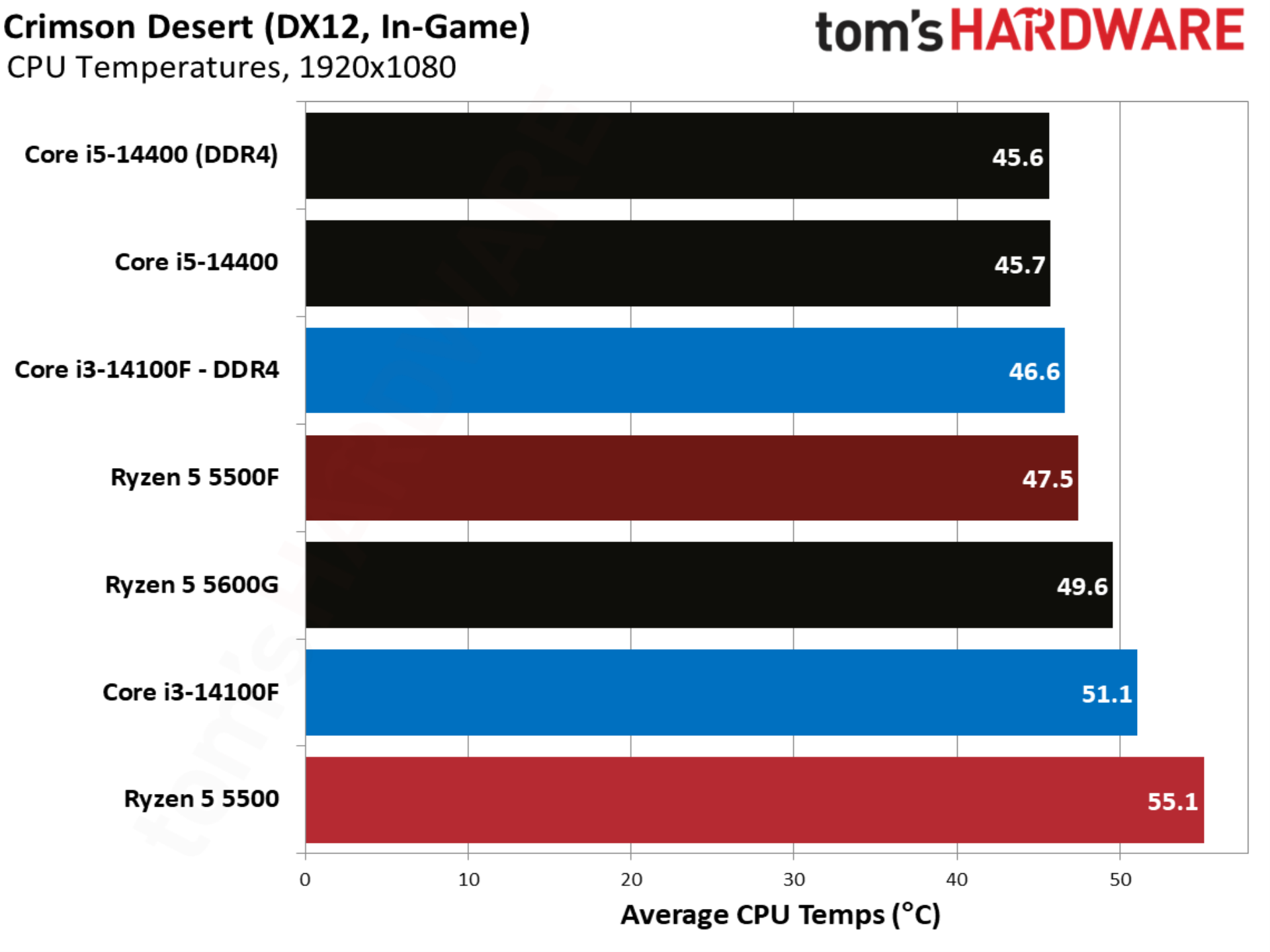
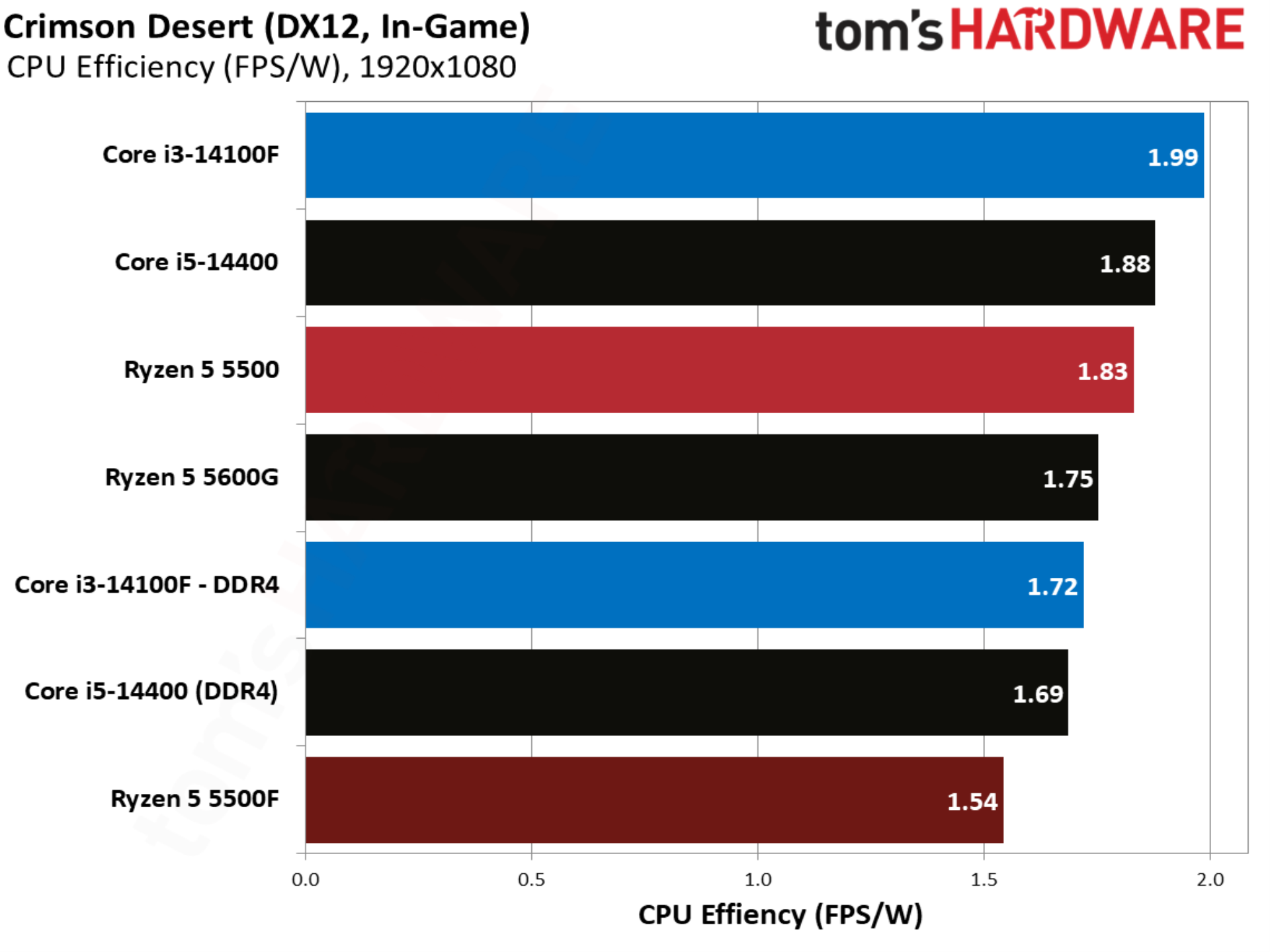
Crimson Desert and its proprietary engine are remarkably well optimized, enough so to allow every CPU in our test suite to maintain a playable frame rate, even with Ultra settings. The 5500F is 7.8% faster than the 5500, though the Core i3-14100F still leads in performance, even when paired with DDR4.
Counter-Strike 2 benchmarks
FutureFutureFutureFutureFuture
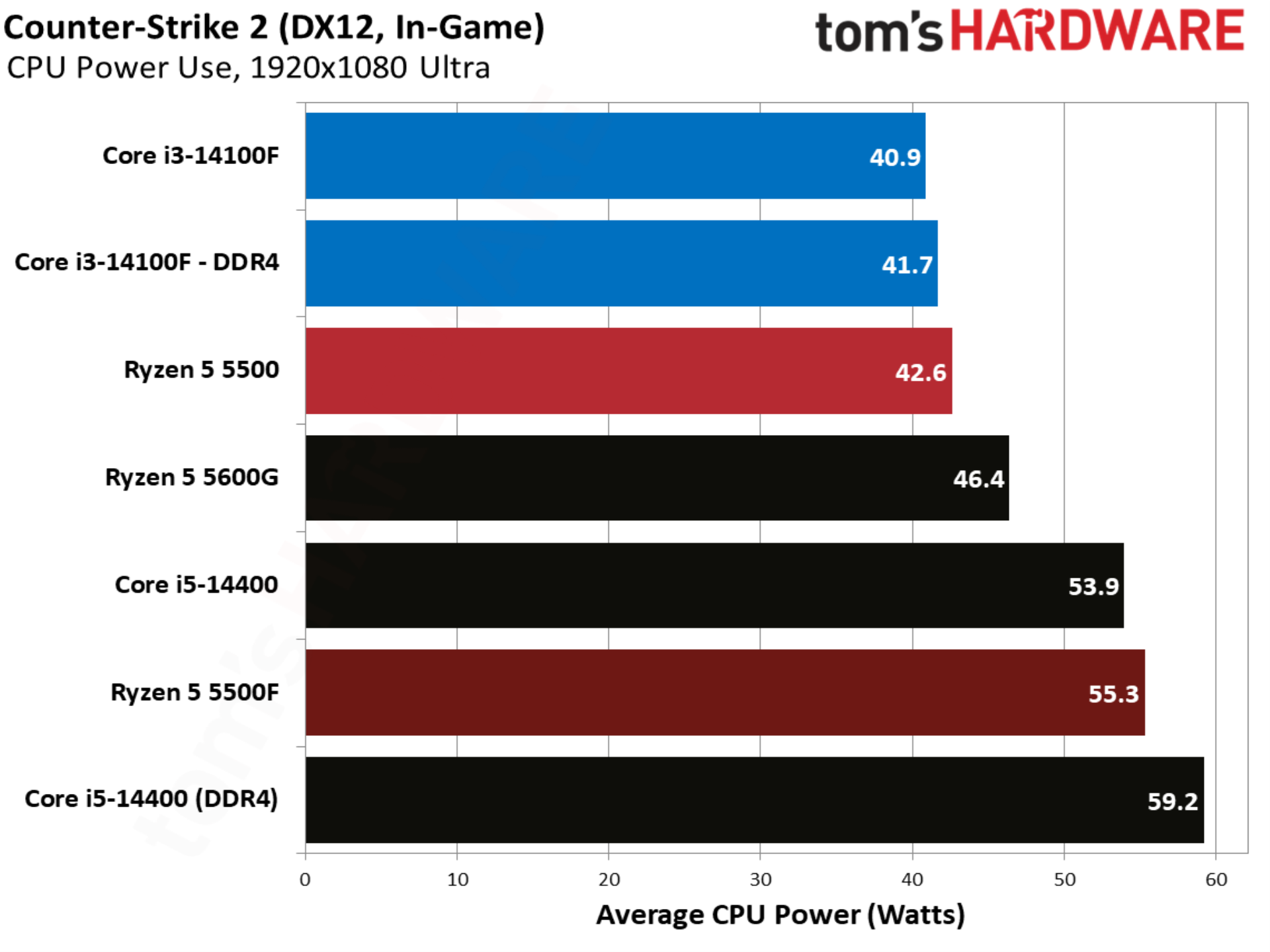
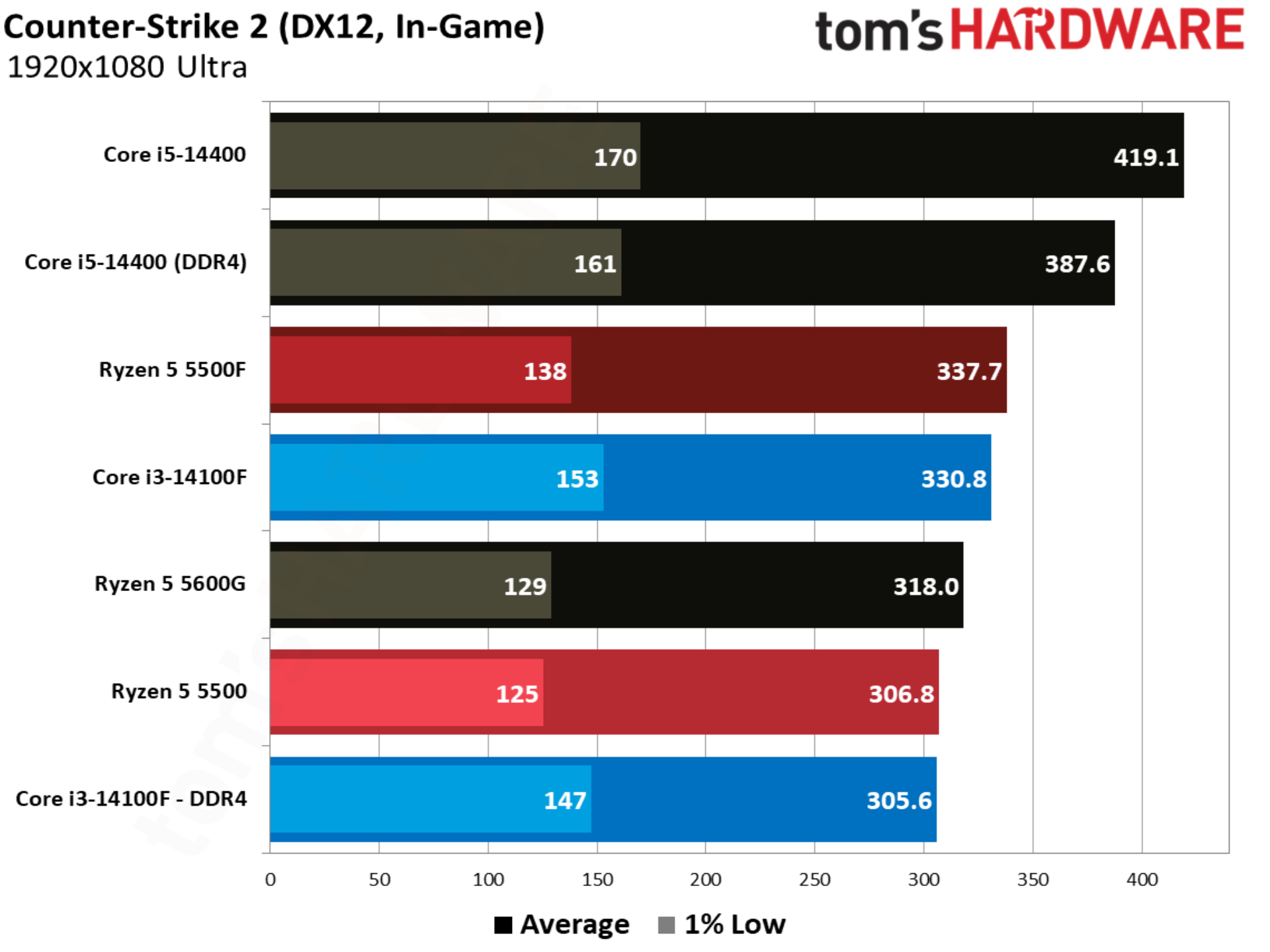
Counter-Strike 2 shows the first major upset of our test suite, with the Ryzen 5 5500F winning out over the other CPUs we’re focused on; once again, the Core i5-14400 is mostly included for context. Although the 5500F beats out even the Core i3-14100F paired with DDR5, it suffers in the 1% lows, with even the Core i3-14100F paired with DDR4 offering better 1% low performance.
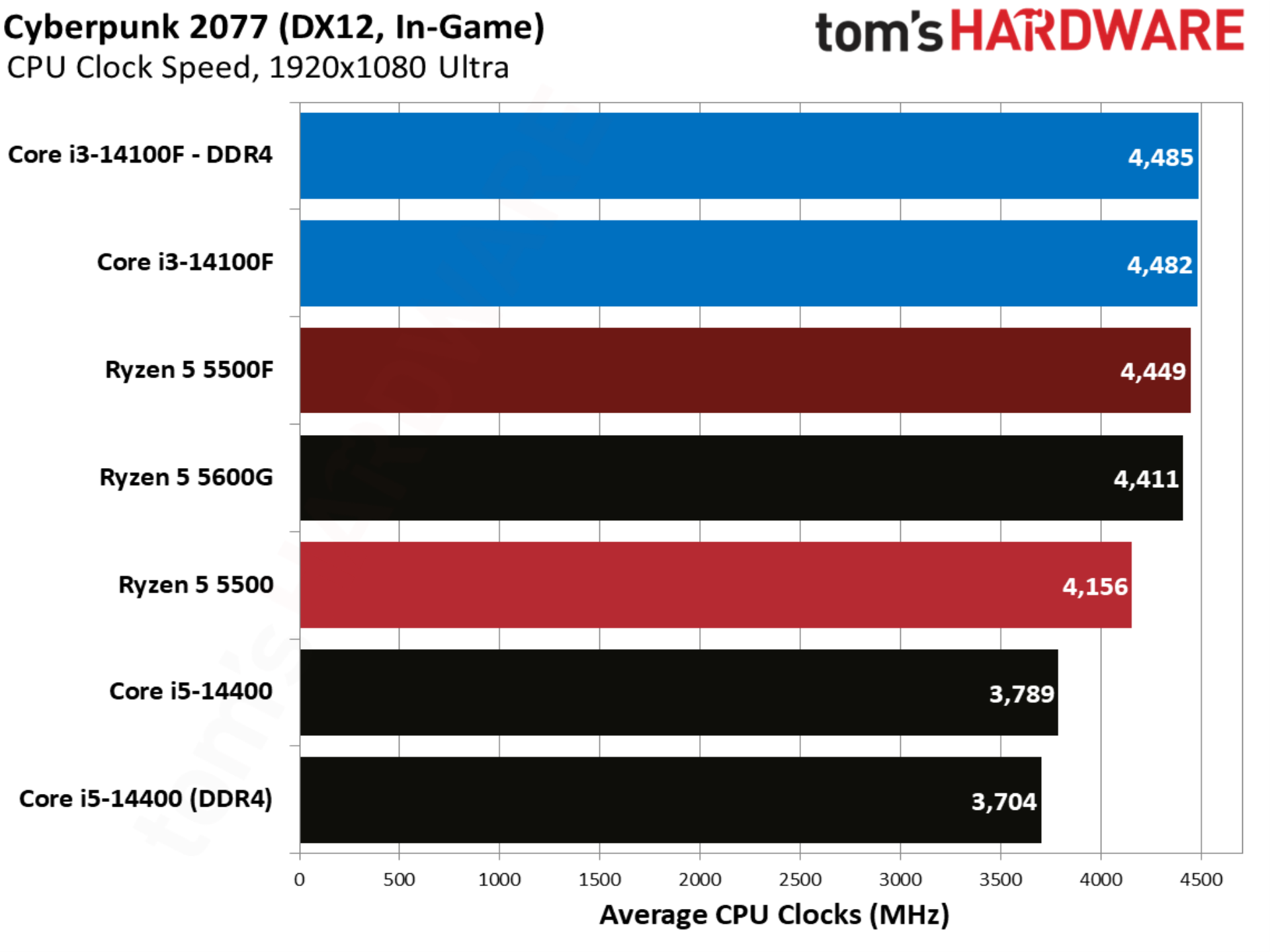
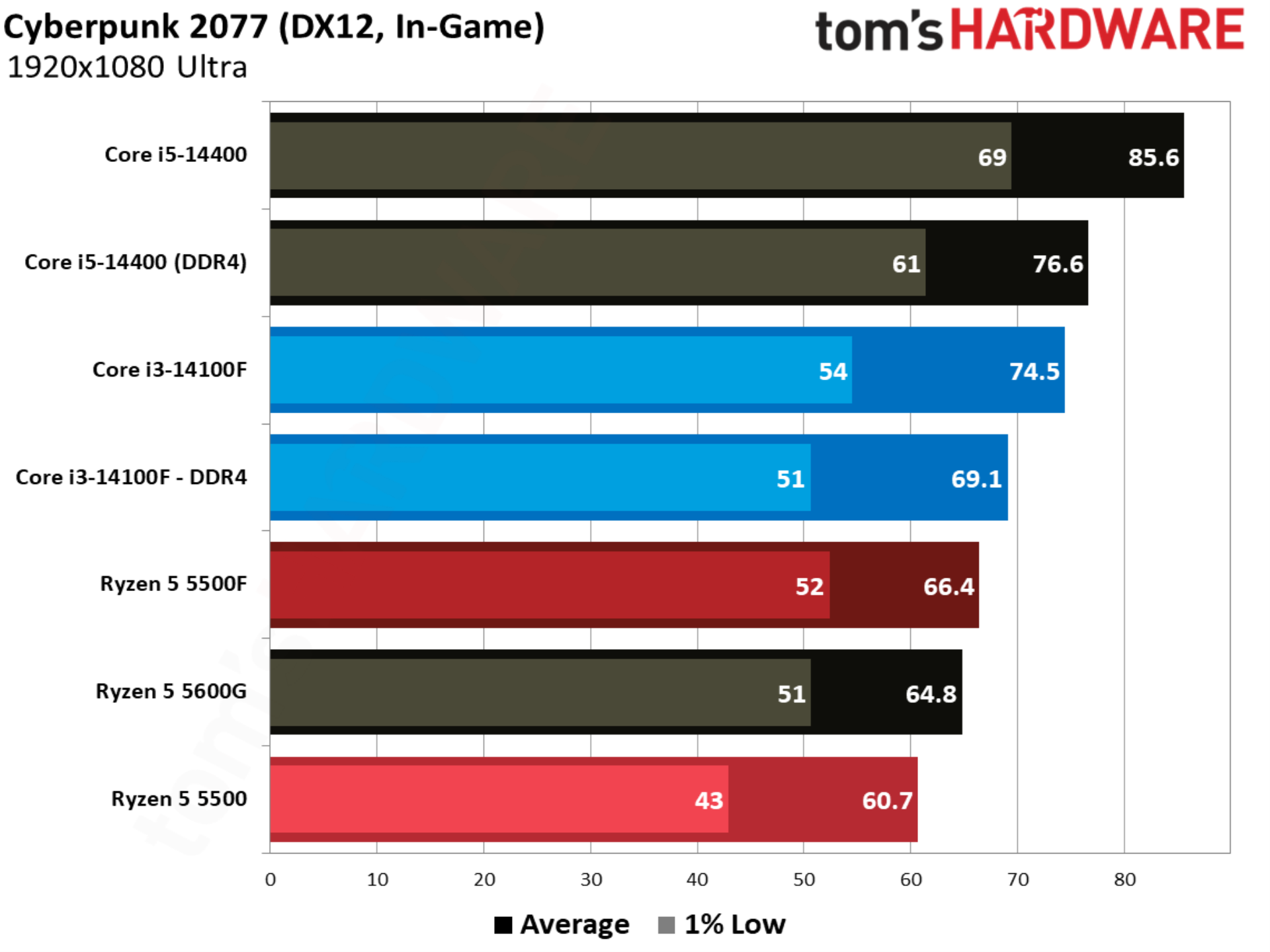
One of the better showcases of the Ryzen 5 5500F, Cyberpunk 2077 shows the CPU up 9.2% compared to the base 5500. Intel still leads with the Core i3-14100F, though with a smaller 4.1% margin. Compared to the base 5500, the Core i3-14100F is 13.8% ahead.
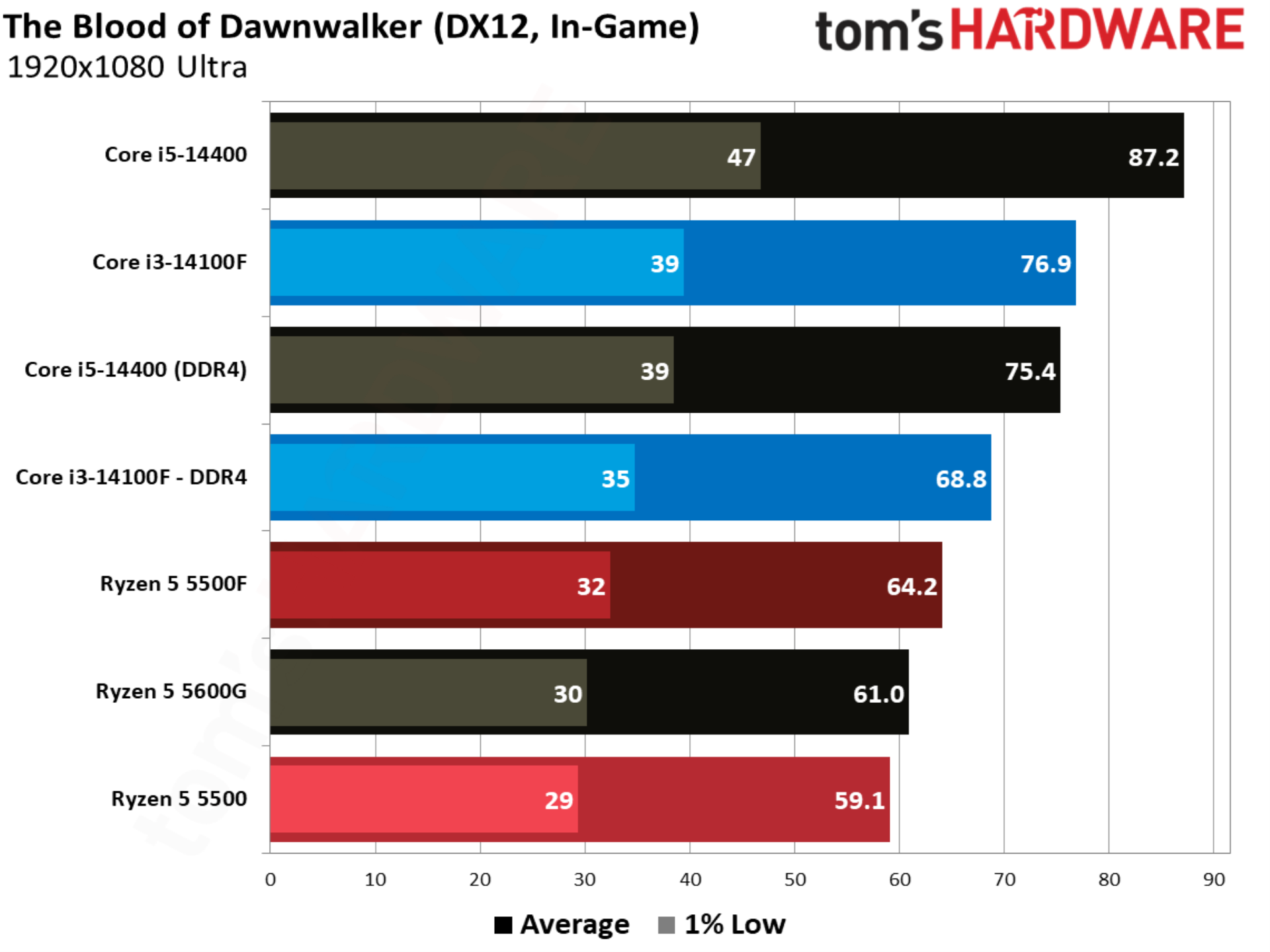
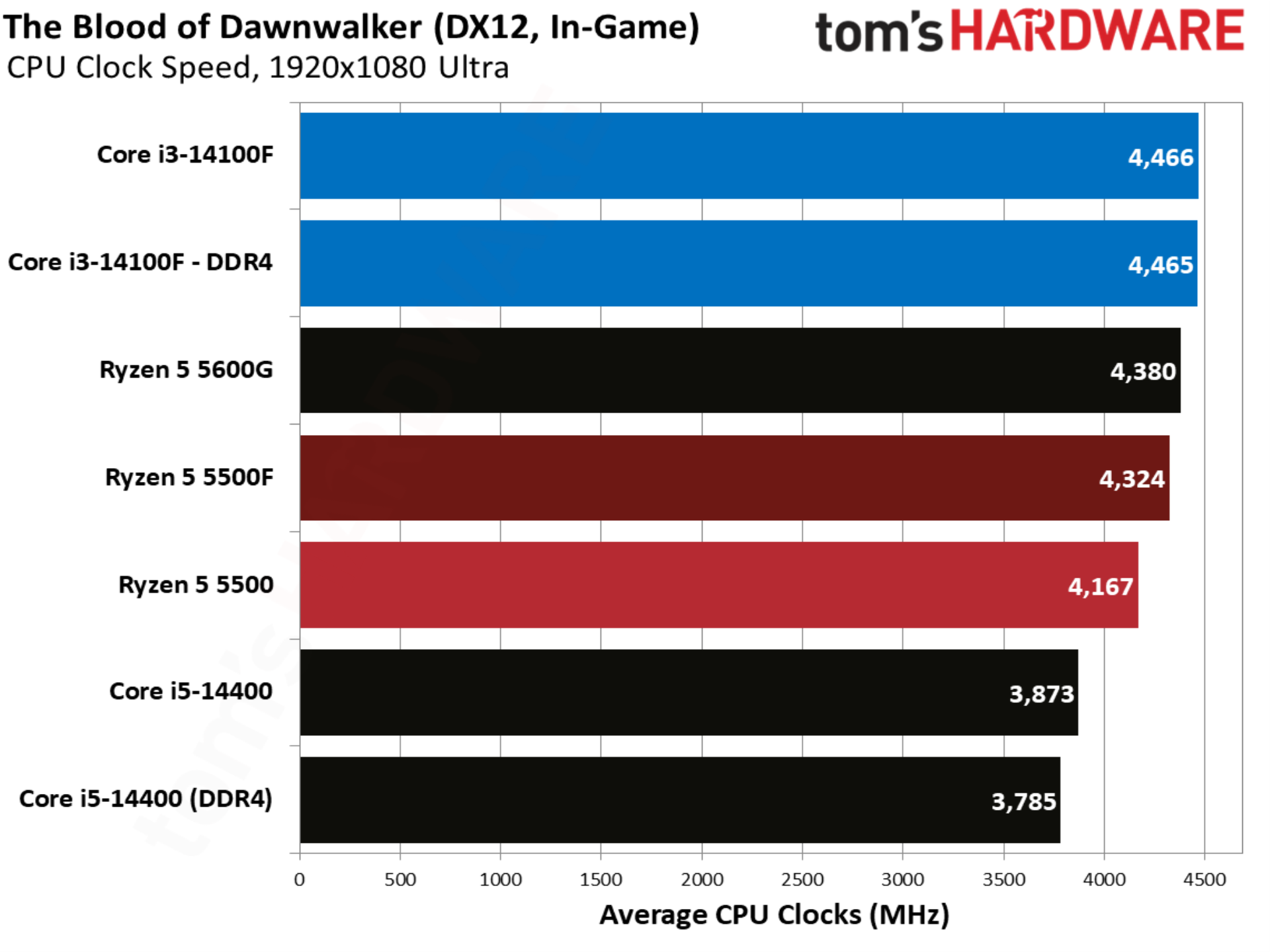
The newest addition to our test suite is the UE5-based The Blood of Dawnwalker, and in particular a trot through a dense city in the middle of the game’s map, notorious for ramping CPU usage and introducing stuttering. The 5500F comes out on top by over 8% compared to the base 5500, but once again Intel leads with the Core i3-14100F.
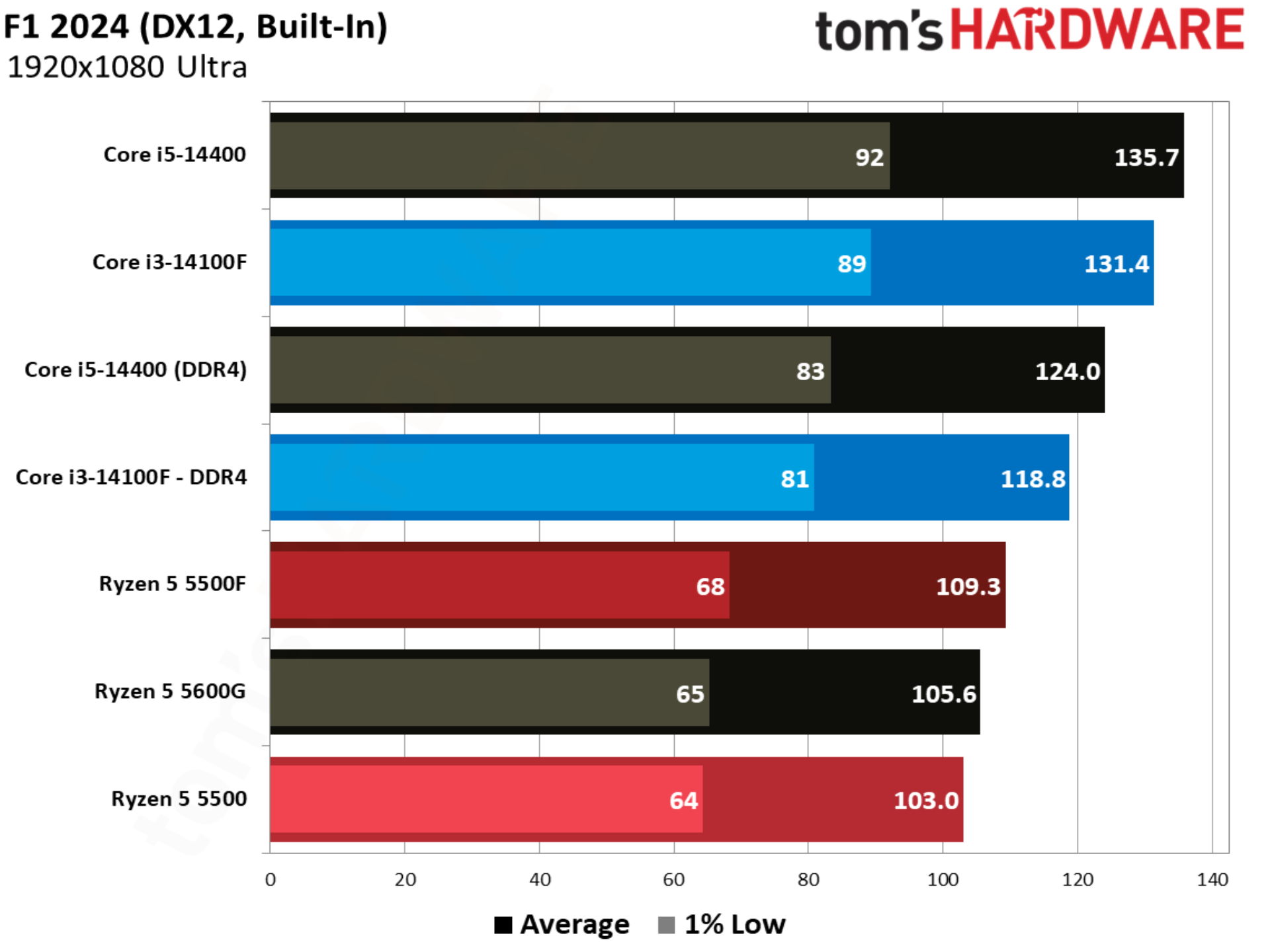
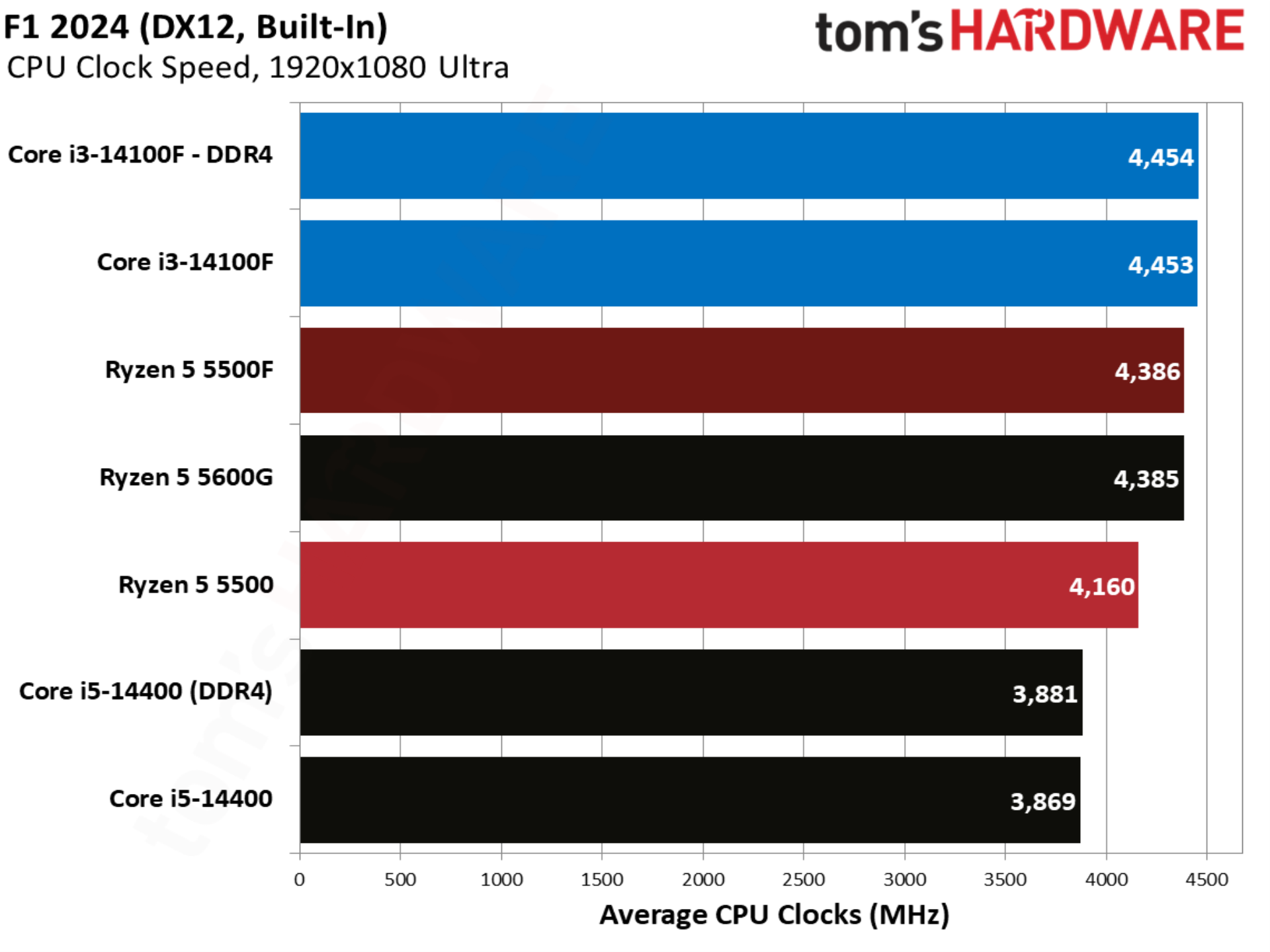
With more modern CPUs, F1 2024 is normally a benchmark that skews heavily toward AMD, but this far down the stack, the opposite is true. Intel leads, even with a solid gain from the 5500F.
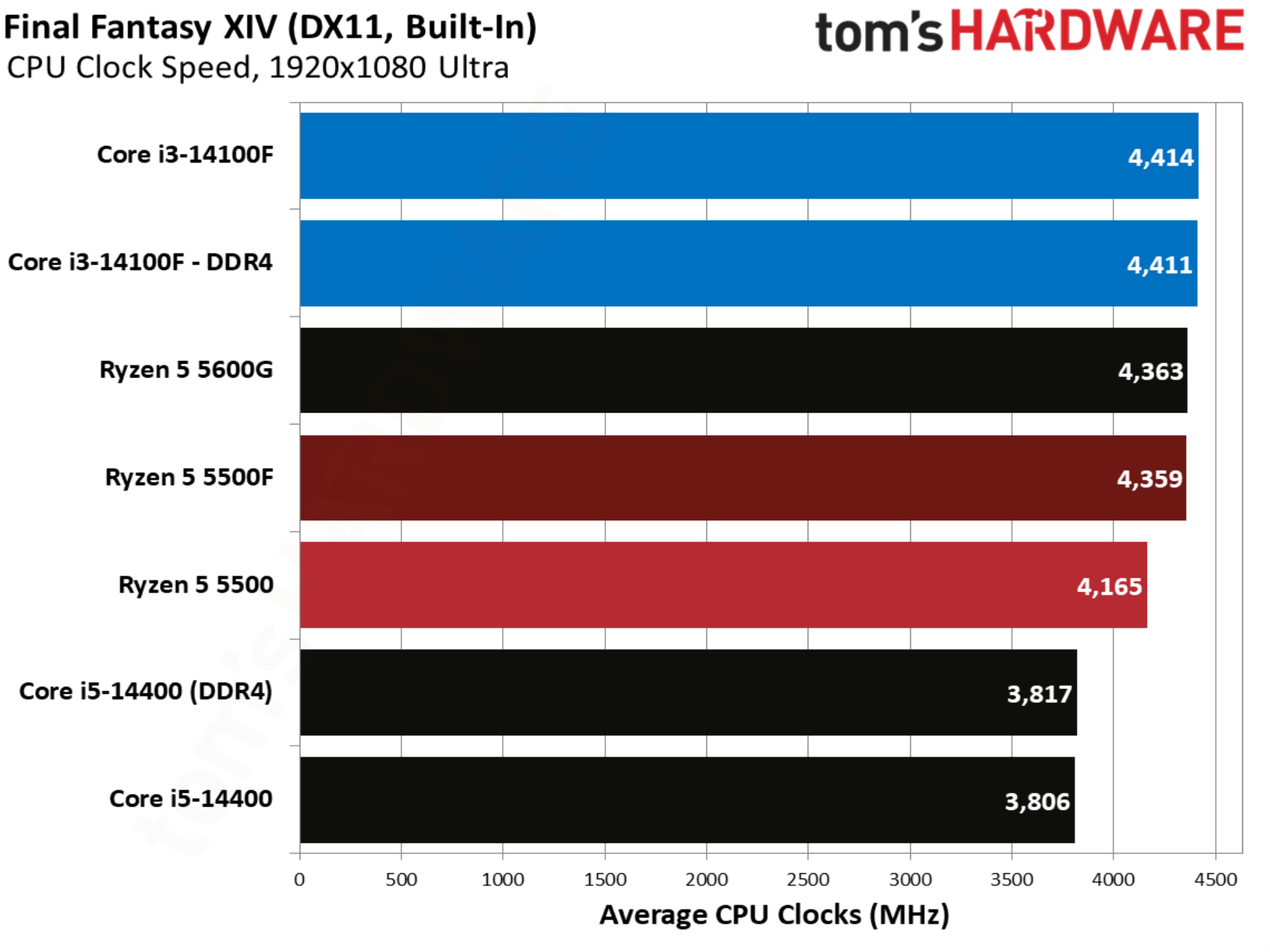
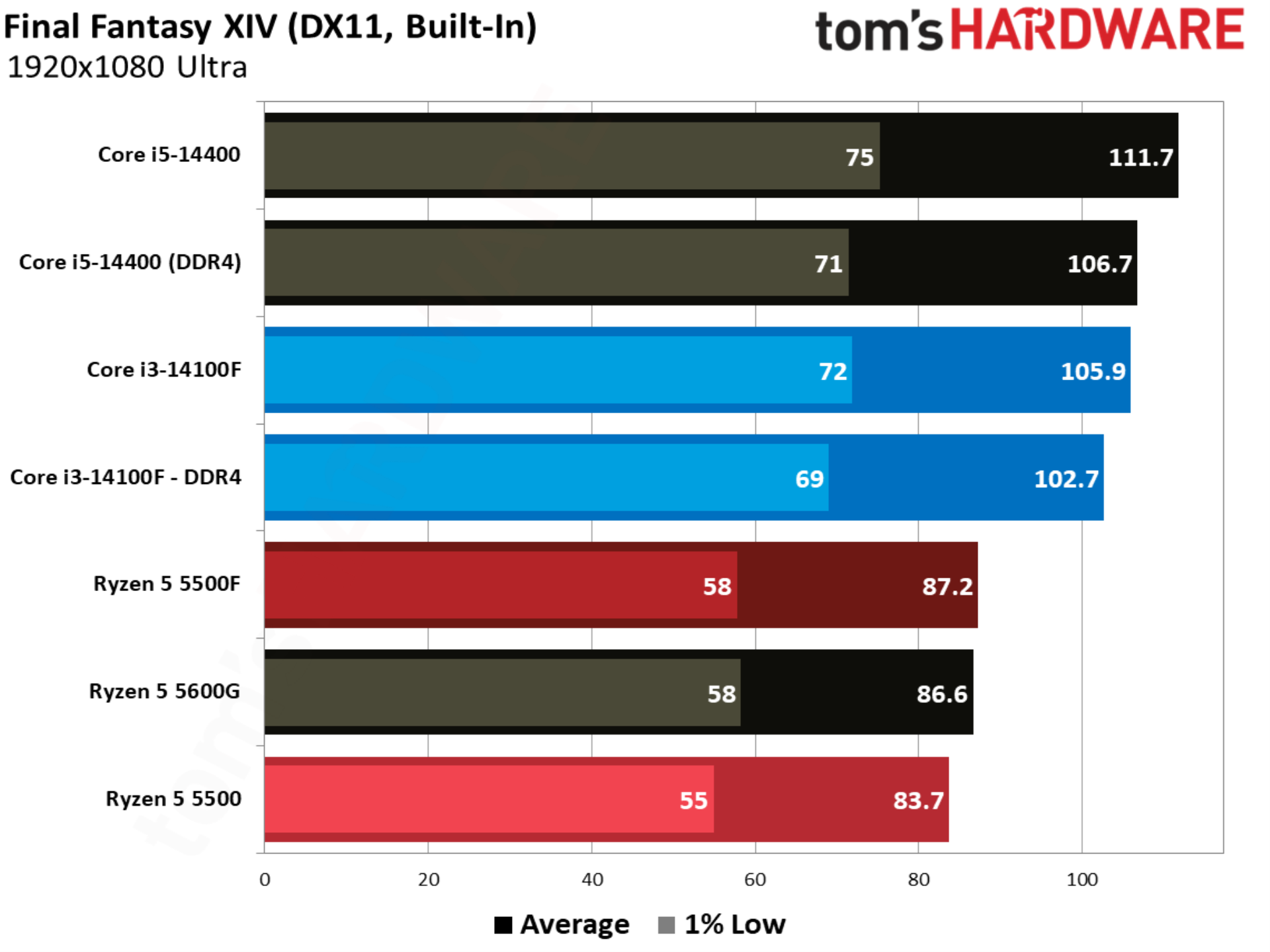
Final Fantasy XIV is balanced between AMD and Intel, though it heavily favors X3D CPUs. Without any of those in the mix here, the Ryzen 5 5500F falls behind the Core i3-14100F by 15%. There’s also little gained from moving to DDR5 with the Core i3-14100F.
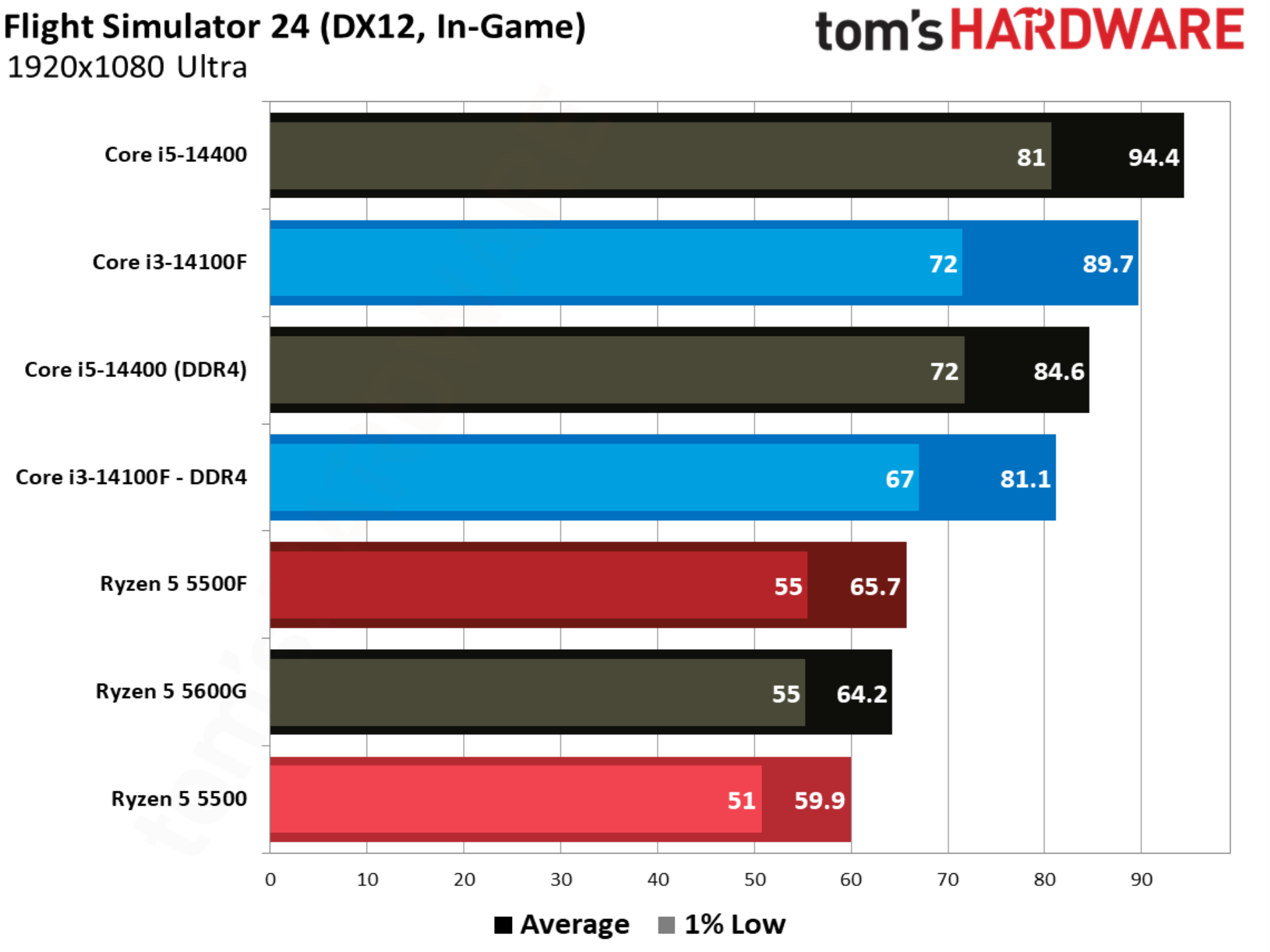
Gaining a few frames in Flight Simulator 24 is nothing to sneeze at, and that’s exactly what the 5500F pulls off with a 9.6% lead over the 5500. Unfortunately for AMD, the Core i3-14100F is much faster in this title, with the 5500F trailing it by 18.9%.
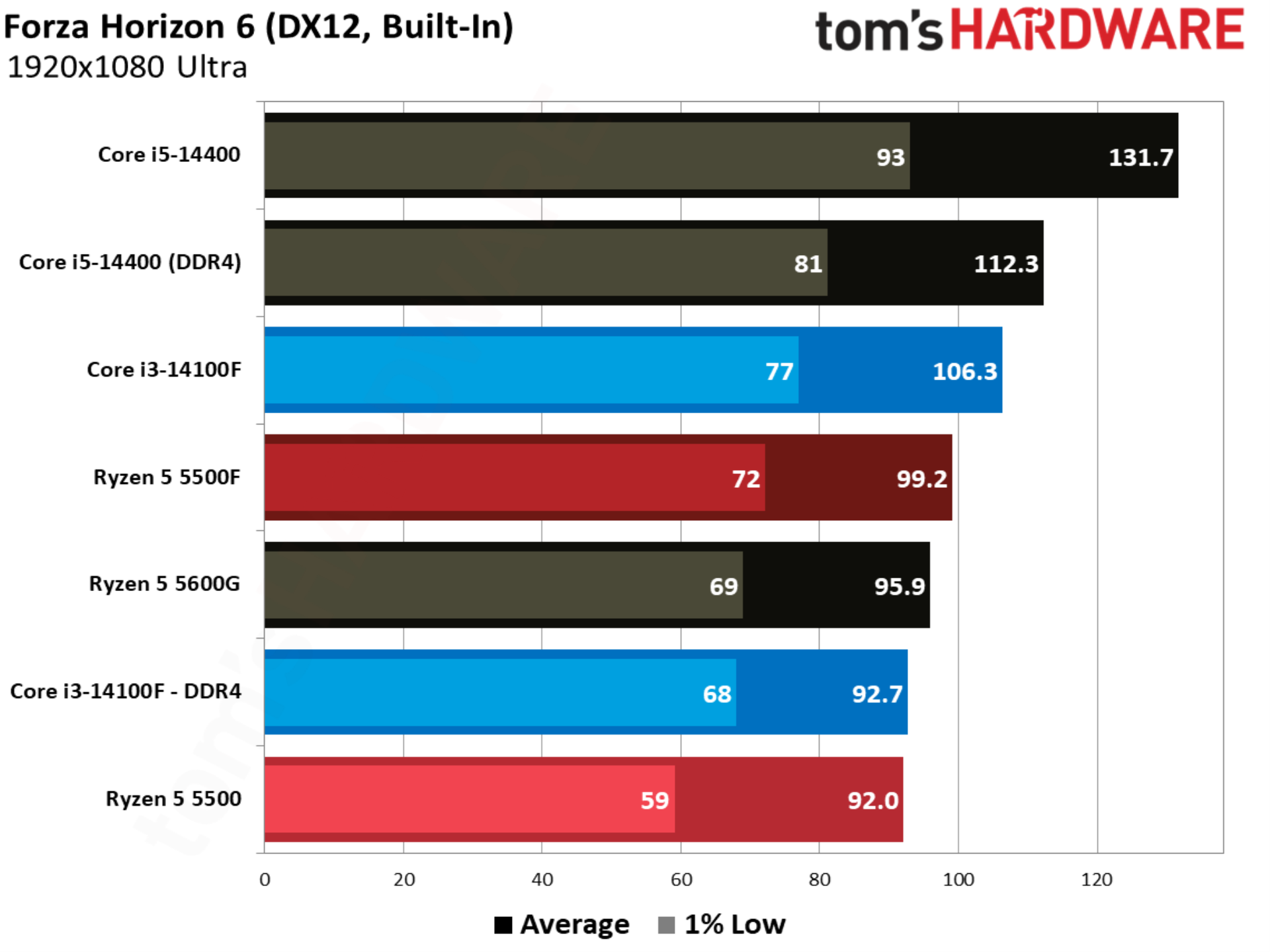
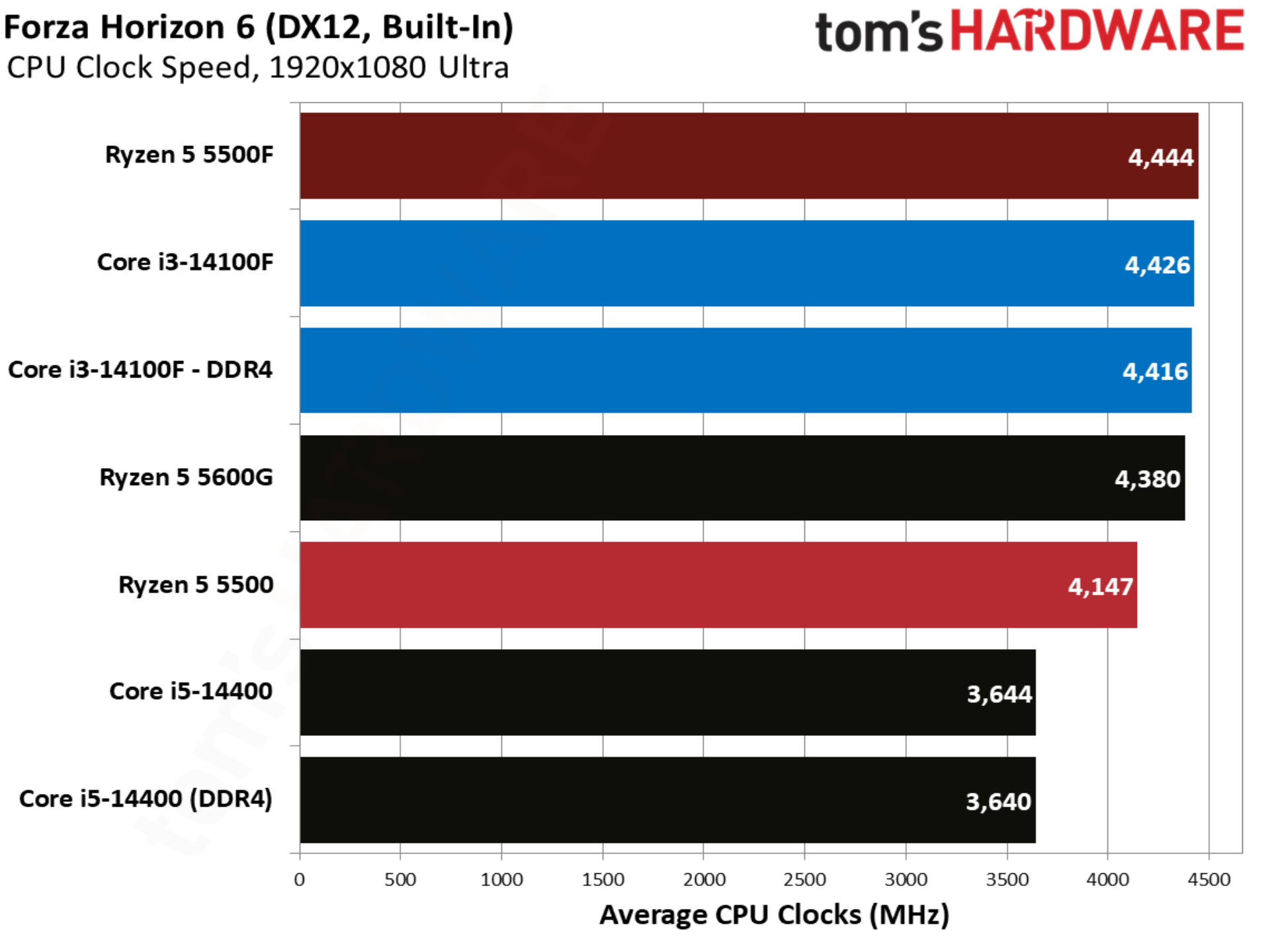
Forza Horizon 6 shows more movement. The Ryzen 5 5500 already matched the Core i3-14100F in performance, allowing the 5500F to swoop in with a 7.8% lead. The Core i3-14100F with DDR5 unsurprisingly still leads, but this is a big feather in the 5500F’s cap.
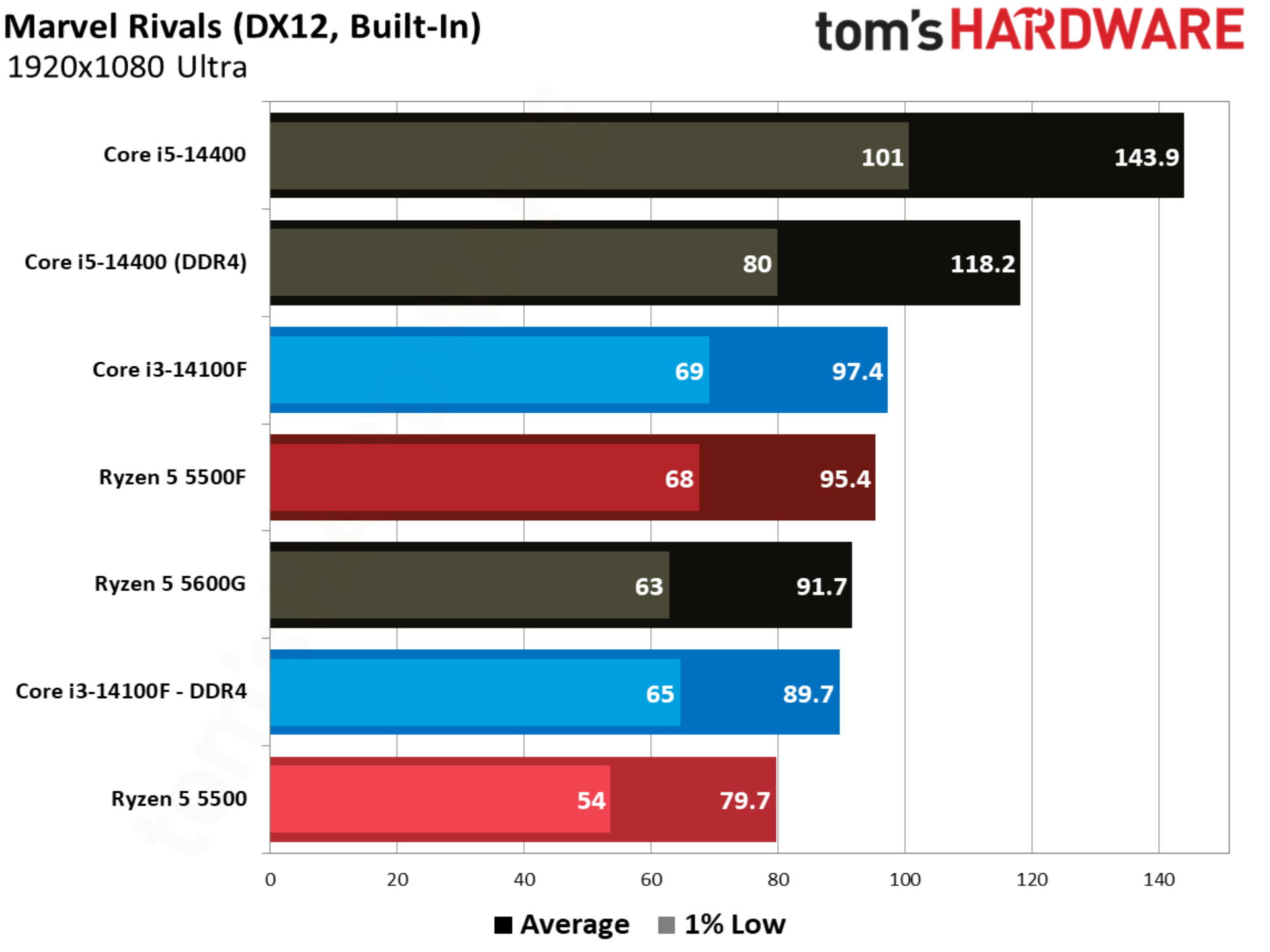
Marvel Rivals is an important benchmark, not only because the game is wildly popular, but also because it showcases exactly what AMD wanted to accomplish with the 5500F. The 14100F leads the base 5500 by over 12%, but the 5500F changes that story, leading the 14100F by 6.3%. This is presumably the target AMD set with the 5500, attempting to gain a performance advantage over the 14100F where the base 5500 originally struggled. And it hit that target in this case.
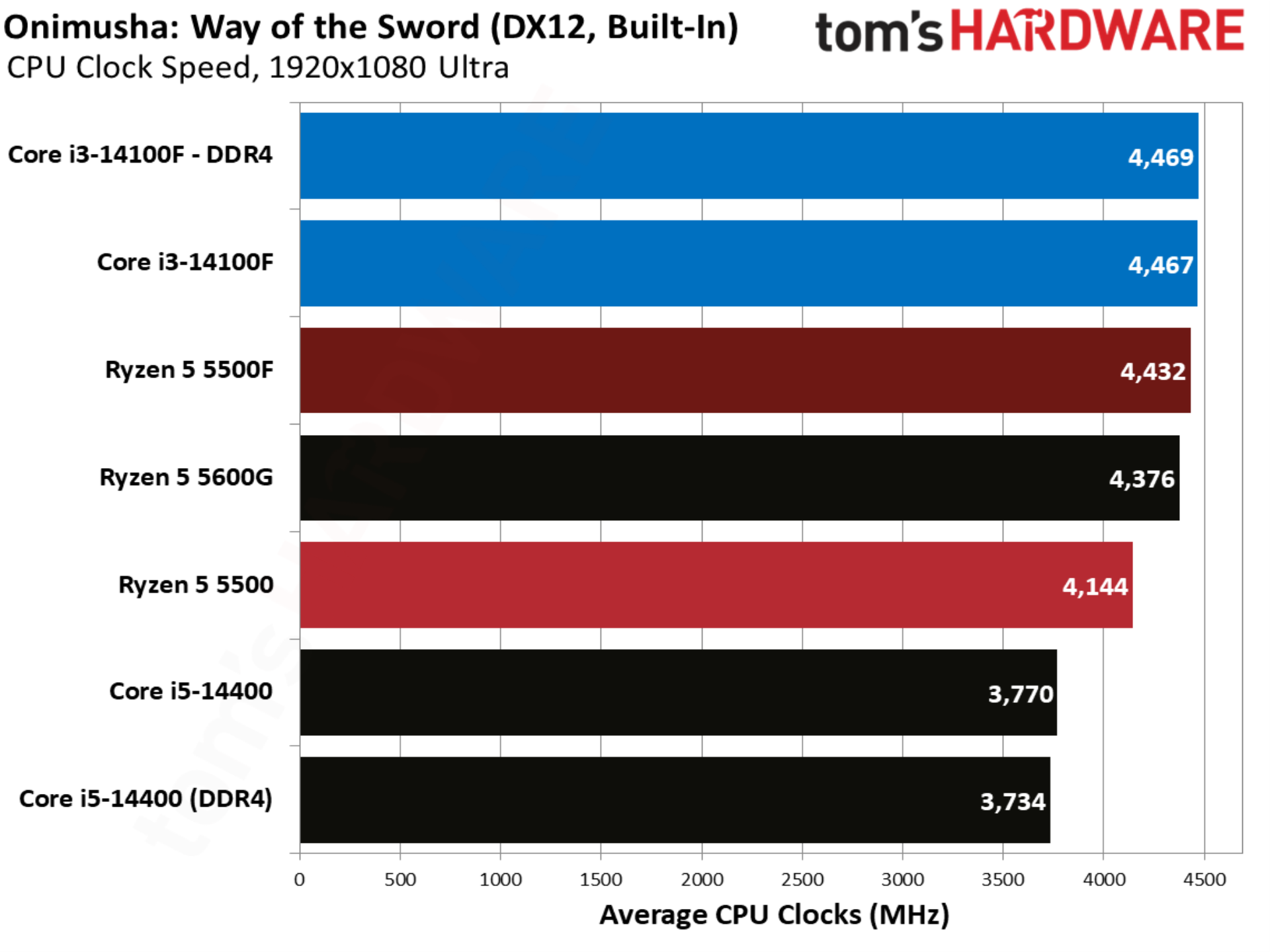
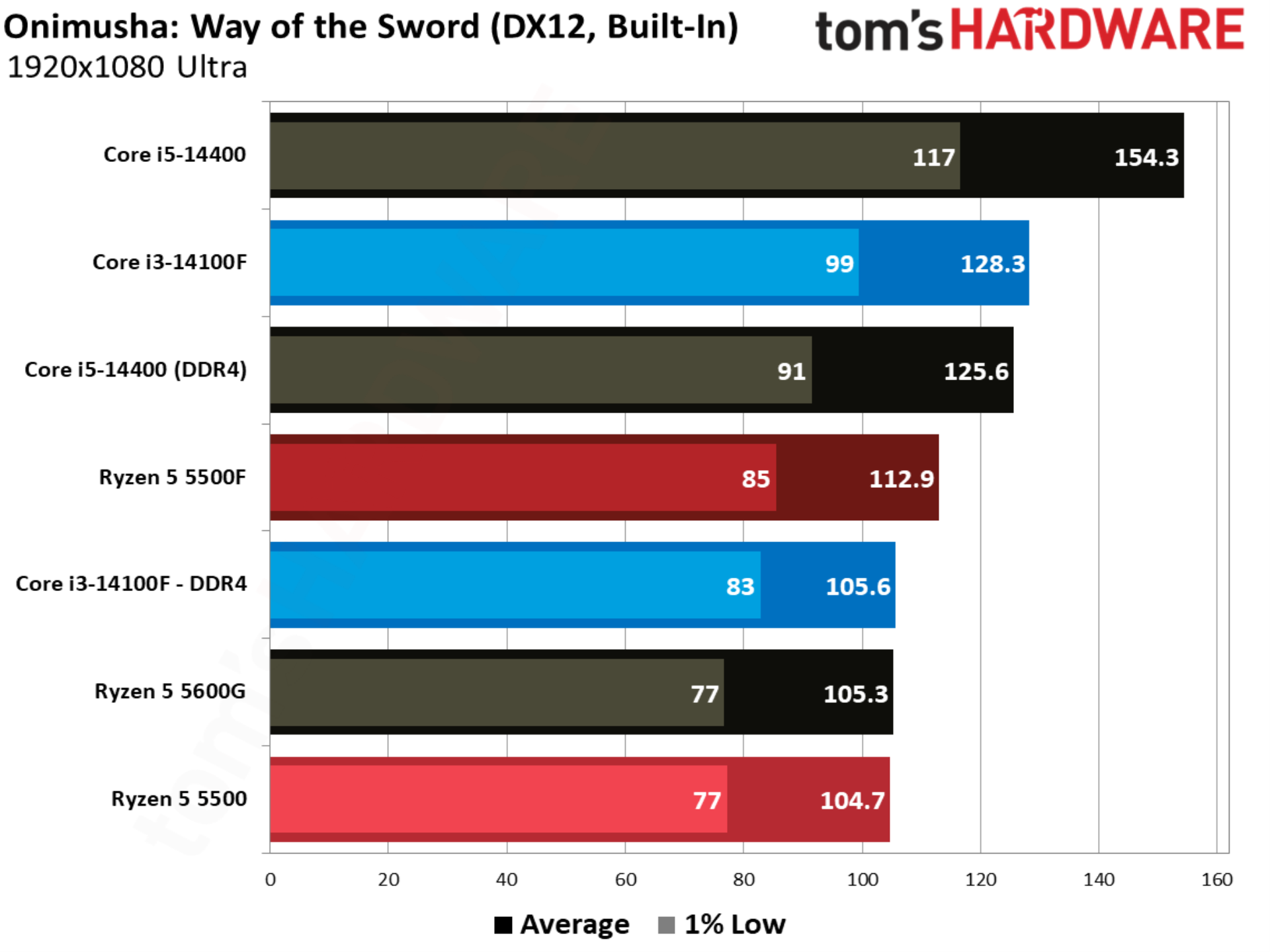
Onimusha: Way of the Sword is the latest game sporting Capcom’s storied RE Engine, and it’s a title where the base 5500 and Core i3-14100F are in lockstep. The 5500F steps in to take the lead once again, beating the Core i3-14100F out by 6.9%.
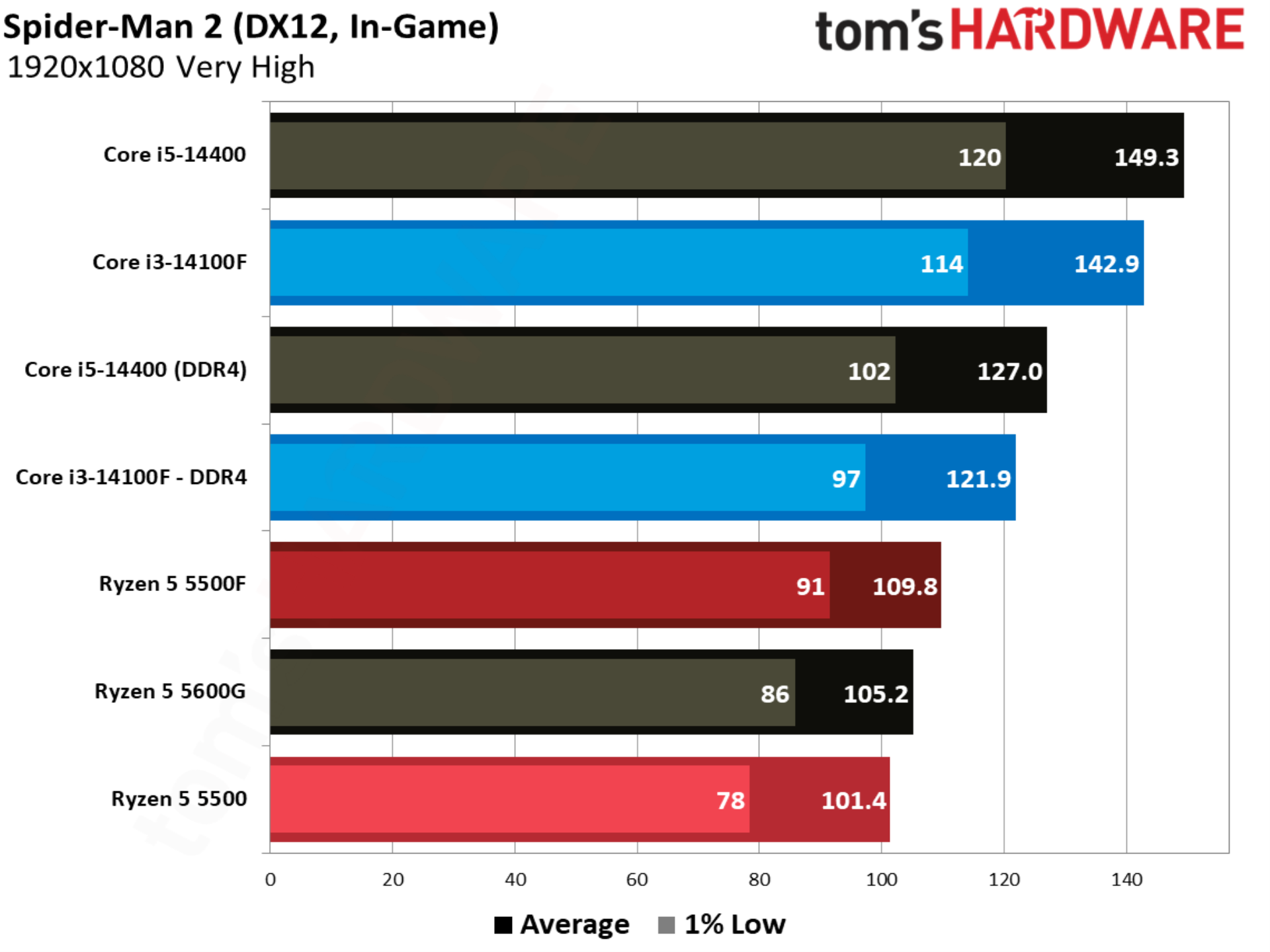
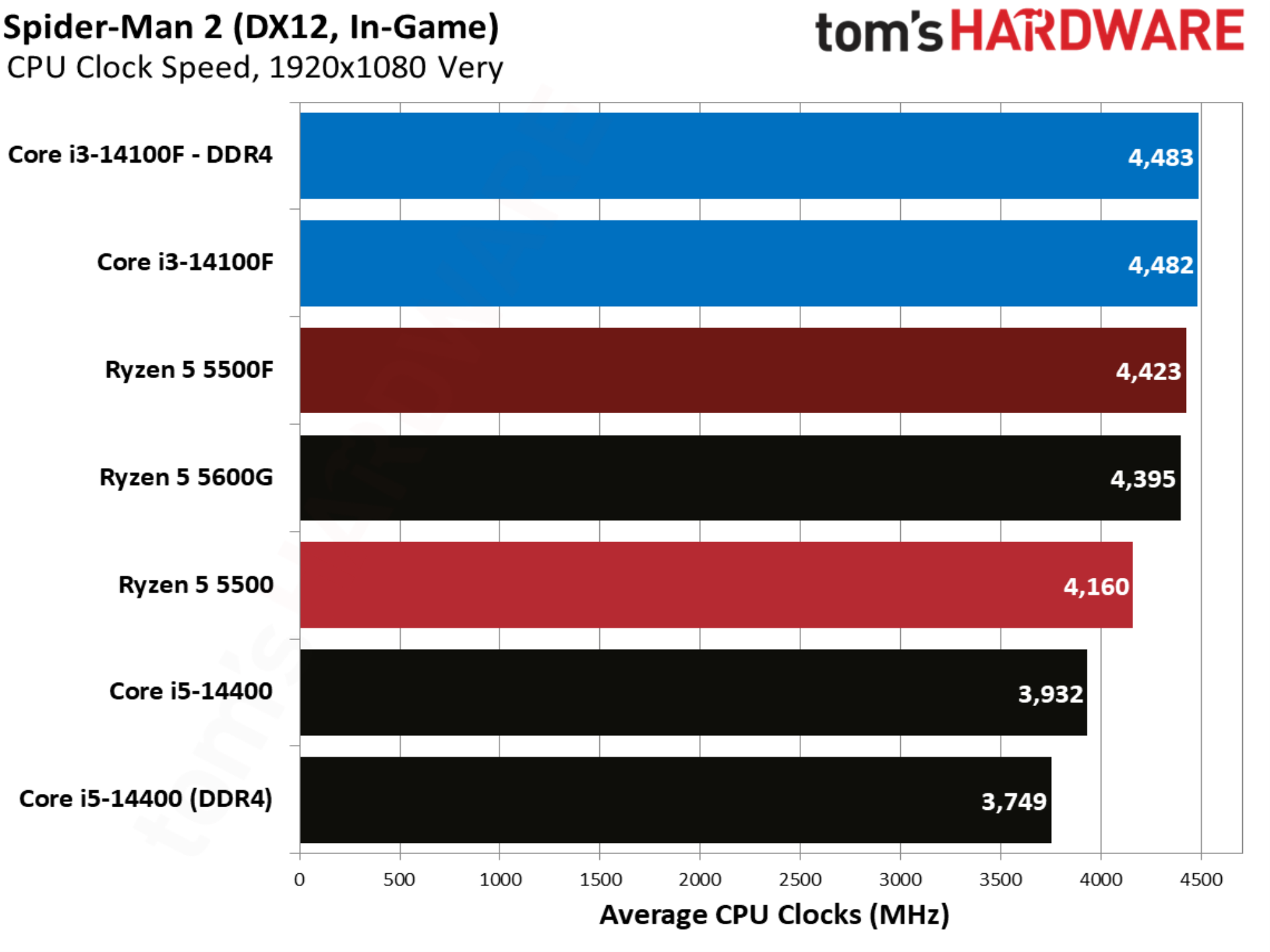
The notoriously CPU-heavy Spider-Man 2 jumps back to the pattern established by other titles in our test suite. The 14100F is over 20% ahead of the base 5500, and although the 5500F makes the battle closer, Intel still leads by 11%.
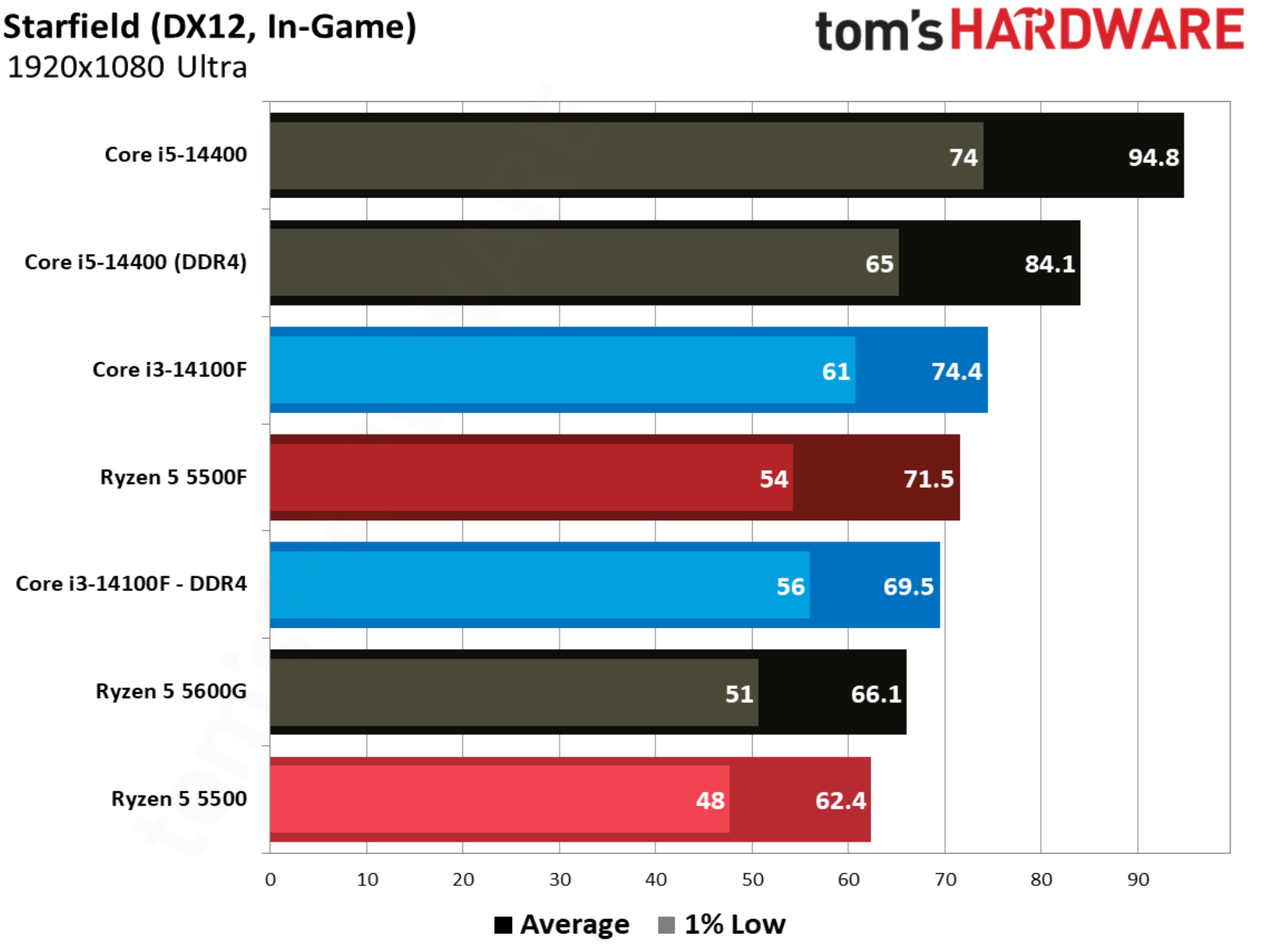
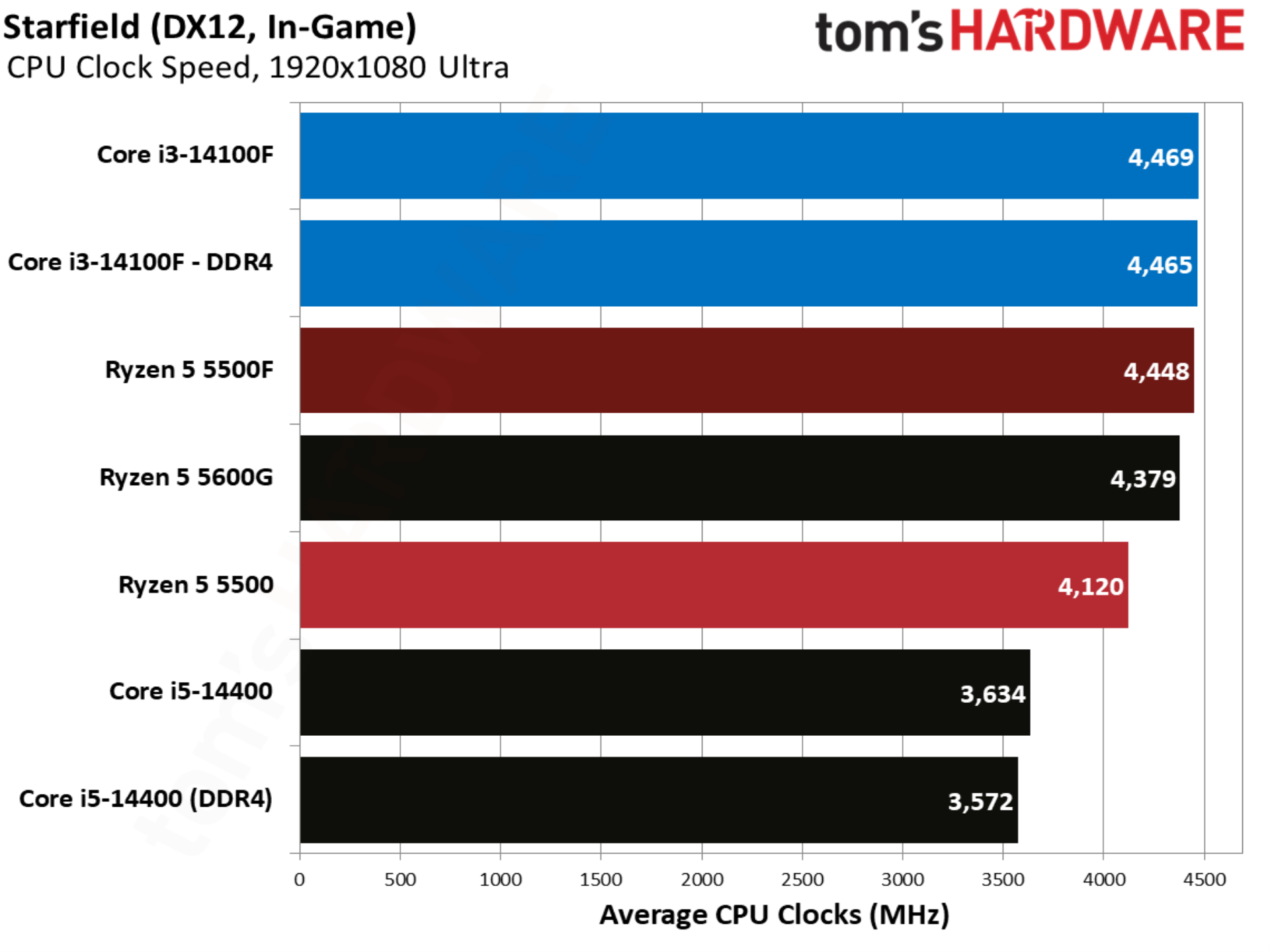
Starfield shows the Ryzen 5 5500F ahead of the 14100F, though only marginally, and with Intel coming out ahead with slightly better 1% lows. Still, this is another game where the 5500F successfully changes the power dynamic between Intel and AMD’s budget CPU offerings.
The Ryzen 5 5500F is primarily a gaming CPU, clocked fairly low at a 4.4 GHz boost and packing just six Zen 3 cores. The six-core floor that AMD has maintained for several generations gives the 5500F a significant edge over the Core i3-14100F, which uses a true quad-core design, bypassing the hybrid design that Intel has used on its past several generations of desktop CPUs.
(Image credit: Tom's Hardware)
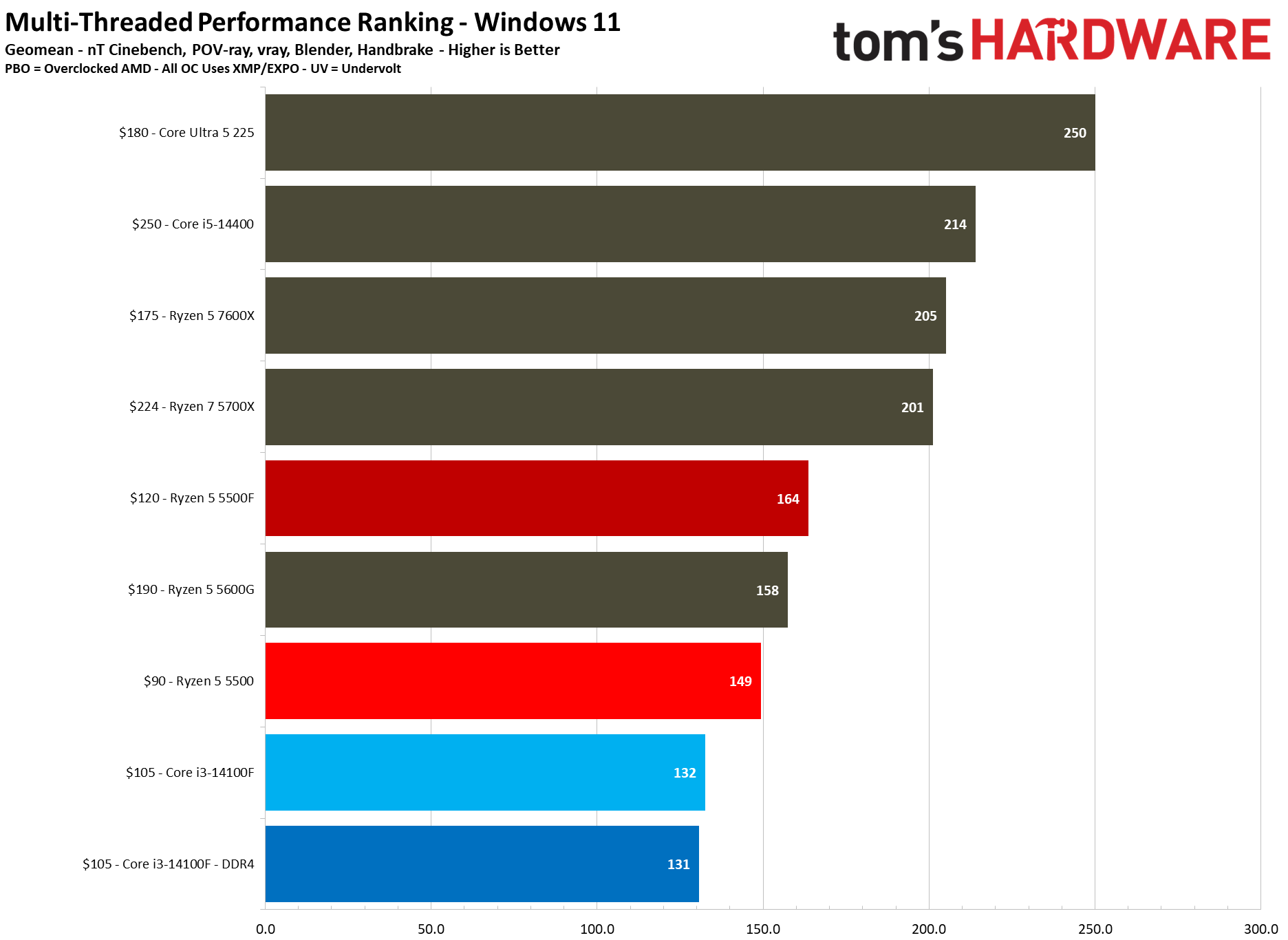
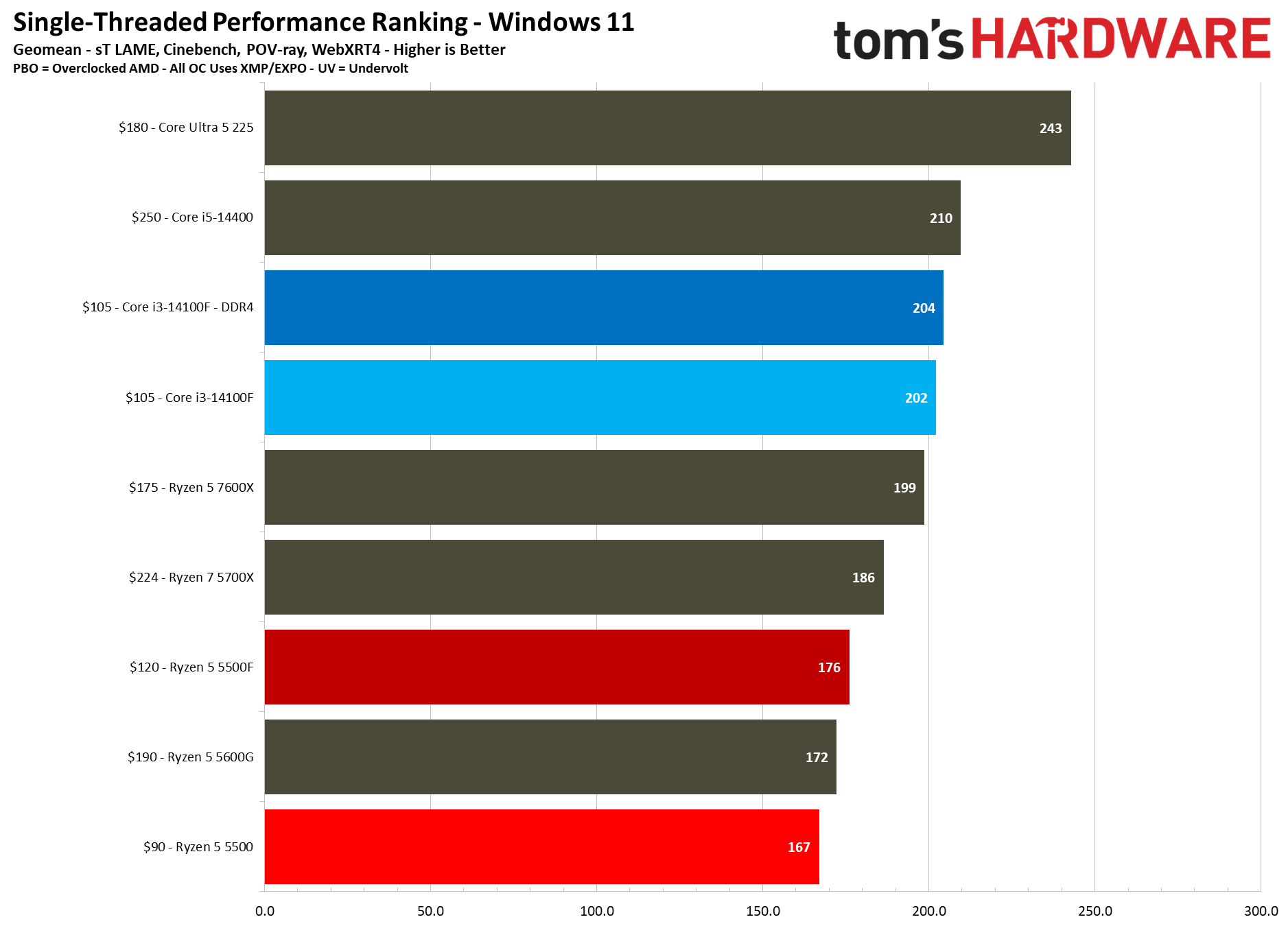
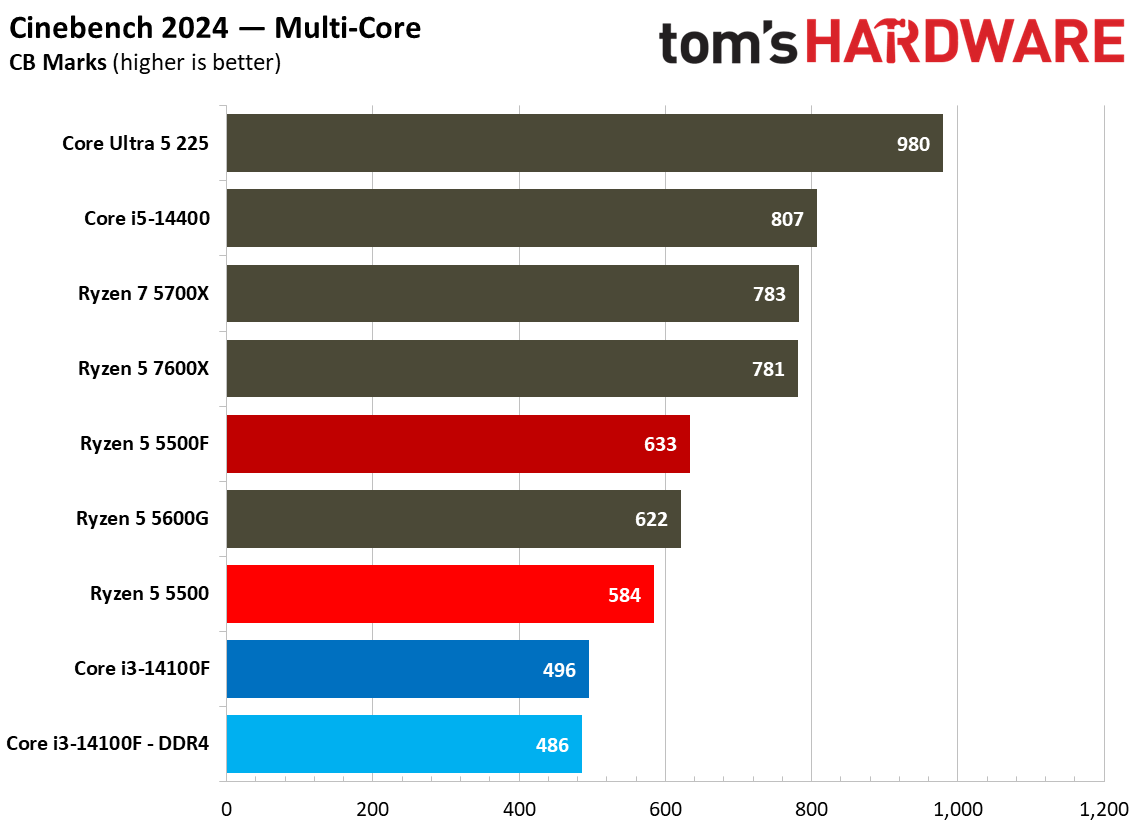
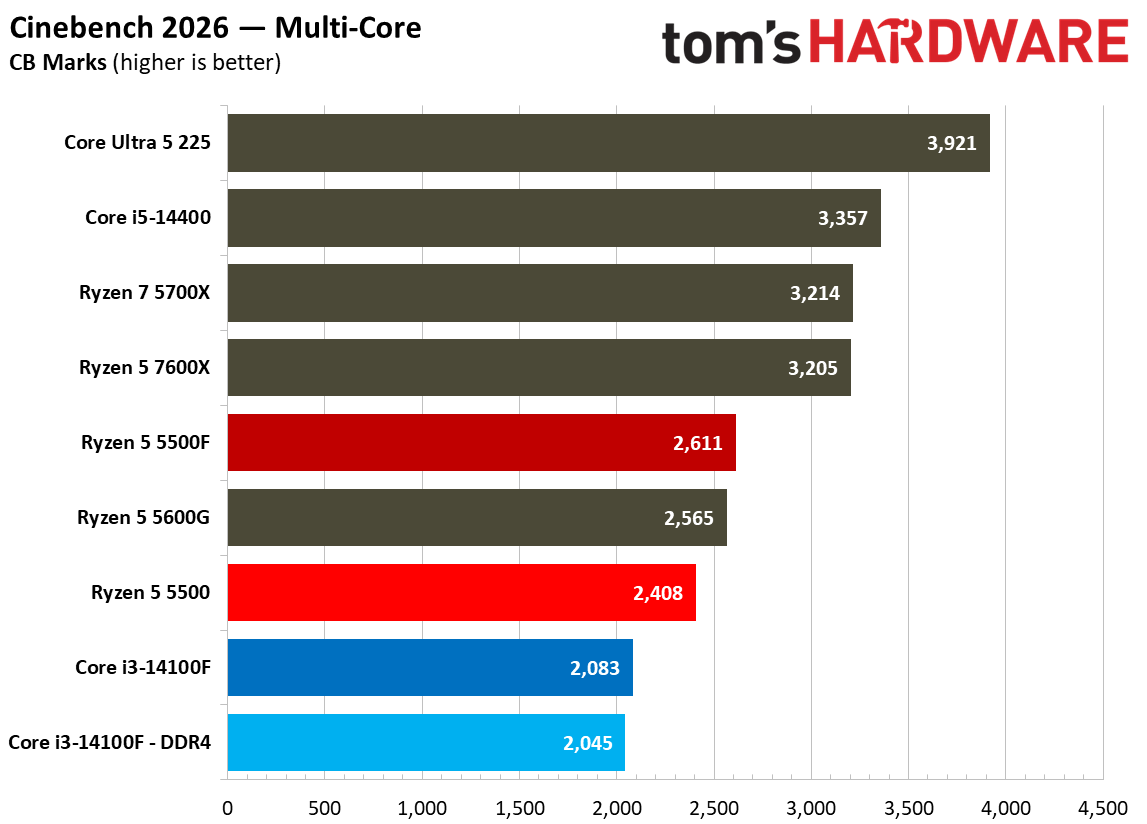
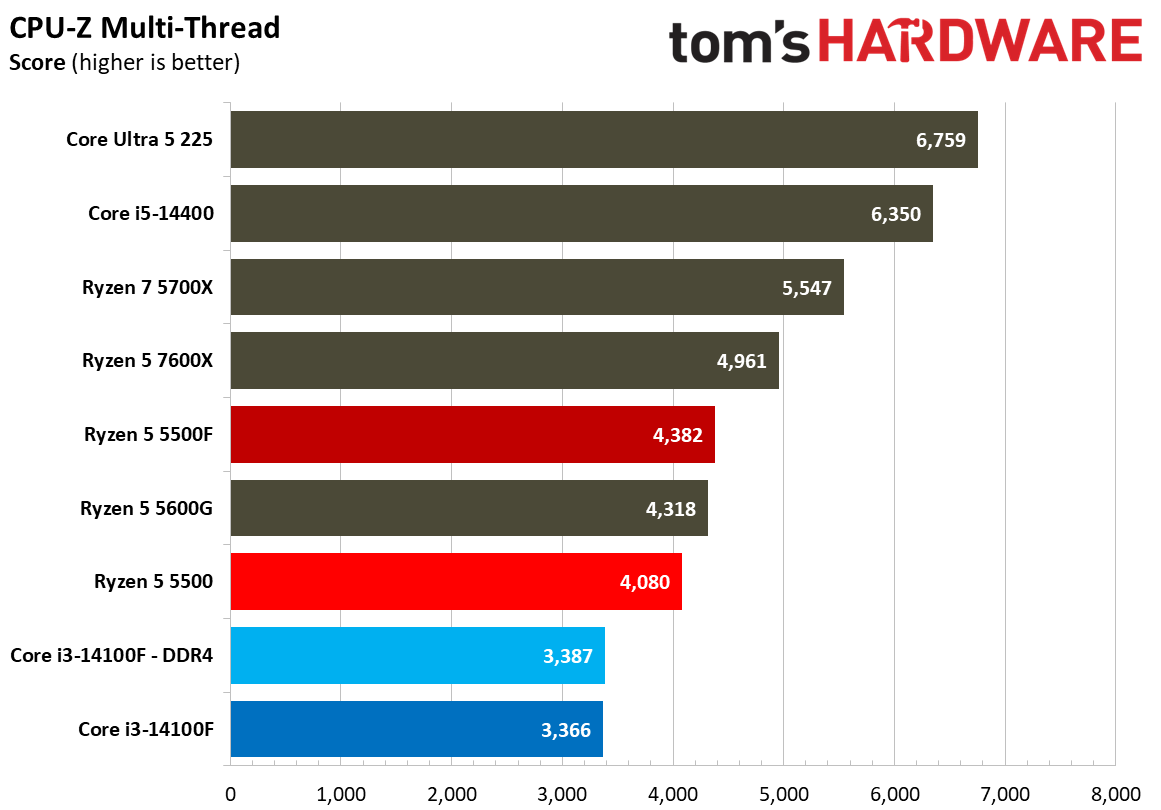
There aren’t a lot of quad-core chips on the market today, so it’s no surprise to see the Core i3-14100F at the bottom of the chart here, regardless of whether it’s paired with DDR4 or DDR5. The Ryzen 5500 already led Intel by 12.8% in our multi-threaded geomean, but the 5500F nearly doubles that lead to 24.2%. Compared to the 5500, the new 5500F is a clean 10% ahead in our multithreaded geomean.
(Image credit: Tom's Hardware)
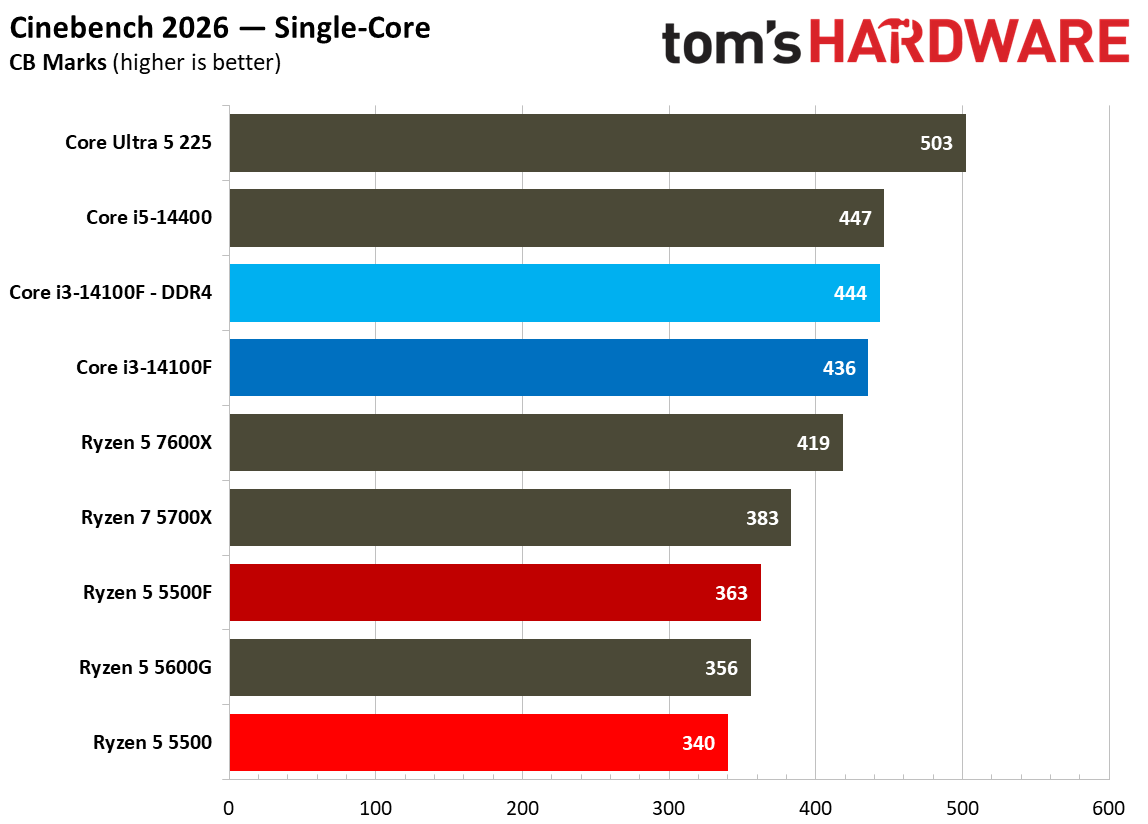
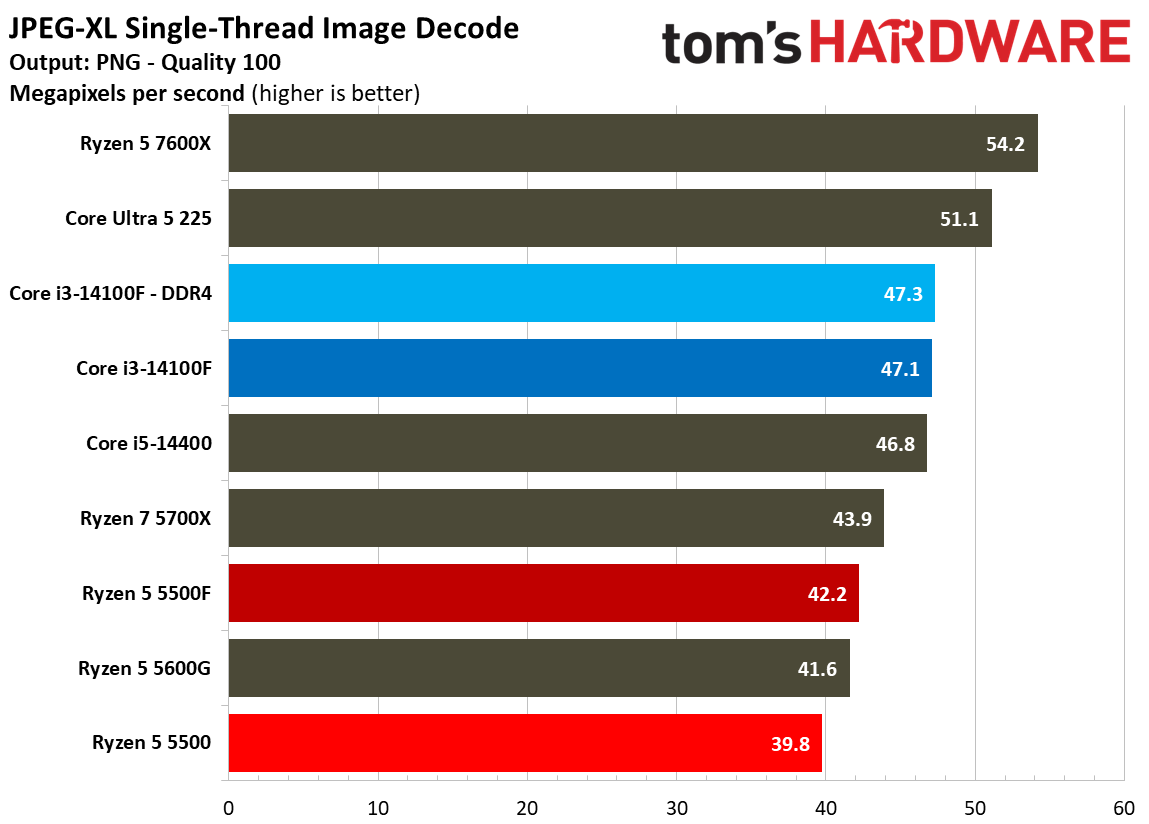
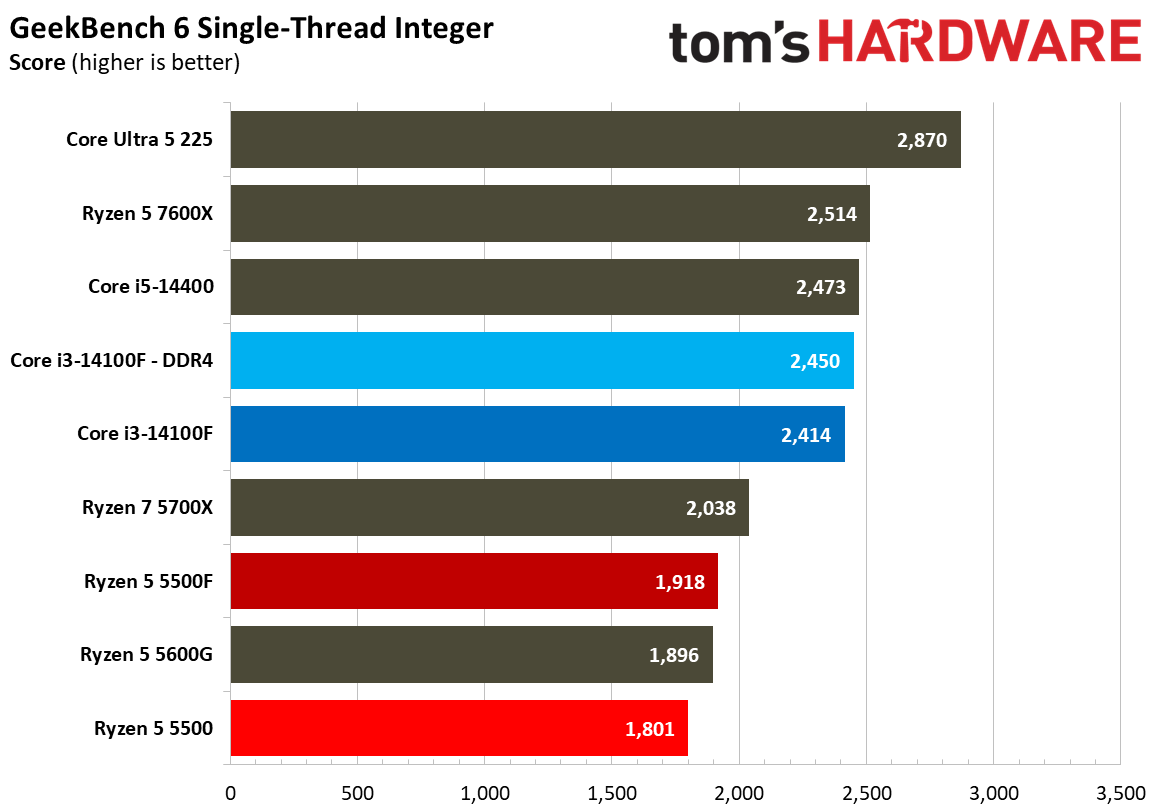
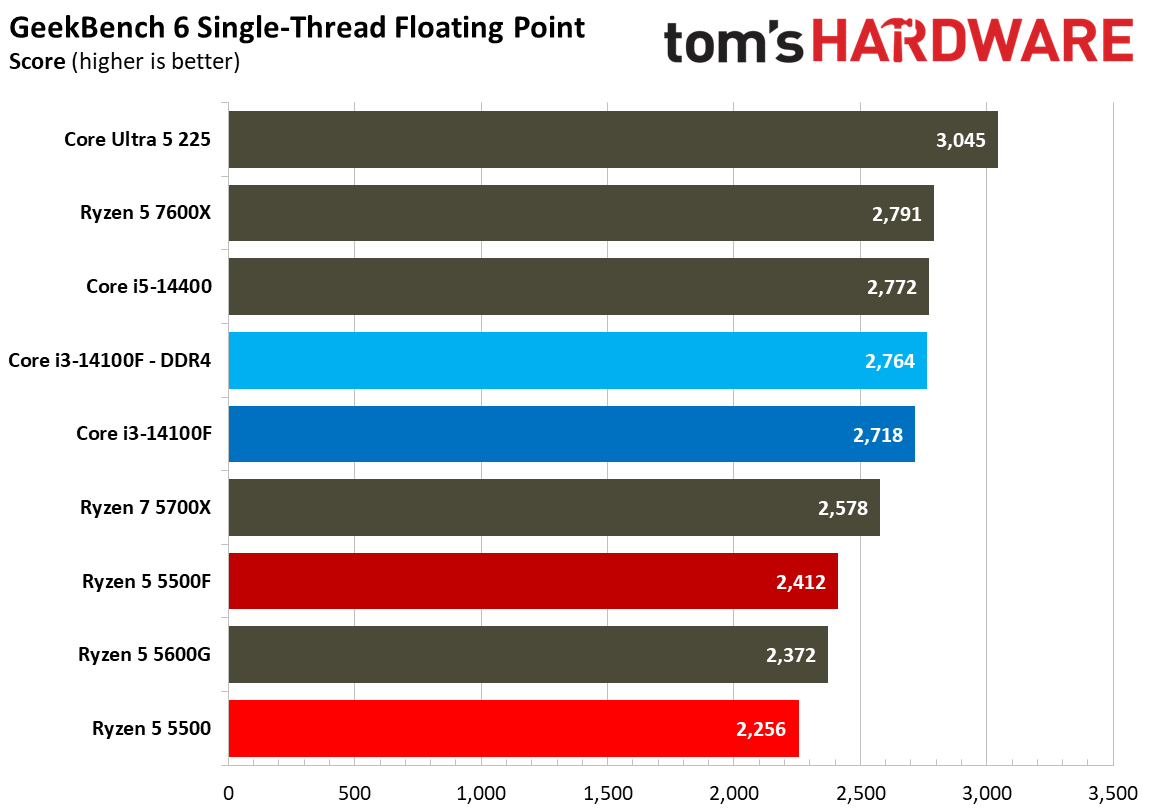
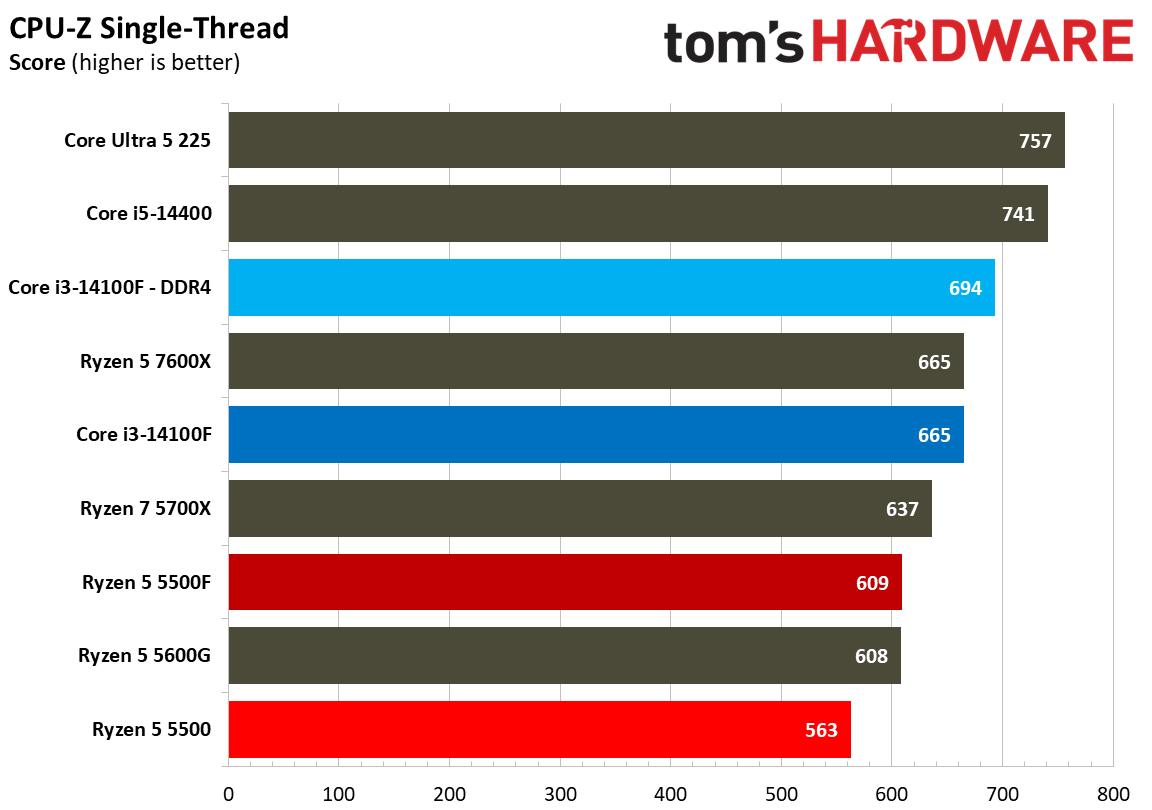
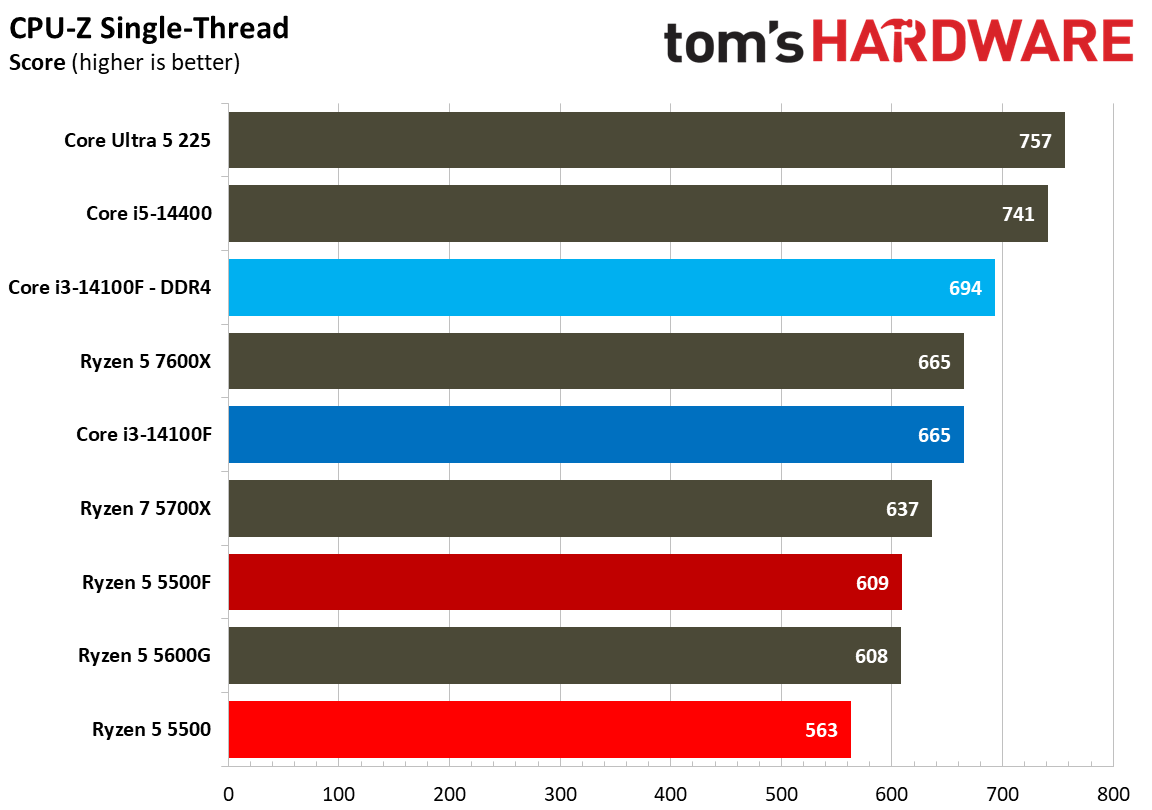
The scales unsurprisingly flip looking at single-threaded performance. Intel usually leads in single-threaded performance anyway, but some context is important here. Zen 3 is much older than Raptor Lake, and those microarchitectural differences really show up in our single-threaded testing.
On microarchitecture, the Ryzen 5 5500F is 5% ahead of the 5500 in our single-threaded geomean, aligning almost perfectly with the 5% boost in turbo clock speed that the 5500F has. That’s a welcome bump, though keep in mind that a 4.4 GHz boost is still relatively low, and the 5500F only has access to 16 MB of L3. Other Vermeer CPUs, such as the 5700X, have 32 MB.
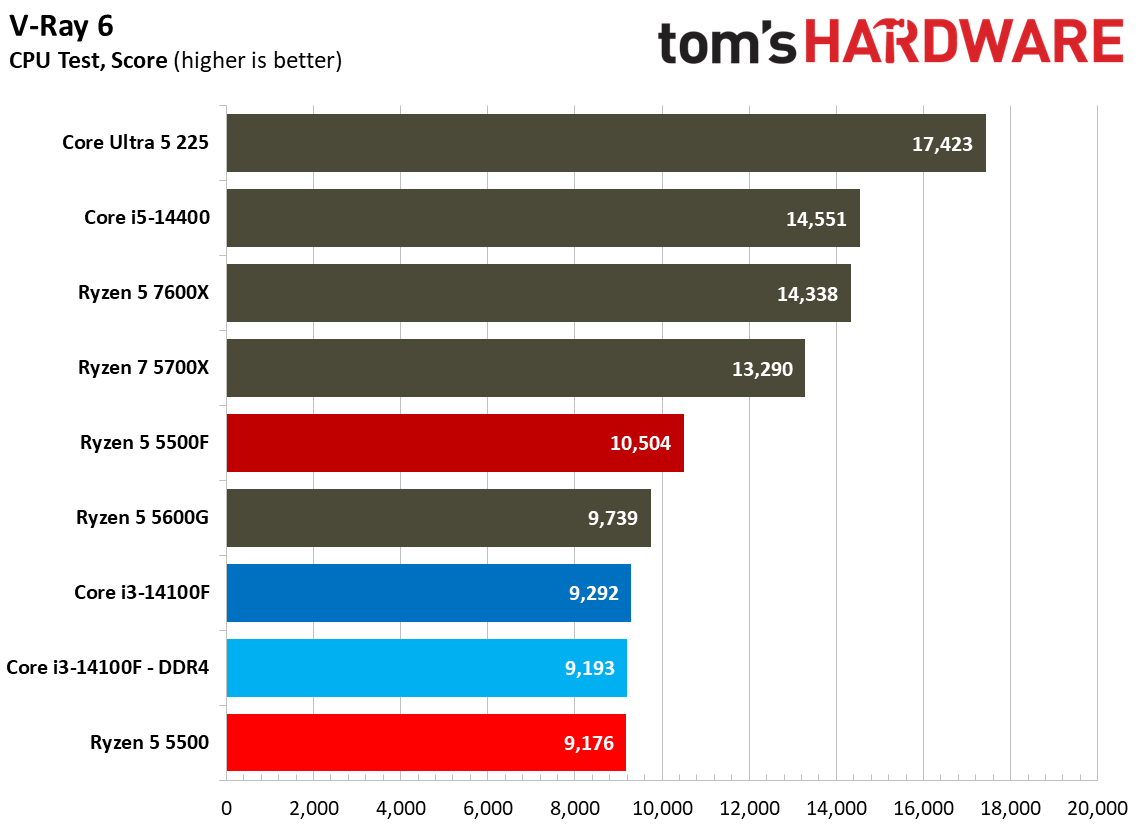
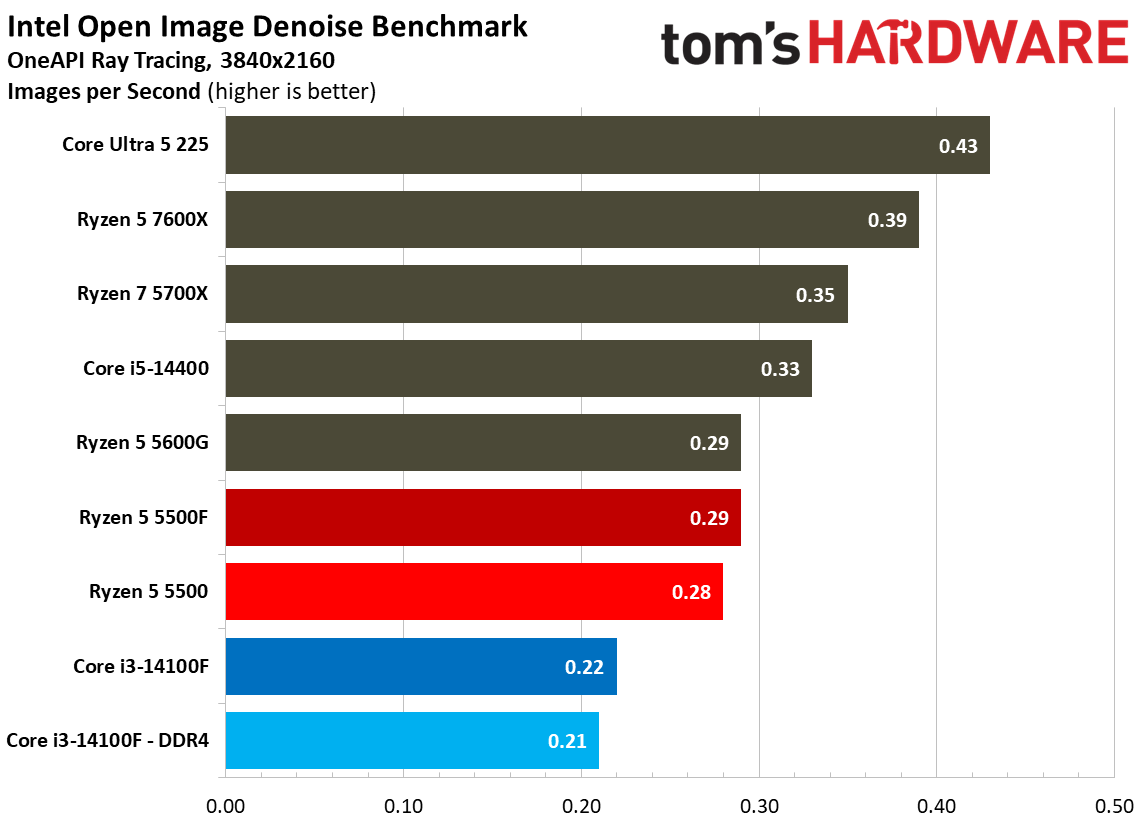
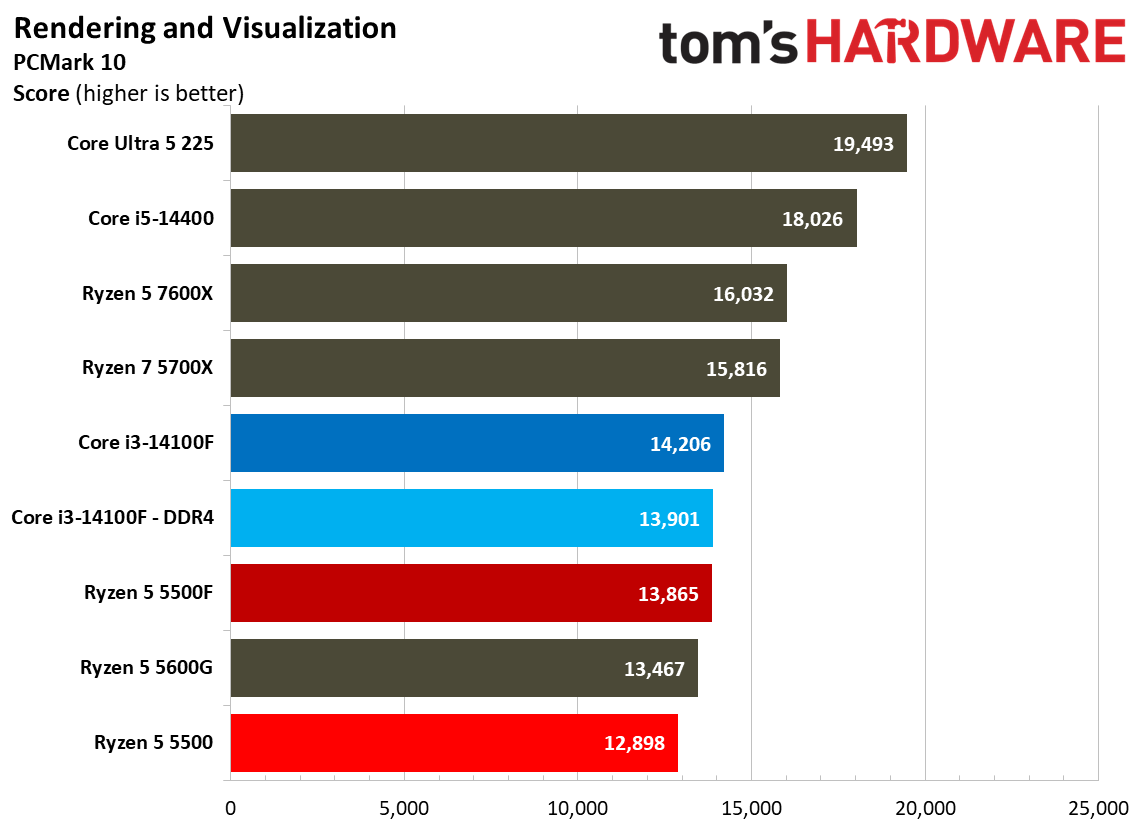
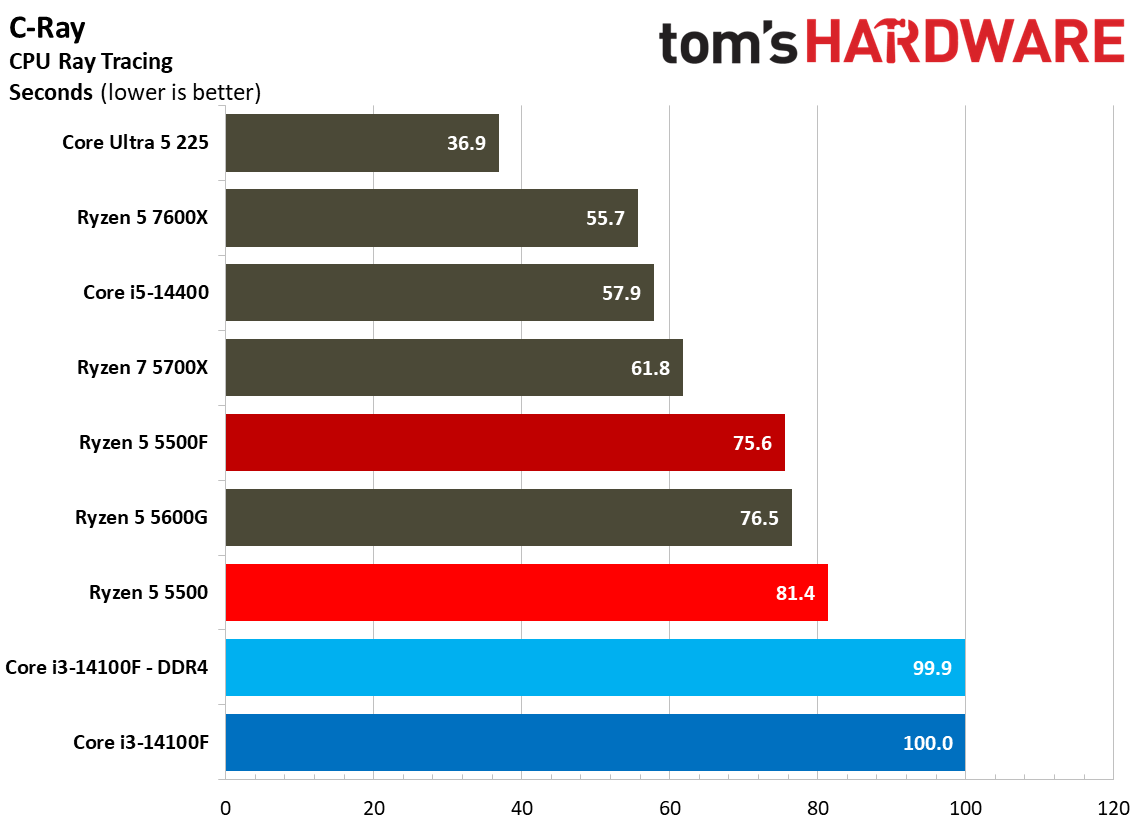
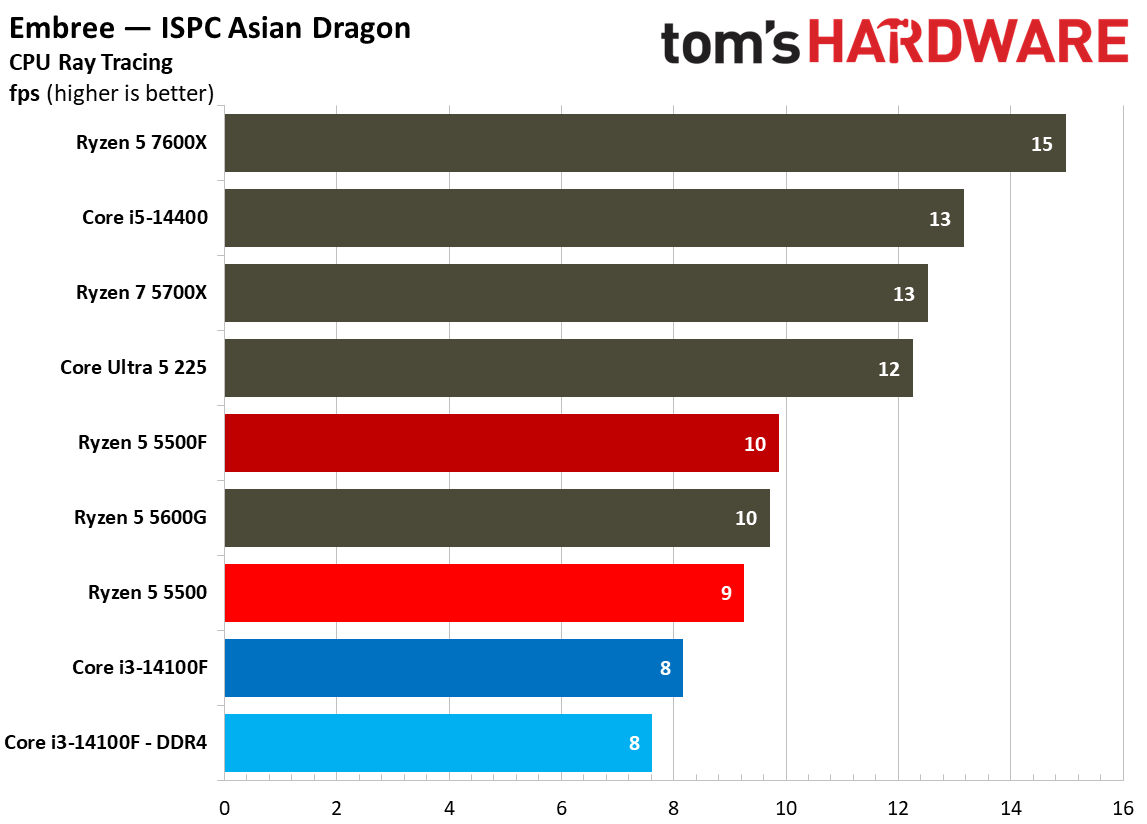
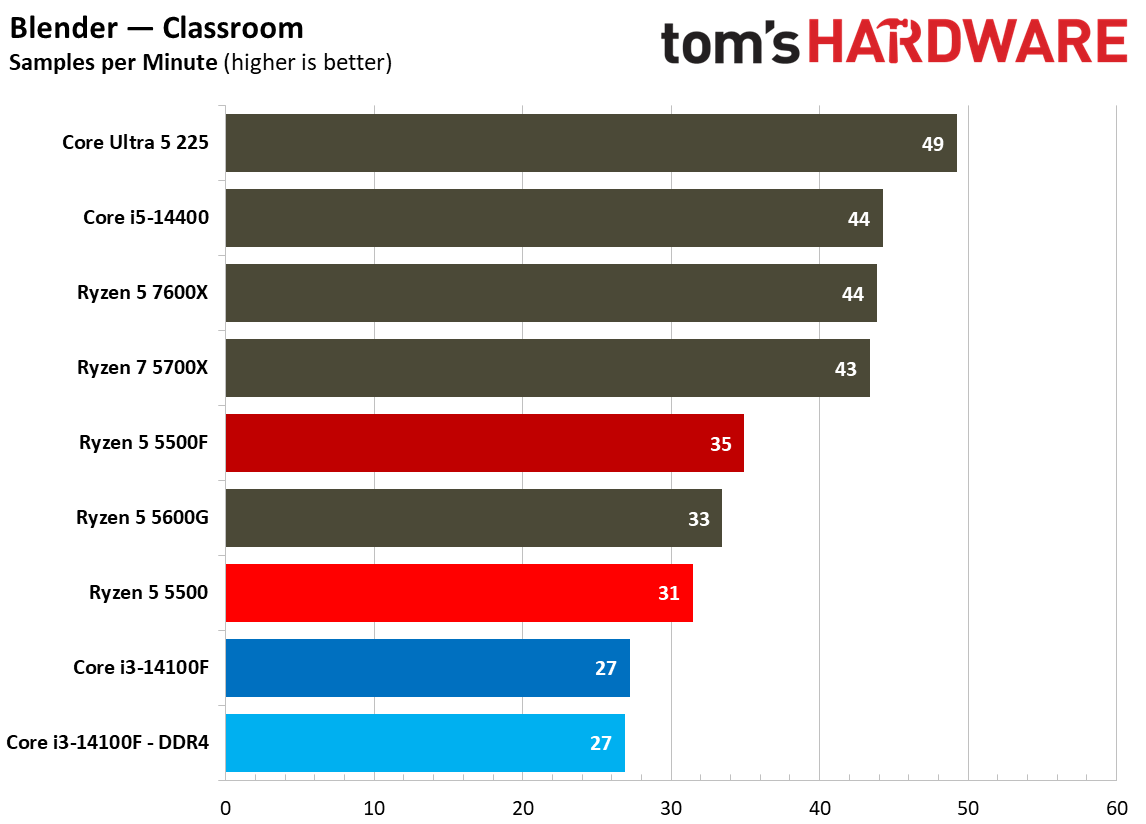
CPU rendering workloads are intense, sustained tasks often pinning either an individual core, or all of the cores, at full utilization. Because they’re sustained and demanding, many of our rendering tests factor into the geomean above, and that’s a major driving force behind why tests like Cinebench are such a staple when measuring CPU performance.
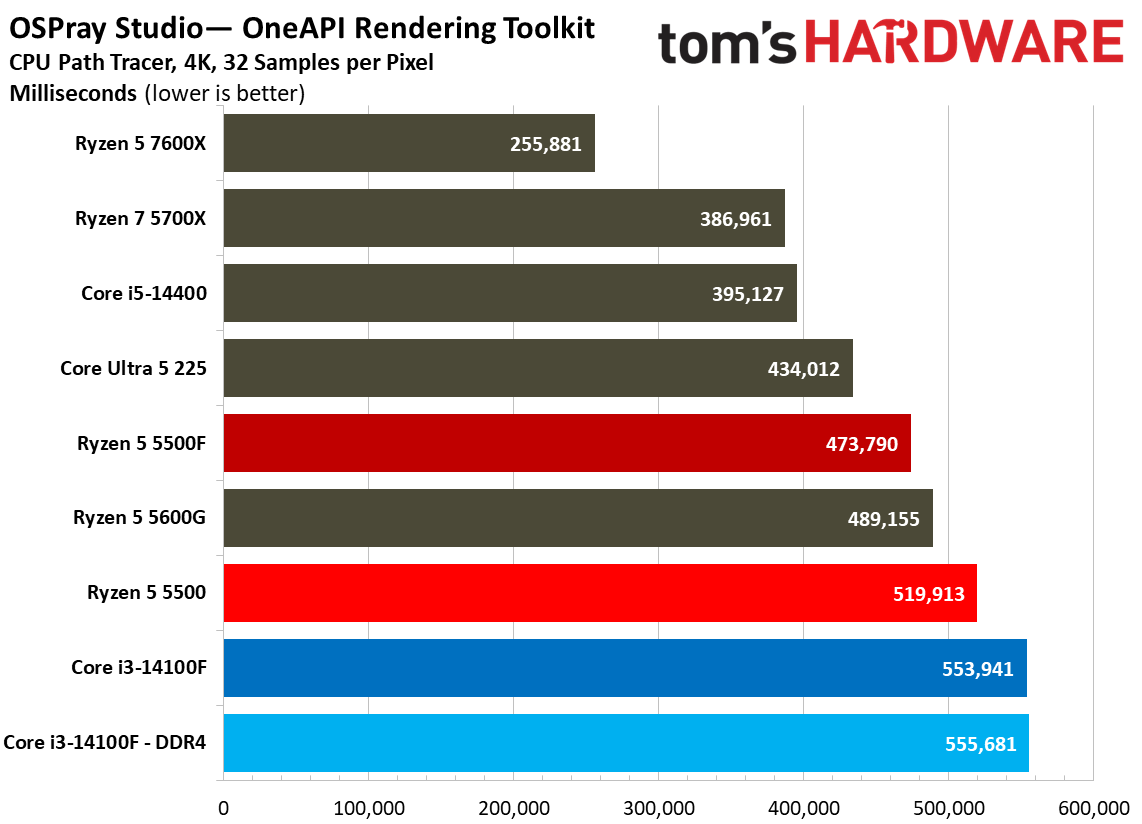
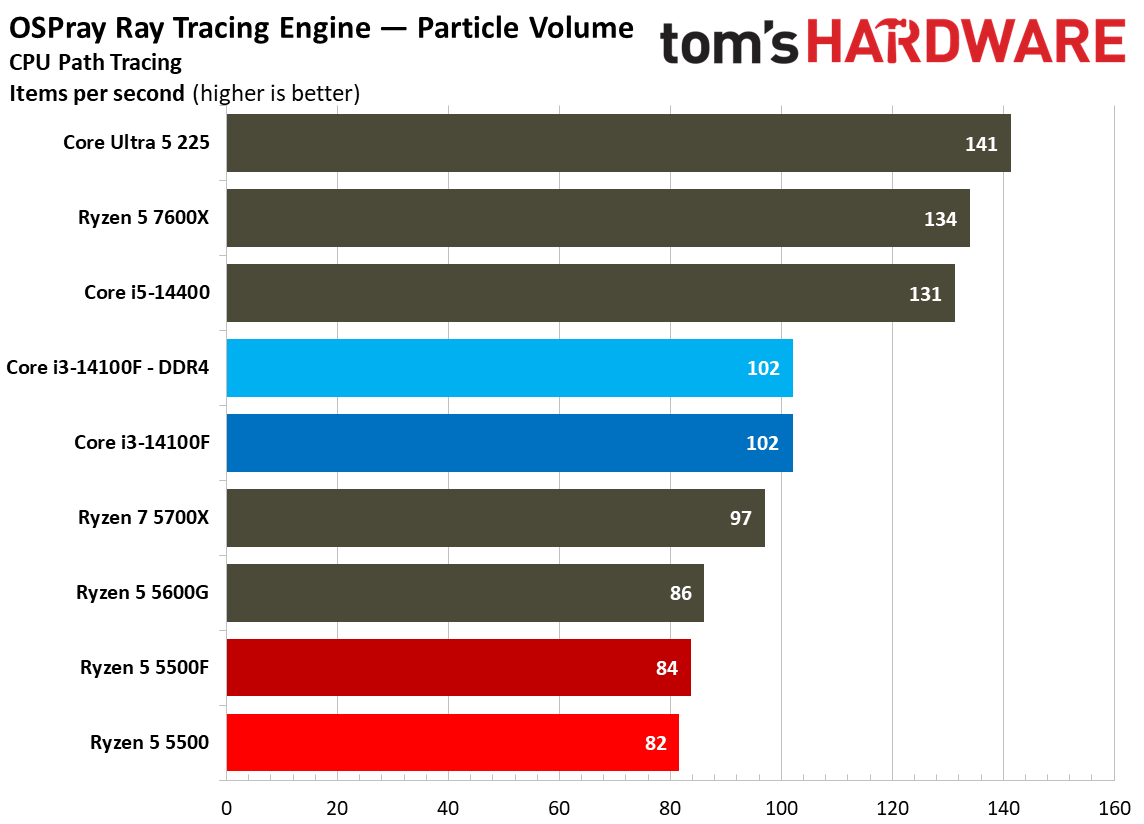
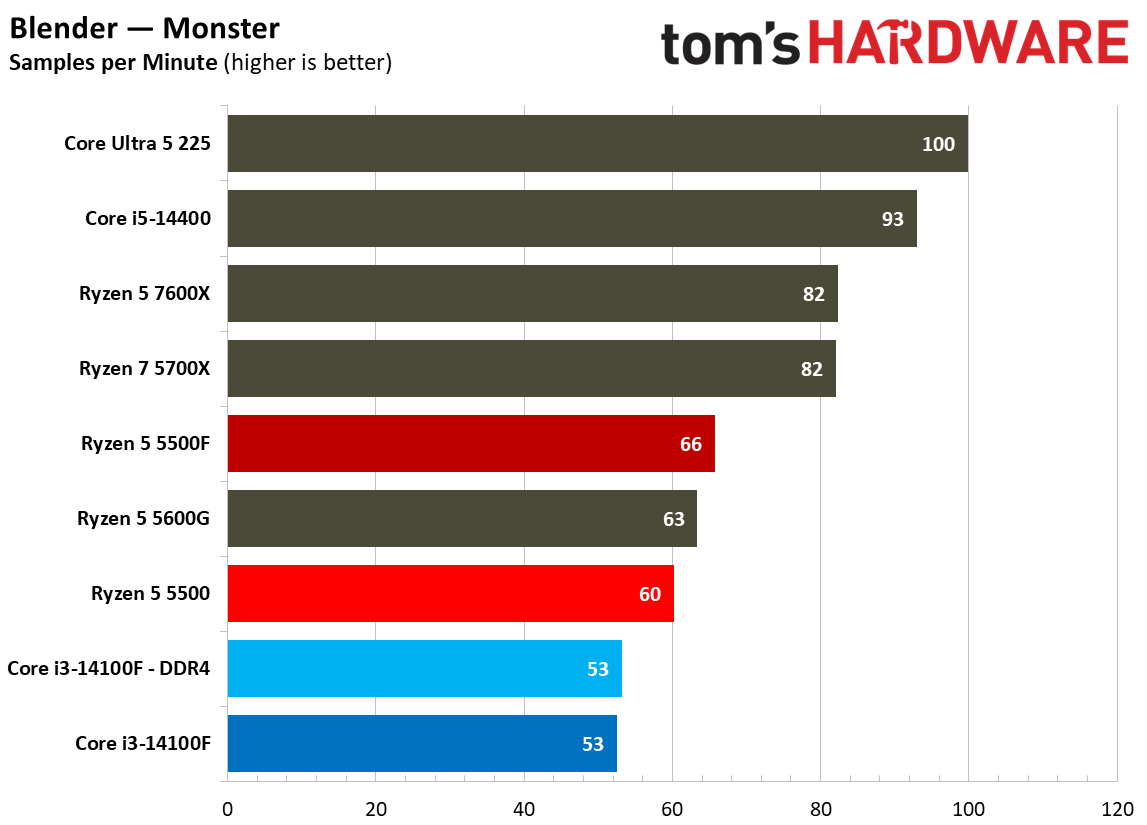
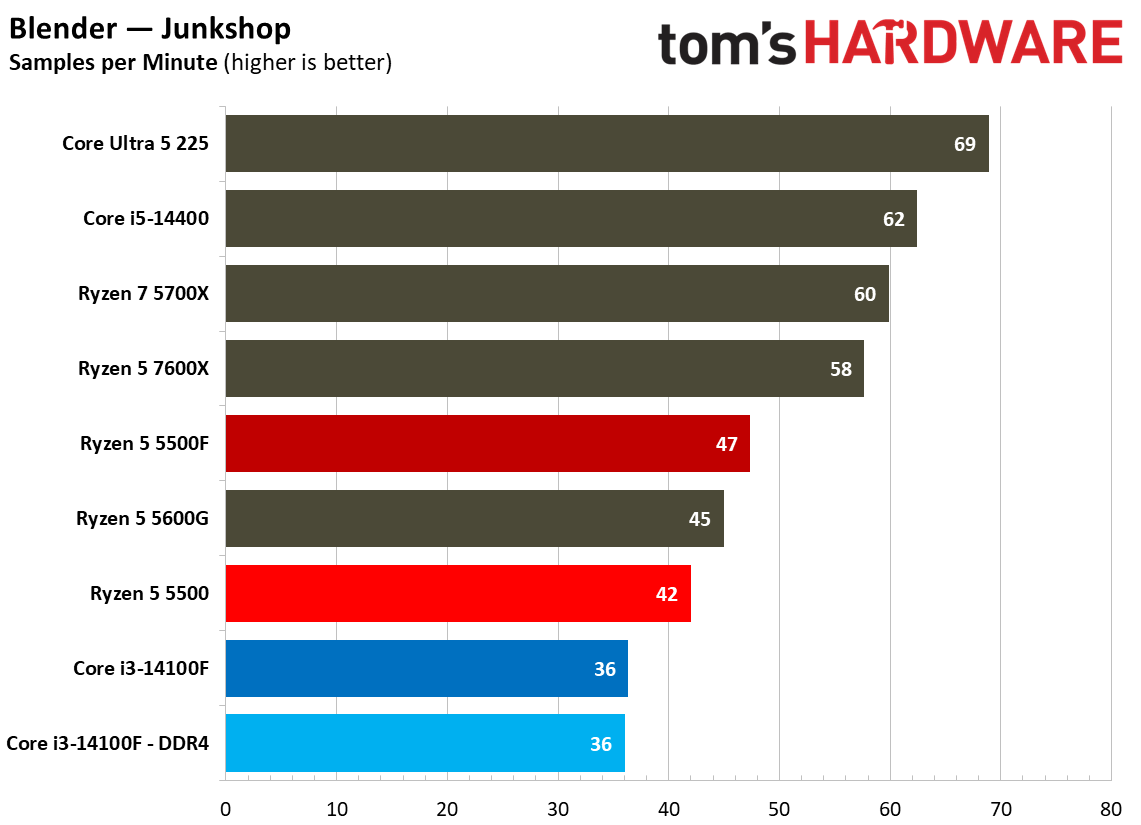
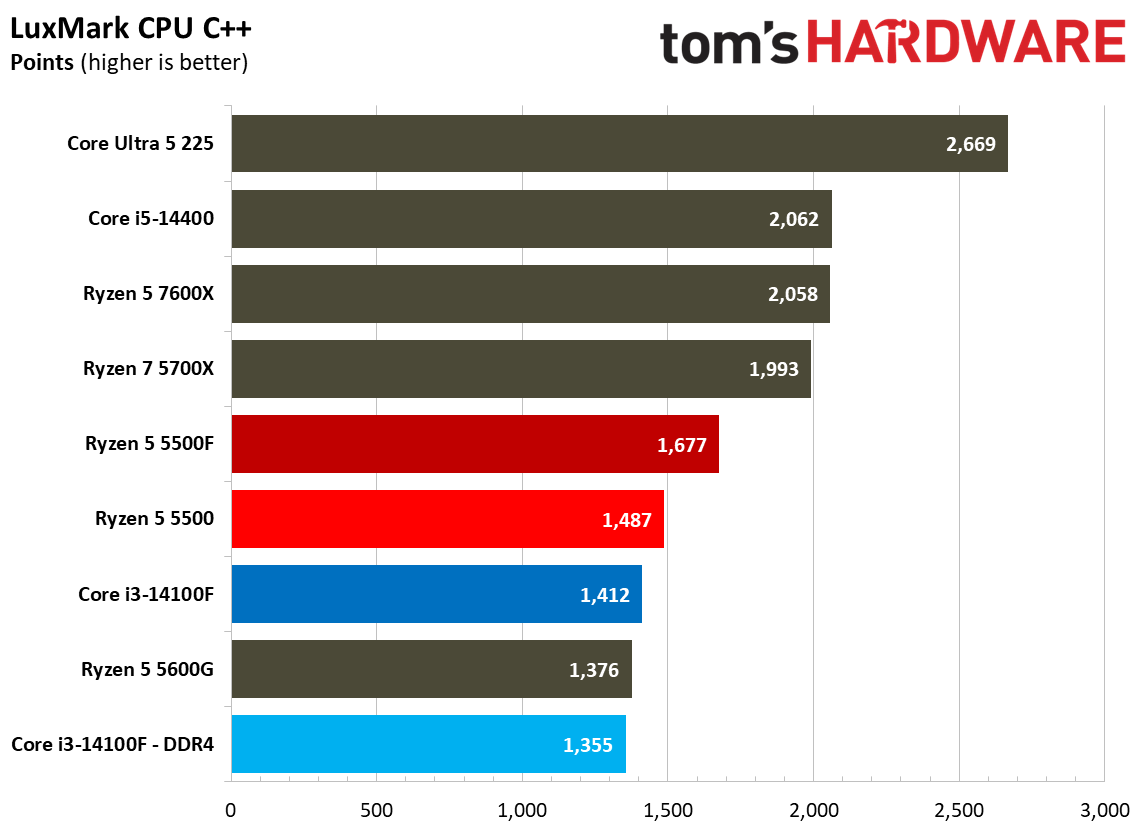
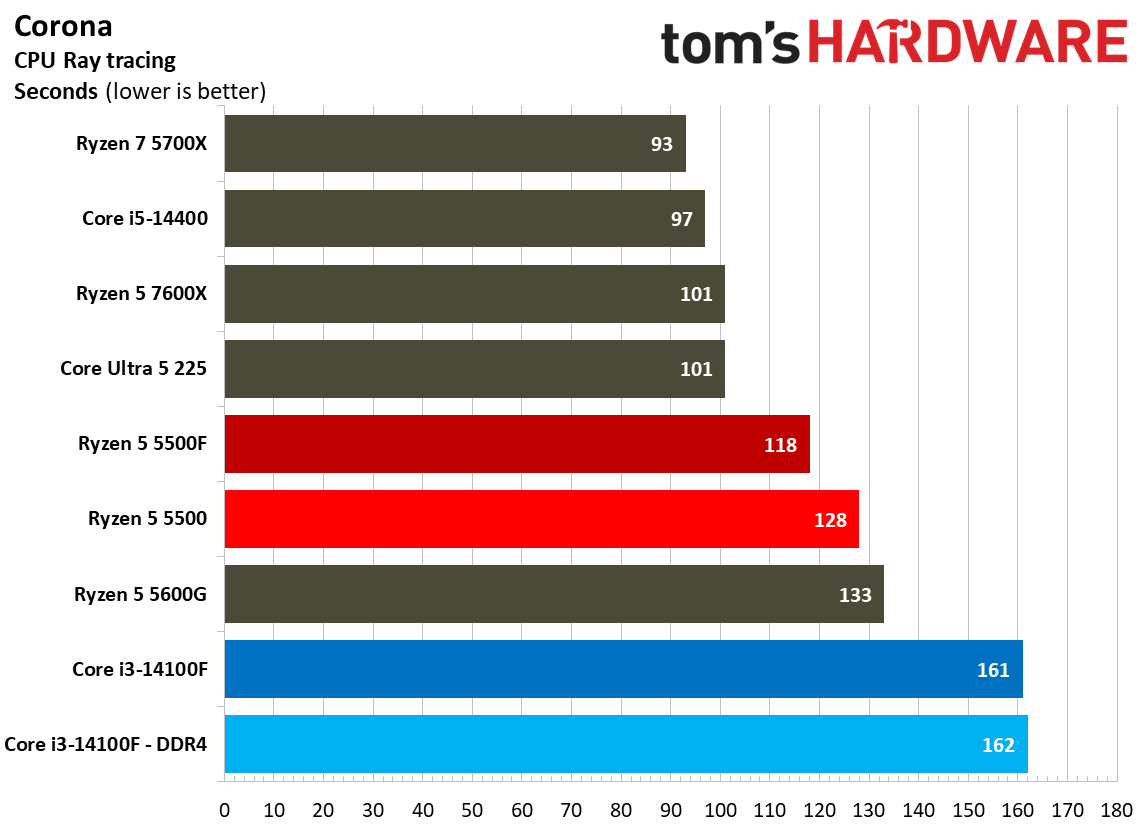
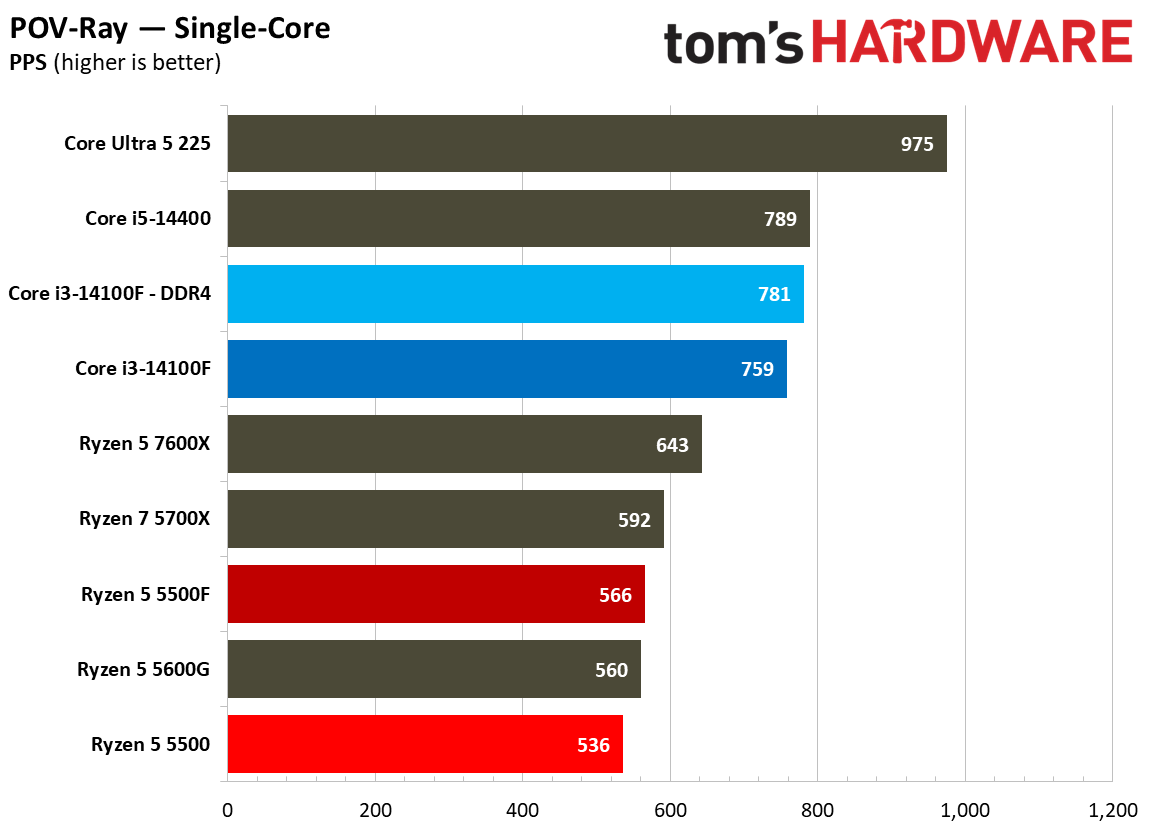
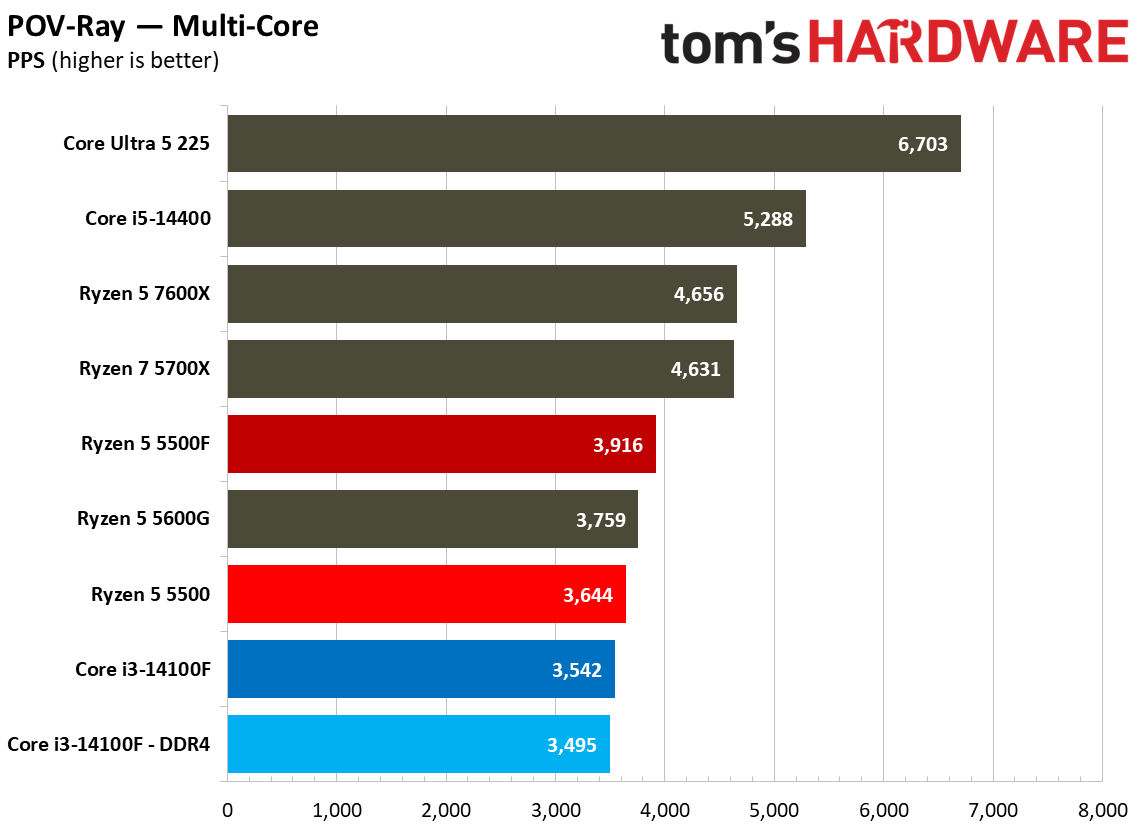
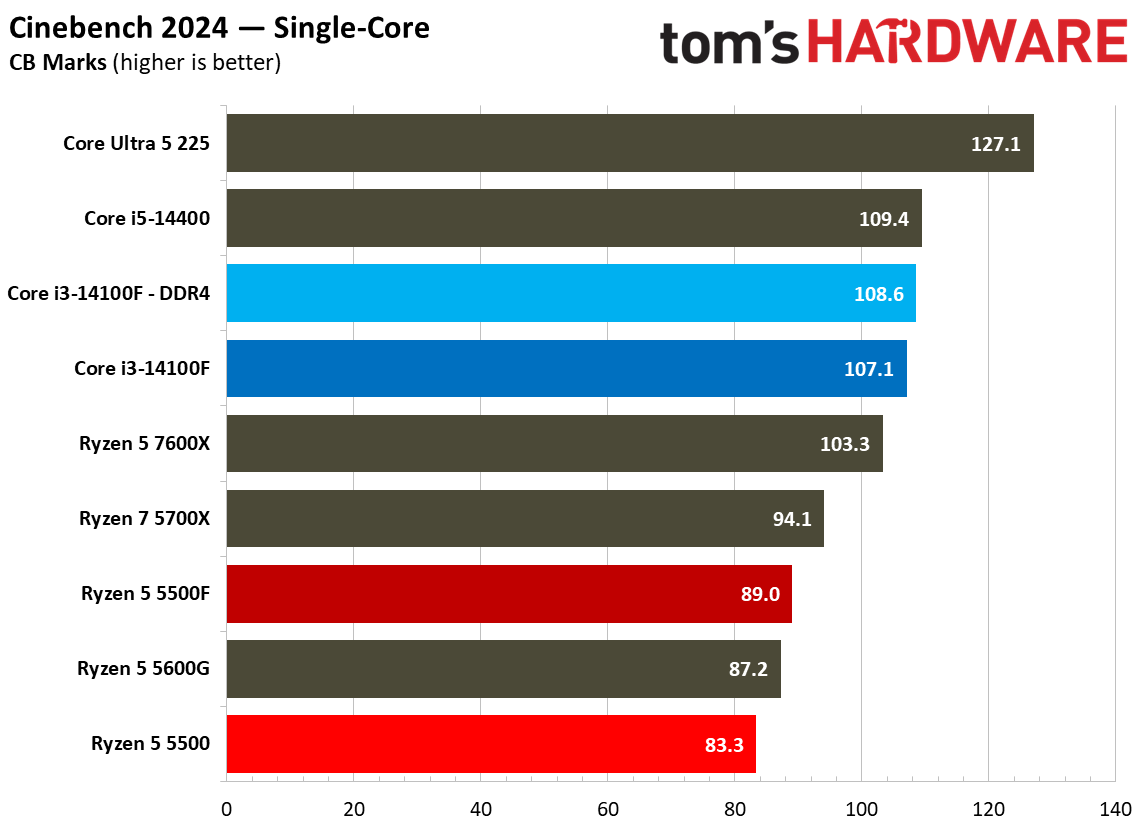
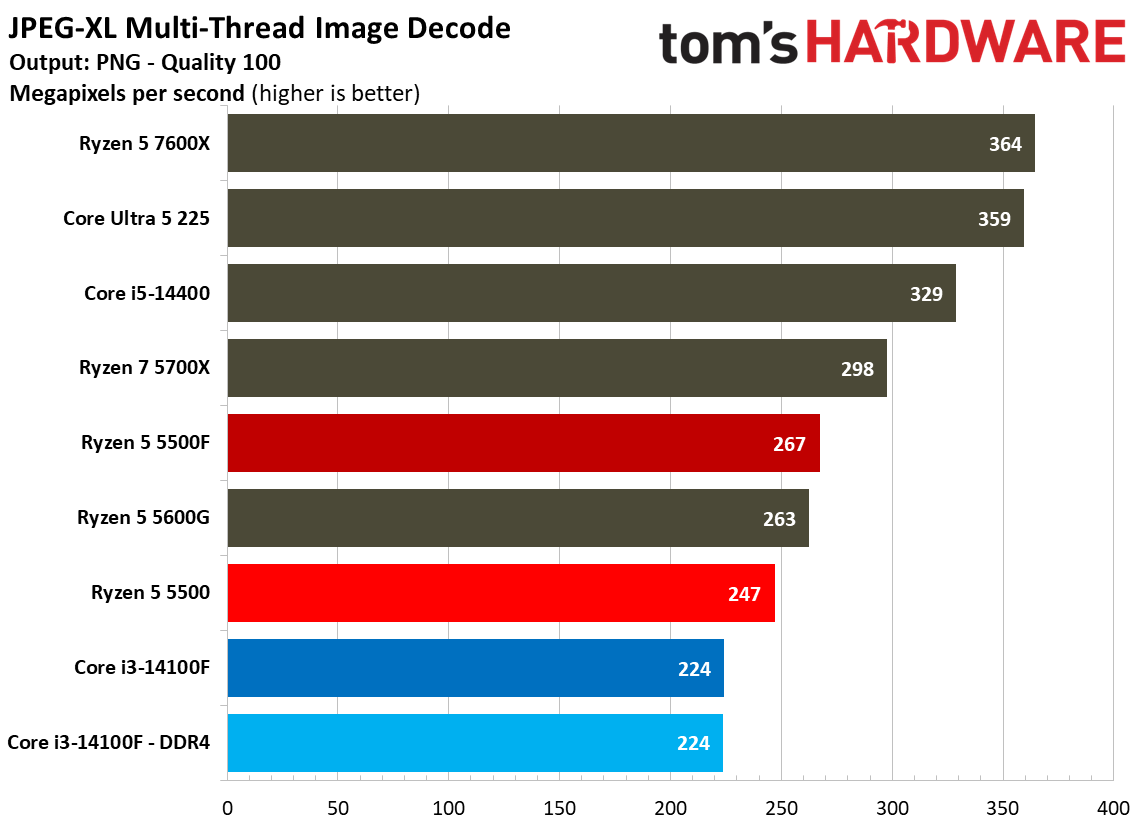
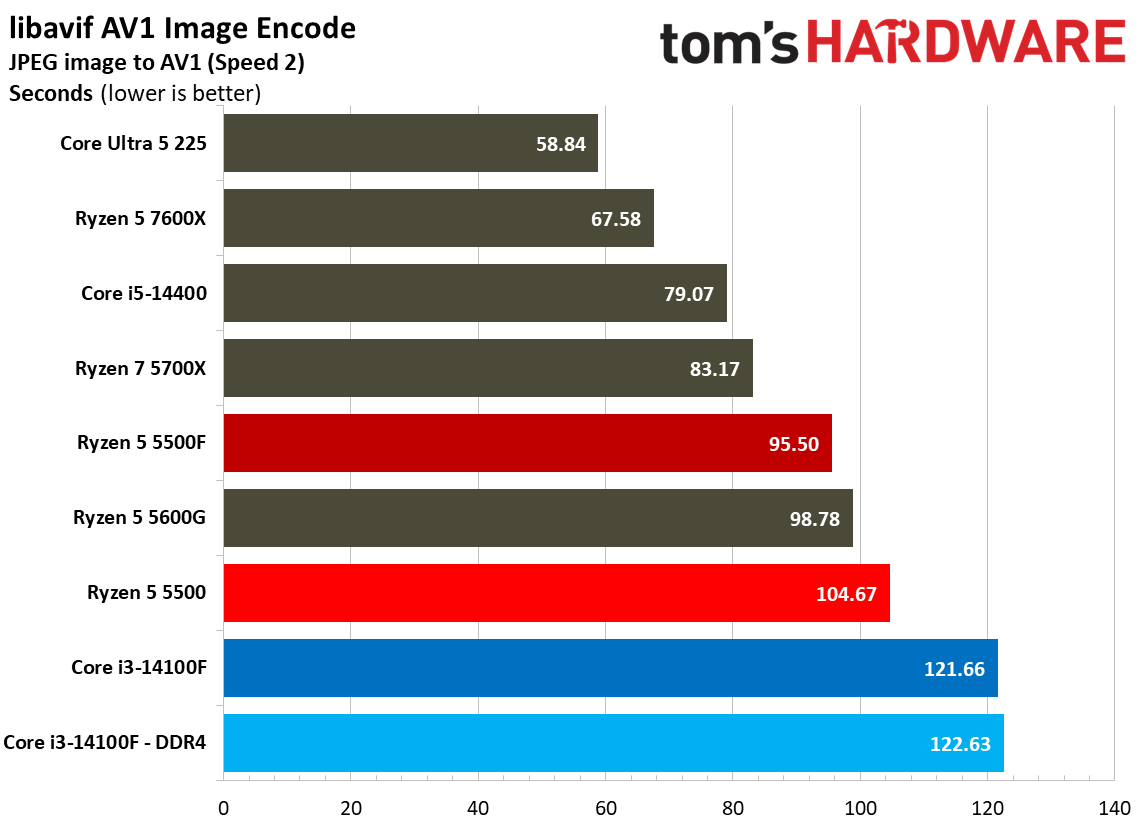
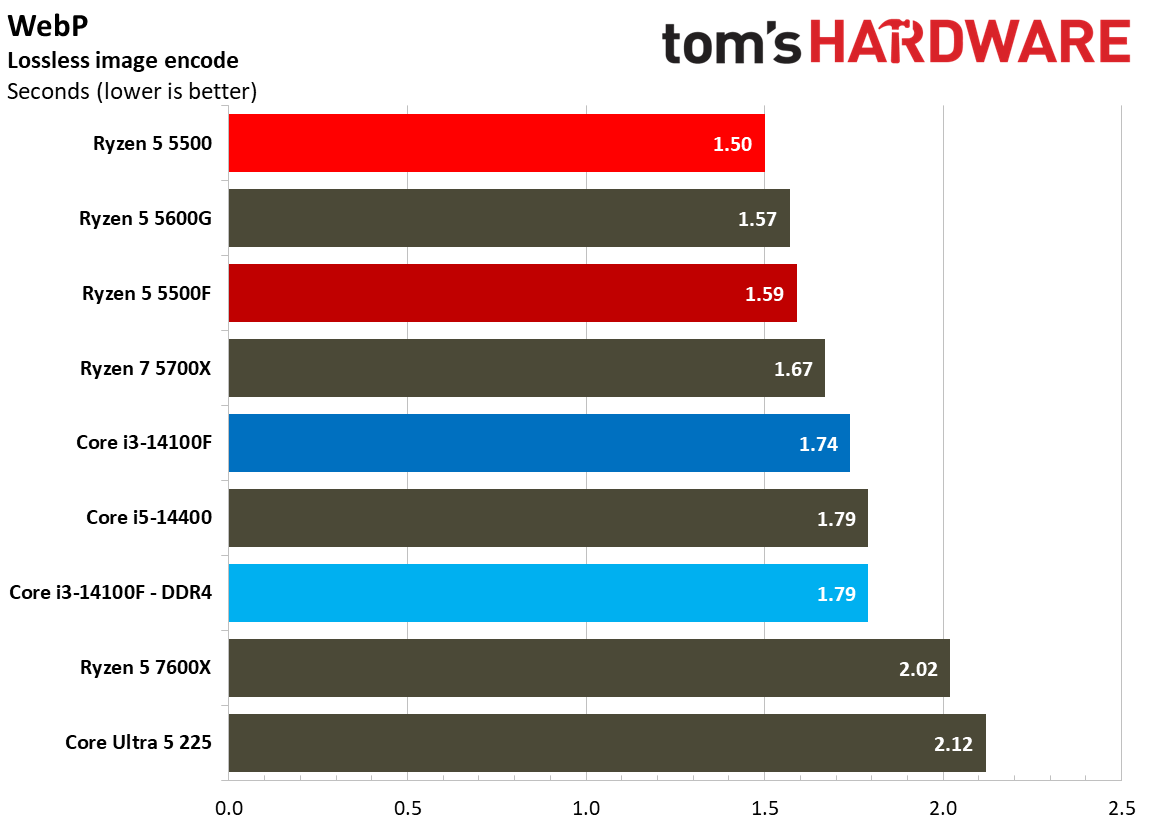
For the headline tests like POV-Ray and Cinebench, the results fall as you’d expect. AMD leads in multi-threaded work, Intel in single-threaded work, and the 5500F ends up between 5% and 10% faster than the 5500, depending on the benchmark.
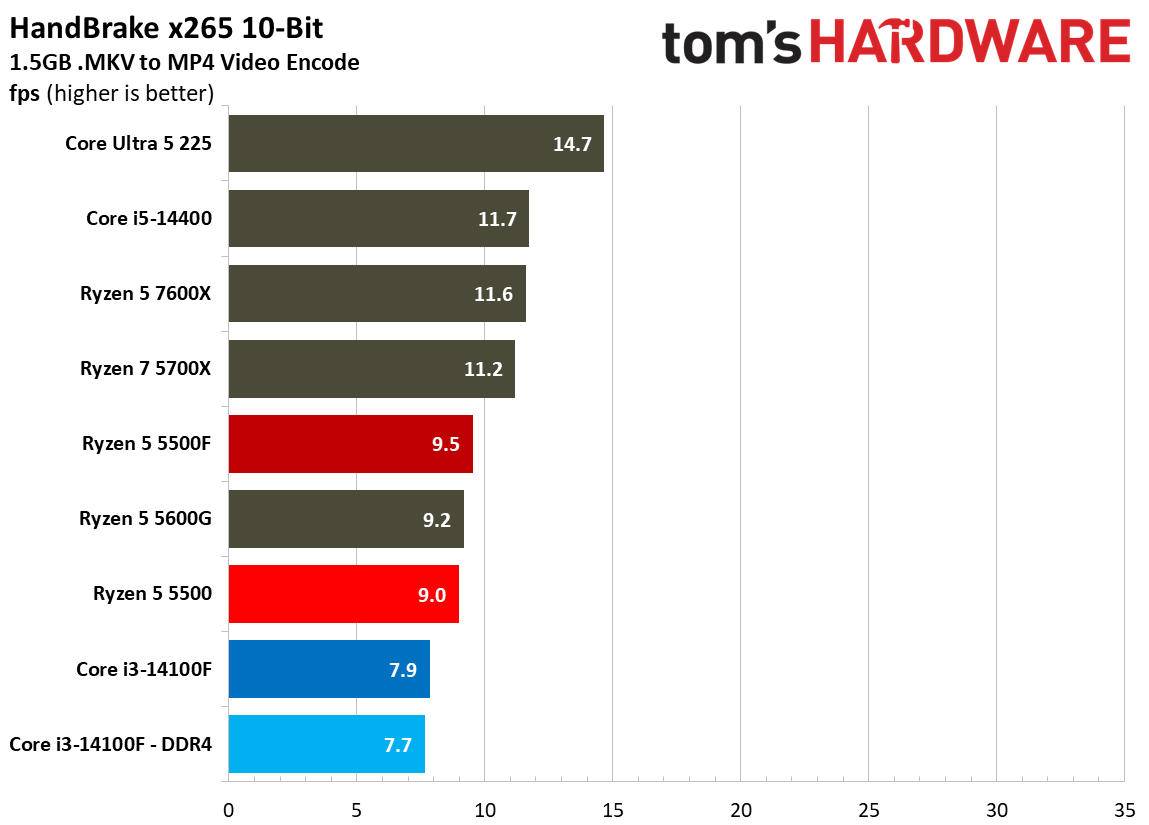
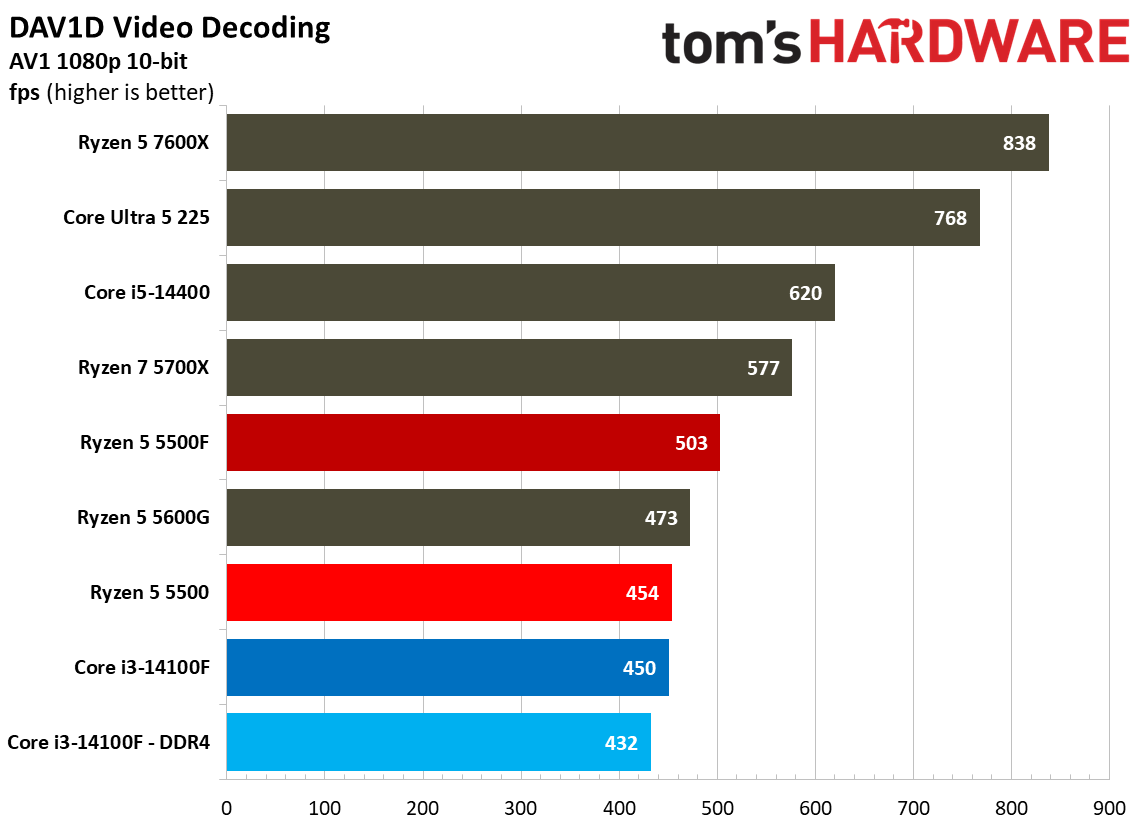
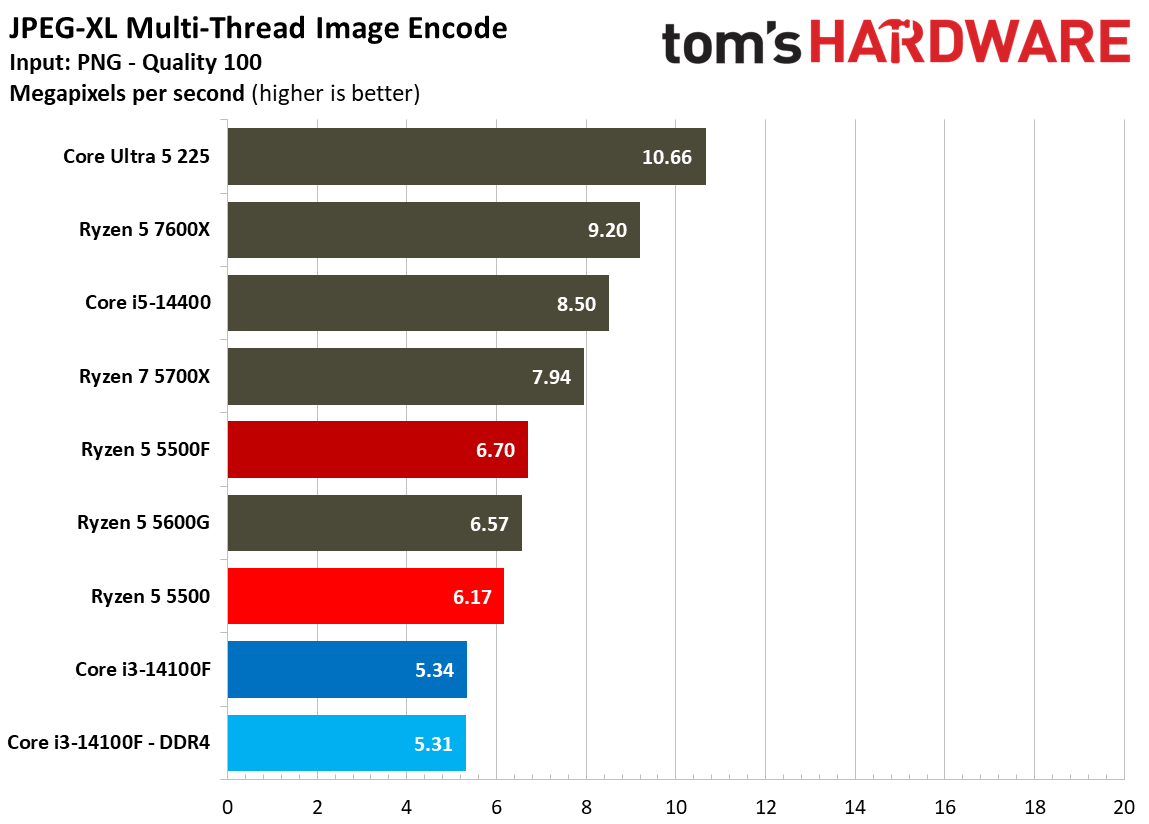
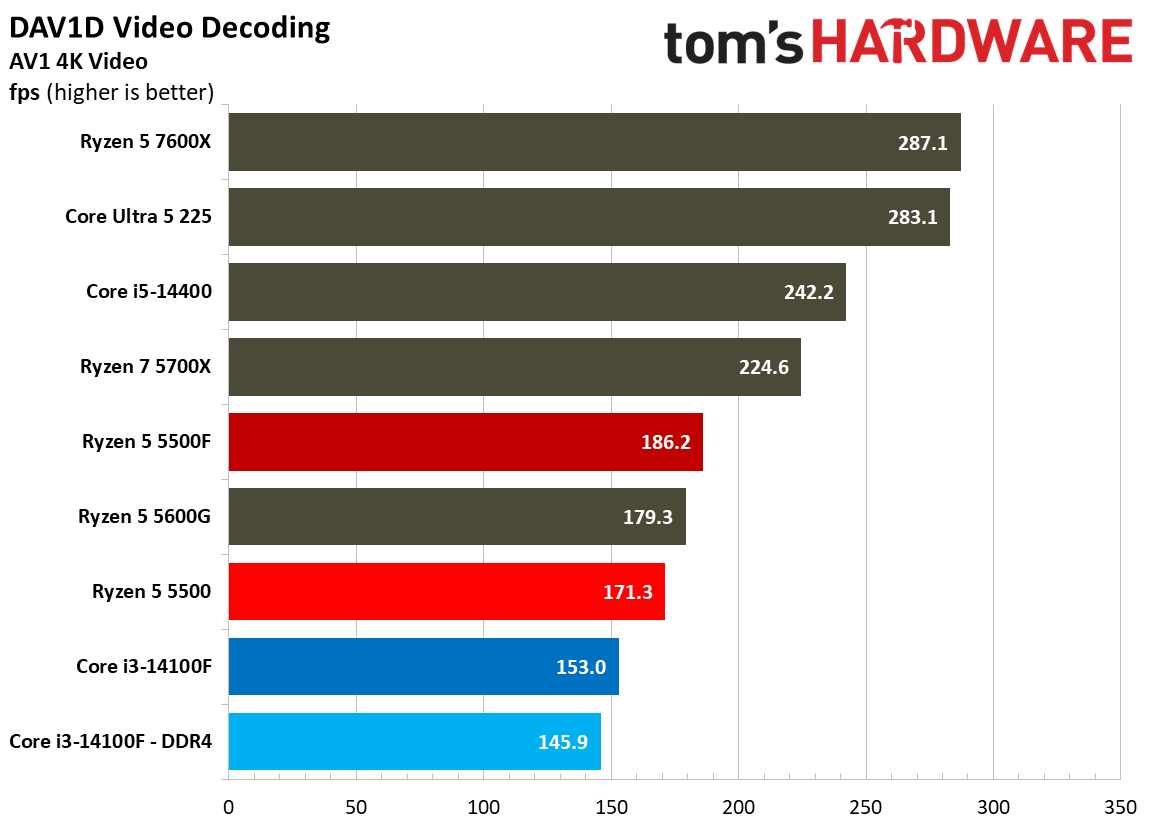
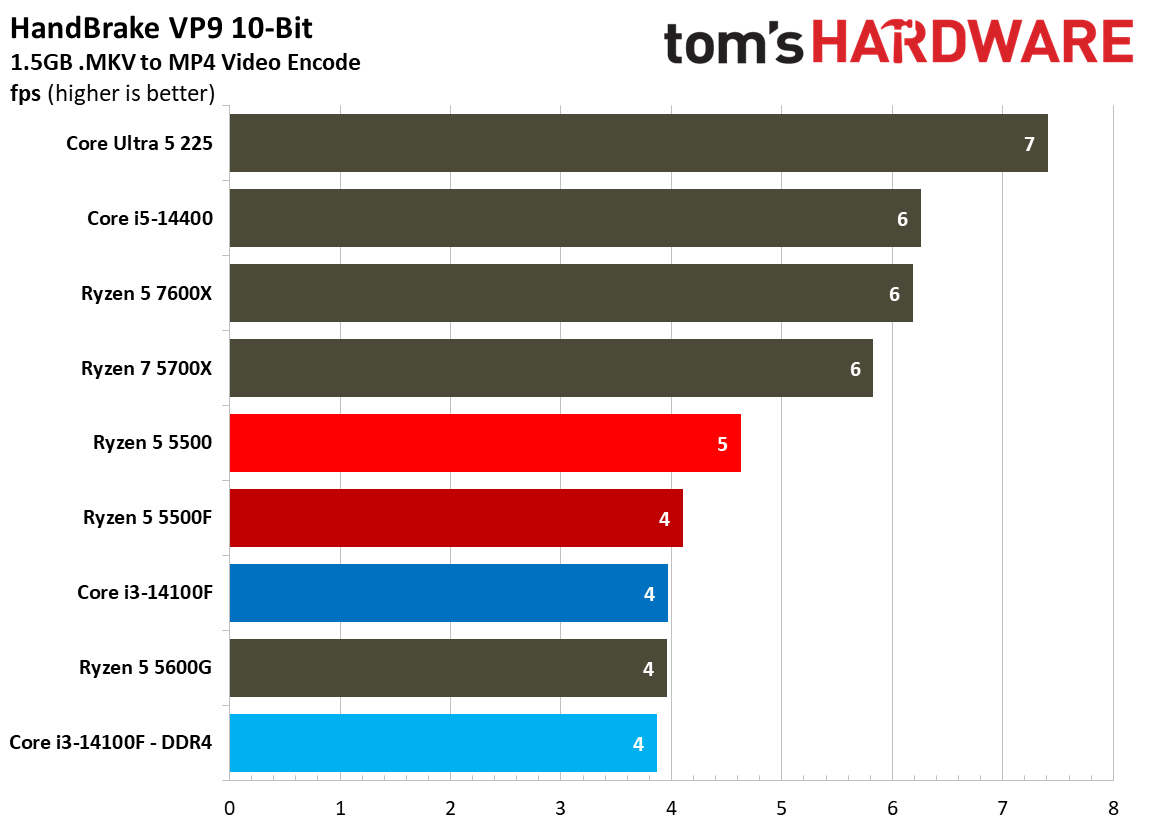
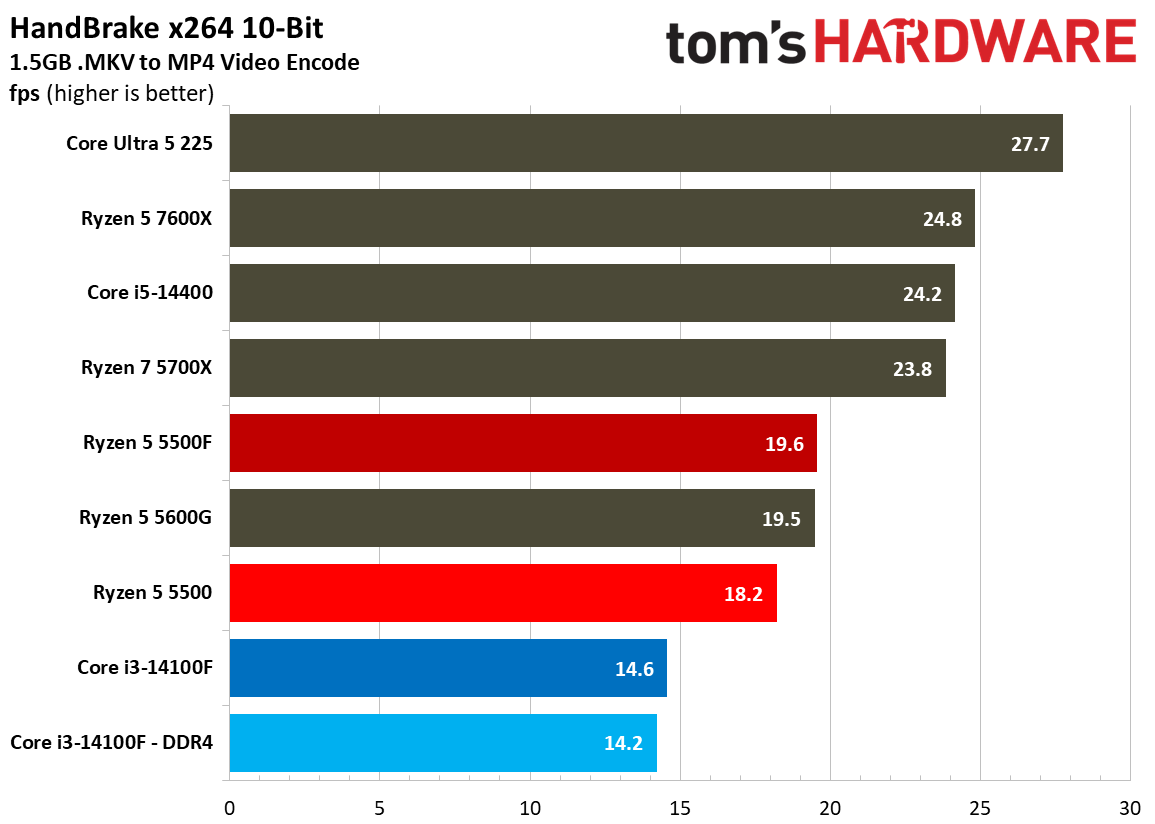
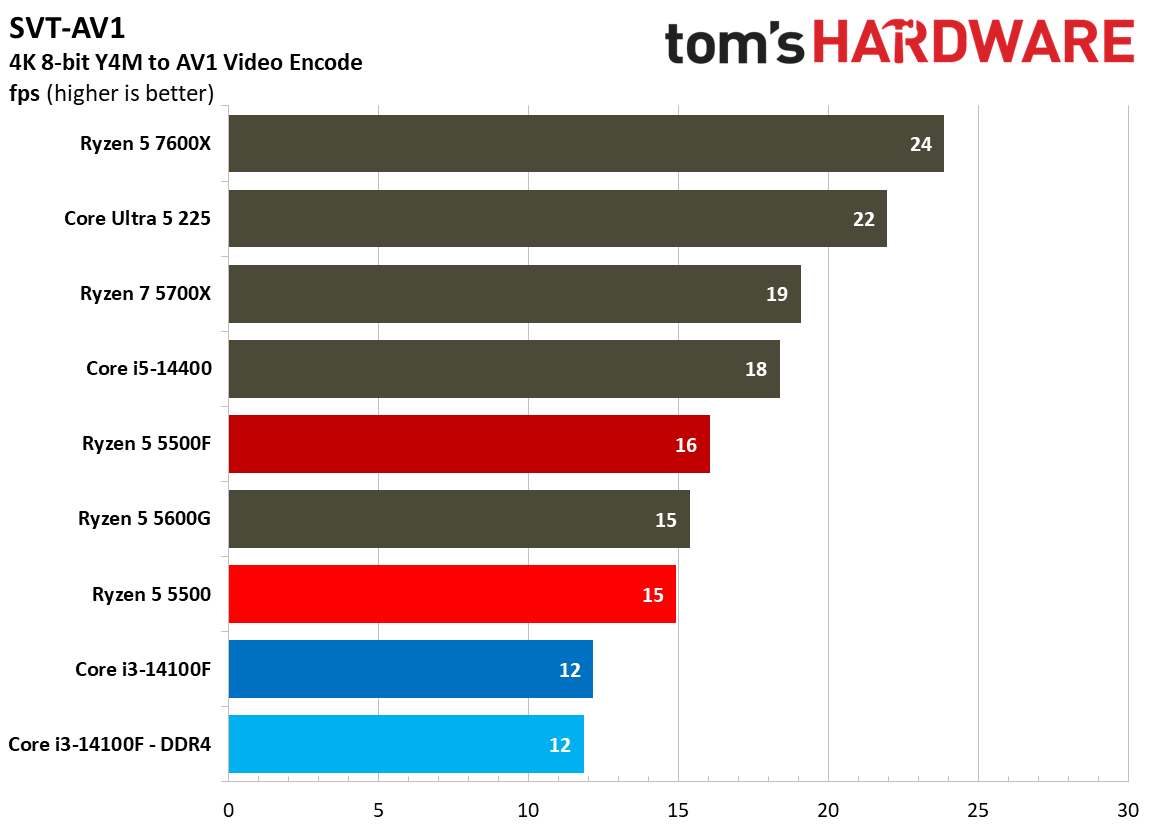
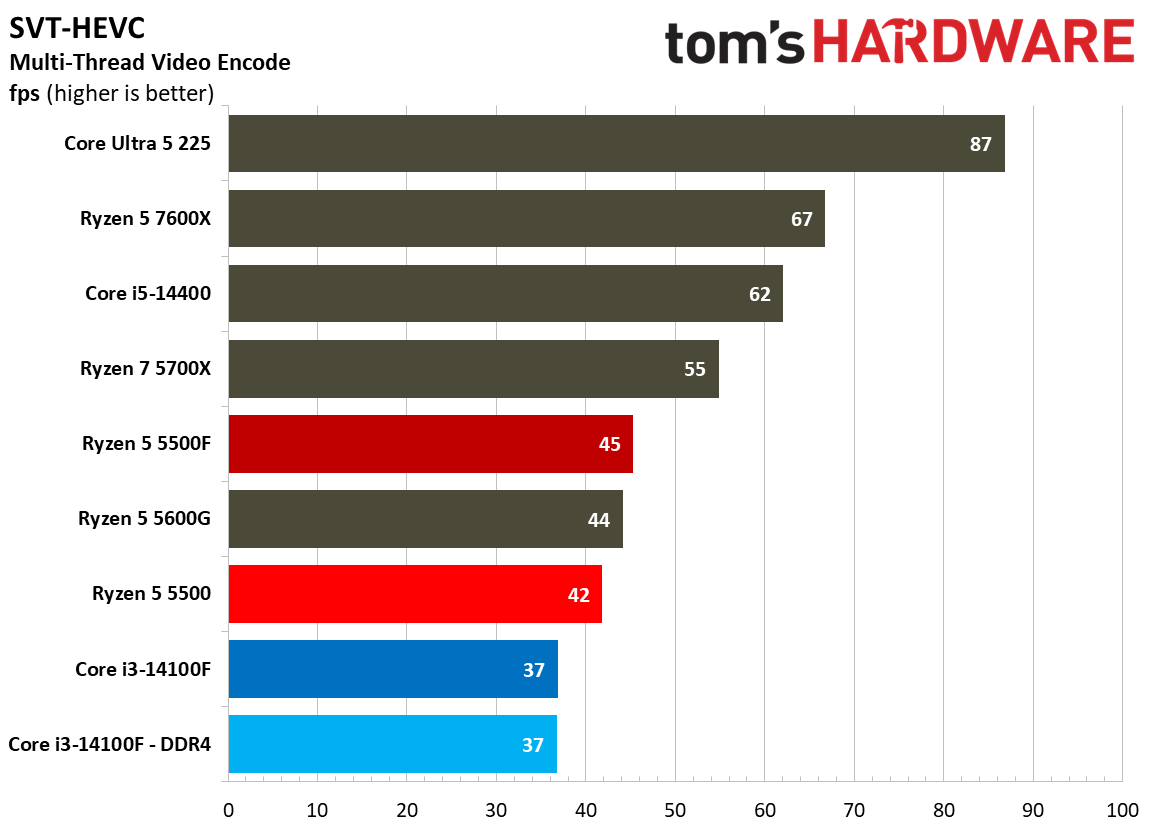
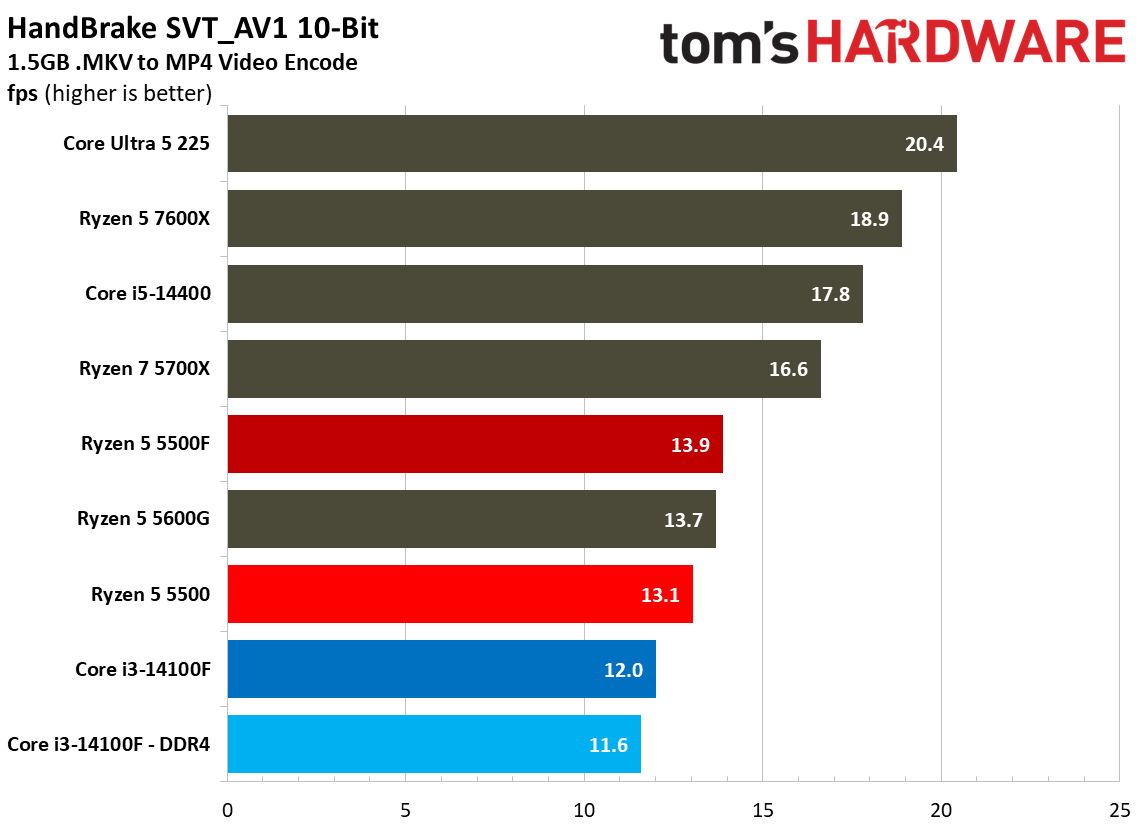
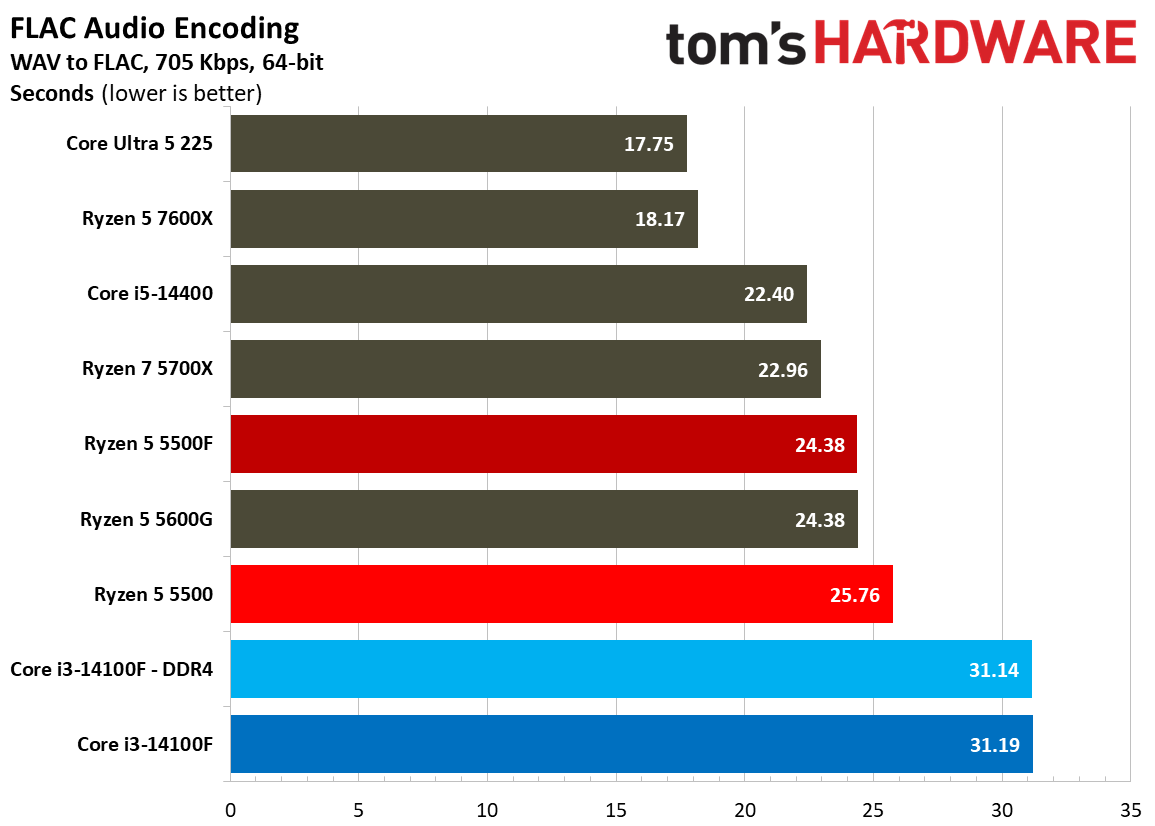
Encoding workloads are similarly all-out for the CPU cores, and in heavy, multi-threaded video encoding via HandBrake, the 5500F is only marginally faster than the 5500. Particularly in these heavy video encodes, the fact that the 5500F has access to six cores matters more than anything else. That slight boost in clock speed helps it squeeze out an advantage; however, with any of these workloads, you’ll notice the 5500F struggles to get along, just like the Core i3-14100 and base 5500.
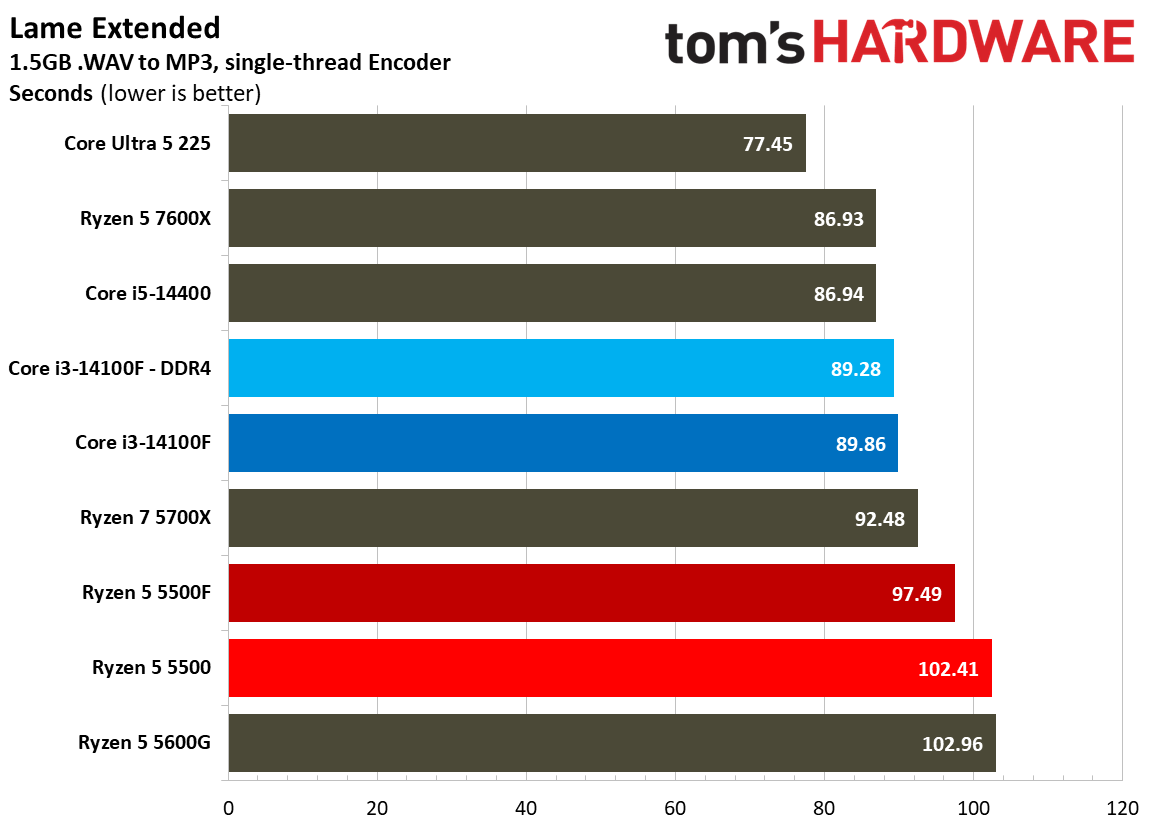
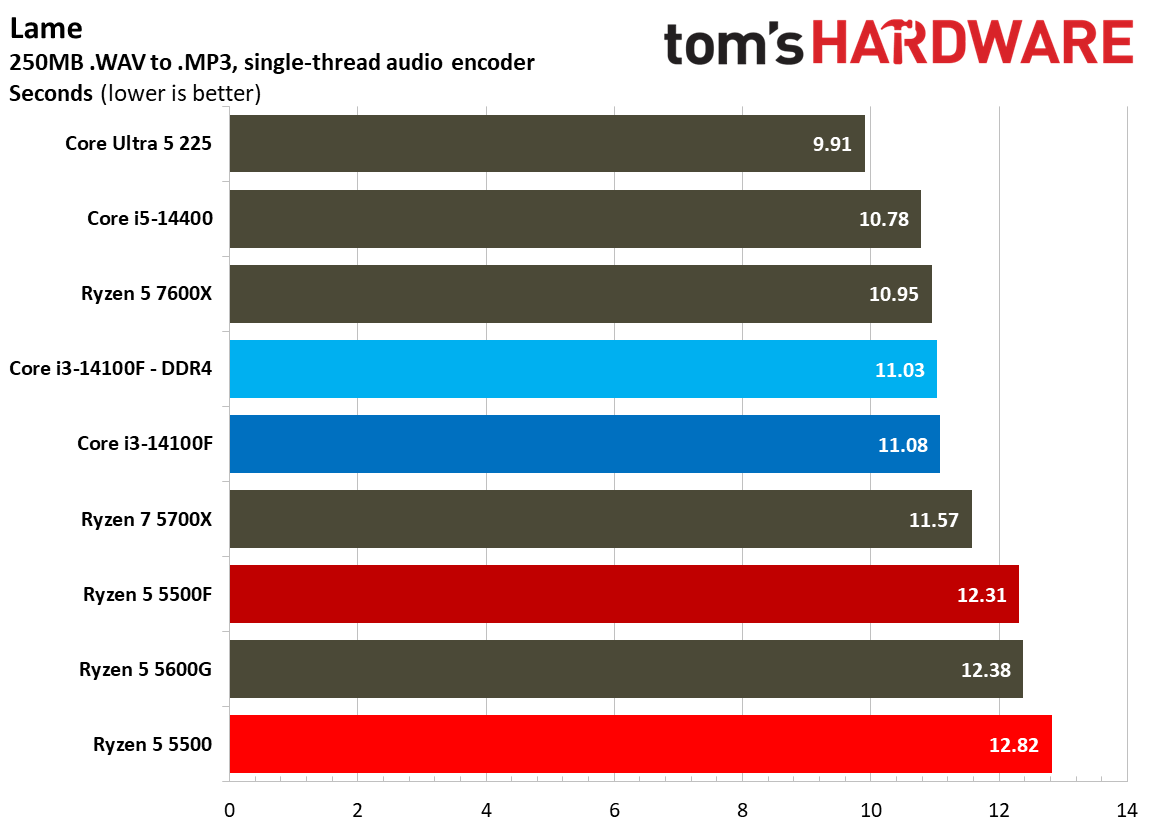
Single-threaded encoding via LAME shows an advantage for Intel, unsurprisingly, but the multi-threaded workloads are what matter here. As a demonstration, look at our VP9 HandBrake results. The 5500 actually ended up faster than the 5500F here, though by just 1 FPS, when the standard for these chips is managing just 4 FPS for this encode.
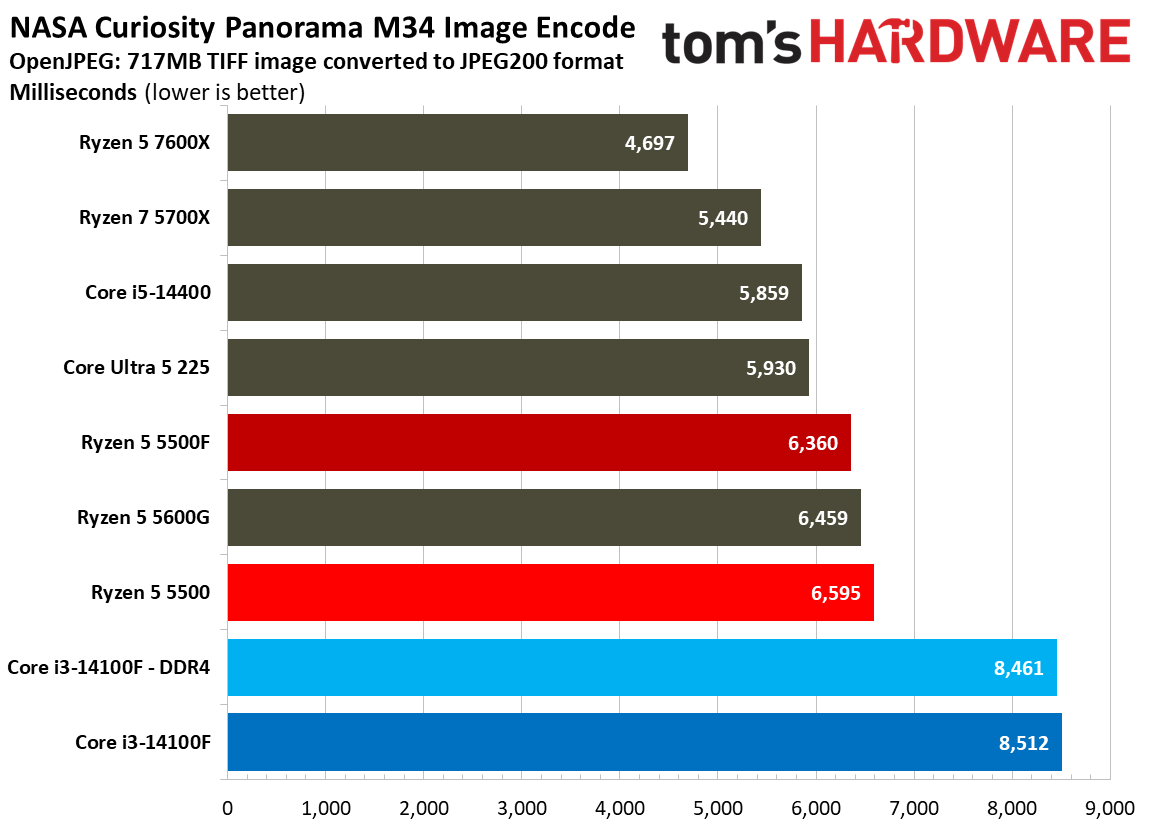
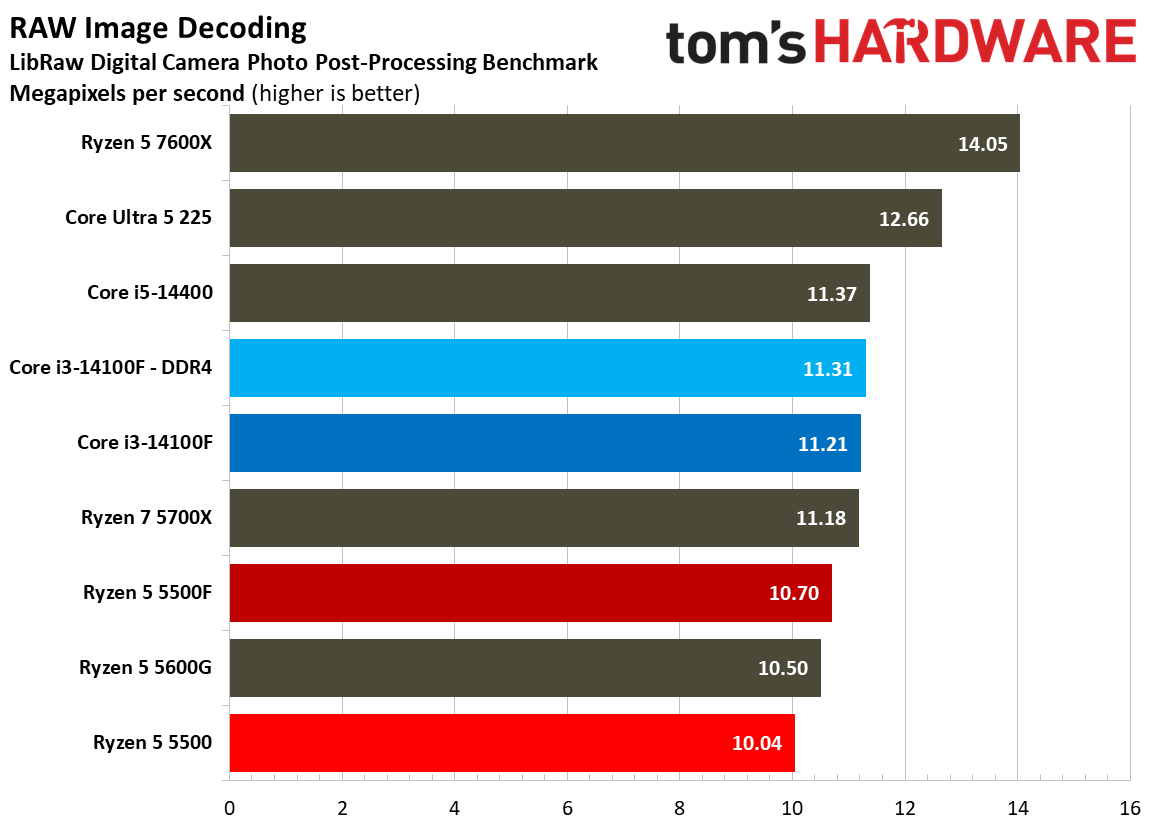
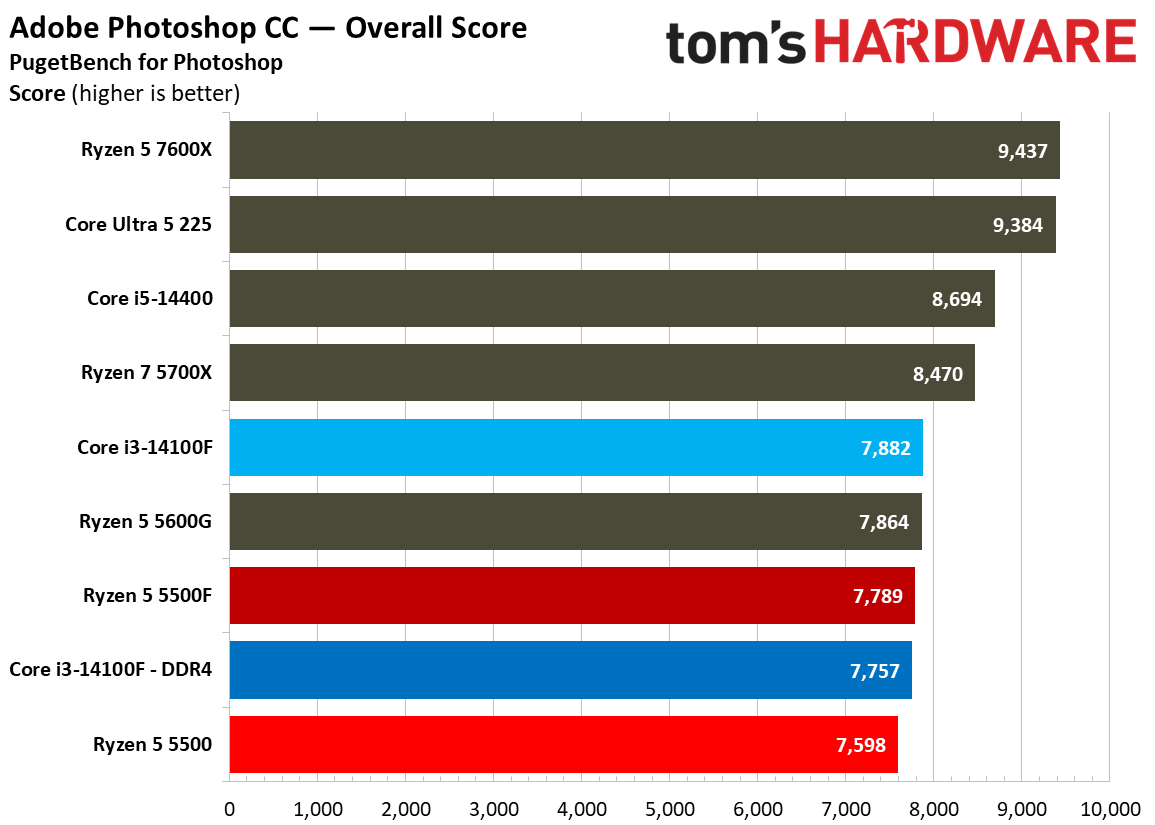
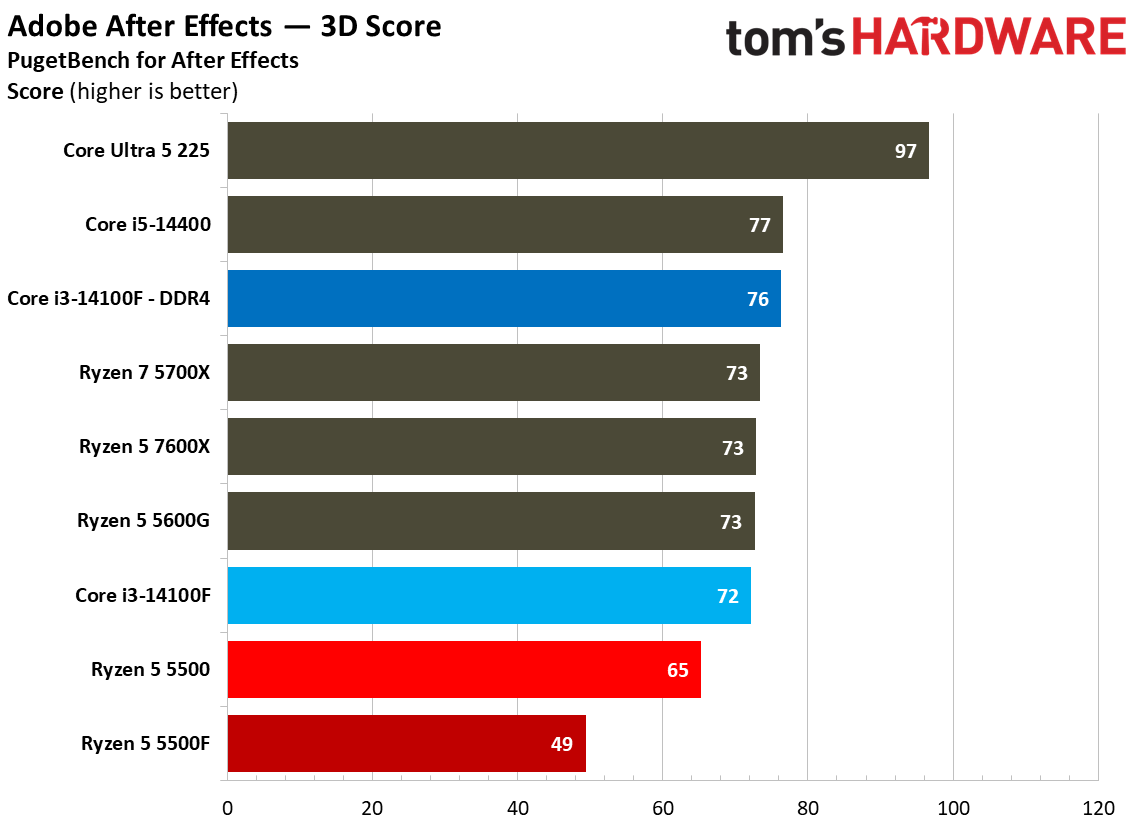
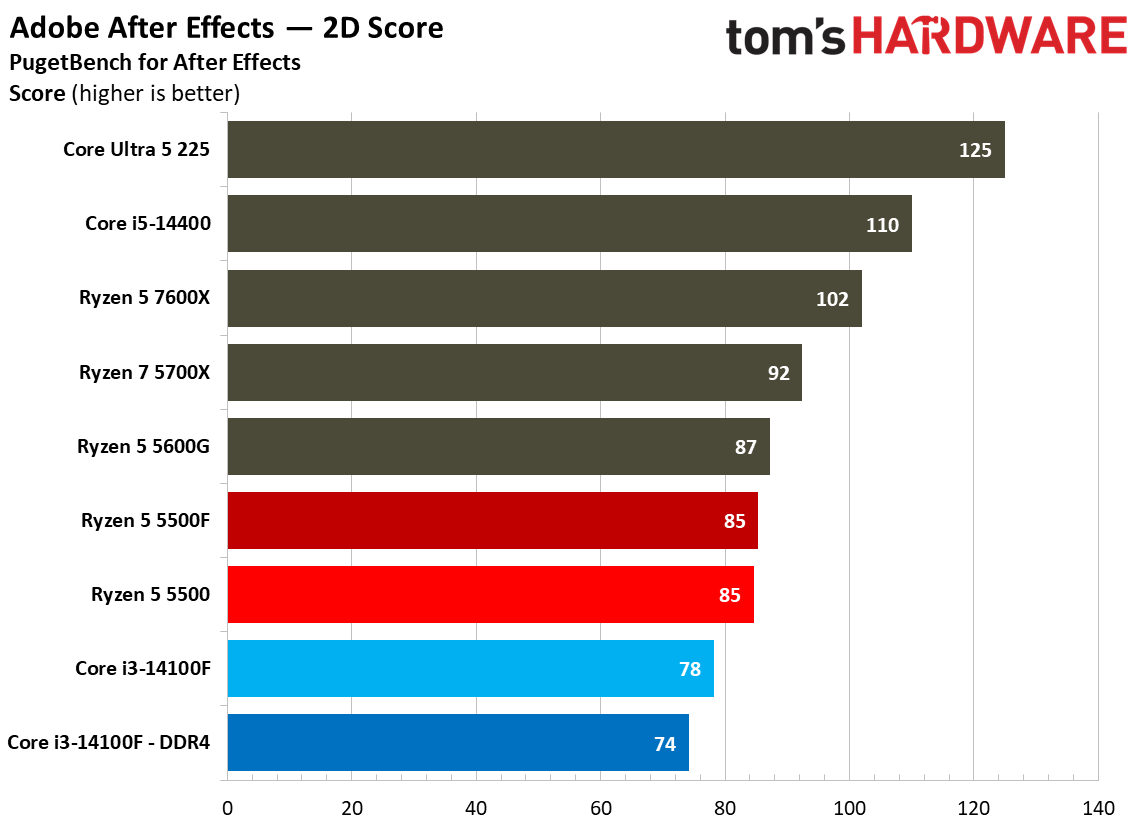
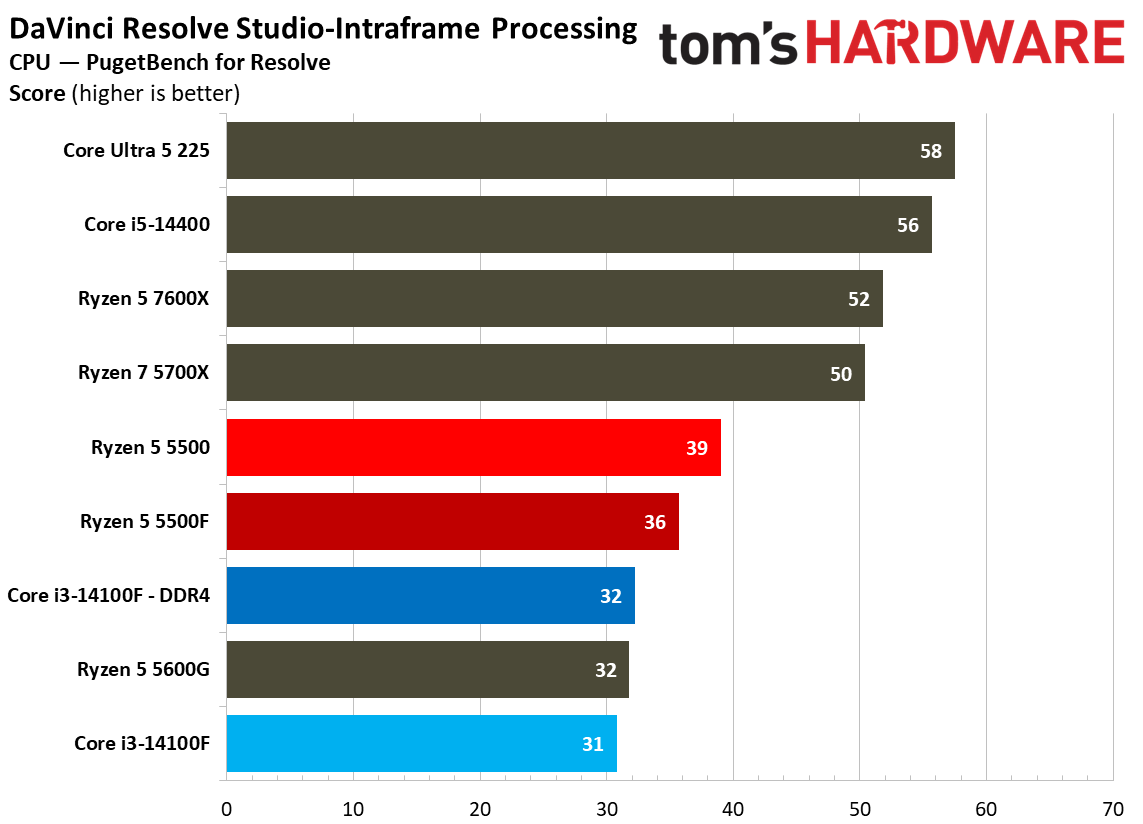
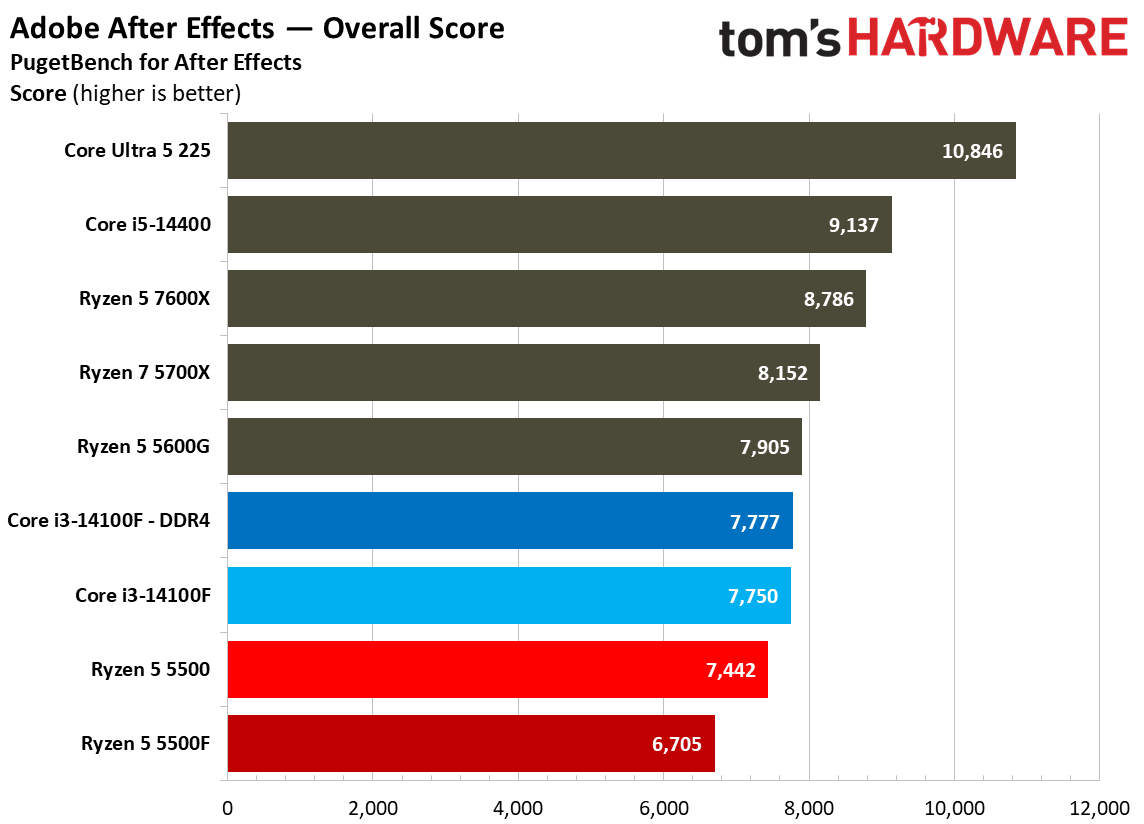
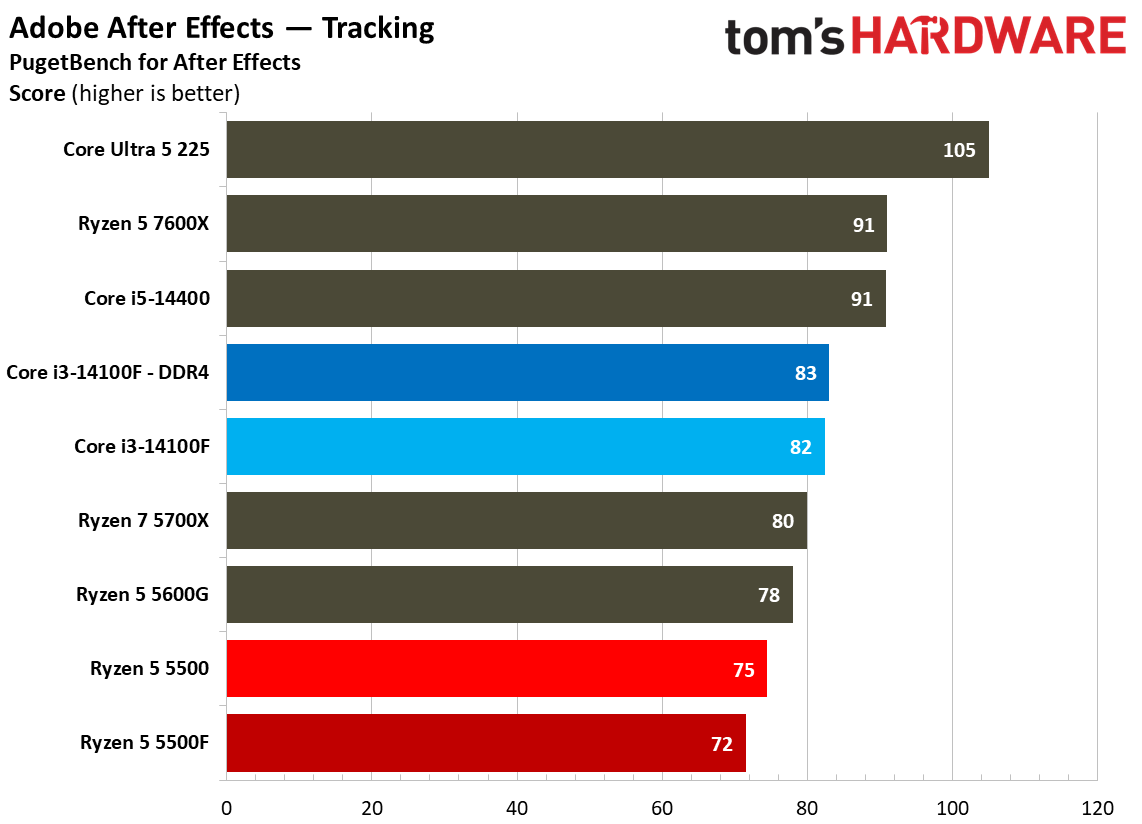
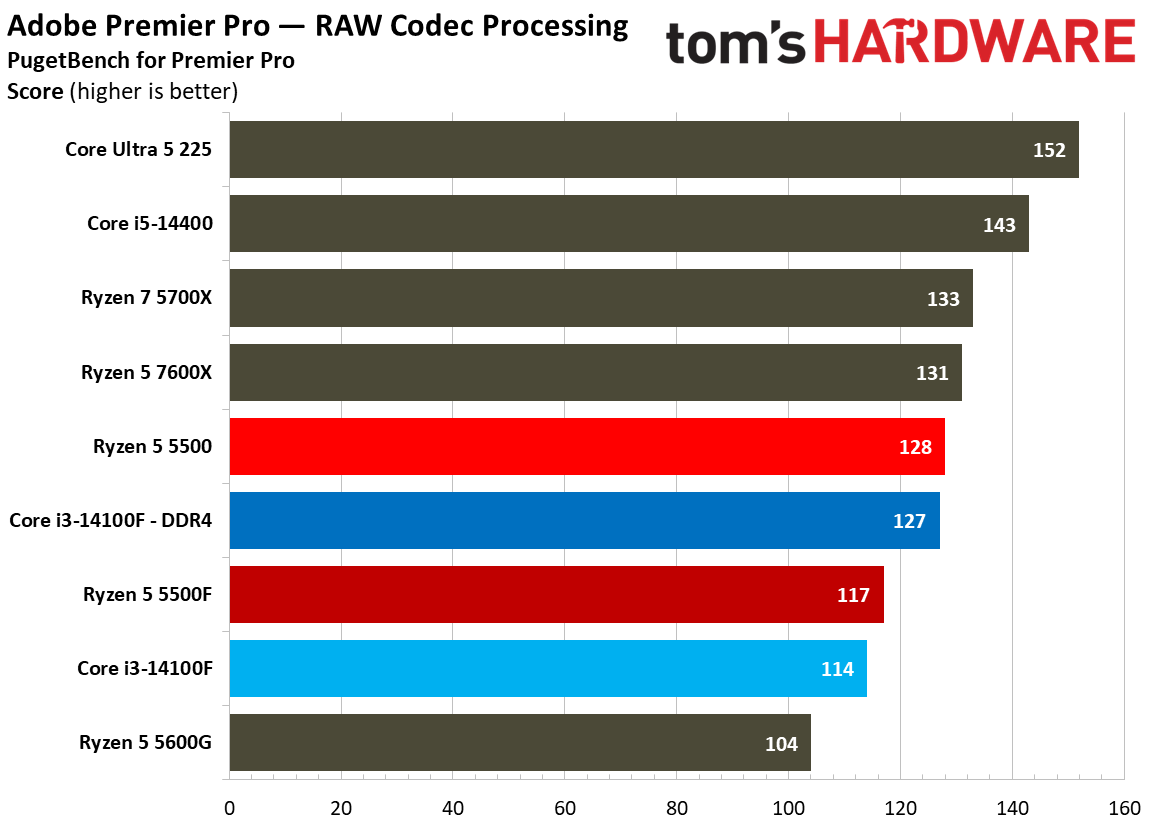
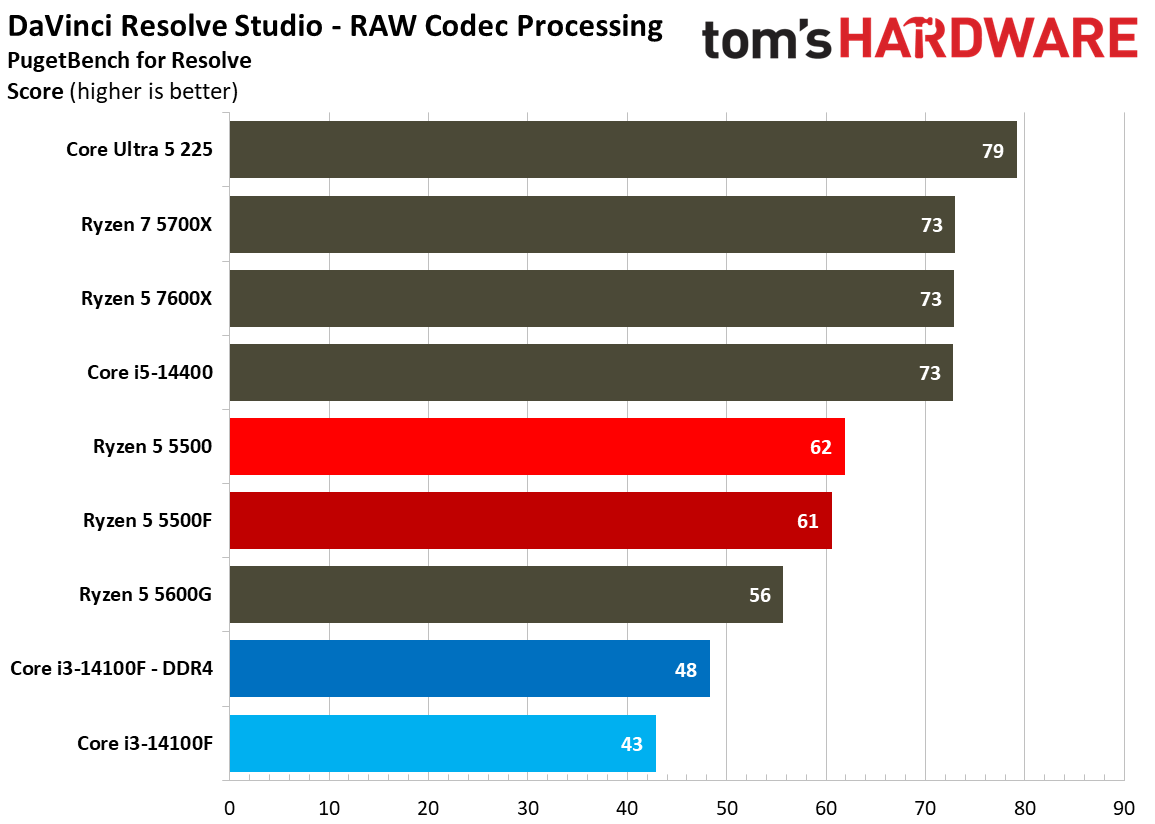
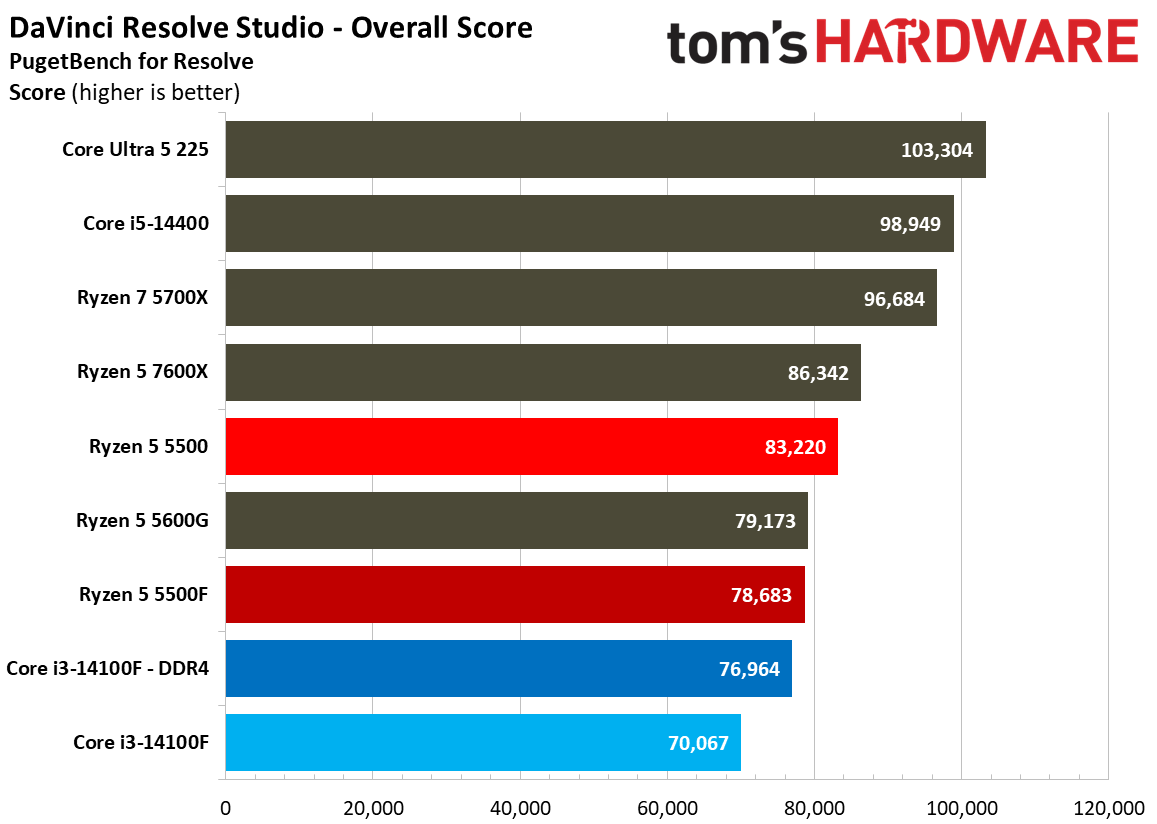
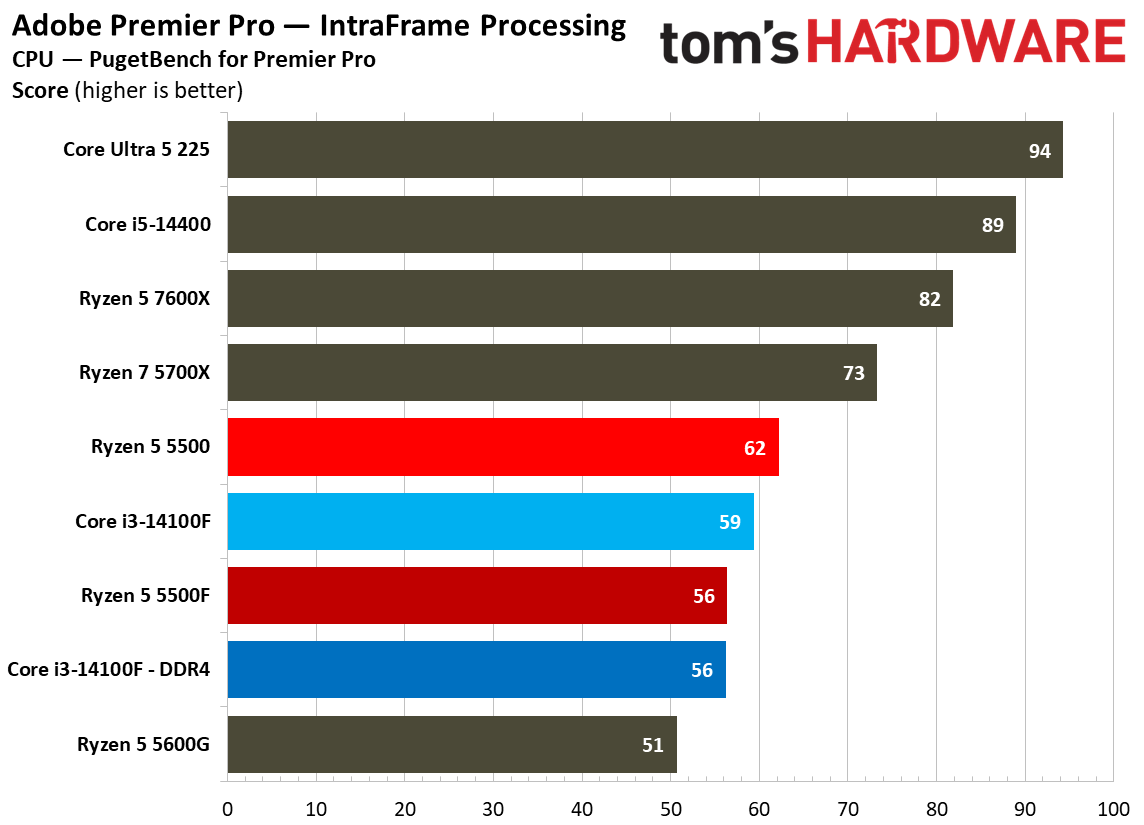
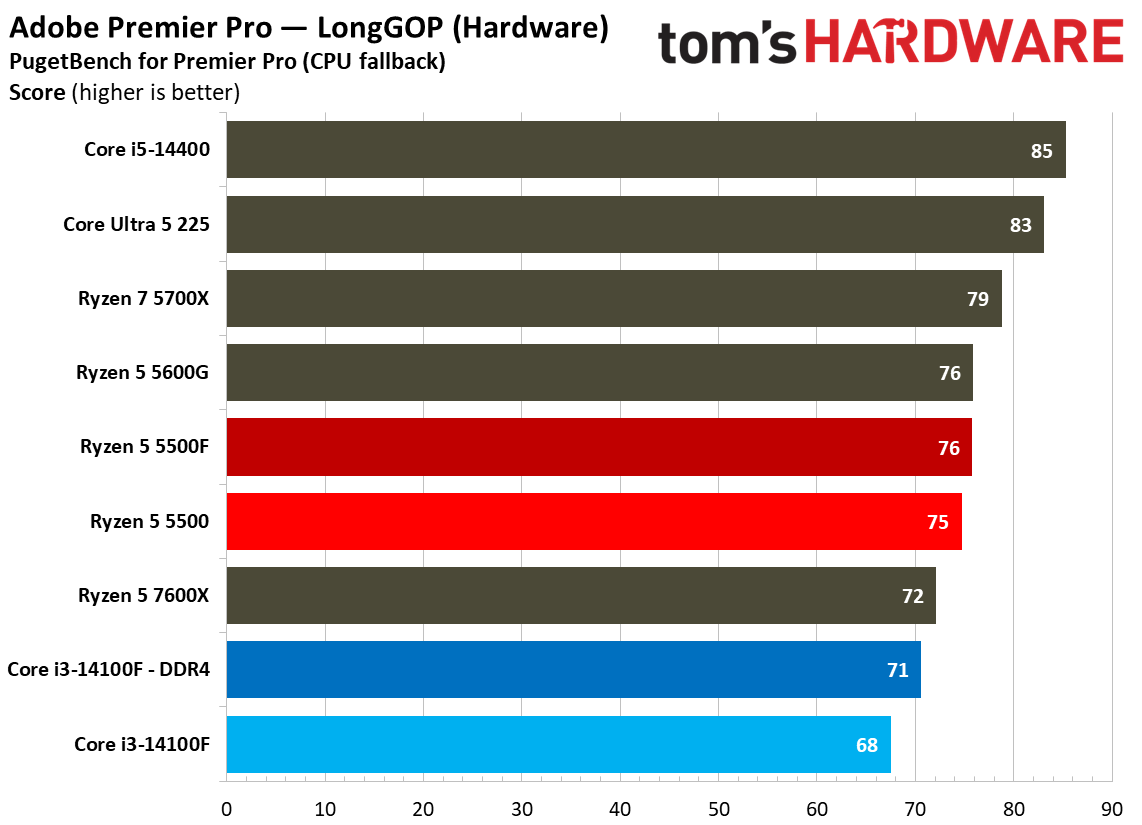
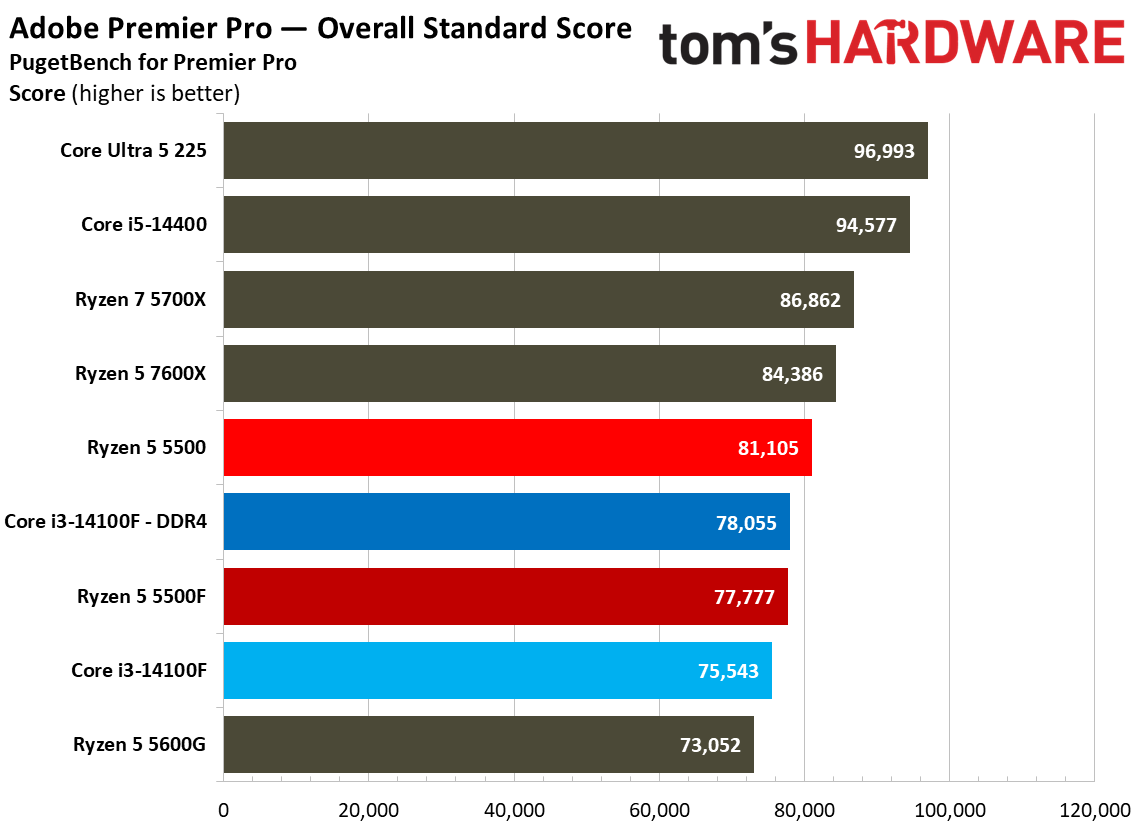
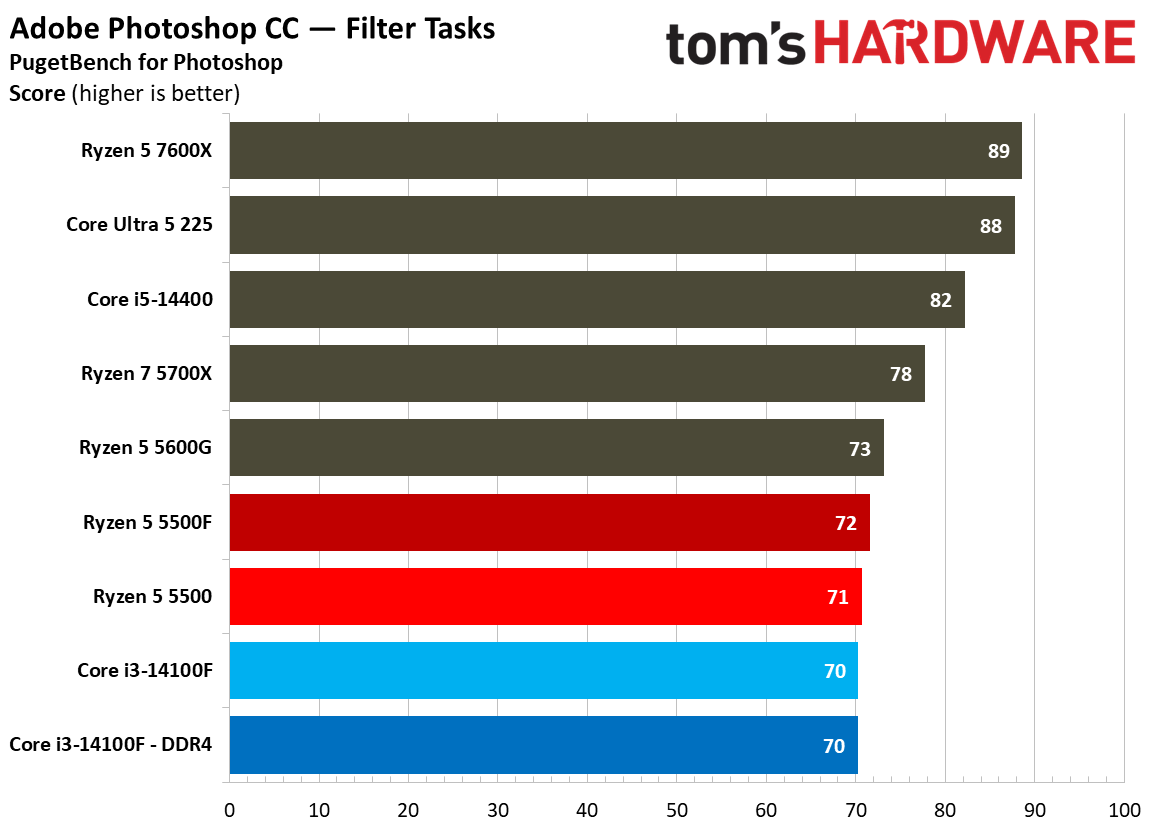
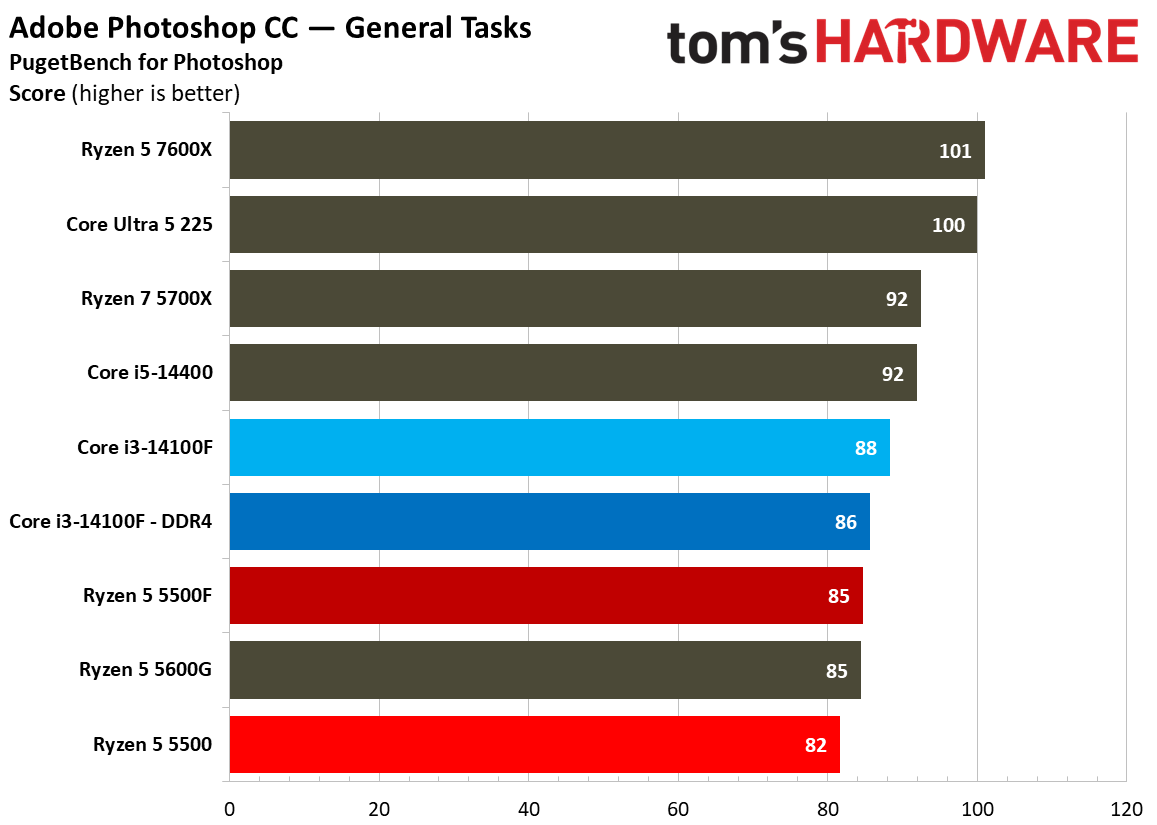
The main CPUs we’re focused on — 5500, 5500F, and 14100F — aren’t the best choice when it comes to modern creative applications, particularly when it comes to the more demanding workloads in nonlinear video editors like Resolve and Premiere, as well as visual effects in After Effects. In Photoshop, the three ~$100 CPUs all hit a performance wall, though likely for different reasons, as you can see the DDR5-equipped 14100F run into the same bottleneck as the DDR4 version.
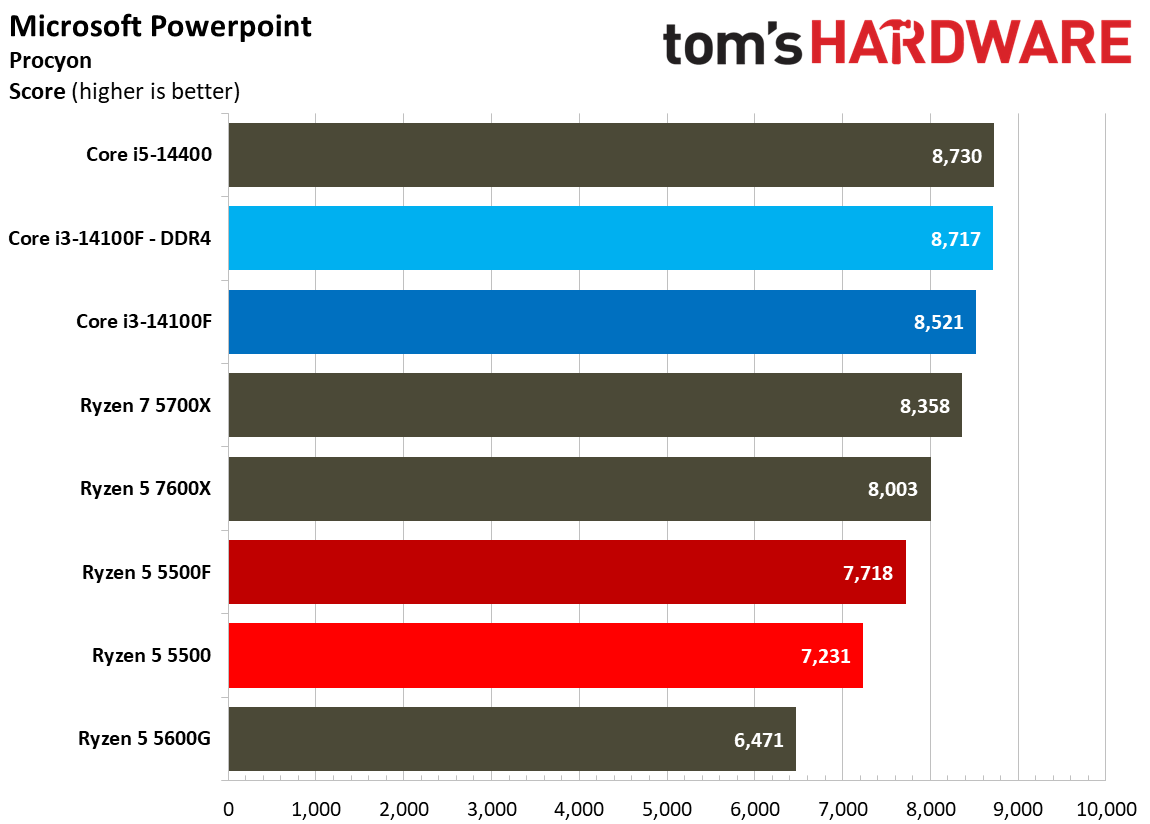
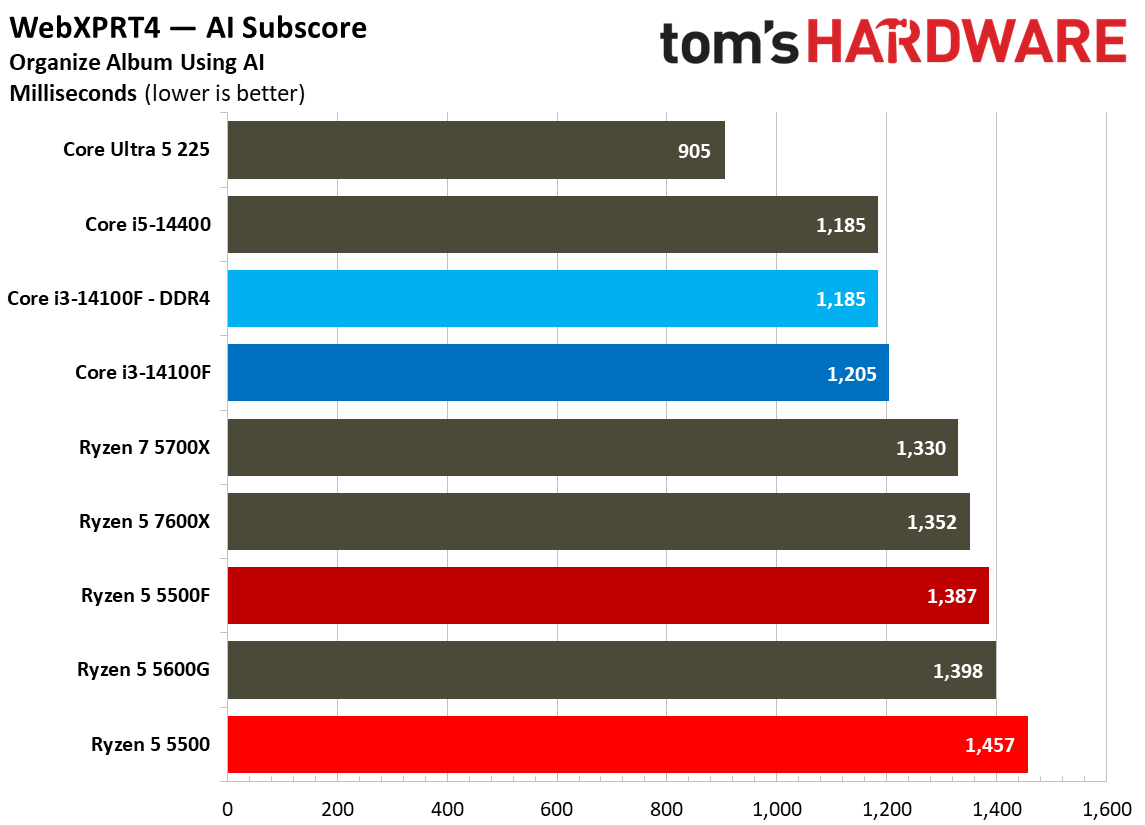
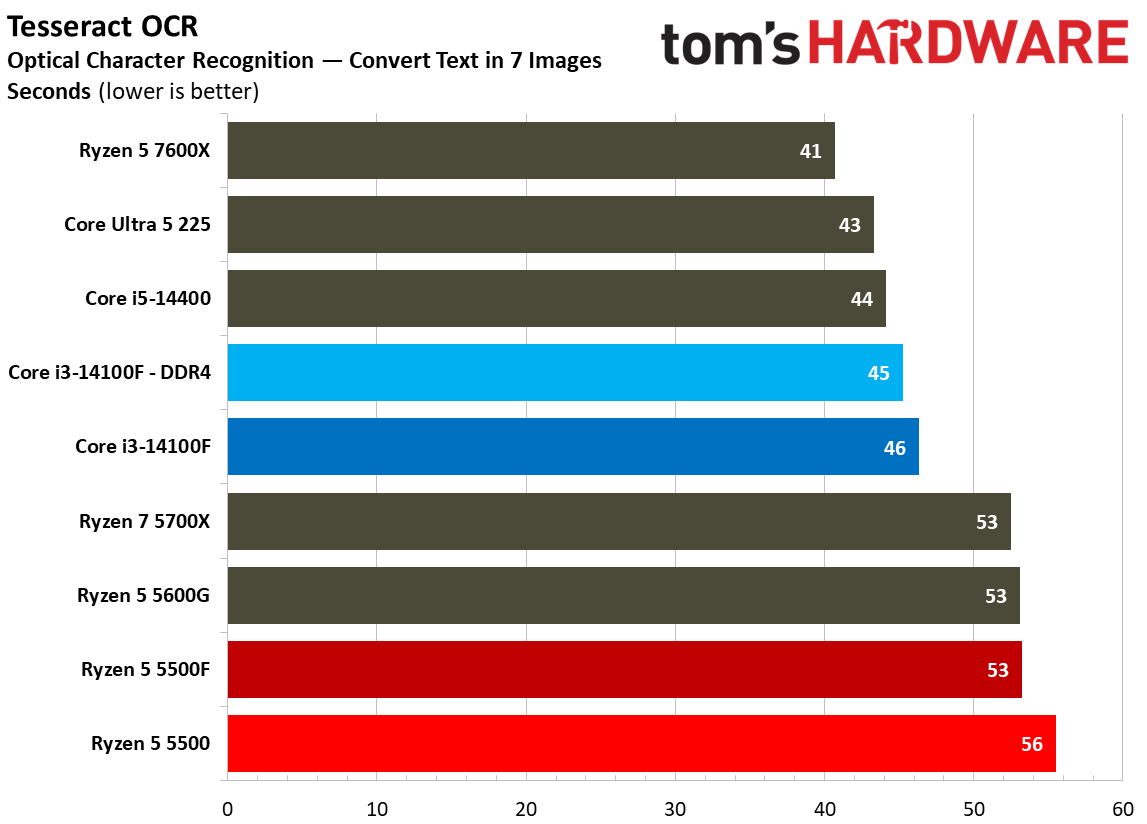
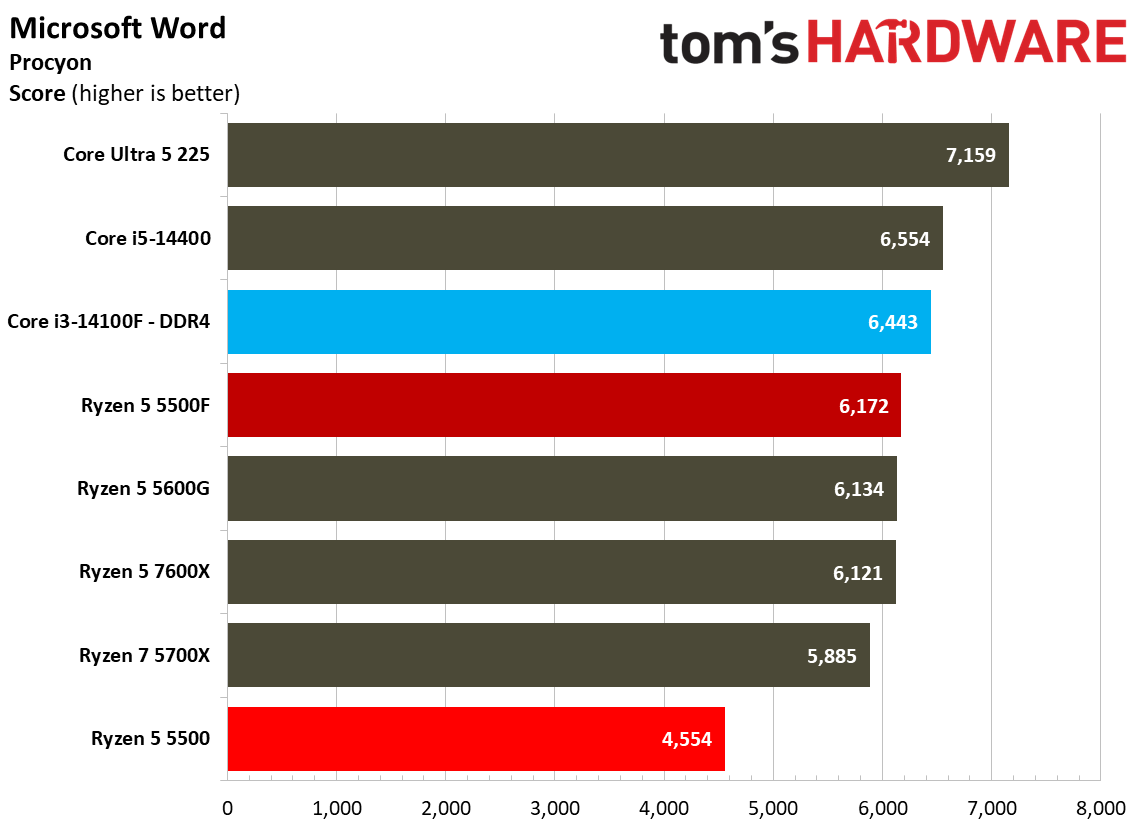
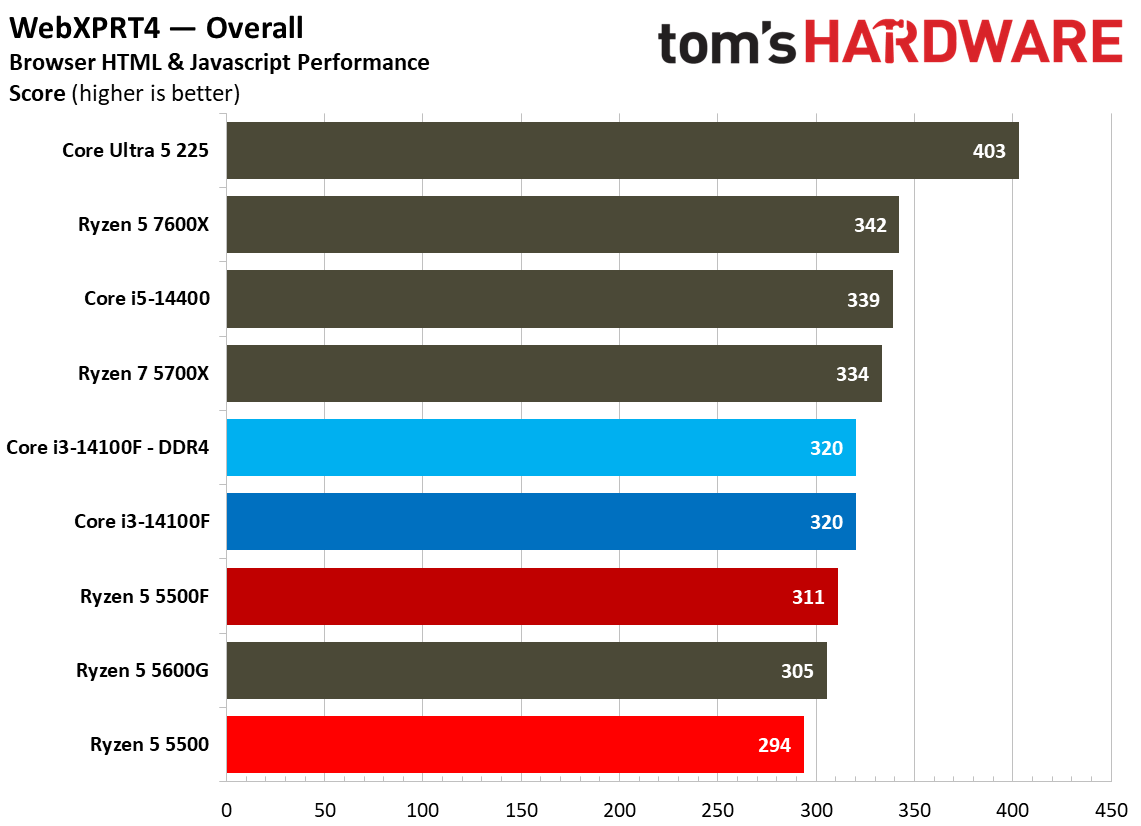
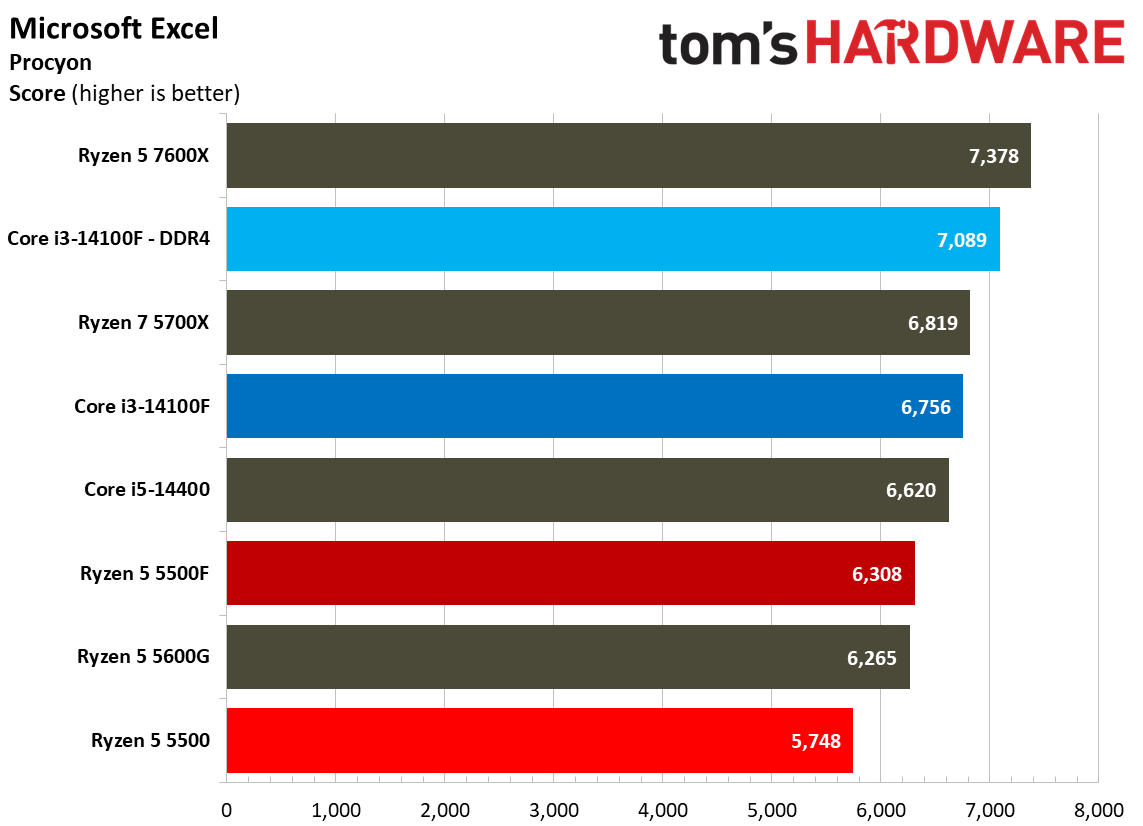
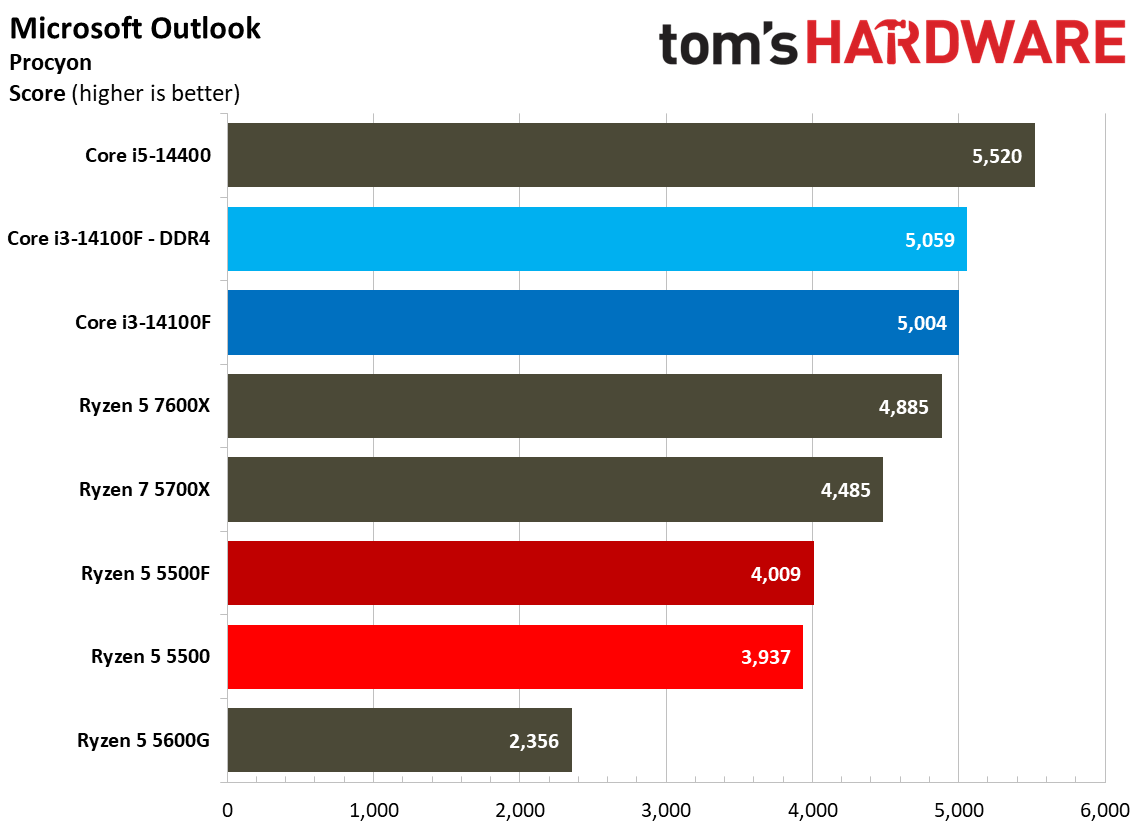
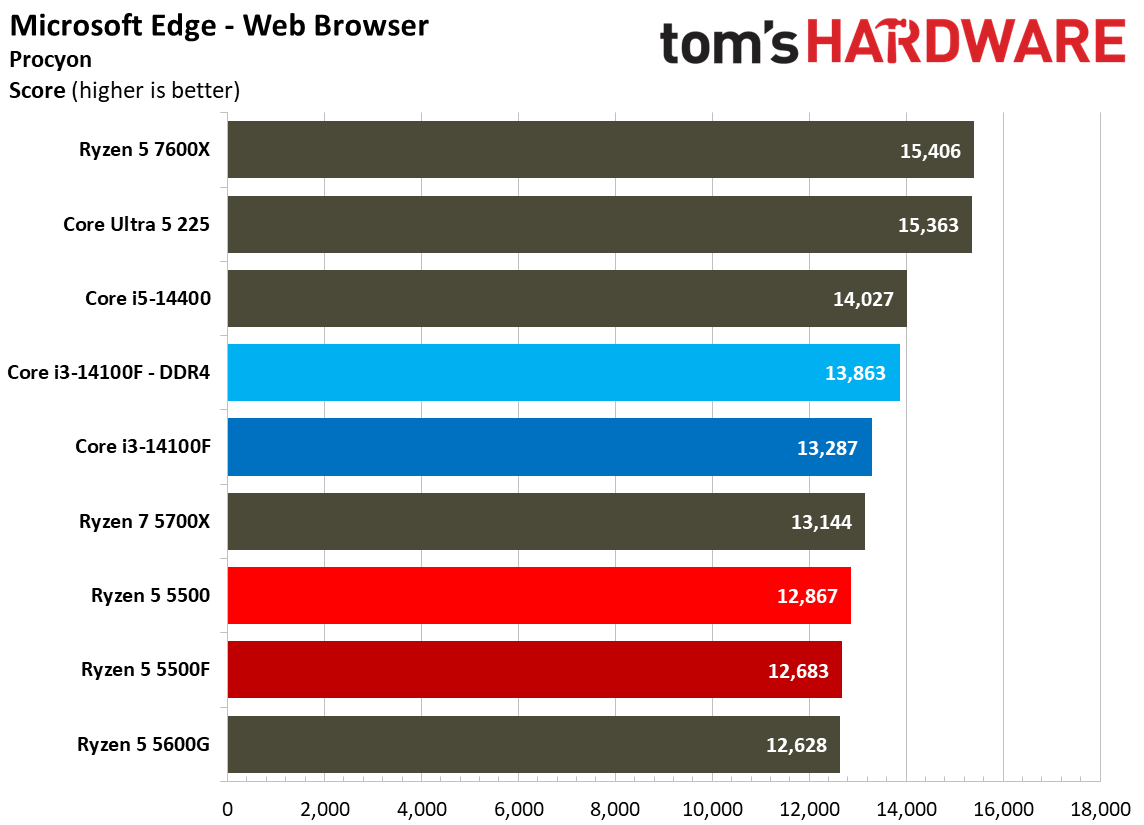
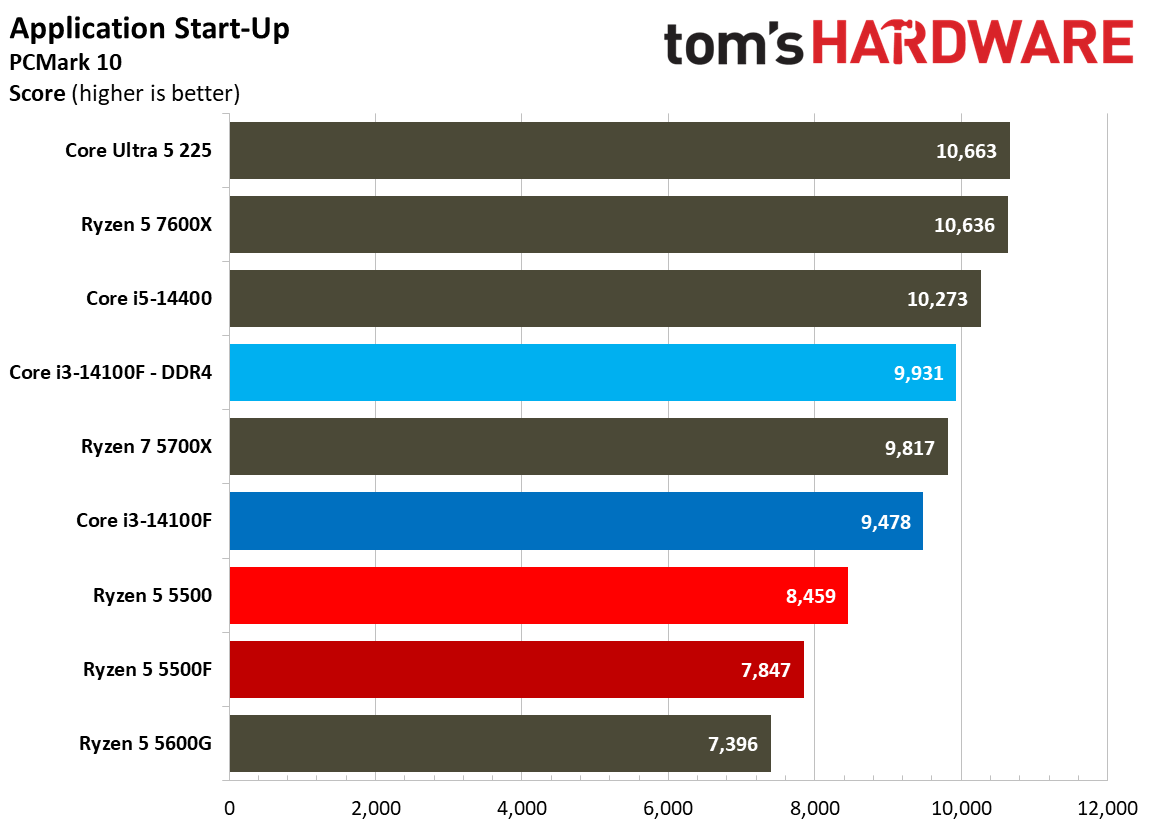
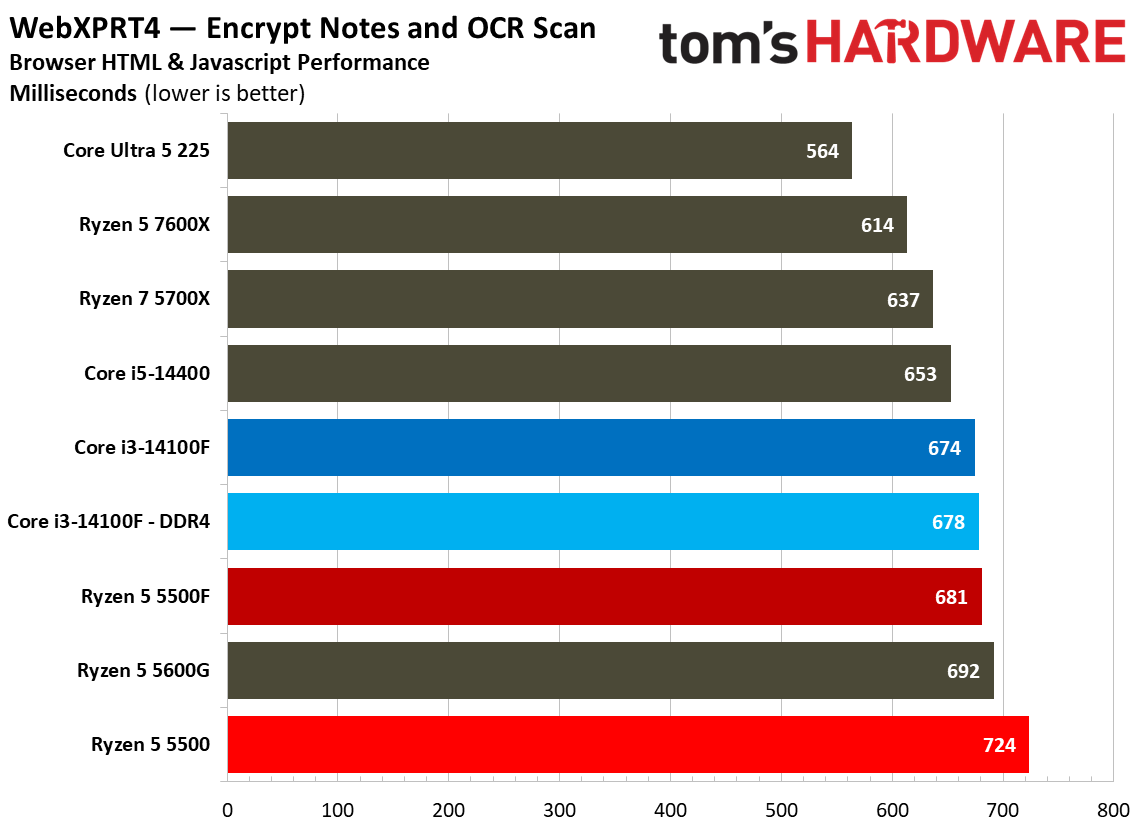
Web and office workloads are par for the course when it comes to the Ryzen 5 5500F. Although Intel retains a lead in our web and office benchmarks, the 5500F does a lot to close the gap compared to the 5500, at least in some tests. Looking at general web workloads through WebXPRT and Procyon, there isn’t much of a difference between the main chips we’re focused on.
However, the 5500F gains some ground in Excel with a 9.7% jump over the 5500. It was a massive 35% faster in Word, finally closing in on the 14100F, and it was 6.7% faster in PowerPoint. Even by the standards of budget CPUs, the Ryzen 5 5500 didn’t perform well in these applications. The 5500F puts AMD’s budget offering back in contention.
Chess Engines, Compilation, Compression, AVX, and Other Benchmarks
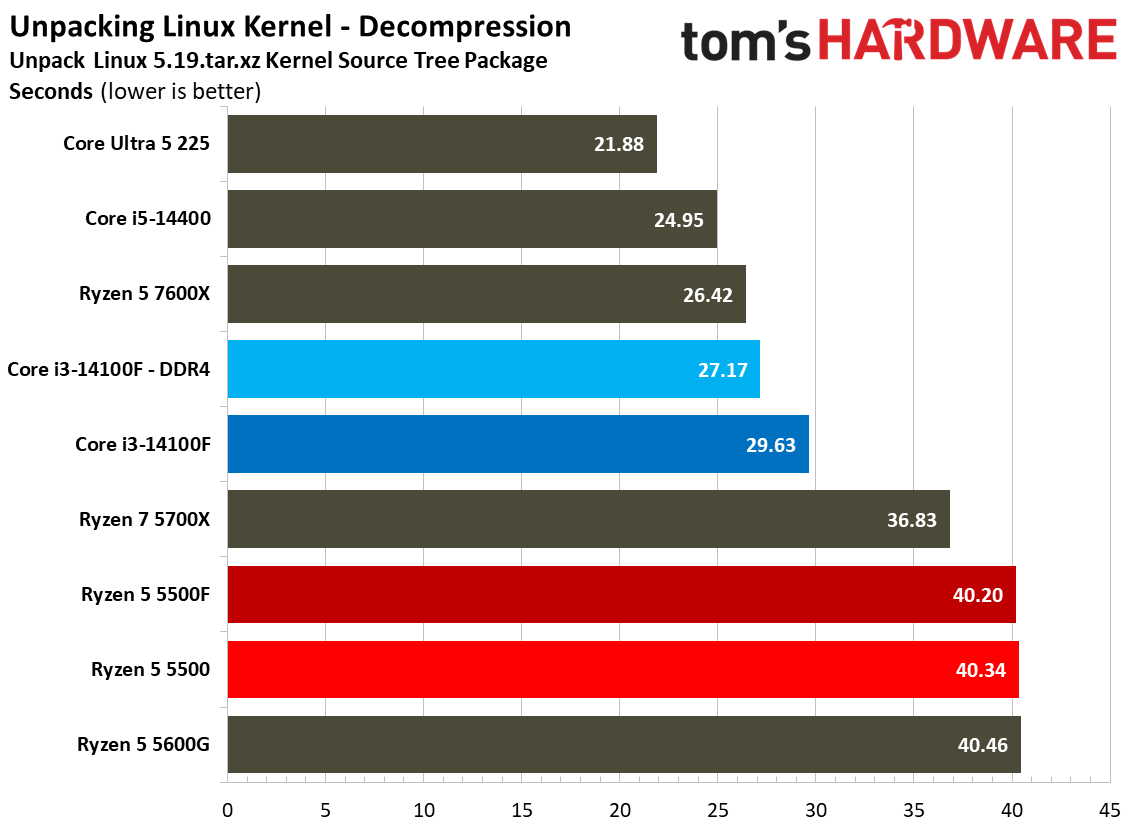
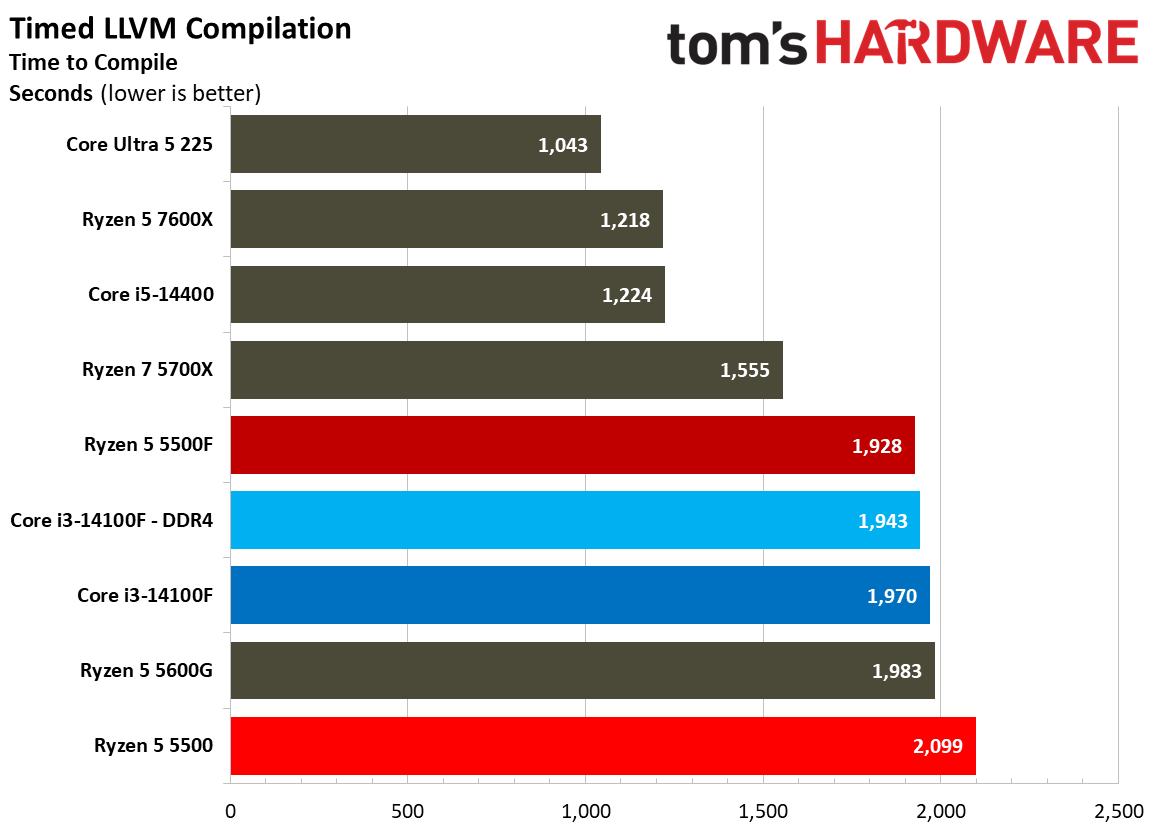
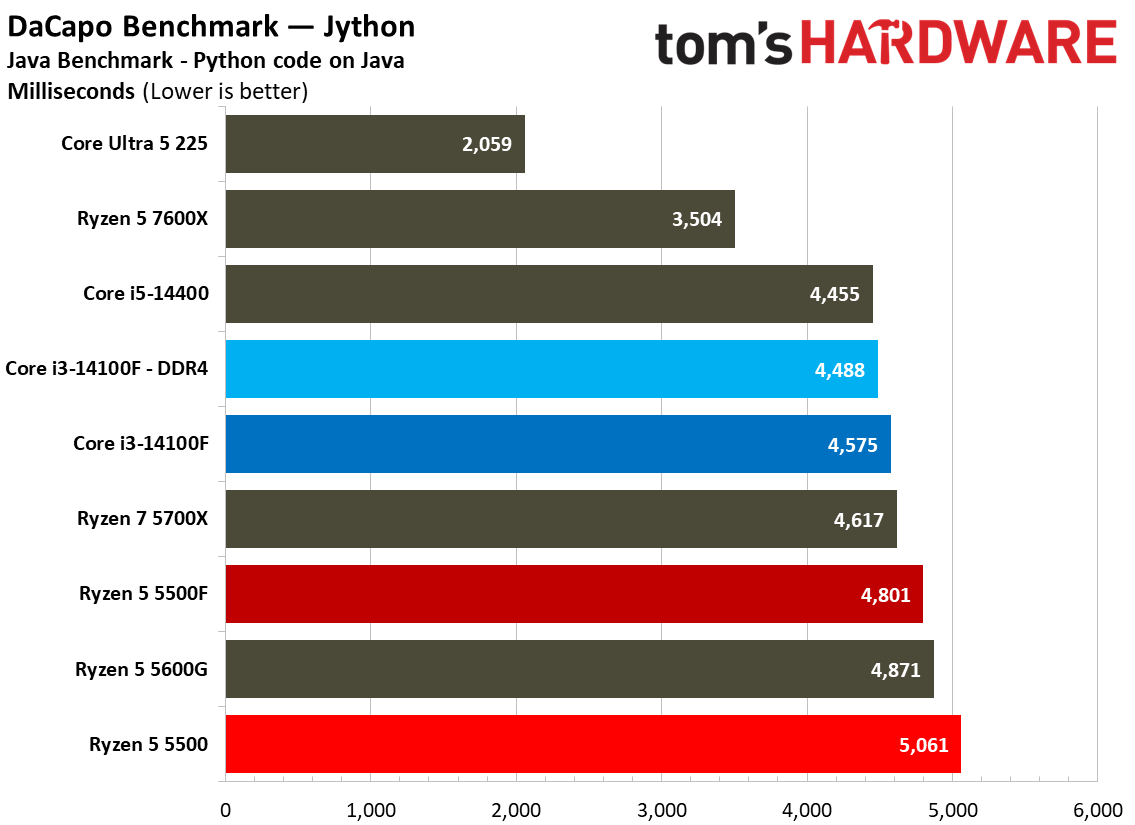
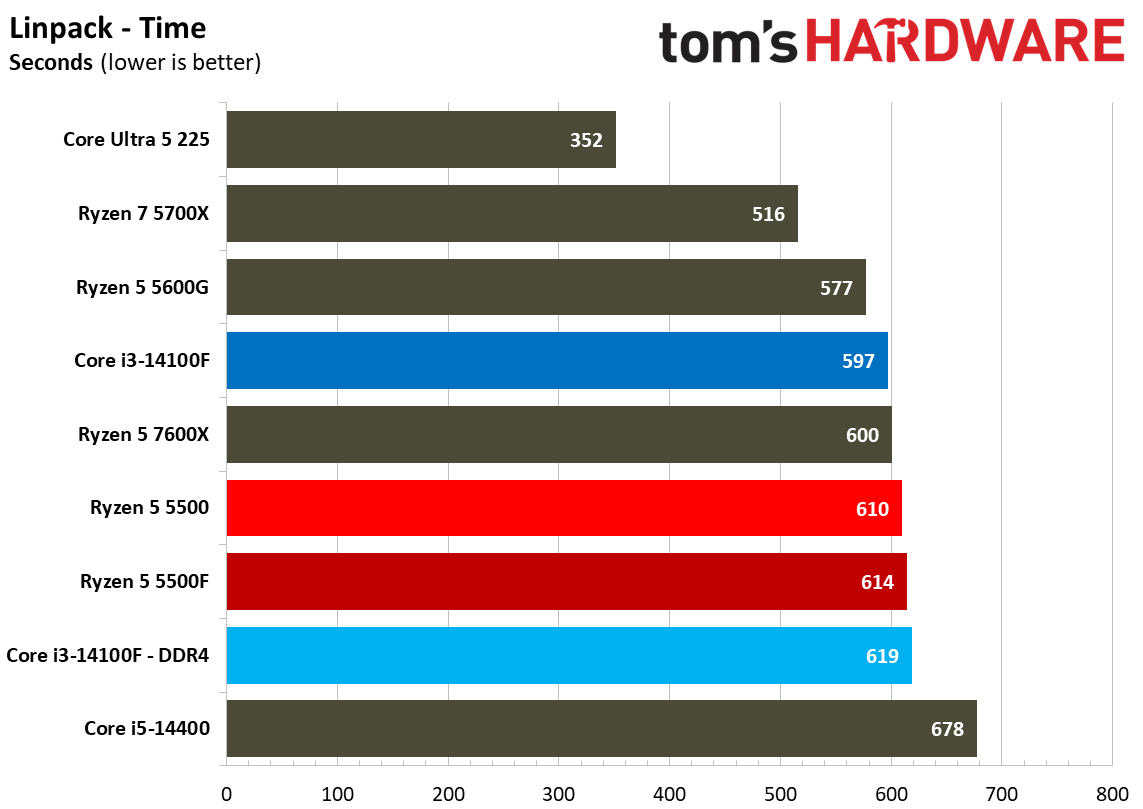
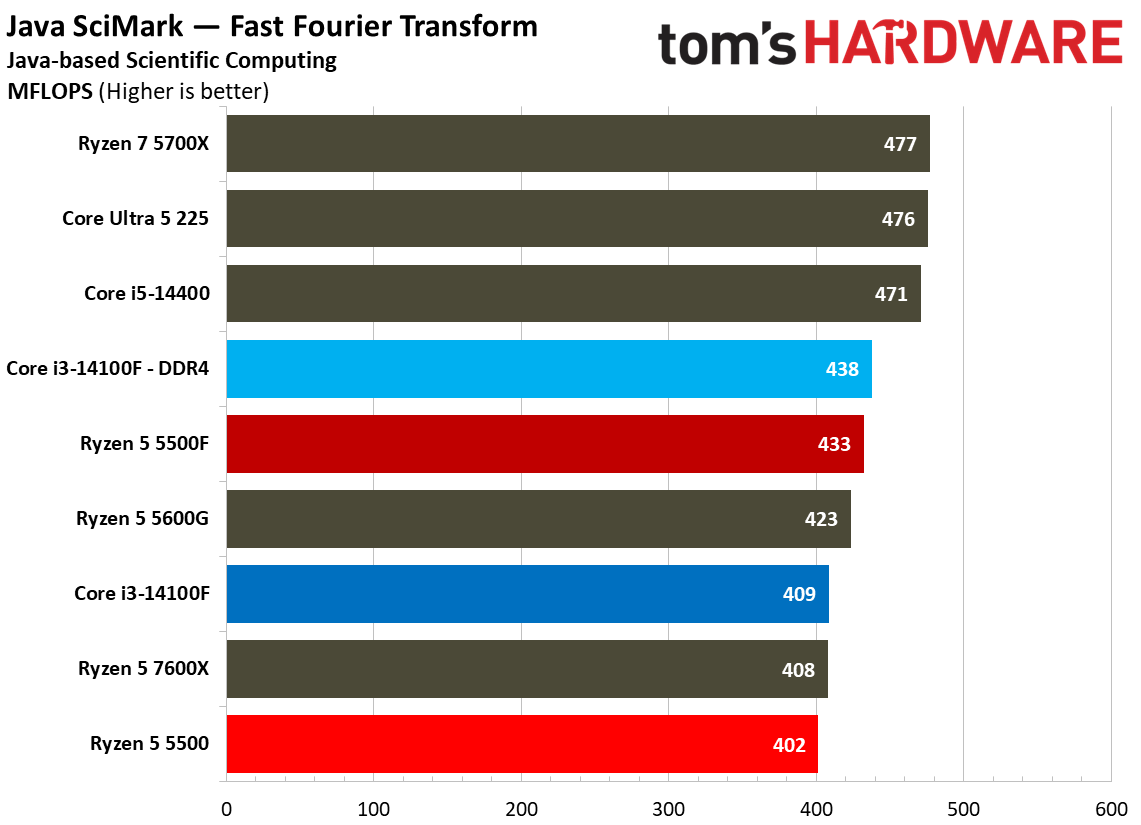
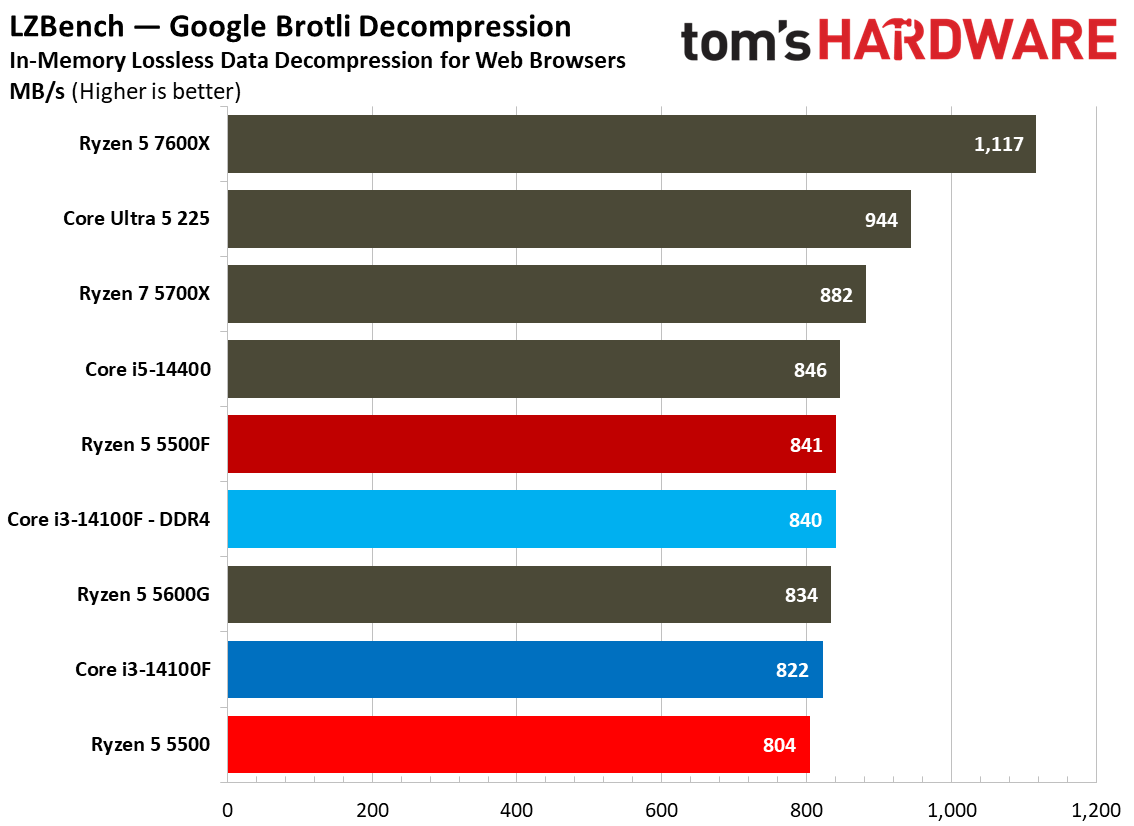
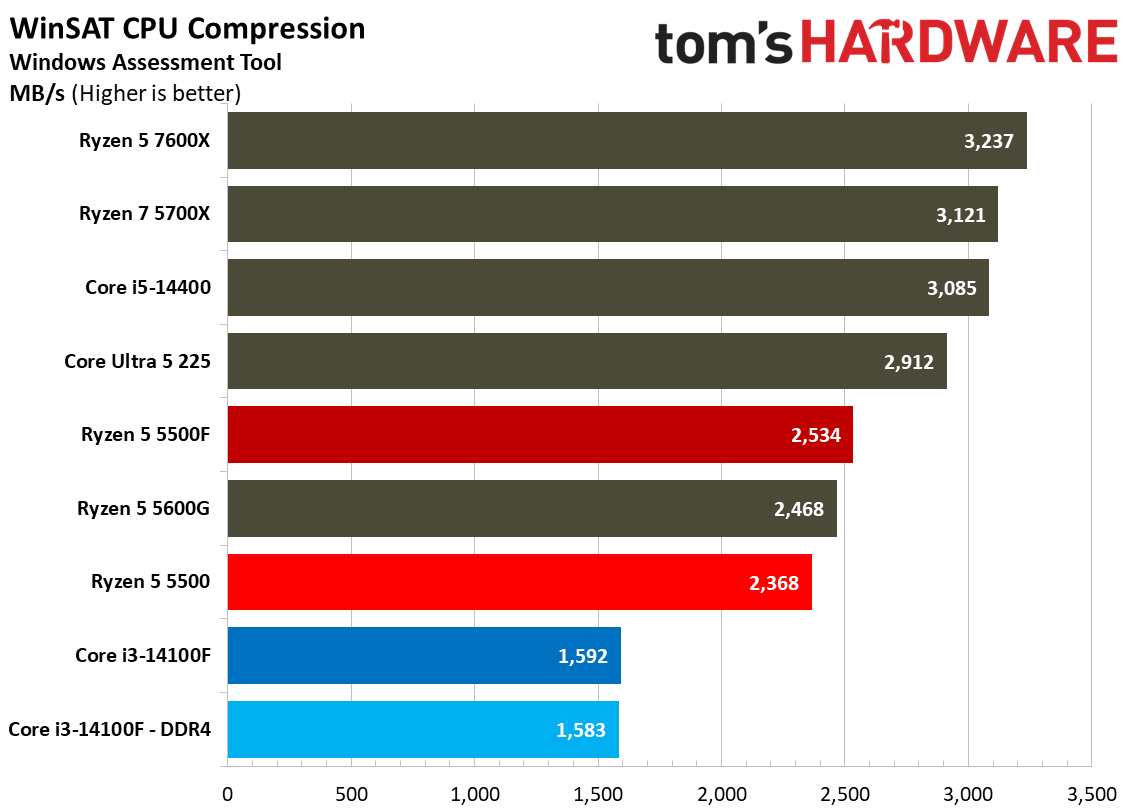
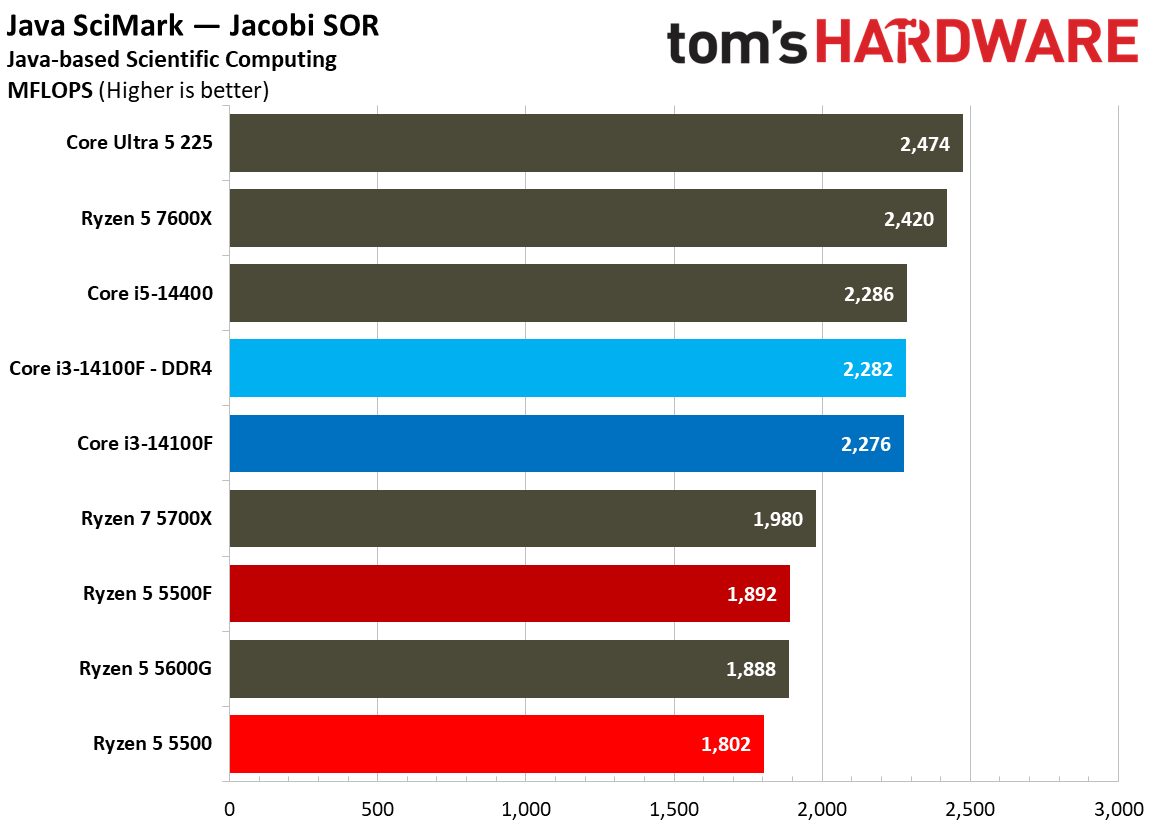
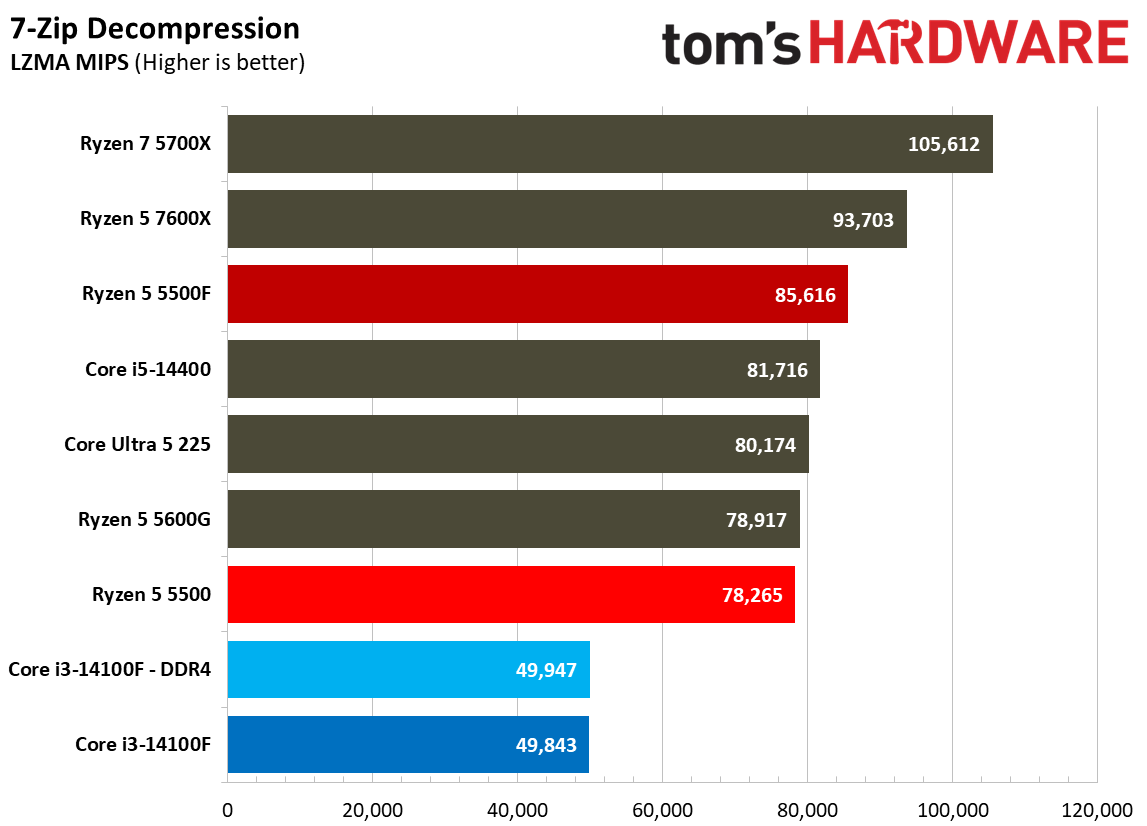
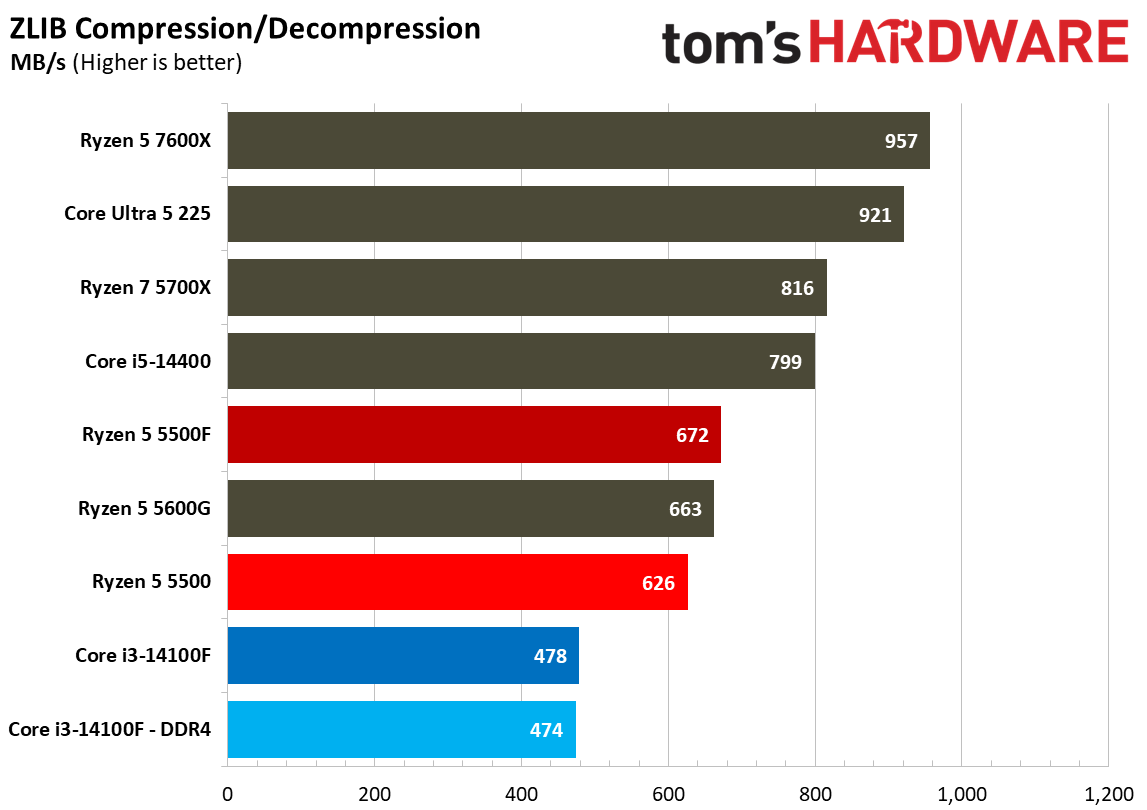
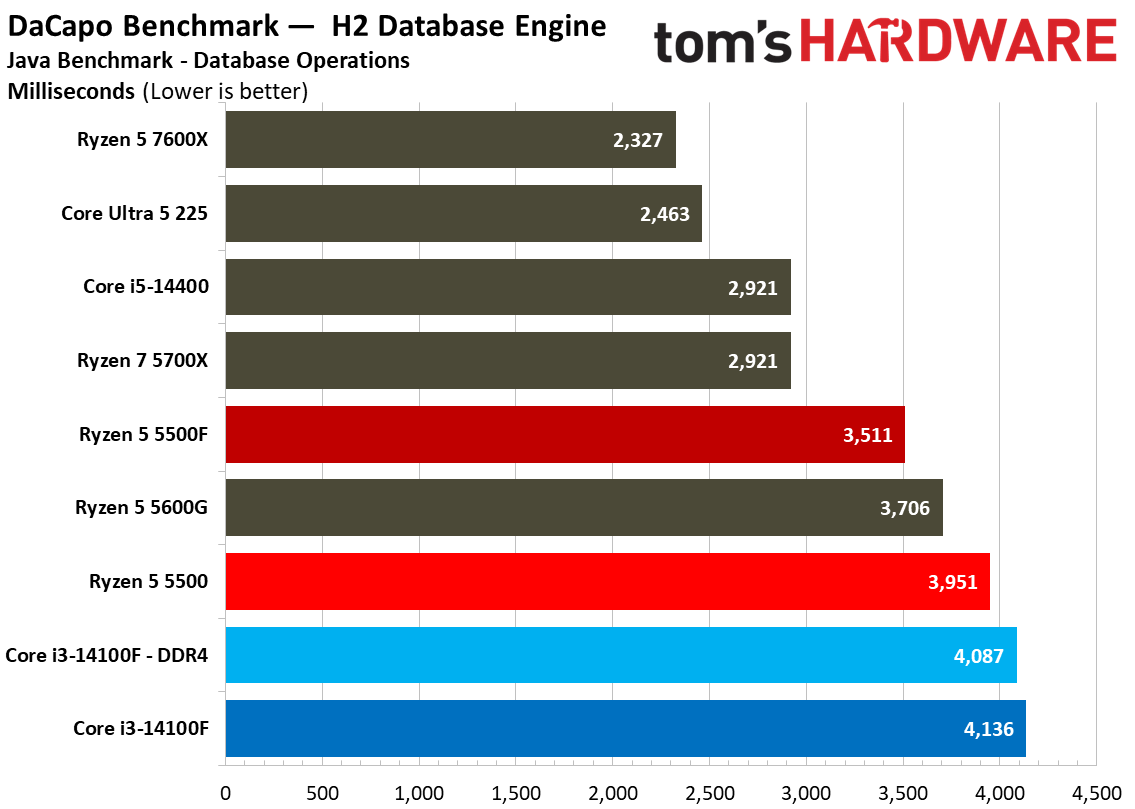
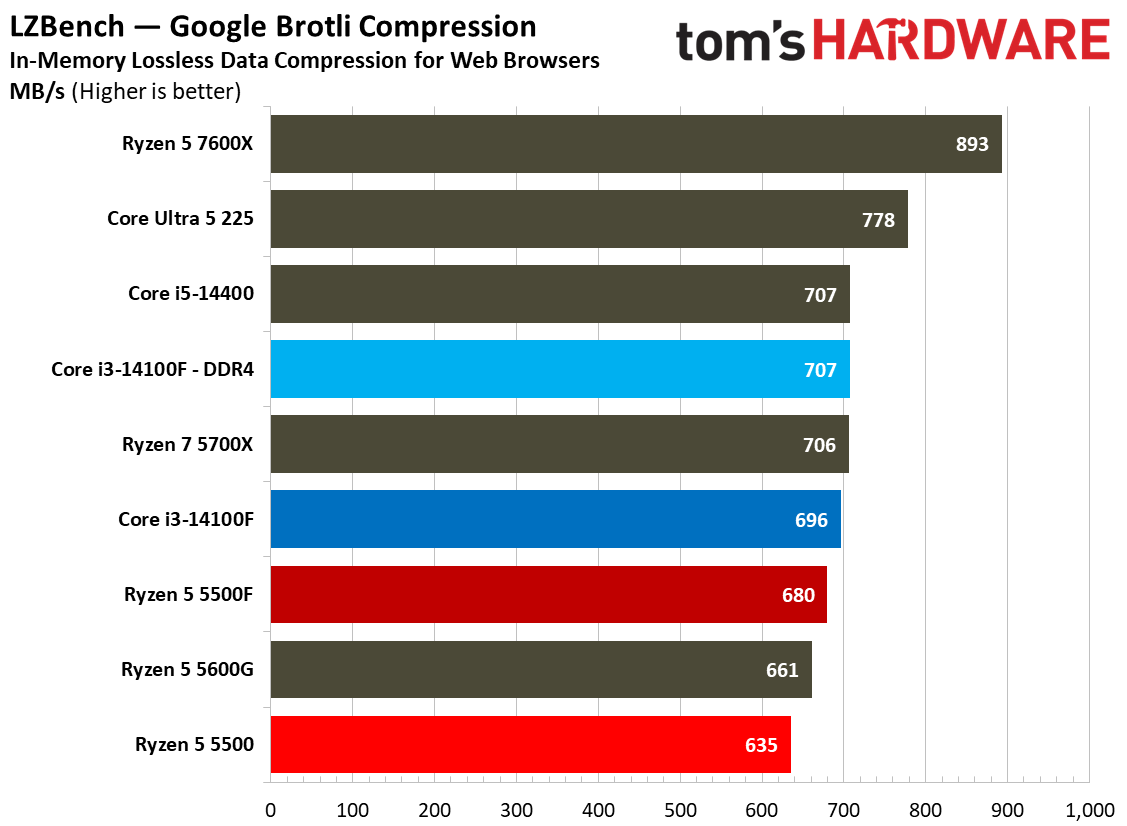
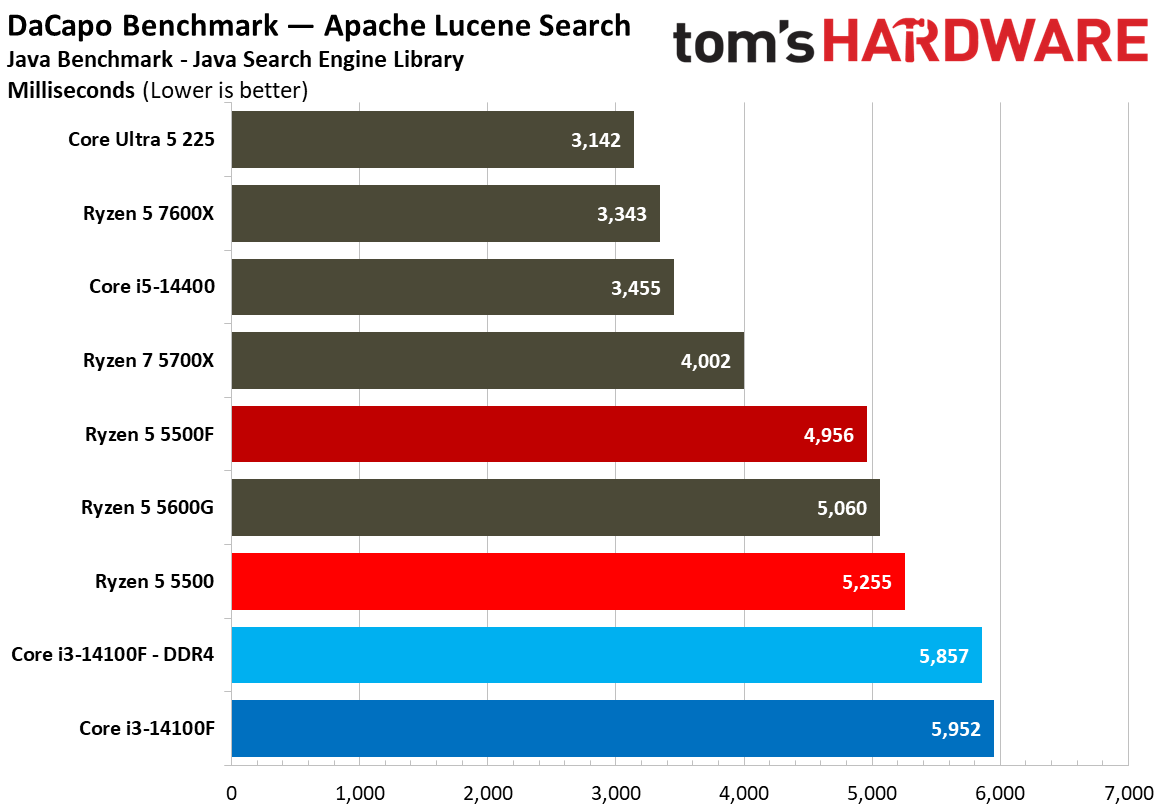
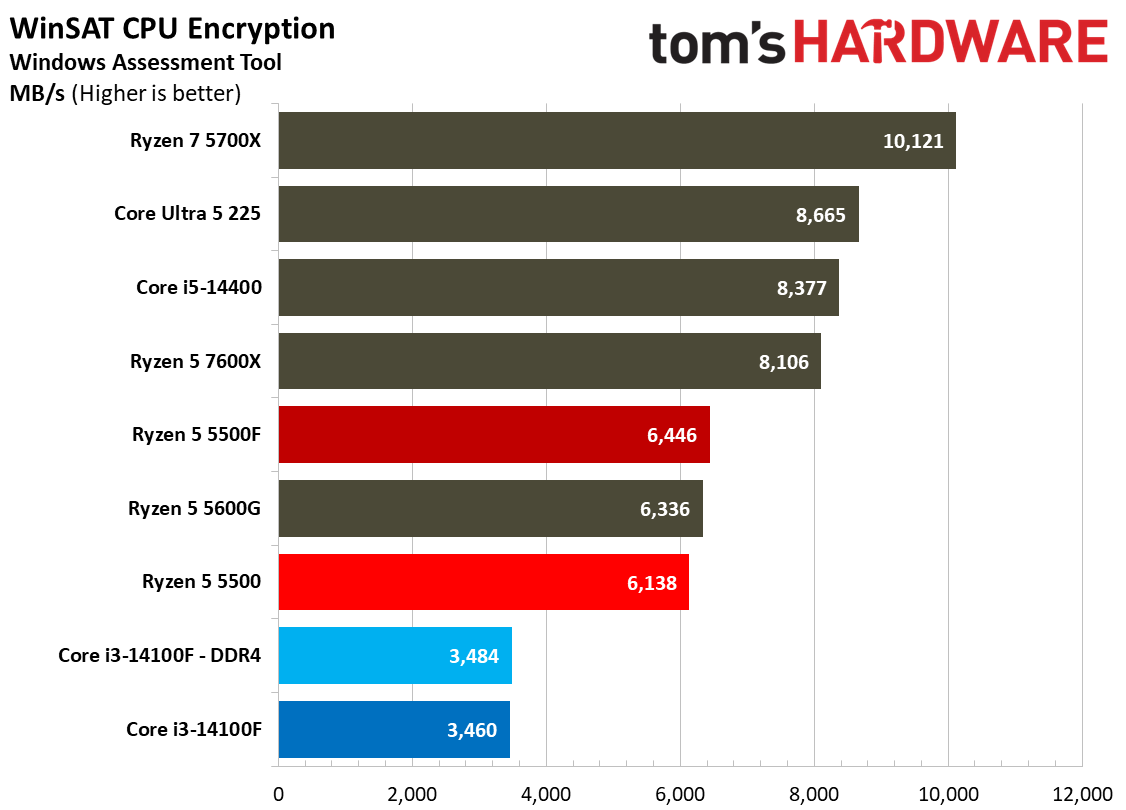
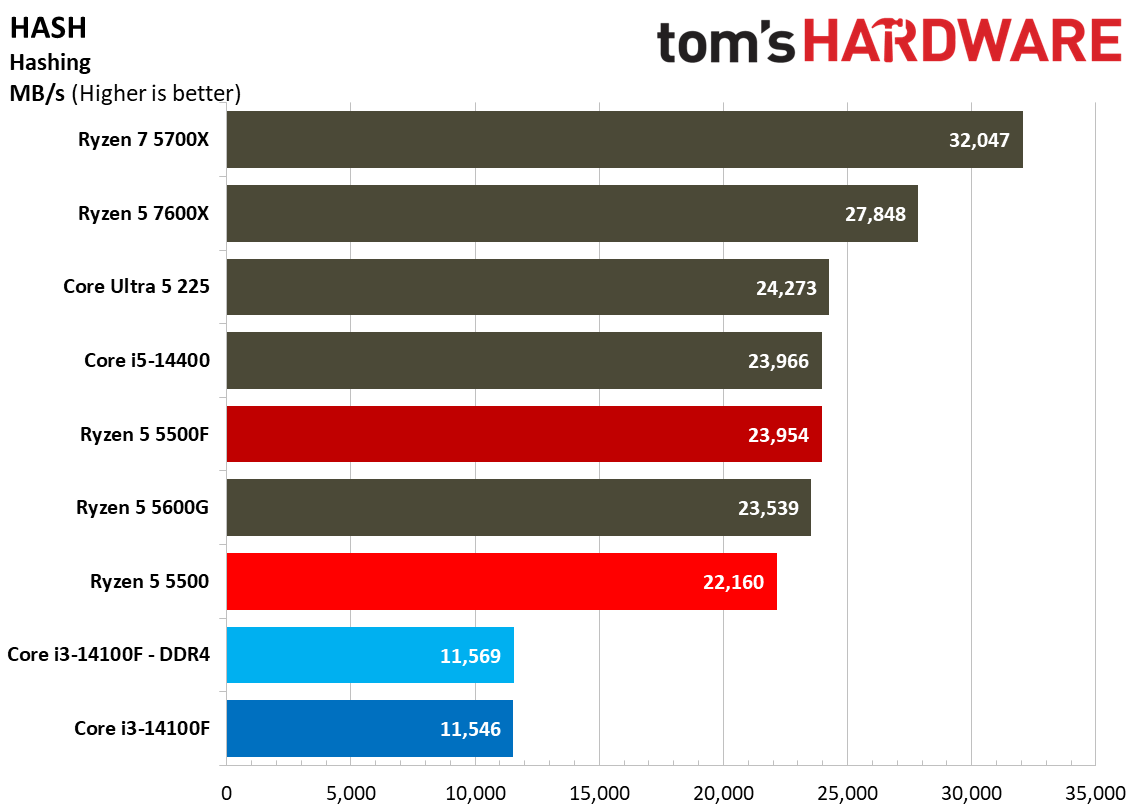
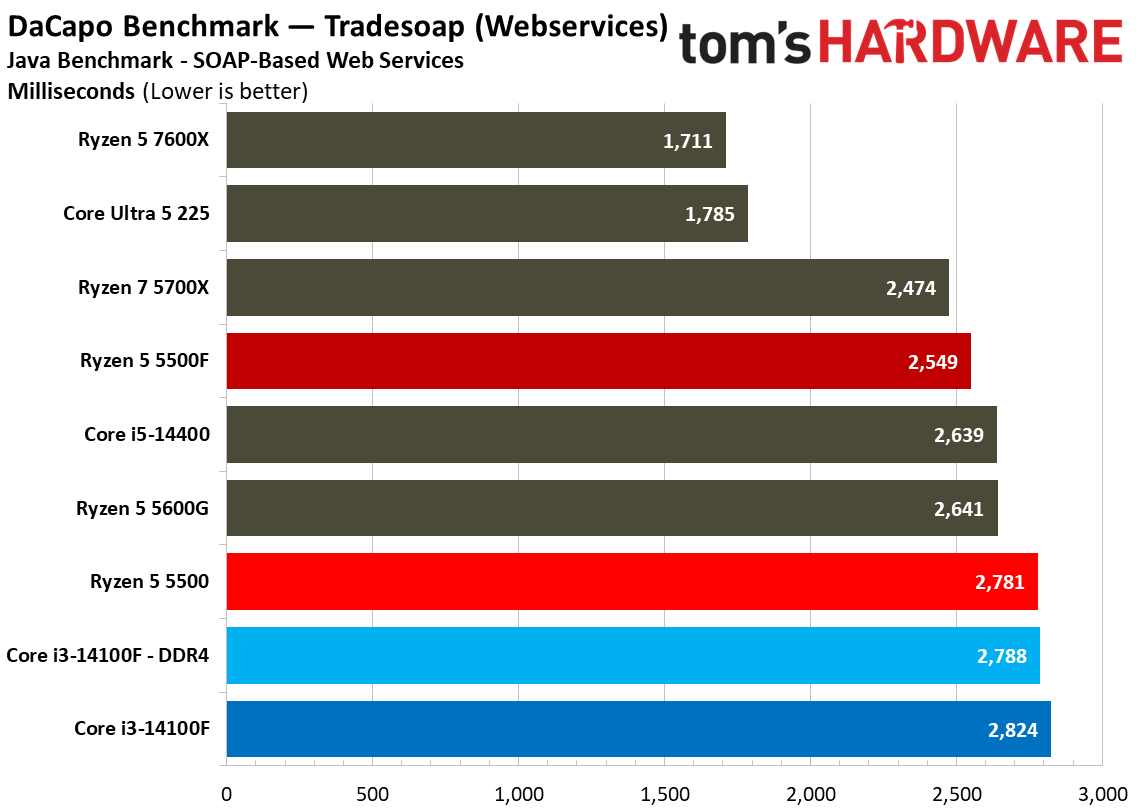
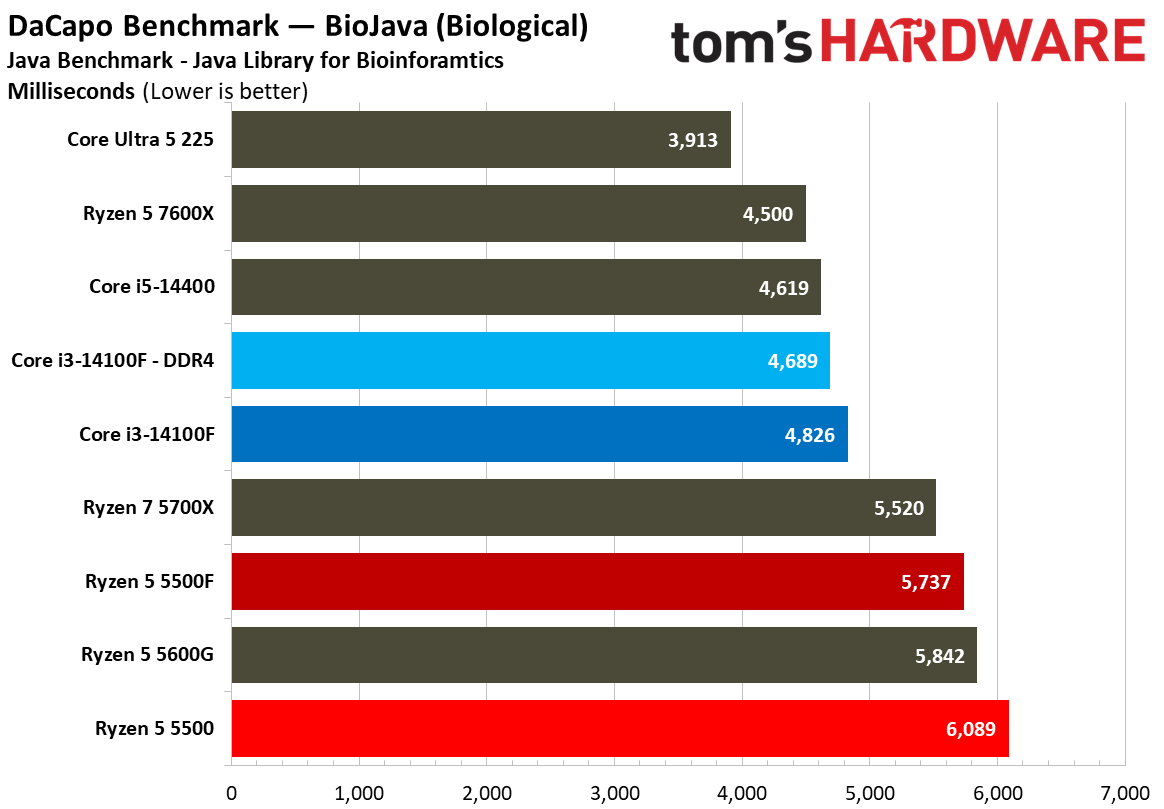
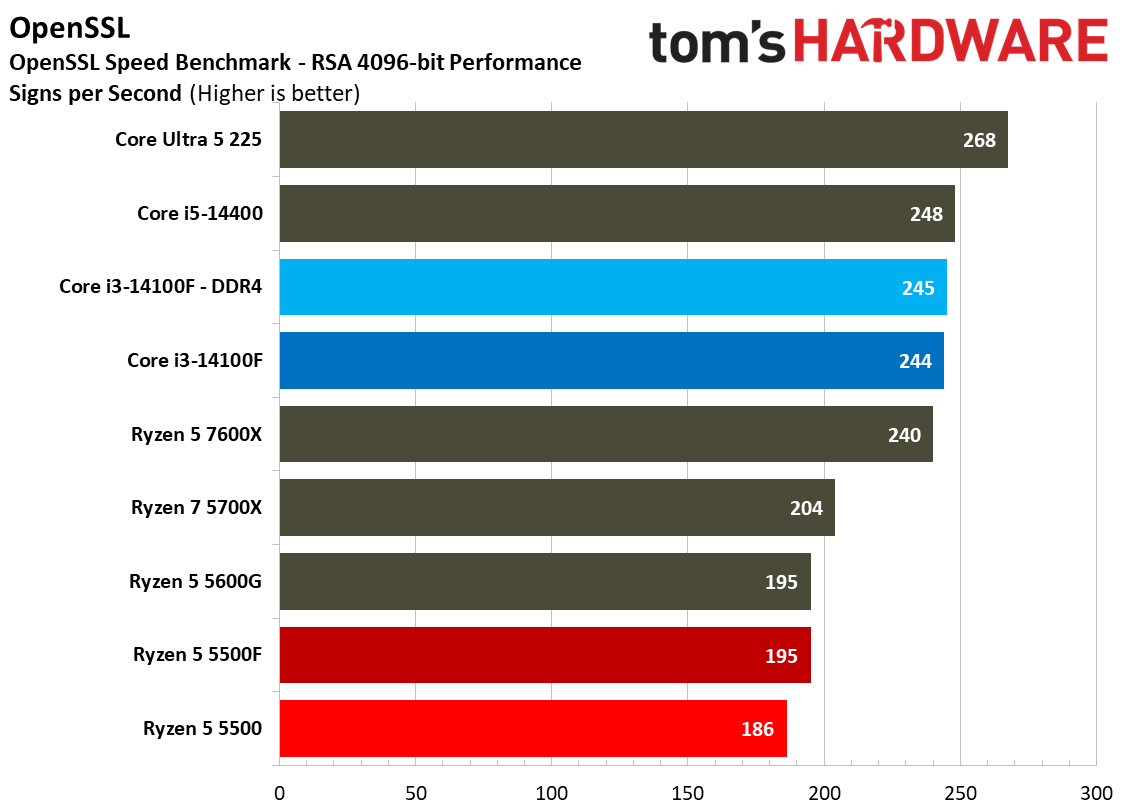
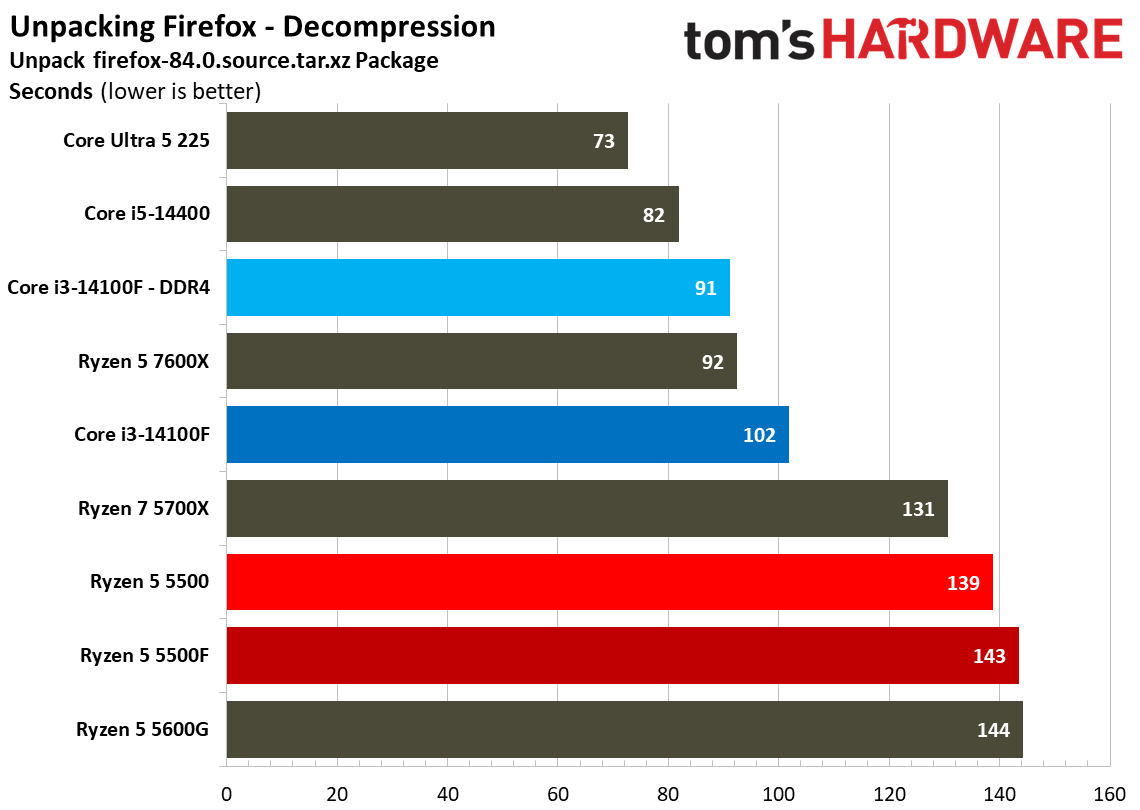
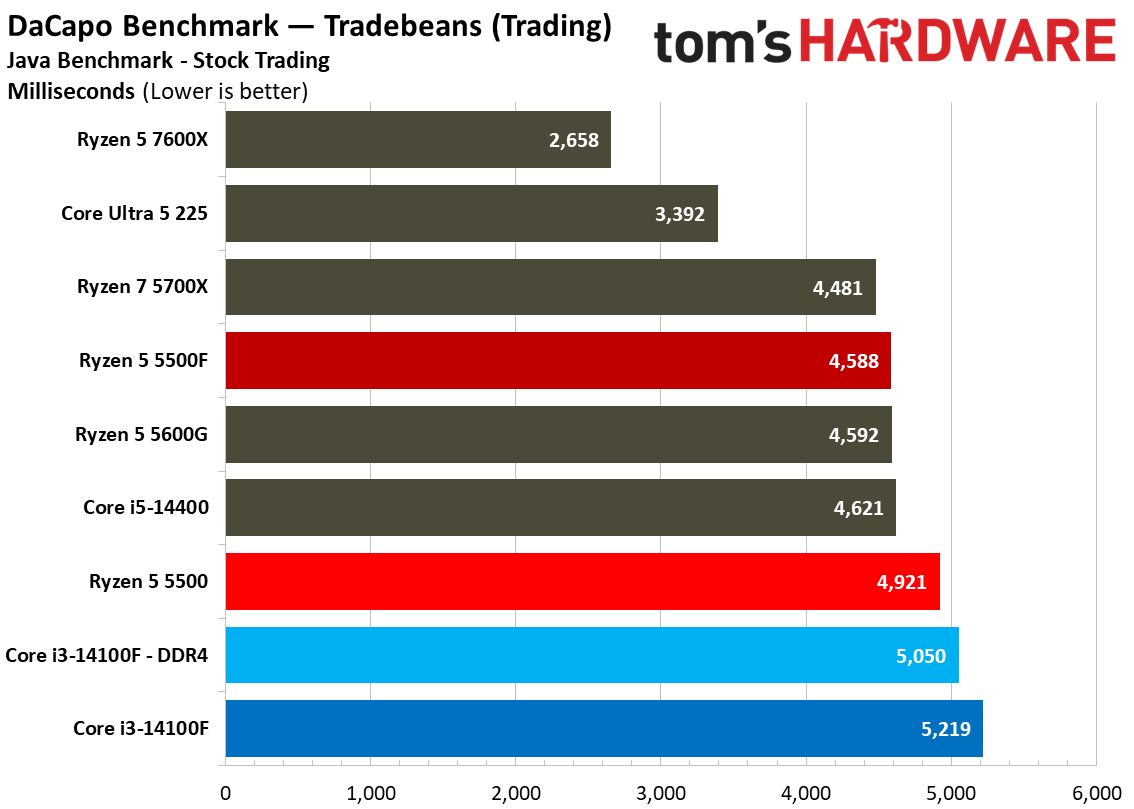
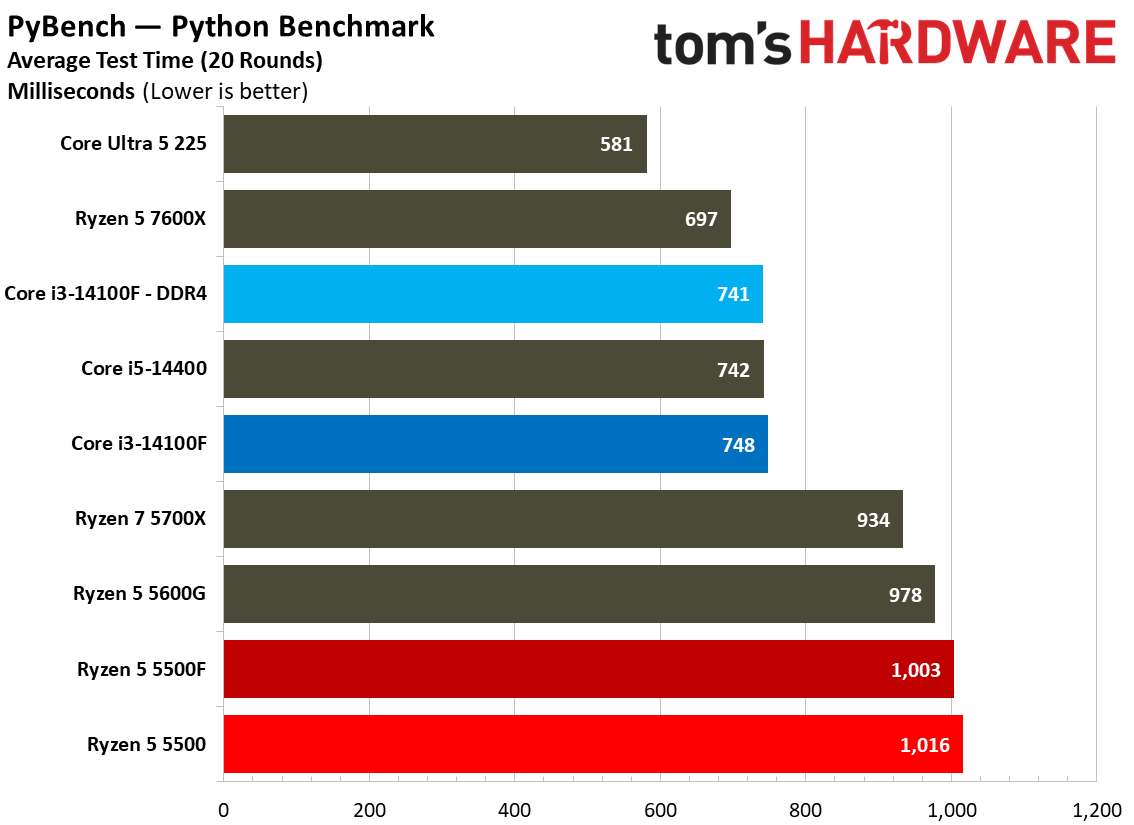
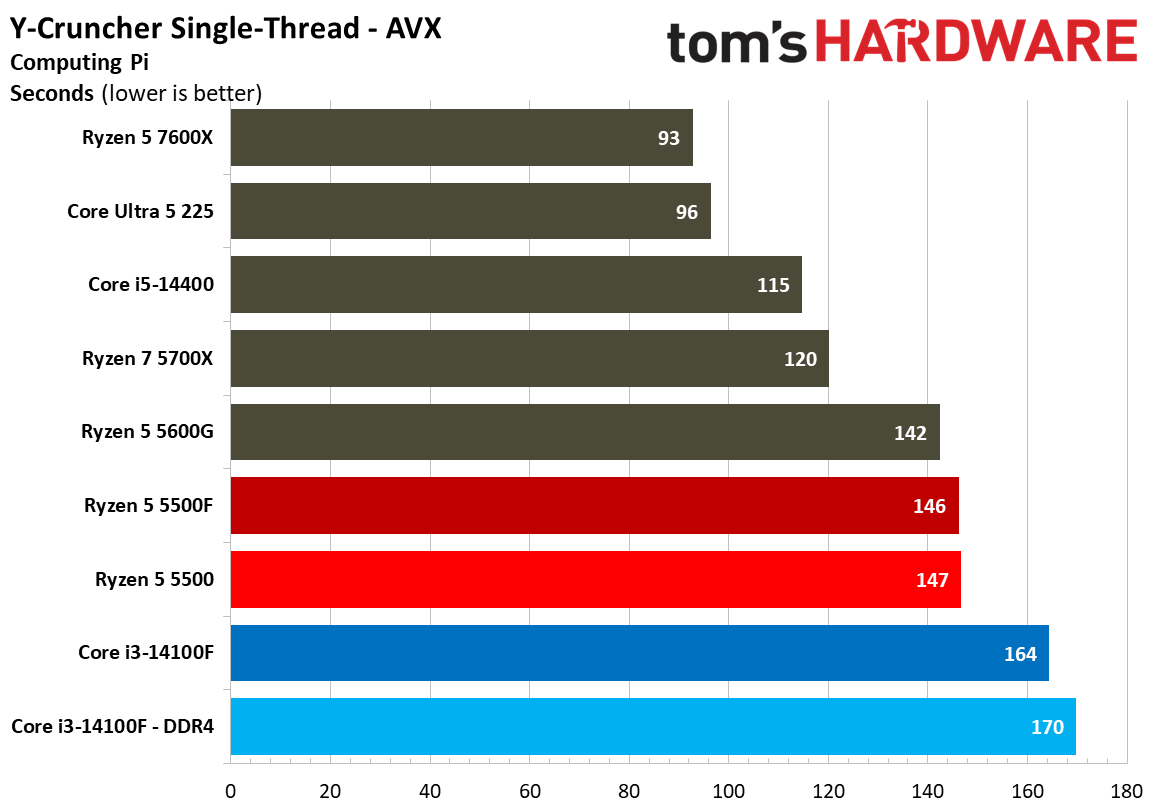
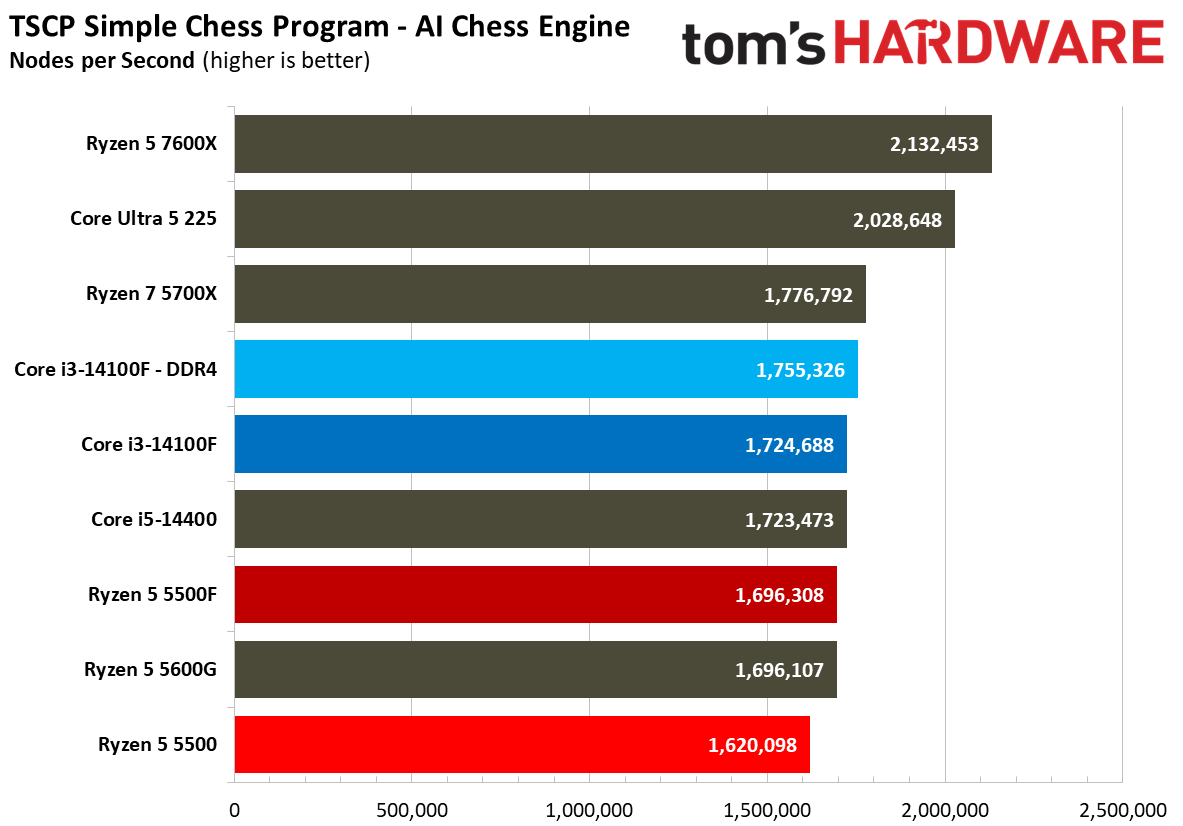
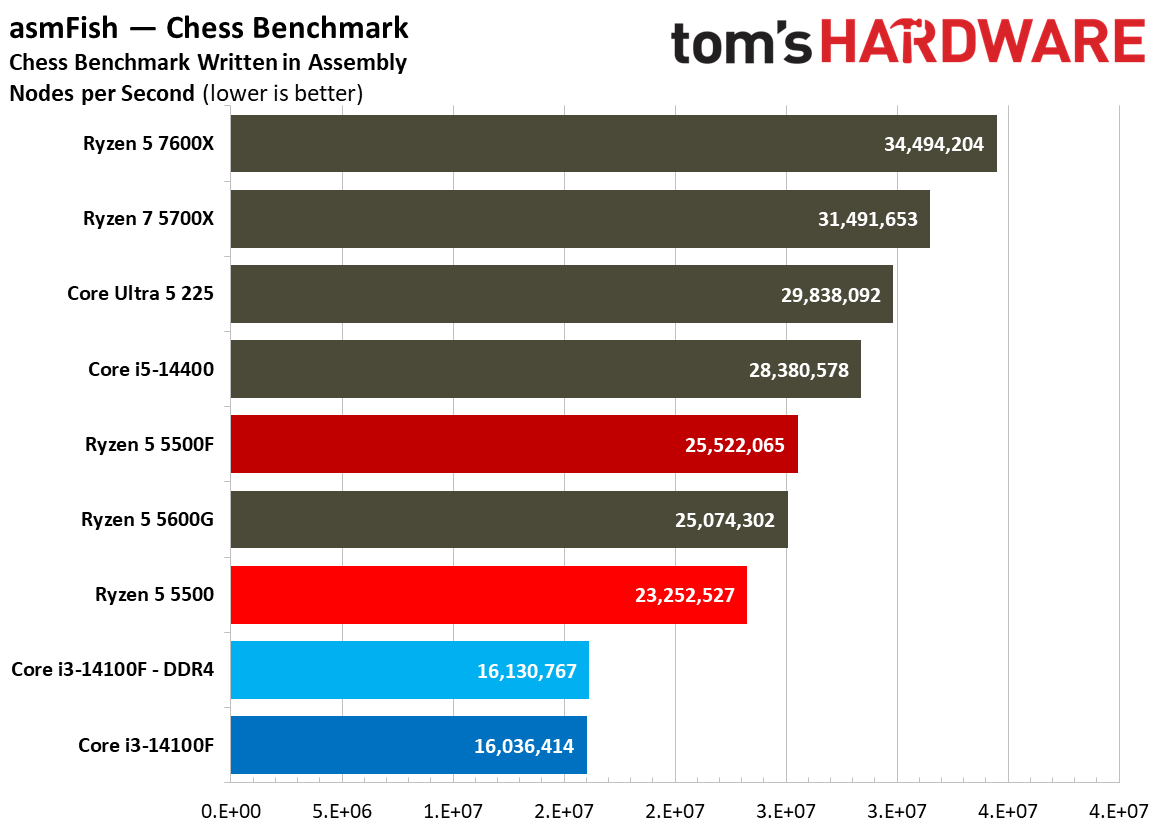
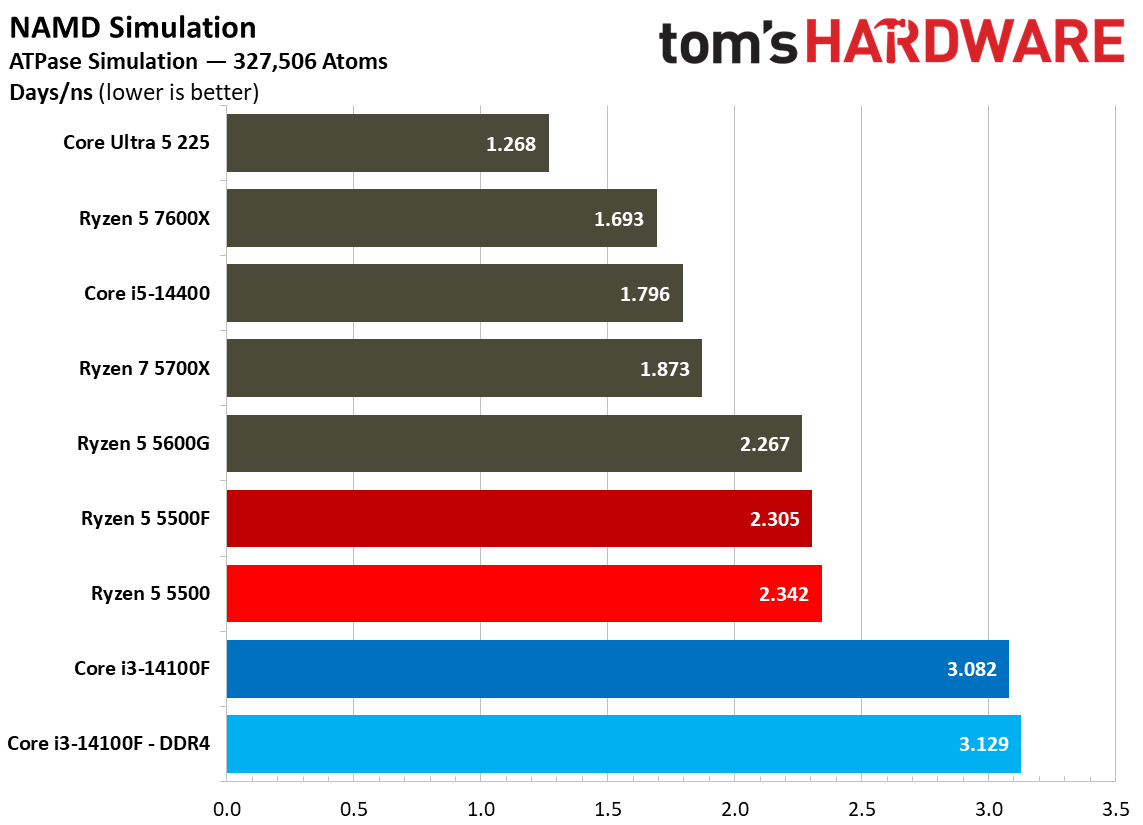
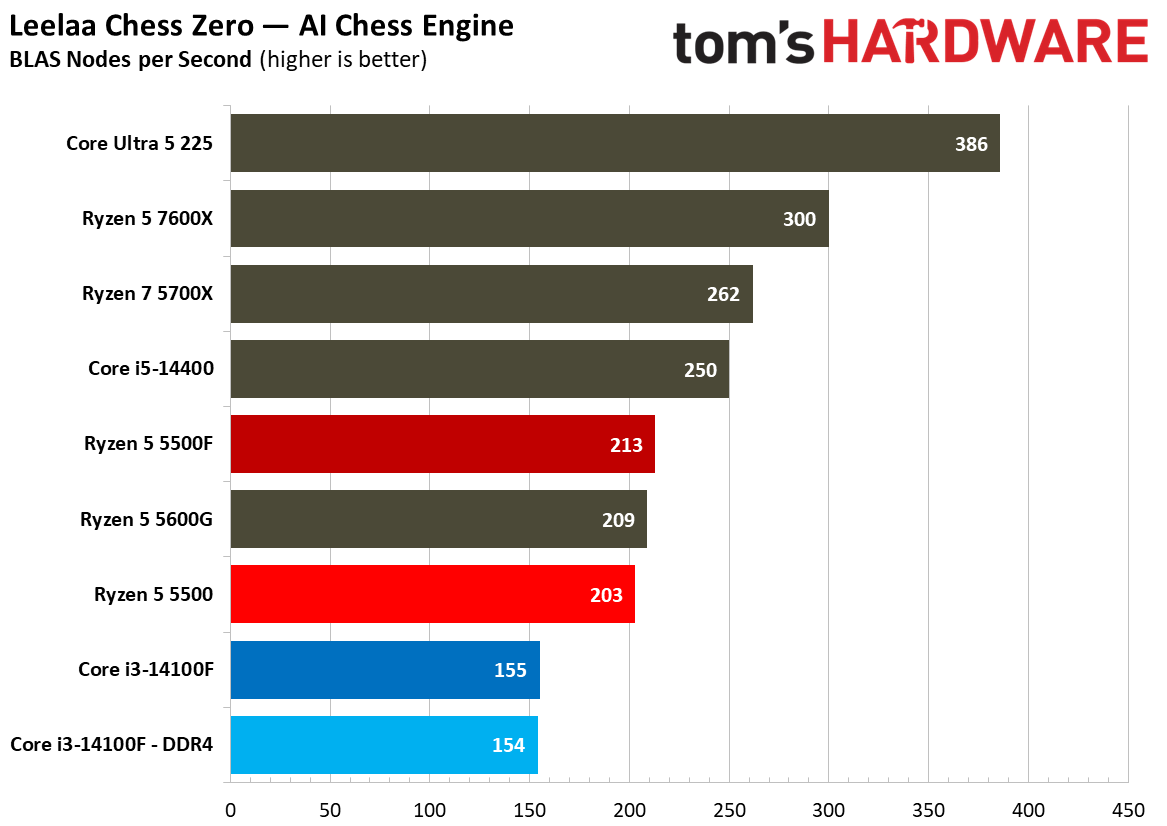
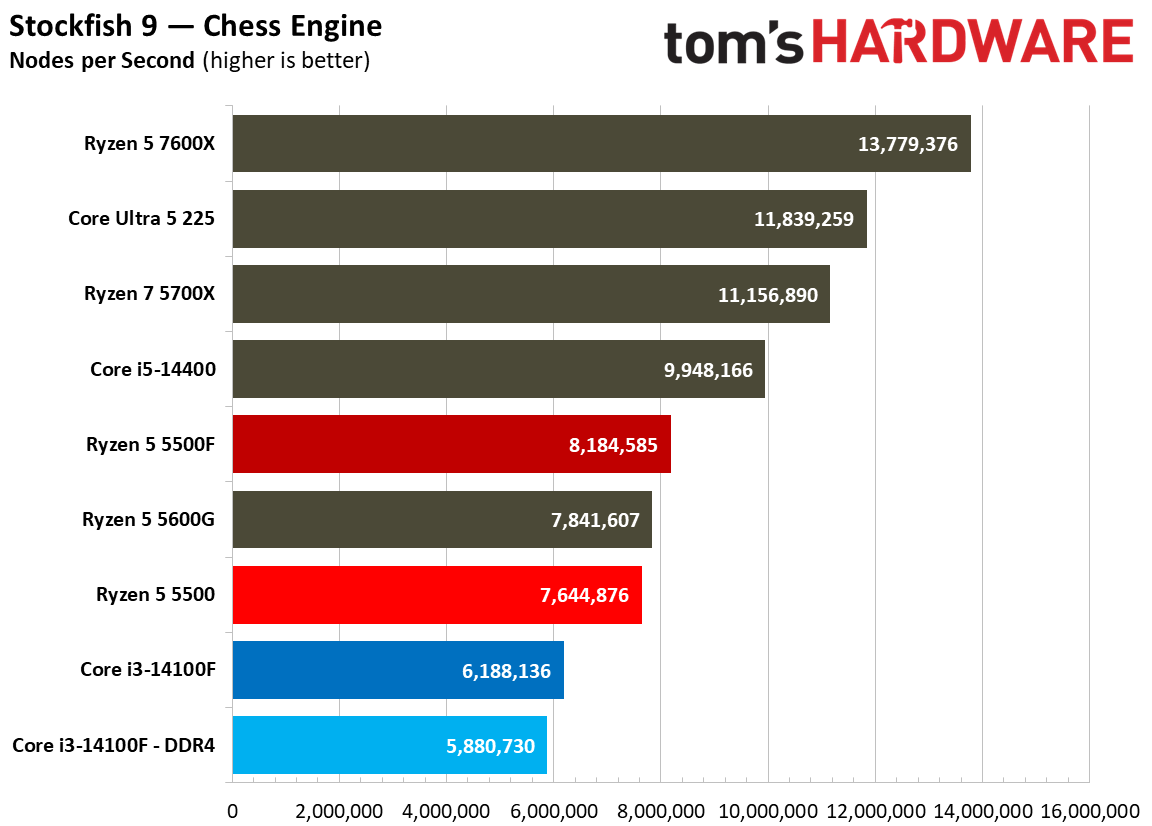
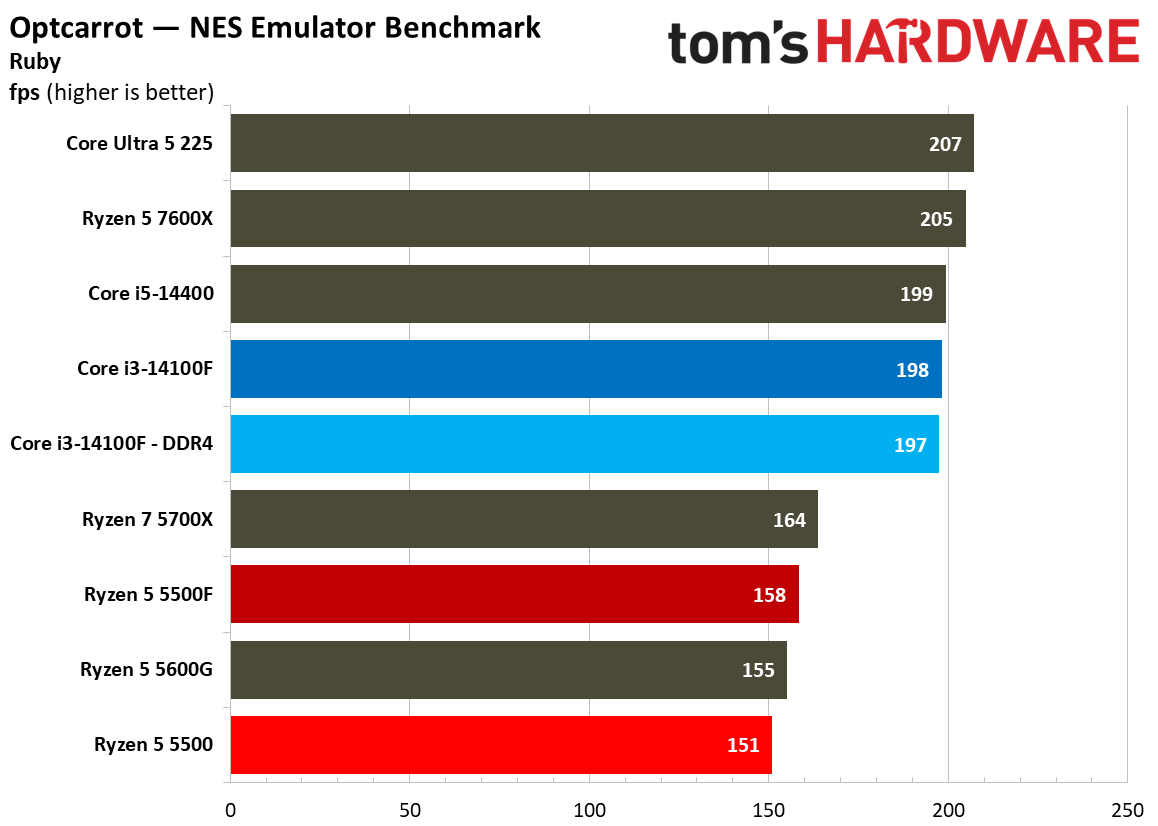
We run hundreds of tests on every CPU that comes across our benches, and not all of them are relevant to every chip. Here, we have a collection of more specialised workloads that don’t factor into our overall geomean. The tests are greatly varied here, including code compilation, compression performance, Java, chess engines, and cryptography, among other tests. We won’t be able to highlight all of them.
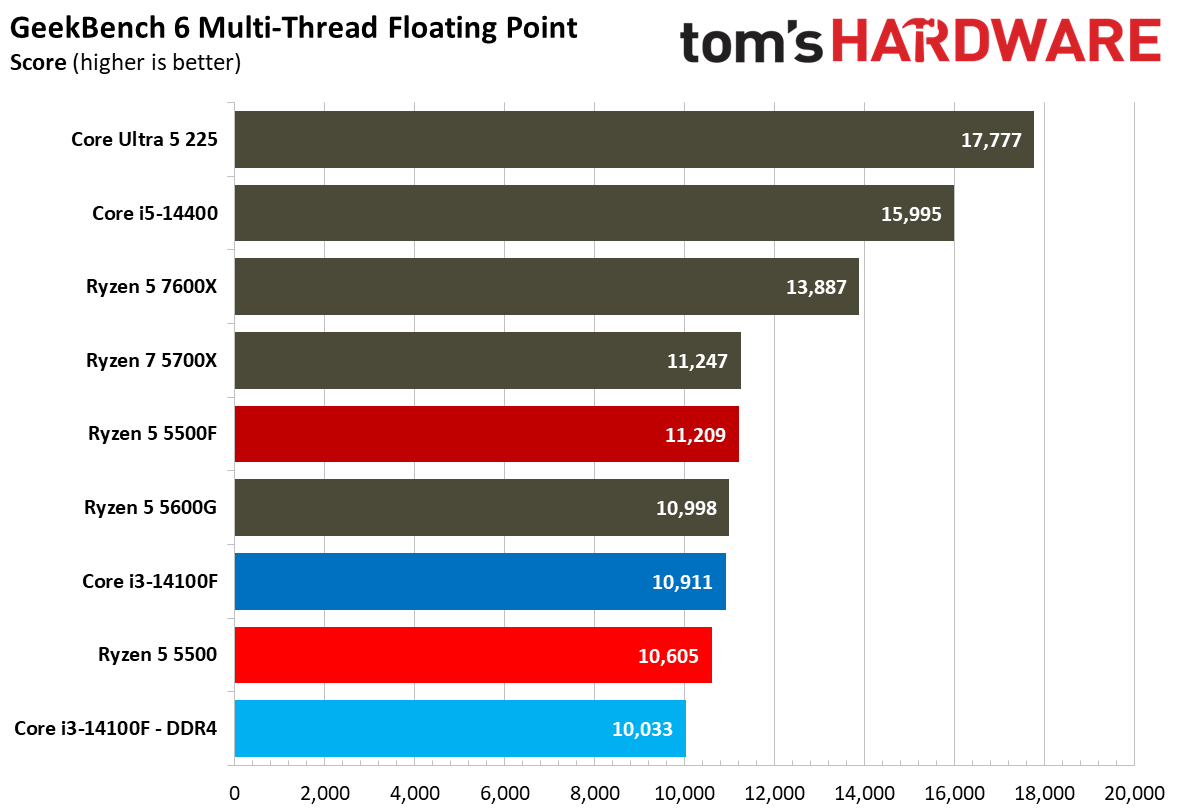
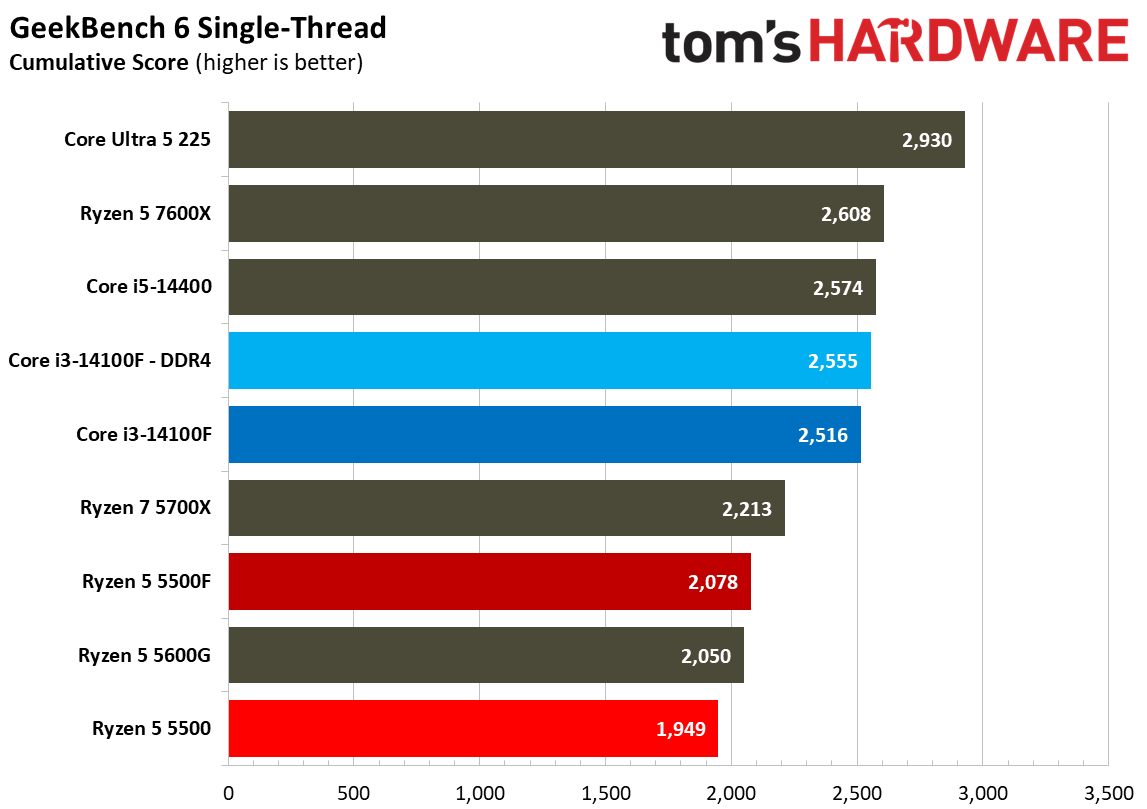
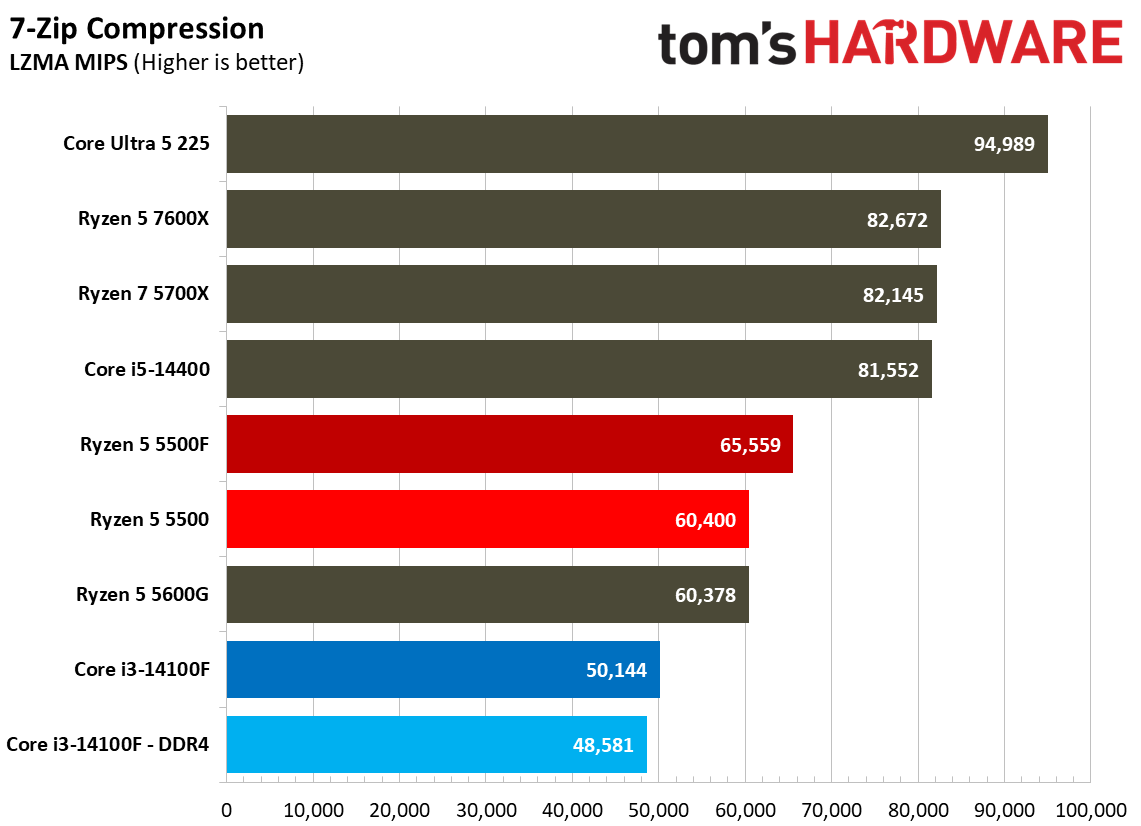
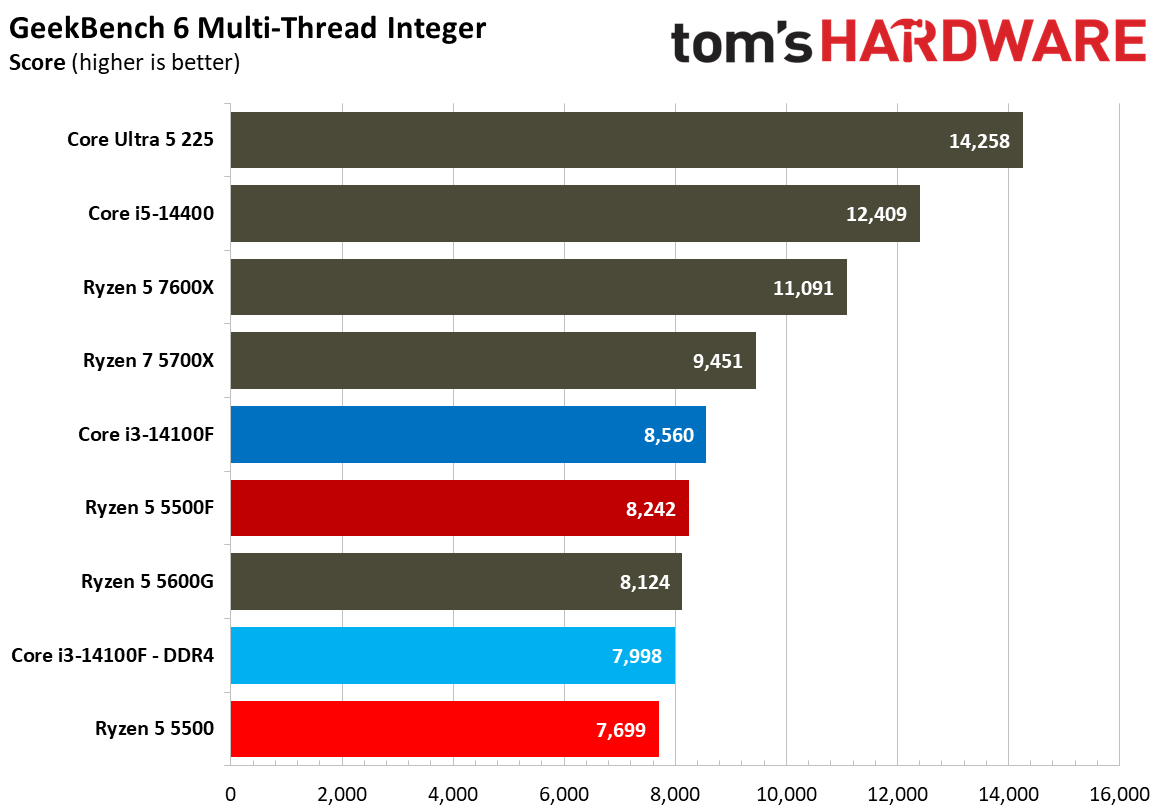
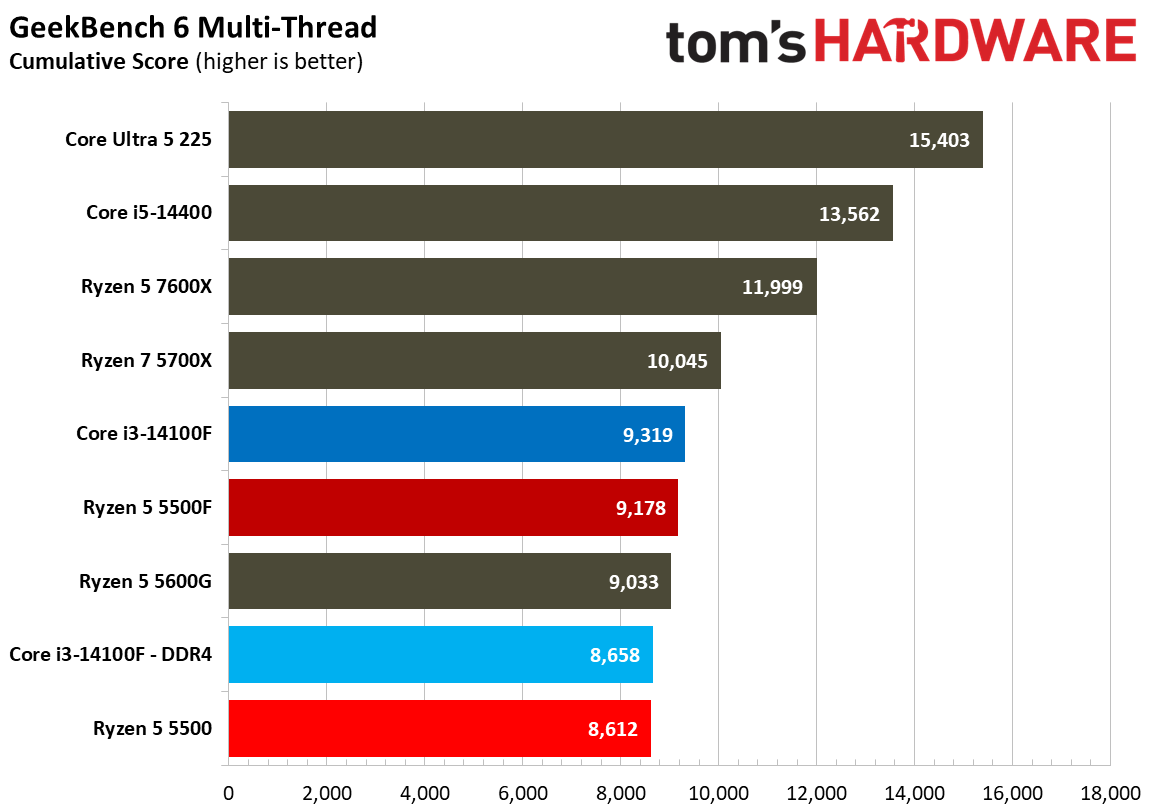
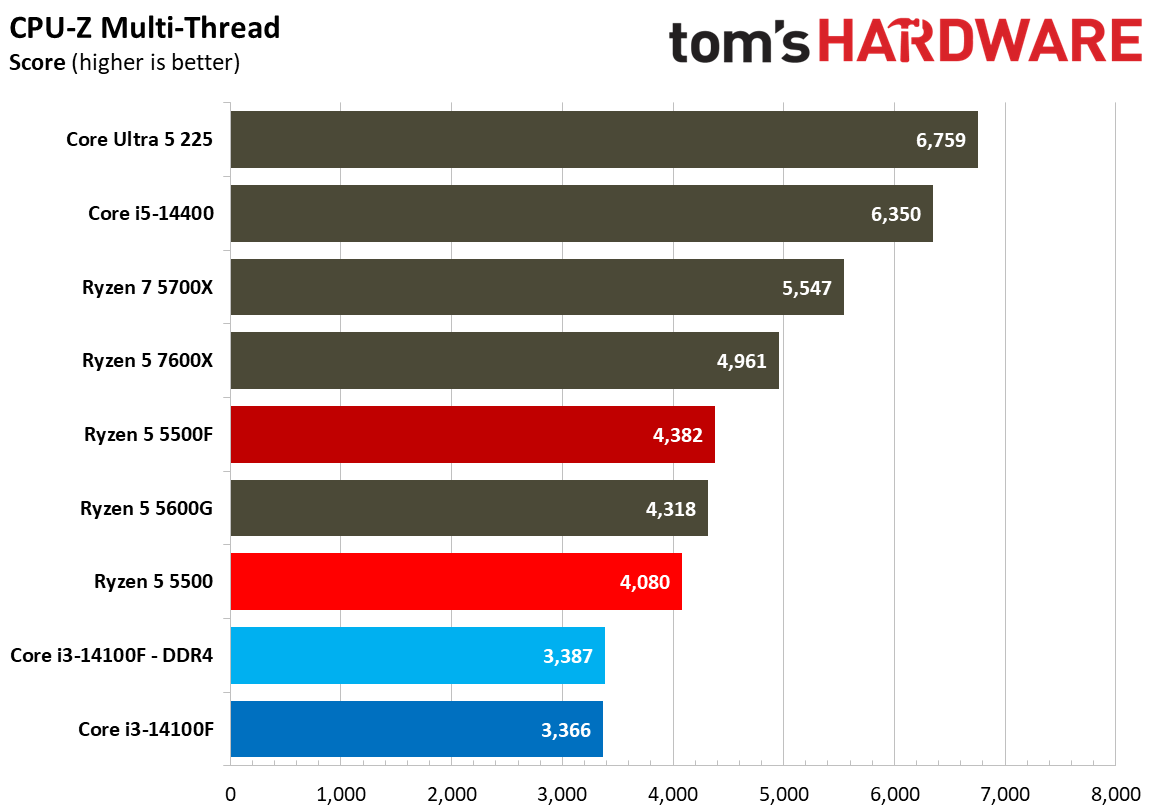
The most recognizable is Geekbench, showing a broader view of single-threaded and multi-threaded performance in a machine-gun-style benchmark suite that rips through different workloads in just a few minutes. What’s interesting is that Geekbench multi-thread shows the 14100F paired with DDR5 on top, likely taking into account the memory standard that isn’t represented in tests like Cinebench.
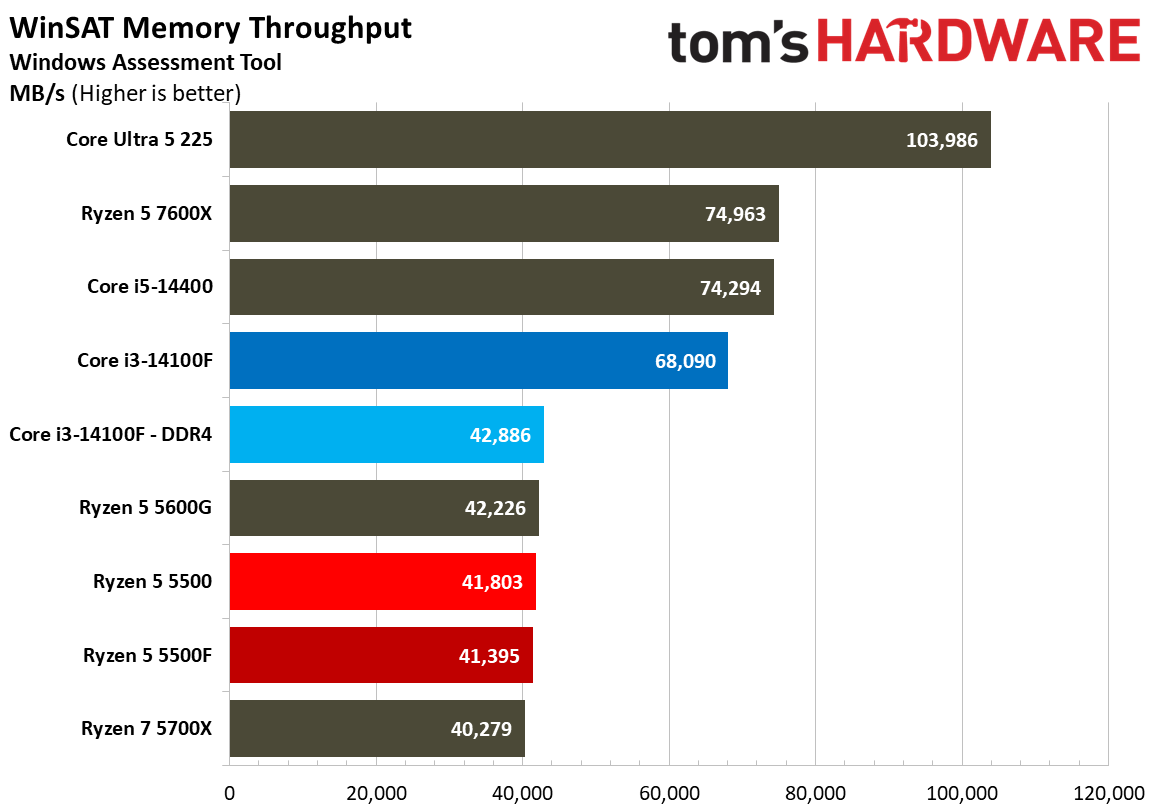
Another interesting test to highlight is memory throughput via WinSAT. This built-in Windows benchmark shows a clear performance wall for the DDR4 chips in our test suite. Of course, DDR5 provides much more throughput, but the interesting bit here is just how bottlenecked the throughput is with these late-stage DDR4 CPUs.
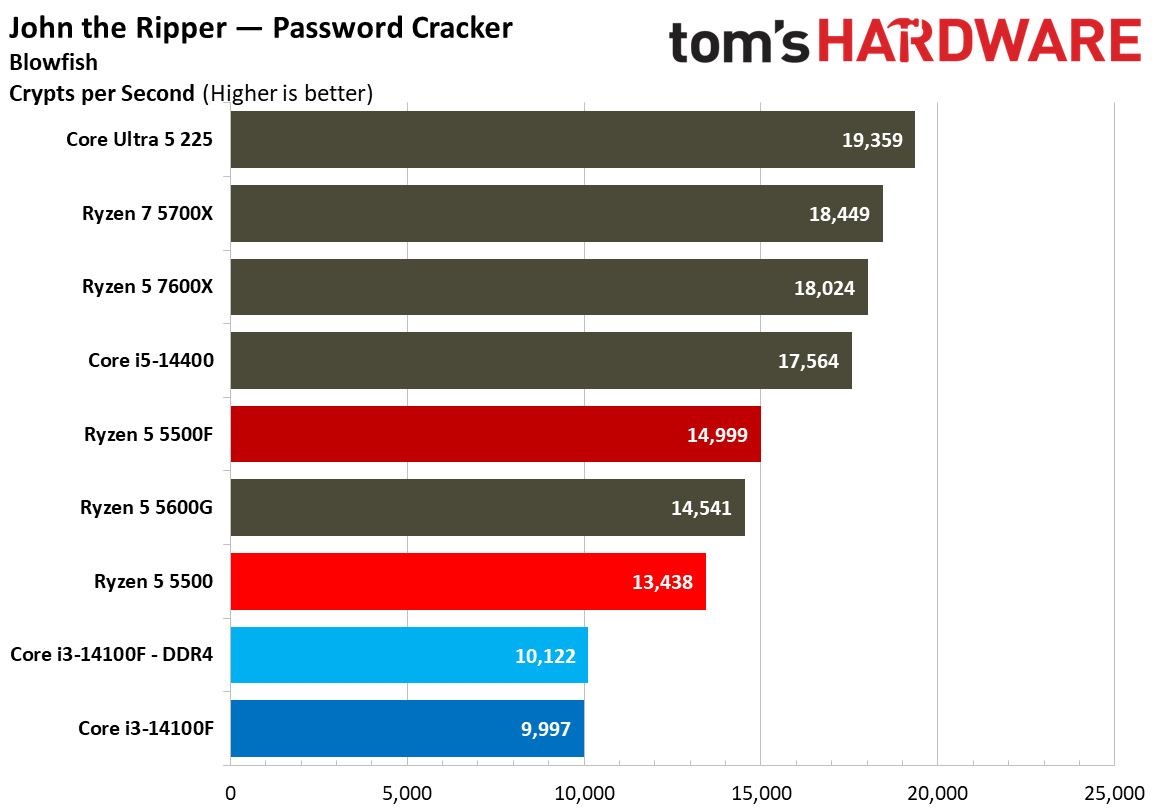
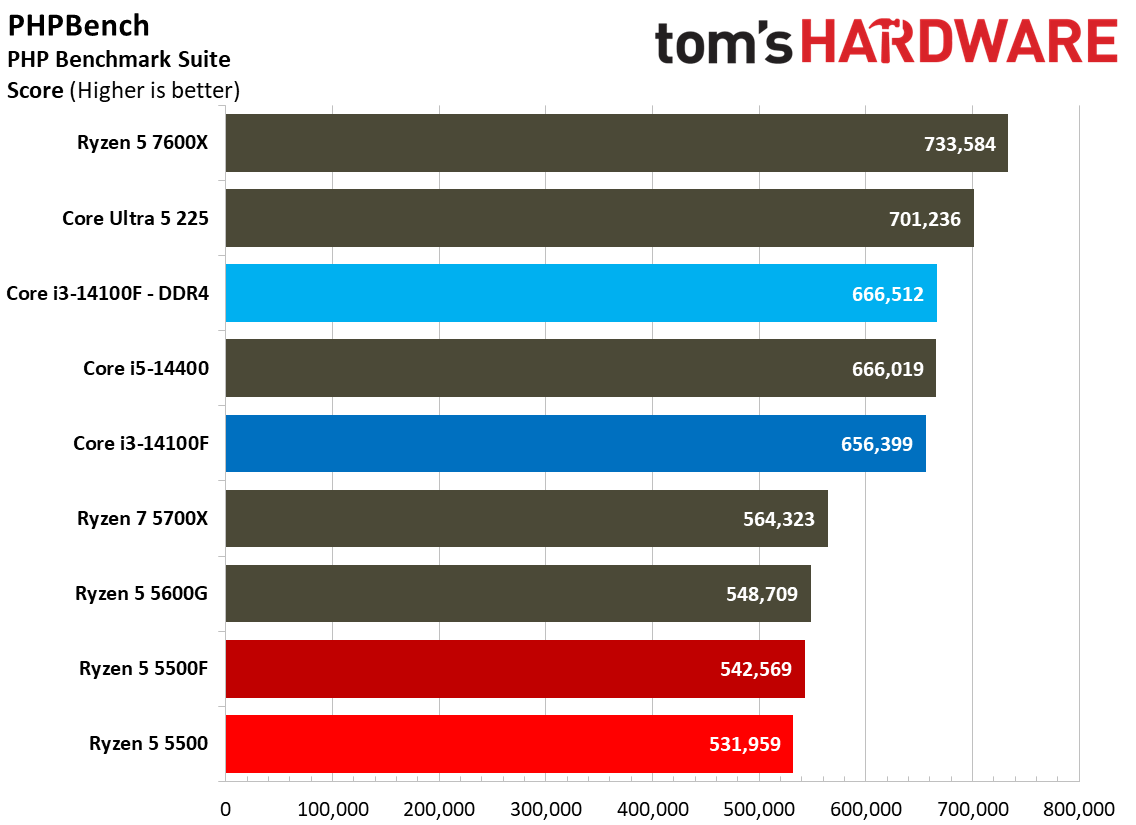
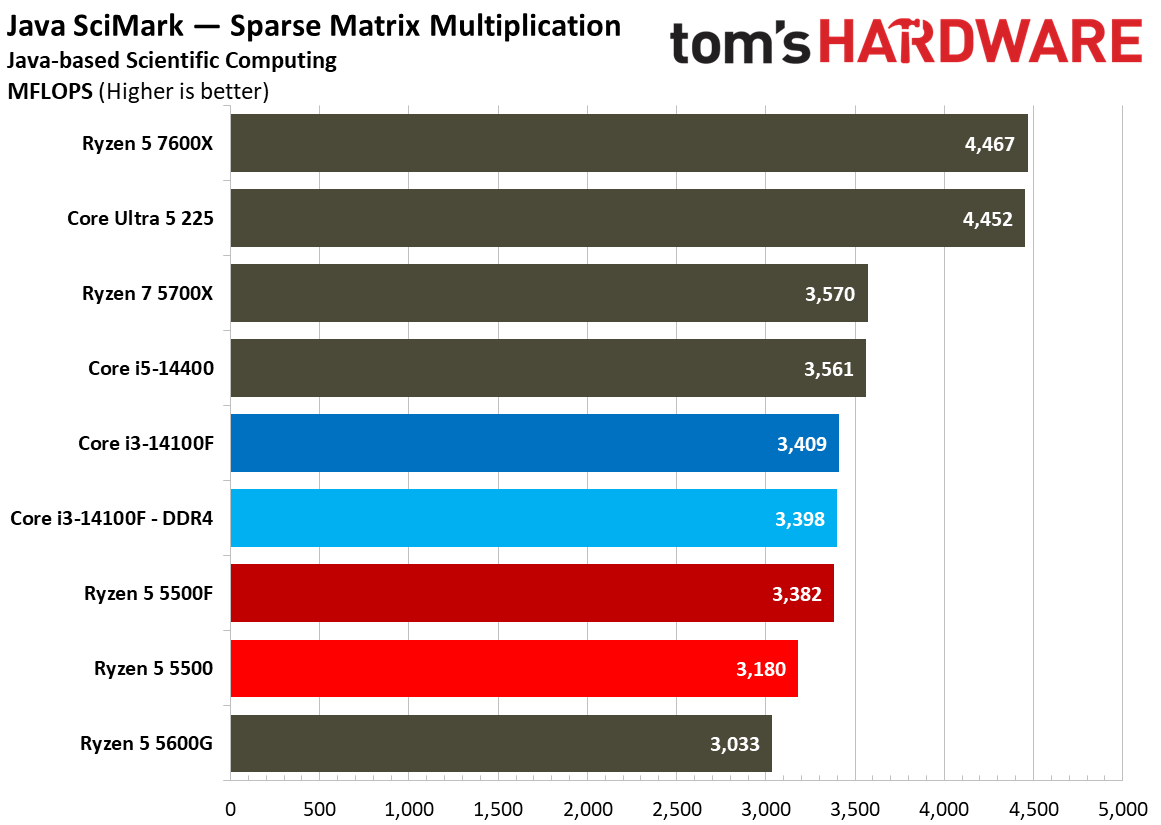
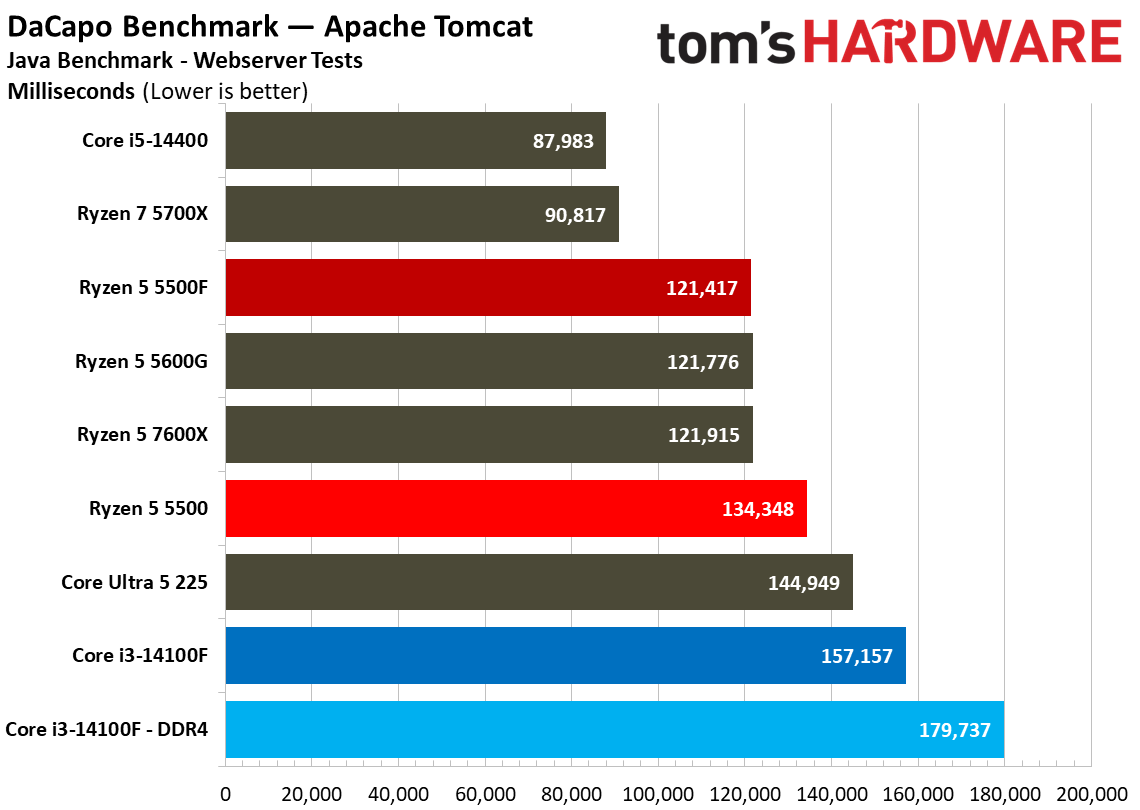
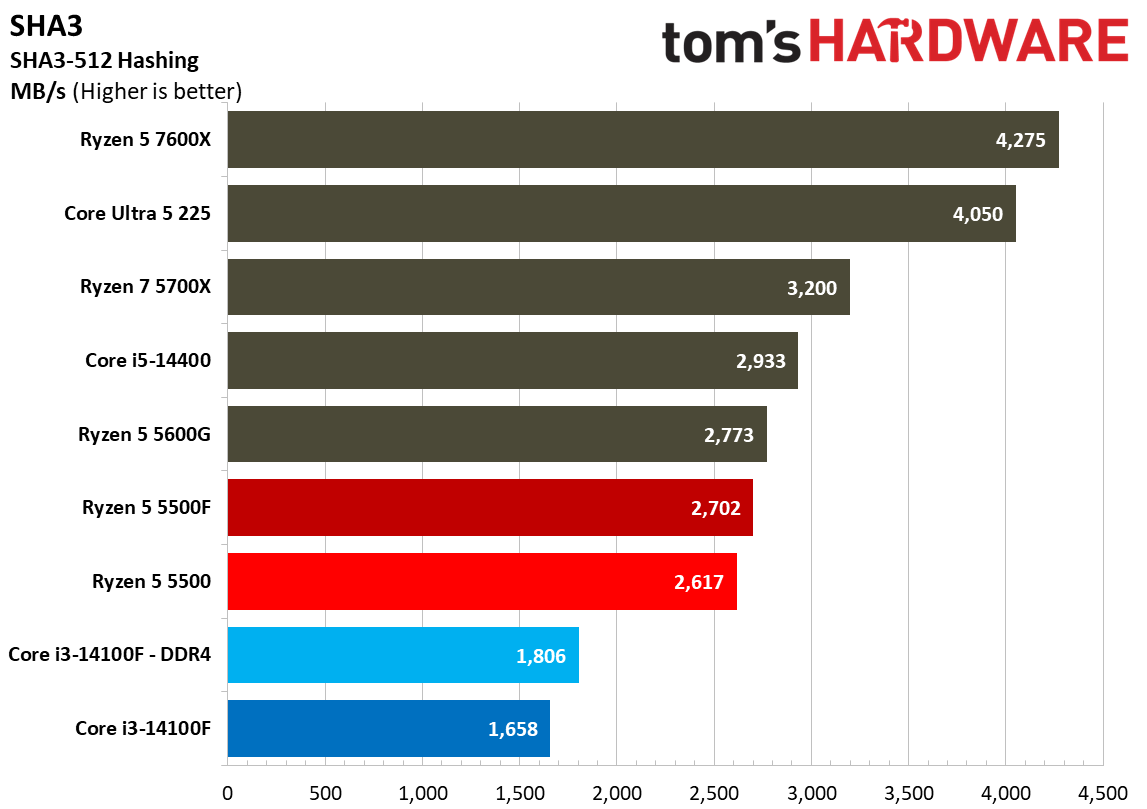
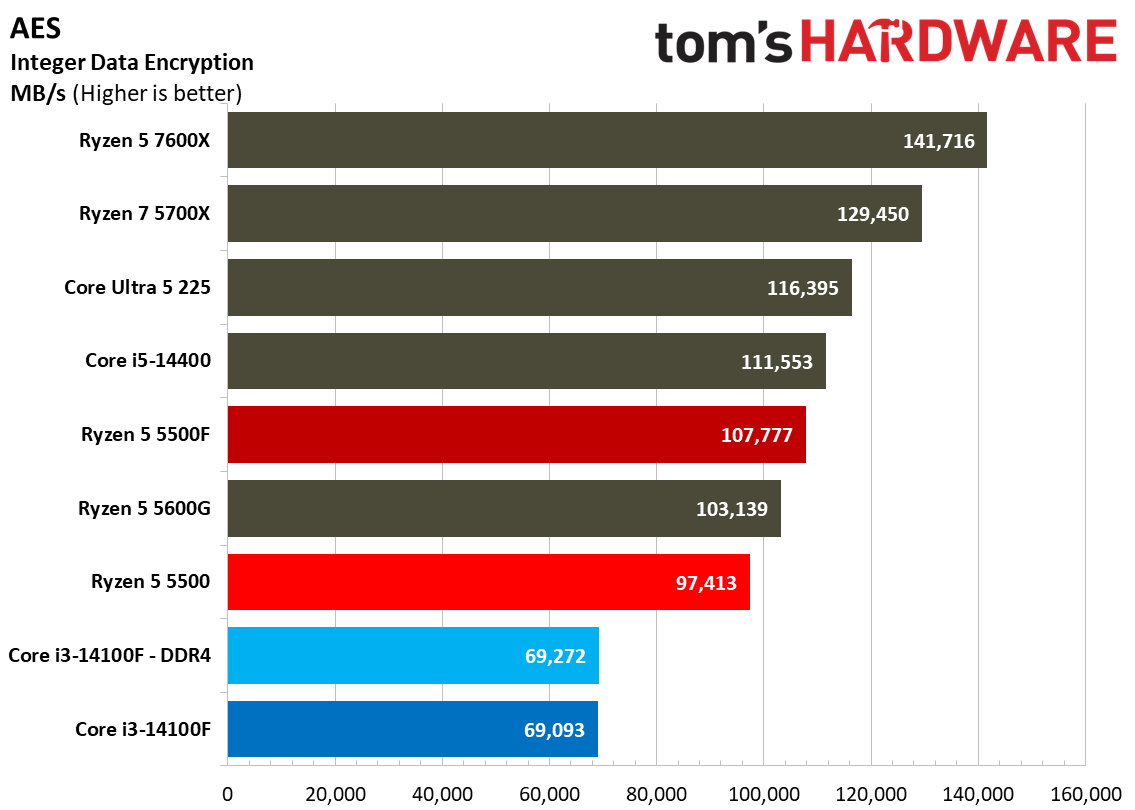
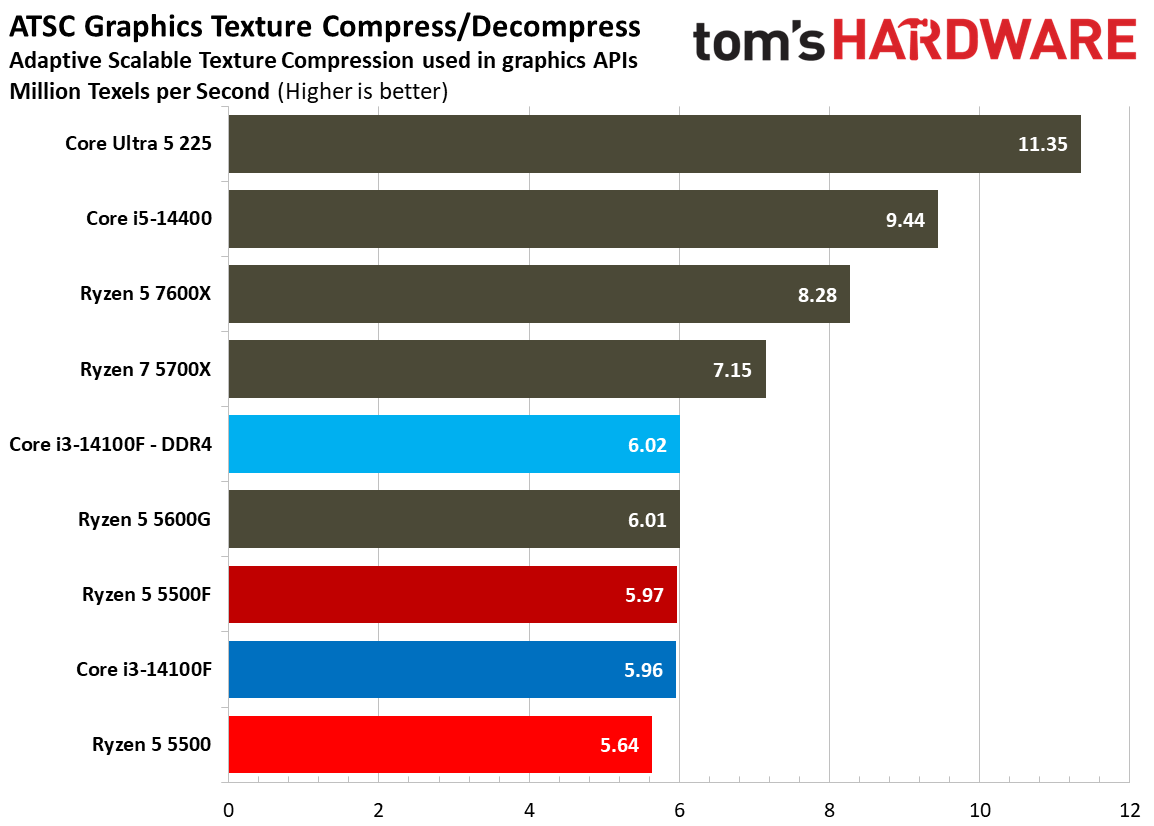
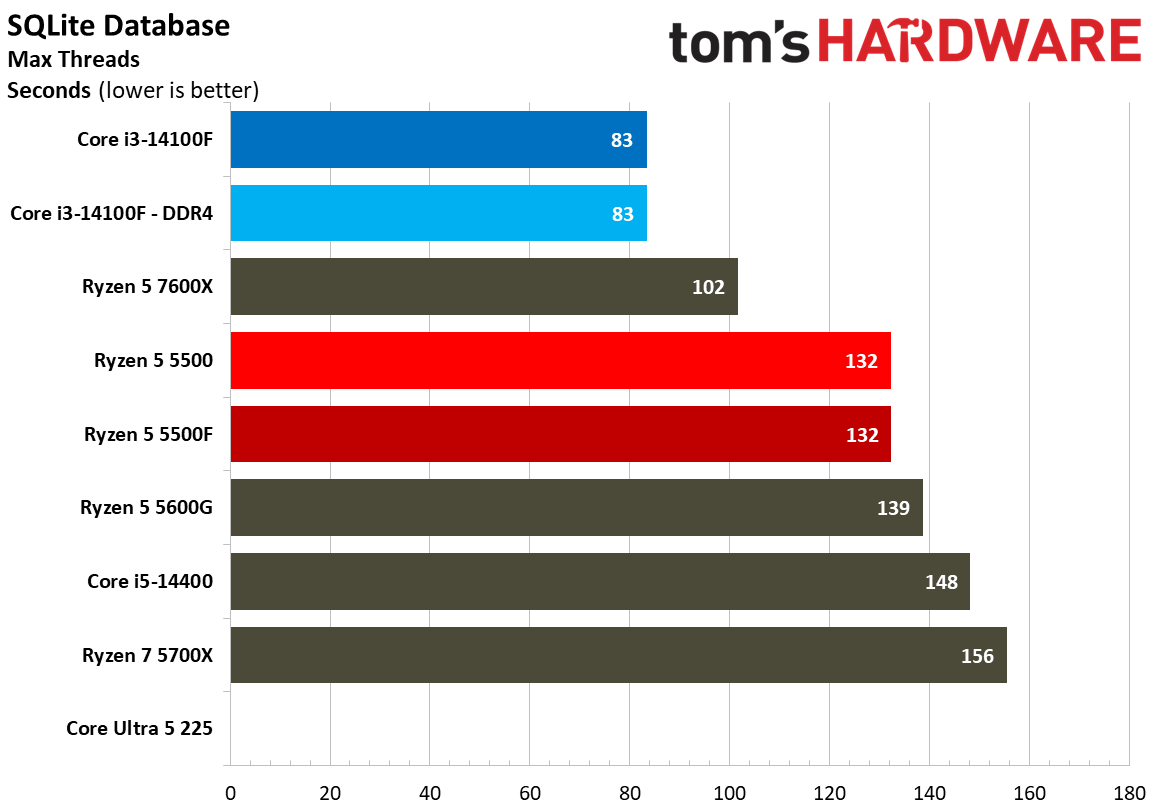
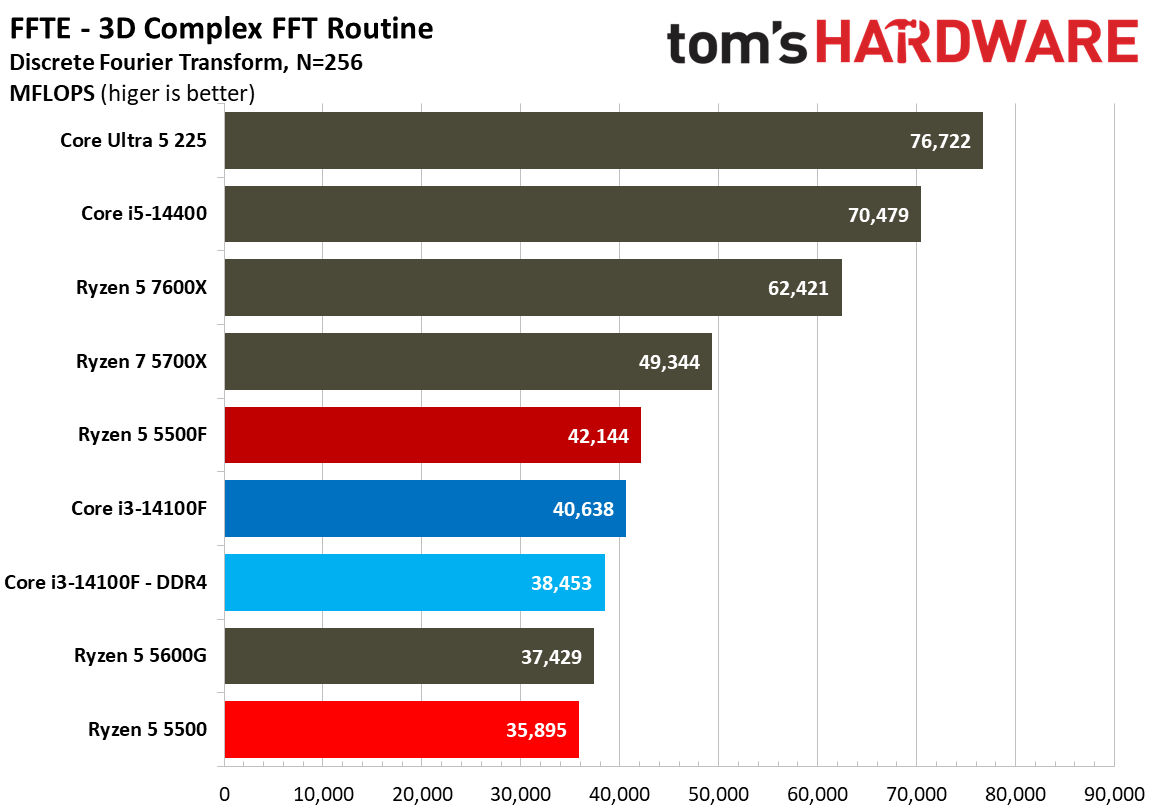
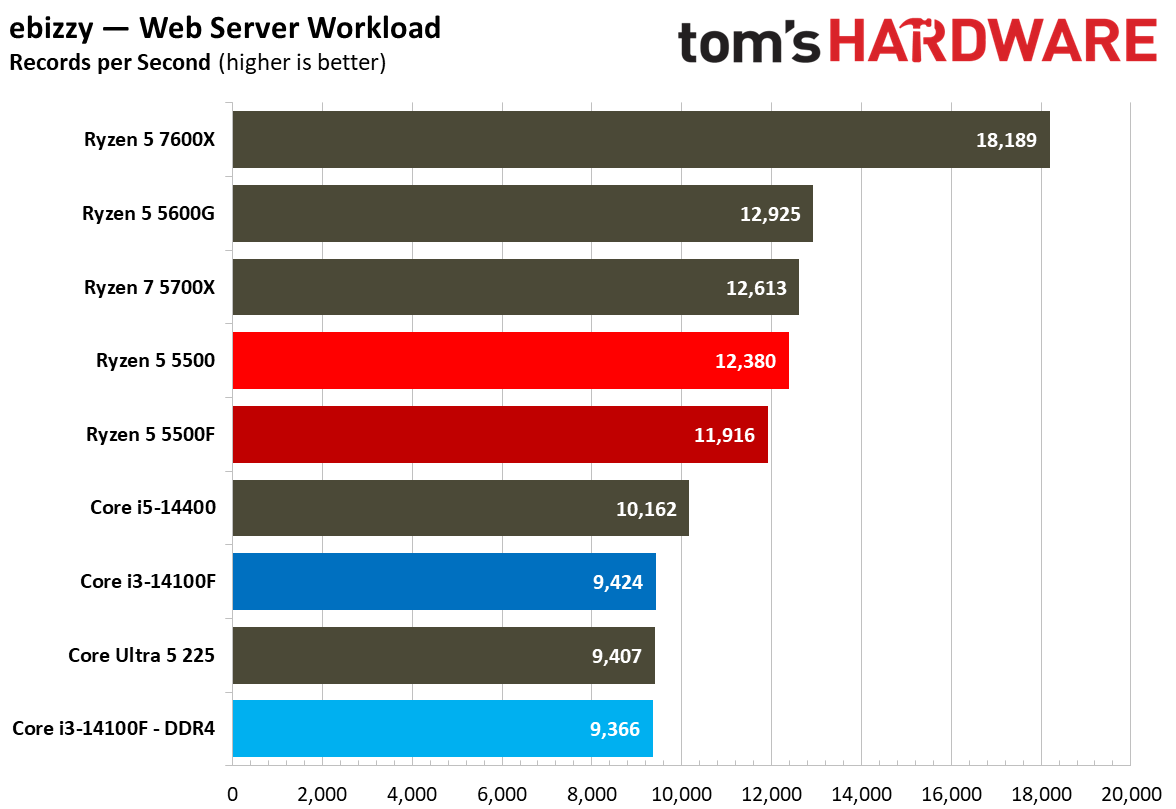
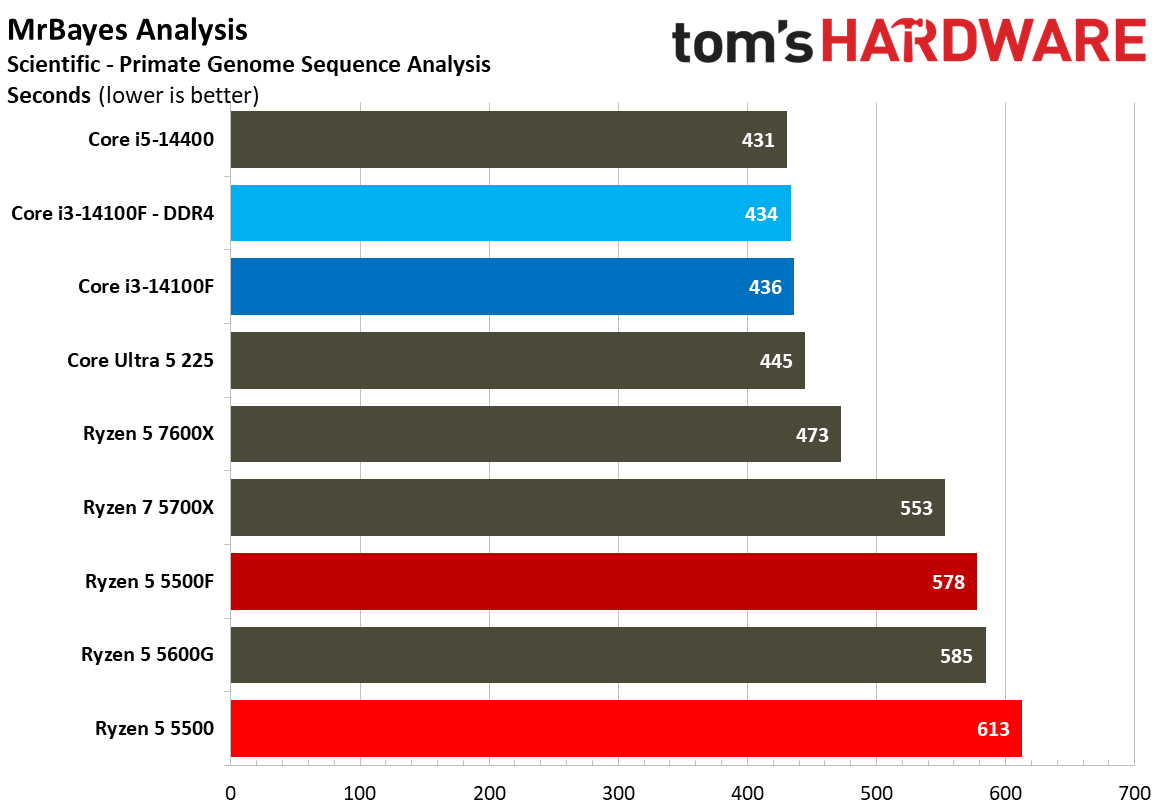
Elsewhere, there are a few broad trends that emerge. In security and cryptography workloads, AMD rules the roost. However, in many scientific workloads, Intel holds an edge. Again, these workloads aren’t particularly relevant for these CPUs, so we’d recommend placing more emphasis on the benchmarks in the sections above.
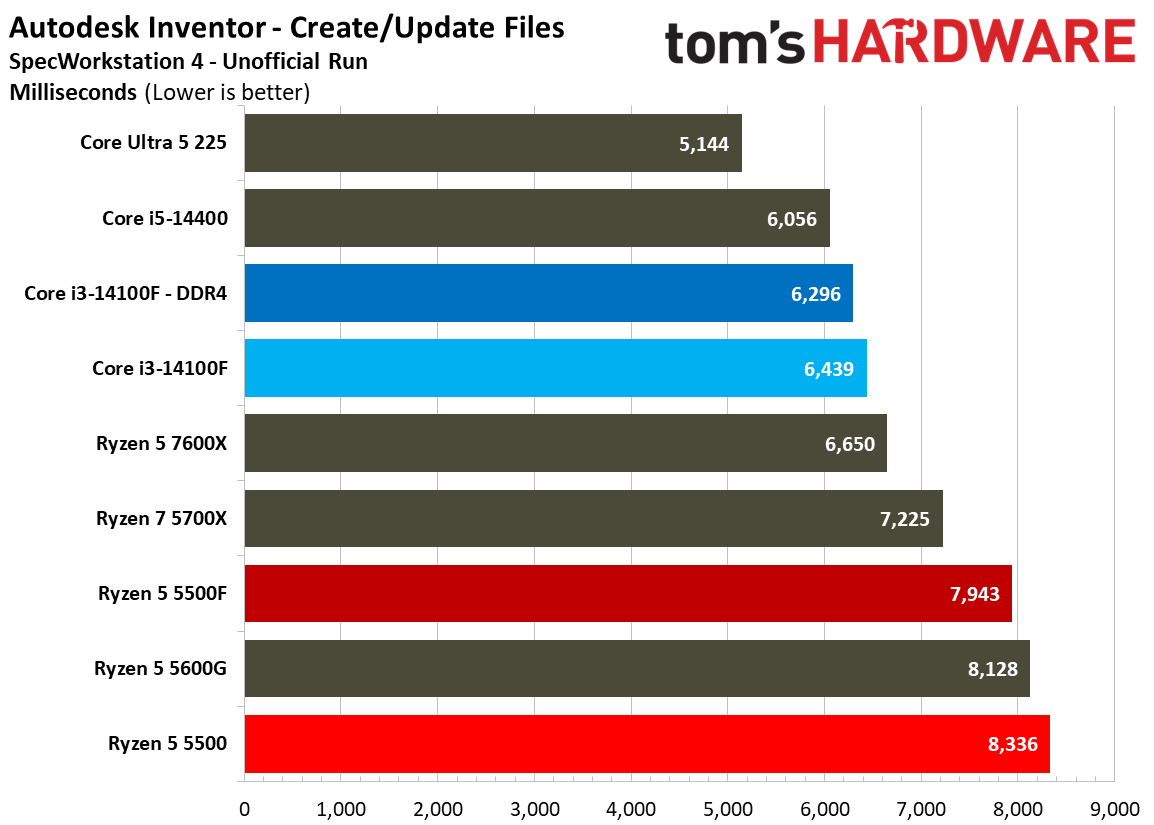
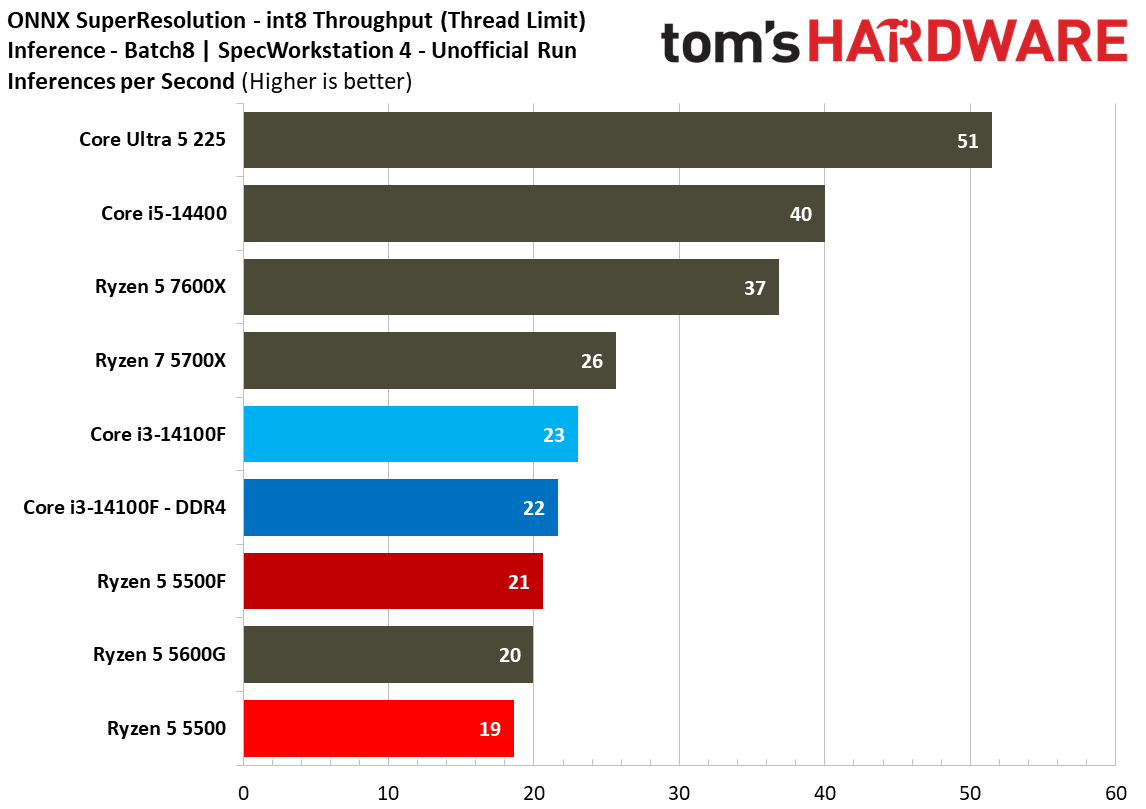
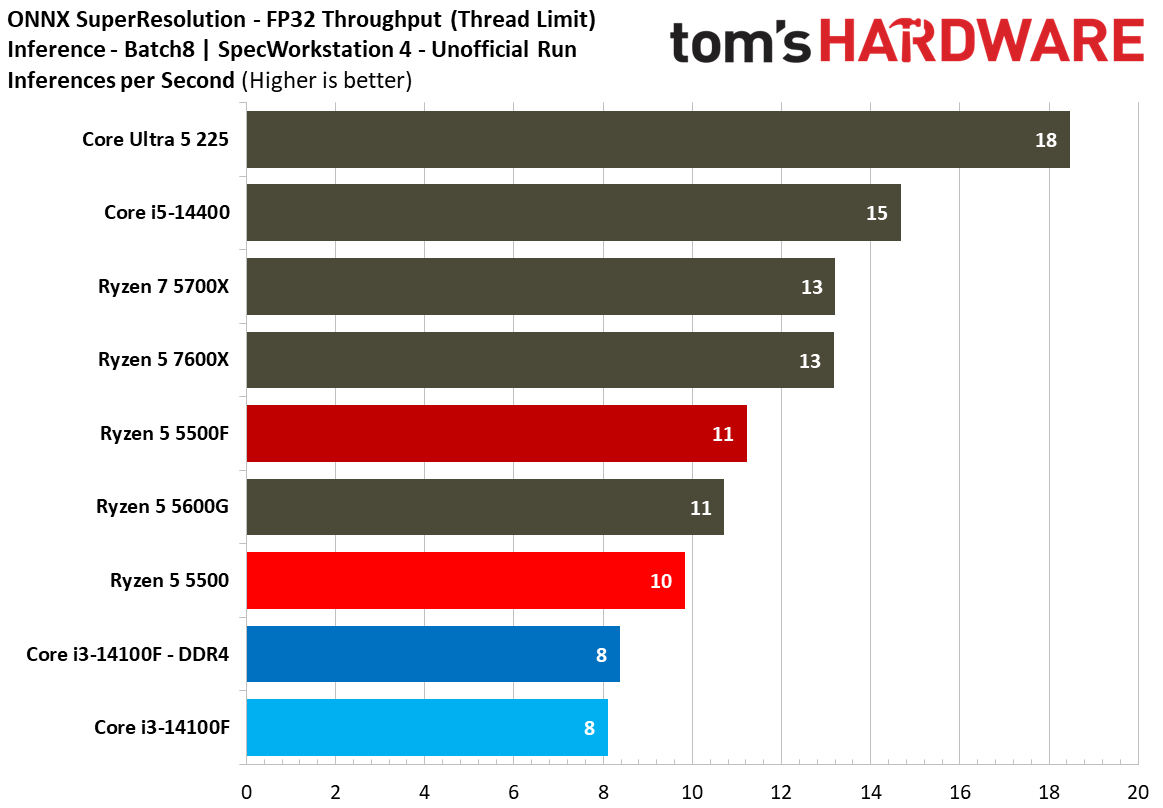
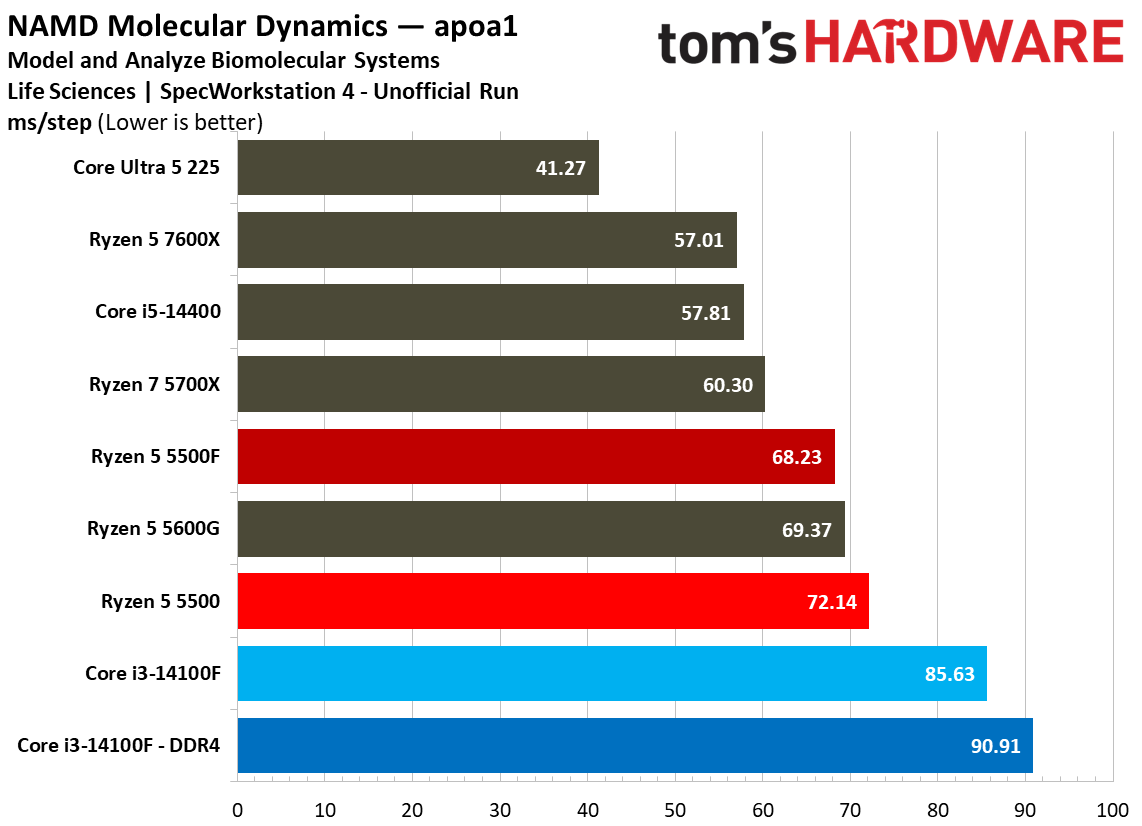
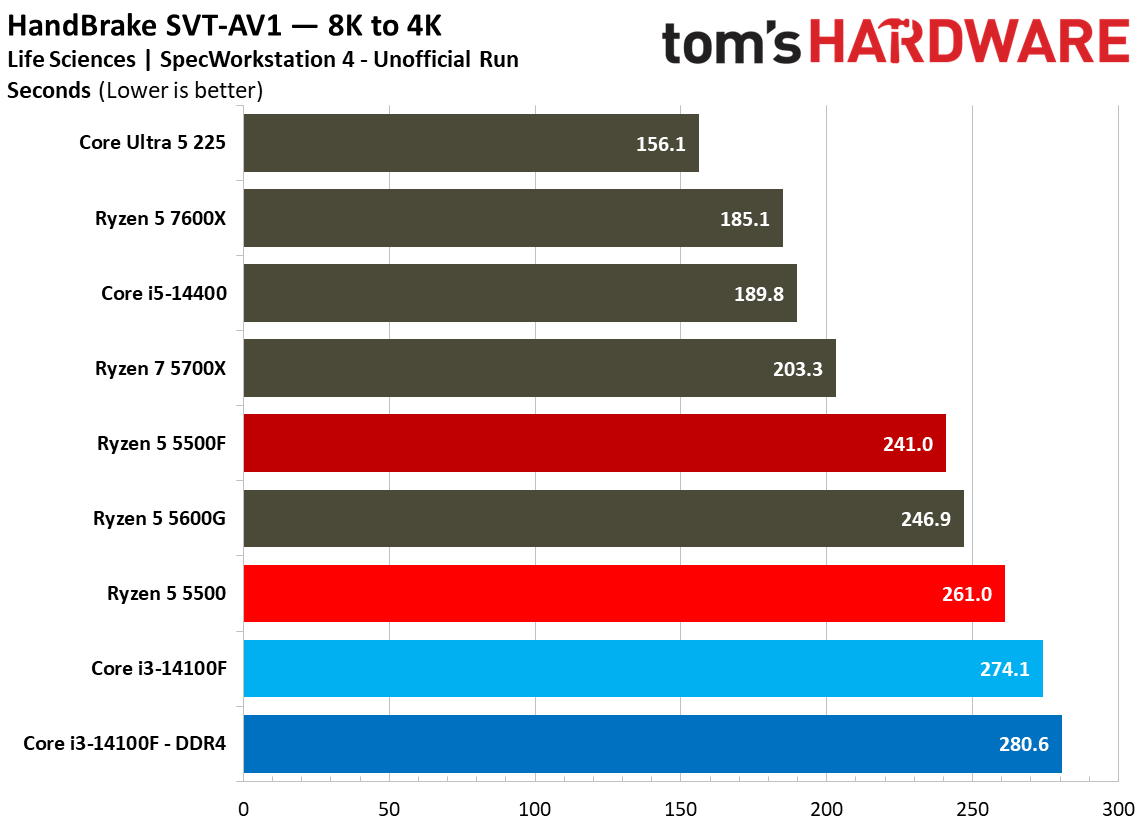
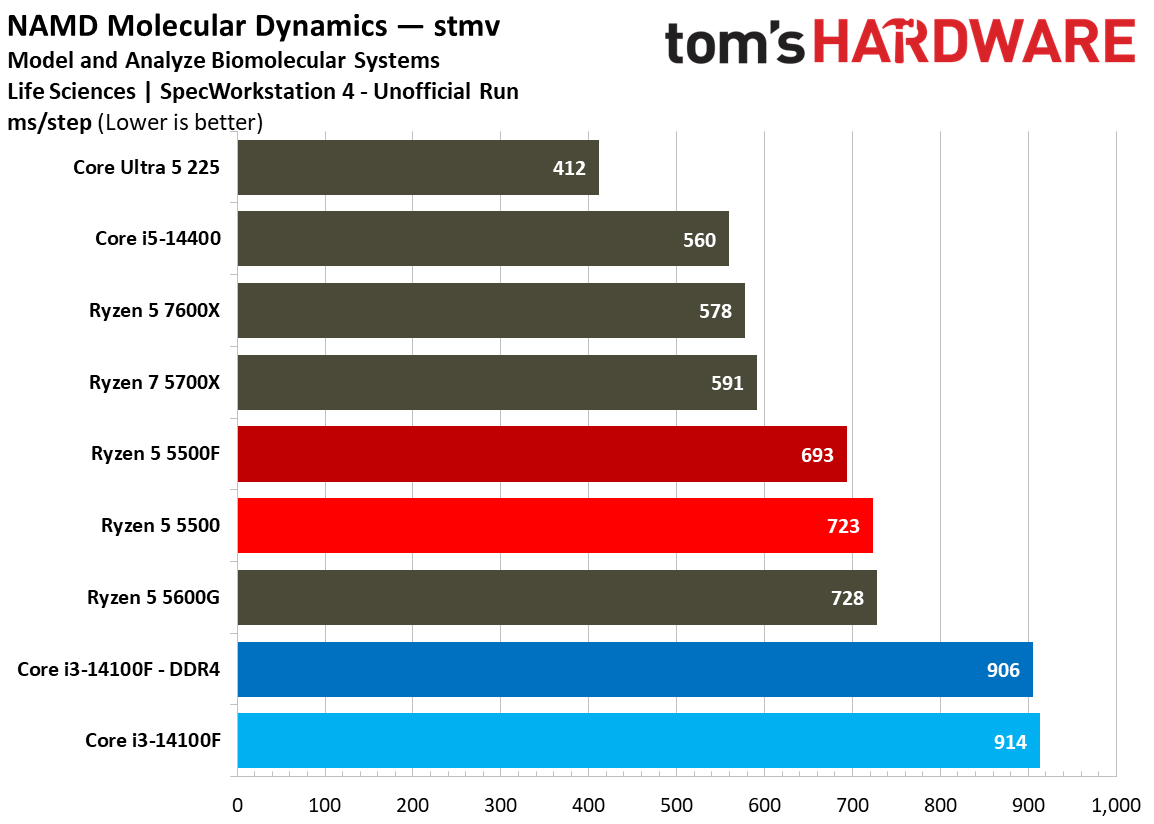
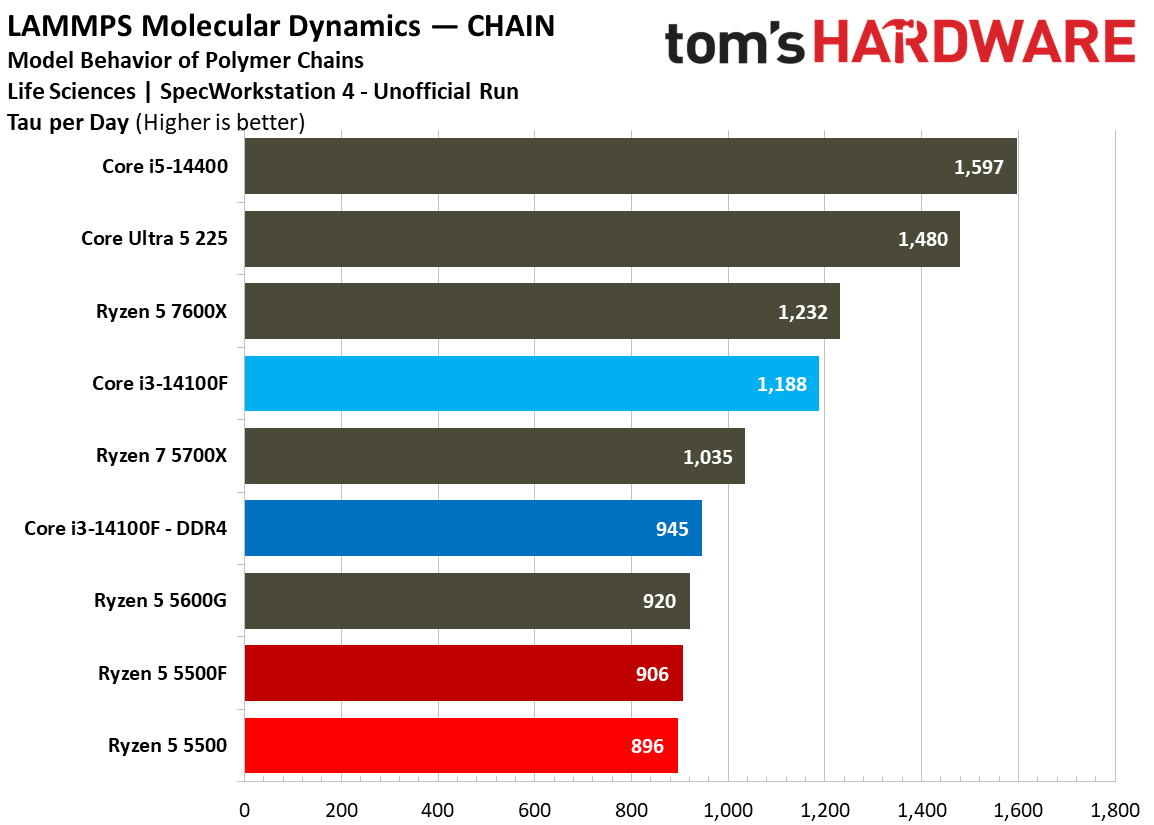
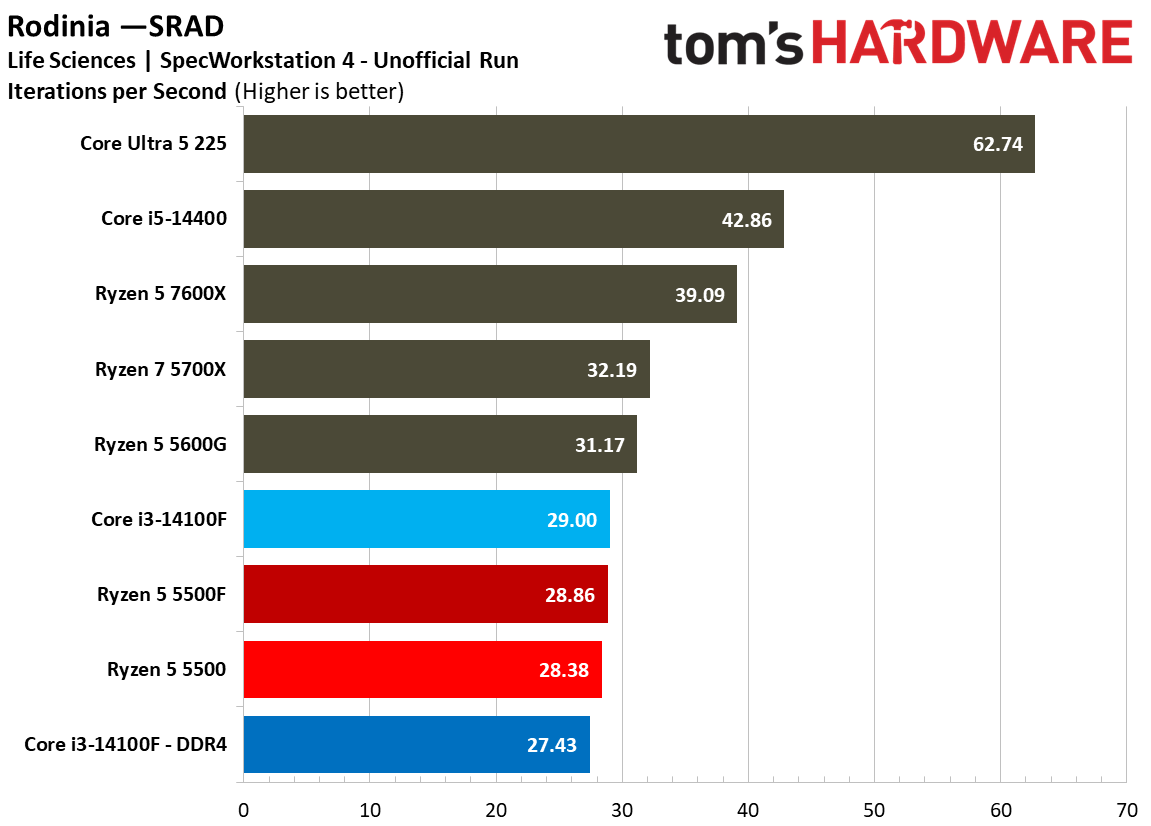
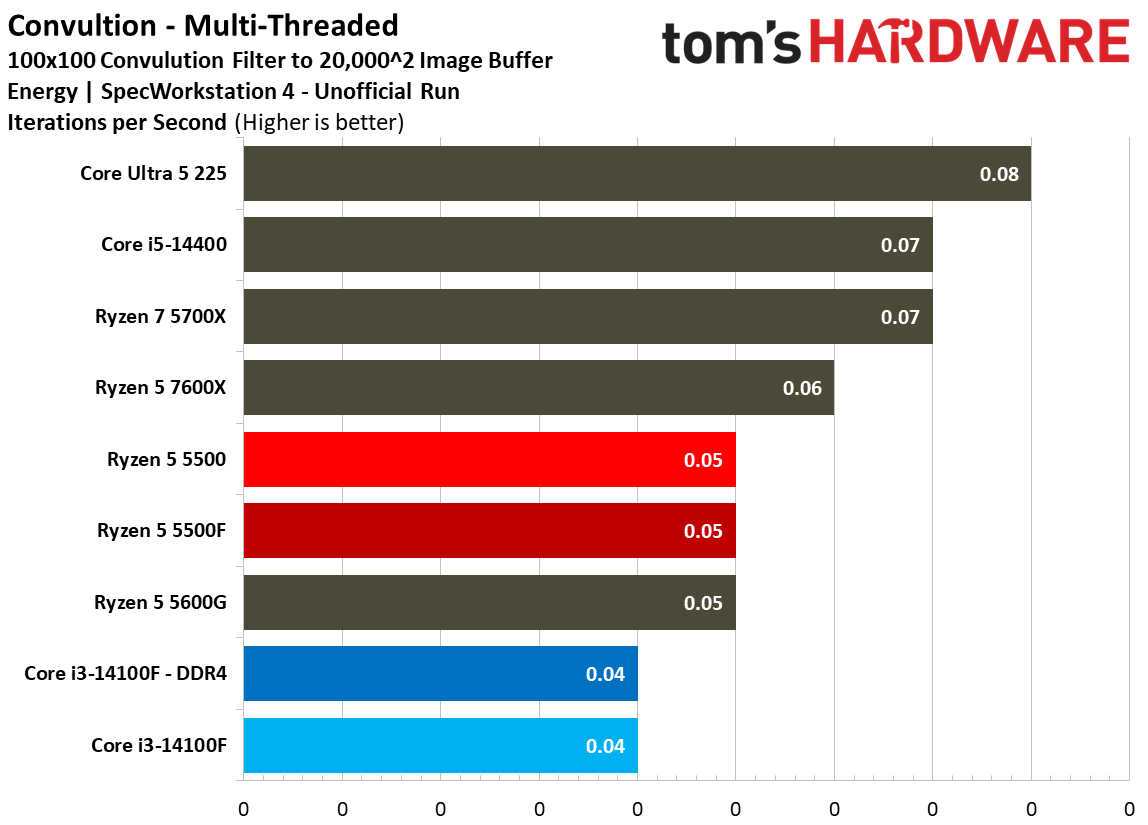
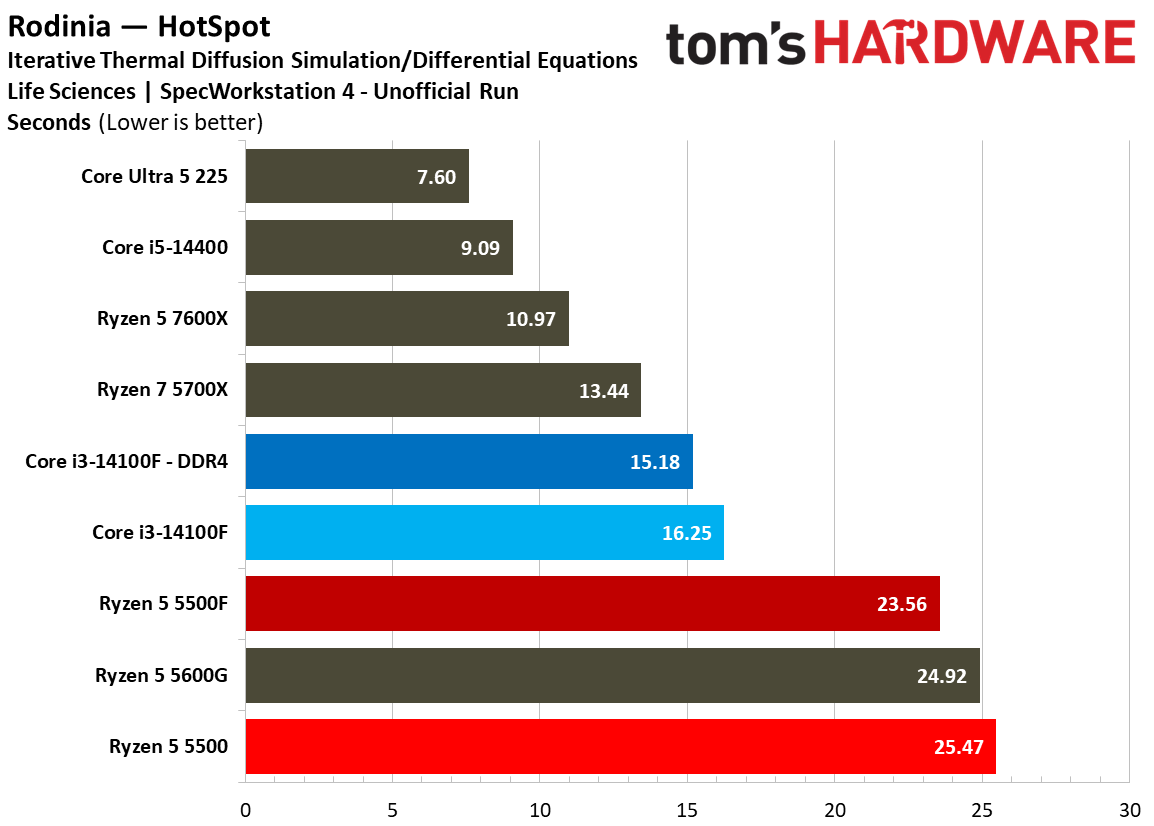
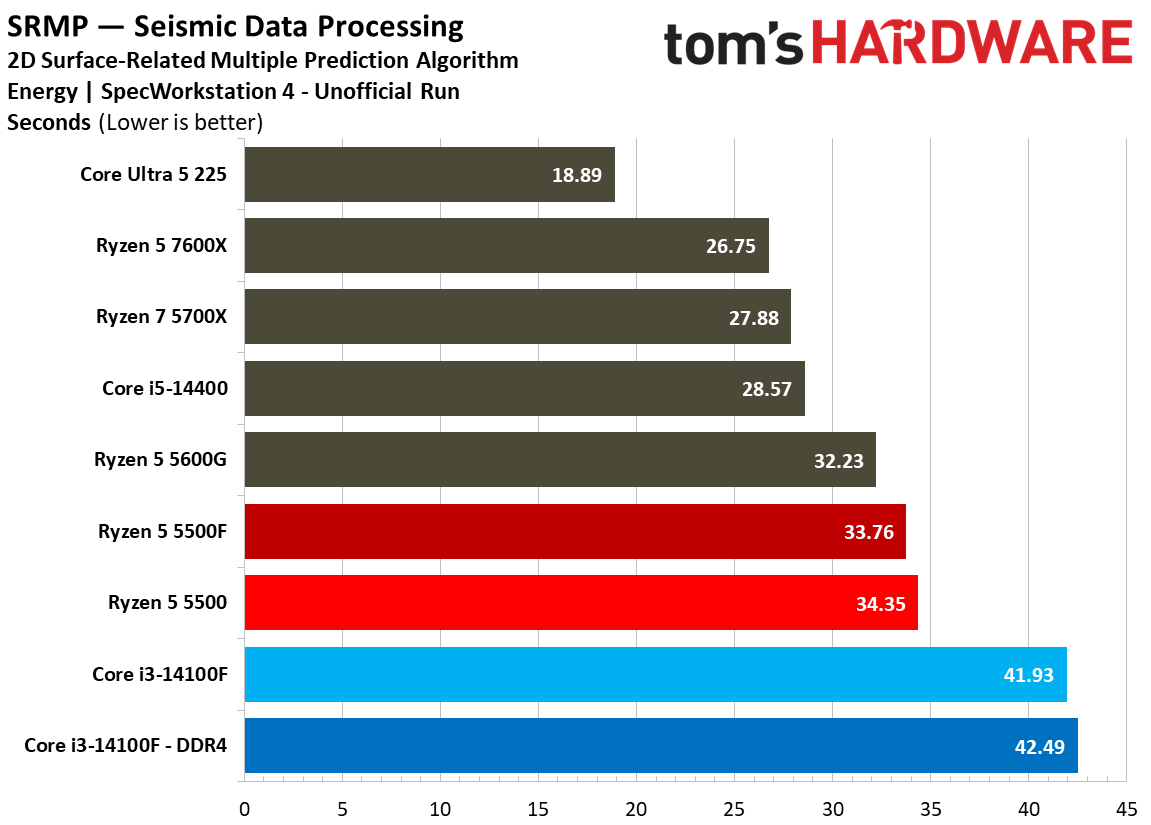
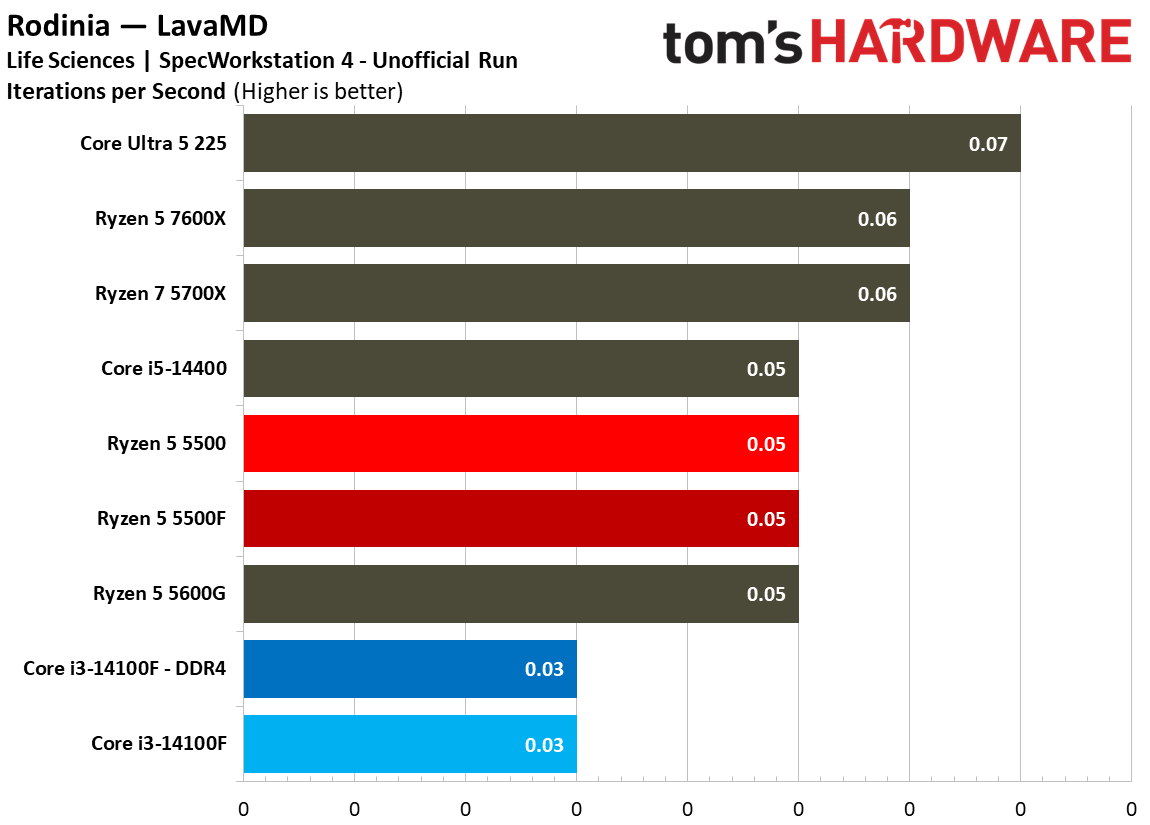
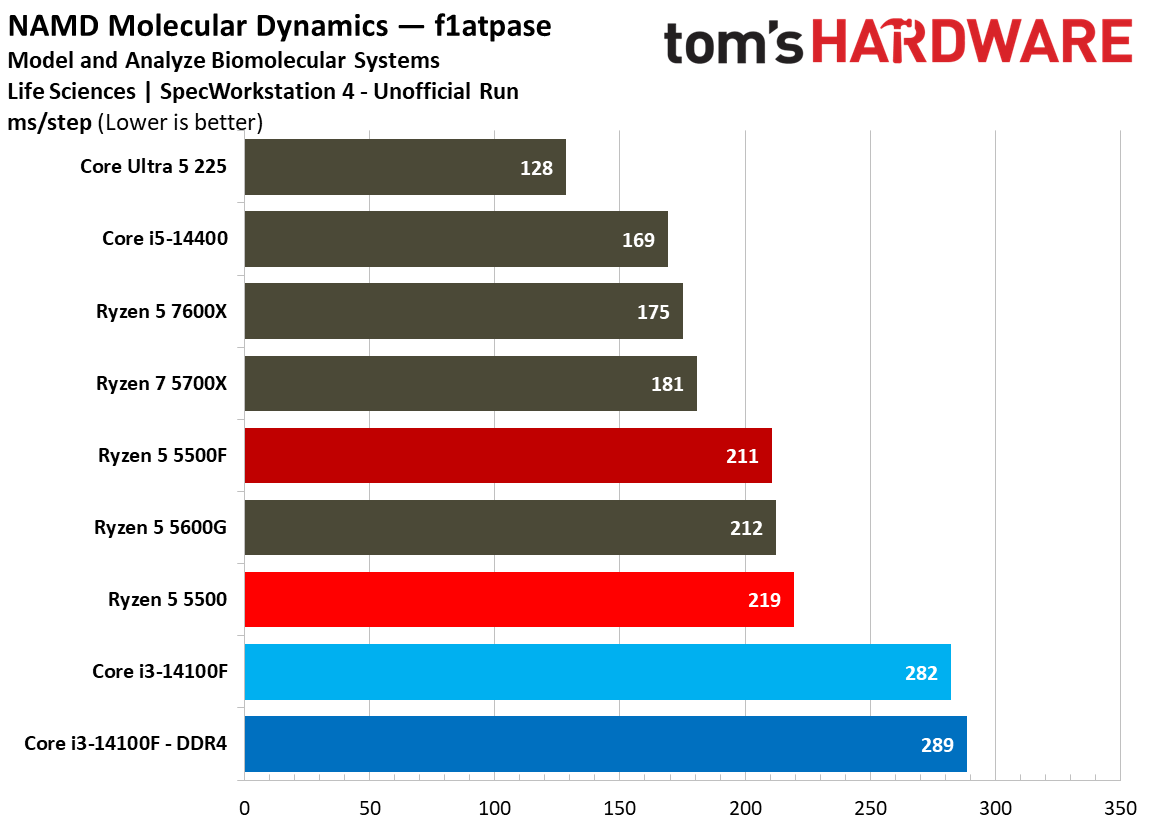
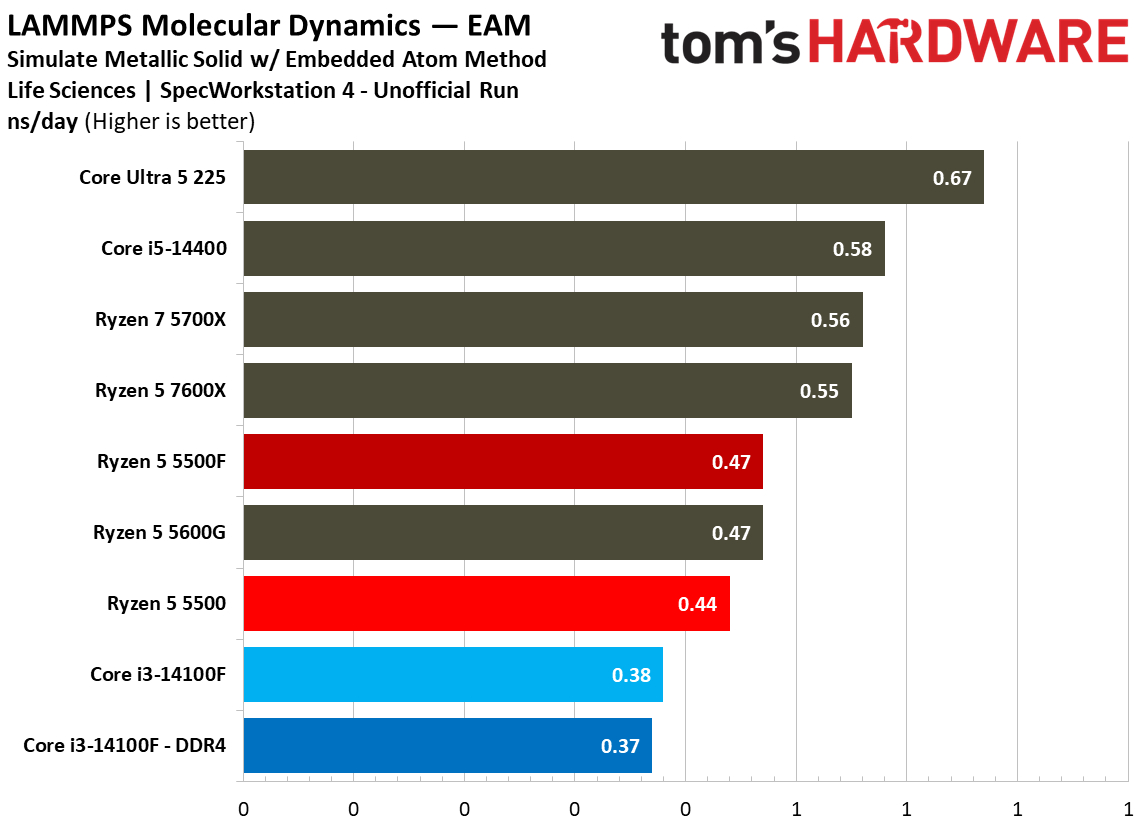
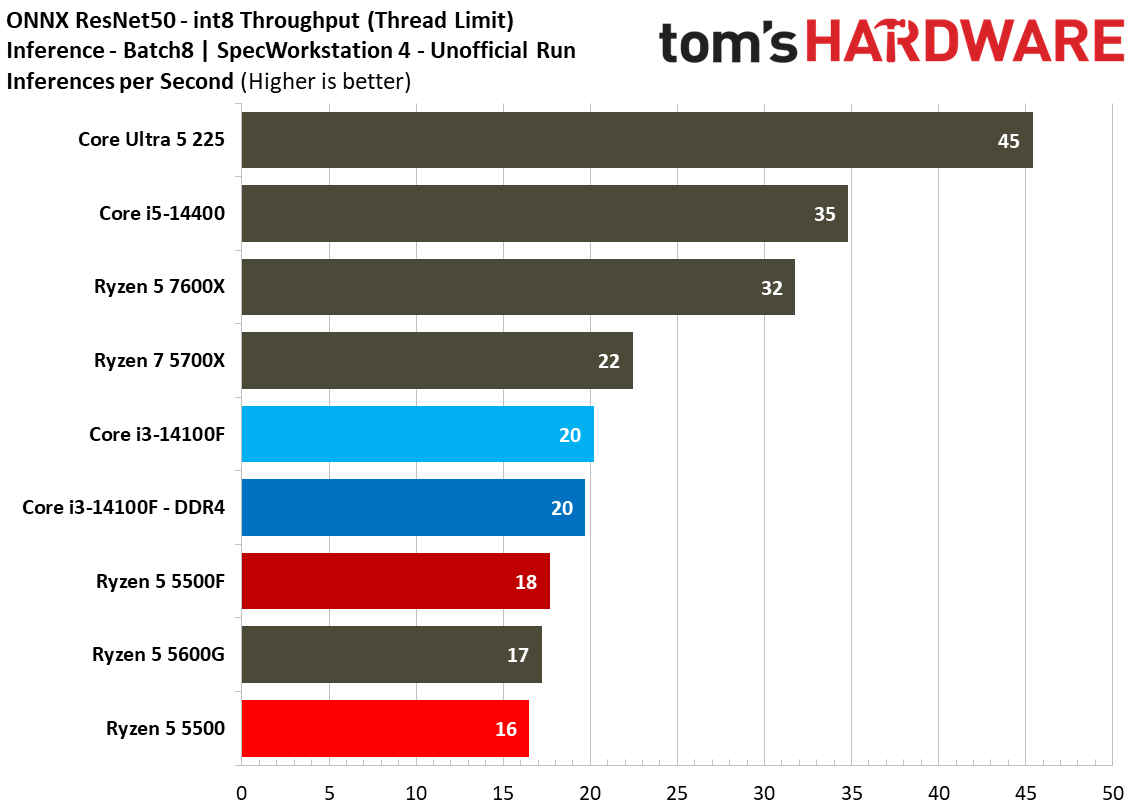
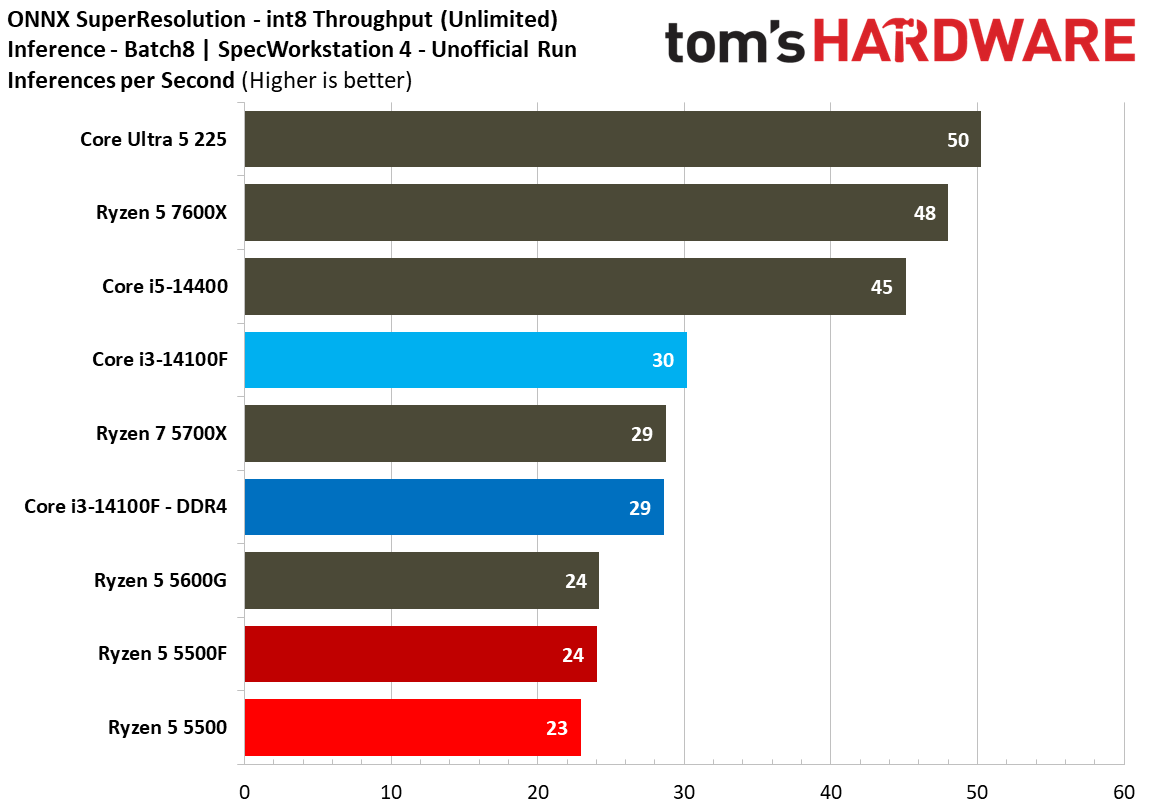
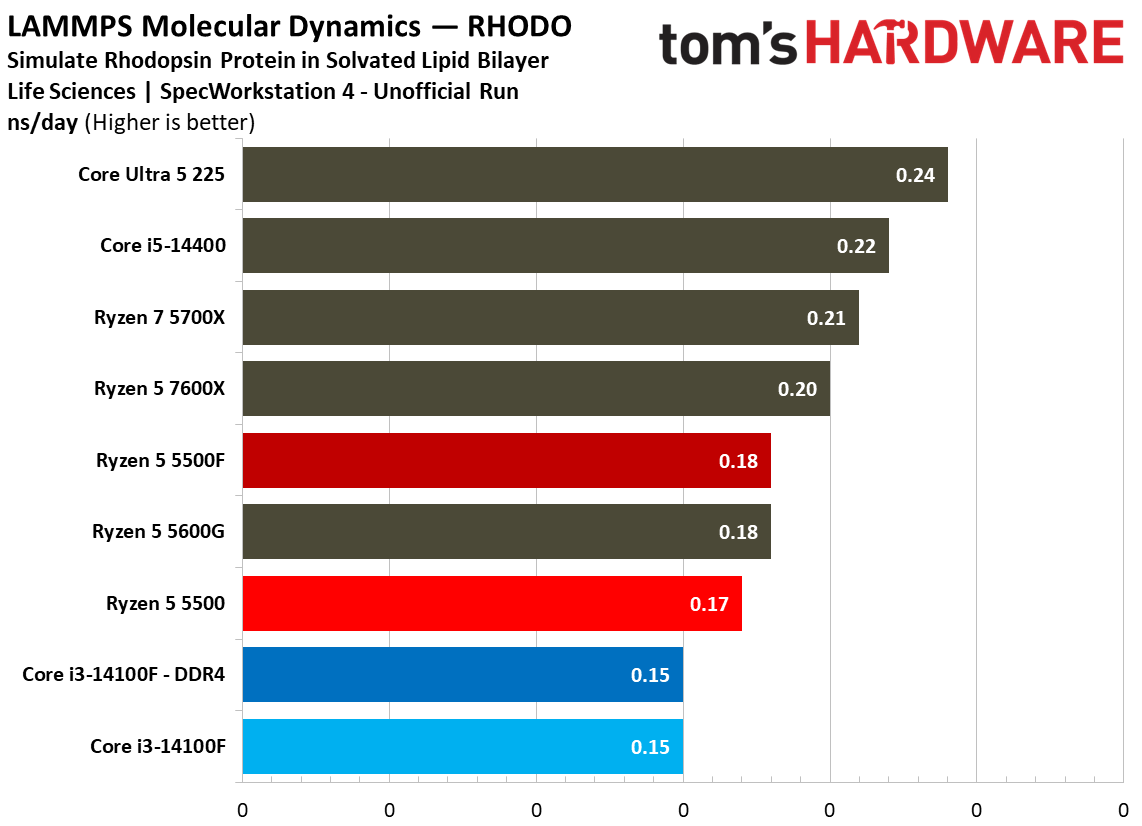
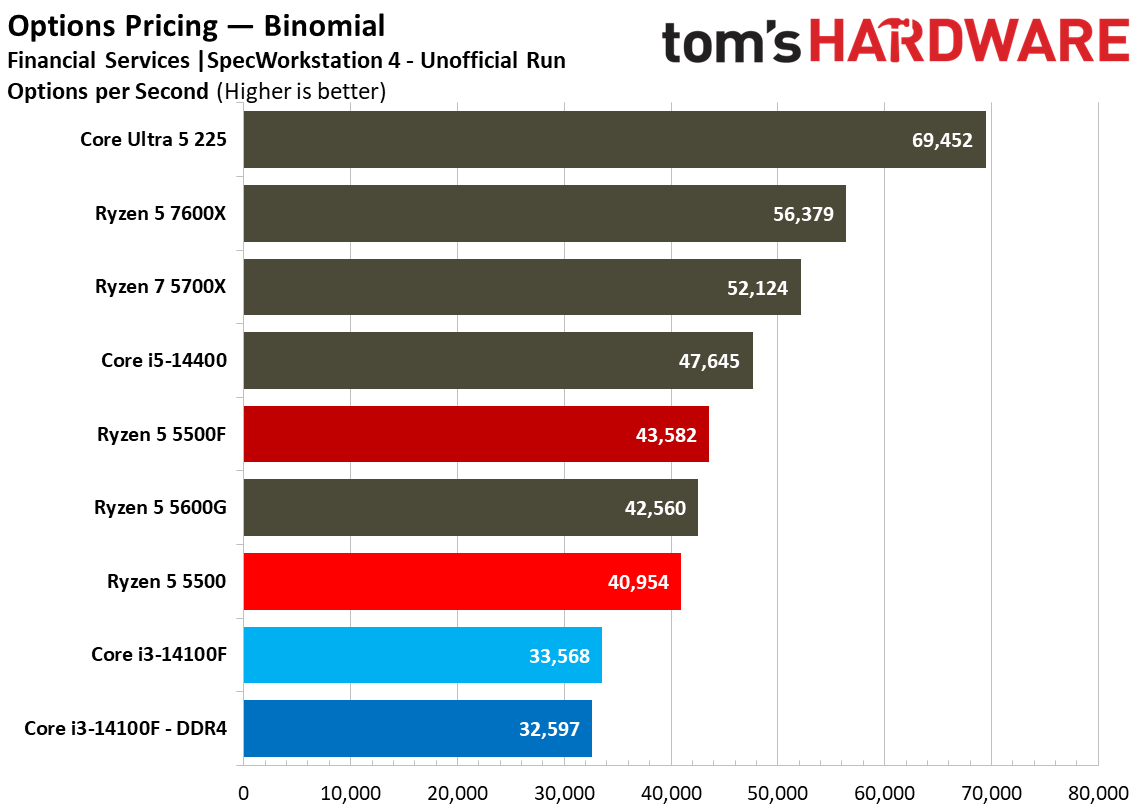
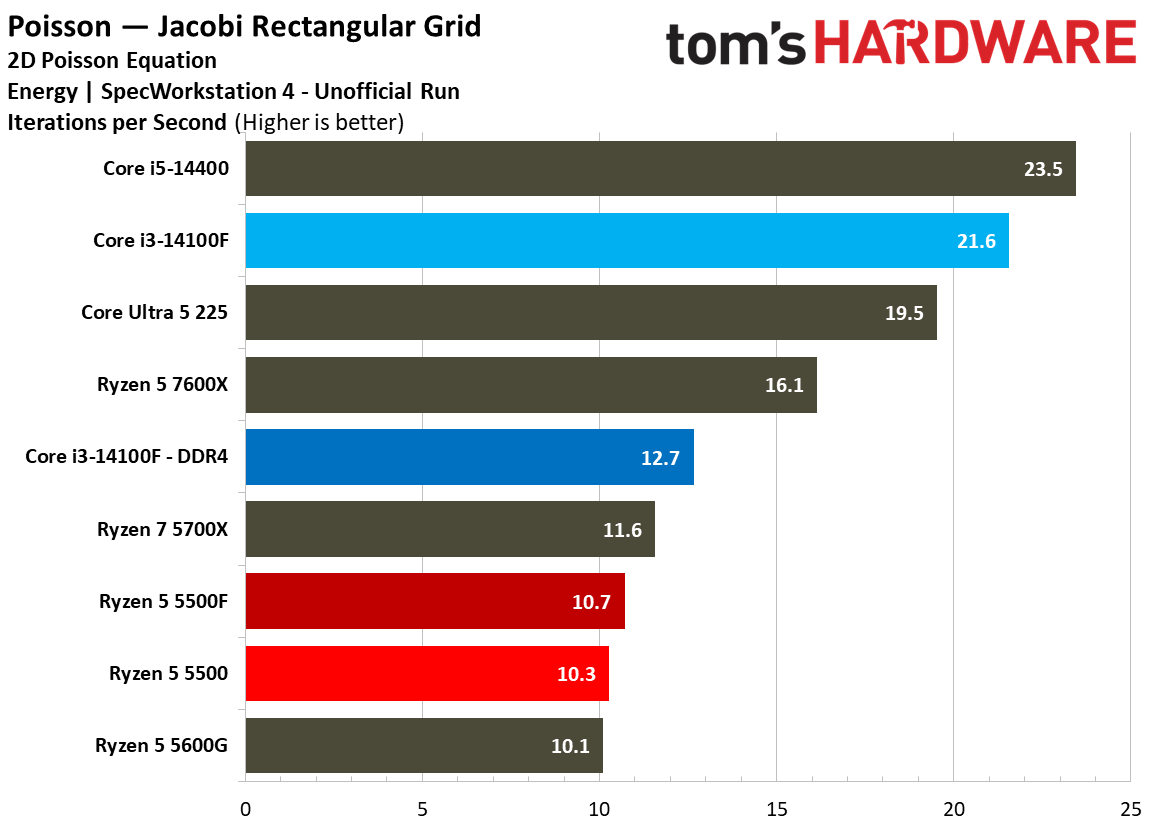
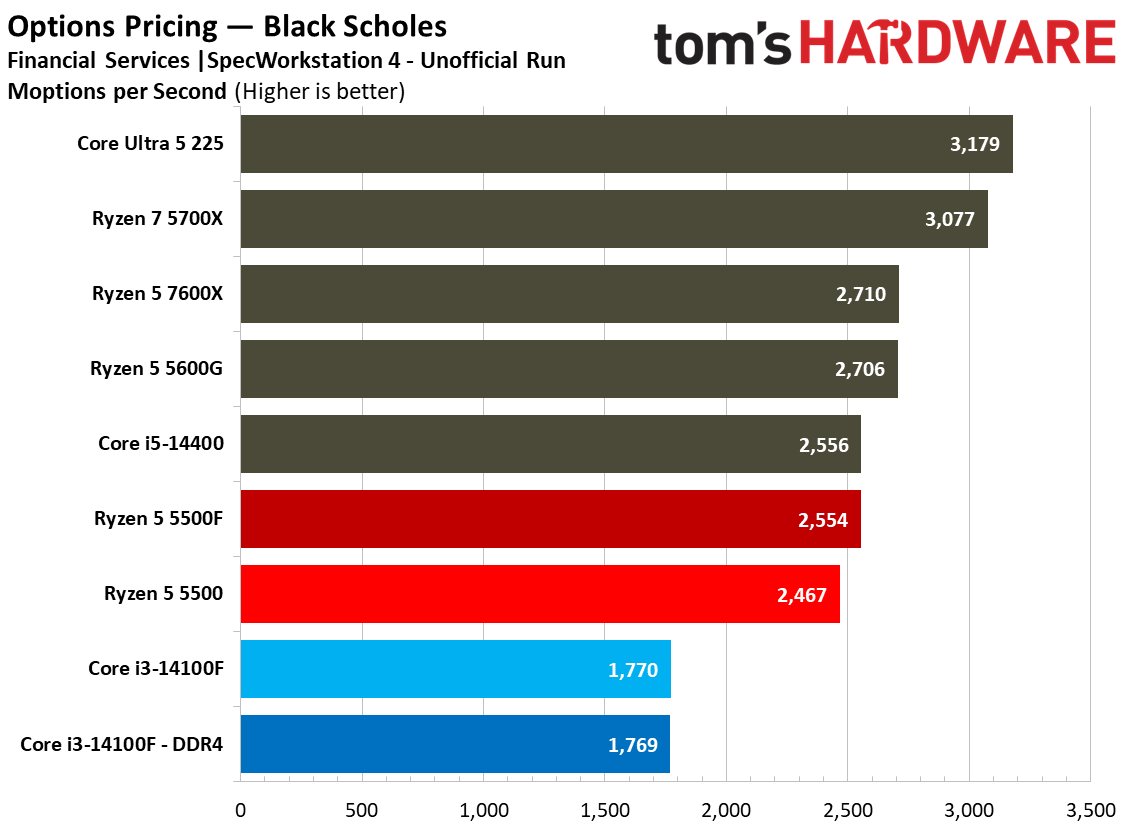
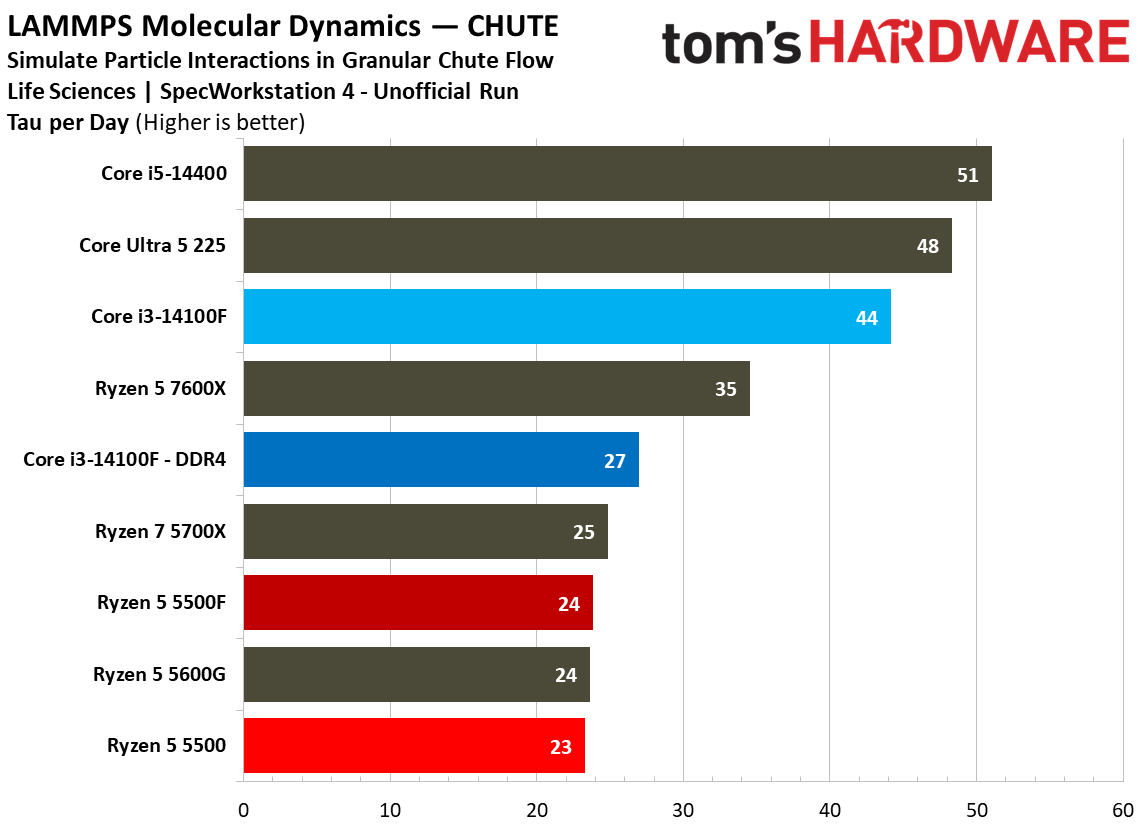
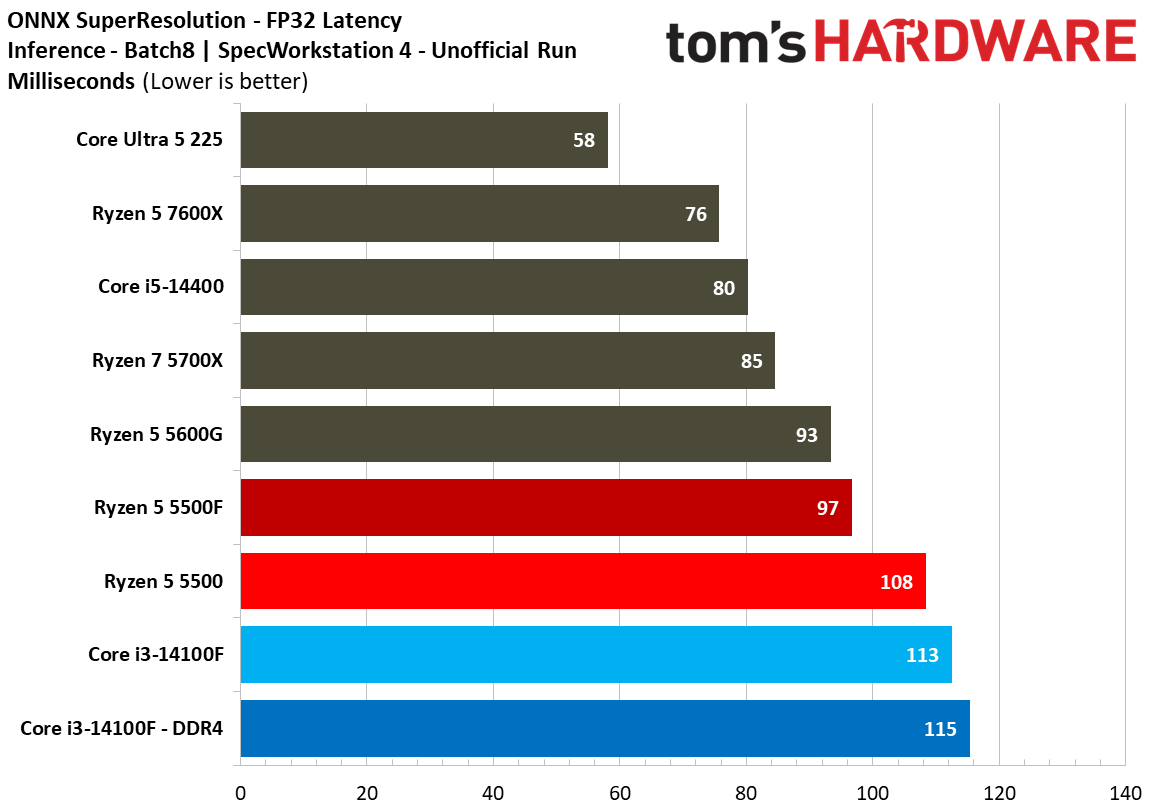
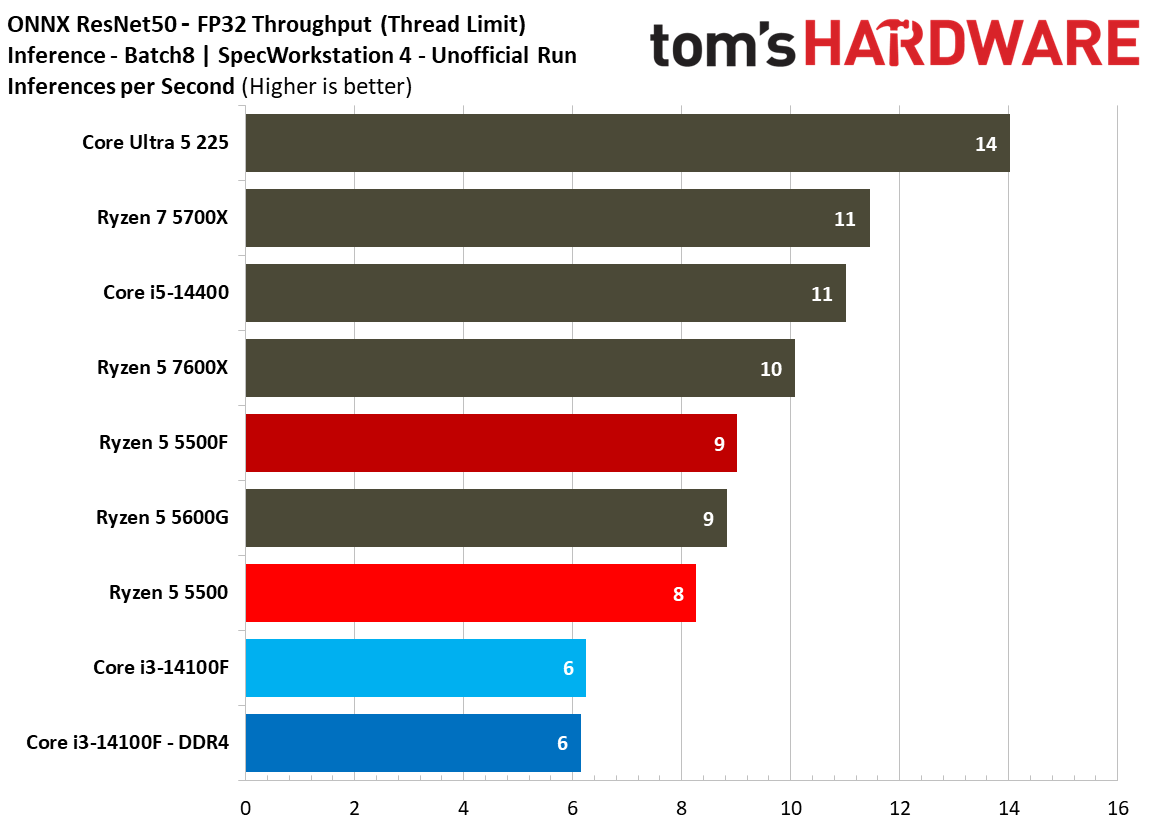
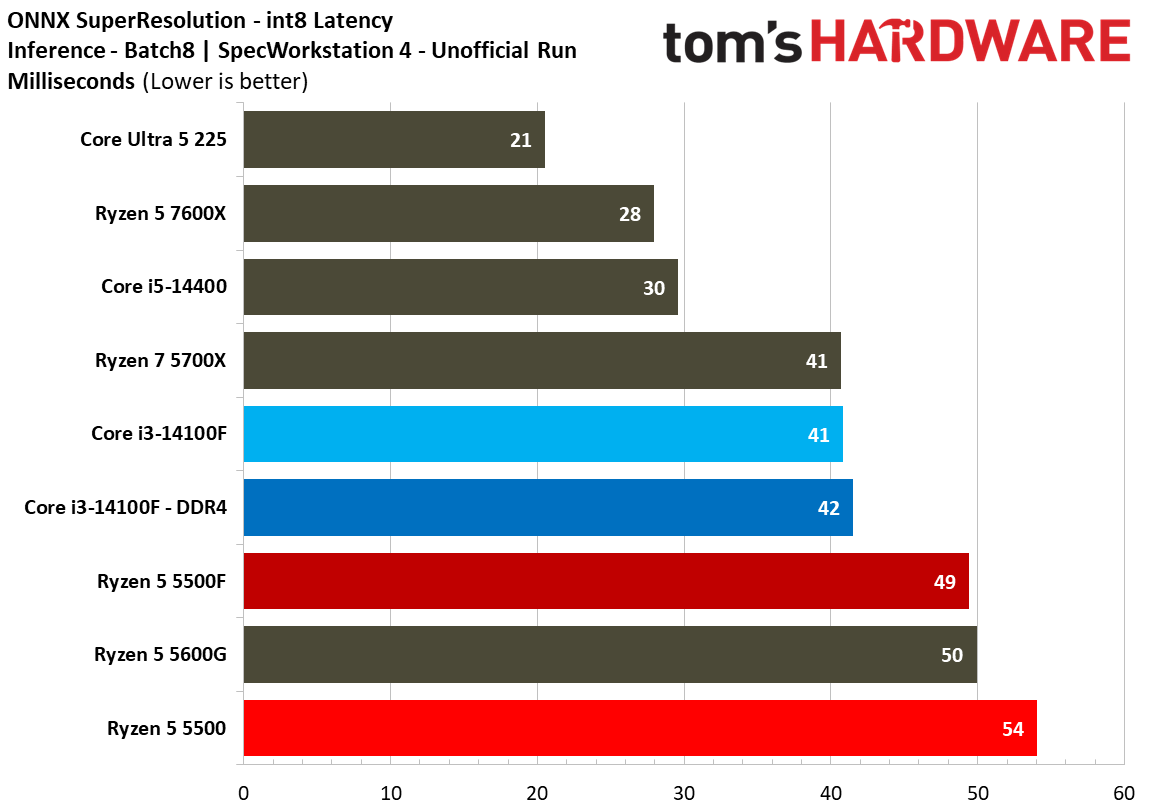
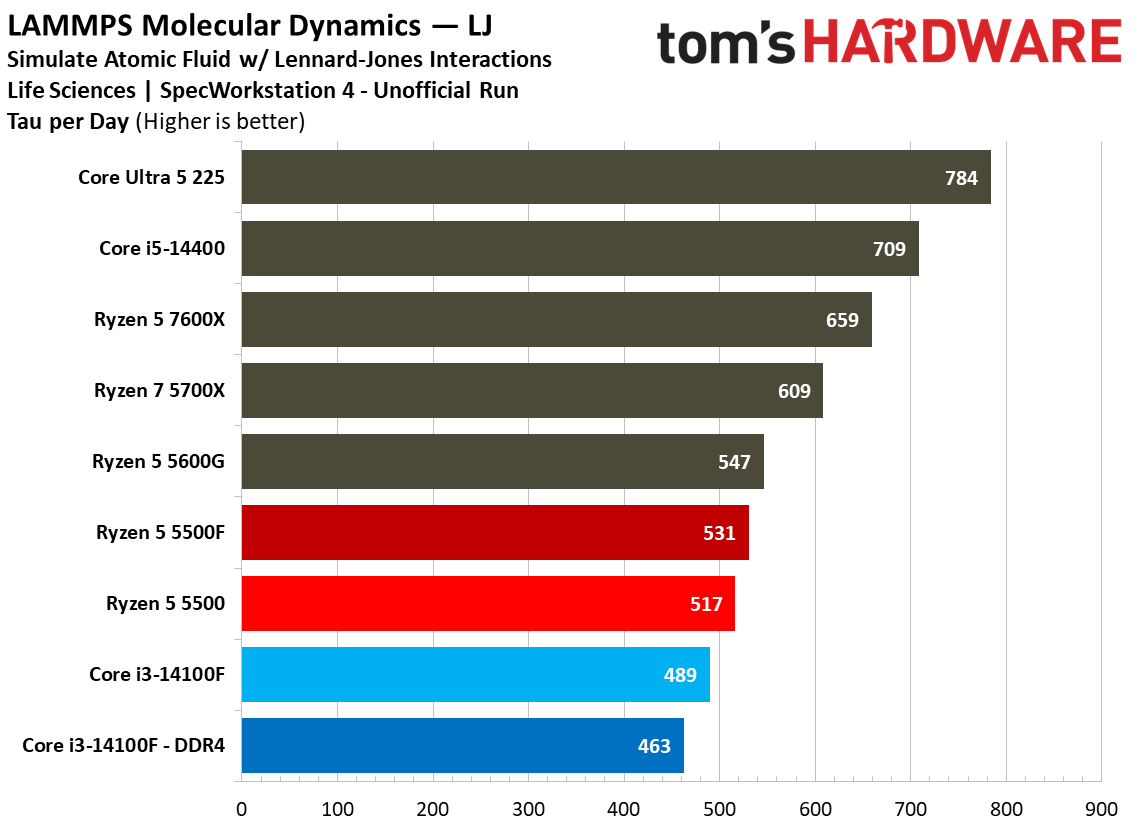
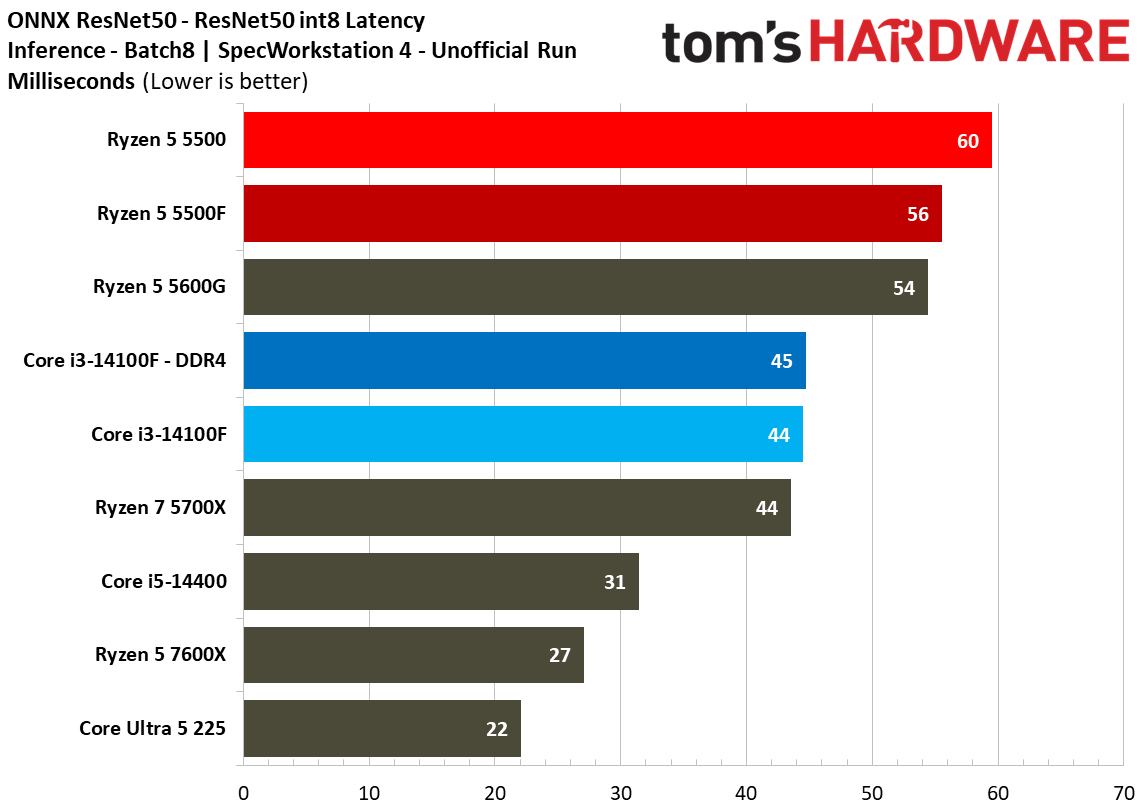
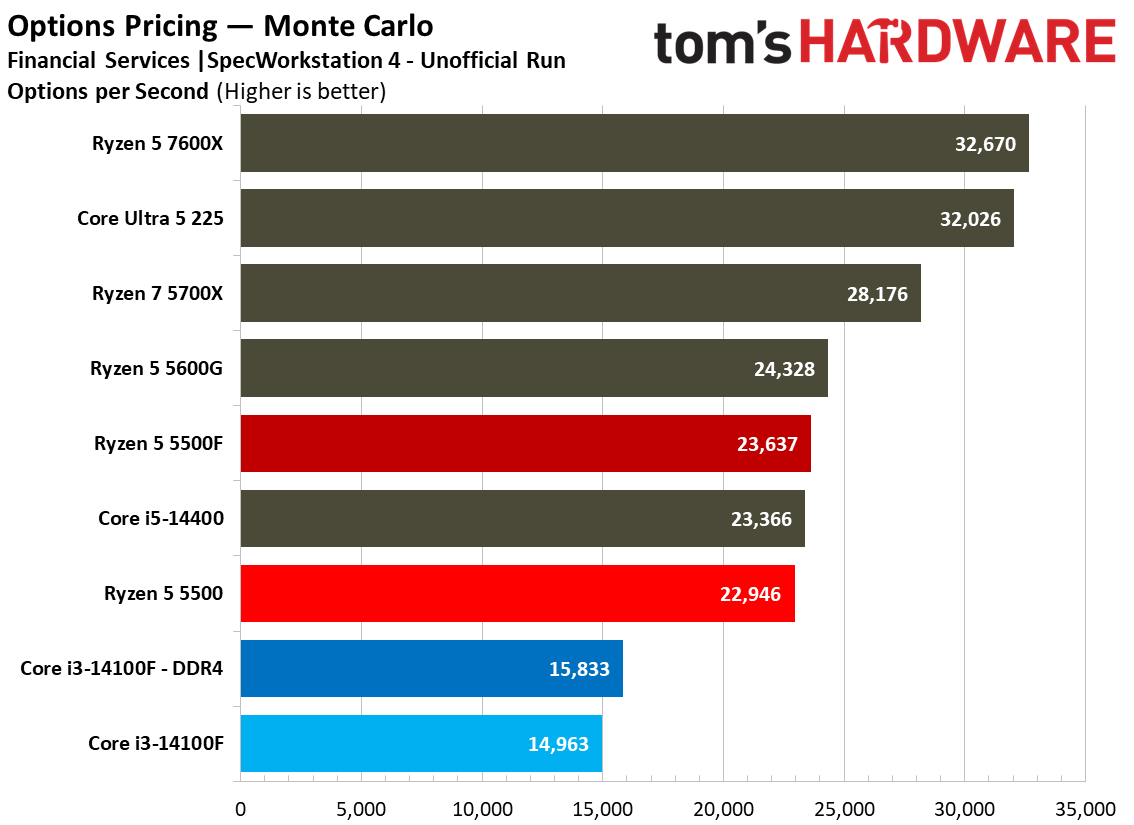
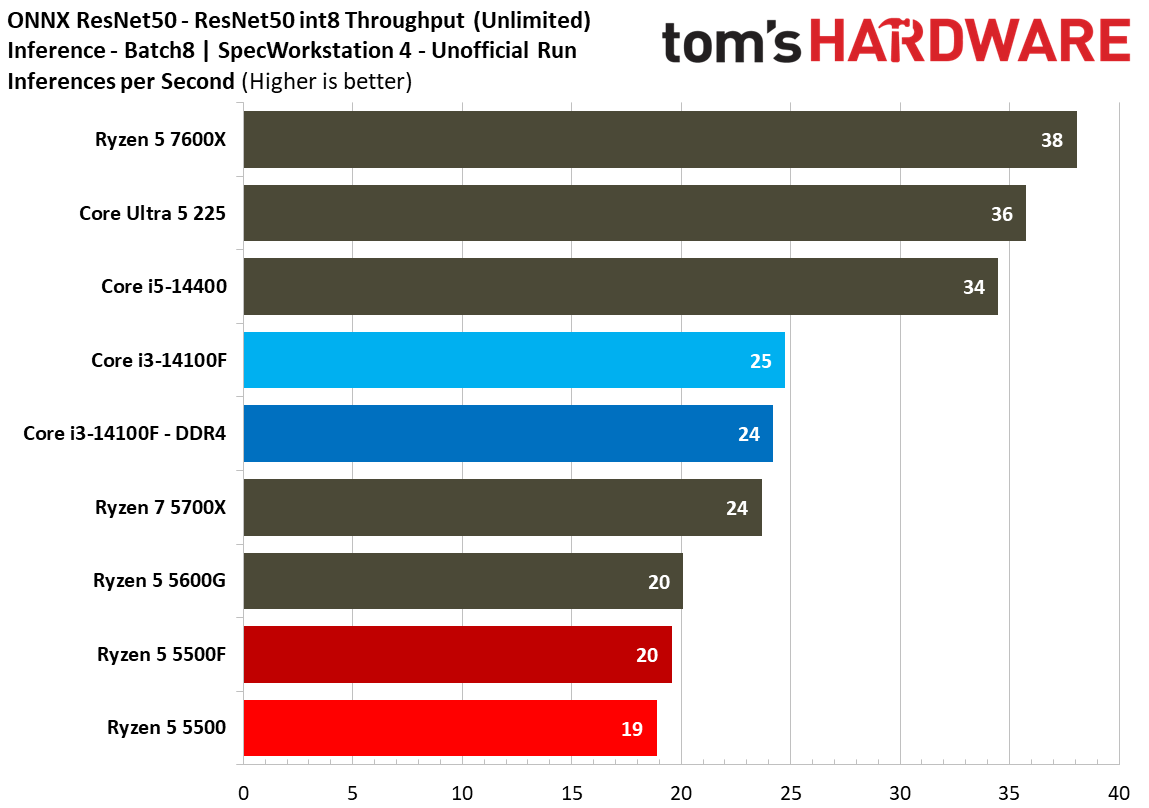
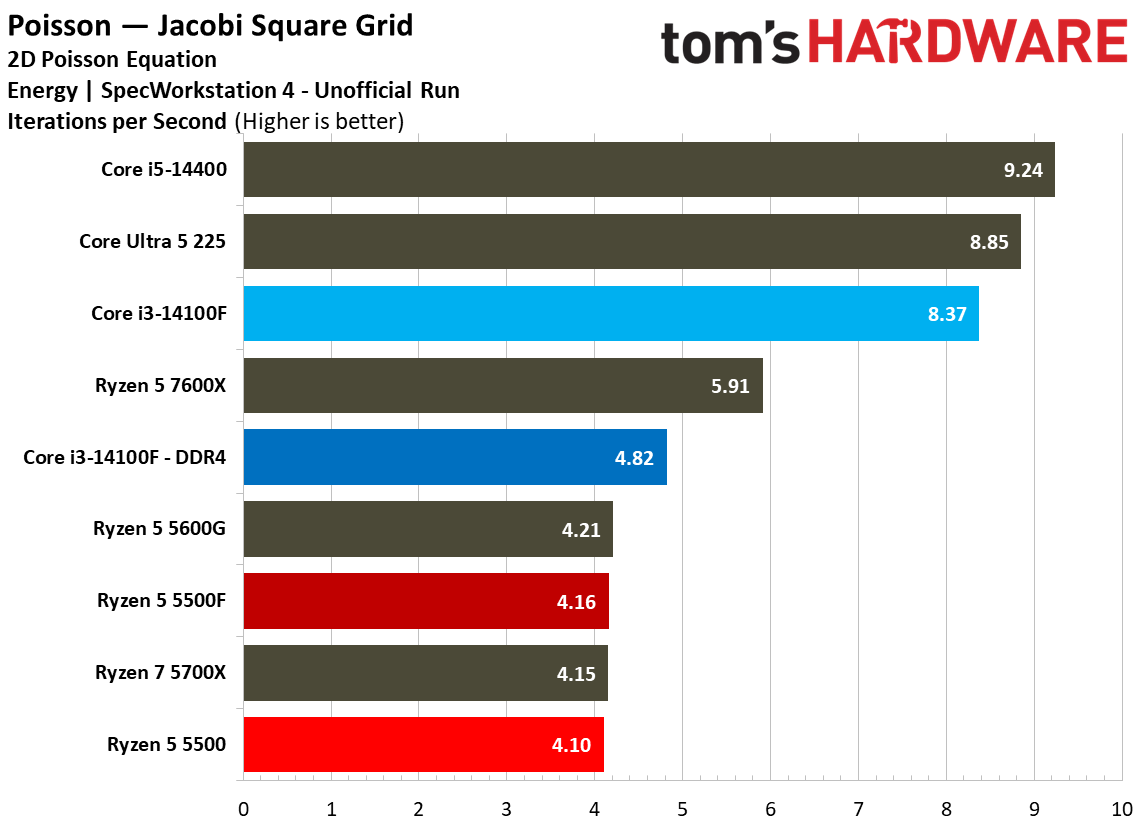
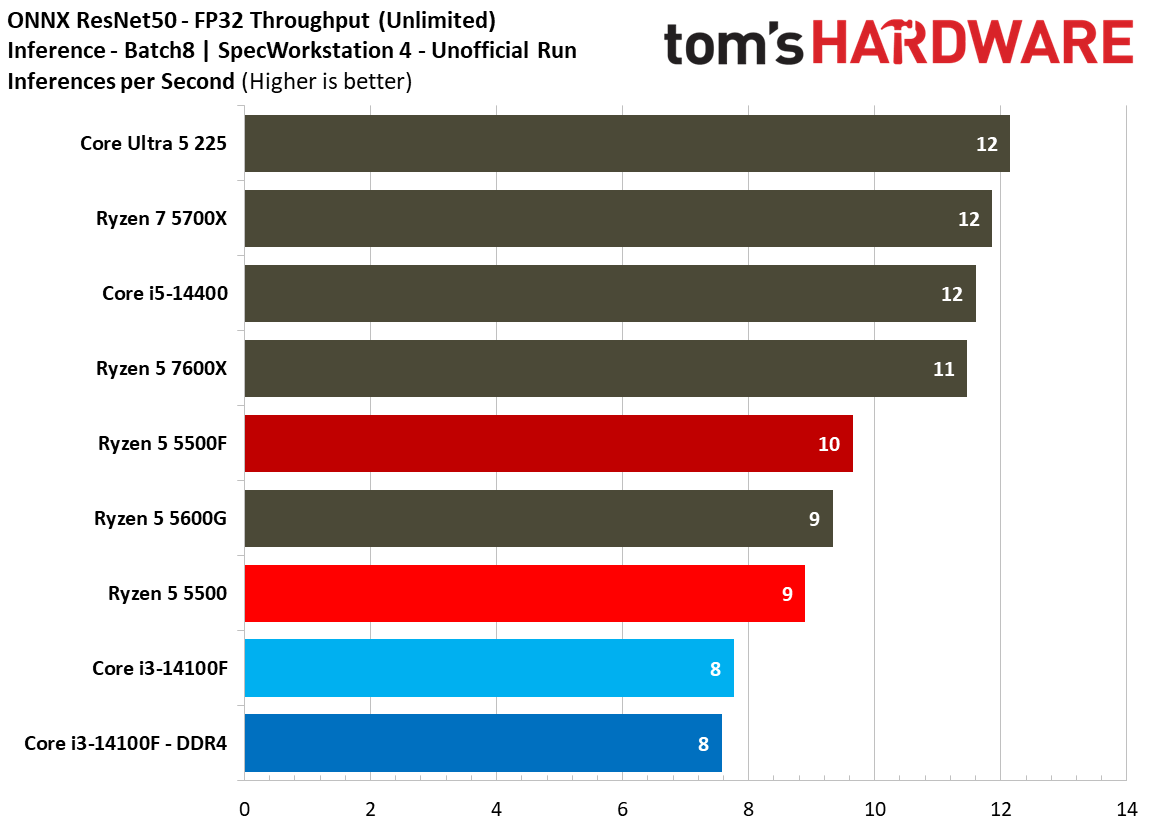
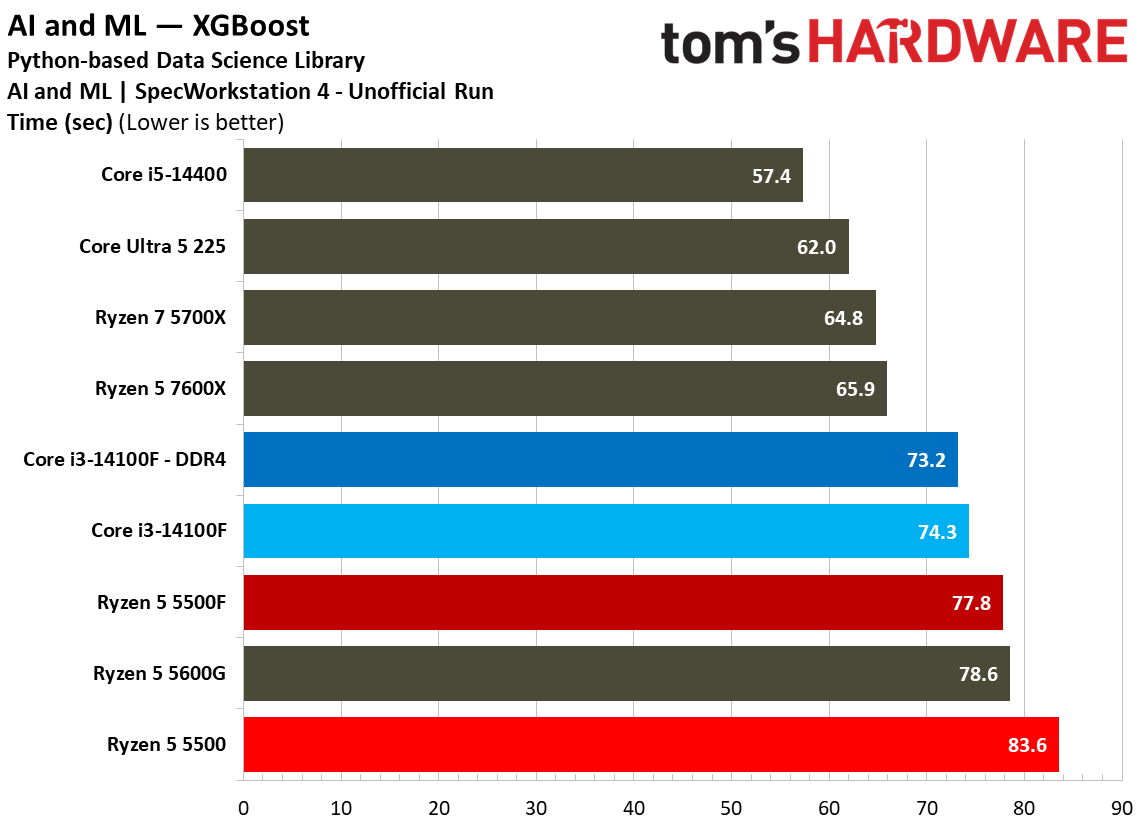
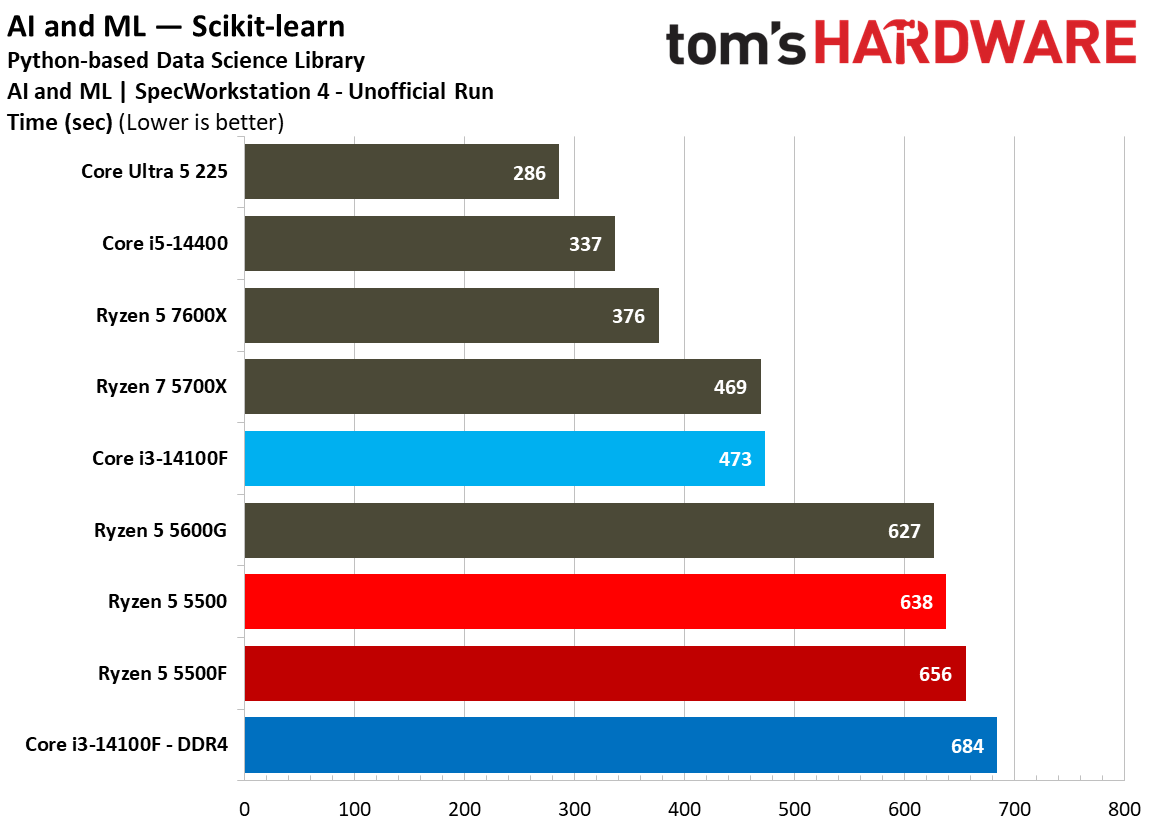
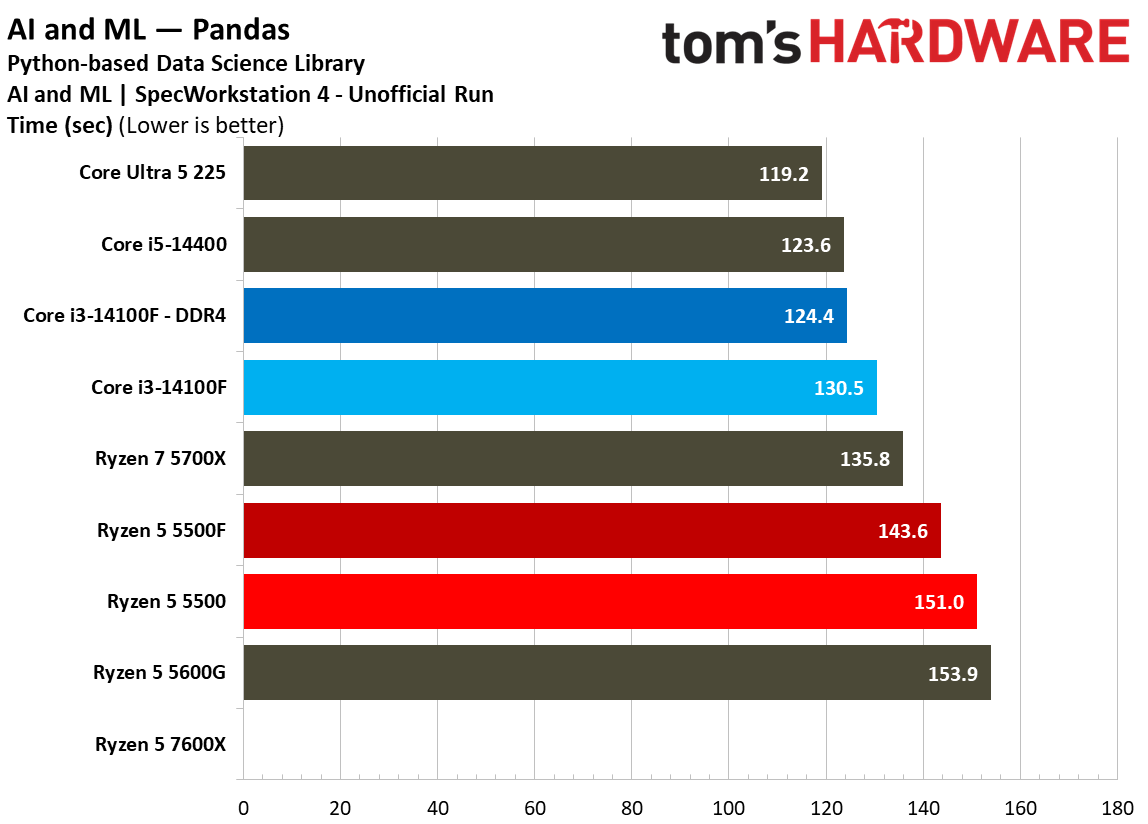
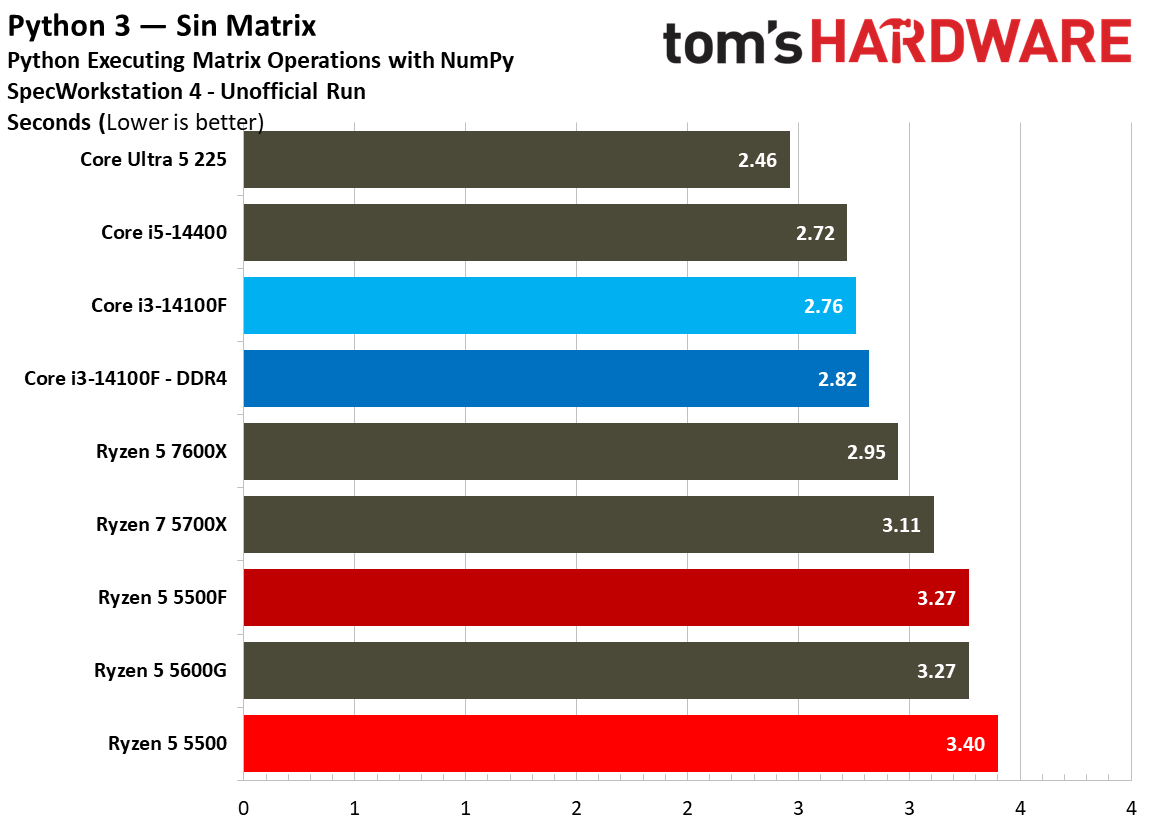
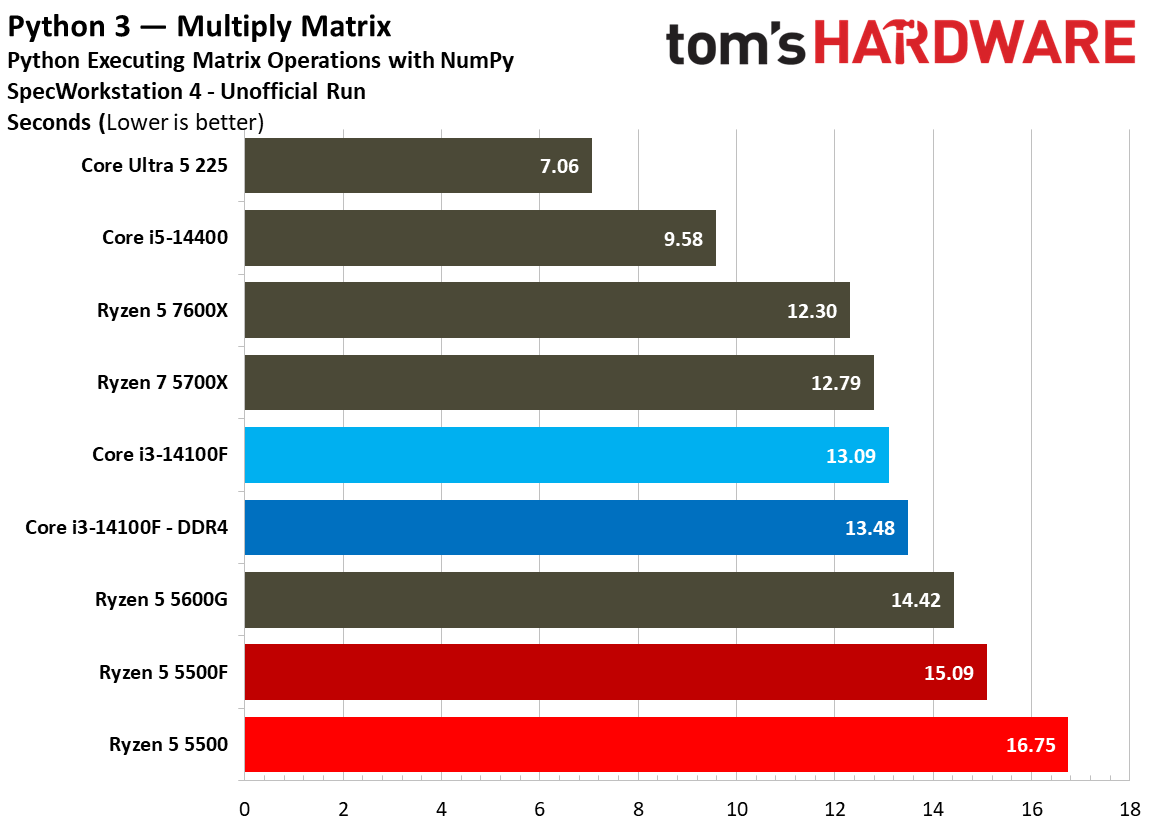
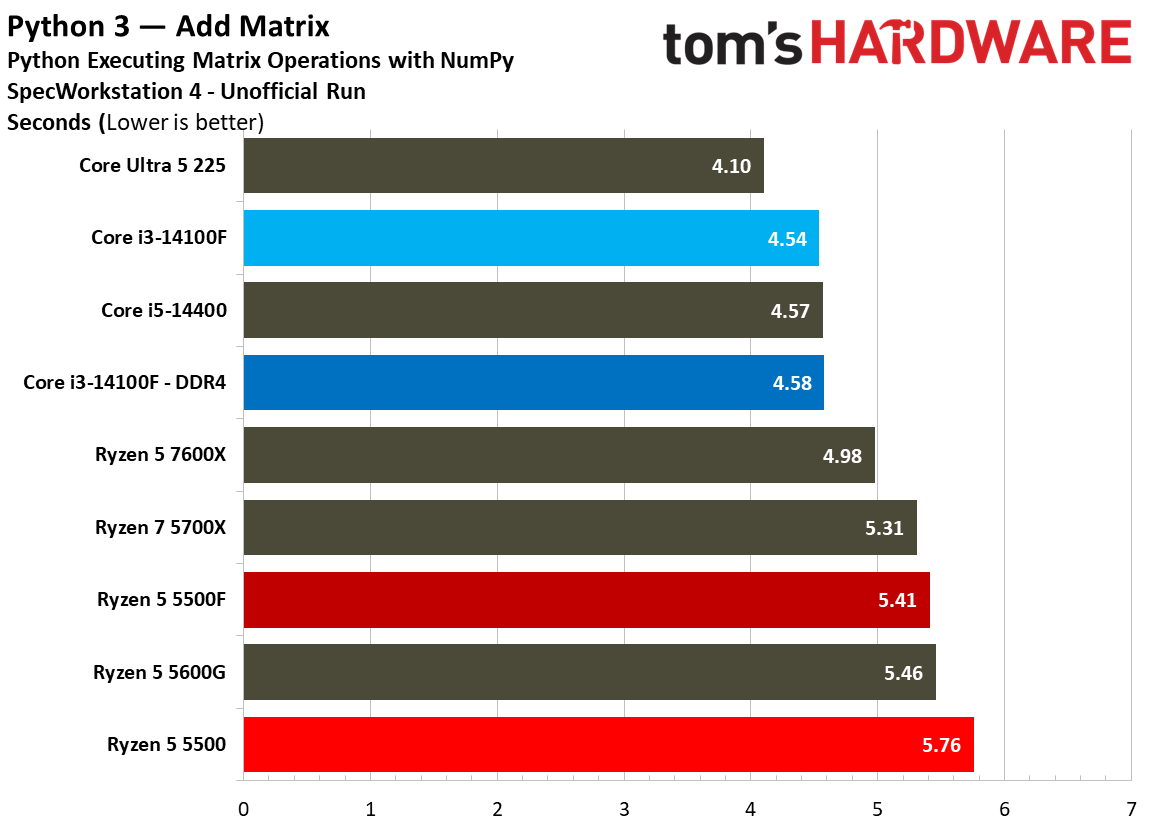
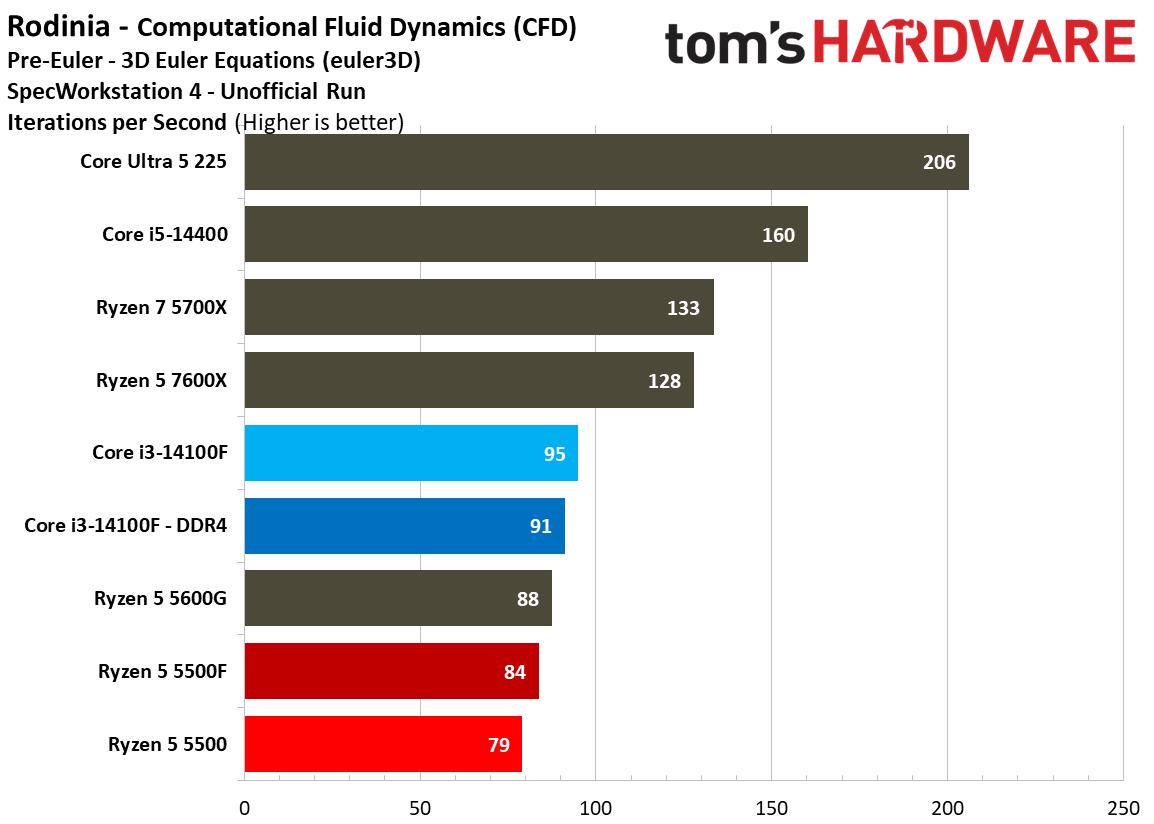
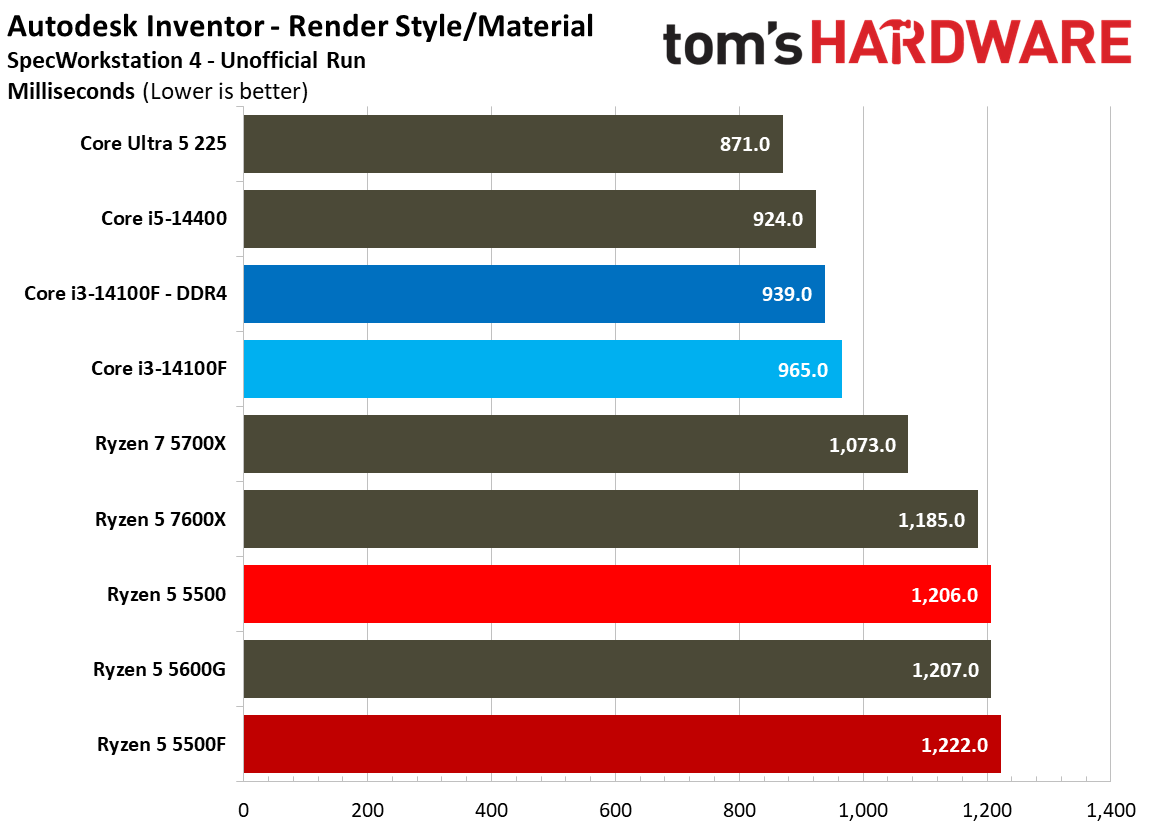
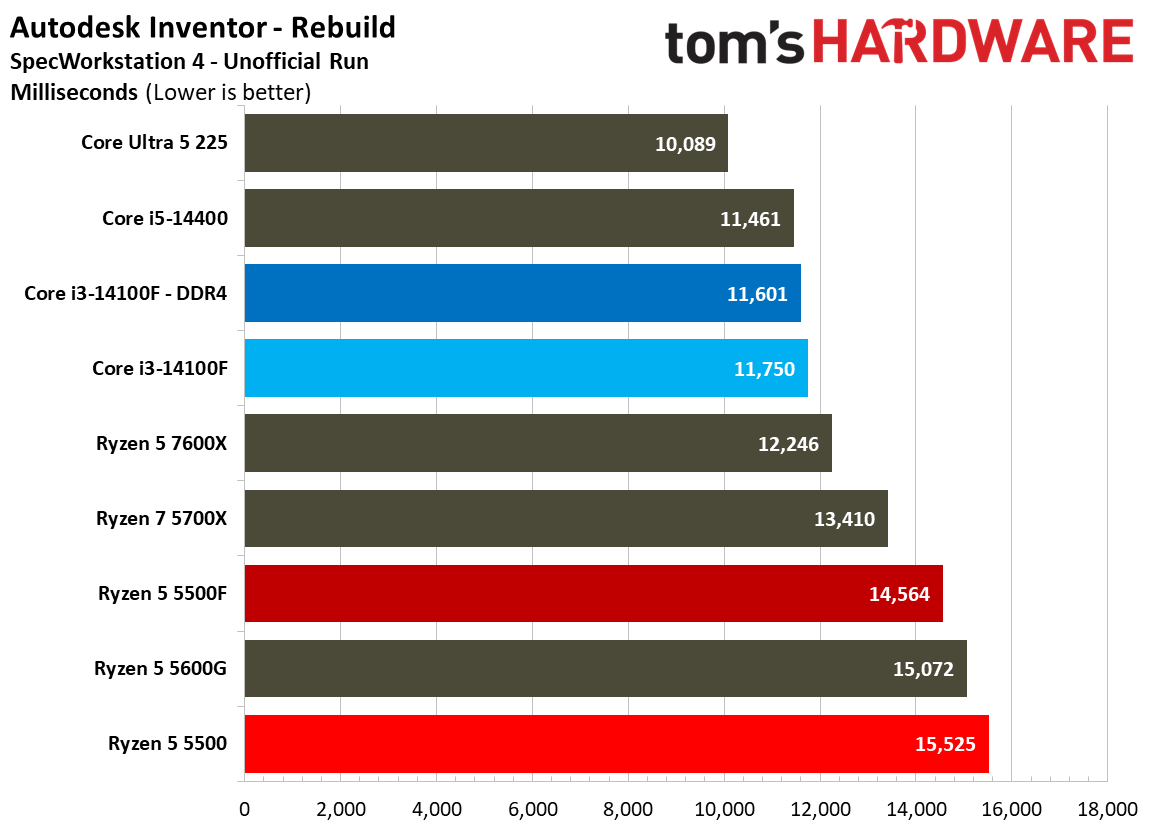
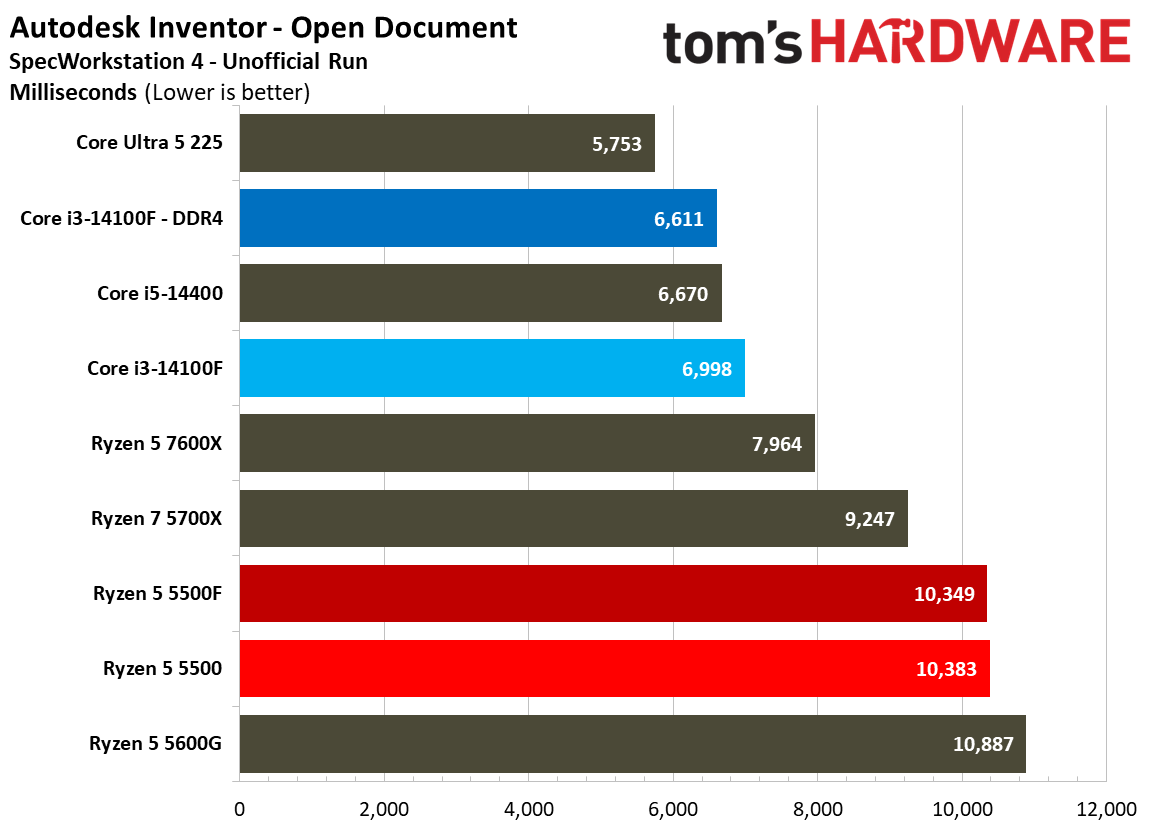
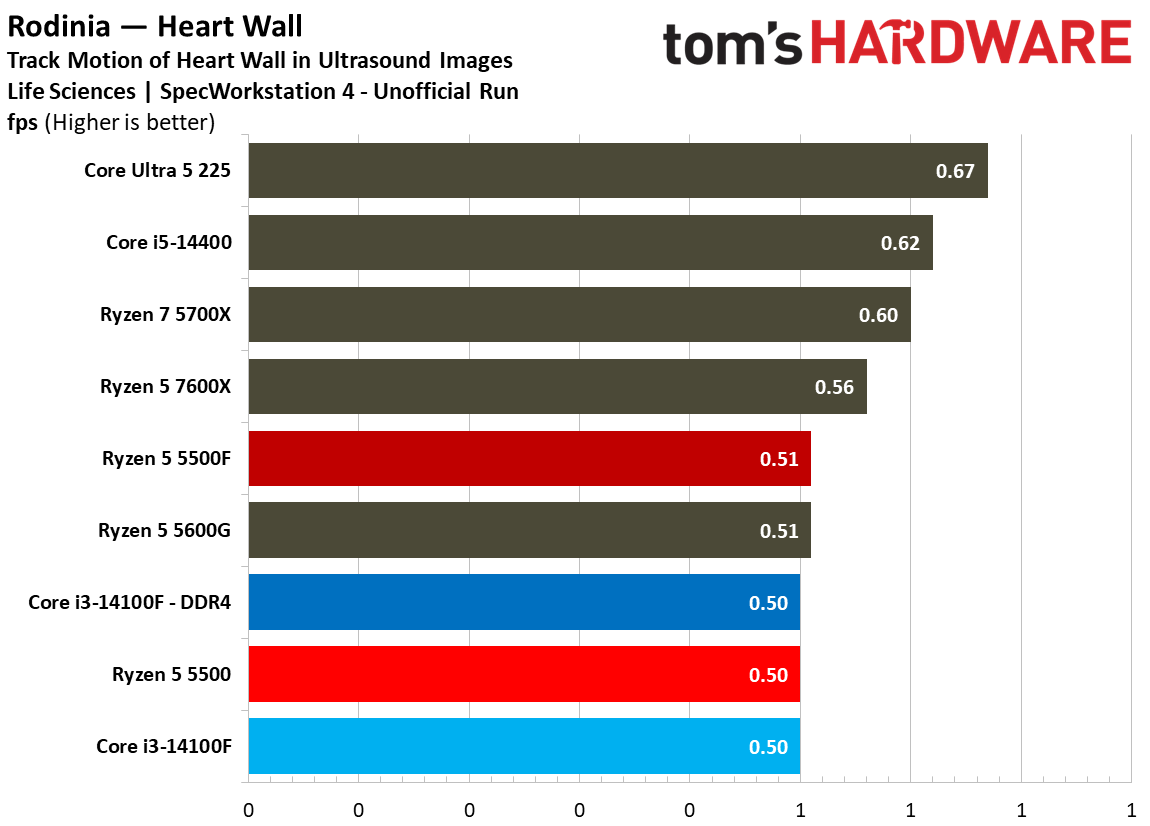
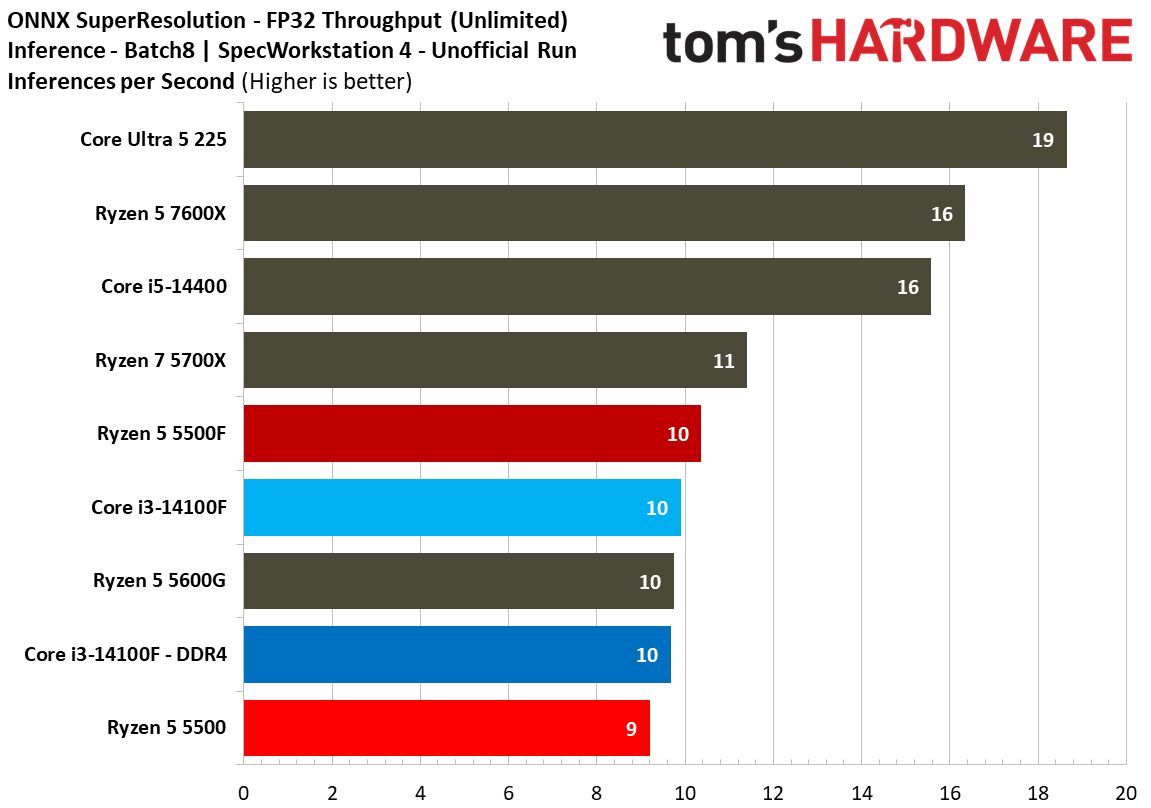
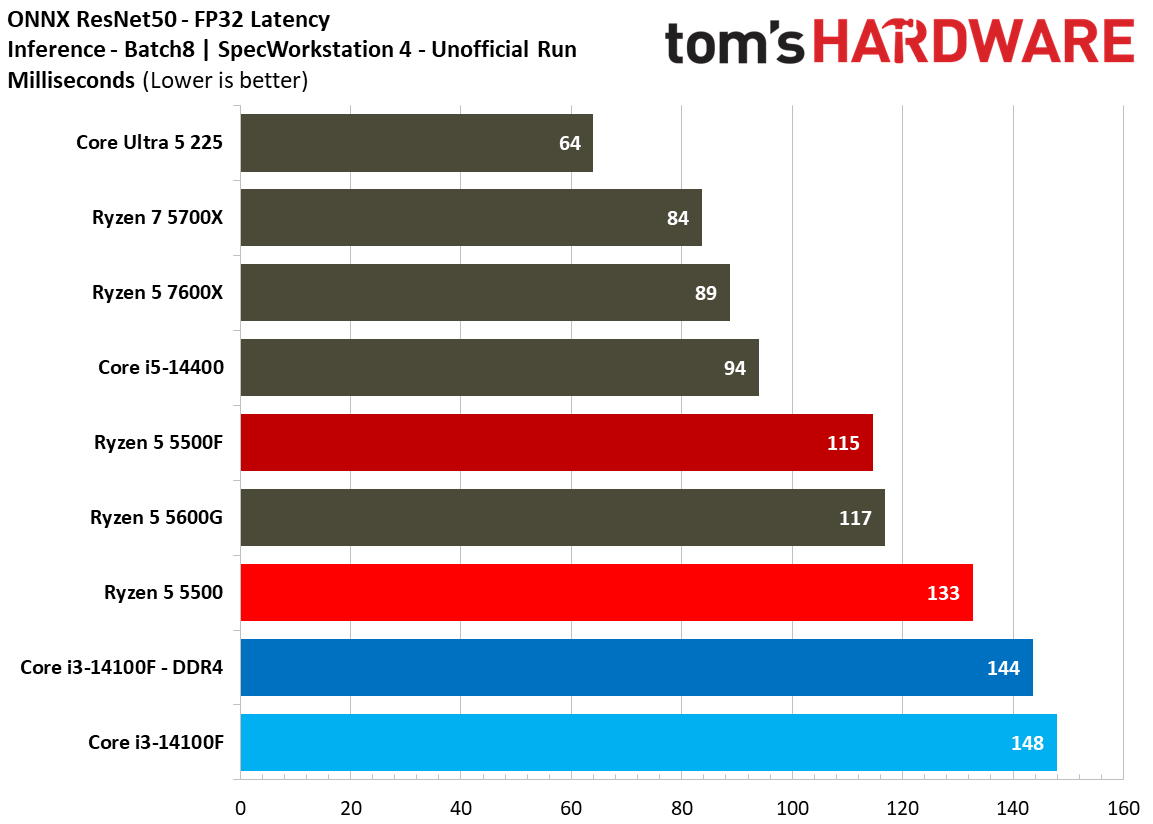
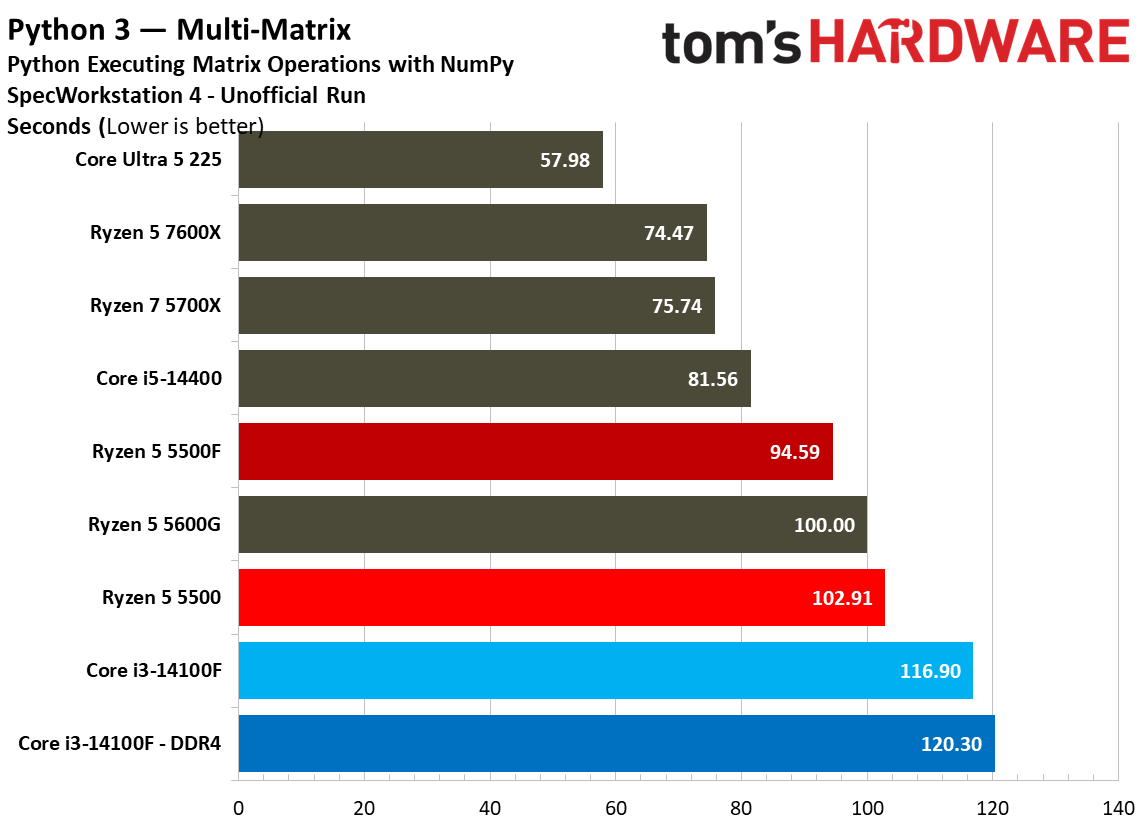
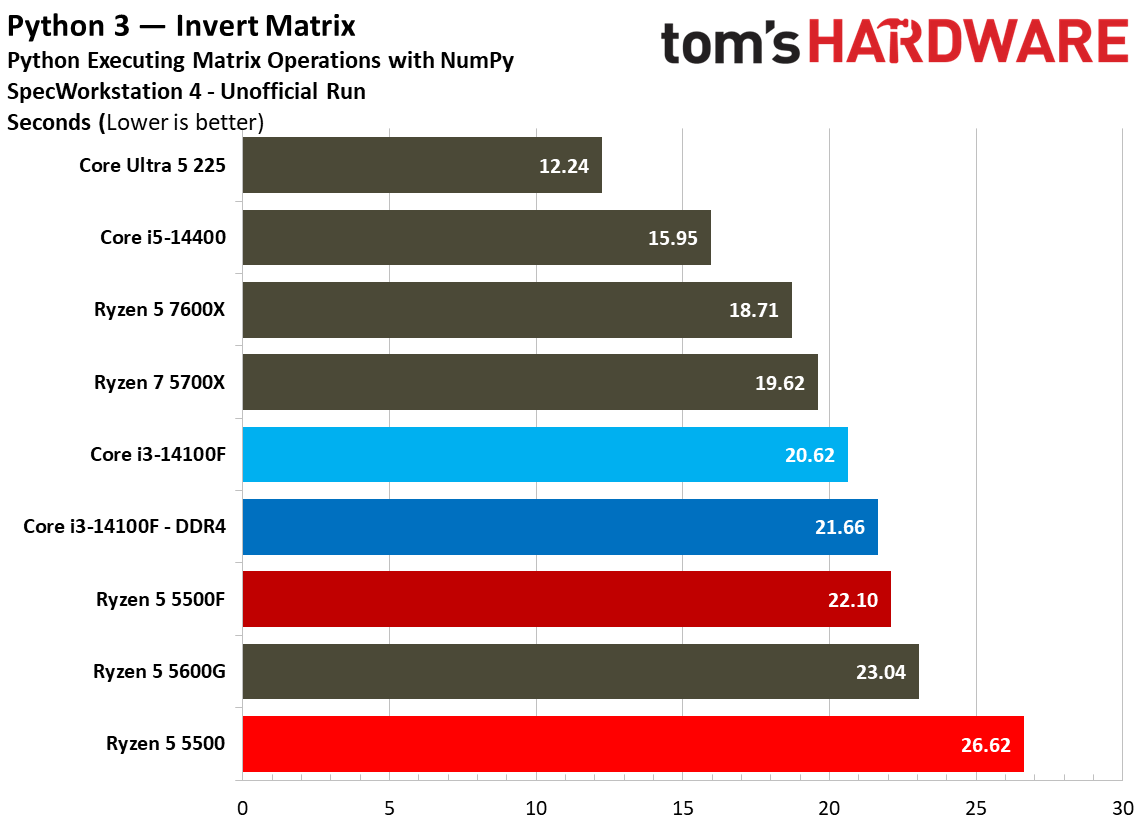
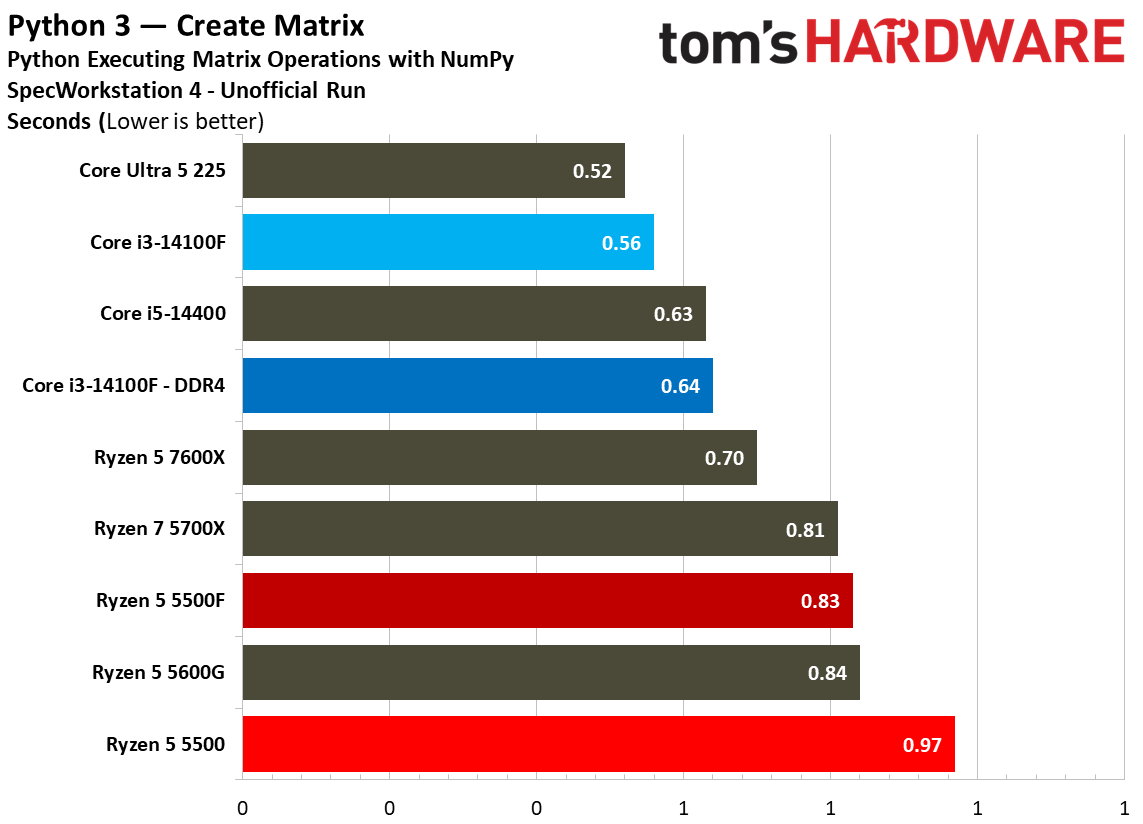
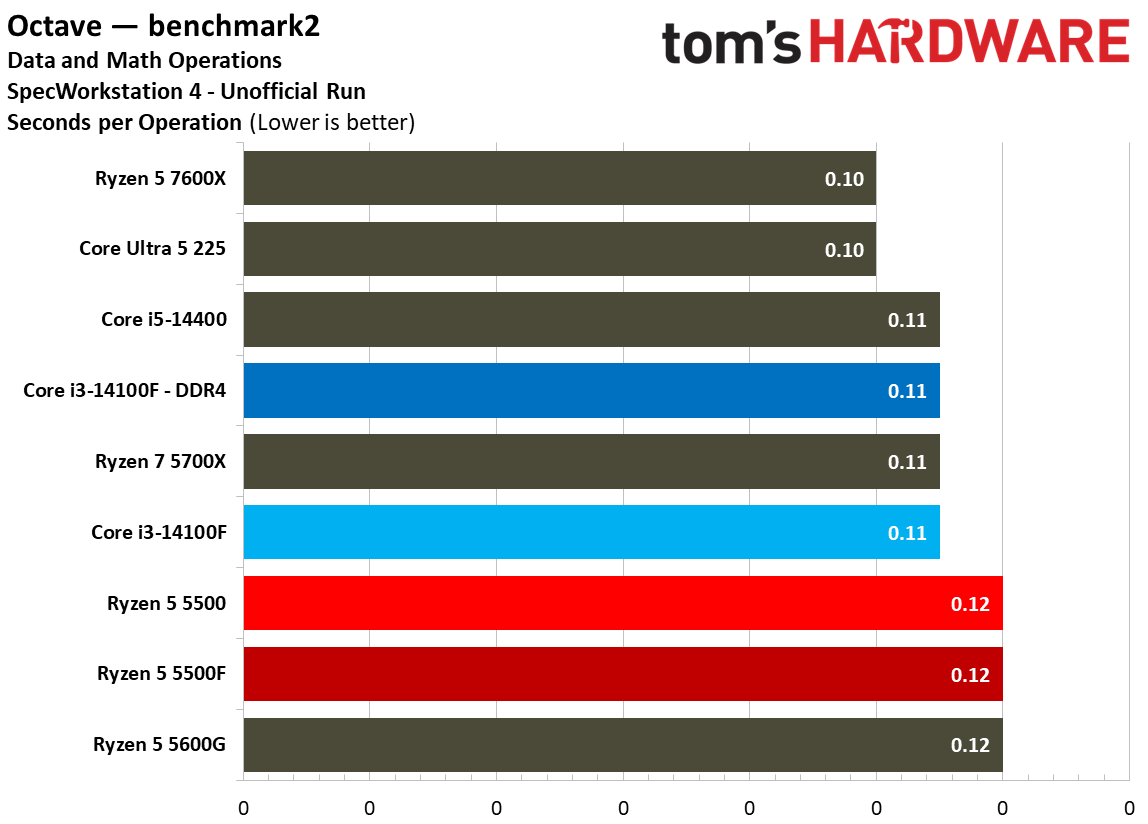
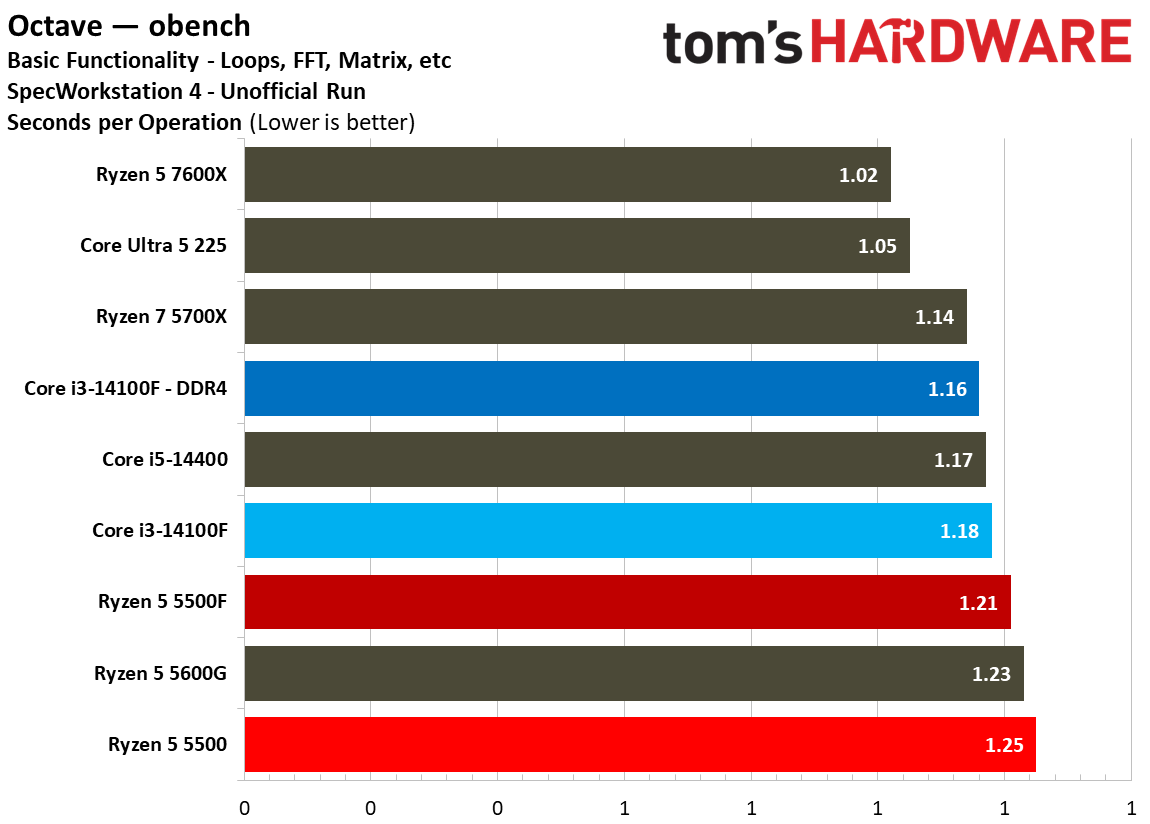
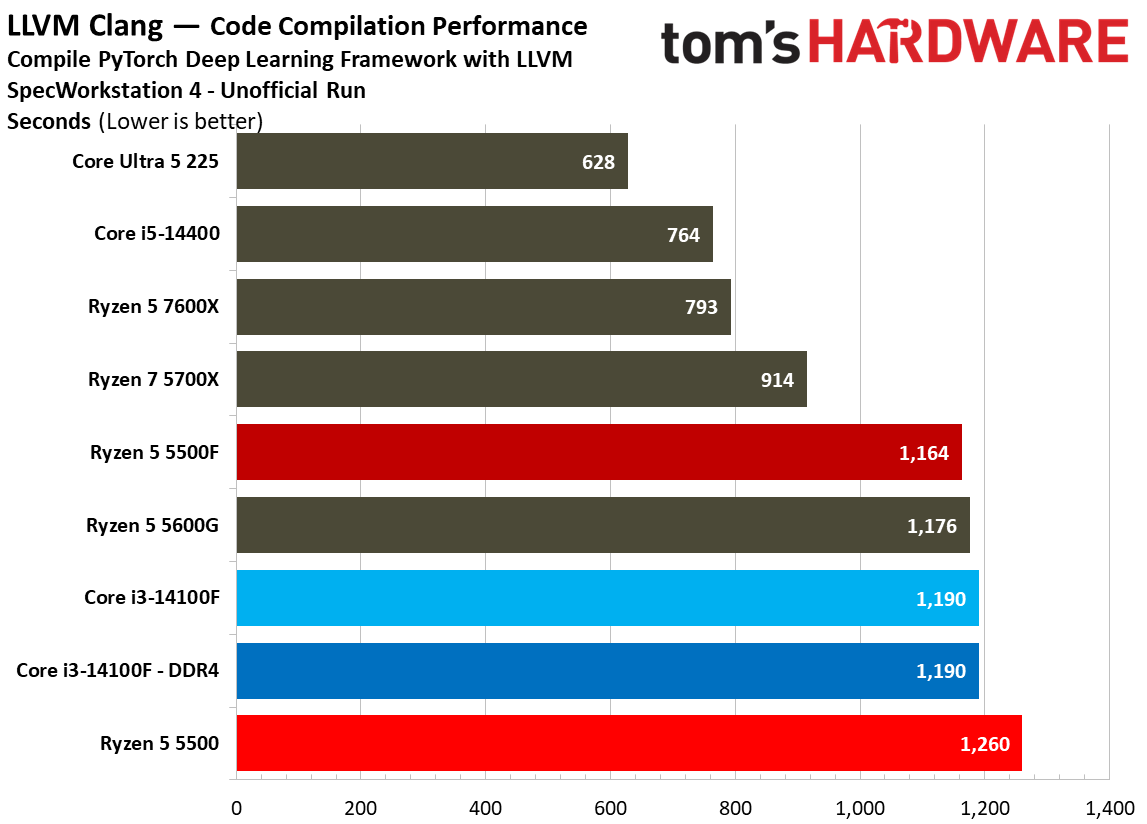
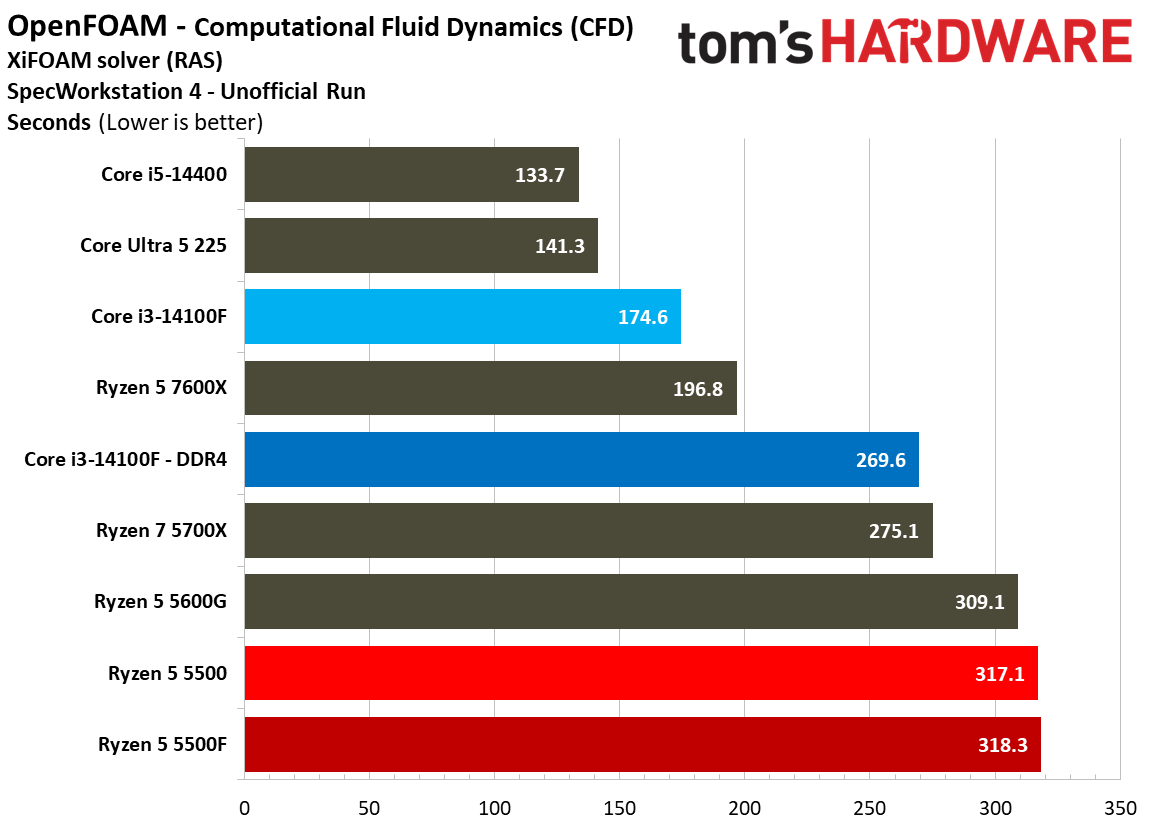
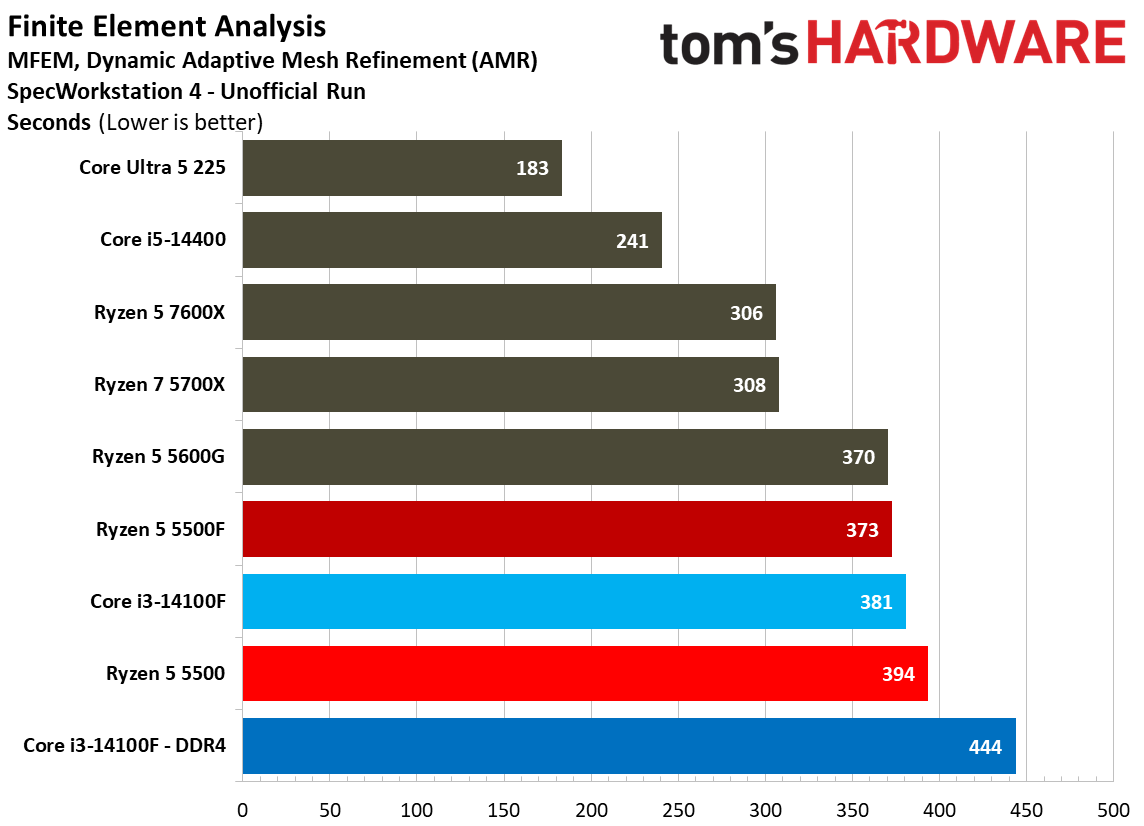
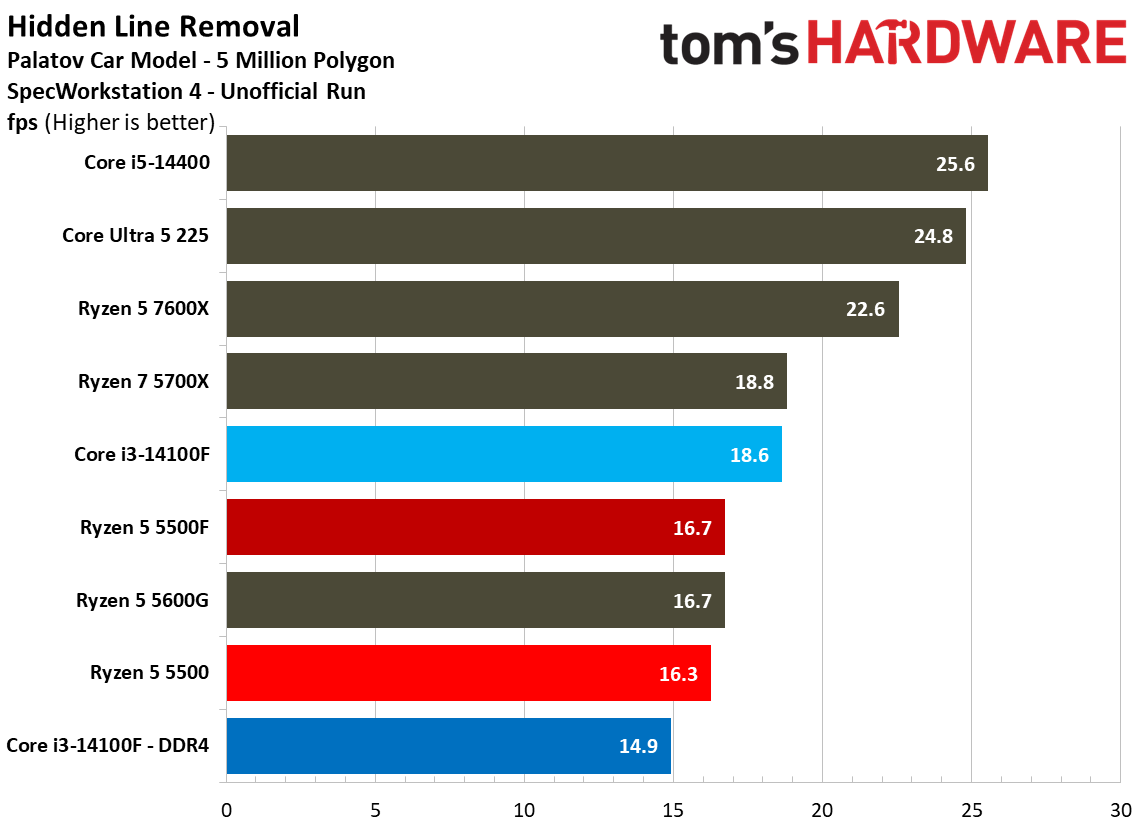
We run SPEC Workstation as part of every CPU pass, and although workstation application performance isn’t relevant to these budget desktop chips, it’s still interesting to see how these applications push against the limitations of such restricted CPU designs. Feel free to peruse, but don’t put too much stock in the actual rankings. These are unrealistic workloads for this class of CPU.
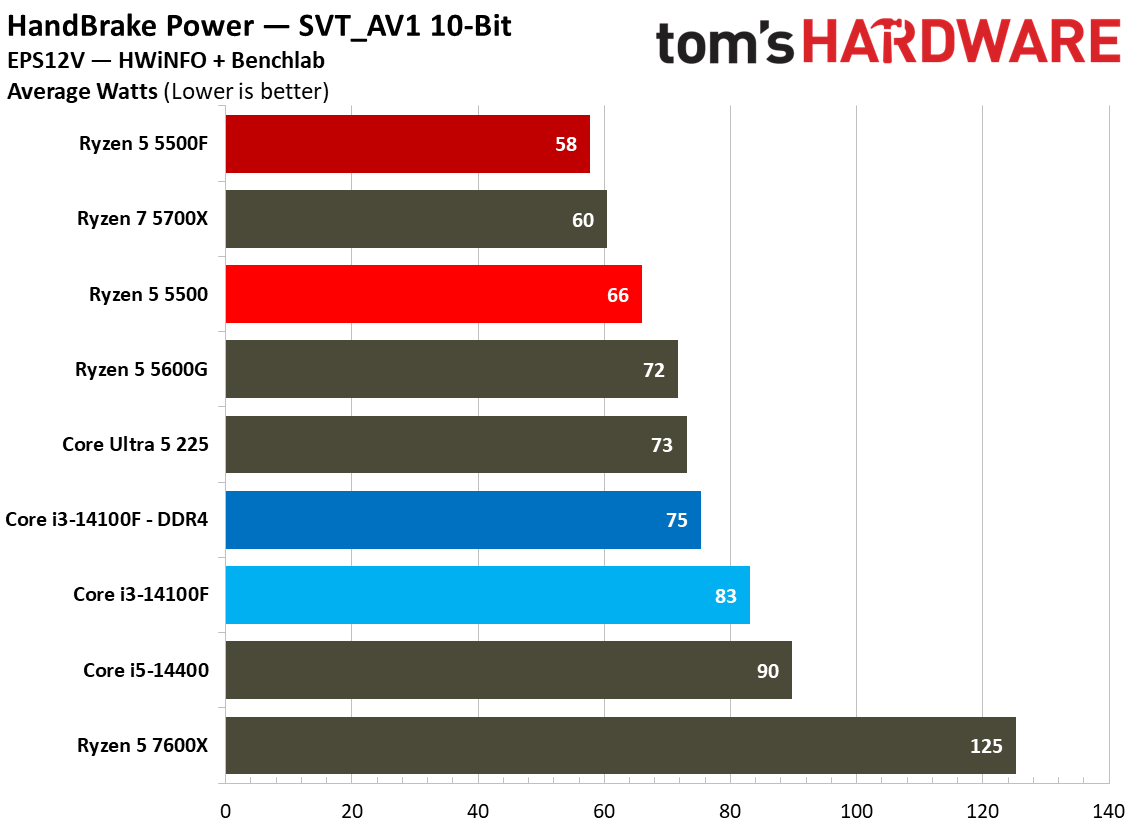
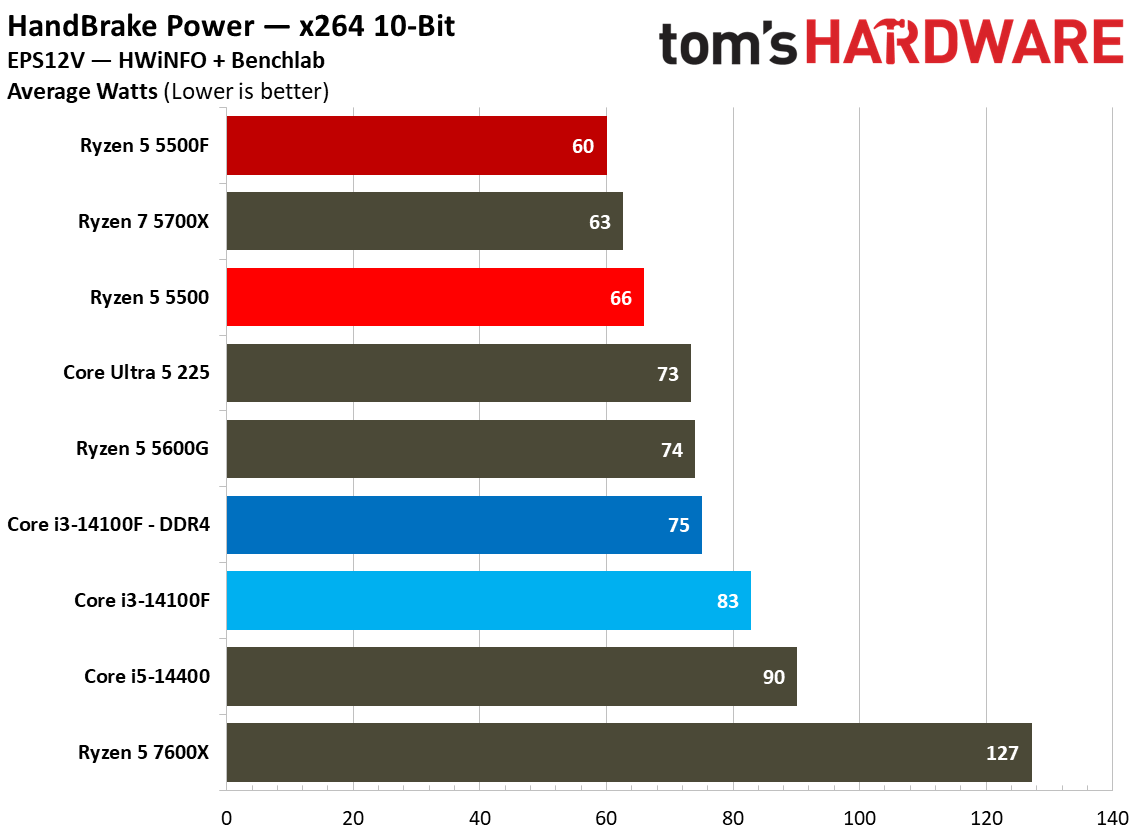
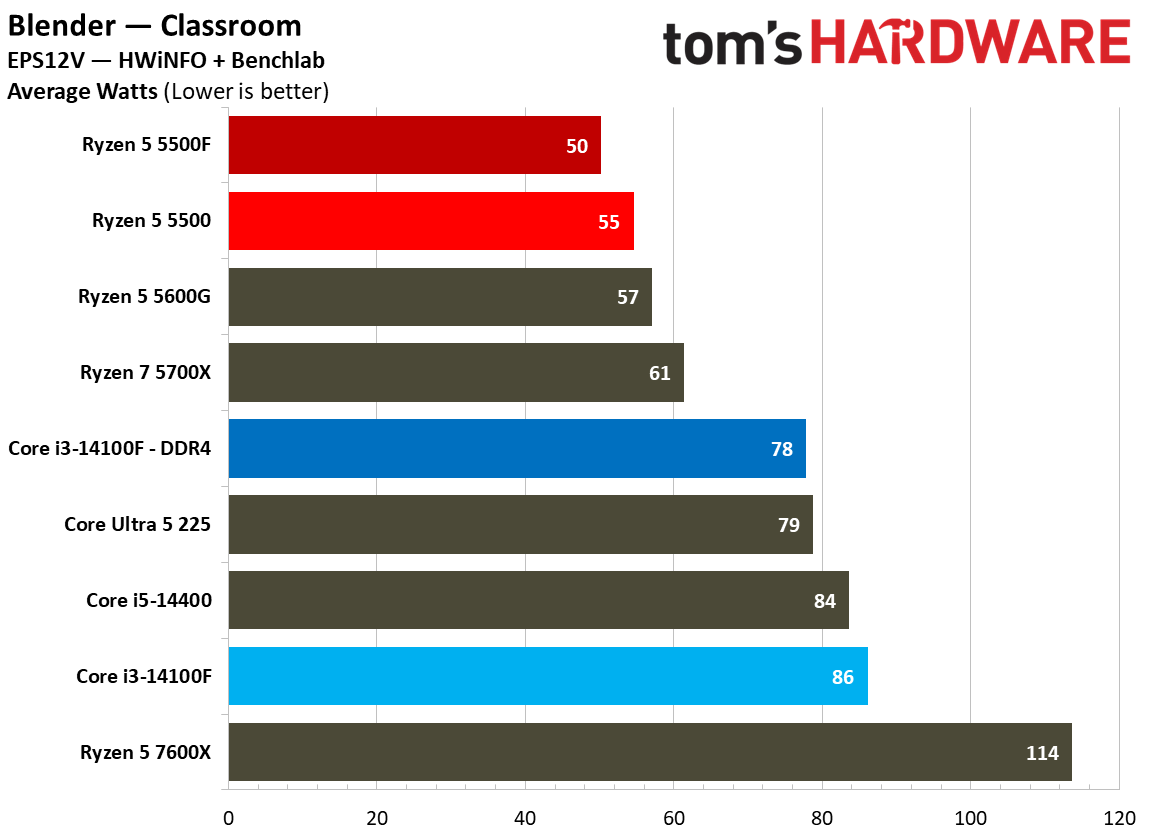
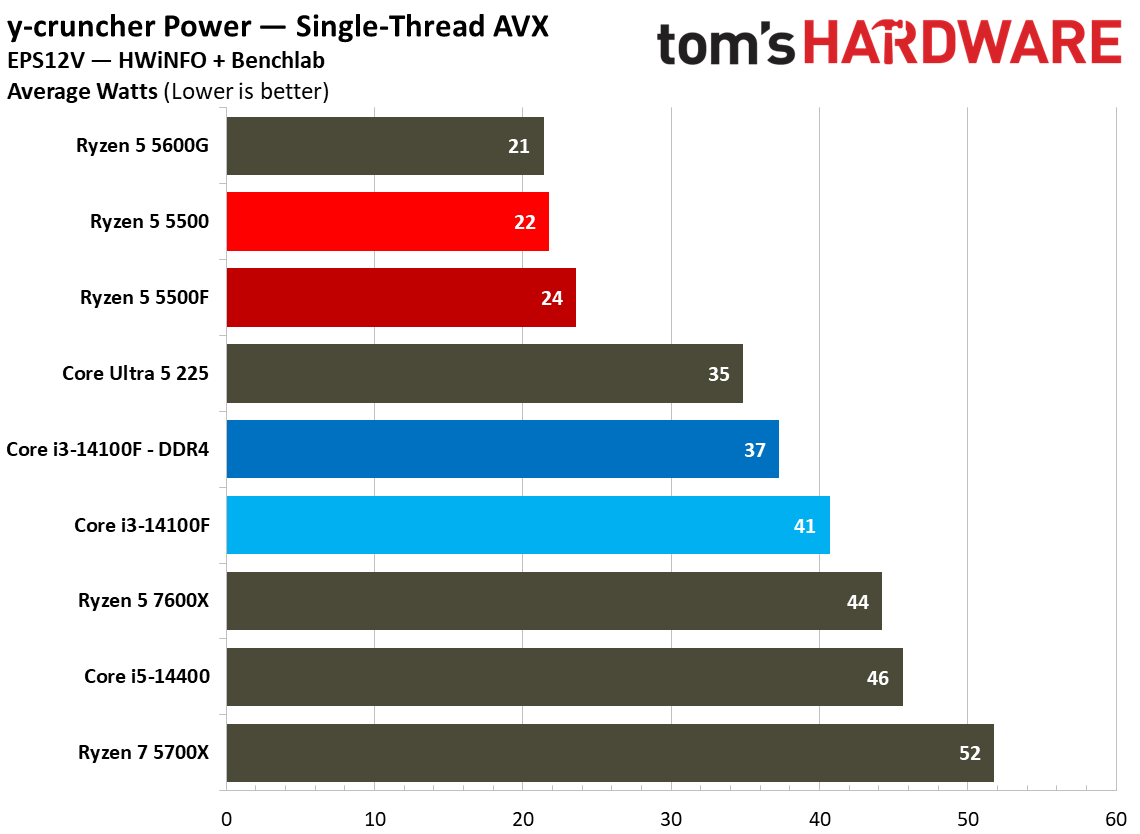
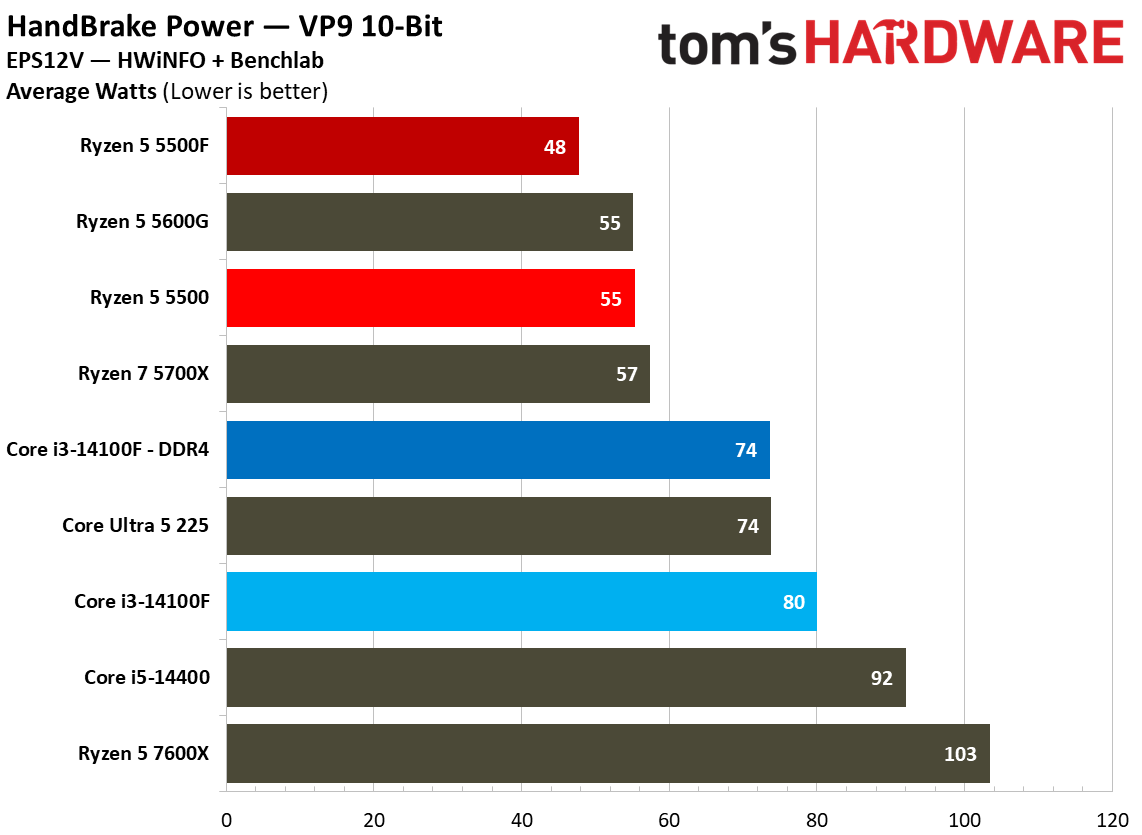
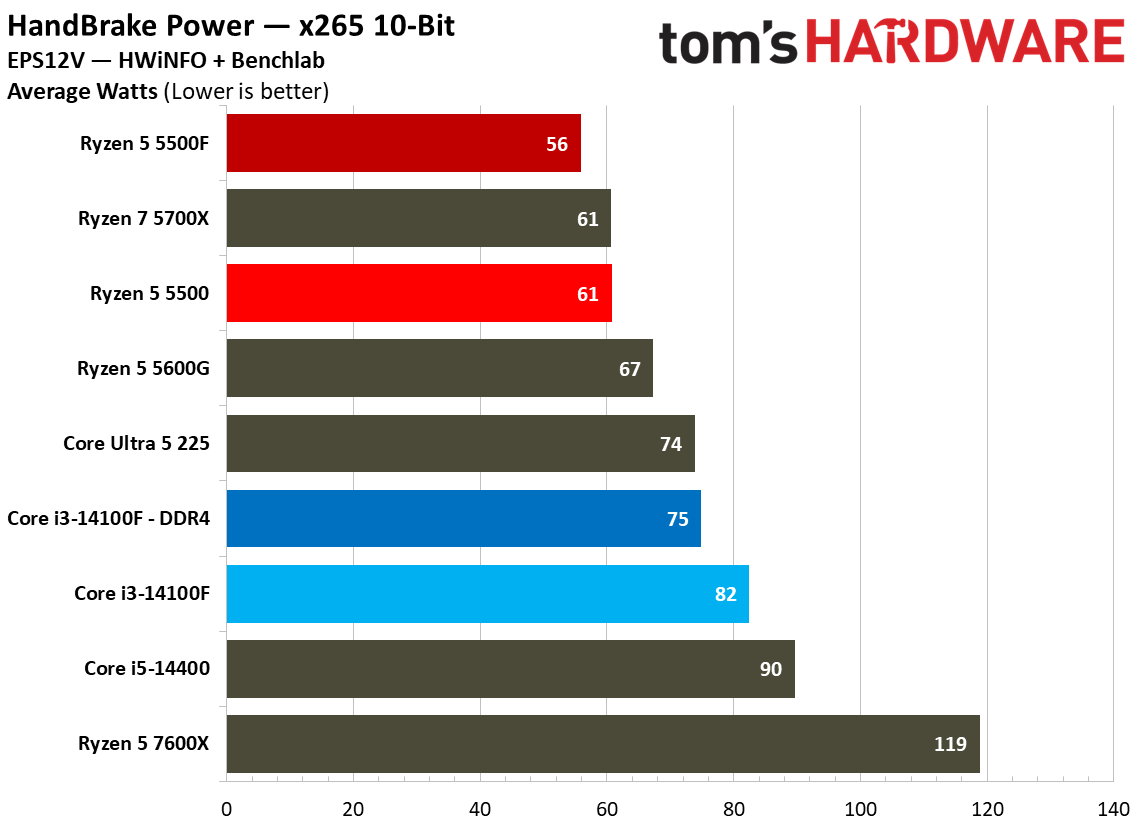
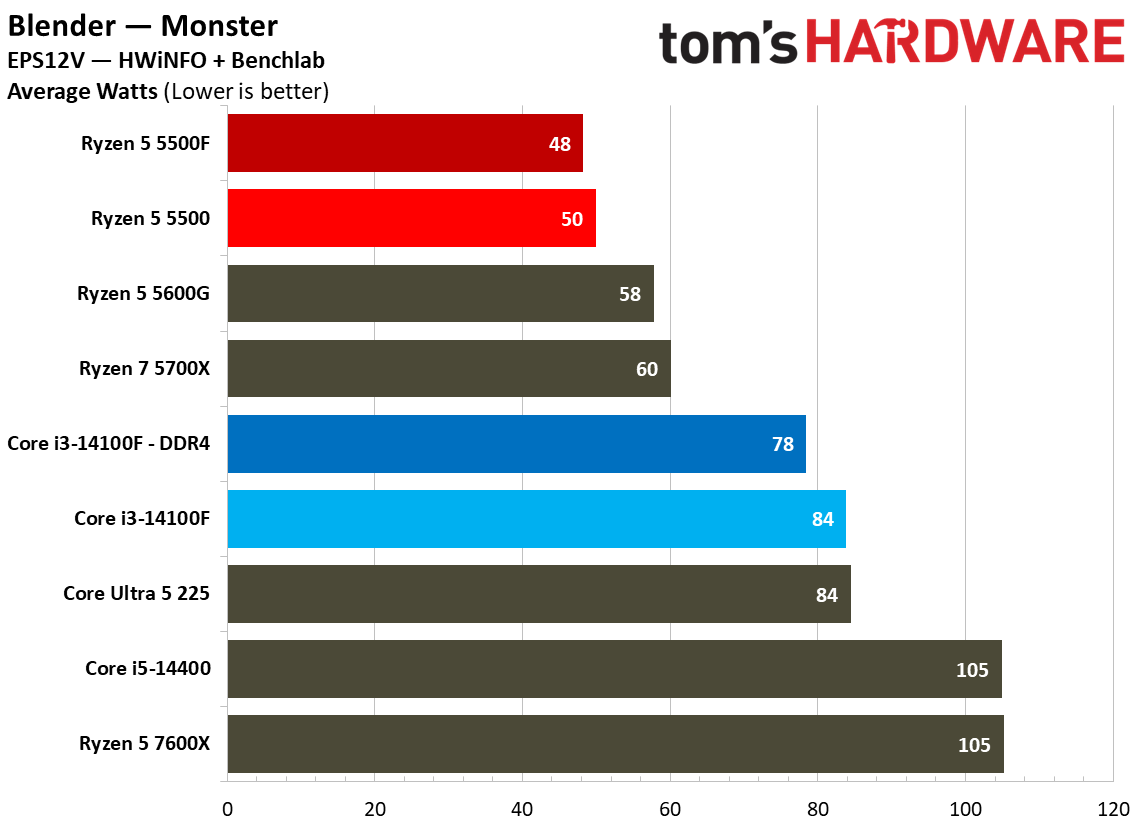
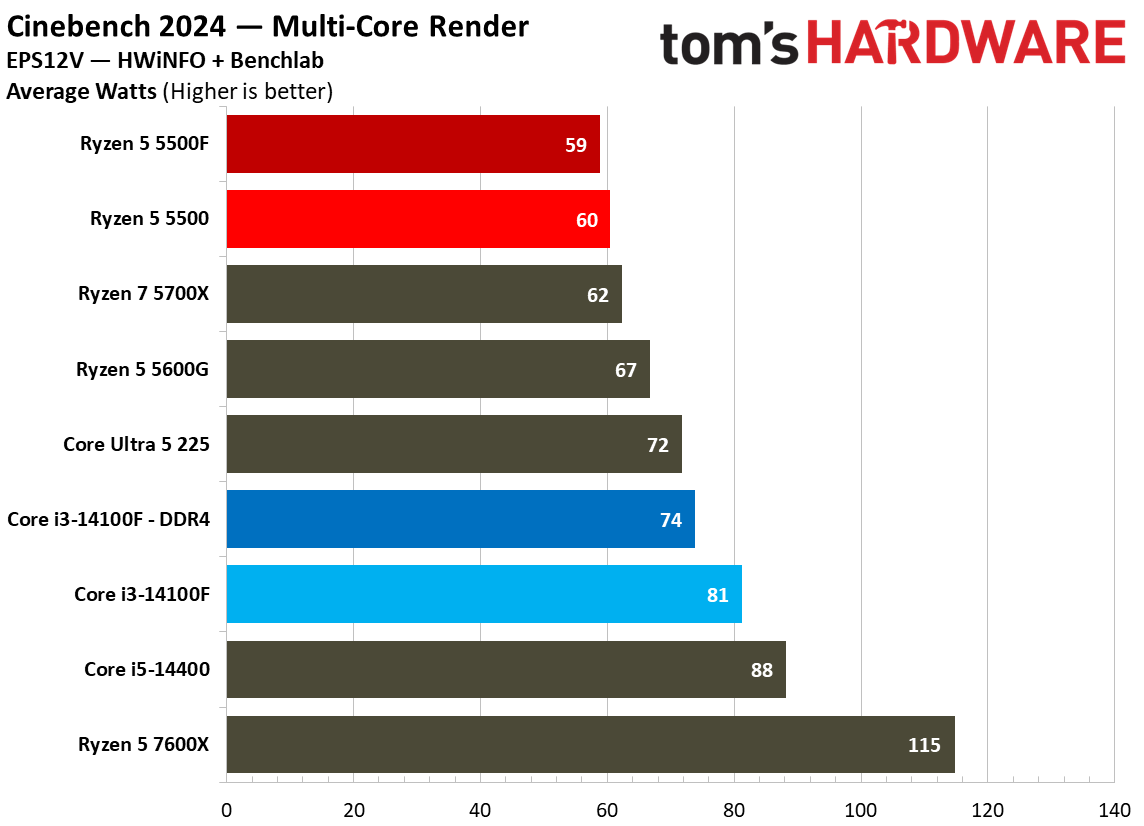
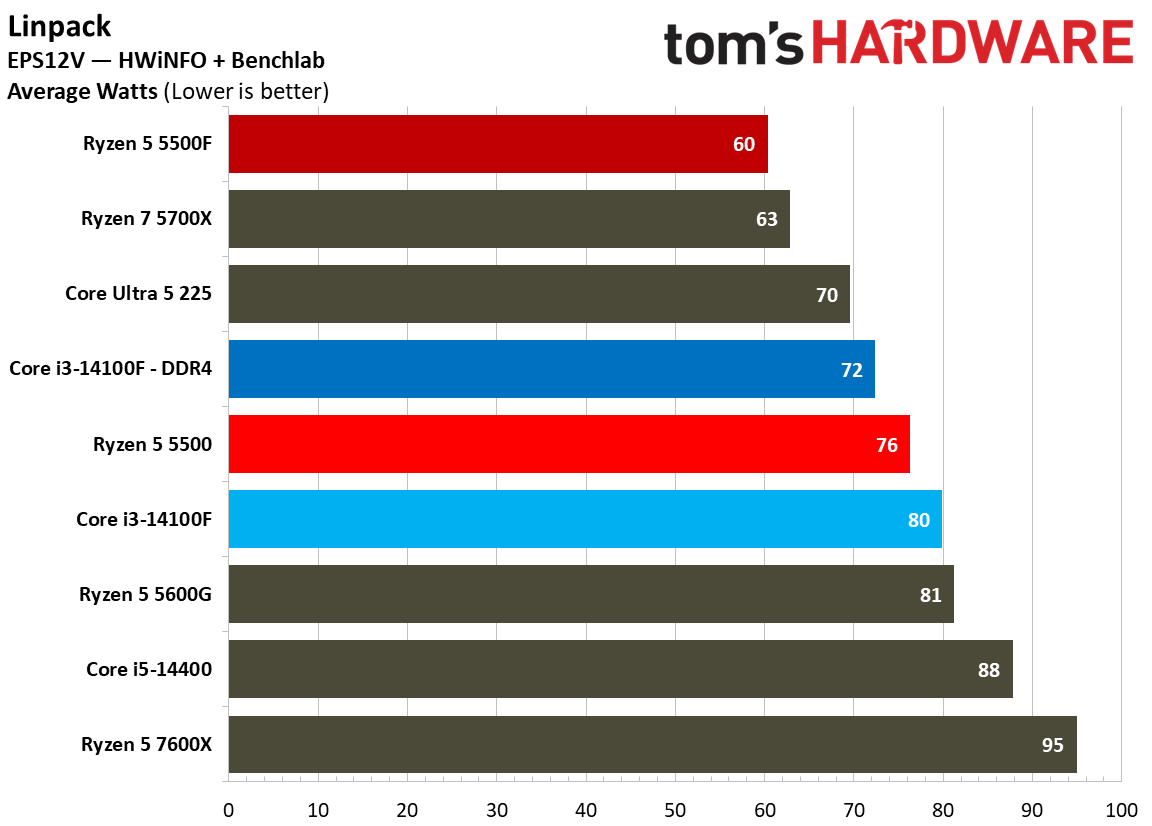
In games, we saw the Ryzen 5 5500F consume more power than the base 5500, actually reaching toward its 65W thermal design. In applications, the opposite is true. The 5500F actually consumed slightly less power than the base 5500, particularly in all-core workloads where the 5500 pushes past its 65W thermal design.
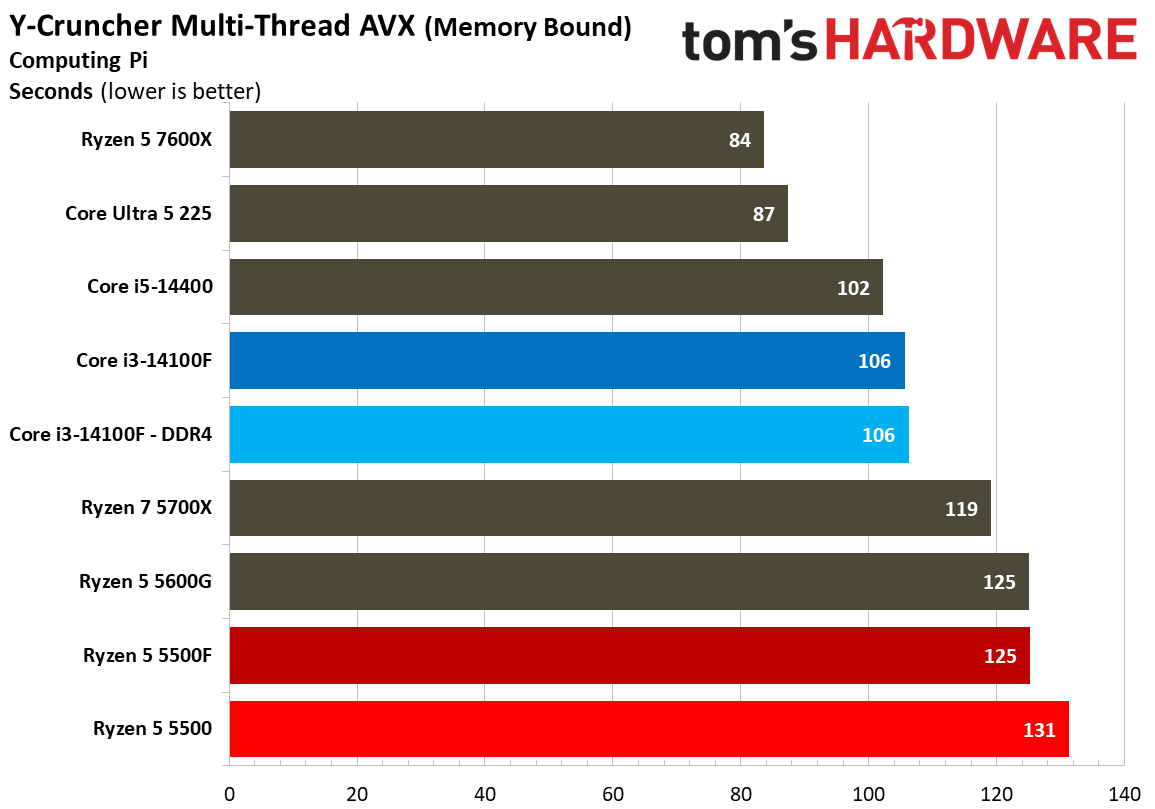
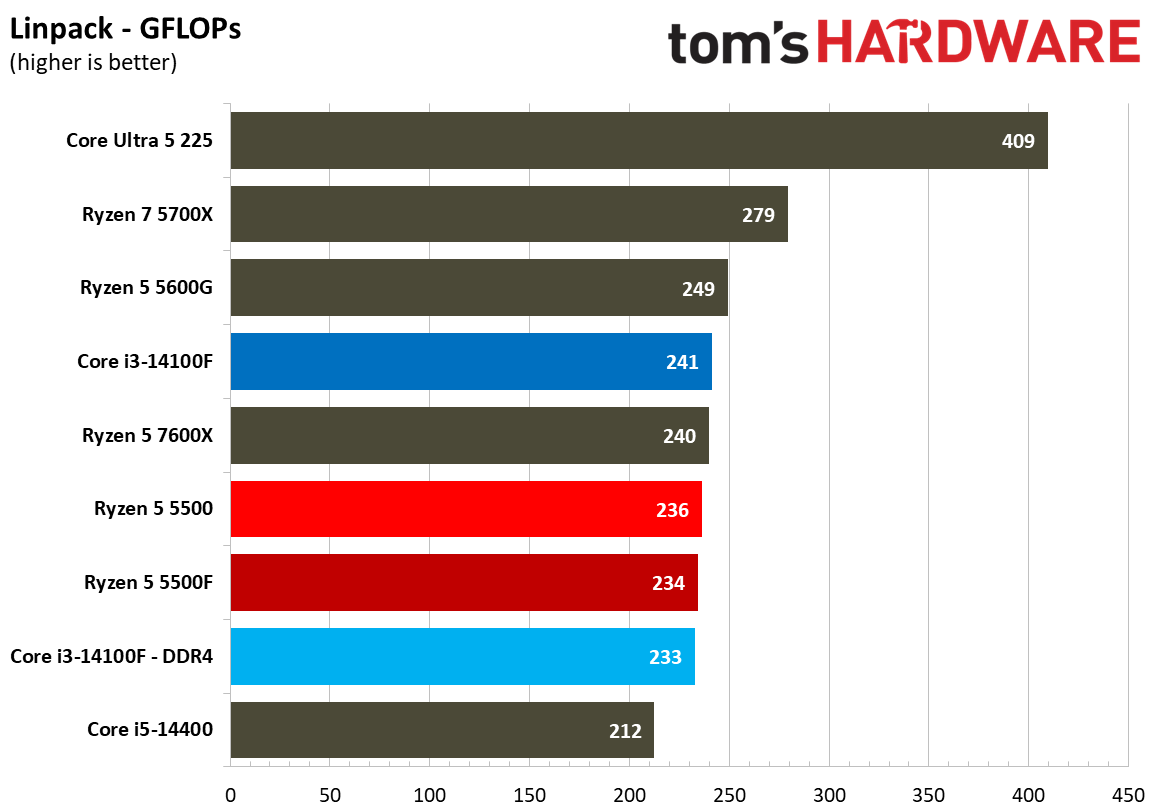
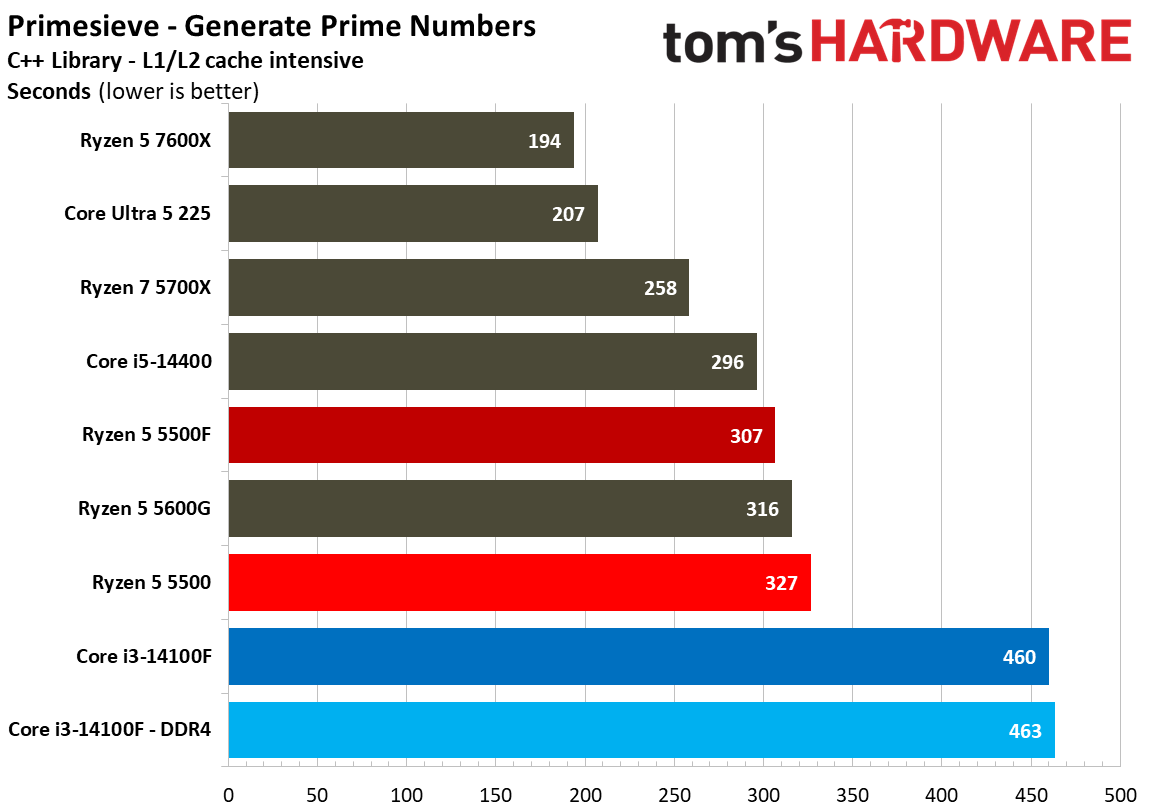
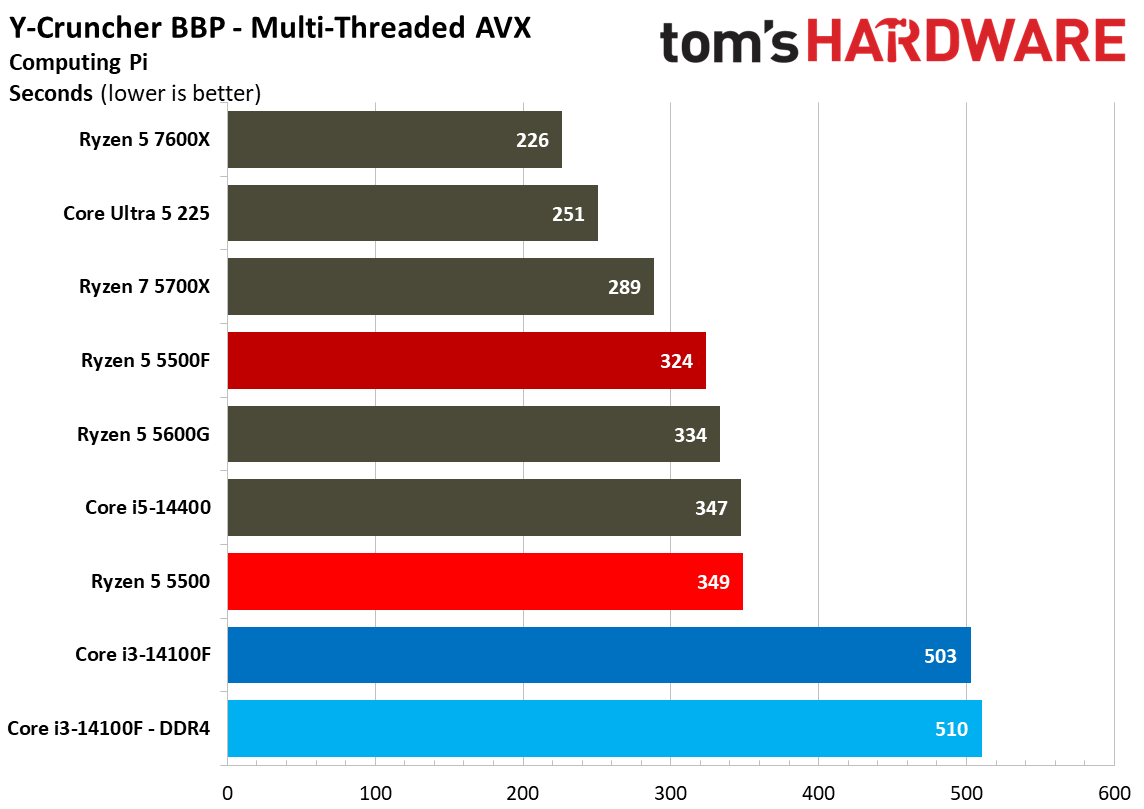
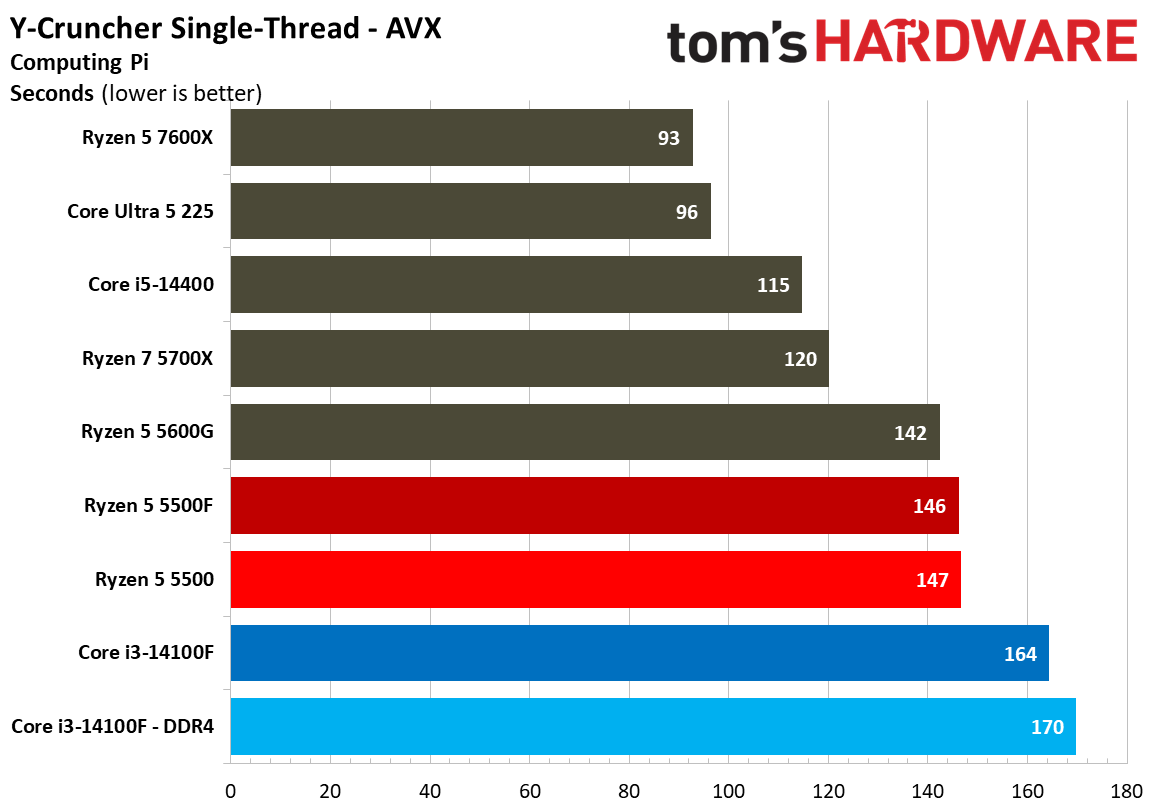
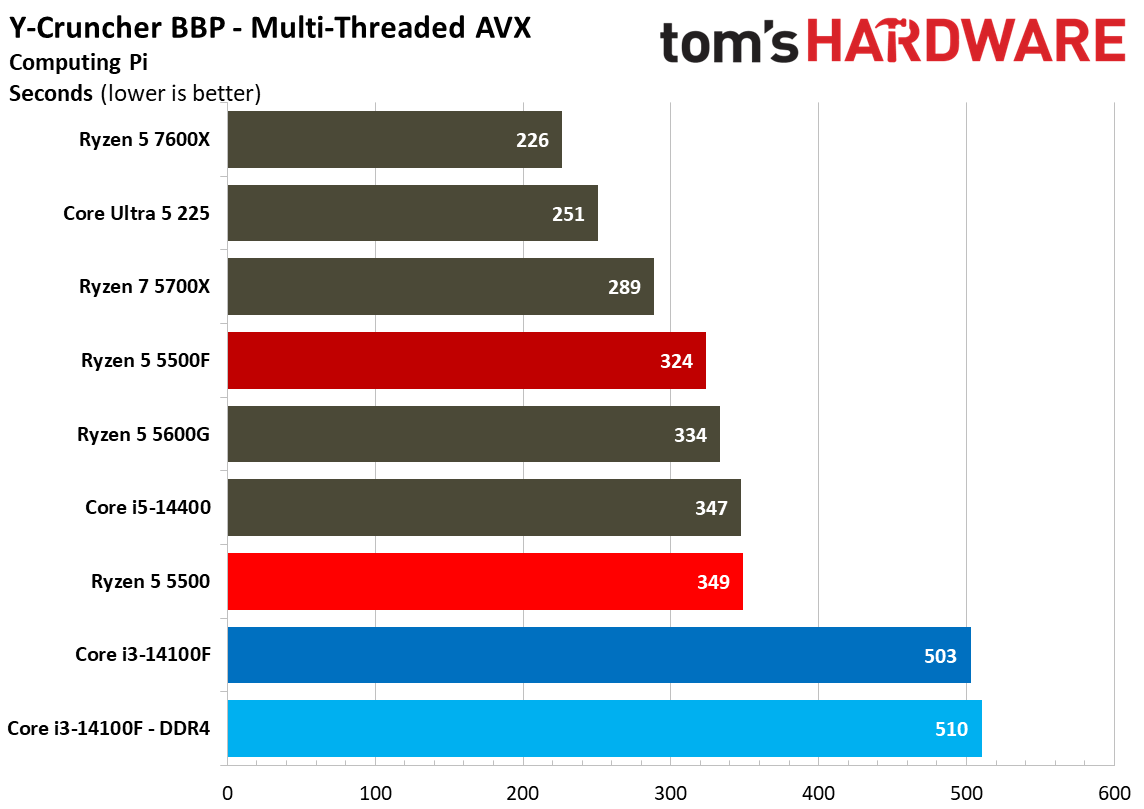
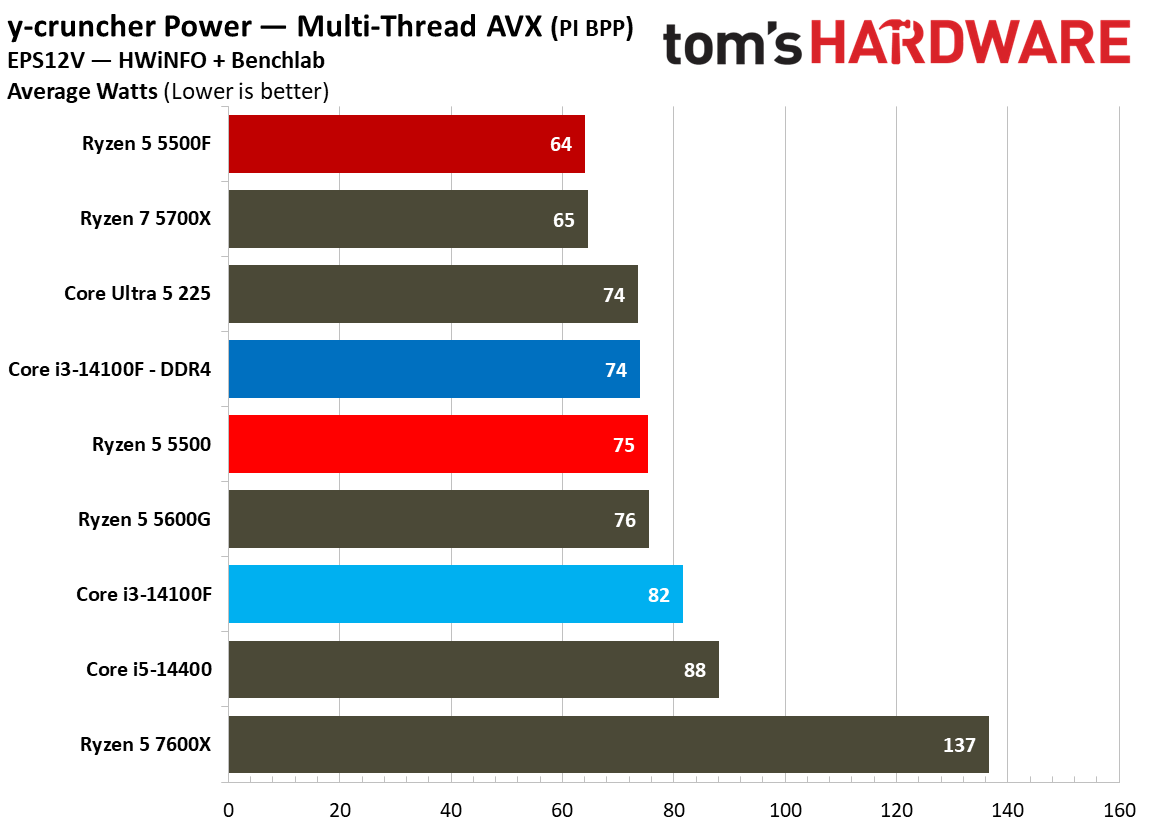
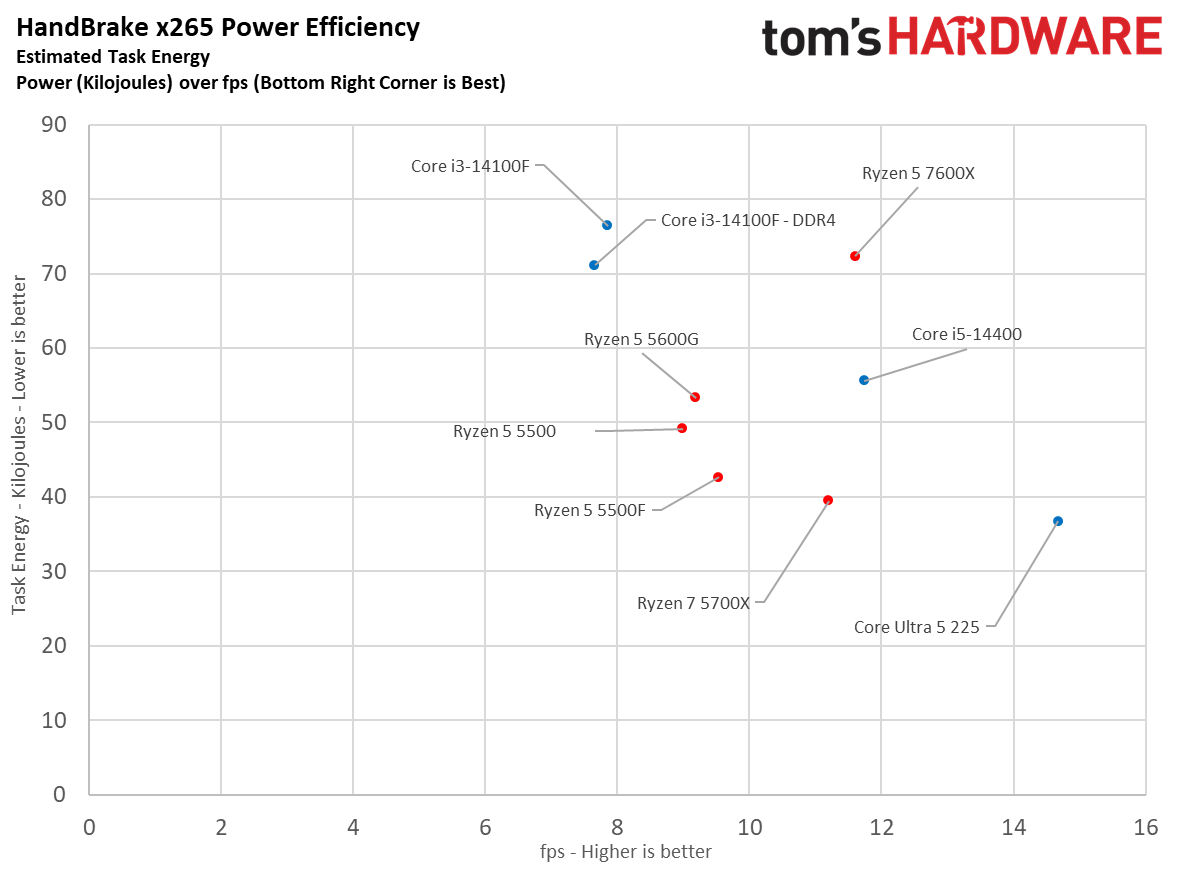
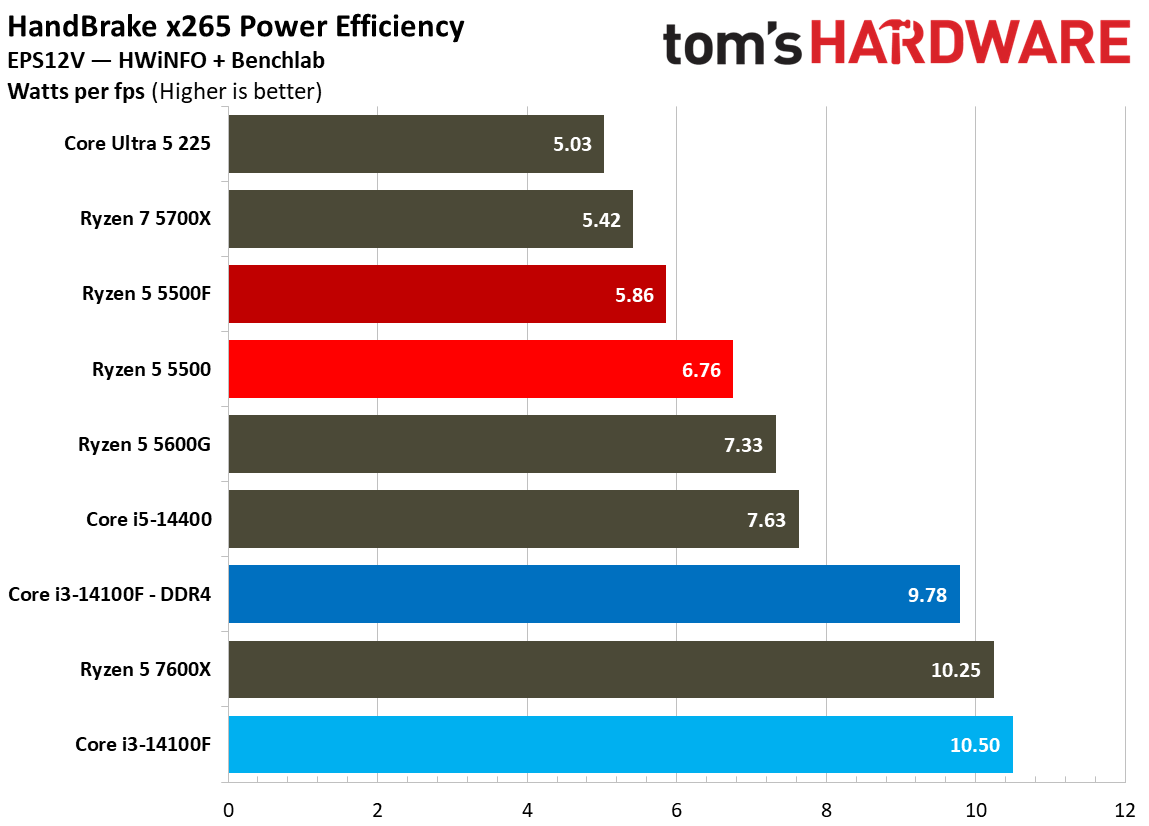
In y-cruncher multi-thread with AVX enabled, the 5500F drew 14.6% less power on average compared to the base 5500 and Core i3-14100F. In Linpack, the 5500F shaved more than 20% of the wattage of the 5500, and in Handbrake using VP9, it cut 12%. We don’t use software monitoring for our power measurements. Results are gathered from the EPS cables themselves.
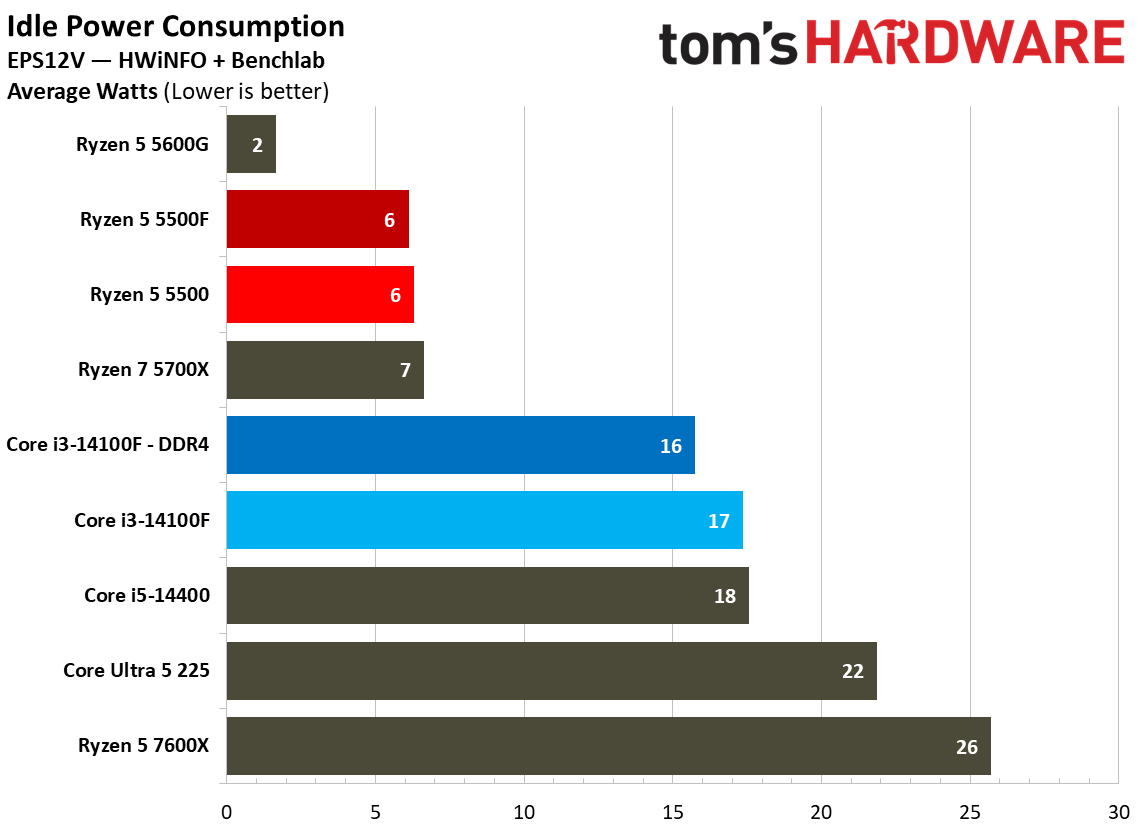
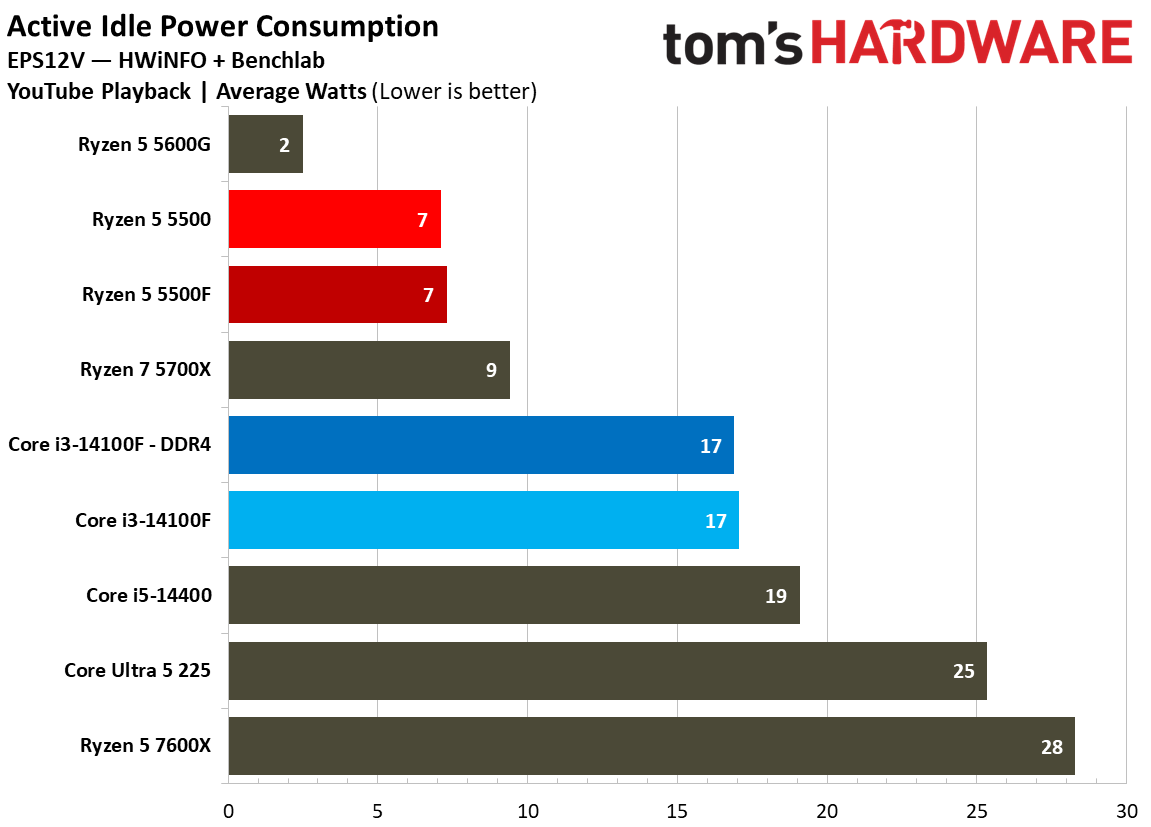
Looking at idle and active idle power measurements, the 5500F maintains Zen 3 low-power idle state, sipping just 7 watts during YouTube playback, dropping down to 6 watts at true idle. The 7600X provides a hint at where idle power draw has gone in the Zen 4/5 era.
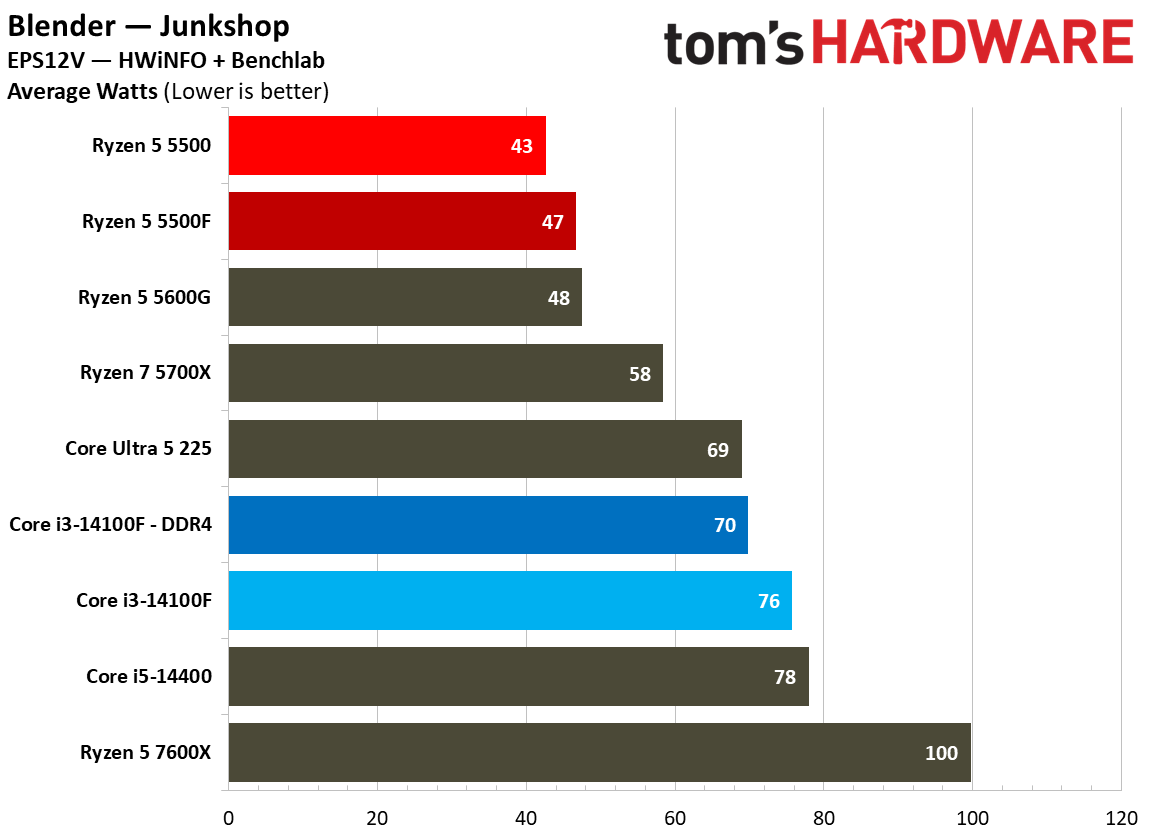
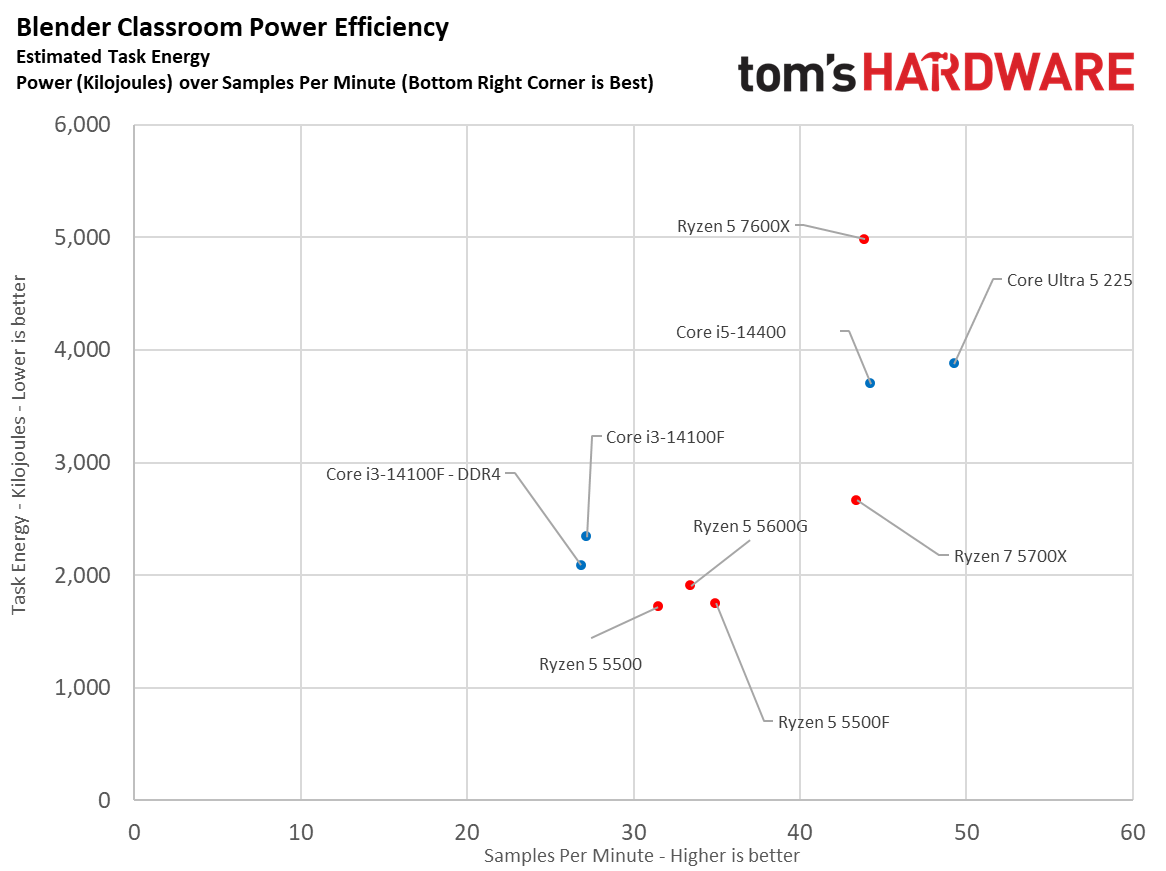
As a result of lower power draw in some tests, it’s no surprise that the 5500F ends up more efficient than the 5500 in y-cruncher and Linpack. In Cinebench and Blender, however, the two CPUs are closely aligned in efficiency, with the 5500F actually coming out slightly less efficient in the Junkshop scene.
Tom's HardwareTom's HardwareTom's Hardware
Our scatterplots are a good way to visualize efficiency. In Handbrake, you can see the 5500F provided better performance than the 5500 while consuming less power. In Blender, however, the two CPUs consumed roughly the same power, while the 5500F provided better performance.
Across all of our efficiency tests, the comparison for Intel isn’t great. Not only does the 14100F struggle in all-core workloads, it does so with higher power consumption, occasionally pushing above 80W.
Test Setup
As with all of our CPU reviews, we used as close to identical test setups as possible to isolate CPU performance. There are several steps we take with hardware to normalize results, such as using the same fan speed across each test bench, as well as tweaks we make to the software stack to represent true performance.
Our test images are based on Windows 24H2. We use the same Nvidia driver across both the RTX 2080 Ti and RTX 5090. Additionally, our test images never cross platforms, so chipset drivers on an Intel platform never see an AMD chip, or vice versa. Application versions are pinned where possible. For games, where pinning isn’t possible, we do regression testing in the event of an update, and if required, retest the pool of chips if the performance profile has changed.
Finally, we tweak the BIOS. Every system has access to EXPO/XMP, as well as ReBAR. Virtualization-Based Security (VBS) is disabled. For Intel systems, we use the default power profile, not more extreme power profiles that aren’t covered under warranty. Similarly, we disable AMD’s Precision Boost Overdrive (PBO), as it can push the processor outside warrantied specifications.
The Ryzen 5 5500F is a compelling chip right now. When memory, storage, and GPU prices are at an all-time high, it offers a simple entry point into the AM4 platform, which remains relevant for midrange gaming rigs, on the heels of AMD re-releasing the Ryzen 7 5800X3D. The 5500F solves the major issues with AMD’s previous budget offering, upgrading the PCIe standard to Gen 4 and offering gaming performance that can rival the Core i3-14100F.
Price is the only issue. As is the case with many lower-end SKUs, availability of the Ryzen 5 5500F has been spotty at MSRP. It’s sold north of $120 in many cases, while the Core i3-14100F is available for around $100. AMD has the upside of a 5800X3D upgrade in the future; Intel has the Raptor Lake Refresh stack and DDR5 options. The right choice between them largely comes down to what your future upgrade plans are, especially if inflated RAM and storage prices persist.
(Image credit: Tom's Hardware)
Gaming is a major focal point here. You can buy a much better CPU for $150 or $200, but going with a $100 chip such as the 5500F gives you that much more money to spend on a graphics card. Intel still leads in our 1080p geomean with the Core i3-14100F paired with DDR4, though only by 2.9%. That’s enough of a lead to still call it a lead, but we’re not far off noise levels.
Intel comes out ahead overall, but as you can see from our gaming benchmarks, the 14100F and 5500F swap places for the top slot between them from title to title. What was consistent was the uplift the 5500F showed over the 5500, often running ahead by around 7%, and by as much as 10%.
(Image credit: Tom's Hardware)
Although the modern dynamic between Intel and AMD shows Team Red ahead in games and Team Blue ahead in applications, the opposite is true here. The lowly quad-core Core i3-14100F can’t muster better multi-threaded performance than the Ryzen 5 5500, and certainly not the 5500F.
(Image credit: Tom's Hardware)
That’s despite the fact that the single-threaded performance of the Core i3-14100F is superior. The extra cores on the Ryzen 5 5500F pull their weight in threaded applications, though neither chip is built for much beyond basic office and web productivity. As a host CPU for a server, the nT performance of the Ryzen 5 5500F is a safer bet.
It’s a toss-up between recommending the Core i3-14100F or Ryzen 5 5500F; as mentioned, both have their advantages when it comes time to upgrade. Hopefully the price on the 5500F will come down. As it stands, the extra $20 is an annoyance more so than a dealbreaker, but it would nice to see the 5500F on level footing with the 14100F when it comes to price.
Intel and AMD are integrating their CPU optimizations for PyTorch into a unified library, offering tuning for both AMD and Intel chips through the oneDNN library. AMD has maintained a downstream version of oneDNN called ZenDNN, which is now moving into the open-source oneDNN, published by the UXL Foundation and driven by Intel. AMD also announced it's joining the UXL Foundation as a "steering member," which "influences the future of the UXL Foundation" in exchange for a contribution of $20,000 per year.
AMD says the move to unify these efforts under oneDNN was recommended by the x86 Ecosystem Advisory Group (EAG), which is a joint initiative that primarily exists between Intel and AMD and was established in 2024. The two companies have collaborated through the EAG previously, such as with the ACE extensions for x86 that we learned about earlier this year.
The oneDNN backend is used for CPU inference, and it's built to accelerate that workload for the latest Intel (and now AMD) chips in frameworks like PyTorch. When oneDNN was added to PyTorch as a backend in late 2023, it showed a 1.24x improvement with the Float32 data type, and 2.21x for the BFloat16 data type.
From the oneDNN GitHub, the library "detects hardware features at runtime" to generate optimized kernels for the platform, as well as provides low-precision data types. It also features optimized instructions for common AI and machine learning operations, such as matrix multiplication and convolution.
For developers, the move simplifies working with PyTorch across different systems, ensuring a single backend provides the proper optimizations for whatever hardware you're running. Although the news here is focused on the x86 guard, oneDNN is a cross-platform library that works on Arm and RISC-V architectures as well.
Intel originally developed oneDNN, built on top of previously deep learning libraries, before it was folded into the UXL Foundation. Intel was among the founding members of the UXL Foundation, alongside Arm, Qualcomm, Google Cloud, and others.
An AMD engineering sample has made an appearance in a listing on OpenBenchmarking. According to a report by TechPowerUp, the chip could potentially be a part of AMD’s upcoming Gainsborough family and a possible candidate for the next-generation Steam Deck handheld console. As per the OpenBenchmarking listing, the chip comes with a six-core, 12-thread processor paired with 24GB of high-speed LPDDR5 memory.
The engineering sample with part number 100-000001930-12_Y was tested on an AMD GBR-FF6-SKT validation board, with the CPU running at clock speeds of 2.4 GHz. The system also features four 6GB SK Hynix memory packages, resulting in 24GB of LPDDR5 memory running at 9,600 MT/s. That’s a big jump when compared to the current Steam Deck, which comes with 16GB of LPDDR5 memory running at 6,400 MT/s, alongside a four-core, eight-thread AMD Zen 2 processor.
(Image credit: OpenBenchmarking)
The benchmark listing also provides some clues about the processor’s underlying architecture. As per Notebookcheck, the sample’s CPU microcode revision corresponds to AMD’s Family 1Ah, model DCh. Linux kernel changes indicate that this model falls within the range reserved for newer Zen 6 processors, suggesting that Gainsborough could use AMD’s next-generation CPU architecture. However, there is no clarity or any confirmation whether it will use standard Zen 6 cores or the denser Zen 6C variant.
The integrated GPU is listed with a clock speed of 2,400 MHz, although its architecture and compute unit count remain unknown. The sample was tested using the GpuTest benchmark suite on Ubuntu 24.04 at 1024 x 768 resolution, resulting in scores of 3,871 in GiMark, 3,508 in FurMark, and 9,319 in TessMark. While the FurMark score is comparable to the original Stam Deck, we can’t really come to any conclusions at this point, as the tests were conducted on an engineering platform using development software rather than a finished handheld. For now, the results do not establish how the chip would perform in games, as power limits, cooling, driver maturity, and the final GPU configuration all contribute to the performance in a compact gaming device.
If these specifications carry over to a future Steam Deck, the additional CPU cores along with the larger and faster memory would provide a meaningful hardware upgrade. That being said, neither AMD nor Valve have confirmed a connection between the Gainsborough family and a future Steam Deck. Thus, it is best to take this with a grain of salt and wait until there is more concrete information in the future.
Nvidia has earned billions selling AI accelerators, but with the emergence of agentic AI, CPUs are going to play a considerably more significant role than before, which creates new opportunities for the company. Reutersreports that Nvidia has secured a major design win with its Vera CPUs with AI cloud provider Modal. According to Modal, preliminary evaluations showed that Vera could deliver twice the throughput of its existing AMD and Intel processors, although the company does not intend to cease using CPUs from its current suppliers.
Modal provides cloud infrastructure that enables AI developers to deploy AI agents that can perform complex operations autonomously over extended periods. Such workloads require substantial CPU resources for software execution, data processing, and other tasks that cannot be efficiently handled by GPUs. Modal currently relies exclusively on AMD and Intel processors for these operations, but its tests indicate that Nvidia's new Vera CPUs could significantly improve performance in its specific workloads. Of course, since Vera is based on an Arm instruction set architecture, Modal's decision to adopt Vera will require substantial modifications to its software. Nevertheless, Modal believes that the potential performance improvements justify the additional engineering effort.
The reported 2x throughput advantage is particularly interesting because agentic AI workloads can involve numerous independent tasks that compete for CPU cores, cache capacity, and memory bandwidth. However, Modal has not disclosed detailed benchmark configurations it used, specific AMD and Intel processor models, or performance-per-watt figures. Consequently, it remains unclear whether Vera's advantage is enabled by advantages of its Arm v9.2-based Olympus CPU cores that can decode and execute up to 10 instructions per cycle, its memory subsystem with 1.2 TB/s of bandwidth, or other architectural characteristics. Also note that tests compared Vera against currently available AMD and Intel processors rather than their upcoming generations that will compete against Vera in the coming years.
Since Modal cannot port all of its software to Arm ISA overnight, the company will continue using x86 CPUs from AMD and Intel, according to Modal chief executive Erik Bernhardsson. Rather than sticking to one ISA for everything, Modal intends to operate a heterogeneous server fleet and select the most suitable processors for each workload. Naturally, the company intends to evaluate upcoming AMD and Intel processors once they become available to make its choices in the future.
For Nvidia, the agreement represents a major step toward making Vera a standalone server processor that commands a major share of the server market. The company expects Vera sales to generate at least $20 billion during its current fiscal year and estimates the potential total available market for these CPUs is approximately $200 billion. The company is on track to sell at least four million Vera CPUs in fiscal 2026.
The announcement comes shortly after Modal secured $750 million in financing led by Accel, which valued the company at $15.75 billion. Modal expects its annual revenue to reach $1 billion within the next year. The company's service consumption has increased 3X in the last 12 months, while revenue has surged more than 15 times compared with the previous year, Reuters reports.
Arm announced last week that its AGI CPU, the company's data center CPU for agentic AI workloads, delivers twice the performance per rack as AMD EPYC 9755, calculated from chip performance and server-power assumptions measured across seven workloads. The claim stems from modeled rack results from tests aligned with Arm’s new CPU evaluation methodology, developed with support from Fujitsu, Meta, and OpenAI.
The results — verified in an Arm-commissioned independent analysis by Signal65 — do not establish the AGI CPU as the overall leader for agentic AI, as they apply to the selected processors, workloads, and configuration. They also use the specific Arm-developed evaluation methodology that Arm says should be the new standard for assessing performance. However, other chipmakers like AMD and Intel make performance claims based on different benchmarks. So, how is Agentic AI evolving CPU performance benchmarks, what does Arm propose to measure, and how do the different approaches compare?
Arm’s new CPU evaluation methodology
Agentic AI is changing the role of CPUs in modern AI data centers, requiring them to handle complex, multi-step workflows. Beyond inference, which the accelerator handles, AI agents execute tools, retrieve data, and maintain state within isolated environments, acting like virtual users. The CPU handles these critical surrounding workloads, from running those tools and serving database or API requests to preparing data and coordinating work for accelerators.
As these workloads scale rapidly with agentic capabilities, it becomes increasingly important to gauge CPU performance not just by how many agents can run concurrently, but also by how much useful work gets done. Arm argues that CPU performance is increasingly defined by how much useful work a system can sustain while staying responsive. Supporting more agents simultaneously offers limited benefit if their executions throttle or accelerators have to sit idle waiting for the CPU. Power, cooling, and physical space also limit how much hardware operators can deploy, extending the performance question to the rack.
Arm’s proposed methodology for evaluating CPU performance, developed with support from Fujitsu, Meta, and OpenAI, centers on representative agent workloads, repeatable CPU measurements, and validation against end-to-end task outcomes. In practical terms, the methodology identifies the tools and services an agent uses, measures their CPU performance under controlled conditions, and checks whether improvements help the agent complete its task. For example, a database test can establish how quickly a system handles transactions. An end-to-end evaluation would then examine whether faster database access actually improves the workflow that depends on it.
Executing the second aspect of the methodology, making these comparisons repeatable, presents another challenge, as an agent might choose different commands or take a different route through a task each time it runs. Model inference and remote services also introduce delays. Arm proposes replaying recorded agent actions to separate CPU performance from this variability, allowing different systems to execute a consistent sequence of work. Its whitepaper sets out a framework for selecting and interpreting these measurements, leaving the industry to develop an agreed benchmark suite and scoring approach.
To evaluate the CPU work described in its framework, Arm ran seven workloads — spanning tooling, agentic workflows, and reasoning/planning, plus Sandbench, which measures sandbox-creation overhead for agent execution — on its AGI CPU and AMD’s EPYC 9755. The tests combine established server applications with benchmarks focused on agent workflows.
Workloads and breakdowns
Workload
What it represents
Metric
MySQL
Transactional database behind agent tools
Transactions per second
NGINX
Web and API request handling
Requests per second
Milvus
Vector search for retrieval
Queries per second
Terminal-Bench 2
72 agent task types in sandboxed containers, 128 copies at once
Task completion time
SWE-bench replay
Software-engineering agent workflow, 259 tasks
Tasks per minute
fastText
CPU word-representation training
Words per second
vLLM CPU overhead
CPU serving overhead with model compute bypassed
Requests per second
The vLLM result measures the CPU work around model execution, not GPU inference throughput. Similarly, the report’s “reasoning/planning” category groups supporting CPU workloads and does not assess how intelligently a model reasons.
ARM AGI CPU vs AMD EPYC 9755
For the tests, Arm used two AGI CPU configurations because of hardware availability: a 128-core chip at 2.8 GHz with DDR5-7200 for Terminal-Bench 2 and SWE-bench replay, and a 136-core chip at 3.2 GHz with DDR5-8000 for the other five workloads. The AMD comparison used one socket of the 128-core EPYC 9755 with DDR5-6400. Both platforms ran the same benchmark scripts but used different software environments. Arm used custom Linux 7.1.3 builds, with Ubuntu 24.04 for most tests and Ubuntu 26.04 for SWE-bench, while AMD’s main recorded configuration used Ubuntu 24.04 and Linux 6.8, with settings varying by test.
At the chip level, Arm’s AGI CPU won the majority of comparisons when compared to its AMD counterpart in five of the seven tests. With the EPYC 9755 as the baseline, Arm led by 9% on Terminal-Bench, 13% on SWE-bench, and 97% on fastText, but lagged by 12% and 5% in MySQL and Milvus throughput, respectively. On average, the AGI CPU led by 20% (1.20x) per-chip advantage, calculated across the seven normalized performance ratios.
Results
Workload
Measured per-chip performance vs EPYC 9755
Modeled per-rack performance vs EPYC 9755
MySQL
0.88x
1.43x
NGINX
1.20x
1.95x
Terminal-Bench 2
1.09x
1.93x
SWE-bench replay
1.13x
2.00x
Milvus
0.95x
1.54x
vLLM CPU overhead
1.16x
1.88x
fastText
1.97x
3.19x
Arithmetic average
1.20x
1.99x
At the rack level, Arm’s modeled performance averages 1.99x AMD’s, with a lead in all seven workloads. The model uses rated server-power estimates of 950 W for the 128-core Arm configuration, 1,050 W for the 136-core version, and 1,700 W for AMD, including memory and other system components. After reserving about 8% of a 24 kW rack budget for networking and power distribution, this leaves room for 23 or 21 Arm servers versus 13 AMD servers.
For SWE-bench, the 2.00x per rack result was obtained by multiplying the roughly 1.13x chip result by 23/13. The larger gain comes from fitting more servers into the same power budget. Furthermore, these projections use modeled whole-server power, not throughput measurements from two fully populated racks.
Arm’s model also gives the AMD servers about twice as much RAM: roughly 2 TB against 1 TB for Arm. It allocates 4 GB per hardware thread, with each AMD core supporting two threads while each Arm core supports one. This puts the memory-power allowance at 336 W for AMD and 192 W for Arm. Signal65 also calculated what happens when memory is allocated per physical core. In this setup, AMD’s memory and power allowance falls, and Arm’s average modeled rack advantage drops from 1.99x to approximately 1.81x. The usefulness of the 2 TB AMD configuration depends on how much memory the workloads actually need, as SMT does not inherently require twice the memory.
To verify the findings, Signal65 remotely observed Arm’s test runs and examined the original logs, result files, scripts, and configuration records. A separate review team rebuilt the calculations with its own code and reproduced all seven results within 0.5%. However, Signal65 did not run a separate hardware rerun in its own lab. In addition, Signal65 could independently confirm BIOS and memory settings for only the EPYC 9965 system. These settings were unavailable for independent verification on the Arm and EPYC 9755 systems. Along with the software differences, these gaps slightly affect the certainty with which the results can be attributed to the processors themselves.
Arm’s approach vs AMD and Nvidia
While Arm believes its methodology should be the standard, it does not hold a monopoly on how the industry evaluates agentic CPU performance. For example, AMD promotes agents per watt, dollar, and rack. Footnotes on its EPYC 9006 page identify available CPU threads as a proxy for agent capacity, with actual throughput depending on the workload and system. Its separate workload analysis models a 100 kW rack and claims 2.37× performance for EPYC 9965 over Nvidia's Vera, using a geometric mean across six infrastructure workloads.
Nvidia, on the other hand, emphasizes Vera’s single-thread performance and memory bandwidth, and says a 256-CPU rack supports more than 22,500 concurrent CPU environments. These numbers describe different things and do not directly imply any specific advantage. Methodologies vary across manufacturers by workload, power assumptions, and aggregation methods, making direct CPU comparisons complex. The current comparison is against AMD's fifth-generation “Turin” processor with 128 cores. The company launched its latest sixth-generation EPYC 9006 “Venice” family this year, dedicated to agentic AI.
Following its win against Arm in its licensing dispute around CPU cores developed by Nuvia, Qualcomm sued Arm in the U.S. early this year, accusing its partner of breaching the terms of their contract and causing damages to the company. This week a federal jury in Delaware has ruled that Arm indeed breached its contractual obligations with Qualcomm and intentionally interfered with the chipmaker's business relationship with Meta. However, the jury awarded Qualcomm only $2 in nominal damages and rejected several other claims against Arm. As a result, both companies declared victory in the latest round of their legal dispute, which could still have massive financial consequences.
The verdict followed a five-day trial in Wilmington, Delaware, during which Qualcomm accused Arm of violating the Architecture License Agreement (ALA), withholding software patches and processor verification tools, and refusing to offer commercially reasonable licensing terms. In particular, Qualcomm alleged that Arm deliberately withheld Arm Compliance Kit (ACK) verification materials and software patches necessary to validate its custom CPUs. Qualcomm also claimed that Arm refused to renew licenses for Cortex-A720, Cortex-A520, and Cortex-M55 processor cores under its Technology License Agreement (TLA).
Qualcomm further alleged that Arm deliberately undermined its relationships with customers by threatening to terminate its architecture license and leaking the corresponding notice to the media in October 2024. The company said that Arm's actions disrupted its negotiations with Meta and other customers, which caused financial losses as the company failed to land contracts with certain clients. Arm denied any wrongdoing and argued that Qualcomm had failed to demonstrate substantial financial losses. The company also indicated that Qualcomm intended to use the litigation to obtain more favorable licensing terms and avoid billions of dollars in royalty payments.
The jury sided with Qualcomm on two issues. First, it determined that Arm had breached its longstanding ALA, which allows Qualcomm to develop and sell custom processors compatible with Arm's instruction set architecture. Second, it found that Arm had intentionally interfered with Qualcomm's business relationship with Meta. Qualcomm welcomed the verdict and maintained that it exposed Arm's efforts to undermine its business and eventually become a Meta supplier.
"We are gratified that the jury found Arm breached its long-standing Architectural License Agreement (ALA) with Qualcomm, failed to honor its commitments, and intentionally acted to disrupt Qualcomm's businesses," a statement by Qualcomm reads. "Together with Qualcomm's prior court victory, this outcome further exposes Arm’s broader intentions to harm Qualcomm and its ecosystem. This outcome is a victory for innovation and competition, and we remain focused on developing and delivering industry-leading semiconductor products including our Oryon CPUs to customers and consumers worldwide."
However, Arm prevailed on four of Qualcomm's six claims submitted to the jury and was ordered to pay just $1 in damages on each of the aforementioned two. The original complaint included allegations of breaches of the ALA and TLA, violations of the implied covenant of good faith and fair dealing, intentional and negligent interference with prospective economic advantage, and unfair competition. The precise findings on the individual allegations have yet to be revealed, as at press time the jury rulings were not available. Arm claims that the outcome supports its position that it had acted in good faith under its technology license agreement.
"We are pleased with the jury’s decision today finding for Arm on four claims and awarding only one dollar in damages on each of Qualcomm’s other two claims," a spokesperson for Arm said. "Despite Qualcomm's pursuit of this case in an attempt to deprive Arm of billions of dollars under our license agreements, the jury's verdict confirms that Arm operated in good faith under its technology license agreement and its award of only two dollars confirms the merit of Arm’s arguments in the case."
Qualcomm’s complaint
Details of the allegation
Outcome
I
Breach of the Architecture License Agreement (ALA)
Arm allegedly violated provisions of Qualcomm’s ALA, including its obligations concerning the agreement’s validity and Qualcomm’s licensing rights.
Not separately confirmed
II
Breach of the ALA — failure to deliver technical resources
Arm allegedly withheld Arm Compliance Kit (ACK) verification materials, out-of-band (OOB) test lists, and software patches needed to validate Qualcomm’s custom processors.
Qualcomm prevailed on an ALA breach claim, but the exact count requires confirmation.
III
Breach of the implied covenant of good faith and fair dealing
Arm allegedly acted in bad faith by withholding technical resources, threatening license termination, interfering with customers, and refusing to negotiate future licensing terms.
Exact disposition unconfirmed. A related good-faith negotiation issue was considered separately by the judge.
IV
Intentional interference with prospective economic advantage
Arm allegedly deliberately disrupted Qualcomm’s relationships with customers, including Meta, through its license-termination threats and communications.
Qualcomm prevailed on intentional interference concerning Meta.
V
Negligent interference with prospective economic advantage
Arm allegedly failed to exercise reasonable care when its actions disrupted Qualcomm’s existing and prospective customer relationships.
Not separately confirmed
VI
Violation of California’s Unfair Competition Law
Arm allegedly engaged in unfair business practices intended to prevent Qualcomm from competing with Arm’s processor designs.
Not separately confirmed
VII
Breach of the Technology License Agreement (TLA)
Arm allegedly failed to offer commercially reasonable licensing terms for processor IP, including Cortex-A720, Cortex-A520, and Cortex-M55.
Arm prevailed on TLA-related claims, but the exact count requires confirmation.
VIII
Breach of another TLA provision
Arm allegedly violated additional contractual protections concerning the terms offered for processor IP.
Arm prevailed on TLA-related claims, but the exact count requires confirmation.
Despite the nominal $2 damages award, the legal battle between Qualcomm and Arm is not over. U.S. District Judge Maryellen Noreika must still determine whether Arm's breach of its Architecture License Agreement entitles Qualcomm to suspend royalty payments for five years, potentially costing Arm hundreds of millions, or even billions, in revenue. The judge must also decide whether Arm violated its obligation to negotiate future architecture licensing terms in good faith. Both decisions could have substantially greater financial and commercial consequences than the jury's verdict, and either company could appeal an unfavorable ruling.
Just five years after bringing its Software Guard Extensions (SGX) technology to its mainstream server platform, Intel on Friday announced plans to discontinue its support after its upcoming Xeon 'Diamond Rapids' CPUs and concentrate its confidential computing efforts on Trust Domain Extensions (TDX). The company will continue to support existing SGX-enabled platforms into the early 2030s, but at the same time will expand TDX capabilities to address emerging requirements of cloud computing, enterprise workloads, and agentic AI applications.
Without a doubt, data sovereignty requirements are an increasingly important factor as organizations seek to protect sensitive information from unauthorized access even when they process it on infrastructure operated by third parties. Although both Intel SGX and TDX are designed to protect sensitive information while it is being processed, they use substantially different approaches.
SGX provides hardware-protected enclaves within applications to isolate selected code and data from other software, including the operating system and hypervisor. By contrast, TDX isolates entire virtual machines from the underlying host environment, including the hypervisor and other VMs. While SGX requires developers to design or modify applications to use protected enclaves, TDX can protect existing workloads inside confidential VMs without extensive changes to individual applications, something that makes TDX particularly attractive to cloud service providers that operate large numbers of virtual machines.
While both SGX and TDX have faced numerous security vulnerabilities over the years, including side-channel attacks, privilege-escalation flaws, and attacks against their attestation mechanisms, Intel does not cite security concerns as a reason for its decision to discontinue SGX.
Intel's decision to phase out SGX reflects the industry's preference for VM-level isolation over application-specific enclaves. According to Intel, TDX provides scalability, ease of deployment, and the operational model required for widespread adoption of confidential computing. Although SGX enabled confidential computing in the data center and continues to serve security-conscious customers, Intel believes future demand will favor TDX. Diamond Rapids will therefore be the final Xeon generation to support SGX, which gives customers several years to validate alternative solutions based on TDX and migrate existing applications. Intel will continue to provide security updates and support for SGX-enabled platforms into the early 2030s, so its customers will have plenty of time to adopt TDX for new deployments.
Meanwhile, Intel plans to expand TDX capabilities with additional security technologies. These include Intel TDX Connect, which is designed to enable trusted I/O, as well as post-quantum cryptography and enhanced attestation mechanisms. Trusted I/O is particularly important for workloads that communicate with external devices, as protection of computations inside a virtual machine does not necessarily extend to data transferred between the VM and accelerators or other peripherals (read, CXL expanders, though Intel has not stated this for sure). Improved attestation will help organizations verify the integrity of protected environments, while post-quantum cryptography will help address future security threats. Meanwhile, Intel has not disclosed specific availability dates for these enhancements.
One important driver behind Intel's confidential computing strategy seems to be accelerated adoption of agentic AI. Unlike conventional applications, autonomous agents may access sensitive enterprise information, execute operations across multiple systems, and interact with other agents. Intel expects many such workloads to run on CPUs, and here TDX may offer practical advantages for agentic AI applications. Unlike SGX, TDX can protect entire agent execution environments without extensive software modifications and enable multiple agents to operate in separate, hardware-isolated VMs on shared infrastructure. For GPU-accelerated AI workloads, Intel works with Nvidia to coordinate confidential computing technologies across CPUs and GPUs to extend protection to sensitive data and AI models throughout the processing pipeline (which is obviously broader than Intel's development of custom Xeon CPUs for Nvidia).
Intel TDX is already available through major cloud providers, including Alibaba Cloud, Google Cloud, IBM Cloud, Microsoft Azure, and Volcano Cloud. Meanwhile, Red Hat, Canonical, and VMware are adding TDX support to their software platforms to enable adoption in private clouds and enterprise environments.
AMD is bringing a new reference rack-scale design to the data center ecosystem with Helion. It’s a standardized, 21-inch rack reference design that will complement the Helios rack AMD revealed at OCP Global Summit last year. This year, we have Helion, which AMD says can house up to 32,768 Zen 6 cores in a CPU-only deployment using the dense 256-core design available with the EPYC ‘Venice’ 9996.
The rack design is standardized, based on the Open Compute Project’s ORv4 specification, which is slightly wider and taller than a standard IT rack. Helion is designed to support 44 OpenU trays, which are 21 inches wide and 48mm tall, slightly larger than a standard EA1-310 tray. AMD says the reference design supports both air-cooled and direct liquid-cooled deployments.
The design is also compliant with OCP’s DC-MHS (Data Center Modular Hardware System) standard. MHS is designed to bring “interoperability between key elements of data center, edge, and enterprise infrastructure,” according to OCP.
Although AMD has renders of the design you can see in the presentation below, it won’t actually sell racks. This is a reference design that AMD is contributing to OCP, and OEMs and ODMs will actually bring that design to market. AMD didn’t share partners supporting Helion during a pre-briefing with the press. The company says CEO Lisa Su will announce partners during the lead keynote at the OCP Global Summit later today.
AMD also didn’t share deployment partners, though it suggested that Helios customers will also deploy Helion racks.
Unlike Helios, which is built for AI training and inference, Helion is a more flexible rack solution primarily focused on CPUs. In a CPU-only deployment, the design can hold up to 128 EPYC 9996 CPUs, bringing that impressive 32,768 core count per rack. This configuration would likely look something like an agentic AI sandbox system, which is then connected to an inference system.
This model for personal AI agents is in use today, both in Meta’s Muse and OpenAI Dots. Each user has a sandbox with a slice of compute from the host system, with the backbone of an inference server. Some workloads are handled on those CPU-only servers, such as building software, but the heavy-duty AI inference happens elsewhere.
Presumably, this is the model AMD is aiming at with Helion as hyperscalers build out CPU capacity on the back of agentic AI. However, the design is flexible, supporting up to 16 MI350P GPUs and 102 Tbps of networking, though at the cost of CPU capacity. This hybrid configuration is targeted at enterprises, says AMD, giving them an all-in-one rack for data management, networking, and AI usage.
AMD says the Helion rack will be available starting in the first half of 2027, likely riding the wave of Zen 6 deployments that are expected to start ramping up later this year.
Gigabyte has just confirmed Intel’s plans to introduce new processors compatible with existing LGA 1700 motherboards, with an expected launch in early 2027. According to a press release, Gigabyte is rolling out a new BIOS update to extend support for the upcoming processors across its entire lineup of Intel B760 and H610 motherboards. Owners of supported boards will be able to flash the latest BIOS and upgrade to the new CPUs without replacing their motherboards.
The most interesting bit is that the update covers both DDR4 and DDR5 variants of these motherboard families, allowing existing systems to remain compatible with the upcoming processors. The continued availability of DDR4 compatibility is particularly relevant as rising memory prices have increased the overall cost of building and upgrading a PC. Notably, the announcement does not include certain motherboard series like the Z690, Z790, and B660, which also feature the same LGA 1700 socket.
Gigabyte has not disclosed SKUs, specifications, or pricing of the upcoming processors. However, the early 2027 launch window aligns with previous reports about Intel's rumored Raptor Lake Next lineup. According to previous coverage, Intel is preparing a third refresh of its Raptor Lake architecture based on the LGA 1700 socket, which debuted with the 13th-gen Core desktop processors and was succeeded by the 14th-gen lineup.
Intel’s Robert Hallock, vice president and general manager of Intel’s enthusiast channel business, told Tom’s Hardware Premium in an interview back in August, “LGA 1700 is still a good socket. Lots of people are still interested in DDR4, so we’ll keep offering, and you'll see pricing smooth out over time. It'll come back to normal. That's the plan.” By extending support for the LGA 1700 platform, Intel could potentially give budget-conscious PC builders another option for reusing existing memory and motherboard hardware instead of moving to a completely new platform.
In a separate report, it has been speculated that Raptor Lake Next could adopt Intel's Core 200 branding, spanning across Core 3, Core 5, and Core 7 models. According to leaked specifications shared by tipster Jaykihn, the range could include a 20-core Core 7 model with 8 Performance cores and 12 Efficient cores rated at 65W; a 16-core Core 5 with 8 P-cores and 8 E-cores rated at 125W; a 10-core Core 5 with 6 P-cores and 4 E-cores rated at 65W and equipped with 24MB of L3 cache; and an entry-level, four-core Core 3 featuring only P-cores, also rated at 65W.
A quarter century ago today, AMD launched its AMD Athlon XP processor family. These were highly performant processors based on the firm’s latest Palomino core, but ran at lower raw clock speeds than Intel rivals. Facing a marketing imbalance between perceived and actual performance, AMD mounted a serious campaign to explode the 'megahertz myth' with this generation of CPUs. Thus, it introduced new Athlon XP processors with a Performance Rating (PR) designation, alongside a slogan insisting “Performance matters more than MHz.”
Intel, with its Pentium 4 processors, was clearly winning the MHz race at the time, while a CPU’s clock speed had long been established by marketers as a key performance metric. Unfortunately for AMD, its CPUs of the era didn’t hit such high clocks, even though the application and gaming performance was just as good (if not better) than Intel's.
Thomas Pabst's view
Our tests from October 2001 noted that AMD wisely undersold its chips, using the newly devised PR naming system. Anything less and it would have faced strong opposition and derision. Our tests clearly showed that a new “AthlonXP 1800+ is able to beat Intel's flagship Pentium 4 2 GHz in the majority of benchmarks,” wrote the original Tom, Thomas Pabst, in a 13-page feature about AMD’s newest CPUs. Moreover, it was observed that “AthlonXP at 1533 MHz is able to reach or even beat Pentium 4 running at an almost 33% higher clock speed.” Pabst concluded that AMD’s clocks/performance situation forced this concerted stand against the MHz myth.
As we broke the news about AMD’s Performance Rating system, some almost straight-away alluded to it being a ‘Pentium Rating’ system, but it was very early days. We didn’t know whether it would become a long-term success. It was known that AMD planned to establish an independent institution to create a new performance measure that is fairer and more realistic than the current MHz system in the following year. But, of course, Intel wouldn’t be interested in validating that. Pabst concluded that “I might not like it too much,” but admitted AMD had little alternative marketing-wise in the Pentium vs. Athlon era at the beginning of the millennium.
Please stop, it hertz
The AMD PR system would be abandoned roughly five years after it was initiated. Subsequent AMD (and Intel) architectures stopped the rating from making practical sense as the market evolved. For example, Intel’s big MHz advantage was lost in the transition from Pentium 4 Netburst to Pentium M/Core chips. Then, the Athlon 64 was so well received by reviewers and enthusiasts that AMD probably felt it might be wise to finish with its inferiority complex PR system that tied it to its obvious rival. Lastly, by the end of the AMD PR era, the marketing fight was clearly going multi-core. CPU marketing and naming completely sidelined any hint at CPU clock speeds later in the noughties.
AMD's upcoming EPYC 9006-series 'Verano' CPUs that are specifically designed for AI servers will use an all-new SB1 socket and will require different cooling systems than other processors in the lineup, according to a listing at Dynatron, a leading maker of server coolers, discovered by InstLatX64. The new SB1 socket will be smaller than SP7 and SP8 sockets for other Zen 6-based EPYC CPUs and will therefore have different power and cooling needs.
AMD's Verano is quite different from conventional EPYC processors. The CPU will feature up to 72 Zen 6 cores operating at up to 5 GHz and a massive 24-channel LPDDR5X memory subsystem that uses replaceable SOCAMM2 modules. AMD positions Verano as a host processor for AI servers, where CPUs primarily orchestrate workloads running on AI accelerators rather than provide maximum general-purpose performance themselves. Such specialization could explain why AMD developed SB1 instead of using SP7, which accommodates up to 256-core EPYC 'Venice' processors, or SP8, designed for models with up to 128 cores. Meanwhile, AMD has not disclosed SB1's specifications, dimensions, or capabilities just yet.
In fact, given Verano's highly specialized role as a host processor for AI accelerators, AMD may not need to offer a broad range of Verano SKUs typical of its general-purpose EPYC families. If Verano is deployed in systems with a predetermined number of Instinct accelerators, AMD could offer just one or a small number of CPU configurations to ensure a consistent ratio of CPU cores, memory bandwidth, and host-to-accelerator connectivity per GPU and simplify power, cooling, and system qualification, something that Nvidia does with its Grace and Vera processors.
If AMD decided to take a page from Nvidia's book, this explains why it intends to use a dedicated SB1 socket instead of using existing ones. Rather than supporting a broad range of CPU configurations compatible with SP7 and SP8 sockets and systems, SB1 could be optimized for one or a few CPU SKUs, their 24-channel LPDDR5X memory subsystem, and a particular system topology. Note that AMD has not announced how many Verano SKUs it plans to offer, so consider our thoughts speculation for now.
(Image credit: Dynatron)
Dynatron's preliminary SB1-4U-Active cooler provides the first indication of what cooling Verano will require. The 4U unit measures 128.05 × 106.6 × 130.7 mm and uses an aluminum fin stack combined with a vapor chamber and heat pipes. The unit is equipped with a double-ball-bearing fan that operates at up to 6,000 RPM and delivers up to 91.7 CFM of airflow, which makes it a quite powerful device.
It is noteworthy that these specifications are virtually identical to those of Dynatron's J26 4U cooler for AMD's much larger SP7 CPUs, to the degree that even the dimensions are similar. This may either indicate that Dynatron reused the J26 design for SB1, or simply copied and pasted J26's specifications onto the SB1-4U-Active cooler's product page to use them as placeholders until the actual cooler is finalized.
For now, Dynatron does not specify the cooler's maximum supported processor power, so its listing cannot currently be used to determine Verano's TDP with confidence. Nevertheless, a large vapor-chamber-based 4U active cooler suggests that Verano will be a server processor with a rather high power consumption despite having considerably fewer cores than the higher-end EPYC 'Venice' CPUs for general-purpose workloads.
AMD plans to launch Verano in the second half of 2027.
 登录
登录