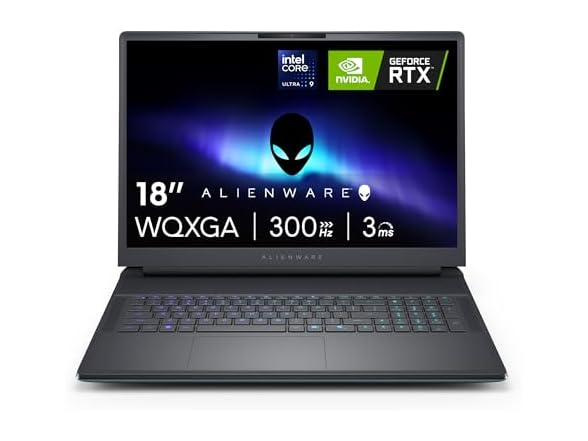
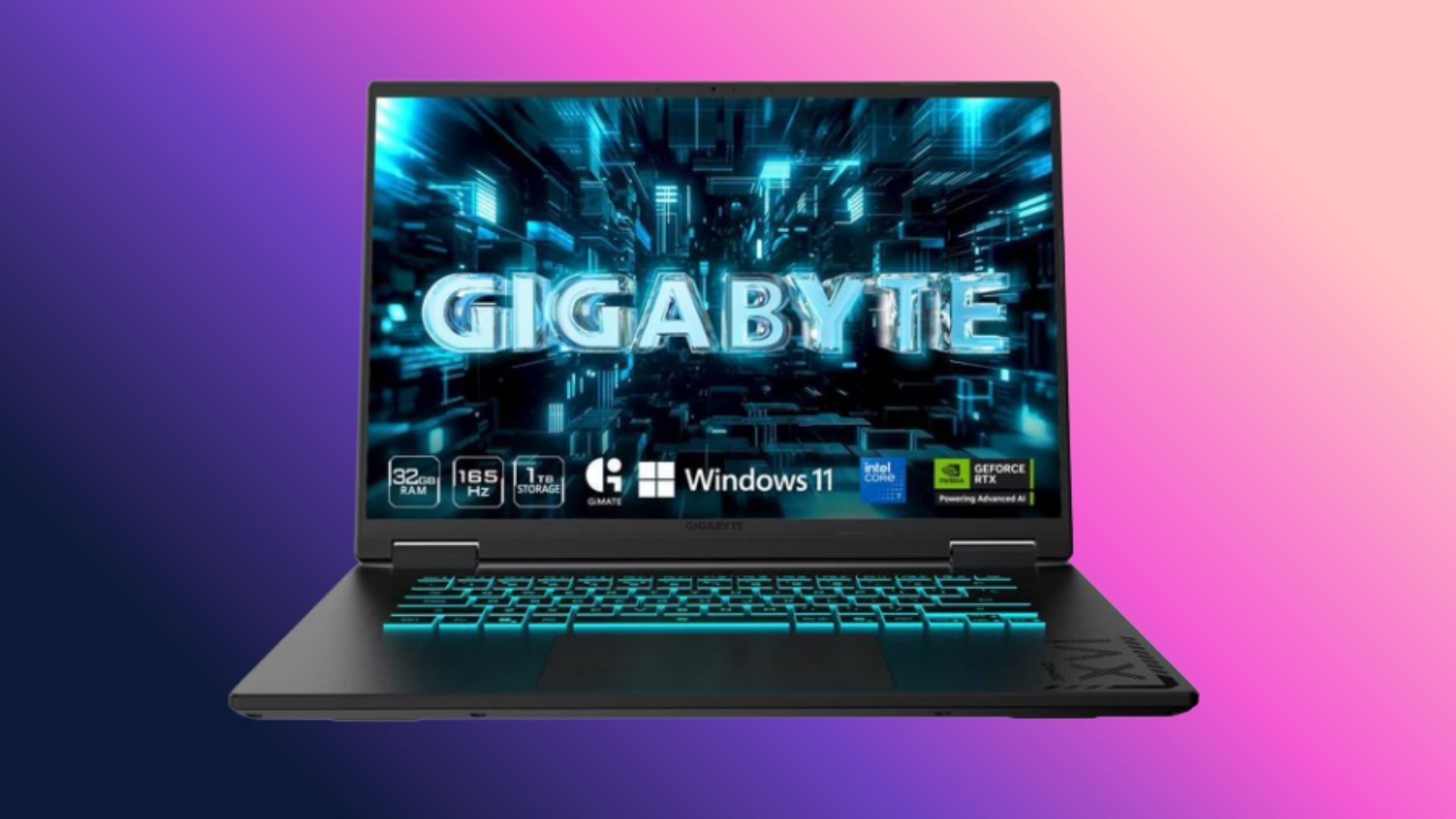
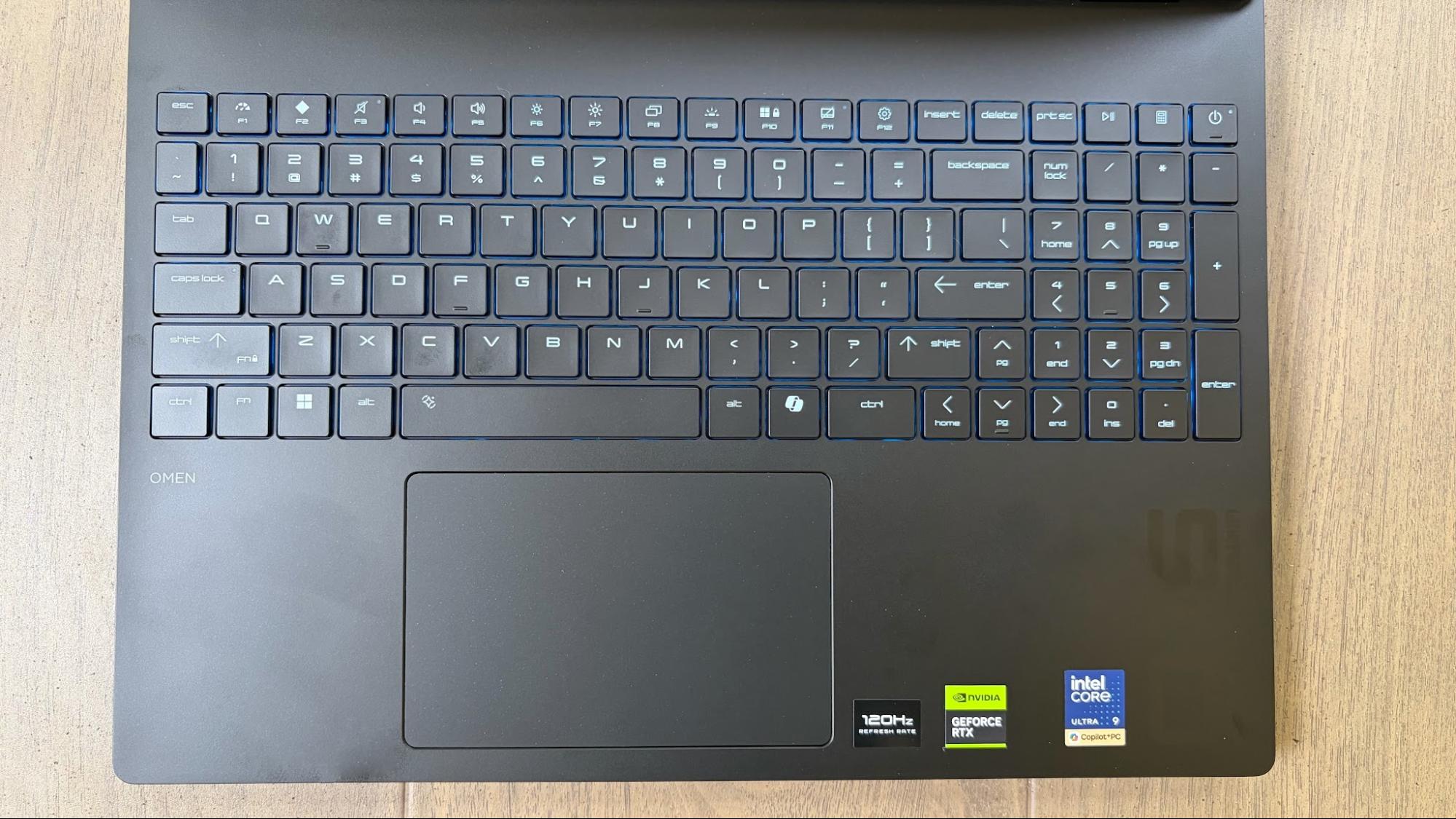
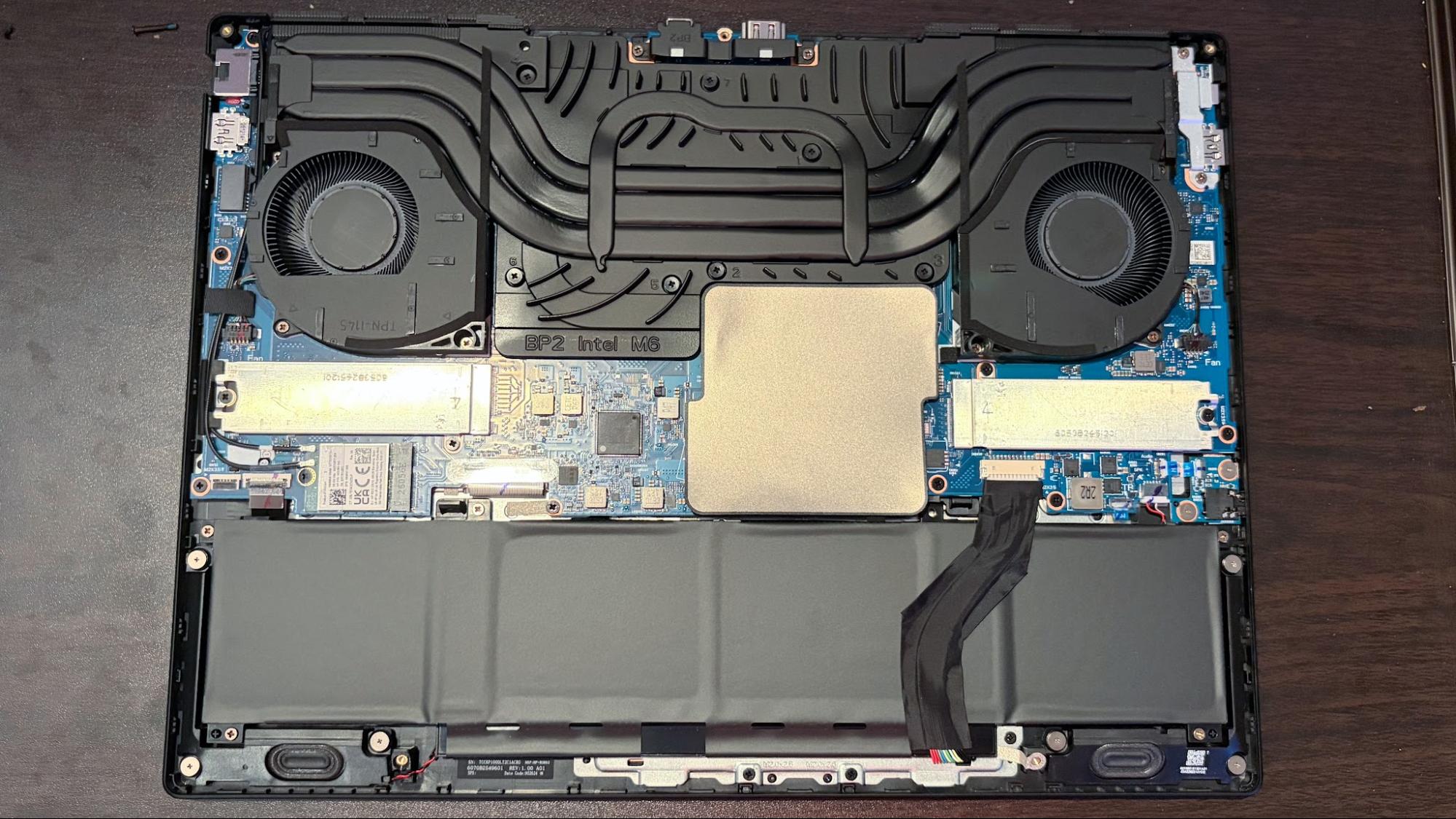
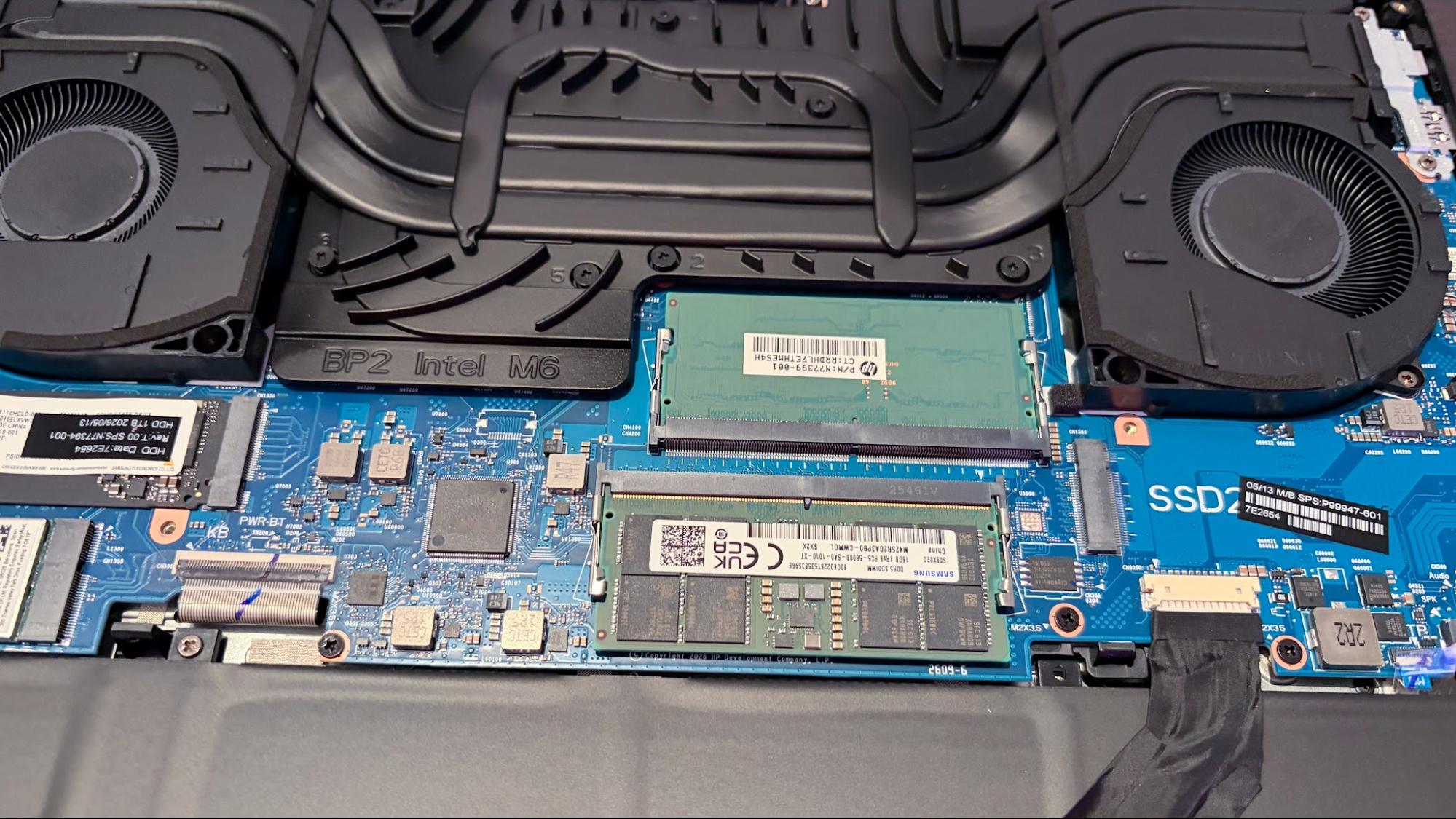
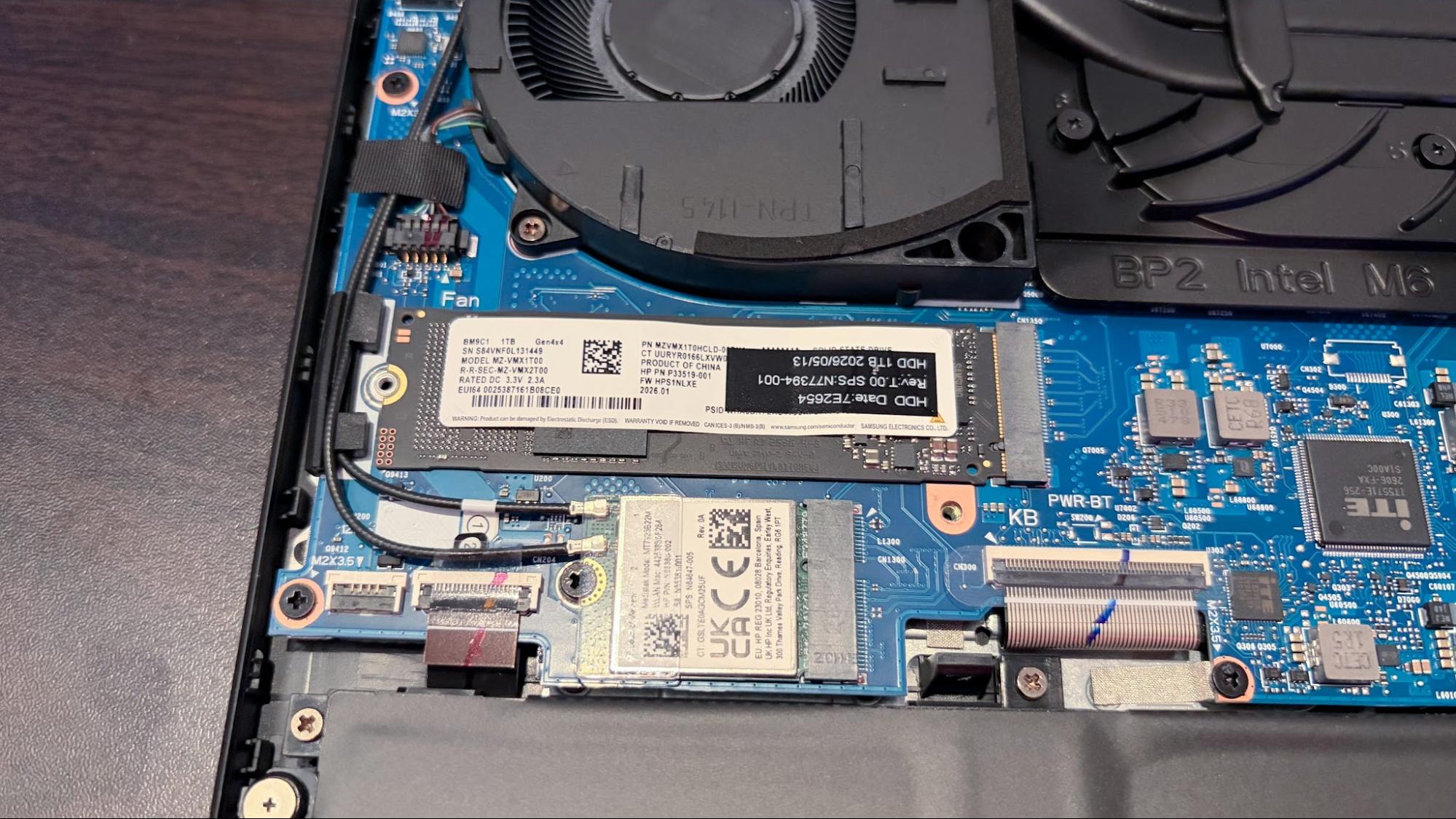
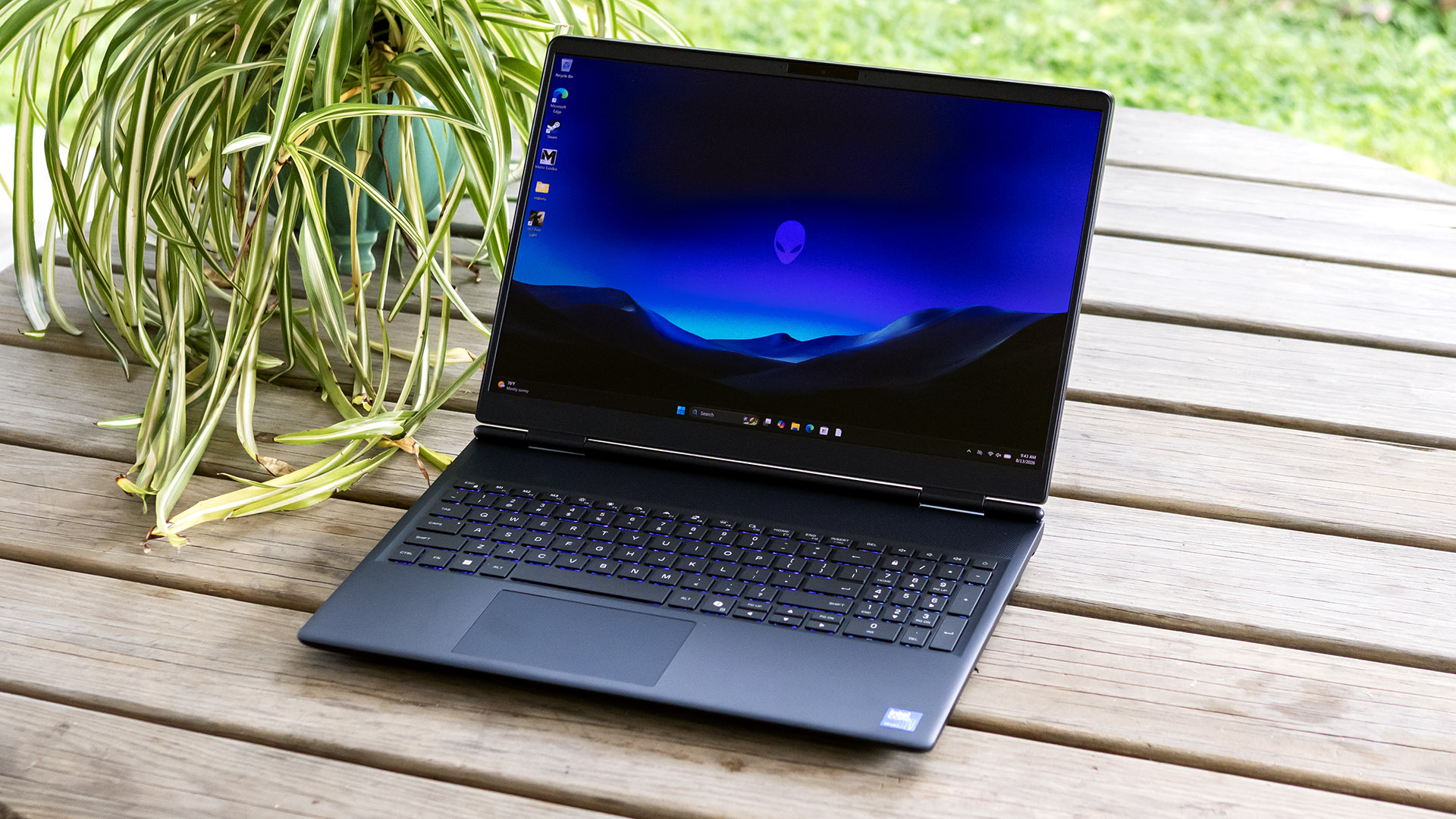
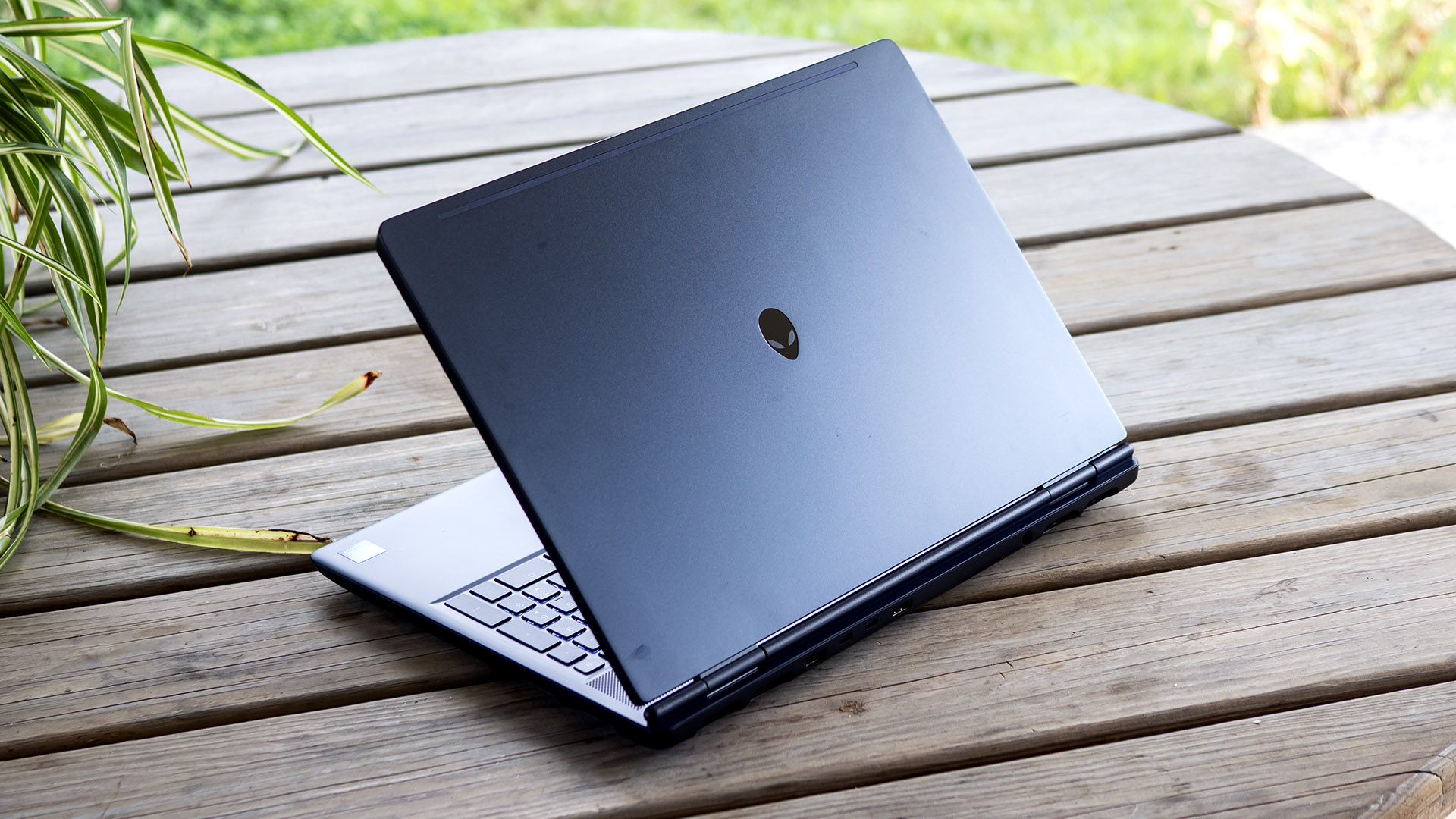
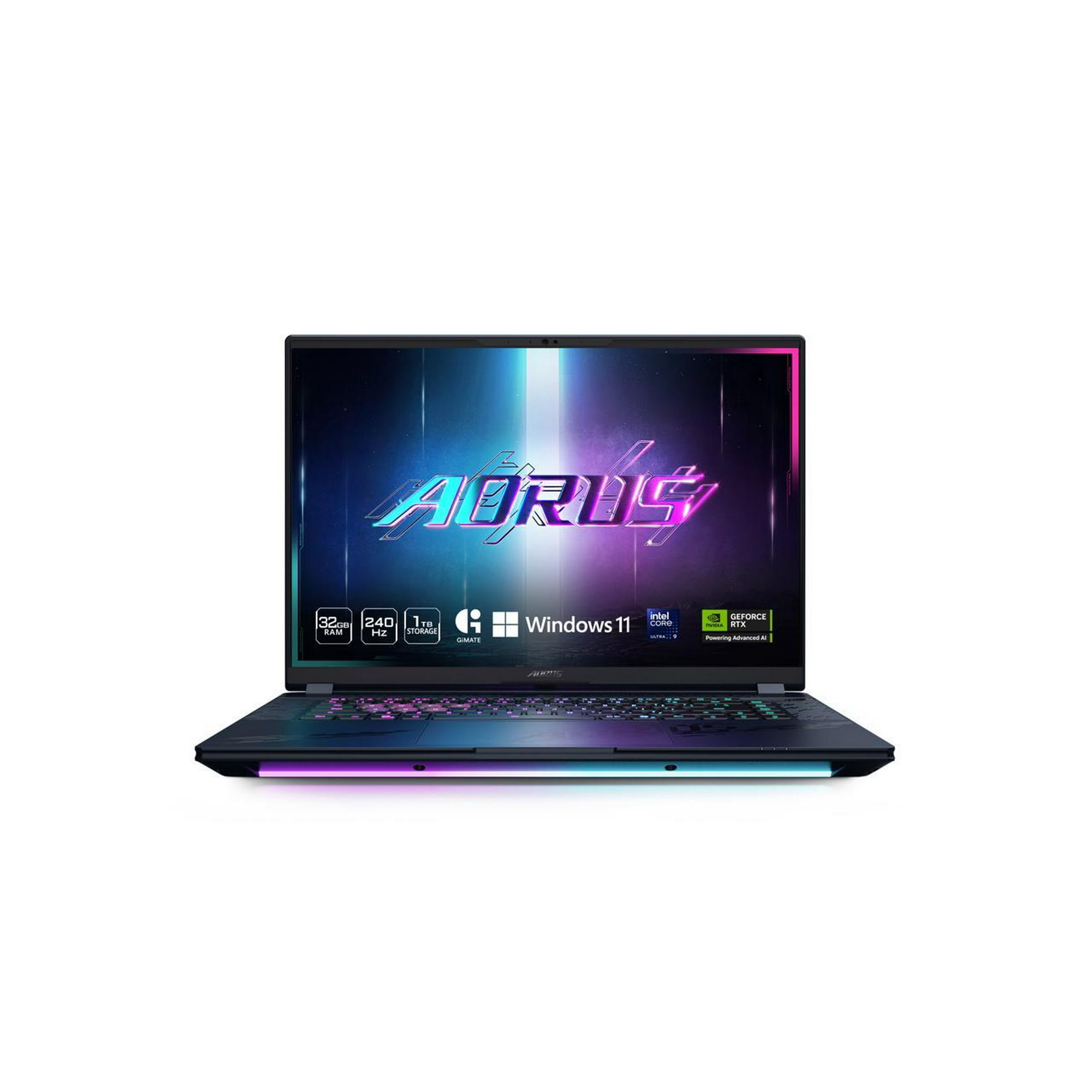
While the specs aren't easily found on the page, the images on the listing do confirm the RAM and storage you're getting with this laptop. For the CPU, it's the Intel Core Ultra 9 275HX. It's a 24-core powerhouse with eight performance cores and 16 efficiency cores, with a max boost clock speed of 5.4 GHz.
This is a high spec laptop CPU that'll ensure no bottlenecks at the highest resolutions. It's also used in a couple of our best gaming laptop picks, including the best choice overall, the Razer Blade 18.
This is a laptop, so the display you're getting here is important. You're getting an 18-inch LCD display with a whopping 300Hz refresh rate. The top resolution on this panel is 2,560 x 1,600, and the specs in this build should mean you're able to use the highest graphics presets when playing at 1600p. This model is rated for 500 nits of brightness, too.
To play games at 1600p, though, you're going to need to take advantage of this Alienware laptop's Nvidia GeForce RTX 5070 mobile GPU. It's not as powerful as the desktop equivalent, shipping with 8GB of GDDR7 VRAM and 4,608 CUDA cores. This GPU will make light work of gaming at 1600p, especially coupled with the 275HX.
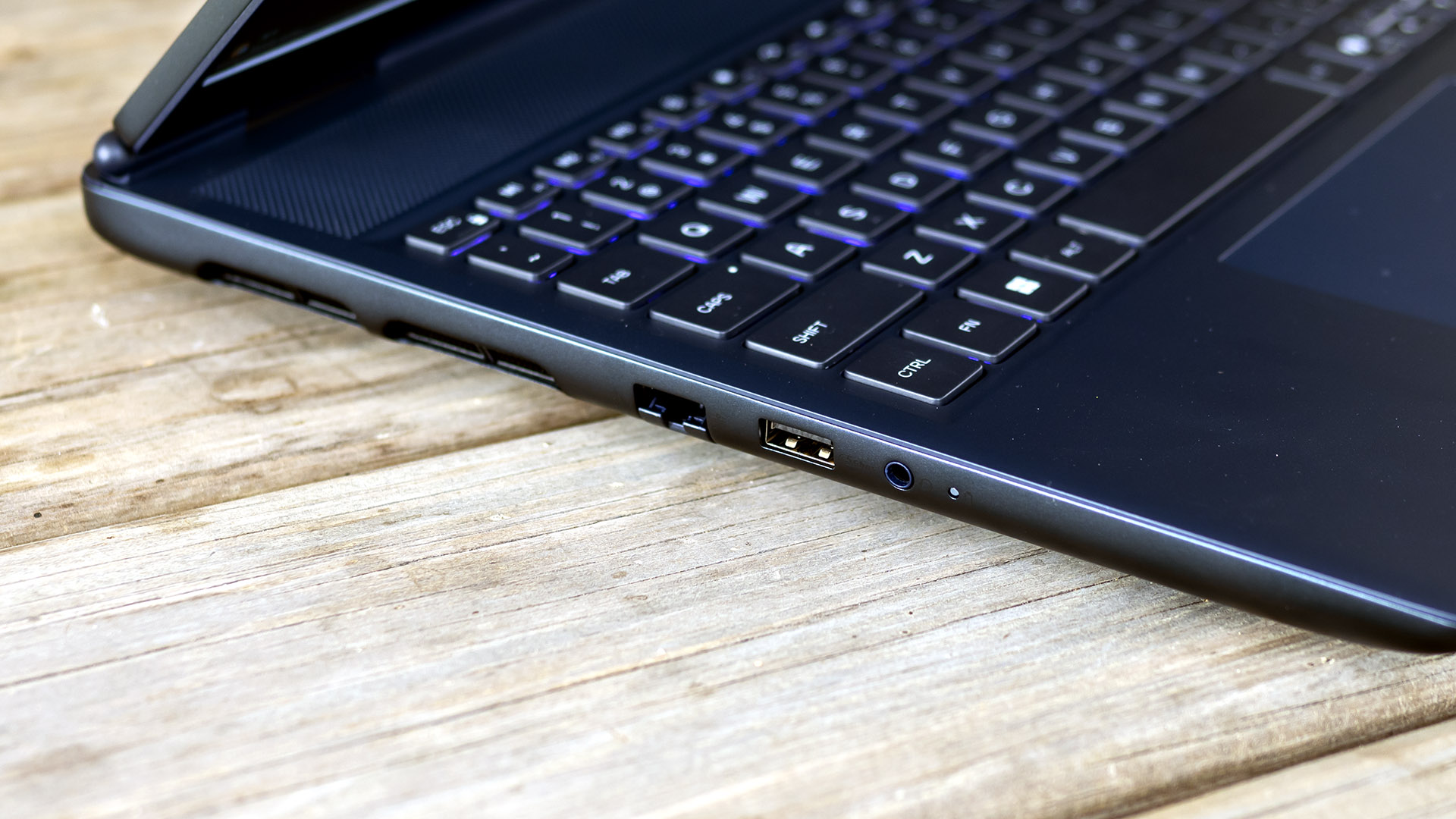
The image carousel also confirms that you're getting 32GB of DDR5, dual channel across two modules, and rated for speeds of 6,400 MT/s. There's also a 1TB NVMe M.2 SSD included for storage, offering Gen 4 speeds, with enough capacity for a few big games alongside Windows. You also get dual USB-C Thunderbolt ports, rated for 40 Gbps for data transfer and display output, as well as an HDMI 2.1 port, 2.5Gb Ethernet, and a headphone jack. Wi-Fi 7 and Bluetooth 5.4 connectivity is included, and there's also an SD card slot if you need it, too.
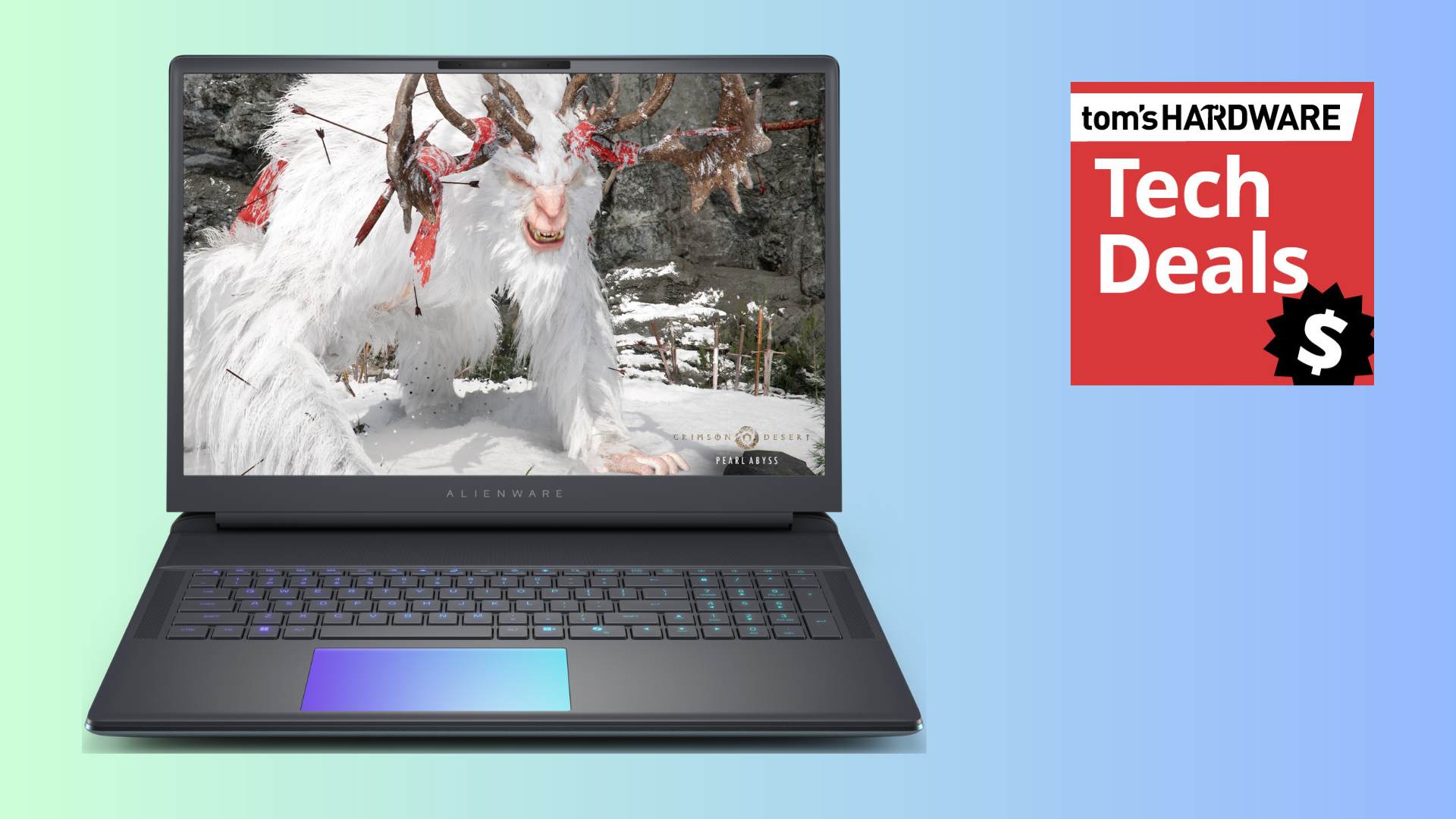
The $2,449.99 sale price for this 18-inch Alienware Area-51 gaming laptop is one that won't last very long. This Woot deal is set to run out within 7 days, but the stock could well go before then. If you want an RTX 5070 gaming laptop from Dell's premium gaming brand with a huge $1,229 discount, grab this deal while you can.
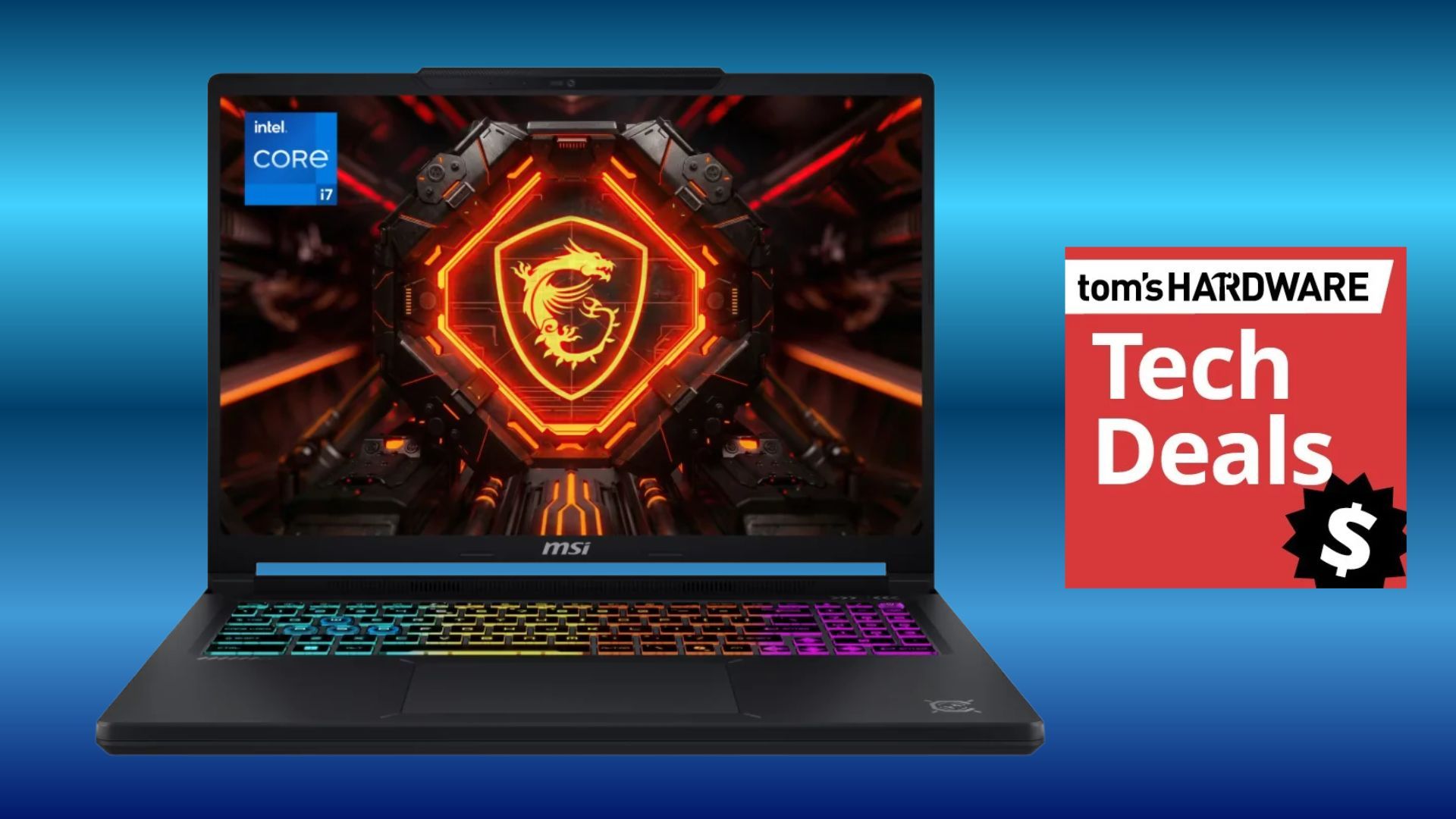
Spotted at Walmart today, at a pretty good price, is this RTX 5060-powered MSI Crosshair gaming laptop for just $1,249. With price rises across the board on laptops and PCs, it's important to keep an eye out for large discounts on gaming gear. The MSI Crosshair has been discounted by a hefty $750 from its original $1999 list price. This is classed as a budget-oriented gaming laptop due to the specifications, even if the price of the laptop is still over a thousand dollars.
With a fairly large 16-inch screen, the Crosshair pairs its IPS panel with a very crisp resolution of 2560 x 1600 pixels (QHD) and superb color resolution with a 100% DCI-P3 gamut. A thin bezel around the screen gives you more viewing area.
Inside the chassis of this gaming laptop is Intel's Core i7-14650HX processor with 16 cores. It's perfect for gaming and for work or study applications. The graphics are powered by a dedicated Nvidia RTX 5060 graphics chip with 8GB of VRAM, and for memory and storage, there is 16GB of DDR5 RAM and a 512GB NVMe SSD.
Crosshair 16: was $1999 now $1249 The MSI Crosshair sports a 16-inch IPS display with a sharp QHD resolution that's powered by an Nvidia RTX 5060 graphics card with 8GB of fast VRAM. Other specs include a 16-core Intel Core i7-14650HX processor, 16GB of memory, and a 512GB SSD. Windows 11 operating system comes installed. View Deal
Although for the best gaming performance, the laptop will run best on mains power, should you take the MSI Crosshair on the move, it comes with an 80 Wh lithium-polymer battery. For low-light environments or just for a gamer aesthetic, the Crosshair comes with a 4-zone RGB backlit keyboard with 99-key anti-ghost rollover.
For wireless network connectivity, you have Wi-Fi 6E and Bluetooth 5.3; for ports, the MSI Crosshair sports 2x USB 3.0/3.1 Gen1 ports, 3x USB 3.1 Gen2 ports, and USB-C Power Delivery (PD). An HDMI port for video connectivity and a 3.5mm audio port.
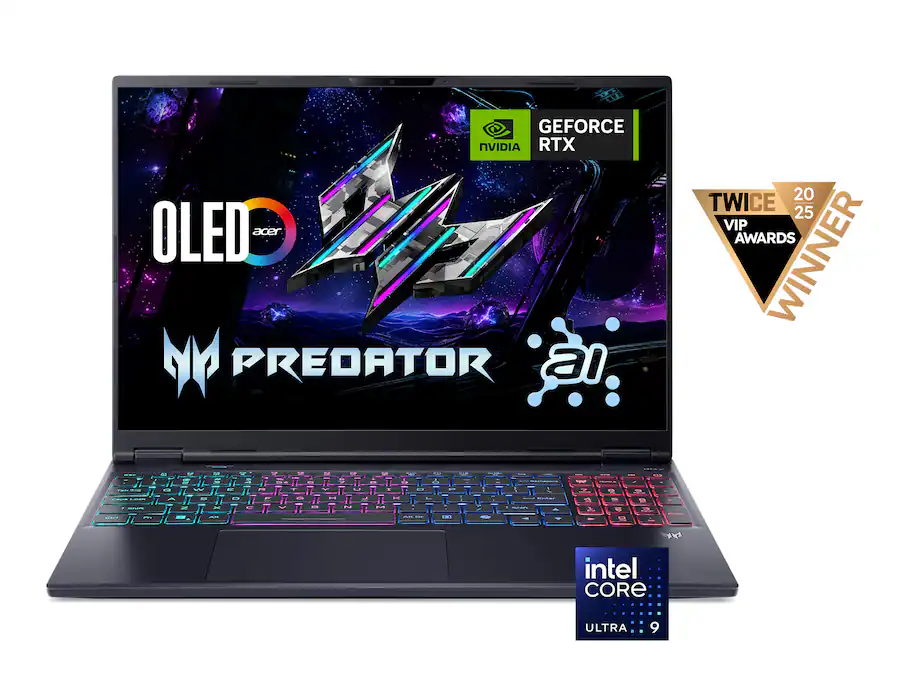
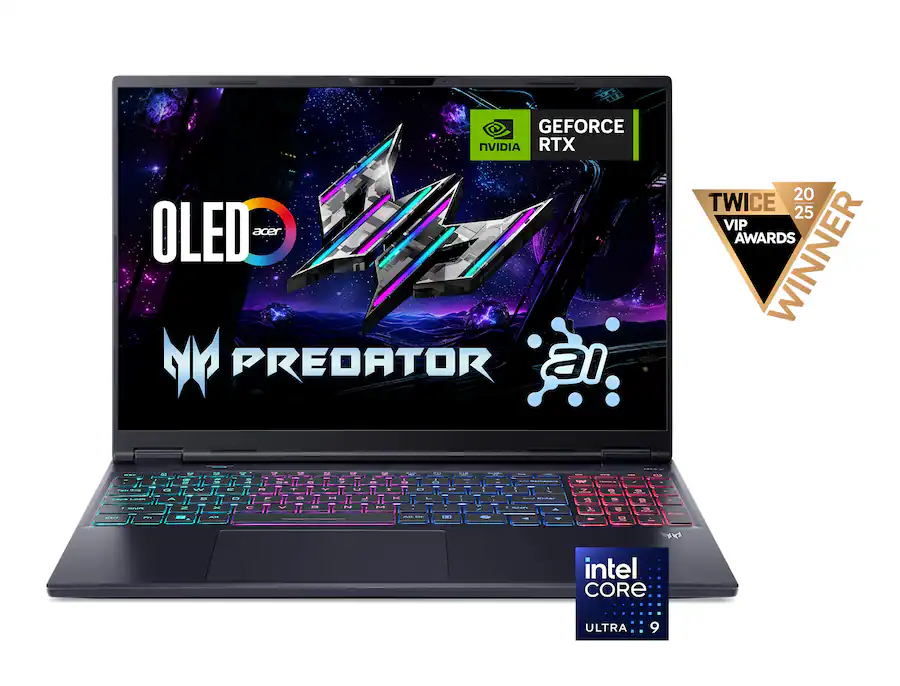
For anyone looking to buy a premium gaming laptop with an OLED display, the Acer Predator Helios Neo 16S AI is worth considering. The laptop is currently on sale at Best Buy for a limited time for $2,224.99, saving you $550 off its original price of $2,774.99. The discount also applies to the higher-end 32GB RAM model, available for $2,399.99, saving $800 off its original price of $3,199.99.
The Acer Predator Helios Neo 16S AI is a fairly thin gaming laptop with a maximum thickness of just 18.9 mm. The laptop features a 16-inch OLED panel with QHD+ (2560 x 1600) resolution and a 16:10 aspect ratio, giving you more vertical screen space. It also offers a fast 240 Hz refresh rate, plus support for G-Sync, VESA True Black HDR500, and 100% DCI-P3 color gamut coverage.
Gamers looking for a premium laptop with a vibrant OLED display and high-end graphics can grab the Acer Predator Helios Neo 16S AI at a reduced price, with the RTX 5070 Ti-equipped machine starting at $2,224.99 and the 32GB RAM model dropping to $2,399.99.View Deal
Despite its thin profile, the laptop is claimed to deliver desktop-class performance thanks to Intel’s top-of-the-line Core Ultra 9 290HX Plus processor, which features 24 cores and boost clock speeds of up to 5.5 GHz.
Handling the graphics is Nvidia’s RTX 5070 Ti laptop GPU with 12GB of GDDR7 memory, offering the benefits of the Blackwell architecture, including DLSS 4 and the latest DLSS 5, multi-frame generation, and improved ray-tracing performance. Memory options include 16GB or 32GB of DDR5-6400 RAM, while a 1TB PCIe Gen 4 SSD provides storage for all your games and other data.
Gamers looking for a premium laptop with a vibrant OLED display and high-end graphics can grab the Acer Predator Helios Neo 16S AI at a reduced price, with the RTX 5070 Ti-equipped machine starting at $2,224.99 and the 32GB RAM model dropping to $2,399.99.View Deal
For I/O, you get three USB 3.2 Type-A ports, a USB 3.2 Type-C port, a Thunderbolt 4 port, a headphone jack, 2.5-gig Ethernet, HDMI 2.1, and a microSD card slot. For wireless connectivity, you get Bluetooth 5.4 and Wi-Fi 6E. Other notable features include a 92 Wh battery, a quad-zone RGB backlit keyboard, and a 1080p IR webcam.
Overall, the Acer Predator Helios Neo 16S AI offers a promising combination of a high-refresh-rate OLED display, powerful hardware, and a relatively slim design. At $2,224.99 for the 16GB model or $2,399.99 for the 32GB variant, the current Best Buy deal makes it a great option for those looking at desktop-class performance in a portable package.
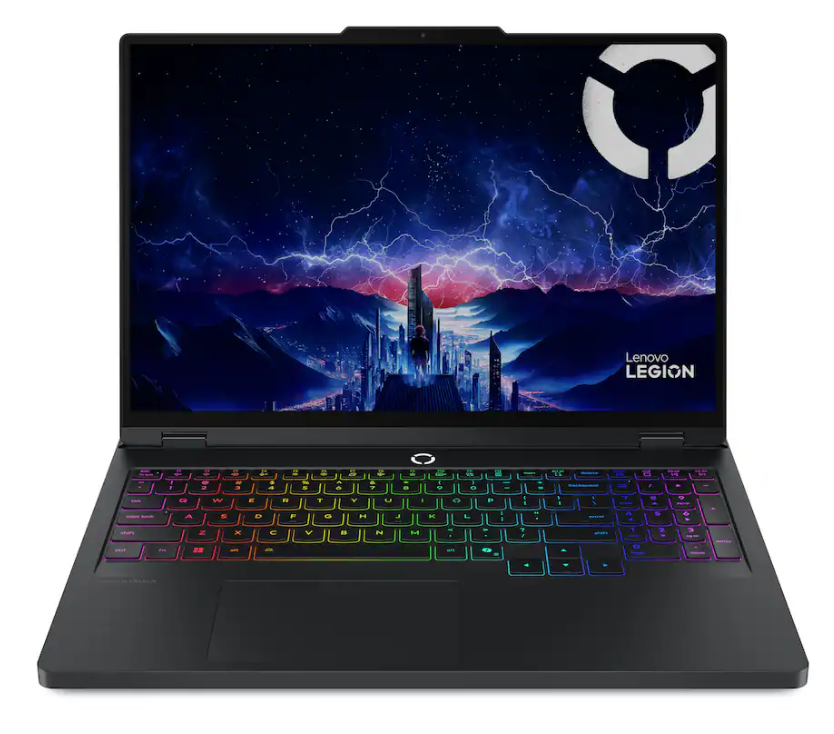
On the lookout for a new gaming laptop? Best Buy is offering $850 off the list price of the Lenovo Legion 5i 16-inch Gaming Laptop, bringing the price to $1799.99. The full list price of this laptop mentioned on the Best Buy store page is $2649.99, which is a hefty sting to anyone's bank account. This Legion 5i packs a high-res 16-inch display and a powerful laptop graphics card, and comes in a very well-constructed Lenovo Legion chassis.
The Lenovo Legion 5i in this deal features a 16-inch IPS screen with a sharp 3K display (2560 x 1600-pixel) resolution, a blistering 240Hz refresh rate, and 500 nits of brightness. This Legion 5i model sports an Intel Core Ultra 7 255HX processor with an Nvidia mobile RTX 5070 graphics card with 8GB of GDDR7 VRAM, 16GB of memory, and a 1TB SSD for storage, which completes the main hardware specifications of this powerful gaming laptop.
Legion 5i 16-inch Gaming Laptop: was $2649.99 now $1799.99 The Lenovo Legion 5i uses an Intel Core Ultra 7 255HX processor with Nvidia's mobile RTX 5070 graphics with 8GB of VRAM. There's also 16GB of memory and a 1TB SSD installed. The laptop features a 16-inch screen with a sharp resolution of 2560 x 1600 pixels and a 240Hz refresh rate. View Deal
The Legion 5i also offers video connectivity via USB-C DisplayPort 1.2 and HDMI 2.1. Other ports onboard the Legion 5i include Thunderbolt 4 and 3x USB-A ports. Speedy Wi-Fi 7 connects you wirelessly for gaming, with helpful RGB backlighting on the keyboard for gaming in darker environments.
The battery life for the Legion 5i is rated for around 4.7 hours of use, but, as is the issue with all gaming laptops that use a powerful graphics solution for gaming, the battery can drain very quickly. So, for the full gaming potential of this laptop, you will need to be connected to mains power.
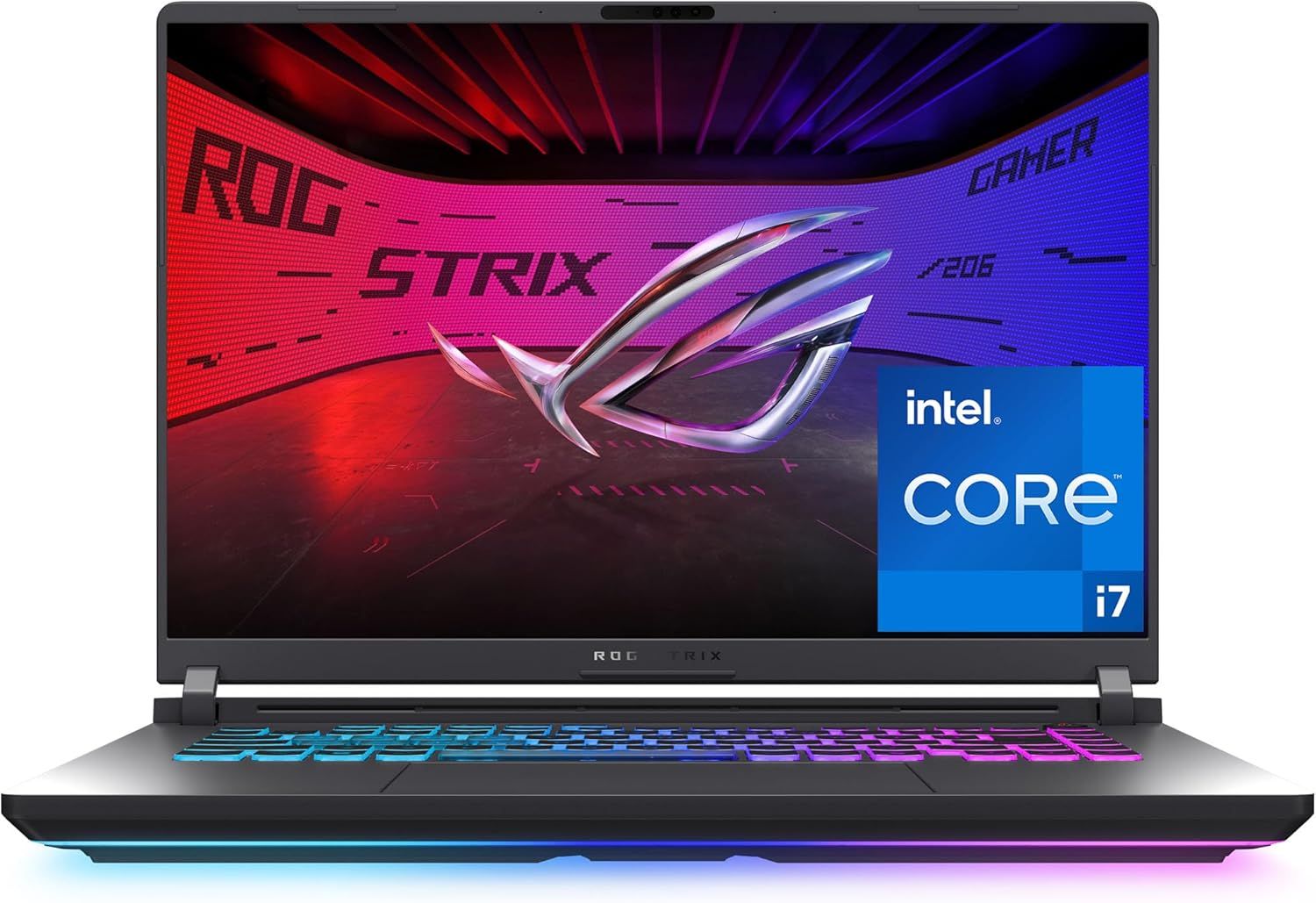
The Asus ROG Strix G16 is a 16-inch gaming laptop with a powerful AMD Ryzen 9 9955HX processor, accompanied by Nvidia's RTX 5060 laptop GPU, sporting 8GB of VRAM. This would be a great laptop for anyone who wants a college or work laptop also capable of playing most gaming titles at decent frames and good quality at its native 1920 x 1200 resolution.
ROG Strix G16 (2025): was $1999 now $1399 This model of the ROG Strix G16 gaming laptop from Asus comes with a screen measuring 16 inches, with an FHD+ resolution, a 16:10 aspect ratio, and refresh and response rates of 165Hz and 3ms, respectively. The hardware inside this gaming laptop includes Nvidia's GeForce RTX 5060 laptop GPU, an AMD Ryzen 9955HX processor, 16GB of DDR5 RAM, and a 1TB Gen 4 SSD for storage. For online gaming, the laptop has Wi-Fi 6E built in. View Deal
In our Asus ROG Strix G16 (2025), we praised this laptop for its colorful and fast display. At the same time, we reviewed a more powerful variant sporting the RTX 5070Ti; the X3D variant of the 9955HX performed well in productivity workloads, performance you can expect to be matched here. This version doesn't come with the X3D cache, so gaming performance will be more limited, but should amply match the RTX 5060 with 8GB of VRAM, avoiding bottlenecks in performance.
At less than $1,400, this would be a great laptop for more casual gaming on the go, as well as productivity workloads, especially for a student.
The CPU and GPU are supported by 16GB of DDR5 RAM and a 1TB SSD, plenty for multitasking and storage, respectively. If you want a more powerful laptop and don't mind spending a little extra cash, this Intel Core 7 240H with 32GB of RAM and a 5070 Ti GPU is still just $1,449.
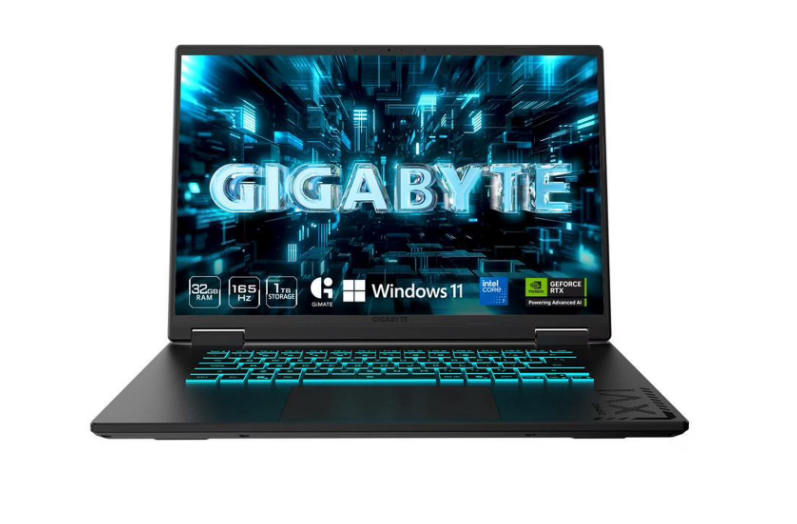
A pre-built desktop or gaming laptop is one of the best ways to sidestep some of the worst pain of AI-driven price increases when it comes to PC gaming. If you're on the hunt for a powerful gaming laptop, this Gigabyte Gaming A16 Pro is now just $1,449 at Walmart.
This laptop comes with a 16-inch IPS display clocking in at 2560 x 1600. It's powered by Intel's Core 7 240H, a Raptor Lake-H refresh CPU with 10 total cores. However, the star of the show is undoubtedly the mobile RTX 5070 Ti GPU, which will excel at gaming on the go.
AI development has seen the price of individual PC parts skyrocket in recent months. 32GB of DDR5 6000 RAM now costs $450, with storage and graphics cards also enduring significant price hikes. One of the best ways to dodge these hikes is to buy a laptop, where increases are trickling down more slowly.
With 10 cores (six performance and four efficient cores), the CPU in this rig is ideal for both gaming and productivity on the go. Paired with the RTX 5070 Ti gaming GPU, it will have no trouble running most games at the 2560 x 1600 resolution. The RTX 5070 Ti has 12GB of VRAM and 5,888 CUDA cores, making it ideal for this resolution.
For the price, this laptop also has a generous supporting cast, notably 32GB of DDR5 RAM (a rarity in cheap gaming laptops these days), and a 1 TB SSD for storing your games.
Otherwise, you get HDMI 2.1 connectivity, USB 3.2, USB-C with DisplayPort, 3.5mm audio connectivity, and Wi-Fi 6E, as well as Bluetooth v5.2.
This would be an ideal laptop for someone looking to do some gaming on the go while also supporting productivity workloads, possibly a college student. It would also make a great upgrade for anyone currently using an older-generation laptop.
In a world where PC prices are skyrocketing, gaming laptops and desktops are getting more expensive on a near-weekly basis. This is a generous spec and price in the market given current conditions, and worth considering for anyone who wants to take their first step into mobile gaming or to upgrade from an older device.
At the heart of this gaming rig is the Intel Core Ultra 7 255H. This 16-core, Arrow Lake-H CPU has six performance cores and eight efficient cores, making it ideal for both gaming on the go and productivity workloads, all while preserving battery life. The RTX 5060 won't run Cyberpunk 2077 at 4K 60 fps, but it doesn't need to, and will provide more than ample performance at this laptop's native resolution of 1920 x 1200. With up to a 165Hz refresh rate, gaming on this display will be smooth, with added support for Nvidia's DLSS 4.5 technology.
To complement the CPU and GPU, you get 16GB of RAM, which is a decent amount for multitasking at this current price bracket. You'll also get a 1TB SSD for storing games and files. As well as a copy of Windows 11.
Connectivity includes USB Type-A, Ethernet, and a 3.5mm audio jack, as well as Wi-Fi 7 under the hood.
As we noted in our recent review of the Omen 15 lineup, this is a competitive laptop range when it comes to gaming, with some obvious cost-cutting measures. At this budget, the chassis will feel less premium than more expensive offerings.
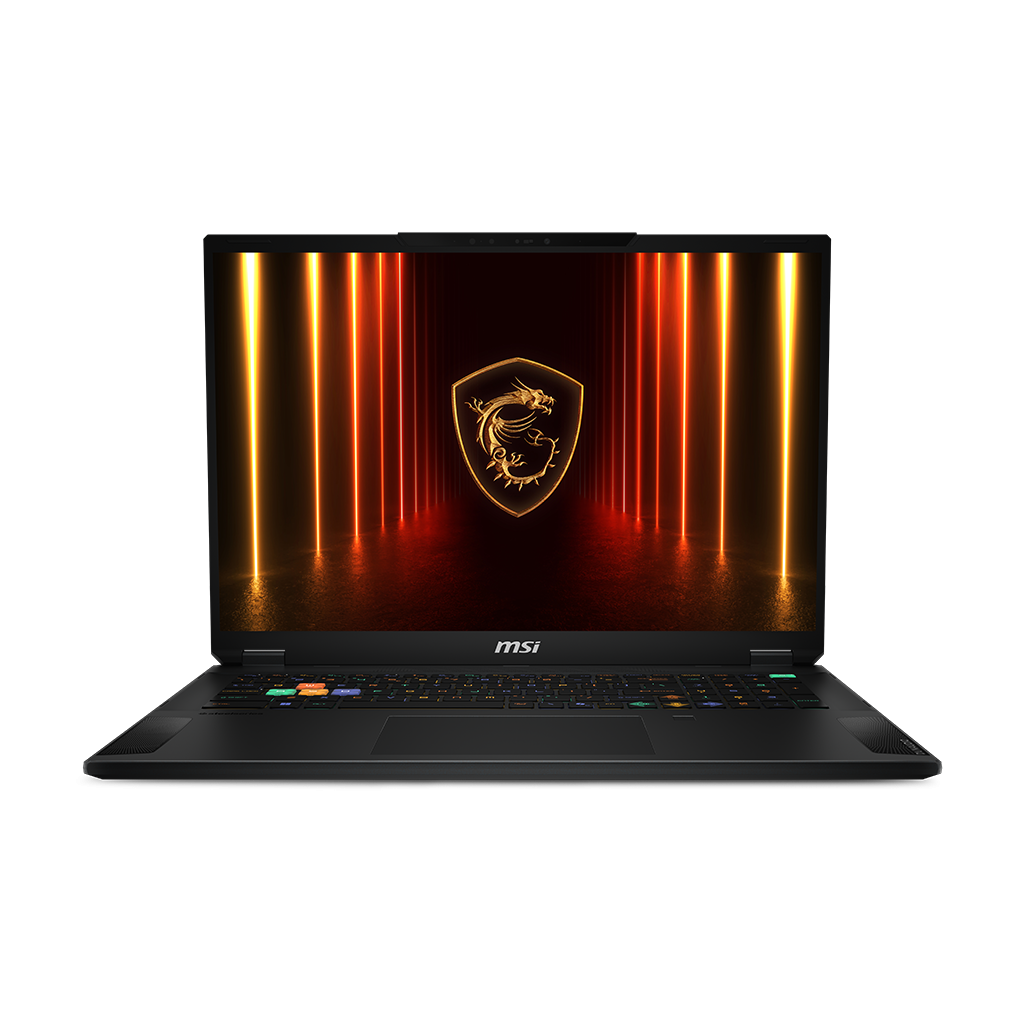
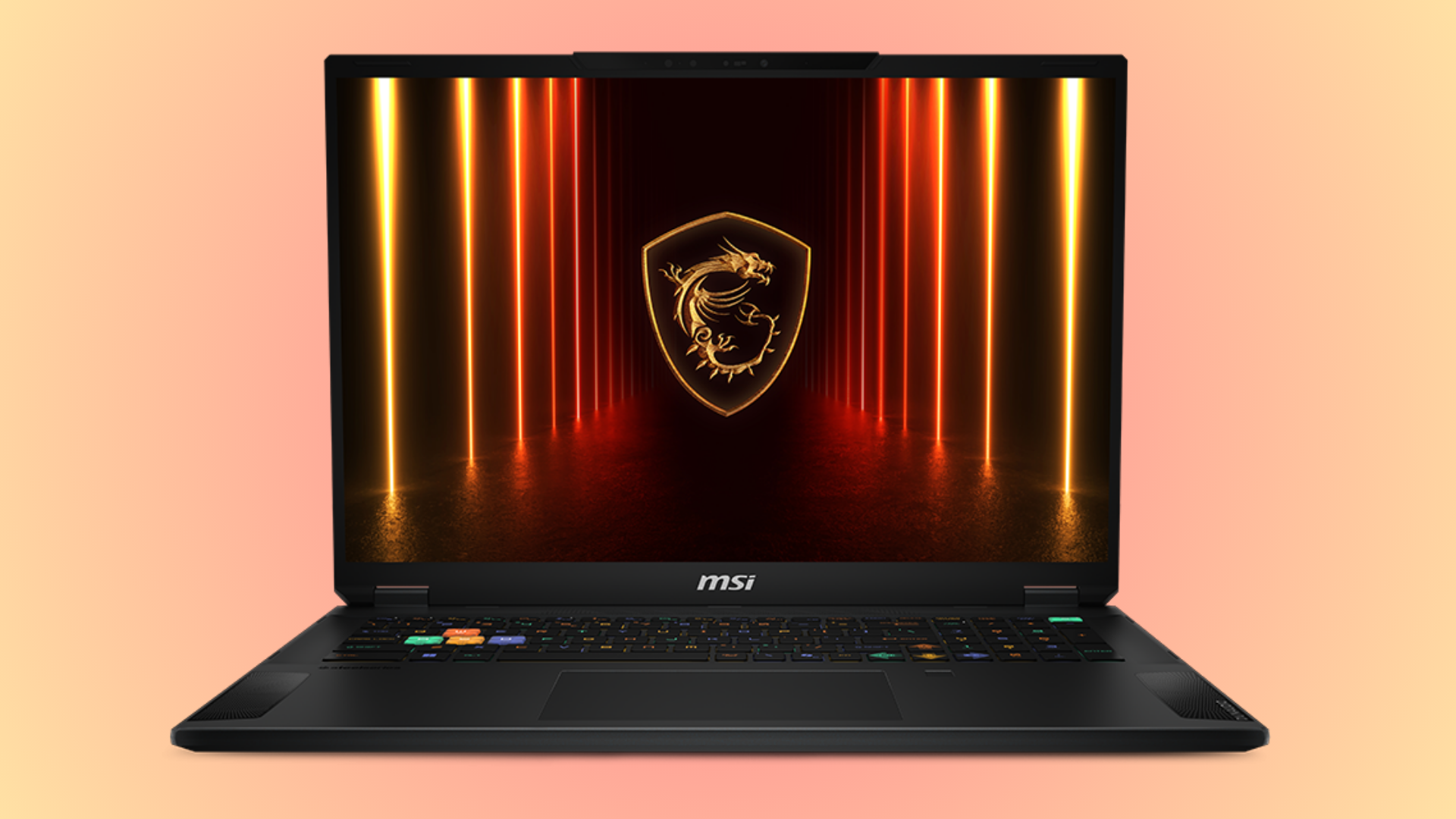
There's a huge deal on an MSI gaming laptop right now with a set of top specs, including the best laptop GPU out there, the RTX 5090. This MSI Stealth A18 AI+ laptop is $3,779, with 64GB of DDR5, 2TB SSD and a 12-core AMD Ryzen AI 9 HX 370 CPU, saving you $520 in total.
While the mobile version of the RTX 5090 isn't the same as its desktop counterpart, you won't find a better GPU in a laptop that you can buy. It comes with 10,496 CUDA cores, along with 24GB of GDDR7 VRAM, which operates on a 256-bit memory bus. A peak 175W TDP is much less than the desktop's 575W power rating, but laptops are designed to be portable, so power is restricted.
It's interesting to look at how the pricing stacks up in the current market. This laptop will set you back $3,779 right now for an entire working system. The desktop version of the RTX 5090, right now, will set you back over $7,000 at the moment, at least for models in stock. These are two different beasts, sure, but PC gaming is getting to be very expensive, almost prohibitively so. A desktop PC with similar specs might set you back almost double the price you're paying for this laptop. It's clearly the better value option from a financial point of view, especially as it'll handle modern games at the best settings for several years.
Stealth A18 AI+ (A3XWJG-006US): was $4299.99 now $3779 Grab a huge $520 saving on this well-priced RTX 5090 gaming laptop. Along with Nvidia's top-spec mobile GPU, you're also getting a 12-core AMD Ryzen AI 9 HX 370 CPU, 64GB DDR5, and a 2TB SSD.View Deal
The RTX 5090 is the real centerpiece of this laptop, but you're getting a stacked set of specs elsewhere. For the CPU, you're getting the AMD Ryzen AI 9 HX 370. This Strix Point processor has 12 cores, 24 threads, and a boost clock speed of 5.1 GHz. This is a Zen 5 CPU, with a power-efficient NPU for AI tasks.
No compromises elsewhere, either. You get a full set of 64GB of DDR5 RAM with this laptop, with speeds of 5,600 MT/s. That's a little slower, but capacity-wise, you're beating the RAMpocalypse with a whole heap of memory. Likewise, the 2TB SSD means you've got plenty of space for Windows alongside a lot of big game installations.
This is a big-screened laptop for gaming, and you're getting an 18-inch panel with a resolution of 3,840 x 2,400. That means you can game at 4K, with a 120Hz refresh rate to match the in-game frame rates without X. The mini LED panel supports HDR 1000, with 1000 nits of brightness, covering 100% of the DCI-P3 color space.
Wi-Fi 7 connectivity, along with 2.5Gb Ethernet, means you can max out any connection for lag-free gaming. These impressive specs are wrapped in a magnesium-aluminum alloy chassis in a midnight black colorway, with vapor chamber cooling under the hood with two fans and four exhausts.
The $3,779 sale price for this MSI Stealth A18 AI+ gaming laptop is a brilliant one in the current market. Rather than spending $7,000+ for the desktop GPU alone, this full-spec'd laptop with a 4K-adjacent display will give you everything you need to play at high frame rates at the highest resolutions for years to come.
Hunting around for deals this morning has produced a great find: a powerful RTX 5080-fueled gaming laptop that has just recently dropped a whopping $461 in price to a new all-time low when we check the price history of the Gigabyte laptop at Walmart. You can now pick up the Gigabyte Gaming A16 Pro for $1,799, a very tasty discount from its previous lowest price of $2,260. It's unfortunately also showing as low in stock, so if you are interested in this large 16-inch gaming laptop with one of the most powerful laptop graphics processors inside, then you might want to jump on the deal before it sells out.
The Gigabyte Gaming A16 Pro is a 16-inch gaming laptop with an IPS display, a WQXGA aspect ratio, and a 2560×1600 pixel resolution. The screen supports refresh rates up to 165Hz and has a 3 ms gray-to-gray response time, a 100% sRGB gamut, and a brightness of 400 nits.
Inside the chassis of this gaming beast is an Nvidia RTX 5080 laptop graphics card with 16GB of VRAM and an Intel Core 7 240H processor. There's plenty of memory with 32GB of RAM, and for storage, you get a 1TB SSD.
The hardware included inside the Gigabyte Gaming A16 Pro includes Nvidia's RTX 5080 laptop graphics card with 16GB of VRAM, an Intel Core 7 240H processor, 32GB of RAM, and a 1TB SSD. View Deal
The laptop also packs plenty of connectivity options for connecting to the internet and networks with both Wi-Fi 6E and Bluetooth. For video connections to a monitor or television, there's an HDMI 2.1 port and a USB Type-C port that supports DisplayPort 1.4.
The Gigabyte Gaming A16 Pro is a well-rounded gaming laptop, offering enough power for the latest games, with a classy gamer aesthetic and tasteful RGB backlighting on the keyboard. Now that it has received a hefty discount, the laptop is much better value for money. Showing at $2,450 in mid-July and then $2,260 throughout August and most of September, the Gigabyte Gaming A16 Pro now hits that new all-time low price of $1,799.
As the memory crisis continues to push up component prices, laptop prices are also rising, making even mainstream models increasingly expensive. However, if you are looking for the right combination of portability and performance, the HP Omen Transcend 14 is currently on sale. The 14-inch powerhouse is available at $1999.99 for a limited period, down from its listed price of $2999.99 at Best Buy, which is a massive saving of $1000.
The HP Omen Transcend 14 is one of the rare compact gaming laptops packing a powerful set of hardware. This particular configuration comes with Intel’s Core Ultra 9 285H processor, paired with 32GB of LPDDR5x memory and an Nvidia RTX 5070 Laptop GPU with 8GB of GDDR7 VRAM. For storage, there is a 1TB PCIe Gen 4 NVMe SSD, while the laptop ships with Windows 11 Home. The combination should make it capable of handling modern games as well as demanding workloads such as video editing and other content-creation tasks.
The HP Omen Transcend 14 is a premium gaming laptop offering high-end performance in a compact 14-inch chassis. The laptop comes with Intel’s top-tier Core Ultra 9 285H processor with 32GB of LPDDR5x memory and an Nvidia RTX 5070 Laptop GPU. View Deal
A highlight feature of the laptop is the 14-inch 3K OLED display, which has a 2880 x 1800 resolution and a 120 Hz refresh rate. The panel supports a 48-120Hz variable refresh rate, covers 100% of the DCI-P3 color gamut, and offers up to 500 nits of HDR brightness, making it suitable for both gaming and content creation.
Despite packing high-end hardware, the Transcend 14 remains relatively portable, measuring around 0.7 inches thick and weighing about 3.6 pounds. In terms of ports, it comes with Thunderbolt 4, USB-C with DisplayPort and power delivery, HDMI 2.1, and a USB-A port. The laptop also comes with a four-zone RGB backlit keyboard, while the 71 Wh battery is claimed to last up to 14 hours on a full charge.
Considering the premium hardware and compact footprint, the HP Omen Transcend 14 at $1,999.99 is a deal worth considering. The $1,000 discount from its $2,999.99 listed price makes it a considerably more affordable proposition. However, you’ll need to move fast, as the deal price is only available for a few hours.
Laptops have long been a more expensive way to game, especially compared to a desktop gaming PC, for comparable components. But with the ever-rising costs of PC hardware in the current economic climate, it's a lot easier and now often cheaper to get a powerful prebuilt gaming PC or ready-made gaming laptop. Today's deal is on a large, 18-inch Asus ROG Strix G18 gaming laptop powered by an RTX 5080, now reduced by $600 to $2,699.99. It's still an expensive piece of kit, but you are getting a somewhat portable form factor and a good amount of memory and storage included in the specs for this large gaming laptop.
Asus's ROG Strix G18 is a large 18-inch laptop with a big screen. The 18-inch display sports an IPS panel with a 240Hz refresh rate and 500-nit brightness. Powering the display and your gaming performance is an NVIDIA RTX 5080 laptop GPU that includes 16GB of fast GDDR7 VRAM, along with the 24-core Core Ultra 9 275HX processor from Intel. Importantly, there's also a good amount of memory: 32GB of DDR5 RAM and a large 2TB PCIe Gen4 SSD for storage.
ROG Strix G18: was $3299.99 now $2699.99 A mighty 18-inch gaming laptop that uses a very powerful Nvidia RTX 5080 laptop GPU with 16GB of VRAM. The onboard processor is a 24-core Intel Core Ultra 9 275HX, sporting boost clock frequencies of up to 5.1 GHz, with an ample 32GB of DDR5 memory. There's also plenty of room for your game collection on the included 2TB SSD.
For any future upgrades, there's easy tool-less access to the SSD and RAM slots, which is a nice feature on a laptop. The keyboard features plenty of RGB backlit lighting that is configurable through Asus's Armory Crate software, along with an RGB light bar along the bottom of the laptop chassis, casting a distinctive glow on your desk that can sync with your keyboard and peripheral lighting.
For video connectivity, there's 1 x HDMI 2.1 port and 2 x Thunderbolt 5 ports, plus an Ethernet port for wired network access, with wireless options including Bluetooth and WiFi 7.
So if you want a ready-to-go gaming setup that's powerful enough to play all the latest game titles on a sharp 2.5K screen at high settings and frame rates, then the Asus ROG Strix G18 with RTX 5080 is a great choice, especially when you can save a hefty $600 off the price tag.
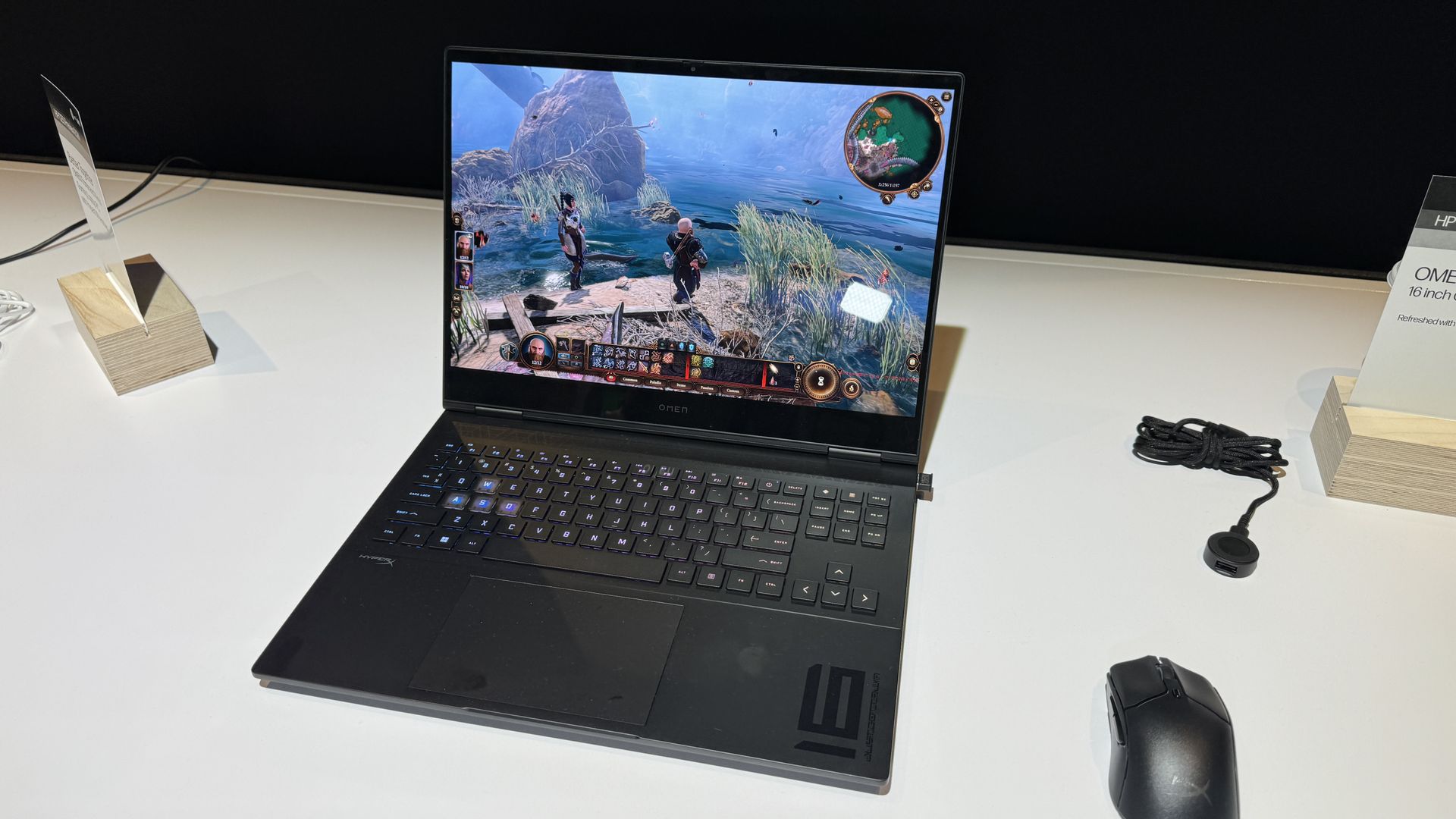
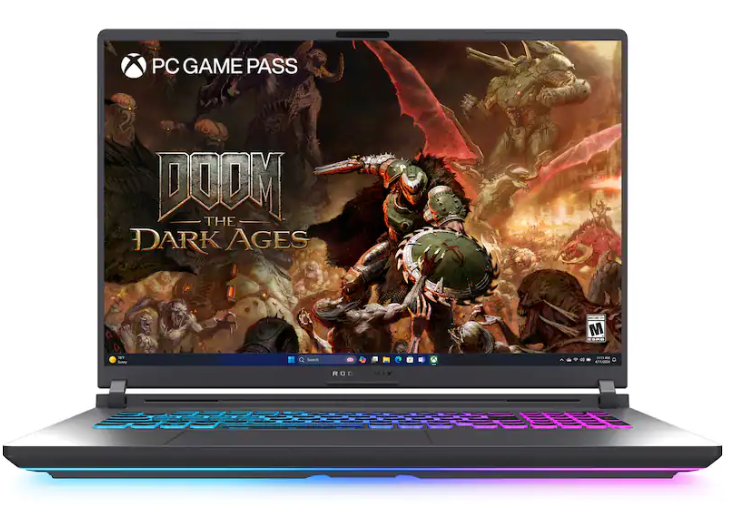
Want a powerful new OLED gaming laptop with a $1,000 discount on top? This HyperX Omen Max 16 gaming laptop from HP is down to $3,699.99 right now and features, among other top specs, an Nvidia GeForce RTX 5090 mobile GPU. You'll struggle to find a better spec'd laptop at this price point, and it's much cheaper than buying or building a top spec desktop gaming PC, too.
The mobile version of the RTX 5090 isn't quite as beefy as its desktop counterpart, but it's still the best GPU for a laptop that you can buy. Specs wise, it has 10,496 CUDA cores as its disposal, with 24GB of GDDR7 VRAM, operating on a 256-bit memory bus. A peak 175W TDP is much less than the desktop's 575W rating, but laptops are designed to be portable.
What's interesting is the pricing here. This laptop costs $3,699.99, and that's for an entire working system. If you wanted to buy the desktop version of the RTX 5090 alone from a retailer that has it in stock, it'd set you back at least $5,899. You could argue that they're totally different beasts, but PC gaming is getting really expensive. Buying a new desktop PC will set cost you thousands of dollars more than it would have last year. A top-spec laptop this like HyperX Omen Max 16 is the better of the two options from a financial point of view right now, especially as it'll still be able to handle modern games with the best settings for years to come.
An OLED gaming laptop with a huge $1,000 discount. This HP-made, 16-inch HyperX Omen Max 16 laptop features a 16-inch OLED panel with a 240Hz refresh rate, capable of outputting at 1600p.
It ships with the mobile version of the Nvidia GeForce RTX 5090, along with the 24-core Intel Core Ultra 9 290HX Plus, 32GB of DDR5-6400 RAM, and a 2TB SSD for storage. View Deal
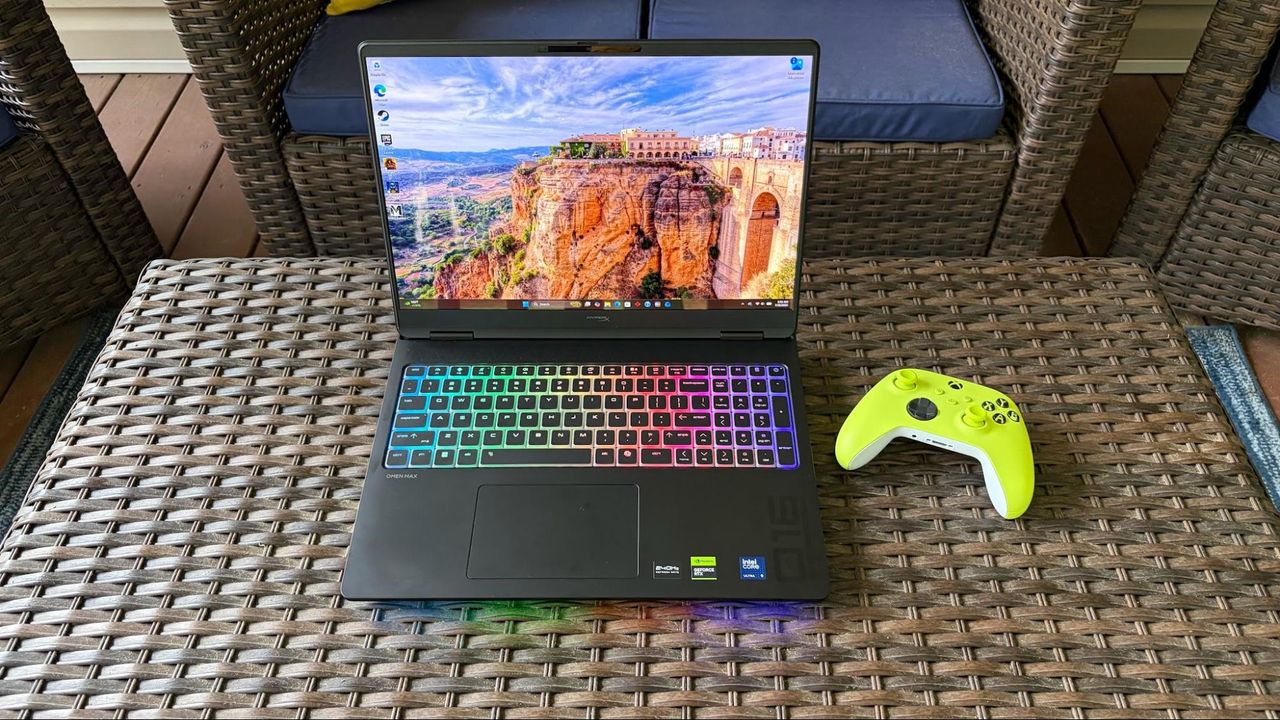
As for this laptop, our HyperX Omen Max 16 review made clear that its original launch pricing didn't quite work, with better performance from rival laptops. The $1,000 drop makes it a much more attractive system, with a gorgeous build quality that's "solid as a rock." It's built with aluminum, with no flashy styling gimmicks, just a matte black finish and RGB lighting for the keyboard. It's weighty, too, measuring 14.04 x 10.59 x 1.03 inches and weighing 6.56 pounds.
This HyperX laptop has a 16-inch OLED display, will give you perfect blacks and infinite contrast compared to a cheaper LCD, with an ultra-fast 240Hz refresh rate for smooth, blur-free motion. The top resolution on this laptop's display is 2,500 x 1,600, and coupled with the RTX 5090, you won't struggle to hit the highest frame rates with Ultra graphics presets applied at 1600p, with the option to hook up to an external display using the supplied HDMI port if you prefer.
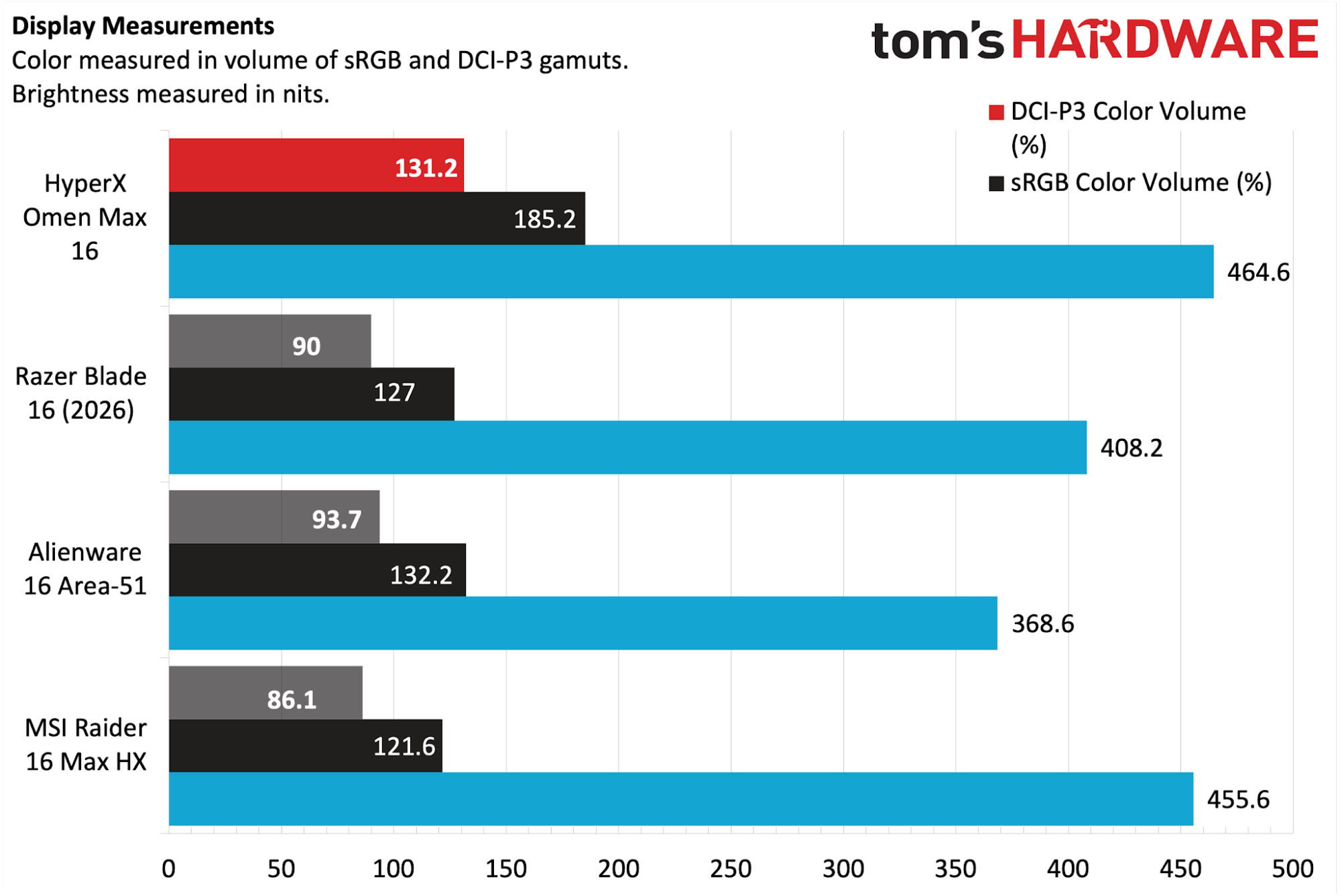
Games, movies and more are going to look incredible on this OLED panel, as it'll produce rich colors with plenty of depth, with 500-nit rated brightness, along with a max 1,100 for HDR content, to keep things vivid on-screen. Our review found it performed extremely well against the competition, with 131.2 percent of the DCI-P3 color space and 185.2 percent of sRGB. It also beat the MSI Raider 16 Max HX for panel brightness in our tests, with 464.6 nits vs 455.6.
(Image credit: Tom's Hardware)
The RTX 5090 is the centerpiece of this laptop, but you're also the Intel Core Ultra 9 290HX Plus as your CPU. It ships with 24 cores, eight of which are performance cores, which are good for gaming, along with 16 efficient cores for multi-threaded work. You're getting 32GB of DDR5-6400 RAM included, so no need to worry about the RAMpocalypse with this rig, along with a 2TB SSD offering Gen 5 speeds.
Wi-Fi 7 and Bluetooth 5.4 support ensures the fastest wireless connectivity, and you've got plenty of I/O too, including 2.5Gb Ethernet, the already-mentioned HDMI, a headphone jack, and two Type-C ports.
The $3,699.99 sale price for this HyperX Omen Max 16 OLED gaming laptop makes it a much more appealing option for buyers. In a market where an equivalent high spec desktop PC can set you back over $6,000, this price for a high spec laptop with an RTX 5090 is a good one in the current market. Grab it while you can, because HP aren't likely to keep it this cheap for long.
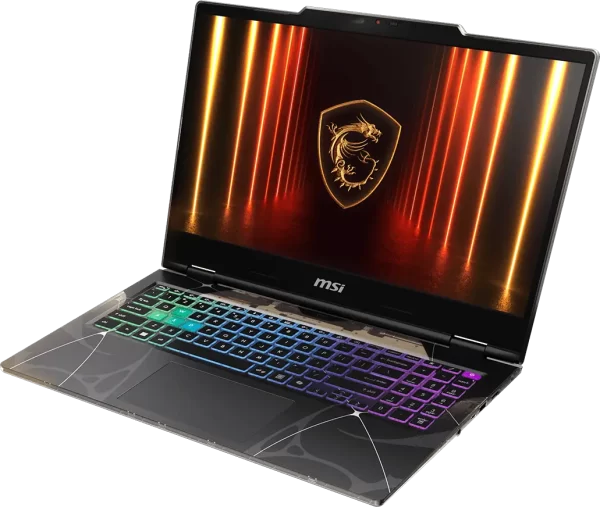
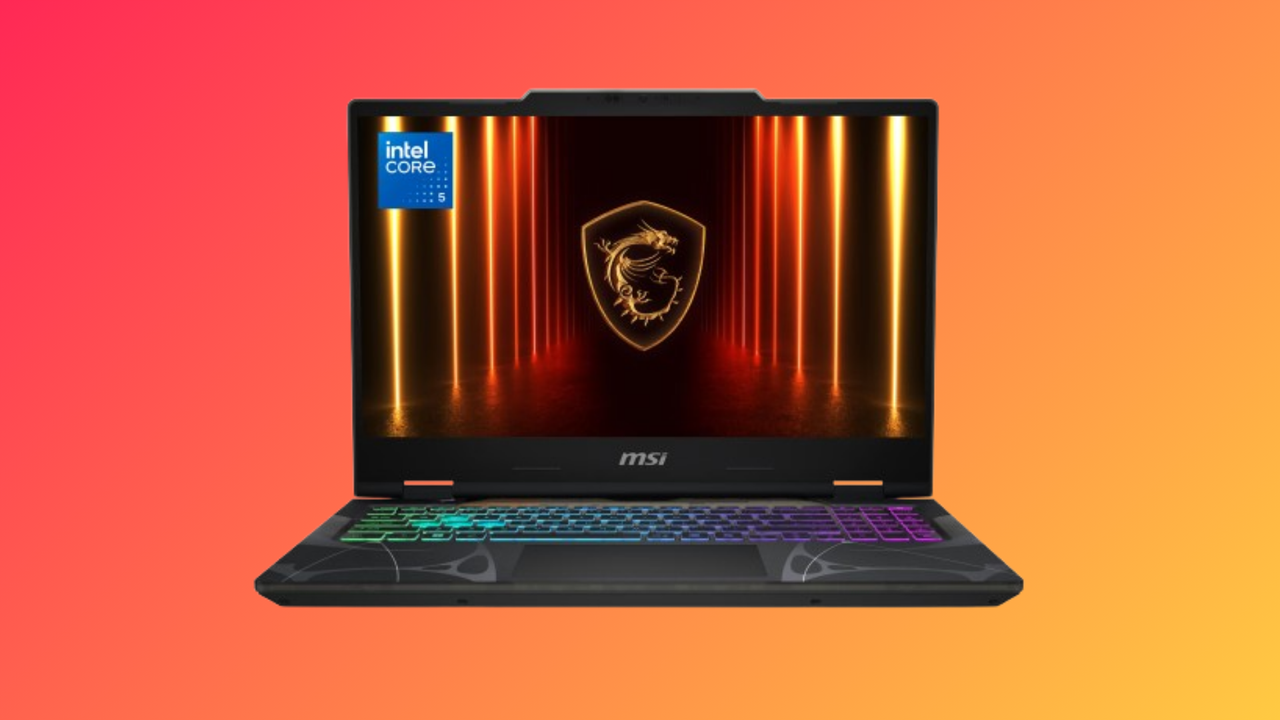
A cracking deal at Walmart could set you up with a brand new gaming laptop, capable of hitting high frame rates at 1080p. This MSI Cyborg 15 gaming laptop is down to $1,049 right now, a saving of $250, and it makes it one of the best value machines you can buy for gaming right now, especially considering the specs.
This laptop was $100 cheaper last month, but given the AI-fueled boom in PC hardware prices, that's a modest increase for a laptop that is still good value at this price. You're getting a 15.6-inch 1080p display with this MSI laptop, featuring a decent 144Hz refresh rate.
The Nvidia GeForce RTX 5060, meanwhile, is the best component in this rig. You're ditching integrated graphics for a current-gen Nvidia Blackwell GPU with 8GB VRAM and 3,328 CUDA cores. With Nvidia DLSS support enabling multi-frame generation for the most intensive games, you're going to easily hit high frame rates in games on this 1080p display.
The CPU, meanwhile, is an eight-core Intel Core 5 210H CPU, featuring four performance and four efficient cores apiece. You're also getting 16GB of DDR5-5600 RAM, which is a plus, as you're not settling for slower DDR4 speeds. A small compromise, given the price, is the 512GB SSD, which is still Gen 4, so it won't be particularly slow.
RTX 5060
Enjoy buttery-smooth gaming with the RTX 5060-powered Cyborg 15, coupled with the 8-core Intel Core 5 210H CPU and 16 GB RAM. Featuring a sleek design, plenty of battery life, and a 144 Hz 1080p IPS display, this is a solid machine for any task on the go — made even better at its discounted price. View Deal
The MSI Cyborg 15 has a clear aesthetic for gamers, with a slate gray chassis, combined with a symmetrical pattern on the keyboard and transparent plastic cutouts. The keyboard has four RGB zones, which you can configure, with the chassis also including a fingerprint reader and webcam privacy shutter. There's also a decently large 55.2 Wh battery for those on-the-go gaming sessions.
As for connectivity, you're getting Wi-Fi 6E and Bluetooth 5.3 support for wireless networking, while a Gigabit Ethernet port is included if you want to max out your connection. You've got USB-A and USB-C ports, along with an HDMI 2.1 port to hook up your laptop to a separate monitor.
The $1,049 sale price for this MSI Cyborg 15 makes it one of the best value laptops on the market right now for 1080p gaming. You're not settling for outdated components, with the RTX 5060 setting you up for gaming for several years to come. If you want a budget-friendly rig before the holiday season, this is the deal you'll want to take advantage of.
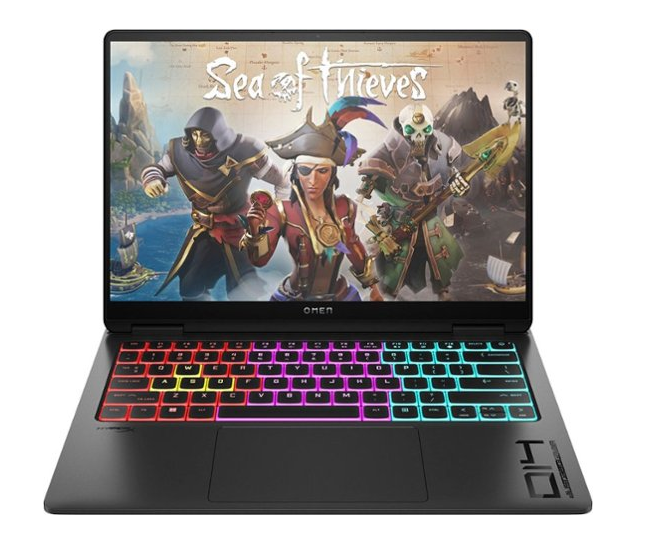
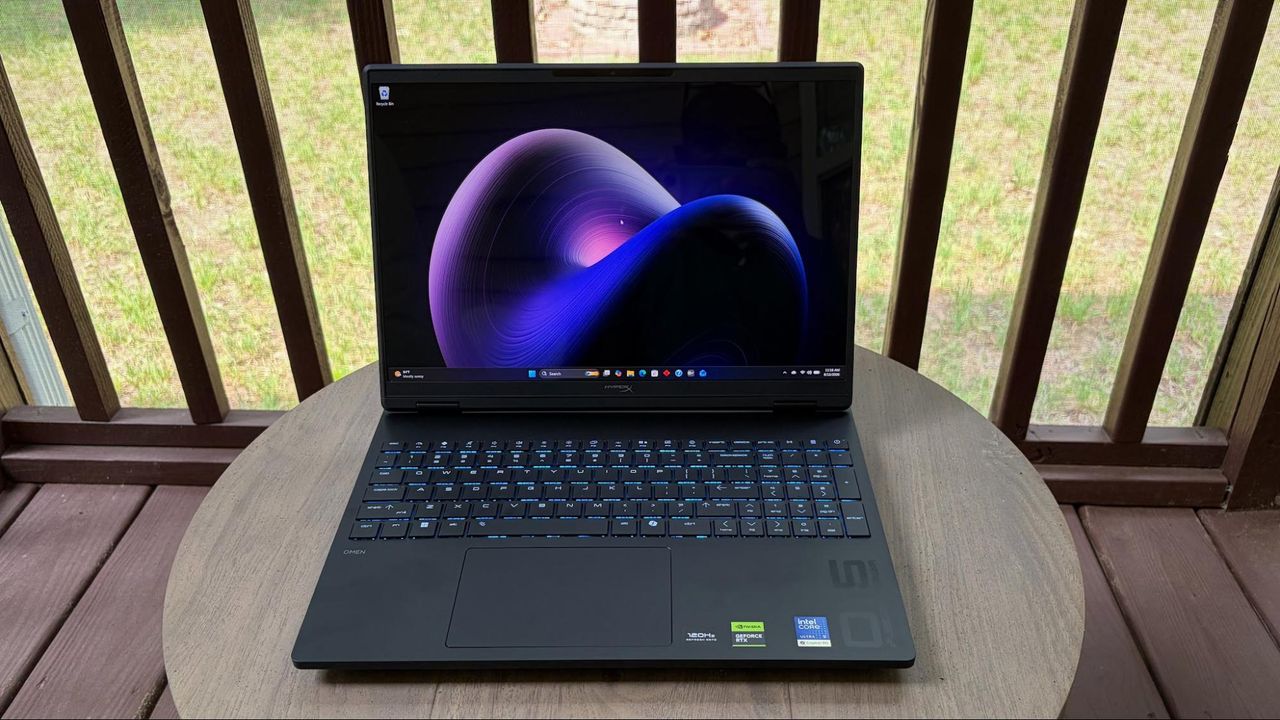
In today’s AI-dominated tech space, gamers have been bombarded with rising prices for storage, memory, and even GPUs. So gamers are increasingly looking for value when purchasing a new system. To that end, HP is attempting to deliver solid gaming performance at an accessible price with the HyperX Omen 15. It’s worth noting that the Omen now takes the place of the Victus 15 in HP’s mainstream gaming laptop range, with the Omen Max occupying the top spot.
The Omen 15 has a strong foundation with a Core Ultra 9 processor, 32GB of RAM, a 15.3-inch 1800p OLED display, and a sleek design. HP delivers all this for just over $2,000, and it has strong gaming performance, but there are compromises in chassis construction and features you’d expect at this price point.
Design of the HyperX Omen 15
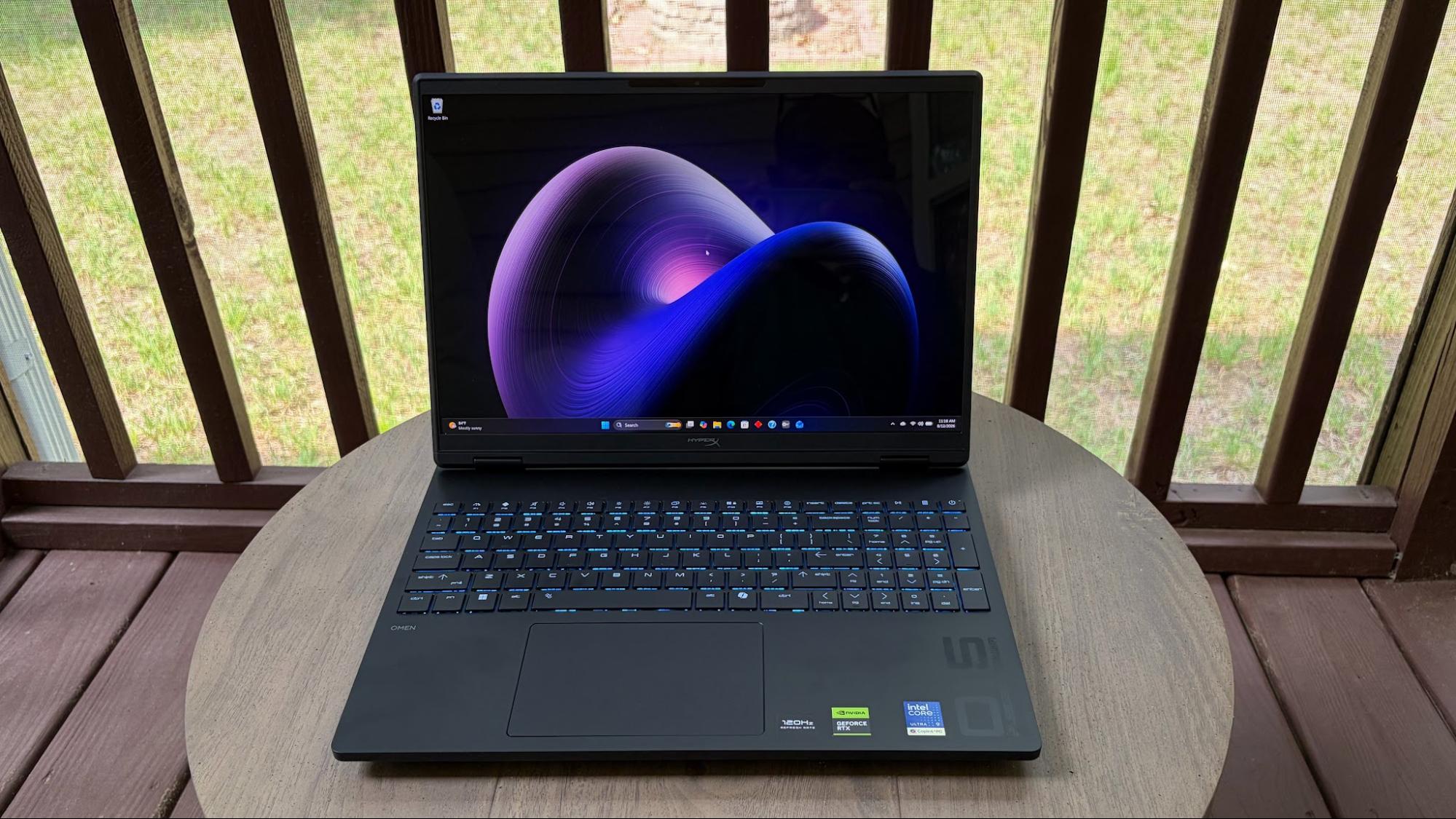
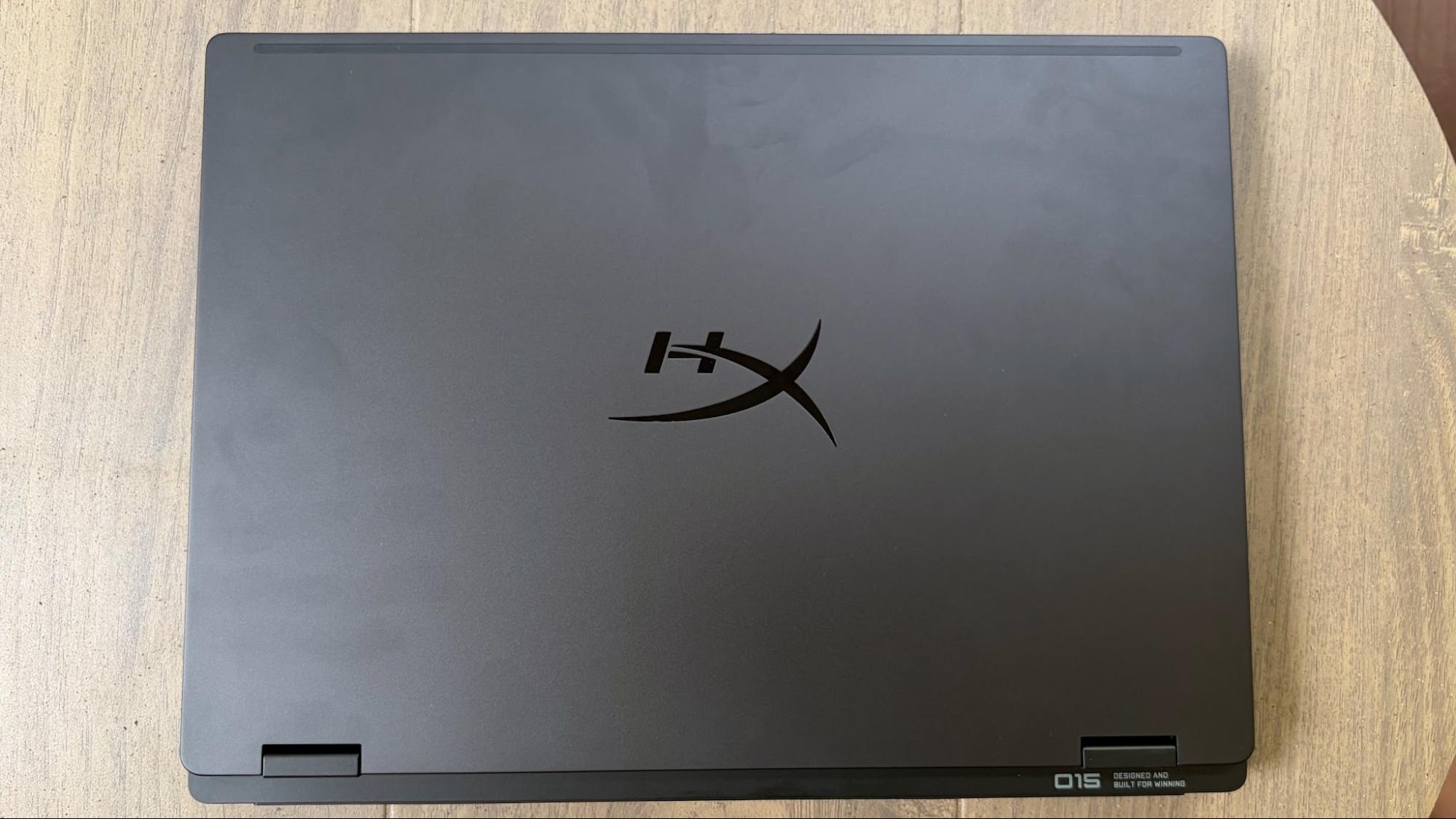
The Omen 15 shares its design language with the slightly larger Omen Max 16 that I previously reviewed. It’s an unassuming design, finished in Shadow Black, with just a hint of shimmering flakes if you look closely under light. There aren’t any garish design flourishes or additional RGB effects (other than the keyboard).
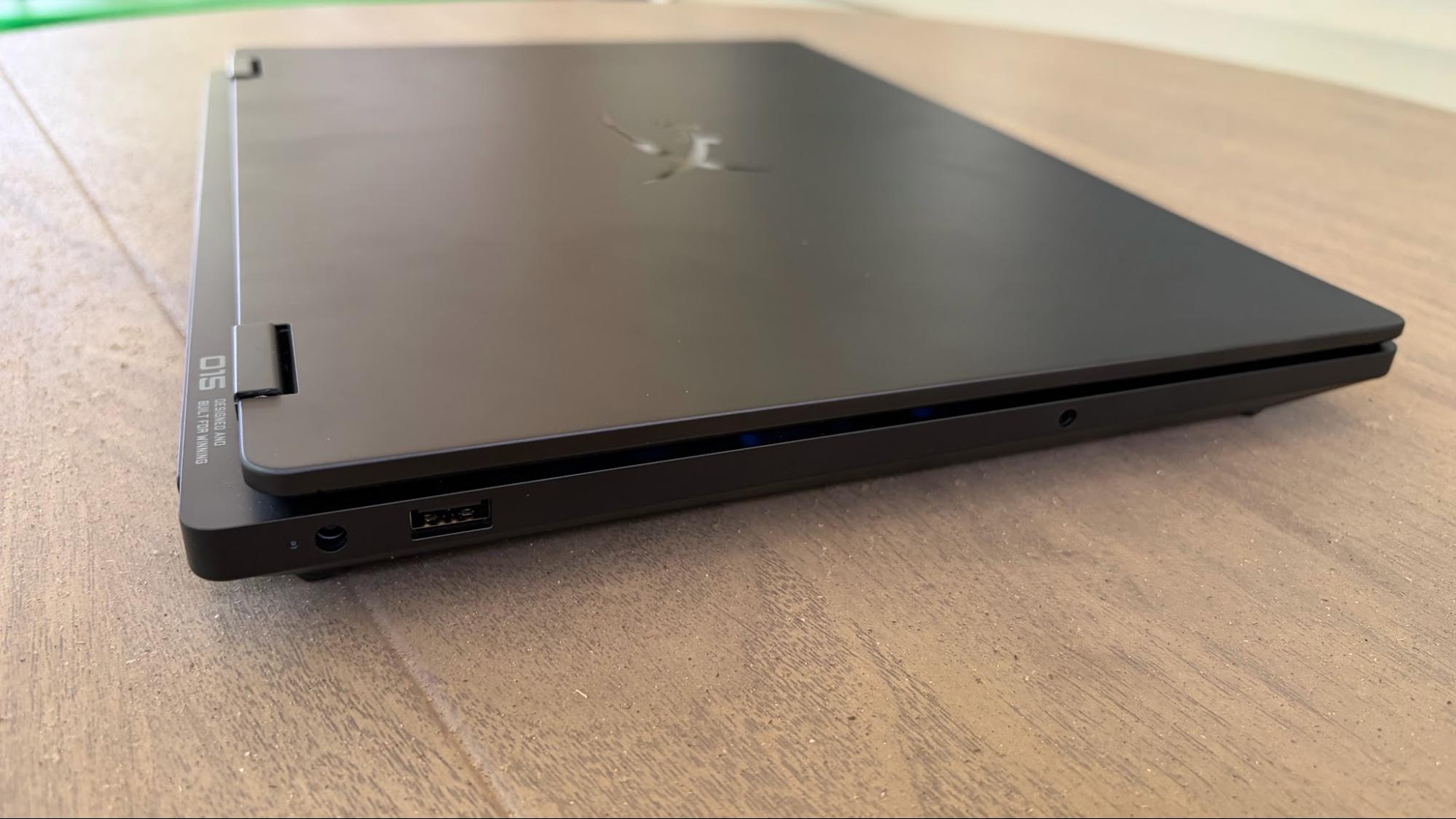
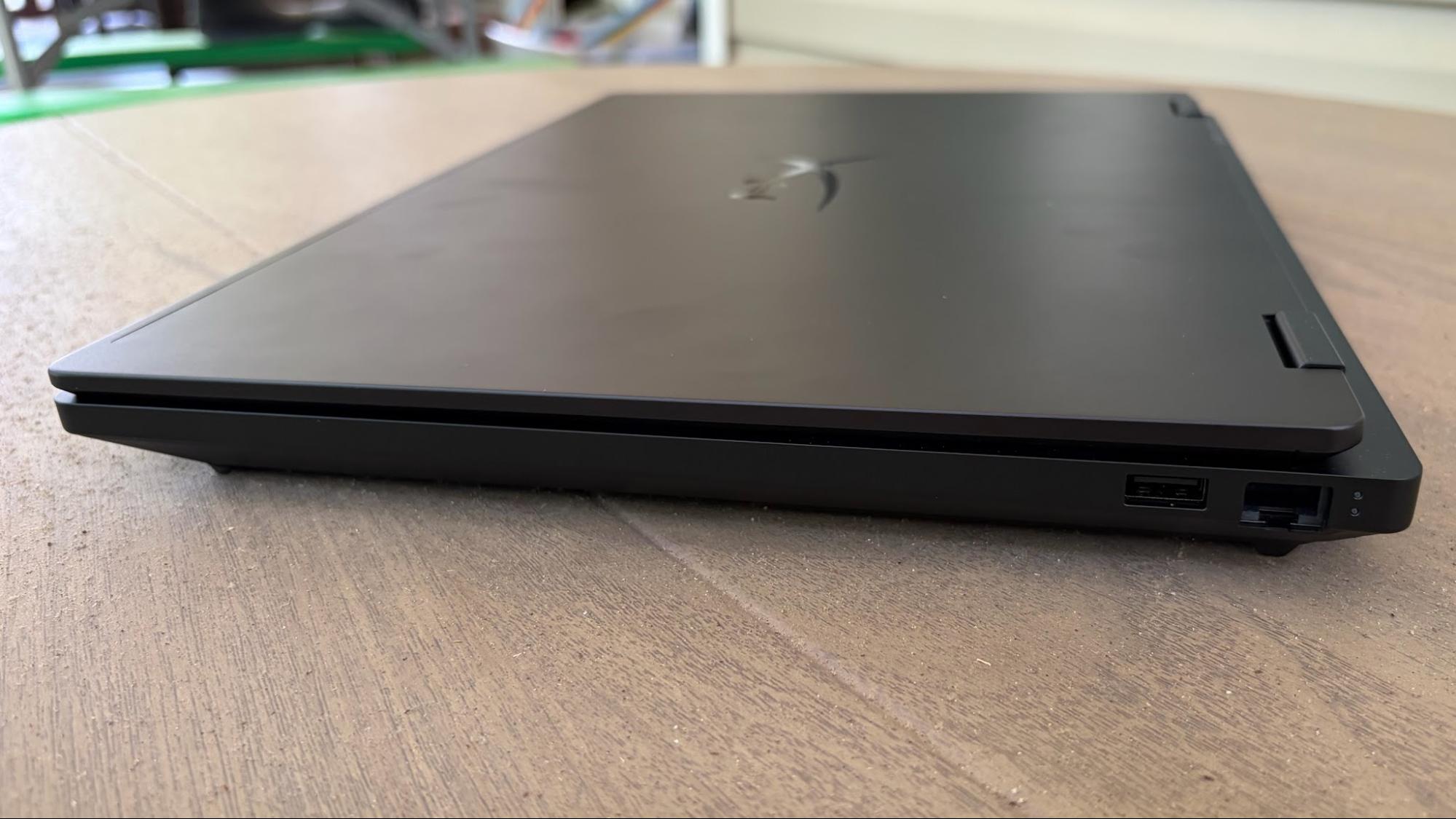
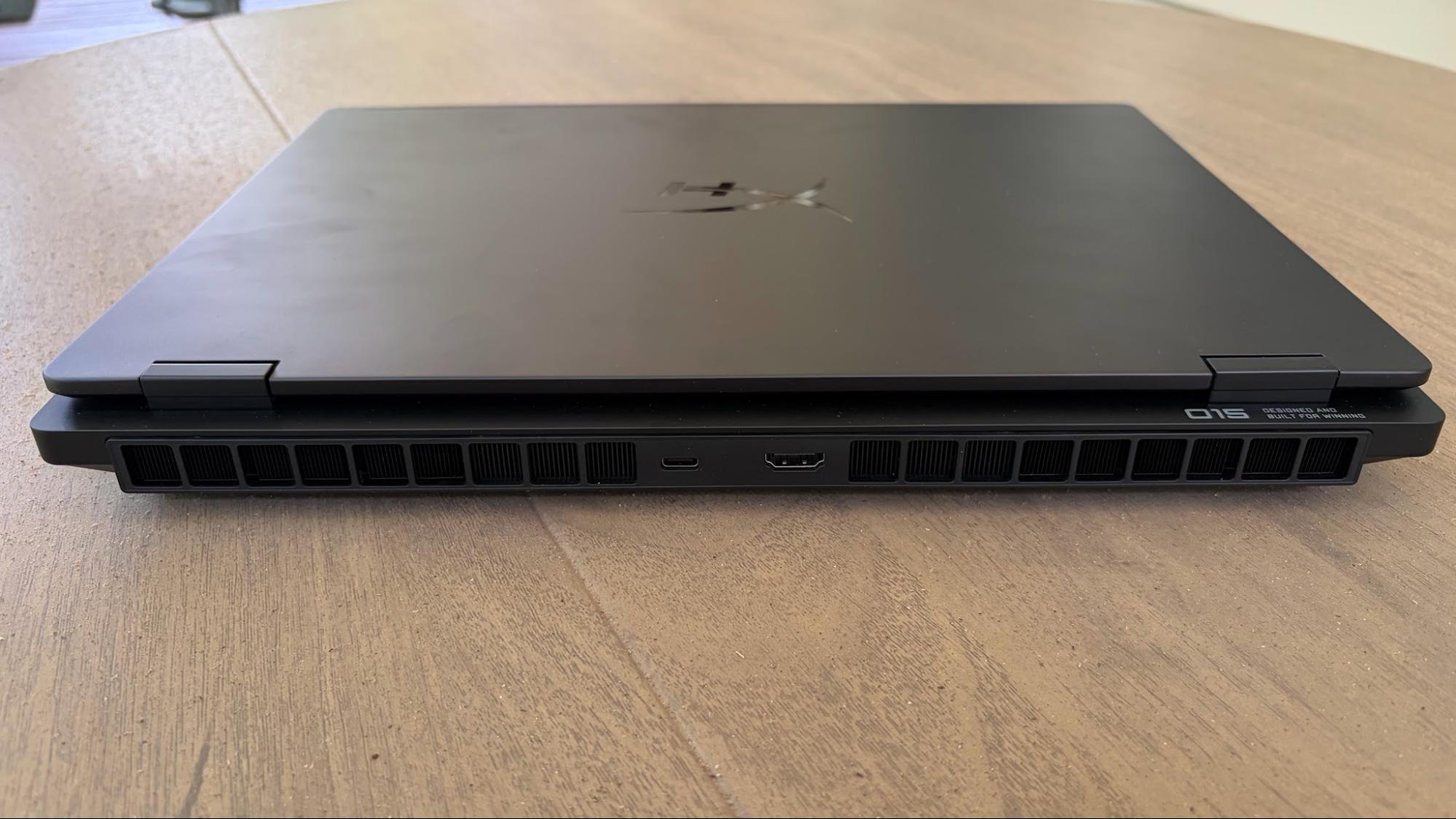
Like the Omen Max 16, the Omen 15 identifies itself with an “O15” script on the right side of the deck. Given that the Omen 15 is less than half the price of its larger sibling, you only get an aluminum lid. Everything else, including the upper and lower chassis, is constructed of a much cheaper (and more pliable) plastic.
The desk easily deforms when pressing on it, and the whole laptop flexes with minimal effort, twisting it from corner to corner. The overall feel of the laptop doesn’t quite seem up to par with what I’d expect from a gaming laptop priced over $2,000.
There’s also another interesting omission when looking around the chassis. Despite its price tag, there are no Thunderbolt ports. And you only get one USB-C 3.2 Gen 1 port on the back, beside an HDMI 2.1 port. There’s a GbE Ethernet port and a USB-A 3.2 Gen 1 port on the right side of the chassis, while a proprietary barrel-style power port, another USB-A port, and a 3.5 mm combo audio jack are on the left.
Our Omen 15 review unit measures 13.5 x 9.96 x 0.93 inches and weighs 4.89 pounds. For comparison, the Gigabyte Aero X16 is 14 x 9.9 x 0.78 inches and 4.2 pounds, while the Framework Laptop 16 measures 14.03 x 11.43 x 0.82 inches and 5.29 pounds. Finally, the Predator Triton 14 AI is 12.68 x 8.84 x 0.71 inches and 3.5 pounds (due to its smaller 14.5-inch display).
HyperX Omen 15 Specifications
CPU
Intel Core Ultra 9 386H
Graphics
Nvidia GeForce RTX 5070 Laptop GPU (8GB GDDR7, 1,642 MHz Boost Clock, 85 W Max TGP)
Our Omen 15 review unit came configured with an Intel Core Ultra 9 386H processor, 32GB of DDR5-5600 memory, and a GeForce RTX 5070 GPU (85W TGP).
As for the assembled competitors, we have the Aero X16 (Ryzen AI 7 350, 32GB, RTX 5070 85W), Predator Triton 14 AI (Core Ultra 9 288V, RTX 5070 110W), and Framework Laptop 16 (Ryzen AI 7 350, RTX 5070 100W).
I’ve been playing a lot of Battlefield 6 recently, and I tend to run at native resolution in Overkill detail mode, with DLSS Quality and frame generation enabled. However, I dialed it back to High detail mode instead of Overkill to accommodate just 8GB of memory on the RTX 5070. Using these settings, I was able to average between 70 and 85 frames per second.
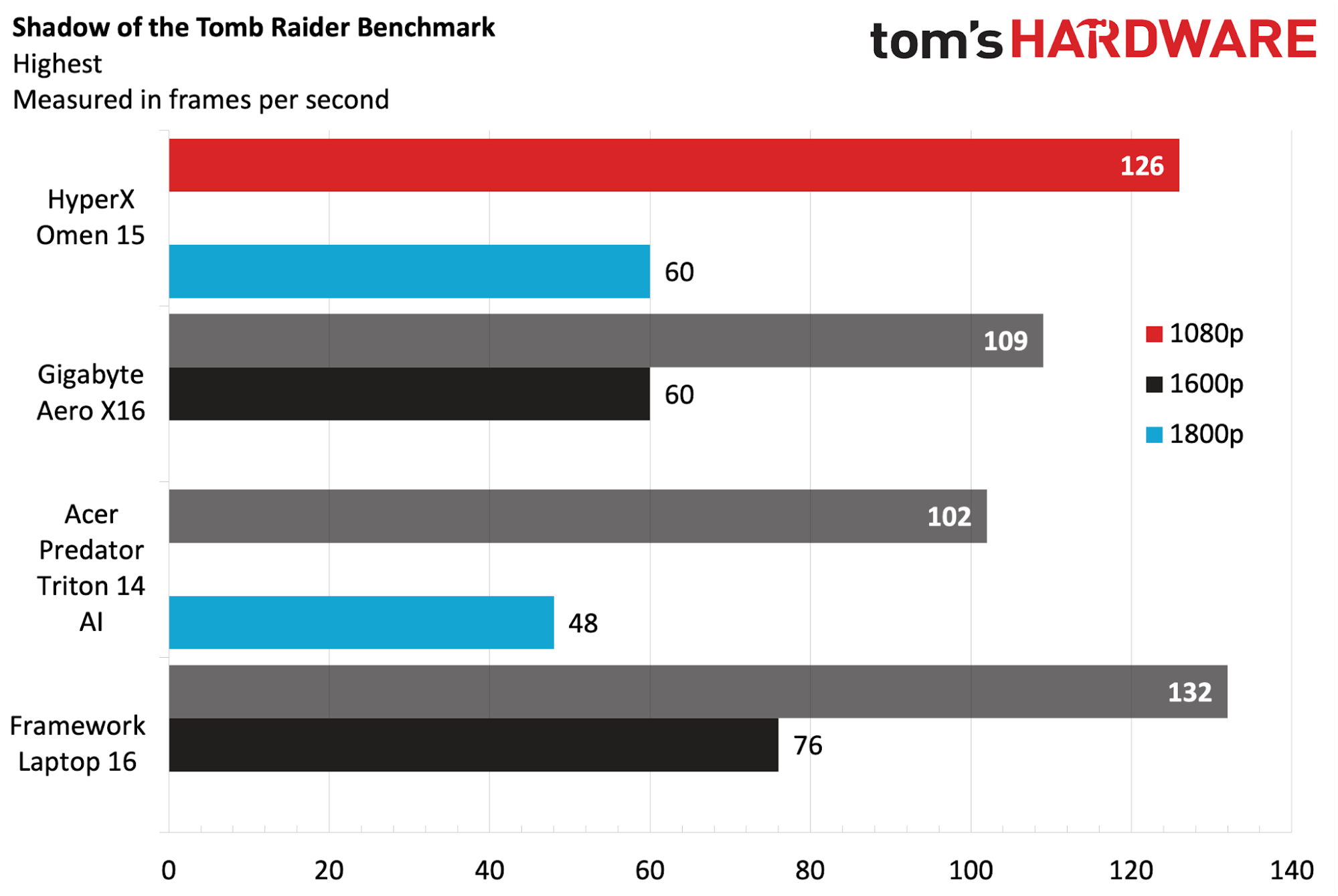
We start off our gaming benchmarks with Shadow of the Tomb Raider (Highest settings), where the Omen 15 started off on the right foot with 126 FPS at 1080p resolution and 60 FPS at 1800p. The Framework Laptop 16 eked out 6 additional FPS at 1080p and another 17 at its native resolution. However, we still consider it a good showing, given that the RTX 5070 in the Omen 15 operates at a 85W TGP (versus 100W for the Framework) and at a higher native resolution (1800p versus 1600p).
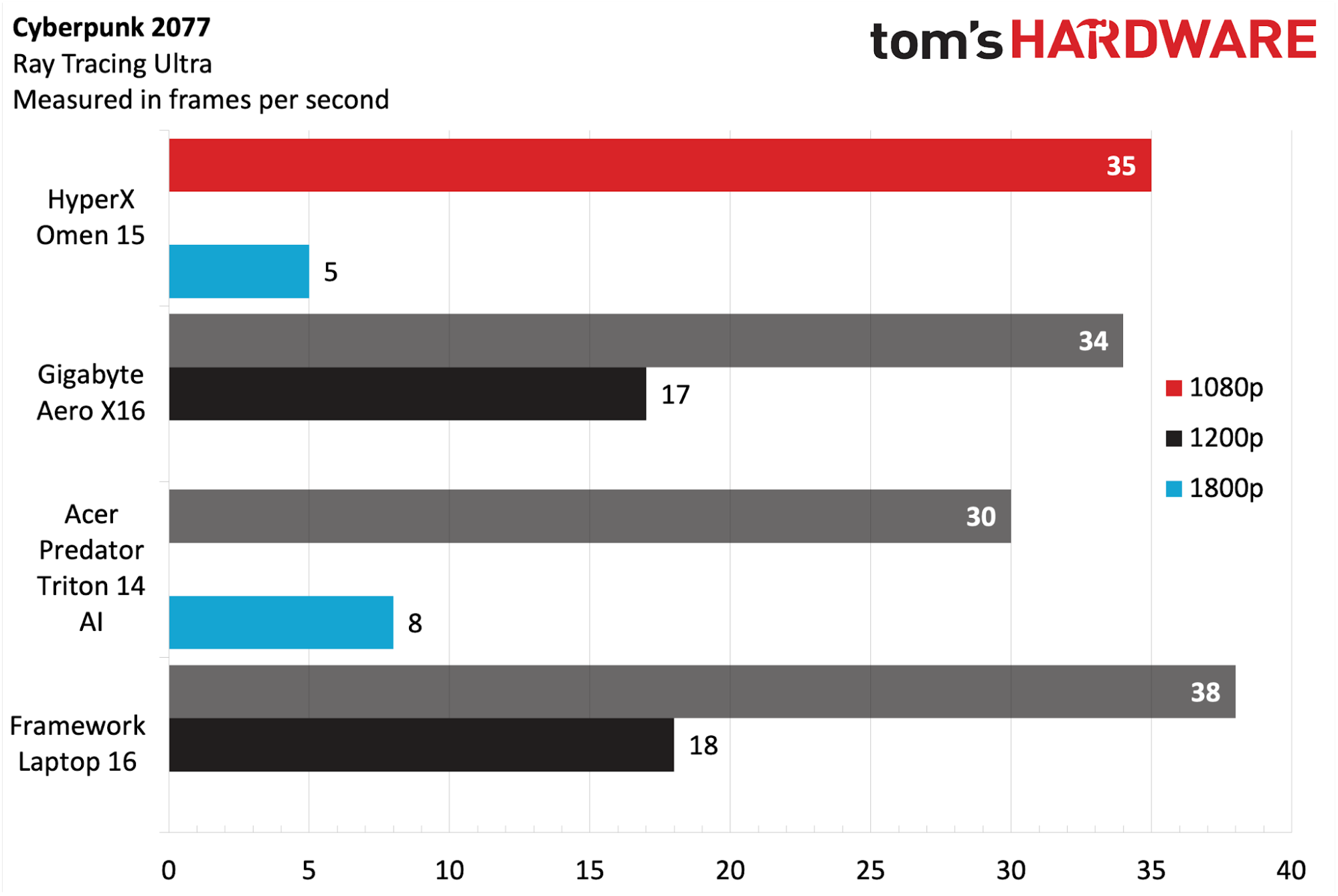
Cyberpunk 2077 (Ray Tracing Ultra settings) again saw the Omen 15 in second place to the Laptop 16. This time, it hit 35 FPS at 1080p resolution compared to 38 FPS for the Laptop 16. Performance at 1800p was in the single digits for the Omen 15, while the Laptop 16 managed 18 FPS. Both are slideshow-worthy numbers that are nothing to brag about.
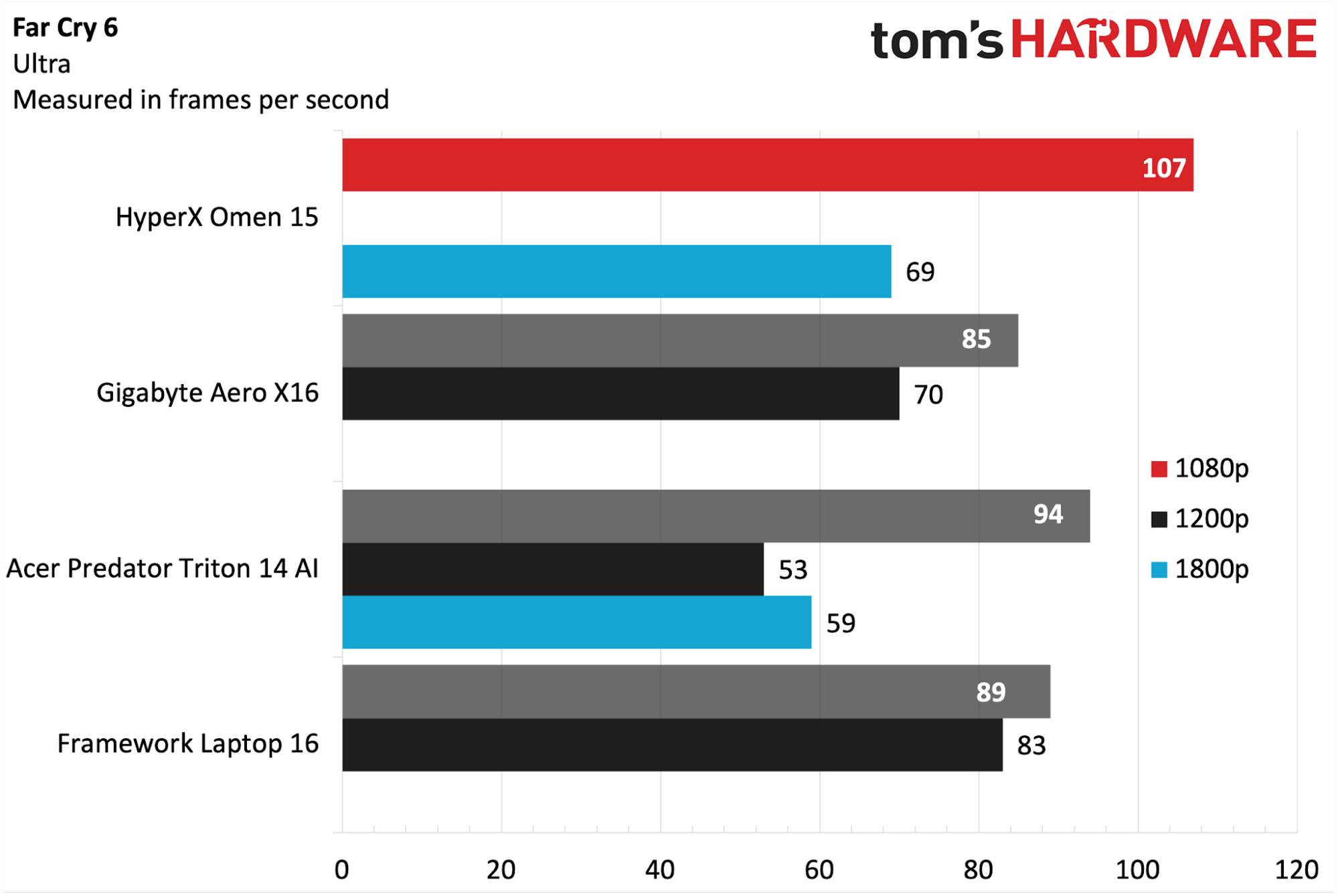
Far Cry 6 (Ultra settings) was a high point for the Omen 15, which bested all competitors with 107 FPS at 1080p resolution. Cranking the dial to 1800p, that figure dropped to 69 FPS, compared to 70 FPS for the Aero X16 running at 1600p. The Laptop 16 forged ahead with 83 FPS at 1600p.
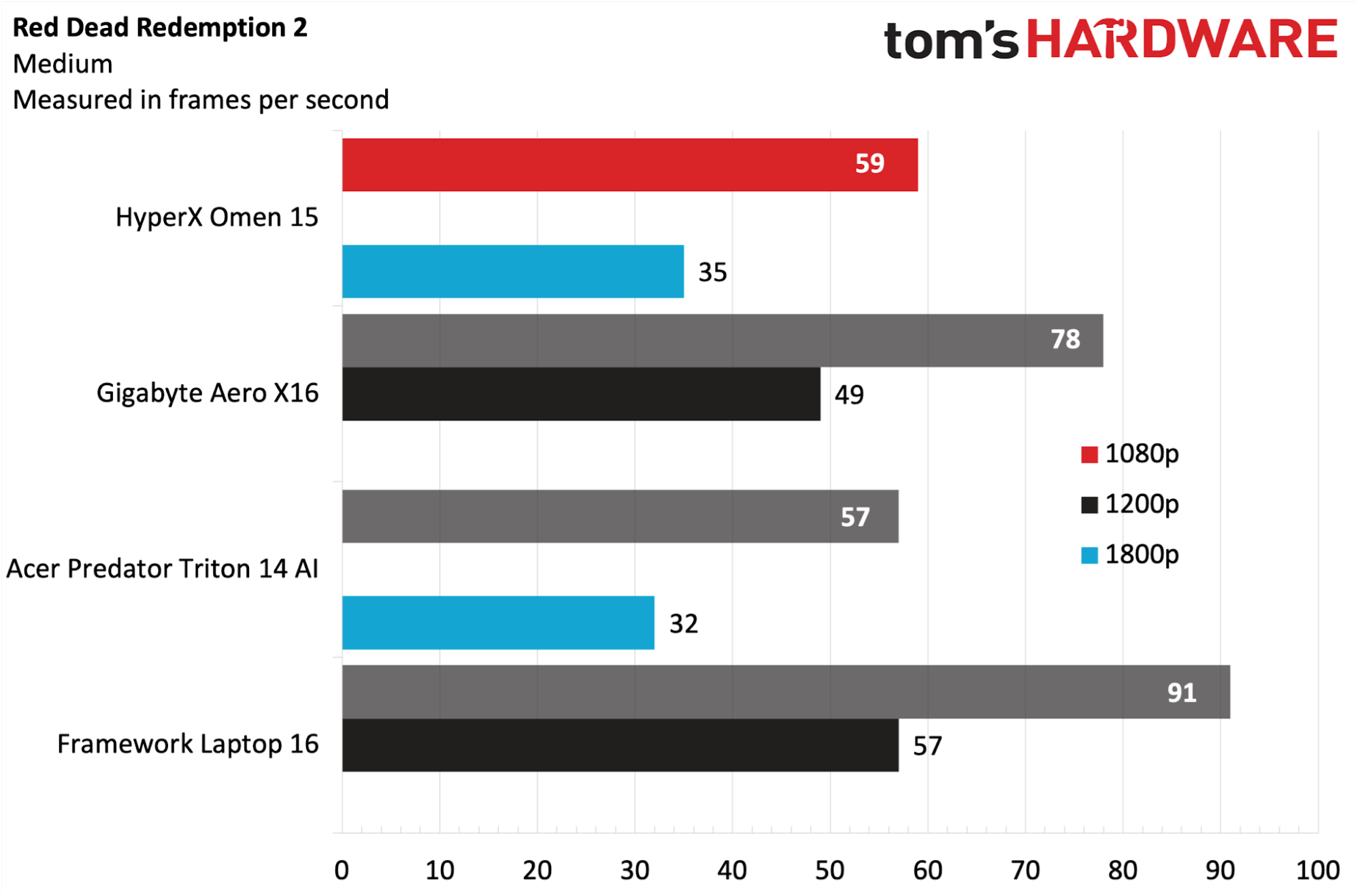
Red Dead Redemption 2 (Medium settings) was something of a sore spot for the Omen 15 (59 FPS at 1080p), which fell well below the Aero X16 (78 FPS) and the Laptop 16 (91 FPS). Boosting the resolution to 1800p also saw the Omen 15 in third place, with 35 FPS, well off the pace set by the Laptop 16 (57 FPS).
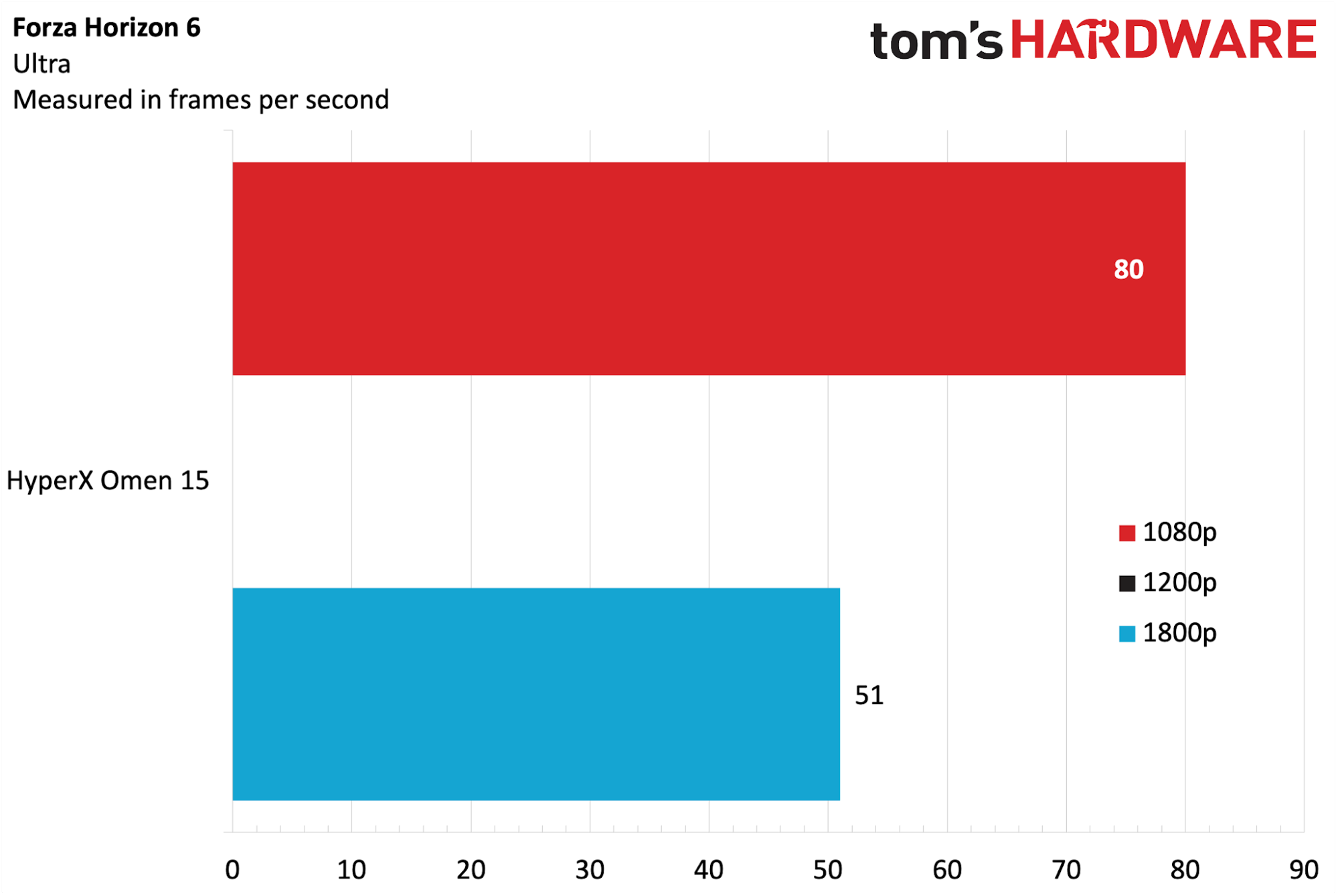
Forza Horizon 6 (Ultra settings) is a more recent benchmark in our testing suite, and so far, the Omen 15 is the only entry in this class of gaming laptops. With that said, the Omen 15 achieved 80 FPS at 1080p and 51 FPS at 1800p.
On our Metro Exodus stress test, the Omen 15 review unit averaged 141.62 FPS at 1080p across 15 loops using the RTX preset. The CPU performance cores averaged 3.52 GHz, the efficiency cores averaged 2.82 GHz, and the low-power efficiency cores ran at 1.9 GHz. The RTX 5070 GPU averaged 2.0 GHz.
Productivity Performance on the HyperX Omen 15
With a Core Ultra 9 386H processor, 32GB of DDR5-5600 memory, and a 1TB PCIe 4.0 SSD onboard, we expected solid performance from the Omen 15. Those expectations were met in terms of CPU performance, while storage performance lagged a bit behind the competition.
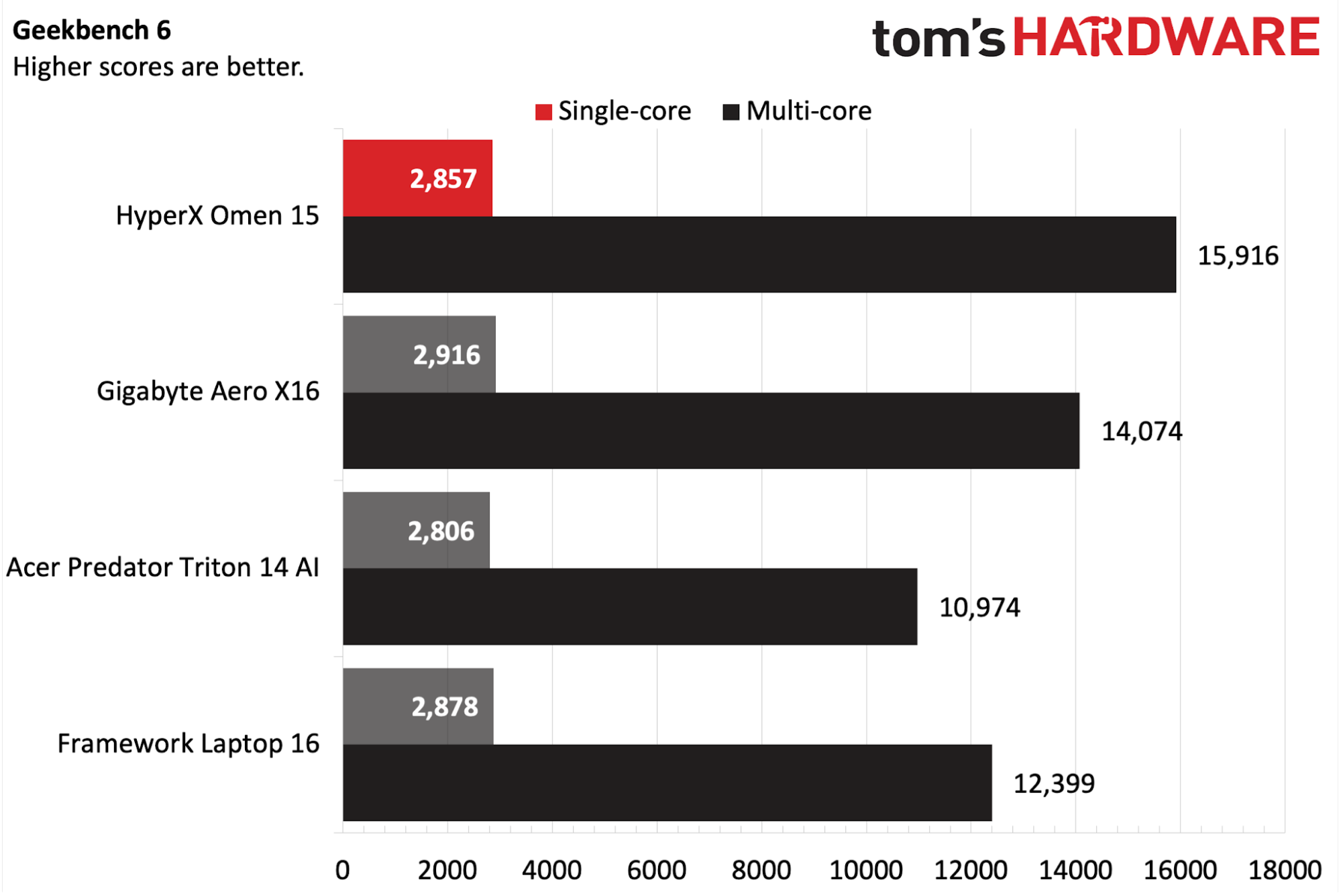
The Omen 15 performed well in Geekbench 6, hitting 2,857 in the single-core benchmark, keeping it right in the mix with the other competitors. However, it sprinted out ahead of the pack in multi-core, delivering 15,916 compared to 14,074 on the second-place Aero X16.
Tom's HardwareTom's HardwareTom's Hardware
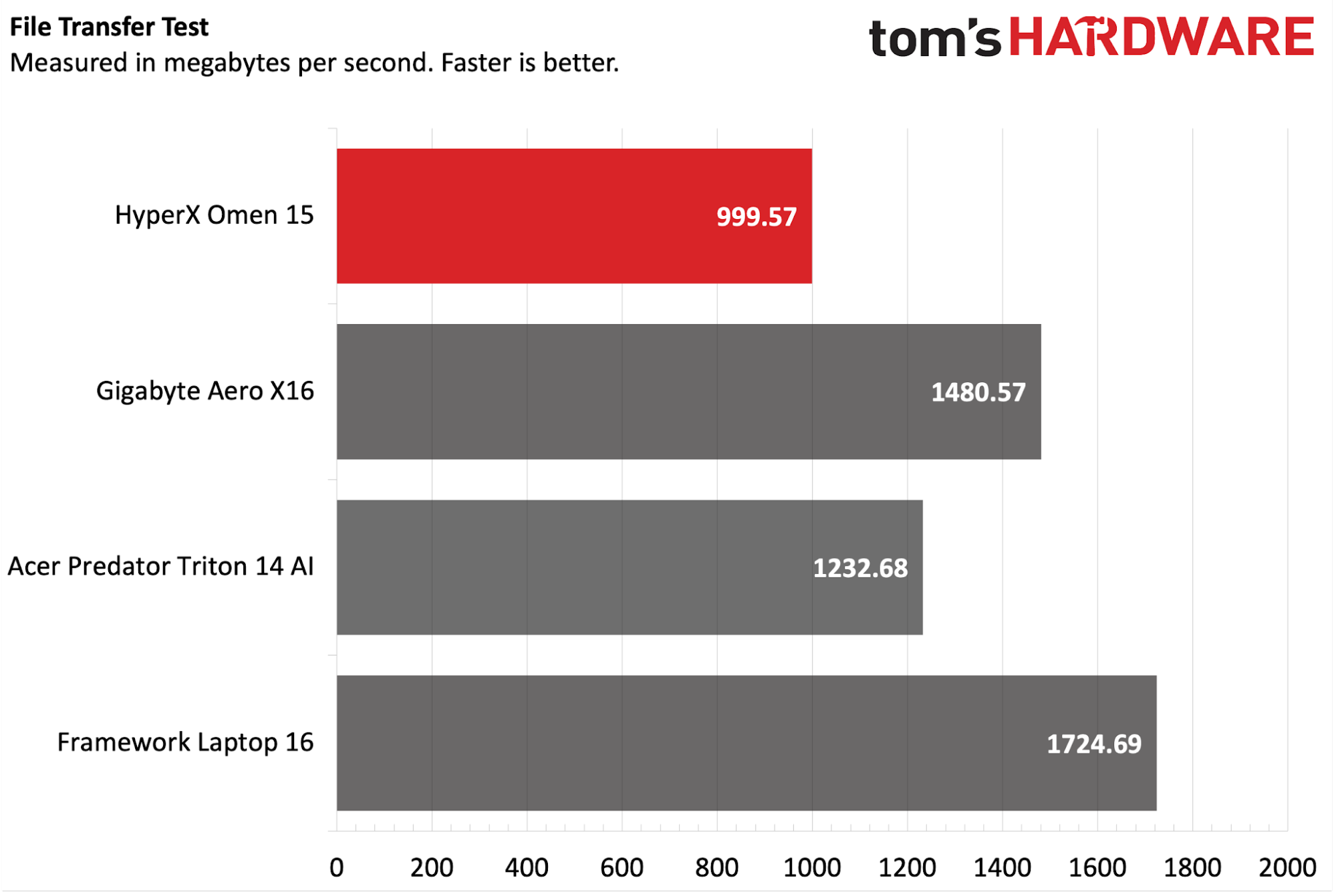
The Omen 15 was at the back of the pack on our file transfer test, coming in at 999 MBps from the Samsung MZVMX1T0HCLD-00BH1 SSD versus an average of around just under 1,500 MBps for the other three competitors.
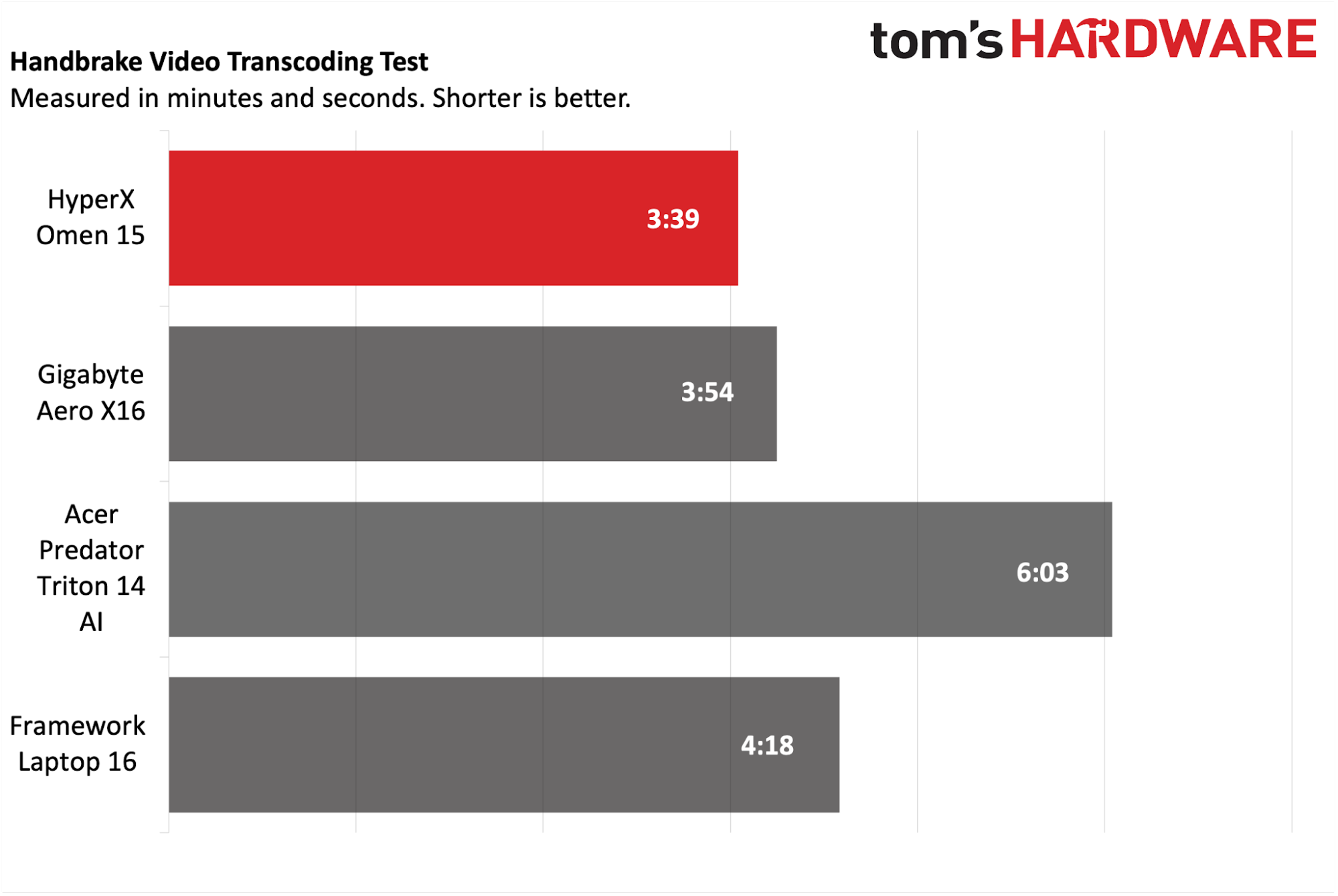
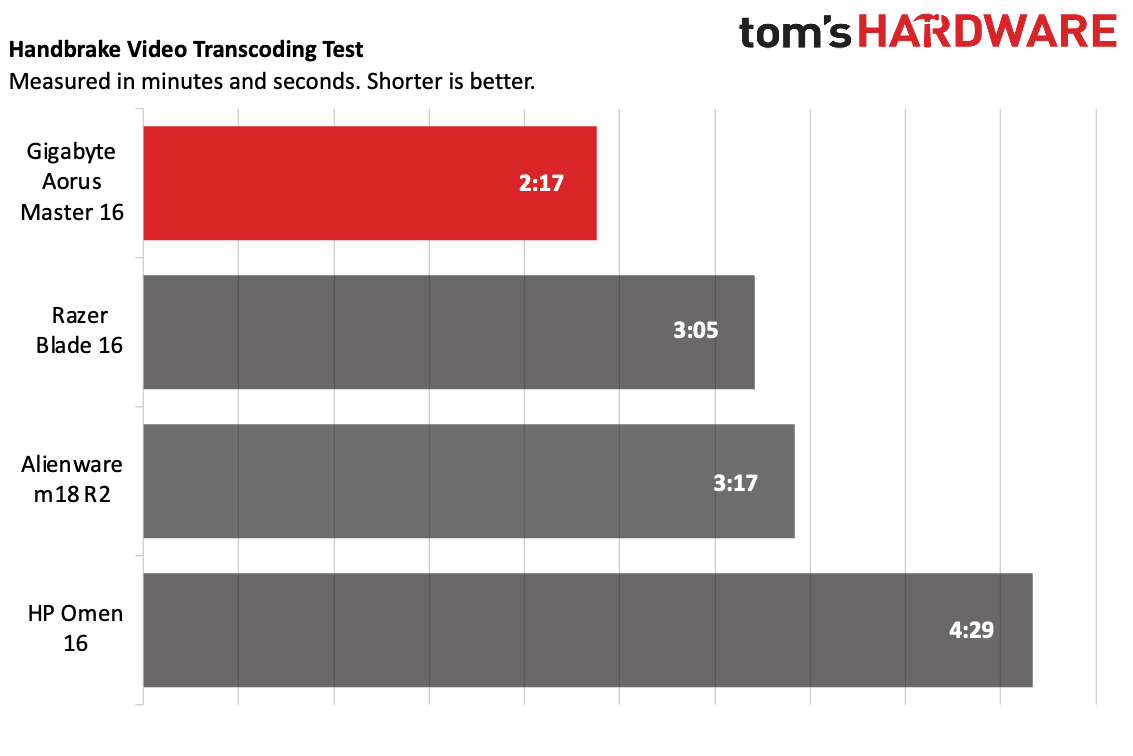
Moving on to our HandBrake test, where we transcode a 4K video file to 1080p, the Omen 15 took the top spot, finishing the task in 3 minutes and 39 seconds. That was about 15 seconds faster than the second-place Aero X16.
Display on the HyperX Omen 15
Our review unit came equipped with a 15.3-inch 2880 x 1800 OLED display. Interestingly, the refresh rate is limited to just 120 Hz, compared to the faster 144 Hz to 165 Hz that we see in competitors like the Aero X16 and Laptop 16.
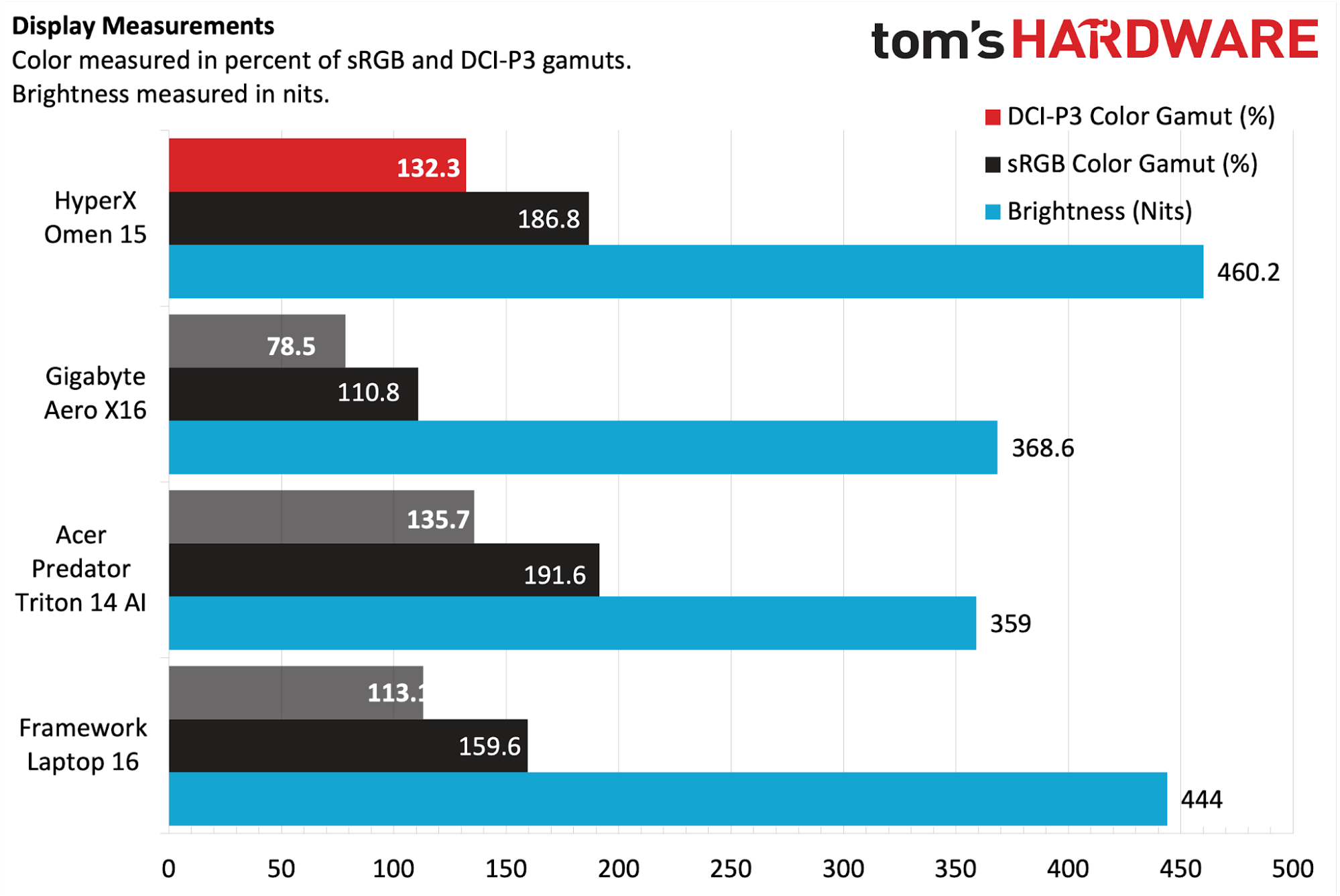
The Omen 15’s OLED panel performed roughly on par with the rest of the laptops in this segment, as it covered 132.3 percent of the DCI-P3 color space and 186.8 percent of sRGB. It even managed to take the top spot in the brightness category, hitting 460.2 nits compared to 444 nits for the Laptop 16.
(Image credit: Tom's Hardware)
I love OLED panels, and the 1800p unit on the Omen 15 just proves that that love shows no sign of abating. Colors looked rich, blacks were jet black, and brightness levels in my home office setting (with an abundance of overhead lighting) were more than adequate.
I played quite a bit of Forza Horizon 6 using the Omen 15, and marveled at the bright, colorful, and reflective car bodies as I competed in various events.
Keyboard and Touchpad on the HyperX Omen 15
There have been noticeable improvements made to the Omen 15’s keyboard, at least compared to the previous Victus 15. The biggest change is the move from half-height arrow keys to full-size. The tiny, half-height function keys have also been enlarged.
HP also boasts of an 8K polling rate for the Omen 15’s keyboard (equating to a response time of 0.125 ms). I wouldn’t consider myself to be a highly competitive gamer, so any upgrades in this area are lost on me. The keyboard also features 4-zone RGB backlighting.
(Image credit: Tom's Hardware)
Using the Keyhero.com typing test, I averaged around 87 words per minute with 95% accuracy, which is on par with my typical typing speed. I found the keyboard comfortable for typing and gaming.
There’s nothing particularly noteworthy about the touchpad, which features a top-hinged design. Its surface allowed my finger to glide smoothly, although it is a bit loud and clanky when clicked.
Audio on the HyperX Omen 15
The Omen 15 features stereo speakers supporting DTS:X Ultra and HyperX Audio Control. I was pleasantly surprised by the sound emanating from the speaker, which was rich in volume and clarity. While lacking any real semblance of bass, the underlying output was clean.
I took the opportunity to fire up “Mujahadin and Opium,” which is a horn- and string-filled track by John Barry from The Living Daylights soundtrack. There is just something very chilling about the interplay of the strings and horns; the former of which starts the track, while the latter beautifully fills in classic James Bond tradition.
The speakers also did well to mimic engine sounds as I went corner carving in Forza Horizon 6, be it a high-strung flat-6 or a burbling V8.
Upgradeability of the HyperX Omen 15
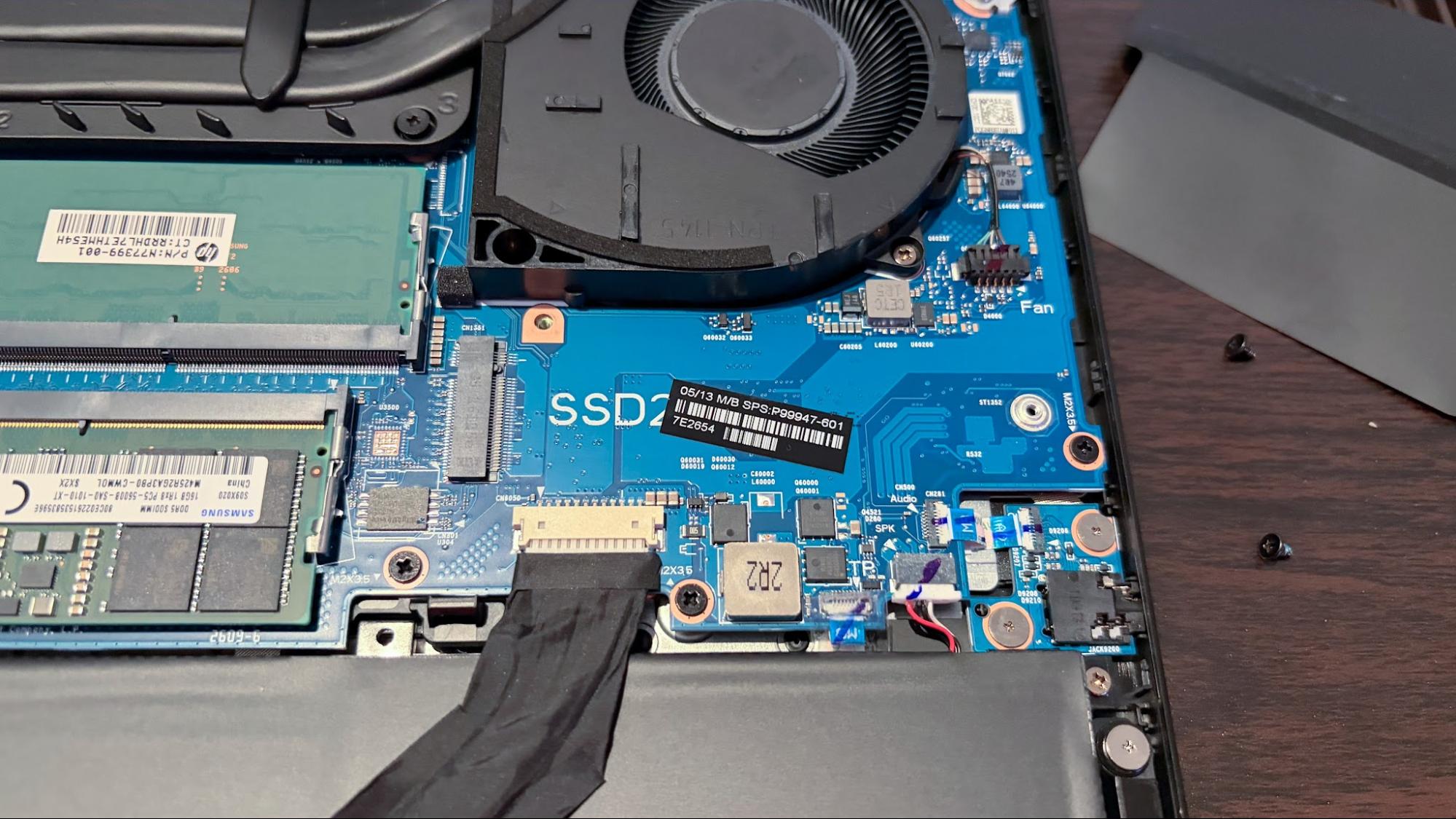
Flipping the Omen 15 over to reveal its bottom panel, you’ll find five screws holding it in place. Three of the screws are exposed, while the two corner screws at the back are hidden beneath tiny rubber plugs. I needed to use a safety pin to pry them out, which was annoying.
With the panel removed, you’ll find easy access to the battery, both M.2 SSD bays, the Wi-Fi card, and the two SO-DIMM slots (which are covered by a flexible I/O shield).
Battery Life on the HyperX Omen 15
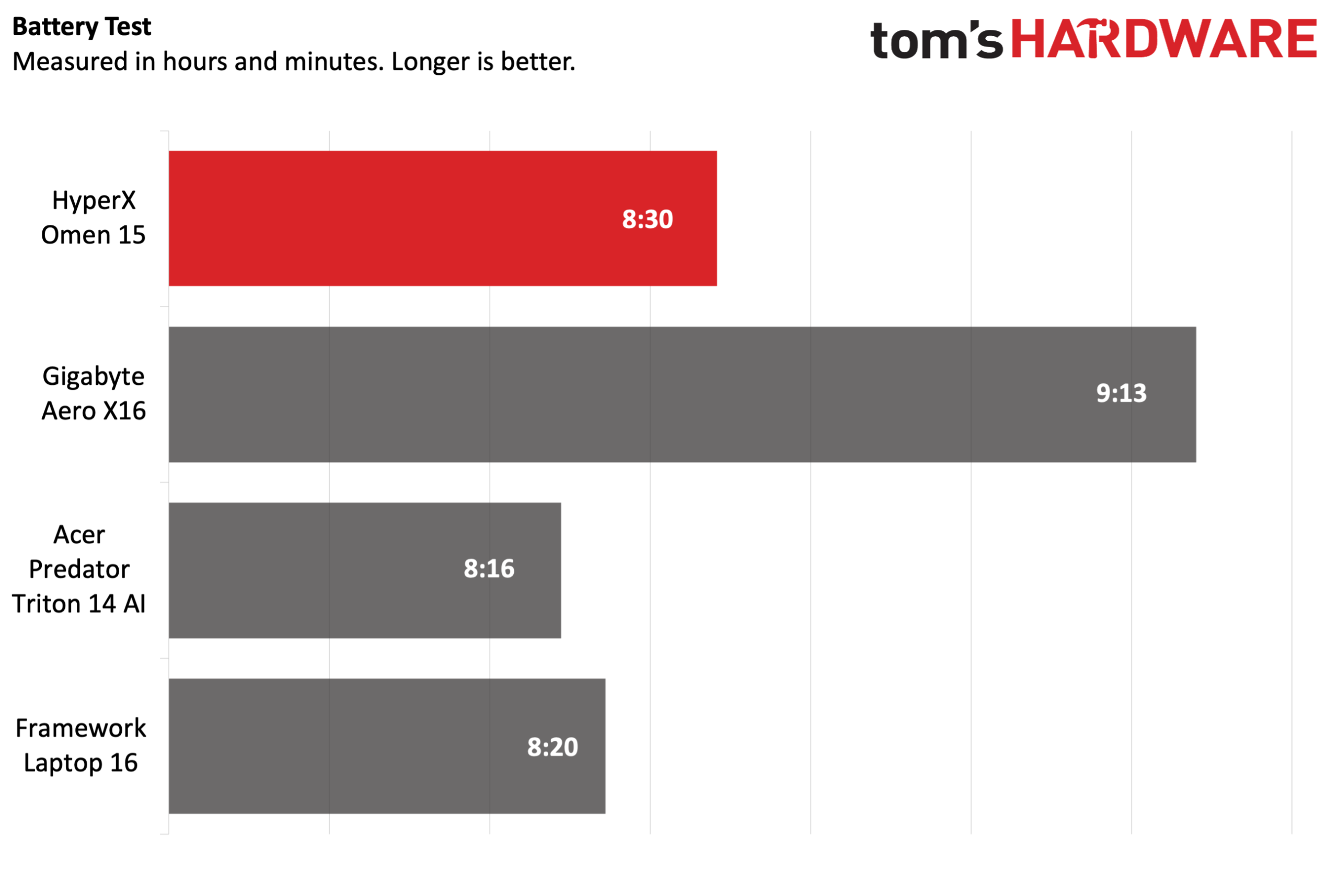
The Omen 15 is powered by a 70 WHr battery, and it performed well against its peers. Our battery test leverages web browsing, video streaming over Wi-Fi, and OpenGL testing with the screen brightness set at 150 nits.
(Image credit: Tom's Hardware)
The HyperX laptop endured for 8 hours and 30 minutes, which was 10 minutes longer than the Laptop 16 and 14 minutes longer than the Predator Triton 14 AI. However, it was no match for the Aero X16, which lasted 9 hours and 13 minutes.
Heat on the HyperX Omen 15
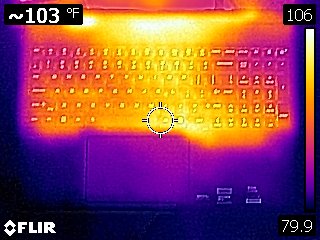
During the Metro Exodus stress test, we measured the Omen 15's keyboard at 95.4 degrees Fahrenheit (F) between the G and H keys, while the touchpad was 85.1 F.
Tom's HardwareTom's Hardware
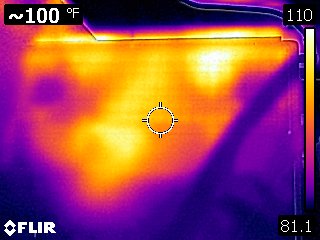
The hottest part of the laptop was near the bottom-rear of the chassis, measuring 110 F.
While running the Metro Exodus stress test, the CPU measured 63.4 degrees Celsius (C). Meanwhile, the RTX 5070 came in at 63.2 C.
Webcam on the HyperX Omen 15
The Omen 15 uses a standard 1080p webcam with IR capabilities, meaning it can be used with Windows Hello biometric authentication in Windows 11.
The camera is fine, and by no means a standout in any particular area. It covers the basics, offering decent color reproduction, and did a passable job of picking out my facial hair. However, I did notice a fair amount of noise in the image. However, if you mainly use the camera to hop on a few Zoom calls here and there, it’s more than adequate.
HyperX Omen 15 Software and Warranty
HP has no qualms about loading up its systems with a copious amount of apps, as you'll find a variety of software including HP, HP Documentation, HP PC Hardware Diagnostics, HP Smart, HP Privacy Settings, and HP TV+ (and that's not even all of them).
However, the HP utility that you'll probably interact with the most is the Omen Gaming Hub. Here you'll find controls for tweaking nearly every aspect of the system, from power modes to RGB lighting for the keyboard.
The Omen 15 comes with a one-year manufacturer warranty.
HyperX Omen 15 Configurations
Our Omen 15 review unit came configured with an Intel Core Ultra 9 386H processor, 32GB of DDR5-5600 memory, a 1TB PCIe 4.0 SSD, GeForce RTX 5070 GPU, and a 2880 x 1800 OLED 120 Hz display. It’s listed on HP’s website with an MSRP of $2,799, but is currently available for $2,099 with a 25% off coupon.
There are various configurations available with slightly different specs, but the 15-ga0762nr SKU features a Core i7-14650HX processor, 16GB of DDR5-5600 RAM, a 1TB PCIe 4.0 SSD, an RTX 5060 GPU, and a 2560 x 1600 OLED with a 180 Hz refresh rate. This system is priced at $1,999, or just a $100 discount compared to our review unit’s sale price. However, the price disparity makes more sense when you consider our review unit’s MSRP.
Bottom Line
On the one hand, the HyperX Omen 15 has solid gaming performance across the board, and its CPU performance in productivity tasks is top-of-the-class. In addition, the 15.3-inch OLED display looks great and offers an expansive 2880 x 1800 resolution.
On the other hand, the chassis is constructed of cheap and flexy plastic, while SSD performance lags behind its competitors. In addition, the display is limited to a 120 Hz refresh rate, and you don’t get any Thunderbolt ports (if that’s something that’s important to you at this price point).
Where things get even more complicated is with pricing. Our review unit carries an MSRP of $2,799, but HP is currently selling it for $2,099 after discounts. At MSRP, our review unit is an absolute non-starter, while the sale price makes it a much more palatable option. But even at its sale price, we feel that the Gigabyte Aero X16 makes a far more compelling buy at just $1,799.
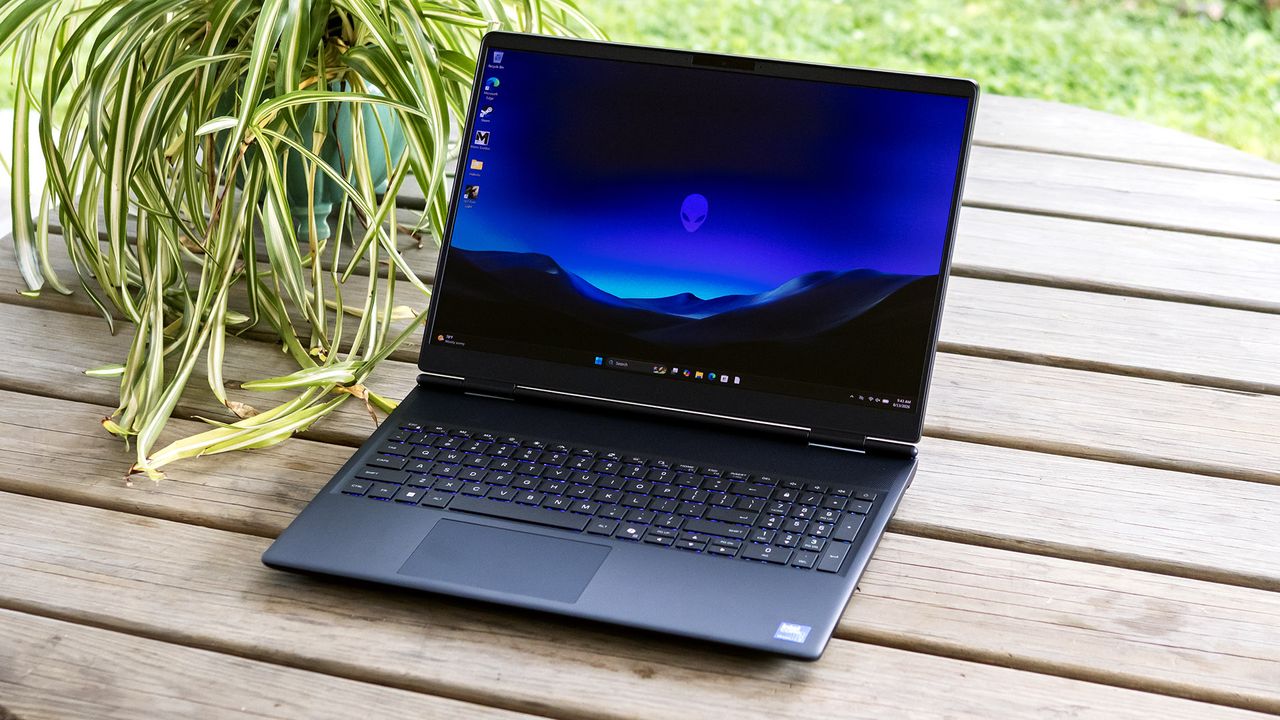
Alienware’s 16X Aurora (starts at $1,979.99) isn’t just another spec-sheet powerhouse – it’s a statement in restraint. Alienware has shifted toward performance-first minimalism with a cleaner, RGB-free chassis, but it doesn’t compromise on the specs: a 16-inch OLED display running at a blistering 240 Hz, Intel’s Core Ultra HX-series CPU, and Nvidia’s latest RTX 50-series graphics. While its bulk and limited battery life prevents it from being a great travel companion, the Aurora’s overall competence make it worth your attention.
Design of the Alienware 16X Aurora
The Aurora is a discreet gaming laptop. Aside from its nearly inch-thick profile, it does little to distinguish itself. Alienware’s “interstellar indigo” chassis is plain, and the iconic Alien head on the lid is hard to see against it. Unlike many previous-generation Alienware laptops, this one has no external lighting.
Tom's HardwareTom's Hardware
Alienware’s build quality is substantial, with aluminum top and bottom panels. A magnesium internal frame keeps the laptop rigid, though the lid can still be opened one-handed. Rounded edges on the bottom of the chassis make the Aurora comfortable to transport, though at 5.66 pounds, it’s a handful. Acer’s Nitro V 16S AI (4.55 pounds) and Gigabyte’s Aero X16 (4.2 pounds) are much lighter.
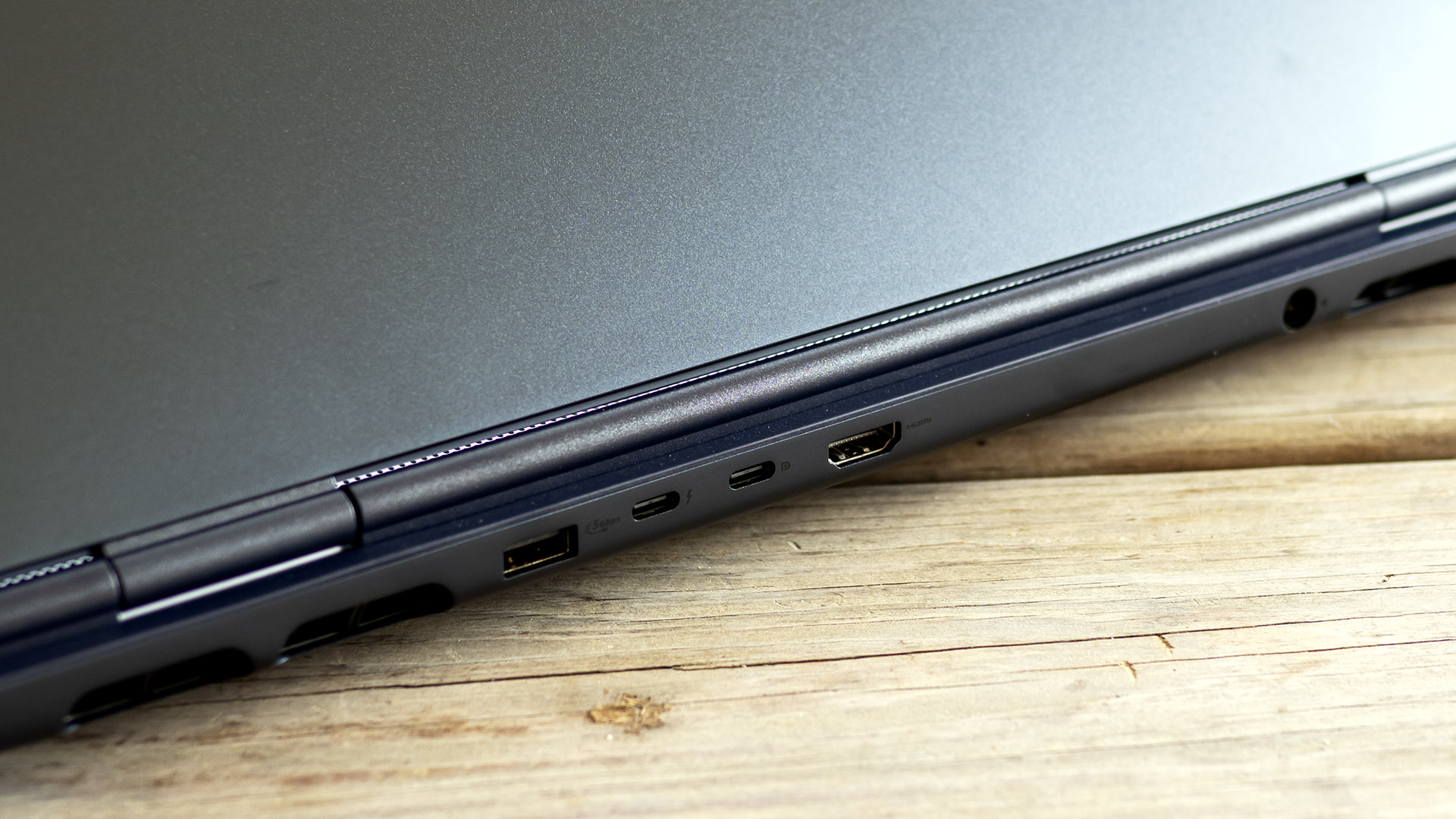
Alienware’s port selection spreads across the left and rear edges: Thunderbolt 4, USB-C (10 Gbps), two USB-A (5 Gbps), HDMI 2.1, Ethernet, and an audio jack. Having some connections on the back, particularly the barrel-style power connector, preserves mouse space. Internally, the Aurora includes Wi-Fi 7 courtesy of a MediaTek MT7925 card.
We tested the 16X Aurora in its entry-level configuration, featuring a Core Ultra 7 270HX Plus processor, a GeForce RTX 5060 GPU, and 16GB of dual-channel DDR5-5600 RAM.
I saw between 60 and 70 frames per second (fps) playing 007 First Light at 2560 x 1600 with medium settings and DLSS (but not frame generation). The game ran smoothly and didn’t stutter.
For performance comparisons, the Aurora faced the Acer Nitro V 16S AI (Ryzen 7 260, RTX 5060 85 W, $1,299.99 when tested), the Asus TUF Gaming F16 (Core i7-14650HX, RTX 5050 115 W, $1,199.99), and the Gigabyte Aero X16 (Ryzen AI 7 350, RTX 5070 85 W, $1,899.99).
Our comparisons will focus on the 1920 x 1080 resolution. We also included results at each laptop's native resolution: 2560 x 1600 for our Aurora as well as the Gigabyte Aero X16, and 1920 x 1200 for the Acer Nitro and Asus TUF units.
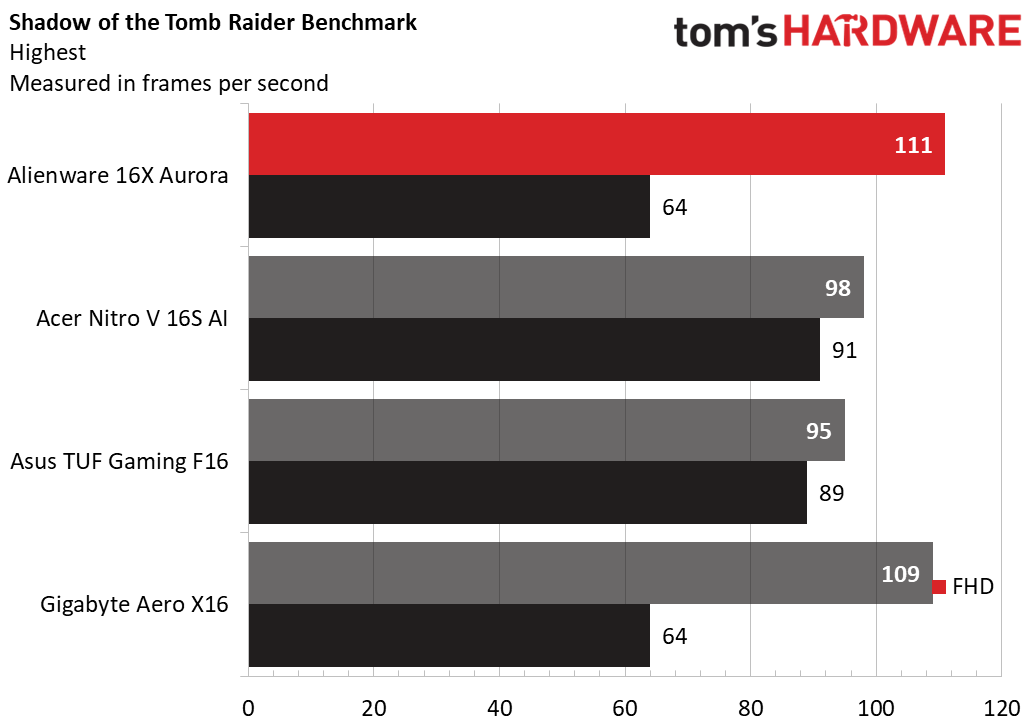
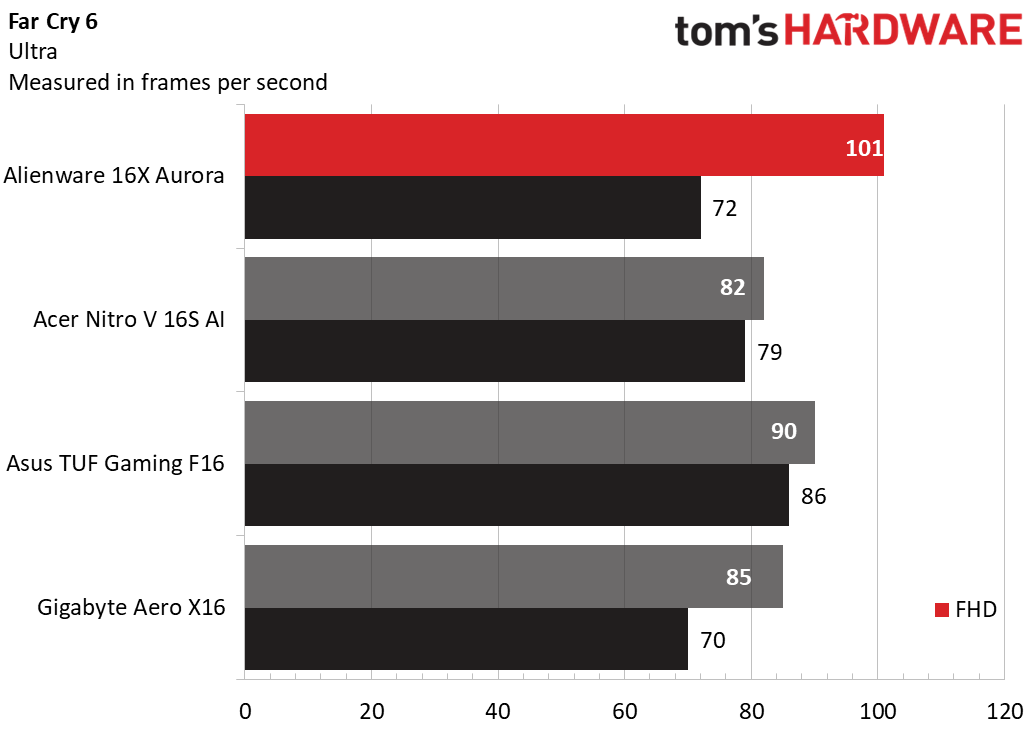
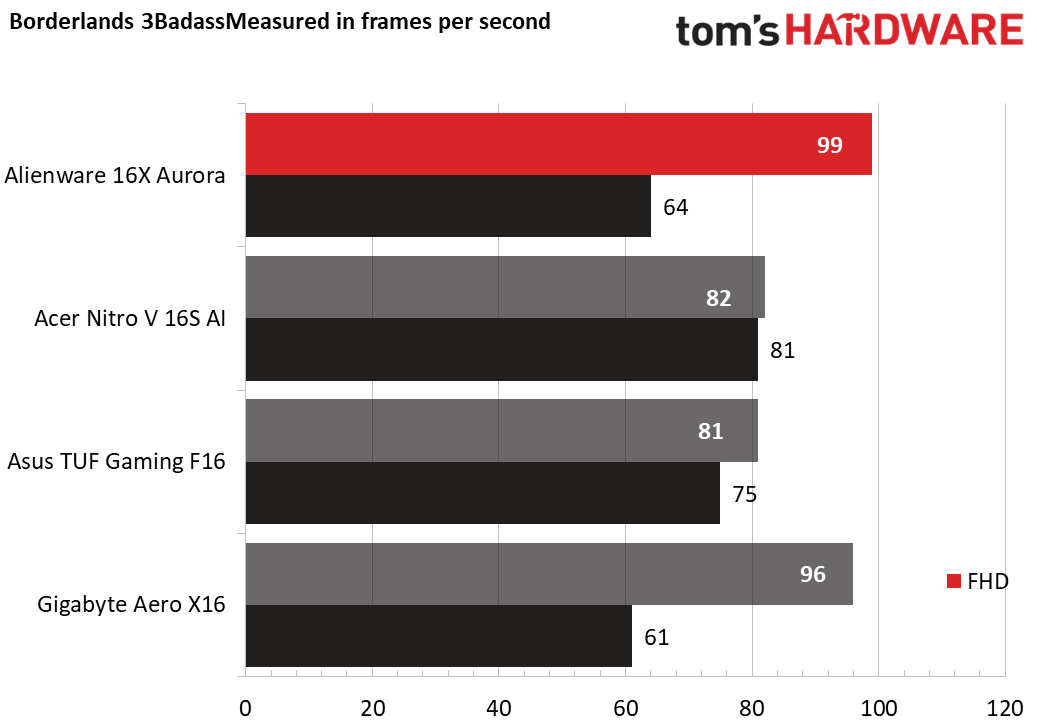
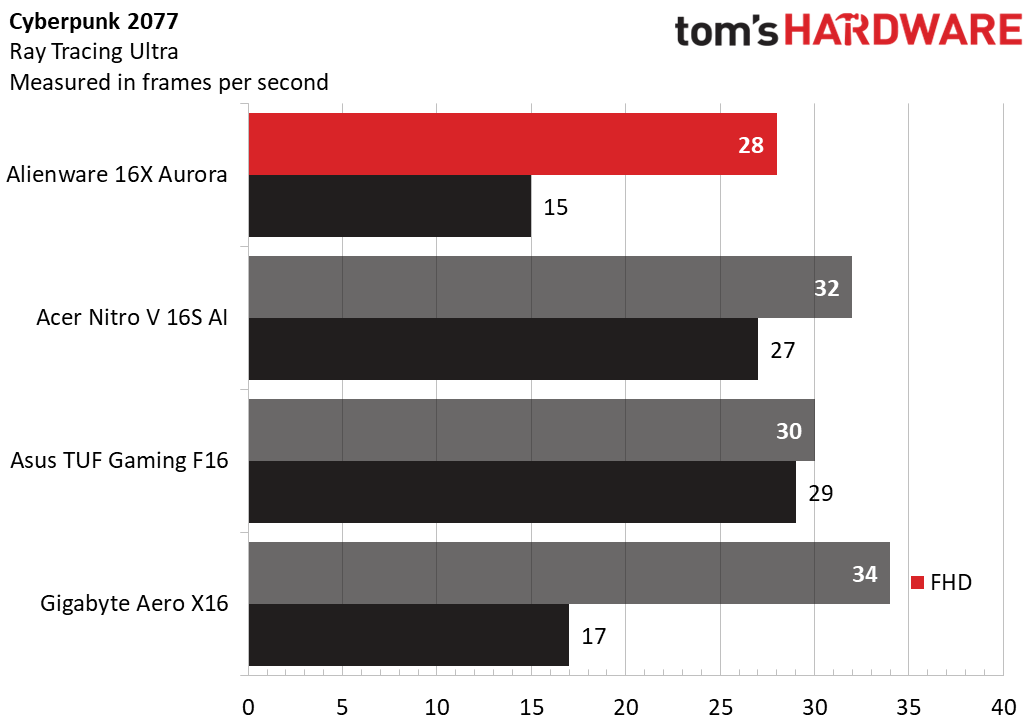
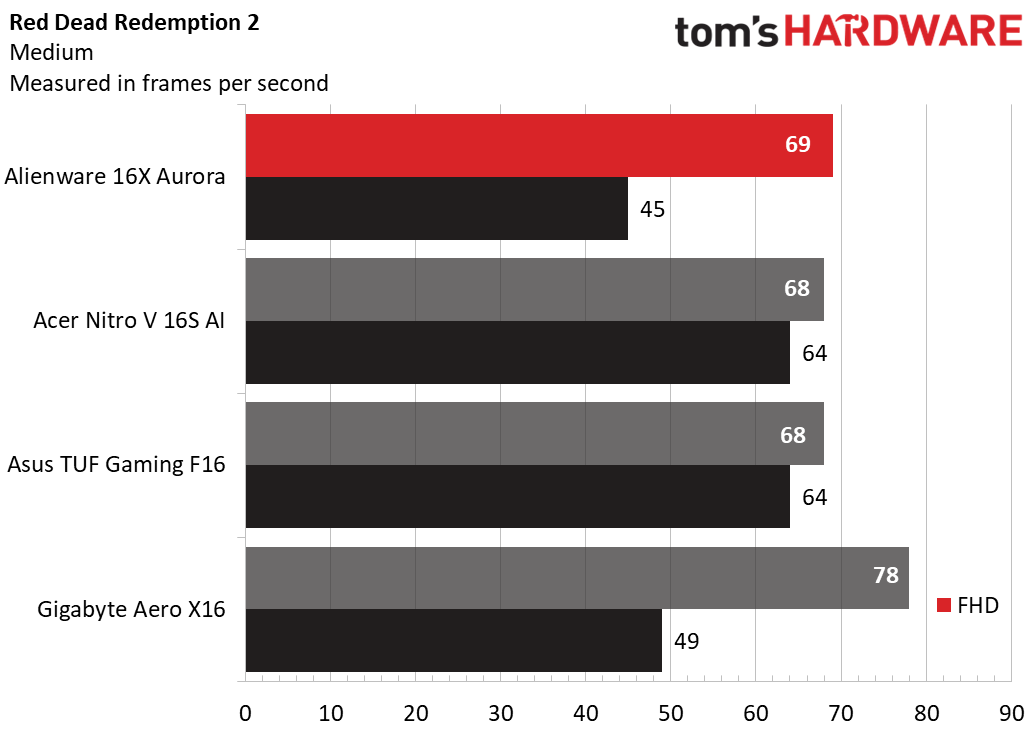
The Aurora 16X is competitive but doesn't stand out in this group. In Shadow of the Tomb Raider, Far Cry 6, and Borderlands 3, it performed 20 to 25% better than the RTX 5060-powered Acer and RTX 5050-powered Asus, but those two surprisingly did better in Cyberpunk 2077 and matched the Aurora in Red Dead Redemption 2.
The Aurora produced varied results against the RTX 5070-powered Gigabyte; While the Aurora took a sizable lead in Far Cry 6 and matched it in Shadow of the Tomb Raider and Borderlands 3, it fell behind in Cyberpunk 2077 and Borderlands 3.
At its 2560 x 1600 native resolution, the Aurora took a drastic performance hit of around 50% from 1080p – from 111 to 64 fps in Shadow of the Tomb Raider, 101 to 72 fps in Far Cry 6, 99 to 64 fps in Borderlands 3, 28 to 15 fps in Cyberpunk 2077, and 69 to 45 fps in Red Dead Redemption 2 – but, excepting Cyberpunk 2077, its performance remained playable.
To stress-test gaming laptops, we run 15 loops of the Metro Exodus benchmark at RTX settings, simulating about half an hour of gaming. The Aurora averaged 76 fps across all runs with no more than a fraction of one frame between runs. During the test, the Core Ultra 7 270HX Plus ran at 3.1 GHz on its P-cores and 2.5 GHz on its E-cores while the RTX 5060 ran at 2.48 GHz.
Productivity Performance on the Alienware 16X Aurora
Our Aurora 16X arrives with a Core Ultra 7 270HX Plus, 16GB of RAM, and 1TB PCIe 4.0 SSD.
Tom's HardwareTom's HardwareTom's Hardware
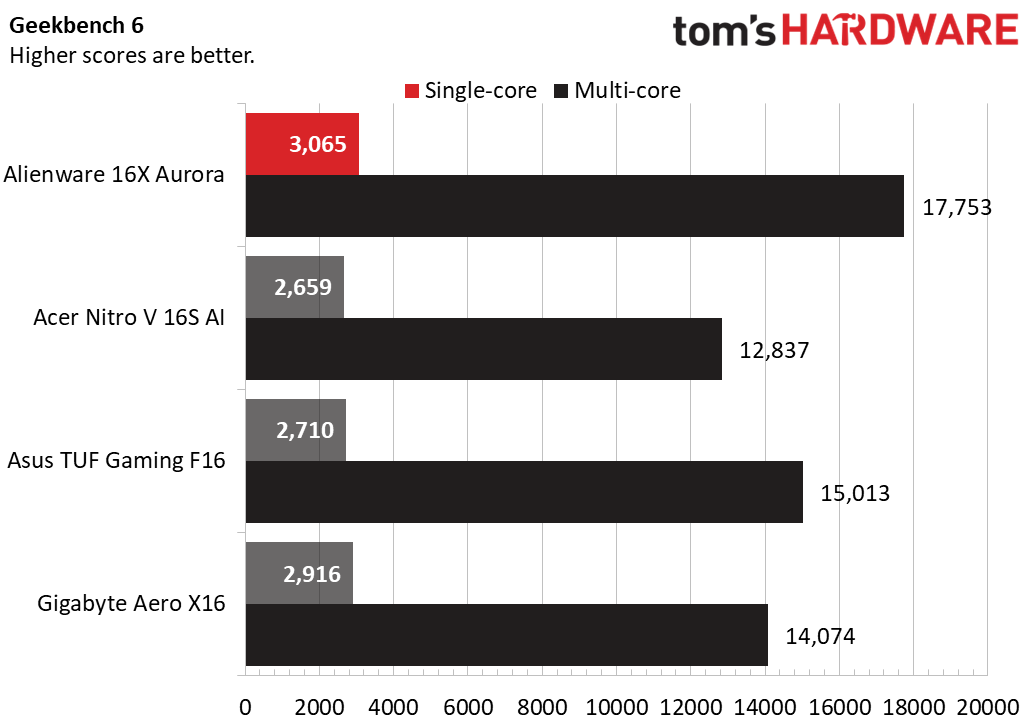
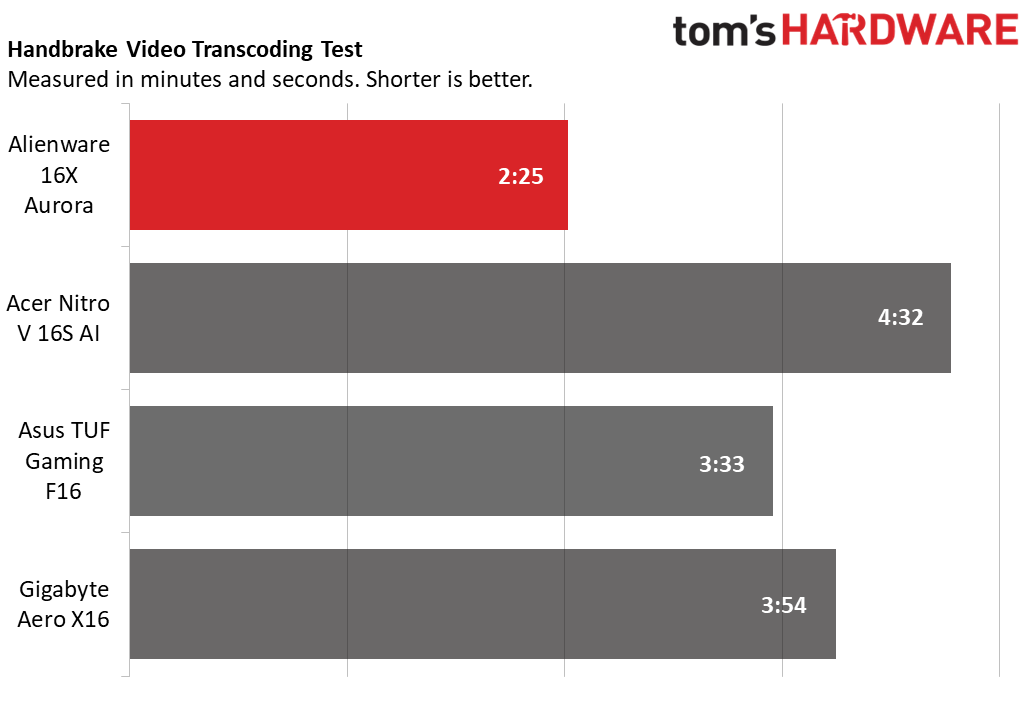
Powered by the Core Ultra 7 270HX Plus, the Aurora predictably outclassed these competitors, which all use previous-generation processors and/or lower-tier chips. In Geekbench 6, it took the top single-core (3,065) and multi-core (17,753) scores, distantly trailed by the Core i7-14650HX-powered Asus (2,710 and 15,013) and Ryzen AI 7 350-powered Gigabyte (2,916 and 14,074). It also clinched the leading time of 2 minutes and 25 seconds in our 4K-to-1080p Handbrake transcoding test, easily outdoing the Asus (3:33), Gigabyte (3:54), and Acer (4:32).
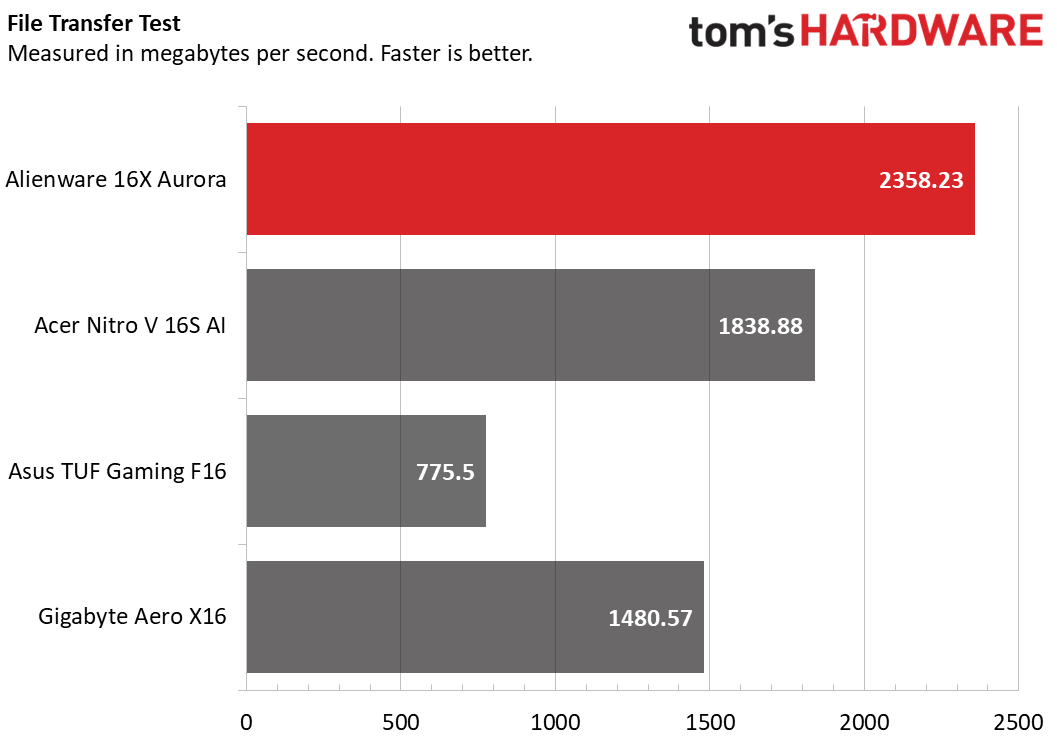
The Aurora also took top honors in our 25GB file transfer test, averaging 2,358.23 MBps. Acer’s Nitro V 16S AI (1,838.88 MBps), the next fastest unit, wasn’t even close.
Display on the Alienware 16X Aurora
All Aurora configurations include the same 16-inch OLED panel with a 2560 x 1600 resolution, 240 Hz refresh rate, and Nvidia G-Sync support. It’s the laptop’s standout feature, pairing the inky contrast expected from OLED with vivid color and unusually strong brightness for this panel type.
In 007 First Light, OLED added a level of depth that a lesser display wouldn’t match, giving shadow-heavy night scenes a richer, moodier look while keeping Malta’s sunlit desert environments bright and crisp. The panel’s sharpness and color also stood out while watching Avengers: Endgame, where fine details such as the nano-texture pattern on Iron Man’s suit were easy to pick out. There’s little to criticize here: the Aurora’s display is excellent.
(Image credit: Tom's Hardware)
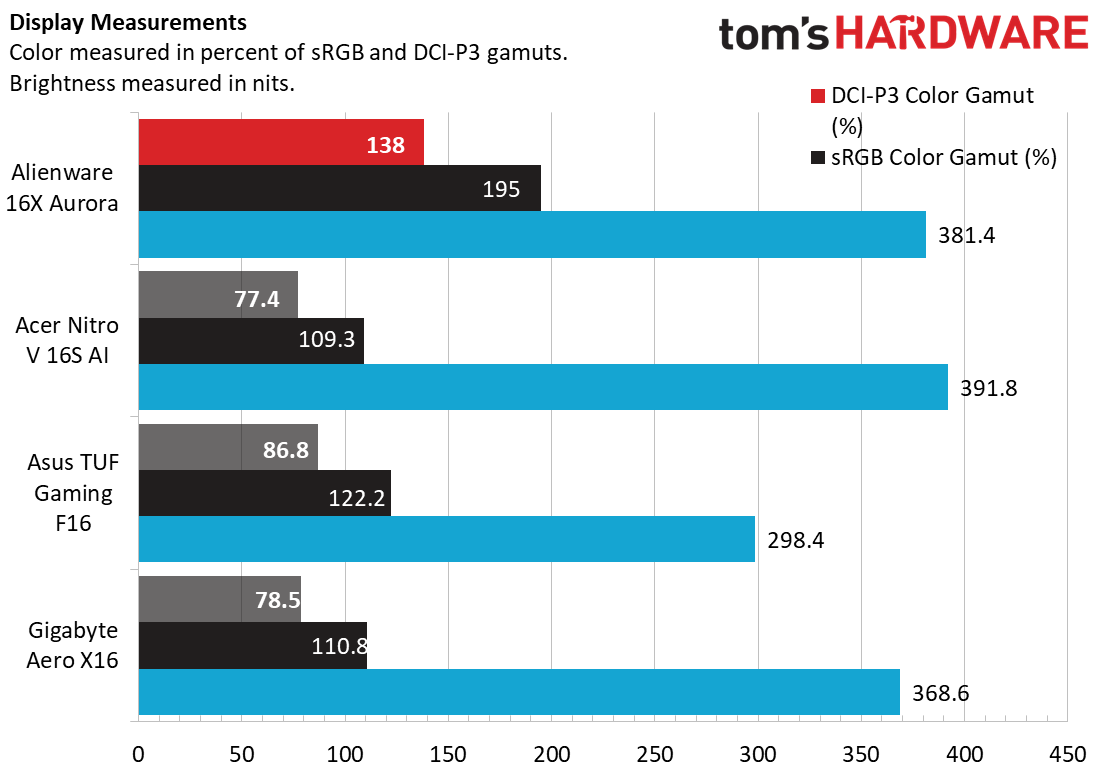
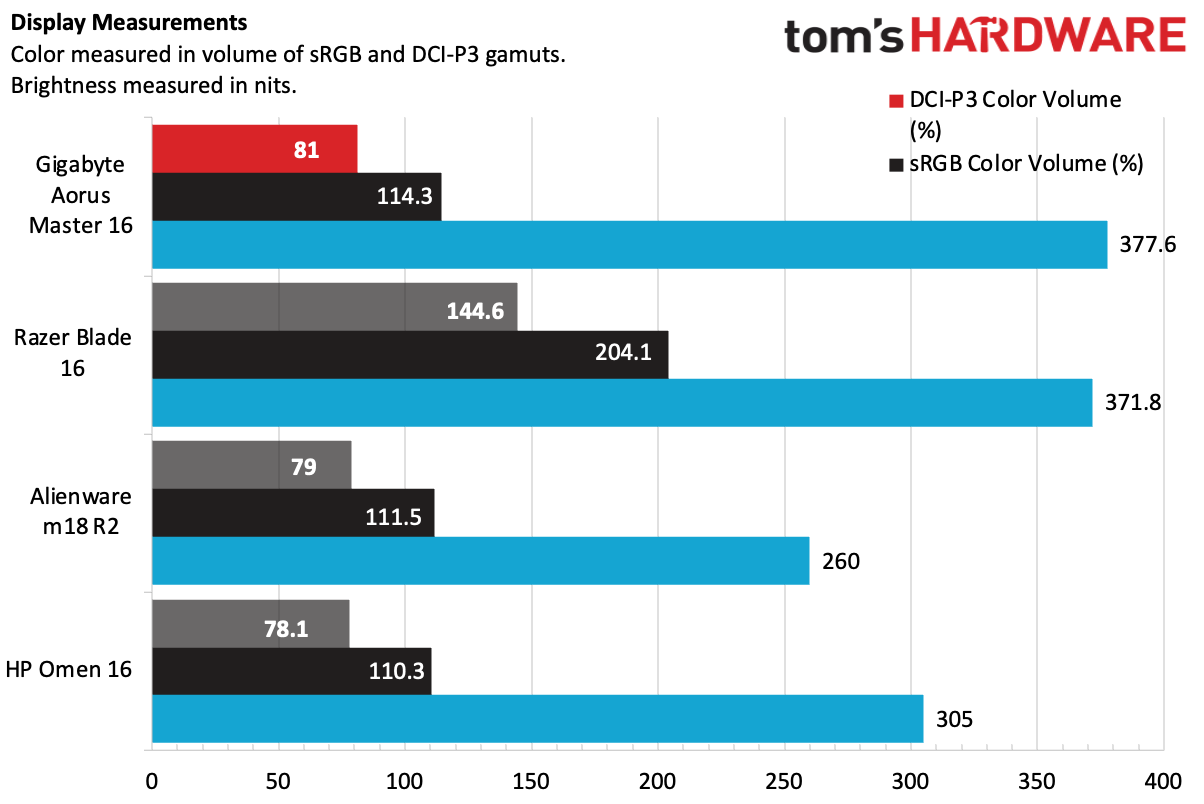
Our lab results back that up. The Aurora peaked at 381.4 nits, which is bright for OLED and nearly tied the IPS-equipped Acer Nitro V 16S AI at 391.8 nits while nudging past the Gigabyte Aero X16’s 368.6 nits. Color coverage was also impressive, reaching 138% of DCI-P3 and topping both the Asus TUF Gaming F16 at 122.2% and the Gigabyte at 110.8%.
Keyboard and Touchpad on the Alienware 16X Aurora
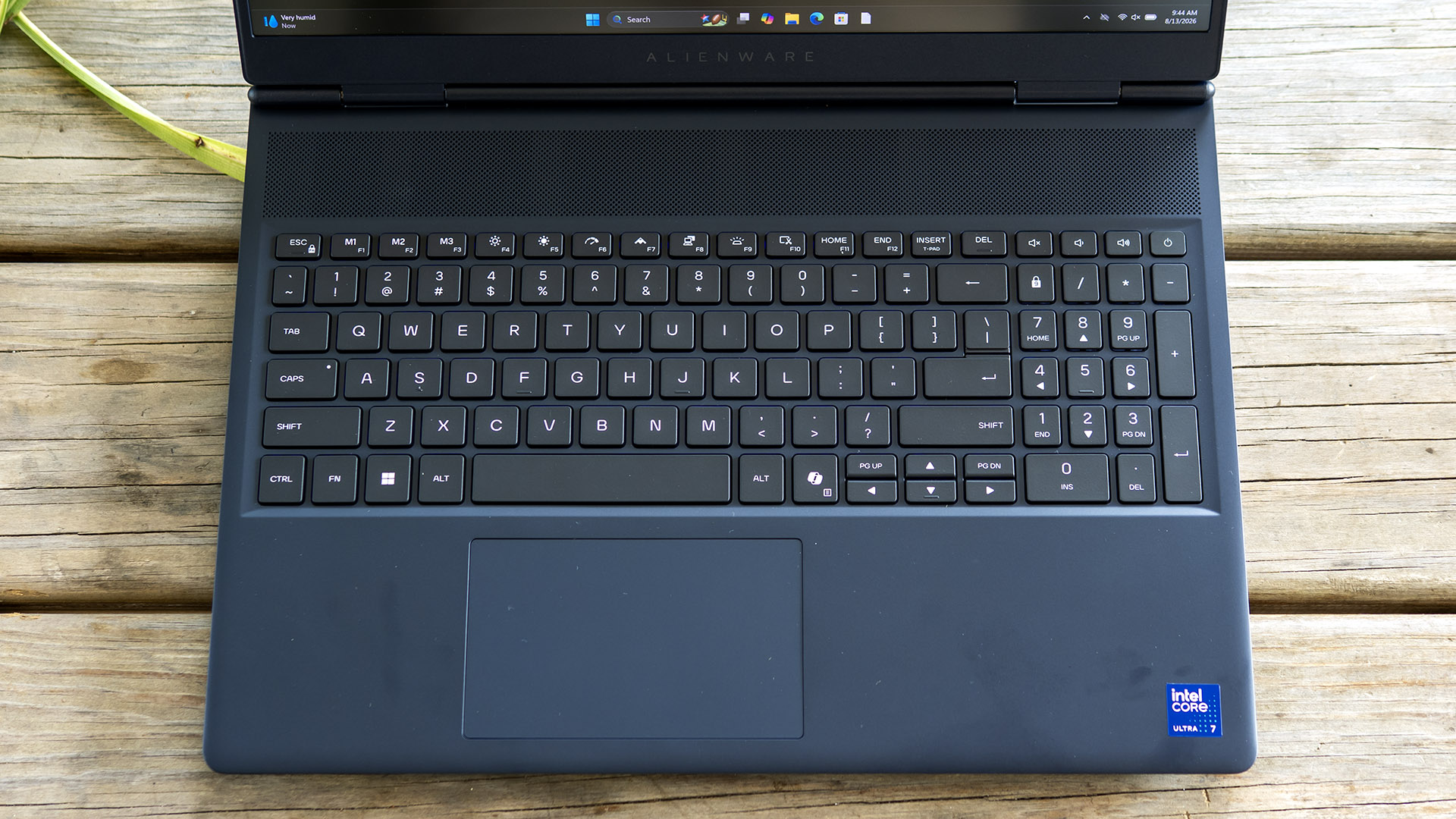
I nearly matched my personal best typing speed on the 16X Aurora, hitting 123 words per minute with 99% accuracy in the MonkeyType typing test. The keys have enough travel and a precise feel, but the overall typing experience is competent rather than memorable. The RGB backlighting only has one zone, and while Alienware Command Center offers effects such as breathing, morph, pulse, spectrum, and rainbow wave, the excitement is undermined by the lighting being too dim to stand out in a well-lit room.
The touchpad is similarly ordinary. It’s average-sized, with a smooth tracking surface and predictable top-hinged mechanical clicks, though those clicks are louder than I prefer.
(Image credit: Tom's Hardware)
Audio on the Alienware 16X Aurora
The Aurora’s speakers are serviceable but unremarkable. Their placement on the sides of the palm rest creates a decent stereo effect, and output is clean enough, with no obvious tinniness and adequate volume for personal listening. In Phil Collins’ “Don’t Lose My Number,” however, drum hits lacked low-end impact, even though vocals came through clearly and instrument separation was strong.
Movies and games fare better with the Dolby app’s Movie and Gaming modes since they boost the sense of surround sound and help the sound feel fuller, but the weak bass still holds back the overall experience.
Upgradeability of the Alienware 16X Aurora
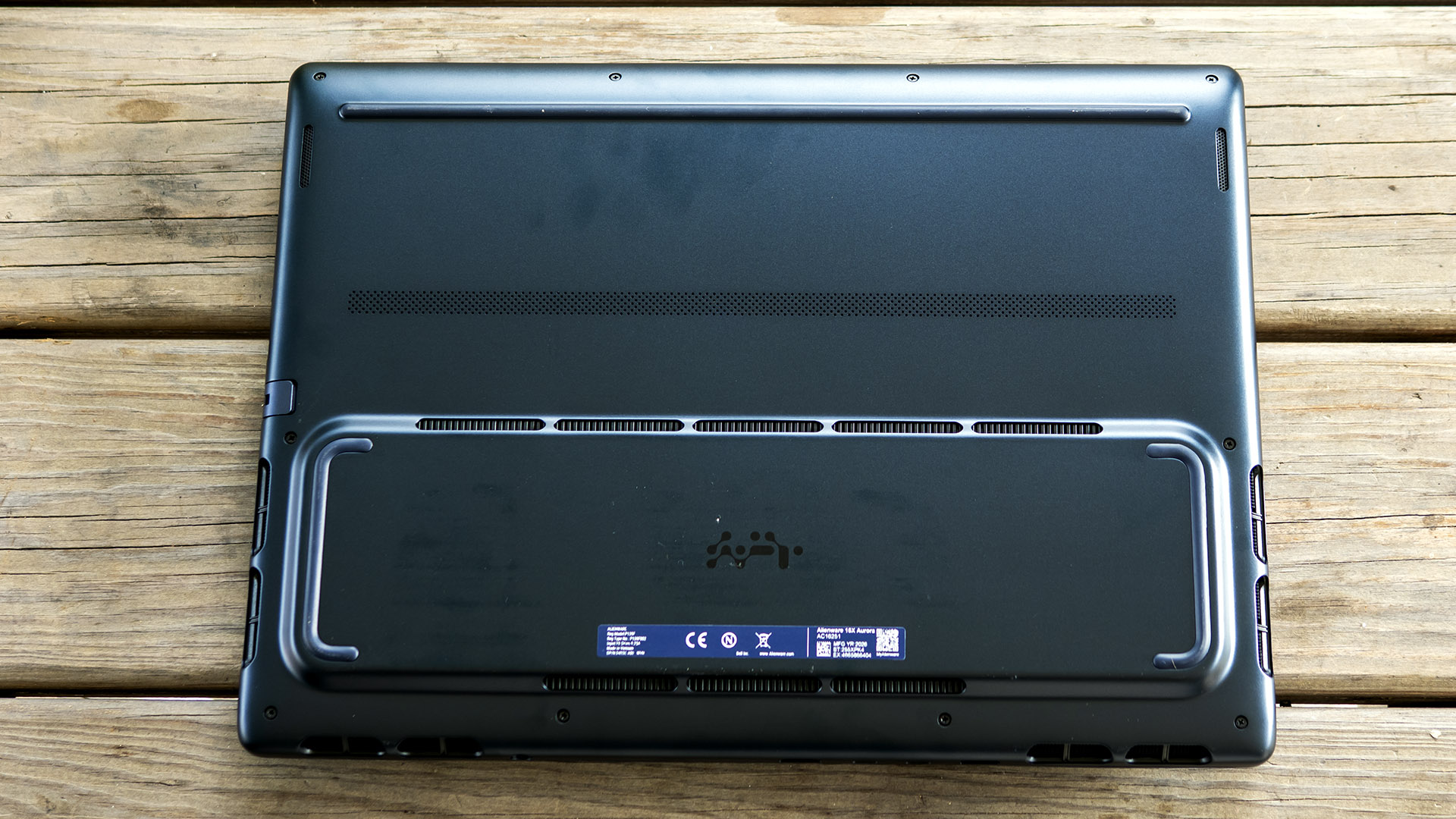
The Aurora is about as upgradeable as laptops get. Opening it up is mostly straightforward - undo the Philips-head screws in the bottom cover, then use a plastic pry tool to pop the clips around the edges. Not all the screws are the same size, and the rear corners are captive and don’t come out.
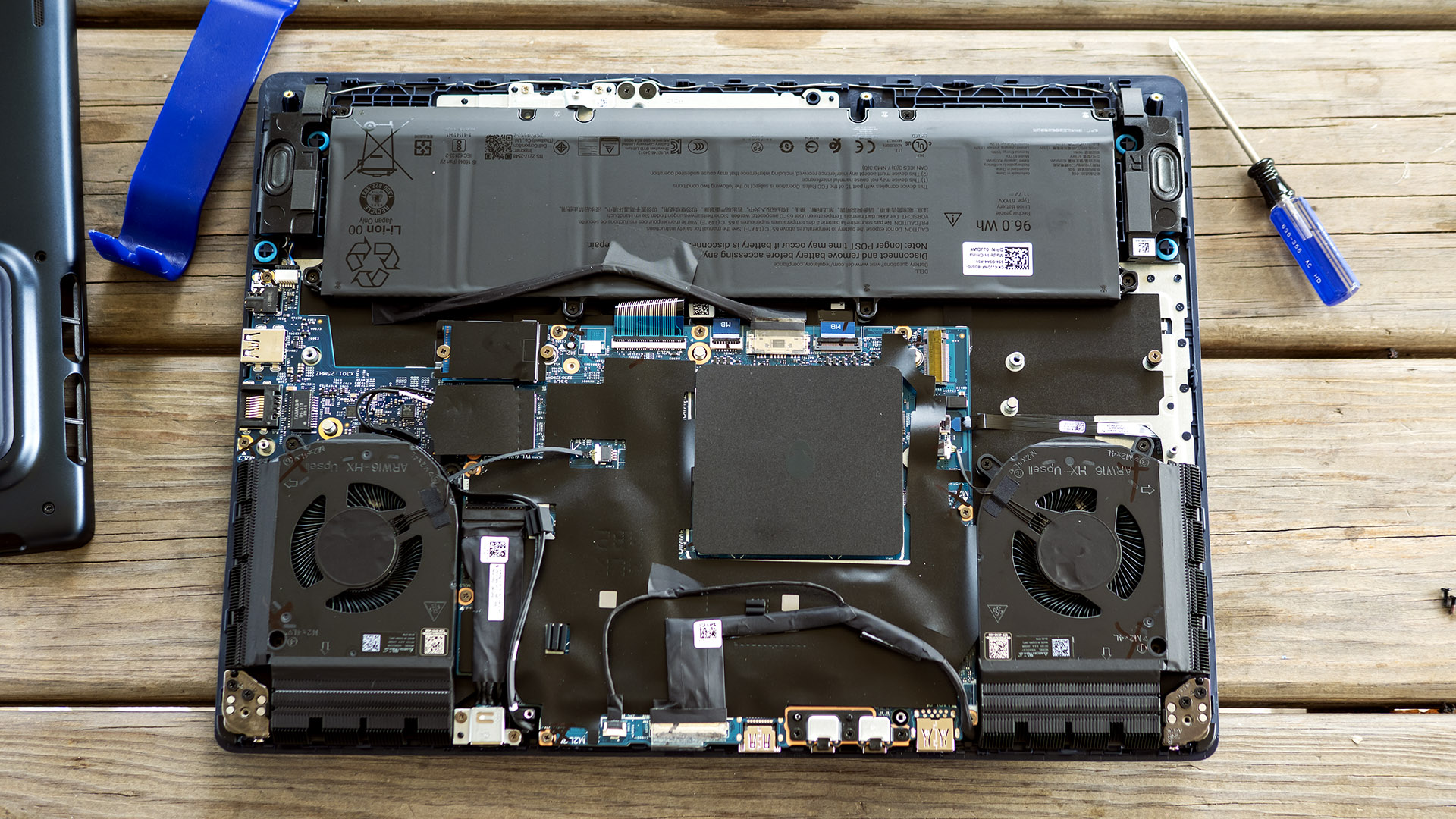
Upgrades include two DDR5 SO-DIMM slots under the square black shield between the cooling fans, two M.2 2280 drive slots, an M.2 2230 wireless card, and the 96 Whr battery.
Tom's HardwareTom's Hardware
Battery Life on the Alienware 16X Aurora
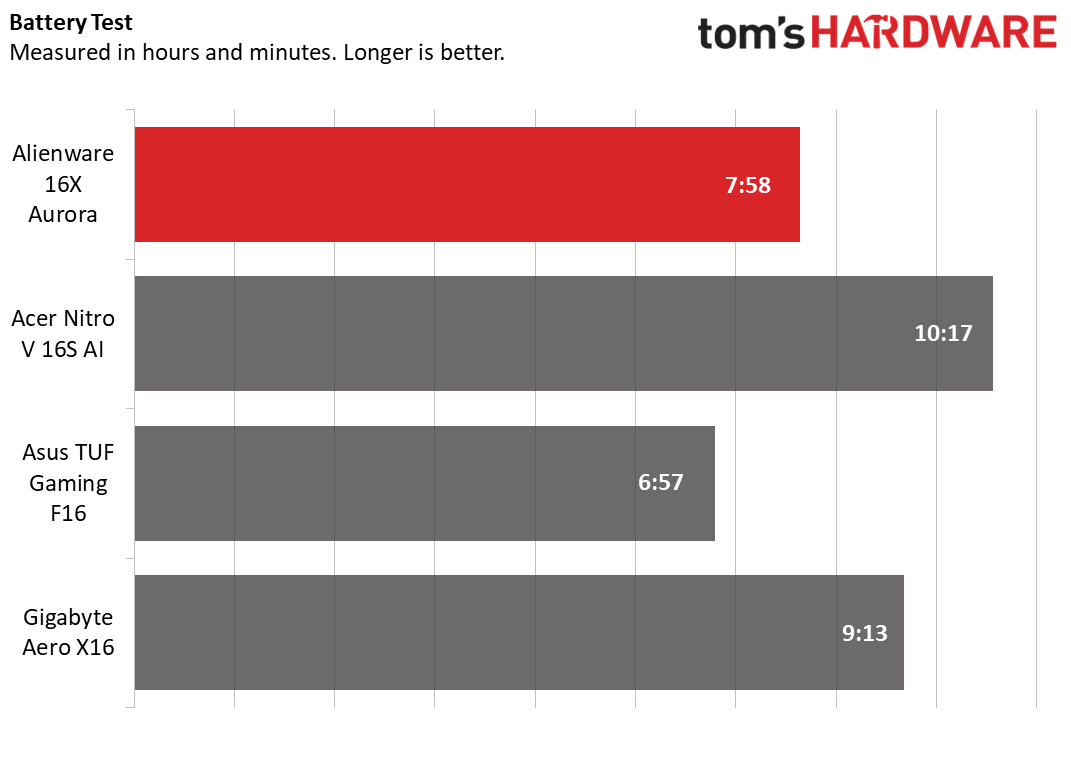
Our battery testing consists of web browsing, running OpenGL tests, and streaming videos with the screen at 150 nits while connected to Wi-Fi. The Aurora’s time of 7 hours and 58 minutes is middling, outlasting only the Asus (6:57). The Gigabyte (9:13) and the Acer (10:17) both lasted several hours longer.
(Image credit: Tom's Hardware)
Heat on the Alienware 16X Aurora
During our 15-loop Metro Exodus stress test, surface temperatures on the Aurora were 101 degrees Fahrenheit (F) between the G and H keys, 83 F on the touchpad, and 101 F on the underside around the exhaust vents.
Internally, the Core Ultra 7 270HX plus averaged 67 Celsius (C) while the RTX 5060 ran at 73 C.
Webcam on the Alienware 16X Aurora
Alienware’s 1080p webcam shows slight grain and the image looks slightly over-sharpened, but the picture is well-exposed, colorful, and doesn’t blow out highlights. It’s missing a privacy shutter, but that’s not unusual for a gaming laptop. It does, however, include an IR sensor for facial recognition logins via Windows Hello.
Software and Warranty on the Alienware 16X Aurora
The Aurora’s main app is Alienware Command Center, which brings system monitoring, power profiles, keyboard lighting, and game library management into one place. Its power presets cover battery, quiet, balanced, and performance modes, while AlienFX handles the single-zone RGB keyboard effects. The app also links out to Dolby for audio tuning. Dell SupportAssist is also included for support access and system updates.
The laptop is backed by a one-year warranty.
Alienware 16X Aurora Configurations
We tested the 16X Aurora in a mildly upgraded configuration, which pairs a Core Ultra 7 270HX processor with an RTX 5060 GPU, 16GB of RAM, and a 1TB SSD. It retails for $2,279.99 from Dell, though I saw it as low as $1,679.99 during our review period. The base model drops to a 512GB SSD and retails for $1,529.99.
Available upgrades include a Core Ultra 9 290HX CPU and RTX 5070 or RTX 5070 Ti graphics. Adding both the Ultra 9 and the 5070 Ti pushes the price to $3,029.99. The memory tops out at 64GB (two 32GB modules) and storage drives are available up to 4TB (two 2TB drives in RAID 0).
Standard features across all models include the 16-inch 2560 x 1600 OLED display, 96 Whr battery, single-zone keyboard backlighting, and Wi-Fi 7.
Dell’s pricing seems to align with the market – I found various other gaming laptops featuring a Core HX-class CPU, a premium screen, and an RTX 5060 or RTX 5070 for within about $100 of what the Aurora commanded.
Bottom Line
The Alienware 16X Aurora is a highly competent gaming laptop with a clear highlight: its superb 16-inch OLED display. It pairs solid gaming performance with reassuring build quality, practical connectivity, and strong upgradeability, while avoiding any major pitfalls. Portability is the main tradeoff, as its weight, size, and middling battery life make it feel more like a desktop replacement than an everyday carry than something like the Razer Blade 16. But if you want a sturdy, capable 16-inch gaming system with a gorgeous screen and few real compromises, the Aurora is easy to recommend.
A great deal on an OLED gaming laptop could be yours, if you're quick. This Acer Predator Helios Neo 16S AI machine has dropped to just $1,899.99 right now, giving you a machine capable of X, thanks to the Nvidia GeForce RTX 5070 Ti included within. Powerful GPU aside, this 16-inch laptop also ships with 32GB of DDR5 RAM and a 1TB SSD, with this deal saving you $300 on its usual price thanks to Best Buy's Labor Day sale.
The Acer Predator Helios Neo 16S AI features an Intel Core Ultra 9 275HX processor, an Nvidia GeForce RTX 5070 Ti laptop GPU with 12GB of fast GDDR7 VRAM, 32GB of RAM, and a 1TB PCIe Gen 4 SSD. This is a high-end spec sheet built with gaming in mind. The 16-inch display is one of the big MVP's here, though, with an insanely fast 240Hz refresh rate on a gorgeous-looking OLED panel that'll make games look stunningly vibrant.
You simply won't find a better alternative for gaming on a laptop than an OLED panel like this one, either. OLED's are fast, with near-instantaneous response times and infinite contrast ratios that give a depth and clarity to the colors on your screen that a traditional LCD can't really match.
For gaming, the mobile version of the Nvidia GeForce RTX 5070 Ti is still powerful, even if it doesn't quite match the desktop version. It still has 12GB of VRAM, however, which will mean you can easily hit high frame rates at the OLED display's native 2,560 x 1,600 resolution, along with a pared-down count of 5,888 CUDA cores. You'll be able to manage high and ultra graphics presets in the most intensive games, with Nvidia DLSS support helping in a crunch, thanks to multi-frame generation.
32GB of DDR5 RAM and a 1TB SSD means you're not compromising on storage or memory with this Acer gaming laptop, despite the AI price boom affecting the entire market this year. Both are more than enough to handle the demands of modern gaming, along with any productivity work you might need to complete. You're also getting the Intel Core Ultra 9 275HX CPU, which has 24 cores, eight of which are the best-for-gaming performance cores.
You're getting a mix of plastic and metal with this laptop's chassis, all-black with RGB lighting, with customizable zones all over. You've got longevity with this build, too, with two DDR5 RAM slots that support up to 64GB, along with two M.2 slots. It's thin and lightweight, weighing just 5lbs with a thickness of just 19mm. You get a good amount of ports, too, including USB-C, and USB-A, along with Ethernet and HDMI. Wireless connectivity is included with Wi-Fi 6E and Bluetooth 5.4, with a 76Wh battery that Acer claims will last almost all day long.
The $1,899.99 sale price for this 16-inch Acer Predator Helios Neo 16S AI gaming laptop is a seriously good one in the current market. Less than $2,000 for an OLED gaming laptop, especially with these specs, is a deal that you'll struggle to match elsewhere. This Best Buy Labor Day sale discount is set to run out by September 7, but with a deal this good, expect it to sell out before then.
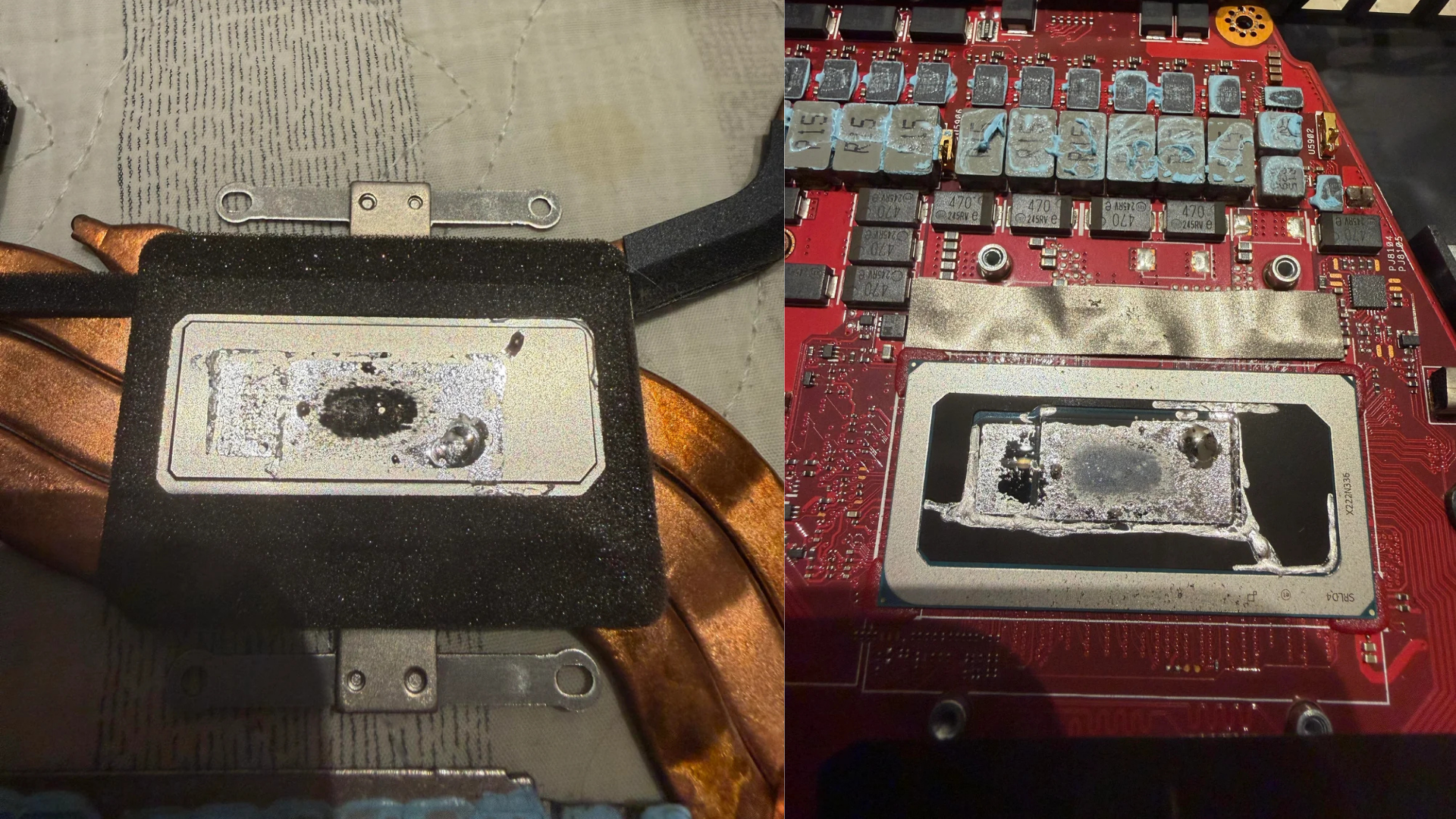
Asus has been putting liquid metal on mobile dies used in its laptops for a few years at this point. Liquid metal as a TIM has its place, but it's a highly inconsistent solution to a problem that can be solved by other materials. Such was the case with u/nicknickmeetnick, whose Zephyrus M16 gaming laptop was overheating and restarting on its own. Turns out, the instability came from an issue born from the factory — the liquid metal applied on the CPU had slowly eaten away at the heatsink and almost reached the silicon itself.
The post above explains the ordeal in detail and how the user ultimately fixed their problems. The laptop in question is a Zephyrus M16 model from 2022 with an Intel Core i9-12900H processor that was bought just over three years ago. During this period, the laptop was mostly used for lightweight tasks instead of gaming or anything that'd stress it. However, as of late, Nick started to run into various issues where his laptop would overheat and thermal throttle to the point of hard-crashing. Before it'd crash, performance in games would already be degraded.
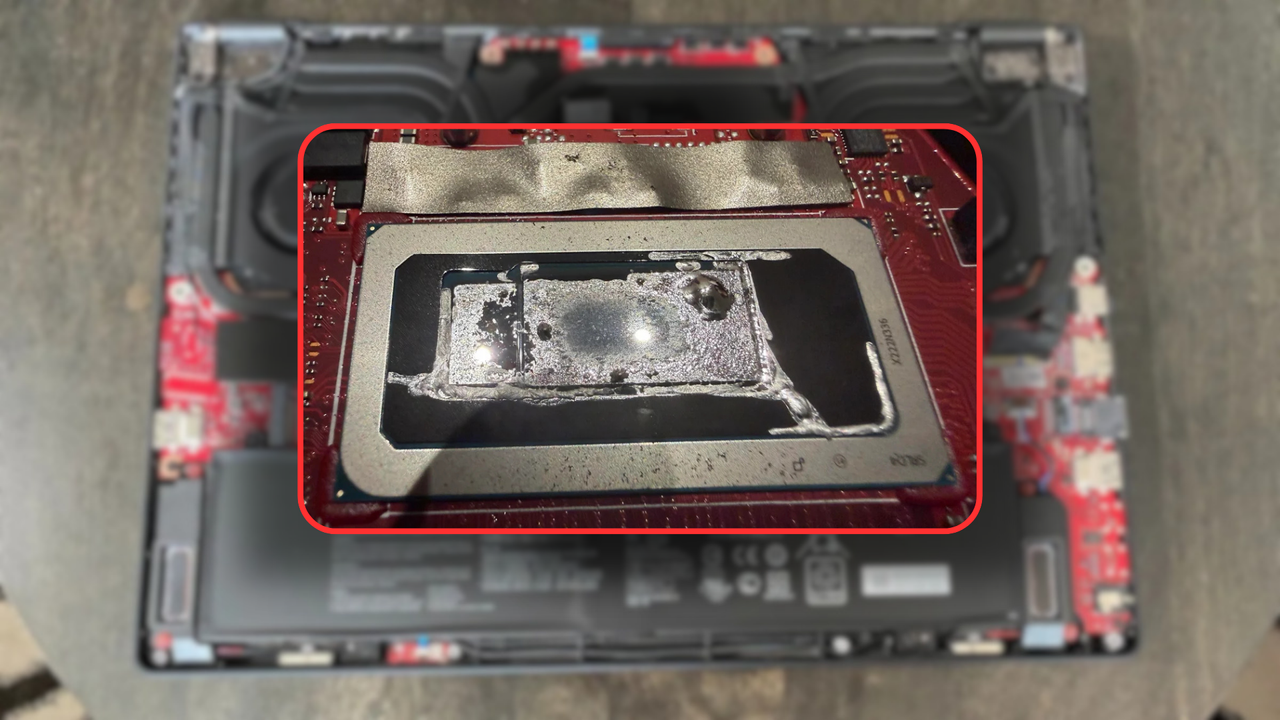
Nick felt his machine was getting warmer than usual, so he ordered some PTM7950 phase change material to repaste the aging hardware. He was ready to use GD900 thermal paste, but upon opening the laptop, he discovered something shocking. The liquid metal on the CPU was so poorly applied that the overheating processor made some of the liquid metal burn onto the heatsink. Underneath, there's only a thin lid that protects the silicon, and Asus applies liquid metal on top of that as well. The metal here had also spilled out of its dedicated cavity.
We don't need to tell you why that would be a devastating and instantaneous catastrophe. Liquid metal is electrically conductive, which means if it comes into contact with surrounding componentry, it can create microbridges that will short anything in the way. Asus, however, seems to be mixing some abrasive chemicals into the liquid metal to make it more adhesive, such that it sticks to the die better. Unfortunately, these chemicals eat away at the metal over time and cause corrosion.
The heatsink (left) and the CPU (right) (Image credit: u/nicknickmeetnick on Reddit)
That's ostensibly what wore out the heatsink and almost the lid underneath as well. Had the user waited for just a while longer, the liquid metal could've seeped onto the die itself. Thankfully, the rogue TIM was removed just in time, but even that process was quite interesting. The OP explained how he used dried cotton to manipulate the existing liquid metal into sanding away the corrosion before taking everything out. For that, he used lots of isopropyl alcohol with cotton sticks to form the liquid metal into a blob that was easy to pluck away with painter's tape.
Once the CPU was nice and clean (well, as clean as possible), OP re-applied GD900 thermal paste and closed everything back up. Right away, the temperatures improved tenfold, and the laptop ran much cooler. Remember, the PTM7950 hasn't even arrived yet, so it will only get better from here. The random reboots stopped, and the only game Nick plays with his kids is now running three times as smoothly. Removing the liquid metal tripled his FPS and restored the Zephyrus M16 to its full glory.
He advised others to do the same. In fact, he suggests banning liquid metal entirely from electronics. It shouldn't be used in laptops to begin with since they're portable devices that move a lot, but even discrete GPUs that sit still for years face problems. This wasn't an isolated case either. A simple Google search returned a dozen different posts on Reddit about liquid metal woes on Asus laptops, which just goes to show that automated, assembly-line liquid metal application is still not perfect.
The Asus ROG Flow Z13 comes with a 13.4-inch IPS display, offering an 180Hz refresh rate and a max resolution of 2,560 x 1,600. The display is also a touchscreen and comes with Gorilla Glass protection to help avoid damage. The laptop's design means you can switch from an ordinary laptop to a tablet orientation using the built-in kickstand.
The specs in this portable rig are pretty formidable. You're getting a 16-core AMD Ryzen AI Max+ 395 processor with integrated Radeon 8060S graphics, along with 64GB of LPDDR5X unified memory running at 8,000 MT/s and a 1TB SSD for storage. This Strix Halo CPU is a good option for gaming at 1080p, but you might need to compromise on your graphics presets to reach 1440p to keep those frame rates high.
ROG Flow Z13: was $2999.99 now $2099.99 An AMDRyzen AI Max+ 395 gaming laptop with a 16-core processor and integrated Radeon 8060S graphics, plus a hefty 64GB of 8000MT/s LPDDR5X unified memory. There's also a 1TB SSD for storage and the 2 in ability to transform from a laptop to a touchscreen tablet. View Deal
The build quality of this Asus ROG Flow Z13 is high, too. It's constructed from a CNC-cut aluminum block for a completely solid structure, and features a lightweight stainless steel vapor chamber to efficiently dissipate heat while giving the laptop extra physical strength. Liquid metal thermal cooling helps to keep the CPU nice and cool under heavy loads while also keeping it as quiet as possible, even during heavy gaming or while using AI apps.
This 2-in-1 convertible laptop is a great option for those who are always on the go. The $2,099.99 sale price for this Asus ROG Flow Z13 laptop is a decent one in the current market, especially with RAM costs skyrocketing. Pick it up while the current discount lasts.
This laptop features Intel's Core Ultra 9 275HX processor, with 24 cores, eight performance and 16 efficiency, 5.4 GHz boost clock speeds, and 40MB Total L2 Cache. With the heavy lifting for gaming done by the GPU and its 24GB of VRAM, this is a superb laptop for both work and play.
For the price, this is a serious bit of mobile gaming hardware. The GPU and CPU will combine to give you the very best gaming performance you can expect from a mobile graphics unit, all while offering decent efficiency and speeds in productivity workloads. We've reviewed the RTX 5080 version of this laptop with the same CPU, beating out rivals in Geekbench 6 testing for CPU performance.
Tom's HardwareTom's HardwareTom's Hardware
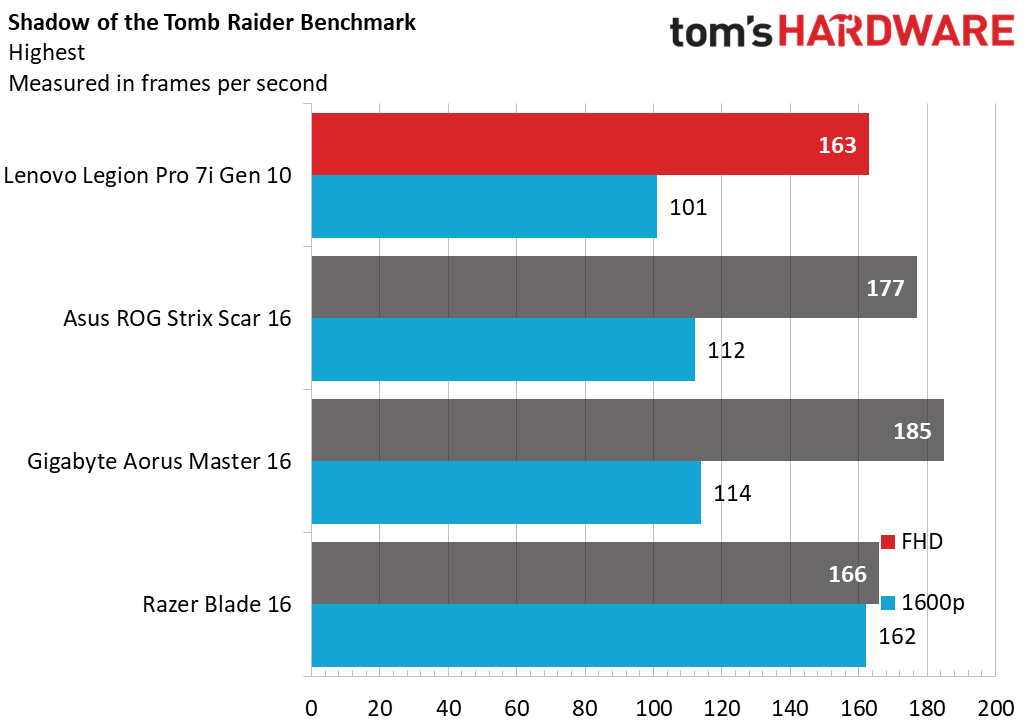
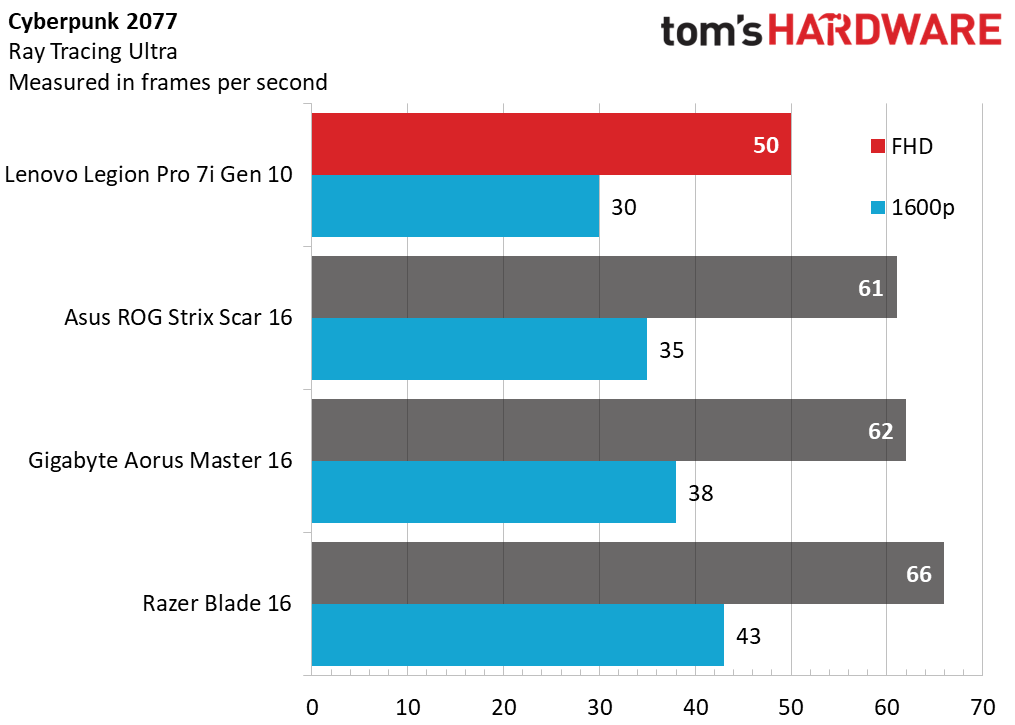
Even the RTX 5080 version of this laptop can run Shadow of the Tomb Raider at its highest settings at 185 frames per second in 1080p, or 114 frames per second at its native resolution. As such, you can expect a big leap in performance from the more potent 5090, with titles like Cyberpunk 2077 easily playable at the native 2560 x 1600 resolution this laptop offers. The OLED display of this laptop also impressed us, beating rivals in our display measurement testing thanks to its 240Hz OLED screen.
(Image credit: Tom's Hardware)
Aside from the headline specs, this laptop also offers ample RAM and storage, 32GB of DDR5 (one spec page says 16GB, but the listing and marketing images clearly state 32GB) and a 2TB Gen 4 SSD respectively.
Connectivity is supplied by way of Wi-Fi 7 and Bluetooth 5.4, and ports include USB-C with Thunderbolt 5, USB 3.2 Type-A, MicroSD card slot, HDMI 2.1, Ethernet, and a 3.5mm headphone jack. If you want a no-nonsense laptop that offers the most mobile graphics power of any machine on the market, this could be a fantastic laptop for heading back to school or campus.
This premium laptop combines a hefty mobile GPU for gaming with an impressive 240Hz, 2560 x 1600 screen, plenty of RAM for multitasking, lots of storage, and great networking and connectivity options. We absolutely loved it in our review and this $1,350 discount makes it all the more enticing.
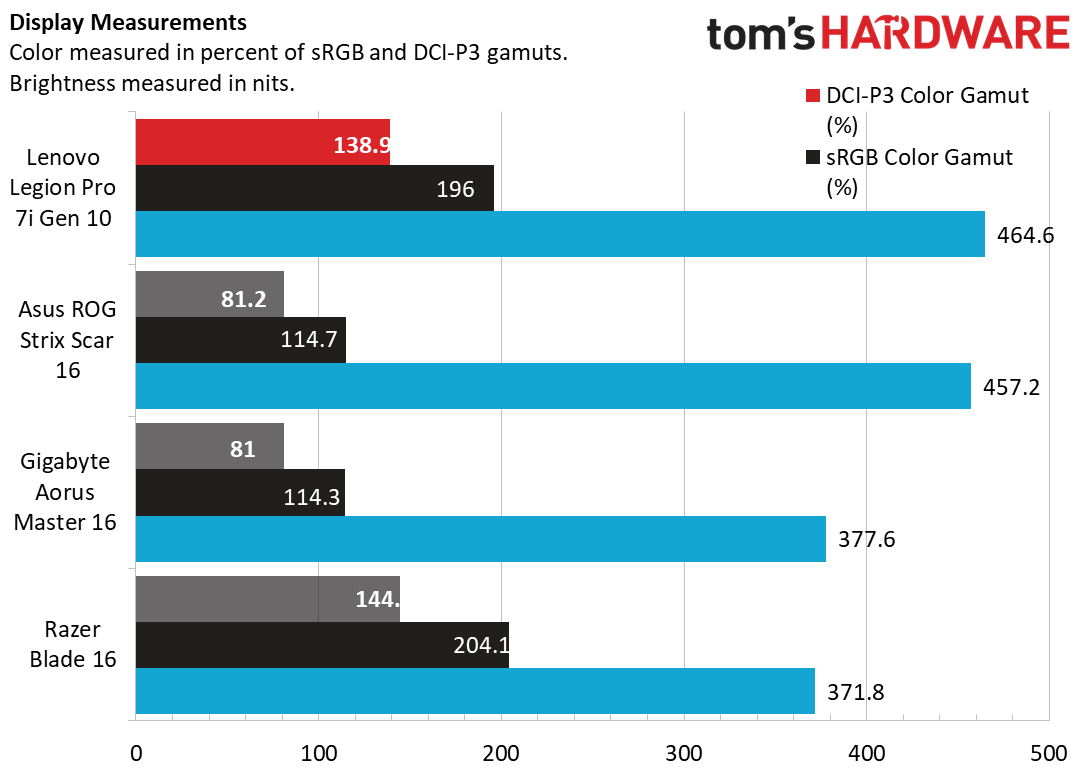
This is a premium gaming laptop that scored well in our Tom's Hardware review. The display in particular is outstanding, as is the sleek aluminum design, customizable RGB lighting, and sharp webcam. As you can see below, the laptop performs extremely well in our display measurements testing thanks to that impressive OLED panel.
(Image credit: Tom's Hardware)
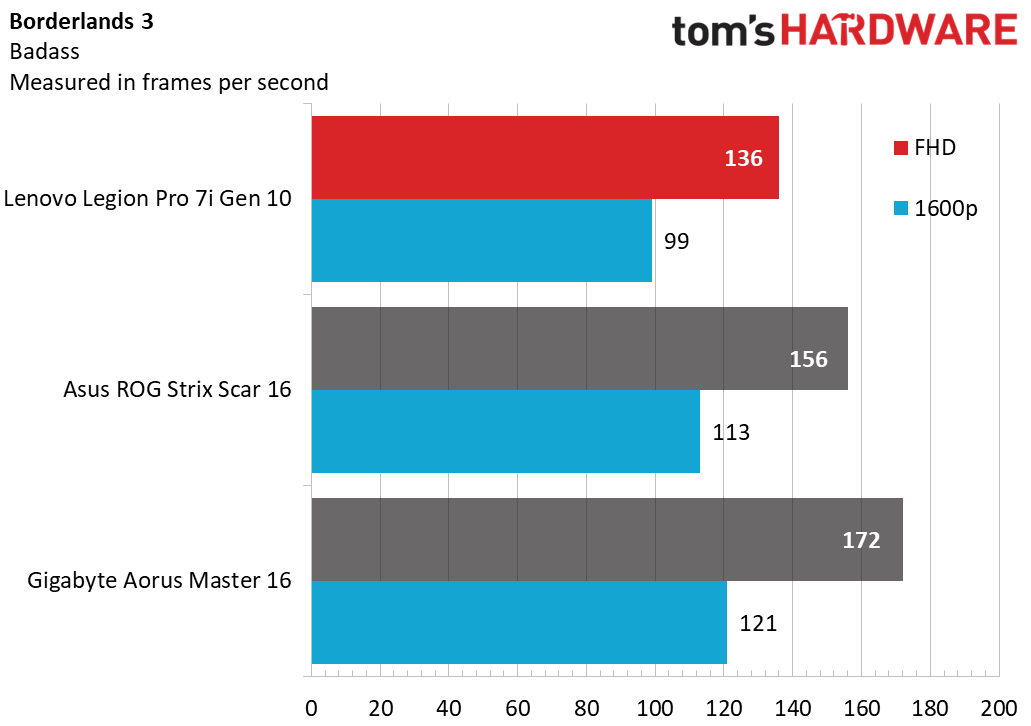
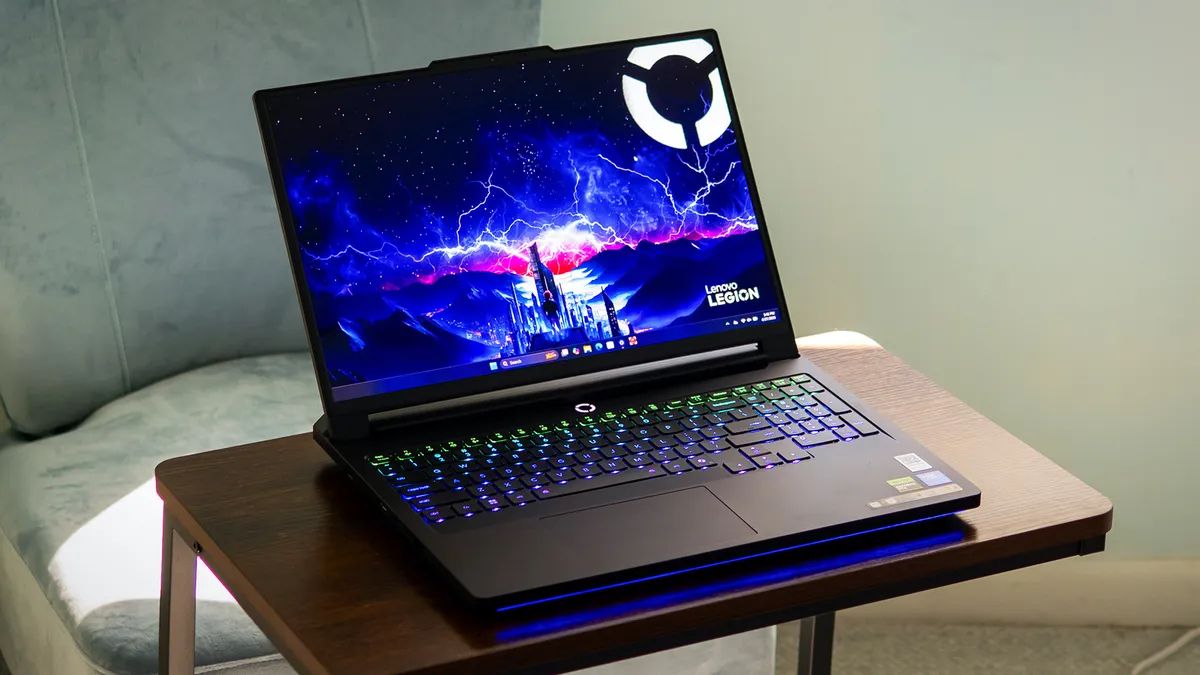
We actually tested the 5080, 32GB RAM, 275HX variant of this laptop, which means we can tell you exactly how the device performs when gaming. In our gaming benchmarks, the Legion Pro 7i pumps out 163 frames per second in Shadow of the Tom Raider at 1080p, or 101 frames per second at the laptop's native resolution of 2560 x 1600. We also clocked Crysis Remastered at Very High, running in the mid-90s, with the 16 VRAM pool and 175W power draw putting in plenty of work.
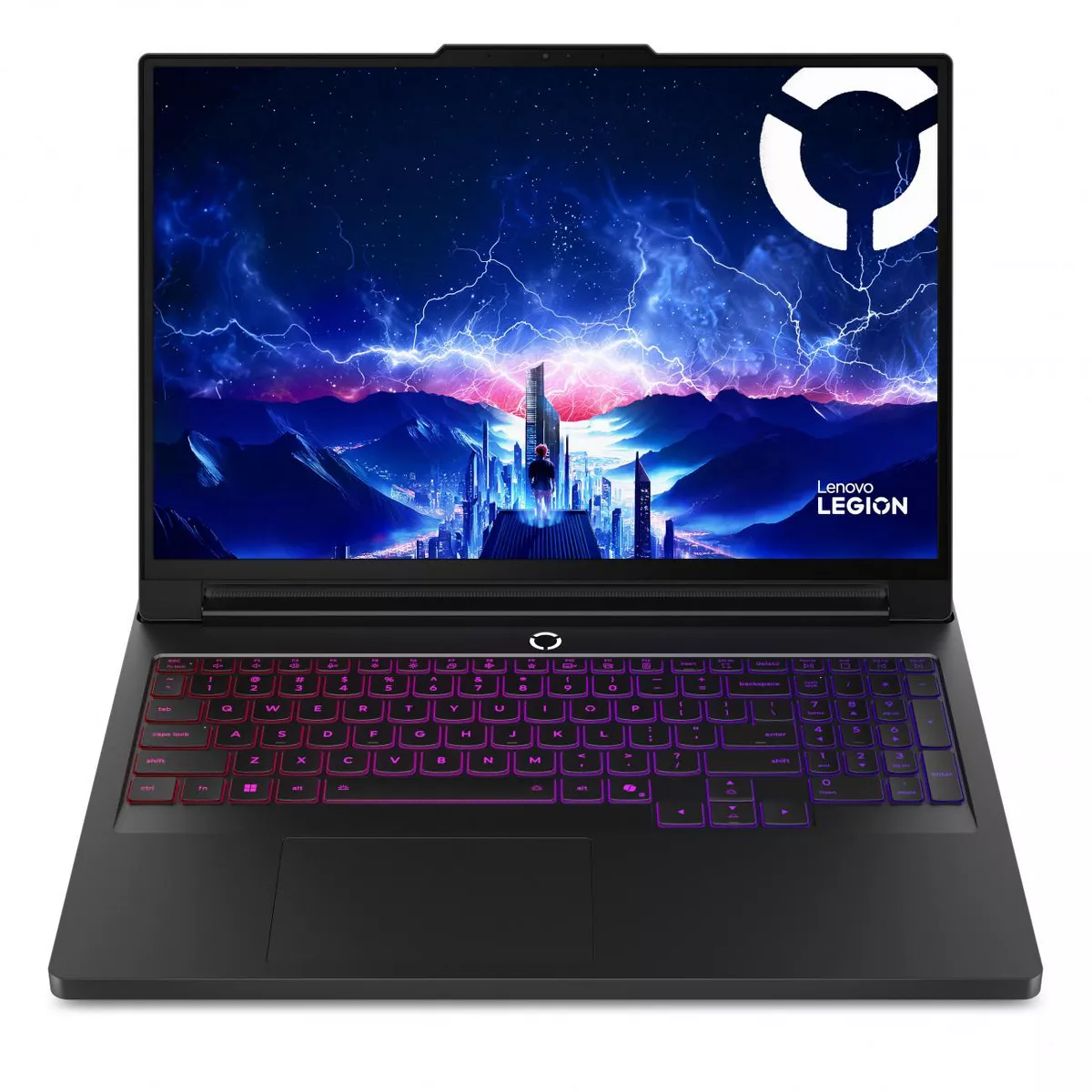
This is a laptop that will handle anything you throw at it, work or play. Other noteworthy features include 32GB of DDR5 6400 RAM, 1TB SSD, HDMI, USB-C, and USB-A ports, as well as a headphone jack, Wi-Fi 7, and Bluetooth 5.4. It also has an impressive 1440p webcam and scope for upgradeability thanks to its two M.2 drives. As per our review, this is an "outstanding" laptop that easily passes muster in terms of performance, while blowing us away with its OLED screen.
 登录
登录