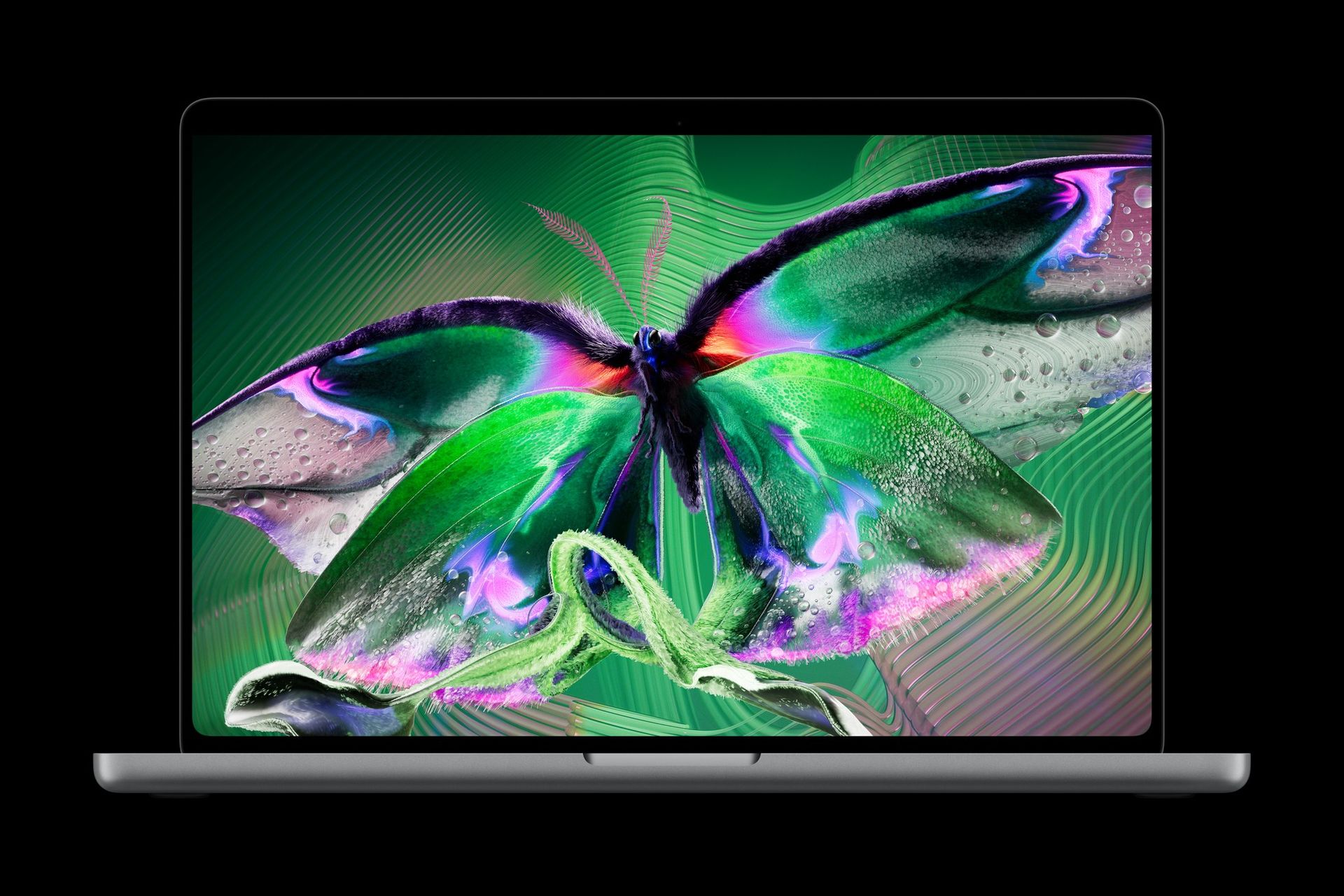
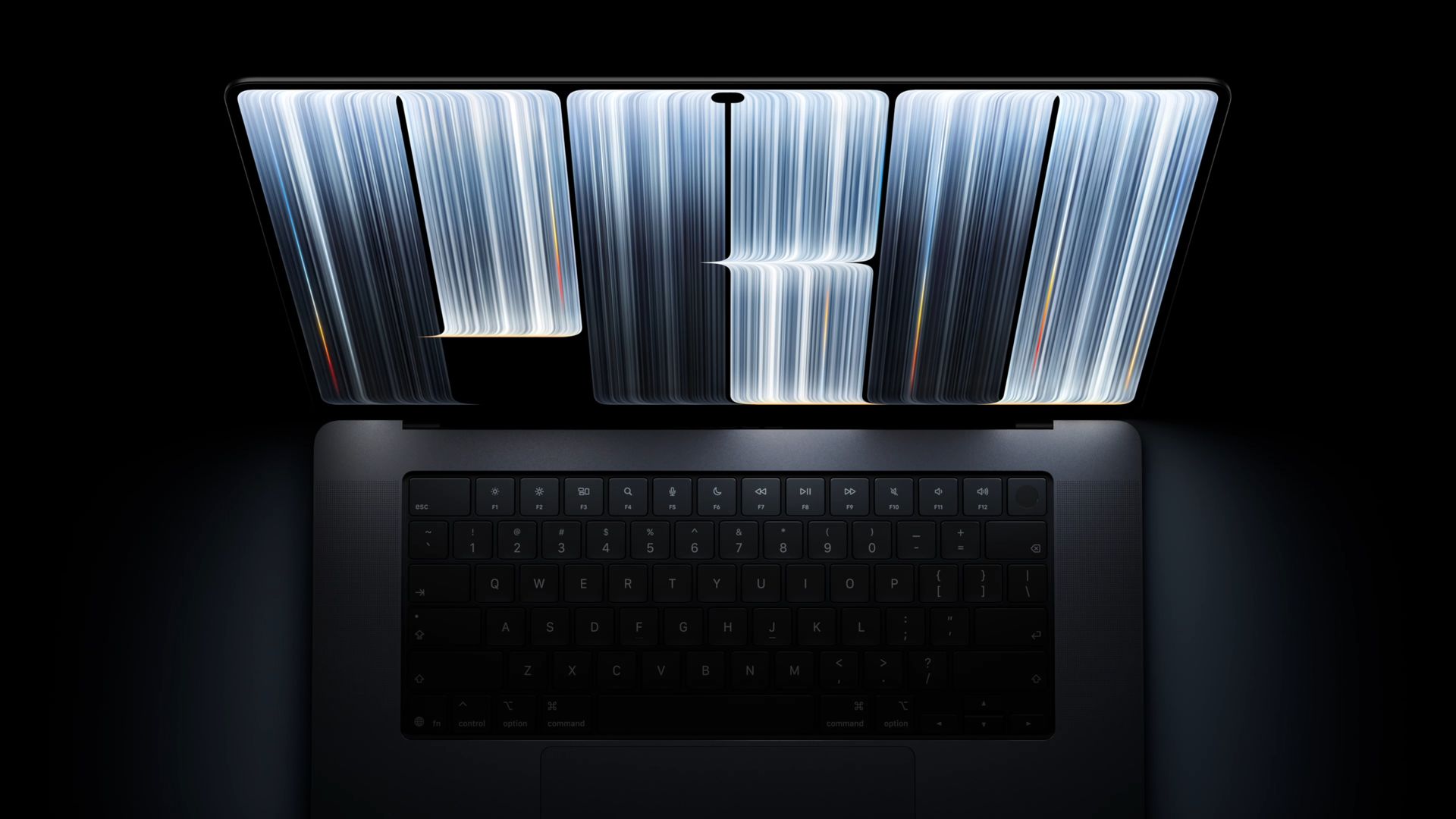
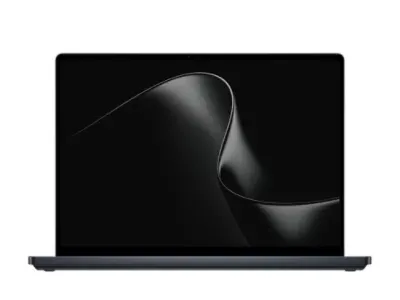
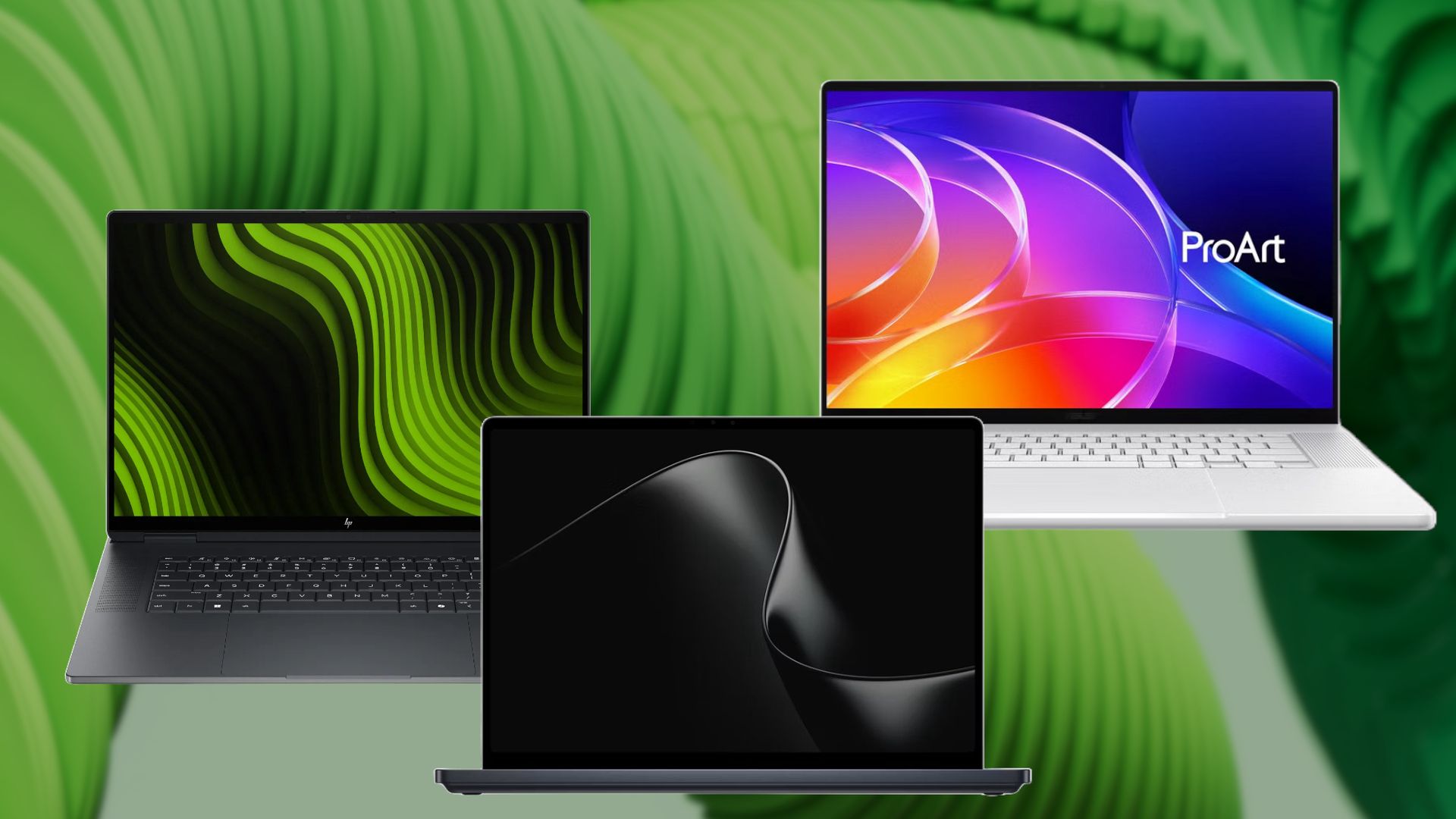
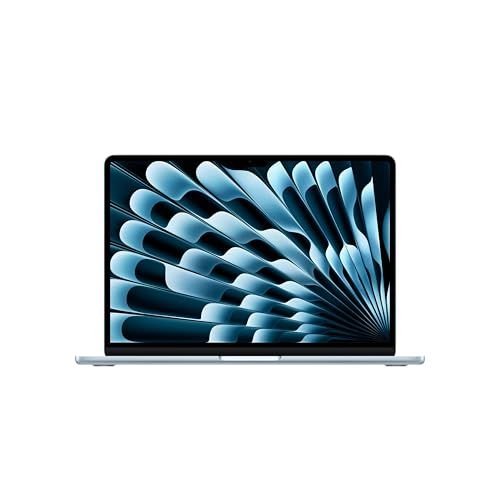
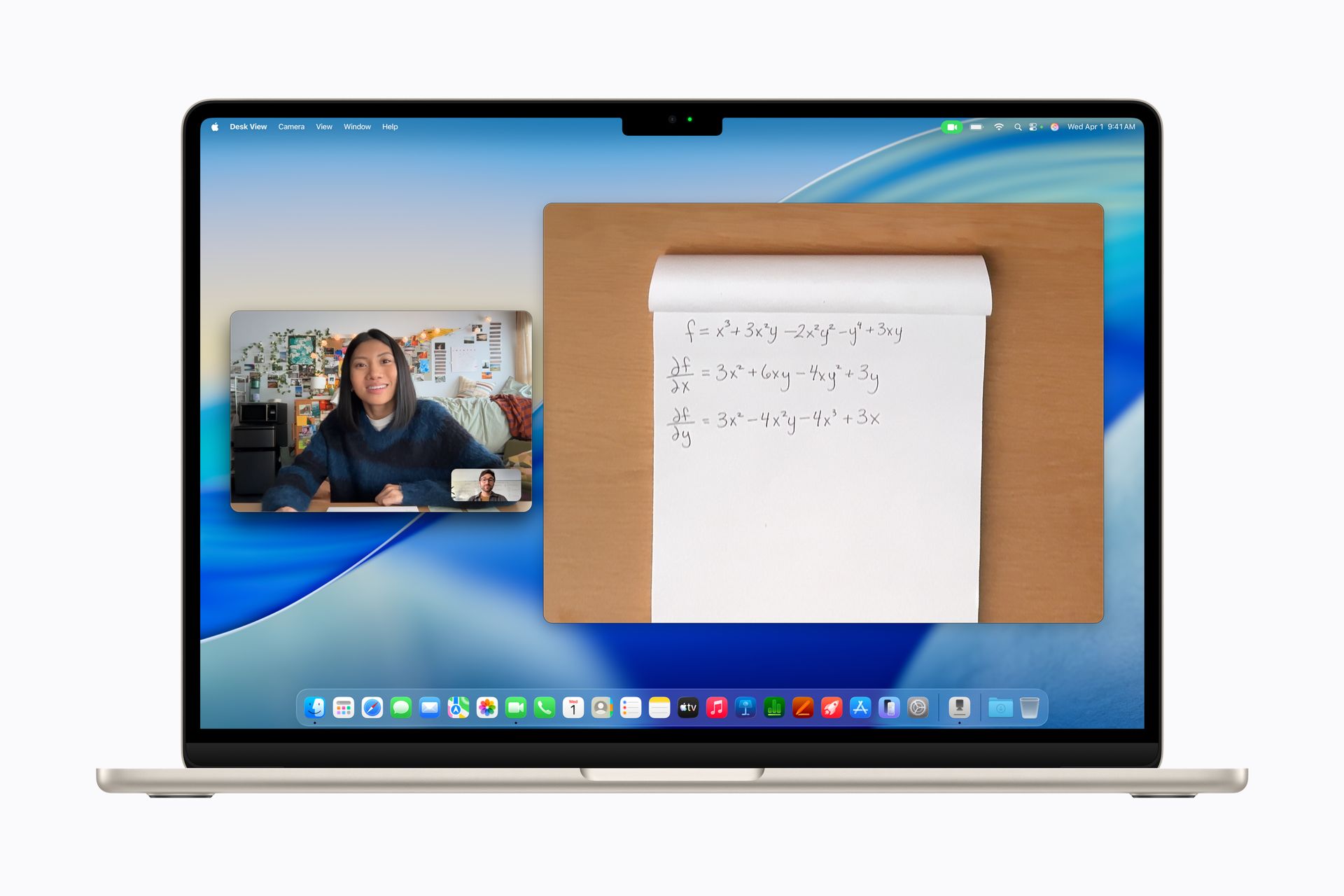
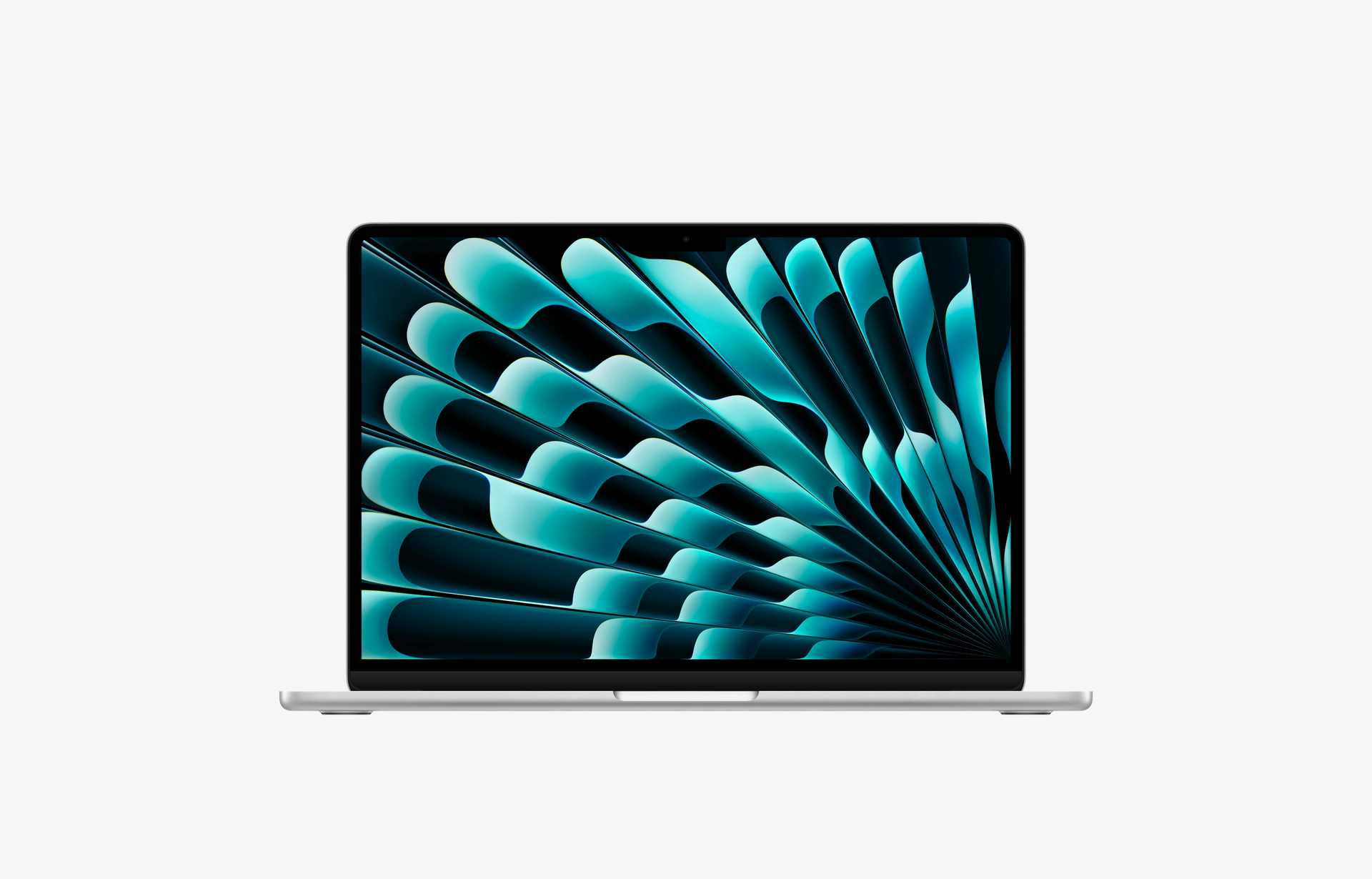
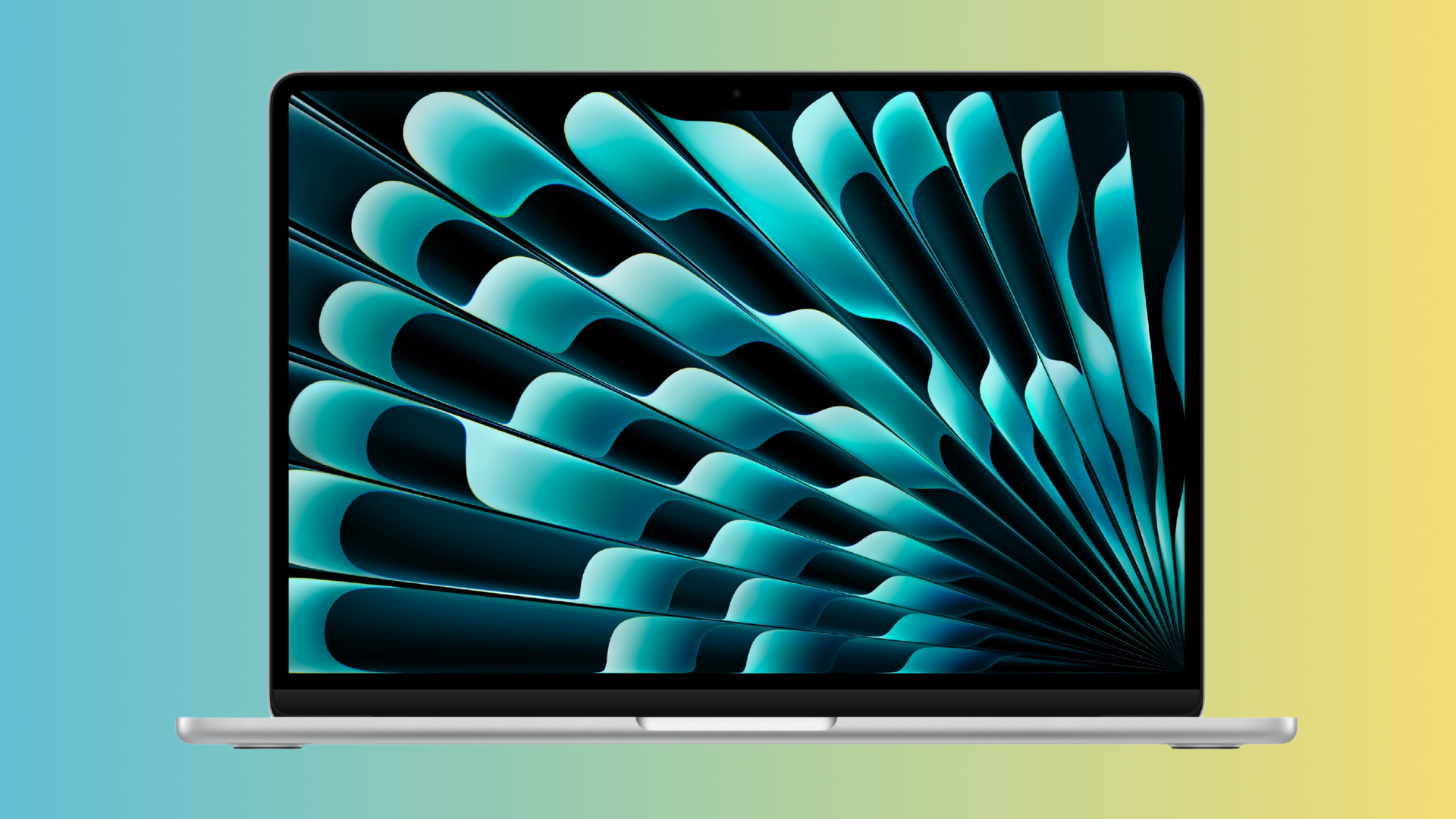
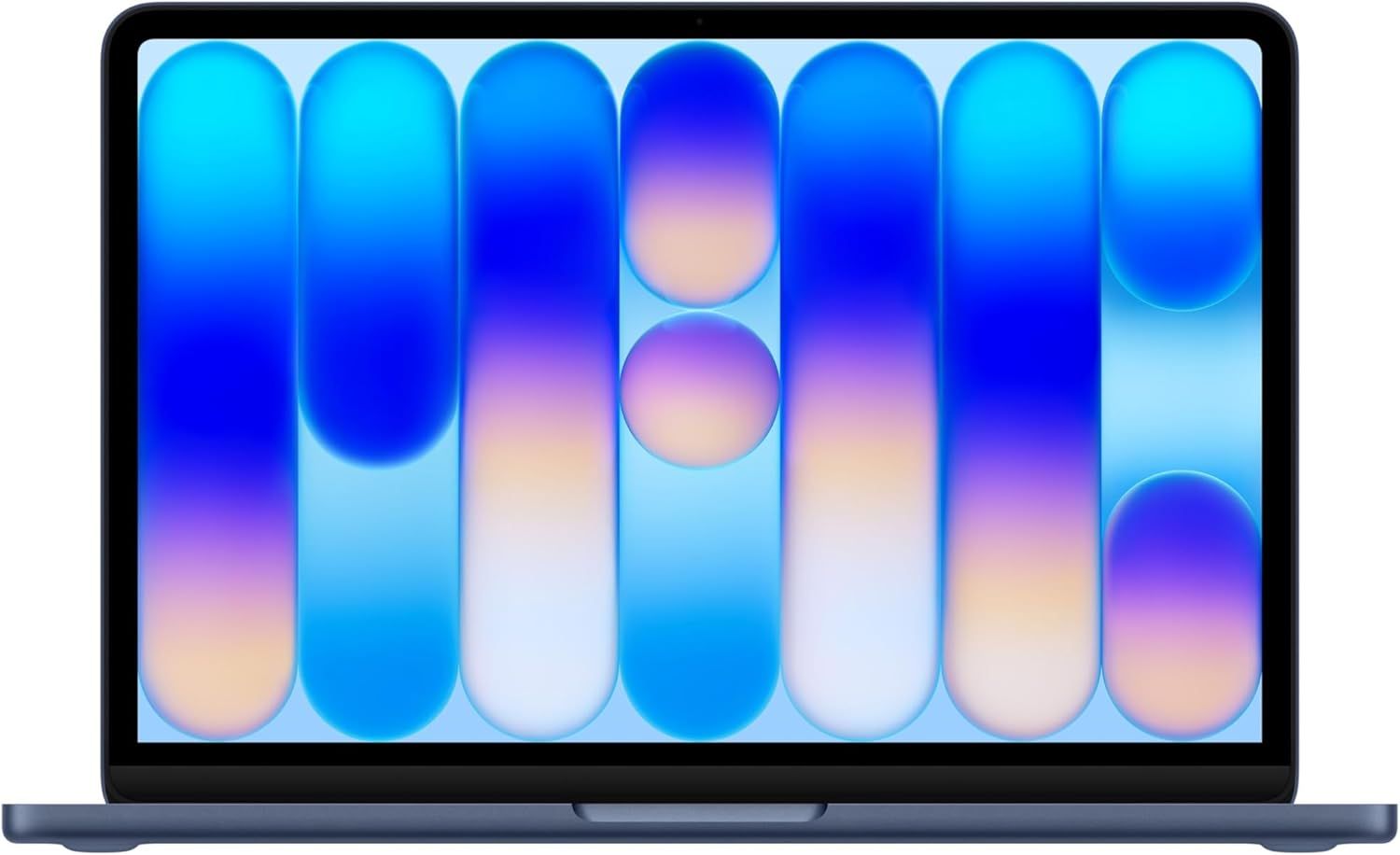
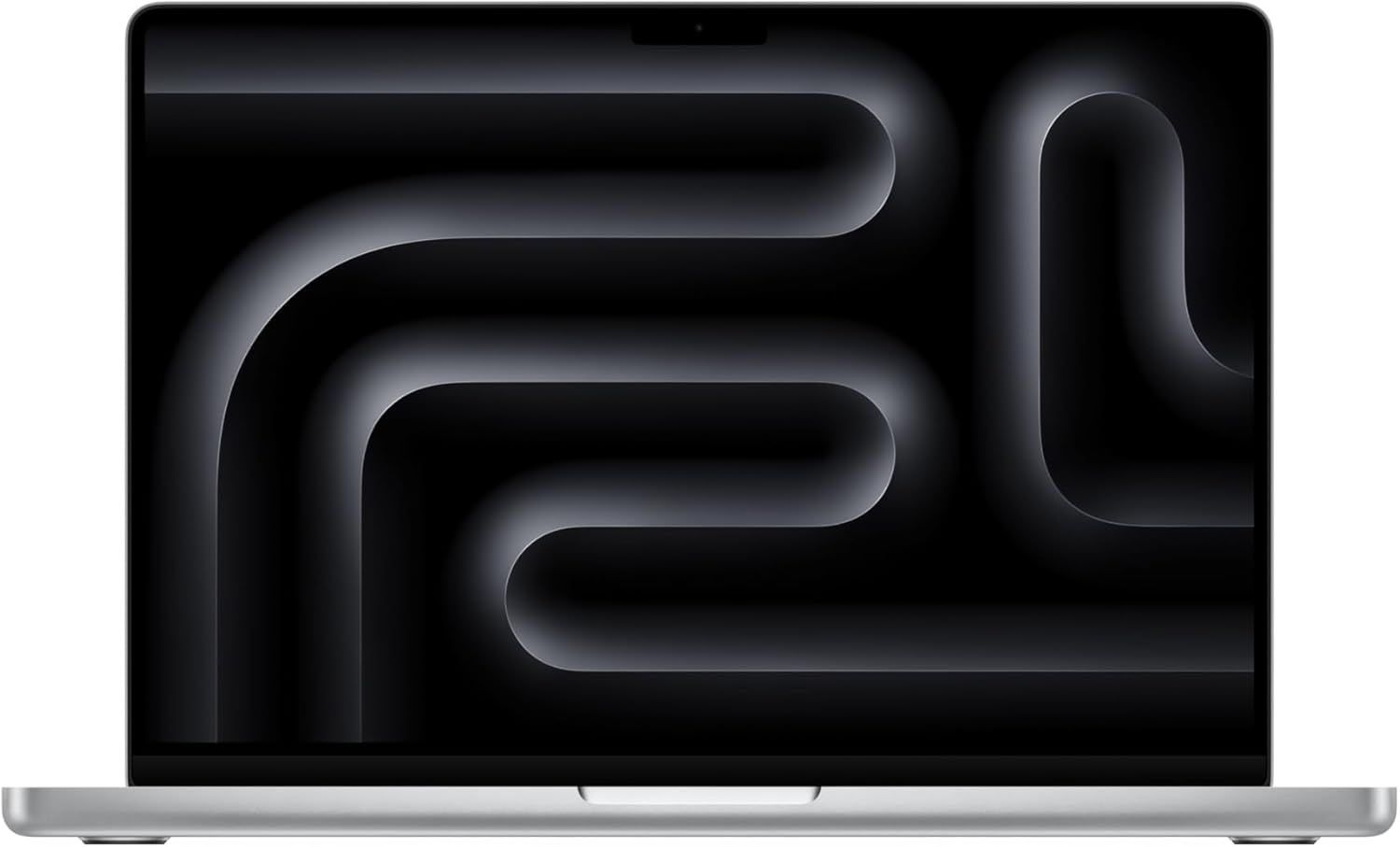
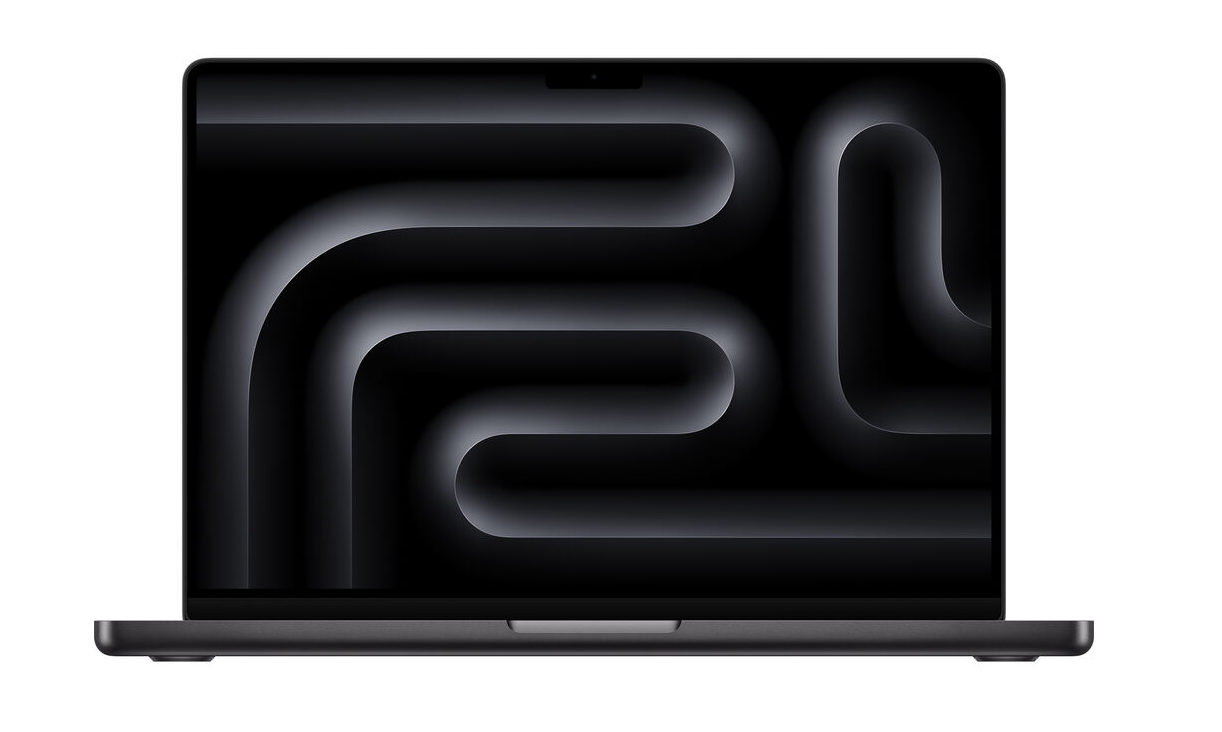
Apple finally has touchscreen laptops. At an event in Los Angeles, the company detailed its new MacBook Pros featuring OLED XDR displays that you can control with your fingers.
The 14-inch and 16-inch MacBook Pros are available for pre-order now and will ship on Nov. 6. The 14-incher will start at $2,899, while the 16-incher will start at $3,399. The systems use Apple's existing M5 Pro and M5 Max chips, and go up to 16TB of storage and 128GB of memory.
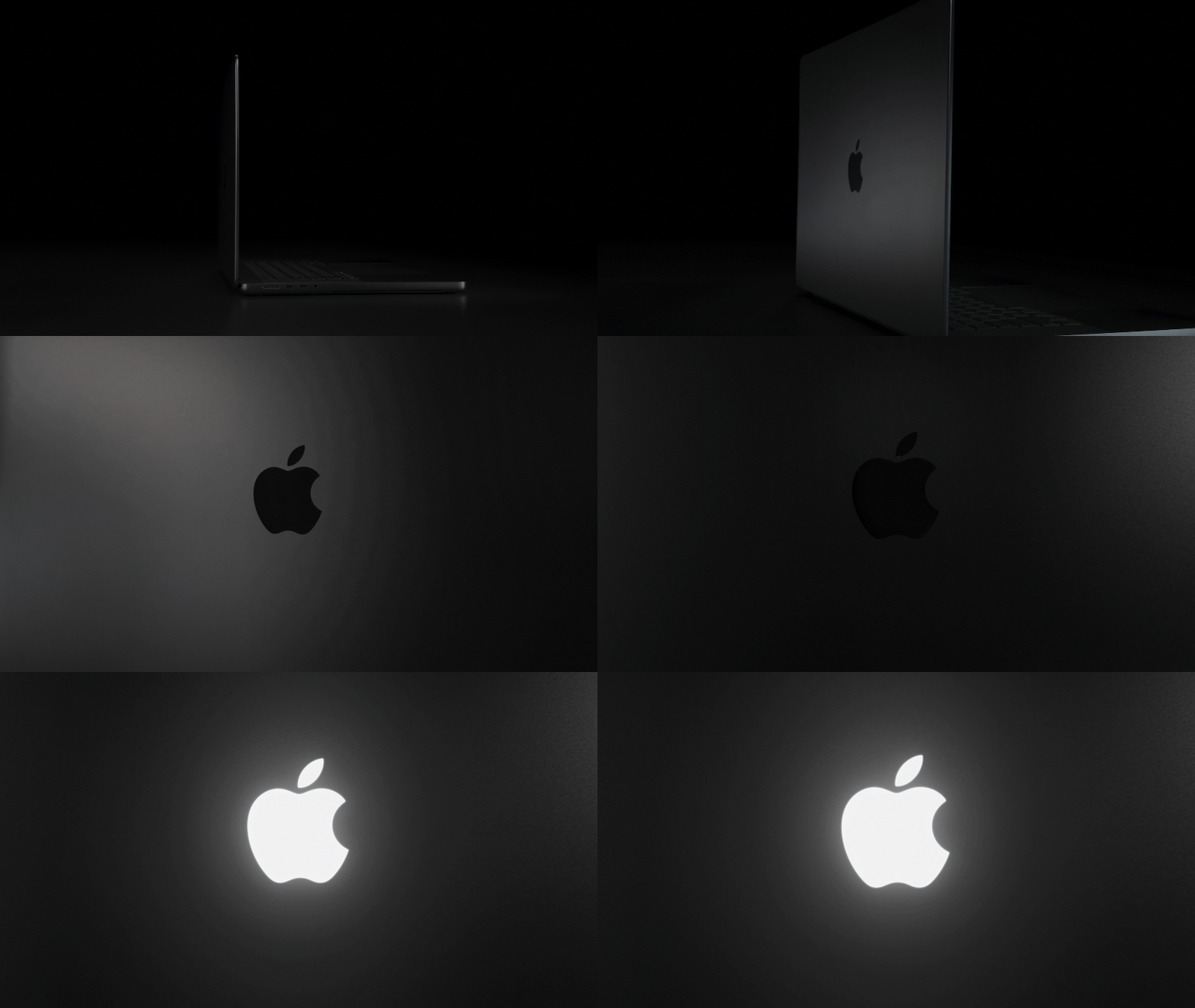
These systems also feature the first redesigns for the MacBook Pro since 2021, when the M1 Pro and M1 Max launched in what has become a familiar design with a notch. These new models include the Dynamic Island around the webcam, similar to the iPhone, which can be used for real-time notifications. They also have light-up Apple logos, which we haven't seen on a MacBook Pro since 2016.
The PROLED XDR display comes in 14.2-and 16.3-inch sizes, with ProMotion allowing for refresh rates between 10 Hz and 120 Hz. Apple claims 2,000 nits of peak brightness and a 10,000,000:1 contrast ratio for intensely deep blacks.
(Image credit: Apple)
The 14-inch MacBook Pro is 3 pounds, about half a pound less than the existing version, while the 16-inch MacBook Pro is 4 pounds, or 0.7 pounds lighter than it was before. Apple's bezels are also less noticeable than before. The hinge seems to be a point of pride (that's the second time this month, after the iPhone Duo). In this case, it's that the screen is less prone to wobble when you touch it.
The new laptops are only slightly thinner than their predecessor. Apple claims that the 16-inch model is "nearly a millimeter thinner" and the 14-incher is "half a millimeter thinner." Apple attributes those shavings to OLED's display stack.
(Image credit: Apple)
Apple's own apps are already set to work with touch out of the box, and the company says many other apps will already work right away, including Notion, Canva, Zoom, Microsoft Word, Excel, PowerPoint, Adobe Lightroom, DaVinci Resolve, Blender, and more.
Apple already had the best speakers in a laptop, and now it's promising improvements: 50% deeper bass and new tweeters for clearer sound. There's even dedicated audio tuning for people who want to use the speakers with their laptop lid closed.
The significant change to the Mac is another in a flurry of launches for new CEO John Ternus, who also recently introduced the iPhone 18 Pro; the foldable iPhone Duo; Apple Watch Series 12 and Ultra 4; HomeView; and a new iPad Mini, also with an OLED panel.
The devices follow a long resistance to touchscreen laptops from Apple. Former CEO Steve Jobs, at an event introducing Mac OS X Lion in 2010,called laptops with touchscreens "ergonomically terrible", claiming that "after an extended period of time, your arm wants to fall off." (HomeView, Apple's smart home manager, has a vertical touchscreen and no one has made a peep about that. The iPad, too, has been vertical on Apple's keyboards, though some of those include touchpads as well).
The Mac resisted a touchscreen throughout former CEO Tim Cook's tenure, as well, though these new laptops definitely were developed under his leadership. In the last decade, touchscreens have become a common feature on laptops running Windows, and Microsoft's latest operating system, Windows 11, was designed to be slightly more touch-friendly than its predecessors.
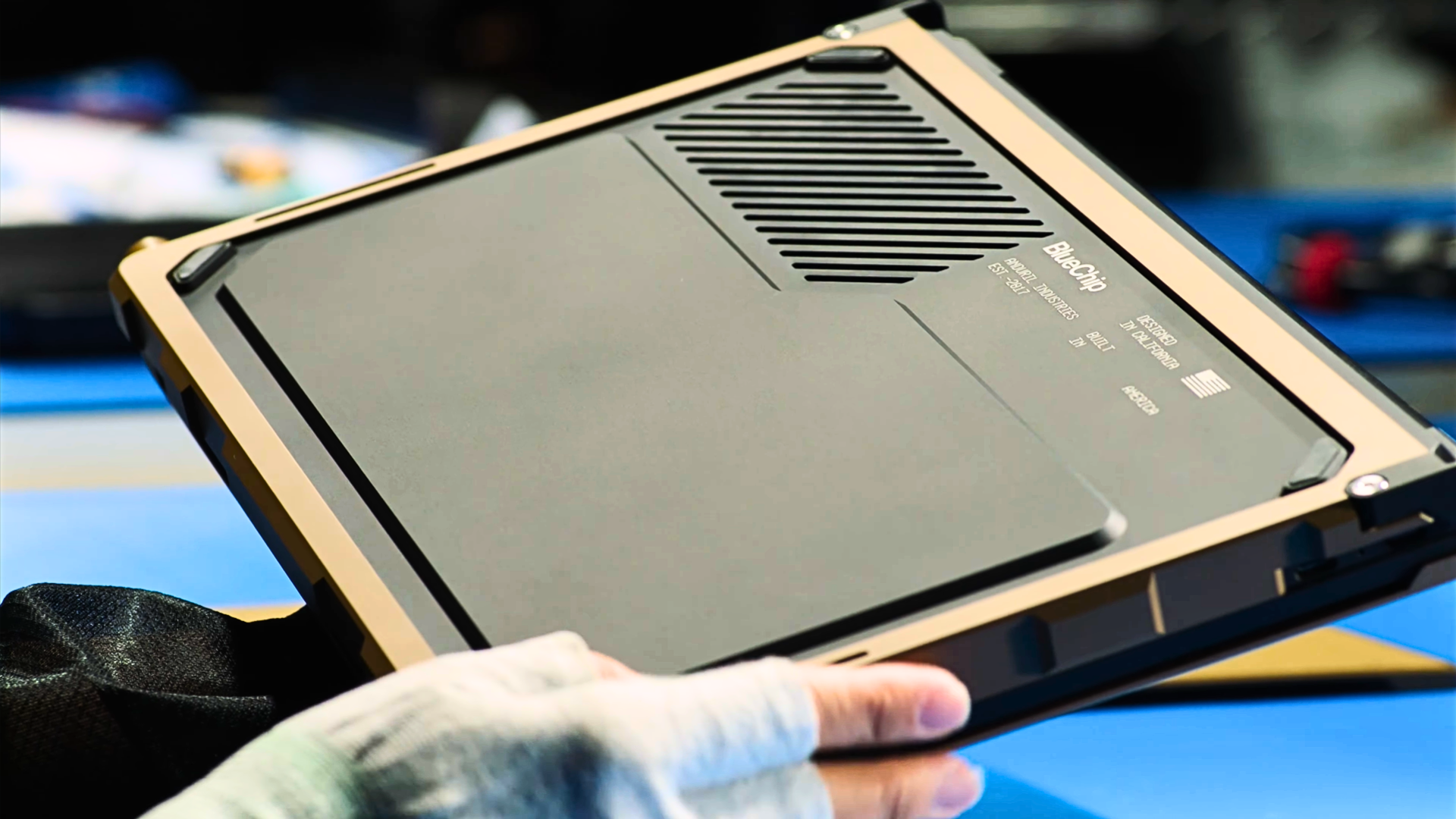
Defense contractor Anduril, which is known for its military drones, just announced that it’s building laptops in the U.S., with the company saying that it will begin taking orders in 2027. According to its press release, it will call its laptop product line BlueChip and will use a Snapdragon X Series SoC for its core computing capabilities. It also said that it already has functional prototypes, with 90% of the procurement cost of the components used to build it coming from suppliers in the U.S. and other allied countries. However, it’s also aiming for a fully domestic supply chain in the long term.
This means that Anduril is not only sourcing domestically produced semiconductors but also uses other made-in-the-U.S. parts, like batteries, the external casing, and even the glass for its screen. “Other companies might design their computers in the U.S., Anduril makes them here,” the Anduril founder Palmer Luckey said in the Anduril YouTube video. “We’re making parts out of metals that the U.S. knows how to extract, knows how to refine, knows how to process, and knows how to mill at scale at a reasonable price; and that goes for the entire laptop. The same thing goes for the battery technology.”
Luckey has been planning to launch a fully U.S.-made laptop since last year but said that it’s going to cost 20% more than a comparable device. Still, it seems that the company is targeting critical industries — government, defense, first responders, and public safety — which might be willing to spend more to ensure the security of their computer systems. Anduril is also better placed to start building a domestically designed, built, and sourced laptop today as the White House’s efforts to bring back semiconductor manufacturing have resulted in massive fabs like TSMC Arizona and Samsung’s Taylor, Texas site. Taiwan’s plan to support smaller companies key to TSMC’s supply chain by funding industrial parks in the U.S. will also likely benefit BlueChip, as it would make it easier for the company to source needed parts it would otherwise have to order from abroad.
Anduril has acknowledged the progress in the U.S.’s efforts to bring back computer manufacturing to its shores but also acknowledged the challenges that it faces when it comes to building a 100% domestic supply chain. “…manufacturing complete computers also requires circuit boards, displays, batteries, and other components still largely produced overseas. Restoring domestic computer manufacturing requires rebuilding that broader industrial base,” it said in its press release. “BlueChip will take a phased approach, beginning with expanding domestic sourcing and manufacturing, progressing toward eliminating reliance on foreign suppliers, and ultimately establishing an end-to-end American supply chain.”
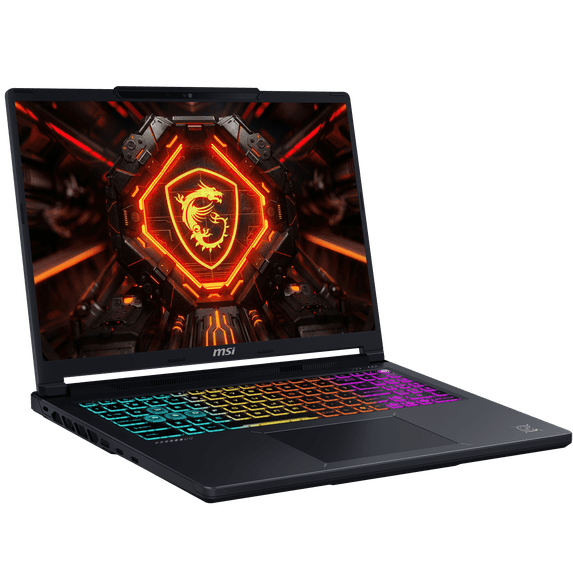
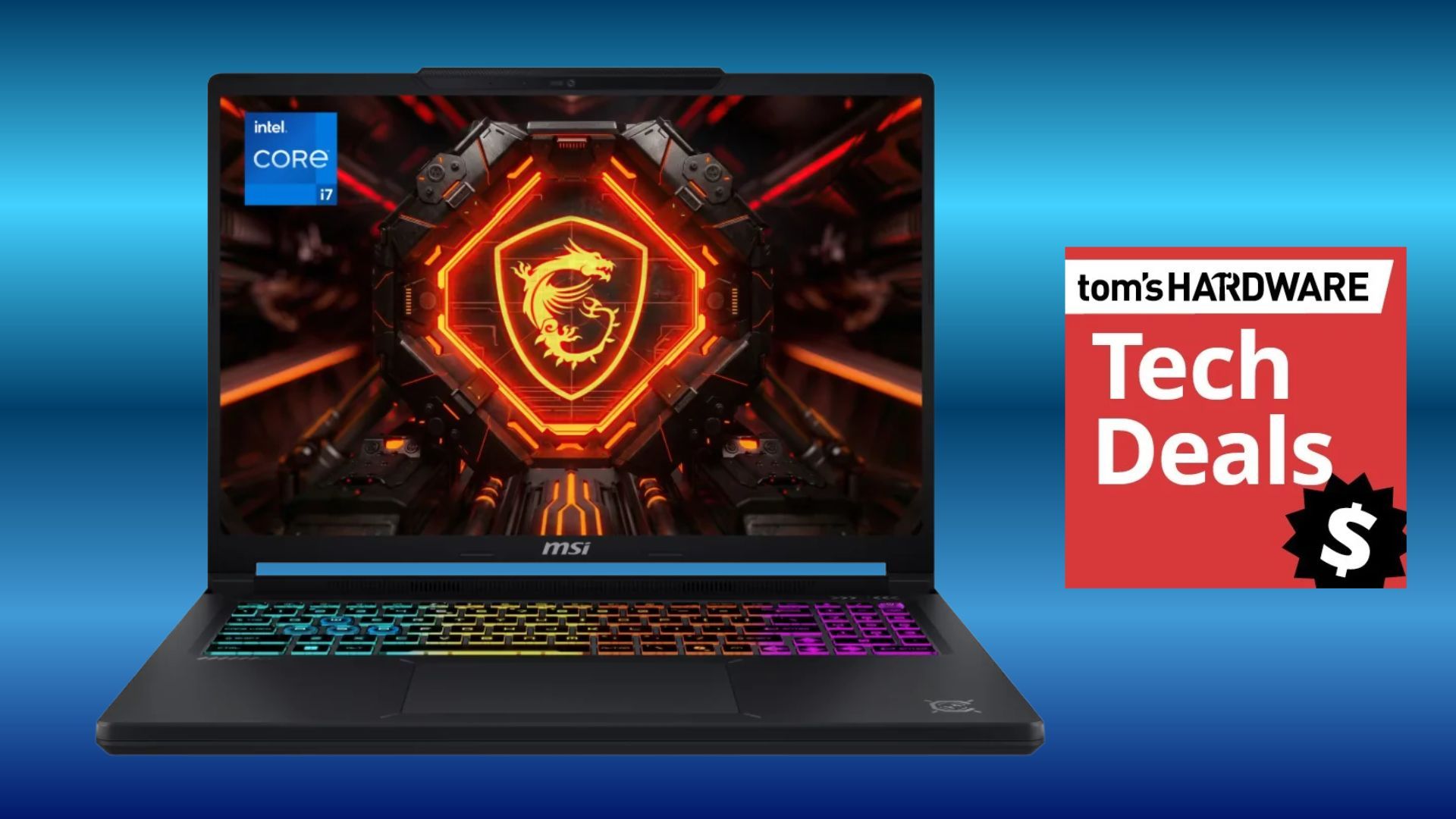
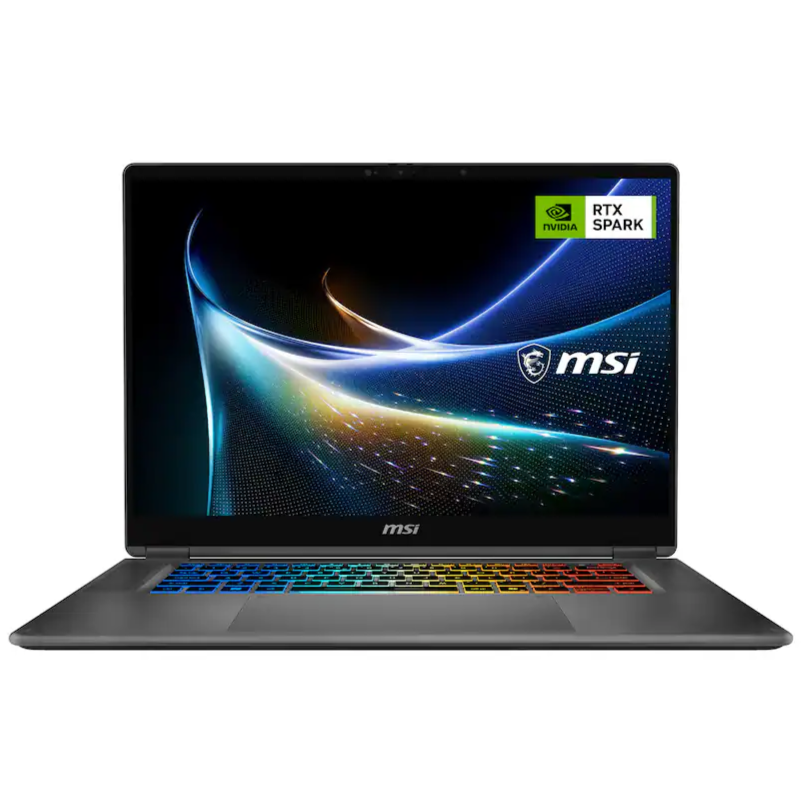
Spotted at Walmart today, at a pretty good price, is this RTX 5060-powered MSI Crosshair gaming laptop for just $1,249. With price rises across the board on laptops and PCs, it's important to keep an eye out for large discounts on gaming gear. The MSI Crosshair has been discounted by a hefty $750 from its original $1999 list price. This is classed as a budget-oriented gaming laptop due to the specifications, even if the price of the laptop is still over a thousand dollars.
With a fairly large 16-inch screen, the Crosshair pairs its IPS panel with a very crisp resolution of 2560 x 1600 pixels (QHD) and superb color resolution with a 100% DCI-P3 gamut. A thin bezel around the screen gives you more viewing area.
Inside the chassis of this gaming laptop is Intel's Core i7-14650HX processor with 16 cores. It's perfect for gaming and for work or study applications. The graphics are powered by a dedicated Nvidia RTX 5060 graphics chip with 8GB of VRAM, and for memory and storage, there is 16GB of DDR5 RAM and a 512GB NVMe SSD.
Crosshair 16: was $1999 now $1249 The MSI Crosshair sports a 16-inch IPS display with a sharp QHD resolution that's powered by an Nvidia RTX 5060 graphics card with 8GB of fast VRAM. Other specs include a 16-core Intel Core i7-14650HX processor, 16GB of memory, and a 512GB SSD. Windows 11 operating system comes installed. View Deal
Although for the best gaming performance, the laptop will run best on mains power, should you take the MSI Crosshair on the move, it comes with an 80 Wh lithium-polymer battery. For low-light environments or just for a gamer aesthetic, the Crosshair comes with a 4-zone RGB backlit keyboard with 99-key anti-ghost rollover.
For wireless network connectivity, you have Wi-Fi 6E and Bluetooth 5.3; for ports, the MSI Crosshair sports 2x USB 3.0/3.1 Gen1 ports, 3x USB 3.1 Gen2 ports, and USB-C Power Delivery (PD). An HDMI port for video connectivity and a 3.5mm audio port.
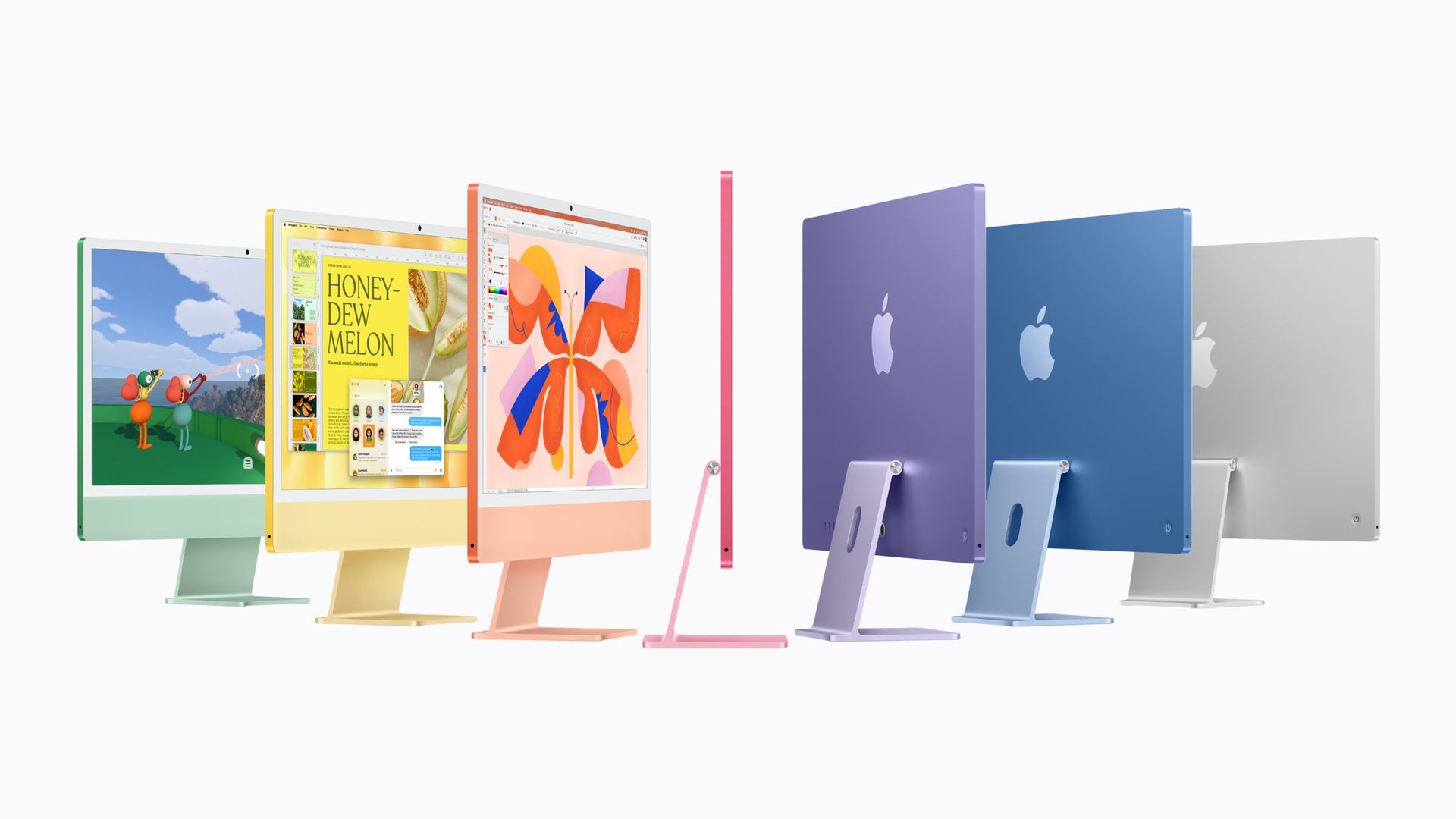
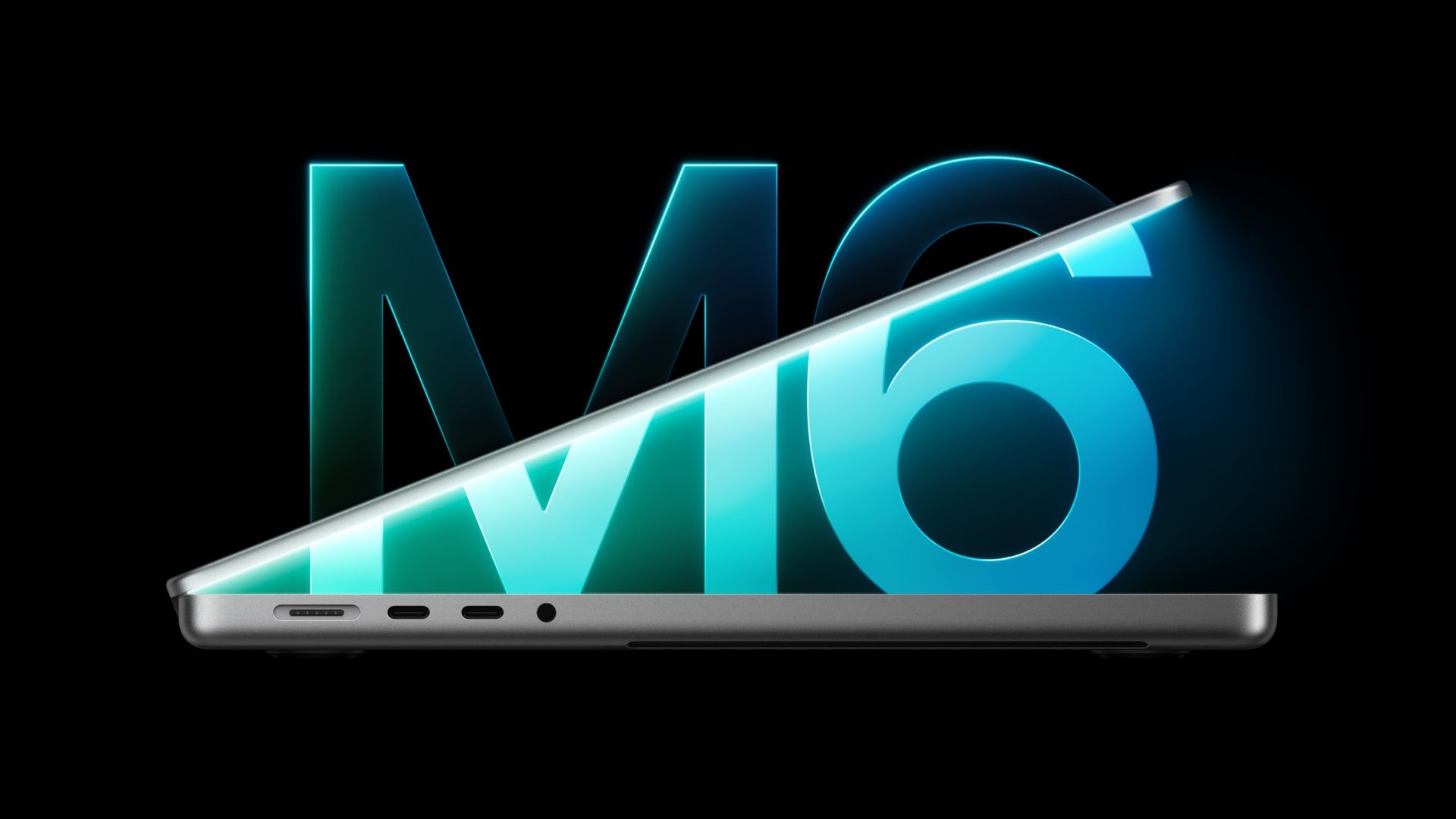
Apple is updating two more computers to its M6 system-on-chip. The base 14-inch MacBook Pro and the iMac lineup are getting the company's latest processor ahead of tomorrow's "Pro and Tell" event in Los Angeles.
These devices are retaining the same designs that they've had for years. The computers will be available for pre-order on Wednesday at 10:10 a.m. PT (1:10 p.m. ET) and will ship on Nov. 6. The M6 in the MacBook Pro will be configured with 12 CPU cores and 12 GPU cores, alongside dual neural engines for certain on-device AI workloads. On the iMac, there will also be a cut-down option with a 10-core CPU and 10-core GPU.
(Image credit: Apple)
The MacBook Pro will be configurable with up to 32GB of RAM and is being updated with Wi-Fi 7 and Bluetooth 6 using Apple's N1 networking chip. The iMac is also getting those networking benefits, as well as a 2.5 Gigabit Ethernet port. Like previous iMacs, the number of ports you get is tied to the chip, with two Thunderbolt 4 ports with the base chip or four with the option with more cores.
It's no surprise that Apple is pushing both of these as AI-forward machines, both with the new chips and the recently released Siri AI and Apple Intelligence features in macOS 27 Golden Gate.
The 14-inch MacBook Pro with M6 will start at $1,999 ($1,899 with education discount), while the iMac will begin at $1,499 ($1,449 with education discount) for the 10-core CPU/GPU configuration and $1,699 ($1,599 with education discount) for the full chip.
Both of these new systems are being announced the day before Apple is expected to release a MacBook with an OLED touchscreen. Yesterday, in a week of announcements, Apple debuted a redesign of the iPad Mini with a thinner body and an OLED display.
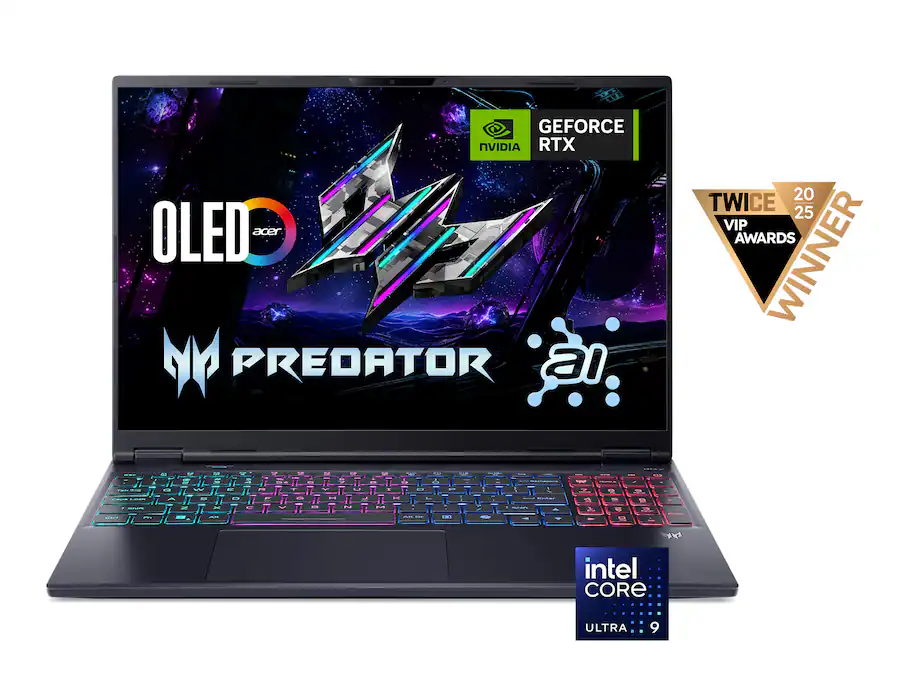
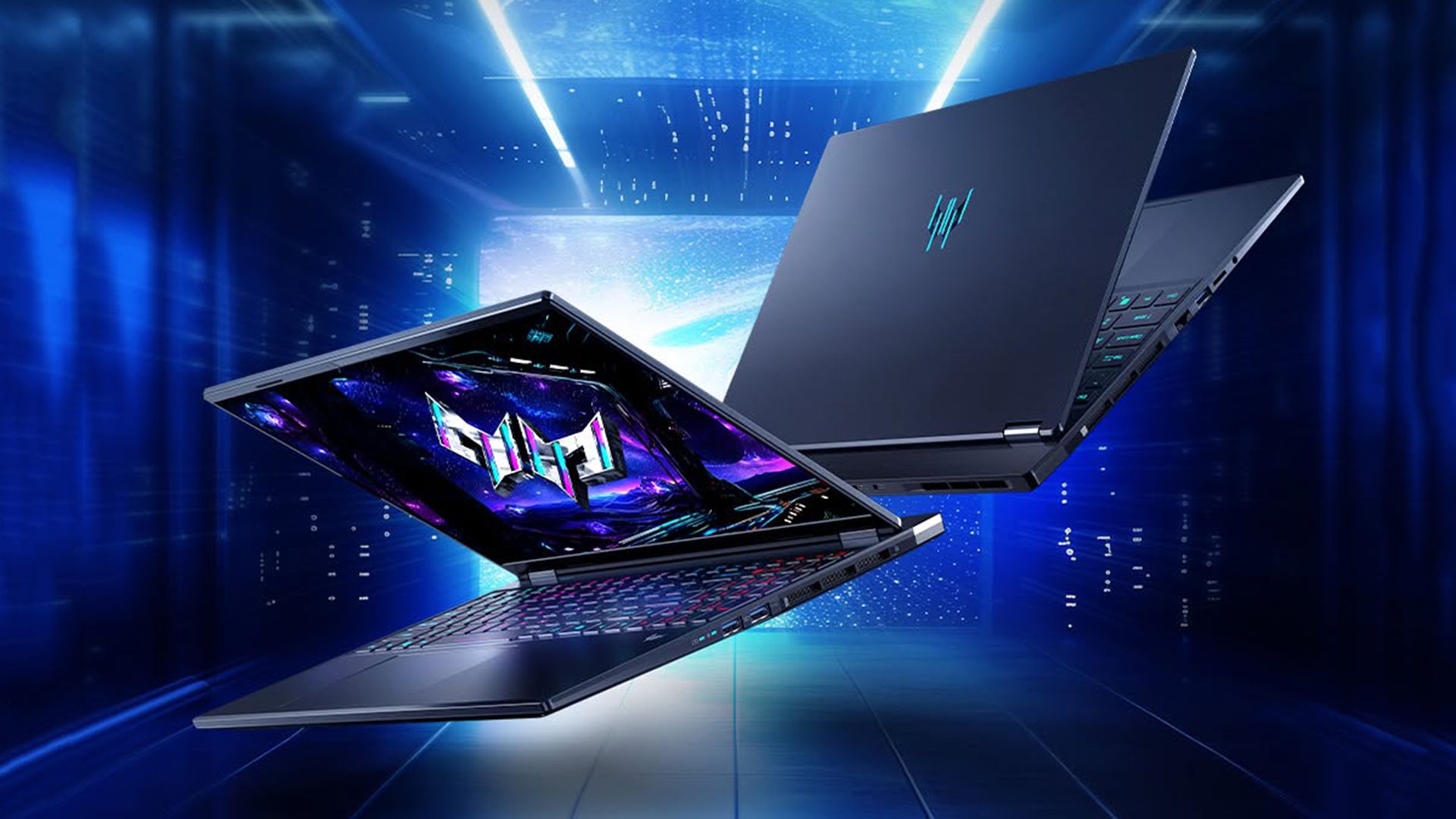
For anyone looking to buy a premium gaming laptop with an OLED display, the Acer Predator Helios Neo 16S AI is worth considering. The laptop is currently on sale at Best Buy for a limited time for $2,224.99, saving you $550 off its original price of $2,774.99. The discount also applies to the higher-end 32GB RAM model, available for $2,399.99, saving $800 off its original price of $3,199.99.
The Acer Predator Helios Neo 16S AI is a fairly thin gaming laptop with a maximum thickness of just 18.9 mm. The laptop features a 16-inch OLED panel with QHD+ (2560 x 1600) resolution and a 16:10 aspect ratio, giving you more vertical screen space. It also offers a fast 240 Hz refresh rate, plus support for G-Sync, VESA True Black HDR500, and 100% DCI-P3 color gamut coverage.
Gamers looking for a premium laptop with a vibrant OLED display and high-end graphics can grab the Acer Predator Helios Neo 16S AI at a reduced price, with the RTX 5070 Ti-equipped machine starting at $2,224.99 and the 32GB RAM model dropping to $2,399.99.View Deal
Despite its thin profile, the laptop is claimed to deliver desktop-class performance thanks to Intel’s top-of-the-line Core Ultra 9 290HX Plus processor, which features 24 cores and boost clock speeds of up to 5.5 GHz.
Handling the graphics is Nvidia’s RTX 5070 Ti laptop GPU with 12GB of GDDR7 memory, offering the benefits of the Blackwell architecture, including DLSS 4 and the latest DLSS 5, multi-frame generation, and improved ray-tracing performance. Memory options include 16GB or 32GB of DDR5-6400 RAM, while a 1TB PCIe Gen 4 SSD provides storage for all your games and other data.
Gamers looking for a premium laptop with a vibrant OLED display and high-end graphics can grab the Acer Predator Helios Neo 16S AI at a reduced price, with the RTX 5070 Ti-equipped machine starting at $2,224.99 and the 32GB RAM model dropping to $2,399.99.View Deal
For I/O, you get three USB 3.2 Type-A ports, a USB 3.2 Type-C port, a Thunderbolt 4 port, a headphone jack, 2.5-gig Ethernet, HDMI 2.1, and a microSD card slot. For wireless connectivity, you get Bluetooth 5.4 and Wi-Fi 6E. Other notable features include a 92 Wh battery, a quad-zone RGB backlit keyboard, and a 1080p IR webcam.
Overall, the Acer Predator Helios Neo 16S AI offers a promising combination of a high-refresh-rate OLED display, powerful hardware, and a relatively slim design. At $2,224.99 for the 16GB model or $2,399.99 for the 32GB variant, the current Best Buy deal makes it a great option for those looking at desktop-class performance in a portable package.
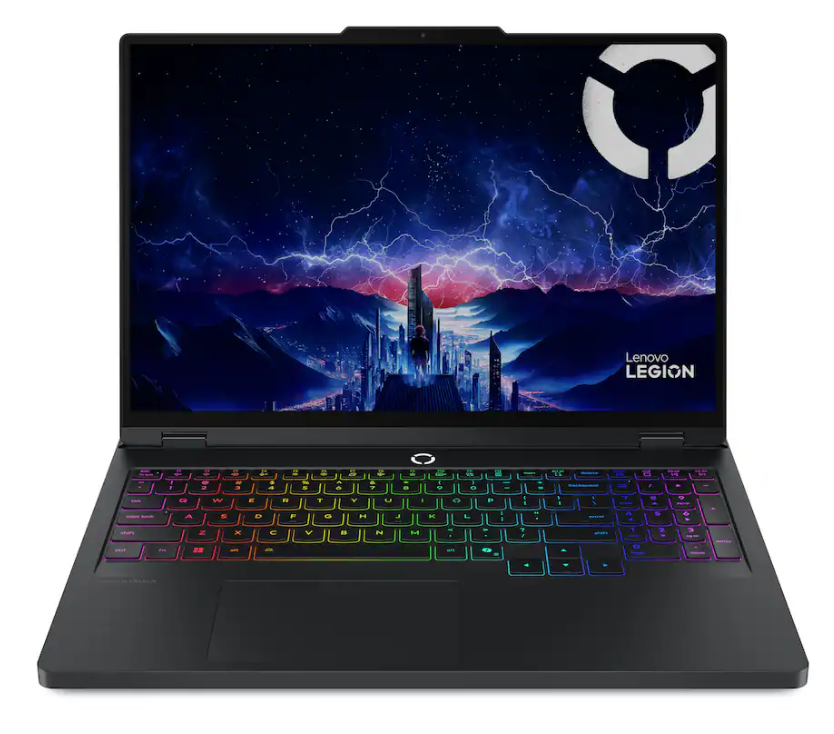
On the lookout for a new gaming laptop? Best Buy is offering $850 off the list price of the Lenovo Legion 5i 16-inch Gaming Laptop, bringing the price to $1799.99. The full list price of this laptop mentioned on the Best Buy store page is $2649.99, which is a hefty sting to anyone's bank account. This Legion 5i packs a high-res 16-inch display and a powerful laptop graphics card, and comes in a very well-constructed Lenovo Legion chassis.
The Lenovo Legion 5i in this deal features a 16-inch IPS screen with a sharp 3K display (2560 x 1600-pixel) resolution, a blistering 240Hz refresh rate, and 500 nits of brightness. This Legion 5i model sports an Intel Core Ultra 7 255HX processor with an Nvidia mobile RTX 5070 graphics card with 8GB of GDDR7 VRAM, 16GB of memory, and a 1TB SSD for storage, which completes the main hardware specifications of this powerful gaming laptop.
Legion 5i 16-inch Gaming Laptop: was $2649.99 now $1799.99 The Lenovo Legion 5i uses an Intel Core Ultra 7 255HX processor with Nvidia's mobile RTX 5070 graphics with 8GB of VRAM. There's also 16GB of memory and a 1TB SSD installed. The laptop features a 16-inch screen with a sharp resolution of 2560 x 1600 pixels and a 240Hz refresh rate. View Deal
The Legion 5i also offers video connectivity via USB-C DisplayPort 1.2 and HDMI 2.1. Other ports onboard the Legion 5i include Thunderbolt 4 and 3x USB-A ports. Speedy Wi-Fi 7 connects you wirelessly for gaming, with helpful RGB backlighting on the keyboard for gaming in darker environments.
The battery life for the Legion 5i is rated for around 4.7 hours of use, but, as is the issue with all gaming laptops that use a powerful graphics solution for gaming, the battery can drain very quickly. So, for the full gaming potential of this laptop, you will need to be connected to mains power.
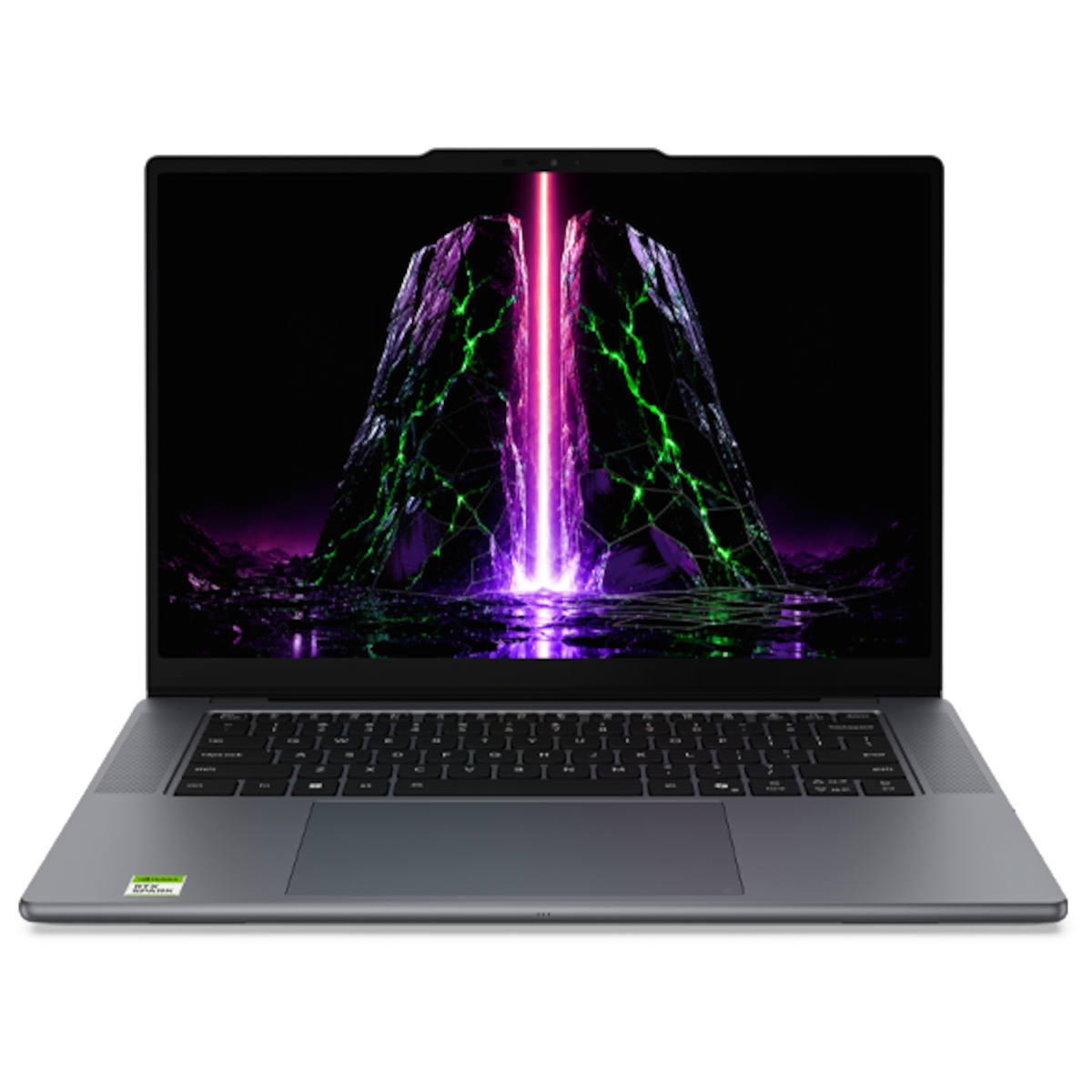
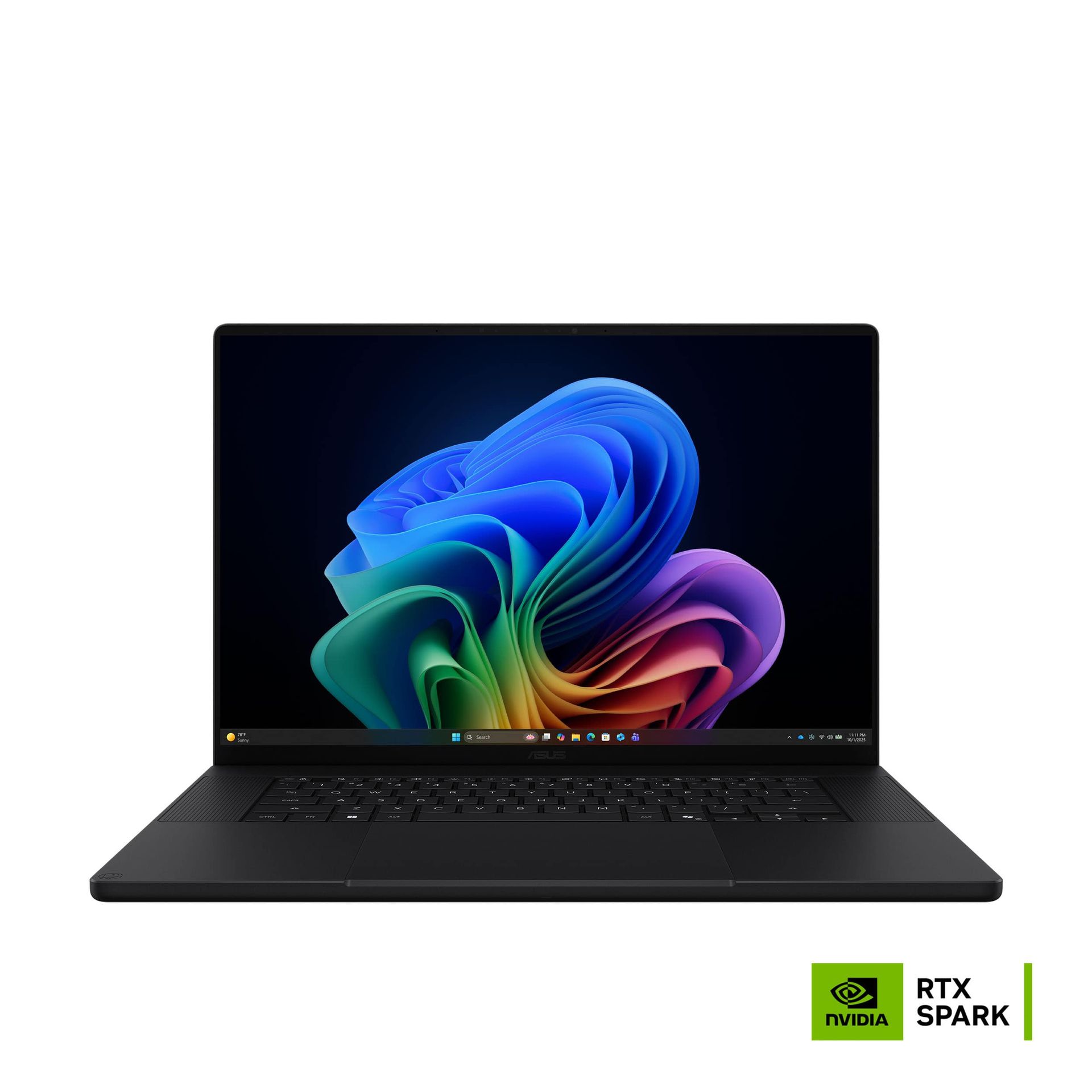
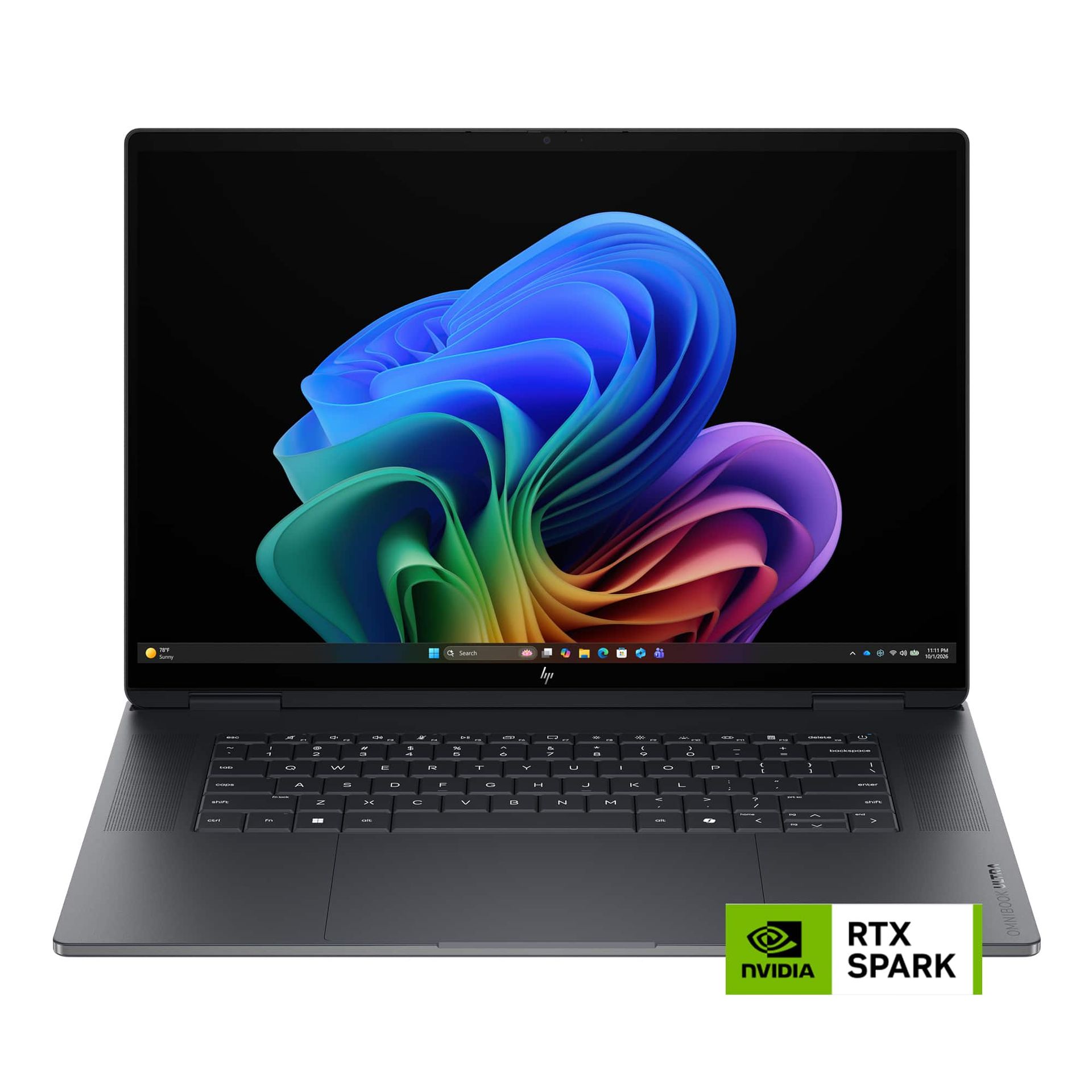
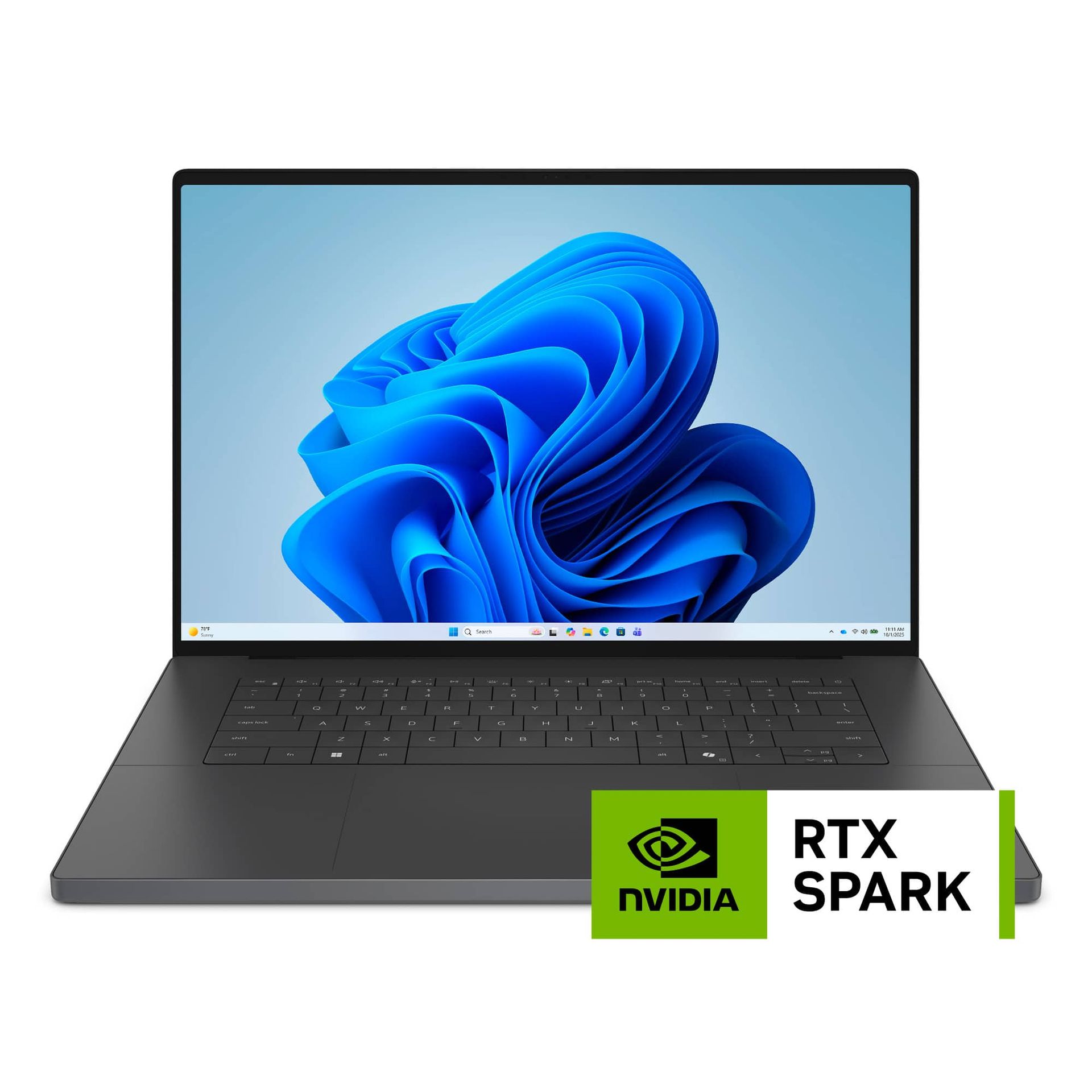
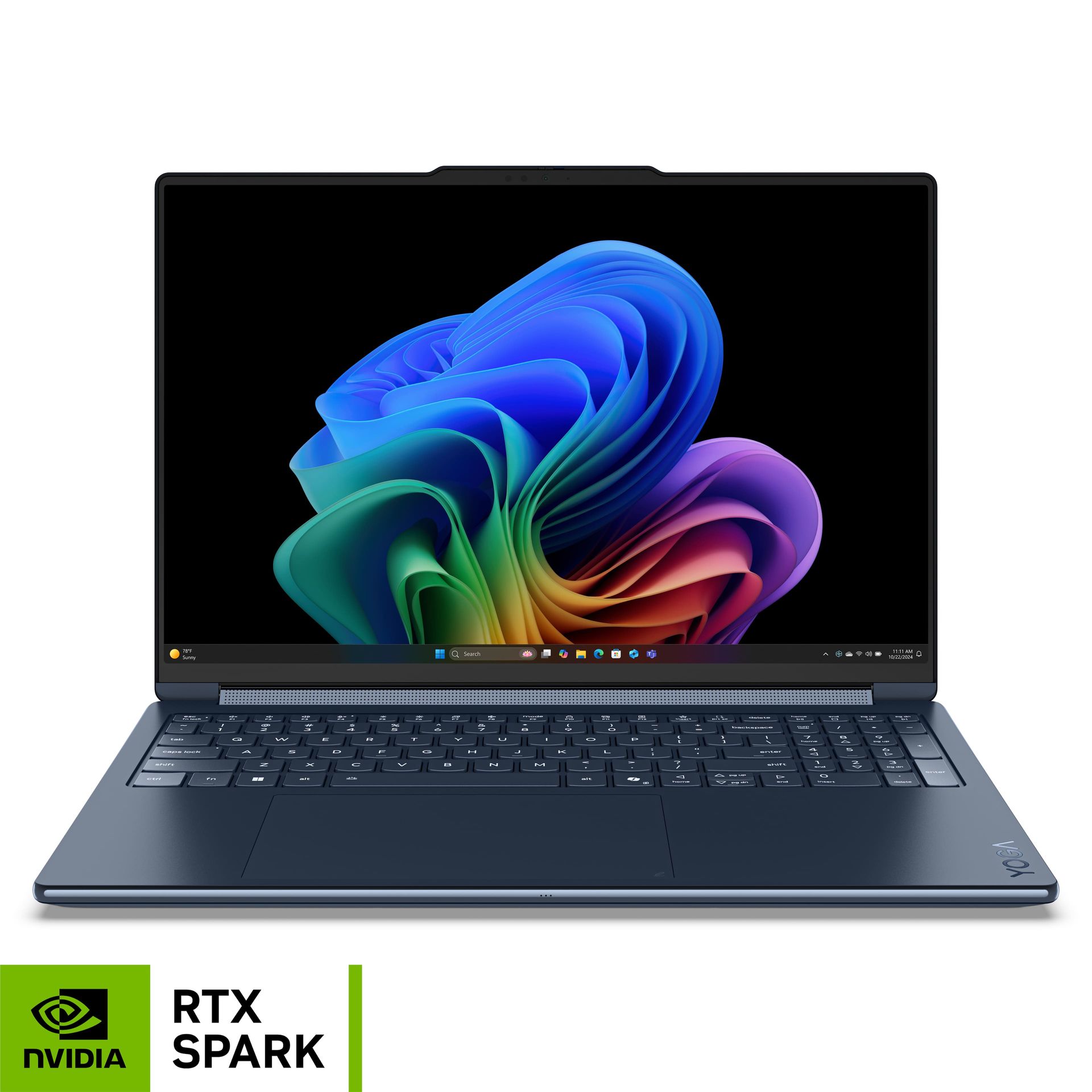
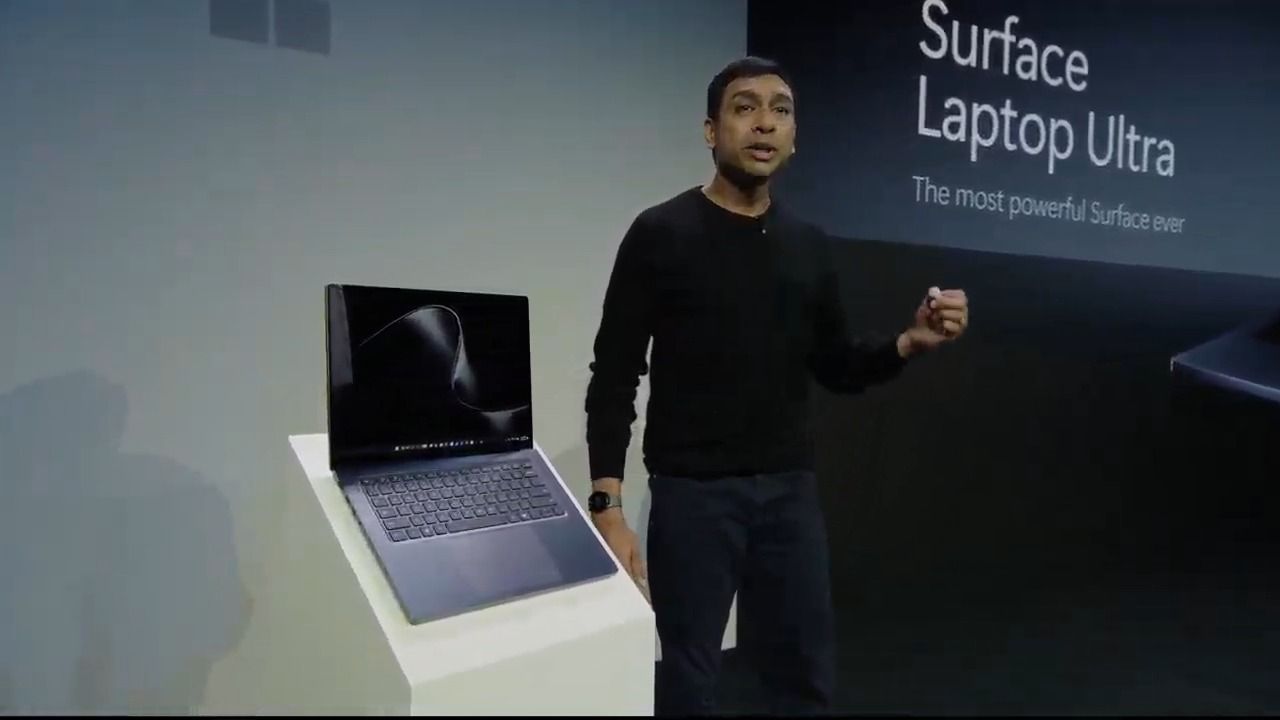
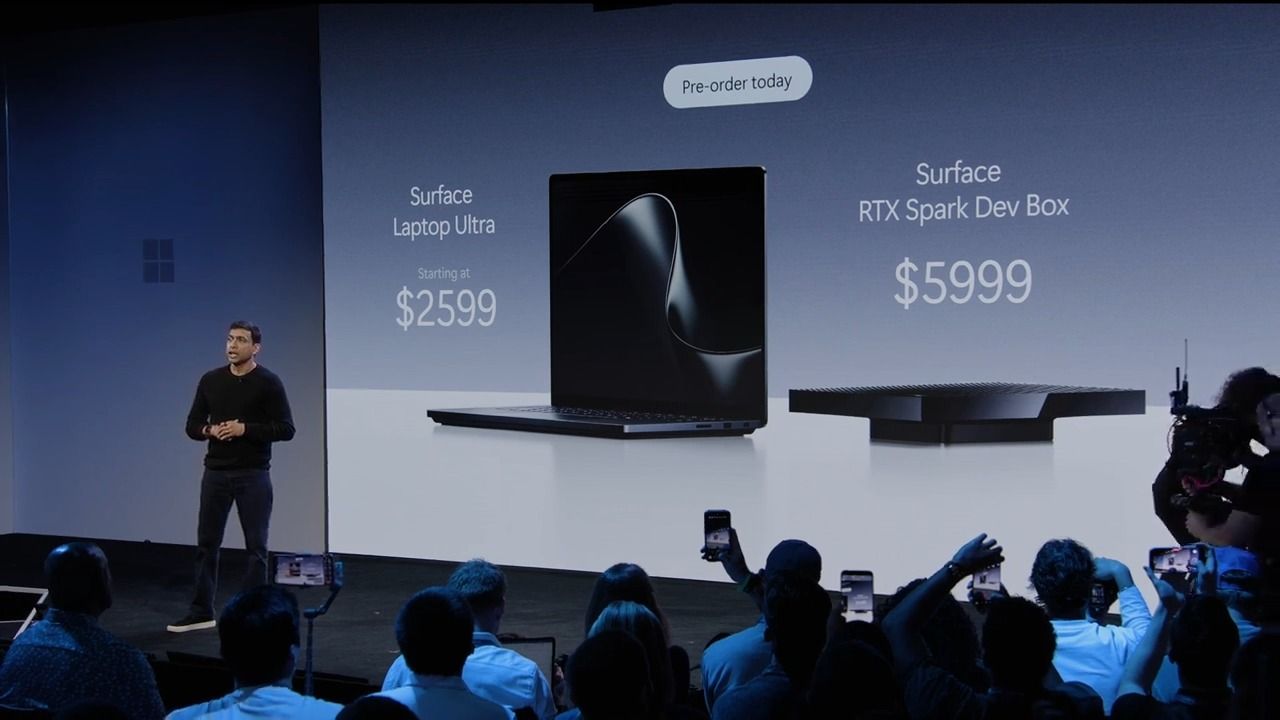
Nvidia's RTX Spark is now generally available for immediate shipment at multiple retailers. Orders for RTX Spark from brands like Asus, Microsoft, Lenovo, HP, and Dell are live now, including the new Surface Laptop Ultra. Additional devices will be available post-launch, including small form factor desktops. Further below, you'll find the full list of all available models in detail, but we also have more general links here:
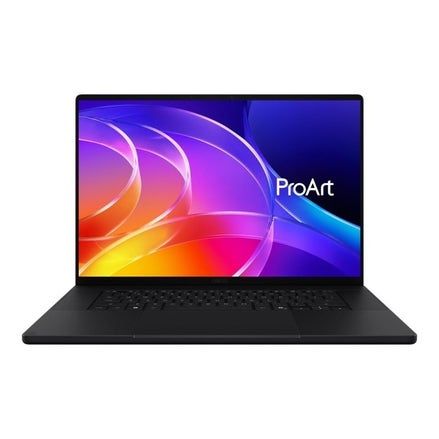
Best Buy has a limited lineup of devices to start, ranging from the Asus ProArt P14 with 24GB of memory for $2,599 up to the Surface Laptop Ultra with 48GB of memory for $3,999. If you want to scale up the RTX Spark's maximum of 128GB of memory, you'll need to shop elsewhere.
Nvidia RTX Spark 128GB and 64GB laptop orders
ProArt P16 RTX Spark: $4399.99 The Asus ProArt P16 is a 16-inch laptop with the RTX Spark chip, which includes the 20-core Grace CPU and a Blackwell GPU, along with up to 128GB of unified memory. View Deal
Asus has the ProArt P16 available with either 64GB or 128GB of unified memory directly from its web store, starting at $4,499.99 for the 64GB configuration. If you upgrade to 128GB of unified memory, the laptop comes in at $6,999.99 with 2TB of storage.
Lenovo Pro 9n Nvidia: $2999.99 The Lenovo Pro 9n comes with the 18-core N1X processor paired with 32GB of LPDDR5X-9400 and a 15.3-inch 2560x1600 OLED panel that runs at a blistering 165Hz.View Deal
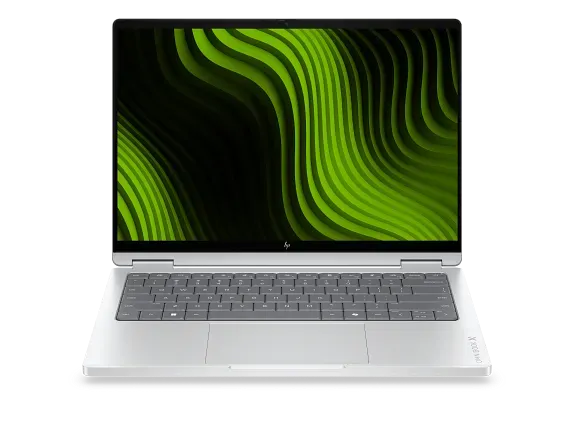
The HP OmniBook X 14 is a 14-inch laptop with the RTX Spark chip. It includes a 3K OLED touch display at a 120Hz refresh rate, along with up to 128GB of unified memory. View Deal
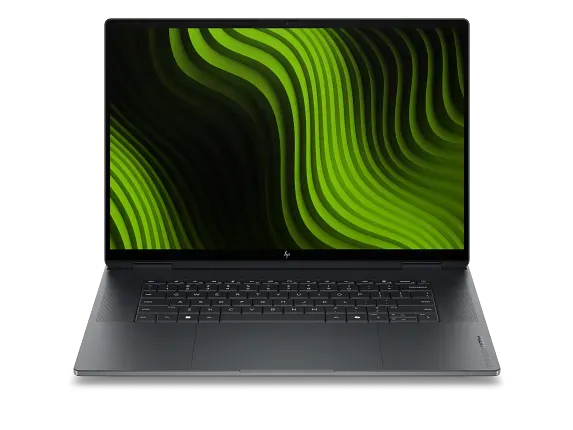
The HP OmniBook Ultra 16 is a 16-inch laptop with the RTX Spark chip and supports up to 128GB of unified memory. View Deal
HP has two models available directly in its web store, both of which support up to 128GB of unified memory (along with 64GB, 48GB, 32GB, and 24GB). Both models are significantly cheaper than the ProArt P16 with 128GB of unified memory. The OmniBook X comes in at $5,109, while the OmniBook Ultra runs $5,309, both with 1TB of storage.
The two models are very similar, differing primarily in screen size. The OmniBook X is 14 inches, and the OmniBook Ultra is 16 inches. Both come with a 3K OLED touch display with a 120Hz refresh rate, and they support up to 2TB of storage.
With both laptops, you'll get a smaller 5120-core GPU with the 32GB configuration. With all other configurations, you get the full 6,144-core GPU available on the RTX Spark.
The Surface Laptop Ultra is a 15-inch laptop with the RTX Spark chip and up to 128GB of unified memory. View Deal
Finally, the Surface Laptop Ultra is available up to 128GB directly from Microsoft. It's also available from B&H, though it appears configurations with more memory capacity are exclusive to first-party sources right now.
Nvidia RTX Spark Best Buy Orders
Best Buy has a broad range of RTX Spark laptops available for order, topping out at 64GB of unified memory. All of the devices through Best Buy are expected to ship on the October 16 release date. You can find all of the orders going on right below.
We've included the starting configuration for each machine, though note that Best Buy has other configurations of these models available for order as well. You can browse all of the orders directly on Best Buy.
ProArt P16 (RTX Spark): $2799.99 The Asus ProArt P16 is a 16-inch laptop with up to 128GB of unified memory and 2TB of storage, featuring the RTX Spark chip. View Deal
Nvidia calls its latest SoC simply "RTX Spark," but it's actually a range with two different chips. The full chip comes with a 20-core Grace CPU and 6144-core Blackwell GPU, but there's a lower-end configuration with an 18-core Grace CPU and 5120-core Blackwell GPU.
Pay close attention to which you are ordering. Listings will simply call the chip "RTX Spark N1X," and you have to read through the description to confirm the core counts on the CPU and GPU.
From the orders available now, we've only seen the 18-core CPU/5120-core GPU version with laptops that have 24GB or 32GB of Unified Memory. Listings with 48GB or above have the full chip. The RTX Spark is available with several different memory capacities, including 24GB, 32GB, 48GB, 64GB, and 128GB.
For storage, we've seen configurations with 512GB, 1TB, and 2TB, though the vast majority of devices top out at 1TB, including the Surface Laptop Ultra. Undoubtedly, we'll see configurations with more storage capacity eventually, but that's a tough sell right now when even a tricked-out 2TB configuration costs $7,000.
The driving force behind all of this is, of course, is the roughly five-fold increase in RAM costs in the past year, driven by AI hyperscaler demand. That’s also why Valve delayed the Steam Machine by roughly six months, eventually forcing its launch price above $1,000. That completely negated the value proposition that made the Steam Deck a success for so long. And I think Google’s new laptops are in a similarly tough spot, for many of the same reasons.
The new Googlebook laptop platform – an AI-focused reimagining of its successful Chromebook platform, complete with its own 16GB RAM requirement and prices that (apart from a limited-time $899 offer from Acer) start at $999. Models from Lenovo and Asus even stretch into MacBook Air pricing territory.
But, like Valve’s gaming hardware, Google’s previous laptop success has hinged primarily on affordability. Chromebooks launched in 2011, with three models all priced around $500, and Acer again undercut its competition at $349. There have been “high-end” Chromebooks over the years, but the vast majority have remained fairly affordable.
Cutting-edge Android 17 cutoff
Android phone integration (akin to an iPhone / MacBook pairing) is one of the major new selling points of the Googlebook platform. But you need a phone running Android 17 for that integration to work. That OS iteration launched just four months ago and, so far, is only available on a handful of expensive phones.
Aside from severely limiting the number of current customers, this also ignores the fundamental realities of the Android phone market. The majority of Android devices sold every year are mainstream and budget models. Even with the same RAM and storage pressures pushing prices up, less than 30% of global phone shipments are models priced higher than $600 — and that number includes iPhones, all of which are priced above that mark, unless you’re buying from a reseller.
So in short, Google is launching a new, mostly $1,000-plus (at least for now) laptop platform, hoping to piggyback off the brand recognition and mindshare of its search engine, cheap Chromebooks, and (largely) cheap Android phones. This is at a time when the price of almost everything else has also been on the rise for years, and both Apple and Microsoft’s Windows partners are offering up the best sub-$700 laptops… arguably ever.
It’s hard not to see this as poor timing, at best. Given software and hardware lead times, Googlebooks as a concept were almost certainly pretty far along a year ago when RAM pricing started to skyrocket. But with solid indications that the cost of RAM and storage could continue to climb into next year and beyond, Google may have effectively been forced into an “if not now, when” launch window, which also seems to have been the case with the Steam Machine launch earlier this year.
Nvidia’s RTX Spark is a completely different laptop animal
Of course, Nvidia’s also brand-new Spark laptops are priced much higher, starting at $2,599 and going up to $5,899 or even $6,999 for 128GB models. But those Nvidia-silicon laptops are aimed primarily at AI coders, not average Android-toting consumers who might also be interested in AI features. And, in case you somehow haven’t noticed, Nvidia has become one of the largest companies in the world by selling ever-pricier GPUs to gamers, workstation users, and the global AI hyperscaler market. Nvidia may be halting RTX 5090 production in favor of more profitable AI hardware, despite that gaming GPU continuing to sell out while being consistently priced thousands of dollars above its MSRP. Early indications point to similar demand for at least some Spark laptops, with preorders of Microsoft’s 128GB Surface Laptop Ultra seemingly sold out before the platform even officially launches.
Google’s hardware division, meanwhile, has spent the last 15 years selling its mostly budget laptop platform, while repeatedly attempting and failing to make premium Google-designed devices a mainstream success. Yes, there was the Chromebook Plus rollout in 2023, but those devices were mostly priced below $700, and multiple retailer list filters suggest the sub-$500 models are the most popular. Even Google’s flagship Pixel phones are priced well below flagships from Samsung and Apple.
This is a strange time to go upmarket, to require 16GB of RAM, and to launch a new laptop OS and platform at all, considering PC shipments are down 20%. And that’s especially true if you’re Google, a company known primarily for free, ad-supported software and services, and hardware that you primarily buy because it’s what you can afford, not because it’s what you want.
Chromebooks have gotten a bad rap. The systems have often been seen as glorified web browsers designed only for schools. But with Googlebooks, Google is making a renewed push to show its laptops are designed to be full-on PCs, running a new operating system that feels more like Android than anything else.
Googlebook OS is also designed to merge your Android phone and your laptop in a way that has never been seen outside of Apple’s macOS and iOS devices.
And of course, Google has packed Googlebook OS full of AI features. Some of these are unique to the new laptops, while others, like Rambler, have been introduced on Android phones before.
The new undertaking currently has five hardware partners: Dell, Lenovo, HP, Acer, and Asus. The hardware that we tested is generally sound, though I wouldn't mind a bit more battery life.It's the OS itself that needs some more time in the oven. It largely feels like Android, with some features nailed on to fit a desktop OS. Despite the expansive Google Play Store, the platform is still limited and largely centered around the web browser.
In some ways, Googlebooks are more powerful than Chromebooks could ever be. In other ways, they feel like they haven't yet grown into a full PC operating system.
Googlebook Hardware
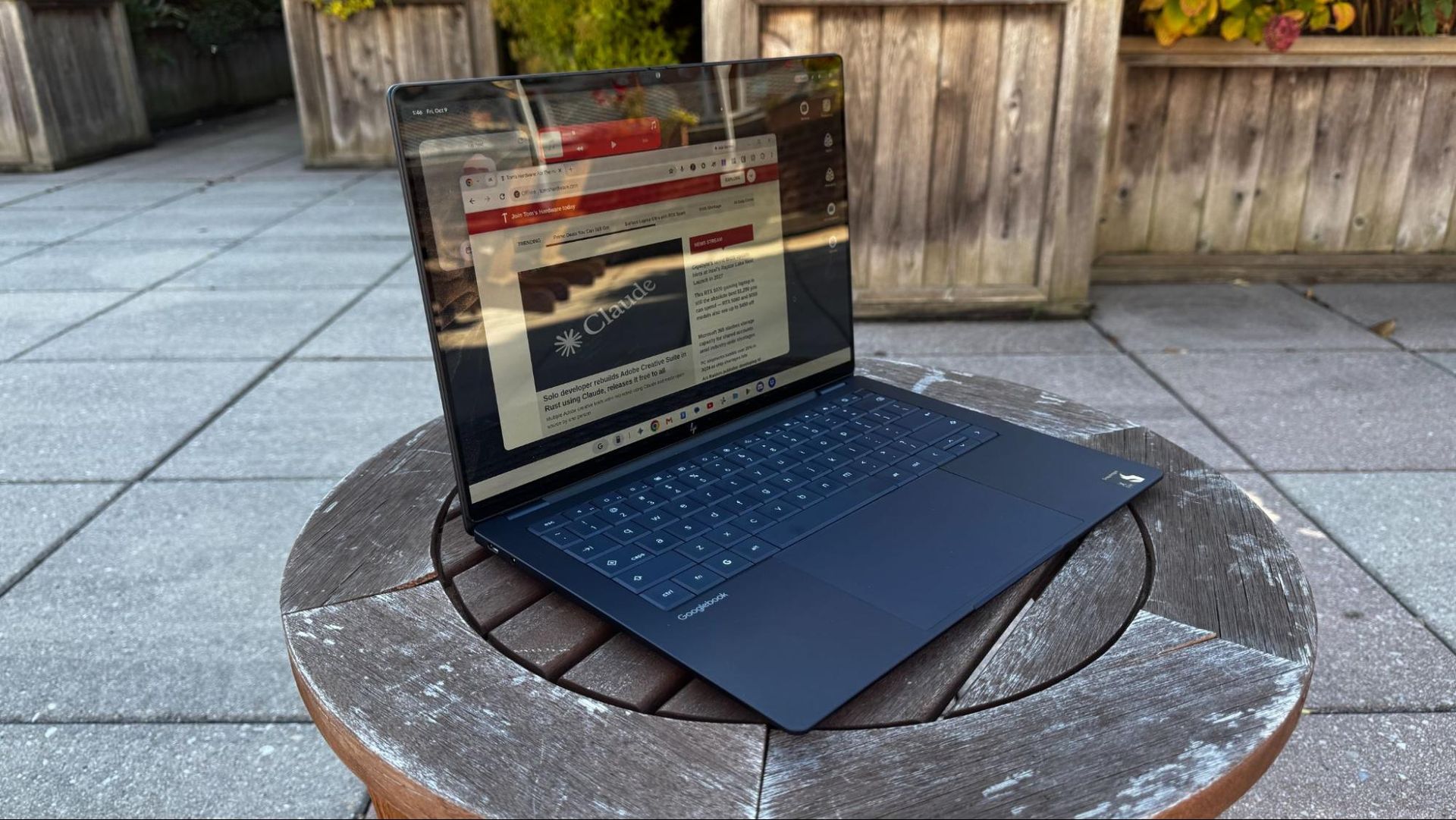
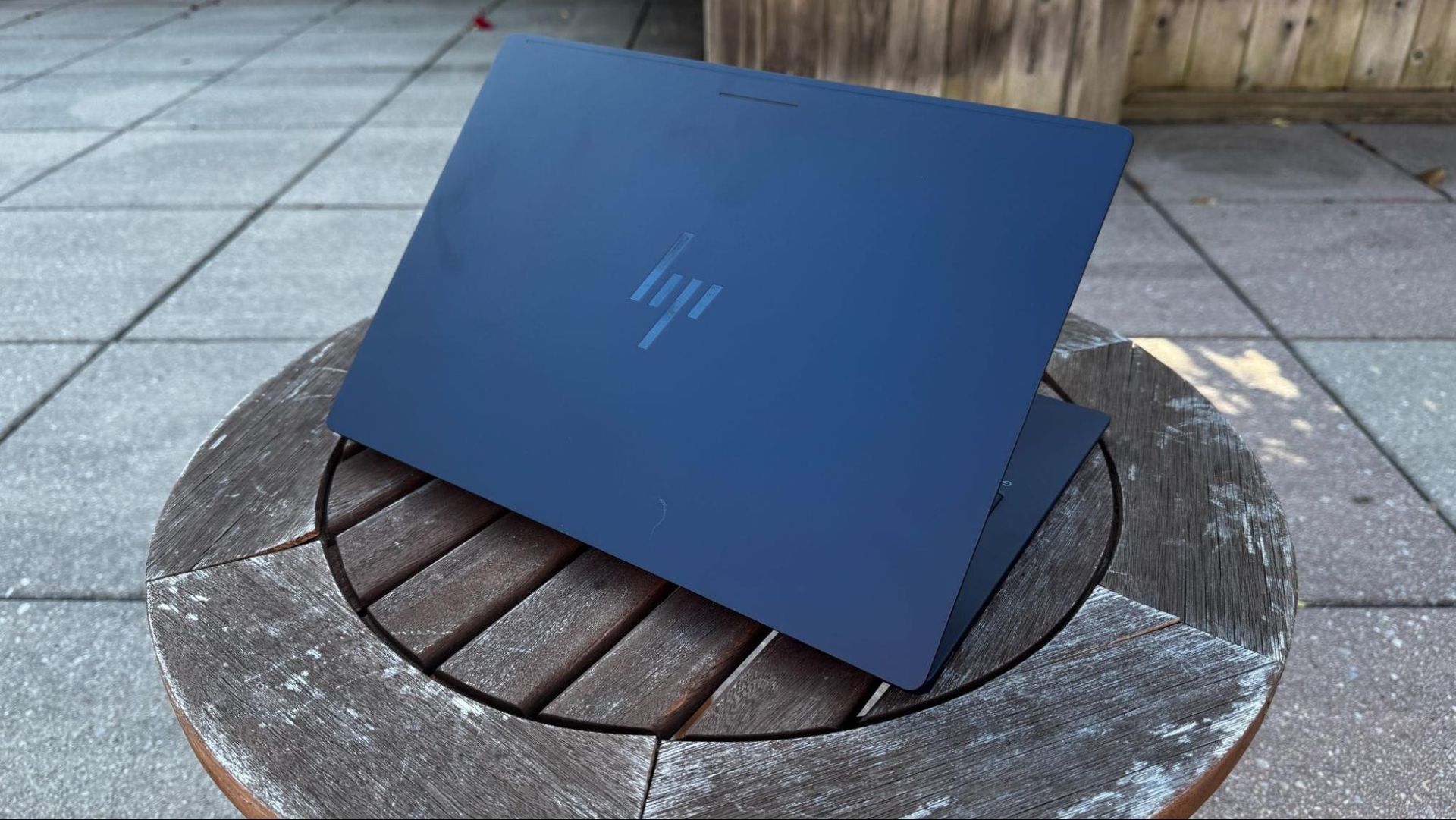
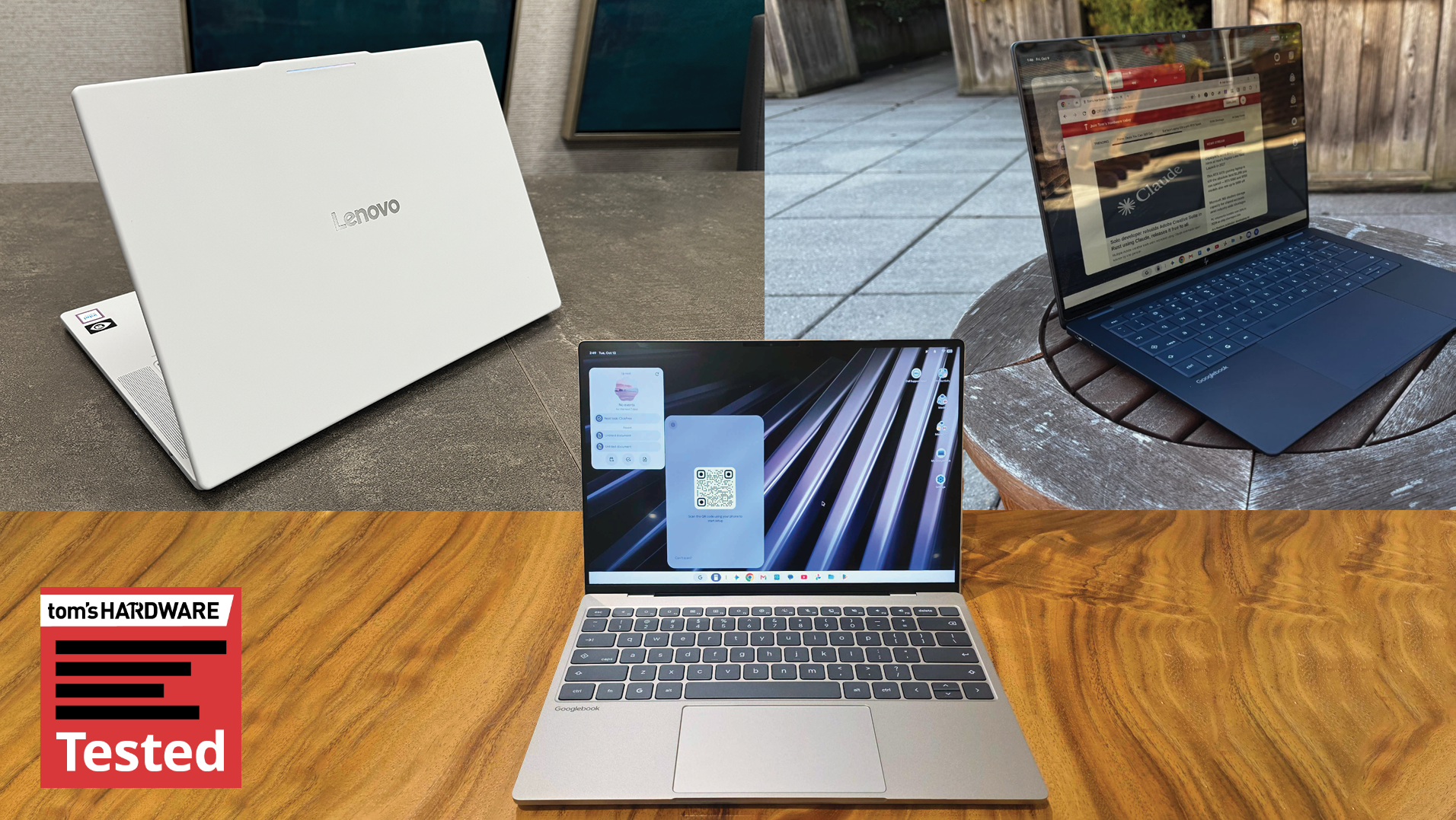
I've spent the last few days using the Lenovo Googlebook 15, HP Googlebook 14, and Dell’s XPS Googlebook. In general, if you've seen some recent Windows laptops, you've seen this hardware. The HP Googlebook 14 is clearly based off around the HP OmniBook Ultra, while the Dell XPS Googlebook is a carbon copy of the Dell XPS 13 — although there is a haptic touchpad in this version. I have few complaints there — both of those are solid machines, though I still wish HP would move away from the keyboards without spaces around the keys.
Tom's HardwareTom's Hardware
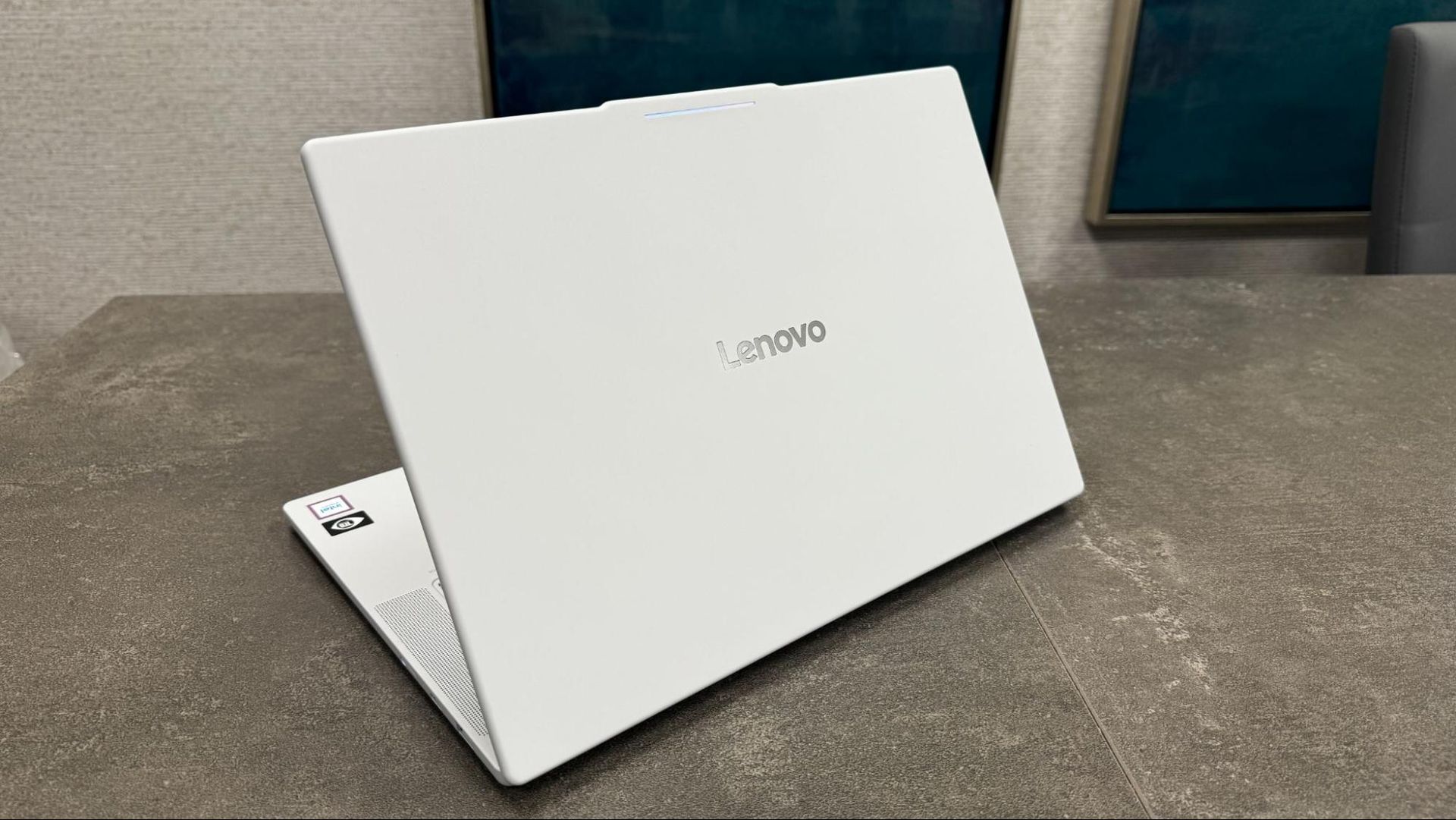
Of the systems, the HP feels the most premium, but I've come to appreciate Lenovo's airy design with the all-white Lenovo Googlebook 15. Despite the 15.3-inch OLED screen, the mix of carbon fiber with aluminum and magnesium doesn't feel as high-end, but is light at approximately 2.84 pounds.
HP and Lenovo both include beautiful 2880 x 1800 OLED screens, while Dell opted for a 2560 x 1600 LCD panel instead.
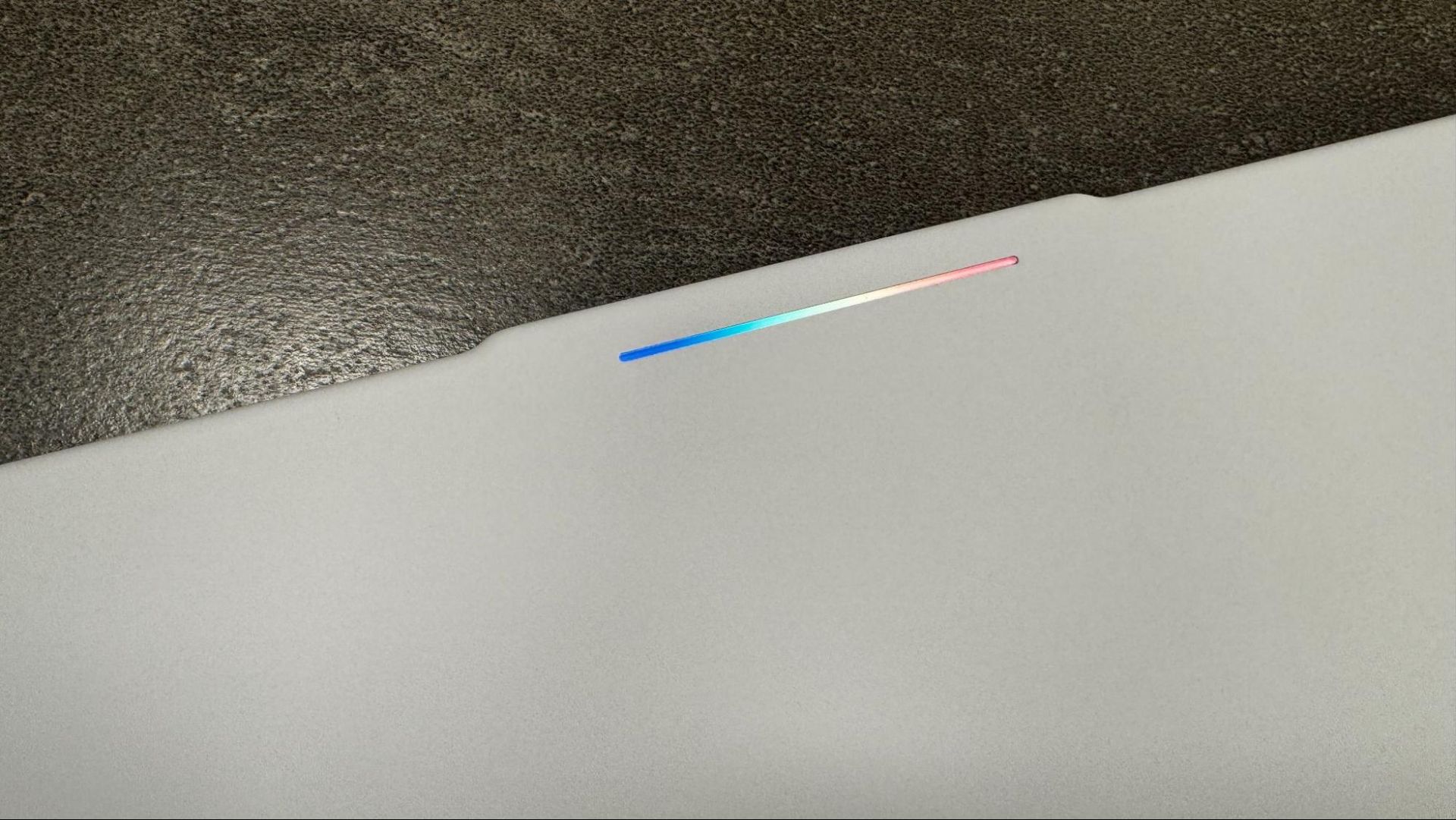
While ports, materials, and screens might differ, all of the Googlebooks share a few things in common. The first is the Glowbar, which originated on the Chromebook Pixel and Pixel C tablet. Here, it serves as the sole unifying element that tells anyone looking at you that yes, you're using a Googlebook. When you turn the system on or put it to sleep, it has a nice rainbow pattern, but otherwise it largely glows white. It dances around when you speak to Gemini, and when you plug or unplug the device, it indicates battery life with colors (green, yellow, red) and flashing when the battery is low or there’s a charging problem.
Tom's HardwareTom's Hardware
Other than turning the Glowbar off, there's not much customization. Or rather, there isn’t unless you find the hidden Glowbar Disco app, which Google is positioning as an easter egg. (SPOILER ALERT: Go to Settings > Apps and click "See all [Number] apps." Click on the three dots in the corner and click "Show System." Click "Glowbar Disco" and press the External arrow button. This launches Glowbar Disco.)Glowbar Disco lets you choose a custom color, preset gradient, or a series of animations like a Knight Rider-style scanner, a rainbow, or my favorite "vibe code," which looks like the letters from The Matrix dropping. You can also set it to sync to music, which is set as "experimental." That's funny, given how hidden this app is. Effects aren't persistent when you close the app, and you can't even pin the app to the taskbar to easily reset it.
(Image credit: Tom's Hardware)
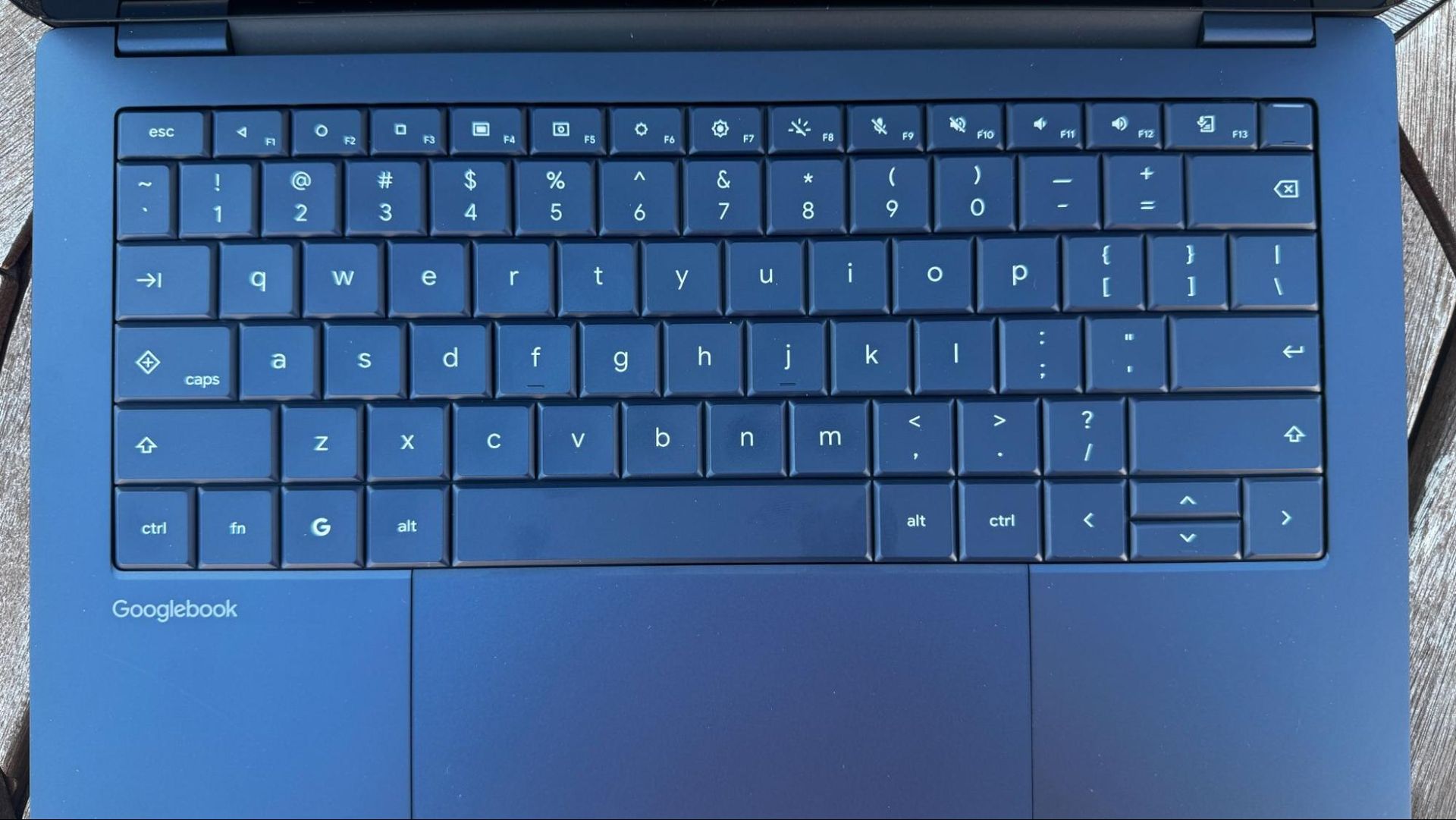
The other major similarity across all of the hardware is the keyboards. Google has a shared layout across all of the devices, including a G key that opens the app launcher and works with shortcuts, a Caps Lock key that doubles as Quick Insert, and, on F1 through F3, are the Back, Show Homescreen, and Overview buttons (The latter shows all open apps). These feel like throwbacks to Android phones before they largely went gesture-based, though they can still be found in Settings on Android phones today.
Performance: Intel vs. Qualcomm
There are two chips in the first crop of Googlebooks. The HP Googlebook 14 and Dell XPS Googlebook are powered by the Qualcomm Snapdragon X Elite X1-80-100, while the rest are using Intel's Core Series 3 "Panther Lake" processors, specifically the Core Ultra 5 325 in the Lenovo Googlebook 15.Since launch, there have been questions about app compatibility on the Intel models, as most Android apps are designed to run on Arm chips in phones. Google and Intel are in a bit of a back-and-forth over how many Android apps simply work on Intel right now. I've also found a few glitches in the Android based-version of Googlebook OS, like popping icons on the taskbar. Perhaps most notably, when trying browsers that weren't Chrome, the Arm-based Googlebooks were able to run Microsoft Edge, while the Intel-based Lenovo had issues. That app is marked as being "compatible with desktop" in the Play Store.
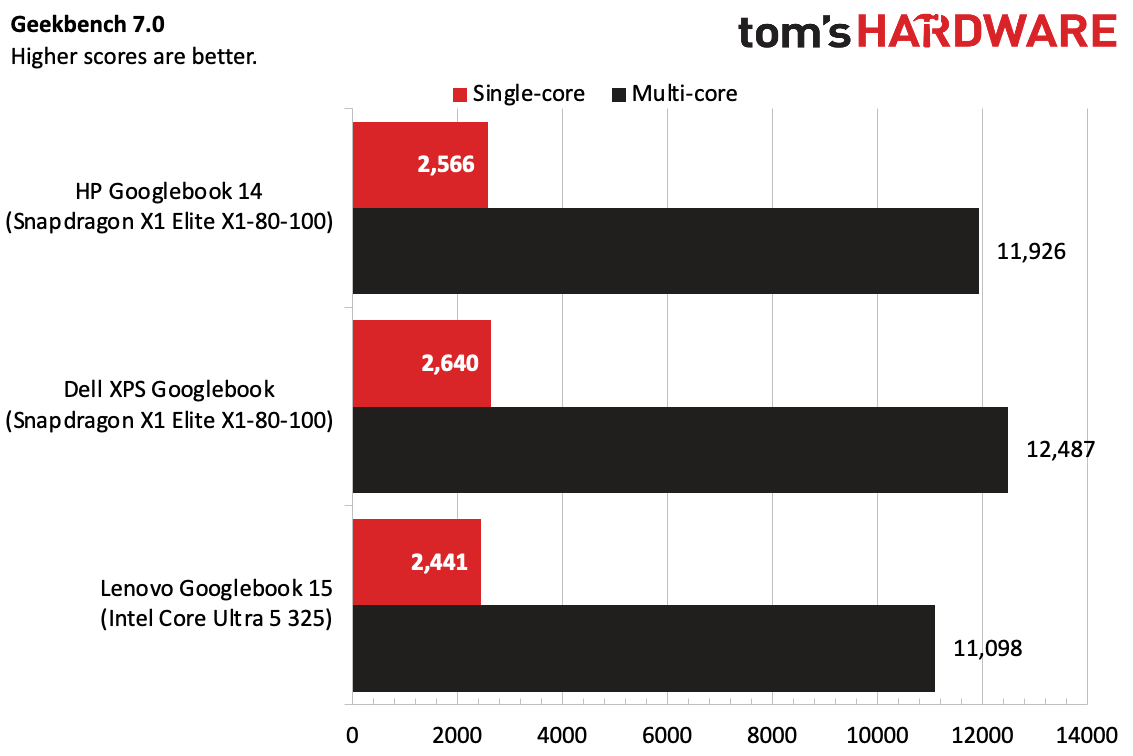
In benchmarks, we found that the Snapdragon X1 Elite models outperformed the singular Intel option we had to test. Notably, though, that's Qualcomm's high-end Oryon chip (albeit from its first generation) compared to an Intel Core Ultra 5. We didn't have a system with an Intel Core Ultra 7.
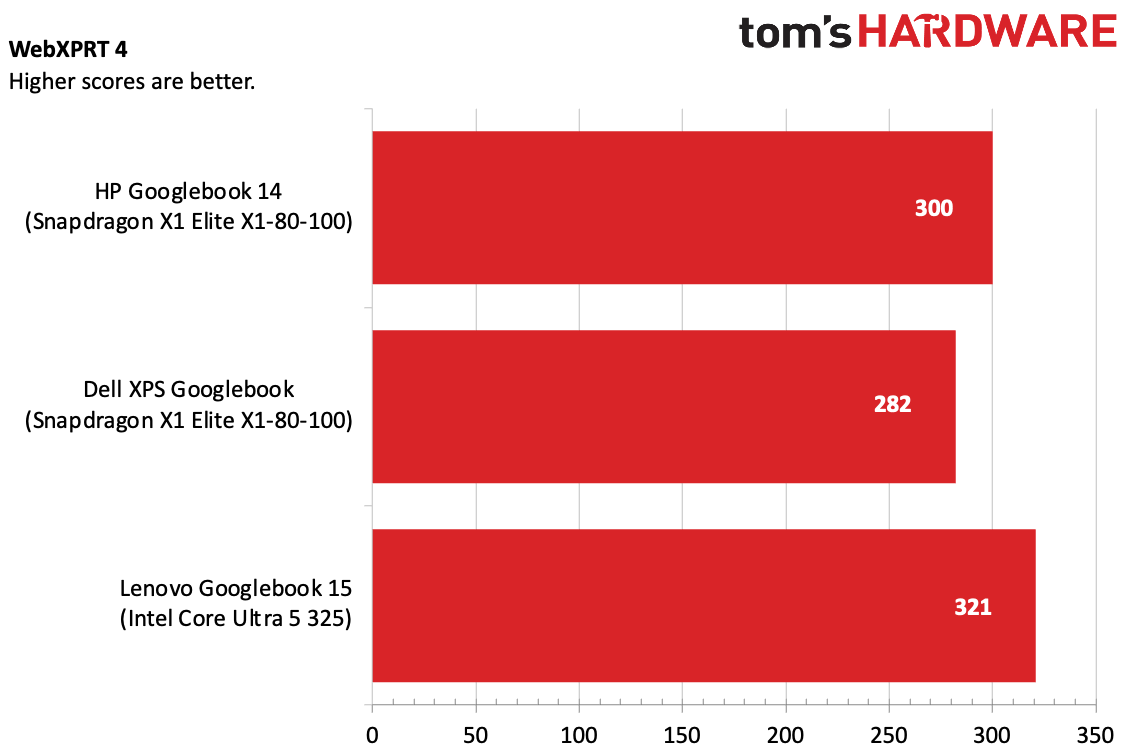
In Geekbench 7, the Snapdragon-based systems edged out the Lenovo Googlebook with Intel, particularly in multi-core. But on WebXPRT4, the Lenovo system won. Google claims people spend 70% of their time in the browser.
Tom's HardwareTom's Hardware
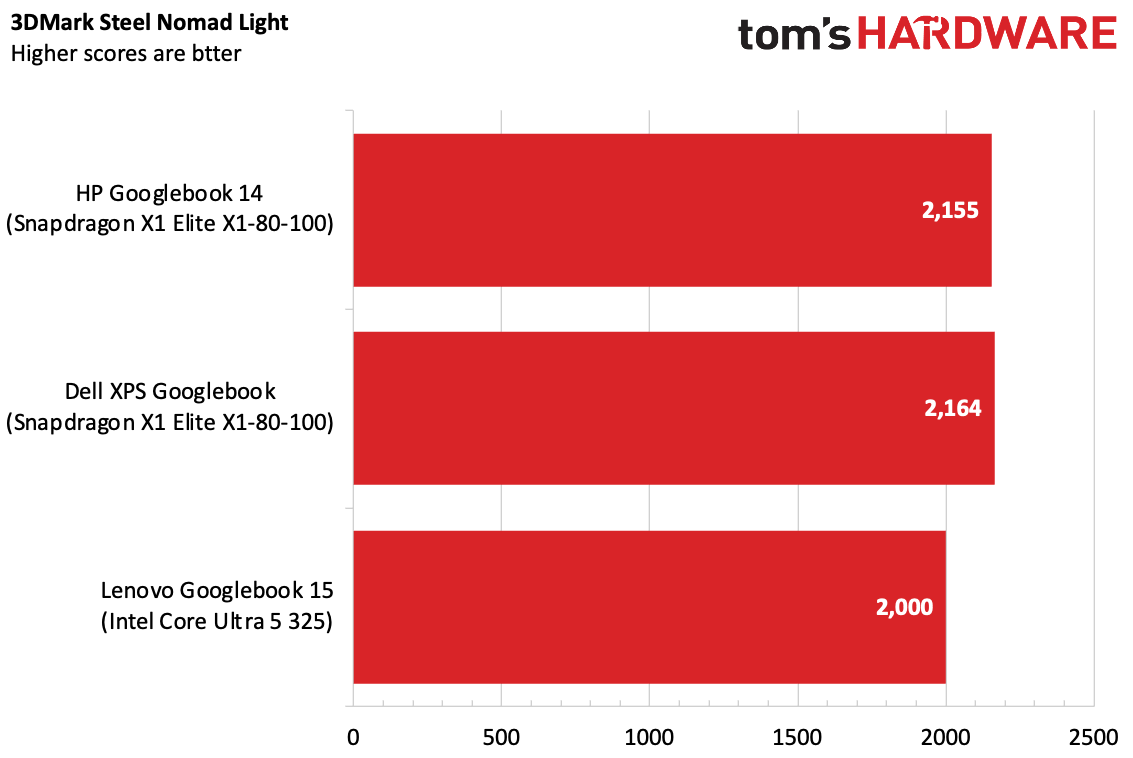
On 3DMark's Steel Nomad Light, the Snapdragon systems won out again, though not by a ton. If you're doing a lot of Android gaming, it's worth noting.
(Image credit: Tom's Hardware)
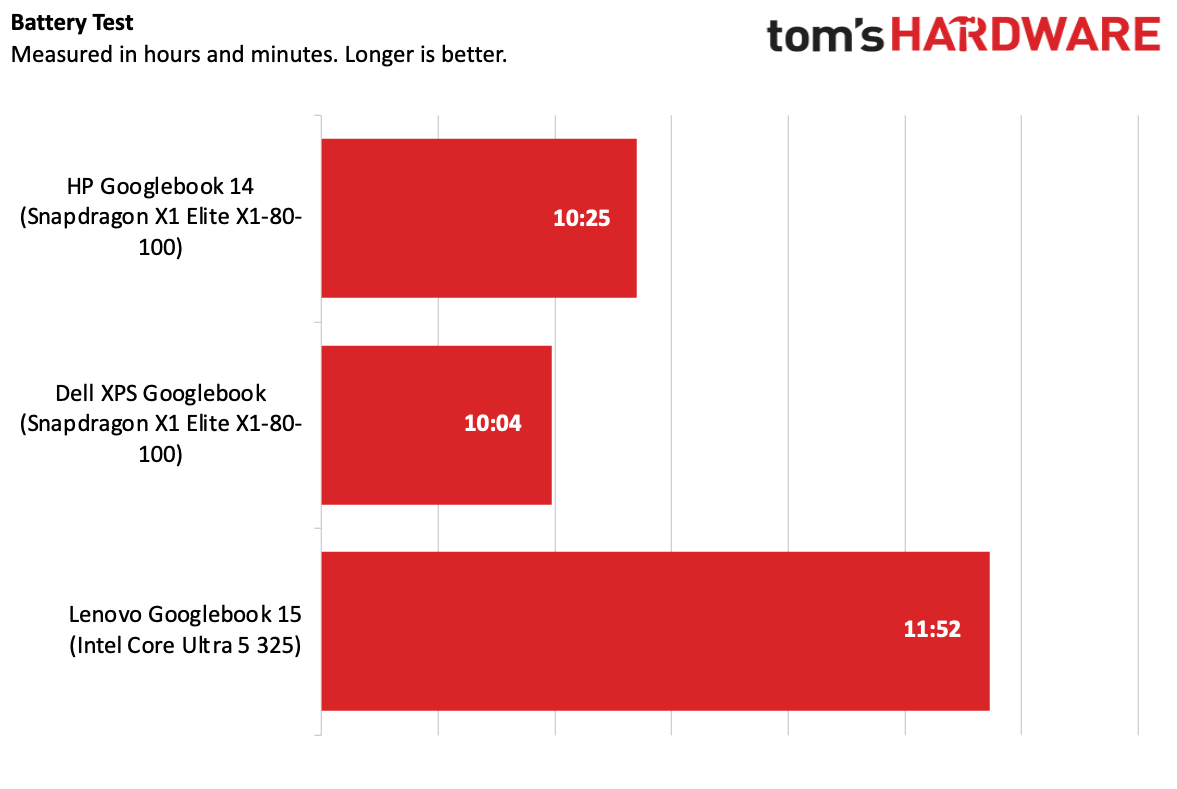
On our battery test, the Intel-based Lenovo won out at 11:52, while the HP hit 10:25 and the XPS reached 10:04. None of these are amazing times. Our Googlebook battery test browses a list of 30 live websites on a loop at 150 nits of brightness.
(Image credit: Tom's Hardware)
It's also notable that while Googlebooks as a class have at least 16GB of RAM, they appear, according to their task managers, to always have at least 7-8GB in use, likely housing local AI models to be ready at any moment.
Googlebook OS
If you use an Android phone, specifically one of Google's Pixels, you'll feel right at home with a Googlebook. For all the talk of merging ChromeOS and Android, Googlebook OS really feels like an Android phone, just on a laptop.
There's a taskbar on the bottom (there's no way to move that yet — shades of Windows 11 there), and the systems come with some precreated folders for Google apps on the desktop. There's also a dedicated My Googlebook app on the desktop to teach you the ropes.
Along the very top, there's a status bar with the time, date, a button to turn on the Magic Cursor, and some quick settings that can be accessed by clicking the Wi-Fi and battery icons (think macOS' Control Center).
Apps are in the G Menu, and, if you have a phone paired, it appears next to it with a separate drawer of apps you can cast to your phone.
It's quite simple — especially if your primary app is Google Chrome. If you use the rest of Google's ecosystem, like Photos, Calendar, and Messages, you'll almost be set up out of the box (they all wanted me to confirm my Google account, which was a bit annoying). In fact, if you don't use all of those services, I question the value of buying a Googlebook at all.
But the simplicity and elasticity of Android only goes so far. While it's clearly flexible enough to become a desktop OS, there are some areas where you can just tell the team needed more time.
For starters, a lot of the spacing feels meant for touch. When I right clicked on the desktop for context menus, there would be a significant amount of space to move my mouse. But when I touched the screen, that spacing felt natural for my finger.
(Image credit: Tom's Hardware)
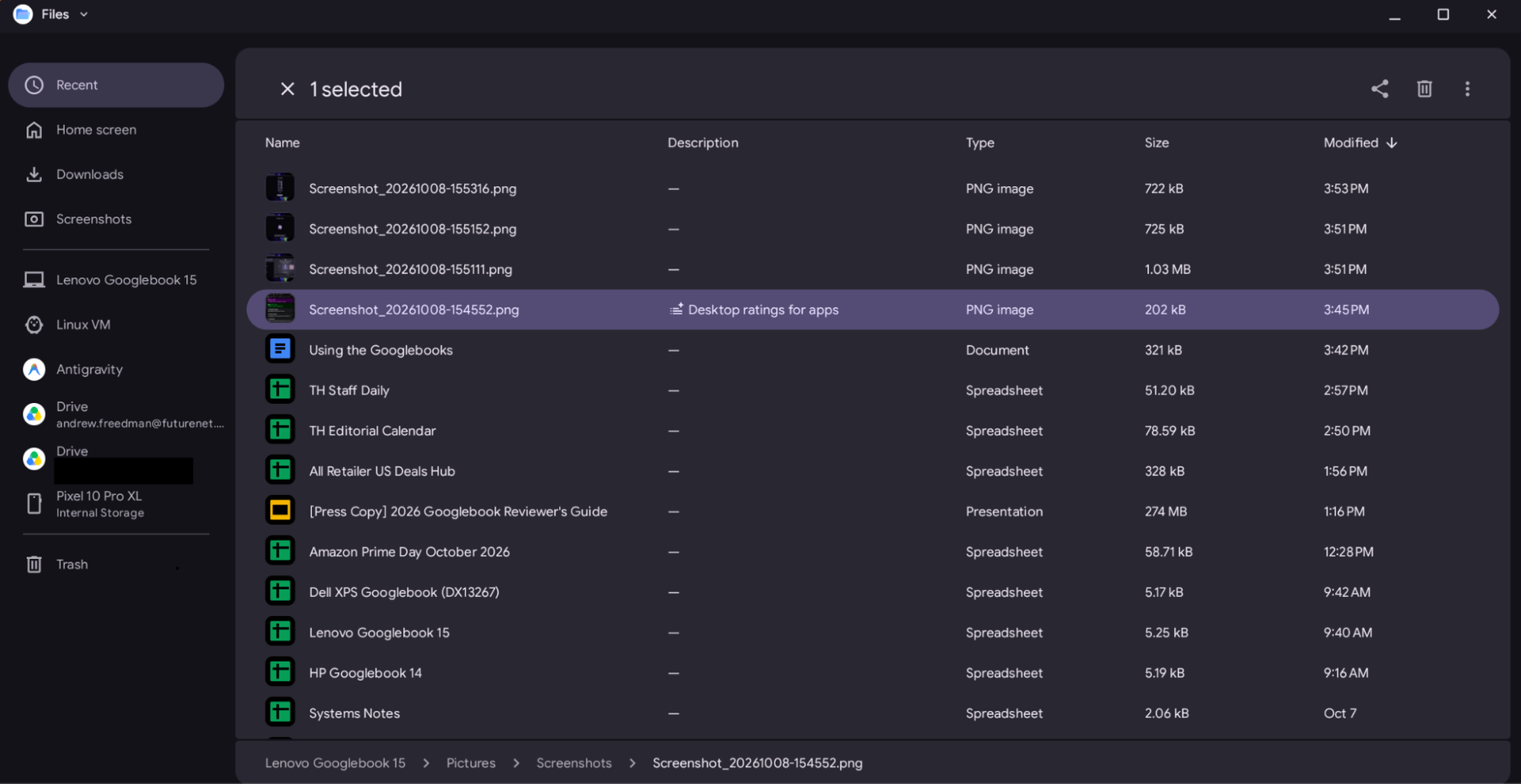
You see more of that in the Files app. It's lacking features that make some sense on a phone but don't on a computer. For example, there are no forward and back buttons. Instead, you have to navigate through folders or the path at the bottom of the screen. Additionally, the Files app doesn't let you pin or re-order the folders in the sidebar.
Perhaps the most damning, given how flexible ChromeOS is with profiles, is that the version of Google Chrome on Googlebook OS doesn't, as of this writing, support multiple profiles. That breaks plenty of people's workflows, especially those who have separate accounts for work and personal use.
The best thought-out desktop feature is Quick Insert. Having a key that serves as a go-to place for your clipboard history, suggested emojis, recent browsing, and links to tools is a real time saver when you don't want to click around looking for them all.
All the apps you want, as long as you like the Play Store
The only way to install apps on a Googlebook is through the Play Store. That is where the system is most locked down. Unlike Windows, macOS, and Linux, you can't install software from the web browser.
(Image credit: Tom's Hardware)
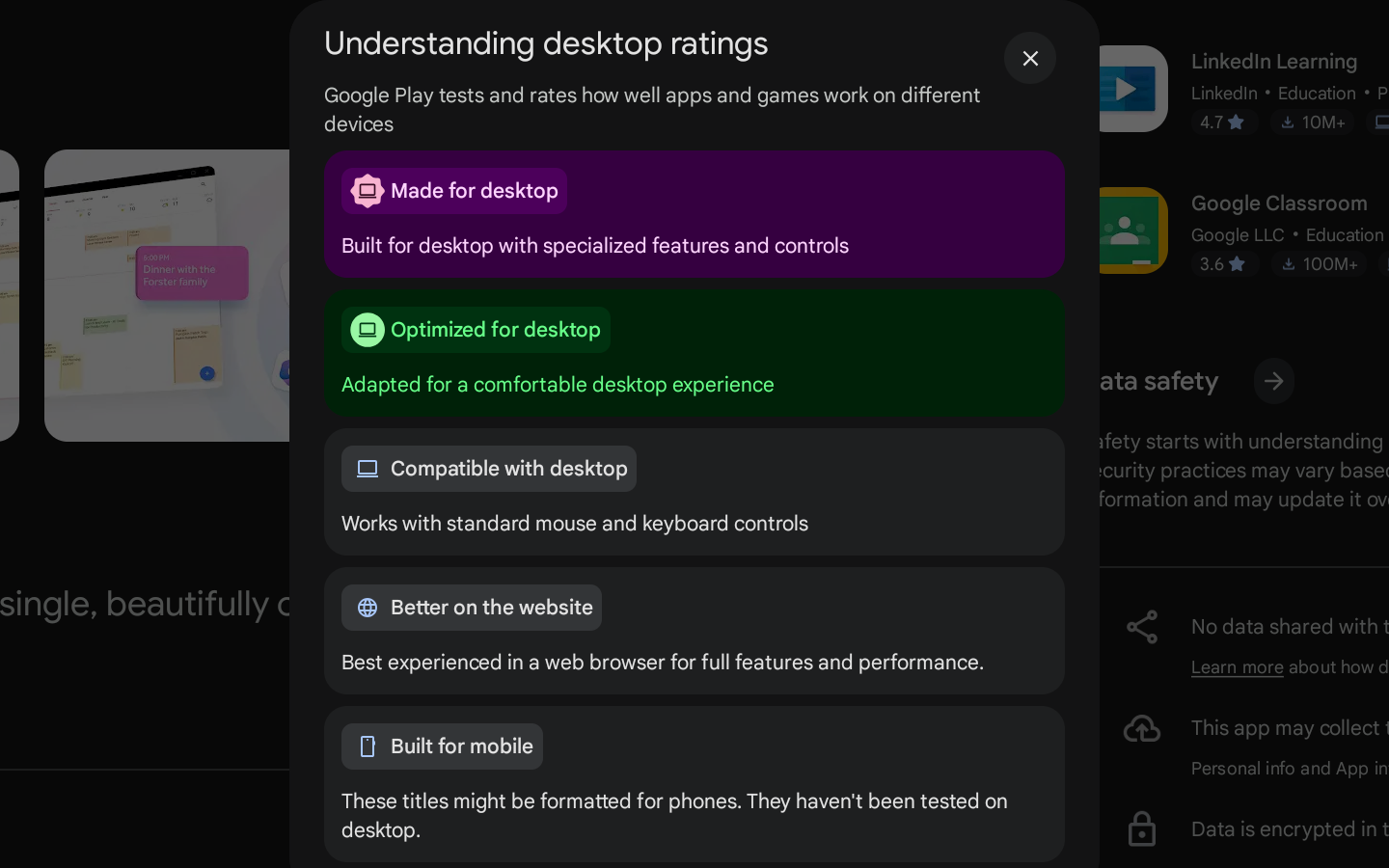
In the Play Store, Google has five "desktop ratings" that lets you get an idea of how an app works on a Googlebook. Made for Desktop is the gold standard, which means it's a desktop-first app with features and controls designed for a mouse and keyboard. Optimized for Desktop is a close second, in which an app has been adjusted for the bigger screen.
Compatible with Desktop means a keyboard and mouse will work. After that, you get Better on the Website. Slack gave me this, as did Duolingo. Lastly, Built for Mobile means you'll get the app, but it will be formatted for a smartphone.
Compatible with Desktop doesn't always mean great. One of my go-to mobile games, Marvel Snap, is compatible, but it stretches out and leaves black bars on the sides. It did, however, support Google's ability to map touch to keyboard controls, though that's not really appropriate for this game. Given this game has a widescreen version on Steam, I'd hope Google could get developer Second Dinner to make it work on Google Play just as well.
Designed for Mobile should be a last resort. I downloaded my bank app, and I regretted not just going to the website.
Google's own apps are a mixed bag. Gmail and Calendar are just web apps in a nice wrapper. At least Messages feels like a proper Android app.
One issue I had is that when I connected a phone at setup, it offered to transfer my apps. It auto-selected some, like Apple Music (Optimized for Desktop), but left a bunch off. But I thought I'd want some, so I picked them. At that time, it didn't tell me why they left them off, though I'm guessing it's the lack of optimization many of them later displayed.
In many ways, that lack of optimization means that Googlebooks still feel like Chromebooks, with web apps as a major fallback. There are some major apps, like Photoshop, Netflix, Fantastical (leaving the Apple ecosystem!), Obsidian, Notability, Zoom, and Microsoft Office all optimized or straight up designed for desktop. But it's not enough just yet. Google really needs developers on board.
The other option is installing apps through a Linux virtual machine, but I don't recommend it (see below).
Cross-device use
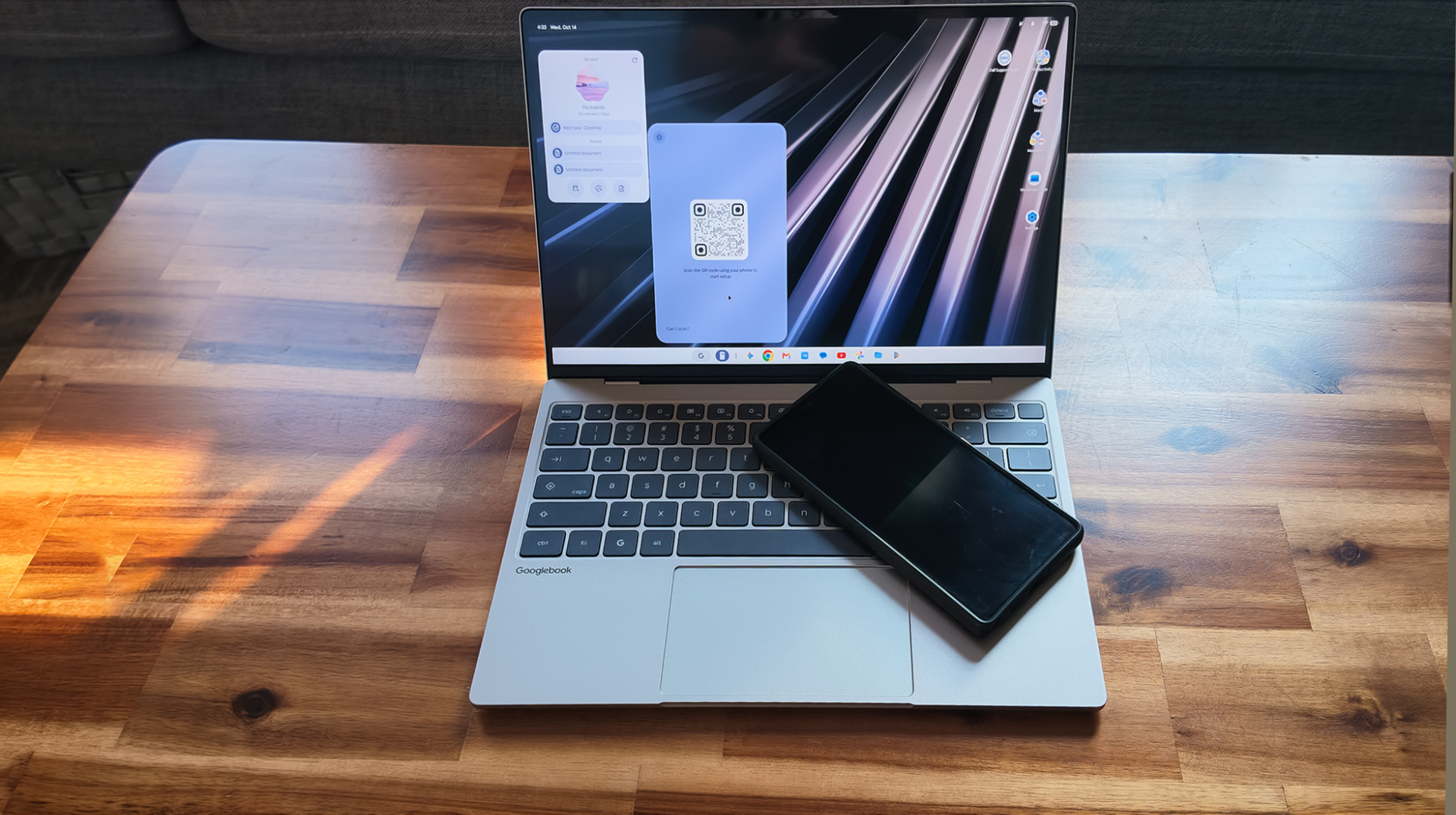
The other trick up these Googlebooks' sleeve is to pair your laptop and phone together more closely than has ever been done before. In many ways, it's impressive. You can share notifications and drag files to and from devices wirelessly in the Files app.
Perhaps the biggest issue was finding a phone that worked. Google keeps it in the fine print that you need a phone with Android 17 to get the best cross-device features, like app casting, Continue On, and Quick Access in the Files app. If you have a phone that doesn't have Android 17 yet, like the Samsung Galaxy S23 I had set up ahead of this review, you'll only be able to use the phone to set up the computer and transfer apps. This is surely a technical hurdle, but one that leaves out the vast majority of people with Android phones right now.
Google loaned us a Pixel 10 Pro XL to test these features, and it's important they did. Even Samsung's Android phones, the most popular in the United States, don't all work with Googlebooks yet. On Reddit, one Google staffer wrote that support "will be rolling out across all Android 17-supported Samsung devices over the coming weeks. Sorry for the inconvenience!" News broke just days ago that support was rolling out for Samsung phones running Android 17 and Samsung’s One UI 9, but we still had issues connecting a Samsung S25 Ultra after initial setup with Dell’s XPS Googlebook.
Otherwise, perhaps my biggest issue was that you have to turn on a bunch of settings that you may not have turned on yet. Even Google's reviewer's guide had a bunch of steps to enable cross-device settings, and, if that didn't work, on its own, a series of restarts or QR code scans. When it works, though, it takes, and the experience is far better than what you get on Windows.
The key word being "when." I didn't always get notifications. I couldn't drag some small files from my Googlebook to the phone, and I still don't know why.
Casting Apps was my favorite use case, especially apps I wouldn't really install on my laptop. Unfortunately, there was some lag and hiccups with connections, both at work and at home, which occasionally made the whole thing unusable. It's impressive, however, that you can have your Android phone running other apps while you have one open only on your Googlebook; Apple's casting method mirrors the whole phone, so it can only be on a Mac or on the phone itself.
Continue On is also appreciated. Like Apple's continuity, I could be browsing the web on my phone and pick it back up on the laptop. I just wish it worked with more apps, as it mostly works with Google's work suite and Chrome.
So many ways to use Gemini
Googlebooks are smothered in AI. For the most part, you never have to use it, but the system is all about teaching you at first. For example, there are early prompts to learn about the Magic Cursor, which lets you click on something and share it with Gemini immediately.
It's quicker than copy and paste, but I never found myself using it as often as I expected. Maybe the next time I see a shirt I like, I’ll try it.
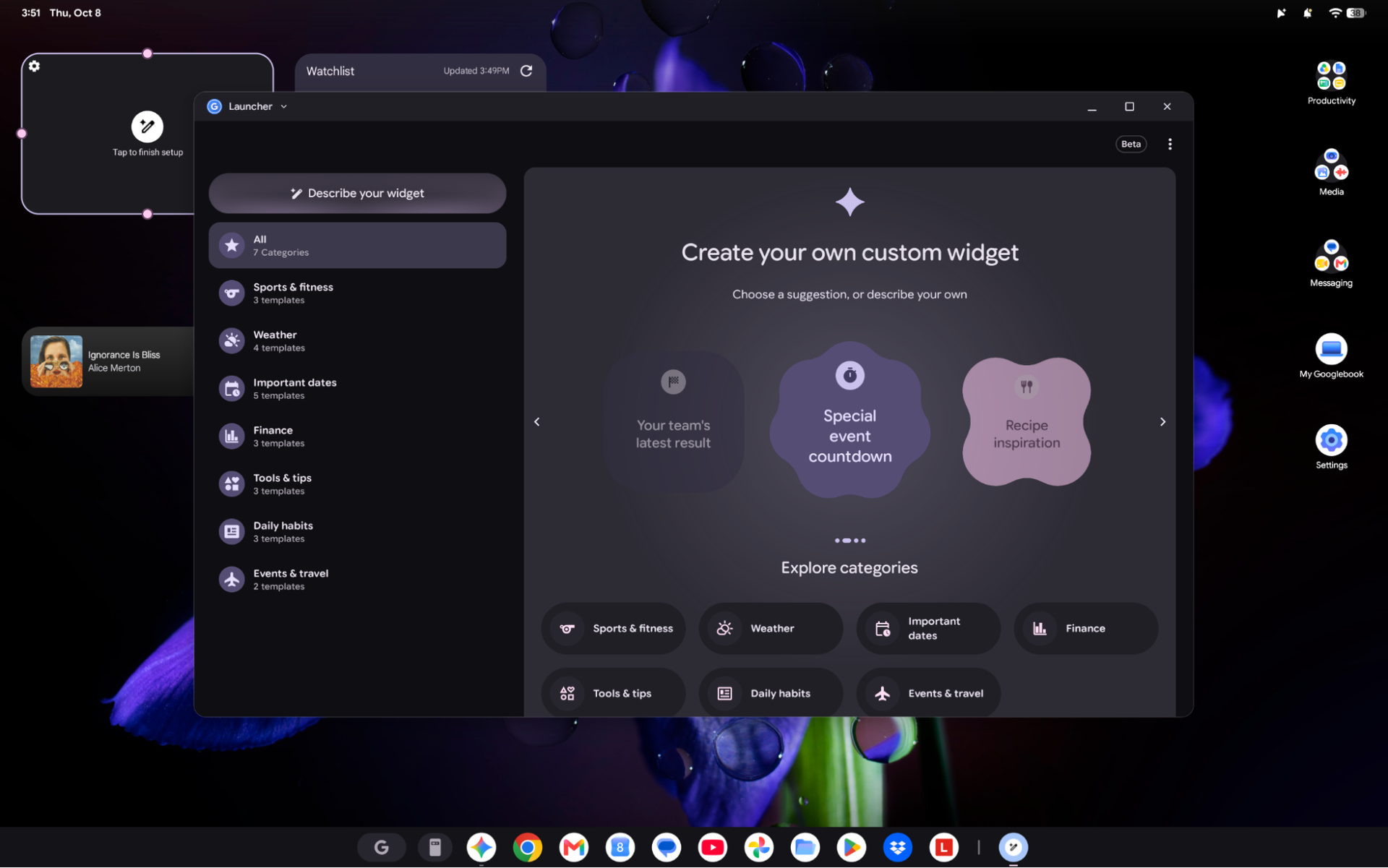
The idea of making your own widget is really neat, but I wish it was more flexible. Sure, countdowns and motivational quotes are fun, but when I asked the AI to create a widget showing me CPU usage, it denied me, expressly telling me that system telemetry wasn't allowed.
(Image credit: Tom's Hardware)
The most impressive thing, which Google should talk about even more, is Rambler. This isn't new to Googlebooks — it's already on Android phones. It lets you talk, make mistakes, and still correct your statements into what you ultimately meant. For people who talk to their computers and use dictation, this is powerful to have on the computer alongside the phone.
The one I worry the most about is Antigravity. This comes preinstalled, without a care if you are a developer. In theory, this is empowering Googlebook users to make their own apps. On the other hand, there's a reason AI models keep asking for human intervention and approval. The agentic-first IDE may let anyone make prompts, but given that your agents can execute shell commands, it's far safer if you understand what they're doing. I expect many people to just hit "yes" without knowing what they're talking about, but hey, it's just bringing vibe coding to more people.
Gemini is also sprinkled throughout Google's apps, and you can also talk to it with a simple "Hey Google" command. I would argue these systems are best if you are a Gemini user, if only because you'll get so many features.
The Debian Linux Terminal
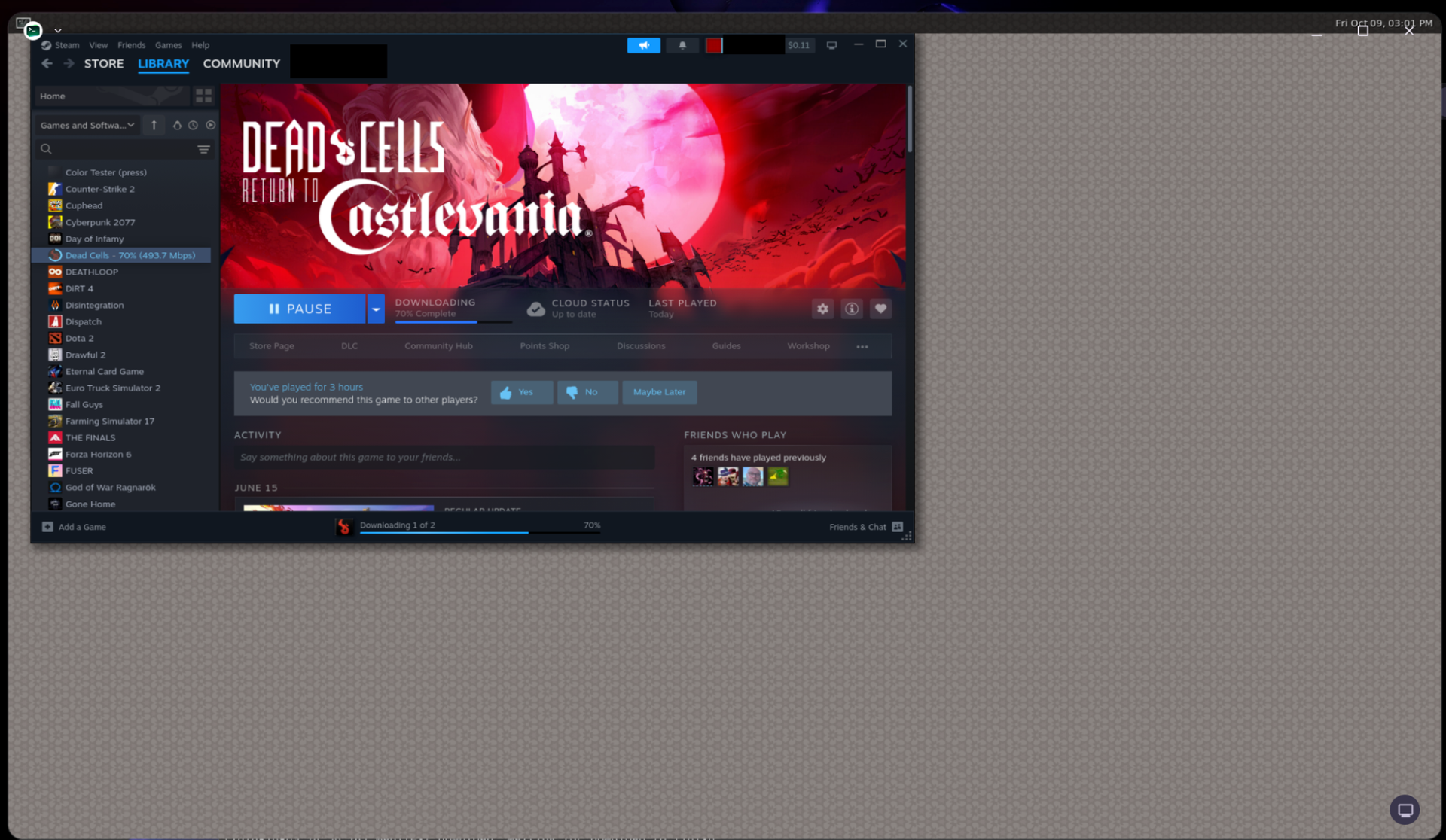
Each Googlebook comes with a Debian Linux terminal and virtual machine preinstalled. I was able to install apps, like the photo editor GIMP and Steam for gaming, but I don't find these Linux apps decent replacements for most people.
For starters, the apps in the VM live there, and only there. You can't put them in the app drawer and run them separately later.
(Image credit: Tom's Hardware)
The VM is also laggy. Even lightweight games like Dead Cells didn't always run fluidly, and I had some issues with the sound making popping and groaning noises.
Resizing windows and using some tools in GIMP resulting in its own lag. This might work for basic development testing, but for applications, you're better off sticking with the Play Store or web apps.
Too early to tell, but already on sale
It's too early to render judgment on the ultimate fate of Googlebooks. If you like using Android on your phone and do everything on the web or Android apps, you can make this work.
Google clearly has some work to do to make Googlebook OS feel truly at home with a keyboard and mouse. And it needs a ton of developers to optimize their apps to feel like you're not using them on a phone when you put them on a big screen. With enough of them, the Googlebook platform will feel far more friendly.
At the moment, I think people should wait and see how the Googlebook platform evolves. If you buy now, you're getting the early adopter experience. There's too much that doesn't work as it should for you to spend your hard-earned money on these. The hardware is there, but Google's software doesn't feel done.
Google should ensure users’ favorite apps work no matter which silicon platform they use, and they should be darn sure their phone will work with the system they have. And prospective buyers should definitely wait and see if Google delivers on its promises that developers will improve their apps.
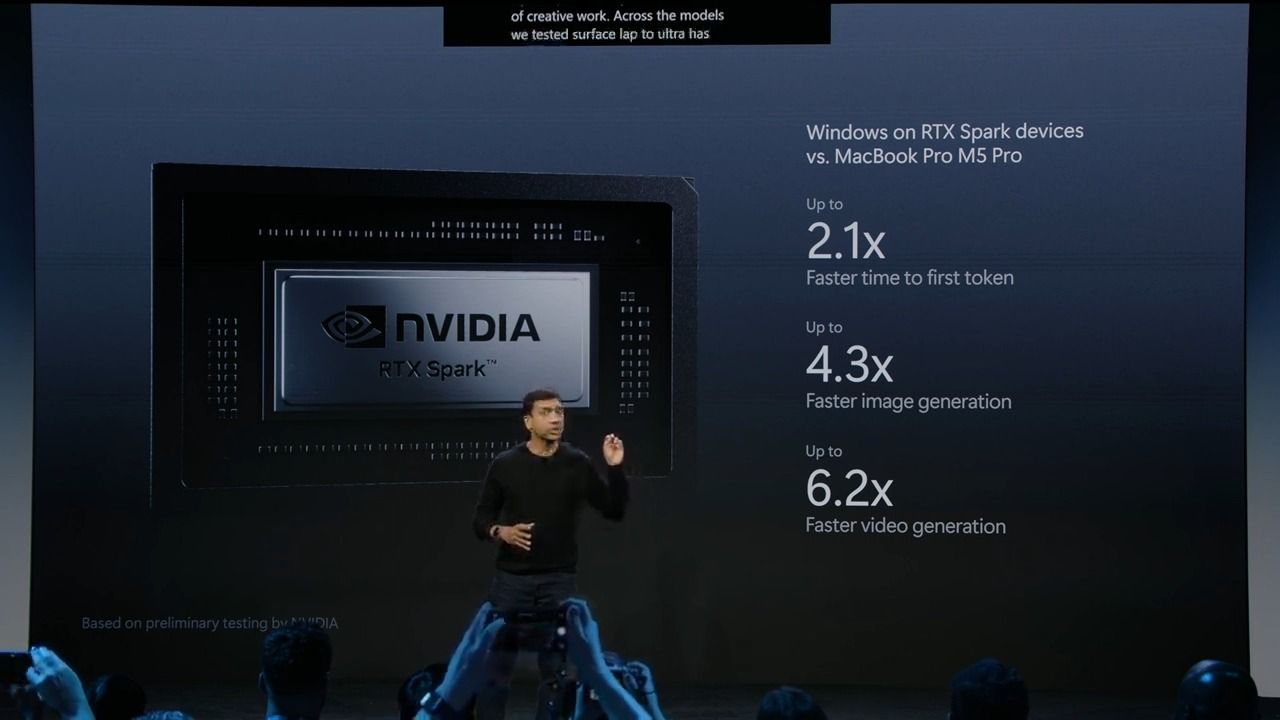
Nvidia CEO Jensen Huang announced the RTX Spark platform with the grand ambition to “reinvent the PC” back at Computex 2026. By pairing the GB10 Superchip with a version of Windows on Arm tailored for the secure and contained execution of local AI agents, Nvidia and its partners at Microsoft, Dell, HP, MSI, Lenovo, and Asus are all hoping to pave the way to a future where the PC is an active, autonomous companion for work and creation.
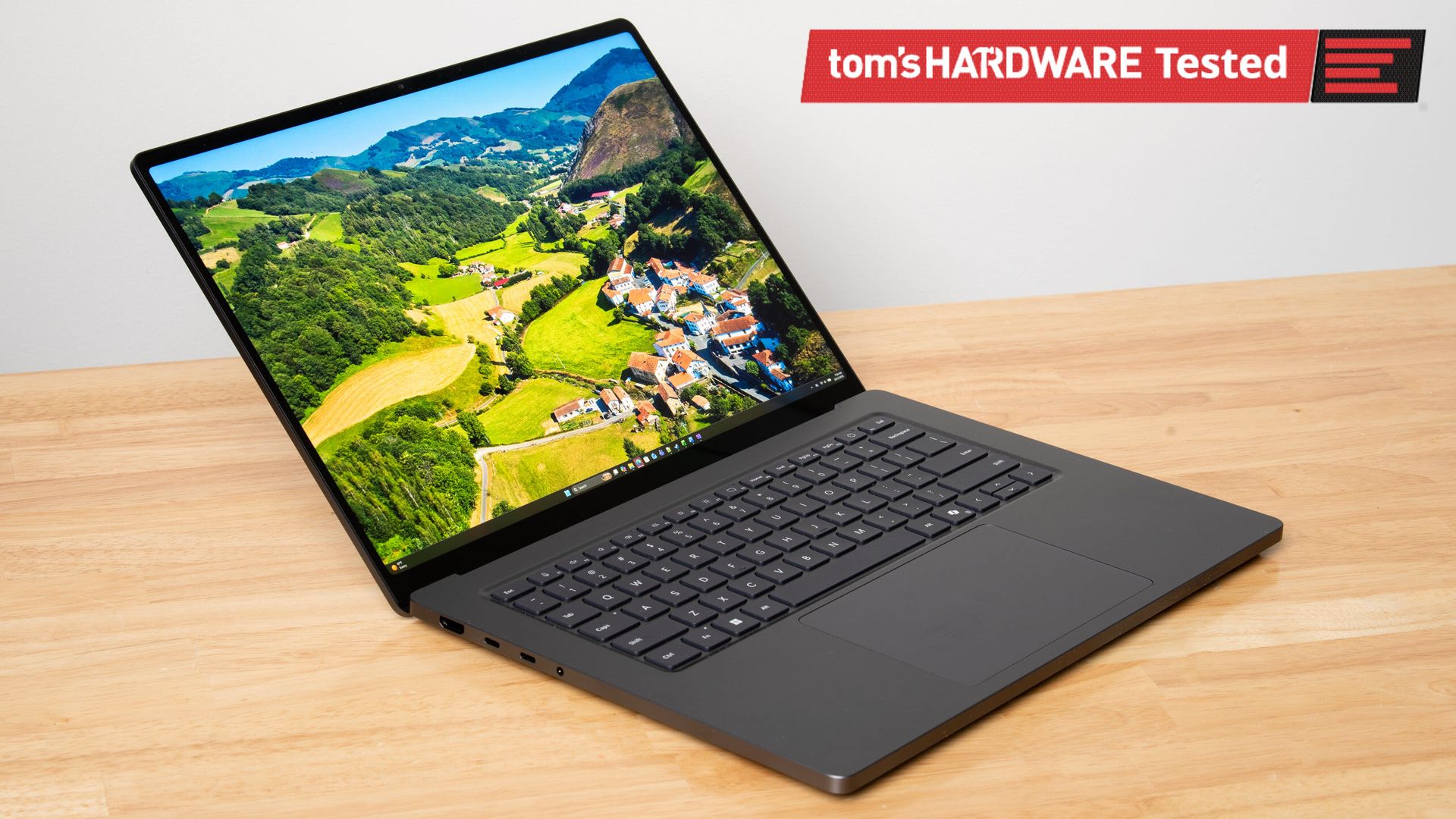
The hardware foundation for that vision of the future is now in place. Last week, we flew out to San Francisco to get all the details on the RTX Spark platform, and we returned home with Microsoft’s Surface Laptop Ultra in top-end trim to put it all to the test.
This system has the full RTX Spark Superchip with 20 CPU cores and 6144 CUDA cores alongside 128GB of LPDDR5X-9400 RAM, and I’ve been putting it through its paces over the past week to see just what it can do.
The embargoes for the RTX Spark launch are a bit peculiar. Today, we’ll be sharing our broad experience with the Spark platform, as well as competitive performance evaluations, but not any system-specific results such as battery life, build or display quality, or other details of that nature. We have other RTX Spark laptops in the Tom’s Hardware labs, and detailed reviews of those systems will be coming soon.
No, this approach doesn’t make a lot of sense when the experience of a mobile platform is intimately and inextricably tied to the specific implementation of that chip in a particular laptop design. And we know that battery life is the first and foremost concern of many interested in this platform. But again, all that information is coming soon.
For this first round of testing, we compared the Microsoft Surface Laptop Ultra with RTX Spark against two systems. The first is a 14" MacBook Pro with Apple's highest-end M5 Max SoC inside. That Mac has a 40-core GPU and an 18-core CPU, as well as 128 GB of LPDDR5X RAM. We don't have a mobile Ryzen AI Max+ 395 system in the labs right now, but we do have AMD's compact Ryzen AI Halo as a source of fresh data with the latest ROCm stack and llama.cpp builds.
Local AI performance
Judging local AI performance is a constantly moving target, and this review is no different. Our past testing has exercised the prompt processing and token generation phases of AI inference separately, with the understanding that a system that's fast at both those phases provides the best experience.
But in an agentic workflow, that benchmarking technique doesn't capture the total time required to complete a task across all the inference turns needed to reach a particular goal. To capture that entire end-to-end time, the folks at Artificial Analysis have developed a new benchmark, AgentPerf-local, that precisely replays inference traces across several agentic AI tasks. The value of this approach should make immediate sense: the faster an AI agent finishes a job, the more productive a system can be.
So instead of presenting raw time-to-first-token and tokens-per-second figures, as we have in the past, we’re sharing time-to-completion values as we would for more traditional CPU and content creation benchmarks.
Again, local AI benchmarking is a continuous work in progress, so let us know what you think of this approach, and we’ll take that feedback into account as we continue to develop our methods.
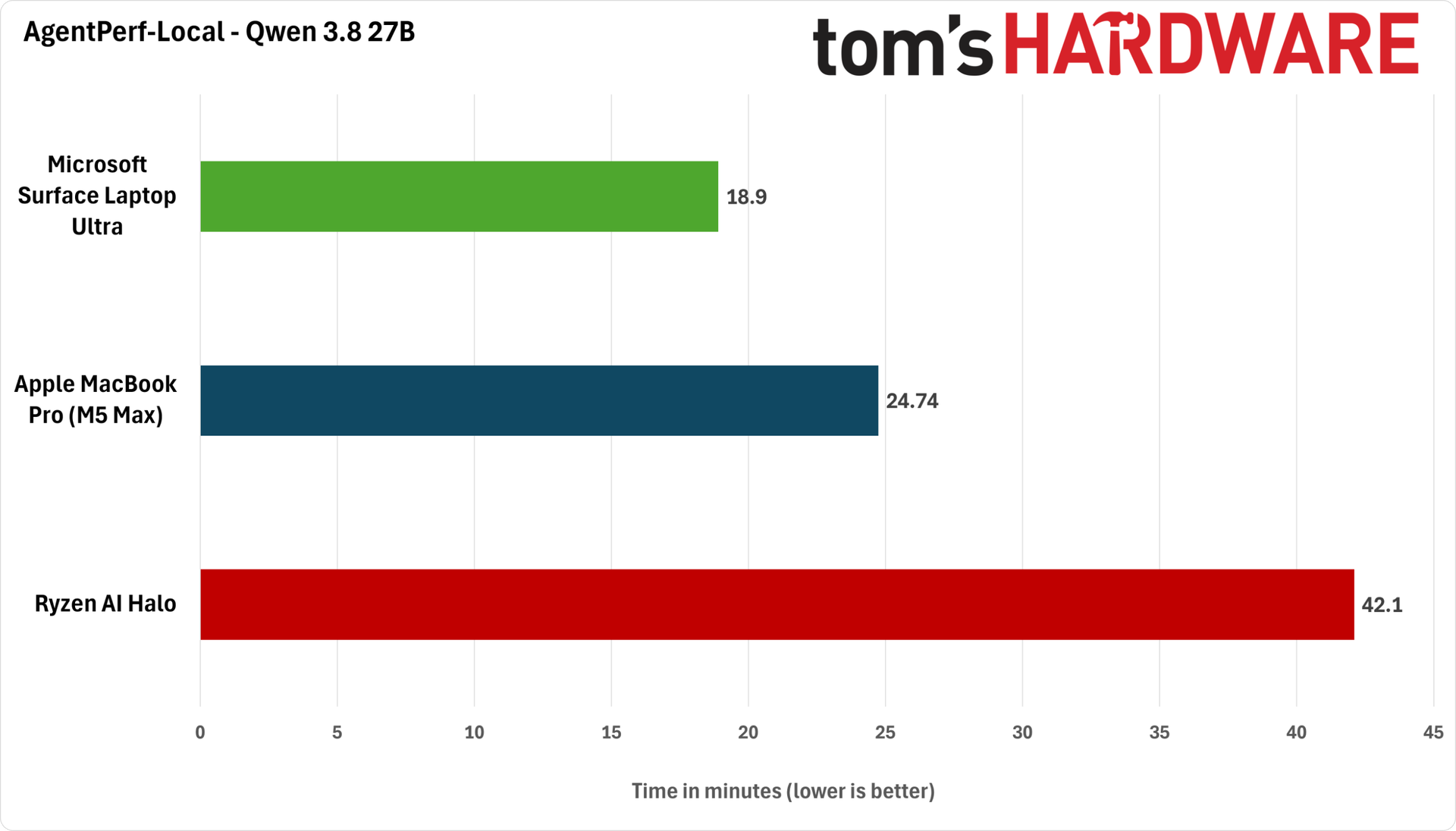
We ran AgentPerf-local with two compatible models: the dense Qwen 3.8-27B, which is popular as one of the most intelligent local models available for its size, and the Qwen 3.6 35B A3B mixture-of-experts model, which is less intelligent but easier for a wide range of systems to run quickly. We used the latest build of llama.cpp as our inference backend and built it from source on each test system to take advantage of CUDA, Metal, or ROCm acceleration, as appropriate.
Let’s look at Qwen 3.8 27B’s behavior first. We used Unsloth’s Q4_K_M quantization of the model. We ran it with DFlash2 speculative decoding on the RTX Spark and MacBook Pro, and with Qwen 3.8 27B’s built-in MTP on the Ryzen AI Halo for the best performance.
(Image credit: Future)
As we found in our benchmarking of Apple's Mac Studio with the M4 Max SoC, memory bandwidth is only one constraint for local AI performance. Despite its memory bandwidth advantage on paper, the M5 Max MacBook Pro still ends up taking about 25% longer to finish the AgentPerf benchmark with Qwen 3.8 27B than the Surface Laptop Ultra with RTX Spark.
Part of that may be down to software maturity, but it's also worth remembering that our Surface Laptop Ultra is a 15" system with a much larger 140W power adapter versus the 14" MacBook Pro's 96W charger.
The 16" M5 Max MacBook Pro also comes with a 140W adapter, and we'd be curious to see whether the extra power and higher thermal headroom afforded by that system’s larger chassis help close the gap here. But in any event, the RTX Spark platform is the fastest overall at this task today.
Meanwhile, AMD's nearly two-year-old Ryzen AI Max+ 395 just can't keep up with either of these newer systems in this demanding test. It needs about twice as long to finish our agentic tests with Qwen 3.8 27B as either the RTX Spark or the MacBook Pro do, at a whopping 40 minutes.
The fact that the Ryzen AI Halo is a mini desktop form factor rather than a notebook doesn’t much matter to these results, as any power and thermal headroom that design might afford can’t possibly overcome the performance gap here.
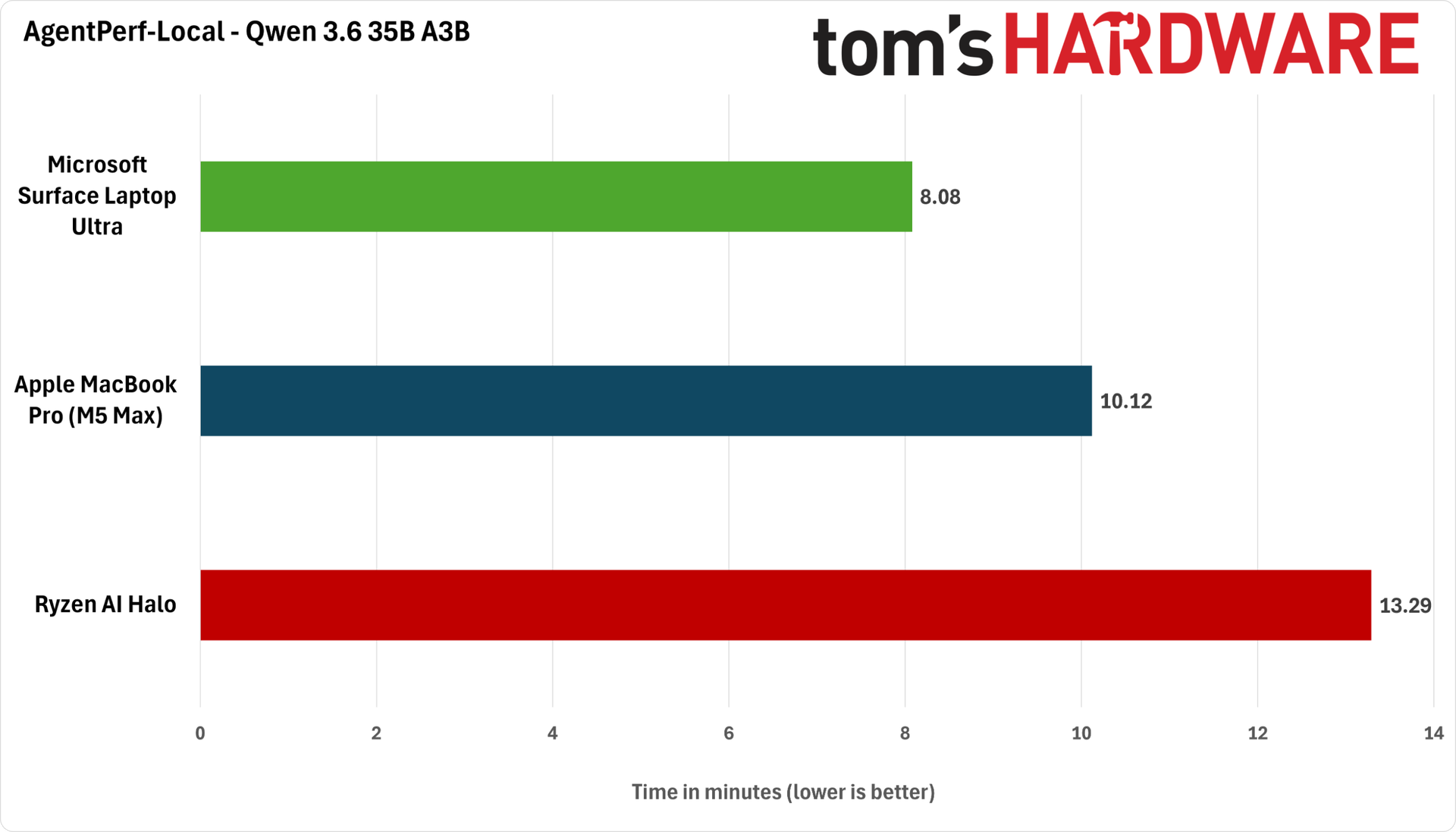
Next up, we have the lighter-weight Qwen 3.6 35B A3B. We ran Unsloth’s Q4_K_M quantization of this model with MTP enabled.
(Image credit: Future)
The Surface Laptop Ultra ends up completing this test in just eight minutes, or about 25% faster than the 14” MacBook Pro’s 10 minutes. This test is also much friendlier to the Ryzen AI Halo, which finished the benchmark in a more reasonable 13 minutes. But that just emphasizes that you have to trade away model intelligence to get a reasonable level of performance out of Strix Halo.
AMD has recently gone on a publicity blitz to highlight the relatively low cost of entry for Strix Halo systems versus DGX Spark desktops and now RTX Spark laptops. But if time is money, and getting more intelligent tokens out of your local AI system faster means more potentially profitable agentic work gets done, then a more expensive system upfront will be able to do more of that work and potentially generate more value over time.
Gaming performance: first impressions
Despite its RTX branding and the emphasis Nvidia places on its 6144-CUDA-core GPU (or 48 SMs), the RTX Spark platform faces some tough challenges for gaming. Most games available today are not going to be natively compiled for its Arm CPU, and even for those that might be, the maximum 300 GB/s of shared memory bandwidth the platform offers is well below that of even the RTX 5060 Mobile's dedicated 384 GB/s feeding 26 SMs.
The entire GB10 SoC is competing for a relatively small amount of memory bandwidth, and because graphics is generally a memory-bandwidth-bound workload, that's not a great start for feeding all of those SMs in games.
I started my gaming explorations with Gears of War: E-Day. In this exceptionally CPU-heavy game, it's clear that the baseline performance of the Grace CPU cores and the added overhead of the Prism x86 emulator are doing this title no favors.
GPU utilization only reaches the 85% mark on average at a near-1080p (1908x1272) render resolution with the High preset and 2X framegen, and we saw at least one major hang during a map transition that was less than confidence-inspiring for an immersive experience as we progress further into the game.
Gears of War: E-Day (1908x1272, High Preset, Mega Geometry On, MFG 2X)
Average FPS
1% Low FPS
Avg PC Latency (ms)
Microsoft Surface Laptop Ultra with RTX Spark
77.7
39.9
83.5
Because of its CPU dependence, Gears is probably a worst-case scenario for this platform, but the fact remains that it's not a great experience, and turning down settings or lowering upscaling input resolutions just exacerbates the CPU-boundedness of this title. If any game could use a native Arm build, this is the one.
Control Resonant is significantly less dependent on the CPU, but that just means that the other potential gaming shortcomings of the RTX Spark Superchip seem to come into play.
After struggling a bit to achieve a solid frame rate and input latency at the Surface Laptop Ultra's native 3270x2180 output resolution even with DLSS upscaling, I found that running the game in windowed mode at 2560x1440 with DLSS Performance upscaling, the High preset, and MFG 3X to keep frame rates near the Surface Laptop Ultra's 120Hz refresh rate provided better results. (This system's tall 3:2 aspect ratio means that 16:9 fullscreen games don't cleanly scale up.)
Control Resonant (2560x1440, High Preset, RT Off, MFG 3X)
Average FPS
1% Low FPS
Avg PC Latency (ms)
Microsoft Surface Laptop Ultra with RTX Spark
109.2
51.6
78.3
But even then, input latency was above what I would consider acceptable on our standard GPU test rig, and enabling ray tracing at all dipped frame rates and spiked input latency even further, so I had to stick to raster-only rendering for the best results.
Overall, my early RTX Spark gaming verdict is that you can do it, and you can have a fine enough time, but it is not the primary focus of this platform. Gaming performance with the relatively limited memory bandwidth of the RTX Spark Superchip, combined with the system's CPU performance and the overhead of Prism emulation, mean that you'll be searching for a narrow range of settings where baseline frame rates, upscaling, image quality, and the smoothness boost of frame generation still yield acceptable input latency.
When I first approached gaming on this platform, I had expected that DLSS upscaling would be a required part of the experience, but in practice, you really need to lean on DLSS Frame Generation, as well, whether that's for added smoothness (as in Gears of War) or for both smoothness and the benefits of Nvidia Reflex due to developer choices behind the scenes (as in Control Resonant).
Even with Reflex, though, the Grace CPU generally seems to deliver input latencies significantly higher than I'm used to on our Ryzen 7 9800X3D test rig, and it's hard to get them much lower in these AAA titles by tweaking settings.
If you demand the lowest input latency and the highest performance with cutting-edge games, especially if you plan to enable RT, a separate gaming laptop with a dedicated RTX 50-series GPU will still provide a superior experience. And if you just don’t care about local AI at all, that advice applies even more strongly.
Bottom line
Nvidia's RTX Spark is an ambitious new PC platform for the traditional workloads of today and the potential agentic AI work of tomorrow. How often do we see an entirely new player try to elbow into the crowded and competitive PC space, especially one with a sweeping vision for how the PC will be used in the years to come? An incremental move this is not.
Our general performance tests and new agentic AI tests show that despite providing merely solid CPU performance and relatively low bandwidth for a unified memory architecture on paper, the Blackwell GPU on board GB10 has enough AI horsepower in practice to let the RTX Spark platform come out ahead of Apple's latest top-end M5 Max and AMD's Ryzen AI Max+ 395, aka Strix Halo, SoCs.
Whether you choose the highly intelligent dense Qwen 3.8 27B model and trade raw speed for intelligence, or make the opposite trade with the lighter and faster Qwen 3.6 35B A3B, the RTX Spark comes out on top. That bodes well for pairing popular agents like Hermes with intelligent local models on this platform.
But Nvidia's mission to reinvent the PC isn't a total grand slam in this first iteration.
First, this platform won't replace a dedicated gaming laptop. Even for those who only game on the side and have more forgiving standards for frame rates and input latency, the RTX Spark's gaming performance may not measure up to expectations.
When you put the overhead of Prism x86 emulation on top of the merely adequate performance of the Grace CPU, it’s clear that the Spark platform will have to work hard to keep up in the vast range of games that don’t have an Arm port.
The CPU-heavy Gears of War: E-Day is particularly unkind to the Prism-on-Grace stack, but even when a title like Control Resonant doesn't lean so heavily on the CPU, the limited and shared memory bandwidth of the GB10 SoC still poses an obstacle to cranking settings to the max despite the large amount of theoretical compute horsepower on tap.
We're also still waiting for Windows to fully catch up to Nvidia's ambitions for secure, manageable local agents. Our laptop expert Andrew Freedman and I couldn't test Microsoft's secure agentic AI promises within Windows 11, as the supporting features that Microsoft and Nvidia have promised to that end just aren't ready yet.
Still, for a first-generation mobile platform that joins complex silicon IP from multiple design teams onto one chip and relies on several OEM partners to bring it to life in highly integrated notebook form factors, the maturity of the RTX Spark platform is an impressive achievement. (Take it from someone who has seen a couple of rough product launches from the inside.)
Over the past week, I've been using the RTX Spark-powered Surface Laptop Ultra as I would any other Windows laptop, and aside from a couple of tiny paper cuts, I have mostly just gotten my work done as I would with any other computer. And that’s a great — albeit a very, very expensive — place to be as the local agentic AI future coalesces.
Perhaps the biggest challenge for the RTX Spark platform is that the eye-watering price tags for the range of systems available at launch still buy a lot of cloud tokens from OpenAI and Anthropic. Emphasis on a lot. The Surface Laptop Ultra we tested lists for $5899 with only 1TB of storage, and lead times for that system are already out to late December.
If you're not as concerned about keeping sensitive data out of those labs’ clouds, or you don't expect to run afoul of acceptable usage policies, you'll get much smarter tokens much faster than you will from a local token factory like the RTX Spark, and you can get them on most any reasonably powered traditional PC you have available.
But if you're surfing the AI wave on local hardware for reasons of privacy, offline model availability, freedom to tinker, or just because you think it's cool, the RTX Spark platform blends the memory capacity, compute performance, and software resources you need to get there with the familiarity and broad compatibility of Windows on top. The fact that Nvidia, Microsoft, and their partners have delivered such a capable, compatible, and polished platform even in its first at-bat should put the rest of the PC industry on notice.
Nvidia’s efforts to reshape personal computing will face strong headwinds in the immediate future from the sky-high DRAM and NAND price hikes that the company’s own Vera Rubin rollout is partially responsible for. Perhaps when the dust settles in the next two to three years, and products built around the next-generation RTX Spark Superchips arrive, we can more confidently assess whether the company has accomplished its goal.
For now, the RTX Spark feels like a platform for those who fervently believe that open AI models will continue to get more intelligent within relatively small memory footprints, and that those potential future improvements are worth a hefty chunk of change to get ready for today. Maybe that's a smart bet in a world where compute is an increasingly precious resource. But unless you're a true believer with cash to burn, our first impressions suggest that you should wait until Microsoft and Nvidia fully lay the software foundation needed for this platform to deliver on its promises.
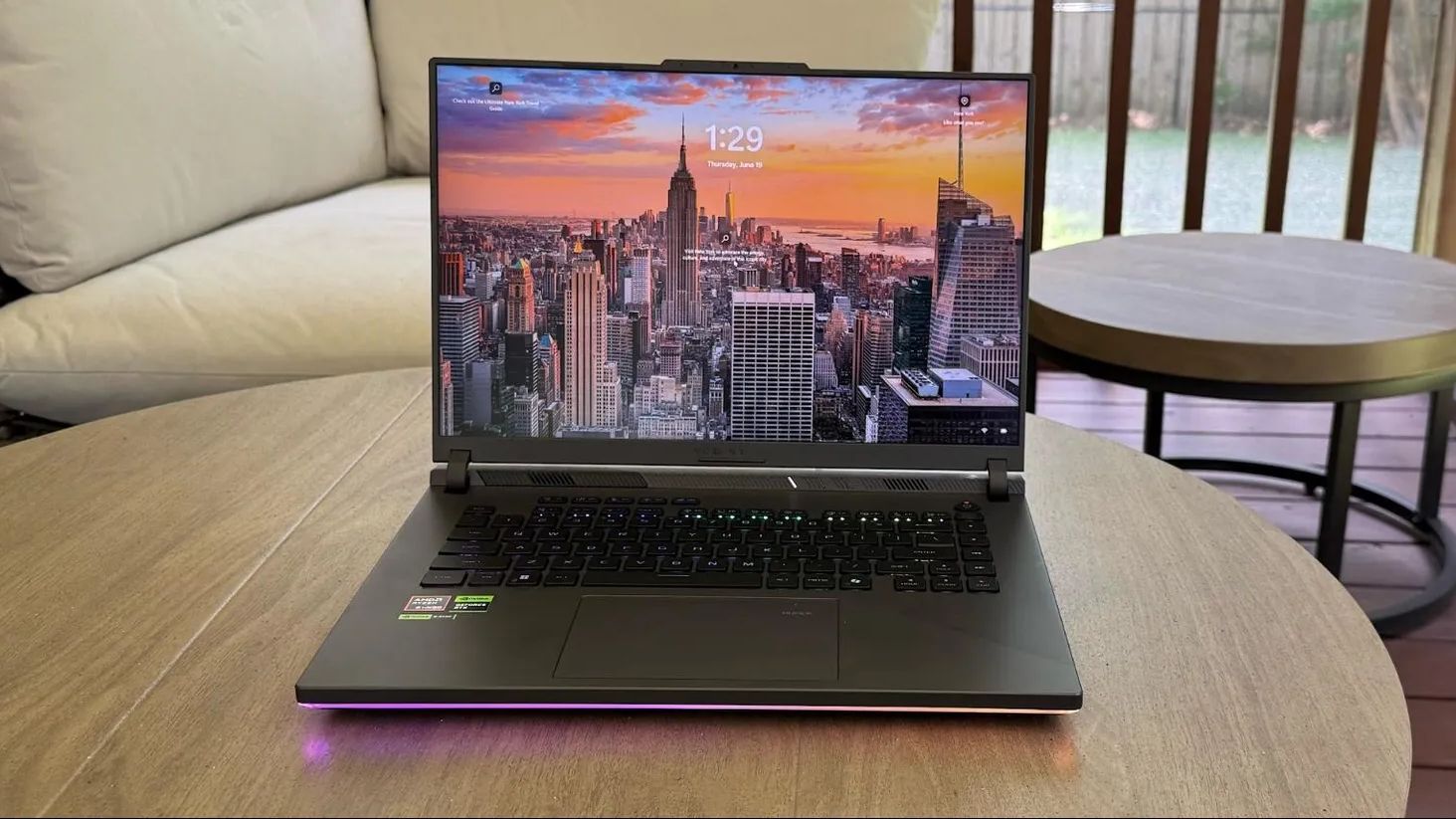
The Asus ROG Strix G16 is a 16-inch gaming laptop with a powerful AMD Ryzen 9 9955HX processor, accompanied by Nvidia's RTX 5060 laptop GPU, sporting 8GB of VRAM. This would be a great laptop for anyone who wants a college or work laptop also capable of playing most gaming titles at decent frames and good quality at its native 1920 x 1200 resolution.
ROG Strix G16 (2025): was $1999 now $1399 This model of the ROG Strix G16 gaming laptop from Asus comes with a screen measuring 16 inches, with an FHD+ resolution, a 16:10 aspect ratio, and refresh and response rates of 165Hz and 3ms, respectively. The hardware inside this gaming laptop includes Nvidia's GeForce RTX 5060 laptop GPU, an AMD Ryzen 9955HX processor, 16GB of DDR5 RAM, and a 1TB Gen 4 SSD for storage. For online gaming, the laptop has Wi-Fi 6E built in. View Deal
In our Asus ROG Strix G16 (2025), we praised this laptop for its colorful and fast display. At the same time, we reviewed a more powerful variant sporting the RTX 5070Ti; the X3D variant of the 9955HX performed well in productivity workloads, performance you can expect to be matched here. This version doesn't come with the X3D cache, so gaming performance will be more limited, but should amply match the RTX 5060 with 8GB of VRAM, avoiding bottlenecks in performance.
At less than $1,400, this would be a great laptop for more casual gaming on the go, as well as productivity workloads, especially for a student.
The CPU and GPU are supported by 16GB of DDR5 RAM and a 1TB SSD, plenty for multitasking and storage, respectively. If you want a more powerful laptop and don't mind spending a little extra cash, this Intel Core 7 240H with 32GB of RAM and a 5070 Ti GPU is still just $1,449.
When Framework introduced the Laptop 12 early last year, it offered an affordable, repairable, and relatively capable laptop, especially aimed at students. Between a 2-in-1 convertible design, a touchscreen with an optional stylus, the slim frame, and a $699 starting price, it was an attractive option. The updated Framework Laptop 12 targets that same group, though it’s entering a very different market, with some of the biggest brands gunning to become frontrunners for the best college laptops. Framework still makes one of the best laptops on the market with the Laptop 13 Pro, but the entry-level market is a different beast, especially today.
Apple’s MacBook Neo has prompted a wave of more affordable Windows laptops, with Intel’s Wildcat Lake taking center stage in devices like Dell’s refreshed XPS 13. The Framework Laptop 12 provides competitive performance with these devices, though at a higher price point and with less premium amenities.
The 1080p, 60Hz display is a reminder that the otherwise-premium-feeling Laptop 12 is a budget device, and although the Laptop 12 starts at just $549 without memory or storage, it ends up around $200 to $300 more expensive than the competition when fully configured. The laptop begs a question: how much are you willing to pay for repairability?
Design
(Image credit: Tom's Hardware)
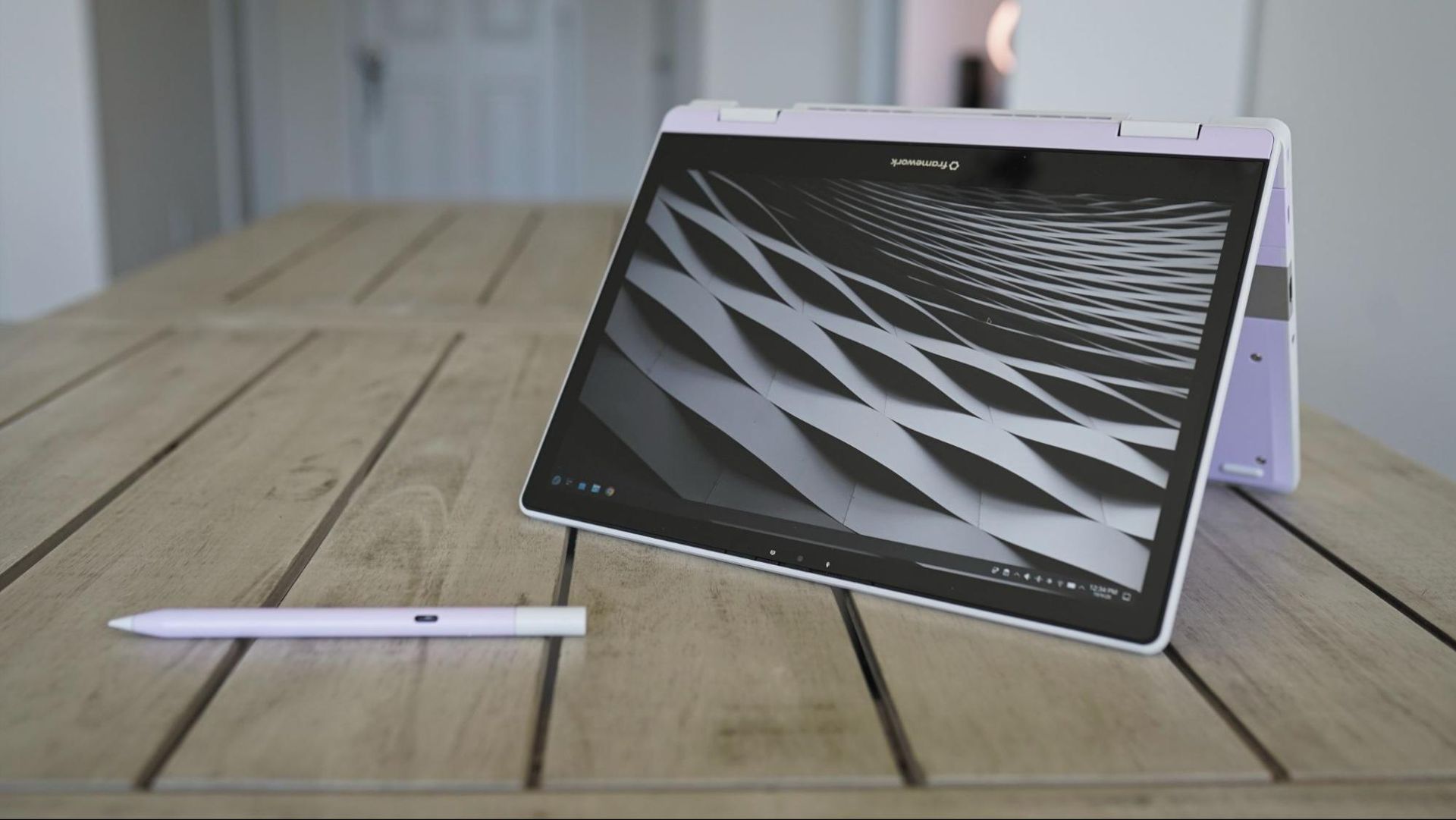
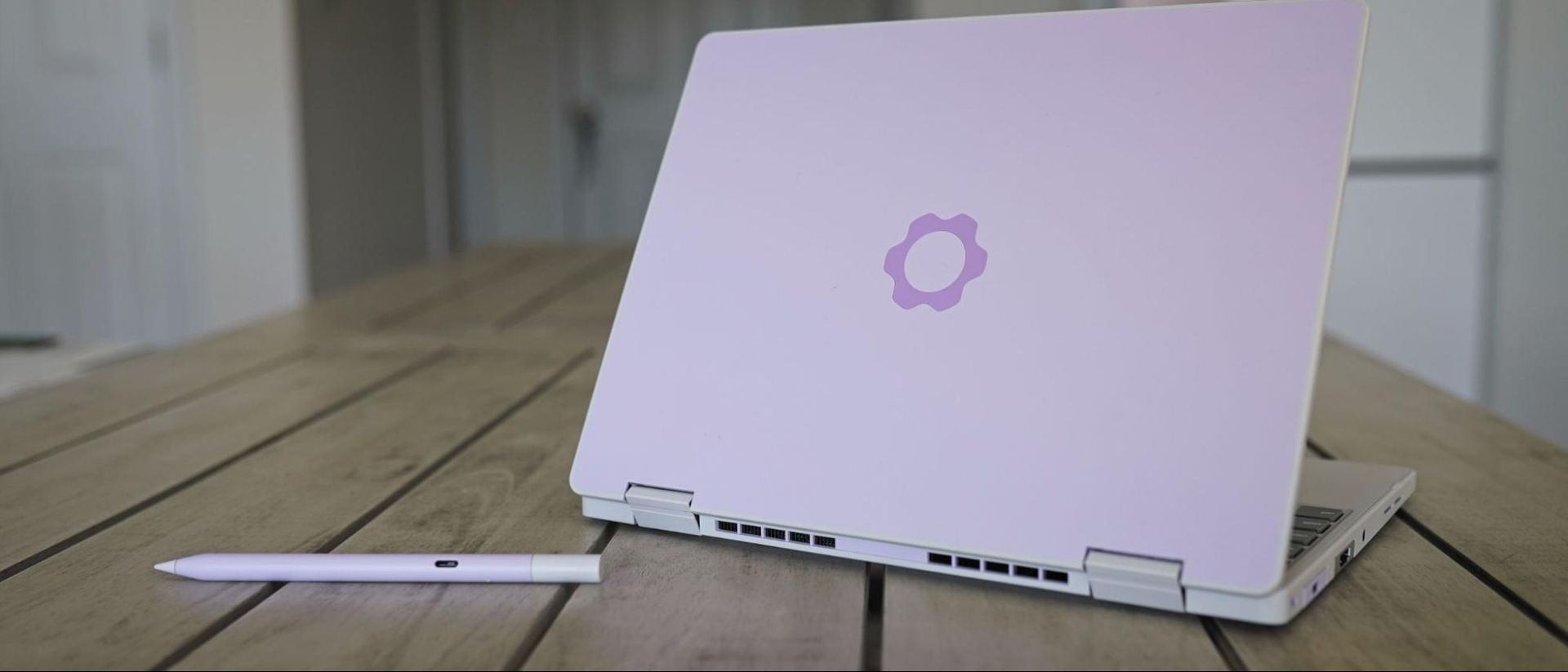
Like Framework’s previous Laptop 12 with 13th-Gen Intel CPUs, the updated version with Wildcat Lake comes in a variety of colors: Black, Gray, Lavender, Bubblegum, and Sage. Our review unit, as you can see, is the Lavender variation. At the time of writing, you need to purchase the DIY version to choose your color; the prebuilt version is currently only available in Sage.
Unlike Framework’s more expensive Laptop 13 Pro, you don’t have the option to customize the color of the bezels, and only Gray and Lavender keyboard options are available now (though, presumably, Framework will expand these options). USB-A and USB-C modules come in a wide array of colors, as well, though other expansion modules are limited to a standard silver color. Framework also offers an optional $59 stylus, matching the color options available for the Laptop 12.
The Framework Laptop 12 is a highly portable device, though perhaps not as thin and light as you’d expect out of a 12-inch laptop. It's 0.72 inches thick and clocks in at 2.8 pounds, which is thin enough and light enough, though not on the level of its enclosed competitors. The MacBook Neo weighs about the same at 2.7 pounds, but it’s covered in aluminum and it’s 0.5 inches thick. The XPS 13 with Wildcat Lake is much lighter at 2.2 pounds, thinner at 0.5 inches, and also finished with aluminum.
(Image credit: Tom's Hardware)
Considering the bulk of modularity, the fact that Framework managed to get the weight and thickness of the Laptop 12 close to closed-door competitors is remarkable. However, the fact remains that you’re often paying a premium with the Framework Laptop 12 compared to the Neo and XPS 13 and, in both cases, getting a laptop that feels less like a premium ultrabook out of the box.
Although the Framework Laptop 12 isn’t finished in aluminum, it still has a metal structure. On top is plastic, which is then coated with thermoplastic polyurethane to absorb impacts. That leads to a plastic feeling externally, though with a smooth, slightly grippy surface that feels good in the hands.
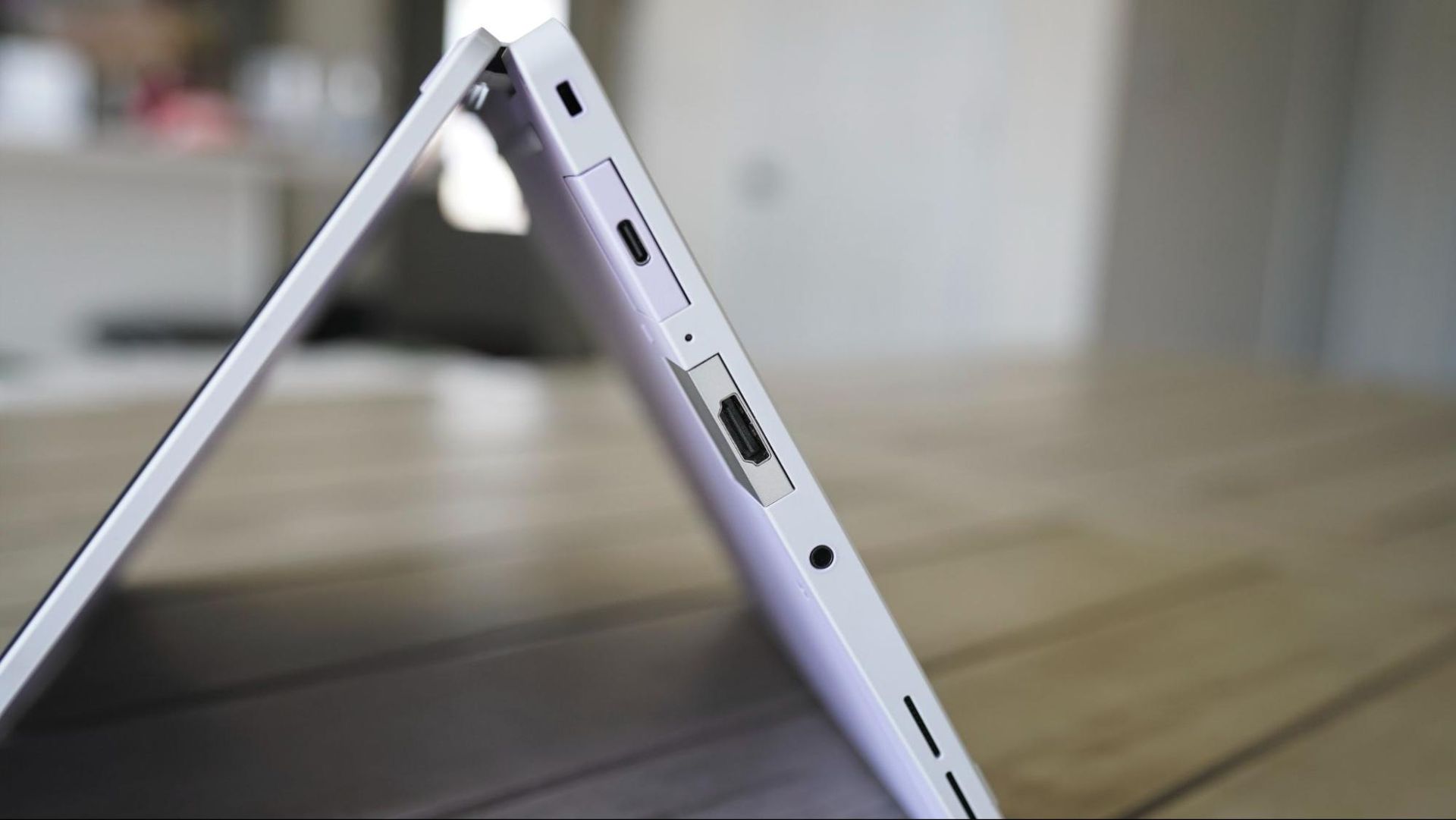
Framework offers an optional backlight on the keyboard (our review unit didn’t have one), as well as four module slots for expansion ports. The back two support Thunderbolt 4 and DisplayPort Alt mode, and all four support USB 3.2 Gen 2 speeds and USB-PD. A 3.5mm headphone jack is standard on the Framework Laptop 12, regardless of the additional modules you choose.
Specifications
CPU
Intel Core 7 350
Graphics
Intel Xe3 (2 cores)
Memory
16GB LP
Storage
1x 16GB DDR5-5600 SODIMM
Display
12.2-inch, 1920x1200, touch, 60Hz
Networking
Intel BE213 Wi-Fi 7 / Bluetooth 6.0
Ports
Up to 4 user-selectable expansion cards
Camera
2MP sensor, 1080p30, hardware privacy switch
Battery
50Whr
Power Adapter
60W USB-C GaN (optional)
Operating System
Fedora 44
Dimensions (WxDxH)
11.29 x 8.42 x 0.72
Weight
2.8 pounds
Price (as configured)
$1,491 ($1,384 without expansion cards and power adapter)
Productivity Performance
This isn’t our first outing with Intel’s Wildcat Lake, so we went into this review with a good idea about what to expect from the Framework Laptop 12’s performance. Our test machine came with the highest-end chip Framework offers in this laptop, which is the Core 7 350. It’s a 6-core / 6-thread CPU with a maximum turbo clock of 4.8 GHz, and it can operate between 15W and 35W.
If you’re unfamiliar, Wildcat Lake is the younger, weaker sibling of Panther Lake. It uses Intel’s cutting-edge 18A node but with several cut corners. For starters, the 350 comes with just two faster P-cores (the remaining four are an LPE cluster). It also comes with just 6MB of last-level cache, half of what you get with Panther Lake.
The cores matter less here than the memory, however. Wildcat Lake exclusively uses single-channel DDR5 or LPDDR5X, regardless of capacity (support goes up to 64GB). In practice, that often means you need to overbudget your capacity, at least compared to something like the MacBook Neo with unified memory. Performance drops at 8GB with Wildcat Lake (see our Dell XPS 13 review).
(Image credit: Tom's Hardware)
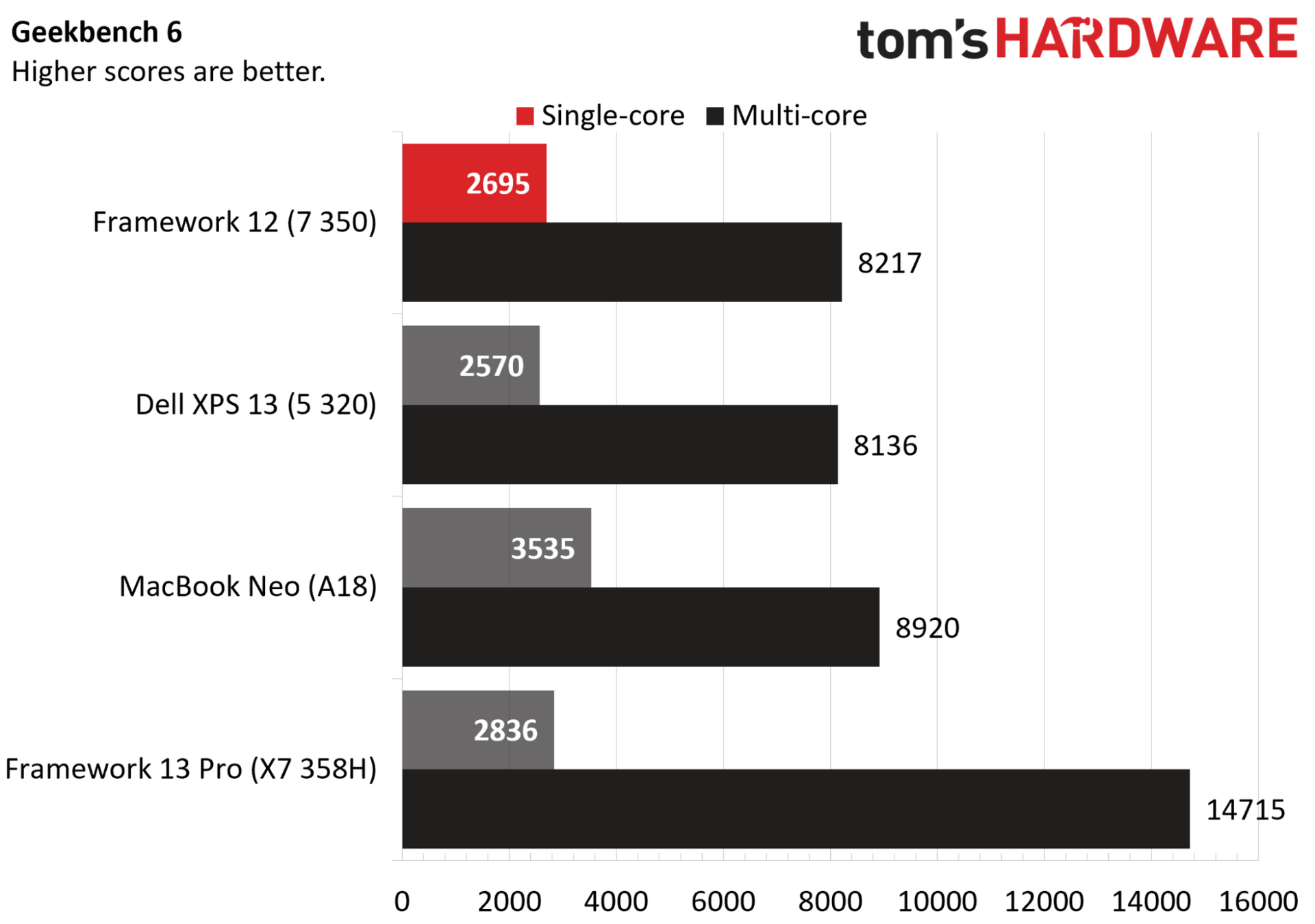
The Core 7 350 comes in behind in single- and multi-core performance in Geekbench 6 compared to the A18 in the MacBook Neo (though multi-core to a much lesser extent). Compared to the 6-core Core 5 320 in the XPS 13, the Framework Laptop 12 is in lockstep with multi-core speed, and just shy of 5% ahead in single-core speed.
Compared to full-fat Panther Lake in the Framework 13 Pro, Wildcat Lake actually looks better than expected. The 13 Pro here is for context, not as a true comparison point; it costs a few thousand dollars. What’s interesting in Geekbench is how the X7 358H in the Framework 13 Pro scales, relative to the Core 7 350.
The X7 358H is a 16-core chip with a 4.8 GHz boost and access to up to 80W of total power (though much of that is allocated to the 12-Xe3-core GPU). Despite more than doubling total core count, and offering a doubling of P-cores, we’re not seeing twice the performance. And, even with access to less power, the Core 7 350 is within 5% of Panther Lake’s single-core performance.
With Geekbench, Apple silicon tends to perform especially well, particularly in single-core tasks, so keep that in mind.
(Image credit: Tom's Hardware)
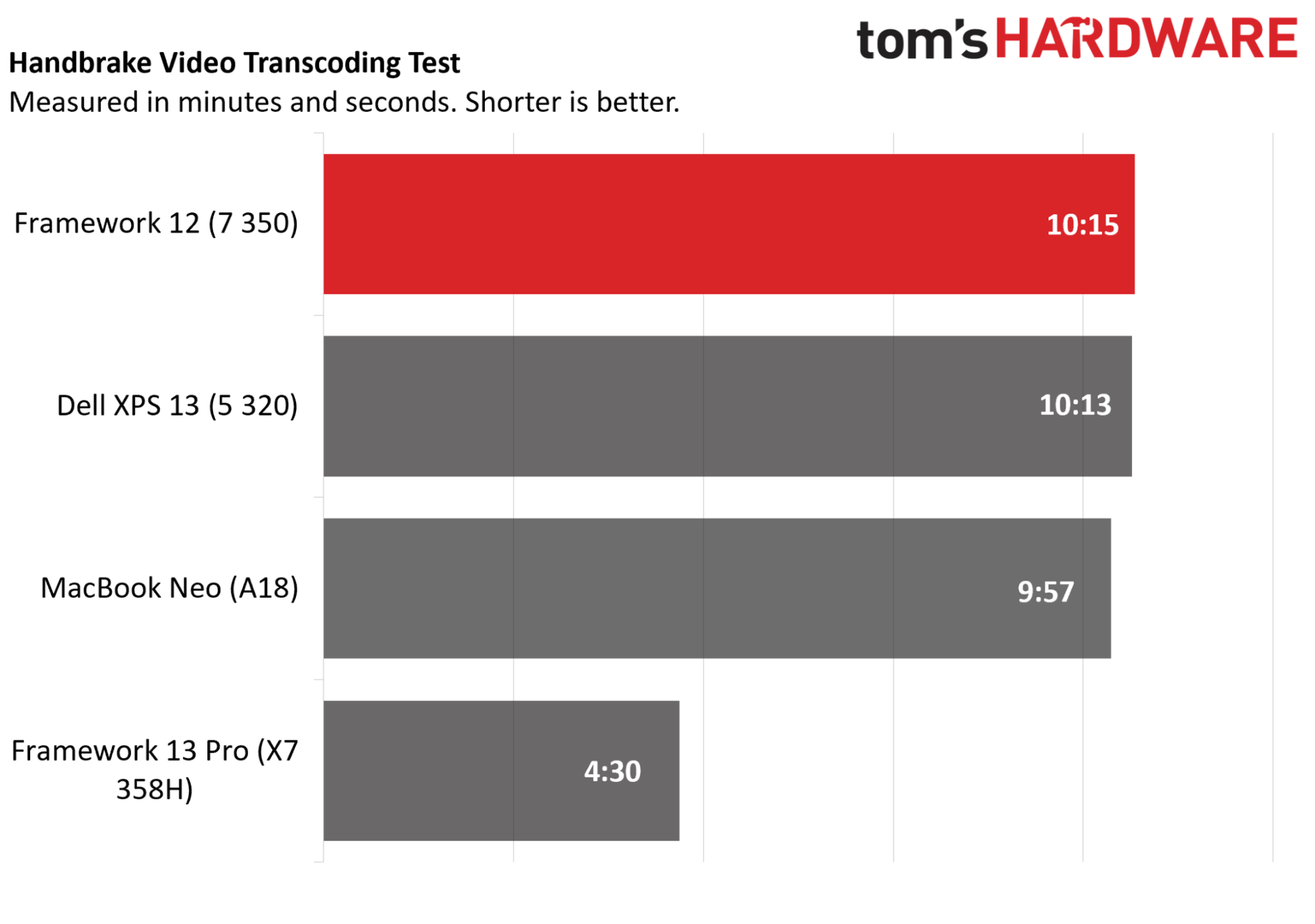
Even with a bit of extra clock speed, however, the Framework Laptop 12 with the Core 7 350 came in behind the Core 5 320 in the XPS 13 in Handbrake. Here, the Geekbench swing toward Apple levels out; the A18 was 8% ahead in Geekbench 6 multi-core, but it’s less than 3% ahead here in Handbrake.
The Panther Lake-based 13 Pro gives some much-needed context, showing compounding factors between higher core counts, higher power limits, and true dual-channel memory. Again, it’s a far more expensive laptop, and the Framework Laptop 12 performs in line with our expectations for laptops in this class.
Perhaps the biggest takeaway is how similar the Core 5 320 is, at least in this laptop. You get an extra 200 MHz on the CPU and 100 MHz on the GPU with the Core 7 350, which isn’t moving the needle a ton here given how limited Wildcat Lake is as a platform. That’s good news, as the Core 5 320 will save you $220 in the Framework Laptop 12 compared to the Core 7 350.
Unfortunately, many of our gaming tests for laptops won’t run on Linux, and given that devices are often shipped back, we can’t go back and retest a dozen devices. That’s not too important here, though. The Core 7 350 has just two Xe3 cores, as do other Wildcat Lake chips, which doesn’t provide enough horsepower to power most titles.
We were able to achieve 30 FPS in Civilization VI at 1080p, which underscores the limitations of the integrated graphics. Intel’s dual-core Xe3 is plenty capable of running Balatro, Vampire Survivors, or whatever 2D sidescroller is currently popping off on Steam. Otherwise, it’s there to give you a display output.
Display
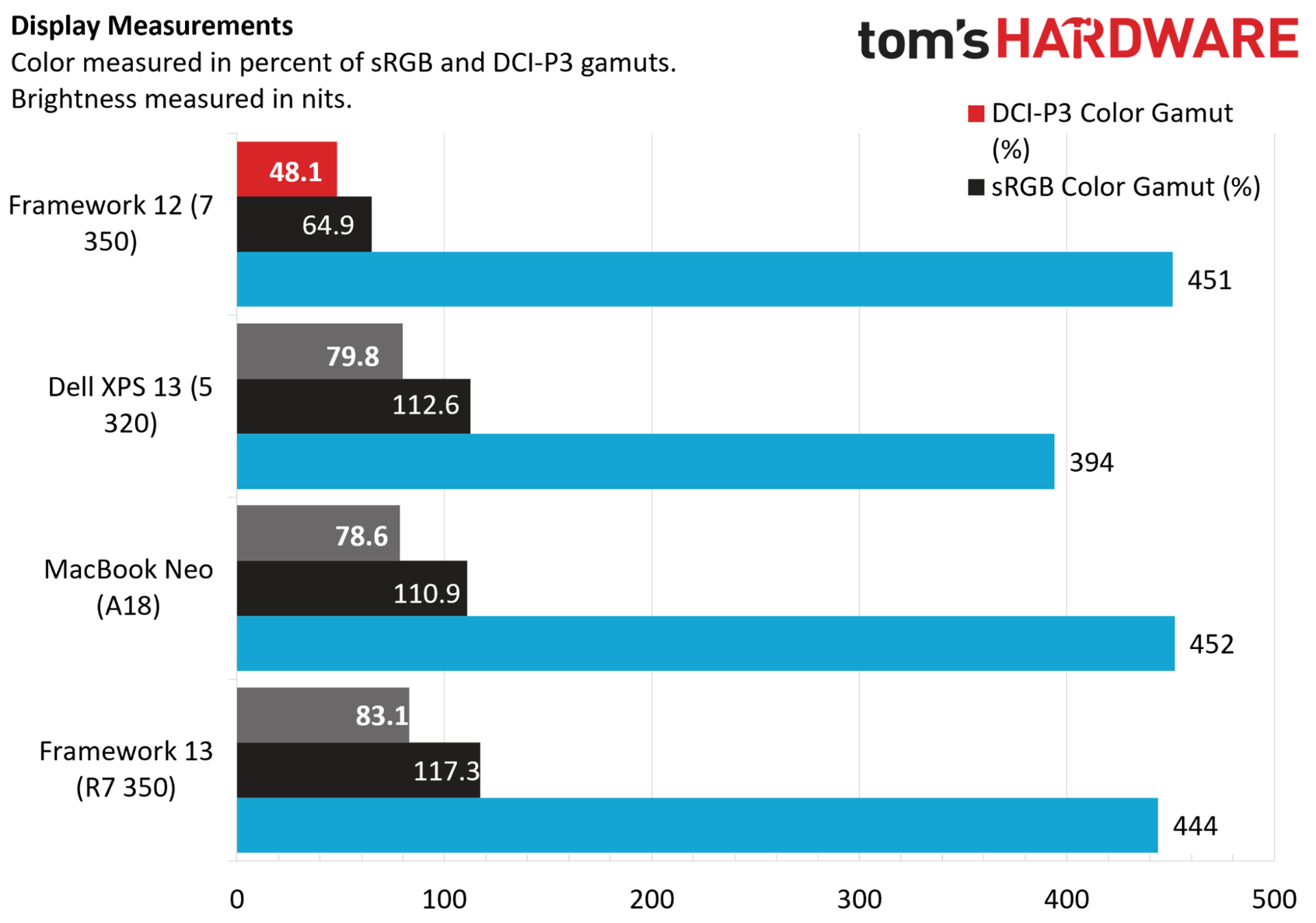
The display is what separates the Framework Laptop 12 from the various other Wildcat Lake-based devices we’ve seen in the wake of the MacBook Neo, and not for the better. Color performance, especially, is weak in our testing, and although peak brightness is in line with similar laptops, the 60Hz refresh rate is a severe downgrade compared to other devices, as is the 1080p resolution.
For metrics, you can see the display peaked at 451 nits, right in line with the MacBook Neo and Framework 13 (non-Pro). However, gamut coverage is poor, with just 64.9% of the sRGB gamut measured, compared to wide-gamut coverage on the competing machines. This is a “budget” laptop, but it’ll easily run over $1,000 with most configurations, and the display is not worthy of that price.
(Image credit: Tom's Hardware)
The XPS 13 provides some important context. It doesn’t get as bright — though, it’s hard to split hairs over 50 nits — but it comes with a 120Hz refresh, a higher 2.5K resolution, and it’s a touchscreen like the Framework Laptop 12. That gap in display performance would be understandable with a big gap in price, but that’s not the case. In fact, the Framework Laptop 12 clocks in at $1,271 with a Core 5 320, 16GB of memory, and 500GB of storage. The XPS 13, meanwhile, is $1,000 for that configuration.
Framework naturally needs to cut corners at this price, and it needs to engineer its devices to be repairable and upgradable. So, it’s hard holding the Framework Laptop 12 to the standard of a device like the XPS 13 that doesn’t come with those serviceability upsides. Still, the display is a consistent reminder that this is a budget laptop, whereas with the XPS 13 and MacBook Neo, it’s easy to forget that when doing day-to-day web and office task, due to the premium screens and build quality.
Keyboard and Touchpad
(Image credit: Tom's Hardware)
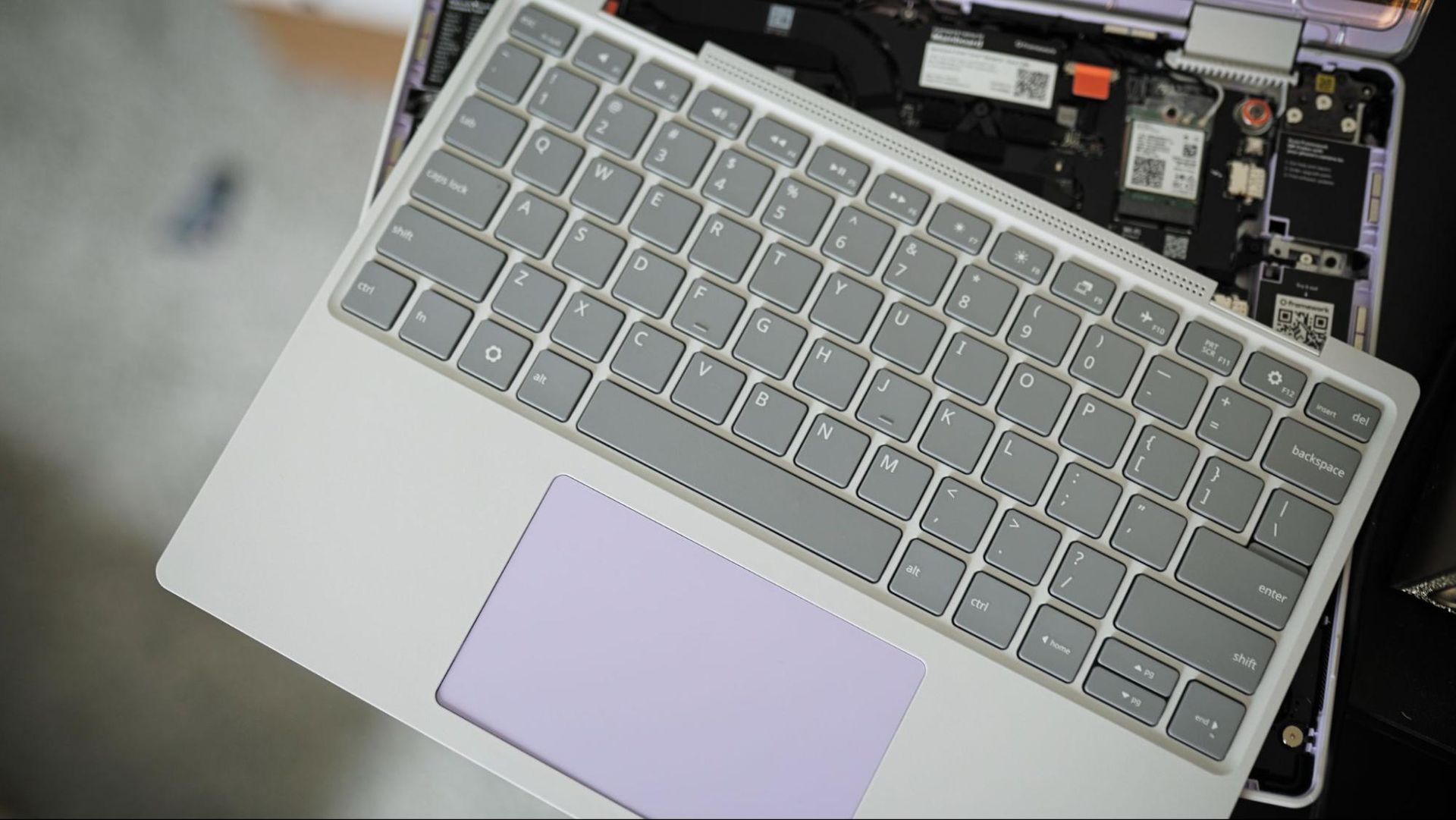
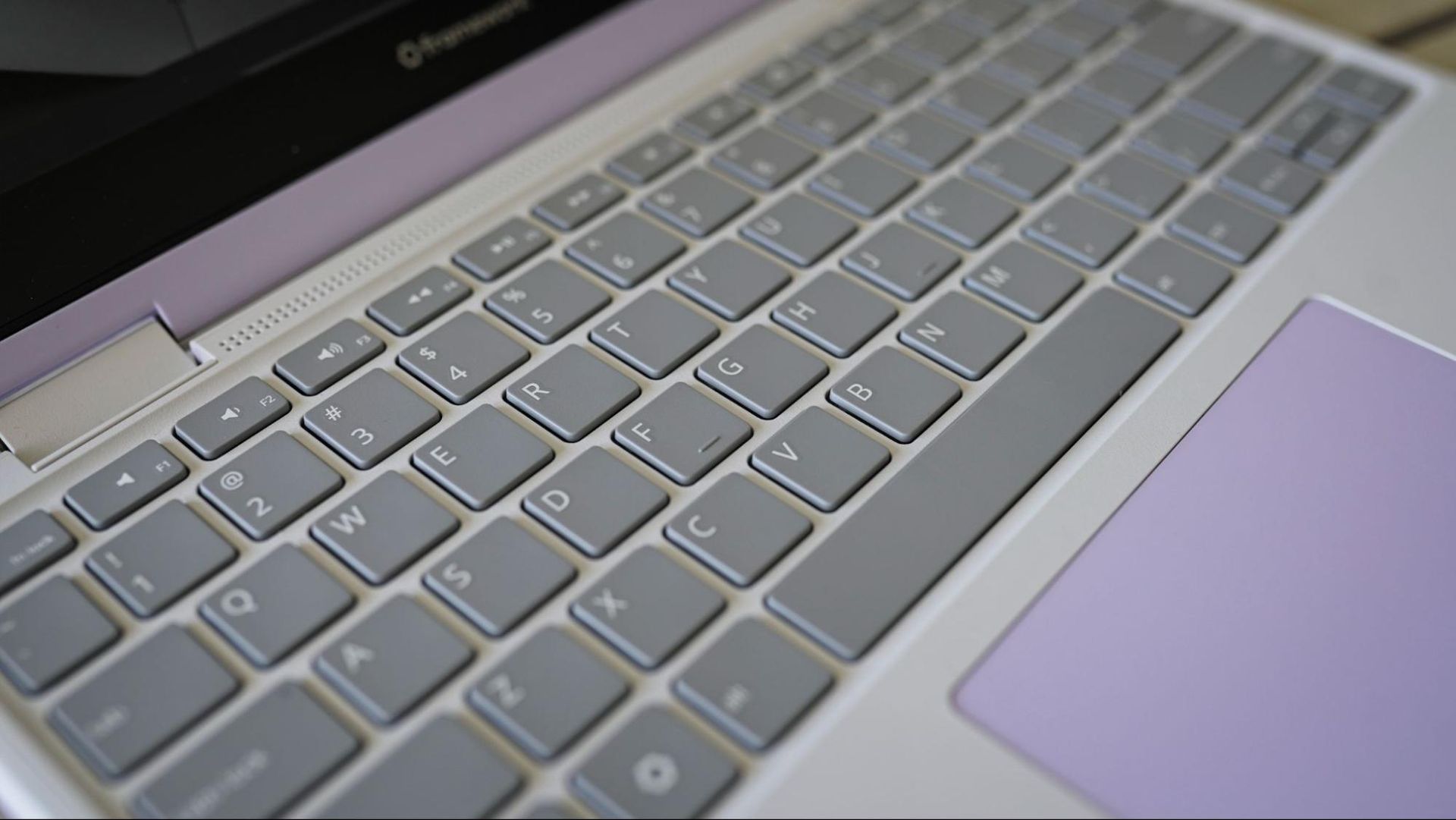
The Framework Laptop 12 comes with a standard keyboard/touchpad combo unit, which is available in several different layouts. There’s currently just a gray and lavender option for the keyboard unit, though presumably Framework will expand its offerings to cover the other colors available on the Framework Laptop 12 (at least with an American English layout).
I achieve 85 WPM with 99% accuracy in a MonkeyType test, compared to 92 WPM at 97% accuracy on my desktop (using the keyboard I type on every day). The keys have standard 19mm spacing and generous 1.5mm of key travel, which makes it comfortable to type on, even considering the small footprint of the Framework Laptop 12.
The touchpad is naturally small given the size of this device, and it’s mechanical, leading to sharp dips during presses on the bottom corners and no responsiveness near the top. It’s a serviceable touchpad, what you’d expect to see on this class of device. Just don’t go in expecting to be spoiled with a large glass surface or haptics.
Upgradeability
(Image credit: Tom's Hardware)
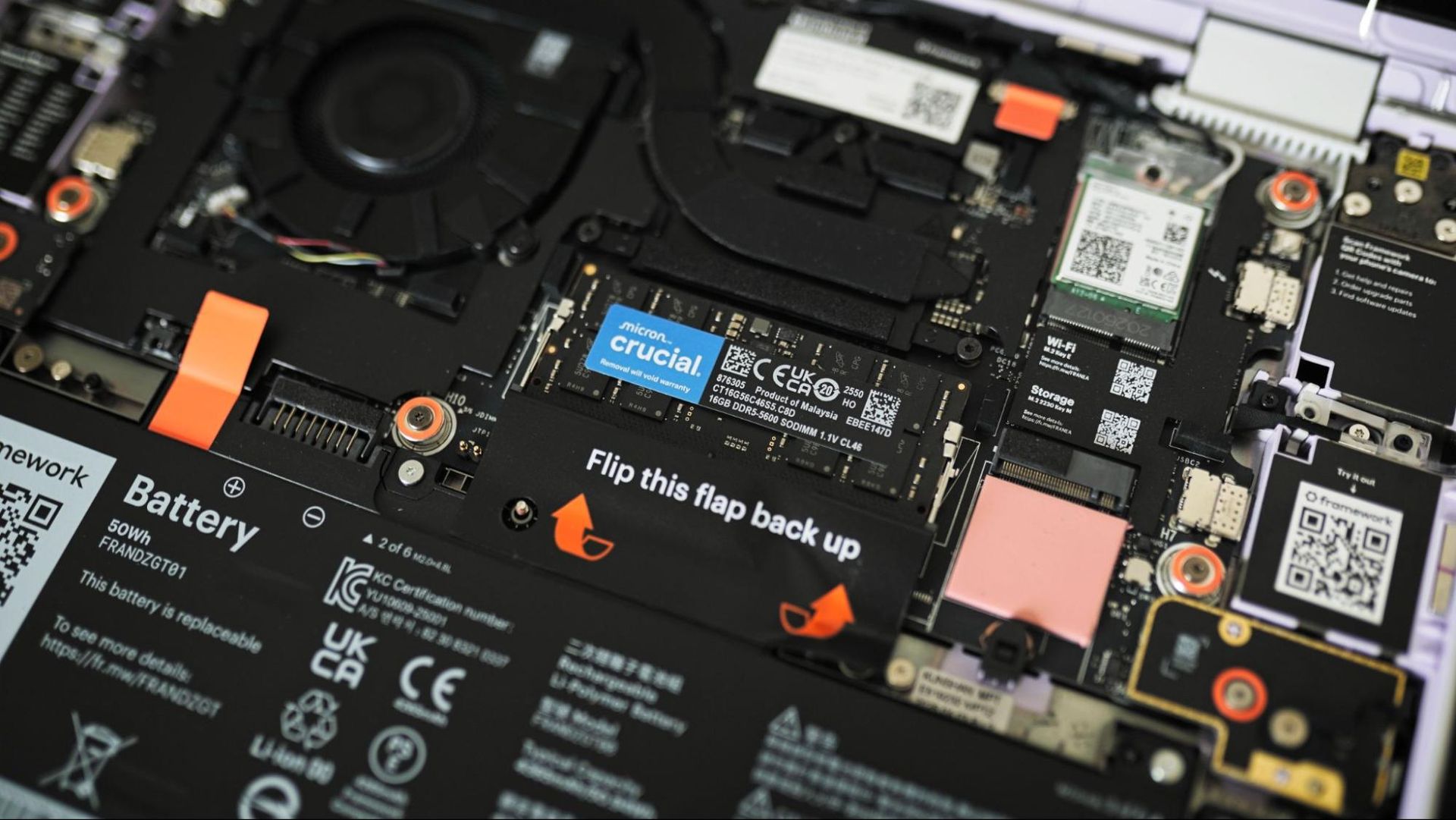
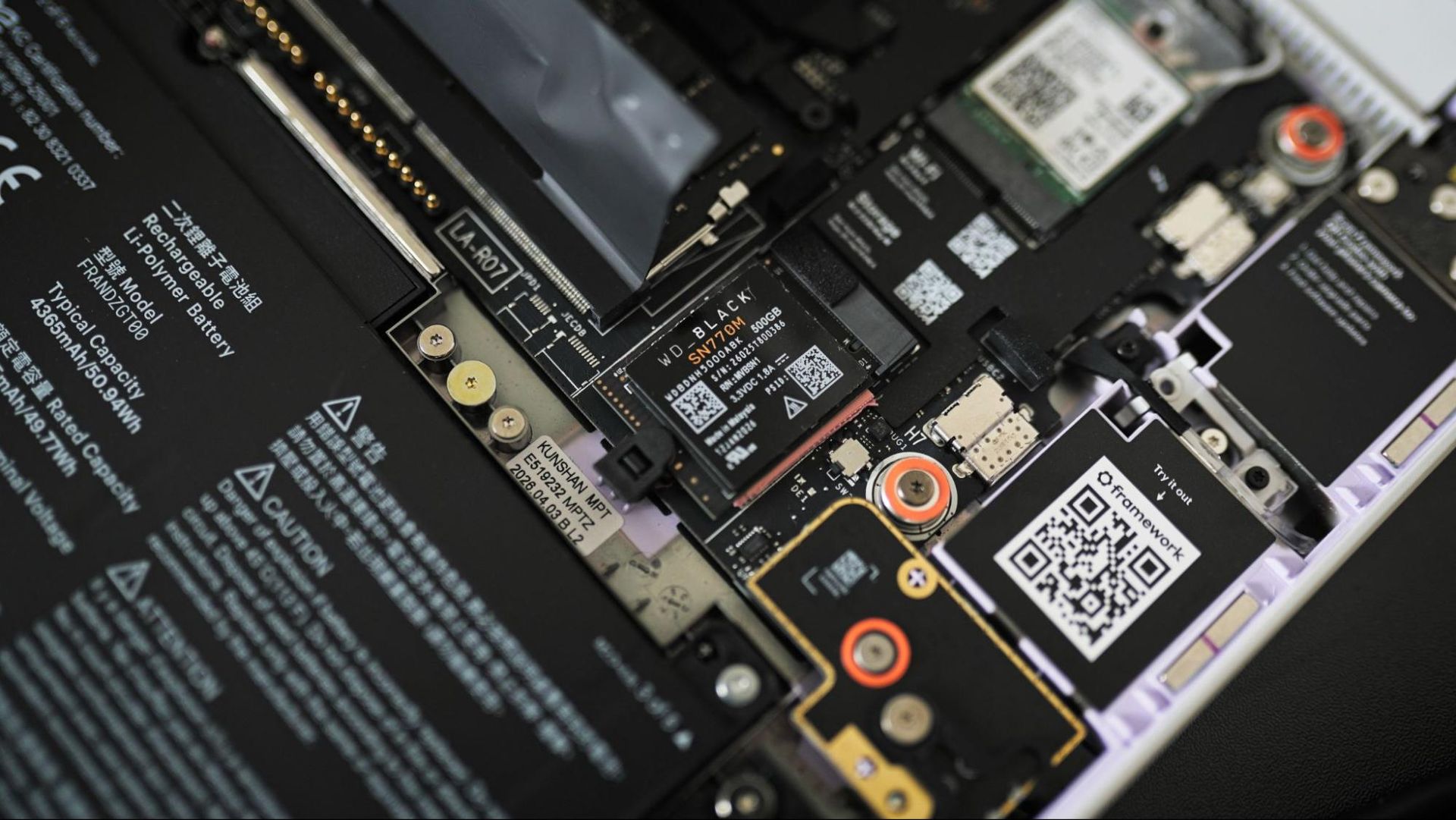
Framework built its brand on upgradability, so it’s no surprise that the Framework Laptop 12 earns near-perfect marks here. Like other devices, you can ship the Framework Laptop 12 pre-assembled, or as a barebones system that can accept your own M.2 2230 SSD, DDR5 SODIMM, and operating system. Even then, you can swap out the keyboard, display, mainboard, and ports if you choose (though only within the Framework Laptop 12 form factor).
However, the Framework Laptop 12 brings up the important distinction between serviceability and upgradability. The Framework Laptop 12 is the gold standard (among all Framework devices) for serviceability.But the Wildcat Lake chip brings up concerns about upgradability with its single-channel memory interface.
You can upgrade the memory up to a 64GB DDR5-6400 SODIMM, but there’s only one physical memory slot on the board. Wildcat Lake exclusively uses single-channel memory; it’s not simply a single-channel configuration for a budget price point. You can upgrade to more capacity down the line, but you can’t simply add in a second SODIMM to double your RAM.
(Image credit: Tom's Hardware)
You won’t find a more serviceable laptop on the market (outside of the other options from Framework) than the Framework 12, but you primarily have two narrow upgrade paths: more storage and more memory capacity, but not a true dual-channel configuration. Hopefully Framework will continue this line in the future, allowing you to swap the mainboard.
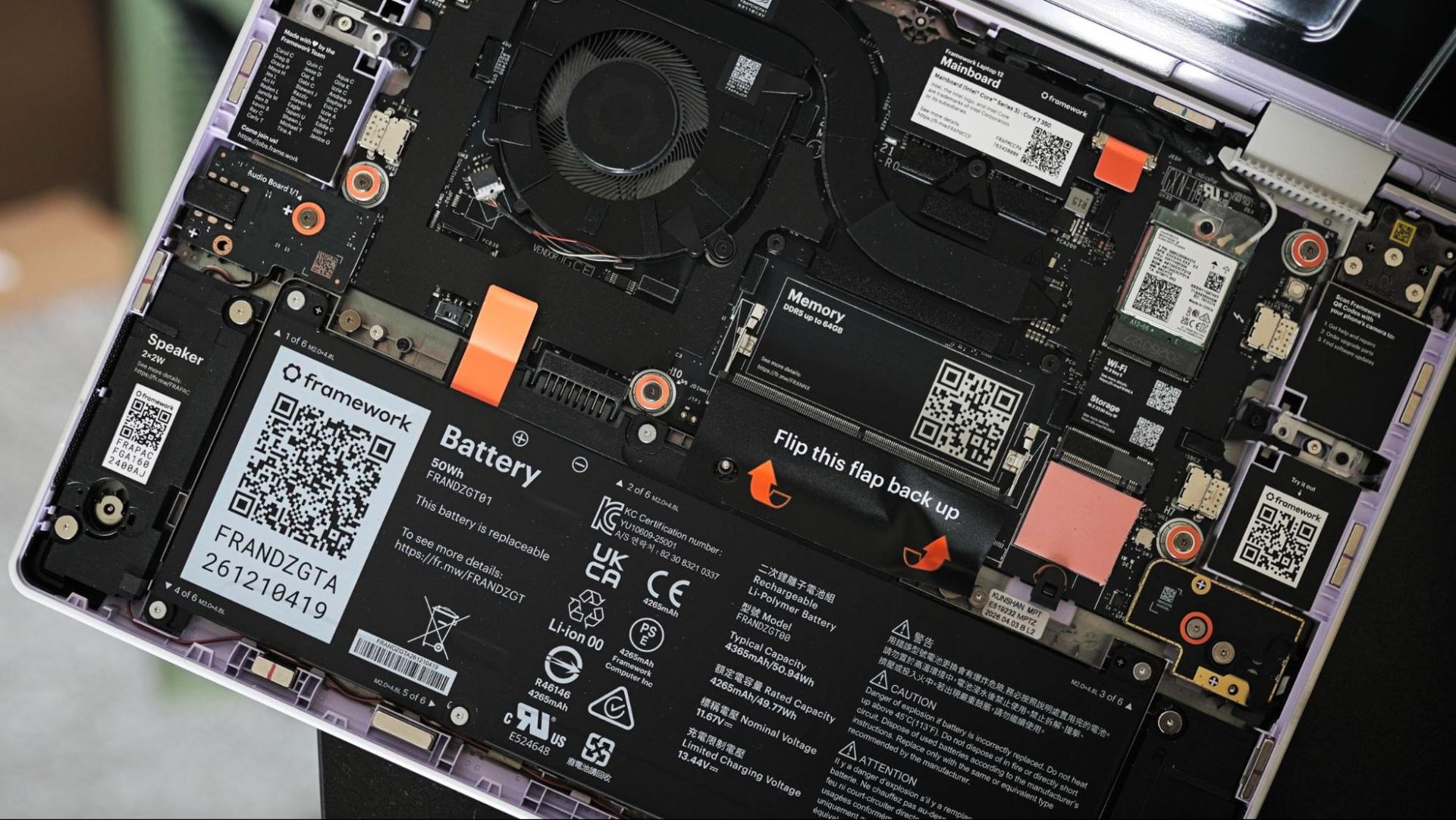
On the serviceable end, however, Framework makes things simple. You get a matching Torx screwdriver with the laptop that can detach the bottom cover. The cover has eight captive screws, so you don’t need to worry about losing them, and it’s primarily there to keep everything together; you actually service the laptop from the top, under the keyboard.
Considering you’re meant to go inside the laptop, Framework has everything clearly labeled, along with QR codes that link to repair guides for various components. With our barebones kit of modules, the laptop was powered on and assembled within five minutes, and this is my first time ever assembling a Framework device from scratch.
Battery Life
Our typical laptop battery tests are based on Windows, and we can’t replicate the testing process on Linux. Framework assured us that Fedora 44 offers the best experience out of the box, so that is what we tested. Instead of a direct comparison, we designed a basic web browsing test loop to see how long the 50WHr battery would hold up away from a charger.
About 9 hours is the answer, with a 9:16 average across three runs. We ran the laptop through a series of live websites with the screen set to 150 nits, Wi-Fi on, and Bluetooth disabled for the test. Again, we can’t make direct comparisons with Windows laptops, but getting around a full day of work is solid for the small 50Whr battery. And with USB-C charging, you can pretty easily top off with a portable GaN brick.
Audio
The stereo 2W speakers inside the Framework Laptop 12 are surprisingly powerful, considering the size of the machine, though the quality of the speakers and dual internal microphones is a clear cut corner to reach the more affordable price of the device. Thankfully, there’s a 3.5mm headphone jack built in (it doesn’t take a module slot), along with Bluetooth 6.0 support for wireless headphones.
The microphone poses a larger issue than the speakers. It’s heavily compressed, which helps make your voice come through clearly, though at the cost of heavy background noise (including keyboard and trackpad noise). You’ll want to use something like EasyEffects in Linux to clean up the microphone audio.
As for the speakers, they’re not as bad as they could be. As mentioned, they’re loud considering the size of the device, and they didn’t distort at full volume. They’re tuned for this type of device, as well. Rather than overemphasizing the highs or pumping too much low-end and exposing distortion, the speakers in the Framework Laptop 12 have a heavy emphasis on the upper midrange.
This range, somewhere between 500Hz and 4kHz, is typically described as “boxy,” and that emphasis works well for the small drivers in the Framework Laptop 12. It implies a low end that the drivers aren’t actually capable of producing. Further, the higher-end of this range, around 1kHz to 2kHz, is where many human voices fall, with sharp consonants pushing higher-end harmonics that come off as harsh. Again, the emphasis helps, allowing voices to come through clearly, without sounding tinny.
Heat
(Image credit: Tom's Hardware)
The Framework Laptop 12 stays fairly cool, even under load. The hottest point we measured on the laptop was the underside, directly in the middle, which peaked at 101 degrees Fahrenheit (about 38 degrees Celsius). Under normal usage in a browser with a handful of tabs open, there’s very little noticeable heat, even at this hottest point.
Up where your hands are, we measured 94 degrees Fahrenheit (about 34 degrees Celsius) between the G and H keys on the keyboard, and 86 degrees Fahrenheit (30 degrees Celsius) on the touchpad. That’s warm for your hands, but again, the heat only crops up during heavy load.
Webcam
It’s unsurprising for a laptop at the price of the Framework Laptop 12, but the webcam quality is poor. The camera oddly uses a 4:3 aspect ratio, and the 2MP sensor creates an image more reminiscent of a watercolor than a sharp, Full-HD picture. It struggles with low-light especially, with even moderate shadows in an otherwise brightly-lit room showing visible noise.
(Image credit: Tom's Hardware)
The image above was taken in my office in the middle of the day. A window behind me was fully open, about three and a half feet away, and I have a lamp serving somewhat as a key light about three feet off-screen to my left. I’m on the second floor of a two-story house, on a hill without any trees obstructing sunlight (and it was a sunny day). There was a generous amount of natural light in the room.
Yet, you’d think I was sitting in near darkness from the webcam image. The stark brightness from the window darkens my face, filling it with visible noise, as the camera struggles to handle the dynamic range. Sitting in front of an unobstructed window during the middle of the day is the time and place where you’re likely to have the webcam turned on, and it fails that test.
Software and Warranty
Framework offers a standard one-year limited warranty on the Framework Laptop 12, with an optional three-year warranty available for $89 extra. You can read over Framework’s limited warranty, but the limitations are fairly straightforward. Normal wear and tear, damage due to negligence or misuse, and use of third-party parts (or first-party parts from third-party sources) will void the warranty.
Broad warranty protection isn’t as important here as it is elsewhere, however. If, for example, your USB-C port stops working, you can just buy another one rather than going through the RMA process and potentially paying for a repair on the other side (even if you’re under warranty).
You’re free to bring your own OS, but Framework also offers the Framework Laptop 12 with either Windows 11 or Fedora 44 pre-installed. Framework normally uses Ubuntu; however, Fedora 44 has moved to the newer Linux 7.1 kernel, which has optimizations specifically for Wildcat Lake. Using a slower-moving distro like Ubuntu is fine, though you’ll want to make sure to manually upgrade your kernel (and packages) for the best performance if you’re not already using a distro with kernel 7.1 or newer.
Configurations
(Image credit: Tom's Hardware)
Framework offers three mainboard configurations: Core 3 204, Core 5 320, or Core 7 350. As we covered in the performance section, the Core 5 320 in the XPS 13 offered largely similar performance to the Core 7 350 in the Framework Laptop 12, so that seems like the sweet spot here. The Core 3 304 is effectively a single-core CPU, with just one P-core alongside a four-core LPE cluster, and it lacks a fingerprint reader, which is available with both other mainboards.
With the DIY edition, Framework ships the laptop without memory, storage, or expansion cards. There’s a single SODIMM slot for memory and a single M.2 2230 slot for the SSD. Framework offers up to 2TB of PCIe 4.0 storage at checkout, as well as up to 48GB DDR5-5600 (again, via a single SODIMM). Framework has USB-C, USB-A, HDMI, Ethernet, 10G Ethernet, DisplayPort, microSD, and SD card modules available, ranging from $10 to $99.
There aren’t any display options aside from the standard 60 Hz 1080p panel in our unit. For the keyboard and trackpad, Framework offers backlit and non-backlit options in various different native layouts.
Framework offers prebuilt versions of the Framework Laptop 12 at a discounted price. The Core 3 304 comes with 8GB of memory ($699), the Core 5 320 comes with 16GB (1,099), and the Core 7 350 comes with 32GB (1,399), and all three configurations use 512GB of storage. All of the configurations come with Framework’s standard expansion card bundle: two USB-C, a USB-A, and an HDMI module.
Dell starts higher with the XPS 13 at $799, but that’s with the Core 5 320 and 8GB of memory. Jumping up to 16GB, the XPS 13 is $999 with the Core 5 320, $100 less than the preconfigured Framework Laptop 12.
Bottom Line
The Framework Laptop 12 is caught between an unprecedented memory and storage shortage and a wave of budget-oriented Windows laptops that skip the repairability angle in favor of better trimmings out of the box. At the same price, it’d be a solid alternative with understandable downsides. The killer for the Laptop 12 is that you’ll likely spend more on it compared to other Wildcat Lake options.
With the Core 5 320, the Framework Laptop 12 is nearly $300 more expensive than the XPS 13, when both are configured with 8GB of memory and 500GB of storage. The Acer Swift Air 14 is $700, and a similarly configured Framework Laptop 12 is $1,074 before adding on the extra cost of a power adapter and modules. For many Wildcat Lake devices, we see prices top out around $1,000; with the Framework Laptop 12, you’ll often spend at least $1,000, assuming you push beyond the Core 3 304.
Modularity comes at a cost, which is more relevant in the case of the Framework Laptop 12 where $100 or $200 makes all the difference in value (it’s less relevant up at the Framework Pro 13, where you expect premium pricing). That extra cost is especially damaging here, when Framework’s competitors are offering better display performance (and more pixels) and all-aluminum bodies for less money.
There are situations where the Framework Laptop 12 is a great option, even compared to the other Wildcat Lake devices on the market. If you already have a SODIMM module you can harvest from other devices, along with an SSD, this is a cheap way to get some of Intel’s latest silicon. But for everyone else, unless you don’t mind paying significantly more for repairability, there are better options available that typically cost less, look better, and feel more premium.
A pre-built desktop or gaming laptop is one of the best ways to sidestep some of the worst pain of AI-driven price increases when it comes to PC gaming. If you're on the hunt for a powerful gaming laptop, this Gigabyte Gaming A16 Pro is now just $1,449 at Walmart.
This laptop comes with a 16-inch IPS display clocking in at 2560 x 1600. It's powered by Intel's Core 7 240H, a Raptor Lake-H refresh CPU with 10 total cores. However, the star of the show is undoubtedly the mobile RTX 5070 Ti GPU, which will excel at gaming on the go.
AI development has seen the price of individual PC parts skyrocket in recent months. 32GB of DDR5 6000 RAM now costs $450, with storage and graphics cards also enduring significant price hikes. One of the best ways to dodge these hikes is to buy a laptop, where increases are trickling down more slowly.
With 10 cores (six performance and four efficient cores), the CPU in this rig is ideal for both gaming and productivity on the go. Paired with the RTX 5070 Ti gaming GPU, it will have no trouble running most games at the 2560 x 1600 resolution. The RTX 5070 Ti has 12GB of VRAM and 5,888 CUDA cores, making it ideal for this resolution.
For the price, this laptop also has a generous supporting cast, notably 32GB of DDR5 RAM (a rarity in cheap gaming laptops these days), and a 1 TB SSD for storing your games.
Otherwise, you get HDMI 2.1 connectivity, USB 3.2, USB-C with DisplayPort, 3.5mm audio connectivity, and Wi-Fi 6E, as well as Bluetooth v5.2.
This would be an ideal laptop for someone looking to do some gaming on the go while also supporting productivity workloads, possibly a college student. It would also make a great upgrade for anyone currently using an older-generation laptop.
In its latest industry report, TrendForce has projected that global notebook shipments could witness a decline of a low single-digit percentage in 2027. Laptop manufacturers are also expected to reconsider their production strategies as rising costs make manufacturing outside China less attractive. The share of global notebook production outside China is projected to fall from 24% in 2025 to 21% in 2026 and potentially below 20% in 2027.
The biggest concern is expected to be the shift from component availability to weakening consumer demand, as manufacturers continue to tackle high CPU, DRAM, and SSD prices. The firm also added that if component prices continue to remain on the higher side, brands might pass more of these costs on to consumers.
Notebook shipments are expected to benefit from improved CPU availability and manufacturers stocking up on components in 2026. However, TrendForce warns that it does not directly translate into healthy demand. In anticipation of higher prices, certain customers have upgraded their devices earlier than planned. Essentially, fewer people will be looking forward to buying new laptops in 2027.
Additionally, once inventories purchased at lower prices gradually run out, manufacturers will face greater pressure to absorb higher component costs or pass them on to consumers. Increasing the retail price could further weaken demand, while absorbing the additional costs would squeeze profit margins. Manufacturers could also make changes to specifications, including memory capacity, to control production costs, potentially making their products less competitive.
It is estimated that the CPU, DRAM, and SSD account for approximately 68% of the bill of materials (BOM) cost for mainstream notebooks with a $900 manufacturer’s suggested retail price in the third quarter of 2026. TrendForce said manufacturers are unlikely to maintain pricing, specifications, and profitability simultaneously in 2027.
Rising component costs will continue to put pressure on manufacturers. While DRAM supply is likely to remain tight due to AI demand, NAND flash availability could improve in the second half of 2027. TrendForce says the key challenge will be whether consumers can absorb higher laptop prices. If manufacturers manage to limit price increases by adjusting specifications and absorbing some costs, shipments could decline by a small percentage in 2027. However, if higher costs are passed on to consumers, the decline could reach the high-single-digit range.
In a world where PC prices are skyrocketing, gaming laptops and desktops are getting more expensive on a near-weekly basis. This is a generous spec and price in the market given current conditions, and worth considering for anyone who wants to take their first step into mobile gaming or to upgrade from an older device.
At the heart of this gaming rig is the Intel Core Ultra 7 255H. This 16-core, Arrow Lake-H CPU has six performance cores and eight efficient cores, making it ideal for both gaming on the go and productivity workloads, all while preserving battery life. The RTX 5060 won't run Cyberpunk 2077 at 4K 60 fps, but it doesn't need to, and will provide more than ample performance at this laptop's native resolution of 1920 x 1200. With up to a 165Hz refresh rate, gaming on this display will be smooth, with added support for Nvidia's DLSS 4.5 technology.
To complement the CPU and GPU, you get 16GB of RAM, which is a decent amount for multitasking at this current price bracket. You'll also get a 1TB SSD for storing games and files. As well as a copy of Windows 11.
Connectivity includes USB Type-A, Ethernet, and a 3.5mm audio jack, as well as Wi-Fi 7 under the hood.
As we noted in our recent review of the Omen 15 lineup, this is a competitive laptop range when it comes to gaming, with some obvious cost-cutting measures. At this budget, the chassis will feel less premium than more expensive offerings.
Few can rival the MacBook for build quality and design: that's why they're so popular. The Air is its lightest laptop design, with this base-edition 13.6-inch model shipping with 16GB of memory and a 512GB SSD for storage. This latest M5 chip from Apple uses a 10-core CPU and 10-core GPU, giving you incremental gains in performance and speed compared to the last-gen M4.
These ultra-light and slim-line laptops get the N1 wireless chip for Wi-Fi 7 and Bluetooth 6 connectivity, along with that 13.6-inch Liquid Retina display, giving you stunning clear images. You also have a 12MP Center Stage camera for video calls, along with Touch ID for biometric security.
Other specs are available, including the 16GB/1TB model that we mentioned for $1,399 and the 24GB/1TB model for $1,599.9. They're identical in design to the $1,099 model, with the same price available for the Sky Blue, Starlight (yellow), classic Silver, and Sky Blue colorways, all featuring the same M5 chip. You're just paying more for extra storage or memory, depending on whether you need it or not.
MacBook Air 13 2026 with M5: was $1299 now $1099 This 13.6-Inch MacBook Air is complete with Apple's Liquid Retina display, 16GB of unified memory, a 512GB SSD, 12MP center stage camera, touch ID, and Wi-Fi 7 connectivity.View Deal
Amazon does like to tempt buyers with small discounts on Apple products from time to time, but these $200 discounts on the latest MacBook Air models are a good sign. Apple only raised its prices back in June, with Amazon's pricing following shortly afterward. You can't get them at these prices from Apple directly, either.
Whether you go for the $1,099 16GB/512GB MacBook Air, the $1,299 16GB/1TB upgrade, or the higher-spec 24GB/1TB edition for $1,599, these are great deals for a new Apple laptop in the current market. Don't expect them to be around for long, though. The $1,099 edition is already limited stock in the Sky Blue colorway, for instance, and Apple could raise its prices at any time.
Nvidia's RTX Spark is arriving soon, with devices shipping on Friday, October 16. Pre-orders for RTX Spark from brands like Asus, Microsoft, Lenovo, HP, and Dell are live now, including the new Surface Laptop Ultra. Additional devices will be available post-launch, including small form factor desktops. Further below, you'll find the full list of all available models in detail, but we also have more general links here:
Best Buy has a limited lineup of devices to start, ranging from the Asus ProArt P14 with 24GB of memory for $2,599 up to the Surface Laptop Ultra with 48GB of memory for $3,999. If you want to scale up the RTX Spark's maximum 128GB of memory, you'll need to shop elsewhere.
Nvidia RTX Spark 128GB and 64GB laptop pre-orders
ProArt P16 RTX Spark: $4399.99 The Asus ProArt P16 is a 16-inch laptop with the RTX Spark chip, which includes the 20-core Grace CPU and a Blackwell GPU, along with up to 128GB of unified memory. View Deal
Asus has the ProArt P16 available with either 64GB or 128GB of unified memory directly from its web store, starting at $4,499.99 for the 64GB configuration. If you upgrade to 128GB of unified memory, the laptop comes in at $6,999.99 with 2TB of storage.
The HP OmniBook X 14 is a 14-inch laptop with the RTX Spark chip. It includes a 3K OLED touch display at a 120Hz refresh rate, along with up to 128GB of unified memory. View Deal
The HP OmniBook Ultra 16 is a 16-inch laptop with the RTX Spark chip and supports up to 128GB of unified memory. View Deal
HP has two models available directly in its web store, both of which support up to 128GB of unified memory (along with 64GB, 48GB, 32GB, and 24GB). Both models are significantly cheaper than the ProArt P16 with 128GB of unified memory. The OmniBook X comes in at $5,109, while the OmniBook Ultra runs $5,309, both with 1TB of storage.
The two models are very similar, differing primarily in screen size. The OmniBook X is 14 inches, and the OmniBook Ultra is 16 inches. Both come with a 3K OLED touch display with a 120Hz refresh rate, and they support up to 2TB of storage.
With both laptops, you'll get a smaller 5120-core GPU with the 32GB configuration. With all other configurations, you get the full 6,144-core GPU available on the RTX Spark.
The Surface Laptop Ultra is a 15-inch laptop with the RTX Spark chip and up to 128GB of unified memory. View Deal
Finally, the Surface Laptop Ultra is available up to 128GB directly from Microsoft. It's also available from B&H, though it appears configurations with more memory capacity are exclusive to first-party sources right now. That might mean B&H ships later than what you can get directly.
Dell and Lenovo don't have devices available directly yet, so the only options for pre-order are what you can find at Best Buy. We have those rounded up below.
Nvidia RTX Spark Best Buy pre-orders
Best Buy has a broad range of RTX Spark laptops available for pre-order, topping out at 64GB of unified memory. All of the devices through Best Buy are expected to ship on the October 16 release date. You can find all of the pre-orders going on right below below.
We've included the starting configuration for each machine, though note that Best Buy has other configurations of these models available for pre-order, as well. You can browse all of the pre-orders directly on Best Buy.
ProArt P16 (RTX Spark): $2799.99 The Asus ProArt P16 is a 16-inch laptop with up to 128GB of unified memory and 2TB of storage, featuring the RTX Spark chip. View Deal
Nvidia calls its latest SoC simply "RTX Spark," but it's actually a range with two different chips. The full chip is comes with a 20-core Grace CPU and 6144-core Blackwell GPU, but there's a lower-end configuration with an 18-core Grace CPU and 5120-core Blackwell GPU.
Pay close attention to which you are pre-ordering. Listings will simply call the chip "RTX Spark N1X," and you have to read through the description to confirm the core counts on the CPU and GPU.
From the pre-orders available now, we've only seen the 18-core CPU/5120-core GPU version with laptops that have 24GB or 32GB of Unified Memory. Listings with 48GB or above have the full chip. The RTX Spark is available with several different memory capacities, including 24GB, 32GB, 48GB, 64GB, and 128GB.
For storage, we've seen configurations with 512GB, 1TB, and 2TB, though the vast majority of devices top out at 1TB, including the Surface Laptop Ultra. Undoubtedly we'll see configurations with more storage capacity eventually, but that's a tough sell right now when even a tricked-out 2TB configuration costs $7,000.
At an event in San Francisco, Microsoft and Nvidia teamed up to show off the RTX Spark chip, along with the Surface Laptop Ultra and new features in Windows 11 that use the new system-on-a-chip's capabilities. The device, along with the Surface RTX Spark Dev Box and the broader Spark ecosystem is available for pre-order today, with devices shipping on October 16. You can see our full breakdown of retailers and listings in our dedicated pre-order coverage here.
Microsoft CEO Satya Nadella, Nvidia CEO Jensen Huang, and Windows and Devices head Pavan Davuluri took turns on stage.
"We've reinvented the personal computer completely," Huang said.
Nadella described the event as one that would be building the "frontier ecosystem," anchoring it in Agent 365, Microsoft IQ, and Copilot. Davuluri describes Windows 11 as being the most secure platform for AI agents, highlighting containment for agents.
Windows 11 and Surface Laptop Ultra
The Surface Laptop Ultra will start at $2,599, while the Surface RTX Spark Dev Box will begin at $5,999. Both are available for pre-order. They, along with PCs from Asus, Dell, Lenovo, HP, and MSI will ship next Friday, Oct. 16.
Davuluri showed the Surface Laptop Ultra running Github Copilot and playing Gears of War: E-Day at 60 frames per second. He said that "hundreds" of AAA titles and indies will be available day one, and that Call of Duty will come to RTX Spark in 2027.
The 4.5-pound system has the brightest peak HDR on a laptop, he said. The system also features a magnetic USB-C charger it calls "magnetic connect." The connector plugs in, similar to Apple's MagSafe or the old Surface Connect ports, except using a standardized port.
(Image credit: Microsoft)
An impressive video demo using multiple local and cloud models across Blender, Photoshop, ComfyUI, and Unreal Engine to make a workload that took hours instead of days was impressive, but also highly produced.
(Image credit: Microsoft)
Microsoft compared the Spark to the M5 Pro in a MacBook Pro, promising performance up to 2.1 times faster to first token, 4.3 times faster image generation, and 6.2 times faster video generation.
On Windows 11, there will be new quick actions in the Search menu in the Task Bar, making quick changes to settings, taking screenshots, or arranging windows using natural language. The Taskbar will also launch Copilot if the request calls for it, and you can jump from Search to Copilot.
Davuluri also described local models running from other vendors, including Hermes, OpenClaw, and Perplexity, performing a demo with Perplexity Computer. He also stated that Meta's Muse will come to Windows. There will be a new setup for Windows AI agents to make them easier to configure.
Davaluri also announced DGX Spark and Station for Windows, a "supercomputer" to bring "last quarter's frontier to your desktop." He showed off desktops from HP and Dell that will come "later this year." Up to this point, both have been exclusive for Linux.
Copilot and Local Agents
Microsoft's Jacob Andreou detailed the recent launch of the new Copilot, which is now getting access to local files, local models, and the ability to take actions on account of the user. It will still use cloud models, but will switch to local models when privacy is called for.
(Image credit: Microsoft)
In one example, Andreou was grabbing tax data for his accountant. The system used a mix of local and cloud models to search for documents, rename them, and zip them into a folder. Copilot also wrote an email to the accountant to send on his behalf, which he approved. These features, he said, are coming over the next few months.
Containers, Trust, and Hybrid Ingelligence
(Image credit: Microsoft)
Daviluri focused on the technical details of agents, including Microsoft Execution Containers, which is moving to general availability. These are sandboxes that are integrated with the OS to decide what data is shared with agents.
(Image credit: Microsoft)
Windows will also require agents to attribute their actions to themselves. There will be IT actions for enterprises that want to set agentic rules once and use them across their fleet of devices.
Microsoft's Divya Venkataramu demonstrated this system, showing how she had access to documents even when agents didn't.
Davuluri also described hybrid intelligence, a mix of agents running locally and in the cloud to reduce token budgets. Microsoft's HydraFusion, which balances local and cloud agents, is coming from GitHub to Windows on October 15 for GitHub Copilot, the CLI, and VS Code, and will use new models like MAI Code 1.1 Flash and Nvidia's Nemotron. Using advanced quantization, DeepSeek V4 Flash can be used at 1.6 bits to run locally at 60GB of memory, he said.
Windows ML will serve as the runtime to deploy models across GPU, NPU, and CPU. Llama.cpp will come to Windows ML to give developers chances to experiment with new models at launch.
Microsoft's Kayla Cinnamon demonstrated Hybrid intelligence on a Surface RTX Dev Box by prompting GitHub Copilot to detect unused codes, packages, and feature flags to clean up code. With an Efficiency mode, Copilot selects a model automatically based on how complex a task is. A more complex prompt used GPT-6 Luna, while separate sub-agents ran locally.
Businesses continue to refresh laptops more frequently, with the average laptop refresh cycle falling to four years in 2025, according to Sage.
And while Black Friday is typically a shopping window associated with consumer tech, it’s also a great time for businesses to snap up a good deal to upgrade their business laptops.
TL;DR
Black Friday deals promise big cost savings, but if you pick the wrong devices you may end up with a product ill-suited to your needs
Knowing what you want and need from a laptop before buying is key to getting a good deal, even on Black Friday
The Dell Pro 3 and Dell Pro 5 offer a strong mix of performance and connectivity, with excellent displays, long battery life, and strong security credentials
With laptops catering to lightweight workloads and more demanding tasks, the Dell Pro lineup is well suited to a range of business needs and sizes
As tempting as the cheapest models are, they rarely offer the best long-term value for growing businesses. In fact, Microsoft research shows almost a quarter (24%) of IT decision-makers said choosing cheaper hardware ultimately led to higher long-term costs through breakdowns and inefficiencies.
For small and medium-sized businesses (SMBs) concerned about making the right laptop decision, there are several key considerations:
Performance needs: Choose devices that can handle the unique workloads of you and your employees.
Battery life: Choose laptops that provide employees with juice to last a full working day, whether traveling, in meetings, or off-site.
Security features: SMBs are just as vulnerable as large enterprises. Protect company data and employee credentials with built-in security.
Ports selection: Make it easy for employees to connect monitors, peripherals, or other everyday equipment.
Display: Choose a display that suits your team’s unique needs, from everyday office tasks to creative work, and data analysis to customer presentations.
Wireless and cellular connectivity: Give your people reliable ways to stay connected in the office, at home, or while traveling.
Dell Pro 3 and Dell Pro 5 laptops bring together the performance, battery life, security, connectivity, and display options businesses need to support their teams.
(Image credit: Dell)
What CPU and memory does your business need?
The CPU and memory are two of the most important components of any professional laptop, but the right ones for your business depend on the kind of work you're going to do with them. Both the Dell Pro 3 and Dell Pro 5 are available with Series 3 Intel® Core™ Ultra and AMD Ryzen™ AI PRO 400 Series CPUs, making them excellent for multitasking, even on the more affordable Pro 3.
For everyday tasks like email, web browsing, and office apps, a Dell Pro 3 configured with standard DDR5 memory is plenty. But for more demanding video editing, 3D design work, or heavy multitasking, the Dell Pro 5's optional expandable LPCAMM2 memory, with configurations up to 64GB, can give you a real boost.
How do you choose the right display?
For standard office work, the default non-touch, WUXGA LCD panels on Dell Pro 3 and Dell Pro 5 laptops are ideal. They offer a bright and responsive display, along with smart technologies that help preserve battery life. Optional built-in privacy panels on select Dell Pro 5 configurations help maintain organizational security and personal privacy too, enabling secure, flexible working conditions without the need for additional accessories.
If you're planning some color-intensive or creative work, the Dell Pro 5 also comes with high-definition display options, including WUXGA OLED panels that can help reduce eye strain and offer an accurate image of whatever photos or video you're working with, ideal for creatives.
(Image credit: Dell)
Dell Pro 3 vs Dell Pro 5 at a glance
Dell Pro 3
Dell Pro 5
Best suited to
Everyday business workloads
More demanding workloads
Processor options
Series 3 Intel Core and Core Ultra; AMD Ryzen AI processors
Series 3 Intel Core and Core Ultra; AMD Ryzen AI PRO 400 Series
Memory
Up to 64GB
Up to 64GB
Display
WUXGA LCD options, including low-power
WUXGA LCD options, plus higher-spec WUXGA OLED and WQXGA options
Camera
Up to FHD 1080p HDR
Up to 8MP 1440p RGB HDR
Cellular connectivity
Optional 4G/5G WWAN on selected configurations
Optional 4G/5G WWAN on selected configurations
Ports
USB-A, USB-C/Thunderbolt, HDMI 2.1 and RJ45 Ethernet, depending on configuration
USB-A, Thunderbolt 4, HDMI 2.1 and RJ45 Ethernet
What laptop requirements do SMBs need for working on the go?
Both the Dell Pro 3 and Dell Pro 5 laptops feature some of Dell’s longest-lasting batteries yet, with the Dell Pro 5, specifically, able to last well over 22 hours on a single charge for mixed-use workloads.
The two key features you need to consider when you're away from the office are battery life and portability. Both the Dell Pro 3 and Dell Pro 5 range feature some of Dell’s longest-lasting batteries yet, with the Dell Pro 5, specifically, able to last well over 22 hours on a single charge for mixed-use workloads.*
The Dell Pro 3 and Dell Pro 5 are built with mobility in mind, offering a lightweight design that's easy to carry between meetings, client sites, or home working setups.
When comparing configurations, consider:
Battery life that can cover a full working day
Weight and portability for commuting, meetings and client visits
Fast charging for quick top-ups when necessary
Cellular connectivity for working away from reliable Wi-Fi
A durable design that can cope with long-term use
(Image credit: Dell)
How secure are the Dell Pro 3 and Dell Pro 5 laptops?
Dell Pro 3 and Dell Pro 5 laptops feature a range of security features to keep company data safe, and the devices themselves secure from tampering. Quantum-resistant BIOS and TPM 2.0 support keep your workers protected against contemporary malware and theoretical future attack vectors, while the Dell Pro 5 additionally offers Dell SafeID with ControlVault3+ for added protection of passwords, biometric login data, and security codes.
What ports and connectors are the most important?
USB-A and USB-C ports are the most useful, everyday ports you’ll need providing support for legacy peripherals, high-speed data transfers, and device charging. Dell Pro 3 and Dell Pro 5 laptops come with a range of USB ports of both types, ensuring you have plenty of I/O for various accessories and adapters.
For external displays, HDMI 2.1 ports offer support for up to 4K resolution at 60Hz, while RJ45 Ethernet at Gigabit speeds delivers easy connectivity options for business networks.
What about webcams?
Both the Dell Pro 3 and Dell Pro 5 feature high-definition webcams, with the Dell Pro 3 offering up to an FHD (1080p) HDR camera and the Dell Pro 5 providing an upgraded option up to an 8MP (1440p) RGB HDR camera. High-quality video paired with optimized audio can help deliver a professional presence in virtual meetings, ensuring crisp, clear sound for all participants—even when sharing a single laptop.
Do the Dell Pro 3 and Dell Pro 5 keyboards have backlighting?
Yes, both the Dell Pro 3 and Dell Pro 5 laptops feature a backlit keyboard, which makes it much easier to work late into the evening or in dimmer environments.
Can you connect without Wi-Fi?
When you're away from a secure Wi-Fi network, select Dell Pro 3 and Dell Pro 5 configurations can keep employees connected with optional WWAN capability, including 5G, for high-speed internet access wherever they go. Availability varies by configuration and region.
If you think Dell laptops are the right call for your business, find out more on the Dell website: US readers click here.
* Based on testing using the Mobile Mark 30 battery life benchmark comparing Dell Pro 5 14 and Dell Pro 14 Plus, April 2026. Dell Pro 5 14 was tested with Intel® 336H vPro® CPU, UMA graphics, 32GB LPCAMM2 memory, WUXGA Non-Touch OLED display (dark mode) and 70 Whr battery. Dell Pro 14 Plus was tested with Intel® U5 236V vPro® CPU, UMA graphics, 16GB LPDDR5x memory, WUXGA Non-touch Super Low Power display, and 55Whr battery. For more information about this benchmark test, visit www.bapco.com. Actual battery life may be significantly less than the test results and varies depending on product configuration and use, software, usage, operating conditions, power management settings and other factors. Maximum battery life will decrease with time. The stated Watt-hour (Whr) is not an indication of battery life.
Apple's entire range of computer products received an unfortunate price hike earlier in the year, an unavoidable side effect of the AI boom and scarcity of affordable memory modules. Now's a great opportunity to pick up a MacBook Air, MacBook Pro, or Mac Mini for a slightly reduced price, with savings up to $600 on some models.
Luckily for shoppers and deal hunters, we're in the beginning throes of Amazon's Prime Big Deal Days sales week, and discounts are live on Amazon for a host of 2026/2025 Apple MacBook models and Mac Mini computers.
These deals may not be around for long. With prices ever rising on anything that hosts speedy memory or storage, the cost of Apple products is sure to rise again in the near future. There's a good selection of configurations to suit your needs, with various amounts of either memory or storage offered in the different configurations.
Although not discounted, the Apple MacBook Neo is one of the best budget laptops that you can get your hands on. Definitely worth keeping your eye out for any future deals on the Neo as the sales continue throughout the week.
Apple MacBook Neo Amazon Prime Big Deal Days Deals
MacBook Neo 13-inch Laptop with A18 Pro: $689 The MacBook Neo features a gorgeous 13-inch Liquid Retina display, an A18 Pro processor, 8GB of unified memory, 256GB of SSD storage, and a 1080p webcam. All packed in a thin and sturdy metal chassis. View Deal
Apple MacBook Air Amazon Prime Big Deal Days Deals
 登录
登录