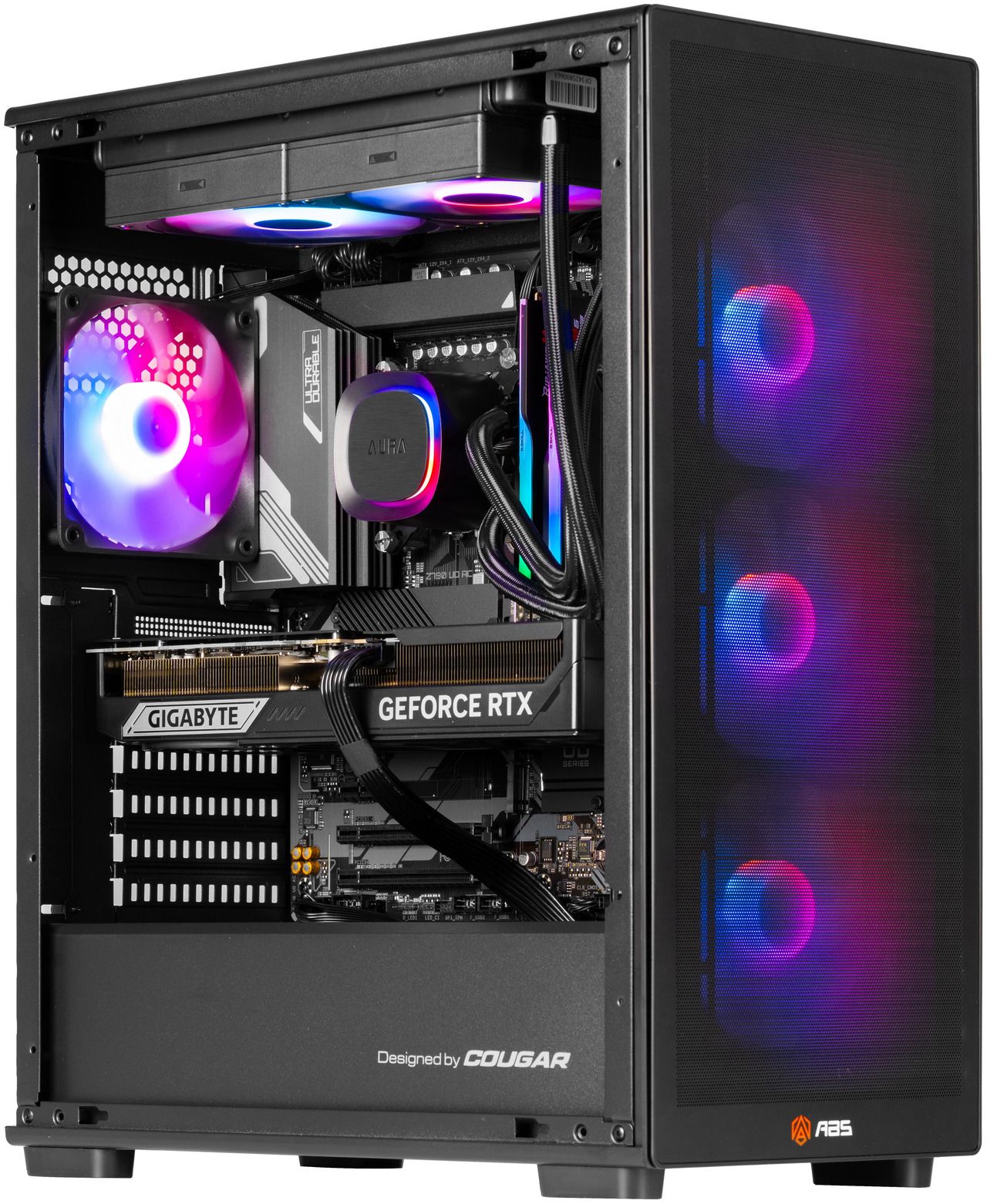
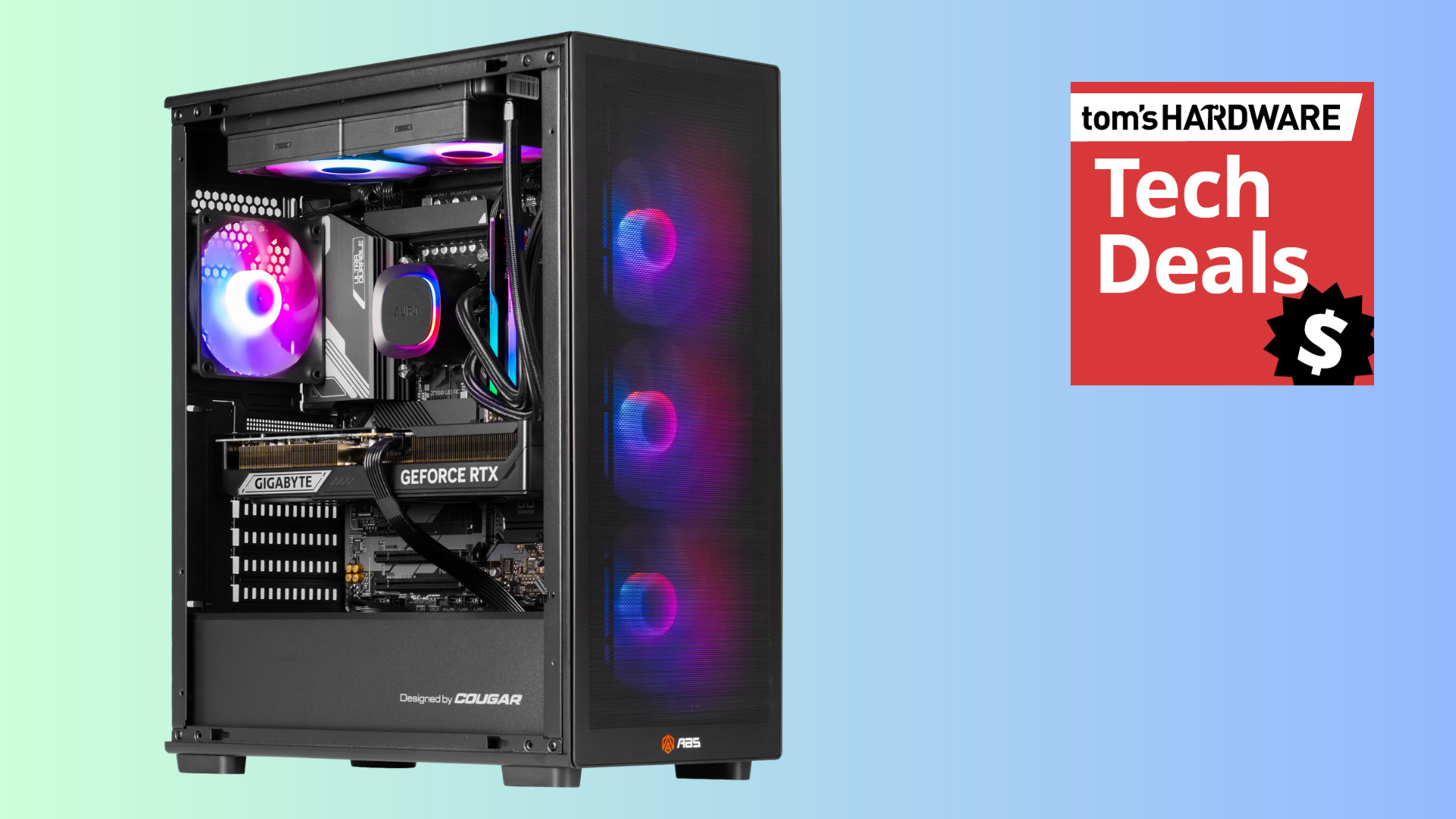
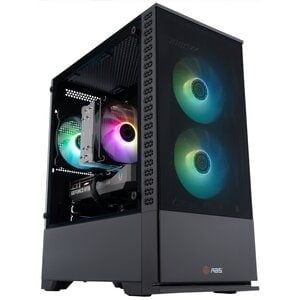
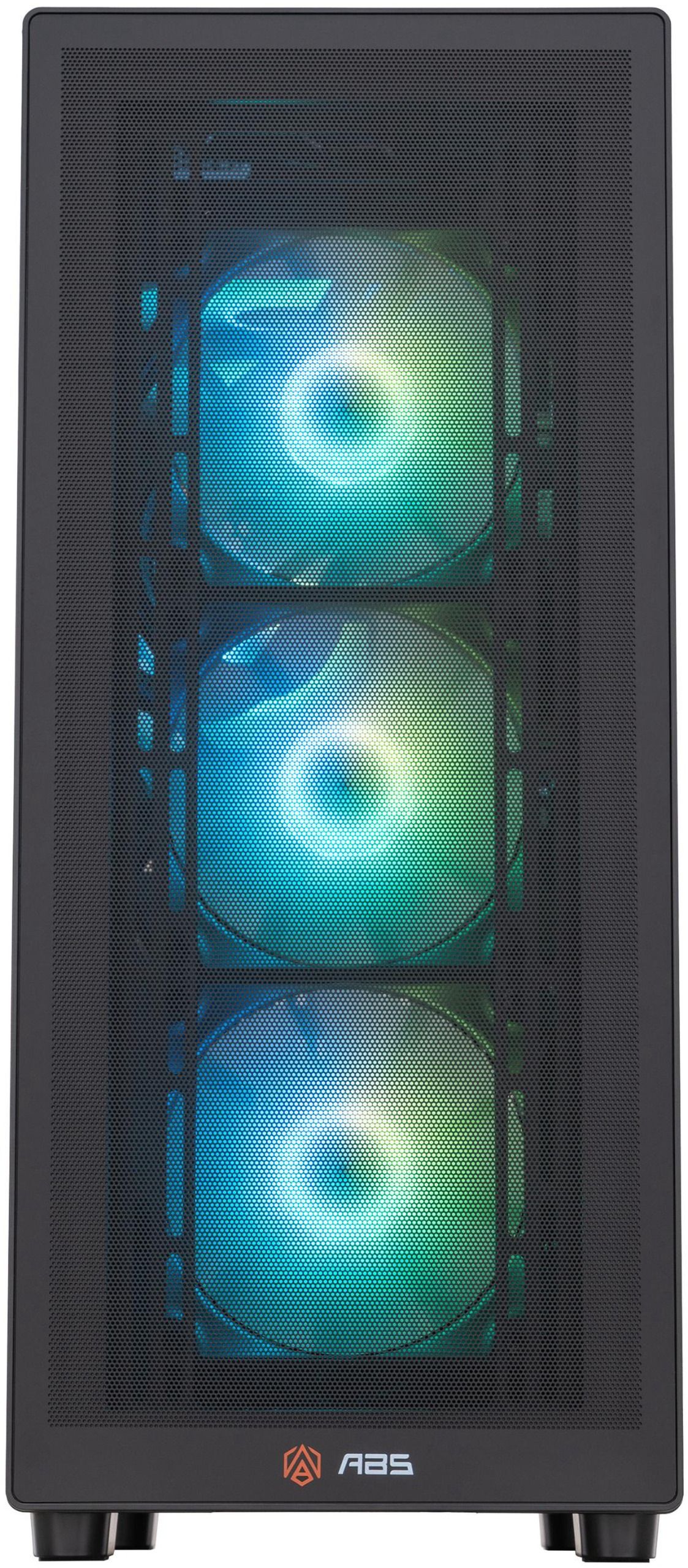
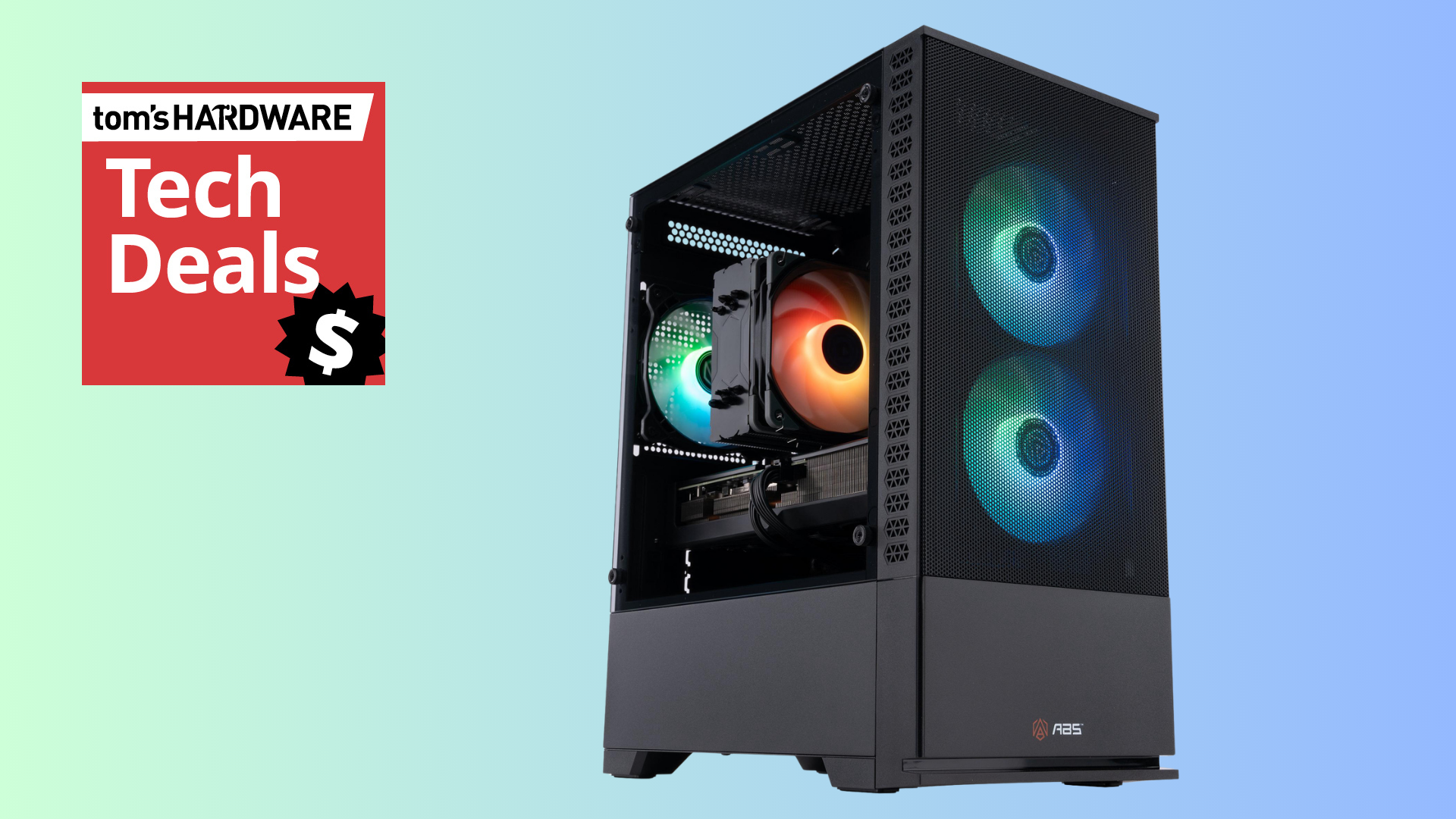
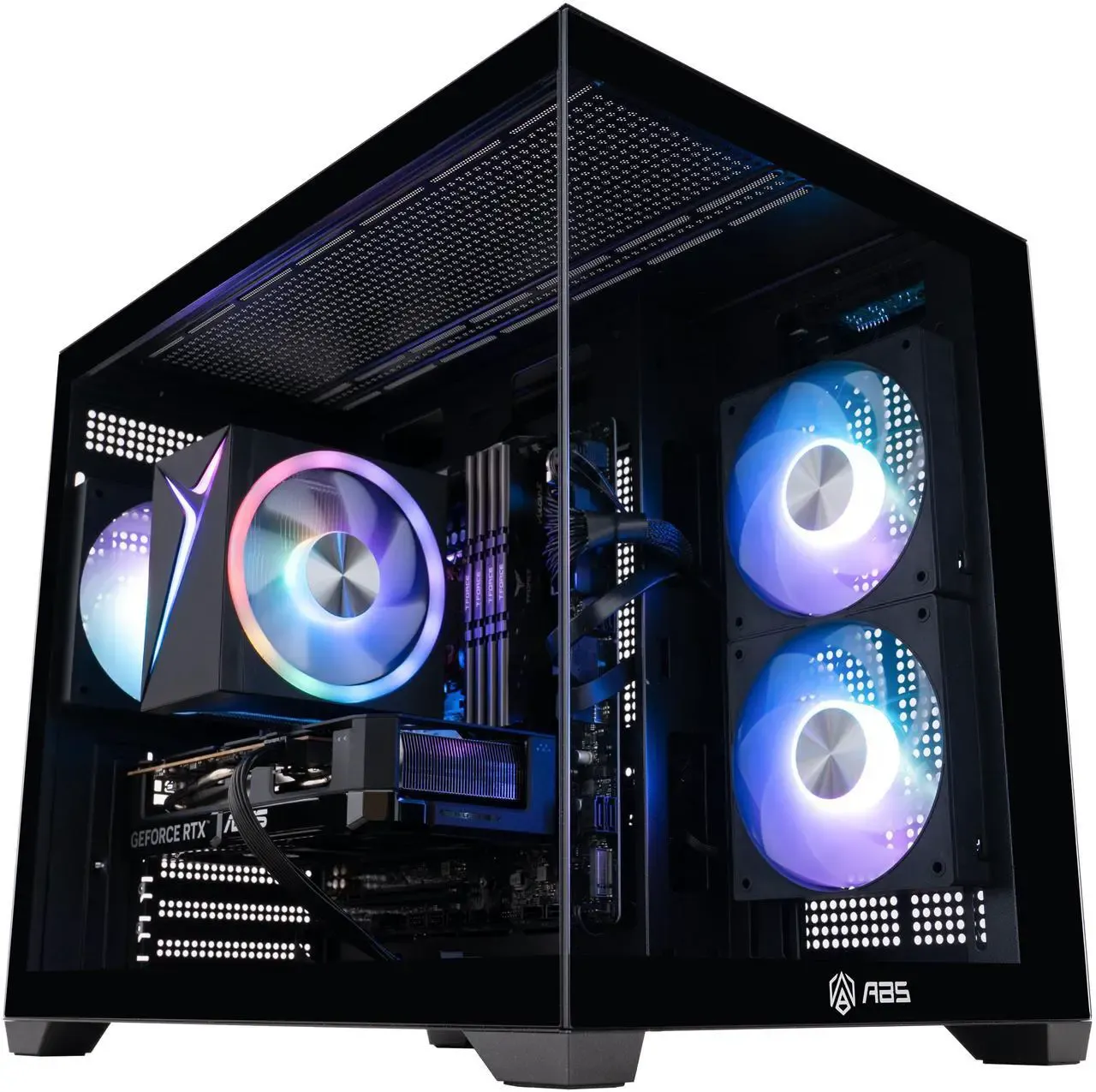
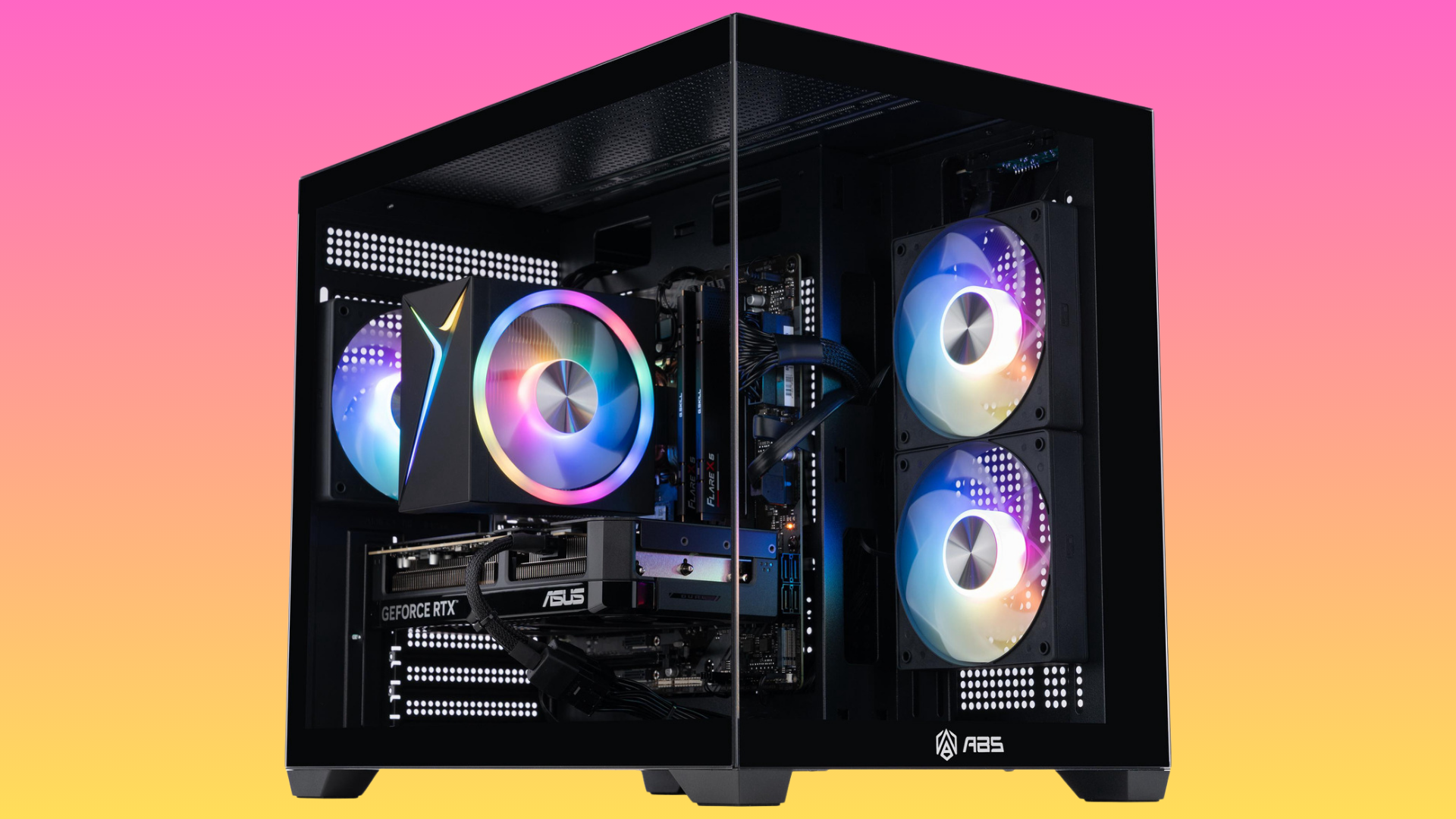
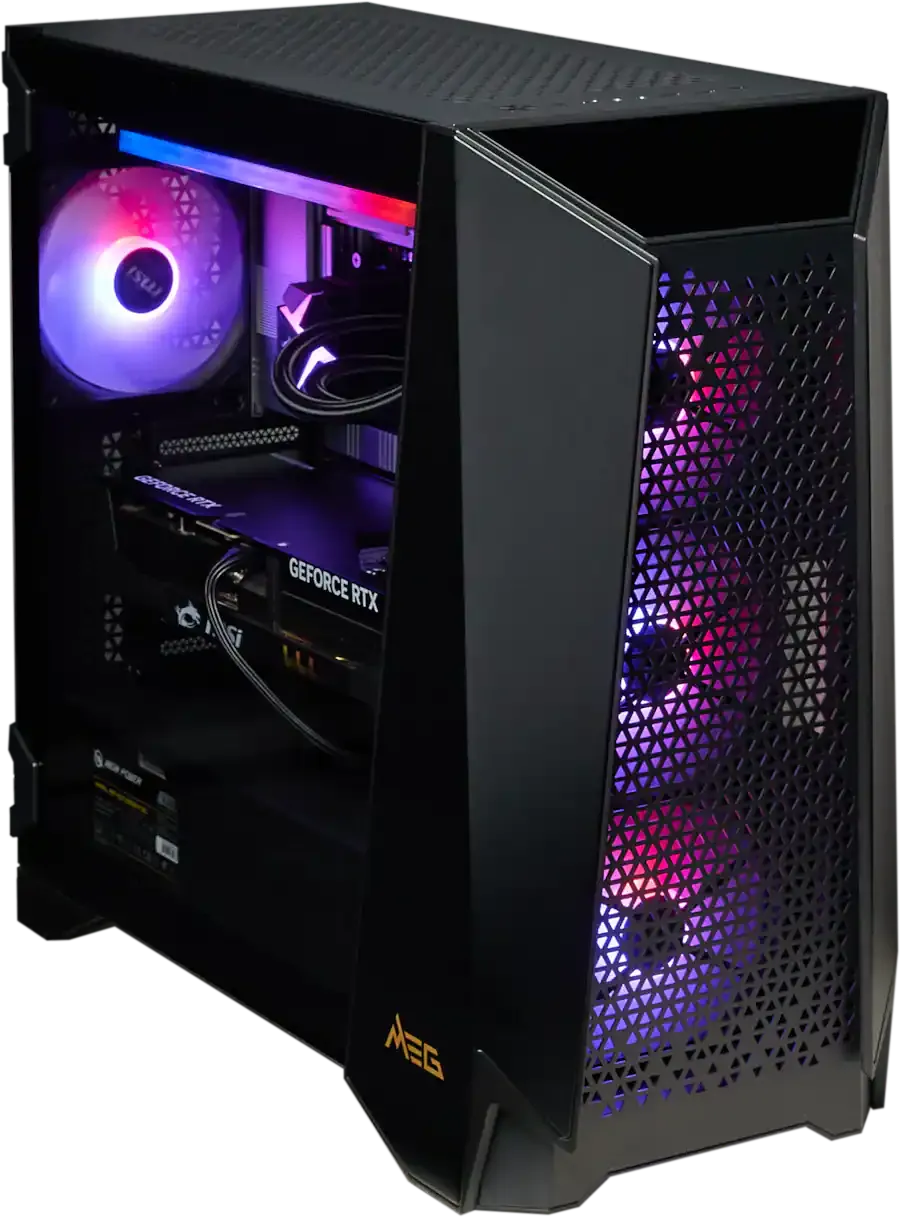
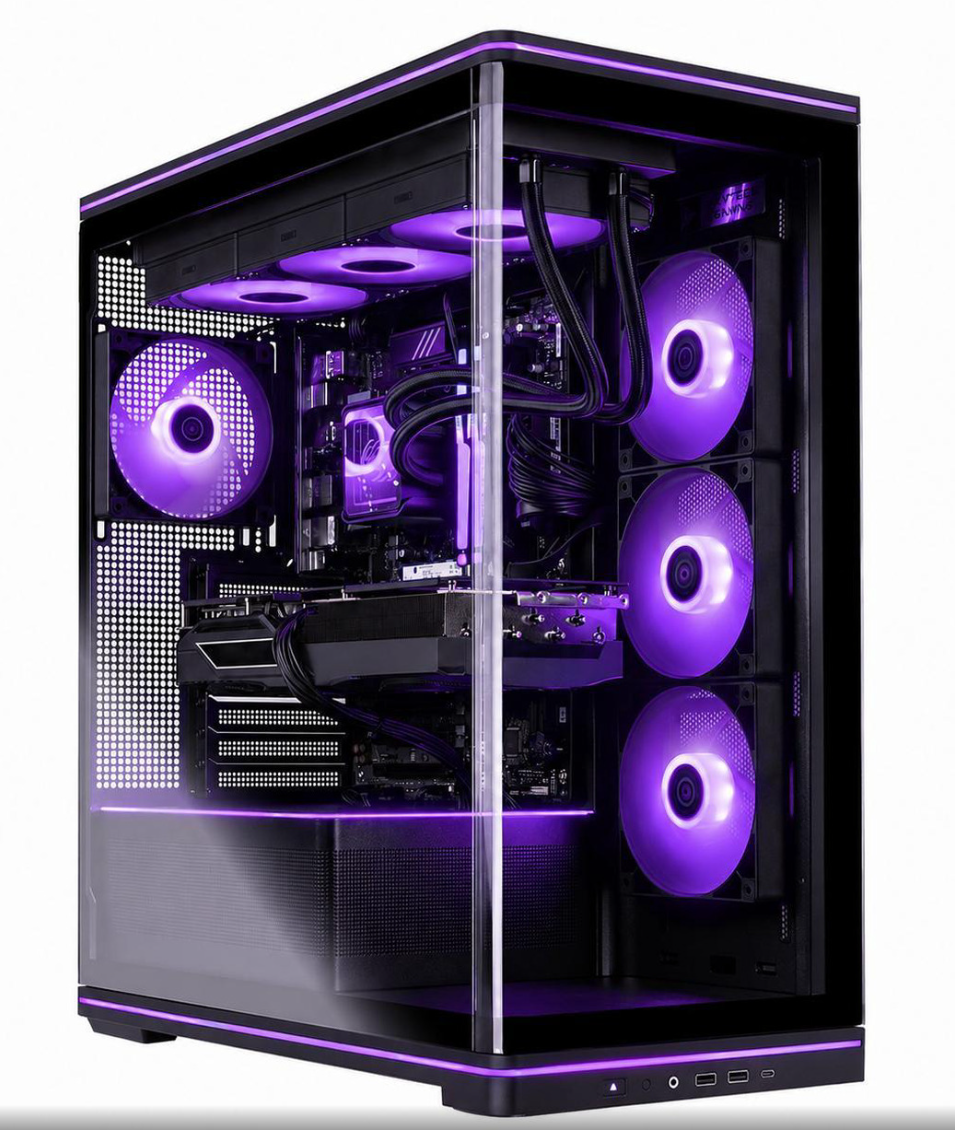
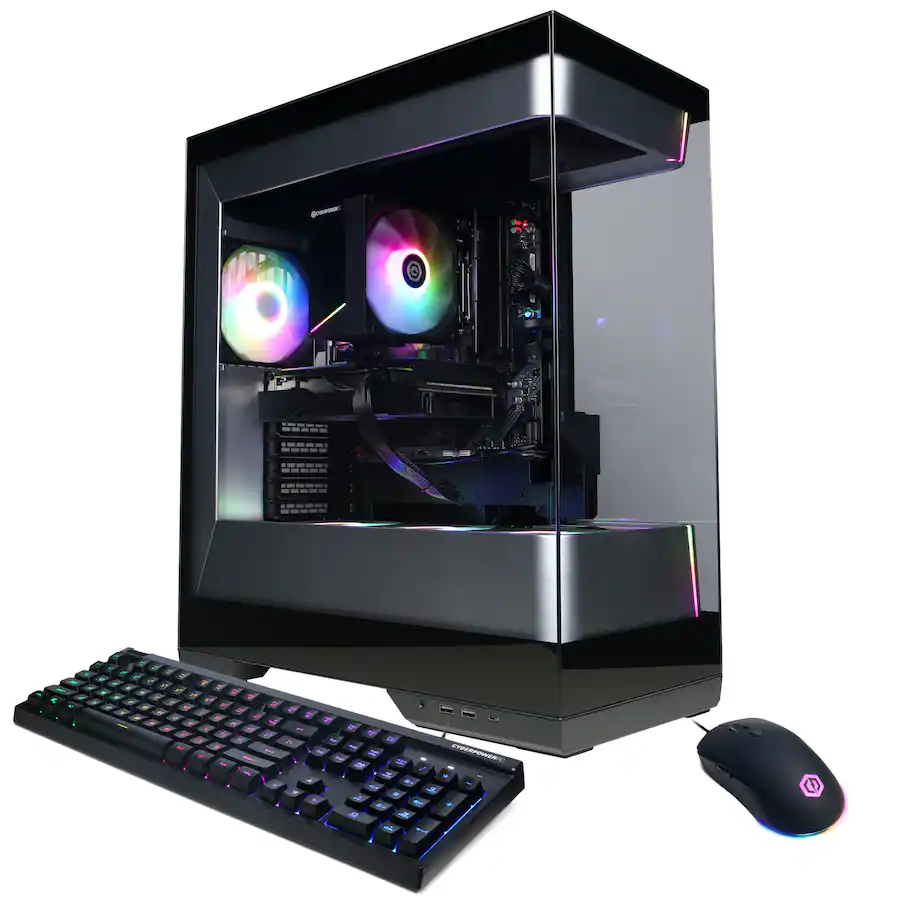
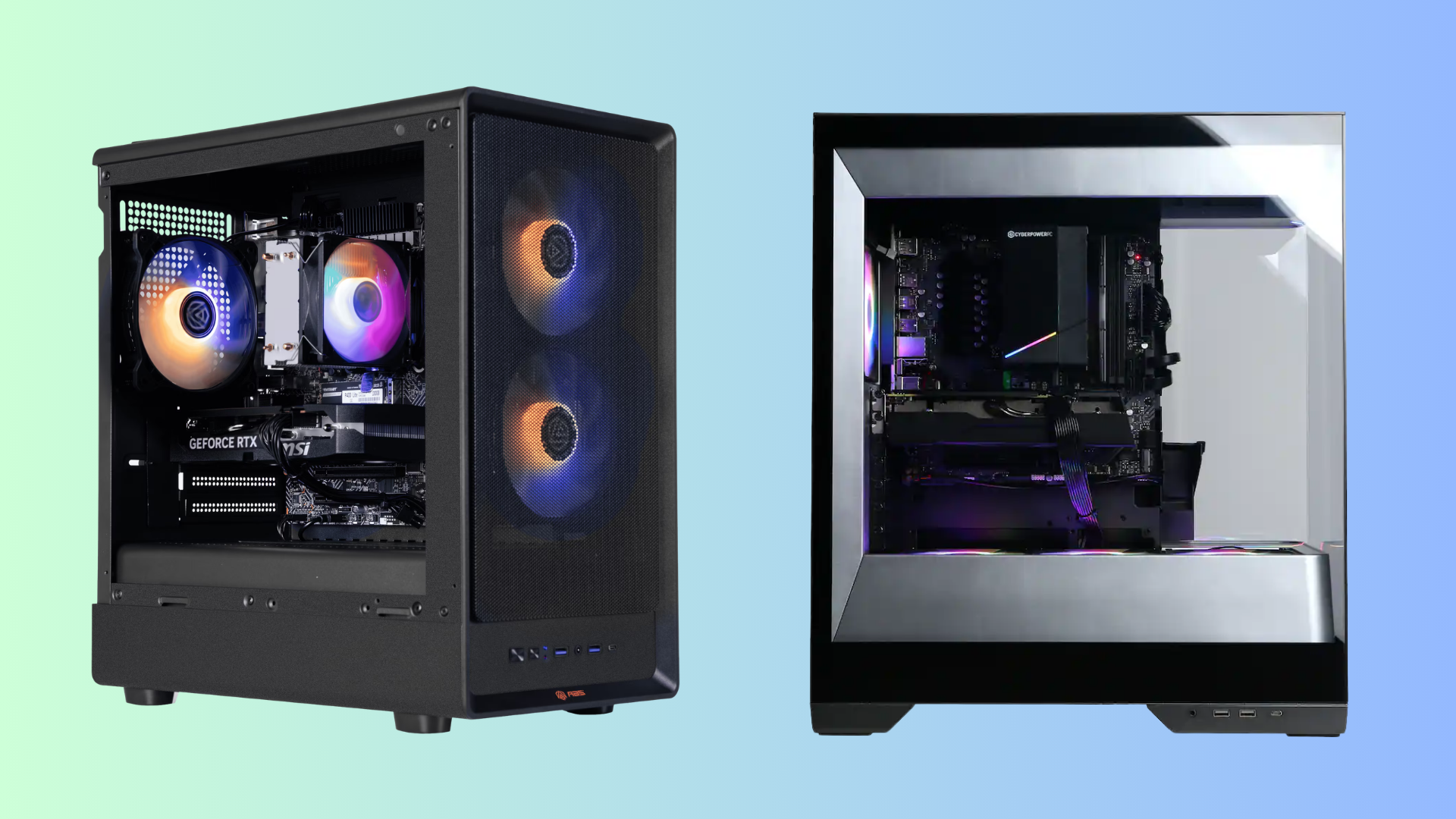
There's a brilliant discount on a high-spec gaming PC right now that'll net you 4K-ready performance. Newegg has dropped the price on this ABS Stratos II Aqua gaming PC to $2,549.99 right now, netting you a PC with a 24-core Intel CPU and one of Nvidia's best GPUs, along with a $450 saving. This discount is covered by Newegg's Black Friday price protection, so if the price drops again in the big sale, you'll get a refund for the difference.
Newegg owns the ABS brand, so this isn't a knock-off you're getting. It has a good set of specs for a rig that'll handle 4K gaming, shipping with an Intel Core i9-14900KF processor, along with a current-gen Nvidia GeForce RTX 5070 Ti GPU, 32GB of DDR5-6400 memory, and 2TB of SSD storage. Given the current market conditions, these are good specs to find at this price point.
Stratos II Aqua gaming PC: was $3299.99 now $2175.49 The ABS Strators II Aqua gaming PC comes with a 24-core Intel Core i9-14900KF CPU, an Nvidia GeForce GeForce RTX 5070 Ti graphics card, a 2TB NVMe SSD with Gen 4 speeds, and 32GB of DDR5-6400 RAM. This is a high-end gaming PC that'll handle games at 4K.View Deal
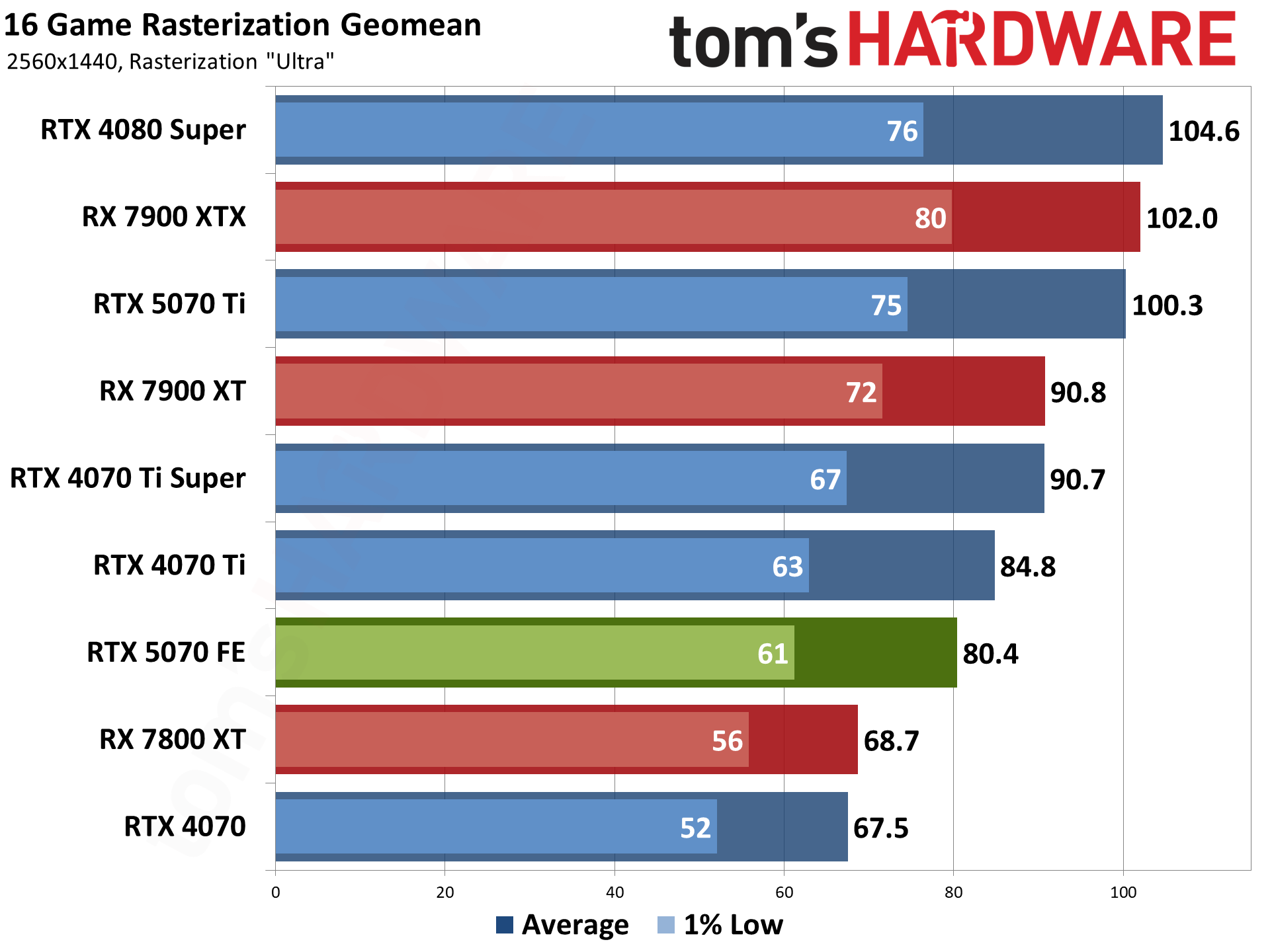
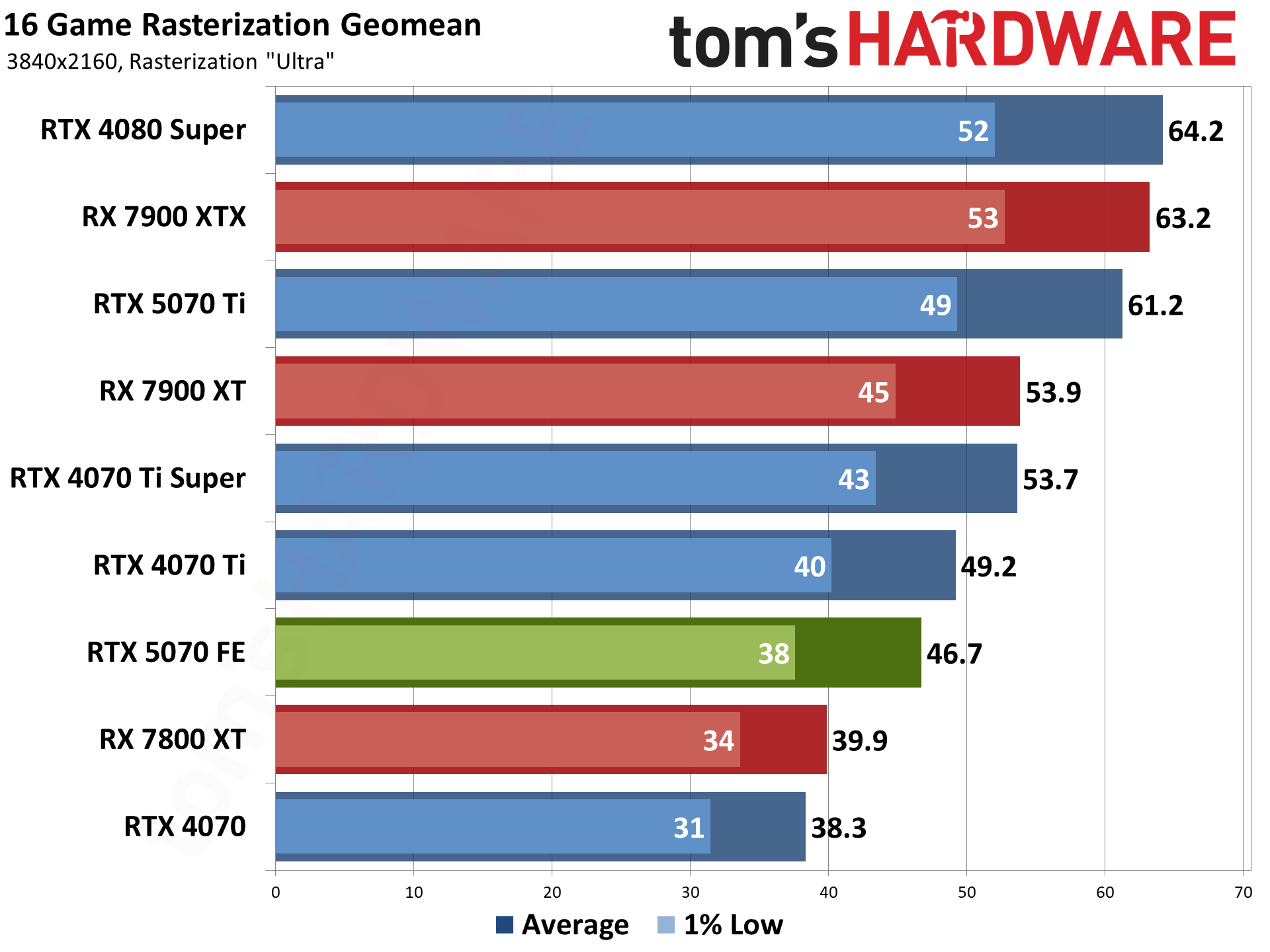
With a machine like this, you're able to ditch 1080p completely. The RTX 5070 Ti is a graphics card that has more than enough performance for gaming at 1440p and 4K, especially if you're able to tweak your graphics settings for the most performing games. It's a good option for a mid-tier build, and it comes with 8,960 CUDA cores, along with 16GB of GDDR7 VRAM.
As this Blackwell GPU is one of Nvidia's latest, you've got fully Nvidia DLSS support included. That includes multi-frame generation, which will give you an AI-generated frame rate boost in any really intensive games, especially at 4K, to make them playable.
As for the CPU, the Intel Core i9-14900KF CPU continues to be a popular choice for gaming PCs at this price point, and despite being a little older, it still packs a punch. You're getting 24 cores here, of which eight are performance cores that will give your machine the best gaming performance. The other 16 are efficiency cores, which are great for multi-threaded tasks. You'll be able to push this CPU's clock up to a massive 6 GHz, too.
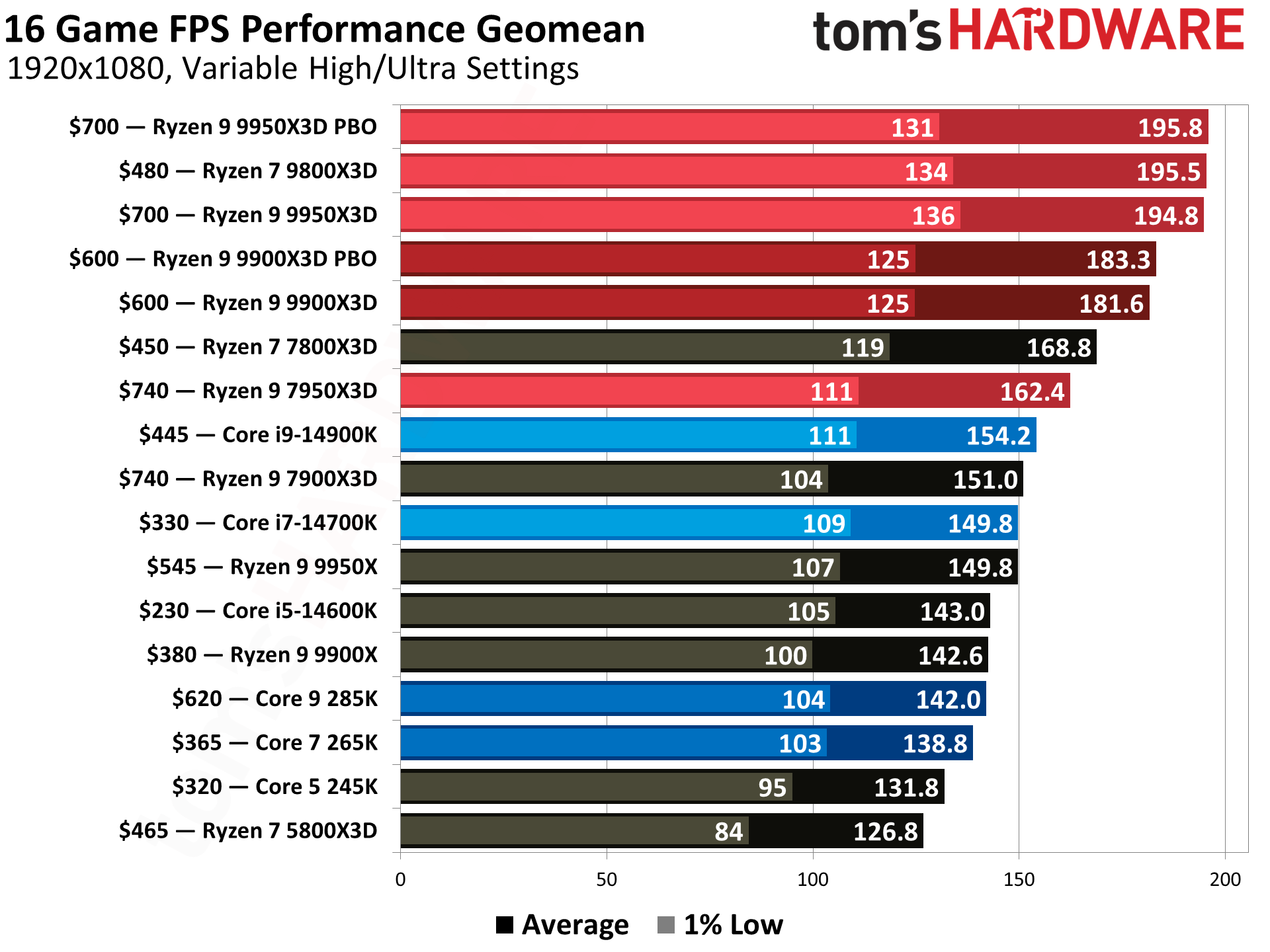
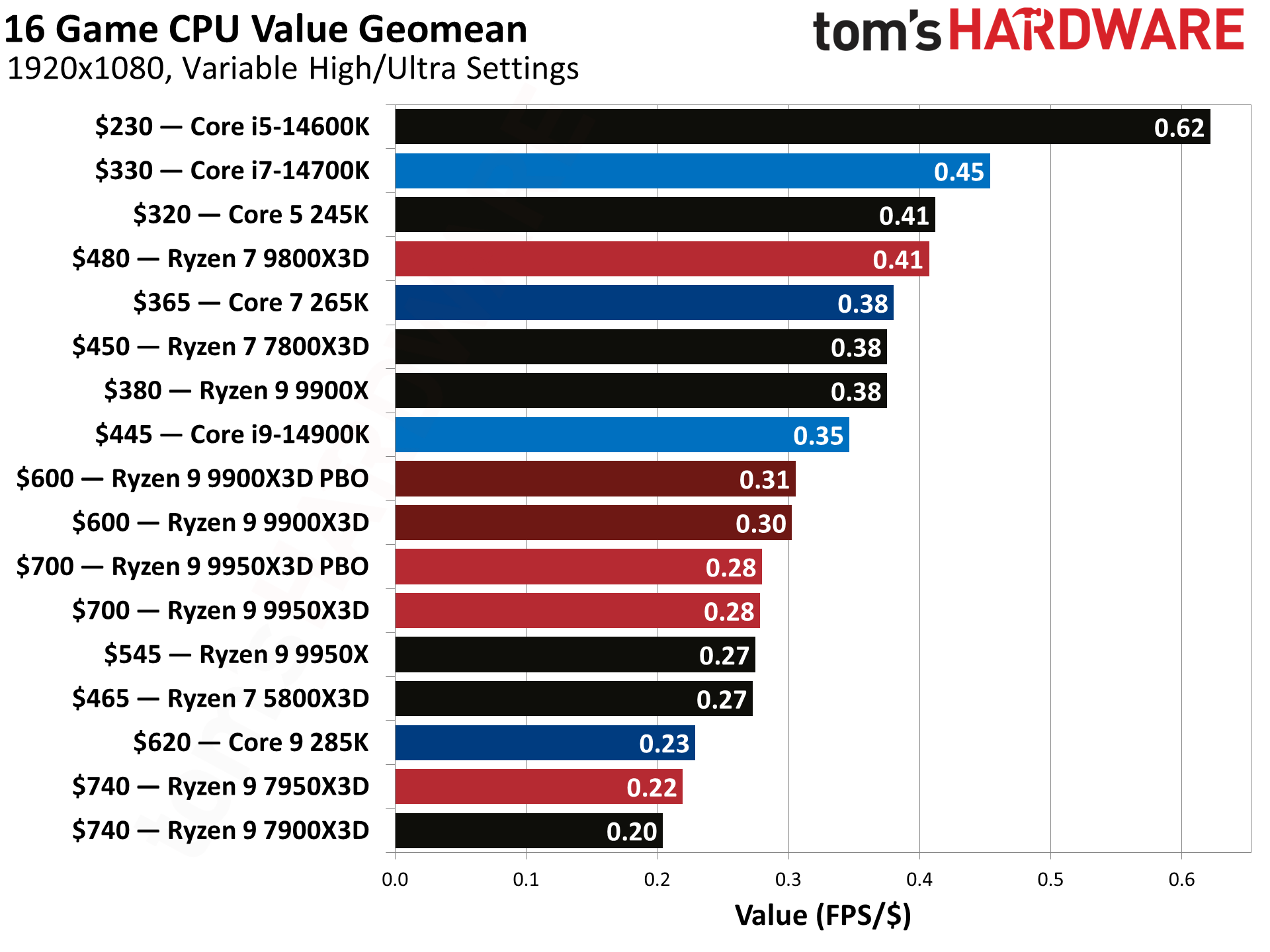
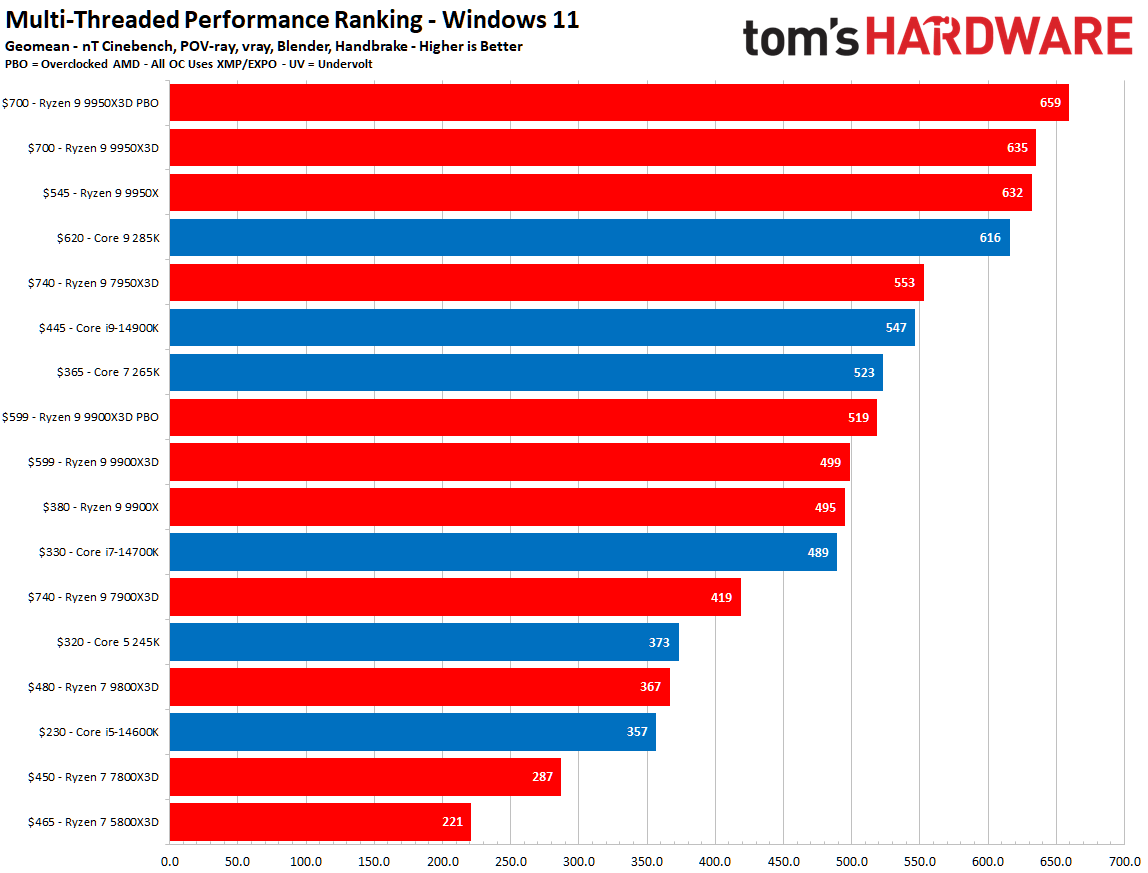
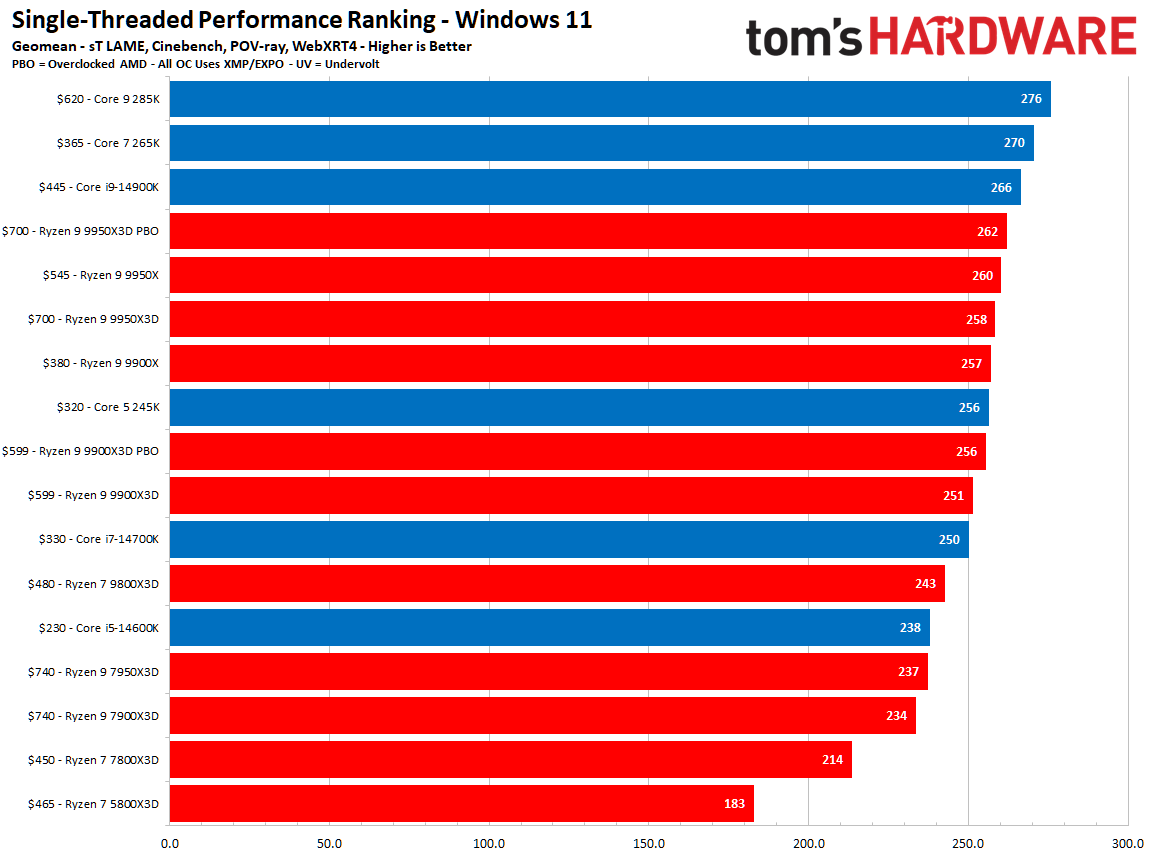
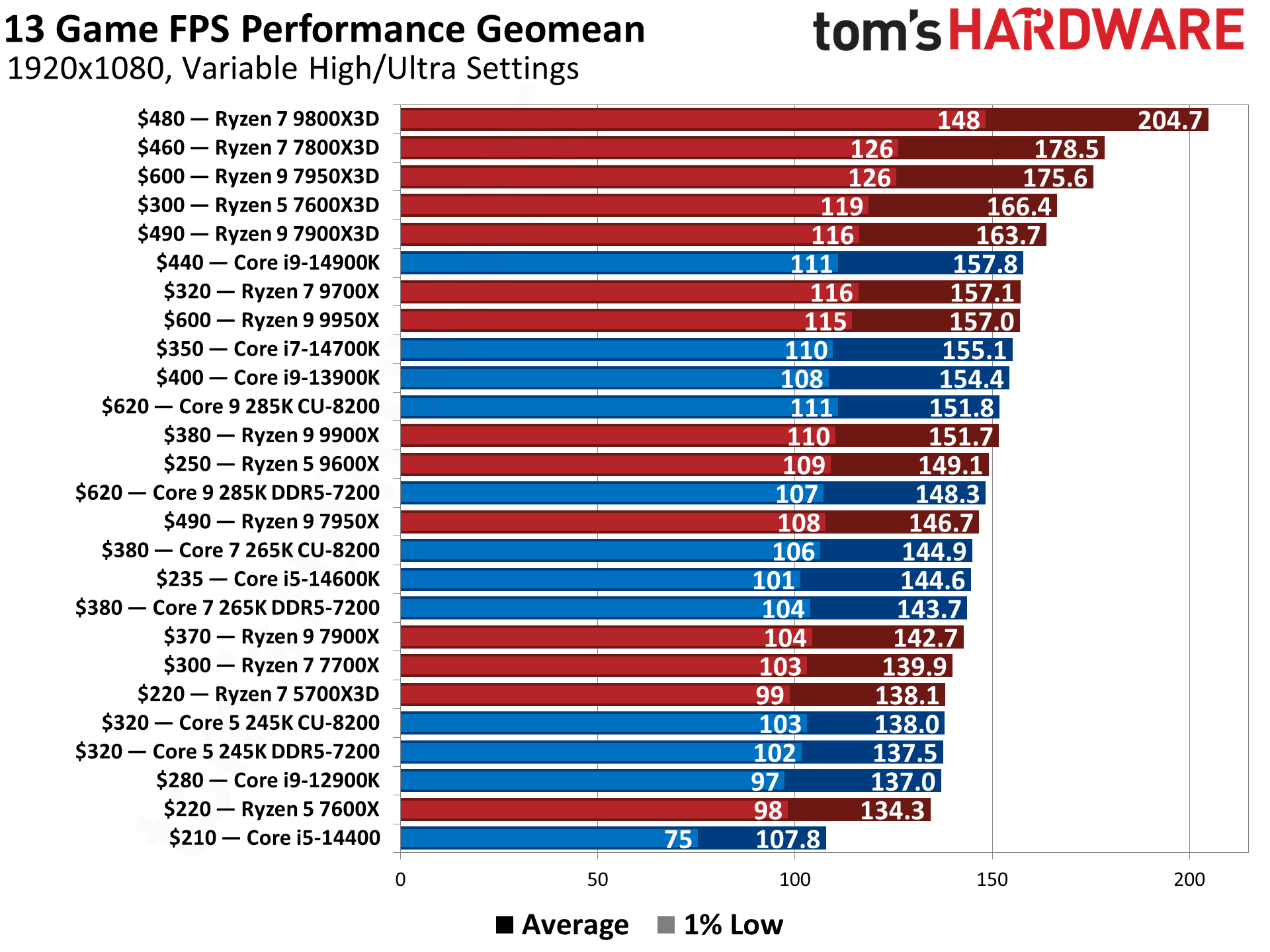
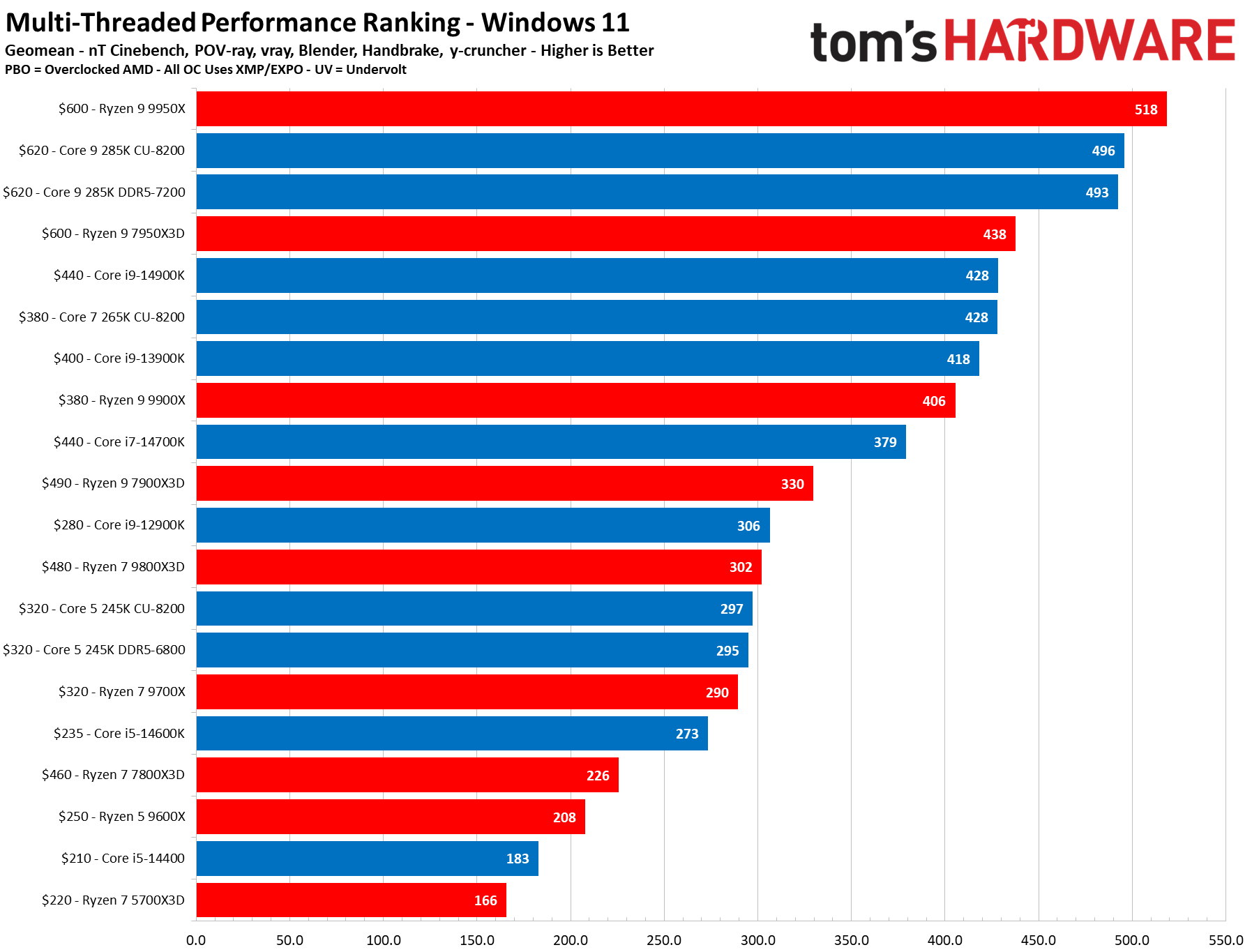
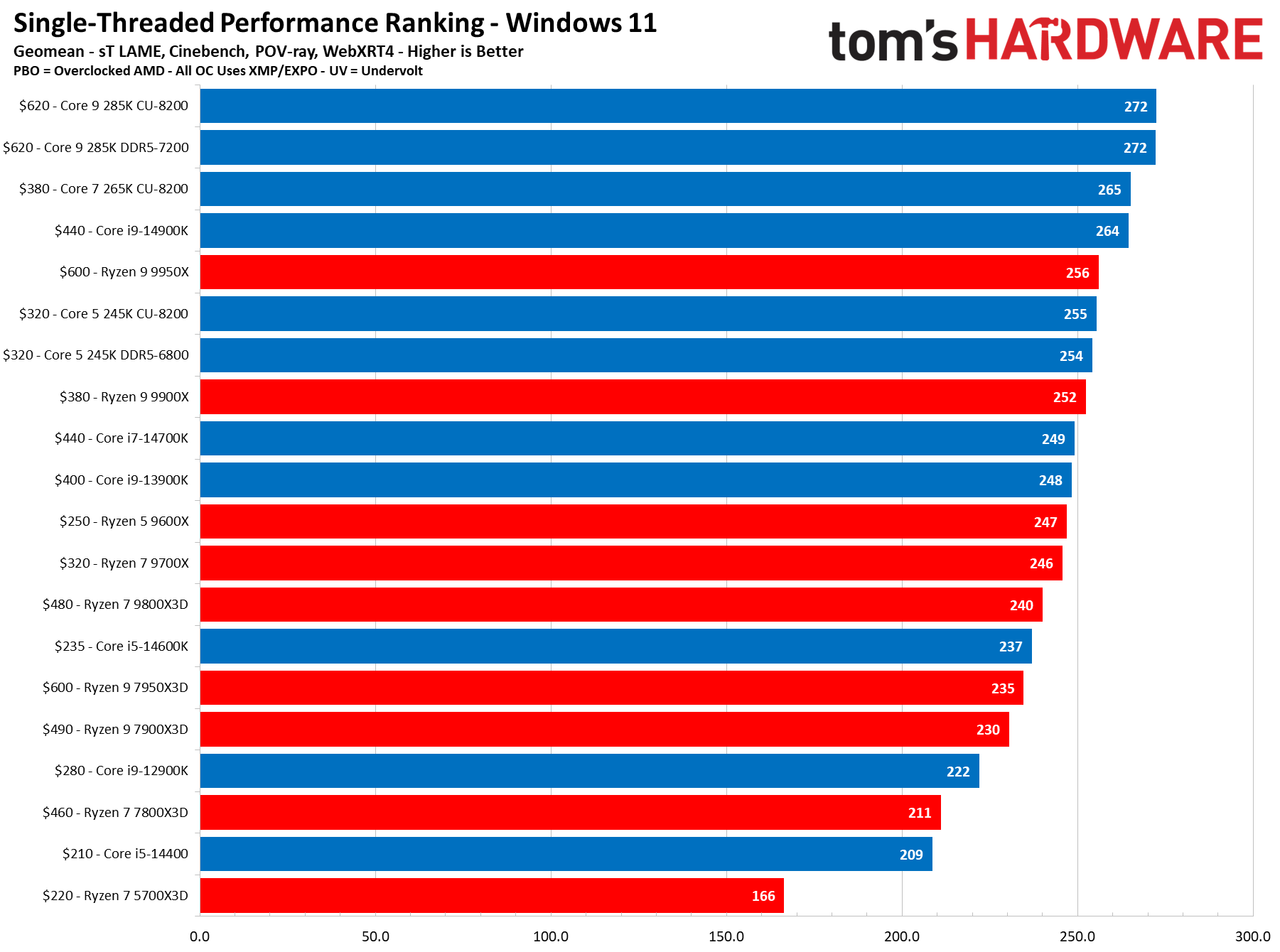
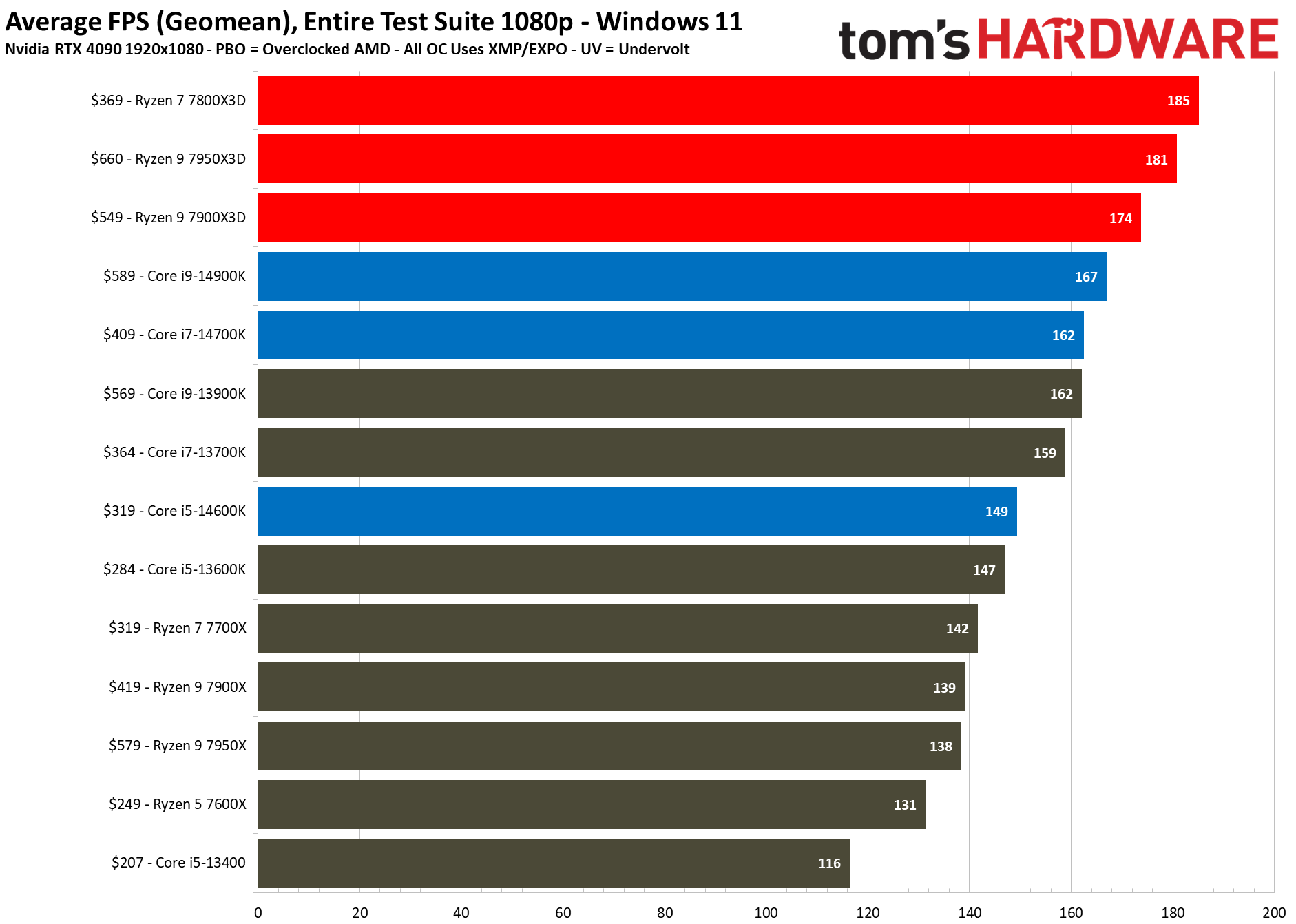
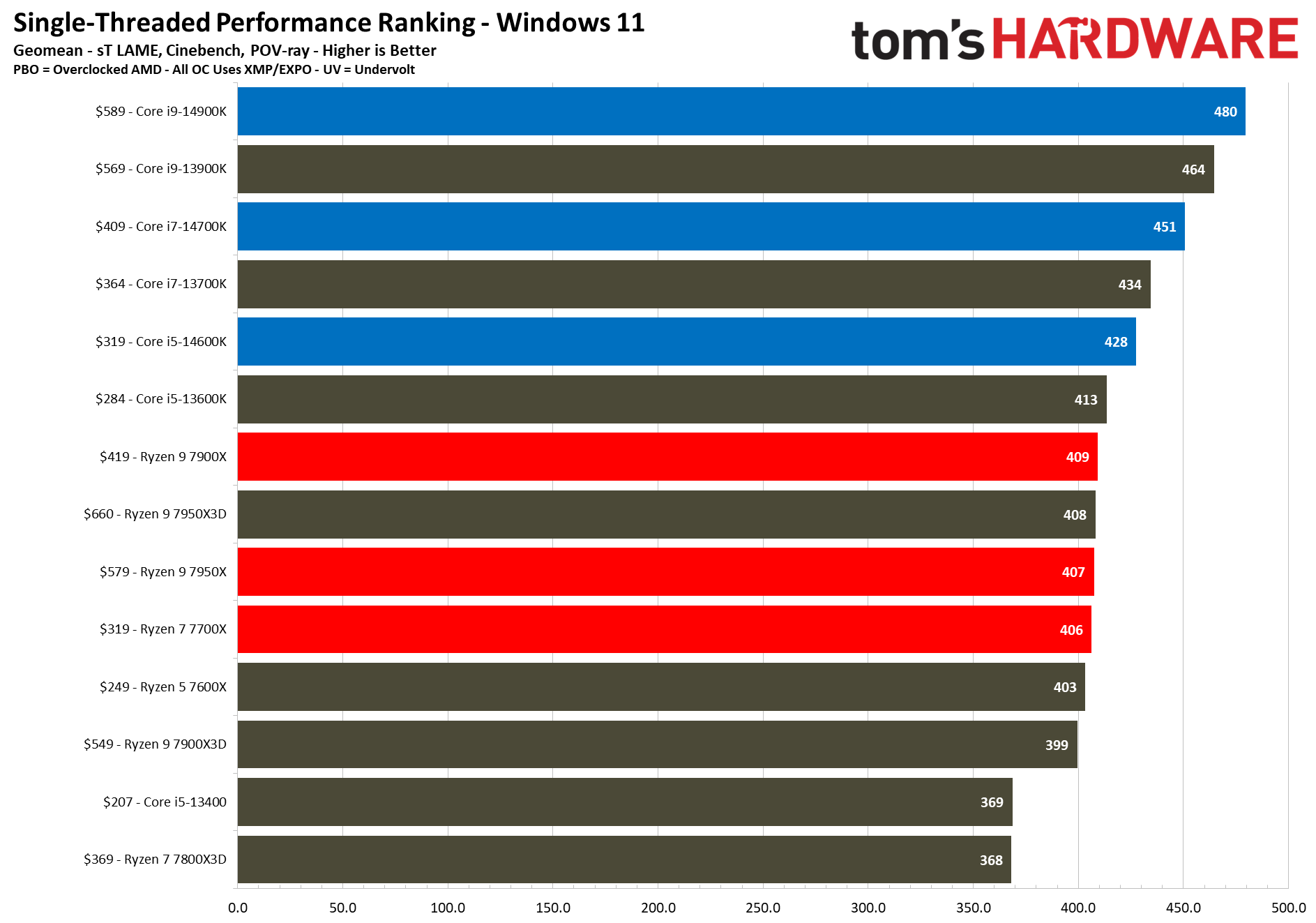
Our CPU benchmarks still have a place for the i9-14900K, the same CPU but with an integrated GPU that the 14900KF here lacks. It continues to be one of the best-performing processors on sale for gamers if you're not going all-in with an AMD X3D build.
There are no compromises to be found elsewhere in this rig. 32GB of G.Skill Ripjaws M5 Neo (2 x 16GB) DDR5-6000 memory is included here, letting you leave the slower speeds of DDR4 behind. A 2TB Team Group NV5000 SSD is also included in this ABS build, so you'll have space for a good collection of games, with the NV5000 offering Gen 4 speeds.
Prices continue to rise in the PC hardware market, but the $450 discount on this ABS Stratos II Aqua rig, down to $2,549.99, is a good one. You're also able to take advantage of Newegg's Black Friday price guarantee, so if this PC drops down in price over Black Friday, you'll be able to claim back the difference. If you need a new 4K gaming PC on a budget, you'll want to pick up a rig like this one.
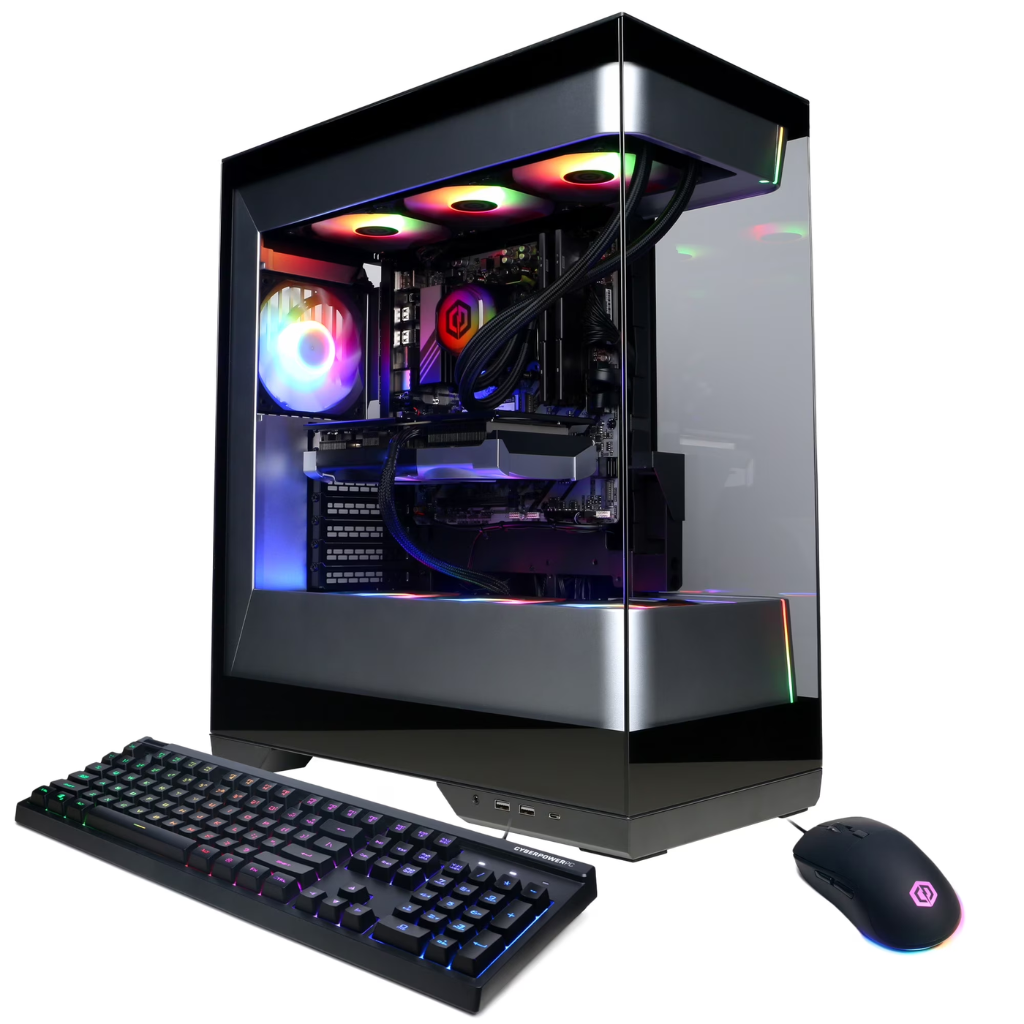
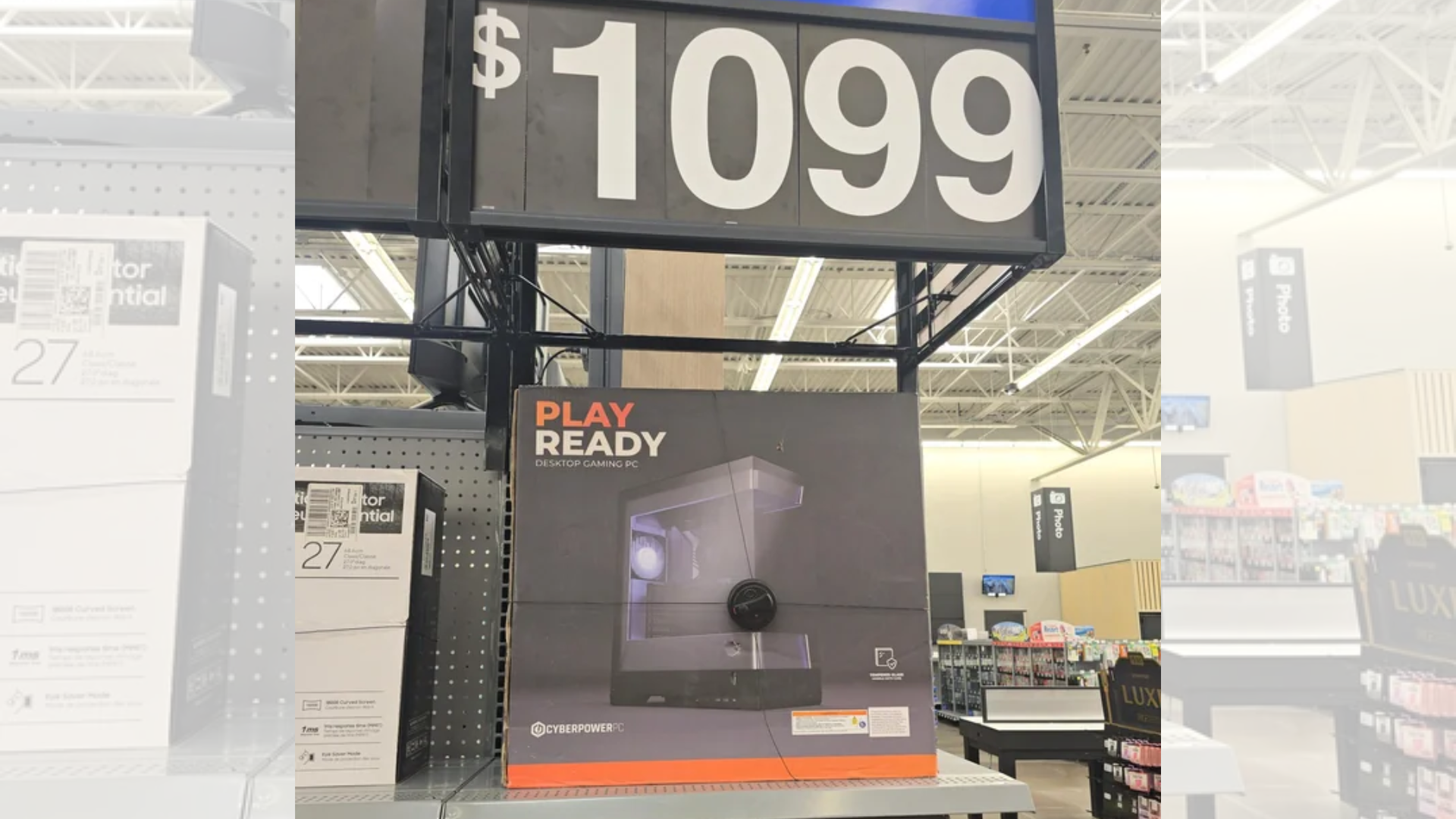
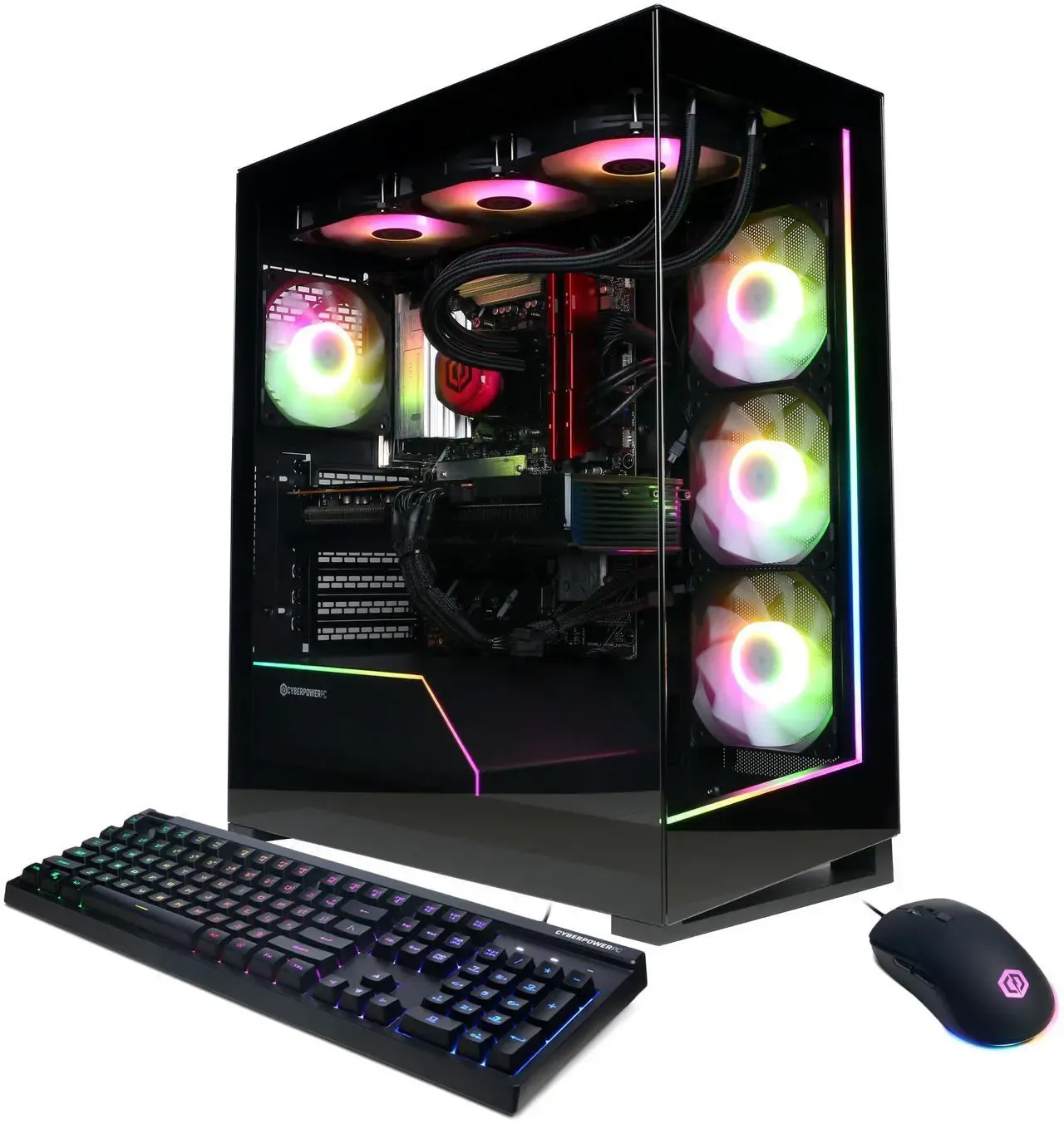
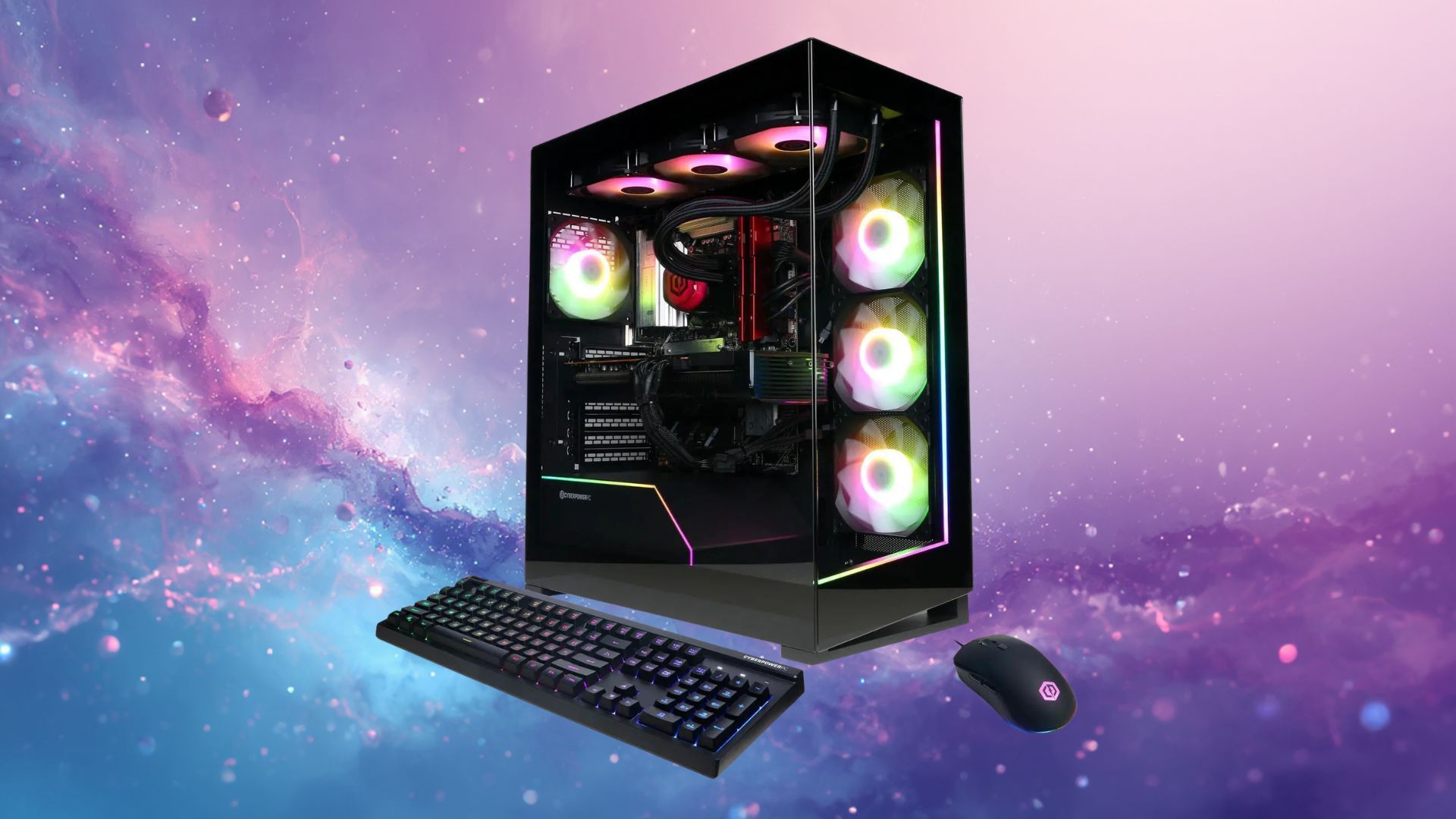
One shopper got the deal of a lifetime after they secured two CyberPowerPC units at more than 50% off. u/joker497 shared the find on the r/pcmasterrace subreddit, with Walmart putting two units of the Supreme Gaming Desktop for just $1,099 on the shelf. If we check the Walmart website, this PC actually costs $2,299, meaning they saved $1,200 on each PC.
It’s unclear if the retail store had a sale on these PCs at the time, or if it was a pricing mistake, but the Redditor said that the store honored the prices for the PCs. The $2,299 CyberPowerPC Gamer Supreme gaming desktop is already a good deal given its specs: an AMD Ryzen 9 9900X3D processor, an Nvidia GeForce RTX 5070 12GB GPU, 32GB of DDR5 RAM, a 1TB PCIe 4.0 x4 NVMe SSD, and an AIO CPU cooler with a 360mm radiator. We tried building a similar system on PCPartPicker today with some of the most affordable parts possible and were still quoted an estimate of around $2,400.
Gamer Supreme Gaming PC: $2299 This CyberPowerPC is offers a high-end AMD Ryzen 9 9900X3D CPU and pairs it with a mid-range Nvidia RTX 5070 GPU. It also comes with 32GB of DDR5 RAM and a 1TB PCIe 4.0 x4 NVMe SSD, making it a great mid-range gaming PC.View Deal
Even though the RTX 5070 might not be our top pick for the best graphics card for gaming, it’s still a solid mid-range pick for anyone looking to build a gaming PC. Still, the AMD Ryzen 9 9900X3D processor CyberPowerPC put inside the PC means it could deliver solid gaming performance at 1080p, while its 32GB of RAM should be sufficient for most modern games.
u/joker497 said that they bought both units — one for themselves, and the other for their younger brother as a Christmas gift. The Redditor did not share which Walmart branch they found these items at, so you’d have to explore your nearby branches yourself to see if they have a similar deal going on. Besides, if this was a mistake, the store would most likely have already corrected the signage and brought it back to its $2,299 price.
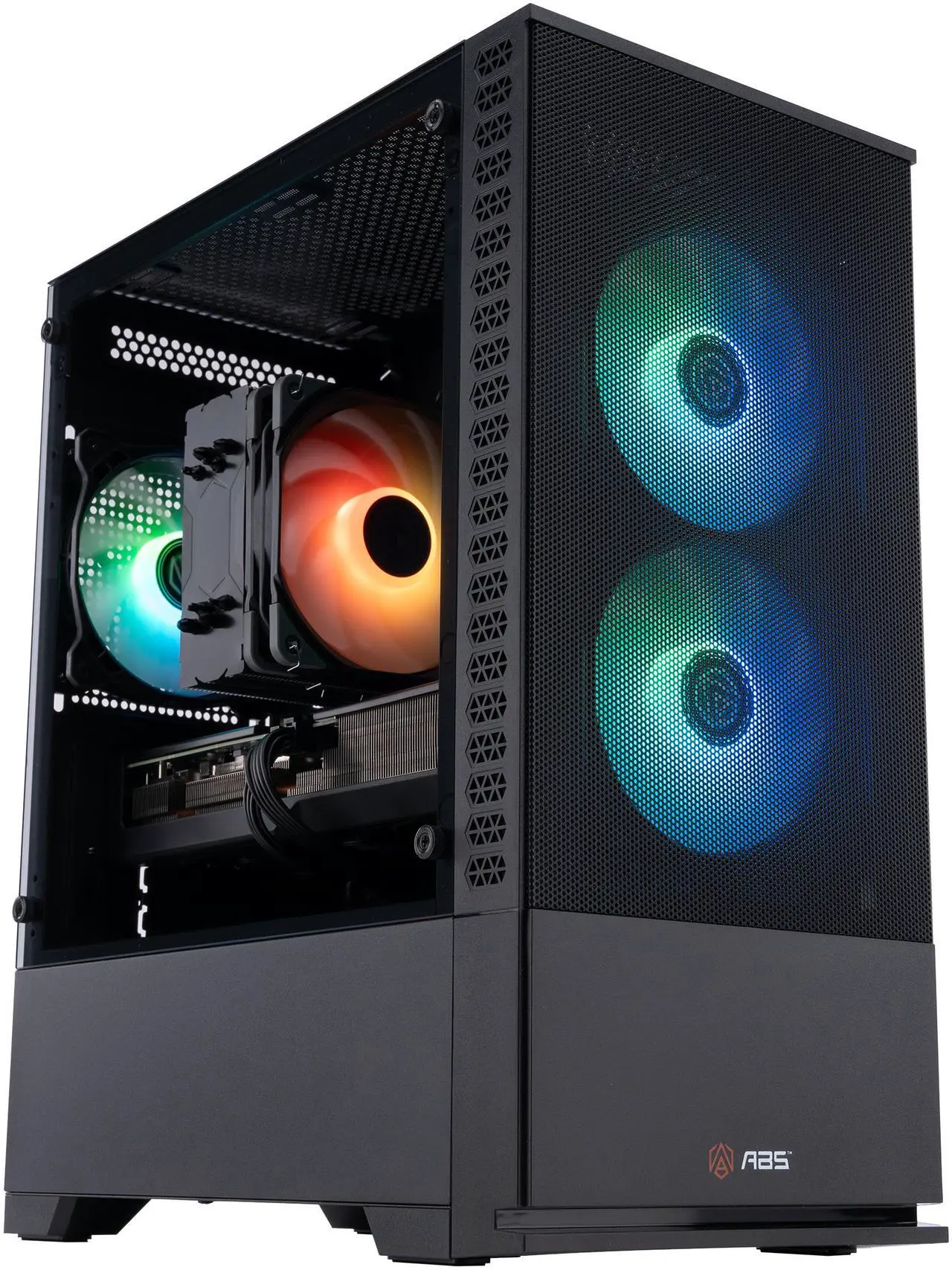
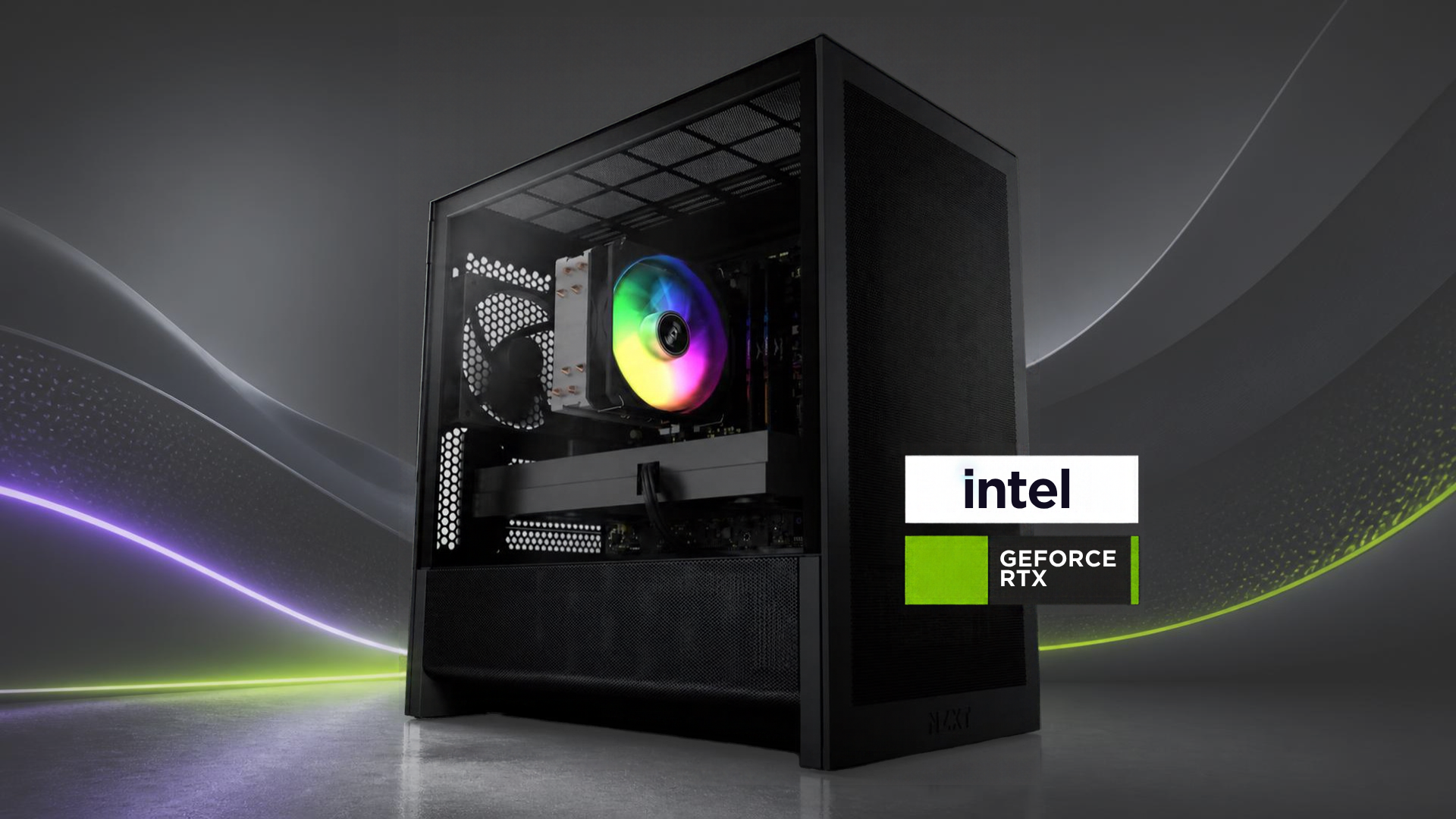
This budget-focused desktop gaming PC is on sale for a steal at Walmart. Right now, you can save a tidy $350 when you purchase the ABS Cyclone Aqua gaming PC for just $849. A superb deal when you consider the current pricing for PC hardware in general. The original list price of the Cyclone Aqua was $1,199.99, so you're saving just shy of 30% and getting a current-generation graphics card to bring all the latest games to life on your screen.
This particular SKU of the Cyclone Aqua gaming PC from ABS includes an Intel Core 5 Processor 120 (6-core, 12-thread CPU), an Nvidia RTX 5060 graphics card with 8GB of VRAM, 16GB of DDR4 RAM, and a 1TB NVMe SSD. This is a DDR4 memory system, which does date the PC a little, but it also means that getting hold of any extra RAM is also much, much cheaper.
Cyclone Aqua Gaming Desktop PC: was $1199.99 now $849 This model of the Cyclone Aqua gaming PC from ABS contains an Intel Core 5 Processor 120, an Nvidia RTX 5060 graphics card with 8GB of VRAM, 16GB of DDR4 RAM, and a 1TB NVMe SSD for storage. View Deal
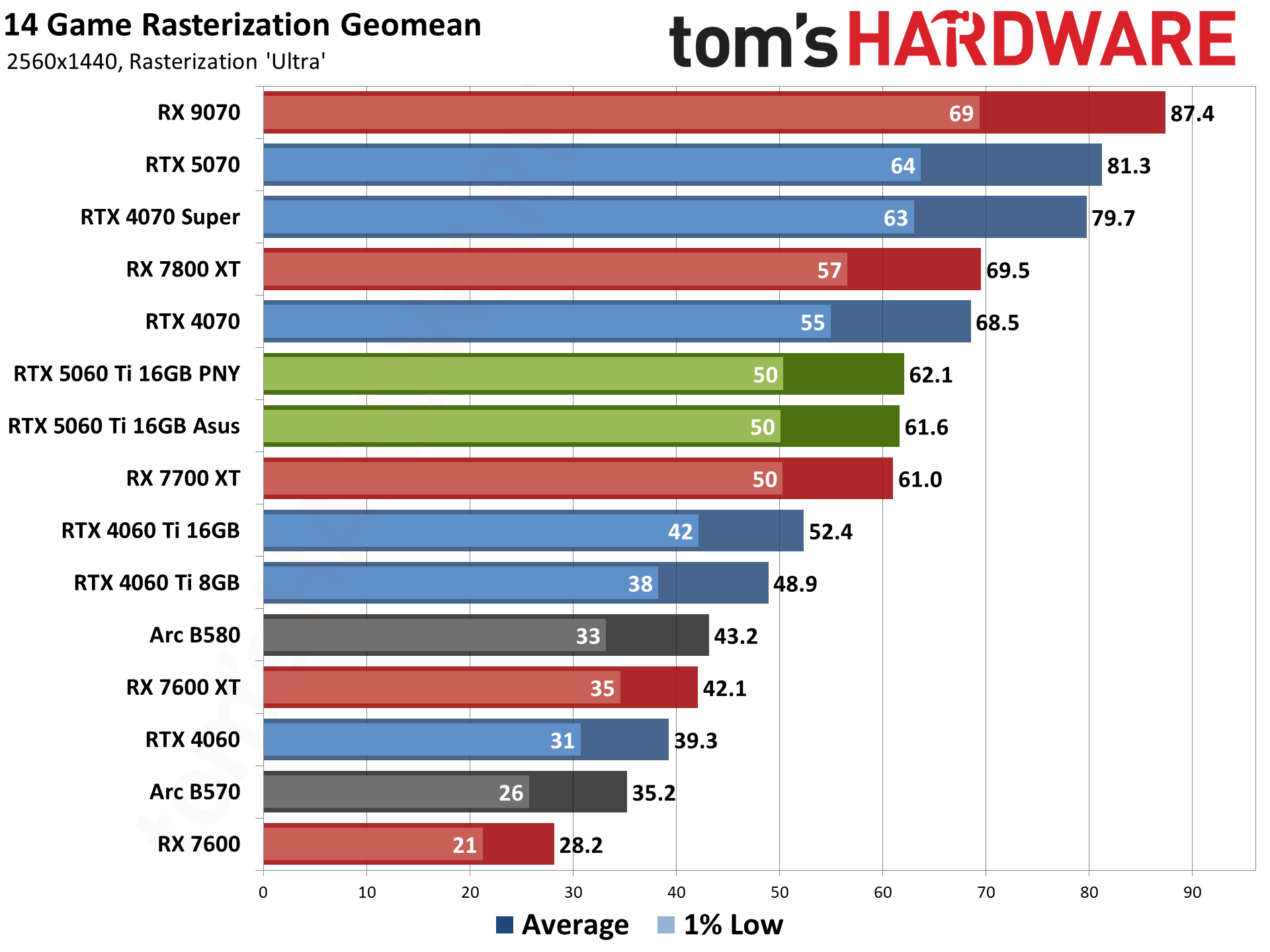
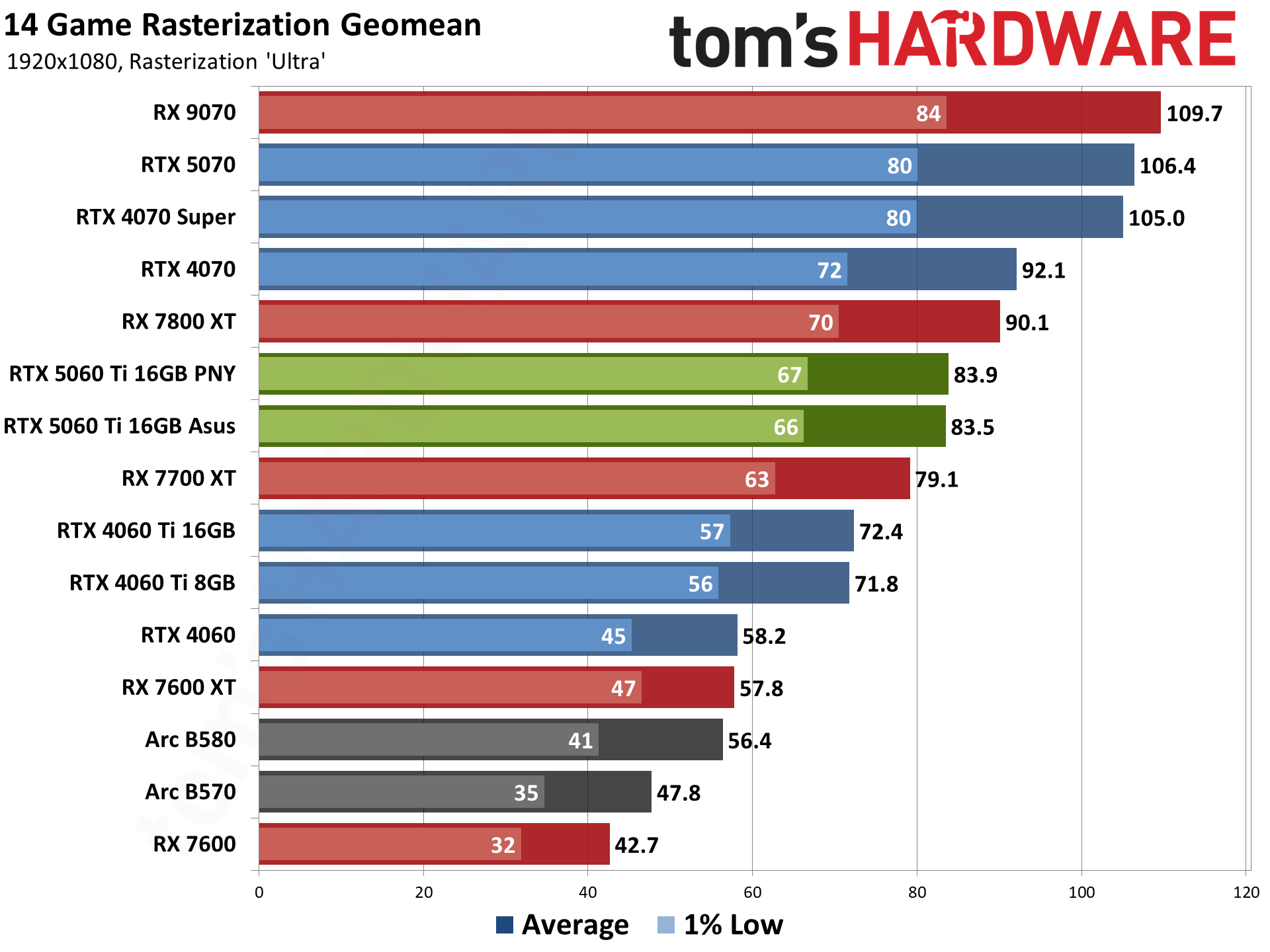
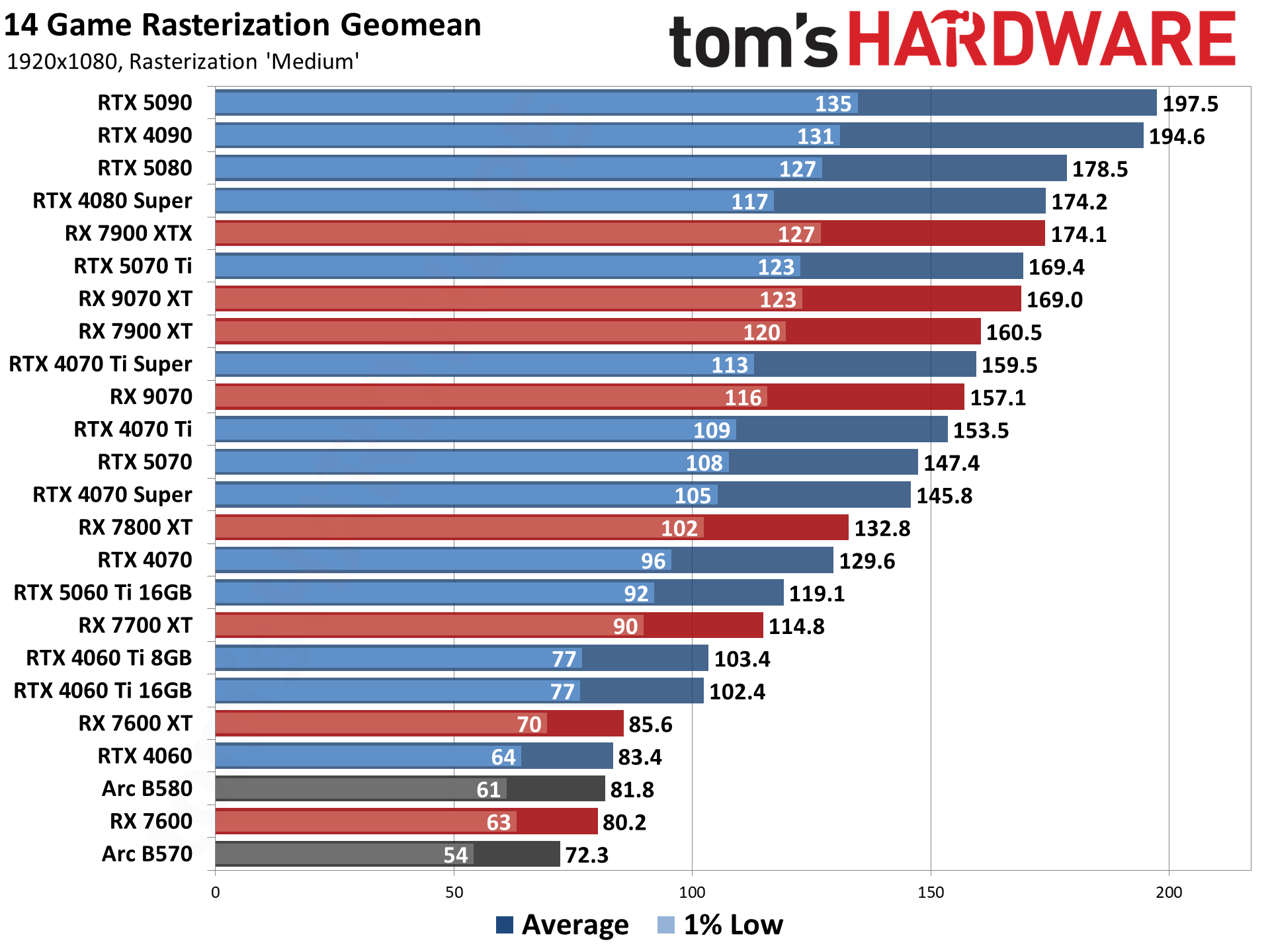
Because this system uses an RTX 5060 inside, you have access to Nvidia's latest DLSS upscaling and multi-frame generation software technology. This helps lower-end systems get a lot more grunt out of their combined parts. The ABS Cyclone Aqua will tear through games at 1080p, but if you want to step up to 1440p resolutions, you may need a little help to reach higher and more stable frame rates. See our GPU Hierarchy chart for where the RTX 5060 sits in comparison to the performance of other graphics cards at 1080p resolution.
(Image credit: Future)
The wallet-friendly price of the ABS Cyclone Aqua means you get to spend more money on games, helping to make the most of the PC. Even though this may be a budget-oriented PC, it still comes with all the valuable features you'd like from a modern PC. There's built-in WiFi for easy network connectivity, and plenty of USB ports for your peripherals on both the front and rear IO of the case.
HP’s HyperX Omen 35L is ambitious, and it’s hard not to be impressed by it in our maxed-out test guise with a Ryzen 9 9950X3D and Nvidia RTX 5080. From its monochrome design and extensive RGB lighting to its top-tier components, it checks the boxes enthusiasts are looking for.
But when a PC is $6,211 like our test configuration, it raises the question of whether the Omen 35L’s blend of style, performance, and premium features is enough to justify a purchase, even if that's what high-end PCs cost right now.
Design of the HyperX Omen 35L
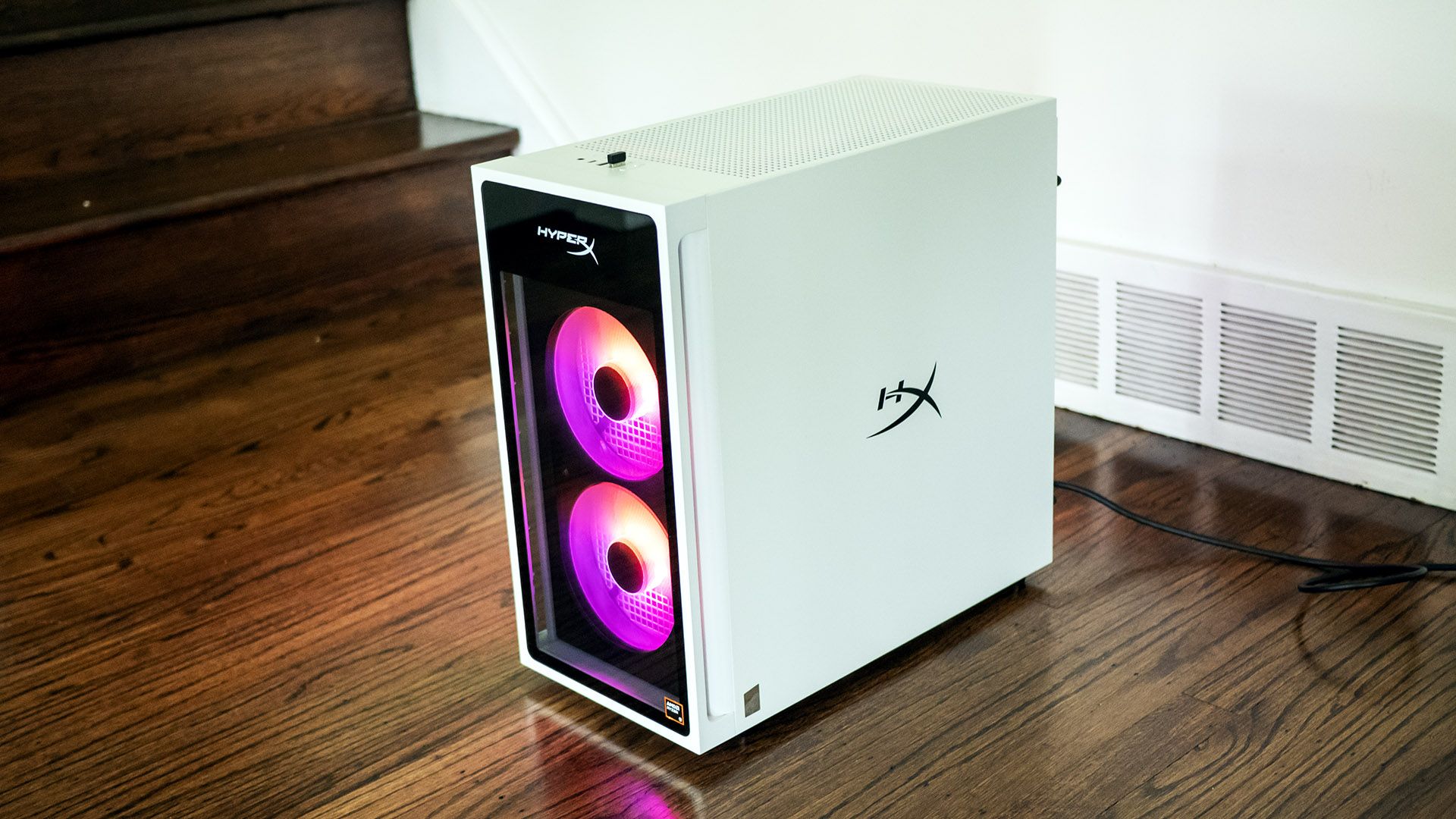
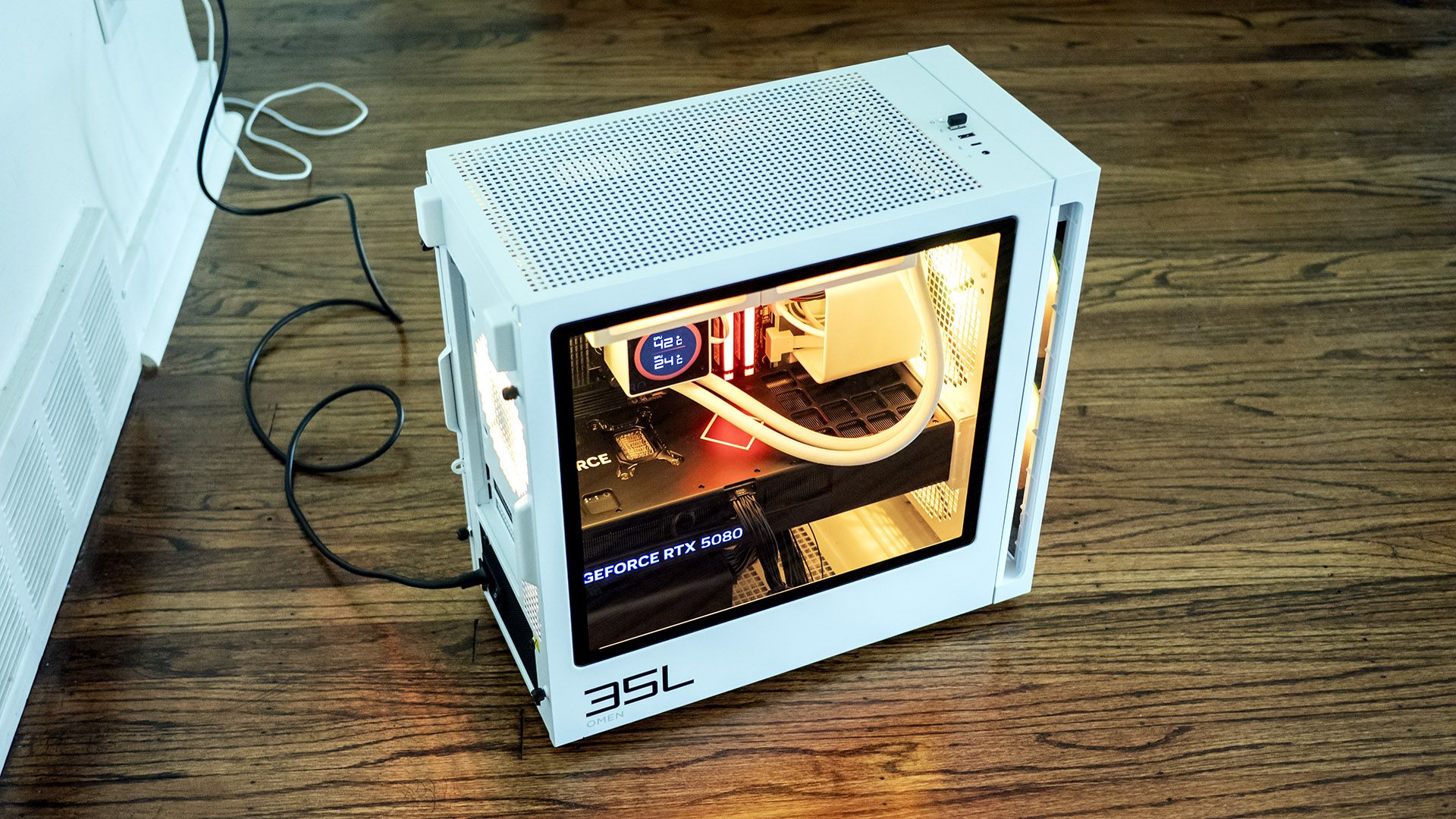
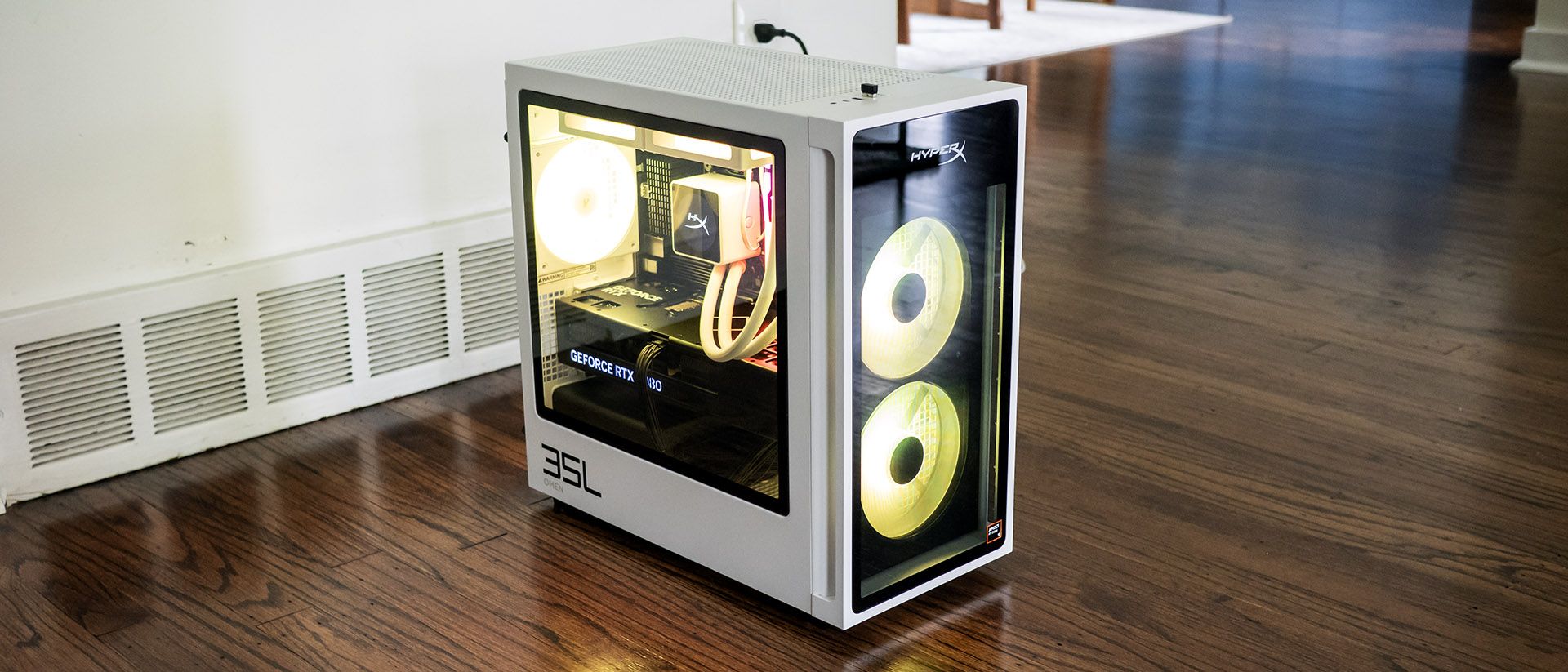
The HyperX Omen 35L’s black and white case stands out, looking refreshingly modern, even though parent company HP has used similar designs before. At 8.27 by 16.06 by 16.14 inches, it’s firmly in mid-tower territory. The metal case feels reassuringly solid and makes extensive use of tempered glass. Bright RGB fans shine through the front while many RGB-lit components are visible through the side panel. It’s a classy system.
Tom's HardwareTom's HardwareTom's Hardware
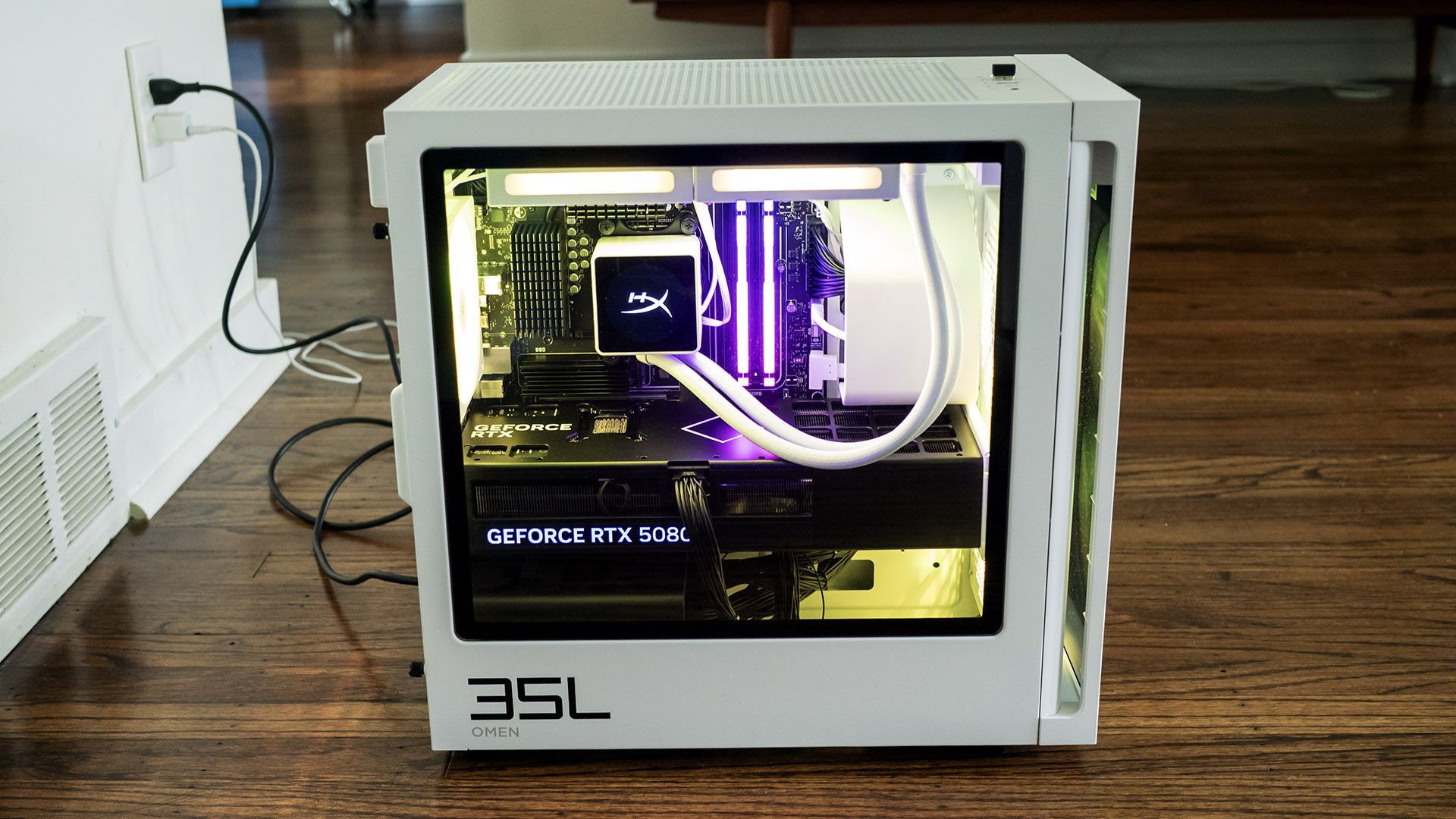
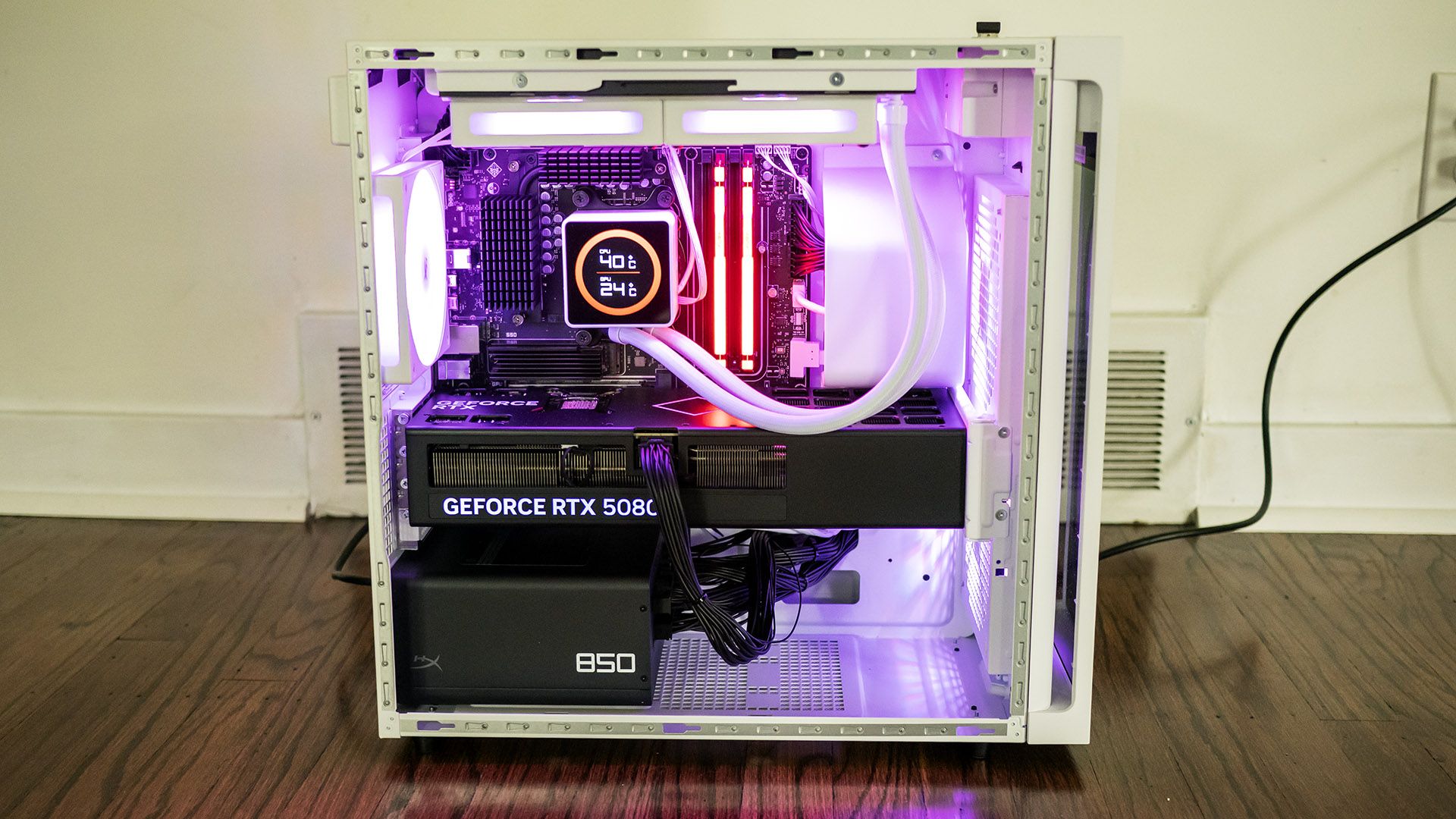
The contrast continues inside, where the black motherboard, graphics card, and power supply are easily visible against the white case. The white liquid cooling loops are especially attractive, as is the CPU cooler featuring its own LCD panel. The latter shows CPU and GPU temperatures.
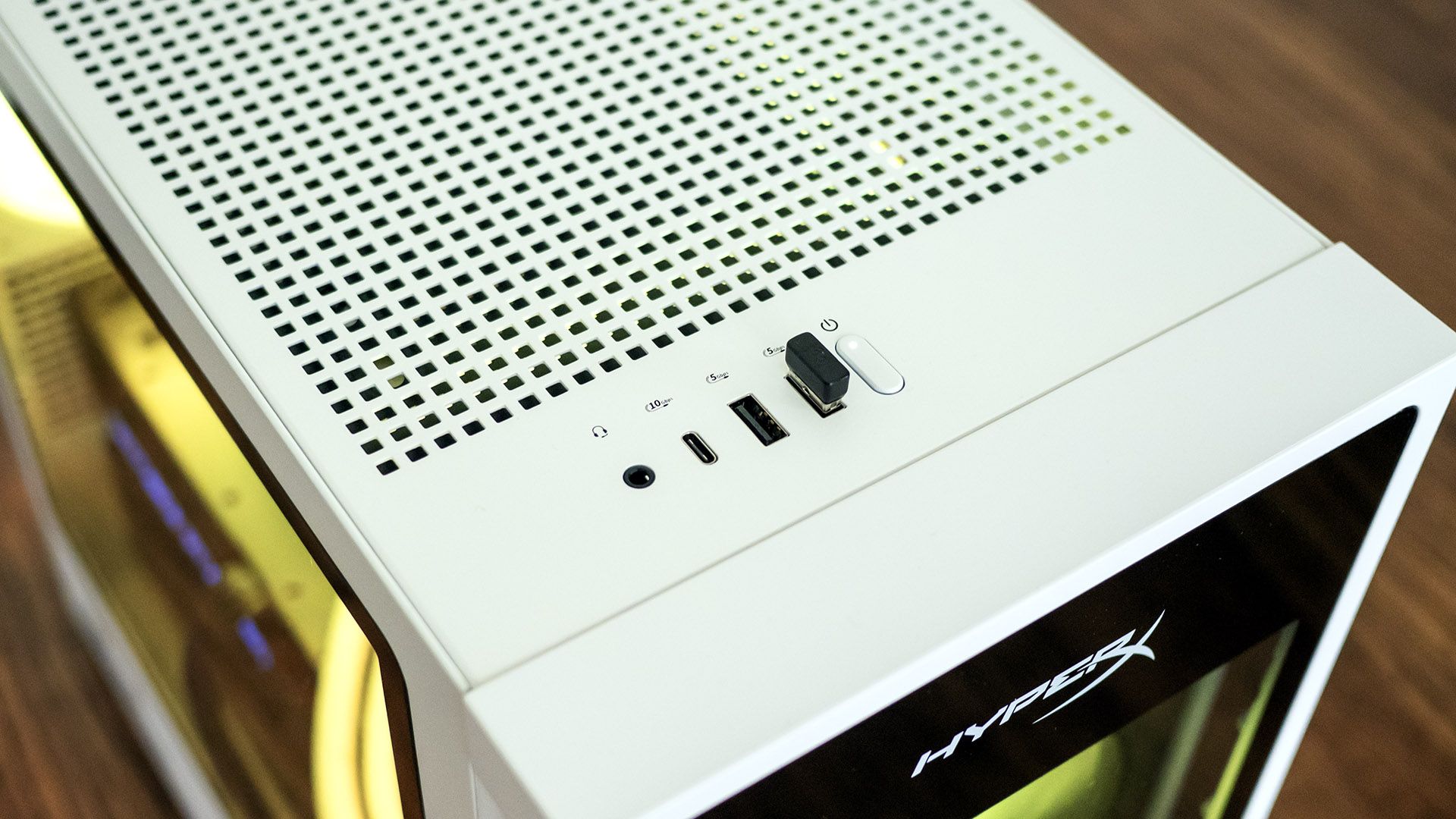
HyperX’s top-mounted front ports include USB-C (10 Gbps), two USB-A (5 Gbps), and an audio combo jack. This location works well if the desktop is on the floor.
Tom's HardwareTom's Hardware
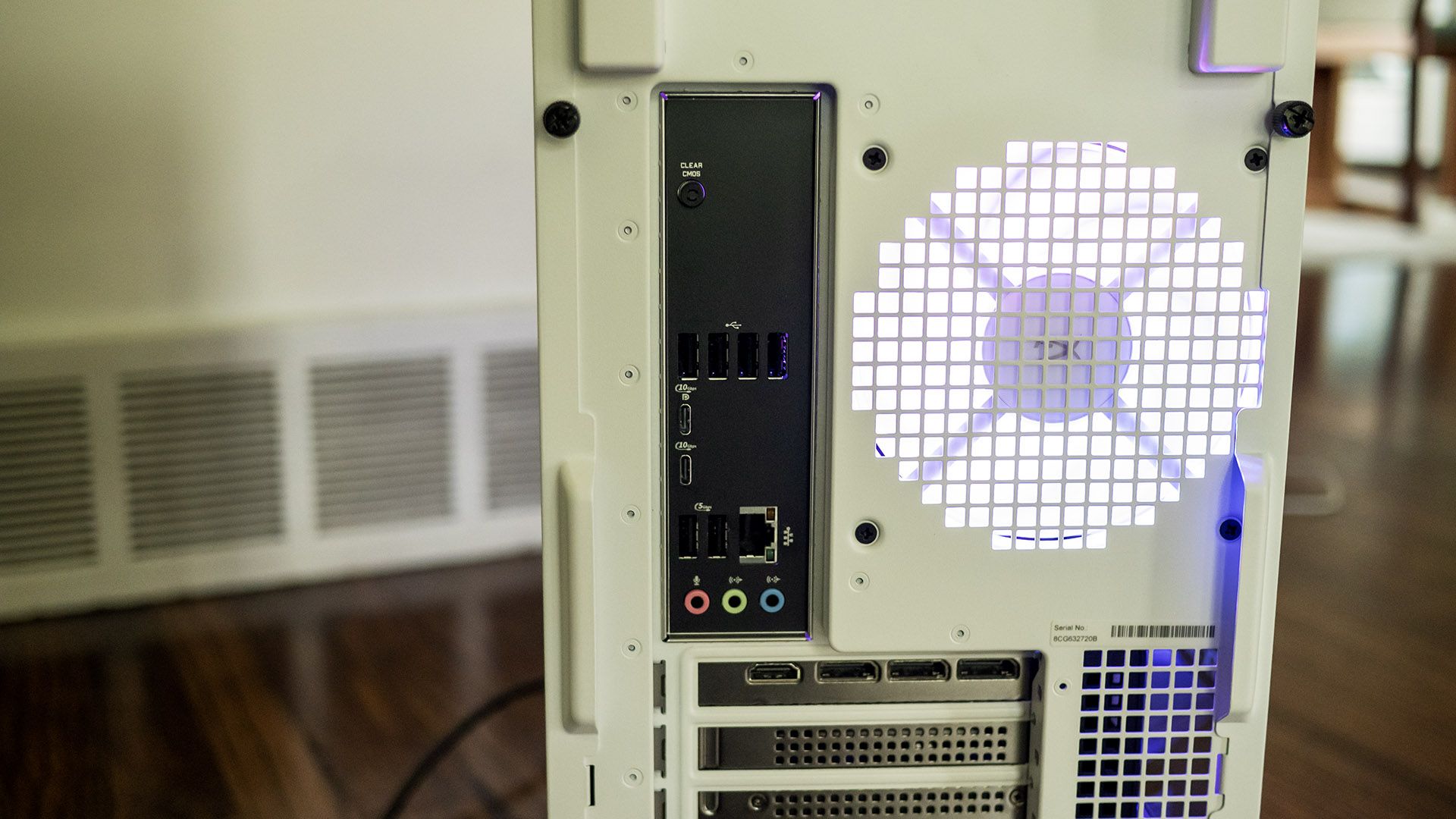
At the back, the tower offers a pair of USB-C ports (10 Gbps), two USB-A (5 Gbps), four USB 2.0, DisplayPort 1.4 output, Ethernet, and audio jacks. It’s disappointing to see a desktop this expensive offers neither USB4 nor Thunderbolt 4, though it does include Wi-iFi 7 and Bluetooth 6.0 from a Realtek 8922AE networking card. The wireless antennas are built into the chassis, eliminating the need for external protrusions. It’s also notable that HP offers a Clear CMOS button, a surprise on a mainstream tower.
Tom's HardwareTom's Hardware
The HyperX Omen 35L offers about as much upgradeability as expected from a mid-tower, without proprietary parts. Its side doors are secured with thumbscrews; the slide rearward and away. The mATX-style motherboard offers four DDR5 DIMM slots, populated in our review unit with two 32GB RGB HyperX modules running at 6,000 MHz.
The system also supports two M.2 2280 drives. The primary slot is covered in a substantial heatsink just above the RTX 5080. Accessing the other slot requires removing the RTX 5080. The card is secured with five screws, two of which hold it to the front support bracket. Deft fingers are required to reinstall the screws at the back of the card.
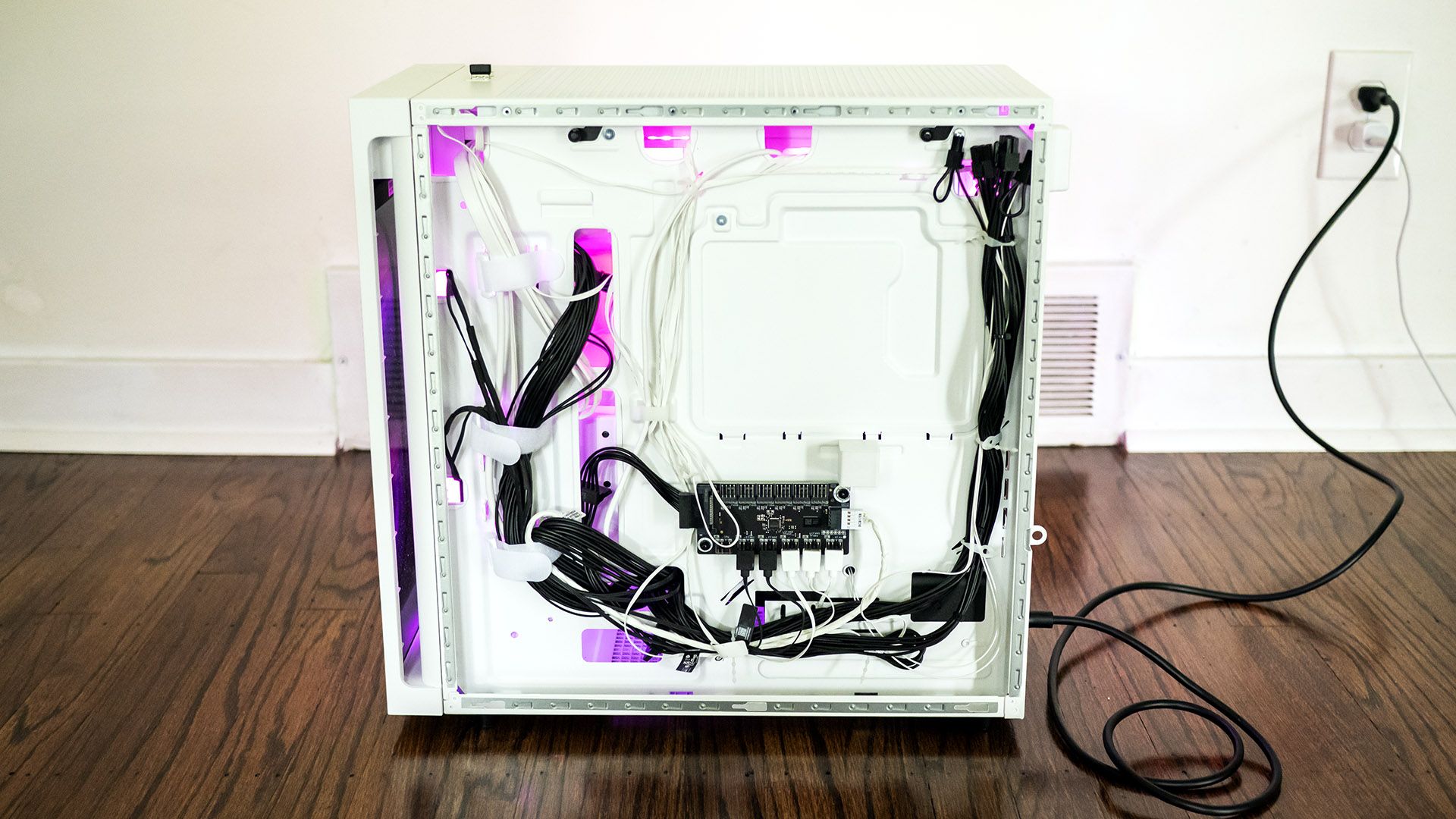
HP’s wiring work is tidy for a mainstream tower. Sleeved cables would have improved the refinement. On the plus side, HP includes a fully modular power supply, an uncommon feature in big box systems.
Gaming and Graphics on the HyperX Omen 35L
We tested the HyperX Omen 35L in a maxed-out configuration featuring a Ryzen 9 9950X3D processor, 64GB of RAM, and a GeForce RTX 5080.
I fired up 007 First Light to test out this system’s prowess. At a 3840 x 2160 resolution with high settings and post effects enabled, I saw up to 120 frames per second (fps) indoors and in the mid-90 fps range in more complex scenes without DLSS. The game never stuttered and remained supremely playable.
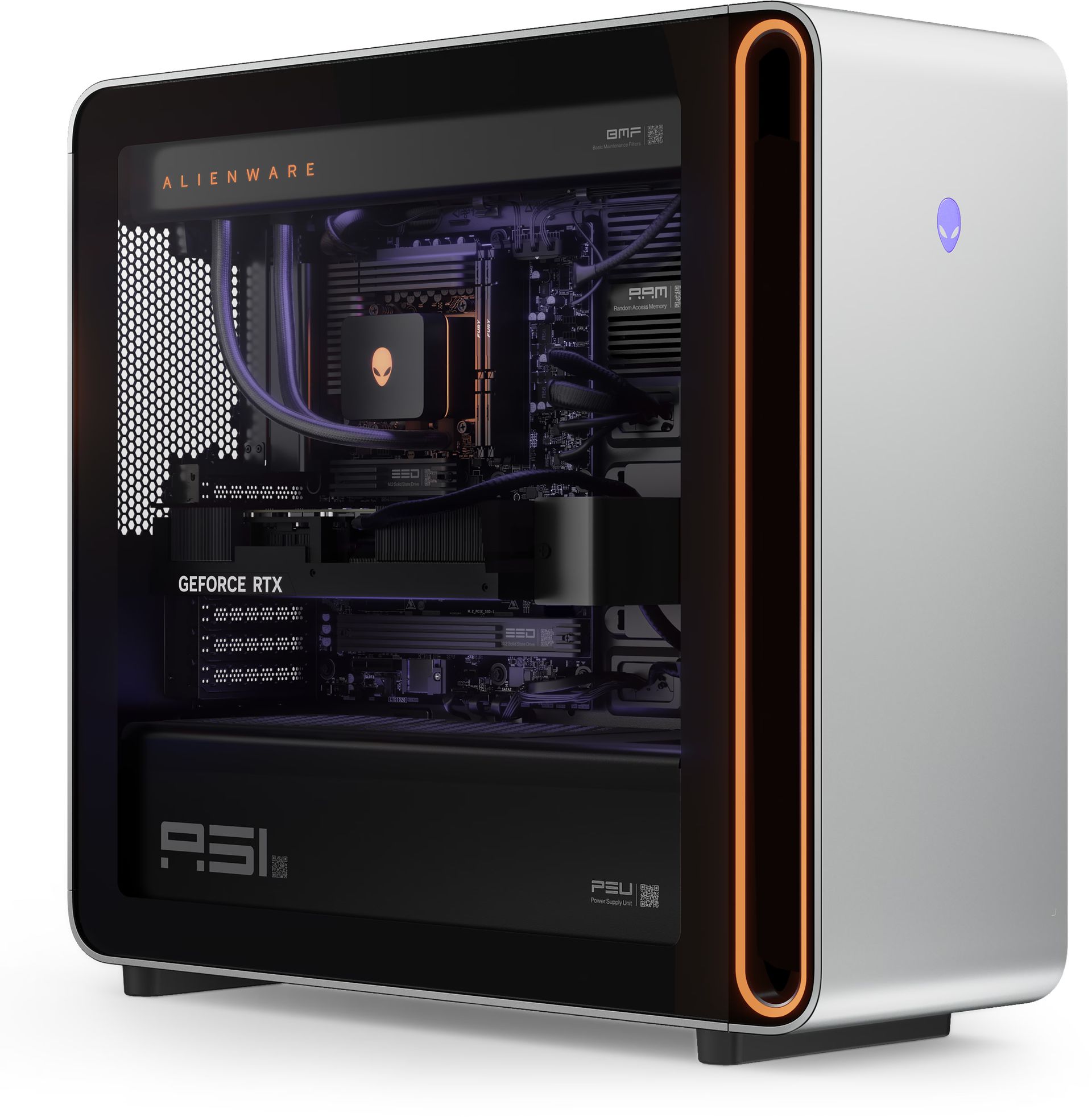
The systems we’re using for comparison include a pair of RTX 5090 towers, the Alienware Area-51 (Ryzen 9950X3D, $5,749.99 when tested, $8,899.99 as of this writing) and the Maingear MG-1 (Ryzen 9 9950X3D2, $7,067 when tested, $9,076 as of this writing), plus Corsair’s Vengeance a7500 powered by a Ryzen 7 9800X3D and an RTX 5070 Ti ($2,799.99 when tested, $3,299.99 as of this writing). With its RTX 5080, the HyperX desktop ought to slot in the middle of this group.
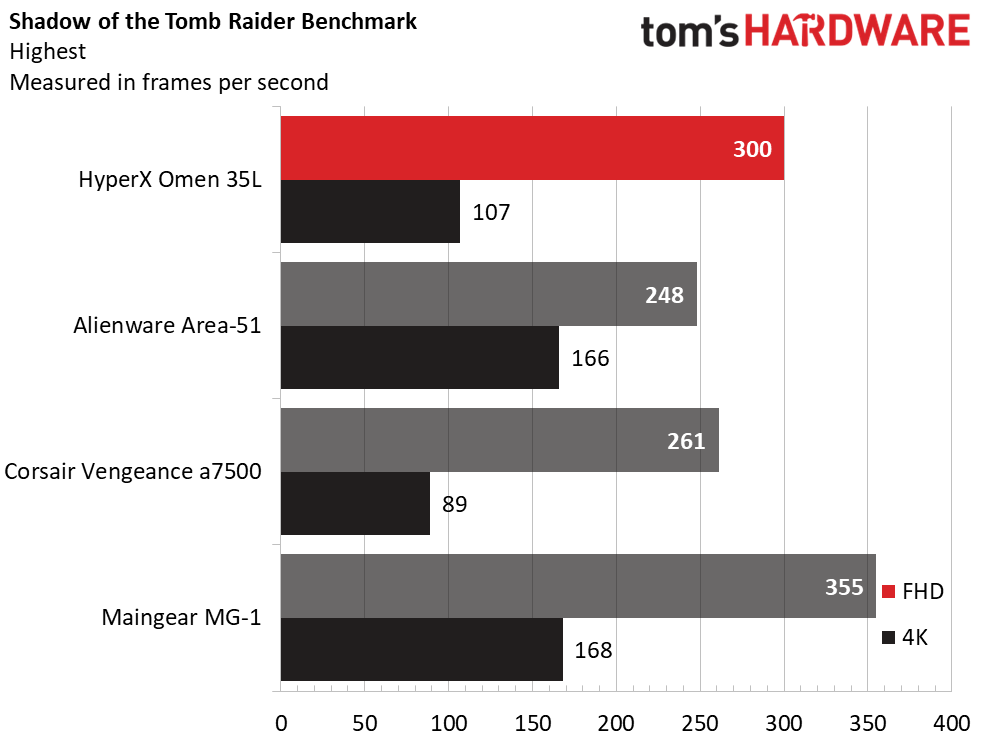
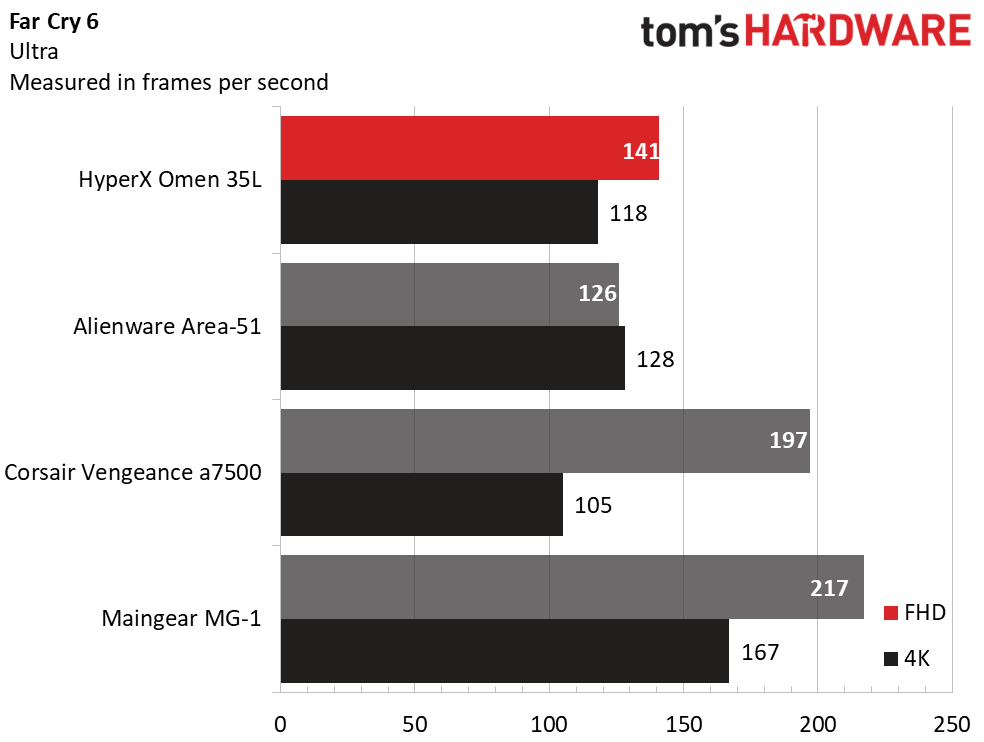
The HyperX desktop performed as expected given its RTX 5080. That said, the 1080p numbers show significant variance from system to system. In Shadow of the Tomb Raider (Highest detail preset), the HyperX produced 300 fps to outperform even the Alienware (248 fps), though it couldn’t catch the Maingear (355 fps). In other instances, even the RTX 5070-powered Corsair was able to pull ahead as seen in Far Cry 6 (Ultra settings), where it produced 197 fps against the HyperX’s 141 fps.
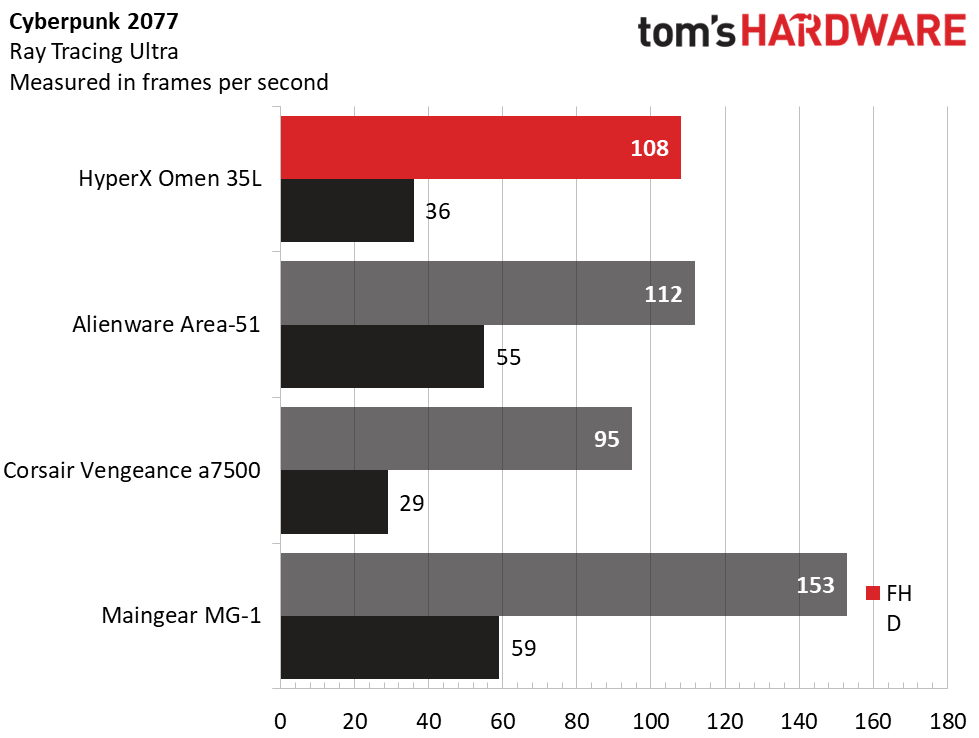
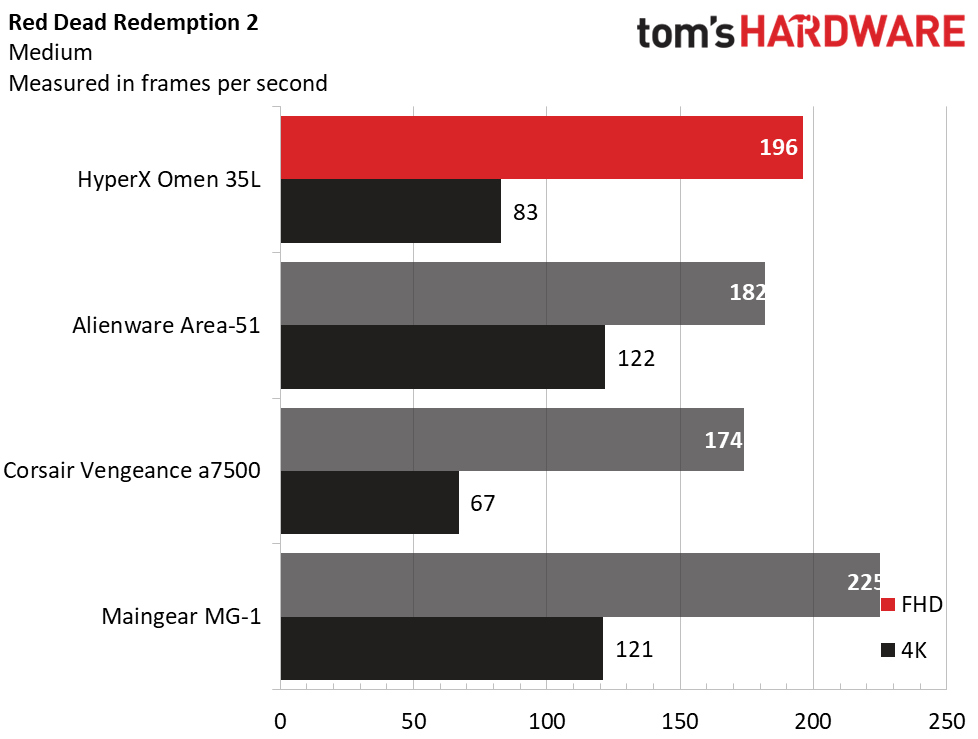
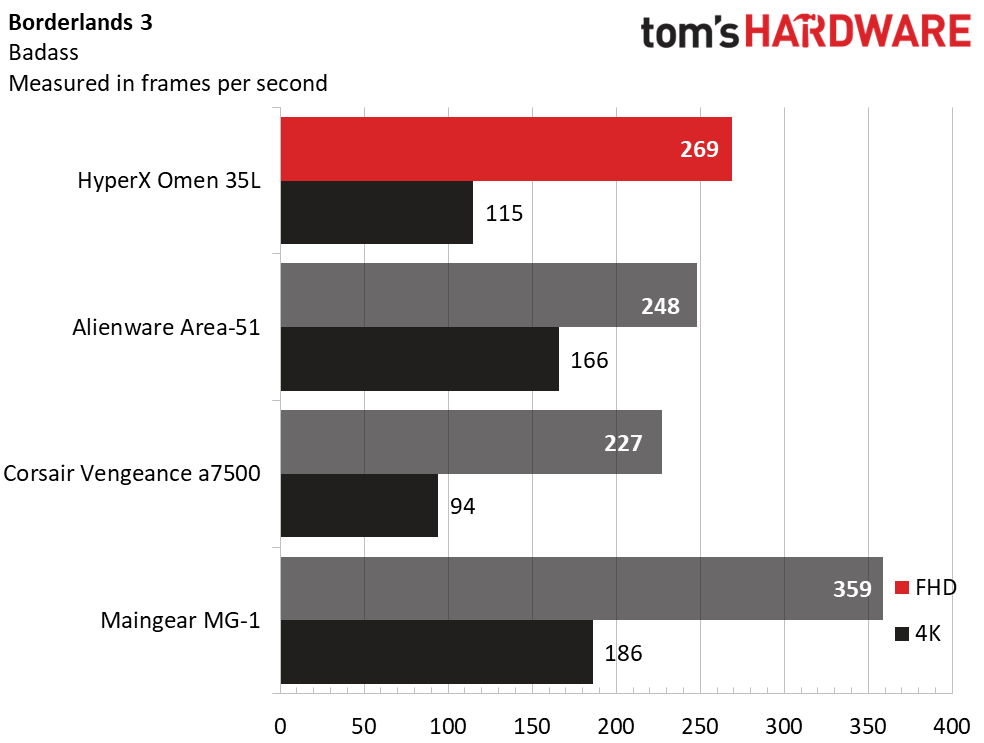
But these desktops are designed for 4K play. At that resolution, the HyperX’s RTX 5080 produced admirable numbers. Naturally, it wasn’t in the same league as the RTX 5090 systems; in Red Dead Redemption 2 (Medium settings), the HyperX produced 83 fps against the Alienware’s 122 fps and the Maingear’s 121 fps, and in Borderlands 3 (Badass settings), the HyperX landed at 115 fps against Alienware’s 166 fps and Maingear’s 186 fps. The differences narrowed in Far Cry 6, with the HyperX producing 118 fps to Alienware’s 128 fps. The largest deltas were seen in Cyberpunk 2077 (Ray Tracing Ultra preset), where the HyperX produced 36 fps, well ahead of the Corsair’s 29 fps, but significantly behind the Alienware’s 55 fps. Overall, though, this HyperX desktop is well-suited to 4K play.
We stress-test gaming desktops running 15 loops of the Metro Exodus benchmark at RTX settings, simulating about half an hour of gameplay. During the test, the HyperX desktop averaged 172.21 fps across all runs with a sub-one fps variance, indicating stable performance. During the test, the Ryzen 9 9950X3D averaged 4.79 GHz and 48 degrees Celsius while the RTX 5080 ran at 2.74 GHz and 50 C.
Productivity Performance on the HyperX Omen 35L
Our HyperX test unit features a Ryzen 9 9950X3D processor, 64GB of RAM, and two 1TB PCIe 5.0 drives running separately, one hosting the OS andthe other for storage.
Tom's HardwareTom's HardwareTom's Hardware
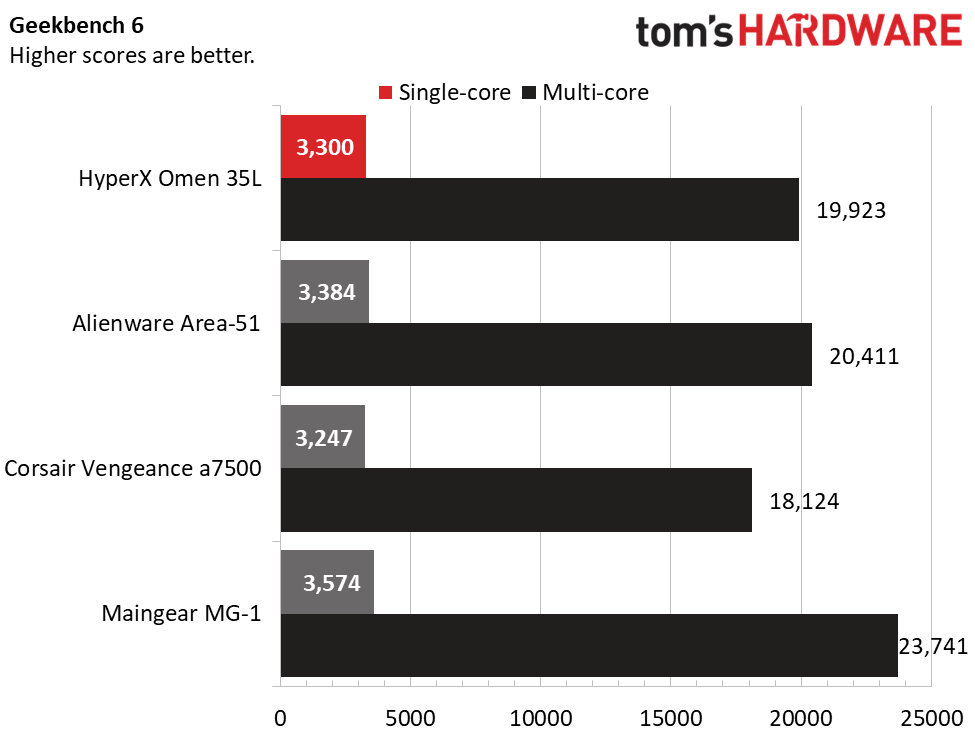
Featuring the same Ryzen 9 9950X3D processor, the HyperX and Alienware systems performed similarly across our CPU tests. In Geekbench 6, the HyperX system produced 19,923 points against Alienware’s 20,411 points, though it was handily outperformed by the Ryzen 9 9950X3D2-powered Maingear, at 23,741 points. With fewer cores, the Ryzen 7 9800X3D-powered Corsair finished last, at 18,124 points.
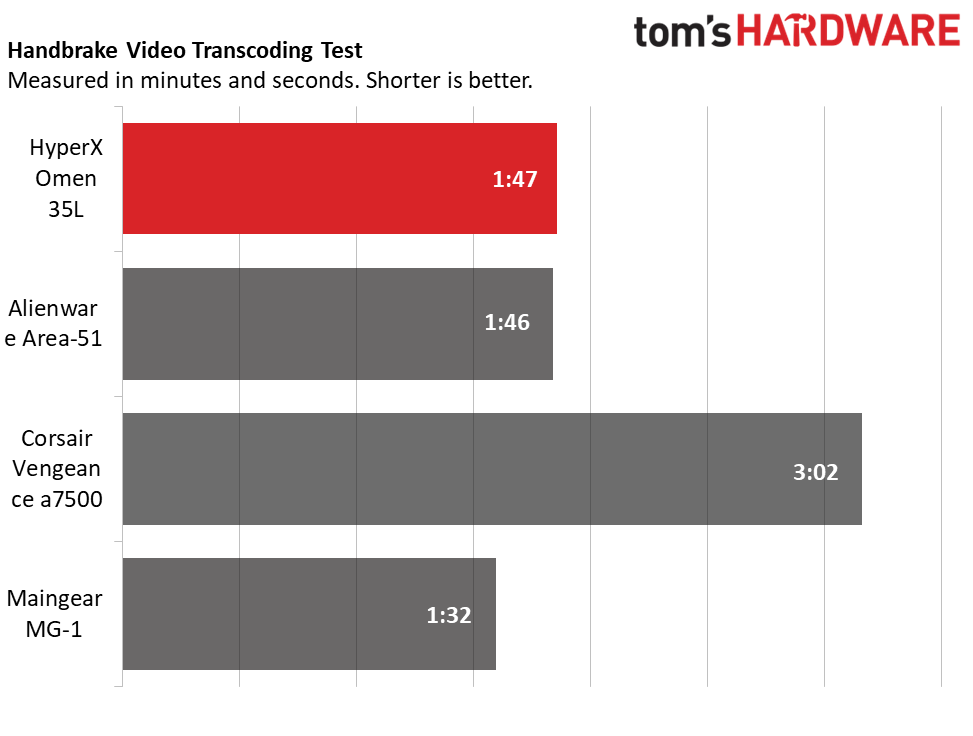
The HyperX desktop finished our Handbrake 4K-to-1080p video transcoding test in 1 minute and 47 seconds, tying the Alienware, though the Maingear edged ahead, at 1:32. The Corsair took nearly twice as long, at 3:02.
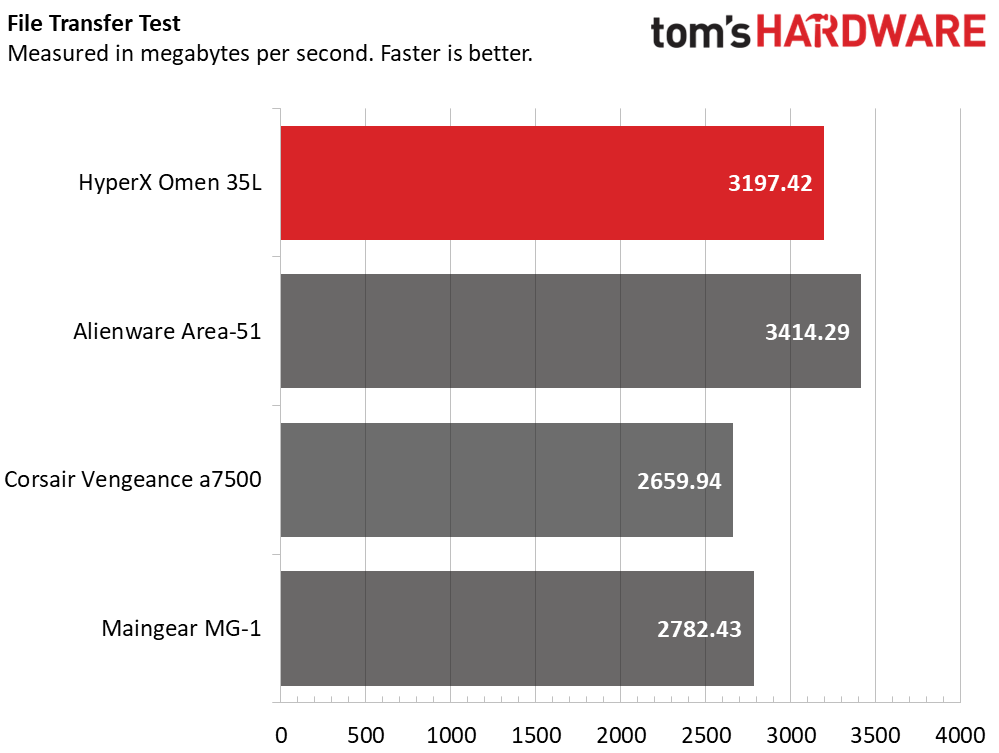
In our 25GB file transfer test, the HyperX’s average transfer speed of 3,197.42 MBps was excellent, just behind Alienware’s 3,414.29 MBps and ahead of the Corsair’s 2,659.94 MBps and Maingear’s 2,782.43 MBps.
Software and Warranty on the HyperX Omen 35L
HP includes several useful apps. Omen Gaming Hub app provides performance control, with per-fan RPM settings and, in Extreme mode, PPT and EDC settings for the Ryzen 9 CPU. The Advanced Performance Tuning section also provides PBO, CPU Boost, and voltage curve controls plus a benchmark to test your settings. For quick access, the app provides an overlay that shows your power profiles and system monitoring, including component temperatures and fan speeds.
Gaming Hub also provides customization of the LCD display on the liquid cooler. Many faces are available, from system monitoring to static images, GIFs, videos, and a clock. It seems simple, but it’s one of the most fun features of the system, allowing you to easily change up the look.
Lighting is managed through Omen Light Studio, which provides per-device RGB control. Fine control is possible – each of the five fans has 10 LEDs, which are individually selectable. Clicking and dragging selects multiple fans and LEDs at a time, to which you can apply preconfigured light recipes – Galaxy, Ocean, Jungle, Volcano, and Omen – and apply an effect, such as wave, static, ambient, breathing, color cycle, an audio visualizer, and radial. The speed and direction of the effect is also configurable. You can also create layered effects and save everything in profiles that you can export or import. HP covers the HyperX Omen 35L with a standard one-year warranty.
HyperX Omen 35L Configurations
We tested the HyperX Omen 35L with a Ryzen 9 9950X3D processor, 64GB of dual-channel DDR5-6000 RAM, GeForce RTX 5080 graphics, Windows 11 Pro, and two 1TB PCIe 5.0 solid-state drives. The system uses a 1,000W power supply and a 240 mm liquid CPU cooling with a built-in LCD display. This configuration represents the top of the stack, retailing for $6,210.98.
The entry-level is probably where the Omen 35L offers the least value – with standard liquid cooling and a modular power supply, this system is for premium builds. AMD-based starter configurations begin at $2,399.99 with a Ryzen 5 9600X or $2,589.99 with an Intel Core Ultra 5 250KF Plus. Standard components include a GeForce RTX 5060 Ti (8GB), 16GB of memory, and 1TB of PCIe 4.0 storage. Memory tops out at 128GB and two SSDs are supported up to 2TB each.
Bottom Line
(Image credit: Tom's Hardware)
Primarily, the HyperX Omen 35L gets one thing right: it feels genuinely premium. Its sharp black-and-white design, quality lighting, quiet operation, and enthusiast-grade components like a modular power supply give it the polish it needs to compete against boutique builders and aftermarket systems. Its performance in our test system with a Ryzen 9 9950X3D and an RTX 5080 match the expectations for this lofty price point.
That said, it’s clear that this desktop is aimed at the more premium side of the market, as prices of the entry-level configurations are difficult to justify given their level of hardware. But if you have deep enough pockets for a well-equipped configuration, the HyperX Omen 35L is a highly compelling gaming desktop well worth considering alongside anything the market has to offer.
This is Dell's premium brand for gamers and, as you can expect from a premium brand, the prices are usually towards the top end. The $1,250 discount here means you'll be saving a huge sum on a gaming PC with serious firepower for 4K gameplay, putting it at a much better price than you would get elsewhere. This DACT1250 model also comes with an Intel Core Ultra 9 285 CPU and a 1TB SSD for storage.
Aurora DACT1250: was $3849.99 now $2599.99 This Alienware Aurora gaming PC is a powerhouse for 4K gaming. It features an Nvidia GeForce RTX 5070 Ti GPU, a 24-core Intel Core Ultra 9 285 CPU, 32GB of DDR5 RAM, and a 1TB SSD.View Deal
Front and center here is the Nvidia GeForce RTX 5070 Ti. This is one of Nvidia's newest Blackwell GPUs but, more importantly, it's the third most powerful consumer GPU of Nvidia's current-gen lineup. It has 8,960 CUDA cores and 16GB of GDDR7 VRAM, operating on a bigger 256-bit memory bus. This is a card that'll smash through 1080p with the highest frame rates, taking you up to 1440p and 4K with ease.
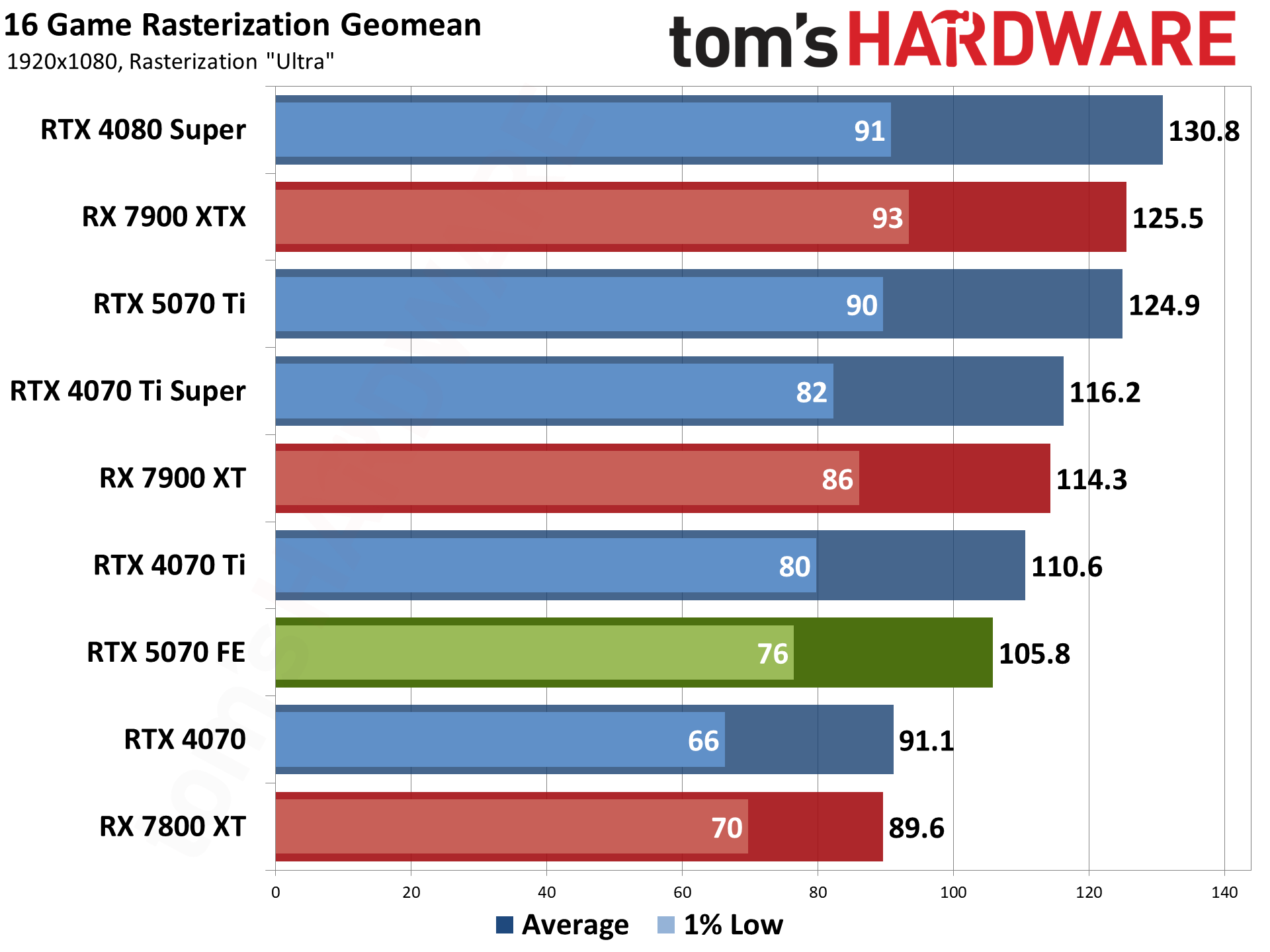
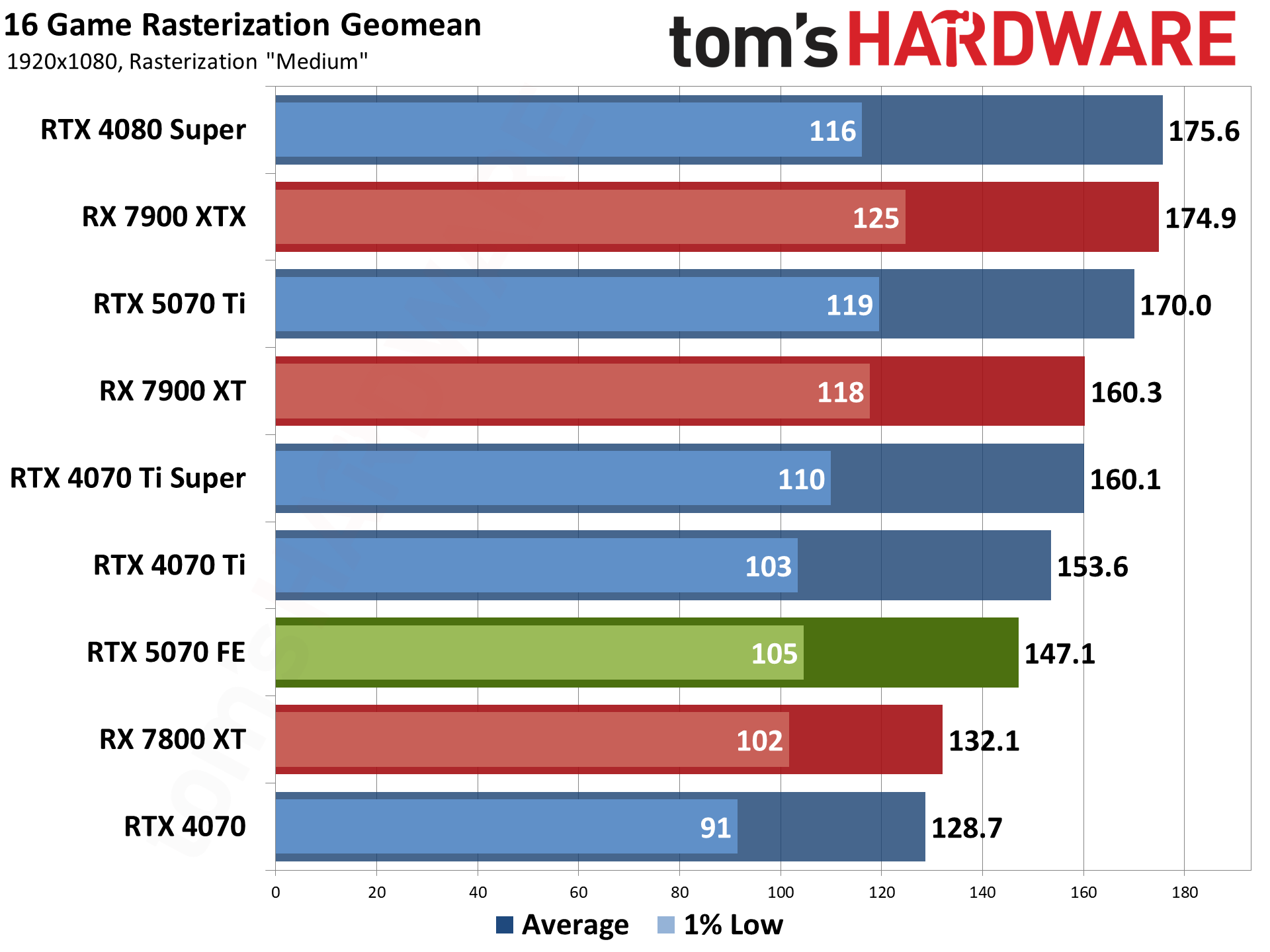
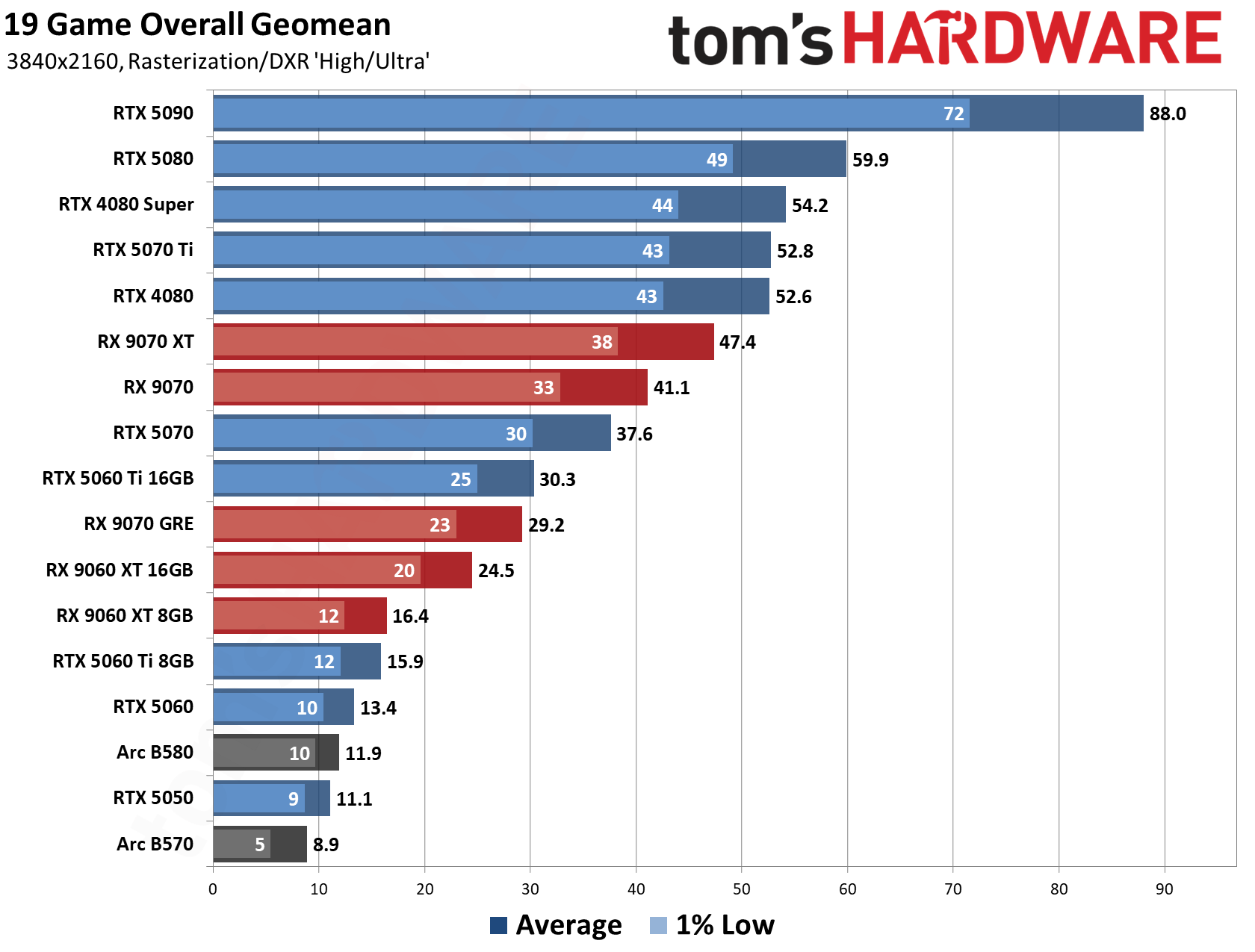
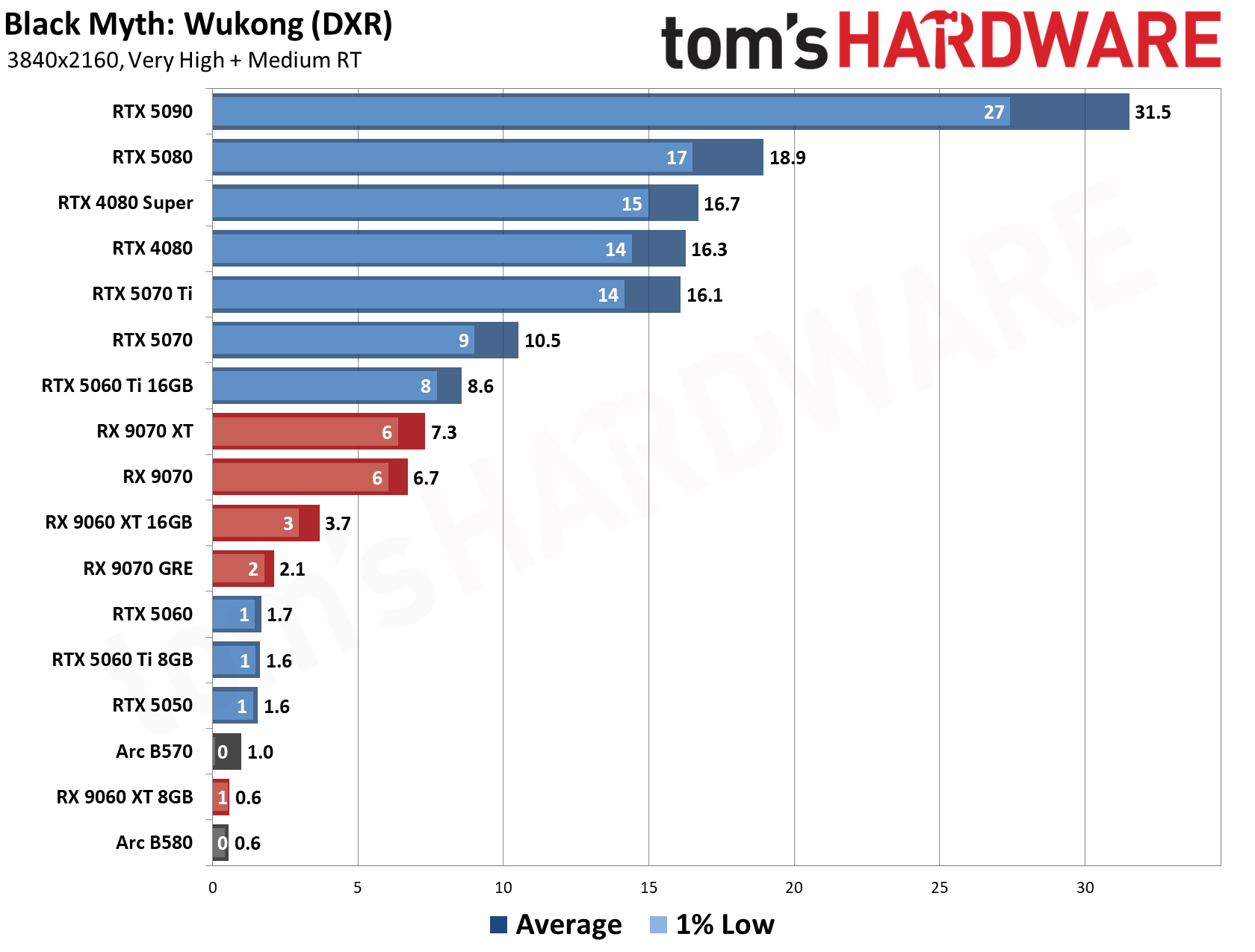
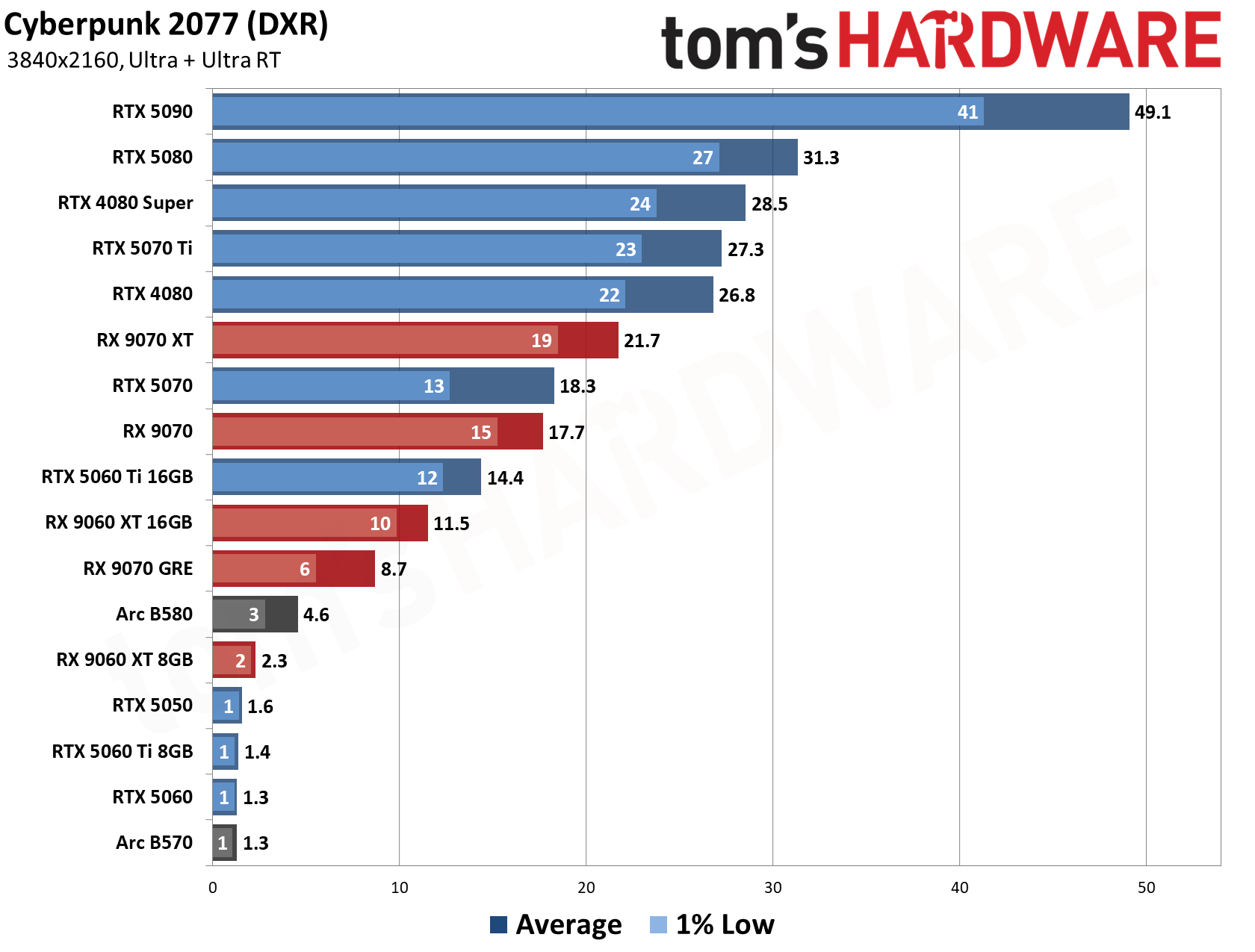
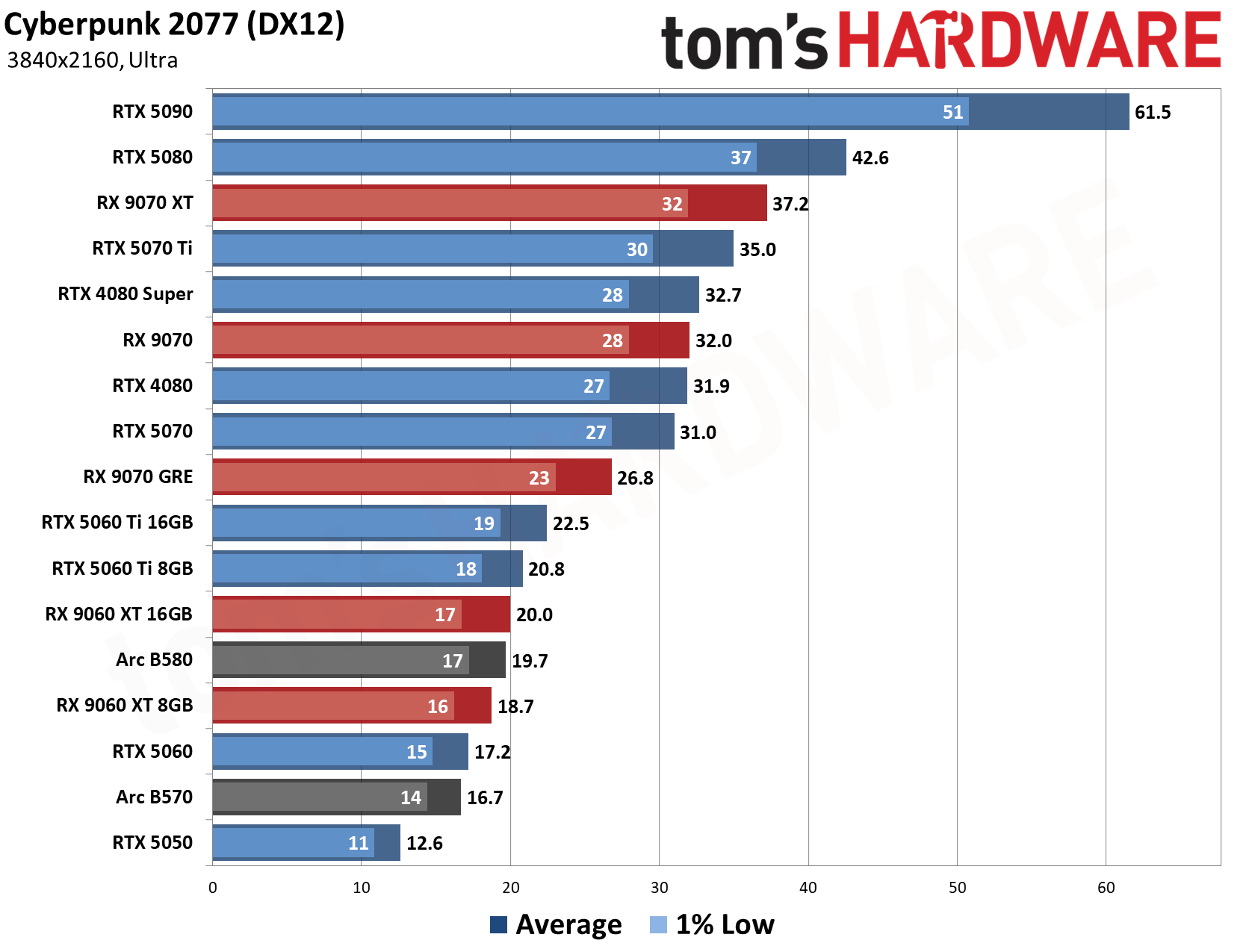
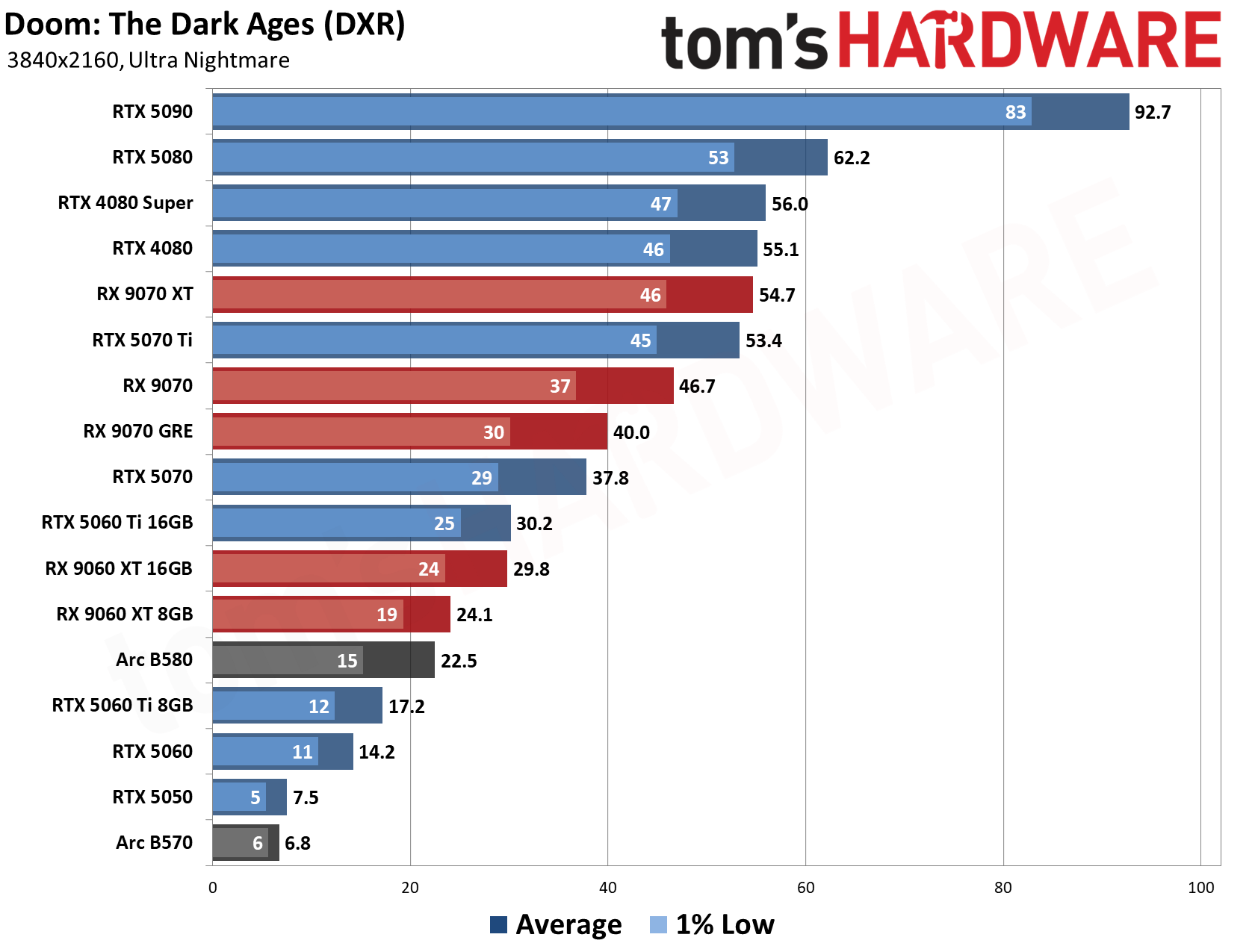
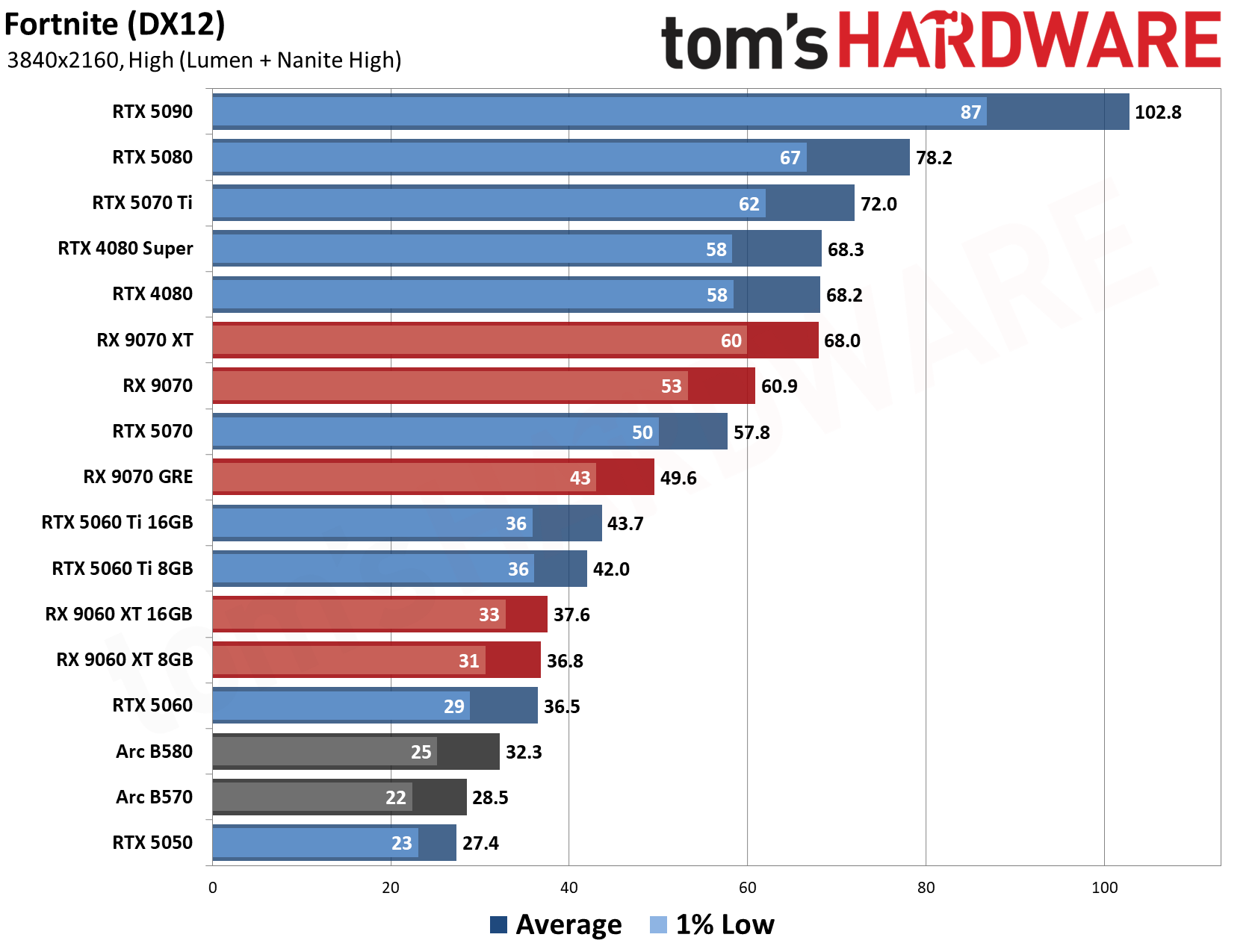
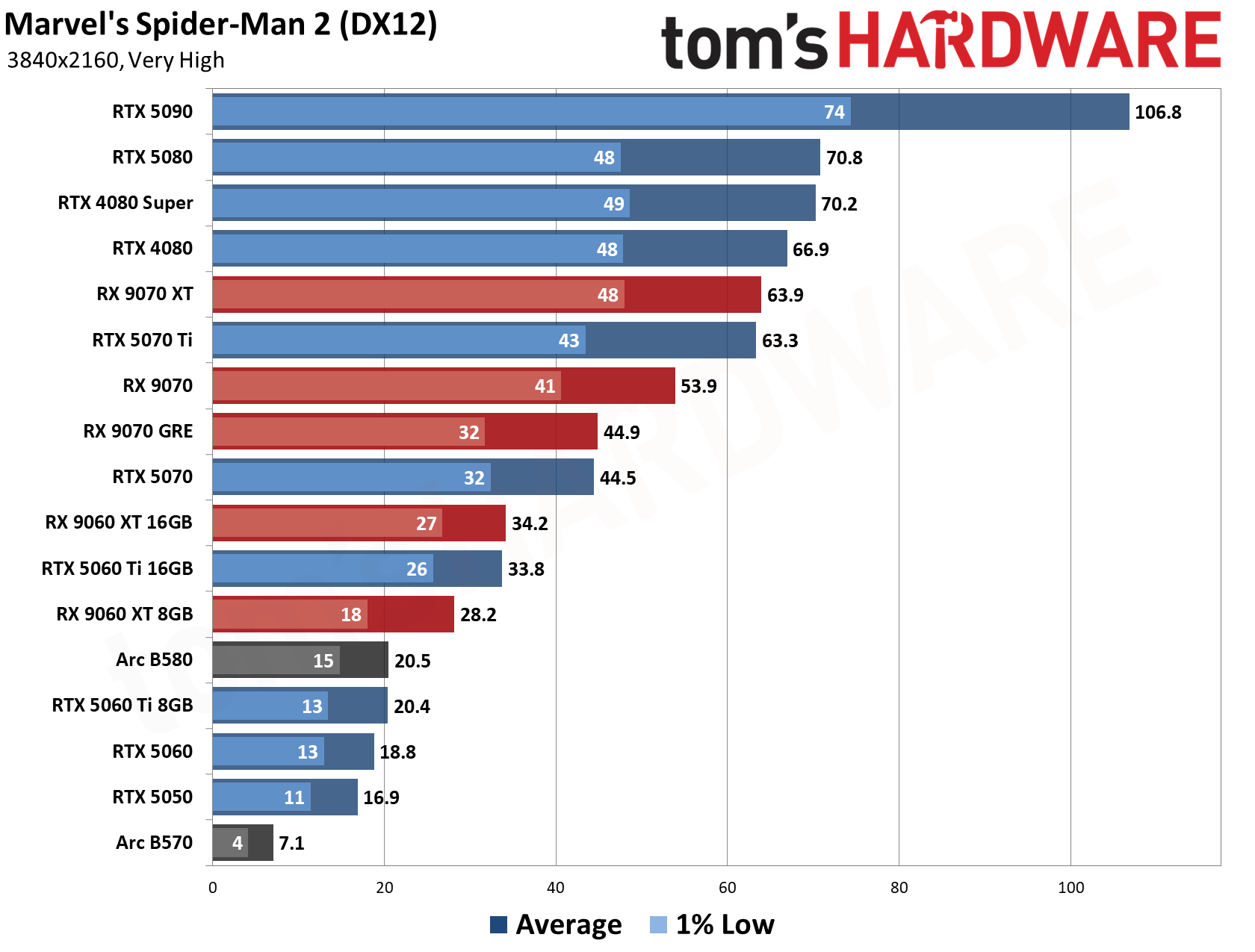
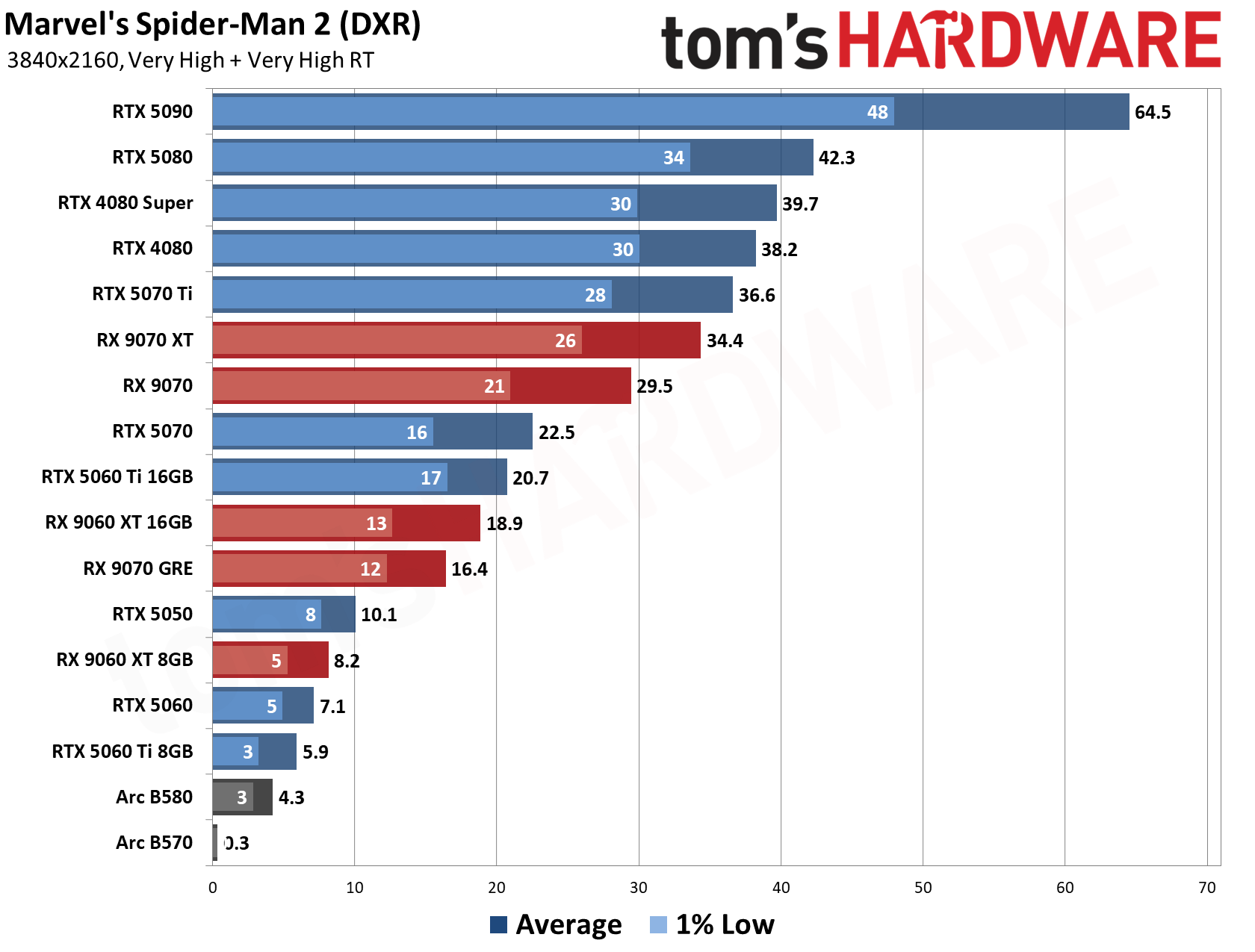
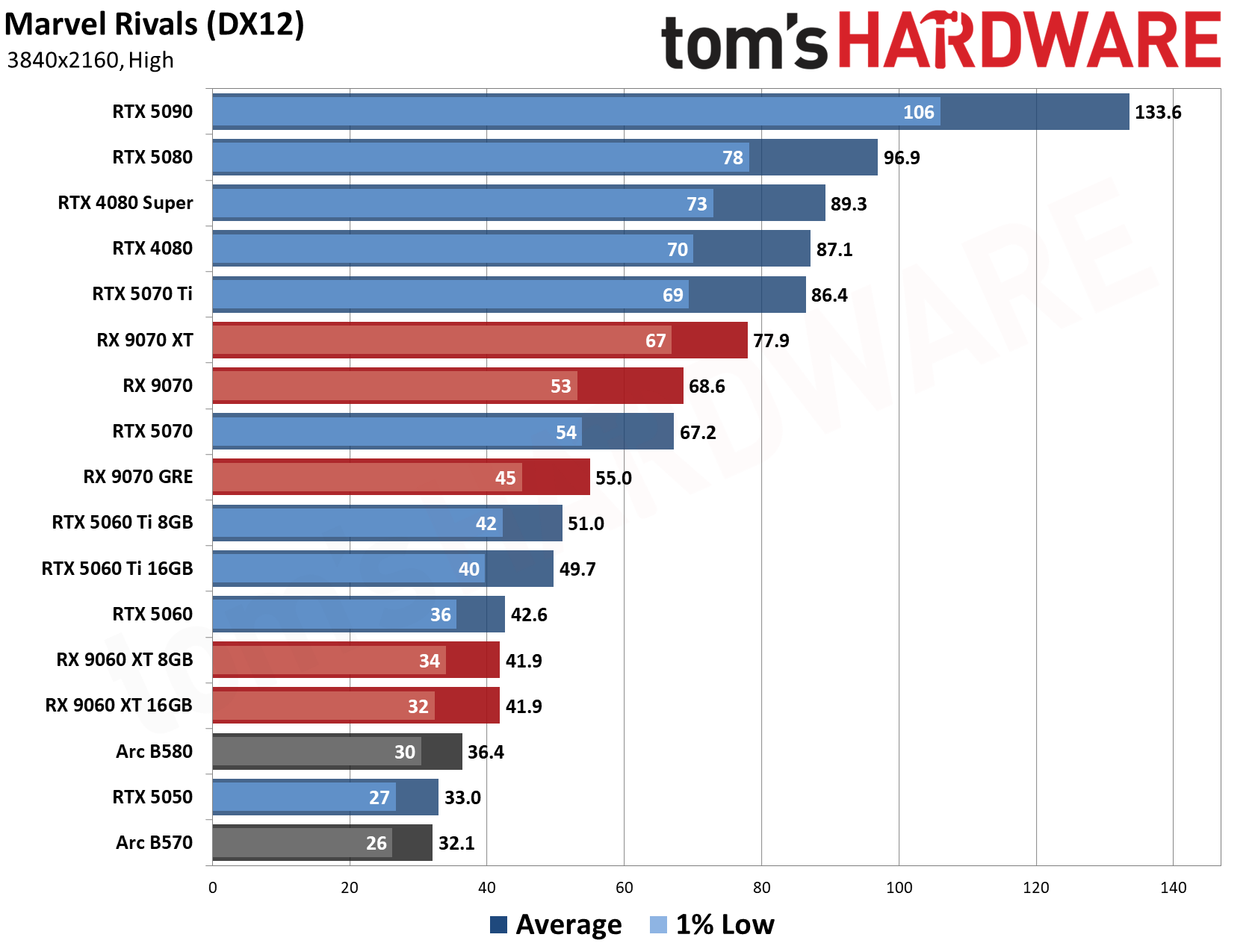
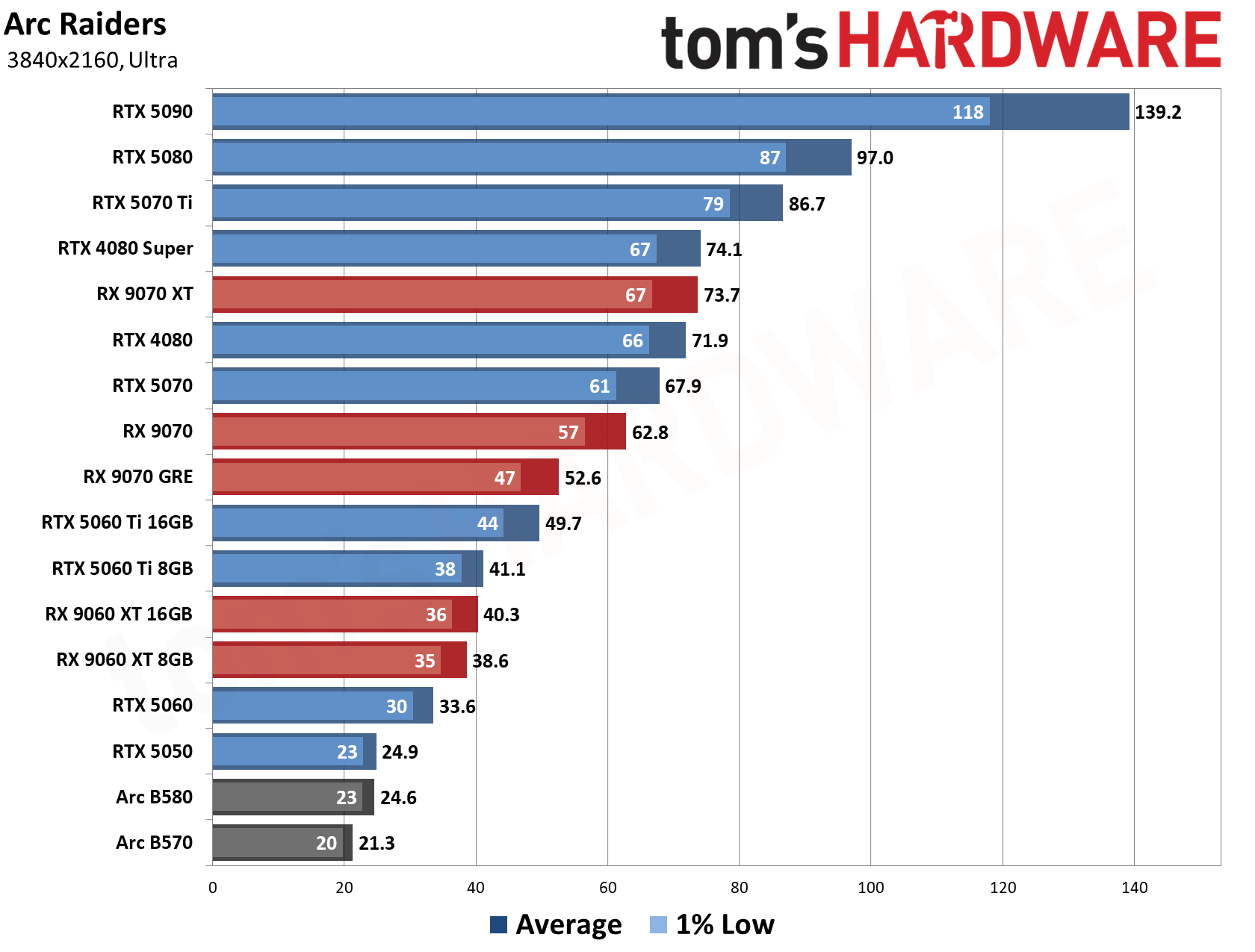
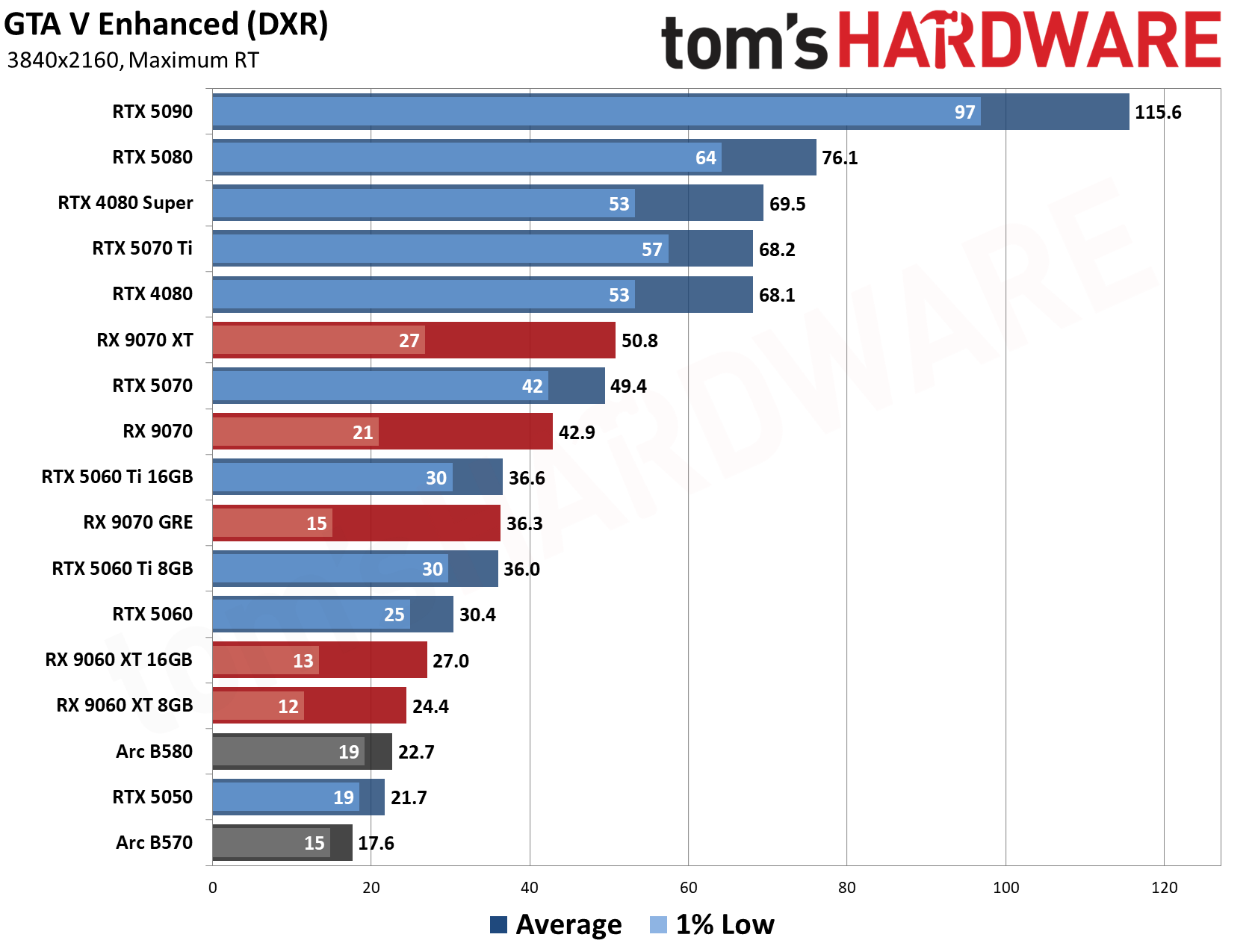
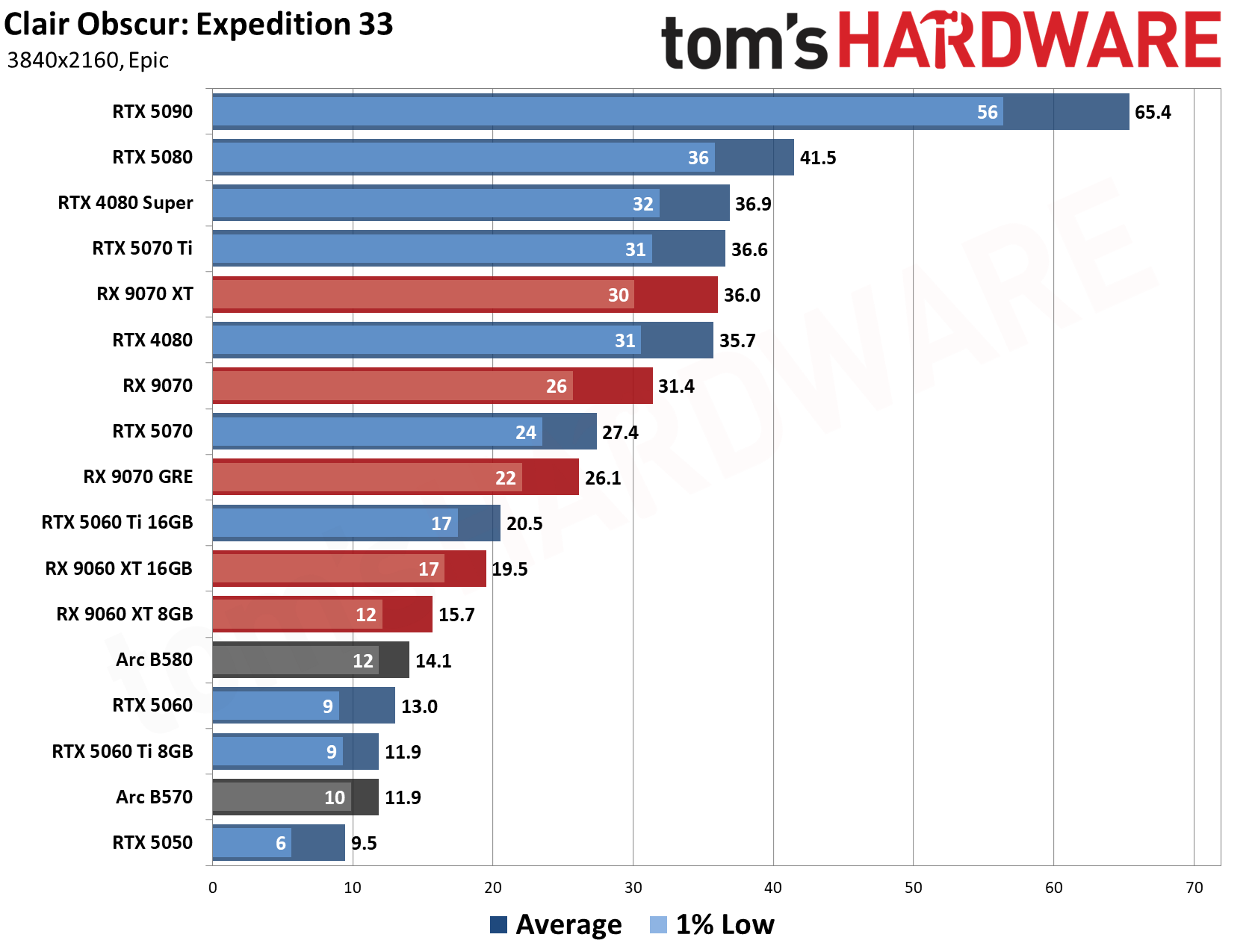
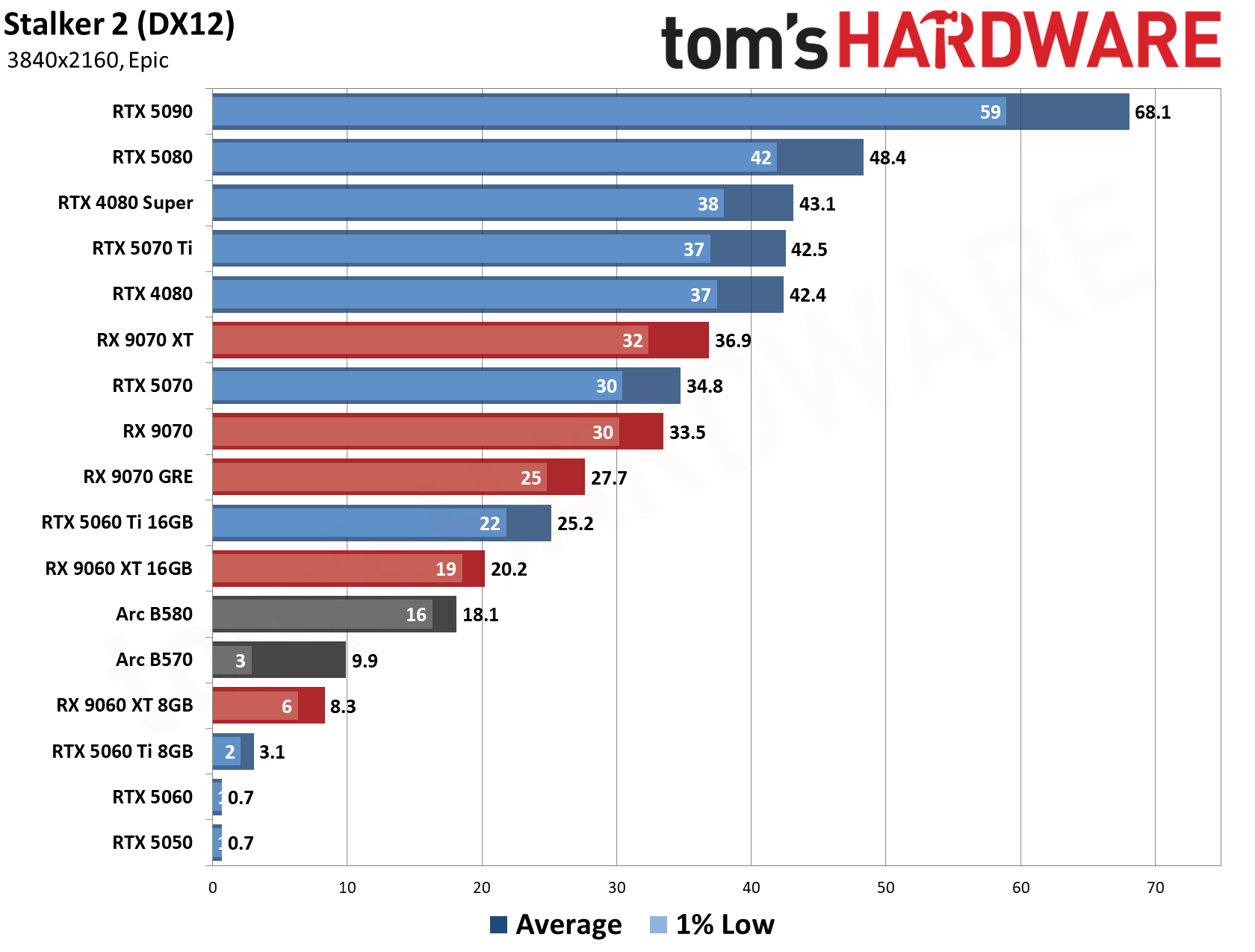
The VRAM boost to 16GB is important because it means your PC has the opportunity to switch up to 1440p or 4K and run games at high and even graphic presets at those resolutions. 4K, especially with ray tracing switched on, might require a few tweaks to your settings, or involve you falling back on Nvidia DLSS with multi-frame generation for an AI-helped uplift, adding extra frames into the mix for smoother gameplay. The Bench charts and our GPU benchmarks place the RTX 5070 Ti pretty highly compared to rival GPUs.
For the CPU, you're getting the Intel Core Ultra 9 285 here. It ships with 24 cores, eight of which are performance cores, which'll be good for high-performance gaming. You also get 16 efficient cores for multi-threaded tasks. Unlike the 285K, the 285 is locked, meaning you can't overclock it. You get clock speeds as high as 5.7 GHz with the performance cores in action here, though. This Arrow Lake CPU hasn't been a big hitter in the gaming world, admittedly, but the raw power of the RTX 5070 Ti is still formidable, and should help to compensate.
Elsewhere, though, you're getting 32GB of DDR5 memory, so you won't see a bottleneck as far as system RAM is concerned. There's also a 1TB SSD included here, giving you space for a few big games alongside a Windows installation on the same drive.
If you ever wanted to own your own supercomputer or data center while earning eBay cashback, Core 4 Solutions has the perfect opportunity. The company is selling a 300-rack AI supercomputer on eBay for $59.7 million, complete with $50 overnight shipping, or free shipping if you're willing to go with FedEx Ground. The cluster packs 9,600 Nvidia A100 accelerators and 4,200 AMD EPYC Rome 64-core processors, enough to jump-start your own sovereign AI nation.
Nvidia and AMD have moved to newer architectures like Blackwell, Vera Rubin, and EPYC Turin. Nonetheless, A100 (codenamed Ampere) accelerators and EPYC Rome processors remain highly relevant for many computing tasks, including AI, machine learning, and scientific research. With the modern Blackwell and Vera Rubin racks from Nvidia, like the GB300 NVL72 and VR200 NVL72, costing up to $6.5 million and $7.8 million per unit, respectively, the A100 has turned into a legitimate budget alternative that can also circumvent the long waitlists and supply chain delays on Nvidia's newer AI hardware.
The cluster's sheer specifications are truly jaw-dropping. Each rack has four compute nodes and three management nodes. Each compute node has two AMD EPYC Rome 64-core processors, eight Nvidia A100 40GB SXM4 accelerators, and 1TB of DDR4-2933 memory. The management nodes are no less impressive. Each features two EPYC 64-core chips and 192GB of DDR4 memory.
When you sum it all up, the cluster comprises up to 9,600 A100 accelerators and 4,200 AMD EPYC Rome processors. With 64 Zen 2 execution cores per chip, the entire cluster boasts 268,800 cores. Memory capacity is equally impressive, with up to 1,401.6 TB or 1.4 petabytes for the entire cluster.
300x ... 32x A100 Racks for sale for a cool 59.7 million USD..https://t.co/DRDXfZlj9eI love that someone has this in their cart... https://t.co/Rw8MIV11qCOctober 27, 2026
At first glance, $59.7 million sounds like a fortune, and it certainly is, but it seems like a reasonable valuation for the cluster. A rough estimate would be about $24 million for the A100S, $3 million for the EPYC Rome chips, and about $1.1 million for the DDR4 memory. That is about $28.1 million in crucial components, before factoring in other hardware like racks, cooling, power supplies, Nvidia Mellanox ConnectX-6 SmartNICs, etc.
Listing a 300-rack supercomputing cluster on eBay sounds absurd, but given today's AI-driven world, it is not as surprising as it may seem. After all, a broker once sold a 405-foot luxury Gigayacht for $168 million on eBay, so there is no reason why Core 4 Solutions cannot move a $59.7 million cluster. As AI farms and data centers expand, some enterprise clients out there will recognize the value and opportunity in the listing.
Shipping that many racks will be a logistics nightmare, and as funny as it sounds, Core 4 Solutions offers free local pickup or FedEx Ground delivery directly to your home. There is even an option to pay for a $25 two-day or $50 overnight delivery. Imagine FedEx casually dropping off 300 server racks at your front porch.
The cluster seems to have already drawn attention, with 11 people reportedly watching the eBay listing and one prospective buyer already letting it sit in their cart. I guess the real question is not whether it will sell, but whether the buyer will choose $50 overnight shipping.
AI has forced PC component prices up with no slowdown in sight over the last year. While building your own might be expensive, pre-built gaming PCs continue to offer the best value in many cases. With that in mind, you could secure a huge $1,070 discount on an Alienware Aurora gaming PC at Newegg right now, featuring an Nvidia GeForce RTX 5070 and 32GB DDR5 RAM for $2,199.99.
Dell's premium Alienware gaming brand usually comes with a price premium compared to budget or no-brand models. With this $1,070 discount applied, you're getting a rig for 4K-capable gaming at a fairer price than you would get by buying from Dell directly. Alongside the RTX 5070, this ACT1250 model ships with an Intel Core Ultra 7 265KF processor and a 1TB SSD.
Aurora ACT1250: was $3269.99 now $2199.99 This Alienware Aurora gaming PC is a powerhouse for 4K gaming. It features an Nvidia GeForce RTX 5070 GPU, a 20-core Intel Core Ultra 9 265KF CPU, 32GB of DDR5 RAM, and a 1TB SSD.View Deal
The GPU is often the big-selling feature in a gaming PC. With the Nvidia GeForce RTX 5070, you're getting one of Nvidia's latest Blackwell GPUs with 6,144 CUDA cores and 12GB of GDDR7 VRAM, operating on a 192-bit memory bus. What that means for gaming is that you've got a card that will smash through high frame rates, even with the highest graphics presets, at 1080p.
At 1440p, you're also going to see good performance, although the most demanding games might need a drop down or two. You can also fall back to using Nvidia DLSS with multi-frame generation for an uplift, powered by AI to add extra frames into the mix for smoother gameplay, especially if you want to game at 4K. Our GPU benchmarks show that the RTX 5070 is a strong option compared to its rivals, offering slightly better performance than the RTX 4070 it replaces.
You're getting an Intel Core Ultra 7 265KF CPU with this build. This is a 20-core Arrow Lake CPU with 20 cores, with eight good-for-gaming performance cores, along with 12 efficient cores for multi-threaded work. This is locked, meaning you can overclock it, and it ships with a max boost clock speed of 5.5 GHz.
This isn't a CPU able to compete with top-spec AMD rivals, but it's a solid enough performer when you couple it with the RTX 5070's power. Elsewhere, though, you're getting 32GB of DDR5 memory, so no compromises there. There's also a 1TB SSD, leaving you enough storage for at least a few big AAA installs.
Pre-built gaming PCs continue to provide some of the best value for gamers, especially if they're discounted. With that in mind, you can pick up this ABS Stratos II Ruby gaming PC for $2,549.99 right now at Newegg. You'll be saving $450 on a machine fitted with an AMD Ryzen 7 9800X3D, Nvidia GeForce RTX 5070 Ti, and 32GB of fast DDR5 RAM.
ABS builds are all over Newegg, which is no surprise, as the tech retailer owns the brand. As specs go, this is a rig that'll sit pretty near the top as far as performance goes. That's due to the combination of the 9800X3D, still one of the best CPUs available for gaming right now, with the RTX 5070 Ti. That GPU is current-gen and high-end, giving you a machine that'll give you high frame rates in the best games for years to come.
This ABS Stratos II Ruby gaming PC is a 4K powerhouse with an AMD Ryzen 7 9800X3D and Nvidia GeForce RTX 5070 Ti. It has 32GB of DDR5-6000 RAM and a 2TB M.2 NVMe SSD with Gen 4 speeds.View Deal
You'll see from our 9800X3D review why this eight-core AMD X3D chip is a formidable option for any gamer. AMD's 3D V-cache sets the scene, as this game-changing tech boosts the available L3 cache capacity to 96MB. Doesn't sound like much, but it means that your CPU doesn't have to fall back to the slower system RAM as often. That reduces latency, giving you better, more stable frame rates while you game.
The 9800X3D isn't at the very top in our CPU benchmarks anymore, but it's damn close, and it's still the top recommendation for most gamers. There isn't an Intel alternative that can truly rival the performance of an X3D chip like the 9800X3D, either. If 4K gaming with high, stable frame rates is your goal, then the 9800X3D will give you that in spades.
Alongside the 9800X3D is the Nvidia GeForce RTX 5070 Ti. This Nvidia Blackwell GPU has 8,960 CUDA cores and 16GB of GDDR7 VRAM. This is a GPU that leaves 1080p in the dust, as this mid- to high-tier option is a 1440p and 4K powerhouse. It has the latest Nvidia tech baked in, too, including DLSS with multi-frame generation.
4K with ray tracing, supported by MFG if necessary, means you'll get high frame rates in current-gen games. Expect to use the best graphics presets, but you might need to tweak them for the most demanding games if you're playing at 4K. Luckily, 16GB of VRAM means you've got plenty of breathing room, especially compared to the lower-end RTX 5060 or RTX 5050 with 8GB of VRAM.
There aren't any compromises elsewhere in this build. You've got 32GB of G.Skill Ripjaws M5 Neo RGB DDR5 memory, split across two 16GB modules, with speeds of 6,000 MT/s. There's also a 2TB Team Group NV5000 M.2 SSD included here, offering Gen 4 speeds, with enough space for several big game installations. There's also Wi-Fi 6E and Bluetooth 5.3 wireless connectivity, along with Ethernet, and the CPU is liquid cooled with a Bitspower 240mm AIO liquid cooler.
This $2,549.99 ABS Stratos II Ruby gaming PC is a great deal in the current market, especially fitted with the formidable combination of the 9800X3D and RTX 5070 Ti. Buying it now means you're saving $450 on its list price, but it's also the cheapest RTX 5070 Ti gaming PC you're able to buy on Newegg right now. Expect a deal this good to sell out fast.
If you took these specs and tried to build a matching PC yourself, you'd struggle to beat this price. Front and center here is the Nvidia GeForce RTX 5060 Ti with 16GB of VRAM: a formidable option for a budget-friendly gaming PC. You're also getting a 20-core Intel Core i7-14700F CPU, 16GB of DDR5 RAM, and a 1TB SSD.
With the Nvidia GeForce RTX 5060 Ti at your disposal, you're getting one of Nvidia’s latest-generation mid-tier graphics cards. It has 4,608 CUDA cores and a boost clock speed of 2,527MHz. Unlike the more power-hungry top-end RTX 50-series cards, you only need one eight-pin PCIe connector to deliver power here, so you can banish those worries about burning GPU cables.
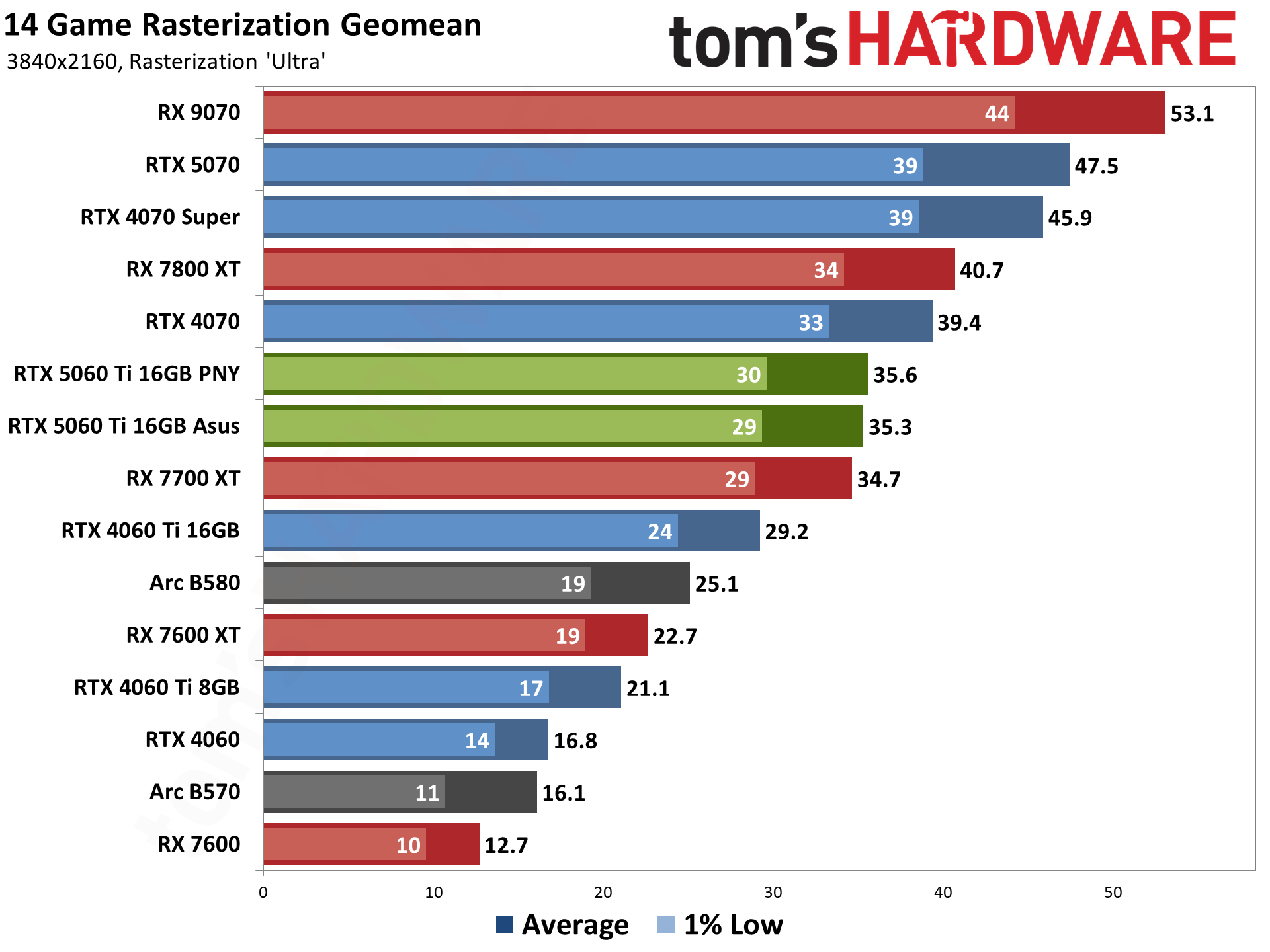
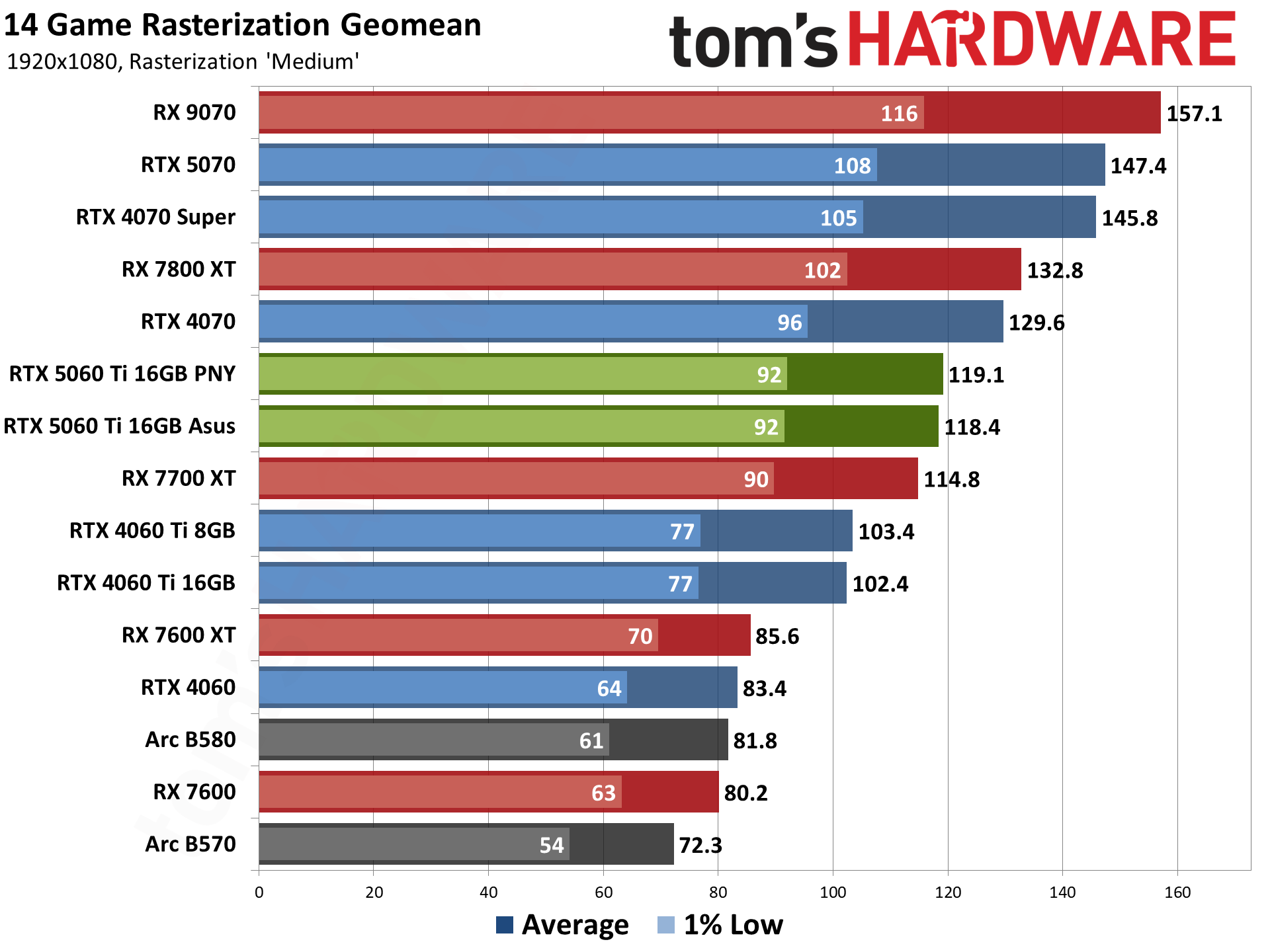
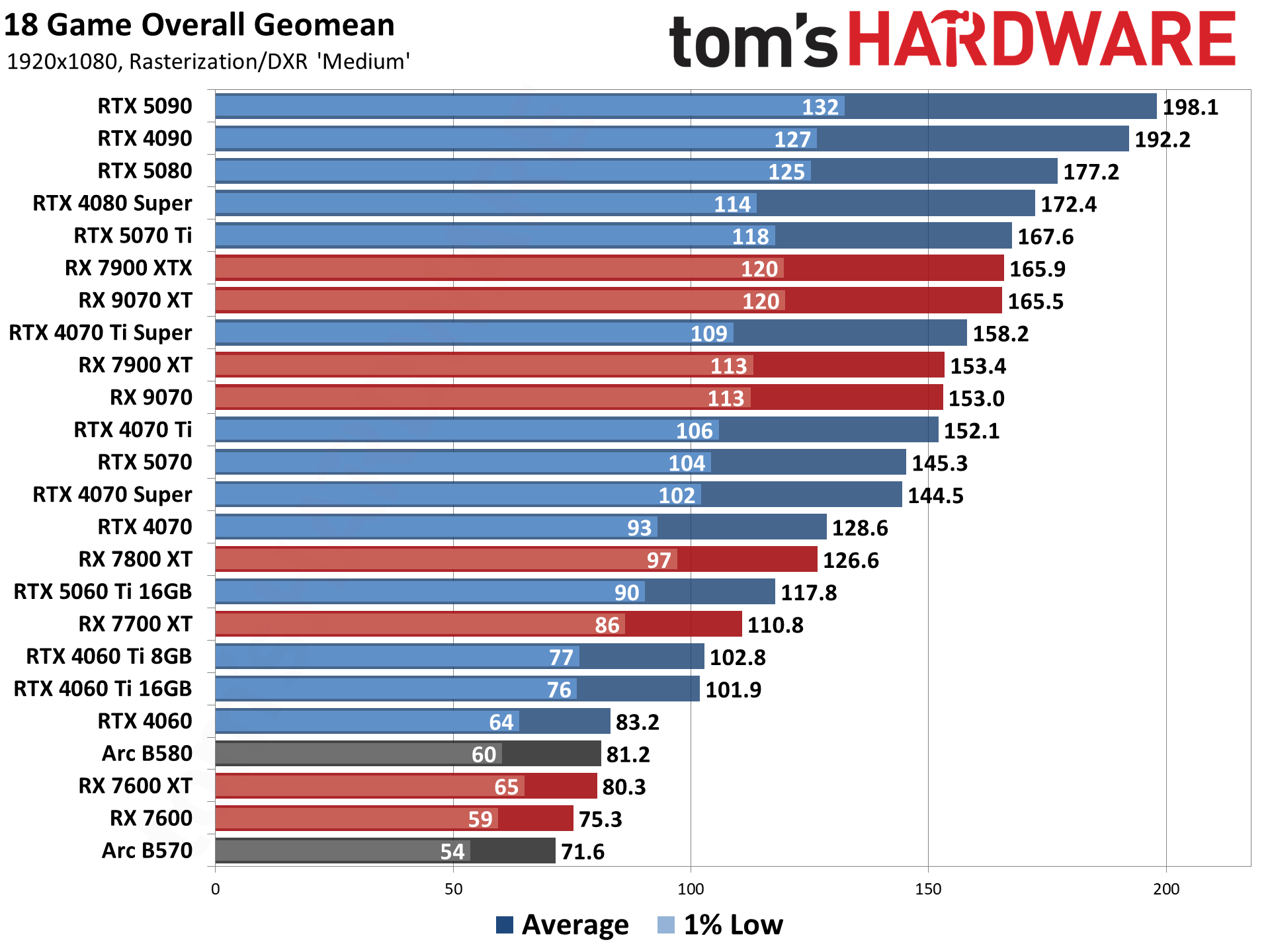
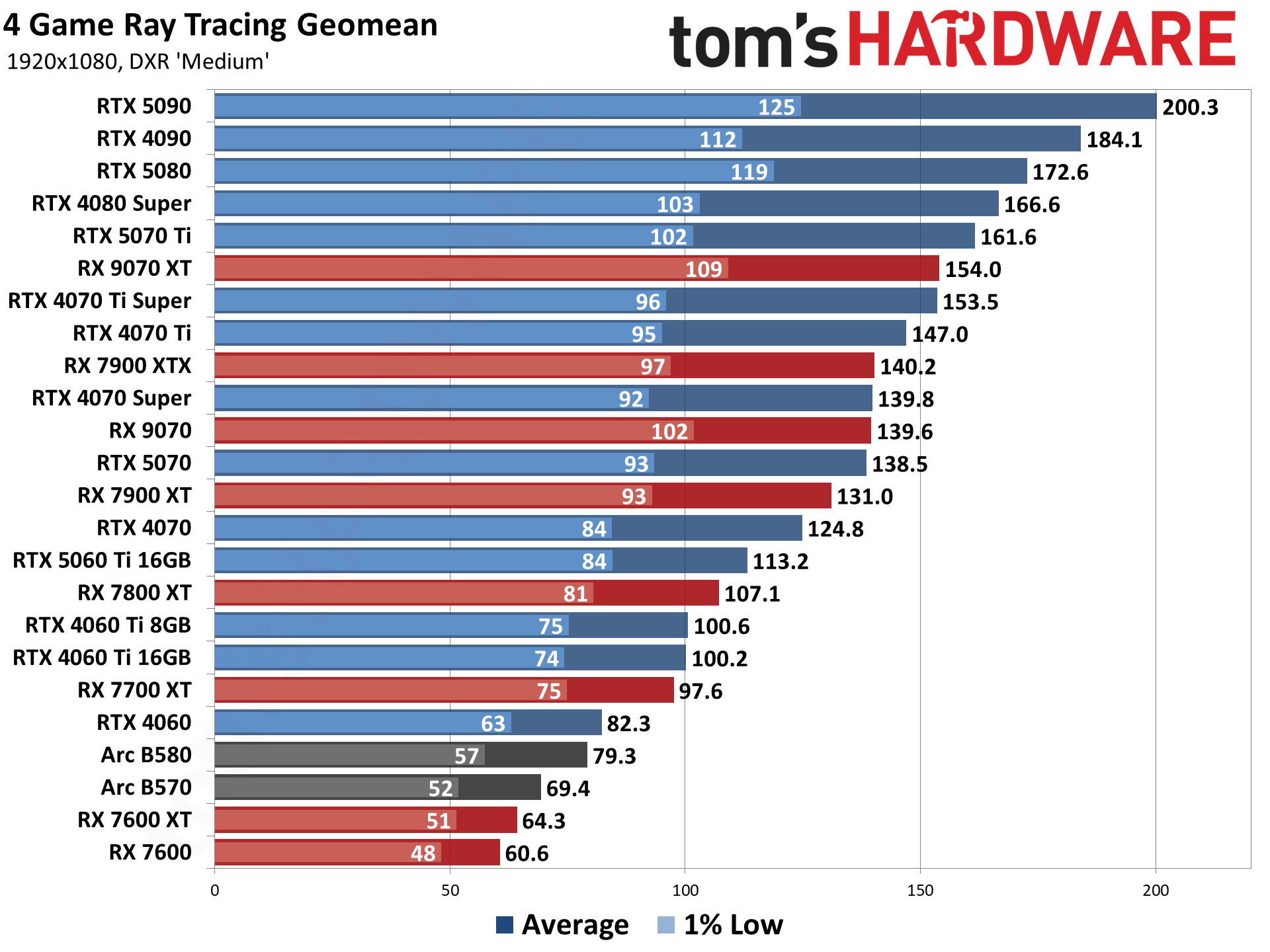
Our RTX 5060 Ti 16 GB review makes clear how good the performance is with this Blackwell GPU for gamers, especially at 1080p and 1440p. The charts you'll see below show that, especially with ray tracing in the mix, compared to rival cards at this level. Full DLSS support is included, too, so you can add multi-frame generation as a backstop. That'll give you a nice frame rate boost in the most resource-heavy games if you're pushing up to the highest resolutions.
You can also count on 16GB of GDD7 VRAM with this GPU. That makes it a much more appealing option than 8GB variants you might have to settle for in other rigs at this price point. 16GB gives you more headroom, as far as performance goes, for the most resource-heavy games at 1440p.
For the CPU, you're getting the Intel Core i7-14700F. This continues to be a popular CPU option for gaming, despite being a little older. This Raptor Lake Refresh CPU has 20 cores, with eight performance cores, which are the ones you'll want for gaming, along with 12 efficient cores for multi-threaded work. It also has a maximum turbo clock speed of 5.4 GHz, along with a 65W TDP. At 1080p or 1440p, you won't see much of a bottleneck with the 14700F at your disposal in modern games.
No risk of settling for slower DDR4 RAM here, either. You get fast DDR5 instead, with 16GB of G.Skill Flare X5 DDR5 memory included with speeds of 6,000 MT/s. You aren't getting 32GB, which is a compromise, but you do have room to upgrade later, and DDR5 ensures some extra longevity.
Storage-wise, you're also getting a 1TB Patriot P410 SSD. It has Gen 4 speeds, with that 1TB of storage ensuring you get space for a couple of the big AAA games alongside your Windows installation. This ABS build also comes with Wi-Fi 6E and Bluetooth 5.2 wireless connectivity, along with gigabit Ethernet for a wired connection to your local network.
The $1,499.99 sale price for this ABS Cyclone Aqua gaming PC makes it an affordable option for gamers who want a 1440p-ready rig right now, especially with prices rising elsewhere. The RTX 5060 Ti 16GB is the standout component, but there's no guarantee that this price will last for very long.
Right now, you can grab a budget-friendly, entry-level gaming PC at Best Buy for a very low price, especially given the current economic climate for anything gaming PC-related. On sale at Best Buy is the iBuypower Slate Gaming PC with Intel Arc B570 graphics for just $899. With $300 off its $1,199.99 list price, this is a superb deal for a 1080p gaming machine with DDR5 memory and 10GB of graphics VRAM.
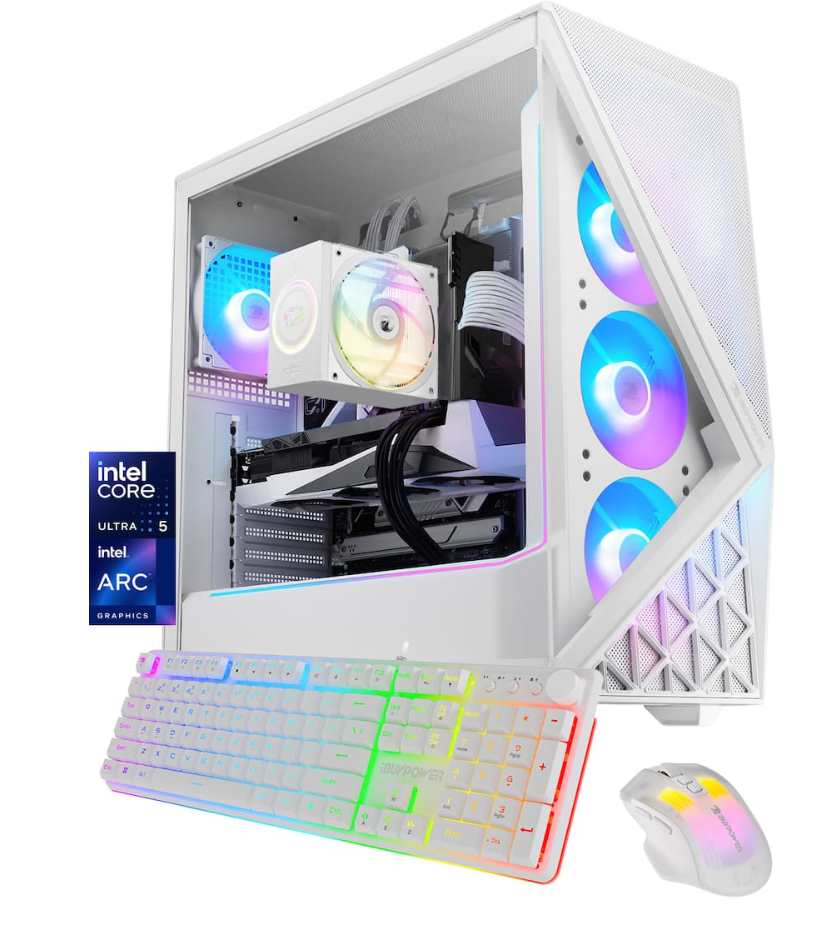
This iBuypower's Slate gaming PC comes with a 10-core, 10-thread Intel Core Ultra 5 225F processor, an Intel Arc B570 graphics card with 10GB of VRAM, 16GB of DDR5 memory, and a 1TB NVMe SSD for storage. You will be able to play games in 1440p also with this rig, but you will have to tune individual game settings to get the best frame rates and performance. Ideally, this configuration supports 1080p gaming on higher settings.
Slate Gaming PC (Arc B570): was $1199.99 now $899 A bargain-budget gaming PC in today's economy. This frugal machine features an Intel Core Ultra 5 225F processor and an Intel Arc B570 graphics card with 10GB of VRAM. There's also 16GB of DDR5 memory and a 1TB NVMe SSD for storage. View Deal
The graphics card used in this prebuilt iBuypower gaming PC is the Intel B570 graphics card, which comes with a generous amount of VRAM considering the card's price. 10GB of VRAM is fantastic for 1080p gaming; it is more than ample to handle the textures and shaders on high and ultra settings, offering a great gaming experience at this resolution.
At 1440p resolutions with higher settings, this GPU may begin to struggle when that 10GB of VRAM gets used up and starts to rely on the CPU to compensate. The B570 is a budget graphics card from Intel and has come a long way since its launch performance, thanks to driver optimizations and compatibility with more game titles.
In the chart below, the B570 sits in the middle of the pack, competing with the Nvidia RTX 3060 12GB. You can also check out our Intel Arc B570 review for more detailed information on this GPU's performance.
This prebuilt gaming PC deal from Best Buy is one of the easiest ways to currently jump into the world of desktop PC gaming. The prices of individual components are very high currently, and with that comes the stress and added risk of messing something up trying to build the rig yourself. If you're not confident or familiar with building your own PC, buying a prebuilt comes with the added bonus of an easier warranty situation. Should anything go wrong with your computer, the whole system is covered, and you don't have to troubleshoot individual parts and manufacturers for an RMA.
The core components in this build include the Intel Core I7-14700F, still a popular choice in pre-builts, along with that powerful Nvidia GeForce RTX 5070. The RTX 5070 is a solid, mid- to high-tier option for gaming that'll ensure you'll be able to hit high frame rates at 1440p, with the potential for 4K, too. You're also getting 32GB of DDR5 RAM here, along with a 1TB SSD for storage.
The ABS Flux II Aqua gaming PC comes with a 20-core Intel Core i5-14700F CPU, an Nvidia GeForce GeForce RTX 5070 graphics card, a 1TB NVMe SSD with Gen 4 speeds, and 32GB of DDR5-6000 RAM. This is a 1440p gaming powerhouse with the potential for 4K.View Deal
Our RTX 5070 review makes clear what a good performer this mid-tier GPU is for gamers in this current generation. It's on our best GPU list as the best all-rounder option for gamers right now, too. This is a solid 1440p card, but with Nvidia DLSS features at your disposal, including multi-frame generation to boost your frame rates, you'll be helped to push it even further.
With the RTX 5070, you're getting 6,144 CUDA cores and 12GB of GDDR6 VRAM, operating on a 192-bit memory bus. Performance-wise, you can expect the highest frame rates at 1080p, along with 1440p, even at Ultra. 4K will push it harder, and you might need to drop down a preset or two for stability, or make use of multi-frame gen to cover the gaps.
Coupled with the RTX 5070 is the Intel Core i7-14700F. This Raptor Lake Refresh CPU is getting older, but it's still popular and powerful, too. It has 20 cores, 12 of which are efficient cores for multi-threaded work, with the final eight performance cores giving you the power you'll need for gaming. With the RTX 5070 alongside it, there isn't much of a bottleneck here for gaming with the 14700F, and it'll handle 1440p with little trouble.
Elsewhere, you're getting 32GB of G.Skill Flare X5 RAM, split dual-channel across two 16GB modules, with speeds of 6,000 MT/s, leaving slower DDR4 memory far behind. You're also getting a 1TB Kingston SNV3S SSD here, offering Gen 4 speeds, with enough space for a couple of big AAA games alongside Windows.
Recent news and rumours have been flooding the tech space about the apparent discontinuation of Nvidia's flagship graphics card. With no new Nvidia 5090 GPU replacement anticipated before at least 2028, this could well be your last opportunity to get your hands on a very powerful GPU for gaming.
The RTX 5090 not only dominates benchmarking charts in performance, but it also dominates price charts, with the cost of purchasing a standalone RTX 5090 rising from its MSRP of $1,999 to currently over $7,500. The cheapest way to previously capture an RTX 5090 in the wild has been from either Micro Centre (who apparently is soon to be no longer stocking them), or picking one up in a prebuilt gaming PC build.
We've highlighted many RTX 5090 prebuilt PC's over the last couple of years, with models from Dell, HP, MSI, Skytech, and others. And there are still some PCs out there that can be bought for around the same price as buying the graphics card alone. But with the available pool of RTX 5090s soon starting to dry up, prices will start to climb even higher, much like what happened when the previous generation RTX 4090 ceased production.
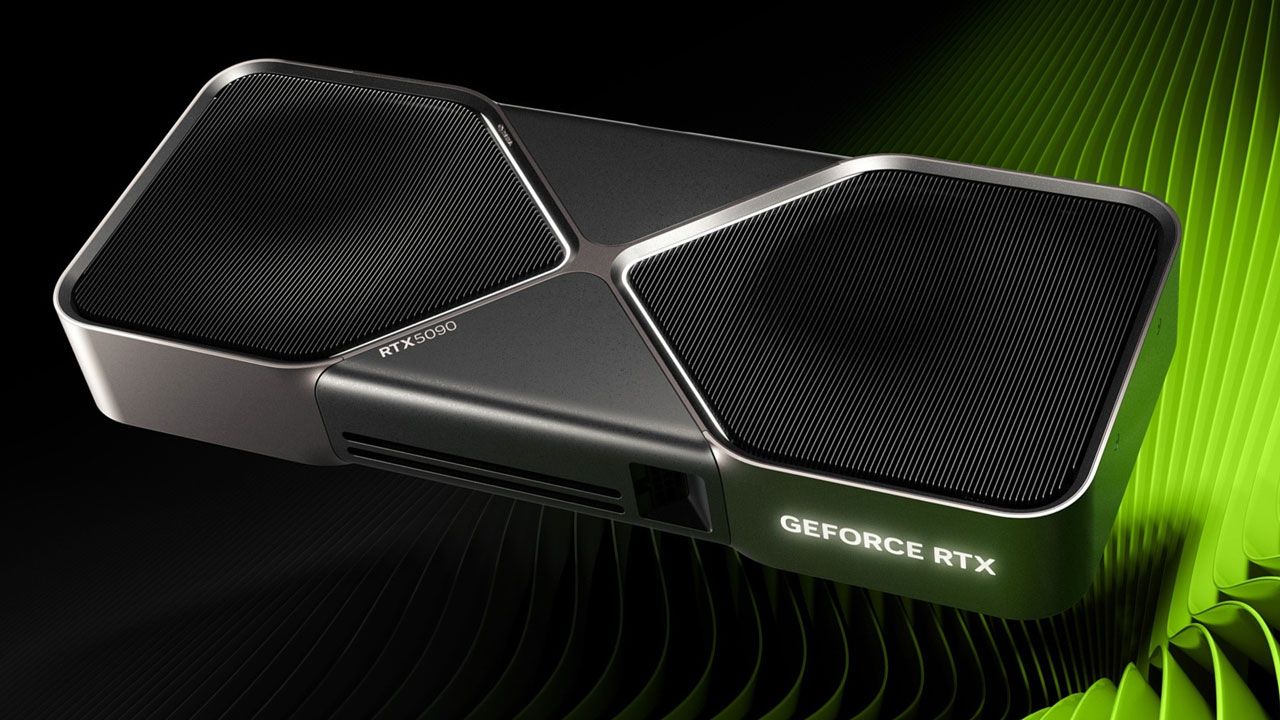
The RTX 5090 is the most powerful consumer GPU that you can buy. It sports 21,760 CUDA cores, over double the RTX 5080's 10,752 count, and provides a massive 32GB of GDDR7 VRAM. Using a 512-bit memory bus, with a memory bandwidth of up to 1,792 GB/s, the RTX 5090 is the top choice for any gaming PC. When you look at our benchmarking results in our review of the RTX 5090, it's easy to see that this super-powerful GPU dominates the competition in all performance metrics.
Tom's HardwareTom's HardwareTom's Hardware
Dell is selling this powerful PC with an AMD 9950X3D processor for $7,499.99, around the same price as buying the GPU separately, so, ignoring the insane price of the GPU for a second, that makes the rest of this PC build, including the monstrous 16-core gaming processor, 32GB of RAM, and 2TB SSD, free.
For an example of some of the RTX 5090 prebuilt PCs that you can still get your hands on, we have another discounted MSI Infinite ZS PC that's available from Best Buy, plus an example of a Skytech RTX 5090 gaming PC available at Newegg. I've also included a link to RTX 5090 gaming PCs that are in stock at Newegg, so you can get a further idea of pricing and what is available.
Gaming Blaze 5 Gaming PC: $9299.99 This Skytech RTX 5090 gaming PC packs the AMD Ryzen 7 9800X3D processor, the aforementioned Nvidia RTX 5090 GPU with 32GB of VRAM, an X670 Motherboard, 2TB of Gen4 NVMe SSD storage capacity, and 32GB of DDR5-6000 RAM. This is an expensive PC and is slightly let down by the cost-cutting motherboard solution. View Deal
If you have the money and want the best GPU that said money can buy, then you need to think about pulling the trigger before it's too late and the GPU either disappears or the prices inevitably rise even higher.
This is the Holy Grail of gaming CPUs, combined with AMD's top graphics card, a 4K gaming combination that would cost you over $1,200 to buy the two parts separately if you were putting this build together yourself.
GM70929 Gaming PC: was $2549.99 now $2259.49 This CyberPowerPC rig is ready for gaming at 1440p and 4K. It includes the AMD Ryzen 7 9800X3D, AMD Radeon RX 9070 XT, 32GB of DDR5 RAM, and a 2TB NVMe SSD with Gen 4 speeds.View Deal
As mentioned, the beating heart of this build is the excellent 9800X3D CPU. This 8-core, 16-thread beast is not quite the fastest gaming CPU on the market (it was recently dethroned by the 9850X3D), but thanks to its much more modest power draw, it remains our top pick for the best CPU for gaming on the market. As you can see, it shines in our benchmark testing as one of the fastest chips on the market, perfect for any 4K title you can think of.
The standout feature of the 9800X3D is the 3D V-cache, the 96MB of which reduces how often your CPU has to fall back on your system's RAM, drastically improving frame rates.
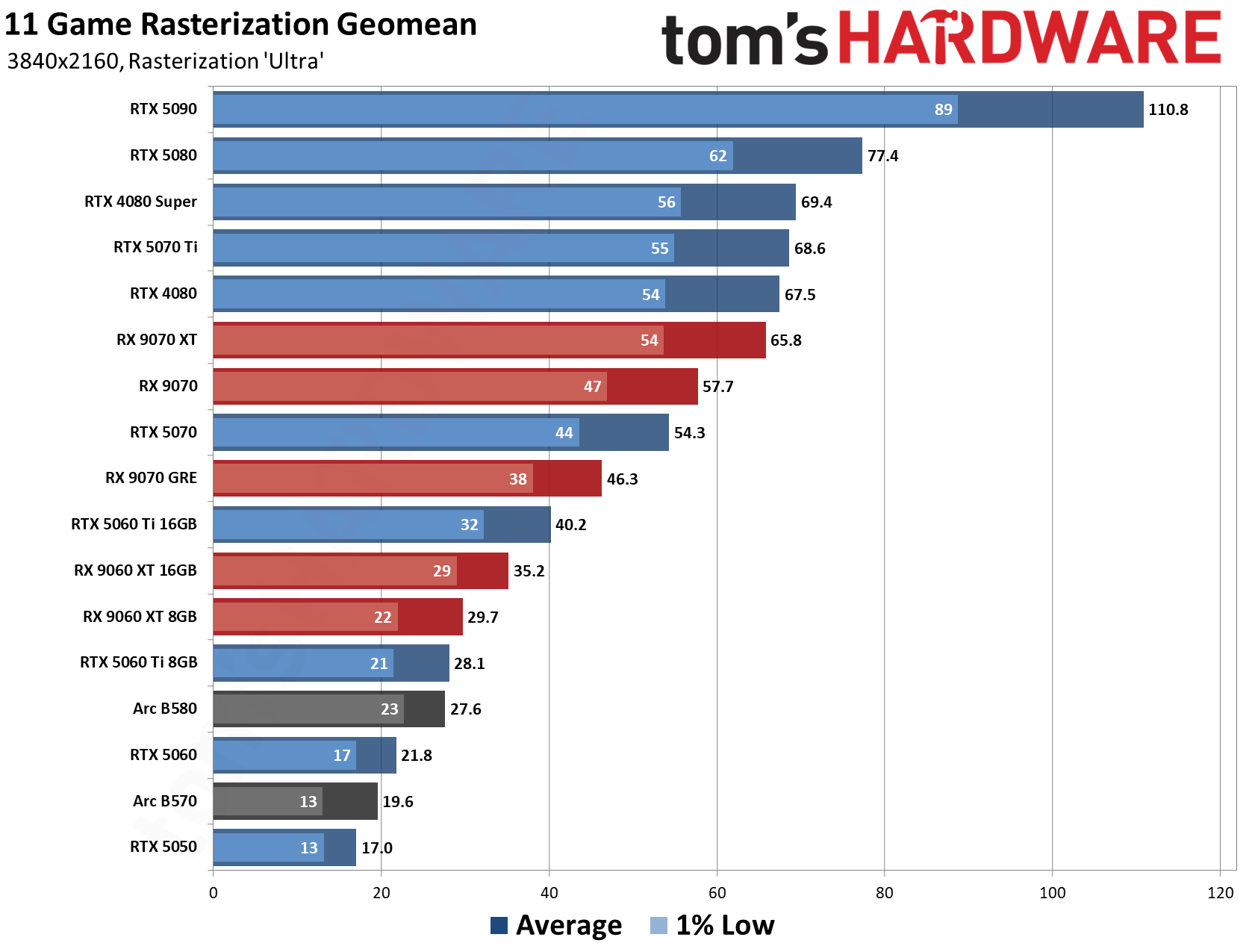
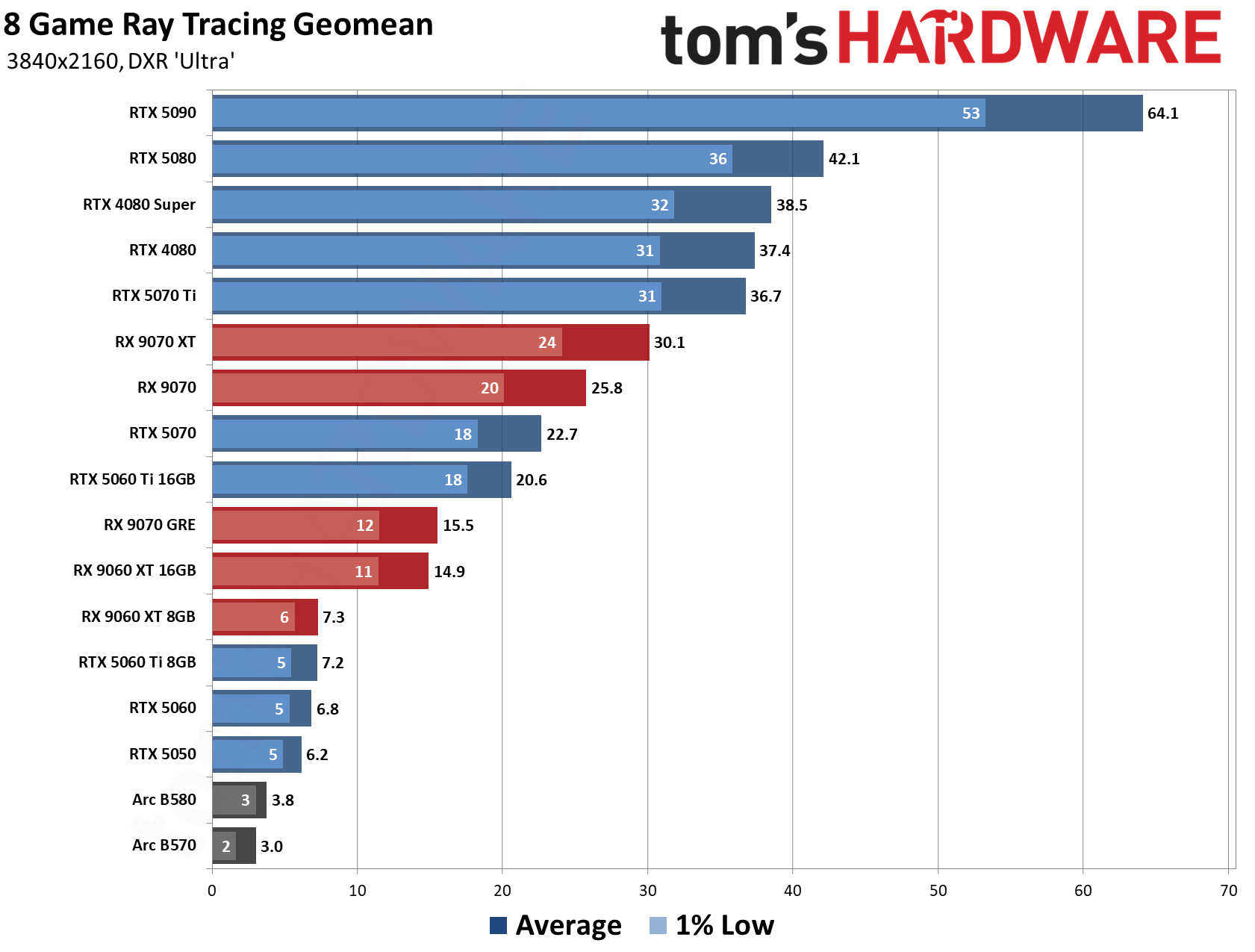
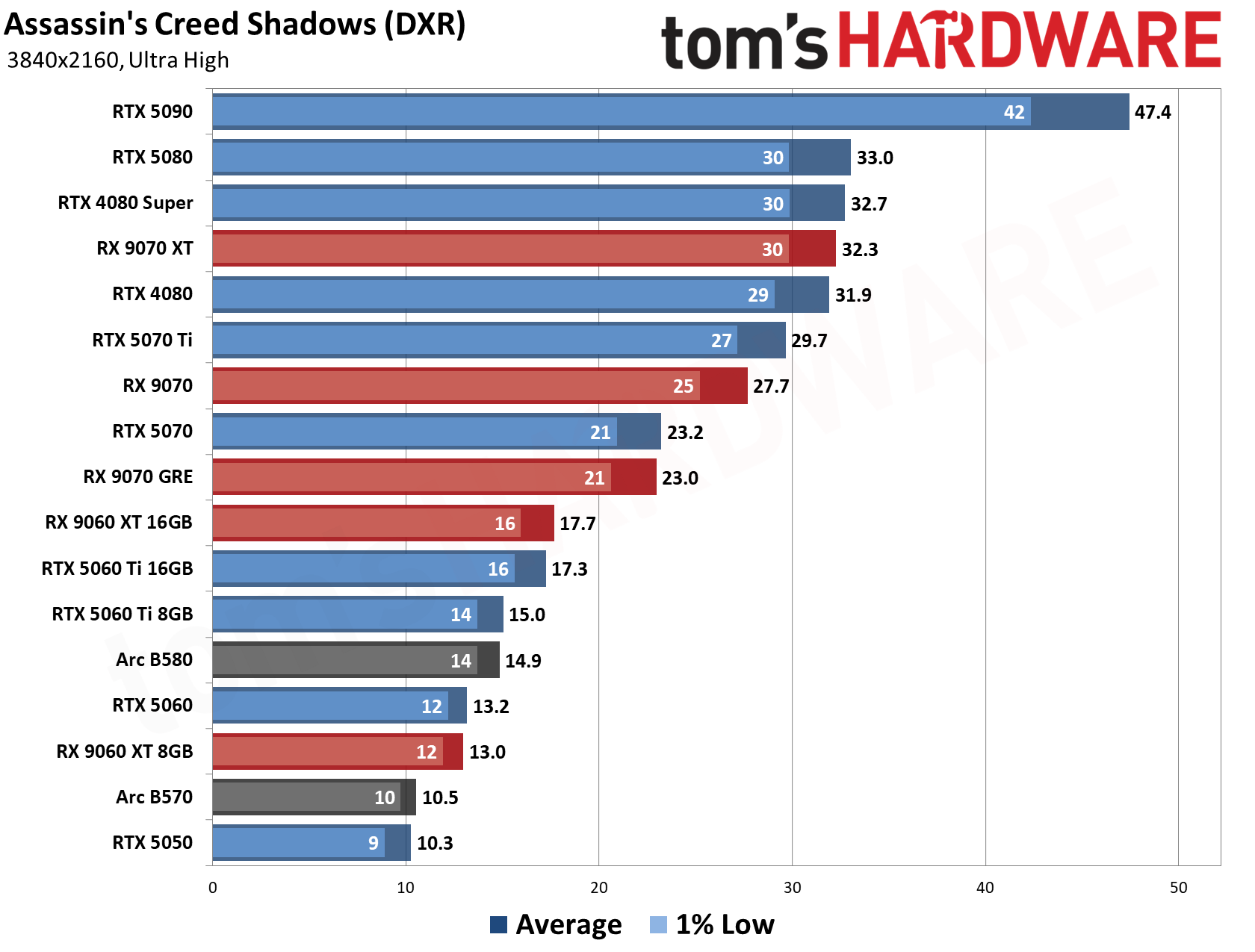
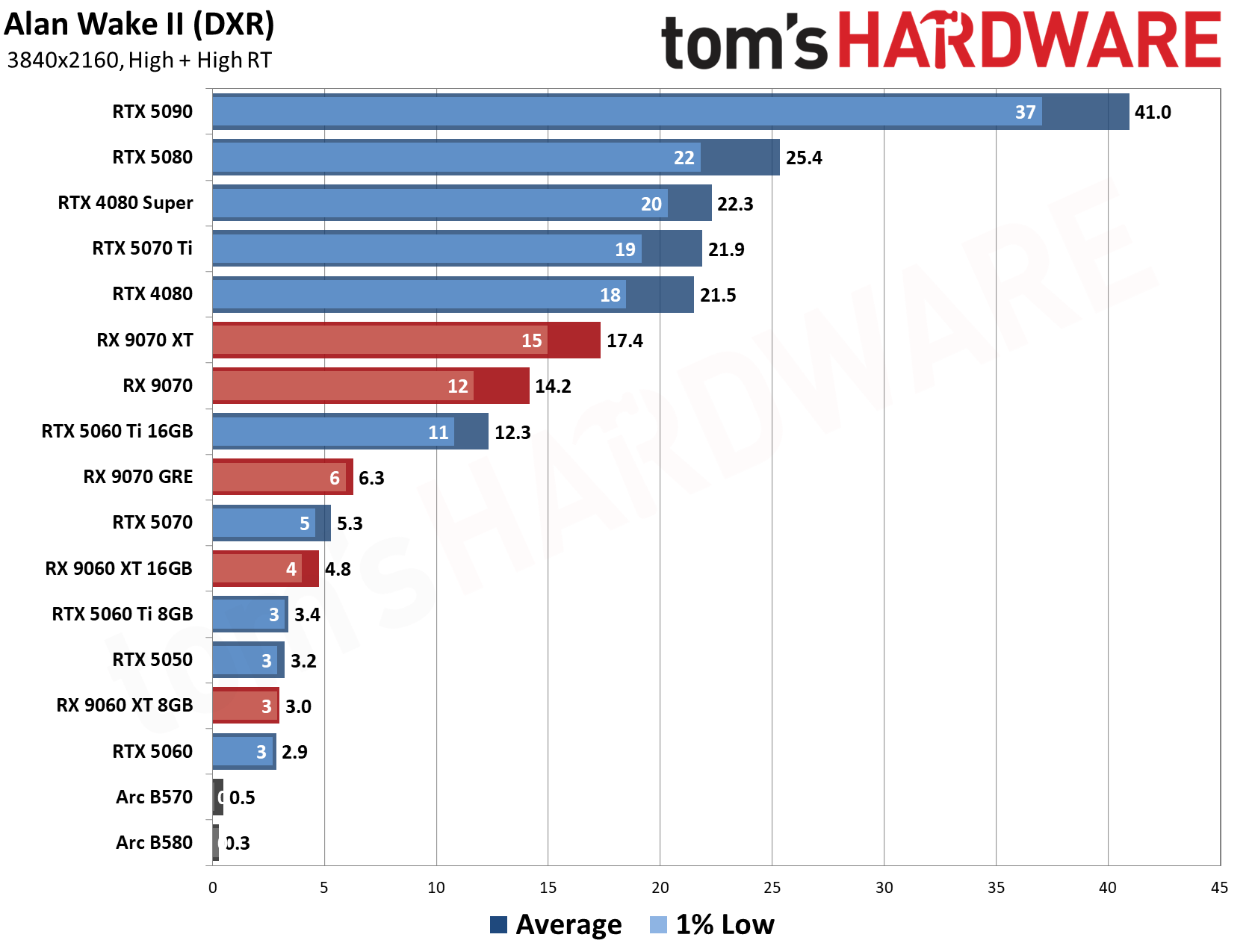
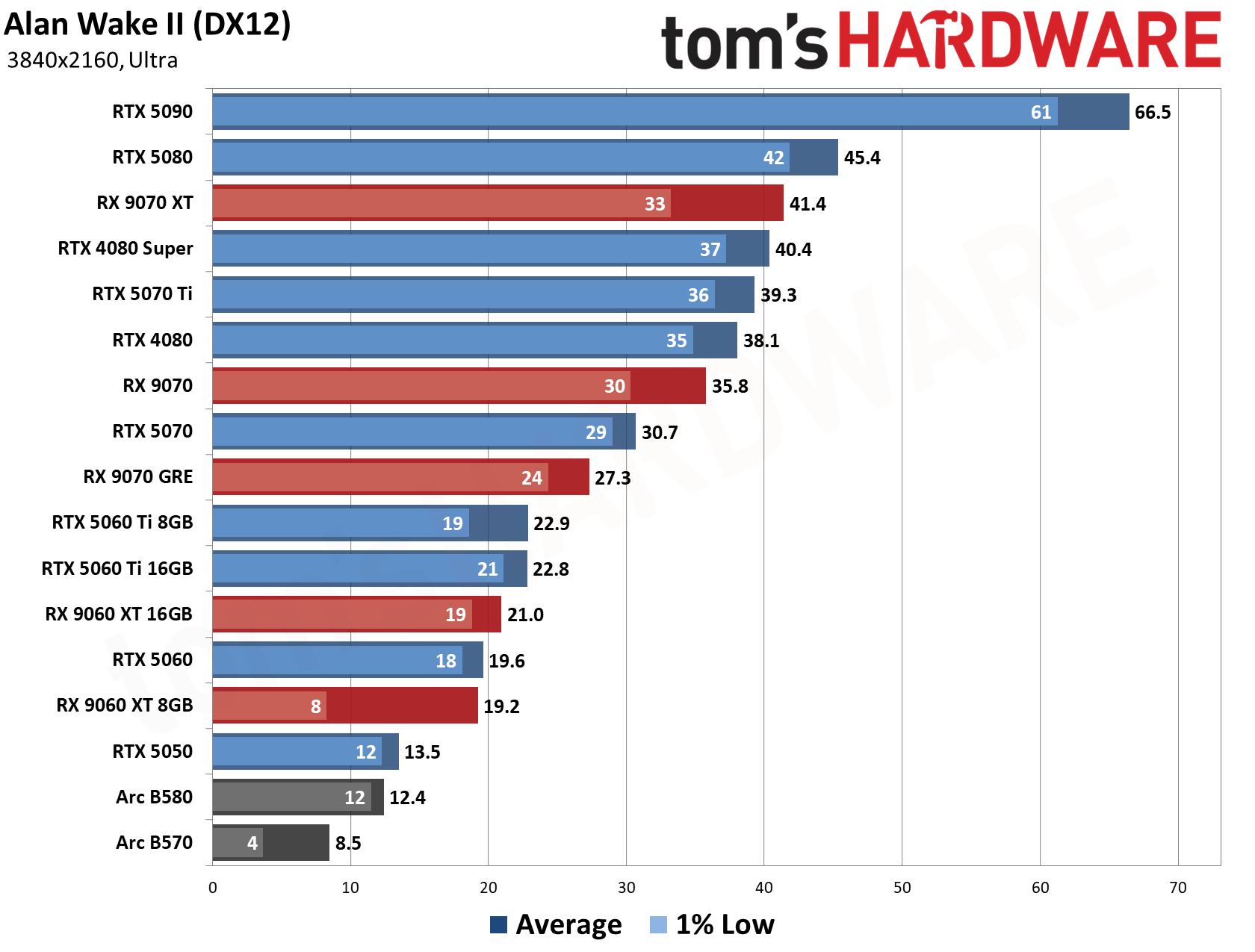
The AMD Radeon RX 9070 XT is AMD's flagship GPU, featuring 64 RDNA 4 compute units and a generous 16GB of VRAM, specs akin to Nvidia's GeForce RTX 5070 Ti, with performance to match. As you can see in our 4K testing suite, the RX 9070 XT performs significantly better than the RX 9070 and Nvidia's GeForce RTX 5070, lagging behind the 5070 Ti and the 4080. While you won't get access to Nvidia's popular DLSS technologies, this is still a very capable and popular graphics card, currently worth $800 in the current market.
The supporting cast of this build is also quite generous in the circumstances. You get 32GB of DDR5 RAM worth at least $400-$450, and a 2TB Gen 4 NVMe SSD worth $250. To keep everything running, there's a 1000W power supply and ARGB liquid cooling to keep your processor nice and cool. The motherboard is a mid-range B850 model.
For your troubles, you'll also get a free copy of Onimusha to play on your new rig, a freebie with a list price value of $69.99 at Newegg.
There's no denying this PC would have been cheaper even just a few months ago, but this is a very respectable build in the current market.
A Chinese rival to the DGX Spark and the Ryzen AI Halo, at least on paper, has emerged with Sipeed’s announcement of the MaixStation. The system, built on Axera’s new AX8860P, is in the same memory class with 128GB of LPDDR5X on a 256-bit bus at 273 GB/s. Sipeed told Tom’s Hardware Premium it expects the 128GB model to cost around $3,999, with launch discounts on Kickstarter, putting it level with the 128GB Ryzen AI Halo and well under the DGX Spark’s current MSRP of $6,950. Sign-ups are open now on Sipeed’s MaixStation page ahead of a Kickstarter campaign at the end of the year, with units shipping within three months after it closes. The NPU toolchain is due by the end of this month.
The AX8860P is a 16-core Arm Cortex-A55 part with an in-house NPU rated at 256 TOPS at native FP4 with no sparsity. The chip is produced in the 6nm process, Axera says. Sipeed claims the system has 25% faster prefill and 30% faster decode than the DGX Spark when running Qwen 27B (the company did not disclose which specific model, but later details that it expects a single MaixStation to run Qwen 3.8-27B) from a single node.
In its email, though, the company put its MaixStation about 10% ahead on both prefill and decode when compared to DGX Spark, with FP4 on each machine, with speculative decoding off, and said newer runs with a wider lead aren’t official yet. It teased the new product on its X account, showing a photo from the AX8860P’s announcement at an industrial fair in Shanghai on Tuesday.
Sipeed MaixStation vs Nvidia DGX Spark vs AMD Ryzen AI Halo
Sipeed MaixStation (Axera AX8860P)
Nvidia DGX Spark (GB10)
AMD Ryzen AI Halo (Ryzen AI Max+ PRO 495)
AMD Ryzen AI Halo (Ryzen AI Max+ 395)
Status
Kickstarter at the end of 2026; specs are Sipeed’s claims
128GB on sale; 64GB due Oct. 23 through partners
On sale
On sale
CPU
16 Arm Cortex-A55 cores
20 Arm cores (10 Cortex-X925, 10 Cortex-A725)
16 Zen 5 cores
16 Zen 5 cores
Memory
128GB LPDDR5X; 512GB on MaixStation Pro
128GB LPDDR5X; 64GB through partners
192GB LPDDR5X-8533
128GB LPDDR5X-8000
Memory bandwidth
273 GB/s
273 GB/s
273 GB/s
256 GB/s
AI compute (rated peak)
NPU: 256 TOPS FP4, no sparsity
Blackwell GPU: up to 1 PFLOP FP4 with sparsity, about 500 TFLOPS dense
Radeon 8065S GPU (40 CUs): up to 61 TFLOPS FP16; NPU: up to 55 TOPS
Radeon 8060S GPU (40 CUs); NPU: up to 50 TOPS
Software
Debian 13; NPU toolchain due at the end of October; Sipeed claims vLLM, SGLang and PyTorch support
DGX OS (Ubuntu 24.04 LTS) with CUDA and Nvidia’s AI software stack preinstalled
ROCm, validated as a “Best-Known Configuration”; Linux now, Windows “coming soon”
Linux or Windows 11 Pro
Networking
10G SFP+; 256 Gbps C2C link (up to 384 Gbps), up to eight nodes without a switch, per Sipeed
10GbE; ConnectX-7 at 200 Gbps, up to four systems (four need a switch)
10GbE
10GbE
Price
About $3,999 expected (128GB), per Sipeed
$6,950 (128GB); 64GB from $4,999 through partners from Oct. 23
$7,299.99 (Linux)
$3,999.99
For comparison, the DGX Spark also comes in 128GB at 273 GB/s with another SKU at 64GB, the two models priced at $6,950 and from $4,999. The former has been on sale since October 2025, at its current price since Oct. 2, and the latter is expected through partners on Oct. 23. For AMD, its Ryzen AI Halo has a 192GB Max+ PRO 495 model at 273 GB/s, released earlier this week at $7,299.99 for the Linux version, and the 128GB Max+ 395 model with 256 GB/s at $3,999.99. In all cases, 256-bit LPDDR5X is used, so the salient differences are memory capacity, compute, and software.
Memory is also a big share of what these systems cost: the best U.S. price for a 128GB DDR5 kit was $3,399 in August, and TrendForce expects conventional DRAM contract prices to rise another 10–15% this quarter. As for its unit prices, Sipeed says it used current DRAM prices rather than stock bought last year. It also suggested buyers could supply their own SSD, which could cut the price further, clarifying that the MaixStation takes a standard M.2 2280 drive rather than the Spark’s less common 2242.
Software-wise, the Spark ships with DGX OS, which is Nvidia’s build of Ubuntu 24.04 LTS, with CUDA and Nvidia’s AI software stack preinstalled. AMD validates ROCm, drivers, models, and frameworks together as a “Best-Known Configuration.” Neither the Spark nor the PRO 495 ships with Windows yet, though AMD says Windows versions are “coming soon,” and the Max+ 395 model already offers Windows 11 Pro. Sipeed, aside from its upcoming NPU toolchain, claims support for vLLM, SGLang, and PyTorch, with Axera adding ONNX, Hugging Face (HF) model formats, and an OpenAI-compatible API. MaixStation itself ships with Debian 13 and Linux 6.18, and Windows support for the PCIe card will depend on demand, Sipeed says.
Chinese solutions already exist on AMD silicon, such as GMKtec’s 192GB Evo-X5 Pro at $6,799 to $7,099. There’s also Minisforum’s MS-S1 Max-P495. What’s new with the MaixStation is the Chinese silicon underneath.
The Axera AX8860P, as recently launched, has, in addition to the above specs, PCIe 5.0 support, 64-channel video decode with 16-channel encode, and support for multiple form factors, including a single-slot, four-chip PCIe card capable of running up to 512GB of memory, with mini and pocket PC products planned. Like the eight-core AX8850 in Radxa’s and M5Stack’s M.2 accelerator cards, it pairs Arm Cortex-A55 cores with Axera’s NPU, now with twice the cores and up to 128GB of memory instead of 8GB. Two- and four-chip cascades reach a theoretical 512 and 1,024 TOPS, respectively, at a claimed scaling efficiency of about 80%. The CPU, against the Spark’s Cortex-X925 and Halo’s Zen 5, is small and in-order. It’s sufficient for the NPU but potentially more limited for other tasks.
The box itself measures about 11 × 11 × 3 cm and draws about 40W in typical use, powered over USB-C, according to Sipeed. Its ports include 10G SFP+, USB-C, an M.2 2280 slot for a PCIe 5.0 SSD, and an MCIO 8i connector for linking a second unit.
Sipeed says the MaixStation supports all configurations, that’s single, dual, and quad node, plus any “PCIe card mode for any card count you want.” The interconnect in use is a 256 Gbps C2C connection (up to 384 Gbps) “without [an] extra switch needed, and [up to] 8-node.”
The contrast is with the Spark’s QSFP ports, and Nvidia’s datasheet says linking four Sparks “requires [an] external switch.” The math, at 32 Gbps per lane, works out to 256 Gbps with the default eight lanes and 384 Gbps with the maximum of twelve. Remote-access test units and a few review units will follow during the Kickstarter campaign, the company told us.
Sipeed also commented on the openness of the platform, saying, “Yes, bsp sdk is open, you can use AI to port any distribution on it!” Sipeed has previously sold Axera boards, with products dating back to 2022 using the AX620A, AX650N, and AX630C.
The claims of the MaixStation being faster in some workloads are coupled with Sipeed saying “In fact you need [to] ask why DGX is so slow…” with potential financial implications, as Nvidia “just [wants to make] more money from users.” When an X user argued that Sipeed must be using extreme quantization at that bandwidth, the company suggested that the Spark’s specs may be overstated.
By our math, the decode claim is plausible with a 4-bit 27B model, which sits at about 13.5GB. Performance on comparable machines tops out near 20 tokens per second, which means around 270 GB/s. Prefill, which is compute-bound, is a harder sell, but Sipeed stated that “DGX Spark 1000TOPS is fake ‘sparse.’” That 1 PFLOP figure does rely on sparsity, but the DGX Spark’s dense rate of about 500 TFLOPS is still around double the AX8860P’s 256 TOPS.
Axera’s current stack has Pulsar2 as the NPU compiler and toolchain, with version 8.0 on HuggingFace last week, and the V7.0 docs already list the chip as the AX8860. There’s no operator support list for the chip yet, and the docs’ LLM chapter for older chips lists weights down to 4-bit integers but no FP4. Neither the ax-llm runtime nor AXCL, the host-side PCIe driver and runtime for Axera’s cards, lists the chip yet. Sipeed says the end-of-month release is AXDSL, a kernel-programming language, plus the Pulsar2 source code, and that SGLang and vLLM run on a custom backend built on it, so Hugging Face models run without a conversion step.
Enthusiasts are already eager to know the final specifications and pricing for the different models. On paper, as far as local LLM machines go, the MaixStation matches the Spark on memory size and claimed bandwidth, and the Max+ PRO 495 Halo on bandwidth alone. Testing performance claims will also have to wait for the toolchain and sample machines land, hopefully before the end of the year.
The rising costs of components have led to a crisis in the consumer PC market. Prices on standard kits of DDR5 are through the roof, NVMe SSD prices are higher than ever, and worst of all, GPUs are also affected by the AI-driven onslaught. But when shopping around for reasonable prices, there might be a better solution than Newegg, Amazon, and Best Buy if you’re lucky enough to live near (or are willing to drive to) one of Micro Center’s 30 U.S. locations.
In the current climate, choice has been severely limited when it comes to upgrading or building a new PC. You can’t just pick the best components to build a high-powered gaming rig, as many components are out of stock or at eye-watering prices. The same goes for trying to construct a budget PC build, as there just aren’t any cheap components anymore, apart from certain parts like AM4 CPUs, which are tied to limited upgrade paths. Just take a look at the price and availability of Nvidia’s RTX 5090, for example; at the time of writing, the cheapest RTX 5090 gaming GPU available online is $6,549.99, and that’s from a third-party seller on Amazon, not directly from a large first-party retailer or manufacturer. There are even reports that the RTX 5090 has been effectively discontinued in favor of making AI GPUs, which means pricing will only get worse over the coming months.
If you’re anything like me, when I’m even remotely considering spending that kind of money, I’m not willing to risk buying from a suspicious retailer or a seller that can’t refund or replace the product should there be a fault, or if it gets damaged in transit. The original MSRP for the RTX 5090 at launch was just $1999.99. I remember balking at that price; now I wish I’d made the leap, as the next generation of GPUs is likely not coming before 2028, discounting pricing and availability.
So, where does that leave us, in a climate that feels actively hostile to enthusiasts? There is one place that seems to be a small bastion of defiance amongst the doom and gloom of the price-rising apocalypse, and that’s Micro Center. Should you be lucky enough to live near a store, or at least within driving distance, then you have another option open to you for finding PC components at prices that are often much cheaper than both Amazon and Newegg. Unfortunately, apart from a small marketplace storefront on Amazon, Micro Center does not do business online.
Having a quick look at some in-store offerings at one particular store location, I can find several RTX 5090s: the Asus GeForce RTX 5090 ROG Astral and MSI GeForce RTX 5090 Suprim, both priced at $5,029.99, over $1,500 cheaper than the cheapest available RTX 5090 found online at Amazon. That’s a considerable difference, but again, these prices are only available to those willing to make the trek to their local Micro Center store, and that’s a major caveat for the majority of Americans.
It’s not just the RTX 5090 either. I check for the best prices and deals on tech products daily, often finding some of the best value in component bundles from Newegg, where the high prices of RAM and SSD storage can be offset against the savings you typically make from bundling a bunch of deals together. Micro Center often undercuts these bundles with similar offerings at a significantly reduced price, but the issue is the ability to take advantage of the deal. The reason I don’t just highlight Micro Center deals more often is the limited availability to the majority of our readers.
Bundle breakdown
Let’s break down an example of one of Micro Center’s DDR5 component bundles. This gaming-oriented bundle features an AMD Ryzen 7 9800X3D processor, an MSI B850 Gaming Pro WiFi6E AM5 motherboard, and 32GB of G.Skill Flare X5 Series DDR5-6000 memory. The total for these three components in a bundle is $899.99, with the cheapest price listed on PC Part Picker for the 9800X3D at $449, the MSI B850 Gaming Pro WiFi6E listed as $189, and the 32GB of G.Skill RAM costing $479 for a combined total of $1,117.
How much is a similar component bundle from Newegg? Well, the closest comparable combo bundle on offer features the same 9800X3D processor, a slightly better Asus TUF Gaming X870E-Plus WIFI7 motherboard, and the same amount of memory with very similar speeds from Corsair. The total for this bundle is $1,109.
Comparing the two bundles directly, even with a slight difference in components, there is a large $200 price difference. Some of that is tied up in the higher-tier motherboard, but even taking that into account, Micro Center's price is still lower. So it’s definitely worth exploring the idea of heading to a brick-and-mortar store over simply buying online. Just remember to factor in the price of the gas, and your time, on your way there.
Micro Center
Component
Micro Center List Price
PC Part Picker List Price
Micro Center Bundle Price
AMD Ryzen 7 9800X3D
$479
$449
MSI B850 Gaming Pro WiFi6E
$189
$189
G.Skill Flare X5 Series DDR5-6000 32GB
$599
$479
$1,267
$1,117
$899
Newegg
Component
Newegg List Price
PC Part Picker List Price
Newegg Bundle Price
AMD Ryzen 7 9800X3D
$469
$449
Asus TUF Gaming X870E-Plus WiFi7
$289
$234
Corsair Vengeance RGB DDR5-6000 32GB
$499
$499
$1,257
$1,182
$1109
Even with Micro Center managing to offer consumers another choice in the PC component landscape and undercutting the pricing of the bigger retailers, the underlying problem of PC component prices skyrocketing remains. Memory and NAND prices continue to rise with no end in sight; major component manufacturers like Micron, which owns the Crucial brand, have pulled out of the consumer market, meaning even less choice in stores and ending any ongoing support for consumers who have purchased products previously. Stock is running low or has expired on the best-value products, and consumer choice is being strangled.
If you currently own a DDR4 system, the cost of upgrading to DDR5 is astronomical; the same goes for upgrading your graphics card to the latest Nvidia 50-series GPUs. Nothing is available anywhere near the original MSRP launch prices, and the more affordable budget-to mid-range card SKUs only offer 8GB of VRAM, which is not great for modern gaming, as resolutions over 1080p can easily demand more. So, if you’re near a Micro Center location and you want an upgrade, they are more than likely going to offer you the best value for money in the current market. For the rest of us who don’t live near a Micro Center, keep checking our coverage for the best possible prices on PC components.
Redditor u/cal93 had the used PC they bought for $650 from an unnamed seller suddenly blocked from working by a remote trigger. According to their post, they bought the computer a few months ago on OfferUp, but downloading a Windows update last month led to the situation. Fragile, which is NZXT’s partner that runs the Flex subscription program, commented on the thread, saying that the PC they bought was a rental and that the seller had no right to sell it. We spoke with the Redditor, and documents reviewed by Tom's Hardware confirm that they were sent an entirely new PC by Fragile, free of charge, to replace the stolen PC they originally purchased, with the requirement that the stolen PC be turned in to the police.
“We’re sorry you’ve been put in this situation. The PC you purchased was being rented through NZXT Flex, and the person who sold it to you did not own it or have the right to sell it. We understand you paid for what you believed was a legitimate purchase, and we want to help,” the company said. “Please email us or call/text with a link to this thread so we can connect with you directly. You can also DM us here on reddit. In situations like this, we typically work with the buyer and local law enforcement to help pursue the seller. Please keep any messages, the original listing, and proof of payment.”
This response was great news for u/cal93, who said that they were using the computer for school. They added to the thread that they were happy with the proposal and would provide more details once the company gave them the green light. u/cal93_’s latest Reddit update gave us more details about the transaction. They said that the seller sold the PC to them, which appears to be an NZXT Flex One unit worth around $1,500, for $650. When Fragile saw the post and reached out, the company asked for proof — receipts, chats, and seller information — after which it agreed to replace the “bricked” PC. The Redditor is just waiting for the shipping label and instructions to drop off the device at FedEx and then hopefully get their replacement soon after.
NZXT’s PC rental program started back in 2024 and is one solution for a person who needs a computer right now but can’t afford the upfront spend requirement of buying one. However, the program faced issues a little over a year in, resulting in a RICO lawsuit in California. This ended with the company paying a settlement earlier this year, totaling $3.45 million, to affected customers. Because of this, some commenters call this move a “rare” win for the user, while also earning NZXT and Fragile some positive feedback.
Whatever the case, the Redditor said that they got the best possible scenario, as they will get a new PC to replace the one they were scammed on. Fragile also said that it will pursue the person who sold the rental NZXT PC, so they’re not getting away scot-free either.
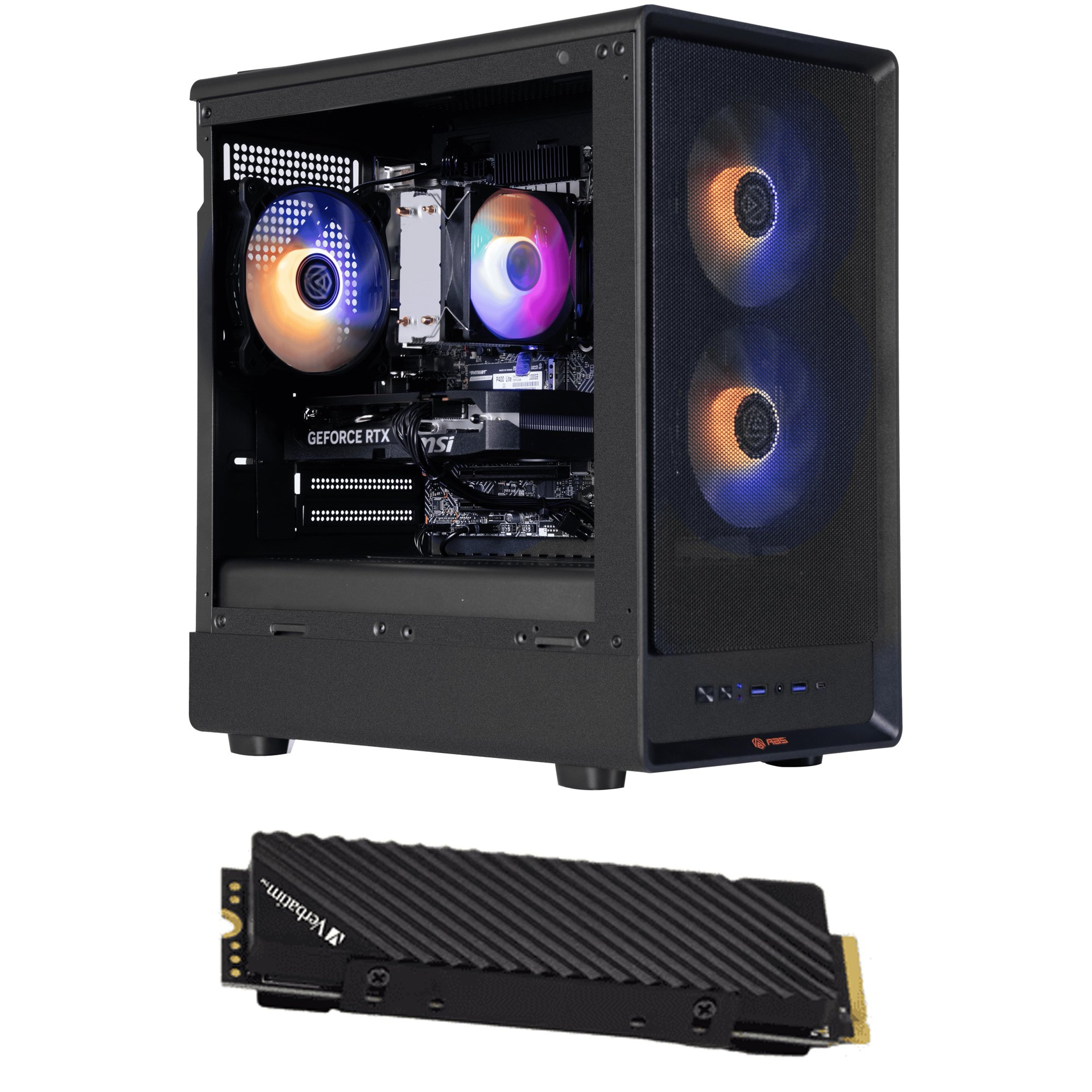
These are budget-focused machines, and while some compromises do have to be made, the specs are pretty formidable for their price point. The ABS machine is fitted with an Intel Core i5-14400F, still a popular choice in lower-end machines like this one, along with 16GB of DDR4-3200 memory, a 1TB SSD, and most importantly, an Nvidia GeForce RTX 5060 8GB.
The RTX 5060 means you're getting high frame rates at 1080p, even with the highest graphics presets. DLSS support, meanwhile, gives you full access to Nvidia's bag of tricks, including multi-frame generation, which'll prove useful if you decide to go for 1440p or need an AI-generated push.
You also get an additional 2TB SSD with this deal, a Verbatim 2TB Vi7000 offering Gen 4 speeds. It's unclear whether or not this comes pre-installed, but installing an M.2 drive is an easy process, even for a beginner.
additional 2TB SSD included
Cyclone M Aqua: was $1158.99 now $999 This ABS rig includes an Intel Core i5-14400F, Nvidia GeForce RTX 5060 8GB, 16GB DDR4-3200 RAM, and a 1TB SSD for storage. You also get an additional 2TB SSD included with this package.View Deal
On the flip side, you could go for the CyberPowerPC machine at Best Buy instead. It'll cost you 99c more, but instead you get a rig that includes the AMD Ryzen 7 8700F. This is an AM5 CPU, so you are better future-proofed here than the LGA 1700 socket used for the 14400F should you decide to upgrade the CPU later. It's also a newer, faster CPU, running with a 4.1 GHz base clock speed, boosting up to 5 GHz.
You also get the AMD Radeon RX 9060 here, also with 8GB VRAM. The RTX 5060 is faster, but this GPU isn't far off it in terms of raw power, and it'll still work well at the 1080p range you'll be focusing on with these specs. You're also getting faster DDR5 RAM here, also 16GB, with a 1TB SSD for Windows and any games.
These are both good machines for 1080p gaming, with a price that puts them below $1,000. Given the current market, finding any rig priced this low with modern components is a struggle. The ABS Cyclone M Aqua for $999 is a good option with the RTX 5060, with DLSS support giving you an additional edge in-game, along with that extra 2TB SSD.
That said, the CyberPowerPC rig for $999.99 is a solid alternative, with newer components and better options for upgrades into the future. Either one will suit you fine for modern gaming, but these prices aren't likely to stick around for very long.
The package arrives, and we are excitedly tearing into the boxes, putting the parts on the table, and we are ready to build! We reach into the toolkit and dig out the rusty old screwdriver we used to open a paint can back in 2014. We then spill standoffs and screws over the floor, ready for an unsuspecting foot at 2am!
But wait, it doesn't have to be like this! We've all done this, made the mistakes, and now we share my knowledge and that of the Tom's Hardware staff so you don't have to hunt for the Amazon Prime Big Deals.
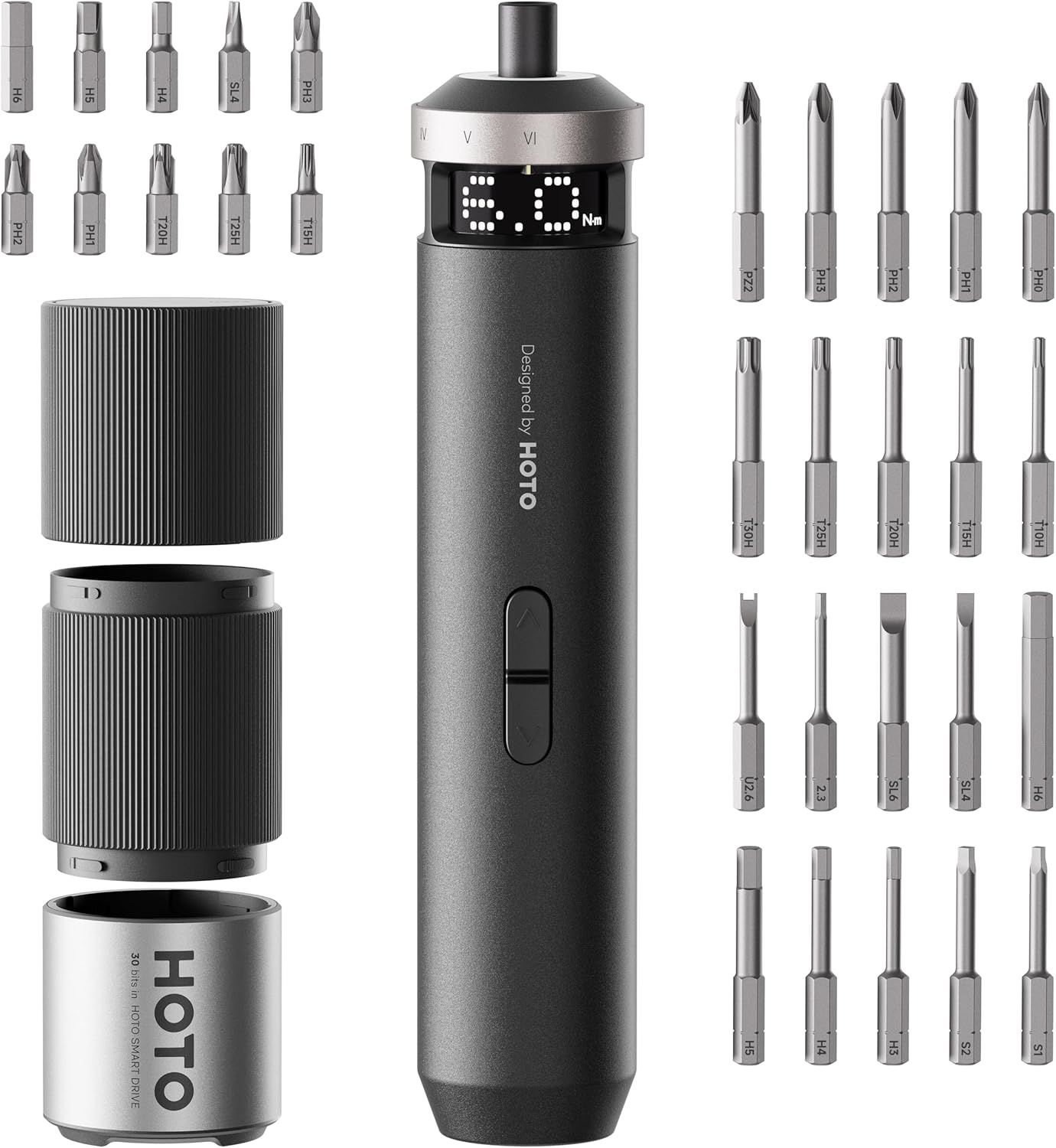
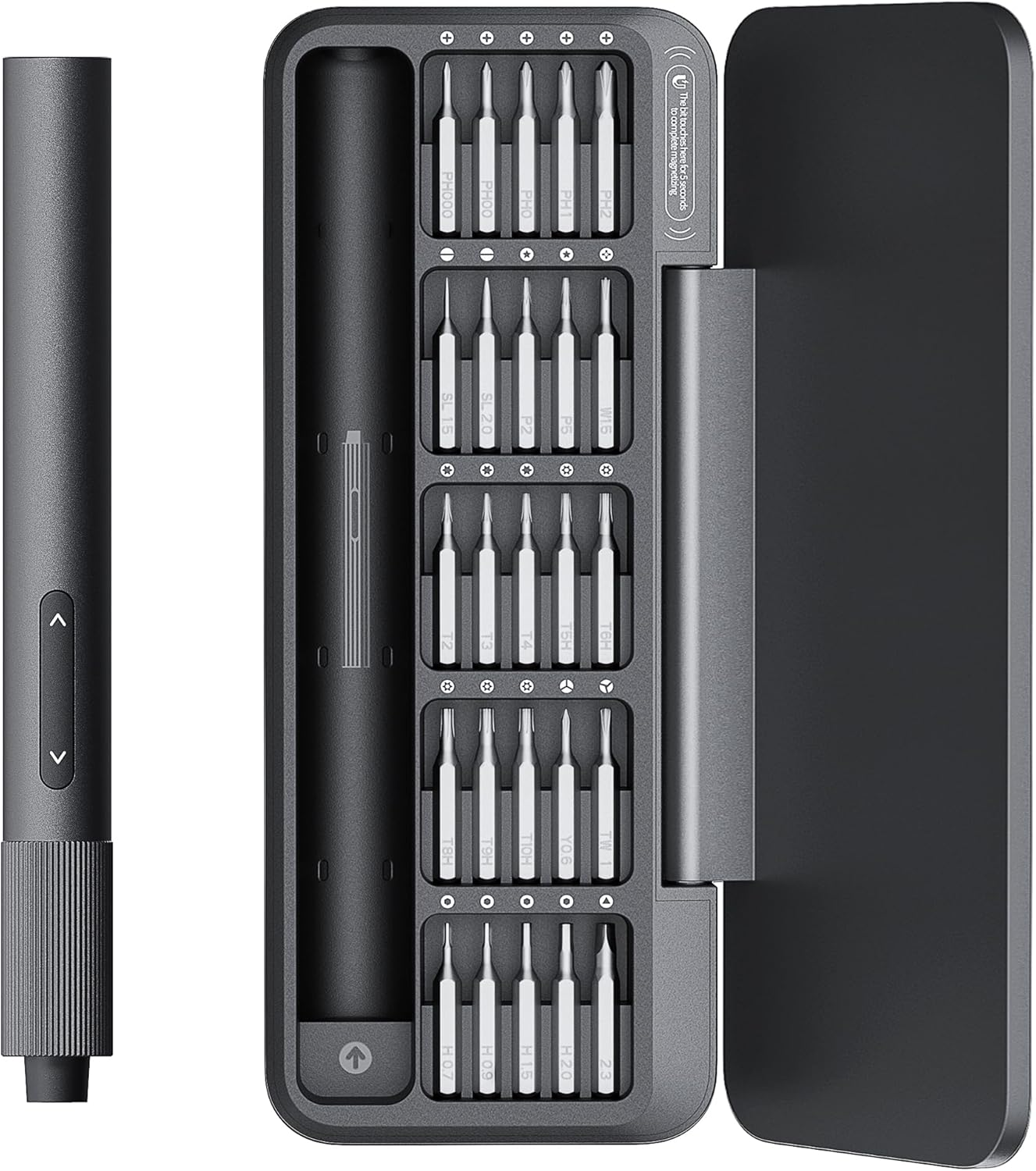
You need to start somewhere, and these kits have pretty much every tool that you could need to maintain a PC, all in a handy case. In my office/workshop, I have a general set of screwdrivers for general tasks, and a set of Hoto screwdrivers and bits for servicing my PC and any other parts I review, like motherboards, cases, fans, and more.
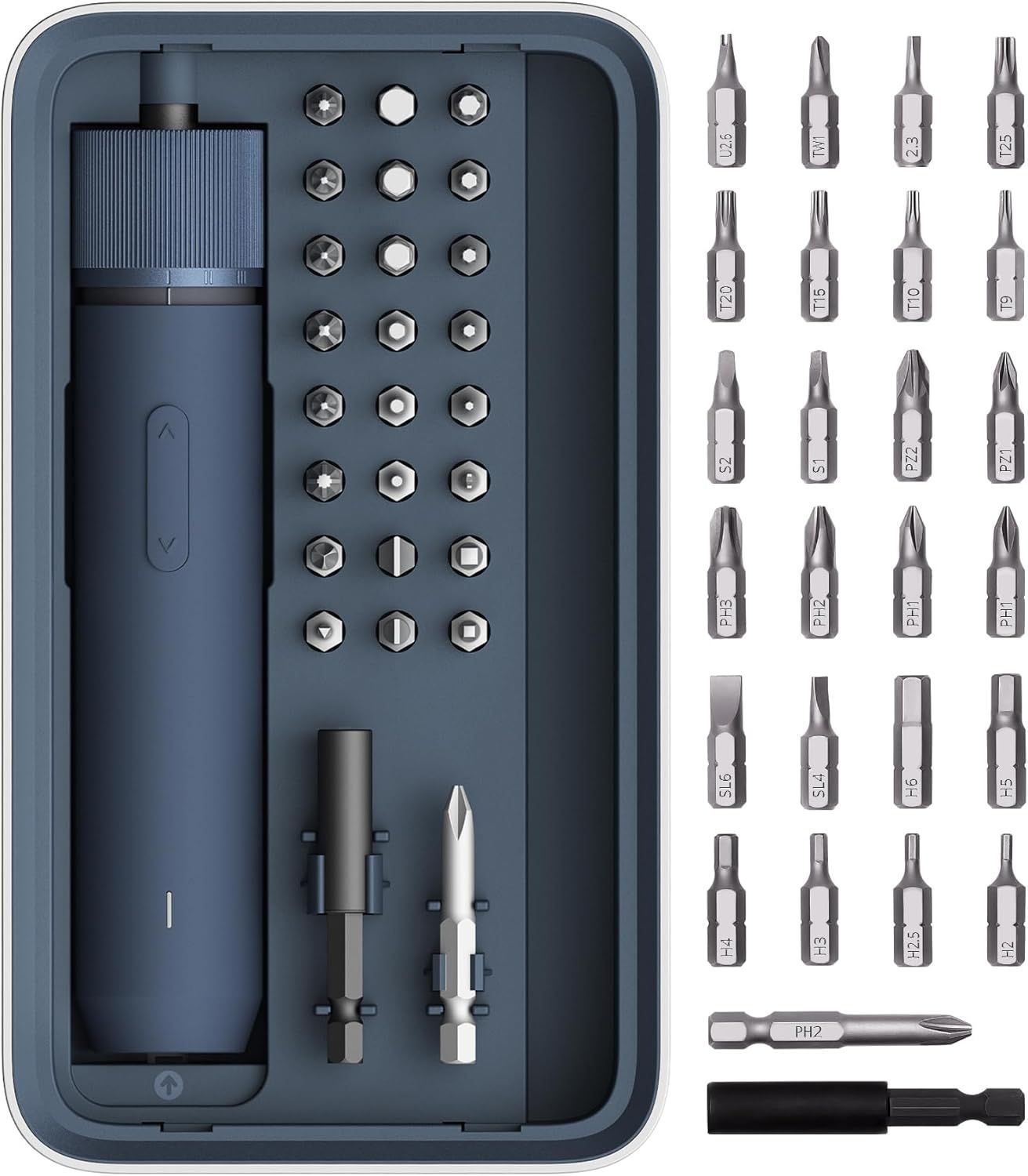
NEX O1 PRO 3.6V Screwdriver Set: was $49.99 now $28.48 HOTO's wireless screwdriver has three torque settings, charges over USB-C, and looks surprisingly good. This kit comes with a sturdy box and all the bits you will need to keep your PC running.View Deal
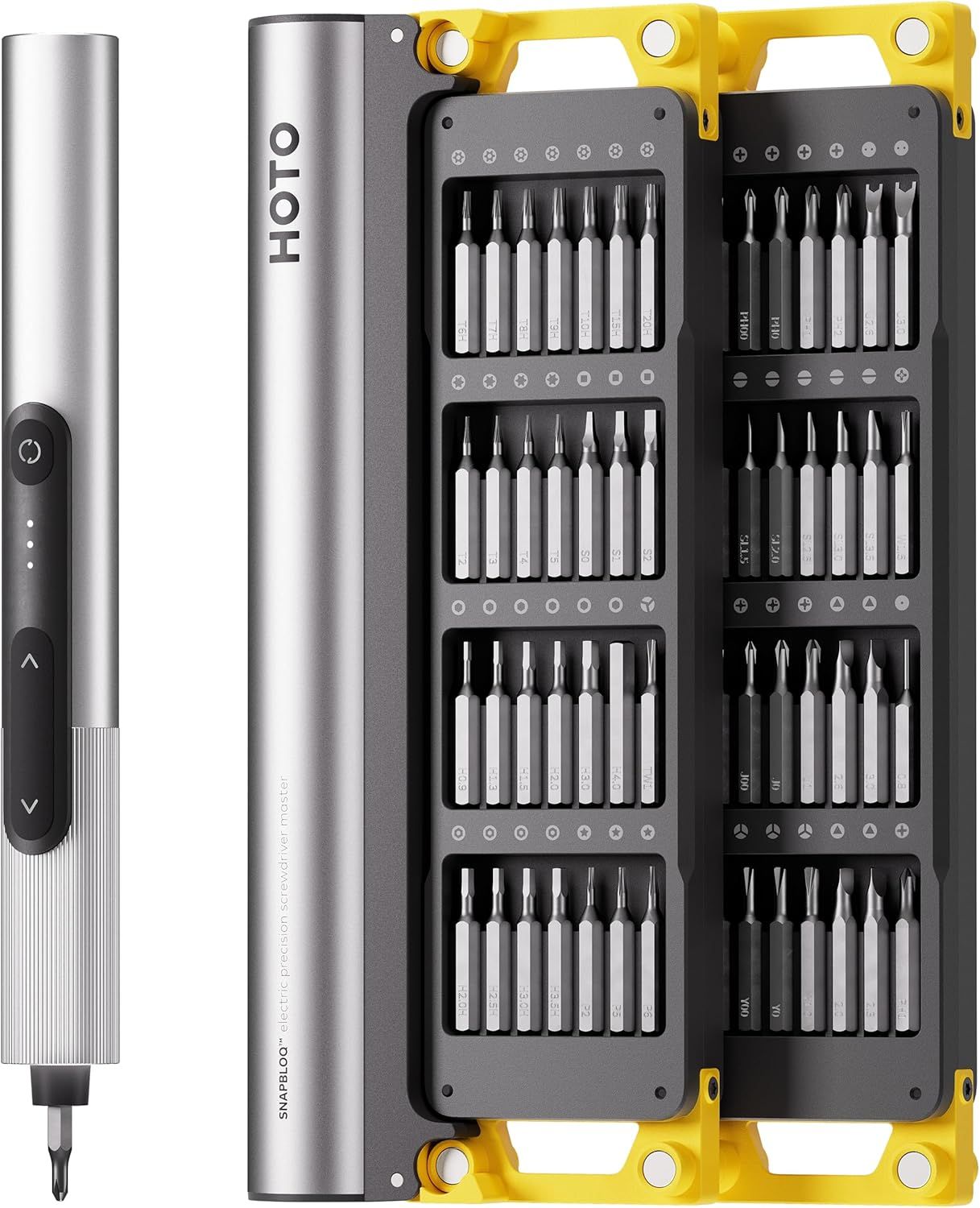
HOTO SNAPBLOQ S-A01 3.7V Electric Screwdriver: was $99.99 now $79.99 This HOTO SnapBloq 3.7V electric screwdriver includes 56 bits including Slotted, Phillips, Hexagon, Hexagon Security, Torx, Torx Security, Pentalobe, Standoff, Y-Shaped, Tri-Wing, Triangle, Square, U-Shaped, JIS, SIM Card Needle. It also has three torque settings, an integrated light, and charges via USB-C.View Deal
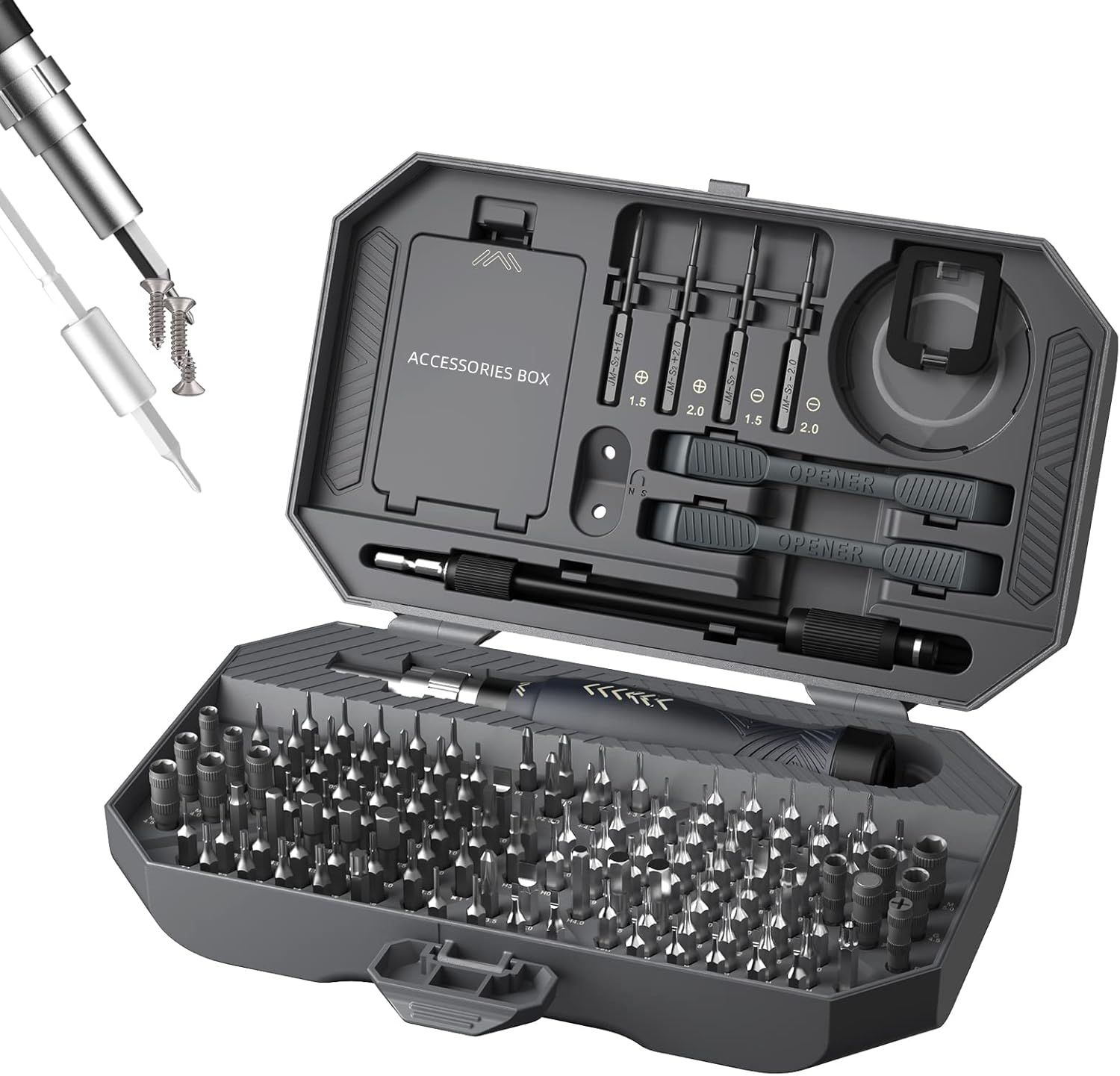
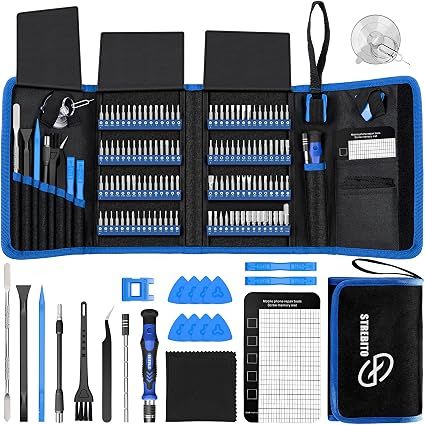
155 Piece Electronics Toolkit: was $59.99 now $37.9 This 155-piece kit has everything you need to get started with your first/next PC build. You get a precision screwdriver with 140 different bits (slot, Phillips, Pozidrive, Pentalobe, Torx, nut driver, Gamebit (for Nintendo consoles), Torx / Torx security, and many others. You also get spudgers and pry tools, and even a suction cup.View Deal
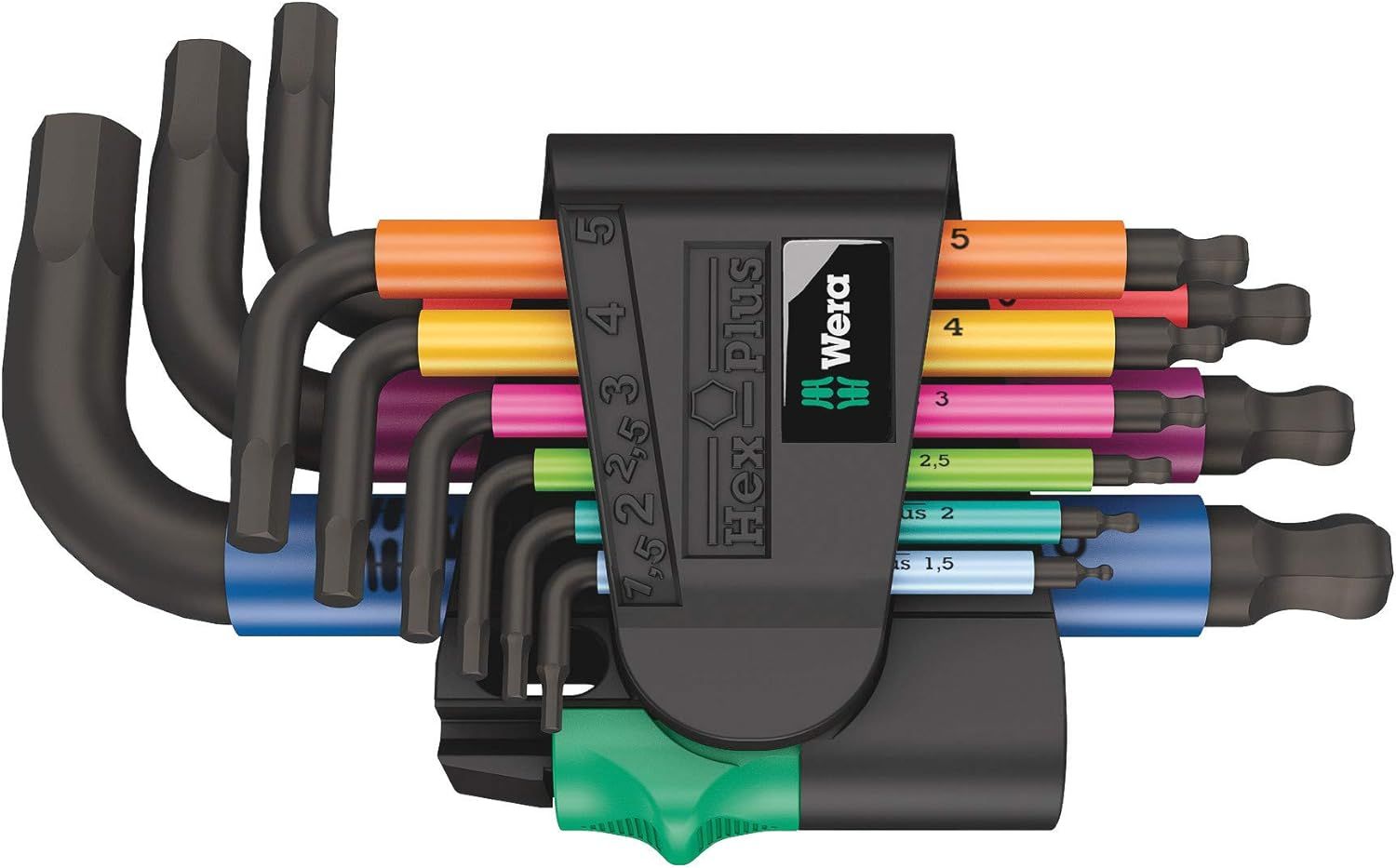
Whether you call them Hex or Allen wrenches, this part of our toolbox is often overlooked. Why? Because we get one in every set of flat-pack, DIY furniture that's why! You can get cheap sets of Hex wrenches, but they are ultimately made from a material softer than Play-Doh, or they have the power to strip a head. You need a good set of Hex wrenches, and this set from Wera is awesome.
German-made precision, strength, and a ball head to enable access to awkward screws. Grab this set now, and thank yourself later!
Everyone should own these great electric screwdrivers!
At least five Tom's Hardware editors own a Hoto screwdriver. I am one of them. It should be difficult to extol an electric screwdriver. After all, it is really just a motor that spins and screws / unscrews. But Hoto's new Pixel Drive is easy to glorify!
The main screwdriver chassis is chunky and features a rubberized finish to prevent it from slipping from your hands. The twist power ring offers three levels of torque, and the simple push-button forward/reverse is a joy to use. Throw in a bonus LED light ring, and you are ready to build and maintain PCs and have plenty of power to put up those shelves in the living room. All of the details are displayed on the LED display, so you know how much power you are putting down, and how much the screwdriver has left!
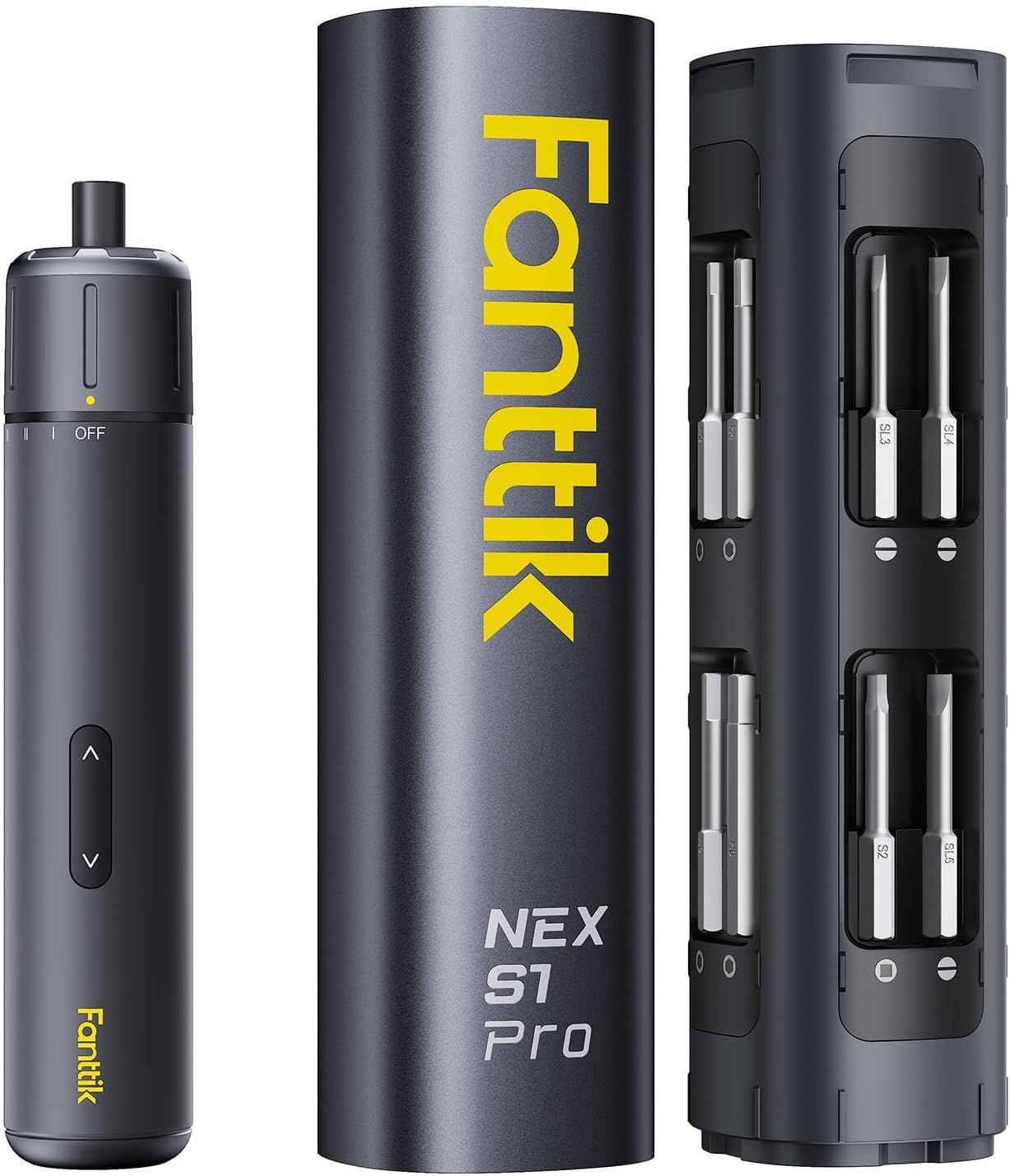
Si Pro Electric Screwdriver: was $49.97 now $39.99 Save big on excellent the Fanttik S1 Pro electric screwdriver. You get 16 S2 steel bits, 3 torque settings (from 1.5 to 4.2N.m). You get the screwdriver, storage case, buts, USB-C charging cable, and a manual. View Deal
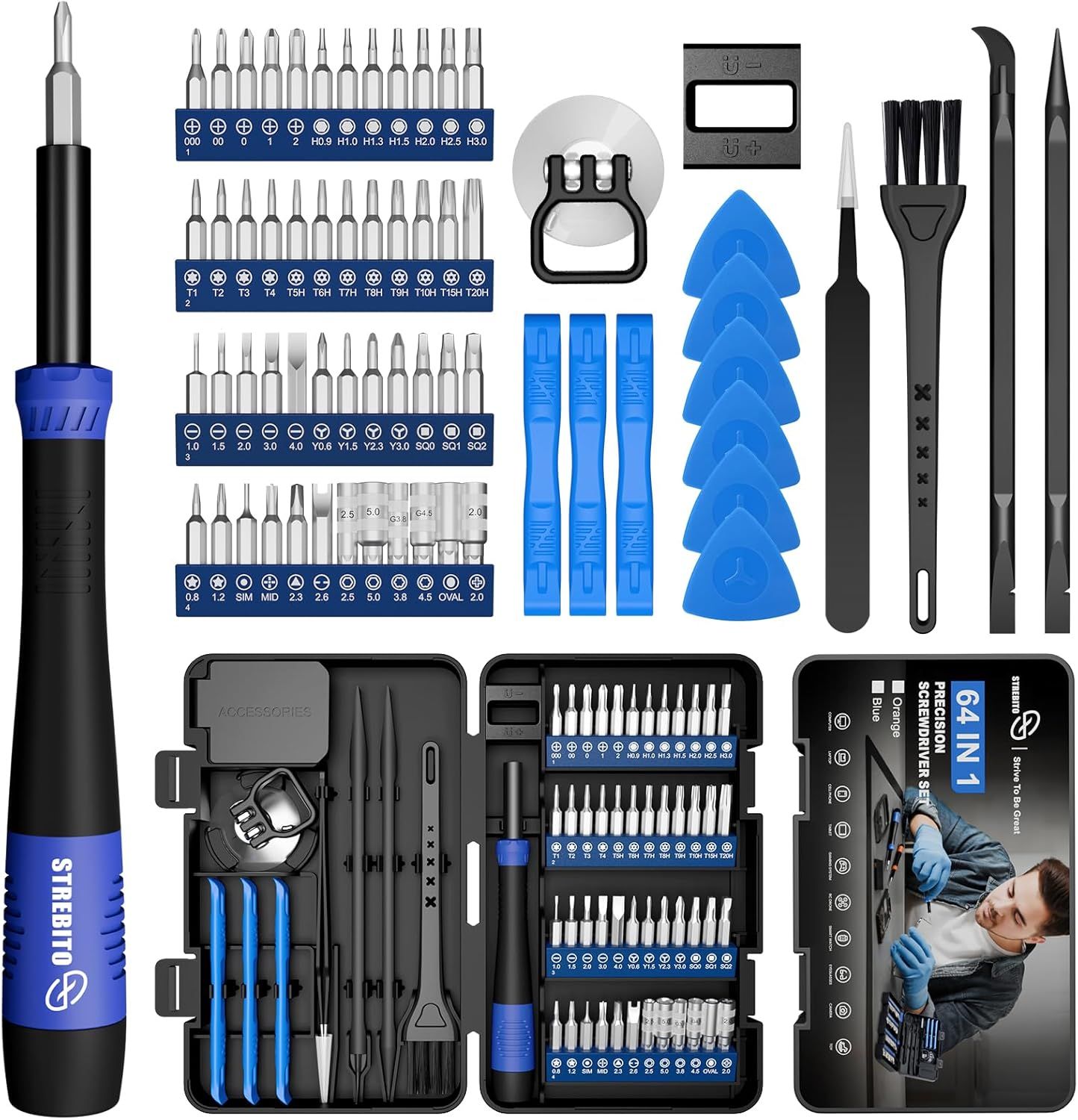
142-piece Precision Screwdriver Set: was $37.99 now $23.79 Strebito's 142-piece precision screwdriver is on a significant discount during Prime Big Deal Days. You get 120 different bits and 22 practical accessories including a magnetizer, ESD tweezers, cleaning brush, and more. View Deal
Screw Kits
Don't screw up your next PC build!
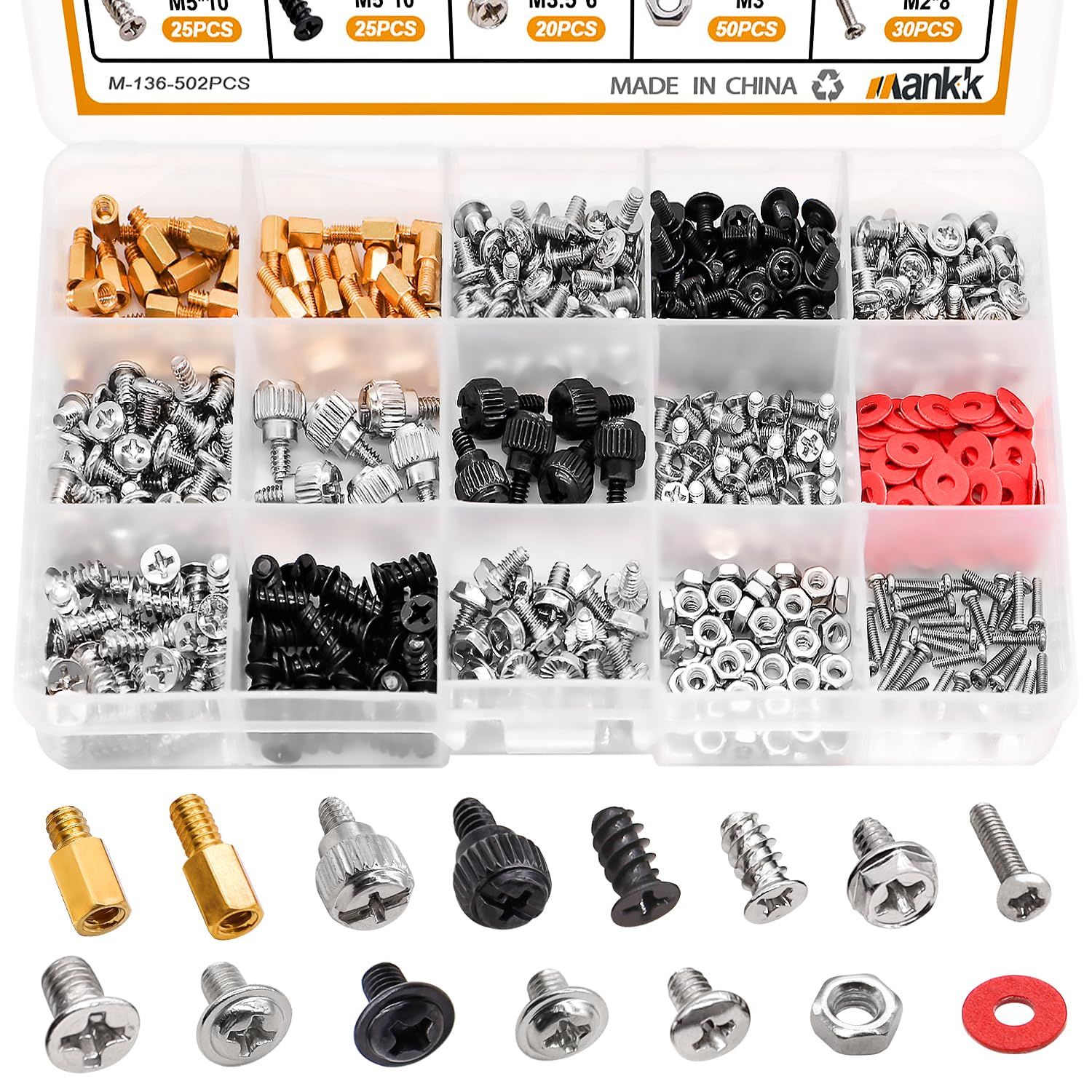
Let's be honest. We've all scoured around for a spare standoff or screw to secure a motherboard to a chassis. We've cannibalized other components to ensure that our main rig has everything it needs to keep the motherboard in place and the GPU firmly attached to the case. But what if we just spent less than $10 for over 500 screws?
That's right, for less than $10, we can have 500 screws, stand-offs, and insulation rings to secure every part of our PC.
In the kit, there are:
Hard drive screws
Motherboard screws
Chassis fan screws
SSD mounting screws
Insulation gaskets
High-strength chassis screws (think GPUs)
M.2 screws
Flat Phillips screws
Chassis hand twist screws
502-Piece Computer Screw Kit: was $12.99 now $9.99 With 15 different types of screws, stand-offs, and gaskets, this kit has everything you need to secure your precious components inside your PC. And now you can get them on sale.View Deal
I bought myself a similar pack years ago since I deal with motherboards and system components on the daily, and it has proven its worth on more than a few occasions. For less than $10, just throw it into your basket without thinking and have all the screws and bits you need to work on your PC.
Flashlights
Save money on this 'illuminating' flashlight deal
A good flashlight is one of the most rewarding tools that we can own. It lights up the dark, helps us see obstacles and what we are working on, and could be used to signal planes, should you be trapped on the island from Lost.
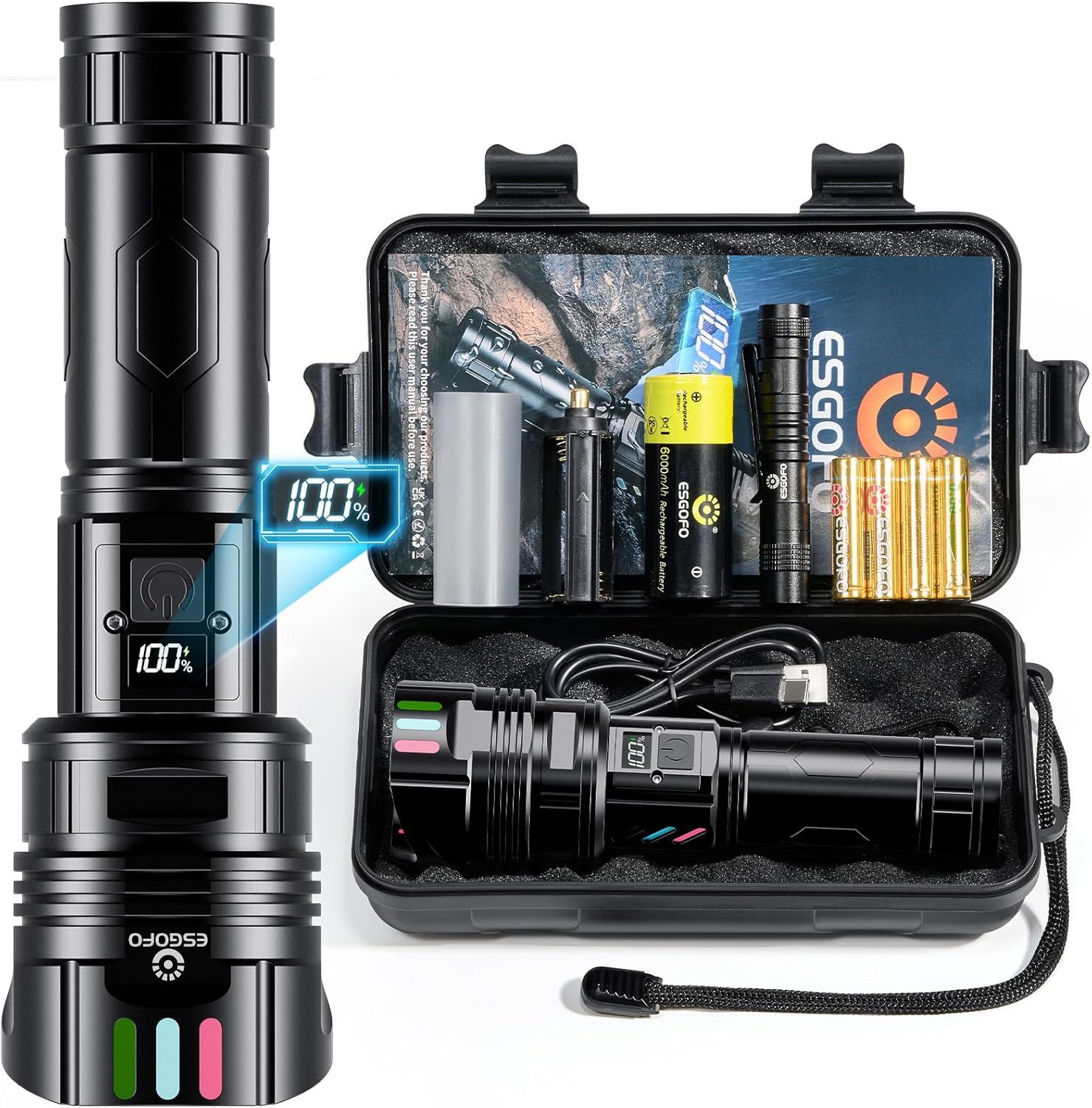
EG0770 Recharable Flashlight: was $28.79 now $16.14 Get a great deal on this small flashlight that could. This flashlight outputs up to 100,000 and lasts 5-15 hours (display to show charge %) and charges with USB-C. It has five modes (high-middle-low-strobe-SOS) comes with a carrying case, charger cable, and more.View Deal
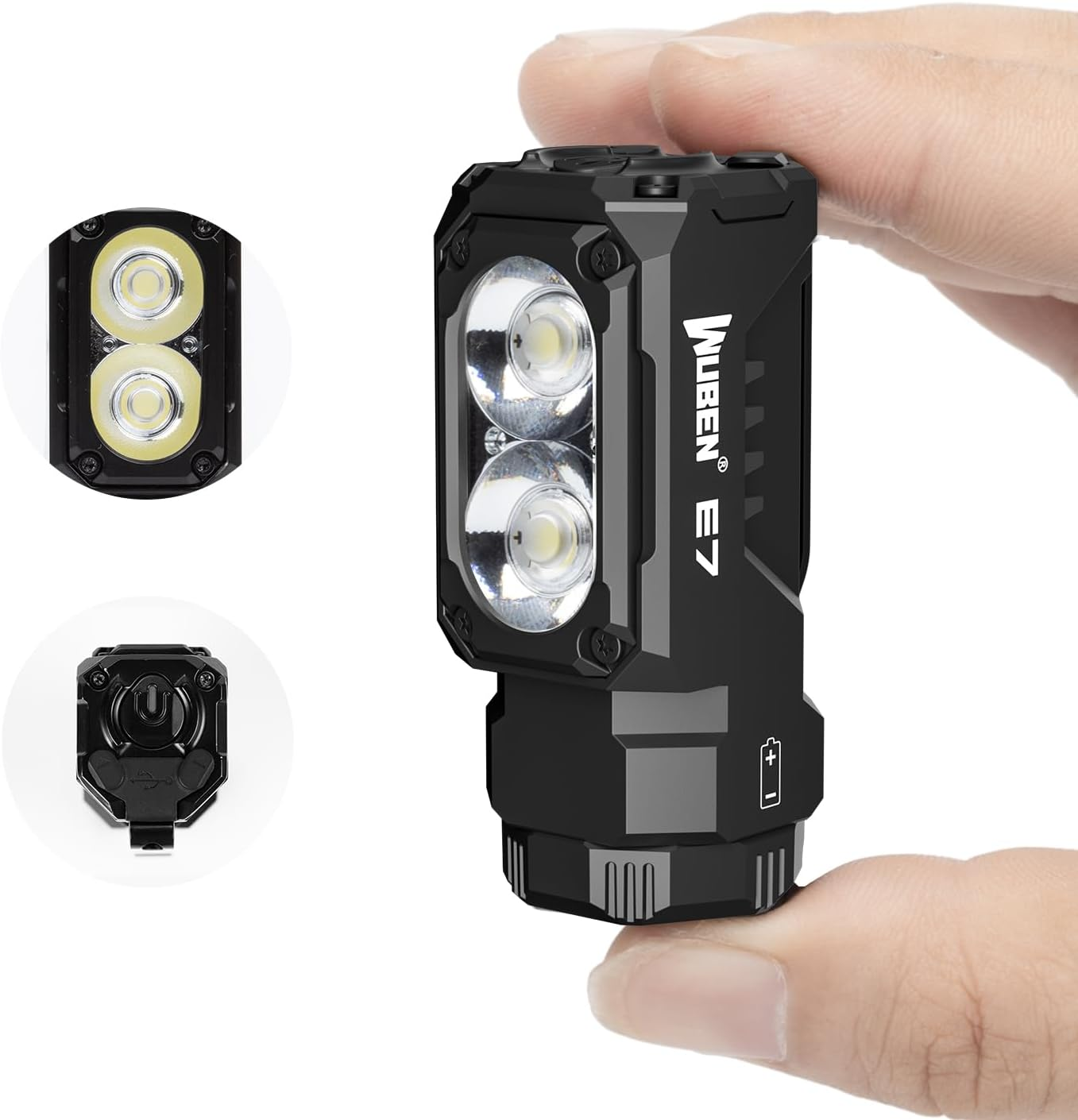
E7 Rechargeable Mini Flashlight: was $29.99 now $22.78 With USB Type-C charging, six brightness modes, and a magnetic base, the Wuben E7 is a useful flashlight for makers and tinkerers who want extra light for their work, without compromising on quality.View Deal
Air dusters and cleaners
Clean the filth from your PC!
Air blowers/dusters are a popular choice for quickly blowing out fans and filters to remove any collected dust and fluff. They can also blow out the crumbs that linger under your keyboard. Air blowers are a great alternative to single-use compressed air cans.
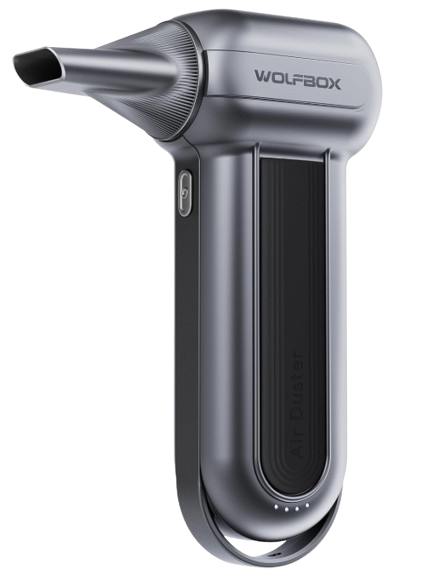
The Wolfbox MegaFlow 100 (MF100) may sound like a 1990s Euro Rock tribute act, but it has 150,000 RPM of power to blow dust out of your PC at 45 meters per second!
This convenient blower is battery-powered and supports USB Type-C charging. The MF100 fully charges in 2.5 hours and provides up to 100 minutes of runtime on the first setting. The MF100 is small and compact, weighing only 0.66lb, so it can be easily stored when not in use. The MF100 is also supported by a 24-month guarantee and 24/7 customer service.
MF100 Electric Air Duster: was $89.99 now $59.83 This compact air duster can move air at up to 45 m/s with its 150,000 RPM turbofan. A rechargeable battery gives up to 100 minutes of use time and supports USB Type-C charging. The MF100 includes five nozzles and two brush tools to help clean your PC equipment.View Deal
Not everyone wants to buy an $60 air duster. There are plenty that cost less that still move a ton of air and come with several attachments that are plenty useful for cleaning out your PC.
Pomels Compressed Air Duster: was $29.99 now $23.99 For only under $24, get your hands on this rechargeable 110,000 RPM electric air duster. You get three adjustable speed settings, and about 20-40 minutes of continuous cleaning power (displayed on the LED screen) from the 7500 MAh battery. It comes with five nozzles and four soft brushes for any task.View Deal
I clean out my desktop PC once or twice a year and the blower did a great job, but there were times when the amassed collection of dead skin cells, dog and cat hair, and other fluff was too much for my much weaker air duster. So I bought some cans of compressed air, and not the dollar store stuff either! I don't use them often, but they are handy when you need a little more power in a precise point.
Electronics Duster 2-pack: was $11.99 now $6.45 Designed for electronics, these two 10-oz bottles of compressed air will blow the dust, dead skin, and last week's sandwich from your keyboard and help prevent the inside of your PC case from becoming a biohazard. Designed for electronics, these four, 10oz bottle of compressed air will blow the dust, dead skin and last week's sandwich from your keyboard and help prevent the inside of your PC case becoming a biohazard.View Deal
Sometimes compressed air or turbo-force USB-powered jet fans aren't enough, and so you must get your hands dirty to get parts of your PC truly clean. Cleaning any electronic components should be done with care. Components aren't as static sensitive as their predecessors but we should take care not to trash our rig.
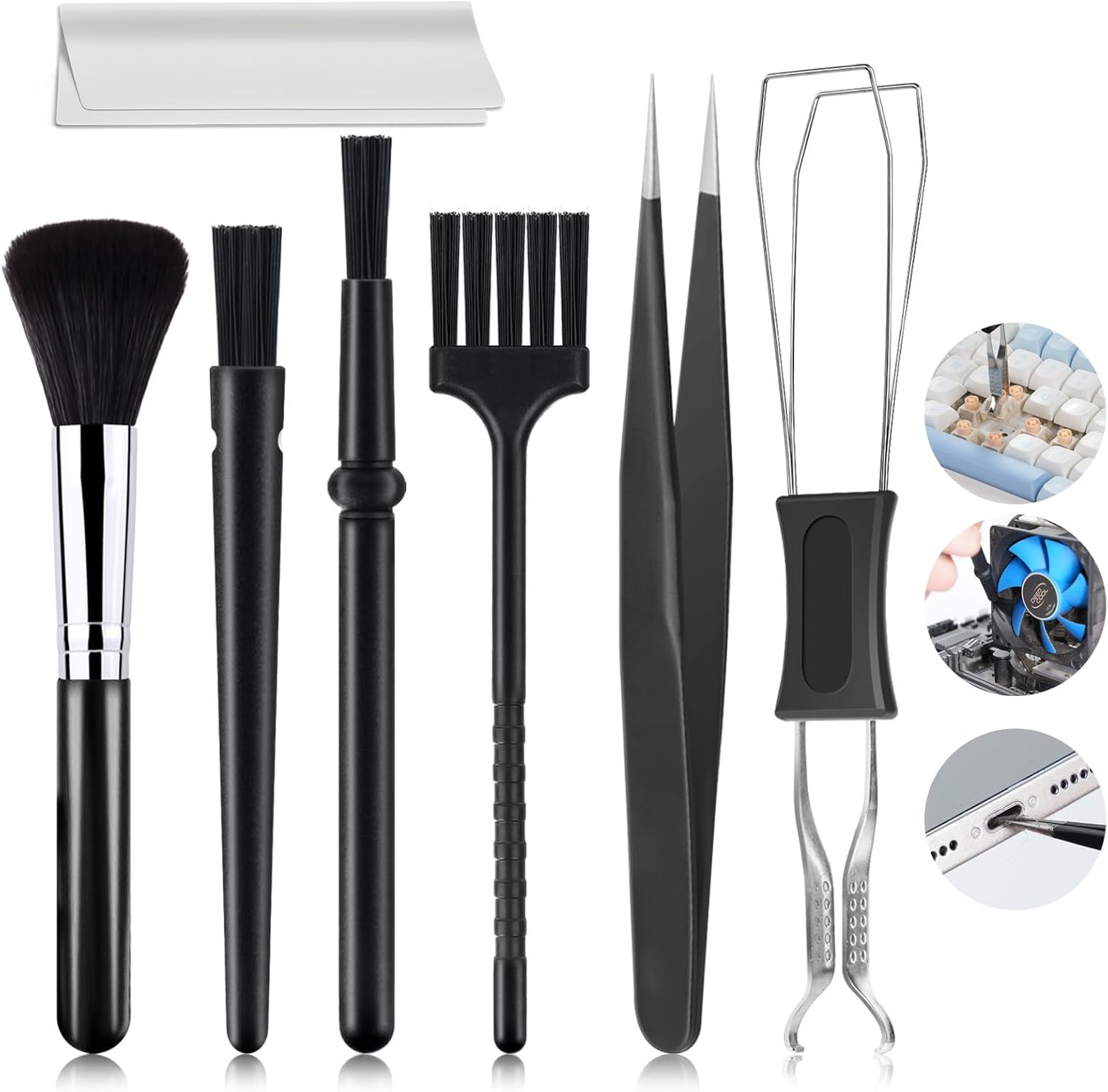
These nylon anti-static brushes come in a range of sizes and shapes to clean dust from components and inside drive bays, and to keep caked-on dust from your fan blades. It also includes a keycap puller and tweezers to deep clean the harrowing scene that lurks under your keyboard.
Computer cleaning brush kit: $7.98 Every type of brush is here to deep clean your PC, keyboard and whatever else needs cleaning in your rig.
The final cleaning product that you need for building and maintaining PCs is Isopropyl Alcohol, IPA. Yes, 99% is overkill; heck, it's medical grade for first aid use, but if you really want to eke it out, get some distilled water and water down your mix to 70%. I don’t because it works well as it is.
My top tip, though, is not to spray it when the components are hot. There is very little risk of fire, but it will evaporate rather quickly. That said, in the electronics hobbyist world, rapidly evaporating IPA is used to identify super-hot chips, typically those that have shorted.
16 Oz. Isopropyl Alcohol: was $6.79 now $5.76 If a gallon of rubbing alcohol isn't in the cards, this 16 Oz. bottle of Amazon basics 91% Isopropyl alcohol is a smaller and cheaper option... and on sale. It's not 99%, but 91% does work great on PC components when I used it.View Deal
Thermal pastes
Thermal paste etiquette — pea-sized blob, an X, or a smooth layer like peanut butter?
Let's all agree that, however you apply thermal paste, that is the right way, ok? Thermal paste / TIM or thermal pads bridge the hot side of a component to a heatsink or heatpipe, which wicks away heat, keeping the component cool.
Thermal material is essential to keep your system cool, and I asked the team what they use. Our Editor-in-Chief, Paul Alcorn, said that MX-6 is his go-to thermal paste. So I looked around and found this handy kit that contains 4G of thermal paste and six handy wipes. The wipes are essentially isopropyl alcohol on a cloth, and they are used to prepare the surface for the new paste. They will wipe off the old paste, dust, dead skin (ewww) and leave the surface ready for pasting!
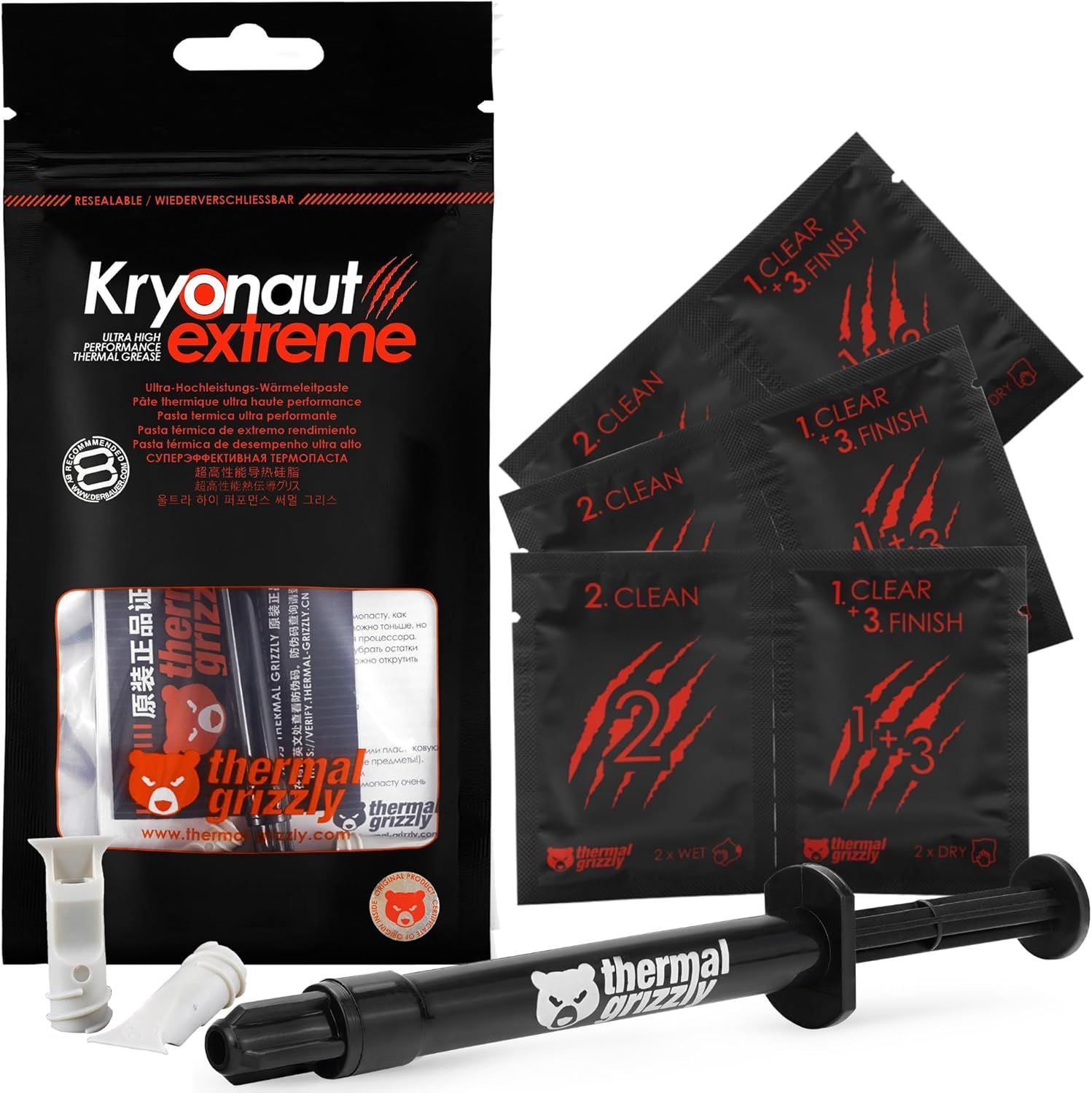
One of our highest rated thermal pastes is on sale, and it comes with a handy spudger for application. Thermal Grizzly's Kryonaut Extreme outperformed many pastes pastes in our extensive benchmark suite, but it's real claim to fame is how it holds up under extreme temperatures (think sub-ambient cooling). View Deal
MX-7 Kit: was $16.99 now $9.57 This kit contains 4G of Arctic MX-7 thermal paste (the latest formulation) and six MX Cleaner wipes to remove old thermal paste from components.View Deal
If you spot something better, or want to tell me I am wrong, hit the comments!
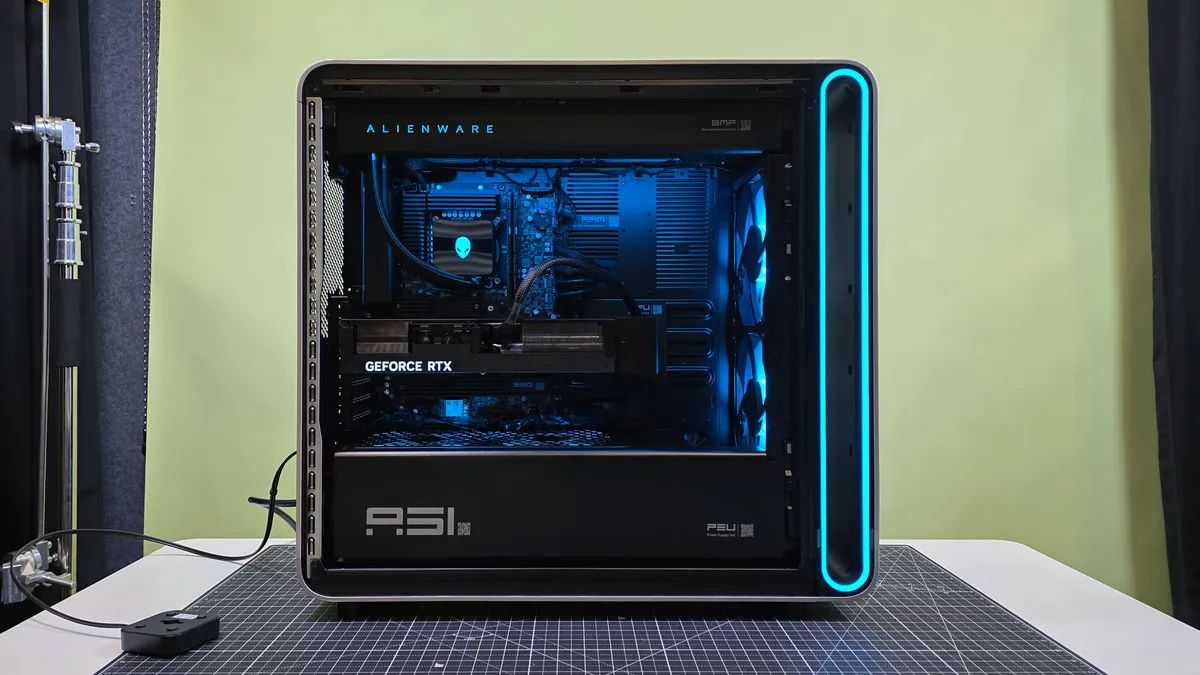
Nvidia's RTX 5090 now costs $7,000. Or so near to it that it makes no difference. So if you were hoping to buy one in the quest to build a PC, you're out of luck. You're much better off just grabbing a pre-built PC with one inside. Alienware normally commands a massive premium over other desktops because of its brand name, but the PC market is so out of whack right now that this is actually a much better value option than some alternatives. Right now, you can get an RTX 5090 PC with AMD Ryzen 9 9950X3D for $7,499.
That's obviously a lot more than you'd have paid for this rig even a month ago, but prices are only moving in one direction, and that is up. This PC altogether costs less than the standalone cost of buying an RTX 5090 and AMD's $690 CPU alone, a much better option than trying to build one yourself.
The RTX 5090 is the headline of the build here for obvious reasons. It's the best consumer GPU on the market thanks to its massive 32GB VRAM pool, which will chew through any title in 4K.
Tom's HardwareTom's HardwareTom's Hardware
The CPU from AMD is an absolute juggernaut, dominating our testing benchmarks for multi-threaded performance while excelling at gaming. Paired with the aforementioned RTX 5090, it beats even the 9800X3D in our testing.
To complement the potent GPU and CPU combo, you get 32GB of DDR5 and a 2TB SSD. That's less RAM than you'd like at this price, but you can get 64GB in the higher-spec config, also on sale. Other specs include a 1500W power supply and Wi-Fi 7, as well as liquid cooling for the hefty CPU, making this a well-rounded and potent gaming rig.
The PC gaming industry has been decimated by AI. This is a great example of a product that has drastically increased in price in just a few short months, but prices continue to rise, and the window to buy a gaming rig is closing fast.
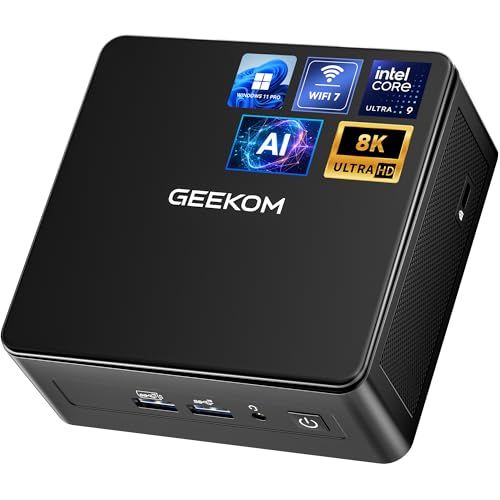
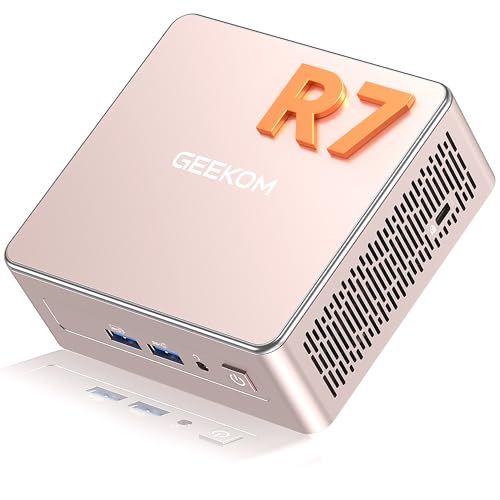
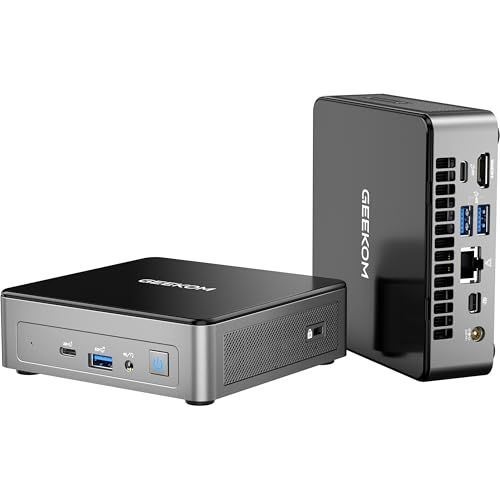
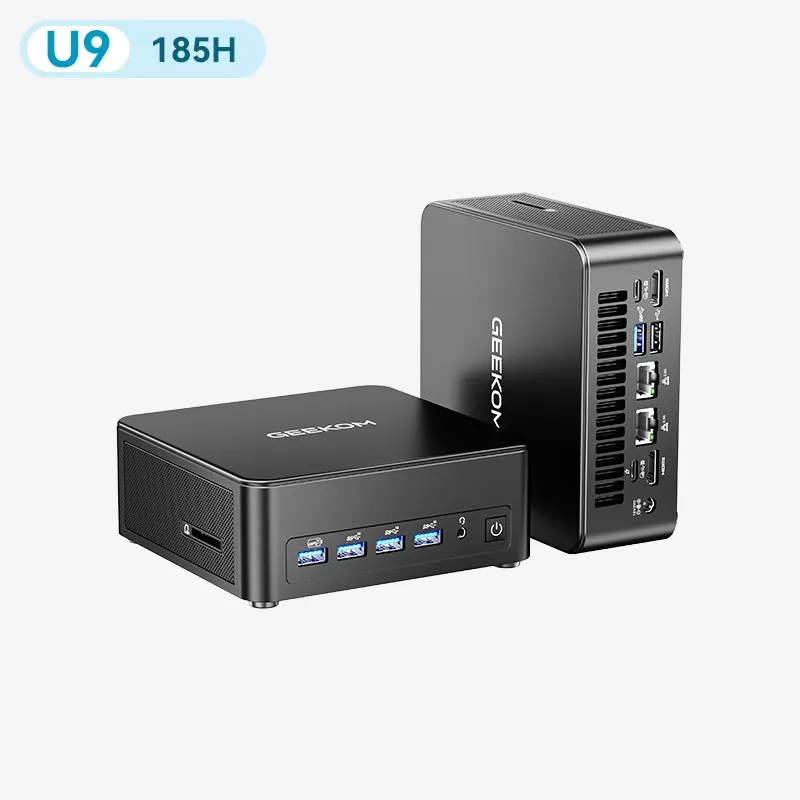
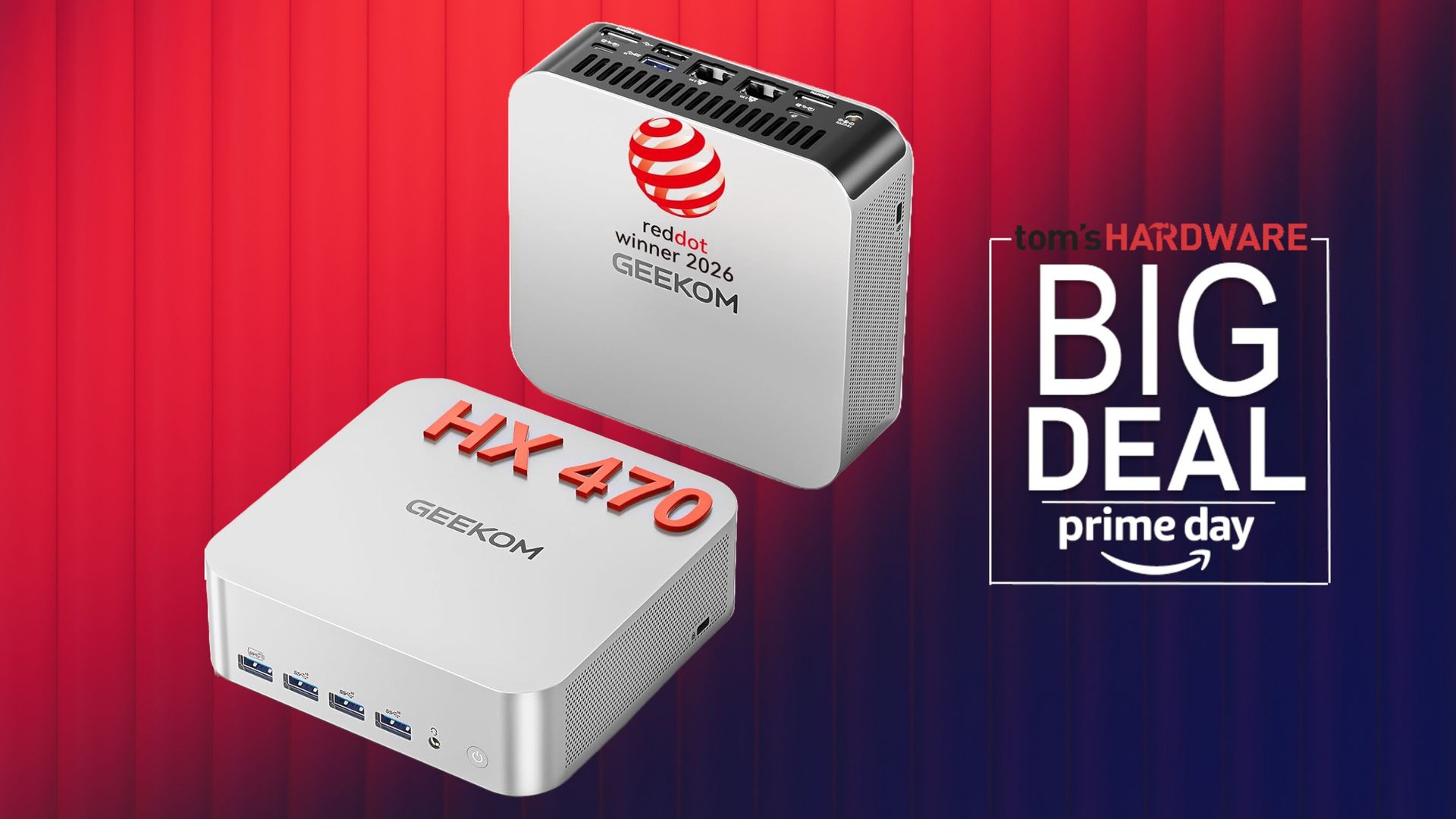
Geekom has a ton of Amazon Prime Day deals with an array of mini PCs on sale for up to 28% off. Both Intel and AMD options are on sale, and Geekom hasn't restricted the sale to its older mini PCs; even newer Gorgon Point machines are on sale.
Geekom has 13 mini PCs on sale as part of Amazon's Big Deal Days event, and we're going to run over five of the best deals. As is the case with any PC right now, prices are elevated due to the cost of memory and storage. So, although the discounts aren't massive, saving any money on a PC right now is a win.
Geekom's newly released AI flagship mini PC is already discounted.
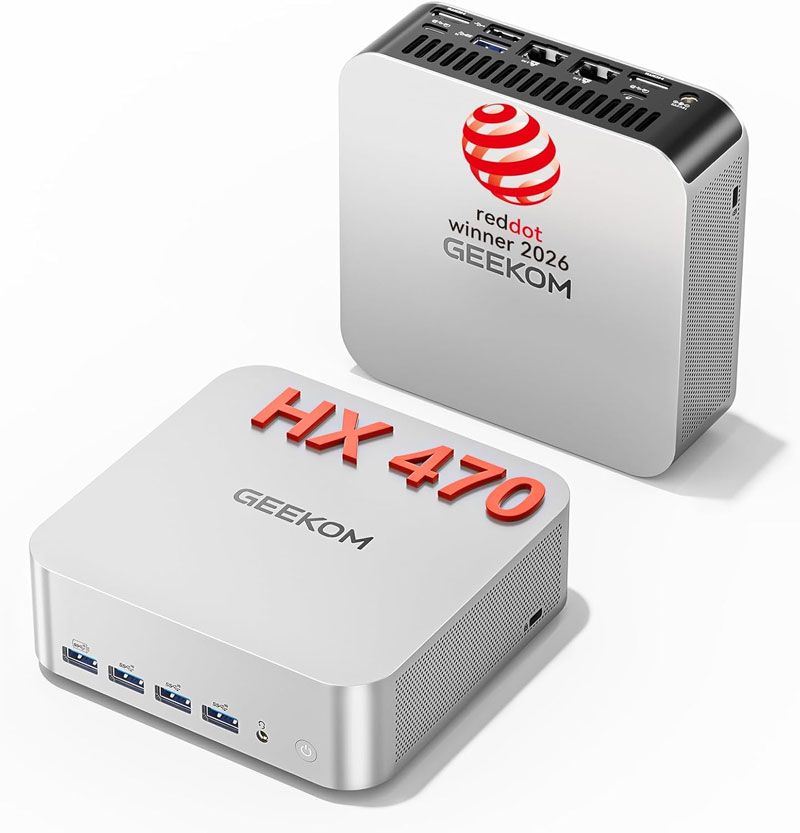
This sturdy aluminum-encased Geekom A9 Max (2026) comes with the AMD's refreshed Ryzen AI 9 HX 470 'Gorgon Point' processor, backed by 32GB DDR5, a roomy 2TB SSD, and Windows 11 Pro.View Deal
Headlining the sale is a 15% discount on Geekom's latest A9 Max Top AI, packing an AMD Ryzen AI 9 HX470 'Gorgon Point' chip. We found that chip surprisingly capable considering the 0.9-liter chassis in our Geekom A9 Max 2026 review. This machine comes with a single 32GB DDR5 SODIMM with space for a second, along with two 2280 NVMe M.2 slots, one of which is occupied by a PCIe 4x4 2TB drive.
Unfortunately, the iGPU performance isn't great out of the box, with the single SODIMM hampering iGPU performance. If you end up picking up this PC, you'll probably want to occupy the other SODIMM slot at some point for a true dual-channel configuration.
IT15 Mini PC: was $1199 now $1019.15 The Geekom IT15 is a mini PC with a Core Ultra 9 285H, 32GB of DDR5 SODIMM memory, and a 1TB PCIe Gen 4 SSD. It includes an extra M.2 2242 slot, along with a 2.5-inch drive bay. View Deal
If you prefer Intel, the Geekom IT15 is 15% off, as well, dropping its $1,199 list price down to $1,019. This machine comes with a Core Ultra 9 285H chip, which has 16 cores (6 + 12), a boost clock of 5.4 GHz, and an integrated Arc 140T GPU with 8 Xe cores.
Out of the box, the machine includes 32GB of DDR5 SODIMM memory with support for up to 128GB, along with a PCIe 4 1TB SSD. This machine doesn't have two 2280 slots. Instead, it has an extra 2242 slot, along with a 2.5-inch bay for SATA drives. Of course, you're free to upgrade the drive and memory down the line if you choose.
Digging deeper into the pile, the Geekom A5 is on sale for 15% off, as well, bringing its price down to $407. With a low-power Ryzen 7 7730U CPU and 16GB of DDR4 memory, the Geekom A5 is tailored toward lightweight web browsing or general-purpose office workloads. Of course, you can also ditch the stock Windows 11 install and use it as a low-power home server, as well.
This machine is limited to 256GB of storage and 16GB of memory, but both are upgradable. Like the Arrow Lake machine above, you get an M.2 2242 slot and a 2.5-inch drive bay alongside the main M.2 2280 slot (though speeds are limited to PCIe Gen 3 here). For memory, Geekom once again uses SODIMM.
The machine is built for low-power applications, with the 7730U clocking in at just a 15W TDP. However, you still get eight cores, 16 threads, and Vega 8 graphics, so you can expand into some other applications (such as lightweight gaming).
At the bottom of the pile, we have the Geekom Air12 for just $284, 28% off its list price of $395.10. This is as budget as mini PCs come, with just 8GB of DDR4 memory and a 256GB NVMe SSD. As with other Geekom mini PCs, however, you can upgrade the memory and storage. There aren't extra storage slots in this PC, however.
The machine is powered by Intel's Pentium Gold 7505, which is a dual-core chip with a TDP of 15W and a base clock of 2GHz. It'll handle light web browsing and office tasks, but not much else for a dedicated desktop. However, as a host system for a local file or media server, the CPU is plenty.
Geekom has more mini PCs on sale on its website, as well. The A5 Pro 2026 edition with a Ryzen 5 7530U, 16GB of memory, and a 1TB SSD is on sale for $569, down from $749.
The Geekom IT13 Max is a mini PC with an Intel Core Ultra 9 185H CPU, either 16GB of DDR5 or 24GB of LPDDR5, and either a 500GB or 1TB SSD. View Deal
The best deal that Geekom has running right now, by far, is the IT13 Max. Both configurations are on sale for around 50% off, with an additional $100 of with code IT13M130 (pre-applied with our link). That brings the $1,399 list price down to as low as $669 depending on your configuration.
Geekom offers two versions of the IT13 Max. The cheaper version at $669 comes with a 500GB SSD and 24GB of LPDDR5 memory. The other version comes with a 1TB SSD and 16GB of DDR5 memory, which is user-replaceable and upgradable up to 96GB with SODIMM. That configuration is $769 right now.
Regardless of the version you choose, the machine is powered by the Intel Core Ultra 8 185H, a 16-core chip with a generous 45W TDP. Geekom supports up to 6TB of storage total across the 2280 and 2242 slots.
 登录
登录