❌

阅读视图

发现新文章,点击刷新页面。
✇Tomshardware

Component shortages drive Raspberry Pi prices up by up to 23%

作者 Zhiye Liu

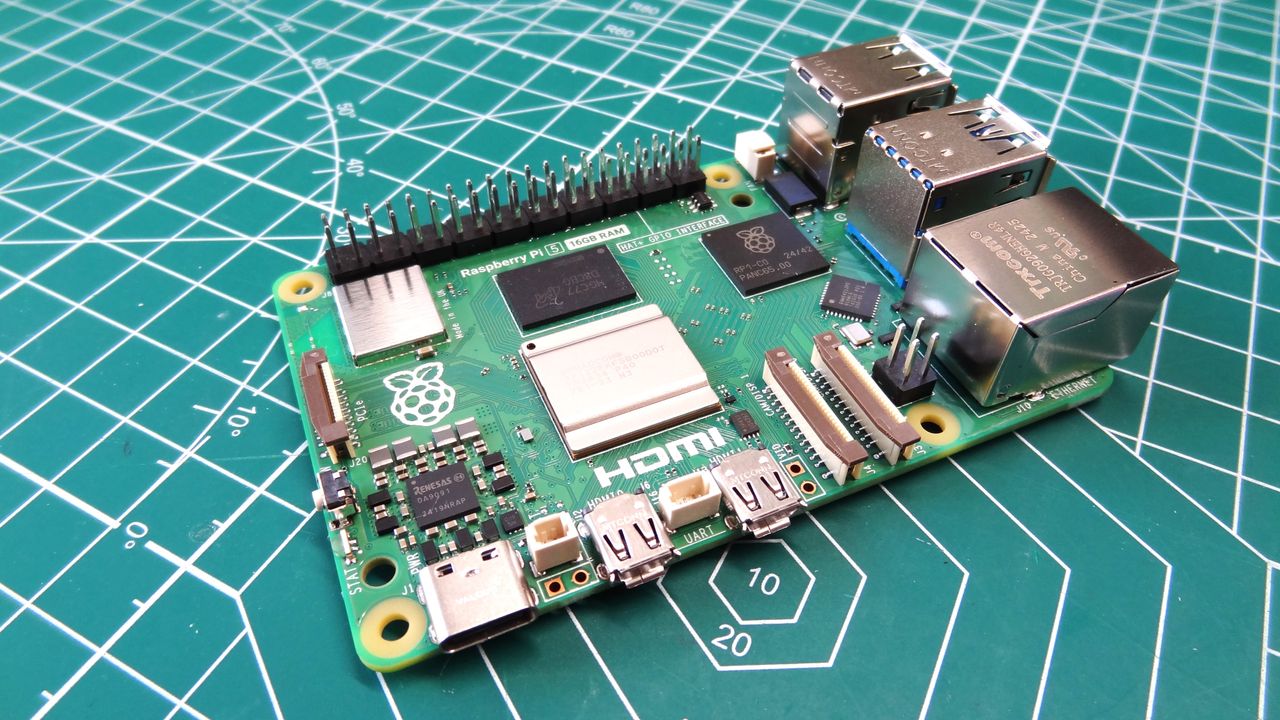
After raising prices on some Raspberry Pi models in April, the company is back with a second round of price hikes. Citing the ongoing rise in memory prices, this time, the 2GB versions of the Raspberry Pi 4 and Raspberry Pi 5 are the stars of the show, with price increases of up to 23%.

The Raspberry Pi 5 2GB and Raspberry Pi 4 2GB initially dodged the bullet when price hikes hit the other models in April. However, given the ongoing price adjustments, it was inevitable that these models would also see a price increase. The ongoing shortage of LPDDR4 and LPDDR5 memory is not improving, as global demand has remained steady and supply remains too low. The cost of producing Raspberry Pi continues to climb, and price hikes are unavoidable.
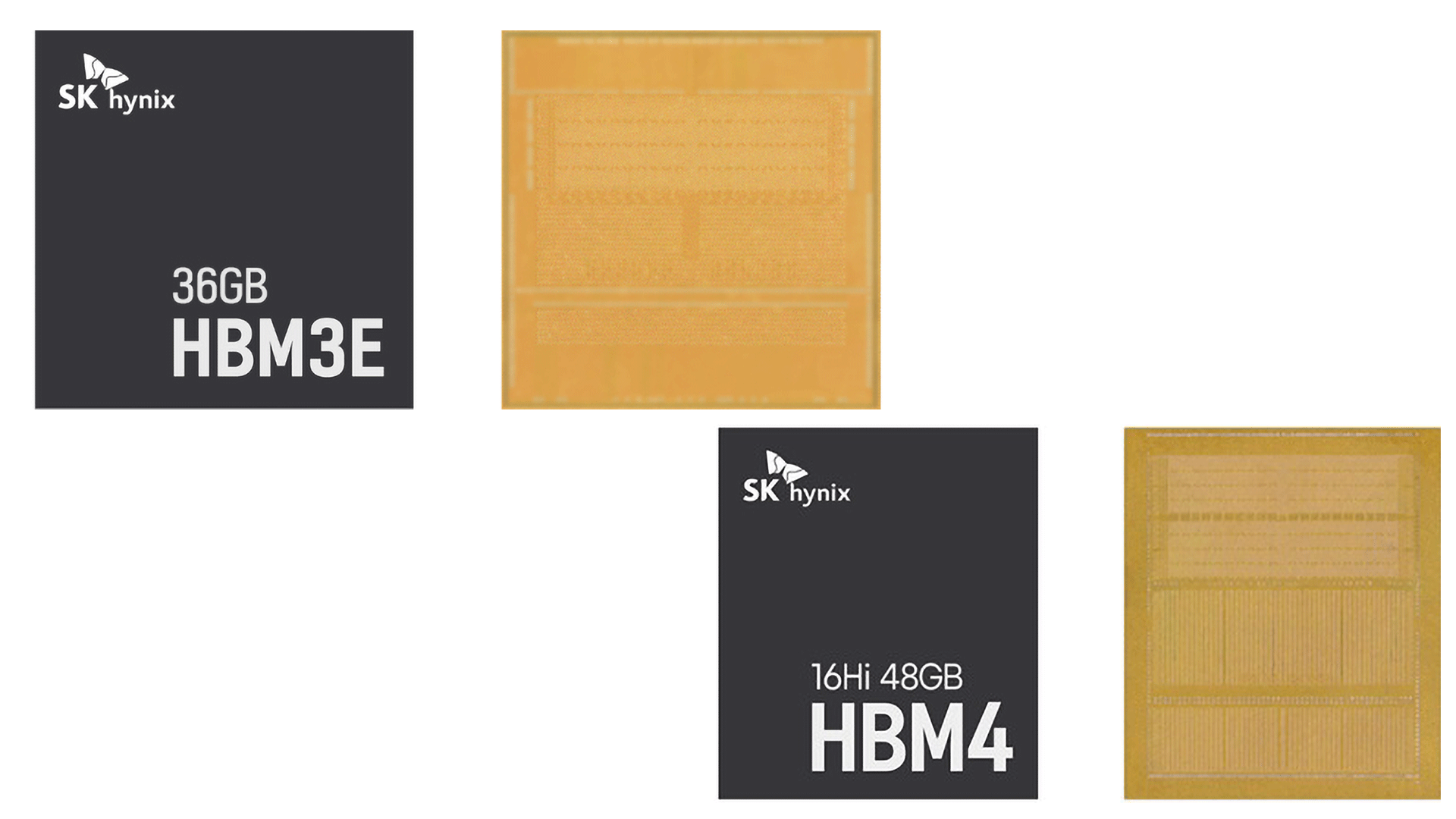
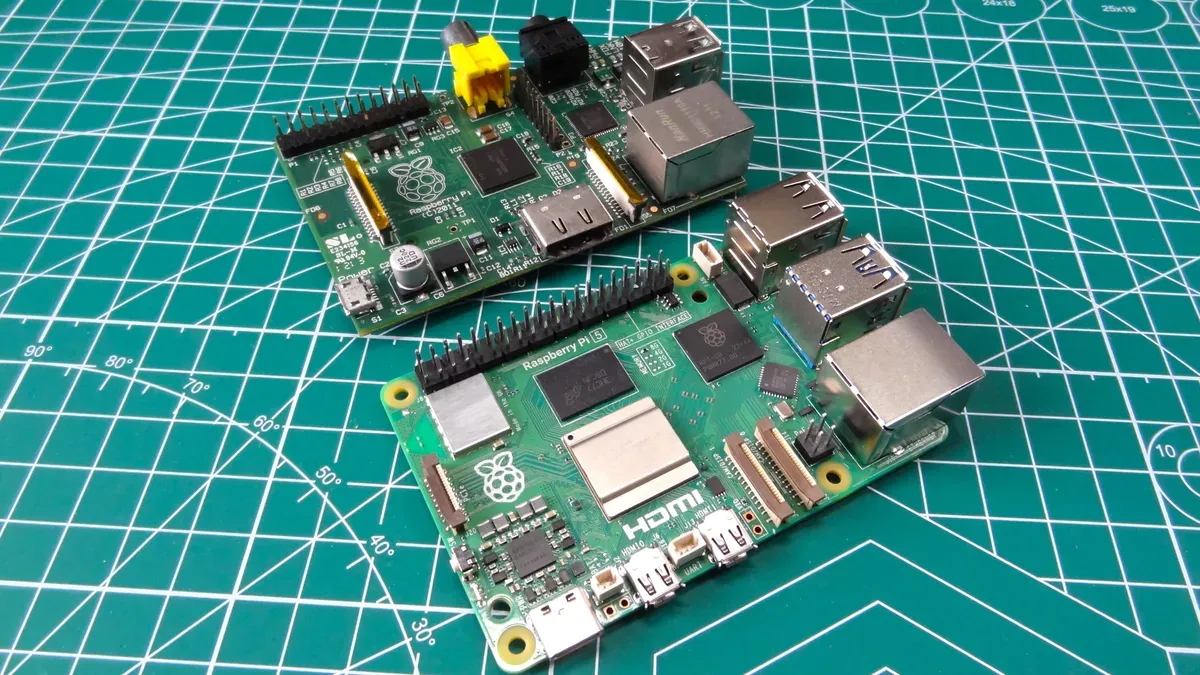
The Raspberry Pi 5 2GB launched two years ago at an attractive price of $50. The device gradually increased in price and eventually stabilized at $65 for an extended period. Despite efforts to keep costs low, Raspberry Pi CEO Eben Upton recently confirmed that maintaining the previous pricing for lower-capacity models is no longer feasible. The Raspberry Pi 5 2GB will now sell at $77.50, a 19% increase over the previous price. Over its lifetime, the Raspberry Pi 5 2GB has increased by 55% from its original launch MSRP.

Raspberry Pi 4 and Raspberry Pi 5 Pricing

Model

Original MSRP

February 2026 Price

April 2026 Price

October 2026 Price

Raspberry Pi 5 (16GB)

$120

$145

$220

$220

Raspberry Pi 5 (8GB)

$80

$95

$130

$130

Raspberry Pi 5 (4GB)

$60

$70

$85

$85

Raspberry Pi 5 (2GB)

$50

$65

$65

$77.50

Raspberry Pi 5 (1GB)

$45

$45

$45

$45

Raspberry Pi 4 (8GB)

$75

$85

$115

$115

Raspberry Pi 4 (4GB)

$55

$60

$75

$75

Raspberry Pi 4 (3GB)

$83.75

N/A

$83.75

$83.75

Raspberry Pi 4 (2GB)

$45

$55

$55

$67.50

Raspberry Pi 4 (1GB)

$35

$35

$35

$35

The Raspberry Pi 4 2GB is now set to follow in the footsteps of its successor. When the Raspberry Pi 4 2GB was first introduced, it launched at a competitive price of $45, which was later reduced to $35 as memory prices fell. Before the most recent round of price hikes, the single-board computer had reached $55. Following the latest price adjustments, the cost of the Raspberry Pi 4 2GB jumps to $67.50, a 23% increase. In retrospect, users are paying 50% more than the original launch price or a staggering 93% more than the lowest adjusted price, depending on the reference point.

Logically, the highest-memory-capacity models suffered the most across 2026. Models such as the Raspberry Pi 5 16GB, Raspberry Pi 5 8GB, and Raspberry Pi 4 8GB have posted staggering price hikes up to 83%, 63%, and 53%, respectively, compared to their original MSRPs. Raspberry Pi has frozen pricing for the 1GB models at MSRP, but it remains to be seen how much longer the company can sustain this.

If memory is the most expensive component on the Raspberry Pi, one intriguing solution might be for the company to offer a barebones version of the single-board computer. A DIY variant could appeal to hardware enthusiasts with the skills to solder their own memory to the board. Offering an official barebones SKU could alleviate some pricing pressures. However, Raspberry Pi’s most recent firmware updates have effectively ruled out this path by locking devices to their official factory capacities.
✇Tomshardware

Raspberry Pi locks boards to factory RAM capacities in firmware

作者 Mark Tyson

Raspberry Pi users are effectively being blocked from swapping the RAM chips on their SBCs for repairs or upgrades. In a reply on the firm’s forums, Raspberry Pi Engineer & Forum Moderator PhilE told users that the company has been “locking devices to their original RAM size” for some time. This decision was made for the sake of device reliability, says the rep. However, the move seems to go against the grain for a company so involved in the maker, DIY, and tinkerer side of computing.

PhilE explains the problem that faced Raspberry Pi and some users, airing the company’s side of the argument. “If labor is cheap enough then there may be a minor financial gain in buying a part with say a 2GB part, swapping it for an 8GB part of dubious origin, and reselling it as an 8GB device,” says the forum mod. “However, this brings an element of risk to the user - the board hasn't been tested by us - and is a potential support burden for us, with customers complaining of unreliable devices. We therefore remove the commercial incentive by locking devices to their original RAM size.”

In addition, the Pi’s firmware currently “program in some other device attributes, meaning that switching parts of the same size may not work,” says PhilE. This isn’t great for genuine users who might want to tinker with or upgrade the RAM chips or have to replace an IC for repair. The forum mod underlines the effective block by telling would-be RAM MacGyvers to “don't waste your time trying - it won't work.”

Some readers might feel sympathetic towards Raspberry Pi’s RAM tinkering blockade, given PhilE’s reasoned explanation. One surprising aspect of the decision, though, is that the firmware locks of RAM IC swaps began to roll out in updates from late 2024 onwards. So, this change was made well before the crazy RAM chip pricing upswing precipitated by the AI data center boom. Also, it means that if you want to sidestep this RAM tinkering block, you would need to grab and flash a pretty old firmware to your Pi model (if available).

Naturally, the Pi community isn’t celebrating this RAM upgrade/repair block. Some high-profile Pi advocates like Jeff Geerling suggest that implementing a ‘warranty bit’ (similar to older models), or a one-time firmware flag to void support for modified boards, would have been a more agreeable path for Raspberry Pi to take. Here’s a lookup table that you can use to check your Pi’s factory RAM configuration.

✇Tomshardware

Techie makes his own motherboard to refurbish 15-year-old HP ProLiant N40L tower server

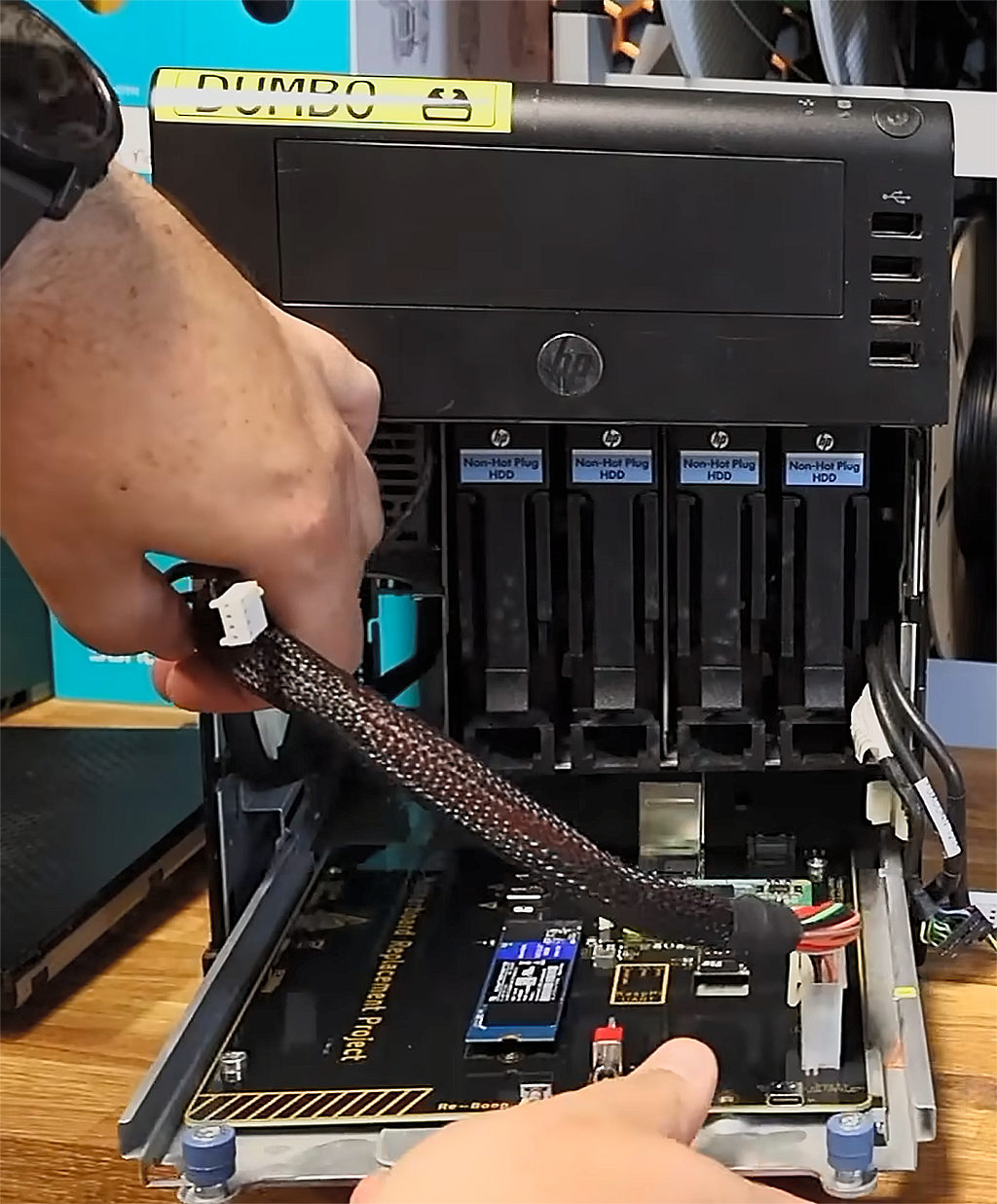
Nobody likes throwing away old hardware with a lot of usable parts, and most everyone loves a nice DIY electronics project. Those two things dovetailed nicely into YouTuber EastMakes' project to repurpose his ancient HP ProLiant N40L micro-server. The machine's integrated motherboard-and-SoC was far too long in the tooth, so he did the logical thing: designed his own around a Raspberry Pi Compute Module 5 (CM5).

EastMakes didn't want to trash the N40L, but it had zero NVMe slots, only USB 2.0 ports, and its once-laudable power consumption figures are rather unimpressive today. Needless to say, the computing power on offer was, at lack of a better word, minimal, as even back then the onboard AMD Turion II chip barely outran a pocket calculator. Even a contemporary Raspberry Pi can outperform the original hardware on all fronts, plus use a frugal amount of watts while doing so.

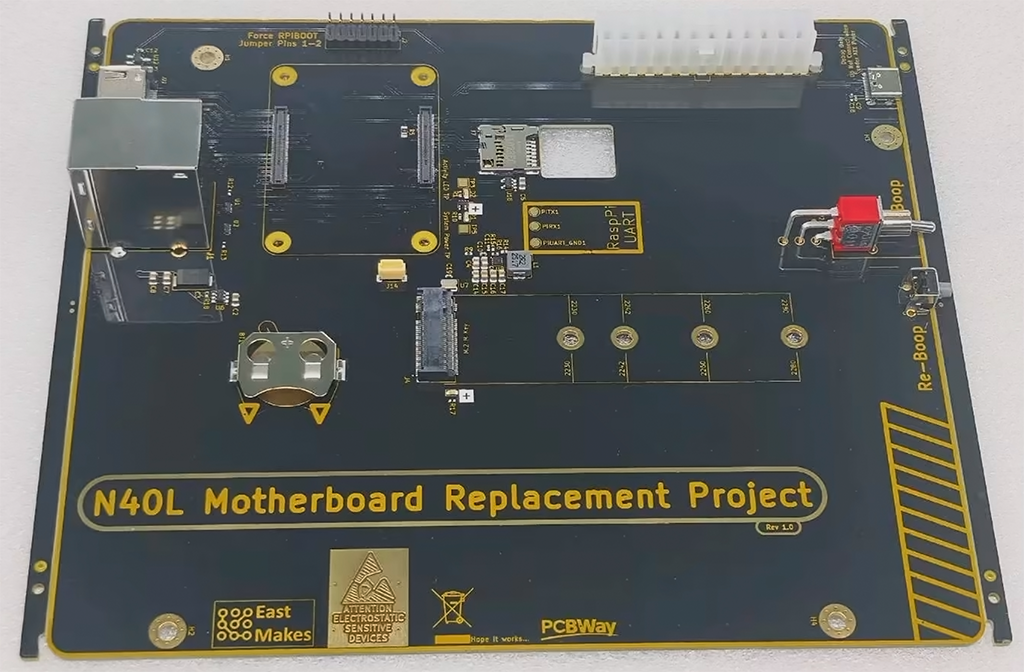
The CM5 is exactly the same as a standard Raspberry Pi 5, except it doesn't have any ports and is meant to be used with external accessories that provide them. Oftentimes, budding enthusiasts will use it with its premade corresponding I/O PCB. EastMakes did start with that board, but taking advantage of the Raspberry Pi project's open-source nature, he took the original diagrams and documentation and rolled his own variation.

HP ProLiant N40L motherboard replacement

(Image credit: EastMakes @ Youtube)

The tech wizard extended the board to fit the area the original ProLiant N40L used, and printed a simple plastic 3D prototype to ensure he got the port and screw-hole locations just right. From thereon, he moved onto optimizations like trimming down to just the one HDMI port, and adding a connector stack with the Ethernet port and two USB 3.0 Type-A connectors.

He also wired an NVMe slot to the PCB for a system drive, and spent some time with trace lengths to ensure they all matched, as to not come up against any timing issues. Although EastMakes didn't go as far as adding RGB lighting, he did add a little pizzazz by way of choosing a yellow-on-black finish for his new motherboard, using PCBWay's custom configurator. Boop and Reboop switches were added as well.

After he got the freshly minted PCB, he tested it, and it worked right on the first try. We do have to add that while EastMakes found this to be a positive, any grizzled greybeard knows that when a complicated project or piece of code works fine the first time, it means there's definitely a nasty bug hidden somewhere.

Nevertheless, he put it into the N40L box, and presto, it fit just right and booted just fine, and EastMakes tested USB and Ethernet connection speeds to ensure everything was up to spec. He did stop short of adding the requisite SFF-8087 port for the hard drive bay, so we venture he has plans for that later on.

❌