登录
登录
Samsung Portable SSD P9 review: speedy USB4 in a slim, pricey package
It’s a tough time to launch an external SSD, with demand for flash and RAM at all-time highs thanks to AI hyperscaler demand. But content creators, videographers, and media collectors need more, faster, and roomier options, so Samsung has launched its first USB4 external drive, the Portable SSD P9.
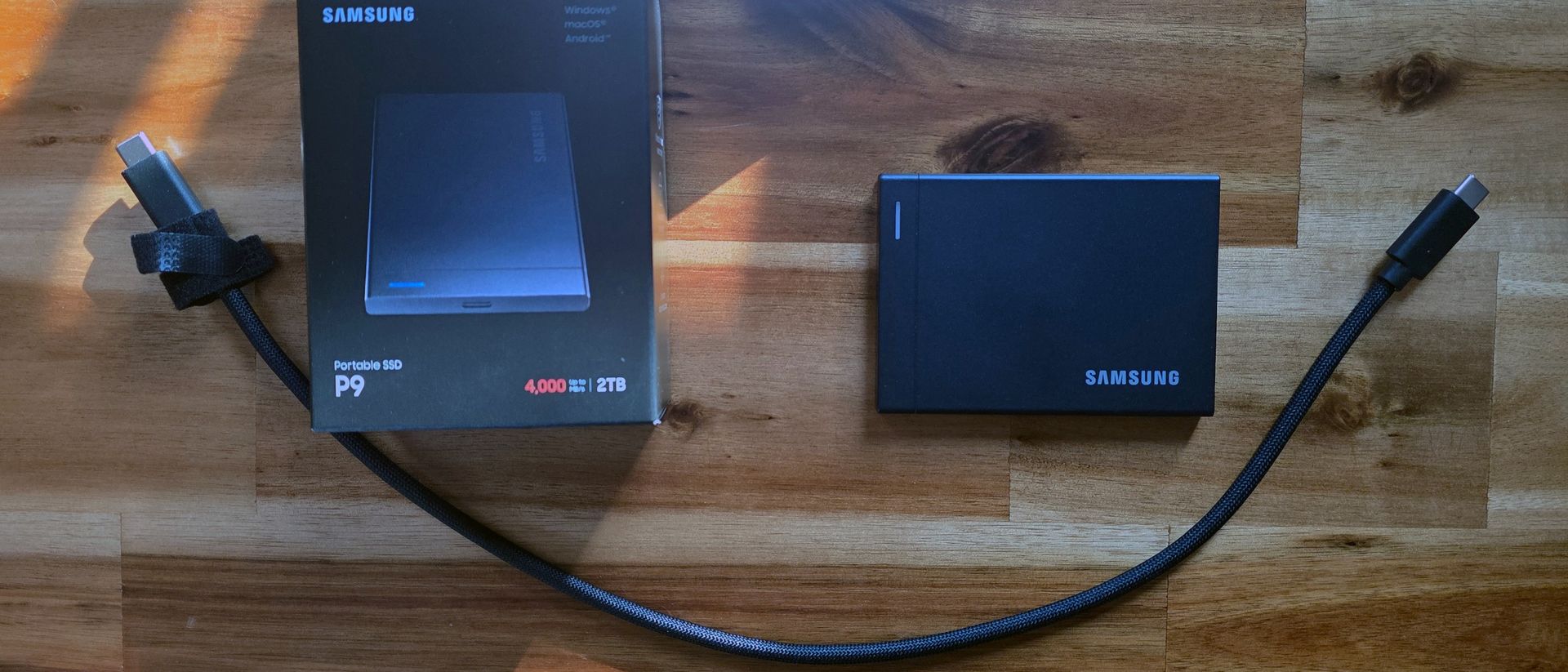
It’s offered in 1, 2, 4, and 8TB capacities (but currently only in stock at 2TB as of this writing), with rated sequential read speeds up to 4,000 MB/s and write speeds up to 3,800 MB/s, a slim (0.3-inch) but simple boxy solid shell. It also includes one of the nicest-feeling sleeved cables I’ve come across (that’s also long for an external drive, at 16 inches). The Samsung P9 is a premium, pocket-friendly portable drive that’s speedy enough to potentially knock Corsair’s EX400U out of its top USB4 drive spot on our list of the best external SSDs.
It’s also quite expensive, starting at $339 for the 1TB model, $649 for the 2TB version we tested, and commanding a whopping $2,879 for the 8TB model. Those prices might seem extreme, given Corsair’s competing USB4 drive launched at $119 for 1TB in early 2025. But as we’ll see below in our comparison section, Samsung’s pricing isn’t exactly exorbitant compared to the current price of USB4-based competition – and many alternatives that launched last year are tough to find in stock.
Samsung P9 Specifications
Product | 1TB | 2TB | 4TB | 8TB |
Pricing | $339.99 | $649.99 | $1,439.99 | $2,879.99 |
Interface / Protocol | USB4 Gen 3x2 (40Gbps) | USB4 Gen 3x2 (40Gbps) | USB4 Gen 3x2 (40Gbps) | USB4 Gen 3x2 (40Gbps) |
Sequential Read | Up to 4,000 MB/s | Up to 4,000 MB/s | Up to 4,000 MB/s | Up to 4,000 MB/s |
Sequential Write | Up to 3,700 MB/s | Up to 3,800 MB/s | Up to 3,800 MB/s | Up to 3,800 MB/s |
Dimensions | 3.5 x 2.6 x 0.3 inches | 3.5 x 2.6 x 0.3 inches | 3.5 x 2.6 x 0.3 inches | 3.5 x 2.6 x 0.3 inches |
Weight | 0.21 pounds | 0.21 pounds | 0.21 pounds | 0.21 pounds |
Warranty | 5 years | 5 years | 5 years | 5 years |
Design and accessories
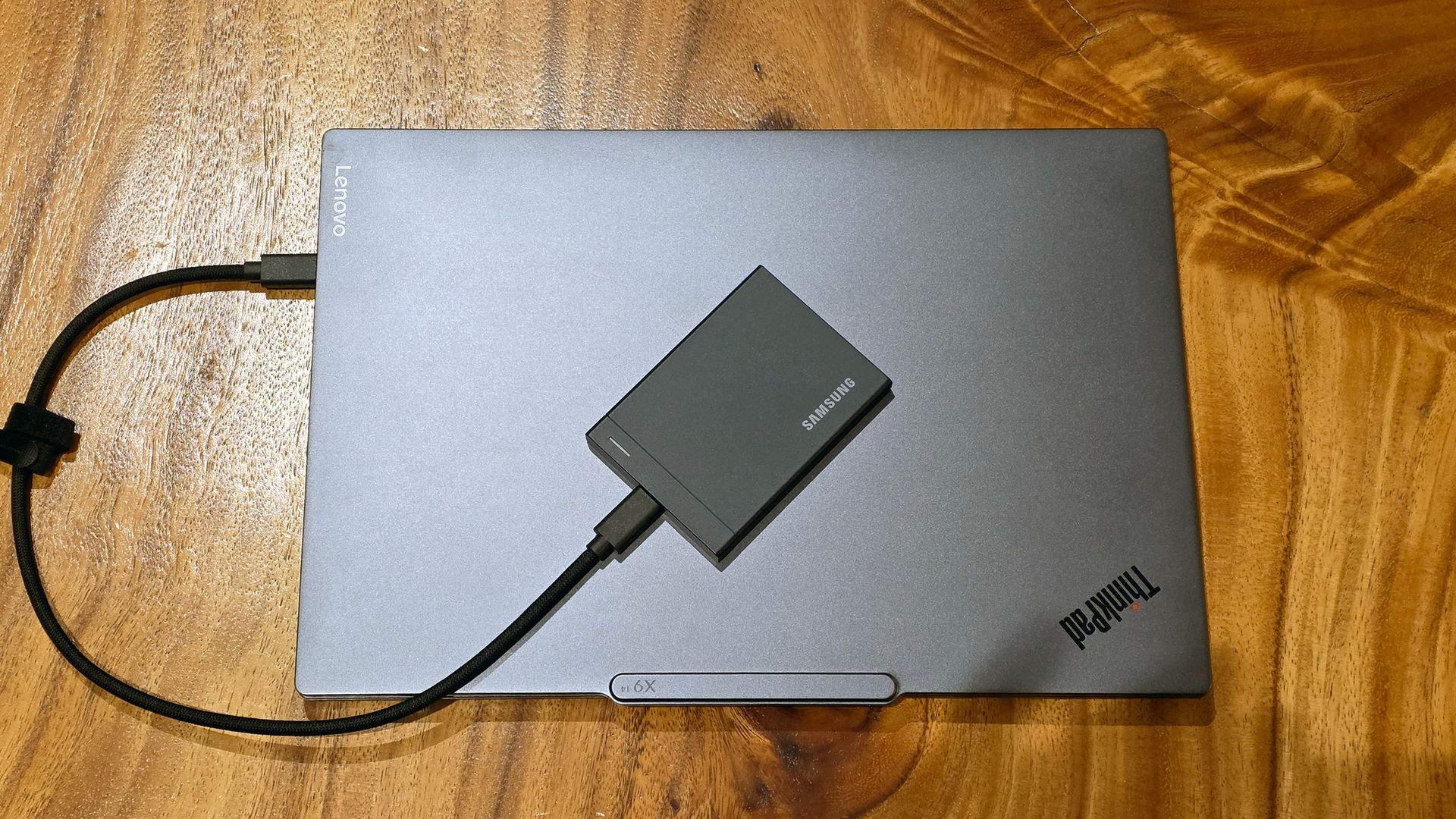
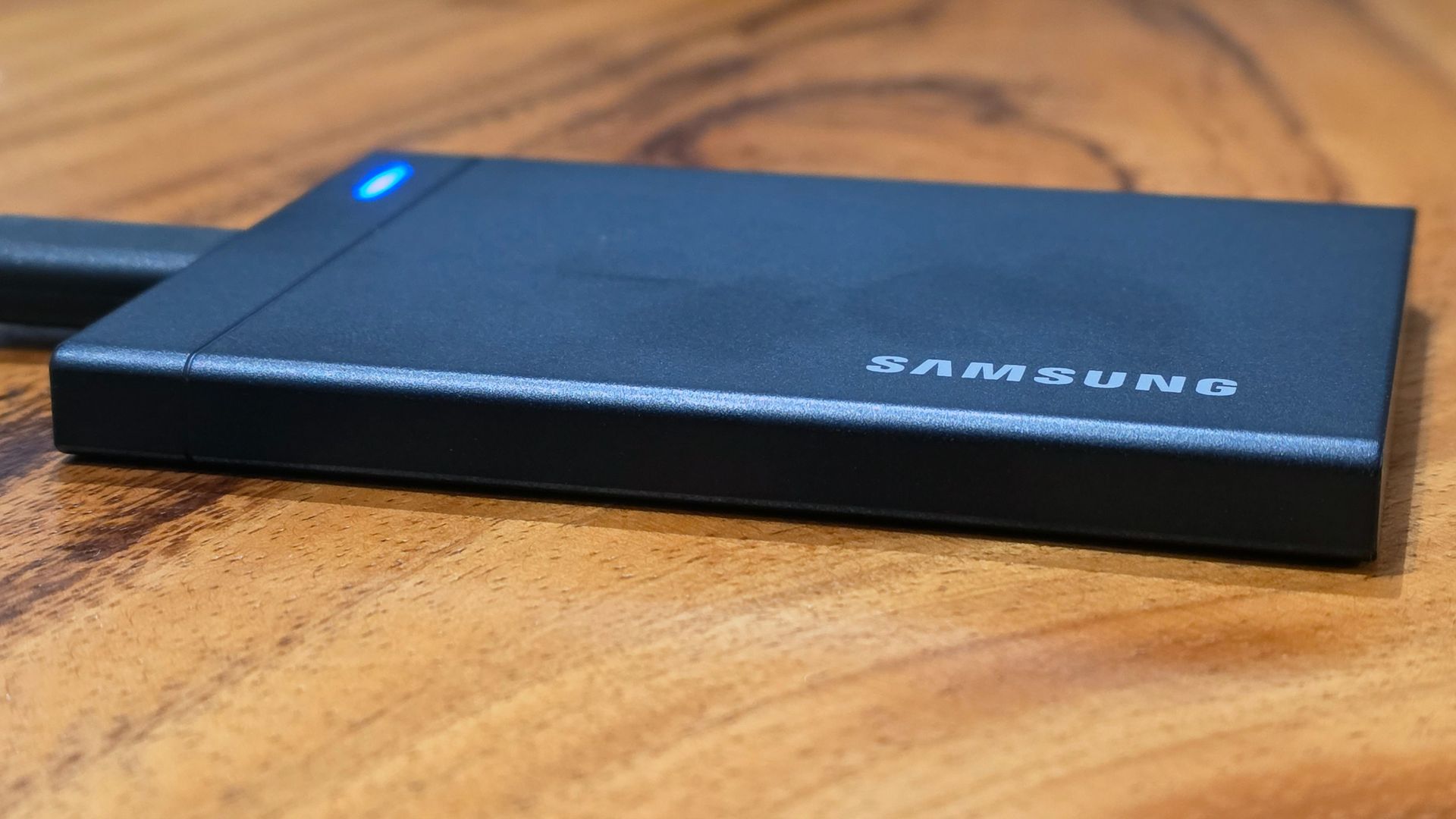
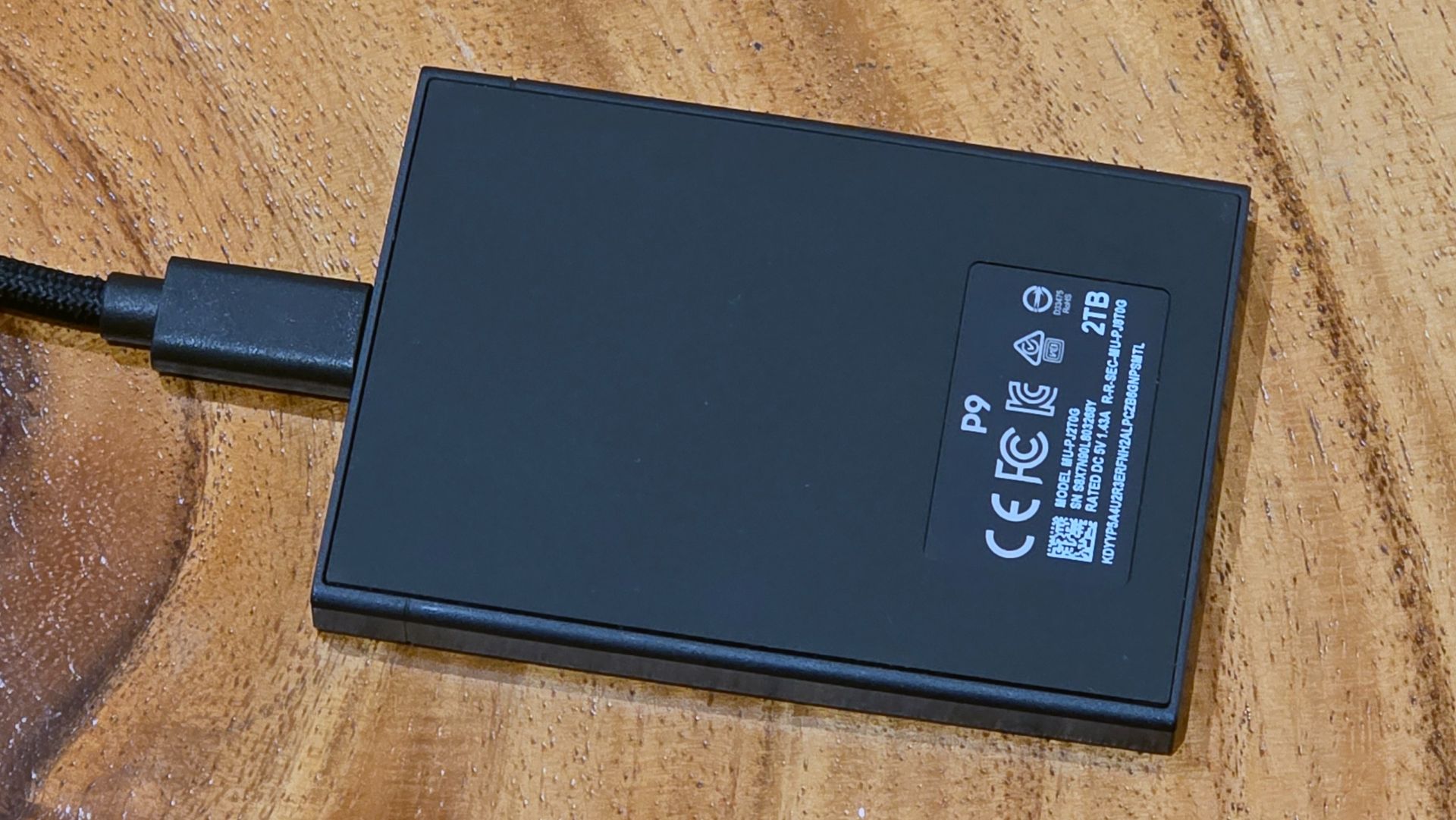
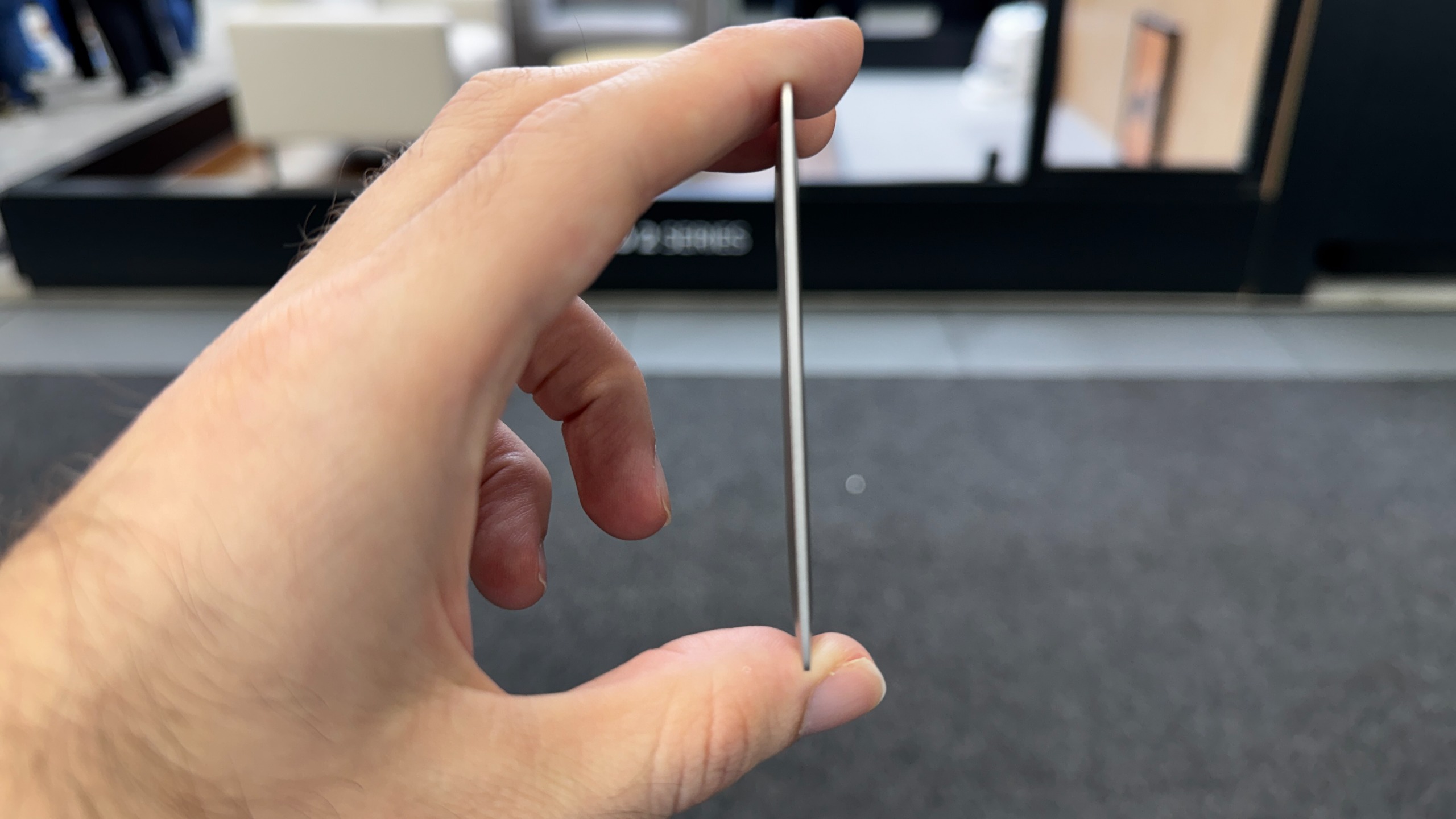
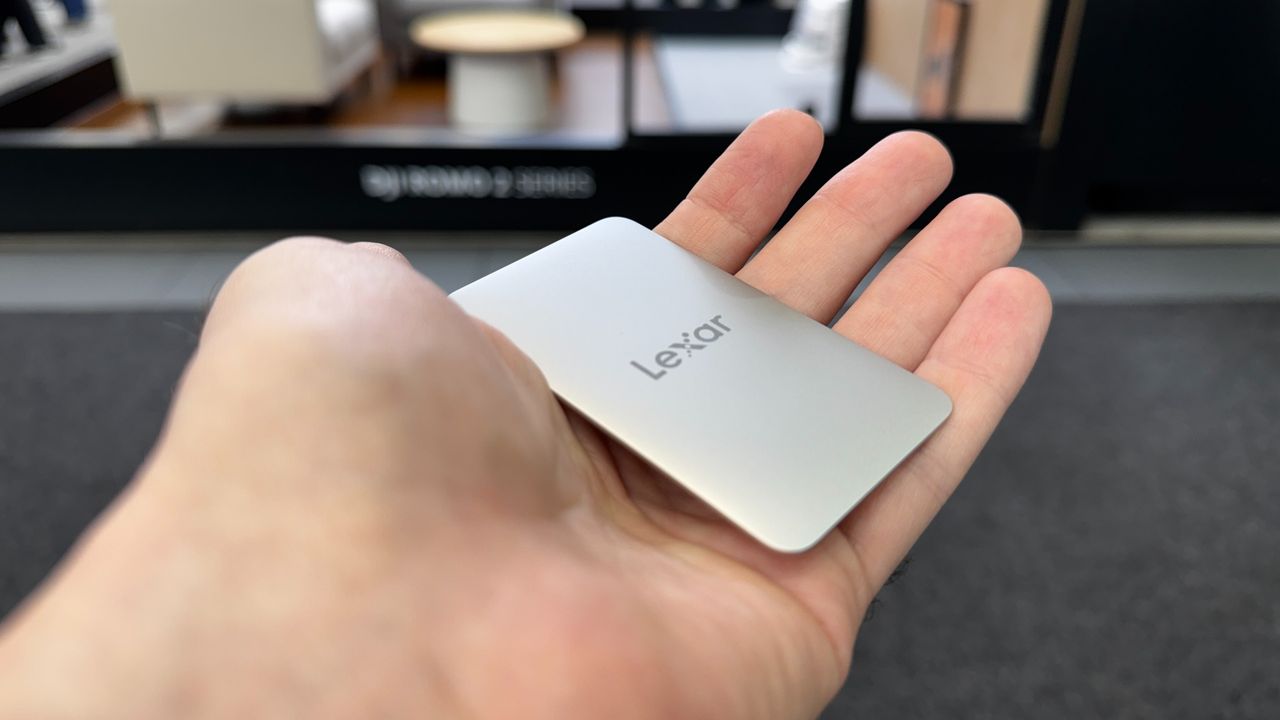
At 3.5 x 2.6 x 0.3 inches and weighing 0.21 pounds, the P9 is neither the smallest external storage drive, nor the lightest. But it’s slimmer than the company’s previous-generation T9 drive (which is 0.55 inches thick and roughly half as fast, at 20 Gbps). It ditches the rubber, textured, dust-collecting coating of the T9 for a metal shell on the P9 that feels very solid. The bottom of the P9 is coated in rubber to keep it in place on your desk.
There are no IP ratings for dust or wind resistance in Samsung’s spec sheet, and I don’t love the visible seam around the subtly rubberized bottom. But the P9 feels rigid and solid, to the point that I am pretty confident it could sustain more than its rated 2-meter drop rating.
There’s also a lot to like about the included cable, which is the only bundled accessory (unless you count paperwork). The cable is roughly 16 inches long, not counting the USB-C plugs on either end, and braided in a way that feels better than even other braided cables in my USB arsenal. There are even two Velcro-like hook-and-loop fasteners on the cable to keep any excess under control. Yes, it is just a cable, but I appreciate the ample length for us desktop PC users, and it is one of the nicest-feeling cables I’ve used.
Samsung Magician Software
Samsung includes a Samsung Magician Launcher link on the drive, but it’s really just a pop-up box that prompts you to download the latest version of the software. The app has widgets and sections for drive health and management, temperature and performance, diagnostics, monitoring, secure erasing or encrypting the drive (256-bit hardware encryption is supported), and more.
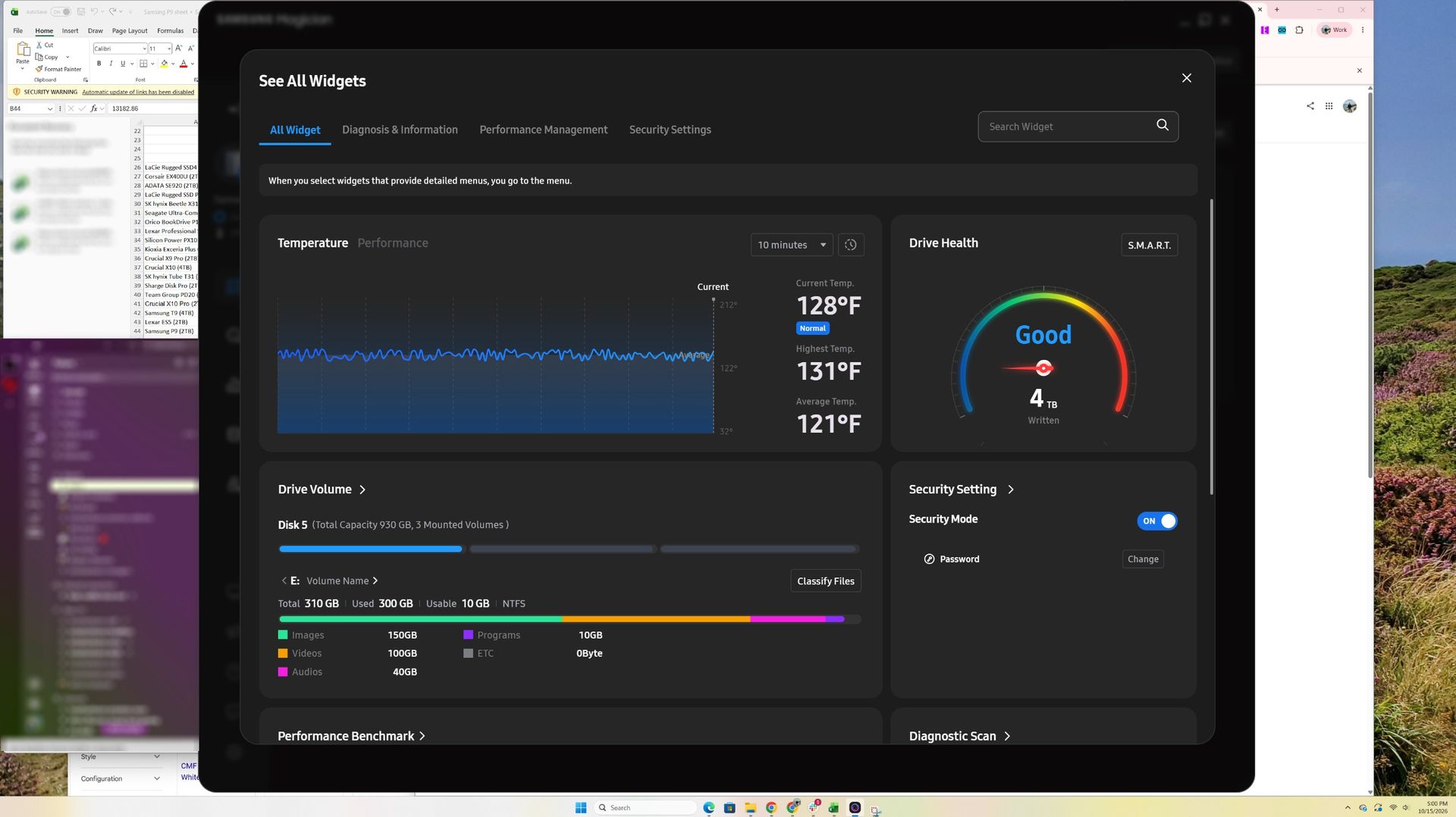
It’s one of the more feature-rich SSD toolboxes, and benefits from Samsung’s long history in the storage realm. But it also has a mobile-app-first design that makes it look big and clunky on a desktop, with rounded corners. On the 65-inch TV that I use as a monitor, the Drive Health gauge defaulted to something close to the size of my head, and toggling to the compact version hides nearly everything but that single gauge widget. While that is of course an extreme example, the software just has a big UI for the information it presents.
Comparison products
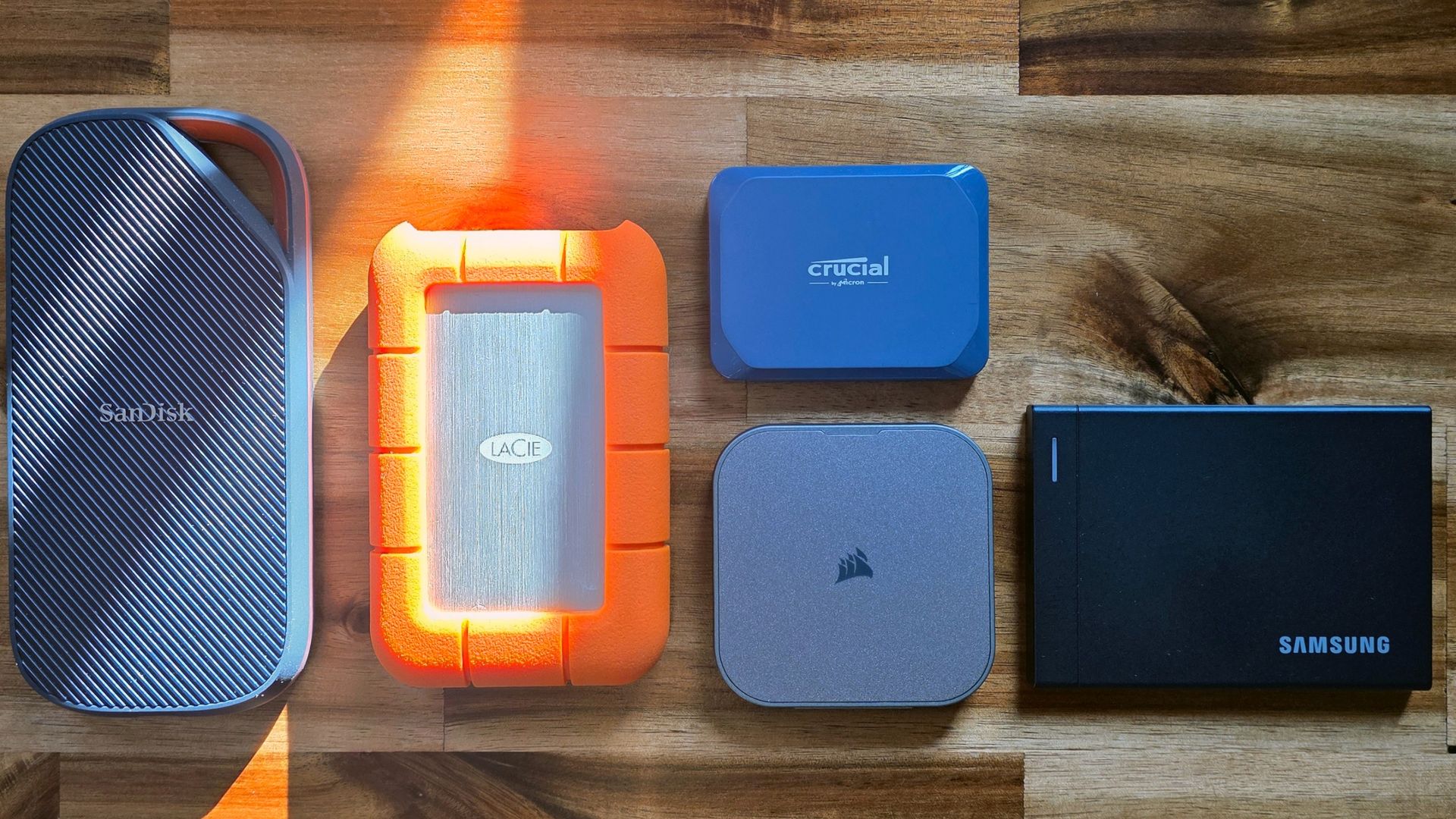
Samsung has a fair amount of competition on the USB4 drive front, but much of it is increasingly scarce, likely due to flash availability. Sandisk’s Extreme Pro is the most recent USB4 competitor we’ve tested, with the 2TB version selling for $549, or $100 less than the P9.
LaCie’s Rugged SSD4 launched a little over a year ago and performed very well on both Windows machines and Macs. But it’s listed as sold out or no longer available in many places. As of this writing, it was available at Micro Center and a couple of online outlets, for between $750 and $800 for the 2TB model.
Corsair’s magnetic-backed EX400U has long been our favorite USB4 drive, for its compact size, performance, and value. But Corsair’s drive is also becoming hard to find in stock. And, like everything else in this space, its price has risen as well, with the 2TB version selling for $692 when I wrote this.
For those who don’t absolutely need USB4 speeds, the latest iteration of Crucial’s X10, a 20 Gbps drive with effectively half the bandwidth of these competing USB4 drives, is selling for $399 for the 2TB model. It’s very good for a 20 Gbps drive, but obviously that’s a different performance class than USB4 (40 Gbps).
With all that perspective, the $649 2TB Samsung P9 still feels expensive — if the drive launched a little over a year ago, it would likely have been roughly a third of this price. And it is $100 more than its Sandisk competitor, but it’s still priced a little less than other, older options. Let’s see how it performs.
Storage testbed
In 2025, we updated our external storage testbed to an AMD Ryzen 7600X-based PC with an Asus ROG Crosshair X870E Hero motherboard, installed in Lian Li’s Lancool 217 case. This was done in part because we needed a system with native USB4 support for upcoming drives (like this one).
All the drives in the charts below have been re-tested on the new X870E system, with the exception of the final Iometer sustained sequential test. That benchmark is less about top speed and more about how long a drive can write before depleting any fast cache onboard. We also updated to CrystalDiskMark 8, rather than the older (and non-comparable) version 7 we used on the previous testbed.
Trace Testing - PCMark 10 Storage Benchmark
PCMark 10 is a trace-based benchmark that uses a wide-ranging set of real-world traces from popular applications and everyday tasks to measure the performance of storage devices.
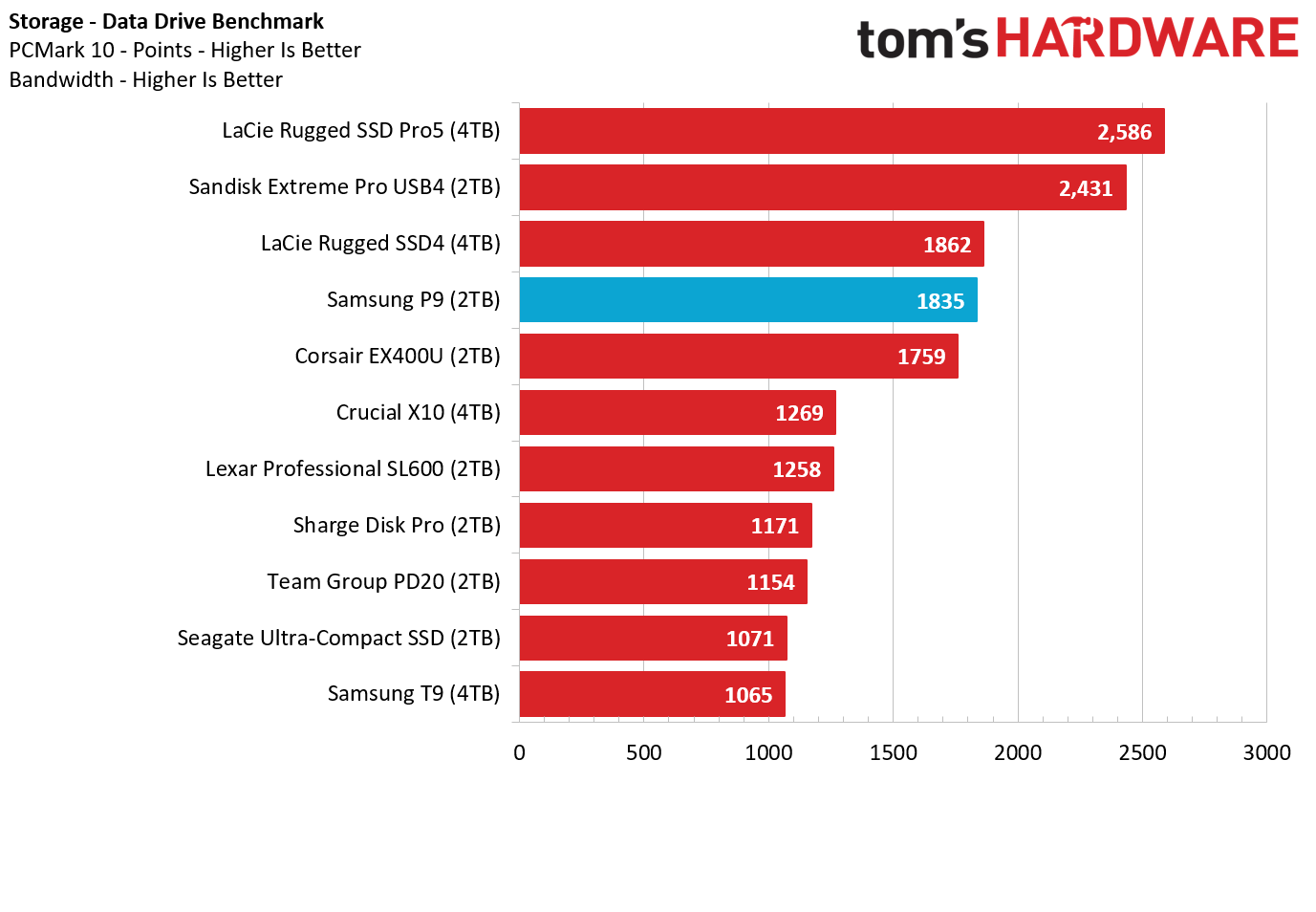
Samsung’s P9 doesn’t start off our test suite looking its best. It (unsurprisingly) falls behind LaCie’s Thunderbolt 5 drive (which is currently priced at $1,999 for the 4TB model we tested), but it also lands behind USB4 drives from LaCie and Sandisk in PCMark 10. It did, though, fare better than Corsair’s USB4 EX400U here.
Transfer Rates — DiskBench
We use the DiskBench storage benchmarking tool to test file transfer performance with a custom 50GB dataset. We copy 4,617 files (images, videos, and software ISO files) to a folder on the test drive (write). Then, after leaving the system idle for five minutes, we run the same test in reverse, moving the test folder to a different location on our PCIe 4.0 testing drive.
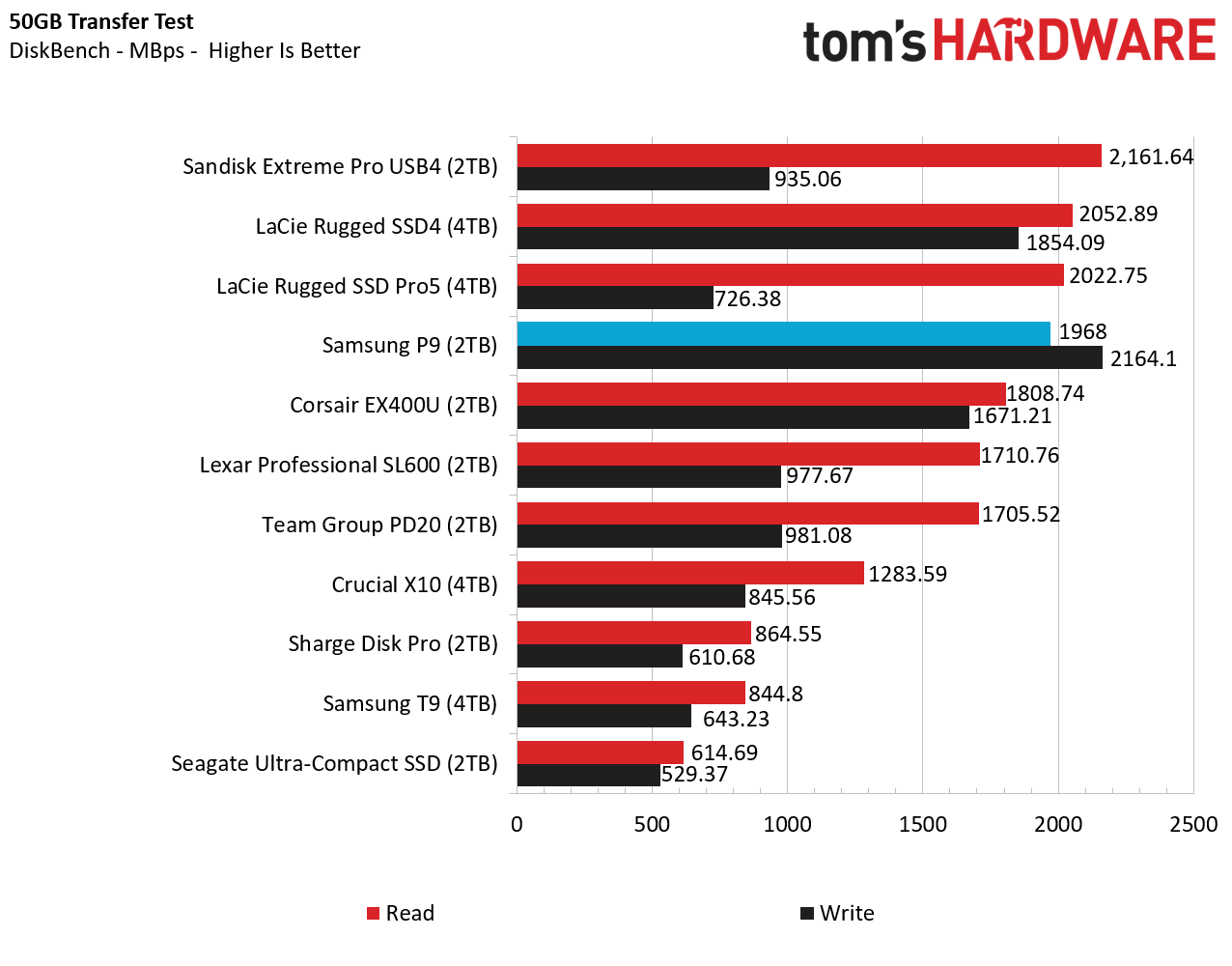
Samsung’s P9 led the pack in this real-world write speed test. Although its read speed technically landed it in fourth place, it again easily beat Corsair’s USB4 drive, and was close to Sandisk’s drive, which was less than half as fast when it comes to writes in this test. Note the somewhat odd performance of LaCie’s TB5 drive here, which is capable of being faster on Apple hardware, but did not perform very well on our USB4 testbed in some tests.
Synthetic Testing: CrystalDiskMark
CrystalDiskMark (CDM) is a free and easy-to-run storage benchmarking tool that SSD companies commonly use to assign performance specifications to their products. It gives us insight into how each device handles different file sizes. We run this test at its default settings.
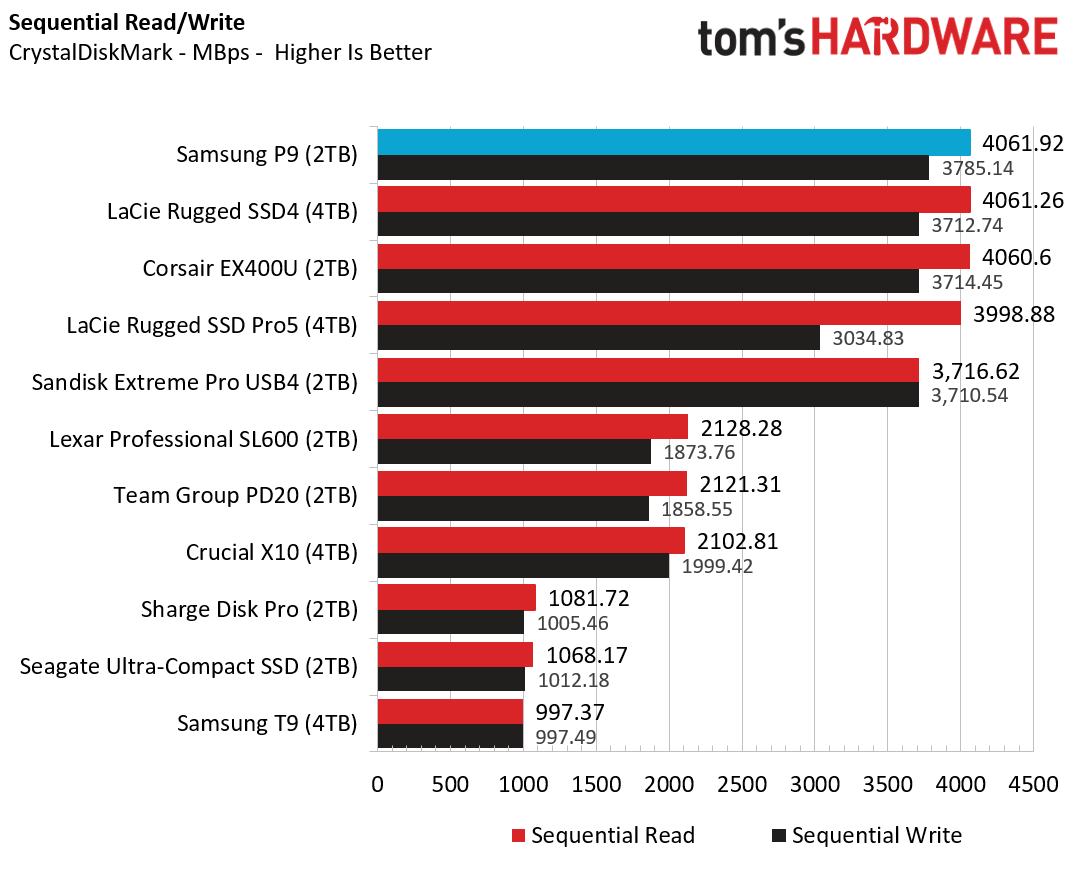
The Samsung P9 looks its best on this synthetic, best-case-scenario benchmark, landing in first place in both reads and writes. Most of the other high-end drives were close, save for SanDisk’s USB4 SSD, which is a few hundred MB/s slower on read speeds, but was still fast.
Sustained Write Performance
A drive's rated write specifications are only a piece of the performance picture. Most external SSDs (just like their internal counterparts) implement a write cache, or a fast area of flash, programmed to perform like faster SLC, that absorbs incoming data.
Sustained write speeds often suffer tremendously when the workload saturates the cache and slips into the "native" TLC or QLC flash. We use Iometer to hammer the SSD with sequential writes for 15 minutes to measure the size of the write cache and performance after the cache is saturated.
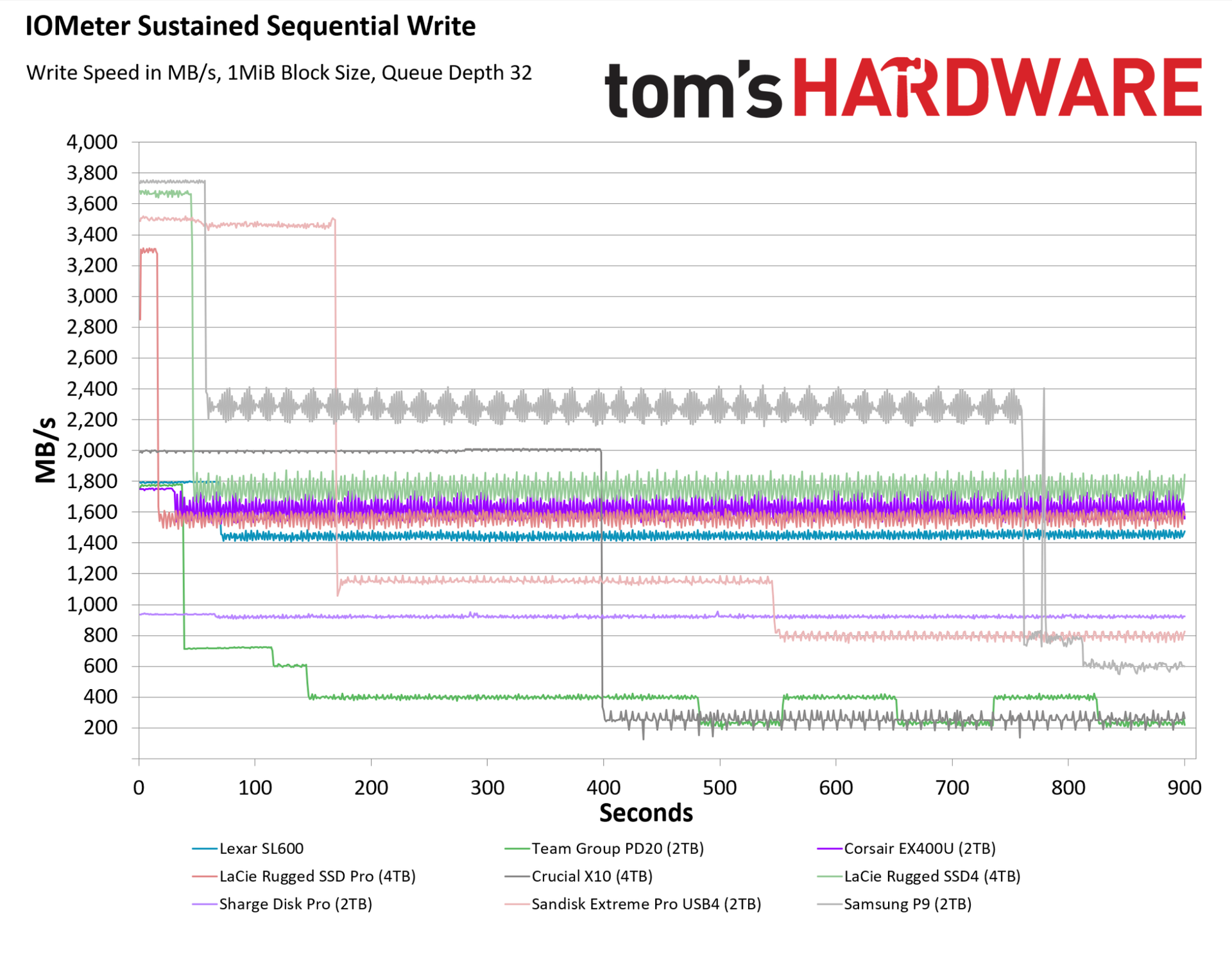
Samsung hasn’t disclosed SLC cache size for its P9 drive, whether it’s fixed or dynamic, or if it differs by capacity. In other words, our 2TB P9 drive may be at a disadvantage here, at least compared to the 4TB LaCie and Crucial drives in our chart. But regardless, the Samsung P9’s performance on this test is largely positive, if somewhat complicated.
For roughly the first minute, the P9 wrote close to its max spec, around 3,750 MB/s. It then dropped to a write speed that fluctuated between just below 2,200 MB/s and just above 2,400 MB/s, which is still quite fast. It maintained that speed range for the next 12 minutes of writes, before dropping into the 600-800 MB/s range.
Sandisk’s Extreme Pro USB4 drive maintained its initial speed, around 3,500 MB/s, for roughly three times longer. But when its cache was exhausted, it dropped lower, first to roughly 1,200 MB/s, and then to around 800 MB/s. Looking beyond our usual 15-minute test, the Sandisk drive stayed in the same 800 MB/s range after the 15-minute mark, until we stopped the test at 30 minutes. The Samsung P9, however, recovered a good chunk of its write speed after about 17 minutes, switching back into its “middle” write range of 2,200-2,400 MB/s, from then until the end of the 30-minute test.
Corsair’s EX400U was more consistent in this test, but its write speeds never topped 1,800 MB/s, and it frequently dipped below 1,600 MB/s. Samsung’s P9 is flatly in another class, even though these are both USB4 drives.
Bottom line
As much as $649 for a 2TB external SSD still feels like a lot, the Samsung P9 performed very well in our testing. It wasn’t always at the top of the charts, but it consistently beat Corsair’s EX400U, which costs a little more now, if you can find it.
Sandisk’s Extreme Pro USB4 costs $100 less at 2TB, and $340 less at 4TB (and the P9 wasn’t even in stock at that capacity when this was written). But Sandisk’s drive has been on the market longer, and I would expect the two drives' prices to land close to each other once the P9 has settled into the market — that said, they both very well could go up in price, given recent trends.
Regardless, Samsung’s P9 drive is faster in most scenarios, particularly when it comes to sustained write speeds, which are important to professional users. And Samsung’s drive is about a third smaller, making it more travel-friendly. So while you could easily get by with Sandisk’s drive and save some money, Samsung’s P9 is a better USB4 drive if you want the best, fastest option for serious storage demands.