阅读视图

发现新文章,点击刷新页面。
✇Tomshardware

97 untouched Duck Hunt and Super Mario Bros. cartridges worth thousands discovered in retro shop storage room — never-before-seen version of popular NES games include five perfect 10 PSA items

A retro shop owner based in Waukesha, Wisconsin, located some 15 miles west of Milwaukee, discovered that he was holding on to a rare stash of NES carts in his storage room. According to Nintendo Wire, these cartridges were never-before-seen versions of Duck Hunt and Super Mario Bros., which were some of the most popular games on the Nintendo Entertainment System. What’s more important is that these haven’t been opened, and the original owner said that these supposedly came directly from Nintendo of America. Their condition is so pristine that PSA (Professional Sports Authenticator) gave them extremely high grades of no less than 9.6, with five units getting the coveted perfect 10.

Kevin Braun, the owner of the retro shop OneStopWonders, said that a person sold him the cartridges years ago and that they’ve just been sitting untouched in his storage unit. The man said that his grandfather owned a business that recovered precious metals from circuit boards, and that this box was supposedly sold to him for salvaging. It’s unknown how it ended up in storage instead of recycling, but Braun bought it from the seller, thinking he could resell it in his shop for around $10 to $15 each.

Thankfully, he forgot about these cartridges until his friend and EIC of Nintendo Wire, Jason Ganos, got a chance to look at them. When he saw the carts for the first time, Ganos knew that he was looking at something special but didn’t realize how exceptional they were until he shared the find on a high-end gaming Facebook group. Two different people working as directors at different grading companies then reached out to him, telling him that there was something strange about these cartridges. They then asked for more photos of one cartridge and the manual and even told him to disassemble one unit for a deeper inspection.

This is where he discovered that these cartridges were some of the last produced units made during the 40th week of 1993. The manuals weren’t seen before, either, with the back page saying, “maintenance or service,” whereas previous known versions said, “maintenance or repair.” Because of these finds, he proceeded to take a flight to PSA in California early the next morning, where the grading company confirmed its authenticity.

It seems that the cartridges in the box were made as replacements for warranty repairs or refurbished consoles, or as part of a bundle that never saw release. We would never know which is true, though, unless Nintendo of America confirms why they were made. If you’re an avid collector or simply want to get your hands on an original Nintendo game that hasn’t been released, three carts will be auctioned off at Goldin Auctions starting August 12.

It’s unclear how much these carts will go for, but it’s estimated that they’d cost at least four digits, with the perfect 10s possibly hitting five digits. This is possible, given that an ultra-rare NES Gold Nintendo World Championships cartridge auction sat at $77,000 and probably sold for a much higher price. So, if you want to get your hands on this, you’d better have a war chest of at least $100,000 to guarantee that you can get one — just don’t blow on it if you insert it in your NES console and it doesn’t work for the first time.

✇Tomshardware

Lost one-of-a-kind Nintendo DS cartridge hits eBay for $9,100 — PokePark Fishing Contest designed to delete itself after 12 hours, game so rare it was only distributed to theme park attendees in 2005

A Nintendo DS game that was classified as ‘lost media’ for nearly two decades is currently within tantalizing reach of video gaming fans and archivists. All the fans need is about $9,100, and no rival bidders on an eBay auction for an ultra-rare, perhaps one-of-a-kind, development cartridge thought to contain the PokePark Fishing Contest DS minigame.

Ultra-rare Nintendo DS Pokemon game on eBay

(Image credit: eBay)

Japanese game archaeology enthusiast Yoshino @ Federation (renpou.com) shared details of the eBay auction and its significance to their tens of thousands of social media followers.

So, what’s the deal with PokePark Fishing Contest DS, and why is it ultra-rare or even classified as ‘lost media?’ This fishing mini-game was lost for several reasons. Firstly, it was a download-only title. Secondly, its distribution was limited to those attending a short-lived Pokémon theme park venue in Japan (PokePark 2005). It also eluded archivists because it would be removed from a DS handheld when it was powered off, or after a 12-hour limit, whichever triggered first.

The eBay listing shows a large development and testing cartridge, front and back. There’s also an image showing the cartridge working. However, the on-DS-screen proof of viability is limited to “a Japanese-language screen indicating a high-score ranking communication program.”

The Germany-located seller, catbearpaws, says the cart was acquired as part of a private lot, and is selling the hardware as-is, with no promises regarding functionality, compatibility, or provenance. Catbearpaws has a 100% selling record and is asking for bids starting at €7,999 ($9,100), with less than three days left to run. They also may accept offers via the eBay Make Offer button/process.

Ultra-rare Nintendo DS Pokemon game on eBay

Machine translation of eBay listing Nintendo DS screen content (Image credit: eBay)

Our machine-translated version of the eBay listing screen content appears to confirm that this is indeed a dev cart that was used for hosting “PokePark Fishing Contest DS” assets of some kind. Whether a playable version of the game can be downloaded, transmitted, or extracted from this hardware remains to be seen. As mentioned, the seller isn’t guaranteeing anything about this expensive but potentially important retro gaming artifact.

✇9to5Mac

9to5Mac Overtime 075: Thoughts on Apple Upgrade

作者 Jeff Benjamin

Fernando and Jeff discuss Apple Upgrade in depth, including Apple’s motivation, the major players involved, how it may affect the used and refurbished market, and how it might open up the company’s upcoming foldable iPhone to a much wider audience.

  • Sponsored by Bitwarden: Check out Bitwarden Password Manager, featuring an Apple Watch authenticator integration, secure autofill on Safari and iOS apps, and enterprise-grade security tools that help you manage credentials with confidence.

9to5Mac Overtime is a weekly video-first podcast exploring fun and interesting observations in the Apple ecosystem, featuring 9to5Mac’s Fernando Silva & Jeff Benjamin. Subscribe to Overtime via Apple Podcasts and our YouTube channel for more.

✇Tomshardware

Big tech spends more than $1 trillion on AI infrastructure — additional $745 billion expected to be added to the figure in 2026 alone

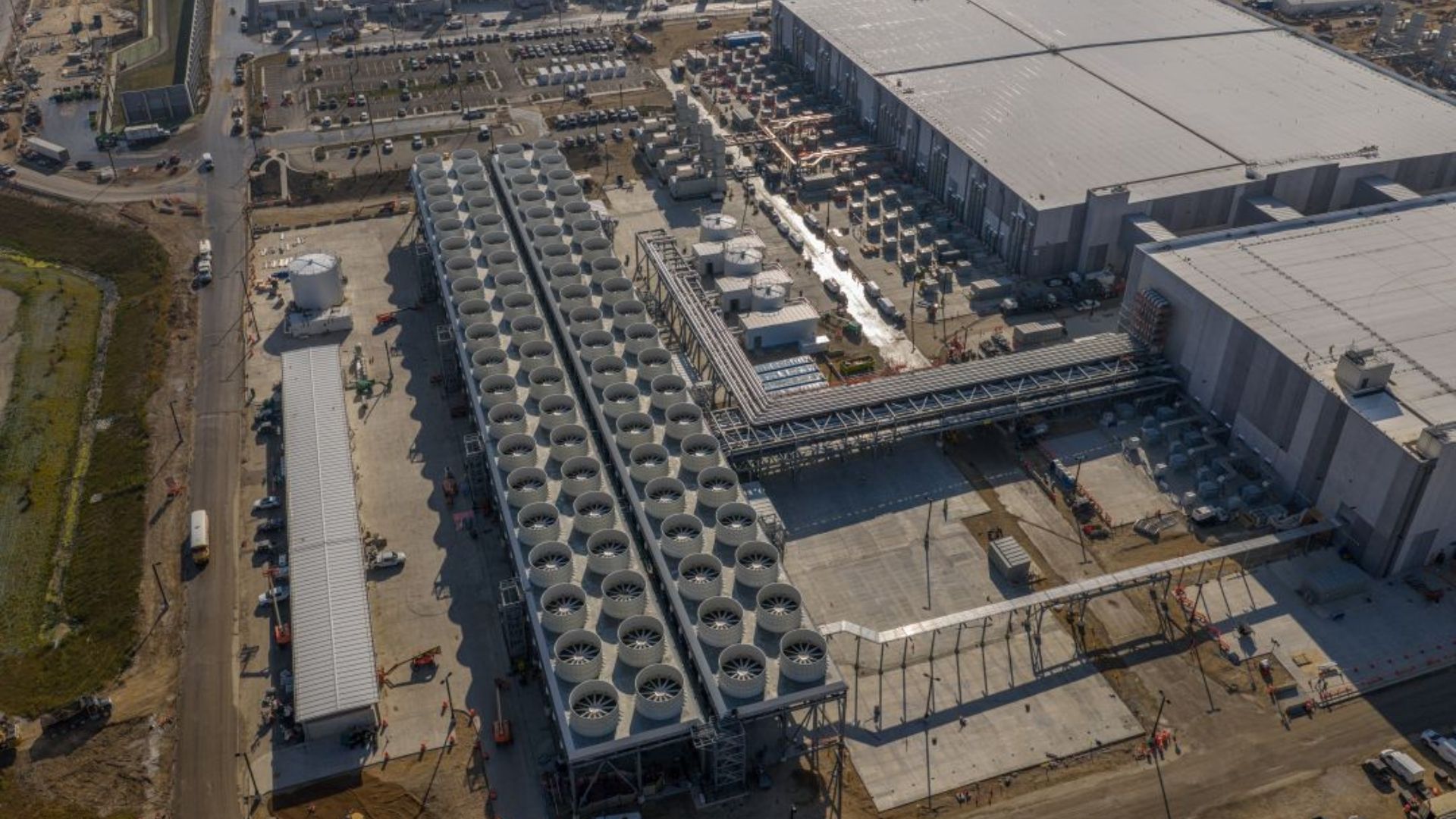
Amazon, Google, Meta, and Microsoft have spent more than a trillion dollars on AI infrastructure, including data centers, the chips inside them, and the power needed to run the facilities, since 2023. The Financial Times said that these four big companies have already hit $1.1 trillion in capital expenditure based on their latest earnings reports, and that an additional $745 billion is expected to be added to this figure just this year.

“There is basically no end in sight for the growth in capex,” RBC Capital analyst Rishi Jaluria told the publication. “Investors need these companies to toe the tight line between investing in AI and not compromising the things that have made them successful.” This massive investment has upended several other industries — namely electricity prices and memory and storage chips. The massive power demand that data centers have put on the power grid has forced many U.S. utility companies to spend billions of dollars to upgrade their respective infrastructure, which they then passed on to all consumers, not just the big ones that forced the upgrade.

This, alongside other environmental issues, has caused many Americans to push back against data center projects near their communities. The White House instituted the “ratepayer protection pledge” and made AI hyperscalers, utility operators, data center companies, and individual states promise that they will protect the average consumer from electricity cost increases. But so far, no state has taken a step to codify this pledge into law. Oregon actually enacted the POWER Act, which resulted in a 30% increase in the power bill of users that consumed more than 20MW while slashing the bills of residents by 1.3%, but the state did this in 2025, way before President Donald Trump called the tech giants into the White House and told them to “pay their own way.”

The mountains of cash that these tech giants are pouring into AI are also affecting the memory and storage chip industry. Since these AI hyperscalers have a lot of liquidity from investors, they are willing to pay top dollar for the HBM they need to run their data centers. Because of this, it made sense for Micron, Samsung, and SK hynix to prioritize them over DRAM, especially as they can charge a premium for these chips and there are customers who are willing to pay at those prices. This resulted in a shortage of consumer memory that started in 2025 — while this initially affected PC builders and enthusiasts, it has started to affect other industries that require memory as well, including cars and smartphones. Even Apple, which historically had huge sway over its suppliers, was forced to increase prices because of the shortages.

Aside from skewing other industries, the massive CAPEX the big four are going into is alarming some experts, warning that the promises and contracts they’re making are leading to “hidden debt” not listed in their balance sheets. The amount, worth around $1.65 trillion, is annotated in their quarterly financial statements as future obligations that will only come into play as the related asset or service comes online. The current value is 122% of the actual debt reflected on their balance sheets, which could give investors the wrong impression that they have fewer obligations than they actually have.

While the amount of money that the big four are spending on AI might seem dizzyingly high, we must note that these companies are raking in massive amounts of cash quarterly themselves. Microsoft’s latest quarterly revenue is $90 billion, while Meta made $60 billion in the same period. Alphabet (Google) announced revenue of nearly $120 billion, while Amazon made $200 billion. That is a total of nearly $470 billion for these companies in just the last quarter.

Still, that does not mean that they can just keep on spending on AI. For example, even though Google’s cloud business had a revenue of $11 billion last year, its price dropped after it announced that it spent more than it made last quarter — the first time this happened in the 20 years since it went public. Meta is also planning to rent out its AI compute, apparently following in the footsteps of Amazon, Google, and Microsoft, which have growing cloud businesses. However, this announcement caused a drop in its stock price. “They are a bit all over the place,” SLC Management managing director Dec Mullarkey told FT. “For investors it’s no longer growth at any cost; they want to see the spending flowing through to results, like at the Big Three.”

✇Tomshardware

30 years of CPUs at Tom’s Hardware — looking back on three decades of processors, from the Pentium II to Ryzen 9 9950X3D2

We're celebrating the 30th anniversary of Tom's Hardware. Since the beginning of Tom’s Hardware in 1996, we’ve been covering CPUs. Over the course of the past 30 years, we’ve maintained a comprehensive list of the best CPUs for gaming by reviewing each new release, and we’ve compiled thousands of data points spanning years to compile our CPU benchmark hierarchy. From the Pentium II and the introduction of Dual Data Rate memory to dual 3D V-Cache CPUs, Tom’s Hardware has been there for it all.

It’s time to look back, not just on Tom’s Hardware’s role in the world of CPUs over the past 30 years, but on the broader CPU market. Earth-shattering releases at a given time turned out to be footnotes in hindsight, and bubbling competition that seemed like no real threat turned into seismic shifts in the AMD vs. Intel battle. Hopefully, along the way, we’ll see some reflections of what’s going on in the world of CPUs today.

This is a celebration of 30 years of CPU coverage here at Tom’s Hardware, a history lesson about how the AMD and Intel of yesteryear arrived at the positions they’re in today, and a retrospective of the CPUs that stood the test of time against the refreshes that faded into obscurity just as soon as they were released. We hope you enjoy it.

Ruffling feathers from day one (1996 - 1998)

Ruffling feathers from day one (1996 - 1998)

30 years of CPUs at Tom’s Hardware

(Image credit: Tom's Hardware)

Like much of the early internet, the true beginnings of Tom’s Hardware (or, rather, Tom’s Hardware Guide) is difficult to pin down, but the earliest archived article concerns the SoftMenu BIOS, which allowed you to change CPU settings through software rather than physical jumper cables; it should go without saying that this article was from July 1, 1996. There were articles before this one, with the original domain of sysdoc.pair.com going online in February 1996.

Tom’s Hardware gained a lot of traction a year later with a CPU review: a look at the Intel Pentium II ‘Klamath’ processor.

Table 1: Then and Now: Pentium II

Pentium II Klamath

Core Ultra 7 270K Plus

Ryzen 9 9950X

Transistors

7.5 million

17.8 billion

16.63 billion

Node

350 nm

3 nm

4 nm

Die size

203 mm²

243 mm²

2 x 70.6 mm²

Max clock speed

300 MHz

5.5 GHz

5.7 GHz

Price (w/ Inflation)

~$700 (~$1,450)

$300

$500

Tom’s Hardware’s founder, Thomas Pabst, had discussed CPUs previously, like in a dense CPU guide published the same year, but the Intel Pentium II review marked a turning point. It was published March 1, 1997, more than two months before Intel launched the Pentium II 80522 (or Klamath). It was not positive: “...since I wouldn't eat [Mad Cow Disease] infected beef, I wouldn't be interested in risking an infection of my computer with this CPU either,” wrote Pabst.

The CPU wasn’t officially available, but Pabst was able to test the chip with a pre-release unit shared by two German magazines: C'T Magazin fur Computertechnik and PC Professionell. Following the publication of all three reviews, Intel targeted the two German magazines, threatening to withhold advertising dollars and take legal action against them. Pabst publicized this fiasco and was contacted by The New York Times, which also covered the story. Intel backed down. Pabst later wrote that “...this 'David against Goliath'-incident made Tom's Hardware Guide very famous.”

In the following months, Pabst focused on CPUs quite a bit, breaking from the performance-tuning guides and general enthusiast information the website had previously published. The situation with Intel made Pabst a “secret star,” so much so that AMD not only offered Pabst a free review unit of the upcoming K6, but also apparently offered to cover legal fees should Intel pursue the situation further.

Although the unofficial review of the Pentium II predates it, the first review that looks most like the technical reviews that have been published on Tom’s Hardware for decades came in April 1997 with a review of the AMD K6, a CPU that established AMD as a true competitor to Intel, claiming Pentium II-like speeds for less money.

The performance wasn’t quite on the level of a Pentium II, most notably because the K6 originally arrived at 233 MHz, when 266 MHz was promised. But it was competitive, particularly when compared to the Pentium II 233, and much cheaper. Pabst concluded the review, “All in all I'm sure that this CPU will be very successful… Whoever is contemplating the purchase of an Intel Pentium or Pentium MMX CPU can forget about this now. The AMD K6 is faster and cheaper.”

30 years of CPUs at Tom’s Hardware

(Image credit: Tom's Hardware)

Later that same month, Pabst published a proper review of the Pentium II, now using finalized silicon. In DOS games and the 32-bit Windows NT, Pentium IIs showed a commanding lead over the K6, though the battle on Windows 95 was closer. “The world is back to normal. Intel’s managers can sleep quietly again. The Pentium II shows that Intel is still the leader in the CPU market,” the review concluded.

A review of the Cyrix/IBM 6x86MX went live in 1997, as well, showing competitive performance with the K6, but much of the rest of the year was focused elsewhere after the Pentium II/K6 showdown. Looking back, it’s interesting to note the dynamic at play between AMD and Intel, with Pabst using a running gag of referring to Intel as the “Empire,” and competitors like AMD and Cynix as “Rebels.” Although Intel backed away from further action on Pentium II, it wouldn’t be the last time Pabst and Intel butted heads.

The Pentium III incident (1999 - 2001)

The Pentium III incident (1999 - 2001)

The competitive performance of K6 brought AMD into focus as the rival to Intel, which Pabst often described as “almost-monopolistic” at the time. However, AMD really put itself on the map with the release of K7, or as it’s better known, Athlon, in June 1999. In our review, we described it as “a milestone in the whole processor scene,” due in part to AMD’s unique three-way instruction decoder, which allows instructions of variable complexity through all three lanes. Intel’s P6 architecture in Pentium III also had a three-way instruction decoder, but they were segmented based on the complexity of the instruction.

We’re still firmly in the single-core era of CPUs here, so an architectural divergence like this, even before testing, represented a goldmine of speed gains. Rather than releasing several variants of silicon sliced up in different ways, as we see with modern CPUs, Intel and AMD refined their chips and released new versions with faster clock speeds. AMD released the Athlon 600 as the fastest chip in the range at 600 MHz first, but less than two months later, it introduced the Athlon 650, and two months after that, the Athlon 700.

30 years of CPUs at Tom’s Hardware

(Image credit: Tom's Hardware)

Intel was caught off guard and quickly introduced the Pentium III 600 to counter AMD. The original Pentium III range, codenamed Katmai, was largely a refinement of Pentium II ‘Deschutes’ chips; both were built using a 250nm node, in fact. In our original Athlon review, we noted instability with the Pentium III 600, suggesting the architecture couldn’t handle such high clock speeds.

The original ‘Katmai’ range of Pentium IIIs was short-lived, and later in 1999, Intel introduced a new revision called Coppermine. Coppermine introduced an on-chip L2 cache for Intel, and it was built on a 180nm node, allowing Intel to go from 9.5 million transistors on Katmai to 28 million on Coppermine, as well as push clock speeds up to 733 MHz with the initial range, squeezing out a minor increase over the Athlon 700. Less than two months later, AMD introduced Orion, or Athlon Model 2, which also used a 180nm node and clocked up to 750 MHz. This back and forth of minor clock speed improvements is going to stick with us for at least another half of a decade, so strap in.

30 years of CPUs at Tom’s Hardware

(Image credit: Tom's Hardware)

The goal, of course, was the first 1 GHz CPU, a milestone that AMD claimed for itself in March 2000 with the introduction of the Athlon 1000. Intel had shown a 1 GHz Pentium III, but AMD released a 1 GHz Athlon first. Intel followed shortly after with its first CPU to hit the gigahertz milestone. Intel didn’t want to place second again, so it went to work on the Pentium III 1.13 GHz, which it introduced in July.

Table 2: Then and Now: Athlon 1000 (Magnolia)

Athlon 1000

Core Ultra 7 270K Plus

Ryzen 9 9950X

Transistors

22 million

17.8 billion

16.63 billion

Node

180 nm

3 nm

4 nm

Die size

103 mm²

243 mm²

2 x 70.6 mm²

Max clock speed

1 GHz

5.5 GHz

5.7 GHz

Price (w/ Inflation)

~$1,300 (~$2,500)

$300

$500

Pentium II made Tom’s Hardware a name in the PC industry, but the Pentium III 1.13 GHz gave it a name among enthusiasts. Our review found that the processor wasn’t stable at 1.13 GHz, and less than a month after introducing the chip, Intel recalled it. The Pentium 1.13 GHz would eventually come back in 2001, but at the pace of CPU innovation at the time, even a six-month delay was detrimental.

In June 2000, AMD introduced a refinement of Athlon, codenamed Thunderbird, and days before Intel’s recall, introduced the Athlon 1100. AMD remained uncontested throughout the rest of the year, pushing Thunderbird up to 1.2 GHz. Intel was closing the curtain on Pentium III and trying to move attention away from Athlon toward its upcoming Pentium 4 range.

Going for gigahertz (2001 - 2004)

Going for gigahertz (2001 - 2004)

Intel was struggling to keep pace with Athlon, but work was going on behind the scenes on the new NetBurst microarchitecture, which was set to become the successor to P6. It was introduced to the world with the Willamette core inside the first Pentium 4. Like most major microarchitecture shifts we’ve seen from Intel and AMD, NetBurst wasn’t an immediate success. However, Pabst noted in our review: “I am certain that Intel will deliver very fast Pentium 4 processors very soon. Intel has finally won back the ability to make AMD's life a lot harder.”

Intel pushed P6 down to a 130nm node with the release of Tualatin Pentium III chips, but the focus was on Pentium 4 and optimizing NetBurst. In March, AMD introduced the Athlon 1333, but Team Red was losing steam. Intel had already released a Pentium 4 1.5 GHz, and it introduced the Pentium 4 1.7 GHz (along with a price cut to the range) in April 2001. With a new microarchitecture seemingly bursting with potential, it was only a matter of time before Intel made its way back to the top.

That came in August, when Intel planted its flag on the 2 GHz milestone with Pentium 4, and beat out AMD’s fastest Athlon chip. AMD didn’t like that. Later in the year, in October, AMD introduced its Athlon XP range, and with it came a sneaky switch in marketing strategy. Rather than include the clock speed as part of the processor name (i.e., Athlon 1333), AMD started using model names. No, the Athlon XP 1500+ wasn’t clocked at 1.5 GHz; it was clocked at 1.3 GHz. This nomenclature climbed all the way to the top, with the Athlon XP 2100+, which was not 2.1 GHz, but rather 1.7 GHz.

Table 3: Then and Now: Pentium 4 2 GHz

Pentium 4 2 GHz

Core Ultra 7 270K Plus

Ryzen 9 9950X

Transistors

42 million

17.8 billion

16.63 billion

Node

180 nm

3 nm

4 nm

Die size

217 mm²

243 mm²

2 x 70.6 mm²

Max clock speed

2 GHz

5.5 GHz

5.7 GHz

Price (w/ Inflation)

~$560 (~$1,050)

$300

$500

At the time, AMD described this shift as an alignment with what it was able to deliver with Athlon. During this era, we start to see more significant architecture divergences between Intel and AMD, so much so that like-for-like clocks could result in vastly different performance. That’s what we found in our Athlon XP review, in fact, with the Athlon XP 1800+ (clocked at 1,533 MHz) contesting the Pentium 4 2 GHz. Still, it’s not hard to see what AMD was trying to do. In January 2002, Intel introduced its Northwood core for Pentium 4, which could clock up to 2.2 GHz. AMD wasn’t able to break the 2 GHz barrier yet, but it used product names to suggest it had.

Names weren’t enough. By the middle of 2002, Northwood had picked up steam and could clock as high as 2.8 GHz; even the 2.4 GHz Pentium 4 was able to beat AMD’s fastest Athlon XP 2100+ across our benchmarks. AMD was working on the Thoroughbred revision of Athlon XP, including a node shrink down to 130nm to match Intel’s new Northwood core, which it trickled out through 2002. By the end of the year, AMD had shown the Athlon XP 2800+ as a rival to the Pentium 4 2.8 GHz.

30 years of CPUs at Tom’s Hardware

(Image credit: Tom's Hardware)

Despite lagging in clocks, AMD had become quite popular during this time due to the competitive performance of Athlon XP and (most importantly) a lower price point than the expensive Pentium 4s. Still, there was a stalemate in technology between Intel and AMD, and Intel would break it in November 2002 with the Pentium 4 3.06 GHz.

It was the first consumer CPU to clock to 3 GHz out of the box, adding another notch to Intel’s belt, but it was also the first CPU to bring Intel’s long-standing simultaneous multithreading implementation, called Hyper-Threading, to market. With higher clocks and two threads to play with, the Pentium 4 3.06 GHz cemented Intel at the top of the performance charts, beating out AMD’s fastest Athlon XP and even a 3.6 GHz Pentium 4 (no Hyper-Threading) in some benchmarks. Tom’s Hardware actually benchmarked the Pentium 4 3.6 GHz nearly a year before it was available, and had data in time to compare to the Pentium 4 3.06 GHz with Hyper-Threading.

More cores, more fun (2004 - 2007)

More cores, more fun (2004 - 2007)

The clock speed battle from the late 90s and early 2000s was starting to fall apart. AMD had demonstrated that performance was more than peak clocks with Athlon XP, and Intel was pushing ahead with Hyper-Threading to get more work done simultaneously each clock cycle. The first half of 2003 was dull in the world of CPUs as Intel worked on its Prescott core and AMD mulled over “ClawHammer,” which would eventually become Athlon 64.

Athlon 64 would be the first to bring AMD’s x86-64 ISA extension (called AMD64) to the desktop market (it previously showed up in Opteron). It rolled out in September 2003, and just a week before release, Intel launched the Pentium 4 Extreme Edition, which was widely considered a panic switch in response to Athlon 64 while Prescott was still under wraps. Although Intel maintained the performance crown with P4 Extreme against the Athlon 64 FX-51, it did so at a much higher price.

Still, this late-stage battle as Intel and AMD moved toward a 90nm node was important. Intel started marketing expensive, high-performance processors directly to enthusiasts in a market that would eventually get the HEDT, or high-end desktop, name. Meanwhile, AMD designated some Athlon XP chips with the FX name, which signaled high-performance chips with unlocked multipliers.

Intel was first to get down to 90nm with its highly anticipated Prescott core, though it arrived with a whimper. It clocked slower, allowing the FX-51 to remain competitive and Northwood chips to remain at the top of the charts in our review. There, our reviewer Patrick Schmid wrote: “In our opinion, Intel today does not care about Prescott as a processor, but as a marketing instrument. It is fast enough, which is mainly what counts, and since the 90 nm production process yields cheap processors in vast quantities, the Santa Clara-based company gains new flexibility.”

AMD made it down to 90nm later in the year with the FX-55. The FX-55 allowed AMD to close the gap with higher-clocked Pentium 4s, as we found in our review. However, it was becoming clear that the chase for higher clocks wouldn’t be enough. In our review, Schmid wrote in 2004: “Today, the performance gap between the fastest and the slowest processors in our benchmark charts is rather small.”

Intel fired back at the beginning of 2005 with Prescott 2M, a minor revision to the Prescott core with 64-bit ISA extensions, and released the Pentium 4 Extreme Edition 3.73. The tide shift came in the summer of 2005 when AMD launched the Athlon 64 X2, built on a 90nm node, and featuring two cores on the same package.

Intel had released its double-core Pentium D just weeks earlier, which was also a dual-core chip, but the design forced Intel to compromise clock speeds — an important spec given how few applications could actually leverage a dual-core chip in consumer software. AMD ultimately won the battle with the Athlon 64 X2, largely due to the fact that it could keep pace with single-core Athlons in most benchmarks, as you can see in our early preview of the chip.

30 years of CPUs at Tom’s Hardware

(Image credit: Tom's Hardware)

AMD released more Athlon 64 X2 chips throughout 2005, while Intel rolled out various chips under different Pentium brands, including the Smithfield core on Pentium D. Intel built out the range into 2006, using another node shrink down to 65nm with the Presler core, which was the final revision under the Pentium brand. In January 2006, Tom’s Hardware first reported that Intel planned to drop the Pentium brand, a name that it had kept for over a decade.

In its place? The new Core microarchitecture, finally moving on from NetBurst, which had been plagued with thermal issues as clocks climbed. Built out of Intel’s work in mobile chips, the Core 2 Duo was Intel’s first proper dual-core processor — the “double-core” Pentium D was just two Pentium dies fused together. It was a tide shift.

Table 4: Then and Now: Core 2 Extreme X6800

Core 2 Extreme X6800

Core Ultra 7 270K Plus

Ryzen 9 9950X

Transistors

291 million

17.8 billion

16.63 billion

Node

65 nm

3 nm

4 nm

Die size

143 mm²

243 mm²

2 x 70.6 mm²

Max clock speed

2.933 GHz

5.5 GHz

5.7 GHz

Price (w/ Inflation)

~$1,000 (~$1,600)

$300

$500

As we found in our Core 2 Duo review, the base E6600 and E6700 often beat, or at least matched, AMD’s Athlon 64 FX-62, while the supercharged Core 2 Extreme X6800 established a new performance tier at the high-end. Further, it did so at reasonable power levels, finally taking the efficiency fight back to AMD.

Intel doubled down, literally, with the Core 2 Extreme QX6700 at the end of 2006. Although Intel had introduced a four-thread processor previously, the Core 2 Extreme QX6700 was the first CPU with four cores to hit the market. It took two dual-core dies from Core 2 Duo and put them together on a single package. AMD brute-forced a quad-core with the 4x4 platform and dual Athlon 64 FX-70 chips, but there was a major tradeoff in cost, thermals, and power demands.

The coast of Nehalem (2007 - 2010)

The coast of Nehalem (2007 - 2010)

For the first time in the early aughts, Intel was firmly in the driver’s seat for enthusiasts. AMD drummed up some interest with its dual-chip Athlon 64 systems, and it finally moved down to a 65nm node at the start of 2007. But Intel was on a tear, and it would continue its momentum for years to come.

That started by formalizing the success of the Core microarchitecture. Instead of squeezing everything out of a microarchitecture for several generations, as it had done with P6 and NetBurst, Intel transitioned to its well-known tick-tock cycle. First, there’s a node shrink on its existing architecture, then there’s a new microarchitecture on that node, and the cycle continues. Core was the tock at 65nm, and it would move down to Penryn revision at 45nm later in 2007.

30 years of CPUs at Tom’s Hardware

(Image credit: Tom's Hardware)

AMD struggled to keep pace. After introducing its AM2 socket in 2006, it continued refining the Athlon 64 X2 lineup with a new 65nm node, but Intel was firmly in the lead, forcing AMD to slash prices and settle into the market as a budget-focused alternative to the shiny Core 2 Duos. AMD doubled down in this area with its K8 microarchitecture, releasing a series of efficient “BE” series chips throughout the back half of 2007, which we found were excellent for efficiency and price-to-performance in our review.

Team Red had its chips on K10, and specifically, the new Phenom brand that it made noise about throughout 2006 and 2007. The Phenom X4 series launched in November, featuring the first true quad-core design; that is, using a monolithic die as opposed to MCM like Intel’s Core 2 Quad. Unlike Intel’s Core 2 Extreme, which was reserved for only the most entrenched enthusiasts, AMD targeted midrange builders.

Table 5: Then and Now: Phenom X4 9600

Phenom X4 9600

Core Ultra 7 270K Plus

Ryzen 9 9950X

Transistors

450 million

17.8 billion

16.63 billion

Node

65 nm

3 nm

4 nm

Die size

285 mm²

243 mm²

2 x 70.6 mm²

Max clock speed

2.3 GHz

5.5 GHz

5.7 GHz

Price (w/ Inflation)

~$280 (~$450)

$300

$500

In our Phenom 9700 review, we found that Intel still maintained the performance crown, but AMD offered a cheaper quad-core and offered identical price-to-performance at release. Further, AMD offered support for the chips on both the AM2 socket and the new AM2+ socket, starting a trend of socket longevity that we can still see in action today. With cheaper quad-core CPUs and less upgrade cost, AMD focused less on battling Intel at the high-end and more on delivering in the midrange.

Intel continued to release more Core 2 Duo and Core 2 Quad models throughout 2008, but behind the scenes, it was working on its next major architectural shift: Nehalem. AMD built out its Phenom line, meanwhile, introducing a tri-core variant, as well as several “Black Edition” models that featured peak clocks and unlocked multipliers for enthusiasts, likely in a bid to grab some attention from Intel’s Extreme lineup.

Nealem came onto the scene in late 2008 in the form of Bloomfield chips. They required an entirely new platform and DDR3 memory, but also promised entirely new performance benefits. Intel managed to create a true quad-core chip with Bloomfield, and one that enthusiasts could actually afford, with the range going down as low as $280. Further, it reintroduced Hyper-Threading after ditching the technology during the early dual-core days, giving enthusiasts eight threads to play with.

30 years of CPUs at Tom’s Hardware

(Image credit: Tom's Hardware)

The spread between Intel and AMD grew wider. In our review of the Core i7-965 Extreme, we found it was 64% faster than AMD’s fastest chip at the time. Despite offering compelling products at competitive prices, AMD was falling further behind. Intel was far ahead; it had a die shrink ahead, and the legendary Sandy Bridge microarchitecture was waiting in the wings to pick up the tick-tock cycle once again.

AMD bit back in early 2009 with Phenom II (along with Athlon II), finally moving down to 45nm. It brought Team Red back up in the rankings, but Bloomfield still held onto top-end performance. In our original Phemon II review, we found that Intel was about 22% ahead of AMD at the high-end, but AMD offered compelling performance given the platform costs. Sounds familiar.

With tight integration of design and manufacturing under one roof, Intel was moving faster than AMD on process improvements, allowing it to keep a consistent lead in performance, particularly at the high-end. Intel had its Lynnfield chips at 45nm, as well as Clarkdale chips at 32nm, but the 32nm successor to Bloomfield came in early 2010, known as Gulftown. And with Gulftown, Intel could claim a multi-core milestone on a monolithic die for the first time with the six-core Core i7-980X.

At $1,000, the Core i7-980X still only appealed to a small number of enthusiasts. AMD helped fill the gap later in the year with the Phenom X6 launch, introducing six-core models of its own. AMD couldn’t match the 980X at the high-end, but Phenom represented an affordable entry-point to six-core chips if you ran heavily-threaded workloads, as we noted in our review. Still, Phenom X6 was AMD trying to keep pace with Intel. Behind the scenes, AMD was working on a new microarchitecture called Bulldozer, which was built from the ground up for a new generation of chips and finally allowed AMD to move down to 32nm.

Bulldozer bulldozes world records, thermals (2010 - 2013)

Bulldozer bulldozes world records, thermals (2010 - 2013)

It’s easy to pick on Bulldozer in hindsight, but leading up to release, the anticipation was palpable. K8 was a smash success, and K10 built on that success, but Bulldozer was built from the ground up, presumably for the position AMD had found itself in the market. Nearly a year before Bulldozer showed up on the market, however, Intel introduced an architecture that still resonates among enthusiasts today — Sandy Bridge.

Intel unified its product stack with Sandy Bridge and set much of the foundation for the company’s releases through Raptor Lake Refresh. Instead of two broad ranges, Intel placed most of the Sandy Bridge lineup on a single socket. It also brought integrated graphics to all the chips in the lineup, at least in the initial range (some later releases cut the iGPU), as well as unlocked the multiplier on some non-Extreme SKUs to compete with AMD’s unlocked Black Edition chips.

30 years of CPUs at Tom’s Hardware

(Image credit: Tom's Hardware)

It was a smash success. Reviewing four Sandy Bridge chips, our reviewer Chris Angelini wrote: “Existing Lynnfield- and Clarkdale-based processors already offer strong performance compared to AMD’s lineup. Significant gains, clock-for-clock, compound in the face of notable frequency increases across the board (thanks to a mature 32 nm process), giving Sandy Bridge an even more commanding position.”

Table 6: Then and Now: Core i7-2700K

Core i7-2700K

Core Ultra 7 270K Plus

Ryzen 9 9950X

Transistors

1.16 billion

17.8 billion

16.63 billion

Node

32 nm

3 nm

4 nm

Die size

216 mm²

243 mm²

2 x 70.6 mm²

Max clock speed

3.9 GHz

5.5 GHz

5.7 GHz

Price (w/ Inflation)

~$330 (~$490)

$300

$500

Raw performance improvements are one thing, but Sandy Bridge was attractive for several other reasons, as well. Overclocking still represented a solid performance boost in this era, and Intel was offering overclocking capabilities at mainstream price points alongside chart-topping performance out of the box. They also introduced Quick Sync to accelerate video encode/decode, and although we have video encode/decode acceleration in modern GPUs, Quick Sync still serves as a fundamental feature for video editing and media servers.

AMD’s response was Bulldozer, which was rumored ahead of release to outperform Intel’s Core i7-950 by upwards of 50%, as well as introduce a true eight-core chip to the consumer market for the first time. If that wasn’t enough, prior to release, the flagship FX-8150 set a world record for clock speed, peaking at 8.429 GHz. AMD would be the first to release a consumer CPU with eight cores, but just about every other aspect of Bulldozer was problematic.

Achieving eight cores in a single package came with significant trade-offs. Up to this point, AMD hadn’t used any form of simultaneous multithreading, but it implemented a version of SMT in Bulldozer. Unlike Intel’s traditional SMT implementation, Bulldozer used two integer units on a core, but shared floating point resources. The major trade-off was how small the integer execution clusters were in order to save space. AMD designed an architecture for a world of heavily-threaded software that just didn’t exist at the time, and it traded very important single-core speeds to achieve that design.

The flagship FX-8150 was marketed as an eight-core chip, with the eight-core count coming from AMD’s odd SMT implementation. Although there were two integer execution units per “module,” as AMD calls them, the floating point unit was shared. This discrepancy was actually the focal point of a 2015 lawsuit, which AMD settled in 2019 to the tune of over $12 million.

30 years of CPUs at Tom’s Hardware

(Image credit: Tom's Hardware)

It was a flop. Angelini sums up the issue nicely in his October 2011 review of the FX-8150: “[Intel doesn’t] have to do anything at all. Its nearly year-old 95 W parts fend for themselves without even a price adjustment.” Intel had new chips of its own, as well. Just six months later, it introduced Ivy Bridge, taking the solid foundation of Sandy Bridge and moving it down to a 22nm node.

Ivy Bridge wasn’t a big hit on desktop, but it didn’t need to be, given the advantage Intel had already established with Sandy Bridge. Improvements were in the single digits, as we noted in our Core i7-3770K review, but Ivy Bridge brought improvements to integrated graphics to fight against AMD’s burgeoning lineup of APUs and thermal improvements targeting small form factor devices — especially laptops in a new category of “ultrabooks” that Intel was targeting.

12 months after the FX-8150 was introduced, AMD released a revision of the Bulldozer architecture named Piledriver. It promised better IPC and higher clock speeds, which was compelling, as AMD’s FX-4170 released earlier in the year as the first CPU to hit 4 GHz out of the box. Piledriver had a test run earlier in the year through AMD’s Trinity APUs, as well, showing around a 15% improvement compared to Bulldozer.

The flagship Piledriver, the FX-8350, was indeed better than its Bulldozer predecessor, but it was clear the underlying architecture had issues that wouldn’t allow AMD to scale up. AMD’s flagship was only competitive with Intel’s Core i5 options, and power use, although tamed in Piledriver, still meant the chip ran hot. It was immediately forced into a price cut upon release. After two failures to launch flagships, Intel effectively owned the high-end, which it continued to dominate with CPUs like the Core i7-3970X.

Around six months after Piledriver chips shipped, AMD released another two chips, both running at an insane 220W TDP and shipping with their own liquid cooling system. The highest-end offering, the FX-9590, was the first CPU to hit 5 GHz out of the box. AMD had learned the hard way what it had preached back in the Athlon XP days — clock speed isn’t everything.

The dawn of 14nm (2014 - 2016)

The dawn of 14nm (2014 - 2016)

With a 22nm product shipped, Intel went back to a tock and came out the other side with Haswell. Today, Haswell is heralded as a legendary architecture; we’ve all seen forum comments about gaming with a Core i7-4770K more than a decade after it was released. At the time, however, it established a narrative that would follow Intel for the next several years. That narrative being that Intel ships a new generation of quad-cores, each year, with minor IPC improvements and not much more. That’s certainly the impression Angelini came away with after reviewing the Core i7-4770K.

30 years of CPUs at Tom’s Hardware

(Image credit: Tom's Hardware)

Intel didn’t have to move the needle beyond that point. Although AMD had shipped Bulldozer and Piledriver, a lot of turmoil was going on behind the scenes. Two further revisions of Bulldozer, Steamroller, and Excavator were planned, but AMD largely canceled the two revisions outside of a few low-end products. During this time, AMD underwent a series of sweeping layoffs and executive changes, cutting thousands of employees. Looking back at the time through a modern lens, some long-time AMD employees say that the company would’ve faced bankruptcy had it not been for semi-custom partnerships with Microsoft and Sony for their game consoles.

From the release of Piledriver in late 2012 through 2017, AMD didn’t release a ton of new CPUs. It released some revisions of Piledriver chips like the FX-8370, but we didn’t see any new microarchitecture. And planned node shrinks with Steamroller and Excavator were canned, with only a handful of desktop CPUs surviving, which were repurposed as low-end Athlon X4 CPUs years later. Intel had won.

It didn’t immediately rest on its laurels, however. Hearing the criticism of Haswell for desktop enthusiasts, Intel introduced the Core i7-4790K alongside other ‘Devil’s Canyon’ chips in mid-2014 as it worked on another tick behind the scenes down to 14nm. The result, which arrived almost a year to the day after Devil’s Canyon, was Broadwell. The Broadwell-H range — not Broadwell-E, which shows up later — isn’t very big and didn’t have much for enthusiasts. But Broadwell got Intel down to 14nm, and it would stay there until the release of Alder Lake CPUs in 2021.

Table 7: Then and Now: Core i7-4790K

Core i7-4790K

Core Ultra 7 270K Plus

Ryzen 9 9950X

Transistors

1.4 billion

17.8 billion

16.63 billion

Node

22 nm

3 nm

4 nm

Die size

177 mm²

243 mm²

2 x 70.6 mm²

Max clock speed

4.4 GHz

5.5 GHz

5.7 GHz

Price (w/ Inflation)

~$350 (~$490)

$300

$500

We didn’t know that at the time, though. Broadwell laid the 14nm foundation for Skylake, which came hot on the heels of Broadwell-H after that architecture experienced a series of delays. Intel’s first true eight-core chip, the Core i7-5960X from the Haswell-E range, still gave the HEDT market what they were looking for, but Skylake was pushing ahead in the mainstream. In early performance testing, we said Skylake was the first architecture “to really get enthusiasts excited since Sandy Bridge.”

Intel didn’t need to rush at the time, so it didn’t. There wasn’t an Athlon 64 breathing down Team Blue’s neck. A year later, in 2016, Intel launched Broadwell-E for HEDT, marking the first-ever 10-core desktop CPU with the Core i7-6950X. It wasn’t a massive leap forward over Haswell-E, but Intel was competing with itself. “Intel’s clearly the prettiest girl in the room, is well aware of this fact and, based on Broadwell-E's pricing, doesn't need to beat the ‘value’ of last generation's -Es by much,” our reviewer Igor Wallossek wrote in his Broadwell-E review.

Although Intel was a clear market leader, it was slowing down significantly. Earlier in 2016, it quietly revised its tick-tock cycle, moving to a tick-tock-tock cadence where we’d see a new process followed by a new microarchitecture followed by an optimization of that architecture. Intel wasn’t juiced up with Moore’s Law like it was in the early aughts, but it competed in a category of one. What were you going to do? Buy AMD?

Feeling Zen (2017 - 2020)

Feeling Zen (2017 - 2020)

Shortly after the ball dropped into 2017, Intel released its Kaby Lake range of CPUs, now sporting the “14nm+” process and serving as the first optimization pass in Intel’s new release cadence. It was fine. The range came with a clock speed bump over Skylake, but otherwise, Intel released the same architecture sporting nearly identical specs, from core counts to cache sizes.

Behind the scenes, trouble was brewing. Six months before Kaby Lake made its way to market, AMD detailed its first entirely new microarchitecture since Bulldozer, named Zen. In addition to promising a 40% improvement in IPC over Excavator, the Zen platform would come with support for DDR4 and finally move AMD down to a 14nm node. For the architecture itself, AMD implemented SMT, completely redesigned its cache hierarchy, and added a micro-op cache to aid an updated branch predictor.

Two months after Kaby Lake rolled out, AMD launched the Ryzen 7 1800X. The revolution didn’t happen in a day. In our Ryzen 7 1800X review, reviewer Paul Alcorn (now Tom’s Hardware editor-in-chief) wrote: “AMD's Ryzen 7 launch represents more than just a new CPU family. For most of our readers, it signals the return of competition to the enthusiast-oriented processor market. And considering the flagship 1800X’s potent cost advantage compared to Intel's Core i7-6900K… Ryzen 7 does deliver. It's just not as universally superior as the company wanted everyone to believe.”

Table 8: Then and Now: Ryzen 7 1800X

Core i7-4790K

Core Ultra 7 270K Plus

Ryzen 9 9950X

Transistors

4.8 billion

17.8 billion

16.63 billion

Node

14 nm

3 nm

4 nm

Die size

213 mm²

243 mm²

2 x 70.6 mm²

Max clock speed

4 GHz

5.5 GHz

5.7 GHz

Price (w/ Inflation)

~$500 (~$680)

$300

$500

AMD still had quite the year ahead. A month later, the Ryzen 5 1600X launched with performance that could rival Broadwell-E, just for a much cheaper price. And by Summer, the Ryzen 3 1300X proved you didn’t need an expensive CPU and motherboard to get into overclocking. AMD capped its Ryzen rollout with Threadripper, scaling up the Zen microarchitecture to massive core arrays and finally bringing something to the HEDT market — a market that Intel had almost wholly owned since the Pentium 4 days.

Still, Zen had shortcomings, particularly in games, where just about any quad-core from Intel still ruled the roost. AMD was competitive, but Intel was still firmly in the driver’s seat. It barely reacted to the Ryzen onslaught over the summer, rolling out its high-end Skylake-X and Kaby Lake-X HEDT offerings throughout the back half of 2017. Even then, however, problems started emerging.

Kaby Lake-X was effectively a rerelease of Kaby Lake with a bit of extra headroom, but restricted to the expensive X299 platform. It was discontinued less than a year after release. Skylake-X was Intel’s true next-gen HEDT offering, signaled by the first use of “Core i9” in front of its flagship SKU. It performed like an Extreme Edition, and it was priced like one too, despite an issue in thermal dissipation that we uncovered in our Core i9-7900X review. Meanwhile, AMD was rapid-firing firmware and chipset updates for its small Ryzen range, and fixing several issues that came up in reviews in the process.

Less than a year after Kaby Lake launched, Intel released Coffee Lake, which was yet another Skylake revision built on 14nm, but this time with extra cores in tow. As you can read in our Core i7-8700K review, Coffee Lake did what Intel wanted it to do, shoring up the fight in heavily-threaded productivity applications against AMD while maintaining leadership in games. Still, AMD was making headway. By the end of 2017, estimates suggest AMD took back anywhere from 2% to 12% market share from Intel, with the higher end of the spectrum coming mainly from the DIY PC market. That’s no small feat for a company that was dead in the water with CPUs 12 months earlier.

Back on more even footing, the next goal post was a node shrink. Intel was gunning for 10nm, which is a milestone it failed to meet with both Kaby Lake and Coffee Lake. AMD, as a fabless designer, was at the mercy of its then-partner GlobalFoundries for the next node shrink. AMD struck first with Ryzen 2000 in early 2018, built on GlobalFoundries 12LP node, which was a revision of the 14LP (14nm) node used in the original Zen. Fittingly, AMD called it Zen+.

30 years of CPUs at Tom’s Hardware

(Image credit: Tom's Hardware)

Debuting the architecture was the Ryzen 7 2700X, which was an iterative update. However, it helped reacquaint the market with the progress AMD had made. Zen+ came with higher frequencies and reduced memory latency, and all of the software adjustments AMD had made after the original Zen launch. And the range seemed specifically designed to undermine Intel, offering overclocking support across the full stack (and with B-series chipsets), and bundling a surprisingly decent cooler in the box.

Intel still held the edge in gaming, but the margins were narrowing, especially with a bit of overclocking thrown into the mix. Intel was feeling the heat, due in no small part to its continued issues moving down to 10nm. It responded in late 2018 with Coffee Lake Refresh, bringing the Core i9 branding into its main lineup for the first time with the Core i9-9900K and offering an eight-core, 16-thread chip. The strategy, it seems, was to push out AMD at the high-end, as Ryzen 7 was closing in on Core i7.

It worked. Intel had the fastest gaming processor on the market, and even the Core i7-9700K managed to push Intel’s lead in the Ryzen 7 battle higher. These marginal updates were buying time for AMD and Intel. Both companies clearly understood that whoever could go below 14nm first would have a massive advantage, and likely define an entirely new market dynamic.

AMD claimed that advantage for itself with the introduction of Zen 2 in mid-2019. Bolstered by TSMC’s 7nm node, AMD pushed out the Ryzen 9 3900X, moving beyond eight cores to AMD’s first 12-core consumer design. Intel held a slight edge in gaming through Coffee Lake Refresh, as you can read in our Ryzen 7 3800X review, but that delta was becoming less important as AMD took the lead in heavily-threaded workloads.

Later in the year, AMD rolled out the Ryzen 9 3950X, the first 16-core desktop processor ever. It was a bloodbath. Less than a year earlier, Intel had introduced its Skylake-X HEDT platform, including the Core i9-9980XE priced at $2,000. Now, at stock settings, the $750 Ryzen 9 3950X offered better multithreaded performance, along with competitive single-threaded and gaming performance. And you didn’t need to shell out for Intel’s expensive HEDT platform. And you could unlock PCIe 4.0, whereas Skylake-X (and even the following Cascade Lake-X) were locked to PCIe 3.0. You don’t spend top dollar on an HEDT platform for last-gen connectivity.

30 years of CPUs at Tom’s Hardware

(Image credit: Tom's Hardware)

Intel was getting pushed into a corner, and it followed up less than six months later with Comet Lake to stave off AMD’s Ryzen onslaught. The flagship Core i9-10900K allowed Intel to maintain the lead in gaming, but now, AMD was in a clear lead in applications with the Ryzen 9 3950X.

Reviewing the Core i9-10900K, Alcorn wrote: “The Core i9-10900K is exactly what we would expect from an overclocked 10-core 14nm Skylake derivative: Exceptional performance in gaming and lightly-threaded workloads, competitive performance in multi-threaded work, and downright ugly power consumption and thermal output. And that's pretty much what you get with the Core i9-10900K – an overclocked 14nm processor right out of the box.”

AMD didn’t let up. It moved onto Zen 3 later in the year, launching its 16-core Ryzen 9 5950X alongside the main range in late 2020. And with its fourth Ryzen salvo launched, the battle was over. Opening our Ryzen 9 5950X review, Alcorn wrote, “With the Ryzen 5000 series, it's fair to say that AMD has finally, and fully, eclipsed Intel's performance dominance in desktop PCs.” It was a clean sweep, with AMD taking the lead in gaming, multithreaded, and single-threaded performance. Three years and four CPU generations later, AMD was back on top.

Forging a new path (2021 - 2024)

Forging a new path (2021 - 2024)

In the years leading up to 2021, it had become clear that a tick-tock, or even a tick-tock-tock, wasn’t possible any longer. Process shrinks were arriving later, and a pesky little pandemic threw the tight supply chain required for chip manufacturing into a frenzy. Both AMD and Intel knew they needed a different approach, but that would manifest in wildly different ways.

Intel was all-in on a hybrid architecture, using a mixture of microarchitectures on a single package to bolster core counts, similar to Arm-based designs. Intel talked a lot about Alder Lake leading into 2021, overshadowing its own launch of 11th-Gen Rocket Lake chips. The flagship Core i9-11900K was a massive disappointment, carrying all of the issues of the previous-gen Core i9-10900K while packing two fewer cores. Yes, Intel actually cut two cores from its flagship.

It seems Intel knew the issues with Rocket Lake. The chips launched with little to no fanfare, and as opposed to a gradual rollout like we see with most CPU generations, Intel blasted every model of Rocket Lake onto the market, knowing full well that Alder Lake chips would take their place eight months later. AMD, with renewed confidence, slowly built out the Zen 3 lineup with new APUs and variations of Ryzen 5000 as it worked on its next-gen Zen 4 architecture.

30 years of CPUs at Tom’s Hardware

(Image credit: Tom's Hardware)

In late 2021, Intel swept Rocket Lake under the rug with the release of Alder Lake. Intel had finally moved on from 14nm with Intel 7 (10nm), and it was mostly successful. Intel reclaimed top placements in gaming, multithreaded, and single-threaded performance, and although the margins were thin, Alder Lake made it clear that Intel wouldn’t go quietly. “The Alder Lake processors mark a massive generational leap forward for Intel in nearly all facets, including gaming, performance in lightly- and heavily-threaded work, power consumption, overclocking, and platform connectivity options,” wrote Alcorn in our Core i9-12900K review.

AMD was working on something unique of its own, however. Zen 4 was in the oven, and it was clear there would be a competitive battle with Alder Lake. But before Zen 4 arrived, AMD introduced the Ryzen 7 5800X3D. It was the first processor with AMD’s 3D V-Cache packaging, and at the time, it looked like a slightly-tuned processor targeting gamers, with somewhere in the range of a 10% to 15% uplift in gaming performance specifically. In a surprising turn, the speculation actually undersold just how big of a deal the Ryzen 7 5800X3D would become.

Six months after the release of the Core i9-12900K, AMD was back on top of the gaming charts with the Ryzen 7 5800X3D, no less sporting a last-gen architecture and an SRAM stacking technique that limited boost clocks and locked the multiplier down. It outran the Core i9-12900K by nearly 10% in games while costing hundreds less, and it was nearly 30% faster than a stock Ryzen 7 5800X, as you can see in our Ryzen 7 5800X3D review.

Intel would come back with Raptor Lake in late 2022, but the Ryzen 7 5800X3D established a new category of true gaming CPUs that traded some application performance for peak frame rates. And that’s a category of chips that even today Intel hasn’t managed to crack.

AMD came first, however, launching Zen 4 in September 2022. The flagship Ryzen 9 7950X managed to leapfrog the Core i9-12900K, as you can see in our Ryzen 9 7950X review, but not by much, and the Ryzen 7 5800X3D remained at the top of the gaming charts. Immediately, speculation around 3D V-Cache chips for Zen 4 went into motion. Also tampering the Zen 4 release was an entirely new platform, which required costly DDR5 memory.

Intel capitalized with Raptor Lake mere weeks later. The flagship Core i9-13900K was back on top across tests, even managing to outclass the Ryzen 7 5800X3D in games. For the first time since the heyday of Athlon, we had a hotly competitive CPU market with AMD and Intel leapfrogging each other with each new release. Still, there was a niche that wasn’t being filled. 3D V-Cache disrupted the status quo for gaming processors, but it came with a significant trade-off to application performance. The stage was set for a CPU that could offer the best of both worlds.

30 years of CPUs at Tom’s Hardware

(Image credit: Tom's Hardware)

AMD delivered that in early 2023 with the Ryzen 9 7950X3D and (to a much lesser degree) Ryzen 9 7900X3D. A couple months before, Intel cracked the 6 GHz barrier out of the box with the Core i9-13900KS, but AMD was offering something more compelling than peak clocks. The Ryzen 9 7950X3D managed to outclass Intel in multithreaded and single-threaded performance, all while offering a double-digit jump in gaming performance thanks to 3D V-Cache.

Raptor Lake saw a refresh later in 2023, and although the flagship was able to close the application performance gap in our Core i9-14900K review, AMD still held a firm grip on gaming performance, especially with the trimmed-down and relatively affordable Ryzen 7 7800X3D. AMD had taken the lead, but Intel, finally, executed its tick-tock-tock strategy and set its eyes on a radically new architecture in the form of Arrow Lake.

Reckoning with the real world (2024 - today)

Reckoning with the real world (2024 - today)

Under AMD’s thumb and clearly behind in pace, Intel needed to innovate. The result was Arrow Lake. Like Bulldozer, it’s easy to write Arrow Lake off in hindsight, especially given how recent it is. As you can read in our Core Ultra 9 285K review, Arrow Lake chips only marginally improved in application performance over their 14th-Gen counterparts, and they were actually slower across most games. But, architecturally, Arrow Lake is as big a swing as Bulldozer was.

30 years of CPUs at Tom’s Hardware

(Image credit: Tom's Hardware)

For the first time, Intel outsourced manufacturing to TSMC, clearly behind the Taiwanese manufacturer for cutting-edge nodes. It disabled Hyper-Threading, killing off a staple of Intel CPUs for decades, and it doubled down on Intel’s hybrid architecture. Those bets didn’t pay off, but they were big bets for a company struggling to reckon with a reinvigorated AMD.

AMD followed up Zen 4, predictably, with Zen 5 in mid-2024, shortly before the Arrow Lake release. With Arrow Lakes' struggles, it’s easy to forget the problems Zen 5 had at launch, and the relatively small generational uplift it offers even today. AMD has continued to build out this lineup with X3D chips, and it finally delivered 3D V-Cache on both CCDs with the Ryzen 9 9950X3D2. But going back to our Ryzen 9 9950X review, Zen 5, at its core, isn’t the massive uplift we had become accustomed to in the early days of Zen.

30 years of CPUs at Tom’s Hardware

(Image credit: Tom's Hardware)

Intel tried to give Arrow Lake a bit more life with a small refresh earlier this year in the form of the Core Ultra 7 270K Plus and Core Ultra 5 250K Plus, and those CPUs set the stage for the next era of CPUs. They put Intel into the position AMD found itself during the Bulldozer/Steamroller days, clearancing off silicon to maintain a competitive position in the market.

That’s where we are today, with our sights set on Zen 6 and Nova Lake. But there are some realities in the PC enthusiast space that we have to contend with today. DRAM pricing is out of control, and showing no signs of slowing down, and a sudden boost in demand for CPUs for agentic AI means consumer chips have taken a backseat. Zen 6 and Nova Lake were both expected by the end of the year; it’s looking more likely that they’ll slip into 2027.

History doesn’t repeat, but it often rhymes, and we can see traces of days past over the last 30 years start to creep into the dynamics today. Today, we see a defiant AMD and an Intel that seems ready to get scrappy in order to earn back market share. Will it pay off? We don’t know, but Tom’s Hardware will be here to cover whatever comes next in the world of CPUs, just as we’ve been for the past 30 years.

✇Tomshardware

Tom’s Hardware’s 30th Anniversary — From Intel feuds and DIP switches to 30 years of unbiased testing

It has now been 30 years since our founder and namesake, Dr. Thomas Pabst, wrote the first articles that came to define Tom’s Hardware, focusing on providing unbiased, fact-based reporting backed by comprehensive testing, a mission that we strive to continue today. To celebrate our 30th Anniversary, Tom’s Hardware is kicking off a series of articles that look back at the evolution of PC hardware and peripherals over the course of the last 30 years, with the first being a look at the evolution of the CPU. But before we dive into the history of CPUs and GPUs, let’s take a quick look back at the early history of Tom’s Hardware.

A then-practicing doctor and surgeon, Pabst began testing hardware in the early days of the desktop PC revolution, first publishing under the name of Tom’s Roadrunner Page in 1996, then rocketing the brand to fame after it evolved to become Tom’s Hardware Guide later that same year. In the early days, Pabst focused on testing motherboards and CPUs, but he also began testing graphics cards with the Nvidia Riva 128 being the first, followed by others like the 3Dfx Voodoo, among many, and he even penned a custom benchmark that was billed as the world’s first real-world 3D benchmark. Those foundational categories still live on today in our coverage.

Pabst’s biggest breakthrough came when he published an unsanctioned pre-release review of an Intel Pentium II CPU that he acquired from friends in the publishing business, who also published reviews. Naturally, Intel wasn’t fond of the resulting negative coverage, and the firm threatened to pull ads from two of the publications involved if the reviews weren’t removed. The ensuing spat garnered widespread coverage, with the conflict making it into the pages of the New York Times and other mainstream news outlets. Intel admitted to using its advertising contracts to threaten the sites and apologized, and the issue thrust the Germany-based Tom’s Hardware into the spotlight on the international stage right as CeBIT 1997 began, where Pabst met many of the industry contacts that helped move the site forward.

A few years later, Pabst discovered persistent bugs with the Intel Pentium III, some of which he exposed in Linux, which wasn’t commonly used for benchmarking at the time. Pabst refused to surrender his sample to Intel, saying it was his only proof of the issue. Due to the bugs Pabst discovered, Intel eventually pulled the processors from the market until a new chip stepping could be developed. Intel then excluded Pabst from coverage of the Pentium 4, which he viewed as another retaliation, sparking another very public conflict that cemented the brand's reputation for uncompromising independent journalism.

Screenshot

(Image credit: Tom's Hardware)

Tom’s Hardware Guide evolved over the intervening 30 years, spreading into new categories like networking and news coverage, eventually becoming known as Tom's Hardware — though it is still easy to spot our veteran readers because they still refer to the site as ‘THG.’ Pabst sold the site in 2007 to Best of Media Group and served as Chairman until 2008. Our sister site, Tom’s Guide, was born in 2007, and Tom’s Hardware has also branched out with multiple non-English licensees of the brand over the years, with Tom’s Hardware France and Tom’s Hardware Italy still operating to this day. Tom's Hardware was acquired by our current publisher, Future plc, in 2018.

PC building certainly looks a lot different today than it did when Pabst first began testing PC hardware. Back in those early days of the PC, things such as user-friendly BIOS tuning didn’t exist; enthusiasts simply adjusted jumpers and DIP switches to fine-tune their systems, paving the way for the overclockers of today with skill and a determination to wring more performance out of their systems. That spirit lives on in our coverage and in our vibrant community of enthusiasts.

You’ll see constant references to our past in our valued forums, where thousands of enthusiasts, from newcomers to veterans of 20 years or more (many who still remember setting DIP switches by hand), help the community solve vexing issues with their tech while also providing valuable insight and commentary on the latest happenings in the tech sphere.

Today, our ethos remains the same — we strive to deliver unbiased coverage of the latest technology, backed by comprehensive benchmarking to underline our conclusions, thus delivering the best possible buying advice to our readers. We now cover the full breadth of PC components and peripherals while continuing to branch out into new areas that resonate with our audience, such as 3D printing and associated products, but we’ll always remain grounded in our core areas of PCs and PC components.

Despite newfound challenges facing the publishing business, such as the rise of AI that lifts our expertise without compensation — and often without attribution — and an ever-more punishing Google landscape, we work tirelessly to stay on our current growth trajectory while developing additional new means to serve our readers, such as our Tom’s Hardware Premium service. This subscription-based service provides our readers with longer-form news, analysis, testing, and features for those who want to dig even deeper into our core coverage areas. Our service also includes access to our Bench database, which provides up-to-date benchmarks of the latest PC hardware in an easy-to-compare format.

The silicon, software, and publishing landscape have all changed dramatically over the last three decades, but our goals haven’t shifted, and yes, we still carry on with many of our old traditions. We thank you, the readers, for providing us with the opportunity to share our passion for hardware with you for the last thirty years, and invite you to join us for the next 30.

✇Tomshardware

Apple CEO Tim Cook says the company is fighting 'a hundred-year flood' on memory pricing — expects to pay even more for memory in September following recent price hikes

Apple will pay even more for memory in the September quarter than it did in the June quarter, CEO Tim Cook told analysts on the company's earnings call on July 30, after memory costs accounted for more than the entire sequential decline in Apple's adjusted gross margin. Cook, speaking from Cupertino on his final call before John Ternus takes over as CEO, called the market "a hundred-year flood on the memory pricing." Apple's consolidated financial statements for the quarter ended June 27 put inventories at $11.09 billion, up 87% year over year, with $5.46 billion of cash consumed building that position over nine months. CFO Kevan Parekh said the benefit Apple gets from that carry-in inventory shrinks after September.

Apple held $5.93 billion of inventory at the end of June 2025 and $5.72 billion at its September fiscal year end, so the $11.09 billion reported for June 27 is a 94% increase in nine months. The cash flow statement puts the same movement at $5.46 billion consumed by inventories over those nine months, against a $1.22 billion release in the year-ago period. Measured against quarterly cost of sales of $54.65 billion, the June position works out to roughly 18.5 days of inventory, up from about 10.7 days a year earlier. Apple has run one of the leanest working capital positions in consumer electronics for two decades, but that has now been flipped on its head.

Parekh told analysts the carry-in inventory partially offset memory costs in the June quarter and will do so again in September, with a decreasing benefit beyond that. Cook said market pricing for memory keeps rising past September and that the effect on Apple's business could grow. Erik Woodring of Morgan Stanley asked whether Apple intends to pursue multi-year long-term agreements with suppliers at pre-agreed prices. Cook answered the second half of the question, on pricing philosophy, and left the agreements question alone.

Company gross margin was 49.3% in the March quarter and 48.1% in June, once the roughly two percentage points of tariff refunds come out, Parekh said, and more than 100% of that 120 basis point decline is explained by memory costs. Apple guided September gross margin to 47% to 48%, including about one percentage point of tariff refunds, putting the adjusted midpoint near 46.5%, and Parekh attributed that step down to the same dynamic. Foreign exchange was a factor in the June quarter but not the main one.

The cost of sales for products rose 8.1% year over year to $47.15 billion, while product revenue increased 18.1% to $78.68 billion, which lifted product gross margin to 40.1% from 34.5%. The Mac and iPad price increases that came in June, the tariff refunds, and the stockpile together more than covered the memory increase in the reported quarter. On the other side of the trade, SK hynix ran a 76% operating margin over the same three months on revenue of 79.32 trillion won and operating profit of 60.54 trillion won, the company said recently, and guided third-quarter DRAM bit shipments up only about 10% sequentially. TrendForce expects conventional DRAM contract prices to rise a further 13% to 18% in the third quarter.

Cook, asked whether Apple's push for sourcing flexibility is about securing volume or protecting its price points, said the DRAM market has three suppliers and that more of them would help on the supply side and perhaps on pricing, then corrected himself to say the pricing effect is unclear. He said Apple is "evaluating all options." The fourth supplier available to him is CXMT, which the Financial Times reported in July that Apple has begun testing DRAM for devices sold in China while lobbying Washington for clearance to use its parts more broadly. Representatives John Moolenaar and George Whitesides wrote to Commerce Secretary Howard Lutnick earlier this month, asking for purchases from CXMT and YMTC to be barred outright, including through allied supply chains. CXMT listed on Shanghai's STAR Market in July.

The unit supply constraints Apple flagged for the September quarter are a separate problem from memory pricing. Cook attributed them to the availability of the advanced process nodes Apple's SoCs are built on, after iPhone and Mac demand ran ahead of the company's plan, and said they'll hit iPhone, Mac, and iPad in September, against Mac primarily in the June quarter. Apple guided September revenue growth of 9% to 11% year over year, down from 16% in the previous quarter.

✇Tomshardware

Beat the AI price surge on PC hardware — leverage Newegg combo deals, track Amazon prices, and shop refurb outlets like Woot

In less than two years, the entire market for PC hardware has erupted into a high-priced inferno. Catastrophic might seem hyperbolic, but if you’re trying to build or buy a PC, the impact of the AI boom on prices has been immense, with costs consistently bolting upwards. Buying RAM, SSDs, traditional hard drives, and graphics cards, along with the PCs and laptops that require them, is now significantly more expensive than it was in 2024 and 2025, which makes finding a great deal an almost essential part of the process.

That’s easier said than done, of course. Like Sasquatch or the Loch Ness monster, a truly great deal on PC hardware can feel like an impossible myth. As somebody who spends their days looking for deals, however, I can say that’s not the case. There are plenty of good deals out there each week, if you know where to look and what to avoid. Here are some of the places you should be checking to find the gear you need at a better price.

Bundles, bundles, and more bundles

Beat the AI price surge on PC hardware

(Image credit: Tom's Hardware)

A component bundle isn’t a new concept; we’ve seen retailers offer combo deals that throw together various bits you’ll need to build a PC for years. Newegg’s bundle deals, however, have been a lifeline for PC builders over the last few months. If you’ve been a regular Tom’s Hardware reader, you’ll have seen a fair few of them yourself.

There’s a good reason why: value for money. Newegg’s RAM bundles, while not universally good value, allow buyers to pick up RAM at an effective cost that is significantly lower than buying it separately in many cases. While the RAM deals have been among our favorites lately, Newegg also combines SSDs, monitors, GPUs, and other components into bundles, although you’ll need to carefully review the deals to see if they’re worth the value.

Other retailers offer combo deals, too, including Amazon (in rare cases) and B&H Photo, but with less frequency than Newegg. If you need a bargain for your budget, refresh Newegg’s Combo Deals page on a daily basis, because the deals are always changing.

Microcenter is a PC bargain powerhouse if you can visit one

Beat the AI price surge on PC hardware

(Image credit: Tom's Hardware)

Microcenter often advertises deals on PC hardware that are in-store only. While this is inconvenient for those who prefer to shop online, it does mean that scalping bots can’t just hoover up any great deals on kit. You need to physically go to a store to pick up the best prices.

Like Newegg, it also runs combo deals that combine RAM, CPU, and motherboard together for a great price. You’ll also find open box and clearance stock on sale, with prices hugely marked down compared to buying new, as well as in-store exclusives that can’t be beaten via its online rivals.

The biggest problem with Microcenter is location: it has only 30 stores across the United States, with plenty of states missing out on the action. If you’ve got one nearby, however, make sure to pop in regularly to see what you can pick up.

Buying second-hand can sometimes save your money

Buying used isn’t always a bad idea. While plenty of second-hand scams exist, if you’re savvy with your purchases, you can save money on building or upgrading your PC. This is especially true for the components that require a little less care, like cases, peripherals, fans, and coolers.

You don’t need to buy from individual sellers to do this, either. Certified refurbished hardware, straight from manufacturers or trusted third-party resellers, can also get you a tidy discount on parts or full-blown builds. Woot, Amazon’s budget marketplace, is a great place to find sales on refurbs from brands like MSI and Dell on a regular basis. Some brands also offer their own refurbished products, including Apple, which offers up to 15% off and includes an additional warranty.

Don’t dismiss the private sellers, but make sure you use your best judgement if you decide to buy gear this way. Our full guide on buying second-hand PC hardware will help you bypass the scams.

Woot is Amazon, but cheaper

Beat the AI price surge on PC hardware

(Image credit: Tom's Hardware)

Woot is a website that, as a deals writer, I check on a daily basis. As it's owned by Amazon, you can take some assurance in the fact that the company isn’t just going to go bankrupt overnight. It’s a tried and, for many people, trusted retailer.

That’s not why I like Woot. I like Woot because it’s cheap. You can pick up serious bargains on PC hardware at Woot. Laptops, PCs, peripherals, and components can all be found at varying discounts, some as high as 75-80% compared to their highs. The deals aren’t universally great, but when they’re good, they’re good. A good example is with RAM, where we’ve seen DDR5 RAM kits drop $70-100 below anything you’ll find elsewhere.

As with all good discount warehouses, the deals on Woot will ebb and flow. Sales on certain brands will appear and disappear. The best deals will sell out in hours, if not minutes. If you’re planning a build or upgrade, make sure to look at Woot first.

Check the price before you buy

A huge price cut can seem like the deal of the century, but don’t be fooled. You need to perform due diligence on deals before you jump in, even if you’re being bombarded by ‘limited-time only’ labels. This can let you narrow down a shortlist of products to buy or, in some cases, force you to change your plans and look at buying another product entirely.

Unfortunately, most retailers aren’t hugely open about their historical pricing for products, so you have to look elsewhere. A good tool to keep in your arsenal is Camelcamelcamel, which gives you historical price data for products sold on Amazon. The graphs allow you to see immediately how good a ‘discount’ really is.

Beat the AI price surge on PC hardware

(Image credit: Tom's Hardware)

For example, Amazon has an LG monitor listed on sale right now. Camelcamelcamel’s data shows that the price has steadily dropped since it launched, from as high as $850. The most recent Camel data shows a price of $484.99, but the new price, $399, is a new record low. That’s a deal worth grabbing, and Camel’s data makes it easy to understand.

Use Newegg’s PC Builder to help you put together a bargain build

Beat the AI price surge on PC hardware
Tom's Hardware
Beat the AI price surge on PC hardware
Tom's Hardware

Other PC building sites exist, but I like Newegg’s custom PC builder tool. It lets you find all of the parts you’ll need for different projects, whether it’s a 4K gaming PC or a budget 1080p rig, and gives you the immediate price you’ll need to pay. In some cases, it’ll also apply additional combo discounts, as well as extra coupons, to help you bring the prices down further.

It works in a few different ways, depending on how comfortable you are putting a build together. You could start by selecting your individual components. I’d probably start by picking out my CPU first, as this will help you determine the type of RAM you’ll need, as well as the motherboard.

If that seems too difficult, you can use Newegg’s AI search to put something together for you, or use the popular ranked builds, with all of the products you’ll need grouped together. The ranked builds are useful, as they can give you an idea of the type of build you can get for your money right now. If it’s too high, you can always mix-and-match by buying new with used, or by carefully picking up deals as you go.

Patience, luck, and compromise

Unfortunately, you can’t go back in time to 2024. PC hardware is more expensive now than it was, and with the AI revolution showing no signs of stopping, that’s unlikely to change for the time being. If you can’t stick with your existing rig, a great deal on an upgrade could be your only option, as long as you don’t rush out your build.

The limiting factor, of course, is that you might end up paying more if you wait around. There isn’t a way around that. Components are getting more expensive, but if you follow these rules, you should find reasonable deals pop up each week. Some weeks do feel slower for deals, most noticeably before or after a big sales event like Black Friday, but that doesn’t mean they stop completely.

You’ll have to compromise, however. 2024 and 2025 pricing is long gone. That’s a hard, bitter pill to swallow for all of us. Judgmentally, you’ll need to look at the value of products right now, not three or six months ago, and decide whether you’re comfortable with the prices on offer. With luck, you’ll find some of the diamonds in the rough.

✇Tomshardware

Lumentum CEO warns of impending bottleneck on critical material used for silicon photonics — fab and material shortfall already lags 30% below customer needs as co-packaged optics demand skyrockets

Lumentum CEO Michael Hurlston told an audience at the RAISE Summit in Paris earlier this month that indium phosphide, the compound semiconductor behind every laser in an AI data center, is heading into a supply squeeze worse than what we've already seen with DRAM / NAND, and that Nvidia's decision to fund Lumentum and its biggest competitor at the same time was a response to exactly that.

In his remarks, Hurlston said that telecom customers bought lasers in the hundreds, while Nvidia and the hyperscalers are asking for hundreds of millions. While Lumentum runs five indium phosphide fabs, it's still shipping more than 30% below what customers want. Nvidia's answer, in March, was to write $2 billion checks to Lumentum and Coherent, the two suppliers that, between them, make most of the world's high-speed datacom lasers, with purchase commitments and future capacity access attached to both.

"Between the two of us, I don't think we can service the demand that Nvidia and others are now putting on us to solve this resistance problem in the data center," Hurlston added.

Silicon doesn't emit light

Indium phosphide has a direct bandgap of roughly 1.34 eV, which lets it convert electrical current into photons efficiently. Silicon's bandgap is indirect, so it can guide, split, and modulate light but can't generate it. Every silicon photonics platform in production, including those of Nvidia, Broadcom, Marvell, and Cisco, still needs an indium phosphide laser somewhere in the package to supply the light for silicon to manipulate. Moving from pluggable transceivers to co-packaged optics changes where that laser sits and how it's mounted, but it doesn't remove it from the bill of materials.

Nvidia's marketing claims its photonics switches use four times fewer lasers than an equivalent pluggable deployment, alongside 3.5 times better power efficiency and ten times better network resiliency, all of which are vendor figures. Those savings are per port, and it's that port count that's exploding.

The high-end Spectrum-X Photonics configuration runs 512 ports at 800 Gb/s for 400 Tb/s of switching, and Quantum-X Photonics InfiniBand runs 144 ports at 800 Gb/s. Co-packaging also shifts the laser type toward high-power continuous-wave sources and external laser modules that feed multiple channels, which are harder to build than the electro-absorption modulated lasers inside a conventional pluggable. Coherent's Nvidia agreement covers that category of high-power CW lasers, external laser source modules, and fiber array units.

Capacity at Lumentum and Coherent

Lumentum posted record revenue of $808.4 million in its fiscal third quarter, up 90% year over year, with components revenue of $533 million and pump laser shipments up 80%. On the May earnings call, Hurlston told analysts the company expects its supply line to increase 50% measured from one December quarter to the next, and in the same breath said the supply-demand imbalance on EMLs had widened from the 25% to 30% given a quarter earlier to "somewhere greater than 30%," with pump lasers tighter still. A supplier growing output by half a turn per year and losing ground anyway is a clean measure of how steep the demand curve is.

Coherent's 6-inch indium phosphide line yields more than four times as many devices as its 3-inch line at less than half the cost, CEO Jim Anderson told investors on the company's fiscal Q3 call. Anderson said EMLs, CW lasers, and photodiodes are all in production on the 6-inch line with yields above the legacy 3-inch lines, and that internal capacity would double by the end of the June quarter, one quarter ahead of plan, then more than double again by the end of 2027. Coherent's revenue hit a record $1.8 billion, up 21%, with data center and communications now 75% of the total against roughly 41% a year earlier, and backlog stretching into 2028.

Logic and memory moved to 300mm wafers in the early 2000s. Indium phosphide is a brittle, expensive, small-boule material where the industry-wide upgrade currently underway is 3-inch to 6-inch, roughly the transition silicon completed in the 1980s. Lumentum's fifth fab, announced in March, is a converted Qorvo gallium arsenide plant in Greensboro, North Carolina, described as 4-inch and 6-inch compatible and ramping around 2028.

Running through China

Indium is recovered as a byproduct of zinc refining, so its output can't be scaled independently of zinc economics, no matter how much laser demand there is. The USGS Mineral Commodity Summaries 2026 put China at an estimated 760 tonnes of roughly 1,100 tonnes of global primary refined indium in 2025, about 69%, and recorded a 72% year-over-year fall in unwrought indium exports between September 2024 and September 2025 after Beijing placed the metal under export controls in February last year. The U.S. warehouse price averaged about $390 per kilogram in 2025 against $340 in 2024.

AXT's Chinese subsidiary Tongmei had to obtain Ministry of Commerce export permits, granted in June and August 2025, before it could resume shipping indium phosphide substrates out of China. The fabs Nvidia is funding sit downstream of that licensing regime, and the wafers going into them aren't made in the United States in meaningful volume.

DRAM contract prices rose 90% to 95% quarter over quarter in Q1 2026, the largest quarterly increase TrendForce has recorded, and the firm forecast a further 58% to 63% in Q2 with NAND up 70% to 75%. HBM is sold out for 2026. Hurlston is measuring his warning against a genuinely historic crunch, which makes it a strong claim rather than a throwaway one, and he runs a company whose valuation depends on the shortage persisting.

LightCounting's April 2026 market forecast puts current transceiver demand about 30% above supply, matching Lumentum's own figure, but states that the shortages should be gone by the end of 2026 and cuts expected Ethernet transceiver growth to 65% for the year after 82% in 2025 and 93% in 2024. Coherent, hitting its capacity doubling a quarter early, points the same way. The distinction from memory is that the fix here is a wafer-size transition already running in production with yields ahead of the old node, not a new fab that takes three years to build.

✇Tomshardware

Streaming QR codes at 60 FPS achieves nearly 190 KB/s data rate in phone-to-phone tests — browser-based method requires no app, no networking, no pairing, and no permissions beyond camera access

A developer has created a proof-of-concept data transfer system that shuns any dedicated app requirement and neatly sidesteps mandatory networking, pairing, or giving permissions beyond camera access. Instead, the method transmits information between devices by streaming data via rapidly updating QR codes at up to 60 FPS via the browser your smartphone already has. The test info shared by developer bashalarmistalt on GitHub backs claims that these transfers can run at up to 190 KB/s. This low-friction two-device screen-to-camera data transmission technique is dubbed Decimen Optical Transfer: fountain-coded QR file transfer.

Had an idea for air gapped file transfer, able to get 120 KB/s from r/vibecoding

The GitHub project is linked to by Redditor Alstroph, who seems to be the same person. We’ve chosen to embed the Reddit post about the Decimen Optical Transfer solution above, as it includes an illustrative video of a QR code-driven data transfer.

Bashalarmistalt/Alstroph says they used Claude Code to build this cached web app, which simply runs on both smartphones within the browser, with camera permissions given. They explain that they came up with the idea behind Decimen Optical Transfer to create “a phone-to-phone file transfer option without requiring the phones to be on the same network.” After a modicum of chin stroking, they settled upon the possibility of using “rapidly flashing QR codes” to brew up this proof-of-concept.

Far more detailed information about the project is available in the GitHub repository, linked above. There we also read that the use of ‘fountain codes’ was instrumental to the technique, ensuring missed frames and retransmission quirks don’t hinder the data transfer process. Also, it is explained that every streamed QR code frame is self-describing, as a “20-byte header carries the session ID, sequence number, block count/size, file length, and a hash.”

Hints are provided for tuning Decimen Optical Transfer performance with the PoC solution. The dev used an iPhone and the Apple ProMotion camera with stacked codes; they achieved ~128 KB/s handheld data transfers. The data rate could climb to ~186 KB/s speeds if both the sender and receiver devices were positioned absolutely stationary.

The Decimen Optical Transfer software is distributed under the generous MIT license. Bashalarmistalt is aware that there have been several prior projects but asserts the concept behind their Claude Code-aided solution was arrived at independently. We’ve also covered QR code-based data storage tech numerous times. For example, Cerabyte famously uses microscopic QR codes for its ultra-long-life ceramic storage.

✇Tomshardware

Sub-$400 Thunderbolt 5 dock roundup — Keychron and Plugable offer dual HDMI, but UGREEN takes top spot with an M.2 NVMe slot

Thunderbolt docks are an easy way to expand the number of available external ports for a laptop and have become quite popular in recent years. They are particularly beneficial with the best ultrabooks, which can sometimes be equipped with as few as just two Thunderbolt ports and no additional external ports for connectivity.

We’ve previously taken a look at some popular Thunderbolt 5 docks, with some costing as much as $650. This time around, we’re looking at some more affordable solutions, with all three of these units carrying a street price of less than $400. The UGREEN Revodok Maxidok has a street price of $389.99 after coupon, while the Plugable TBT-UDH2 and Keychron TB5D-1 are both available for around $350.

Plugable TBT-UDH2

Cost

$349.95

Front Ports

1x USB-C 10 Gbps (30W PD)

1x USB-A 10 Gbps

1x Thunderbolt 5 downstream (30W PD)

1x microSD UHS-II slot

1x SD UHS-II slot

1x audio combo jack

Back Ports

1x Thunderbolt 5 upstream (140W charging to host)

3x USB-C 5 Gbps

2x USB-A 5 Gbps

2x HDMI 2.1

1x 2.5 GbE

The Plugable TBT-UDH2 is a relatively compact Thunderbolt 5 dock that feels absolutely solid with its weighty aluminum chassis. The BT-UDH2 is designed to stand vertically (confirmed by the rubber feet at the base of the unit). However, there’s no reason why you wouldn’t be able to lay the unit on its side if you wanted to.

Thunderbolt 5 Docking Station Testing

(Image credit: Tom's Hardware)

As for actual ports, the TBT-UDH2 has two USB-C ports up front (one of which supports 30W PD), a single USB-A port, microSD and SD card slots, a 3.5 mm headphone jack, and a single downstream Thunderbolt 5 port (30W PD).

Moving to the rear of the unit, there are two more USB-A ports, three additional USB-C ports, two HDMI 2.1 ports, a 2.5 GbE port, and a Thunderbolt 5 upstream port for your laptop. And here lies my main complaint with the TBT-UDH2: it only has one downstream Thunderbolt 5 port, and it’s on the front. I would have liked to have seen at least two, with one on the front and one on the back. At this price point, having just one downstream Thunderbolt 5 port seems like a big miss.

Keychron TB5D-1

Cost

$349.99

Front Ports

1x USB-C 10 Gbps

2x USB-A 10 Gbps

1x microSD UHS-II slot

1x SD UHS-II slot

1x audio combo jack

Back Ports

1x Thunderbolt 5 upstream (140W charging to host)

2x Thunderbolt 5 downstream

2x USB-A 10 Gbps (15W PD)

2x HDMI 2.1

1x 2.5 GbE

The Keychron TB5D-1 is the other $350 Thunderbolt 5 dock assembled here today. It is similar in size to the Plugable dock, but is finished in natural aluminum. Keychron includes rubber feet on the bottom and one side of the dock, encouraging you to operate in either a vertical or horizontal orientation.

Thunderbolt 5 Docking Station Testing

(Image credit: Tom's Hardware)

You’ll find two USB-A and one USB-C port on the front, along with microSD/SD slots and a 3.5 mm headphone jack. Moving to the back, you’ll find two additional USB-A ports, two HDMI 2.1 ports, two downstream Thunderbolt 5 ports, and a Thunderbolt 5 upstream port for the host PC. For networking, there’s also a 2.5 GbE port.

UGREEN Revodok Maxidok

Thunderbolt 5 Docking Station Testing

(Image credit: Tom's Hardware)

Cost

$499.99

Front Ports

2x USB-C 10 Gbps (30W PD)

1x USB-C 10 Gbps

1x microSD UHS-II slot

1x SD UHS-II slot

1x audio combo jack

Back Ports

1x Thunderbolt 5 upstream (140W charging to host)

2x Thunderbolt 5 downstream

3x USB-A 10 Gbps

1x DisplayPort 2.1

1x 2.5 GbE

2x audio combo jack

Internal

1x M.2 NVMe PCIe 4.0 slot (supports up to 8TB)

The UGREEN Revodok Maxidok is the most expensive Thunderbolt 5 dock here, with a street price of around $390. However, you do get some added functionality for the $40 price difference. At first glance, the Revodok Maxidok looks like a Mini PC with its square-ish form factor. The aluminum body is finished in a combination of dark grey (upper half) and copper (bottom half).

Thunderbolt 5 Docking Station Testing

(Image credit: Tom's Hardware)

Unlike the other two docks, the Revodok Maxidok has an internal cooling fan mounted inside to help keep the electronics cool (Thunderbolt docks are notorious for their heat output). During normal operation, I couldn’t hear the fan running. I could only just barely hear it if I stuck my ear to the side of the docking station (which is, of course, not a typical usage scenario).

The front of the docking station houses microSD/SD slots, three USB-C ports (two of which support a total of 60W PD), and a 3.5 mm headphone jack. On the back, you'll find three USB-A ports, two more 3.5 mm audio ports, a DisplayPort 2.1 connector, two Thunderbolt 5 downstream ports, and one Thunderbolt 5 upstream port.

Thunderbolt 5 Docking Station Testing

(Image credit: Tom's Hardware)

The Revodok Maxidok also has one hidden feature. If you flip the dock over, it has a cover that's held in with one screw. Remove the screw, and you'll find an M.2 slot for adding an internal SSD (up to 8TB in capacity).

Thunderbolt 5 Dock Specs Comparison

Thunderbolt 5 Ports (Downstream)

USB-C Ports (Downstream)

Downstream USB-A Ports (Downstream)

HDMI

DisplayPort

microSD/SD slot

Ethernet

PCie 4.0 M.2 slot

UGREEN Revodok Maxidok

2

3

3

N/A

Yes

Yes

2.5 GbE

Yes

Keychron TB5D-1

2

2

4

Yes

N/A

Yes

2.5 GbE

N/A

Plugable TBT-UDH2

1

5

3

Yes

N/A

Yes

2.5 GbE

N/A

Thunderbolt 5 Dock SSD Performance Testing

We tested SSD performance of the three docks using a 1TB Micron 2500 Series PCIe 4.0 SSD (MTFDKBA1T0QGN-1BN1AABYY). The SSD is rated for sequential read speeds up to 7,100 MBps and sequential writes up to 5,800 MBps.

For baseline performance numbers, I tested the Micron 2500 using the onboard PCIe 5.0 M.2 slot on an Asus Z890 Creator WiFi motherboard. For testing with the Keychron TB5D-1 and the Plugable TBT-UDH2, I used an Orico Thunderbolt80G enclosure with the Micron 2500 – it supports up to M.2 (PCIe Gen4x4) SSDs. The enclosure was plugged into one of the Z890 Creator WiFi’s two Thunderbolt 5 ports. For the UGREEN Revodok Maxidok, I used the native M.2 PCIe 4.0 slot with the Micron 2400.

Thunderbolt 5 Docking Station Testing

(Image credit: Tom's Hardware)

Using the Micron 2500 SSD and Asus Z890 Creator WiFi motherboard as a baseline, we saw 6,674.53 MBps reads and 5,628.61 MBps writes. Of the three docks we tested with the Micron 2500, the Revodok Maxidok was the fastest with its native M.2 PCIe 4.0 slot. It achieved 5,780.54 MBps reads, roughly 300 MBps ahead of the other two.

The Keychron TB5D-1 and the Plugable TBT-UDH2 put up nearly identical numbers using the Orico Thunderbolt80G enclosure, with around 5,400 MBps reads and 4,200 MBps writes.

All three docks had no trouble maxing out the 2.5 GbE port using iPerf3, and I didn't run into any compatibility problems running my 49-inch 240 Hz DQHD monitor using the docks via HDMI or DisplayPort connections.

While all of the docks were warm to the touch, the Revodok Maxidok was noticeably cooler thanks to its internal cooling fan.

Bottom Line

Of the three docks that we tested, the one that I felt was the most versatile and worthy of a place on my desk is the UGREEN Revodok Maxidok. It’s the only one of the docks with a native DisplayPort 2.1 connector and the only one with an internal M.2 SSD slot. In addition, it offered ever so slightly faster storage performance than using an SSD with a Thunderbolt 5 enclosure. And with a street price of $390, you’re only paying a $40 premium over the other two docks.

Thunderbolt 5 Docking Station Testing

(Image credit: Tom's Hardware)

If you prefer having two additional HDMI 2.1 ports at your disposal, the Keychron TB5D-1 is a good option as well. All of the Keychron’s USB-A and USB-C ports are 10 Gbps, while the Plugable TBT-UDH2 gives you a mix of 10 Gbps and 5 Gbps USB ports. In addition, the Keychron dock features two downstream Thunderbolt 5 ports, while the Plugable only has one.

Additional Thunderbolt 5 Docks to Consider

Although we plan to keep this guide updated as we test additional Thunderbolt 5 docks, here are some additional units to consider:

✇Tomshardware

Valve funding port of Linux RADV Radeon Vulkan driver to Windows — cross-platform effort already runs 'Counter-Strike 2'

The Steam Machine helped grow the popularity of Linux gaming, including installations of Bazzite and other gaming-oriented Linux distributions. Valve seemingly doesn't want to stop its open-source development efforts anytime soon, and is now working on a port of the Mesa Radeon Vulkan driver (RADV) to Windows; It's already running Counter-Strike 2, according to developers at Collabora.

As cross-platform development is rather tricky, Valve opted to get a port of RADV to Windows going by way of sponsoring contractors at Collabora. In its blog post, Collabora explained the several hoops it had to jump through to accomplish this task.

With Windows 10 and WDDM 2.0, Microsoft improved the split between graphics drivers' userspace code (the vast majority of the driver itself) and the kernel-level portion that actually talks to the graphics card. This presented the opportunity to hook RADV to the AMD kernel card driver. That's easier said than done, however, as communication between those parts often carries non-standardized data that RADV needs to understand. And to understand the "conversation," it needs to be recorded and analyzed.

An earlier 2024 effort by Faith Ekstrand yielded a basic-but-valuable utility for logging WDDM 2.0 calls and reverse-engineering them to produce a basic RADV implementation. Out of both debugging necessity and as a development tool, Collabora built and expanded upon Ekstrand's work, improving the logger to the point where it can now fully analyze any Vulkan application that runs with AMD's official driver and dump all the data passing to the kernel.

After a lot of work getting to grips with how the AMD driver interacts with the kernel driver, including but not limited to reverse-engineering obscure data structures, the team made progress, and Windows RADV is now able to run some games, including Counter-Strike 2.

Despite the ongoing effort, Collabora explains that since user- and kernel-space driver are a matched pair, changes to those aren't guaranteed to be backwards-compatible, meaning that even a fully functional RADV could break at any point. For that reason, Collobora is requesting that AMD, Microsoft, or both provide a documented interface to the kernel driver or an intermediary compatibility layer.

AMD graphics driver development on Linux has coalesced around the Mesa Vulkan stack, with both company and community devs contributing to the RADV project. Over in the Windows world, the only option is AMD's proprietary driver, which can cause a lot of headaches when developing cross-platform games and applications.

AMD's Vulkan driver for Windows has developed a reputation for instability. Meanwhile, Linux RADV is generally praised for its stability and performance, sometimes running faster than the AMD Windows driver, especially on older cards. With a rapid development schedule, it also generally sees fixes and speed upticks often.

If at some point using RADV on Windows becomes viable, you'd be getting an arguably more stable, mature driver with active development. Games' graphical issues could become far easier to debug and patch thanks to the open nature of RADV, and studios developing with Linux in mind can target the one platform instead of two with different behaviors. Any developer or company can contribute to the project, too.

Furthermore, this lets Valve improve Windows compatibility layers, and any optimizations can be carried over to both operating systems. All told, this is likely one of the several moving parts to improve Linux — thus the Steam Deck, Steam Machine, and upcoming hardware — as a viable gaming platform. Even a future notion of gamers installing RADV on Windows to get a performance or stability boost isn't too far-fetched.

Additionally, RADV on Windows would also help keep discontinued cards usable, and given pricing right now, that certainly would be a good thing.

✇Tomshardware

Setting up OpenClaw isn’t as straightforward as the internet wants you to think – running local AI on humble hardware

Unless you’ve been living under a rock, OpenClaw has dominated headlines, both good and bad, for much of early 2026. Developed by Peter Steinberger, the tool is an engine that spins up an AI agent that can autonomously act on your behalf, going so far as having the ability to run files, browse the web, and much more. Using a system named “Skills,” you can even teach your AI assistant to perform new tasks, with more integrations popping up daily. But how useful is it for the average person? I took it upon myself to answer that question by using the relatively humble Beelink SER10 MAX mini PC, which comes pre-installed with OpenClaw, to find out.

To kick things off, when setting up your OpenClaw installation, there’s a fairly large decision one has to make: Do you want to rely on Cloud resources and more powerful AI models, or run something locally? Beelink’s SER10 MAX ships with Qwen-3.5 9B, which is a relatively older and more outdated AI model. Since I want to keep things fairly simple, I opted for the local AI route first. To run larger models, you’ll need a lot of memory, so I first tweaked the humble Mini PC’s video memory up to 48GB, which should allow us to keep a larger, more complex model in memory. It also leaves us 16GB of system memory to play around with, which should be more than enough to run the terminal and ensure that everything else works as intended.

Selecting the ideal local AI model

Having 48GB of available video memory should allow us to run a fairly powerful AI model on the system. However, the downside of running a larger model is that token speeds are likely to be slightly lower than expected. However, for running the super-smart AI that does things for us locally, we want as much intelligence as we can get. For this exercise, I chose Google Gemma 4 31B (UD-Q8_K_XL), a near-lossless quantization, somewhat ambitiously, as I will learn shortly.

After downloading the model and running it in llama.cpp, we managed to attain 2.34 tok/s. On average, everyday queries took 116 tokens to generate, at 2.34 tok/s. That’s still too slow for fast everyday use. So, I took a deep breath and conceded that the humble Ryzen AI 9 HX 470 didn’t have fast enough memory or memory bandwidth to run such a large model at acceptable token speeds. Even if I had dropped the quantization to 4-bit, we’re still looking at the theoretical maximum of around 5 tok/s for that model in particular. If you had a faster machine with rapid RAM speeds, such as a Strix Halo system like the Framework Desktop, it might be more workable, but for a lower-end piece of silicon with relatively humble DDR5-5600 speeds, you’ll just have to accept a slightly more neutered model.

So, I eventually conceded that the smaller Gemma 12B (Q4_K_M) was a much more sensible choice for a device of this caliber. After loading things up into llama.cpp, we managed to get a much more sensible 10.64 tok/s on a general knowledge query: “What is Tom’s Hardware?” Now that I have a little piece of talking electrified sand on my desk, it’s time to configure OpenClaw.

Hatching HammerClaw

Setting up OpenClaw

(Image credit: OpenClaw)

The device I am using, the Beelink SER10 MAX, comes with OpenClaw pre-installed. The only real dependency it has is llama.cpp, which we configured earlier while testing which AI model to use. Since the llama.cpp port is open, OpenClaw leverages that to talk to the AI model, with all of its additional fanciness included. The OpenClaw installer is fairly straightforward in getting things up and running, including setting up a Telegram channel to communicate with our AI model remotely and configuring a gateway, so we can configure things without relying on Ubuntu’s terminal commands.

Within the installer, we start to define our new AI assistant: It asks what its name and identity are, some basic details about the user, as well as what principles it should uphold, in a very extravagant file named SOUL.md. Remember, our talking sand isn’t alive, so it’s all quite dramatic. Generating a SOUL.md file takes a while for our humble local AI model, which I’ve named HammerClaw. But can it do anything useful for me to justify its nascent AI existence? Right now, it’s taken five minutes to think about exactly what it is and what it’s doing.

After a little while, our little HammerClaw “hatches,” asking what its purpose is, who I am, and how it should talk. Personally, I don’t like it when AI models are verbose, so it’s straight and to the point, and should never, ever lie to me. When AI models can scale to rather humble devices like this one, the smaller, less-intelligent models can be error-prone. With our little local AI agent alive and kicking, it’s time for it to automate a task for us; it couldn't be that difficult… right?

Stumbling blocks

HammerClaw quickly wakes up, and I offer it a task: to gather ten news articles from trusted outlets and different parts of the day, ensuring freshness, with a small digest of what’s happened. Since most of my work on Tom’s Hardware Premium is centered around chipmaking and data centers, I want it to focus on those topics. HammerClaw then quickly takes the task and starts working out how to pull it off. It’ll use its built-in cron tools and felo-search to pull stories from the internet.

Now, here’s where things go bad for poor HammerClaw. It then begins to simulate the action, instead of actually performing it, despite saying that it had set up the cron jobs and skills required for the automated scheduling. Even worse, it hallucinated a list of links that went absolutely nowhere. After pointing the error out, it gets apologetic and investigates why things went wrong. As it turns out, some additional parts need to be configured, which it tried to do and failed once again. Agentic Tool use is now a specific benchmark, but when asking Gemma 4 12B to set up a multi-step task like this, it simply couldn’t manage with the conversational tone of my prompts.

Setting up OpenClaw
OpenClaw
Setting up OpenClaw
OpenClaw
Setting up OpenClaw
OpenClaw

It’s at this point that I asked HammerClaw to give itself a grade, to which it offered itself a B- on accuracy for hallucinating and making up news stories. Now, I don’t want to say that all OpenClaw AI agents would do this, as we are running a relatively light local model. I would expect that larger local models would be able to identify what they need to do much more efficiently due to having a significantly higher model parameter count. With that in mind, I wondered if another AI model could help HammerClaw along a little bit with this task. And so, I went onto my OpenRouter account and opened a chat with the big, beefy 2.8 Trillion Parameter Kimi K3.

Kimi K3 saves the day

Comparing a cloud-based frontier model like Kimi K3 and Gemma 4 12B just isn’t fair. One takes up terabytes of RAM to run, while Gemma fits inside a Mini PC that lives on my desk.

Instead of using Kimi K3 to run the AI itself, I tasked it with actually helping me set up the job that HammerClaw seemingly didn’t have the skills to pull off. This hybrid workflow – of using a local LLM in tandem with a more powerful one in the cloud- is a common setup for many AI enthusiasts. After about a dollar in tokens, it sent me a list of OpenClaw commands, skills, and instructions, after reading the current documentation for OpenClaw CLI to ensure it got everything right. It was flawless. I followed the instructions Kimi K3 gave me and entered them into an Ubuntu Terminal, where it successfully created a new skill for HammerClaw named ‘News-Intel,’ instructed me on how to enable the web-search functions, and set up the Cron jobs for the automated sends. Bearing in mind that I had never used OpenClaw before, it was all surprisingly smooth, even if our local model couldn’t do all of these tasks itself.

Setting up OpenClaw

(Image credit: OpenClaw)

With everything set up, the buck is then passed back to our much humbler Gemma 4 12B model-powered HammerClaw to execute the rest – after all, this is supposed to be a test for how Local AI models function. I executed the command for a manual run while checking the operational logs, where it was successfully calling all of the tools, and thought, against all odds, HammerClaw might actually be able to do it. A few minutes later, I received a Telegram message. HammerClaw had managed to locally execute the task and send me a digest of ten news stories.

Setting up OpenClaw

(Image credit: OpenClaw)

Of all of the things to automate, this is likely one of the simplest examples of how someone can use OpenClaw. While simple, it’ll also save me a bit of time every day staring at an RSS feed and looking for stories myself. But, it’s quite a distance away from the “speak, and it’ll do whatever you want it to!” promise that drew so many into a frenzy earlier this year.

Is it worth it for the average person?

If all you heard about OpenClaw is that it’s a magical AI agent that can do anything, as I’ve learned, it’s not quite the truth. Unless you’re well-versed in several elements, like understanding model choices and getting your head around what models perform well for tool-calling. Running a humble local setup might be fun, or interesting to tinker around with, but the true power for Local AI developers and tinkerers lies with the obvious: More power to run bigger, complex models, and more agents running tasks consecutively. In fact, we’ve taken a look at how these workflows can be used in practice with a mixture of Local and Cloud AI models for Tom’s Hardware Premium.

The issue here is that for our local model, this simple task – of running and sending us 10 news stories- could not set itself up, and that’s using hardware that already costs north of $1,500. As our resident local AI expert and GPU guru Jeff Kampman has recently tested, for those serious about AI who want real power without relying on the cloud entirely, you might want to save up your pennies to run stronger, faster local models, either using dedicated GPU-accelerated setups, or dedicated boxes such as the DGX Spark, or a cluster of Dell Pro Max GB10s, both of which will cost you north of $5,000. You’d hope that the models capable of running on that hardware wouldn’t fumble the setup of a relatively simple Cron job.

The real question is, will having a local AI inference box meaningfully change how you work, or the work you do, to pay for itself? For many, that’s the lingering question that many are asking themselves. For now, HammerClaw is sending me more articles every few hours, a task that can be performed by simple scripting. But the manual “sift” is being handled by an LLM. As neat as it is, I wouldn’t pay $1,500 for the privilege. Luckily, it’s not merely a box made for AI inference; there’s a whole computer attached.

✇Tomshardware

New open source printer has 7 toolheads that swap in 5 seconds for fast, zero-waste multi-color 3D printing — Sovol M1D 3D printer is the first open-source IDEX design with an integrated tool-changer

We're quite familiar with Sovol 3D printers around these parts, having reviewed several models over the years and finding that pretty much all of them produce high-quality prints. The company is now stepping up its game with the Sovol M1D, an open-source, independent dual-extruder (IDEX) printer with two nozzles and seven toolheads, a maximum print volume of 300 x 300 x 350 mm (11.81" x 11.81" x 13.78").

This bit o' kit can operate its nozzles in true independent mode (rather than alternating between them), letting users copy prints for easily printing duplicates and mirror them for doing left-right versions. In multi-head mode, each nozzle can output a different material. The first nozzle has a fixed toolhead, while the second can swap between heads independently. The open-source nature of the printer ought to let it be easy to mod, and as expected, it relies on the OrcaSlicer software by default rather than proprietary software such as Bambu's offerings.

The M1D comes in two variants, Essential and Advanced, with the higher-end model having the same basic specs but coming in a heated enclosure that keep inside air at 60°C (140°F). Sovol says each nozzle can print at up to 600 mm/s, and accelerate at 10,000 mm/s². The nozzle-and-toolhead interface seems quite nifty, as the M1D ought to swap toolheads in just five seconds, and keeps the standby heads warm so they're ready for printing the second they attach to the nozzle. One of the heads is fixed, and the other six are interchangeable.

The combination of the speed and tool-swapping technology has Sovol claiming the M1D can perform multi-colored prints five times faster than "others," displaying what appears to be a Bambu P1S in the comparison pictures. Likewise, said multi-color or multi-material prints supposedly produce "almost zero waste."

The M1D has a number of measures to prevent failed prints, including automatic bed leveling with nozzle Z-axis compensation thanks to an eddy current sensor, X/Y nozzle cameras, vibration compensation, and a 720p chamber camera that will have AI obstruction and spaghetti detection in a future firmware update.

The seven toolheads allow for easily integrating water-soluble materials for printing sacrificial supports and molds, movable mechanisms, and hollow parts, while the enclosure of the Advanced version lets the M1D print particularly resistant materials like ASA (acrylonitrile styrene acrylate), PA (polyamide), and PC (polycarbonate).

The Sovol M1D is available through a Kickstarter project that's already pulled in over $2.8 million — many times over the initial $191,254 goal. Buying into a crowdfunded project frequently elicits concern, but Sovol's track record has historically been pretty good. With early bird pricing and not accounting for shipping costs, the M1D Essential goes for $1,299, while the Advanced version with the heated enclosure costs $1,599. The printers are expected to start shipping in November.

✇Tomshardware

Single-DIMM DDR5 gaming works better than you probably think — one DDR5 DIMM beats dual-channel DDR4 RAM, AMD's 3D V-Cache chips drop less than 3% with single stick

There’s been a shift toward using a single DIMM of DDR5 to skirt the worst of the RAM pricing crisis. AMD has suggested to us previously, at least, that it’s an option PC builders are exploring, and it’s a wrinkle that’s shown up in dozens of prebuilts; one that we’ve been careful to avoid when recommending products, particularly during peak shopping events. But just how much gaming performance are you giving up with a single DIMM when using one of the best CPUs for gaming?

The conventional wisdom is that you’re giving up quite a bit of performance, resting on the ideas of previous DDR generations, where going down a single stick will cut your bandwidth in half. The same is true with DDR5, but things are a bit messier, which we’ll dig into later.

At a high level, using a single DDR5 DIMM doesn’t compromise gaming performance by nearly as much as you might expect. We saw drops of around 8% to 10% across Intel and AMD CPUs, and less than a 5% difference with AMD’s Ryzen 7 9800X3D.

A proper dual-channel configuration is still the way to go for optimal performance. However, our testing shows that even a single DDR5 DIMM offers superior performance to dual-channel DDR4 on CPUs that support both memory generations.

Using a single DIMM isn’t ideal, and it brings up compatibility issues if you plan on adding another DIMM down the line (another area we’ll touch more on in-depth later). But as a stopgap measure amid surging DRAM prices, a single DIMM of DDR5 holds up surprisingly well in gaming scenarios, and it represents a nice on-ramp into a DDR5 platform while prices are out of control.

Testing single-DIMM DDR5 in games

The geomean below speaks for itself. Moving down to a single DIMM drops some performance, but it’s not nearly as stark as I expected. There are some important notes about how we tested before dissecting the results, however.

As usual, we tested at 1080p with a mixture of High and Ultra settings, using Nvidia’s RTX 5090 Founder’s Edition to minimize the influence of the GPU. That’s even more important here, as we’re not evaluating CPUs but the memory that feeds the CPU. We're looking at a separate GPU and CPU here, as well; dual-channel memory is vital if you're using an iGPU.

We also wanted to create a realistic testing scenario. Assuming you’re going for a 2x16GB configuration, that means starting with a single 16GB DIMM, not a 32GB one. That’s what we did here. Our single-DIMM configurations run with just 16GB of memory, while dual-DIMM configurations run with 32GB. Capacity isn’t a major limitation for our testing here, though it will pose performance issues if you’re running several applications alongside your game.

Single-DIMM DDR5 gaming

(Image credit: Tom's Hardware)

The Ryzen 5 7600X was our biggest loser, dropping 10.9% of its average performance across our 13-game geomean with a single 16GB DIMM. The Core Ultra 7 270K Plus, meanwhile, dropped 8.7% of its average performance, while the Core i5-14600K similarly dropped 8.3% of its performance. The 1% lows are especially notable here, scaling with average performance rather than falling off a cliff.

Unsurprisingly, the Ryzen 7 9800X3D fared the best, dropping just 2.8% of its performance on average. As you’ll see through our individual game tests, the Ryzen 7 9800X3D shows identical performance with two DIMMs and a single DIMM in multiple games. The large and speedy L3 minimizes the impact of using a single DIMM, giving AMD’s 3D V-Cache CPUs another notch in their belt (as if they needed another).

Testing single-DIMM DDR5 in games
Tom's Hardware
Testing single-DIMM DDR5 in games
Tom's Hardware
Testing single-DIMM DDR5 in games
Tom's Hardware

Our other geomeans don’t say much. A single-DIMM configuration consumes a few watts less, leading to slightly lower efficiency when balanced against the lowered performance.

Single-DIMM DDR5 gaming

(Image credit: Tom's Hardware)

007 First Light, the newest game in our test suite, shows good scaling across our test pool, so it’s a good place to start. The Core Ultra 7 270K Plus dropped 8.9% of its performance with a single DIMM, while the 9800X3D dropped 6.5%. The 14600K is worth highlighting here. A single DIMM lost us 7.9%, but that’s still better than dual-channel DDR4, and by a decent 6.8% margin.

Single-DIMM DDR5 gaming

(Image credit: Tom's Hardware)

This trend is fairly consistent, too. Starfield is punishing for single-DIMM configurations, with the 14600K losing 10.6% of its average performance. Even then, a single DDR5 DIMM is 6.9% faster than dual-channel DDR4. Intel platforms can scale up to high data rates, and we use 7,200 MT/s for Intel chips. With slower speeds, the performance will equalize. Still, I’d strongly consider a single DDR5 DIMM if you’ve been eyeing an LGA 1700 platform with DDR4, assuming you’re primarily focused on gaming.

Starfield shows the benefits of 3D V-Cache in this single-DIMM configuration clearly. While the performance losses with other CPUs are brutal in this title, the 9800X3D dropped just a few frames, a 1.6% decrease in average performance.

Single-DIMM DDR5 gaming

(Image credit: Tom's Hardware)

Doom: The Dark Ages is similarly harsh on single-DIMM configurations. The Ryzen 5 7600X dropped 17.3% of its average performance, and the 270K Plus fell by 14%. The 9800X3D holds up well, however, with just a 4.2% average performance loss. Marvel’s Spider-Man 2 (in the gallery below) shows a similar dynamic.

Single-DIMM DDR5 gaming

(Image credit: Tom's Hardware)

However, the addition of 3D V-Cache mainly helps in these games where we see bigger losses with other CPUs. There are several games in our suite where the performance loss between a single DIMM and dual-channel configuration was minor, particularly in GPU-heavy titles. The Last of Us Part One shows that in action.

Single-DIMM DDR5 gaming

(Image credit: Tom's Hardware)

Similarly, the performance loss is minor in Counter-Strike 2, just a handful of frames even north of 600 FPS. Even the Core i5-14600K, which was hit the hardest by far, dropped just 5.9% of its average performance (and it’s still faster than a dual-channel DDR4 configuration).

Testing single-DIMM DDR5 in games
Tom's Hardware
Testing single-DIMM DDR5 in games
Tom's Hardware
Testing single-DIMM DDR5 in games
Tom's Hardware
Testing single-DIMM DDR5 in games
Tom's Hardware
Testing single-DIMM DDR5 in games
Tom's Hardware
Testing single-DIMM DDR5 in games
Tom's Hardware
Testing single-DIMM DDR5 in games
Tom's Hardware
Testing single-DIMM DDR5 in games
Tom's Hardware

You can browse the results of the other games we tested in the gallery above, though they tell much the same story as the titles we highlighted. The two biggest learnings from this testing are that a single, fast DDR5 DIMM often outpaces dual-channel DDR4, and that AMD’s 3D V-Cache can smooth over the rough edges of using a single DIMM, particularly in those memory-sensitive titles.

How we tested

We tested on our normal test bed that we use for CPU reviews, with the only difference being dropping one of our DIMMs. As usual, we enabled XMP/EXPO for testing, both on single- and dual-DIMM configurations, opting for higher speeds on Intel platforms. AMD’s sweet spot is around 6,000 MT/s.

The data rate is noteworthy for the DDR4 comparison, in particular. With slower DDR5, we expect the delta between dual-channel DDR4 and single-DIMM DDR5 to decrease.

In addition to enabling XMP/EXPO, we disable Virtualization-Based Security (VBS), enable Resizeable BAR, and disable any automatic overclocking features that aren’t covered by warranty, including AMD’s Precision Boost Overdrive and Intel’s Extreme performance profile.

Intel LGA 1851 (Arrow Lake Refresh)

Motherboard

ASRock Z890 Taichi

RAM

2x16GB G.Skill Trident Z Neo RGB DDR5-7200 / 1x16GB DDR5-7200

AMD AM5 (Zen 5, Zen 4)

Motherboard

Gigabyte Aorus X870E Elite X3D ICE

RAM

2x16GB G.Skill Trident Z Neo RGB DDR5-6000 / 1x16GB DDR5-6000

Intel LGA 1700 (Raptor Lake)

Motherboard

MSI MPG Z790 Carbon Wi-Fi

RAM

2x16GB G.Skill Trident Z Neo RGB DDR5-7200 / 1x16GB DDR5-7200

Intel LGA 1700 DDR4 (Raptor Lake

Motherboard

MSI MPG Z690 Edge Wi-Fi DDR4

RAM

4x8GB G.Skill Trident Z RGB DDR4-3200

All Systems

Gaming CPU

Nvidia GeForce RTX 5090 Founder’s Edition

Cooler

Corsair iCue Link H150i RGB

Storage

2TB Sabrent Rocket 4 Plus

PSU

MSI MPG A1000GS, Gigabyte UD1000GM PG5 V2

Other

Arctic MX-4 TIM, Windows 11 Pro, Alamengda open test bench

Complexities of DDR5

Single-DIMM DDR5 gaming

(Image credit: Tom's Hardware)

DDR5 has much higher data rates compared to DDR4 (2x or more), and that’s the result of significantly more complexity on DDR5 DIMMs compared to DDR4. Notably for this testing are the two 32-bit subchannels of DDR5, as well as enlarged prefetch and bank groups. You are getting half the total bandwidth with a single DDR5 DIMM, absolutely, but it’s a little more nuanced than simply running your memory in a single-channel configuration.

DDR4 uses a single 72-bit channel, and 64 of those bits transfer data (the additional 8 are for ECC). With DDR5, you get two 40-bit subchannels, 32 of which are used for data transfer. Critically, these subchannels have their own Command/Address (CA) interface, allowing them to operate independently of each other.

In addition, DDR5 doubles the prefetch size to 16N, doubles the number of banks and bank groups, and increases burst length from 8 bytes to 16 bytes. The math here is straightforward enough. With DDR4, you can transfer 64 bits of data over the interface at a burst of 8 bytes, giving you 64 bytes of data and aligning with cache line sizes. Each of the subchannels in DDR5 can transfer 64 bytes of data, as well, with a 32-bit width and burst length of 16 bytes.

It’s pseudo-dual-channel memory on a single DIMM. There are two independent memory operations that can happen each cycle, both of which transfer 64 bytes of data. That is a big reason why even a single DDR5 DIMM (particularly one with a higher data rate) can outpace even a proper dual-channel DDR4 configuration.

The common wisdom about using a single DIMM comes mainly from previous DDR generations, where you can only get that single 64-byte transfer each cycle, necessitating a second DIMM to have two independent operations.

Let me be clear: two DDR5 DIMMs are still better. Instead of two operations per cycle, you can perform four. The main difference is that, for modern CPUs and games, just those two operations give you the vast majority of your performance, and you don’t run into a massive performance bottleneck as you do with just a single operation via DDR4. After all, there are still a lot of DDR4 systems out there.

On the issue of compatibility

The elephant in the room with upgrading to a DDR5 platform with a single DIMM is compatibility. If you get a single DDR5 DIMM now, you should plan to add another in the future. Unfortunately, there aren’t a lot of easy answers when it comes to combining two DIMMs that aren’t in a kit together. It should work, but mixing and matching can lead to stability issues and/or lowered performance.

Generally, combining two DIMMs of the same spec should work. For instance, if you bought this Patriot Viper Venom DDR5-6000 CL30 DIMM to start your new build, and then bought a second one later, it should work. “Should” carries a lot of weight on its shoulders, however. Maybe Patriot sources DRAM from multiple places, or your second DIMM’s timings don’t completely align with your first. That could cause stability or performance issues.

There have been some attempts to get past this hurdle, such as the ROG Certified program with select Asus motherboards, but it’s impossible to know for sure if two separate DIMMs will work together or not without testing. The best you can do is to make sure you buy the same brand of memory, with the same spec, if you add a second DIMM. Make sure to keep your receipt handy in the event you need to return it, as well.

Once you have your second DIMM, make sure to test it first at stock JEDEC speeds/timings (no XMP/EXPO). Run games or applications you normally run, and then use a utility like MemTest64 to check for stability. I’d recommend keeping your PC running in this state for a few days to see if any BSODs, application crashes, or poor performance issues pop up. After that’s done, repeat the process with XMP/EXPO enabled, assuming you’re using matching DIMMs (incompatible XMP/EXPO profiles won’t work together).

Assuming DRAM prices continue at an elevated rate before you upgrade, you may want to consider investing in a dual-channel kit down the line and selling your single DIMM. Even kits can run into compatibility issues, though the likelihood is far, far lower.

✇Tomshardware

PS5 emulation hits new milestone in record time, multiple 3D games now playable in Kyty — Performance and support steadily improving with 30 FPS gameplay possible today

The state of PlayStation 5 emulation has been rapidly evolving, partially in response to Grand Theft Auto 6's release later this year. The latest milestone is the first 3D games being playable at very respectable framerates of around 30 frames per second.

The two emulators at the forefront of all this are KytyPS5 and SharpEmu, the former of which is intensely focused on expanding compatibility. KytyPS5 was already able to boot 3D titles and go until their loading screens, with at least two smaller games actually rendering graphics. Now, the same emulator can run two 3D games at around 30 FPS, though there are some glitches.

The first game is XIII, the 2020 remake of the 2003 classic, and it's "playable" at up to 30 FPS with real-time gameplay that accepts player input. We put playable in quotation marks because there are very obvious visual glitches that manifest in the environment not rendering correctly. The textures seem to be broken in multiple scenes, though they don't entirely kill the immersion. XIII is a relatively lightweight game but its cell-shaded aesthetic might be adding to emulation complexity.

Another playable title joins the growing list for the Kyty PS5 emulator.XIII is now playable at around 30 FPS.Current status:• Playable• Runs at 30 FPS• Minor graphical issues remainIt's another encouraging step for PS5 emulation, with compatibility continuing to… pic.twitter.com/5rEpvcbvTbJuly 29, 2026

The same person who tested XIII also tested Teenage Mutant Ninja Turtles: Wrath of the Mutants and managed to run it at just under 25 FPS with real-time gameplay. The game crashes on the first launch, but once initialized, it's stable and does not seem to have any bugs or glitches like XIII. The framerate looks visibly choppy but is undeniably impressive, on a technical level. Kyty can run other 3D PS5 games as well, but not nearly at this level of performance.

Kyty PS5 emulator keeps making impressive progress.Teenage Mutant Ninja Turtles: Wrath of the Mutants is now playable at around 22-24 FPS.Current status:• In-game• 22-24 FPS• Crashes on the first launch• Runs without further crashes after restartingI feel it's… pic.twitter.com/pCkHu11cbIJuly 29, 2026

KytyPS5 is advancing at a faster pace than SharpEmu, and that's true for the most part, but not out of stagnation. The team behind SharpEmu is busy tackling a different challenge: accuracy and infrastructure setup rather than game-specific compatibility, per its GitHub repo. In other words, it means fixing low-level issues that are preventing games like Astro Bot from currently reaching the gameplay state.

Both emulators are now part of an unexpected emulation race. With GTA 6 just a few months away and GTA 5 already booting in Kyty, it clearly has the better support for now, and its demos are very promising. SharpEmu's work will undoubtedly help the emulation scene at large, along with RPCSX and other independent developers. The craziest part is that you can try all of this at home for free, and just by doing that you're already contributing to the scene.

✇Tomshardware

AMD's new Radeon RX 9050 is roughly 30% slower than the RTX 5050 in games, early testing shows — the cheapest 8GB RDNA 4 GPU comfortably handles 1080p gaming but doesn't impress

AMD officially launched its cheapest RDNA 4 graphics card, the Radeon RX 9050, a few days ago, and we already have some performance numbers for it. Preliminary testing from Japanese outlet GDM puts the GPU up against its closest Nvidia rival, the RTX 5050, in a matchup that sees the AMD offering lose by a big margin. The RX 9050 is fine on its own, especially if you're limited to 1080p gaming, but in the head-to-head it leaves a lot to be desired based on its roughly 30% slower framerates averaged across various titles.

The test bench consisted of a Ryzen 7 9800X3D and specifically the ASRock Challenger variant of the 9050, alongside the Gigabyte Windforce OC variant of the RTX 5050. Starting with synthetic benchmarks, the Red Team's GPU is almost 20% slower in the 3DMark suite. The biggest difference lies in Port Royal, where the RTX 5050 scores 6,181 points but the RX 9050 only manages 4,531 points. Time Spy sees the smallest delta, where both cards are separated by about 500 points.

Early RX 9050 benchmarks

Benchmark Test

Type / Focus

AMD Radeon RX 9050

NVIDIA GeForce RTX 5050

RX 9050 Deficit

3DMark Time Spy

DX12 Rasterization (Overall)

9,441

10,571

-10.7%

3DMark Time Spy Extreme

DX12 4K Rasterization (Overall)

4,450

4,952

-10.1%

3DMark Steel Nomad

Modern DX12 Non-RT

1,985

2,282

-13.0%

3DMark Speed Way

DX12 Ultimate (Ray Tracing)

1,873

2,520

-25.7%

3DMark Port Royal

Ray Tracing Benchmark

4,531

6,181

-26.7%

Moving onto gaming, the testing was conducted across multiple resolutions, so we've chosen to show the most representative results possible. When talking about esports titles such as Apex Legends and Rainbow Six Siege, the RX 9050 holds its ground well, especially as you scale up the resolution. At 4K Ultra+ settings, both GPUs actually match at 64 FPS. The biggest difference was 20%, reported at 1440p medium, where the RTX 5050 pushed 150 FPS while the RX 9050 could only manage 125 FPS.

Game

Preset

Resolution

AMD Radeon RX 9050

NVIDIA GeForce RTX 5050

Winner / Gap

Apex Legends

Max Settings

1080p

147.1 FPS

192.4 FPS

RTX 5050 (+30.8%)

Apex Legends

Max Settings

1440p

101.4 FPS

128.2 FPS

RTX 5050 (+26.4%)

Apex Legends

Max Settings

4K

72.6 FPS

74.8 FPS

RTX 5050 (+3.0%)

Rainbow Six Siege X

Medium

1080p

204.0 FPS

239.0 FPS

RTX 5050 (+17.2%)

Rainbow Six Siege X

Medium

1440p

125.0 FPS

150.0 FPS

RTX 5050 (+20.0%)

Rainbow Six Siege X

Medium

4K

65.0 FPS

73.0 FPS

RTX 5050 (+12.3%)

Rainbow Six Siege X

Ultra+

1080p

129.0 FPS

141.0 FPS

RTX 5050 (+9.3%)

Rainbow Six Siege X

Ultra+

1440p

116.0 FPS

126.0 FPS

RTX 5050 (+8.6%)

Rainbow Six Siege X

Ultra+

4K

64.0 FPS

64.0 FPS

Tied

The rest of the games show a more underwhelming result for the RX 9050, with DOOM: The Dark Ages acting as an outlier where both GPUs take turns destroying the other. The game has multi-frame gen support at up to 6x for the Nvidia card, while the FSR frame gen is limited to just 2x. Regardless, the RX 9050 wins at higher resolutions in all settings due. As mentioned, however, this is the only test where the 9050 seemed to beat the 5050.

Game Title

Preset

Resolution

AMD Radeon RX 9050

NVIDIA GeForce RTX 5050

Winner / Gap

DOOM

Medium

1080p

132.74 FPS

296.63 FPS

RTX 5050 (+123.5%)

DOOM

Medium

1440p

85.11 FPS

17.17 FPS

RX 9050 (+395.7%)

DOOM

Medium

4K

39.71 FPS

9.87 FPS

RX 9050 (+302.3%)

DOOM

Ultra Nightmare

1080p

114.17 FPS

280.13 FPS

RTX 5050 (+145.4%)

DOOM

Ultra Nightmare

1440p

73.79 FPS

10.71 FPS

RX 9050 (+589.0%)

DOOM

Ultra Nightmare

4K

35.56 FPS

9.62 FPS

RX 9050 (+269.6%)

The remaining titles show rather boring numbers where the RX 9050 loses every single time, no matter the resolution or preset. It comes the closest in Final Fantasy XIV at 1080p, where the internal benchmark separates the two GPUs by 23%, whereas the biggest difference lies in Onimusha, where the RTX 5050 is almost twice as fast. Across these games, on average, the RX 9050 is 31% slower at 1080p, 34% slower at 1440p, and 42% slower at 4K.

Game Title

Preset

Resolution

AMD Radeon RX 9050

NVIDIA GeForce RTX 5050

Winner / Gap

Final Fantasy XIV: Dawntrail

Standard

1080p

12895 pts

15847 pts

RTX 5050 (+22.9%)

Final Fantasy XIV: Dawntrail

Standard

1440p

8136 pts

10059 pts

RTX 5050 (+23.6%)

Final Fantasy XIV: Dawntrail

Standard

4K

3994 pts

5102 pts

RTX 5050 (+27.7%)

Cyberpunk 2077

Medium

1080p

210.79 FPS

300.16 FPS

RTX 5050 (+42.4%)

Cyberpunk 2077

Medium

1440p

134.45 FPS

185.25 FPS

RTX 5050 (+37.8%)

Cyberpunk 2077

Medium

4K

64.27 FPS

107.47 FPS

RTX 5050 (+67.2%)

Cyberpunk 2077

Ultra

1080p

142.01 FPS

241.72 FPS

RTX 5050 (+70.2%)

Cyberpunk 2077

Ultra

1440p

87.51 FPS

147.39 FPS

RTX 5050 (+68.4%)

Cyberpunk 2077

Ultra

4K

40.42 FPS

77.19 FPS

RTX 5050 (+91.0%)

Onimusha: Way of the Sword

Medium

1080p

134.97 FPS

166.60 FPS

RTX 5050 (+23.4%)

Onimusha: Way of the Sword

Medium

1440p

103.40 FPS

143.15 FPS

RTX 5050 (+38.4%)

Onimusha: Way of the Sword

Medium

4K

62.09 FPS

103.55 FPS

RTX 5050 (+66.8%)

Onimusha: Way of the Sword

Ultra

1080p

110.07 FPS

149.66 FPS

RTX 5050 (+36.0%)

Onimusha: Way of the Sword

Ultra

1440p

86.43 FPS

128.51 FPS

RTX 5050 (+48.7%)

Onimusha: Way of the Sword

Ultra

4K

53.33 FPS

92.13 FPS

RTX 5050 (+72.8%)

The RX 9050 scores a win in power consumption, drawing about 8W less when idling and about 35W less under heavy load compared to the RTX 5050. The card seems to run cool and quiet, and can be manufactured to be rather small, making it ideal for SFF builds. Overall, it's an okay experience when it comes to gaming, performing amicably in a vacuum, but disappointing against competition. Thankfully, the 4GB variant of the RX 9050 seems to be limited to OEMs. As always, these are preliminary testing results from one outlet, so take them with the customary grain of salt.

❌