❌

阅读视图

发现新文章,点击刷新页面。
✇Tomshardware

Sony's final 4K Blu-ray player listed as out of stock in Japan, firm may be preparing to abandon standalone players

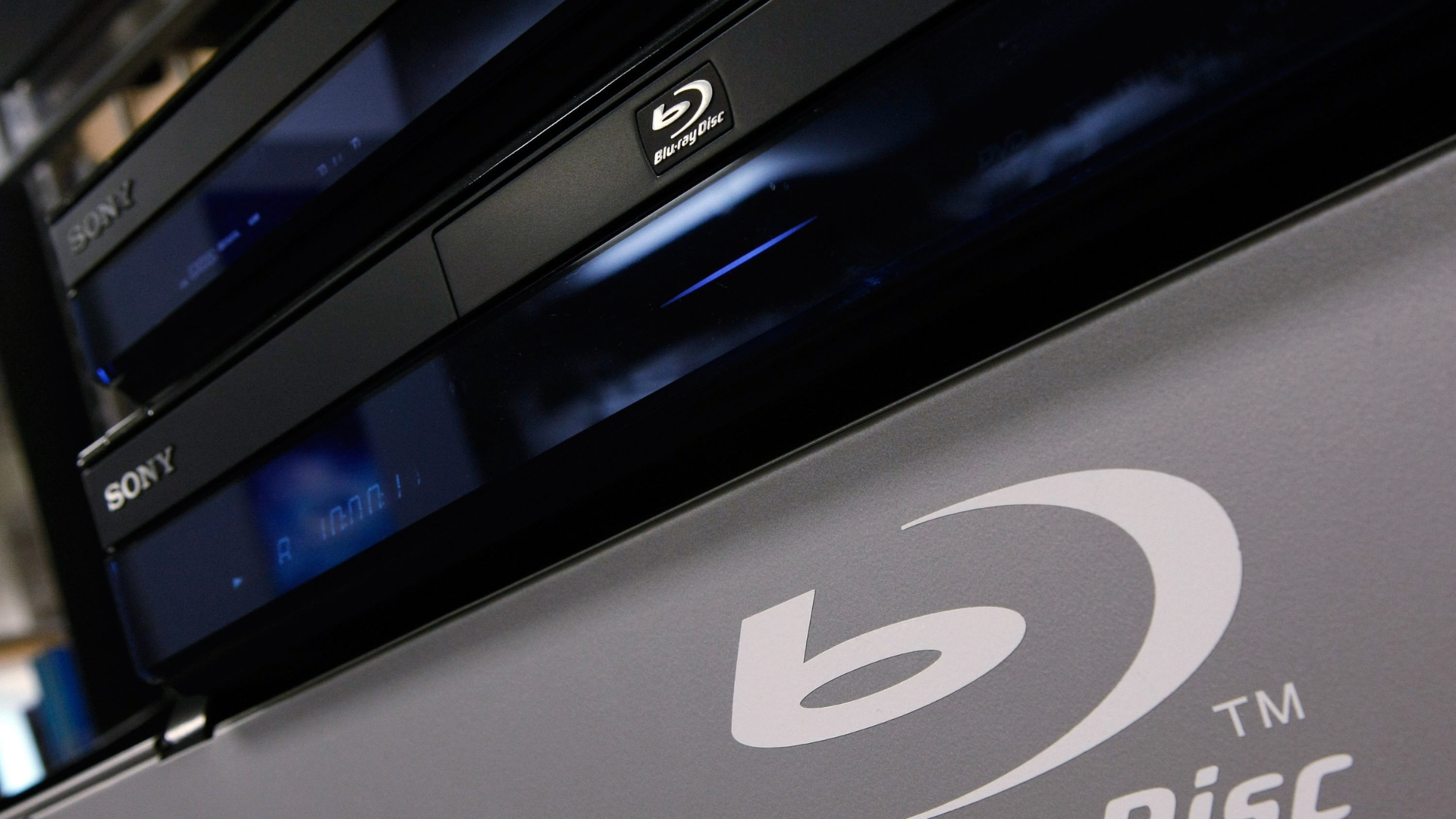
Sony may be preparing to abandon the standalone 4K Blu-ray players, and the signs are becoming harder to ignore. According to a report by Forbes, its last remaining model in Japan, the UBP-X700K, was marked as unavailable on October 22, with local retailers reportedly told not to expect another shipment— a development that has raised questions about the future of Sony’s dedicated followers. Sony's U.S. website has also listed the player as ‘out of stock’.

So, is Sony really done making 4K Blu-ray players? That isn't clear. The company is yet to announce a worldwide withdrawal, and its responses to questions about the reports leave that possibility open. When asked by Forbes whether Sony is leaving the market, its UK operation replied: “This information has not been publicly announced by Sony. We are aware of the recent media reports, but prefer to refrain from commenting on speculation.”

There is an important difference between what is happening in Japan and what buyers can still find elsewhere. The UBP-X700K remains listed on Sony’s U.S. website, with Best Buy offering it for $329.99 at press time, which means Sony 4K buyers haven’t missed their chance yet. However, Amazon is no longer selling the player directly as a new product. Finding one could be harder if the company decides not to restock.

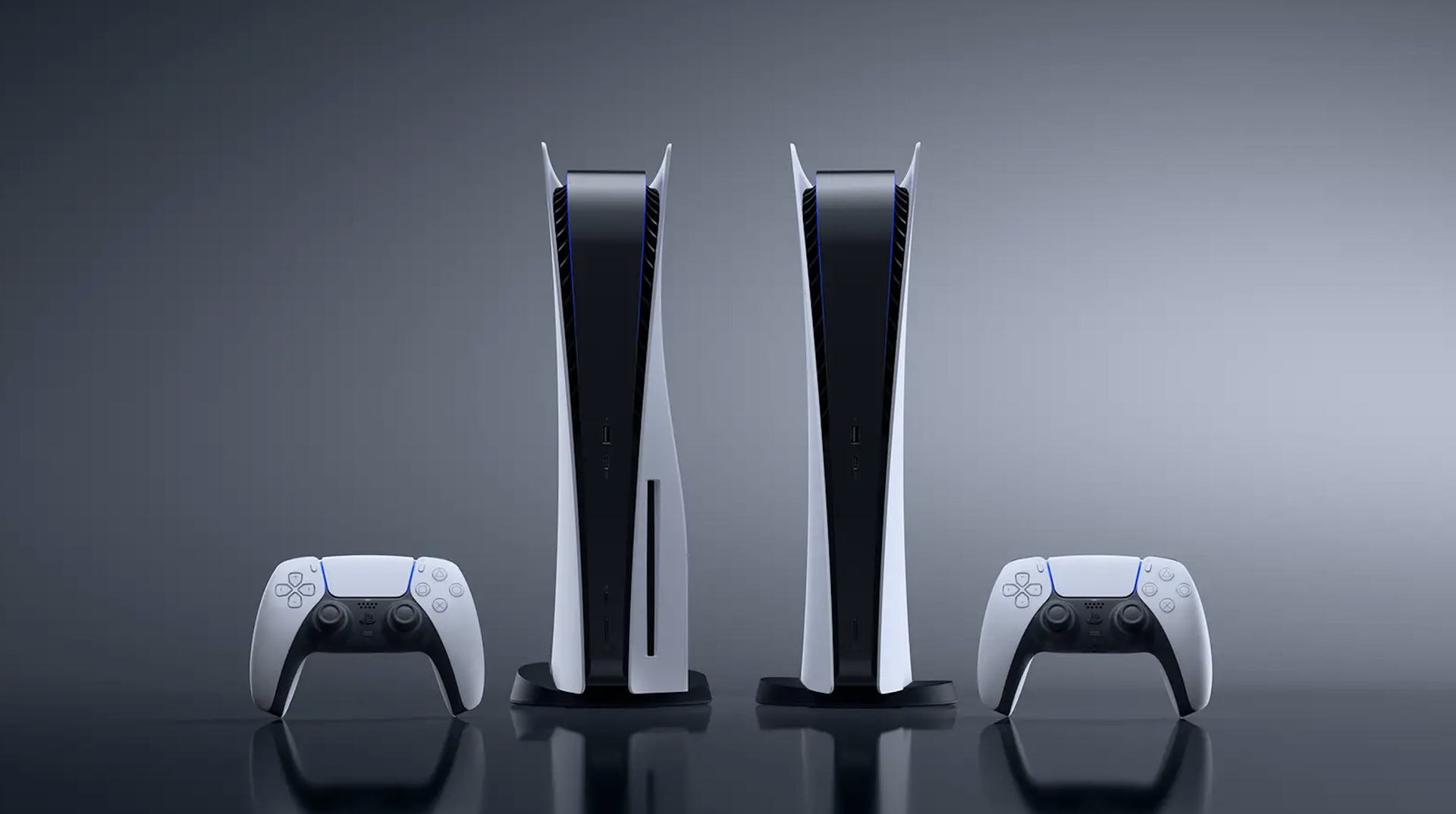
This is not the first time Sony has stepped away from physical media. In January 2025, the company stopped producing blank recordable Blu-ray discs, later announcing in February that it would also end its production in Japan. In July 2026, Sony announced it would stop producing physical PlayStation game discs from 2028— although it remains unclear if the next PlayStation console will have a disc drive. Notably, the PS5 Pro launched without a built-in disc drive, but customers who want to play physical games can purchase the optional drive separately.

However, if Sony ultimately leaves the market, buyers will still have alternatives. Panasonic remains the biggest name in dedicated 4K Blu-ray players, although its products are not that cheap. Currently, the Panasonic UB154 lists on Amazon for $289.99, while the UB820 goes for $649.99, a steep climb from its original $499 launch price. The higher-end UN9000 is retailing at $1,299.99 on Walmart. Buyers could also consider gaming consoles such as a disc-equipped PS5, which is listed at $649.99, or the Xbox Series X, priced at $799.99. Both can play 4K Blu-ray movies, but neither supports Dolby Vision when playing discs.

Sony’s move, if true, would add it to a growing list of manufacturers that have dropped the Blu-ray hardware. In 2018, Oppo stopped producing players while Samsung ended plans for new U.S. Blu-ray players a year later. Other companies include LG, which dropped the business in 2024, with French company Reavon halting production in 2025.

But it's important to note that 4K Blu-ray demand has not collapsed in the same way as the wider physical disc market. Figures laid out by the Digital Entertainment Group show that overall U.S. disc sales declined by roughly 9% in 2025. Spending on 4K discs, however, climbed by 12% over the same period, before climbing another 18% in the second quarter of 2026. That said, for existing Sony owners, there is no reason to panic just yet. A player that works today will continue playing the discs already in a collector’s library — and there is no evidence that Sony plans to push an update that would stop existing players from reading movies.
✇Tomshardware

GOG explores reviving physical PC game releases

The popular DRM-free game storefront GOG’s business development and partnerships manager, Marcin Paczynski, said in an interview with GamesRadar+ that he wants to bring back physical media to PC gaming. GOG still has to deal with logistics and additional publisher permissions to store and sell physical games, but Paczynski hopes to give gamers more consumer freedom through actual real-world tangible physical media.

The PC was effectively the first platform to ditch physical games, but since Sony and Microsoft’s recent unpopular plans to stop producing physical games on their consoles, GOG wants to bring the box-fresh experience back to PC gaming and further advocate for game ownership and preservation — on top of the existing GOG Preservation Program's efforts to make old games playable on modern hardware.

In GamesRadar+’s interview with Marcin Paczynski, the exec said, “Ideally, my dream would be to be able to buy physical versions of those games on GOG. You go to your shelf on GOG, you click on the game that you would like to receive a physical copy of, you order it, and it gets to you. That would be a perfect scenario.”

Paczynski realizes how complicated this new business is, as it’s something GOG has never done before. It’s never had to keep physical inventory of games or worry about shipping and other logistical problems. Paczynski also says GOG would need “additional approvals” from publishers to sell physical copies of games. Physical copies could also add to this improved experience, especially if they give the gamers more agency over their own games, even potentially reviving the used market where players can swap or buy and sell games among each other.

Paczynski hasn’t provided details on what physical media the games will be delivered in, but optical disc drives are rare on PCs now, so it’s unlikely the games will come on CDs, DVDs, or Blu-rays. It could be delivered in media still currently accessible by most PCs, such as USB drives, or even SD cards packaged like Nintendo Switch cartridges. These could also be an avenue for publishers to provide exclusive physical bonuses like stickers, maps, secrets, lore, and much more. There’s nothing like the tactile experience of opening up a fresh game with that distinct new-game scent and being excited for the extra stuff the games come with to collect and display.

✇Tomshardware

Developer builds a complete Intel 486 PC emulator in a browser

作者 Mark Tyson

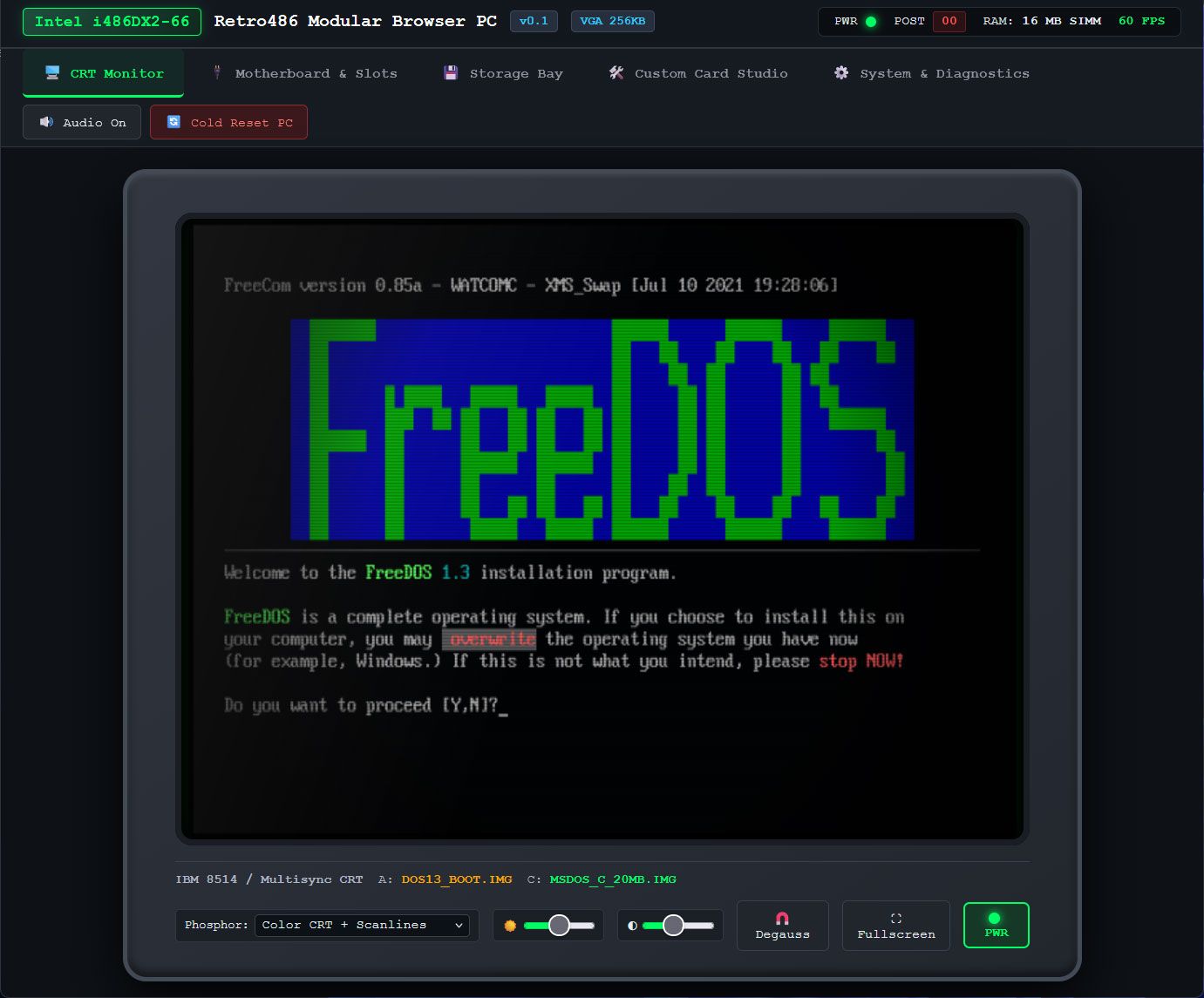
Developer Jan de Jager has created a full Intel 486 PC system in a browser. On the e486-web GitHub page, de Jager boasts that the emulator is coded in 100% pure JavaScript. The project’s fuller title is the Retro486 Modular Browser PC. Claude gets a development credit, so we guess you could say e486-web was (partially) vibe-coded.

The live demo you can boot with a single click is impressive, with tabs to interact with and configure your browser-based, dependency-free Intel 80486DX2-66 PC in a browser. The first tab is dubbed the CRT monitor, and this is where you will spend the most time using the command line, apps, and games. However, it is also very appealing to be able to adjust your PC configuration in the tabs for Motherboard & Slots, Storage Bay, Custom Card Studio, and System & Diagnostics.

Retro486 Modular Browser PC

(Image credit: Jan de Jager)

I couldn’t resist taking the e486-web for a spin using the live demo. The CRT monitor screen is totally charming, with various display options including color and scanlines, and tributes to classic CRTs with green phosphor, amber, or paperwhite displays. This is the screen where you will also type DOS commands and interact with whatever you get to run.

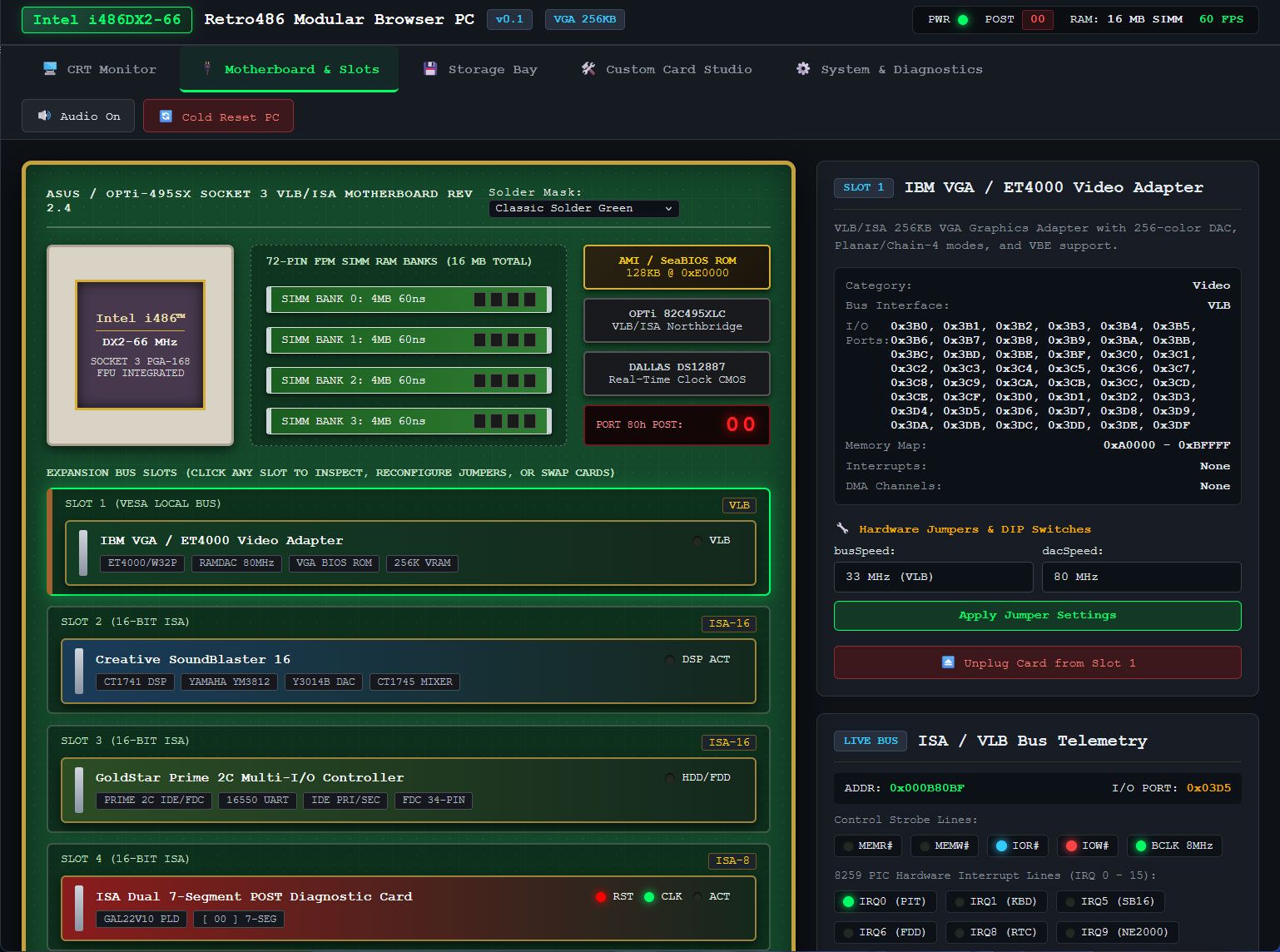
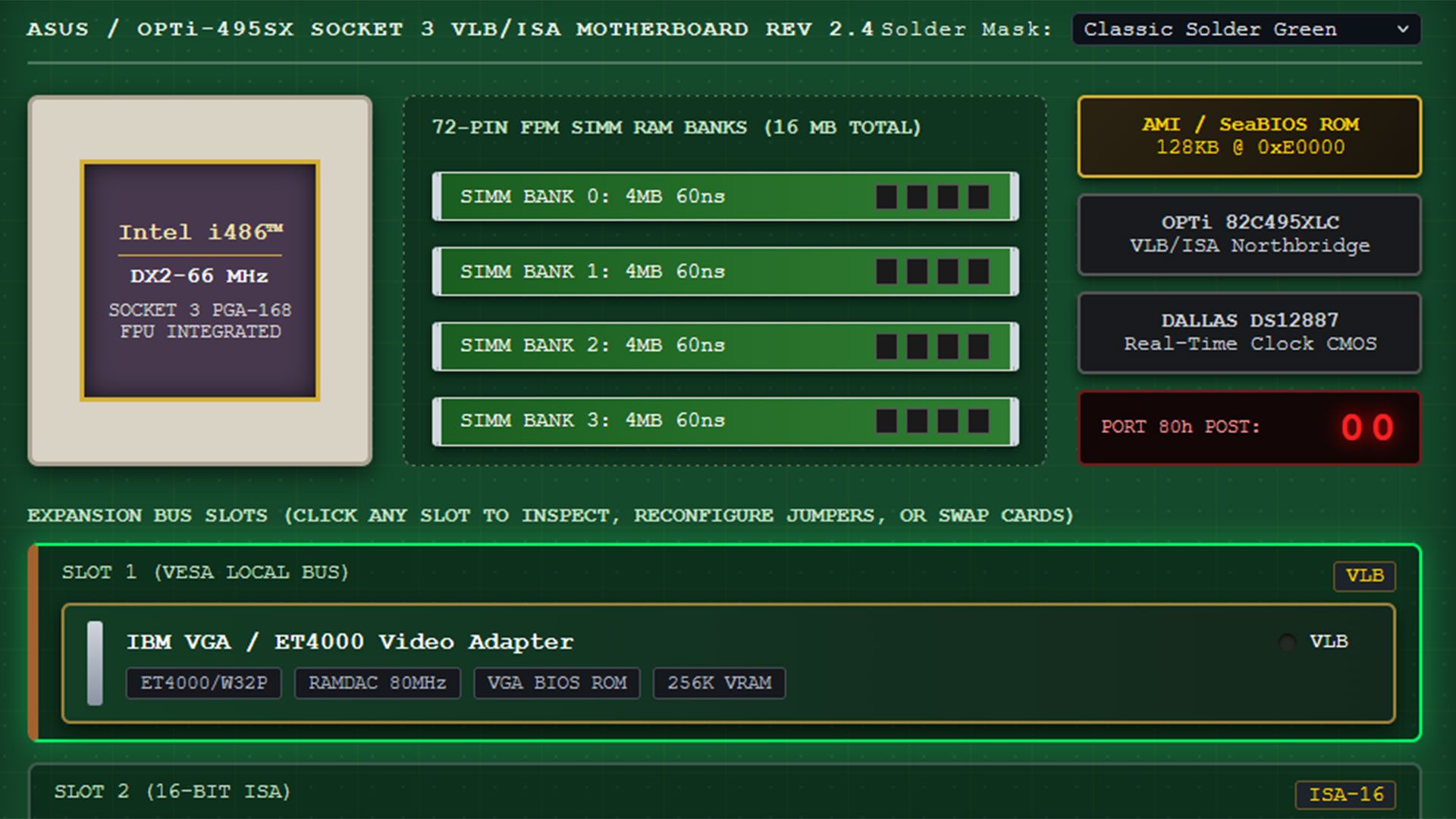
The next tab in this comprehensive 486 PC system emulator lets you pick a motherboard design and, probably more importantly, add and remove expansion cards. The default system comes with a VLB graphics card, Sound Blaster 16 ISA card, a multi-I/O controller, network card, and more. All the cards seem to be configurable. A Custom Card Studio tab lets you create and test more cards, and it looks quite advanced.

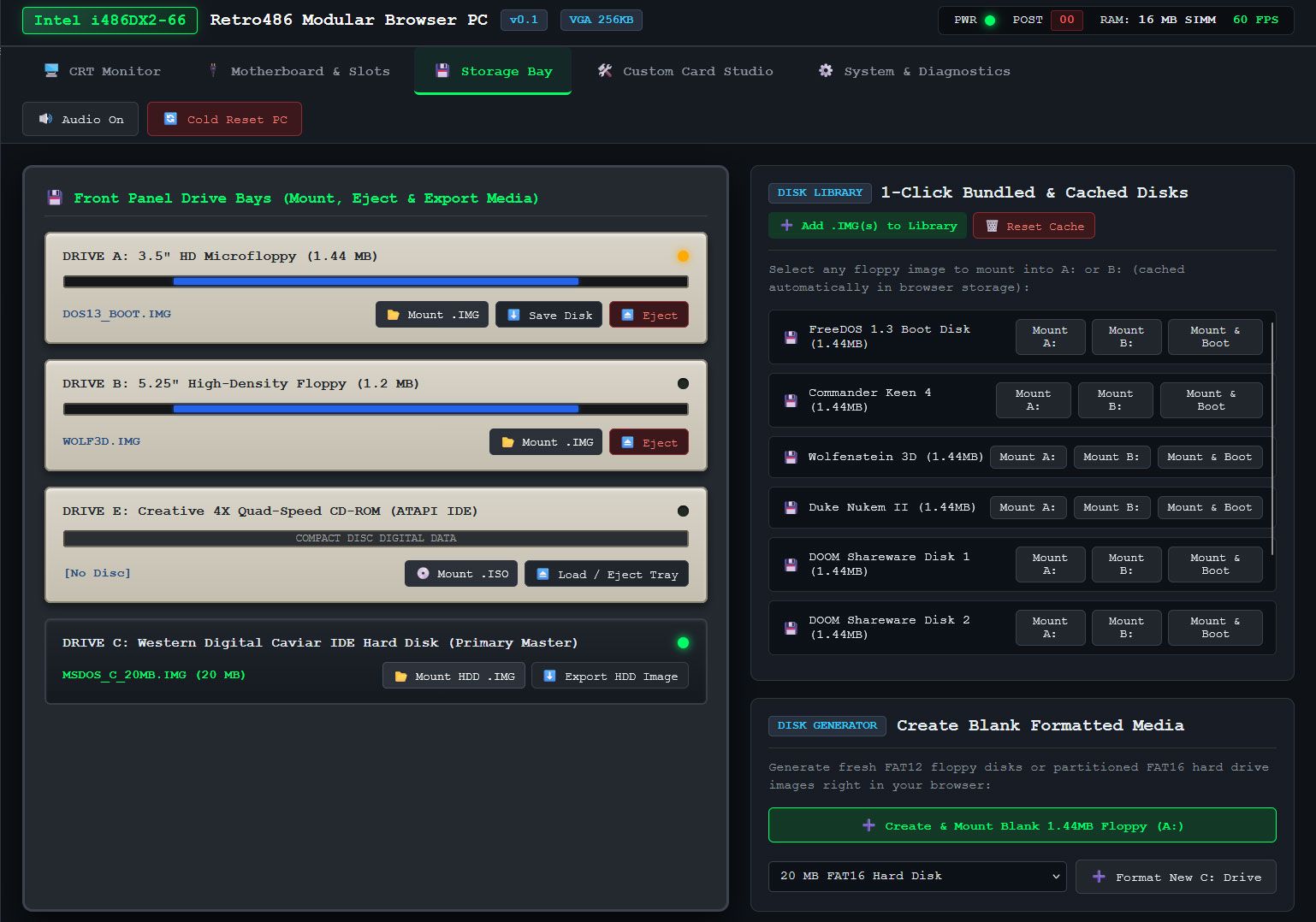
I spent quite a lot of time in the Storage Bay tab, switching through the OS and software disks inside the “1-Click bundled & Cached Disks” collection. FreeDOS started fine, but I got some errors when I wanted to test some of the games in the library, which includes Doom, Wolfenstein 3D, and more. Though tempted to find and install Syndicate on the hard disk that the emulator can create and configure, I didn't get around to it yet. However, the Bullfrog classic is one of the first games I played on an actual 486DX2 system in the 1990s, and I also played it on Amiga. This browser-based emulator features browser persistence, so e486-web settings can be maintained between sessions, and it automatically caches ROMs, floppy images, and custom uploaded .img/.iso files for your convenience.

Retro486 Modular Browser PC
Jan de Jager
Retro486 Modular Browser PC
Jan de Jager

Another tab in this extensive system emulator is called System & Diagnostics. Here you can switch the CPU to a different model, view the CPU registers, and nose around in RAM, VRAM, storage, BIOS, boot sectors, and so on.

Currently e486-web is in version 0.1, and the GitHub shows that most files were uploaded/updated about a week ago. Some files are just two days old, though, so hopefully wrinkles are busily being ironed out by de Jager and Claude. The presentation of this no-downloads live emulator, and the conveniently tabbed interface and configuration options, show lots of promise.

✇Tomshardware

Grab a Nintendo Switch 2 with a free game for as low as $459 in this limited-time deal

作者 Ben Stockton

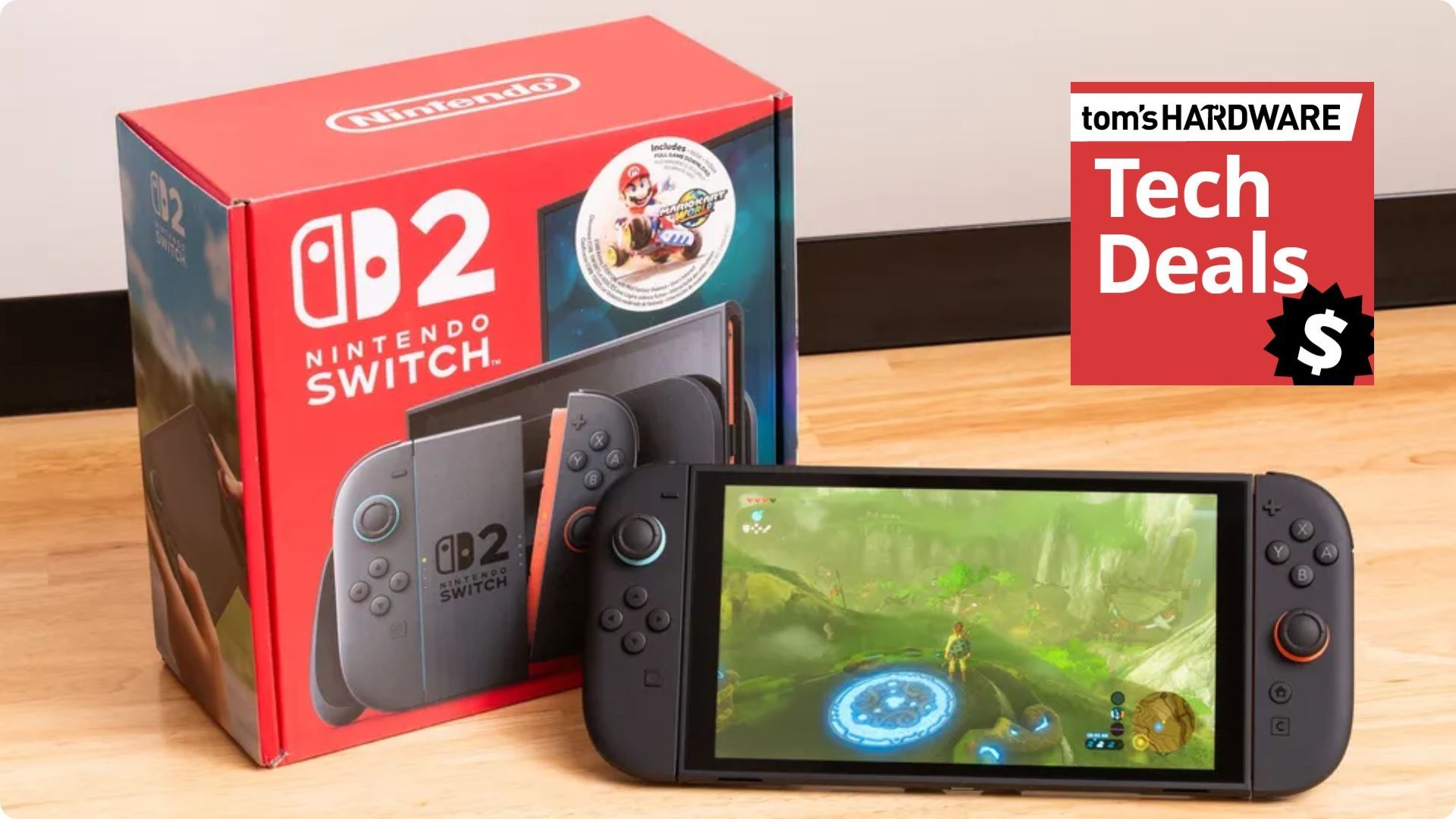
Woot! has a brilliant deal right now on Nintendo's latest handheld gaming console. You can pick up the family-friendly Nintendo Switch 2, along with a free digital game code, for as low as $459 right now if you're a new Woot customer with the SAVETOBER coupon code. If you're not, you can still grab it for $479.

● Check out this deal at Woot

Woot! is Amazon's discount sister site, so you've got the full backing of the huge global retailer behind this deal. $459 is an awesome price for a Switch 2 and a free game, and the good news is, you get to choose the game. Options for you to choose include Mario Kart World, Donkey Kong Bananza, or Pokémon Pokopia, which you'll need to download straight onto your Switch 2's storage.

This is a limited-time deal, with only four days left to run at the $519 sale price, but the coupon code is expected to run out tomorrow, November 1, at 11:59 pm ET, but don't expect it to be around even that long. This is a popular console, and as we approach the holiday season, this is the time that consoles like these become tricky to buy. With The Legend of Zelda: Ocarina of Time launching in just a few days, expect to see a huge spike in demand for this console, too.

use coupon code savetober for either $40 or $60 off

Switch 2 - Choose Your Game Bundle: was $519 now $459
The Nintendo Switch 2 is at a great price right now. Use the coupon code SAVETOBER to score it for $459 if you're a new Woot! customer, or $479 if you've used the site before. The package comes with the console, dock and joycons, along with a free digital game code, where you can choose between Mario Kart World, Donkey Kong Bananza, or Pokémon Pokopia.View Deal

The Nintendo Switch 2 is Nintendo's second generation of its popular Switch console. It has a 7.9-inch 1080p touchscreen, designed for you to hold in your hands. That said, if you prefer the big-screen treatment, it also has a dock that'll let you play games on a TV for 4K gameplay at up to 120 fps. You're also getting Joy-Con 2 controllers, which you can use attached or detached, depending on if the console is docked or not.

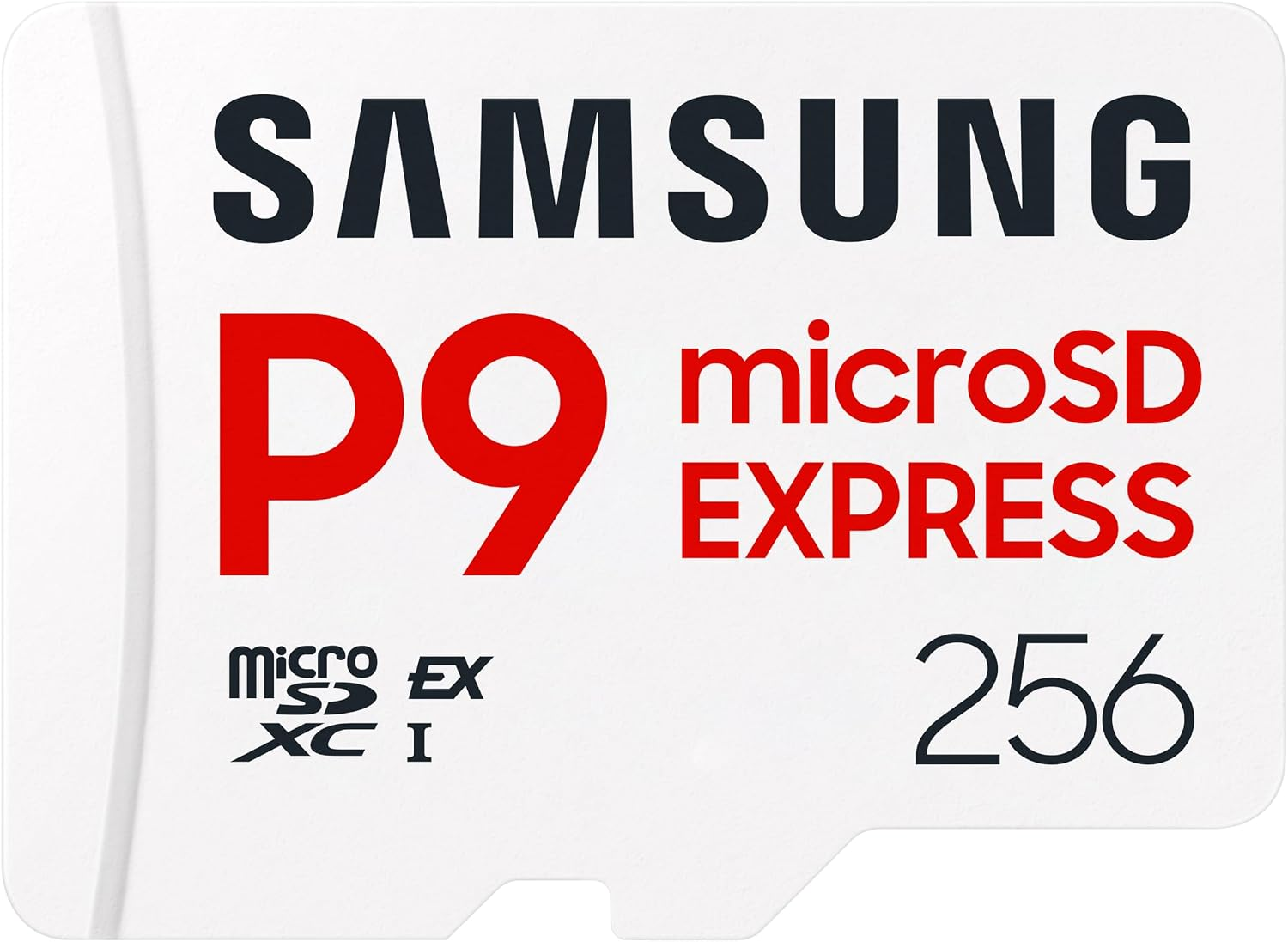
There's 256GB of internal storage included here for games, but the Switch 2 does have support for microSD Express cards to boost this further. If you're planning to install a big game collection, a card upgrade might be a good option. Right now, for instance, you can pick up this 512GB Samsung P9 Express microSD card for $99 at Amazon, another limited-time deal that saves you 34% on its usual price.

P9 Express microSD Express Card (512GB): was $149.99 now $99
This microSD card will let you upgrade the Nintendo Switch 2's storage, giving you an extra 512GB of storage.View Deal

As we've mentioned, you also get a free digital game with this Switch 2 deal. Buying Mario Kart World, Donkey Kong Bananza, or Pokémon Pokopia separately would cost you between $69.99 and $79.99 at their usual prices, so with these discounts, you're getting a great deal.

The $459 sale price for this Woot! Nintendo Switch 2 bundle is a great option ahead of the holiday season. Don't expect to be able to wait for a better discount in a few weeks, as this is a popular console, and with a huge release like Ocarina of Time on the way, demand might outstrip supply. Just remember to use coupon code SAVETOBER before 11.59 am ET on November 1 at checkout to get the full $60 discount if you're a new customer, or $40 if you've used Woot! before.

✇Tomshardware

Why native PC ports of console games are suddenly everywhere

Over the past weeks and months, it's increasingly commonplace to encounter native PC ports of previously console-exclusive video games, developed with the help of frontier AI models and a new tool named Reverse Engineer Anything (REA). With dozens of titles ported to PC over the past few months, the big questions are: why is this now possible, and what changed?

The better-known conversions like Super Mario Galaxy and Modern Warfare 2 use AI agents, but their handlers mostly still had to interpret results and direct each step of the process. That's now much easier with Reverse Engineer Anything. Although it shows up in many conversations, REA doesn't do the heavy lifting by itself. It's actually a mix between a toolkit and agent harness, wiring together previously disparate tools under one ceiling.

REA analyzes and manages collected information tools: binary analyzers, decompilers, metadata tools, firmware images, database readers, and so on end up linked via agents. Those tools are made available to your AI agent of choice, along with skill files with additional instructions.

Simplistic as it may sound, it's the glue that once again significantly cuts down the time spent on "chores" that a developer would otherwise have to do while reverse-engineering code, which started with emulating consoles themselves.

Emulation of video game consoles on PC is nothing new, having emerged in the 90s in the 2D era, and gradually transitioning to 3D consoles such as the PlayStation 1, and Nintendo 64. Throughout the early 2020s, emulators and toolkits evolved at a rapid pace, covering more systems than ever — even the PlayStation 3 and its notorious Cell processor. Physical hardware is taken apart and inspected more easily and at deeper levels than ever, as tools like the Raspberry Pi become cheaper and more powerful. These elements set the stage for the ultimate task: to fully decompile and recompile a game and convert it to run on native PC instructions, rather than relying on software emulation. Only one barrier remained: dedicated development time.

To reverse-engineer a game, you need dozens of different tools, analyze the game's executable, run it, inspect which files it reads, which calls it makes to the operating system, what memory it allocates, and so on and so forth. This is exceedingly tedious, and yet can't be done half-heartedly: one errant byte is a bug. It's like undoing a machine with a million cogs and keeping track exactly where each one was, its size, and orientation. Modern games grew, too, and can have millions of lines of code.

But that kind of nitpicky, repetitive work is just what computers excel at — even non-deterministic ones like LLMs. 2026's AI models like GPT-6 Astra and Claude 5.5 families are "smarter" in the sense that they follow complicated instructions more closely and can better keep track of their tasks, granting them a higher degree of autonomy. The high token efficiency of lower-grade variants like Claude Sonnet also makes them somewhat affordable, if not cheap, to use on a humongous project like taking apart an entire game.

Given how AI bots can hallucinate and make up strange replies and code, you may wonder how a project of this scale ever gets accomplished. It's simple: your agent hands you decompiled source code, and it compiles it again to see if it matches the original byte-for-byte. Even if they hallucinate, the bots can try over and over until they get it right, and developers can correct them if needed.

Reverse-engineering needs multiple tools, all with their own technical terms and idiosyncrasies. Whereas before developers had to wrangle them across terminal windows, now you can get your agent to twiddle bits and talk between programs on your behalf, so long as you issue the right orders. They don't have to stop for breaks, either.
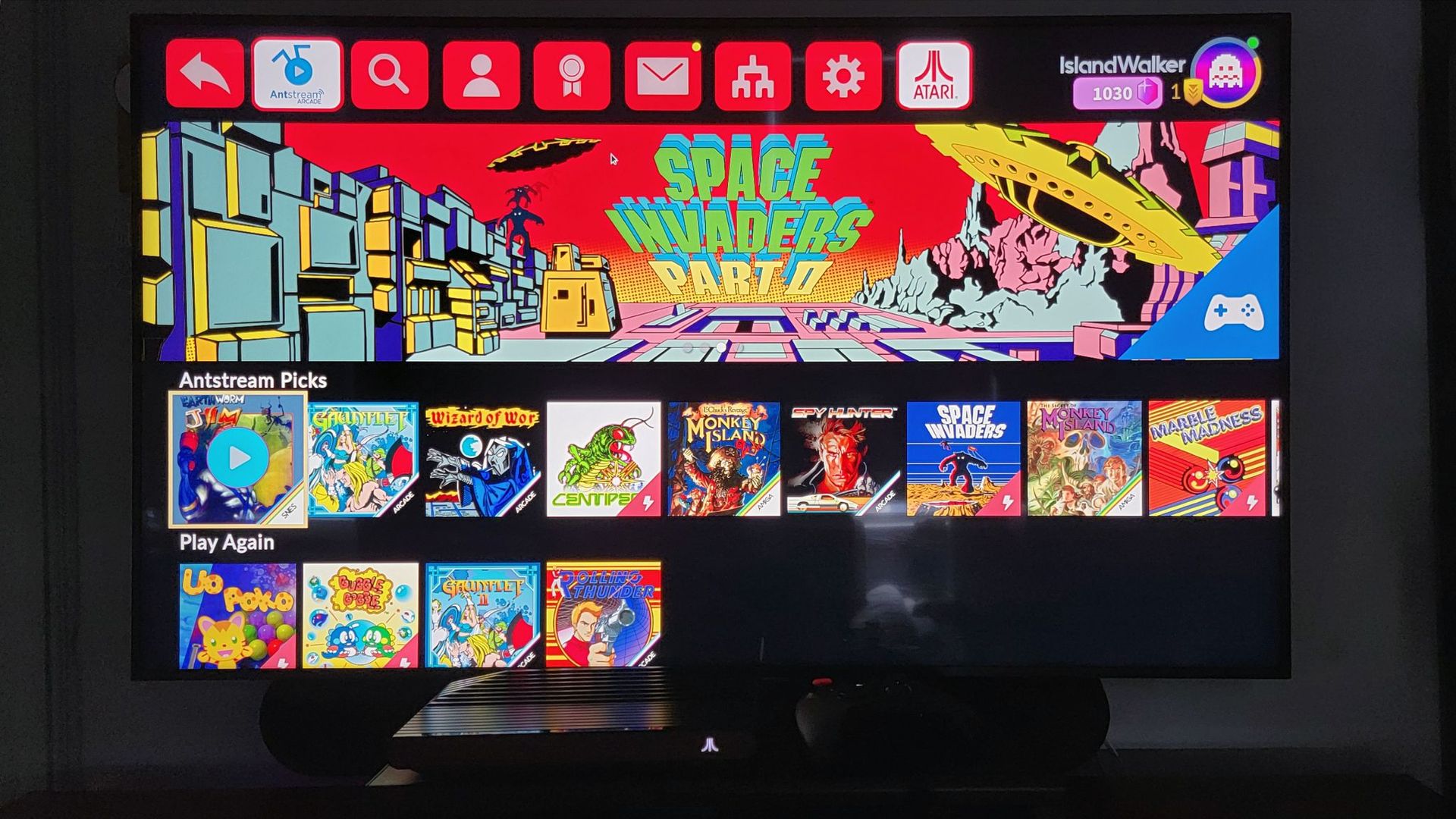
With relatively simple prompts, you can poke around and break down a game or application — provided you have one of the pricier agent subscriptions, or can absorb high token bills, as for example the Modern Warfare 2 decomp took three months and up to 700 billion tokens to accomplish. Had its developer used REA, he may have cut down on time and tokens both.

✇Tomshardware

Hacker awarded $50k bounty for reporting bug to Sony that allowed PS5 Linux exploit

A hacker used an AI LLM to find a hypervisor bug that allowed security researchers to load Linux on PlayStation 5 consoles, subsequently reported it to Sony, and received a $50,000 bug bounty. IGN reports that the person who discovered the flaw, who goes by Jordy on X, shared the award on the social media platform, drawing significant ire. The biggest driver of the criticism, though, is that Jordy agreed to delay the report until after the launch of GTA VI, but moved forward anyway after someone else discovered the flaw, meaning it would be patched prior to the launch of the game, and possibly denying someone else the payday.

I can at least buy GTA 6 with this I think https://t.co/1iLwrZTbdyOctober 14, 2026

“I can at least buy GTA 6 with this, I think,” Jordy said on their X account. One user called Gille replied to their post, saying, “50k in bank but 0 friends left. Worth it?” Another one named Darth Riker commented, “You did not ‘find this bug yourself’. The flow0 (Andy Nguyen) did that. You, however, didn’t. You’re just a lazy s****** who’s no different to those scammers out there,” while Matthew Cramer added, “The worst thing is not the money grab, it’s the fact that the whole point of exploiting PS5 is freedom, ownership, and control. Sony goes against everything we stand for! If Jordy was in need of money, there are hundreds of bug bounty programs with high paydays… or a better job!”

The ps5-linux-loader GitHub project requires a PS5 Phat, Slim, or Pro running firmware version 3.00 to 13.60 to work as intended. While it’s unclear if Sony had been aware of the flaw that allowed the Linux install on the console before Jordy’s report, it released firmware version 14.20 on Oct. 21, 2026, which patched the flaw. Because the latest games often require the latest firmware on the console before you can install them, the latest update means that users who are experimenting with running Linux on their PlayStation 5 would either have to pick between that and playing GTA VI on launch date.

Another thing that caught the ire of many jailbreaking fans is Jordy’s use of AI. Despite being a useful tool for discovering vulnerabilities when used by professionals, it has also overwhelmed several bug bounty programs with AI submissions. This includes Google, which has frozen its program until 2027, and Linus Torvalds, who switched to a public system as the Linux security mailing list has become “almost entirely unmanageable,” with AI bug hunters finding as many as 2,000 CVEs per release.

I asked them to at least wait for GTA 6 to come out so that people would have the opportunity to legally purchase the game and also enjoy linux. They agreed to wait, but not a day passed and they decided to waste it instead.September 15, 2026

“I am stepping away from the PS5 scene and stopping all my work on PS5 Linux. After pouring my heart and months of my life into it, including plans to finish PS5 Pro support and release in 2027, it’s all down the sink,” Nguyen posted on X. He also added, “The scene used to be a group of highly talented researchers, but now it is just a bunch of noobs using LLMs and writing hacks they don’t even understand. Slop kiddies found the only hypervisor bug left, which I had also found a while ago, and decided to report to Sony.”

Jordy told the publication that they agreed with Nguyen to delay the bug report, with the latter asking to only do so after GTA 6 has come out. However, the former admitted to doing it anyway as other researchers using generative AI also found the bug, with Jordy risking losing the $50,000 bounty if somebody else reports the exploit. “I decided I would report it,” Jordy told IGN. “If I and another person can find it with LLM, so can someone else.”

Sony’s PlayStation 5 has been the focus of hacks, emulators, and jailbreaking recently, especially after the company announced that it will end physical game disc production by January 2028. Despite the pushback against this decision, Sony has doubled down on its move and even threatened to cut off customer support and take legal action against harassment from disgruntled customers. This, combined with Jordy’s use of AI and X post sharing the $50,000 award, is what drove the ire of many in the PS5 jailbreaking scene.

✇Tomshardware

Asus ROG Xbox Ally X20 tested: Same performance, more comfortable, and a glorious OLED screen

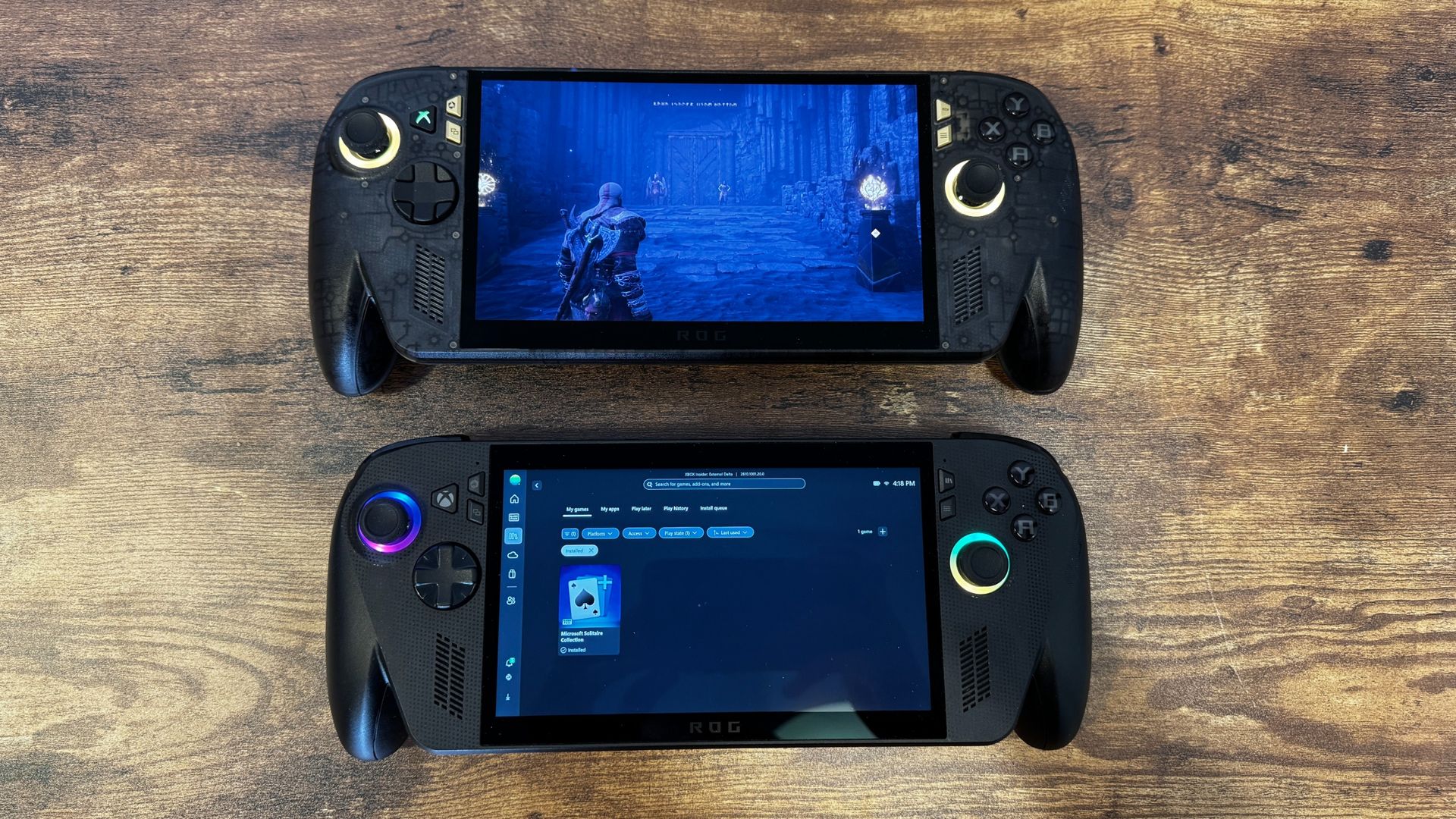
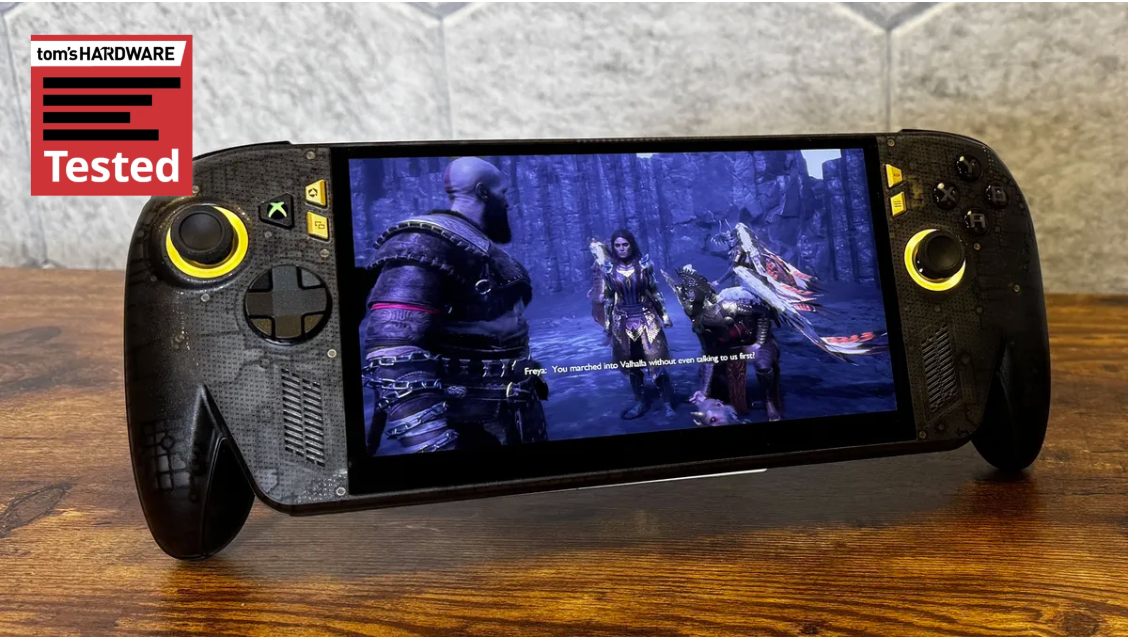
For Asus ROG's 20th birthday, the company released a slew of computer parts (enough for a supremely expensive build). But it's not overlooking its more recent entry into gaming handhelds, with the new Asus ROG Xbox Ally X20, a revamped version of the Asus ROG Xbox Ally X, which is already one of the best handheld gaming PCs.

The $1,299.99 gaming handheld ($2,499.99 if you get it in a bundle with XR glasses, a Pelican case, and a Dbrand Killswitch case) doesn't change performance at all. Instead, it makes some common-sense tweaks to its existing $999.99 handheld, adding TMR joysticks, rubberized grips, a see-through design, a transforming D-pad, and, most importantly, an OLED display.

Asus ROG Xbox Ally X20

(Image credit: Tom's Hardware)

If you already have an Ally X, this isn't a reason to upgrade. But if you're looking to get into handheld PC gaming and are willing to splurge, the changes here sure are nice.

Design and Display on the Asus ROG Xbox Ally X20

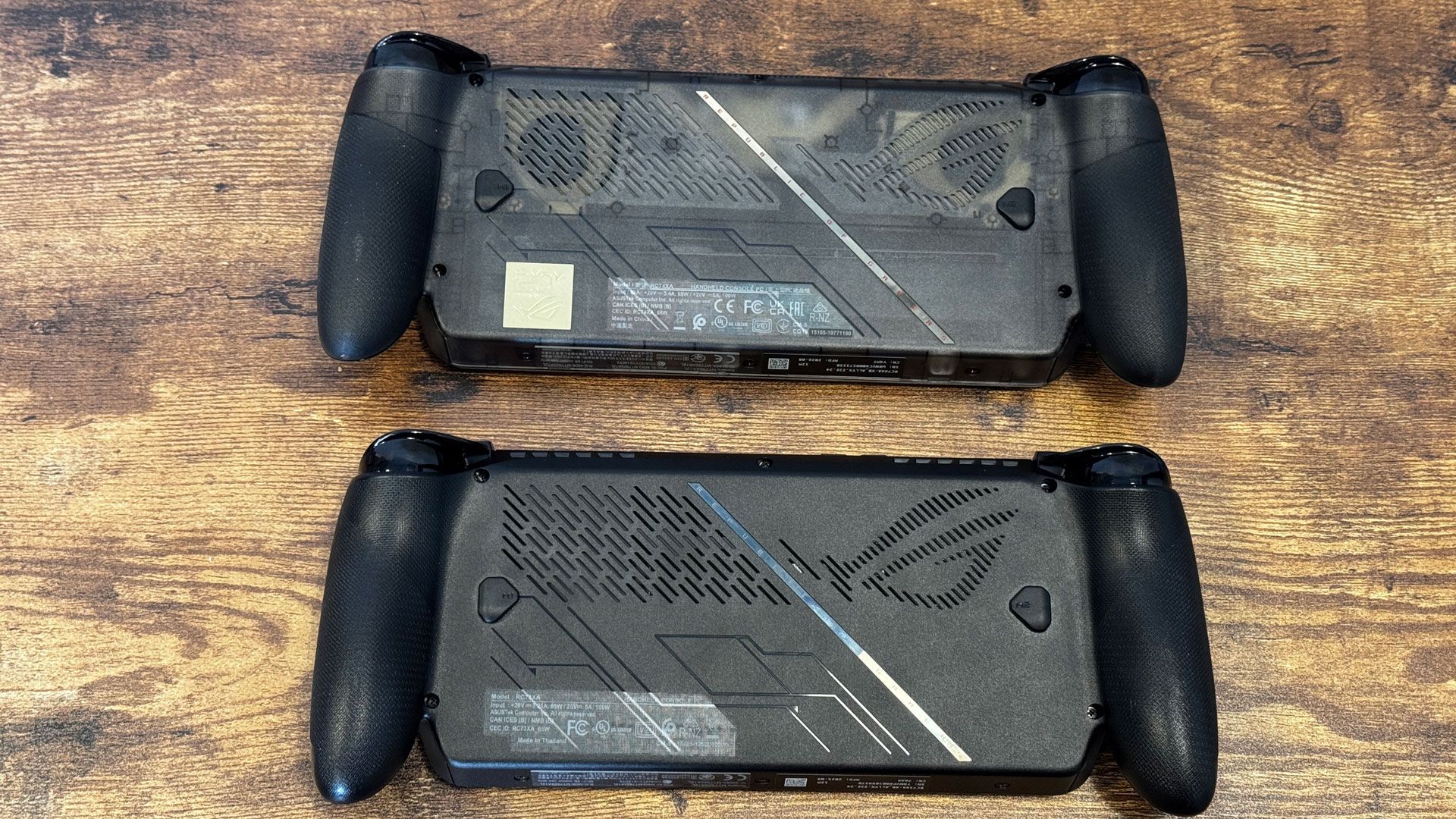
If you put the Asus ROG Xbox Ally X20 and the original next to each other, it's impossible not to notice the differences. But still, these are largely the same system, inside and out. They have the same button layout, the same grips, the same screen size, speaker placement, and vents.

Asus ROG Xbox Ally X20
Tom's Hardware
Asus ROG Xbox Ally X20
Tom's Hardware
Asus ROG Xbox Ally X20
Tom's Hardware

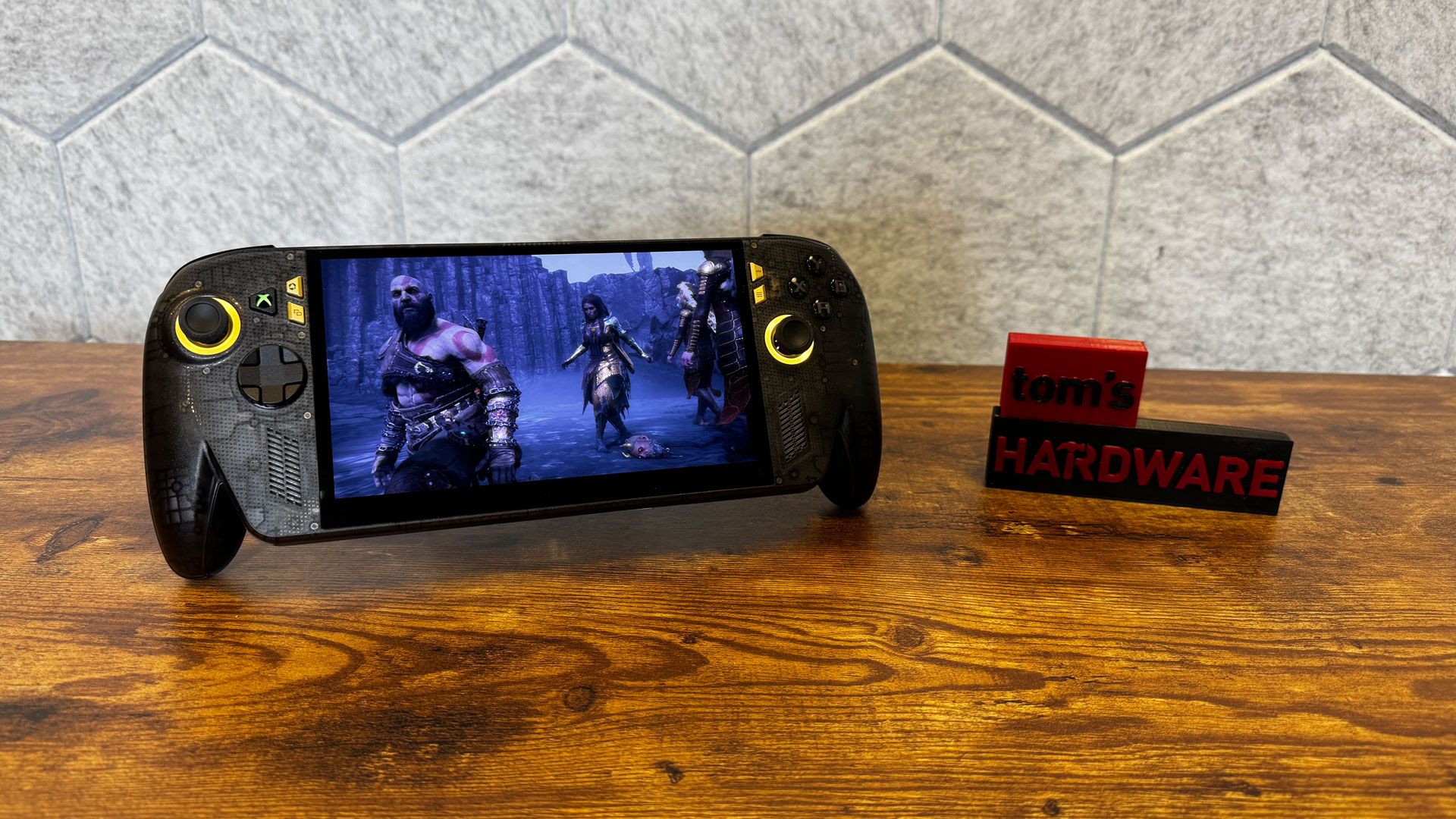
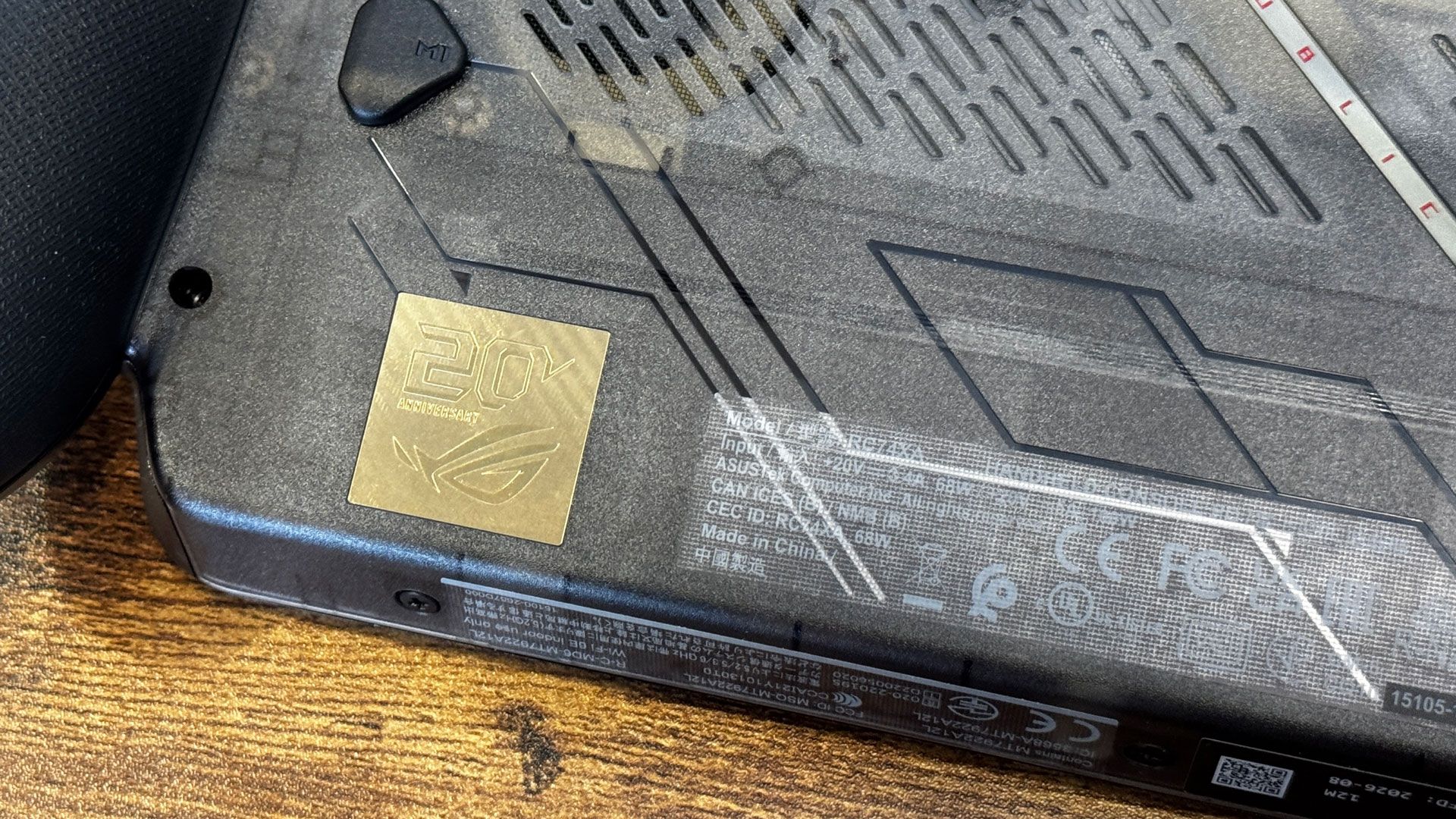
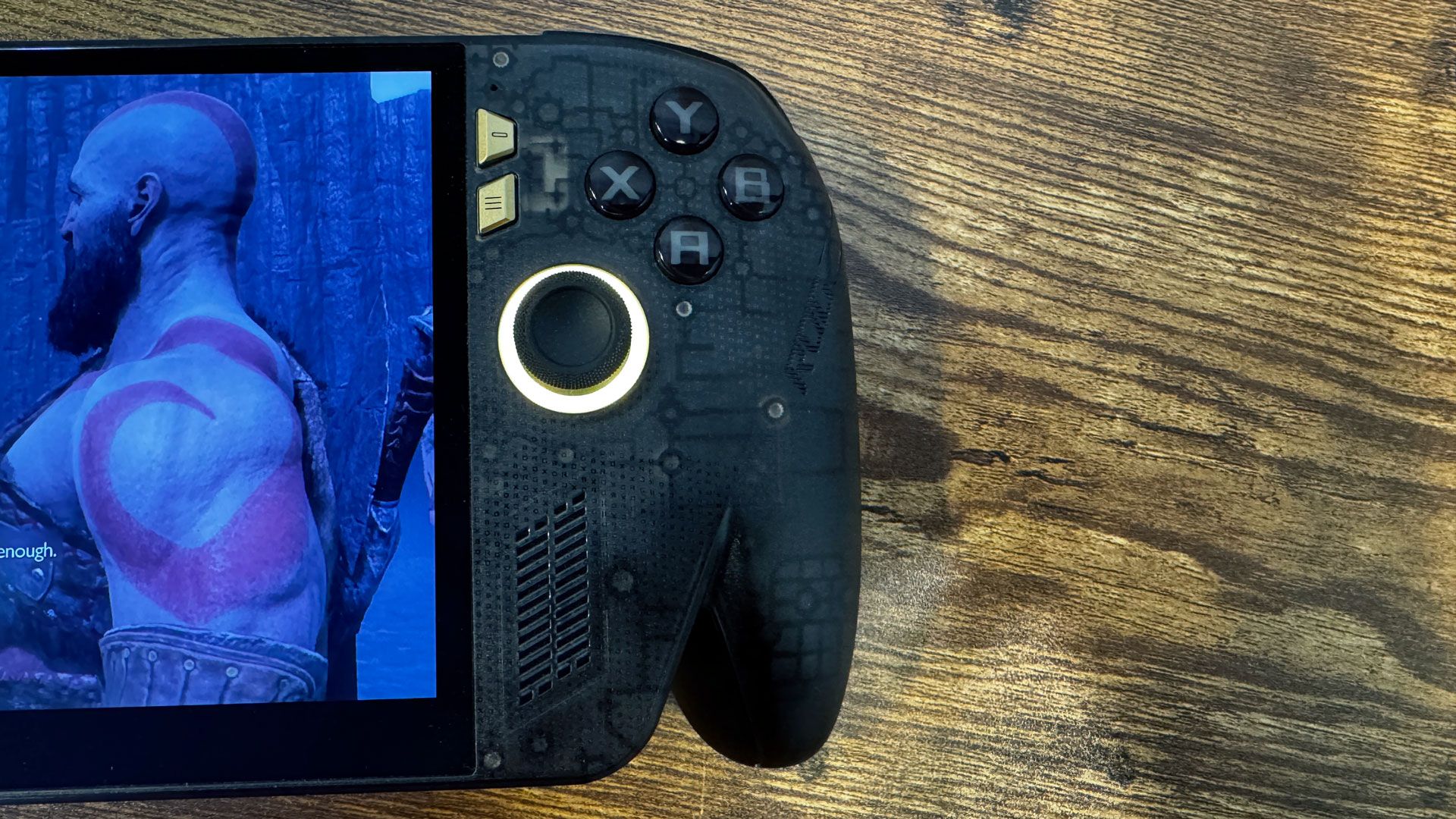
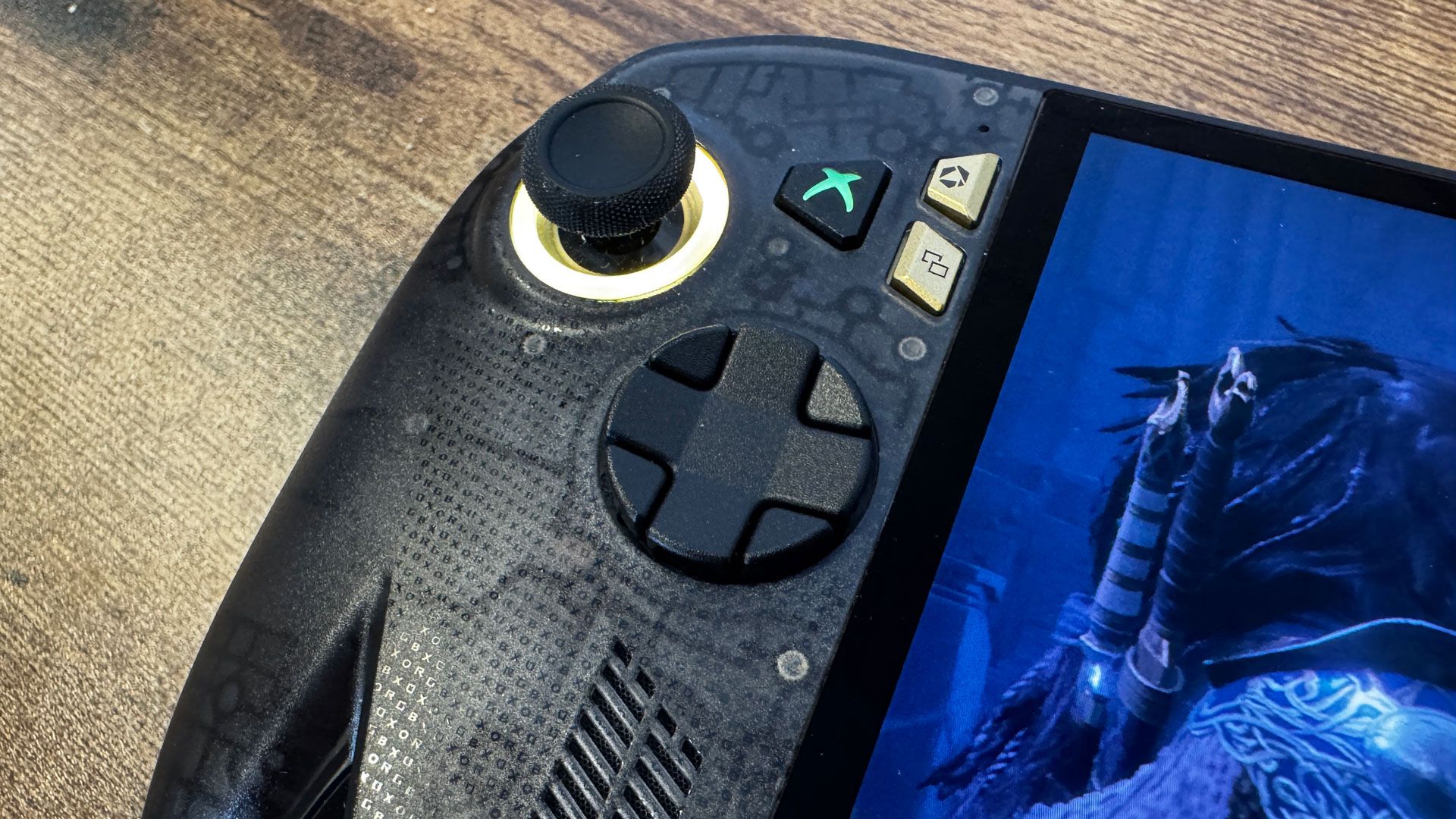
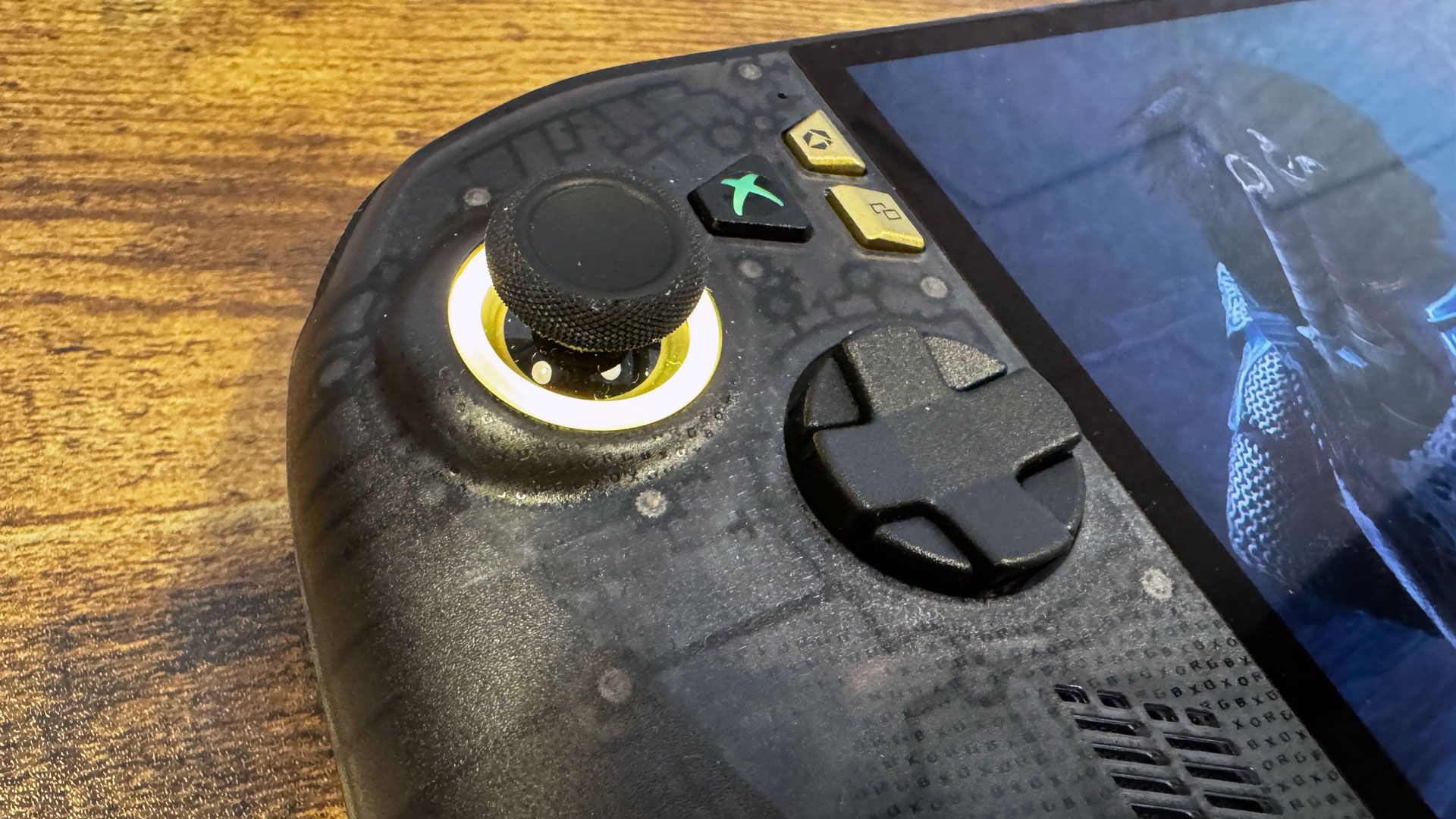
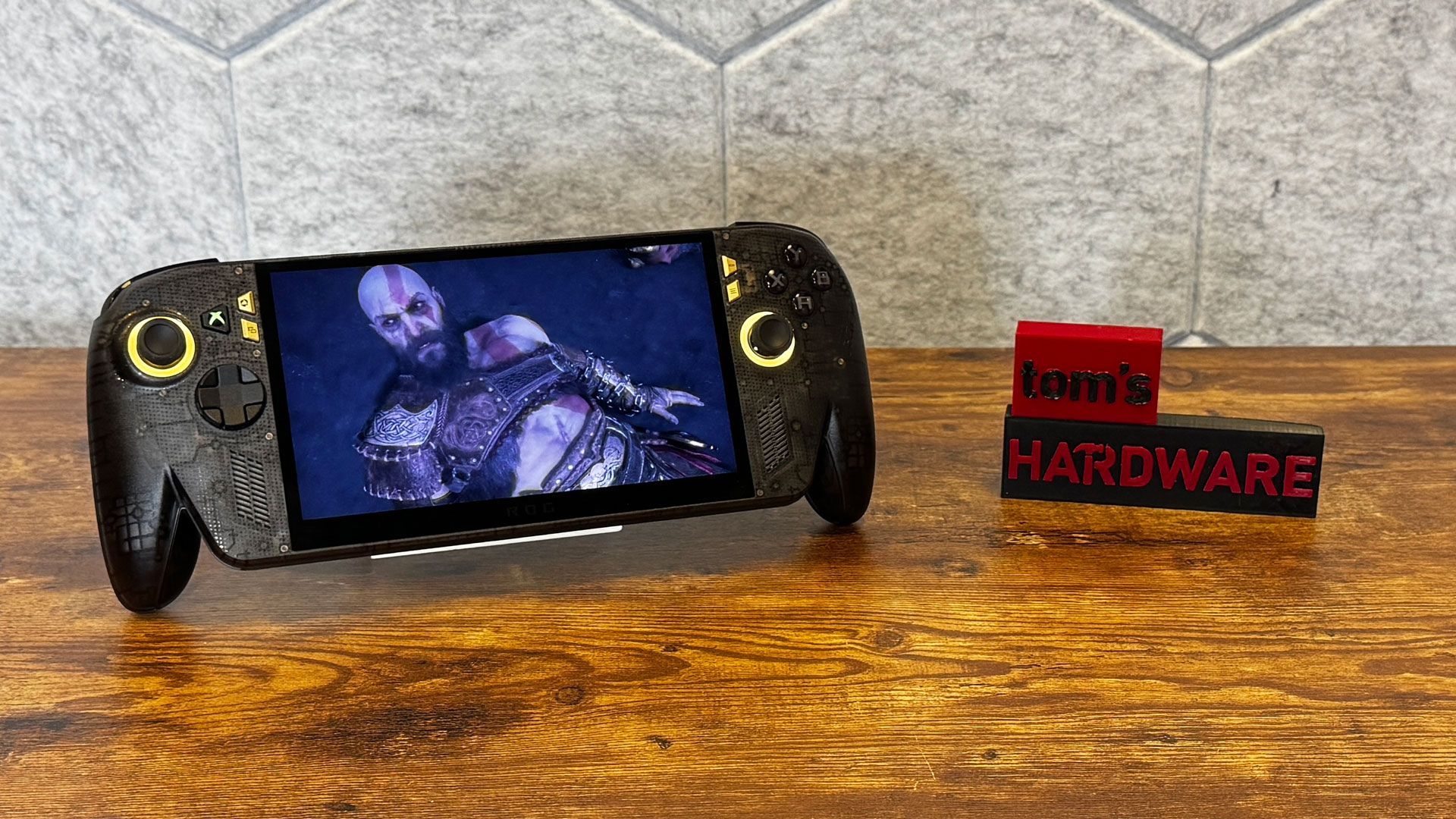
The most visible difference is that the X20 has a new, transparent plastic case with a black tint, along with gold menu buttons, a gold stripe across the back (rather than silver), and a large "20th Anniversary" ROG badge on the rear. I prefer the original Xbox Ally X's plainer design; the clear plastic looks more like a toy. I also found that it let the status lights shine through the top of the system, just abover the screen, which is distracting.
Asus ROG Xbox Ally X20

(Image credit: Tom's Hardware)

There is one minor change in the menu buttons: where the Ally X had a library button, the Ally X20 has a screenshot button. It's more useful in general, but it's also a great way to accidentally take a screenshot.

But once I picked up the Ally X20, the original couldn't compare. The chassis feels more substantial, especially with rubberized grips on the back of the prongs. There's a new directional pad, which feels more substantial; it also twists between a 4-way and 8-way pad, though I found switching between these two modes quite awkward. The 8-way D-pad is better for fighting games, while the 4-way with more distinct cardinal directions will make more sense for action-adventure and platform games.

Asus ROG Xbox Ally X20
Tom's Hardware
Asus ROG Xbox Ally X20
Tom's Hardware

The new TMR joysticks, which should show less wear with age, feel tighter. All of this adds up, even though there is no performance difference between the two devices. They share the same AMD Ryzen AI Z2 Extreme chip.

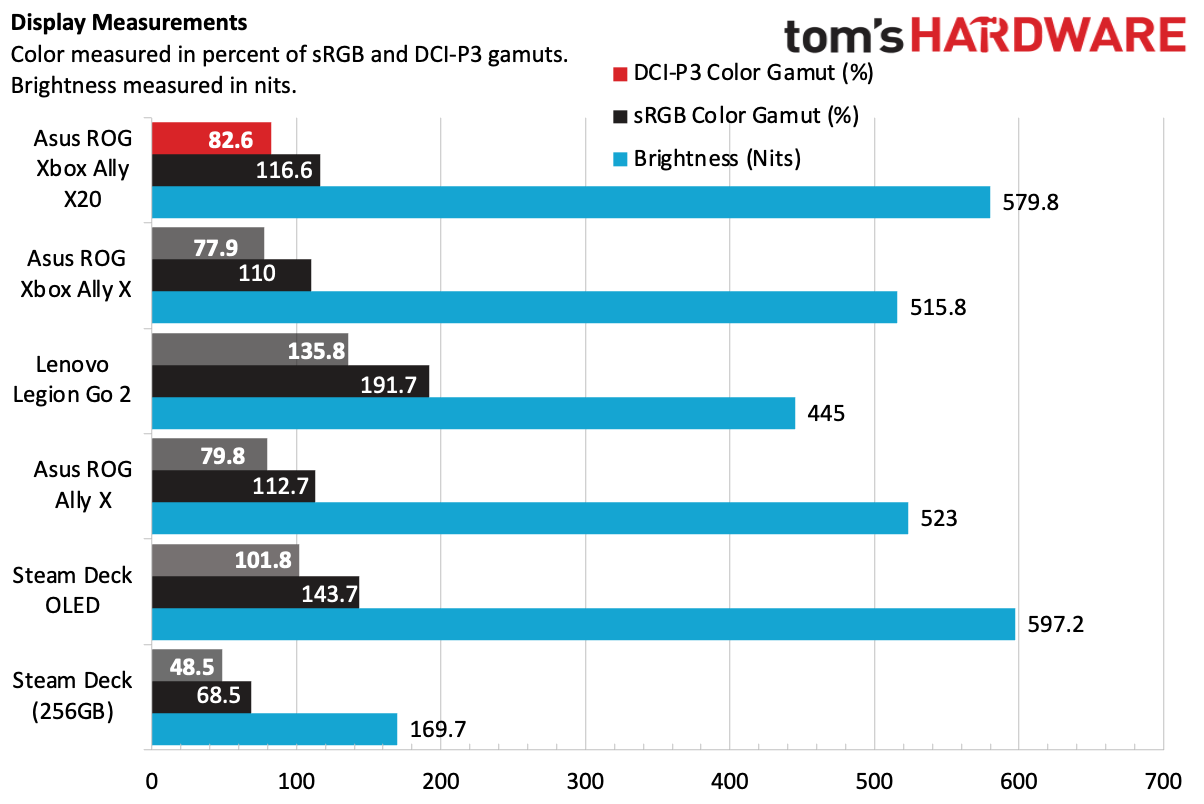
The other big change is the screen. Both use 1920 x 1080 touchscreens, but the Xbox Ally X20 has a 7.4-inch OLED panel, slightly larger than the original's 7-inch IPS display. While the screen size isn't much of a difference, the narrower top bezel is noticeable.

Asus ROG Xbox Ally X20

(Image credit: Tom's Hardware)

And the OLED screen looks great. It's only slightly more vivid on measured color tests. But it's definitely brighter, and it's absolutely an improvement. The OLED screen doesn't measure as well as the OLED screen on the Steam Deck OLED, but in isolation, I thought Asus's panel looked great, and it has a much more recent chip than the Steam Deck.

Forza Horizon 6 looked beautiful, with lush greenery on the sides of tracks and realistic, colorful paint jobs. In God of War: Ragnarok, dark areas with deep blacks made dim light stand out.

Asus ROG Xbox Ally X20 Specifications

Processor

AMD Ryzen AI Z2 Extreme

Graphics

AMD Radeon RDNA 3.5 graphics (16 cores)

Display

7.4-inch, 1920 x 1080, OLED touchscreen, 120 Hz

Memory

24GB LPDDR5X-8000, soldered

Storage

1TB PCIe 4.0 NVMe M.2 2280 SSD

Networking

Wi-Fi 6E, Bluetooth 5.4

Ports

USB4 Type-C (Thunderbolt 4 compatible), USB 3.2 Gen 2 Type-C, 3.5 mm headphone jack, microSD card reader (UHS-II)

Battery

80 WHr

Power Adapter

65W

Operating System

Windows 11 Home

Dimensions

11.42 x 4.76 x 1.08 ~ 2.00 inches (29.0 x 12.1 x 2.75 ~ 5.09 cm)

Price as Configured

$1,299.99

Battery Life on the Asus ROG Xbox Ally X20

The Ally X20 has the same 80 Whr battery as its predecessor. To get an idea how long you can play a demanding game for, I booted up God of War: Ragnarok, set the screen to 50% brightness, and used the 17W performance mode. With the game running on low settings with AMD FSR 3.1.4 at 720p, the machine had 47% charge left after an hour and 15 minutes of gameplay.

That suggests that I could have hit about 2.5 hours had I kept going. That's down from about 3 hours on the original Ally, though it's not apples to apples, as I played different games. It's to be expected that an OLED display would use a bit more power, however.

Software and Warranty on the Asus ROG Xbox Ally X20

The ROG Xbox Ally X20 uses the same Full Screen Experience that the original Xbox Ally X originated. Portions of Windows don't even load unless you switch to desktop mode, which saves RAM and helps boost performance.

For some features, Asus includes Armoury Crate SE. That's where you can make changes to the lighting around the joysticks, adjust power management (whether in the app or in the Xbox menu), and calibrate your joysticks and triggers.

Asus sells the ROG Xbox Ally X20 with a 1-year warranty.

Bottom Line

Asus ROG Xbox Ally X20

(Image credit: Tom's Hardware)

The Asus ROG Xbox Ally X20 is the definitive form of Asus' handheld. It feels better in the hands, has joysticks that should last longer, and the OLED display is a noticeable improvement.

All of that being said, games play the same across the two devices. If you already have an original ROG Ally X, this isn't worth the upgrade. You won't get any more performance, and the IPS screen on the original is still plenty bright and colorful, even if the blacks aren't as good as on an OLED screen.

If you're buying a new machine, it's a tougher choice. The X20 is $1,299.99 — a $300 increase over the original, which is staying on the market. If this is your sole gaming machine, that may be worthwhile for the improved screen, TMR joysticks, and a slightly more solid build. But it's a lot of money; the original Xbox Ally X will play games the same way for $300 less. Neither will play games as well as the Intel Arc G3, but the only system with that available right now is $1,799.

The X20 is worth getting if it's going to be your only gaming PC for a few years. The $1,299.99 price is high for a handheld, but given that the $999.99 version is effectively the best deal in handhelds right now, it makes some sense to invest if you want the best experience.

✇Tomshardware

Modder turns NES into a Windows-like desktop with original hardware

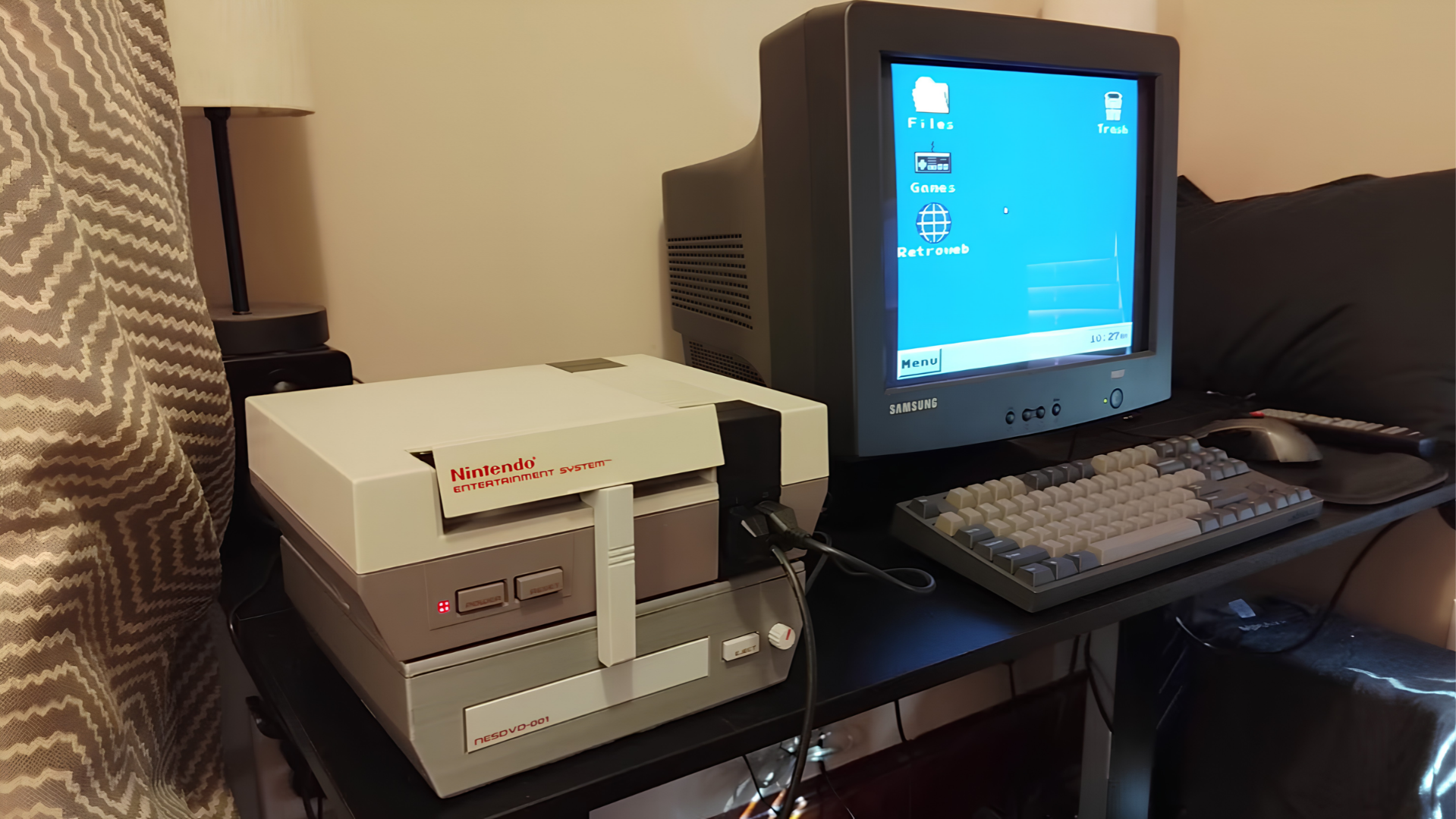
YouTube retro gaming experiment channel Throaty Mumbo created a Windows-like desktop environment on the NES. The project took advantage of the EverDrive N8 Pro, an FPGA-powered NES cartridge that handles the heavy x86 emulation. Throaty Mumbo has made the NESPC project available on GitHub and included firmware for an RP2350 he used to make a USB interface for keyboard, mouse, and MIDI functionality.

Throaty Mumbo started out with ROMs he found on the internet, trying out a Chinese Windows 98 ROM that didn’t really do much. It had Paint, Windows Explorer, and plenty of things that looked like Windows 98 programs, but none of them were actually functional; only images of what the programs approximately look like. He also tried out a ROM of Linux, a project named NES86 by decrazyo, but it was incredibly slow and unusable, leading him to create his own ROM.

Since the NES’ 6502 8-bit microprocessor was too slow to emulate x86, Throaty Mumbo used the EverDrive N8 Pro, which has a much more powerful ARM-based Cyclone IV FPGA. It simply goes into the cartridge slot and takes advantage of the NES’ cartridge-side processing, basically making it act similarly to an external graphics card by outsourcing tasks to another processing unit. To run x86, Throaty Mumbo used Next186, an open-source FPGA soft processor core that can make the FPGA execute Intel 80186-compatible instructions as if it were an x86 CPU.

Throaty Mumbo first showed his NESPC project with a command-line interface, demonstrating how fast you can navigate the environment and run command-line programs like tty-tetris, which didn’t work well at such a low resolution, but he did show a command-line train animation running quite smoothly. He finally showed that he built a whole desktop environment that looked like a very stripped-down version of the Windows 98 ROM earlier. His UI, however, was more functional, serving as a menu replacement for the EverDrive N8 Pro menu ROM, even having a fully playable Minesweeper in the Start menu. The UI also had program icons that served as ways to start game ROMs and access files inside the EverDrive N8 Pro cartridge’s storage.

Throaty Mumbo wasn’t satisfied, however, as moving a mouse cursor and typing with an NES controller isn’t the best desktop experience, so he tried adapting a Family BASIC keyboard for the Famicom to it using the NES expansion slot and a breakout board to connect jumper wires to specific pins. It didn’t work very well, with each keystroke outputting multiple letters and symbols; the bulk on the bottom also didn’t allow the NES to sit flat on the desk.

Throaty Mumbo then thought of using an RP2350 microcontroller with custom firmware so he could connect a USB device into the NES controller ports. This worked much better, even allowing smooth mouse inputs, but it only had one USB port, so it could only take either a keyboard or a mouse. His solution to this was to use a keyboard with a USB hub built into it, which worked great. Throaty Mumbo further experimented with this USB input as a MIDI device, plugging in a USB piano keyboard and playing with a very basic digital audio workstation (DAW), even playing some Mario soundtracks from NSF (Nintendo Sound Format) files.

To get even more of a retro PC experience, he added his previous 3D-printed NES CD drive project, the NESCD, which plugs into a port on the EverDrive N8 Pro cartridge and the expansion slot, allowing him to play music in the background while playing an NES game at the same time without losing any performance. He then upgraded the NESCD with a Seeed Studio XIAO ESP32 to add WiFi capability, allowing for 4 MB/s download and 90 KB/s upload speeds. Since the internet capabilities are very limited, the NES uses Throaty Mumbo’s laptop as a proxy to fetch the NES’ requests from the internet and simplify them to be more easily displayed on the limited resolution. However, Throaty Mumbo also added an option to connect directly to the internet, which would be a miserable experience.

✇Tomshardware

Jailbroken PS5s can now run Steam PC games

Gamers can now experiment with playing their favorite Steam titles on a jailbroken PlayStation 5. The game launcher is actually based on the Playden launcher designed for macOS and adapted for the PlayStation, allowing you to sign in with your Steam account and install games from your library directly to the console. Playden for PS5 is a GitHub project that lets you run Steam games on the console, notes VideoCardz. When you launch a game on Playden for PS5, it sets a private Windows environment and is run through prospero-win, which is a PS5 port of Wine.

Note that the launcher itself does not run the game — instead it builds a separate PS5 app created for the game that you installed, allowing the Steam title to appear as a separate tile on the console’s home screen. Aside from that, its files, settings, and crashes are isolated from the launcher and other games. There’s also a separate runtime kit that handles Wine for PS5, the required graphics drivers, the Windows environment, and a template app shell for your games.

While Playden for PS5 successfully launches Steam games, it does not necessarily mean a smooth start-to-end experience for every title. The creator notes that it’s still in the Alpha stage of development, with X user v7dt1 saying that even though they were able to launch a game, it eventually crashed. On the other hand, u/Cevap shared on the r/PS5_Jailbreak subreddit that they were able to play Portal through the launcher with no issues, except for the lack of a mouse cursor and the inability to hit ESC to open the options menu. Still, the developer of the launcher lists several compatible games, including American Truck Simulator, Cyberpunk 2077, Doom Eternal, GTA: Vice City, Left 4 Dead 2, Team Fortress 2, and more.

Testing Steam games on Playden!
 from r/PS5_Jailbreak

Of course, users need a jailbroken PlayStation 5 if they want to use this launcher. But aside from that, the creator said that using it poses several risks, including the fact that it’s an unofficial Steam client. While there haven’t been any problems with third-party Steam clients, the app notes that Valve does not officially support it and any risk that comes with the use of the launcher “is yours to accept.”

Sony announced that it will cease physical game disc production by January 2028, which did not sit well among many fans. In fact, a petition against the move has nearly hit 200,000 signatures just a week after the announcement. Alongside that announcement, we started seeing a number of jailbreaks and emulators for the PS5, allowing users to take back control of their hardware, likely to the chagrin of Sony executives.

✇Tomshardware

YouTuber escapes the modern AI tech market by recreating his 1996 PC

These days, it's exceedingly difficult not to be jaded and weary about the tech market. Memory, graphics cards, and now storage are becoming impossible to obtain; there's basically no new consumer hardware being released; and there's AI everywhere. Technology YouTuber TrashBench (TB), too, is tired and was harkening back to the halcyon days when everything was fresh and straightforward — so he went back in time with a retro build.

More specifically, he recreated a facsimile of the first machine his parents bought him in 1996 when he was a wee lad, to play The Need for Speed: Special Edition — a PC-improved version of the first ever game in the series. According to the man, it was thanks to this machine that he fell in love with computers in general.

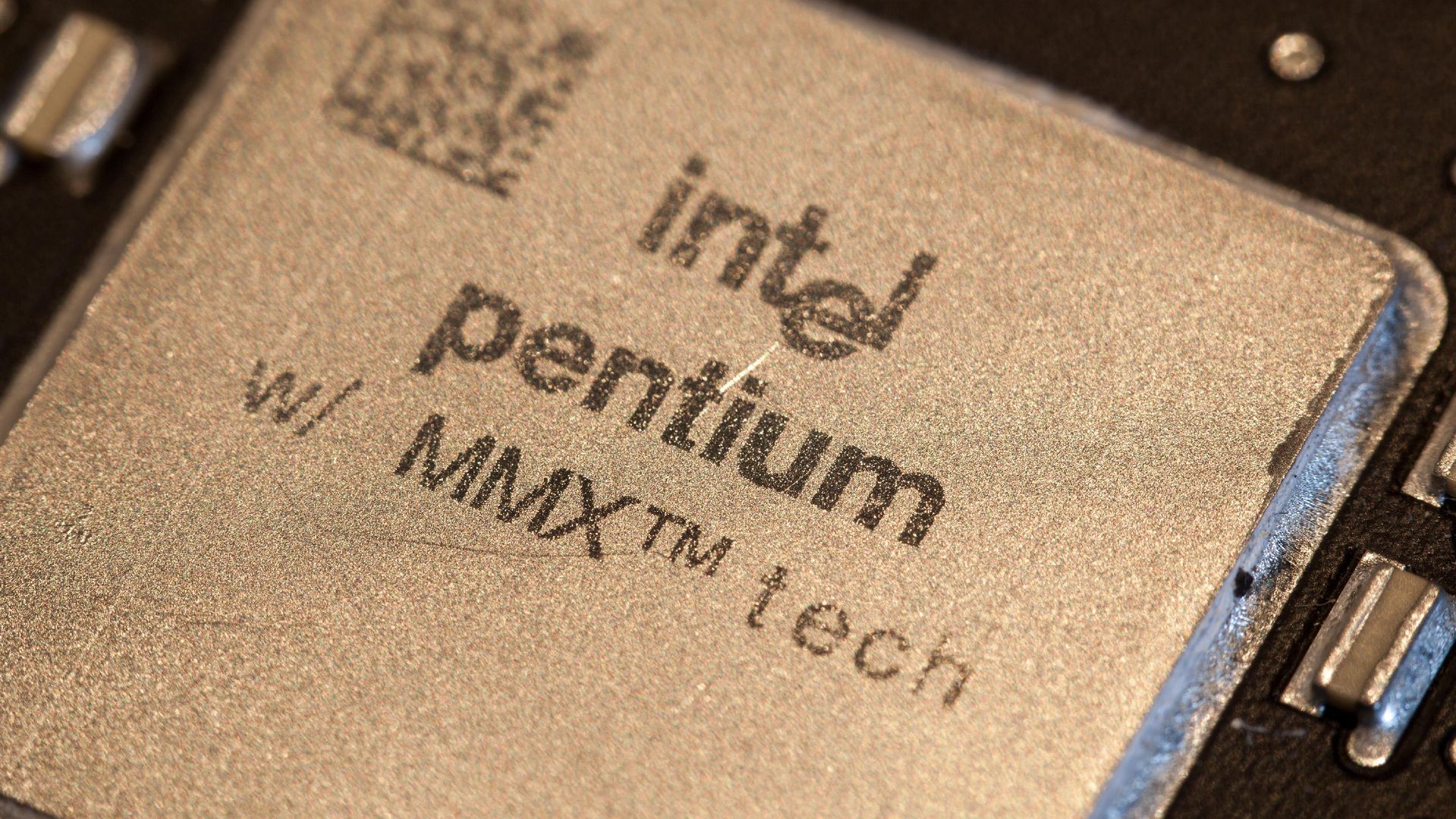
TB kicked things off with an Intel Pentium MMX 200 MHz CPU sitting atop an Epox Pronix EP-P55-BT motherboard, boasting what was at the time a new, fresh, convenient ZIF (Zero Insertion Force) socket. This motherboard popped up during the RAM transition from SIMM to DIMM, which is why you'll see two slots of each on the top. 32 MB of RAM went right in, a generous amount for the year.

Funnily enough, the CPU barely needed cooling, which is why a simple 40-mm fan suffices, although anyone who's lived through this era will tell you that those were guaranteed to start whining after just a few months of heavy usage. There is no case cooling, as it's just not needed.

However, he did need to correctly set the motherboard's jumpers, as such luxuries like automatically detecting CPU speed and voltage were just becoming normal. Yes, this meant that you could burn out a CPU if you played the jumper game wrong.

For graphics card duty, he enlisted an S3 Trio32 card, which was pretty, ahem, modest even in the era, and had no 3D rendering capabilities whatsoever. In this era, the now-ubiquitous 3D accelerator cards were just coming into fashion, and he eventually replaced the S3 with a Matrox Mystique 3D, another offering of dubious quality. Yet those were happy days, as any form of 3D acceleration was far better than none.

Storage comes by way of a Western Digital Caviar 22100 hard drive with a whopping two gigabytes of storage and the uncanny ability to emulate the dulcet tones of a jackhammer. TB eventually swapped it later for a roomier 80 GB unit. Again, due to the idiosyncrasies and constant transitions of the era — hardware doubled in speed and capacity nearly every year — he had to set a jumper to clip it to the likely amounts of either 8.4 GB or 33.4 GB, as the addressing space of BIOSes and disk controllers of the time were limited.

The build wraps up with an OG Sound Blaster 16 sound card and a CD-ROM drive. After test-driving the machine with Need for Speed, he moved on to Microsoft Flight Simulator 98, which necessitated a joystick. Naturally, he got the much-beloved Quickshot QS-123, a staple in many home PCs, and one that needed replacement in about six months, as its build quality matched its price.

✇Tomshardware

Rare archival footage tours the CompUSA NYC store in November 2000

作者 Mark Tyson

A video purported to be “authentic, original 360p footage captured inside a CompUSA retail store in New York City” has been shared on YouTube, allowing retro computing fans to step back in time to November 2000. This was the Windows Me, Pentium III, and Athlon era, dominated by computers constructed using a lot of translucent plastics and beige boxes already a distant memory. However, computer stores like this bulged with displays and fast-selling stock before internet shopping would start to eat many of these businesses away.

The video reveals a nostalgic CompUSA, greeted by a wall of CRT monitors. The store looks crowded and almost chaotic with peripherals, PCs, and devices - and boxes filling a lot of space in the aisles.

The first item is a noteworthy trio of laptops. It looks like three stylish Sony VAIO machines in a line. In the center of this display is probably the most interesting device from the time, which we believe to be a Sony VAIO C1 Series ‘PictureBook’ PCG-C1VN subnotebook. Searches indicate this device was powered by the Transmeta Crusoe TM5600 processor running at 600 MHz, supported by 128MB of SDRAM, and a 12GB HDD. The tiny form factor, weighing in at around 2.2 pounds (1kg), was built around an 8.9-inch TFT display of 1024 x 480 pixels. It also had a dGPU, an ATI Rage Mobility with 8MB dedicated VRAM.

Above this trio of laptops, there's a spec card for one of the larger laptops available in store. Squinting at the 360p video, it appears the unnamed portable has an Intel Pentium III 700 MHz CPU, S3 graphics, 128GB of RAM, and a 20GB HDD.

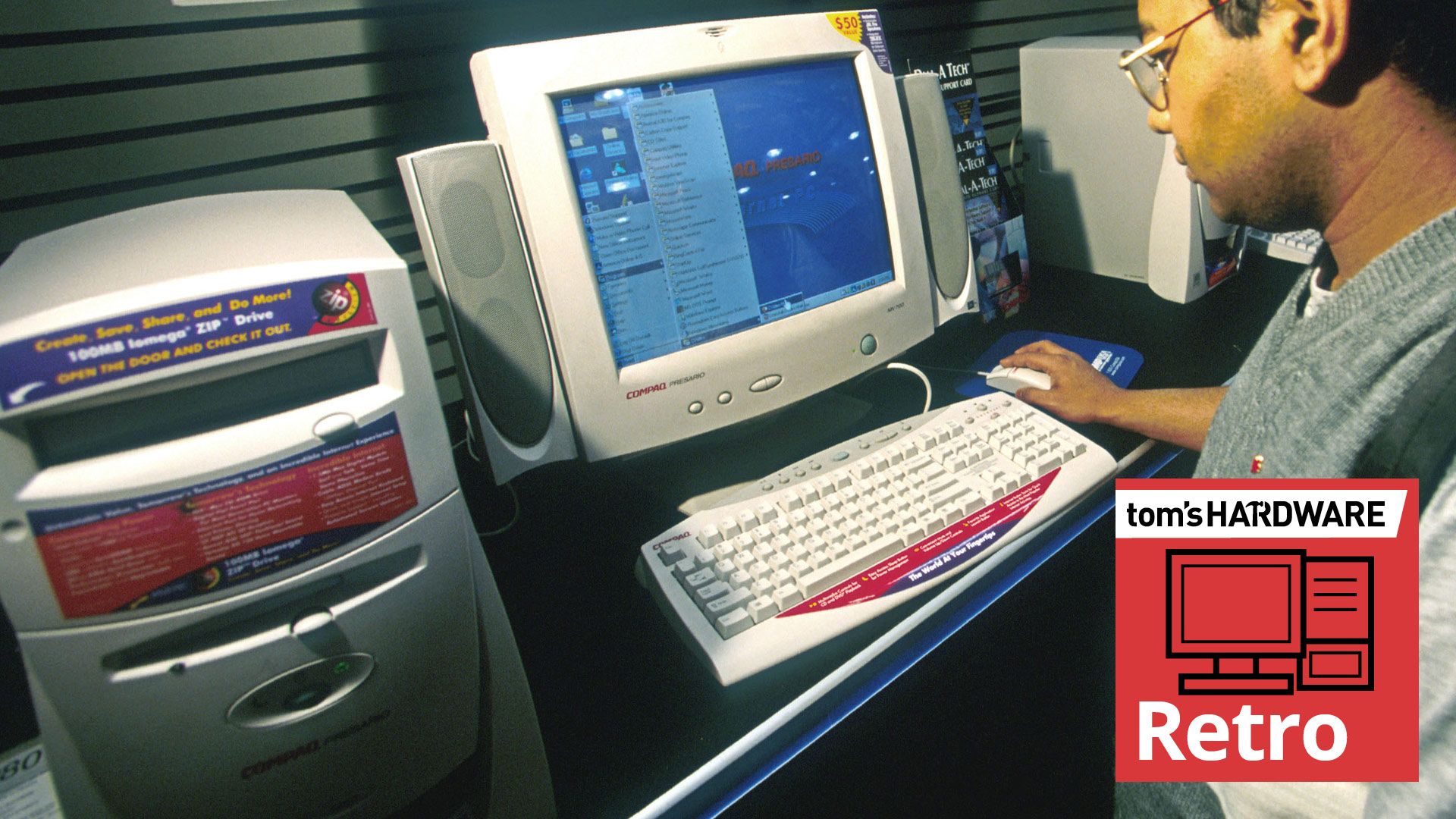
Next up, the video shows some New Yorkers (or tourists) browsing desktop machines including Compaq Presario PCs, with characteristic translucent accent faceplates – clearly inspired by the iMac. Again, we would expect these came with Celeron/Pentium III processors, or AMD Athlon/Duron chips from that era. Graphics cards in these would typically be Nvidia RIVA TNT2 or GeForce2 MX cards.

Later on, the video shows a significant amount of store space stacked with boxes for perhaps 100 Compaq Presario desktops. On one box you can see the model number ‘5WV294.’ According to our searches, that model would come with an AMD Athlon 1.0 GHz, 128MB RAM, 30-40GB HDD, an optical drive, and Nvidia GeForce2 MX or S3 Savage4 / ProSavage 3D graphics.

The video also shows Apple Mac desktops powered up next to matching monitors. Even with Apple’s serious professional desktops, by 2000 the beige era was long gone. A spec card shows that one of the Apple desktops on display is the Power Macintosh G4 Dual 500. Yes, it had twin 500 MHz G4 processors, as well as 256MB memory, a 40GB HDD, a DVD RAM drive, and a 16MB video card, costing an eye-watering $3,500. We previously mentioned the ‘iMac era’ and indeed, an in-store wall of perhaps 50 boxed iMac computers is shown later in the video.

A 21-inch ViewSonic A110 monitor displaying a demo reel with Apple monitors and Apple Macs is also featured. It is a high-end model, priced at $750. Printers appear in the video too, with various HP models boxed up. The video also shows a shelf of unboxed printers and MFPs on display, and you can see someone pondering over one. Mice, mouse mats, and a Windows Me ‘Take Me Home’ promotional in-store display also catch the cameraman’s eye.

The video ends with a scene at the checkout, and folks buying sundries and peripherals. The last customer appears to be inquiring about a mail-in rebate for an HP printer. Some things never change.

CompUSA collapsed due to competition from big box stores, the ascent of online retailers, and various managerial missteps. The store brand saw mass closures and liquidation in 2007/8, with a handful of stores kept alive by Systemax/TigerDirect. The CompUSA retail identity was finally retired in 2012.

✇Tomshardware

Extremely rare and 'previously undocumented' Pokémon Red prototype cartridge surfaces at auction, starting at $25,000

作者 Ben Stockton

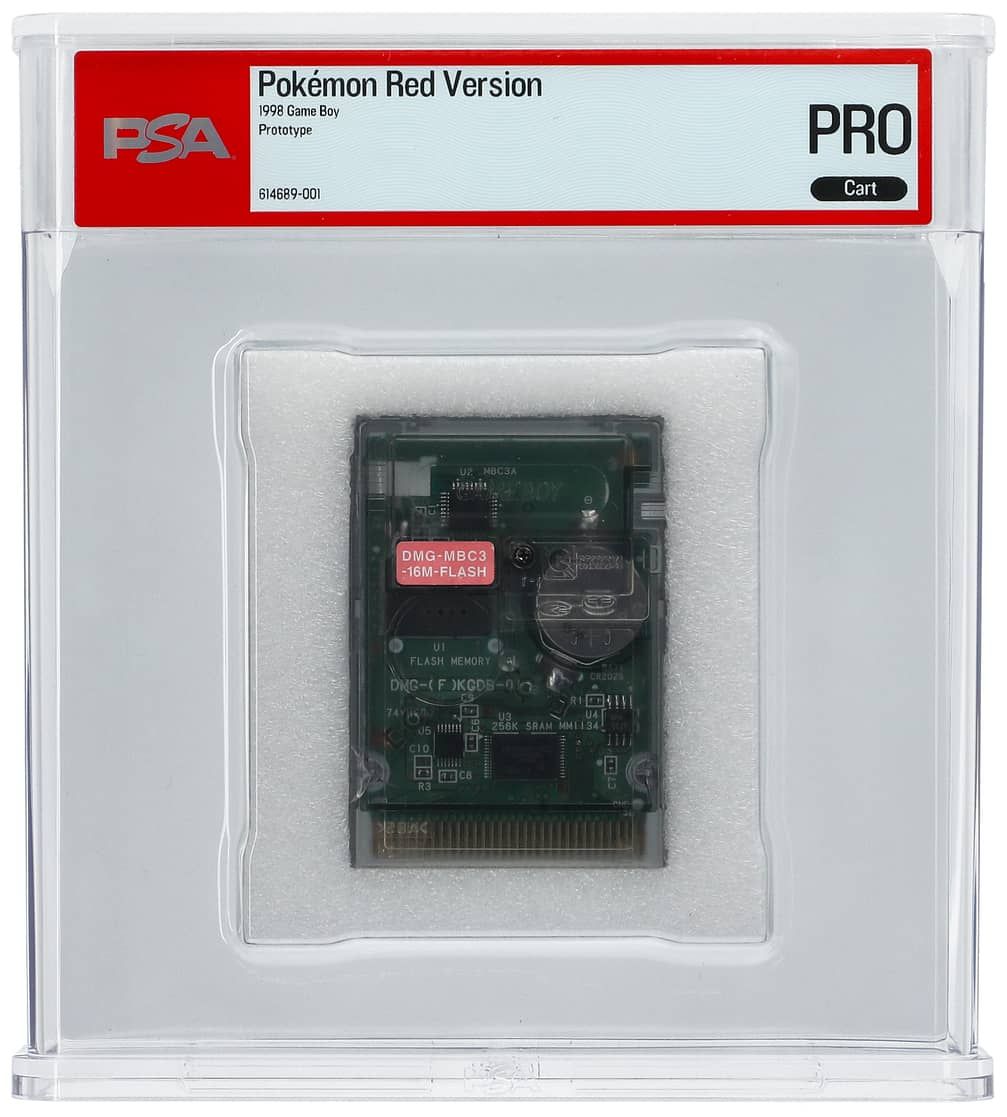
A rare, prototype copy of Pokémon Red for the Nintendo Game Boy, originally released back in 1998, is on sale at auction, with a single bid of $25,000 currently registered so far. This prototype, spotted by Retro Dodo, is "incredibly rare" and features 32KB of readable data. According to the Goldin auction page, the cartridge has been authenticated by specialists at PSA, who examined the card. According to them, while a "complete data read" wasn't possible, the first 32KB of data was, a "technically unique" result. The PSA notes, however, that the game data is otherwise "completely identical" to the U.S. release version of the game, with PSA "expressing confidence" that the rest of the data, if it were readable, would match.

An image of the previously undocumented Pokemon Red development game cartridge, on sale for auction at Goldin
Goldin
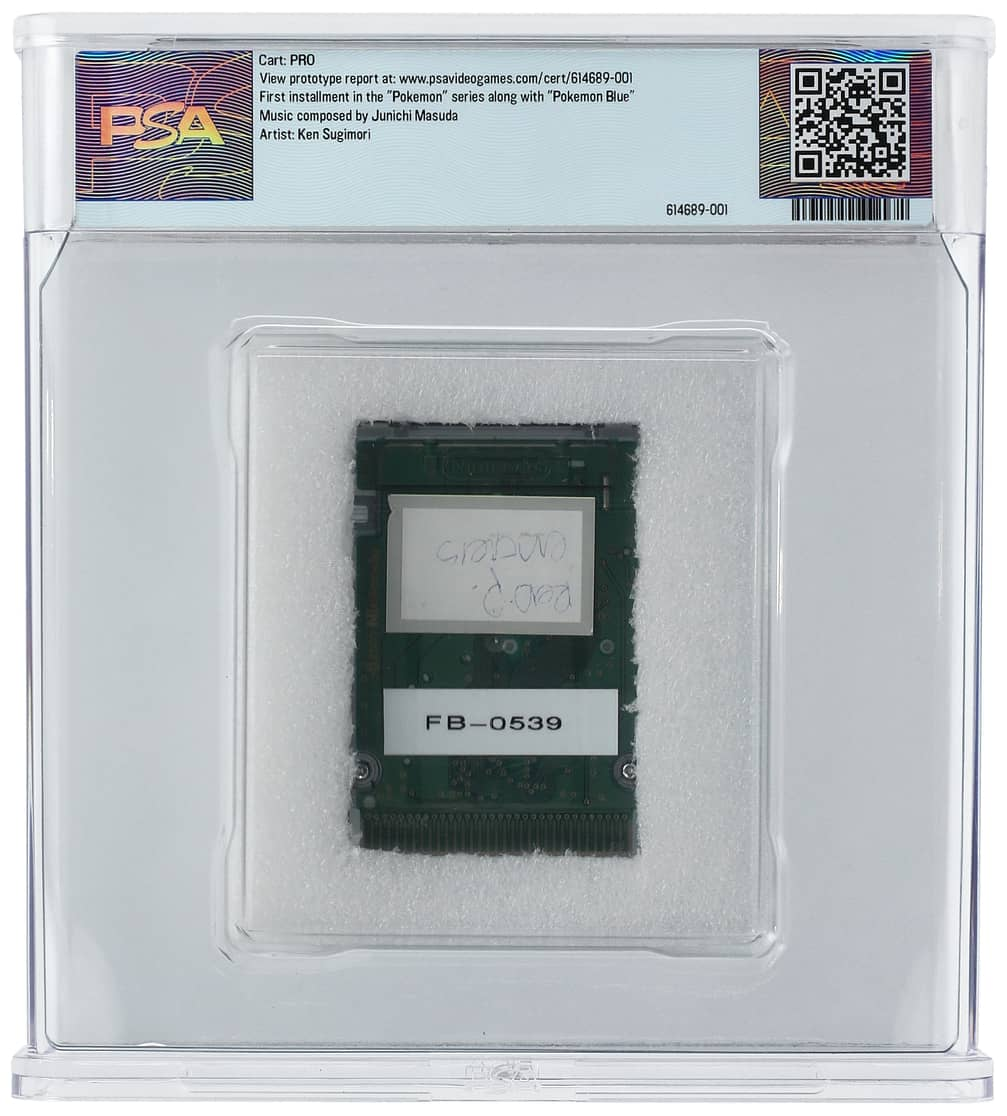
Reverse of a previously undocumented Pokemon Red development game cartidge for the Game Boy, on sale at auction by Goldin
Goldin

The PSA report does note two changes to the ROM's header data that don't affect the game data. According to PSA, "the difference is at offset 0x014C, which denotes the Mask ROM version and is incorrectly set to 55 when it should be 00. This has the effect of changing offset 0x014D, which is a calculated header checksum, to CB instead of 20."

This prototype development cartridge has a sticker reading DMB-MBC-16M-FLASH, with a part number DMG-(F)KGDB-01. DMB likely refers to Dot Matrix Game, the original internal codename for the Game Boy, while MBC likely means Memory Bank Controller, a custom chip that allowed games to use more than the Game Boy's 32KB ROM limit. 16M likely refers to a 16 megabit limit of flash-writable memory. Retro Dodo notes that the cartridge is longer than a standard Game Boy cartridge, too.

The auction notes that this uses a "previously undocumented" development board, although the DMG-(F)KGDB-01 part number has been seen before. The Rare Gaming Dump wiki, for instance, lists the same part number for a development cartridge from 2000. It, too, had a 16 megabit Sharp flash chip, with U1 FLASH MEMORY printed on the board. Close-up views from the Goldin auction page show an almost identical design, although the wiki entry shows a slightly different DMG-MBC3-16M-FLASH cartridge sticker.

Pokémon Red is a gaming classic that helped kickstart the global Pokémon franchise in the 1990s, along with Green and Blue. Combined with Blue, Pokémon Red is reported to have sold more than 31 million copies. There are several days left to go on this auction, so while the single bidder may secure this piece of gaming history for $25,000, it may sell for an even higher price before the auction process ends.

✇Tomshardware

One easy change makes Microsoft's Surface Laptop Ultra with RTX Spark a better gaming system

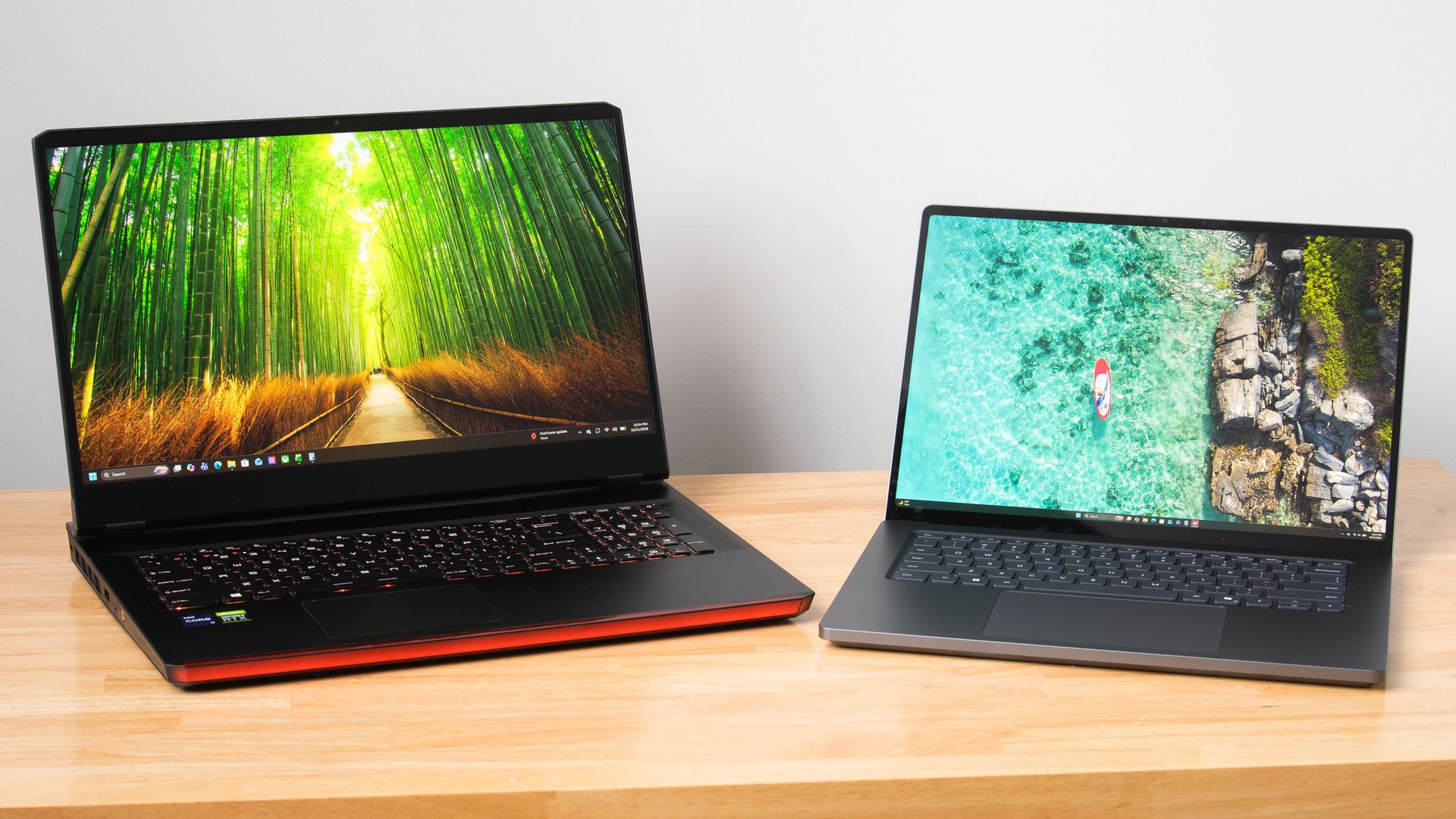
Nvidia's RTX Spark platform puts local AI inference and content creation first, but Microsoft's Surface Laptop Ultra really wants to game, too. The vented keyboard keeps the critical WASD keys cool under load by design, the smooth 120Hz screen can get as bright as 2000 nits with HDR games, and the built-in speakers may be the best I've ever heard on a laptop, period.

There's just one problem: that 3270x2180 screen asks a lot of DLSS upscaling. The computation that DLSS performs doesn't come for free, and the load increases with higher output resolutions. This is especially relevant with the Surface Laptop Ultra's high-density panel, which has just 14% fewer pixels than a 16:9 4K display.

The Surface's unusual 3:2 aspect ratio (at least compared to the average gaming laptop) also means that scaling content up to fill the screen isn't straightforward in many games. 16:9 and 16:10 content gets stretched vertically, causing obvious distortion of character models and objects like tires. And if you use windowed mode instead, playing in a 16:9 or 16:10 window on a relatively small screen like this quickly tires the eyes.

The thing is, all this is easy to solve—easy enough, in fact, that I'm surprised I had to do it myself at all.

Microsoft seems aware that lower 3:2 resolutions are useful for this system, as it put a 1600x1024 custom resolution in the list of display modes that's slightly less than half of native on both axes. But at roughly 1.6 megapixels in total, that image offers less resolution than even a 1920x1080 display does. Scaling up from such a low-res baseline on the Surface screen results in a noticeably soft image even before we dial in DLSS.

What we really want, for reasons of both performance and adequate sharpness, is a 3:2 resolution that comes close to the 2.07 megapixels that 1920x1080 yields. Some quick math and rounding to whole numbers gives us 1764x1176 as an optimal target.

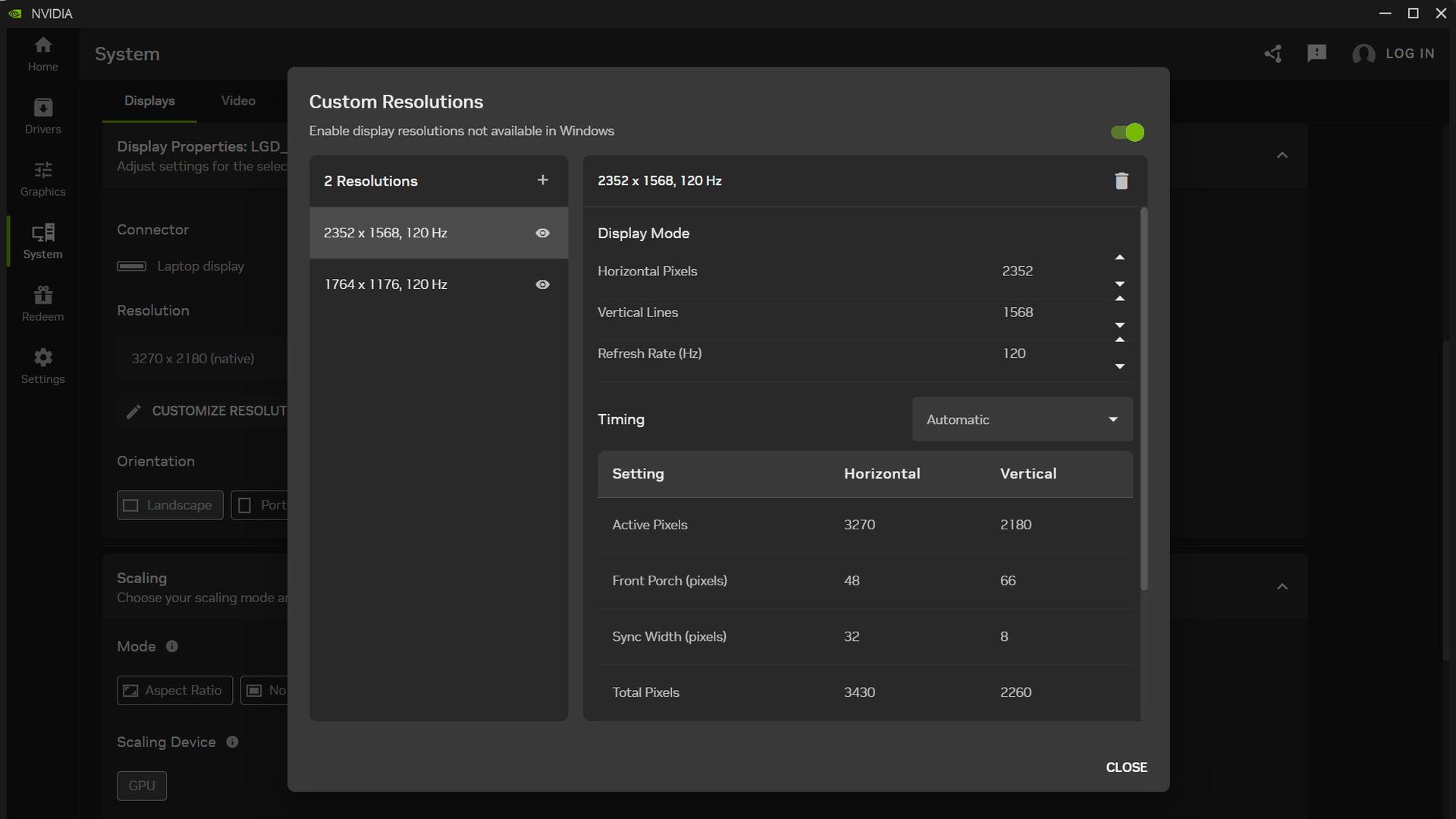
With those ideal dimensions in hand, the next step was to create a custom resolution to match. The Nvidia Control Panel doesn't work on Windows on Arm, but we can still use the Nvidia App to set custom resolutions.

Custom resolution selection in the Nvidia App

(Image credit: Future)

After diving into the System tab and expanding the Display Properties pane, I found the "Customize Resolution" button to open an editor to that end and added 1764x1176 at 120Hz. I then tested it and confirmed that it worked as a supported display mode. (If you want to match the 3.7 MP of 2560x1440, set up a 2352x1568 resolution while you’re at it.)

If for some reason you don't want non-3:2 content to fit the entire Surface Laptop Ultra screen, there is a Scaling pane in the Nvidia App that lets you control that behavior. The "Aspect Ratio" scaling mode will letterbox 16:9 and 16:10 material if you set the display resolution accordingly. But if you're paying $5899 for this system, I presume you want to use every one of its pricey pixels rather than leaving some of them dark.

So what does that bit of tweaking buy us compared to our initial gaming results with Control Resonant?

As someone who primarily games on our Ryzen 7 9800X3D GPU testing system and not a laptop, I wanted to make sure I wasn't setting unreasonable expectations for the Surface Laptop for input latency or CPU performance. So I hauled out an older 17" gaming laptop with a Core i9-11980HK and an RTX 3080 Mobile 16GB inside to get some perspective.

To level the playing field with the Surface Laptop Ultra and its native support for frame generation, I modded Optiscaler into Control Resonant on that system to enable Intel's Xe Frame Generation and Xe Low Latency features.

I conducted my testing with Control Resonant's High raster preset and medium RT preset, which gets you a noticeable boost in image quality thanks in part to DLSS Ray Reconstruction.

Control Resonant performance - High raster, Medium RT, DLSS Ultra Performance, FG 2X

Average FPS

1% Low FPS

Average input latency (ms)

Surface Laptop Ultra - 3270x2180

63.5

38.1

87. 9

You can see that with these settings, trying to upscale Control Resonant to the Surface Laptop Ultra's native resolution is too much to ask for a smooth or responsive gaming experience. Even with DLSS Ultra Performance (an input resolution of 1090x727) and 2X frame generation, we only just break 60 FPS, and latency is at an unacceptable 87 ms average. There's no latency budget left to turn up MFG without turning down other image quality settings.

Control Resonant performance - High raster, Medium RT, DLSS Quality, FG 2X

Average FPS

1% Low FPS

Average input latency (ms)

Surface Laptop Ultra - 1764x1176

83.4

42.9

67.8

RTX 3080 Mobile + 11900HK - 1920x1080

87.1

53

69

With our 1764x1176 custom resolution, however, we're off to a great start with DLSS Quality upscaling (an input resolution of 1176x874). The resulting 83.4 FPS average, 42.9 1% low FPS, and an average input latency of 67.8 ms is a fine experience. We still have room to dial in MFG 3X, leading to a 123 FPS average and 55 FPS 1% lows while keeping latency a reasonable 71 ms.

The RTX 3080 Mobile system with XeFG and XeLL, meanwhile, turns in an 87.1 FPS average, 53 FPS 1% lows, and a 69 ms average input latency at 1920x1080 with the same image quality settings. Its key advantage is in 1% lows, but that win comes with significant trade-offs.

Plugged into our Watts Up meter, the RTX 3080 system draws 250 W from the wall to deliver the experience it does, but according to a USB-C power meter, the Surface Laptop Ultra pulls between 110 W and 120 W under load. Silicon has come a long way since Tiger Lake and Ampere.

The RTX 3080 system and its enormous power adapter together also weigh over nine pounds (4.1 kg). It's technically portable but practically a pain to haul around. The Surface Laptop Ultra and its 140W adapter weigh just 5.3 lb (2.39 kg), which isn't featherweight but won't break your back.

And the Surface will actually fit on a tray table or your lap, with enough battery life that you can use it through a transcontinental U.S. flight, say, and still have plenty of juice left for either side of the trip.

So at least in Control Resonant, the Surface Laptop Ultra is delivering largely the same gaming experience as that high-end RTX 3080 Mobile system, but in a much smaller and lighter total package that draws less than half the wall power. And if you want to stretch frame rates further with MFG 3X, the Surface has MFG support that the older system doesn't. Just add in the 1764x1176 intermediate resolution that Microsoft forgot, and you’ll be well on your way to a better gaming experience.

✇Tomshardware

Retro Atari VCS platform will end with the closure of its software store in February 2027

作者 Mark Tyson

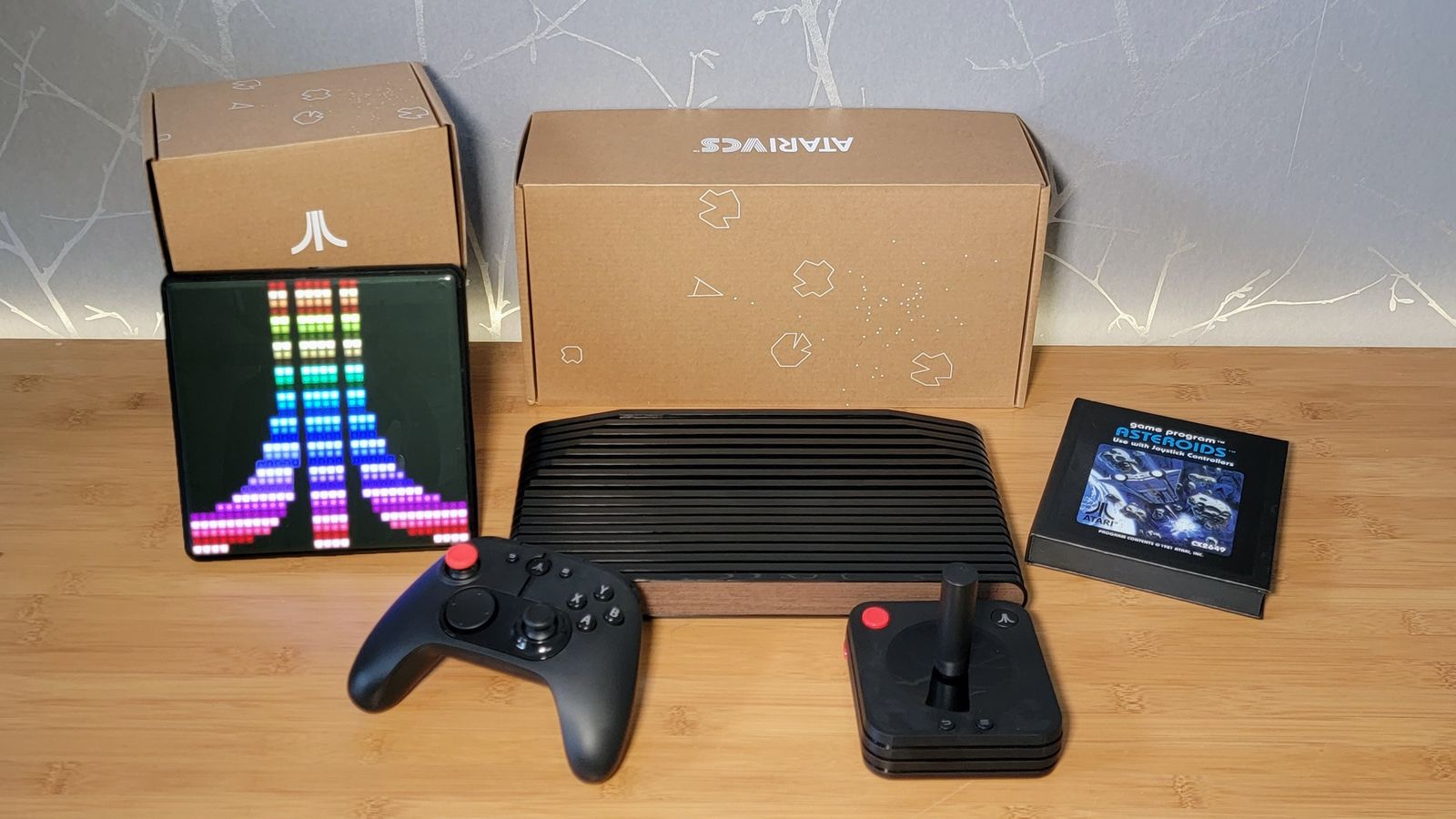
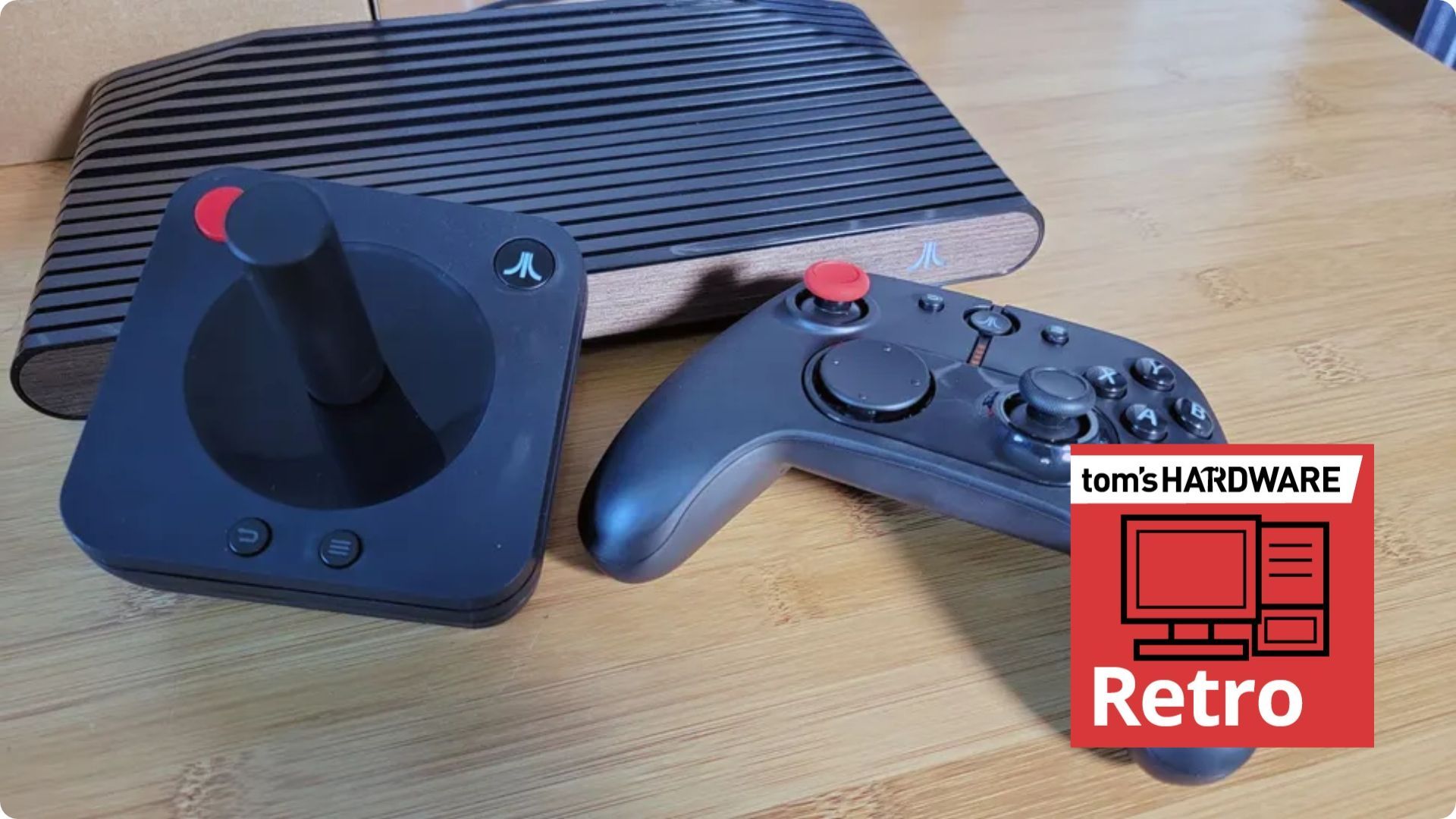
After years of delays, Atari released its reimagined hybrid VCS console-PC in mid-2021. Now the modern Linux-based AMD APU-powered device is being officially retired with the firm’s decision to shut down the Atari VCS software store early next year (scroll to the end of the page to see the October 21-dated announcement). It isn’t all bad news; the machine already had a PC mode users could take advantage of. But after the store closes, Atari says it will “make an OS update available that allows you to migrate all functionality to your local machine, removing any dependencies on Atari infrastructure for authentication and software.” All players will also get access to an Atari Homebrew App to let users build and add new games independently.

Atari announcement screenshot

(Image credit: Future)

Via the above link and the lengthier statement by the moderator of the Atari Club Discord channel, you can see a few important dates broadcast to those who still cherish their VCS machines. You will still be able to add software to your library via the official store until January 31, 2027. The store will finally be closed on February 1, 2027. Then “After the store closes, our plan is to make an OS update available that allows you to migrate all functionality to your local machine, removing any dependencies on Atari infrastructure for authentication and software,” wrote an Atari Club mod. “Once that transition is complete, we will end support for the platform.”

Importantly, the Atari Home Brew app is being pushed to all players during the above transition period. This will allow anyone to add games to their console and devs to continue to build apps for the VCS and share with the community. If this affects you, it looks like it will be worthwhile joining the Discord community for walkthroughs of OS migration and using the Homebrew app, and more.

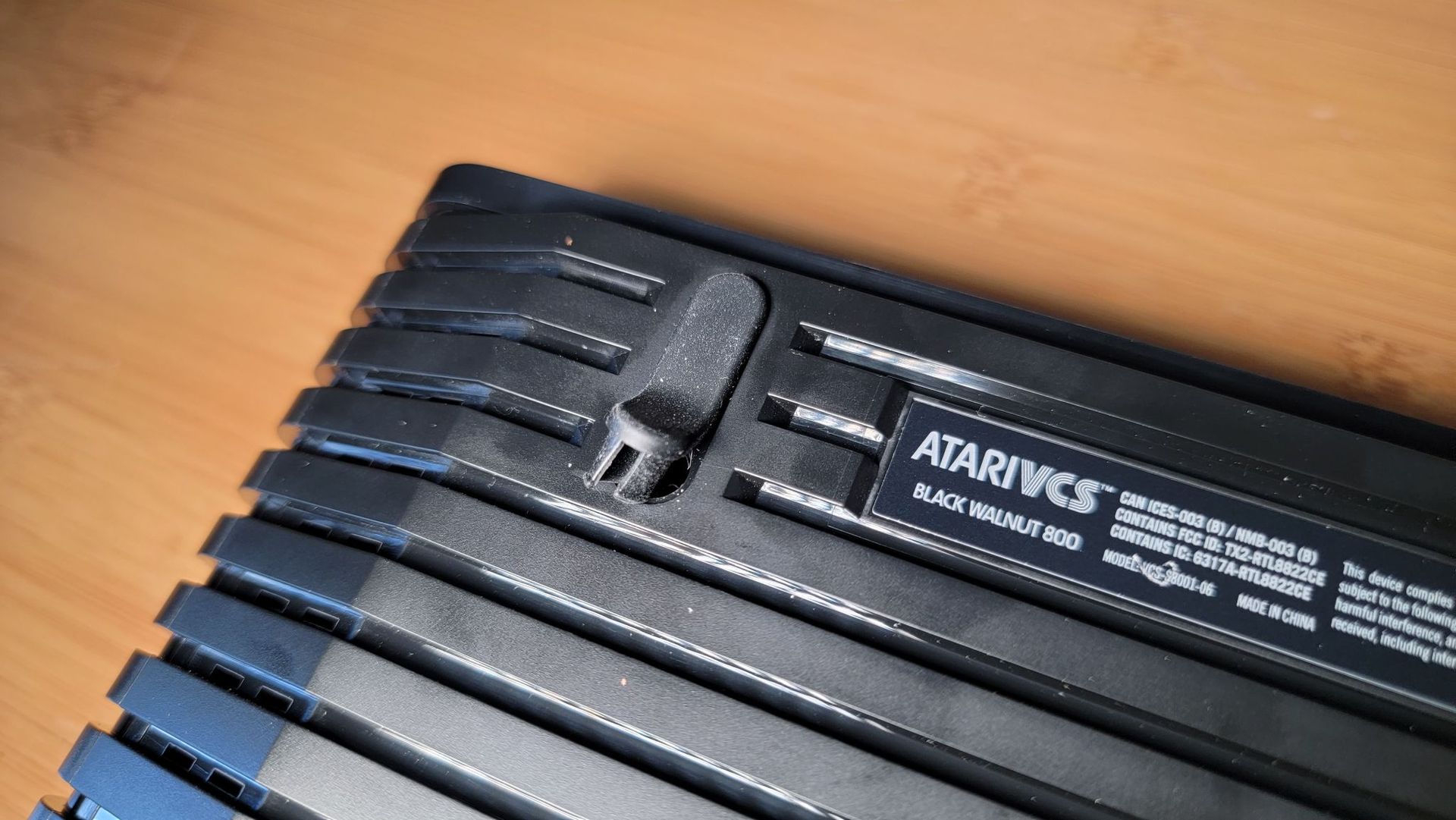
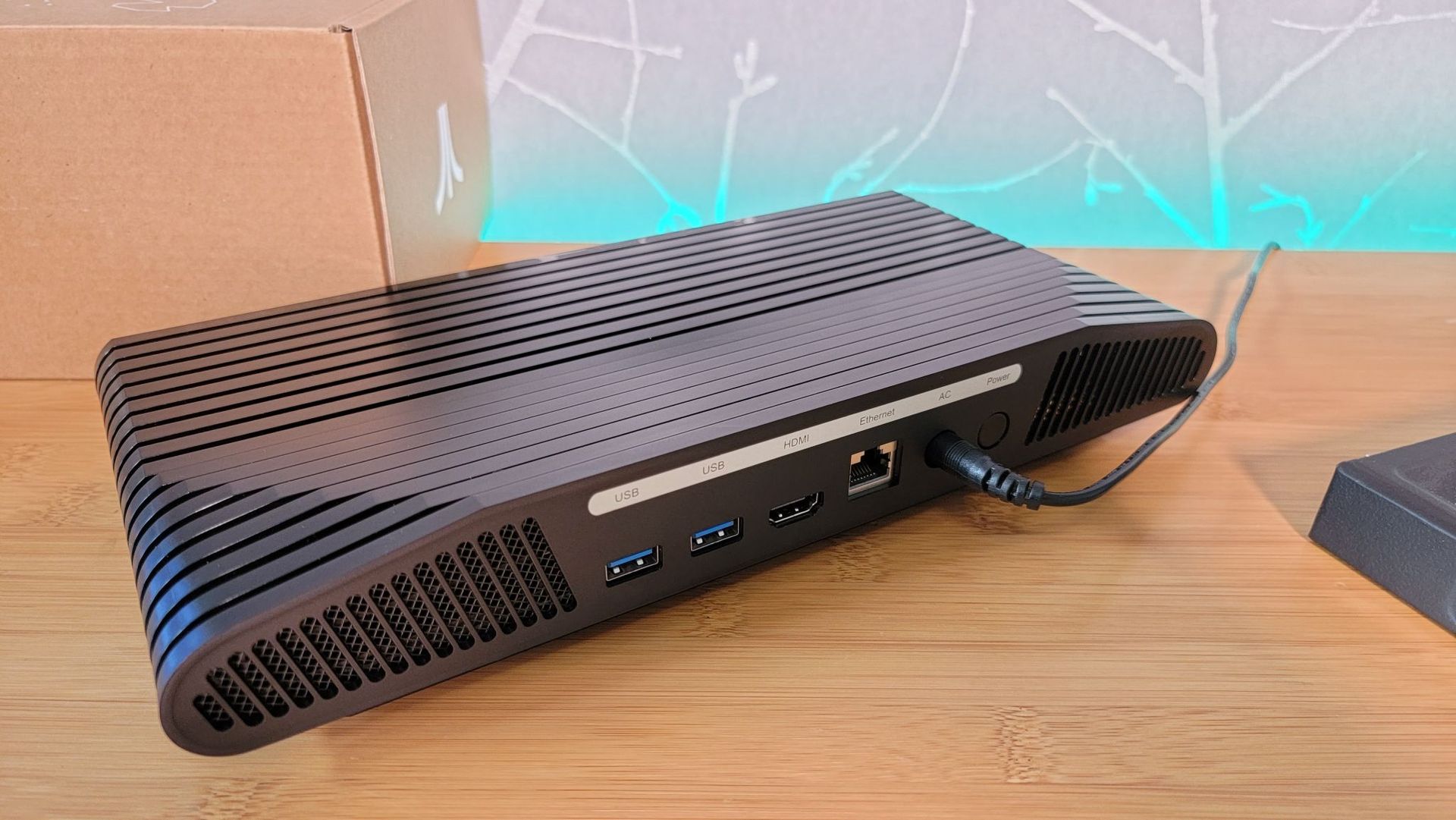
Atari VCS
Future
Atari VCS
Tom's Hardware
Atari VCS
Tom's Hardware
Atari VCS
Tom's Hardware
Atari VCS
Tom's Hardware

What was the Atari VCS (2021)?

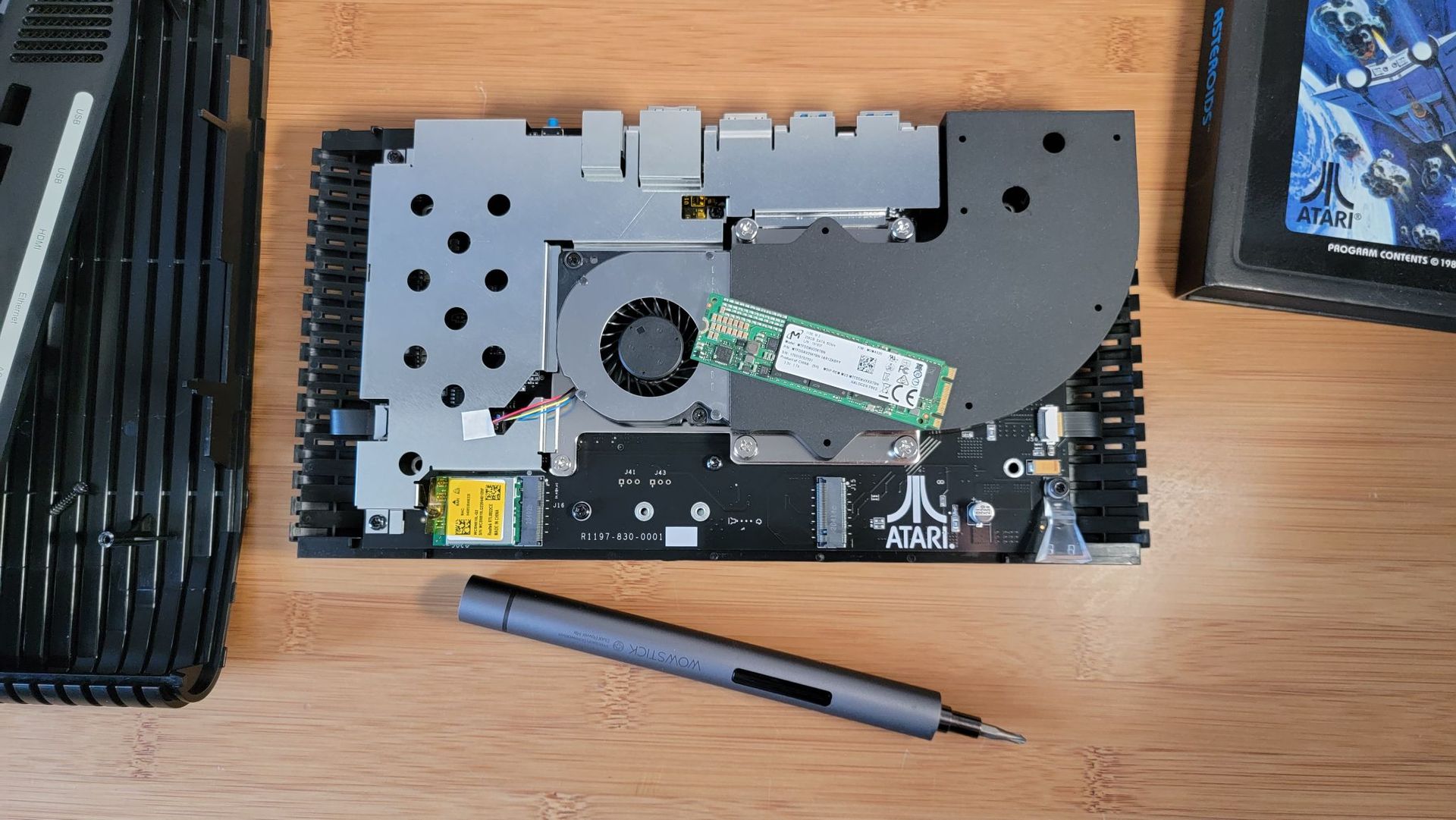
The modern VCS shared the same chassis styling as the venerable Atari 2600 (the 1977 console was originally called the Atari Video Computer System, hence VCS). However, under the hood it was a far different beast. It came packing an AMD Ryzen Embedded R1606 APU with 2C/4T CPU and Vega 3 iGPU, 8GB of DDR4 RAM, and 32GB of eMMC storage. However, both RAM and storage were upgradable. The DDR4 could be upgraded using a SODIMM, and there was an M.2 (SATA) SSD slot. Completing the hardware spec, there was also Wi-Fi 802.11 b/g/n 2.4/5GHz, Bluetooth 4.0, HDMI 2.0, Gigabit Ethernet, and 4x USB 3.1 (2x front, 2x rear).

Even when it was launched, it was possible to run a mainstream OS like Linux, Windows, or Chrome OS on the VCS 2021. But Atari sold the machine with the Atari Custom Linux OS (Debian-based). This enabled a custom UI featuring 100 classic games, its retro-inspired store, and the ability to install popular streaming apps, like Netflix, Disney+, and HBO Max, among other things.

We reviewed the Atari VCS in July 2021, after it had become available to folks who weren’t crowdfunding backers. However, our editor’s nostalgia-tinted glasses were soon shattered by the price ($399), necessity for a keyboard and mouse for streaming apps, poor responsiveness, and its clunky PC mode. An unforgivably noisy fan didn’t help, either. The conclusion at the time was most would be better served by buying a budget mini PC or Raspberry Pi and making their own retro system with a joystick/controller of their choice. Even in 2026, with the component price crunch, there are still mini PC systems with far more grunt and RAM/storage pre-installed than the VCS, for under $400.

✇Tomshardware

EA is closing BioWare, the studio behind Mass Effect and Dragon Age, after more than 30 years

作者 Shane Downing

Electronic Arts (EA) is closing BioWare and its Edmonton studio, according to a recent letter to employees, which confirms that early development on the next Mass Effect game has also been canceled. The studio was behind Mass Effect and other popular franchises such as Dragon Age, Star Wars: Knights of the Old Republic, Neverwinter Nights, and Baldur’s Gate during its 31-year history. EA is focusing on Battlefield, Iron Man, and a Fight Night revival instead.

https://t.co/TicSujMWpsOctober 21, 2026

BioWare, a “legendary studio,” in EA’s words, had a small team working on early development of the next Mass Effect game, but the company “made the decision not to move forward with this development.” BioWare was acquired by EA in 2008, and EA itself went private in August. The next game in the series was first announced in November 2020 and teased that December with an official trailer on EA’s Mass Effect YouTube channel. In 2021, the Mass Effect Legendary Edition remaster of the original trilogy was released. Since then, the studio has been relatively quiet except for Dragon Age: The Veilguard in 2024.

EA spared only a few lines for BioWare, instead focusing on three priorities: Deepen Our Core, Expand Our Reach, and Transform Our Business. Battlefield 6 is touted as “a great success” as the company is focusing on Apex Legends modes, Marvel’s Iron Man, and the next Star Wars Jedi game. “Project Gridiron” falls under the EA Sports heading as a social-first, open-world experience from EA’s American football team, with a Fight Night revival currently in pre-production. The company hasn’t forgotten about The Sims, either, and intends to “prioritize [its] efforts on ‘Project Evergreen.’”

Those impacted will be supported “in exploring other opportunities within EA.” EA did not give a job count, and neither the Mass Effect nor the Dragon Age series was declared dead. BioWare’s released games were also not mentioned.

Veilguard, as EA described it early last year, engaged only about “1.5 million players during the quarter,” which was “down nearly 50% from the company’s expectations.” That reception may have played a partial role in the decision, though EA did not say so. Around the same time, BioWare general manager Gary McKay said that only “a core team” was working on the next Mass Effect game and didn’t “require support from the full studio,” as colleagues were matched “with other teams at EA.”

The move is not entirely unexpected, with job cuts being common in the industry, for example, with Microsoft announcing 3,200 Xbox job cuts in July, citing low margins.

EA did not reveal any dates for major titles, but it plans to discuss its direction and the work ahead with staff at its Global Town Hall in November. For now, it looks like EA is doubling down on its core franchises and dropping the studio to refocus on what’s been working.

✇Tomshardware

Oblivion gamer uses Claude AI to boost average FPS gains up to 48%, stutters slashed by 90%

作者 Zak Killian

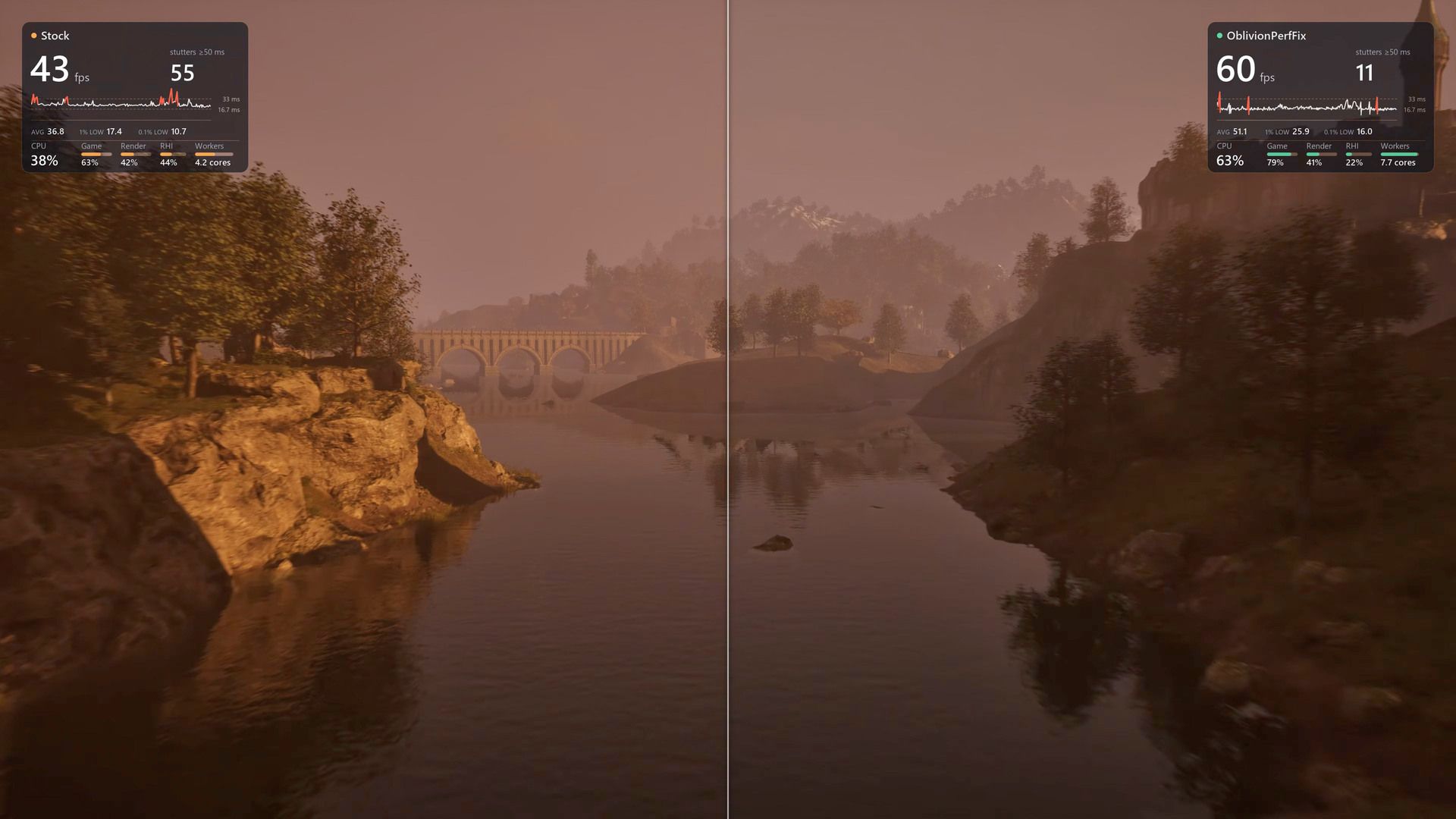
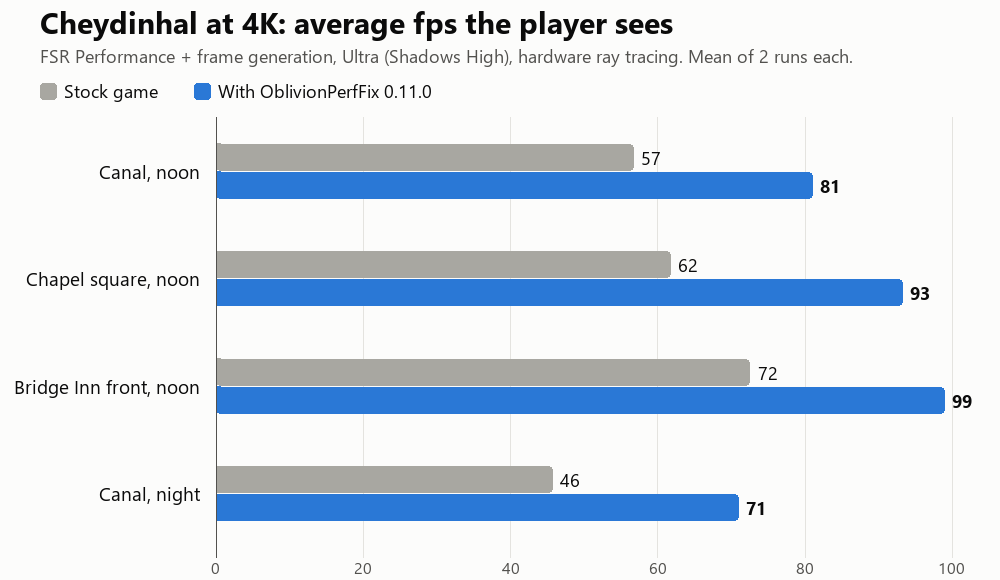
The revelation that there was a ton of performance lying on the table in the remastered The Elder Scrolls Part IV: Oblivion won't be a surprise to people who have played the game, which is notorious for its hitching and stuttering. The reason primarily lies in its poor utilization of hardware, and that's a big part of what LTSharpe and Claude have addressed in the new Oblivion Remastered Performance Fix that changes nothing about the game's visuals yet increases performance by as much as 68% in the worst case. (h/t to ComputerBase)

Yes, this mod is just about 100% vibe-coded, and yet, rather than hacking Minecraft into GTA V on iPhone, or hacking CoD Black Ops 2 maps into Minecraft, this mod is a binary code modification for Oblivion Remastered that seeks to improve performance and stability considerably, and according to numerous jubilant and thankful posts on NexusMods, it seems to do exactly that, with one user proclaiming that the performance increase was "dramatic" and that the overworld stuttering that plagues the game is "completely gone."

An image with benchmark graphs showing the original Oblivion game's performance versus the performance-modded game.

(Image credit: LTSharpe on GitHub)

The story goes like this: gamer and mod creator LTSharpe has a slightly older system with a Ryzen 7 5800X CPU. Not the newest chip on the block to be sure, but Zen 3 isn't so old that it should be crumpling under the weight of games just yet. Frustrated with the verifiably awful performance of the remaster of The Elder Scrolls Part IV: Oblivion, he paid for a subscription to Anthropic's Claude AI agent and started working with the assistant to diagnose and fix the performance problems.

"Diagnose" is a critical keyword here, because it isn't like Claude was hallucinating an engine.ini tweak somebody else published for the original game 20 years ago. The partners, with Claude doing the hard work and LTSharpe directing, reverse-engineered the game to the point that they were able to build a repeatable benchmarking framework. That allowed them to systematically diagnose the causes of the performance problems and then test fixes against the real behavior of the game with modified machine code.

That's the thing; this was done without source code. Neither TES4 Oblivion nor the remaster's Unreal Engine is open-source software. The sheer magnitude of the task would be incredibly daunting to a team of human engineers, much less a single person. According to LTSharpe, over the course of two weeks Claude successfully diagnosed and fixed bugs in not only the Remaster's Unreal Engine code, but also in the underlying Gamebryo original engine, in AMD's frame generation code, and even in the Unreal Engine itself, improving performance and avoiding crashes.

The developer—or perhaps we should say, coordinator?—is careful to acknowledge that the performance tweaks were created with his system specifically in mind and that they may not work well for others. Indeed, he has a Radeon graphics card, which puts him within a surprisingly small minority of PC gamers, and some portion of his fixes were aimed at making sure AMD's FSR upscaling and frame generation remain in effect despite a long-standing game bug that disables them when you task-switch (Alt+Tab) out of the game. The good lieutenant invites other gamers to try out the fix and report back, and he's even helping out with support requests on NexusMods, too. Head over there if you're keen to grab the fix and try it for yourself.

✇Tomshardware

French rioters ransack eSports team premises and are seen looting RAM sticks from PCs

作者 Mark Tyson

Leading French eSports club Team Vitality has confirmed that its Paris HQ has been smashed up, with trophies, computer equipment, and more looted over the weekend. Thankfully, no team members or staff have been hurt. The team’s V.Hive premises were attacked by criminal opportunistic looters under cover of the widespread protests in France over issues related to school funding, living costs, and government spending cuts. Other shops, public buildings, and property have been smashed, looted, and sometimes burned.

Aujourd'hui, les locaux de notre club ont été pillés en marge de la mobilisation du 17 octobre.Heureusement, aucun membre de notre staff ni aucun fan n’a été blessé. En revanche, nos vitrines ont été détruites, nos trophées et notre matériel informatique volés.En attendant d’évaluer la totalité des dégâts, V.Hive restera fermé.Plus d’informations seront communiquées par la suite.Prenez soin de vousOctober 17, 2026

Above, you can see the confirmation of the serious, unfortunate events seen over the weekend. “Our display windows were destroyed, and our trophies and computer equipment were stolen,” lamented the post [machine translation], while being thankful that no members, staff, or fans of Team Vitality were hurt. The bulletin ends with the news that the V.Hive will remain closed for now, until after damage has been assessed. More information is promised in due course.

There are a multitude of social media posts sharing images, videos, and pointing fingers at what they see as the cause of the protests, riots, and looting. Of course, fingers point in all directions, and unfortunately there are also reports of AI-generated rage-farming media, so keep a critical eye open should you dare to doom scroll.

Of course we’ve focused on the damage and looting of Team Vitality’s HQ due to the tech angle. The compendium of video clips shared by the news organization NEXTA provides evidence of the extent of the V.Hive attack. This 30-second clip appears to show rioters hammering at and kicking in the eSports HQ’s windows, taking items from the premises, and throwing gaming chairs onto bonfires in the street.

Los "estudiantes" franceses saquearon la arena de Esports de paris y se robaron el trofeo que team vitality gano en el torneo de counter strike Tambien se robaron las PC gamer y las destriparon ahi nomas en plena calle https://t.co/FjEkVPDuV6October 17, 2026

We also see accounts like ElBuni share clips of looters brandishing what appear to be eSports trophies from Team Vitality’s HQ (embedded above). The second clip shows looters with their hands inside gaming PCs opened up on the sidewalk. It looks like the hooded and gloved looter in the video is removing RAM sticks, an easily pocketable yet highly valuable PC component, as you will all know.

This morning, the French Prime Minister has called for local and partial curfews to contain the post-demonstration rioting. Meanwhile, there are concerns that there could be copycat behavior across Europe.

✇Tomshardware

Web-based chip fab engineering game goes viral in Taiwan

作者 Mark Tyson

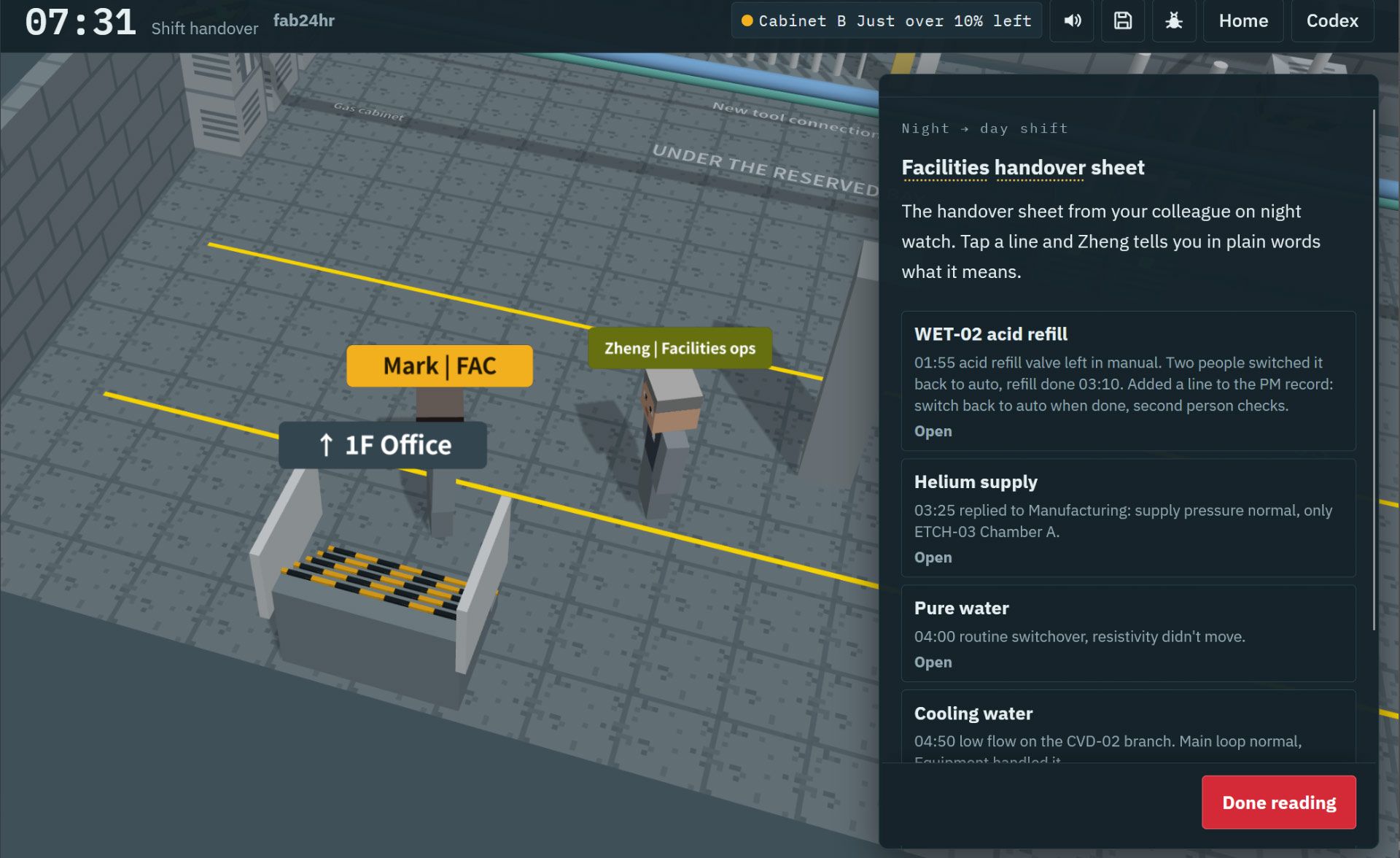
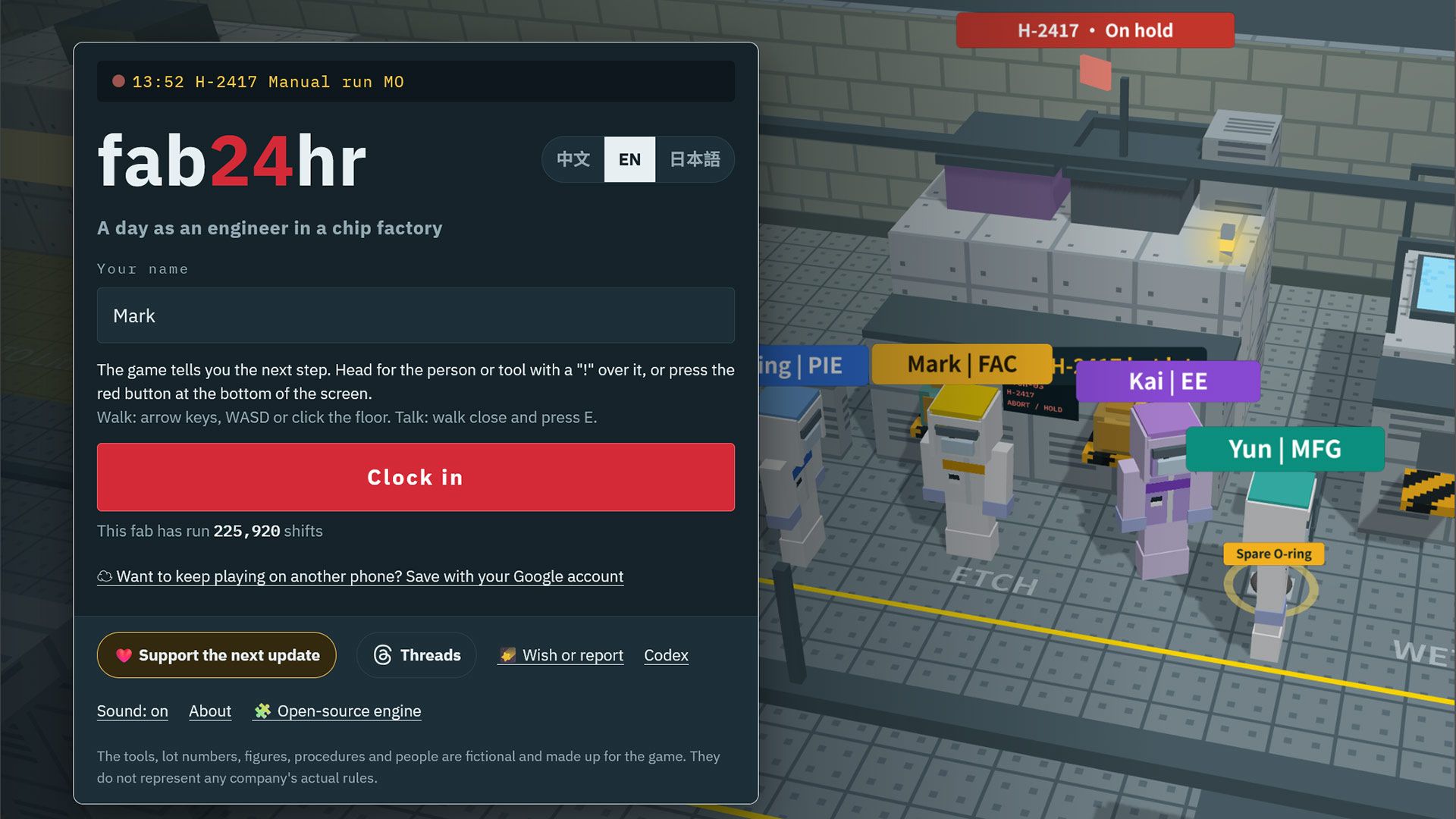
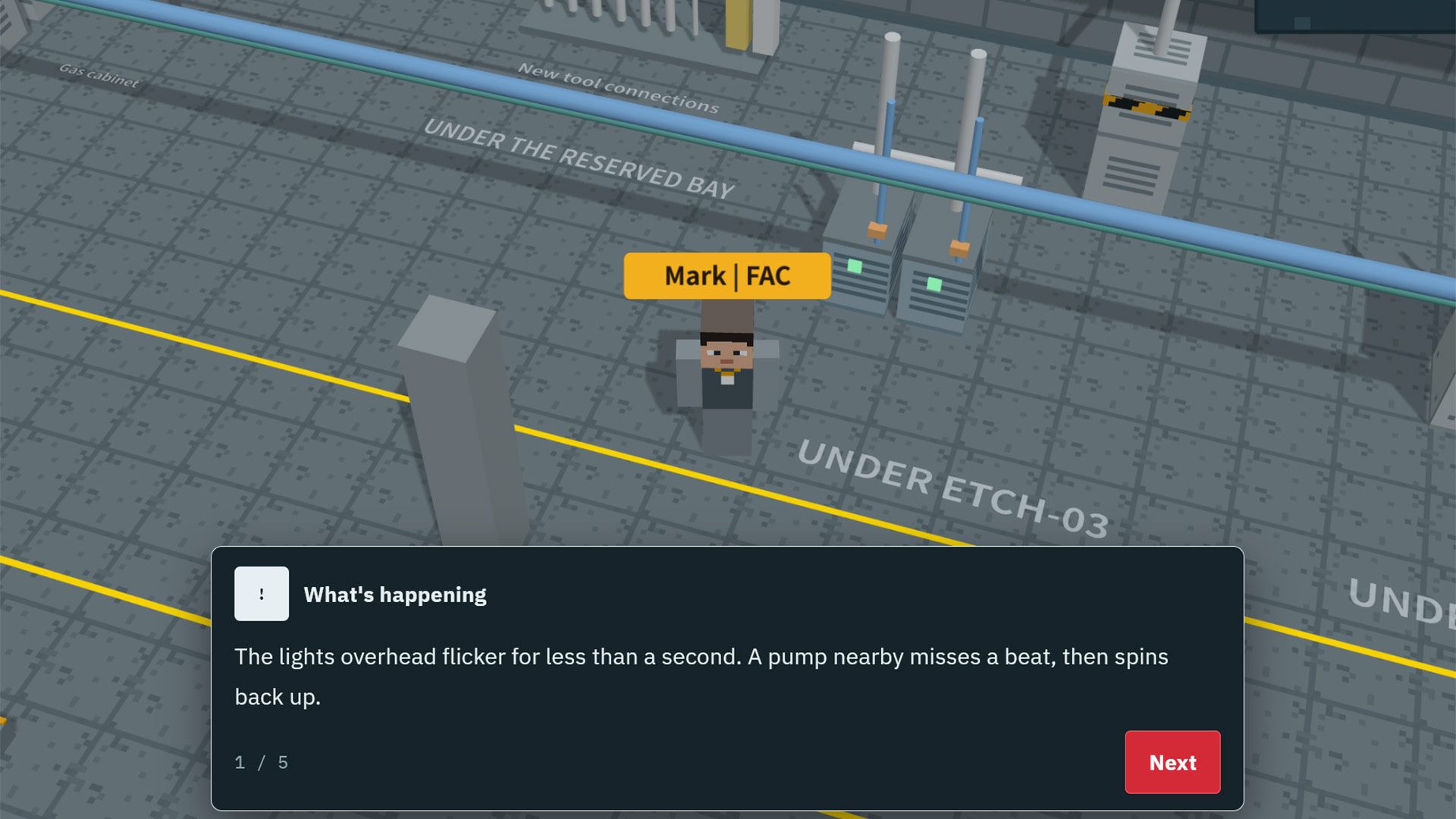
A new 3D web game where you live "A Day in the Life of a Semiconductor Wafer Factory Worker" has gone viral in Taiwan, where it was developed. Available in Chinese, English, and Japanese, Fab24hr is a work simulator where you play one of several semiconductor engineer roles in a blocky isometric 3D factory. Though the graphics might look basic, Taiwan’s TVBS news says that the game is so realistic that it resonates with fab workers but not always in a good way – some have likened it to "a horror game" or "prison" [machine translation].

Fab24hr wafer fab engineering game
Fab24hr
Fab24hr wafer fab engineering game
Fab24hr
Fab24hr wafer fab engineering game
Fab24hr
Fab24hr wafer fab engineering game
Fab24hr
Fab24hr wafer fab engineering game
Fab24hr

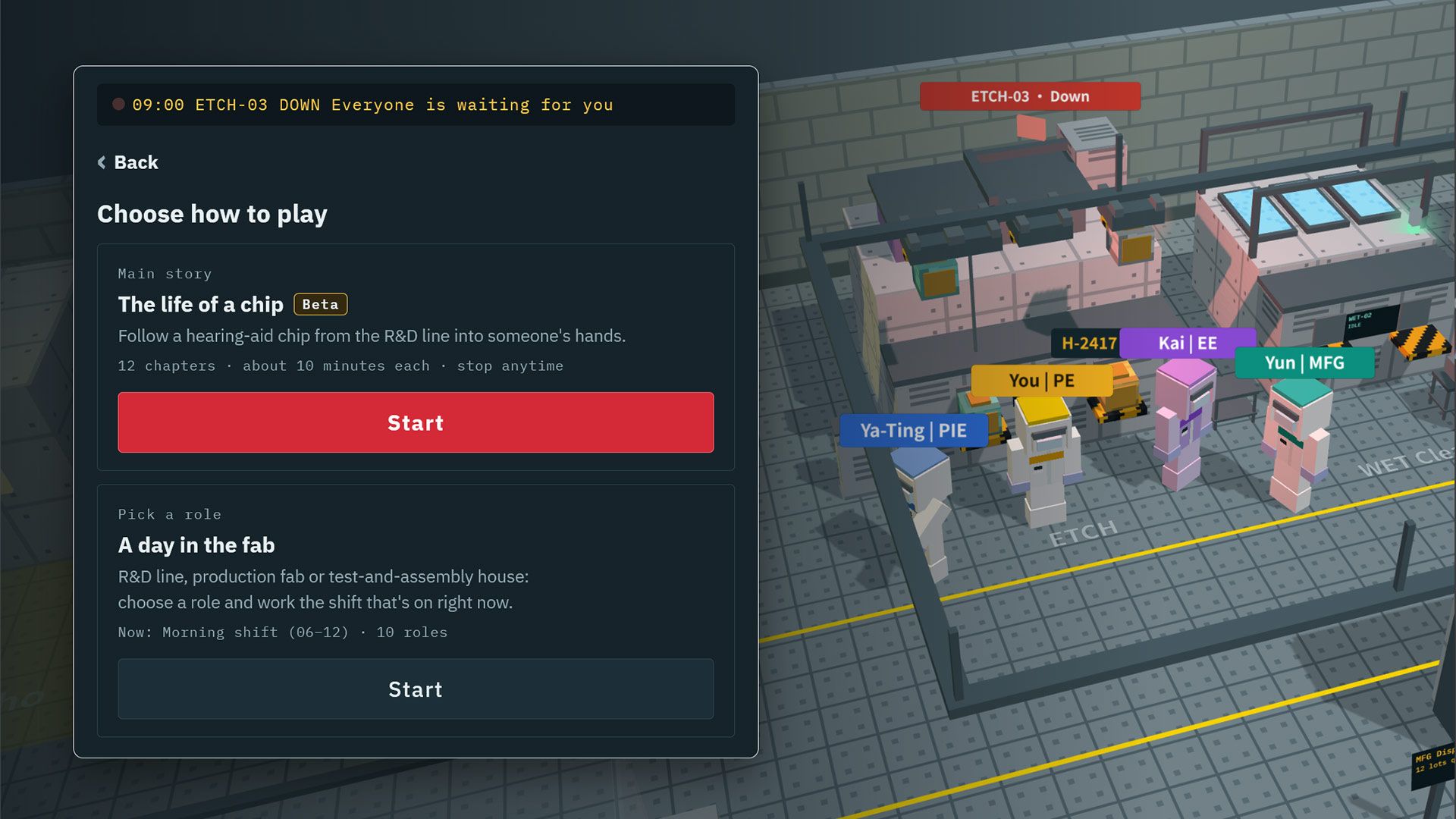
If you head over to the Fab24hr site, the game UI loads pretty quickly and you are asked to input a character name and ‘Clock in.’ Then two game modes are presented. You can play the main story, dubbed ‘The life of a chip’ where you character works through 12 chapters shepherding a hearing-aid chip from the R&D line into the hands of an end user. In this mode your blocky fab worker character will simulate dealing with equipment failures, process anomalies, and production progress emergencies. You might also have to file reports about operational errors. Apparently there are three endings to this 12-chapter game, depending on your progress and decisions.

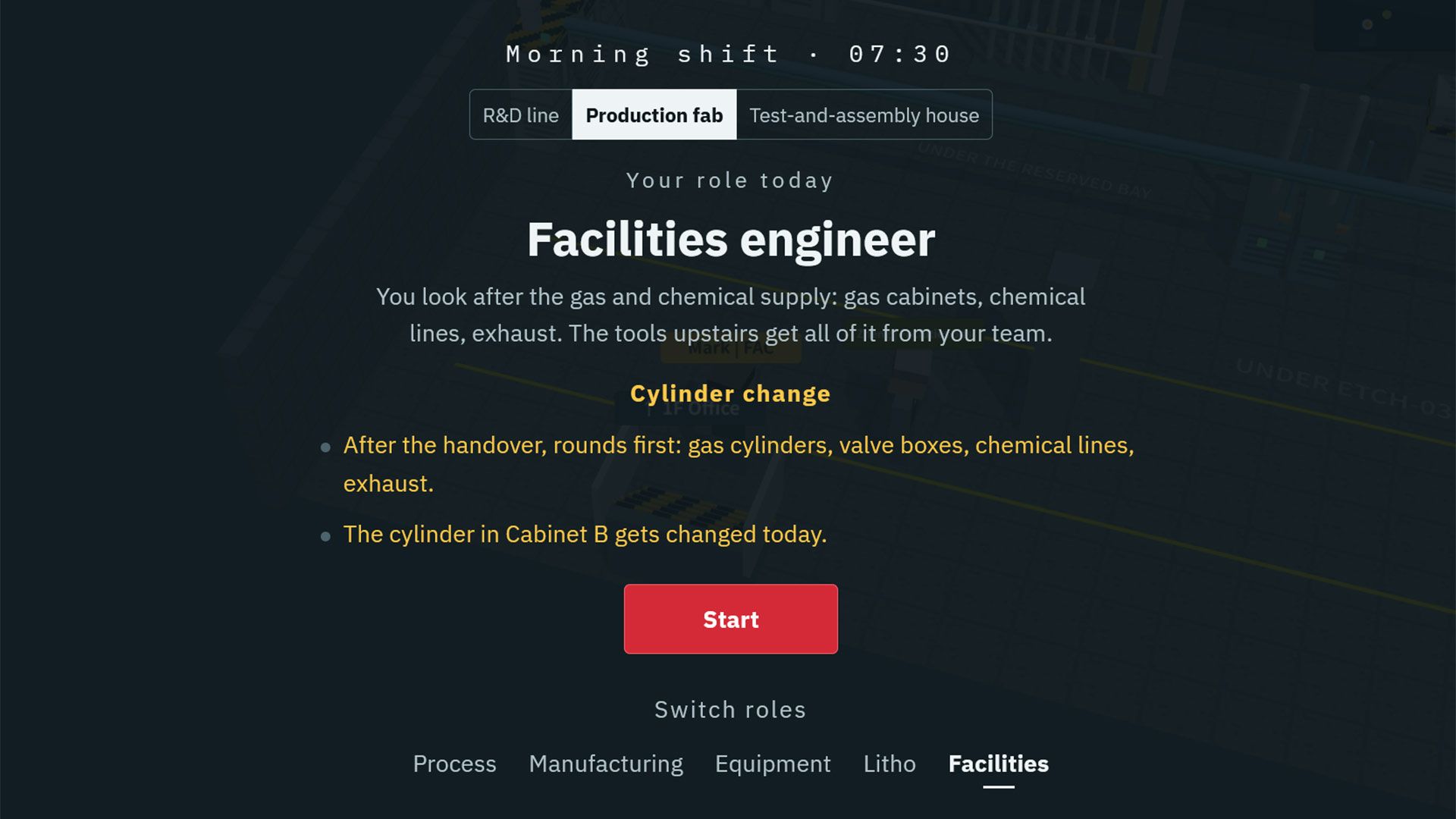
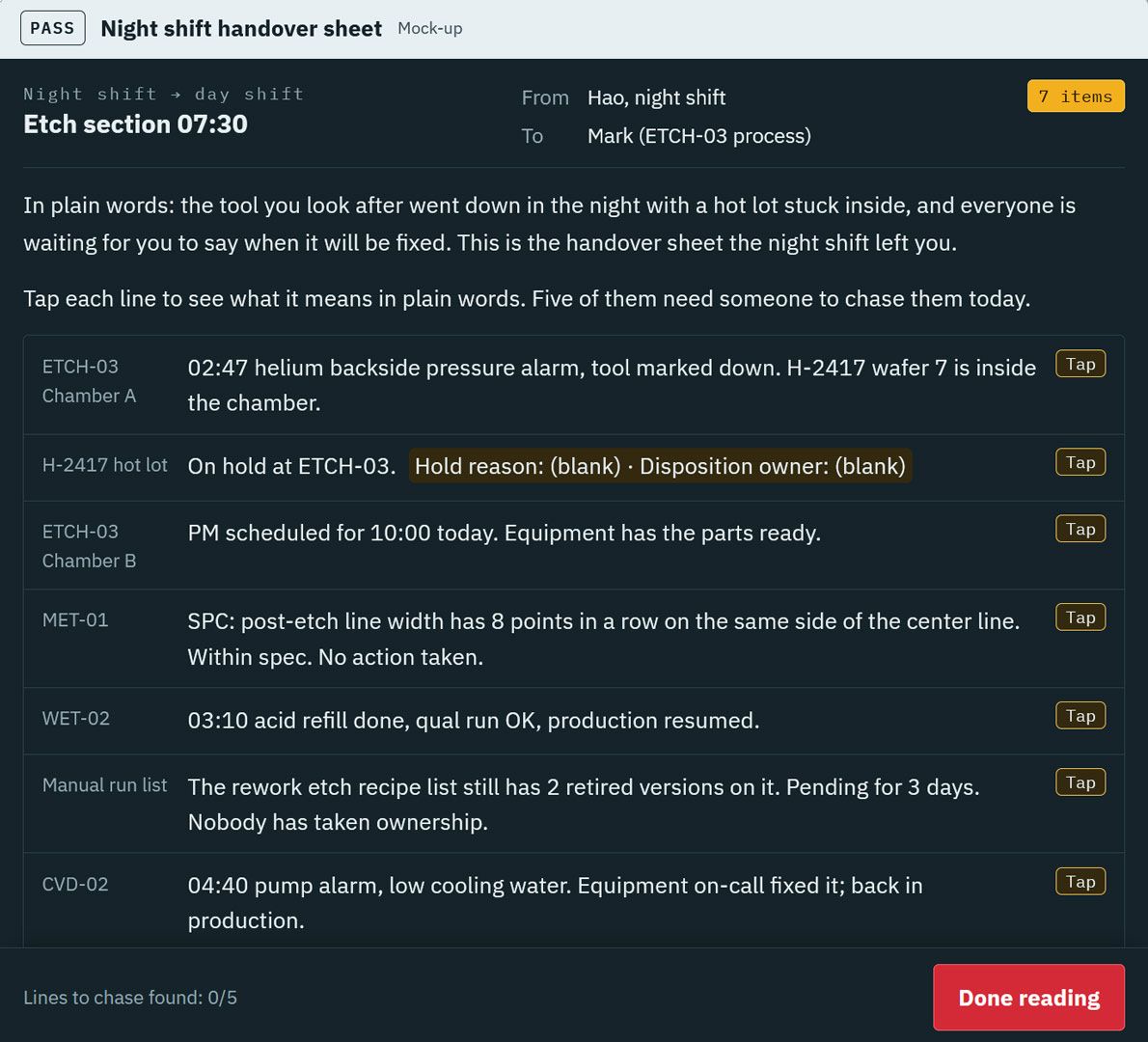
Another game mode is called ‘A day in the fab.’ Here you pick a factory location and role. For example, you can choose to be a Process Engineer. Your day started with the ETCH-03 semiconductor tool breaking, and “everyone is waiting for you to say what time it will be fixed.” Though this might sound like you’ve been thrown in at the deep end, if you pay attention to the handover from the previous shift, there should be clues to get you by. Technical terms are explained in the game so even those with no semiconductor industry experience should be able to ‘enjoy’ this escapade.

I briefly tested the game in my browser, where it ran without issues. It didn’t take long to understand why some Taiwanese fab veterans felt this simulator was kind of stressful, or even “super scary.” It isn’t the kind of free-time escapism I’m looking for.

✇Tomshardware

Game decompilation hub freezes leaderboard after AI turns progress into a hollow numbers game amid explosion of 'AI slop'

作者 Shane Downing

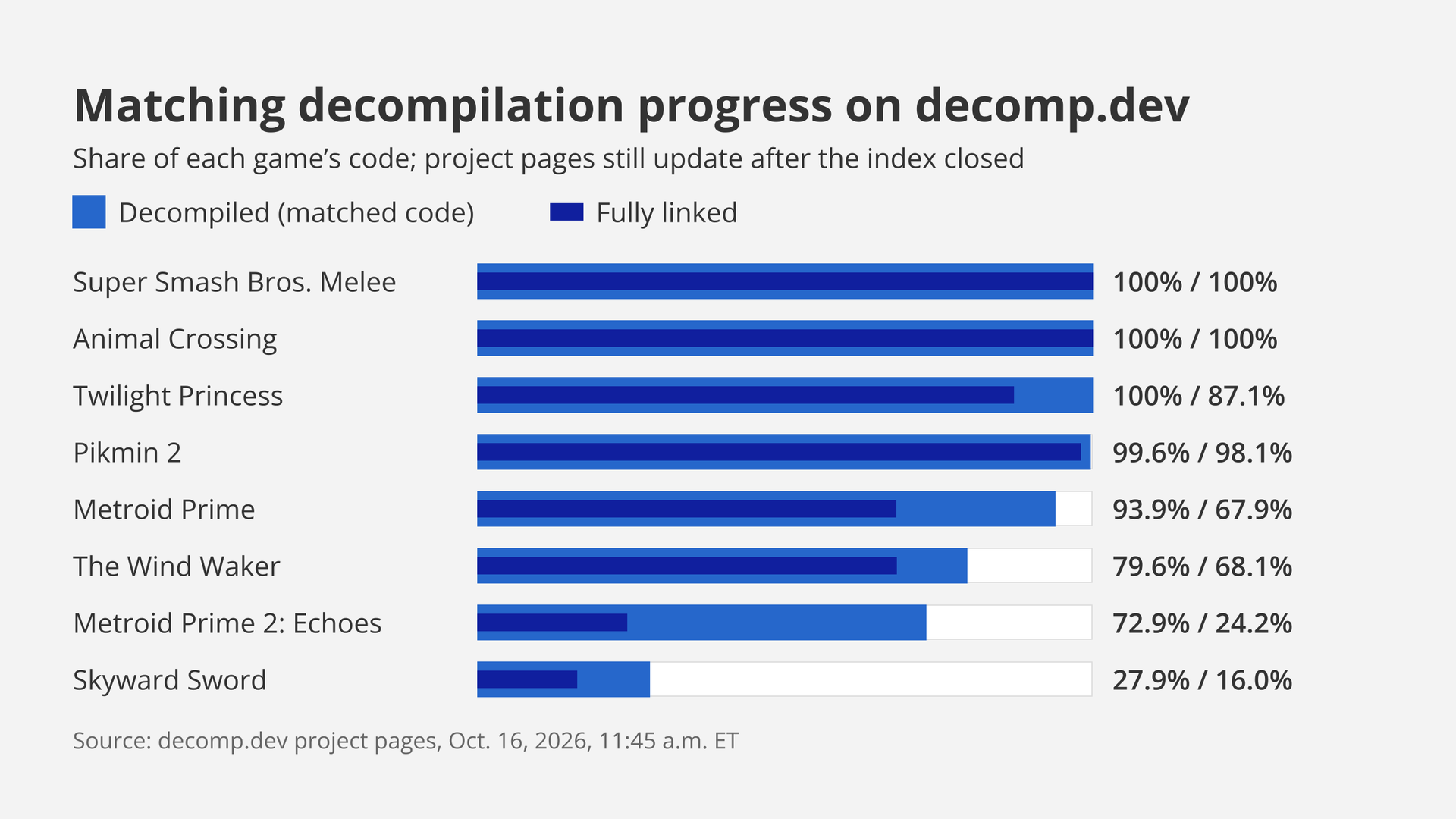
The decomp.dev community that tracks and centralizes game decompilation progress is shutting down its public index and leaderboard, claiming in a site update that the acceleration of AI has damaged the decompilation community. The creator, who goes by @encounter, points to abuses related to AI usage, such as AI helping forks “finish” others’ projects and a general attitude of rushing to complete PC ports, often with little regard to quality. Simply banning AI-assisted projects is a difficult task, as not all of them have the same standards, and @encounter feels it shouldn’t be the role of one hobbyist to decide what does and doesn’t stay on the leaderboard.

The decision was made because AI greatly speeds up decompilation “in a significant way,” especially with human guidance, but misuse of the technology has broken the community aspect. AI has made the progress percentages on decomp.dev easier to push up. As a result, the site’s index and leaderboard are now “causing more harm than good,” as the competitive spirit has been corrupted. The scene has become “a hollow numbers game” where people throw AI usage at things “to make number go up.”

Bar chart of matching decompilation progress on decomp.dev on Oct. 16, 2026: Super Smash Bros. Melee and Animal Crossing at 100% decompiled and fully linked, down to Skyward Sword at 27.9% and 16.0%.

(Image credit: Future)

The site was created in 2024 “as a way to centralize matching decompilation progress” and to grow a community around it. Each project page shows game progress with its history. The goal of matching decompilation is to have hand-written source code that could compile back to the same machine code as the original game. The site’s creator is a GitHub maintainer of decomp-toolkit, a GameCube and Wii decompilation toolkit, and objdiff, a local diffing tool for decompilation projects.

Matching decompilation used to be a “brutally difficult, time consuming [sic] task,” taking years for many games. Better tools and community knowledge sped up the progress. AI worked its way in through the years, but results were generally mixed. Things changed earlier this year with Claude Opus 4.6 and GPT-5.4, which seemed to know the community’s tools without being told; encounter writes that it was “clear that the models were being trained on matching decompilation.” However, the models’ results still needed “a significant amount of human cleanup,” and the cost per task was “prohibitively expensive relative to the results.”

More recent models, with OpenAI’s GPT-6 Astra specifically named, are much better at handling complex directions and at writing natural code and are “exceptionally good permuters.” The models can stay on task longer, finish tasks more quickly, and in general operate more cheaply. However, applying the models without guidance means that the code can compile to the same machine code but wouldn’t pass as the original developers’ work. Humans learning to apply the technology better is a pattern in this space, as Maurice Heumann’s Modern Warfare 2 decompilation project showed; in that case, Heumann’s agents tried to cheat the byte-for-byte check itself, but then Heumann adapted.

The projects, which are open source and welcome contributors, have been tainted by “bad actors” who abuse that openness. Some original projects avoid AI for legal or ethical reasons, and AI forks may put “little to no effort” into contributing back. Because AI has improved, anyone with an AI subscription can now create ports that work “at a basic level,” using tools “written by talented humans.” This allows opportunists to race out half-working decompilation ports. Ports can be fun, but decompilation is “primarily for research,” and the creator calls out YouTubers, dubbed “Sloptubers,” and subreddits like r/decomps for falsely synonymizing “decomp” and “PC port.”

The site was originally built “to gamify decompilation,” a fun way to stay motivated back when “every fraction of a percent took real human effort.” While the widening of the community has had positive aspects, it has also brought “slop,” which is admittedly “hard to define, and even harder to moderate,” so an outright ban on AI-assisted projects isn’t practical. Judging and policing “hundreds of projects” is too difficult a task. AI-generated code has made headlines in other open source areas, such as with Linux.

Existing projects, some of which have achieved 100% decompilation progress, such as Super Smash Bros. Melee and Animal Crossing, will keep on reporting, and their pages and history will remain. However, no new projects may join, and nobody may rebuild the site from its code. There is no successor named, and no shutdown date. Decompiling goes on, and AI is making it even faster, but the percentage scoreboard is gone.

✇Tomshardware

Modder finishes nine-year Xbox 360 voltage glitch mod with a $4 microcontroller, cracks the console open

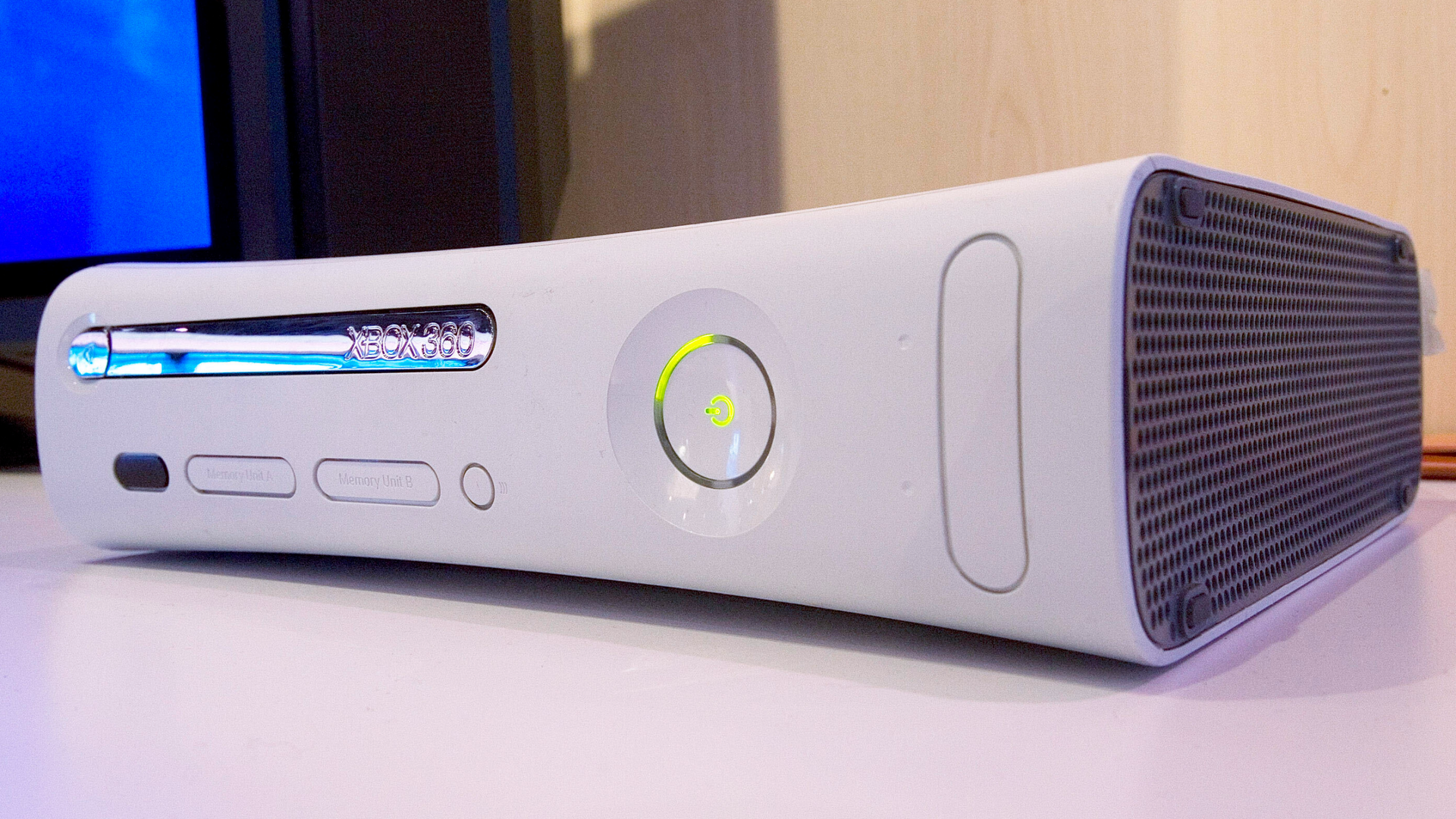
The Xbox 360 has been cracked open multiple times over the years, and almost every time Microsoft's updates plugged whichever hole let hackers through. The first method was modded DVD firmware in 2006, a hypervisor hack followed in 2007, and a wiring hack exposing JTAG debugging ports was revealed in 2009. The longest-lasting physical hack was 2011's CPU force-reset exploit. That maneuver needed specialized hardware along with a voltage-glitching chip, but an enterprising techie showed how it can be performed nowadays with the assistance of a Raspberry Pi Pico, costing all of $4 (or about 5€ / £5). The crack marks the culmination of a nine-year effort by the modder.

To get the elephant out of the room, yes, just last week the PeerPressure Xbox 360 persistent soft-mod was released. But we're here to talk signals and wires. The aforementioned reset exploit involves sending a teeny weeny tiny signal directly into the CPU's reset pin. You'd think this would do what it says on the label, but what happens instead is that the CPU executes the current instruction incorrectly.

Naturally, someone figured out how to leverage that to run any code on the CPU, thus completely bypassing Microsoft's impressive and frankly rather effective layers of cryptography within the console. Sending said signal for an effective hack, though, requires spectacularly precise timing with a resolution down to nanoseconds, and glitch-chips may even require several attempts to get a successful "latch."

Joshua Kennedy, a Scottish hacker, bought a Matrix Coolrunner Rev D modchip board back in 2017 to hack his console this way, but it required soldering wires, NAND, and programmers, and patience. He once tried rolling his own programmers using an old PC's parallel port (a common substitute), but never got the project off the ground and shelved the idea.

Fast-forward to 2026, and a new tool presented itself: the highly successful Raspberry Pi Pico, a highly capable microcontroller-on-a-stick, whose price starts at all of $4. Armed with this, he started the procedure. He connected the Pi Pico to the NAND interface header on the console to be able to dump the console's NAND flash firmware — a task easily accomplished with just some wiring and the PicoFlasher utility. Although the post doesn't mention it, Kennedy likely took the NAND data, patched it with XeLL, and reuploaded it.

He moved on to download Octal450's Timing Files, a set of mini-programs triggering the glitch chip at the best possible timing to try and reset the CPU. These are necessary because the window of opportunity is different across every hardware revision of the Xbox 360. Enlisting the Pi Pico once again, he uploaded the timing files to the Matrix Coolrunner, and presumably ran the rest of the hack process. And thus the task was complete, and "a project that defeated [Kennedy] in 2017 was made trivial in 2026 by a £5 microcontroller."

❌