登录
登录Benchmarking Nvidia’s Vera CPU for the data center — standalone Vera tested against Granite Rapids-AP and EPYC Turin
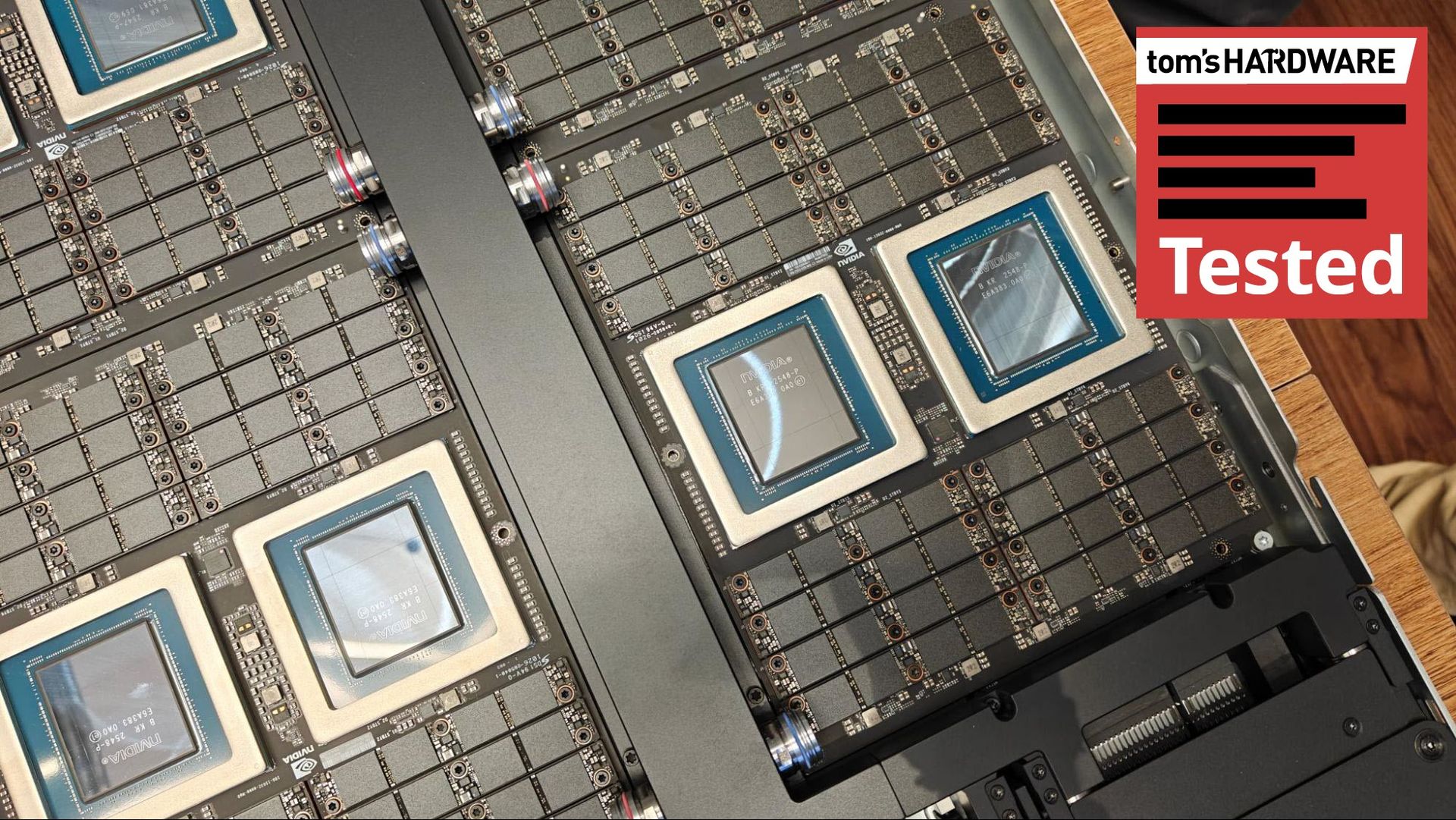
Nvidia’s Vera CPU is an important next step in the company’s years-long spearheading of AI infrastructure buildout. It’s arriving just as the shift to agentic AI workflows has created unprecedented demand for data center CPUs, and it’s designed specifically for this moment, at least according to Nvidia’s marketing bullet points. Although the idea that anyone developed a CPU for a shift in demand that arose just six months ago is reaching, as our benchmarks below show, Nvidia’s claims about Vera aren’t full of hot air.
Based on the workloads we have now — there aren’t standardized end-to-end agentic benchmarks focused on the CPU right now — Vera has strong indicators about its usefulness in agentic workflows. It offers chart-topping performance in Python, for instance, which makes up much of the backbone of the AI software ecosystem.
It also shows commanding memory bandwidth, both at the socket level and system level, with the high-speed C2C interconnect between Vera chips. In contentious agentic environments where agents may be querying large databases, that bandwidth is critical.
Specialization is one thing, but Vera is arriving in a hotly contested server market with custom Arm chips penetrating the data center and the old guard of x86 chips from AMD and Intel, which not only have a foundation in the data center, but also an extensive list of clients that work with their systems. Regardless of how Vera performs, that’s no small undertaking.
What’s surprising about Vera isn’t that it performs well in these agentic-adjacent workloads, but that it offers competent performance in general-purpose server workloads as well, often managing to match or beat the comparable AMD Turin and Intel Granite Rapids-AP chips. The scales are more balanced when looking at frontend workloads, with the core density available on x86 CPUs often the winner, but Vera trades that density for strong performance in backend, data-rich operations.
Cores / Threads | 88 / 176 |
L2 cache | 2 MB per core |
L3 cache | 164 MB per CPU |
Memory | Up to 1.5 TB SOCAMM2 LPPDDR5X |
Memory speed | Up to 9600 MT/s |
Memory bandwidth | Up to 1.2 TB/s (aggregate), 14 GB/s (per core) |
PCIe | 88 PCIe 6.4 lanes (CPU only), 96 PCIe 6.4 lanes (Vera Rubin), bifurcation down to x2, CXL 3.1 |
Configurable TDP | 250W - 450W |
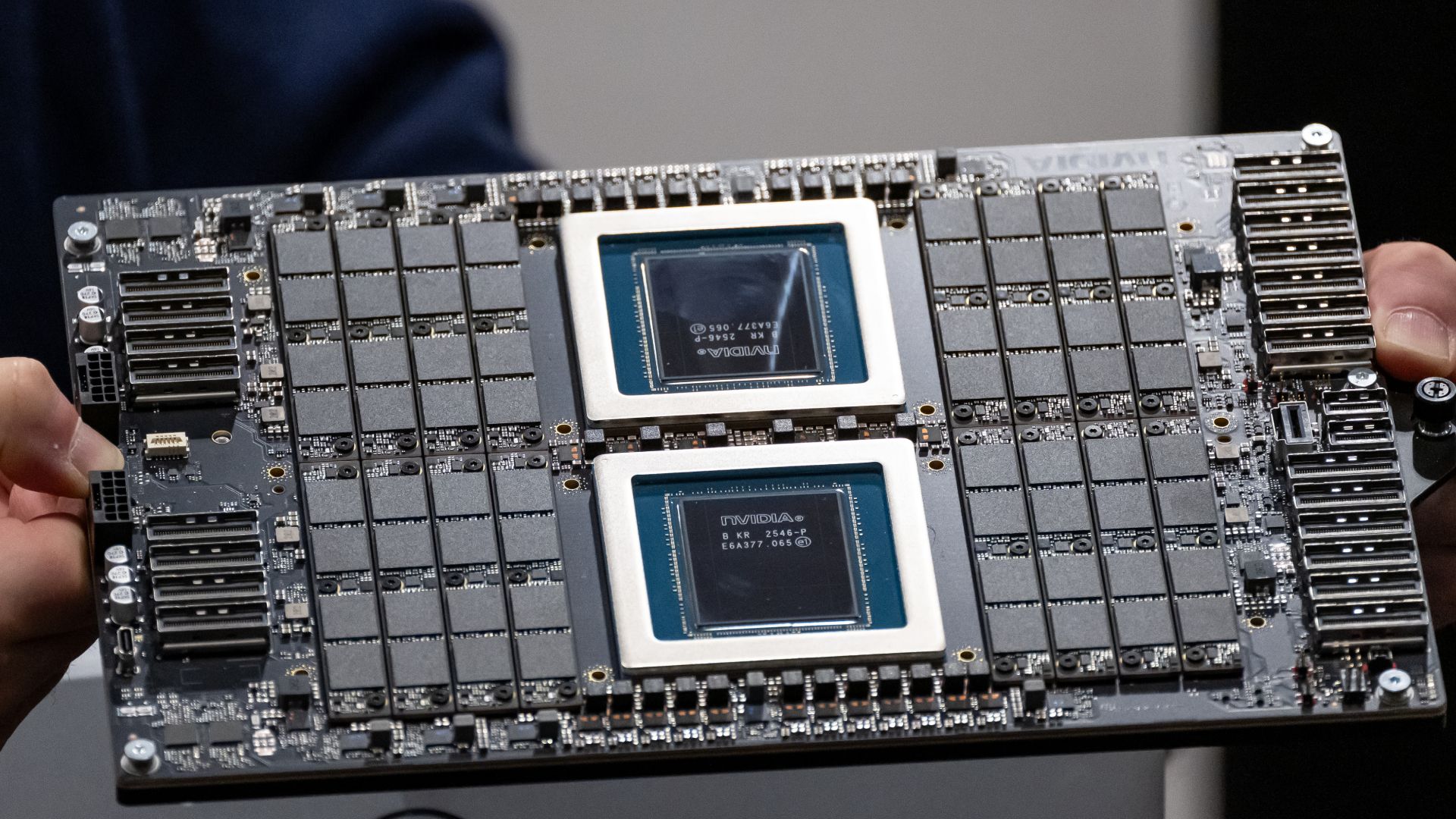
It’s an impressive showing for Nvidia's first custom core, called Olympus, and a stark improvement in nearly all aspects over Grace, which used an off-the-shelf Arm core design. The 88-core CPU is built on the Armv9.2-A architecture, including two threads per core through Nvidia’s “spatial multithreading.”
The chip is characterized by a 10-wide decode, similar to Arm’s AGI, as well as Nvidia’s second-gen Scalable Coherency Fabric (SCF). You can read more about the SCF and the Olympus core in our Vera deep dive, but SCF is critical to Vera’s performance. It’s a mesh that distributes L3 across the die, offering up to 3.4 TB/s of bandwidth across the die.
Vera has high memory bandwidth as well, leveraging replaceable SOCAMM2 LPDDR5X at 9600 MT/s, offering up to 1.2 TB/s of total memory bandwidth or around 14 GB/s per core, more than double that of AMD’s dense Turin designs.
We’ve heard a lot about the speeds and feeds of Vera, however. It’s time to understand its role in the modern AI data center, as well as see how it performs in our benchmarks against the x86 competition before AMD’s Venice and Intel’s Diamond Rapids start rolling out.
Test Platform | Memory | Tested Processors |
|---|---|---|
2P Nvidia MGX Vera reference platform | 16 x 96 GB (1.5 TB) Samsung LPDDR5-9600 ECC SOCAMM2 | Nvidia Vera |
2P Supermicro SYS-222HA | 24 x 64GB (1.5 TB) Micron DDR5-8800 ECC MRDIMM | Intel Xeon 6980P |
2P AMD Volcano reference platform | 24 x 64 GB (1.5 TB) SK hynix DDR5-6000 ECC RDIMM | AMD EPYC 9965, EPYC 9755 |
Understanding the CPU's role in agentic AI
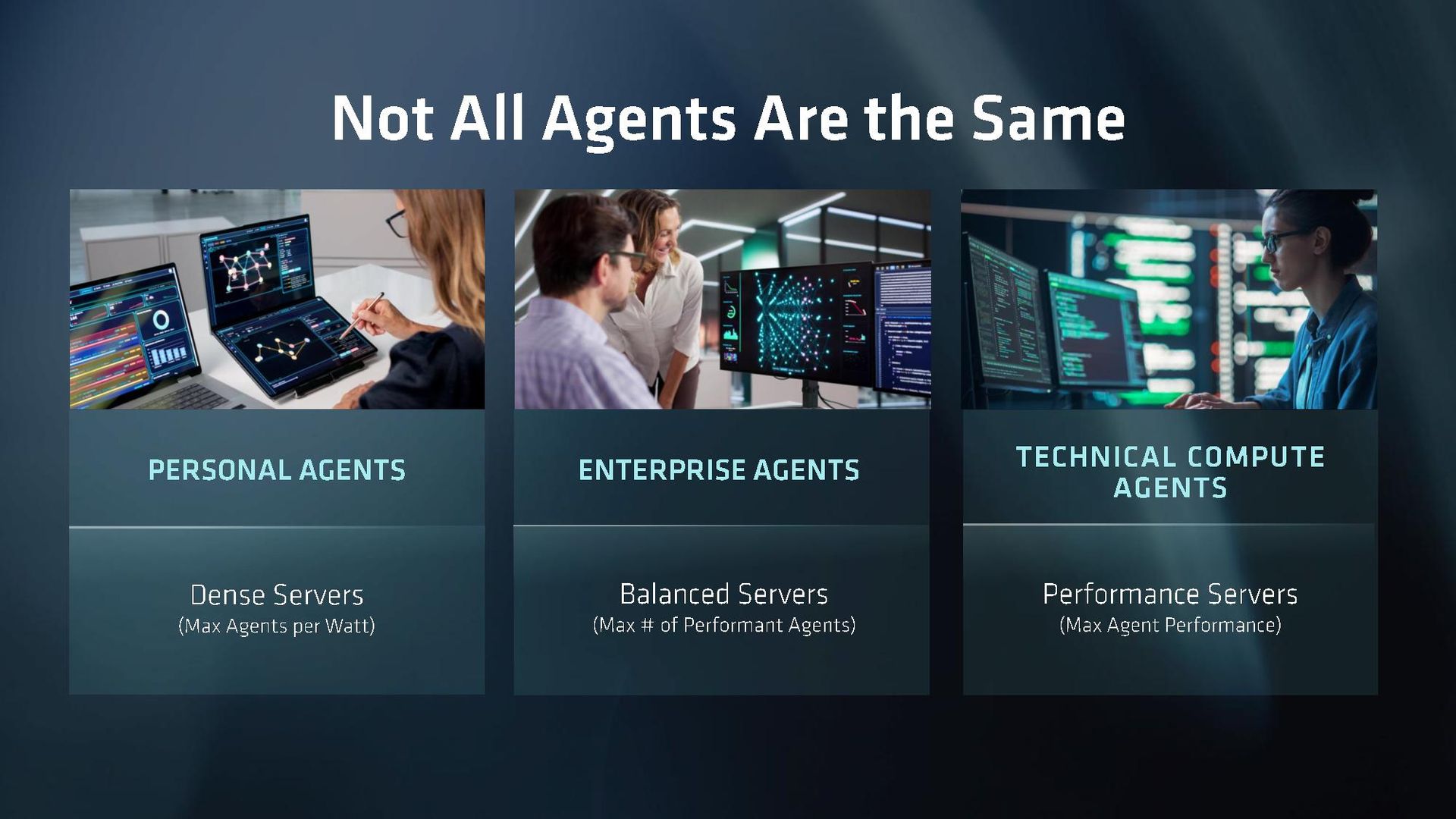
Depending on where you’re at in the fast-moving world of agentic AI, you probably have a different definition of what exactly an agentic CPU is. Given the rise in prominence of agentic CPUs, the understanding of what makes a CPU tick for this type of workload has been largely defined by two companies: AMD and Nvidia. Although the points they’ve driven about concurrency and the varied work of agents are correct, it’s useful to derive a definition from how we’re seeing agentic platforms deployed right now.
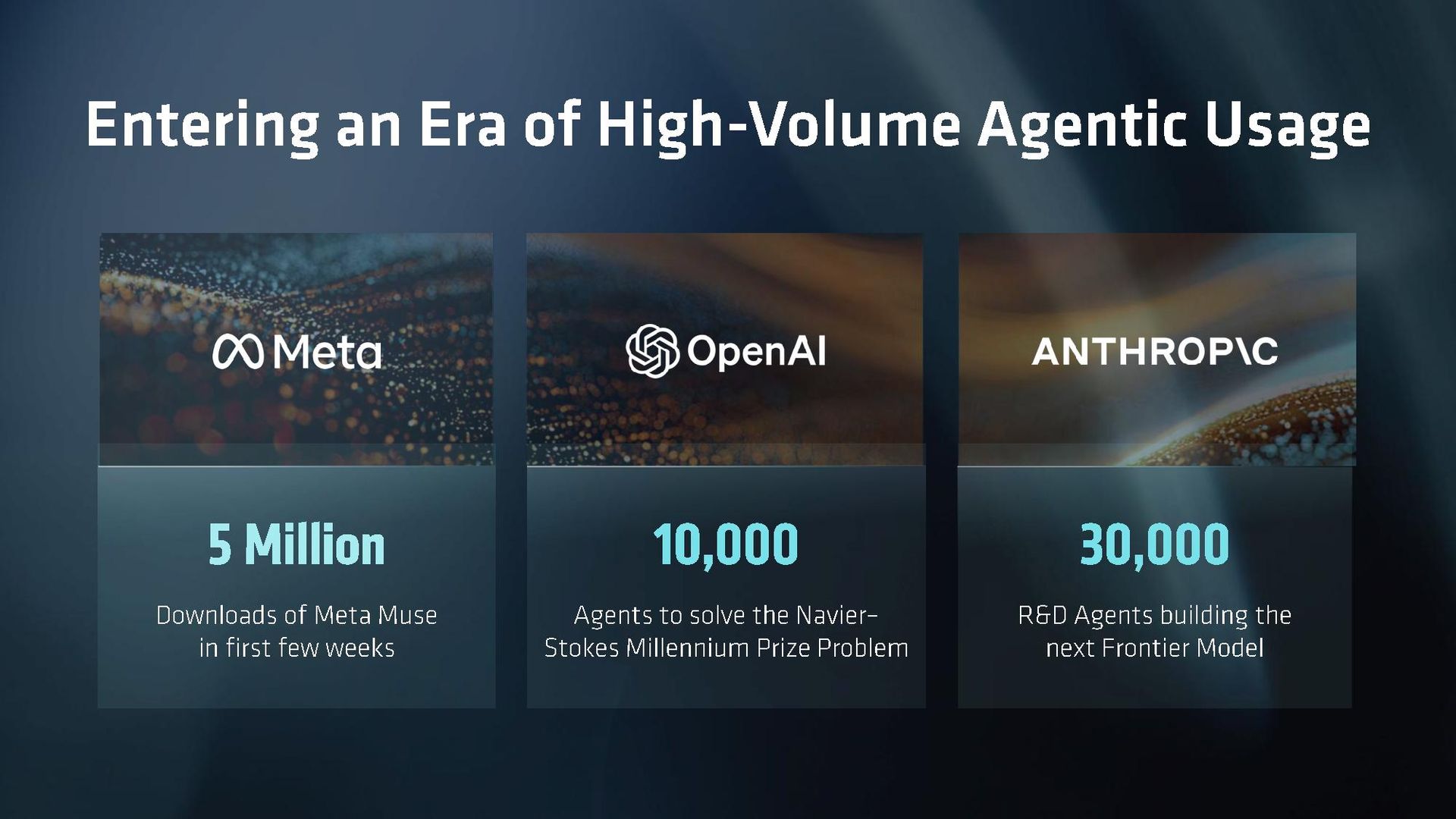
Let’s back up from there and look at real agentic workflows in action to better understand where CPUs fit into this chain. As we’ve seen with Meta Muse and OpenAI Dots, there’s a class of persistent agent that gives you a slice of compute in the cloud. These CPU-only racks communicate with inference servers to actually run the models, but their workload is defined by concurrency. It’s not about the performance of an individual sandbox but instead how each sandbox performs when the chip is fully loaded.
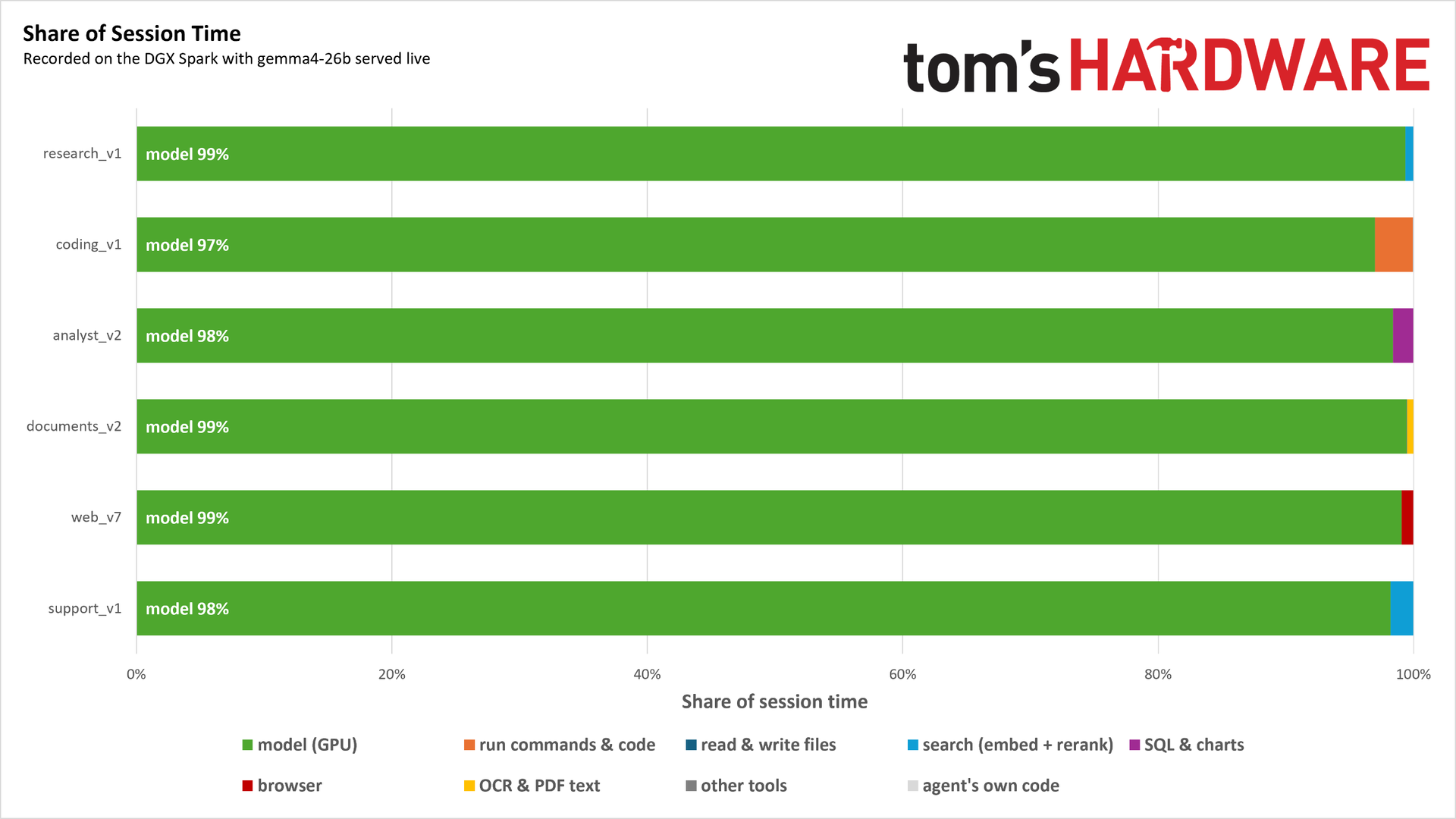
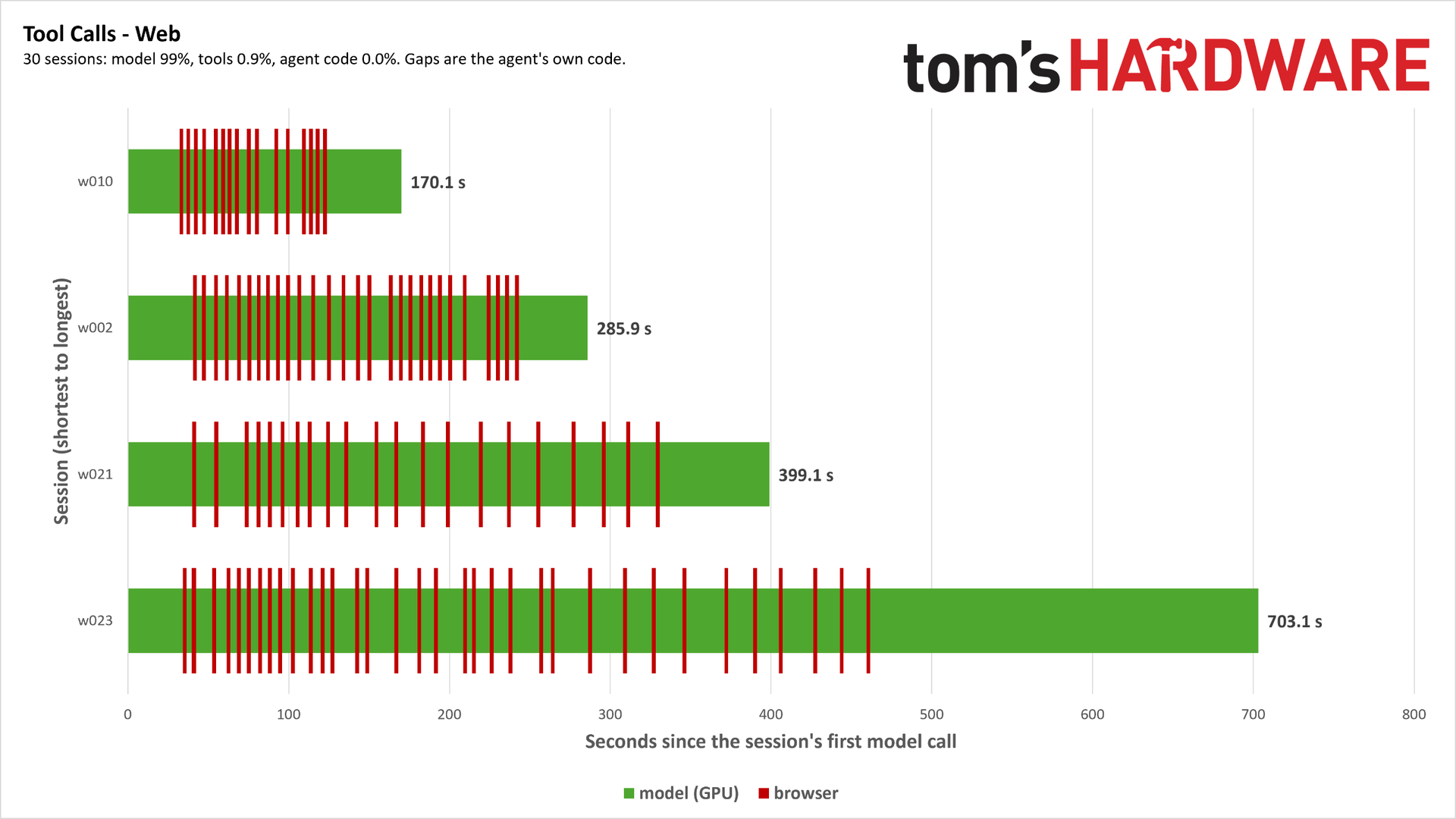
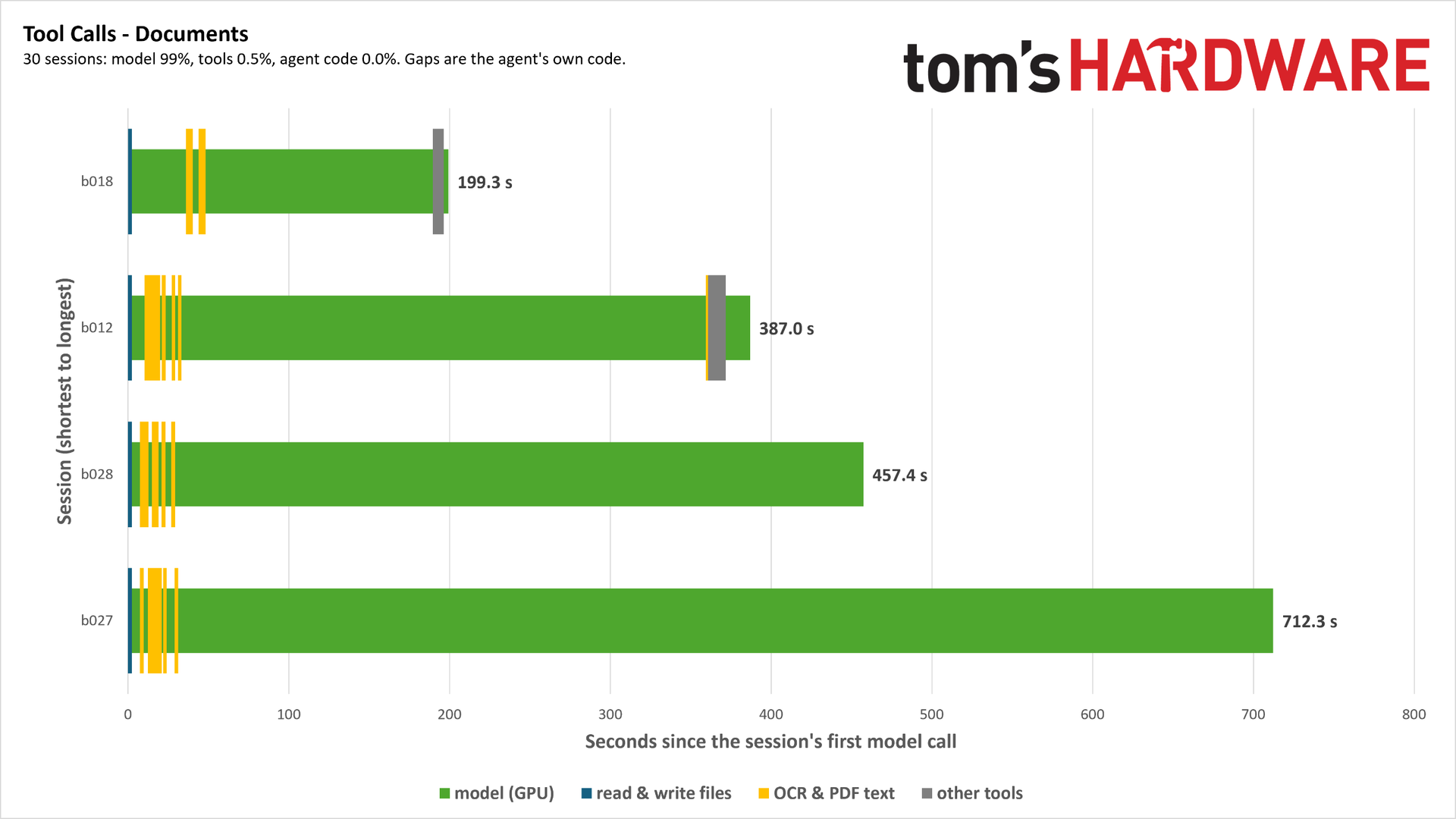
Concurrency provides important context to some of the workloads companies like Nvidia and AMD have described. Some tool calls are more demanding, like code compilation and large database queries, but reading/writing files, running code tests, and going online in a headless browser is not demanding CPU work in isolation. When the chip is handling potentially thousands of these tool calls, however, slight advantages start to pile up. And, the CPU topology plays a bigger role in how performance is sustained as agent sessions increase.
That’s one major tenet of an agentic CPU, one that can maintain performance with high concurrency. The other is variability, which touches on the CPU, but also the larger infrastructure available. Mark Lohmeyer, VP/GM of AI and computing infrastructure at Google Cloud, described an example to Tom’s Hardware about planning a vacation with an agent. Using AI to plan a vacation is just about as trite as examples get, but Lohmeyer sheds some light on the unique challenge of agentic workloads from the hyperscaler perspective.
In the example, Lohmeyer described planning a vacation over the course of a month, where he would suddenly prompt the agent to do a bunch of work, but may not return to prompt again for another week. “The actual use of the underlying compute, it's happening in basically bursts, right? There's like a burst of use at the start, maybe for an hour, and then it goes away, and then a couple days later, [it] bursts again for some other purpose and goes away,” Lohmeyer said. “They're very long-running workloads, effectively long-running, but often idle, basically.”
Agentic calls for a lot of power on demand, as the right alignment of this bursty work on a server with hardware contention can bring everyone’s sessions to a crawl. This factors into the type of work the CPU is doing, as well, which can include heavy code compilation, graph traversal, and large database queries. Scale that up across several agents, all with their own independent loops that don’t neatly align with each other, and the CPU problem for agentic AI becomes clear.
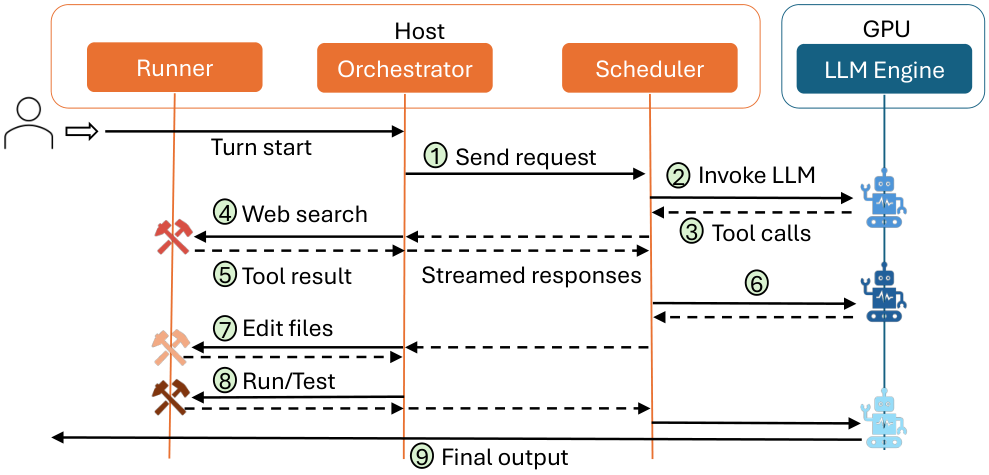
In the August 2026 study, Architectural Implications of Agentic AI Workflows, from researchers at The University of Texas at Austin and Microsoft Azure, the paper describes three tasks of the CPU in an agentic flow. In addition to a scheduler for GPU inference, which is how CPUs function in one-shot-style LLM queries, CPUs also serve as orchestrators for maintaining agent states and communication, and as runners that call tools and execute agent logic (often in Python).
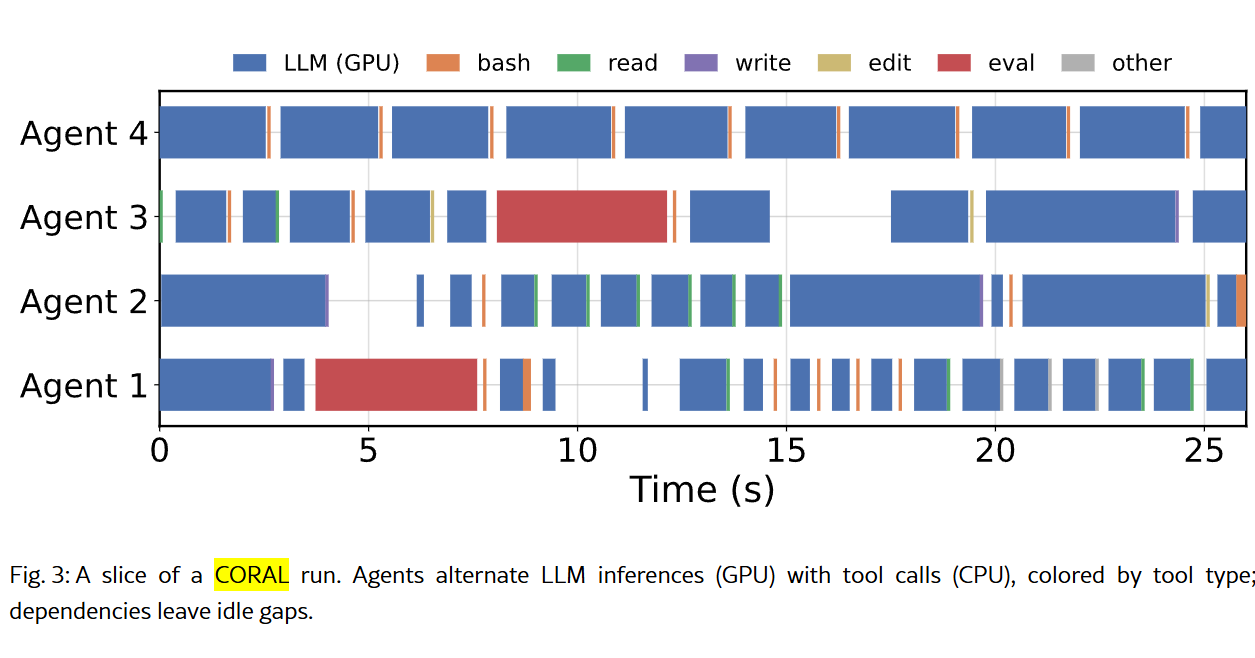
The paper also shows this contention that can happen when multiple agents are running at once, passing requests to the GPU, receiving responses, acting, and then passing requests back. We’re looking at a cross-section of four agents over less than half a minute, and you can already see how small CPU-based tasks can align, as well as create hangs between GPU time.
Nvidia has been clear that Vera is an agentic CPU, though defining the performance of an agentic loop is still a work in progress. “The industry built a pretty good way to benchmark traditional workloads,” Lohmeyer said. “I think this is happening now for GPUs and TPUs for inference, for example. I think we're going to need the same type of industry-level benchmarks for agentic workloads that are probably still emerging.”
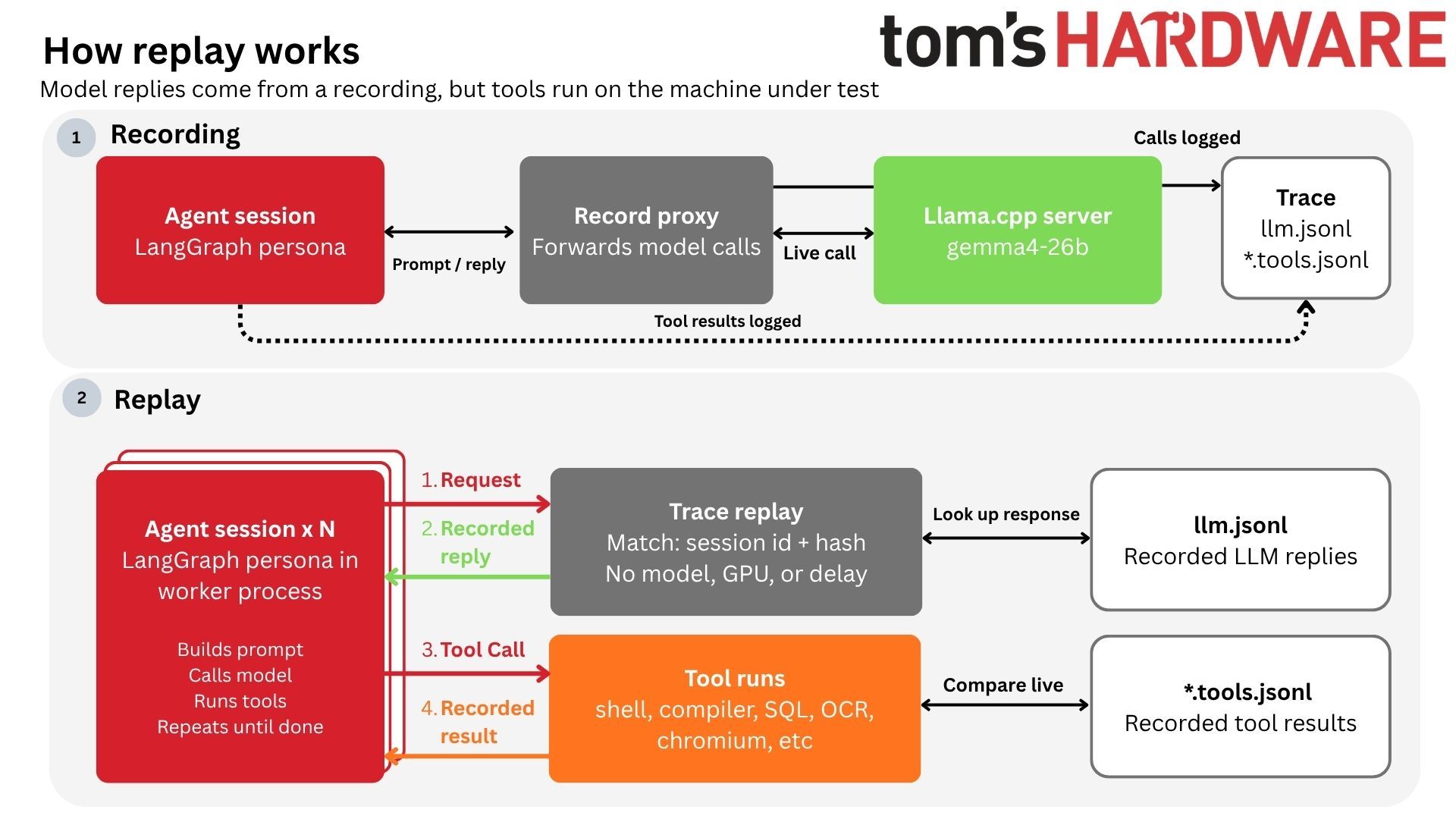
Standardized benchmarks that look at the full agentic loop aren’t available yet. We have our own internal tests that we’re running and hope to have data for soon, and we’ve seen some vendor-level benchmarking from companies like Modal, but the broader industry hasn’t come forth with a set of benchmarks for the end-to-end agentic loop along the lines of a SPEC or TPC yet.
Although those tests aren’t available yet, we can still look at CPU performance through the lens of an agentic workflow, prioritizing aspects of performance that are important for agentic loops. We can also look at common workflows for agents, including code compilation for coding agents and database performance for retrieval agents. We can look at things like JSON parsing through the simdjson library, evaluating how these CPUs parse the large JSON files agents use to communicate. And we can look at the foundation of much of the AI ecosystem with Python performance.
That’s the focus of our benchmarking here, to establish where Vera stands among the x86 competition from AMD and Intel in well-known benchmarks. Hopefully we’ll have the opportunity for further testing in the near future to evaluate full agentic loops once that testing procedure is finalized.
Although we’re evaluating performance through an agentic lens here, Nvidia did not limit what tests we could run nor place any stipulations on our coverage. We’re thankful to Nvidia for providing us with remote access to a dual-socket Vera system for the purposes of testing, but beyond configuration checks to ensure the platform was operating as expected, we were left to run the tests we wanted to run. That includes several tests that are applicable to agentic workflows, but also tests from our general server CPU benchmarking suite, including Java, cryptography, compression, and rendering performance.
A gentle reminder for readers
Servers are not client PCs. You have much smarter operators with deeper access to the hardware, and often a software stack that’s unique to the specific workload at minimum, and highly tweaked and optimized for that workload at a maximum. With client CPUs, we can say that an AMD X3D chip is the best for gaming, or that Intel’s latest flagship offers the highest single-threaded performance. Servers depend much more on use cases.
In a typical review, we’d say that X is better than Y for Z purpose, and back that up with data. Here, that commentary is more muted. The reality is that hyperscalers maintain large fleets with a variety of hardware that can fit any purpose, and enterprises need to choose the hardware best suited not only for their operations, but also for TCO and a list of at least a dozen other variables that are specific to that business.
Nvidia Vera SPEC CPU 2026 estimates
So far, the primary benchmark we’ve had for Vera is SPEC CPU 2026 intrate, so we ran the full SPEC CPU 2026 suite to check Nvidia’s performance claims, as well as look at floating point performance. For anyone who hasn’t read SPEC CPU benchmarks before, there are a few disclaimers before heading into the results.
All of the runs here are estimates, and that’s due to how SPEC reporting works. There are strict reporting rules, and we’re not reporting these results to SPEC directly. The charts say “estimated,” but the numbers aren’t a guess. We ran SPEC CPU 2026 following the standard testing procedure, using the same compiler and flags for each CPU.
For the compiler, we used GCC 15.2 with a few common flags, including link-time optimization and march/mcpu to expose the correct instruction support to the compiler. We also used the general-purpose jemalloc memory allocator across all of the tests we ran.
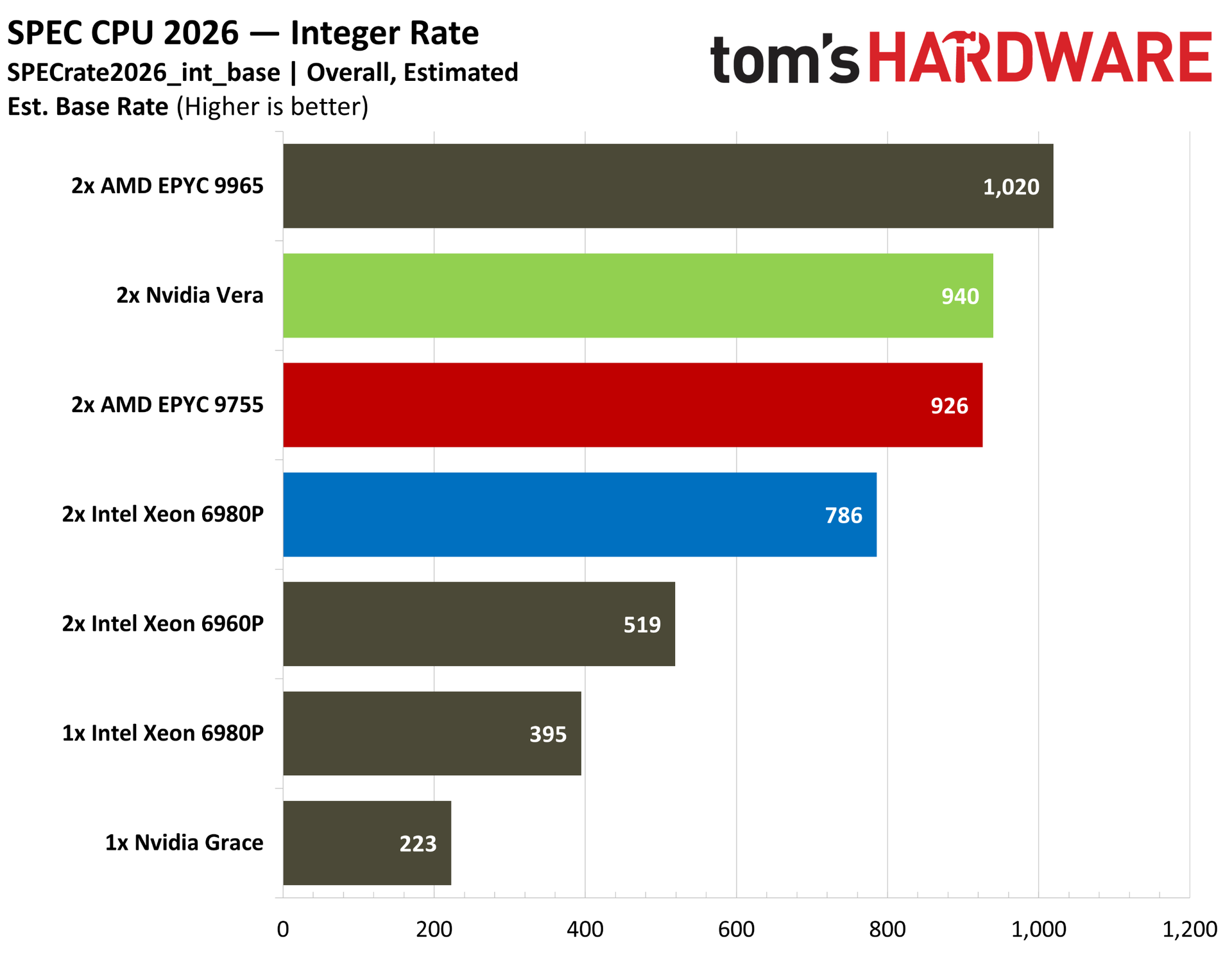
Starting with the overall intrate, this is a series of applications primarily dealing with integer operations instead of floats, and the SOP is to run a copy of the application on each thread available. The test looks at what a CPU is capable of with many applications running at once, measuring throughput.
Nvidia’s numbers aren’t dissimilar from our own. In the company’s white paper, it showed Vera ahead of the EPYC 9755 by 3%, and with our tests, Vera is ahead by 1.5%. Keep in mind the considerably higher 512-thread count of the 9755 system here against the 352-thread Vera system. Vera absolutely runs away with performance when breaking down the score per-core.
Despite the core density of Intel’s 512-thread Xeon 6980P in a two-socket configuration, it’s not in the conversation here. Retesting with oneAPI represented an impressive 10% increase in performance with Intel-optimized binaries, but even against optimized code, Vera is 8.6% ahead with generic GCC.
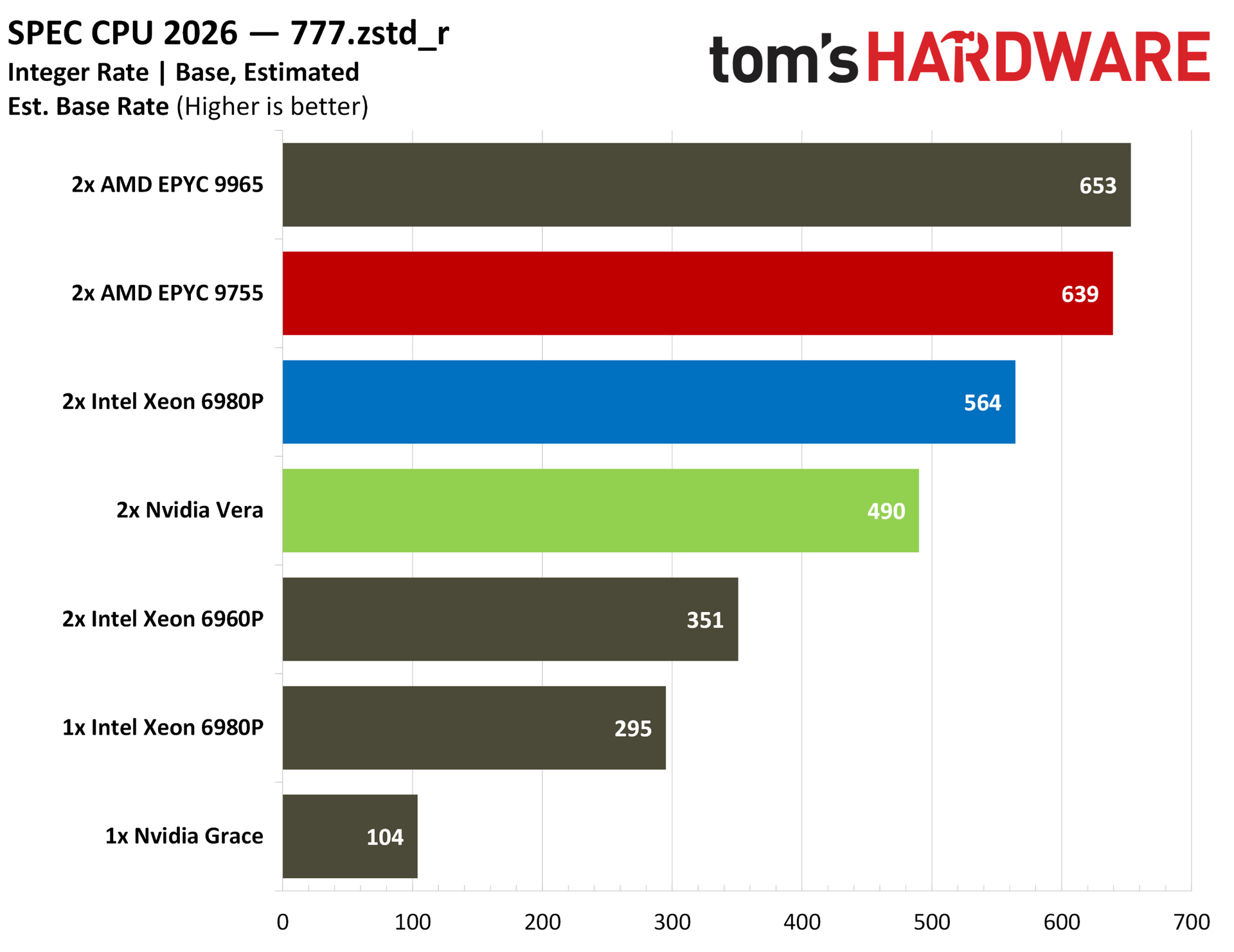
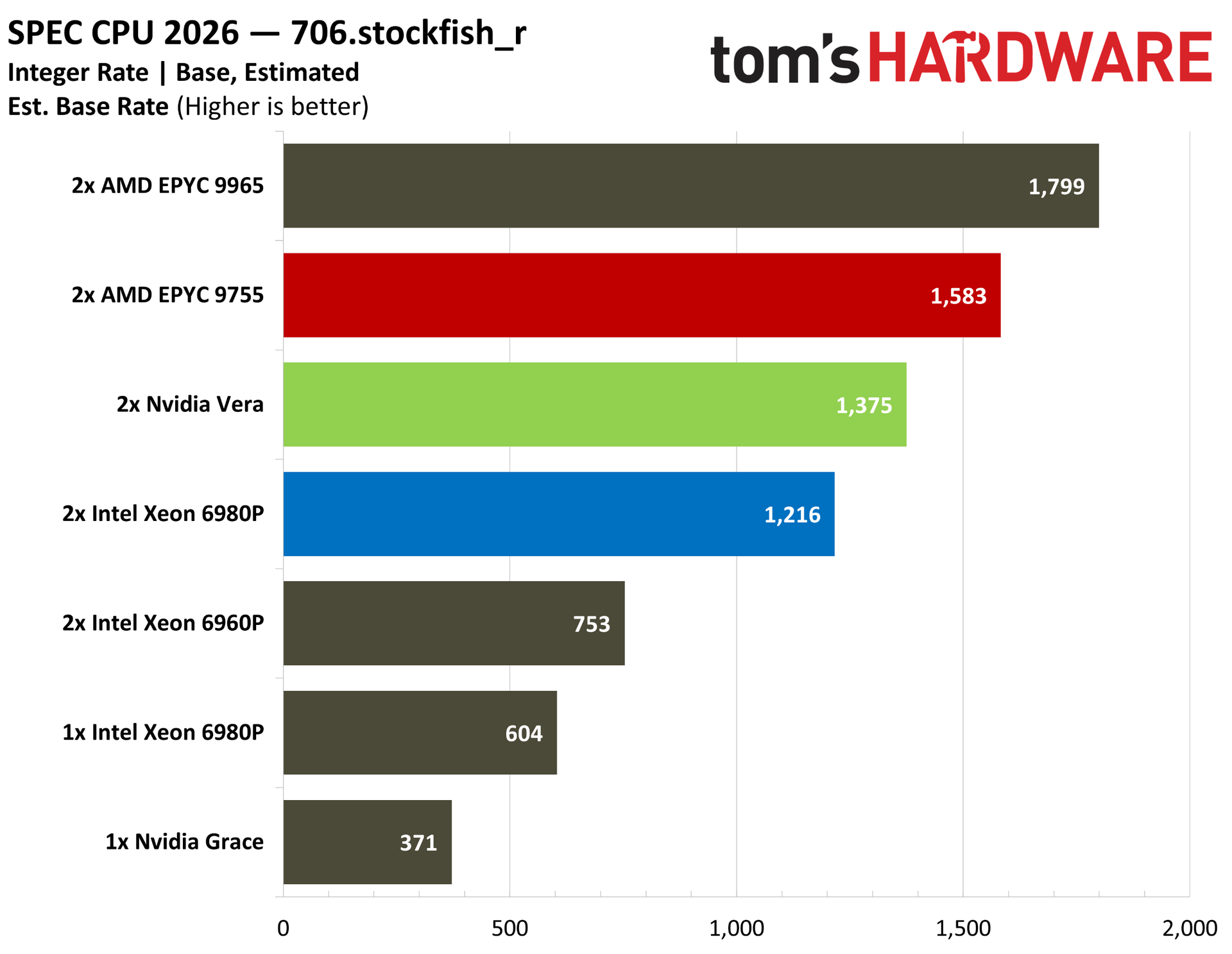
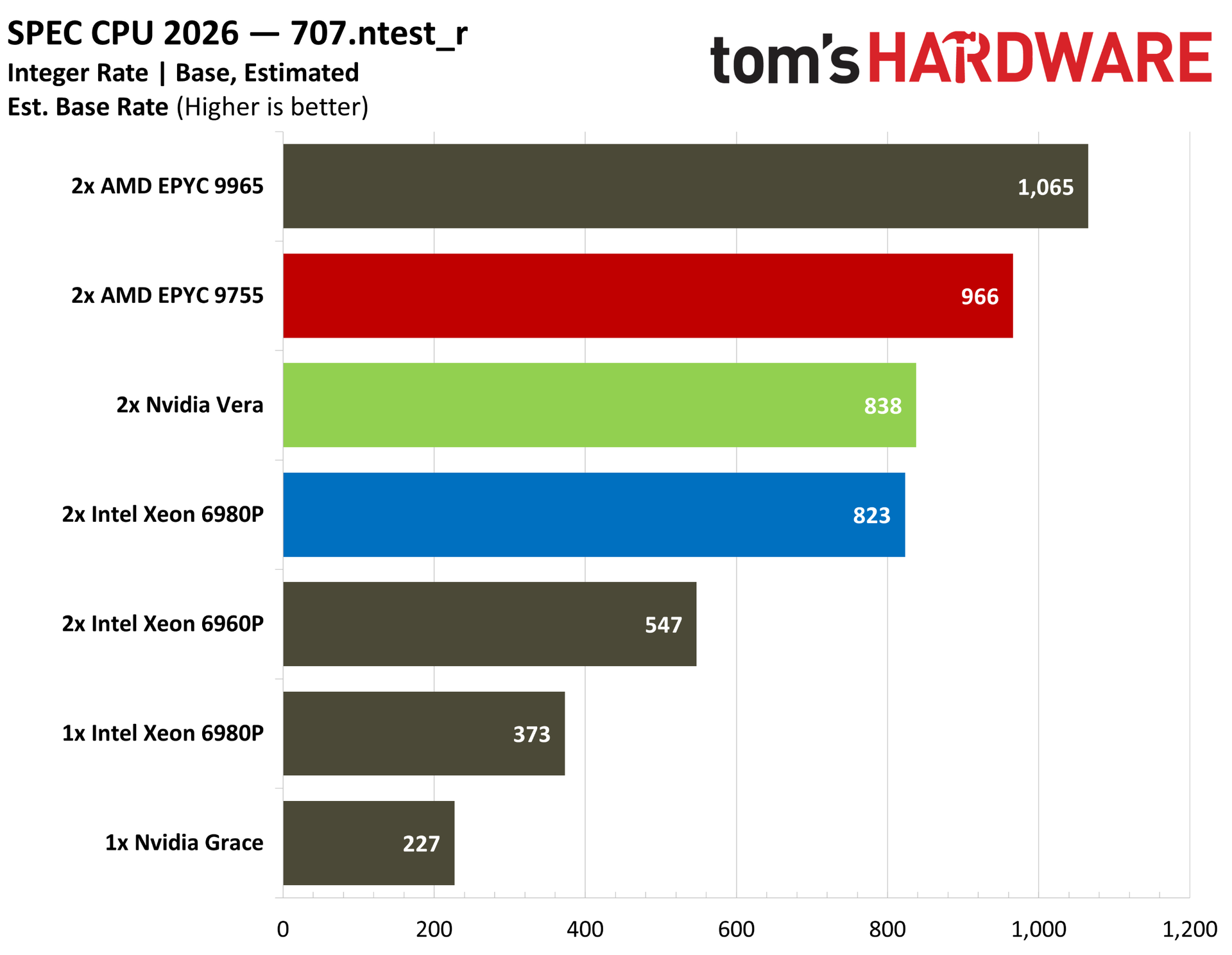
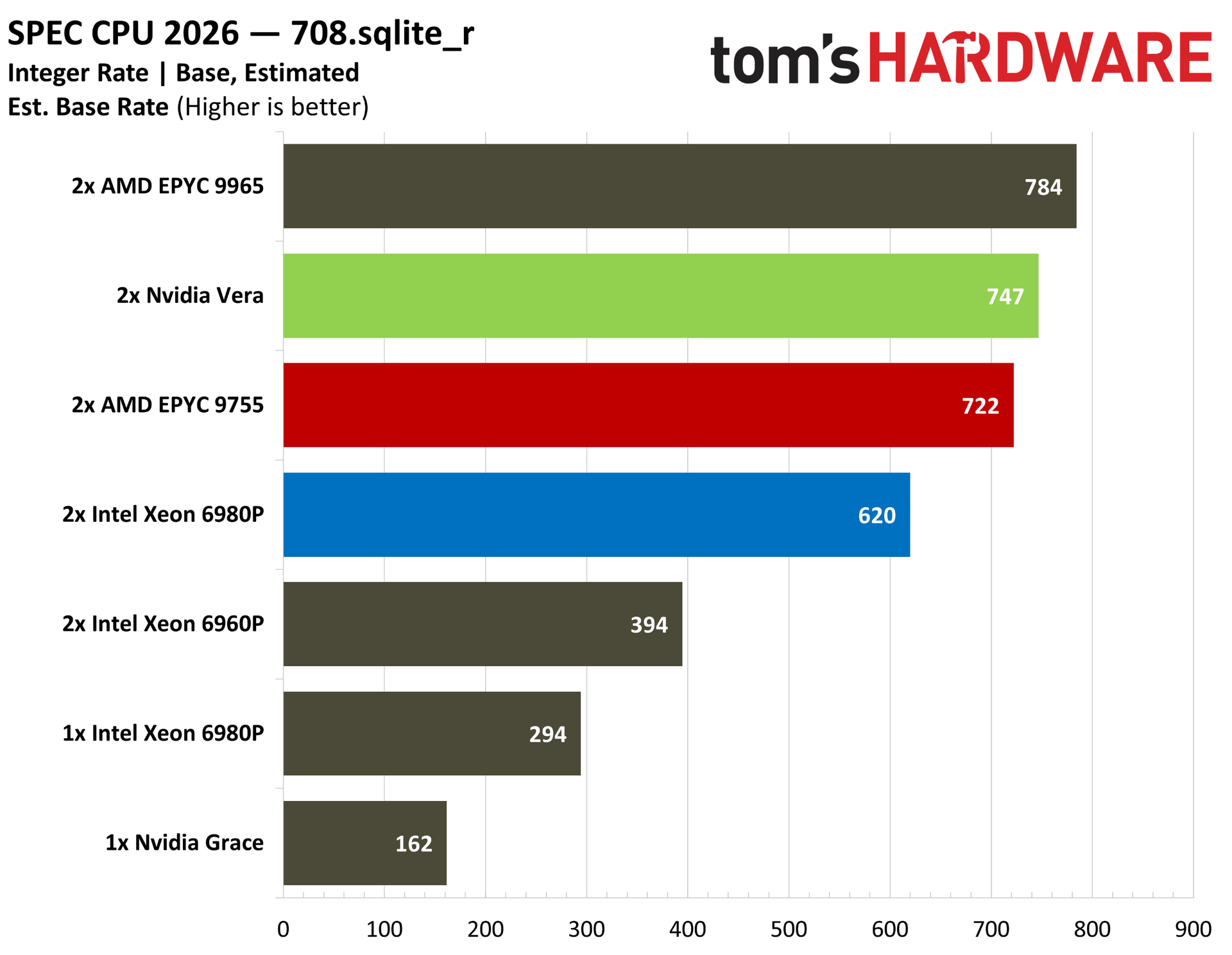
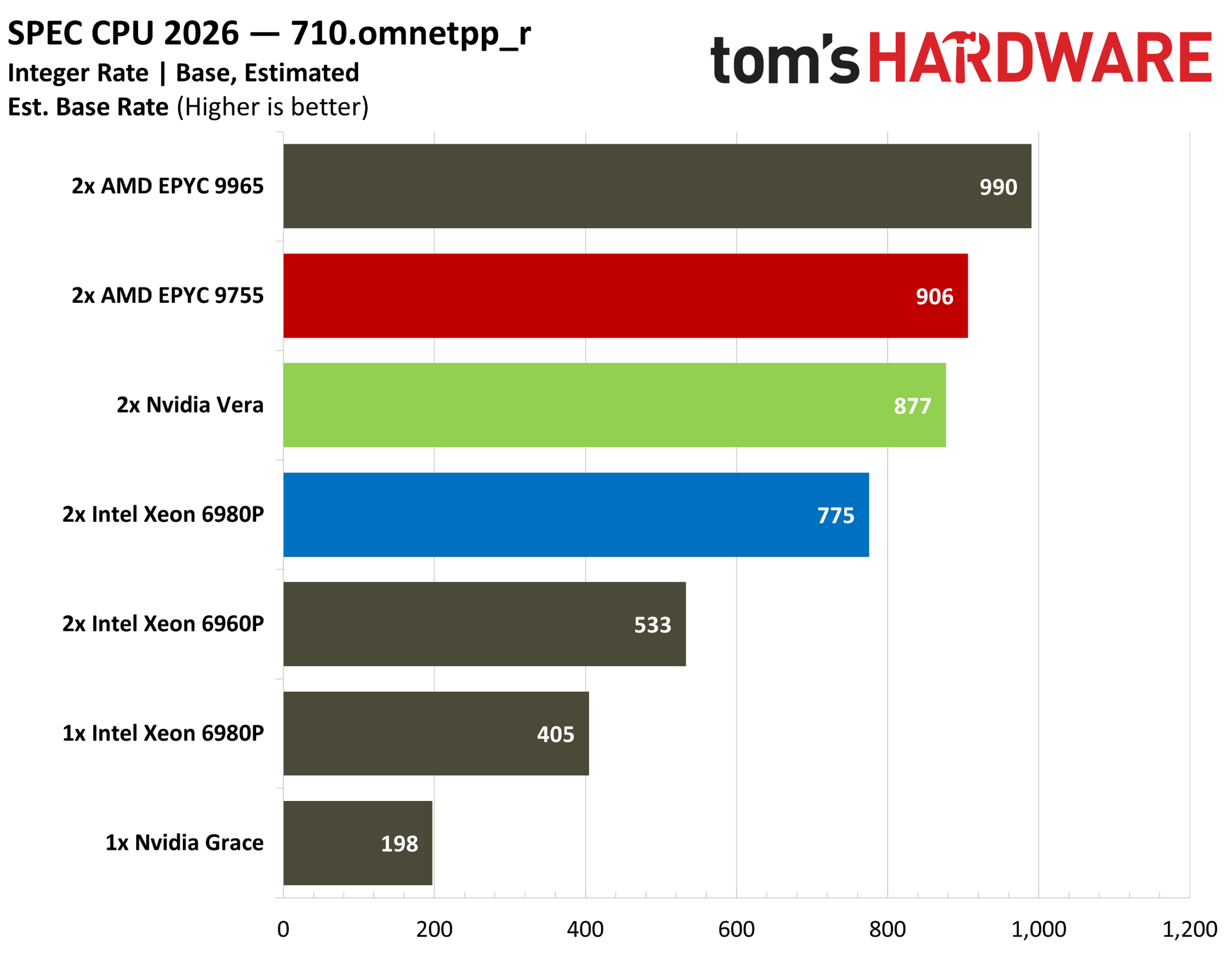
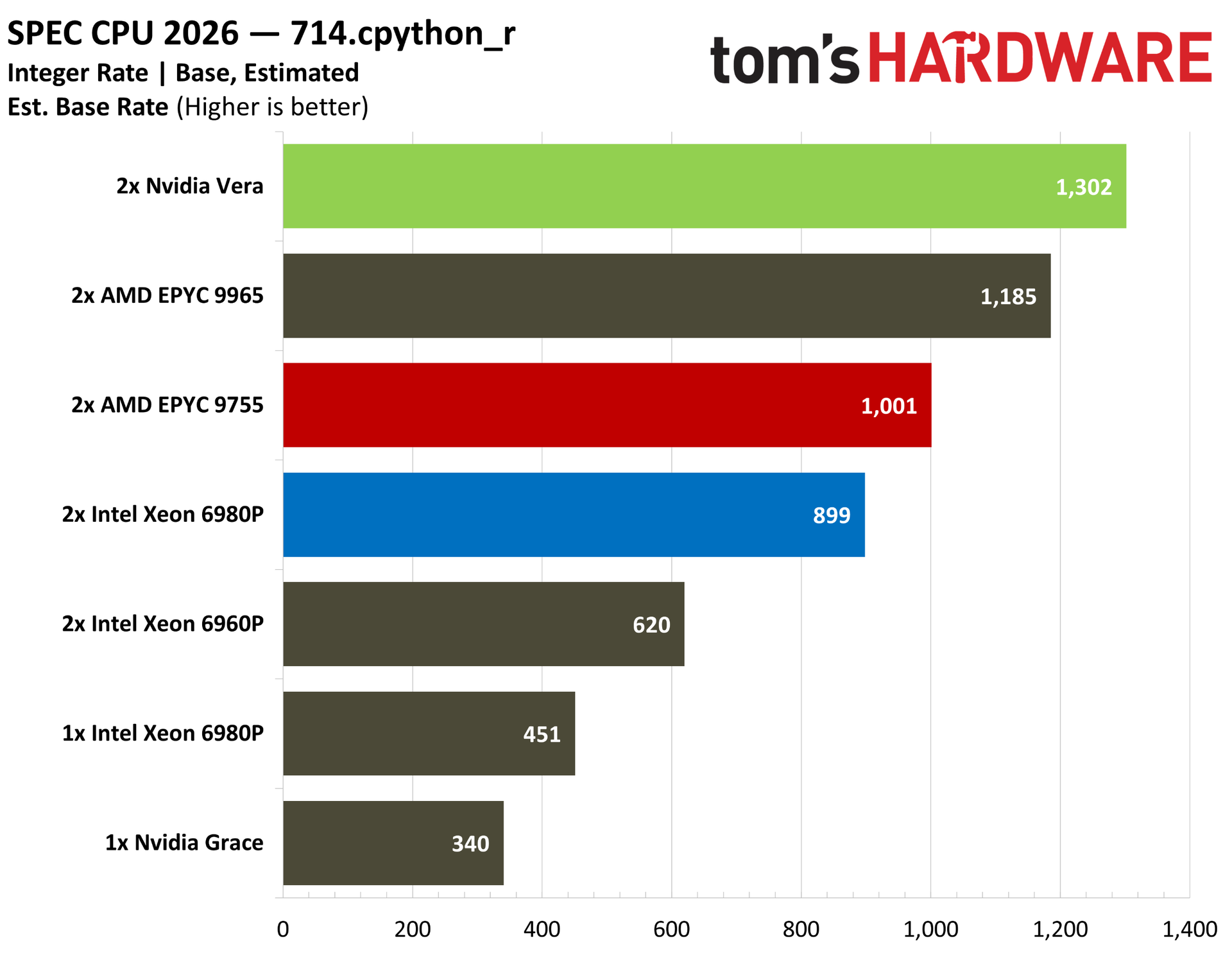
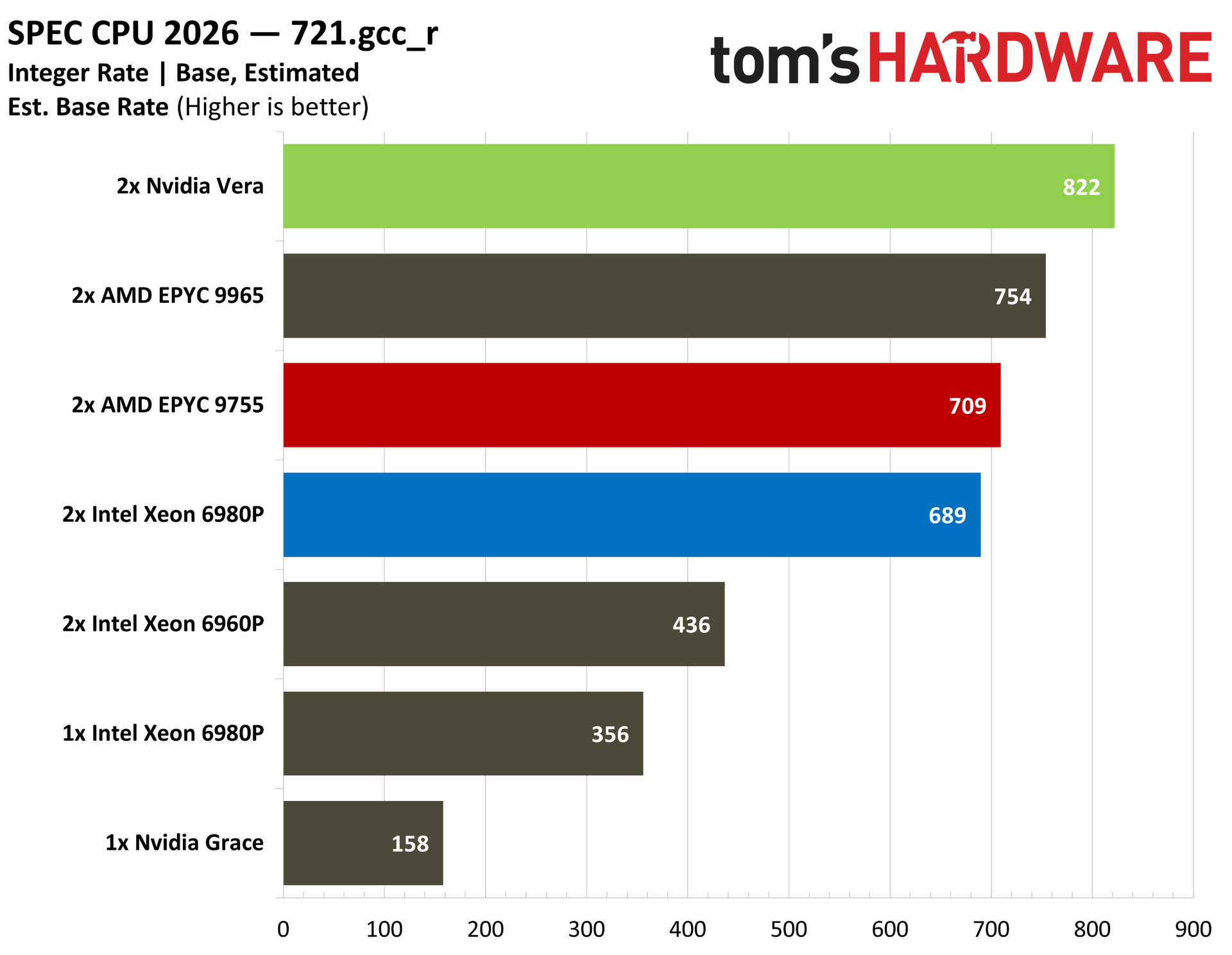
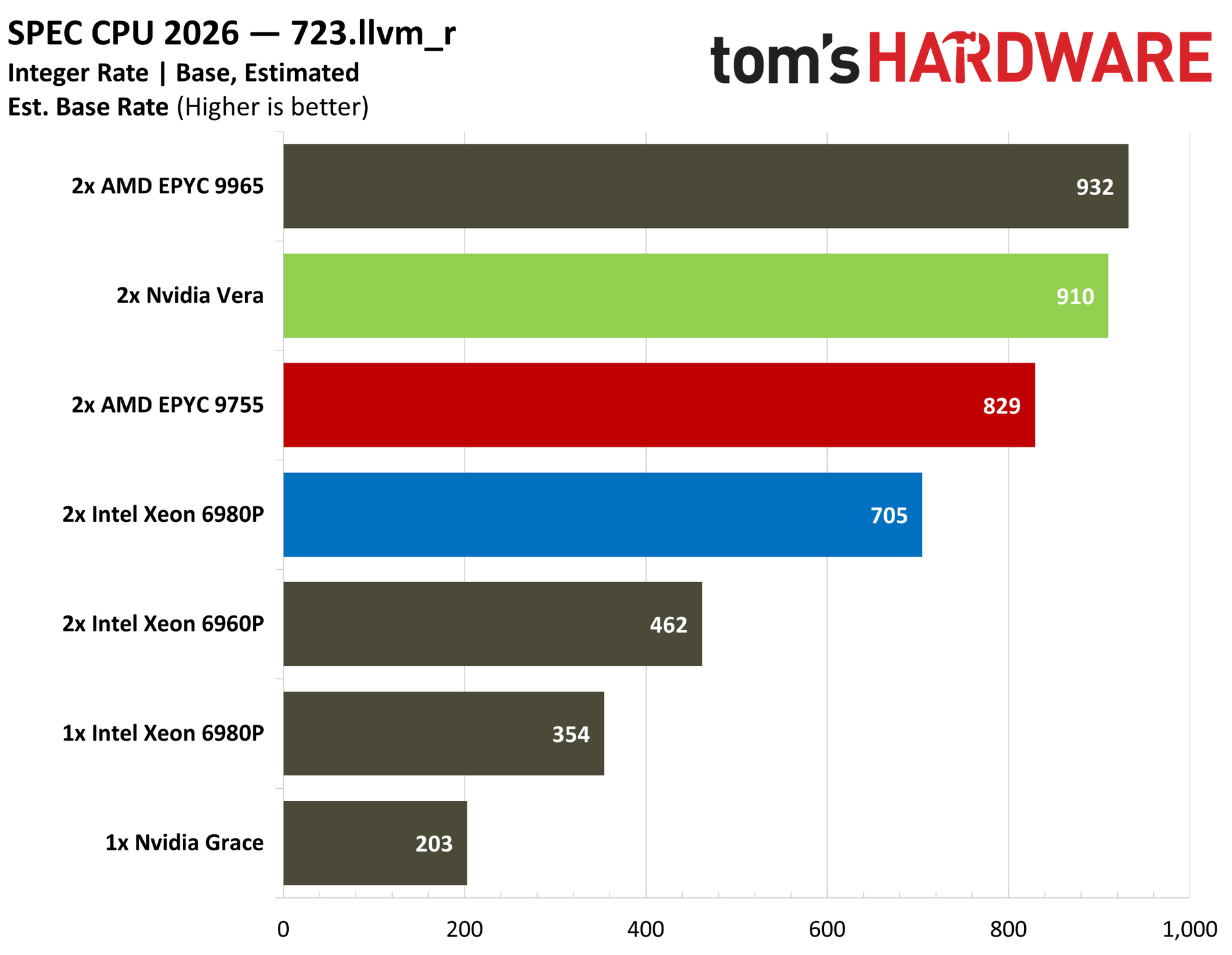
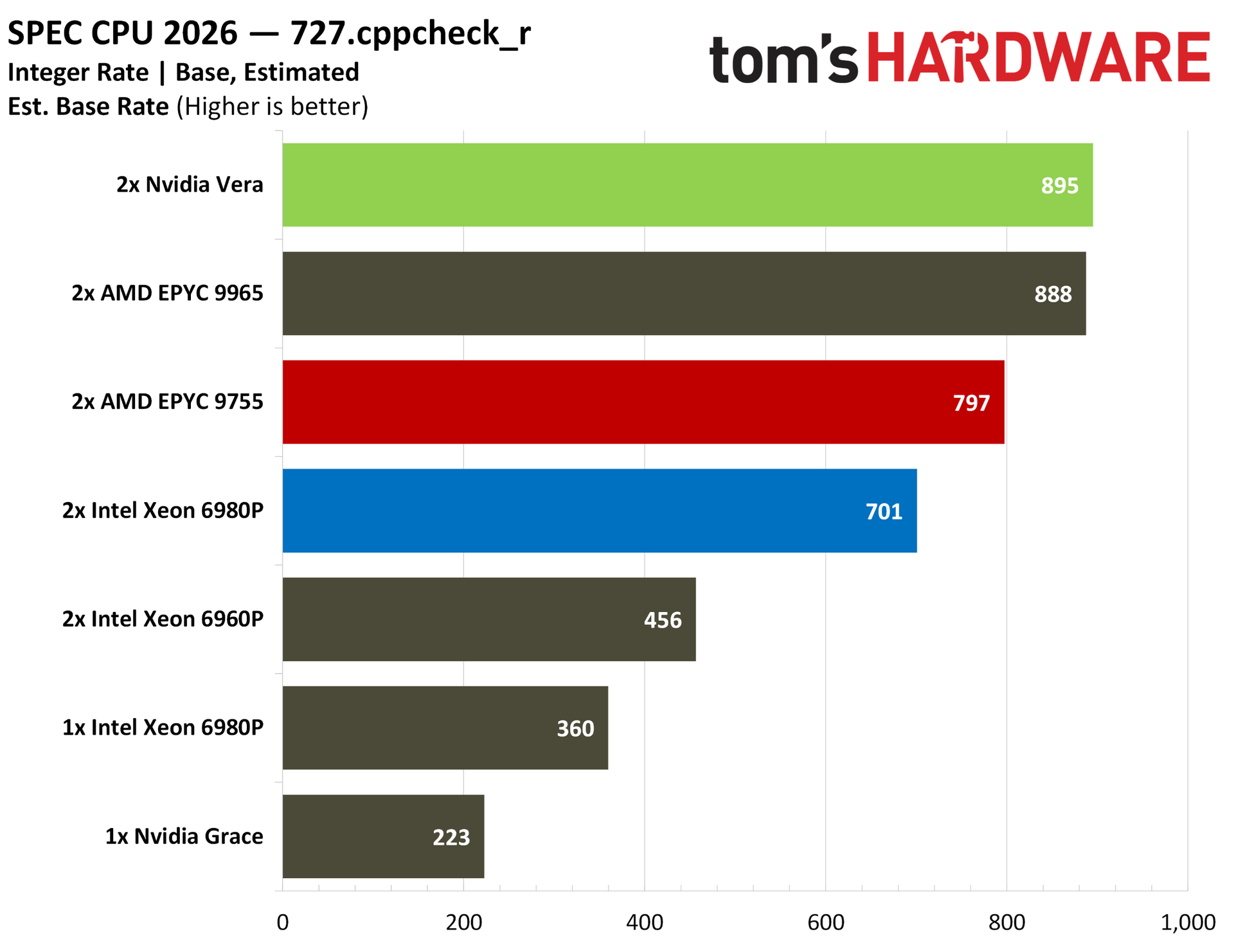
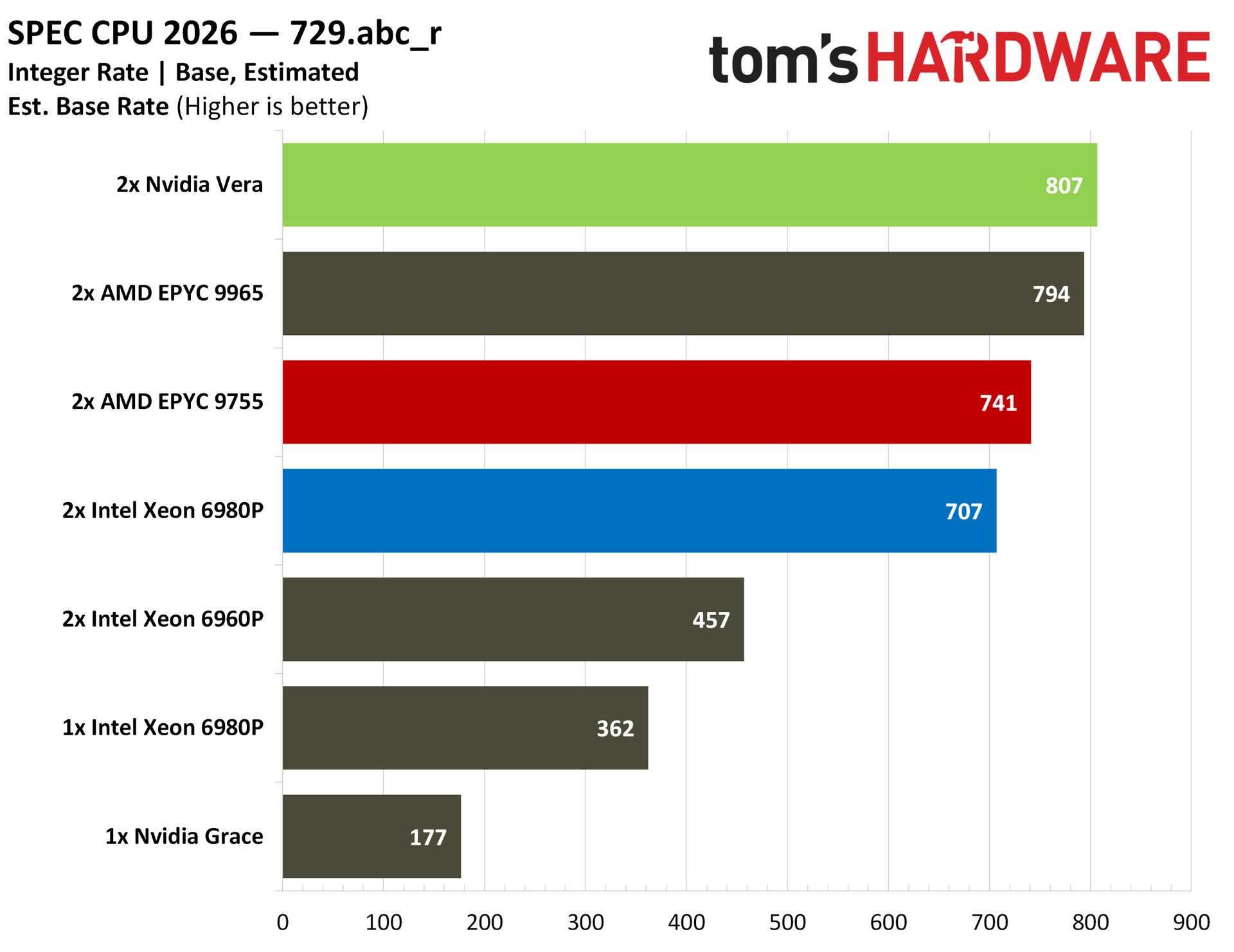
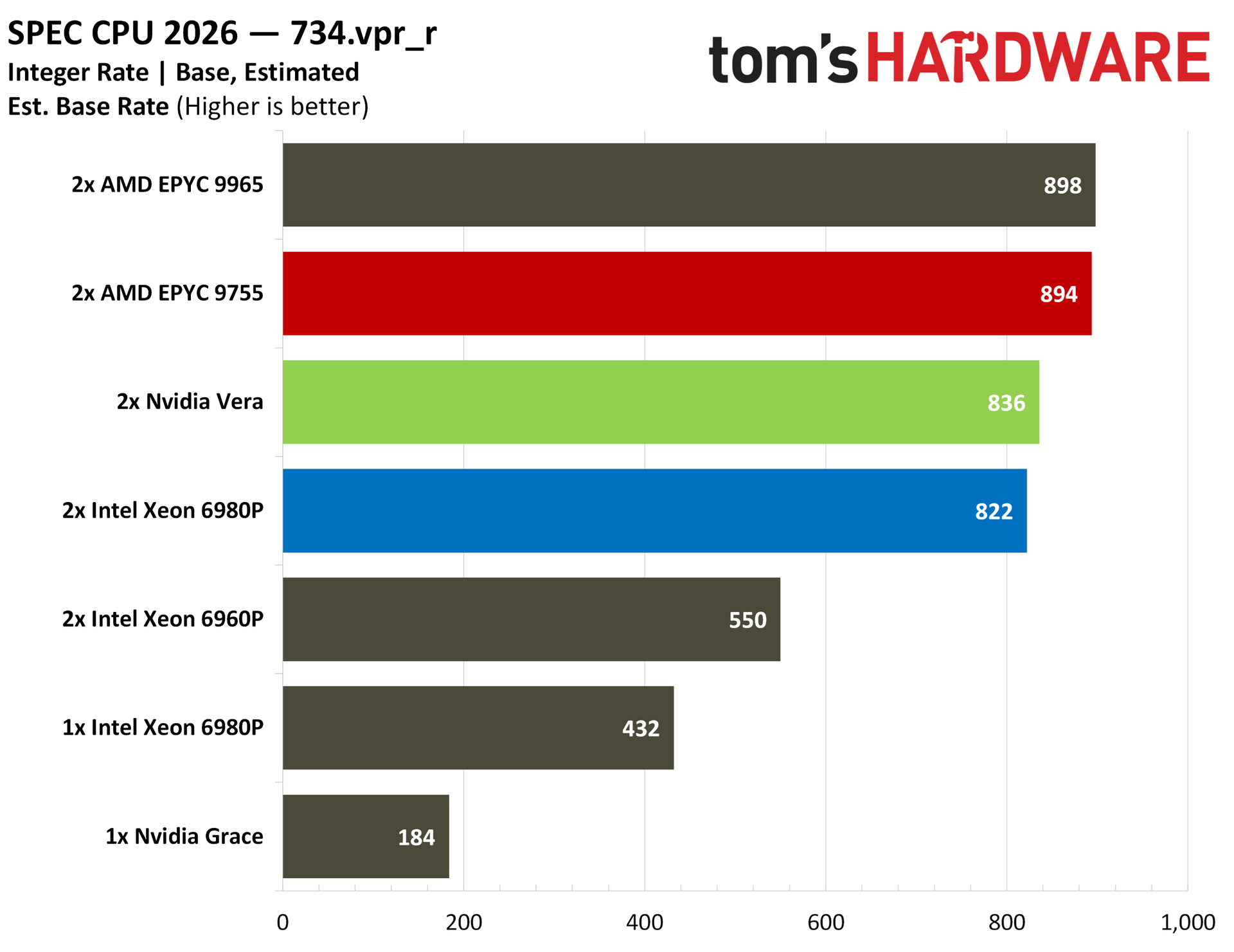
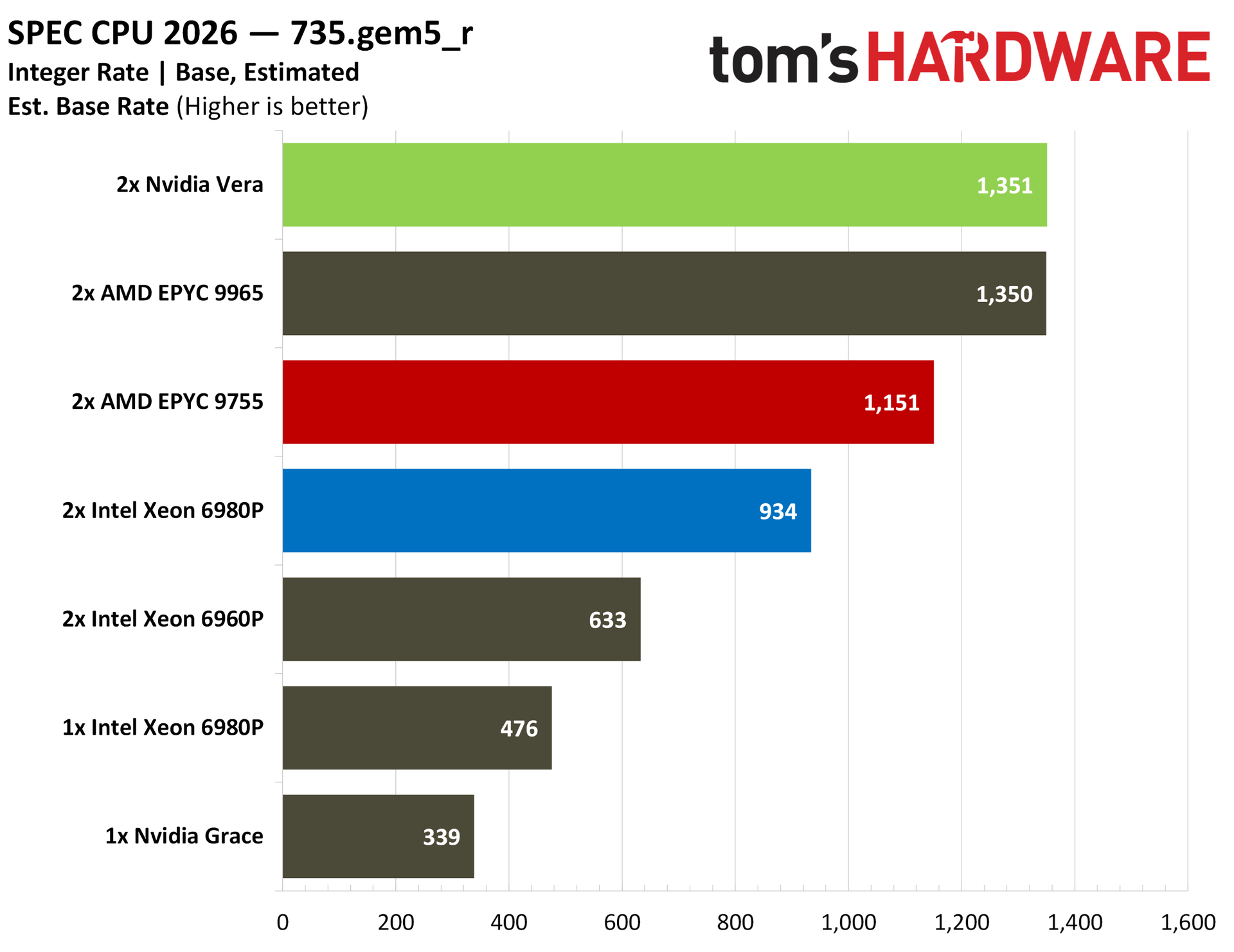
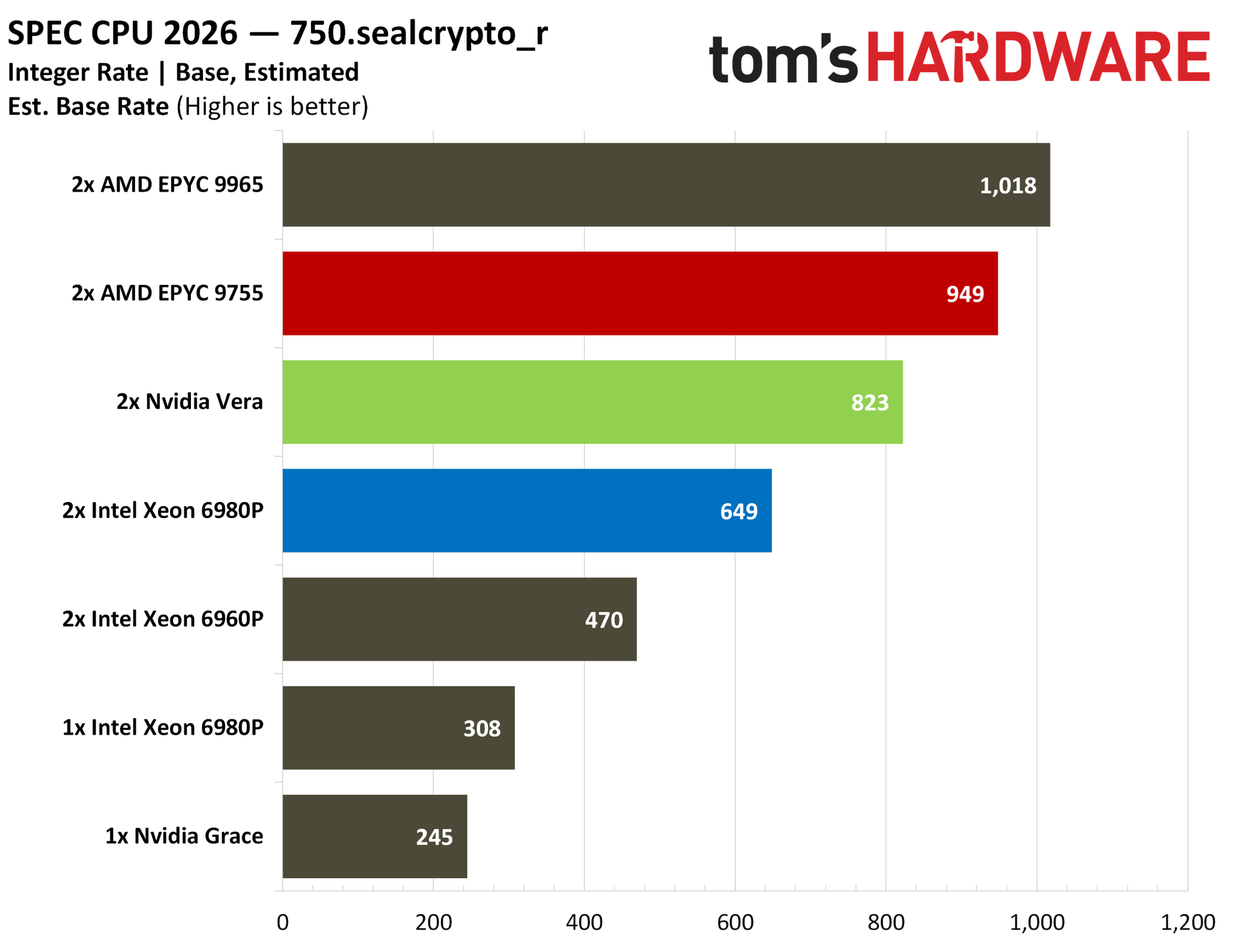
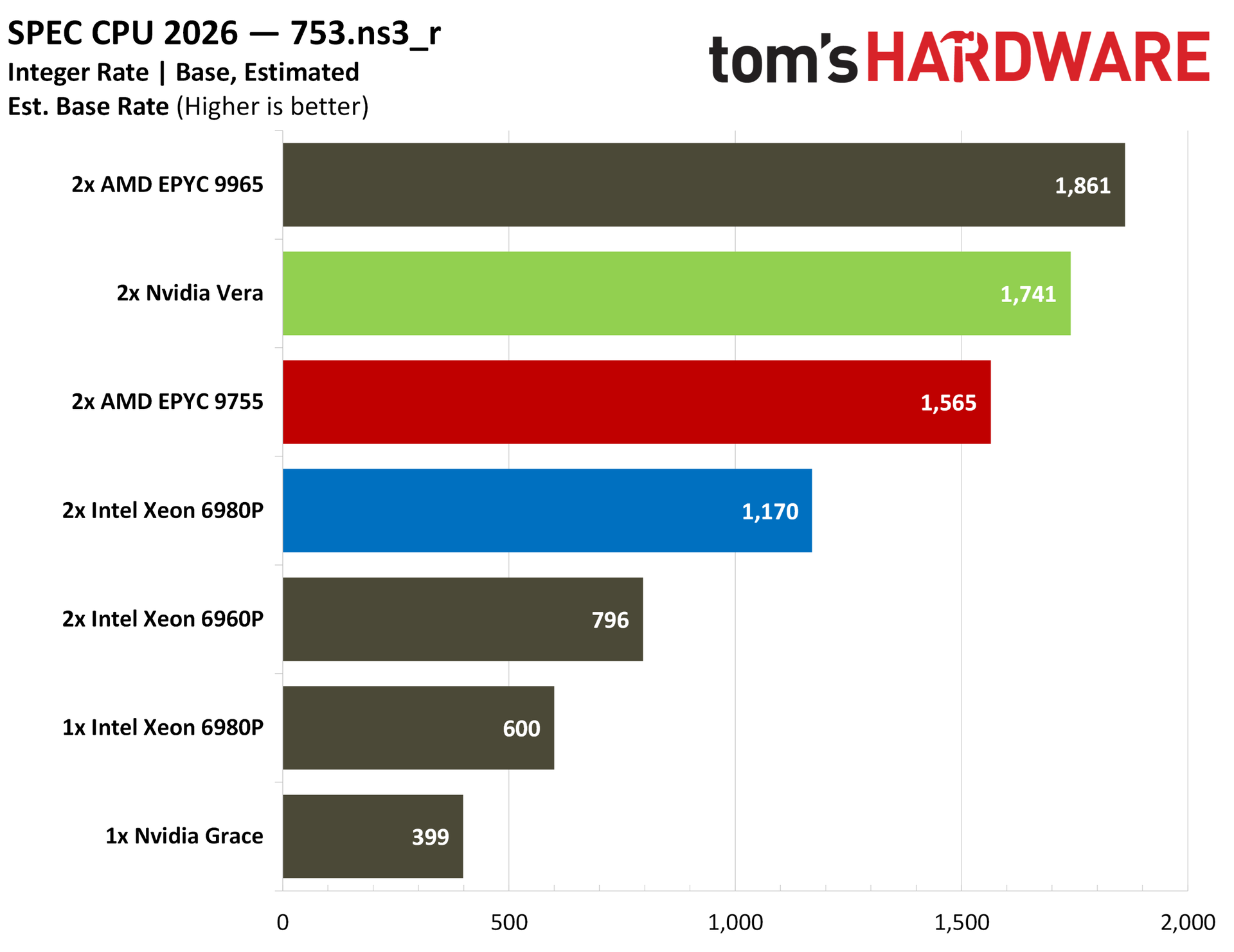
There are some tests where Vera steals the show in the above album, as well as some where it falls behind, reflective of the testing we have later in this article. You can see that GCC compiler performance and Python performance are particularly strong points, with Nvidia even beating out AMD’s top-of-stack EPYC 9965.
Elsewhere, there are some weaknesses. SEAL crypto provides a look at the weaker cryptography performance of Vera, which is reflected in our other testing. Zstd compression also shows Vera trailing AMD and Intel, which makes sense. In our separate Zstd testing, Vera offered impressive compression performance with Zstd but fell behind on decompression.
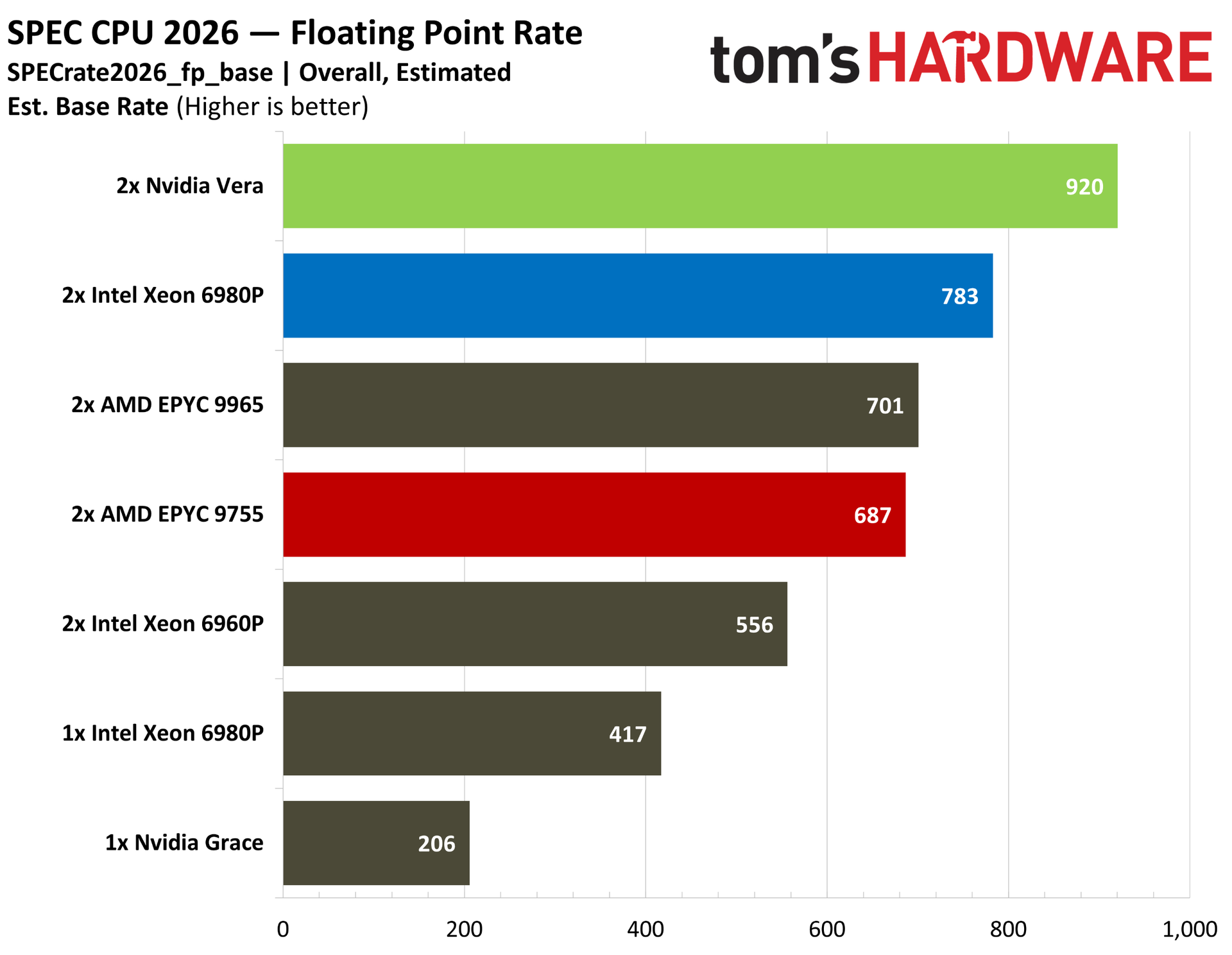
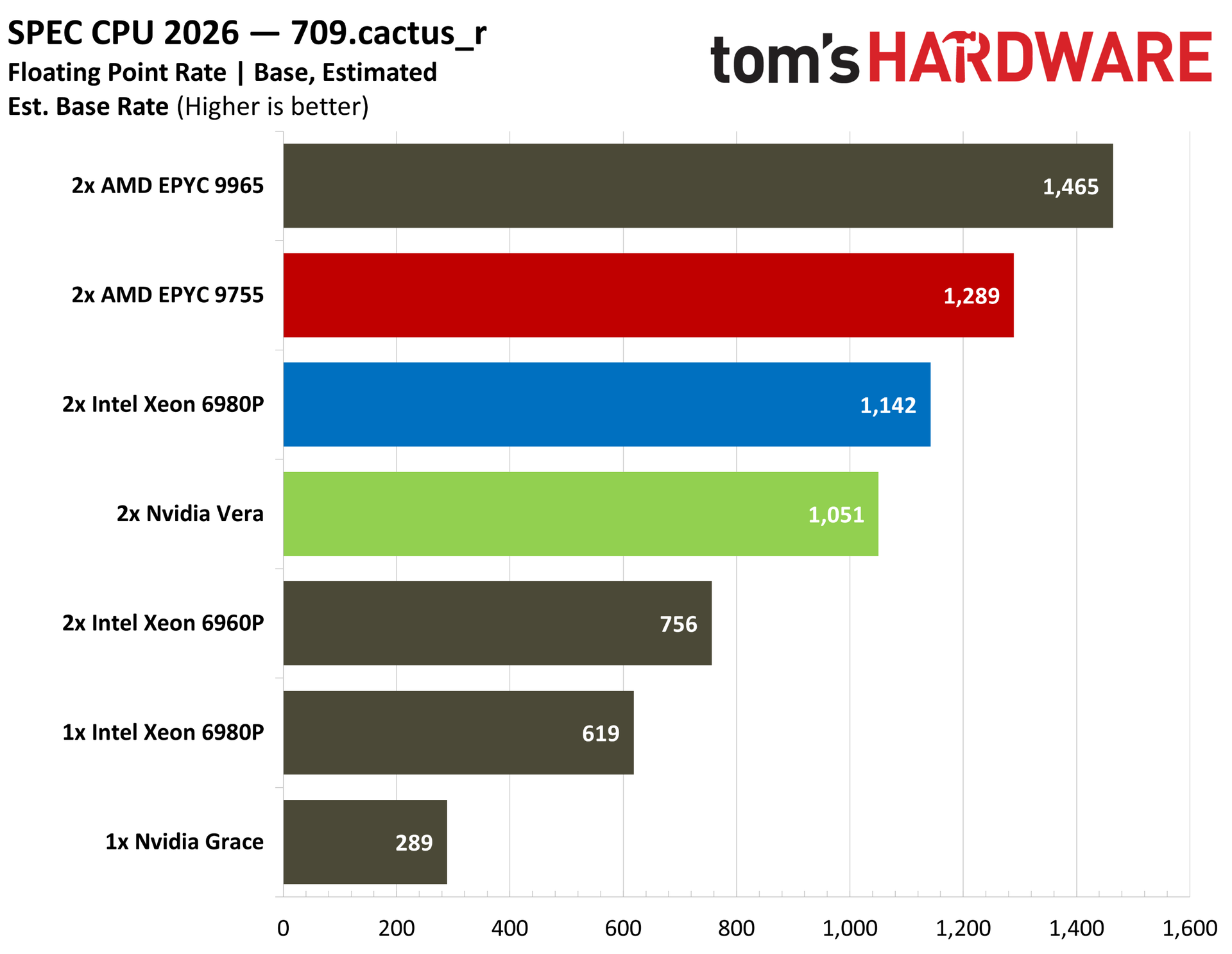
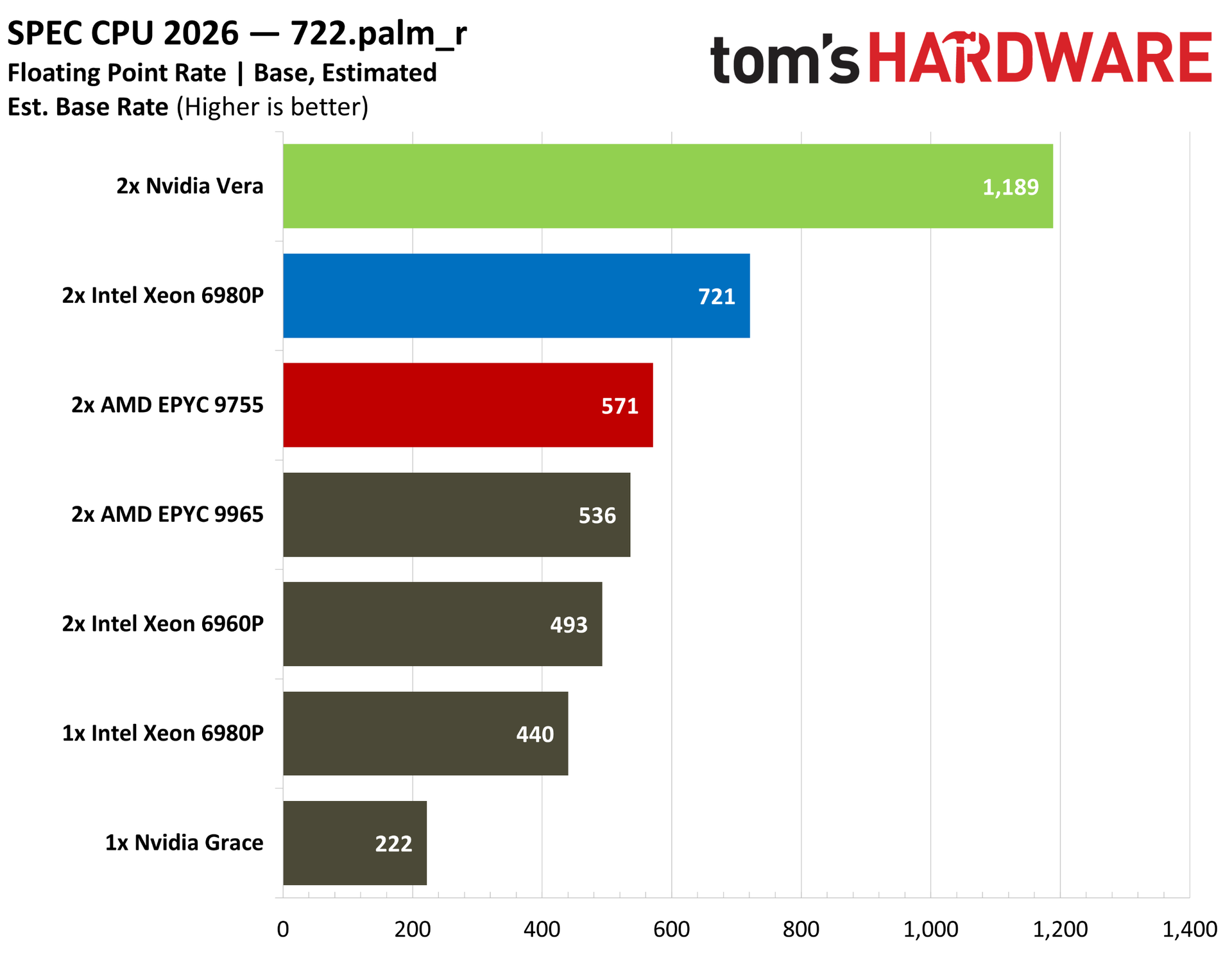
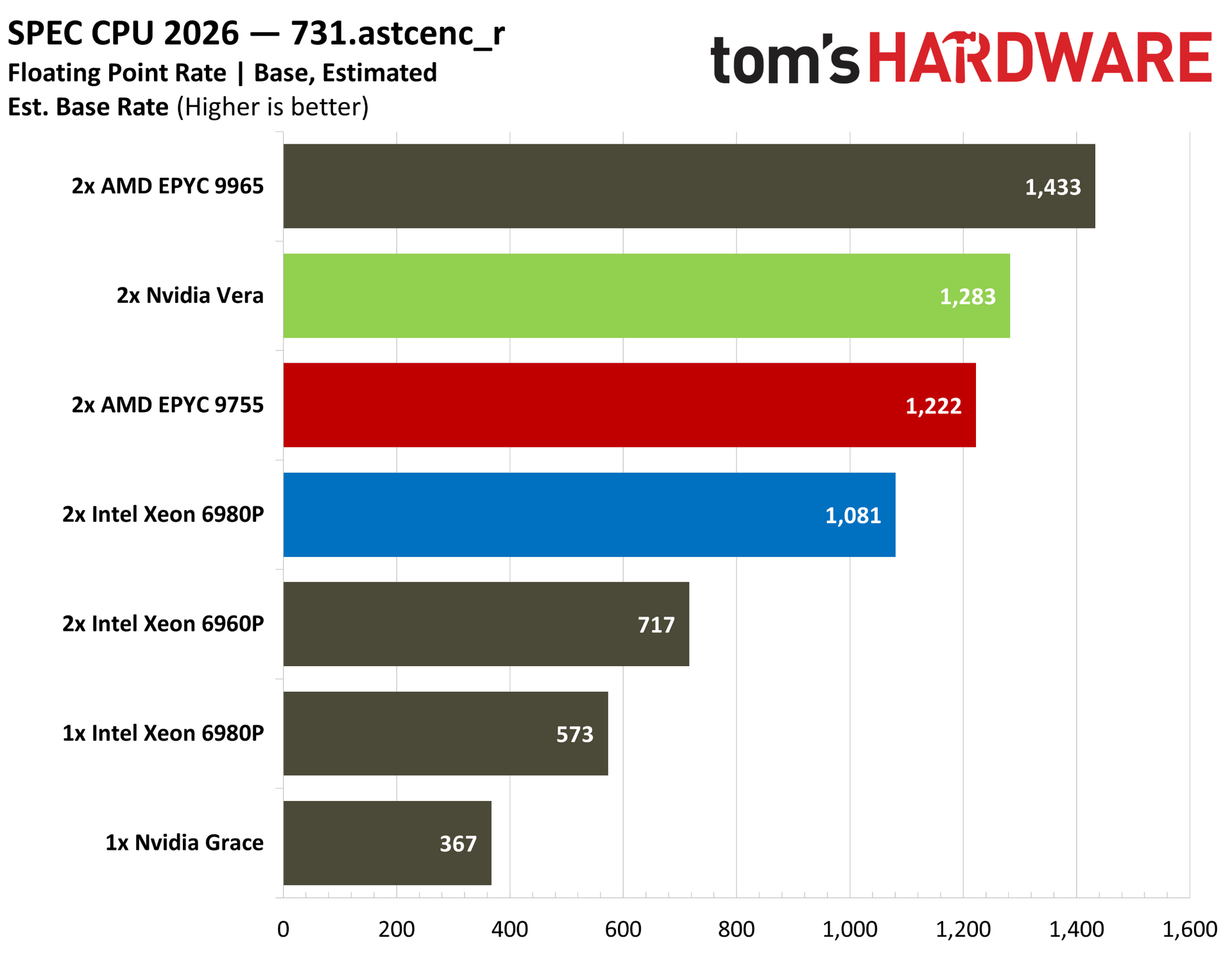
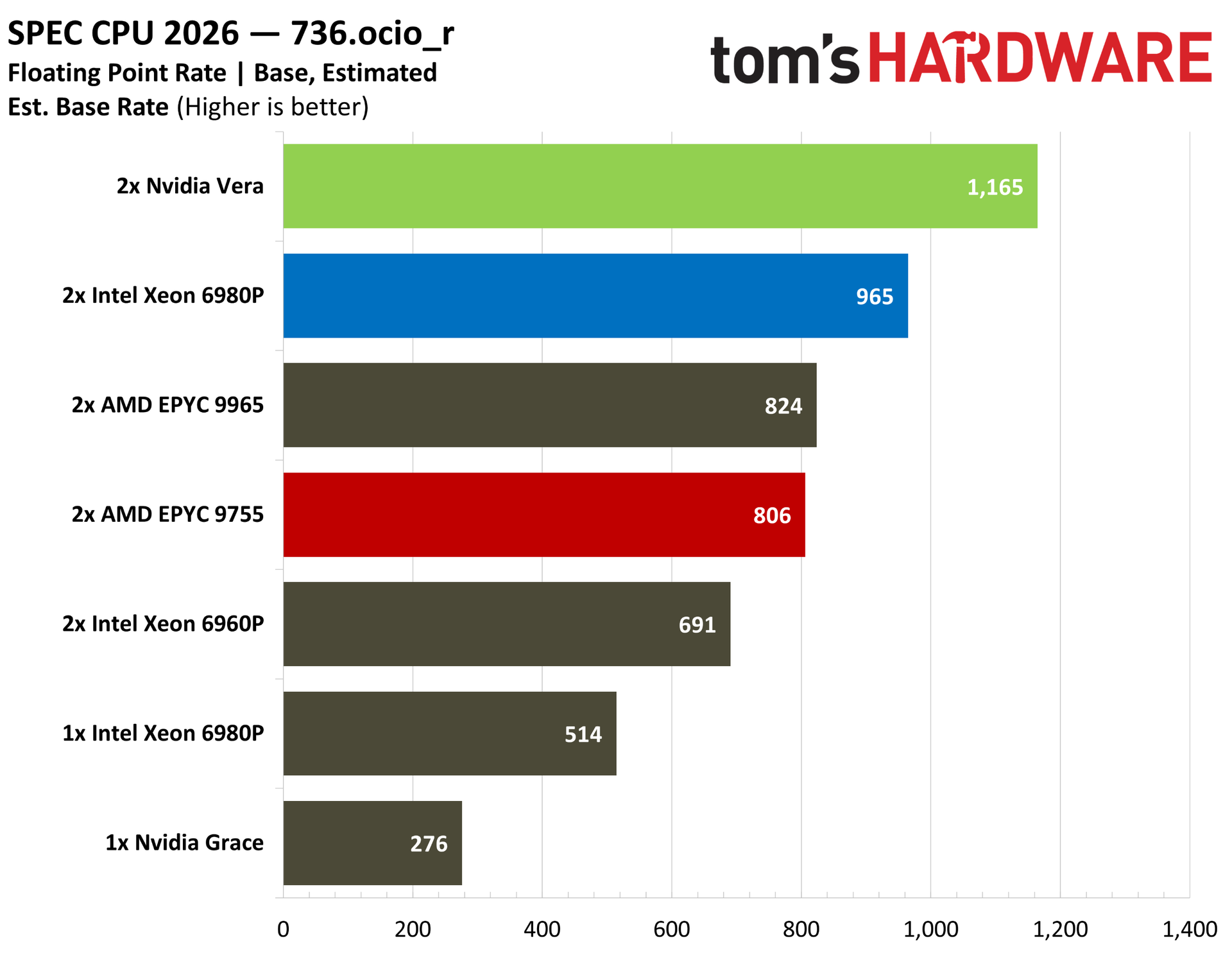
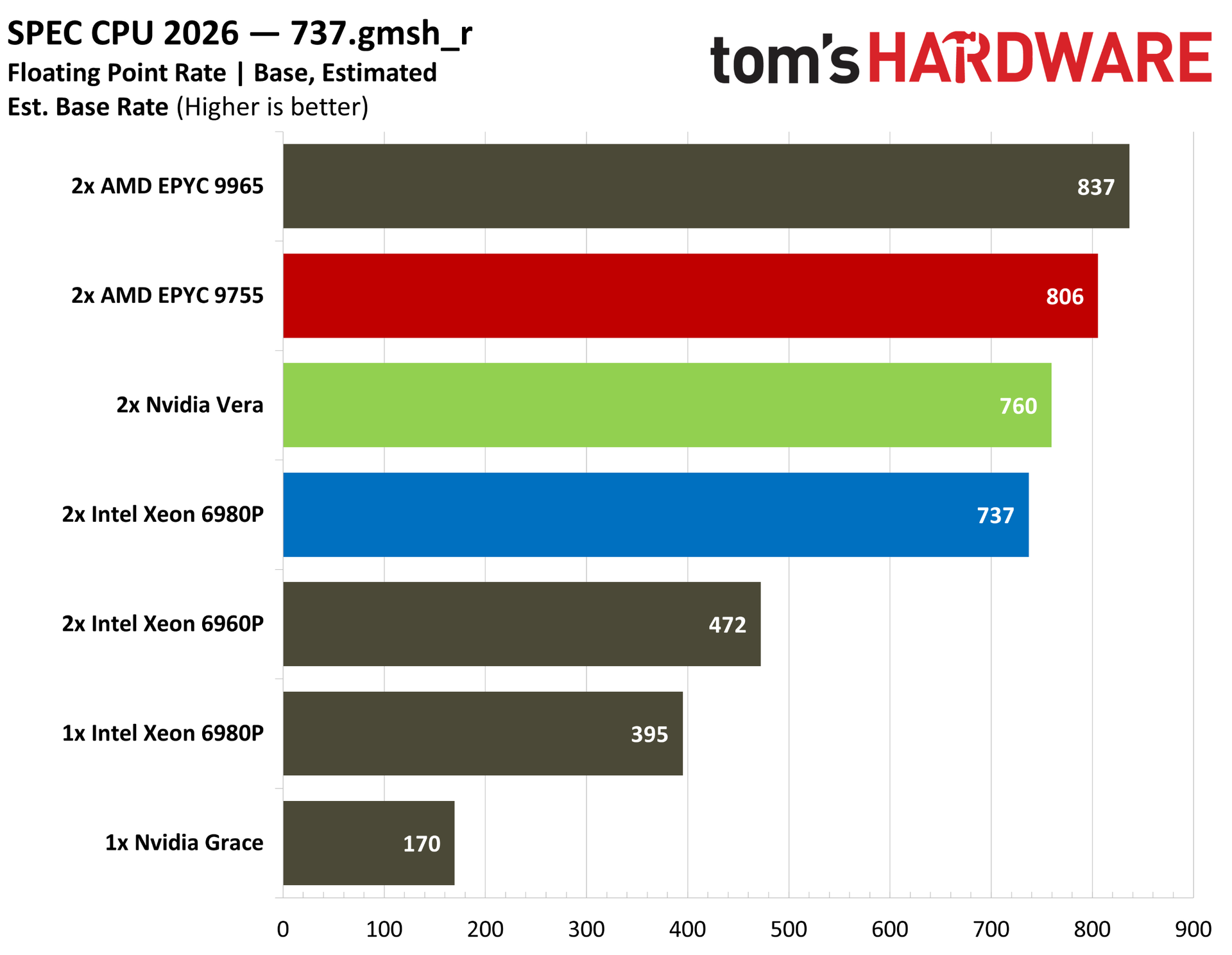
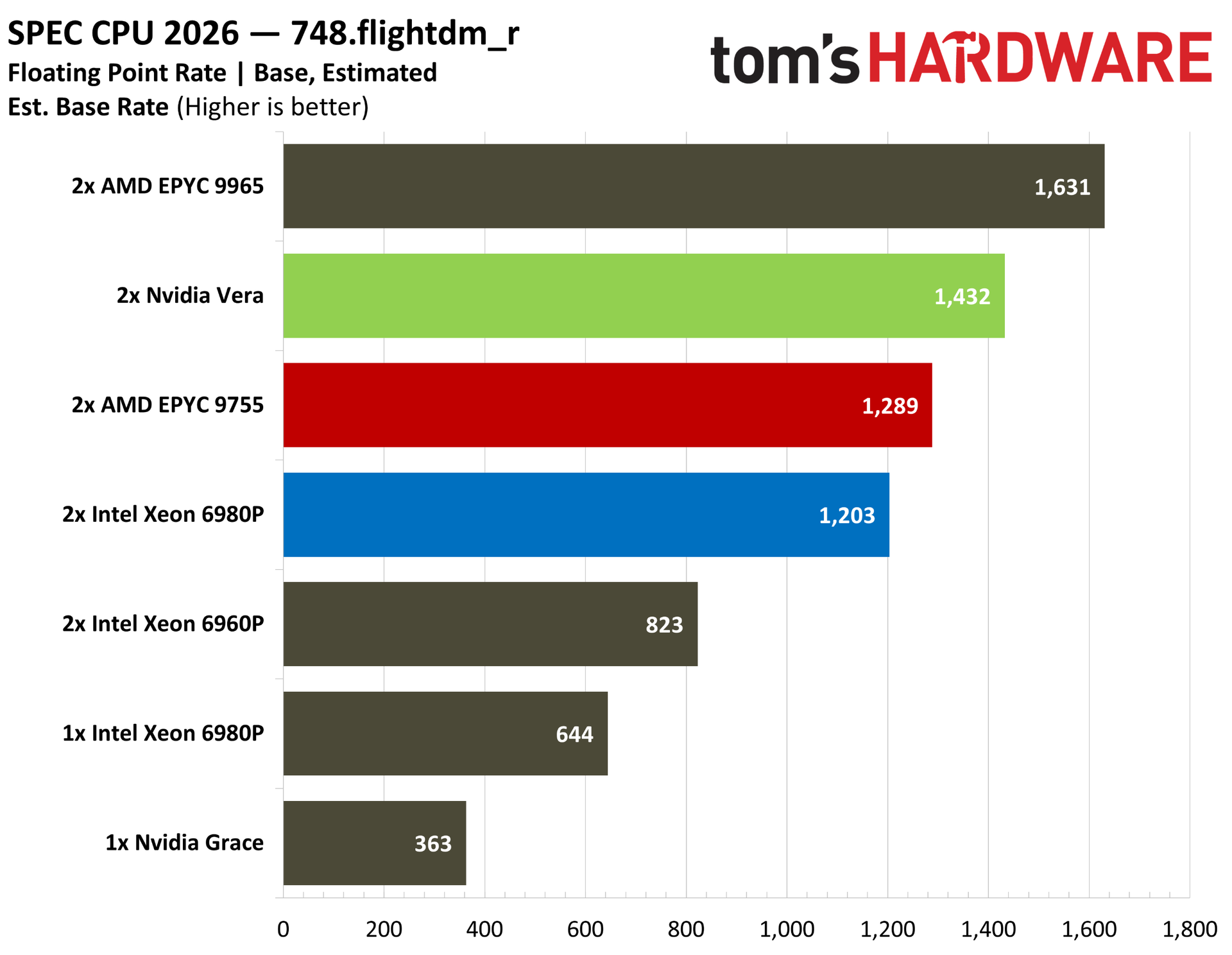
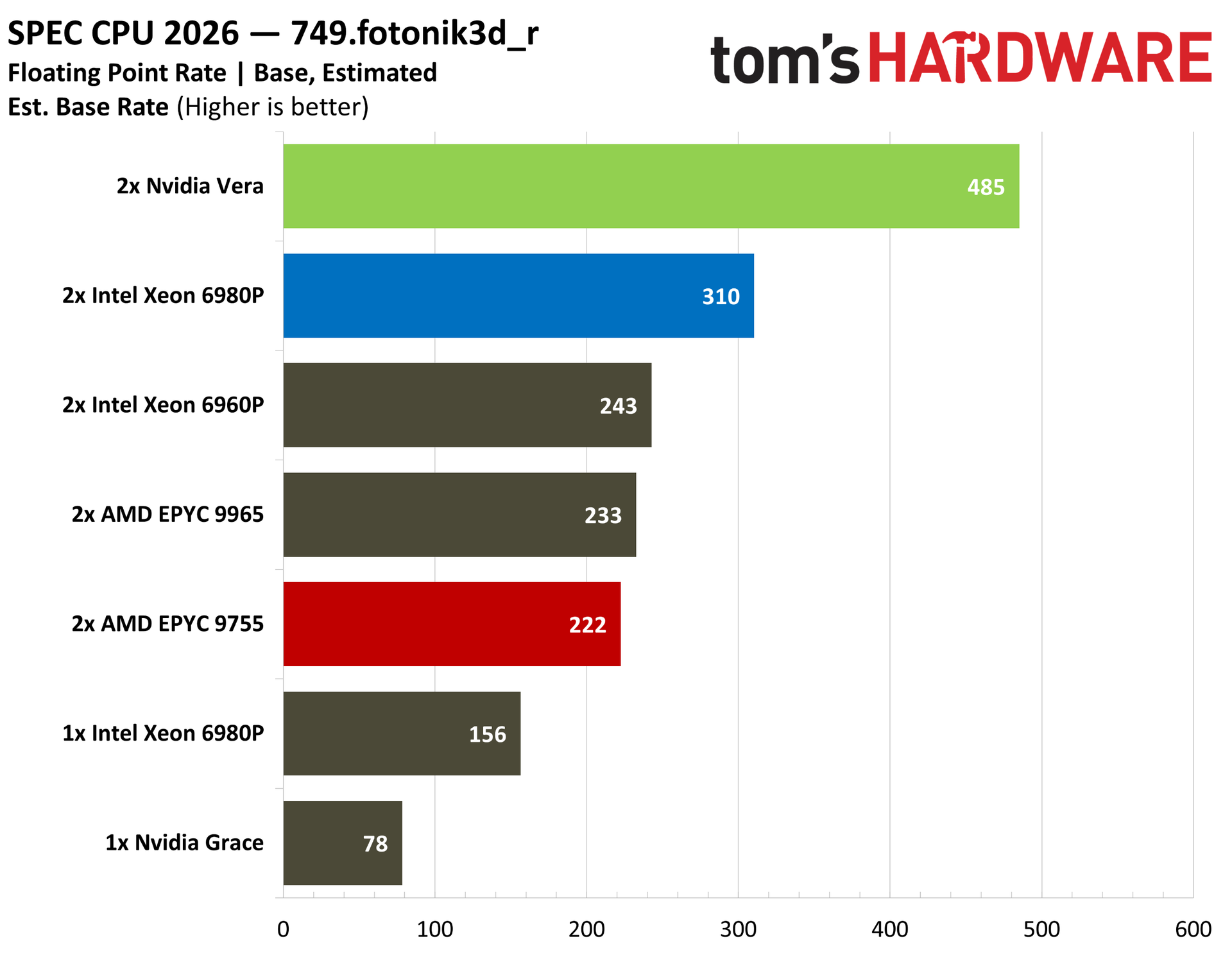
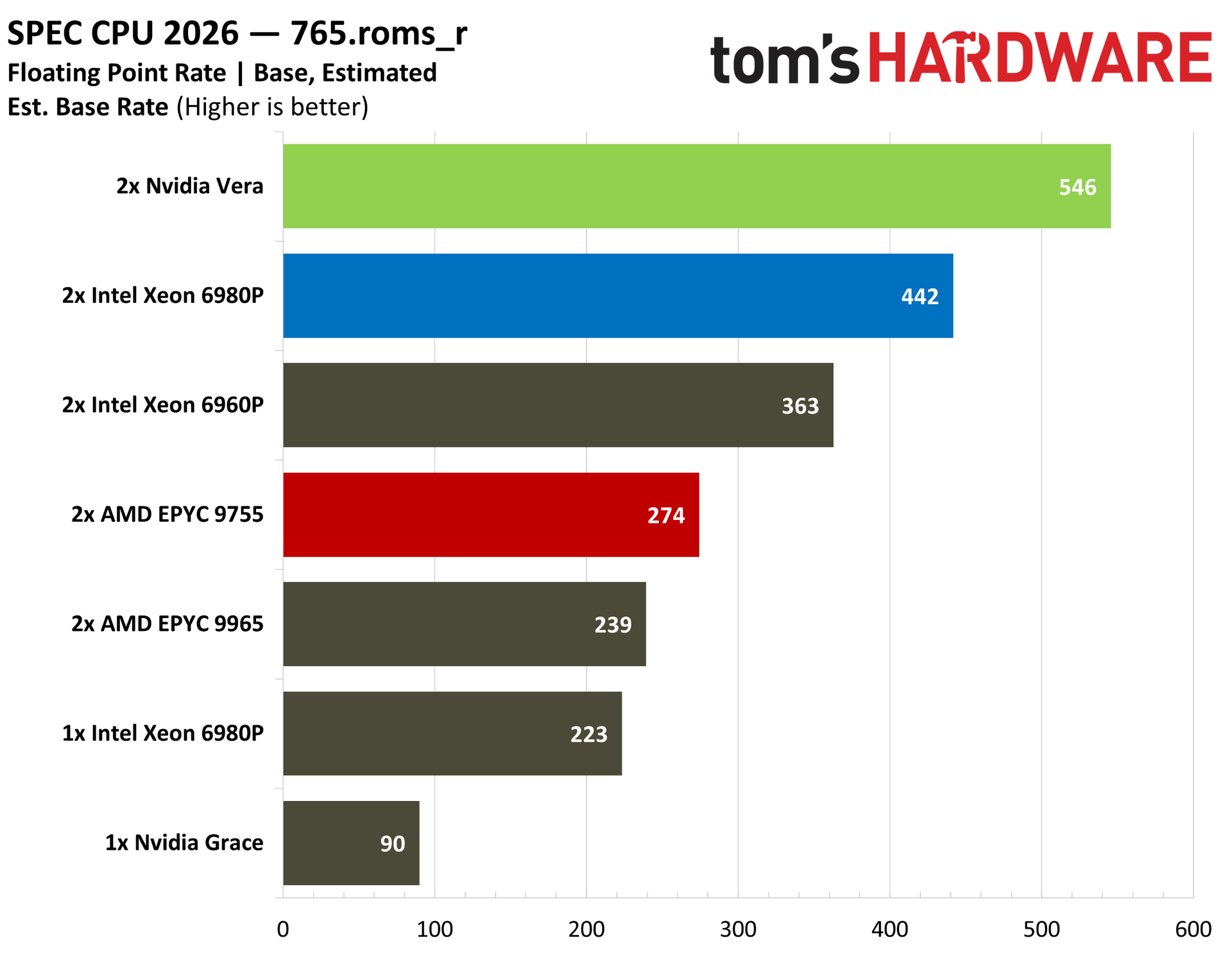
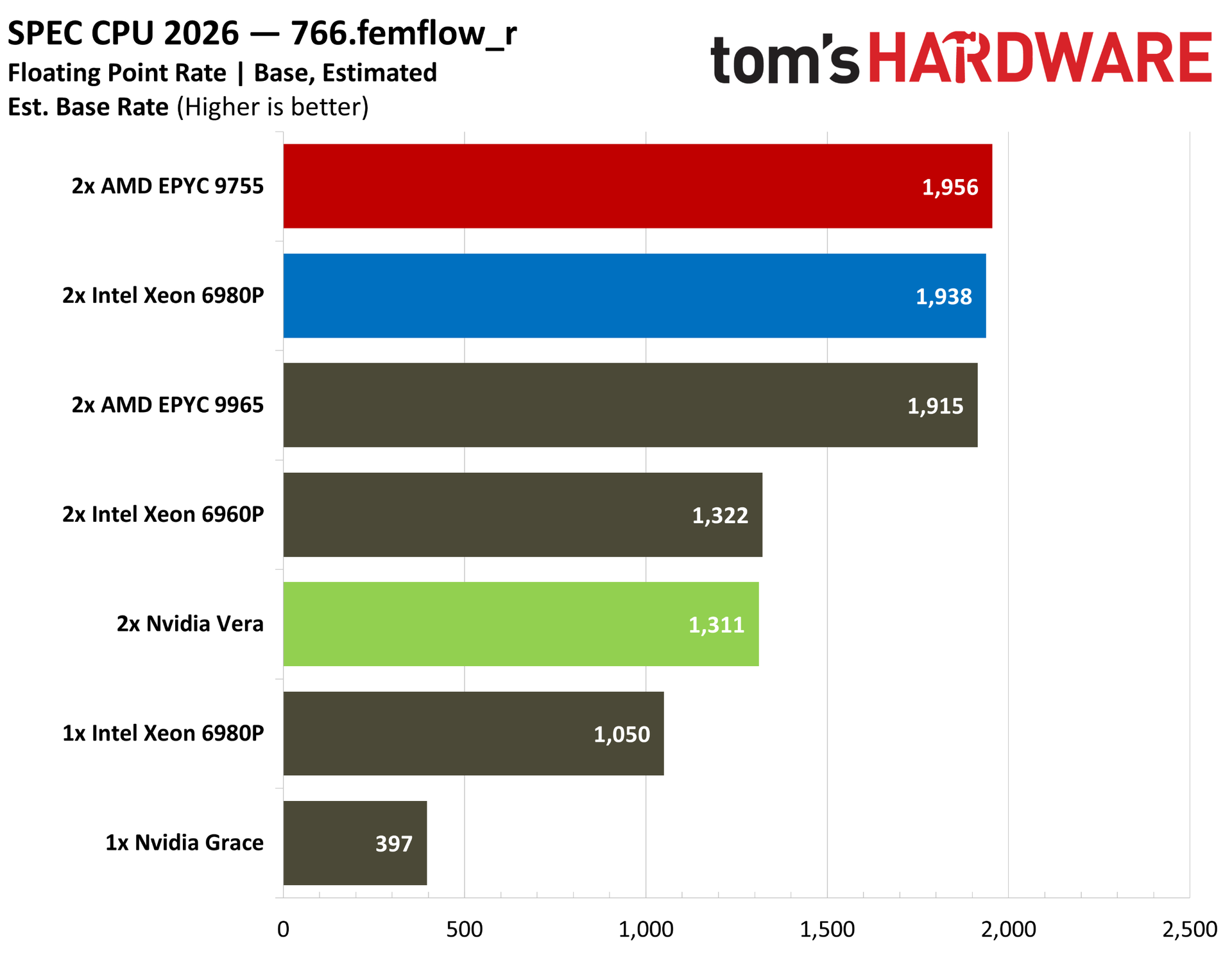
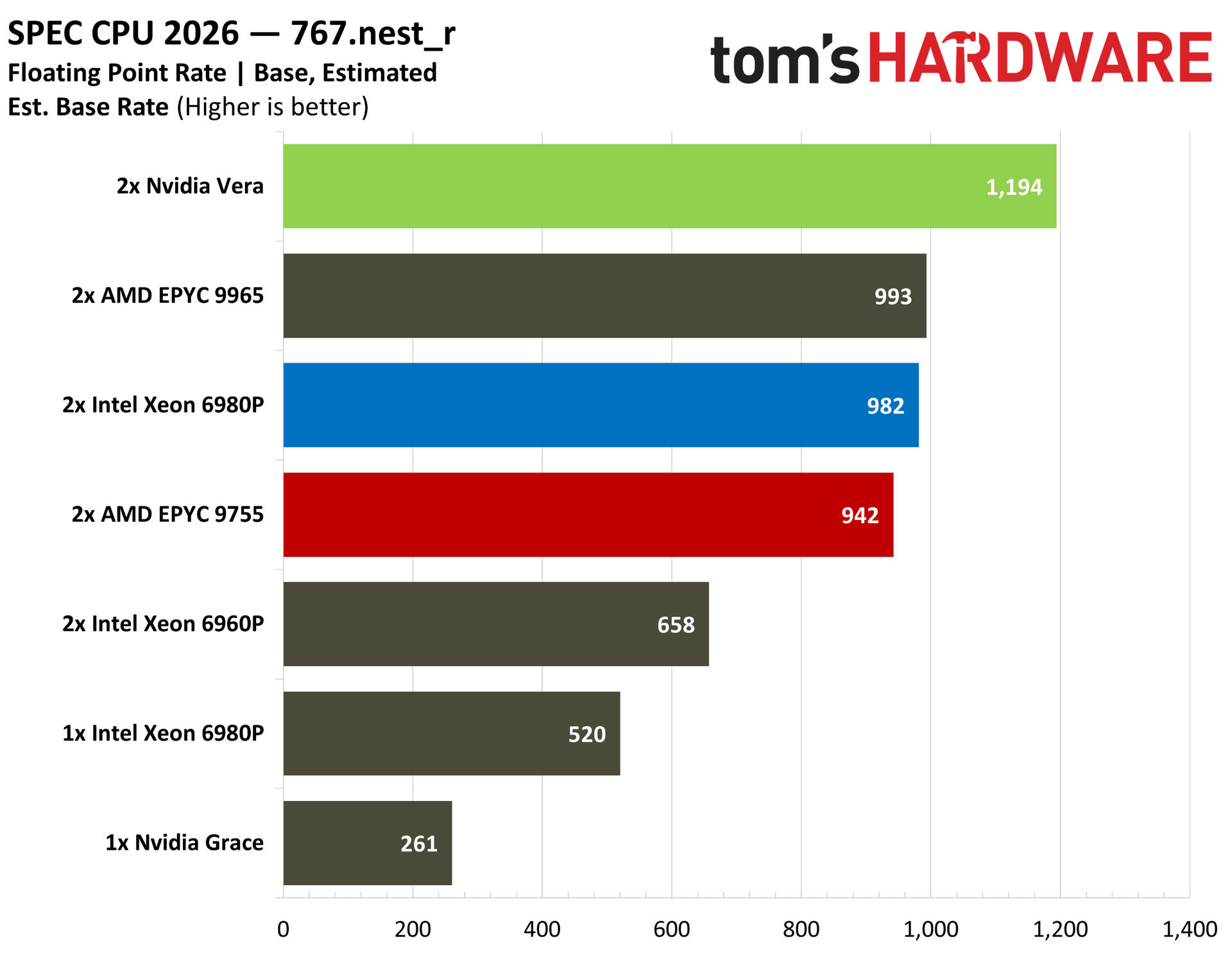
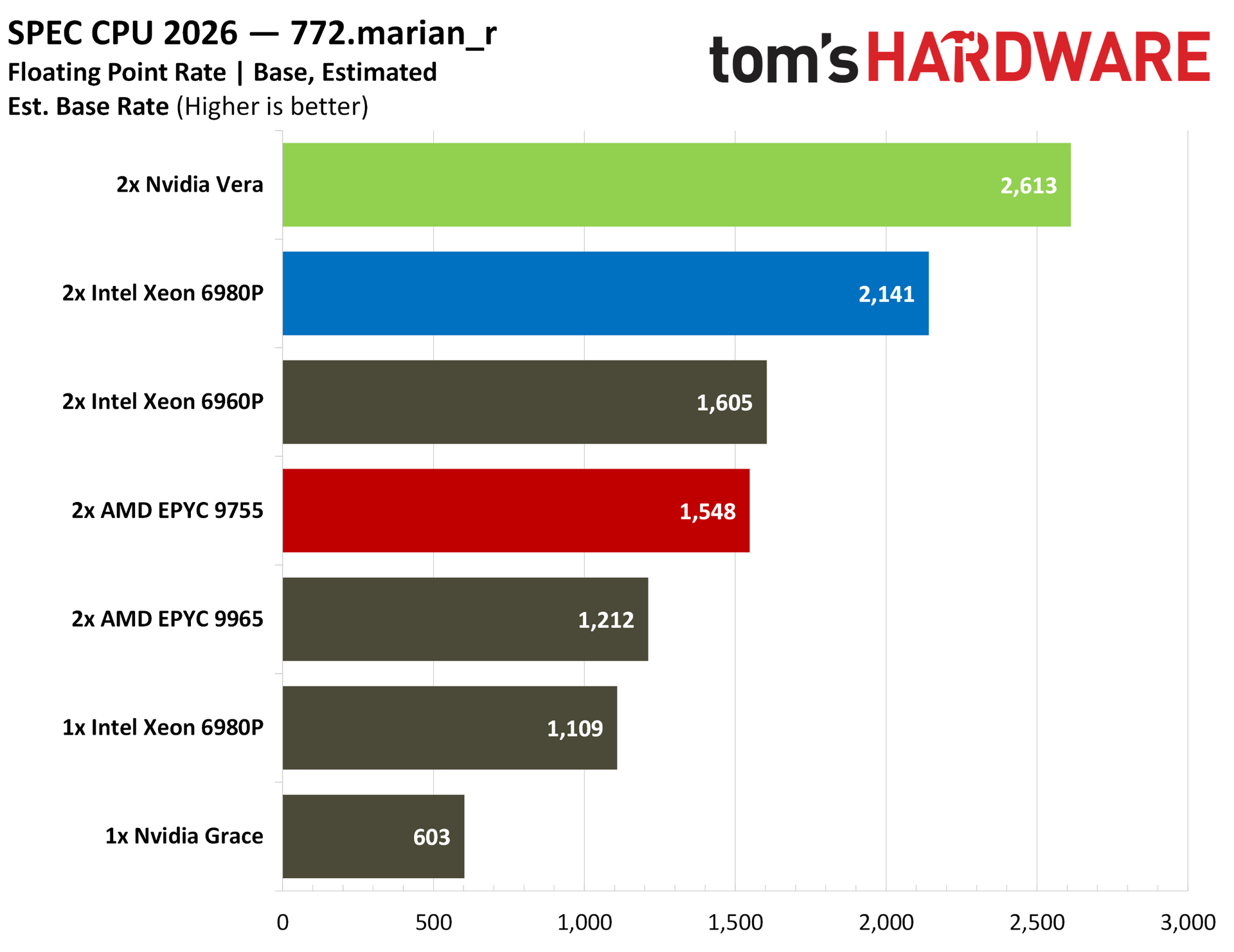
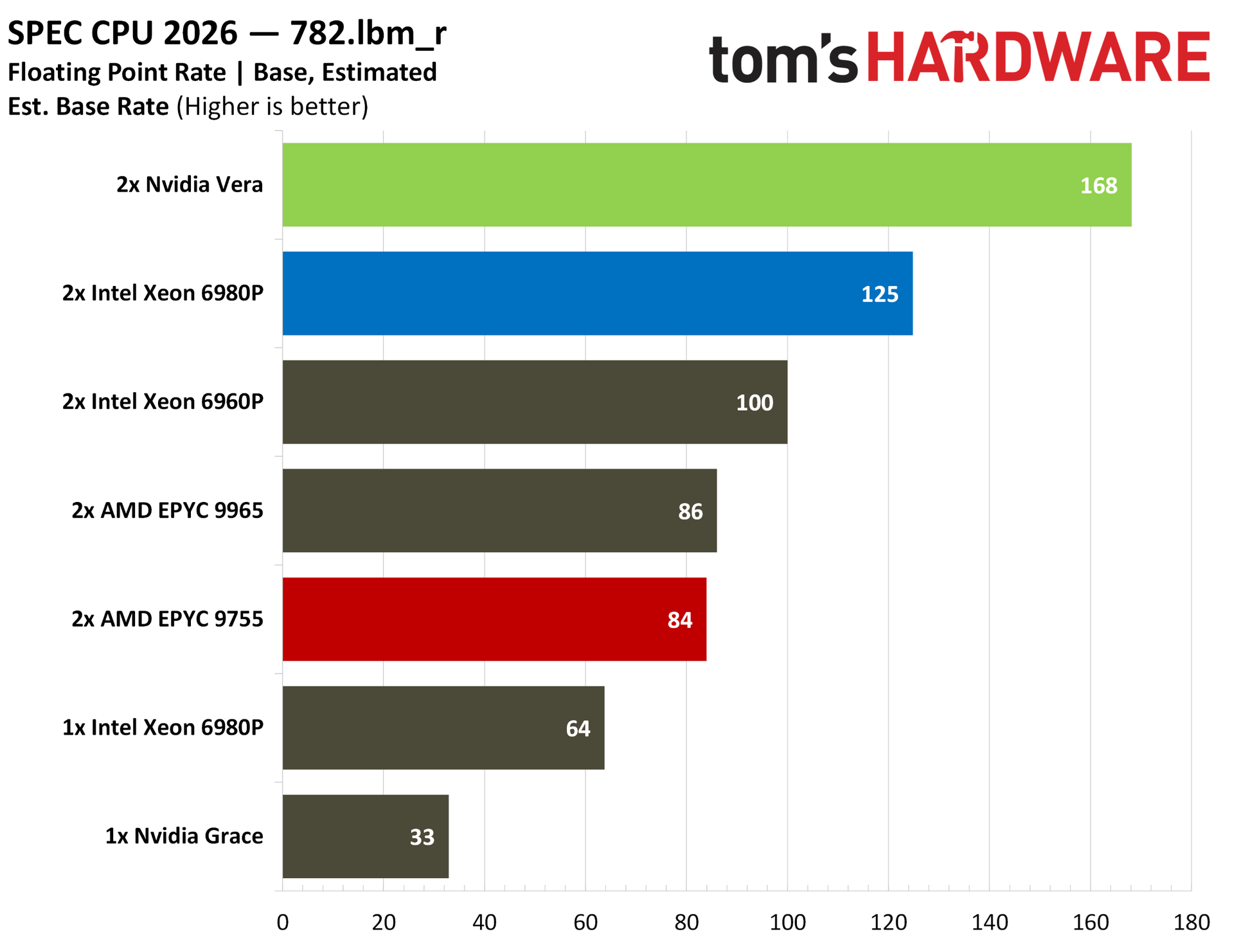
We were curious about float performance on Vera given that Nvidia led with the standard intrate suite in its initial benchmarks. Vera tops the charts here on the back of some particularly strong showings in some of the tests. Our estimated PALM numbers, for instance, show off Vera’s second-generation Scalable Coherency Fabric (SCF), while ROMS pushes on memory bandwidth. This strong memory performance shows up in Marian and LBM, as well. There are a couple of misses, notably FemFlow and CACTUS, but the overall performance picture is clear.
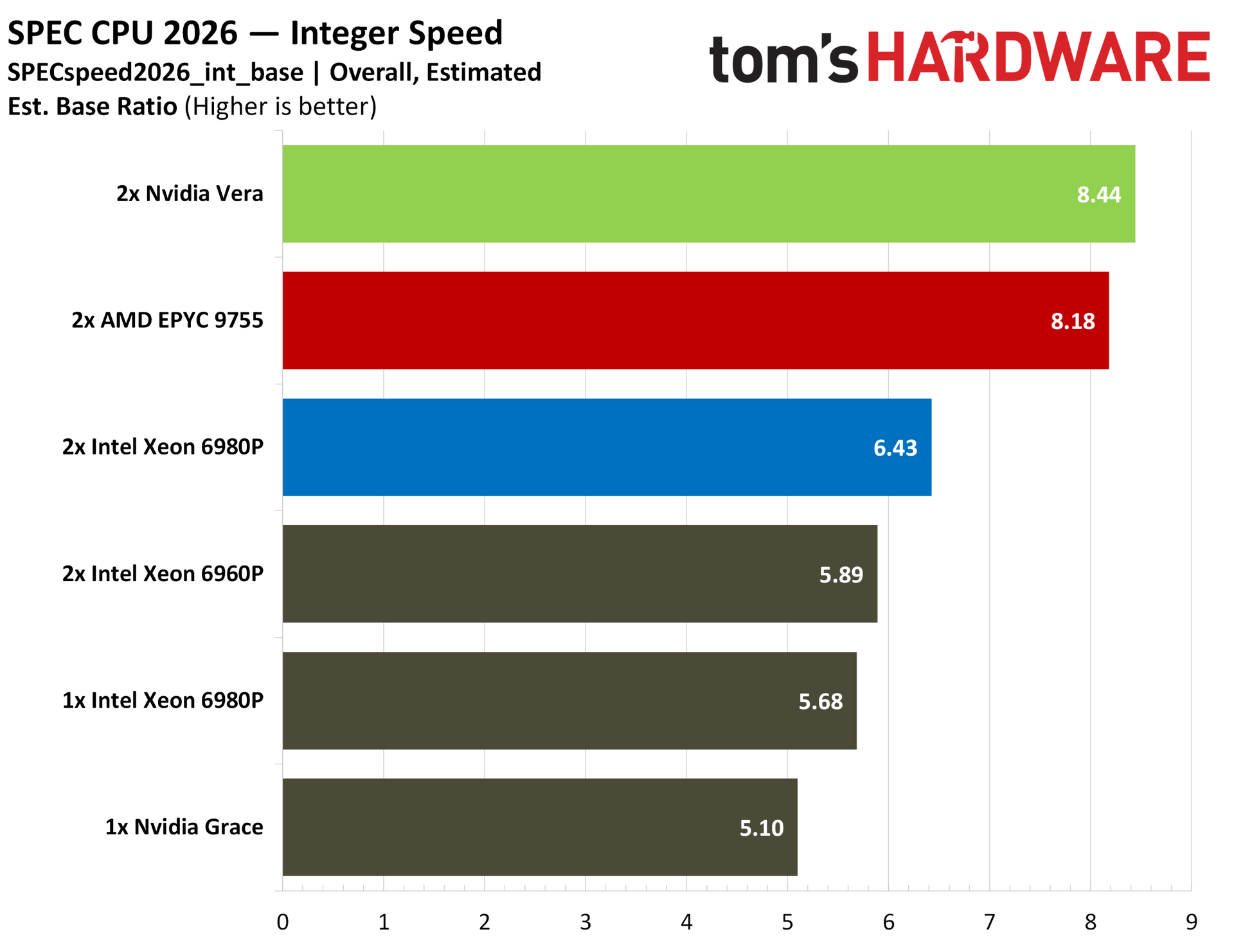
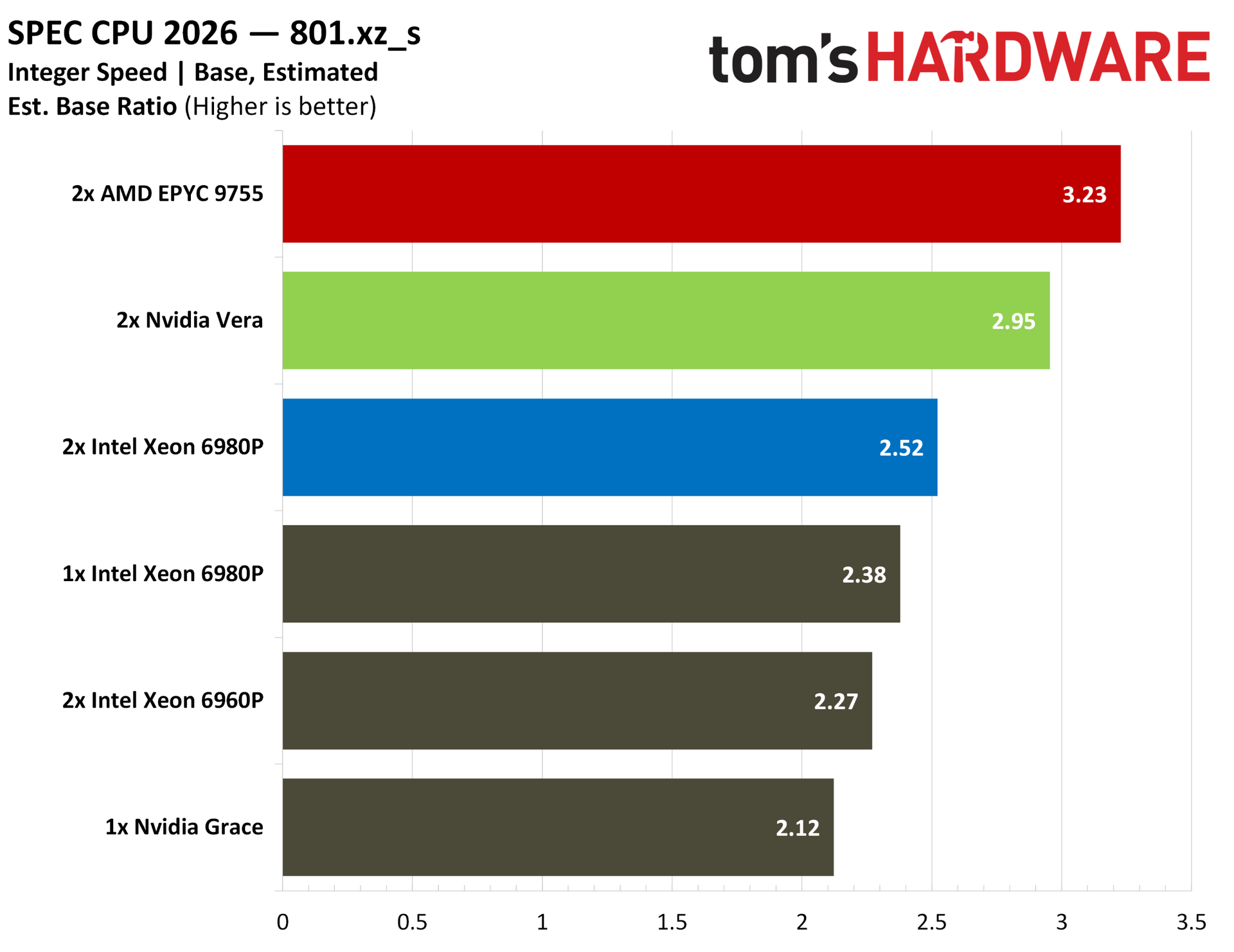
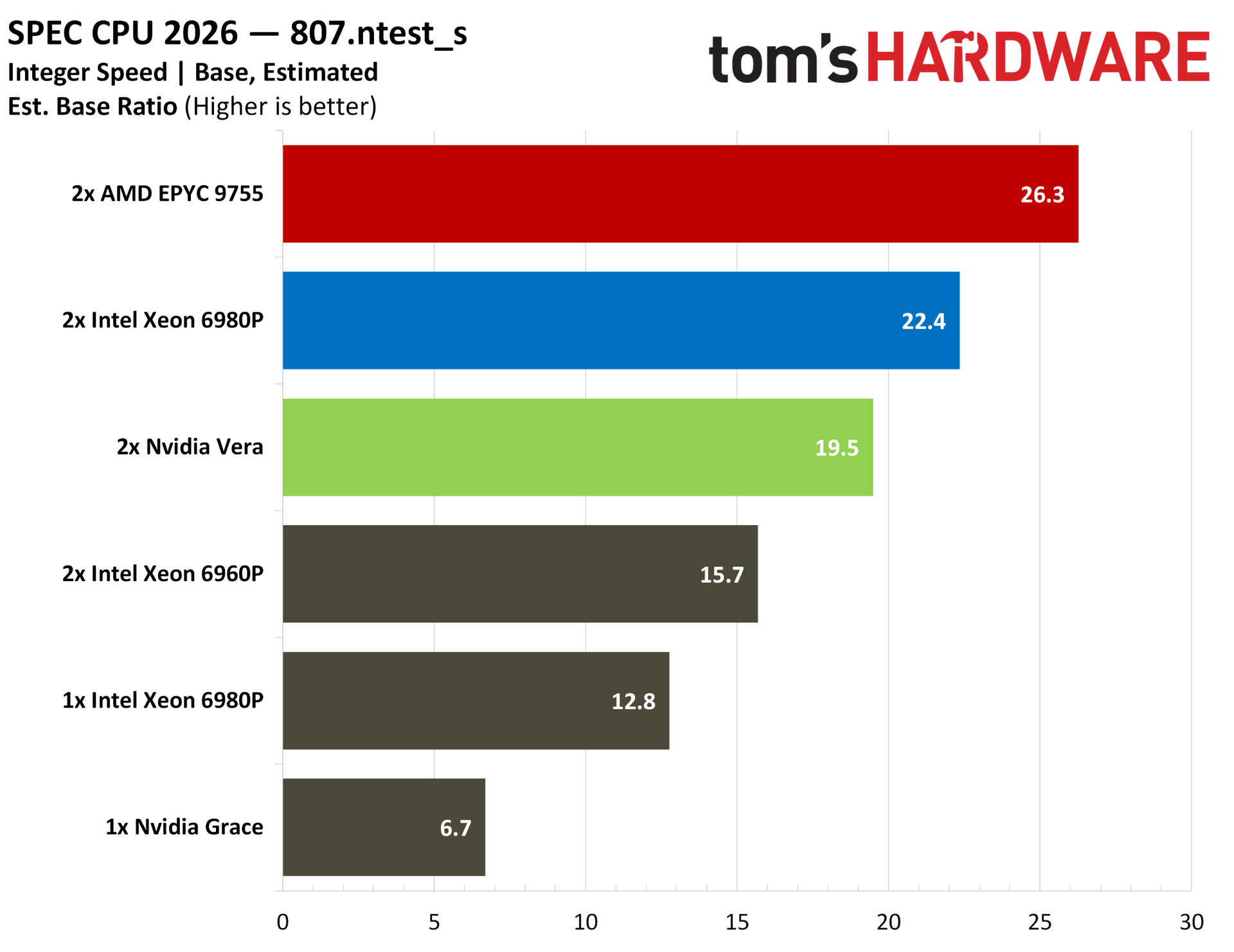
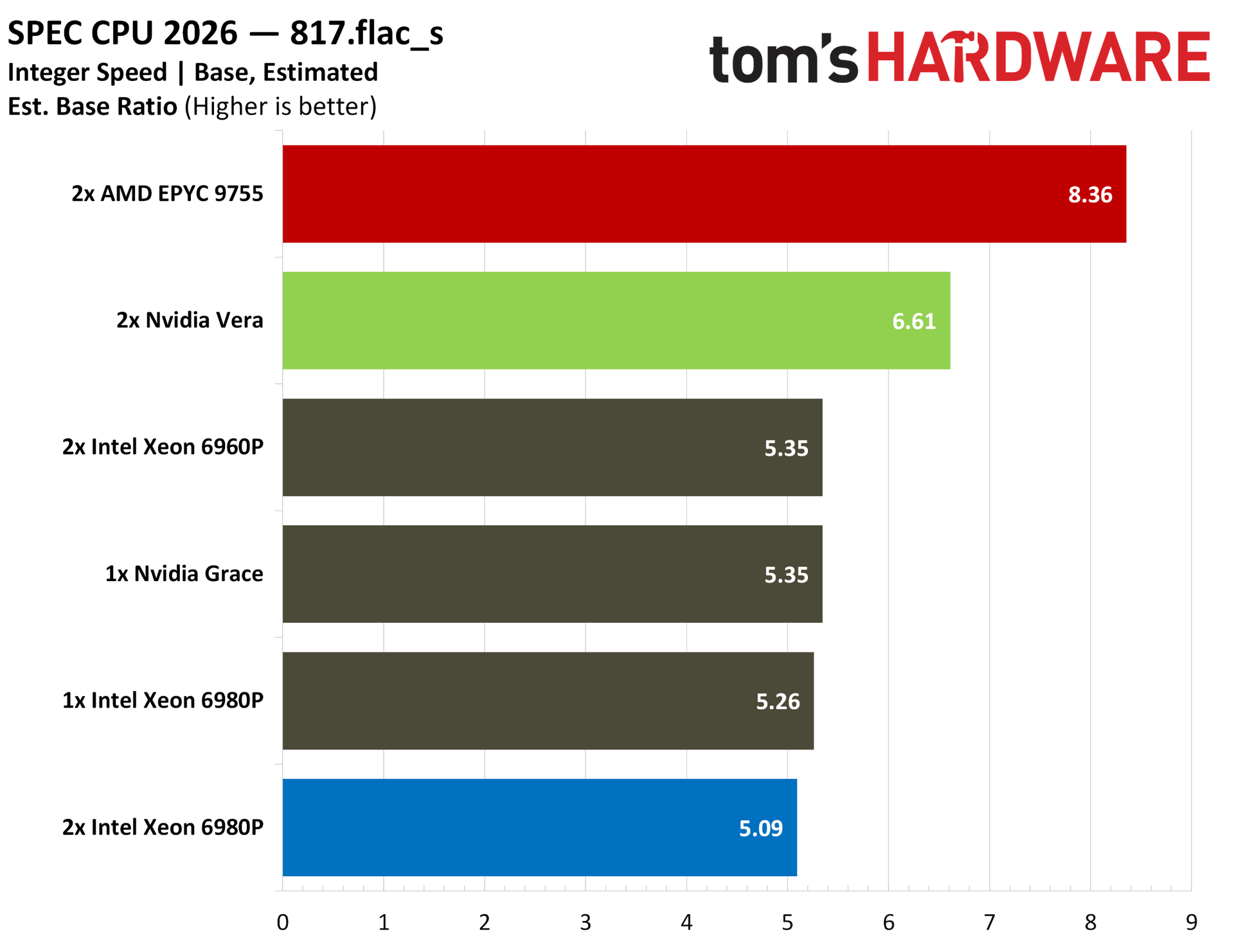
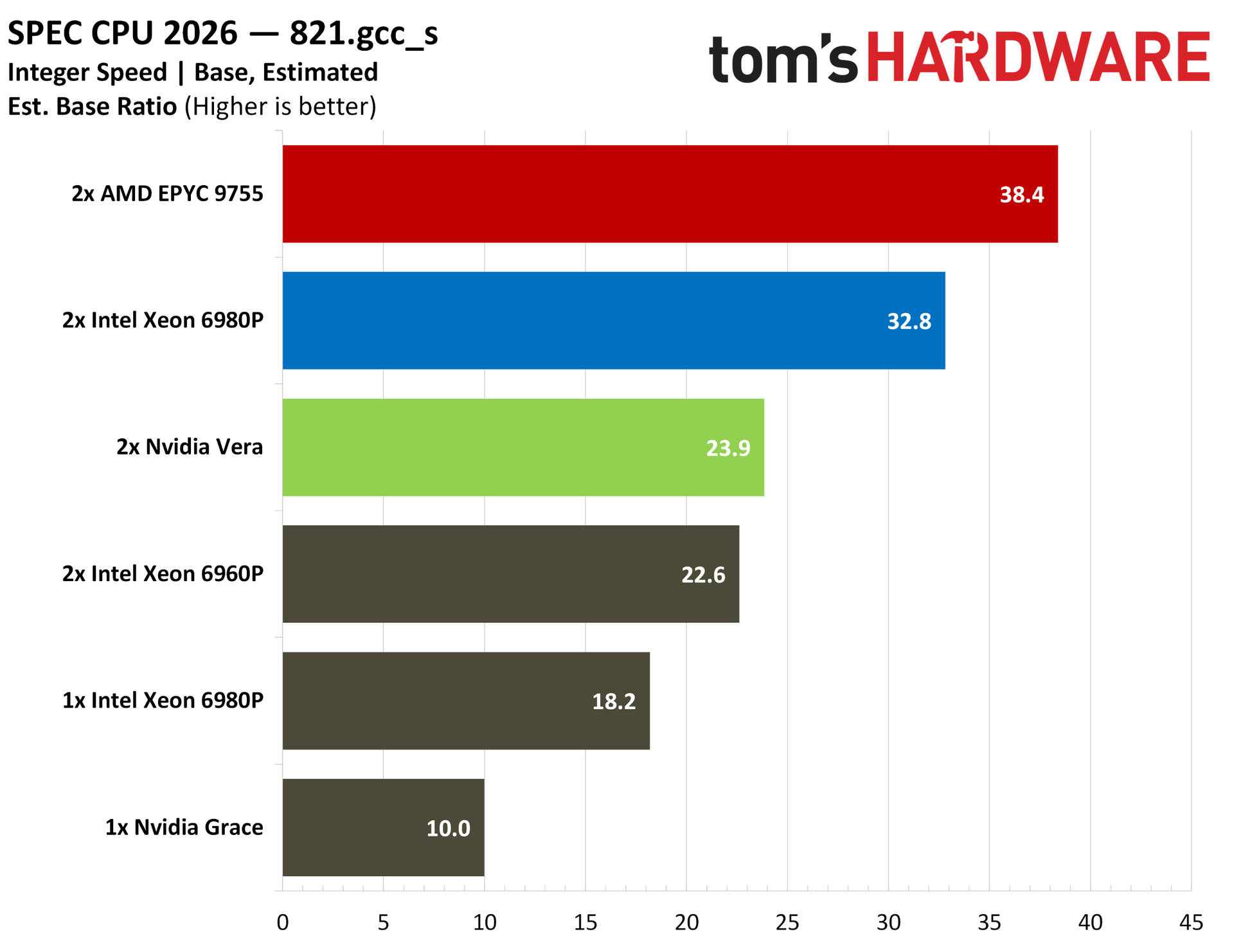
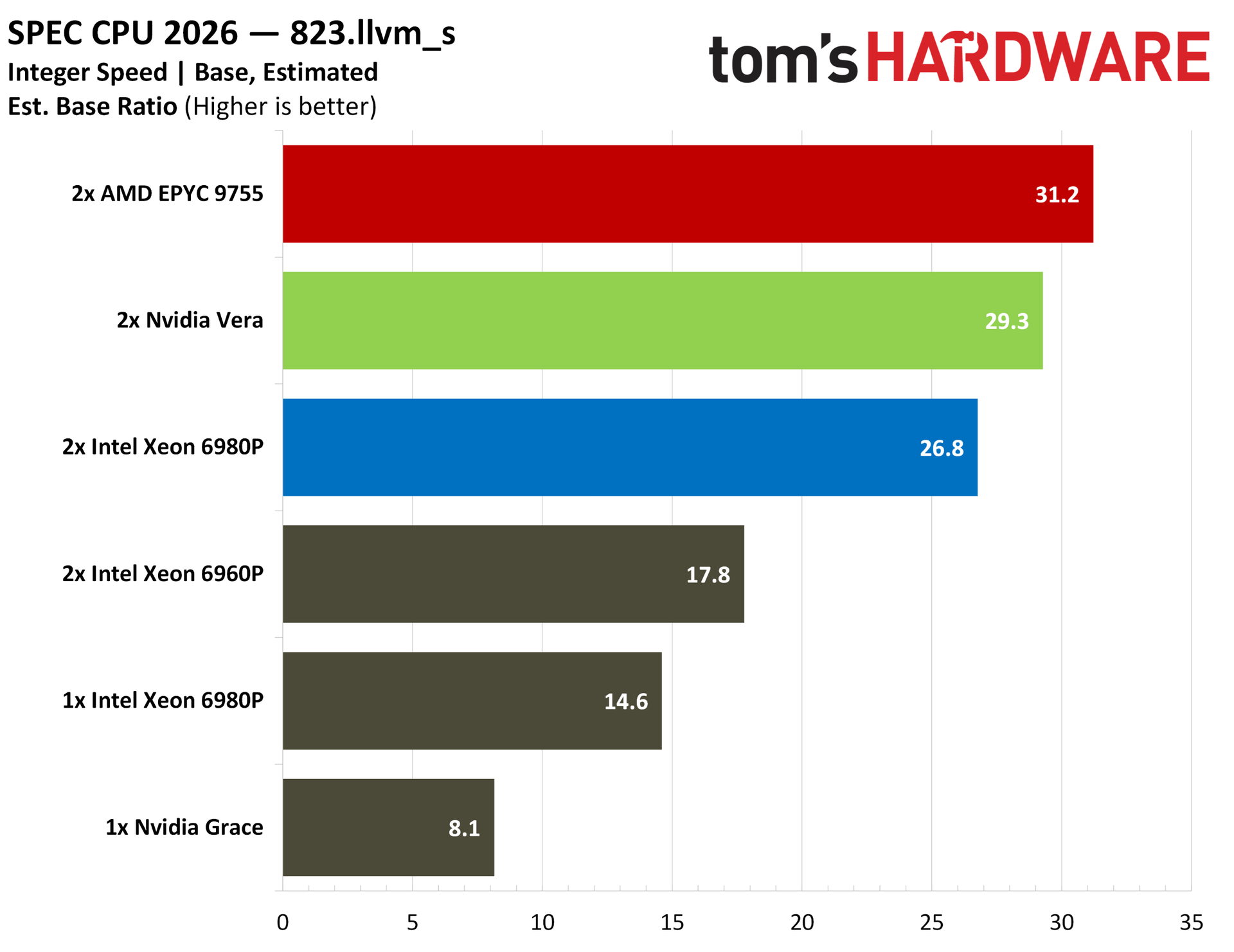
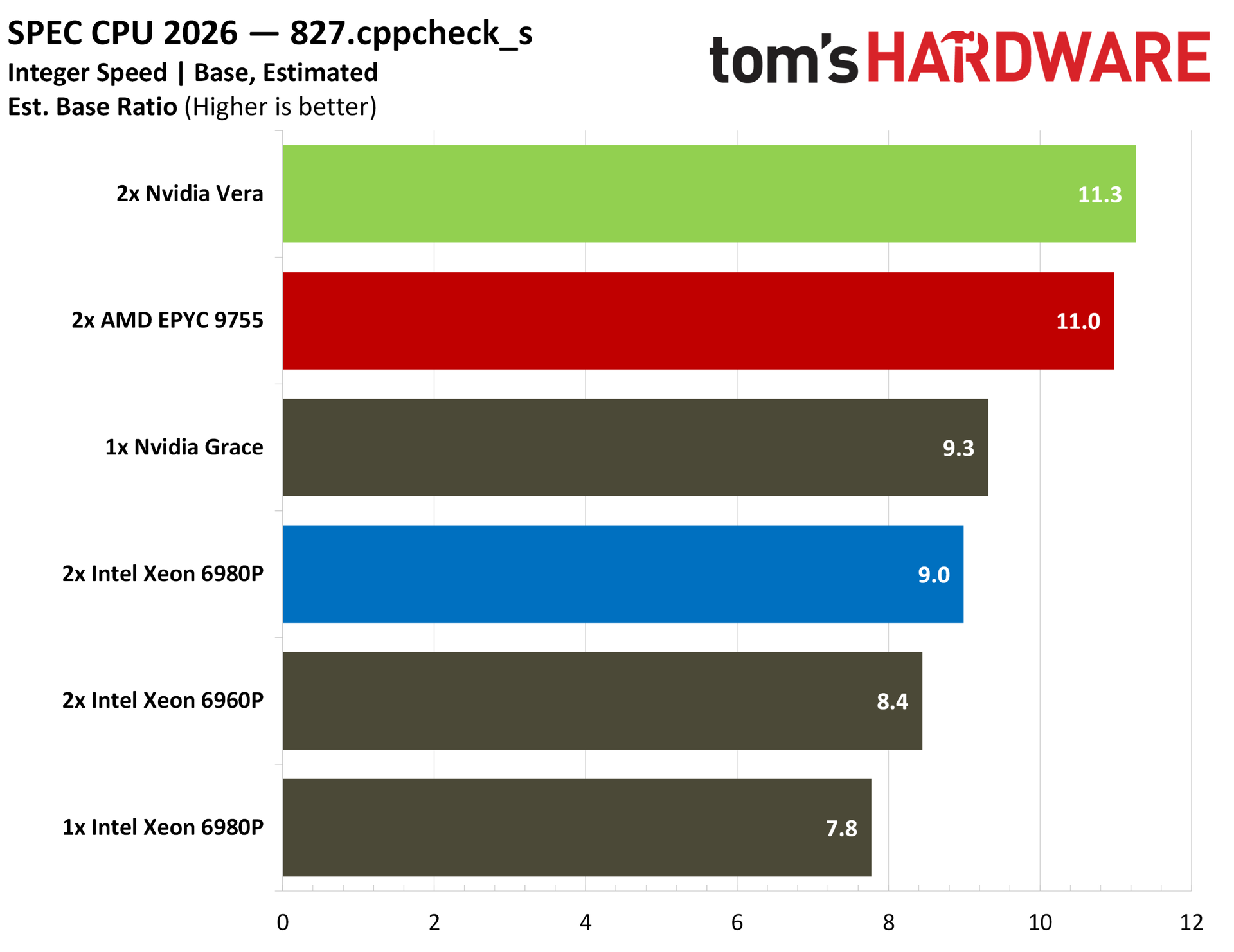
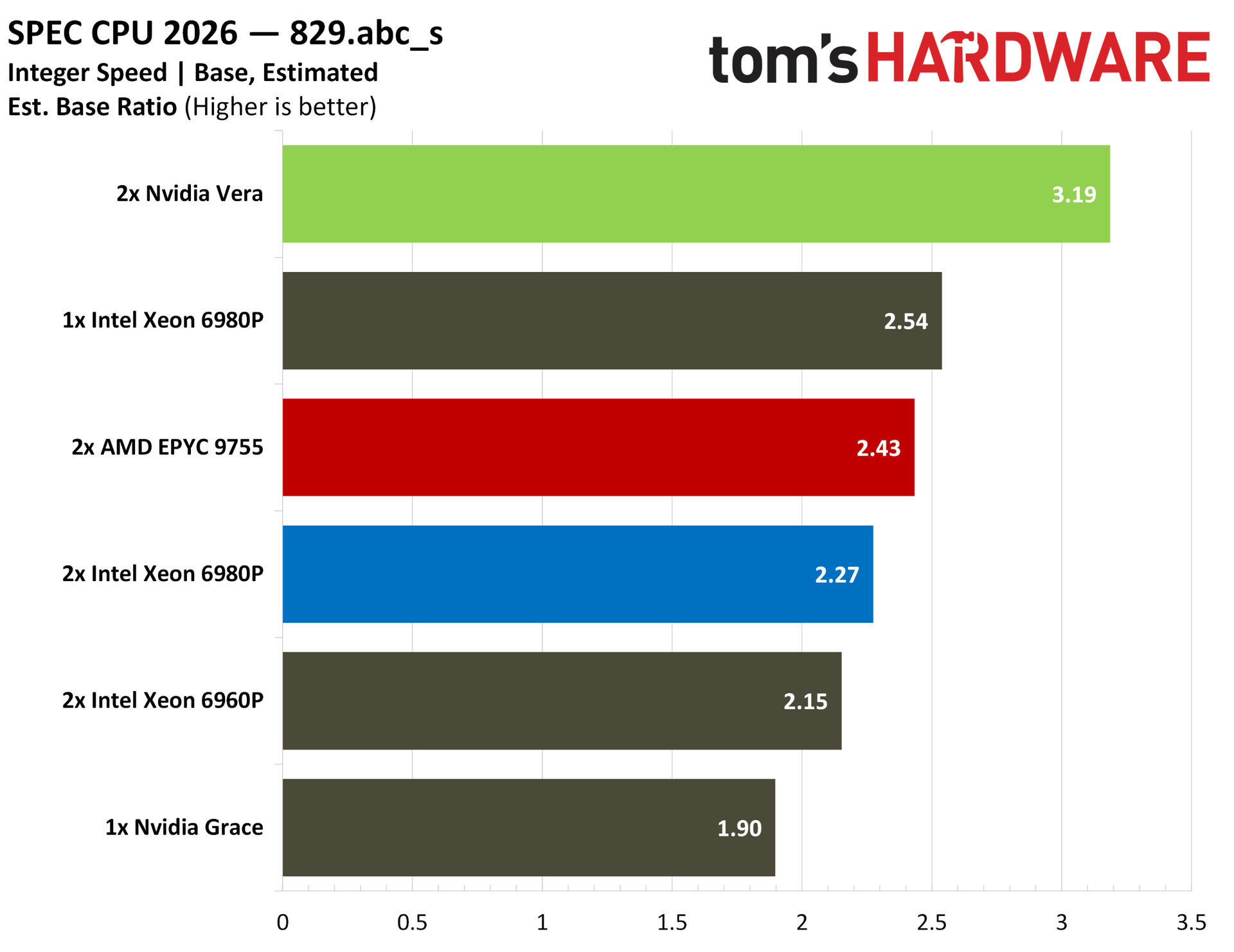
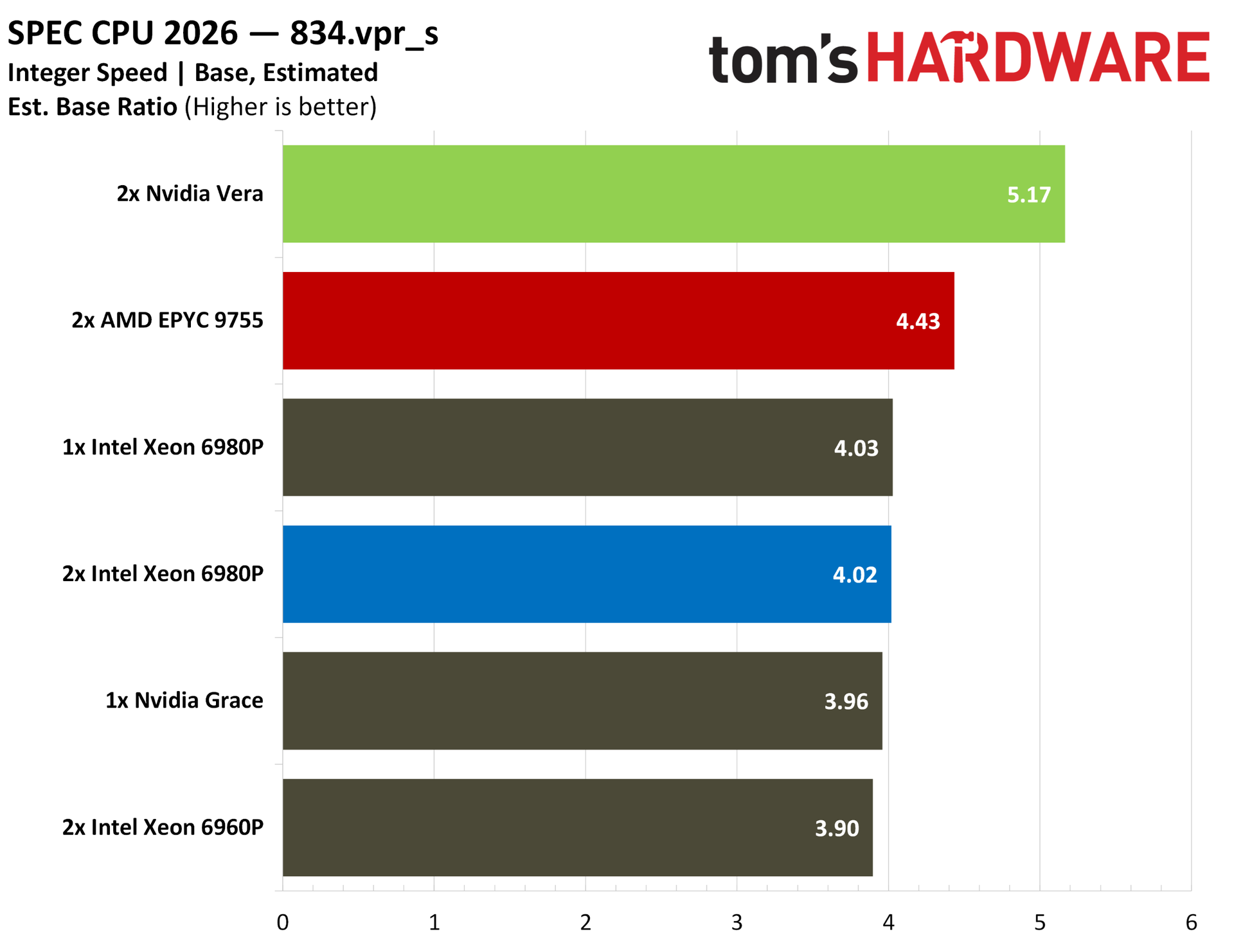
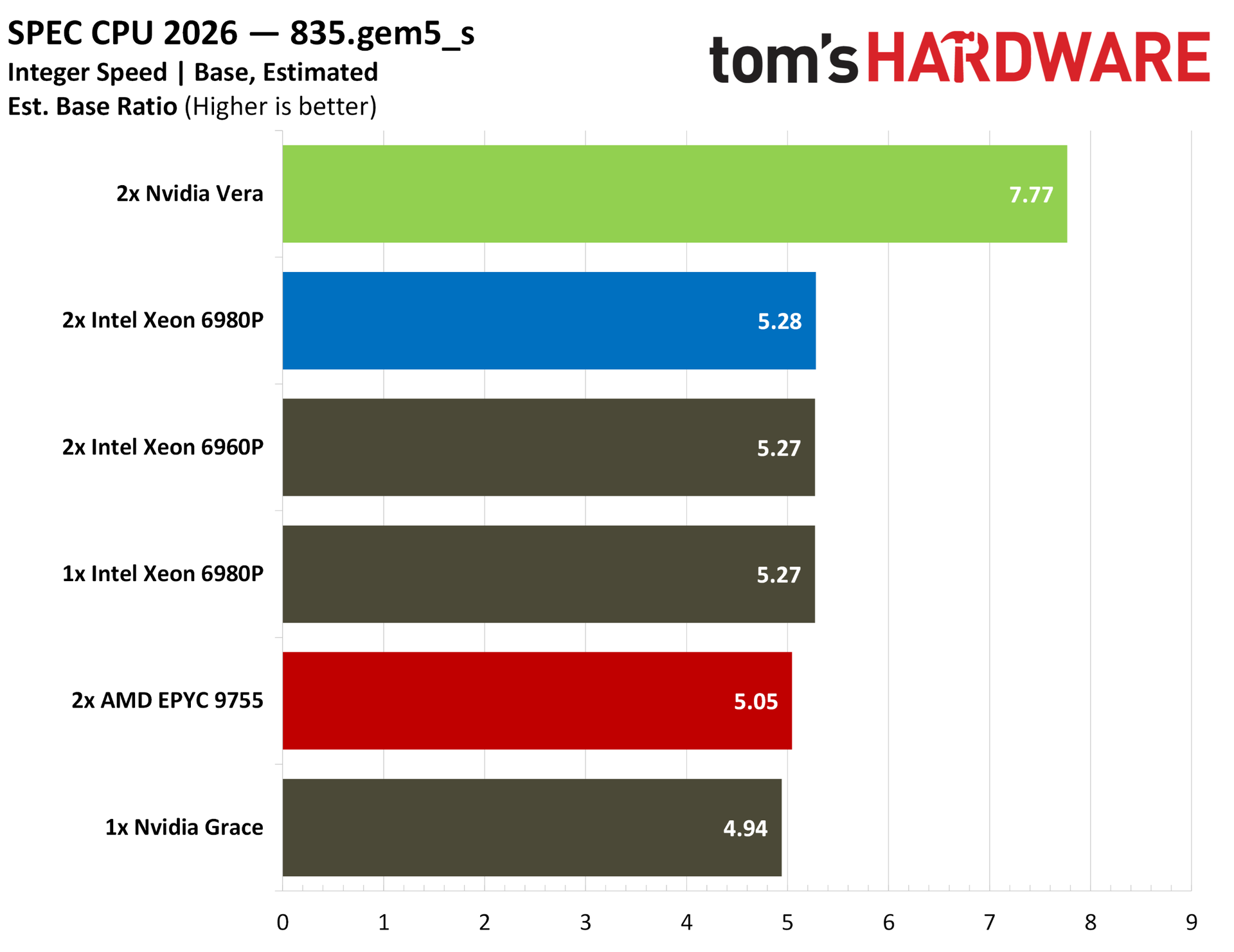
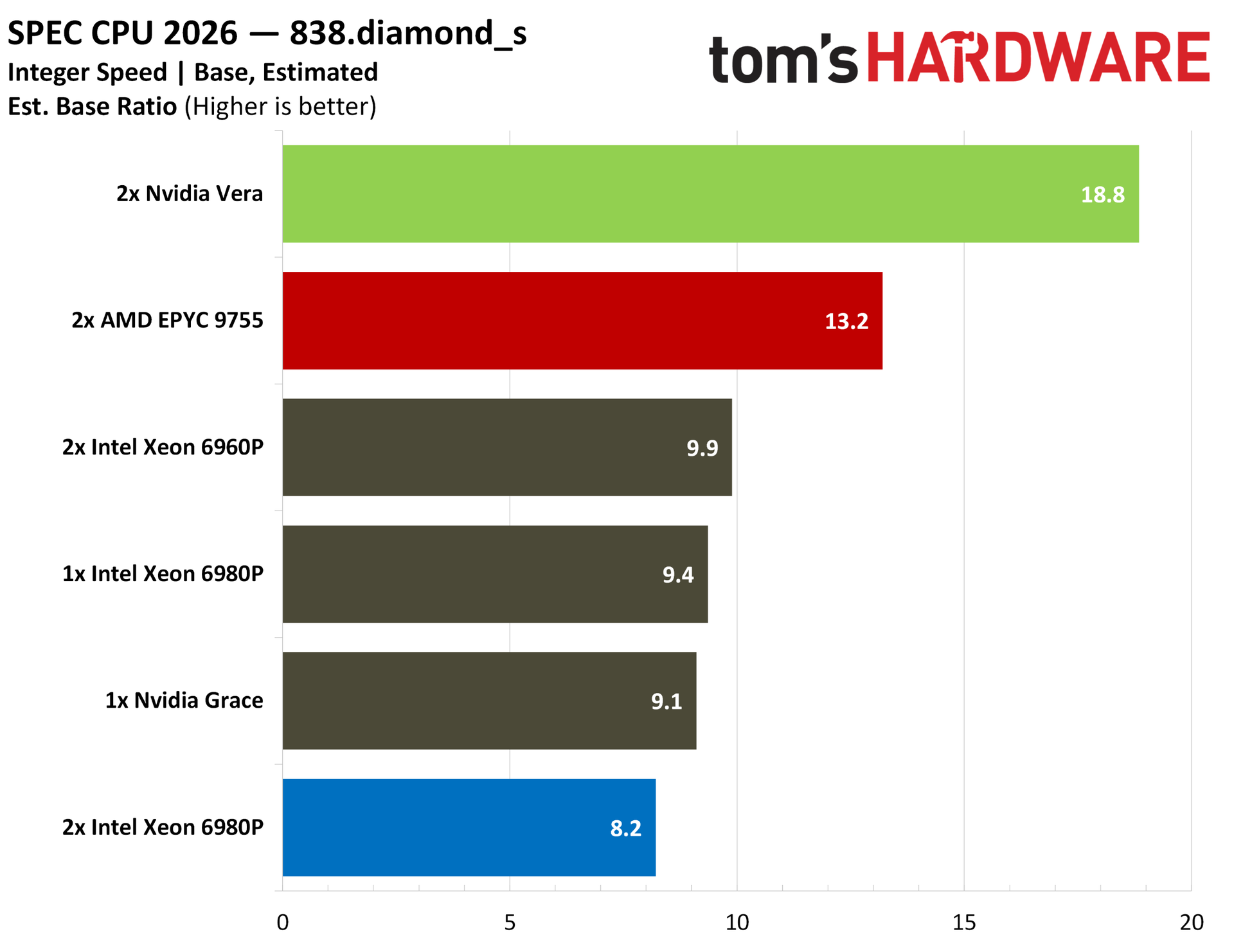
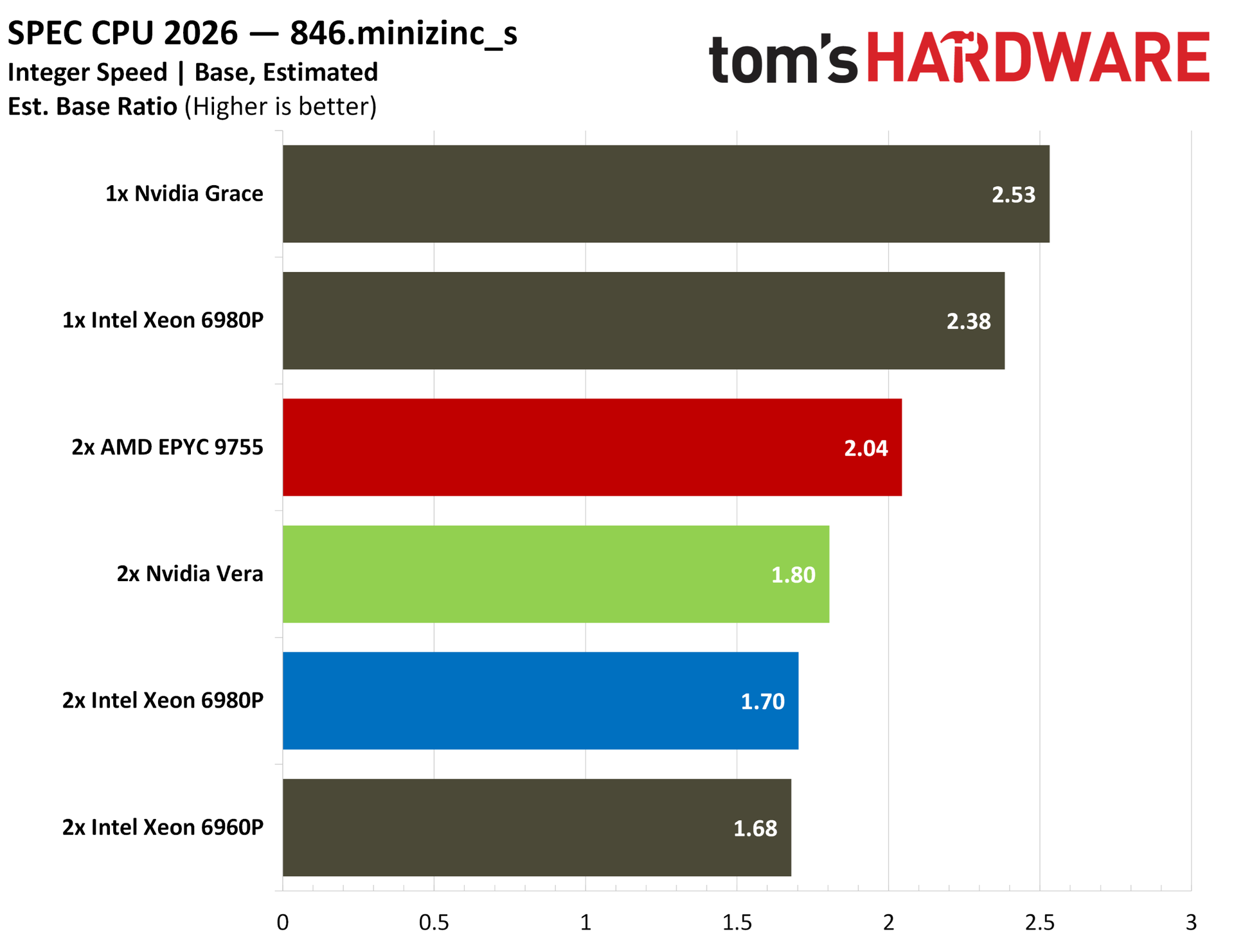
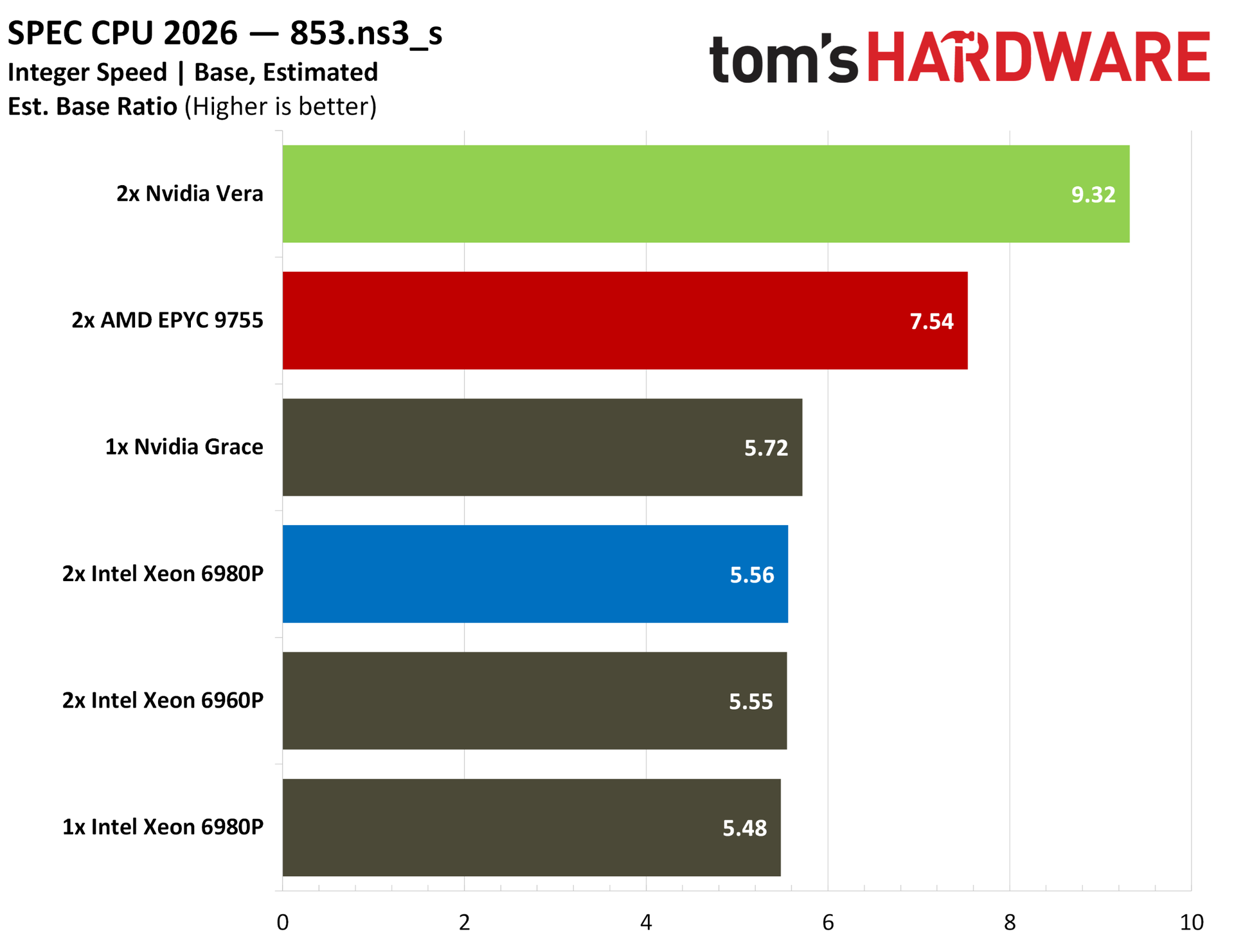
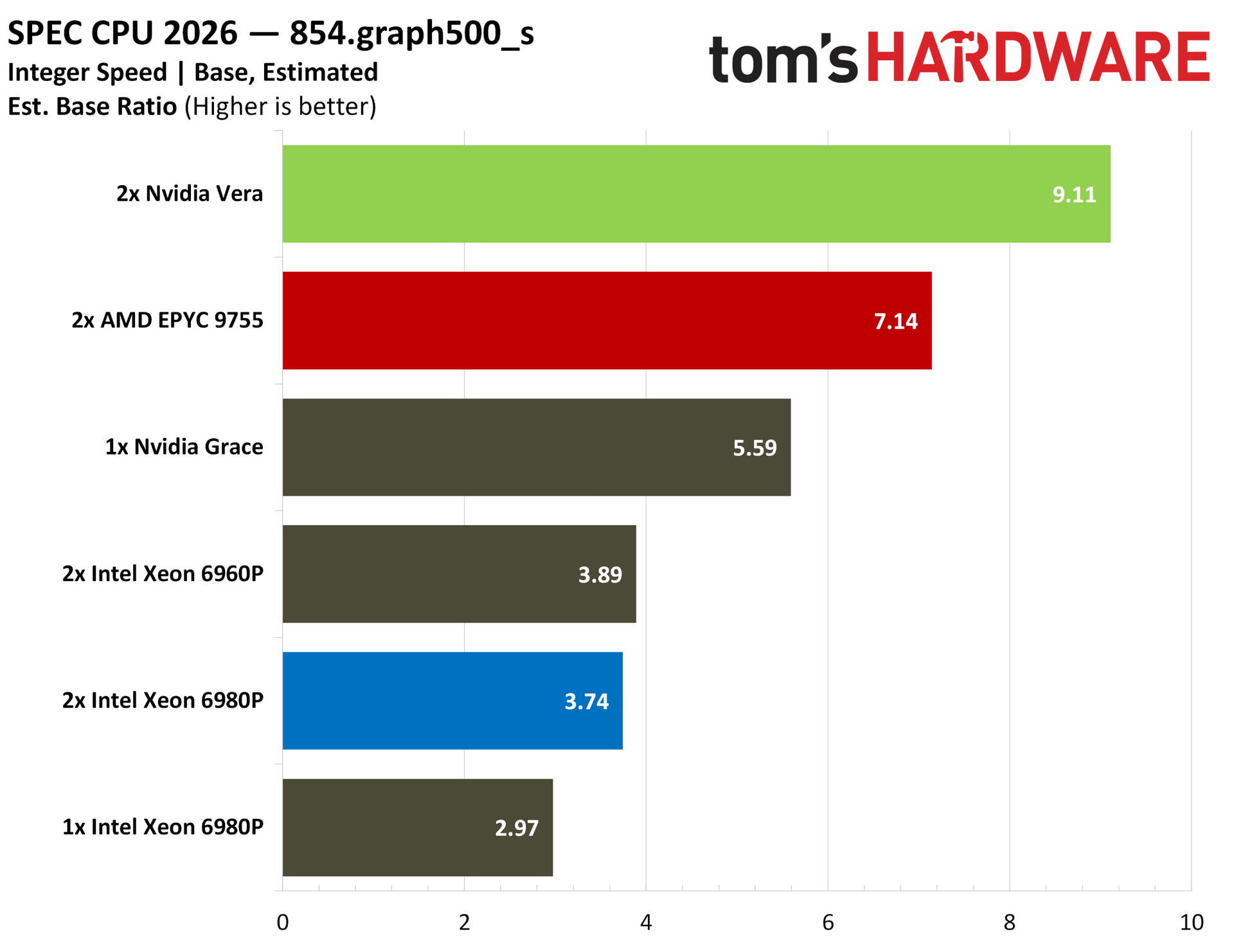
The throughput benchmarks are what matter here for chips in this class, but we also ran SPEC CPU 2026’s intspeed suite for some estimated results, scaling up to use every thread available. No one is realistically running a single application on servers utilizing every thread available like this, but the numbers are there to browse if you’re interested.
Nvidia Vera Python and AI benchmarks
If there’s any direct benchmark for agentic AI right now, it’s Python performance. There isn’t one universal language for AI agents, but Python (and, to a lesser extent, TypeScript) make up the foundational agentic frameworks like LangGraph, CrewAI, and AutoGen. A strong agentic CPU right now is defined in part by strong Python performance, and Vera has exactly that.
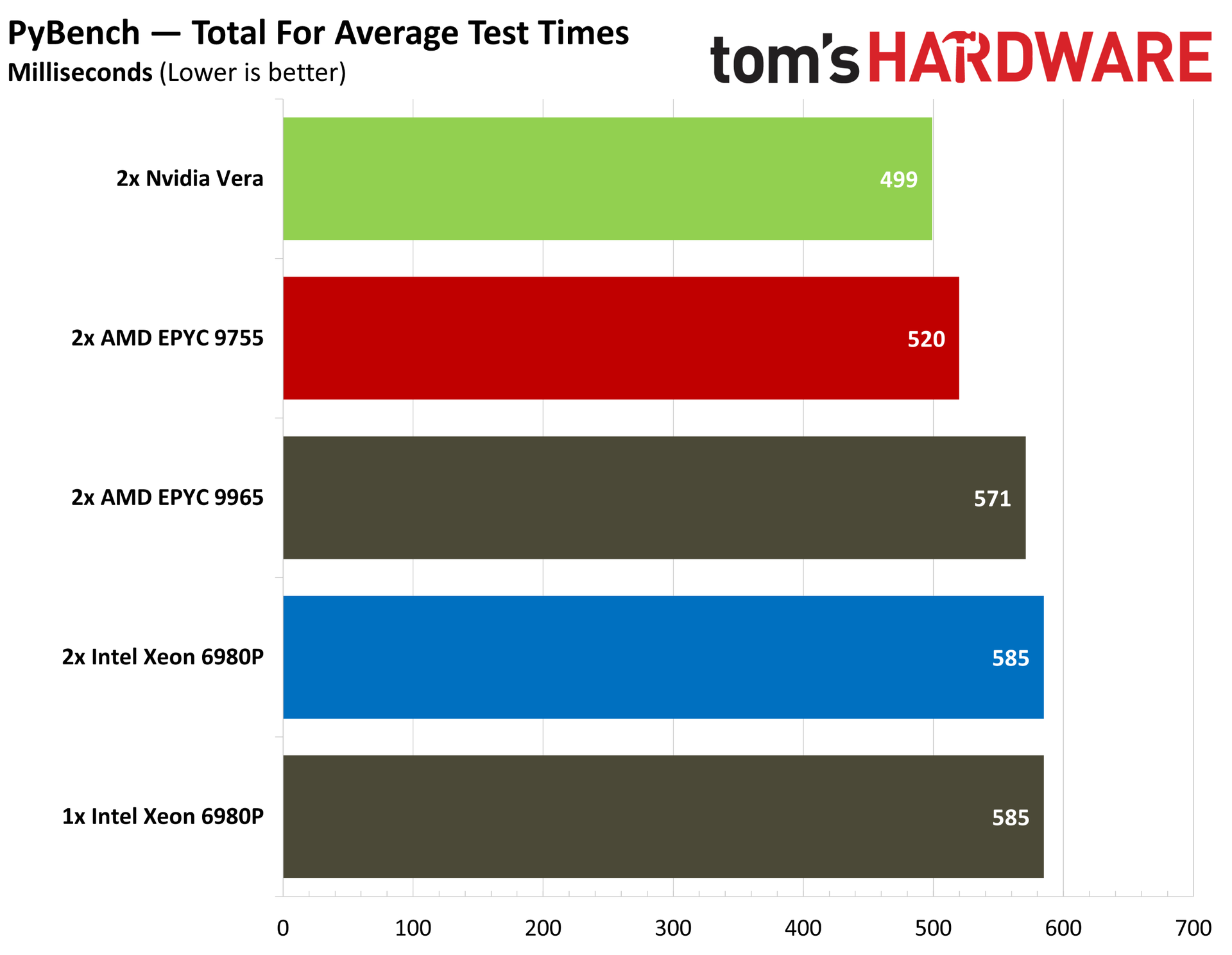
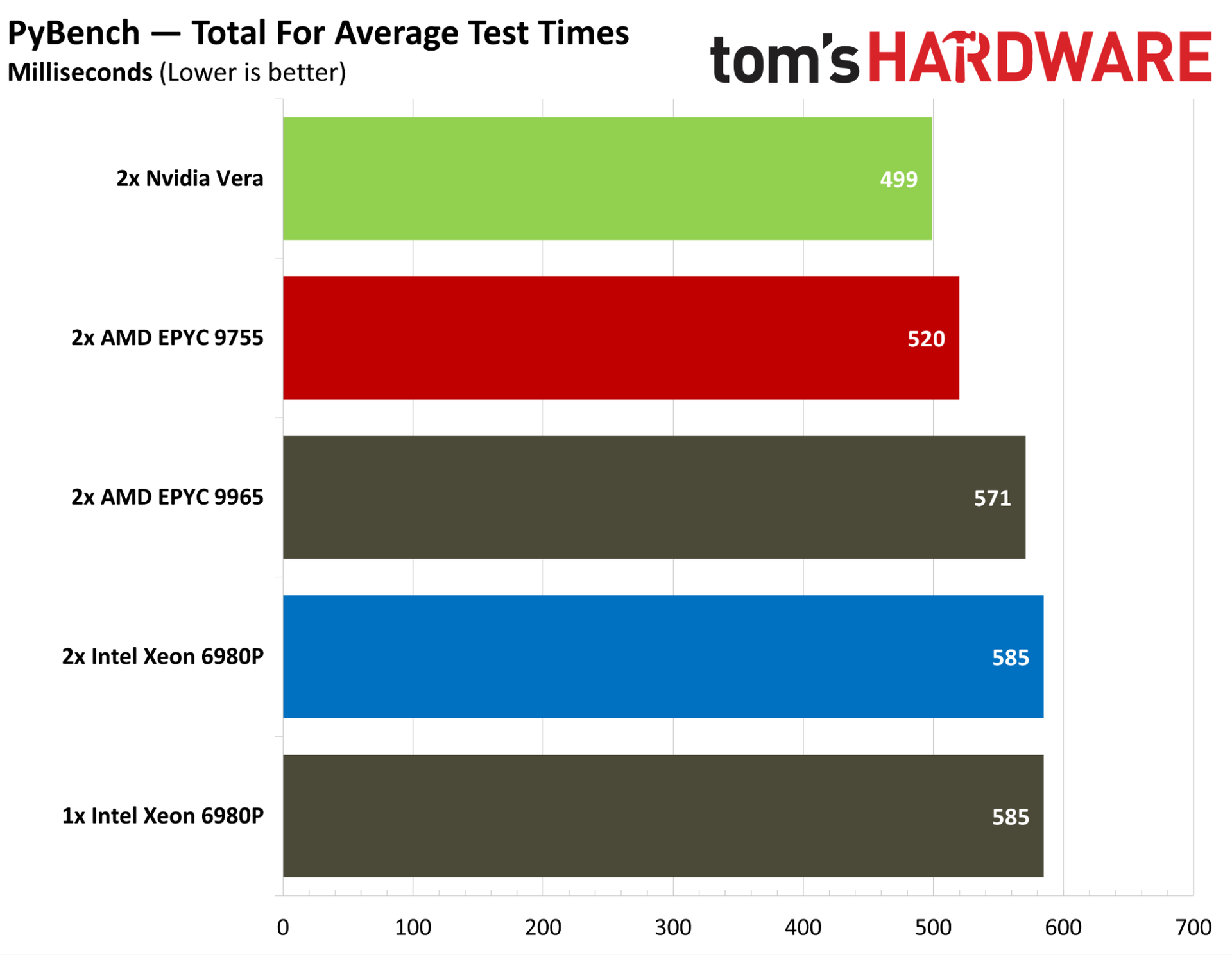
Starting with a broad overview, you can see the total average test times for PyBench above, with Vera leading the pack. It’s 4% ahead of the EPYC 9755, which itself leads Intel’s Xeons and the larger 9965. Python is largely single-threaded, especially for these basic, built-in functions, so we see the 9755 pair leading the 9965 pair throughout all of our Python benchmarks.
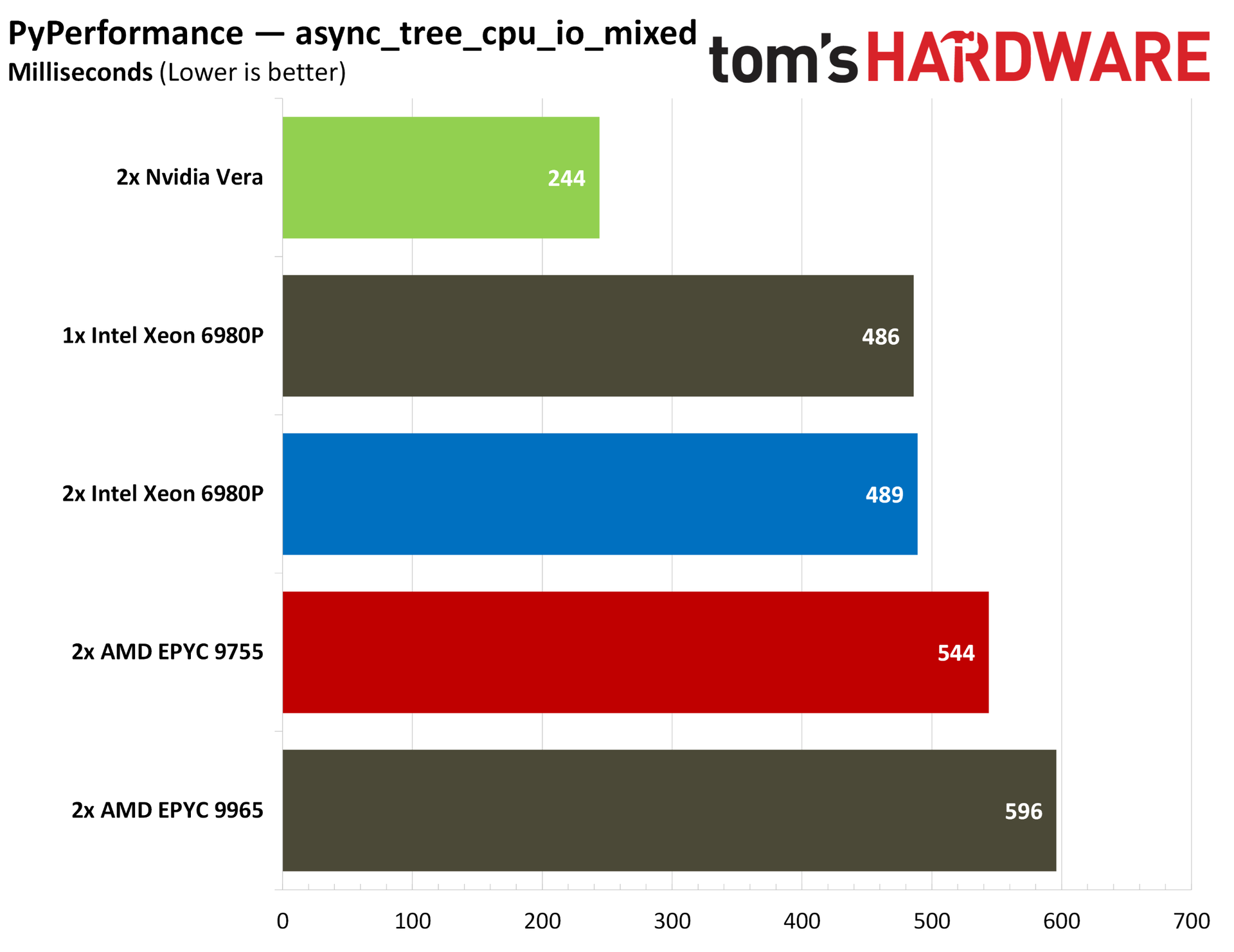
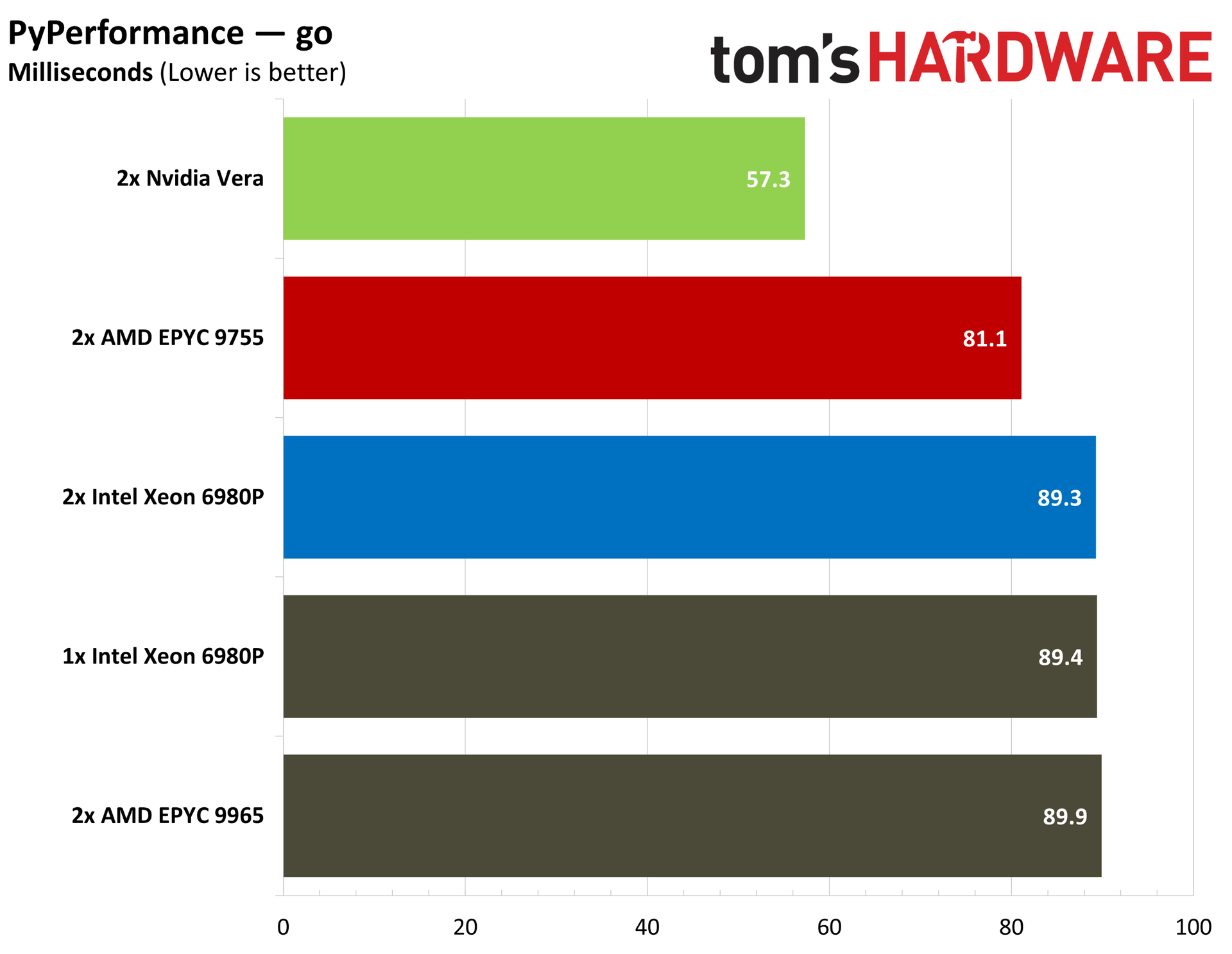
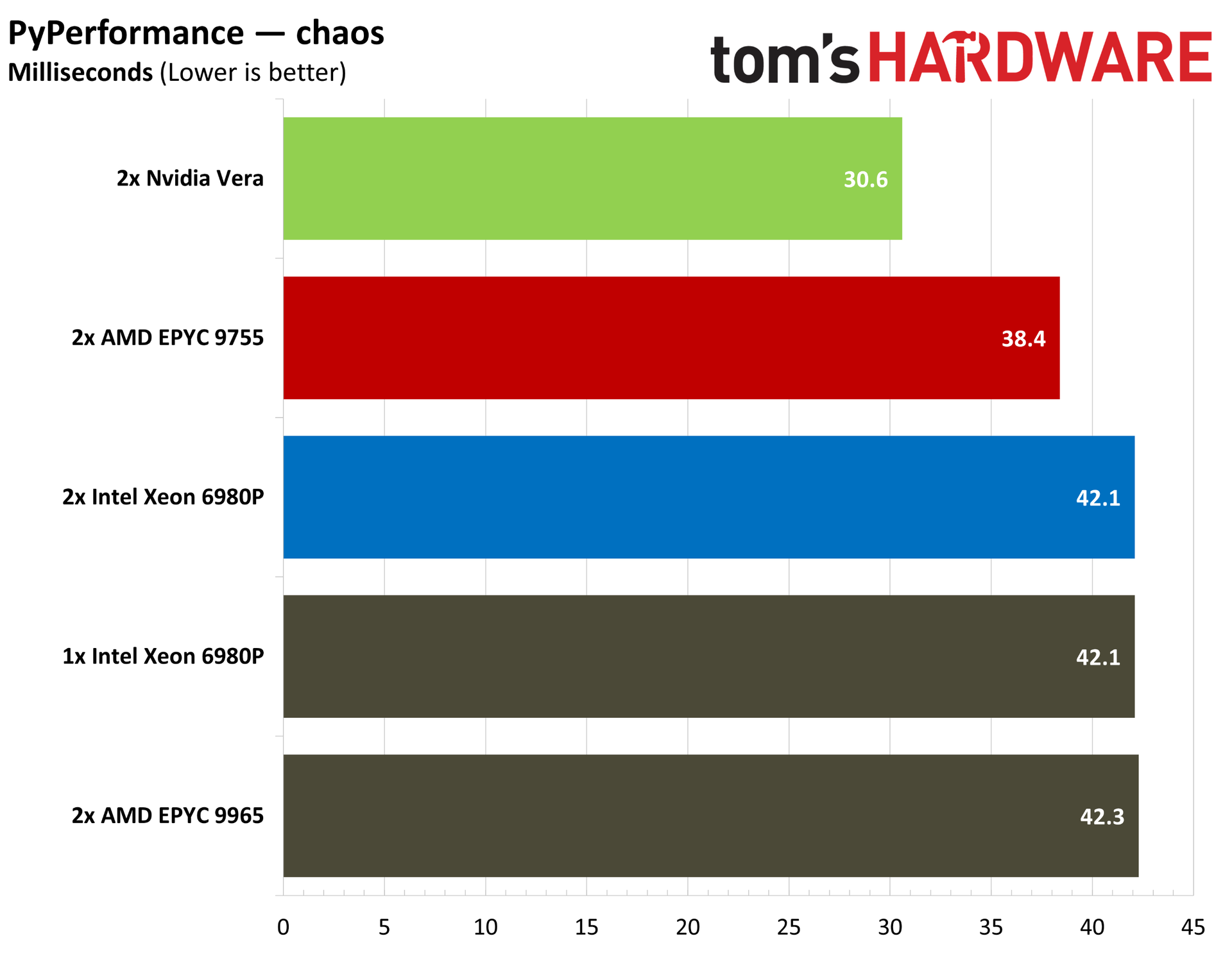
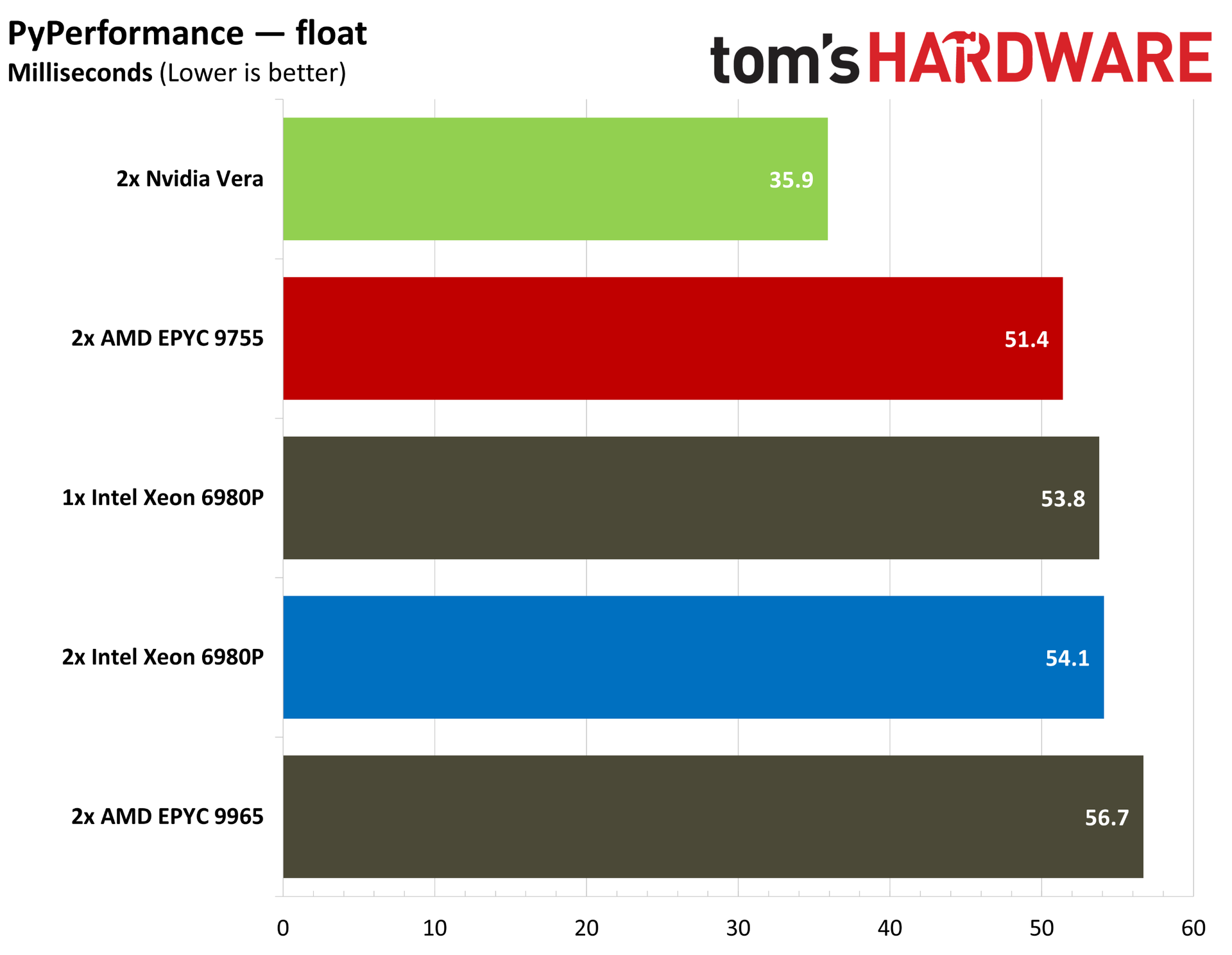
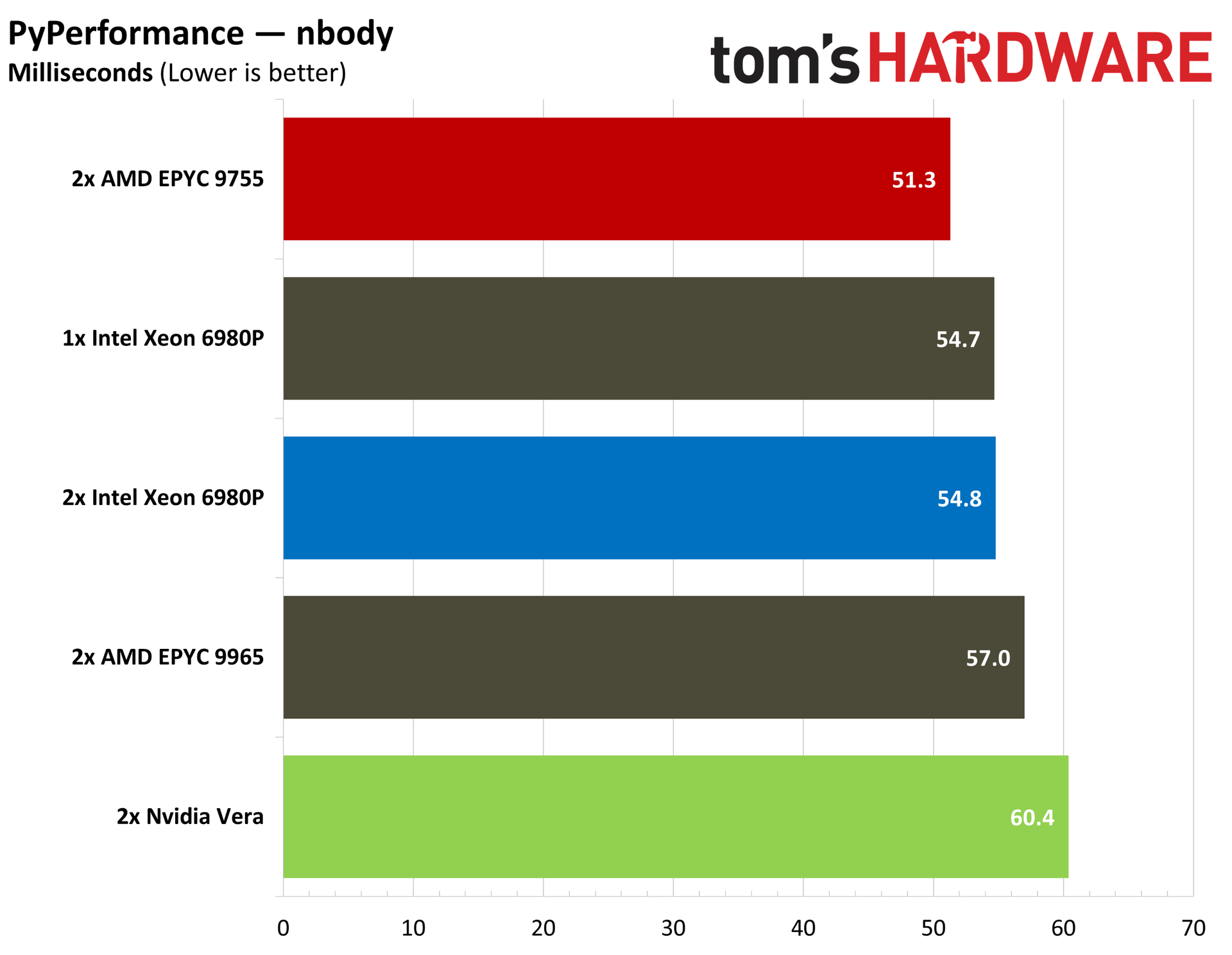
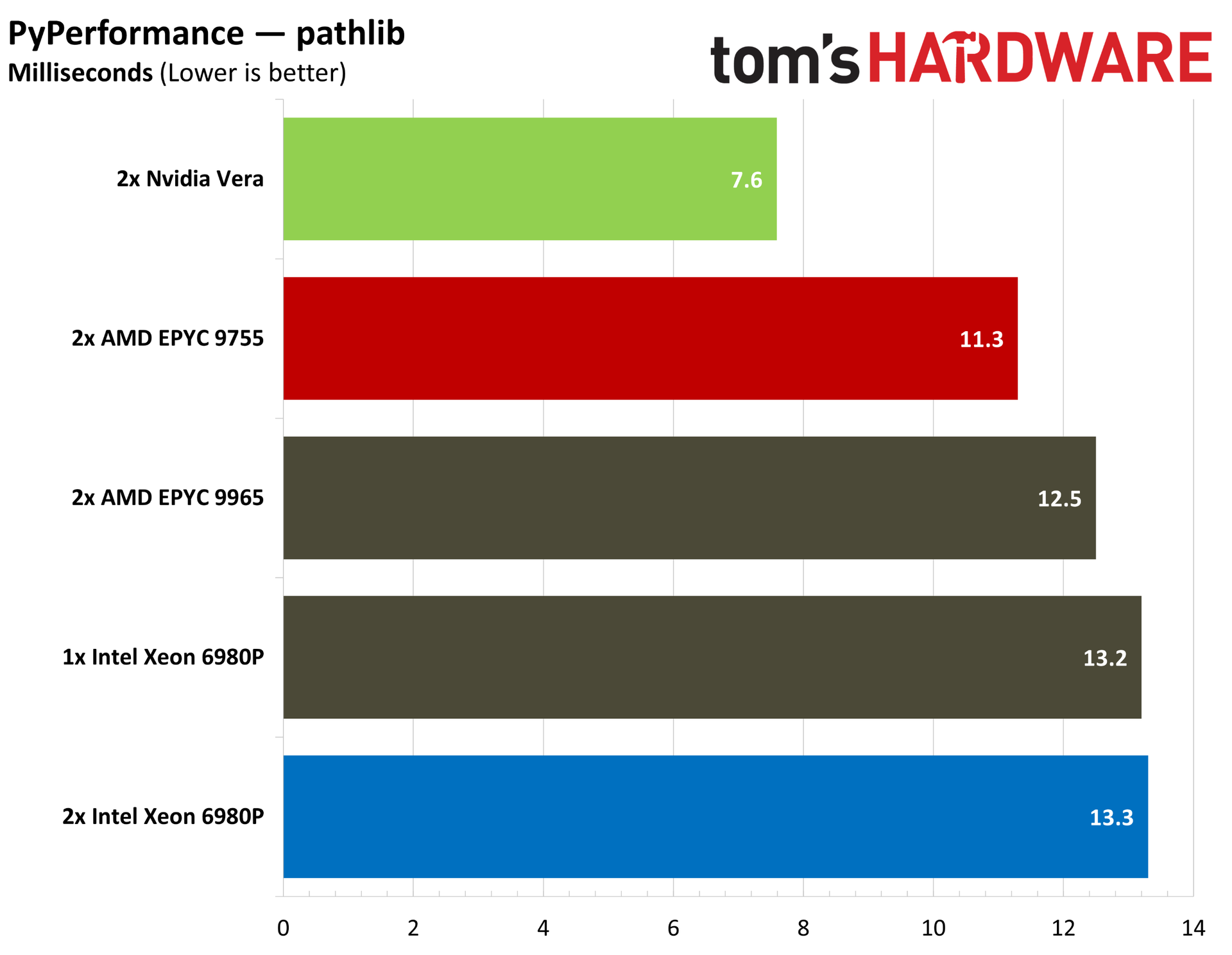
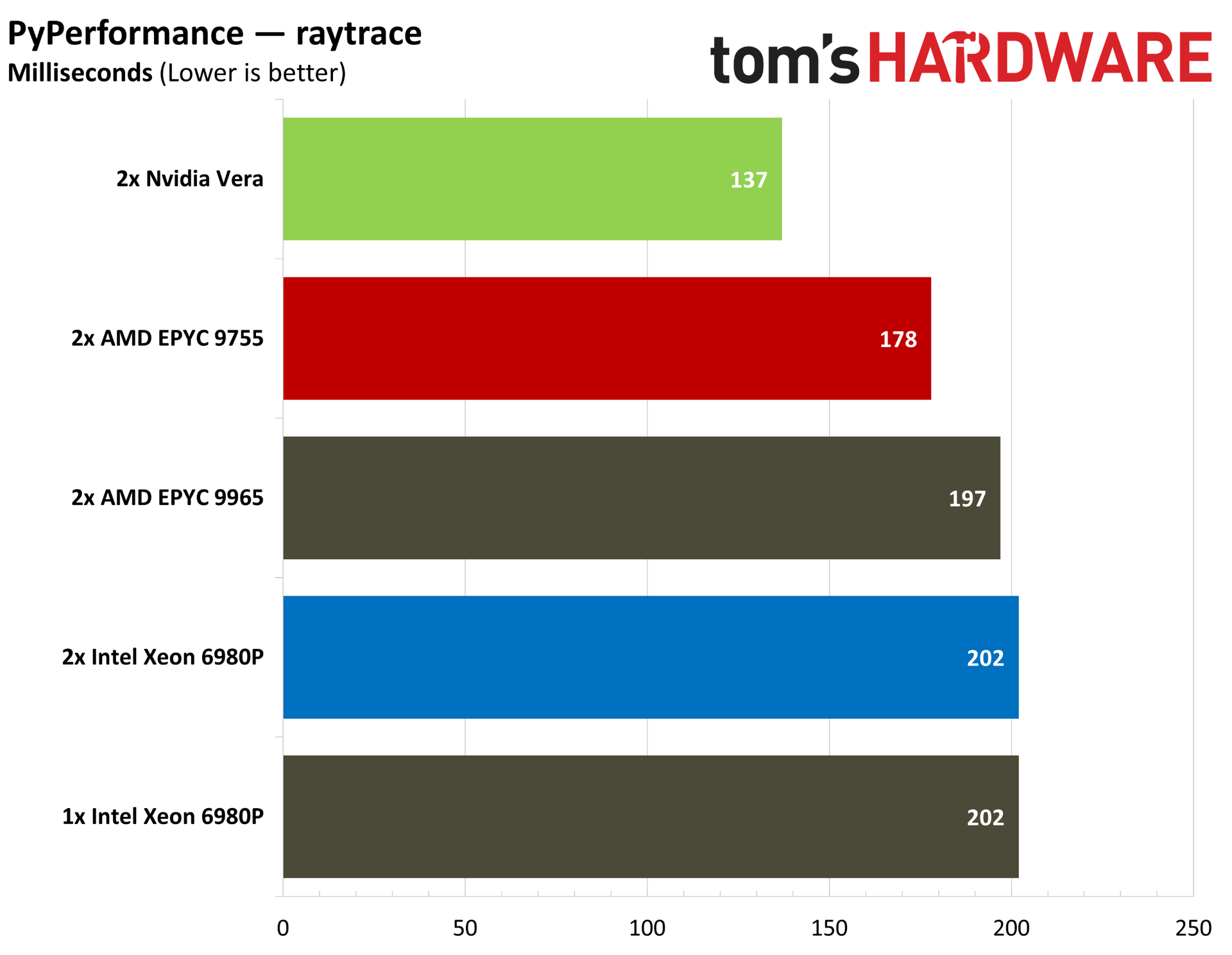
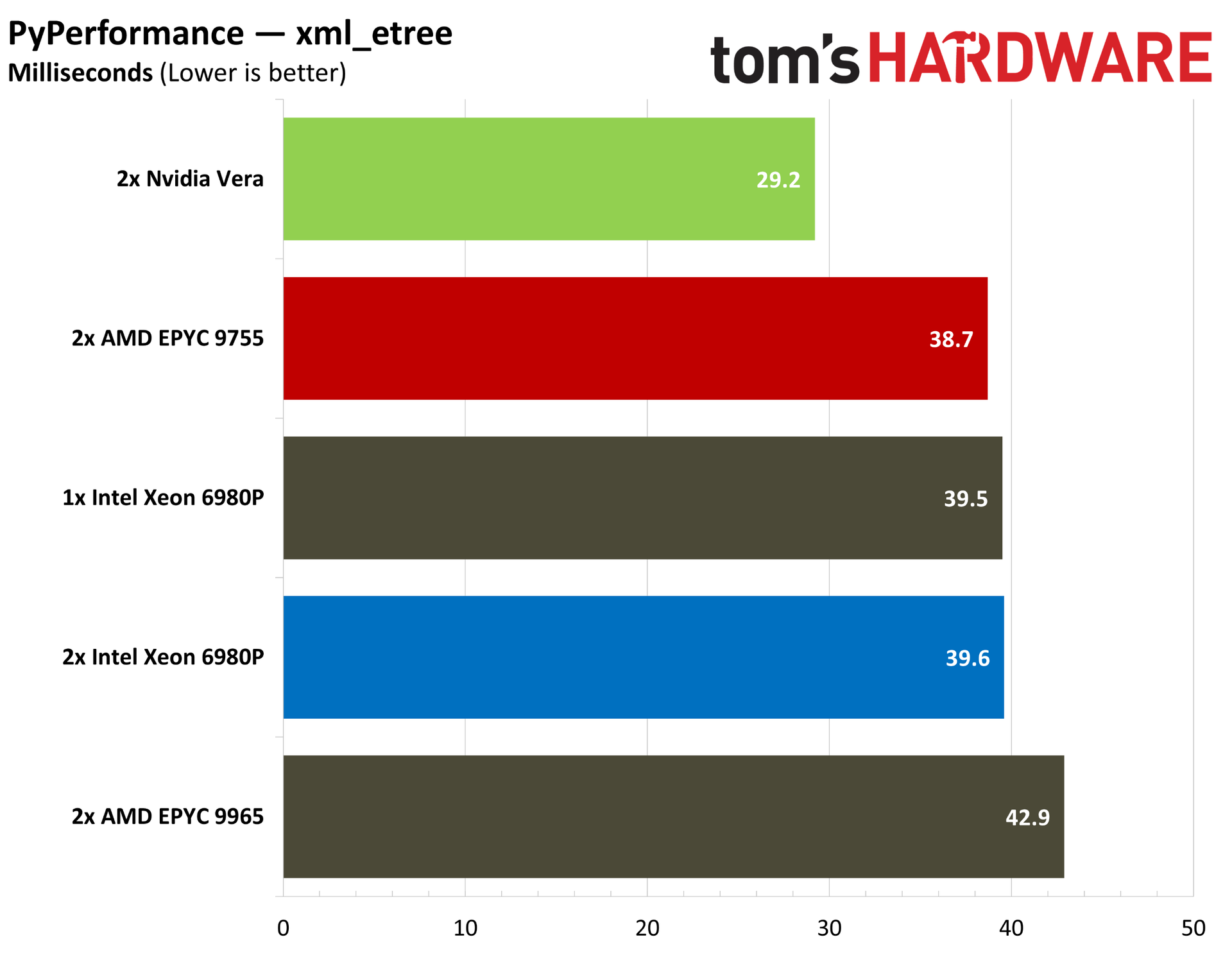
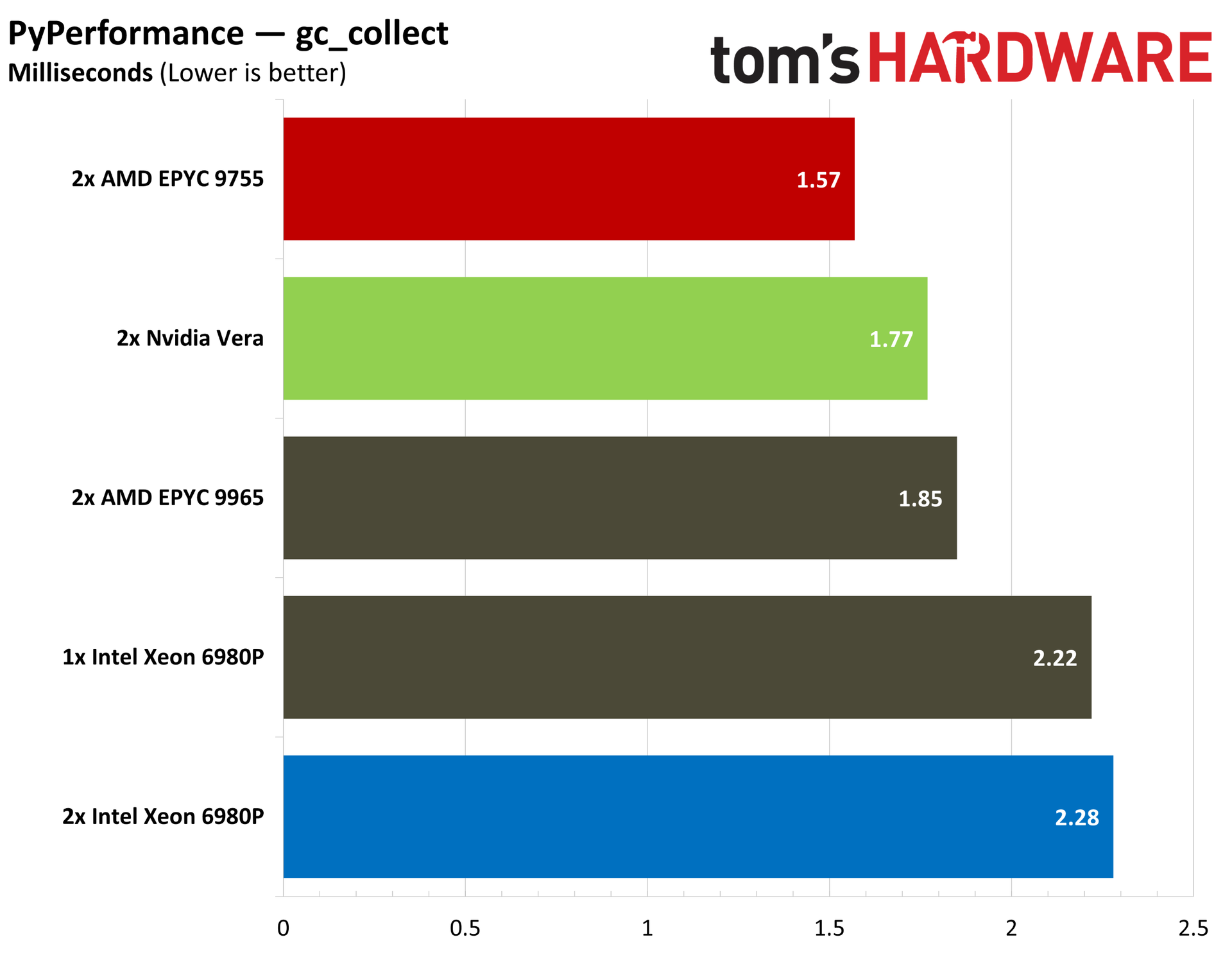
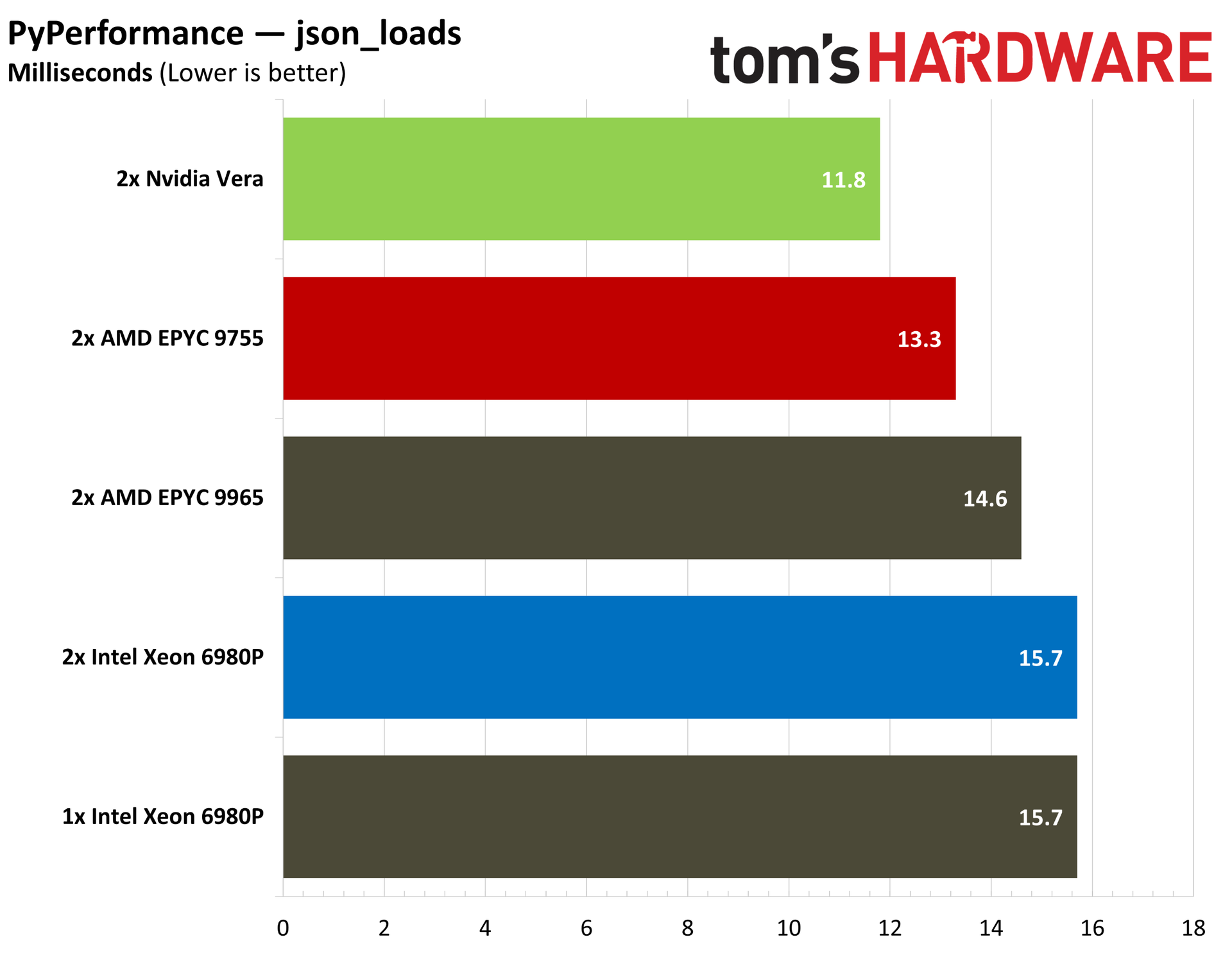
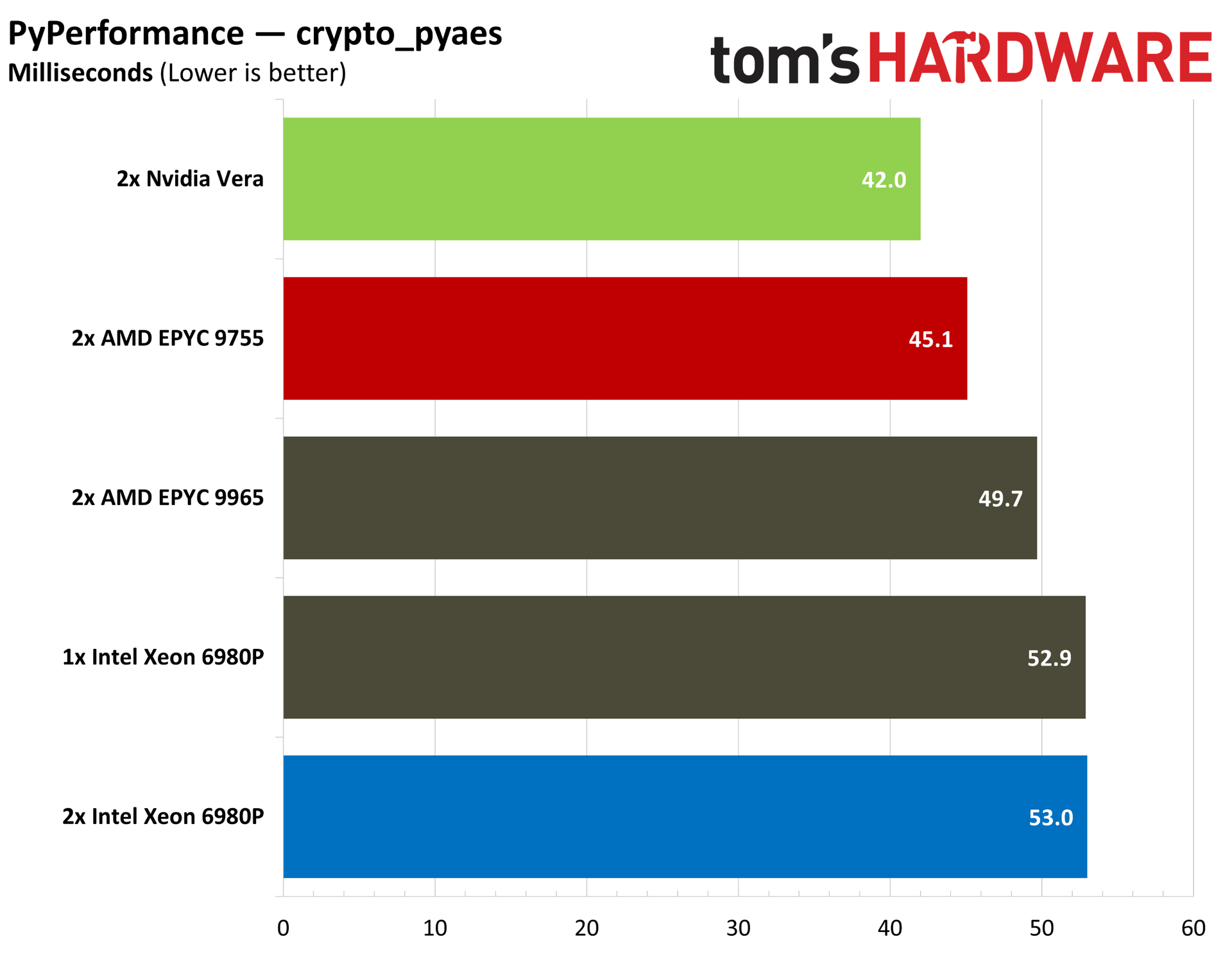
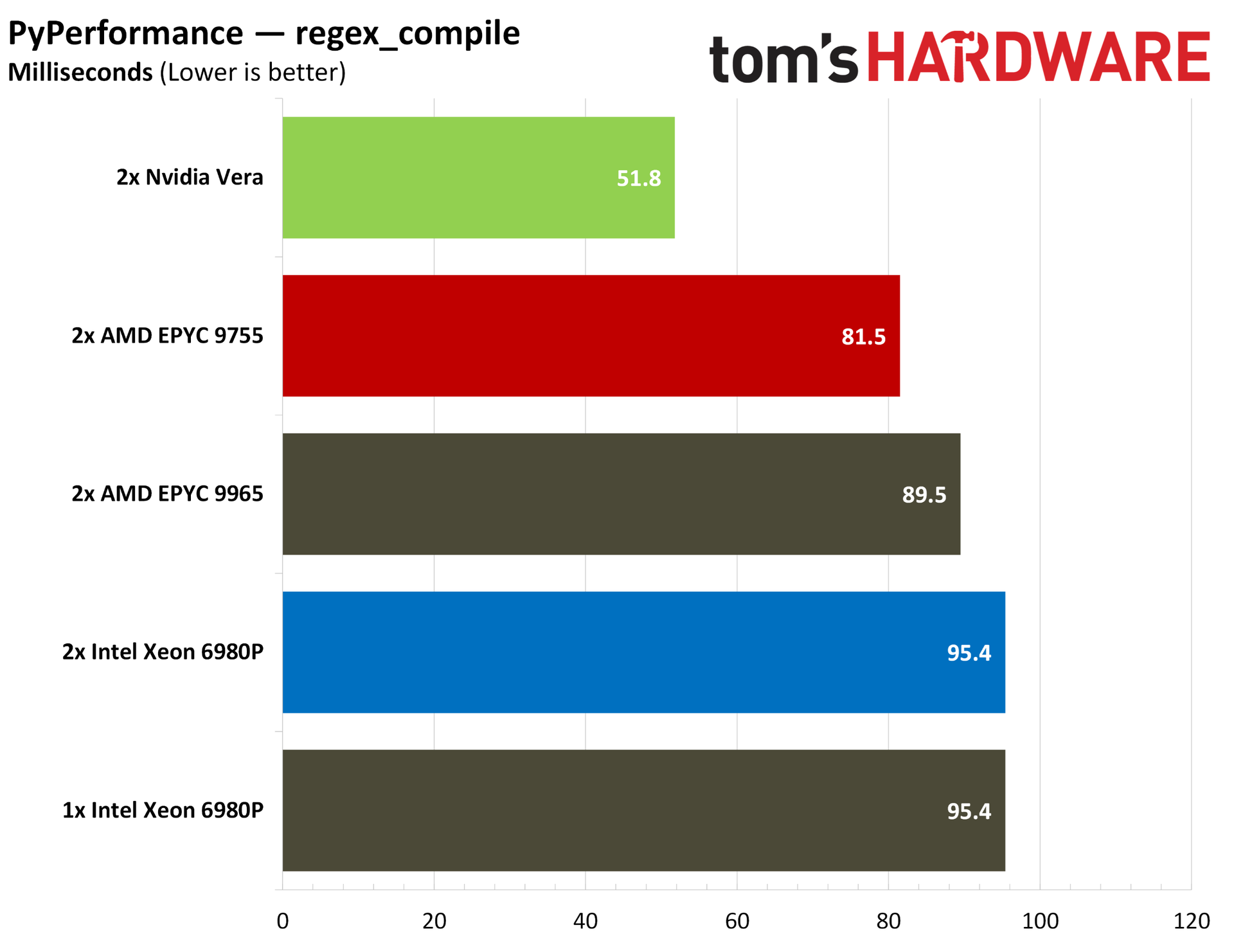
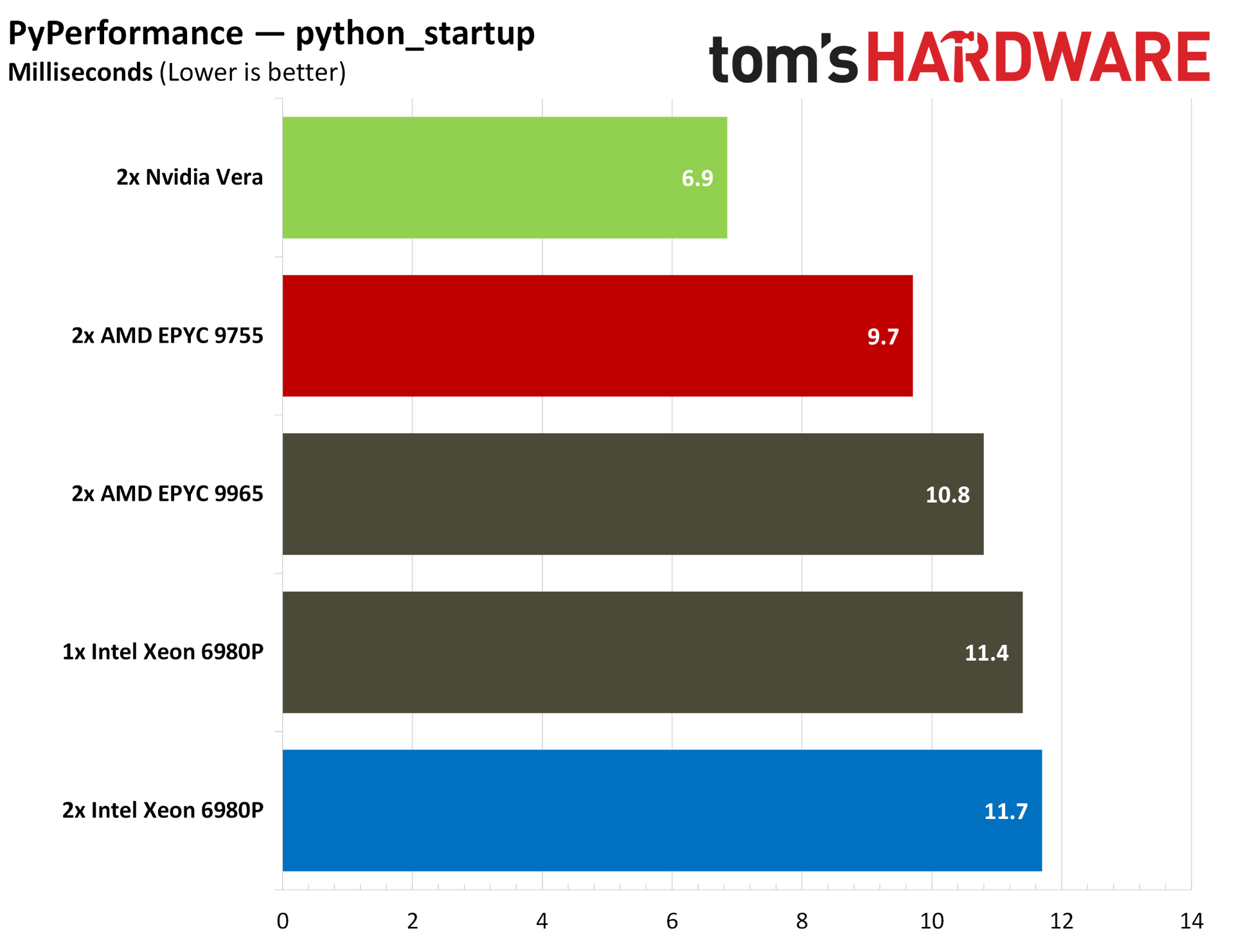
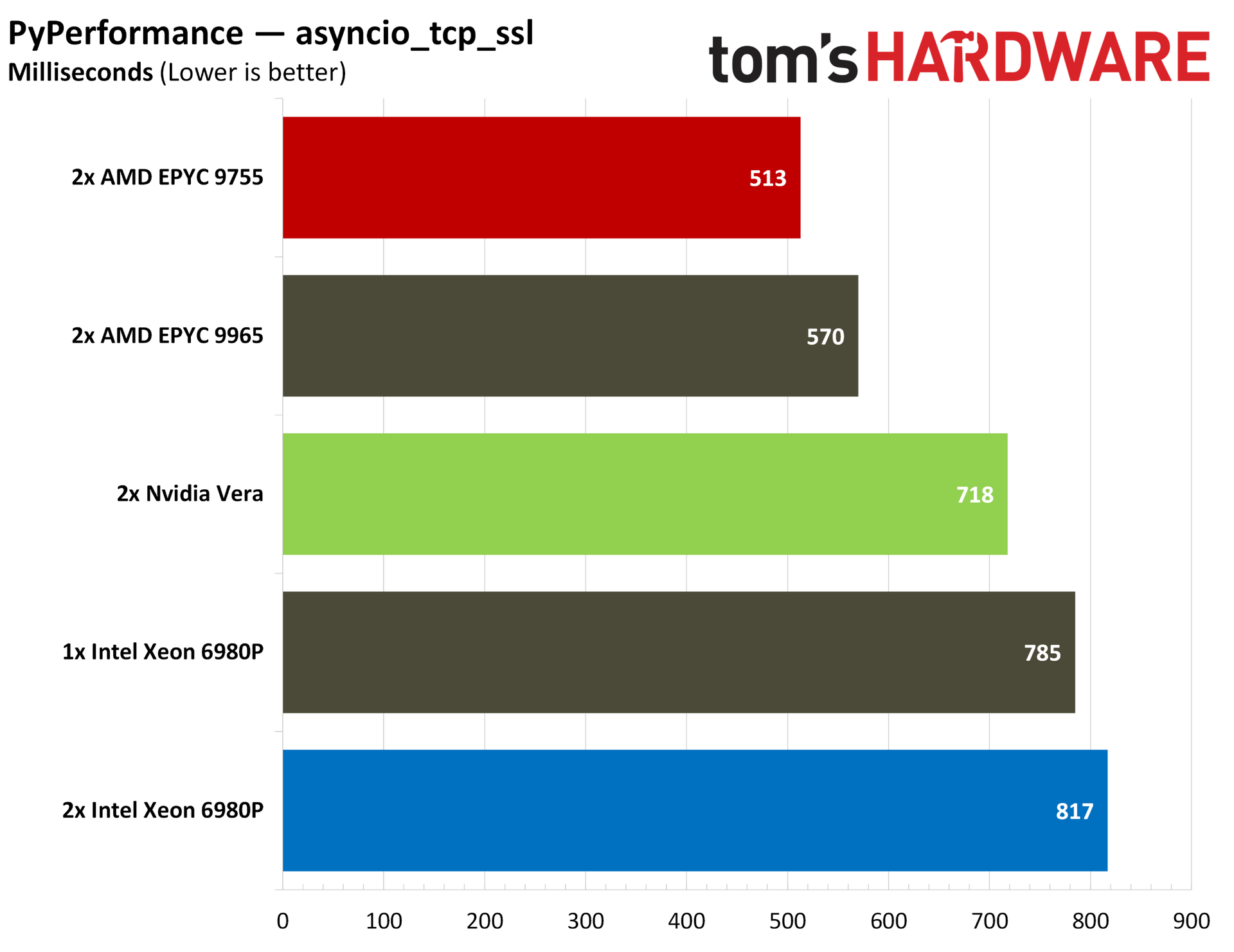
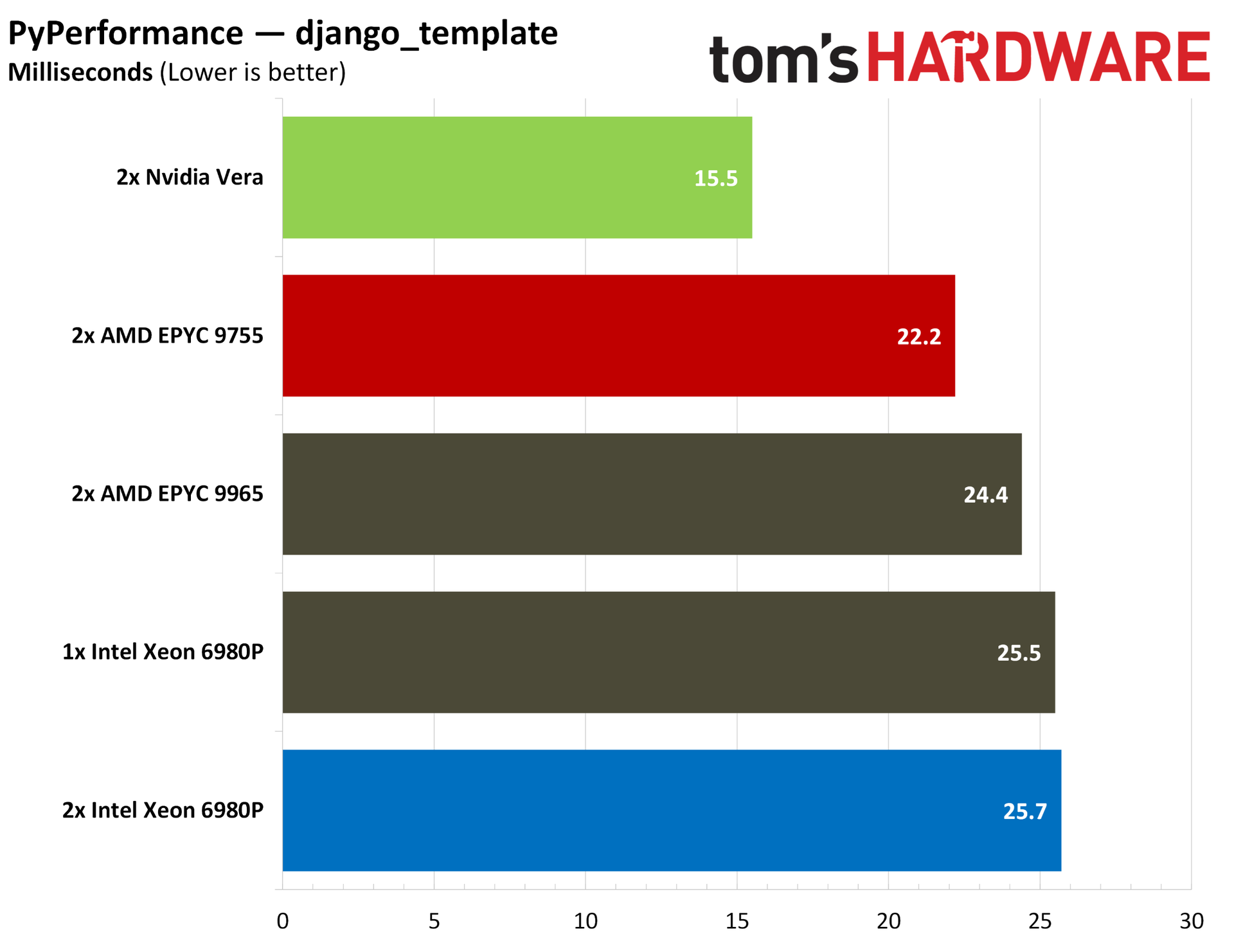
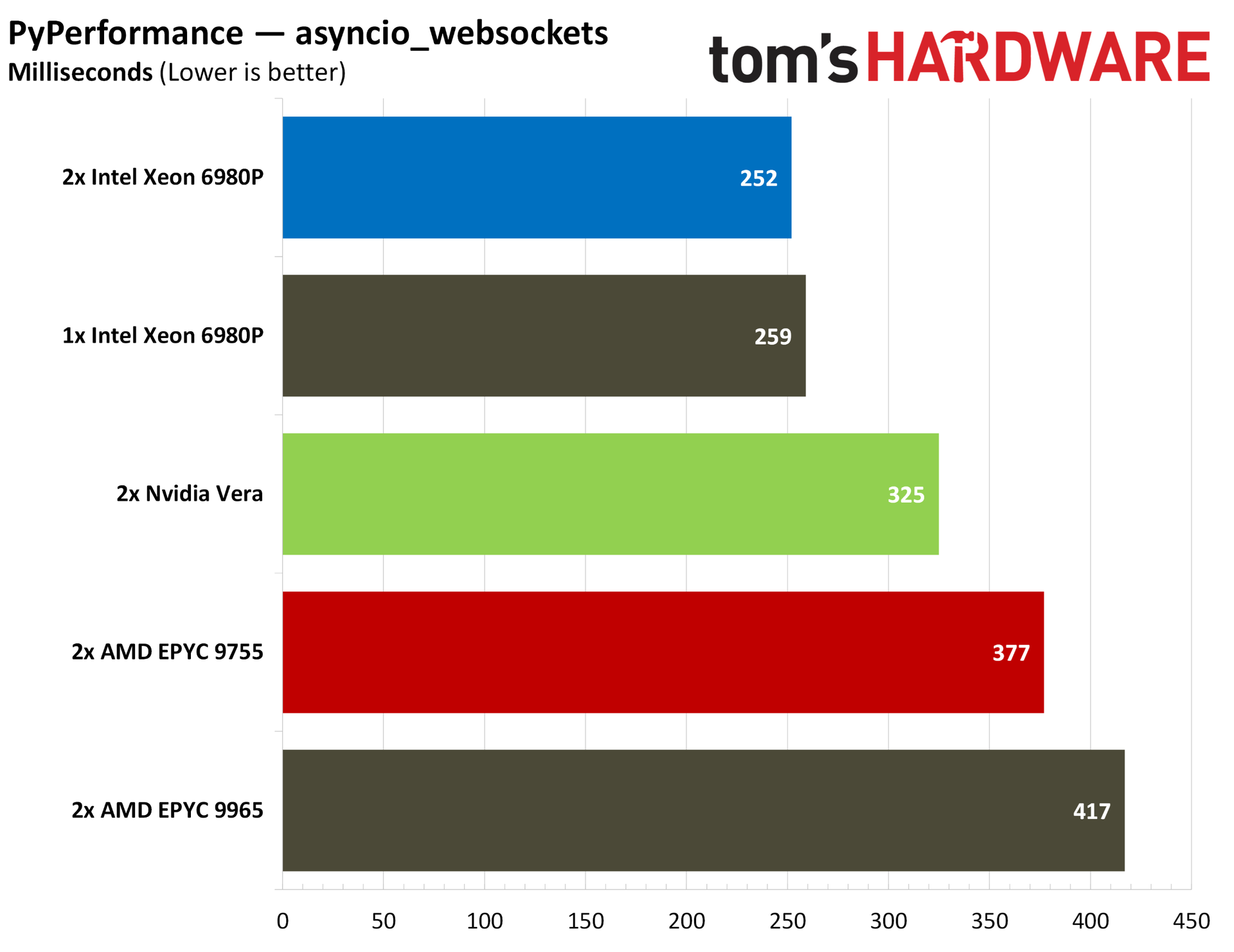
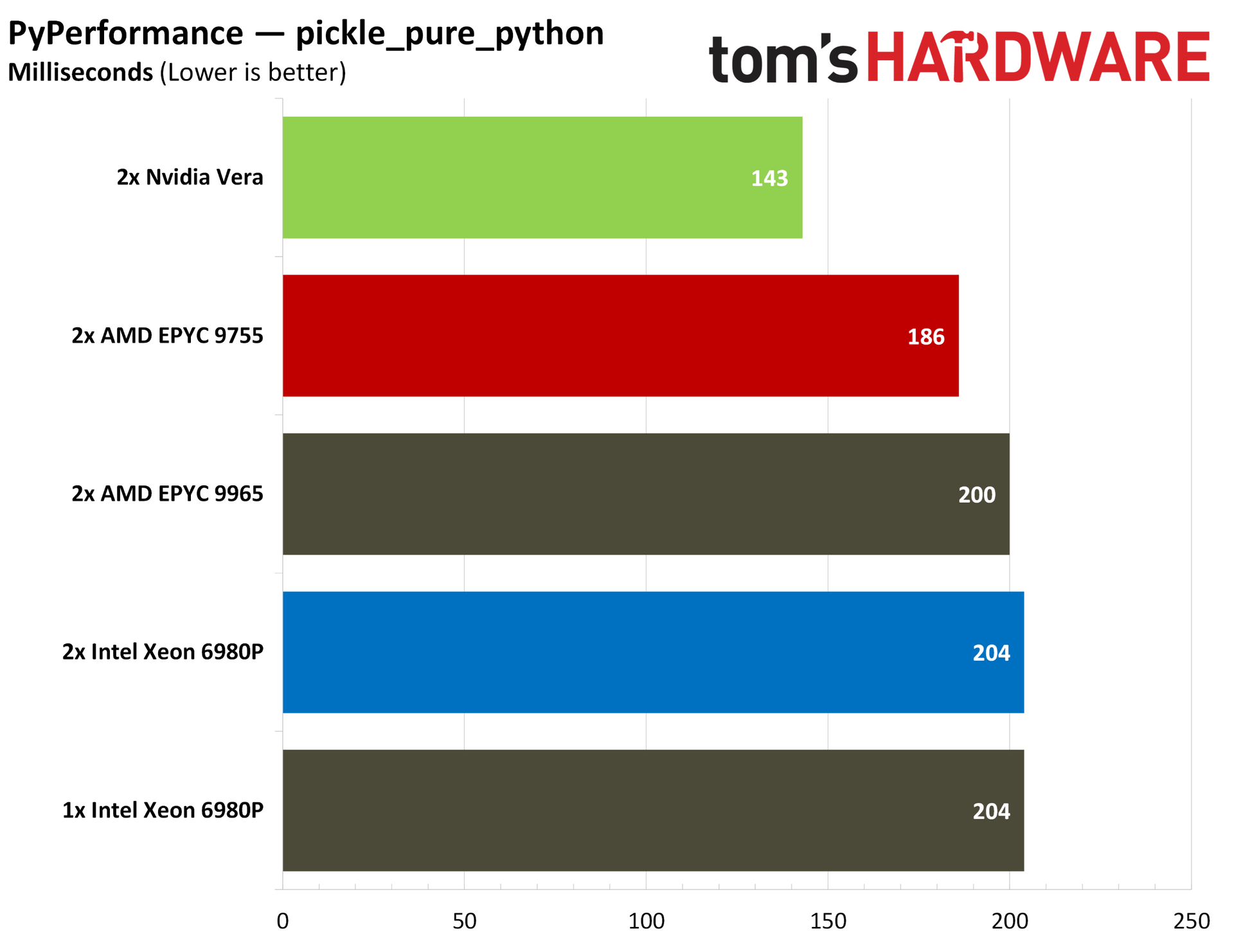
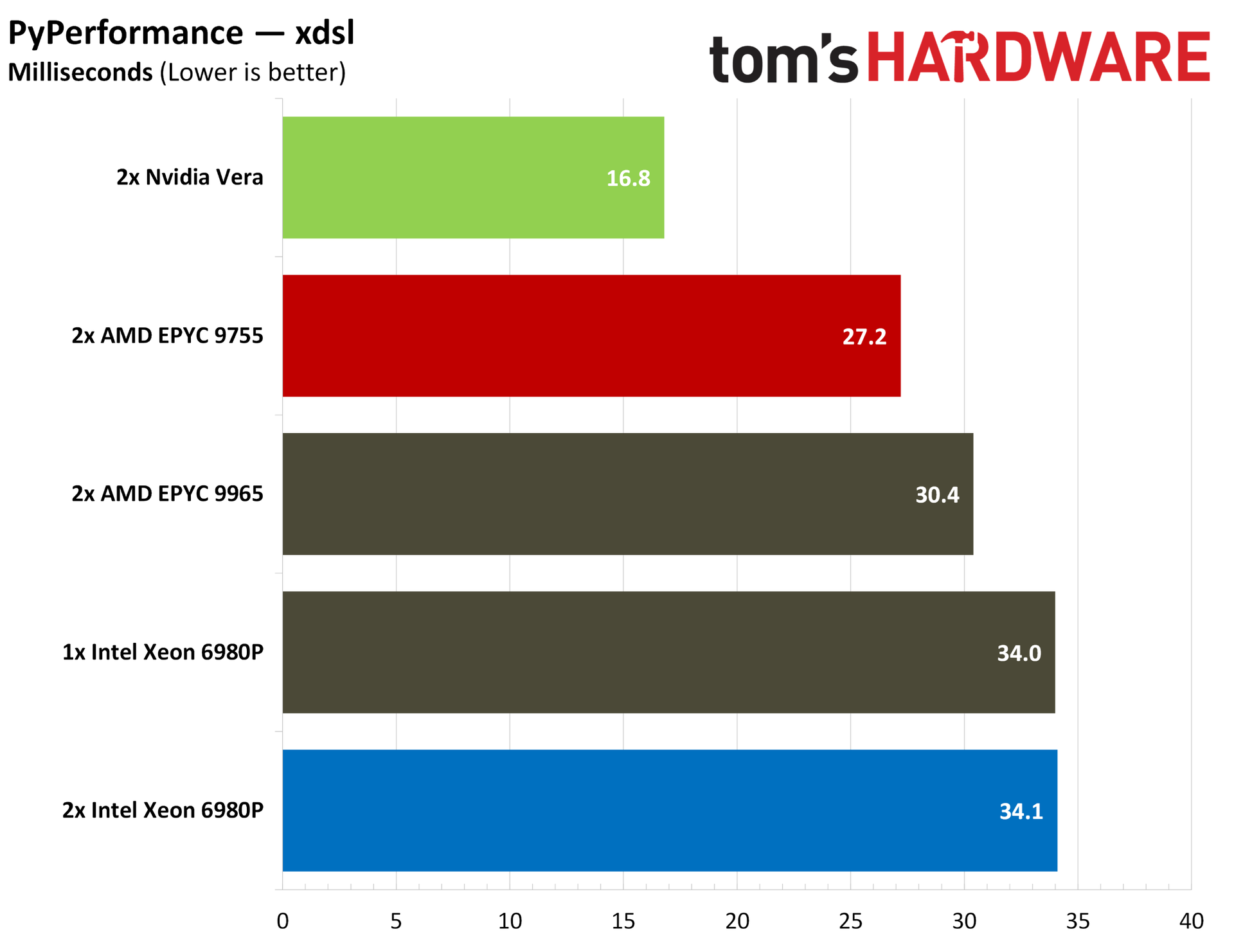
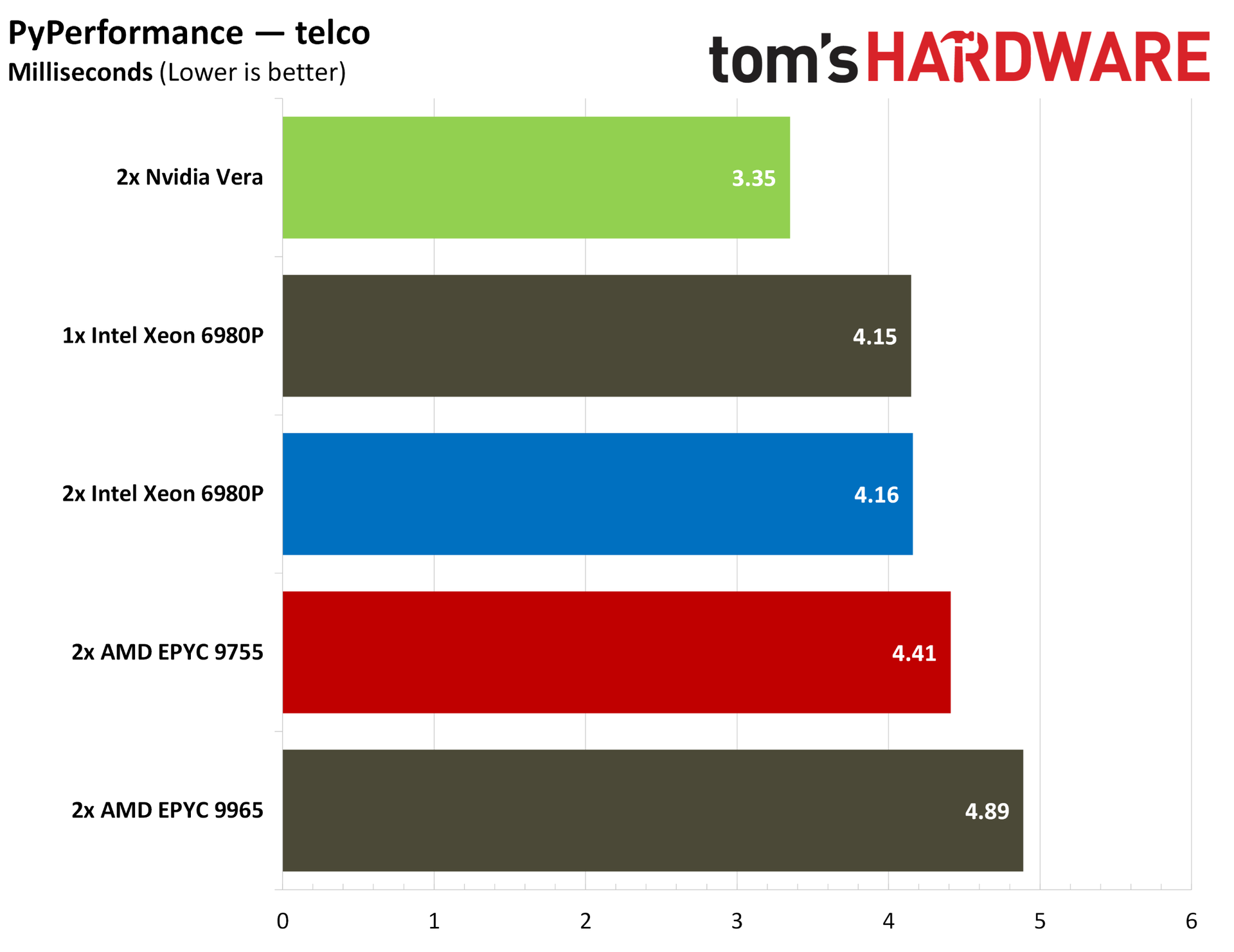
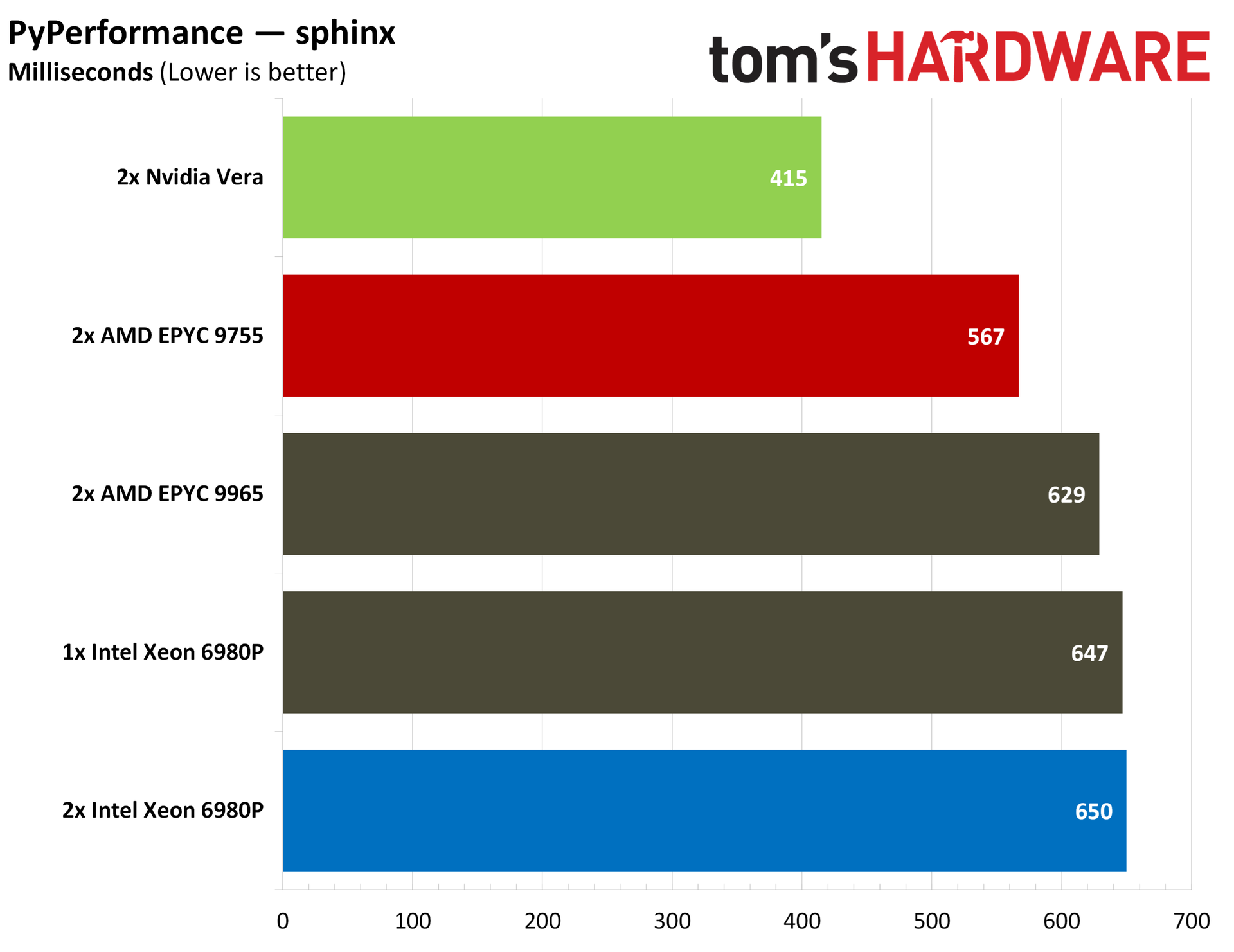
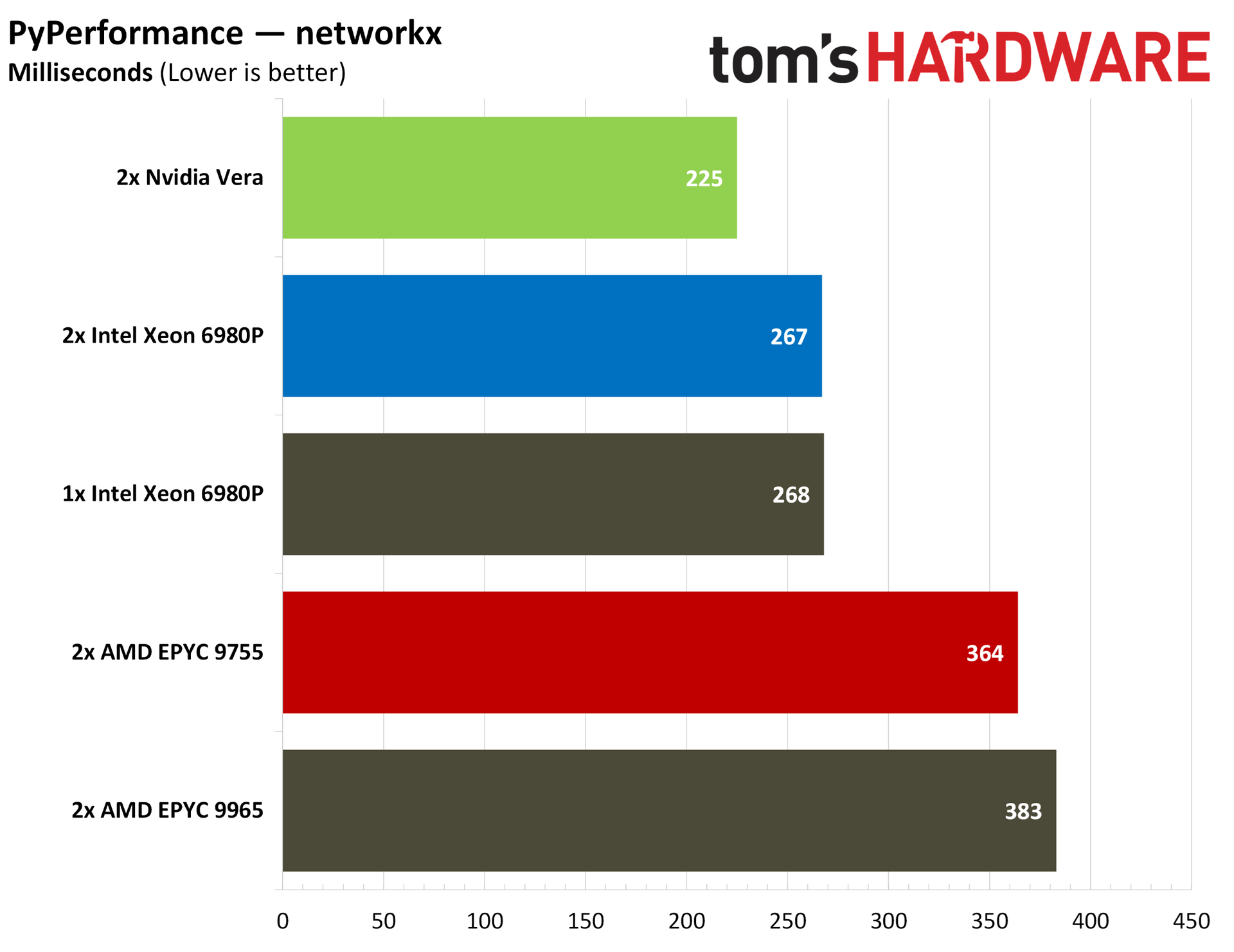
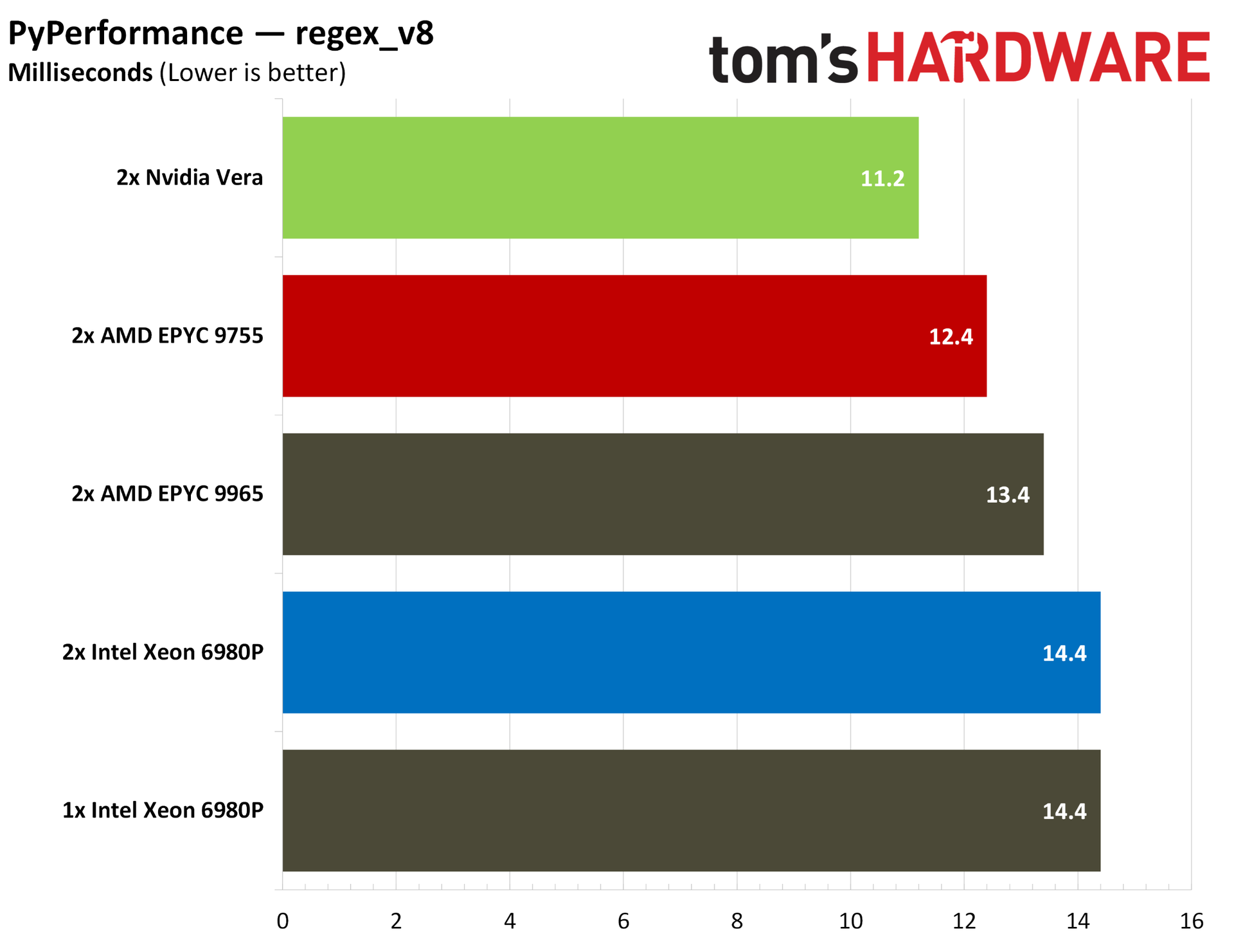
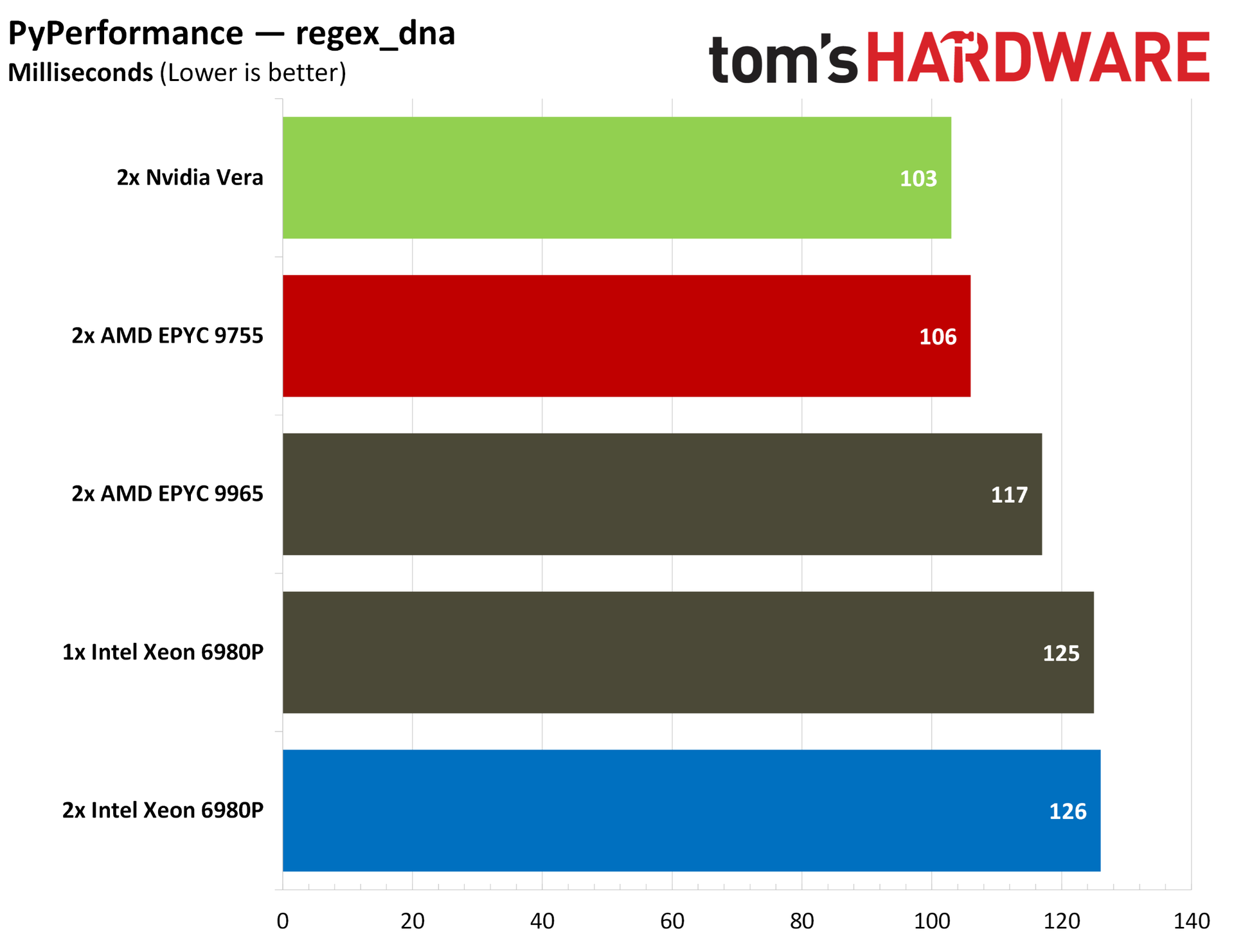
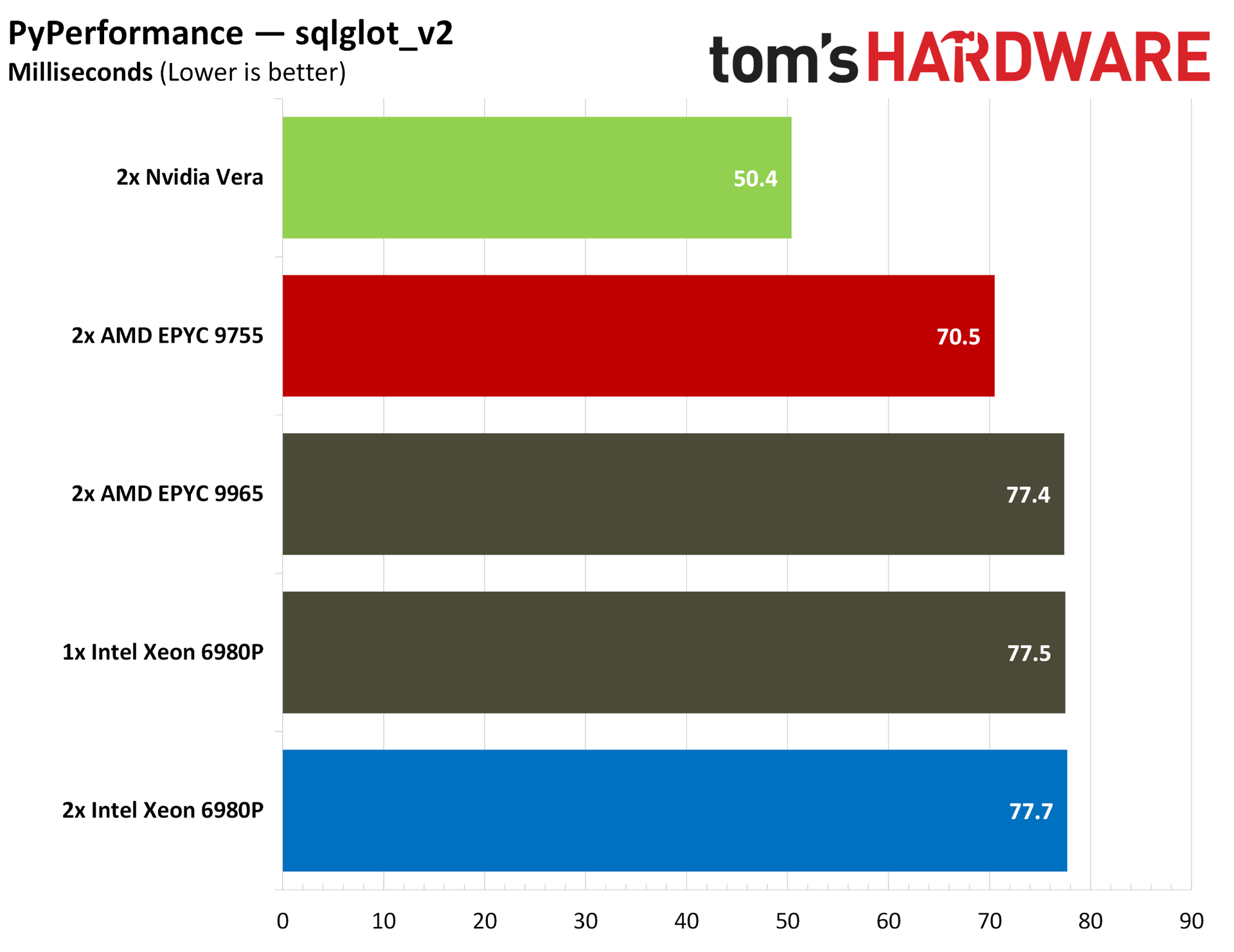
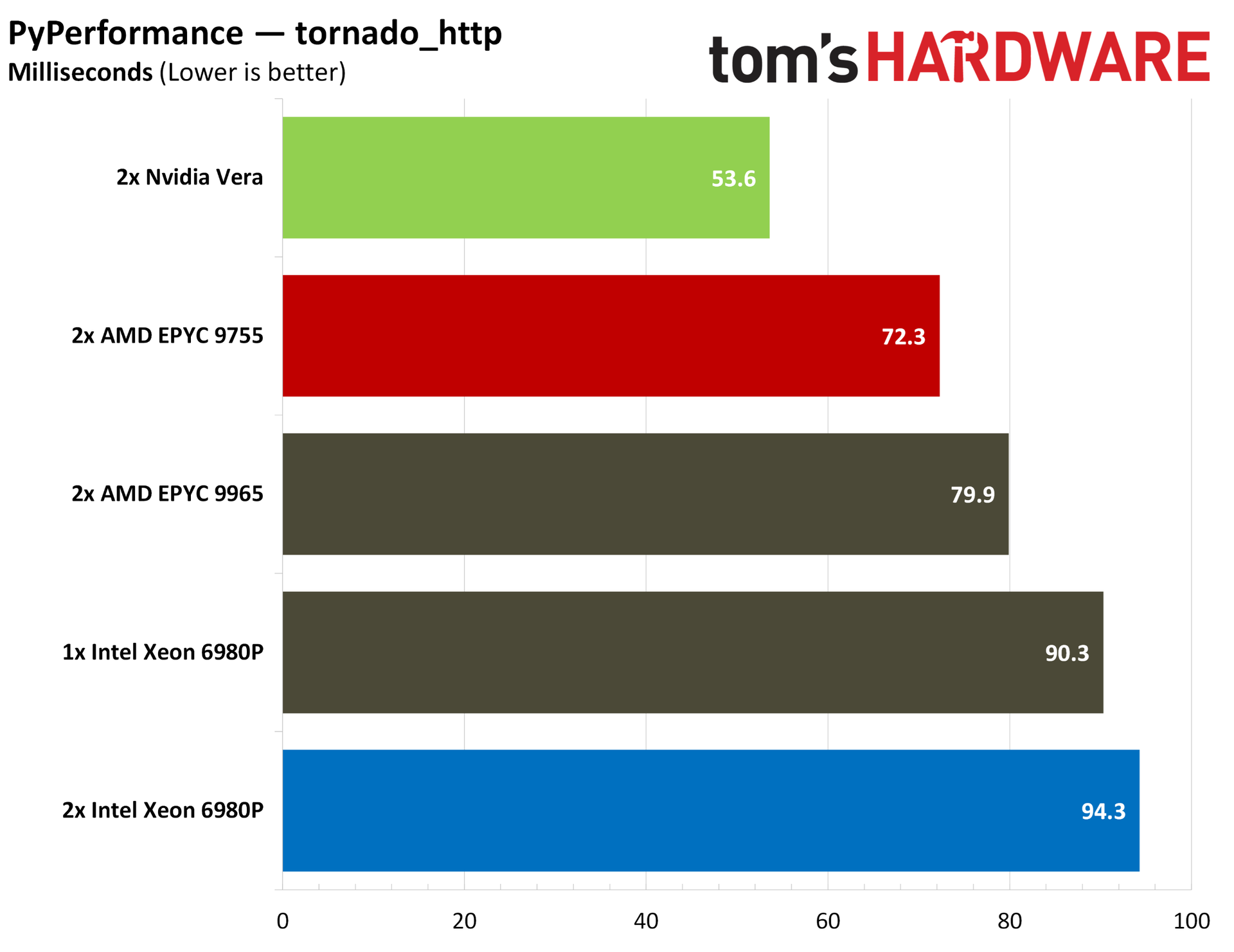
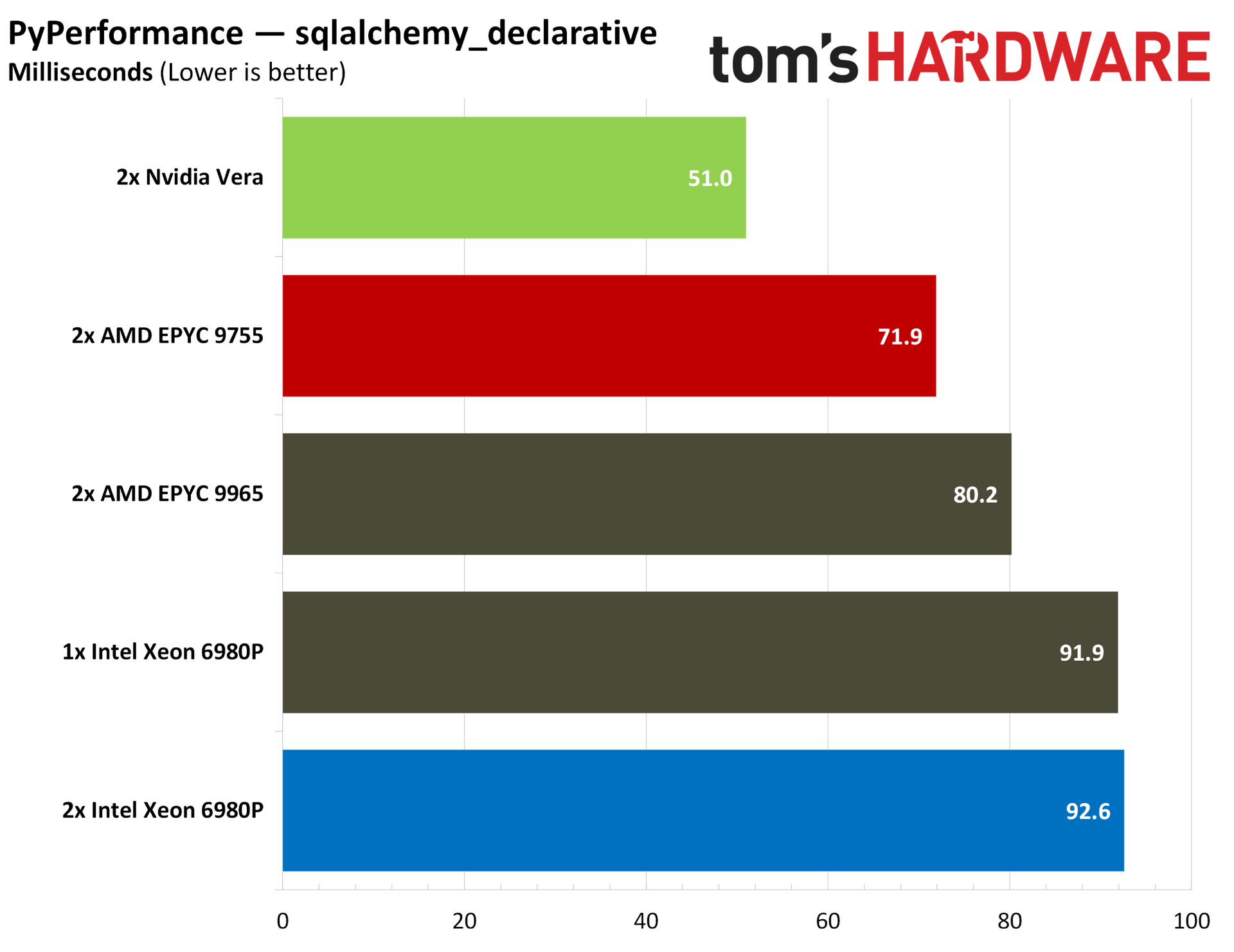
PyPerformance provides a much more granular look at Python performance, evaluating start-up times for the Python interpreter, regular expressions, and even full Python applications. The story doesn’t change, however. Outside of a couple of misses in web server-focused tests, Vera tops the charts across the board.
The AI ecosystem right now is largely built on Python, so strong performance here is a good early indicator of strong AI performance in the data center. Of course, this space is rapidly evolving, and other languages are working their way into the ecosystem. For this moment, however, Python is critical, and it’s an aspect of performance Vera nails.
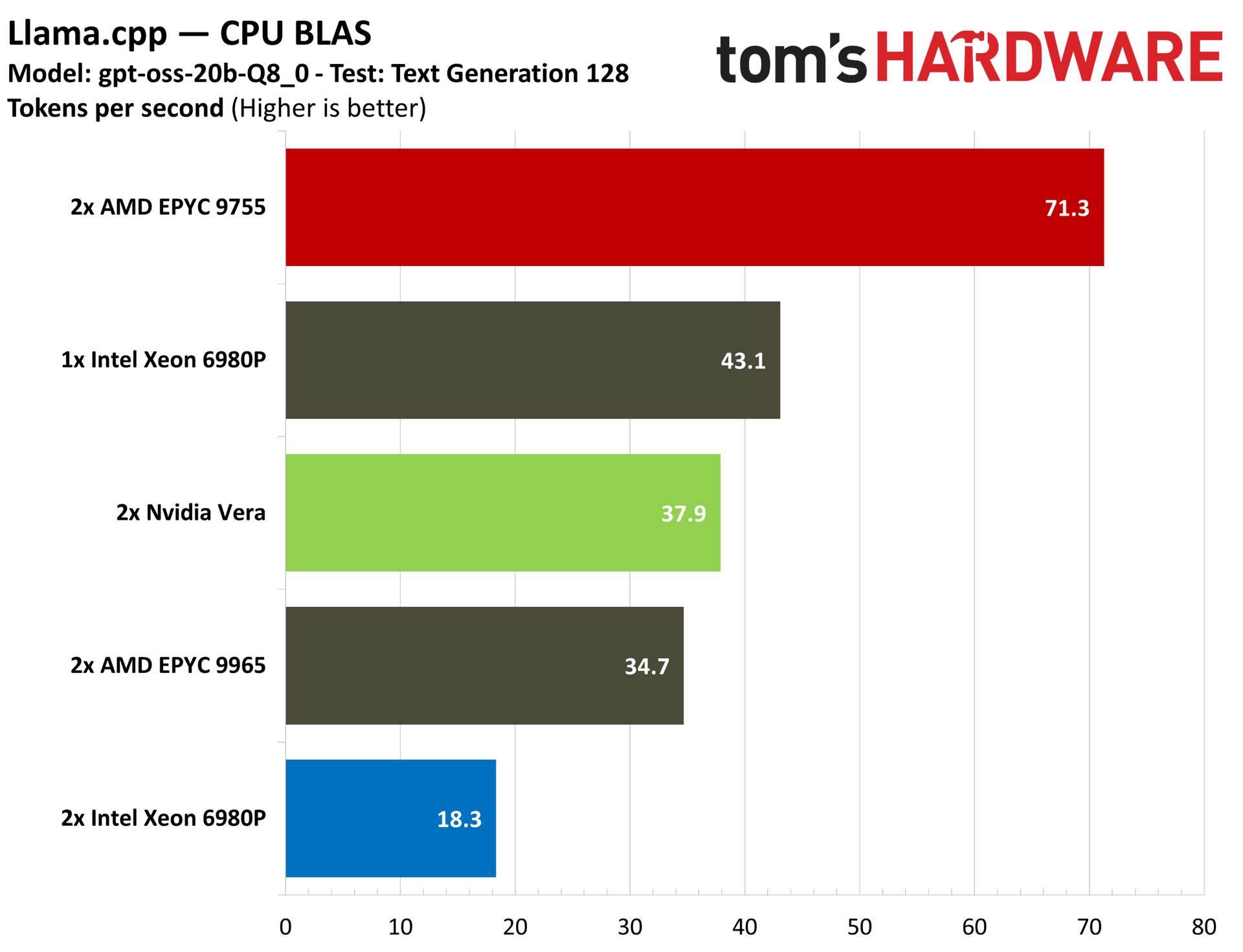
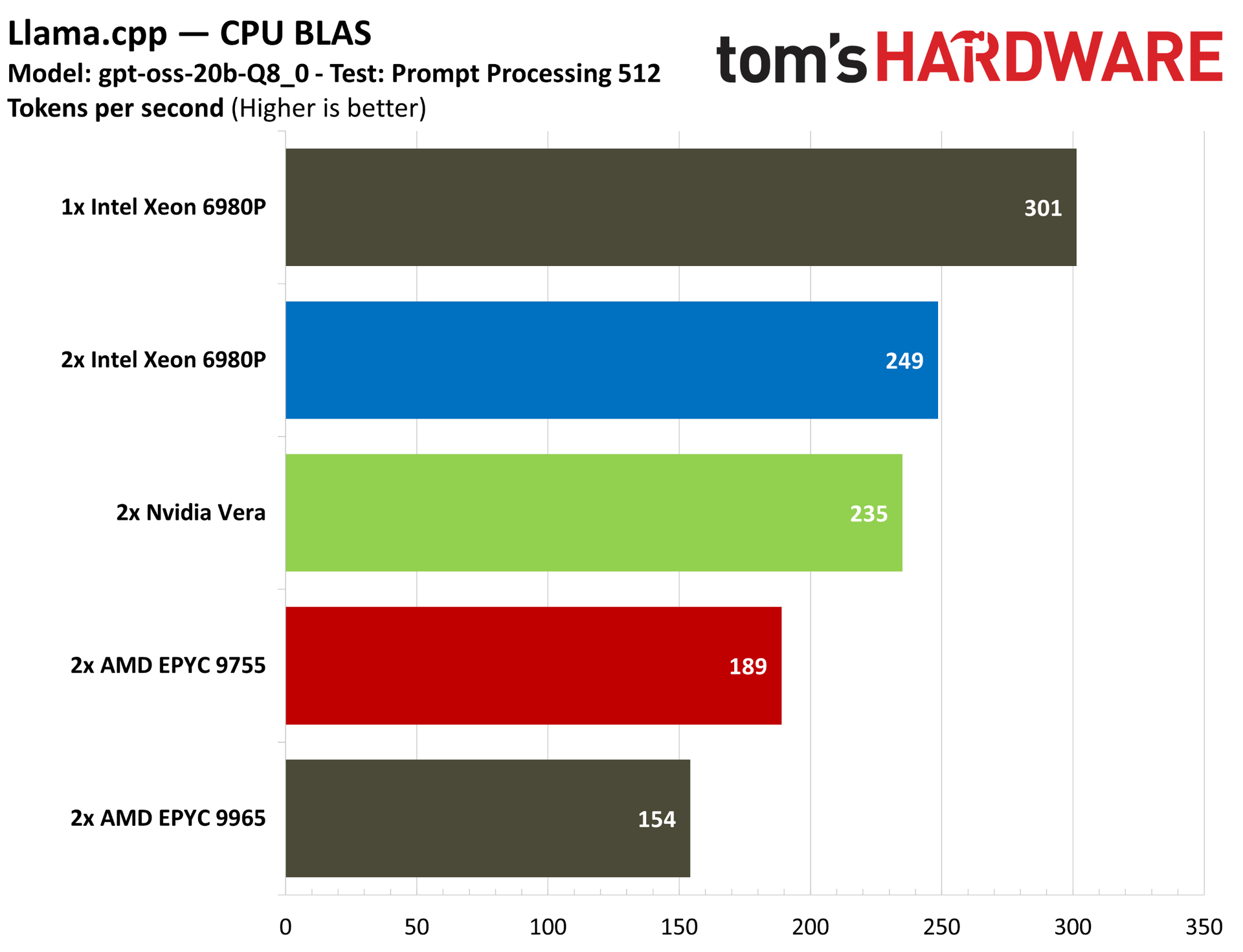
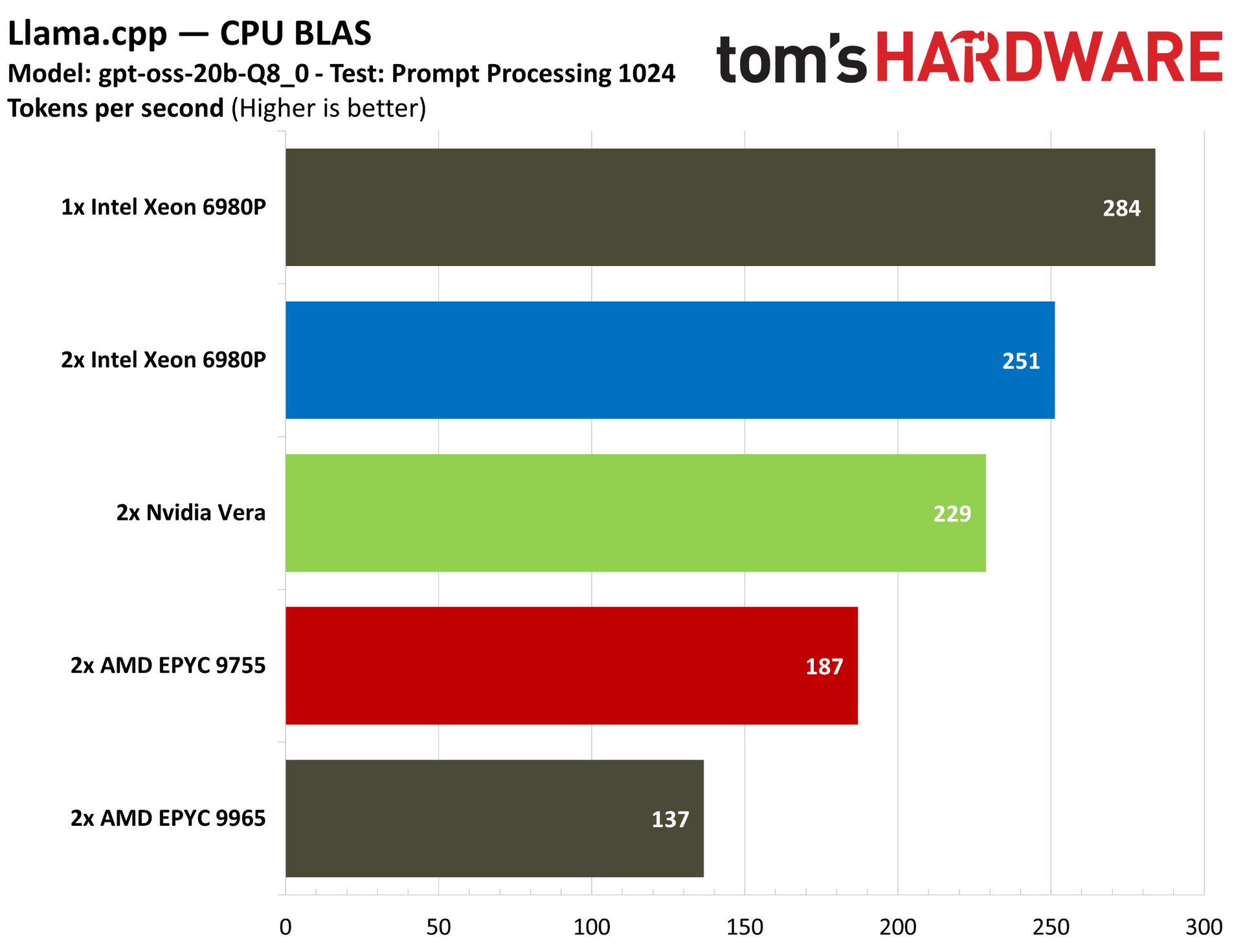
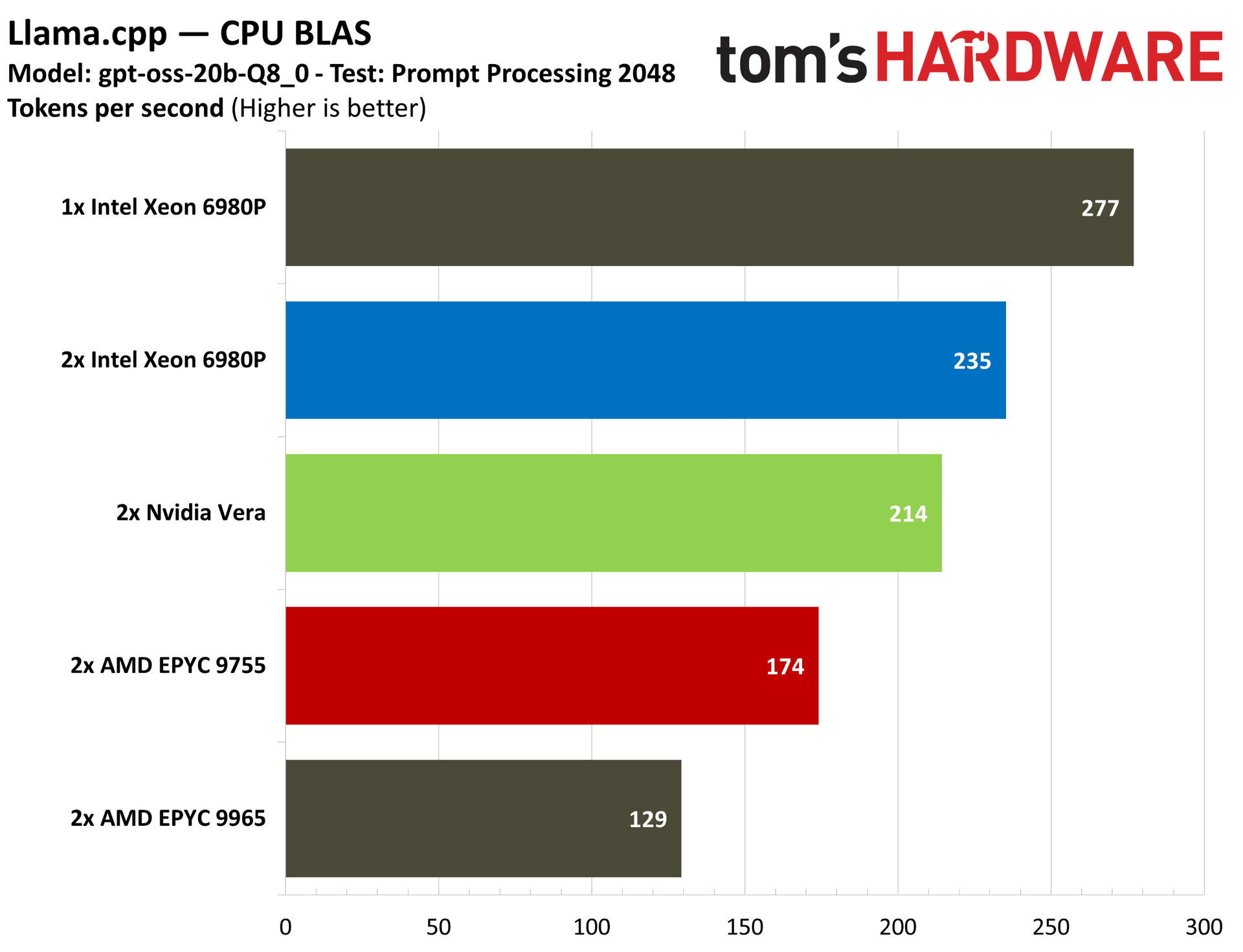
We also ran Llama.cpp with a CPU BLAS backend, checking text generation and prompt processing (at different token lengths) on the CPU using gpt-oss-20b-q8. For prompt processing, much of the process is handled on the GPU, so this pure-CPU benchmark isn’t totally representative of a real deployment. However, the CPU still plays a role here, particularly in tokenization.
Unsurprisingly, we can see the single 6980P topping the charts in prompt processing, with a 2P Xeon 6980P coming up in second place, likely on the back of Intel’s AI-specific ISA extensions. We expect AMD to further extend support for these instructions in Zen 6, which should level the playing field.
Nvidia Vera memory and compression benchmarks
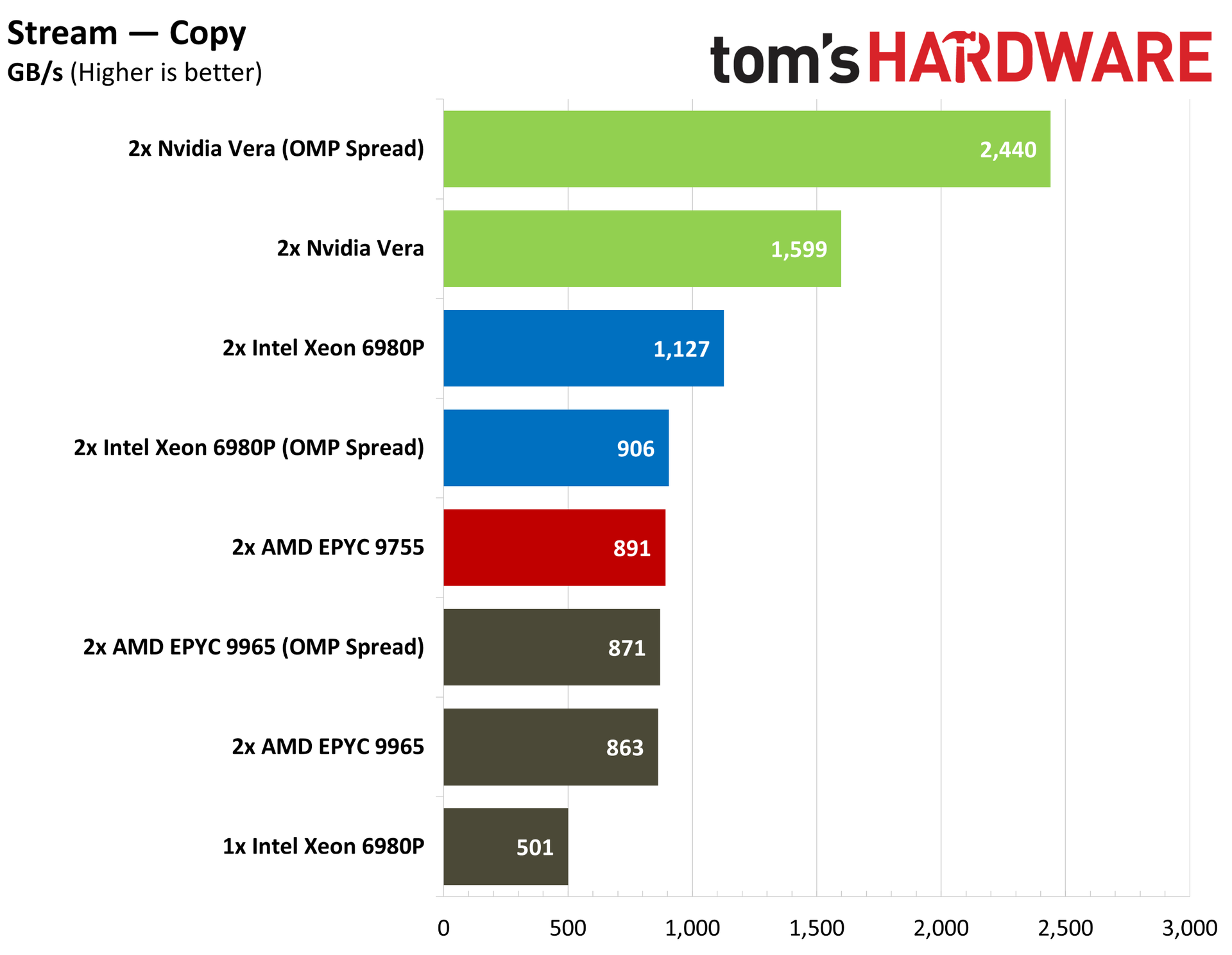
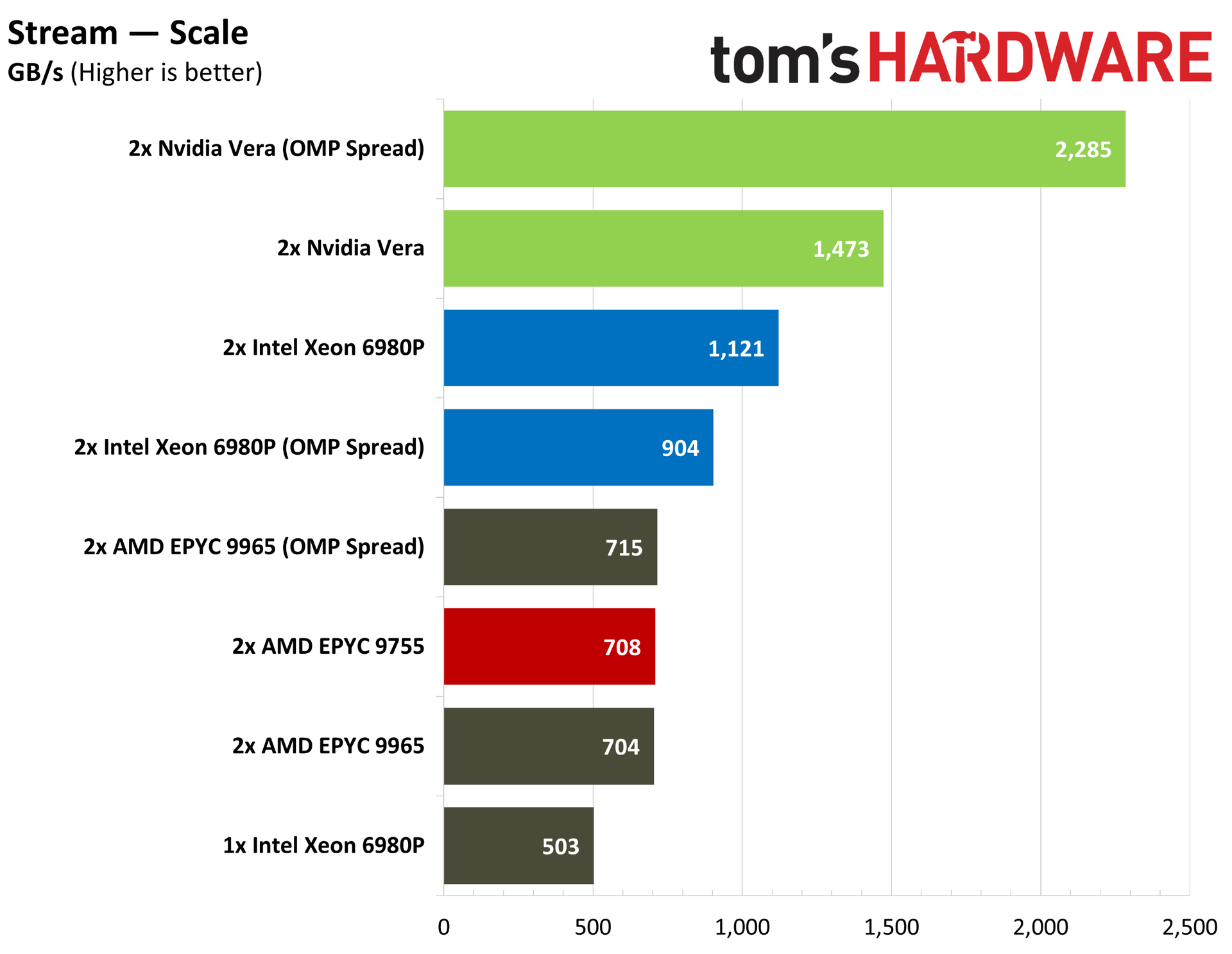
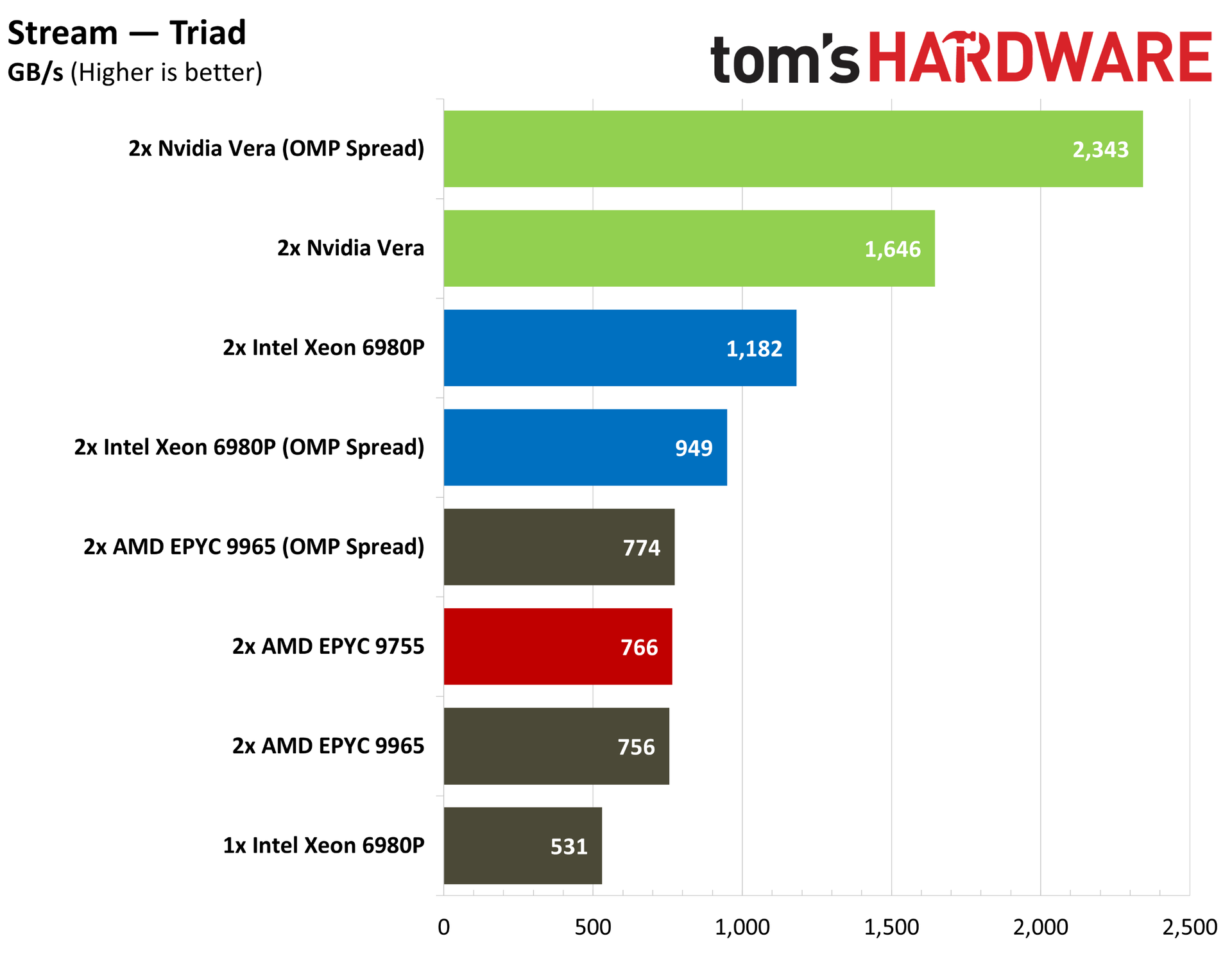
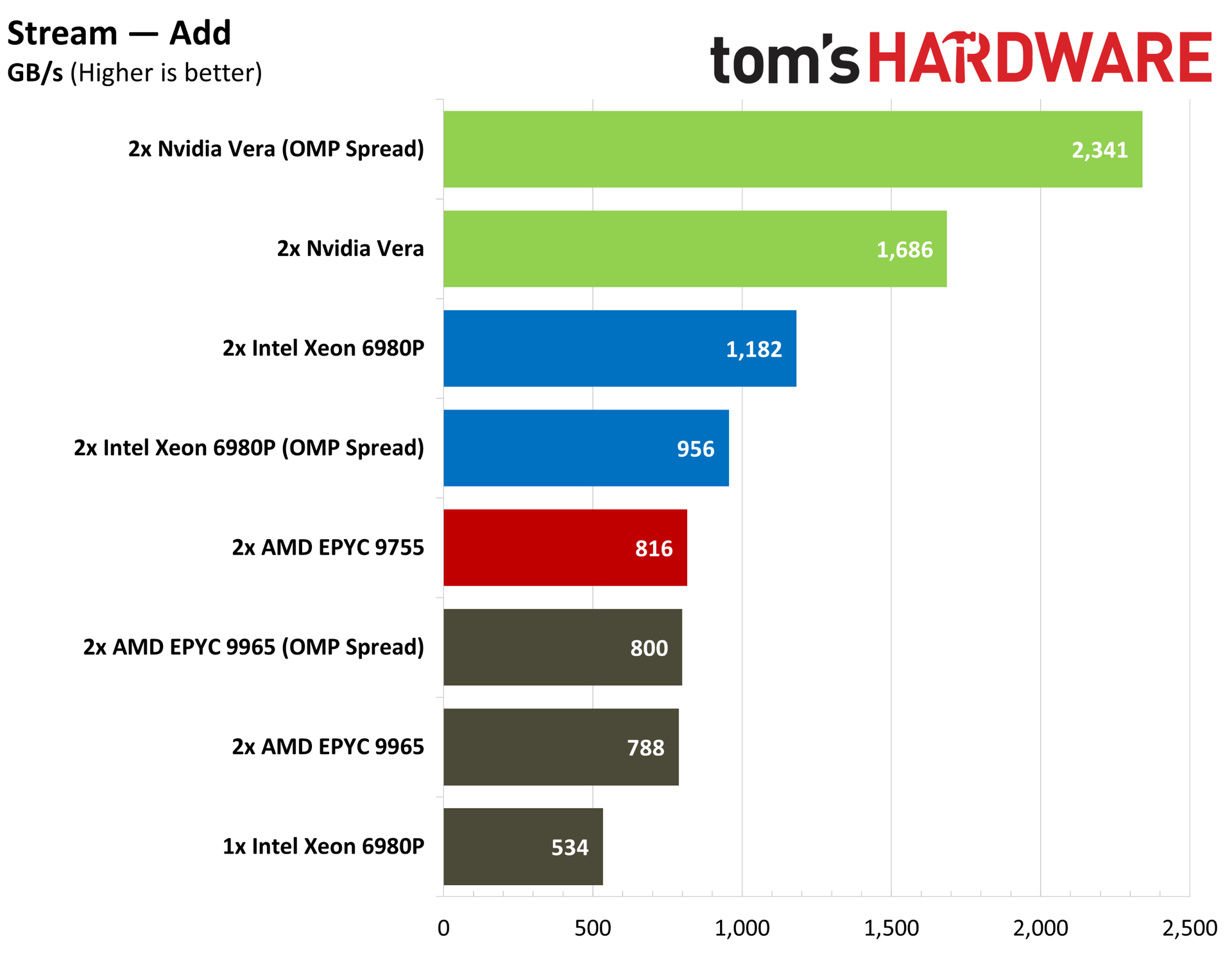
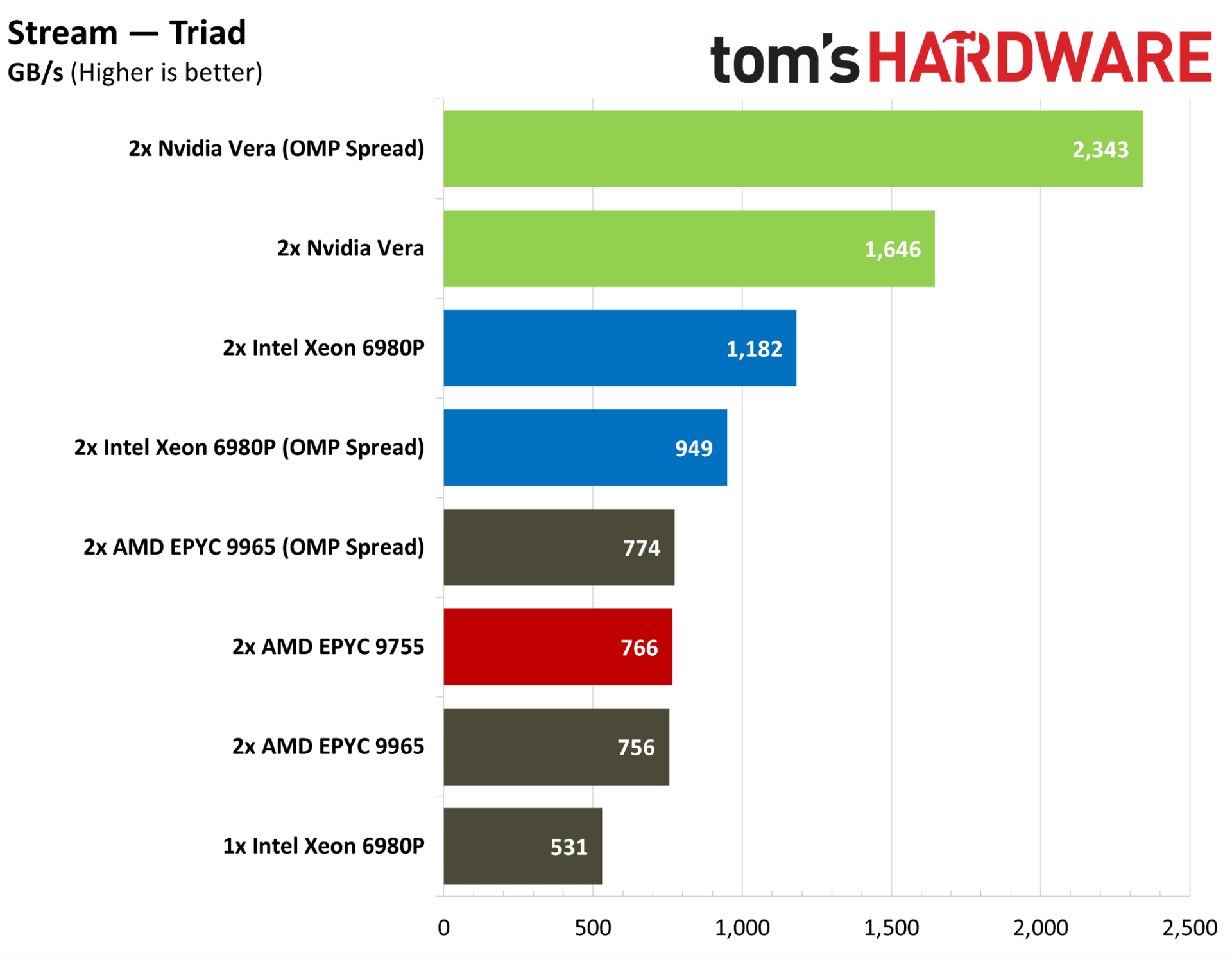
Nvidia has touted the memory bandwidth of Vera as one of the chip’s strongest points, and the industry-standard STREAM memory bandwidth benchmark backs up those claims. Vera comes with a memory bus width more than twice as large as Grace, plus a large jump up to LPDDR5X-9600. It’s capable of up to 1.2 TB/s of memory bandwidth through the LPDDR5X interface, and up to 1.8 TB/s of bandwidth between Vera sockets.
AMD’s support for DDR5-6000 is relatively slow, and although Intel offers more bandwidth with MRDIMMs reaching up to 8,800 MT/s, Vera is in a league of its own here. That’s true without optimization, as well. After my initial STREAM pass, Nvidia suggested passing the OpenMP “spread” policy, which distributes processes as far away from each other as possible to reduce cache/memory contention.
With AMD and Intel, we see a slight regression with this setting, but it offers Vera a massive jump in memory bandwidth. Undoubtedly, the scales will start to level off as AMD and Intel roll out their next-gen Venice and Diamond Rapids parts, both of which tout much higher memory bandwidth than their predecessors.
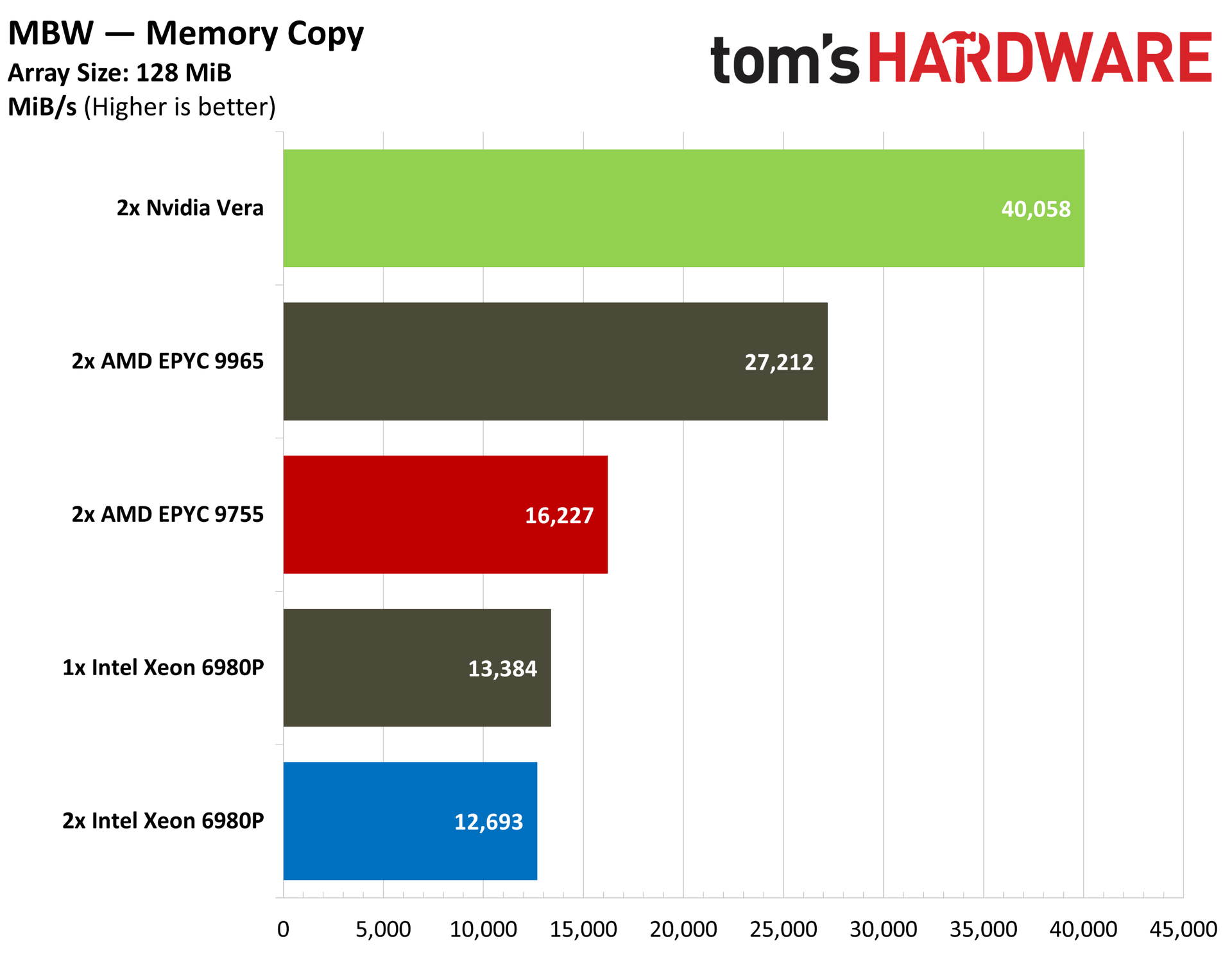
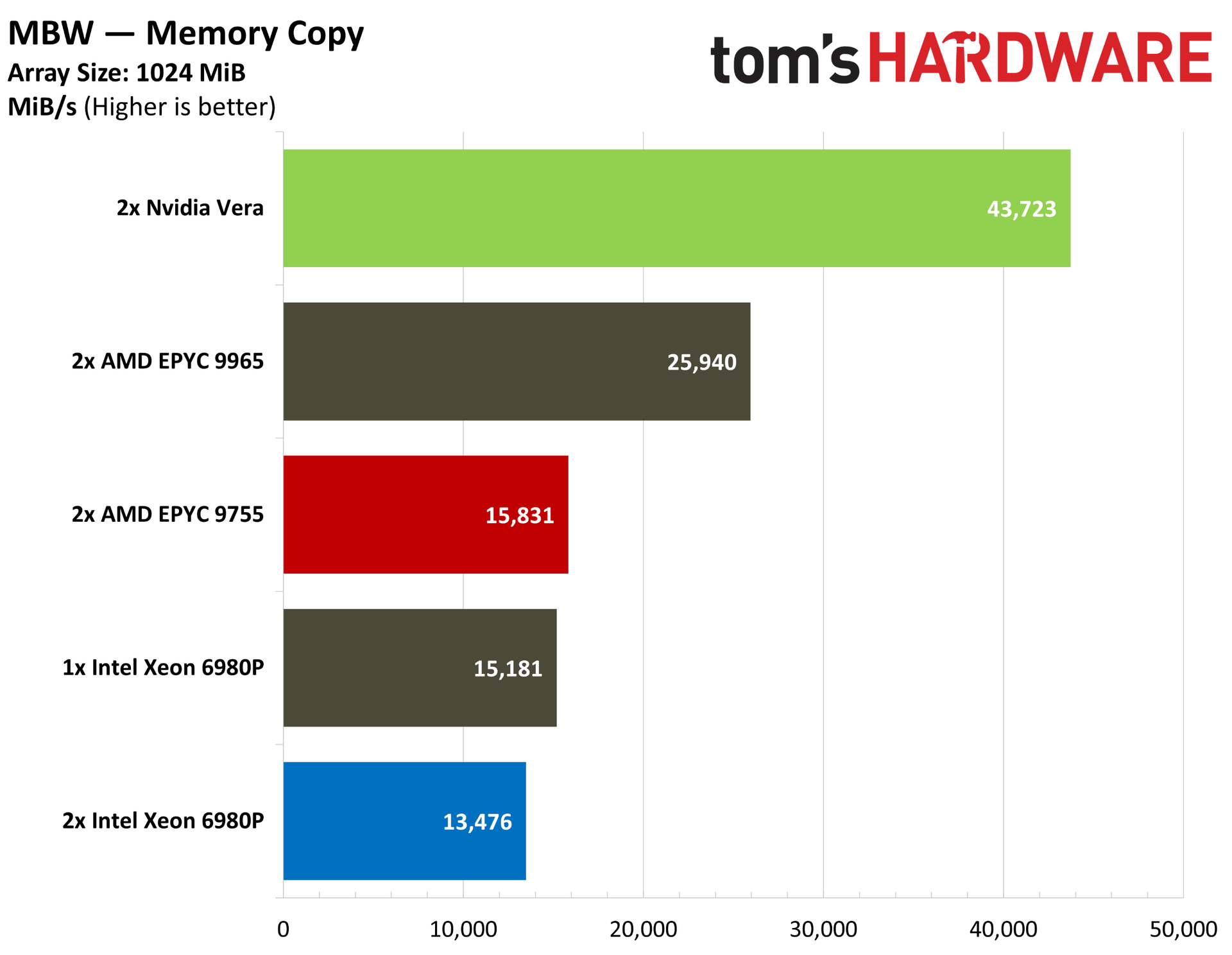
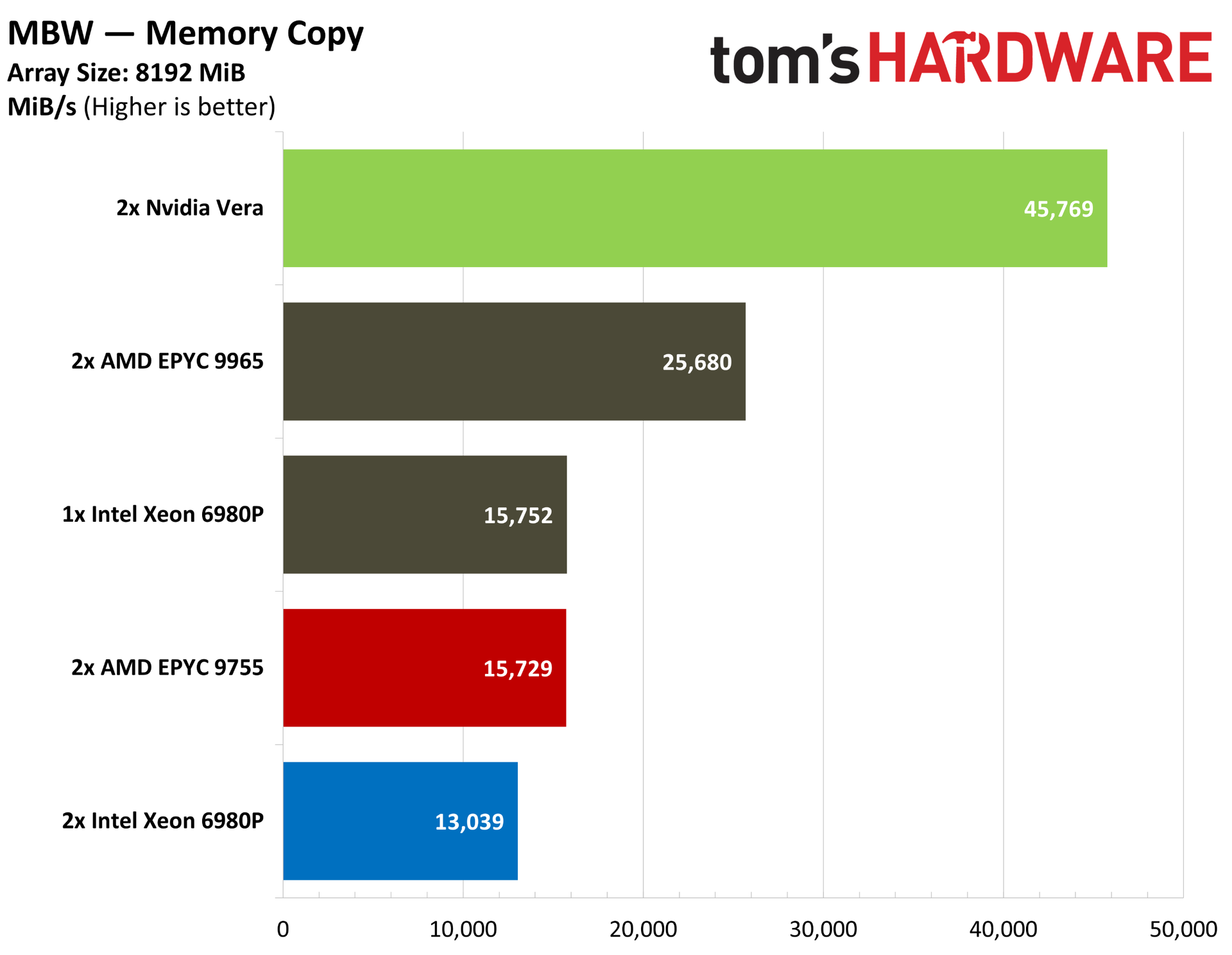
Flipping over to the simple MBW bandwidth benchmark, we can see similarly strong performance from Vera, regardless of copy size.
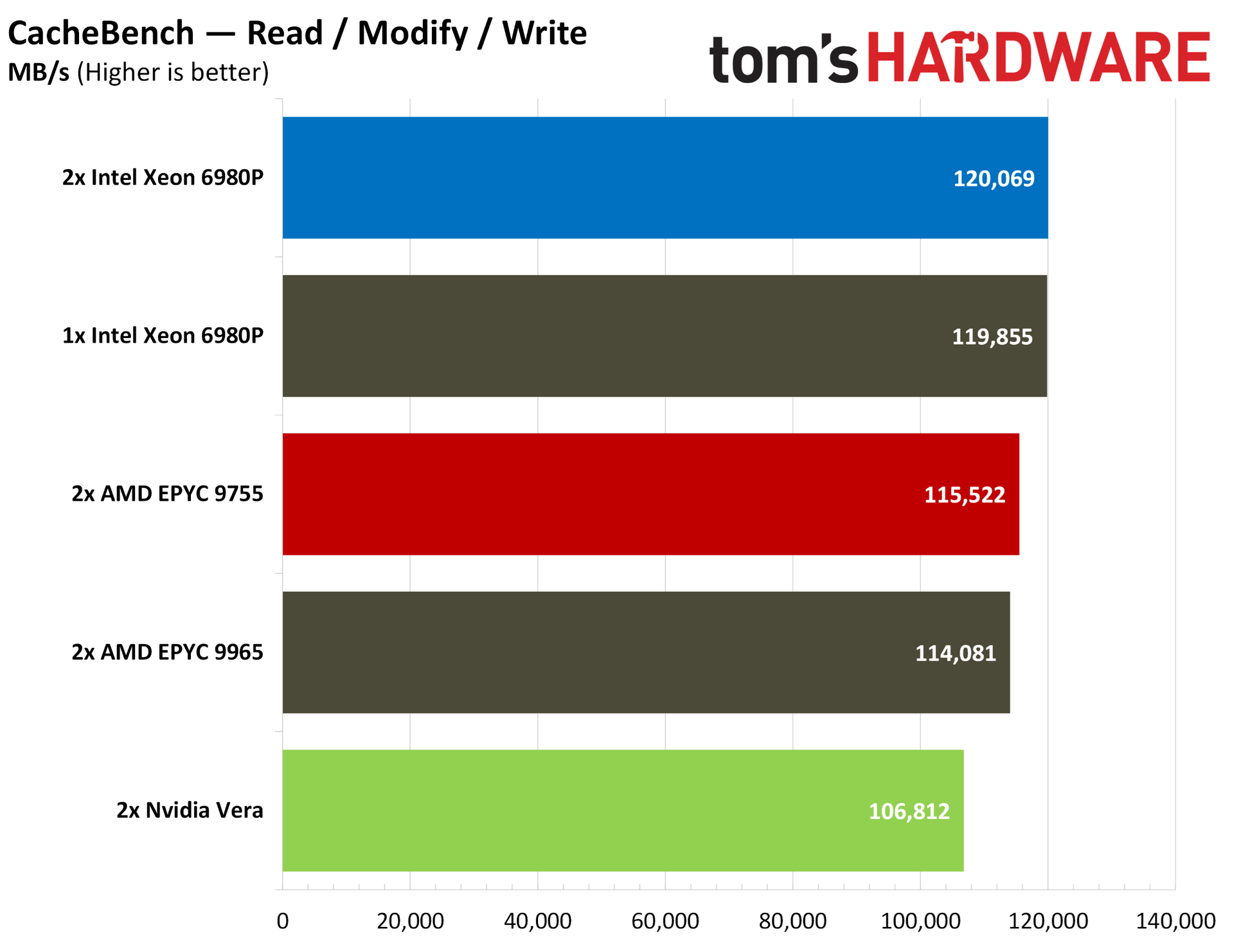
The classic CacheBench benchmark flips the script, with Vera trailing the pack in the combined read / modify / write test. This weaker cache performance here is largely overshadowed by the memory bandwidth. The performance level is slightly below Nvidia’s contemporaries, but not by enough to make a significant difference.
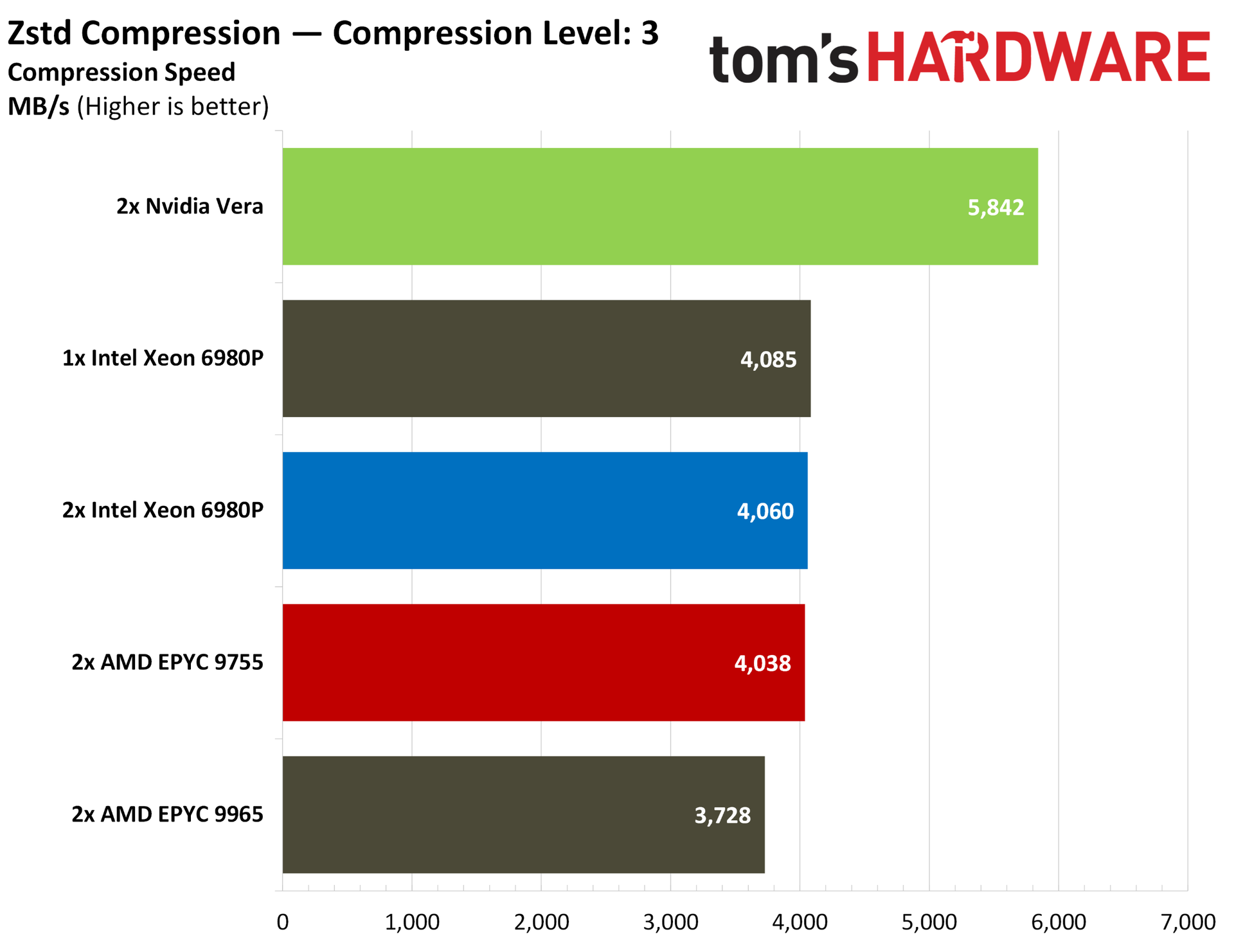
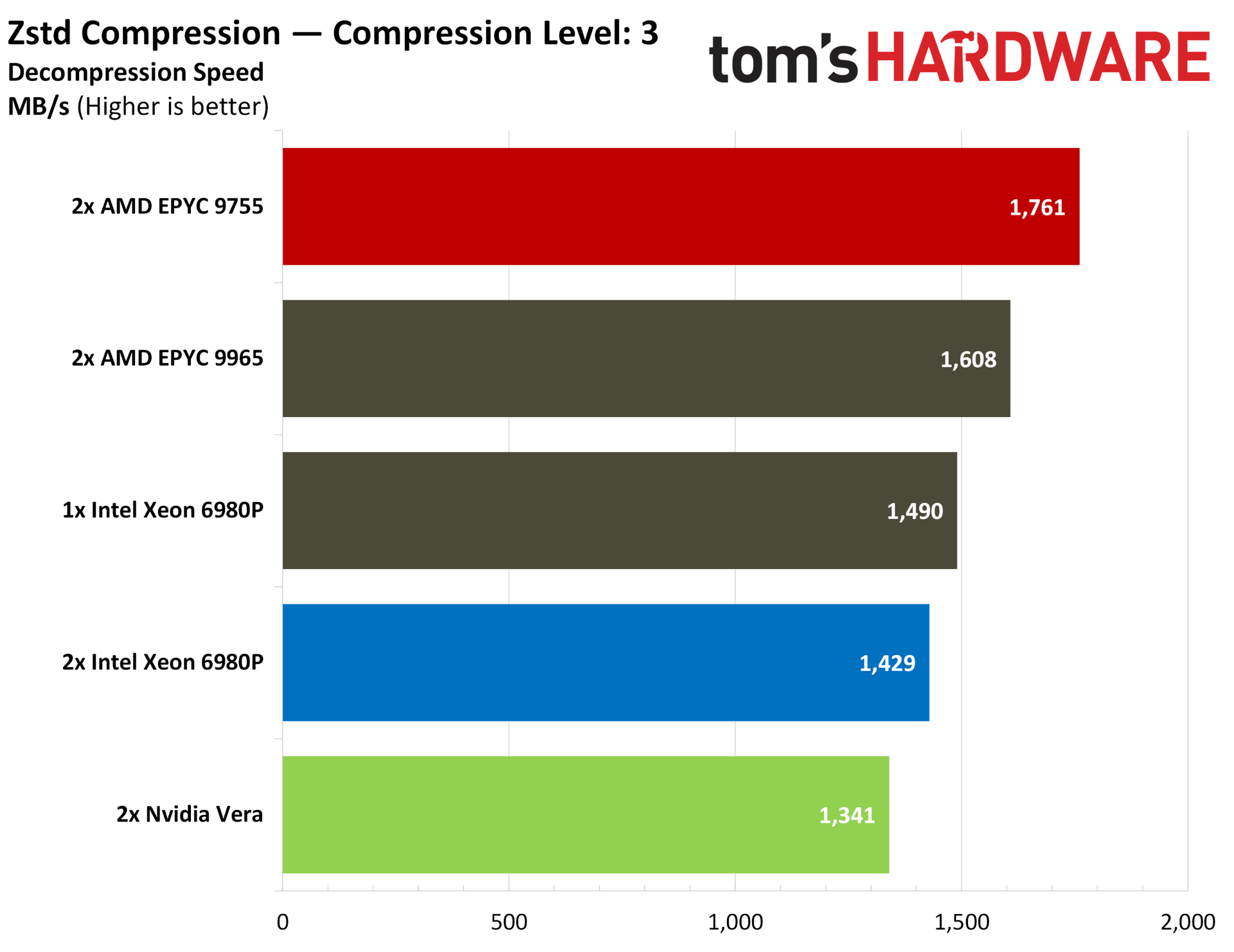
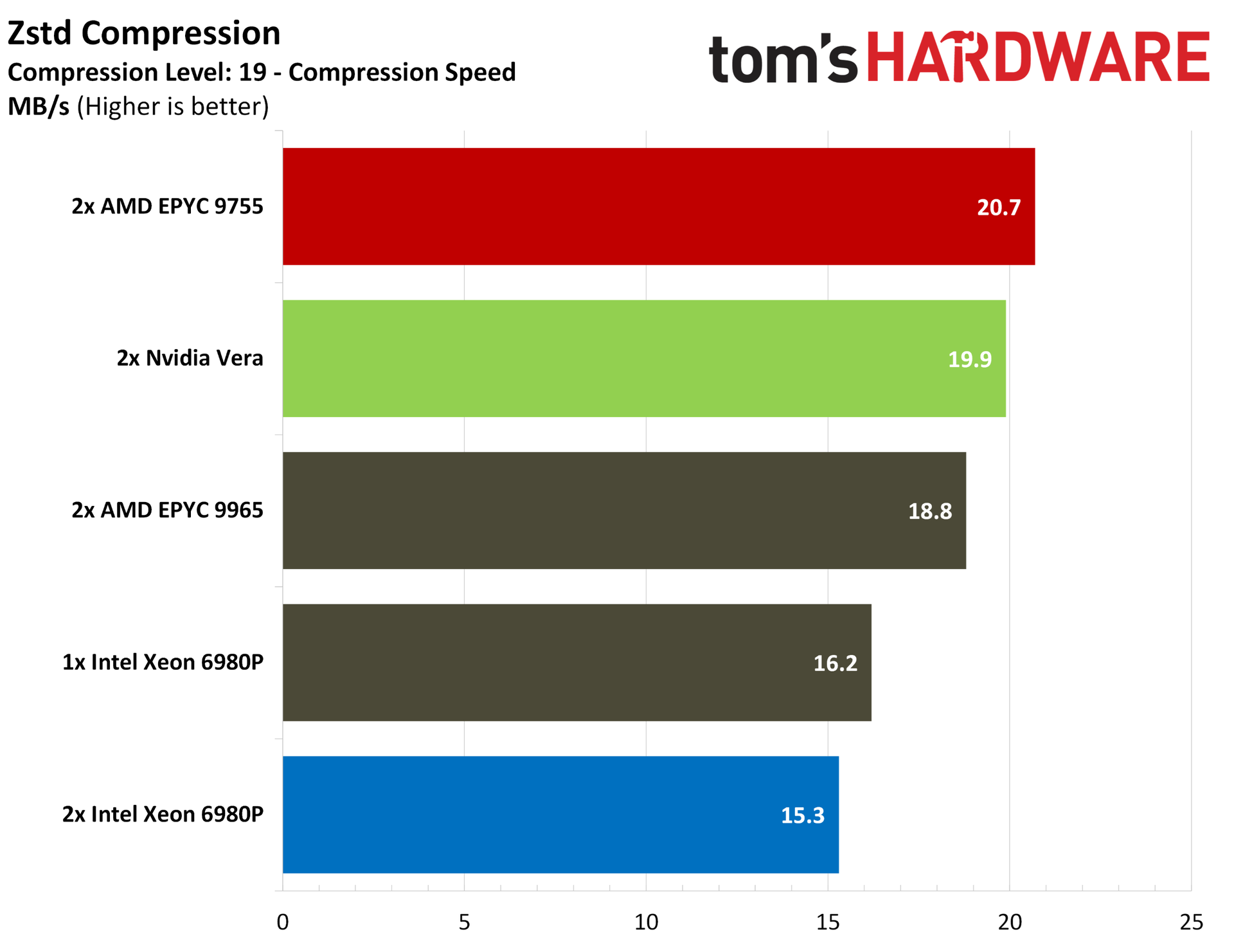
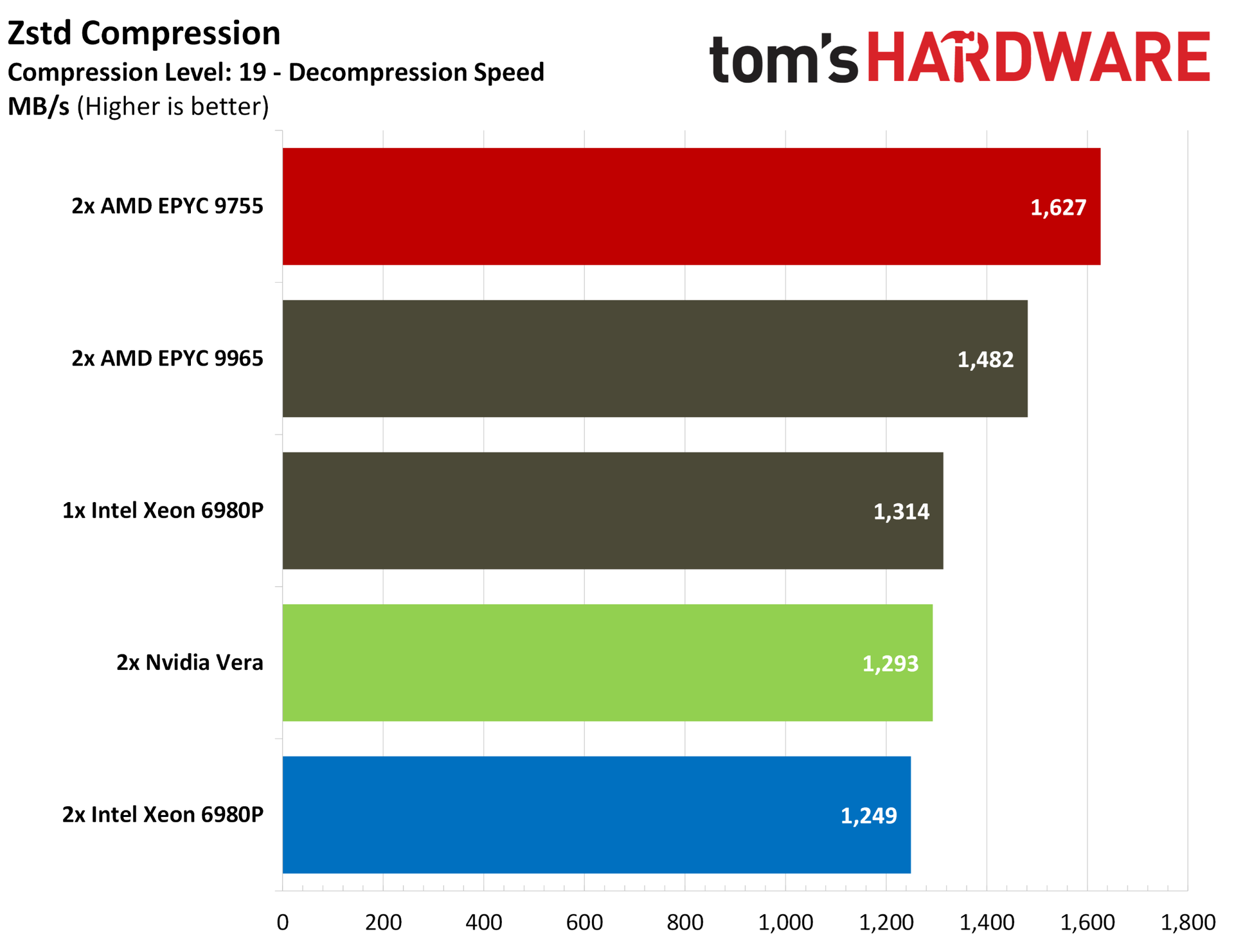
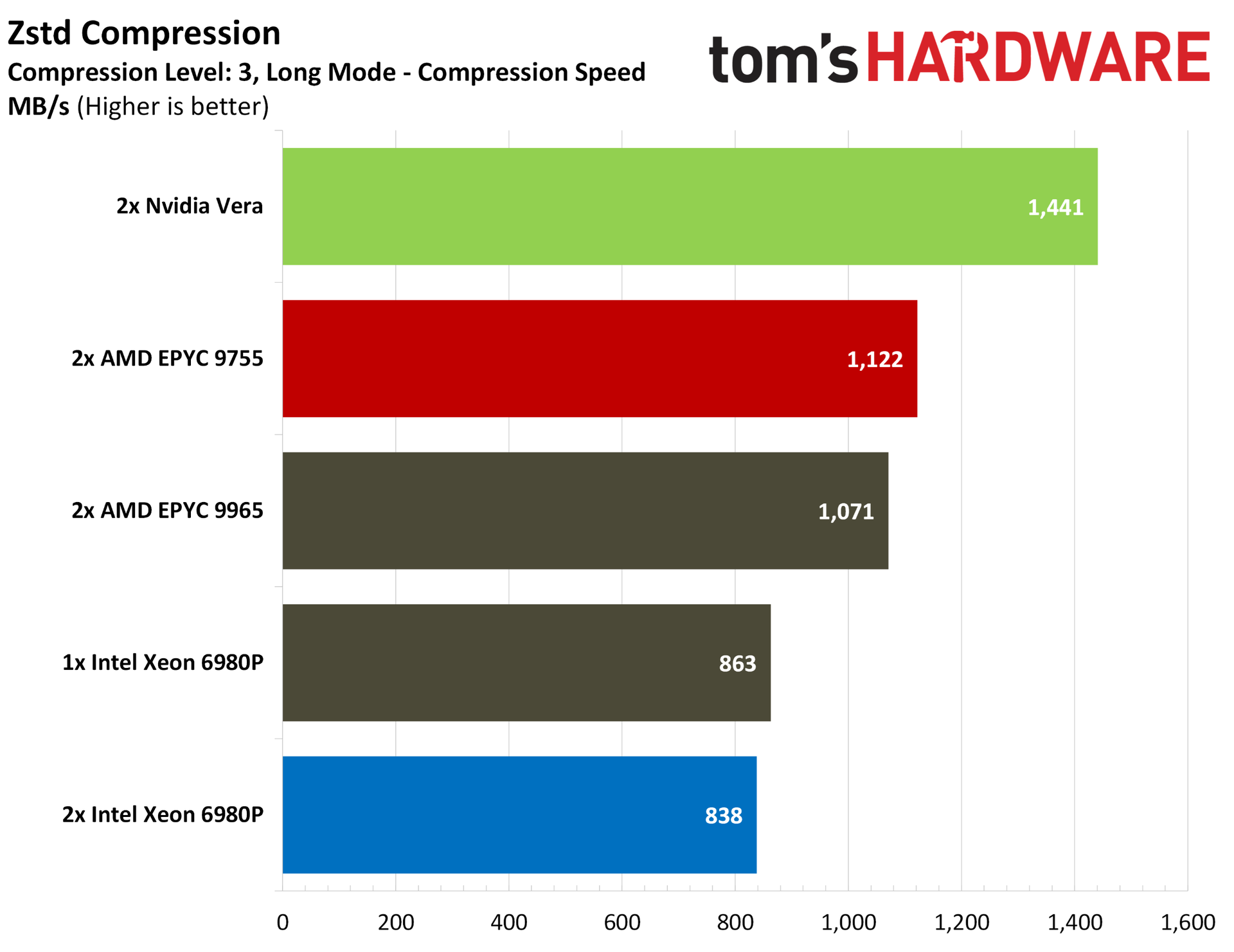
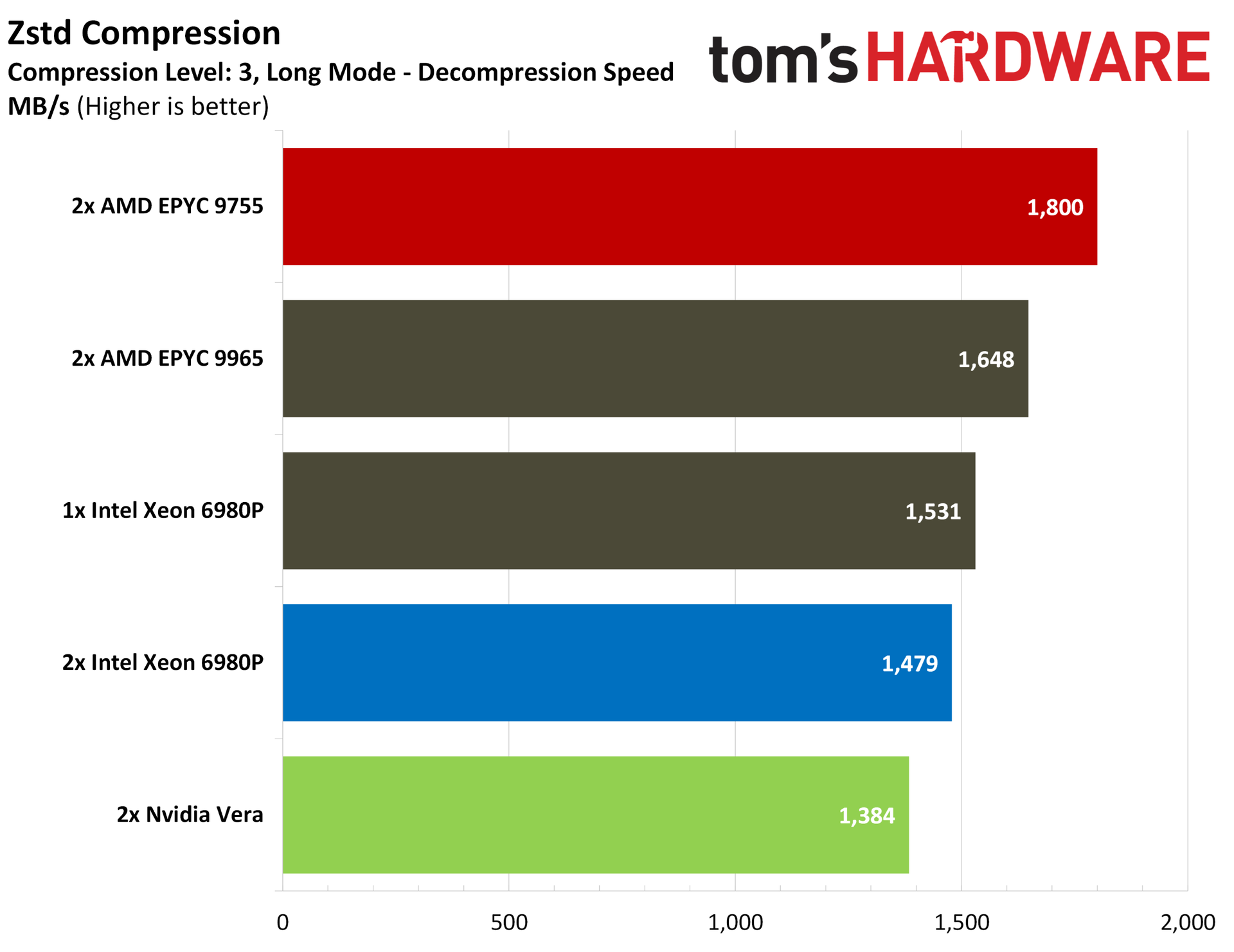
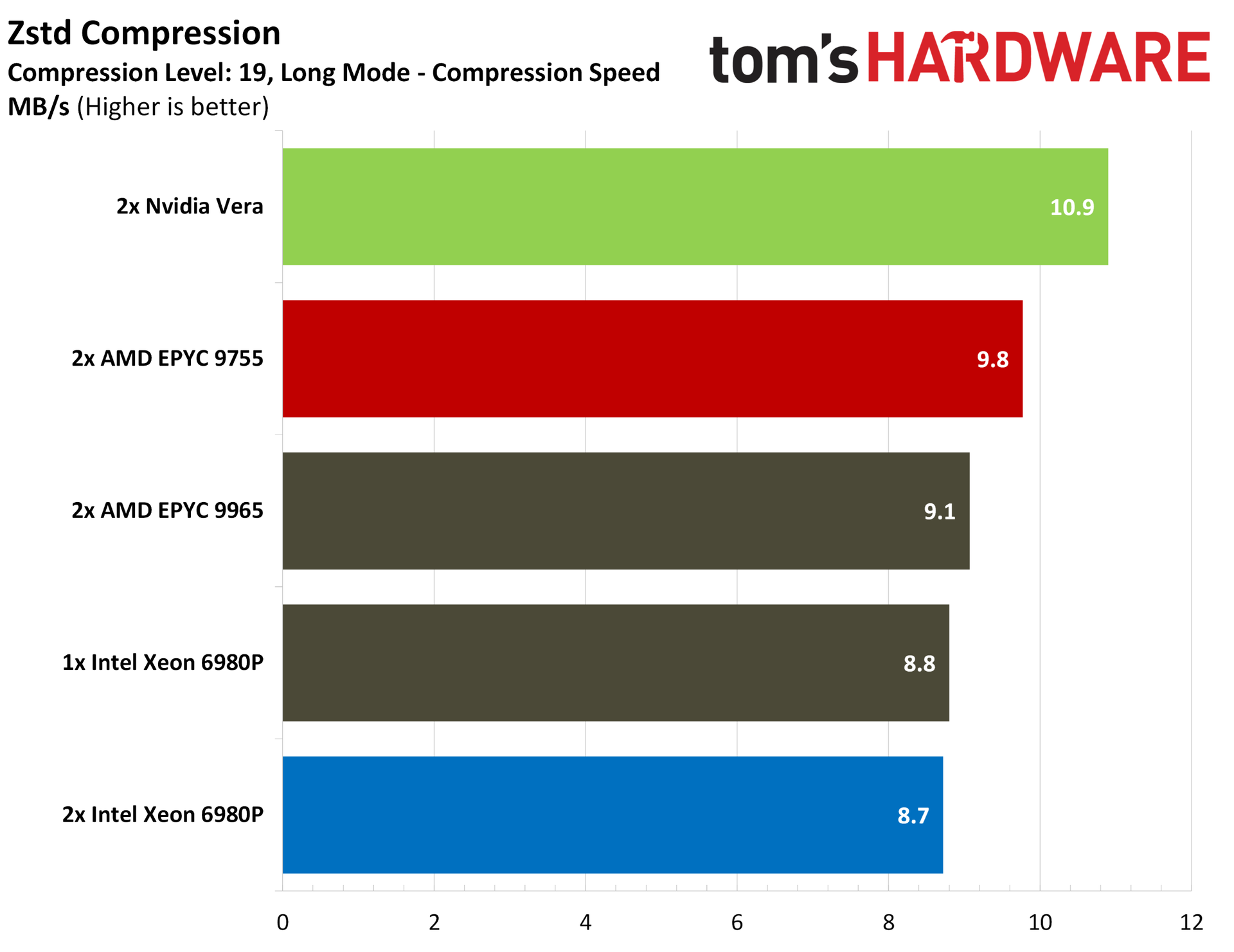
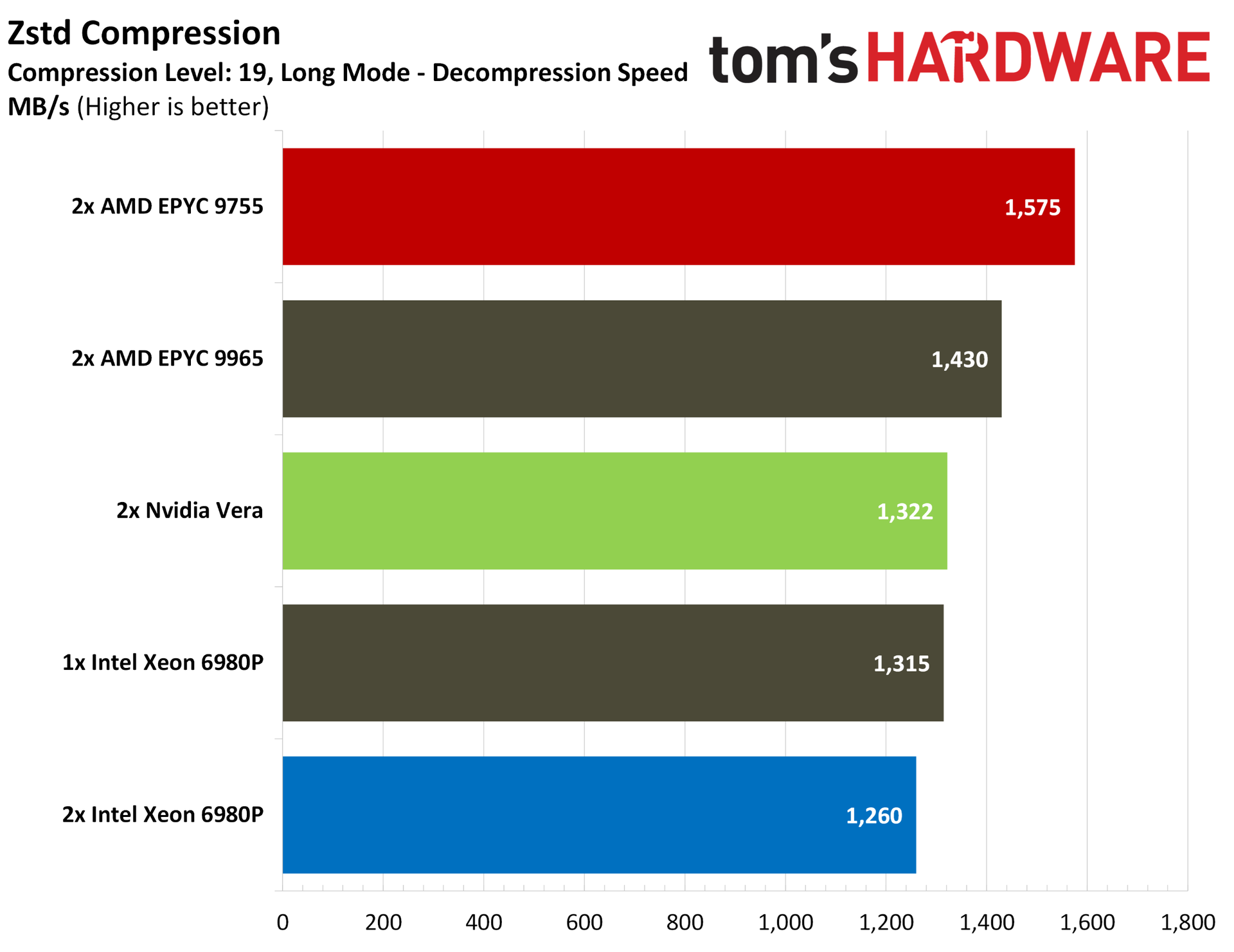
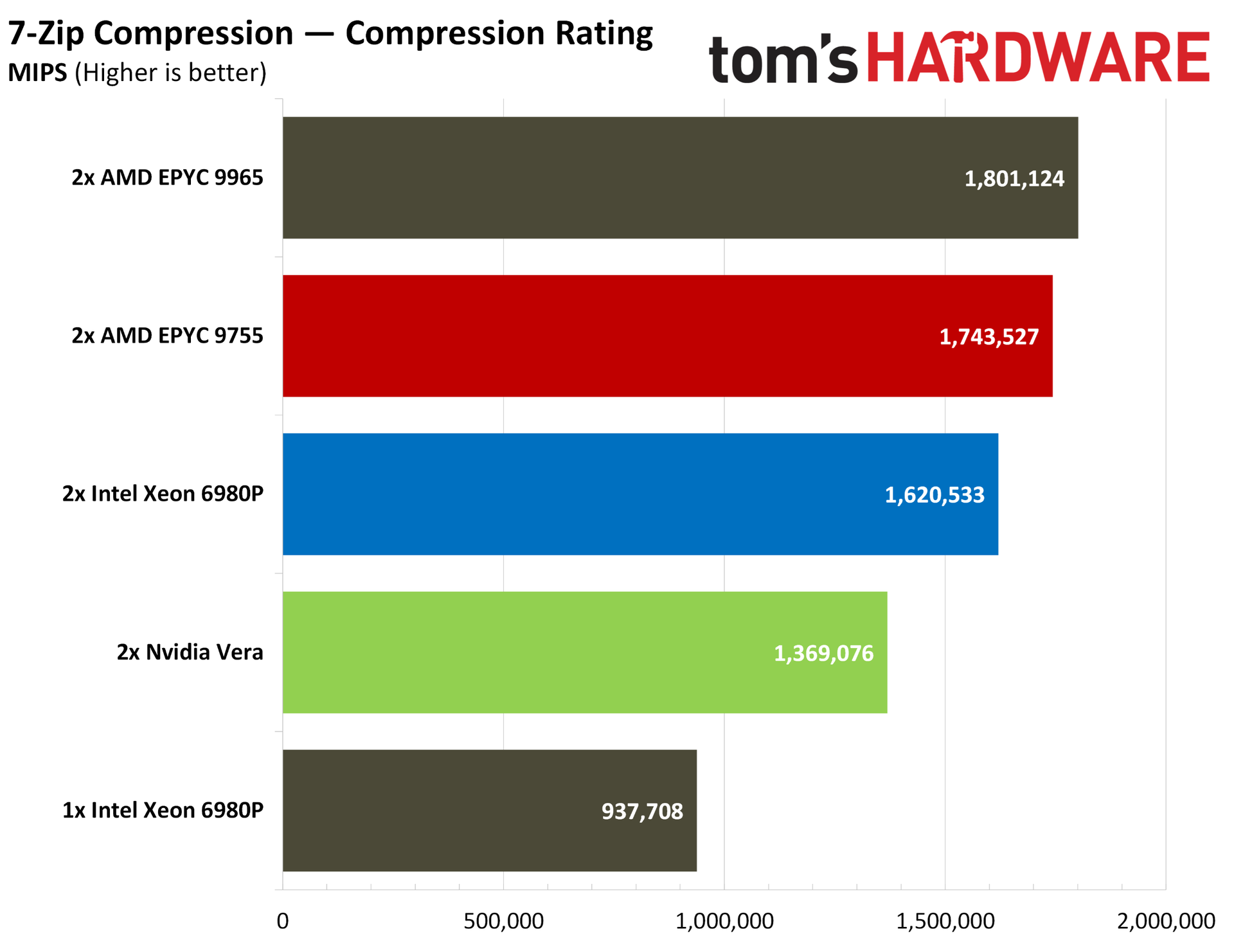
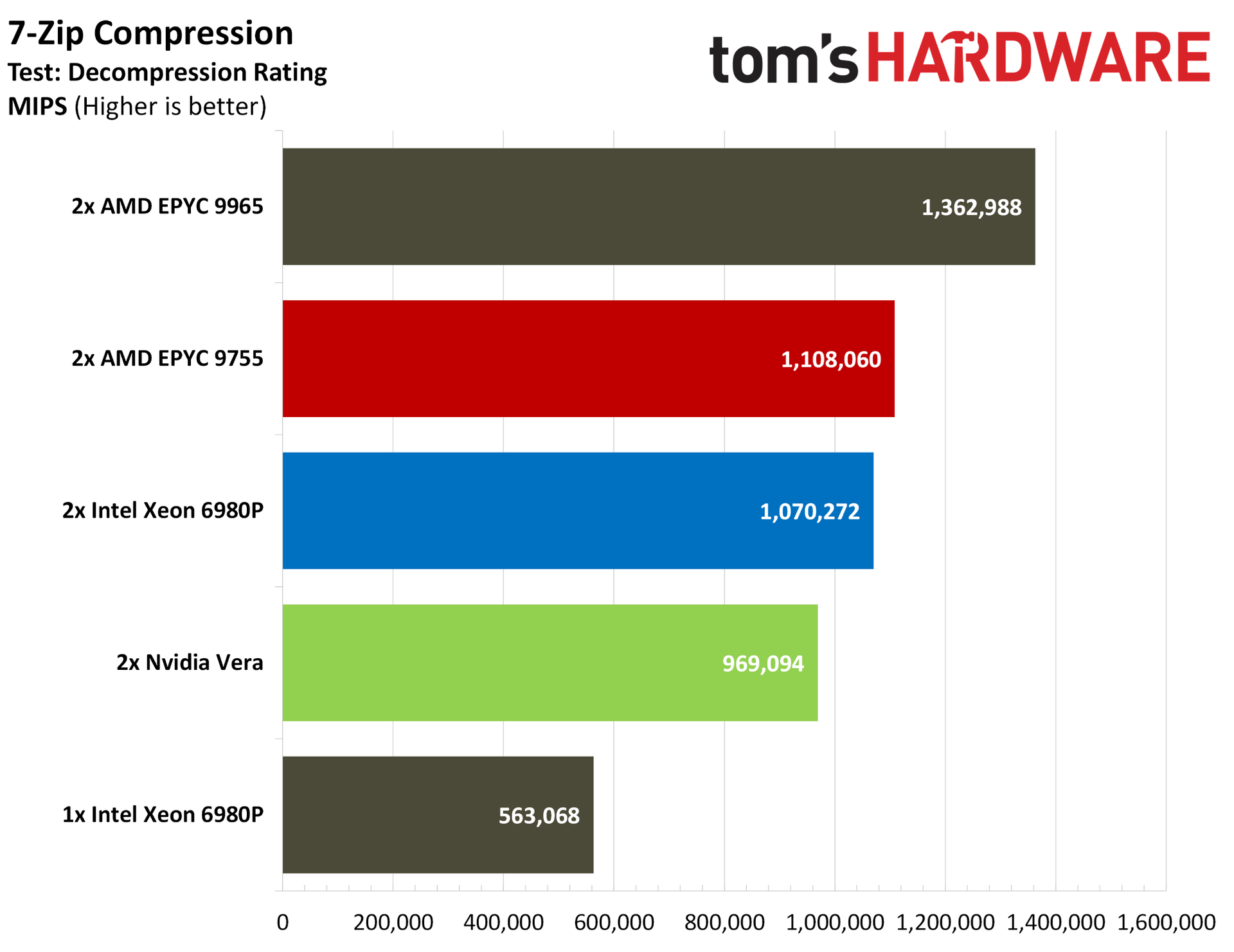
Vera loses some points in compression workloads, which we see echoed in our SPEC runs in dedicated benchmarks. Using Zstd, Vera offers chart-topping compression performance at the default level 3 compression, as well as the maximum level 19 compression, across both standard and Long Mode runs. However, in decompression, the Turin chips take over, with Vera sitting alongside or below a dual 6980P configuration.
7-Zip traditionally favors Zen, so it’s no surprise to see both Turin configurations at the top of the charts. Vera loses out to the dual 6980P system in both compression and decompression performance via 7-Zip.
Nvidia Vera Java, database, and crypto benchmarks
Python is the language of choice for the AI ecosystem right now, but JavaScript/TypeScript are a close second. We ran three standard Java suites to evaluate performance: Java SciMark, DaCapo, and Renaissance.
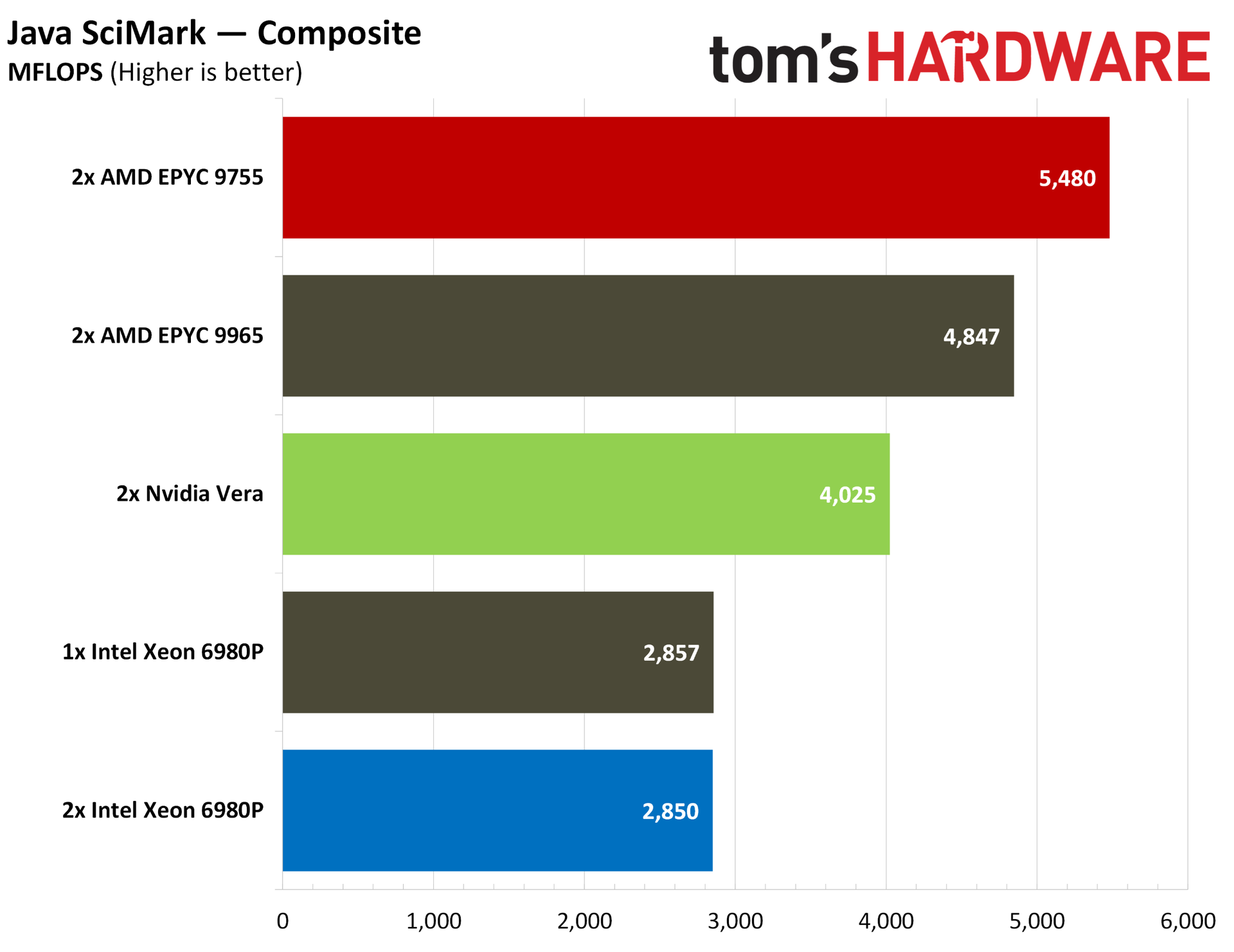
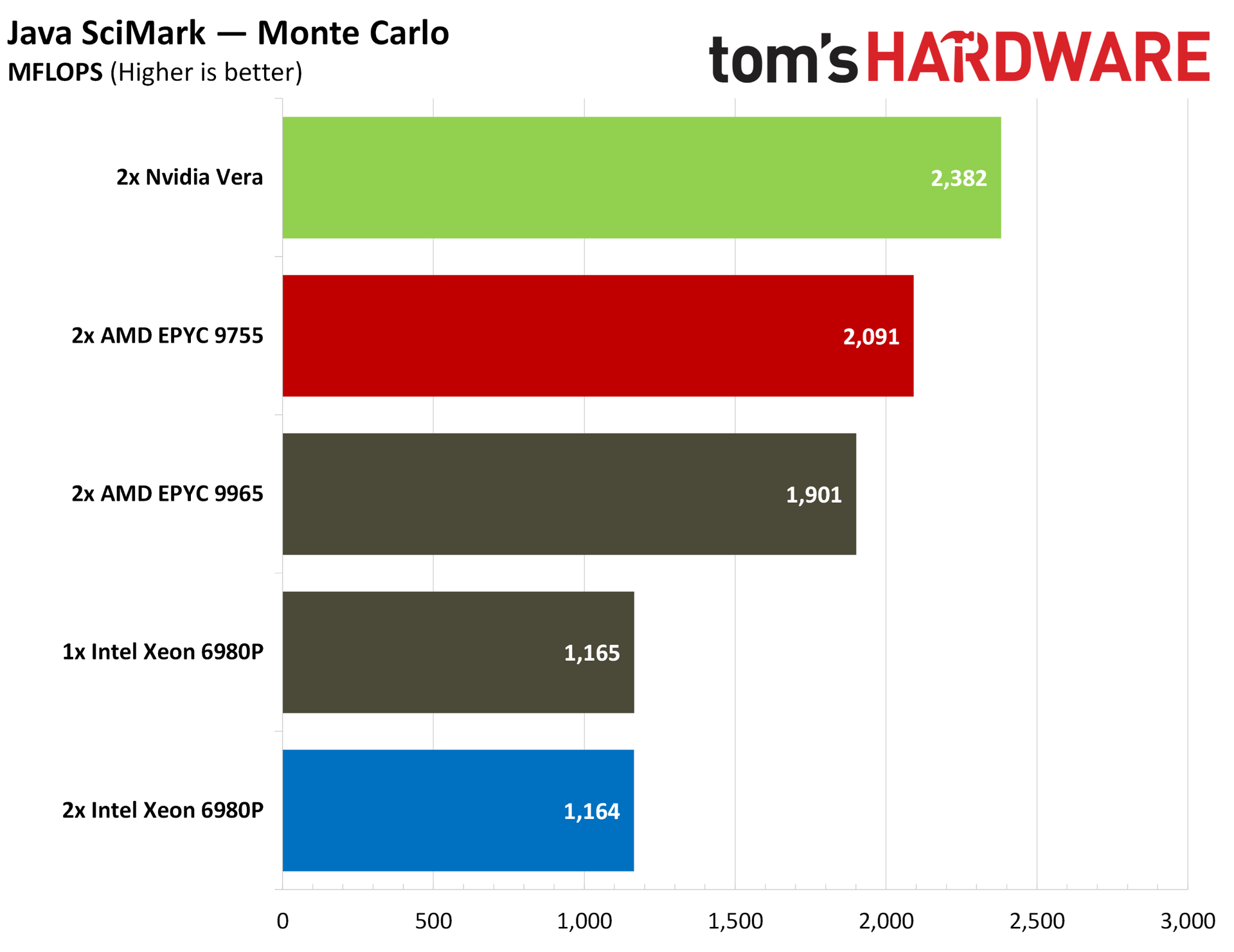
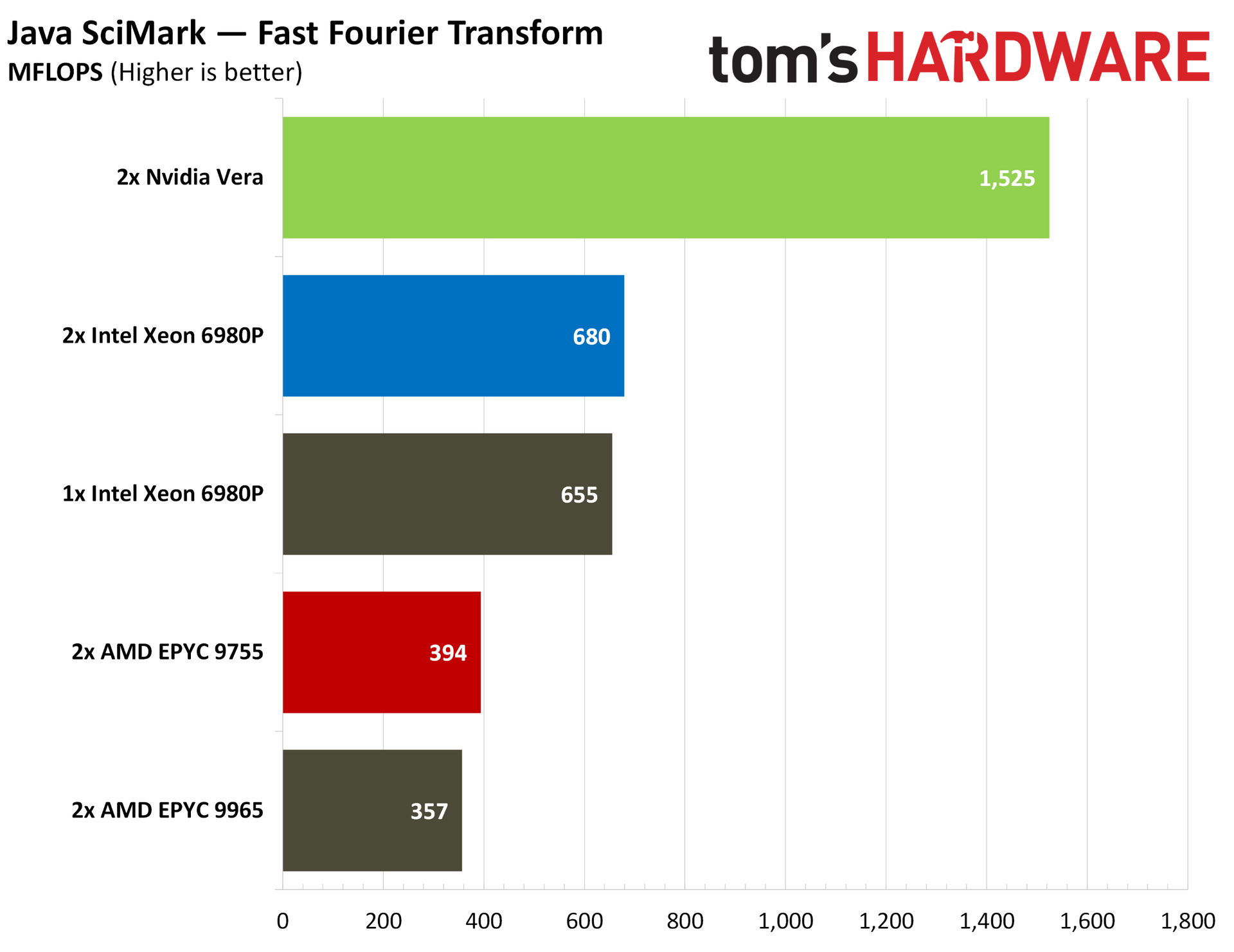
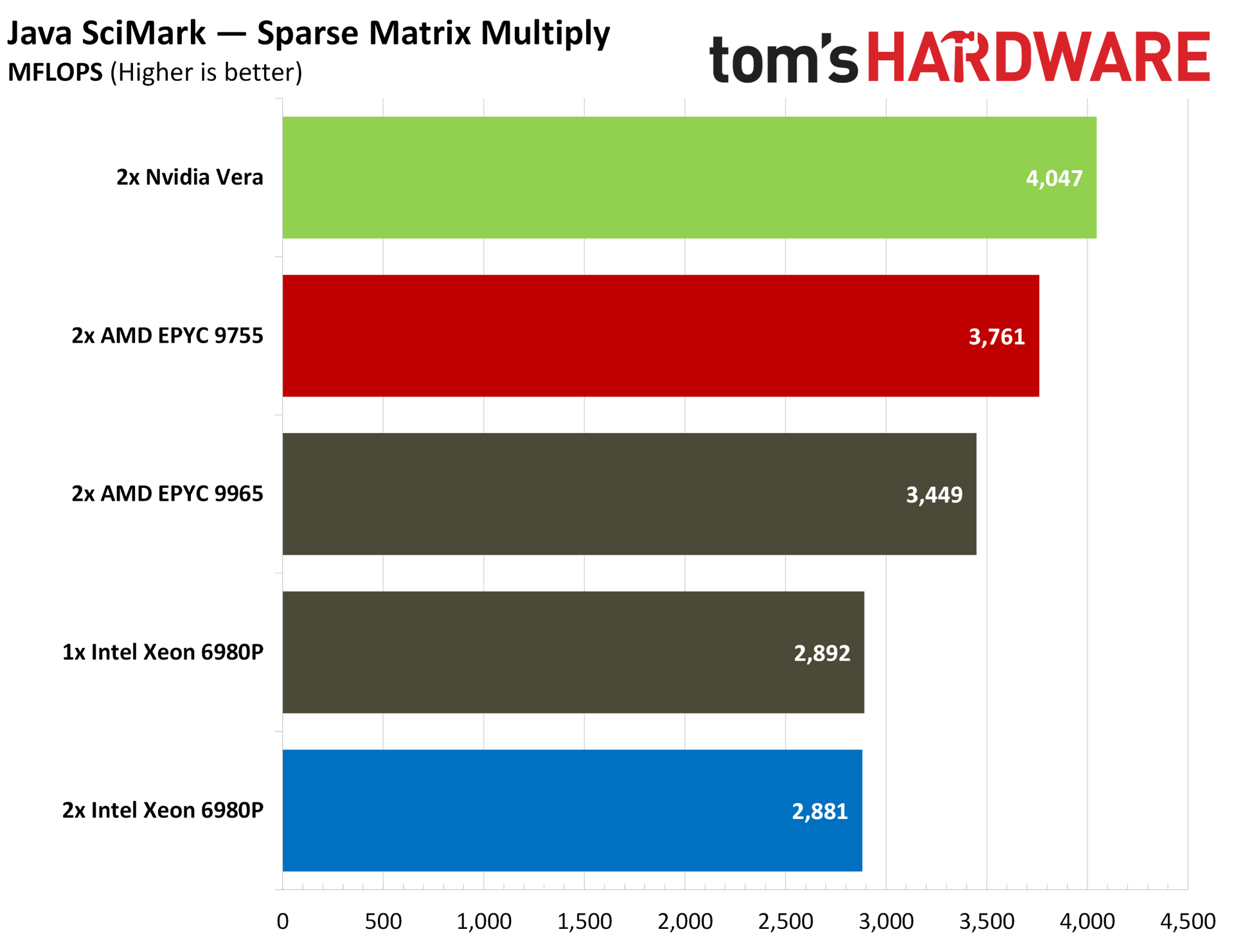
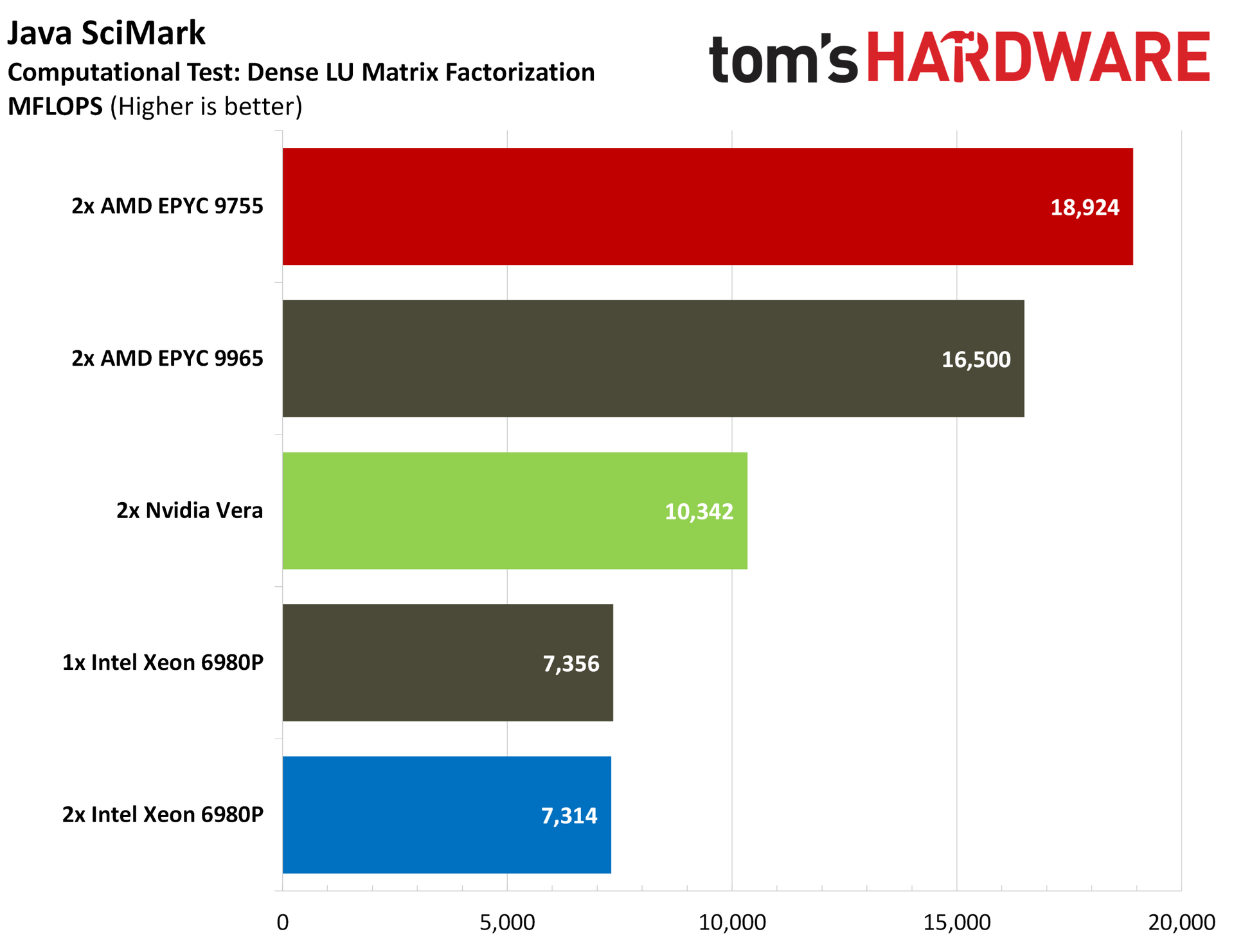
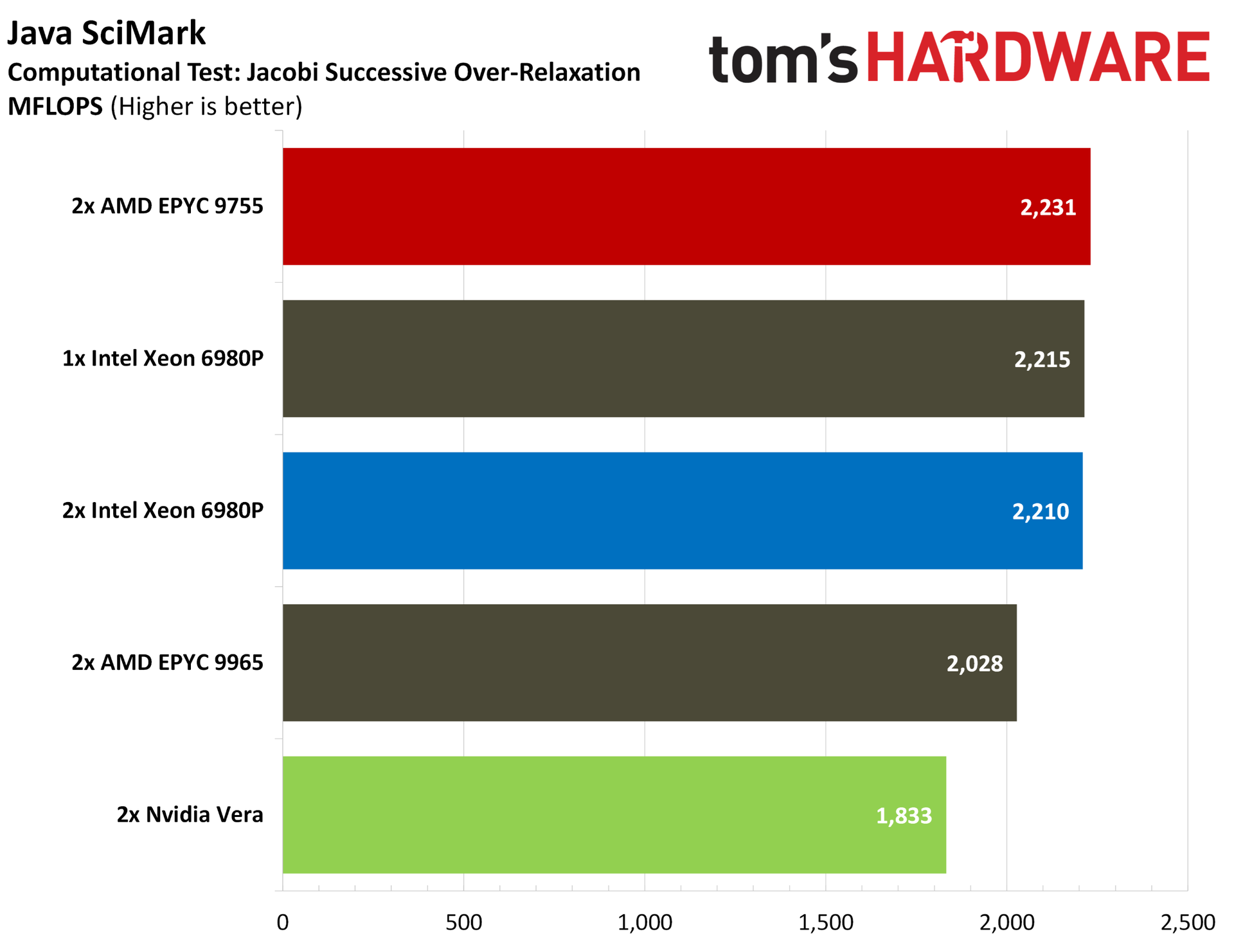
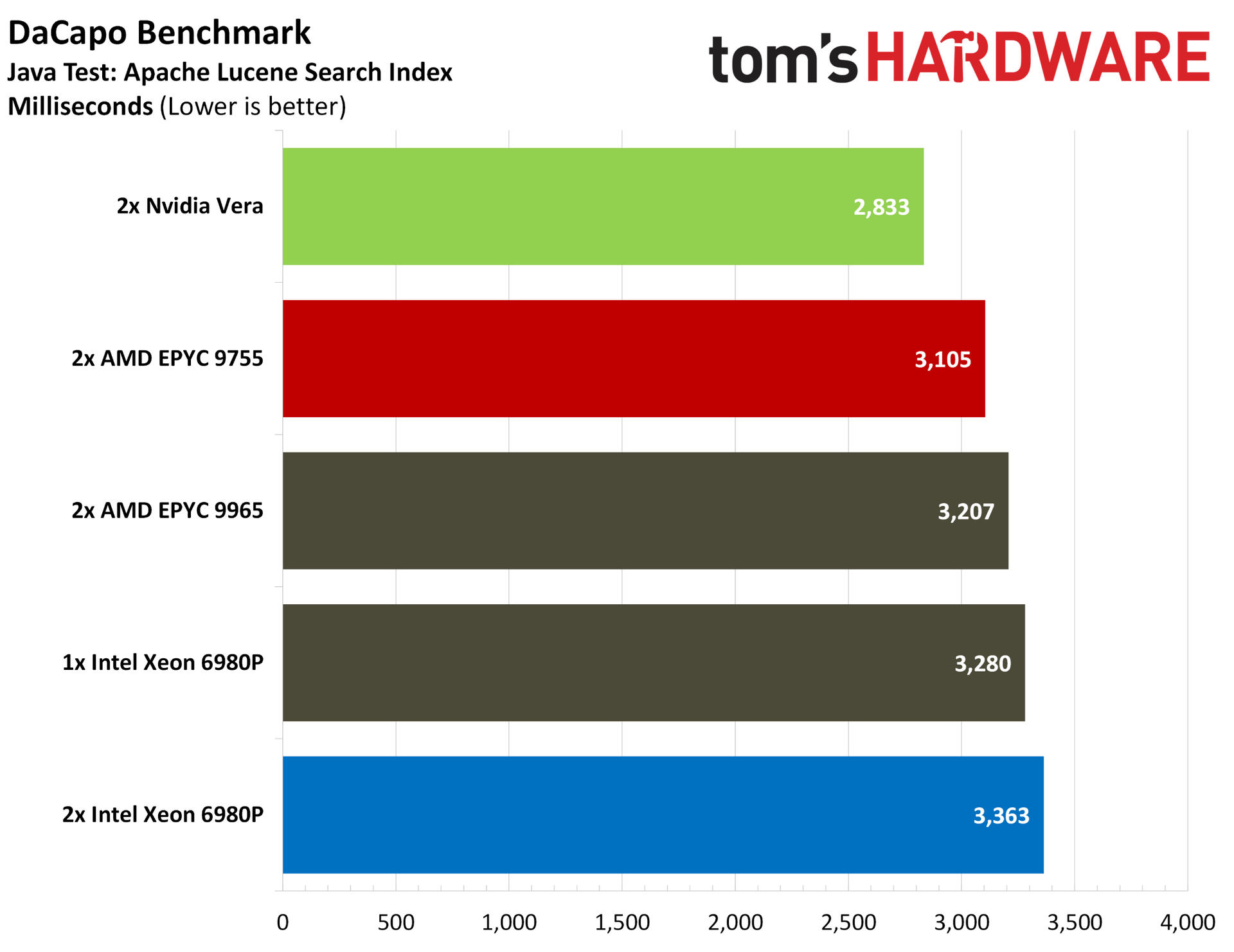
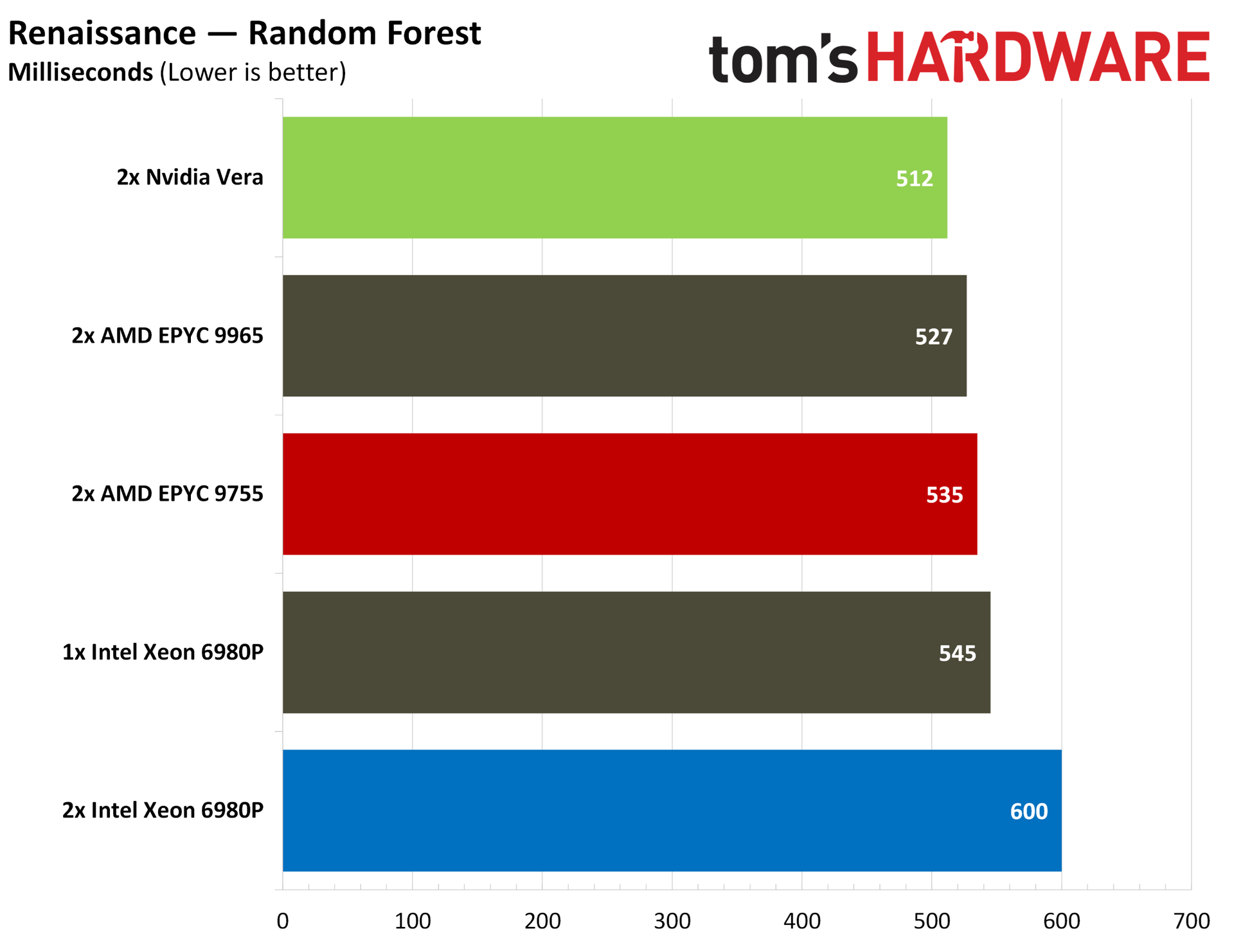
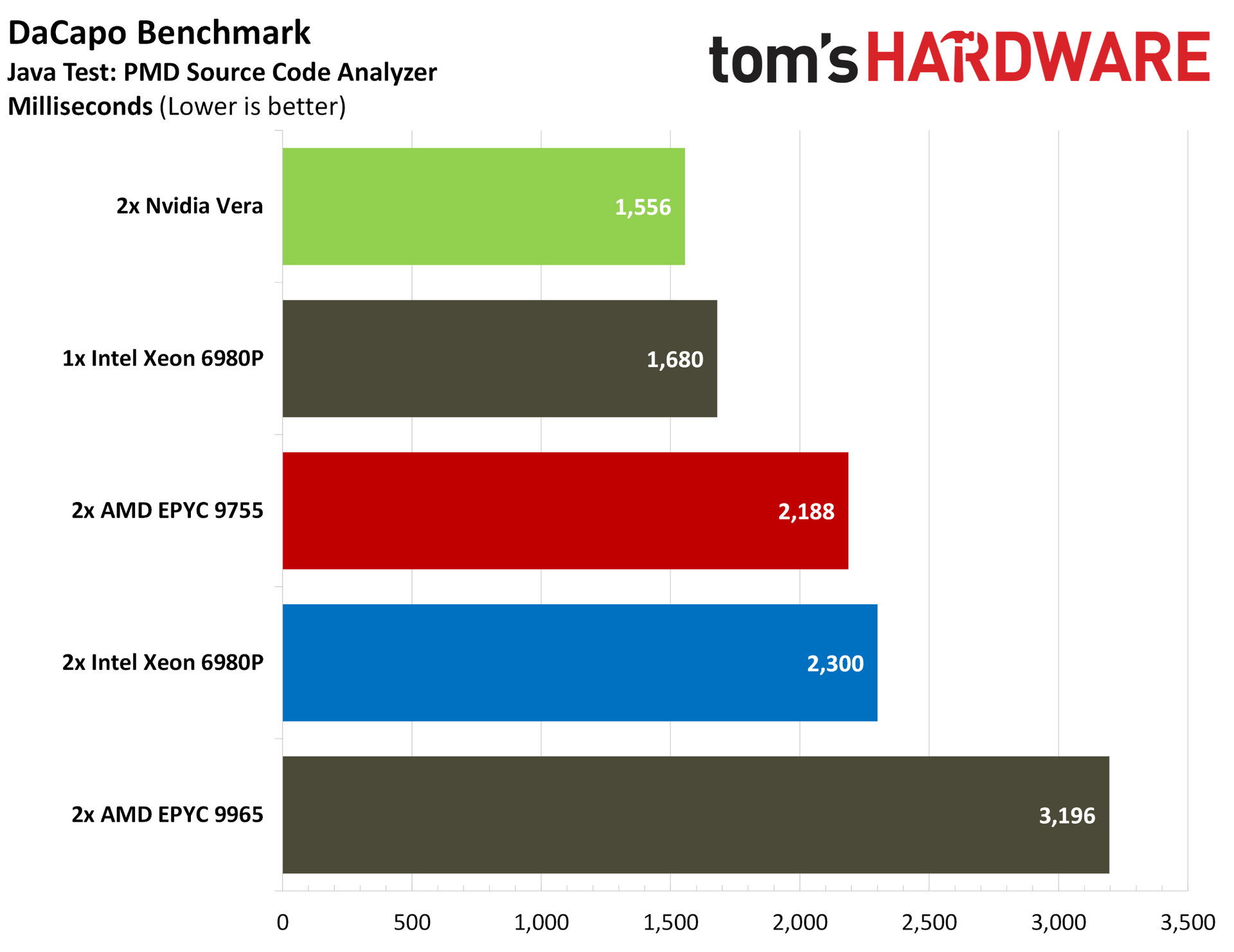
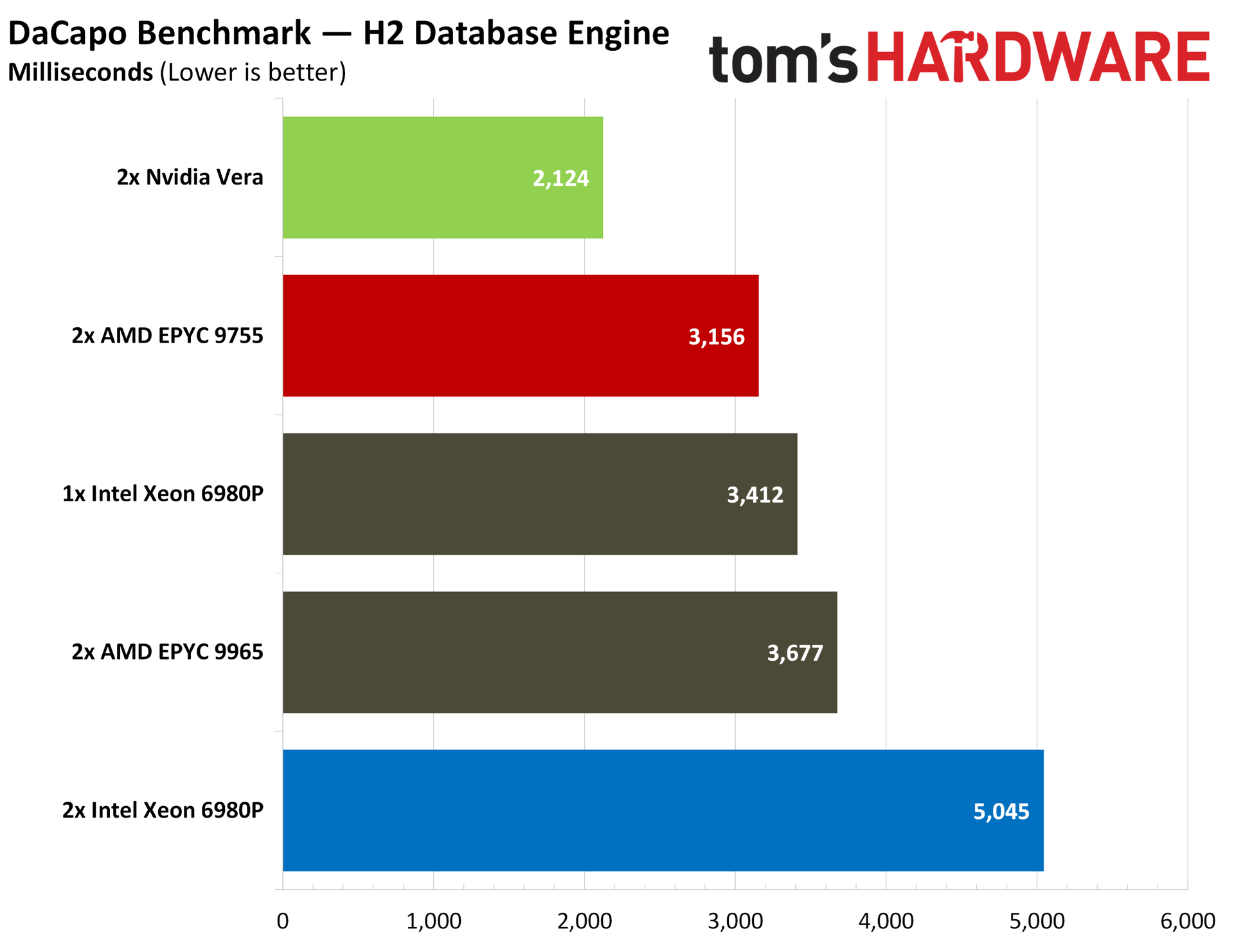
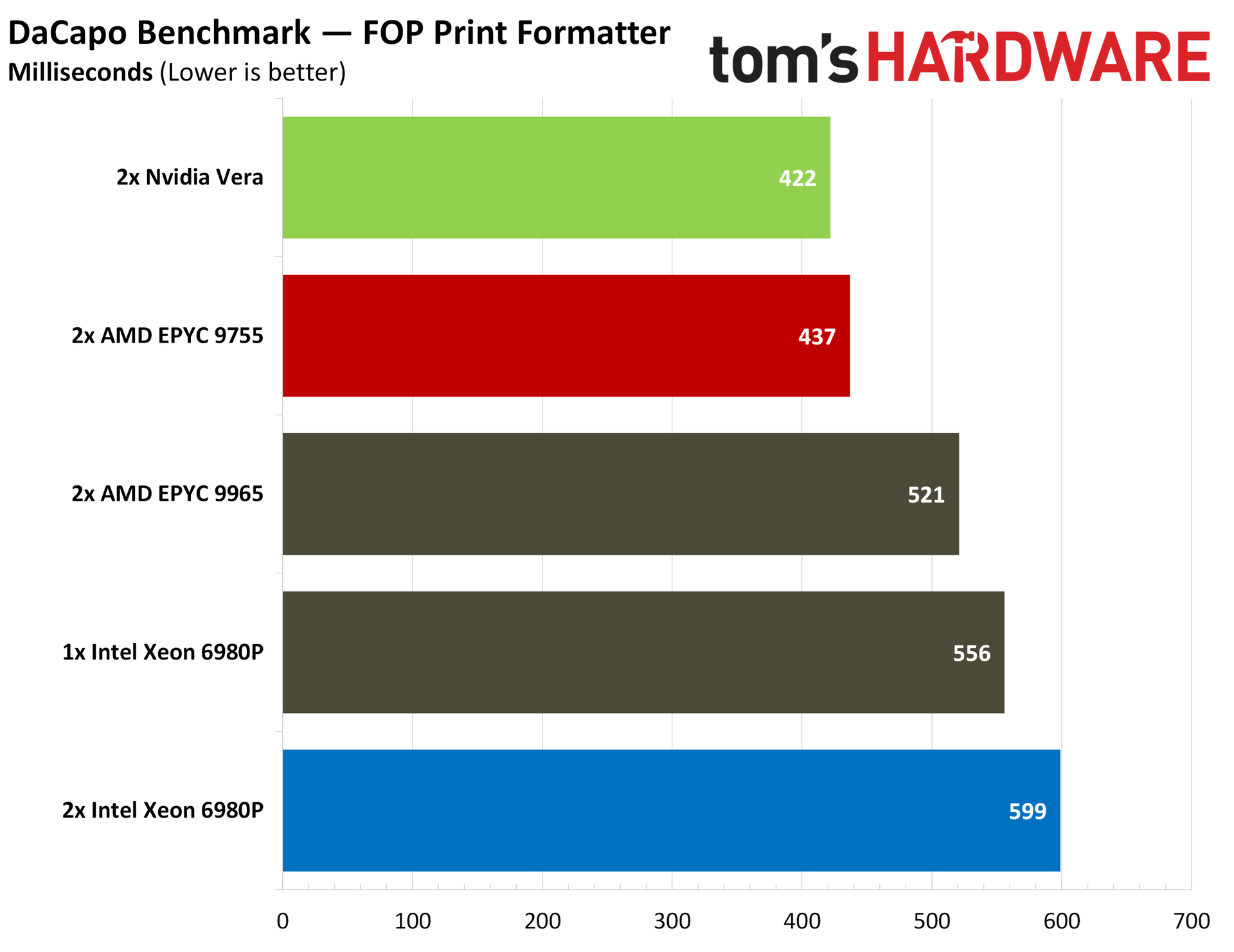
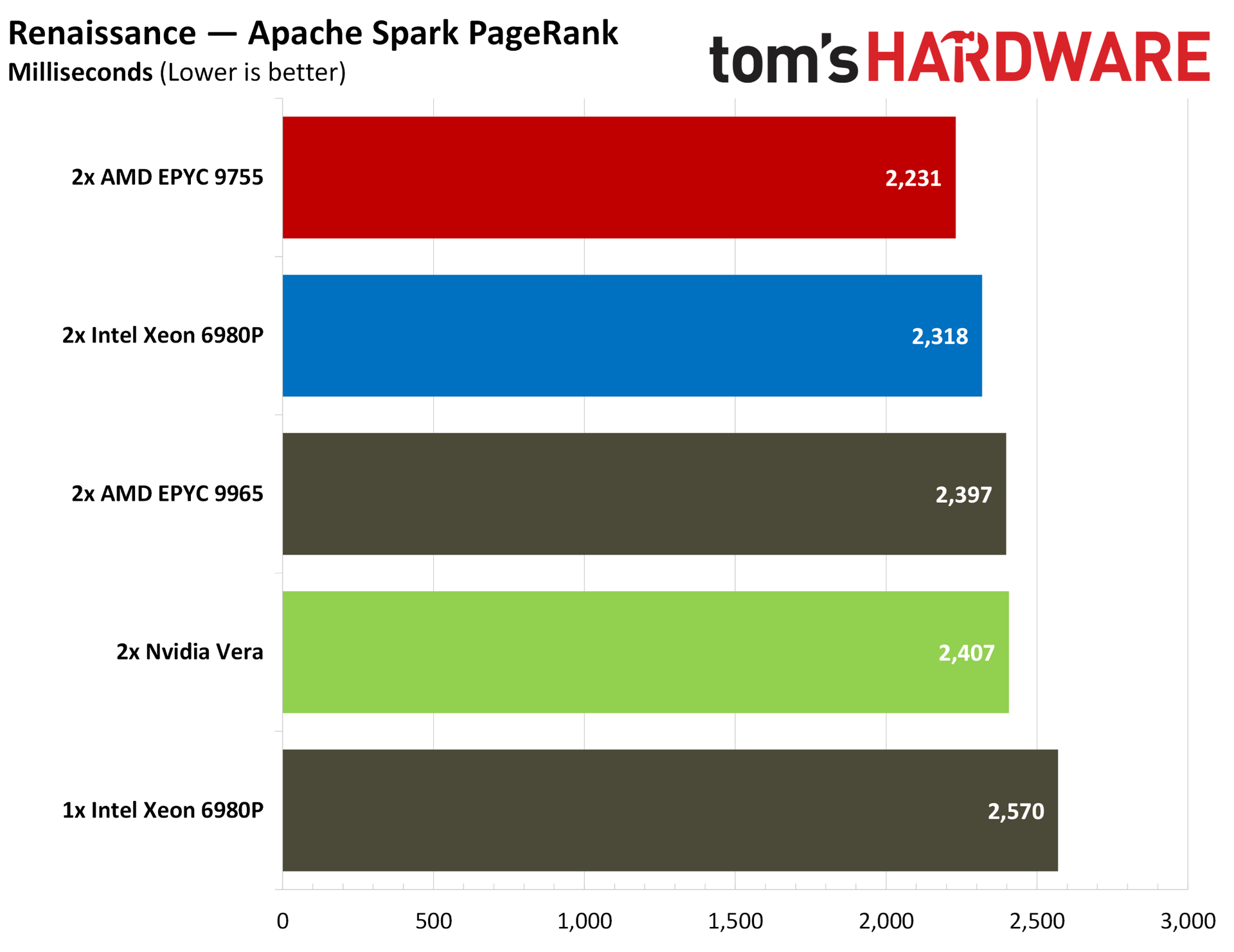
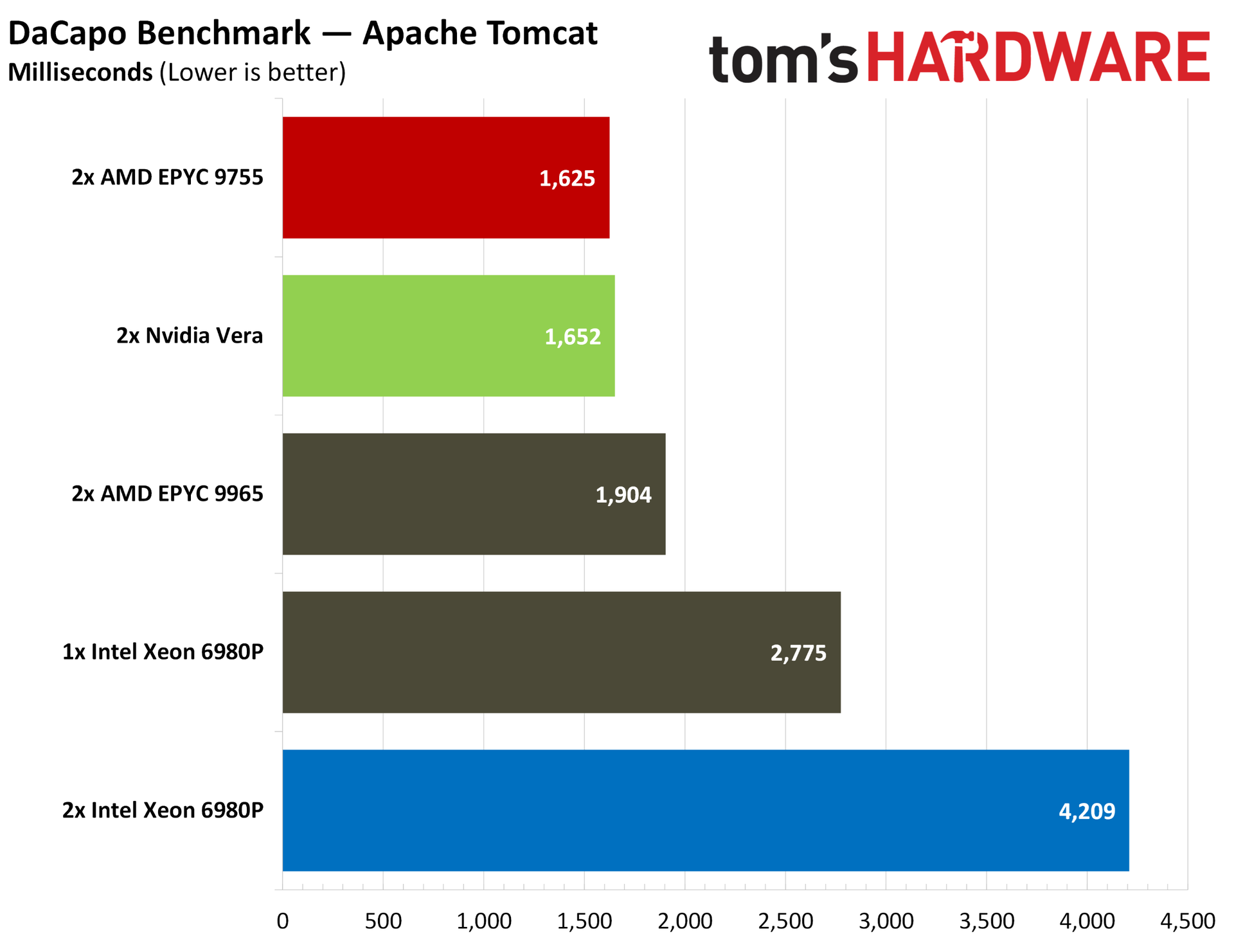
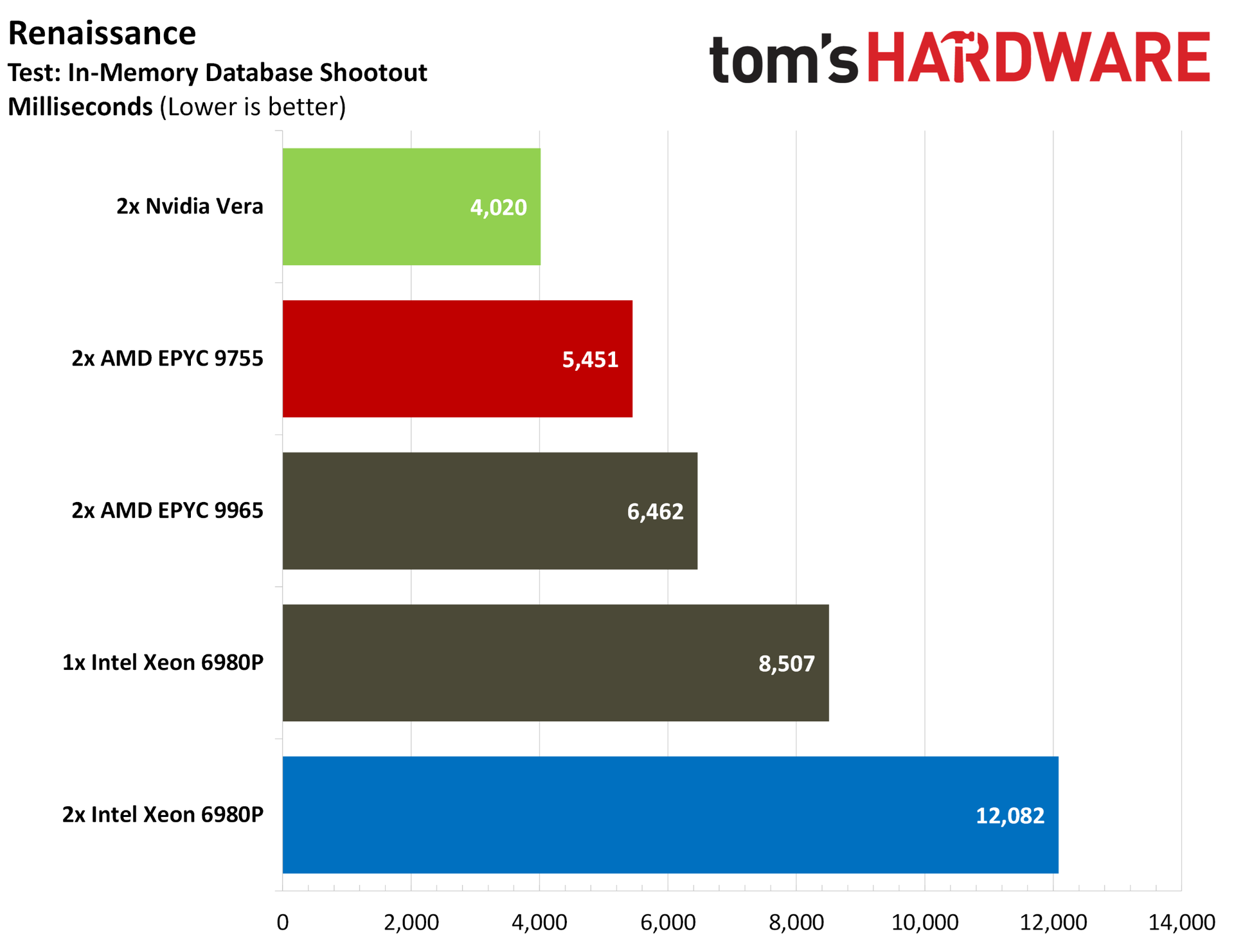
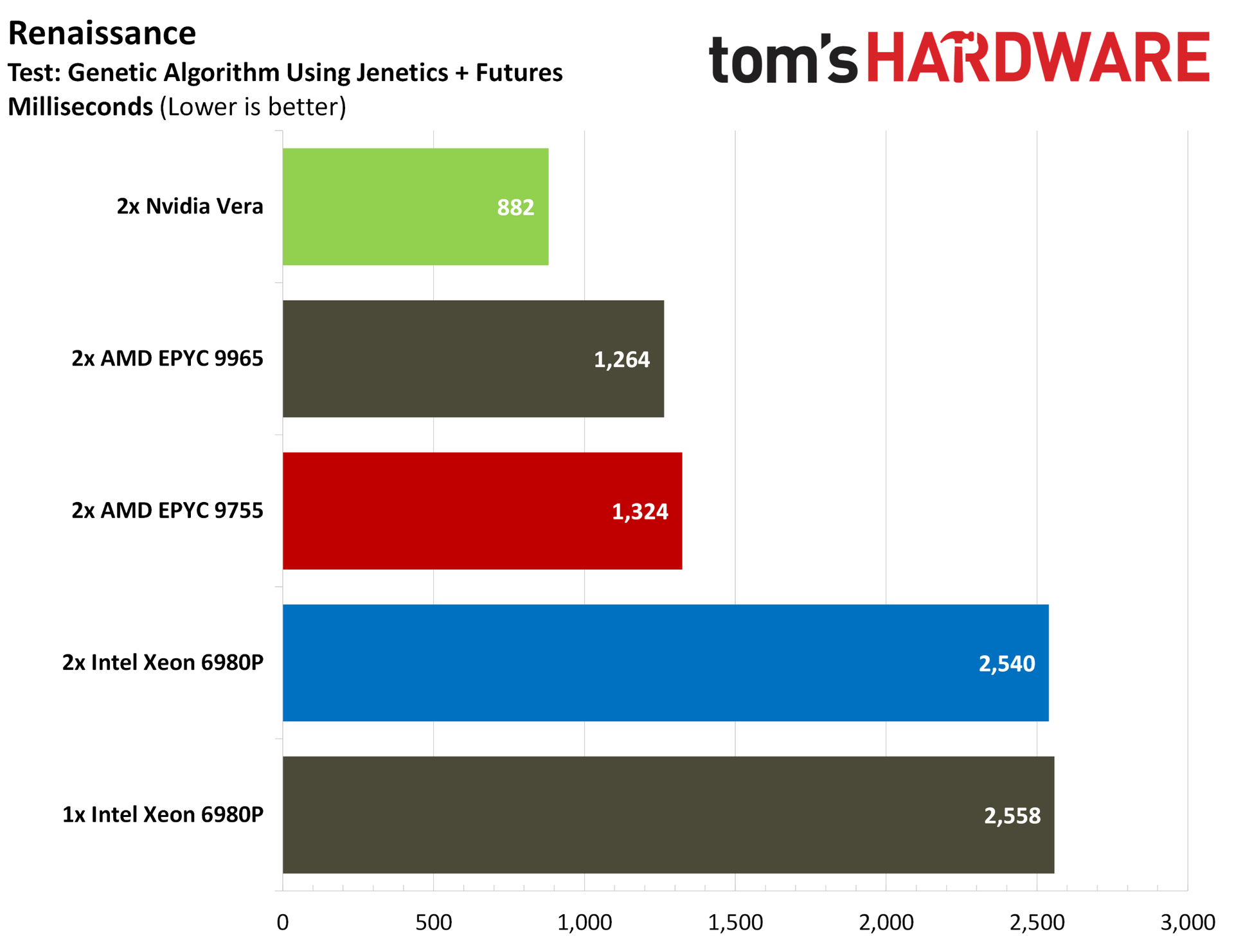
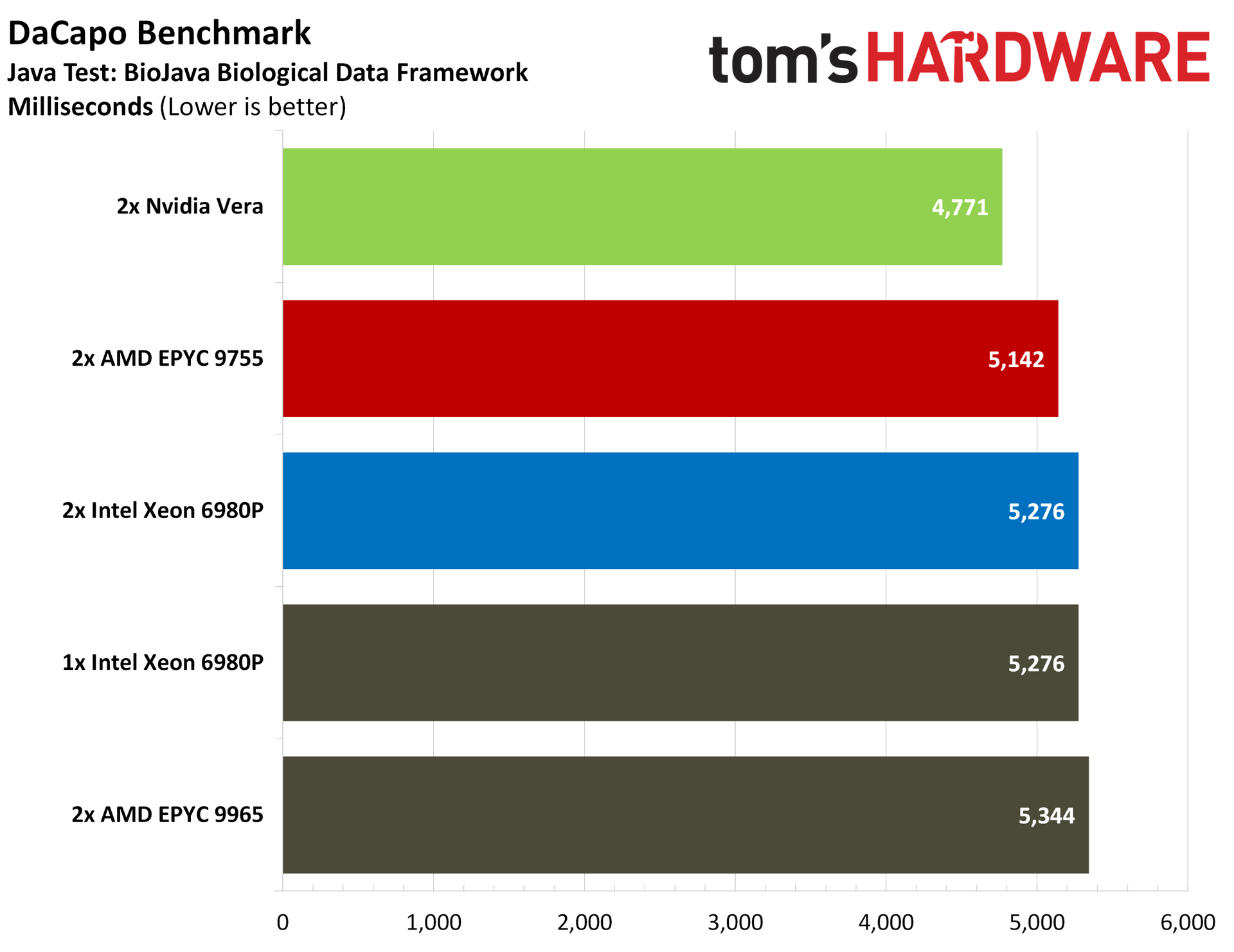
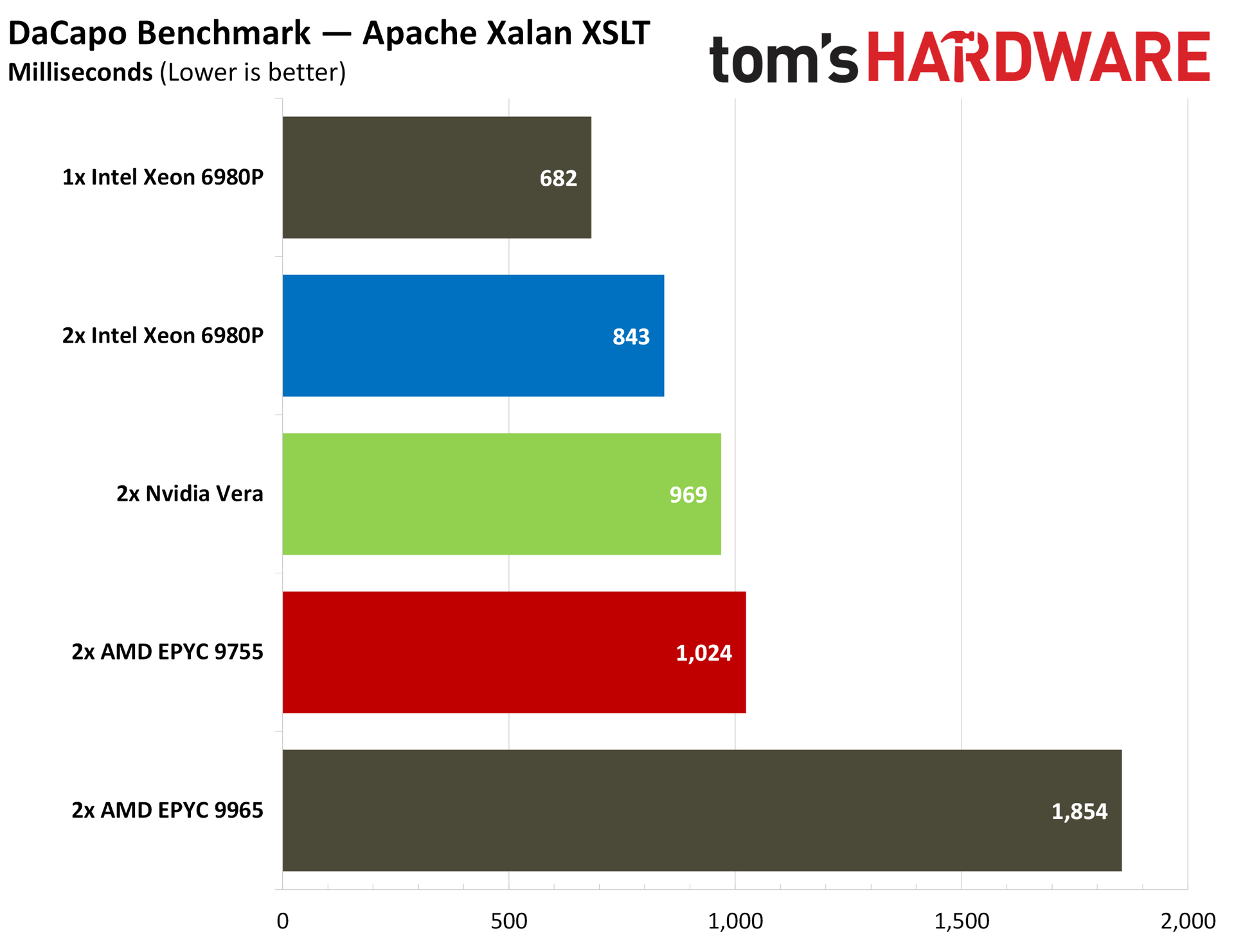
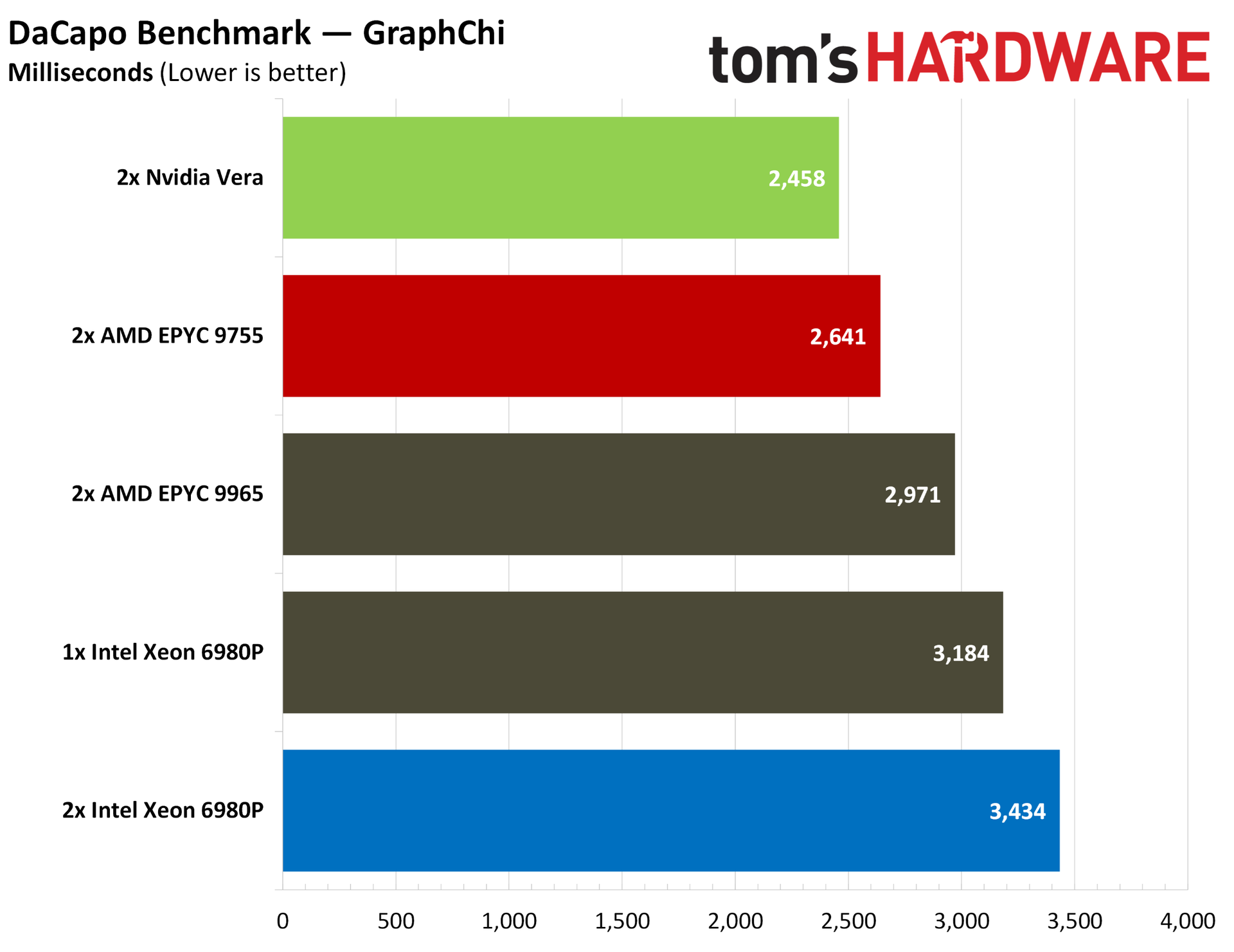
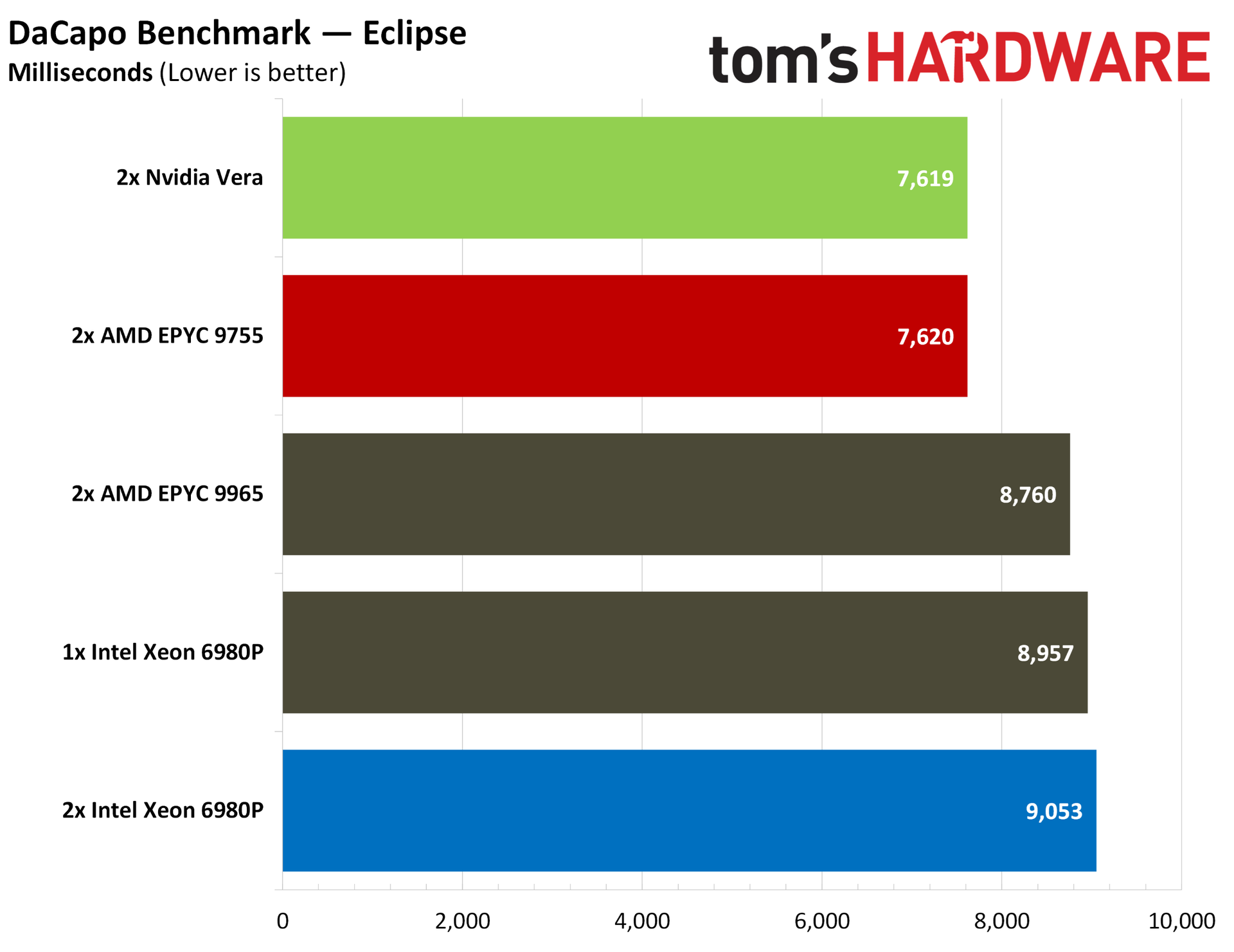
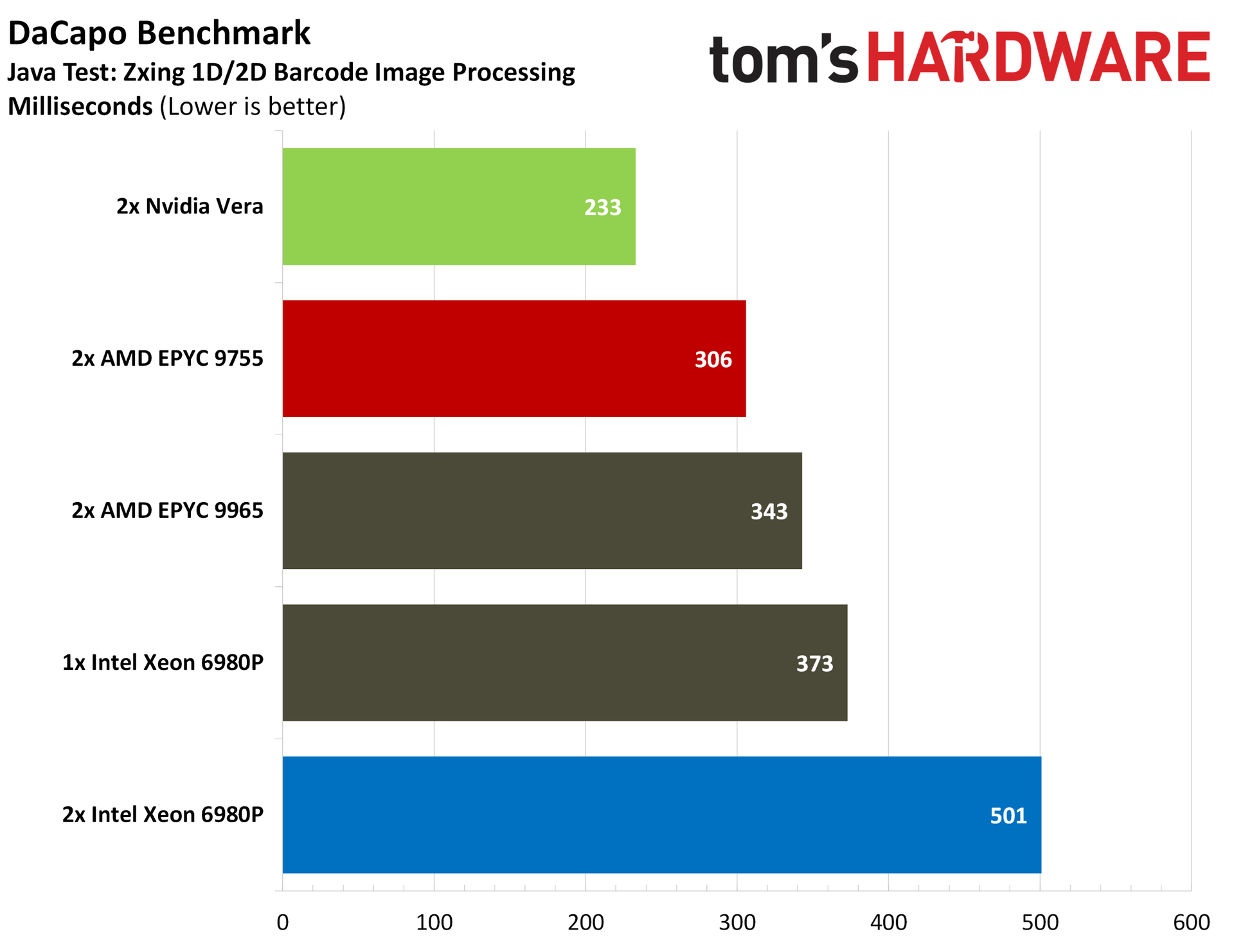
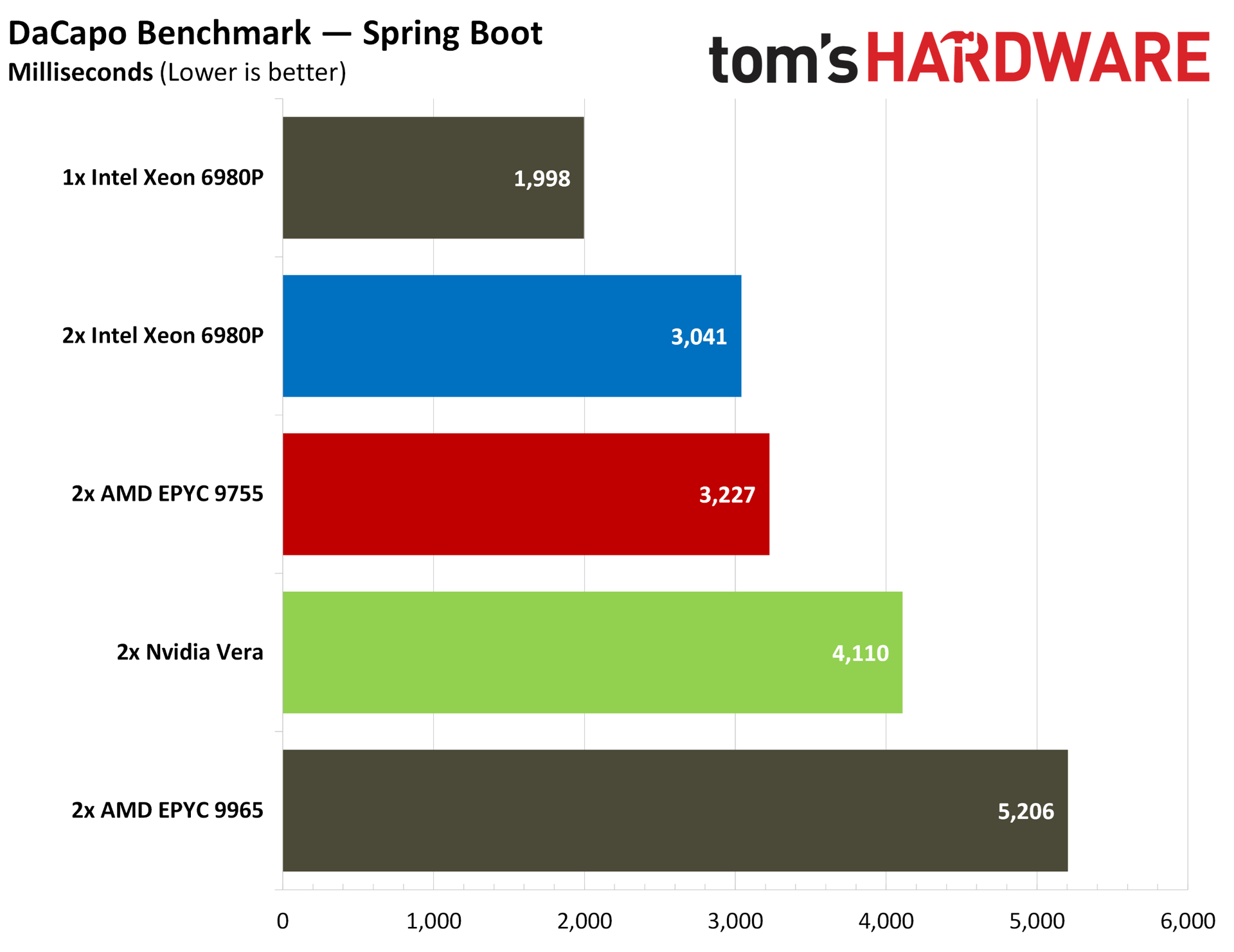
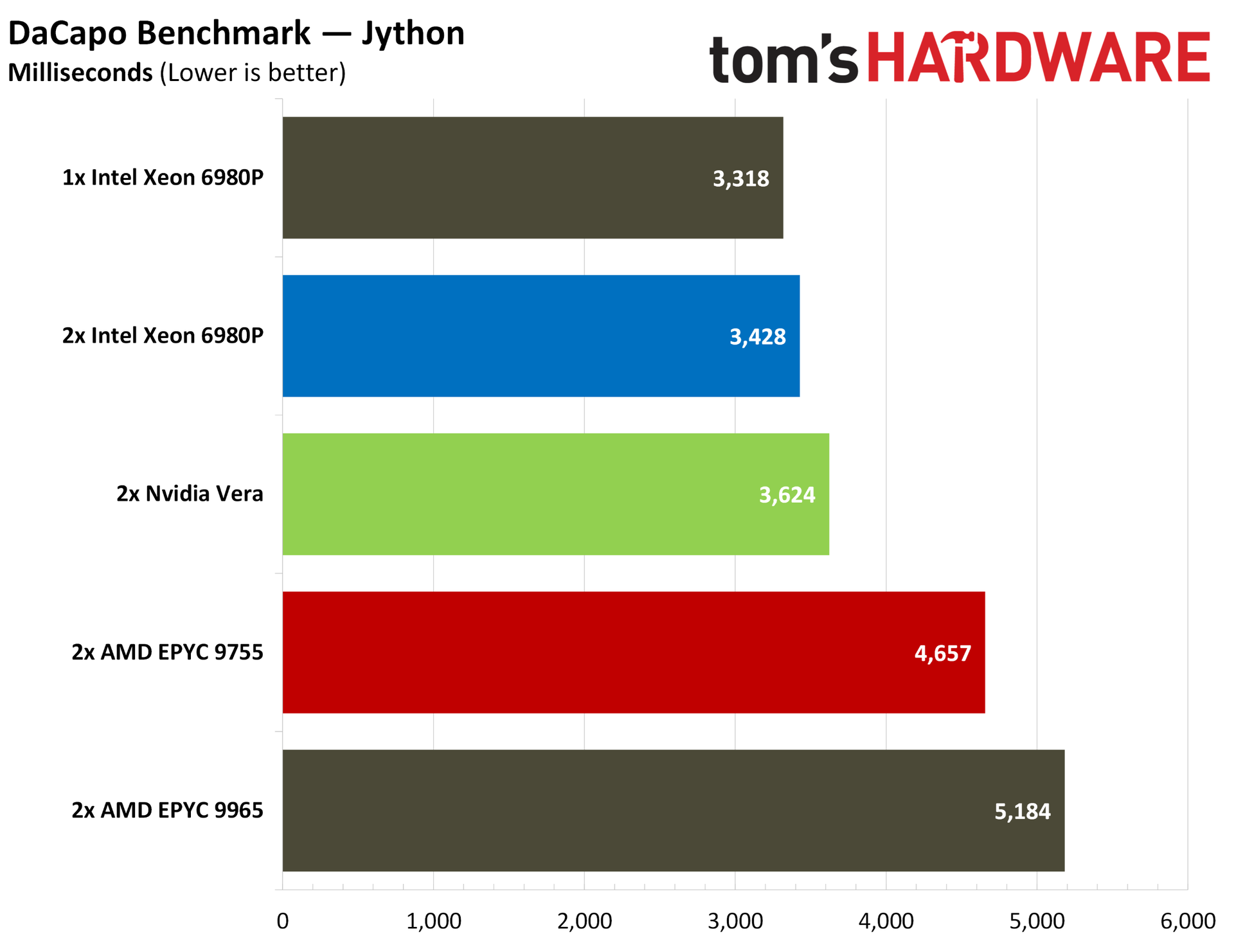
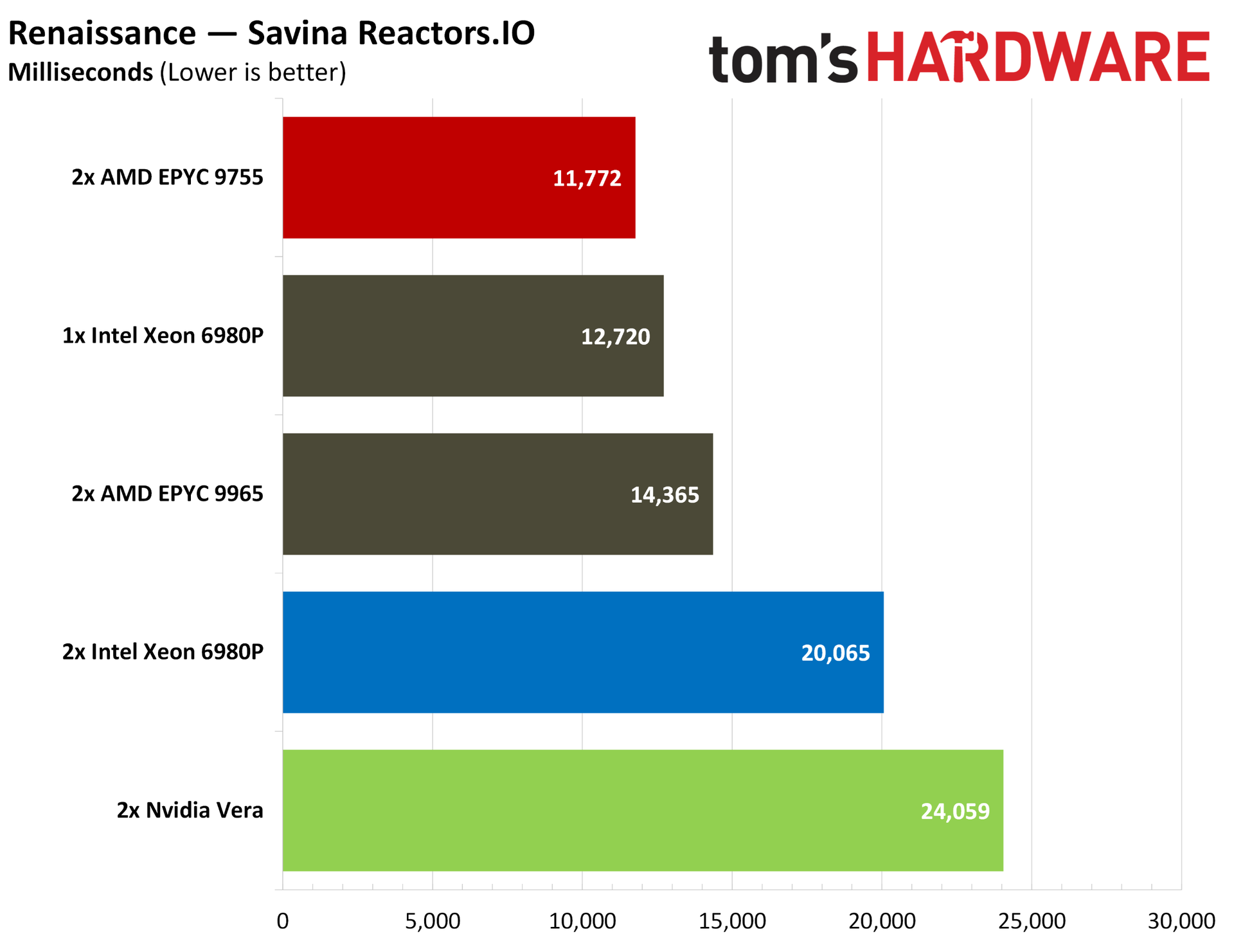
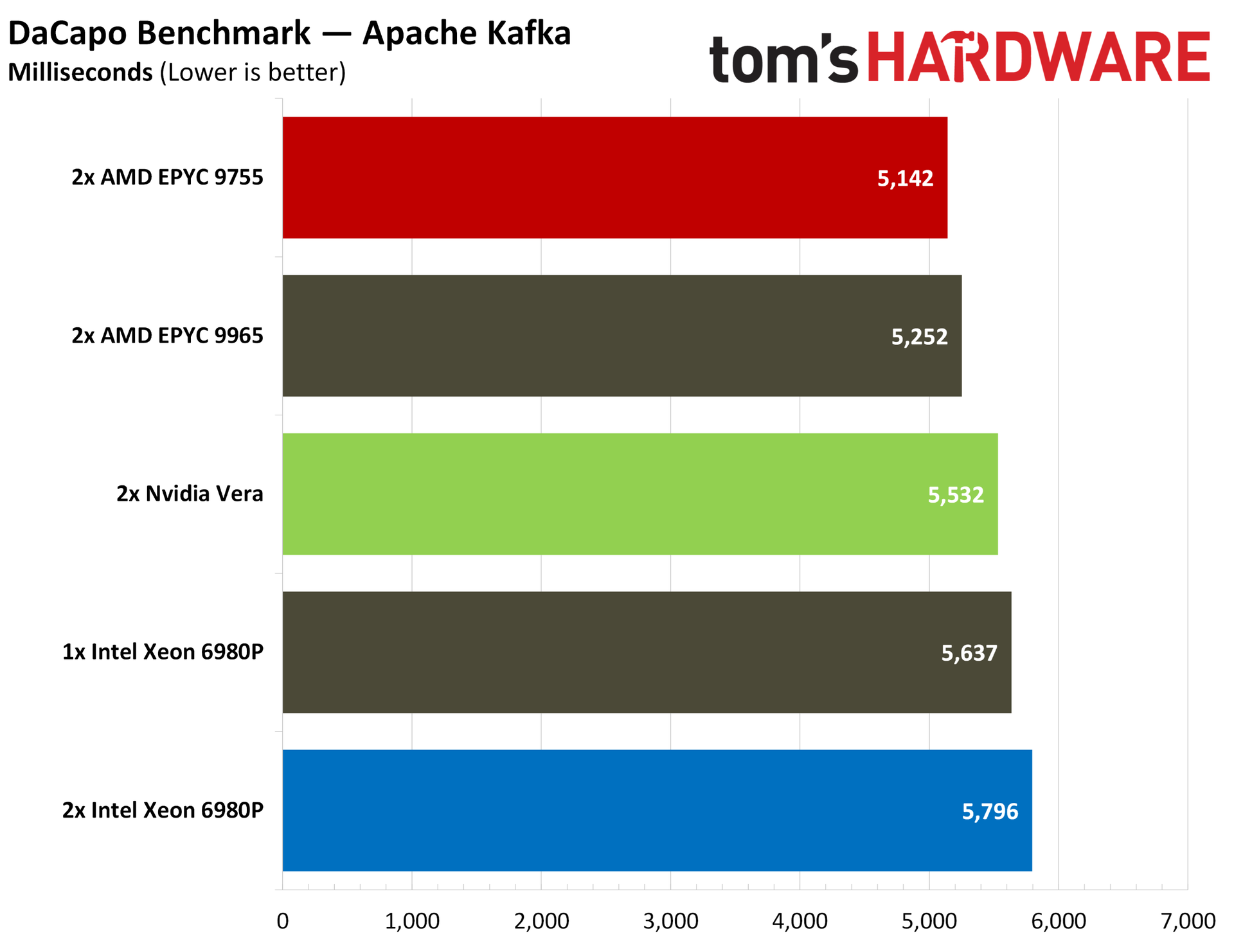
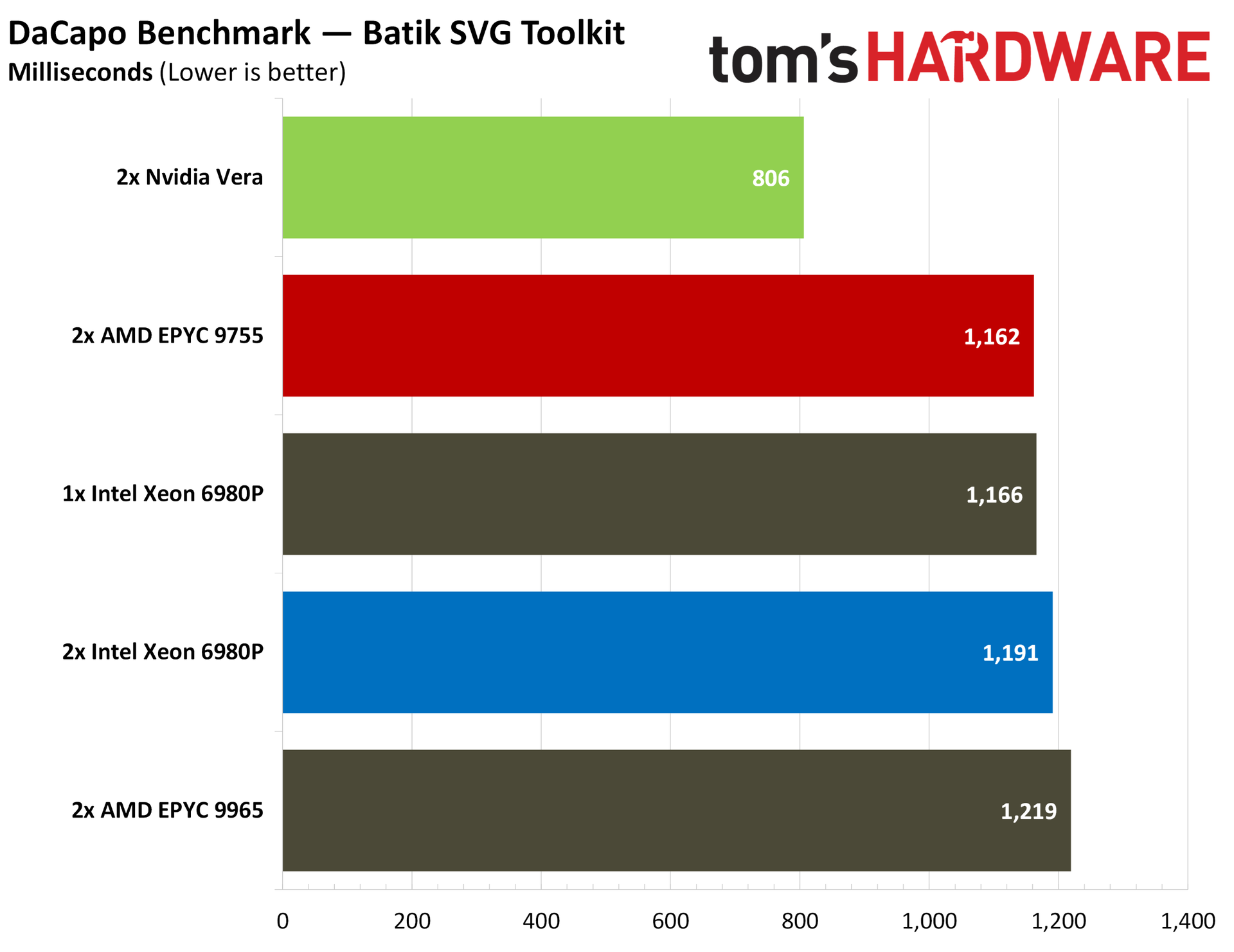
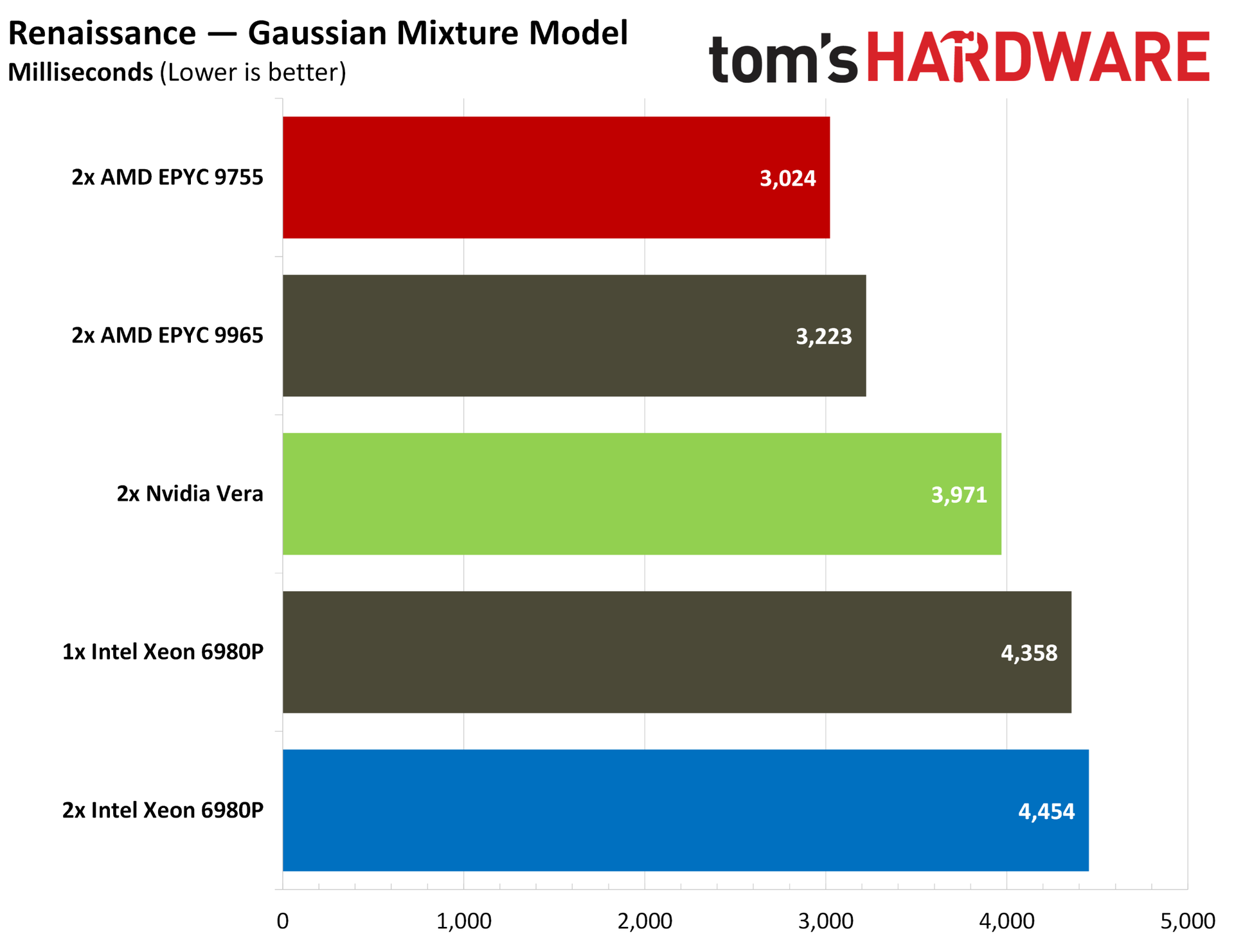
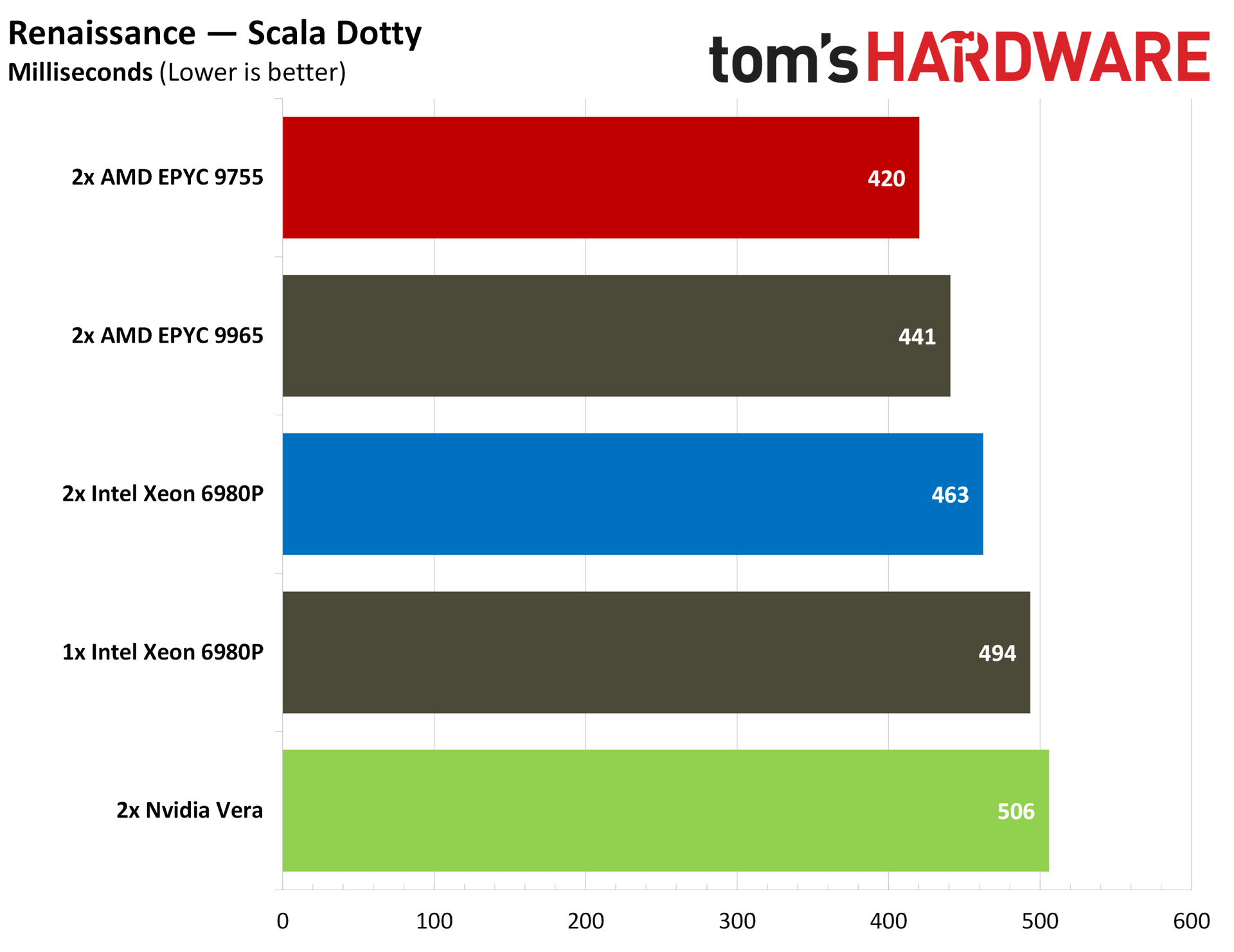
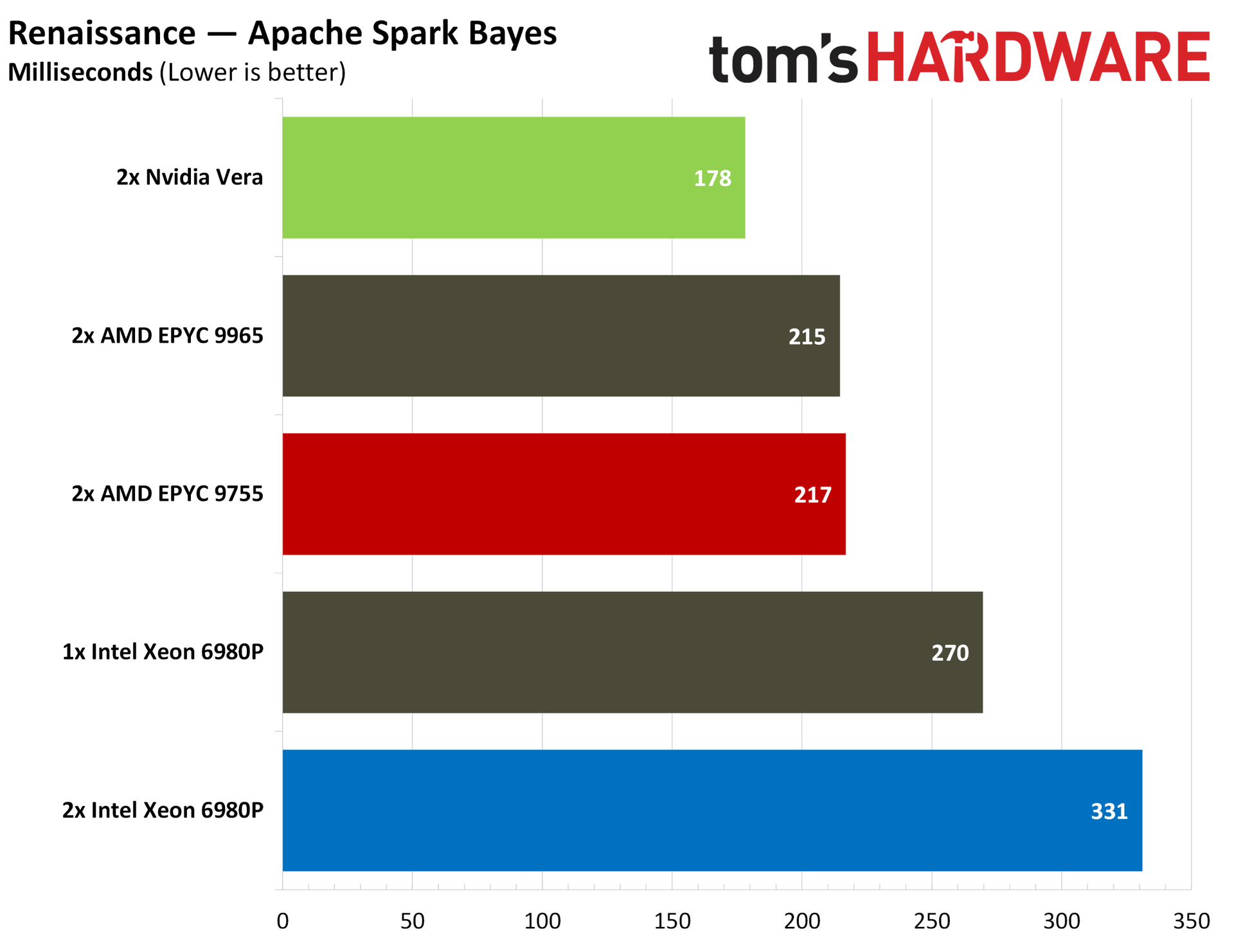
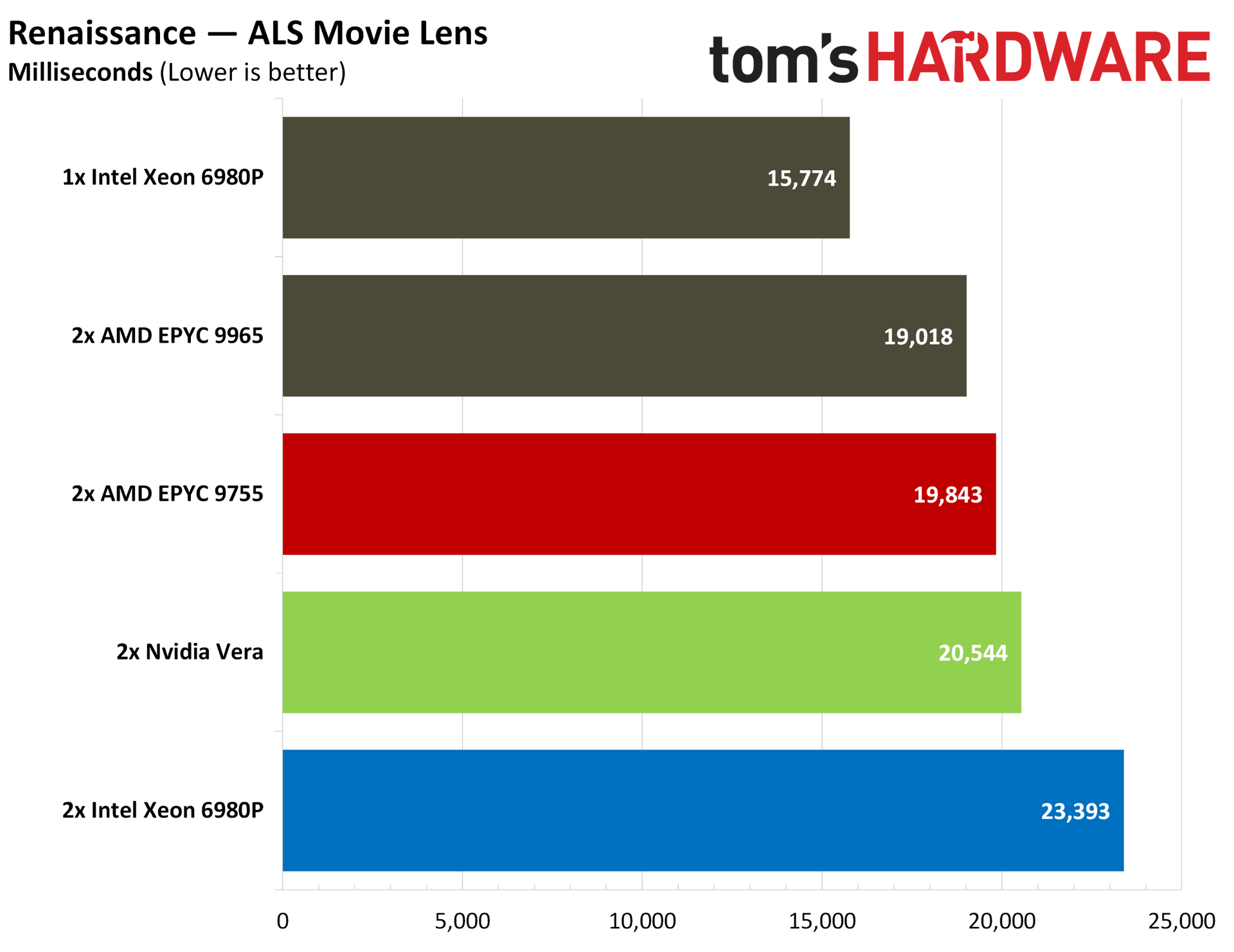
Java SciMark is the best place to start. AMD wins out with the Zen 5-based 9755 in the composite score, but Vera maintains surprisingly strong positions in straight scientific operations, including FFTs, sparse matrix multiplies, and a Monte Carlo simulation. It falls behind in dense LU matrix factorization and Jacobi SOR.
DaCapo and Renaissance are both Java suites with a wide variety of real Java workloads, focused on native performance in DaCapo and VMs in Renaissance.
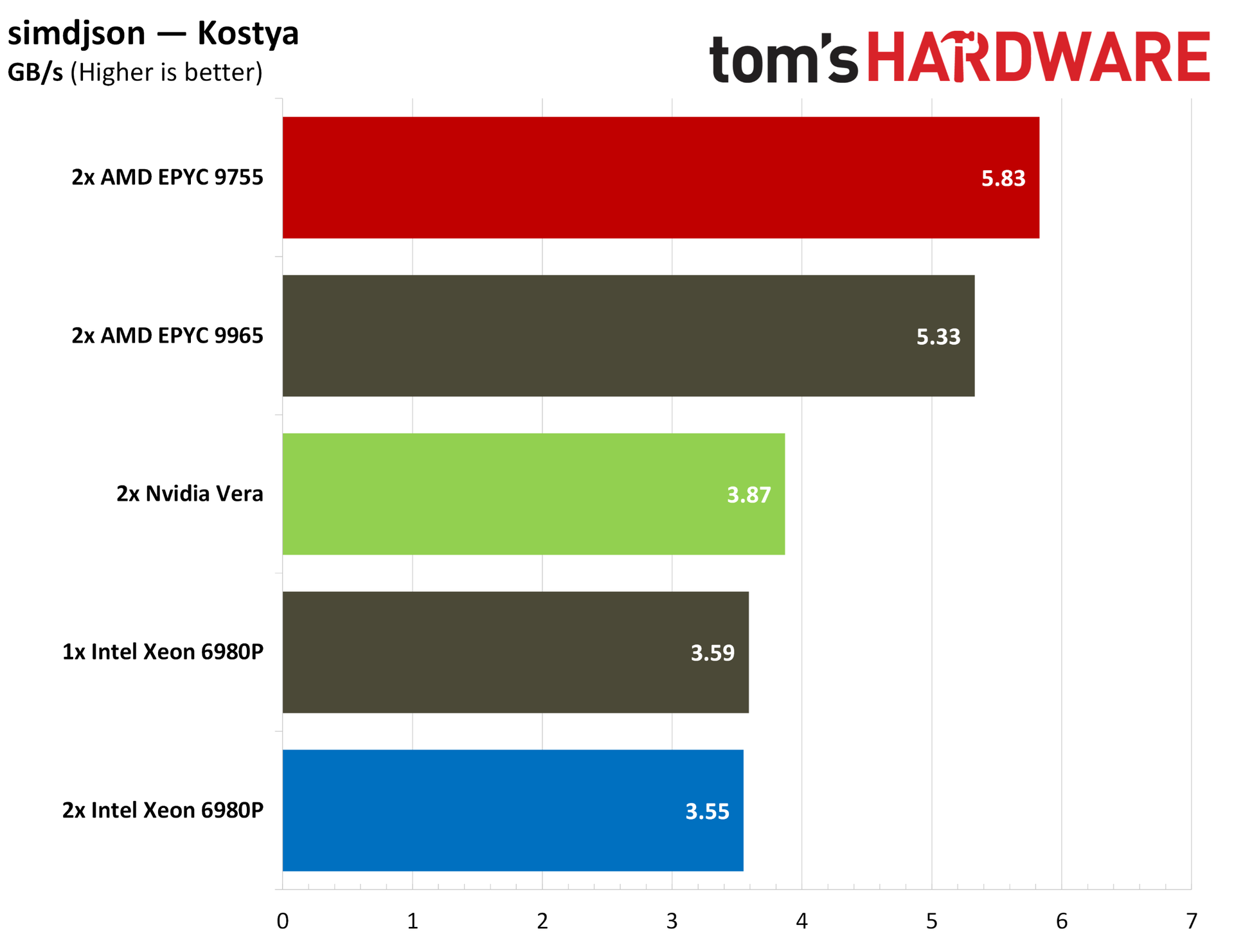
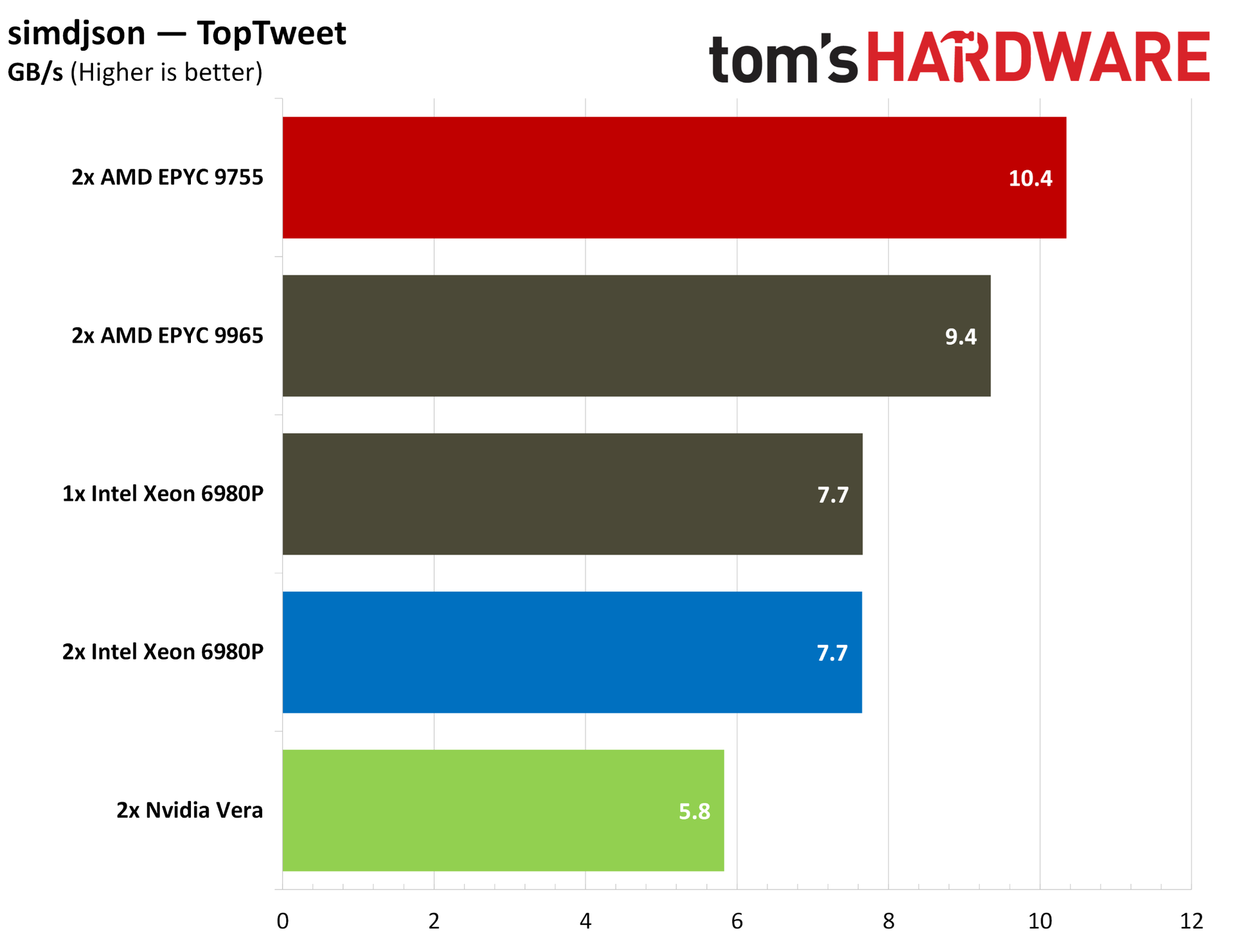
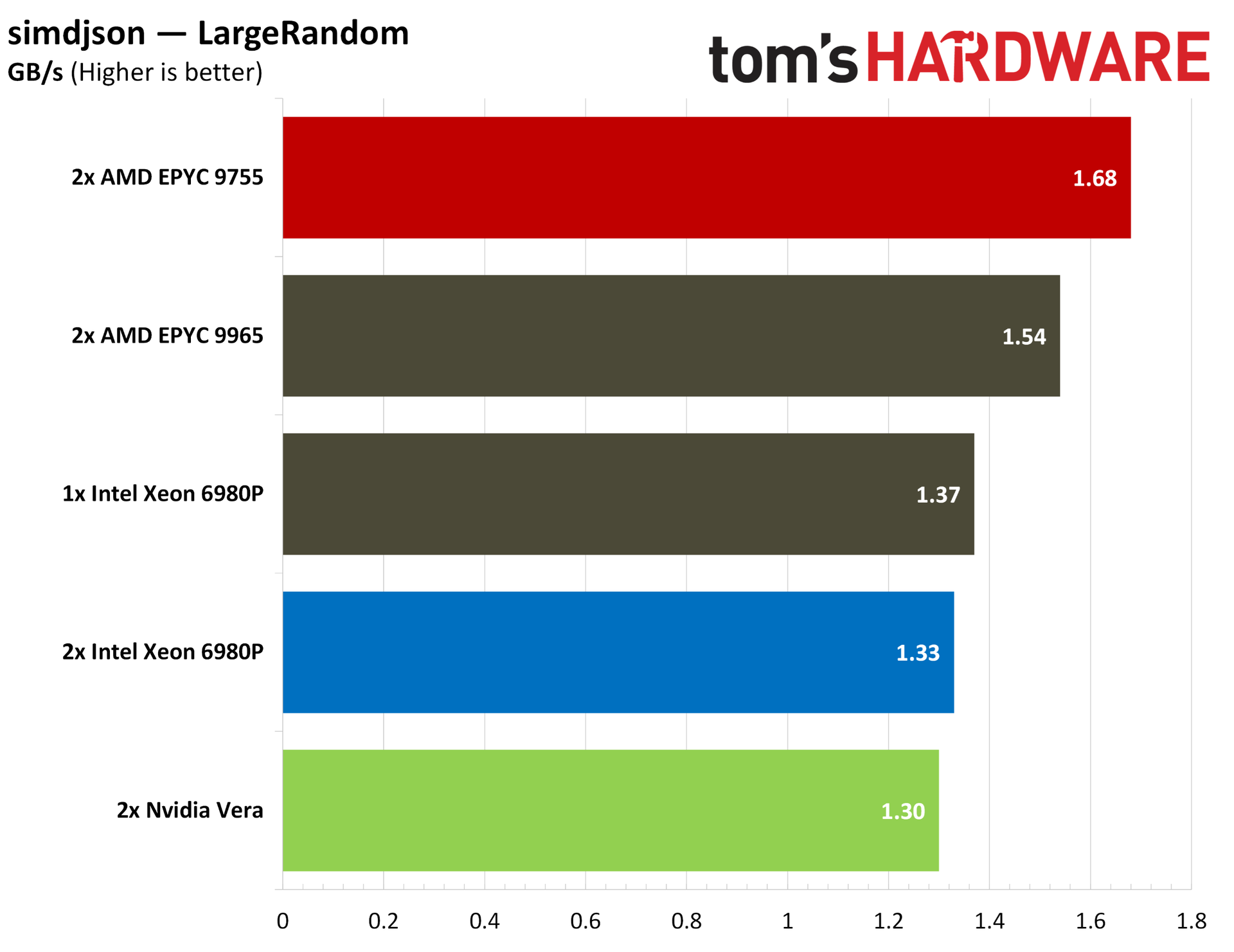
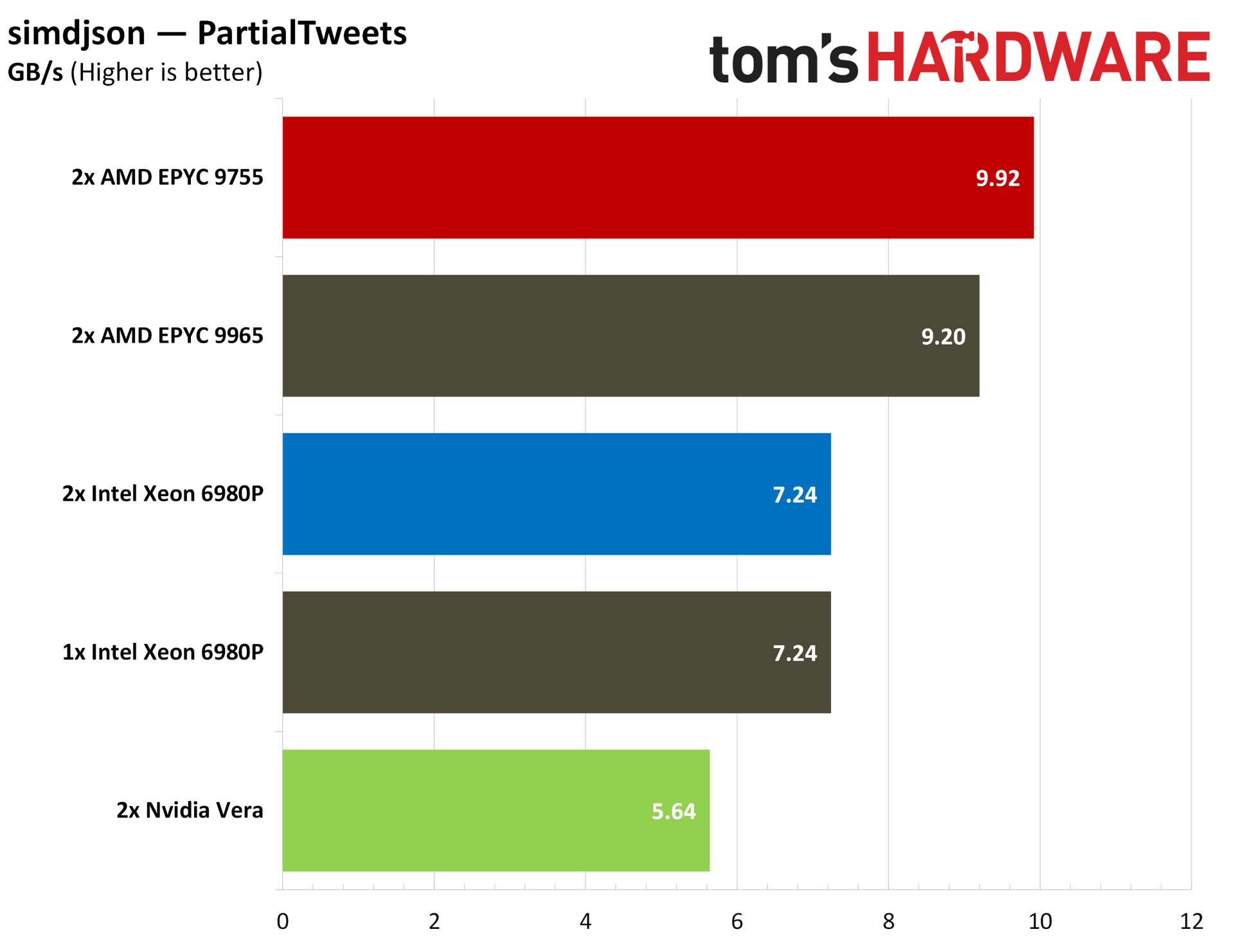
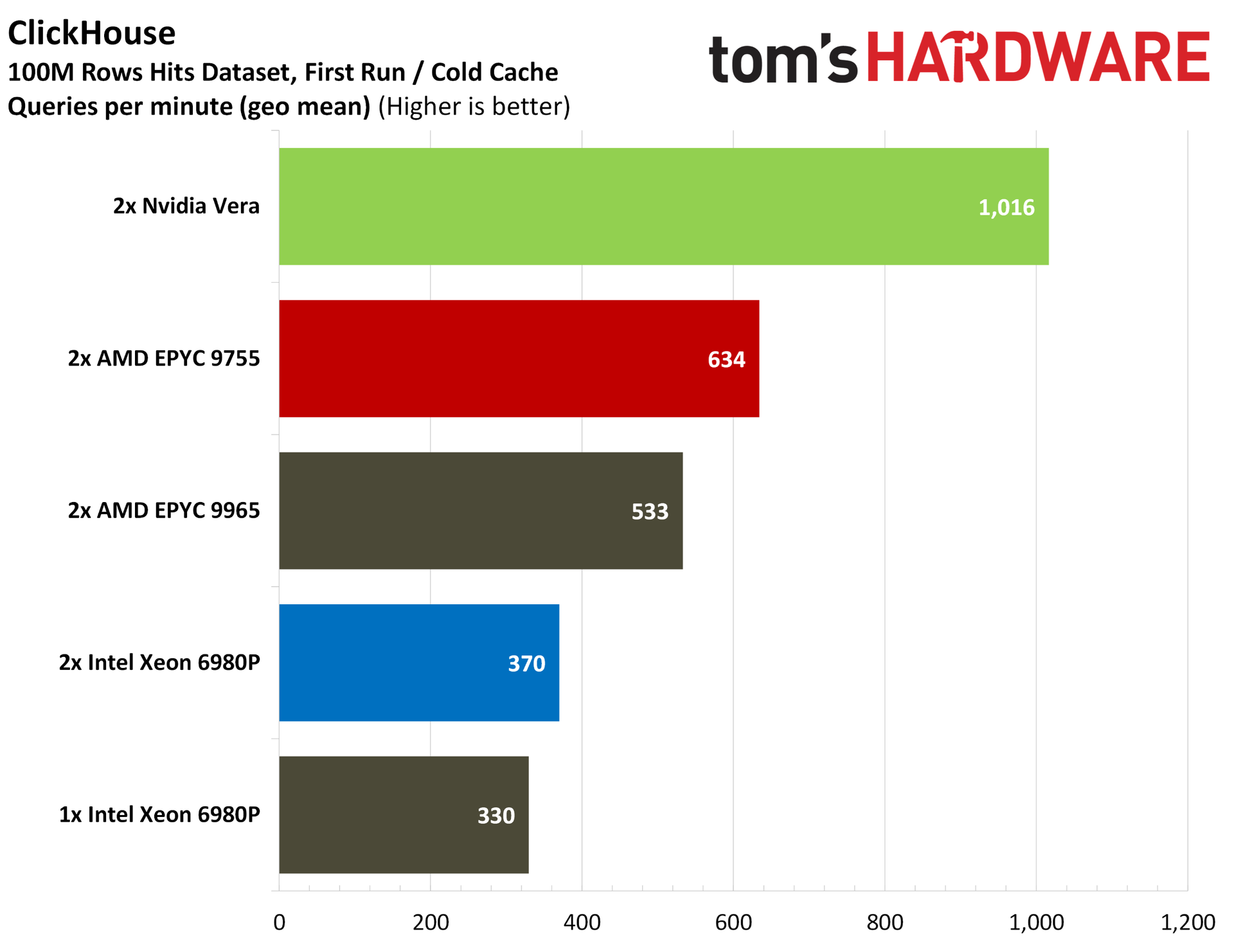
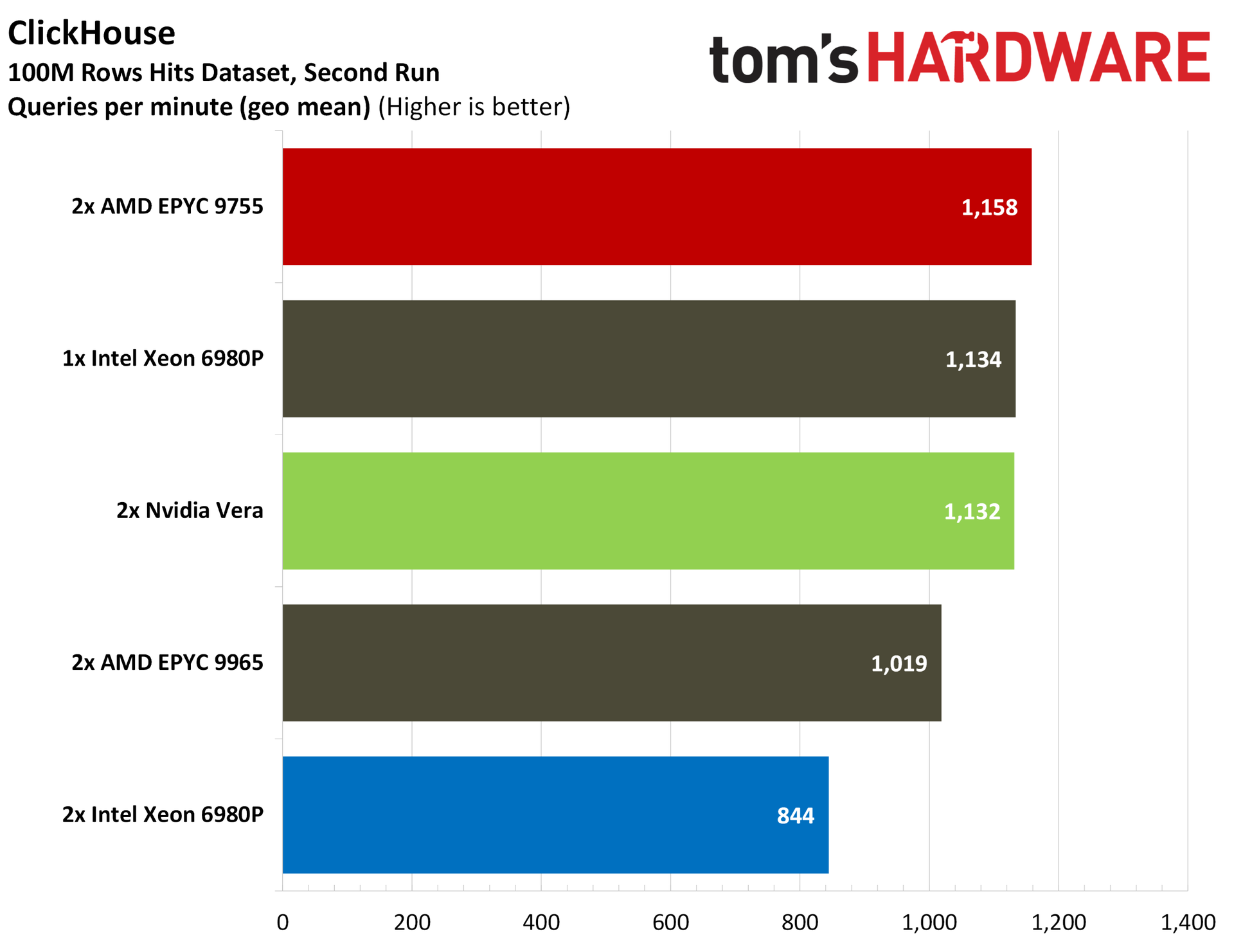
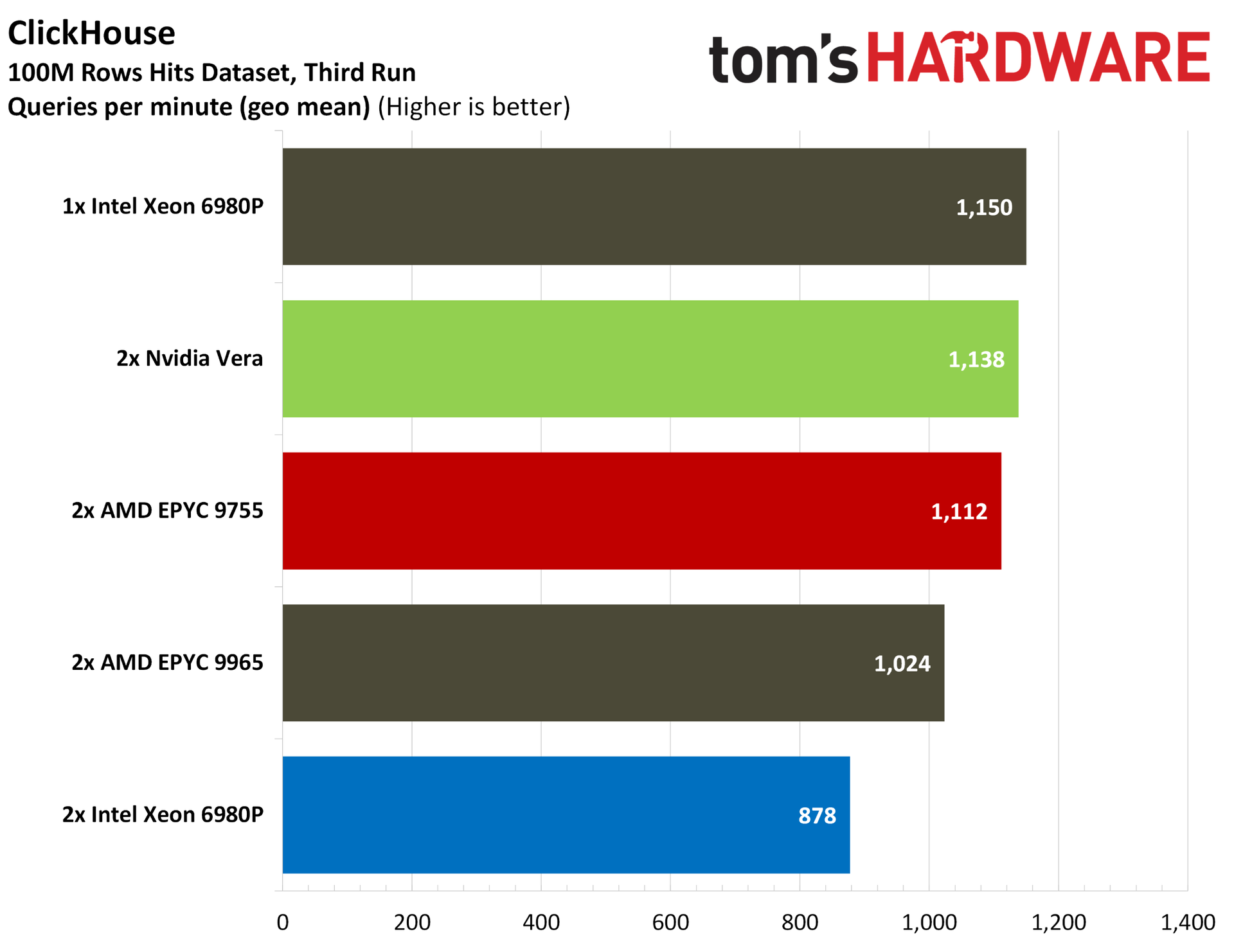
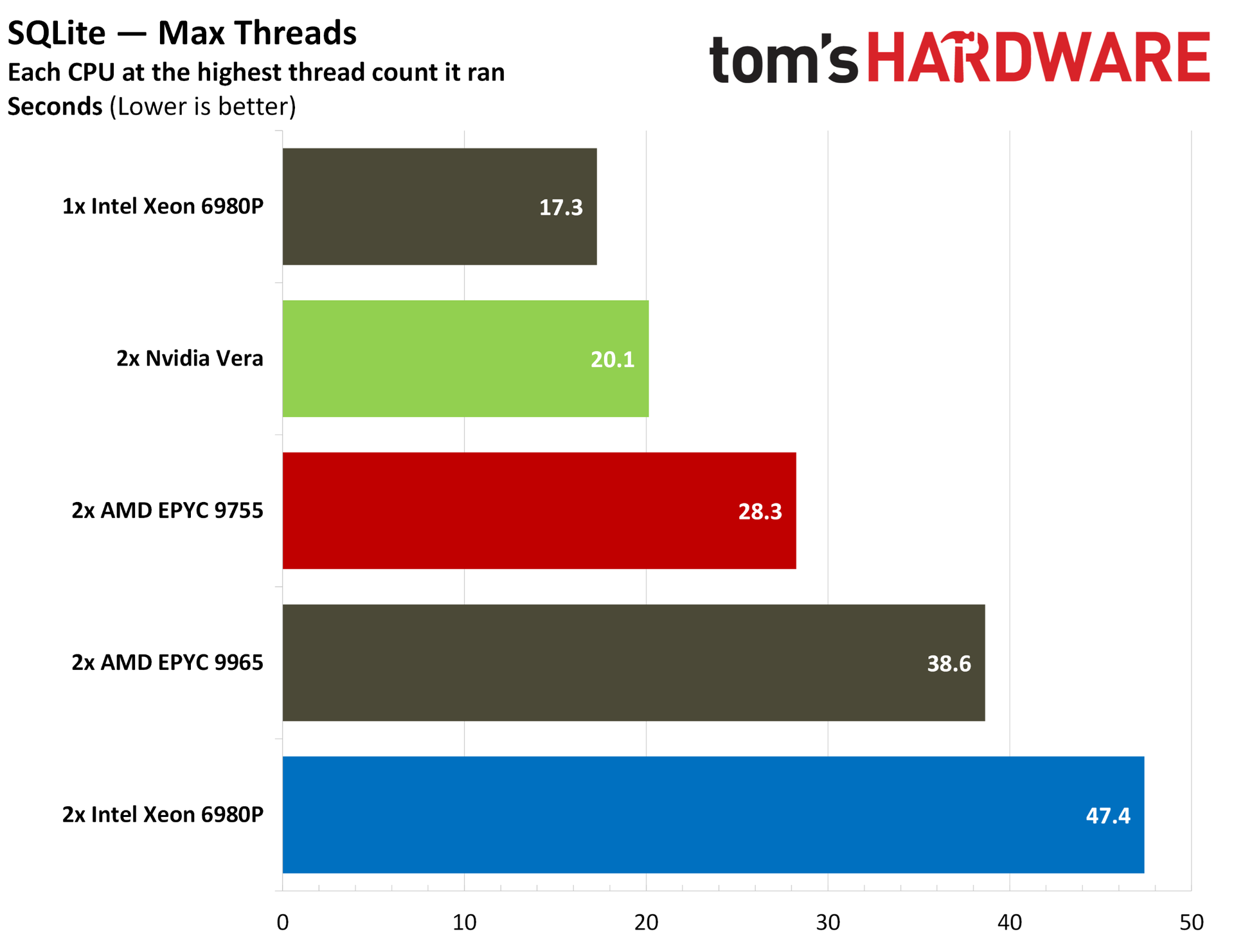
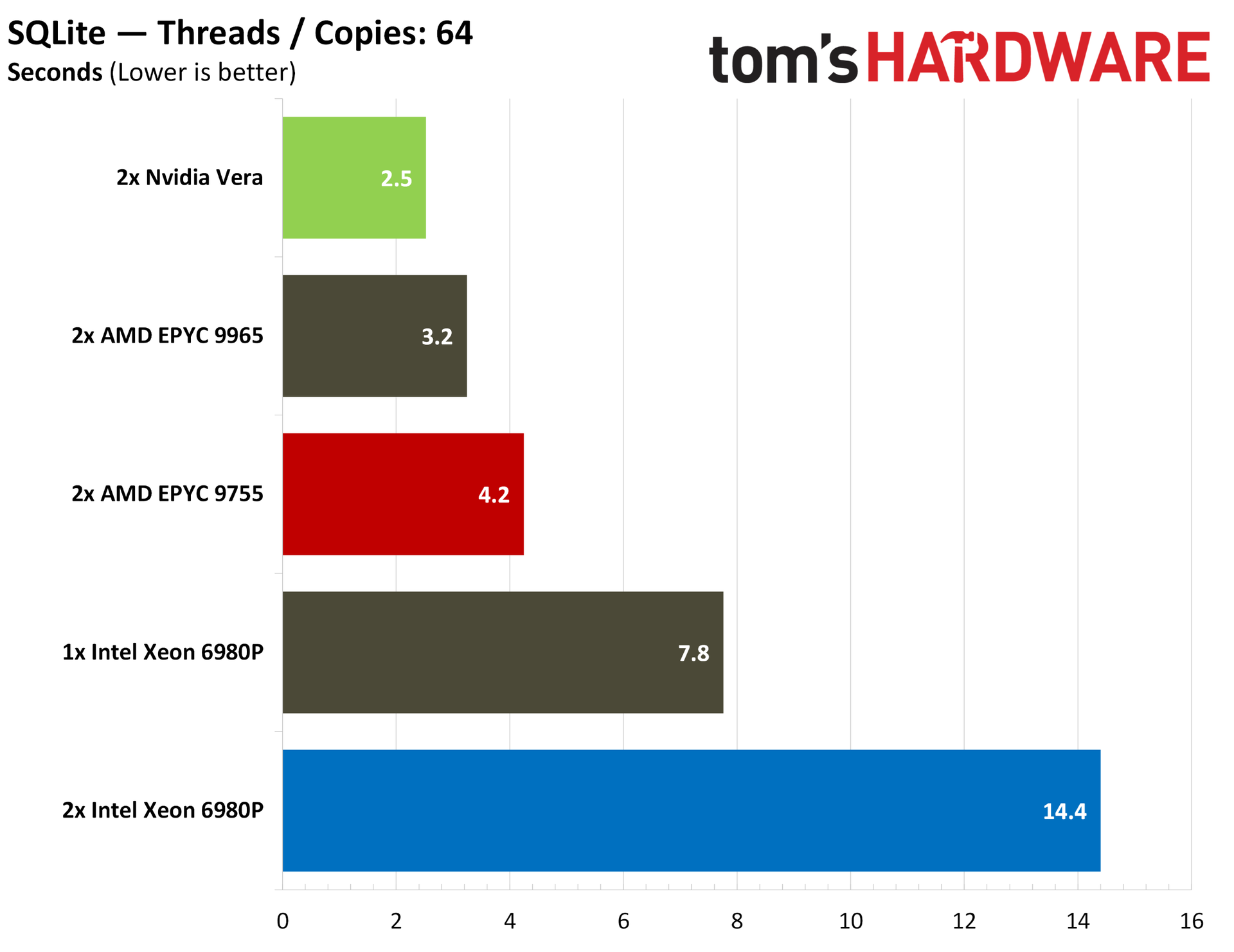
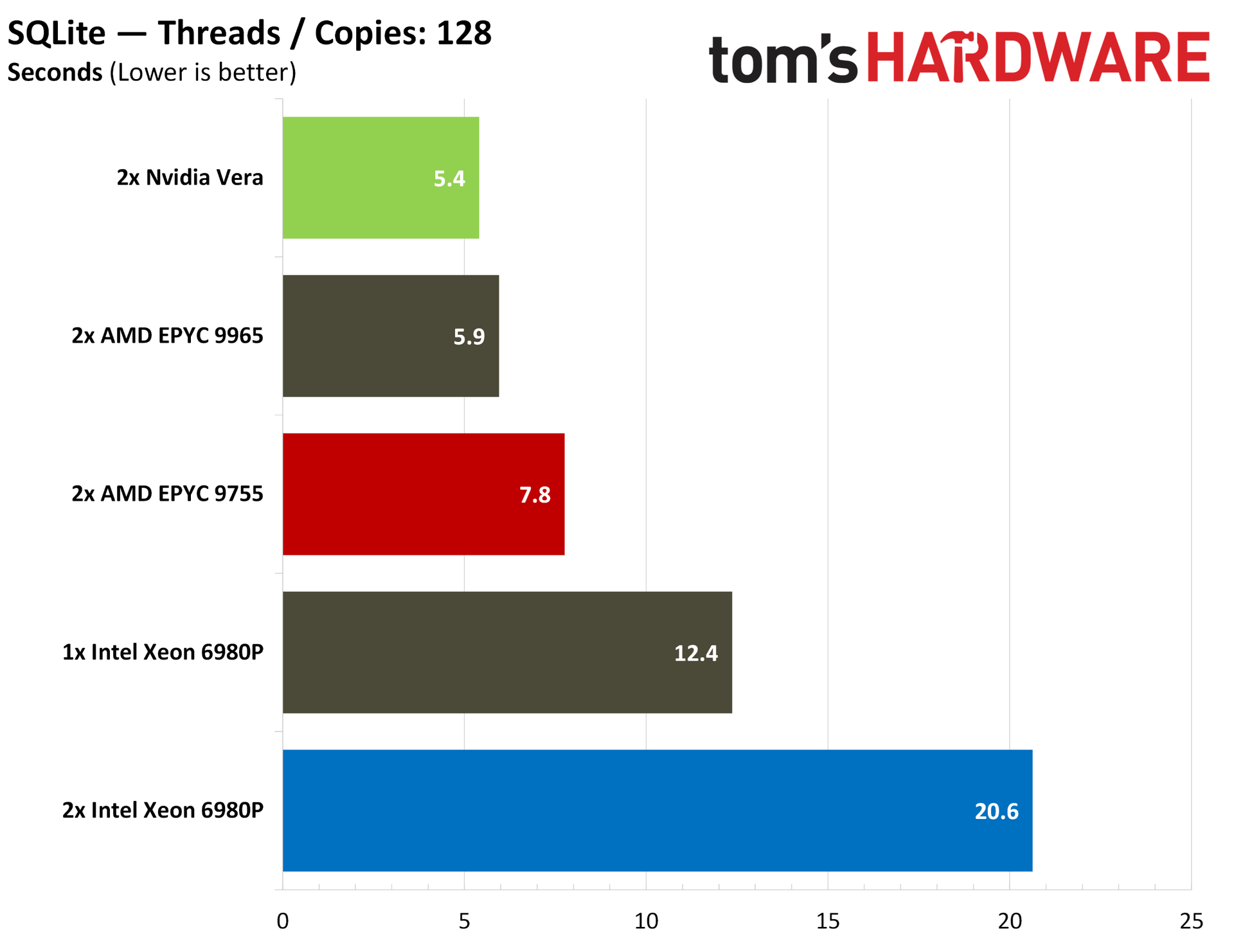
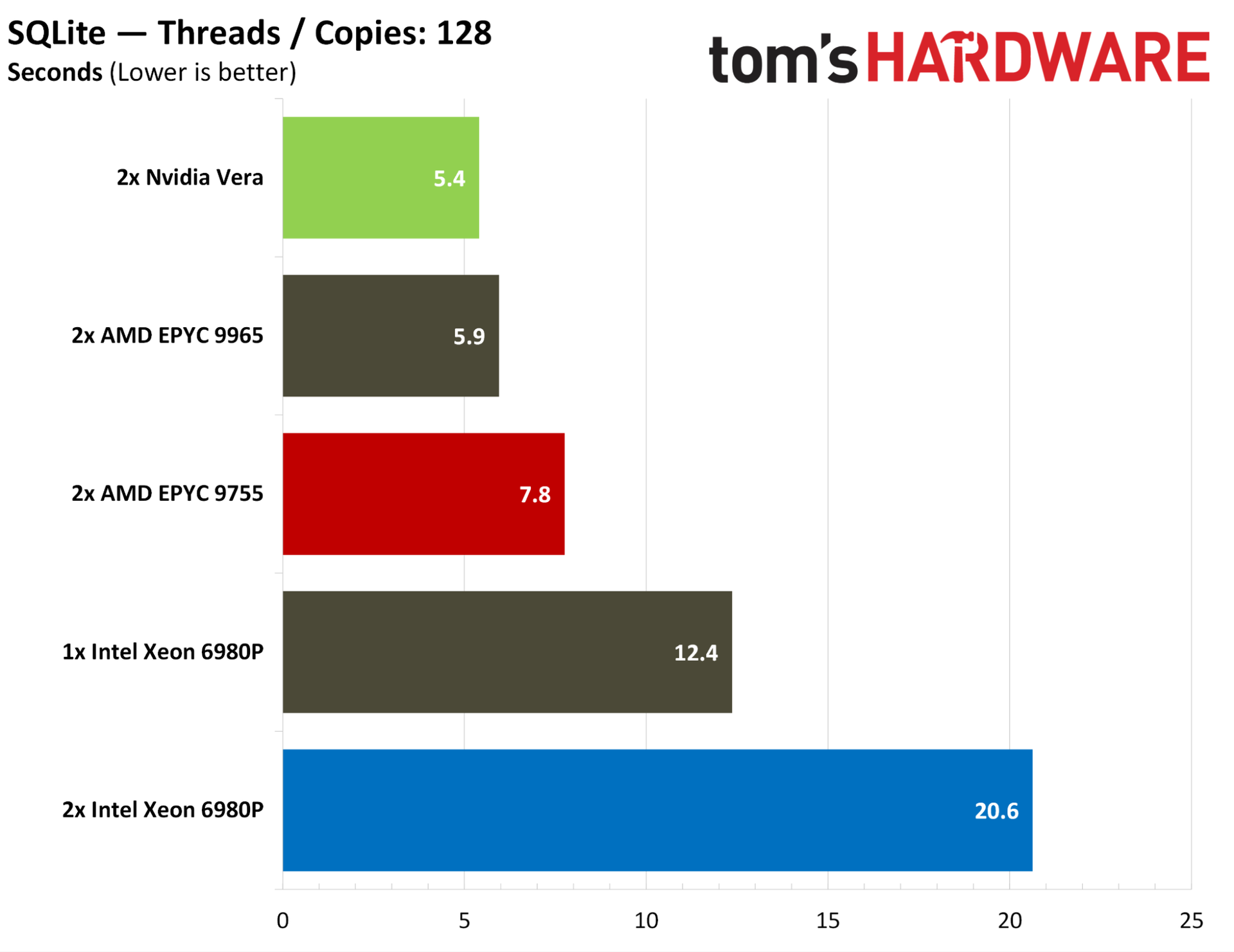
Database performance for Vera is strong across our ClickHouse and SQLite benchmarks. In max-thread SQLite, Vera is only beaten by a single-socket 6980P server, and it jumps into the lead in our like-for-like 64-thread and 128-thread tests. ClickHouse provides some interesting data that goes beyond a steady-state SQL database.
On the second and third runs of ClickHouse, Vera is competitive with a dual EPYC 9755 server, but from a cold cache, Vera is much faster, racking up an advantage of nearly 40% in the first run.
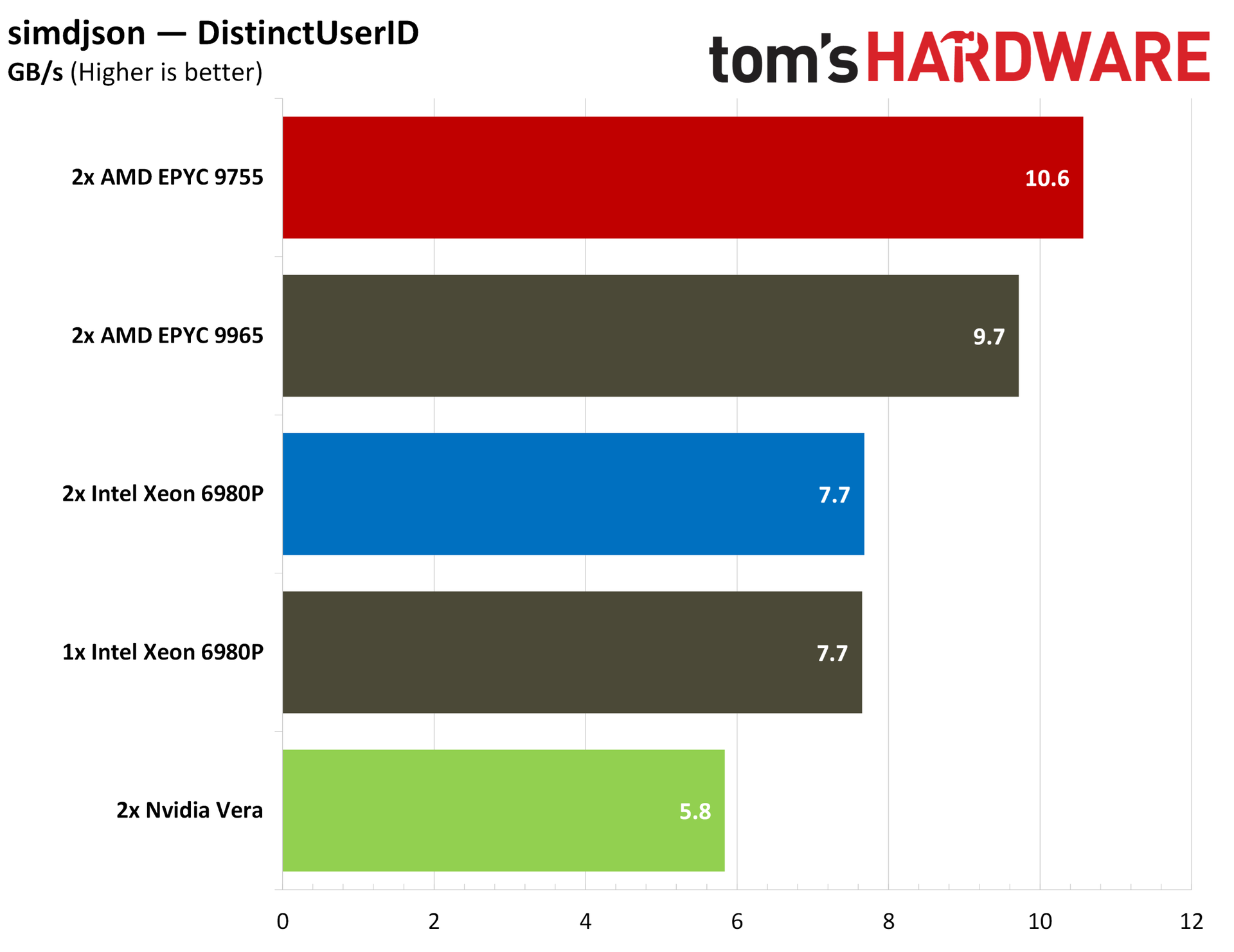
For bringing that data in, we measured JSON parsing speed with simdjson, which, as the name suggests, relies heavily on modern SIMD instructions. Turin has a natural lead here with its native AVX-512 execution.
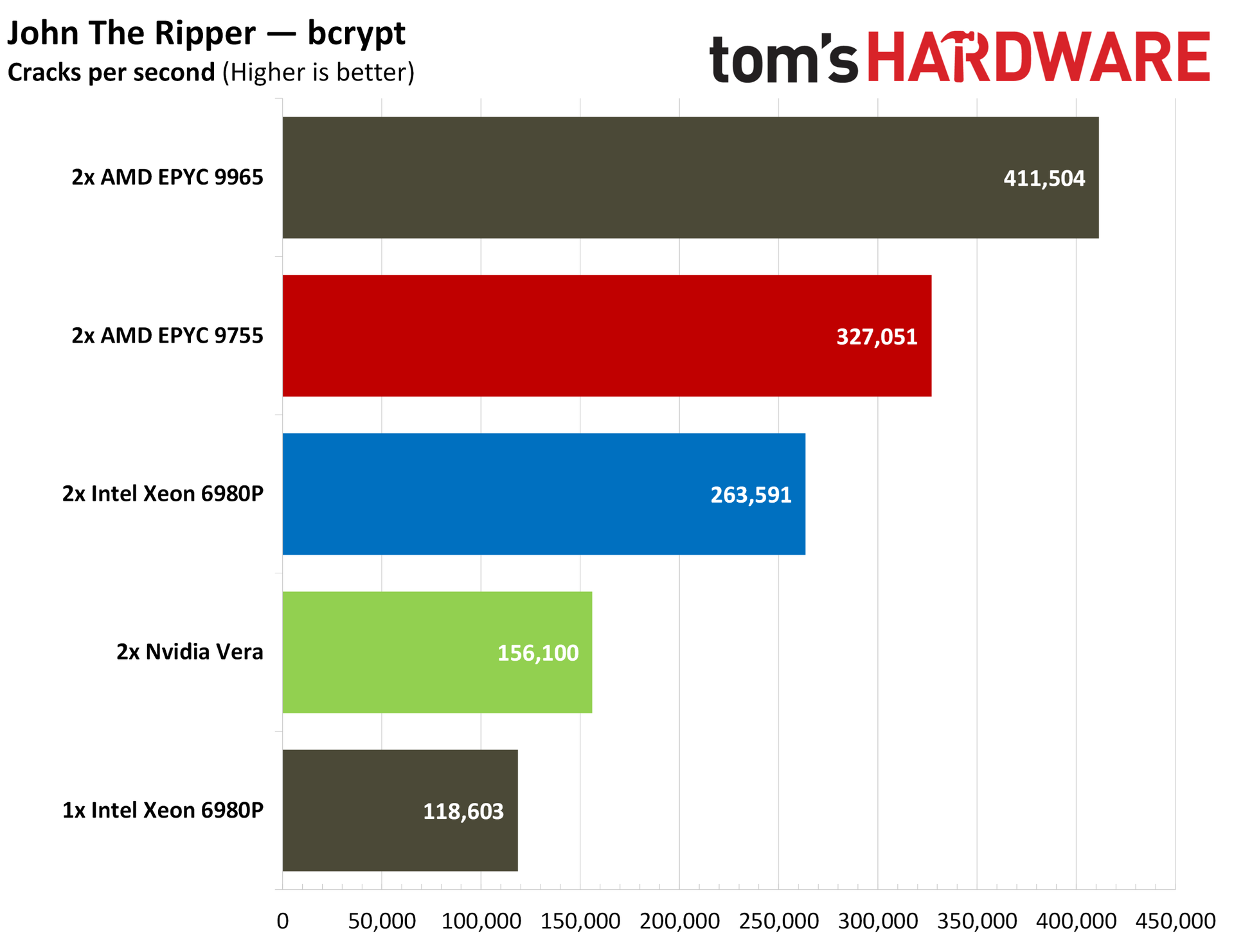
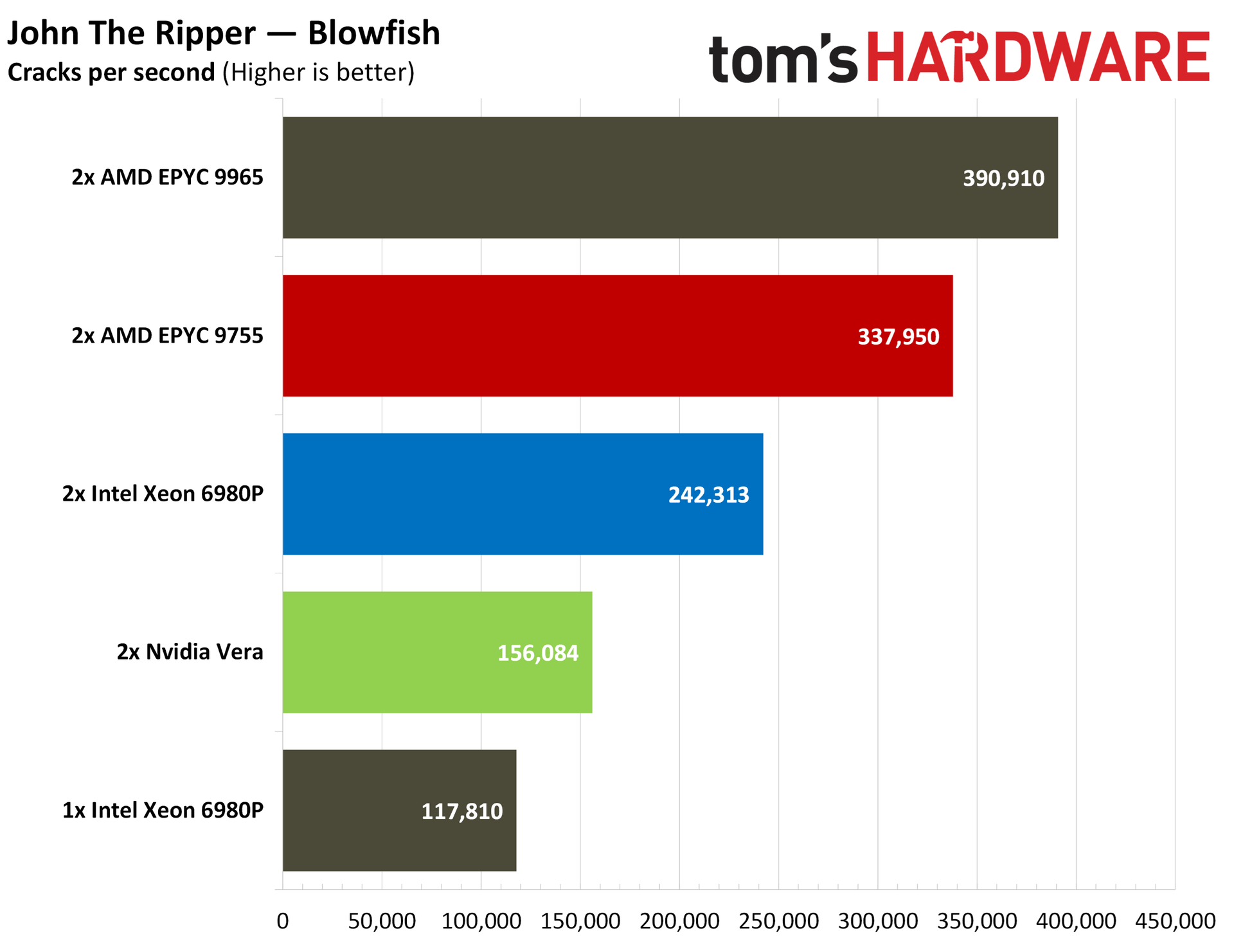
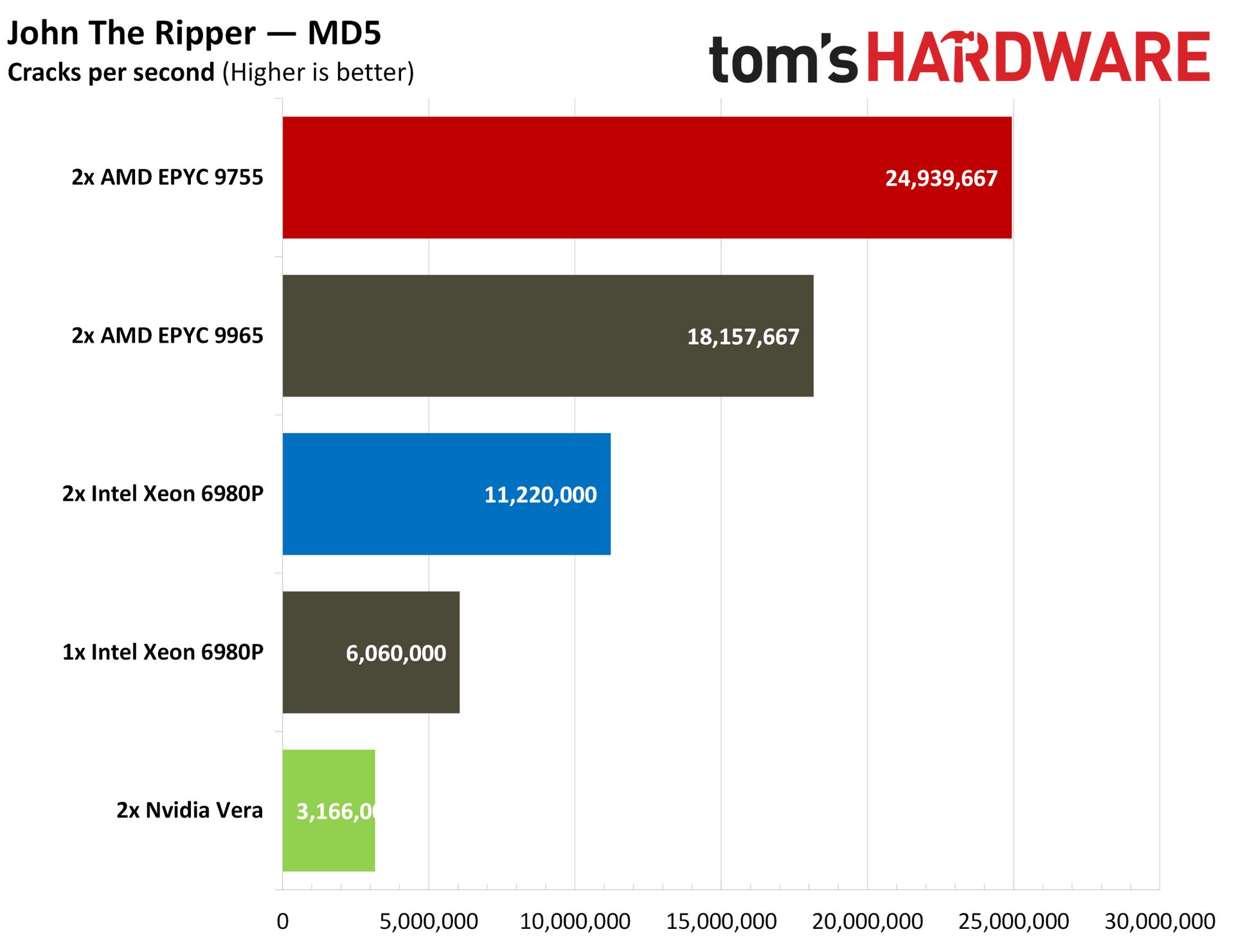
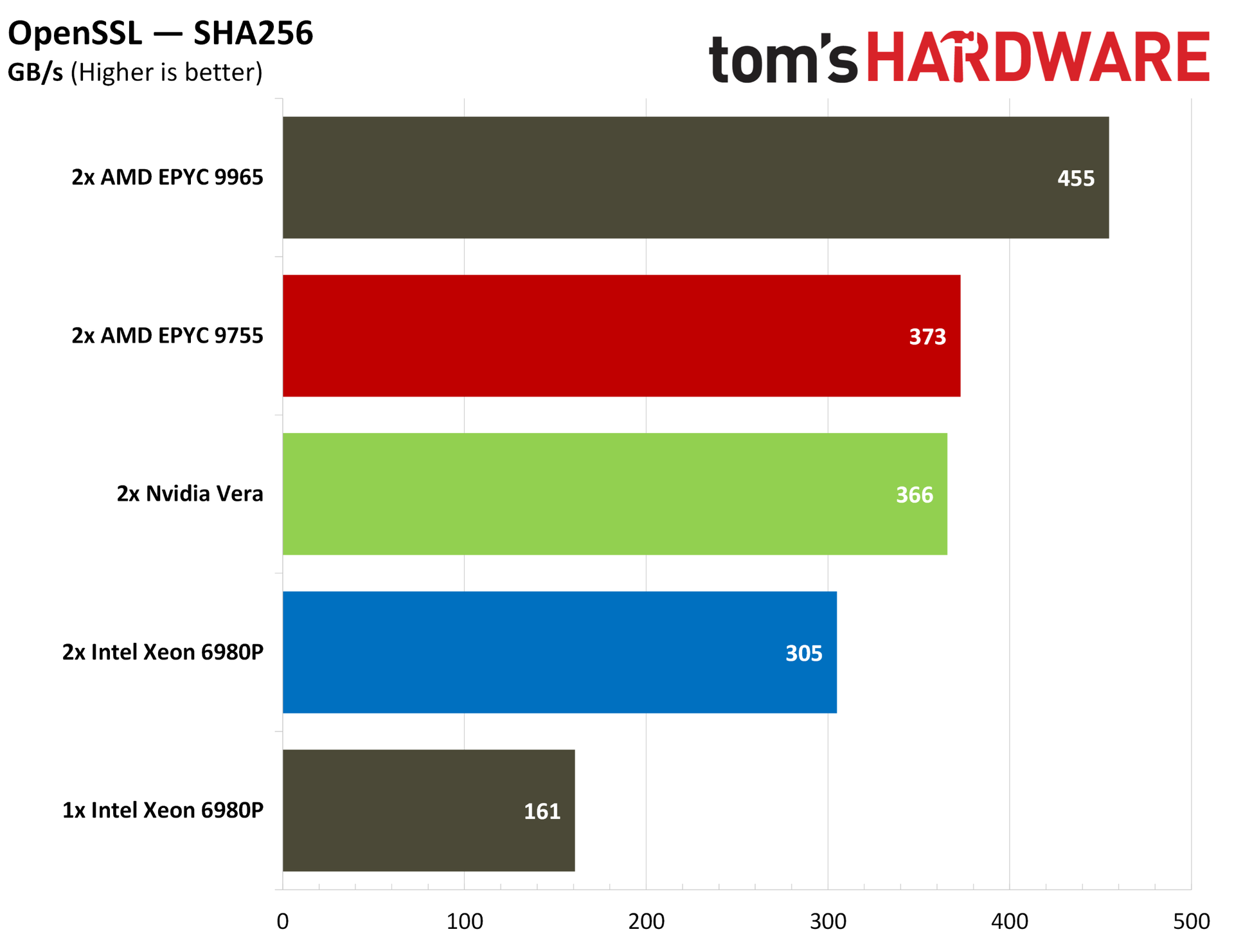
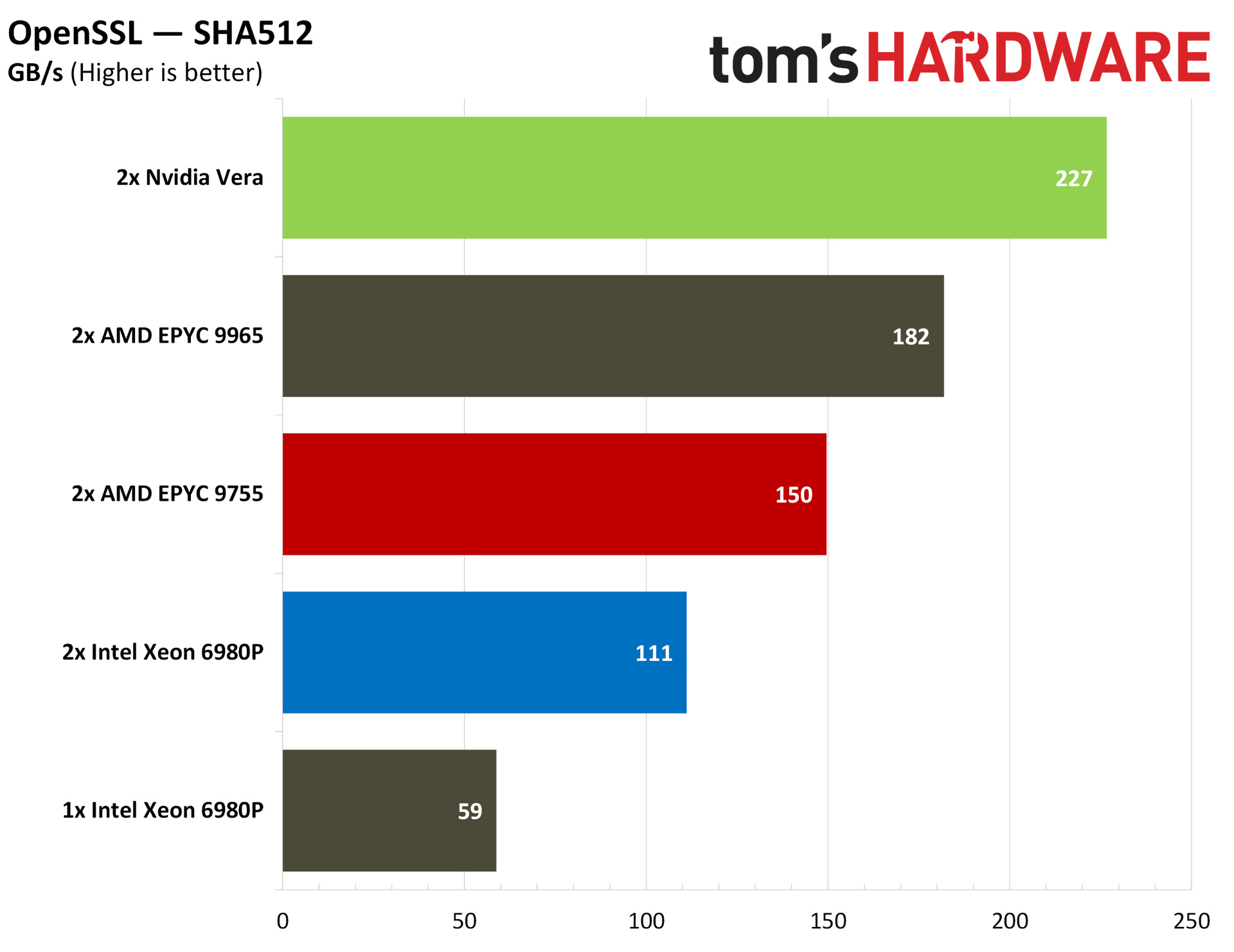
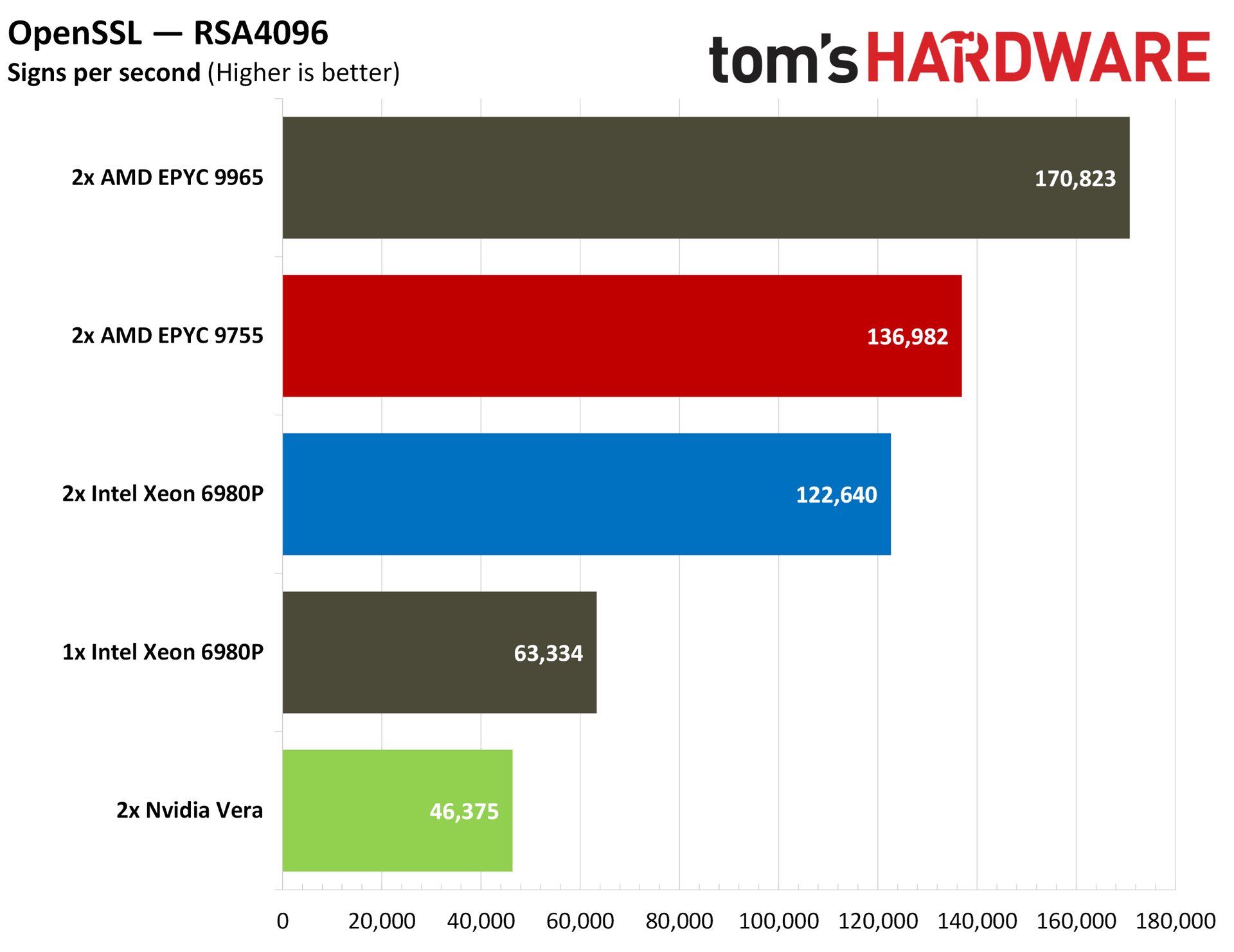
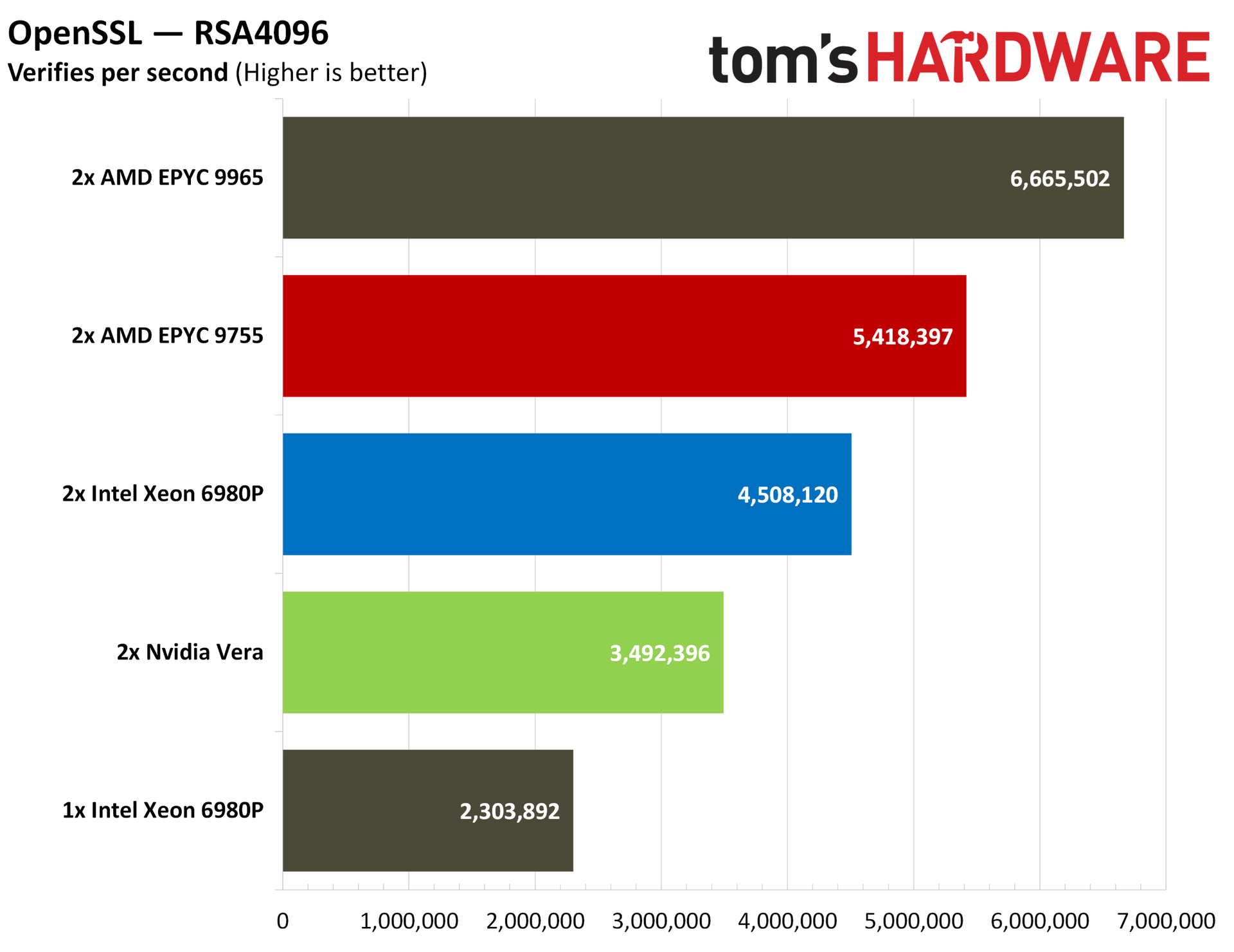
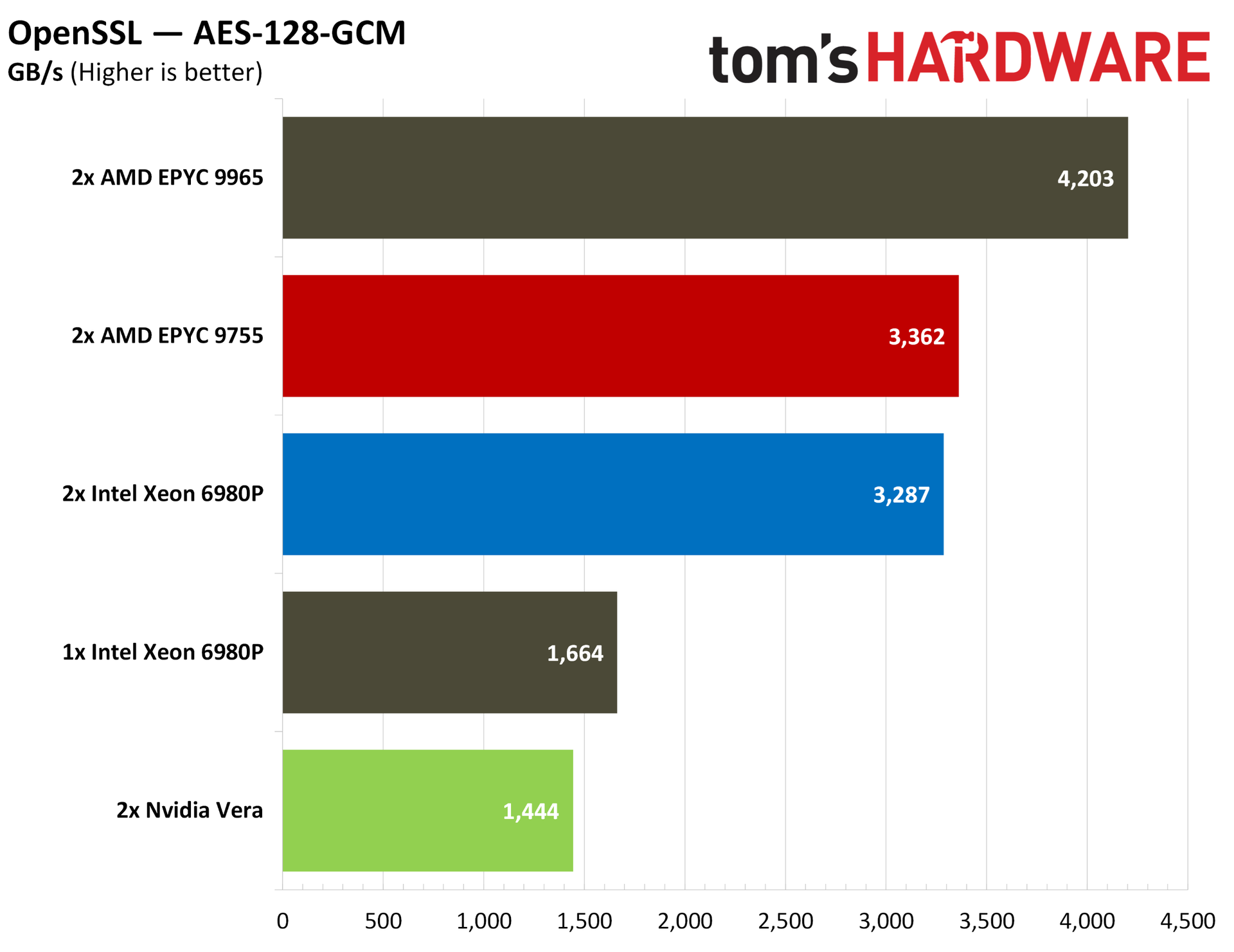
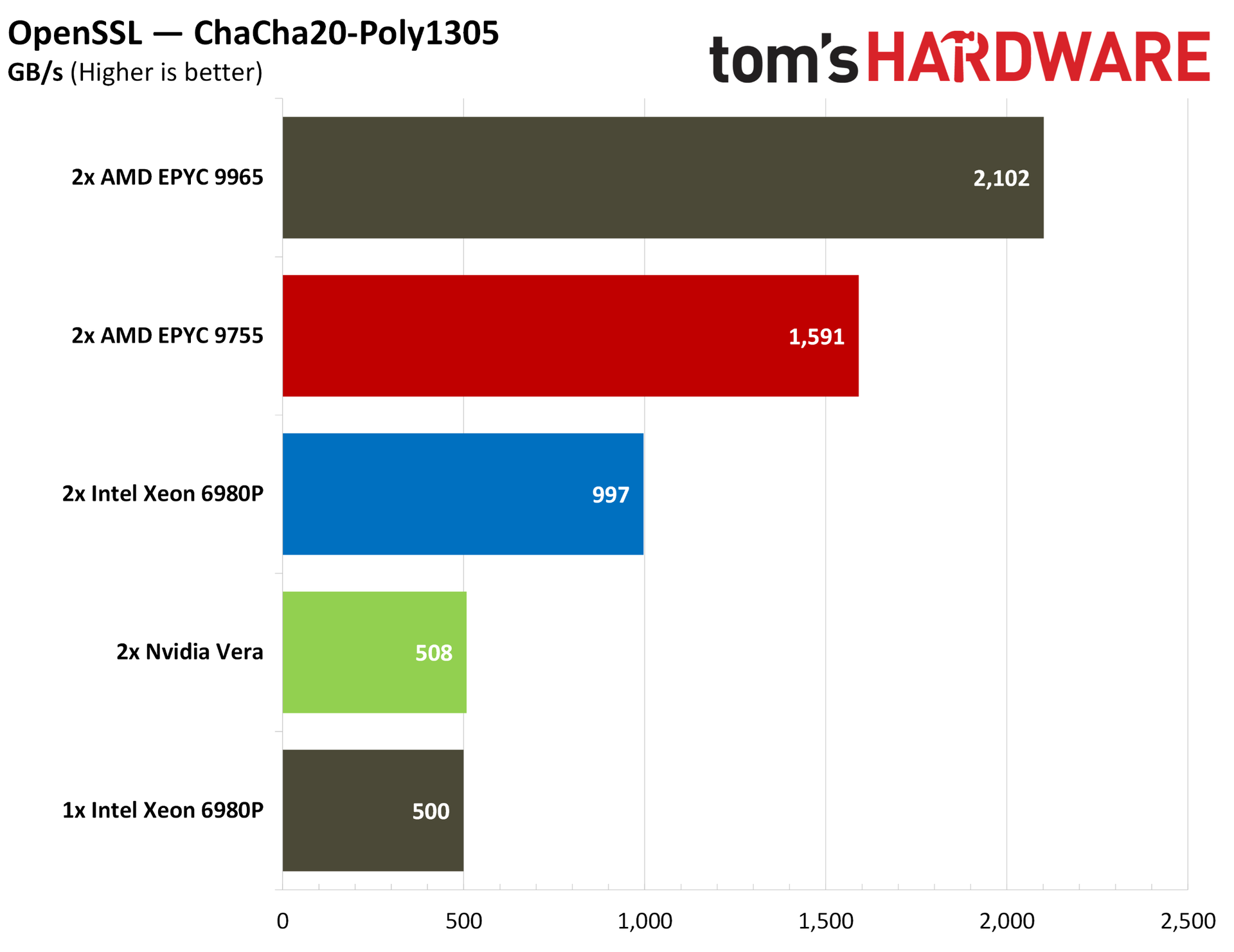
In cryptography workloads, Vera falls behind the pack significantly in the John The Ripper password cracker, while trailing the massive core arrays of its competition in OpenSSL.
Nvidia Vera HPC and compilation benchmarks
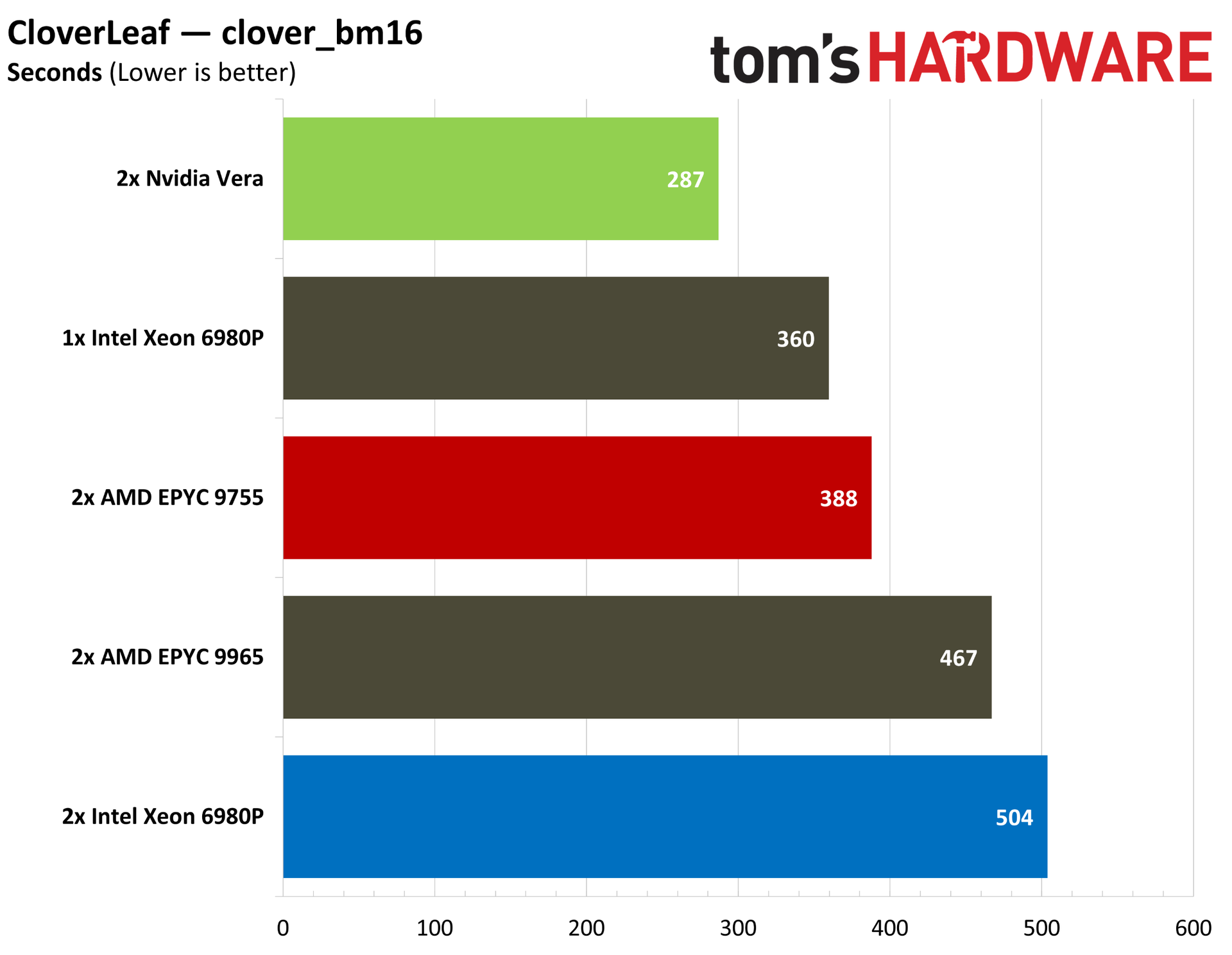
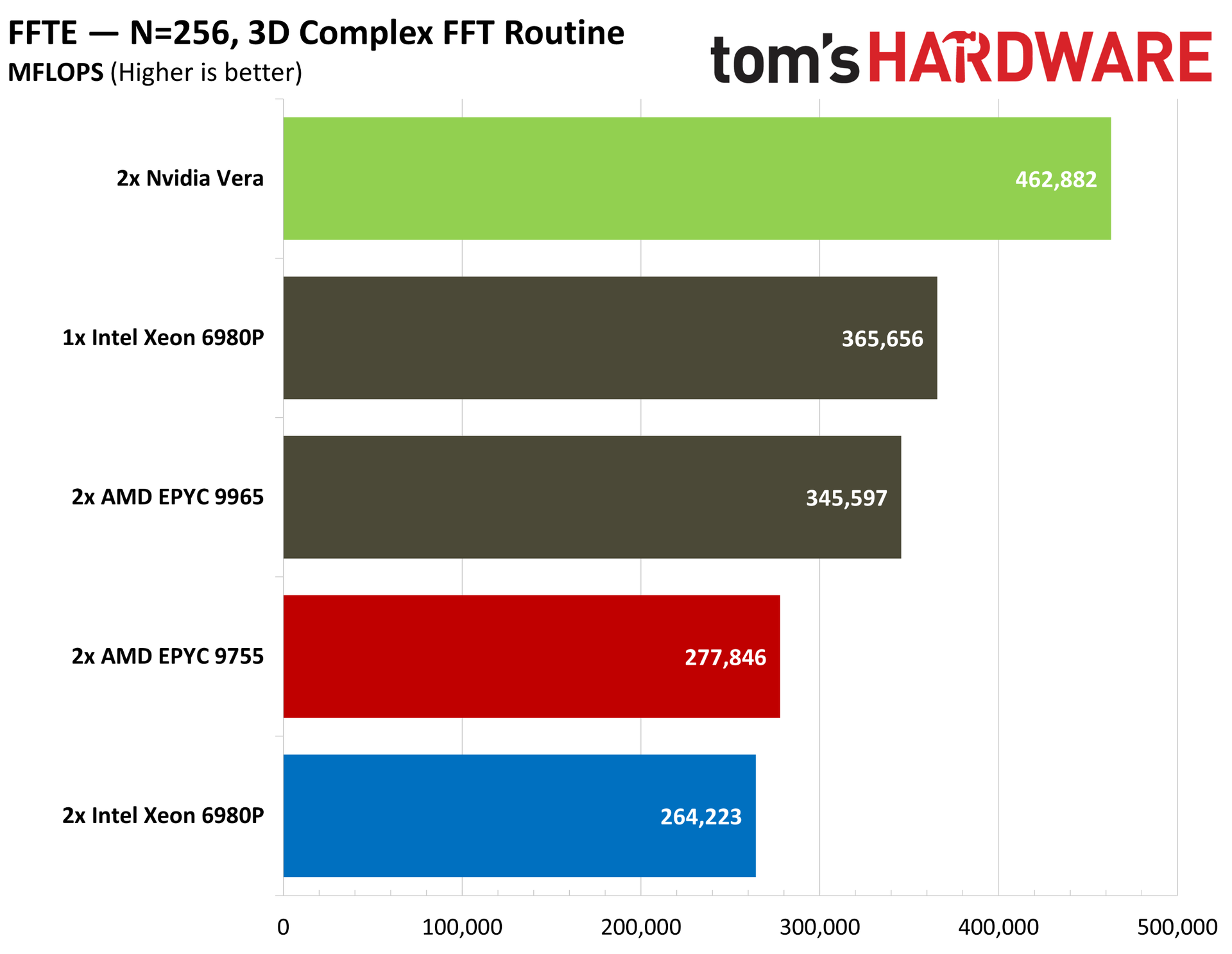
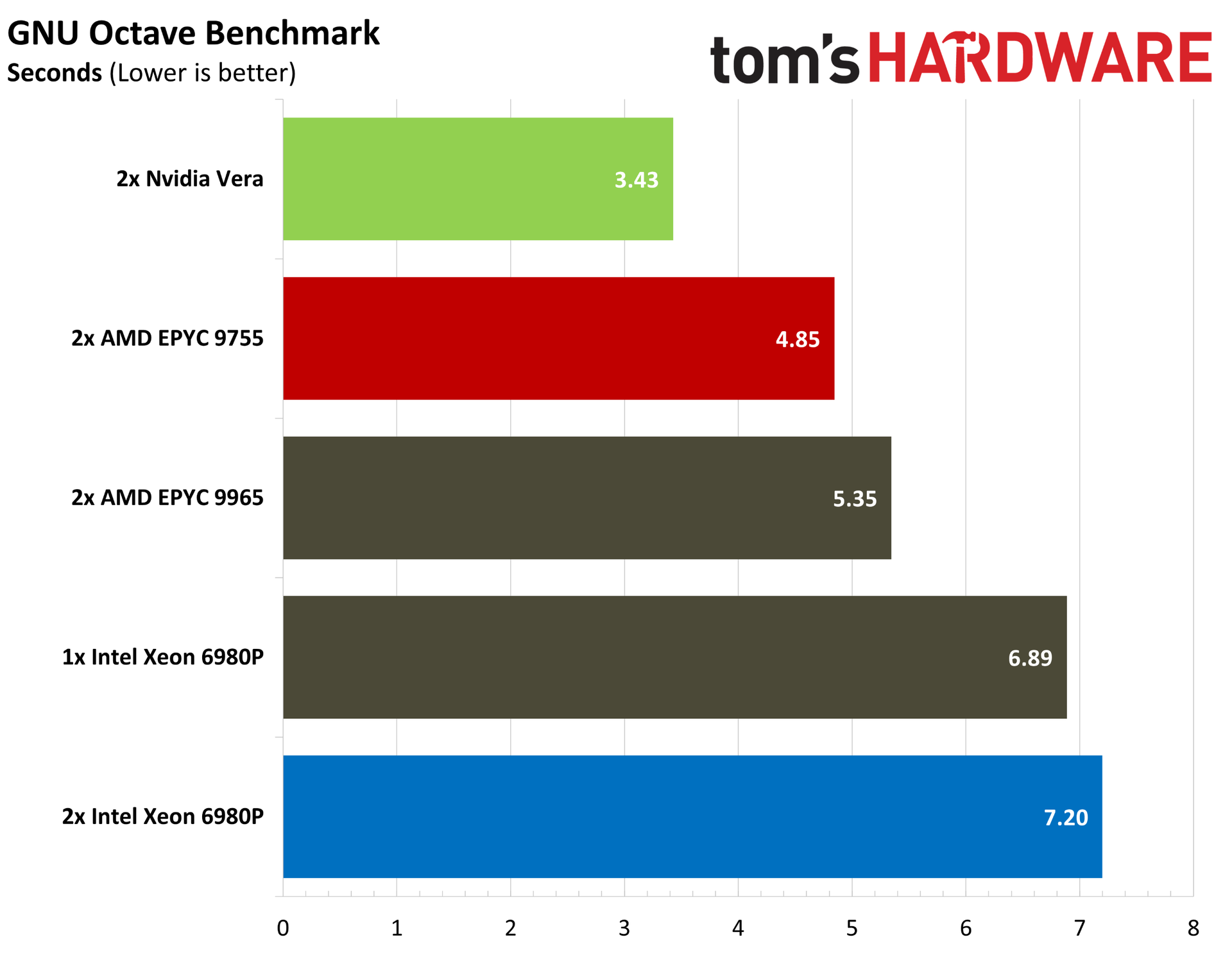
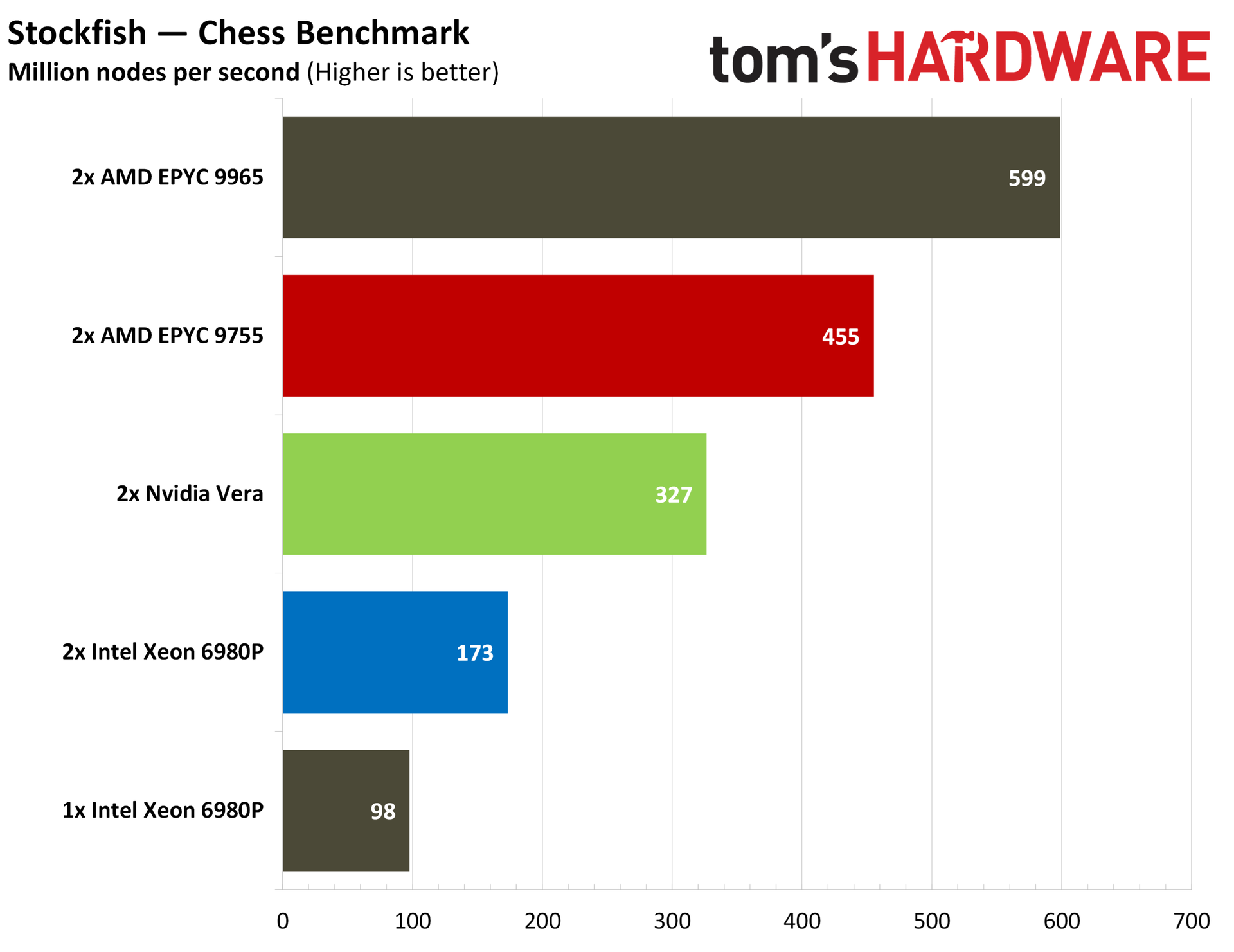
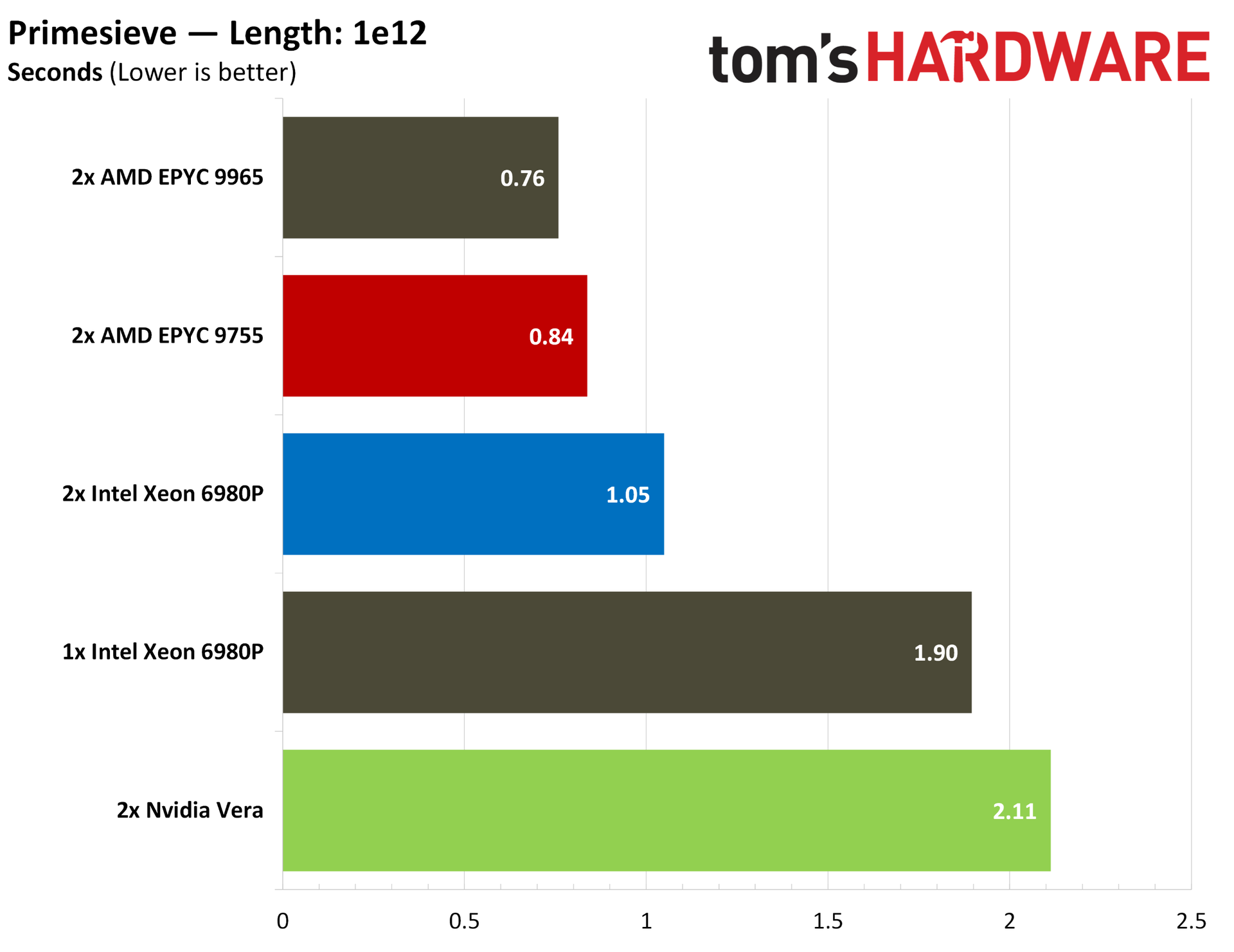
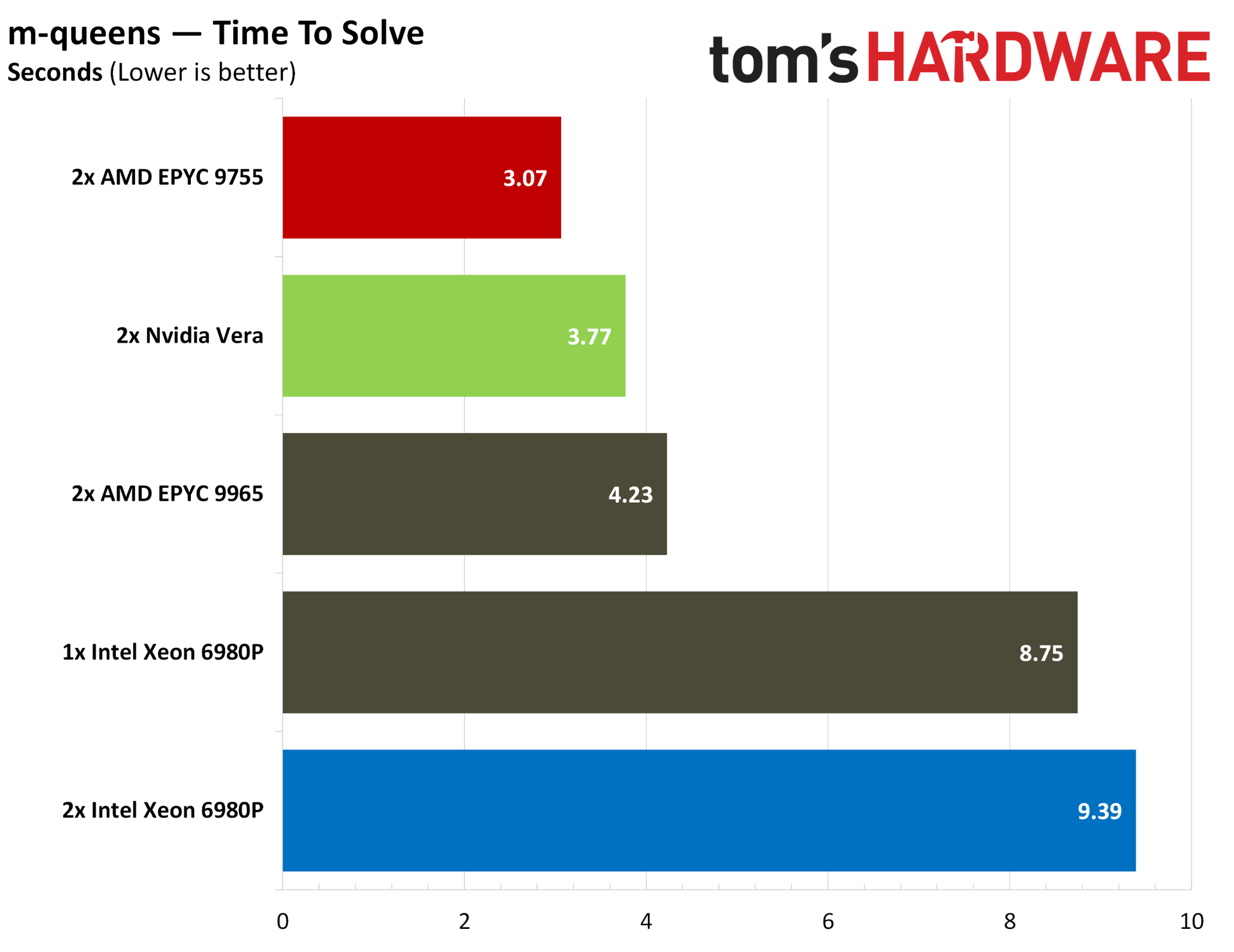
HPC is usually the domain of dense CPUs, but Vera performs well in a variety of HPC tasks that we tested. In Discrete Fourier Transforms (DFT) using FFTE, Vera tops the charts, as it does in Octave and CloverLeaf. Although not strictly HPC, Vera falls in the middle of the pack in intensive mathematical operations like m-queens, and it trails chips with massive core arrays in the heavily threaded Primesieve.
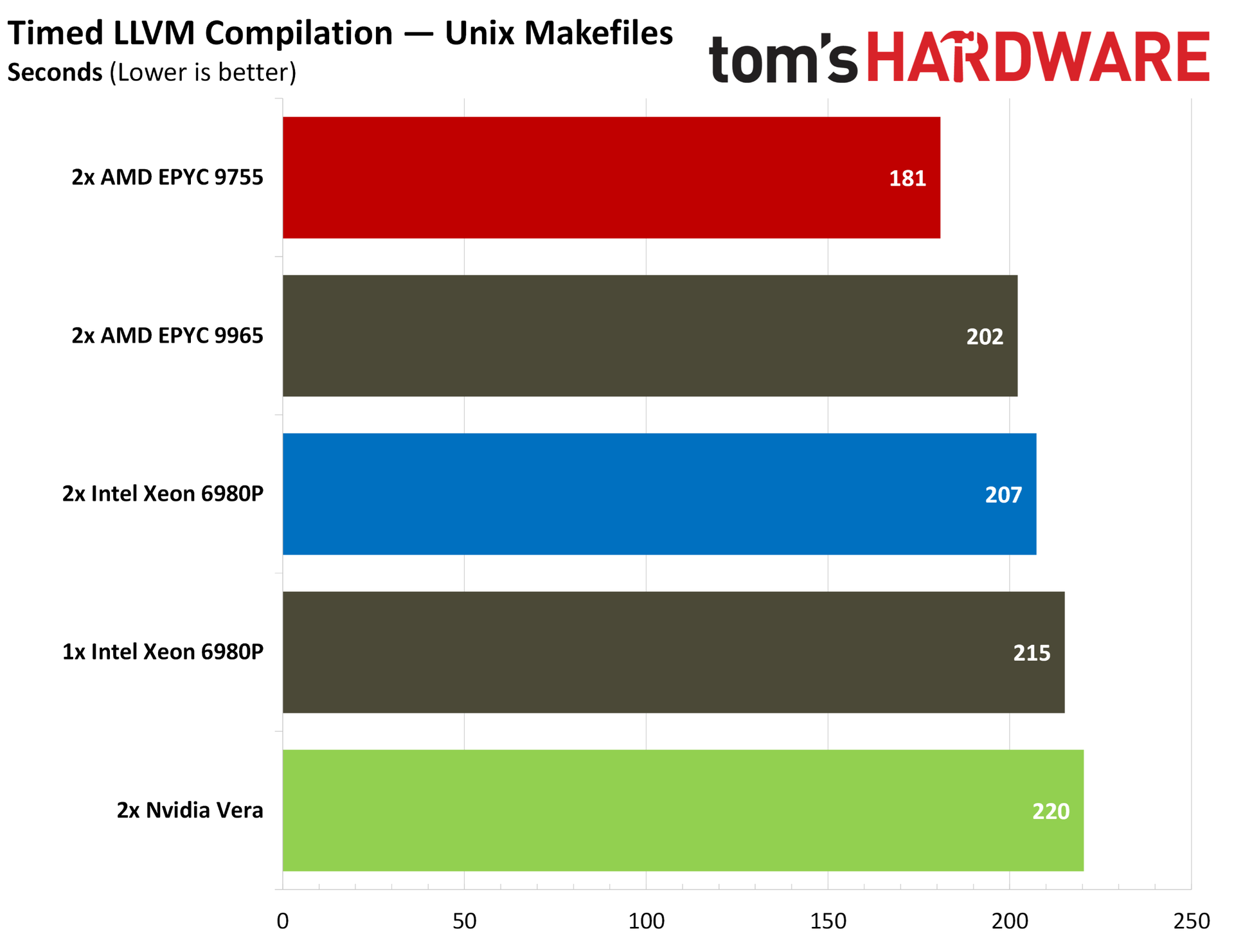
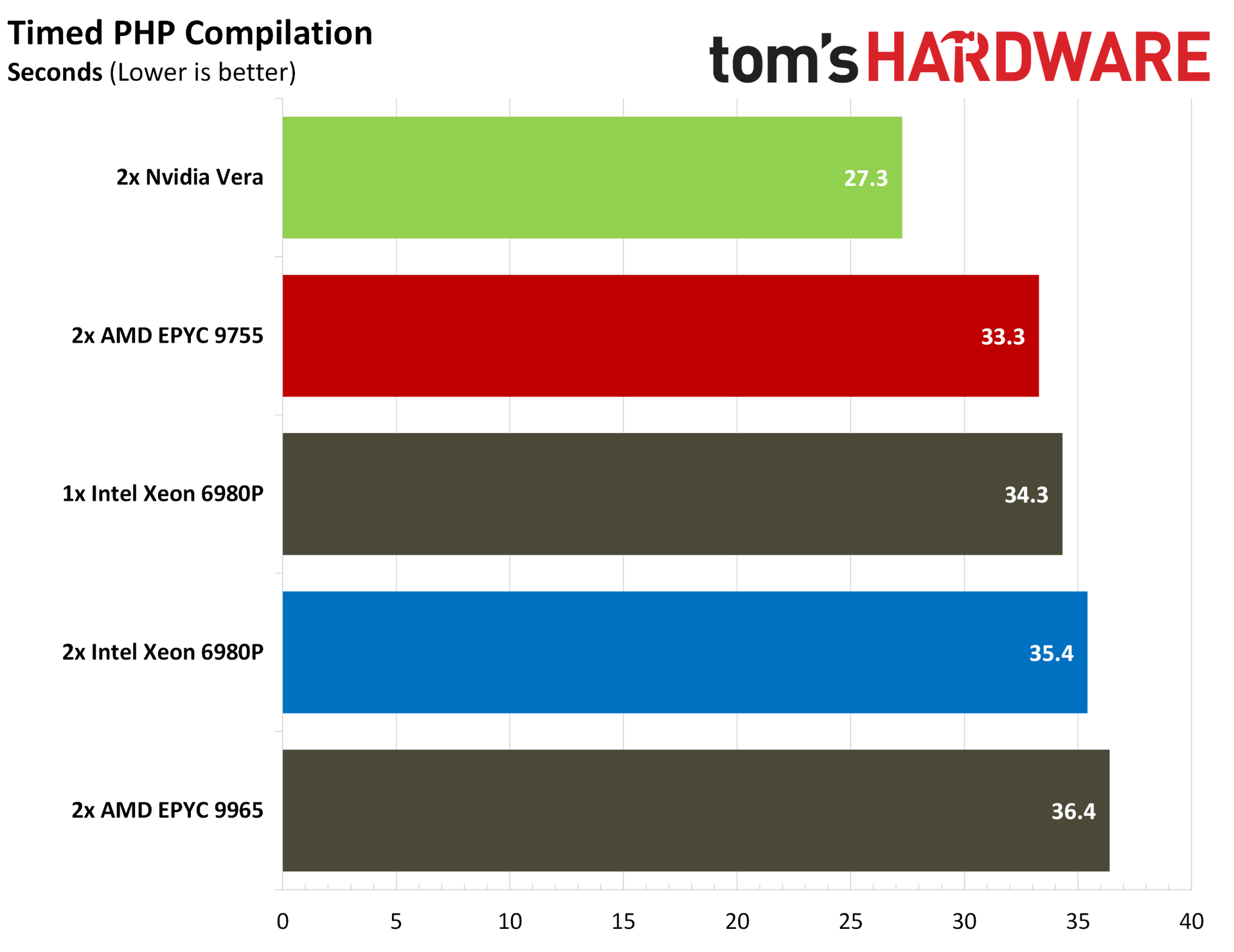
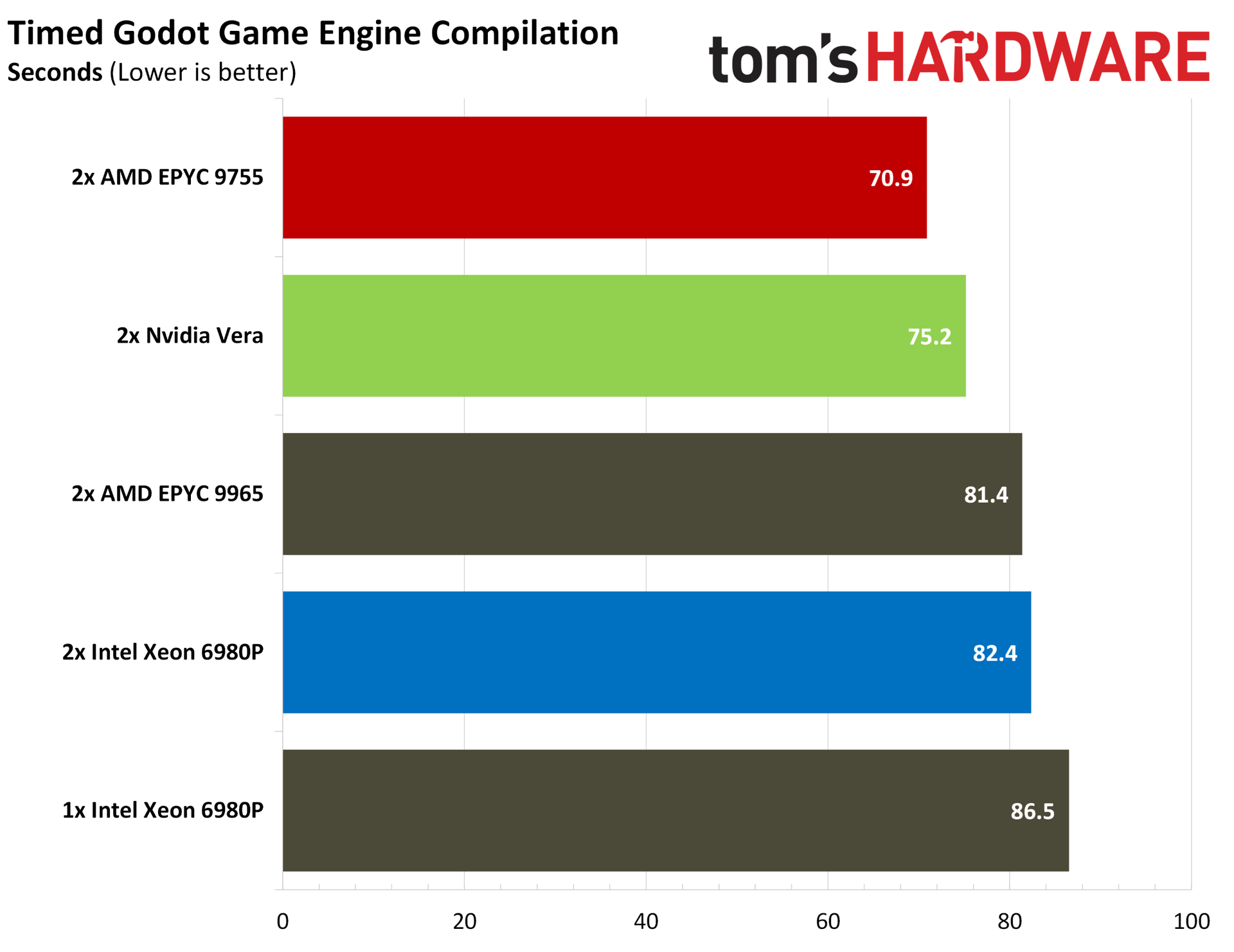
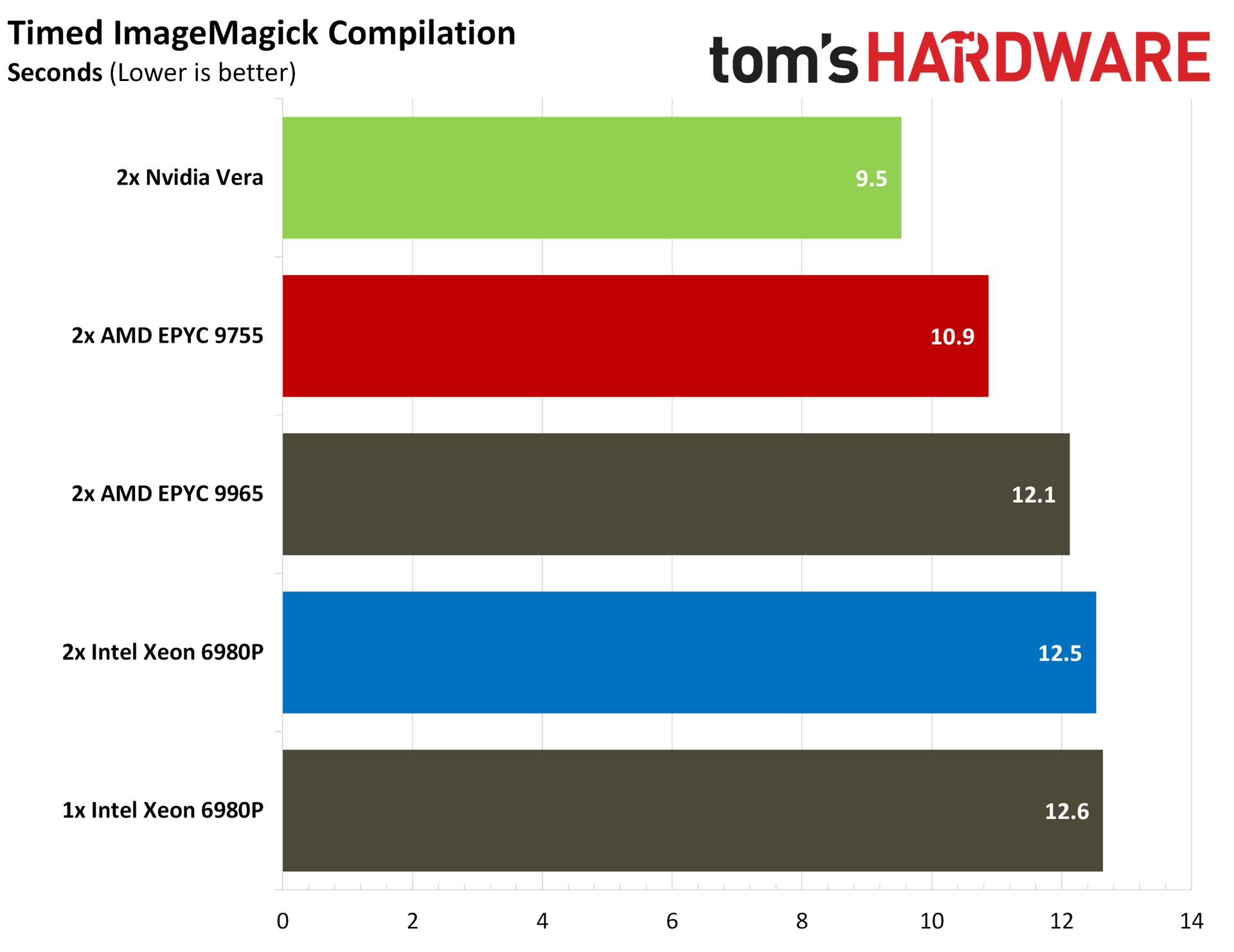
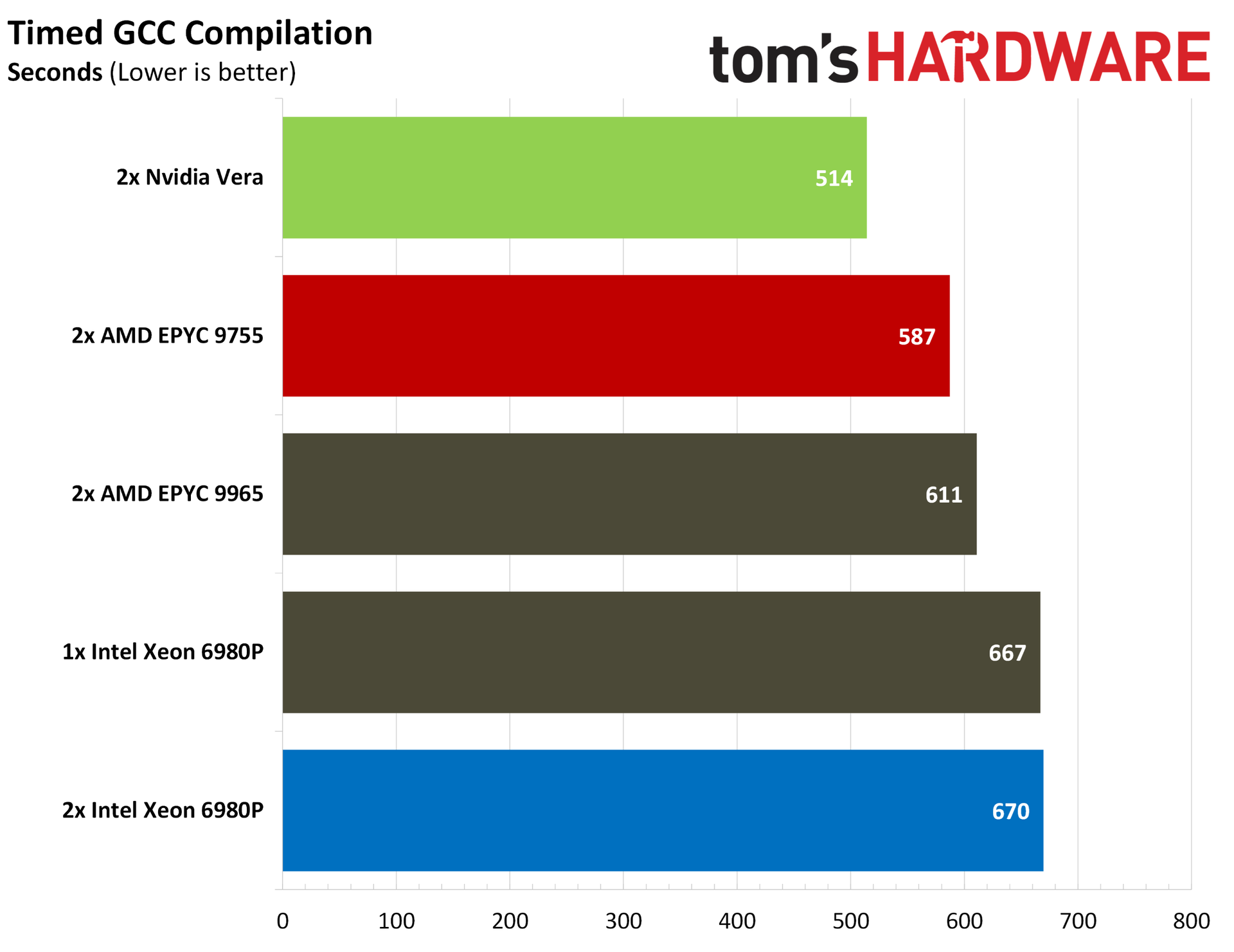
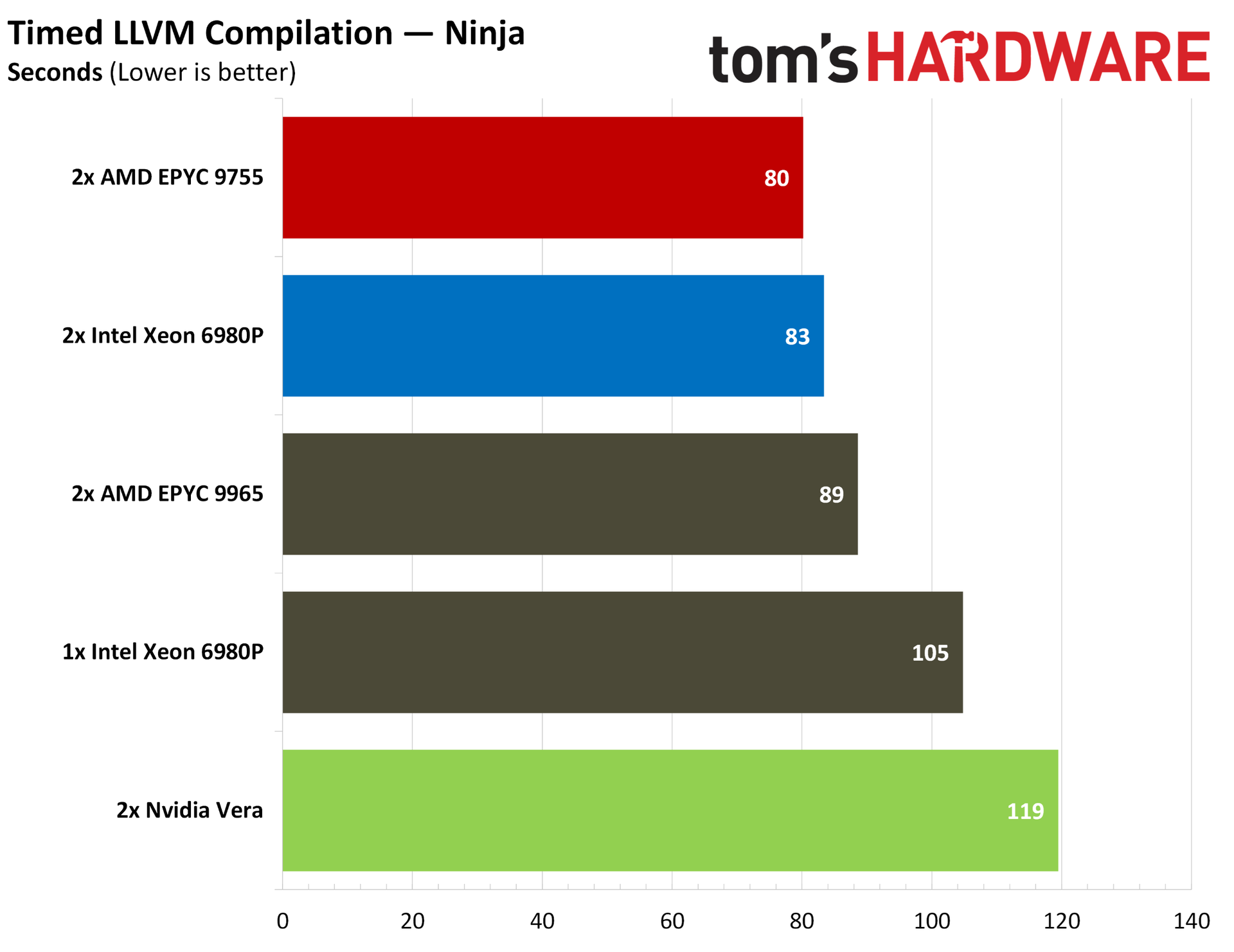
Code compilation is a more contentious workload, with Vera trading blows against AMD and Intel depending on the workload. Starting with the compilers themselves, Vera takes a strong lead in a timed GCC compilation, beating out a dual 9755 system by 12%. It falls into last place in our LLVM compilation tests, however, both using standard Makefiles and Ninja. These tests measure the time it takes to compile the compiler itself, not the time it takes to compile an application with it.
Elsewhere, Vera shows up strongly in ImageMagick and PHP compiles while losing out slightly to the dual 9755s in Godot. Compiler performance is important to agentic AI given the prominence of coding agents, which often need to build software from source as part of an agentic coding workflow.
Nvidia Vera encoding and rendering benchmarks
Encoding and rendering workloads aren’t the focus of Vera, but we ran our standard list of benchmarks, which includes some rendering and encoding tests. Vera has strong performance here in some applications, though it certainly takes a backseat to the headline Python and memory performance shared earlier in this article.
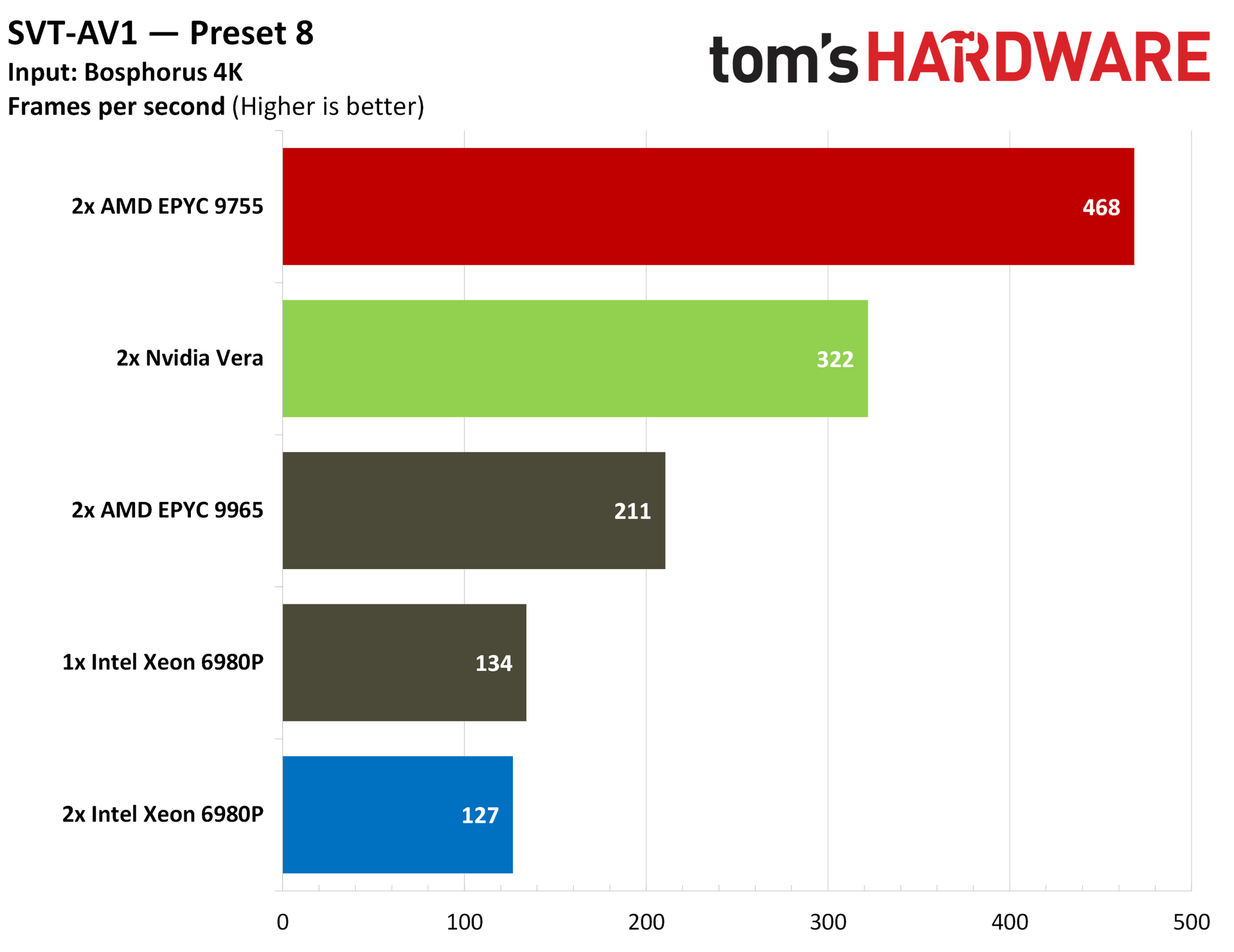
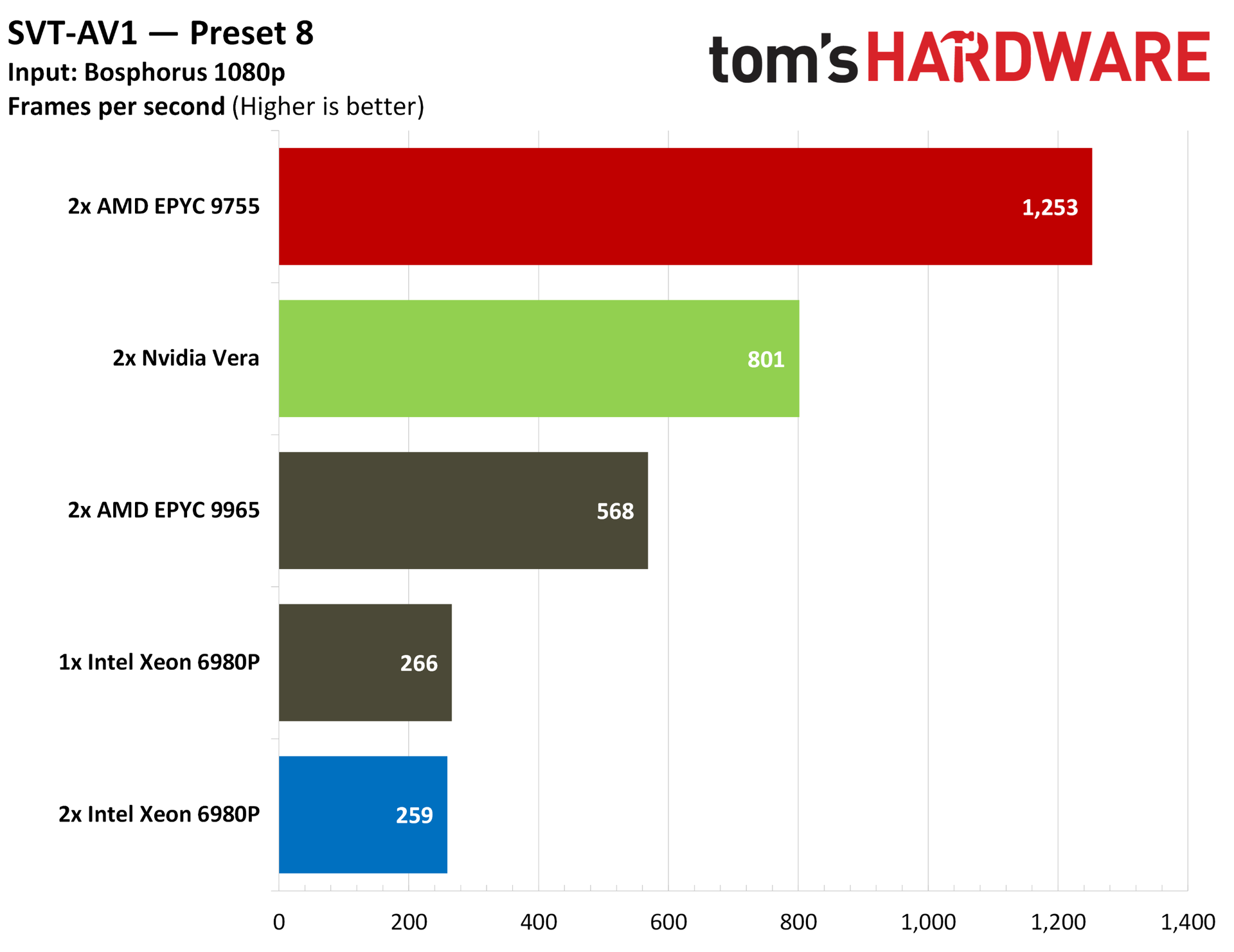
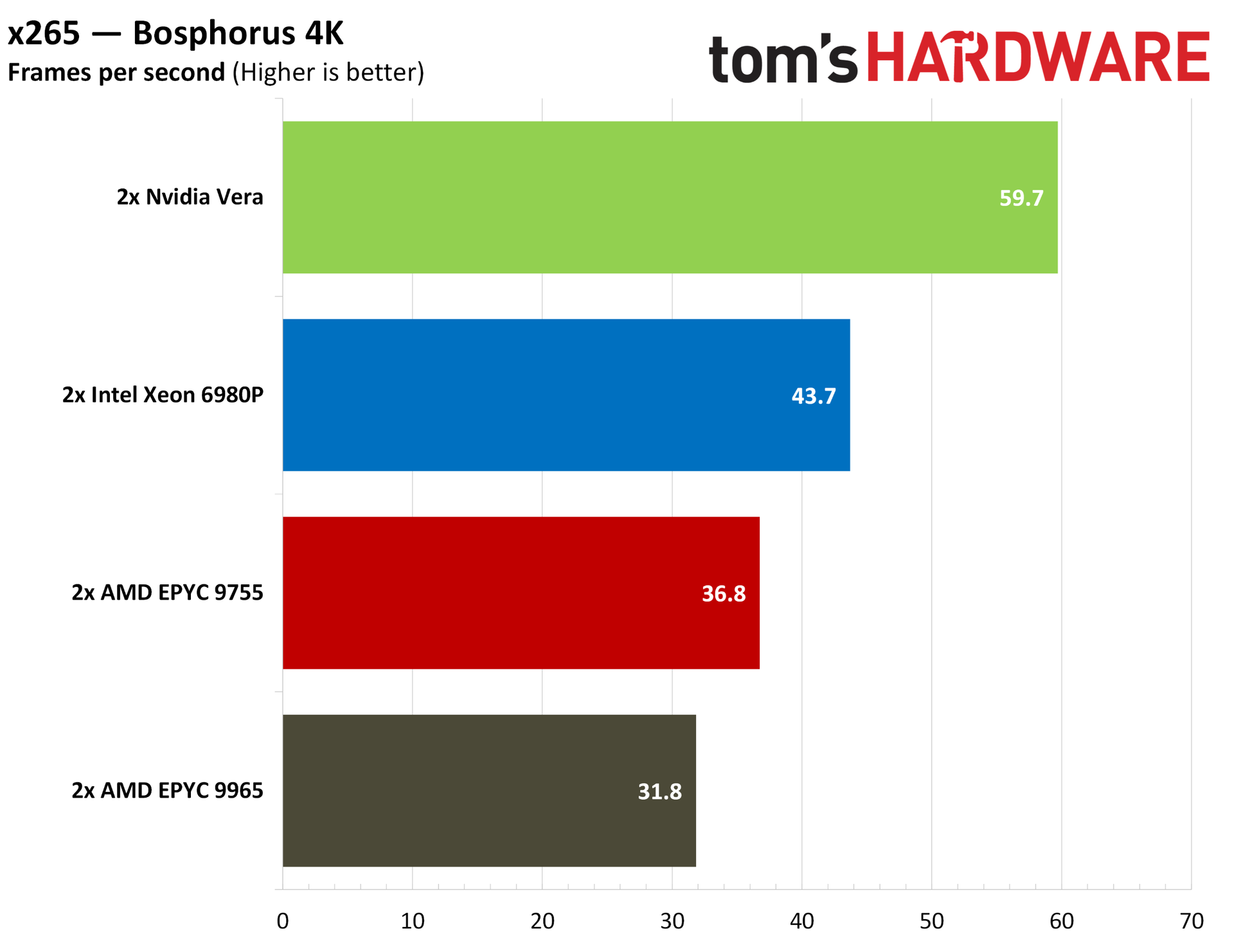
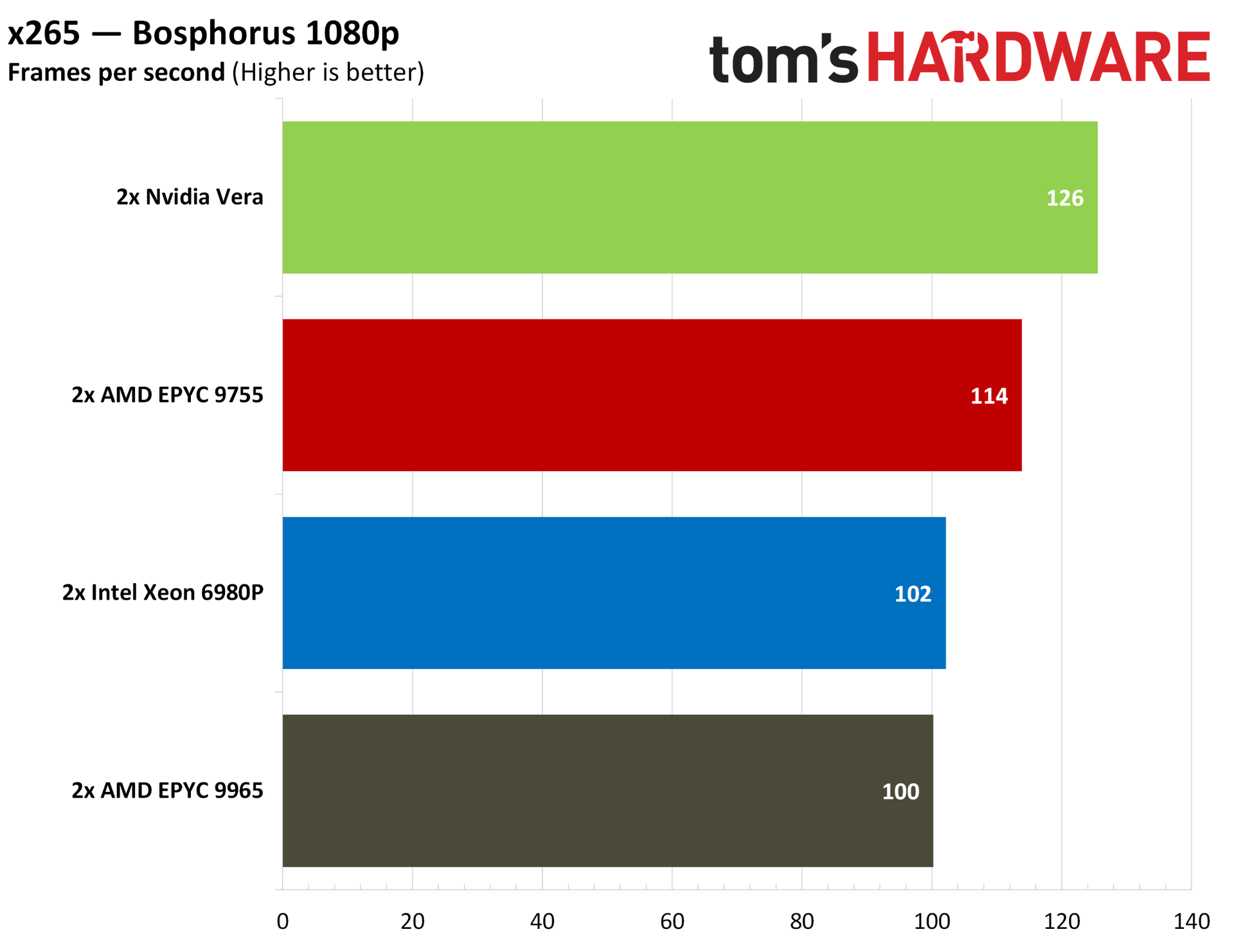
The fight is between AMD and Nvidia here, with the 9755 and its full Zen 5 cores topping the charts in our AV1 encoding tests. With x265, Vera comes out on top, though by a margin lower than the 25%+ we can see the 9755s hold with AV1.
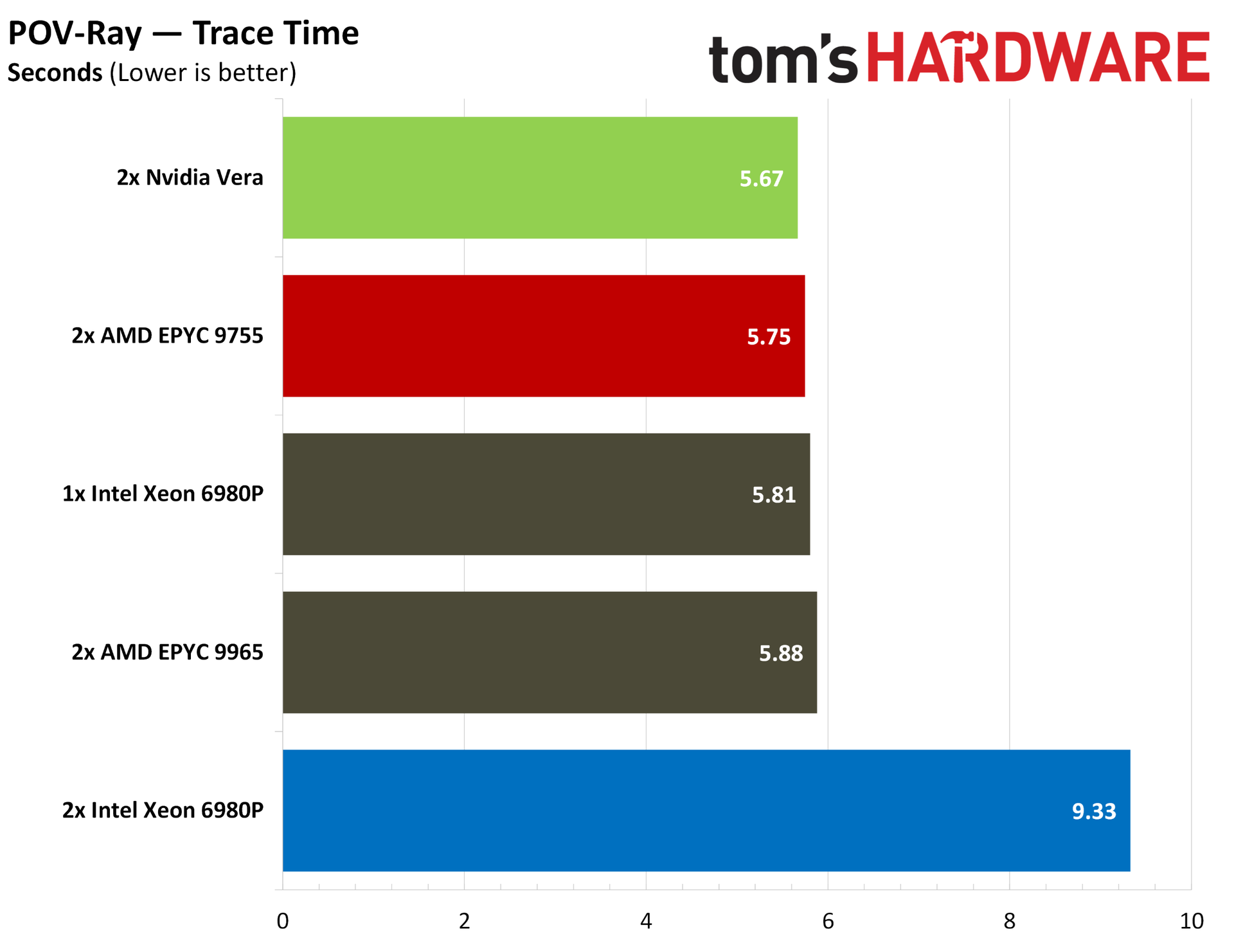
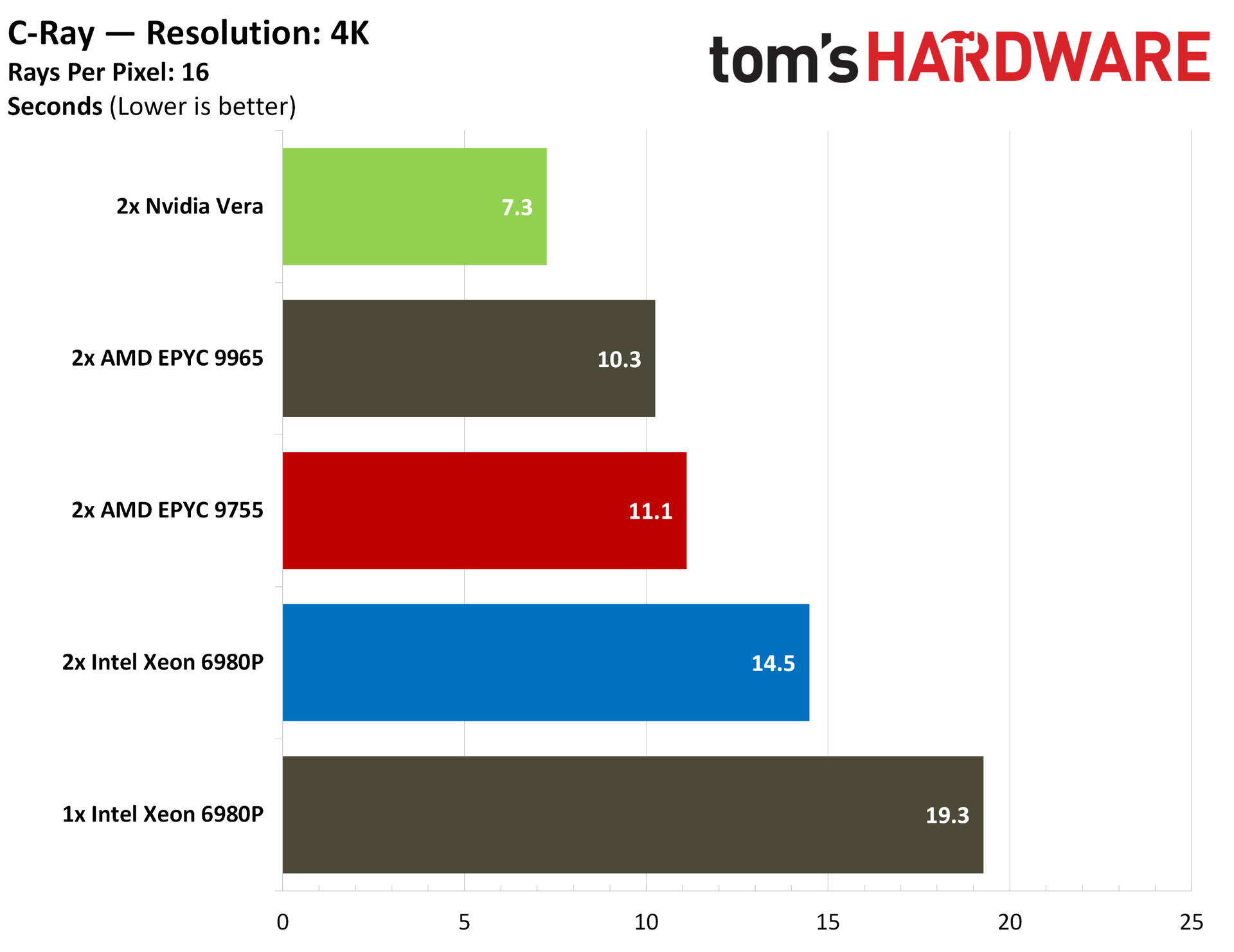
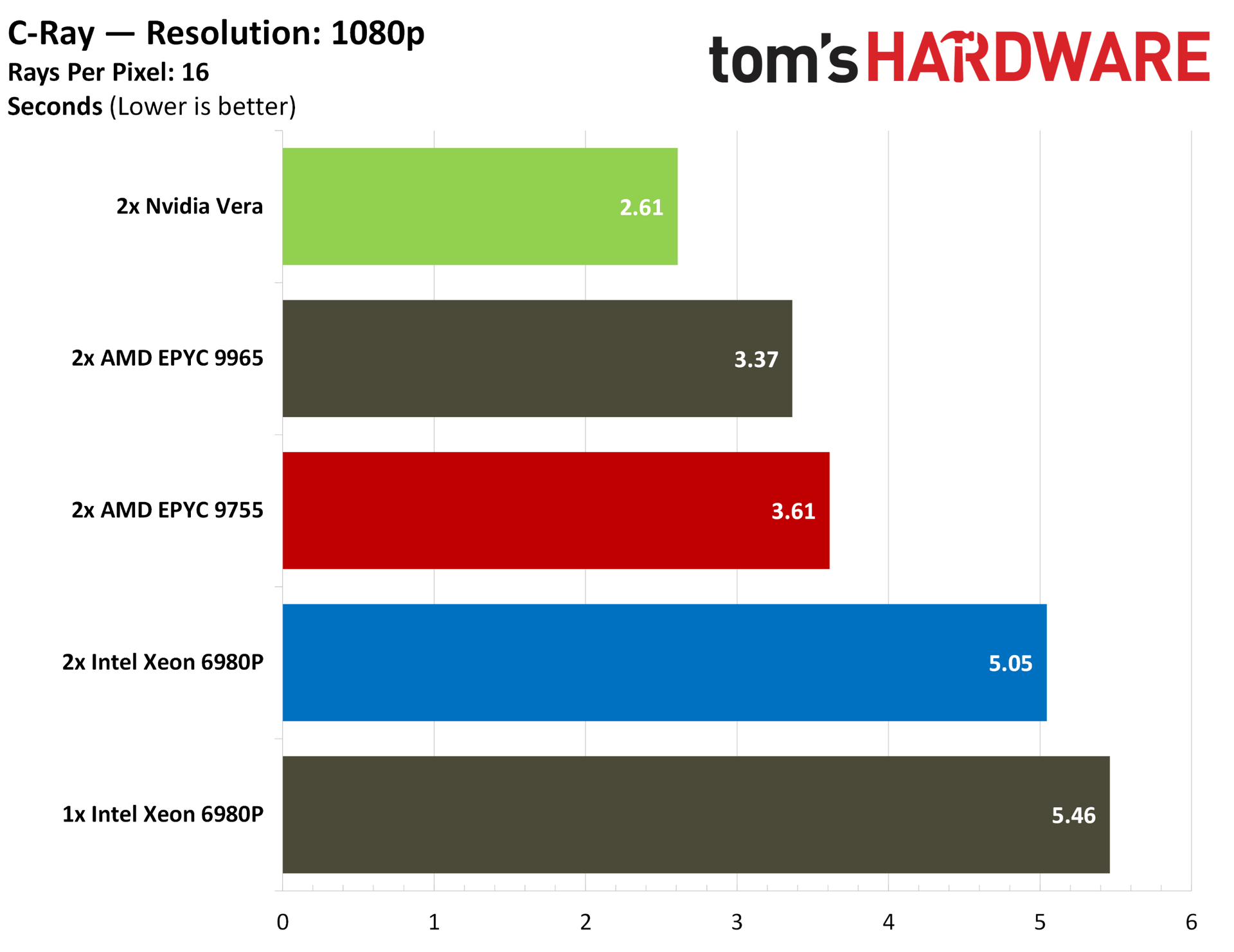
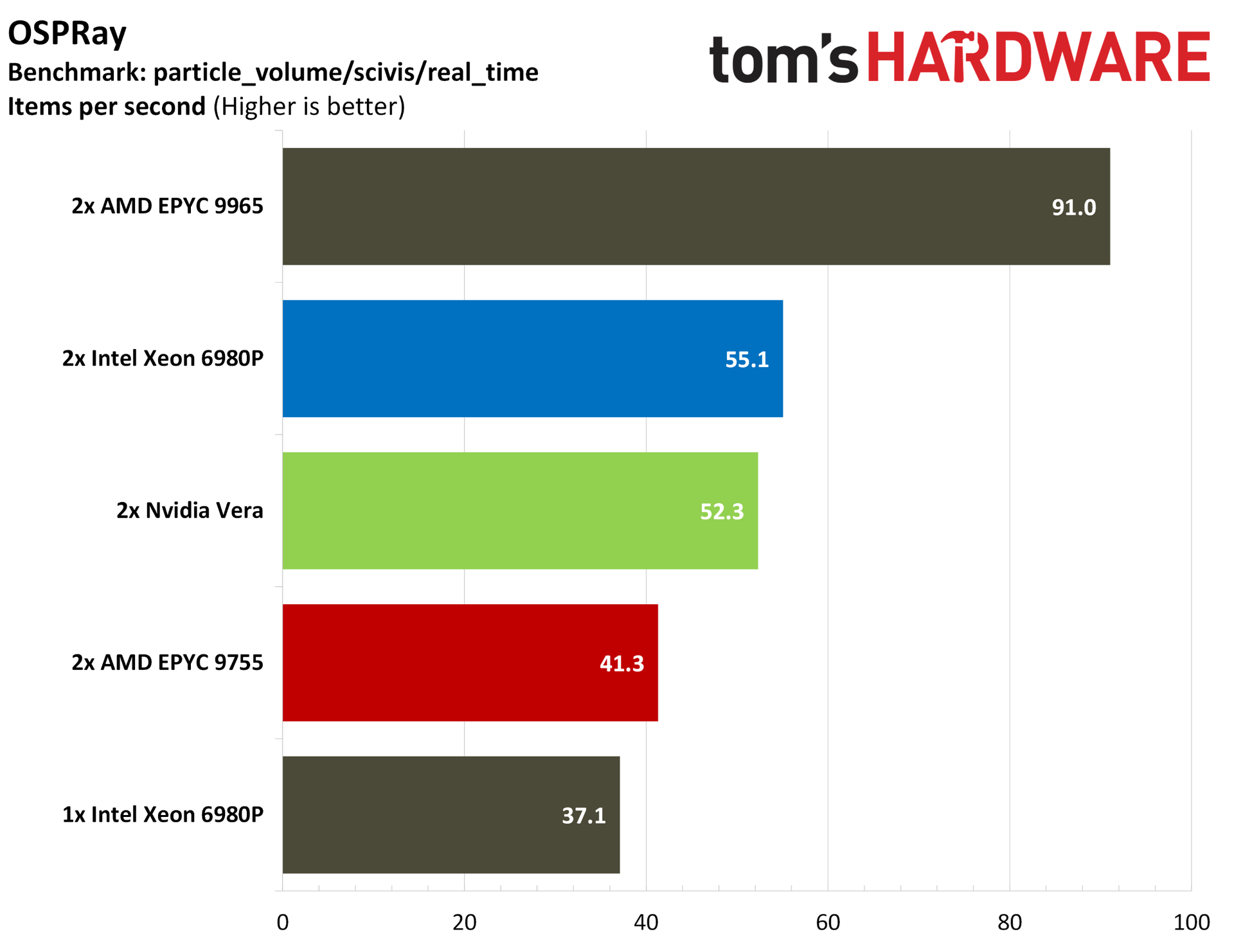
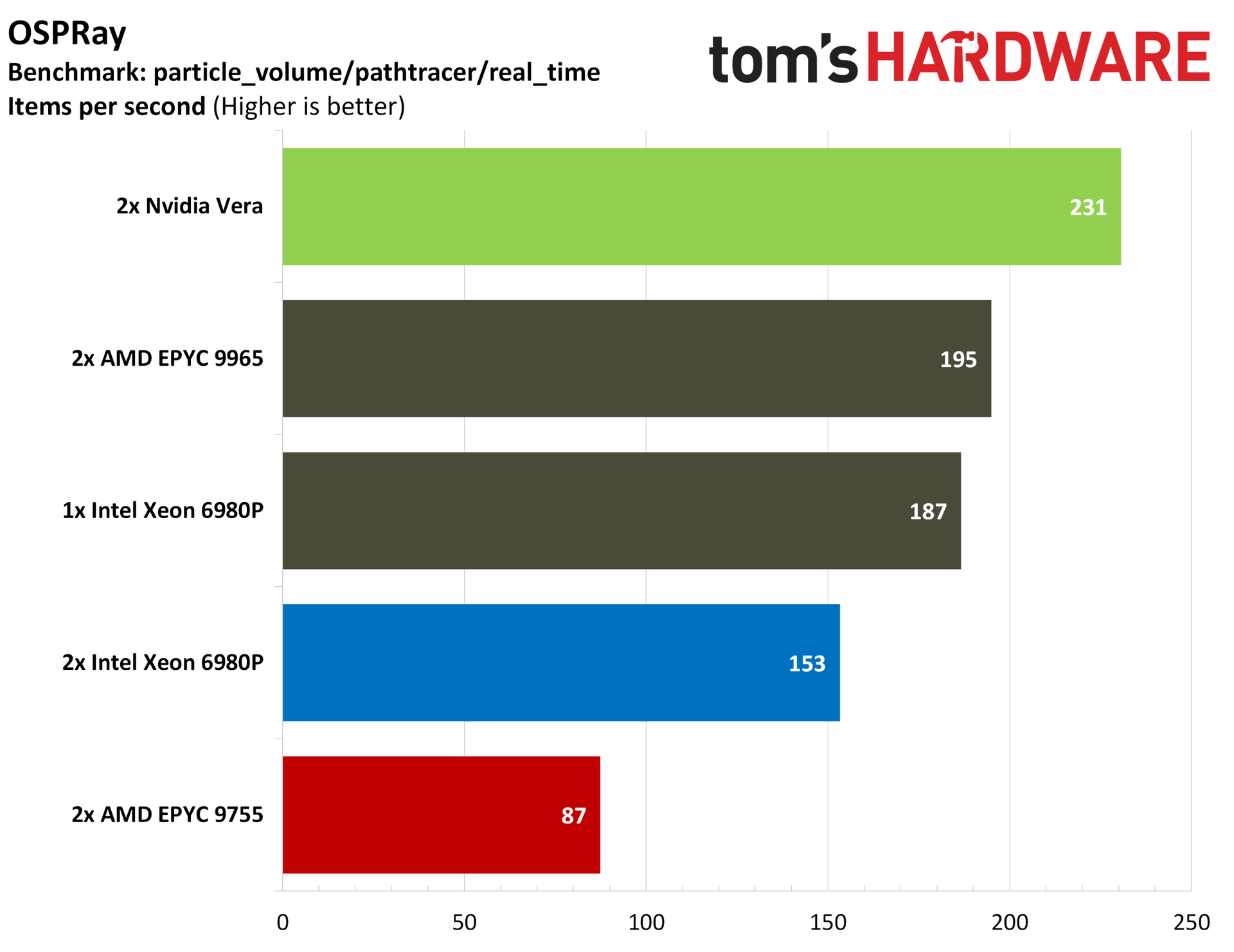
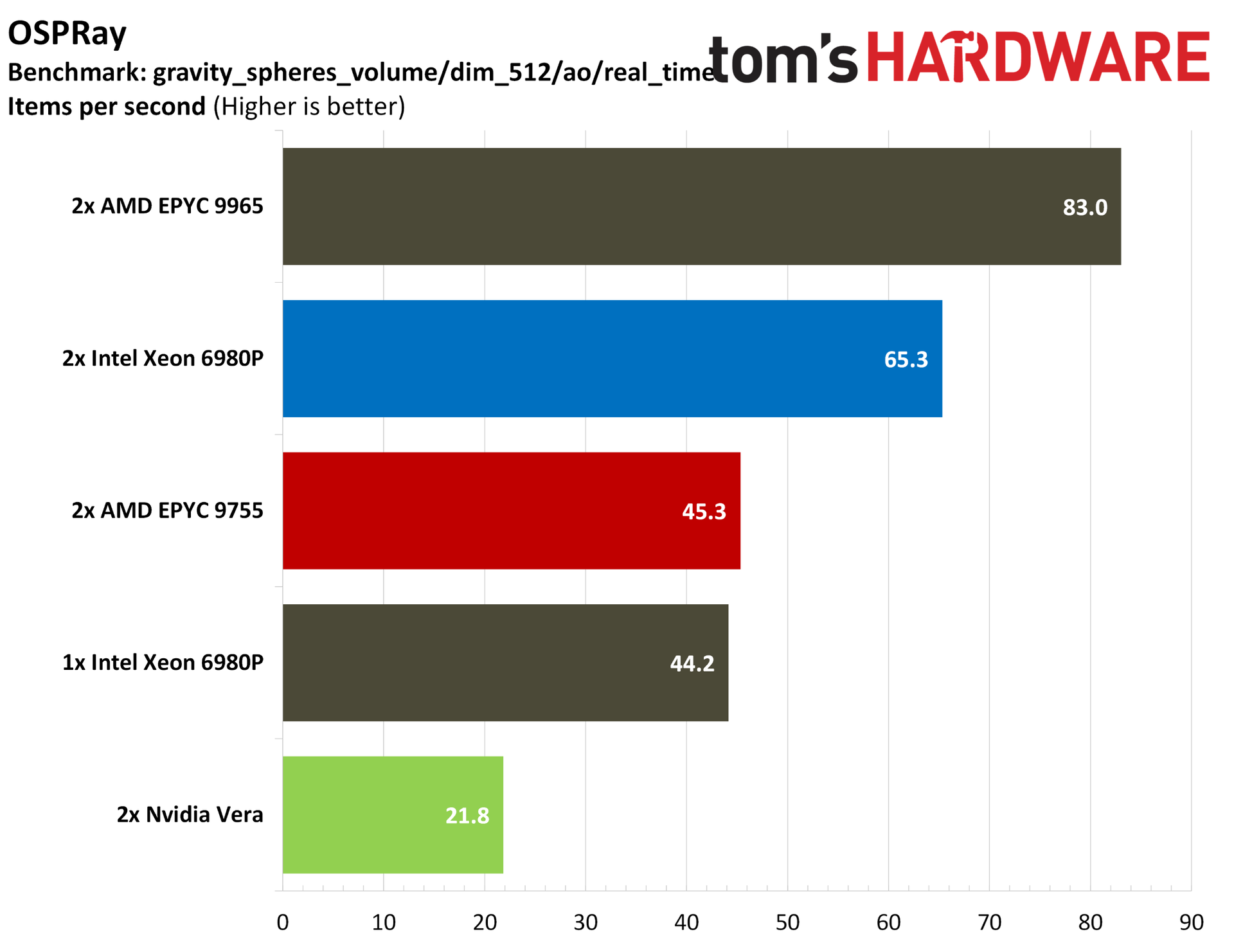
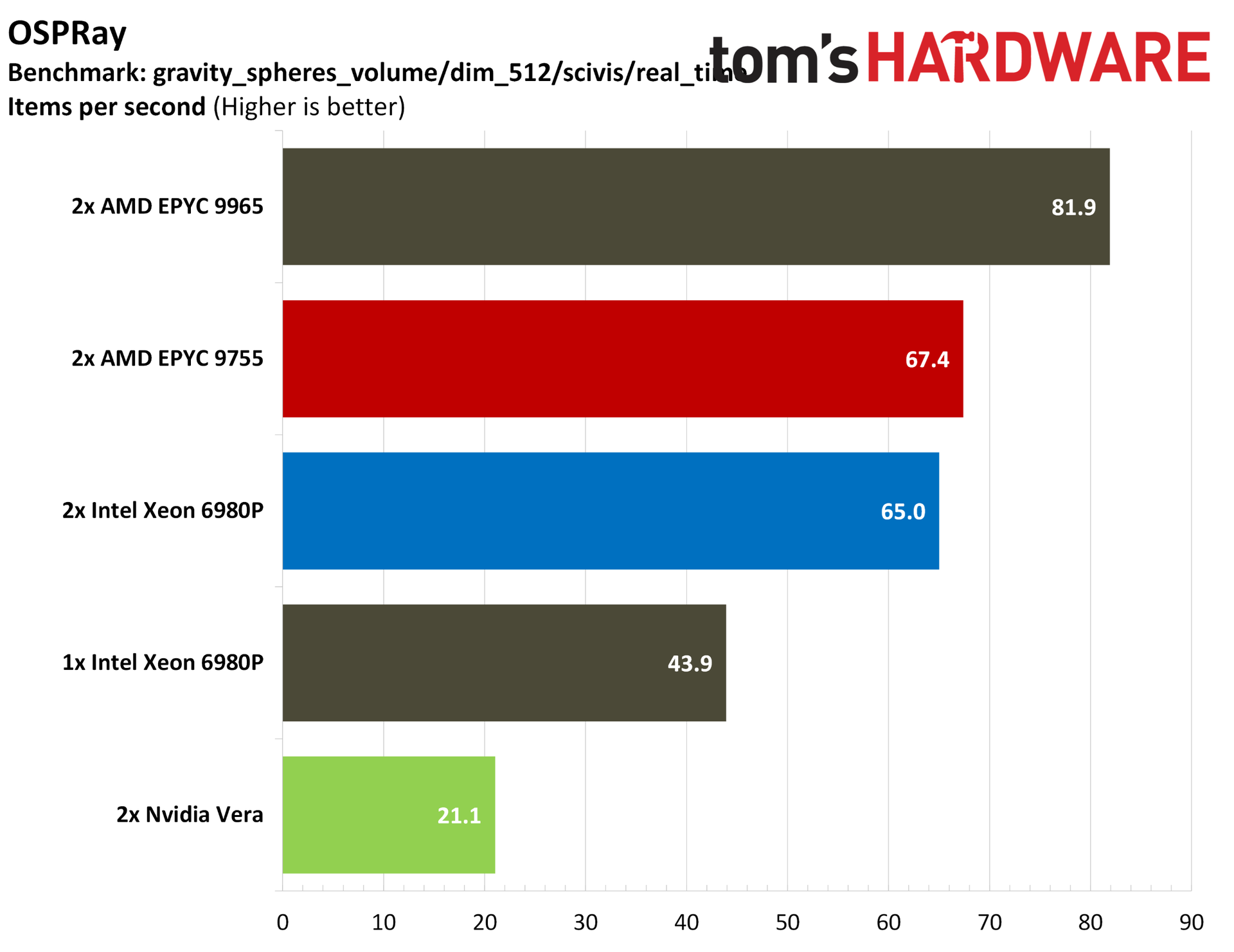
We normally run Blender, though there isn’t an official Arm Linux version available, so we skipped the test here. Instead, we have the cross-platform C-Ray and POV-Ray. Vera manages to outclass even the 768 threads available on a 2P EPYC 9965 server, both at 1080p and 4K. Vera also leads in POV-Ray, though on a technicality. Every server we tested was tightly coupled short of the 2P 6980P server.
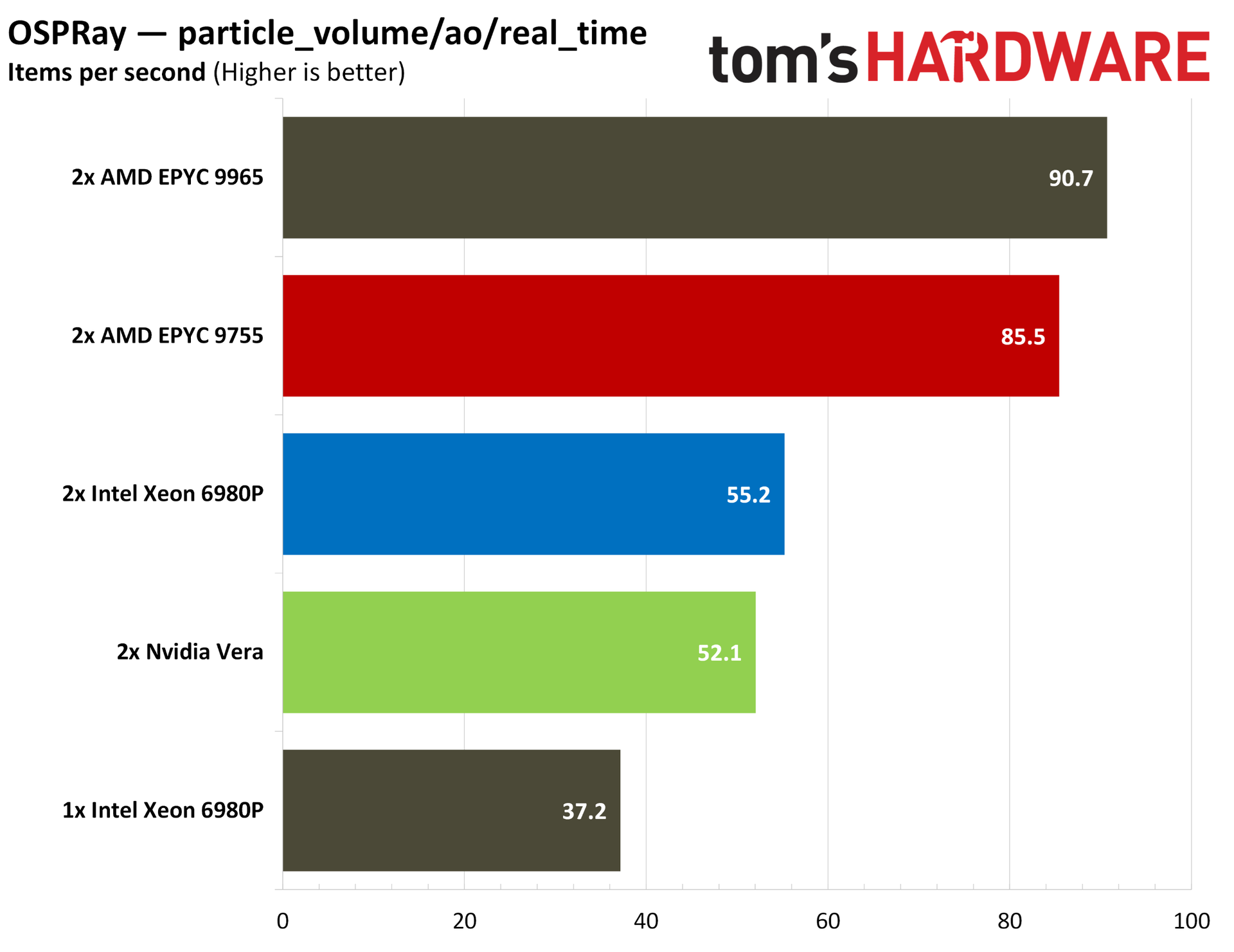
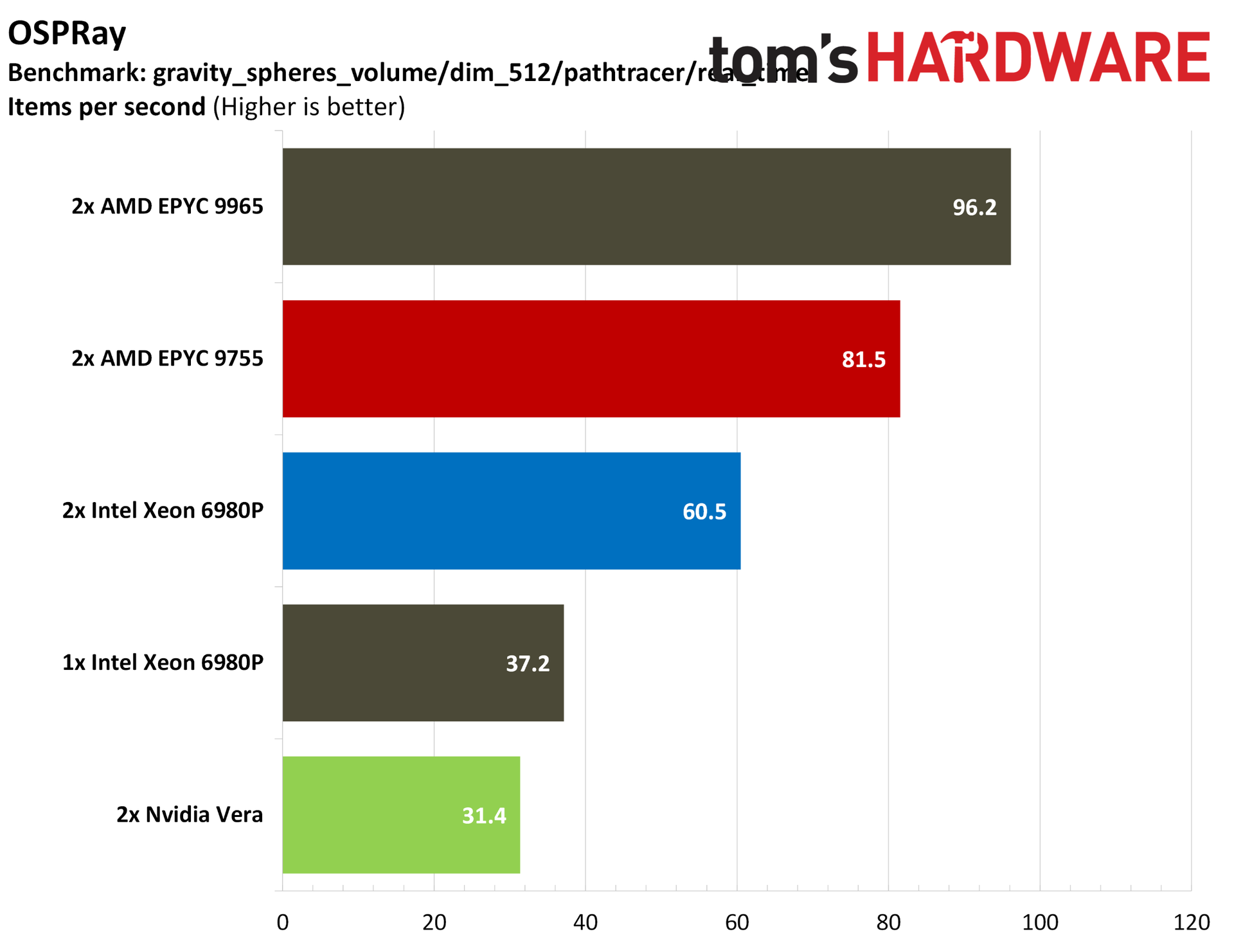
For a more granular look, we have OSPRay, where Vera tops the charts in real-time path tracing, though falls short of the AMD and Intel flagships in real-time scientific visualization. The “dim_512” subset is worth drawing attention to. Strong AVX-512 performance allows AMD to offer three or even four times the performance of Vera in this workload.
Nvidia makes a delayed debut
Although Vera isn’t Nvidia’s first data center CPU, it’s the first one that the company is aggressively pursuing with the same fervor that it carries with its accelerators. It’s an impressive chip, often punching far above its weight class, especially in those workloads that can show off its unique capabilities and topology.
Still, it’s a single 88-core chip arriving in a market characterized by granular SKU lists to meet a wide range of specific workloads. Vera won’t be the right choice for all of them, which is something that Nvidia itself has already stated. “The world is not going to be served by one SKU of CPU. And that's not our intention,” said Nvidia’s Ian Buck when Vera was revealed in March.
That’s not the intention with Vera, but the performance against contemporary x86 CPUs shows that Nvidia’s new push into standalone data center CPUs has legs, more so than the various building-block-style Arm chips we’ve seen from hyperscalers, certainly. If nothing else, Vera demands some attention from AMD and Intel.
The x86 crew is responding shortly, with Zen 6 queued up to roll out through the end of the year and Intel’s Diamond Rapids targeting a 2027 release. As you can imagine, we'll be putting those chips through their paces as well.
MORE: CPU Benchmark Hierarchy
MORE: AMD vs. Intel